

1 messages · Page 1 of 1 (latest)
 subtle finch
So I forked repo https://github.com/Rirdical/zmk-solfe-dongle/tree/oled
I build and boot it. On left and right screens it shows ble status, battery level and nyan cat gif.
So I tried to change it
I add those two lines in eyelash_sofle_peripheral_left.conf:
CONFIG_NICE_OLED_WIDGET_ANIMATION_PERIPHERAL_CAT=n
CONFIG_NICE_OLED_WIDGET_ANIMATION_PERIPHERAL_POKEMON=y
It kinda change the animation from nyan cat to some pokemon
but here's the thing previously I builded and booted this repo
https://github.com/Rirdical/zmk-sofle-oled/actions
Now on my left keyboard it shows whole bunch of thing bongo cat showing current layer and name of its layer etc
But when I enter in eyelash_sofle_left.conf
I dont find any of this configuration options
So currently I'm kinda confused
Can you explain me detaily how is this works
Contribute to Rirdical/zmk-solfe-dongle development by creating an account on GitHub.
Contribute to Rirdical/zmk-sofle-oled development by creating an account on GitHub.
 hollow idol
I'm not understanding your question. but those options are provided by https://github.com/mctechnology17/zmk-nice-oled if that's what you're asking
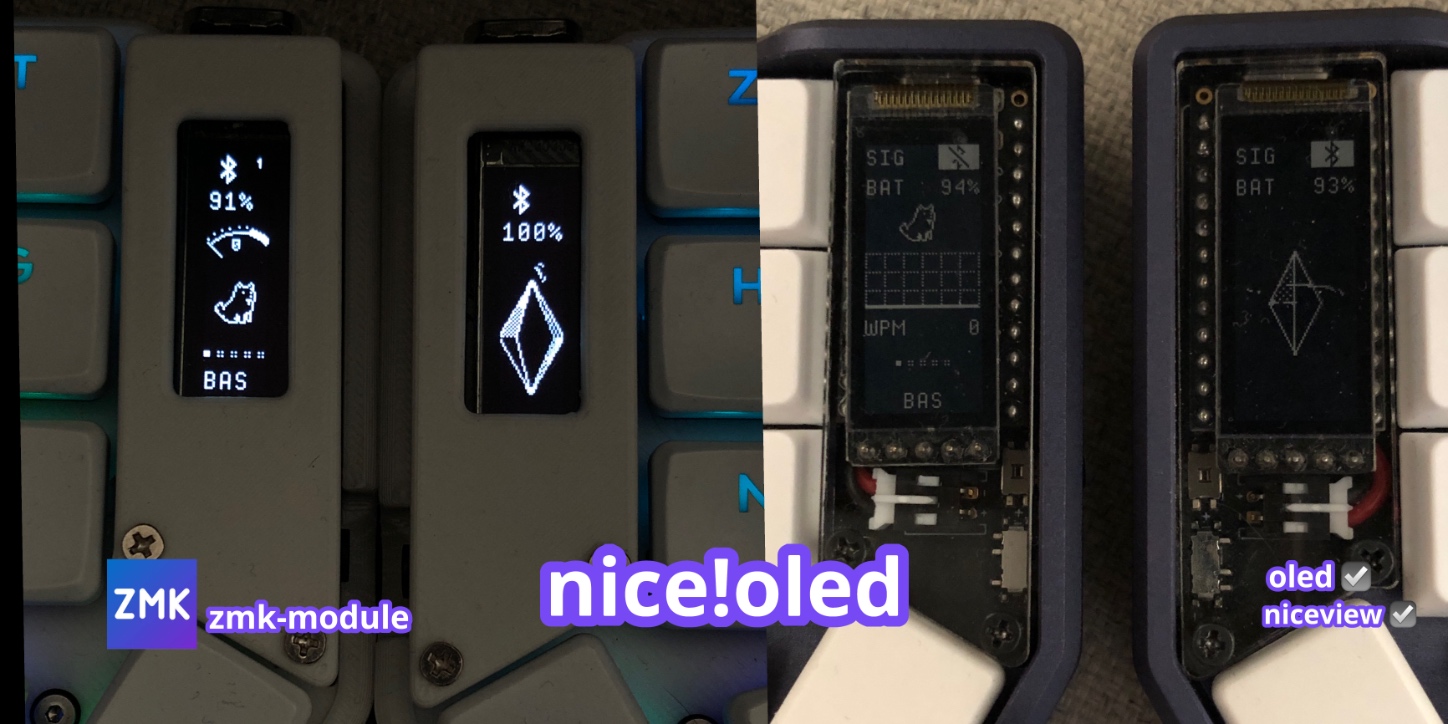
vertical widgets for oled and niceview screens using zmk (for split and non-split keyboards) - mctechnology17/zmk-nice-oled
subtle finch
hollow idol
I'm not understanding your question. but those options are provided by https://g...
image differ on zmk-sofle-oled it shows bongo cat, layer, wpm etc. But in eyelash_sofle_left.conf there is no such options enabled.
even so it give me error during building when I use this two lines
CONFIG_NICE_OLED_WIDGET_ANIMATION_PERIPHERAL_CAT=n - this line as presumably disable default nyan cat animation
CONFIG_NICE_OLED_WIDGET_STATIC_IMAGE_PERIPHERAL_VIM=y - this enable static image of Vim
But it doesnt work as second line I need to use options like this CONFIG_NICE_OLED_WIDGET_ANIMATION_PERIPHERAL_SPACEMAN=y, I need to add exactly animation option not static one and I dont know why
the error log give me nothing even using AI
hollow idol
What's the error message without AI?
subtle finch
hollow idol
What's the error message without AI?
have a look
hollow idol
Found your latest build on github, that's... extremely long
Honestly I got lost in the sea of "redefined" I can't find the actual error message
warning: NICE_OLED_WIDGET_STATIC_IMAGE_PERIPHERAL_VIM (defined at /tmp/zmk-config/zmk-nice-
oled/boards/shields/nice_oled/Kconfig.defconfig:160, /tmp/zmk-config/zmk-nice-
oled/boards/shields/nice_oled/Kconfig.defconfig:160) was assigned the value 'y' but got the value
'n'. Check these unsatisfied dependencies: ((NICE_OLED_WIDGET_STATIC_IMAGE_PERIPHERAL &&
(NICE_OLED_WIDGET_ANIMATION_PERIPHERAL || NICE_OLED_WIDGET_STATIC_IMAGE_PERIPHERAL) &&
(SHIELD_NICE_OLED || SHIELD_NICE_EPAPER || SHIELD_NICE_CUSTOM)) ||
(NICE_OLED_WIDGET_STATIC_IMAGE_PERIPHERAL && (NICE_OLED_WIDGET_ANIMATION_PERIPHERAL ||
NICE_OLED_WIDGET_STATIC_IMAGE_PERIPHERAL) && (SHIELD_NICE_OLED || SHIELD_NICE_EPAPER ||
SHIELD_NICE_CUSTOM))) (=n).
https://github.com/Rirdical/zmk-solfe-dongle/actions/runs/21486012562/job/61895332661#step:13:88
I'm assuming it's related to this, I'm not familiar with that module to say where exactly went wrong but feels like a configuration issue.
subtle finch
I dont understand this error. My initial question was about zmk-nice-oled and its customization
Because its very confusing and complex
even its says "Just add some lines in .conf" its not quite accurate actually
hollow idol
Can you try, instead of just CONFIG_NICE_OLED_WIDGET_STATIC_IMAGE_PERIPHERAL_VIM=y
CONFIG_NICE_OLED_WIDGET_STATIC_IMAGE_PERIPHERAL=y
CONFIG_NICE_OLED_WIDGET_STATIC_IMAGE_PERIPHERAL_VIM=y
If that doesn't work:
CONFIG_NICE_OLED_WIDGET_ANIMATION_PERIPHERAL=n
CONFIG_NICE_OLED_WIDGET_STATIC_IMAGE_PERIPHERAL=y
CONFIG_NICE_OLED_WIDGET_STATIC_IMAGE_PERIPHERAL_VIM=y