#Modular Military Mask - ArchiveXL
1 messages · Page 6 of 1
 warped dome
warped dome
warped dome

CGTrader
Model available for download in Autodesk FBX format. Visit CGTrader and browse more than 1 million 3D models, including 3D print and real-time assets
 warped dome
https://www.cgtrader.com/3d-models/character/clothing/crocs-classic-3d-model these are super military though

CGTrader
Model available for download in Autodesk FBX format. Visit CGTrader and browse more than 1 million 3D models, including 3D print and real-time assets
This is the one i wanted to do for april fools but i was like
nahhh

 nimble basin
lmfao
warped dome
and i was going to do them in "armed" and "defense" mode
you know, with the little adjustable strap

nimble basin
 warped dome
@red reef sick implementation, even less copy paste
 warped dome
well i am utterly lost why my dynamic materials dont function. i sent to a friend and he couldnt spot the issue either
 red reef
warped dome
<@238994216607285250> sick implementation, even less copy paste
red reef
warped dome
<@238994216607285250> sick implementation, even less copy paste
thanks 😄
warped dome
I checked your implementation in mesh, it's exactly same as mine with Soft tag in both the mlsetup and the base
appearance name needs to be same as chunkmaterial name?
 red reef
nah, that's optional. I think.
warped dome
you use () instead of {}, does it matter?

like, i just dont know what to try anymore, doing it the standard way works, im only changing stuff in mesh
red reef
no, that's just for stability in the yaml
are you on the most recent version of everything? The only thing I haven't updated yet is ArchiveXL to 1.14
red reef
 that makes no sense
warped dome
thats why i said that i can rule out dependencies issues, because your rope mod functions
warped dome
the validation is not telling me anything else wrong
red reef
as I said, the validation is a pretty rough draft
do you have spaces in any of the keys?
warped dome
ok hold on, now something extremely sus is happening, i switched to classic and im also getting void textures
validation is not picking up anything again
ah wait i think i know,
yeah, so classic way works
I forgot to change flags back to default
the mlsetup is real and working

so its just something about the dynamic materials not functioning on my end

red reef
I'd ask in #psiberstuff at this point 
nimble basin
sad day in the kingdom
 nimble basin
 warped dome
Its in #psiberstuff but basically i needed 2 appearance entries at least
 warped dome

nimble basin
Okay, this thing is starting to come together a little bit. I know I need to increase the resolution of my mlmask, but for this:

I'm guessing this is a matter of me weight painting since there aren't any gas masks similar to this? That circular part isn't supposed to be deforming like that
red reef
working on file validation...
nimble basin
ㅇ_ ㅇ
warped dome
nimble basin
I'm guessing this is a matter of me weight painting since there aren't any gas m...
This is super easy
Transfer weight from glasses
or my mask
or helmet
basically everything must be full red
nimble basin

nimble basin
That model is looking kinda  up close, but I think I'll still finish this
https://sketchfab.com/3d-models/fm12-cbrn-respirator-57a5362d4a1443a3821d29471b5dcf39 this guy has the best gas mask I've ever seen ever

Hello!
This Rad looking gas mask is one of my favourite pieces of survival equipment. There’s a good chance you recognize it as it’s especially iconic and appears in various media as a cool looking respirator, despite rarely being named.
It’s been used by many different military and civilian organisations, not the least of which was British sp...
And it also happens to be the same type I want
warped dome
This the one you making?
nimble basin
Yeah, an FM12
nimble basin
0.0
warped dome
Automatically updates itself?
nimble basin
Do I just need to keep increasing the resolution of my mlmask until these go away or is this another issue?

I doubled it and I can still see those little gaps all over
warped dome
whats your res
nimble basin
1024
warped dome
you sure this is the mlmask
nimble basin
idk 
warped dome
put a random mlmask

 nimble basin
I didn't realize it was possible to destroy a setup in that way
warped dome
me neither
nimble basin
xd
warped dome
what you did is quite outstanding if i do say so myself
because i dont know how you did that
warped dome
I trust
nimble basin
The only thing I remember touching in mlsetup was luminosity, beyond changing the materials to what I wanted of course
 nimble basin
Well, at least that triangle thing is also caused by this error
warped dome


 warped dome

 nimble basin
I KNOW IT

 warped dome

warped dome
I believe the "asset" is ready for recolors. I finished the mlmask and initial color layers 
nimble basin

I'm almost there too, I decided to make the filters modular so I need to do mlmasks for the 50th time
Then I need make a normal, and I'll be rdy for colors
warped dome
you mean add more layers to mlmask?
nimble basin
Hmm, I could do that too
nimble basin
I need to think thru about what the best way to do them is
But I would have to solve this to do that?

This is how it looks unwrapped with the new filters lmfao
They look fine as their own thing
 warped dome
Ah damn
 warped dome
Since I don't know any UV, yeah go do 2 mlmask
red reef
nimble basin
I'll learn how to mess with uvs one day, maybe
UVs are basically just a very very very elaborate puzle
nimble basin
 red reef
also, go grab the new WKit release! 🙂
red reef
new Nightly will come soon™️
nimble basin
Very goooood
red reef
but the stable has all the latest shit. Really happy with this one 😊
nimble basin
"removed write protection from arrays of buffers by @red reef in #1654" MY HERO
whoops
lmao
It looks amazing, I understand and appreciate the magic more and more each day
I did get some kind of "bigint" error when I did this on the nightly, but it didn't seem to do anything to mymod9000
red reef
"this"?
nimble basin
Copying things into the arrays of write protected buffers. When making my mask, I used a mesh that was utilizing preload materials. Not sure if this is the right thing to do, but for consistency's sake I deleted those arrays and created everything in localMaterialBuffer where I'm used to seeing things
warped dome
New stable release out?
nimble basin
warped dome
New stable release out?
 warped dome
I'm getting that shit immediately
nimble basin
Yes
nimble basin
nimble basin
Copying things into the arrays of write protected buffers. When making my mask, ...
 red reef
nimble basin
red reef
nimble basin
that was a different issue, restart WKit 🙂
nimble basin
Hmmm, I could have sworn I got this after restarting that day
And it would occur in the stable version when saving this mesh file
But now it seems to be saying this
[5/4/2024 5:26:58 AM] [Warning ] Could not verify the file you just saved due to an error in Wolvenkit. [5/4/2024 5:26:58 AM] [Important] You can ignore this warning or help us fix the problem: get in touch on Discord or create a ticket under https://github.com/WolvenKit/Wolvenkit/issues [5/4/2024 5:26:58 AM] [Important] Please include the necessary files from your project's source folder. [5/4/2024 5:26:58 AM] [Important] For more information, check https://wiki.redmodding.org/wolvenkit/wolvenkit-app/file-validation#there-was-an-error
red reef
it's in the scripts, not in WKit itself
nimble basin
oop
warped dome
Why is nightly still .13 if stable is .14
II only use stable anyway
But was curious
red reef
because the version wasn't updated on nightly branch I guess
nimble basin
I hit update scripts, restarted, it still throws that most recent message at me
red reef
Hmm. Can you give me the file, please?
warped dome
Ah, but isn't like nightly where this is tested first?
red reef
yes, but the version is set via tag
so that wasn't communicated back to the Nightly yet
 nimble basin
Same
warped dome

 red reef
do it again :3
warped dome
No matter how many times i try launch the game via wkit, any of the launch options, it says file name missing
red reef
warped dome
No matter how many times i try launch the game via wkit, any of the launch optio...
extract the portable install, the installer is kinda brrrr
 warped dome

nimble basin
What kind of magic is this
warped dome
red reef
extract the portable install, the installer is kinda brrrr
I did and I'm getting the same 
red reef
programming
red reef
warped dome
I did and I'm getting the same <:SCcrying:632894859652497408>
huh. you have the game executable configured in the settings?
warped dome
Ya
 nimble basin
I do too, but my game and wkit are on separate drives
I think I saw someone else who reported this mention that too, but not sure if it matters at all
 red reef
does it still happen even after nuking the settings file?
warped dome
It got fixed
red reef
nice :3
 red reef
do you by chance remember the original error message?
warped dome
welll its posted above
warped dome
well thats literally all t was saying
when i pressed launch game
the other button
it said file name was not provided and thats it
red reef
ok
warped dome
2024-05-04 13:44:04.813 [ERR] Launch: error launching game! Please check your executable path in Settings.
2024-05-04 13:44:04.813 [INF] Launch: error debug info: Cannot start process because a file name has not been provided.
This is when pressing Launch Game button
I checked logs
nimble basin
[5/4/2024 6:03:29 AM] [Error    ] Message: Cannot start process because a file name has not been provided.
Source: System.Diagnostics.Process
StackTrace:    at System.Diagnostics.Process.Start()
   at System.Diagnostics.Process.Start(ProcessStartInfo startInfo)
   at WolvenKit.App.Controllers.RED4Controller.LaunchProject(LaunchProfile options) in D:\a\WolvenKit\WolvenKit\WolvenKit.App\Controllers\RED4Controller.cs:line 423
   at WolvenKit.App.ViewModels.Shell.RibbonViewModel.LaunchProfileAsync() in D:\a\WolvenKit\WolvenKit\WolvenKit.App\ViewModels\Shell\RibbonViewModel.cs:line 86
   at CommunityToolkit.Mvvm.Input.AsyncRelayCommand.AwaitAndThrowIfFailed(Task executionTask)
   at System.Threading.Tasks.Task.<>c.<ThrowAsync>b__128_0(Object state)
   at System.Windows.Threading.ExceptionWrapper.InternalRealCall(Delegate callback, Object args, Int32 numArgs)
   at System.Windows.Threading.ExceptionWrapper.TryCatchWhen(Object source, Delegate callback, Object args, Int32 numArgs, Delegate catchHandler)
And this is the Install and Launch one
Source: System.Diagnostics.Process
StackTrace:    at System.Diagnostics.Process.Start()
   at System.Diagnostics.Process.Start(ProcessStartInfo startInfo)
   at WolvenKit.App.Controllers.RED4Controller.LaunchProject(LaunchProfile options) in D:\a\WolvenKit\WolvenKit\WolvenKit.App\Controllers\RED4Controller.cs:line 435
   at WolvenKit.App.ViewModels.Shell.RibbonViewModel.LaunchProfileAsync() in D:\a\WolvenKit\WolvenKit\WolvenKit.App\ViewModels\Shell\RibbonViewModel.cs:line 87
   at CommunityToolkit.Mvvm.Input.AsyncRelayCommand.AwaitAndThrowIfFailed(Task executionTask)
   at System.Threading.Tasks.Task.<>c.<ThrowAsync>b__128_0(Object state)
   at System.Windows.Threading.ExceptionWrapper.InternalRealCall(Delegate callback, Object args, Int32 numArgs)
at System.Windows.Threading.ExceptionWrapper.TryCatchWhen(Object source, Delegate callback, Object args, Int32 numArgs, Delegate catchHandler)```Hah, thank you 🙂
warped dome

nimble basin
me vs the mask she tells me not to worry about

 nimble basin

yes
it looks terrible in game

unless im missing another way to remove those triangles
I was gonna see if I could upgrade mymesh9000 then learn how to normal map
warped dome
I think this is normals issue
 warped dome
No no,
În blender go. To normals
În edit mode
Select all faces
Mesh>normals>set from faces
Have all faces selected in edit mode
Try jngame
warped dome

 nimble basin
 warped dome
make sure it actually changed in wkit
nimble basin

I'm positive this is the right one since I haven't exported one without filters yet
warped dome
it shouldnt look blocky in wkit
nimble basin
I'll try it again
nimble basin
I did make a fucky wucky, not sure where but it's smooth in wkit now
Will try in game again
It still looks the same, but I'm probably doing something silly
Haven't sleeped yet
I also feel like maybe I don't fully grasp what a normal map is supposed to do
red reef
nimble basin
But these are questions for later me
red reef
nimble basin
I also feel like maybe I don't fully grasp what a normal map is supposed to do
normals are the thing that makes the bump
basic ally, this on a flat surface gives you a stone wall
 nimble basin
Hmm, so not helpful for smoothing out my pixelated mesh
I was understanding it as some magical way to put high poly data on a low poly model, like enough to fix my chunky model
red reef
yes, but you'd have to have a high poly version of your model
what you wanna do to get rid of this here

is to use the normal smoothing operations
Blender's context menu under alt+n in edit mode
either "reset vectors" or "smooth vectors" or "recalculate from outside" or something like that
nimble basin
Hmmmmmmm
I did get it to smooth out in wkit, but it's still looking about the same in game
 red reef
ok, that's odd
nimble basin
 red reef
sure the repack worked?
nimble basin
I'm pretty sure but let me check again
Reinstalled, opened mymod9000 in the mod browser to make certain it was smooth, gonna see what it looks like in game again
still looks the same to me, but I didn't try the methods for normal smoothing you mentioned

I'll come back to this later though, thank ya both 
red reef
sleep well 🙂
warped dome
What's the usual garment support tag for boots if I want pants to be tucked insde
warped dome
Ah, but why of course, my garment support wasn't working because I didn't import the GS mesh ingame


 warped dome
And man I was speedrunnin the mod
nimble basin
big sad
warped dome
i dont understand whats going on
logs say nothing
ok get a load of this shit
i deleted layer 0
and now the export works
i put it back in, now it also works
????
0 sense
 red reef
ghooooost-busters?
nimble basin
🎶 If there's something strange, in your 3D viewport, who ya gonna call? 🎶
Uh yknow what, I think I'm gonna gonna google it
gonna gonna gonna
But I tried all of the techniques you mentioned, they don't seem to do anything, the recalculation options seem to make it more disfigured
Set From Faces looks perfect in blender, but when I put it in the game it's still looking very chonky
nimble basin
No
Unless I'm not checking some settings correctly on import or something
I gave this one a defect to make sure I wasn't jamming a stick in my own bicycle wheel, but it still looks funny
 nimble basin
I meant no as in it's very possible I could be messing something up still somewhere tho, im baby
But it looks smooth in wkit, so I don't get it
nimble basin
I was just using the default settings, but nothing that needed to be changed stood out to me

 sorry
nimble basin
sorry
nimble basin
I will try
idk if this is significant but I put a random normal over it and it almost looks like it should
 warped dome
for blender just use the plugin to import export thiings


 red reef

nimble basin
Is this just a matter of me reconfiguring the colors to work with this new.. normal, or do I need to mess with this normal in a specific way?
seems like none of the colors I had show with this, it's supposed to be gray and black
red reef
that's weird.
nimble basin
older pic, but it shows where the difference in colors should be
 red reef
that looks white there as well though
nimble basin
I mean like, the darker hard plastic pieces (eyepieces, filter mounting spots)
They all seem like the same color when I put the normal on
The newer one is layered in just about the same way
I'm playing with the colors now to see
nimble basin
I may call it good enough at that for now, I can't get the black as deep as I want it, but at least it looks good to me. I appreciateee ittt
warped dome
depends on materialo
red reef
nimble basin
I may call it good enough at that for now, I can't get the black as deep as I wa...
if you want a really deep dark black, use silk and the bottommost roughness
you can get it almost vantablack that way
warped dome
yeah but silk is not something you make a mask out of
red reef
CDPR is literally doing that as well, though
and it's a part of the material properties
I've managed to make really dark leather by overlaying it with silk... let me check
I can't find it, but pretty sure I wiki'd it somewhere... <digs>
I did not
but
anyhow
slap a semi-transparent layer of black matte silk over your black plastic
it'll look amazing, trust me
nimble basin
I think I wasn't going hard enough on the black with the mltemplate override, it can get pretty dark with this rubber/plastic tech. But I also tried the silk trick and it's quite cool, I'll keep it in mind for the future
I think after I get the filter changed out I'll be ready to color it, what do ya'll think?
 warped dome
Very solid 
 red reef
yeah, lookin' good!
warped dome
Dynamic materials can't be used in vehicle mods?
Doesn't look like it, rip
Np, might as well suffer through 120 mlsetups
 nimble basin
If you rip me a model from wt I will
nimble basin
Yeah but I need it to be so accurate the CIA sends a hit team
But I was just joking, idk if that would get you banned or something
warped dome
Idk if they give a shit but then again that's gaijin
nimble basin
I mean from the extraction process, I don't think it's as simple as opening the game files with a tool
warped dome
But it probably is like that
nimble basin
idk
nimble basin
Yamato replacer for Kujira
warped dome
Real
I mean that would be really cool, just arasaka pulling in the port of NC with a whole ass battleship
nimble basin
lmfao
warped dome
It's 2077 and a carrier doesnt have escorte like bruh
All major navies irl have battlegroups for their carriers
Immersion broken
Smh
nimble basin
Literally unplayable
warped dome

red reef
warped dome
Dynamic materials can't be used in vehicle mods?
why shouldn't they?
warped dome
Well I did the dynamic thingy and the validation was saying that the thing is not a dynamic material
i don't have a root to put Dynamic appearance tag if that's required
red reef
the validation might be wrong
warped dome
only got ent and app
red reef
ok, what exactly are you trying to do?
warped dome
simply use dynamic materials in a mesh
warped dome
meaning it doesn't work or it's irrelevant for what purpose the mesh is being used for
red reef
the latter
warped dome
then I will try again
red reef
file validation may have errors
that's, like
you need to understand that it's implemented basically on top of Wolvenkit
it knows nothing about the files
it just gets a data structure and then runs a craptonne of checks that I implemented by hand
 red reef
pretty much, yeah 😄
especially with new features, it's possible that file validation is just plain wrong
nimble basin
Is that why you were asking for my file the other day? What was going on there?
nimble basin
m a g i c
warped dome
I implemeted the whole thing and the log says this:
[5/6/2024 7:06:37 PM] [Important] localMaterialBuffer.@dynamic is using Flags.Soft, but doesn't seem to be dynamic. Consider using 'Default' instead
i just yolo it?
i yolo it
warped dome
The log?
red reef
the mesh
warped dome
ok
red reef
fixed
warped dome
the fil validation?
red reef
yea
warped dome
ok now it doesn't say anything anymore, but it kinda aint working either ingame
red reef
that has a different reason then 😄
try spawning it with just one static appearance?
then after, make that one dynamic... etc. etc
warped dome
it works without dynamic materials
warped dome

red reef
If the material path doesn't have substitution, then you need to put "default"
red reef
yeah
warped dome
it doesn't want to function either way 
red reef
are you on the most recent AXL?
warped dome
im on 1.14.0
red reef
IDK which version is the most recent one, but...
warped dome
i updated
and it works now
tf
But why
I am extremely confused
Ok nvm I am no longer confused
Wow I am so retarded


Guys I just took an IQ test and I scored triple digits!!!! (It has a , after the first digit)
nimble basin
xdd
When you said "," I was like wow, he really might be, but then I remembered Europe uses commas for decimals


 nimble basin
(i am joke)


 nimble basin
warped dome
nimble basin
warped dome
Also
The "asset" you sent me has significant progress too
Got the neutral colors done
The camo ones are a bit more difficult

 warped dome
madman is actually doing it
warped dome
it's so easy
nimble basin
very good
I haven't rly even seen the page but these words bring me comfort
I just did it the old way to learn axl
nimble basin
I feel like I started modding at the perfect time
warped dome
Eh
The perfect time was when the first AXL guides were out
Since then, it's still all perfect
it just gets better and better
The worse times were before AXL, with the rudimentary wkit or what was back then, and with HEX editing
I started modding as soon as dynamic appearances came out
nimble basin
Interesting, interesting
 red reef
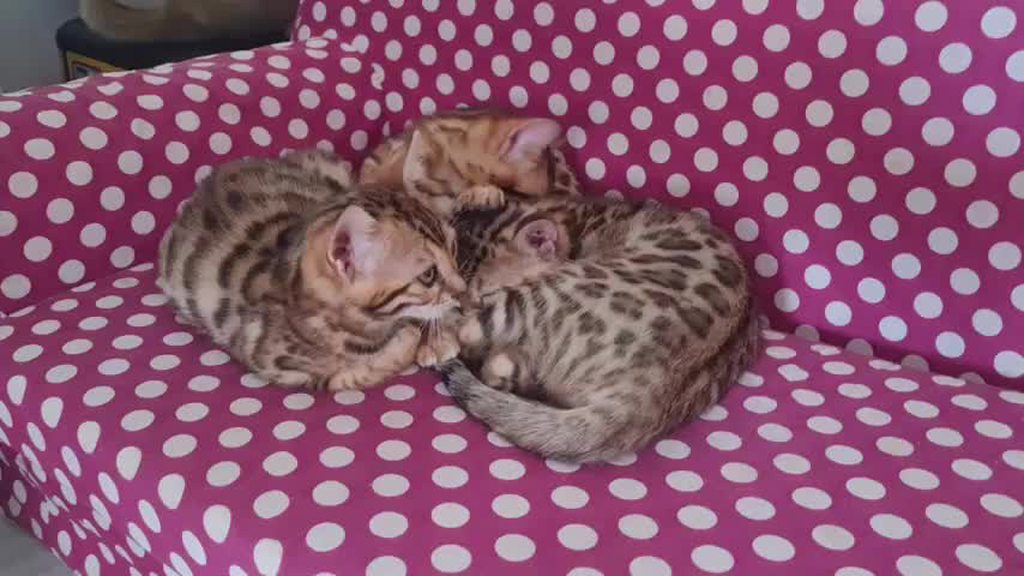
yes 😭 the little boy (in the back) fell asleep while I held him
nimble basin
cat/10
red reef
look at his little faceee
 nimble basin
What kind are they? I don't think I've seen a cat with a fur pattern quite like that
red reef
bengalese
nimble basin
he cuuuuute

 nimble basin
100%
 red reef
Nu, we just reconsidered 😄
red reef
😄
 rigid timber
Ya’ll are COOKIN in here GAT damn
Been on vacation and not following this thread as much as I usually do

 rigid timber
Thank you man! It’s been great so far
red reef
great to hear :))
warped dome
Mana, how does one add deformation to a vehicle. I know the wiki says that .mt file adds, but that only adds scratches all over during impacts, I'm talking about actual deformation like vanilla cars
Is it like with garment support?
I use this one that adds scratches all over during impacts

But I'm looking for REAL damage
warped dome
Is there a car modder that I could ask some questions to?
warped dome
lmaooooo
 warped dome
nimble basin
esl level sentence
warped dome
nimble basin
esl level sentence
 warped dome
Ok I will contact Chedda
nimble basin
very good
He was working with vehicle animations too last I saw, maybe you can do something veri spice
 warped dome

nimble basin
red reef
warped dome
I use this one that adds scratches all over during impacts
the vehicles have deformation emeshes as extra chunks afaik
nimble basin
Do any of you know what kind of error this is off the top of your heads? That little ring inside the eyepiece? If not no worries, we will fafo
 warped dome
Check in blender you don't have random vertices around
warped dome
or if you have a double lens goig on, that can also be a bug, had this with nvgs
nimble basin
I think it does have two sides, I'll try that too
nimble basin
I gotcha I gotcha
 warped dome

red reef
👀
nimble basin
You weren't there, man
 warped dome

 warped dome

Got all non colors done, got most of the custom ones done
Just the colorful bunch left and some refit adjsutements
and the usual icons shenanigans
nimble basin
I've been slacking on my project, but I'll pick it back up soon
Wanna try out this Arena Breakout business
warped dome
Yah I managed to avoid most
Man this dlc is so good
Makes the main game look like filler content
You'll see
 nimble basin
That's great
I'm prob gonna play from the start since it's been a while
Damn what game is that
boys drippin
warped dome
Halo reach
warped dome
It's those boots I showed here before
red reef
ahh, ok :3 then I won't scratch the tabi ones from my to-do
warped dome
Is it possible to have multiple compartments open up on a car?
red reef
I bet?
 red reef

warped dome
So here's the thing. If I use base\materials\vehicle_destr_blendshape.mt then literally every material is unbelievably shiny and reflective.
If I use the standard multilayered, then it's fine
But then i lose the dynamic scrathches on impacts
How do vanilla cars do this
 nimble basin

red reef

warped dome
Why my prop failing
the "default" appearance is invisible
Its literally 3 files, how can i fuck this up
nimble basin
Is this your first time doing props?
warped dome
no
i mean i duped the appearance
and that duped one works
where is the fail man


that's literally all i have
warped dome
it works anyway, it's just that it initially spawns with a "default" entry

here i replaced all default with variant
but
when i first spawn it
look at variants

idk whats going on

i don't have a "default"
Maybe Mana knows
nimble basin
I feel like I've had this error before but I can't remember what I did to do it
warped dome
well let me know if you remember
nimble basin
How do your ent components look?
 nimble basin
Your defaultAppearance doesn't exist
warped dome
you mean that one has an effect
warped dome
oh wow it was that lmao
that wasn't doing shit on my npv
so i disregarded it here too
Gracias

 nimble basin
idk I've never done an npv before
 warped dome
My desk in particular remembers my NPV
nimble basin
lmfao
warped dome
So does my keyboard
nimble basin
 red reef
what? 👀 It should warn you about that... did you turn it off?
warped dome
nooooo
red reef
ffs
warped dome
ohhhhhhhhhhhhhhhhhhhhhhhhhhhhhhhhhhhhh
the text is now WHITE


i wasnt checking the logs because i was used to seeing yellow warnings
nimble basin
red reef
And here I thought I broke it
warped dome
why did you guys change it to white instead of yellow
red reef
because it's only an issue for props
but it'll also yell if it's a root entity for clothing items or NPCs
warped dome
Imo warnings (things that don't crash the game) but have some impact should be yellow
white is kinda you know
neutral
warped dome
red reef
it _does_ say "important"
But if you say "important" why put it with white 
red reef
because it's "info"
the "important" is only there so we can tell people we told them so
 warped dome

 warped dome
why you need premium
nimble basin
Wabbajack
warped dome
you wanna see the supporter image section?
nimble basin
o_o
 nimble basin
red reef
oh, hey
nimble basin
red reef
oh, hey
It's goood, I enjoyed seeing folks get creative with those
nimble basin
warped dome
I do actually have some supporter section worthy shots to post
SHOW

 warped dome
REAL BRO
nimble basin

 warped dome
very nice
nimble basin
ty ty
red reef
is. Looks as if someone'S about to drop poison in the wine any second lmao
red reef
In corporate circles, isn't that just "pepping up your boring drink"?
nimble basin
Hmm
warped dome
Hey Mana, any idea why my garment support is working in reverse?
I kid you not, I put garment support on holster, with these settings, but every vanilla pants and my own custom pants squish it, instea, the holster should be squishing them

Quite comedic I know
red reef
nice 😄 no idea
warped dome
 warped dome
I'm literally the only idiot that can get such errors
I> successfully implements GS
/> It works in reverse

rigid timber
which holster is it?
is it this one? If so it was a nightmare getting the GS to work. Just changing the components wasn't enough
 warped dome
rigid timber
is it this one? If so it was a nightmare getting the GS to work. Just changing t...
warped dome
rigid timber
is it this one? If so it was a nightmare getting the GS to work. Just changing t...
Yeahh this
I refitted mine skin tight
Still aded GS but it works in reverse for some reason
What you did to get it work?
 warped dome
ok i fixed it
And i found what's borking the file validation too
instead of material i wrote holster

file validation ain't picking this and it also broke it
red reef
warped dome
instead of `material` i wrote `holster`
i'll take a look at that later today, if you haven't seen an update in 5h, please poke me with a stick
red reef
probably failed at parsing... something
red reef
dropped over the last two or three weeks, because psi is insane
I haven't understood all of it yet, let alone documented...
warped dome
I don't know anything, I just followed the guide and it works so I'm using it 
red reef
fair, yeah 😄
psi's stuff is So Good
It can do so much more, IslandDancer is working on that. BUt I haven't started wrapping my head around it yet
warped dome
I mean, what else is there to even dnamically allocate
Because at this point almost everything is done
Except the appearances array
Kinda approaching an upper limit
@nimble basin Maybe for you https://www.cgtrader.com/3d-models/character/sci-fi-character/helmet-gas-mask-scifi-military-combat

CGTrader
Model available for download in Autodesk FBX format. Visit CGTrader and browse more than 1 million 3D models, including 3D print and real-time assets
nimble basin
Damn that is SICK
https://streamable.com/595i2g trying to finish my side, side project
 warped dome
nimble basin
https://streamable.com/595i2g trying to finish my side, side project <:brah:7898...
warped dome
nimble basin
https://streamable.com/595i2g trying to finish my side, side project <:brah:7898...
damn sick
nimble basin
nou

 rigid timber
warped dome
rigid timber
warped dome
These go HARD
rigid timber
warped dome
ok i fixed it
You fixed the GS?
warped dome
rigid timber
These go HARD
warped dome
rigid timber
You fixed the GS?
No,
that was for dynamic materials
GS still works in reverse
I disabled it for now
rigid timber
There’s a process in Blender that I used. I’ll send you the google doc about it when I get to my pc
warped dome
Something different than the one in the wiki?
because GS works just fine, except the holster is the one getting squished
rigid timber
warped dome
Something different than the one in the wiki?
Uhh not sure. It involves shrinkwraps
warped dome
well yeah
i have a shrinkwrapped applied to it
It shouldn't need it because it's not going to get shrinkned by anything
but i added it just to confirm my GS works
and it does
rigid timber
Hmm well I’ll send it anyway. It might not be any different than the wiki though
There was something else too I gotta ask my boy who helped me
red reef
warped dome
but i added it just to confirm my GS works
make sure that your base is actually bigger
warped dome
warped dome
It is, this is literally max
warped dome
If you guys can somehow make the appearances array also be dynamically allocated, that's be top tier. it's literally the only repetitive part of axl left
Ultimate axl
warped dome
The chunk materials? Yeah I did that
I have 27 entries with just names
No chunk materials
I meant getting down the appearance array to literally 1 element
If I'm using the same mlsetup name as the name I use in appearance array, wouldn't that be able to be parsed dynamically somehow?
Of course I'm kinda talking out my ass here because I dont know the inner working of axl
I wouldn't even know what would work in there, maybe a property interpolation like with_{material}
But this is the last repetitive thing left in Axl, and I guess the yaml maybe? Ik we have instances now but perhaps those can be simplified further
Then again I'm just a sad appearance modder, these ideas are coming out my ass, they may not not even be possible
red reef
warped dome
I have 27 entries with just names
empty chunk materials
red reef
ah, ok
yeah, psi is thinkig about hooking it up to the rest of the stuff, so that you can integrate it with the dynamic appearances
but not right now
warped dome

all works and nice
I meant if yeah, can everything be nuked so we have just the one appearance there
well, sick if it's possible thenn
red reef
will be one day
warped dome
@nimble basin You know what else would be cool to port, an exo skeleton of some kind, I haven't looked on many models but if you happen to find one sci-fi/cyberpunk looking, send a link, paid ones too
warped dome
We have better garment support (i just enlarged the base of it). it's going to look better with cargo-like pants
 rigid timber
These look fire
rigid timber
warped dome
<@167475951800680448> You know what else would be cool to port, an exo skeleton ...
An Elysium style exo-skeleton would be sick

 warped dome
rigid timber
An Elysium style exo-skeleton would be sick
warped dome
rigid timber
An Elysium style exo-skeleton would be sick
yeahhhhh
I'd port one if there was an HQ mesh somewhere
warped dome
rigid timber
These look fire
rigid timber
I’ll try to find something like it. Would be sick if there was an actual Elysium one somewhere
rigid timber
Ya definitely
warped dome
rigid timber
An Elysium style exo-skeleton would be sick
But it must be like this, meanning this close to the body
I don't want to deal with weights too much
 warped dome
This would be good too, but it's more of a suit than a exosuit
well, whateves you can find, putting stuff on my list of potential ports is good
rigid timber
just not sure what an exo suit looks like
warped dome
rigid timber
An Elysium style exo-skeleton would be sick
well its exactly this
It's more of an exoskeleton
warped dome
Same, but doubt someone made something like this
rigid timber
I found one but it’s meant to be used to be 3D printed
So I don’t think it’s game ready

Cults 3D
A full-scale replica of the exoskeleton frame worn in the movie Elysium (2013) by Max Da Costa.
Created in Autodesk Inventor using prop auction photographs and screen captures. A few parts differ from screen appearance and others have added detail. Original design by Aaron Beck, prop by Weta Workshop, likeness copyright by Sony Pictures Enterta...
warped dome
rigid timber
https://cults3d.com/en/3d-model/fashion/elysium-max-exoskeleton/similar-designs
I actually managed to get this in blender
but man, it's not good
warped dome
the whole thing is 1 million polygons
even if i were to assemble it in blender
refit and everything
1 million polygons just crashes the game
plus it has no UVs at all
warped dome

rigid timber
 nimble basin
Believe in yourself
warped dome
nimble basin
https://sketchfab.com/3d-models/ninja-exo-c9d09ab791fc42db94df8b2205c61a6f Is this the right idea?

1 mesh.
Geometry: 28044 triangles, 23967 vertices.
PBR high resolution textures (4K).
Channels: diffuse, normal, metallic, ambient occlusion.
Animations: 58, all carrying a (not included) submachine gun.
Rigged type Generic.
SRP support: BuiltIn, URP, HDRP.
Unity version: +2020.3.
- Ninja Exo - Buy Royalty Free 3D model by Hitoshi Mats...
warped dome
Idea yes
This mesh is very basic though
not worth
Wait, how the hell did wkit import a 82k mesh
Pardon?
nimble basin
Sus
red reef
maybe you can make one from the netrunner suit somehow
warped dome
that one is embedded into the bodysuit, would be too much work
red reef
<nods>
red reef
hey 🙂
really?
Might wanna take it to #textures-and-models then, because we need bigger brains than mine
warped dome
Asking, maybe you know
It's in relation to EEX
Seems like only certain leg slots activate GS

 warped dome
red reef
EEX slots have different weights by default
warped dome
red reef
EEX slots have different weights by default
Ah, like the GS score you mean in the wiki?
Maybe that'd explain what's going on with my holster
red reef
yeah
warped dome
Hmm
Well, at least male refit is here with GS

We learn more things everyday, didn't know EEX has an effect on GS
red reef
at some point, I'll implement yaml parsing, and then we can scan the entire AXL project from start to finish
warped dome
This is for file validation?
red reef
eventually 😄
warped dome
red reef
but I also want the Wolvenkit controls to be smarter
red reef
 red reef
in general being smarter about validating things
red reef
no, I forgot
warped dome
Ill put a misc file without GS
so whatever it is, will go over but it may clip
however, tucked looks really good and it's irl military way of doing it
nimble basin
Without clipping I mean, I've never seen anything do boots like that properly
It depends on the military and unit, untucked boots are sometimes the norm
warped dome
As far as I know it's tucked
nimble basin
But that doesn't matter, I'm only after style
warped dome
I like them tucked in actually
The boots are agressive, worth showing off
Rather than hiding them over with pants
I will have 2 versions
The one you see here is with the opening widened
so things can tuck in even withmodded bodies
and not clip into skin
and another one that you saw initially
that one is very tight and stuff can go over it as it is already
nimble basin
Very sick

 warped dome
Vee?
 warped dome
Ah yeah I can send you
nimble basin
Just for ref tho, for US SOF it's the norm. Though sometimes it wouldn't be practical to blouse anyway because they aren't using a full boot
