#VFX
1 messages · Page 1 of 1 (latest)
 thorny rampart
 raven idolBOT
thorny rampart
I didnt find in documentation how to upload vfx, can I just use vfx from some pa...
raven idolBOT
thorny rampart
I didnt find in documentation how to upload vfx, can I just use vfx from some pa...
Hello there – we have an experimental AI bot 🤖 that might be able to help you with your question. Would you like to try this out?
How it works:
Reply to the messages of the bot that end with a thread_id to interact with it and ask follow-up questions. You can also mention the bot directly in this channel to get help.
Help requested: please wait a moment...
raven idolBOT
thorny rampart
I didnt find in documentation how to upload vfx, can I just use vfx from some pa...
Here is what I found for you 🧠 #1194498424020664362 message
raven idolBOT
thorny rampart
I didnt find in documentation how to upload vfx, can I just use vfx from some pa...
Hello Qemist,
In Needle Engine, you can use the ParticleSystem component to create visual effects (VFX). To play a particle system when a character destroys a block, you would typically look for methods such as play, pause, and stop on the ParticleSystem class. When the block is destroyed, you would call the play method of the ParticleSystem component to start the effect. Here's a brief overview of how you might implement such functionality:
import { ParticleSystem } from "@needle-tools/engine"; // Import ParticleSystem component

// Add this component to the object that represents the block
export class BlockDestruction extends Behaviour {
  private vfx: ParticleSystem; // Reference to the particle system component

  awake() {
    this.vfx = this.gameObject.getComponent(ParticleSystem); // Get the ParticleSystem component
  }

  destroyBlock() {
    // Call this method when the block is destroyed
    this.vfx.play(); // Play the particle effect
    // Additional logic for block destruction can be added here
  }
}
Make sure the particle system is set up correctly on the game object in the editor, and attach this script to the same object. When you want to play the effect, call the destroyBlock method which triggers the VFX (see the documentation).
Furthermore, if you're considering using particle system packs from Unity, keep in mind that assets may not be directly compatible due to differences in engines. You would typically have to recreate the effects using the Needle Engine's ParticleSystem component or find compatible assets.
If you have your effects as .glb or .gltf files, you can import them directly into Needle Engine. Remember to follow the guidelines for asset compatibility and setup within the Needle Engine environment.
1 messages left GPT 4
thread_BiHBJCPWDnj4S4lnylr8xeAg
 fossil path
You can use the regular ParticleSystem from Unity and we'll export it to our particle system implementation. Not all features are supported/exported, you can always check the Particle Playground to get a good overview:
https://engine.needle.tools/samples/particles/
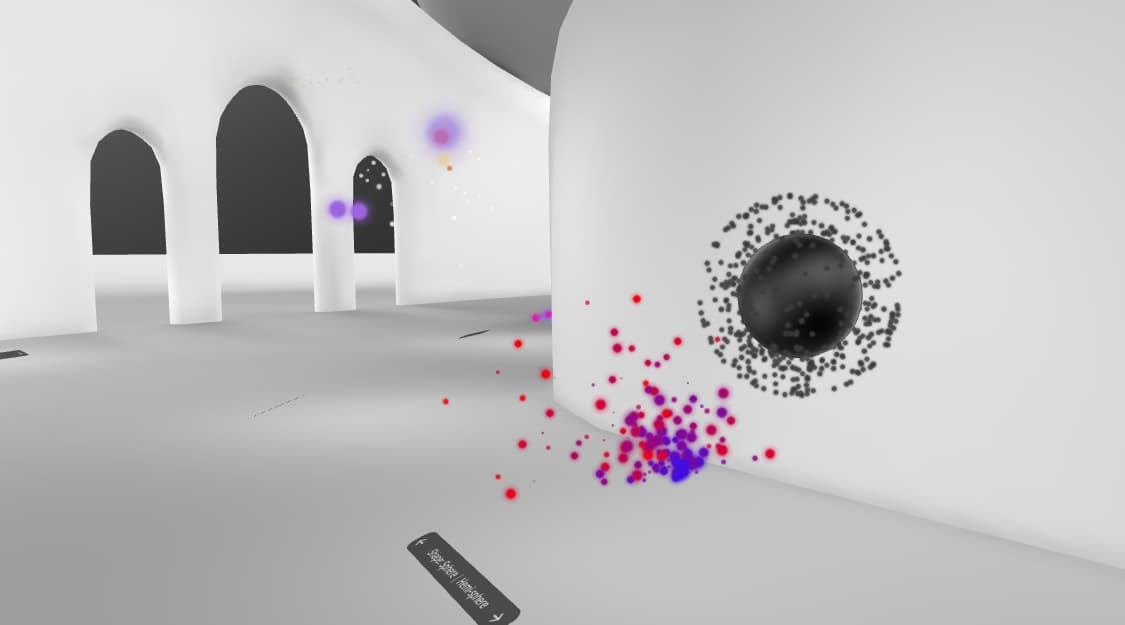
Particle Systems and Trails
thorny rampart
fossil path
You can use the regular ParticleSystem from Unity and we'll export it to our par...
Thank you, how exactly I can export it? I downloaded for example free fireworks pack
 zinc robin
Hey 👋 What effect are you trying to make?
Particles get exported the same way as a models. Just put it in your scene and you should immediately see them work if they are configured correctly.
Mind that not all features are supported, so not every particles pack and not every particle in that pack will work.
You might need to play with it a bit. Replace certain effectors with other and so on.
Overall, as Felix said above, check the samples as a reference of what is supported.
Also just in case, VFX Graph and Particle System (Shuriken) are two different systems.
fossil path
thorny rampart
Thank you, how exactly I can export it? I downloaded for example free fireworks ...
Yeah just have it in your scene where you have ExportInfo and then it pops up in the browser as well.