#"overlapping" svg shapes

42 messages · Page 1 of 1 (latest)

lunar willow
#

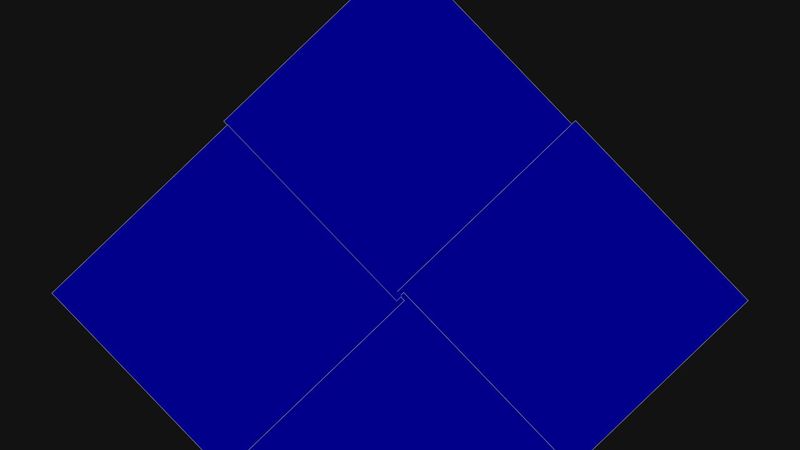
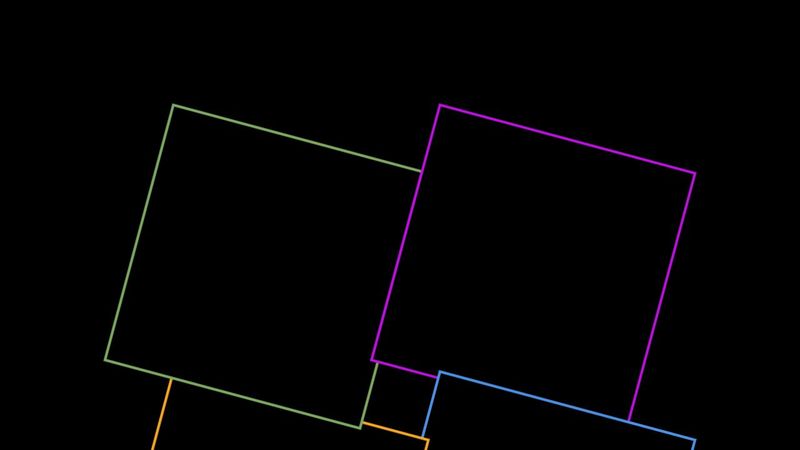
I am trying to create an effect where it appears that a circle of svg shapes are overlapping one another. The issue arises with the last drawn shape, it will overlap both the second to last shape (as desired) but also the first shape, (as you would expect as it was drawn afterwards). I then use a duplicate of the last shape as a clipPath moved slightly to include the stroke of the shape and redraw the section of the first element that has been covered up. If the shapes do not have a transformation (specifically a rotation) applied then this method works, however once a rotation is applied it breaks. It seems that clip-path applies before a transformation.

In this code example it appears correct when first viewed but once a rotation is applied it breaks. It can be fixed by using the redraw option and setting it to -360 | 0 | 360.
https://jsfiddle.net/Scilly_guy/sa1ptdjk/7/

rich lichen
#

it is logically impossible for the last element to be on top of the previous but under the first.
I wonder whether you could fix that faking the 4th square as a composition with different z-index.
(Interesting problem, btw)
or...using stroke-dasharray on the stroke

rose lily
#

The math for this is going to be complicated.

rich lichen
#

or using getBBox() to check for intersections 🤔

lunar willow
#

getBBox returns a rectangle aligned to the grid, if the shapes are rotated then getBBox includes area not inside the shape. I don't see how this would help.

rich lichen
#

you would get the intersectino of 2 squares and inside could (theoretically )controll the outline appearance (if you make the outline a path you could control M and last Point...)
These are just ideas.. as I said, it is interesting but complicated

#

I didn't say, I've got a solution - just brainstorming

lunar willow
#

sure sure, I just wasn't sure what to do with the bounding boxes

rich lichen
lunar willow
#

Thank you for your help anyway

rich lichen
#

I just remebered having made this rotating illusion once, but unfortunately not in JS but all in ternary.
When I find the time I'll look up the logic

#

I think to remember the main approach was that all colored edges were separate lines and they where doubled, one above one under the other rect, so I could show or hide the upper one calculated from rotation.
But that might not be applicable to your project

lunar willow
#

So I just did some experiments using getPointAtLength. I drew a square and a line that intersected, then drew another line that was just the chord (intersecting part). I then added in rotation. It seems that getPointAtLength runs before any rotation is applied so I would need to apply the rotation to each point.

rich lichen
#

The problem is that the points stay unchanged when they are "passively" rotated by the group or in any transform. It would work if you rotated each point dynamically (what a nightmare)
But I'm fiddling at another idea where each edge consists of two lines, one black one white, if fully visible the white line has length 0 (x,1x2 and y1,y2 are the same).
Then you need to get the inital intersection points of the lines, that should be easy, just from the setting up the rects unrotated.
and calculate their new position depending on rotation theoretically, change the relation (length) of the black and white line per edge which intersects...to fake lying on top or underneath.
I feel I'm close to also having the maths, but can't concentrate enough... perhaps I'll dream the solution tonight 😁

rose lily
rich lichen
#

WERY interesting!!! and I'm grinding at intersectionPoints on edges of rotating squares 🫣
I love your CSS-magic

#

there's a tiny glitch when they all meet in the middle 🙈
(no criticism, just curiosity)

#

I'm totally fascinated how this can be done with pure CSS 🤯

rose lily
rich lichen
#

yeah, still, I ran it slowlier to inspect it and then you can see that the lines are not all where they should

rose lily
rich lichen
#

I wonder whether it is becouse of the width of the inner square, so the relation of centerPoints🤔

rose lily
#

I am cheating for now by making the hole bigger.

rich lichen
#

Nevertheless: that is an awesome piece of magic!!!

#

I'm trying to understand it, but that will take some time 😅

rose lily
# rich lichen I'm trying to understand it, but that will take some time 😅

The principle isn't that complex. The square on the left has a child that counter-rotates to neutralize its parent's rotation. This keeps the child positioned exactly where the top square starts. The left square's child has a pseudoelement which rotates the same way as the visible squares, so it is an in place replica of the top square. An overflow:clip is used to hide all parts of the replica square that extend outside of the left square except for a 2px clip margin. Using overflow: hidden would not work, because the border of the left square would show.

rich lichen
rose lily
rich lichen
#

how did you learn all that "tricks"? always studying the novelties and playing around with them?
(I find CSS really complicated)

rose lily
# rich lichen how did you learn all that "tricks"? always studying the novelties and playing a...

It's a combination of reading, experimenting, seeing what others have done, and thinking. I regularly look for difficult design problems like this and try to figure out a way to make it happen. That was actually why I joined this group. I wanted to see what kind of difficult problems people had that I never thought of before. I also do the same kind of thing with JS, although difficult problems with JS are much more rare.

I agree that CSS is complicated. Basic CSS is simpler than basic JS, but advanced CSS is much more difficult than advanced JS. The reason for the difficulty of CSS is a combination of inconsistencies in how it works and built in weaknesses of the language that require creative solutions to get around.

lunar willow
lunar willow
#

in this example you can click to pause/unpause

#

also it only seems to work semicorrectly when passing the shapes in rendered order.

rich lichen
#

so you really decided to rotate the points... wow!
(actually I hadn't looked at your initial code in detail before)
Interesting that it sometimes colores the NOT overlapping section. I wonder whether it is code or browser-related

#

an aside: I hate typing element.setAttribute a trillion times, so I always do in a function to set up with an attributes object:

function createSVGElement(elementName, attributes) {
     const element = document.createElementNS(
          "http://www.w3.org/2000/svg",
          elementName
     );
     Object.entries(attributes).forEach(([key, value]) =>
          element.setAttribute(key, value)
     );
     return element;
}
rich lichen
#

I made this in svg using svg-masks (chookings css clip let me think this might work)
It only works for rotations if not multiple overlapping happens in the centre region

rich lichen
#

I think the multple overlapping in the center just is unsovable, it couldn't even been possible with paper. the overlaps would mean one paper cutting the other, so havinge lines there would perfectly make sense

rose lily
rich lichen