#Cannot read properties of null (reading 'useRef')
162 messages · Page 1 of 1 (latest)
 mortal idol
oh, seems like you haven't imported useRef
 slender violet
wait why do we need to import it
mortal idol
You need to import all the methods/hooks you're going to use
Here's a very basic example: https://www.w3schools.com/react/showreact.asp?filename=demo2_react_useref
mortal idol
well the error definitely is useRef related
slender violet
Cannot read properties of null (reading 'useRef')
i get the same error
TypeError: Cannot read properties of null (reading 'useRef')
mortal idol
from which line?
slender violet
i shut down my computer, and ran npm start again
now the screen is white - no error whatsoever
 thin pagoda
slender violet
now the screen is white - no error whatsoever
thin pagoda
slender violet
now the screen is white - no error whatsoever
Nothing in the browser? What does the DOM look like?
slender violet
when i try to inspect it
in the console: DevTools failed to load source map: Could not load content for
Uncaught TypeError: Cannot read properties of null (reading 'useRef')
the same set of errors
thin pagoda
Which component are these comiung from? I dont see toLowerCase or useRef in the code above?
slender violet
yeah that's exactly what im confused abt
i never used useRef, and that's causing the main problem. I even tried importing it
thin pagoda
Can you please screenshot the entire error? It should contain a stacktrace
Yeah weird, can we maybe double check your package.json?
slender violet
{
"name": "countword",
"version": "0.1.0",
"private": true,
"dependencies": {
"@testing-library/jest-dom": "^5.16.5",
"@testing-library/react": "^13.4.0",
"@testing-library/user-event": "^13.5.0",
"react": "^18.2.0",
"react-dom": "^18.2.0",
"react-scripts": "5.0.1",
"web-vitals": "^2.1.4"
},
"scripts": {
"start": "react-scripts start",
"build": "react-scripts build",
"test": "react-scripts test",
"eject": "react-scripts eject"
},
"eslintConfig": {
"extends": [
"react-app",
"react-app/jest"
]
},
"browserslist": {
"production": [
">0.2%",
"not dead",
"not op_mini all"
],
"development": [
"last 1 chrome version",
"last 1 firefox version",
"last 1 safari version"
]
}
}
thin pagoda
I think you are missing react-router-dom?
thin pagoda
I would try to install it again as it should be listed as a dependency
thin pagoda
Can you share the updated package.json?
slender violet
{
"name": "countword",
"version": "0.1.0",
"private": true,
"dependencies": {
"@testing-library/jest-dom": "^5.16.5",
"@testing-library/react": "^13.4.0",
"@testing-library/user-event": "^13.5.0",
"react": "^18.2.0",
"react-dom": "^18.2.0",
"react-scripts": "5.0.1",
"web-vitals": "^2.1.4"
},
"scripts": {
"start": "react-scripts start",
"build": "react-scripts build",
"test": "react-scripts test",
"eject": "react-scripts eject"
},
"eslintConfig": {
"extends": [
"react-app",
"react-app/jest"
]
},
"browserslist": {
"production": [
">0.2%",
"not dead",
"not op_mini all"
],
"development": [
"last 1 chrome version",
"last 1 firefox version",
"last 1 safari version"
]
}
}
thin pagoda
react-router-dom is still not there
slender violet
yeah
thin pagoda
So that is the first thing that will need to be resolved. Do you have multiple package.json's?
thin pagoda
You should only need to do npm install react-router-dom
Hm, seems strange to have one inside SRC. Do you know why that is?
slender violet
no
the inside the src one is the one i sent above
the other package.json file is a lot shorter
and it has that react-router-dom there
thin pagoda
My hunch is that we only want that outer package.json
slender violet
with just the dependencies?
thin pagoda
You likely want all dependencies, but just in a single outer package.json
slender violet
{
"dependencies": {
"react-router-dom": "^6.14.1",
"react-speech": "^1.0.2",
"react-speech-recognition": "^3.10.0"
}
}
slender violet
thin pagoda
You likely want all dependencies, but just in a single outer package.json
right, so should i delete the one inside src
or copy paste what's there to the other shorter package.json file?
thin pagoda
slender violet
right, so should i delete the one inside src
I would copy paste and then add in these additional dependencies to the existing dependency object
And then run npm install from the root of the project
{
  "name": "countword",
  "version": "0.1.0",
  "private": true,
  "dependencies": {
    "@testing-library/jest-dom": "^5.16.5",
    "@testing-library/react": "^13.4.0",
    "@testing-library/user-event": "^13.5.0",
    "react": "^18.2.0",
    "react-dom": "^18.2.0",
    "react-router-dom": "^6.14.1",
    "react-speech": "^1.0.2",
    "react-speech-recognition": "^3.10.0"
    "react-scripts": "5.0.1",
    "web-vitals": "^2.1.4"
  },
  "scripts": {
    "start": "react-scripts start",
    "build": "react-scripts build",
    "test": "react-scripts test",
    "eject": "react-scripts eject"
  },
  "eslintConfig": {
    "extends": [
      "react-app",
      "react-app/jest"
    ]
  },
  "browserslist": {
    "production": [
      ">0.2%",
      "not dead",
      "not op_mini all"
    ],
    "development": [
      "last 1 chrome version",
      "last 1 firefox version",
      "last 1 safari version"
    ]
  }
}```will do that
thin pagoda
If you are doing some sort of monorepo setup, please ignore me. But I am assuming that is not the case
slender violet
i also have two package-lock.json. should that be a problem?
thin pagoda
We can clear those out
slender violet
delete both? what do they do anyways?
thin pagoda
As long as the package json is correct everything else we can generate
Yes you can delete both as well as any node_moudles folders
lock files record the exact versions of packages you are using so when other people run npm install they get the same thing.
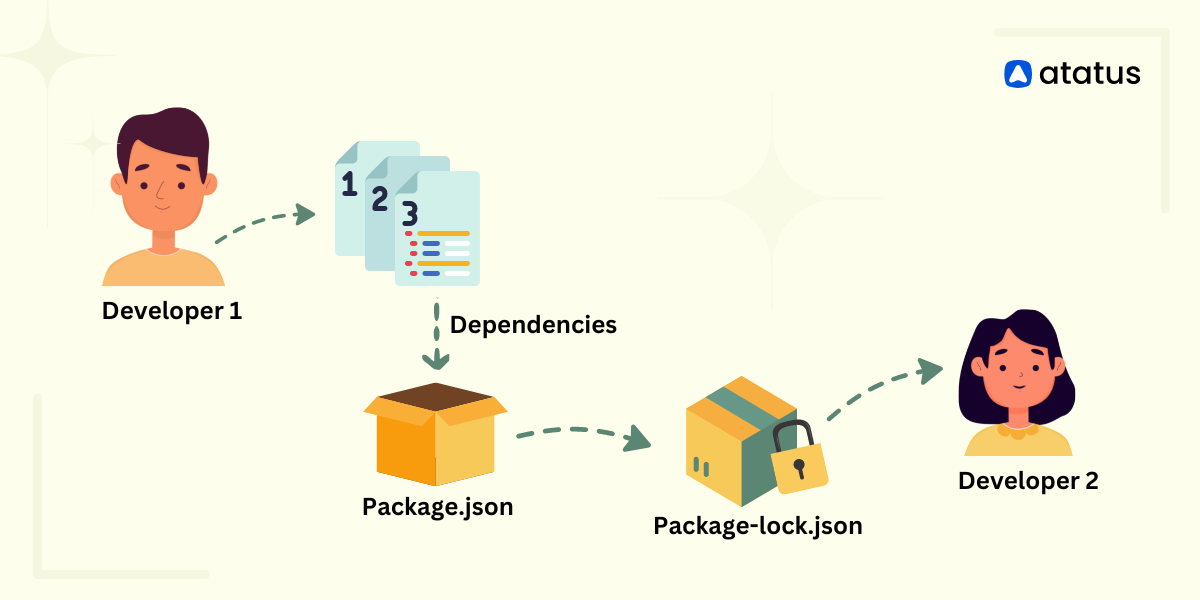
Atatus Blog - For DevOps Engineers, Web App Developers and Server Admins.
Explore the differences between package.json and package-lock.json files in Node.js projects. Learn how to manage dependencies for reliable builds.
slender violet
sh: react-scripts: command not found
this is what it says now
is this how it's supposed to look like?
 thin pagoda
Yeah that looks right
Can you ss the terminal output when you see that error?
Is this project on GitHub by chance?
slender violet
no why?
thin pagoda
Just would be quicker to clone and try and get it running.
If react scripts is installed it should be able to run
slender violet
do i have to manually install it rn? this is my first react project, so im kinda confused
thin pagoda
No npm install should do that
slender violet
npm install react scripts
thin pagoda
If you have the package json I posted above you should only need to do npm install
slender violet
okay
thin pagoda
If you want you can also delete node_modules and zip the project. Drop it here and I can try to run it on my end and see if anything changes.
slender violet
It says 222 packages are looking for funding
run npm fund for details
thin pagoda
Cool you can ignore that bit
Now if you run npm start does it still say the command can't be found?
slender violet
yes
thin pagoda
Hm, I am not totally sure then
slender violet
should i just create a new folder and start the project over again
ill copy paste the code
idk what to do with this at this point
thin pagoda
It is hard for me to say what is going wrong but that might not be a bad idea.
You could try dropping your code https://stackblitz.com/ here to share

That won't fix it, but we could more easily debug
thin pagoda
LIES
 thin pagoda
slender violet
should i just upload a zipped file?
thin pagoda
slender violet
should i just upload a zipped file?
Yeah IMO this is the easiest
Just delete node_modules to save size.
You can re-add them locally with npm install
mortal idol
I only run pnpm. This loads all modules once and then just links to them.
slender violet
thin pagoda
LIES
it worked after some time lmao
thin pagoda
mortal idol
I only run pnpm. This loads all modules once and then just links to them.
Yeah pnpm is great. I like using it.
slender violet
what is pnpm
thin pagoda
To be totally honest, I wouldn't worry about it rn if this is your first react project
Stackblitz -> 🐢
mortal idol
It is another package manager. Works rather like npm but you only "install" hardlinks in your project to modules which are globally available
slender violet
thin pagoda
To be totally honest, I wouldn't worry about it rn if this is your first react p...
yeah. i should just create a new project then?
thin pagoda
If you can drop a zip folder I am now invested in getting this working lol
Stackblitz is still loading, but I am losing hope by the second
slender violet
mortal idol
It is another package manager. Works rather like npm but you only "install" hard...
that sounds so much more cooler. why dont many people use pnpm over npm?
thin pagoda
We use pnpm at work. It is a pretty popular option actually. I think it is slightly more complex in practice compared to npm and has slightly less support.
mortal idol
Yeah, I also realised some known commands from npm are not supported in pnpm. But I love it. I often forgot to remove the node_modulers folder and as mac doesn't have to much mem... 🙄
mortal idol
slender violet
that sounds so much more cooler. why dont many people use pnpm over npm?
Good question IMO 😂
thin pagoda
Yeah for example package patching was not officially supported until recently
slender violet
thin pagoda
If you can drop a zip folder I am now invested in getting this working lol
its so strange. my computer is not able to compress and zip the file. does stackblitz load for you now?
thin pagoda
slender violet
its so strange. my computer is not able to compress and zip the file. does stack...
Still spinning unfortuately
Not a bad time to learn how to put a repo on GitHub 😅
thin pagoda
Ay sick!
slender violet
here
thin pagoda
Uh, it works for me!
slender violet
wait what

 slender violet
okay cool
ill try npm install again
when i try to run npm install in the root, i get this error This is related to npm not being able to find a file.
its only when i change the directory the file starts
thin pagoda
I was getting a version error when running npm install until I deleted package lock but that was the only issue I saw
mkdir tmp
cd tmp
git clone [email protected]:Axiom0599/React-debugging.git
cd React-debugging
rm package-lock.json
npm install
npm start
This would be the full process I did
slender violet
right
letsss gooo it works now
so the issue was with package.json?
and package-lock.json?
i still dont understand why i had two package.json though
thin pagoda
slender violet
so the issue was with package.json?
Yeah I think the main issue was having two package.jsons and not having react-router-dom in the main one
And in the process the lock file got broken. Not sure if it was broken before we started, or broke in the troubleshooting process.
slender violet
Yeahh i get it now! Thanks a lottt for your help. You saved me hours of frustration:)
thin pagoda
No problem! Glad we got it on github, stackblitz is still loading 
slender violet
this makes me more excited to learn more of amazing stuff. thanks.
thin pagoda
Glad to hear it! Thanks to @mortal idol as well 
slender violet
thin pagoda
No problem! Glad we got it on github, stackblitz is still loading <:kek:78617499...
 thin pagoda
Boot a fresh environment is less than 10,000,000,000,000 milliseconds
I guess if they use Unix time, they aren't wrong 
slender violet
YESS thanks BarbWire (i cant tag u). Also the slowmode sucks
slender violet
thin pagoda
I guess if they use Unix time, they aren't wrong <:troll:942889917523054682>
YESS XD
slender violet
cool! thanks
thin pagoda
Thanks for the feedback! Alright, back to work lol. Have a good one! 👋
mortal idol
thin pagoda
Glad to hear it! Thanks to <@616164087512170513> as well <a:cheers:8253569985130...
Oh, I haven't done anything! You solved it 🙂