#windows + v0.15.2
1 messages · Page 1 of 1 (latest)
 quartz smelt
 azure rune
have we changed something that may trigger this behavior with the latest release...
azure rune
have we changed something that may trigger this behavior with the latest release...
trying now, @azure rune
any commands in particular?
azure rune
for me, the engine won't start at all
azure rune
and the engine logs had this "running dagger-entrypoint.sh, exec format error"
azure rune
i tried inspecting the image, its amd64
quartz smelt
I noticed that Docker desktop has had a lot of issues lately that required a complete reinstall on Mac. Maybe same on Windows?
Let me look at my versions
azure rune
thank you.
quartz smelt
I'm way behind on Docker Desktop 😆
 azure rune
my docker version is not latest as well, but not sure how far behind i am
 quartz smelt
azure rune
my docker version is not latest as well, but not sure how far behind i am
quartz smelt
azure rune
my docker version is not latest as well, but not sure how far behind i am
are you on WSL then?
azure rune
ok. that is reassuring. let me check again on my laptop
i was on cmd as well
are you windows arm or amd?

 azure rune
hmm. something is strange going on with my laptop
i'll try the most obvious solution once. reboot my laptop and try everything from scratch again
azure rune
Hi @quartz smelt , not urgent, but when you get chance, could you please update your docker desktop and try again
i am on latest version, and for some reason i still get same error
quartz smelt

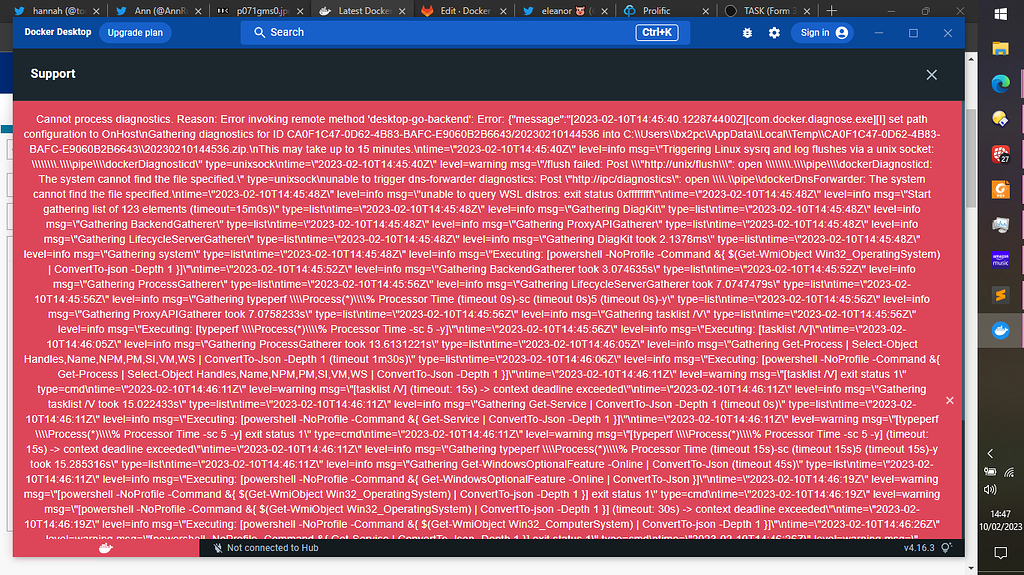
Docker Community Forums
Docker won’t start. I’m getting this error. Docker won’t start: checking if isocache exists: CreateFile \wsl$\docker-desktop-data\isocache: The network name cannot be found.\n\n"} It also won’t let me generate diagnostics using the user interface. I’m using Windows 10 22H2 Build 19045.2546 at 64 bit and Docker 4.16.3 You can see some ...
Trying the workaround mentioned
wsl --unregister docker-desktop-data
and also
wsl --unregister docker-desktop
also
wsl --update --web-download (as admin)
started docker desktop. All good!
 azure rune
Hi Jeremy, thank you for your help so far. could you please confirm two more things for me:
- that the engine you are using is indeed v0.15.2 (trying to confirm if you are talking to this engine version or MAY BE there is an environment override sending these requests to a remote engine somewhere else)
- if it is indeed same engine version, could you please share the sha256 of image digest for engine.
it seems really strange to me why my laptop would behave in such a weird way. I will try to reset my docker desktop and try from scratch in the meantime.
 ashen herald
@azure rune where were you getting exec format error
was this when running the dagger cli?
azure rune
yeah, when running dagger cli on my windows laptop
sorry, should be more clear.
when dagger cli tries to start the engine, the engine container throws that error
dagger-cli was running properly
if i used dagger v0.15.1, it works fine
but no matter what i do, with v0.15.2, i get that error when starting engine
ashen herald
🤔 okay interesting
any chance you could share a trace?
engine logs could also be helpful
azure rune
let me see if i have a trace
engine logs had nothing but "dagger-entrypoint.sh format exec error"
i can share screen and try again if that is helpful
ashen herald
hm, that would help