#guys i suck at coding can anyone help
1 messages · Page 1 of 1 (latest)
 shut plover
Have you tried using pwd and ls to figure out what directory you're in and what's inside your current directory, respectively?
 distant flame
shut plover
Have you tried using `pwd` and `ls` to figure out what directory you're in and w...
distant flame
shut plover
Have you tried using `pwd` and `ls` to figure out what directory you're in and w...
yeah ls returns nothing
shut plover
Use the cd command (https://en.wikipedia.org/wiki/Cd_(command)) to change your directory, and use pwd and ls to verify where you are. Once the output of your ls command includes install.sh , and pwd tells you that you're in the directory of your cloned project, then you're in the right place. Now, that's when you can run chmod +x install.sh (it's a bit odd the instructions ask you to run chmod +x when ideally that file should have been set that way when the developers pushed up the file)
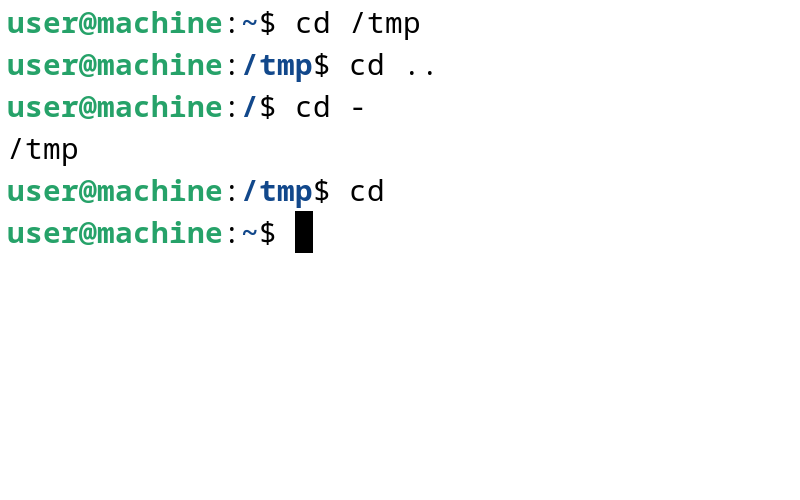
The cd command, also known as chdir (change directory), is a command-line shell command used to change the current working directory in various operating systems. It can be used in shell scripts and batch files.
distant flame
oh wait i got there but now it’s doing this
 shut plover
You're using Windows Powershell, which is not the same as MacOS's Unix Terminal, which your instructions specify
distant flame
the macos thing is unrelated i’m sorry i left that in by accident
shut plover
Windows should have an equivalent command as chmod. What chmod does is change the file executable permissions
Also, it doesn't look like you're in the right place since you're in your Downloads/ folder, and not in your cloned project
distant flame
i was doing this on wsl before but it just does this

wait ok i’m here now i just have to get to that folder if anyone can help

 shut plover
You have to find the install.sh file yourself in that unzipped folder via the commands cd, pwd, and ls
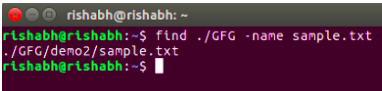
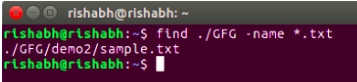
Or use the find command: https://www.geeksforgeeks.org/find-command-in-linux-with-examples/
GeeksforGeeks
A Computer Science portal for geeks. It contains well written, well thought and well explained computer science and programming articles, quizzes and practice/competitive programming/company interview Questions.