#skein
1 messages · Page 4 of 1
 snow heron
 drowsy sonnet
hmmm
drowsy sonnet
@snow heron one more question Mansion Door is selected (the center door) and its parent object is at 0,0,0 how can i align this ?
 snow heron
drowsy sonnet
<@103513724052082688> one more question Mansion Door is selected (the center doo...
snow heron
drowsy sonnet
<@103513724052082688> one more question Mansion Door is selected (the center doo...
you want the center of the object to represent the center of the door?
 snow heron
you likely want one of these options: https://docs.blender.org/manual/en/latest/scene_layout/object/origin.html
the "object origin" offset can be moved if you do translation in edit mode, which is effectively moving the vertices relative to the origin point, which is likely how it ended up like that
drowsy sonnet
how you make spotlights in your game ?
snow heron
you have to enable the lights checkbox when exporting
drowsy sonnet
oh wait i don't need to set the spot light component ?
snow heron
no, you can use Blender's lights for most basic needs
 drowsy sonnet
I was trying something like this so this is not needed ?
 drowsy sonnet
snow heron
no, you can use Blender's lights for most basic needs
drowsy sonnet
snow heron
no, you can use Blender's lights for most basic needs
Super cool !
snow heron
There's basically a gltf extension called KHR_lights_punctual that bevy and blender both support, so the lights in blender export with a restricted set of settings
If you want advanced functionality like enabling some of bevy's softer pcss shadows, etc that can take more configuration, but you can typically still use the blender lights
the blender lights convert to having the PointLight/etc components on entities when spawned in bevy
drowsy sonnet
snow heron
There's basically a gltf extension called KHR_lights_punctual that bevy and blen...
is it in skein or do i need to install it ? lights working but its not gives the same output in blender
snow heron
drowsy sonnet
is it in skein or do i need to install it ? lights working but its not gives the...
it is the checkbox I showed earlier

 snow heron
what are you expecting to see?
drowsy sonnet
also the shadow box is not reflected i guess
 drowsy sonnet
I see something like this in blender
drowsy sonnet
drowsy sonnet
I see something like this in blender
same thing in here :D if possible
snow heron
"same thing" in what way. What you're showing in blender isn't a render
its the development 3d view, with some selection of options
drowsy sonnet
you kind of right
i don't know actually what i expect to see
the only thing i guess shadow_enabled is not setted to true
 snow heron
drowsy sonnet
the only thing i guess shadow_enabled is not setted to true
snow heron
drowsy sonnet
the only thing i guess shadow_enabled is not setted to true
you can either set this using an On<Add observer, or place the relevant light component from bevy on the light. I would generally suggest making a marker component like EnableShadows, putting that on the light, and setting the shadow values from an On<Add, EnableShadows> observer.
if you want everything to have shadows enabled, you can just set up a single On<Add, SpotLight> and modify the shadow to make sure its on for all lights
bunch of options depending on what you want really
drowsy sonnet
oh okay thank you a lot ! You are super helpful
if i'm asking dumb questions dont be mind
snow heron
nah you're good. Everyone starts somewhere and beginner questions make good docs
drowsy sonnet
thank you a lot
 sick trout
i just came in here to ask about light shadows, how convenient that its just been answered! i have one other basic question: is there a field on the blender bsdf that corresponds to the bevy "depth_map" on standardmaterial? or is this something i need to assign in code?
snow heron
yeah, perhaps with the new extension capabilities we can build more "bevy-native" integration with the blender lights as an export option, since we can export that information in a standardized way now. The general problem there is the blender lights don't actually match the bevy lights, for example shadows_enabled and soft_shadows_enabled are both bevy options, etc. We might be able to add some Blender UI to set the additional options but it would be somewhat bevy-version dependent.
snow heron
sick trout
i just came in here to ask about light shadows, how convenient that its just bee...
Bevy sets the depth_map to default for the standardmaterial when it is loaded in the glTF loader: https://github.com/bevyengine/bevy/blob/61dab1013aac64c147adae90fb4fba5b72b6f4ca/crates/bevy_gltf/src/loader/mod.rs#L1351
So this is something you need to assign yourself
sick trout
thank you
 loud bone
The hydra renderer stuff might be possible to do in rust but would probably be a pain to get worki g
drowsy sonnet
@snow heron does skein has any events like SceneInstanceReady ? I need something that fires after skein is done with adding the components
snow heron
drowsy sonnet
<@103513724052082688> does skein has any events like SceneInstanceReady ? I need...
Should be SceneInstanceReady. Are you seeing delayed components added after that?
drowsy sonnet
snow heron
Should be SceneInstanceReady. Are you seeing delayed components added after that...
no i didnt tested just making sure
snow heron
drowsy sonnet
no i didnt tested just making sure
oh ok, then yeah, there are two ways skein works right now depending on if you're using extras or extensions data when exporting.
Most people are using extras, which means the components are added via observer when spawning the scene. That means components from Blender are inserted before SceneInstanceReady.
Using extensions means the components are added in the glTF loader, which is even earlier than that, so the Scene is already set up before you try to spawn it and spawns as any other scene would
snow heron
The extensions path is the future, but there's a Blender glTF exporter bug that I have a PR in to fix which strips marker components. Hoping that lands in Blender 5.1
(I'm not planning on dropping the extras path, because everyone is using it currently, but I will switch the default over at some point, likely this year)
 small bane
are there any examples of how to properly use skein with tnua + avian3d? like, do I add RigidBody via skein or attach it to my Entity? I need to add ColliderConstructor to my mesh in Blender, but if I have RigidBody::Dynamic on my Entity, Bevy gives me a warning about missing mass or inertia, until I also add a Collider to my Entity.
snow heron
small bane
are there any examples of how to properly use skein with tnua + avian3d? like, d...
I haven't used tnua since their recent refactor, but I remember the collider needing to be on the root entity with the controller before that.
whether that happens via skein or your own logic doesn't really matter. All skein is doing is inserting the component on the entity.
 crystal jolt
just wanted to say skein is constantly such a game changer for me, thanks for making this @snow heron 🙏
 polar trout
yeah the last tnua refactor passed the threshold of unusability for me.
I'm inserting controllable character from the code so adding collider there, alongside scene root
snow heron
polar trout
yeah the last tnua refactor passed the threshold of unusability for me.
I'm in...
by "unusability" you mean "too inconvenient to add in blender"?
mm yeah, the config uses a type parameter now, and presumably a variable set of data for the control scheme config?
polar trout
nah, purely architecturally. IMO:
- it is unfit to use with BEI observers
- the generic type is now everywhere, making all the queries far less readable
snow heron
oh gotcha
oh the control scheme config is derived via macro, that's why I couldn't find it
yeah I think my general suggestion for tnua is "add it as a required component" or "in an observer" with the refactor
just from briefly perusing the code here
control scheme configs being handles is rough for serialization
small bane
yeah, I decided to put tnua away for now. since my goal is to learn bevy in its current form while trying to make a simple prototype, I guess I better not bury myself under convenient but conflicting external abstractions
 tame dune
polar trout
nah, purely architecturally. IMO:
- it is unfit to use with BEI observers
- the...
tame dune
polar trout
nah, purely architecturally. IMO:
- it is unfit to use with BEI observers
- the...
Tnua was not really fit to use with BEI observers before, either. because having them triggered in a "wrong" schedule would mess up its internal accounting. The main change in that regard is that:
- There are methods like
action_startoraction_triggerthat should be able to work with BEI observers. - The regular
actionnow panics if used incorrectly, instead of causing Tnua to have weird behaviors.
 tidal tartan
Do Hooks not work with Components added in Blender?
snow heron
tidal tartan
Do Hooks not work with Components added in Blender?
component hooks definitely work
snow heron
if your hooks aren't firing I would look at whether they're registered and fire in a normal bevy insert situation
tidal tartan
snow heron
if your hooks aren't firing I would look at whether they're registered and fire ...
on_add or on_insert?
As I've been using on_add.
snow heron
all of them, whichever you're using
tidal tartan
Here is the non-hook version of one that's giving me trouble:
        commands.entity(entity)
            .queue_silenced(|mut entity: EntityWorldMut| {
                entity
                    .insert(RigidBody::Static)
                    .insert(Obstacle)
                    .insert(ColliderConstructor::ConvexHullFromMesh)
                    .insert(BlenderTranslationComplete);
            });
The only difference in the Hook version is of course being through world.
snow heron
so what is the actual issue you're encountering?
tidal tartan
I need to do some testing, but it just seems to not insert anything.
It does fire the hook interesting enough
snow heron
what does the hook look like
as a general statement, skein doesn't do anything to mess with hooks and doesn't finagle the lifecycles or do anything weird. It just inserts components.
tidal tartan
Here's the Hook version
fn on_blender_collider_constructor_add(
    mut world: DeferredWorld,
    context: HookContext,
) {
    world.commands()
        .entity(context.entity)
        .queue_silenced(|mut entity: EntityWorldMut| {
            entity
                .insert(RigidBody::Static)
                .insert(Obstacle)
                .insert(ColliderConstructor::ConvexHullFromMesh)
                .insert(BlenderTranslationComplete);
        });
}
and the component
snow heron
are you're sure queue_silenced isn't silencing an error?
tidal tartan
#[derive(Debug, Default, Clone, Component, Reflect)]
#[reflect(Component)]
//#[component(on_add = on_blender_collider_constructor_add)]
pub struct BlenderColliderConstructor;
possibly
I can try and run it without the silence real quick.
But it's still funny how it works as a normal system and not a hook.
building
nope
still not working
snow heron
you uncommented the hook right?
tidal tartan
yes
And I added some printlns so I can see that the hook is running.
And I took out the silencing
snow heron
so what is the actual behavior, you're seeing the component being added that you assigned in blender, but none of the other components from the hook?
tidal tartan
wiat, one sec
Ok, I solved it; but i'm not sure why
I think I had a RigidBody::Dynamic Component on my floor in Blender. For some reason that was replaced with RigidBody::Static in the system version, but not the Hook.
snow heron
tidal tartan
I think I had a RigidBody::Dynamic Component on my floor in Blender. For some re...
was there a difference in insertion order of the components
hooks fire immediately on add, systems run "after all components are added"
tidal tartan
I think the Blender RigidBody ended up replacing the one added in the Hook.
I.E. it added the Hooked Component, which fires the insertion of Static, but then it inserts the Dynamic.
snow heron
right, because it was after the component that had the hook
Component -> hook -> next Component
tidal tartan
Speaking of, would Required Components be a better fit for this use case?
snow heron
whereas system would be
Component -> next Component -> System
snow heron
tidal tartan
Speaking of, would Required Components be a better fit for this use case?
yes afaict, assuming the code you sent is representative
tidal tartan
The only thing that's annoying to do that way is observers.
snow heron
its worth doing everything else as required component at least
 stray rain
Any idea why dragging/dropping the link or trying to do the manual install on Blender 5.0 for Skein doesn't do anything in blender? I get no acknowledgement from blender at all that I drag and dropped the folder/link
snow heron
stray rain
Any idea why dragging/dropping the link or trying to do the manual install on Bl...
are you on linux?
stray rain
Nope, windows 10
snow heron
have you dragged it in before?
stray rain
I don't see it in my addons so I don't think so
snow heron
and are you running in any kind of vm software?
stray rain
Nope, no VM either
snow heron
whelp. Not sure. You can plug the registry in directly though.
instructions are on the site
https://bevyskein.dev/docs/installation under "registry" heading

Installing the Bevy Plugin and the Blender addon
most people who have issues with drag/drop have one of two issues: misconfigured linux installs across wayland/x11 that completely breaks dragging links, or an unknown issue that is fixed by a blender reinstall
stray rain
Thanks, looking at it now 🙂 I probably just need to read the instructions more carefully haha
snow heron
nobody reads install instructions unless they hit an issue 😆
stray rain
I really appreciate how easy it is to get this set up though and your instructions are extremely easy to follow.
snow heron
nice, that's great to hear
stray rain
Reinstalling blender and getting the latest version fixed it. Thanks again
 wispy bone
Interesting. I wonder why Blender sometimes just doesn't recognize the drag. I assumed my issue previously was Linux windowing stuff but windows too is interesting.
wispy bone
stray rain
Reinstalling blender and getting the latest version fixed it. Thanks again
Do you know what version you had previously?
I wonder if it was bugged in an earlier version of 5 and got patched
snow heron
wispy bone
I wonder if it was bugged in an earlier version of 5 and got patched
it did only get reported recently, so maybe?
it also has literally never failed for me, and I've used it across mac and windows
 tacit mirage
is there a way to copy and paste components that's already on one object to another newly created one?
snow heron
tacit mirage
is there a way to copy and paste components that's already on one object to anot...
not today. Its possible to build though
duplication will copy the data though
wispy bone
I've slightly thought about this use case and I couldn't think of a decent UX for it that I liked ^
snow heron
wispy bone
I've slightly thought about this use case and I couldn't think of a decent UX fo...
anything beyond "all components" or "one component" would require configuration I think
wispy bone
Like you almost want a prefab situation inside of Blender but that's like..... a lot
snow heron
I don't think we need to build a whole side system. That was one of the complicated parts of blenvy that wasn't fun to debug/work with
copy/paste is legit copy/paste, so we can copy json to clipboard and support pasting that json data
wispy bone
snow heron
I don't think we need to build a whole side system. That was one of the complica...
That's why I wouldn't even propose it. At that point it basically becomes an editor and a major headache I feel
To maintain
snow heron
there's a few workflows that will benefit from robust "to json/from json", so its just a matter of writing some extra tests for the current implementations and then basing the new stuff on them
snow heron
wispy bone
That's why I wouldn't even propose it. At that point it basically becomes an edi...
yeah a core tenet of skein is "can be upgraded to new versions easily"
leaving people behind on an old bevy version is the biggest failure that skein can enact I think
stray rain
wispy bone
Do you know what version you had previously?
Blender 5.0.0
I upgraded to 5.0.1.
wispy bone
hmmm I don't see it in the change log but who knows. oh well. we'll see if it crops up again
snow heron
wispy bone
hmmm I don't see it in the change log but who knows. oh well. we'll see if it cr...
last time it happened was 4.x to 5.x so it being a bug doesn't sound right
or rather it being a fixed bug
wispy bone
fair
 fallow prism
is there any good way to reference other "entities" in blender via skein, or not really? I'm building this graph of viewpoints using empties and labelling them using a component, and then using empties for edges that just look for the "Label" component, but it's a bit tedious. (so in the screen, each cone empty is given a label, and then this cube empty specifies the connection, and I just set things up later with a system.)

im guessing not but wanted to make sure
snow heron
fallow prism
is there any good way to reference other "entities" in blender via skein, or not...
aw shoot I thought I responded to this yesterday.
We needed the extensions work for this, so it will only be available 0.18+ but Relationships are not currently implemented
fallow prism
snow heron
aw shoot I thought I responded to this yesterday.
We needed the extensions work...
thanks!
 glass basin
is the main branch in the repo for skein on it's 0.5 version?
snow heron
glass basin
is the main branch in the repo for skein on it's 0.5 version?
are you asking if it has a non-rc release? or if it is on the 0.5 line of releases?
the repo's version is currently 0.5.0-rc.1 which is compatible with bevy 0.18
glass basin
snow heron
are you asking if it has a non-rc release? or if it is on the 0.5 line of releas...
on the 0.5 line
snow heron
yeah its on 0.5 on main
glass basin
oke thank you
glass basin
problem: so I got my project on 0.5 rc 1 and got version 0.1.15 installed in blender, but after I loaded in and re-exported my gltf file to use extras nothing appears to be loading, there's no errors, just... nothing
 snow heron
glass basin
snow heron
glass basin
when you say "nothing" you mean the render here? that looks like it doesn't have a camera 🤔
or do you mean the extras fields in the gltf file are missing
glass basin
snow heron
when you say "nothing" you mean the render here? that looks like it doesn't have...
the render, I have a camera in the scene though
 tidal tartan
What's the main distinction between inserting components on the mesh vs on the object?
Don't worry about me, I can wait
snow heron
tidal tartan
What's the main distinction between inserting components on the mesh vs on the o...
exactly what it sounds like. the mesh3d/meshmaterial3d are on the Mesh entity, and the object is a parent of them. So if something hard-requires having access to the mesh data on the same entity it has to go on the mesh data (like avian's trimesh, etc colliders)
snow heron
glass basin
the render, I have a camera in the scene though
ok so you're not using blender's built-in cameras, and you've inserted the Camera/Camera3d components. Is there a RenderTarget being inserted somewhere? (which is a new component)
its a required component on Camera so there should be
glass basin
I missed that part of the migration docs
one render target later and I still don't have anything showing up
snow heron
why do you have a Transform component on that entity?
is this a mistake in the sense that you didn't know you can export cameras, or are you doing this intentionally
Transforms are inserted on everything by bevy, even empties, so you never need to insert a Transform component
glass basin
I initially set things up before I had a grasp on things, and since the light source wasn't exporting, I just assumed I needed to manually add the camera stuff, and just kept adding things to it
snow heron
yeah coolcool. So you can use the actual cameras in blender and hit a checkbox to export them
with your current setup, I would start checking the camera config generally. You can check the gltf exported to make sure your components are there, and the skein logs to make sure components are being inserted
but it looks to me like a camera configuration issue of some kind
the skein logs are trace-level, so something like RUST_LOG=info,bevy_skein=trace for the log config will show them
(you probably don't want to enable trace-level logs for everything. wgpu, etc are super noisy)
and for future reference, the cameras and lights are these two checkboxes in the exporter:
 glass basin
well that explains why I had issues with the lights 🙃
snow heron
yeah, they're a gltf extension, so aren't "on by default"
glass basin
still, I'm not seeing anything, so how do I enable logs?
snow heron
RUST_LOG=info,bevy_skein=trace cargo run
glass basin
that command gives me this error
At line:1 char:14
- RUST_LOG=info,bevy_skein=trace cargo run
-
~
Missing argument in parameter list.
+ CategoryInfo : ParserError: (:) [], ParentContainsErrorRecordException
+ FullyQualifiedErrorId : MissingArgument
glass basin
yes, I primarily use my desktop and it's linux drive died recently so I'm stuck with powershell and it's clear command that just scrolls down
snow heron
yepyep, checking docs to figure out the command. you basically just need to set the env var RUST_LOG
can also set it in the application in the LogPlugin if necessary
I am compiling to check, but I think you need to
$env:RUST_LOG = 'info,bevy_skein=trace'
I use nushell on all platforms, so don't run into this 😅
yep that works (I have the actual trace logs disabled in this cargo.toml but you can see the next level up working, debug)

also no idea where gamepad 2 is coming from. oh well. 😆
these are the trace logs which show the reflect values
 wispy bone
snow heron
also no idea where gamepad 2 is coming from. oh well. 😆
wispy bone
snow heron
also no idea where gamepad 2 is coming from. oh well. 😆
My Keychron shows up as a gamepad as well as a keyboard. I haven't questioned it
snow heron
wispy bone
My Keychron shows up as a gamepad as well as a keyboard. I haven't questioned it
probably my moonlander then 🤔
wispy bone
snow heron
probably my moonlander then 🤔
Yeah probably. I'm assuming it is the QMK/VIA functionality in the keyboards and probably any other devices as I suppose you could program it to be a gamepad
glass basin
snow heron
can also set it in the application in the LogPlugin if necessary
how do I set it in the log plugin? because I don't really feel like fighting with my environment variables
snow heron
glass basin
how do I set it in the log plugin? because I don't really feel like fighting wit...
This is just the example from the docs. but you have to set filter.
fn main() {
    App::new()
        .add_plugins(DefaultPlugins.set(LogPlugin {
            level: Level::DEBUG,
            filter: "wgpu=error,bevy_render=info,bevy_ecs=trace".to_string(),
            custom_layer: |_| None,
            fmt_layer: |_| None,
        }))
        .run();
}
Adds logging to Apps. This plugin is part of the DefaultPlugins. Adding this plugin will setup a collector appropriate to your target platform:
glass basin
am I filtering for what I want or what I don't want?
snow heron
what you want
its a safelist, so info logs all info level logs, etc
its the same string I sent earlier
glass basin
okay, so doing that gives me nothing related to skein
despite requesting only the skein data it gives me a bunch of naga logs
    rules: [
        (vec3<f32>, vec3<f32>) -> f32,
    ],
    conclude: Scalar,
}
2026-01-17T05:43:40.021365Z DEBUG naga::proc::typifier: overloads after arg 1 of type vec3<f32>: List {
    rules: [
        (vec3<f32>, vec3<f32>) -> f32,
    ],
    conclude: Scalar,
}
2026-01-17T05:43:40.021696Z DEBUG naga::proc::typifier: initial overloads for Max, List {
    rules: [
        ({AbstractInt}, {AbstractInt}) -> {AbstractInt},
        ({AbstractFloat}, {AbstractFloat}) -> {AbstractFloat},
        (i32, i32) -> i32,
        (i64, i64) -> i64,
        (u32, u32) -> u32,
        (u64, u64) -> u64,
        (f32, f32) -> f32,
        (f16, f16) -> f16,
        (f64, f64) -> f64,
        (vec2<{AbstractInt}>, vec2<{AbstractInt}>) -> vec2<{AbstractInt}>,
        (vec2<{AbstractFloat}>, vec2<{AbstractFloat}>) -> vec2<{AbstractFloat}>,
        (vec2<i32>, vec2<i32>) -> vec2<i32>,
        (vec2<i64>, vec2<i64>) -> vec2<i64>,
        (vec2<u32>, vec2<u32>) -> vec2<u32>,
        (vec2<u64>, vec2<u64>) -> vec2<u64>,
        (vec2<f32>, vec2<f32>) -> vec2<f32>,
        (vec2<f16>, vec2<f16>) -> vec2<f16>,
        (vec2<f64>, vec2<f64>) -> vec2<f64>,
        (vec3<{AbstractInt}>, vec3<{AbstractInt}>) -> vec3<{AbstractInt}>,
        (vec3<{AbstractFloat}>, vec3<{AbstractFloat}>) -> vec3<{AbstractFloat}>,
        (vec3<i32>, vec3<i32>) -> vec3<i32>,
        (vec3<i64>, vec3<i64>) -> vec3<i64>,
        (vec3<u32>, vec3<u32>) -> vec3<u32>,
        (vec3<u64>, vec3<u64>) -> vec3<u64>,
        (vec3<f32>, vec3<f32>) -> vec3<f32>,
        (vec3<f16>, vec3<f16>) -> vec3<f16>,
        (vec3<f64>, vec3<f64>) -> vec3<f64>,
        (vec4<{AbstractInt}>, vec4<{AbstractInt}>) -> vec4<{AbstractInt}>,
        (vec4<{AbstractFloat}>, vec4<{AbstractFloat}>) -> vec4<{AbstractFloat}>,
        (vec4<i32>, vec4<i32>) -> vec4<i32>,
        (vec4<i64>, vec4<i64>) -> vec4<i64>,
        (vec4<u32>, vec4<u32>) -> vec4<u32>,
        (vec4<u64>, vec4<u64>) -> vec4<u64>,
        (vec4<f32>, vec4<f32>) -> vec4<f32>,
        (vec4<f16>, vec4<f16>) -> vec4<f16>,
        (vec4<f64>, vec4<f64>) -> vec4<f64>,
    ],
    conclude: ArgumentType,
}
2026-01-17T05:43:40.023812Z DEBUG naga::proc::typifier: overloads after arg 0 of type vec3<f32>: List {
    rules: [
        (vec3<f32>, vec3<f32>) -> vec3<f32>,
    ],
    conclude: ArgumentType,
}
2026-01-17T05:43:40.024291Z DEBUG naga::proc::typifier: overloads after arg 1 of type vec3<f32>: List {
    rules: [
        (vec3<f32>, vec3<f32>) -> vec3<f32>,
    ],
    conclude: ArgumentType,
}
2026-01-17T05:43:40.024729Z DEBUG naga::proc::typifier: initial overloads for Exp, List {
    rules: [
        ({AbstractFloat}) -> {AbstractFloat},
        (f32) -> f32,
        (f16) -> f16,
        (f64) -> f64,
        (vec2<{AbstractFloat}>) -> vec2<{AbstractFloat}>,
        (vec2<f32>) -> vec2<f32>,
        (vec2<f16>) -> vec2<f16>,
        (vec2<f64>) -> vec2<f64>,
        (vec3<{AbstractFloat}>) -> vec3<{AbstractFloat}>,
        (vec3<f32>) -> vec3<f32>,
        (vec3<f16>) -> vec3<f16>,
        (vec3<f64>) -> vec3<f64>,
        (vec4<{AbstractFloat}>) -> vec4<{AbstractFloat}>,
        (vec4<f32>) -> vec4<f32>,
        (vec4<f16>) -> vec4<f16>,
        (vec4<f64>) -> vec4<f64>,
    ],
    conclude: ArgumentType,
}
2026-01-17T05:43:40.025908Z DEBUG naga::proc::typifier: overloads after arg 0 of type vec3<f32>: List {```(this is only a snippet)
I did somehow manage to go from black screen to dark green screen
so that's cool
okay, so,I figured the issue
it seems it was caused by having some components that were still referencing the project before things got split into workspaces
snow heron
glass basin
it seems it was caused by having some components that were still referencing the...
So old type paths? That can be mitigated if you want by doing the type_path at the bottom of this page: https://bevyskein.dev/docs/components-as-apis

Defining and using Components via Reflection is basically the same as defining an API schema
I assume it was camera related components then too?
glass basin
Related but none after a point where on the camera
snow heron
None after the component that errored in the group that were supposed to be on the camera?
glass basin
Not when I was getting the dark green screen, which was probably a close-up of the Suzanne model I use to keep track of the exact position the camera looks, before that there was like a single component that was outdated on the camera
glass basin
question: I have shadows enabled on a blender directional light, but when I export into bevy there are no shadows, is there a fix for this, it is exporting the directional light
snow heron
glass basin
question: I have shadows enabled on a blender directional light, but when I expo...
bevy's current handling is here: https://github.com/bevyengine/bevy/blob/3ffa26b0217afda3e21af54ca2cdd3de240e7b6b/crates/bevy_gltf/src/loader/mod.rs#L1685-L1691
I'd generally suggest a marker component with an OnAdd hook or observer that sets the shadow value on the light component
glass basin
I wonder if whether or not shadows are enabled is stored in the GLTF, and if so, if it would be possible to make a pr to check for that 
snow heron
glass basin
I wonder if whether or not shadows are enabled is stored in the GLTF, and if so,...
It is not, we have to build new export data for it; probably a BEVY_lights extension or similar for skein to process
https://github.com/KhronosGroup/glTF/blob/main/extensions/2.0/Khronos/KHR_lights_punctual/README.md is the details of what gets included in khr_lights_punctual
GitHub
glTF – Runtime 3D Asset Delivery. Contribute to KhronosGroup/glTF development by creating an account on GitHub.
glass basin
damn 😞
snow heron
It's on my list after handling image handles and relationships. A set of bevy-specific gltf extensions could be useful (cameras lights or whatnot) to fill out the extra data, and we could use that when processing with skein.
 snow heron
(I believe the above was an issue with two versions of skein. Basically the blender skein addon updated and in the same blender session the new code was running against the old ui settings code. This may be entirely my fault for not handling in-session updating better, but is solved by restarting blender after an update)
 granite ginkgo
snow heron
the repo's version is currently `0.5.0-rc.1` which is compatible with bevy 0.18
granite ginkgo
snow heron
the repo's version is currently `0.5.0-rc.1` which is compatible with bevy 0.18
FYI, the prerelease is not compatible with bevy 0.18 on wasm:
 snow heron
granite ginkgo
FYI, the prerelease is not compatible with bevy 0.18 on wasm:
snow heron
granite ginkgo
FYI, the prerelease is not compatible with bevy 0.18 on wasm:
Oh shoot that's going to be an upstream bugfix
Actually maybe not upstream but definitely for the examples iirc
I remember that specifically being suggested in review
snow heron
granite ginkgo
FYI, the prerelease is not compatible with bevy 0.18 on wasm:
publishing stable for you now.
released.
granite ginkgo
Awesome; thank you!
drowsy sonnet
I'm trying to query a component without spawning the scene using SceneRoot or SceneSpawner. But components is not added if i try this way:
let gltf = gltfs.get(&assets.weapons[stats.model_path.as_str()]).unwrap();
let scene_handle = gltf.named_scenes["Scene"].clone();
let scene = scenes.get_mut(&scene_handle).unwrap();

let mut muzzle_query = scene.world.query_filtered::<&Transform, With<WeaponMuzzle>>(); // This is empty
Is there a way to get the WeaponMuzzle's transform without spawning the scene @snow heron
snow heron
drowsy sonnet
Is there a way to get the WeaponMuzzle's transform without spawning the scene <@...
I don't think the transform propagation systems run for scenes that aren't spawned regardless, so you would at least have to use the TransformHelper.
that said, the extras-style export only gets applied when GltfExtras is inserted, which is when the scene is spawned, so the components only exist in the Gltf*Extras components at that time
The extensions-style data fixes this, and inserts components into the scene world when the gltf is loaded, but currently has the drawback of blender silently eliminating marker components on export (I have a PR in for this to the gltf exporter in blender, but it hasn't been merged yet)
drowsy sonnet
thank you !!
snow heron

 reef shale
snow heron
reef shale
snow heron
Does reflection somehow deserialize paths as handles?
snow heron
reef shale
Does reflection somehow deserialize paths as handles?
I'm setting gltf indices on the blender side and parsing them back out on the bevy side, which is why I need the textures/images set
so this "behaves like any other image"
in that it is referenced in the gltf file by index
like this

the only piece I don't have an answer for at the moment is the samplers. The only way I know how to create them in blender is via material image nodes.
(I'm trying to find a "user-centric" way of defining them)
reef shale
snow heron
like this
How does the bevy side know to deserialize this though? Do you have to annotate your component with a skein reflect or something?
snow heron
reef shale
How does the bevy side know to deserialize this though? Do you have to annotate ...
custom processor that plucks Handle<Image> and changes how it is parsed
struct HandleProcessor<'a, 'b, 'c> {
    load_context: &'a mut bevy_asset::LoadContext<'b>,
    textures: &'c [Handle<Image>],
}

impl ReflectDeserializerProcessor
    for HandleProcessor<'_, '_, '_>
{
    fn try_deserialize<'de, D>(
        &mut self,
        registration: &TypeRegistration,
        _registry: &TypeRegistry,
        deserializer: D,
    ) -> Result<Result<Box<dyn PartialReflect>, D>, D::Error>
    where
        D: serde::Deserializer<'de>,
    {
        // {
        //     trace!("avoiding processing");
        //     return Ok(Err(deserializer));
        // }
        let Some(reflect_handle) =
            registration.data::<ReflectHandle>()
        else {
            trace!("nope");
            // we don't want to deserialize this - give the deserializer back
            return Ok(Err(deserializer));
        };
        trace!(num_textures=?       self.textures.len(), "yup");

        let asset_type_id = reflect_handle.asset_type_id();
        if asset_type_id != TypeId::of::<Image>() {
            trace!(
                "is handle, but isn't right asset type; aka: not an Image"
            );
            return Ok(Err(deserializer));
        }
        trace!(?asset_type_id);
        // let gltf_index: i32 = deserializer
        //     .deserialize_any(GltfIndexVisitor)?;
        let value =
            serde_json::Value::deserialize(deserializer)?;

        trace!(?value);
        if let Some(gltf_index) = value.as_number()
            && let Some(gltf_index) = gltf_index.as_u64()
        {
            trace!(?gltf_index);
            Ok(Ok(Box::new(
                self.textures[gltf_index as usize].clone(),
            )))
        } else {
            panic!("");
        }
    }
}
excuse the mess, I didn't intend to share this yet lol
reef shale
Oh dang ok I didn't know this thing existed!!
snow heron
then its
        let reflect_deserializer =
            ReflectDeserializer::with_processor(
                type_registry,
                &mut processor,
            );
        // let reflect_deserializer =
        // ReflectDeserializer::new(&type_registry);
        let reflect_value = match reflect_deserializer
            .deserialize(json_component)
I'll need to read up on it
snow heron
so yes, very cool reflect bevy things that nobody else uses haha
reef shale
Thank you!
snow heron
My current assumption is that if you're loading a gltf file, then all references to Handle<Image> need to abide by gltf rules, which means they are referenced by index.
- in blender, this is a Pointer<Image> right now, which yields the UI
- when exporting, this gets turned into packed data and an index
- when importing, it gets the processor applied to turn the index into the handle
neatly side-stepping the fact that the component data isn't "truly a Handle<Image>", which can't exist outside of bevy anyway
so if generic Handle<Image> support exists, then lightmaps, which are just a component with a Handle<Image> are a very short hop from that, and hopefully fog volumes can be baked from geometry nodes
snow heron
the whole pipeline is working from blender into spawning in bevy. This photo is an image brought into blender, associated with a material, referenced by a component, exported as an index, and imported into bevy turning the index back into a handle.
I want to do some testing around workflow and what to document for usage. Right now you must associate the texture with a Material if you want to reference it, since that is the only way I can see to associate a sampler with the image. Bevy's Image is more of a gltf::Texture, so the alternative would be to set up some configuration on Images directly to add configuration, similar to how components are added in general. I think this additional configuration could be displayed in the image editor in blender, but it would depart a bit from Blender's patterns which has its own costs.

 deep jewel
Is it a known issue that Mesh Components do not work when there are Blender Modifiers on the object? I've not seen an issue for it, but whenever I apply my mirror modifier manually before exporting or disable the export -> data -> apply modifiers option, the skein mesh components get applied correctly, but when the mirror modifier gets automatically applied during export, the skein mesh components are ignored.
snow heron
deep jewel
Is it a known issue that Mesh Components do not work when there are Blender Modi...
what do you mean by "Mesh Components"?
deep jewel
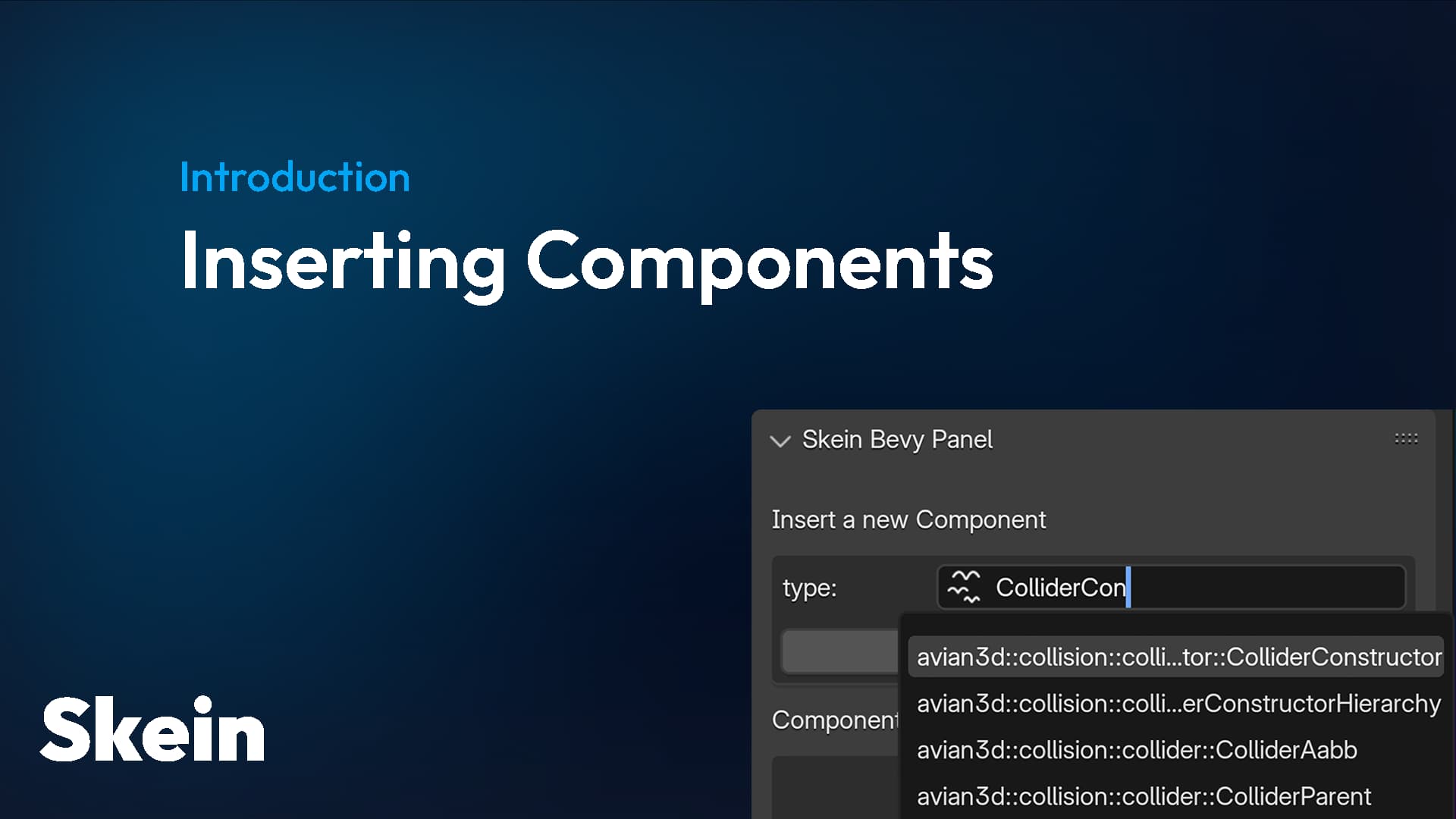
How to insert Bevy components in Blender using the Skein addon
snow heron
deep jewel
[those](https://bevyskein.dev/docs/inserting-components#meshes)
ah so just components inserted onto a mesh
deep jewel
yeah those that get inserted to the entity that contains the mesh when the gltf scene is spawned
where you need things like a avian ColliderConstructor
snow heron
I've reproduced the issue. Haven't seen it before, so it might've been introduced when some relevant changes to extras/properties were introduced. It looks like the blender exporter creates an entirely new mesh.
you're on blender 5 right?
snow heron
deep jewel
Is it a known issue that Mesh Components do not work when there are Blender Modi...
I think this is a new bug in the upstream gltf exporter itself. Using apply_modifiers when exporting currently results in the skein data on the mesh blender object being empty (it is not empty when apply_modifiers is off), which is the object the extension is re-creating when apply_modifiers is enabled.
deep jewel
snow heron
I think this is a new bug in the upstream gltf exporter itself. Using apply_modi...
uff that doesn't sound like it will be fixed in a week
snow heron
deep jewel
uff that doesn't sound like it will be fixed in a week
the fix itself probably isn't too bad. Its likely some properties just aren't getting copied to the new object, etc. I'm already familiar with the codebase from submitting some other PRs, so while it won't be in blender, the fix will likely be available much sooner. You'll just have to use the forked gltf exporter with the fix if you want it to work.
Do you have something in a week? (or is it the bevy jam?)
deep jewel
snow heron
the fix itself probably isn't too bad. Its likely some properties just aren't ge...
Oh nice, that's some enjoyable development pace :O
deep jewel
snow heron
Do you have something in a week? (or is it the bevy jam?)
No not really, just always applying the modifiers and then undoing it after the export is a bit annoying, and I was just about starting to do some level design.
deep jewel
snow heron
Do you have something in a week? (or is it the bevy jam?)
Damn, thanks for mentioning the bevy jam...!
snow heron
deep jewel
No not really, just always applying the modifiers and then undoing it after the ...
yeah that's fair. I'll file this and try to get it fixed soon. I think the fix should be relatively easy, provided it is what I think it is.
snow heron
deep jewel
Damn, thanks for mentioning the bevy jam...!
it happens every even release! so there will be another for 0.20, etc.
There's some channels for it too: #jam
deep jewel
snow heron
it happens every even release! so there will be another for 0.20, etc.
Cool! Just signed up on itch.io to join this one :)
polar trout
deep jewel
No not really, just always applying the modifiers and then undoing it after the ...
I usually have thing with geometry nodes/modifiers hidden and bake the copy as a workaround. I found doing that in export bringing some surprises
deep jewel
polar trout
I usually have thing with geometry nodes/modifiers hidden and bake the copy as a...
that sounds like a neat workaround, thanks!
snow heron
polar trout
I usually have thing with geometry nodes/modifiers hidden and bake the copy as a...
This is a reasonable approach, especially if you want to make sure things are "ready" before letting the gltf exporter or whatnot do its own manipulation of the data.
the apply_modifiers export option is definitely convenient though
also making progress on the Handle<Image> support


 delicate radish
Hi, I create a model, and a light in Blender, I inserted component Board on the model, MainLight on the light, and then exported these 2 objects (with "Include = Selected Objects + Punctual Lights"), these things worked fine in Bevy 0.17, but after upgrading to Bevy 0.18, it is not working anymore. I got this error:
ERROR bevy_skein: failed to instantiate component data from glTF data err=Error("invalid length 0, expected a single entry", line: 0, column: 0) obj=Object {"components": Array [Object {}]}
Anyone experienced this ? (the gltf file is attached)
snow heron
delicate radish
Hi, I create a model, and a light in Blender, I inserted component Board on the ...
Did you do anything else other than upgrade from 0.17 to 0.18?
oh you started using the extensions export method instead of the extras
extension export has a known issue that removes marker components from the export. I have a PR in upstream to fix it that is in the Blender 5.1 milestone: https://github.com/KhronosGroup/glTF-Blender-IO/pull/2631
I would suggest either sticking with extras export for now or if you're more familiar with blender, you can start patch the exporter with the above fix from the PR
delicate radish
@snow heron I upgraded to Bevy 0.18, also upgraded Skein from 0.4.0 to 0.5.0, reinstall the new Skein addon in Blender and re-export the models.
When I run unit test for it, the AssetServer could load the file successfully, the error only happed when I run the game.
This is the test:
On your suggest, I keep "extras" and "extensions" too.
```
#[test]
pub fn test_loading_gltf() {
#[derive(Resource)]
struct MyHandle(Handle<Gltf>);
let mut app = App::new();
app.add_plugins(MinimalPlugins);
app.add_plugins(AssetPlugin {
..default()
});
app.add_plugins(GltfPlugin::default());
app.init_asset::<StandardMaterial>();
app.init_asset::<Mesh>();
app.init_asset::<Scene>();
app.add_systems(Startup, |mut commands: Commands, asset_server: Res<AssetServer>| {
let handle_gltf_model_board = asset_server.load::<Gltf>("models/model_board.gltf");
commands.insert_resource(MyHandle(handle_gltf_model_board));
});
app.add_systems(Update, |mut commands: Commands, handle: Res<MyHandle>, asset_server: Res<AssetServer>| {
if let Some(s) = asset_server.get_load_state(&handle.0) {
match s {
LoadState::NotLoaded => {
println!("not loaded");
},
LoadState::Loading => {
println!("loading");
},
LoadState::Loaded => {
println!("loaded");
commands.write_message(AppExit::Success);
},
LoadState::Failed(asset_load_error) => {
println!("failed {:?}", asset_load_error);
},
}
}
});
app.run();
}
And one more thing, I tried switching back to Bevy 0.17.
```
cargo clean
RUST_BACKTRACE=1 cargo run
Now I got this error (in the attachment)

None of this happened before.The error is just that you used the extensions style export with a marker component
It's a bug in the gltf exporter upstream.
The default export format is still the extras option when exporting and you should use that
snow heron
to be clear, I mean you should have the export configured like this:

which is the default
snow heron
delicate radish
And one more thing, I tried switching back to Bevy 0.17.
```
cargo clean
RUST_B...
this looks like you have multiple versions of Bevy installed
delicate radish
@snow heron I added feature "reflect_auto_register" and it solved the second problem. Thanks very much, you are really helpful.
snow heron
@polar trout I'm assuming you found the relevant code already, but yes its a Camera3d. If you wanted to swap it out you could do that in a GltfExtensionHandler.
polar trout
snow heron
<@583166894660386826> I'm assuming you found the relevant code already, but yes ...
Yeah, I did, thanks!
snow heron
ok, handle image is all working


in this case results in

This demo happens to have a TestImage(Handle<Image>) component, which can be set up with any Blender image (new, baked, opened from disk, etc), exported to glTF as a glTF texture with the bevy component data in the right places, then inserted alongside all the other components.
it only works with the extensions export method.
and basically stores texture indices instead of the Handle<Image> value in the component data, which then gets handled using a custom Processor that operates on values of the Handle<Image> type, and grabs the relevant texture handle to replace the index, resulting in a valid component value
This demo is just taking the handle and programmatically dropping it into a StandardMaterial, On<SceneInstanceReady>, because that's easy to verify. but you can use the data as you would any other component value/image handle/etc
snow heron
Still have to spend some time thinking about how to ship it in the blender addon. Not sure what the best approach is going to be, feature-gate wise. Mostly thinking about:
- I'm hoping to maybe make some upstream changes to enable arbitrary full-bevy sampler definitions in 0.19, which might require some changes depending on what version you were using
- it won't work with extras, only extensions, and a warning would be nice (or disabling it for extras, but we won't know that until export time)
- whether it should thus be behind an "experimental_image_handles" global config or not
 crimson ermine
Hey there o/
I keep getting this error whenever I try adding the Name component:
2026-02-05T17:50:09.127208Z ERROR skein_processing: bevy_skein: failed to instantiate component data from glTF data err=Error("invalid type: map, expected bevy_ecs::name::Name", line: 0, column: 0) obj={"skein": Array [Object {"bevy_ecs::name::Name": Object {"hash": Number(3), "name": String("MainCamera")}}]}
I've attached my gltf file below
snow heron
crimson ermine
Hey there o/
I keep getting this error whenever I try adding the Name component...
why are you adding a Name component?
crimson ermine
So that it shows up nicely using bevy-egui-inspector
snow heron
crimson ermine
So that it shows up nicely using bevy-egui-inspector
so you didn't try it first?
all of the names from the blender file are inserted on all of the nodes in the scene
crimson ermine
snow heron
so you didn't try it first?
I did, and all I get is Entity

Oh waiut
wait*
I'm stupid, lol
It's because it's a child
snow heron
the SceneRoot won't have a Name unless you spawn it with one
crimson ermine
Every time I come here to get help, I realize it's not a problem with the crate, but with me, lol
Thanks a lot!
snow heron
crimson ermine
Every time I come here to get help, I realize it's not a problem with the crate,...
no stress, if it does end up being an issue with the crate I'm happy to deal with it!
crimson ermine
Your crate + hot reloading and the anvil level editor addon for Blender seem like a really efficient workflow, I'm setting things up before the Bevy Jam. Thanks for all the work you do :)
crimson ermine
snow heron
the SceneRoot won't have a Name unless you spawn it with one
How do I do that?
Right, I just add the component when I spawn it in the startup system .-.
snow heron
yes! (sorry I had to take a call so was a bit slow to respond)
crimson ermine
No worries, you're really quick to answer, thank you
I'm confused about what the child of TestLevel is, exactly, and how to rename it
 snow heron
crimson ermine
I'm confused about what the child of TestLevel is, exactly, and how to rename it
snow heron
crimson ermine
I'm confused about what the child of TestLevel is, exactly, and how to rename it
child of the entity you spawned SceneRoot on is the actual scene's root entity
crimson ermine
Hmmmm, I think I get it now, but I can't figure out how to change the name of that entity
    commands.spawn((
        Name::new("TestLevel"),
        SceneRoot(asset_server.load(
            GltfAssetLabel::Scene(0).from_asset("test.gltf"),
            )
        )
    ));
I realize that this isn't related to skein anymore, lol
I'll go to #1019697973933899910
snow heron
crimson ermine
Hmmmm, I think I get it now, but I can't figure out how to change the name of th...
which doesn't currently get the scene's name and such
crimson ermine
Oh, but that's something that could change in the future?
snow heron
yeah
snow heron
crimson ermine
Oh, but that's something that could change in the future?
I made a PR for it: https://github.com/bevyengine/bevy/pull/22820
 inland sigil
I know that with the avian hirarchy constructor i can spawn a scene from blender as a static mesh, but can i still have some parts of the scene have other kinds of colliders?
For now i just want to have a box in blender and an object in that box that gets the player component and then a few objects with non static colliders
 ocean burrow
inland sigil
I know that with the avian hirarchy constructor i can spawn a scene from blender...
ocean burrow
inland sigil
I know that with the avian hirarchy constructor i can spawn a scene from blender...
yep!
you can use https://docs.rs/avian3d/latest/avian3d/collision/collider/struct.ColliderConstructorHierarchy.html and configure stuff by name 🙂
A component that will automatically generate Colliders on its descendants at runtime. The type of the generated collider can be specified using ColliderConstructor. This supports computing the shape dynamically from the mesh, in which case only the descendants with a Mesh will have colliders generated.
oh just realized this is #1351602963352911963 and not #1124043933886976171, my bad
ocean burrow
inland sigil
I know that with the avian hirarchy constructor i can spawn a scene from blender...
in that case, you can put a different ColliderConstructor on each mesh in the scene
ocean burrow
inland sigil
it was a lil dumb of me to post this here and not in avian heh
nono, you did right 🙂
snow heron
yeah, @ocean burrow was nice enough to jump in while I was sleeping, but I'm happy to answer any even tangentially related skein questions here
if it really is an Avian question and I can't answer I'll redirect to the Avian channel
tidal tartan
What's the status of Relationships?
snow heron
tidal tartan
What's the status of Relationships?
- to be able to handle relationships, we have to know all of the entities that are created by the loader.
- participating in the gltf loader with access to the necessary data was merged as part of 0.18, via the GltfExtensionHandler functionality
- processing Relationships (or more accurately, fields with
Entitytypes), requires custom handling of the reflection deserialization.- This was proven doable via the implemented
Handle<Image>support in https://github.com/rust-adventure/skein/pull/97 which uses glTF indices as values in the placeHandle<Image>would be.
- This was proven doable via the implemented
- Relationship components have to have some way to attempt deserialization (or be identified early), fail, and re-insert later when the whole scene has been constructed. This is
TODO.
So Relationship support requires
- using the glTF extension export format
- some more implementation work both for the actual insertion work, and the blender interface.
but all of the "hard problems" have been solved and code has been upstreamed to support it.
one note about the glTF extension format output from Blender specifically is that I have a PR to upstream to fix a bug in the way Marker components get filtered: https://github.com/KhronosGroup/glTF-Blender-IO/pull/2631
For the jam I'm using the fork mentioned in the PR and it works fine, but getting it upstreamed is taking awhile. (the gltf exporter for blender repo only has a single maintainer afaict, and they seem busy)
the reason the path was GltfExtensionHandler -> Handle<Image> -> ... -> Relationship Components is that each step builds on the previous one's work
 silver moat
trying to take an entity from a skein scene and "reparent" it to the camera, but if i don't remove it's transform i get an error like this:
<SNIP>/bevy_transform-0.18.0/src/systems.rs:562:21:
assertion `left == right` failed
  left: 167v0
 right: 206v0
snippet:
pub fn thing_reparent(
    add: On<Add, Thing>,
    camera: Single<Entity, With<Camera3d>>,
    mut commands: Commands,
) {
    commands
        .entity(add.entity)
        //.remove::<Transform>()
        .insert(ChildOf(camera.into_inner()));
}
can i give it a new transform (relative to camera?)
snow heron
silver moat
trying to take an entity from a skein scene and "reparent" it to the camera, but...
that looks like it would be a bevy bug and worth filing an issue: https://github.com/bevyengine/bevy/blob/5f8270f2e049f90139a503d1e930070d926f9427/crates/bevy_transform/src/systems.rs#L562
you can re-insert Transform, which will then be relative to its parent. (which is how all Transform components work)
silver moat
i tried adding another .insert() under the above call but that didn't work (errored the same), would it have to be a separate commands call?
ill try that in a bit
snow heron
silver moat
i tried adding another .insert() under the above call but that didn't work (erro...
they are already separate commands, they don't get "automatically merged" as far as I know
two inserts will always be two separate commands
if there's really no other information about the error above what you posted, then it is a bevy bug IMO, because the behavior should be that removing ChildOf causes it to be removed from the parent's children array, and inserting a new ChildOf should insert it into the camera's child array. And that should all happen before transform propagation runs
silver moat
hmm
i'll see if i can play with it to get it to work, and file a bug when i have the energy :)
snow heron
silver moat
trying to take an entity from a skein scene and "reparent" it to the camera, but...
also On<Thing, Gun> is almost certainly invalid code
so its tough to talk about what's going on when the code doesn't look like it will work, and the error output is truncated to just the assert message.
snow heron
you really shouldn't be generic'ing your code if you're asking questions about buggy behavior
silver moat
fair enough
silver moat
trying to repro in a minimal project right now, will file an issue once i do
 sour turret
why am i getting this error?


for better readability
ERROR bevy_skein: failed to instantiate component data from glTF data err=Error("invalid length 0, expected a single entry", line: 0, column: 0) obj=Object {"components": Array [Object {}]}
sour turret
sour turret
ERROR bevy_skein: failed to instantiate component data from glTF data err=Error(...
fixed by using extras instead of extensions, export settings, but i still would like to know why this happened
snow heron
sour turret
fixed by using extras instead of extensions, export settings, but i still would ...
because there's a bug in the upstream gltf exporter
this only affects extensions, which is why extras is still the default option when installing skein
 boreal locust
can someone help me? I think I've done everything correctly but when I start touching the bed, the map glitches out
snow heron
boreal locust
can someone help me? I think I've done everything correctly but when I start tou...
gotta be either something related to tnua or something else in that main.rs file. Do you have a system operating on transforms or something?
boreal locust
oh sorry it's my fault
I set the origin of the object too low compares to the bounding box of it
boreal locust
also is this a good way to add colliders to a detailed object?
 snow heron
boreal locust
also is this a good way to add colliders to a detailed object?
snow heron
boreal locust
also is this a good way to add colliders to a detailed object?
yeah its fine. Colliders are often not the shape of their higher-resolution counterpart
I think a more advanced version of this is using Emptys. One for the root with a RigidBody on it, then more emptys where you currently have the cubes with the colliders.
don't stress too much about workflow specifics though. You'll learn what works for you as you keep building
I assume this is for the jam too? so more important to get something on screen, and since those are static rigid bodies they aren't going to move anywhere anyway
boreal locust
snow heron
I assume this is for the jam too? so more important to get something on screen, ...
yea!! Im trying to do as fast as I can!
there are so much things to learn about
thanks for helping me man
deep jewel
Should presets work currently and I'm doing something wrong? When I click my preset nothing actually happens.
    app.insert_skein_preset(
        "DrugClearChromaticAberrationIntensity",
        DrugInteraction {
            effects: vec![(
                CameraEffect::ChromaticAbberation,
                vec![DrugEffectSet::Intensity { value: 0. }],
            )],
        },
    );
 snow heron
deep jewel
Should presets work currently and I'm doing something wrong? When I click my pre...
snow heron
deep jewel
Should presets work currently and I'm doing something wrong? When I click my pre...
presets work, but you have a data type that isn't going to show anything (if you look at the bottom of the screenshot)
deep jewel
snow heron
presets work, but you have a data type that isn't going to show anything (if you...
oh so I can't use presets to tripple the collections-don't-work problem?
shit, I had somehow expected that only the editing of lists is a problem in blender, while inserting reflectable values will work :/
thanks
snow heron
deep jewel
oh so I can't use presets to tripple the collections-don't-work problem?
shit, I...
the ui is driven by the datatypes, so since arrays aren't supported at the moment, it will unfortunately not place "any value" in its place.
deep jewel
snow heron
the ui is driven by the datatypes, so since arrays aren't supported at the momen...
kk, thanks for explaining :)
snow heron
it will be supported in the future. I've got an issue for it and some prototype code to implement it locally. Just not... today.... which is probably when you want it right now 😅
deep jewel
snow heron
it will be supported in the future. I've got an issue for it and some prototype ...
yeah, got a couple of hours left :P
 thorn hinge
hey, thanks for skein, it came real handy for making our game for the jam, we could iterate on the levels without having to compile which was great!
one thing that tripped me up a bit is that materials are on the entity below the "skein component" I've added when iterating on the tree in bevy, whereas in blender skein treats the object and the underlying mesh as a single thing. So I add some component to an object that is meant to signal something about what custom material I want to have on it in bevy, but when importing I need to traverse the children to find the mesh and the material. Maybe I was doing something wrong here though..
snow heron
thorn hinge
hey, thanks for skein, it came real handy for making our game for the jam, we co...
The object and the mesh are separate in blender and in bevy. If you want a component on the mesh entity you have to add it in the mesh tab. If you want it on the object you have to add it in the object tab
snow heron
here is a navmesh, which has an object and a mesh. The object tab is selected and there's a component on it

here is the same object/mesh pair, but with the mesh tab selected, and a different component applied

very happy you found it useful for the jam!
thorn hinge
guess I skipped through the part of the docs that shows this
we did have one instance where we accidently added a component to the Scene though 🙂 that caused some headache to figure out hehe
snow heron
thorn hinge
guess I skipped through the part of the docs that shows this
that is mentioned here: https://bevyskein.dev/docs/inserting-components#objects-meshes-and-materials
thorn hinge
I wonder if it was possible to mark a component for skein in a way that restricts where it could be added
that way you could say "this component only makes sense for meshes, don't let me add it to objects/scenes etc"
snow heron
thorn hinge
that way you could say "this component only makes sense for meshes, don't let me...
the likely outcome of that is people wondering why a component isn't showing up in the list
We are unfortunately fairly limited in the blender ui modifications that can be made. We can build panels with pre-set types of widgets but its a bit hard to build and maintain really custom ui
there's also the case of what to do with third-party components, like Avian's ColliderConstructor. If the feature was implemented to mark component as only being applicable to a specific node type, how would that be applied to crates that don't know about skein specifically (also, how would that apply to other software that can produce gltf)
thorn hinge
snow heron
there's also the case of what to do with third-party components, like Avian's Co...
it wouldn't be, or you could somehow derive the restriction yourself for third party components if you wanted to, but I think it would still be a very handy feature even if just applied to my own components.
Didn't think about other software, I thought skein was mainly about using blender, but I guess it's something that other "level editors" would need to implement themselves if they wanted to.
snow heron
at its core skein is the gltf extension format. The blender addon is one way to write the gltf format.
thorn hinge
Even if were not a restriction on the gui but an automatic error that skein could produce upon loading/instancing, like "hey you marked this as only applicable to meshes but I found it on a scene" could be nice.
I think otherwise I will write defensive code that does this for a lot of different components myself, maybe it could be a generally useful thing.
snow heron
thorn hinge
Even if were not a restriction on the gui but an automatic error that skein coul...
this is something you can write in userland as a dev tool too
my general thought is that Bevy doesn't have a way to prevent components from being placed on certain entities, so that feature wouldn't really make sense to implement since it would restrict the functionality tighter than what bevy lets you do
I'm not permanently against it, but implementing and maintaining it sounds like it could have a cost.
thorn hinge
snow heron
my general thought is that Bevy doesn't have a way to prevent components from be...
true, I guess I dislike this aspect of bevy as a newcomer and just want to have more guard rails that move development towards the ideal of "making incorrect states impossible".
snow heron
thorn hinge
true, I guess I dislike this aspect of bevy as a newcomer and just want to have ...
yeah I can understand that. There's also runtime modding, etc use cases.
since gltf files are assets, they can theoretically have anything, and for mods to say, replace an asset, the checks for application-level validity need to be encoded into the specific application anyway
thorn hinge
makes sense, I am just thinking in terms of my own development
snow heron
there's been some discussion around the topic in engine-dev and such for how bevy would support such things, but I'm not sure what the current state of "mututally exclusive components" or similar is right now
thorn hinge
I understand the gui restriction wouldn't actually offer real "security" here
snow heron
the other things that I see coming up are, for example, geometry node instances, etc. are they considered "meshes"? if so, how?
so in my mind any restriction feature would also need a bailout option to disable the restriction
if it were implemented, where would the error messages show up and how would a user be able to read them?
thorn hinge
snow heron
the other things that I see coming up are, for example, geometry node instances,...
I'm not familiar with how these export in a gltf, haven't really used other than basic scene elements yet.
thorn hinge
snow heron
so in my mind any restriction feature would also need a bailout option to disabl...
I suppose the bailout is just not restricting something in the first place
snow heron
thorn hinge
I'm not familiar with how these export in a gltf, haven't really used other than...
yeah the tldr is they currently export one way, and the geometry node instance exporter option is going to get a full rewrite in the blender gltf exporter at some point.
this is mostly conjecture anyway at the moment. My next top priorities are array support, multi-object selection/insertion, Relationship support, etc. So a restriction feature would just fall far down the priority list at the moment
The blender 5 array modifier is a good example of when geometry node instance exports are going to start being more relevant for casual users; since the array modifier is now powered by geometry nodes
thorn hinge
snow heron
this is mostly conjecture anyway at the moment. My next top priorities are array...
makes sense, totally get it's low priority and not well defined. I assume the simplest would be to hack something like this just on the blender gui side, filtering out the component list per menu type by looking for some keyword in the type path like __mesh_only, it's ugly but it could improve the workflow for me at the least, I might patch this in for our own purposes if its doable and we commit to something larger with bevy in the future.
snow heron
thorn hinge
makes sense, totally get it's low priority and not well defined. I assume the si...
yeah the "real answer" would probably be having some reflectable information that could be queried the same way the core types/presets/etc are. Then using that to filter components per-blender-type.
but that runs directly into the blender ui restrictions. You'll have to build custom list UI to do that filtering
if you do try to tackle it do let me know, I'd be interested in seeing what you come up with and knowing if it works for you
polar trout
is the best approach for mass setting components for every mesh writing a python script or is there a way to that in blender addon? I know that if you hold Alt while selecting multiple objects scale and typing the exact scale, you are able to change the scale of each. I imagine it's not that simple with skein?
snow heron
polar trout
is the best approach for mass setting components for every mesh writing a python...
it will be that easy in the future: https://github.com/rust-adventure/skein/pull/67 but is not that easy right now.
polar trout
fire. Thanks! I completely forgot about this 😓
snow heron
how do y'all feel about the extras/extensions export option split at the moment? Like, do people understand why it exists?
The reason I ask is that I'm trying to figure out how to best integrate new features, which are going to be extension-export-format-only. The UI will work regardless, such as if you're setting up a Handle<Image> value, but if you choose extras, it will not be able to support the Handle<Image> feature (or Relationships, etc).
it feels bad to make it look like it will work, then fail when loading an extras-format export. but I can't really think of any good ways to prevent it besides getting people to read the documentation.
The other side of this is that the extensions format is missing marker component functionality, because of an upstream bug that is fixed but not merged: https://github.com/KhronosGroup/glTF-Blender-IO/pull/2631 So its hard to suggest using the extensions format without also using that gltf extension exporter fix. I used it for the jam and it works, but people would have to install it.
The label on the bug got swapped to blender v5.2, which has a timeline of Alpha release this month, Beta on June 3rd. Which probably carries us into bevy 0.19 or 0.20 before the fix is in an upstream Blender release.
fallow prism
snow heron
how do y'all feel about the extras/extensions export option split at the moment?...
this one? for whatever reason i thought this was something from blender (even though its in skein) and serves as "checkbox I dont need to enable"
 snow heron
fallow prism
this one? for whatever reason i thought this was something from blender (even th...
snow heron
fallow prism
this one? for whatever reason i thought this was something from blender (even th...
yeah that one. It defaults to "extras" intentionally, so that people who ignore it get the right behavior
fallow prism
(so no i dont know why it exists but i also havent looked into it)
snow heron
in the future "extensions" will become the default
fallow prism
snow heron
The other side of this is that the extensions format is missing marker component...
ouch this is tough
so no struct RemoveMaterial;?
idk all the tradeoffs there seem hard
snow heron
fallow prism
so no `struct RemoveMaterial;`?
yeah, basically the tldr is that what would normally be
{ "api::RemoveMaterial": {} }
turns into
{}
and its just a bug, with a fix that I've written already
the same fix is already in place for extras
fallow prism
i think if it is eventually going to be fixed upstream then directing people to a patched exporter (what i think is your last option) is reasonable
snow heron
yeah, I think I'm just going to have to try to document it really well and eat the extra questions
I feel a bit nervous about the software seeming "unstable" because people didn't see those specific docs though
fallow prism
do you know what the general turnaround is on prs like your fix?
i dont really know how fast they move
snow heron
its been two months or so now, and was labelled for 5.1
5.1 is in beta though, so I think it got bumped to 5.2, which I really hope it makes it into because that's the LTS
tldr; there's only one maintainer on the exporter afaict
snow heron
yeah, that was the 5.2 labelling haha
fallow prism
im honestly not sure what is the current/next release so i had to dig in a little hehe
uhh
i think getting people used to whatever behavior will eventually be the default will feel the least unstable
otherwise theyre making a change twice in a short period
snow heron
the tldr right now is that when this fix makes it in, the bevy side will "just work"
so 0.18+ will get the fix and be able to use it
snow heron
fallow prism
i think getting people used to whatever behavior will eventually be the default ...
and the "instability" concern is mostly around people who don't use extensions seeing extensions-only features
if the default flips before the upstream fix lands, people will wonder why their marker components aren't exporting
if people are using extras when HAndle<Image> or Relationships lands, they'll be able to use them but not export them 😅
fallow prism
almost seems kind of like an "experimental" feature until that bug is patched since itll still break marker components as i understand once its enabled
snow heron
yeah, that's why its not currently on by default
fallow prism
you said you couldnt like have any messaging about the export issues in skein itself?
or is that part of the appearance of stability thing
snow heron
there's some possibility for that. if you have any component with a Handle<Image> type value, and you use extras, we can show a warning. Its a bit of work, and the error messages kinda flash a bit (so aren't super readable IMO)
fallow prism
the messages that pop under your cursor and then disappear when you do like anything?
fallow prism
yeah those are great. theyre awful ux. i will say as a blender user i look the hellll out for them when im exporting since its learned behavior
so i think it would be rather visible
you could also have a persistent warning when the option is checked? idk how reactive blender UI is
snow heron
maybe 🤔
I could add that to the ui for the handle image interface
I'll see if I can get that to work in an appreciable way
fallow prism
based on what you said i think that inform approach is probably going to be the least painful, and probably default to what you've been defaulting to
snow heron
yeah agreed
fallow prism
i am excited for relationships though. that is actually one thing trenchbroom has (you can specify names / target other names)
i mean you can do that with components
actually its the same i take that back. you still have to build the relationships
snow heron
haha
I'm also excited for them
all the groundwork is proven out, so its just a matter of building the ui for it and such
fallow prism
do you have anything anywhere about your blender development setup? ive been curious how that all works
like, in general
snow heron
I have a script that copies the files into the blender directory and that's about it
fallow prism
so pretty much just a text editor and some python?
snow heron
everything else I've tried results in significant differences between user experience and test environment
snow heron
fallow prism
so pretty much just a text editor and some python?
yeah, like vscode or whatever like usual. and you write python files
there's a couple of other things in there too, like building the extension zip. But mostly the workflow is "copy the files in and run blender"
even the headless tests are a bit finnicky, because if you don't run a clean blender install then every regular addon you have also exists in the environment, etc
I had some documentation about all the python dev stuff at one point, but honestly nobody wants to write python
there's a whole contributing and internals section on the docs site too: https://bevyskein.dev/docs/contributing
although I can't say anyone has ever said they read it 😆
fallow prism
snow heron
I had some documentation about all the python dev stuff at one point, but honest...
lmao yeah i was secretly hoping you were going to say "i wrote this rust library to make blender ui"
snow heron
I honestly thought about it
fallow prism
but in seriousness this is super helpful! i appreciate it
snow heron
I don't mind making a useful thing that people like, even if nobody else wants to work on it. There's a lot more documentation that needs to be written, which is mostly "how to use blender for bevy devs"
for example, the assets thing from earlier that I mentioned to jan
Animation is another thing that would benefit from more docs. Most people don't know what a bone is, etc
the anvil stuff would probably also be worthy of a mention/docs
fallow prism
yeah, the NLA editor/switching between actions/exporting said animations is not exactly intuitive imo
snow heron
yeah, and they're actively changing it too with slots, etc
fallow prism
also the fact that none of the examples shows named_animations in bevy
but that's not a blender issue
snow heron
fallow prism
also the fact that none of the examples shows `named_animations` in bevy
oh it does now 🙂
fallow prism
yesss

evil code be gone
there is a difference between "simple for examples" and "i would almost never certainly use this in real life" that is hard to balance sometimes
snow heron
I have a plan to allow animation markers in blender to trigger animation events in bevy too
fallow prism
ohhhh nice! yeah i saw i think jan's fox is manually timed right now for footstep sounds
iirc
snow heron
the bevy examples are also manually timed
I've already proven the ability to access per-action markers in animation export. I just need to expand the bevy gltf handling to expose the actual animation clips instead of just the handles
idk how interesting the events will be capable of being. depends a bit on what's possible with the blender ui
we can at minimum get arbitrary strings from the markers
fallow prism
yeah even at minimum that would be very useful
honestly that might be just a good way to put together a scripted sequence, even if you dont have a model. just export an animation with some named markers and listen for it bevy side
obv better focused solutions prolly but i bet itd work in a pinch
snow heron
yeah, the spawn circles in my jam entry made me really want a Timeline tbh
I manually handled all the timers, shader triggers, etc
fallow prism
it is painful to do all that stuff or it becomes a mess of code whenever i try it
just sequencing stuff in general
snow heron
I was thinking about timers that auto-execute themselves and fire events
its all like "add component, tick timer, handle event, remove/add component, tick timer, fire event" etc
fallow prism
snow heron
I was thinking about timers that auto-execute themselves and fire events
i build something like this pattern verrrrry often so i like that idea
snow heron
feels abstractable
fallow prism
its very common e.g. you want to kill an enemy but not actually despawn for a set period of time
snow heron
yeah, all of that sort of stuff adds up
there's a lot of general community focus on "despawn immediately", etc, but fading in, scaling up, dissolving out, etc
I'm reasonably happen with the component API for those though. spawn an entity with a TranformInUp component and it just runs on anything once you build the system
polar trout
As for extras/extensions: I do not yet know how would I use relationship yet to be honest, so I do not really care, but I tried exporting both, and I think it should be fine? at least extras will carry the marker stuff and extension will take care about image and relationships.
At least in my head - freezing extras and focusing on extensions feels like an obvious decision
polar trout
snow heron
its all like "add component, tick timer, handle event, remove/add component, tic...
state machines to the rescue!
fn screen_fade(
    time: Res<Time>,
    mut screen_fade_q: Query<(&mut ScreenFader, &mut BackgroundColor)>,
) {
    for (mut fade, mut color) in &mut screen_fade_q {
        fade.timer.tick(time.delta());
        let t = fade.timer.fraction();

        match fade.phase {
            ScreenFadePhase::FadeOut => {
                color.0.set_alpha(t);
                if fade.timer.just_finished() {
                    fade.phase = ScreenFadePhase::Hold;
                    fade.timer = Timer::from_seconds(FADE_DURATION, TimerMode::Once);
                }
            }
            ScreenFadePhase::Hold => {
                if fade.timer.just_finished() {
                    fade.phase = ScreenFadePhase::FadeIn;
                    fade.timer = Timer::from_seconds(FADE_DURATION, TimerMode::Once);
                }
            }
            ScreenFadePhase::FadeIn => {
                color.0.set_alpha(1.0 - t);
                if fade.timer.just_finished() {
                    fade.phase = ScreenFadePhase::Finish;
                }
            }
            ScreenFadePhase::Finish => {
                // TODO: do whatever on finish
            }
        }
    }
}
exporting both results in both being applied currently. So you're getting insertions when the gltf loads as well as when the scene instance spawns. This will likely break when using components with Handle<Image> because the GltfExtras add observers do not have access to the data needed.
polar trout
patched blender it is then 😄
snow heron
lol, well to be clear, you don't need to patch and build blender
the gltf exporter functions like any other addon
its just a bit hidden because it ships with blender by default, but you can absolutely "just install" a different version
 simple sigil
oh god that was so weird to track down:
when using the default settings for DepthOfField on a camera, some values are fine, but both max_depth (which default is f32::INFINITY) and sensor_height (which in code defaults to 0.01866) are set to 0.0
snow heron
simple sigil
oh god that was so weird to track down:
when using the default settings for `Dep...
yeah, looks like the DepthOfField component derives Default, which means 0.0 for all f32s: https://docs.rs/bevy_post_process/0.18.0/src/bevy_post_process/dof/mod.rs.html#83
that's definitely one of those components that requires mathing a bit to understand the impact
simple sigil
huh? DepthOfField doesn't derive Default tho, it manually implements it with f32::INFINITY being set: https://docs.rs/bevy_post_process/0.18.0/src/bevy_post_process/dof/mod.rs.html#477-487
snow heron
Ah true, I scanned too fast. Wonder what that even serializes to
It's defined as 1.0/0.0
You can check the value that is being used in the "skein presets" text block in blender
simple sigil
huh what textblock
I just see that little control button which lets me reset them to default where the two values are both still zero
snow heron
It's a text data block that can be seen under scripting tab in the sidebar under text
Very "behind the scenes" but there if you actually want to check
Otherwise I'll check it myself when I'm at a computer too
simple sigil
suuuper interesting
    "bevy_post_process::dof::DepthOfField": {
        "default": {
            "aperture_f_stops": 1.0,
            "focal_distance": 10.0,
            "max_circle_of_confusion_diameter": 64.0,
            "max_depth": null,
            "mode": "Bokeh",
            "sensor_height": 0.01865999959409237
        }
    },
so sensor height is set correctly here, but is still loaded as 0 finally
and well f32::INFINITY is null
snow heron
hmm might be something worth digging into there with respect to how presets get applied
simple sigil
blender is weird, why can I just type 0.01866 but when script does it its 0
snow heron
If sensor_height is below max_depth and null is an issue that causes a python error to throw, sensor_height will be 0
snow heron
Yeah basically that's one possible explanation
And then default blender value for a float is 0, so it's 0
I suspect either max_depth or Bokeh here
Bokeh is the first variant afaict, so would end up as the value if something went wrong with max_depth
simple sigil
is there an easier way to remove all camera related things from a camera than observing an On<Add, Camera3D> and removnig all nested components?
I want to still contain the transform and make "views" in blender with cameras
snow heron
simple sigil
is there an easier way to remove all camera related things from a camera than ob...
Easiest thing I can think of is make an empty, then make the camera a child of it, and don't export camera
Rotate/move the empty to position the camera, and the empty will have the transform and any components you add, but no camera stuff
simple sigil
I tried that but it seems like it didn't export the empty
snow heron
It should. Empties do get exported
simple sigil
hmm let me try again then
okay I had to manually copy the rotation from the camera to the empty, I had the construct Empty with the exact same rotations as the old camera and then the empty had a camera as a child with rotation 0 0 0 but in gltf the two top level cameras still had different rotations :c
had to do x -90deg 😄
thanks, it works now
snow heron
Sweet. I should add that as an example to the repo. It's about time to do some updates anyway
simple sigil
do you plan to support relations / entity-targets in components?
snow heron
yes
snow heron
snow heron
- to be able to handle relationships, we have to know all of the entities that a...
this is the current status
snow heron
Yep, I remember that
simple sigil
another question, do I have to do anything to let the materials from blender go cast shadows in bevy? I have the fanciest shadows on the blender side but bevy is just "nah, I don't do shadows"
snow heron
Not that I can think of. Are the shadows enabled on your lights?
snow heron
Ah blender exported lights then
simple sigil
yes
snow heron
If you're using anything bevy specific you'll have to handle modifying the Point light or whatnot with a hook (for ex: the pcss soft shadows)
simple sigil
okay 😄
are there any good external inspectors so I don't have to compile egui_inspector in? I tried the vscode one but that wasn't really as good
snow heron
None that I use myself. Most are experiments really
simple sigil
i see
snow heron
There's a built-in one in progress that I don't think is usable yet #1430965607179878571
ocean burrow
looks like Skein didn't like the avian Mass
 snow heron
ocean burrow
looks like Skein didn't like the avian `Mass`
snow heron
ocean burrow
looks like Skein didn't like the avian `Mass`
because of the hash?
or is it actually not working, etc
ocean burrow
snow heron
because of the hash?
Oh, that is intentional?
snow heron
it is. Blender doesn't support strings of certain lengths, so if they go over (64 iirc) we have to hash them down.
so the name of the class that you're filling out here is basically the hashed version of avian3d::dynamics::rigid_body::mass_properties::components::Mass
(which is very long)
ocean burrow
snow heron
it is. Blender doesn't support strings of certain lengths, so if they go over (6...
how come we don't just call it Mass?
for the UI there, I mean
anyways, it works fine 🙂
I do notice that there is a weird interaction between Skein and Anvil
whenever a skein-related window is open, such as the "Object" tab and I'm in the Anvil Level Design workspace, my camera lags
dunno if the video shows it
oh yeah it does
I'll cross-post to Anvil's Discord, could be they're doing something weird
snow heron
ocean burrow
hmm, I can't really come up with any plausible reason for this to happen
rendering the panel only happens when your mouse is over it
I know there's an inefficiency in the registry string to json that would occur every render, but unless anvil is doing something to cause that re-render whenever the camera moves I can't see why it would be occurring
ocean burrow
snow heron
I know there's an inefficiency in the registry string to json that would occur e...
(forwarding this)
ocean burrow
snow heron
it only happens in "anvil's workspace"?
yep
they do a funky thing where they use a dedicated workspace to switch out a bunch of Blender navigation stuff to work differently
snow heron
snow heron
I know there's an inefficiency in the registry string to json that would occur e...
also to be clear about this, its just a string-to-json with json.loads.
ocean burrow
so you can e.g. hold right click and use WASD to move
or do special box drawing etc
ocean burrow
snow heron
it only happens in "anvil's workspace"?
update: specifically when using their custom camera movement stuff. Using the regular Blender camera in that workspace works

snow heron
interesting
did they implement a custom camera controller of some kind? or are they enabling the wasd thing that's in the blender options?
ocean burrow
I have no clue what it does internally, but yeah it's possible that it's firing a lot of redraw events for some reason
ocean burrow
snow heron
did they implement a custom camera controller of some kind? or are they enabling...
custom
(since the Blender thing is really buggy)
snow heron
cool, then I have no idea haha
ocean burrow
heh
snow heron
I can join their discord if that's where you're having this conversation just in case I can be of use
ocean burrow
that would be very kind of you 🙂
Some others are experimenting with Skein + Anvil, so I suspect I won't be the last to notice this
it's the anvil-and-other-projects channel
snow heron
ocean burrow
Some others are experimenting with Skein + Anvil, so I suspect I won't be the la...
I expect anything you use to propagate to the people who pay attention to what you're doing 😆
ocean burrow
snow heron
I expect anything you use to propagate to the people who pay attention to what y...
fair enough lol
@snow heron btw, what do I need to do to switch from extras to extensions? I tried just changing the export option accordingly, but then I get this at load time
 snow heron
ocean burrow
<@103513724052082688> btw, what do I need to do to switch from extras to extensi...
snow heron
ocean burrow
<@103513724052082688> btw, what do I need to do to switch from extras to extensi...
this is the upstream gltf bug that removes marker components
ocean burrow
snow heron
this is the upstream gltf bug that removes marker components
eek
snow heron
so you would need to install my fork from that PR
ocean burrow
I see
snow heron
which to be clear is just like installing any other addon
ocean burrow
Is it not merged yet?
snow heron
nope, not even reviewed yet last I checked. and bumped to 5.2
ocean burrow
oof
ocean burrow
snow heron
which to be clear is just like installing any other addon
so on GitHub -> Download as ZIP -> in Blender: Install from Disk?
(sorry, I'm not very knowledgeable about Blender addons)
snow heron
ocean burrow
so on GitHub -> Download as ZIP -> in Blender: Install from Disk?
there's instructions in the repo: https://github.com/ChristopherBiscardi/glTF-Blender-IO/tree/json-extension-data?tab=readme-ov-file#installation
its ever so slightly different, just because this is an addon that "ships bundled with blender". but basically clone the repo, checkout the branch, then copy it into the right spot and click the checkbox in the ui
ocean burrow
snow heron
there's instructions in the repo: https://github.com/ChristopherBiscardi/glTF-Bl...
thx, gonna try that now 🙂
though hmm, that would make collab harder
maybe better not 
snow heron
it will make collab with alex harder yeah
if it goes on much longer I'll write up instructions and package it up I guess
ocean burrow
(since other people touching that blend file and exporting stuff would mean they have to do the same installation setup)
snow heron
I'm reallly hoping it gets into 5.2, because that's the stable release
there's the apply modifiers fix I want to upstream too, hopefully also before then
ocean burrow
snow heron
I'm *reallly* hoping it gets into 5.2, because that's the stable release
oh yeah exactly that
snow heron
yeah, if it makes it into LTS I'll be happy enough
ocean burrow
snow heron
there's the apply modifiers fix I want to upstream too, hopefully also before th...
what's the issue there?
snow heron
ocean burrow
what's the issue there?
currently if you use apply modifiers as the export option in the gltf export settings, the mesh basically gets re-created and drops the skein data
if doesn't happen if you apply in the panel before exporting
only if you let gltf automatically do it
ocean burrow
snow heron
currently if you use apply modifiers as the export option in the gltf export set...
huh?

didn't do that for me
hmm, though I have no actual modifiers
probably an early return in their code
let me check
snow heron
ocean burrow
hmm, though I have no actual modifiers
LOL. you have to have modifiers
ocean burrow
yeah yeah 😛
snow heron
if there's no modifiers, there's nothing that needs to be done to the mesh
snow heron
the fork doesn't have the fix for that yet, just to be clear
ocean burrow
oh
snow heron
I did the investigation and whatnot, but then the jam happened, etc
ocean burrow
oooh alright
would you mind pinging me about it when you have a PR?
Because I'll install it ASAP then
snow heron
sure, the issue is https://github.com/rust-adventure/skein/issues/98 if you want to sub to it, which is where I'll put the updates
ocean burrow
snow heron
sure, the issue is https://github.com/rust-adventure/skein/issues/98 if you want...
thx 
ocean burrow
@snow heron have you ever written about how Skein works with multiple .blend files? There's a section on the website, but it's still under construction. I was wondering if you could point me to a message or something on the topic 🙂
Also: what is your recommendation for how to deal with things that can be hand-placed but also spawned at runtime? Say we have an enemy that is manually placed at a location, but in-game, the player can idk drink a potion of battle that spawns more enemies.
Placing the enemy in the level is obviously a job for a collection instance, right? But how do I best spawn it at runtime then?
ocean burrow
ocean burrow
Placing the enemy in the level is obviously a job for a collection instance, rig...
since the enemy is inside the level glTF, I can't spawn it with a SceneRoot (right?)
Or would you put the enemy into its own scene so that it can be spawned with a SceneRoot?
Or would you for these cases use a separation between Enemy and EnemySpawn, where you can place EnemySpawn freely in the level, and at runtime you let that spawn an Enemy, which in turn always loads stuff from a separate glTF?
Or do you use a Skein preset for that?
I'm struggling a bit with the fact here that glTFs cannot reference other glTFs (see pcwalton's usage of glXF)
ocean burrow
ocean burrow
I'm struggling a bit with the fact here that glTFs cannot reference other glTFs ...
with glXF the answer seems simple: each prop, enemy, whatever, is its own glTF, and the level composes them in a glXF. Then I could spawn the individual glTFs at will at runtime as SceneRoots, which Skein would populate "as usual"
snow heron
ocean burrow
<@103513724052082688> have you ever written about how Skein works with multiple ...
haven't written much. mostly because I see multi-blend files as an advanced team-based workflow. so if you're using multiple blend files you really have to understand what blender is doing, for example if you use one as an asset library and one as a project blend. I view skein as infrastructure though, so if you have a workflow in mind I'd love to hear it.
the tldr for how the skein data is stored is in text blocks in the blend file. We can move these to outside of the blend file with the caveat that you then need to track the file paths and such
I would really be curious as to what you think you need multiple blend files for
use case wise
tidal tartan
Quick question, since I didn't see it on the website; skien supports bundles, right?
snow heron
tidal tartan
Quick question, since I didn't see it on the website; skien supports bundles, ri...
skein supports components specifically
snow heron
ocean burrow
Also: what is your recommendation for how to deal with things that can be hand-p...
collections don't get exported, so you can have a second scene with hand-placed components on a collection and other components on a scene, then instance the collection as normal
snow heron
ocean burrow
Placing the enemy in the level is obviously a job for a collection instance, rig...
I don't think this is necessarily obvious. collection instances are one way to do it. linked data with the various duplication mechanisms are another. I know you've been using collection instances which is totally fine
ocean burrow
snow heron
I would really be curious as to what you think you need multiple blend files *fo...
Thinking about how to organize multiple levels. I know that for a single level, I can have a scene for the level, and a scene for the prefabs, that's easy. But I would not want to have literally the entire game in a single glTF in the end due to memory concerns. So I would also like your opinion here. I was thinking of doing everything in a single blend file and having one scene per level, then exporting those with "export active scene" ticked. But I was also curious if that was the wrong way of doing it and it really should be multiple blend files, like one per level?
ocean burrow
snow heron
collections don't get exported, so you can have a second scene with hand-placed ...
so you're saying for example this here?
- a scene for the level
- a scene for all prefabs
- a scene with just the enemy prefab instanced
and then I can spawn scene 3 when I need to spawn an enemy?
snow heron
ocean burrow
since the enemy is inside the level glTF, I can't spawn it with a `SceneRoot` (r...
technically speaking you can piecemeal together anything you want from the gltf pieces, but realistically you want a scene if you want to spawn "a thing" at runtime yeah
ocean burrow
snow heron
I don't think this is necessarily obvious. collection instances are one way to d...
Yeah fair, I'm not very experienced with the other ways of doing it
snow heron
ocean burrow
Or would you put the enemy into its own scene so that it *can* be spawned with a...
this is what I generally do yeah. If a thing is independent enough to want to spawn on its own it gets a scene. Then you can collection instance from a collection in that scene and the collection in the scene is "removed" when exporting by default, so it doesn't add additional hierarchy, etc.
snow heron
ocean burrow
Or would you for these cases use a separation between `Enemy` and `EnemySpawn`, ...
spawn locations are also valid. Especially if say, one of rand(3) enemies can spawn there.
ocean burrow
snow heron
this is what I generally do yeah. If a thing is independent enough to want to sp...
makes sense, thanks
ocean burrow
ocean burrow
Thinking about how to organize multiple levels. I know that for a single level, ...
Of course, this leads to e.g. common enemies in all level files having their vertex data duplicated each time
snow heron
ocean burrow
Or do you use a Skein preset for that?
presets are basically "default and other predefined values". So its just "the component + some data filled in"
ocean burrow
ocean burrow
Of course, this leads to e.g. common enemies in all level files having their ver...
but I think that's literally impossible to solve with just glTF? In any case the expensive stuff is prooobably the textures, and those are not duplicated
snow heron
ocean burrow
I'm struggling a bit with the fact here that glTFs cannot reference other glTFs ...
I'm aware of glxf. The biggest thing I'm aware of is that it is currently a dead "spec" (if you can even call it that): https://github.com/KhronosGroup/glTF-External-Reference
ocean burrow
snow heron
I'm aware of glxf. The biggest thing I'm aware of is that it is currently a dead...
yep, the only implementor I know is PCWalton's closed source crate
snow heron
ocean burrow
yep, the only implementor I know is PCWalton's closed source crate
oh is it closed source? I thought it was open
ocean burrow
snow heron
oh is it closed source? I thought it was open
uuuuuh I could be wrong
snow heron
maybe they closed it later and I haven't checked
ocean burrow
GitHub
A simple loader for glXF content. Contribute to pcwalton/bevy-glxf-loader development by creating an account on GitHub.
indeed it is open!
snow heron
yeah, and you can do really basic things that aren't glxf too. Like have a component with the asset path and .load it.
ocean burrow
snow heron
yeah, and you can do really basic things that aren't glxf too. Like have a compo...
In those cases I would give up the "preview" in Blender, right? Since the blender file wouldn't reference the model, I wouldn't be able to visualize the object with it, I believe
(same for glXF ofc since Blender has no concept of that)
snow heron
if you do things like: have an empty, spawn a collection instance as a child, give the empty the "right asset path" as a component, then export "only visible" or whatnot, you get the empty but not the instance.
ocean burrow
snow heron
if you do things like: have an empty, spawn a collection instance as a child, gi...
OOOOOH
so that way you would still have the model in-editor, right?
snow heron
yeah
ocean burrow
that's clever 🙂
snow heron
(there's plenty of more documentation to write, and almost all of it is "here's a blender thing that is useful" lol)
ocean burrow
ocean burrow
Thinking about how to organize multiple levels. I know that for a single level, ...
Is this what you would also do for multiple levels?
ocean burrow
snow heron
(there's plenty of more documentation to write, and almost all of it is "here's ...
hehe, I believe that
snow heron
ocean burrow
Thinking about how to organize multiple levels. I know that for a single level, ...
you can do collection exporters and use a single blend that exports many gltfs.
workflow stuff is tricky to be like "just do this". there's a lot of possibilities and sensibilities, and skein generally functions as infrastructure so works with any exporting strategy
exporting active scene is fine, and you can even automate that to the extent you care with some relatively straightforward python. I'd try to find something that worked with collection exporters (lmk if you don't know what these are) because its much easier to "export all" that way
snow heron
ocean burrow
so you're saying for example this here?
- a scene for the level
- a scene for al...
yeah you can do this. I personally tend to do Scene-per-thing. So the hierarchy is EnemyAScene -> EnemyACollection -> Mah Stuff for Enemy A. If you have a scene for all "prefabs" and you want to use collection instances you can. The Scene with the enemy prefab instance sounds like it'll work, but its not something that I do in that specific way so I'd have to test it to be sure.
snow heron
ocean burrow
Of course, this leads to e.g. common enemies in all level files having their ver...
IMO this is fine. If you have levels with enemies the size on disk is not the most important thing to care about. IMO duplication on disk is fine, even if that comes at the cost of sometimes temporarily having two copies when transitioning levels.
(obviously caveats if you're working on a constrained device, etc etc) but if you're shipping to regular computers I really think de-duplicating everything down to exactly one is probably engineer-brain optimization overworking a bit.
 alpine sage
violently takes notes
snow heron
alpine sage
*violently takes notes*
(feel free to ask questions too if anything is unclear)
alpine sage
This is some good info and touches on some stuff I've been trying to figure out. Mostly workflow stuff like this
snow heron
in theory if we had a bsn exporter, we could use that for scenes and use gltf for "prefabs". Or some similar workflow like that
that is extremely in theory though, and would be a decent amount of work, so I don't want to get anyone's hopes up for that in the near term. Just mentioning that we have long-term options to explore after bsn, bsn assets, etc land
blender exports to multiple formats (gltf, openusd, fbx, etc) so there's no reason we can't make a bsn exporter and rely on gltf for some things it is good at to shim the gaps
also notable that the gltf exporter is actually third party and not blender core, even though it is packaged with blender releases
ocean burrow
snow heron
IMO this is fine. If you have levels with enemies the size on disk is *not* the ...
Aaaah good idea! I saw them, but didn't use them yet 🙂
ocean burrow
snow heron
you can do collection exporters and use a single blend that exports many gltfs.
reply to this^
ocean burrow
snow heron
IMO this is fine. If you have levels with enemies the size on disk is *not* the ...
yeah I absolutely don't care about on-disk deduplication, I only care about runtime memory cost (especially VRAM)
since I believe that having two glTFs have no way to tell Bevy "hey, we use the same vertices, you don't need to load two Meshes"
but as you said, if this is only in a transition it shouldn't matter 🙂
if it was, could even make sure to drop the handles of the first level, unload, then load the second level
so I'm not terribly worried about it
snow heron
ocean burrow
since I believe that having two glTFs have no way to tell Bevy "hey, we use the ...
that seems like a weird thing to say, since the meshes are a single object in the gltf file if they're the same
I guess you mean across gltf files though
ocean burrow
snow heron
I guess you mean across gltf files though
exactly!
snow heron
same thing for a Color::WHITE StandardMaterial tbh
ocean burrow
snow heron
blender exports to multiple formats (gltf, openusd, fbx, etc) so there's no reas...
I assume "can" -> "can't"?
snow heron
ocean burrow
I assume "can" -> "can't"?
(edited)
ocean burrow
snow heron
same thing for a Color::WHITE StandardMaterial tbh
true, but that barely takes up memory, while LOD0 definitely does
snow heron
ocean burrow
true, but that barely takes up memory, while LOD0 definitely does
yeah, but means instancing breaks across boundaries
not that two buckets of 50 items is that different from 1 of 100
there was an asset streaming conversation happening in #rendering-dev a second ago that was making me think about it in this context
I think that there's no way to reference sub-assets from another asset right?
either way there's no World access in loaders, so its tough to do any kind of "re-use this handle" kind of stuff
ocean burrow
snow heron
I think that there's no way to reference sub-assets from another asset right?
not that I know of :/
snow heron
"which id is the real id" also becomes an issue I'd imagine
ocean burrow
snow heron
either way there's no World access in loaders, so its tough to do any kind of "r...
Oh right I forgot that. Although... AssetServer is Clone + Sync (because it uses a lock internally)
I've seen people clone the AssetServer into their asset loaders
snow heron
ocean burrow
Oh right I forgot that. Although... `AssetServer` is `Clone` + `Sync` (because i...
you can deff pass stuff in. skein passes the whole arc'd registry in
ocean burrow
so maybe you could look up existing assets in there
snow heron
passing the asset server into a loader feels like @reef shale would be sads
reef shale
You should absolutely not do that lol
ocean burrow
reef shale
You should absolutely not do that lol
that is absolutely what some people do lol
I think bevy_trenchbroom
ocean burrow
I don't know the details, I've just seen the pattern
snow heron
the gap we were talking about just now is theoretical by comparison. Some kind of de-duping of assets that were "the same" but included in different files.
so if you had a Handle to a Mesh that was duplicated on disk, could you reference the same Handle<Mesh> regardless of the load order of those two assets
or is it inherent that "packfiles" (is that what we're calling them these days) with sub-assets are always owners of unique assets
reef shale
Not if it's duplicated on disk. We assume each byte representation is unique, because they can absolutely diverge
reef shale
snow heron
or is it inherent that "packfiles" (is that what we're calling them these days) ...
(I think we call them archive assets, though I don't really like that name)
snow heron
yeah, so the only way to have "One Handle" is to have an asset that represents that specific object and load that from the other locations
reef shale
snow heron
yeah, so the only way to have "One Handle" is to have an asset that represents t...
Indeed
snow heron
I guess that preferences bevy's asset loading away from "archive assets" entirely, and everything ideally is a top-level asset
I guess that's potentially fine for native. definitely feels weird for web.
reef shale
Yeah unfortunately. I still want us to move to "loading a Gltf keeps the whole thing loading if any subasset is alive"
snow heron
oh absolutely
but thinking about a future like, bsn exporter for example. Scattering many files on disk to use in a bsn asset vs having multiple meshes in a gltf seems like the preferred approach
reef shale
Go review one to many asset processing 😉
snow heron
lollll okkk
I was kind of against it in my head so didn't want to interfere
it feels like splitting everything up is not great
but if that's The Way, as in, that's just the way it is now anyway, then I guess that's the path
reef shale
I mean it's mainly just blocked on cart actually
So probably worth it just leaving it to him
I forgot about the status lol
reef shale
I doubt it
I could beg cart for a review but it looks like he's on the final stretch for bsn
reef shale
I'm skeptical since still no asset format
Editor folks still can't really do what they need?
Idk
snow heron
honestly I think its going to ship without an asset format first
reef shale
Oh for sure
snow heron
but <caveats abound> because I am not the one shipping it
snow heron
reef shale
Editor folks still can't really do what they need?
even it landing in some form would be huge imo, because it being in main would mean visibility, usage, etc
and then people can stop saying "wait for bsn!", which is honestly starting to be something I would prefer we weren't saying 😆
regardless of if bsn lands or not, I don't think pinning everything on it is helpful
reef shale
Back to your problem though, you could commit crimes
Create your own side channel for assets, and then reference them through UUID handles that you generate
snow heron
"be gay, do asset crimes"
I don't think this is a problem I want to commit crimes to solve tbh
I'll have to clean up the scene of the crime later, and that's just more work all around to patch over something that theoretically is going to fix itself
the uuid handles sidechannel does sound fun
but I probably won't ship that to anyone else to use
ocean burrow
@snow heron do I need to do anything special in order for collection components to work when using collection instances?

it seems like what I put here is not present in my final runtime scene
snow heron
Collections aren't exported by default, so the entire node/entity is being removed
There's an option in the export settings if you want to keep the extra hierarchy
ocean burrow
snow heron
There's an option in the export settings if you want to keep the extra hierarchy
ah got it, trying to find it rn
snow heron
By "collections aren't exported" I mean the collection node specifically gets flattened/removed. The contents of the collection are basically just raised up one node
ocean burrow

aah it's only visible when also enabling that option
that's why I didn't see it 🙂
snow heron
That doesn't seem like the right option if it's "active" related
ocean burrow
snow heron
That doesn't seem like the right option if it's "active" related
oh right, indeed that did not fix it
that looks better
 snow heron
That looks right
ocean burrow
huh, looks like I now get no Skein-inserted components?

this is the only Skein data in the exported gltf

which is the only object that has skein data in the default scene
hm
snow heron
ocean burrow
this is the only Skein data in the exported gltf
It's unclear if this is the same entity you show in the other screenshot
ocean burrow
snow heron
It's unclear if this is the same entity you show in the other screenshot
nope
let me experiment with the export options
snow heron
Ok so the data that doesn't exist on the entity also doesn't exist in the gltf?
ocean burrow
aha!
"Active Scene" is behaving differently
with it disabled, everything looks as expected

this option to be clear
snow heron
Ok cool, so maybe something strange happens for active scene. Can you file an issue? I'm afk at the moment
ocean burrow
snow heron
Ok cool, so maybe something strange happens for active scene. Can you file an is...
sure, I'll first try to do a minimal reproduction
@snow heron since the registry is inside the blend file, you don't need any Rust code for a reproduction, right? I assume just the .blend is enough?
snow heron
Blend is enough yeah
I'm assuming it's a global issue with active scene specifically anyway and that I will have to dig into the gltf exporter code to see if it behaves differently
ocean burrow
snow heron
Blend is enough yeah
heads up: my WIP project is called Goldenheart Bastard, so when you see the word "bastard" show up in the types, that's not a subtle insult to you haha
snow heron
Lol cool. I did already see that in the component types so not worried about it
ocean burrow
snow heron
Lol cool. I did already see that in the component types so not worried about it

GitHub
What versions are you using? Software Version OS Fedora Blender 5.0.1 Bevy 0.18 bevy_skein (Rust Crate) irrelevant Skein Blender Extension 0.1.15 Describe the bug I find it easier to describe the i...
was a bit annoying to isolate since I exported the wrong thing a couple of times, but this should be a very simple repro now 🙂
snow heron
ocean burrow
was a bit annoying to isolate since I exported the wrong thing a couple of times...
Thank you for the repro effort 
I do think this will end up being a difference in exporter behavior. Interesting that it seems to be a combination of the two settings causing it. Empty being missing is especially strange
ocean burrow
snow heron
I do think this will end up being a difference in exporter behavior. Interesting...
right??
I had to do a double take on that to make sure I didn't mess up
polar trout
so I have a WIP project, where I expect a lot of changes to the scene meshes, so at the moment I tried to derive colliders and rigidbody components in build.rs, but I definitely doing something wrong, because on spawn I get:
Tried to add a collider to entity upper_bed_support1 pCylinder5 via TrimeshFromMesh that requires a mesh, but no mesh handle was found
is there a better way or should I accept Jesus in my heart and just redo component setting manually?
I am inserting both extras and extentions tho...
oh, nevermind, it was a one time thing that I changed manually. But until #67 lands I think it is a viable workaround, so anyone is welcome to use this cursed approach
snow heron
polar trout
I am inserting both extras and extentions tho...
I would pick one or the other here, unless you're really interested in being experimental 😆
they aren't really meant to be used together, its a one or the other kind of option
polar trout
extensions will only work since 0.19, right?
snow heron
polar trout
extensions will only work since 0.19, right?
extensions work now, but there's a bug in the upstream gltf exporter that will strip marker components if you're not using the branch I pr'd upstream with the fix
polar trout
ah, right, thanks for refreshing my memory on this
ok, extras for the time being will work
snow heron
that's why I haven't switched the default to extensions so far. extras is still "the easy path" and works the most reliably
I did use extensions + the gltf patch for the jam and didn't notice any issues, so I'm confident it will be the right choice in the future
 tawdry socket
Hello! I have a question regarding this awesome tool... Could you tell me please, if bulk edit is supported? In the object -> Skein Bevy panel, I am trying to assign the same settings to multiple objects, holding Alt key... but unfortunately only one is updated...
snow heron
tawdry socket
Hello! I have a question regarding this awesome tool... Could you tell me please...
not currently, its on the plan and I have a PR for it that I need to finish up
tawdry socket
snow heron
not currently, its on the plan and I have a PR for it that I need to finish up
Noted, thank you for your reply. Looking forward to the updates.
alpine sage
Hmm that worked for me with fields within my Components
Maybe not for adding/removing components though. Didn't try that
ocean burrow
@snow heron I'm trying out Auto-Rig Pro right now, which features a custom glTF export window that optimizes the resulting bone hierarchy for game engines. It works great, but because this is not the standard glTF export window, the Skein settings are gone, and the resulting glTF has no trace of Skein in it 😬
do you have any suggestion for how I could fix this?
One way I can imagine is to export the glTF twice: once the way Auto-Rig Pro would like to export it, and once the "usual" way which includes Skein, then merge the glTF files
but that would require the resulting .bin files to be identical, which I am skeptical of
snow heron
ocean burrow
<@103513724052082688> I'm trying out Auto-Rig Pro right now, which features a cu...
You mean they forked the gltf exporter?
ocean burrow
snow heron
You mean they forked the gltf exporter?
looks like it to me, but I'm no expert
 snow heron
If they forked it and don't address extras/extensions/etc then that's on them tbh
ocean burrow
snow heron
If they forked it and don't address extras/extensions/etc then that's on them tb...
yeah totally agreed
snow heron
If you file an issue I can take a deeper look soon
ocean burrow
I'm just wondering if you know any hack I could do as a consumer
snow heron
Definitely not today but maybe this week
ocean burrow
snow heron
If you file an issue I can take a deeper look soon
sure, sec
snow heron
ocean burrow
I'm just wondering if you know any hack I could do as a consumer
Uhh, if you're using a completely different gltf exporter (forked or custom) then that's basically a completely separate program producing the output. It's like if you were using Maya or something.
If they have hooks of some kind or whatnot then maybe, but I don't use that software personally so I don't know off the top of my head
ocean burrow
snow heron
Uhh, if you're using a completely different gltf exporter (forked or custom) the...
I assume it's still using the default glTF exporter, just with a little preprocessing on their end
to reorganize the bones
pure speculation here though
snow heron
ocean burrow
I assume it's still using the default glTF exporter, just with a little preproce...
If it was, then the skein data on non bone stuff would stick around
Unless they're dumping all extra data entirely, then passing it to the built in exporter
ocean burrow
bleh
snow heron
I assume it's closed source?
ocean burrow
yeah this is definitely not Skein's job to get right
ocean burrow
snow heron
I assume it's closed source?
well, it's GPL
but no active public repo I can find
snow heron
Yeah if there's no repo then the best case scenario is to dig into the files on disk and hope they're calling the built in gltf exporter operator
If there's nowhere to submit a PR or whatnot that's tough to deal with
(I'm assuming "Pro" means paid, so not exactly "open source" in that sense)
ocean burrow
exactly
let me quickly verify on a minimal example that skein really is missing and I didn't heck up otherwise
snow heron
In any case if you file an issue I can take a look and see what I can figure out. No promises though, sounds like we might have to get a bit lucky
Also try setting a manual custom property and see if it makes it through
That's like, baseline for it being possible
ocean burrow
snow heron
Also try setting a manual custom property and see if it makes it through
good idea, sec
they certainly do use the custom props

but I can very much imagine them carelessly stripping them all on export
snow heron
oh
They just set custom properties for everything via script eh?
Makes me wonder if this was updated for blender 5
 ocean burrow
snow heron
Makes me wonder if this was updated for blender 5
ocean burrow
snow heron
Makes me wonder if this was updated for blender 5
de jure
 snow heron
yeah so, that feels like they're using pre blender 3 custom property handling code
ocean burrow
snow heron
yeah so, that feels like they're using pre blender 3 custom property handling co...
eek
snow heron
In any case, thingy not making it means the addon is doing something to prevent this
Just don't know exactly what yet
Maybe they have a bug tracker that has something about user custom props?
ocean burrow
snow heron
Maybe they have a bug tracker that has something about user custom props?
I hope so, I just wasn't able to find it yet
given that it's GPL, I should be able to just send you the extension, right?
so you don't need to pay for it
here's the report for Skein: https://github.com/rust-adventure/skein/issues/109
again, I completely get it if there's not much you can or want to do about it

well, author seems to be up for contact at least 😄
Gonna shoot them a message
snow heron
ocean burrow
given that it's GPL, I should be able to just send you the extension, right?
Yeah I believe this all works out license wise. In theory if there are changes and those changes are private and only you use them then they wouldn't trigger redistribution either, but ianal, etc etc.
snow heron
ocean burrow
again, I completely get it if there's not much you can or want to do about it
Thanks for the issue and lmk what they say. I'm happy to put some of my extra time towards at least figuring out what is happening.
ocean burrow
snow heron
Yeah I believe this all works out license wise. In theory if there are changes a...
sent it per DM
the installation is a bit weird
snow heron
Can't promise a fix obviously, but yeah
ocean burrow
so let me know if there's something missing, since there's a bunch of "bonus" addons that I could have sent on top
I think none of those are needed though
oh lol of course the glTF export thingy is its own separate addon too
sec
sent that too now
snow heron
ocean burrow
oh lol of course the glTF export thingy is its own separate addon too
Oh that might be good for narrowing it down though
ocean burrow
snow heron
Thanks for the issue and lmk what they say. I'm happy to put some of my extra ti...
appreciate it
author's page says
Support and bug report is granted to anyone who purchased the addon, these messages will be treated as a priority within 1-3 days.
so I'm hopeful
snow heron
Coolcool
ocean burrow
Heh, if you take a look inside the io_scene_gltf2 zip:

you can see that there is no dedicated version for Blender 5
ocean burrow
snow heron
Makes me wonder if this was updated for blender 5
which means this here may be tripping them up
snow heron
Blender 4.2 feels like it would've had impact too, are the versions only labelled for v2.x?
That looks like it might be the gltf addon version?
ocean burrow
snow heron
Blender 4.2 feels like it would've had impact too, are the versions only labelle...
these are the only versions I got
snow heron
That's possible, but 4.2 was the lts iirc
ocean burrow
ocean burrow
Heh, if you take a look inside the io_scene_gltf2 zip:
update: this is actually just a patch of the official glTF exporter and can be ignored

removing it does not fix the issue at hand however
the actual export happens in the autorig pro addon itself, it seems
snow heron
Ah that's still good though!
tidal tartan
I'm working on a simple map to experiment with AI and Nav meshes. How would you recommend creating a list of entities to be used as waypoints? I'm currently just trying to get them to run around a racetrack. I wanted a list of entities stored in some order where the AI would navigate to one, get the next in the list, and continue. Theoretically, they would loop around indefinitely. However, I can't figure out how to store all the entities in a determined order.
snow heron
tidal tartan
I'm working on a simple map to experiment with AI and Nav meshes. How would you ...
you could use a curve converted to a mesh and read the vertex positions from the resulting Mesh
ocean burrow
Chris, I got this back from the Auto-Rig Pro author:
———
Ah, indeed custom properties located on the armature object are not exported currently.
It could be implemented in the future.
For now, if you need that urgently, I recommend to setup a custom script when exporting:
https://www.lucky3d.fr/auto-rig-pro/doc/ge_export_doc.html#custom-export-script
You could write something like this:
import bpy

rig_export = bpy.context.active_object
# add properties
rig_export["my_property1"] = "Here is the property value as a string"
rig_export["my_property2"] = True
And that will do the trick.
——— End quote
I don’t know enough about Blender scripting to just whether this will be enough to fix the Skein integration
If you happen to have the time, could you help me parse it?
ie I see how this would help with hardcoding some properties, but I don’t know enough about Blender's data model to adapt this to what we need
snow heron
active_object feels strange. to my understanding that should be whatever you have selected
I'll take a look and see if there's a way to fit this in as an integration in skein or if it makes sense as a loose script or something
Is is just custom properties "on the armature object"? I thought you were also labelling bones
there doesn't seem to be much documentation here in terms of what to expect before/after. I assume there's some consistency in which bones exist?
ocean burrow
snow heron
Is is just custom properties "on the armature object"? I thought you were also l...
They said bones work if you tell ARP that they are custom bones to not be touched
But at that point it’s less setup to just look them up by name at runtime imo
So I don’t need that to work
I'll just accept the bones as they come if it’s a standard ARP bone
If it’s an extra attachment bone, I need to register it as a custom bones anyways; so Skein stuff should be preserved in that case
And if not, again, name-based search is fine, since the only component I add to bones are markers anyways
It’s really just the armature object that is annoying
 modest lynx
Hi can I attached an already created bevy game to blender?