#Blenvy
4323 messages · Page 5 of 5 (latest)
 shut drift
 round cove
technically I believe this would be a bug. but you can preload the Ship.glb using bevy_asset_loader or loading as normal using the asset server in the meantime.
materials are stored in separate glb files from meshes, so they get loaded and inserted: https://github.com/kaosat-dev/Blenvy/blob/d5f14bc03790678f0d5d8bc3bd35a44609c5ac58/crates/blenvy/src/blueprints/materials.rs#L89
 silver rune
round cove
technically I believe this would be a bug. but you can preload the Ship.glb usin...
silver rune
round cove
technically I believe this would be a bug. but you can preload the Ship.glb usin...
ah I see, that clears up things! Thanks!
Another thing I noticed is that if I add collection instance from another blender scene that is in the Library, the materials are not loaded correctly, is there a reason as to why?
round cove
silver rune
Another thing I noticed is that if I add collection instance from another blende...
could be the same issue, especially if you're seeing that warning
silver rune
there was no warning for this one tho, (it's for another object)
round cove
if you're adding collection instances from a library to a scene and both are registered with blenvy then its supposed to work
round cove
silver rune
there was no warning for this one tho, (it's for another object)
is there anything special about the material on that object?
like did you use blender-specific addons or something
silver rune
Not really, it's the default material from blender just like the others that works just fine when they are not using collection instances from other blender scene
I did inspect the code
            if let Some(material) = material_found {
                info!("Step 6: injecting/replacing materials");
                for (child_index, child) in children.iter().enumerate() {
                    if child_index == material_index && with_materials_and_meshes.contains(*child) {
                        info!(
                            "injecting material {}, path: {:?}",
                            material_info.name,
                            material_info.path.clone()
                        );

                        commands.entity(*child).insert(material.clone());
                    }
                }
            }
It prints "Step 6: injecting/replacing materials" but not "injecting material {}, path: {:?}"
so I think the material was not injected in the end
round cove
yeah I was thinking it could've been an export issue, but if its just the blender standard material then it should be a StandardMaterial and not anything special
I've had issues with export in the past when using blender addons that add invalid metadata and whatnot. things like blenderkit or qbaker have caused some issues.
you can check for export issues by running Blender from a terminal with the debug flag (depending on your platform)
any python script issues would show up in the terminal output in some way
silver rune
oh
my bad!
upon inspection on the script, I noticed, it needs the Handle<Mesh> for the material injection to be succesful
and I had a system that removes the mesh because I was working with 2d
/// Convert all 3d [`Handle<Mesh>`] to 2d [`Mesh2dHandle`].
fn convert_3d_to_2d_mesh(
    mut commands: Commands,
    q_meshes: Query<(&Handle<Mesh>, Option<&Name>, Entity), Without<Mesh2dHandle>>,
) {
    for (mesh_handle, name, entity) in q_meshes.iter() {
        commands
            .entity(entity)
            // .remove::<Handle<Mesh>>()
            .insert(Mesh2dHandle(mesh_handle.clone()));

        if let Some(name) = name {
            info!("Converted {name:?} 3d mesh into 2d mesh.");
        }
    }
}
commenting out that line fixes the issue
Thanks!
round cove
awesome, glad it was an easy fix
silver rune
round cove
I've had issues with export in the past when using blender addons that add inval...
this is good to know as well haha :D
round cove
yeah, blenderkit will add like, full author bios and such which can be invalid utf-8 😵💫
 jagged vine
Did you figure this out? I'm having the same question. I'd like to be able to seamlessly spawn blueprints but I'm seeing multi-frame delays. I was considering pre-spawning a pool of entities and using those to get quick spawns during play but I'm wondering if there's an easier way.
 rich helm
jagged vine
Did you figure this out? I'm having the same question. I'd like to be able to se...
rich helm
jagged vine
Did you figure this out? I'm having the same question. I'd like to be able to se...
Currently we're living with a one frame glitch... 😅 We're currently only spawning prefabs in cases where the glitch is barely visible, so it's not super painful yet, but we're getting to the point where we'd have to spawn stuff in plain sight.
jagged vine
rich helm
Currently we're living with a one frame glitch... 😅 We're currently only spawn...
Bleh. I need to spawn things frequently and in highly visible positions. And I'm seeing much longer load times than just one frame. Probably because there's something weird in the glb file I'm loading. I guess an object pool is what I'll try next, that shouldn't be hard to implement.
rich helm
Unrelated: When storing as .glb, are the materials truly split out of the blueprint glbs? Or do the blueprints contain the texture image data? For now we've been using .gltf as the .glb file size was suspiciously large even when splitting materials 🤔
jagged vine
I've seen the same thing. It appears to split out the materials but based on the size of the files and load times I suspect that isn't actually working.
rich helm
Thanks for your reply. I think Blenvy is a great project and I can understand the realities of volunteer OSS work. I'm just silently bracing myself for the 0.15 update and its fallout 😆
rich helm
jagged vine
I've seen the same thing. It _appears_ to split out the materials but based on t...
I'm just thinking_ Isn't .glb's spec such that it should include everything, so it's self contained? If that's the case then it might be tricky to go against the spec and delete content that should be there.
jagged vine
rich helm
I'm just thinking_ Isn't .glb's spec such that it _should_ include everything, s...
I can confirm with gltf-transform inspect that the exported .glb files do contain texture data but I don't know enough about the format to know if that's mandatory. It seems strange to me that the format wouldn't support external textures.
I see people chatting about doing it in discussions so it seems possible, it may be that the blenvy exporter is just misconfigured.
Hmm. Maybe you can only separate things in .gltf but not in .glb.
jagged vine
rich helm
I'm just thinking_ Isn't .glb's spec such that it _should_ include everything, s...
Ah, here it is: https://github.com/kaosat-dev/Blenvy/issues/251
GitHub
Is it possible to add an option to export glTF Separately (.gltf + .bin + textures) ? This makes it easier to view and process the files, making changes to them. For example, I use this export form...
Making that change breaks the materials on some of my blueprints but not others, which is weird because I believe they're all using the same material in blender, that's the way they're meant to be set up anyway. And spawnning is still very slow.
rich helm
Haha yeah the reply to that issue is mine 😅
Loading glb should be faster than loading gltf
jagged vine
Heh, I'm just playing catch up then.
jagged vine
Switching to an entity pool fixed the flicker-in for me. I have a system that makes sure there are a couple of objects of each type always spawned and marked with a flag and then when I need something I search for a entity of the right type with that flag, remove the flag and position in where I need it. The pool maintenance system then notices it's under capacity and spawns a new one.
rich helm
That sounds sensible, and something we should also probably do in our project.. 🤔
jagged vine
Has anyone gotten vertex parents to work with blenvy? I need an empty with some components to follow a particular vertex during animations. I use blender's "Make Vertex Parent" option and that works in blender but doesn't seem to have any effect in bevy. I have "Bake All Object Animations" selected, which seems to be the standard advice for getting this relationship to export to gltf.
shut drift
Do components added to collections actually get inserted into entities for those collections? I have a hierarchy of collections, and the hierarchy seems to be replicated on bevy side, but the components I added to collections don't get added in bevy.
jagged vine
shut drift
Do components added to collections actually get inserted into entities for those...
That doesn't work at least in some cases. I think it's a bug not an intentional design.
shut drift
Oof, too bad. Any idea which cases work? And if this is something that’ll be fixed?
jagged vine
I'm not sure. I was just using it for a jam project so I was focused on getting things working as quickly as possible. My solution was to just always put the components on a child of the collection and then have a system that would move them up to the right level in the hierarchy after spawning. Obviously a hack but it worked for my needs.
 pulsar whale
Is there a non default setting that needs to be enabled for textures to be exported?
jagged vine
pulsar whale
Is there a non default setting that needs to be enabled for textures to be expor...
Materials exported for me without doing anything special.
pulsar whale
Weird, none of my materials export and I get an error when running the app
jagged vine
pulsar whale
Weird, none of my materials export and I get an error when running the app
There's nothing in assets/materials? How are the materials setup in blender?
pulsar whale
They are all just principled BSDF materials of different colors with different roughness and metallic values
jagged vine
Huh. That has worked for me. Maybe check the blevny config tab in blender and make sure the material directory is set correctly?
pulsar whale
Made a new blend file and now I can't get anything to export, did I miss a new version of the python plugin or something?
Fixed that but still no materials
I see them now
weird, I must've kept messing up the path to the materials folder or something 🤷
jagged vine
Glad you got it working
 sonic void
Hey has anyone got a solution for generating colliders from the scene exports? I found this: https://github.com/Defernus/bevy_gltf_collider but it's not up to .14
GitHub
Simple crate for rapier3d colliders generation from bevy gltf scenes. - Defernus/bevy_gltf_collider
round cove
sonic void
Hey has anyone got a solution for generating colliders from the scene exports? I...
This works with Avian's ColliderConstructor component. Rapier would need something similar, or you can take advantage of component hooks to make a custom component and attach rapier colliders in the OnAdd hook/observer
 tacit elm
Facing the same issue right now. Have you got a workaround?
 glass abyss
tacit elm
Facing the same issue right now. Have you got a workaround?
glass abyss
tacit elm
Facing the same issue right now. Have you got a workaround?
im pretty sure i fixed this by querying for the entity with the animations (in my case my character) on the update loop and removing blenvy animation components
i dont remember which ones exactly but intellisense should help you out
but if you use blenvy for handling animations this might not workk for you
tacit elm
Yup, looks like I will need to handle the animations manually for now, until blenvy supports animations correctly. on the other hand I was thinking on giving it a shot and try to fix the issue.
The issue happens because for some reasons the AnimationsInfos is empty.
this happened before afaik here: https://github.com/kaosat-dev/Blenvy/issues/224
GitHub
blenvy version: Using the newest code of blenvy. blender version 4.2 bevy 0.14.1 in add_ons/auto_export/common/duplicate_object.py, function copy_animation_data if we add a debug print line print(&...
pulsar whale
Is there a good way to add an avian ShapeCaster using blenvy? adding one seg faults when the blueprint is loaded and I'm guessing it's because there is no associated shape for the cast
round cove
pulsar whale
Is there a good way to add an avian `ShapeCaster` using blenvy? adding one seg f...
you can backfill any functionality like this by taking advantage of custom components and OnAdd Observers (or hooks, depending on your preference).
Basically create a component that is only used for UI in Blender, then write an OnAdd observer that reads in the configuration and replaces that component with the ShapeCaster
then as you're spawning something in, the shapecaster gets added and the "blender config" component will be removed
pulsar whale
Yeah I figured that would be the route in this case, sounds good for the time being, really excited to use required components with Blenvy in 0.15
round cove
the other situation that was a similar case was colliders themselves, which was solved by adding the ColliderConstructor to avian. Its possible that the "real solution" would be to write a ShapeCasterConstructor. You could do this in the observer-based approach above and then PR it to avian potentially.
pulsar whale
Think I may take that route once i've got everything fleshed out
tacit elm
is there a reason why hot-reloading is not working with bevy 0.14? the only thing that hot-reloads is when I change a martial color,
I get these logs in Bevy
2024-11-06T19:37:21.786438Z  INFO bevy_asset::server: Reloading levels\World.glb because it has changed
2024-11-06T19:37:21.786572Z INFO bevy_asset::server: Reloading levels\World_dynamic.glb because it has changed```but nothing changes in the game for some reason.
round cove
tacit elm
is there a reason why hot-reloading is not working with bevy 0.14? the only thin...
if you're using the blenvy release then you should file an issue if hot-reload isn't working for you
tacit elm
round cove
if you're using the blenvy release then you should file an issue if hot-reload i...
Looks like it is an issue with Bevy: https://github.com/bevyengine/bevy/issues/14698 🥲
GitHub
Bevy version 0.14.1 Relevant system information Tested on: Windows 10 Linux (Ubuntu) What you did Ran the hot_asset_reloading example on my Window 10 desktop, and Ubuntu laptop. CLI args: cargo run...
tacit elm
I guess I will go back to use Bevy and Blender but without Blenvy, for now. The main reasons for me is it too much magic and I like things to be more explicit and undercontrol.
round cove
that's fair I think. its a bit harder to work with manually but you'll build up the knowledge of how everything works if you write it yourself.
also blenvy is still technically prerelease/alpha, so there's still improvements to make
tacit elm
Indeed. And I'm not saying I will not use the add-on, I will keep using it. However, the wiring using the crate is still rough and too much magic. I will probably use it again once I get how everything is working and how it works under the hood.
 sly fulcrum
hey, whats the best branch to use right now?
tacit elm
Latest release.
pulsar whale
For something like a pinbal paddle, what would the best way to control it be? I'm currently using kinematic rigidbodies and rotating them manually but that feels a bit buggy
 open steeple
pulsar whale
For something like a pinbal paddle, what would the best way to control it be? I'...
open steeple
pulsar whale
For something like a pinbal paddle, what would the best way to control it be? I'...
fast rotations with physics are always buggy, but i'm not sure what your alternatives are. did you already check what other pinball games do?
pulsar whale
I haven't actually, let me see if I can find some good examples
silver rune
Hi, I have an issue when despawning a level and then spawning it again, my blueprints are always missing after that

First spawn -> despawned -> second spawn


my crates disappeared 🤣
but I know they are still there bcs I can collide with them via physics

 sly fulcrum
Can you try making the material in code? The translation from blender material nodes to bevy materials isn’t 1 to 1. Sorry if that’s only medium helpful, it’s 4 am for me.
 tame drift
mm, how would I connect it to the mesh in blender?
sly fulcrum
You could try something like a special character component, unique to that object, attach that in blender then query it in bevy and apply the material there (I’m speaking out of my ass rn but I do think that could work)
tacit elm
It could be a problem with the light?
tame drift
idk? its the most basic light ever lol
and it works when I am not hooking up the texture alpha to the PBDSF Alpha parameter
tacit elm
I faced a similar issue with Blenvy, but this could be relivant to your issue: https://github.com/kaosat-dev/Blenvy/issues/254
GitHub
Tested on: 0.1.0-alpha.1 in Blender 4.2.3 LTS with default plugin settings. Setup: I have a World scene and Library scene as suggested in the documentation. Prepared 2 blueprints for my player and ...
You have to load the materials before loading the scene/world/blueprints .. you can use bevy_asset_loader for eaiser control over assets
tame drift
yeah I'm trying nah idk how this works lmaoo
I'm like, so new to Rust and Bevy
Which obv doesn't work not makes much sense
tacit elm
Here is a workaround for you, you could try manually adding the material to your model's blueprint
For example, inside assets/blueprints find your model, then there is a ron file associated with it
Manually add the list of materials (paths) to it, similar to the suggestion by the author on the above mentioned issue
And remove the code you added by chatgpt, I don't think it solves the issue.
tame drift
It most Definitely does not
tame drift
ok yeah didn't work or I just didn't do it right 😓
tame drift
AAA FINALLY
    mut commands: Commands,
    mut query: Query<Entity, With<Player>>,
    mut materials: ResMut<Assets<StandardMaterial>>,
    asset_server: Res<AssetServer>,
) {
    if let Ok(player) = query.get_single_mut() {
        commands.entity(player).insert((
            TnuaControllerBundle::default(),
            TnuaAvian3dSensorShape(Collider::sphere(0.05)),
            InputManagerBundle::with_map(Action::default_input_map()),
        ));
    }
    let mat = &asset_server.load::<StandardMaterial>("materials/Material.glb#Material0");
    if let Some(material) = materials.get_mut(mat) {
        material.alpha_mode = AlphaMode::AlphaToCoverage;
    };
}
Worked !
sly fulcrum
👏👏👏🎉🎉🎉
tame drift
Gosh that was painful haha BUT WE LEARNING
tacit elm
Nice!
tame drift
Ok question, anyone got a nicer way to handle the animations imported from blenvy?
tacit elm
Yeah, that's actually the complicated part. I dropped the use of Blenvy and started doing my own workflow 2 weeks ago because of that.
My work flow consists of the following:
A single model (currently using a prebuilt one from mixamo)
Download animations only without skins
Create a NLA for the model
Add the downloaded animations to that model.
For making different characters, I modify the model by swapping different meshes like (head, chest, hands, legs, feet, .. etc)
The last step is TBD
tame drift
pffff
Actually I combined(stole) the code from the blenvy animation example and the Tnua controller example
 junior osprey
Does Blenvy not export library blueprints unless they're in a level, or is that something on my end?
round cove
junior osprey
Does Blenvy not export library blueprints unless they're in a level, or is that ...
blueprints and levels should both export. Check to make sure you have the library set in the settings. (Its also possible something is going wrong with the export)
junior osprey
Something must be wrong then, but I'm not getting an error or anything. It does normally export the library blueprints if they're currently being used in a level, but if they're not it doesn't which is kind of an issue if I want to make a BP to spawn in with code
My settings look like this, but I don't think I changed anything


 cloud tartan
Given that 0.15 releases soon, will Blenvy support it ?
pulsar whale
junior osprey
Something must be wrong then, but I'm not getting an error or anything. It does ...
On this tab there are boxes you can check to make sure a blueprint gets exported everytime

 tender oyster
cloud tartan
Given that 0.15 releases soon, will Blenvy support it ?
tender oyster
cloud tartan
Given that 0.15 releases soon, will Blenvy support it ?
There is a draft https://github.com/kaosat-dev/Blenvy/pull/255 .
@ebon zealot Will you be able to find time to add support for 0.15 ?
 rich helm
Has anybody else started wacking away at the serialization changes, where for instance Vec2s cannot get deserialized by Bevy from (x: 1.2, y: 3.4) anymore, but expect (1.2, 3.4)? Blenvy still writes it with x and y.
 low glade
tender oyster
There is a draft https://github.com/kaosat-dev/Blenvy/pull/255 .
<@78984843758...
low glade
tender oyster
There is a draft https://github.com/kaosat-dev/Blenvy/pull/255 .
<@78984843758...
Is that draft viable to be used?
rich helm
I took it into use in my fork, but the serialization of glam types (Vec2, Vec3, etc.) has changed and deserializing blenvy scenes and blueprints does not work anymore. See my question above 😅
low glade
I see, thanks
low glade
rich helm
I took it into use in my fork, but the serialization of glam types (Vec2, Vec3, ...
rich helm
Nope, but thanks for bringing it to my attention! 😊
 surreal tide
When I modify a component by adding or removing variables, I have to remove and re-add it for the collections in Blender. If many entities share the same component, it creates a lot of extra work. Is there a better way to handle this?
 weary sandal
Shouldn't a registry.json file be generated when I run Blenvy for my project? I see a "levels" and "materials" folder get generated when I run Blenvy, but not registry.json. Was using this originally https://github.com/kaosat-dev/Blenvy/pull/255 when I first ran my game, then switched back to latest release but registry.json still didn't generate. Figured it out my bad
 reef quiver
For anyone using the 0.15 fork, can you help me figure out why i'm still getting this error?:
the trait bound `BlenvyPlugin: Plugins<_>` is not satisfied
Sorry if this is out of scope for this thread. I wasn't sure I wanted to bother the github conversation with this.
round cove
reef quiver
For anyone using the 0.15 fork, can you help me figure out why i'm still getting...
this is usually that you have multiple versions of bevy installed
reef quiver
Oh, I see, I wasn't using the correct branch. Thanks.
pulsar whale
Does using the 0.15 branch require upgrading the blender plugin or anything?
And if not, is anyone familiar with this error when trying to add a unit struct component?:

Only uniqe thing about the struct is it has some required components
 errant plume
I'm using this this pull but with bevy's ver manually set to 1.15.1 and when I save with avian3d's externalforce component added to an entity, I get this output in the console when running my game
errant plume
I believe I've found the issue
any component with a bool in it causes it to panic
wait, nvm
I just didn't have a default value in my testing case
the problem persists
errant plume
using this fork It no longer panics, but it's stuck in it's default state
GitHub
Bevy Code & Blender addon for a simple workflow to add & edit Bevy components in Blender - jwright159/Blenvy
errant plume
It turns out this is a bug with bevy and not blenvy
GitHub
Bevy version 15.1 What you did I was looking at this code to fix a bug in blenvy and found that AppTypeRegistry.read() returns inaccessible types What went wrong What I was expecting: Return types ...
errant plume
errant plume
It turns out this is a bug with bevy and not blenvy
or not? maybe?
I don't know at this point
Ok I've checked
This is an issue with blenvy
errant plume
Blenvy seems to not give entities components that are required by other components if you manually set them
silver rune
I am using the blenvy version for bevy 0.14 and noticed that if u spawn a level with blueprints and then despawn and spawn it again, the object disappears, i believe it's because it's resuing the same mesh handle and materials? and if that's the case, how do we solve it?
is there a way to prespawn all blueprints at once? I intend to do so, and then hide them after that so that their handle don't get deallocated
 ebon zealot
Hi folks !
I am every so sorry for the very long radio silence ! The past few months have been absolutely crazy personally (not all in a good way, unfortunately), and I did not have free time at all.
I have not forgotten about Blenvy, nor did I plan to be away from it for so long, but here we are.
A few points for clarity:
- I do not want to abandon Blenvy at all
- I will do my best to check on & merge PR(s) to have at least some basic Bevy 0.15 compatibility asap
- I still have at least a few months (2-3 if all goes well, to finish the house) with barely any personal time
Very sorry again for the inconvenience & radio silence, I miss the Bevy world and the community !
round cove
ebon zealot
Hi folks !
I am every so sorry for the very long radio silence ! The past few mo...
you don't need to apologize imo  take care of yourself and we'll be here when you get back
jagged vine
Blenvy is amazingly useful already. Thank you for putting it out there.
 vital crane
Hey! the crate is amazing but I am trying to access if what I want is even possible.
So I made a scene with two characters and it works(kinda): one mesh gets animated while the other does not which is confusing but ok.
The main question I have is I can't figure out whether I can replace meshes set in the exported main.glb and blueprints. For example I have one mesh in blender scene but I want to replace it in different conditions.
Is it possible?
low glade
I mean on the bevy side you can do almost anything you want with the blender scene once it's imported
you just need to figure out what the best way is for you
(sry that might sound really unhelpful, since I'm not offering a way to do it, misread the question as if you hadn't tried blenvy yet)
once the scene is imported, it is present in Bevy's ECS, and then you can do anything bevy can do with the meshes, and implement your own conditions like anything in bevy
one stumbling block I felt a few times with blenvy is that the hierarchy is sometimes a bit unintuitive, where each mesh in blender that you add components gets another parent in bevy, and only the parent has the components you added with blenvy. (at least that's how I remember it)
tender oyster
To make Blenvy export additional features from Blender to Bevy that cant be exported via Gltf (or only via extensions) Blenvy can work with OpenUsd format instead of Gltf.
OpenUsd supports more features. For example curves and physics. But unfortunately Bevy currently doesn't support Usd https://github.com/bevyengine/bevy/issues/14464 . Maybe someone will implement this.
And it seems Blender currently doesn't export physics https://docs.blender.org/manual/en/latest/files/import_export/usd.html to Usd but it should change and there is some physics related plugin https://github.com/LucianGerasch/USDHook4Collisions/blob/main/usd_hook_collisions.py .
Another option to export physics is to use Gltf extension that is currently under development https://github.com/eoineoineoin/glTF_Physics .
If Bevy supported physics via Gltf extension or supported Usd format (and had it's own physics) Blenvy would automatically had some physics support.
GitHub
What problem does this solve or what need does it fill? Im looking at making a website for sharing assets ects. evrything i make is in the USD format and hosting rustbased vieuwers using bevy whoud...

GitHub
Automatically adds collision metadata for all meshes in USD exports from Blender. - LucianGerasch/USDHook4Collisions
GitHub
Proposal for adding rigid body dynamics extension to glTF - eoineoineoin/glTF_Physics
open steeple
tender oyster
To make Blenvy export additional features from Blender to Bevy that cant be expo...
usd isn't much better than gltf extensions if you only need to export
it'd be perfect for the editor though, maybe someone will implement this 😉
 flint lark
Hi,
I discovered this lib and tried using it, but addplugin doesn't accept blenvy::BlenvyPlugin::default()
Is there something I'm doing wrong ?
low glade
it's probably a version incompatibility, the main repo of blenvy is still on bevy 0.14
there is this fork though, I think it works with 0.15 https://github.com/jwright159/Blenvy
GitHub
Bevy Code & Blender addon for a simple workflow to add & edit Bevy components in Blender - jwright159/Blenvy
flint lark
#[reflect(Component)] doesn't work anymore ?
I can't find what it is replaced by
silver rune
flint lark
#[reflect(Component)] doesn't work anymore ?
I can't find what it is replaced by
what do you mean doesn't work? did you register the type using app.register_type::<YourType>();?
flint lark
Maybe the component, but not the required ones, I'll try that
flint lark
silver rune
what do you mean doesn't work? did you register the type using `app.register_typ...
 silver rune
flint lark
silver rune
flint lark
oh, is this bevy 0.15? i think u might wanna follow the suggestion in the error, tho I have not encounter this before in 0.14 if you import use bevy::prelude::*;
tender oyster
Just in case we want additional physics support.
There is Blender Gltf physics extension https://github.com/eoineoineoin/glTF_Physics_Blender_Exporter that builds on top of Gltf physics proposal https://github.com/eoineoineoin/glTF_Physics that should be merged into official Gltf repo If I understand correctly.
From extension description:
"while this addon may undergo change in future iterations, it has been deployed for production use."
Gltf physics ideally should be supported by Bevy itself but Bevy currently doesn't have it's own physics so it complicates things a little. We can implement Gltf physics parser on Blenvy side until Bevy supports it out of the box or for example create a draft in the Bevy repo that uses Avian/Rapier and use it in Blenvy.
Or as I mentioned earlier Blenvy could work with OpenUsd format that supports physics and other stuff (But again Bevy currently doesn't support this format).
@ebon zealot I know you're currently busy. Tagging you in case you'll be interested.
GitHub
Plugin for Blender to enable export of rigid body info when exporting glTF files - eoineoineoin/glTF_Physics_Blender_Exporter
GitHub
Proposal for adding rigid body dynamics extension to glTF - eoineoineoin/glTF_Physics
 cloud palm
when do yall think we can expect an official 0.15 version?
open steeple
cloud palm
when do yall think we can expect an official 0.15 version?
it seems like 0.16 will be out before kaosat is done with his house 😅
cloud palm
oh he's getting work done (or working) on his house? priorities are priorities
honestly im just getting started with it, and the PR for 0.15 is working right now so good enough for now
open steeple
cloud palm
oh he's getting work done (or working) on his house? priorities are priorities
[yep](#1174712142314876959 message)
cloud palm
don't know if i should ask here or in the tnua forum but has anyone tried hooking up bevy_tnua to the blenvy workflow? Trying to add the TnuaController as a component in Blender, but it's not recognized. I guess it needs to be reflected, but don't know if that's actually possible
 stiff tusk
For things like this I have been making a temporary component that tags an entity and a simple system that replaces that component with the desired one. Eg I have a StaticEnvironment tag that automatically recurisvely generates colliders from meshes. Similarily you could add tnua
cloud palm
interesting okay. I think I'm doing something similar, perhaps not optimally but using Added<T> to hook into when my player is loaded from blenvy and then adding the related Tnua components. I could probably try and define the tnau collider from that too, but one step at a time
silver rune
Hey wanna ask, for animation in blender, how would it be imported into bevy from blenvy?
 gusty fiber
Should hot reloading (with the file-watcher feature) work with blenvy?
round cove
gusty fiber
Should hot reloading (with the file-watcher feature) work with blenvy?
iirc it was broken in 0.14. idk about 0.15: https://github.com/bevyengine/bevy/issues/14698
GitHub
Bevy version 0.14.1 Relevant system information Tested on: Windows 10 Linux (Ubuntu) What you did Ran the hot_asset_reloading example on my Window 10 desktop, and Ubuntu laptop. CLI args: cargo run...
gusty fiber
round cove
iirc it was broken in 0.14. idk about 0.15: https://github.com/bevyengine/bevy/i...
Yes it seems still not working (at least also the sample is not working).
gusty fiber
Did anyone manage to modify the AnimationGraph after importing a blueprint?
        let run_animation = animations.named_animations.get("Run").unwrap();
        let idle_animation = animations.named_animations.get("Idle").unwrap();
        let mut animation_graph = AnimationGraph::new();
        let run_node_index =
            animation_graph.add_clip(run_animation.clone(), 1.0, animation_graph.root);
        let idle_node_index =
            animation_graph.add_clip(idle_animation.clone(), 1.0, animation_graph.root);
This is a simple graph, which is technically useless (as blenvy already sets up all the animations in a simple graph).
But when I set that graph:
let handle = animation_graphs.add(animation_graph);
animations.graph_handle = AnimationGraphHandle(handle);
And play them (with weights and on repeat) the animations are not the ones which I retrieved by name.
If I don't modify the animation graph, the correct animations are played.
gusty fiber
Ah it seems you need to swap the AnimationGraphHandle on the child entity.
So not sure what the BlueprintAnimations graph handle is needed for 🤔
gusty fiber
Did anyone else have the problem that the material wasn't applied if a library prefab was spawned at runtime?
If I include that Blueprint in the main World scene, the textures are correclty applied.
But if I have it only in the library (even when marked as Asset and checked to always export) It doesn't get the texture applied.
jagged vine
gusty fiber
Did anyone else have the problem that the material wasn't applied if a library p...
Yeah. I think there's already a bug in the issue tracker about it but if there's not it might be worth making one. It's pretty inconvenient.
gusty fiber
jagged vine
Yeah. I think there's already a bug in the issue tracker about it but if there's...
Thank you! Easiest workaround is probably to add it manually to the meta file for the moment.
Or not 😅 , seems to be overwritten every time.
jagged vine
gusty fiber
Thank you! Easiest workaround is probably to add it manually to the `meta` file ...
I ran into it during a jam project and just ended up sticking copies of all the blueprints off in the distance where they weren't visible. Jam quality solution but it works.
gusty fiber
How could I load the material direclyt from the glb file?
jagged vine
gusty fiber
Thank you! Easiest workaround is probably to add it manually to the `meta` file ...
Yeah, that's going to be painful since it's regenerated on every run.
jagged vine
gusty fiber
How could I load the material direclyt from the glb file?
I'm not sure but this pattern might work: asset_server.load(GltfAssetLabel::Animation(0).from_asset("models/eye.glb")) That's getting an animation but I think materials are accessible via labels as well.
Not saying that's the best solution, just the one I know off the top of my head.
gusty fiber
I tried but sees not to work 🤔
    asset_server.load::<StandardMaterial>(
        GltfAssetLabel::DefaultMaterial.from_asset("aterials/M_Castle_colour_palette.019.glb"),
    );
Maybe I am missing something
jagged vine
Not sure then. I've given up on blenvy untill it's had some more stabilization work. I'm using this which is the most minimal version of the concept that does what I personally need: https://github.com/Caudiciform-Studios/gltf_components
I'm not recommending that you use that, it's pre-alpha quality. I think a couple of other people have essentially identical things floating around, some of those may be more mature. But none of them have the ease of use stuff that blenvy has.
gusty fiber
Yeah blenvy has a lot of great elements, including animations etc.
gusty fiber
jagged vine
Not sure then. I've given up on blenvy untill it's had some more stabilization w...
Ok I think a found a way to make it work, not battle tested so take it with caution:
# assets_list = get_user_assets_as_list(blueprint.collection)
assets_list = get_blueprint_assets_tree(blueprint, blueprints_data, parent=None, settings=settings);
So instead of get_user_assets_as_list simple get the blueprint asset tree in the file asset_scan line 164
 pastel oyster
What version of blender does Blenvy play nice with? I didn't see it on the docs. Does Blenvy work with .15?
tender oyster
Blender 4.2 works. No official support for bevy .15 but there are two .15 not merged prs that should work.
rich helm
Blender 4.3 works with minor modifications as well
 novel vapor
Is blenvy going to be continued in development when the editor for bevy comes out
open steeple
novel vapor
Is blenvy going to be continued in development when the editor for bevy comes ou...
most likely yeah
tender oyster
Interesting fact. Creating a scene in Blender with cube that has 2 not applied array modifiers that both create 1000 copies (1000 x 1000 cube grid) creates glb file almost 1 gb! when blend file is less than 1mb and open usd file is almost 600 mb.
Applying modifiers increases blend file from less than 1mb to 600mb+
Now I know why blender scene with not applied modifiers weighs so much less than auto exported glb. It's probably similar situation with geometry nodes and library overrides. I wonder if blenvy somehow can use this to reduce exported file size (or work directly with blend file).
tender oyster
Text in blender also is stored more efficiently. Approximately 2 pages of text in blender creates 1mb blend file and 20mb glb.
tender oyster
But maybe glb parser on a game engine side works fester than blend parser would. Hard to tell.
tender oyster
Gltf roadmap mentions a feature "External references" that should allow gltf file reference multiple gltf. This should simplify blenvy attempt to keep objects, materials and animation in separate files.
This feature together with audio, physics and some other features are planned to be released in 2025.
But they will probably not implement all those feature in 2025.

 dawn shell
rich helm
Blender 4.3 works with minor modifications as well
dawn shell
rich helm
Blender 4.3 works with minor modifications as well
Mind sharing those? Also, which of the two 0.15 PRs do you use?
low glade
dawn shell
Mind sharing those? Also, which of the two 0.15 PRs do you use?
I use jwright159's fork
rich helm
dawn shell
Mind sharing those? Also, which of the two 0.15 PRs do you use?
This is our own fork and the branch we're working in: https://github.com/GrokkaGames/Blenvy/tree/grokka/splash_rats It's got some fixes to other things as well. 207932a seems to be the commit where I modified it to work with 4.3.
GitHub
Bevy Code & Blender addon for a simple workflow to add & edit Bevy components in Blender - GitHub - GrokkaGames/Blenvy at grokka/splash_rats
looks like we're a couple of commits behind as well, gotta sync up next week 😄
dawn shell
rich helm
This is our own fork and the branch we're working in: https://github.com/GrokkaG...
Thanks! I'm curious, do you have any thoughts on skein yet? Also, what was the key reason you didn’t use e.g. Trenchbroom?
I'm asking because I see that you’re putting significant reliance on Blender as a level editor and I'm recently considering switching away from it. Really curious what other powerusers have to say 🙂
tender oyster
Don't see a reason to switch. In my opinion we just need full OpenUsd format support or upcoming Gltf extensions (gltf references, physics, audio, blender-compatible animation, materialx... See picture above. Physics extension is implemented and waits ratification and there is already Blender 4.4 physics gltf exporter https://github.com/eoineoineoin/glTF_Physics_Blender_Exporter).
Combine this all with Blender specific features like geometry nodes, drivers, overrides (overrides improvements are planned https://projects.blender.org/blender/blender/issues/132565) and some custom features from Blenvy/Skein and it should allow to create more complete scenes in Blender with less tweaks in Bevy.
About Skein goals/comparison to Blenvy read here https://bevyskein.dev/docs/compared-to-blenvy

A comparison to the blenvy crate
rich helm
The short version of it in our case is: It's complicated. 😄 We haven't fully settled on what we're actually going to use. We're early in pre-production, so in some sense our current choice is just what was available at the time we started needing a level editor. Neither Skein or Trenchbroom were there back then. For now it's been easier to just make by with minimal changes to Blenvy "just to make it run", but Blenvy is the sole reason our project was on 0.14 for three extra months, so the pain is real. We've just wanted to spend our time elsewhere so far, so Blenvy allowing us to easily place objects visually has been good enough. It definitely has bugs and gotchas that have really annoyed us at times, though.
I haven't taken a proper look at either Skein or Trenchbroom. Both seem like really interesting and powerful projects. We'll have to see how our project evolves and how the timing works related to those projects and most of all BSN. My current thinking is that the most likely option would be for us to write our own very light custom editor for the game (something that's available even while playing the game), and use BSN as soon as it's launched. We have 2D gameplay, so we don't even need that much to get going. We already had a custom editor for some stuff before moving to Blenvy.
dawn shell
tender oyster
Don't see a reason to switch. In my opinion we just need full OpenUsd format sup...
My main issue is that even though I am somewhat "fluent" in Blender, I notice that brush based editors somehow still feel more... idk, immediate?
dawn shell
rich helm
The short version of it in our case is: It's complicated. 😄 We haven't fully se...
That makes sense, thanks for the writeup 🙂
rich helm
In general I think I'm starting to form the opinion that editing the game in-engine would be beneficial for us. Both to see exactly how the game looks, but mostly to have a very quick feedback loop where we can test how for example a jump feels without any back and forth.
tender oyster
dawn shell
My main issue is that even though I am somewhat "fluent" in Blender, I notice th...
Blender has tons of add-ons. Maybe there is something that can help with that. 🙂
tender oyster
rich helm
In general I think I'm starting to form the opinion that editing the game in-eng...
Game engines usually do not provide full asset creation capabilities. So it seems we have 3 options:
- Switch constantly between something like Blender and game engine editor. This is usually what happens, even when working with Unreal engine.
- Try to create rich game engine editor that will allow to create all needed stuff for a game (It's a lot of work and as far as I know Bevy doesn't have this goal at the moment).
- Or try to create most work in external tool like Blender and then make some tweaks if necessary in game engine editor. With OpenUsd, upcoming gltf extensions and some effort (Blenvy/Skein) this approach looks promising.
pastel oyster
tender oyster
Don't see a reason to switch. In my opinion we just need full OpenUsd format sup...
When you say gltf extinctions you mean get rid of GLTF support?
tender oyster
pastel oyster
When you say gltf extinctions you mean get rid of GLTF support?
It was a typo. Should be "extensions".
rich helm
Yeah I guess we have different parts of the entire workflow in mind. I’m thinking more of the level design part. The default ”Blender + GLTF” workflow without Blenvy is in principle good enough for us to create models and animations. I just want to combine them to levels in-engine.
tender oyster
One more feature request 🙂 . It would be nice if Blenvy/Skein could do something like this:
Show a list of all objects that have components on them. Sort the list of objects by component name. Near every component add button remove/change component.
flint lark
Did someone had this issue with blender 4.4 and blenvy ?
I followed the quickstart tuto and deleted every objects in World and Library scenes
 tender oyster
It seems Blender changed something in 4.3, 4.4 version. Blenvy needs update. Currently there is no official support for latest Bevy version and latest Blender versions probably were not tested.
Try to use Blender 4.2 and bevy 0.14 or you can try this fork https://github.com/GrokkaGames/Blenvy/tree/grokka/splash_rats that is updated to Bevy 0.15, and works with Blender 4.3 and probably 4.4
GitHub
Bevy Code & Blender addon for a simple workflow to add & edit Bevy components in Blender - GitHub - GrokkaGames/Blenvy at grokka/splash_rats
It seems this commit https://github.com/GrokkaGames/Blenvy/commit/207932a72f36c6b798c490a18e3ddaf1e36a277f#diff-f6c9341e143e99459819ccfad2dd7c1896bf5e130dbdb506a773f5e6fe39466cL64 in Blenvy fork fixes the issue you mentioned
 flint lark
you're right, thank you
Do you happen to know if the official repo is planning soon to upgrade it ?
tender oyster
Blenvy main developer is currently busy but they mentioned that they are not planing to abandon Blenvy.
flint lark
I have that when I try to cargo build
I suppose this is the same reason, I need to recompile the lib with Grokka version

 celest coral
I am noticing a bug where avian ColliderParent gets set incorrectly when loading a scene that references external blueprints
the ColliderParent gets set to the level Scene instead of the object
I have a theory that Collider is getting attached to the collider entity before RigidBody is attached to the parent entity, so avian sets ColliderParent walks up the heirarchy to Scene (which happens to have a RigidBody component)
idk how to deal with this. but my intuition is that all the components in a gltf should be added at the same time, so nothing has a chance to act on the intermediate state
celest coral
nvm, this turned out to be some odd behavior of avian
reef quiver
I noticed that when adding ConvexHullFromMesh, each material on a mesh gets treated like a separate object. Is this supposed to happen? How would I go about fixing this?
celest coral
iirc meshes can only have one material in bevy and multimaterial meshes in blender get imported as child objects
reef quiver
With that in mind, I replaced the materials with a single one with multiple uv mapped textures. However, now my object seems to have disappeared when running in bevy.
celest coral
Do you have bevy_inspector_egui ?
you really need something to investigate the entity heirarchy at runtime to figure out how it is getting represented.
( I'd recommend you my bevy console but it isn't finished yet 🥲 )
reef quiver
Turns out I just needed to enable the jpeg feature in bevy
The problem now seems to be that it only exports one of the uv mapped textures.
reef quiver
Guess I need to figure out how to bake multiple uv mapped textures
celest coral
reef quiver
Guess I need to figure out how to bake multiple uv mapped textures
lmk if you do, same boat
reef quiver
celest coral
lmk if you do, same boat
I've learned how you're supposed to do it. However, baking seems to break my textures, and I don't know why.
flint lark
Is there a way to fill transform values from blender transform
celest coral
Blenvy appears to be exporting incorrect information for AnimationInfos start and end frame
Figured it out.

The clip was originally made starting at frame 50 and then moved in the nla editor.
I was able to correct it, but it it unintuitive to me that playing the "on" animation was resulting in a animation which was delayed 50 frames
 final aspen
just thought i would put it out there that i updated blenvy to support bevy 0.16
GitHub
built on top of #255 .
update a few different things.
move dependencies to workspace to make it easier to update and track versions.
updated most dependencies as well as move to bevy 0.16 (avian3d ...
celest coral
I am suddenly getting errors on asset load for every blueprint/material/level
2025-04-30T20:15:46.822286Z ERROR bevy_asset::processor: Failed to process asset materials/tower_wood.glb: no `AssetLoader` found with the name 'bevy_asset::server::loaders::InstrumentedAssetLoader<bevy_gltf::loader::GltfLoader>'
unsure if this is specific to blenvy, but seems to be
happened after enabling tracy_trace bevy feature
but I don't know why
celest coral
how is BlueprintAnimations generated?
because I am getting different names for named indices and the AnimationInfos names on the object with the player
AnimationInfos is correct.
I can't figure out where the names in namedindices/namedanimations are coming from
celest coral
seems you have to set NLA_Tracks as the animation mode in gltf export settings, (as of the new version of blender?)
also, idk if this is also a blender version issue but the display for AnimationMarkers is very borked

I'll see if I can figure out why
celest coral
I get a mixture of different errors, none makes sense
If I stick a print(value_setter, field_name) above the offending line I get
<bpy_struct, 4C47008F999D2CFC324C8866A657BF14AE0AD09BF7A7256F_ui("") at 0x7f5aa260a5c8> list
<bpy_struct, 4C47008F999D2CFC324C8866A657BF14AE0AD09BF7A7256F_ui("") at 0x7f5aa260a5c8> list_index
<bpy_struct, 4C47008F999D2CFC324C8866A657BF14AE0AD09BF7A7256F_ui("") at 0x7f5aa260a5c8> keys_setter
TypeError: object of type '3F5CF02CF33D4314A7BF6E32B6CBD7C540B22FAC0D4241B1_ui' has no len()

The above exception was the direct cause of the following exception:

Traceback (most recent call last):
  File "/home/user/.config/blender/4.4/extensions/vscode_development/blenvy/add_ons/bevy_components/components/maps.py", line 125, in invoke
    print(value_setter, field_name)
without it I get the much more peculiar
Traceback (most recent call last):
  File "/home/user/.config/blender/4.4/extensions/vscode_development/blenvy/add_ons/bevy_components/components/maps.py", line 126, in invoke
    val = getattr(value_setter, field_name, None)
          ^^^^^^^^^^^^^^^^^^^^^^^^^^^^^^^^^^^^^^^
MemoryError: couldn't create BPy_rna object
Error: Python: Traceback (most recent call last):
  File "/home/user/.config/blender/4.4/extensions/vscode_development/blenvy/add_ons/bevy_components/components/maps.py", line 126, in invoke
    val = getattr(value_setter, field_name, None)
          ^^^^^^^^^^^^^^^^^^^^^^^^^^^^^^^^^^^^^^^
MemoryError: couldn't create BPy_rna object
the offending field name is what can't be printed, not the value_setter
celest coral
issue also occurs with blender 4.2.3
@ebon zealot I can't follow the code well enough to know what this part is actually supposed to do
the issue appears to be with any nested collections
the inner "+" ends up creating a input in the outer collection
and something causes the outer "+" button to error out like above, though the entry is created in the ui
If anyone can confirm nested collections (such as blenvy's AnimationMarker) work, I'd like to know their version of blender
reef quiver
I'm having a hard time migrating to the 0.16 branch. For some reason, loading my room.glb file results in a crash and this error messasge:
reef quiver
After messing around with my level.glb file, I found out that only certain objects trigger the error. I'm still not sure why, but it has something to do with material_extras.
Here are some simple prints of the relevant data right before crash:
Also, I can guarantee that removing all components from the mesh prevents the crash.
Let me know if anyone wants the corresponding glb file.
Lastly. I can't confirm this yet, but I believe it has something to do with avian3d components specifically.
reef quiver
final aspen
https://github.com/kaosat-dev/Blenvy/pull/269
Want me to add this to the pull request?
Asking since I'm not sure if this is just an issue on my end.
reef quiver
Update. Somehow I fixed the crashing, but now avian3d:: collision::constructor::ColliderConstructor no longer seems to be working.
round cove
reef quiver
Update. Somehow I fixed the crashing, but now avian3d:: collision::constructor::...
that makes sense because the original error was about dynamicenum not being implemented and colliderconstructor is an enum
reef quiver
round cove
that makes sense because the original error was about dynamicenum not being impl...
What I find weird is, in the data it was
DynamicEnum(Sphere {
    radius: 0.0,
})
When in Blender I had it using ConvexHullFromMesh
round cove
Sphere is the first enum variant, so if its messing up and not reading the data correctly the "default" will be ColliderConstructor::Sphere with a value of 0.
reef quiver
When it was still crashing, I was able to isolate it to a specific model.
Behold, the perpetrator:

Anyway, thanks for the info. Now to figure out why I can't generate colliders anymore.
I just discovered that the crash is caused when trying to export custom properties.
reef quiver
Ok, it seems that explicitly adding a ColliderConstructor to the Mesh somehow breaks the gltf processor.
ColliderConstructor can be added to the parent object just fine (aside from the fact that it has no mesh to build from, and thus crashes in another way.)
Somehow this specifically results in
called `Result::unwrap()` on an `Err` value: NotImplemented { type_path: "bevy_reflect::DynamicEnum" } ```Any ideas?
I made sure I have the avian3d feature "collider-from-mesh" enabled.
reef quiver
Update: I can confirm that this is not an avian3d issue. Blenvy fails loading almost any provided mesh extra, even a simple tag struct.
I'll start looking at the Blender addon.
What's a good tool to inspect glb files?
round cove
reef quiver
What's a good tool to inspect glb files?
depends what you're looking for, but you can unpack it into a gltf and read a lot of it (its json)
reef quiver
round cove
that makes sense because the original error was about dynamicenum not being impl...
Question. Is there any reason a component with derive reflect would not also impl dynamic enum?
round cove
reef quiver
Question. Is there any reason a component with derive reflect would not also imp...
DynamicEnum isn't a trait, its a struct. A runtime-constructed value/type
I'm not sure which blenvy fork you're using, but I'd start with checking the code at process_gltfs and work backwards from there
reef quiver
The 0.16 fork. And that's what i've been working on.
The problem is it can't reflect_clone() anything added to a mesh.
reef quiver
Is there a way to manually impl reflect_clone() while using the rest of PartialReflect's default functions?
 amber lantern
Hey @round cove I just came across your short here https://www.youtube.com/shorts/TALVUgpmpR0
I was reading through and saw your comment:
"Great feature and a must have for animation! Though the numbers themselves look a bit magic without seeing them in an editor. Is it possible to add a feature to Blenvy to export these? Maybe a custom keyframe but I'm guessing you can't add metadata to a keyframe in Blender?"
and your reply:
"...For blenvy, and blender in general, Blender supports arbitrary property definitions, and Bevy supports gltf extras (https://github.com/bevyengine/bevy/blob/2bd328220bd3f8fed52f8ee7ec932fd0e9dc173d/examples/3d/load_gltf_extras.rs), so the pieces are all there to make it work I think. Some code will have to be written but it doesn't seem impossible."
Do you know if this has happened yet? I didn't see anything in the example code so it's probably a long shot, but I thought maybe we got there after 7 months
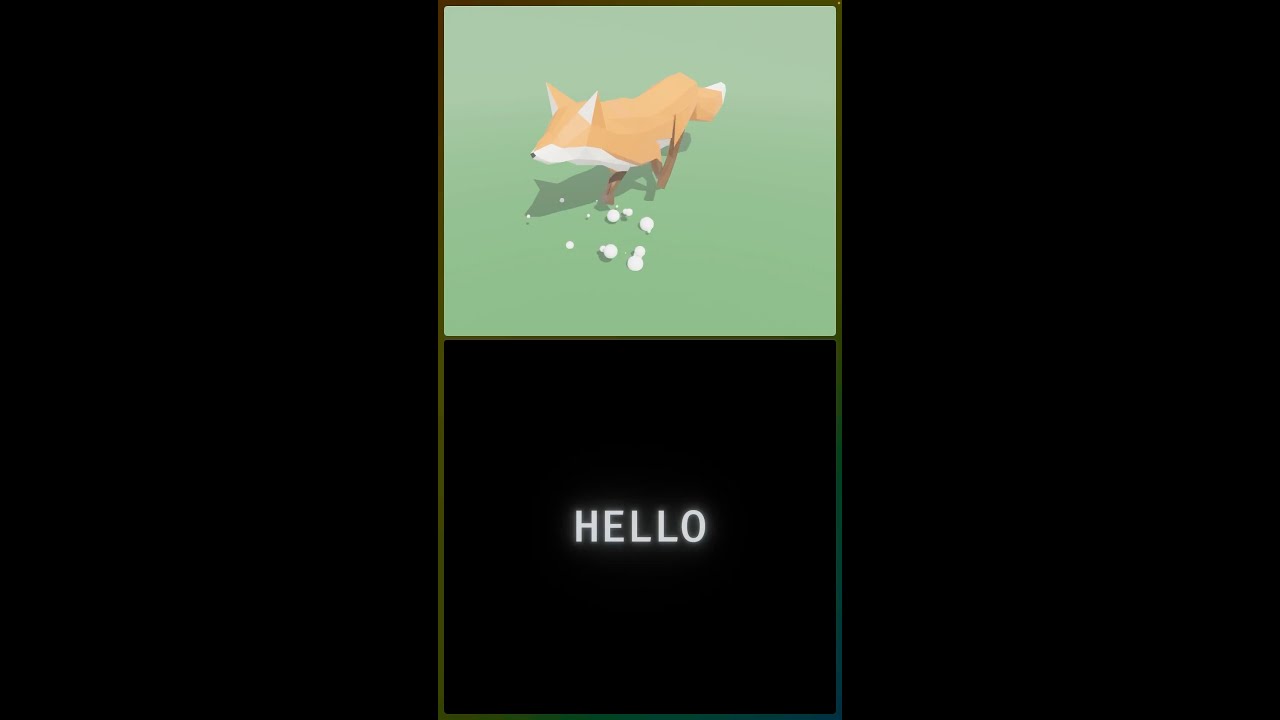
this is supposed to be a short #shorts
youtube might now have enabled it yet though :laughing:
round cove
amber lantern
Hey <@103513724052082688> I just came across your short here https://www.youtube...
blenvy hasn't seen much new development over the last 7 months, so I wouldn't expect anything new to have been added since then. There was some BlueprintAnimation stuff: https://github.com/kaosat-dev/Blenvy/blob/03cc100caca642b9386630e203e86500208fecf6/examples/animation/src/main.rs#L57
Blender's animation implementation doesn't include marker information when exporting to gltf, so the implementation has to be custom (at minimum an export extension) if you want to add markers in blender and export to gltf, then also a process in bevy to apply them. I've looked into it a bit for skein but I don't have any prototype implementations and its further down my list than other features like supporting Relationships.
It is possible overall, Blender allows some implementation of markers on animations (https://docs.blender.org/manual/en/latest/animation/markers.html) and Bevy can read information via extensions or gltfextras.

GitHub
Bevy Code & Blender addon for a simple workflow to add & edit Bevy components in Blender - kaosat-dev/Blenvy