#kayak_ui
1 messages · Page 2 of 1
 buoyant marsh
 whole edge
IIRC this is what Dead Island 2 does. you can turn off lifebars/levels/damage numbers to provide a more uh "realistic?" experience..
 sacred tangle
I have a lot of game font rendering, I guess using GPU rasterization through Kayak would also help performance?
whole edge
sacred tangle
I have a lot of game font rendering, I guess using GPU rasterization through Kay...
potentially yes. One down side of MSDF is the lack of colored glyphs(emojis). Once I fix this last tree bug I'm going to work on implementing cosmic text and have an optional fall back for emojis to use a CPU rasterizer.
Although I did think about how you could split the paths by color and make multiple MSDF textures with a color value for each. 🤔
buoyant marsh
"last tree bug" ... 🤔 We'll see about that
Tho tbf I'm too busy doing 3 refactors at once, next up is making my UI less alpha and more UX, then I need to yeet those 2 uses of bevy_text into the abyss, and only then I'll be able to find new bugs 🤔
 humble eagle
I am just starting my forays into Kayak and I am having trouble with text alignment. I have a grid of values that I want to be centered within their "cell" of the grid. If I switch from Alignment::Start to Alignment::Middle for the text, it appears to add the offset from the grid origin as well as the center of the grid "cell" and my text appears far right of where it should.
whole edge
humble eagle
I am just starting my forays into Kayak and I am having trouble with text alignm...
Can you share some code it should help debug things. 🙂 There are some layout bugs which can be frustrating at times and text layout is a bit wonky at times. I'm planning on bringing in cosmic_text integration would should help making text layout much more solid. Morphorm(our layout library) is also planning a big release soon which should fix some of the layout issues as well.
humble eagle
Here is a link to a gist with the render function. If you need more, let me know:
https://gist.github.com/Tsudico/26bab27efbadc2c42df5b22a891f2a5a

Gist
Player Statblock render function. GitHub Gist: instantly share code, notes, and snippets.
Lines 58-79 are supposed to center the column titles but they seem to be shifted over:

All the other placements use the default which I assume is Alignment::Start
buoyant marsh
What's up with the index * 2 + 2? 🤔
humble eagle
Its due to the column "spacers" I am using. I started with a smaller number of Units::Stretch columns for the grid but thought maybe I needed a "fixed" layout for centering.
With just the following line commented out:
68:                    text: TextProps {
69:                        content: aspect.to_string(),
70:                        // alignment: Alignment::Middle,
71:                        ..default()
72:                    },
it looks like this:
 whole edge
Can you wrap the text bundle in an element widget?
The text bundle always looks at it's parent to figure out how large it should be.
whole edge
humble eagle
With just the following line commented out:
```rust
68: text:...
I think that should fix the issue
In the future this will work better
humble eagle
Here is my adjusted code, it still is pushing the column titles over to the right:
58:        let aspects = vec!["Apt", "Mag", "For"];
59:        for (index, aspect) in aspects.iter().enumerate() {
60:            let widget_entity = widget_context.spawn_widget(&mut commands, None, parent_id);
61:            let mut element = ElementBundle {
62:                styles: KStyle {
63:                    row_index: 0.into(),
64:                    col_index: (index * 2 + 2).into(),
65:                    ..default()
66:                },
67:                ..Default::default()
68:            };
69:            let mut element_child = KChildren::new();
70:
71:            let child = {
72:                let widget_entity = widget_context.spawn_widget(&mut commands, None, parent_id);
73:                let props = TextWidgetBundle {
74:                    text: TextProps {
75:                        content: aspect.to_string(),
76:                        alignment: Alignment::Middle,
77:                        ..default()
78:                    },
79:                    ..Default::default()
80:                };
81:                commands.entity(widget_entity).insert(props);
82:                widget_entity
83:            };
84:            element_child.add(child);
85:            element.children = element_child;
86:            commands.entity(widget_entity).insert(element);
87:
88:            children.add(widget_entity);
89:        }
Wait...I'm using the outer parent_id...instead of the element id...that's probably it.
I should probably switch back to rsx, but I was having trouble with the for loops and didn't see the constructor macro. It allows nesting rsx with code blocks, right?
whole edge
humble eagle
Here is my adjusted code, it still is pushing the column titles over to the righ...
I'll test this when I get home.
whole edge
humble eagle
I should probably switch back to rsx, but I was having trouble with the for loop...
Yep.
humble eagle
Let me try it with rsx and see if that improves the situation.
whole edge
There is a pretty big tree bug that I fixed. I'm going to push that out later today too.
RSX is at least more human readable. 😅
humble eagle
Yes, less prone to id-10-t errors.
buoyant marsh
With some of my code I feel like I would go insane if I didn't have the rsx macro 🤔
Before I refactored it I had a 195 line rsx macro block ... I wonder how long that would be expanded
sacred tangle
I have this button which nicely conforms to the size of the text child:

However, I want to add some space between the text and the borders, so I use padding in the parent KStyle:

What is going on?
                styles={KStyle {
                    width: Units::Auto.into(),
                    height: Units::Auto.into(),
                    padding: Edge::all(Units::Pixels(10.0)).into(),
                    ..default()
                }}
Hmmm, I do know there are some edge cases where Units::Auto can be pretty dodgy with text. I wonder if that's whats happening here
I think in my code I set most of my buttons to a fixed size with the paddings set to Units::Stretch(1.)
sacred tangle
  text={TextProps {
                        alignment: Alignment::Start,
                        content: button_text,
                        size: 28.0,
                        ..default()
                    }}
Seems like Alignment::Middle is buggy with padding

The height position problem is caused by wrong offset_y in .kttf

Perfection
The button is still too tall and I am not sure what is causing it, but its not a dealbreaker
whole edge
Auto is broken right now if the parent is set to auto as well.
humble eagle
I was able to get my text centered...I had to ignore alignment as a text option and just use a TextWidgetBundle within an ElementBundle and have the TextWidgetBundle use stretch on both left and right.
buoyant marsh
Hmmm, I wonder if Alignment::Middle has issues with elements that don't have a direct width set, but have something like Stretch or a size from grid 🤔
whole edge
buoyant marsh
Hmmm, I wonder if Alignment::Middle has issues with elements that don't have a d...
Alignment attempts to position the text to the size of the parent. My text layout code is all hand built so I'm sure there are bugs. Which is why I'm going to switch to cosmic text
humble eagle
It could also be an extra "knob" that doesn't need to exist, since similar functionality can be done with stretch.
whole edge
A new release is going to be pushed out later tonight with some bugfixes. An open branch is here to track that progress:
https://github.com/StarArawn/kayak_ui/pull/249

GitHub
Release prep for 0.4.1 bugfix.
Fixes:
Tree issues when removing widgets.
Removed &'static str requirement for widget keys in favor of &'a str.
 prisma locust
Hello ! I just updated kayak-ui to the last version :
No more glitch on the text 🥳
There is just a strange little quote at the end of the R only. Don't know why 😂 (with wasm)
(with Roboto no problem, it appears only with my font)
 whole edge
prisma locust
Hello ! I just updated kayak-ui to the last version :
No more glitch on the tex...
whole edge
prisma locust
Hello ! I just updated kayak-ui to the last version :
No more glitch on the tex...
Interesting it looks like the MSDF is being calculated wrong there. 🙂
Glad it is at least somewhat better now 😄
prisma locust
whole edge
Glad it is at least somewhat better now 😄
Yeah much better 😀
buoyant marsh
It's kind of funny how everyone seems to notice the fixed text glitches, when the text glitches were the most minor issue I had before
whole edge
buoyant marsh
It's kind of funny how everyone seems to notice the fixed text glitches, when th...
I did a hack before where I tried to guess the best value for text alpha based off of some magic curve I wrote. It worked on my machine but I think the floating point inaccuracies killed it on some other machines. The new system actually is accurate and not some magic number curve lol
 quasi sun
has any one tried to use https://crates.io/crates/hot-lib-reloader with kayak? I moved all my UI code in separate workspace in hope to have it hot reloaded but it does not work as expected *(
whole edge
quasi sun
has any one tried to use https://crates.io/crates/hot-lib-reloader with kayak? I...
I'm not sure how that would work, but I found this:
Robert Krahn
Speed up development with this little trick.
Is there a reason why it fails?
quasi sun
yeah, exactly what I'm trying to use right now
quasi sun
whole edge
Is there a reason why it fails?
so I pull all my UI in separate workspace and export all it as a GameUIPlugins bevy plugins group
the problem as I see it - is that there are GameUiPlugin with ui_startup system and this system does all the widget_context.add_widget_system stuff. but it is only called once at startup. and then when UI library get's updated and hot reloaded, it does not update renders functions here
widget_context.add_widget_system(
      MainMenu::default().get_name(),
      widget_update::<MainMenu, EmptyState>,
      main_menu_render,
    );
ah yeah. hmm 🤔
Does the hot reloading start the app over and startup gets called again?
quasi sun
I will try to put regular system in this plugin to check that hot reloading works at all
quasi sun
whole edge
Does the hot reloading start the app over and startup gets called again?
no, it should just replace dynamic library to a newer version
whole edge
quasi sun
no, it should just replace dynamic library to a newer version
hmm I don't think this would work because of the way the systems are stored.
you would need to recall add_widget_system if the render/update functions change.
if you can detect the hot-reload in code somehow that might be doable?
quasi sun
I found this https://crates.io/crates/hot-lib-reloader#lib-reload-events but not sure how this actually work. Will play with it right now
quasi sun
whole edge
you would need to recall `add_widget_system` if the render/update functions chan...
so recalling add_widget_system will update render and update systems for a existing widget? not create new one?
whole edge
quasi sun
so recalling `add_widget_system` will update render and update systems for a exi...
let me double check but I believe so
Yeah it will replace
self.systems.insert(type_name.clone(), (update_system, render_system));
the systems themselves are Boxed, I'm not sure how bevy does it internally so it works on hot-reload

Bevy uses a boxed system too so I'm not sure why bevy would work but kayak wouldn't 🤔
quasi sun
I'll done some research
that would be extremely nice to have hot reloading while working with UI because because personally I do a lot of changes to see what looks better
buoyant marsh
whole edge
I did a hack before where I tried to guess the best value for text alpha based o...
Hmmm, I wonder if this is why the blocks where everywhere on release, because it just optimized that magic curve to something with less floating point accuracy
whole edge
buoyant marsh
Hmmm, I wonder if this is why the blocks where everywhere on release, because it...
It's being done on the GPU I really have no idea why release would change it lol
buoyant marsh
The GPU doesn't generate the SDFs right?
But yea the block were definitely odd, but at least they didn't freeze my application, break my UI, or cause crashes
whole edge
buoyant marsh
The GPU doesn't generate the SDFs right?
No but the blockyness was always a shader issue.
buoyant marsh
Huh ... Then it is really odd how I never had it in debug builds but did have it in release ... Well either way if it's fixed now the people testing my game will probably be happy that they can read stuff for once 🤔
buoyant marsh
I made an X button on my UI, but for whatever reason the event handler doesn't trigger if I click in this purple area (not actually part of the UI, just edited that to show where it doesn't work)

It's just a self-directed BackgroundBundle with an on_event, and a TextWidgetBundle as child
Seems like it might be because the element after is technically above it, tho it doesn't do anything or register any on_event so I'm not sure if that should matter 🤔
Yea, if I swap them around it's fixed ... Is it intended that invisible elements without on_events can block events like that? 🤔
whole edge
buoyant marsh
Yea, if I swap them around it's fixed ... Is it intended that invisible elements...
It shouldn't, but I can't remember exactly how the event dispatcher works here. 🤔
buoyant marsh
If I have a state transition and want to destroy my UI, what do I despawn? 🤔
whole edge
buoyant marsh
If I have a state transition and want to destroy my UI, what do I despawn? 🤔
The entire UI?
I just create a widget that keeps track of state in my game.
buoyant marsh
Hmmm, I guess that could work too, every state should have UI eventually
 exotic crane
I made a proof of concept for dragndrop, it's definitely doable but I'll have to refactor the code before sharing it 😅
I used the following pattern you guys debated earlier with having the widgets handling mousedown/mouseup
(further content in a thread in a reply because of discord limits)
exotic crane
exotic crane
I made a proof of concept for dragndrop, it's definitely doable but I'll have to...
1 - User clicks on an Item
Event on each item slot => cursor_event.just_pressed to spawn a bevy_ui node with the following component and a sprite bundle
#[derive(Debug, Component, Clone, PartialEq)]
pub struct ImageBeingDragged {
    pub dragged_entity: Entity, // the dragged item (not ui, actual Item ingame)
    pub source_widget: Entity,
}
2 - Dragging the clicked Item
A system updates the position of the node, and deletes it as soon as the mouse button is released
an extract without the boring arithmetics:
        if mouse.just_released(MouseButton::Left) {
            info!("removing dragged sprite {:?}", dragged_sprite_entity.id());
            // previous attempt that got me stuck on finding nodes at a specific position
            // evt_dropped.send(DraggedAndDropped {
            //    dropped_position_on_window: Vec2::new(position.x, position.y),
            // });
            dragged_sprite_entity.despawn_recursive();
            continue;
        }
3 - Dropping an item
All item slots handle MouseUp(cursor_event) to see if there is an entity with ImageBeingDragged.
    // query_dragged: Query<&ImageBeingDragged>
    let image_being_dragged = match query_dragged.get_single() {
        Ok(x) => x,
        Err(error) => {
            match error {
                QuerySingleError::NoEntities(_) => {
                    trace!("mouse up with no entity being dragged");
                }
                QuerySingleError::MultipleEntities(_) => {
                    error!("mouse up with multiple entities having ImageBeingDragged");
                }
            }
            return (event_dispatcher_context, event);
        }
    };
    info!("mouse up with dragged image over item slot");
If there is one, the Item entity is moved from image_being_dragged.source_widget to the widget that had the MouseUp event triggered
I mixed game logic and kayak_ui logic, but since I now have a better understanding, I should be able to turn this into pure 🛶 by using props
buoyant marsh
exotic crane
I made a proof of concept for dragndrop, it's definitely doable but I'll have to...
Do you mean the pattern me and fleam discussed a while back?
Also that looks pretty nice, tho "spawn a bevy_ui" sounds a bit odd, but maybe that's just because I have been working on removing bevy_ui and bevy_text from my game for the past day or two 🤔
exotic crane
Yep, that discussion => #1041477923875594310 message
I guess using a SelfDirected kayak node would make more sense ...
(On the other hand, it's convenient to spawn and query for such an short-lived entity)
buoyant marsh
If I were to do it in a full kayak approach I'd probably make a resource with what I'm dragging, and always keep a widget alive to show it, it just wouldn't render anything if nothing is dragged
But my game is also one with just a 3D camera and kayak's camera, so I really want to avoid messing with other 2D stuff in it
whole edge
exotic crane
(On the other hand, it's convenient to spawn and query for such an short-lived e...
Don't forget you can query kayak UI widgets. 🙂
buoyant marsh
I can't help but feel like querying kayak ui widgets sounds like a crime 🤔
exotic crane
whole edge
Don't forget you can query kayak UI widgets. 🙂
Thanks, I have been wondering if I was using an antipattern, since that's what I'm doing in this part 😄
(fetching props of the source widget)
    // mut query_item_slot_props: Query<(Entity, &mut ItemSlotUiProps)>
    let (_, mut source_item_slot) = query_item_slot_props
        .get_mut(image_being_dragged.source_widget)
        .unwrap(); // Bad. Not handling source widget despawning between start and end of click

    // Avoid removing the item if it is moved to the slot where it currently is
    if image_being_dragged.source_widget == target_widget_entity {
        return (event_dispatcher_context, event);
    }

    source_item_slot.item_slot = InventorySlot::None;
    // TODO Update ingame inventory
It's a bit strange and I think it's better to modify the state of the widget rather than the props. The transition widget in kayak is a good example of this:
pub fn update_transitions(
    mut query: Query<&mut TransitionState>,
    mut computed_styles_query: Query<&mut ComputedStyles>,
) {
    for mut transition in query.iter_mut() {
        let new_styles = transition.transition.update();
        if let Ok(mut computed_styles) = computed_styles_query.get_mut(transition.widget_entity) {
            *computed_styles = ComputedStyles(new_styles);
        }
    }
}
ComputedStyles in this example aren't really "props" per say. As you never really pass them in via props.
exotic crane
Thanks for the tip, I definitely need to read the docs and examples more now that "it just works" 🙂
Having React experience, I definitely felt guilty mutating props 😄
buoyant marsh
I noticed that since I switched over some of my UI from bevy_text to using kayak widgets the text is a lot sharper ... Is this something related to scaling? (I run with a scale factor of 2)
whole edge
buoyant marsh
I noticed that since I switched over some of my UI from bevy_text to using kayak...
I'm not sure what you mean by sharper? Do you mean it's not as anti-aliased?
buoyant marsh
The text from bevy_text seemed pretty blurry, the text from kayak looks like normal text
whole edge
buoyant marsh
The text from bevy_text seemed pretty blurry, the text from kayak looks like nor...
I mean that seems good. 😂 I think bevy_text uses subpixel rendering by default which might lead to a blury look on some monitors.
buoyant marsh
Yea it's definitely a good thing, just seems a bit odd. Like bevy_text doesn't understand what scaling factors are
whole edge
Oh another thing is bevy_text is set to a specific font size. You cannot change font sizes without re-rendering every single glyph. So when you scale the text it wont render correctly.
Kayak uses MSDF's which scale no matter what.
This example is almost impossible to do in bevy_text:
https://github.com/StarArawn/kayak_ui/blob/main/examples/font_size_test.rs
buoyant marsh
Good thing I purged all the bevy text. bevy_text and bevy_ui feel like the most  features
whole edge
buoyant marsh
Good thing I purged all the bevy text. bevy_text and bevy_ui feel like the most ...
Yeah I think some of that will change with cosmic_text, but at the end of the day bevy will use CPU rasterization for font rendering so it'll still be an issue. I hope it's at least better documented in the future.
sacred tangle
So I have this UI state manager:
pub fn render(
    In(entity): In<Entity>,
    widget_context: Res<KayakWidgetContext>,
    mut commands: Commands,
    game_state: Res<State<GameState>>,
) -> bool {
    let parent_id = Some(entity);
    rsx! {
        <ElementBundle>
            {
                match game_state.0 {
                    GameState::MainMenu => {
                        constructor! {
                            <MainMenuBundle />
                        }
                    },
                    GameState::WorldMap => {
                        constructor! {
                            <ElementBundle/>
                        }
                    },
                    _=> {}
                }
            }
        </ElementBundle>
    };

    return true;
}
However, when going into WorldMap state the old MainMenu UI does not go away
What can be the issue?
buoyant marsh
Do you have an update system that checks for the state changing?
pub fn update_state_manager(
    In((_, _)): In<(Entity, Entity)>,
    state: Res<State<ConnectionState>>,
) -> bool {
    state.is_changed()
}
This is the update system for my state manager ... Kinda feels like a crime tho
Speaking of which, @whole edge, I think update systems like this cause an extra update cause one render is forced without calling update. Wonder if we should do something about that
sacred tangle
buoyant marsh
Do you have an update system that checks for the state changing?
I based it off of this #1041477923875594310 message
Does it need an update function?
whole edge
buoyant marsh
Speaking of which, <@118398256098050054>, I think update systems like this cause...
Not sure what you mean here, nothing is forced in this case. 🤔 You can get in trouble with an update like this because is_changed can be true even if the data didn't mutate. A better solution(although I haven't tested this) might be to do something like:
pub fn update_state_manager(
    In((_, _)): In<(Entity, Entity)>,
    state: Res<State<ConnectionState>>,
    local_state: Local<ConnectionState>,
) -> bool {
    let changed = *state != *local_state;
    if changed {
        *local_state = *state;
    }
    changed
}
yes it needs a custom update function. The default update only checks known values. These consist of:
widget props, widget state, styles, computed styles, widget_name, and a few others.
sacred tangle
Ah I see, thanks!
Should probably make this an example, as it seems many people are asking about it
buoyant marsh
whole edge
Not sure what you mean here, nothing is forced in this case. 🤔 You can get in t...
From my quick look at it yesterday I think what I ran into was this: Render is called when the widget is added, then the next frame the update function will always return true cause it's comparing to some default state, like last_tick being 0, or having something like Local<Option<T>>, making it render again
buoyant marsh
sacred tangle
Should probably make this an example, as it seems many people are asking about i...
Wonder if it should be added to the main menu example, kind of feel like every main menu would live in a construct like this
whole edge
hmm
whole edge
buoyant marsh
Wonder if it should be added to the main menu example, kind of feel like every m...
I was just thinking that, likely with a fake options screen. 😄
buoyant marsh
buoyant marsh
From my quick look at it yesterday I think what I ran into was this: Render is c...
But if this issue happens like what it seemed like, the easiest solution would be to call update and ignore the result
buoyant marsh
whole edge
I was just thinking that, likely with a fake options screen. 😄
Could even make a real one with something simple, maybe enabling fullscreen or something 🤔
sacred tangle
I feel stupid for asking so many questions, but I have a button in the menu. I followed the main_menu tutorial. Detecting when a mouse hover above and when a mouse clicks on the button works just fine. The issue is when I add a different type of click event:
    let click_event = OnEvent::new(
        move |In(_entity): In<Entity>, mut event: ResMut<KEvent>, mut commands: Commands| {
            if let EventType::Click(..) = event.event_type {
                event.stop_propagation();
                commands.insert_resource(NextState(Some(GameState::WorldMap)));
            }
        },
    );
    let parent_id = Some(entity);
    rsx! {
            <GameButtonBundle
                button={GameButton {
                    text: "Start Game".to_string(),
                    toggle: false,
                }}
                on_event={click_event}
            />
    };
It fires when I click anywhere..?
buoyant marsh
I'm not sure how GameButtonBundle is defined, but if that element is the whole screen insize that would make sense 🤔
sacred tangle
if let Ok(button_state) = q_state.get(state_entity) {
        // ... other code
        let parent_id = Some(entity);
        rsx! {
            <NinePatchBundle
                nine_patch={NinePatch {
                    handle: button_image_handle,
                    border: Edge::all(4.0),
                }}
                styles={KStyle {
                    width: Units::Auto.into(),
                    height: Units::Auto.into(),
                    ..default()
                }}

            >
                <ElementBundle
                    styles={KStyle{
                        width: Units::Auto.into(),
                        height: Units::Auto.into(),
                        // Add some padding to the left and right of the text
                        padding: Edge::from((Units::Pixels(0.0), Units::Pixels(10.0), Units::Pixels(0.0), Units::Pixels(10.0))).into(),
                        ..default()
                    }}
                    on_event={on_event}
                >
                <TextWidgetBundle
                    styles={KStyle {
                        ..default()
                    }}
                    text={TextProps {
                        content: button_config.text.clone(),
                        size: 20.0,
                        ..default()
                    }}
                />
                </ElementBundle>
            </NinePatchBundle>
        };
    }
This is how it is defined
It defintively does not take up the whole screen, because the following (defined just above) works fine:
    let on_event = OnEvent::new(
        move |In(_entity): In<Entity>,
              mut event: ResMut<KEvent>,
              mut query: Query<&mut GameButtonState>| {
            if let Ok(mut button) = query.get_mut(state_entity) {
                match event.event_type {
                    EventType::MouseIn(..) => {
                        event.stop_propagation();
                        button.hovering = true;
                    }
                    EventType::MouseOut(..) => {
                        button.hovering = false;
                        if !button_config.toggle {
                            button.pressed = false;
                        }
                    }
                    EventType::MouseDown(..) => {
                        if button_config.toggle {
                            button.pressed = !button.pressed;
                        } else {
                            button.pressed = true;
                        }
                    }
                    EventType::MouseUp(..) => {
                        if !button_config.toggle {
                            button.pressed = false;
                        }
                    }
                    _ => {}
                }
            }
        },
    );
Its only when I add an "external" on_event that it starts to act up
buoyant marsh
Does GameButtonBundle have any styles in its default function? 🤔
sacred tangle
I am confused about where that external on_event gets attached to
buoyant marsh
To the GameButtonBundle itself
sacred tangle
Not the top level NinePatchBundle?
buoyant marsh
Nope, that's just the children of GameButtonBundle
sacred tangle
Aha, is there a way to make it attach to a child instead? Would make some things easier...
sacred tangle
buoyant marsh
To the GameButtonBundle itself
Yeah this makes a lot of sense actually... Been coding too much at my day-time job hehe
buoyant marsh
You could potentially add PointerEvents::ChildOnly or whatever it was, but it might make more sense to just set the size of the button on GameButtonBundle
I think the default size of widgets is Stretch(1.), so currently GameButtonBundle probably tries to take up all the space it can (which if there's nothing else and no default styles on it, is the whole screen)
sacred tangle
impl Default for GameButtonBundle {
    fn default() -> Self {
        GameButtonBundle {
            button: GameButton::default(),
            style: KStyle {
                width: Units::Pixels(100.0).into(),
                height: Units::Pixels(100.0).into(),
                ..default()
            },
            computed_styles: ComputedStyles::default(),
            widget_name: GameButton::default().get_name(),
            on_event: OnEvent::default(),
        }
    }
}
Did nothing...
whole edge
You can just pass the on_event to the nine patch by cloning it. If the bundle doesn't accept the on_event you can give it an id attribute and use bevy's commands to add it.
This should work especially if the main menu works as expected.
sacred tangle
whole edge
You can just pass the on_event to the nine patch by cloning it. If the bundle do...
Will this not just add it to the NinePatch and the GameButtonBundle?
whole edge
sacred tangle
Will this not just add it to the NinePatch and the GameButtonBundle?
Ah yeah pass it in via props though
sacred tangle
Hmm so I set the NinePatchBundle to stretch and it filled the whole screen meaning that GameButtonBundle takes up the whole screen
Why does it do that even thought I've set the width and height in the impl Default for GameButtonBundle?
whole edge
sacred tangle
Why does it do that even thought I've set the width and height in the impl Defau...
Styles don't change things computed styles do
sacred tangle
Huh, I thought styles drove computed styles?
buoyant marsh
I think the common pattern on many widgets is that they copy KStyle into computed stles with some of their own changes
sacred tangle
Yeah thats what I meant. Anyway I removed it from the bundle but the issue still persists
buoyant marsh
Hmmm, what's the code in GameButtonBundle for handling the hover state? Maybe it overrides the styles to default?
sacred tangle
        let button_image_handle;
        // Match the button state to the correct image, both hovering and pressed
        if button_state.hovering {
            if button_state.pressed {
                button_image_handle = textures_ui.button_hover_down.clone();
            } else {
                button_image_handle = textures_ui.button_hover_up.clone();
            }
        } else {
            if button_state.pressed {
                button_image_handle = textures_ui.button_down.clone();
            } else {
                button_image_handle = textures_ui.button_up.clone();
            }
        }
then I use that handle in the NinePatch
sacred tangle
Huh, it works if I set the computed_styles directly
So why is this not done in https://github.com/StarArawn/kayak_ui/blob/main/examples/main_menu.rs ?
GitHub
Contribute to StarArawn/kayak_ui development by creating an account on GitHub.
whole edge
sacred tangle
So why is this not done in https://github.com/StarArawn/kayak_ui/blob/main/examp...
Bug. 😔
Kayak is changing rapidly so stuff like this can fall through the cracks.
sacred tangle
Thats understandable 🙂
buoyant marsh
sacred tangle
Huh, it works if I set the computed_styles directly
Now that you mention it, all my code does set computed_styles directly
whole edge
buoyant marsh
Now that you mention it, all my code does set computed_styles directly
That's fine. Having a separate style is useful for merging in styles when you need to also guarantee some set of styles.
buoyant marsh
It's a bit weird for some things like setting width and height tho, because that means the parent can no longer overwrite those easily
sacred tangle
I am looking into using kayak ui for in-game text such as names, health bar, etc.. Are there any examples of this? I know I can use SelfDirected for placement, but how do I control how many TextWidgets I need, e.g. how do I spawn new text?
From within a game system
buoyant marsh
I have a self directed widget that has the size of the whole screen. It has an update condition to change when entities with the right components are added or removed. I then spawn a lifebar widget from there, which takes a target as a prop (technically it's a bundle field and I don't know why). That lifebar widget then has a fairly complex update condition
pub fn update_life_bar(
    In((entity, previous_entity)): In<(Entity, Entity)>,
    widget_context: Res<KayakWidgetContext>,
    widget_param: WidgetParam<LifeBarProps, EmptyState>,
    life: Query<(Ref<Life>, Ref<Transform>)>,
    camera: Query<(), (With<Camera3d>, Changed<Transform>)>,
    target: Query<Ref<Target>>,
) -> bool {
    if widget_param.has_changed(&widget_context, entity, previous_entity) {
        return true;
    }
    if !camera.is_empty() {
        return true;
    }
    let Ok(target) = target.get(entity) else { return true; };
    if target.is_changed() {
        return true;
    }
    let Some(target) = target.0 else { return true; };
    let Ok((life, transform)) = life.get(target) else { return true; };

    life.is_changed() || (life.percentage() < 99.9 && transform.is_changed())
}
It checks for changes to the camera transform, it checks for changes in the target (if you despawn a lifebar in the parent, it will remove the last lifebar widget, but if the enemy that died was the 3rd one in the iteration order it will now give most of them a different target, could be worked around by setting key to an appropriate per-target value too), it checks for changes to the life, and also the target's transform
whole edge
You'll probably want a for loop for the health bars.
buoyant marsh
The lifebar widget then just sets top/left based on a camera.world_to_viewport call (bottom left might make more sense, since that's the coordinate system the function gives)
buoyant marsh
Shouldn't we be able to set the position of an element with just bottom/right and width/height? Currently you'd have to set top/left to Units::Stretch(1.) to get this to work
 pliant moon
Is there a way to attach a component to a widget inside the rsx! macro?
buoyant marsh
Not if it's not in the bundle I think ... But that also sounds like you're trying to do something weird 🤔
pliant moon
I just want some text that I can update based on a res without having to implement an entire render system
I feel like I'm struggling to do simple things without having to rewrite a bunch of stuff
buoyant marsh
I'm not sure what your code is like so I can't really give advice on the specifics, but worst case you could probably specify another bundle that adds that component
pliant moon
I guess what I'm getting at is that today I tried and failed to conceptualize how to do stuff like that in kayak_ui, I'll have to give it another swing when I have the time
Maybe it's just an onboarding problem for me
buoyant marsh
Hmmm, I guess how to separate things is a bit of a confusing and unclear thing ... Like I have one widget that just renders 2 lines of text, and then I have other widgets that handle an entire screen of a menu
I guess in some ways it might actually be the update conditions that determine it for my UI
pliant moon
I think maybe the onboarding could be improved with a focus on concrete user stories like "I want to make some text that updates based on components or queries"
buoyant marsh
So like mini tutorials? That might actually be a decent idea
When I started learning kayak I had to scramble stuff together from all the examples + information I got here
pliant moon
Yeah like the basic basics
Nothing fancy
I feel like the examples right now are pretty complicated
buoyant marsh
Hmmm, I guess in general the issue here might be that the kayak book doesn't talk much about update systems
pliant moon
I think that might be part of it
Like there's State, but if I don't want the data to be erased with the gui
buoyant marsh
This is about what goes into making something update based on a resource:
pub fn update_system(
    In((entity, previous_entity)): In<(Entity, Entity)>,
    widget_context: Res<KayakWidgetContext>,
    widget_param: WidgetParam<SkillModsTabProps, EmptyState>,
    my_resource: Res<MyResource>,
) -> bool {
    widget_param.has_changed(&widget_context, entity, previous_entity) || my_resource.is_changed()
}

pub fn render_system(
    In(entity): In<Entity>,
    widget_context: Res<KayakWidgetContext>,
    mut commands: Commands,
    my_resource: Res<MyResource>,
    other_resource: Res<OtherResource>,
) -> bool {
    let parent_id = Some(entity);

    rsx!{...};
    true
}
And the usual props/bundle/default stuff you have for any widget
 buoyant marsh
The more intended way to use update_systems would involve storing the latest value of my_resource in a component and actually checking for changes tho
Which I never do, cause I'm lazy 🙃
pliant moon
The bulk of the UI of this game is going to be buttons that fire an event and UI that updates based on component/resource data
If I can nail those two to a comfortable degree it's no problem
buoyant marsh
let on_event = |value| {
    OnEvent::new(
        move |In(_): In<Entity>,
              event: Res<KEvent>,
              mut my_resource: ResMut<my_resource>| {
            if let EventType::Click(_) = event.event_type {
                *my_resource = value;
            }
        },
    )
};

rsx!{
    <ElementBundle>
        <ElementBundle on_event={on_event(1)} />
        <ElementBundle on_event={on_event(2)} />
    </ElementBundle>
};
And this tends to be a very common pattern I get with changing resources
pliant moon
Yeah in this case buttons send events, which makes some other stuff happen, which makes resources or components change
buoyant marsh
Luckily events vs components vs resources isn't too different since it's all just regular bevy stuff
pliant moon
Yeah hopefully I can get comfortable with this. It certainly seems less clunky than bevy_ui I just have a harder time understanding the api
bevy_ui is simple to conceptualize, if nothing else lol
whole edge
pliant moon
Is there a way to attach a component to a widget inside the rsx! macro?
Yes! You can give widget's id's which are like variable names for the entity id:
<ElementBundle id={"entity_element"}>
  {commands.entity(entity_element).insert(MyBundle::default())}
</ElementBundle>
Usually its best to avoid this pattern and just create your own widget bundle instead.
pliant moon
Granted but I'm glad it's an option for rapid prototyping stuff
buoyant marsh
whole edge
Yes! You can give widget's id's which are like variable names for the entity id:...
👀 I did not know this was possible ... I wonder if I can new make bugs with this 🤔
whole edge
buoyant marsh
👀 I did not know this was possible ... I wonder if I can new make bugs with thi...
just off the top of my head replacing KChildren would certainly result in weird results. 😂
buoyant marsh
We don't have built-in widgets for basic things like "Group this together and lay them out in this direction" do we?
I feel like something like godot's VBox/HBoxContainer would be a lot clearer than putting ElementBundles all over the place 🤔
whole edge
buoyant marsh
I feel like something like godot's VBox/HBoxContainer would be a lot clearer tha...
I think a default grid widget would be nice. 🙂
buoyant marsh
Yea, the LayoutType properties are something you kind of have to throw around everywhere. And having <ElementBundle styles={x.clone()}> gets confusing fast
humble eagle
I'm trying to wrap my brain around Kayak Props, State, and Bundles after refactoring my code and having it stop working the way I was expecting. Is the following thinking correct:
- Props are for aspects of the widget you want to set and stay for the widget lifetime
- State is for dynamic aspects of the widget that may change from one render to the next
- Bundled components are for more complex dynamic elements that aren't covered by State
buoyant marsh
Props are for data you pass to a widget in a render function
State is used for things you manage within the widget itself
Bundled components can have various uses, one of the main uses in my game are for things that can't go in props, because they can't be PartialEq/Eq
whole edge
humble eagle
I'm trying to wrap my brain around Kayak Props, State, and Bundles after refacto...
Pretty much what NiseVoid said. If you have any specific questions feel free to ask. 🙂
humble eagle
If I don't want to create new entities every time I change Bevy State, instead of creating them in the different State enums is there a way to be able to create layouts and hide them? I see in the modal example there is an opacity but how can I layer all the so that they won't affect each other's layout? SelfDirected on the "root" ElementBundle for the State?
buoyant marsh
I don't think we have something like display: none currently, but you could have a widget's render function not create anything. That does technically mean it creates new entities when the ui shows up again tho
humble eagle
The old UI entities still exist though...so by recreating the UI it leaks memory.
And it makes queries hit more entities than planned....as they still will affect the "old" UI entities that aren't actually displayed.
2023-05-12T01:44:01.509348Z  INFO bocf::scenes::combat: Spawning enemy!
2023-05-12T01:44:01.509349Z  INFO bocf::scenes::combat: Entering Combat!
2023-05-12T01:44:01.509838Z  INFO bocf::scenes::combat: Enemy Id: 69v0
2023-05-12T01:44:01.529752Z  INFO bocf::scenes::combat: Starting combat!
2023-05-12T01:44:01.547027Z  INFO bocf::ui: Updating Statblocks
2023-05-12T01:44:01.547172Z  INFO bocf::ui: Adding entity to Enemy { position: 0 }
2023-05-12T01:44:01.547248Z  INFO bocf::ui: Adding entity to Player { position: 0 }
2023-05-12T01:44:03.993306Z  INFO bocf::scenes::combat: Spawning enemy!
2023-05-12T01:44:03.993313Z  INFO bocf::scenes::combat: Entering Combat!
2023-05-12T01:44:03.993802Z  INFO bocf::scenes::combat: Enemy Id: 303v1
2023-05-12T01:44:04.020508Z  INFO bocf::scenes::combat: Starting combat!
2023-05-12T01:44:04.041926Z  INFO bocf::ui: Updating Statblocks
2023-05-12T01:44:04.042070Z  INFO bocf::ui: Adding entity to Enemy { position: 0 }
2023-05-12T01:44:04.042253Z  INFO bocf::ui: Adding entity to Player { position: 0 }
2023-05-12T01:44:04.042328Z  INFO bocf::ui: Adding entity to Player { position: 0 }
2023-05-12T01:44:04.042403Z  INFO bocf::ui: Adding entity to Enemy { position: 0 }
Unless I'm missing something that should be pruning the old UI.
buoyant marsh
Those might be the previous_entity ones, I think there's a marker component to exclude those. It stores data about the previous state of the entity for diffing
humble eagle
This is the 3rd cycle:
2023-05-12T01:46:41.076619Z  INFO bocf::scenes::combat: Spawning enemy!
2023-05-12T01:46:41.076618Z  INFO bocf::scenes::combat: Entering Combat!
2023-05-12T01:46:41.077086Z  INFO bocf::scenes::combat: Enemy Id: 523v1
2023-05-12T01:46:41.102428Z  INFO bocf::scenes::combat: Starting combat!
2023-05-12T01:46:41.125675Z  INFO bocf::ui: Updating Statblocks
2023-05-12T01:46:41.125795Z  INFO bocf::ui: Adding entity to Player { position: 0 }
2023-05-12T01:46:41.125886Z  INFO bocf::ui: Adding entity to Enemy { position: 0 }
2023-05-12T01:46:41.125978Z  INFO bocf::ui: Adding entity to Enemy { position: 0 }
2023-05-12T01:46:41.126056Z  INFO bocf::ui: Adding entity to Player { position: 0 }
2023-05-12T01:46:41.126160Z  INFO bocf::ui: Adding entity to Enemy { position: 0 }
2023-05-12T01:46:41.126313Z  INFO bocf::ui: Adding entity to Player { position: 0 }
It looks like the previous_entities are growing.
buoyant marsh
Hmmm, how exactly do you spawn/despawn the widgets?
humble eagle
I don't have anything that despawns them....I have a render function that creates them based on a matched enum using rsx! like it shows here:
#1041477923875594310 message
It seems like it takes a similar approach to this:
#1041477923875594310 message
buoyant marsh
Hmmm, so a regular state manager. I have something very similar too ... If you just switch from one widget to another that shouldn't cause any issues
humble eagle
It is definitely duplicating the entities though, bevy-inspector-egui shows them multiplying with each state change. I suppose I could try to perform a query on State change looking for the Props and remove the ones that are no longer in use...but if I ever transition from one State to another that shares the same widgets it would cause issues.
buoyant marsh
Could you send the render function for your state manager?
humble eagle
Gist
Game State render function. GitHub Gist: instantly share code, notes, and snippets.
Gist
Combat State render function. GitHub Gist: instantly share code, notes, and snippets.
buoyant marsh
Are you on 0.4.1? Cause there's a few things that would hit bugs pre-0.4.1
humble eagle
Cargo.lock says version for kayak_ui is 0.4.1
buoyant marsh
Hmmm, I checked in my game which has a similar state manager widget and it doesn't seem to keep the old state around. Which widgets are duplicating, is it all of them, including CombatStateBundle?
humble eagle
I am touching the StatBlock outside of update and render, I wonder if it is just everything within that UI widget that is duplicating. But the system just reads from it:
pub fn update_stats(
    mut commands: Commands,
    stat_block: Query<&Team, With<StatsBlockProps>>,
    player: Query<Entity, With<Player>>,
    enemy: Query<Entity, With<Enemy>>,
) {
    info!("Updating Statblocks");
    for team in stat_block.iter() {
        match team {
            Team::Player { position } => {
                for (index, entity) in player.iter().enumerate() {
                    if index == *position as usize {
                        commands.entity(entity).insert(Team::Player { position: *position });
                        info!("Adding entity to {:?}", &team);
                    }
                }
            },
            Team::Enemy { position } => {
                for (index, entity) in enemy.iter().enumerate() {
                    if index == *position as usize {
                        commands.entity(entity).insert(Team::Enemy { position: *position });
                        info!("Adding entity to {:?}", &team);
                    }
                }
            },
        }
    }
}
Hmmm, yea reading shouldn't cause issues, tho you might get old widgets that are used for diffing, so you might want to slap on a Without<PreviousWidget>
humble eagle
Would that possibly affect how long they stay around? Let me add that and see if the duplicating continues.
I changed the stat_block query to be:
stat_block: Query<&Team, (With<StatsBlockProps>, Without<PreviousWidget>)>,
but it still is duplicating them.
It's still finding multiple that aren't tagged as PreviousWidget as well.
buoyant marsh
You have 10 StatsBlockBundles in your widget when it's in GameState::Combat, how many results does that query hit?
humble eagle
Exact multiples of the bundles....10 the first cycle, 20 the second cycle, 30 the third.
Update/Render for statblock:
https://gist.github.com/Tsudico/1a492645d2a8c3b503197b7c298359c5
Gist
StatBlock update/render function. GitHub Gist: instantly share code, notes, and snippets.
buoyant marsh
Hmmm, the only things that I feel might cause issues is that match at the end of combat_state_render, which you could comment to see if that changes anything. And the return false in the stat block render function (just generally never return false in render functions, it causes the weirdest problems)
humble eagle
Ok let me change those.
Switching return from false to true didn't stop duplication....removing the match but keeping the buttons didn't stop duplication either.
Let me see if any of the widgets the stat block uses has return false.
All widgets updated to remove return false and it still is duplicating.
Are you on Bevy master? I'm on 0.10.1, not master.
buoyant marsh
I'm on 0.10.1, but I'm also on kayak_ui main
And your UI with the state manager is just made in startup I assume?
humble eagle
Yup:
    fn build(&self, app: &mut App) {
        app.add_plugin(KayakContextPlugin)
            .add_plugin(KayakWidgets)
            .add_startup_system(startup)
...
fn startup(
    mut commands: Commands,
    mut font_mapping: ResMut<FontMapping>,
    asset_server: Res<AssetServer>,
) {
    let camera_entity = commands
        .spawn((Camera2dBundle::default(), CameraUIKayak))
        .id();

    font_mapping.set_default(asset_server.load("roboto.kayak_font"));

    let mut widget_context = KayakRootContext::new(camera_entity);
    widget_context.add_plugin(KayakWidgetsContextPlugin);
    widget_context.add_plugin(UIPlugin);
    widget_context.add_plugin(UIStatePlugin);
    let parent_id: Option<Entity> = None;

    rsx! {
        <KayakAppBundle>
            <TextWidgetBundle
                text={TextProps {
                    content: "Hello World".into(),
                    size: 20.0,
                    ..Default::default()
                }}
            />
            <GameStateBundle />
            <EventLogBundle />
        </KayakAppBundle>
    };

    commands.spawn((widget_context, EventDispatcher::default()));
}
Yea, everything seems fine, might want to try kayak main, and if that doesn't work see if you can make a simplified bevy app that has the same issue
Cause this seems like one of those tree bugs that have been haunting kayak for a while 🤔
humble eagle
Ok, I'll try those next...I appreciate the assistance.
buoyant marsh
np, gotta help the few others that build fancier stuff in kayak
humble eagle
Well, by the time I get to fancy stuff, I'm hoping I've gotten kayak well understood. This is just beginning prototyping for me.
buoyant marsh
Well looking at the functionality your UI looks fairly complex already, tho you might want to optimize those loops trough all players/enemies at some point
Luckily once the UI is functional, making it look fancy doesn't add that much complexity with kayak
humble eagle
Yeah, first is getting it working, second is optimization, third is pretty.
whole edge
There is a bug in Kayak that doesn't despawn some entities. I haven't fully tracked it down yet.
buoyant marsh
So it's not technically a tree bug? That sounds like good news at least 🤔
whole edge
buoyant marsh
So it's not technically a tree bug? That sounds like good news at least 🤔
not a tree bug, its a bug with how I handle widget depsawning
humble eagle
I've tried Kayak main and still have excess entities. If it would help with tracking down any possible issue with widget despawning, is there a way to turn on additional logging for kayak? I can create a local branch if needed.
whole edge
humble eagle
I've tried Kayak main and still have excess entities. If it would help with trac...
To contribute the best thing to do is to pull kayak down locally(ideally from a fork you create). There are a bunch of optional logging options that can be found by searching for trace! and changing them to info!. I can't advise you to turn on trace logging as I think it would be way too slow and fill up the logger with way too much data. Instead just turn swap the trace!'s to info!'s as needed.
I'm pretty sure the problem with the excess entities stems from a couple of different things:
- Entities are despawned in more than one place, its likely we despawn X set of entities but not say the previous widget entities or even the state entities.
- Kayak UI does somewhat use bevy's parent/child stuff but I don't think its working correctly so when you
despawn_recusiveit might miss some entities.
buoyant marsh
iirc you can do something like this, and it actually works mostly fine, as long as it's just one part of the UI that's rerendering
DefaultPlugins
.set(bevy::log::LogPlugin {
    filter: "wgpu=error,naga=warn,kayak_ui=trace".to_string(),
    level: bevy::log::Level::INFO,
}),
It's pretty easy to just disable the elements that don't cause the bugs tho. Like in my case I have to disable lifebars or I can't even tell what's going on anymore 🙃
 eager steeple
Hi!
My render function isn't being re-called whenever the associated state changes. My understanding was the Kayak automatically handled that. Am I missing anything?
Here's my setup fn:
fn setup(
    mut commands: Commands,
    mut font_mapping: ResMut<FontMapping>,
    fonts: Res<AssetServer>
) {

    font_mapping.set_default(fonts.load("atkinson_hyperlegible_bold.kayak_font"));

    println!("Setting up UI");

    let camera_entity = commands
        .spawn((Camera2dBundle::default(), CameraUIKayak))
        .id();

    let mut widget_context = KayakRootContext::new(camera_entity);

    widget_context.add_plugin(KayakWidgetsContextPlugin);


    let parent_id = None;

    widget_context.add_widget_data::<TurnTimerWidget, TurnTimerWidgetState>();

    widget_context.add_widget_system(
        TurnTimerWidget::default().get_name(),
        widget_update::<TurnTimerWidget, TurnTimerWidgetState>,
        turn_timer_widget_render,
    );

    rsx! {
        <KayakAppBundle>
            <TurnTimerWidgetBundle/>
        </KayakAppBundle>
    };

    commands.spawn((widget_context, EventDispatcher::default()));
}
The only place the state is mutated is here:
fn update_turn_timer_widget(
    keyboard_input: Res<Input<KeyCode>>,
    mut query: Query<&mut TurnTimerWidgetState>,
) {
    if keyboard_input.just_pressed(KeyCode::Space) {
        for mut widget in query.iter_mut() {
            widget.duration = widget.duration.add(Duration::from_secs(3));
            info!("DURATION: {:?}", widget.duration)
        }
    }
}
This is fairly similar to the demo.rs code example.
Thanks in advance!
whole edge
eager steeple
Hi!
My render function isn't being re-called whenever the associated state cha...
Hi!
What does TurnTimerWidget look like?
eager steeple
This.
#[derive(Bundle)]
pub struct TurnTimerWidgetBundle {
    pub props: TurnTimerWidget,
    pub styles: KStyle,
    pub computed_styles: ComputedStyles,
    pub children: KChildren,
    pub on_event: OnEvent,
    pub widget_name: WidgetName,
}
Oh, awesome!
whole edge
Diffing of widgets is done by cloning widgets and the clone has a component tag called: PreviousWidget. Your query changes the PreviousWidget as well which causes the issue. You should be able to do:
mut query: Query<&mut TurnTimerWidgetState, Without<PreviousWidget>>,
and it'll solve your issue. 🙂
eager steeple
Right, OK. Thanks so much!
whole edge
I wonder if I can somehow prevent those entities from even showing up. Maybe by keeping them in a sub world. 🤔 It's useful still to see them though.
buoyant marsh
whole edge
I wonder if I can somehow prevent those entities from even showing up. Maybe by ...
Maybe if you move props into a PreviousProps<T>. Would make diffing a bit more annoying tho
whole edge
buoyant marsh
Maybe if you move props into a PreviousProps<T>. Would make diffing a bit more a...
Would need a PreviousState<T> as well but that could work.
buoyant marsh
Tho I feel like my solution of just never writing to widgets is cleaner. The UI is an extra layer on top of my game, and everything it does is just reading/writing existing components and resources
Tho that does get you some really big update functions
eager steeple
Hello - is there anything special I need to do when nesting widgets? I have a MainMenuWidget class with a MenuButtonWidget enclosed in it. I register them both in my setup() fn using widget_context.add_widget_system(), but I'm not sure if that's what I'm meant to do.
Whenever I try to run it, I get a stack overflow (thread 'main' has overflowed its stack), which is odd because copy-pasting the code from MenuButtonWidget into MainMenuWidget (without the nesting) makes it work...
Not sure if the code is needed; this feels like something that I just don't understand as opposed to a particular error.
Sorry if I'm asking a lot of questions...
buoyant marsh
Almost sounds like you somehow registered the menu widget render function on the button too or something like that
As for registering them, you'd have a bunch of these add_widget_data and add_widget_systems blocks, one for each of your custom widgets
    widget_context.add_widget_data::<HudProps, EmptyState>();
    widget_context.add_widget_system(
        HudProps::default().get_name(),
        widget_update::<HudProps, EmptyState>,
        render_hud,
    );

    widget_context.add_widget_data::<ManaBarProps, EmptyState>();
    widget_context.add_widget_system(
        ManaBarProps::default().get_name(),
        update_mana_bar,
        render_mana_bar,
    );

    widget_context.add_widget_data::<SkillBarProps, EmptyState>();
    widget_context.add_widget_system(
        SkillBarProps::default().get_name(),
        update_skill_bar,
        render_skill_bar,
    );
Hello 👋 , I have a strange behavior with the mouseIn event on the KbuttonBundle: it seems that the mouseIn event is triggered only on the borders if the button, any idea ?
whole edge
prisma locust
Hello 👋 , I have a strange behavior with the mouseIn event on the KbuttonBundle...
Looks like the event listener is attached to the text not the background element.
eager steeple
buoyant marsh
As for registering them, you'd have a bunch of these `add_widget_data` and `add_...
Yep, that's what I did (neither widgets need state, so I didn't add the add_widget_data's.
widget_context.add_widget_system(
        MainMenuWidget::default().get_name(),
        widget_update::<MainMenuWidget, EmptyState>,
        main_menu_widget_render,
    );

    widget_context.add_widget_system(
        MenuButtonWidget::default().get_name(),
        widget_update::<MenuButtonWidget, EmptyState>,
        menu_button_widget_render,
    );
Even if you don't have state you still need to call add_widget_data and use EmptyState.
humble eagle
I'm still working through my entity duplication bug. I have noticed existing debugging existing within context that shows a difference between what happens when my game enters the "combat" state and when it exits:
2023-05-18T18:50:11.407179Z  INFO bocf::scenes::combat: Beginning combat setup
2023-05-18T18:50:11.407433Z  INFO bocf::scenes::combat: Combat setup complete, starting combat
2023-05-18T18:50:11.422315Z  INFO kayak_ui::context: Removing AvsB children bocf::ui::states::combat::CombatStateProps::13
2023-05-18T18:50:11.422465Z  INFO kayak_ui::context: Removing AvsB children bocf::ui::states::combat::CombatStateProps::13
2023-05-18T18:50:11.422552Z  INFO kayak_ui::context: Removing AvsB children bocf::ui::states::combat::CombatStateProps::13
2023-05-18T18:50:11.422666Z  INFO kayak_ui::context: Removing entity! 14 - Some(WidgetName("kayak_ui::widgets::button::KButton")) with parent 12
2023-05-18T18:50:11.422815Z  INFO kayak_ui::context: Removing entity! 42 - Some(WidgetName("kayak_ui::widgets::element::Element")) with parent 12
2023-05-18T18:50:11.422939Z  INFO kayak_ui::context: Removing entity! 43 - Some(WidgetName("kayak_ui::widgets::text::TextProps")) with parent 12
2023-05-18T18:50:11.423487Z  INFO kayak_ui::context: Trying to remove: 14v0 with parent Some(WrappedIndex(13v0))

2023-05-18T18:51:26.340724Z  INFO bocf::scenes::combat: Exiting combat
2023-05-18T18:51:26.359058Z  INFO kayak_ui::context: Trying to remove: 13v0 with parent Some(WrappedIndex(12v0))
2023-05-18T18:51:26.359245Z  INFO kayak_ui::context: Removing entity! 13 - Some(WidgetName("bocf::ui::states::combat::CombatStateProps")) with parent 12
The first seems to follow the children and remove them from the tree, the second seems to see the root but goes no further.
buoyant marsh
I'm getting a
Attempting to create an EntityCommands for entity 468v0, which doesn't exist.
from a constructor! ... Is there some case where you can cause this to happen or did I find new bugs? 🤔
whole edge
buoyant marsh
I'm getting a
`Attempting to create an EntityCommands for entity 468v0, which do...
possibly found a new bug. 😶
buoyant marsh
Ooof
quasi sun
If I change widget props value somewhere, should it trigger widget redraw/update?
fn on_enter(
  server: Res<AssetServer>,
  mut commands: Commands,
  mut meshes: ResMut<Assets<Mesh>>,
  mut materials: ResMut<Assets<GradientMaterial>>,
  q_despawn: Query<Entity, With<DespawnOnStateChange>>,
  mut q_menu: Query<&mut MainMenu, Without<PreviousWidget>>,
) {
  match q_menu.get_single_mut() {
    Ok(mut menu) => {
      menu.is_active = true;
    }
    _ =>{}
  }
I have this system which is executed when entering some state. and I want change menu props so that menu will appear in this state
quasi sun
from what I see in examples it should work https://github.com/StarArawn/kayak_ui/blob/main/examples/demo.rs
GitHub
Contribute to StarArawn/kayak_ui development by creating an account on GitHub.
what am I doing wrong (
quasi sun
so my problem eventually solved by adding add_widget_data
quasi sun
another trouble - I have a menu widget with a set of buttons. This menu should be shown in MainMenu and GameMenu states but with different sets of buttons. The first goes MainMenu state and all well there. Then it transfer to GameStart->Game states. From Game state it is possible to transfer to GameMenu. At this point all good too. But from GameMenu it is possible to go back to MainMenu and this is where trouble happens. If user goes from GameMenu back to MainMenu then he will see menu with GameMenu set of buttons.
logs from menu render say that menu widget receiving correct set of buttons

any help highly appreciated. I'm loosing so much time dealing with this menu *(
buoyant marsh
Do the buttons have an update function that triggers correctly when their text changes?
quasi sun
Buttons itself are the MainMenuButtonBundle which are children of MainMenuBundle so I suppose when MainMenuBundle rerender, all of it childs should rerender too, right?
buttons have default update function because they only rely on params
    widget_context.add_widget_system(
      MainMenuButton::default().get_name(),
      widget_update::<MainMenuButton, EmptyState>,
      main_menu_button_render,
    );
here is the source
humble eagle
So in order to try and track down what might be causing my duplication issue, I have tried to create a minimal example that has the same thing. Unfortunately, I am not sure if I succeeded or not, since my minimal example doesn't cycle completely and after two state changes there are no buttons visible in the app:
https://github.com/Tsudico/kayak_issue_min_example
GitHub
A Minimal example of an issue I've run across in Kayak UI - GitHub - Tsudico/kayak_issue_min_example: A Minimal example of an issue I've run across in Kayak UI
quasi sun
quasi sun
another trouble - I have a menu widget with a set of buttons. This menu should b...
lol, this was also fixed with adding add_widget_data
buoyant marsh
@whole edge I've seen quite a few people running into missing add_widget_data ... Shouldn't we just merge those two function calls? 🤔
whole edge
buoyant marsh
<@118398256098050054> I've seen quite a few people running into missing add_widg...
yes, this is probably a good idea.
I think we would need to make add_widget_systems a bit more complex though.
quasi sun
seems like version on crates.io constantly spamming with hello info message

version in github master is ok
quasi sun
if I want element to be absolutely positioned say in bottom-right corner of the screen. should it be enough to just set bottom and right properties?
<TextWidgetBundle
        text={TextProps {
          content: text,
          size: 15.0,
          ..default()
        }}
        styles={KStyle{
          bottom: StyleProp::Value(Units::Pixels(0.)),
          right: StyleProp::Value(Units::Pixels(0.)),
          ..default()
        }}
      />
yes but it depends on the parent. Also if you want to ignore it's siblings you need to set it to SelfDirected
quasi sun
the parent is just an <ElementBundle>
all my UI structure is like this
<KayakAppBundle>
  <ElementBundle>
    ..  conditionally apply other bundles here
  </ElementBundle>
</KayakAppBundle>
This is how I set most of my things to specific positions (bottom right in this case)
position_type: KPositionType::SelfDirected.into(),
top: Units::Stretch(1.).into(),
left: Units::Stretch(1.).into(),
right: Units::Pixels(0.).into(),
bottom: Units::Pixels(0.).into(),
height: Units::Auto.into(),
width: Units::Auto.into(),
The height/width is because having it default to Stretch(1.) causes it to become half the screen otherwise (offset is 1, width/height is 1, thus both are half)
quasi sun
tying this in my widget
  rsx! {
    <ElementBundle>
      {
        if show_main_menu {
          constructor! {
            <MainMenuBundle menu={MainMenu{buttons}}/>
          }
        }
      }
      <AppVersionBundle
        version={version}
        styles={KStyle{
          position_type: KPositionType::SelfDirected.into(),
          top: Units::Stretch(1.).into(),
          left: Units::Stretch(1.).into(),
          right: Units::Pixels(0.).into(),
          bottom: Units::Pixels(0.).into(),
          height: Units::Auto.into(),
          width: Units::Auto.into(),
          ..default()
        }}
      />
    </ElementBundle>
  };
the widget in bottom right should be a game version label

also in this case menu is moving up instead of being centered vertically (which was worked fine before I added app version)
buoyant marsh
What's the positioning logic on MainMenuBundle?
quasi sun
buoyant marsh
What's the positioning logic on MainMenuBundle?
        styles={KStyle {
          width: Units::Pixels(350.0).into(),
          height: Units::Pixels(menu_height).into(),
          left: Units::Stretch(1.0).into(),
          right: Units::Stretch(1.0).into(),
          top: Units::Stretch(1.0).into(),
          bottom: Units::Stretch(1.0).into(),
          padding: Edge::new(
            Units::Pixels(130.0),
            Units::Pixels(30.0),
            Units::Pixels(30.0),
            Units::Pixels(30.0),
          ).into(),
          ..KStyle::default()
        }}>
Hmmm, those offsets might be fighting eachother, tho that isn't supposed to happen when one of them is self directed ... You could try putting AppVersionBundle outside the element bundle
Or maybe even setting SelfDirected on the menu
quasi sun
buoyant marsh
Or maybe even setting SelfDirected on the menu
this does not work
quasi sun
buoyant marsh
Hmmm, those offsets might be fighting eachother, tho that isn't supposed to happ...
but there should be one single root element, right?
buoyant marsh
Well the root element is KayakAppBundle. Other than that you can spam as many rsx! macros as you want in a render function
quasi sun
manage to make it work by applying
styles={KStyle{
          position_type: KPositionType::SelfDirected.into(),
          top: Units::Stretch(1.).into(),
          left: Units::Stretch(1.).into(),
          ..default()
        }}
not to AppVersionBundle but to the TextWidgetBundle which is inside of it
menu vertical alignment, however, is still broken *(
and using KPositionType::SelfDirected.into(), not helping to solve it *(
buoyant marsh
quasi sun
manage to make it work by applying
```rust
styles={KStyle{
position_ty...
I think that would suggest the height is somehow off, which might also mess with the menu (tho I still feel like that shouldn't happen)
quasi sun
So this way works fine and results in text in right-bottom corner:
<TextWidgetBundle
          text={TextProps {
            content: "bottom-right".into(),
            size: 15.0,
            ..default()
          }}
          styles={KStyle{
            position_type: KPositionType::SelfDirected.into(),
            top: Units::Stretch(1.).into(),
            left: Units::Stretch(1.).into(),
            ..default()
          }}
        />
But when I'm trying to wrap this text in widget and set this styles to widget bundle, nothing works again and text appeared in top left corner again:
<AppVersionBundle
          styles={KStyle{
            position_type: KPositionType::SelfDirected.into(),
            top: Units::Stretch(1.).into(),
            left: Units::Stretch(1.).into(),
            ..default()
          }}
        />
what is the difference between applying styles to elements in bundle and applying them to bundle itself?
quasi sun
say, I want to have layout with 2 columns and set their width in percentage
layout_type: LayoutType::Grid.into(),
grid_rows: vec![Units::Stretch(1.0)].into(),
grid_cols: vec![Units::Percentage(30.0), Units::Percentage(70.0)].into(),
should this style in parent work?
grid_cols: vec![Units::Stretch(1.0), Units::Stretch(1.0)].into(), gives me 2 boxes, but when I switching to percentages nothing is visible at all
quasi sun
can't see any example where Units::Percentage is using in grids *(
can some one help? are there specific requirements to work with Units::Percentage?
achieved something similar with what I want useing Stretch:
grid_cols: vec![Units::Stretch(0.2), Units::Stretch(0.8)].into(),
but still not sure what is the difference between Stretch and Percentage and why Percentage is not working *(
buoyant marsh
Stretch functions like flex box in that every element can set a factor of the remaining size they take up then divide it over everything
Meanwhile percentage should be a % based on the parent's size. I think they can differ if the parent has no set size
buoyant marsh
quasi sun
what is the difference between applying styles to elements in bundle and applyin...
Should be the same, tho some widgets add more logic to styles. BackgroundBundle always overwrites styles to have render_command: RenderCommand::Quad.into(). TextWidgetBundle probably does something similar. Additionally, if a widget has children, there are some cases where size can't be calculated correctly (mostly when text is involved)
whole edge
Also this is a bit of a weird issue but Auto > Auto does not work.
It's a known bug in Morphorm and hopefully its fixed soon. 🙂
Auto needs to have a parent with an actual size.
quasi sun
here is the example where I'm stuck trying to make Percentage work - inside nine patch I want two blocks aligned horizontally with i'ts width set in percentage from parent, so I use grid layout with one row and two columns:
<NinePatchBundle
      nine_patch={NinePatch {
        handle: hud_background,
        border: Edge::all(15.0),
      }}
      styles={KStyle {
        width: Units::Pixels(211.0*scale).into(),
        height: Units::Pixels(84.0*scale).into(),
        layout_type: LayoutType::Grid.into(),
        grid_rows: vec![Units::Stretch(1.)].into(),
        grid_cols: vec![Units::Percentage(39.), Units::Percentage(61.)].into(),
        ..default()
      }}>
        <BackgroundBundle
          styles={KStyle{
            background_color: Color::rgba(0., 0., 0., 1.).into(),
            border: StyleProp::Value(Edge::all(1.)),
            border_color: Color:: rgb(1., 0., 0.).into(),
            row_index: 0.into(),
            col_index: 0.into(),
            ..default()
          }}
        />
        <BackgroundBundle
          styles={KStyle{
            background_color: Color::rgba(0., 1., 0., 1.).into(),
            border: StyleProp::Value(Edge::all(1.)),
            border_color: Color:: rgb(1., 0., 0.).into(),
            row_index: 0.into(),
            col_index: 1.into(),
            ..default()
          }}
        />
    </NinePatchBundle>
but this code does not show anything at all
unless I change
grid_cols: vec![Units::Percentage(39.), Units::Percentage(61.)].into(),
to
grid_cols: vec![Units::Stretch(0.39), Units::Stretch(0.61)].into(),
so I assume, there should be some prerequisites for Percentage to work?
whole edge
quasi sun
so I assume, there should be some prerequisites for Percentage to work?
hmm I'm not sure if Percentages work here in grids. We can ask. @celest horizon ?
 celest horizon
whole edge
hmm I'm not sure if Percentages work here in grids. We can ask. <@28880623669739...
celest horizon
whole edge
hmm I'm not sure if Percentages work here in grids. We can ask. <@28880623669739...
yeh, can confirm that unfortunately percentages don't work with grid layout 😕 using stretch will get you something similar in this case I think
whole edge
celest horizon
yeh, can confirm that unfortunately percentages don't work with grid layout 😕 u...
@quasi sun hopefully this helps.
quasi sun
thank you. so stretch works pretty fine for me so far
prisma locust
Hello 👋
I am getting close to have a working UI in my game :
Some issues remains:
- text load is slow
- buttons hover only triggered on the text
- pictures very slow to load on the click
Demo here: https://vimeo.com/829465637
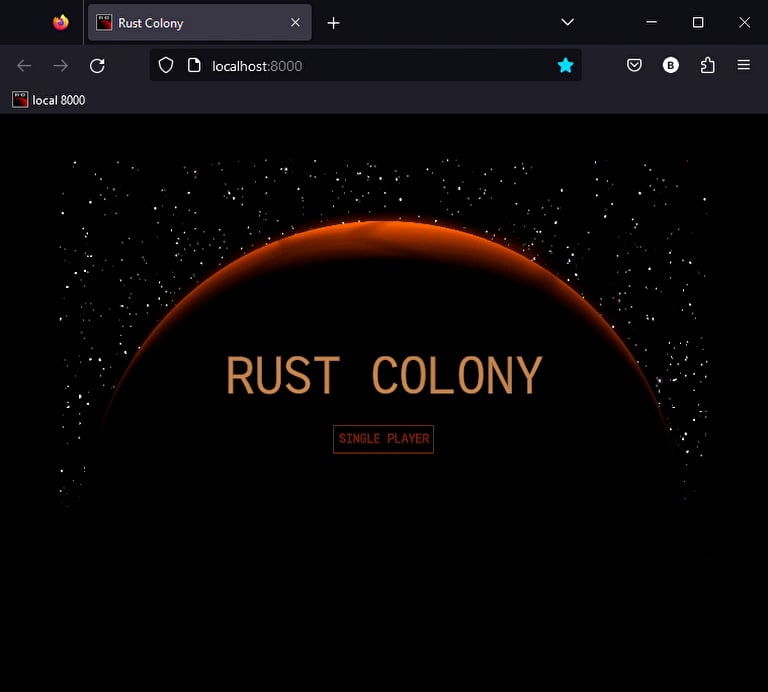
This is "Rust Colony - UI" by TuntematonSotilas on Vimeo, the home for high quality videos and the people who love them.
whole edge
This might be obvious but did you compile with release?
prisma locust
No 🤣 I will try
whole edge
prisma locust
No 🤣 I will try
Debug mode can be very slow in some cases on web this is probably more true because of wasm being slower than native.
buoyant marsh
From what I've read bevy generally has some weird performance issues with loading assets, I assume with debug those become far worse
whole edge
buoyant marsh
From what I've read bevy generally has some weird performance issues with loadin...
I wonder how it works on wasm too because on native everything is async. You can load assets in the browser async but I don't know if bevy is setup for that. 🤔
buoyant marsh
I think the main issue is that wasm is single threaded, you could have multiple workers using some other features, but since bevy doesn't generate anything other than wasm files I doubt it does that
whole edge
buoyant marsh
I think the main issue is that wasm is single threaded, you could have multiple ...
yes but you can get concurrent network requests
buoyant marsh
Oh yea, fetching the assets shouldn't be the issue, I think the issues happen when bevy starts loading/processing the assets
quasi sun
found another issue with Units::Percentage - it does not take parent padding into account

I'm want to have progress bar widgets so Percentage obvious feet for it but on 100% it overflowing container *(
buoyant marsh
Just make it two elements: A parent and the fill%, or the fill % and the empty% (and then use Stretch instead of Percentage)
prisma locust
whole edge
Debug mode can be very slow in some cases on web this is probably more true beca...
I confirm that release mode is much faster than debug mode 
And the wasm package is 10 percent lighter 😄
buoyant marsh
prisma locust
And the wasm package is 10 percent lighter 😄
If you want it even smaller you can do something like this
[profile.release]
lto = "thin"
codegen-units = 1
strip = true
panic = "abort"
Tho those first 2 add a lot of compile time, and the last one removes a lot of debug info for panics (which isn't helpful if you need to --release to have a usable build)
I also remember seeing someone run into issues with wasm and lto, so I'm not sure how well that one actually works 🤔
prisma locust
I have this (copied from another wasm project of mine) :
[profile.release]
lto = true
opt-level = 'z'
codegen-units = 1
Okay that one is intentional because it's what web does as well. The 'solution' is to wrap the inner part with an element that is stretch. So the wrapper fills the container and takes into account the padding, and then the inner part can use percentage of the wrapper size.
perhaps a box-sizing property is needed here 🤔
buoyant marsh
prisma locust
I have this (copied from another wasm project of mine) :
```TOML
[profile.releas...
Ah yea, definitely add strip = true, and opt-level = 'z' might lower performance, tho on some games the smaller size can be worth it ... Iirc codegen-units = 1 just makes some optimizations work better
buoyant marsh
celest horizon
perhaps a box-sizing property is needed here 🤔
I was literally thinking the other day "Huh, I wonder how kayak gets away with not having box-sizing, haven't felt the need for it so far", and now this 😂
quasi sun
celest horizon
Okay that one is intentional because it's what web does as well. The 'solution' ...
yeah. I moved padding to the parent and so far it's ok for my needs )
celest horizon
hmmm, it's something to think about for the new version of morphorm perhaps
quasi sun
how do I check for updates for some component value?
I can query in update function for something like query: Query<&Health, With<Player>>, but then I need it to compare with previous values somehow?
I like how I can easily do it with resources
pub fn hud_update(
  In(..): In<(Entity, Entity)>,
  player_coins: Res<PlayerCoins>,
) -> bool {
  player_coins.is_changed()
}
but for values stored somewhere in components there should be another way
 hollow jackal
quasi sun
how do I check for updates for some component value?
hollow jackal
quasi sun
how do I check for updates for some component value?
Components should have an .is_changed function
(if they are mutable)
quasi sun
oh, cool if so, thank you )
buoyant marsh
hollow jackal
(if they are mutable)
You can also use Ref<T> instead of &T to get is_changed
Tho you have to be careful with change detection, sometimes you unintentionally trigger it for non-changes and cause the UI to constantly update, which isn't great for performance
quasi sun
pub fn hud_update(
  In(..): In<(Entity, Entity)>,
  player_coins: Res<PlayerCoins>,
  mut query: Query<&mut Health, With<Player>>,
) -> bool {
  let health_changed = match query.get_single_mut() {
    Ok(health) => health.is_changed(),
    Err(_) => false,
  };
  player_coins.is_changed() || health_changed
}
ended up with this
buoyant marsh
If you don't actually need the value, you could also just Query<(), (Changed<Health>, With<Player>)>, then if you get a result you can assume it has changed
Cuts the code down to something like this:
player_coins.is_changed() || query.get_single().is_ok()
quasi sun
buoyant marsh
If you don't actually need the value, you could also just `Query<(), (Changed<He...
wow, that's a cool advice. thank you )
quasi sun
buoyant marsh
Tho you have to be careful with change detection, sometimes you unintentionally ...
the only strange things so far is that hud render function is called 4 times per update
but I think this is aceptable
whole edge
The only thing I would add is be careful with is_changed as you can get into a situation where it wont work as expected if you are not careful with how you read/mutate the components.
buoyant marsh
Yea, this can get especially bad on components that are enums or arrays. As you might want to .iter_mut() or whatever, which causes the change detection to trigger. There's also some cases wherey ou really need to .set_if_neq
quasi sun
whole edge
The only thing I would add is be careful with `is_changed` as you can get into a...
well, I'm planning to add regeneration component that will regenerate some portion of health each loop/tick, thus mutating that component. but only for some limited time, unless health is restored to the max again
buoyant marsh
Definitely would want to set_if_neq in that regen, or have an early return if health is max
Also would recommend splitting the lifebar and gold amount to their own component, so only they update rather than the full HUD
quasi sun
buoyant marsh
Also would recommend splitting the lifebar and gold amount to their own componen...
this is really good idea. thank you for and advice
quasi sun
should transparent background work for BackgroundBundle with border?
as soon as I set border and border-color for BackgroundBundle with transparent background color, it get's filled with border color
<BackgroundBundle
          styles={KStyle{
            row_index: 0.into(),
            col_index: 1.into(),
            layout_type: LayoutType::Column.into(),
            background_color: Color::rgba(0., 0., 0., 0.).into(),
            border: StyleProp::Value(Edge::all(1.)),
            border_radius: StyleProp::Value(Corner::all(10.)),
            border_color: Color:: rgb(1., 0., 0.).into(),
            ..default()
          }}>
I have an issue open for that. Basically it doesn't work right now because it draws the border as a rect, then draws your content over that (at a slightly smaller size)
In theory we should be able to change it to a single rect and create the border like a SDF in the shader
quasi sun
understood
another issue I found is that if you put BackgroundBundle inside another BackgroundBundle and parent will have rounded corners, than child content will be visible over parents corner

I would expect that everything behind that corner would be cut off
fortunately both issues not critical for me and I can finally have nice health bars ))
buoyant marsh
quasi sun
another issue I found is that if you put BackgroundBundle inside another Backgro...
Hmmm, I'm not sure if even CSS handles overflow correctly with border radius. Not entirely sure how this one could be fixed ... Might be worth opening an issue for it, maybe at some point someone will have a clean idea to solve it 🤔
quasi sun
buoyant marsh
Hmmm, I'm not sure if even CSS handles overflow correctly with border radius. No...
I think css can handle this somehow http://jsfiddle.net/USd5s/
Test your JavaScript, CSS, HTML or CoffeeScript online with JSFiddle code editor.
buoyant marsh
Ah, interesting
humble eagle
@buoyant marsh If you have a moment, could you look at the following project and tell me what I'm doing wrong for my state transition? It seems to only render for one cycle of state and then nothing. https://github.com/Tsudico/kayak_issue_min_example
GitHub
A Minimal example of an issue I've run across in Kayak UI - GitHub - Tsudico/kayak_issue_min_example: A Minimal example of an issue I've run across in Kayak UI
buoyant marsh
Nothing as in it stops switching?
humble eagle
The button no longer appears so I can't "activate" the switch...wanted to keep it to a kayak solution and not trigger the state change in a different system to minimize possible variables for the issue.
buoyant marsh
Hmmm, if it just gets in a broken state that isn't either of them I'm pretty sure there's some bugs going on there
You could try to put key={"a"} on the first branch and key={"b"} on the second branch, see if it still happens then
humble eagle
key={"a"} is a button addon for keybindings?
buoyant marsh
No, it signals to kayak that something is a specific unique element, if you put it on the ElementBundle line 124 and 161 that might fix the issue
humble eagle
That fixed it...I wonder if that might be related to my issues in the original program. I'll have to see if adding keys help in those situations as well.
buoyant marsh
Hmmm, interesting. That would suggest AvsB stuff is broken again. I have quite a few cases like that. Tho realistically most of my code now has fancy custom widgets, rather than the Element > Element > Element I used to have 🤔
humble eagle
Well, I'm still getting duplication, but I haven't added keys all the way through, only to the top level stat blocks...so I'll have to try that first and see what happens.
buoyant marsh
You definitely don't need to add key anywhere where there isn't some kind of switching logic
humble eagle
Not even lists of items? I though since my stat blocks were all in a row, they might cause issues.
buoyant marsh
Hmmm, I think we have had cases before where that caused issues. So you could try it
Also make sure not to use the same keys on different places, iirc that causes problems
humble eagle
The key just has to be unique, so something like this: key={ &*format!("player_team_{}", index) } should be fine, right?
buoyant marsh
If it works, yes
Can't remember if the change to allow non-'static str as keys was merged
humble eagle
It wanted a string, but &* seems to allow &str to String...at least according to rust-analyser
Wait...maybe I have that backwards.
humble eagle
I'm still getting duplication. How do I make sure that my widgets that have UI widgets within them are set up correctly with KChildren? Is there anything special I have to pass into render? Perhaps I'm not passing things correctly and so the tree is formed or updated in an invalid state.
buoyant marsh
If your widget gets children from it's parent you'd have to call children.process(...)
humble eagle
Nope, only creates children of its own. It does need to have a KChildren component in the bundle though, right?
buoyant marsh
KChildren is only needed if the children for your widget are passed in by the parent
humble eagle
Ok.
humble eagle
My minimal example now has duplication! It only appears if you have to move your mouse outside of the button bounds.
I've updated my github repo with the duplication code.
quasi sun
finally, thanks to all your help, I have some HUD working based on kayak )
buoyant marsh
Nice! I have a bunch of finished features in my UI so far but they aren't really in a nice state to show off (the only thing that really shows some understandable change looks broken because custom materials always draw on top)
quasi sun
aren't really in a nice state to show off I always think that something is not in nice state. But working on making it more and more nicer make whole game work stop *(
buoyant marsh
I mean ... Having the cooldown timer blocked by skill icons and stuff make it look like it's completely broken in a video (you just see it count down 3 times)
 quasi sun
that's a nuances ) I like your overall UI idea
prisma locust
quasi sun
finally, thanks to all your help, I have some HUD working based on kayak )
I like it , you are going faster than me too
quasi sun
prisma locust
I like it , you are going faster than me too
currently I'm working almost every day almost full time on this
@buoyant marsh , @whole edge are there any difference between passing style on bundle itself and passing them on elements inside bundle?
I have an ElementBundle with styles that should stick it to the right bottom corner. Then if I put TextWidgetBundle inside it, I will see a text in that right bottom corner. But if I wrap this text in bundle and put it in those ElementBundle then I will not see anything
buoyant marsh
So you mean like putting them in your impl Default vs in the elements in the render function?
quasi sun
no, look, this works:
<ElementBundle
      styles={KStyle{
        position_type: KPositionType::SelfDirected.into(),
        top: Units::Stretch(1.).into(),
        left: Units::Stretch(1.).into(),
        right: Units::Pixels(0.).into(),
        bottom: Units::Pixels(0.).into(),
        height: Units::Auto.into(),
        width: Units::Auto.into(),
        padding: Edge::all(Units::Pixels(10.)).into(),
        ..default()
      }}
    >
      <TextWidgetBundle
        text={TextProps {
          content: "asdasd".into(),
          size: 15.0,
          ..default()
        }}
      />
    </ElementBundle>
but it I put those Text widget in new bundle it does not:
    <ElementBundle
      styles={KStyle{
        position_type: KPositionType::SelfDirected.into(),
        top: Units::Stretch(1.).into(),
        left: Units::Stretch(1.).into(),
        right: Units::Pixels(0.).into(),
        bottom: Units::Pixels(0.).into(),
        height: Units::Auto.into(),
        width: Units::Auto.into(),
        padding: Edge::all(Units::Pixels(10.)).into(),
        ..default()
      }}
    >
      <AppVersionBundle
        version={version.clone()}
      />
    </ElementBundle>
while AppVersionBundle is just a TextWidgetBundle without additional styles
whole edge
quasi sun
no, look, this works:
```
<ElementBundle
styles={KStyle{
position_...
Self directed is a problem I think. You'd need to give the styles there a concrete width/height.
Text widget auto sets it width/height based on the parent.
quasi sun
whole edge
Text widget auto sets it width/height based on the parent.
you mean something like this?
    <ElementBundle
      styles={KStyle{
        position_type: KPositionType::SelfDirected.into(),
        top: Units::Stretch(1.).into(),
        left: Units::Stretch(1.).into(),
        right: Units::Pixels(0.).into(),
        bottom: Units::Pixels(0.).into(),
        height: Units::Auto.into(),
        width: Units::Auto.into(),
        padding: Edge::all(Units::Pixels(10.)).into(),
        ..default()
      }}
    >
      <AppVersionBundle
        version={version.clone()}
        styles={KStyle{
          height: Units::Auto.into(),
          width: Units::Auto.into(),
          ..default()
        }}
      />
    </ElementBundle>
actually I put slightly incorrect code, already fixed it. SelfDirected is only used in wrapper ElementBudle
whole edge
Does AppVersionBundle use computed styles?
whole edge
Does it move styles into computed styles?
quasi sun
dont even know why it neede there
whole edge
Computed styles are what actually get used you can set it directly
They are essentially a way for styles to be computed internally to a widget with additional styles passed in.
quasi sun
so the property is there in AppVersionBundle but it is set to default and I'm not doing anything with it
I just removed ComputedStyles from bundle but that does not change anything
buoyant marsh
quasi sun
while AppVersionBundle is just a TextWidgetBundle without additional styles
Unless you copy pasted TextWidgetBundle's code I doubt those are actually the same
Making a custom widget behaves mostly like ElementBundle would. While TextWidgetBundle has slightly different behavior, especially surrounding width/height as it just becomes the size of the text (while trying to fit the parent), unless otherwise specified
The easiest solution in this case might just be to give a size to the AppVersionBundle, and look at it again only once we have better text layout support (haven't heard much about cosmic text lately tho)
I had a case like this where I wanted it bottom right aligned ... I just moved it to bottom left instead and gave it pleny of width
quasi sun
buoyant marsh
Unless you copy pasted TextWidgetBundle's code I doubt those are actually the sa...
but I don't understand how TextWidgetBundle being rendered inside AppVersionBundle is not the same as TextWidgetBundle being rendered just in parent widget
why wrapping it in bundle is braking everying?
buoyant marsh
AppVersionBundle itself is just yet another bundle. I assume if you replace AppVersionBundle with <ElementBundle><TextWidgetBundle /></ElementBundle> you'll get the same behavior
quasi sun
buoyant marsh
AppVersionBundle itself is just yet another bundle. I assume if you replace AppV...
well, it is right
so the bundle itself always wraps it's content in ElementBundle? I think there should be some way to avoid it?
so when I do <ElementBundle> -> <AppVersionBundle> -> <TextWidgetBndle> I will eventually get <ElementBundle> -> <TextWidgetBndle>
buoyant marsh
You can't really take it out of the tree, since AppVersionBundle is a widget. You could however make it so that AppVersionBundlel is a widget that renders text
If you look at the code for TextWidgetBundle you can see roughly how it achieves that
Another option is to have all the styles on AppVersionBundle itself, and completely remove that ElementBundle
quasi sun
buoyant marsh
Another option is to have all the styles on AppVersionBundle itself, and complet...
yes this is what eventually worked for me, I put everything in AppVersionBundle, including wrapping ElementBundle that contained styles to stick it to the bottom corner (which I found ideologically incorrect, since widget should not know anything about it's placement withing parent space, parent should decide this. But this nuance is forgettable at this stage)
buoyant marsh
The parent can just set the style on AppVersionBundle, and then just get rid of that ElementBundle
quasi sun
if I just put styles on AppVersionBundle in parent:
<AppVersionBundle
      version={version.clone()}
      styles={KStyle{
        position_type: KPositionType::SelfDirected.into(),
        top: Units::Stretch(1.).into(),
        left: Units::Stretch(1.).into(),
        right: Units::Pixels(0.).into(),
        bottom: Units::Pixels(0.).into(),
        height: Units::Auto.into(),
        width: Units::Auto.into(),
        padding: Edge::all(Units::Pixels(10.)).into(),
        ..default()
      }}
    />
then sticking text to bottom-right corner will be lost
quasi sun
experiencing an issue using kayak_ui with bevy_editor_pls
just adding any of KayakContextPlugin, KayakWidgets and EditorPlugin ends up in panic
is it known issue or something specific to my setup?
found related issue https://github.com/StarArawn/kayak_ui/issues/248
GitHub
These plugins seem incompatible. Any idea off the top of your head what the issue could? They both deal with UI maybe plugins are getting double loaded? I should be able to make a minimal example b...
seems like fix described there is indeed working for me
buoyant marsh
Can't help but feel like this title screen is so low effort it's an insult to kayak_ui 🤔
 sacred tangle
Is there a way to convert from e.g. Units::Stretch to float?
prisma locust
buoyant marsh
Can't help but feel like this title screen is so low effort it's an insult to ka...
Sometimes simple is good 😉
buoyant marsh
sacred tangle
Is there a way to convert from e.g. Units::Stretch to float?
The float in that variant is public so I think you can just take the value by pattern matching it
sacred tangle
buoyant marsh
The float in that variant is public so I think you can just take the value by pa...
Hmm so for stretch it just returns the value that was passed in. I am asking for this because I would like to make some calculations using Pixels and Stretch:
let res = Units::Pixels(100.0)+Units::Stretch(0.5)
But I guess that is not supported
buoyant marsh
Oh, I don't think you can, but you might be able to put Stretch(0.5) on an element, then give the 100 to a child (or have 100 be the padding) to achieve a similar layout
sacred tangle
Ok so another question, I am in a situation where Units::Stretch(0.5) fills the entire screen. Any reason why this happens?
Units::Percentage(50) works just fine
buoyant marsh
Stretch(0.5) and Percentage(50) are two entirely different things
Stretch shares available space with other Stretch elements, using the ratios on each element
So Stretch 0.01 could be the whole screen, but if you add a Stretch 0.99 as well it's 1% and 99%
quasi sun
wile kayak_ui does work fine with bevy_editor_pls, the app starts spamming with Camera order ambiguities warning when using them together
dies any one know solution for this?
quasi sun
Solved. All work perfectly ))
humble eagle
I am continuing to track down my duplication problem. I've noticed the following in logs:
2023-05-30T19:20:08.989859Z  INFO kayak_ui::widget_context: couldn't find key entity ("a") on parent (3v0)!
2023-05-30T19:20:24.438272Z  INFO kayak_element_test: Entering combat
2023-05-30T19:20:24.458224Z  INFO kayak_ui::widget_context: couldn't find key entity ("combat_menu") on parent (25v0)!
2023-05-30T19:20:37.888020Z  INFO kayak_element_test: Entering combat
2023-05-30T19:20:37.907461Z  INFO kayak_ui::widget_context: couldn't find key entity ("combat_menu") on parent (25v1)!
2023-05-30T19:20:46.504999Z  INFO kayak_element_test: Entering combat
2023-05-30T19:20:46.523912Z  INFO kayak_ui::widget_context: couldn't find key entity ("combat_menu") on parent (25v2)!
2023-05-30T19:20:52.421186Z  INFO kayak_element_test: Entering combat
2023-05-30T19:20:52.440846Z  INFO kayak_ui::widget_context: couldn't find key entity ("combat_menu") on parent (25v3)!
2023-05-30T19:20:58.354518Z  INFO kayak_element_test: Entering combat
2023-05-30T19:20:58.374273Z  INFO kayak_ui::widget_context: couldn't find key entity ("combat_menu") on parent (25v4)!
The key "combat_menu" is the root <ElementBundle> in the combat_state_render which is a sub element <CombatStateBundle key={"combat_scene"} in my game_state_render function.
buoyant marsh
Putting a key at the top level of a render function wouldn't do much. They basically do nothing unless used for cases where you replace things or have an arbitrary set of widgets (like my game overlay widget spawns a LifeBarBundle for each player/enemy, and gives it a key, so the lifebar (and its state) doesn't suddenly get assigned to another entity's life)
Tho in this very specific case it does seem odd, if it just goes combat -> combat that widget should've been found
humble eagle
It goes back and forth...the other element had an automatic key created entity ("a")...which is did find in subsequent cycles....but that element is in the game_state_render function.
I could remove the key and see if it makes a difference, but I don't think it will...it will just get a randomly assigned key, wouldn't it?
buoyant marsh
Things with a key behave differently from those without a key
humble eagle
Actually, key "a" is in the code.
Let me change it to be without key.
Without the key, the KButton element doesn't appear at all.
So, top level, the element bundles in game_state_render need keys...will check if below that they duplicate without keys.
Ok, still duplicates without keys...gonna have to see where in the code the check for spawn_widget is for no key option.
buoyant marsh
key vs no_key all happens in one function dealing with getting or creating entities iirc
humble eagle
Yeah...adding some info! to Kayak to see the output.
buoyant marsh
I remember @whole edge was looking into changing how that works, since it causes more issues than just duplication right now ... I'm not sure how likely it is those changes will work out tho, or if that would solve this duplication issue
humble eagle
This is where the game_state_render button isn't getting duplicated but found:
2023-05-30T19:42:58.734591Z  INFO kayak_ui::widget_context: Spawning new widget with entity 13!
2023-05-30T19:42:58.762394Z  INFO kayak_ui::widget_context: Spawning new widget with entity 21!
2023-05-30T19:42:58.762667Z  INFO kayak_ui::widget_context: Spawning new widget with entity 22!
2023-05-30T19:43:13.478350Z  INFO kayak_ui::widget_context: Reusing widget at index: 0, entity 21 with parent: 13!
2023-05-30T19:43:13.478509Z  INFO kayak_ui::widget_context: Reusing widget at index: 1, entity 22 with parent: 13!

2023-05-30T19:43:21.677716Z  INFO kayak_ui::widget_context: Reusing widget at index: 3, entity 13 with parent: 3!
2023-05-30T19:43:21.680065Z  INFO kayak_ui::widget_context: Reusing widget at index: 0, entity 21 with parent: 13!
2023-05-30T19:43:21.680194Z  INFO kayak_ui::widget_context: Reusing widget at index: 1, entity 22 with parent: 13!
This is the one being duplicated in combat_state_render:
2023-05-30T19:43:15.861909Z  INFO kayak_ui::widget_context: Spawning new widget with entity 27!
2023-05-30T19:43:15.864178Z  INFO kayak_ui::widget_context: Spawning new widget with entity 33!
2023-05-30T19:43:15.864308Z  INFO kayak_ui::widget_context: Spawning new widget with entity 34!
2023-05-30T19:43:17.961900Z  INFO kayak_ui::widget_context: Reusing widget at index: 0, entity 33 with parent: 27!
2023-05-30T19:43:17.962123Z  INFO kayak_ui::widget_context: Reusing widget at index: 1, entity 34 with parent: 27!
2023-05-30T19:43:18.027952Z  INFO kayak_ui::widget_context: Reusing widget at index: 0, entity 33 with parent: 27!

2023-05-30T19:43:23.812033Z  INFO kayak_ui::widget_context: Spawning new widget with entity 39!
2023-05-30T19:43:23.813960Z  INFO kayak_ui::widget_context: Spawning new widget with entity 45!
2023-05-30T19:43:23.814086Z  INFO kayak_ui::widget_context: Spawning new widget with entity 46!
2023-05-30T19:43:24.911377Z  INFO kayak_ui::widget_context: Reusing widget at index: 0, entity 45 with parent: 39!
2023-05-30T19:43:24.911540Z  INFO kayak_ui::widget_context: Reusing widget at index: 1, entity 46 with parent: 39!
The weird thing is that it doesn't seem to be fully duplicating the combat_state_render tree. Everything down to the button is reused, but ElementBundle and TextBundle within the button seem to be lost and are therefore re-created causing the duplication.
Static portions of the UI basically aren't duplicated...sub elements that do change (are updated for any reason) do. This only happens within child render functions under the state render function, anything within the state render function itself seems to be fine. So there has to be some difference across the function boundary.
buoyant marsh
Has anyone found a nice pattern for something like a settings menu yet? I was thinking making a widget with <T: Resource> but you can't use a bundle with generics in the rsx macro 🤔
sacred tangle
Are there any solutions for formatting the rsx! code? Tired of manually adjusting the indents...
humble eagle
Looking at spawn_widget within WidgetContext it appears that keys are associated to their parent entity instead of a global UI key registry. That means keys are just unique to their parent, not globally unique.
That might explain why my attempt to use keys to prevent new entities from being created didn't work across render function boundaries because each render function is considered a new parent entity in Kayak. If the parent entity was removed from the tree due to a state change, all the descendants with keys no longer exist in the tree. When the parent is created again, it rebuilds its key store with new entities. I'm not yet sure why the previous children that become orphans aren't pruned though.
humble eagle
@buoyant marsh Are you using Bevy States to control what UI is shown? I know you indicated you don't have entity duplication for your UI, so I am wondering what process you use to control what UI elements are shown that might differ than what I am doing. I've tried switching from Widgets with EmptyState to using a struct for Kayak to have state, but it seems to make duplication worse. The button that wasn't duplicating now appears to be. You can see it in my stateful_widget branch of my issue project:
https://github.com/Tsudico/kayak_issue_min_example/tree/stateful_widget
GitHub
A Minimal example of an issue I've run across in Kayak UI - GitHub - Tsudico/kayak_issue_min_example at stateful_widget
buoyant marsh
I use bevy states yes
buoyant marsh
pub fn update_state_manager(
    In((_, _)): In<(Entity, Entity)>,
    state: Res<State<ConnectionState>>,
) -> bool {
    state.is_changed()
}

pub fn render_state_manager(
    In(entity): In<Entity>,
    widget_context: Res<KayakWidgetContext>,
    mut commands: Commands,
    state: Res<State<ConnectionState>>,
) -> bool {
    let parent_id = Some(entity);

    match state.0 {
        ConnectionState::Menu => {
            rsx! {
                <title::TitleScreenBundle />
            };
            rsx! {
                <menu::MenuBundle />
            };
        }
        ConnectionState::Connecting => {
            rsx! {
                <loading::LoadingScreenBundle />
            };
        }
        ConnectionState::Connected => {
            rsx! {
                <combat::CombatBundle />
            };
            rsx! {
                <hud::HudBundle />
            };
            rsx! {
                <menu::MenuBundle />
            };
        }
    }
    true
}
These are the update and render functions for them
Tho I can't say for certain no elements ever duplicate, since my UI code makes it so that I could have 5000 unused entities around and it would still work fine (just a bit laggy)
humble eagle
Ok, so you have a very flat state widget and all of the UI is in the children. I'll try that and see how it goes. I only did one so the other state branch is within the state widget.
I take it things like the <menu::MenuBundle /> widget are SelfDirected so they don't care about where their siblings are placed?
buoyant marsh
Yea they are all self directed.The only effect the siblings have is that the automatic z ordering uses the order of widgets afaict
humble eagle
Do you have multiple layers of state?
buoyant marsh
MenuBundle has a sort of state, it uses a resource called "Tab" to keep track of what is open
And LoadingScreenBundle shows text based on a sub-state of Connecting
humble eagle
Ok, it's always interesting to see how other projects are accomplishing things. I'm probably way overthinking the entity duplication, but when I saw a bunch of entities duplicating for my stat block it had me concerned just because of the sheer number that would cause over the course of multiple combats.
buoyant marsh
My policy for kayak bugs has been: Try to figure out the condition that triggers it if possible, and after that if it doesn't cause major issues ignore it
humble eagle
Yeah, I'm glad I could duplicate it in my minimum example...but I can't find the solution yet. I'll probably keep chipping away at it when it gnaws at my mind.
buoyant marsh
I think if I tried to actually fix each kayak bug as I come across it, I'd still be debugging right now ... StarToaster is definitely faster at figuring out the cause of bugs than me, makes sense tho, since it's his code and quite a few lines too
humble eagle
Good point.
buoyant marsh
Well the basics of any bug report is still a repro. I always try to figure out a repro when possible, but I've had a bunch of cases where I couldn't figure out the cause, which is why StartToaster has access to my game's code, with all it's 3k lines of UI code that bring unlimited bugs to the surface somehow :')
humble eagle
Should I use RenderCommand::Empty or RenderCommand::Layout for State managers? They shouldn't be considered part of the layout, they just change which children which are a part of the layout appear.
buoyant marsh
That is a good question actually, I just left it at the defaut, which is Layout, but I'm not sure if that's the right call here
humble eagle
Is there a way to force a full UI update?
buoyant marsh
Best you can do is probably triggering the update condition of whatever the root of your UI is I guess?
buoyant marsh
Hmmm, that's odd. It makes sense for them to not rerender if they are still the same, but they should still redraw regardless of render being called
humble eagle
Unless I have to not use the default widget update for all levels in that case...because I think the widget used the default update function.
Wait...call the render function? Because I caused my root Widget to return true when its update function was called.
buoyant marsh
When update returns true, the render function for that widget is called, that then changes the tree, which in turn decides what is drawn and what isn't
humble eagle
Ok, well, my root widget is just a state widget. Prior to my attempts to update it via two separate state changes it only concerned itself with my AppState. I've tried adding a LocaleState (reset/set) that informs the UI when the bevy_fluent::Locale was updated but now when starting the program it pops my loading screen quickly and transitions to a blank screen...and the MainMenu render function isn't being called at all (info! first thing in render doesn't print to log).
Update:
pub fn update_app_state(
    In((entity, previous_entity)): In<(Entity, Entity)>,
    widget_param: WidgetParam<AppStateProps, EmptyState>,
    widget_context: Res<KayakWidgetContext>,
    state: Res<State<AppState>>,
    mut local_state: Local<AppState>,
    locale: Res<State<LocaleState>>,
    mut local_locale: Local<LocaleState>,
) -> bool {
    if widget_param.has_changed(&widget_context, entity, previous_entity) {
        return true;
    }
    let mut changed = state.0 != *local_state;
    if changed {
        *local_state = state.0.clone();
        info!("Local AppState {:?}", &local_state);
        return true;
    }
    changed = locale.0 != *local_locale;
    if changed {
        *local_locale = locale.0.clone();
        info!("Local LocaleState {:?}", &local_locale);
    }
    changed
}
Render:
pub fn render_app_state(
    In(entity): In<Entity>,
    widget_context: Res<KayakWidgetContext>,
    mut commands: Commands,
    state: Res<State<AppState>>,
) -> bool {
    info!("Rendering AppState: {:?}", &state.0);
    let parent_id = Some(entity);

    match state.0 {
        AppState::Load => {
            rsx! {
                <splash::SplashScreenBundle />
            };
        },
        AppState::MainMenu => {
            rsx! {
                <main::MainMenuBundle />
            };
        }
        AppState::OptionsMenu => {
            rsx! {
                <options::OptionsStateBundle />
            };
        }
        AppState::Game => {todo!()},
    }
    true
}
Ah, so it changes to handle a different locale. You might actually need the update conditions for anything that handles text to check for that
humble eagle
So don't use default update functions....got it.
buoyant marsh
Yea, you might want to make some generic update condition that just adds this over the default one
humble eagle
Ok.
 glossy cedar
Is it possible to declare the weight of children in a ElementBundle? Right now I have two custom widgets in an element bundle which are split 50/50. I know that within each child, I can specify how much space it takes up within its allotted space. I don't see a way for the parent ElementBundle to, for example, give one child 30% of its space and the second 70%.
buoyant marsh
They split 50/50 because they all have a size of Stretch(1.), the available size is split up among the elements by that ratio
Using Units::Stretch(3.) and Stretch(7.) would split them up 30/70, or you could give them Units::Percentage(30.) and Percentage(70.)
glossy cedar
buoyant marsh
Using `Units::Stretch(3.)` and `Stretch(7.)` would split them up 30/70, or you c...
Are you referring to setting the width property of the KStyle for each child element? I'm not seeing any change of layout when I modify those.
buoyant marsh
Changing the width/height (whichever is relevant with your layout) on the children of that ElementBundle, which are the custom widgets in this case I think
whole edge
glossy cedar
Are you referring to setting the width property of the KStyle for each child ele...
Make sure you update the computed style.
glossy cedar
buoyant marsh
Changing the width/height (whichever is relevant with your layout) on the childr...
Perhaps I'm configuring the parent incorrectly, here's a snippet that represents what I'm working with:
 <KayakAppBundle>
                <NinePatchBundle>
                    <ElementBundle
                        styles={KStyle{
                        layout_type: LayoutType::Row.into(),
                        ..default()
                        }}
                    >
                        <Portait /> // custom

                        <Text /> // custom
                    </ElementBundle>
                </NinePatchBundle>
            </KayakAppBundle>
And then here's the Portrait widget
<Portrait
   styles={KStyle{
   width: StyleProp::Value(Units::Stretch(3.0)),,
   ..default()
    }}
>
setting the Stretch to 3.0 doesn't appear to change the weight of the child
buoyant marsh
Is styles set on the place that says // custom? And yea, make sure to update computed style
glossy cedar
buoyant marsh
Is styles set on the place that says `// custom`? And yea, make sure to update c...
no, it's within where the Portrait widget is defined.
buoyant marsh
If you set styles not on the direct child of the element bundle, but in the render function of Portrait and Text, those widgets will have a default size of Stretch(1.), unless you game them a RenderCommand where they are ignored for the layout
buoyant marsh
whole edge
Make sure you update the computed style.
I wonder if we can fix the computed styles issues somehow 🤔
whole edge
buoyant marsh
I wonder if we can fix the computed styles issues somehow 🤔
I think by making styles props and not a part of the widget bundle. That feels a little un bevy like though
buoyant marsh
We might be able to do something more straightforward, like yeeting computed styles out of the bundle, having kayak add that itself, and copying it over every render (and then you manually apply any computed styles, which feels like it's the more advanced feature here)
glossy cedar
glossy cedar
Perhaps I'm configuring the parent incorrectly, here's a snippet that represents...
@whole edge update the computed_stytles to be the same as the styles property? So Portrait should look like this then:
<Portrait
   styles={KStyle{
     width: StyleProp::Value(Units::Stretch(3.0)),,
     ..default()
   }}
   computed_styles={ComputedStyles(KStyle{
     width: StyleProp::Value(Units::Stretch(3.0)),,
     ..default()
   })}
>
You probably want to do that in the portrait's render system but yeah that would work.
Usually you can just clone but you can also merge
buoyant marsh
My solution 90% of the time: Just set computed_styles instead of styles 😂
whole edge
I think the default button widget probably is a good example of that.
glossy cedar
The weight still appears to be 50/50 regardless of what I put for stretch. I tried using Percentage as well, say when I set Portrait to have a width of 30% it just occupies 30% of it's 50/50 portion, not 30% of the root ElementBundle. If I set it to 130%, only then will it span outside of its half.
celest horizon
glossy cedar
The weight still appears to be 50/50 regardless of what I put for stretch. I tri...
Are you also setting the other to stretch(7)?
glossy cedar
celest horizon
Are you also setting the other to stretch(7)?
yes
humble eagle
Are you doing that in the rsx for the first snippet you showed, or is it within the Portrait widget rsx?
glossy cedar
the latter
humble eagle
Try setting the stretch in the former.
So it would look like:
<ElementBundle
    styles={KStyle{
        layout_type: LayoutType::Row.into(),
        ..default()
    }}
>
    <Portait
        styles={KStyle{
            width: Units::Stretch(0.3).into(),
            ..default()
        }
    /> // custom
    <Text
        styles={KStyle{
            width: Units::Stretch(0.7).into(),
            ..default()
        }
    /> // custom
That did it! So it seems when you're setting properties that affect the child widget in respect to others in the parent ElementBundle, do it wherever I'm setting instances of those widgets, but properties that are just local to the child, do it in the widget's definition.
humble eagle
glossy cedar
That did it! So it seems when you're setting properties that affect the child wi...
If my understanding is correct, any rsx that you create within a widget will only affect that widget's children. So if you want to affect the styling of the widget itself you either need to do so in the parent like I showed above, or do a Query that includes ComputedStyles and mutate it like the example @whole edge mentioned.
prisma locust
I made a little list wigdet 😁 to choose the Map : https://vimeo.com/836192791
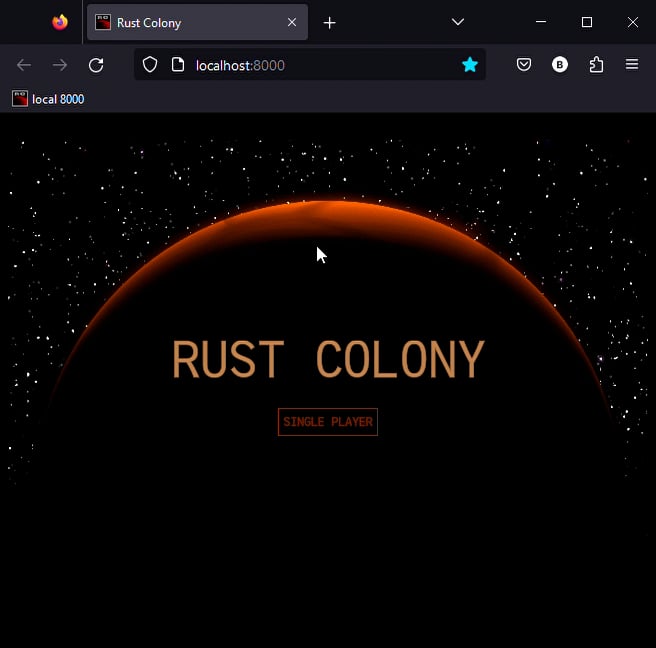
This is "Rust Colony - UI" by TuntematonSotilas on Vimeo, the home for high quality videos and the people who love them.
buoyant marsh
Can we do outlines on text yet? 🤔
Cause uh ... You can imagine how it'd look if I rotate my camera here 😂
 whole edge
buoyant marsh
Cause uh ... You can imagine how it'd look if I rotate my camera here 😂
whole edge
buoyant marsh
Cause uh ... You can imagine how it'd look if I rotate my camera here 😂
no outlines yet but it is possible to do, also you probably can easily do it with a custom shader.
buoyant marsh
Would outlines be something we might see when we get that cosmic-text stuff? 🤔
whole edge
buoyant marsh
Would outlines be something we might see when we get that cosmic-text stuff? 🤔
I could add it then, but probably not.
buoyant marsh
I'll open an issue for it then, outlines are definitely a common need in game UIs, and since we have SDF fonts anyway it should be very doable
Also I can't actually add a shader to do outlines, I already have 1 UIMaterial, and if I add a second one they break :')
buoyant marsh
@whole edge do you have any plans for the 0.11 migration of kayak?
 slim cove
How do I change text size on window resize? Just can't wrap my head around "updating" widget values...
slim cove
Is there a way to do this without using a custom widget?
buoyant marsh
Hmmm, changing text size sounds a bit odd, unless you want to scale everything. In which case it might make sense to just override the window scale factor to make bevy always render everything at the same size 🤔
If it's just a one off thing custom widget would be the way to go tho
Or you could try something like changing the computedstyle of the root of whatever is rendering that to have a higher fontsize, I think that would update to use the new size too
slim cove
buoyant marsh
Hmmm, changing text size sounds a bit odd, unless you want to scale everything. ...
I just want the text to scale on a window resize like all the other elements do with Units::Percentage
The problem is that font size is always determined by some f32 pixel size instead of following the same pattern as any other layout element
buoyant marsh
I don't we currently have any options other than text size in pixels (as f32). The scale factor of the window does scale those pixel values, but there's nothing like "Grow text to fill the space" or anything like that 🤔
If you want a game that always looks the same regardless of resolution overriding the scale factor is definitely possible, but I feel like a way for text to grow to the available space could be useful, might be worth opening an issue for it
slim cove
I was hoping there was a way to just access the props of generic Widgets so that I could just alter all TextProps on WindowResize
Using Bevy UI I can achieve the result I want with just fn resize_text( mut select_cards: EventReader<WindowResized>, mut query: Query<&mut Text> ) { let mut width = 0.; for event in select_cards.iter() { width = event.width; } for mut text in query.iter_mut() { text.sections[0].style.font_size = width/TEXT_SCALE; } }
But I really want to use Kayak so my UI doesnt look like absolute dog at the end of the day
buoyant marsh
You can access the text props
Or change the style if the text has no per-text size set
slim cove
buoyant marsh
I don't we currently have any options other than text size in pixels (as f32). T...
Doesn't the window scale factor also affect other layout elements like images? Is that something to be wary of?
slim cove
buoyant marsh
Or change the style if the text has no per-text size set
What does "per-text size set" mean? I set the size initially, does that fall into this category?
buoyant marsh
Window scale would scale every pixel size everywhere, that's why it's not really an ideal solution
buoyant marsh
slim cove
What does "per-text size set" mean? I set the size initially, does that fall int...
You can set a font size in a KStyle/ComputedStyles, or you can set the size per TextWidgetBundle in the TextProps size field
slim cove
Setting via TextProps doesn't seem to work, not sure why. It's basically the same code as above but querying for TextProps
Same with KStyle
ComputedStyles works
buoyant marsh
Hmmm, that's odd changing TextProps should cause it to rerender which tend updates ComputedStyles
slim cove
Very strange, I never really want to touch the computed styles if possible. Should I not be worried about that?
slim cove
buoyant marsh
Hmmm, that's odd changing TextProps should cause it to rerender which tend updat...
Yeah that's what I was assuming the whole time which really boggled my mind... Hope there's a rewrite for the book sometime soon. It's a bit too piecemeal to really grasp the potential of the crate
Guess I should have just searched "font size" in docs.rs
buoyant marsh
ComputedStyles is the one you'd want to edit at least, but if it only happens on a resize event that could create some issues when the UI needs to update and calls the render function of text again. You could just have it run every frame with the current window size (rather than the event's size) and schedule it to run after the render functions
A custom widget that handles such scaling text could definitely be the cleaner solution tho, that way it can use the correct size in render and only needs to change the style again with events
slim cove
Isn't that a slight performance hit to run it every frame. Can I not just schedule the system that responds to WindowResized events around the render functions? You said after, but wouldn't I set the new font size before then have it render?
buoyant marsh
The "render" function is the system responsible for creating the widget's structure, the actual rendering is done in bevy's Render subapp, which runs after Last. And I think the render functions are called in update_widget_sys in PostUpdate
slim cove
buoyant marsh
A custom widget that handles such scaling text could definitely be the cleaner s...
Yeah I was attempting to do this yesterday but wasn't able to figure out how exactly to do it. I made a MyWidget with a f32 value inside. Then I made a Bundle for it with all the defaults. Then I put it in the rsx! {} with a TextWidgetBundle as a child. Then I was able to change the MyWidget value on WindowResize event. But then I got lost cus I didn't know how to access that child TextWidgetBundle in the render function and set it's font size / style...
buoyant marsh
I probably wouldn't use a child TextWidgetBundle at all, just copy what you need from the render function of the TextWidget and use it in your own system
It mostly just uses a style property to tell the actual rendered what text to draw
slim cove
Ok I think I'll try that out! Thanks for the help m8
slim cove
Wow, worked first try
I feel like "scaling text" could be added as a bool or something to TextWidgetBundle along with a "scaling factor" (some # to divide window width or height by to determine "scaled" font size). Idk though, might be a bit bloated with all that
buoyant marsh
I think the more logical approach would be if there was some variant of TextWidgetBundle that expands the text to the biggest that fits in its layout space
slim cove
So the layout space is always scaling correctly? If so, that does make more sense
But sounds more complicated to implement...
buoyant marsh
Yea, it would definitely be more complicated, pretty sure it would first require the other improvements to text handling to be done
slim cove
My worry is around custom fonts and displacements in them causing cutoffs of the text when it's scaled to fit
But maybe thats a non-issue due to the specifics around kttf or the cached font
humble eagle
Does ComputedStyle contain the updated height/width for the widget automatically, or does it need to be updated manually. If it already has the update when the widget's render function is called, then you could use a "scale factor" bool in the props and compare the original KStyle to the ComputedStyle to get how much the widget has changed in size to multiply the fontsize of the widget by.
The bool would be to scale the text or not.
buoyant marsh
I don't think you get the height/width there, but I think there was some kind of callback when the layout position/size of an element changes 🤔
humble eagle
OnLayout event?
buoyant marsh
Sounds about right
humble eagle
So the widget would have to track it's initial width/height and when the OnLayout event occurred determine how much it deviates from the initial to determine the scale factor for the text, which probably would be a component of the bundle that is accessed when rendered. I'm not sure if state of a widget can be accessed from the events.
buoyant marsh
You can't really track the initial width/height if they are percentages tho 🤔
humble eagle
When the render function is first called, can't you get the layout from the widget context in order to populate the values initially?
Wait, I think the ScrollContext does something with OnLayout.
slim cove
Ok I lied before, my custom scaling text widget aint working. It doesn't even hit the render function once, let alone after a WindowResized event
I copied over most/all of the TextProps and TextWidgetBundle logic over to this new widget but it doesnt seem to work for some reason
buoyant marsh
If you want it to run render again you'd need to set an update function that checks for WindowResized events
slim cove
Yeah I have an update function that is working as intended, but the render function literally never runs a single time
I have a println! right at the top and it never prints
humble eagle
Did you remember to set the render function for your widget instead of using the default?
slim cove
Yeah that's why I specifically made this new Widget
    widget_context.add_widget_system(
        ScalingTextProps::default().get_name(),
        widget_update::<ScalingTextProps, EmptyState>,
        scaling_text_render
);```What is your update function, can you post it?
slim cove
fn resize_scaling_text(
    mut select_cards: EventReader<WindowResized>,
    mut query: Query<&mut ScalingTextProps>
) {
    let mut width = WINDOW_WIDTH;
    for event in select_cards.iter() {
        width = event.width;
    }
    for mut text_props in query.iter_mut() {
        text_props.size = width/TEXT_SCALE;
        println!("SIZE: {}", text_props.size);
    }
}```Are you using the default update function?
slim cove
Oh hmmmm yeahhh
buoyant marsh
Do you call both widget_context.add_widget_data() and widget_context.add_widget_system() with the correct type and systems?
I think the default update function would be fine there, since you change props. I would've probably put the event check in a custom update function, tho that's a bit sketchy if you don't propperly drain all the values, and resizes that don't affect the actual text size would still cause a rerender
slim cove
buoyant marsh
Do you call both `widget_context.add_widget_data()` and `widget_context.add_widg...
I believe so
How do I write a custom update function?
Can I just toss my resize_scaling_text on as the update system?
buoyant marsh
You can check the todo example for an update function, it defines one that is slightly extended beyond the default. Tho if you only use it for one type you can remove the generics from the function and put the types in the signature directly
humble eagle
OnLayout should remove the need for a custom update function though, doesn't it get called on layout changes (WindowResized) being one of them?
buoyant marsh
I don't think OnLayout would be ideal here, since it could trigger more often than it should if the goal is just to scale text based on window size
humble eagle
Good point.
slim cove
It still never runs the render system
Not even once for the initial render
The custom update function is working fine
humble eagle
Can you post the update function?
slim cove
It's some garbage but here: ```fn scaling_text_update<
ScalingTextProps: PartialEq + Component + Clone,
State: PartialEq + Component + Clone,
(
In((entity, previous_entity)): In<(Entity, Entity)>,
widget_context: Res<KayakWidgetContext>,
mut select_cards: EventReader<WindowResized>,
widget_param: WidgetParam<ScalingTextProps, State>,
) -> bool {
let mut update = false;
for event in select_cards.iter() {
update = true;
println!("UPDATE SCALE TEXT");
break;
}
let update = false;
update
}```
humble eagle
Why is let update = false; there?
humble eagle
Always helps to have a second set of eyes on things.
slim cove
Ok it's working now
Thanks for enduring with me
here's my better update for this widget for posterity: ```
fn scaling_text_update<
ScalingTextProps: PartialEq + Component + Clone,
State: PartialEq + Component + Clone,
(
In((entity, previous_entity)): In<(Entity, Entity)>,
widget_context: Res<KayakWidgetContext>,
mut select_cards: EventReader<WindowResized>,
widget_param: WidgetParam<ScalingTextProps, State>,
) -> bool {
let mut window_resize = false;
for _ in select_cards.iter() {
window_resize = true;
println!("UPDATE SCALE TEXT: WINDOW RESIZE");
break;
}
let param_changed = widget_param.has_changed(&widget_context, entity, previous_entity);
param_changed || window_resize
}```
buoyant marsh
You shouldn't do that iter break thing
You want to do .iter().last().is_some(), so you drain the whole event reader
slim cove
buoyant marsh
You want to do `.iter().last().is_some()`, so you drain the whole event reader
Thanks, yeah that seemed fishy
also no clue why I named it "select_cards"
buoyant marsh
I was also wondering why it was called that, but I assumed it must have some great reason 😂
slim cove
Hmm only one ScalingText widget seems to update per window resize
Seems like only one is getting through the custom update function, how do I allow both to understand that a WindowResized event occurred?
buoyant marsh
Does it not run the update function at all? 🤔
slim cove
No it def hits the update but I think the event has already been consumed by the other ScalingText
so it doesnt trigger the window_resize bool and returns false
buoyant marsh
Hmmm, maybe make a resource that just holds true/false based on there being a resize that frame
I've seen some issues in kayak with update functions and change detection too. I guess the systems don't run completely isolated per widget
slim cove
I think just not doing iter() stops the consumption
I'm doing this now and it seems to work: ```
if !window_event.is_empty() {
println!("{}: UPDATE WINDOW", entity.index());
window_resize = true;
}
not sure how good a workaround this is...
buoyant marsh
It sort of works but the events do stick around for two frames so it'll trigger an extra update
Not too big of a deal tho, usually when resizing you get them every frame until you stop
slim cove
buoyant marsh
It sort of works but the events do stick around for two frames so it'll trigger ...
Is this a 0.10 thing?
yeahhh it updates them like 5 times...
buoyant marsh
I'm not sure when it was introduced, but events clear the old buffer, then swap the buffers so you end up with 2 frames of events
slim cove
I guess there is still time for them to update > 2 times per frame since I got 5 and 6 updates for them respectively
I'll try the resource idea
how should I reset the resource though?
buoyant marsh
Just check if there's new events every frame
If there is, you set the resource to true, if not you set it to false
slim cove
kk
buoyant marsh
I feel like kayak would be easier to use if update and render functions were more like normal systems instead of all the system piping
slim cove
Yeahhhh I almost gave up using it since it seemed so different from the "bevy" workflow
buoyant marsh
Sadly no one has really found a great UI solution with the bevy workflow
slim cove
The resource way is working and is cleaner but im still getting a million (5-6+) updates per frame
slim cove
buoyant marsh
Sadly no one has really found a great UI solution with the bevy workflow
yeah even bevy_ui is way too verbose
bevy_ui was very easy to understand with all the flexbox logic though, as long as that fits what you need
buoyant marsh
Yea bevy_ui is too verbose, kayak_ui doesn't feel very bevy like and has a bit more boilerplate than ideal, then there's crates like belly which aren't a structure I'd want to use either
slim cove
egui seems the least verbose but it has so little customization
buoyant marsh
egui also isn't great performance wise
It's like making every update function in kayak return true 🙃
slim cove
just cant win with any of em, but I'll take verbosity and boilerplate if I get a lot of customization and features
just abstract all the code into more and more mods to fool yourself
buoyant marsh
The bevy UI scene is more of a "pick the lesser evil" thing, except the evils are all subjective
slim cove
yeah definitely
which is the absolute worst thing for game devs to have to deal with
takes so long to try everything out
i still keep a git branch open using all vanilla bevy if I have to go back to that
buoyant marsh
I was kinda worried with the 0.10 upgrade when no update showed up. Then I updated it myself and it took a while for a PR to get merged
Switching from kayak to bevy_ui would be a huge pain, and might not even be possible because bevy_ui lacks so many features
slim cove
well it's possible but you gotta make some ultra-redux UI from the ground up again
isn't 0.11 supposed to have some UI overhaul?
buoyant marsh
Not really an overhual afaik, just some new features and some small breaking changes
slim cove
extremely unfortunate
buoyant marsh
The main problem I have with bevy_ui is also just that you are stuck with bevy_text
And bevy_text ... is awful
slim cove
yeah like half of my searches on this discord regarding bevy text had your name pop up LOL
definitely not an ideal graphical text implementation
buoyant marsh
I just don't see why anyone would want to waste extra frame time to get blurry text 😂
slim cove
yeah I couldnt use it after i found that out
but all this UI garbage is such a distraction from the actual games/sims we are making
cus users really dont care that much, as long as its playable
im surprised a game using Bevy hasnt made a couple million and reinvested it in Bevy development
buoyant marsh
It's cause the dev of that hypothetical couple million game gave up on their project because of bevy_ui 🙃
buoyant marsh
In my game, sometimes I'm just like "Maybe I should just disable the UI, then all the bugs are gone"
But at least I still keep going with the non-UI stuff at that point
slim cove
that's good, I "wasted" all of yesterday trying to understand Kayak and reimplementing my simple mainmenu with 2 buttons on it...
instead of just making new game features
buoyant marsh
Oh I spent far more time on my UI than that 🙃
slim cove
wasnt really a waste since Kayak is sorta the only real option to learn but i cry
slim cove
buoyant marsh
Oh I spent far more time on my UI than that 🙃
its a sunk cost, all you can do is stop yourself in the future
like i could spend the next 15m-1hr fixing this triple update on window resize thing but idc
it works and its fine
buoyant marsh
I had a showcase with my UI stuff ... This one I think #1117914883812507788
That's just one relatively small part of my UI, so you can probably get some picture of how much effort my UI was
slim cove
yikes man thats relatively complex
or woman
ill show you my "complex UI" when I finish it hopefully in the next few days
just an info block about an entity when you select it
slim cove
slim cove
yikes man thats relatively complex
its themed well though
buoyant marsh
Having a complex UI with many elements, including some that update often (like the names above players and lifebars above everything that is part of combat) creates some "fun" issues
slim cove
forgot to say something positive lol
buoyant marsh
Like kayak taking most of the frametime ...
 slim cove
oof
dont worry about it
just finish the MVP
that one dude in the showcase was already interested
its all about getting the game out and getting good feedback
(and donations)
buoyant marsh
I do wonder if it's possible to fix some of the issues kayak currently has ... I think changing update functions to more normal systems would be possible, there's still some boilerplatey things that could get fixed (like always having to return true in render functions, and maybe fetching state could be made shorter) ... But I'm not sure how easy it would be to parallelize render functions. Maybe it could get some specialized per-entity context instead of a global one. Which could then further reduce some boilerplate (you always have to do parent_id = Some(entity))
slim cove
I'd also like the on_event closures to just be bevy systems
What's the canonical way to clean up an entire UI?
buoyant marsh
slim cove
What's the canonical way to clean up an entire UI?
Remove or replace the root element
slim cove
I'm assuming its just despawn_recursive() on the root context?
Does that work well enough?
buoyant marsh
Hmmm, that might work too. Tho usually you don't want to fully remove all UI permanently
slim cove
why not? is it really worth it to save it when they move into the actual game?
this is the main menu UI im despawning
buoyant marsh
I just have a StateManager component at the top level, when the state changes it changes it to whatever UI that state has
<KayakAppBundle>
    <StateManagerBundle />
</KayakAppBundle>
I always keep the camera for kayak around, but I only create my 3D camera when I enter the actual game (tho that might be different if I had a 3D menu art and a loading screen with one of those 3D models you can spin around or whatever)
slim cove
how do you overcome the camera order ambiguities?
buoyant marsh
Which camera order ambiguities? 🤔
slim cove
if I transition from my mainmenu that has a Camera2dBundle to my "game" with a Camera3dBundle I get spammed this message
Camera order ambiguities detected for active cameras with the following priorities: {(0, Some(Window(NormalizedWindowRef(0v0))))}. To fix this, ensure there is exactly one Camera entity spawned with a given order for a given RenderTarget. Ambiguities should be resolved because either (1) multiple active cameras were spawned accidentally, which will result in rendering multiple instances of the scene or (2) for cases where multiple active cameras is intentional, ambiguities could result in unpredictable render results.
wait lemme edit that
buoyant marsh
I spawn my kayak camera like this:
    let camera_entity = commands
        .spawn((
            Camera2dBundle {
                camera: Camera { order: 1, ..default() },
                camera_2d: Camera2d { clear_color: ClearColorConfig::None },
                ..default()
            },
            CameraUIKayak,
        ))
        .id();
And my game camera is just the default order (0)
slim cove
I noticed that I have to keep doing add_widget_data and add_widget_system each time I use my custom widgets in a new system. What's the best way to cut down on this boilerplate?
Should I make my own KayakUIPlugin that initializes all my custom widgets?
buoyant marsh
Normally you'd only call the add_widget_data and add_widget_system once, when you first set up kayak
It's still kind of annoying when you end up with this tho:
    let mut widget_context = KayakRootContext::new(camera_entity);
    widget_context.add_plugin(KayakWidgetsContextPlugin);
    combat::add_widgets(&mut widget_context);
    hud::add_widgets(&mut widget_context);
    loading::add_widgets(&mut widget_context);
    menu::add_widgets(&mut widget_context);
    title::add_widgets(&mut widget_context);
Each of those add_widgets has like 1-20 add_widget_data and add_widget_system 🙃
plugin also works, idk how I even ended up with add_widgets instead of kayak plugins
slim cove
buoyant marsh
Normally you'd only call the add_widget_data and add_widget_system once, when yo...
is the context supposed to persist across systems or something?
buoyant marsh
You'd normally have 1 context for the whole UI
In the setup system where I create the kayak system and run my initial rsx macro I add all the widgets to the context, after that it doesn't need to be done again
slim cove
Ok gotcha
buoyant marsh
Ah yes, of course the text draws outside its parent, because why wouldn't it draw outside its parent
 humble eagle
slim cove
Should I make my own `KayakUIPlugin` that initializes all my custom widgets?
humble eagle
slim cove
Should I make my own `KayakUIPlugin` that initializes all my custom widgets?
I've got my own KayakUIPlugins for that express purpose.
slim cove
buoyant marsh
In the setup system where I create the kayak system and run my initial rsx macro...
how do you access the root context in other systems? do you store it as a resource or?
buoyant marsh
Pretty sure it's always in a resource
Oh normally it's a component, but kayak puts it in a resource temporarily for the systems it runs I think
So update/render systems have it available as a resource, and other systems could just query it
No wait widgets don't even get the root context, it's just common to call them the same. The widget version has most of the same fields tho
slim cove
I don't need to spawn it in again after doing a mut Query and modifying it right?
buoyant marsh
It's already around if you can query it, so no reason to spawn another one
slim cove
i wish there was an example showing that
how are you changing UI states and unloading old UI / loading new one?
buoyant marsh
I just made a custom widget that updates whenever I need, then renders the new UI
It's nested like that many layers deep. The only thing that ever updates my UI is render functions
buoyant marsh
It's nice to have it all work in the same way. Tho you do end up defining a lot of custom widgets
slim cove
I'll just be extremely wasteful with my design for now and fix all that up later...
humble eagle
If I wanted to remove Kayak_UI (all elements including camera and root context) upon switching to a certain state, is there an existing process for doing so?
buoyant marsh
You might be able to despawn the root coontext recursively, or maybe you'd have to depsawn all widgets in the tree manually
But if you'll have UI again in that state I'd probably just go with a state manager widget
buoyant marsh
I see some merges on the kayak repo, is there progress happening that I'm not aware of? 👀
buoyant marsh
Allright I made a migration for bevy_svg and bevy_inspector_egui seems to already have a branch going, time to get started on a 0.11 migration for kayak ... It probably can't get merged for a few days even if I can get it done easily tho 🤔
buoyant marsh
I think in theory this PR is usable now. But it still can't be merged ofc
https://github.com/StarArawn/kayak_ui/pull/274
I think to get it working you'd need to add this to your Cargo.toml
[patch.crates-io]
kayak_ui = { git = "https://github.com/NiseVoid/kayak_ui", branch="bevy_0.11" }
bevy_svg = {git = "https://github.com/NiseVoid/bevy_svg", branch="bevy_svg"}
 buoyant marsh
I started migrating my project to 0.11, and after a small fix the kayak stuff seems to work. If anyone else tries it and runs into issues let me know

 fervent hazel
Hey is there any reason that theres no Right Click for the EventType enum? Implemented the changes locally with relative ease
 buoyant mirage
Hey all, it seems like the KStyles I pass to the TextBoxWidgetBundle don’t apply? Specifically, font size, background color, height, width, color. Anyone else experience this?
Second question - it seems like TextBoxes don’t support password input very nicely. Does this functionality exist elsewhere in kayak Ui, or would I be rolling my own?
Also, is kayak ui still being actively developed?
sacred tangle
Is there a nice way to define macros within rsx? I have a lot of duplicate code that I want to reduce. I am thinking something like this:
#[macro_export]
macro_rules! get_info_line {
    ($text:expr) => {
        <TextWidgetBundle
            styles={KStyle {
                left: Units::Stretch(1.0).into(),
                right: Units::Stretch(1.0).into(),
                top: Units::Stretch(1.0).into(),
                bottom: Units::Stretch(1.0).into(),
                ..KStyle::default()
            }}

            text={TextProps {
                content: $text,
                size: 20.0,
                ..default()
            }}
        />
    };
}
and then use it in rsx:
<ElementBundle>
  {get_info_line!(format!("Fertility: {}", state.stats.fertility))}
  {get_info_line!(format!("Richness: {}", state.stats.richness))}
</ElementBundle>
I know I can make it into a widget, but for this tiny use case I think it is overkill
buoyant marsh
I feel like a widget isn't that overkill for this usecase. But a macro or function call might be possible if you have the necessary stuff to call constructor! there 🤔
sacred tangle
Hmm I tried this:
#[macro_export]
macro_rules! get_info_line {
    ($text:expr, $widget_context: ident) => {
        constructor! {
            <TextWidgetBundle
                styles={KStyle {
                    left: Units::Stretch(1.0).into(),
                    right: Units::Stretch(1.0).into(),
                    top: Units::Stretch(1.0).into(),
                    bottom: Units::Stretch(1.0).into(),
                    ..KStyle::default()
                }}

                text={TextProps {
                    content: $text,
                    size: 20.0,
                    ..default()
                }}
            />
        }
    };
}
But I am still getting "cannot find value widget_context in this scope"
Is this a language limitation or am I missing something?
buoyant marsh
You don't actually put widget_context in scope just by defining the macro variable. You might be able to do something like let widget_context = $widget_context. Making it a function instead of a macro might also be an option
sacred tangle
Oh yes right, fuck me
been coding for 10 years now and I still feel like a noob sometimes
is there a way to automatically get the widget_context value inside the macro?
How does rsx! do it?
buoyant marsh
rsx is a procedural macro, they don't follow the same rules
quasi sun
I remember there was some trickery with fonts in WASM... what exactly is it? currenlty no text is being displayed in wasm
quasi sun
tried ttf font from examples but still no luck. no text in wasm *(
is there any trick to make it work?
quasi sun
turns out it was issues with Trunk. at least default font work fine in wasm
 wheat oracle
Hi, I'm having an issue adding kayak to an existing bevy project - running into this wgpu error whether I use a new Camera2DBundle or the existing camera3dbundle:
2023-08-24T22:12:37.437417Z ERROR wgpu::backend::direct: Handling wgpu errors as fatal by default
thread '<unnamed>' panicked at 'wgpu error: Validation Error

Caused by:
    In a RenderPass
      note: encoder = `<CommandBuffer-(0, 15, Vulkan)>`
    In a pass parameter
      note: command buffer = `<CommandBuffer-(0, 15, Vulkan)>`
    attachment texture view is not renderable

', /home/quinn/.cargo/registry/src/index.crates.io-6f17d22bba15001f/wgpu-0.15.1/src/backend/direct.rs:3024:5
note: run with `RUST_BACKTRACE=1` environment variable to display a backtrace
 final quail
I've created .kttf file:
{
    "file": "fonts/audiowide.ttf",
    "char_range_start": "0x20",
    "char_range_end": "0x7f"
}
And the fonts/audiowide.ttf file is in the specified directory.
The -cached file isn't generating, and when trying to run system (having basically only NinePatchBundle and TextWidgetBundle) gives me an error:
2023-08-27T18:18:22.830637Z  INFO bevy_render::renderer: AdapterInfo { name: "Intel(R) HD Graphics 520 (SKL GT2)", vendor: 32902, device: 6422, device_type: IntegratedGpu, driver: "Intel open-source Mesa driver", driver_info: "Mesa 21.2.6", backend: Vulkan }
thread 'main' panicked at 'called `Option::unwrap()` on a `None` value', /home/kosin/.cargo/registry/src/github.com-1ecc6299db9ec823/kayak_ui-0.4.1/src/widgets/icons/mod.rs:29:68
pointing to the line:
let mut svgs = app.world.get_resource_mut::<Assets<Svg>>().unwrap();
anyone knows what could be going on?
I've even cloned the kayak_ui repo, removed the cached files there and they are not rendering when cargo running examples, though I don't receive the same error message - just the font is not showing up
buoyant marsh
That error is entirely unrelated to fonts. And which version are you using?
final quail
@buoyant marsh
[[package]]
name = "bevy"
version = "0.10.1"
source = "registry+https://github.com/rust-lang/crates.io-index"
checksum = "b93f906133305915d63f04108e6873c1b93a6605fe374b8f3391f6bda093e396"
dependencies = [
 "bevy_internal",
]

[[package]]
name = "kayak_ui"
version = "0.4.1"
source = "registry+https://github.com/rust-lang/crates.io-index"
checksum = "eae3327bc21526226d5ec7edeb91181ba2f94ea377c5e106995274bc4fbf0ba0"
dependencies = [
 "bevy",
 "bevy_svg",
 "bitflags",
 "bytemuck",
 "dashmap",
 "fancy-regex",
 "indexmap",
 "instant",
 "interpolation",
 "kayak_font",
 "kayak_ui_macros",
 "log",
 "morphorm",
 "reorder",
 "resources",
 "usvg",
 "uuid",
]

[[package]]
name = "bevy_svg"
version = "0.10.1"
source = "registry+https://github.com/rust-lang/crates.io-index"
checksum = "bf7ed993184ebd87480ff27434fb540e3a7214363c51d33d58a55fe6638906cf"
dependencies = [
 "anyhow",
 "bevy",
 "copyless",
 "lyon_geom",
 "lyon_path",
 "lyon_tessellation",
 "svgtypes 0.11.0",
 "thiserror",
 "usvg",
]
Went back to this, removed the Nine-Patch which gave me a problem and tried to render simple elements. Nothing gets rendered, though:
use bevy::prelude::*;
use kayak_ui::{
    prelude::{widgets::*, *},
    CameraUIKayak,
};

fn startup(
    mut commands: Commands,
    mut font_mapping: ResMut<FontMapping>,
    asset_server: Res<AssetServer>,
) {
    let camera_entity = commands
        .spawn(Camera2dBundle::default())
        .insert(CameraUIKayak)
        .id();

    font_mapping.set_default(asset_server.load("fonts/audiowide.kttf"));

    let mut widget_context = KayakRootContext::new(camera_entity);
    widget_context.add_plugin(KayakWidgetsContextPlugin);
    let parent_id = None;
    rsx! {
        <KayakAppBundle>
            <ElementBundle
                styles = { KStyle {
                    width: StyleProp::Value(Units::Pixels(150.)),
                    height: StyleProp::Value(Units::Pixels(400.)),
                    top: Units::Percentage(20.).into(),
                    left: Units::Percentage(20.).into(),
                    background_color: Color::ALICE_BLUE.into(),
                    ..Default::default()
                }} >
                <TextWidgetBundle
                text={TextProps {
                    content: "Hello World".into(),
                    size: 20.0,
                    ..Default::default()
                }}
                />
            </ElementBundle>
        </KayakAppBundle>
    };

    commands.spawn((widget_context, EventDispatcher::default()));
}

fn main() {

    App::new()
        .add_plugins(DefaultPlugins)
        .add_plugin(KayakContextPlugin)
        .add_plugin(KayakWidgets)
        .add_startup_system(startup)
        .run()
}
Ok, ElementBundle just isn't a Quad to render and new font takes a long time to generate - just left this bevy app to run for a while and suddenly the font popped in xD
buoyant marsh
ElementBundle is clip iirc, you can use BackgroundBundle if you want a Quad that's the same
final quail
yeah, figured it out. Now I'm wondering why the text inside buttons centered vertically, as I've used the same method as in main menu example in kayak_ui repo. Every buttons text have Units::Stretch(1.0) as its top and bottom properties:
       rsx!{
         <BackgroundBundle
         styles = { KStyle {
            width: Units::Stretch(1.0).into(),
            height: Units::Pixels(60.).into(),
            left: Units::Pixels(30.).into(),
            right: Units::Pixels(30.).into(),
            // bottom: Units::Pixels(30.).into(),
            background_color: button_color.into(),
            border_color: text_color.into(),
            border: Edge::all(5.).into(),
            // offset: Edge::all(Units::Pixels(5.)).into(),
            ..Default::default()
          }}
          on_event = {on_event} >
            <TextWidgetBundle
            styles={KStyle {
                top: Units::Stretch(1.0).into(),
                bottom: Units::Stretch(1.0).into(),
                color: text_color.into(),
                ..Default::default()
            }}
            text={TextProps {
                content: button_text.into(),
                size: 15.,
                alignment: Alignment::Middle,
                ..Default::default()
            }}
            />
        </BackgroundBundle>
       };
 buoyant marsh
Hmmm, thats weird ... I wonder if its one of the usual issues where kayak just doesn't know the size of the text and just does whatever with it
It does kind of look like the top of the text could be centered in the box
Hmmm, might be the Alignment::Middle messing things up 🤔
final quail
removing Alignment::Middle just moves the text to the left
buoyant marsh
Still uncentered but on the left?
One thing you could try is using Stretch padding on the background bundle instead of in the top/bottom of the text, that's how I seem to center my text at least 🤔
final quail
And you are using some custom font? I'm beginning to think that the font have been wrongly processd
moving the stretch to the padding gives the same results as above
Yeah, using the lato-light prerendered font from the kayak_ui repo it is aligned correctly

Ok, adding the same offset_y and offset_x to the .kttf file worked like magic:
{
    "file": "fonts/audiowide.ttf",
    "char_range_start": "0x20",
    "char_range_end": "0x7f",
    "offset_x": 0.0,
    "offset_y": 25.0
}
Thanks for your help!
buoyant marsh
Ah I didn't even notice the missing offsets, I wonder why kayak even accepts that 🤔
final quail
So I've made some progress, but the positioning of the bundles are a little off. I can't seem to wrap my head around it well. I would want the submenus to be rendered in the positions relative to KayakAppBundle (on top of the main menu), but they are shoved below the main menu, as shown in gif. The KPositionType::SelfDirected don't seem to be doing anything.
 buoyant marsh
Is the self directed directly on the top element there?
And in a style that's actually used (like ComputedStyles or styles passed in from the rsx macro)
final quail
The other thing is what I am also wondering.
So I have defined MainMenuBundle and SubMenuBundle. They have their own styles field, and inside of them there is rsx! macro with BackgroudBundle and TextWidgetBundle. The KPositionType::SelfDirected should be present inside the styles fields on the custom bundles, not the ones inside?
buoyant marsh
Yes, on the custom ones
The custom widgets are an element like any other, and the things they render in rsx are their children
final quail
Moving all of the widgets into main KayakAppBundle makes it all look even worse 😛
So this is current implementation of MainMenuBundle and is analogous to SubMenuBundle
#[derive(Bundle)]
pub struct MainMenuBundle {
  pub menu: MainMenu,
  pub styles: KStyle,
  pub widget_name: WidgetName
}

impl Default for MainMenuBundle {
  fn default() -> Self {
      Self {
        menu: MainMenu::default(),
        styles: KStyle {
        position_type: KPositionType::ParentDirected.into(),
        width: StyleProp::Value(Units::Percentage(60.)),
        height: StyleProp::Value(Units::Percentage(60.)),
        top: Units::Percentage(20.).into(),
        left: Units::Percentage(20.).into(),
        ..Default::default()
        },
        widget_name: MainMenu::default().get_name()
      }
  }
}
It is packed into KayakAppBundle alongside SubMenuBundles:
let parent_id = None;
  rsx! {
      <KayakAppBundle>
          <MainMenuBundle />
          <SubMenuBundle
          submenu = {SubMenu {
              text: "Start new mercenary guild?".to_string(),
              buttons: vec![MenuButtonType::None, MenuButtonType::BackToMain],
              show_on_state: MainMenuStateType::ShowStart}
          }
          />
          <SubMenuBundle
          submenu = {SubMenu {
              text: "Load a game?".to_string(),
              buttons: vec![MenuButtonType::None, MenuButtonType::BackToMain],
              show_on_state: MainMenuStateType::ShowLoad}
          }
          />
          <SubMenuBundle
          submenu = {SubMenu {
              text: "Change some options?".to_string(),
              buttons: vec![MenuButtonType::None, MenuButtonType::BackToMain],
              show_on_state: MainMenuStateType::ShowOptions}
          }
          />
          <SubMenuBundle
          submenu = {SubMenu {
              text: "Do you want to quit now?".to_string(),
              buttons: vec![MenuButtonType::None, MenuButtonType::BackToMain],
              show_on_state: MainMenuStateType::ShowQuit}
          }
          />
      </KayakAppBundle>
  };
And now it looks like some abomination

Oh, during my mangling I've changed the MainMenu style to KPositionStyle::ParentDirected. I've changed it back, and nothing changed
buoyant marsh
The KStyle there might not get applied if your system doesn't copy the styles over to a ComputedStyles in your render function
Usually I just throw such styles directly in a ComputedStyles
final quail
huh, yeah, it helped. What is the point of Styles then? They can be used in rsx! macro, but in custom widgets like in above example they should be omitted and just put them in computed_styles?
buoyant marsh
You have a styles: KStyle in the bundle so you can modify them trough the macro, but the reason it works is because the render function normally copies over the styles, applies a few extra things and stores them as ComputedStyles
final quail
oww, I see now! I presumed that computed_styles are containing something more complex (like maybe computing exact pixels from Units::Percentage()s and such. Now as I'm looking through the render functions of basic widgets it makes more sense.
So for very universal custom widgets it can be sensible to make the logic for computed_samples inside the render functions, but for basic one-offs it seems to be actually better done with computed_styles directly in struct
thanks!
final quail
I'm wondering what is considered as an pattern with kayak_ui:
- working with one
KayakAppBundleandKayakRootContextthorough the whole app (eg. Main Menu, during gameplay, in-game menus etc) - spawning and despawning different
KayakAppBundles andKayakRootContextes thorought the app in different game states
buoyant marsh
You work with one root that has widgets that change your UI based on a state or whatever other resources track this stuff
final quail
Damn, old error came back after I've moved all my logic from messy binary crate to library crate and encapsulated in UiPlugin
2023-09-12T19:23:22.859973Z  INFO bevy_render::renderer: AdapterInfo { name: "Intel(R) HD Graphics 520 (SKL GT2)", vendor: 32902, device: 6422, device_type: IntegratedGpu, driver: "Intel open-source Mesa driver", driver_info: "Mesa 21.2.6", backend: Vulkan }
thread 'main' panicked at 'called `Option::unwrap()` on a `None` value', /home/kosin/.cargo/registry/src/github.com-1ecc6299db9ec823/kayak_ui-0.4.1/src/widgets/icons/mod.rs:29:68
It happens here in kayak_ui:
pub struct IconsPlugin;
impl Plugin for IconsPlugin {
    fn build(&self, app: &mut bevy::prelude::App) {
        let expand_less_bytes = include_bytes!("expand_less.svg");
        let expand_more_bytes = include_bytes!("expand_more.svg");
        let mut expand_less =
            Svg::from_bytes(expand_less_bytes, Path::new(""), None::<PathBuf>).unwrap();
        let mut expand_more =
            Svg::from_bytes(expand_more_bytes, Path::new(""), None::<PathBuf>).unwrap();

        let mut meshes = app.world.get_resource_mut::<Assets<Mesh>>().unwrap();
        expand_less.mesh = meshes.add(expand_less.tessellate());
        expand_more.mesh = meshes.add(expand_more.tessellate());

        // On this unwrap below
        let mut svgs = app.world.get_resource_mut::<Assets<Svg>>().unwrap();
        svgs.set_untracked(EXPAND_LESS_HANDLE, expand_less);
        svgs.set_untracked(EXPAND_MORE_HANDLE, expand_more);
    }
}
Only way I can imagine this breaking is if you load it before default plugins 🤔
Or maybe it's some bevy_svg bug specific to the version you've locked ... I've neither seen this back on 0.10, nor my 0.11 PR 🤔
final quail
Hmm, this is the whole logic in the binary package for now:
fn main() {

    App::new()
    .add_plugins(DefaultPlugins.set(ImagePlugin::default_nearest()))
    .add_startup_system(startup_camera_spawn)
    .add_plugin(UiPlugin);
}

fn startup_camera_spawn(
    mut commands: Commands
) {
    commands
    .spawn(Camera2dBundle::default());
}
And the plugin implementation in library crate:
impl Plugin for UiPlugin {
  fn build(&self, app: &mut bevy::prelude::App) {

    app
    .add_plugin(bevy_svg::prelude::SvgPlugin)
    .add_plugin(KayakWidgets)
    .add_plugin(KayakContextPlugin)
    .add_state::<UiState>()
    .add_state::<MainMenuState>()
    .add_startup_system(startup)
    .add_systems(
      (
        change_main_menu_widget_state,
        change_sub_menu_widget_state,
        change_menu_buttons_state
      )
      .chain()
      .in_set(OnUpdate(UiState::MainMenu))
    );
  }
}
I've tried adding the bevy_svg plugin, it didn't change anything
buoyant marsh
Yea kayak_ui should do that itself
final quail
both crates are in workspace, so AFAIK the locks should be the same
will try to make a minimal example, will check out if it will break then
buoyant marsh
I've wanted to make a feature flag for the svg stuff, but I haven't gotten around to it, and now I don't feel like doing it because kayak is hardly maintained
final quail
hmm, maybe I should back out from it now if the crate is on brink of death
its a shame though as it seems pretty nice logically
buoyant marsh
The real issue here is the lack of good alternatives, at least until bevy_ui improves
final quail
buoyant marsh
The real issue here is the lack of good alternatives, at least until bevy_ui imp...
Yeah, didn't seen what 0.11 put on the table, but in case of other crates it is really lakcluster
final quail
@buoyant marsh I've created a minimal example, running the binary_crate gives me the error again. Maybe this is somehow connected to workspaces?
https://github.com/StatisMike/kayak_ui_workspace

GitHub
Contribute to StatisMike/kayak_ui_workspace development by creating an account on GitHub.
buoyant marsh
Hmmm, seems like a fairly normal usecase ... Only things I can think of is trying kayak_ui main or the 0.11 PR 🤔
final quail
Could you check if the error occurs also on your machine? I'm wondering if its maybe my laptop causing something wonky to happen - If it was general error I guess someone would already found it
buoyant marsh
I get the same thing here
final quail
I've checked the main, now updating my rust to check out your 0.11 PR, hope it works - I will get the push to update the bevy altogether 😛
0.11 also panic
final quail
It seems like the issue isn't directly linked to workspaces - I've just moved the logic from library to binary to the same effect. Now it is just baffling
final quail
Inserting the Svg asset before adding all the kayak-related stuff solves the issue
    App::new()
    .add_plugins(DefaultPlugins.set(ImagePlugin::default_nearest()))
    .add_asset::<Svg>()
    .insert_resource(Msaa::Sample8)
    .add_plugins(
        (
            KayakWidgets,
            KayakContextPlugin
        )
    )
    .add_systems(Startup, (startup, kayak_startup).chain())
    // .add_plugin(UiPlugin)
    .run();
}
Is the placeholder field in TextBoxBundle actually used out of the box, or the implementation should be written by the user? I've set its value, but even before I interact with it the value is rendered automatically
buoyant marsh
Wouldn't placeholder only be shown while value is empty? That's how this feature normally works anyway
final quail
value is of type String. By default I set it to "" (so empty String). I thought it was strange, as I've thought it shouls be Option<String>
I'm now skimming throught the source code and in text_box.rs I actually don't see placeholder being used in render function
buoyant marsh
Honestly wouldn't be surprised if it's broken. There's a few issues with textbox, like delete working as backspace, and having text in the box and hitting backspace at the start of the text causing a crash 🤔
final quail
I see the TextBox is actually pretty limited (eg. hardcoded text styles), I think I will actually need to reimplement it. Shame as the whole input mechanic is pretty nicely implemented. Would open PR but seeing as yours is still unaccepted there is much risk of nothing happening with it
buoyant marsh
Usually "" should also show you the placeholder text tho
final quail
buoyant marsh
Honestly wouldn't be surprised if it's broken. There's a few issues with textbox...
Wow, just saw it happen
That's why delete and backspace works the same
fn is_backspace(c: char) -> bool {
    c == '\u{8}' || c == '\u{7f}'
}
Fixed the backspace/delete and placeholder problems:
https://github.com/StatisMike/kayak_ui/pull/1/files
Also wondering how to allow setting up custom styles for the text and background, as currently they are hardcoded. I'm thinking either adding a new struct to specify all the KStyles and TextProps as needed and add new field to the widget, or adding new fields to the widget struct with every customizable KStylesand TextProps. What sounds more sensible in your opinion, @buoyant marsh ?

Working on bevy 0.10 above, though checking you 0.11 branch it seems there are no conflicts 🙂
buoyant marsh
It's also possible for some style fields to get inherited (if the textbox never sets them), so maybe just the stuff that's missing could get added to the TextBoxProps 🤔
final quail
Maybe on_layout can be used for that kind of customization, will check it out then
buoyant marsh
Isn't on_layout just a callback to get the size of an element?
final quail
Don't really know, to be honest. It seems that OnLayout is ran in convienient time, after internal styles are already processed, maybe I could pass something modifying these default hardcoded styles. Will look onto what is retained from styles themselves, but oj the first glance it seems that most important bits are set
final quail
Meh, no styles get inherited and on_layout isn't good for this, I think the best way will be to move everything up to the widget either way
final quail
Ok, Alignment::Middle seems impossible with that text widget 😛 I need to cross it out of my list of nice things
final quail
I've heavily modified the widget logic and moved it to a custom one. Also I've removed the whole cursor, as I felt that both styling and making it align correctly became too complex. Not very handy solution, so I don't think I will put the PR, the styles are passed from the parent widget to the ones down the line though
 final quail
Hmm, is it possible to merge OnEvent systems? I mean: if I create some general widget (eg. button) and I want some generic stuff to happen, can I also clone OnEvent from the bundle declaration and call it somehow on the end of the generic OnEvent system?
buoyant marsh
Usually the way you merge them is just by having it bubble up to a higher level
The lower level one does some behavior, then but doesn't stop the event from propagating, then the higher level one does some other behavior and stops it
final quail
buoyant marsh
The lower level one does some behavior, then but doesn't stop the event from pro...
So, if my widget have a child, I create some generic OnEvent and add it to its child and I have the on_event: OnEvent public field in my widget bundle and event happens, then system in children OnEvent evaluates and then the OnEvent declared in the bundle struct (if there were no .stop_propagation() called on the lower level?
buoyant marsh
What I usually do is store the OnEvent in a different component, since that's the event the widget's parent will be passing in, then add specific logic in an element above where I place that provded OnEvent
final quail
like I don't have to manually query for the OnEvent on my custom widget bundle, the OnEvent just gets executed?
buoyant marsh
That way you can put the stop_propagation in your widget's event, and not pollute other code with it
But if you're fine with that stop_propagation polluting the caller's code you could just use the OnEvent on that widget directly I think
final quail
I think i get it! Will try it, thanks 😉
final quail
Hmm, I'm wondering what went wrong here 😛
The mockup savestates containing data are custom InfoBox widgets, laid out in two rows with LayoutType::Column. The InfoBox widget itself is rendered as RenderCommand::Layout and contains two TextWidgetBundles, containing the name of value and value. With text alignment set as Alignment::Middle it breaks apart - the first InfoBox in each row is aligned to have is text bundles tes aligned in the middle, and throws the other to the right 😮

With Alignment::Start the position of infoboxes is correct, but the text is aligned to the left of individual infobox
 quasi sun
are there plans to update this for bevy 0.12.0?
buoyant marsh
I started my attempt at migrating but quickly ran into some pretty hard to resolve breakages on some asset and rendering code. StarToaster was looking into it, but I haven't heard any sort of timeline yet
quasi sun
@whole edge do you have any plans to update kayak_ui to bevy 0.12.0? I'm depending heavily on it and currently kayak_ui and bevy_ecs_tilemap are the only tings that blocks my game migration to 0.12 and I need that update so desperately *(
whole edge
quasi sun
<@118398256098050054> do you have any plans to update kayak_ui to bevy 0.12.0? I...
Yes, it's a slow process though.
quasi sun
whole edge
Yes, it's a slow process though.
good to know its in progress )
 barren ermine
whole edge
Yes, it's a slow process though.
barren ermine
whole edge
Yes, it's a slow process though.
Did 0.12 break a bunch of stuff for you, or is the reason non technical?
whole edge
barren ermine
Did 0.12 break a bunch of stuff for you, or is the reason non technical?
12 broke a lot of stuff
barren ermine
Yeah i been looking through Bevy UI solutions recently and im considering kayak so I'm glad ur working on it
whole edge
I have a compiling version, sadly it doesn't work yet
A lot of stuff changed between render and assets
barren ermine
Take ur time 👍
whole edge
I've been working on this and I have things rendering again, although not correctly yet:

There were a lot of changes to bevy's renderer which is making this difficult to upgrade.
quasi sun
whole edge
I've been working on this and I have things rendering again, although not correc...
thank you for working on this
whole edge
I've got everything but text rendering correctly now I think
need to do comparison testing
actually it looks a litte off still:


rainbow box shadow is clearly wrong
quasi sun
I see new branch for bevy 0.12.0 appeared on github. How close it to be merged in main?
whole edge
quasi sun
I see new branch for bevy 0.12.0 appeared on github. How close it to be merged i...
Currently everything functions, but there are some Z-ordering issues I'm trying to resolve still.
whole edge
Fixed the z-ordering issues
there is one remaining issue with events not dispatching correctly in scrolling cases.
Looking into it
code is pushed up
whole edge
whole edge
actually it looks a litte off still:
comparison:
 buoyant marsh
I tested it and it seems like images don't show up (might be because they are behind UI materials), some things don't seem to respond to clicks, and text boxes seem to remain empty
whole edge
buoyant marsh
I tested it and it seems like images don't show up (might be because they are be...
hmm, thanks the events stuff I know about, but I didn't see any issues with clicks.
I tested custom shaders and they seemed to work fine.
Do you set the opacity of those?
buoyant marsh
whole edge
Do you set the opacity of those?
Iirc it's in an opacity layer, I can't check the other place it's used in because the click doesn't get picked up by my custom buttons
whole edge
Thanks
I have half of a fix working for events
part of the problem was that I forgot about z values for non-renderables
its easy to fix that though
whole edge
@buoyant marsh I believe I've fixed all issues revolving around z-ordering and events.
Please test at your convenience. 🙏
Looking into materials now
ah
I attach a z-index to the material entity
but I never use it 😂
whoops
I've pushed a commit that fixes that issue now as well
quasi sun
going to try migrate my project to 0.12.0 tomorrow
whole edge
quasi sun
going to try migrate my project to 0.12.0 tomorrow
Any update on this?
quasi sun
whole edge
Any update on this?
not yet. but I still planning to get to it today-tomorrow
buoyant marsh
whole edge
Please test at your convenience. 🙏
Finally pulled the new changes, the event related stuff seems to be fixed, but I still don't see anything with materials ... I think it might actually just be that the shader is broken or doesn't get used correctly, since I get no errors even if I put syntax errors in there 🤔
whole edge
buoyant marsh
Finally pulled the new changes, the event related stuff seems to be fixed, but I...
Shader imports changed, if you need any help let me know. 🙂
buoyant marsh
I know the imports changed, fixed all my non-UI ones already ... This one seems fine but it's hard to confirm since I get no naga errors when the shader is clearly wrong 🤔
#import kayak_ui::{
    bindings,
    sample_quad::sample_quad,
    vertex_output::VertexOutput,
}

struct SkillIconMaterial {
    color: vec4<f32>,
};

@group(3) @binding(0)
var<uniform> material: SkillIconMaterial;

@fragment
fn fragment(in: VertexOutput) -> @location(0) vec4<f32> {
    var output_color = sample_quad(in);
    output_color *= material.color;
    return output_color;
}
I'm not using a custom bind group I wonder if thats the issue?
You should get errors if the shader doesn't compile though
quasi sun
@whole edge I think I found a bug in current 0.12 branch.
for some reason, KImageBundle inside of NinePatchBundle will render image from nine-patch, not the image specified for kimage
while stand alone KImageBundle works fine
stand alone image

same image inside 9patch
 whole edge
quasi sun
<@118398256098050054> I think I found a bug in current 0.12 branch.
whole edge
quasi sun
<@118398256098050054> I think I found a bug in current 0.12 branch.
This is a batching issue, I should have a fix later tonight. 👍
quasi sun
@whole edge hi. Did you happen to have time to fix it?
whole edge
quasi sun
<@118398256098050054> hi. Did you happen to have time to fix it?
Sorry not yet, my son had his bday party and I had to get ready for that.
quasi sun
whole edge
Sorry not yet, my son had his bday party and I had to get ready for that.
oh, happy bday to him )
whole edge
quasi sun
oh, happy bday to him )
Thanks!
quasi sun
@whole edge hi, did you have time to fix that batching issue?
 oblique ivy
Hi ya'll. Does kayak_ui work with bevy 0.12?
buoyant marsh
Sort of, there's a branch for 0.12 support but I don't think it's fully bug free
oblique ivy
Thanks!
whole edge
quasi sun
<@118398256098050054> hi, did you have time to fix that batching issue?
Hi! If you pull the latest from the bevy 12 branch this issue is now fixed. 🙂
It was a small logic bug so the fix was simple
sorry it took a while to get fixed I've been busy with the holidays. 