#leafwing-input-manager
1 messages · Page 2 of 1
 karmic monolith
 flat coral

💯0️⃣
Suppose we'll get some of that system and component magic to allow both chords and regular inputs in insert?
like implement InputKind for all buttons but also for chords
or something like that
 river cliff
@karmic monolith I can tackle this issue if you'd like? I have a working idea about using a match statement in insert to see if it is a chord. Haven't tried anything yet but looks straight-forward
flat coral
I don't think it is straight-forward tbh
The only reason I know it's even possible is cause Bevy did it
We could even do tuples like Bevy so we don't need all the members to be typed the same
Wait, would we need all the members to be typed the same?
river cliff
insert() takes a UserInput which is an enum that has Single and Chord among other variants. So, I think it might already be possible? I would have to do some testing so it might or might not be straight-forward.
river cliff
flat coral
We could even do tuples like Bevy so we don't need all the members to be typed t...
This would be an interesting thing to look into
flat coral
Although we probably don't want Bevy's nesting behaviour just because it's sorta nonsense for chords
flat coral
river cliff
`insert()` takes a `UserInput` which is an enum that has `Single` and `Chord` am...
Hmm maybe. The thing I don't like is the need for .into(). Especially mouse + kb chords seem awkward to insert
Btw unrelated but what numbers are the mouse side buttons
karmic monolith
river cliff
<@159873981174906880> I can tackle this issue if you'd like? I have a working id...
Yeah, feel free to try
karmic monolith
flat coral
Hmm maybe. The thing I don't like is the need for `.into()`. Especially mouse + ...
We don't need that: the methods already accept an impl Into<UserInput>
river cliff
flat coral
Btw unrelated but what numbers are the mouse side buttons
This is the MouseButton enum from Bevy. Guessing you need to use Other()?
pub enum MouseButton {
    /// The left mouse button.
    Left,
    /// The right mouse button.
    Right,
    /// The middle mouse button.
    Middle,
    /// Another mouse button with the associated number.
    Other(u16),
}
So I can already put chords into an insert? We do need .into() when mixing types in a chord though
flat coral
river cliff
This is the MouseButton enum from Bevy. Guessing you need to use `Other()`?
```r...
Yes, but other what
I'm trying random numbers until it works
karmic monolith
flat coral
So I can already put chords into an insert? We do need `.into()` when mixing typ...
Yeah, I think the real innovation here would be to do dumb tuple pyramid stuff and convert those into chords
flat coral
karmic monolith
Yeah, I think the real innovation here would be to do dumb tuple pyramid stuff a...
If I guess correctly what you mean by pyramid, I don't think we really want or need pyramids for chords
Anything over 3 inputs is already very questionable and IIRC it currently only supports some low number already
karmic monolith
Yeah okay maybe just do two and three
flat coral
8 apparently
which is not really a low number
maybe nesting chords makes sense, in some hypothetical case where a GUI has someone bind ctrl+a to 'open menu' and shift+'open menu' to 'open dev menu'
ooh I found one, Other(1) is the mouse button closer to the user, I think that's mouse button 5
karmic monolith
flat coral
maybe nesting chords makes sense, in some hypothetical case where a GUI has some...
Yeah I don't think this should be allowed lol
river cliff
So, I'm looking at it but I don't know what the exact feature that is wanted lol. Like how in Bevy, systems can be added with a tuple?
// Is this add a chord or is it like `.many_to_one()`? Or, something different?
.insert((GamepadButtonType::South, GamepadButtonType::North), Action::Jump)
the magic happens in the macro I would guess
 placid furnace
I was just reading the readme and it doesn't seem like this the case anymore:
Development occurs on the dev branch, which is merged into main on each release.
 bold lodge
Yep, it was changed.
karmic monolith
placid furnace
I was just reading the readme and it doesn't seem like this the case anymore:
> ...
PR to remove that please?
placid furnace
karmic monolith
PR to remove that please?

GitHub
Since this repository no longer does all the development on a dev branch the instructions in the readme noting this are no longer accurate.
Therefore this PR removes this note, and since this was t...
karmic monolith
Merging! Thanks 🙂
 wicked crypt
I don't seem to be getting values <0.6 when using my controller trigger, any ideas ? 😅
I can definitely see values in the full range when I try with the bevy gamepad viewer so I know my controller is capable of it
.insert(
    InputKind::GamepadButton(GamepadButtonType::RightTrigger2),
    InputAction::Gas,
)

let acceleratebevye = a.clamped_value(InputAction::Gas);
Hmm that's really strange
 austere pasture
Does it happen with other controller hardware/other input viewers?
 fathom scroll
can this library used for controlling camera movement? i got the direction is only vec2, but transform need a vec3. how to use it?
flat coral
You can use it, but it won't do much of the work for you. LWIM is a pretty thin abstraction layer between key presses and actions. It helps with rebinding and adds a concept of single-axis and dual-axis inputs, but that's about it
I always use it for my projects because the abstraction it does is something I'll always want, but it doesn't do much "work" at all
river cliff
fathom scroll
can this library used for controlling camera movement? i got the direction is on...
What kind of camera movement do you need? fps, rts, something like a modeling software?
flat coral
There may be other crates for camera movements, but nothing super established afaik
Well. I know there are other crates for that, but when last I looked most were not up to date with Bevy
fathom scroll
river cliff
What kind of camera movement do you need? fps, rts, something like a modeling so...
some over shoulder third person camera.
and maybe the camera rotating over character.
river cliff
fathom scroll
some over shoulder third person camera.
Thanks for the info! Here is a thrid person crate for an example https://github.com/AndrewCS149/bevy_third_person_camera. It doesn't use leafwing-input but it can give an idea for some of this. If you using the mouse, I would recommend using DualAxis::mouse_motion() to move the camera. You only need two axis for the rotation as you probably not need to roll your camera? For shoulder position, you could spawn the camera as a child of the player entity and offset the position to the shoulder of the player.
fathom scroll
river cliff
Thanks for the info! Here is a thrid person crate for an example https://github....
thanks for advice. I will try it.
river cliff
fathom scroll
thanks for advice. I will try it.
You if have any other questions feel free to ask!
fathom scroll
ok. ill ask again later.
 spring robin
There's something weird going on with Bevy UI and leafwing input manager where when I click on a button in my UI that leafwing input manager's state doesn't match the raw Res<Input<MouseButton>> state. This seems like new behavior since I recently upgraded to Bevy 0.11.
.just_pressed(MouseButton::Left) always correctly yields true when clicking regardless if it was on a UI button element but it seems like leafwing will never yield true for action_state.just_pressured(InputAction::Click) when I'm clicking on a UI button.
Is this expected? Is there any known interactions between bevy_ui and leafwing that could cause something like that?
Ahah, found it: https://github.com/Leafwing-Studios/leafwing-input-manager/blob/812adb18a37652a55f71271a8d6324e71dd56a1f/RELEASES.md?plain=1#L54.
Looks like this is intended. But in my case I actually don't want that behavior all the time. Sometimes I have a button that is hidden and I want leafwing to handle the input. Is that possible?
river cliff
I think the code that does this in systems.rs.
// If use clicks on a button, do not apply them to the game state
    #[cfg(feature = "ui")]
    let (mouse_buttons, mouse_wheel) = if interactions
        .iter()
        .any(|&interaction| interaction != Interaction::None)
    {
        (None, None)
    } else {
        (mouse_buttons, mouse_wheel)
    };
If a Interaction is anything but Interaction::None (so mouse is interacting any button) then it will return (None, None).
But, the issue your having is that even when you hide the button, it is still blocking input?
spring robin
I think so. But just in general it was a surprising that interactions with Bevy UI would result in different leafwing behaviors. In general, I'm a bit against the idea of leafwing implicitly changing the result of "just_pressed" based on other interactions. Why would it return false just because a button was clicked? It seems like that's a level of control above what I'd expect an input manager to be responsible for. What if I want to create an visual effect when you click regardless of if the user clicks a button? Or a diagnostics plugin that tracks the number of clicks, etc.
Maybe it just shouldn't be a default feature? For my case I'll just turn it off. Appreciate the code pointer!
karmic monolith
spring robin
Maybe it just shouldn't be a default feature? For my case I'll just turn it off....
Yeah, can you make a PR for this?
Or whoever really 🙂
river cliff
karmic monolith
Yeah, can you make a PR for this?
So just a feature, block_ui_interaction maybe, and update the ui cfg above the function to have all and include both features?
Like #[cfg(all(feature = "ui", feature="block_ui_interaction"))]
 toxic flame
i have a ui widget that outputs a Vec2 that can be -1.0 to 1.0
and my input map uses a virtual dpad and a dual axis both bound too the same move action. how would i set the action as pressed whenever that value is not zero?
none of the methods ive tried have worked and it feels like im pretty close. any help would be appreciated
i have an update_joystick system that is preupdate
                let mut player_input = player_input.single_mut();
                info!("player move values {}", Vec2::from_array([x, y]));
                // player_input.press(Combat::Move);
                // player_input.action_data_mut(Combat::Move).axis_pair = Some(DualAxisData::from_xy(
                //     Vec2 { x, y }.clamp(Vec2::splat(-1.0), Vec2::splat(1.0)),
                // ));

                player_input.set_action_data(
                    Combat::Move,
                    ActionData {
                        axis_pair: Some(DualAxisData::from_xy(
                            Vec2 { x, y }.clamp(Vec2::splat(-1.0), Vec2::splat(1.0)),
                        )),
                        consumed: false,
                        ..default()
                    },
                );
im not sure if it was this or if it was because i was clamping this twice
but i fixed it
                player_input.set_action_data(
                    Combat::Move,
                    ActionData {
                        axis_pair: Some(DualAxisData::from_xy(
                            Vec2 { x, y }.clamp(Vec2::splat(-1.0), Vec2::splat(1.0)),
                        )),
                        consumed: false,
                        state: ButtonState::JustPressed,
                        value: 1.0,
                        timing: Timing { instant_started: Some(Instant::now()), current_duration: Duration::from_secs(1), previous_duration: Duration::from_secs(0) },
                    },
                )}
I'm getting an (expected) panic when using leafwing input manager with just the MinimalPlugins (this is on a server, but my gamecode always adds the plugin since my game code is unified between the server and client) in update_action_state. I checked it out to see if it's reasonable to make it not crash when the Input Plugin isn't added, and it seems like about half of the input types are already Options, so there seems to be a precedent for this. Would you be open for a PR that just adds Option to the four gamepad input types in this method (and whatever other changes that'll cascade from that) to make the plugin compliant when used alongside no InputPlugin?
flat coral
What's the point of still using it?
placid furnace
I have a GamePlugin that I add to both the server and client, so they run the exact same code, and part of that is adding this plugin
For now though I just added the InputPlugin to the server, it's not gonna do anything anyway
karmic monolith
placid furnace
I'm getting an (expected) panic when using leafwing input manager with just the ...
Yeah I'm down
flat coral
seems oddly wasteful to insert LWIM into the server
karmic monolith
LWIM is intended to be able to be used as an AI abstraction too, so it makes sense there
flat coral
I guess
placid furnace
Is it possible to get the just_pressed functionality to work with a custom FixedUpdate-like schedule?
Currently it either doesn't get triggered or it gets triggered a couple of times in a row (presumably because they run multiple times during the frame it's set as JustPressed, and sometimes no times during that frame)
river cliff
afaik, using FixedUpdate is blocked on some input-related stuff in Bevy. There is an issue in LWIM that links to these issues: https://github.com/Leafwing-Studios/leafwing-input-manager/issues/252
GitHub
See bevyengine/bevy#6183. Somewhat blocked on bevyengine/bevy#2160.
placid furnace
Aw okay, I'll see if I can manage to hack around it for now
I already store the input history, and it seems the internal data is accessible through some getters, so I should be able to postprocess the data and do my own Just-processing on top
karmic monolith
Yep. It's extremely annoying to me too
placid furnace
Yeah, I know the Update vs FixedUpdate is a continuous issue in bevy, but it's a really difficult issue to solve, so that's very fair. I'm sure there'll be a lovely api for it in due time 😄
karmic monolith
Yeah, I think we have a pretty good plan, but it's like 3 controversial PRs in sequence to implement it T_T
placid furnace
Ohhh, are they linked in the bevy issues?
karmic monolith
Not yet implemented. The basic plan is:
- Unify Time and FixedTime
- Add input time stamps
- Swap events to a pub-sub model with a max capacity so they're not missed
placid furnace
Ah okay, I'll have a look, maybe I can help, though I probably shouldn't pick controversial PRs as my very first contributions to bevy hehe
karmic monolith
placid furnace
Ah okay, I'll have a look, maybe I can help, though I probably shouldn't pick co...
Input timestamps shouldn't be particularly controversial or challenging TBH 🙂
@errant coral and @tired isle will both have interest in the implmentation details though
 tired isle
karmic monolith
<@121356465226121216> and <@143102494849892352> will both have interest in the i...
tired isle
karmic monolith
<@121356465226121216> and <@143102494849892352> will both have interest in the i...
I don't think 3 is accurate. We can fix events being missed without fundamentally re-working Events.
There's no need to enforce a max capacity. Just need to have FixedUpdate signal when it's OK to swap the event buffers.
karmic monolith
Great thank you
tired isle
2 is blocked by https://github.com/bevyengine/bevy/pull/9122 (could alternatively fix https://github.com/rust-windowing/winit/issues/1194)
 restive knoll
Honestly even having a super sketchy version of 2 and 3 that just has a timestamp of when bevy got it (which would be limited in accuracy to your FPS) would be nice at this point, at least then we would have a working solution for input in FixedUpdate and just need to improve the accuracy
placid furnace
tired isle
There's no need to enforce a max capacity. Just need to have `FixedUpdate` signa...
Oh, and you could have the exact same event somewhere like PostUpdate as well, and then it would work equivalently for both
tired isle
placid furnace
Oh, and you could have the exact same event somewhere like PostUpdate as well, a...
no, I think it's only FixedUpdate that should signal
FixedUpdate is always <= the rest of the frame in Time, so if systems in FixedUpdate would have seen an event, then we can drop it
tired isle
placid furnace
Wait no, that could still miss events, which isn't a perfect fix
wdym?
it wouldn't miss events
restive knoll
placid furnace
Wait no, that could still miss events, which isn't a perfect fix
It just swaps two buffers so they are always around for an extra frame. They can't get missed
tired isle
well, rn it's a swap each frame, we have to delay the swap until systems in FixedUpdate could have seen the events
placid furnace
What if the FixedUpdate is once every 3 frames? Then it'll start missing again
I'm not sure if it's possible to get this working perfectly with both, but it definitely should be possible to get both working individually (and then expose a way to select) as a temporary fix at least
tired isle
placid furnace
What if the FixedUpdate is once every 3 frames? Then it'll start missing again
I think you're not seeing it. Double buffering is just how we can discard events while new events are being added. Right now the two buffers swap every frame unconditionally. That's why FixedUpdate systems can miss events (they get dropped before FixedUpdate runs). Therefore, the solution is to only swap when FixedUpdate signals that it has run (then it has seen all available events).
placid furnace
Ooh, yeah my understanding of the double buffering was very wrong, so each system with an EventReader already tracks that they've seen the ones in the "old" buffer? And that's why you don't get the same event in that system again? I thought it was more integral to the actual function of events, but it's really just a convenient way of tracking which events can be dropped?
tired isle
placid furnace
Ooh, yeah my understanding of the double buffering was very wrong, so each syste...
ya
placid furnace
Awesome, that seems like it can be implemented without the other dependencies and have it be backwards-compatible
tired isle
I think so
karmic monolith
Yep: @placid furnace let me know if you want to tackle this. Otherwise I'll submit a PR of my own
tired isle
karmic monolith
Yep: <@190497907407847425> let me know if you want to tackle this. Otherwise I'l...
I think this will do it, but need to check
placid furnace
I think this solution is pretty neat. I'll make sure this would allow me to run this same system in my own custom FixedUpdate. I do see one definite problem with this however, if there is no FixedTime the event queue will grow forever (if FixedTime is simply very large that's fine, the user chose that, but the absence of a FixedTime altogether is the default state, and that obviously needs to work like it did before
This is definitely a sensible solution to make it at least not drop events, though I see now why the timestamps are required to get it working truly correctly
tired isle
yeah, need some way to still do the right thing in the absence of something running FixedUpdate
k I think I found a way to handle it
indirect crate coupling 📈
 open trout
is it possible to have lwim throw an error if a InputManagerBundle::<TAction> is inserted but app.add_plugins(InputManagerPlugin::<TAction>::default()) hasnt been called? (asking for a friend who keeps stubbing ver toe on this and wondering why there's no input coming through)
open trout
DeadZoneShape::Ellipse is not NaN-safe and misbehaves when either radius is set to zero:
    fn outside_ellipse(&self, x: f32, y: f32, radius_x: f32, radius_y: f32) -> bool {
        ((x / radius_x).powi(2) + (y / radius_y).powi(2)) > 1.0
    }
if x is not zero and radius_x is zero everything is fine, because its infinity and infinity > 1.0
but if x is zero and radius_x is zero, then the entire left side becomes NaN regardless of the value of y, and the input gets discarded because NaN > 1.0 is false so the input gets eaten
Possible fixes:
a. flip this around to be !(((x / radius_x).powi(2) + (y / radius_y).powi(2)) <= 1.0) (NaN comparison is always false regardless of operator) but then we'd be letting through x = y = 0 as being outside the deadzone
b. add DeadZoneShape::None and have it do no filtering, make the standard enum constructor private then have a public constructor that does validation, but thats not possible in rust afaict?
c. make it behave like DeadZoneShape::Rectangle of the same dimensions when either radius is zero, but that might be a lot of extra checking for an uncommon case.
d. error/panic at runtime if a 0 width DeadZoneShape::Ellipse is found
e. silently replace deadzone type to DeadZoneShape::Rectangle of the same dimensions at runtime if 0 width DeadZoneShape::Ellipse is found
@karmic monolith I'm not sure what the best approach is here but whichever approach you think is best i can make a PR for
i can also just make an issue and forget about it, the workaround is to simply not make 0 area ellipses and go for 0 area rectangles instead
placid furnace
open trout
is it possible to have lwim throw an error if a `InputManagerBundle::<TAction>` ...
I think this is impossible, without the plugin there would be no way to check, as none of the lwim systems would run
open trout
assume at least one InputManagerPlugin was not forgotten
placid furnace
Still not possible, InputManagerPlugin<A> has no way to know about InputManagerBundle<B>, as it does not know about B
There's no way to look for all instances of generic types, as they're entirely separate types
karmic monolith
open trout
is it possible to have lwim throw an error if a `InputManagerBundle::<TAction>` ...
Hmm I don't think so: there's no way to add systems without a plugin
karmic monolith
open trout
`DeadZoneShape::Ellipse` is not NaN-safe and misbehaves when either radius is se...
d or e are my preferences. Probably just d
river cliff
karmic monolith
d or e are my preferences. Probably just d
d would be inconsistent with the other deadzone shapes, as both Cross and Rect would return any value when shape size is 0. With d, a shape size of 0 would throw a panic instead of letting any value go. Instead, would it better to check on outside_ellispe() if any radius is 0, then return the false?
if radius_x == 0.0 || radius_y == 0.0 {
    return false
}
Oh hmm, that's a good call. I like that solution
 brazen iris
Wow, great that there is also a chance for help with other crates commonly used. I would love to define a set of inputs for an action, let's call it PAN
- with keyboard, a SingleAxis is sufficient and I could map SingleAxis.ad()
- with mouse, I want to use the horizontal motion delta, but only, if the right mouse button is pressed
For keyboards (where I dont need it in the current case), I can insert_chord with an iter of keys I have to combine to trigger the action, if I understood that right. For mouse, I'd have to combine a modifier (RMB) with a SingleAxis.mouse_motion_x(), so that the action_state.value is the axis value. Is that possible? In the engine I used for quite some time (lets call it installation-fee-engine) that was possible in the new InputSystem: https://docs.unity3d.com/Packages/[email protected]/manual/ActionBindings.html#one-modifier
river cliff
Yes this is possible! On the InputManagerBundle's input map something like this should work:
input_map: InputMap::default()
    .insert(VirtualAxis::ad(), Action::Move),
    .insert_chord([
            InputKind::SingleAxis(SingleAxis::mouse_motion_x()),
            InputKind::Mouse(MouseButton::Right)],
            Action::Click
    )
    .build(),
But, on the current crates.io build it won't work as Chord will basically act as a button. This is fixed on main though so you can point leafwing in the Cargo.toml to git.
open trout
river cliff
d would be inconsistent with the other deadzone shapes, as both `Cross` and `Rec...
this is technically also wrong though, because the doc says that values on the boundary of the deadzone are considered to be inside it and rejected
river cliff
open trout
this is technically also wrong though, because the doc says that values on the b...
Ya you're right, if a (0, 0) rect got an input that is (0, 0) then it would say it is inside the shape. And, the (0, 0) ellipse would say anything, even (0, 0) input is outside.
Could just say the boundary is outside as that probably makes more sense. If the deadzone is 0, users would probably want any input to work. So, changing the < and > on outside_rectangle() to >= and <= would fix that.
This would also make the value filtering more of a volume approach i think. So if the volume of a shape is 0, then every input is let through.
river cliff
@karmic monolith If you'd like me to change deadzones to be like the above I can get a pr finished today :). This should make everything consistent.
karmic monolith
river cliff
<@159873981174906880> If you'd like me to change deadzones to be like the above ...
Yep, sounds good 😄
brazen iris
river cliff
Yes this is possible! On the `InputManagerBundle`'s input map something like thi...
Works like a charm. Thanks 🙏
open trout
river cliff
Could just say the boundary is outside as that probably makes more sense. If the...
i considered this too, theres an issue with this approach: it will be considered input to not move anything at all. value 0,0 should be inside all deadzones, and there should be a DeadZoneShape::None that does no checks and always says input is outside
river cliff
open trout
i considered this too, theres an issue with this approach: it will be considered...
If inside/outside a deadzone is considered based on "if the input point is inside/outside the volume," then input (0, 0) would mean that it is outside the volume as there is no volume to be inside. While a volume of (1, 1) would mean all inputs in the range -1.0..1.0 are inside the volume. Would like to know what you think!
open trout
There's also another issue with DeadZoneShape, and its DeadZoneShape::Cross. Its a bit more conceptual here but essentially, using that shape is never useful. I think it arose from a desire to make moving in cardinal directions easier with gamepad, but it does exactly the opposite. it should be a per-axis filter, but it filters both with the same shape. its essentially doing a union of deadzone instead of a per-axis intersection, if that makes sense. Desired behavior would be that an axis is kept zeroed if its within its deadzone, but the other one is allowed freedom if its outside of its deadzone. And you'd think you can get away with using the per-axis positive_low and negative_low to pre-filter, but no, DualAxis is handled as such:
            InputKind::DualAxis(axis) => {
                let x_value =
                    self.input_value(&UserInput::Single(InputKind::SingleAxis(axis.x)), include_deadzone: false); // per-axis deadzones ignored
                let y_value =
                    self.input_value(&UserInput::Single(InputKind::SingleAxis(axis.y)), include_deadzone: false);

                axis.deadzone.input_outside_deadzone(x_value, y_value)
            }
what im trying to say is that Axis is also kind of treated like a button in that you can check if theres "input outside the deadzone", and this would constantly report input if having a deadzone of size zero couldnt include any points. I need a way to say input 0,0 is not input but everything else is
river cliff
ah
So will an input of (0, 0) and a deadzone of (0, 0) you don't want pressed() to be true?
open trout
yep
because 0,0 is inside the deadzone of 0,0
i do like that the docs of these things made that clear, that things on the boundary are considered inside
that is good and useful behavior
river cliff
open trout
There's also another issue with `DeadZoneShape`, and its `DeadZoneShape::Cross`....
agreed. This Cross shape arose from when the previous deadzone was that snapping. But, it was technicality "snapping" and not deadzone so was changed. I think it would have to be a separate thing like https://github.com/Leafwing-Studios/leafwing-input-manager/issues/372 ? What do you think?
GitHub
What problem does this solve? While working on #370, it got me thinking about joysticks being used as a dpad or an input that requires the full 360° to be split up into snap-able angles. What solut...
setting the snap to 4 directions in the config would I think make this work again
open trout
what im thinking right now is:
DeadZoneShape::Crossprobably needs to go, i dont think its useful for anyone but i dont really need it gone myself if anyone truly does. I just think its a footgun- add
DeadZoneShape::Nonethat 1. does no deadzone filtering of its own and 2. passes true toself.input_value(... include_deadzone: true). this is multifunctional: it covers theDeadZoneShape::Crossuse case of per-axis intersection filtering properly, and also allows the "even no input is input" use case DeadZoneShape::Ellipseneeds to check if either radius is zero, and if it is, it must have logic identical toDeadZoneShape::Rectangle
i just realized the second bullet point has an issue, we still need to unify the results of both individual deadzone checks somehow, and theres two possible behaviors there
river cliff
open trout
what im thinking right now is:
- `DeadZoneShape::Cross` *probably* needs to go, ...
- I think Rocket League has a cross deadzone that players prefer over square. So, I don't fully think it needs to go
- Direction Snapping might solve this? Adding None would require extra checks in
extract_dual_axis_inputs()i think - Made a 2 prs to fix this. Would like to know what you think one it
open trout
river cliff
1) I think Rocket League has a cross deadzone that players prefer over square. S...
- a quick google (to see how rocket league cross input behaves) says its actually a circle input zone "It's not a "cross" deadzone. It is a circle input border shape." I personally cant see a reason a true Cross deadzone would be useful to anyone, as it filters movements that are large enough to be outside the deadzone for one axis just because the other axis is in its deadzone
- i cant find
extract_dual_axis_inputsanywhere, can you link me it? i also dont see how direction snapping is related here - I didnt get to review these and one is already merged. I appreciate the eagerness but can we slow down a bit? The fix in main does not behave as the documentation says it should, and im against the unmerged PR's changes
river cliff
GitHub
A straightforward stateful input manager for the Bevy game engine. - Leafwing-Studios/leafwing-input-manager
said the wrong function sorry
open trout
all good
i just ctrl+f'd, im not familiar enough with the codebase to silently correct it to what you meant
river cliff
Just to clarify, are you looking for the directional snapping of DualAxis deadzones before the rework?
open trout
nope
river cliff
ok so just the pressed(0 being always true on a 0 volume deadzone?
open trout
i just want a way to have a dual axis input that doesnt have a unified deadzone and instead just uses the two sub-axes deadzones individually
and that
    fn outside_ellipse(&self, x: f32, y: f32, radius_x: f32, radius_y: f32) -> bool {
        if radius_x == 0 || radius_y == 0 { outside_rectangle(x, y, radius_x, radius_y) }
        else { ((x / radius_x).powi(2) + (y / radius_y).powi(2)) > 1.0 }
    }
this would be ideal
river cliff
open trout
i just want a way to have a dual axis input that doesnt have a unified deadzone ...
That is how it was before the rework. Each was independently done, but that was not technicality a deadzone, more of a snapzone. This can be recreated with Bevy's livezone but would still have the pressed issue.
I like the new logic based on volume and think that a None would require extra matching in the extract function. Maybe adding an option to turn of deadzones?
open trout
the alternative is to fix the behavior of Cross
im not sure ive effectively communicated how Cross is broken
river cliff
btw, what is the use-case? As normal controller can't rest on (0, 0) unless it's a hall effect controller
input mocking?
open trout
mice rest on zero just fine
river cliff
ah
open trout
but im also using a gamepad for testing
Cross is just not useful as is, and i want it to be useable
river cliff
I think turning off deadzone calculates on a the axis level would get the desired effect?
open trout
is there some paper or something that actually describes Cross as being the current implementation? i hate to be ragging on it so much but like im almost certain no one wants that behavior and its just a small oversight
what do you mean turning off
river cliff
Cross is more used as the volume/shape that the deadzone is taking. It has nothing to do with a "cross snapping" effect.
river cliff
open trout
what do you mean turning off
Being able to saying "I don't want deadzone calculations," which I agree would be annoying on a mouse movement
So your None idea but on the DualAxis instead of the DeadZoneShape level
open trout
would the per-axis deadzones be used then?
if so then im happy with that
I dont see how Option<DeadZoneShape> is any different from DeadZoneShape::None in terms of implementation
but i dont have a preference
river cliff
open trout
I dont see how Option<DeadZoneShape> is any different from DeadZoneShape::None i...
I match the none and some istead of entire enum twice I think
open trout
where would be the extra new matching
i think just adding a case to the existing matches get the desired effect
river cliff
in extract(), a I would have to check the enum for none and for the shape in the impl.
I should check SingleAxis_mouse_motion_x() to see if it says pressed it see what happens
open trout
oooh. to be able to turn on individual deadzoning
okay yeah yeah yeah
wait
that still isnt exactly ideal
hmm
river cliff
ya, I just have to check if a 0 deadzone SingleAxis is always pressed(), otherwise this chanage won'y do anything lol
open trout
yeah actually this isnt the cross we want either:
consider one axis input being large and outside the deadzone, but the other being small and inside the deadzone. the large one should override the small one's deadzone and make it register anyways
this needs further thought and i need to do other things, but i dont think any of the considered solutions so far are valid useful implementations of Cross
river cliff
Although, wounldn't setting the deadzone really small, like 0.00000001 get the desired effect or no?
open trout
for what shape?
river cliff
open trout
yeah actually this isnt the cross we want either:
consider one axis input being ...
I think it's the opposite. The smaller value would say "no movement here so (0, 0) input" even though there is a larger value on the other axis
river cliff
open trout
for what shape?
with the lastet pr I made all should be equal in that
so there would still be a volume for (0, 0) to sit in and pressed() would be false. And any other value from the mouse would be registered
open trout
river cliff
with the lastet pr I made all should be equal in that
i suppose yeah, could use f32 epsilon boundary and get the same behavior. only argument against this would be game user editability, but i think it can be worked around
ive thought more about Cross, i'll write up the exact desired behavior soon
flat coral
I want to have two models for moving a jigsaw piece, that exist at the same time
Let's say it's shift+click to grab, then click to release. And the other is click to grab, then release to release. I'm trying to plan how to implement this most elegantly
I think there's no way around some kind of hand-implemented state tracking, right? The user is holding the mouse, is that part of a release-click or a grab-click?
karmic monolith
[3:55 PM]JoshValjosh: In lwim, is there a way to bind mousebuttons or keyboard buttons to actions?
@foggy osprey Yes 🙂 That's the whole point of the InputMap type (and pretty much this whole crate)
GitHub
A straightforward stateful input manager for the Bevy game engine. - Leafwing-Studios/leafwing-input-manager
flat coral
besides that part is already written
 foggy osprey
karmic monolith
> [3:55 PM]JoshValjosh: In lwim, is there a way to bind mousebuttons or keyboard...
foggy osprey
karmic monolith
> [3:55 PM]JoshValjosh: In lwim, is there a way to bind mousebuttons or keyboard...
The issue I was running into was using the default InputMap::new constructor and trying to put both mouse buttons and keyboard keys in the map. Now that I look more closely, it seems that constructor takes an impl IntoIter of impl Into<UserInput>, meaning I have to pick either mouse buttons or keyboard keys
karmic monolith
foggy osprey
The issue I was running into was using the default `InputMap::new` constructor a...
Use the .insert style of API instead so you're not stuck with problems of heterogenously typed lists
foggy osprey
I take it back, you could also use InputKind it looks like, correct?
foggy osprey
karmic monolith
Use the `.insert` style of API instead so you're not stuck with problems of hete...
This is what I ended up doing
karmic monolith
Yeah, you could manually construct the full enum at either the UserInput or InputKind level
foggy osprey
I had a serious morning brain moment and didn't think to look at the examples
karmic monolith
But that's very verbose
flat coral
For chords you're still forced to do it this way for now
making them into InputKinds or whatever
placid furnace
I just did 2 insert_multiple, one for keys and one for mouse buttons 😋
brazen iris
Hi. I want to differentiate two Actions; One should trigger, when the right mouse button is clicked, one for when it is hold. As I also have mapped keys to those actions, I want to keep my logic device agnostic. Is it possible, to specify on the input_map, that a button has or should not be pressed longer then n milliseconds. I've seen ClashStrategy, but that seems to be for button chords only.
karmic monolith
brazen iris
Hi. I want to differentiate two Actions; One should trigger, when the right mous...
We don't currently have ways to specify actions triggered by held inputs unfortunately
brazen iris
karmic monolith
We don't currently have ways to specify actions triggered by held inputs unfortu...
Thanks and fair enough. I can remap for the current state of my game and look into it later again. Something planned in that direction?
karmic monolith
brazen iris
Thanks and fair enough. I can remap for the current state of my game and look in...
Yeah, it used to exist but I wasn't happy with the implementation / overhead
flat coral
Gonna try implementing my click hold and click click again control schemes as an abstraction in between LWIM and the rest of my software
wish me luck
open trout
open trout
ive thought more about Cross, i'll write up the exact desired behavior soon
@river cliff the cross can be thought of two concentric squares Inner and Outer with the following behavior (Outer is larger than Inner):
- if the input is outside Outer, then it is considered live input and passed on unchanged.
if !Outer.contains(input) { Some(input) } - if the input is inside Inner, then it is considered dead.
else if Inner.contains(input) { None } - if the input is inside Outer, then it is considered live, BUT: if either coordinate x or y would fall inside Inner if the other did, then it is set to zero before being passed on.
else { Some(Vec2 { x: if abs(x) < Inner.x { 0 } else { x }, y: if abs(y) < Inner.y { 0 } else { y }})}
the return type of DeadZoneShape::input_outside_deadzone has to be changed to Option<(x, y)>
river cliff
open trout
<@547931778631860242> the cross can be thought of two concentric squares Inner ...
Thanks for the write up! I understand how you would like Cross to work now. But, I don't think I have a good enough mental model of the problem that your trying to solve. Currently, I'm discussing on the basis that this is round-about your code:
// This should only be true when the mouse moves
if action_state.pressed(Action::MouseMotion) {
    let xy = action_state.clamped_axis_pair(Action::MouseMotion).unwrap().xy();
    // Code that handles xy input
}
Is is possible to see the code of what you currently have, what behaviour is currently, and what the behaviour you expected is?
open trout
roughly, except im using lwim as a user configurable abstraction over gamepad/mouse/keyboard etc and want users to be able to choose what kind of deadzone to use depending on what kind of axis input they have
im using axis_pair not clamped
river cliff
The proposed new Cross would look something like this then, right?
🟢 🟢 🟢 🟢 🟢
🟢 🟢 🟡 🟢 🟢
🟢 🟡 🔴 🟡 🟢
🟢 🟢 🟡 🟢 🟢
🟢 🟢 🟢 🟢 🟢
Green means that inputs are send as is, yellow means that is snaps the one axis to 0 (North South snaps x to 0 and East West snaps y to 0), and red is all axis are 0? Is snapping on some of the input values (yellow) also a desired behaviour?
For context, this is how the current Cross works:
🟢 🟢 🟢 🟢 🟢
🟢 🟢 🔴 🟢 🟢
🟢 🔴 🔴 🔴 🟢
🟢 🟢 🔴 🟢 🟢
🟢 🟢 🟢 🟢 🟢
Also, would this solve the issue of input code being called when nothing is moving?
let xy = action_state.axis_pair(Action::MouseMotion).unwrap().xy();

// This is only true when the input moves and is out of deadzone
if action_state.pressed(Action::MouseMotion) && xy != Vec2::ZERO{
    // Code that handles xy input
}
i think that would panic, but if you do unwrap_or_default thats pretty much it
the graphics are accurate
river cliff
It only panics if there is no DualAxis input for that action, I think. But, unwrap_or_default() would stop any panicking. So, does the code I wrote fix the issue for is there something else that I'm missing?
open trout
my code works at the moment, ive just been noting shortcomings
is there a usecase for how cross currently works?
karmic monolith
open trout
is there a usecase for how cross currently works?
Not particularly, no
It was listed as "a deazone shape that has been used in games"
So I implemented it because it was easy
open trout
im trying to see if i can find behavior description of cross online because im pretty sure my take on it is what most people would expect
okay this is actually what we should strive for, its a good read
https://github.com/godotengine/godot-docs/issues/5378#issuecomment-965734470

GitHub
Your Godot version: 3.4, 3.3.4 Issue description: https://docs.godotengine.org/en/stable/tutorials/inputs/controllers_gamepads_joysticks.html#which-input-singleton-method-should-i-use There are so ...
karmic monolith
open trout
okay this is actually what we should strive for, its a good read
https://github....
Aha perfect. Can you make an issue and link this please?
open trout
yes
river cliff
open trout
okay this is actually what we should strive for, its a good read
https://github....
ah I see what I was missing now, sorry about that. The part about walking in a straight line for a use case is especially helpful, thanks! I'm guessing it would be preferred to get this in before the next release?
karmic monolith
river cliff
ah I see what I was missing now, sorry about that. The part about walking in a s...
Always nicer to have improvements sooner, but no particular rush here
open trout
flat coral
open trout
okay this is actually what we should strive for, its a good read
https://github....
Would it be fair to say then that the cross is better visualised this way

ignore the ugly
open trout
what would be a reasonable way to keep track of a stateful input operation over multiple frames like click and drag and drop
a resource?
a component on the entity responsible?
karmic monolith
open trout
a resource?
Yeah I guess? Not the most elegant but I would start there
flat coral
since the inputmap is on an entity I'd be tempted to put these state things as components with it
where it makes sense
placid furnace
I came up with what I think is pretty neat way to enable use of just_pressed/just_released when you're working within FixedUpdate schedules. It does require you to keep track of the previous action, but that's not too bad.
let mut actions = todo!("Retrieve the current actions");
let prev_actions = todo!("Store the previous action");

for a in actions.get_pressed() {
    if !prev_actions.pressed(a.clone()) {
        actions.action_data_mut(a).state = ButtonState::JustPressed;
    }
}
for a in actions.get_released() {
    if !prev_actions.released(a.clone()) {
        actions.action_data_mut(a.clone()).state = ButtonState::JustReleased;
    }
}
This just panics on my machine
karmic monolith
I'd appreciate some thought on https://github.com/Leafwing-Studios/leafwing-input-manager/pull/400
GitHub
While this set / map crate is well-suited to our needs in several ways, it's not ideal as:
The vector based approach in InputMap is hard to translate to a trait-based approach (#346), or exten...
I'm currently leaning towards "just use a vec" for question 1, and option 2. a)
Any of the other options for 2 are messy and end up coupling the inputmap architecture really closely to this "traditional" notion of how keybindings work
When we can just handle that at the UI level without much issue
cc @austere pasture when you're not busy dying of sick
flat coral
I am noob but the way I see it if we want uniqueness guarantees we should just have them, one way or another
karmic monolith
flat coral
I am noob but the way I see it if we want uniqueness guarantees we should just h...
Yeah, the question is how
I can enforce it during construction
But I don't want to lock down the enum completely so it gets bypassed
Maybe that's fine?
Or maybe we add a sanitization step to .build on the InputMap and then make that mandatory?
Or we poke at the set crates and find one that works like a Vec, but with uniqueness
Like petitset, but using a vec instead of an array
flat coral
isn't that like 5 lines of code for a naive implementation?
I'm mainly thinking of chords here, which are always small. I don't know all the other considerations
I didn't understand this line either HashMap<A, Vec<Option<UserInput>> What does a None represent here?
karmic monolith
flat coral
I'm mainly thinking of chords here, which are always small. I don't know all the...
Yeah it's not "checking for uniqueness" that's hard, it's "how do you lock down access to an enum type properly"
karmic monolith
flat coral
I didn't understand this line either `HashMap<A, Vec<Option<UserInput>>` What do...
"no input is bound for this action in slot 1"
 quartz wedge
my game runs in FixedUpdate, is there a way to get pressed() but it reports whether the button was pressed since my last fixedupdate tick, rather than the preupdate ticks that the input manager's plugin uses? otherwise i can miss inputs
restive knoll
I don't think we have a solution for this issue yet. The way I work around it is by turning inputs into my own event type, which just gets combined until FixedUpdate runs
That still has a lot of problems, especially when running at <60FPS. But sadly we don't have input timestamps yet to fix this issue
flat coral
You'll have to DIY a solution
flat coral
restive knoll
That still has a lot of problems, especially when running at <60FPS. But sadly w...
Problems like what?
restive knoll
You don't get smooth movement for every FixedUpdate, you get say 1/30th of a second of input in the first tick on that frame, then nothing in the second tick
It's probably not worth worrying about people with <60FPS unless you plan to release soon enough that you can't wait until input timestamps fix this issue
flat coral
Wouldn't you just track state and press events in the regular loop and read state and consume events in fixed update?
quartz wedge
i had a vague notion that it might be collecting inputs in preupdate and allowing me to consolidate them in fixed, but doesn't look like it
i can diy something then
restive knoll
quartz wedge
i had a vague notion that it might be collecting inputs in preupdate and allowin...
I think it sort of does, but that breaks a lot of things. All just_* events wouldn't trigger reliably in FixedUpdate for example
restive knoll
But yea pretty much regardless of what solution you chose, it's gonna be a bunch of compromises as long as we don't have input timestamps 🤔
My main goal is usually just to stop people with >60FPS from complaining the game doesn't respond to their inputs 😂
quartz wedge
restive knoll
My main goal is usually just to stop people with >60FPS from complaining the gam...
that's what i noticed really. i can press space quick enough that it doesnt shoot
i have my own format for serializing anyway, since i need to send entities along with inputs for predicted spawns. so i can just aggregate inputs myself in fixedupdate.
flat coral
I still don't really get it, if you go by a just_pressed event, shouldn't you always get at least one shot off
and then go by still pressed to decide whether to keep shooting
It seems janky in any circumstance to have an action like firing not happen because of a very quick press
I use autohotkey in games sometimes and I have run into things like that, but not commonly
quartz wedge
ideally yes, but it's sampling inputs in PreUpdate, and just_pressed tells you if it was pressed since the last time it sampled
and with logic in fixedupdate, many preupdate can happen before fixedupdate runs again
flat coral
but I am talking about making a non-fixed-update system that reads just_pressed and puts it into some resource to be read (and consumed) in fixed update
quartz wedge
yeah that's the workaround needed
flat coral
What makes this a workaround and not simply a solution?
I get that ideally we have a library doing this for us, but the library would just be doing the same thing, wouldn't it?
quartz wedge
well yes, I would prefer leafwing inp manager to be doing it 🙂
not hard for Boolean inputs. not sure how it should work with non bools like joystick positions
restive knoll
flat coral
What makes this a workaround and not simply a solution?
Because Update and FixedUpdate don't happen in the same timeline, if you press fire, and it then starts processing a FixedUpdate that was already supposed to happen before you fired, your input just got registered in the past
flat coral
I think it's much more reasonable to have an extremely short joystick flick produce no motion than for an extremely click fire click to produce no firing
Unless flicks have some special meaning, like dashing or whatever
in which case you can interpret the flicks beforehand I guess
flat coral
restive knoll
Because Update and FixedUpdate don't happen in the same timeline, if you press f...
idk what you're saying tbh
restive knoll
FixedUpdate just runs some number of times during the Update loop, but that doesn't mean it maps nicely to the frame it should be on. If you are at 60FPS you could get 2 FixedUpdates, then 0, then 2. Which means that there is no solution as simple as just keeping track of things until FixedUpdate comes around
Tracking input in PreUpdate and then executing it in FixedUpdate can only produce incorrect results. Which is why we need input timestamps and a library that is aware of them
flat coral
Why does 2 0 2 cause problems?
restive knoll
You'd be updating all your inputs on the first of those 2 frames, then continue with the same input for the next
flat coral
But the idea is that just_presseds are consumed and presseds are not, and you use these two things accordingly
So yes your firing button might be down for 2 fixed updates
restive knoll
Yea you'd consume just pressed fine here, but presseds can't get updated in between, and if the just pressed happened on the PreUpdate on a 2 frame it should probably execute in the second of the 2 FixedUpdates, not the first
placid furnace
placid furnace
I came up with what I think is pretty neat way to enable use of just_pressed/jus...
You can probably do something similar to this, @quartz wedge, but just merge in all the pressed buttons into the last unseen input
restive knoll
Yea merging inputs into the most recent one is the same thing I do too ... Not ideal, but it works ...
Logic for merging inputs can also get kind of weird
quartz wedge
placid furnace
You can probably do something similar to this, <@140137915270430720>, but just m...
thanks, i expect i'll end up with someting like that
 frank charm
Trying to reason out how to use this library to support an interaction for a "building" system in my game -
Basic desired workflow is:
- User clicks a UI button
- User's cursor is now followed by some visual "placement" indicator (like a building ghost, so variable depending on button click and needs to have some idea of valid/vs. invalid placement)
- User clicks somewhere in the world, and then spawns the desired entity at the location, if valid, if invalid, ghost should persist
- User may explicitly exit the placement operation with a separate binding, thus aborting workflow
The part where my brain just stops functioning involves the "spawning desired entity" bit - I can reason out a few ways to maybe use a component or a resource to enable/disable input maps or early-exit the handling system, but I can't think of any reasonable way to record/invoke the necessary spawning function given that any given event could involve somewhat arbitrary types
karmic monolith
frank charm
Trying to reason out how to use this library to support an interaction for a "bu...
Have you seen the Emergence code base? It's FOSS, so steal whatever you want
frank charm
karmic monolith
Have you seen the Emergence code base? It's FOSS, so steal whatever you want
Ok - I -think- I follow this, but just to check my own understanding:
You store all spawnable entities in a serializable format indexed by a type tagged unique ID, the "manifest."
When a user interacts with your UI, it retrieves that ID from the same resource that you're using to spawn the UI, which is then piped to a system that store it in an intermediary component along with the data from the manifest.
The data (per "sort" of entity, EG, a "structure") in the manifest represents a kind of "super type" containing all variations of spawnable entity component combinations, and when it is time to instantiate an entity from this representation, a custom command is used to interpret that data, spawn a new entity, and associate the necessary components.
Is that more or less what's happening here?
karmic monolith
frank charm
Ok - I -think- I follow this, but just to check my own understanding:
You store...
Yep, that's the basic model here 🙂
The idea is to push as much of this as you can into data-driven definitions
Which is way easier to add variations on
And is more designer and modder friendly
 maiden trail
I'm curious to hear anyone's thoughts on an API that allows you to operate on inputs from specific device(s). For example, InputMap:get_from_devices(Action::Jump, [InputDevice::Keyboard, InputDevice::Mouse]). This way you could create a binding menu for just the keyboard & mouse without needing to rely on the specifc index an input is at.
maiden trail
I guess this wouldn't work if you have for example two keyboard inputs. You still need to edit a specific index in that case.
river cliff
maiden trail
I'm curious to hear anyone's thoughts on an API that allows you to operate on in...
This reminds me of Unity's New Input System. It allowed to easily change what button "A" meant on a gamepad, which is helpful as Xbox and Switch both have different face buttons (A-B and X-Y are flipped).
idk, is there currently an easy way to say, "I want this button to be 'Select' for Xbox and this button for Switch?"
maiden trail
That's not what I meant. I meant basically InputMap:get() but it only returns the inputs that belong to the devices you specify. The reason you would want this is because rebinding menus only edit certain devices like "Mouse & Keyboard" or "Gamepad". You could use it to easily display the input for the given device in the rebinding menu.
flat coral
maiden trail
I'm curious to hear anyone's thoughts on an API that allows you to operate on in...
I don't understand your example
maiden trail
If your Action::Jump had KeyCode::Space and GamepadButtonType::South bound to it, that method would only return KeyCode::Space because it belongs to the keyboard.
river cliff
So kinda like how you can set what gamepad an InputMap gets input from and widen that to allow any input device? So, you can say "I want this InputMap to get input from a keyboard and this other InputMap to get input from this gamepad." Is this a correct interpretation of your example?
If I remember correctly, as of right now, all InputMaps get input from keyboard no matter what, which isn't always desirable.
maiden trail
No, that's not what I mean. There would still be one InputMap that contains bindings for keyboard/mouse and gamepad. I'm suggesting an API that would allow you to edit/read the InputMap for inputs specific to the specified devices. That way you could have a rebinding menu that lets you rebind they keyboard/mouse inputs without touching the gamepad inputs.
karmic monolith
@river cliff I'm just going to ignore the failing test for now and file an issue
I'll push changes, merge and then cut a release
river cliff
That's fine. Also, I just recently make commit to update to Bevy's release.
karmic monolith
Yep, just saw that, thank you 😄
river cliff
How much easier/cleaner, if at all, is it to implement UserInput as a trait after removing petitset?
karmic monolith
river cliff
How much easier/cleaner, if at all, is it to implement `UserInput` as a trait af...
Should be moderately easier
Also bevy_egui made a release; we should readd the egui feature and cut a release
I'm traveling this week, so my ability to do so promptly is limited
But I can review a PR and then press the buttons
river cliff
karmic monolith
Also bevy_egui made a release; we should readd the egui feature and cut a releas...
I can do this. I'll just paste back what was deleted in the 0.12 pr
karmic monolith
You're the best 😄
river cliff
karmic monolith
You're the best 😄
Thanks for kind words! Do you want the binding_menu example to return, or is that something that is being moved away from, as mentioned in #400?
karmic monolith
river cliff
Thanks for kind words! Do you want the `binding_menu` example to return, or is t...
I think keep it out
river cliff
Done! I triple checked to make sure everything way added back and tested the minimal example with the egui feature enabled to make sure no errors were thrown.
https://github.com/Leafwing-Studios/leafwing-input-manager/pull/409
GitHub
I tested minimal.rs using the egui feature just to make sure nothing broke, and it works.
karmic monolith
river cliff
Done! I triple checked to make sure everything way added back and tested the min...
Merged, tagged and published. Thanks!
river cliff
@karmic monolith Would you like help on the petitset removal pr, like fixing the failing tests? Or, are there still design decisions your working through with it?
karmic monolith
river cliff
<@159873981174906880> Would you like help on the petitset removal pr, like fixin...
That would be very useful! I think all the decisions have been made; they're recorded in the PR thread
I've been busy with the release and then travelling, so I haven't gotten back to it
river cliff
Weird, changing the enum fixes the DualAxis test but now fails the SingleAxis test lol.
This:
enum AxislikeTestAction {
    X,
    Y,
    XY,
}
To this:
enum AxislikeTestAction {
    XY,
    X,
    Y,
}
Any ideas before I start digging?
karmic monolith
river cliff
Weird, changing the enum fixes the `DualAxis` test but now fails the `SingleAxis...
Bizarre 🤔 No clues, sorry!
river cliff
Maybe some short-circuiting variant checking? I'll have to look.
restive knoll
Hmmm, did I miss anything I need to change for the new LWIM release? My actions seem to always report being released 🤔
river cliff
hmm, that's odd. Is all inputs doing this or only certain kinds?
restive knoll
All of them
Would be even weirder if it was some of them, since they all have pretty much the same configuration, they're on an entity, and have a ToggleActions that's set to enabled. This is with all features disabled (since I use neither bevy_ui nor egui)
river cliff
I don't think it's the ToggleActions as that wasn't touched I think. Plus, ToggleActions defaults to enabled which is the same as yours. Do you have a minimal reproducible example to test? I don't have any ideas yet on what this is. The single_player and the minimal tests both get a pressed for me.
restive knoll
The examples work for me too ... I'm not really sure what causing them to break. Can't really tell if it's running as normal from the action state either, it's just a released state, a time at which it started and a duration that keeps going up
If I remove thise third line it's fixed ...
.insert_resource(ToggleActions::<ControlAction>::ENABLED)
.insert_resource(ToggleActions::<CombatAction>::ENABLED)
.insert_resource(ToggleActions::<ContextTargetAction>::DISABLED)
The actions I'm looking at are all in ControlAction tho
river cliff
Does setting that 3rd line to enabled also solve it? I'm thinking maybe some overriding is happening? If so I can make a test later with multiple ToggleActions to try and fix this.
restive knoll
If it's ENABLED too it works yea
river cliff
Hmm, I'll make a test later to test my suspicions. Which is one disabled ToggleAction will block input from other actions. I could turn out to be wrong though.
river cliff
I was able to reproduce by modifying the minimal example like this:
fn main() {
    App::new()
        .add_plugins(DefaultPlugins)
        .add_plugins(InputManagerPlugin::<Action>::default())
        .add_plugins(InputManagerPlugin::<Action2>::default())
        .insert_resource(ToggleActions::<Action>::ENABLED)
        .insert_resource(ToggleActions::<Action2>::DISABLED)
        .add_systems(Startup, spawn_player)
        .add_systems(Update, jump)
        .run();
}

#[derive(Actionlike, PartialEq, Eq, Clone, Copy, Hash, Debug, Reflect)]
enum Action {
    Run,
    Jump,
}

#[derive(Actionlike, PartialEq, Eq, Clone, Copy, Hash, Debug, Reflect)]
enum Action2 {
    A,
    B,
}

#[derive(Component)]
struct Player;

fn spawn_player(mut commands: Commands) {
    commands
        .spawn(InputManagerBundle::<Action> {
            action_state: ActionState::default(),
            input_map: InputMap::new([(KeyCode::Space, Action::Jump)]),
        })
        .insert(Player);
}

fn jump(query: Query<&ActionState<Action>, With<Player>>) {
    let action_state = query.single();
    if action_state.just_pressed(Action::Jump) {
        println!("I'm jumping!");
    }
}
found it!
app.configure_sets(
                    PreUpdate,
                    InputManagerSystem::Update
                        .run_if(run_if_enabled::<A>)
                        .after(InputSystem),
                );
I think it is this, which was chanhed in 0.11
if one is off it set the set to not run i think
restive knoll
Ah, it sums up all the run conditions on that one set ... Yea I guess the run condition needs to be on the systems for that plugin only 🤔
river cliff
both the sets and the systems have that run condition. I guessing the sets condition can be removed?
restive knoll
Should be possible to just remove the one on the set then yea
river cliff
Made a fix that should work, at least from the minimal example. I'll make a pr rn for you to use if you'd like.
karmic monolith
river cliff
Made a fix that should work, at least from the minimal example. I'll make a pr r...
Yes please!
river cliff

GitHub
When multiple ToggleActions exist, setting even one to disabled will release all input from other actions. Here is an example that fails on current main, but works with this pr:
fn main() {
App...
@restive knoll Does this fix the issue for you?
restive knoll
Seems to work 👍
river cliff
river cliff
Weird, changing the enum fixes the `DualAxis` test but now fails the `SingleAxis...
Found, not the root, but part of the issue. A::variants() only gives 1 variant...for only input mocking. Examples give all variants lol.
n_variants() is fine though
karmic monolith
river cliff
Found, not the root, but part of the issue. `A::variants()` only gives 1 variant...
Wut
river cliff
That's what I'm saying lol
Only input mocking is broken
I was also thinking "what if resource InputMaps broke," but nope. I'm now just going though everything that sets input mocking apart from examples and seeing how A::variants() can be affected.
Ohhh! Just found that pattern that might lead to something. Minimal is broken until I give Run an action. So, my theory is "if an action does not have an input to it, it will short-circuit A::variants()?"
That makes sense! As the uniqueness check sees two empty actions and just "doesn't" Edit: turned out to be wrong
karmic monolith
river cliff
Ohhh! Just found that pattern that might lead to something. Minimal is broken un...
🤔 Nice!
river cliff
Got the pattern!
For this enum, I added inputs for Jump and Run, but not A.
enum Action {
    Jump,
    A,
    Run,
}
The result was Jump worked but Run did not as A blocked of any lower actions for some reason. Now, I just have to find the reason.
river cliff
Does this sound true to you Alice? I think it might be due to Petitset storing the interal as an Option but the MultiMap doesn't?
Instead, something like map: MultiMap<A, Option<UserInput>>, might fix this?
karmic monolith
river cliff
Does this sound true to you Alice? I think it might be due to Petitset storing t...
This does seem correct, but i'd rather not rely on that behavior
I think we can probably remove the usage of A::variants in input mocking
I'd like to be able to remove that method anyways
So then more dynamic actions and ones with nested enums can be more easily supported
river cliff
karmic monolith
I think we can probably remove the usage of `A::variants` in input mocking
I found out that input mocking is not the issue. It is any Actionlike that can follow the pattern above. So, some examples, like minimal, are broken too. I wonder if looping though the Multimap would work instead of A::variants() as indexing can't be relied upon I don't think?
karmic monolith
river cliff
I found out that input mocking is not the issue. It is any `Actionlike` that can...
Yep agreed. That makes more sense, I didn't understand how input mocking could be relied on
river cliff
🎉 Changing the loop
// From this
for action in A::variants()

// To this
for (action, input_vec) in self.iter()
works! And the gamepad_axis test is now passing🥳
I don't think we even need this line anymore either:
let Some(input_vec) = self.get(action.clone()) else {
    break;
};
As we get the input vec in the iterator. And tests and minimal still pass!
karmic monolith
river cliff
🎉 Changing the loop
```rust
// From this
for action in A::variants()
// To th...
Awesome 😄 can you push to my branch?
river cliff
I made a pr, do you want me to go ahead and sqash & merge? I also have two commits for the merge conflicts.
squash and merge my pr not the petitset one
or would a rebase and merge be better? I still don't really understand the difference
placid furnace
Hey, I'm wanting to use this for multiplayer, but I'm not sure if it supports what I want to quite yet, so basically I want some things to be directly driven by input (like movement or jumping or shooting), but I also want some things to be abstract, like "swap item in hand and in inventory slot #5", which would be driven by a UI event for example. Basically this is because I don't want the server to have to simulate the UI and camera and mouse of each client to figure out whether they're trying to click on an inventory slot.
But this would require an action like
struct Action {
    SwapItem { slot: usize },
}
Is something like this currently possible in leafwing or should I do a custom thing for this?
karmic monolith
river cliff
or would a rebase and merge be better? I still don't really understand the diffe...
Rebasing rewrites history, squashing pushes them into a single commit and writes to the end
In this case, an unsquashed merge would be optimal
karmic monolith
placid furnace
Hey, I'm wanting to use this for multiplayer, but I'm not sure if it supports wh...
Not very feasible currently, but if you wait like a week it should be viable in the next LWIM release
The dynamic actions example from @sour oxide might be helpful though
placid furnace
Ooh, I'll have a look, thanks!
Where could I find the dynamic actions example, nil?
karmic monolith
I'm looking for this too 🤔
https://github.com/Leafwing-Studios/leafwing-input-manager/pull/301 Looks like this was it?
GitHub
What was the problem?
Introduce an easy way to trigger action presses from within the update loop (e.g. a UI implemented with egui)
How did you fix it?
Implement the optional PressScheduler helper ...
flat coral
karmic monolith
In this case, an unsquashed merge would be optimal
why unsquashed?
karmic monolith
flat coral
why unsquashed?
It's a PR to a PR
So preserving the atomic commits is nice to help reviewers
Then we squash it at the end anyways on merging to main
karmic monolith
Yep I think you're correct
restive knoll
I actually noticed that before and I'm not sure why I didn't bring it up here 😅
Luckily cargo doesn't actually use tags, unlike go's toolchain
karmic monolith
restive knoll
Luckily cargo doesn't actually use tags, unlike go's toolchain
Yeah I just do them for convenience
restive knoll
karmic monolith
Yeah I just do them for convenience
They do be very convinient. Especially when looking for examples when a new bevy release is getting close, there will often be plenty of breaking changes around in crates already
karmic monolith
Working on removing Actionlike::variants and friends now
So we can support nested enums
restive knoll
Can I then finally get my Skill(u8) instead of Skill1-6? 👀
karmic monolith
restive knoll
Can I then finally get my Skill(u8) instead of Skill1-6? 👀
Yep!
Just another 126 compiler errors to go...
karmic monolith
Steady progress!
 river cliff
What's your solution to removing A::variants() in action state?
karmic monolith
river cliff
What's your solution to removing `A::variants()` in action state?
pub struct ActionState<A: Actionlike> {
    /// The [`ActionData`] of each action
    action_data_map: HashMap<A, ActionData>,
}
And then iterate over the keys
river cliff
karmic monolith
```rust
pub struct ActionState<A: Actionlike> {
/// The [`ActionData`] of ea...
That is really nice!
 tardy verge
So, does the leafwing input manager provide a method by which you can parse, like, what mode you're in, and based on that, the keys you press correspond to different actions?
restive knoll
I don't think there's anything built-in for a "mode", but my solution so far has been to toggle different action enums based on the mode the player is in
restive knoll
There's a ToggleActions<T: ActionLike> resource to disable certain actions. You can use it to disable all enums on a certain action, and just toggle those based on what is and isn't available in the mode the player is in. So in one action left click might be shoot, while in another left click is interact
tardy verge
OOOOO
yes that's exactly what i want
is that in the examples anywhere? I can't seem to find it
or did you make this resource and you're doing the toggeling manually somehow?
restive knoll
Idk about examples, but here's the system I have to toggle the actions
The resource is just built-in
Tho it feels a bit strange to use a resource when all my inputmanagers are components 😂
tardy verge
wait actually okay another question 😅
if i have a chorded action, and a normal action or just like, two chorded actions where one is a subset of the other, will both get triggered or only the maximum one?
Is there a way to set things up such that I can distinguish between two actions, one that contains a subset of the other?
( In my case, I want Right Arrow to trigger a different action than SHIFT + Right Arrow )
ah
i see a clash strategy enum
restive knoll
Depends on the clash strategy you set yea
karmic monolith
restive knoll
Tho it feels a bit strange to use a resource when all my inputmanagers are compo...
Good point. Issue please?
flat coral
tardy verge
So, does the leafwing input manager provide a method by which you can parse, lik...
What sorts of modes are these? if you can use states you could just not run the systems at all that process the input. only sucks if processing input isn't all it does
restive knoll
karmic monolith
Good point. Issue please?
 zenith pine
is there a way to have a single input (a chord in my case) press multiple actions, and keep ClashStrategy::PrioritizeLongest? InputMap::insert_one_to_many only presses the last action specified
karmic monolith
zenith pine
is there a way to have a single input (a chord in my case) press multiple action...
Hmm. You could special case it?
Like, have a system that reads the action state
If that chord is pressed, press the other action you want to trigger?
zenith pine
Something like this?
if actions.pressed(Action::AandB) {
    let data = actions
        .action_data(Action::AandB)
        .clone();

    if !actions.pressed(Action::A) {
        actions.set_action_data(Action::A, data.clone());
    }

    if !actions.pressed(Action::B) {
        actions.set_action_data(Action::B, data.clone());
    }
}
it seems to work and I don't think I need more than one double action for my project so I don't really mind doing it
Action::A and Action::B are independent so I can't just assume A implies B or vice versa
karmic monolith
zenith pine
Something like this?
```rust
if actions.pressed(Action::AandB) {
let data = ...
Yep 🙂
tardy verge
Is there an easy way to switch leafwing input manager to use the System keyboard instead of the application keyboard? ( I am writing an app and need it to always respond to my keyboard strokes no matter what appliaciton is currently focused )
karmic monolith
tardy verge
Is there an easy way to switch leafwing input manager to use the System keyboard...
Uh I think I saw someone who has a bevy crate for this
Nothing built in though
That's like at the winit level
 karmic monolith
Search something like "bevy system keyboard"?
It was in #crates in the past year or two I think
tardy verge
okieee
tardy verge
doesn't look like it works with leafwing tho 😔
So you were talking earlier about there being some way to hijack leafwing, can i do that here to input these events into it? 👀
what would that look like?
karmic monolith
tardy verge
So you were talking earlier about there being some way to hijack leafwing, can i...
Just call ActionState::press
tardy verge
OwO
hm no not what i mean
is there a way for me to emulate keycode in leafwing
I wanna pass teh keybaord directly in from this, and then let leafwing figure out the action states and stuff
 tardy verge
ahhah!
Okay so
I tried bevy_global_input wasn't good enough, tried using willhook but it worked inconstentially, found hookmap_core and that works!
then i feed the events from it into the standard bevy input key thing and that works with leafwing!
karmic monolith
😄
 sour herald
I want to have separate controls for menu and game. Are there any examples out there of how to accomplish this? like how to swap between two different ActionLike enums
karmic monolith
sour herald
I want to have separate controls for menu and game. Are there any examples out t...
Are they doing two different sets of behavior?
usually you'd just declare two different Actionlike enums, and add two copies of the plugin, one for each type 🙂
karmic monolith
Yep! Nice and easy 🙂
bold lodge
@karmic monolith just updated from 0.12.0 to 0.12.1 and noticed that action_state.value(Action::ZoomCamera), that mapped to mouse scroll in my case, continue to report the previos value even after I stop scrolling.
But looks like milestone doesn't have anything related to it: https://github.com/bevyengine/bevy/milestone/19
Maybe you know a recent PR that was related to input?

GitHub
A refreshingly simple data-driven game engine built in Rust - 0.12.1 Milestone · bevyengine/bevy
Nothing related here either: https://github.com/bevyengine/bevy/commits/main/crates/bevy_input
GitHub
A refreshingly simple data-driven game engine built in Rust - History for crates/bevy_input - bevyengine/bevy
karmic monolith
bold lodge
<@159873981174906880> just updated from 0.12.0 to 0.12.1 and noticed that `actio...
Hmm no, nothing coming to mind. Maybe the changes to how events work?
bold lodge
karmic monolith
Hmm no, nothing coming to mind. Maybe the changes to how events work?
Looks like it wasn't cherry-picked since it's a breaking change...
karmic monolith
bold lodge
Looks like it wasn't cherry-picked since it's a breaking change...
Ah https://github.com/bevyengine/bevy/pull/10077 didn't actually make it into 0.12.1?
GitHub
Objective
Currently, events are dropped after two frames. This cadence wasn't chosen for a specific reason, double buffering just lets events persist for at least two frames. Events only need t...
bold lodge
karmic monolith
Ah https://github.com/bevyengine/bevy/pull/10077 didn't actually make it into 0....
Oh, I thought that you about https://github.com/bevyengine/bevy/commit/3c689b9ca8b5c1568300f78525348eecfcdf8e97
GitHub
Objective
- Fixes #10532
Solution
I've updated the various Event send methods to return the sent
EventId(s). Since these methods previously returned nothing, and this
informatio...
bold lodge
karmic monolith
Ah https://github.com/bevyengine/bevy/pull/10077 didn't actually make it into 0....
This could be the case...
karmic monolith
Yeah, I'm doing horrible things with ManualEventReader currently for mouse motion, so I wouldn't be surprised if it broke
bold lodge
karmic monolith
Yeah, I'm doing horrible things with `ManualEventReader` currently for mouse mot...
Oh, so you think that it could be on the plugin size?
karmic monolith
bold lodge
Oh, so you think that it could be on the plugin size?
Yeah, an interaction between a fragile approach that I used and that change
bold lodge
Got it
karmic monolith
I'm currently moving, so it'll be most of a week until I can properly look into things
tired isle
bold lodge
This could be the case...
ye, my PR likely broke things, more people than I expected seemed to have relied on the implicit "events drop after 2 frames" behavior
xkcd was right
if you have an app that installs the TimePlugin but does not run Main schedule, removing the EventUpdateSignal resource in Startup should recover the old behavior
well, in general, removing the EventUpdateSignal resource will recover the old behavior
tl;dr with my PR, events persist much longer without being dropped
@bold lodge if your app or LWIM has a system like this
if some_condition {
    for event in my_event_reader.read() {
        /* ... */
    }
} else {
    // ignore the events
}
you probably want to do this
if some_condition {
    for event in my_event_reader.read() {
        /* ... */
    }
} else {
    // ignore the events
    my_event_reader.clear();
}
I suspect that the problem in LFWIM itself.
I.e. in my game action_state.value(Action::ZoomCamera) just returns wrong result.
karmic monolith
That's exactly where I expected the problem to be 😄
IIRC EventReader played badly with input mocking, but I'd be happy to see if we can make it work
karmic monolith
Patch release incoming for this
 stiff crystal
Is it possible to include KeyCode and MouseButton inputs in the same map?
        (KeyCode::Space, CardAction::Draw),
        (MouseButton::Left, CardAction::Select),
        (MouseButton::Right, CardAction::Flip),
        (MouseButton::Middle, CardAction::Play),
    ]);
Yes, but not via new
You have to use the builder pattern
(or do horrible manual enum construction)
stiff crystal
ok thanks makes sense
 grave gale
Latest version fails to compile with default features disabled (I don't use bevy_ui), https://github.com/Leafwing-Studios/leafwing-input-manager/pull/421 seems to fix it though
karmic monolith
grave gale
Latest version fails to compile with default features disabled (I don't use bevy...
Thanks for the report!
I'll aim to get this fixed up in the next couple of days
(moving has been very chaotic and draining)
 fickle aurora
For some reason, the inputs are being consumed by the UI, e.g.:
if !action_state.just_pressed(InputActions::Select) {
    return;
}
Will not run if I enable the UI in my game, and I have tried setting the FocusPolicy to Pass...
Any workarounds for this?
river cliff
This is a default feature in LWIM called 'block_ui_interactions', I believe. Turning it off should fix that 🙂
fickle aurora
river cliff
This is a default feature in LWIM called 'block_ui_interactions', I believe. Tur...
Thanks, it worked! However, as mentioned above, it fails to compile with default features disabled - had to apply the PR
 narrow pasture
Is it just me or can you actually not implement chorded inputs with a virtual d-pad? The insert function on InputMap takes anything that implements Into<UserInput> which VirtualDPad does implement, but insert_chord only takes things that implent Into<InputKind> and VirtualDPad doesn't
also the doc on the VirtualDPad struct say that you can get a DualAxis from it, but you actually can't (or it's very, very not apparent how) - what it apparently means from looking at the virtual dpad example is that you can read DualAxisData from it in a system, which isn't really the same thing (e.g. in this situation I tried to convert the VirtualDPad into a DualAxis so that insert_chord would accept it, but ran into a brick wall)
for context I am trying to implement button holding to run/walk, which has worked fine with the joystick so far but now I am trying to add the dpad and it is Not Working. i can also just manually check for the held button but I thought to point out the disparity
karmic monolith
narrow pasture
Is it just me or can you actually not implement chorded inputs with a virtual d-...
Can you make an issue please?
narrow pasture
Sure! would have to be sometime during the week, right now my brain is in Game Jam Soup
 gray arch
@karmic monolith is there any way to have like plugin actions?
So basically: I'm making like a simulation testbed thing, so I have lots of different plugins which may or may not be active at any given moment, and I'd like to be able to assign inputs to the plugins in a coordinated manner in each example, without having to keep a list of all of the plugin's inputs somewhere.
karmic monolith
gray arch
<@159873981174906880> is there any way to have like plugin actions?
So basically...
Hmm. Can you talk about this a bit more concretely? What would a couple of these plugins look like, and what would their actions be?
gray arch
So I'd have like idk
around 3 or 4 different paintbrushes?
so like one of them (current bound to left click) allows you to drag things and another one of them allows you to paint objects (right click), etc.
I also want to add a keybind for switching between rendering modes &etc
but well
inlining these into the plugins is a bad idea
gray arch
compile time
karmic monolith
You could use cfg flags on a single action enum
gray arch
that still requires me having a single enum somewhere for all of it
and like idk
If someone else wants to have a plugin in a different crate or somebody they're fucked
gray arch
yeah basically
karmic monolith
But all controlled by a single input map?
gray arch
yep
karmic monolith
Okay! That's getting more clear to me
This is why I've been trying to push away from the pure enum actions design
Because it doesn't scale properly for more interesting patterns like this
gray arch
...yeah
karmic monolith
Not ready yet, but that's why https://github.com/Leafwing-Studios/leafwing-input-manager/pull/415 exists
GitHub
This is a complex PR: it completely refactors our internals in order to allow support for more complex action types and generally reduce internal jank.
Fixes #412. Fixes #278. Fixes #68.
Remaining ...
gray arch
well
I probably won't be needing to deal with this anytime soon so I guess I'll just take a look at that issue a while later
karmic monolith
Sounds good. I may bug you for review / feedback: this is one of the things I'd like to properly support
In addition to nested action enums
gray arch
alright
restive knoll
Finally got around to implementing the scaling for mouse vs gamepad ... But now I realize gamepad sensitivity is FPS dependant, any solution for that? 🤔
 upper island
is there an easy way to keep receiving events even if the window isn't focused?
trying to build a UI automation tool and I'm running into a problem where programmatically clicking on UI outside of the bevy window naturally unfocuses the bevy window lol
upper island
getting a 404, is that repo private?
tardy verge
oh is it?
i'll just post the code here
damn can't make a thread in a thread
oh well
ah it's big enough to automatically turn into a txt file awesome!
upper island
about what I expected, thread that monitors for presses and sends it back to the main game
time to do the same for gamepad 
tardy verge

 umbral linden
Hi i noticed that most examples where attaching an InputManagerBundle to an entity.
Is it possible to handle inputs that are not attached to any entities? Or should i just create a fake 'global' entity for these cases
placid furnace
Pretty sure you just add both InputMap and ActionState as resources and it'll work as you expect it to
umbral linden
Thanks, will try that!
karmic monolith
placid furnace
Pretty sure you just add both InputMap and ActionState as resources and it'll wo...
Precisely 🙂
umbral linden
I've been looking a bit at leafwing internals; do you think it could be useful to allow users to choose in which schedule the input systems will run? For example to run them during FixedUpdate instead of PreUpdate
umbral linden
My thinking was that inputs should be handled at FixedUpdate because otherwise framerate would affect how fast/slow the user needs to input actions
placid furnace
It does even if you run it in fixedupdate (though it would still be nice to provide, but it wasn't possible until the change to allow events to persist across frames, making them always available in fixedupdate, which recently was merged), but this won't be properly fixed until winit supports timestamped input events
umbral linden
Which events are you referring to? I was more thinking of having the leafwing systems (tick and update) run during fixed-update instead of pre-update.
I have another question; do you think it would be possible to reconstruct an ActionState by processing the ActionDiffs in reverse direction (I know the forward direction works well)? I'm trying to integrate my library with leafwing, and it would be useful for me to handle rollbacks
karmic monolith
umbral linden
I have another question; do you think it would be possible to reconstruct an Act...
Not sure: @bold lodge might have more opinions
 buoyant fable
I'm working on a gesture recognition library (for my use-case as a layer between input events and mod_picking). Is there a way to feed custom input like that leafwing?
karmic monolith
Not yet, but there will be in the next release!
Is this VR gestures or mobile gestures?
buoyant fable
I'm trying to keep it generic, my focus is touch but I'd like the API to support recognizing mouse and VR interactions. They all require a similar state machine.
karmic monolith
Sounds lovely 🙂 Can you describe the state machine briefly? I'm trying to design a trait based abstraction for inputs
So far I know we need "button-like" inputs, that can be pressed and released
And then both normalized and unnormalized axes
Of both the 1D and 2D varieties
buoyant fable
On the lower level, each gesture recognizer is a type that implements the gesture trait. Implementers consume pointer events for a certain area of a screen (or region of the world, in vr) and emit an event type whenever the gesture returns is InProgress or Completed. There is a hierarchy of gesture-capable regions, and the pointers are passed down in sequence until they are all claimed or in use. Thats probably all not important for leafwing to know about.
On the higher level, you can implement gestures that track, say, when two fingers are pressed to a certain region of the screen at roughly the same time, and then calculate the axis between them and the movement relative to the centroid, and emit that as an event every frame until one of the fingers is lifted.
karmic monolith
Right, okay! So ultimately it sounds like you'd want each registered gesture to effectively serve as a buttonlike input, with some sort of complex and custom action value?
buoyant fable
I think so.
Still familiarizing myself with leafwing. Some gestures, like a swipe, are motion along a clear axis but most are more like holding a button with extra information.
karmic monolith
Okay, so it sounds like you'd be able to implement some as each type
Which is still fine!
buoyant fable
Actually, I bet I could fit most gestures into button-like, or axis movement. The only one that don't really fit either of those would be rotation about a point on screen.
bold lodge
umbral linden
I have another question; do you think it would be possible to reconstruct an Act...
Sorry, I don't have opinion about it, since I don't provide rollback API in my library.
karmic monolith
buoyant fable
Actually, I bet I could fit most gestures into button-like, or axis movement. Th...
Hmm that feels mostly like an axis to me. Just in a different coordinate space!
umbral linden
Thanks Shatur; @Alice it sounds to me that it's not possible to reconstruct a previous ActionState by applying ActionDiffs in a backwards order no? Because it wouldn't be possible to get the original timing information
karmic monolith
umbral linden
Thanks Shatur; @Alice it sounds to me that it's not possible to reconstruct a pr...
Yeah that would be my concern. I haven't looked at it in detail though
buoyant fable
karmic monolith
Hmm that feels mostly like an axis to me. Just in a different coordinate space!
True. I really like that actually. If a gesture outputs pan, zoom, and rotation information, could I just feed these in as separate 2d and 1d axis inputs?
karmic monolith
buoyant fable
True. I really like that actually. If a gesture outputs pan, zoom, and rotation ...
Yeah, or we could make the "input value" type an associated type or something 🤔
umbral linden
Hey i'm seeing situations where an action is marked as pressed even though I am on the same frame where the input should have been updated (i.e. the action should be just_pressed).
It's probably a bug in my library (maybe I have a system somewhere in PreUpdate that is interfering..); but that's not an existing known issue right?
karmic monolith
Yeah, I haven't seen that
open trout
umbral linden
Hey i'm seeing situations where an action is marked as `pressed` even though I a...
are you on LWIM git main or on the latest cargo release?
there is an issue im figuring out on git main
umbral linden
latest cargo release
open trout
yeah you should be fine then
let me know if you figure out the exact circumstance that causes it
what im looking at is related to axis inputs as buttons
axis data seems to not be reset on every app update
karmic monolith
open trout
axis data seems to not be reset on every app update
Ah, I bet that's due to the event changes...
open trout
yeah im trying to fix CI on main as you requested :3
got some of them fixed but still figuring that one out
karmic monolith
open trout
yeah im trying to fix CI on main as you requested :3
You're the best
Feel free to split it across PRs if you can get some of them fixed
umbral linden
Just so i understand:
- button presses create an
ActionDatawith stateJustPressed - this sets the
ActionState.statetoJustPressedif it was not alreadyPressed - the only way to get
Pressedis if IticktheActionStateonce
karmic monolith
umbral linden
Just so i understand:
- button presses create an `ActionData` with state `JustPr...
Yes, although Pressed will persist until a release is seen
umbral linden
I'm also slowing down/speeding up the Time; but that shouldn't have an impact right? since you're using Time<Real>
karmic monolith
umbral linden
I'm also slowing down/speeding up the Time; but that shouldn't have an impact ri...
Yeah that shouldn't affect things
umbral linden
alright let me fork and add logs; let's get to the bottom of this 🙂
umbral linden
I think I found the issue; it's because the ActionDiff (used for networking) are only generated if just_pressed or just_released, but there are some frames where my FixedUpdate schedule does not run.
I generate the ActionDiff during the FixedUpdate schedule, so sometimes I do not generate any ActionDiff; and in the next frame I also do not generate them because by that point the action-states have ticked, so there's no just_pressed/just_released
I have a few ideas on how to resolve this; one thing that would be helpful is:
would it be possible to rework ActionDiff to not contain this ID stable identifier? A lot of networking libraries already handle entity mapping from server/client world in a different way, and it prevents me from using the ActionDiff struct and systems as is (right now i'm just copy-pasting them, but while removing that entity)
karmic monolith
umbral linden
I have a few ideas on how to resolve this; one thing that would be helpful is:
w...
Yep, I'd be happy to cut the stable identifier from it: this was an initial prototype without any direct networking expertise
Can you make a quick PR?
umbral linden
Sure; i'll try to keep the example working
umbral linden

GitHub
This PR reworks how networking via ActionDiff works:
instead of using a "Stable ID Component" that uniquely identifies entities across client and server, we introduce the ActionD...
 pallid plume
I've managed to thoroughly break leafwing Encountered a panic in system 'leafwing_input_manager::systems::update_action_state<convoid::player_controller::PlayerAction>'!
Resource requested by leafwing_input_manager::systems::update_action_state<convoid::player_controller::PlayerAction> does not exist: bevy_egui::EguiUserTextures
i don't think i'm doing anything super weird either
none of the backtrace points to any of my files so i can't really tell what's going wrong
is this the first time anyone has run into this?
if there are any other details etc i can provide that might be helpful pls let me know
if need be i can zip up the entire project
river cliff
pallid plume
`Resource requested by leafwing_input_manager::systems::update_action_state<conv...
I think I remember getting this one time. Do you have the EguiPlugin added to your app?
river cliff
@open trout I'm currently working on a pr to fix the deadzones as per your issue. I am just finishing up input shifting/scaling for DualAxis that uses the equations provided in the issue, but I have a question. Since the input shifts by the deadzone size, a value 1.0 can't be reached on a normal joystick, right? With a deadzone size of 0.1 and an input of 1.0, the shifted input is 0.9. Is this intended/correct?
open trout
no, if you rescale the range 1.0 is reachable
the expected behavior for deadzone size 0.1 is
-0.1-0.1: 0
1.0: 1.0
the range 0.1-1.0 gets remapped to 0.0-1.0
the math would look like this
if abs(x) < 0.1 { return 0.0 }
return sign(x) * (abs(x) - 0.1) / (1.0 - 0.1);
plugging in 1.0 gives (1.0 - 0.1) / (1.0 - 0.1) = 1.0
river cliff
Ah ok, that makes sense. Thank you! Is there any concern that this makes the value range more sensitive and how that works with sensitivity?
open trout
river cliff
Ah ok, that makes sense. Thank you! Is there any concern that this makes the val...
typically the deadzone is small enough that this doesnt matter
im not sure sensitivity does anything with gamepad input anyhow
it makes sense for unbounded axes like mice input
i guess if its mapped to view
was thinking in terms of stick -> character movement
river cliff
I looked into that but I think that would require removing Copy from InputKind and UserInput as I would have to Box<dyn Deadzone> right? This might have to wait until the trait refactor I think?
river cliff
open trout
im not sure sensitivity does anything with gamepad input anyhow
I think a first-person camera like shooters would have sensitivity for look speed
open trout
yeah
pallid plume
river cliff
I think I remember getting this one time. Do you have the `EguiPlugin` added to ...
The first thing I tried was adding it before leafwing but that didn't seem to fix anything
Leafwing doesn't seem to be initializing properly, is there a specific schedule that each part of initialization (I.e. adding plugin, spawning the input bundle etc) needs to happen at?
river cliff
pallid plume
The first thing I tried was adding it before leafwing but that didn't seem to fi...
hmm, I was able to recreate this error by adding the leafwing plugin and turn on the egui feature rn. I fixed it by adding the EguiPlugin. Is it possible to see the code where you add the EguiPlugin and leafwing plugin? I don't really know what else would be causing it.
river cliff
I'm almost finished with the deadzone pr, I think. But, there is one small problem I would like input on. In vero's equation below, it uses a sign on a Vec2/f32.
value.signum() * (value.abs() - deadzone_size) / (1.0 - deadzone_size)
I problem arise when there is an input of (1.0, 0.0). The sign will make of 0.0 will compute to 1.0 which then adds an input 1.0 * (0.0 - 0.1) / (1.0 - 0.1) = -0.111111, so the end input is (1.0, -0.111111). Should I create a method to work the way it needs to be or am I missing something? Sign works the way I want it too for an i32 but not a f32 so that's a little funky.
open trout
river cliff
I'm almost finished with the deadzone pr, I think. But, there is one small probl...
an input of 0.0 cant make it to that branch of what i wrote
because of the if abs(x) < 0.1 { return 0.0 }
river cliff
open trout
an input of 0.0 cant make it to that branch of what i wrote
Oh ya, thanks! I was trying to just do the operators on the Vec2 but looks like I have to split it out like you mentioned.
pallid plume
river cliff
hmm, I was able to recreate this error by adding the leafwing plugin and turn on...
hang on lemme try removing the egui feature
pallid plume
river cliff
hmm, I was able to recreate this error by adding the leafwing plugin and turn on...
impl Plugin for PlayerControllerPlugin {
    fn build(&self, app: &mut App) {
        app
        .add_plugins(EguiPlugin)
        .add_plugins(InputManagerPlugin::<PlayerAction>::default())
        //Initialise the controller once it is replicated to our client
        .add_systems(PostUpdate, init_controller.after(bevy_replicon::client::ClientSet::Receive))
        //Add Input Reading System
        .add_systems(Update, read_local_inputs);
    }
}
///System responsible for setting up the leafwing input system and preliminary communication with server
fn init_controller (mut commands: Commands, query: Query<(Entity, Option<&PlayerControllerComponent>)>, local_client_id: Res<LocalClientId>) {
    info!("Initialising Player Controller...");

    for (controller_entity, controller) in &query {
        if let Some(controller) = controller {
            //If this is the local client's player controller then insert a reference in a resource
            if controller.client_id == local_client_id.0 {
                info!("Found Local Player Controller with client id {}", controller.client_id);
                commands.insert_resource(LocalPlayerController{ controller_entity })
            } else {
                //This is not the controller we're looking for
                continue;
            }

            //Initialise an empty input map
            let mut input_map = InputMap::default();

            //Insert the default input mappings
            for action in PlayerAction::variants() {
                //Add Default Keyboard/Mouse Mapping
                input_map.insert(PlayerAction::default_km_input(action), action);
                //Add Default GamePad Mapping
                //input_map.insert(PlayerAction::default_gp_input(action), action);
            }

            //Spawn the input manager
            commands
            .spawn(InputManagerBundle::<PlayerAction> {
                action_state: ActionState::default(),
                input_map
            });
        }
    }
}
the error doesn't occur if i remove the egui plugin and leafwing feature (i'm not using it anyway rn so its not a huge deal)
but then leafwing tries to access the action state which doesn't exist yet since i have to wait for the server to replicate the player's playercontroller
is it possible to add the leafwing plugin from init_controller after i've already spawned the input manager bundle?
open trout
river cliff
Oh ya, thanks! I was trying to just do the operators on the Vec2 but looks like ...
for vec2 you can do
let rescale = 1.0 / (1.0 - deadzone_size);
value.signum() * (value.abs() - deadzone_size).max(Vec2::ZERO) * rescale
oh wait i could just initialise the input manager from the build function
pallid plume
pallid plume
```rust
impl Plugin for PlayerControllerPlugin {
fn build(&self, app: &mut A...
do i need to add the egui plugin earlier than that?
river cliff
pallid plume
do i need to add the egui plugin earlier than that?
I believe that should be fine as both egui and leafwing are added in the same plugin. I changed the order on my test and it worked fine. Is the error fixed for you?
pallid plume
river cliff
I believe that should be fine as both egui and leafwing are added in the same pl...
Nope :P, its not a huge deal though cause I'm not using it as of yet
I can blow up that bridge when I get to it
river cliff
open trout
for vec2 you can do
```rs
let rescale = 1.0 / (1.0 - deadzone_size);
value.signu...
Adding the max() to the equation looks to have fixed it. Thank you so much for your help!
umbral linden
hey is there a reason why we don't have:
app.configure_sets(PreUpdate, Tick.before(Update)) ?
karmic monolith
umbral linden
hey is there a reason why we don't have:
`app.configure_sets(PreUpdate, Tick.bef...
I don't think so: is it not set up to do that already?
umbral linden
I think it's applied to the individual function
                app.add_systems(
                    PreUpdate,
                    tick_action_state::<A>
                        .run_if(run_if_enabled::<A>)
                        .in_set(InputManagerSystem::Tick)
                        .before(InputManagerSystem::Update),
                )
but it might be clearer to configure the set directly
foggy osprey
What's the idiomatic way to properly scale different input types for an input? Clarifying example: I want to wire up mouse, gamepad stick, and potentially even arrow keys or something to my camera look. So I create an action Look and hook up a GamepadAxis, VirtualAxis::arrow_keys(), and probably another virtual axis for the mouse motion I guess? But then those are all producing values in different ranges, the keyboard and gamepad in [1.0, 1.0] and the mouse in (-∞, ∞). I can't use clamped_axis_pair because mouse motion shouldn't be clamped. The values rolling in from the mouse need to be scaled to be usable, but I don't want to do that in my input system because then the gamepad stick and keyboard keys get scaled as well. I'd expect to put a scale on the VirtualAxis or something like that, but haven't found a way to do that. Is this making sense? I can clarify if that was tl;dr
karmic monolith
foggy osprey
What's the idiomatic way to properly scale different input types for an input? C...
Yeah this has come up before: there hasn't been any clean solutions yet
foggy osprey
Is there any concentrated source(s) of discussion on possible solution? I'm happy to be a contributor, I love lwim and I would love to help it get even better
karmic monolith
foggy osprey
Is there any concentrated source(s) of discussion on possible solution? I'm happ...
Check the issues? If you can't find it, ping me and I'll have a look in the morning 🙂
restive knoll
foggy osprey
What's the idiomatic way to properly scale different input types for an input? C...
Like .with_sensitivity? It doesn't really work in this case cause mouse motion happens once while gamepad movement should be scaled by time delta (which I don't think is possible yet?)
foggy osprey
restive knoll
Like `.with_sensitivity`? It doesn't really work in this case cause mouse motion...
I was looking for this!!!!! For some reason I was using VirtualAxis instead of SingleAxis, and I had to refresh myself by scrubbing through the examples to remember what the heck you were talking about. Thanks!
This'll do for now, but scaling by time delta is something I want to look into
 pseudo ledge
hi, i posted a question in #1019697973933899910 that is about this crate. i just found this thread here.
could maybe anyone have a look? Thanks!
https://discord.com/channels/691052431525675048/1196437613784080425
toxic flame
im using the latest leafwing git commit and my bindings arent working properly
VirtualDPad doesnt seem too output a DualAxisData, instead the value field of the action is equal to the total magnitude?
toxic flame
toxic flame
im using the latest leafwing git commit and my bindings arent working properly
...
further testing points too multiple bindings on the same action causing the issue.
if 2 "DualAxis" are bound to the same action, the first binding applys too ActionData.value and the second binding applies too ActionData.axis_pair
spring robin
I'm getting the following when trying to upgrade to Bevy 0.12.1 and leafwing 0.11.2:
src\index.crates.io-6f17d22bba15001f\leafwing-input-manager-0.11.2\src\systems.rs:152:26
    |
152 |             mouse_wheel: mouse_wheel.clone(),
    |                          ^^^^^^^^^^^^^^^^^^^ expected `Option<Vec<MouseWheel>>`, found `Vec<MouseWheel>`
    |
    = note: expected enum `std::option::Option<std::vec::Vec<_>>`
             found struct `std::vec::Vec<_>`
help: try wrapping the expression in `Some`
    |
152 |             mouse_wheel: Some(mouse_wheel.clone()),
    |                          +++++                   +
I just did a fresh cargo clean and deleted the registry just in case.
karmic monolith
spring robin
I'm getting the following when trying to upgrade to Bevy 0.12.1 and leafwing 0.1...
Is this in your code, or LWIM's?
Looks like LWIM 🤔
Can you lock 0.11.1?
spring robin
Yea, seems to be this line: https://github.com/Leafwing-Studios/leafwing-input-manager/blob/4c9aaf56fe521de440a86d9026863fa013c9da7b/src/systems.rs#L152.
Sure, one sec.
karmic monolith
The 0.11.2 release was a bit rushed and sloppy, but it should certainly compile
spring robin
It seems to be my features? I have { version = "0.11.2", default-features = false, features = ["ui"] } If I just have version = "0.11.2" or version = "0.11.1" it compiles.
river cliff
Might have to do with the feature block_ui_interactions then? As, it's the other default.
I remember something like this happening as I don't think different feature combos are tested just the default right?
spring robin
FYI, it doesn't work with default = false and features = [] either.
So it seems not possible to turn off block_ui_interactions, which is what I want to do.
I'm the user above who asked for that feature flag I think 😂
river cliff
I'll take a look to see if I can fix it if you'd like and send a pr?
spring robin
Cool, no rush. I might also just try to fix up my code so I don't need to disable block_ui_interactions.
karmic monolith
Ah, yep. We should add a "compiles with all features off" check to CI
river cliff
Hmm, I just ran cargo run --example mouse_wheel --no-default-features on main and it worked?
spring robin
Another issue now that I turned on default features, this time in my code:
pub fn register_input_enum<A: Actionlike>(app: &mut App) {
    app.add_plugins(InputManagerPlugin::<A>::default())
        .init_resource::<ActionState<A>>()
        .init_resource::<ToggleActions<A>>();
}
147 |     app.add_plugins(InputManagerPlugin::<A>::default())
    |         ----------- ^^^^^^^^^^^^^^^^^^^^^^^^^^^^^^^^^^ the trait `bevy_app::plugin::sealed::Plugins<_>` is not implemented for `leafwing_input_manager::plugin::InputManagerPlugin<A>
That looks a lot like duplicate Bevy or LWIM versions 🤔
Or Actionlike not being implemented correctly for one of your types
Which I think was the case last time I saw this error
spring robin
I'll try do another cargo clean, maybe something is generally really messed up. The function itself doesn't compile regardless of how it's called / which ActionLike type is passed.
spring robin
Seems to be correct as far as I can tell looking at Cargo.lock (leafwing-input-manager only shows up once and the macros dep is the most recent version). Same thing after cargo clean unfortunately.
karmic monolith
Can you reproduce it on an empty project?
spring robin
.add_plugins(InputManagerPlugin::<FooType>::default()) still works fine FWIW. So it seems it just doesn't like the generic function I had.
karmic monolith
spring robin
.add_plugins(InputManagerPlugin::<FooType>::default()) still works fine FWIW. So...
Aha
There were new trait bounds added IIRC
(which is probably a semver violation, sorry!)
spring robin
In Bevy for plugins? (i.e. sealed::Plugins<_>?) Maybe InputManagerPlugin just needs a new derive or something. In either case not a big deal, I'm just going to move my add plugin calls, adds a couple lines of boilerplate but no big deal at all.
karmic monolith
No, in LWIM for Actionlike
spring robin
Ahh 👍
 winter stump
I'm trying to understand how to reliably distinguish between a single left click and a left click-and-hold (which potentially turns into a left click-and-drag). I understand I can use a chord to detect the drag:
input_map: InputMap::default()
    // Left click select
    .insert(MouseButton::Left, Selection::Single)
    // Click and drag select
    .insert_chord(
        [
            InputKind::from(DualAxis::mouse_motion()),
            InputKind::from(MouseButton::Left),
        ],
        Selection::Multiple,
    )
    .build(),
..default()
but as soon as the mouse stops moving, even if the left button is still depressed, selection_state.just_released(Selection::Multiple) will be true. I imagine there's an approach I'm missing, any tips?
To be clear: ideally I'd like to stay in "multi-select" mode as long as the button is held down.
...and not have a "single click" detected if it's held down, dragged, then released.
Obviously, this kind of construct doesn't quite fit the bill!
fn controls(selection_q: Query<&ActionState<Selection>>) {
    let selection_state = selection_q.single();
    if selection_state.pressed(Selection::Multiple) {
        println!("::: drag :::");
        return;
    }
    if selection_state.just_released(Selection::Multiple) {
        println!("::: end drag select :::");
        return;
    }
    if selection_state.just_pressed(Selection::Single) {
        println!("::: single click :::");
    }
}
I think it might be something like this. "Seems to work." It'd be interesting to know whether I could do this entirely within the limits of LWIM though!
impl Plugin for SelectionPlugin {
    fn build(&self, app: &mut App) {
        app.add_state::<DragState>()
            .add_plugins(InputManagerPlugin::<Selection>::default())
            .add_systems(Startup, init)
            .add_systems(
                Update,
                select
                    .run_if(in_state(GameState::Playing))
                    .run_if(in_state(DragState::Inactive)),
            )
            .add_systems(
                Update,
                drag_select
                    .run_if(in_state(GameState::Playing))
                    .run_if(in_state(DragState::Active)),
            );
    }
}

fn init(mut commands: Commands) {
    commands.spawn(InputManagerBundle::<Selection> {
        input_map: InputMap::default()
            // Left click to select.
            .insert(InputKind::from(MouseButton::Left), Selection::Single)
            // Click and drag select.
            .insert_chord(
                [
                    InputKind::from(DualAxis::mouse_motion()),
                    InputKind::from(MouseButton::Left),
                ],
                Selection::Multiple,
            )
            .build(),
        ..default()
    });
}
fn select(
    mut drag_state: ResMut<NextState<DragState>>,
    selection_q: Query<&ActionState<Selection>>,
) {
    let selection_state = selection_q.single();
    if selection_state.pressed(Selection::Multiple) {
        drag_state.set(DragState::Active);
        return;
    }

    if selection_state.just_released(Selection::Single) {
        // Select single entity
    }
}

fn drag_select(
    mut buttons: ResMut<Input<MouseButton>>,
    mut drag_state: ResMut<NextState<DragState>>,
    selection_q: Query<&ActionState<Selection>>,
) {
    let selection_state = selection_q.single();
    if selection_state.just_released(Selection::Multiple) {
        // Maintain the drag state so long as the left button is held down. This prevents a
        // temporarily-still mouse from ending the selection.
        if buttons.pressed(MouseButton::Left) {
            return;
        }
        drag_state.set(DragState::Inactive);
        return;
    }

    if buttons.clear_just_released(MouseButton::Left) {
        // This catches the case where the mouse is still, but the player is hanging onto the
        // button for an extended period (indecision mode!)
        drag_state.set(DragState::Inactive);
    }
}
Something I was surprised by, with block_ui_interactions enabled the blocking doesn't work if the same frame you click the button you also set the visibility to Hidden. If that happens the next frame leafwing still says the input is just_pressed.
 misty locust
Following a conversation in the #1189344685546811564 thread, what is the best way to handle raw cursor inputs in leafwing-input-manager? I thought to send an input with a Vec3 wrapped, but this doesn't comply with the Eq trait bound in ActionLike. I see that in the axislike module, Eq is implemented even with the presence of f32 data: https://github.com/Leafwing-Studios/leafwing-input-manager/blob/15958606b68b45275790927d2b6692287e66cc5d/src/axislike.rs#L186
Is there a best approach to this without a "fake" Eq impl?
GitHub
A straightforward stateful input manager for the Bevy game engine. - Leafwing-Studios/leafwing-input-manager
 violet dock
@misty locust Note that the Eq trait is a marker trait and it is by no means fake for being empty, if that's what you are suggesting. Leafwing seems to use bevy's FloatOrd util to make floats well-behaved under equality. Something similar should be possible to do for Vec3
misty locust
Not at all. I understood it as "fake" by marking the SingleAxis even though its float values are not technically "Eq".
Is that due to the usage of FloatOrd in the PartialEq implementation?
violet dock
Indeed, the existence of a PartialEq implementation is necessary in order to mark it as Eq. The float values are Eq due to FloatOrd and therefore it makes sense to mark the whole thing as Eq
misty locust
Thanks for your help explaining and pointing out the FloatOrd from Bevy utils. I'll try and pull together something similar for Vec3.
karmic monolith
@candid vigil are you done with the non-breaking changes you wanted to make now?
Happy to cut a release for 0.12.1 today
Or honestly we can skip it and go straight to 0.13
 candid vigil
@karmic monolith Ahh, sorry for not checking Discord frequently. Right now, there's only a small update with #474. If there's nothing else to change, let's get ready for 0.12.1.
karmic monolith
candid vigil
<@159873981174906880> Ahh, sorry for not checking Discord frequently. Right now...
https://github.com/Leafwing-Studios/leafwing-input-manager/blob/main/RELEASES.md#version-0121 0.12.1 is released, thanks!
GitHub
A straightforward stateful input manager for the Bevy game engine. - Leafwing-Studios/leafwing-input-manager
candid vigil
karmic monolith
https://github.com/Leafwing-Studios/leafwing-input-manager/blob/main/RELEASES.md...
And now #470 update to the released bevy_egui 0.25
karmic monolith
And published. Thanks a ton!
candid vigil
karmic monolith
And published. Thanks a ton!
I've come up with some ideas that need to be reviewed before moving forward, and some of them are split from my own to continue with https://github.com/Leafwing-Studios/leafwing-input-manager/pull/185
GitHub
Fixes #183. Well, attempts to.
There are some gnarly challenges here:
We need to run more tests in CI, one for each input feature enabled in isolation.
Returned tuple types (like in UserInput::raw...
candid vigil
After that, I wanna add support for touch input. But the official examples and assets don't cover Bevy's Touch extensively, making it unclear how to use it properly
karmic monolith
candid vigil
After that, I wanna add support for touch input. But the official examples and a...
I think the move to trait based inputs is likely going to make this a lot easier
And ditto with solving the design for #183
candid vigil
I'm indeed currently proceeding as outlined in #183, but I'm still working on resolving those unresolved links.
For touch, I think adding support for basic gesture interactions could be helpful. For instance, double tapping (which would also work for mouse input), zooming in and out (for multiple fingers), and tracing (collecting positions into a Vec, ditto for mouse).
karmic monolith
Yeah. It's mostly a question of "what's the right abstraction"
IIRC gestures typically use listeners, which are registered to parse streams of touch input, allowing them to detect and report specific actions like this
buoyant fable
++ I would love it if LIM let me plug in gestures, but I think gesture recognition maybe deserves it's own crate because it can be very fiddly. I have one app where I need to check what on the screen the user is touching before recognizing a gesture (using mod picking), and also have to split up touch pointers across a hierarchy of screen zones so that multiple gestures can fire in different areas at the same time.
karmic monolith
Yeah, I suspect that we'll actually want to handle gesture recognition in bevy_input once we have a good design
I know @visual venture has poked at this
 visual venture
I looked into adding them to winit, depending on what the underlying OS supports
so some for macOS, many for iOS, a few for Android... and maybe a few for Wayland but no way for me to look at those
recognizing any random gesture, you'll be on your own
on that note I did some POC gesture recognition with ML (but outside Bevy), could be fun to add 😄
bold lodge
karmic monolith
Happy to cut a release for 0.12.1 today
Thanks for drafting 0.12.1 first!
Bevy update contains a lot of breaking changes and dealing with all of them at once aren't easy. Much better doing it gradually.
umbral linden
My mouse-control doesn't work because the ActionState::Mouse is missing
I'm taking a look at this example https://github.com/Leafwing-Studios/leafwing-input-manager/blob/main/examples/mouse_position.rs
and I don't really see where the ActionState is added to the hashmap.
i.e. why does this not panic: https://github.com/Leafwing-Studios/leafwing-input-manager/blob/main/examples/mouse_position.rs#L64 ?
GitHub
A straightforward stateful input manager for the Bevy game engine. - Leafwing-Studios/leafwing-input-manager
umbral linden
I'm wondering if there could be a bug related to consume?
I upgraded to 0.13, but I see situations where an action is both JustPressed and Consumed at the same time
I have cde like
for action in action_state.get_just_pressed() {
                info!(?action, consumed=?action_state.consumed(&action), "action is JustPressed!");
}
And i get a log line with consumed=true
candid vigil
umbral linden
My mouse-control doesn't work because the `ActionState::Mouse` is missing
I'm ta...
could you provide more information?
umbral linden
I had this example code: https://github.com/cBournhonesque/lightyear/tree/main/examples/bullet_prespawn which works fine in 0.11
But after switching to 0.13 in this PR, I noticed that:
- "consume" doesn't seem to be taken into account. If I press the space bar key, it will keep spawning bullets, which shouldn't be the case because I called
consume - "consume" doesn't seem to be reset correctly? If i release the space bar, I keep seeing
consumed=truein the logs
GitHub
Networking library for the Bevy game engine. Contribute to cBournhonesque/lightyear development by creating an account on GitHub.
umbral linden
candid vigil
could you provide more information?
oh for this I guess it was just a question; I don't understand while reading the example code why line 64 does not panic. Where is the action_data added to the action_state's hashmap?
candid vigil
Ah, I just realized another oversight: there's a breaking change since LWIN 0.12. In 0.11, ActionState stored all variants of Actionlike, but in 0.12 or later, ActionState only stores the variants in InputMap sent by pressing
This should be an easily fix by just simply initializing action_data with all variants
This seems to unfeasible, but we can export the existing inner helper action_data_mut_or_default
candid vigil
see #479
GitHub
Export action_data_mut_or_default, which behaves the same way with action_data_mut in LWIM 0.11.
Just another unmentioned breaking changes since
This should be particularly helpful for those workin...
umbral linden
Is this related to the mouse_position example or to my consume-related issue?
candid vigil
For consume, you could use ActionState::press(PlayerActions::MoveCursor) instead of setting its state = Pressed in 0.12 and move the pressing before updating its axis_pair
IIRC, this should work fine
umbral linden
I have an issue only with Shoot, not with MoveCursor, sorry for not being more clear: https://github.com/cBournhonesque/lightyear/pull/151/files#diff-e6160fd49686a8172dbf655e9a7ea27d630dd97f1d5d84c45959ad450c45337fR255
GitHub
Use MapEntities
Implement LightyearMapEntities for Parent/Children component
TODO:
create an example with Parent/Children
make sure that replication for hierarchies is well handled (add an option...
candid vigil
Ahh I got the problem, another bug arises from #450
karmic monolith
candid vigil
Ahh I got the problem, another bug arises from #450
Thank you ❤️
I can do another point release when we have a fix up?
candid vigil
@umbral linden @karmic monolith See #480
umbral linden
Great find, thanks!
karmic monolith
@umbral linden @candid vigil 0.13.1 is live 🙂
umbral linden
my example works again with 0.13.1 !
karmic monolith
Thanks for the bug report and fix y'all
 random sparrow
FYI the link to examples on the home page of the docs.rs does not work. https://docs.rs/leafwing-input-manager/0.13.1/leafwing_input_manager/examples
karmic monolith
random sparrow
FYI the link to examples on the home page of the docs.rs does not work. https://...
Ah it's local on the repo but not on docs.rs
Bah
 midnight bramble
this is kind of annoying
 karmic monolith
midnight bramble
this is kind of annoying
karmic monolith
midnight bramble
this is kind of annoying
Ah yeah, "modifier" is probably going to cause namespace collisions 🤔
midnight bramble
not probably
that's literally a screenshot of a collision 🥲

and the others too
midnight bramble
i guess without use::UserInput::*; use::InputKind::*; it wouldn't be a problem, but almost every single one needs it...
candid vigil
After the versions where removed the UserInput and InputKind enums, it might not be an issue anymore, but it's probably best to wait a longer, just to be sure.
Inspired by #321, I've implemented some parts, but if UserInput is a trait, we might not be able to retain Chord.
midnight bramble
@candid vigil for now just updating the example and docs should be fine
it might make more sense with UI like unity's input system, but for now it was a bit difficult to set it up
fn kbm_input_map() -> InputMap<PlayerAction>
    {                   use UserInput::*; use InputKind::*; use KeyCode::*;
        InputMap::new([
            (Self::Menu,    Single           (PhysicalKey      (Escape))),

            (Self::Jump,    Single           (PhysicalKey      (Space))),
            (Self::Dash,    Single           (Modifier         (user_input::Modifier::Shift))),
            (Self::Move,    VirtualDPad      (axislike::VirtualDPad::wasd())),

            (Self::Look,    Single           (DualAxis         (axislike::DualAxis::mouse_motion().inverted_y()))),
            (Self::Zoom,    Single           (SingleAxis       (axislike::SingleAxis::mouse_wheel_y()))),
            (Self::Lock,    Single           (PhysicalKey      (KeyR))),

            (Self::LFire,   Single           (Mouse            (MouseButton::Left ))),
            (Self::RFire,   Single           (Mouse            (MouseButton::Right))),

            (Self::A,       Single           (PhysicalKey      (KeyE))),
            (Self::B,       Single           (PhysicalKey      (Digit1))),
            (Self::C,       Single           (PhysicalKey      (Digit2))),
            (Self::D,       Single           (PhysicalKey      (Digit3))),
        ])
    }
controller is mostly consistent though
    fn gamepad_input_map() -> InputMap<PlayerAction>
    {                   use UserInput::*; use InputKind::*; use GamepadButtonType::*;
        InputMap::new([
            (Self::Menu,    Single           (GamepadButton    (Select))),

            (Self::Jump,    Single           (GamepadButton    (LeftTrigger))),
            (Self::Dash,    Single           (GamepadButton    (RightTrigger))),
            (Self::Move,    Single           (DualAxis         (axislike::DualAxis::left_stick()))),

            (Self::Look,    Single           (DualAxis         (axislike::DualAxis::right_stick()))),
            //(Self::Zoom, ),
            (Self::Lock,    Single           (GamepadButton    (RightThumb))),

            (Self::LFire,   Single           (GamepadButton    (LeftTrigger2))),
            (Self::RFire,   Single           (GamepadButton    (RightTrigger2))),

            (Self::A,       Single           (GamepadButton    (North))),
            (Self::B,       Single           (GamepadButton    (East ))),
            (Self::C,       Single           (GamepadButton    (South))),
            (Self::D,       Single           (GamepadButton    (West ))),
        ])
    }
Can you say more about what this would look like?
midnight bramble
karmic monolith
Can you say more about what this would look like?
karmic monolith
Ah okay, cool
So the idea is to use editor integration to quickly set up default keybdindings?
midnight bramble
pretty much yeah
you can find videos on how it's done, usually it's called "new input system" despite being 5 years since 1.0
c# code is also on github i think
karmic monolith
https://github.com/Leafwing-Studios/leafwing-input-manager/blob/main/RELEASES.md#version-0132
0.13.2 is out: just a few utility methods from @candid vigil. I wanted to ship this quickly before we make a mess of main with the trait refactor
GitHub
A straightforward stateful input manager for the Bevy game engine. - Leafwing-Studios/leafwing-input-manager
candid vigil
I've written https://github.com/Leafwing-Studios/leafwing-input-manager/issues/483 Any other ideas for now?

GitHub
Smaller and Single-Responsibility InputStreams Replace the large InputStreams with smaller, single-responsibility implementations: /// A stream collecting user inputs. pub trait InputStream<'...
midnight bramble
candid vigil
I've written https://github.com/Leafwing-Studios/leafwing-input-manager/issues/4...
couldn't chords be a function too? usually when you need chords, you'd also check the buttons without chords anyway
using something like if chord_pressed(shift && 1) { level up skill 1 } else if button_pressed(1) { cast skill 1 }
and you could probably drop the button bool trait entirely and use 0.0 and 1.0
candid vigil
midnight bramble
couldn't chords be a function too? usually when you need chords, you'd also chec...
Because in Rust, you can't overload functions, which means you can't write functions like let chord_a = ChordInputs::new(KeyModifier::Shift, KeyCode::W); let chord_b = ChordInputs::new(KeyModifier::Shift, KeyCode::W, KeyCode::S);. So, macros have to be used to simplify usage.
midnight bramble
i wouldn't mind Chord2 and Chord3
candid vigil
In this new version, we've got Chord<Num>Inputs and a handy chord_inputs! macro that automatically switches for you.
midnight bramble
is using chords even necessary?
right now i'm just checking if shift pressed && button just pressed {} else if button just pressed {}
candid vigil
A lot of times, you need these kinds of chords, like what the current version can do: let move = VirtualDpad::wasd(); let sprint = UserInput::Chord([Modifier::Shift, VirtualDpad::wasd()]);
The new chord_inputs! macro is just to make sure it has the same API as the current version's UserInput::Chord. You don't have to use it if you don't want to.
candid vigil
midnight bramble
right now i'm just checking if shift pressed && button just pressed {} else if b...
The existing UserInput::Chord API does the same stuff, just like I mentioned
midnight bramble
it makes sense for visual manager like unity, yeah
for sprint it's usually just something like let speed = if shift { stamina -= delta; 10.0 } else { 2.0 }
chords make the most sense for something like MMOs where each button is an entirely different action
candid vigil
It's just a way to make configuration easier, because Chord lets you use:
let input_map = InputMap::new([
    (Action::Move, VirtualDpad::wasd()),
    (Action::Sprint, UserInput::Chord([KeyModifier::Shift, VirtualDpad::wasd())]),
]);
if let Some(movement) = action_state.axis_pair(Action::Move) {
    player.move(movement);
}
if let Some(movement) = action_state.axis_pair(Action::Sprint) {
    player.move(movement * 2.0);
}
^ wouldn't that conflict with move if you run out of stamina?
candid vigil
And allows you provide input settings for the game players to enable key re-binding
candid vigil
midnight bramble
^ wouldn't that conflict with move if you run out of stamina?
Sure, it might not be a better use case, but for RTS games or editors like Blender, it still has a lot of practical applications.
let input_map = InputMap::new([
    (ChangeCameraPosition, Chord([MouseButton::Left, MouseMotion])),
    (RotateCameraView, Chord([MouseButton::Right, MouseMotion])),
])
if let Some(movement) = action_state.axis_pair(ChangeCameraPosition) {
    camera.transform += movement;
}
if let Some(movement) = action_state.axis_pair(RotateCameraView) {
    camera.yaw += movement.x;
    camera.pitch += movement.y;
}
It lets you easily implement MouseButtonDrag.
midnight bramble
oh, ok that does make a lot of sense
in that case yeah Chord2 and Chord3 wouldn't be that bad, there aren't enough fingers to use more than 4-5 so macro sounds like overkill
midnight bramble
midnight bramble
^ wouldn't that conflict with move if you run out of stamina?
how do you solve this though
candid vigil
The macro just gives you an API; you don't have to manually implement it
candid vigil
midnight bramble
how do you solve this though
Though the code might not look the prettiest, it's just to show how to use the LWIM library.
let input_map = InputMap::new([
    (Action::Move, VirtualDpad::wasd()),
    (Action::Sprint, KeyModifier::Shift),
]);

const SPRINT_STAMINA_USE: f32 = 5.0;
let able_to_sprint = player.stamina >= SPRINT_STAMINA_USE;
let speed_factor = if able_to_sprint && action_state.pressed(Action::Sprint) {
    player.stamina -= SPRINT_STAMINA_USE;
    2.0
} else {
    1.0
 };

if let Some(movement) = action_state.axis_pair(Action::Move) {
    player.move(movement * speed_factor);
}
so, yeah...
candid vigil
Yeah, LWIM is just a library that binds actions to inputs; it can't do much more than that.
midnight bramble
chords need a disclaimer that it's not for modifiers that need to fall through to a non-modified version
it's really good if you specifically don't want to fall through
like if you can't level up a skill with shift+Q, it shouldn't activate Q
candid vigil
This setup works, but there's some duplications.
let input_map = InputMap::new([
    (Action::Move, VirtualDpad::wasd()),
    (Action::Sprint, Chord([Modifier::Shift, VirtualDpad::wasd()]),
]);

if let Some(movement) = action_state.axis_pair(Action::Move) {
    player.move(movement);
}
if let Some(movement) = action_state.axis_pair(Action::Sprint) {
    let able_to_sprint = player.stamina > 5.0;
    if able_to_sprint {
        player.move(movement * 2.0);
        player.stamina -= 5.0;
    }
}
yeah, it looks better but if you're trying to sprint and already ran out, you'd want to fall back to move
candid vigil
Yep, that's the duplication
midnight bramble
i actually want the chord one to work because of accessibility, hold 1 button to sprint instead of 2
maybe even allow configuring it as press to hold, press again to release
so a clean way to fall through to another action would be great
candid vigil
Yep, otherwise you'd have to write it like this.
if let Some(movement) = action_state.axis_pair(Action::Move) {
    player.move(movement);
}
if let Some(movement) = action_state.axis_pair(Action::Sprint) {
    let able_to_sprint = player.stamina > 5.0;
    if able_to_sprint {
        player.move(movement * 2.0);
        player.stamina -= 5.0;
    } else {
        player.move(movement);
    }
}
yeah, and that's a simple action
it could be something with >100 lines of code that you wouldn't want to move into another function
midnight bramble
candid vigil
Though the code might not look the prettiest, it's just to show how to use the L...
and using this solution implies that you can't rebind the 2-button action into a 1-button action
candid vigil
Yeah, I guess I oversimplified it. Mainly because I haven't worked on FPS or RPG games, so I didn't consider that aspect.
midnight bramble
simple is usually good though
but i didn't even consider making the combination into 1 button, in 1 game on controller i used triggers to switch between action sets
no trigger + north/west/east/south is set 1, right trigger switches to set 2, left trigger to set 3, both triggers to set 4...
that basically allows an easy way to use 16 skills instead of 8, but completely unnecessary on PC
that would be a nice way to unify them
candid vigil
midnight bramble
and you could probably drop the button bool trait entirely and use 0.0 and 1.0
That's because buttons have many states: Pressed, JustPressed, Released, JustReleased, Held, and so on.
midnight bramble
candid vigil
That's because buttons have many states: Pressed, JustPressed, Released, JustRel...
what if someone uses trigger as a button?
candid vigil
This is what the new UserInput trait aims to do:
/// Trait that allows defining a type of user input.
pub trait UserInput {
    /// The source from which input values are collected.
    type InputSource;

    /// Checks if this input, resembling a button, has been pressed.
    fn button_pressed(&self, input_source: Self::InputSource) -> bool {
        false
    }

    /// Checks if this input, resembling a button, has just been pressed.
    fn button_just_pressed(&self, input_source: Self::InputSource) -> bool {
        false
    }

    /// Checks if this input, resembling a button, has been released.
    fn button_released(&self, input_source: Self::InputSource) -> bool {
        true
    }

    /// Checks if this input, resembling a button, has just been released.
    fn button_just_released(&self, input_source: Self::InputSource) -> bool {
        false
    }

    /// Checks if this input, resembling a button, is being held down.
    fn button_held(&self, input_source: Self::InputSource) -> bool {
        false
    }
}
Then we can define a special input method to implement it.
The current UserInput and InputKind enums don't allow you to define the specific type of input you want.
midnight bramble
what's the difference between button_pressed and button_held?
and released and just_released?
or is released just !pressed?
candid vigil
Oh, I haven't implemented held in the code for the new version yet, so that's a mistake.
held should return something like Option<Duration> to express the duration.
and should rename to held_duration
released = !pressed
just_released returns true only if its state changed from pressed to released on this tick.
midnight bramble
pressed could just use a better name, so that released isn't needed
candid vigil
These are just wrappers for https://docs.rs/bevy/latest/bevy/input/struct.ButtonInput.html.
midnight bramble
it's just for keyboard and doesn't assume controller or touch
but with that assumption, pressed -> active, just_pressed -> started, just_released -> ended
would make more sense
and i think that's just what unity did
candid vigil
controller have their buttons too, and for not button-like inputs, pressed = is_active
midnight bramble
oh, "Each Action has a started, performed, and canceled callback."
candid vigil
but pressed is the existing API in the ActionState
candid vigil
midnight bramble
oh, "Each Action has a started, performed, and canceled callback."
This seems like a better approach for modifying the ActionState APIs
midnight bramble
started is true when it just went from below deadzone to above it
cancelled is true when it just went from above deadzone to below it
performed is true when it's above deadzone
and started is called at the same time as performed
candid vigil
It's 7 PM China time now, I gotta grab dinner first. I'll be back later.
I'm just a new collaborator to LWIM, been on board for less than a quarter. I'm not the one who laid the groundwork for most of its current features, but I think your suggestions could make this library better, though it might mean a lot of breaking changes.
midnight bramble
i think it was mainly @karmic monolith
either way unity input manager did a lot of things right, the thing they did wrong is confusing everyone by splitting it up into 4 different ways to use it
so i think making a visual input manager (or rebind menu) is pretty much required to figure out how to do everything
candid vigil
But hey, even Bevy doesn't have an official visual editor yet. There's so much to do for this library!🤣
I think we can add integration support once Bevy's official editor comes out.
midnight bramble
rebind menu would probably look similar to editor in the first place though
candid vigil
Updated #483
midnight bramble
basically just without new actions and new action maps
released isnt cancelled in unity btw
Waiting The Interaction is waiting for input.
Started The Interaction has been started (that is, it received some of its expected input), but is not complete yet.
Performed The Interaction is complete.
Canceled The Interaction was interrupted and aborted. For example, the user pressed and then released a button before the minimum time required for a hold Interaction to complete.
candid vigil
That's because the goal of #483 isn't to introduce new features, just to rewrite the underlying architecture to make this library more extensible in the long run and easier for users to customize.
How about
releasedbecomeswaitingjust_releasedbecomescancelled
midnight bramble
my preference would be
pressed -> active
just pressed -> started
just released -> ended or finished
because cancelled implies that it failed, and that's just what it is in unity
candid vigil
pressedbecomesis_activejust_pressedbecomesstaredreleasedbecomesis_inactivejust_releasedbecomesfinished
midnight bramble
as a draft. just add all the options and let alice decide 🤷♂️
and you have a typo (stared -> started)
candid vigil
pressedbecomesis_activeortriggeredjust_pressedbecomesbeganorstartedreleasedbecomesis_inactiveoridlejust_releasedbecomesendedorfinished
This should be able to adapt to the touchscreen and gesture controls I plan to add later on.
midnight bramble
you can also add the alias for unity refugees and the old names
candid vigil
I've only used Unity and Unreal for some graphics rendering projects back in university, so I'm not very familiar with their input controllers.
midnight bramble
it's confusing even after you use it for a while
they've definitely put a lot of work into it over the years though, but to get all the arguments for their decisions you'd have to search the forum
candid vigil
I'm not really a fan of using strings instead of typed structs and enums like they did, but I'll take a look.
midnight bramble
it turns into structs/enums when you save from what i understand
candid vigil
But this should be something the editor handles automatically, not something that can be done in the code script.
midnight bramble
input.Default.jump.started += ctx => JumpStarted();
input.Default.jump.performed += ctx => JumpReleased();
^ this is how i actually used it in code
never had to create it in code
candid vigil
delegate? not ctx.JumpStarted() ?
midnight bramble
no idea, i was confused enough with most of it that i didn't get deeper into it
i just watched the tutorials and copied them back then
there's 3 other ways of using it, but 2 are send/broadcast messages which i thought is dumb and ignored entirely

Chapters:
0:00 Intro & Install
1:26 Basic Platformer Script (skip this part)
6:11 Input System Introduction
9:25 Send Messages
14:00 Broadcast Messages
16:19 Invoke Unity Events
21:23 Invoke C# Events
30:16 Brief Recap
with C# events you don't even need the component, but unity events are supposed to be the main way to use it because it allows multiplayer
candid vigil
midnight bramble
with C# events you don't even need the component, but unity events are supposed ...
But I feel like the event-based approach isn't ideal. My idea is to provide prefabricated UserInput structs or enums like PhysicalKey, ModifierKey, MouseMotion, MultipleFingerSwipe, and then allow the InputMap to directly bind multiple types of input methods to the same action.
midnight bramble
candid vigil
But I feel like the event-based approach isn't ideal. My idea is to provide pref...
events isn't the focus, i mean the visual input manager for binding setup, then using super simple .started / .ended / .active / .value in code (which is essentially already what LWIM does)
or context, but half of the time it's useless because e.g. tracking duration of button held shouldn't work if you started holding without necessary resource to use ability, so you have to track it outside anyway
candid vigil
I think the visual input manager is really great, but it's not something that can be done quickly with so few contributors right now. I believe releasing a version that supports touchscreen and gestures as soon as possible might address some users' needs in a timely manner.
midnight bramble
yeah, unify controls > visual rebind/manager
it's just that with context of manager your decisions might change
candid vigil
Sure! Could you please introduce its advantages to me? I'm not familiar with it. But now, LWIM's InputMap rebinding is also straightforward because it's essentially a HashMap underneath. It's just a matter of performing operations similar to those of a HashMap.
@karmic monolith After #449, maybe we should go with ActionMap or InputActionMap instead of InputMap? It could help avoid confusion and make it easier for new users to get used to it because its keys are Actionlikes now, not UserInputs.
In Unity, it's called InputActionMap because its Actionlike is named InputAction.
karmic monolith
candid vigil
<@159873981174906880> After #449, maybe we should go with `ActionMap` or `InputA...
Hmm. I'll chew on that. I don't think it's a clear improvement
candid vigil
I feel like even though LWIM is called Input Manager, it's really doing more of the work of an Action Manager. And honestly, I reckon most of the input upgrades might fit better into Bevy. Just a thought
karmic monolith
Agreed
midnight bramble
candid vigil
Sure! Could you please introduce its advantages to me? I'm not familiar with it....
mostly that it's just more fool-proof, input manager is so essential that it should be in every game, so it needs to be so simple that any beginner should get it right without any effort. and if you're making a runtime rebinding menu anyway, then why not also make a visual editor for the entire thing along the way in preparation for bevy editor
midnight bramble
candid vigil
In Unity, it's called `InputActionMap` because its `Actionlike` is named `InputA...
Actionlike is named Actions
nvm, you're right, but i've never seen anyone use it in code
![https://docs.unity3d.com/Packages/[email protected]/manual/images/MyGameActions.png](https://docs.unity3d.com/Packages/com.unity.inputsystem@1.7/manual/images/MyGameActions.png)
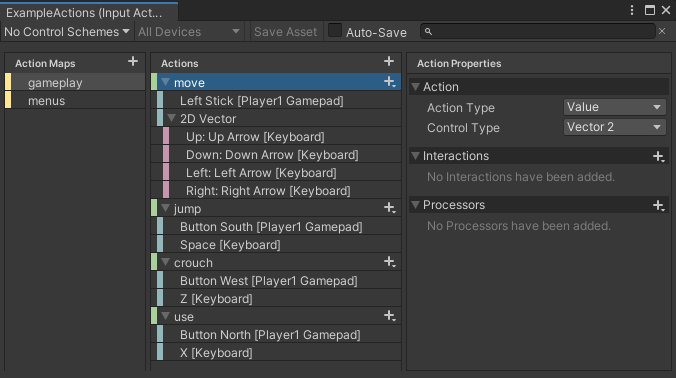 candid vigil
@karmic monolith if there's a release or beta testing schedule available for Bevy Editor?
karmic monolith
candid vigil
<@159873981174906880> if there's a release or beta testing schedule available fo...
Nothing firm yet
I'd like to start with getting asset-driven key bindings working smoothly
Since that's essential for customization anyways
midnight bramble
editor will use bevy_ui, right?
karmic monolith
And then the editor can read and write to that
karmic monolith
midnight bramble
editor will use bevy_ui, right?
Correct
midnight bramble
i guess i'll try making rebind menu just to see how it works right now
or is there any crate or example that already does it?
candid vigil
@karmic monolith If we're going to build an editor intergration, what do you think about implementing a registry for all Actionlike, and then adding descriptions to Actionlike when there's a feature flag, kind of like debug or dev-mode?
karmic monolith
candid vigil
<@159873981174906880> If we're going to build an editor intergration, what do yo...
Yeah, I think a global registry that collects the various enums is useful
It is also convenient for key binding menus
karmic monolith
midnight bramble
or is there any crate or example that already does it?
There was an old egui based example that did this: I ended up removing it due to the difficulty maintaining it
midnight bramble
alright, then yeah i'll go get started with bevy_ui
karmic monolith
Awesome. Show us what you make: I'd really like to have a bevy_ui example of this in the repo
candid vigil
It seems like we could introduce a new kind of UserInput: Combo, just like the combos in fighting games.
karmic monolith
candid vigil
It seems like we could introduce a new kind of `UserInput`: `Combo`, just like t...
Yeah: or "arpeggio" if you want to play off of the chords terminology
IIRC VIM uses these too?
Fundamentally they would work the same way as gestures I think
Where you have listeners trying to detect a given pattern
midnight bramble
yeah that's actually a really good idea
candid vigil
Is arpeggio a common term in game development? I'm not sure because I don't often talk about games in English, being Chinese. And chord confused me a bit at first when I encountered it in LWIM without checking the document.
karmic monolith
candid vigil
Is arpeggio a common term in game development? I'm not sure because I don't ofte...
No: I haven't seen a clear name for this concept. It's a term from playing the piano actually
With chords, you press all of the keys at once
With arpeggios, you play them one after another
"combo" or "sequence" are the other terms I've seen
candid vigil
got it
midnight bramble
in some games combo is just a counter for hits without taking damage and delay, or with unique moves
and considering that the same games often also use sequences, yeah, sequence is a better choice
candid vigil
Sure, it's super funny! But are chords and arpeggio commonly used in English-speaking? I think it's more important to avoid confusion than to make things sound interesting
midnight bramble
bayonetta calls score "combo points", despite the attacks being... combos...
 candid vigil
Yep, sequence sounds better to avoid confusion
midnight bramble
candid vigil
Sure, it's super funny! But are chords and arpeggio commonly used in English-spe...
i think you could avoid the issue entirely, by removing single
e.g. if you have [shift]+[1] for action 2, and [1] for action 1... you might want to rebind action 1 it to [e], which turns it into a single anyway...
or is there a reason it doesn't make sense? i didn't read chord/userinput code
candid vigil
I feel like we could add "cancel_if(Action, fn() -> bool)" and "fallback_to(Action)" to ActionState.
or InputMap, because it cound be a component attached to an entity
midnight bramble
i don't even remember what unity does for that, i wonder if it's even possible there
they did the dirty modifiers
candid vigil
chord is just a type of user input that requires all specified inputs to be activated.
midnight bramble
some fighter games ended up making combos with a simplified option, so basically reducing a sequence to a single button
this basically comes back to the previous topic of turning chords (and now also sequences) into a single button
just something to consider
oh i found another name for the sequence, input stream
candid vigil
But I feel like it's up to the game developers, the users of the LWIM library, to consider this aspect. If users need chords and sequences, the library should provide corresponding support
midnight bramble
certain fighting games and action games such as Devil May Cry also include delay attacks which require the player to wait for a period of time before pressing a button for a different result
candid vigil
InputStream in LWIM means the stream collecting user inputs
So, sequence would be better
midnight bramble
sequence seems to be most common name for it
midnight bramble
candid vigil
But I feel like it's up to the game developers, the users of the LWIM library, t...
having it just work out of the box would be magical
candid vigil
midnight bramble
> certain fighting games and action games such as Devil May Cry also include del...
Perhaps something like InputSequence[KeyCode::W, Delay(500ms), KeyCode::S]?
midnight bramble
looks good
i have a feeling that before long we'll have a fighting game as an example for LWIM
candid vigil
yeah
midnight bramble
i'm not sure who uses bevy for a fighting game, but being able to just do it without any hassle is a huge bragging point
candid vigil
added to schedule
midnight bramble
candid vigil
Perhaps something like `InputSequence[KeyCode::W, Delay(500ms), KeyCode::S]`?
some games might want you to actually do the opposite of delay, like double-tap within 500ms...
so i guess time range would be better
(minTime, maxTime)
i don't think there's any reason you wouldn't want a timeout anyway, it'd just be weird if after more than 2 seconds pressing a light kick would instead continue previous move
there's also the same issue as fallthrough