#bevy_ecs_tilemap
1 messages · Page 2 of 1
 golden oriole
like just putting it in a resource
and grabbing from there when i spawn new chunks
 graceful ruin
Well, it was lagging without spawning or despawning anything, so I don't think that's an issue
 sour birch
yes, that's right
it doesn't apply an isometric projection to the textures themselves
graceful ruin
I've dug a bit and looks like some tile entity isn't getting despawned
Looks like there is a kinda related issue: https://github.com/StarArawn/bevy_ecs_tilemap/issues/266
GitHub
We really shouldn't be using unwrap in a lot of cases. Instead I think it might be more helpful to provide a warning message. Example: https://github.com/StarArawn/bevy_ecs_tilemap/blob/mai...
 torn seal
I'm getting 'gaps' in my map when using tilemap. Not 100% sure what's causing it. Has anyone seen this before? I'm new to rust/bevy so this is possibly a copy/paste issue somewhere, I'm just not sure where. I was trying to copy this example: https://github.com/StarArawn/bevy_ecs_tilemap/blob/main/examples/ldtk.rs. Versions are ldtk 1.1.3 (there's 1.2.3 available?)
bevy = "0.9.1"
bevy_asset_loader = "0.14.1"
bevy_ecs_tilemap = "0.9.0"

 brisk path
the LDTK example isn't exhaustive it's only meant as an example of how you might write your own loader. Is there any spacing between your tiles in the atlas texture?
torn seal
Thanks for the speedy response! I'm not sure how I'd check, in ldtk there are no gaps, not sure about atlas (or what that fully is)
brisk path
your tileset image
torn seal
(Sorry, I'm really new to this) Do you mean the png that the .ldtk file uses? If so, there's no gaps there
brisk path
my guess is that some sort of spacing configuration is being improperly set by the LDTK loader example.
torn seal
That would be in this file, right? https://github.com/StarArawn/bevy_ecs_tilemap/blob/main/examples/helpers/ldtk.rs
GitHub
A tilemap rendering crate for bevy which is more ECS friendly. - bevy_ecs_tilemap/ldtk.rs at main · StarArawn/bevy_ecs_tilemap
brisk path
yes
torn seal
Gotcha, cheers! I'll dig around. Thanks for the help (and the library is amazing btw)
brisk path
let default_grid_size = ldtk_map.project.default_grid_size; might be wrong
 lone scroll
Ldtk plug-in also using bevy ecs tilemap under the hood if you prefer to just spawn from ldtk files directly
brisk path
lone scroll
Ldtk plug-in also using bevy ecs tilemap under the hood if you prefer to just sp...
ah yes, that's a great option as well and supports more features!
torn seal
I tried the ldtk plugin originally, but wasn't getting too far. I saw that it uses this crate though. Wasn't sure if I was trying to run before I could walk though
I'll give it another go tomorrow, for now I'm just going to try to fix the gaps - I think the default grid size is probably it
brisk path
if that's the case I would practice not loading in a map at all first and just generate a map in code.
torn seal
fwiw, default was set to 16, changed it in ldtk to 48, now my code panics (probably something I've done). However the 'gaps' do seem to be about 32px, so that's definitely it.
 unreal condor
in ldtk terminology, bevy_ecs_tilemap requires that the "padding" is the same as the "spacing."
graceful ruin
I'm getting this panic currently, after I despawn a tilemap (despawn_recursive()):
thread 'Compute Task Pool (5)' panicked at 'called `Result::unwrap()` on an `Err` value: NoSuchEntity(112754v2)', /home/jtcf/.cargo/registry/src/github.com-1ecc6299db9ec823/bevy_ecs_tilemap-0.9.0/src/render/extract.rs:284:52
note: run with `RUST_BACKTRACE=1` environment variable to display a backtrace
thread 'main' panicked at 'called `Option::unwrap()` on a `None` value', /home/jtcf/.cargo/registry/src/github.com-1ecc6299db9ec823/bevy_tasks-0.9.1/src/task_pool.rs:273:45
Although I suspect that there might be an error with how I check the distance to despawn a chunk
fn is_chunk_in_radius(origin: ChunkPos, target: ChunkPos, radius: i32) -> bool {
    ((origin.x - radius)..=(origin.x + radius)).contains(&target.x)
        && ((origin.y - radius)..=(origin.y + radius)).contains(&target.y)
}
(ChunkPos is IVec2)
Ah, changed the way I calculated distance for loading and now it crashes not so instantly
What a weird bug
And I got cinfused a bit by the fact that the error is from inside and doesn't have very good description as to why that happened, so I though this was a crate's bug. Now I think there is something wrong with the way I spawn/despawn chunks.
 timid hound
I've encountered a problem with tiles being correctly drawn and then disappearing (supposedly) the next frame. See the attached video and notice a one-frame flickering.
I use bevy_ecs_ldtk 0.5 for levels, but in this case I use bevy_ecs_tilemap 0.9 directly for a layer which displays calculated path from point A to point B. I have a dedicated tilemap with it's own storage for this purpose.
On mouse click I calculate a path and add it as a component to player. In the system reacting to change of currently calculated path I do roughly the following:
// First, clean current tilemap storage
for tile in tile_storage.iter_mut() {
    if let Some(tile) = tile {
        commands.entity(*tile).despawn_recursive();
    }
    *tile = None;
}

// Later in the same system, add new tiles
for (position, texture_index) in new_tiles {
    let tile = commands
        .spawn(TileBundle {
            tilemap_id,
            position,
            texture_index,
            ..default()
        })
        .id();
    tile_storage.set(&position, tile);
    commands.entity(tilemap_entity).add_child(tile);
}
What I know so far:
- Only the tiles common with the previous calculated path are affected. The first time, the whole path is always displayed. The second time, newly added tiles are persistent, while the ones in the previously occupied positions disappear after one frame.
- Number of tile entities is correct and their TileVisible is set to true.
- The system is running once per path change, as expected. Those tiles are not touched by other systems as far as I can tell.
- The issue is not reproducible in every build. Sometimes it takes a few code modifications and re-compilations for it to appear.
- It happens most often with WASM builds. Might be related to those builds being
release.
My hypotheses:
- It has something to do with the rendering pipeline, in which I have no competence yet.
- System scheduling might affect it. Not sure how though.
I smashed my head against this for weeks now and I need someone to bounce ideas with. Maybe, something here rings a bell. I also tried to make a minimal reproducible example with this, but failed. How would you approach debugging such a thing?
brisk path
timid hound
What I know so far:
1. Only the tiles common with the previous calculated path a...
Try to use render doc to see what draw calls look like. Also it's possible the tiles are being attached or spawned incorrectly.
unreal condor
I have suspected that there may be some sort of removal detection bug. The "not every build" behavior you describe makes me think of a bug that is dependent on system order. But I haven't been able to look into it yet.
See https://github.com/StarArawn/bevy_ecs_tilemap/issues/362
@timid hound courtesy ping, meant for that message to be a reply 🖕
timid hound
unreal condor
I have suspected that there may be some sort of removal detection bug. The "not ...
The video from the issue you linked looks quite similar to my situation! This is encouraging; at least I'm not the only one. Thanks a lot!
 jolly scaffold
How have you guys implemented pathfinding? The current implementation im using doesnt actually make use of the tilemap for anything other than checked_get() to make sure the tile is valid and eventually to grab its components
brisk path
jolly scaffold
How have you guys implemented pathfinding? The current implementation im using d...
typically I use the pathfinding crate
jolly scaffold
Didnt even know there was one lmao. Ill look into that but i think the practice is good for me
I wonder how they did this stuff, itll be a learning experience to dive into it
timid hound
jolly scaffold
I wonder how they did this stuff, itll be a learning experience to dive into it
Pathfinding in that crate is implemented on a matrix, their own type, and doesn't have anything to do with the tilemap crate. I read tilemap data via ecs query, convert it into pathfinding matrix and then calculate paths. For performance reasons, I try to save the results and not do on every frame though.
unreal condor
@timid hound could you comment on this PR if it fixes your issue? https://github.com/StarArawn/bevy_ecs_tilemap/pull/382
brisk path
unreal condor
<@103730510756331520> could you comment on this PR if it fixes your issue? <http...
Merged
timid hound
unreal condor
<@103730510756331520> could you comment on this PR if it fixes your issue? <http...
I lived on the stable version, not on main branch, for a long time, and now not everything seems to be working for me. So I will try to make necessary adjustments tomorrow and check properly if you fix helps my situation. Thank you for the quick response and the effort!
jolly scaffold
Is there a way to pull a component from a Tile mid function? I found the tile with a checked get, i just want to pull a number out of its data
 edgy dove
jolly scaffold
How have you guys implemented pathfinding? The current implementation im using d...
edgy dove
jolly scaffold
How have you guys implemented pathfinding? The current implementation im using d...
Probably not the best way. but mine is just djikstras where I create a separate hashmap of move_points in the algorithm, and then use &world to pull data out of the specific tiles to compare against a list of rules that decide whether its a valid move or not.
jolly scaffold
thats what i did in gdscript and was trying to avoid. It definitely feels a little janky but it does the job
brisk path
jolly scaffold
Is there a way to pull a component from a Tile mid function? I found the tile wi...
Feel free to use this!
oh if you mean during runtime not loading
you just query the tile data
you can check to see if there are neighbors as well
jolly scaffold
Okay, in that case I'll have to learn staging I reckon
shoot i wrote my own neighbors function already
jolly scaffold
Theres no way to query in the middle of a function, right?
oh this looks good, thank you!
brisk path
jolly scaffold
Theres no way to query in the middle of a function, right?
what do you mean in the middle of a function?
jolly scaffold
like i have a pathfinding function using dijkstra
I dont know which tiles I need access to until halfway through
brisk path
just pass the query as &Query to the function
you can query the specific tiles by grabbing the entities from tile storage
jolly scaffold
sorry, would you have any examples of this in the examples folder? I'm afraid I don't entirely understand
brisk path
the example I linked to does this partially
it just doesn't pass the query around
if you did have a function that you wanted to pass a query to it would look like:
fn get_tile_neighbors(
    tile_storage: &TileStorage,
    query: &Query<&mut TileTextureIndex>
    x: u32,
    y: u32,
) {
    let neighboring_entities = Neighbors::get_square_neighboring_positions(
        &TilePos { x, y },
        map_size,
        true,
    )
    .entities(tile_storage);

    // Iterate over neighbors
    for neighbor_entity in neighboring_entities.iter() {
        // Query the tile entities to change the colors
        if let Ok(mut tile_texture) = tile_query.get_mut(*neighbor_entity) {
            tile_texture.0 = color as u32;
        }
    }
}
I appreciate you writing this out
so I see you changing the texture to a solid colour, but would this let me access its other components?
brisk path
jolly scaffold
so I see you changing the texture to a solid colour, but would this let me acces...
it's all dependent on the query(standard bevy query). So any data that is a component that is attached to that tile entity can be accessed.
jolly scaffold
noted, thank you kindly
brisk path
These are the default ones if you use TileBundle:
    pub position: TilePos,
    pub texture_index: TileTextureIndex,
    pub tilemap_id: TilemapId,
    pub visible: TileVisible,
    pub flip: TileFlip,
    pub color: TileColor,
Oh right now I'm just trying to grab one I wrote, but i assume the same rules apply
brisk path
jolly scaffold
Oh right now I'm just trying to grab one I wrote, but i assume the same rules ap...
yep!
jolly scaffold
Its just an f32 that holds a weight, so shouldnt be too complicated
 soft nest
hey could anyone help me figure out how to get the sprite positioned correctly in the world position if working from a tilepos


im using the center_in_world fn and subtracting either the whole tile_pixel size or half of it and it always appear to go halfway through the tilemap sprites
first picture shows how it should be lining up
soft nest
found out i was just shifting the x value the wrong way
timid hound
unreal condor
<@103730510756331520> could you comment on this PR if it fixes your issue? <http...
it fixed my issue indeed, thank you!
soft nest
does anyone know why there are two fields in the tilemap that are nearly identical. TilemapGridSize and TilemapTileSize
brisk path
soft nest
does anyone know why there are two fields in the tilemap that are nearly identic...
They denote different things. Tile size represents the size of the tile in pixels. Grid size represents the space each time takes up in the grid.
 mint reef
yea, imagine if your spritesheet asset is such that you have, say, 16x16 tiles, but in your game you want the tilemap to be spaced as if they were 18x18, leaving 2 pixels gap / empty space between each tile
or 12x16, so there is horizontal overlap (the tiles are on top of each other a little)
whatever
soft nest
does anyone know if internally bevy ecs tilemap uses multiple tilestorages or is there ever only how many I create?
im running into an issue where I am querying for tilestorage component and finding multiple entities even though I thought i only ever created one
actually now that i realize it when i cleanup the tilemap i never removed the tilemap entity itself
brisk path
soft nest
does anyone know if internally bevy ecs tilemap uses multiple tilestorages or is...
It's based on the tilemap entity. So bevy ecs tilemap will use multiple tile storages 1 per tilemap entity.
fun fact tile storage is mostly not required. 🙂 Its just a helper component with API to find tile entities.
soft nest
ahhh thinking about it that does seem right.
more i think about it i guess you can use the tile_storage to get the entities and then grab the components through a query
brisk path
soft nest
more i think about it i guess you can use the tile_storage to get the entities a...
yep that is the intended use case. There are helper functions that will grab tile neighbors as well.
soft nest
i saw those in the examples, do you know if anyone has tried implementing pathfinding with it?
or would it be more practical to calculate the pathfinding seperately and simply apply the position?
brisk path
soft nest
i saw those in the examples, do you know if anyone has tried implementing pathfi...
I've implemented pathfinding with it and it works well. 🙂
soft nest
sweet that's all the motivation i need to give it a try
do you know if there's a way you could keep a 2d array somewhere for easy access across systems? would i just put it onto a component?
or i guess a resource could work as well
brisk path
soft nest
do you know if there's a way you could keep a 2d array somewhere for easy access...
A component works well if it's attached to a tilemap or tile.
then you can just query it together with your other components.
soft nest
hmmm im imagining most situations i would be using both so that may be wise
soft nest
can iter_mut on a tile storage be able to replace looping through an index range 0 to MAP_SIZE?
im confused by the fact that it returns an Option<Entity> so if im trying to add a tile could i not?
brisk path
not sure I understand. It returns Option<Entity> because a tile might not exist in that grid space.
also it returns an &mut Option<Entity> which you can reassign.
soft nest
so if option was None how would i get the tile_pos?
since this is an iterator would i need something else keep tracking of x,y
soft nest
hey @brisk path you would know. is there a way to display multiple sprites in the same tile entity? basically im trying to avoid having to make another tile storage to display a sprite on top of another sprite
brisk path
soft nest
hey <@118398256098050054> you would know. is there a way to display multiple spr...
Just use a bevy sprite if you have only a few of them otherwise no.
soft nest
o so like another spritebundle ontop of the tile entity?
would this be contained in the same entity still or you saying a different entity with different sprite
brisk path
soft nest
would this be contained in the same entity still or you saying a different entit...
Either or works
golden oriole
i'm about to try implementing isometric z-sorting in a fork, has anyone thought about how that might work already?
brisk path
golden oriole
i'm about to try implementing isometric z-sorting in a fork, has anyone thought ...
quite extensively its not going to be possible in bevy 2d.
golden oriole
what are the drawbacks of alice's workaround here https://github.com/bevyengine/bevy/issues/1275#issuecomment-1079079386 ?
brisk path
golden oriole
what are the drawbacks of alice's workaround here https://github.com/bevyengine/...
Layers in bevy 2D are built around draw calls. bevy_ecs_tilemap groups tiles into fast render chunks(64x64 tiles into one draw call). This allows us to render millions of tiles at high performance, but we can only sort tiles by the grouping(chunk) we cannot sort individual tiles inside of the chunk.
There isn't a workaround you can use to fix this. The proper way to fix this would be to allow users to specify in bevy 2D that they want a depth buffer. This lets you sort along the Z axis per vertex which is much much faster. I wrote a prototype for doing this by rewriting bevy_sprite and bevy_ecs_tilemap in bevy 3d and it worked great, but obviously that's not a solution I can hand to end users.
There are caveats to adding a depth buffer to bevy 2d. Transparency is a big issue, but I don't expect a lot of users to have transparent tiles, and those likely could be drawn in a back to front method similar to bevy 3d.
soft nest
any idea why my tiles are blurry? is there a scale for how close you view to prevent this?
 brisk path
soft nest
any idea why my tiles are blurry? is there a scale for how close you view to pre...
brisk path
soft nest
any idea why my tiles are blurry? is there a scale for how close you view to pre...
texture filtering
ImagePlugin::default_nearest()
you need to see that using the set function on the default bevy plugins
brisk path
ah, do you have MSAA(on by default I believe) on by chance?
soft nest
where would i turn that off?
brisk path
.insert_resource(Msaa { samples: 1 })
soft nest
anywhere?
soft nest
hmmm i tried putting it in first and still having the issue
only at very small zoom scale
brisk path
how are you scaling?
brisk path
yep I would recommend this crate:
https://github.com/drakmaniso/bevy_pixel_camera
for pixel perfect rendering. also do not scale with the transform. Instead use the OrthographicProjection scale field:
https://github.com/StarArawn/bevy_ecs_tilemap/blob/main/examples/helpers/camera.rs
soft nest
parts of my tilemap are now not rendering with the pixel camera
what the heck
in a 128 x 128 map i only get the bottom left 64 x 64 chunk
yea seems by just switching between the regular camera and the pixel art camera that my map does not render
it's still being made as i have collisions with invisible tiles
soft nest
@brisk path have you seen this before with the tilemap and pixel camera?
golden oriole
brisk path
Layers in bevy 2D are built around draw calls. `bevy_ecs_tilemap` groups tiles i...
How do other 2d engines handle it with okay performance? Do they just do a separate draw call per tile?
I'm using chunking and won't have millions of tiles rendered -- only a few thousand. So maybe that's okay. Or trying to go 3d with a depth buffer like you suggest but that seems overkill?
brisk path
soft nest
<@118398256098050054> have you seen this before with the tilemap and pixel camer...
no, but I think we might have issues with the frustum culling, I need to add a way to turn it off.
brisk path
golden oriole
How do other 2d engines handle it with okay performance? Do they just do a separ...
One solution(this is already possible with bevy_ecs_tilemap) is to create chunks that are super long but only 1 tile tall. This is faster than 1 tile per draw call and it generally works okay.
You'll have map y size draw call counts
brisk path
golden oriole
How do other 2d engines handle it with okay performance? Do they just do a separ...
I'm working on building an example showcasing how you can do the above. ^
 glossy steppe
so tiles on a single Tilemap can be easily queried by coordinates via storage. is there a similar storage for chunks or do I need to build that myself? obviously still need to go world coords -> chunk -> specific tile. but rn I have to iterate through all chunks.
brisk path
glossy steppe
so tiles on a single `Tilemap` can be easily queried by coordinates via storage....
you need to build that yourself at the moment. We could provide higher level chunk or layer storages but I'm not sure how much it's worth it to do that. Sometimes those can be quite dependent on the game.
glossy steppe
yeah as I design it a lot of it puts constraints on how chunks are handled
brisk path
Also people generally should shy away from manually chunking if they don't have infinite maps.
glossy steppe
unfortunately I do have an infinite map
it's also more of a viewport, where I would get terrible performance (networking and backend wise) if I tried to give visibility to more than what the player is viewing
brisk path
glossy steppe
yeah as I design it a lot of it puts constraints on how chunks are handled
Are you saying that bevy_ecs_tilemap puts constraints on how your chunks are handled?
glossy steppe
no I mean that forcing chunks to be queryable by pos, similar to tiles, puts constraints on when and how I generate chunks
eg if I follow the vec / 2d -> index that storage does, then I must have a rectangular set of chunks
glossy steppe
it's almost certainly going to need to go hashmap, given that I need to also handle zoom
brisk path
If you plan on having zoom you should really use mipmapping as well. 🙂
glossy steppe
thanks for the tip! very new to gamedev, I had been thinking of the concept without knowing the name
I'm guessing there are official ways to do this in bevy?
brisk path
glossy steppe
I'm guessing there are official ways to do this in bevy?
The best thing you can do is switch to using dds or ktx2(amd) textures.
glossy steppe
luckily the game itself is pretty simple, it's likely just going to be 'zoomed in has sprite, zoomed out is colored icon' ala RTS games
brisk path
It's a bit of a hassle converting an atlas to a texture array as well using those formats.
but its doable.
glossy steppe
related to converting coordinates: kind of annoying that dividing a negative number goes towards zero, rather than more negative. eg -12 / 32 is 0, not -1
brisk path
glossy steppe
victory!
looking awesome! 🙂
 earnest spruce
I'm struggling to useTileColor for a quick debug display. The component seems to be set correctly and it's for the right entity, but the display isn't changing for me at all
brisk path
earnest spruce
I'm struggling to useTileColor for a quick debug display. The component seems to...
Let me check on that
brisk path
earnest spruce
I'm struggling to useTileColor for a quick debug display. The component seems to...
I tested with it set during spawn and it seems to work fine, there might be a bug with changing it though at runtime..
trying to write a test now..
earnest spruce
Swapping this out directly for the TileVisible component works as expected
May also be something with my images?
brisk path
no that's ideal
brisk path
earnest spruce
https://github.com/Leafwing-Studios/Emergence/blob/main/emergence_game/assets/te...
I wasn't able to reproduce with our colors example:

Here is the system I used:
fn change_color(mut query: Query<&mut TileColor>) {
    let mut random = thread_rng();

    for mut color in query.iter_mut() {
        *color = TileColor(Color::rgb(random.gen(), random.gen(), random.gen()));
    }
}
🤔 Okay, I'll experiment further
brisk path
earnest spruce
🤔 Okay, I'll experiment further
oh I did test main btw not the released version
earnest spruce
I'll experiment with that 🙂
earnest spruce
I'm off for the day, but here's my draft tile selection PR if anyone feels helpful (or wants to peek at the logic): https://github.com/Leafwing-Studios/Emergence/pull/235
earnest spruce
@brisk path
We were changing the color elsewhere and it was overwriting it 🤦♀️
 brisk path
earnest spruce
<@118398256098050054>
We were changing the color elsewhere and it was overwrit...
brisk path
earnest spruce
<@118398256098050054>
We were changing the color elsewhere and it was overwrit...
Glad it's working!
graceful ruin
That looks like a very weird bug and I don't know how to fix it (revealing tiles in a radius)

This is the function I use to convert chunk and tile pos to a global RowEvenPos
pub fn global_from_chunk_and_local(chunk: IVec2, local: TilePos) -> RowEvenPos {
    RowEvenPos {
        q: chunk.x * TILEMAP_CHUNK_SIZE.x as i32 + local.x as i32,
        r: chunk.y * TILEMAP_CHUNK_SIZE.y as i32 + local.y as i32,
    }
}
Looks like it offsets every other row by one
But only in chunks below 0
That's the system, that reveals chunks
fn chart_map(
    player: Query<(&MapPos, &ChartRange), With<PlayerVehicle>>,
    mut tiles: Query<(&mut TileVisibility, &TilePos, &TilemapId)>,
    chunks: Query<&Chunk>,
) {
    let (player_pos, chart_range) = player.single();
    let tiles_in_chart_range: Vec<RowEvenPos> =
        generate_hexagon(player_pos.pos.into(), chart_range.0)
            .into_iter()
            .map(Into::into)
            .collect();
    for (mut tile_vis, tile_pos, tilemap_id) in tiles.iter_mut() {
        let chunk = chunks.get(tilemap_id.0).unwrap();
        let global_tile_pos = global_from_chunk_and_local(chunk.pos, *tile_pos);
        if tiles_in_chart_range.contains(&global_tile_pos) {
            *tile_vis = TileVisibility::Visible
        } else if matches!(*tile_vis, TileVisibility::Visible) {
            *tile_vis = TileVisibility::Charted
        }
    }
}
 pine badger
@graceful ruin there is an excellent resource for all stuff hexbased
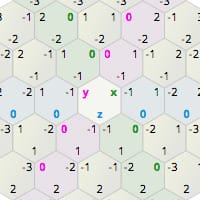
Amit's guide to math, algorithms, and code for hexagonal grids in games
Why does my tilemap disappear, if I set the transform.z to -0.1 ?
earnest spruce
pine badger
Why does my tilemap disappear, if I set the transform.z to -0.1 ?
Camera culling most likely
brisk path
earnest spruce
Camera culling most likely
pretty much the default bevy 2D camera forces 0-1000 I don't think negative Z values are supported.
brisk path
pine badger
it's a bit counterintuitive, though, isn't it?
perhaps, but it is default bevy behavior, although IIRC bevy 2D by default does not frustrum cull things.
pine badger
oh it's actually just the render distance, default camera is at 999.9 and has render distance of 1000.0
if I set my cam to 500.0 I can view -0.1 tilemaps
brisk path
I would be careful changing the 2d camera. Bevy uses an inverse z scale. 0.0 turns into 1000.0. some of the code in bevy expects this.
pine badger
so I should create a 3d camera with orthographic projection instead?
I want to flip through my tilemap layers like in dwarf fortress
brisk path
pine badger
so I should create a 3d camera with orthographic projection instead?
3d cameras are ignored by bevy 2d.
I would just use 0 as your bottom layer
pine badger
hmm
lone scroll
jsut reverse your layers. instead of -1 being 1 layer down, 1 is now 1 layer down and 0 is base world
graceful ruin
pine badger
<@162255871210946560> there is an excellent resource for all stuff hexbased
I'm using bevy_ecs_tilemap built-in helper function to get tiles in a range
 zenith heath
Hey guys, I'm just trying out bevy_ecs_tilemap and I have a question. What's the difference between TilemapTileSize and TilemapGridSize ? They both state the size of tiles in pixels, but one is about the grid. So the grid one I get, it's how big the actual tiles are on my screen, but what's the first one? My guess it's about how to slice the texture? Am I correct on this assumption? If so, why is it called TilemapTileSize and not TextureTileSize or something like that?
I'm fairly new to game development, so I would appreciate any 2D tile related sources to read about. I'm currently watching TheCherno's video on tile atlases and it's all whole new world to me 🙂
unreal condor
The docs are a bit confusing on that, imho. GridSize is how far apart the tiles are placed. If it is bigger than TileSize, there are gaps. If it is smaller than TileSize, things overlap. If it is the same everything should be seamless.
TileSize is about the size in the texture, yes. There's a proposal/PR to add a third size to dictate the display size. Right now that's the same as the size in the texture.
(Or I think in the case of hexagons/iso, GridSize needs to be not the same as TileSize for seamless tiling)
zenith heath
Wouldn't it be much more user friendly, if a user could set the gaps (horizontal/vertical) between tiles to place them further apart/overlap instead of setting GridSize (which in your case would be not that intuitive when we deal with hexagons?)
brisk path
Quite literally GridSize is the size of the tiles in the grid. where TileSize is the size of the tiles rendered.
The docs could be a bit clearer on that
unreal condor
I think the "tiles in the grid" language is confusing. "it's the same tile, right?"
zenith heath
@brisk path that is still confusing.
I would rather go with grid cell size and tile size :/
unreal condor
yeah, something like that
zenith heath
If I understand the concept fully 🙂
brisk path
GridCellSize is the same thing as GridSize though. Better documentation could be given here to explain it, but I'd rather not increase the length of the name.
unreal condor
yeah, adjusting the language in the docs was all I had in mind
brisk path
Just to point out that "gaps" isn't appropriate either because the atlas has spacing/gaps and that language is common to atlas textures.
unreal condor
As a user, having to specify all of TileSize, GridSize, and (potentially TilemapSourceTileSize or whatever) for the most common usecase of building a rectangular tilemap where all those things are usually the same is not nice.
The From impls just make things more confusing imho
zenith heath
Same to adjusting the language in the docs. I would argue, though, that GridCellSize is a better name, as GridSize would denote the whole Grid's size, and not it's individual cell's size, but it's nothing critical in my opinion. I was only asking about the docs language.
brisk path
unreal condor
As a user, having to specify all of `TileSize`, `GridSize`, and (potentially `T...
yeah that's a fair point to make. We can maybe do some backend things to just force square tiles to ignore grid size but I'm not sure that's a great answer.
Technically some users might want to have square tiles overlap..
or have greater spacing
unreal condor
(wrt SourceSize etc) I was thinking about a DisplayScale or something that could have a default value instead, but specifying exact pixel dimensions is maybe a better experience if you need to do that?
brisk path
unreal condor
(wrt SourceSize etc) I was thinking about a `DisplayScale` or something that cou...
pixels are always better for 2D stuff.
Although zoom typically breaks that rule.
zenith heath
A side question: does anybody know a good source that will teach me what an orthographic projection and linear sampling are? So I don't get confused on why should I use anything of that for my game to look good, and why zooming screws my pixels. Something like a Pixel Game Rendering 101 if that exists 😄
brisk path
zenith heath
A side question: does anybody know a good source that will teach me what an orth...
This is a decent source:
https://www.cs.cornell.edu/courses/cs3152/2020sp/lectures/15-Perspective.pdf
Pixel perfect rendering is generally a very different topic from orthographic projection
linear sampling is just a texture filtering method. It messes up pixel graphics because it attempts to smooth everything. Great for 3D texturing but for 2D graphics it's not really required.
zenith heath
brisk path
This is a decent source:
https://www.cs.cornell.edu/courses/cs3152/2020sp/lectur...
Thanks, I'll take a look into that!
I wonder if there's a lecture video for that :/
brisk path
if you want pixel perfect rendering you should look into:
https://github.com/drakmaniso/bevy_pixel_camera
it works really well
zenith heath
brisk path
it works really well
I was going to try it out when I teach myself the basics of how tiles appear on the screen 🙂 Thank you very much 🙂
graceful ruin
Can anyone help me with this bug?
type ChunkPos = IVec2;

#[derive(Component)]
struct Chunk {
    pos: ChunkPos,
}

#[derive(Component, Debug, Clone, PartialEq)]
struct MapPos {
    pos: RowEvenPos,
    current_direction: HexRowDirection,
    target_direction: Option<HexRowDirection>,
    reverse: bool,
    progress: f32,
}

pub fn global_from_chunk_and_local(chunk: IVec2, local: TilePos) -> RowEvenPos {
    RowEvenPos {
        q: chunk.x * TILEMAP_CHUNK_SIZE.x as i32 + local.x as i32,
        r: chunk.y * TILEMAP_CHUNK_SIZE.y as i32 + local.y as i32,
    }
}

fn chart_map(
    player: Query<(&MapPos, &ChartRange), With<PlayerVehicle>>,
    mut tiles: Query<(&mut TileVisibility, &TilePos, &TilemapId)>,
    chunks: Query<&Chunk>,
) {
    let (player_pos, chart_range) = player.single();
    let tiles_in_chart_range: Vec<RowEvenPos> =
        generate_hexagon(player_pos.pos.into(), chart_range.0)
            .into_iter()
            .map(Into::into)
            .collect();
    for (mut tile_vis, tile_pos, tilemap_id) in tiles.iter_mut() {
        let chunk = chunks.get(tilemap_id.0).unwrap();
        let global_tile_pos = global_from_chunk_and_local(chunk.pos, *tile_pos);
        if tiles_in_chart_range.contains(&global_tile_pos) {
            *tile_vis = TileVisibility::Visible
        } else if matches!(*tile_vis, TileVisibility::Visible) {
            *tile_vis = TileVisibility::Charted
        }
    }
}

TileVisibility just changes the TextureIndex and color
graceful ruin
I think there's a bug in global_from_chunk_and_local or in conversion from AxialPos to RowEvenPos
unreal condor
At a glance, it seems AxialPos -> RowEvenPos is behaving, but I think that exact situation is what you would expect if your coordinate system is "row odd" and you are using "row even" coords, so that's slightly suspicious. Haven't messed with chunking at all but that avenue seems less likely to me.
graceful ruin
unreal condor
At a glance, it seems AxialPos -> RowEvenPos is behaving, but I think that exact...
I'm using RowEvenPos everywhere.
zenith heath
Hey, folks. It's me again.
What do you suggest is a better way of adding movable sprites to my grid? Like characters moving around the map.
To use bevy's own sprite system to overlay on top of the grid, or to use a separate layer with a separate TileStorage and use that?
What do you find to be a better solution? I'm leaning more towards the latter one, as I find it a bit easier to accurately overlay 1 tile over the other with that approach.
brisk path
zenith heath
Hey, folks. It's me again.
What do you suggest is a better way of adding movable...
I typically suggest using sprites because it's easier to apply smooth movement animations to them later, but using a separate tilemap works too.
zenith heath
brisk path
I typically suggest using sprites because it's easier to apply smooth movement a...
Can you think of an example that shows how to correctly and accurately overlay sprites over the grid?
Maybe somebody has already done it
brisk path
zenith heath
Maybe somebody has already done it
Take a look at the helper functions.
edgy dove
zenith heath
Can you think of an example that shows how to correctly and accurately overlay s...
            let tile_world_pos =
                 tile_pos_to_centered_map_world_pos(new_pos, map_transform, grid_size, map_type);

             sprite_transform.translation = tile_world_pos.extend(5.0);
Here's the relevant part how i did it. It's pretty easy, just make sure you use the helper functions startoaster mentioned if your map is centered
zenith heath
Gotcha, thank you, guys! 👌
 grave wadi
I've been having an issue where the tiletextureindex isn't working as expected it may be me doing something wrong but im not sure. Basically for every 2 numbers it has the same tile. Ie 2 and 3 get the same tile with a slight offset but then 4 and 5 get the next tile and so on. I've rendered the straight up tilesheet png to make sure that there wasnt doubles on there and there is not
unreal condor
That could happen your TilemapTileSize or TilemapSpacing isn't matched up with your sheet.
grave wadi
unreal condor
That could happen your `TilemapTileSize` or `TilemapSpacing` isn't matched up wi...
They both seem to be matching
Tilemap spacing is 0 by default correct?
unreal condor
Not sure, never seen your sheet 🙂
grave wadi
unreal condor
Not sure, never seen your sheet 🙂
I was saying like what it sets for the tilemap
grave wadi
unreal condor
Not sure, never seen your sheet 🙂
The size was off thanks not the spacing
I thought the tiles I was using were 16 by 16 ;-; lmao
thank you
unreal condor
oops, not sure how I read that so very wrong, sorry ^^
grave wadi
unreal condor
oops, not sure how I read that so very wrong, sorry ^^
You are all good! Thanks again
mint reef
stageless when? 😝
 calm portal
what is stageless?
brisk path
mint reef
stageless when? 😝
You can open a pr for it. :p I'll get around to it eventually.
lone scroll
0.10 is schedule in the next month or so right?
earnest spruce
lone scroll
0.10 is schedule in the next month or so right?
Yep!
pine badger
I'm excited for the jam
 hollow ingot
@brisk path Hi! I want to write lighting system for my Terraria clone using shaders. Could you tell me how can I do it, please?
brisk path
hollow ingot
<@118398256098050054> Hi! I want to write lighting system for my Terraria clone ...
You would need to overlay on top of the tile map currently, I do have custom shaders planned out but I have not implemented them yet.
hollow ingot
brisk path
You would need to overlay on top of the tile map currently, I do have custom sha...
Oh, okay. But I'm zero at shader stuff. Is there any example of how to create a shader for bevy_ecs_tilemap?
calm portal
hollow ingot
Oh, okay. But I'm zero at shader stuff. Is there any example of how to create a ...
I believe, the point was to add your own shader to the bevy pipeline and "overlay" that ontop of the tilemap
(I have barely much clue about shader programming myself though)
hollow ingot
calm portal
I believe, the point was to add your own shader to the bevy pipeline and "overla...
Sounds complicated
calm portal
for a very primitive effect a per-tile lightlevel would be awesome though, but like StarToaster said, that would likely be a custom shader => not implemented yet
alternatively you could make a second tilemap that holds shadow textures and render that on top of the tilemap
(shadow textures as in: a texture with tiles of different levels of opacity)
(that would not look as smooth as in terraria though)
hollow ingot
calm portal
alternatively you could make a second tilemap that holds shadow textures and ren...
Oh, thanks! Is there any example how can I render something on top of the tilemap?
calm portal
I would make two tilemaps at different Z heights - but to be honest, I have yet to use bevy_ecs_tilemap 🙂
hollow ingot
Also I have an issue with walls, when I zooming there are tearing on walls. I tried to set Msaa to 1 and 4, but nothing changed.
 brisk path
hollow ingot
Also I have an issue with walls, when I zooming there are tearing on walls. I tr...
brisk path
hollow ingot
Also I have an issue with walls, when I zooming there are tearing on walls. I tr...
make sure you change the texture filtering mode to point and MSAA to 1. If you still have the issue you probably need to figure out how to use mipmaps.
hollow ingot
brisk path
make sure you change the texture filtering mode to point and MSAA to 1. If you s...
How can I change filtering mode?
calm portal
@hollow ingot maybe these are helpful: https://github.com/bevyengine/bevy/discussions/3748 and https://github.com/bevyengine/bevy/discussions/1289 - and there are other similar questions on there
hollow ingot
calm portal
<@434405175826841610> maybe these are helpful: <https://github.com/bevyengine/be...
Thank you, I will look at these
calm portal
I think, once the Bevy ecosystem becomes more stable and settled, more good little example games will be available to achieve the base mechanics of these rather common 2D games.
hollow ingot
Tried different combinations of FilterModes, but nothing changes 😦
image.sampler_descriptor = ImageSampler::Descriptor(SamplerDescriptor {
  min_filter: FilterMode::Linear,
  mag_filter: FilterMode::Nearest,
  mipmap_filter: FilterMode::Linear,
  ..Default::default()
});
looks sick!
hollow ingot
lone scroll
looks sick!
Thank you! 🙂
mint reef
so one of my students asked me about how good bevy_ecs_tilemap could be for games that look like this

isometric maps with height
tiles having additional height
@rapid sedge
i told them that, using a combination of tile size and grid size, it certainly is possible to make tile sprites that are tall, and make them overlap on the grid
but i'm not sure what more could be done, to better handle this use case
brisk path
not possible currently :/ @mint reef It has to do with a limitation in bevy 2D. There is a way around it by limiting a tilemap to be 1 tile tall and spawning a tilemap per row. Z values based on y-sort need to be added to each transform.
bevy 2D is very unforgiving of stacked isometric stuff.
mint reef
what limitation in bevy 2d are you talking about exactly?
brisk path
mint reef
what limitation in bevy 2d are you talking about exactly?
Bevy 2D will only allow you to sort renderables per draw call. There is also no depth buffer so it makes it very difficult to correctly order stacked isometric tiles.
At least in an efficient way.
mint reef
wait but the gpu api guarantees that primitives are rasterized in vertex buffer order
the tilemap can be drawn as one draw call and as long as the tiles further back come before the tiles in front of them, by vertex id, it should be drawn correctly
but ofc that does not solve the problem of having multiple tilemaps (layers) or other sprites, that might appear "behind" some of the isometric tiles that were rendered previously
brisk path
mint reef
but ofc that does not solve the problem of having multiple tilemaps (layers) or ...
exactly, as far as I know the only way to do this efficiently is with a depth buffer.
mint reef
so i guess the only complete solution (that works when you have more than just a single tilemap) is to have a depth buffer, yes
brisk path
I have a working prototype, but it doesn't fit well into bevy_ecs_tilemap as everything is different in terms of coordinates(3d).
mint reef
and there is currently no way to have a depth buffer for 2d in bevy? it would require a separate render phase?
brisk path
mint reef
and there is currently no way to have a depth buffer for 2d in bevy? it would re...
you have to rewrite all of bevy 2d
brisk path
well I could open a PR to add an optional depth buffer to bevy 2d
but otherwise you kinda need to rewrite sprites so that they can be sorted correctly.
which essentially is just copying and pasting it and changing one line to support depth buffers 😛
mint reef
brisk path
well I could open a PR to add an optional depth buffer to bevy 2d
we should probably do that ...
isometric tilemaps are probably not the only 2d use case that could benefit from depth buffers
brisk path
mint reef
we should probably do that ...
yeah it's been something I want to do I just haven't had the time. :/
mint reef
having no way to allow it within bevy's existing architecture sucks ...
brisk path
you can also early z-test to avoid overdraw
mint reef
yeah
earnest spruce
mint reef
isometric tilemaps are probably not the only 2d use case that could benefit from...
Agreed
earnest spruce
Yeah :p
unreal condor
For anyone playing along with bevy's main branch / pre-0.10, I managed to get things seemingly working. Only migrated the basic example so far.
https://github.com/rparrett/bevy_ecs_tilemap/tree/bevy-0.10
brisk path
unreal condor
For anyone playing along with bevy's main branch / pre-0.10, I managed to get th...
Thanks for the work here to upgrade to 0.10 I really appreciate it! ❤️
earnest spruce
unreal condor
For anyone playing along with bevy's main branch / pre-0.10, I managed to get th...
How was the migration for you?
unreal condor
It was straightforward minus a bit of "well I guess that is/isn't a base set."
RenderCommand changes (#6885) were sort of tedious, easy to screw up, and the errors when you do screw it up aren't super great. But the migration guide was adequate and I doubt there's much to be done about the rest.
I hit one breaking change not documented in the migration guide from the cascaded shadow maps stuff, but probably not affecting typical users.
earnest spruce
unreal condor
It was straightforward minus a bit of "well I guess that is/isn't a base set."
...
Did you feel that RenderSet should have been a base set?
unreal condor
That's what I initially guessed it would be (and yeah, that's where I tripped). But anything "base set" is still sort of a big 🤷♂️ from me.
But it was also pretty obvious what I did wrong from the error messages.
earnest spruce
Okay cool. I don't think we can feasibly get that into the release (there's no sensible default so it's a bit weird) but I can give base sets a lot of care in the release notes
unreal condor
oh lmao, someone beat me to it: https://github.com/StarArawn/bevy_ecs_tilemap/pull/390
although I think they missed some opportunities in the examples.
 mortal juniper
I wrote a thing that loads another game's map format and renders it using this crate. The format allows maps to choose 1 tileset, each tileset having ~5000+ unique tile textures, of which most maps use 1000-2000. The maps are between 64x64 and 256x256 tiles. My initial naive approach was simply to load all the unique textures the map referenced in to a Vec, then place all the tiles into a single Tilemap, but this took a really long time to render the first time (~15+ seconds) and caused a panic for maps that used >2048 unique textures (exceeded the limit for texture arrays I think).
My next approach was to split the map into chunks, and use a separate Tilemap per chunk (with only the textures for that chunk referenced). That made the initial render nearly instant, but my frame times still seem quite bad (I get like ~30 FPS on most maps). I don't really need to render the tiles through this crate, they're totally static after map load and I could just prerender them to a few textures, but before I rewrite a bunch of code I just wanted to double-check if it's expected that this would perform badly
unreal condor
out of curiosity, are the tiles already arranged in a texture atlas?
and if so, have you tried using the atlas feature? there are some drawbacks (main one being lack of mipmap support I think), but a 2048x2048 atlas of 16x16 tiles with padding should hold 10k+ tiles.
i'm not sure how expensive the initial creation of the array texture cache is, but maybe atlas could help with the startup time too.
but I feel like you are seeing unusually low perf in your chunked scenario
brisk path
It might be helpful to use render doc to see how the original game rendered things. If I had to guess the original game might not keep all 5000+ tiles in gpu memory.
unreal condor
a tilemap per map might be something to try instead
brisk path
Would be helpful to know your gpu/CPU as well. I'm also assuming you are running in release mode.
mortal juniper
they aren't in an atlas, I did think about going that route, but it kinda seemed like it'd be just as much effort as pre-rendering the whole map, and it seemed like pre-rendering the whole map was likely to perform better anyway
mortal juniper
brisk path
It might be helpful to use render doc to see how the original game rendered thin...
also tried to do this, but unfortunately the game has some nasty anti-debug stuff that stops things like RenderDoc/PIX from attaching =/
and yeah, it's a GPU bound AFAIK, debug/release makes no change to the FPS I get there
the RenderDoc for my stuff is mostly a lot of this:
 brisk path
My guess is that they used an atlas the array textures should be faster on modern hardware though.
mortal juniper
so looking a little more deeply at the renderdoc of my program, something that seems sort of weird to me is that the tile textures seem like they're being re-uploaded every frame? (not totally certain of that, my understanding of both Vulkan and RenderDoc is... not good :) )
on the first frame that a map has been loaded, it copies a bunch of buffers into images (1 buffer/image per tile):

then after that I see it make array textures out of those images (1 array texture per tilemap):

then I see it use those array textures to render tilemaps (these actually look pretty fast!):

but on successive frames, even though the tile textures haven't changed at all, I see it spending a ton of time copying those buffers into images again:

(it doesn't do the array texture creation here, it just copies those buffers into images and moves onto rendering the tilemaps with the array textures from before)
 oak roost
Have you tried running it on release mode? If that makes it better follow this: https://bevyengine.org/learn/book/getting-started/setup/#compile-with-performance-optimizations

Bevy is a refreshingly simple data-driven game engine built in Rust. It is free and open-source forever!
hollow ingot
@brisk path Hi, Star! I want to draw light map over a tile map. I creating a light map with the size of the tile map, and then I need to scale it in a shader. But I don't know how. I want each pixel in the light map to become 16 by 16 (tile size).
 brisk path
hollow ingot
<@118398256098050054> Hi, Star! I want to draw light map over a tile map. I cre...
brisk path
hollow ingot
<@118398256098050054> Hi, Star! I want to draw light map over a tile map. I cre...
You can scale it in the shader but it might be easier to do it on the CPU side by using bevy's transforms. Assuming your shader is using bevy's 2D stuff.
hollow ingot
brisk path
You can scale it in the shader but it might be easier to do it on the CPU side b...
I would like to do it on the GPU
brisk path
hollow ingot
I would like to do it on the GPU
You would need to change the scaling in the vertex shader. Just multiply the vertex positions with your scaling factor.
you might also need to offset the position as well
hollow ingot
brisk path
You would need to change the scaling in the vertex shader. Just multiply the ver...
Hm, I will try, thank you
hollow ingot
Nothing changes
 hollow ingot
@brisk pathI found a scaling method on the internet and it works, but I need to somehow offset it
 brisk path
hollow ingot
<@118398256098050054>I found a scaling method on the internet and it works, but ...
brisk path
hollow ingot
<@118398256098050054>I found a scaling method on the internet and it works, but ...
you probably want to offset it if you are centering the tilemap
hollow ingot
what do you mean?
brisk path
bevy_ecs_tilemap has a function that centers the tilemap, if you use that function you'll need to make sure that you also account for that in the scaling/transform shader for your lightmap.
hollow ingot
I think I don't use it
mortal juniper
oak roost
Have you tried running it on release mode? If that makes it better follow this: ...
that RenderDoc run is from a binary in release mode, this isn't a release/debug thing, seems like a bug in the library to me but I don't fully understand the deeper render details going on here
I imagine this happens for everyone but I guess nobody is using the amount of textures that I am so it's not noticeable?
brisk path
mortal juniper
that RenderDoc run is from a binary in release mode, this isn't a release/debug ...
it could be a bug, it's hard to test this kind of stuff though.
mortal juniper
I'll try to take a look and see if I can figure something out
yeah, even in the examples it's copying the textures every frame. This is from tiled:
 brisk path
Looks like a bug, can you file an issue. My guess is that the cache isn't working correctly for vec textures
mortal juniper
sure thing
GitHub
I've been noticing some bad performance when using a large amount of textures (1000+) for my tiles, and looking at RenderDoc, it seems mostly related to copying texture data into images on ...
brisk path
Thank you!
mortal juniper
with these 2 fixes:
https://github.com/StarArawn/bevy_ecs_tilemap/pull/392
https://github.com/StarArawn/bevy_ecs_tilemap/pull/393
my FPS went from ~30 to ~400, not a bad speedup :)
hollow ingot
@brisk path Oh my god

I did it
I'm so happy
Added some blur

IT WORKS LIKE A CHARM
I can't believe it
 restive geode
Hey people,
I'm going with 16x16 square tiles for obstacles/biome tile logic. But their isometric counterparts (45deg turn, 1/2 height division) are ugly decimals that I have to put into TilemapTileSize { x: 22.627416997969522, y: 11.313708498984761 } which obviously leads to decimal errors when laying tiles out. People must have used tome other isometrification formula, right? What could be the right approach? @lone scroll
 gentle magnet
When building for wasm, it looks like the TileTextureIndex is increased by one. Here's an example of my tile bundle:
TileBundle {
    position: tile_pos,
    texture_index: TileTextureIndex(0 /* actually uses 1 instead of 0 */),
    tilemap_id: TilemapId(tilemap_entity),
    ..Default::default()
}```You need to use the atlas feature otherwise the support on web isn't ideal.
 dapper bridge
Hey Lads! I need some help regarding hover effects:
i would like to display some sort of outline when hovering over a tile, how could i do that?
 velvet cairn
you could have a sprite that you draw overtop of the position of whatever tile you are hovering
 wooden moat
Following on what @velvet cairn said, you could either:
- Change the tile sprite to another sprite on the same tilemap
- Create another tilemap at a different z access and show your highlight over the main tilemap
- Just spawn a regular sprite with the same dimensions as your tile at the position you want. you can do some math to get the position by figuring out what coordinate tile your mouse is at and going from there with the coordinate * tile size. This way you can also just move that highlight sprite as your cursor moves and don't need to constant turn highlight tiles on / off
 gaunt vine
Hi, I'm struggling with changing the texture of a tile. I tried just changing the TileTextureIndex component to 1 instead of 0 but even though I can spawn them with 1, I can't seem to change it to 1 after without a panic
I'm using the iso_color.png texture from the examples btw
gaunt vine
Oh wait I was doing it right, it was panicking on .get because it was out of bounds
gaunt vine
In a different subject how do I get the position of a tile? I'm not talking TilePos, I'm talking the GlobalTransform equivalent
Doesn't seem to be a helper function for it and the tiles don't have transforms
unreal condor
gaunt vine
Ahh it's implemented on TilePos! Neat! Thanks
restive geode
Hey, could someone guess, why when I render a texture (black border with a transparent background in the center of a screenshot) at 0,0,0 over the tile grid - looks like the tilemap center is off on X axis 🤷♂️ ? I dont have a custom anchor or anything...
 unreal condor
What version of bevy_ecs_tilemap is this?
There was a bug with centering that got fixed up, but maybe it never made it into a release actually.
restive geode
0.9
unreal condor
Yeah, try the main branch of the git repo instead. It should work with bevy 0.9.
restive geode
Hey peeps, @brisk path , should we expect a 0.10 compatible release any time soon or should we stick to 0.9 bevy?
gaunt vine
There's a branch that's 0.10 compatible I've just been using that
Or a PR branch or whatever
restive geode
Could you drop a link here?
gaunt vine
https://github.com/geieredgar/bevy_ecs_tilemap the bevy_track branch

GitHub
A tilemap rendering crate for bevy which is more ECS friendly. - GitHub - geieredgar/bevy_ecs_tilemap: A tilemap rendering crate for bevy which is more ECS friendly.
bevy_ecs_tilemap = { git = "https://github.com/geieredgar/bevy_ecs_tilemap", branch = "bevy_track"}
Figured the actual toml text would be fine too
hollow ingot
Can I change anchor of tiles? I have many sprites that are made for TopLeft anchor.
 latent swift
I'm seeing a bizarre interaction between bevy_ecs_tilemap (0.10.0 support branch) and bevy_pixel_camera (0.4.0) manifesting as only tiles in the (negative x, negative y) quadrant rendering.
After messing with the render_chunk_size, it seems like only specifically only tiles within the first RenderChunk ever end up actually being rendered. Following the chunking.rs example, I'm able to dynamically add chunks of Tiles, but only the ones in the first created RenderChunk make it onto screen. I've started poking around in the render code and the bevy_pixel_camera settings but it's not clear to me how they could interact. For bevy_pixel_camera, I'm just using PixelCameraBundle::from_resolution(320, 240));
 gaunt vine
Does anyone have any experience with implementing pathfinding for tilemaps?
edgy dove
gaunt vine
Does anyone have any experience with implementing pathfinding for tilemaps?
What kind of pathfinding? Ive implemented basic Dijkstra's
gaunt vine
Do you know of tower defense games? I basically need pathing that's good enough to let creeps navigate the tower maze, and also need to detect if the path has been blocked. Rn I'm looking at seldom_map_nav, it seems pretty straightforward, I'm hoping I can rely on the defaults for most
edgy dove
I haven't used seldom map nav but it looks nice tbh. Seems like it would do the trick for you
gaunt vine
Oh yeah it seems to work absolutely as expected
wooden moat
@gaunt vine here you go https://github.com/frederickjjoubert/bevy-pathfinding 😄
GitHub
A prototype of using the Bevy game engine along with the rust pathfinding library. - GitHub - frederickjjoubert/bevy-pathfinding: A prototype of using the Bevy game engine along with the rust pathf...
gaunt vine
Does it work with isometric tilemaps?
wooden moat
The pathfinding crate will work with anything that you can supply the successor (neighbors) of a given index to, but my example is a 2d grid
 jaunty glade
I know there are a handful of questions about performance, but I can't tell if I should just have different expectations or if something is wrong. I have a little animated sprite character with basic movement that runs at several hundred FPS. If I load and draw an ldtk tilemap that's maybe 100 x 100, it drops my framerate down to something in the teens even in release mode with optimizations on.
Granted this is on a laptop, but it does have a discrete graphics card. I can run something similar in another engine without issue.
mortal juniper
if your tilemap has a lot of unique textures then this PR will probably help a lot: https://github.com/StarArawn/bevy_ecs_tilemap/pull/392
past that, I am unsure, may help to try profiling with RenderDoc or https://github.com/bevyengine/bevy/blob/main/docs/profiling.md and see where the time is being spent
GitHub
Calling get_mut triggers an AssetEvent::Modified, and this function is called every frame, for every image that is a TileTexture. These events are used by Bevy internally to re-copy texture data to...

GitHub
A refreshingly simple data-driven game engine built in Rust - bevy/profiling.md at main · bevyengine/bevy
jaunty glade
Thanks, I'll try to rebase your change on the 0.10 branch and see if I can get it going
jaunty glade
Nice! Your PR actually did indeed cause a dramatic improvement in performance for me. Thanks for doing all that digging
mortal juniper
great to hear :)
unreal condor
@brisk path It seems like you're in focus mode right now, but if you would like any help preparing a release I'd be happy to help.
gaunt vine
Can I use this crate with 3d? I don't seem to see any examples but I figured I'd ask
unreal condor
there's no 3d functionality / a 3d camera won't render it / if you need height on a 2d iso map you're gonna have a bad time.
gaunt vine
Yeah I decided to just make my own abstractions for my 3d refactor, it doesn't really take all that much change and I don't need all that much functionality
unreal condor
unreal condor
<@118398256098050054> It seems like you're in focus mode right now, but if you w...
(but I will be in vacation mode / hopefully far away from the internet starting Saturday)
sour birch
@brisk path i reviewed+approved a patch which updates bevy_ecs_tilemap to using bevy 0.10
it was a bit stalled though, as people were waiting for someone with write access to push things through
i am wondering if we can give write access to @unreal condor (rparrett on Github)?
(if bestRanar is interested)
unreal condor
I don't mind helping out, but will be away from computers starting tomorrow morning for a week or so.
brisk path
sour birch
<@118398256098050054> i reviewed+approved a patch which updates bevy_ecs_tilemap...
That's a good idea, I've been busy lately, but I'll try to get 0.10 stuff merged/published this weekend.
brisk path
unreal condor
I don't mind helping out, but will be away from computers starting tomorrow morn...
You should have an invite
unreal condor
Thanks!
I'll try to take care of those other two PRs if the author is responsive today.
brisk path
Thanks!
 quiet ivy
how would i make it so that 1 tile is 1 unit big no matter the resolution of the sprite?
ive tried changing tile size from the basic example but that just means only a part of the sprite gets rendered
brisk path
What is a unit?
brisk path
Typically in bevy 2d that's pixels. At that point you're tilemap could be 1x1 colors
quiet ivy
yeah but in my opinion it makes a lot more sense for that to be 1 tile or whatever the fundamental size of most things is
unreal condor
@brisk path alright, I think everything's in a good spot. Merge-able stuff is merged. I tested all the examples again for good measure.
Should be ready to go at your convenience. Here's a PR to bump the version and update the readme:
https://github.com/StarArawn/bevy_ecs_tilemap/pull/399
 trim spade
Hey i've been using bevy_ecs_tilemap and its great but I was wondering how serious would the work be to support lighting in bevy_ecs_tilemap?
As far as I know we can't mix and match bevy_ecs_tilemap with https://github.com/zaycev/bevy-magic-light-2d for example. Doing a naive tilemap implementation with just sprite bundles gives bad performance as you'd expect even without lighting (I tried with lighting out of curiosity with two tilemap layers of 16x16 tiles filling 4K resolution and a little bit more plus the bevy-magic-light-2d lighting plugin - it was very pretty but not great performance).
trim spade
Iv'e spent a fair bit of time looking at the bevy_ecs_tilemap source, bevy-magic-light-2d source, bevy examples/source and wgpu examples and now realise that was an insanely open ended question - oops 😅
brisk path
trim spade
Iv'e spent a fair bit of time looking at the bevy_ecs_tilemap source, bevy-magic...
I've had some talks with the creator of bevy magic light and it's difficult because an sdf needs to be generated per tile and per render chunk for performance.
I would like to expand this crate to allow custom shaders which I think would help.
trim spade
Ah right fair enough and that is a shame :/ But thanks for clarifying.
 low thicket
If I have:
- a tileset represented by a
Handle<Image>(loaded bybevy_ecs_ldtk) - a tile from that tileset represented by a position (x, y) and size (w, h)
- a
TileStoragecomponent (loaded bybevy_ecs_tilemapbeing called behind the scenes bybevy_ecs_ldtk...)
is there any way I can spawn that tile at a position on the tile map?
gaunt vine
I think it'd take some fiddling since iirc bevy_ecs_tilemap doesn't use Transform for the tiles, but there should be one entity per tile... It should be doable in that way
low thicket
yeah, my issue is with how I would construct the TileBundle for the tile - mainly the tile's texture
because I don't think Image has any methods to get a sub-region
related post: #1037525851362840636 message
brisk path
If I can get some feedback for this new feature that would be great!
https://github.com/StarArawn/bevy_ecs_tilemap/pull/406
I think what's currently missing is proper documentation explaining how 3D isometric maps work. There probably needs to be helpers for sprites that need Y sort as well although maybe that's just up to the end user?
GitHub
Fixes the 3D iso stuff. This uses a basic but slow technique to render "3D" isometric tilemaps. This same technique should also work for "3d" hexagons as well. This works by mov...
 dense anchor
Being ignorant on tilemap editing, will bevy_ecs_tilemap work on 2.5D(HD-2D) games?
I don't even know how tilemaps are done in those games.
brisk path
dense anchor
Being ignorant on tilemap editing, will `bevy_ecs_tilemap` work on 2.5D(HD-2D) g...
Yes, unless you're talking about truly 3d games which have a 2.5d view.
dense anchor
It will be what Octopath Traveler does
brisk path
Inside for example is a 3d game with a 2.5d view.
brisk path
dense anchor
It will be what Octopath Traveler does
Pretty sure that's using a 3d world with 2d sprites. 🤔
dense anchor
brisk path
Pretty sure that's using a 3d world with 2d sprites. 🤔
It is, from what my research shows
brisk path
Yeah in that case this crate wouldn't really help much.
You could probably use the helpers to help position stuff, but it's fairly trivial to write that yourself.
dense anchor
Thanks, I guess there no tilemap editors(like Tiled) for 3D with 2d sprite map editing?
brisk path
Not that I know of. I think a lot of times those are made in blender or custom editors.
dense anchor
Thanks for the help 👍 I need to spend more time on this topic to undertand how it works actually.
brisk path
As a cheat you might be able to use render doc on octopath traveler to see how it's done.
dense anchor
You just opened a new world to me, never heard about RenderDoc
brisk path
It lets you see how a program renders to the screen, but if there is any memory protection(like anti cheat) it probably won't work.
 shy osprey
Seems like maybe a bug has been introduced somewhere between the bevy 0.10 update commit and the bevy_ecs_tilemap 0.10 release, investigating now
Ok, maybe just a breaking change not a bug - it's introduced in https://github.com/StarArawn/bevy_ecs_tilemap/pull/406 and I'm guessing it's the z-index changes. I might have to change how my background layer logic works in bevy_ecs_ldtk
GitHub
Fixes the 3D iso stuff. This uses a basic but slow technique to render "3D" isometric tilemaps. This same technique should also work for "3d" hexagons as well. This works by mov...
brisk path
shy osprey
Ok, maybe just a breaking change not a bug - it's introduced in https://github.c...
It did change, however I wouldn't expect it to change how things work. 🤔
If it did break things please put an issue in and I'll fix later tonight and push a 0.10.1
unreal condor
Seems like the "z sort math" might not be working totally as intended -- but also separately bevy_ecs_ldtk 's level_set example may be spawning maps with a TilemapSize of zero, which is producing some inf / NaN in there which is probably the main source of brokenness.
Probably won't be able to look closer until later tonight.
brisk path
We can probably just check for inf/nan and set the z value to just match the transform.translation.z. 🤔 Although having a TilemapSize of zero seems very unsupported I can't guarantee it wont break in other places..
shy osprey
Yeah the background color logic for bevy_ecs_ldtk is strange, though I think it uses a single tile not a size 0 iirc. Will look into just using a normal image instead later
unreal condor
I'm not suggesting this is a proper fix, but while experimenting I added
size: TilemapSize { x: 1, y: 1 },
to the "background tilemap" (?) in bevy_ecs_ldtk and it seemed to help. (this particular TilemapBundle would otherwise only have the default value for size.)
Well, actually I suppose that may be a pretty legit fix. Although we can probably do better on the bevy_ecs_tilemap side as well.
hollow ingot
@brisk path Hey, Star! This commit have broken the z ordering for tiles.

Before that commit:

After:
 brisk path
What is the z of your tilemap/sprites?
unreal condor
There is still definitely an issue with the z value that is being calculated by bevy_ecs_tilemap. I think the intention is to clamp the "y part" to 0..1.0, but that's not happening.
hollow ingot
5 for the player, 2 for blocks, 1.6 for trees and 1 for walls. But because of that commit the tile's z became higher than the player's one
brisk path
unreal condor
There is still definitely an issue with the `z` value that is being calculated b...
Hmm, that should be the case.
brisk path
hollow ingot
5 for the player, 2 for blocks, 1.6 for trees and 1 for walls. But because of t...
Can you use whole numbers for the z values?
hollow ingot
brisk path
Can you use whole numbers for the z values?
Yeas, I can. I will try
brisk path
It seems like a fix might just be to have this be a special setting since not everyone needs y-sorting...
I can make it a part of the render settings I think
unreal condor
the chunking example for instance produces all sorts of values, even negative ones as you pan around.
unreal condor
(gotta run, back in an hour or two)
hollow ingot
brisk path
Can you use whole numbers for the z values?
Nothing changed
brisk path
hollow ingot
Nothing changed
Can you test this:
https://github.com/StarArawn/bevy_ecs_tilemap/pull/408
Thanks! 🙂
 shy osprey
brisk path
Can you test this:
https://github.com/StarArawn/bevy_ecs_tilemap/pull/408
Thanks...
shy osprey
brisk path
Can you test this:
https://github.com/StarArawn/bevy_ecs_tilemap/pull/408
Thanks...
This seems to repair bevy_ecs_ldtk as well without changes
brisk path
Just waiting on CI and then I'll merge
shy osprey
Also - just my two cents, I don't think releasing an 0.11 is anything to worry about. It is funny that it would come out so soon after 0.10 but w/ semantic release I don't think there's much reason to be hesitant about breaking changes, especially pre v1
brisk path
Yeah I'm not too worried
I think it's required because of crates like bevy_ecs_ldtk which I'm sure want to release a bevy 0.10 version as well. 🙂
shy osprey
Ha for sure - but no need to rush since there are work arounds
unreal condor
I'm not terribly bothered either way. It's a very easy break to deal with, at least.
hollow ingot
brisk path
Can you test this:
https://github.com/StarArawn/bevy_ecs_tilemap/pull/408
Thanks...
Just woke up, I will test it in about 1 hour
hollow ingot
Nice! Everything is fine now!
shy osprey
So using a normal sprite instead of a tile for the background color seems to have repaired bevy_ecs_ldtk as well, which will allow me to release a bevy 0.10 version before bevy_ecs_tilemap 0.11 drops
if you're planning to release very soon I can wait - but otherwise I'll probably release bevy_ecs_ldtk 0.6 tonight
shy osprey
(i did it 🙈)
 royal path
 rotund ferry
Hi 🙂
How can I get the tilemap to show up on wasm builds? I read that I have to enable some "atlas" feature
but cant figure out where and how.
I tried:
cargo build --target wasm32-unknown-unknown --release --features atlas
which resulted in:
error: none of the selected packages contains these features: atlas
brisk path
For dependencies you need to add the crate name and a slash before the feature
rotund ferry
I got this command from the ecs_tilemap readme.
Just below it says "Note: You must use the atlas feature when targeting the web."
Can you tell me where this feature comes from and how I enable it?
brisk path
In your cargo toml you can specify the features specifically for a crate see here:
https://doc.rust-lang.org/cargo/reference/features.html#dependency-features
The atlas feature is a special feature in bevy_ecs_tilemap that forces users to use atlas textures. By default all textures get turned into array textures, but these don't work correctly in webGL right now.
rotund ferry
Thank you very, very much.
shy osprey
FYI - there may be a windows-only z-indexing issue between sprites and tiles specifically (not tiles and tiles like before). I had a user experiencing the ldtk background-color-sprite being in front of everything despite the background definitely being behind all the tilemaps in the z direction, and working fine on linux: https://github.com/Trouv/bevy_ecs_ldtk/issues/174#issuecomment-1492803352
I was planning to file an issue this morning but don't have super easy access to windows atm, might be able to later

GitHub
I have loaded in the map and can see with bevy-inspector-egui that the tile entities exist. I can also see in the assets section that the tilemap texture has also loaded, but nothing is showing up ...
brisk path
shy osprey
FYI - there may be a windows-only z-indexing issue between sprites and tiles spe...
Can you check to see if this is fixed on main?
shy osprey
I cannot at the moment, this issue wasn't happening on my (linux) machine, but I can ask this user to check
 hollow surge
hollow ingot
Before that commit:
hollow surge
hollow ingot
Before that commit:
that looks nice. You don't happen to have code open source on that one? I'm struggling to implement similar lighting for my game :D
jolly scaffold
for the life of me, can't figure out why my tiles aren't actually visible
Pastebin
Pastebin.com is the number one paste tool since 2002. Pastebin is a website where you can store text online for a set period of time.
I also have a camera set up to change its position to the tilemap's every frame
brisk path
How are you changing the camera position?
jolly scaffold
well even before i had the script to do that it was not visible, but currently just changing the camera2d transform to the tilemap transform which is already set to the center of the tilemap as per the examples
(just figured maybe there was something funky causing it so i figured id try the camera transform)
brisk path
You can't change the z of the camera in bevy 2d.
gaunt vine
You can
jolly scaffold
I swear you can
gaunt vine
If the camera is in front of the sprite, you can't see the sprite
I was messing with that when I was doing 2d
jolly scaffold
yeah it effects the z-ordering apparently, but theres nothing that should be hiding it. I'll try altering it on my camera just incase as they have the same z
brisk path
That's what I mean by can't
jolly scaffold
ah, gotcha
brisk path
Make sure the texture is loading in as well
gaunt vine
Yeah check if there's anything written in the output
jolly scaffold
I'll try spawning a sprite with the texture or smthn in that case
brisk path
in cases like these I find renderdoc really useful.
jolly scaffold
so this is a case of something else definitely going wrong from the looks of it, right? the literal only other thing I have touching the textures and whatever not in the pastebin is the resource for the image
theres no like additional steps besides setting the textures and colours in the components
brisk path
Nope, you do need to add the plugin on app creation.
Sometimes it is helpful to see if the examples work as well.
jolly scaffold
I do indeed have the tilemap plugin
well this is almost entirely example code 😅 just shuffled around to remove the unnessary bits
Files not big so i could just make a project with nothing but the example file, tweak it to fit my purposes, and work my way back to this state lol, it is viable
I'll keep trying throughout the day, although I appreciate the help! I have a few ideas on how to fix this project so we'll see
gaunt vine
I can recommend using the WorldInspector from bevy_egui_inspector to mess around with component values without having to recompile
It's a big time saver, especially when trying to wrangle gui stuff
jolly scaffold
good idea
I cannot run bevy_inspector_egui that is interesting
definitely a later problem lmao
gaunt vine
What
jolly scaffold
I typed "bevy_inspector_egui" and now cargo will not run
I'm reinstalling rustup and cargo now lol
gaunt vine
Uh into your cargo.toml?
jolly scaffold
cargo add bevy_inspector_egui in the terminal
gaunt vine
What does your cargo.toml say? What's the error message when you try to build?
Oh it's bevy-inspector-egui
jolly scaffold
sorry, mistyped it here
but yeah thats what i typed, it installed, and now rust is broken lol
It wouldnt compile anything mentioning a specific crate was already installed
so i went and deleted the crate
and its giving an OS error
i love technology
brisk path
just edit the cargo.toml to remove the bad crate name
jolly scaffold
no, like it wasnt in this file
it was saved in rustup
idk if crate is the right word for this
but i did delete it and now im getting OS errors when i try and compile
brisk path
ah
shy osprey
brisk path
Can you check to see if this is fixed on main?
According to that user patching in main didn't help.
Sorry to communicate here, I do want to make a minimal example and file an issue as well but I have to switch to windows to maybe replicate it and haven't done that yet
jolly scaffold
an update on my bevy inspector issue, apparently its a problem with this version of rust and was not my fault for once lol. Got it working just now
graceful ruin
I still can't understand why this happens. I asked about this relatively long time ago. I'm making tiles visible based on their radius from the player (green arrow). For some reason, every other row of revealed tiles below the center is shifted. Any ideas why this happens? Will post code shortly after this message.

This is the system for revealing the tiles
fn chart_map(
    player: Query<(&MapPos, &ChartRange), With<PlayerVehicle>>,
    mut tiles: Query<(&mut TileVisibility, &TilePos, &TilemapId)>,
    chunks: Query<&Chunk>,
) {
    let (player_pos, chart_range) = player.single();
    let tiles_in_chart_range: Vec<RowEvenPos> =
        generate_hexagon(player_pos.pos.into(), chart_range.0)
            .into_iter()
            .map(Into::into)
            .collect();
    for (mut tile_vis, tile_pos, tilemap_id) in tiles.iter_mut() {
        let chunk = chunks.get(tilemap_id.0).unwrap();
        let global_tile_pos = global_from_chunk_and_local(chunk.pos, *tile_pos);
        if tiles_in_chart_range.contains(&global_tile_pos) {
            *tile_vis = TileVisibility::Visible
        } else if matches!(*tile_vis, TileVisibility::Visible) {
            *tile_vis = TileVisibility::Charted
        }
    }
}
And this is how I calculate the global pos from chunk pos aand chunk-local pos:
pub fn global_from_chunk_and_local(chunk: IVec2, local: TilePos) -> RowEvenPos {
    RowEvenPos {
        q: chunk.x * TILEMAP_CHUNK_SIZE.x as i32 + local.x as i32,
        r: chunk.y * TILEMAP_CHUNK_SIZE.y as i32 + local.y as i32,
    }
}
So I have the tile entity from tile_storage.checked_get(tile_position).unwrap(), how do i actually access its components from here? Is there any functions associated with it or something?
gaunt vine
You write a query for the components and use Query::get(entity) to get the components for that specific entity
jolly scaffold
okay, so I'm essentially querying for all components of this type, and looping through to check if their entity is the same then when i find it i used the component?
makes sense!
unreal condor
you don't need to manually loop through and match the entity. https://docs.rs/bevy/latest/bevy/ecs/system/struct.Query.html#method.get
jolly scaffold
got it working : O
oh that is convenient
I found get_component as well, I cant say i fully understand the syntax but it works
tile_query.get_component::<TileTextureIndex>(my_tile_entity)
thank you all for your help!
brisk path
Good news! It looks like the wgpu team has fixed the array issue! We'll have to wait for the next bevy release in order to use it. You might be able to patch it
https://github.com/gfx-rs/wgpu/pull/3641

GitHub
Connections
Fixes #3197.
Description
In GLES different arguments have to be passed into tex_sub_image_* calls depending on the target texture. Specifically cube maps, 2D texture arrays and cube map...
hollow ingot
hollow surge
that looks nice. You don't happen to have code open source on that one? I'm stru...
Hi! I leave my source code closed because its quality is very bad. But I can explain how to achieve that lighting.
I generate a light map (2d array with the color of each block) using the ndarray crate.
Firstly, I'm iterating over the blocks array and setting the color of the corresponding block to the light map.
If block exists set the color to 0 (Black)
If it doesn't set the color to 255 (White)
let world_height = WORLD_HEIGHT;
let world_width = WORLD_WIDTH;

let mut light_map = Array2::<u8>::default((world_height, world_width));

for (index, block) in world.blocks.indexed_iter() {
  light_map[index] = if block.is_some() {
     0
  } else {
    255
  }
}
Then I'm "blurring" light in the light map
...
for y in 0..world_height {
  for x in 0..world_width {
    blur(x, y, &mut light_map);
  }
}

fn blur(x: usize, y: usize, light_map: &mut LightMap) {
    if x >= light_map.ncols() - 1 { return; }
    if y >= light_map.nrows() - 1 { return; }

    if x.checked_sub(1).is_none() { return; }
    if y.checked_sub(1).is_none() { return; }

    let light_pass = 50;

    let neighbors = [
       light_map[(y, x - 1)],
       light_map[(y, x + 1)],
       light_map[(y + 1, x)],
       light_map[(y - 1, x)],
    ];

    let max_light = neighbors.iter().max().unwrap();

    light_map[(y, x)] = max_light.saturating_sub(light_pass / CLUSTER_SIZE as u8);
}
The light map is done!
Then, I'm creating a light map texture.
let mut bytes = vec![0; light_map.len() * 4];
for ((row, col), color) in light_map.indexed_iter() {
    let index = ((row * light_map.ncols()) + col) * 4;

    bytes[index]     = *color;
    bytes[index + 1] = *color;
    bytes[index + 2] = *color;
    bytes[index + 3] = 0xFF;
}

let light_map_tex = Image::new(
    Extent3d {
        width: light_map.ncols() as u32,
        height: light_map.nrows() as u32,
        ..default()
    },
    TextureDimension::D2,
    bytes,
    TextureFormat::Rgba8Unorm,
);
And then I'm passing that texture to the GPU and scaling it
hollow surge
hollow ingot
Hi! I leave my source code closed because its quality is very bad. But I can exp...
Wow, thank you so much.❤️ I'll take a better look later when I get on my computer.
 silk saddle
is there a way to convert tile position into world coordinates?
I guess it should be something like this, right?
SquarePos::from(&tile_pos)
              .center_in_world(&grid_size.clone())
              .extend(100.)
Look at:
https://github.com/StarArawn/bevy_ecs_tilemap/blob/main/examples/mouse_to_tile.rs
It shows how to place labels at tile positions and how to convert tiles to world positions.
GitHub
A tilemap rendering crate for bevy which is more ECS friendly. - bevy_ecs_tilemap/mouse_to_tile.rs at main · StarArawn/bevy_ecs_tilemap
graceful ruin
graceful ruin
This is the system for revealing the tiles
```rs
fn chart_map(
player: Query...
I will open an issue on github then
 dire mountain
Hi! How viable would this library be for a chunk based procedurally generated tilemap?
It's going to be roughly 100,000x100,000 tiles large
roughly 50 square km map in in-game units
brisk path
dire mountain
Hi! How viable would this library be for a chunk based procedurally generated ti...
Very doable assuming you don't want to see the entire map at once.
dire mountain
Yeah, just a small part of it at a time, haha
Load or generate a chunk if it doesn't exist, and render visible chunks, and have entities interact with loaded chunks
graceful ruin
I'm making a project with a map that is divided into chunks, feel free to look at it
brisk path
dire mountain
Load or generate a chunk if it doesn't exist, and render visible chunks, and hav...
We have a small, very basic, example of chunking here:
https://github.com/StarArawn/bevy_ecs_tilemap/blob/main/examples/chunking.rs
GitHub
A tilemap rendering crate for bevy which is more ECS friendly. - bevy_ecs_tilemap/chunking.rs at main · StarArawn/bevy_ecs_tilemap
dire mountain
Does the library support custom tile structures? For example a tile has 3 layers, background, wall, and an extra layer for ores and whatnot
brisk path
dire mountain
Does the library support custom tile structures? For example a tile has 3 layers...
Not for rendering, but tiles can have any data because each tile is an entity. You will need multiple entities/layers for each layer of the tilemap.
dire mountain
Hmmm.... I'm not familiar with bevy ECS, I'm just gauging viability. How space/time efficient would it be to serialize/deserialize large amounts of tile data if each tile is an entity?
brisk path
dire mountain
Hmmm.... I'm not familiar with bevy ECS, I'm just gauging viability. How space/t...
Fairly fast, You can grab all tiles by doing something like: tile_query: Query<(&MyTileData, &TilePos)>
dire mountain
How about space efficiency? I don't want a farily old/well-explored world to take gigabytes of disk space, if possible.
Compared to just storing raw integers for tile data
brisk path
dire mountain
How about space efficiency? I don't want a farily old/well-explored world to tak...
That's entirely up to you, we don't do anything for disk storage
dire mountain
Don't you have to store entity related data if each tile is an entity?
brisk path
nope
dire mountain
I guess you can create the entities on the fly
Yeah, you're right
Thank you for the help! I'm going to attempt to write a prototype of my concept using your library
graceful ruin
dire mountain
How about space efficiency? I don't want a farily old/well-explored world to tak...
Entities are a runtime concept (except for scenes). How you store relevant component data is completely up to you. For example, in my game each chunk is just a 32 by 32 square matrix of 1-byte values. I could compress it even more if I utilise unused bits, but I think it would already be good enough.
dire mountain
What do you all think about the ideal chunk size for such a game? My current prototype uses 128x128 chunks.
The smaller the chunk, the less unexplored areas get generated, and the game will use less memory/disk space.
But larger chunks might make processing tile data more efficient. I'm not sure
brisk path
The general rule of thumb is:
- Larger chunks = faster rendering
- Smaller chunks = faster updating/creation
64x64 seems to be a sweet spot in my experience for both update and render performance, but you can crank out more rendering performance by using 128x128.
dire mountain
Rendering should be as fast as possible as long as chunks are larger than what fits on the screen, right?
brisk path
dire mountain
Rendering should be as fast as possible as long as chunks are larger than what f...
Yeah it really just depends on draw call counts
With the chunking example each chunk is a draw call.
dire mountain
Thank you, I'll get to work now. I gotta learn Bevy first, haha.
rotund ferry
Hi. When I try to spawn a new TilemapBundle after removing the previous one I get the following error:
ERROR bevy_ecs::system::commands: Failed to 'insert or spawn' bundle of type bevy_ecs_tilemap::render::extract::ExtractedRemovedTileBundle into the following invalid entities: [106v0, 107v0, 108v0, 109v0, 110v0, 111v0, 112v0, 113v0, 114v0, 115v0, 116v0, ..]
Can somebody help me understand the error message?
silk saddle
is it possible to somehow scale tiles? I have 16x16 tiles but I want them to be displayed like in x2 scale
brisk path
rotund ferry
Hi. When I try to spawn a new TilemapBundle after removing the previous one I ge...
How are you removing the entity?
brisk path
silk saddle
is it possible to somehow scale tiles? I have 16x16 tiles but I want them to be ...
you can use the transform on the tilemap bundle to make everything bigger. This will scale all tiles there isn't a mechanism to scale individual tiles.
dire mountain
So if I want a chunked map, I have to spawn a Tilemap for each loaded chunk?
brisk path
dire mountain
So if I want a chunked map, I have to spawn a Tilemap for each loaded chunk?
Yeah, it's a bit confusing but it's the easiest way to support infinite chunking for end users without making the tilemap stuff more complicated.
We use to have Tilemap > Layers > Chunks > Tiles, but now we have: Tilemap > Tiles and this makes the API much simpler and allows users to customize around that.
There are also render chunks in there but users generally don't have to worry too much about a render chunk.
dire mountain
So I have a custom coordinate system where I keep graphical translations low in order to avoid graphical artifacts for huge coordinates. I calculate the graphical translation by subtracting the camera position from the position of the thing on the map. How hard would it be to apply this for the Tilemap I want to draw? It shouldn't be a problem, right?
A TileMapBundle seems to have Transform and GlobalTransform fields, so I'm not sure if this would work if I have multiple cameras with different offsets
brisk path
It shouldn't be a problem. Generally(unless the camera is specifically changed) a tilemap is displayed on the screen in exact pixels. If you have zooming though you need to take that into account.
dire mountain
Thank you, I'll try to cook something up
silk saddle
brisk path
you can use the transform on the tilemap bundle to make everything bigger. This ...
yeah, that works fine for me except that now the whole position of tilemap is shifted, not centered as it was before
rotund ferry
brisk path
How are you removing the entity?
I am removing every entity besides the World entity with ".despawn()" and then spawn the bundle again. I checked using bevy-inspector-egui and everything was gone before spawning the new TilemapBundle.
brisk path
rotund ferry
I am removing every entity besides the World entity with ".despawn()" and then s...
Use despawn recursive and make sure tiles are children of the tilemap.
hollow surge
hollow ingot
Hi! I leave my source code closed because its quality is very bad. But I can exp...
This was really useful, but I'm still not quite there yet. I'm having trouble wrapping my head around on few things, like what type of shader should I use and how to assign the shader to tiles or should I have some kind of overlay. (I'm still learning how these work). Would be cool if you could share some more info on your setup, but no pressure, I'm sure I'll figure it out eventually xD
brisk path
hollow surge
This was really useful, but I'm still not quite there yet. I'm having trouble wr...
We really don't have custom shaders with bevy_ecs_tilemap yet, instead the recommended solution is to overlay lighting on top of the tilemap.
So really the lighting just becomes a quad that overlaps the tilemap
hollow surge
brisk path
We really don't have custom shaders with `bevy_ecs_tilemap` yet, instead the rec...
Do you mind giving small high level explanation on how would you implement that with bevy? Like would you MaterialMesh2dBundle to setup the overlay and then setup fragment shader or what would be the best?
brisk path
hollow surge
Do you mind giving small high level explanation on how would you implement that ...
pretty much yes, you need to set the blend mode to multiply for it to look correct.
hollow surge
that makes sense, do you know how to setup that with 2d camera? For 3d materials it seems you can set alphamode like this https://github.com/bevyengine/bevy/blob/aefe1f0739bb395d2454e05a1a812acab767892c/examples/shader/shader_material.rs#L45, but couldn't find similar setting for 2d material
I guess you can implement that by implementing specialize -function for 2d material
brisk path
I believe its pretty much the same
hollow ingot
@hollow surge You can just copy this example https://github.com/bevyengine/bevy/blob/main/examples/shader/post_processing.rs, add a light map texture to PostProcessMaterial to pass it to the GPU and then in the shader scale that texture by dividing uv by 16 the size of one tile
Like this:
#[derive(AsBindGroup, TypeUuid, Clone)]
#[uuid = "9114bbd2-1bb3-4b5a-a710-8965798db745"]
pub(super) struct PostProcessingMaterial {
    #[texture(0)]
    #[sampler(1)]
    pub(super) source_image: Handle<Image>,

    #[texture(2)]
    #[sampler(3)]
    pub(super) light_map_image: Handle<Image>,

    #[uniform(6)]
    pub(super) camera_position: Vec2,

    #[uniform(7)]
    pub(super) camera_scale: f32,
}
that helps a lot, thank you
rotund ferry
brisk path
Use despawn recursive and make sure tiles are children of the tilemap.
Im still getting the same error. I added the Tiles as children, used despawn_recursive() and double-checked that there are no entities left.
brisk path
rotund ferry
Im still getting the same error. I added the Tiles as children, used despawn_rec...
Can you file an issue on the repo? Thanks!
Hopefully we can fix it fast
graceful ruin
Do you think a helper method for calculating transforms for tilemaps that are chunks would fit? I think it might be quite useful, specifically for hex grids. Currently I use a quite messy implementation in my project that does a lot of unnecessary steps but reliable steps.
graceful ruin
Are HexRowDirection and HexColDirection supposed to be swapped in 0.10 update?
I noticed that during migration to bevy 0.10
Are they representing a direction in which a close neighbor lies or just general orientation?
And even if it represents orientation with one of the vertices being the top, I think it clashes with the offset method on these types.
Because afaics they are offsetting AxialPos, so tile position. From that, I get a conclusion that it should represent neighbor directions
(opened an issue on github)
 primal spire
I'm creating a match 3 game and I want to swap the position of two tiles. I'm currently getting the selected tile and the previously selected tile, and swapping their TilePos like this
let temp_pos = selected_tile_pos.clone();
*selected_tile_pos = highlighted_tile_pos.clone();
*highlighted_tile_pos = temp_pos.clone();
However this seems to have the odd effect of only one of them appearing to move. This way of moving the tiles is demonstrated in the "move tile" example, and inspecting the positional values everything seems to be correct. Is there anything I have to be aware of when moving tiles by manipulating their TilePos like this?
 noble finch
Spawning all my background TileMaps on layer via: let transform = Transform::from_xyz(x, y, 0.0); and my player sprite (without any tilemap component) via Transform::from_xyz(x, y, 1.0) used to make my player be rendered above the TileMap. Since the transition to bevy 0.10 this is no longer the case. The player is above the TileMaps if player_translation.y > 244, else it's rendered below. I am baffled to say the least. I saw https://github.com/StarArawn/bevy_ecs_tilemap/pull/408 is it somehow related to my problem? (This code used to work fine for bevy 0.9 as is - minus the migration of course)
To answer my own question, yes indeed it does... Switched to bevy_ecs_tilemap = { git = "https://github.com/StarArawn/bevy_ecs_tilemap", rev = "d2740a44008aea4a230ae04a2361fc8917c970b2" } and set y_sort: false in TilemapRenderSettings
brisk path
graceful ruin
Do you think a helper method for calculating transforms for tilemaps that are ch...
I think the calculation for a chunk and a calculation for a tile position are identical the only difference being in how large the "tile" is.
noble finch
Not sure that's a good solution though, maybe John can be of guidance here 🙂
brisk path
graceful ruin
(opened an issue on github)
Thank you!
brisk path
primal spire
I'm creating a match 3 game and I want to swap the position of two tiles. I'm cu...
This should be working! If you could create an issue with a small example that might help me to fix this issue! 🙂
brisk path
noble finch
To answer my own question, yes indeed it does... Switched to `bevy_ecs_tilemap =...
There was a bug in the code I added for supporting stacked isometric tilemaps where the Z values where being incorrectly overwritten. It's fixed on main but I haven't released a new version yet.
noble finch
Does setting y_sort = false give me any sort of performance penalty when doing grid tilemaps?
brisk path
noble finch
Does setting `y_sort = false` give me any sort of performance penalty when doing...
nope! 🙂
brisk path
noble finch
Does setting `y_sort = false` give me any sort of performance penalty when doing...
The only time rendering performance is affected is based off of number of draw calls visible on screen. So if you have really small render chunks or if you have a lot of render chunks and a zoom which lets you see them all you might run into performance issues.
graceful ruin
What does y_sort setting even do?
brisk path
graceful ruin
What does `y_sort` setting even do?
When rendering stacked isometric or even stacked hexagonal tilemaps you need to render the tiles using what's called y-sorting:
https://gamedevelopment.tutsplus.com/tutorials/isometric-depth-sorting-for-moving-platforms--cms-30226
Essentially you use a tile's Y value to adjust the Z value. The draw order should go from the top of the screen to the bottom of the screen. This also lets you have sprites mixed in between tiles.
graceful ruin
Ohhh!!!
I was actually thinking about this the other day
When I thought about how I'd draw terrain and objects on it
Having such stuff built-in is awesome!
My usecase is not isometric but square, but still very useful
brisk path
graceful ruin
Having such stuff built-in is awesome!
Yeah the key part in bevy_ecs_tilemap and bevy is that you need to sort draw calls. With bevy sprite this is easy because each sprite is a separate draw, but with the tilemap we collect tiles into render chunks. So the render chunks end up looking like: { chunk_width: 256, chunk_height: 1 } which is silly, but there isn't any other way to sort along the Y axis and maintain at least somewhat decent performance.
primal spire
brisk path
This should be working! If you could create an issue with a small example that m...
Thanks! I've created an issue on github, and attached a stripped down version of my project.
noble finch
does anyone have an example of using bevy_ecs_tilemap and doing some interior <-> exterior transitions, maybe with "see through (the roof)" when entering a house?
brisk path
noble finch
does anyone have an example of using `bevy_ecs_tilemap` and doing some interior ...
Little late to reply to this, but here is how I would do it:
- Create transition area entity that store a list of tiles
- When a player enters a transition area add a
Transitioncomponent that animates theTileColorcomponent. - When a player exits a transition area add the same
Transitioncomponent but reverse the animation.
You can even adjust the alpha value so it's not entirely transparent and maybe only a smidge visible say from 1.0 to 0.01 or something.
noble finch
The first step is the one I am thinking about more... I am not yet sure whether it's smarter to store a list of tiles (entities I assume?) or some kind of "area" and check the position of the player whether they entered a new area...
 kindred onyx
Hi! I am having some trouble understanding how texture atlas are supposed to be used with Tiles. If I am loading an image that is an atlas of multiple images. How can I create a Tile with a Texture from a different row than the first when TileTextureIndex is an u32? Can atlases only have a single row? Forgive me if I am using any wrong terminology, I am fairly new to gamedev.
unreal condor
kindred onyx
Hi! I am having some trouble understanding how texture atlas are supposed to be ...
bevy_ecs_tilemap works with atlases that are uniform grids (with optional spacing). it works out the row/column from the image dimensions and the index.
kindred onyx
unreal condor
bevy_ecs_tilemap works with atlases that are uniform grids (with optional spacin...
Aah I see. That makes sense. Thanks!
 woeful orbit
Im trying to impl a dimension plugin, that takes my world, despawns everything (including tile entities from bevy_ecs_tilemap), and then re-spawns a new set of tiles/objects based on new specifications.
Sometimes when i do the despawn/spawn stuff i get a couple errors like this, with a hugee list of entity IDs. The game doesnt actually crash but i have no idea whats happening
2023-04-23T19:00:52.663767Z ERROR bevy_ecs::system::commands: Failed to 'insert or spawn' bundle of type bevy_ecs_tilemap::render::extract::ExtractedTileBundle into the following invalid entities: [127052v1, 127051v1, .. huge list of entity IDs
this is what my despawn code looks like:
pub fn handle_dimension_swap_events(

        mut commands: Commands,
        entity_query: Query<
            Entity,
            (
                Or<(With<WorldObject>, With<Enemy>, With<TilemapId>)>,
                Without<Equipment>,
            ),
        >,
        .. other unrelated params
    ) {
        // event sent out when we enter a new dimension
        for d in new_dim.iter() {
            //despawn all entities with positions, except the player
            println!("DESPAWNING EVERYTHING!!! {:?}", entity_query.iter().len());
            for e in entity_query.iter() {
                commands.entity(e).despawn_recursive();
            }
        }

        ... other unrelated stuff
    }
I picked a random Component in the TilemapBundle that seemed reasonable, in this case i picked TilemapId
brisk path
Are you sure the tiles are attached as children to the tile map
woeful orbit
let me double check, i wrote that code a long time ago and never had any issues
also got these errors for just the 1 entity ID randomly right after the first error with the huge array of IDs
2023-04-23T19:00:52.665628Z ERROR bevy_ecs::system::commands: Failed to 'insert or spawn' bundle of type bevy_ecs_tilemap::render::extract::ExtractedTilemapBundle into the following invalid entities: [127053v1]
2023-04-23T19:00:52.665640Z ERROR bevy_ecs::system::commands: Failed to 'insert or spawn' bundle of type bevy_ecs_tilemap::render::extract::ExtractedTilemapTextureBundle into the following invalid entities: [127053v1]
it seems like i am, heres the relevant code for where i spawn the tiles/chunks in my game:
            let tilemap_entity = commands.spawn_empty().id();
            let mut tile_storage = TileStorage::empty(tilemap_size);
            if game.chunk_manager.cached_chunks.contains(&chunk_pos) {
                println!("Loading chunk {chunk_pos:?} from CACHE!");

                for y in 0..CHUNK_SIZE {
                    for x in 0..CHUNK_SIZE {
                        let tile_pos = TilePos { x, y };
                        let tile_entity_data = game
                            .chunk_manager
                            .chunk_tile_entity_data
                            .get(&TileMapPositionData {
                                chunk_pos,
                                tile_pos,
                            })
                            .unwrap();
                        let tile_entity = commands
                            .spawn(TileBundle {
                                position: tile_pos,
                                tilemap_id: TilemapId(tilemap_entity),
                                texture_index: TileTextureIndex(
                                    (tile_entity_data.tile_bit_index
                                        + tile_entity_data.block_offset)
                                        .into(),
                                ),
                                ..Default::default()
                            })
                            .id();

                        game.chunk_manager
                            .chunk_tile_entity_data
                            .get_mut(&TileMapPositionData {
                                chunk_pos,
                                tile_pos,
                            })
                            .unwrap()
                            .entity = Some(tile_entity);
                      /// ADD TILE AS CHILD
                        commands.entity(tilemap_entity).add_child(tile_entity);
                        tile_storage.set(&tile_pos, tile_entity);
                    }
                }

                let transform = Transform::from_translation(Vec3::new(
                    chunk_pos.x as f32 * CHUNK_SIZE as f32 * TILE_SIZE.x,
                    chunk_pos.y as f32 * CHUNK_SIZE as f32 * TILE_SIZE.y,
                    0.,
                ));
                ///SPAWN TILEMAPBUNDLE
                commands.entity(tilemap_entity).insert(TilemapBundle {
                    grid_size,
                    map_type,
                    size: tilemap_size,
                    storage: tile_storage,
                    texture: TilemapTexture::Single(sprite_sheet.tiles_sheet.clone()),
                    tile_size,
                    transform,
                    ..Default::default()
                });
                Self::spawn_objects(&mut commands, &mut game, chunk_pos);

                game.chunk_manager
                    .spawned_chunks
                    .insert(IVec2::new(chunk_pos.x, chunk_pos.y));

                return;
            }
the two comments are the relevant lines for adding as a child, and also spawning the whole tilemapbundle
Tried changing it to With<TilemapTexture> instead, to despawn the actual TileMap entities, but i still get those errors
actually hmm, the last 3 tries i got no errors. Ill see if they ever show up again, weird
brisk path
It might be a system ordering issue
There is a system that runs and removes the tiles from the render cache
primal spire
Is there a way to keep the tiles from bloating the world inspector when using the bevy-inspector-egui crate? Perhaps a way to group them?
brisk path
primal spire
Is there a way to keep the tiles from bloating the world inspector when using th...
Attach them as children of the tilemap entity
primal spire
Thanks!
 dreamy mantle
Hi, I have a isometric tilemap and I wanted to spawn a semi-transparent mesh or sprite on top of the selected tile, but after trying for some time I cannot make it work. Can someone help me?
brisk path
dreamy mantle
Hi, I have a isometric tilemap and I wanted to spawn a semi-transparent mesh or ...
Hello! There isn't anything out of the box yet for this. My recommendation is to use the helpers for tile pos to translate the sprites current tile pos into isometric space. Then the z value of the sprite is y / map_height if I remember right.
dreamy mantle
brisk path
Hello! There isn't anything out of the box yet for this. My recommendation is to...
Thank you!
 versed kraken
Okay thanks
shy osprey
This user is having some issues rendering tilemaps - when they run the LDtk example of bevy_ecs_tilemap it looks like this:

any idea what might be causing this?
versed kraken
my drivers are up to date btw
brisk path
Nope, running it through render doc wouldn't hurt. 🙂
let me see how it looks on my machine
I see nothing rendering at all for the LDTK example, my guess is that it's broken. 🤔
shy osprey
oh really? I get this on my machine:
 brisk path
shy osprey
oh really? I get this on my machine:
brisk path
shy osprey
oh really? I get this on my machine:
yeah nothing renders for me oddly enough
versed kraken
brisk path
I see nothing rendering at all for the LDTK example, my guess is that it's broke...
this is weird, could you try an example of bevy_ecs_ldtk when you have the time, to see if the map renders, then we could know if the ldtk problem and this one are linked
 versed kraken
okay, then the problem is still on my side 🥲
brisk path
yeah render doc can help though
versed kraken
what is that ?
brisk path
just run the ldtk example in it and it'll show you the draw calls
make sure you set the CARGO_MANIFEST_DIR environmental var so it can find the asset folder.
versed kraken
no way i would understand it but i can try
brisk path
If you take a screenshot I can probably help
versed kraken
brisk path
make sure you set the `CARGO_MANIFEST_DIR` environmental var so it can find the ...
could you explain more about that please, if i compile the ldtk example and run it i just have a blank screen, i guess textures are missing 🤔
 brisk path
versed kraken
could you explain more about that please, if i compile the ldtk example and run ...
brisk path
versed kraken
could you explain more about that please, if i compile the ldtk example and run ...
There is an envrionmental vars field in the launch application tab
Just set it to the path of the cargo.toml folder:
 versed kraken
thanks
versed kraken
brisk path
just run the ldtk example in it and it'll show you the draw calls
i runned it, nothing particular appeared on RenderDoc, where should i look for a problem ?
brisk path
can you screenshot the launch config?

 versed kraken
I have an intel integreted GPU
versed kraken
 brisk path
well it looks like it supports vulkan
Bevy spits that out for me
2023-05-01T16:21:05.543053Z INFO bevy_render::renderer: AdapterInfo { name: "NVIDIA GeForce RTX 3070 Ti Laptop GPU", vendor: 4318, device: 9376, device_type: DiscreteGpu, driver: "NVIDIA", driver_info: "531.68", backend: Vulkan }
what does it spit out for you?
versed kraken
brisk path
what does it spit out for you?
 Finished release [optimized] target(s) in 0.12s
     Running `target/release/examples/ldtk`
2023-05-01T16:26:58.234501Z  INFO bevy_winit::system: Creating new window "LDTK Example" (0v0)
2023-05-01T16:26:58.234617Z  INFO winit::platform_impl::platform::x11::window: Guessed window scale factor: 1
2023-05-01T16:26:58.267953Z  INFO bevy_render::renderer: AdapterInfo { name: "Mesa Intel(R) UHD Graphics 630 (CML GT2)", vendor: 32902, device: 0, device_type: IntegratedGpu, driver: "", driver_info: "", backend: Gl }
2023-05-01T16:26:58.280139Z  INFO bevy_diagnostic::system_information_diagnostics_plugin::internal: SystemInfo { os: "Linux rolling Arch Linux", kernel: "6.2.13-arch1-1", cpu: "Intel(R) Core(TM) i5-10400 CPU @ 2.90GHz", core_count: "6", memory: "15.4 GiB" }
2023-05-01T16:26:58.284441Z  INFO ldtk::helpers::ldtk: Map added!
backend: Gl
brisk path
looks like it's auto picking the GL backend
versed kraken
looks like its running on Gl
brisk path
can you try running again but this time use --features atlas
versed kraken
is it possible to force going on Vulkan
brisk path
versed kraken
is it possible to force going on Vulkan
yes
You can change it with WgpuSettings
versed kraken
 brisk path
example:
.add_plugins(DefaultPlugins.set(RenderPlugin {
            wgpu_settings: WgpuSettings {
                backends: None,
                ..default()
            },
        }))
set the backend to vulkan though.
brisk path
versed kraken
The atlas feature works because there is a wgpu bug with GL and array textures. 😛
Represents the backends that wgpu will use.
versed kraken
thanks ^^ i really appreciated you help and also @shy osprey , im going to add the wgpu setting to force going on Vulkan, lets see if it fixes it in my project
shy osprey
(The atlas feature can be enabled on bevy_ecs_ldtk too, which basically just enables it for bevy_ecs_tilemap without you having to depend on both)
versed kraken
shy osprey
(The `atlas` feature can be enabled on `bevy_ecs_ldtk` too, which basically just...
should i use the RenderPlugin config or altas feature ?
brisk path
versed kraken
should i use the RenderPlugin config or altas feature ?
I would recommend using vulkan
but if you want to target wasm then use the atlas feature
versed kraken
then i will use atlas, because i want to target wasm, i dont really understand the link between atlases and Vulkan, does adding this feature changes anything to how my code works ?
shy osprey
Do you want to target wasm exclusively? - you can configure cargo to only enable it when you target wasm
brisk path
versed kraken
then i will use atlas, because i want to target wasm, i dont really understand t...
bevy_ecs_tilemap uses texture arrays by default. Normally these are supported on openGL and webGL, but wgpu has a bug where it can't copy a texture to an array texture. This causes the issues you saw. The atlas feature enables using atlas textures instead of array textures. There are some downsides to using atlases which is why texture arrays are preferred.
versed kraken
shy osprey
Do you want to target wasm exclusively? - you can configure cargo to only enable...
i will target wasm for release i think, but its not very important, its for a game jam i probably won't end anyway
versed kraken
brisk path
`bevy_ecs_tilemap` uses texture arrays by default. Normally these are supported ...
thanks for the explanation
🤔
 brisk path
versed kraken
🤔
brisk path
versed kraken
🤔
you need to specify it has a feature of the LDTK crate in your cargo.toml file.
like:
bevy_ecs_ltdk = { version = "put version here", features = ["atlas"] }
versed kraken
okay, its not global to my project, thanks
It works 😃 ! Thank you very much for your help !
 analog dock
Anyone up to help here? Even when they explicitly set TileTextureIndex on all of them, it doesn't select a non-0 index tile . https://discord.com/channels/691052431525675048/1104023096756805652
brisk path
Hello! It's been a while since we've had a new feature for bevy_ecs_tilemap. I've properly added support for custom materials(shaders) now! 🙂
https://github.com/StarArawn/bevy_ecs_tilemap/pull/428
Feel free to leave feedback!

GitHub
This PR adds custom shaders to bevy_ecs_tilemap in the form of a MaterialTilemap trait. Users can create their own materials like:
#[derive(AsBindGroup, TypeUuid, Debug, Clone, Default)]
#[uuid = &...
woeful orbit
Hey, im wondering if there are expected issues when adding an entity as a child of a bevy_ecs_tilemap tile entity?
I ran into a scenario where im trying to add entities as children to my tiles, and my game freezes: #1109490250759295036 message
woeful orbit
How does visibility for tiles work? Entities i add as children to my tile entities are not visible despite a lot of effort to get them to be lol. I tried setting their visibility comp to Visibility::Visible. It gets changed to Inherited at runtime somehow.
I tried adding a VisibilityBundle with Visibility::Visible for my tile, i noticed TileBundle only has TileVisible?
brisk path
Use TileVisible for visibilty the VisibilityBundle isn't supported for tiles.
As to why... VisibilityBundle comes with a few systems which are quite heavy. They look at parents/children to compute visibility and its too expensive to run that per tile.
woeful orbit
brisk path
Use `TileVisible` for visibilty the `VisibilityBundle` isn't supported for tiles...
so i should add TileVisible to my entity that is to be a child of the tile?
adding .insert(TileVisible::default()) to my child does not work, still cant see the entity when its a child of a Tile
 wet grove
guys
im making a 2d top down game
and i want to make a grid background
i keep getting panics if i change the z position of my character or the tilemap
they both should be 0 for it to run
but then the tile map is above my character even though i add the character after
woeful orbit
wet grove
but then the tile map is above my character even though i add the character afte...
the order you add entities does not dictate their render order, only Z value. If you want somethign to render on top, set it to a higher Z value
wet grove
woeful orbit
the order you add entities does not dictate their render order, only Z value. If...
why does it panic then
brisk path
wet grove
why does it panic then
What's the panic?
wet grove
brisk path
What's the panic?
it unwraps on
ERROR wgpu::backend::direct: Handling wgpu errors as fatal by default
thread 'Compute Task Pool (2)' panicked at 'wgpu error: Validation Error

Caused by:
    In Device::create_texture
      note: label = `texture_array`
    Dimension Z is zero

',
This only happens if you change the z position of the tilemap?
brisk path
that makes zero sense 🤔
brisk path
This code handles uploading textures to the GPU so it's weird that it would even crash. Can I see how you change the Z values?
wet grove
brisk path
This code handles uploading textures to the GPU so it's weird that it would even...
yea
so
for my character i insert a transform bundle
brisk path
wet grove
for my character i insert a transform bundle
onto a tile entity?
brisk path
ok
brisk path
There is zero interaction between bevy_sprite and bevy_ecs_tilemap 🤔
wet grove
brisk path
There is zero interaction between bevy_sprite and bevy_ecs_tilemap 🤔
yea
the tiles i use the get_transform whatever
that is provided
get_tilemap_center_transform
and that goes into the tilemap bundle
brisk path
Does the layers example crash for you too?
Because that does the same thing where it changes the get_tilemap_center_transform
wet grove
i copied the layers example
but let's see
ill clone and check
@brisk path it works
brisk path
wet grove
<@118398256098050054> it works
Can you PM me your code and I can try to take a look and see what's causing the issue? 🙂
wet grove
brisk path
Can you PM me your code and I can try to take a look and see what's causing the ...
ill just put it here
fn main() {
    App::new()
        .add_plugins(
            DefaultPlugins
                .set(ImagePlugin::default_nearest())
                .build()
                .add_before::<AssetPlugin, _>(EmbeddedAssetPlugin),
        )
        .add_plugin(PixelCameraPlugin)
        .add_plugin(PixelBorderPlugin {
            color: Color::rgb(0.0, 0.0, 0.0),
        })
        .add_plugin(TilemapPlugin)
        .add_plugin(WorldInspectorPlugin::new())
        .add_plugin(RapierPhysicsPlugin::<NoUserData>::pixels_per_meter(100.0))
        .add_plugin(RapierDebugRenderPlugin::default())
        .insert_resource(ClearColor(Color::rgb(0.0, 0.0, 0.0)))
        .add_startup_system(setup)
        .add_system(move_around)
        .add_system(fire_weapon)
        .add_system(despawn_projectiles)
        .run();
}

fn setup(mut commands: Commands, asset_server: Res<AssetServer>) {
    commands.spawn(Camera2dBundle {
        transform: Transform::from_xyz(0.0, 0.0, 999.9),
        ..Default::default()
    });

    let texture_handle: Handle<Image> = asset_server.load("grid_tile.png");

    let tilemap_entity = commands.spawn_empty().id();

    let map_size = TilemapSize { x: 64, y: 64 };

    let mut tile_storage = TileStorage::empty(map_size);

    for x in 0..map_size.x {
        for y in 0..map_size.y {
            let position = TilePos { x, y };
            let tile_entity = commands
                .spawn(TileBundle {
                    position,
                    tilemap_id: TilemapId(tilemap_entity),
                    ..Default::default()
                })
                .id();
            tile_storage.set(&position, tile_entity);
        }
    }

    let tile_size = TilemapTileSize { x: 48.0, y: 48.0 };
    let grid_size = tile_size.into();
    let map_type = TilemapType::Square;

    commands.entity(tilemap_entity).insert(TilemapBundle {
        grid_size,
        map_type,
        size: map_size,
        storage: tile_storage,
        texture: TilemapTexture::Single(texture_handle),
        tile_size,
        transform: get_tilemap_center_transform(&map_size, &grid_size, &map_type, 0.0),
        ..Default::default()
    });

    let starter_pistol = commands.spawn(Weapon::new(WeaponKind::M1911)).id();

    commands
        .spawn((
            Player {
                stamina: 100.0,
                tired: false,
                equipped_weapon: Some(0),
                weapon_inventory: [Some(starter_pistol), None, None],
            },
            SpriteBundle {
                sprite: Sprite {
                    custom_size: Some(Vec2::new(80.0, 80.0)),
                    ..Default::default()
                },
                texture: asset_server.load("plr.png"),
                ..Default::default()
            },
            RigidBody::Dynamic,
        ))
        .insert(TransformBundle::from_transform(Transform::from_xyz(
            0.0, 0.0, 0.0,
        )))
        .insert(CollisionGroups::new(
            Group::GROUP_1,
            Group::GROUP_2 | Group::GROUP_3 | Group::GROUP_4,
        ))
        .insert(SolverGroups::new(Group::GROUP_1, Group::ALL))
        .insert(Velocity {
            linvel: Vec2::ZERO,
            angvel: 0.0,
        })
        .insert(ExternalForce {
            force: Vec2::ZERO,
            torque: 0.0,
        })
        .insert(Damping {
            linear_damping: 5.0,
            angular_damping: 0.5,
        })
        .insert(Sleeping::disabled())
        .insert(Ccd::disabled())
        .insert(Collider::round_cuboid(12.0, 0.75, 0.17))
        .insert(GravityScale(0.0));
}
I don't see anything obviously wrong without being able to run it locally I'm not sure I can help solve the issue. Still please file a bug report for this panic:
#1034547455032832021 message
I can fix that.
wet grove
brisk path
I don't see anything obviously wrong without being able to run it locally I'm no...
okay
ill put it on github later
brisk path
@heavy spire
You can find a working 3D isometric tilemap example here:
https://github.com/StarArawn/bevy_ecs_tilemap/blob/main/examples/3d_iso.rs
 heavy spire
Thanks!
primal spire
When I need to do modifications on a tilemap, like for example moving tetrominos or swapping tiles, whats a good way of doing that? I'm still new to the ecs way of doing things, and I tried to do this before but had to give up and instead decided to follow more tutorials but none of them really use a tilemap.
Some of the issues I had was that I wanted to search neighbours, row or column of a tile and I tried to keep a separate tilemap to analyse and perform operations on, and then persist the final state of that tilemap to the tilemap with the sprites (essentially just updating the sprites to the correct ones). However I ran into all kinds of problems, particularly the positioning would get all messed up. Can I get some tips or a general approach on how you'd for example use bevy_ecs_tilemap to rotate tetrominos and remove lines? I don't need specifics, I can find that in the documentation I'm sure, I'm just having trouble adjusting to the ecs way of doings things I think
woeful orbit
@brisk path Im trying to integrate bevy_save to load/save my chunks/tiles and other game objects.
Im running into an issue with bevy_ecs_tilemap, since TilemapID does not #[reflect(MapEntities)] and impl MapEntities
Would i be able to open a PR that adds this?
the issue happens at this line in the extract() system, after the chunks/tiles load in https://github.com/StarArawn/bevy_ecs_tilemap/blob/main/src/render/extract.rs#L284

GitHub
A tilemap rendering crate for bevy which is more ECS friendly. - bevy_ecs_tilemap/extract.rs at main · StarArawn/bevy_ecs_tilemap
ah seems like lots of components use internal Entity IDs, so ill hold off on that PR for now, seems like itll be a lot more involved. The discussion im having with bevy_save is going on over here if youre curious #1109177705389367326 message
 slim forge
is there a supported (built in) way to easily get a larger slice of a grid than just Neighbors::get_square_neighboring_positions()?
slim forge
seems like I would do something like ...
let neighbors = Neighbors::get_square_neighboring_positions(...);

let outer_neighbors = Neighbors::from_directional_closure(|dir| {
  neighbors.get(dir + 1);
})
if I wanted to get the outer layer of neighboring cells instead of just the 3x3
i might be totally underthinking this
 opal spoke
The example implementation for using Tiled doesn't work with files that have external references
This Reader always just returns the bytes of the target asset file:
impl tiled::ResourceReader for BytesResourceReader {
    type Resource = Cursor<Arc<[u8]>>;
    type Error = std::io::Error;

    fn read_from(&mut self, _path: &Path) -> std::result::Result<Self::Resource, Self::Error> {
        // In this case, the path is ignored because the byte data is already provided.
        Ok(Cursor::new(self.bytes.clone()))
    }
}
It ignores the path, but the path is required in the case of reading external references.
we might be able to sniff the path and use the bytes that Bevy already read, or we could just use a filesystem reader and re-read them. not sure
for my purposes the older version of rs-tiled is easier since it doesn't insist you implement a reader
It's possible that we'd also want to implement the external references as their own Bevy assets, which seems like a plausible thing to do in the coming asset rework
slim forge
How can I scale a tile to be larger? I tried changing the TilemapTileSize but this just changes the size of the texture that's loaded from the texture atlas/array. Changing the TilemapGridSize just changes the amount of pixels that a given tile takes up... I want to be able to load a 16x16 pixel image and then somehow scale the rest of the tilemap to match that scaling... but I'm not sure how
I also want to avoid manually scaling the texture atlas I have if I want to have larger tiles... I feel like im just missing somethhing obvious here
brisk path
slim forge
I also want to avoid manually scaling the texture atlas I have if I want to have...
I think you can just change the Transform no?
if your tiles are 8x8 settings the scale of the transform to 2.0 will make them 16x16
slim forge
Of the induvidual tiles or the tile storage entity?
brisk path
slim forge
Of the induvidual tiles or the tile storage entity?
TileStorage entity
brisk path
np 🙂
low thicket
Is there a reason TileTextureIndex doesn't impl FromReflect?
I'm trying to use it with bevy_proto and deriving Schematic from that lib requires a FromReflect impl.
(of course I could just go for a plain old u32 but it'd be nicer if I could use the proper newtype...)
brisk path
PR welcome 🙂
low thicket
GitHub
Pretty self-explanatory.
I required TileTextureIndex to implement FromReflect, as I was using it with bevy_proto, which requires it for turning components into Schematics.
while we're on the topic, do you think it would be useful to have FromReflect impls for other "simple" types in bevy_ecs_tilemap as well?
brisk path
Probably makes sense for everything on an entity should be reflectable.
low thicket
Makes sense. I'll derive it for the others as well while I'm at it then
slim forge
is there any way to change the z transform of induvidual tiles?
I kind of don't want to move all the tiles into a different tile storage entity and then change the transform of that
brisk path
slim forge
I kind of don't want to move all the tiles into a different tile storage entity ...
Not possible with bevy 2d.
slim forge
aw wait really? hmmm
brisk path
slim forge
aw wait really? hmmm
No depth buffer in bevy 2d so the only way to separate entities along the z axis is by splitting them into separate draw calls, but then you just have bevy sprite at that point and performance suffers.
slim forge
brisk path
No depth buffer in bevy 2d so the only way to separate entities along the z axis...
okay that makes sense. but taking all the tiles I want to move up a z level and "loading" them into a new entity with the higher z level would work... right?
ah wait that would lead to a ton of entities I don't really want though I think...
brisk path
slim forge
okay that makes sense. but taking all the tiles I want to move up a z level and ...
This is what the other tile storage does.
Essentially have a tilemap entity per layer
I leave it up to the user to figure out how to store and manage layers entities though
Personally I just use constants with usize indices and a hashmap lookup table in my projects. I've been meaning to bring something similar to bevy_ecs_tilemap but it's not a high priority
slim forge
is setting each newly spawned entity in the tile storage of it's associated tile storage neccesary?
brisk path
nope tile storage is only needed if you want to access a specific tile via tile coordinates.
slim forge
okay thats good to know
what would be a likely culprit of the extract() function in the render file causing a panic when the tilemap_query attempts to get the data associated with the tilemap entity?
i'm thinking it's because there's entities which hold onto the entity of the tilemap but for some reason the tilemap doesn't exist...? even though I've added it prior to the function in which I spawn entities
and done apply_system_buffers where neccesary
brisk path
slim forge
what would be a likely culprit of the `extract()` function in the render file ca...
are you removing entities?
you might need to attach the tile storage still even if its empty
I can't remember if I query for it or not
although if you use the bundle it should just exist..
slim forge
oohhh i totally am removing entities
slim forge
yup i had a function that was just removing tile storage entities after I left a certain state :p
brisk path
I think the issue is that tile entities need to be removed first before the tilemap entity or something.
slim forge
right because then extract() wouldn't have an opportunity to try and query for tile storage entities which've already been removed
gotta love race conditions 💀
woeful orbit
woeful orbit
<@118398256098050054> Im trying to integrate `bevy_save` to load/save my chunks/...
Hey, what are your thoughts on this? RE: Impls of EntityMap
brisk path
woeful orbit
Hey, what are your thoughts on this? RE: Impls of `EntityMap`
Sorry I haven't had a chance to look yet
I'll be looking at it shortly though
woeful orbit
brisk path
I'll be looking at it shortly though
Thank you, I appreciate it! I’ve been losing my mind trying to get saving/loading from disk working hahah
brisk path
woeful orbit
Thank you, I appreciate it! I’ve been losing my mind trying to get saving/loadin...
Problem with CI but not your fault it seems. I'm working on fixing it..
woeful orbit
brisk path
Problem with CI but not your fault it seems. I'm working on fixing it..
oh weird, curious how CI caused this? Did it like miss a merge for a commit?
brisk path
woeful orbit
oh weird, curious how CI caused this? Did it like miss a merge for a commit?
I think we just missed it somewhere
woeful orbit
brisk path
I think we just missed it somewhere
ah no worries, I appreciate the check
trim spade
Hey, I was looking at expanding the number of textures I am using and was looking for limitations around this. I found this https://github.com/StarArawn/bevy_ecs_tilemap/issues/190 and specifically max_texture_array_layers looked relevant. I don't use the atlas feature so I built some contrived asset management system to support my autotiling with variation, i.e. one tile (16x16 px) has 16 orientations with 3 variations for a total of 48 potential textures for one tile. If 48 textures per tile I will very quickly reach a large number of textures. 2048 textures is about 42 different tiles with 48 textures. I try to look to terraria as a classic example for problem solving, they have a crazy number of textures but obvs its a different engine and they use many separate atlases for each tile. I am curious to see how they would solve this issue if they also have such a limitation in their engine.
So, is bevy/bevy_ecs_tilemap/wgpu going to cause trouble when using a large number of textures? I have to admit I haven't tested this limit with some dummy code before asking this.
It would be preferable to not have to load/unload from the TilemapTexture::Vector and mess with the TileTextureIndex ordering etc.
Or, am I approaching the problem inefficiently?

GitHub
when i use texture_atlas: 512x8480, tile_size: 32x32, i got the follow error: 2022-05-07T13:45:59.702174Z ERROR wgpu::backend::direct: Handling wgpu errors as fatal by default =====================...
brisk path
trim spade
Hey, I was looking at expanding the number of textures I am using and was lookin...
If you're trying to support only modern hardware you can just bump the limit with wgpu settings I believe. You could also use a mix of array texture and atlases would need a custom shader for that though too
trim spade
Fair enough, thanks!
Its only a hobby project so have not been pressed to make things too efficient. I sometimes feel like I'm engineering game engine features more than actual game content 😅
Saw the shader PR appeared a while back. I am not too familiar with the shader side of things.. Ended up implementing shadows calculating occluders and emmiters on the CPU in a texture that was 1 pixel per tile, then doing nearest neighbor blur with some magic numbers, then upscaling it 32 times with some more blurring to smooth it. Finally overlayed on top of the tilemap, just to avoid shaders! It isn't terribly efficient but works. At some point i'll get around to put the occluders and emmiters as textures and try it in a compute shader.
 sharp breach
I created a tilemap where all textures are just white squares and set the color to a particular shade of green. Interestingly, it is very light - the wrong shade of green.
Turning on/off hdr doesn't help, and changing the tonemapping did not fix it.
I colored the background the correct shade of green (looks right) and the tiles are all colored the same.
I'm using: TileColor(Color::rgb(0.28, 0.51, 0.2)
Anyone else ran into this or mods around that understand what might be going on?

 turbid dock
Hello! I'm attempting to develop a Command to spawn a tilemap. However, I'm encountering issues as the basic example doesn't seem to function correctly. Here's a sample of the code:
use bevy::{ecs::system::Command, prelude::*};

use bevy_ecs_tilemap::prelude::*;

use crate::loading::ImageAssets;

pub struct SpawnFieldCmd;

impl Command for SpawnFieldCmd {
    fn write(self, world: &mut World) {
        let texture = get_shadowed_texture(world);
        let map_size = TilemapSize { x: 10, y: 20 };

        let tilemap_entity = world.spawn_empty().id();

        let mut tile_storage = TileStorage::empty(map_size);

        for x in 0..map_size.x {
            for y in 0..map_size.y {
                let tile_pos = TilePos { x, y };
                let tile_entity = world
                    .spawn(TileBundle {
                        position: tile_pos,
                        tilemap_id: TilemapId(tilemap_entity),
                        ..Default::default()
                    })
                    .id();
                tile_storage.set(&tile_pos, tile_entity);
            }
        }

        let tile_size = TilemapTileSize { x: 32.0, y: 32.0 };
        let grid_size = tile_size.into();
        let map_type = TilemapType::default();

        world.entity_mut(tilemap_entity).insert(TilemapBundle {
            grid_size,
            map_type,
            size: map_size,
            storage: tile_storage,
            texture,
            tile_size,
            transform: Transform::from_scale(Vec3::splat(0.5))
                * get_tilemap_center_transform(&map_size, &grid_size, &map_type, 0.),
            ..default()
        });

        // Fine, but i don't see anything
        println!("Spawned field");
    }
}
But when i'm trying to use basic example in systems everything is ok.
turbid dock
turbid dock
Hello! I'm attempting to develop a Command to spawn a tilemap. However, I'm enco...
'I don't see anything' == i don't see tiles on the screen but see the console message
turbid dock
turbid dock
Hello! I'm attempting to develop a Command to spawn a tilemap. However, I'm enco...
My bad...I simply overlooked adding the TilemapPlugin...
 rich torrent
vulkan
 tough roost
Hi. I am using the Color Example and added a player. Why does the player disappear behind the green and red tiles, but not the blue and yellow tiles?
I have the same problem with the chunking example. The z-levels of the spawned chunks do not seem to be correct.
My code: https://pastebin.com/tmdZnmNk

Pastebin
Pastebin.com is the number one paste tool since 2002. Pastebin is a website where you can store text online for a set period of time.
noble finch
I think you may need to set y_sort... I am on phone right now, but there was something like that
tough roost
I think I found and fixed it. Thanks a lot.
I found this PR by searching for y_sort.
https://github.com/StarArawn/bevy_ecs_tilemap/pull/408
It was merged into main on the 28. march., but the 0.10.0 release is from the 27. march.
So the change was not available for me, yet.
I changed my bevy_ecs_tilemap import like this:
From: bevy_ecs_tilemap = "0.10.0"
To: bevy_ecs_tilemap = { git = "https://github.com/StarArawn/bevy_ecs_tilemap", branch = "main" }
And in my code I added:
.insert_resource(TilemapRenderSettings {
    render_chunk_size: RENDER_CHUNK_SIZE,
    y_sort: false,
})
 unreal condor
@brisk path fyi I found that while I was fixing up other warnings in CI, the disk space issue seemed to disappear.
brisk path
unreal condor
<@118398256098050054> fyi I found that while I was fixing up other warnings in C...
Yeah I see that, I'll likely merge that but I also fixed the issue in a different way.
just running cargo clean between checks.
Probably good idea to have both
unreal condor
Cool, just pointing out that minor detail.
I wanted to add caching while I was in there but I've had very little time for bevy this cycle.
brisk path
unreal condor
Cool, just pointing out that minor detail.
I wanted to add caching while I was ...
yeah, I've been struggling with finding time, I only have a bit this morning but I'm hoping I can push out a 0.11 release.
slim forge
what would cause tiles to just... not render? I have a set up so in one state I spawn a tilemap and then another in which I despawn all the tilemap entities. Upon trying to spawn another tilemap it just doesn't show up. I'm not sure why because all my other systems for doing things like adding collisions on top of the tiles work upon successive regenerations of the tilemap - but for some reason the rendering fails :/
unreal condor
slim forge
what would cause tiles to just... not render? I have a set up so in one state I ...
possibly related: https://github.com/StarArawn/bevy_ecs_tilemap/issues/450
I think there's probably some sort of bug related to despawning.
slim forge
unreal condor
I think there's probably some sort of bug related to despawning.
odd... it was working totally fine when I was pointing my cargo.toml towards a pr for 0.11 but then the actual 0.11 update broke it
unreal condor
yeah, the release included a lot more code than just the bevy 0.11 update
 austere harbor
I have a weird issue where tiles in my layer0 won't render based on the ordering of some systems prior. It isn't due to an asset getting dropped (I've confirmed that) and other layers are fine. If I despawn_recursive a UI element, the tiles stop rendering. It looks like the texture handle is in a bad place. I haven't looked further, yet, but maybe its related to what you're seeing.
That aside. I'd like to have tiles that are both above and below entities in their chunk render and I think this will require a depth test. Is there any reason we couldn't author a PR to add an optional depth buffer attachment to the 2D renderer in Bevy?
slim forge
unreal condor
I think there's probably some sort of bug related to despawning.
did some digging, my issue appears on this commit https://github.com/mwbryant/bevy_ecs_tilemap/commit/90f5607fa9c71b8a38831295fa4cfea4c4106d1e
so it might be a shader thing
unreal condor
slim forge
so it _might_ be a shader thing
Interesting.
Are you able to test with https://github.com/StarArawn/bevy_ecs_tilemap/pull/451 ?
GitHub
This is a minimal changeset that fixes #450.
This probably shouldn't be merged as-is, because it makes a bit of a mess with some duplicated data. I don't fully understand this code and don&...
slim forge
unreal condor
Interesting.
Are you able to test with https://github.com/StarArawn/bevy_ecs_ti...
yep! that fixed it
unreal condor
Okay, cool. Maybe I'll have time this weekend to clean that up.
brisk path
I should be able to role a 0.11.1 release tonight to fix some of these issues.
I just approved the two PR's that fix stuff.
austere harbor
Is this currently not possible with the way ecs tilemap renders tiles in chunks?
 austere harbor
To clarify, I mean many such objects in a layer (not as individual objects) at varying Y levels. It seems like we either need depth in the renderer or we need to be able to specify regions of the tilemap that should batch together.
brisk path
austere harbor
To clarify, I mean many such objects in a layer (not as individual objects) at v...
You can have multiple tilemap entities where each entity is a layer. This is usually enough for square maps.
austere harbor
I currently have that. Let me post a prototype example...
brisk path
Bevy 2d provides no depth map so it's difficult to do y sorting
austere harbor

There's a map with lots of overhang at different Ys.
It has 5 layers at the moment.
brisk path
Y-sort is what you need/want. The only way to do that currently is to either use bevy sprites or split tilemap render chunks so each row is its own chunk.
The 3d iso example does this.
austere harbor
I could do this by adding depth to the bevy 2d renderer, or I might be able to do it by batching tiles in a layer by some kind of region specifier, or maybe we just use objects for everything that has fake-height.
brisk path
Z value math is something like:
current_layer_index + layer.y
That's the code that allows y-sorting
Here is the y-sort math:
https://github.com/StarArawn/bevy_ecs_tilemap/blob/main/src/render/material.rs#L508
austere harbor
Yeah, I have ysorting working in my code. I just didn't think about chunking by row. That may work.
austere harbor
Chunking a row was a nice idea, but won't work since it's possible to have a row where you need to be both in front of and behind an object.
I think, as you said before, the answer is for these kinds of occluders to just be sprites.
 brisk path
austere harbor
Chunking a row was a nice idea, but won't work since it's possible to have a row...
brisk path
austere harbor
Chunking a row was a nice idea, but won't work since it's possible to have a row...
You can still do that, you just to y-sort the sprite too
austere harbor
I am, but maybe I'm doing something wrong with it.
brisk path
you should have the sprite on the same Z-level as the "rocks", and when the sprite moves down its z value would increase thus making it appear ontop of the rocks.
admittedly I haven't tested the sprite depth interaction with the tilemap in a long long time, so it could be broken.
The math is here:
transform.translation.z + (1.0 - (transform.translation.y / (chunk.map_size.y as f32 * chunk.tile_size.y)))
transform is the chunk or tilemaps transform. Z being the layer_id as a whole number, and the fractional part of the number representing the tiles along the Y axis.
normalized between 0 and 1
austere harbor
Doesn't that mean, though, that the tiles where the top of the right wall overlaps the bottom of the left wall have the exact same y-sorted z?
Sorry if I'm not getting it 😄 I always tie myself in knots when thinking about geometric relationships.
brisk path
austere harbor
Doesn't that mean, though, that the tiles where the top of the right wall overla...
its in pixels so yes, probably should add an option for tile based 🤔
austere harbor
I can frob the ysort bias on the character in real time.
In that example, I put the left wall on a different layer so I could get the bottom of one to be logically behind the other one, but both occupy the same tile.
(I know I can z-bias the layers, but that isn't super practical from a level design POV)
But without either a z-bias on the layers or some kind of sprite/object solution there's actually not enough information to resolve the problem.
I think ... :/
brisk path
austere harbor
But without either a z-bias on the layers or some kind of sprite/object solution...
not sure what you mean by z-bias? do you mean setting the layer transform's z value?
austere harbor
Yeah, normally you take the layers and give them a stepwise z value based on their layer index. I wrote a custom property so I could override that and give each layer whatever Z I want to give them.
(was a level designer request)
brisk path
Unity makes this a lot easier by allowing you to group layers together into sorting groups, but yeah if you use tiled map editor you can have them set a property on the layer.
I think ldtk has something similar
austere harbor
Yeah. I rewrote and extended your Tiled importer to support collision shapes and properties. I am going to add entity spawning from object properties next.
brisk path
with iso its a bit easier 😛
austere harbor
yeah heh
brisk path
still 3d iso in tiled map editor is a pain
you have to manually adjust each layers position
it might be that all you need is a flag on the layers that should appear on top of the player and then group them into the same Z space.
if you have a lot of layers ontop of layers though you might need something even more custom for your player z value.
austere harbor
That works.
(The very bottom left wall at the end isn't setup with the right layers, heh.)
brisk path
austere harbor
looks like it works well 🙂
noble finch
slim forge
odd... it was working totally fine when I was pointing my cargo.toml towards a p...
Same, tearing my hair out since... But interestingly only for chunk at pos 0,0. All the others I got working... It's nuts
noble finch
austere harbor
That works.
Awesome! Would you be open to sharing your solution? (The minimal repro code)
noble finch
unreal condor
Interesting.
Are you able to test with https://github.com/StarArawn/bevy_ecs_ti...
This also fixes my issue... thanks a bunch! 🙂
brisk path
noble finch
Awesome! Would you be open to sharing your solution? (The minimal repro code)
If this was in the repo that would be amazing. 🙏 I get asked this question a lot 😛
austere harbor
An example for walking behind and in front of things?
brisk path
austere harbor
An example for walking behind and in front of things?
yeah, you could use the existing assets for it.
austere harbor
Sure, I can make that example. Might not be until this weekend, but I'll put together a PR.
brisk path
it might be worthwhile putting a helper to calculate the player position as well.
brisk path
austere harbor
Sure, I can make that example. Might not be until this weekend, but I'll put tog...
no rush. 👍
 abstract cliff
Hello! I'm interested in trying to recreate this kind of effect (voronoi on a tile grid) using bevy_ecs_tilemap
My first thought was to do this in a vertex shader as a custom material over a regular isometric grid. I'm not sure if this makes sense however - it's a one time change (not something that should be running every frame/changing dynamically).
Was hoping someone could point me in a rough general direction (should I be creating a custom .wgsl get_mesh? Any specific considerations/gotchas?)
 brisk path
I'm not sure this is possible with bevy_ecs_tilemap. We assume everything is built around "quads", so each tile only has 4 vertices and 6 indices. you wont be able to build some of those shapes without adding more vertices.