#Could some pc experts help with this
354 messages · Page 1 of 1 (latest)
 hollow dust
 vital escarp
And is it just a white case you want?
 civic sail
hollow dust
there are certainly some questionable choices there, can you tell us your budget...
civic sail
hollow dust
there are certainly some questionable choices there, can you tell us your budget...
1.600 dollars is this build somewhere around there.
hollow dust
what that in Danish whatver you use?
civic sail
vital escarp
And is it just a white case you want?
I want 32 gigs ram 16 x 2 and a decent amount of storage, i want it to handle gaming.
civic sail
hollow dust
what that in Danish whatver you use?
What do you mean?
hollow dust
you said USD, what is the budget in Danish currency?
civic sail
hollow dust
you said USD, what is the budget in Danish currency?
11k before vat and delivery
hollow dust
cheers, and can you not ping on reply?
civic sail
oh sorry.
hollow dust
tiny bit over the target mark, but for gaming it's pretty solid, and can be upgraded pretty easily down the line as it's an AM5 system
https://www.pcspecialist.ie/saved-configurations/amd-am5-pc/Z6bpmuw7ts/
PCSpecialist is an award-winning manufacturer of high quality custom PCs & Laptops. Configure the AMD Am5 PC to your ideal requirements.
civic sail
why amd over intel?
hollow dust
far better price/performance
Intel has way too many cores for just gaming, and they tend to be very hot, so are harder to cool, gaming tends to only need 2/3 very fast cores on the CPU over the eleventy billion cores current gen Intel CPus have
and AMD is currently on AM5 sockets, you can upgrade that for a long while still, the next Intel socket will require a whole new motherboard
civic sail
I want at least 6 cores
hollow dust
six cores is plenty, I am using a 7600X, it's got 6 cores and from the monitoring software I've only really been using 3, usually 2 though, the GPU does most of the heavy lifting#
civic sail
would this build be able to handle the newer games on okay-ish high quality settings and handle alot fo stuff open at the same time?
hollow dust
what is the "alot of stuff"? if you want to have OBS for streaming, another recording software, discord, 50 chrome tabs and for giggles a tab on Edge it might be too much, but it should be plenty comfortable on new AAA titles at 1440p, discord and a few chrome tabs
civic sail
hollow dust
what is the "alot of stuff"? if you want to have OBS for streaming, another reco...
perhaps streamlabs, discord, a browser with 3-7 tabs and a game or multilpe games on
hollow dust
that should be fine
civic sail
also
hollow dust
to begin with yes, 1Tb doesn't go too terribly far these days, but upgrading storage is easy, and fairly cheap
civic sail
the graphics card and motherboard is it good?
hollow dust
the motherboard is solid, it's as good as it needs to be, there are better boards, but those are really either for looks, or the overclocking nutters who spend all day and night chasing a slightly better benchmark score
civic sail
also sometimes i would leave the pc up overnight if im grinding a simulator or such, is that alright.
hollow dust
the GPU is a very good card, scores slightly above my 4070 generally for games


the PC will do fine running overnight, you might want to have it running in another room, while it won't be loud, if you are a light sleeper, it might keep you up
civic sail
hollow dust
the GPU is a very good card, scores slightly above my 4070 generally for games
Is there anything in the build i can change to make it ebtter i could go a bit over budget if it would do a difference
hollow dust
I'd start with going for a 2TB 970 for the main games and whatnot storage, after that things get expensive fast
civic sail
hollow dust
I'd start with going for a 2TB 970 for the main games and whatnot storage, after...
Could you make that on it please
hollow dust
if you can swing the expense, I'd also go for the 7700X CPU for the extra cores as well
https://www.pcspecialist.ie/saved-configurations/amd-am5-pc/6fPjg4rMTw/
PCSpecialist is an award-winning manufacturer of high quality custom PCs & Laptops. Configure the AMD Am5 PC to your ideal requirements.
civic sail
hollow dust
if you can swing the expense, I'd also go for the 7700X CPU for the extra cores ...
Thats okay if it isnt s very big price increase
hollow dust
otherwise, just go for the storage upgrade
https://www.pcspecialist.ie/saved-configurations/amd-am5-pc/!T4SSaGhbH/
PCSpecialist is an award-winning manufacturer of high quality custom PCs & Laptops. Configure the AMD Am5 PC to your ideal requirements.
civic sail
Also is the cooling slright and does all the components do good with eachother
hollow dust
the components all work well with each over, the configurator would make a fuss otherwise. the cooling is fine. a liquid cooler would be better for noise, but the air cooler chosen there is just fine all the same
civic sail
hollow dust
the components all work well with each over, the configurator would make a fuss ...
If the price differences isn’t too high i would ho for liquid cooling if its silent
hollow dust
it's not silent, you'll still hear the fans running, also, depending on where the cooler goes it can get in the way of the GPU
if it has to go on the front, it means less space for a the GPU
civic sail
Alrighty.
Thank you alot
Would this pc be sble to run rust and a streaming software with discord snd chrome along with 2 screens attached. Also is there enough ports for everythin
hollow dust
the GPU will have 4 Display outs, probably 3 DP ports and 1 HDMI, the motherboard has pretty good USB options, unless you need 50 USB ports you'll be fine

the case also has a few USB ports at the front, but I personally don't use them much
 light depot
Can always get a USB hub if you need more anyway
civic sail
Alr
hollow dust
the USB C would be best for the hub if you need it, but you probably won't need it, 2 for keyboard and mouse, 1 for a headset, 1 for a console controller, and then depending on the simulators, you might need 2 more
civic sail
hollow dust
the USB C would be best for the hub if you need it, but you probably won't need ...
The pc has these requirements right
Operating system: Windows 11 64bit
Processor: Intel Core i7-4790K / AMD Ryzen 5 1600
Memory: 16 GB RAM
Graphics: GTX 980 / AMD R9 Fury
DirectX: Version 12
Network: Broadband Internet connection
Disk space: 25 GB available space
Additional Notes: SSD Required
hollow dust
it'll crush that and not even notice
civic sail
hollow dust
it'll crush that and not even notice
Are there any of the black friday deals i should consider?
hollow dust
the black friday deals are set, ready to ship PCs, you won't get any black friday deals on individual parts
civic sail
hollow dust
the black friday deals are set, ready to ship PCs, you won't get any black frida...
Alright.
I really need a new pc since my gurrent pc is from 2017
civic sail
hollow dust
the black friday deals are set, ready to ship PCs, you won't get any black frida...
If you had the same budget as me would you go for the one tou suggested?
hollow dust
200% I would
civic sail
How is it you know all this stuff about pc specs and that
hollow dust
YT, reading articles and whats being said here
civic sail
What pc do you currently have
hollow dust
I've got a 7600X, 4070, 32GB @ 4800MHz RAM, 1TB boot drive and a 2TB stoarge drive
civic sail
hollow dust
if you can swing the expense, I'd also go for the 7700X CPU for the extra cores ...
Alright, im gonna go for this one when i order a PC is there anything i should consider before. Aldo would it be able to run 6 roblox instances at the same time with lowered graphics
hollow dust
Roblox is fairly poorly optimized from what I can tell, but it should be fine in theory
civic sail
hollow dust
Roblox is fairly poorly optimized from what I can tell, but it should be fine in...
Rn my 2017 pc handles 3 instances
With 8 total gb ram
And around what was new in 2017
civic sail
hollow dust
Roblox is fairly poorly optimized from what I can tell, but it should be fine in...
If the pc gets damaged ok the way to me or something is broken does pc specialist psy for the return and fixes and if I get sny problrms in the pc or some components break in the future do they replace them?
hollow dust
they will as long as it's under warranty
 rain ibex
Yeah, you're covered during transit and if anything goes wrong with individual components during the warranty cycle
hollow dust
they'll first see if you can fix it at home, like reseating RAM or the GPU, but if that fails you can get the PC sent back
civic sail
hollow dust
they'll first see if you can fix it at home, like reseating RAM or the GPU, but ...
oh yea, currently i have a AMD ryzen 5 1400 quad-core processor and a NVIDIA GeForce GTX 1050 will the new pc be a huge upgrade from this lol
light depot
Yes it will be a huge upgrade
hollow dust
3 day regular is fine
civic sail
hollow dust
3 day regular is fine
Is there a way to pay in cash when paying for a custom pc somehow?
hollow dust
cash no, but you can pay via bank transfer, at least last time I checked
light depot
PS. please dont ask the same question in multiple channels
 waxen spruce
let PCS Build it for you
waxen spruce
civic sail
Is there a way to pay in cash when paying for a custom pc somehow?
yes go there
 grim glacier
You won't be able to use cash with PCS, closest you'd get is a bank transfer
 civic sail
hollow dust
cash no, but you can pay via bank transfer, at least last time I checked
civic sail
hollow dust
cash no, but you can pay via bank transfer, at least last time I checked
Hey last question.
I have decided on getting this instead, is this good
AMD Ryzen™ 7 7800X3D processor
AMD Radeon RX 7900 XTX graphics
32 GB DDR5 RAM, 2 TB SSD storage
and liquid cooling
light depot
Woudl be worth putting in teh PCS link so everyone can see the whole spec
grim glacier
civic sail
I have decided on getting this instead, is this good
AMD Ryzen™ 7 7800X3D proces...
Share the full thing and we can have a look (:
civic sail
PCSpecialist er en prisvindende producent af brugerdefinerede PCer og Bærbar PC af høj kvalitet. Konfigurer AMD Am5 PC, så den passer til dine krav.
grim glacier
Proceed > post spec to forum > copy link > paste here
civic sail
grim glacier
Proceed > post spec to forum > copy link > paste here
is this good?
light depot
That link you posted just above was just the default for that configurator, not your spec
civic sail
civic sail
https://www.pcspecialist.dk/computere/amd-am5-pc/
This?
light depot
ie follow Juniors instructions to get a unique URL for your build
grim glacier


 civic sail
Producent af speciallavede højkvalitets computere og bærbare. Skræddersy din ideelle gaming PC eller bærbar ved hjælp af vores avancerede konfigurator.
Is this the one?
light depot
Scroll down on that page, the link youre looking for is deirectly below the spec list
grim glacier
That was it
civic sail
Cabinet
PCS PRISM TG BLACK ARGB MID TOWER CABINET
Processor (CPU)
AMD Ryzen 7 7800X3D Eight Core CPU (4.2GHz-5.0GHz/104MB w/3D V-CACHE/AM5)
Motherboard
ASUS® PRIME B650-PLUS (AM5, DDR5, PCIe 4.0)
Memory (RAM)
32GB Corsair VENGEANCE DDR5 6000MHz (2 x 16GB)
Graphics card
24GB AMD RADEON™ RX 7900 XTX - HDMI, DP - DX® 12
- M.2 SSD drive
2TB SOLIDIGM P41+ GEN 4 M.2 NVMe PCIe SSD (up to 4125MB/sR, 3325MB/sW)
Power supply
CORSAIR 850W RMx SERIES™ MODULAR 80 PLUS® GOLD, ULTRA-QUIET
Power cable
1 x 1.5 meter European power cable (C13, 1.0mm core)
Processor cooling
PCS FrostFlow 240 Series RGB High Performance Water Cooler (AMD)
Thermal paste
STANDARD COOLING PASTE FOR SUFFICIENT COOLING
Sound card
ONBOARD 6 CHANNEL(5.1) HIGH DEF AUDIO (AS STANDARD)
Network card
2.5GbE LAN PORT
Options for USB/Thunderbolt
MINE. 2 x USB 3.0 & 2 x USB 2.0 PORTS @ BACK PANEL + MIN 2 FRONT PORTS
Operating system
Windows 11 Home 64 Bit - inc. Single license [KUK-00003]
The language of the operating system
Denmark - Danish language
Windows recovery media
Windows 10/11 Recovery File in Multiple Languages - Unlimited Downloads from Online Account
Office software
FREE 30-day trial of Microsoft 365® (Operating system required)
Antivirus
Norton 360 - Free 90-day license
Browser
Google Chrome™
Guarantee
3-year platinum warranty (3-year pickup & return, 3-year spare parts, 3-year labor)
Delivery
3 DAY DELIVERY TO DENMARK
Construction time
Standard Construction - Approximately 4 to 6 business days
Price: DKK 21,014.00 including VAT and delivery
Unique URL to reconfigure: https://www.pcspecialist.dk/gemte-konfigurationer/amd-am5-pc/bDkdRyH4gw/
PCSpecialist er en prisvindende producent af brugerdefinerede PCer og Bærbar PC af høj kvalitet. Konfigurer AMD Am5 PC, så den passer til dine krav.
translated it to english for you guys.
civic sail
light depot
Scroll down on that page, the link youre looking for is deirectly below the spec...
so what do you think about it junior and rakk.
rain ibex
Please remove Norton
civic sail
rain ibex
Please remove Norton
why? isnt it just free for 90 days?
rain ibex
Windows Defender is just as good if not better (as it's not bloatware)
civic sail
well i already have an anticheat i pay yearly for so i dont really need it.
civic sail
rain ibex
Windows Defender is just as good if not better (as it's not bloatware)
i use totalAV on my old pc for anticheat is that alright on this one?
light depot
Windows Defender is perfectly good and isnt bloatware (and comes free with Windows)
civic sail
what is ''bloatware'' and why is it bad again.
rain ibex
In my humble opinion, no other AntiVirus is needed than Windows Defender for the Joe Bloggs user.
A business, different story
Bloatware = Software that you really don't need and bogs your system down
civic sail
i game alot.
rain ibex
Me too. But my games come from official sources so I don't need to worry about viruses from them
civic sail
so i should just not redownlaod my current antivirus i subscribed to and just stick with windows defender
civic sail
rain ibex
Me too. But my games come from official sources so I don't need to worry about v...
yea but links.
rain ibex
You always should just user ONE SINGLE Antivirus
If you want to stick with your totalAV then make sure to disable Windows Defender
rain ibex
civic sail
yea but links.
What about links?
Do you just click on any random link someone sends you?
civic sail
rain ibex
You always should just user ONE SINGLE Antivirus
If you want to stick with your ...
you convinced me to jsut use windows defender now
i pay yearly for totalav thought it was super good lol.
rain ibex
Why pay for something that you can have for free via Windows and is also regularly updated?
rain ibex
Save your cash...don't renew totalAV
And/or send me the money instead 😉
Or use the money to buy some games
OR...the money you are now saving can go back into the PC 
civic sail
alrighty.
i'd rather go with windows defender if what your telling me is true
why pay and have an anticheat taking up space on your pc when you have windows defender.
civic sail
rain ibex
Save your cash...don't renew totalAV
And/or send me the money instead 😉
Or use...
But the pc specs are they alright for a gamer?
rain ibex
Feel free to wait for other opinions or just search this Discord for 'Windows Defender'
civic sail
I'm upgrading from a really bad pc.
rain ibex
civic sail
But the pc specs are they alright for a gamer?
The specs are a beast
civic sail
rain ibex
The specs are a beast
you reckon it can run games without lagging or freezing?
and possibly gta 6?
rain ibex
Have the system req's been released for GTA6?
civic sail
pretty sure i saw a list wait lemme chekc.
civic sail
rain ibex
Have the system req's been released for GTA6?
OS: Windows 10 64-bit
Processor: Intel Core i5-10500 6-Core 3.10GHz / AMD Ryzen R7 1700
Graphics: AMD Radeon RX 5700 8GB or NVIDIA GeForce RTX 2060 6GB
VRAM: 8GB
RAM: 16 GB
HDD: 65 GB
DirectX 12 Compatible Graphics Card
these are some recommended requiremetns just a prediction though.
light depot
Your spec is way above that
rain ibex
If those are predictions then I can't comment...and won't
Don't rely on predictions when it coems to things like that...only go by official sources
civic sail
also the only storage i have is 2TB in 1 ssd
rain ibex
rain ibex
OR...the money you are now saving can go back into the PC <:thinksmart:833268317...
Get a 500GB M.2 as an OS drive
civic sail
what does OS mean?
rain ibex
Operating System...aka Windows
light depot
Operating System - ie Windows
civic sail
ah
civic sail
light depot
Operating System - ie Windows
also
i noticed my local store
has pcspecialist brand pcs in their shop
is that like connected to here.
rain ibex
God, I can't remember the name of that "chain" but there is one in the Nordics that sells PCS systems.
Like Curry's in the UK
If I remember correctly, their theme is somewhat green coloured?!?!
civic sail
Elgiganten
rain ibex
That's the one
civic sail
white and green
There is a part called PCSpecialist Brand
and there is some pcs displayed
light depot
They are just selling some PCS machines they ordered from PCS, but they are ready-built set-builds so you cant customise them
rain ibex
So yeah, it's legit.
But personally, I prefer the route to customise a system from scratch. Means it's tailored to your needs and your budget
Not saying those PC's are bad...not at all. But I like to pick it all 😉
civic sail
yea but theres black friday discounts on all the pcs from now.
some pretty tasty discounts
rain ibex
Don't know if there's some equivalent on the DK site
https://www.pcspecialist.co.uk/desktop-pcs/blackfriday/
See our Black Friday Deals for 2023 including a range of selected Gaming PCs, Laptops and much more. Don't miss out on our Black Friday Deals!
civic sail
oh also are you guys like community moderators or hired from the company?
civic sail
rain ibex
Don't know if there's some equivalent on the DK site
https://www.pcspecialist.co...
can i send teh other site on the pcspecialist brand things?
rain ibex
civic sail
oh also are you guys like community moderators or hired from the company?
We're all slaves...erm...volunteers
rain ibex
civic sail
can i send teh other site on the pcspecialist brand things?
Sure
But I can tell you already that I prefer the custom build
civic sail
i thought ti was some sorta partnership since it said brand-side https://www.elgiganten.dk/brand/pcspecialist
PCSpecialist er en af Europas førende pc-specialister med højtydende pc'er til entusiaster, gamere, indholdsskabere og professionelle.
rain ibex
Like I said, they are legit...aka partnered with PCS just like Curry's in the UK
civic sail
Don't know currys lol.
well.
If I bought from elgiganten the pcSpecialists prebuilt's there can i still get support here??
rain ibex
civic sail
Don't know currys lol.
It's a shop that has all your household needs. Washing machines to blenders over TV's and such
civic sail
rain ibex
It's a shop that has all your household needs. Washing machines to blenders over...
same as elgiganten lol
rain ibex
civic sail
If I bought from elgiganten the pcSpecialists prebuilt's there can i still get s...
Yeah. And for warranty you would have to register your system on the PCS site
...at least I believe so
civic sail
elgiganten sells warranty on their own pretty sure.
i'm prolly gonna get a pc from the elgiganten prebuilds
too scared to mess something up
rain ibex
civic sail
elgiganten sells warranty on their own pretty sure.
Would be worth double-checking with them
civic sail
rain ibex
Would be worth double-checking with them
i already ordered the pc will get it in 3 days lol.
https://www.elgiganten.dk/product/gaming/gaming-pc/stationar-gaming-computer/pcspecialist-ultra-510-r7-7x3d322000rx7900xtx-stationar-gaming-computer/636260 I chose this from the pcspecialist pcs they had.
rain ibex
Yepp, she's a beast
civic sail
was a nice black friday discoutn on it so i couldn't resist along with I like there being a store you can go to.
rain ibex
Would still recommend to buy a 500GB M.2 and throw Windows on that instead of on the 2GB drive
civic sail
is there any bonus that comes with that?
rain ibex
yes...if something ever goes iffy and you need to re-install Windows, you only have to wipe the OS drive and all your games, data etc on the 2TB drive can remain intact
Honestly...that is THE best route to go for
civic sail
I really never opened a pc up in my life.
How would i go on getting a second m2 ssd in there
rain ibex
And, if you are willing to do this, I'd rather do it sooner than later...aka be ready to install it when the PC arrives so you don't have to mess around with moving files and wasting time too much
M.2s' are "plug and play" really
Literally the easiest drive to install
 civic sail
just screw them off?
rain ibex
Yepp
civic sail
So I have to buy this m.2 individual
rain ibex
If you've never fiddled with a PC it can all seem a little daunting. But honestly, it's all pretty straight forward
civic sail
Where do I go on buying it.
civic sail
rain ibex
If you've never fiddled with a PC it can all seem a little daunting. But honestl...
Idk, just scared i'll hit something.
rain ibex
civic sail
Where do I go on buying it.
Elitegiganten will have some
civic sail
When I go get the PC i'll buy one and ask for help where to get it hopefully they can put it in lol.
rain ibex
civic sail
Idk, just scared i'll hit something.
Just take your time...don't rush things
civic sail
rain ibex
Just take your time...don't rush things
do i have to buy the ssd from a specific brand or do i just do the cheapest?
rain ibex
Those numbers for prices are just mindboggeling me 🤣
My brain thinks "DAMN!!! That's expensive"...but then it's all in Danish Krone 🤣
And re speeds, the faster the read speed the faster (in theory) your system boots up
If the filters stick with this then pick one of those M.2's
https://www.elgiganten.dk/computer-kontor/lagring/intern-ssd?filter=31508:[477,651]
hollow dust
the game/general storage drive however does not need to be so fast, one of the gen 3 m.2 drives is plenty
rain ibex
But, stay away from Kioxia...never heard of them
hollow dust
WD/Kingston/Samsung are known good brands
rain ibex
PNY is known but the above are more reputable
(but again...no idea if the filters stuck with the link I shared...so we might be looking at different results here)
hollow dust
Kioxia looks very... cheap as in, dies on you on the day the warranty runs out cheap
rain ibex
Might be Elitegiganten's own brand
hollow dust
huh Kioxia is a japanese brand
and used to be part of Toshiba it seems, but I wouldn't trust them with SSD's all the same as I haven't heard much good from them
light depot
DrLeft just to fill you in, he's bought a pre-build PCS machine from one of his local stores which had a decent BlackFriday discount - but it only has one 2TB SSD in it
hollow dust
It is better to let windows have it's own m.2 drive to be fat on, as the more full the drive windows is installed on the slower the whole system becomes
grim glacier
civic sail
Cabinet
PCS PRISM TG BLACK ARGB MID TOWER CABINET
Processor (CPU)
AMD Ryzen 7 78...
Hate the case, not a massive fan of the mobo, otherwise looks pretty good
civic sail
grim glacier
Hate the case, not a massive fan of the mobo, otherwise looks pretty good
It's gonna be under my desk anyway, it just matters that its powerfull enough to handle games.
civic sail
hollow dust
It is better to let windows have it's own m.2 drive to be fat on, as the more fu...
so I just buy a second m.2 ssd and plug it inot my pc alone or should i go to some place where they can do it (I legit never opened a pc frame before or have any knowledge)
grim glacier
civic sail
It's gonna be under my desk anyway, it just matters that its powerfull enough to...
Case is arguably the most important part of the build. The fact it’s under your desk doesn’t matter. It’s got poor airflow for the tech you’re putting in it. Would go for the spectrum II which will keep your components much cooler
civic sail
its prebuilt so there isnt much i could do.
rain ibex
grim glacier
Case is arguably the most important part of the build. The fact it’s under your ...
They don't have a choice. It's an Elitegiganten pre-built...like PCS Curry's systems
light depot
grim glacier
Case is arguably the most important part of the build. The fact it’s under your ...
THough as I was just telling DrLeft, Just_Zack has just bought a pre-built form his local store so cant change it
grim glacier
OH, that was based on the custom spec you sent a while back. I haven’t seen the new pre-spec spec
rain ibex
grim glacier
Wait I’m so confused
grim glacier
Case is much bettter on that one (:
civic sail
grim glacier
Case is much bettter on that one (:
the case on the other one was just some rnadom one aha
does someone have. a video tutorial on how to install a m.2 ssd lol
hollow dust
I do have one somewhere
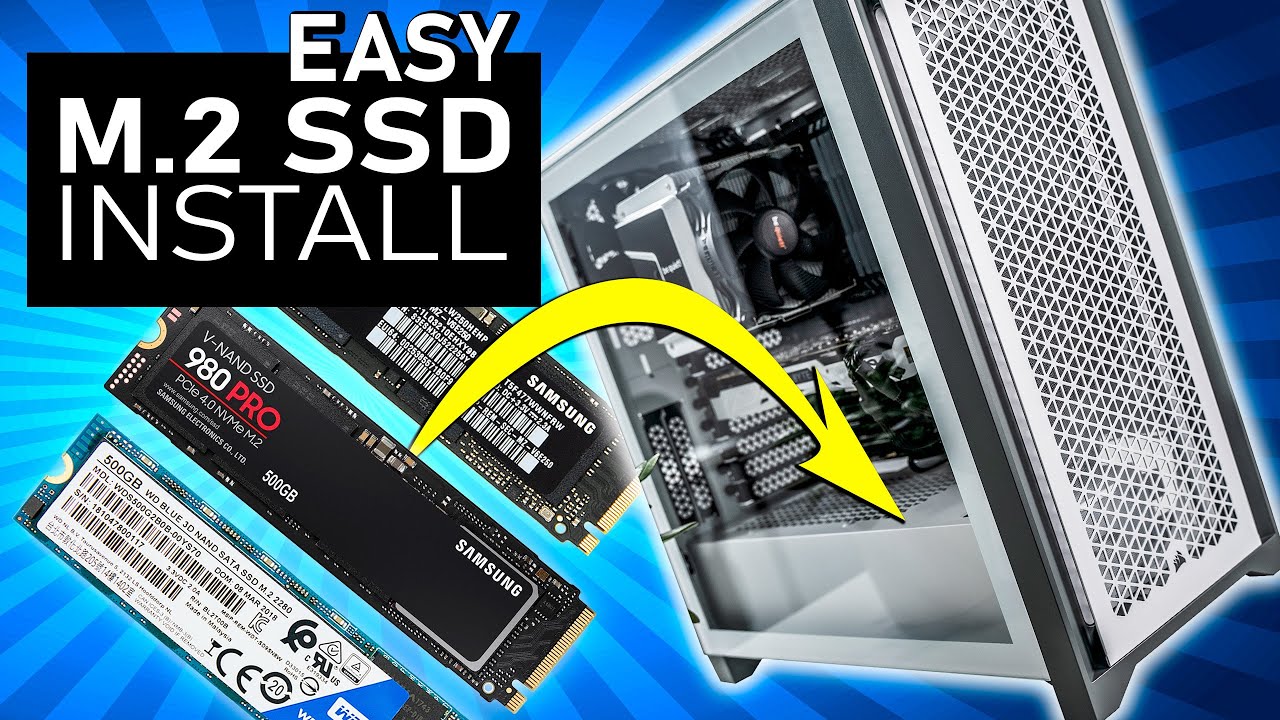
Learn how to install an M.2 Solid State Drive (SSD) into a PC in minutes with this detailed step-by-step guide!
M.2 SSD's typically support one of two interfaces including PCI-Express (PCIe) and SATA. An amazing feature of M.2 SSD's is their ability to support PCIe-based non-volatile memory express (NVMe) which can take advantage of the bliste...
civic sail
light depot
THough as I was just telling DrLeft, Just_Zack has just bought a pre-built form ...
the new pc specs are above this right.
Operating system: Windows 11 64bit
Processor: Intel Core i7-4790K / AMD Ryzen 5 1600
Memory: 16 GB RAM
Graphics: GTX 980 / AMD R9 Fury
DirectX: Version 12
Network: Broadband Internet connection
Disk space: 25 GB available space
Additional Notes: SSD Required
light depot
By miles
civic sail
light depot
By miles
My current pc can't even boot up that fast and even load into these requirements 😂
it has 8 gb ram. amd ryzen 5 1400 quad-core processor an a NVIDIA GeForce GTX 1050 lol. how much of an upgrade is this from that
light depot
A lot, if you want exact differences you'll ahve to google those cpus and gpus and the games you want to know about, but yeah, a lot
civic sail
light depot
A lot, if you want exact differences you'll ahve to google those cpus and gpus a...
I really hope so.
civic sail
how high of a hertz screen do i get for it?
grim glacier
civic sail
how high of a hertz screen do i get for it?
144hz-165hz. Could certainly go 4K with the specs. If not 1440 would be a breeze
civic sail
grim glacier
144hz-165hz. Could certainly go 4K with the specs. If not 1440 would be a breeze
how would I know if it is 4k?
grim glacier
Read the description/ title. It’ll be 3840 x 2160
grim glacier
Are you wanting to buy a new monitor?
grim glacier
You should. Having a pc that powerful is pointless with screens like that😂
civic sail
grim glacier
You should. Having a pc that powerful is pointless with screens like that😂
What screen hertz and quality do i need to maximize then lol
is 165hz the max?
grim glacier
Maximum I’d recommend. But I’d look at 4K. If not 1440p
civic sail
what does HDR mean
 grim glacier
civic sail
is it anything u need on a screen
grim glacier
grim glacier
civic sail
is it anything u need on a screen
NEED. no
civic sail
grim glacier
NEED. no
4k screens expensive 😭
civic sail
grim glacier
Buy an expensive PC, need an expensive monitor. People don’t realise this 😬
what are the difference resolutions like 1080p 1440p 4000p?
grim glacier
Talking about the perceived difference? 1080 to 1440 is huge. 1440 to 4K isn’t as big. You’ll notice the hz jump the most tho
civic sail
grim glacier
Talking about the perceived difference? 1080 to 1440 is huge. 1440 to 4K isn’t a...
can your eye notice over 60 hz?
grim glacier
Yes
civic sail
do i have to cahnge both of my screens or can i go with replacing one
grim glacier
Just replace one. Or add one if you’ve got the space
Can use your old monitor as a secondary
civic sail
my 2nd monitor is outdated and needs to be replaced but i have a 75hz monitor i can keep for a bit more and i could amybe replace the other monitor for a 1440p
grim glacier
Yep. Sounds good
civic sail
does adding a m.2 ssd require a higher power supply or cooler?
grim glacier
Nope. M.2’s hardly draw any power
civic sail
rain ibex
If the filters stick with this then pick one of those M.2's
https://www.elgigant...
The filter didn't stick btw.
civic sail
grim glacier
Nope. M.2’s hardly draw any power
the ssd i get should be a intern SSD M.2? from samsunsing kingston and western digital right?
grim glacier
civic sail
the ssd i get should be a intern SSD M.2? from samsunsing kingston and western d...
There will be one already installed in the PC?
civic sail
grim glacier
There will be one already installed in the PC?
yea but thats only one, got recommended to get a second one for my games or windows
grim glacier
You don't need a 2nd one. Nice to have a 2nd one but not vital
civic sail
rain ibex
yes...if something ever goes iffy and you need to re-install Windows, you only h...
^
Hm.
i have 2 M.2 slots left
and the 2tb drive is the only one i have
light depot
It is better to have two drives (or more), one for Windows and one (or more) for other stuff if you can - though yes not technically necessary, but definitely better
civic sail
Storage type SSD
Storage unit (brand) Solidigm
Storage device (model) P41+
SSD interface M.2 PCIe NVMe SSD
SSD form factor 2280
Storage capacity SSD (GB) 2000
Max. sequential read speed (MB/s) 4125
Max. sequential write speed (MB/s) 3325
Number of SSDs installed 1
Total SSD's capacity (GB) 2000
Total storage capacity (GB)
2000
Is this an alright SSD for games?
civic sail
light depot
It is better to have two drives (or more), one for Windows and one (or more) for...
Yea, but idk if its enough
I'll probably get a 512 or a 1tb for windows tmrw
grim glacier
civic sail
Is this an alright SSD for games?
yes
civic sail
and then i'll get a bigger ssd in th efuture
grim glacier
if you want your own windows drive https://www.amazon.de/-/en/WD_BLACK-SN770-High-Performance-Gaming-Write/dp/B09QVPCJN2/

The WD_BLACK SN770 NVMe SSD ensures even faster gaming. Now experience a fully gaming-designed SSD with up to 40% faster speed and 20% higher energy efficiency at maximum speed than the previous generation. Immerse yourself in fast-paced action without being slowed down by annoying charging times.
civic sail
grim glacier
if you want your own windows drive https://www.amazon.de/-/en/WD_BLACK-SN770-Hig...
is that western digital?
light depot
Yep
civic sail
light depot
Yep
Also when i boot it up wont windows automatically be on the first ssd?
light depot
The PC youre getting will have Windows on the 2TB drive (as thats the one it comes with), you will need to install it on the new drive once you've installed the new drive into the machine
grim glacier
that's why you re-install it 😉
civic sail
light depot
The PC youre getting will have Windows on the 2TB drive (as thats the one it com...
How would i go on that?
light depot
Thera re anumber of links we can give you when you get to that point 🙂
civic sail
alr
light depot
I'd make sure you have a USB stick handy though (at least 8GB in size) - if you dont have one, get one when you get the SSD
civic sail
i hope ig
with my old pc
i had for like 4-5 years
i never experienced windows issues
I'll probably be set for like 1 year or so before I gotta get another m.2
Thanks everyone who typed in this post! thanks for the feedback and suggestions. I'll get the pc on tuesday and ill buy a 4k monitor tmrw
Decided with this one as junior suggested: https://www.elgiganten.dk/product/computer-kontor/skarme-tilbehor/monitor/samsung-odyssey-smart-g7-ls28bg700-28-gaming-skarm/584524
civic sail
grim glacier
you'll be fine for a while
I have had this question for awhile, FPS in games what does that scale off?
Does it scale of the hertz in your monitor or your gaming pc?
I was told you set your max fps to 1 above ur hertz
rain ibex
Rule of thumb...
1080p - 24" monitor
1440p - 27" monitor
4k - 32" monitor
Reason is pixel density. If you were to go with a bigger sized monitor for the mentioned res than the rule of thumb then you have a poor pixel density experience. Basically making you see/notice the pixels
If you go below, then you just wasted money and are also wasting FPS. In short, if you are thinking of 4k but are going for a 27" monitor, you really don't notice the benefits from 4k and should have saved your cash via going for 1440p
rain ibex
civic sail
I have had this question for awhile, FPS in games what does that scale off?
And this doesn't make much sense...
You FPS depends on your GPU and the game + settings your playing on.
That means, your FPS will vary from game to game. Also will vary within the same game depending on what's happening on screen.
The Hz on the monitor is basically the max FPS that particular monitor can physically display. So If you are running a game and 200FPS on a 60Hz monitor, you are actually just seeing the 60FPS
Locking FPS in games to the Hz of your monitor is recommended because of the above. Why waste and invest resources to squeeze 200FPS out if your monitor can only show you 144 for example
But no, there's no scaling
civic sail
rain ibex
But no, there's no scaling
would a 4k graphic card be. a waste using only 1440p?
rain ibex
To that question you will get varying answers depending on opinion.
To me personally, not necessarily a waste. Just mean that you can crank up those settings in games. And you can do that "marginally" longer as games get more demanding when compared to a lower GPU
civic sail
rain ibex
To that question you will get varying answers depending on opinion.
To me person...
So What should the hertz on the monitor i get be and also i might just buy 2 1440p instead of 1 4k idk yet since the 4k screens are just too big for my setup.
rain ibex
Dealers choice
It's all down to preference.
Me personally I wouldn't go higher than 165Hz
civic sail
Why not?
rain ibex
Because the human eye can't see anything that fast
But you will find people who argue and insist they can
civic sail
rain ibex
Because the human eye can't see anything that fast
But you will find people who ...
the picture on the screen would get smoother the higher up you go in hertz though wouldn't it?
rain ibex
How much smoother than your eye can possibly see do you want it to get?
Like I said, that is my opinion.
Do what you will with that info...your choice
civic sail
rain ibex
Like I said, that is my opinion.
Do what you will with that info...your choice
what screen would you pair with this
AMD Ryzen™ 7 7800X3D-processor
AMD Radeon RX 7900 XTX-graphic
32 GB DDR5 RAM, 2 TB SSD-Storage
rain ibex
One that you can fit on your desk, suits your requirements and suits your budget
civic sail
rain ibex
One that you can fit on your desk, suits your requirements and suits your budget
ok.
civic sail
rain ibex
One that you can fit on your desk, suits your requirements and suits your budget
My biggest monitor is a. 27'' i cna probably go to 28-29
civic sail
rain ibex
One that you can fit on your desk, suits your requirements and suits your budget
would you have the time to help me find a screen lol? 4k or 1440p just not too big but able to do what it squaltiy support.i tihnk my graphic car dcan do 4k
rain ibex
DUDE...stop with the pings
civic sail
What I'm not pinging you?
rain ibex
 civic sail
Thats reply
rain ibex
It still results in a ping
civic sail
sowwy
why is this screen so cheap for a 32'' 4k? https://www.elgiganten.dk/product/computer-kontor/skarme-tilbehor/monitor/samsung-u32j590u-32-4k-uhd-skarm-sort/15881
vital escarp
It's only a 60Hz refresh rate.
civic sail
but wouldnt going higher be pointless if ur eye cant see beyond 60 hz?
Would it make no sense buying a 4k screen with 240 hertz 32''?
alr this is the real last question, if i were to get a 4k screen with 144 hertz would i get good performance vs having 1440p perfomrance with 144 hertz or higher or so would i be getting better performacne since my graphic card isnt getting sweated by the 4k?
light depot
I would expect better preformance from any GPU doing 1440p rather than 4k at the same refresh rate
civic sail
light depot
I would expect better preformance from any GPU doing 1440p rather than 4k at the...
ive seen some ppl talk about 4k it seems ill go for 1440p since im more of a compedetie player and i would choose a 1440p with a higher hertz than a 4k with maeybe 60 or 120 hertz that woudl draw alot of power and not run many games on highs ettings.
and I can basically get 2 1440p for the price of 1 4k lol
hollow dust
I'd recommend against getting 2 1440p screens with a high refresh rate, unless you need them both for simulators or some such.
I, and many others, run a 1440p for gaming, and a 1080p60 for the secondary, no point in throwing a much of money at somthing you don't need to
civic sail
https://www.elgiganten.dk/product/computer-kontor/skarme-tilbehor/monitor/samsung-odyssey-c27g7-27-buet-gaming-skarm/181264 I bought this screen for my Radeon RX 7900 xtx it has G-Sync and 240hz 1440p would this be do good together? mostly scared about if the radeon can do be with a screen that has the g-sync
civic sail
Can anyone give a reply ^~^
hollow dust
the screen will do nicely.
Generally, not always though, an AMD card will work with G-sync, but an Nvidia card will not play nice with AMD Free-sync.
when they don't work it doesn't do any damage or have any bad effects, it just won't give you the vertical synchronization from the screens own hardware, so the GPU will have to do that work instead
civic sail
hollow dust
the screen will do nicely.
Generally, not always though, an AMD card will work ...
Alright, i was told if i used it with my amd gpu i would experience stuttering