#I need help with building my first PC 2K budget
527 messages · Page 1 of 1 (latest)
 charred pecan
 sweet drift
charred pecan
Make sure you say what you'll be using the PC for as it will help people help yo...
sweet drift
charred pecan
Make sure you say what you'll be using the PC for as it will help people help yo...
Playing MW 2, Arma 3 and ark and red dead redemption 2 and GTA
 split gale
Wanna share the full spec?
charred pecan
PS. I have deleted your other thread JuiceTheKid - please just stick to this one thread
sweet drift
charred pecan
PS. I have deleted your other thread JuiceTheKid - please just stick to this one...
Ok
Mb btw
sweet drift
split gale
Wanna share the full spec?
I mean I can’t send pics here
I can send pics if I can find where to send them
It’ll be easier
split gale
If you get to level one on MEE6 you can
sweet drift
I have it setup just not purchased it yet
charred pecan
You need to level a bit to send images (its an anti-spam measure)
sweet drift
Oh ok
split gale
Or if you press proceed then post spec to forum then cop the link
sweet drift
This work ?
I did change some stuff
It better not show the default stuff it came with lol
 charred pecan
If you foillow Juniors instructions how to get your link itll include what youve changed
split gale
Just need to copy the link
split gale
Then paste the link here
sweet drift
That was the link
split gale
Don’t need to be on the forum
 split gale
 charred pecan
Press Proceed, Press 'Post to Forums', scroll down - there will be a configured link for you under your spec list
sweet drift
I can’t because they don’t have the fans I want
It warns me saying they don’t have the stock
split gale
sweet drift
That’s not what my build is ?
split gale
OMG
sweet drift
I did what you said
charred pecan
Junior video is how to get the link
split gale
That’s why you copy what I’ve done and show us
split gale
Awesome. Yes it does. What’s your budget?
split gale
Okay
sweet drift
The reason I went with the 4070 TI is because it has high fps I’ve seen on almost any game
And I like the look of it
My monitor I have rn is a 1440P 180Hz overclocked monitor that has gsync and freesync
split gale
Here’s what I’d recommend https://www.pcspecialist.co.uk/saved-configurations/amd-am5-pc/9XwzWAWcv5/

PCSpecialist is an award-winning manufacturer of high quality custom PCs & Laptops. Configure the AMD Am5 PC to your ideal requirements.
With the AK620 it comes to 1,103
Can explain the changes if need be
sweet drift
I don’t really like the Asus stuff
I have a laptop and the picture is awful Ik it’s a laptop but like the quality doesn’t seem very good In general
I feel like other brands would be better
sweet drift
split gale
Can explain the changes if need be
I need to try get 2080 max
No higher
Ik it’s not much difference but I’m kinda spending a lot
2080 is probably my max
charred pecan
There was a reason why you were asked what your budget was lol
Personally I've had no issues with my ASUS motherboard
charred pecan
The motherboard that Junior picked is a perfectly fine motherboard
split gale
I’d go for the B650 AORUS elite over the TUF. But the AORUS is another £50 or so
sweet drift
Will my build fit that ?
split gale
Physically yes, budget no
split gale
2nd gigabyte option
split gale
The AORUS
sweet drift
Ohh
Are the fans ok would you say
That I have rn
Not the AK one
Like without that one would it be fine would you say
split gale
Like the case fans?
sweet drift
Yeah
And the processor cooling
I could potentially go for the aorus
Depends how much of a difference it will make
And if it’s worth it
Also what’s the difference between the motherboard I had Vs the one you recommended

This Vs the gigabyte one ?
split gale
sweet drift
And the processor cooling
I’d go for the AK620 personally. Or if there’s the Frostflow 200
split gale
sweet drift
The AORUS has better VRM’s, but realistically you won’t notice a difference day to day
split gale
Hmm. Yeah I’d wait for the 620 to comeback
sweet drift
Isn’t the gigabyte better though it has better graphics or something I looked up
sweet drift
True
Will I need the 2 thermal take fans as well ?
Onboard graphics ?
That M.2 is slower than the Corsair one ?
What does the Gigabyte Wifi plus do that the original doesn’t
sweet drift
Yeah that fan will not be working I gotta wait an entire month for them to restock on them @split gale
Is there any alternative I could use
split gale
sweet drift
Will I need the 2 thermal take fans as well ?
Won’t need them
split gale
sweet drift
What does the Gigabyte Wifi plus do that the original doesn’t
The DS3H is just a budget board so not one I’d recommend with a 7800X3D
split gale
sweet drift
None ?
Yep
sweet drift
split gale
The DS3H is just a budget board so not one I’d recommend with a 7800X3D
The asus one is better ??
split gale
The ones that come with the case is plenty
sweet drift
split gale
The ones that come with the case is plenty
Aren’t those loud
split gale
sweet drift
The asus one is better ??
Than the DS3H, yes
split gale
sweet drift
Aren’t those loud
They’re pwm so you can control@the speed
split gale
sweet drift
That M.2 is slower than the Corsair one ?
You won’t notice it
 split gale
The PCS 360?
sweet drift
Don’t have them
They only have 150
I don’t know what one to choose
Would the 150 series be enough ?
sweet drift
That’s liquid cooled ?
split gale
Yep
split gale
What?
sweet drift
And leaks everywhere
sweet drift
I’m worried it’ll leak lol
split gale
It’s just not something that happens
And it’s non conductive liquid
So it’s not like a water spill
 split gale
Yes
sweet drift
Oh ok
split gale
But it’s a better motherboard
 split gale
Yep
sweet drift
No case fans at all ?
split gale
The case comes with fans mate
split gale
They’re fine
 split gale
Want better fans pick a nicer case- you’re the one that added that case in the first place
They don’t replace the fans
They just add them on
sweet drift
split gale
Want better fans pick a nicer case- you’re the one that added that case in the f...
Wdym ?
Can I choose the size of the case ?
Isn’t the fusion Goliath big ?
split gale
sweet drift
Isn’t the fusion Goliath big ?
No because you’ve changed the case
split gale
sweet drift
Can I choose the size of the case ?
Yes. Just chose a different case
 split gale
Yes… it’s a case
split gale
Click on it
 split gale
 split gale
No idea
sweet drift

That’s the one i had
It’s smaller on the left side
But right side of the dimension is smaller
There all the same size
Basically
Is this good ? @split gale
Sorry for pinging
Also do you recommend any good keyboards in the budget of 130 max
split gale
sweet drift
https://www.pcspecialist.co.uk/saved-configurations/amd-am5-pc/N!JzRUtnxv/
Would remove the RGB strips, the anti virus and go for the silver warranty then it looks good to go
 barren hazel
yeah, the case has 4 ARGB fans, the Motherboard has a itty tiny little bit of RGB, and the graphics card is likely to have RGB too
barren hazel
sweet drift
Also do you recommend any good keyboards in the budget of 130 max
I know it bursts the max, but I recommend this:
https://www.amazon.co.uk/Tenkeyless-Lightspeed-Mechanical-LIGHTSYNC-Bluetooth/dp/B07W4DGZ55/

Logitech - G915 TKL Tactile Gaming Keyboard
otherwise https://www.amazon.co.uk/Logitech-Lightsync-Mechanical-Programmable-Passthrough/dp/B07W8NTYNY

G815 packs advanced gaming technologies into an ultra-thin and sophisticated design. Fully customisable per key LIGHTSYNC RGB technology also reacts to in-game action, audio and screen colour as you choose. With a sleek, impossibly thin yet durable and sturdy design, G815 features high-performanc...
sweet drift
split gale
Would remove the RGB strips, the anti virus and go for the silver warranty then ...
The antivirus is free
charred pecan
All you need is Windows Defender - comes free with Windows
barren hazel
Norton is bloatware and will only slow your PC down, even if it's not active just being there is actively slows the PC down, and Windows Defender is just as good, part of windows itself, and does not slow you down additionally
sweet drift
charred pecan
All you need is Windows Defender - comes free with Windows
I know but won’t antivirus give it more protection
I usually download songs from websites
Because they’re like leaked songs
So I don’t wanna get a virus
 onyx gate
Windows Defender, as it's already been said, is all you need
Anything else will just bog down your system as a "Joe Blooggs User"
sweet drift
I can’t remove nortan anyway
It’s by default
For free
Nvm I can
How much slower will it make it
charred pecan
sweet drift
So I don’t wanna get a virus
Dont download dodgy crap that youre doing illegally then, Windows Defender whould be fine though
sweet drift
With it
onyx gate
And, if you are indeed downloading dodgy stuff, then I'm out and you're on your own
sweet drift
charred pecan
Dont download dodgy crap that youre doing illegally then, Windows Defender whoul...
I need it
That’s the only music I listen to
charred pecan
Spotify Free
barren hazel
still even accessing it can get you in trouble for piracy for one, plenty of free options anyway, and all those less than clean options have high risk of you catching internet VD
sweet drift
It’s a trusted site
charred pecan
Yep, piracy is still piracy whether you sell/forward it on or just keep for yourself
 rocky oasis
🥴🥴
sweet drift
If I got fast track for 3 days would it actually come in 3 days
Or could it be delayed
barren hazel
it could get delayed, but PCS will refund the difference if it is within the 5 day fast track, or refund all if it is out side that too
charred pecan
sweet drift
If I got fast track for 3 days would it actually come in 3 days
It would be dispatched (dispatched does not equal delivered) within 3 working days - unless as DrLeft said there were delays (ie failing testing could delay it)
Note the 'working days' comment, ie weekends dont count
sweet drift
Also the ryzen 7 7800X3D has no security issues right ?
Like some of the other ryzen’s have
Like with zen or something
barren hazel
no security issues I know of
the only issue I knew of was the x3d processors self destructing, but thats not an issue anymore as far as I know
sweet drift
Would you say I have a good build
Someone told me it’s overkill
But I’m trying to get the best PC I can possibly get for about 2K
charred pecan
Would be worth linking said build again so people cna have a look (rather than having to try and scroll back to the relevant lastest build)
charred pecan
A previously said get rid of the Norton trial, easier to start without it rather than having to uninstall it
barren hazel
https://www.pcspecialist.co.uk/saved-configurations/amd-am5-pc/zg8Z23pEQW/
one itty bitty change, costs 5 quid more, it gets you a separate superfast OS drive, so you can keep games and other clutter off the drive with an OS on it, keeping the system as fast as possible, and a full 2 TB for gmaes and whatnot
PCSpecialist is an award-winning manufacturer of high quality custom PCs & Laptops. Configure the AMD Am5 PC to your ideal requirements.
charred pecan
I still only see one drive oin there, maybe I'm imagining things
onyx gate
Nah, there's only one drive on the last link from DrLeft
barren hazel
huh, no clue what happened, and I can't replicate it either. ignore it all then
sweet drift
barren hazel
https://www.pcspecialist.co.uk/saved-configurations/amd-am5-pc/zg8Z23pEQW/
one ...
What do I do then
Is it ok
sweet drift
charred pecan
I still only see one drive oin there, maybe I'm imagining things
There is only one drive
Is that ok ?
I was told that drive was fast enough
barren hazel
one drive is fine, but remember that after a certain point of fullness the system will start to slow down, you an additional drive will be needed
charred pecan
Basically its better to have one drive for Windows and another drive for other stuff but if the budget doesnt allow now then extra drives can be added later
charred pecan
Therefore one will have to do for the moment
barren hazel
it's something to put on the future upgrades list
sweet drift
I was told to get the antivirus
Because all the protection I can get will be helpful
charred pecan
Wihndows has Windows Defender by default as we've already told you
barren hazel
Norton is not more, I'd argue it's actually less protection, and a system drain on top
you can get a free version of MalwareBytes downloaded and installed incase you do catch internet VD from your questionable download practices
charred pecan
Well if you do insist on getting Norton its a free trial you will have to pay for it when siad trial runs out
Oh and dont blame us when its starts slowing down your system
onyx gate
You're going in circles about the antivirus. If they insist on doing dodgy stuff, let them
And, after the 90 days free trial expires, let them pay for the full license
If they don't want to pay for the license, then Windows Defender is their only solution anyways
onyx gate
And what then? You're back on Windows Defender
So what's the point in getting Norton in the first place?
sweet drift
barren hazel
https://www.pcspecialist.co.uk/saved-configurations/amd-am5-pc/zg8Z23pEQW/
one ...
Is everything else good with the build btw ?
sweet drift
onyx gate
And what then? You're back on Windows Defender
So what's the point in getting No...
Temporary protection
Or additional
onyx gate
There is no "additional protection"
- If you have both running at the same time they will conflict
- Windows Defender is superior in my opinion
barren hazel
sweet drift
Is everything else good with the build btw ?
already said it's fine, Rakk did too, and seriously Norton is not good for your PC, windows defender is just as good at protecting your PC, and does not add ssytem overhead
also, it would just be cheaper to get spotify or Youtube premium, than to pay for an Anti virus subscription
sweet drift
I bought the Pc
I went with the asus motherboard with wifi
I talked to the company on phone
I’ve made the order but I’m not sure about keyboards
sweet drift
split gale
Yes
They didn’t have the fan you recommended but also I was recommended by a Pc specialist worker that this is a better fan ?

For liquid cooler because they didn’t have the AK fan
onyx gate
I am just going to go ahead and delete the other thread
sweet drift
onyx gate
I am just going to go ahead and delete the other thread
Someone else doing it
Already
Rakk is
onyx gate
No...I just deleted it
sweet drift
He said he would 
charred pecan
Just beat me to it 🙂
sweet drift
So far the keyboard that seems best for me is the Corsair K65 Mini
It has good latency among other things
Like a good response time
sweet drift
Is there change I could overclock my Pc build ?
charred pecan
Overclocking does very little apart from for bragging right now-a-days, the CPU's have their own boosts anyway
sweet drift
Would I be able to overlock on a 1440P monitor
charred pecan
Depends what you mean, and its depends on the refresh rate of the monitor anyway preusming youre talking about refresh rate overcloiking
onyx gate
And it depends on the monitor and if it has a built-in overclock feature. Otherwise you cannot overclock a monitor
charred pecan
I thought the H100x was quite old now - pretty sure I had one of those about 6 years ago - nevermind mine was an older H100i -- oops
barren hazel
loud is relative, compared to others 240mm AIO's, probably, compared to an aircooler, it's probably nice and whisper quiet
sweet drift
Someone told me it’s good
I had someone tell me at pc specialist that it’s a good one
But idk if it’s loud
It fits in my Pc and they still sell it
So surely it’s not that old
I was even recommended it
I talked to someone from pc specialist on the phone saying it’s a good one
charred pecan
The Frostflow 360 you had earlier was more powerful
 barren hazel
AIO's are generally quieter than air coolers, and tend to be able to cool better
the one you chose is an AIO
onyx gate
Corsair is one of the leading brands for AIO's. I genuinely don't know what you are talking about
barren hazel
Corsair are loud compared to say, a Noctua or a BeQuiet an AIO, but still quiet enough, you won't hear it over the game much if at all
sweet drift
Corsair themselves said they’re very loud if they’re AIO
How do I know if my liquid cooler is a all in one @barren hazel
onyx gate
Because it's a liquid cooler...aka AIO
barren hazel
google for one, and on PCS, you can get a picture showing the whole thing
onyx gate
They are one and the same thing
sweet drift
I can’t find anywhere that reviews one @barren hazel @onyx gate
I’m worried it’ll be loud
But apparently Corsair themselves said some older ones have noise issues
barren hazel
cool the pings
on mobile use portrait mode, and click the " ? " symbol to get the picks
sweet drift
The I versions are loud
But idk about the X series
Elite
Nowhere is putting reviews about that model out
onyx gate
sweet drift
I can’t find anywhere that reviews one <@208861258353606656> <@18400418203710259...
If you cannot find a review for a Corsair AIO then you must be looking in the wrong place
sweet drift
onyx gate
If you cannot find a review for a Corsair AIO then you must be looking in the wr...
No this specific model
That I’m having
There’s no reviews about this specific model
barren hazel

The CORSAIR H100x RGB ELITE liquid CPU cooler combines brilliant cooling and refined aesthetics, equipped with CORSAIR SP120 RGB ELITE Series PWM fans that deliver powerful airflow with AirGuide technology. With a modern pump head design and stunning RGB lighting effects, the H100x RGB ELITE matc...
not great reviews as far as talking about the product, but it was the first google result
onyx gate
sweet drift
There’s no reviews about this specific model
None? Really?
 onyx gate
Then you are typing it in wrong
split gale
Love amazon reviews. Have to be slightly careful on how you look at 'em
 barren hazel
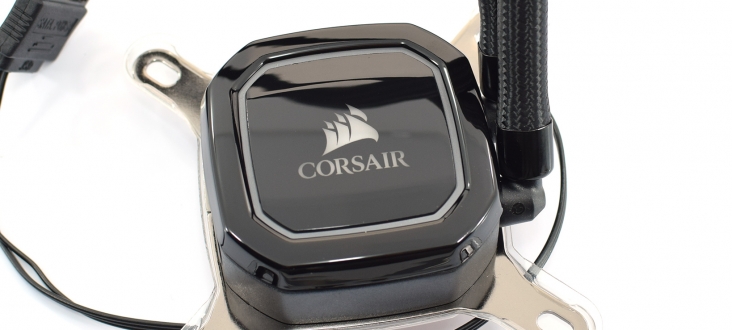
Over the last few years, Corsair has released a wave of 'smart' liquid coolers which give you contro
onyx gate
Which would also explain why you couldn't find any reviews for the keyboards you were asking for earlier
split gale
barren hazel
https://www.kitguru.net/components/cooling/dominic-moass/corsair-h100x-liquid-co...
that's nottt ittt
 barren hazel
split gale
that's nottt ittt
barren hazel
split gale
that's nottt ittt
ok then, YOU can do this childs homework
split gale

This is an installation guide for the @corsair H100i Elite all in one cooler. Here I am showing how to install this AIO, including setup for Intel LGA 1200 socket and LGA 1700 socket motherboards. I'm also showing the installation for Corsair AF120 Elite fans which I've used in this case as well.
Related videos:
Corsair AF120 Elite fans https:...
barren hazel
since when is i=x?
split gale
It's not that one either 
split gale
Corsair has too many different coolers
Mind you, the H100X is a pretty new AIO, so there ain't gonna be much on it
that said, the Corsair AIO's are rock solid. YOu'll be fine with it @sweet drift no need to worry
sweet drift
I’ve seen a H100X review of the original one from 5 years ago
split gale
nothing lile
sweet drift
Just not the Elite RGB version I’ve selected
split gale
nothing like tht one
sweet drift
So that’s the wrong one
split gale
sweet drift
I’ve seen a H100X review of the original one from 5 years ago
THis one isn't the same
barren hazel

Linus Tech Tips
Hi, Well I used to have a Coolermaster Seidon 120mm AIO and the pump gave up after about 5 years. Anyway I spent a long time looking around the various things on offer and I finally went for the Corsair H100x. This is the cheapest 240mm AIO in their line up because it doesn't use the patented Ase...
charred pecan
And one thing to remember JuiceTheKidd, if you want decent gaming power the PC will make some noise
barren hazel
no matter what, it seems you think the AIO is going to be screaming louder than a 747 at takeoff, when in reality is is barely going to exceed the GPU's own volume, if at all
barren hazel
in fact the GPU is likely going to be louder at all times
charred pecan
ICue is corsiar software
split gale
Corsair's RGB software
charred pecan
Its Corsairs software, not the hardware
 split gale
it is
split gale
it's just got a funky thing with RGB that means it can be iCUE
split gale
sweet drift
It doesn’t say how old it is either
they're a recent release, this year. the item itself is brand new

 barren hazel
iCue=blinky light control
Corsair H100x is the physical cooler itslef
split gale
litrerally doesn't matter
split gale
I live and breathe this stuff. It released this year
split gale
sweet drift
So it shouldn’t be loud
Means nothing. The fact it's a new corsair unit means it shouldn't be loud
sweet drift
It also says the fast track might not come early if I buy a liquid “series”
What are liquid series
split gale
Custom loop water cooling. Don't bother
barren hazel
there is a reason why this sticker exists on this server, Junior can be trusted
sweet drift
So it won’t effect my purchase speed in fast track ?
split gale
No, because you're not buying liquid series
sweet drift
It also comes with 6 case fans in total as well
The case does as well as the liquid cooler
barren hazel
yes, 4 on the case, 2 from the AIO, so you don't need more fans
split gale
this is liquid series
 charred pecan
And that is not what youre getting
barren hazel
charred pecan
And that is not what youre getting
split gale
Have you made the purchase yet? @sweet drift
sweet drift
split gale
Have you made the purchase yet? <@456226577798135808>
Yeah
Like hours ago
That’s why I got worried lol
It costs me 2.2K for just the Pc
And the monitor was 379, and my desk was 120
For my first Pc setup
split gale
you'll be good, nothing to worry about
sweet drift
Just worried
split gale
PC's are expensive
sweet drift
Yeah
split gale
What full spec did you end up with?
sweet drift
Is it easy to add a extra M.2
I only stuck with 1TB M.2 that’s faster
Rather than a slow M.2 that’s bigger
Because I can always add another One in the future
barren hazel
adding an additional M.2 is really easy usually, it is as easy as plugging it in, and screwing it down, then when you reboot the PC, a few clicks, plenty of videos showing how to do it all start to finish
charred pecan
Corerct, you can stay awy from changing the BIOS, just leave it as it is
barren hazel
nope, no mucking in BIOS
sweet drift
Idk wtf bios is or how it works 💀
charred pecan
You can rename your PC once you get it but you can do that in Windows
And there will be a small amount oif setting up Windows when you start it for the first time (setting languages, preferences etc)
sweet drift
So probably best if I stay away from any settings idk what they do
charred pecan
Yep, if you dont know what a setting does, leave it alone 🙂
barren hazel
https://youtu.be/_D0bwTd0PHM?t=289
the timestamp inlcuded is how to do the indows part, it is easy
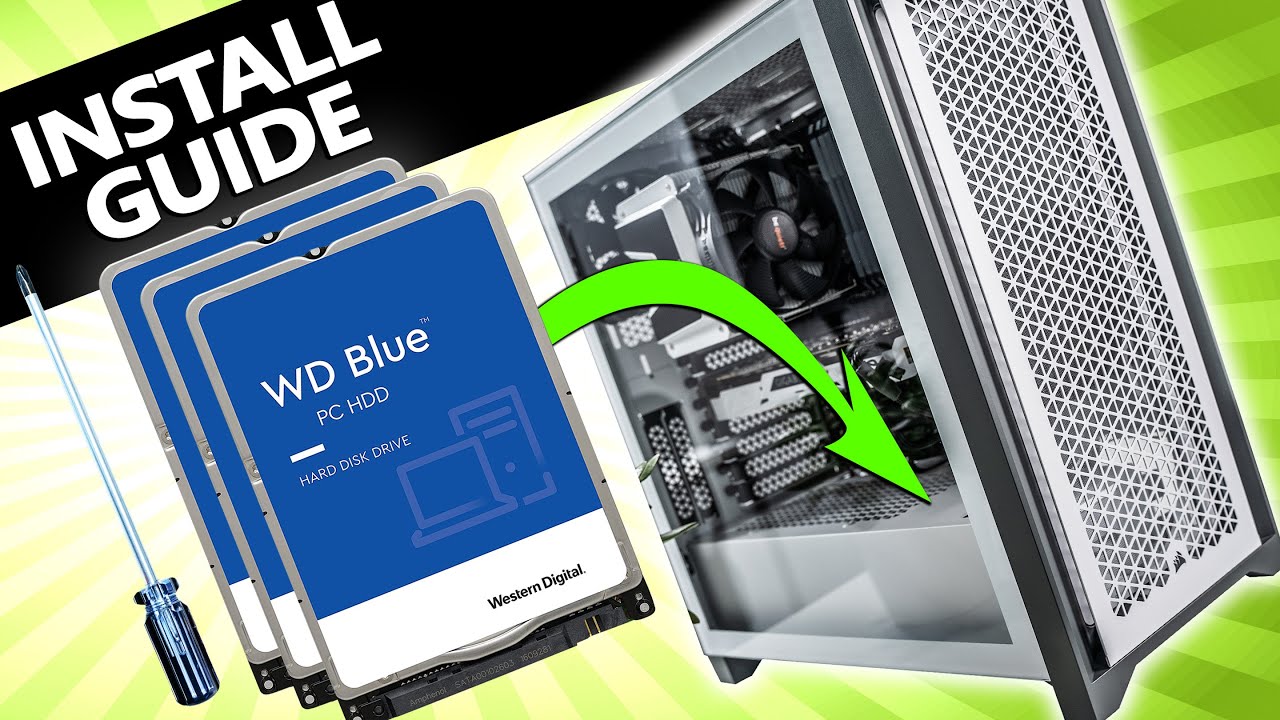
Learn how to install a hard drive into any PC with this easy to follow step-by-step guide.
Upgrading storage is one of the most common changes that PC owners want to make. And it happens to be one of the easiest tasks to do yourself! The steps in this guide can also be applied to the installation of 2.5" Solid State Drives (SSD's) as well. I...
sweet drift
When I get my pc will I have to setup the 180Hz or anything
Like will it put a recommended hz on or what
Because sometimes they do that if it can’t reach that much or whatever
barren hazel
sweet drift
When I get my pc will I have to setup the 180Hz or anything
let's burn that bridge when we get there
sweet drift
Lmao
Is that a good choice though a fast M.2 but smaller
1TB instead of 2TB that’s slower
charred pecan
Faster is indeed better for your main Windows drive
barren hazel
https://www.youtube.com/watch?v=2UeWMgjwogU&t=8s
this is how easy it is to put in the m.2 drive into your PC
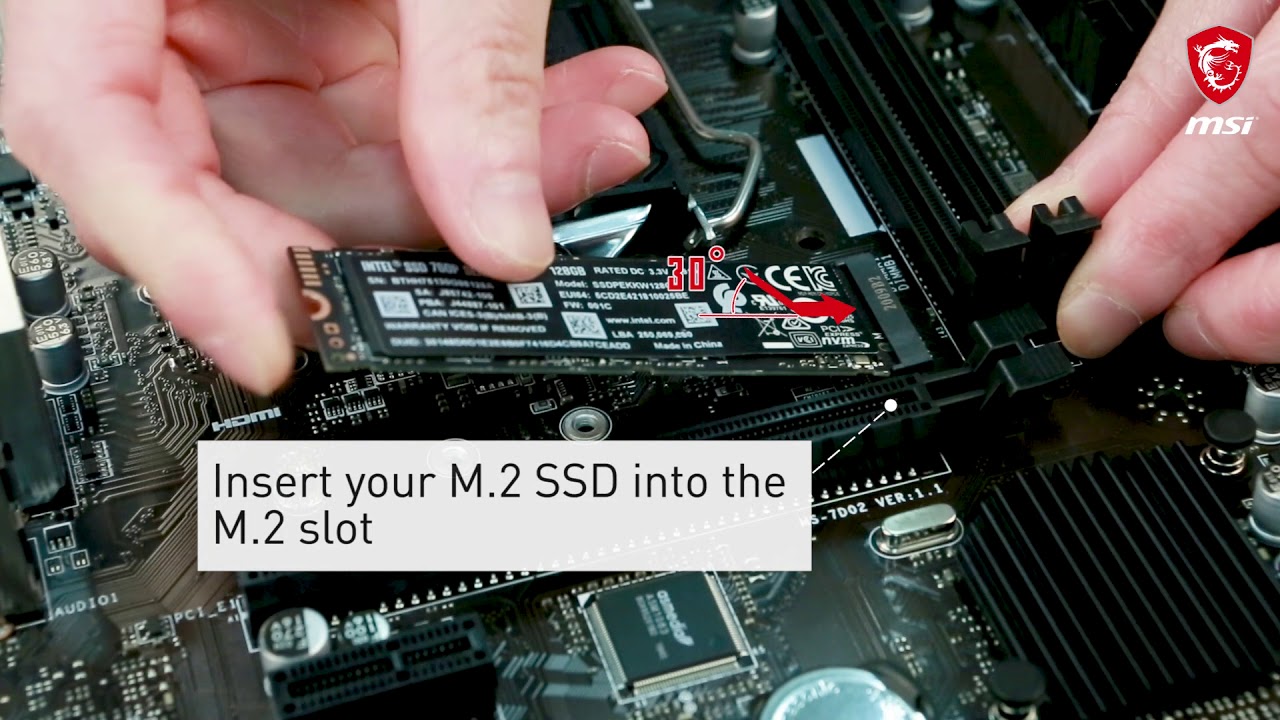
In this demonstration, we'll show you the steps to install M.2 module on MSI motherboard.
Follow us to get the latest news!
► Facebook: https://www.facebook.com/MSIGaming/
► Twitter: https://twitter.com/msitweets
► Instagram: https://www.instagram.com/msigaming/
sweet drift
I mean I won’t be doing it anyway
It’ll probably be a family member that does it so I don’t mess it up
He’s been working with computers for a long while but knows nothing about gaming PC’s
barren hazel
so why panic yourself into a near aneurism?
sweet drift
Only normal ones
Because he forgot most stuff
He’s 70+
A grand parent
Where as me I’ve never worked on a Pc before in my life
onyx gate
He can still teach you a thing or two
sweet drift
He has
barren hazel
well it does involved a little screw, and it does need some fairly steady hands
charred pecan
Well stop panicing about it until it needs to be done
sweet drift
Btw I have like nowhere for the pc to go
Besides on the floor on a carpet will that be ok ?
Or should I try get like a piece of wood or something to sit it on
charred pecan
Youll really want to raise it off the carpet otherwise it will collect an awful lot of dust and thick carpet may block any vents at the bottom
charred pecan
Should be
sweet drift
It’ll still be on the floor but just on a piece of wood
Does it have to be thick or just anywhere besides on carpet
barren hazel
wood, a cement block, airplane window, another older PC, so long as it is sturdy and preferably anti static anything will do
sweet drift
I’m mad about my laptop 💀
I spent like 600-700 on it now I’m trying to sell it
But it only sells for 200 or something
charred pecan
PC's/laptops drop in value very quickly
onyx gate
Well, the PC you bought a few hours ago will be worth much less in a year or so
That's just how it goes
onyx gate
Sorry, my crystal ball is out of order
charred pecan
Just accept it will be a lot less
sweet drift
I got a question
Would you rather go for better latency or better actuation force
The K65 mini has 0.1 ms response apparently
barren hazel
shhhh... calm down, you'll give yourself hemmoriods if you keep this up