 import React, { Component } from "react";
        import * as THREE from "three";
        import { GLTFLoader } from "three/examples/jsm/loaders/GLTFLoader.js";

        class Room extends Component {
            componentDidMount() {
                const loader = new GLTFLoader();
                loader.load('src/assets/room.glb', function (gltf: { scene: any; }) {
                    const scene = new THREE.Scene();
                    scene.add(gltf.scene);
                    const camera = new THREE.PerspectiveCamera(75, window.innerWidth / window.innerHeight, 0.1, 1000);
                    camera.position.z = 5;
                    const renderer = new THREE.WebGLRenderer();
                    renderer.setSize(window.innerWidth, window.innerHeight);
                    document.body.appendChild(renderer.domElement);
                    function animate() {
                        requestAnimationFrame(animate);
                        renderer.render(scene, camera);
                    }
                    animate();
                });
            }

            render() {
                return <div />;
            }
        }

        export default Room;
#new to 3js, not sure where im going wrong with rendering
46 messages · Page 1 of 1 (latest)

 dense jetty
I would start by testing your model in an online viewer -- if you've just exported from Blender, the model itself might have issues that would be easier to solve before bringing it into your application.
 halcyon dome

Task for school where we had to make a cubicle and texture it in 1 UV map! - Cyberpunk Room Cubicle - Download Free 3D model by Phons
i downloaded it from this website!
dense jetty
Also -- doesn't look like there are any lights in the scene, which most models will require. For a good default lighting setup see https://github.com/mrdoob/three.js/blob/181e04eea8b569dc09048f9dc644310ed6b745a6/examples/webgl_loader_gltf_compressed.html#L57-L63
halcyon dome
ahh lights
dense jetty
halcyon dome
i downloaded it from this website!
Nice! All the same though, it is pretty common that downloads from websites have issues. Sketchfab is not using three.js or glTF to display that page, it has its own internal formats, and sometimes the conversion to glTF is imperfect when you download the file.
halcyon dome
could you link an online gltf renderer?
dense jetty
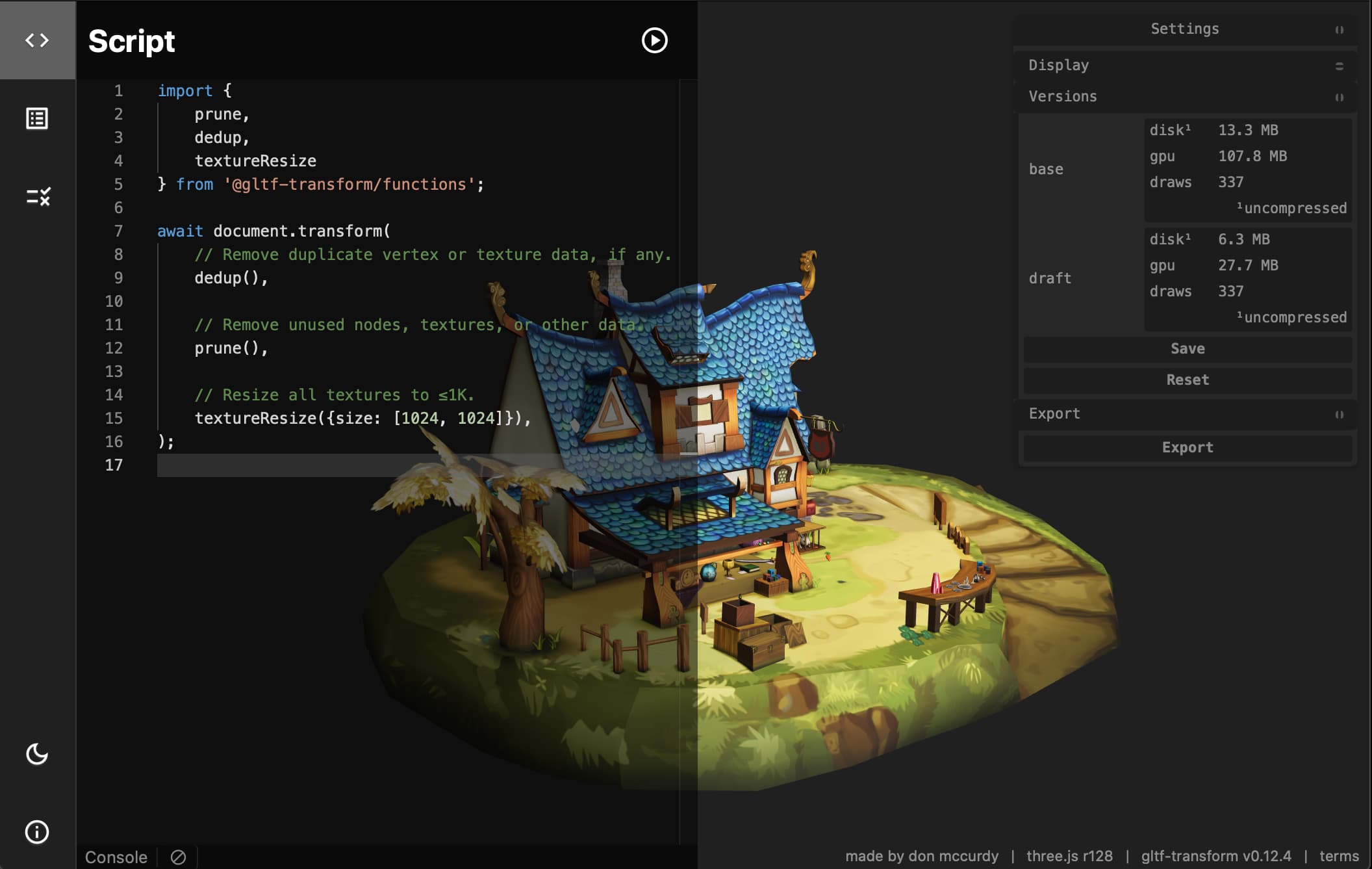
Viewer, analysis tool, script editor, and validator for 3D models in glTF 2.0 format.

 bold notch
dense jetty
https://gltf.report
bold notch
dense jetty
https://gltf.report
Woaaah, it's showing so much information than https://gltf-viewer.donmccurdy.com. Super helpful
 bold notch
Try AmbientLight with intensity 1. Basically, lighting up everything
halcyon dome

😢
i noticed this model has different lighting like everywhere
do i need to add more lights
bold notch
Oh sad, You might need careful approach in lighting
halcyon dome
careful approach?
bold notch
Looking from this model, it seems like there is some postprocessing also going on. Bloom effect I think.
halcyon dome
yes
bold notch
halcyon dome
careful approach?
I meant, you have to choose which lights to add carefully, and choose the position of the light appropriately etc...
bold notch
yes
bold notch
From looking at the shadows, it seems like a light is placed at open corner of the cube.
 bold notch
halcyon dome
what position would that be
bold notch
halcyon dome
what position would that be
I don't know. I don't know the best approach the find the position, but I would just strategically try out the positions starting from extremes and narrow it down.
dense jetty
halcyon dome
but its possible to get the model to look like the post processed one?
if you wanted to recreate the bloom effect, this should get pretty close:
https://threejs.org/examples/?q=bloom#webgl_postprocessing_unreal_bloom
bold notch
bold notch
From looking at the shadows, it seems like a light is placed at open corner of t...
Try with DirectionalLight and SpotLight.
halcyon dome
very excited lemme try it out