 charred moss
Hello guys, I want to re-create the GitHub globe https://github.blog/2020-12-21-how-we-built-the-github-globe/, but I have some trouble setting up the light, color, and camera rotation of the globe.
I am using this lib react Threejs globe https://github.com/vasturiano/react-globe.gl
To elaborate on the question,
I try to create a halo layer using a custom shader and place it behind the globe as follows:
For haloVertexFragment
varying vec3 vertexNormal;
void main() {
  float intensity = pow(0.8 - dot(vertexNormal, vec3(0.0, 0.0, 1.0)), 7.);
  gl_FragColor = vec4(0.6235294117647059, 0.8274509803921568, 0.9294117647058824, 1.0) * intensity;
}
For haloVertexShader
varying vec3 vertexNormal;

void main() {
  vertexNormal = normalize(normalMatrix * normal);
  gl_Position = projectionMatrix * modelViewMatrix * vec4(position, 0.9);
}
And how I use it
const haloMaterial = new ShaderMaterial({
  fragmentShader: haloVertexFragment,
  vertexShader: haloVertexShader,
  side: BackSide,
  blending: AdditiveBlending,
  transparent: true,
});
const haloGeometry = new SphereGeometry(100, 100, 100);
const haloLayer = new Mesh(haloGeometry, haloMaterial);
haloLayer.scale.multiplyScalar(1.15);
haloLayer.translateX(-3)

globe.scene().add(camera, haloLayer);
And this is the result as shown in the image below
There are a couple of things that I need help with:
- The halo color/shade is not looking natural
- When the globe rotates, the halo light moves as well, it does not stay on the left side
- I tried to add some DirectionalLight and AmbientLight to the globe, but the result was not good
If you guys need any more info, feel free to ask.
I welcome all suggestions,
Thank you in advance


GitHub is where the world builds software. More than 56 million developers around the world build and work together on GitHub. With our new homepage, we wanted to show how open source development transcends the borders we’re living in and to tell our product story through the lens of a developer’s journey. Now that it’s […]
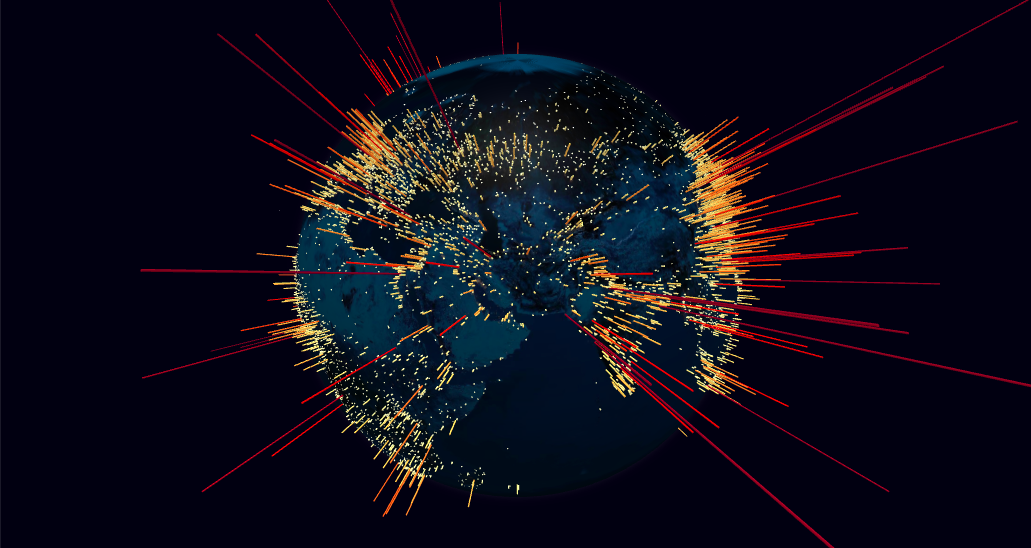
React component for Globe Data Visualization using ThreeJS/WebGL - GitHub - vasturiano/react-globe.gl: React component for Globe Data Visualization using ThreeJS/WebGL
 slim panther
 ionic surge