#Tactile DCS (KEYBOARDS)
722 messages · Page 1 of 1 (latest)
 surreal crow
Sweet
 viral bramble
I did a discord thing, yaay!!
 quartz meteor
viral bramble
I did a discord thing, yaay!!
quartz meteor
viral bramble
I did a discord thing, yaay!!
We knew you had it in you. 🙂
surreal crow
Would some thing like the Planck have 2 fn keys so that the top row would be numbers and f-row?
viral bramble
https://olkb.com/collections/preonic here's a 60% planck
 viral bramble
surreal crow
Would some thing like the Planck have 2 fn keys so that the top row would be num...
viral bramble
surreal crow
Would some thing like the Planck have 2 fn keys so that the top row would be num...
well, you can program it however you want! something like that's probably a good idea though, for 40% you'd probably need 2 layer keys
surreal crow
viral bramble
https://olkb.com/collections/preonic here's a 60% planck
Nice but it’s all sold out
viral bramble
I'm sure you can find somewhere where it isn't (probably)
surreal crow
Allegedly
I’ve been wanting to try out gasket mounts
Because top mount feels stiff and has inconsistent sound across the board
viral bramble
r/olkb is also a good place for these types of keebs
viral bramble
it certainly exists, I've definitely seen a number of builds (I haven't built one myself because, ew, why'd you have a case)
surreal crow
I don’t think I type right to fully use an ortho
viral bramble
it does take a bit of getting used to, you are correct, but once you do, you can move between ortho, column staggered and row staggered pretty much seamlessly
surreal crow
I’m actually also interested in buying kbdfans d84
viral bramble
it does look nice

 surreal crow
Is that rubber dome?
 wise lintel
?
viral bramble
not bad! looks quite membraney to me though
wise lintel
It’s not custom
viral bramble
wise lintel
It’s not custom
hence the MSI logo
viral bramble
that sounds like a weird halfway point between membrane and a brown ig
wise lintel
I think it’s like a mechmenbrane from what I could find
I like it tho
Nice and clivky and sounds nice
Also came with pc
 viral bramble
looks about 75-80% to me
viral bramble
surreal crow
Your verdict?
looks very nice, it's kinda a split design too
surreal crow
Yes it’s 75% ortho, aluminium case
I might buy this maybe next month but I also want a the Witcher 3 gwent set
The accompanying pcb is qmk compatible for the case I just showed you
viral bramble
yeah, imo it's not worth getting (at least a smaller board) that isn't qmk compatible
surreal crow
viral bramble
yeah, imo it's not worth getting (at least a smaller board) that isn't qmk compa...
Why not it’s looks great
Why are you against qmk suddenly
viral bramble
no, for small boards imo you have to have qmk
surreal crow
For me it’s no qmk no buy
viral bramble
agreed
viral bramble
surreal crow
Opinion on Alice layout
significantly better than a standard one, definitely, but lack of thumb keys would kill me
surreal crow
Because when typing at work (I type a lot for work)
My left wrist hurts a bit from the twisting motion
For reference my keeb I use for work
 viral bramble
yeah, probably go for alice or completely split (honestly I don't see the benefit of alice over just completely split)
wise lintel
Full factor keyboard best keyboard
viral bramble
they're best for having lots of keys, I think that's about all they're best at...
surreal crow
wise lintel
Full factor keyboard best keyboard
Unfortunately it’s with my deepest regrets that I have to humbly disagree
surreal crow
viral bramble
yeah, probably go for alice or completely split (honestly I don't see the benefi...
I prefer to start with a non ortho split
Since the case that I found is not far enough apart

Hence Alice
wise lintel
That's horrible
viral bramble
surreal crow
I prefer to start with a non ortho split
yeah, I mean split case though, ortho doesn't do too much for ergonomics, I kinda went all in but ortho itself doesn't have a huge benefit
surreal crow
viral bramble
yeah, I mean split case though, ortho doesn't do too much for ergonomics, I kind...

Kinda thinking about this
wise lintel
Use that cursed keyboard that is two mouses
surreal crow
wise lintel
Use that cursed keyboard that is two mouses
 viral bramble
I would suggest something like this: https://keeb.io/collections/sinc, I know it's 75% but you have much more flexibility with a split board rather than just a split layout on a fixed board
wise lintel
Worse then that
wise lintel
surreal crow
Imagine touch typing pm that
viral bramble
surreal crow
good lord.
surreal crow
viral bramble
I would suggest something like this: https://keeb.io/collections/sinc, I know it...
I prefer stuff that is in stock, no gb’s either
viral bramble
yeah, that was more an example to get my point across, not that specific one, was just one of the first options in google
wise lintel
Just search orbitouch on google
viral bramble
just no. (unless you have to, then it's fine)
wise lintel
It's a good idea and I can see it being useful for people with disabilities mental and physical limited arm movement etc
surreal crow
viral bramble
yeah, that was more an example to get my point across, not that specific one, wa...
Oh right yea, but tomorrow is also payday so I might get the keychron q10
wise lintel
And decently executed
surreal crow
Double gasket

Although I don’t really like keychron’s assortment of switches
I already know what switches I want
wise lintel
Membrane obviously
viral bramble
fair enough ig
surreal crow
wise lintel
Membrane obviously

viral bramble
wise lintel
Membrane obviously
I refer you to the name of the thread...
 quartz meteor
Now a good time for me to rename this to "Custom Squishy Keyboards"?
wise lintel
surreal crow
https://tenor.com/view/go-away-tossing-kicked-out-gif-20991890
CALLSIGN THROWER
quartz meteor
Nah. ;P
viral bramble
good luck building a custom membrane board though...
wise lintel
I was joking
surreal crow
viral bramble
good luck building a custom membrane board though...
I heard laser optical is still somewhat popular
Or some particular rubber domes?
surreal crow
quartz meteor
Now a good time for me to rename this to "Custom Squishy Keyboards"?
Unfortunately it’s with my deepest regrets that I have to humbly disagree
quartz meteor
surreal crow
Unfortunately it’s with my deepest regrets that I have to humbly disagree
Have lunch at your desk often enough and all mechanical keyboards become squishy.
surreal crow
Fortunately we have a clean desk policy
And I bring my own keyboard, they cleaned regularly
Everyone just brings their own office issued 60% wireless
Sounds like Pyles needs kailh switches, they’re dust and smoodge proof right @viral bramble
surreal crow
quartz meteor
I'm a software engineer - I know better than to blame my tools. 😛
Ah neat, interim IT professional here
quartz meteor
surreal crow
Ah neat, interim IT professional here
I'm 110% mechanical at home, but I'm not bringing my stuff to work.
viral bramble
surreal crow
Sounds like Pyles needs kailh switches, they’re dust and smoodge proof right <@2...
well, kailh box switches, I am a huge fan of (some) of them
surreal crow
viral bramble
well, kailh box switches, I am a huge fan of (some) of them
I got the jades and brown Solent’s
Silents
viral bramble
yeah, the silent switches are really nice, haven't used the jades (not a huge fan of clicky), but I also really like the burnt oranges for a heavier switch
surreal crow
viral bramble
yeah, the silent switches are really nice, haven't used the jades (not a huge fa...
For an Alice layout, do I need special caps? Or will any ol’ set do?
I will get the barebones kit of the keychron q10
The switches I wanted are sold out :(
 viral bramble
surreal crow
For an Alice layout, do I need special caps? Or will any ol’ set do?
viral bramble
surreal crow
For an Alice layout, do I need special caps? Or will any ol’ set do?
🤷 I've never built one
surreal crow
viral bramble
🤷 I've never built one
Looks like any set will do
viral bramble
proably, spacebar might be different but honestly idk what comes in a standard keycap set
surreal crow
viral bramble
proably, spacebar might be different but honestly idk what comes in a standard k...
A keychron set said it’s compatible with the q10
The knob is nice to have
Also for my job is also very nice to keep the F row
viral bramble
ig it probably is then!
surreal crow
This will be my dedicated work keeb
Unless I really love it l, might use at home
I got a kbdfans tofu84 there
viral bramble
surreal crow
Also for my job is also very nice to keep the F row
I'm too deep down the rabbit hole to even think about f keys
surreal crow
viral bramble
I'm too deep down the rabbit hole to even think about f keys
I mean I’d say I fell in as well, however it’s just nice for work
Need to bring a big backpack anyway
viral bramble
you're not that far down at 60-75%
surreal crow
I mean I was contemplating a 40
viral bramble
yeah... I'm contemplating a 20...
surreal crow
But it’s my wrists that are a thing now
viral bramble
ohh, you can't buy these as kits, but I'm contemplating designing a pcb for a 20
surreal crow
Where would you even start
I mean cases and plates you can have companies printed those for you
Same goes for pcb’s? There a template for it?
viral bramble
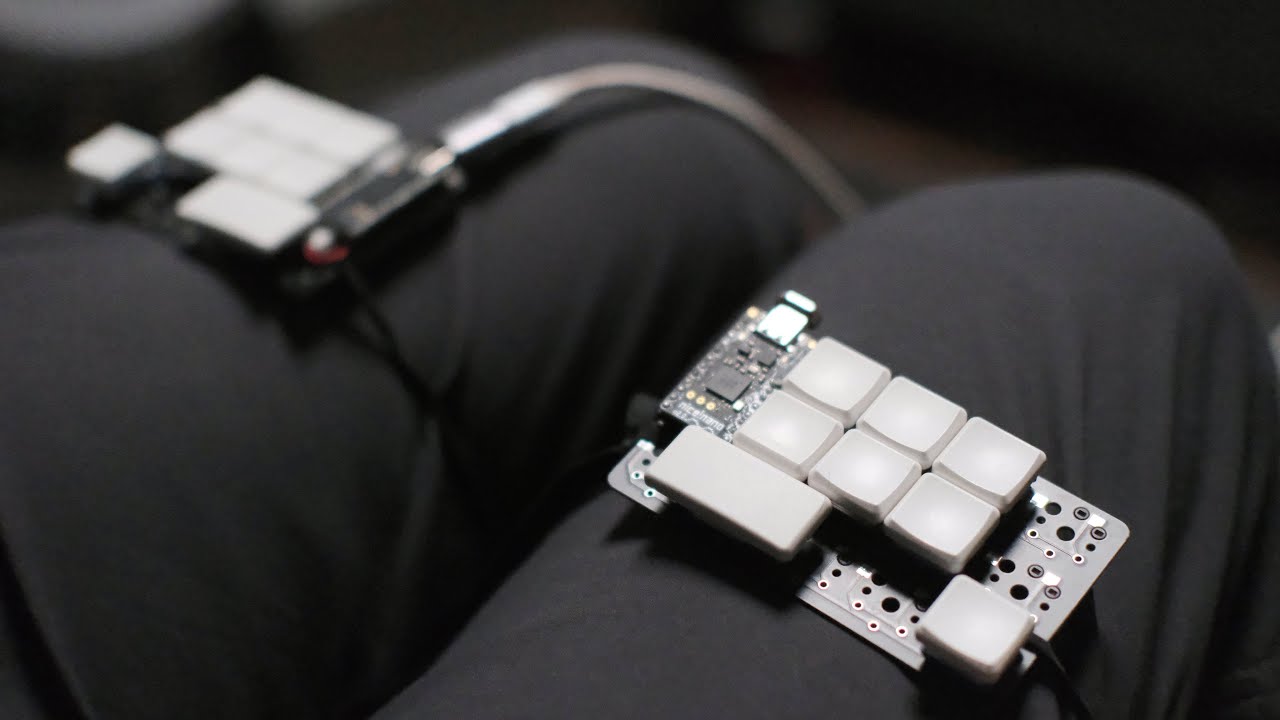
In this video I go into some detail about the layout I'm using on my 16 key keyboard. It has taken me a while to get to this point and I think there are now very few barriers to this keyboard being able to sustain pretty fast typing.
The main thing that makes this layout so unusual is the way we deal with using two layers for the alpha keys. ...
viral bramble
that's still smaller than I'd want to go, at least for now
viral bramble
it's 16 keys
surreal crow
That are letters I assume
viral bramble
total
viral bramble
you've got 2 alphabet layers
viral bramble
I'm also thinking about getting back into stenography (which is like 13 keys or something like that)
surreal crow
The same guy from the video
His gergoplex looks like the furthest I’m willing to go
Is there a lot for that?
Kit*
viral bramble
probably, but yeah, I think 34 or 36 keys is probably my sweet spot
surreal crow
I checked out the website for a gergoplex kit
But they’re gone
Gonna as in
Bye bye site
viral bramble
thought they might be, you can get 5 column corne's though
there was a lot of discussion around the one guy running it having to shut it down (don't remember why)
surreal crow
I dislike how most of it it’s just america so you pay millions in shipping
Must be worse for Uk folk
viral bramble
yeah... can be pretty miserable sometimes
surreal crow
viral bramble
yeah... can be pretty miserable sometimes
Oh I forgot to ask
What are choc switches
Or what’s so special about them
viral bramble
surreal crow
What are choc switches
low profile switches - but they've got a slightly different pin arrangement so the pcb has to be designed for them
surreal crow
viral bramble
low profile switches - but they've got a slightly different pin arrangement so t...
But why do they need special pins? Or is just because it's their own design?
viral bramble
surreal crow
But why do they need special pins? Or is just because it's their own design?
It's just how they're designed afaik
surreal crow
You used them right?
viral bramble
surreal crow
You used them right?
Yeah, I like choc switches for portable boards
 viral bramble
surreal crow
New order for tomorrow
viral bramble
surreal crow
New order for tomorrow
baby kangaroo? not heard of them before
but very nice
wise lintel
Oh that’s who ordered the baby kangaroo
Il get slaughtering right away
I had to make the joke
surreal crow
viral bramble
baby kangaroo? not heard of them before
Me neither but they sounded nice
They need a firm tactile event but cant be too loud
surreal crow
@viral bramble today I’m playing an order for a Q10
(Wrong ping lmao)
Don’t know what switches
viral bramble
surreal crow
Don’t know what switches
it's your keyboard... and I know that we like very different types of switches
surreal crow
viral bramble
it's your keyboard... and I know that we like very different types of switches
That I know so that’s why I’m reluctant to ask
I don’t wanna buy more zealios
Last batch I paid 100 something euro for
I do like m
viral bramble
fair enough, if you want something different, gateron clears
surreal crow
Are they tactile?
surreal crow
My favorite linears right now are gateron milky yellow
viral bramble
yeah, imagine those but with a 35g actuation force
viral bramble
yeah
viral bramble
I've got a choc board with 12g linears in them
surreal crow
What’s your daily driver
viral bramble
you've seen it, and I don't have my phone to hand
viral bramble
daily driver is a corne/crkbd with lubed and o-ringed gateron clears (but with 20g springs in them)
surreal crow
One person is already deep too
They got a tiger 80 by kbdfans
Im offering building services too
:D
I just like building them
viral bramble
that's not that deep though, but ig even halfway down doesn't look that deep from near the bottom
viral bramble
something like this...

but the thing is that everything's so different because they're all COMPLETELY custom
surreal crow
It is done
 wise lintel
Yea I’m rolling it it now that baby kangaroo business is booming
 viral bramble
surreal crow
420 euro
viral bramble
surreal crow
420 euro
that's certainly more than I've ever spent on one...
surreal crow
viral bramble
that's certainly more than I've ever spent on one...
Yours look more expensive though
What does your build cost
viral bramble
surreal crow
Yours look more expensive though
most of mine don't even have a case
surreal crow
viral bramble
most of mine don't even have a case
Lmao
viral bramble
surreal crow
What does your build cost
typically somewhere between 75-150 pounds
surreal crow
Can I just make a left ortho split for games
viral bramble
yes
viral bramble
surreal crow
Can I just make a left ortho split for games
it'd be a bit of a pain to get a pcb for that though - pcb manufacturers only do in 5s (which is really annoying), and most kits will be both halves - but other than that there's nothing stopping you
surreal crow
viral bramble
it'd be a bit of a pain to get a pcb for that though - pcb manufacturers only do...
Any split ortho kit you recommend?
As a starter
That’s in stock
I would get that gergoplex thingy but obviously the site is down
viral bramble
yeah, I mean, what size, how many thumb keys, ortho or column stagger? (most of what you'll get split wise is column staggered)
surreal crow
viral bramble
yeah, I mean, what size, how many thumb keys, ortho or column stagger? (most of ...
Sounds good
Uhh
I wanna have at least all letters available
Shift, Ctrl and windows/command
viral bramble
surreal crow
I wanna have at least all letters available
as in on their own keys... uhhm, there are a number of 40% boards (like the corne that I've got) quite a few 60% boards as well (lily 58 for example) I'd probably have to have a bit of a google for others but there are loads, if you want to go really far, I really like the dactyl manuform (you have to handwire it though)
surreal crow
Oh the lily58 looks great
surreal crow
viral bramble
as in on their own keys... uhhm, there are a number of 40% boards (like the corn...
Can I put low profiles on that one?
Also it looks SO much cheaper than full boards jeeeeezzzus
<50 euro!
@viral bramble
viral bramble
surreal crow
Can I put low profiles on that one?
idk, I know you can on a sofle - which is very similar in tems of layout
surreal crow
viral bramble
idk, I know you can on a sofle - which is very similar in tems of layout
They look cool and I wanna try them now however I don’t feel like following half a programming course to get the firmware working or soldering diodes and shit
viral bramble
surreal crow
They look cool and I wanna try them now however I don’t feel like following half...
as long as you don't get surface mounted diodes that's not a problem, just like soldering switches, and qmk has a bunch of keymap examples, you'll probably find something in there, and naturally I'd be happy to give you a hand!
surreal crow
viral bramble
as long as you don't get surface mounted diodes that's not a problem, just like ...
When that time comes (next month maybe), I’ll do some more research beforehand
I’ll keep it in mind
viral bramble
surreal crow
When that time comes (next month maybe), I’ll do some more research beforehand
fair enough
surreal crow
I just spend 420 euro on my q10 sooo
viral bramble
yeah, maybe hold off for a bit...
surreal crow
It’s just now setting in that I paid that
I was reading the sofle guide, doesn’t look too bad
By the time I get going with it I’ll be used to the Alice layout which will help significantly
surreal crow
Found a Dutch split kb site
 viral bramble
ahh, forgot they were dutch, should've mentioned them earlier! - probably one of the best ones in europe (which is slightly annoying for me...)
surreal crow
viral bramble
ahh, forgot they were dutch, should've mentioned them earlier! - probably one of...
I’m sorry buddy
But good for me :)
viral bramble
there's a similar shop in the uk that's also really good (not quite as good though, but it does the job)
viral bramble
surreal crow
Receiving the kangaroo switches today
oohh nice, in the mean time I've been learning this layout
 surreal crow
viral bramble
oohh nice, in the mean time I've been learning this layout
surreal crow
viral bramble
oohh nice, in the mean time I've been learning this layout
For one hand right?
viral bramble
surreal crow
For one hand right?
no, that's both hands
surreal crow
🤡
viral bramble
you can also notice the duplicate letters (and the many missing)
 viral bramble
surreal crow
https://tenor.com/view/sad-why-but-gif-18891456
viral bramble
surreal crow
https://tenor.com/view/sad-why-but-gif-18891456
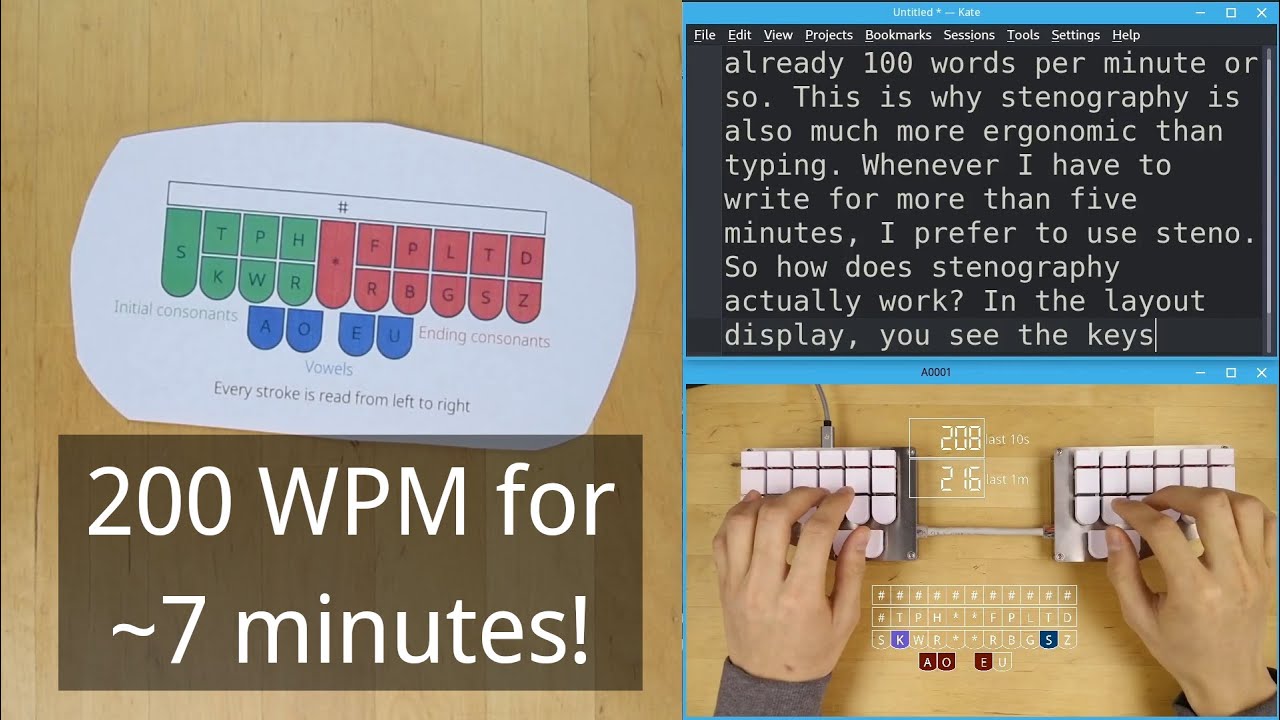
A slightly abridged version of the video from last year. Yes, I am aware of the mistakes I made in trying to live caption this video.
Join the Plover Discord server: https://discord.gg/NAzMz7C3wq
One thing I did not mention in the video is that "Plover" is the name of the steno software I use.
Plover And Steno Explained: https://www.youtube.c...
viral bramble
I'm thinking of building a board specifically for it too...
surreal crow
viral bramble
I'm thinking of building a board specifically for it too...
So you're at rock bottom
viral bramble
no. there are people that create their own steno theories, but I'm not going that far (not yet at least)
 viral bramble
I also haven't yet created my own 'normal' keyboard layout
but I have been tempted...
surreal crow
viral bramble
I also haven't yet created my own 'normal' keyboard layout
Shame
viral bramble
surreal crow
Shame
still don't use qwerty though
surreal crow
viral bramble
still don't use qwerty though
I also ordered a new deskpad btw
Q10 should arrive in 2 weeks or so?
surreal crow
viral bramble
I ordered a new board...
You bad girl
Show me
Depending on how the Alice board works for me, my next one will be a split solder
 surreal crow
Aha
viral bramble
surprisingly, this'll be my first unibody board
and it's almost the weirdest
well, arguably the weirdest
surreal crow
Looks like your wrist would have to be mad tilted
Which is exactly why I’m interested in Alice and split
viral bramble
define "mad tilted"
surreal crow
I mean
Weird torsion?
With a regular board my wrists hurt since I have to do a lot of typing for work
viral bramble
ahh, this one's split enough that it's not really a problem
surreal crow
Ah I see
Im gonna need another display stand

These are two completely self build ones
viral bramble
oohh, nice
surreal crow
My q10 is in Belgium so
Very soon
But it will be delivered with shit tier GLS so pray for me
viral bramble
surreal crow
My q10 is in Belgium so
ooh, nice. Also, good luck...
surreal crow
viral bramble
ooh, nice. Also, good luck...
It gets here tomorrow 😎
When I got my home office day
The stars are aligning
viral bramble
how much work do you think is going to get done?
surreal crow
Don’t worry about it no more than usual
In between calls I just watch videos anyway
viral bramble
haha, fair enough
surreal crow
And I get to see my doggy AND I don’t have to deal with my coworkers
I love home office

 viral bramble
surreal crow
viral bramble
surreal crow
that does look very nice
surreal crow
Just cable managed the rainbow cable I got with it
Touch typing is gonna be a challenge
This already feels better on my wrists but my WPM is 30
viral bramble
what is it normally?
viral bramble
you'll probably pick it up fairly quickly, I at least never found the split aspect that hard to get used to, it was more the ortho (and tiny board)
surreal crow
This beast weighs in at glorious 2,5 KG
Very nice, might annoy my coworkers with the sound though
viral bramble
has the q10 got a lead weight in the bottom of it or something?
surreal crow
No, the whole thing is just a massive slab of aluminum
viral bramble
fair enough!
surreal crow
I seperately ordered a polycarbonate plate
Sounds very good
Poly might be my new favorite
viral bramble
I don't know shit about plates, like 2 thirds of my boards are plateless
surreal crow
Choc switches dont take plates?
viral bramble
afaik they can, but all my builds are just plateless
surreal crow
viral bramble
afaik they can, but all my builds are just plateless
Just to make them lighter?
Or are there other advantages
More flat?
viral bramble
mostly that, and I quite like the bare pcb look to it
and it means you can take the switches apart without desoldering (or using hot swaps, which are less secure)
surreal crow
Choc switches come in hotswap too right?
viral bramble
you can get choc hotswap sockets but they're not very common
surreal crow
viral bramble
you can get choc hotswap sockets but they're not very common
So all the paths spell out soldering?
Also getting a little faster with the typing now but its hard to keeo my hands in their own territory
viral bramble
yeah, be hard on yourself about that, especially if you go for something more split down the line
surreal crow
Yeah it doesnt happen a lot but getting there
viral bramble
surreal crow
So all the paths spell out soldering?
well, when you're designing your own PCBs, the fact that you have to solder isn't really top of your list of concerns
surreal crow
viral bramble
well, when you're designing your own PCBs, the fact that you have to solder isn'...
Yeah alright fair enough
I just dont have a good solering iron
viral bramble
I don't have a good one either, still works though
surreal crow
Mine came with a bass guitar toolkit
viral bramble
fair enough then!
surreal crow
But my dad has a good one
I just go over there if I need anything soldered
Dad's always ready to help
surreal crow
viral bramble
fair enough then!
I know you're all about the splits and whatnot but have you ever had a keeb with a metal case?
viral bramble
surreal crow
I know you're all about the splits and whatnot but have you ever had a keeb with...
I've had one, I've not built one
surreal crow
viral bramble
I've had one, I've not built one
Ever notice a small amount of electric current flowing through it? 2/3 or maybe all of my metal case keebs have it when you move your skin past the case
Its not a lot or painful or anything but when I remove the cable its gone
viral bramble
uhhm, no?
surreal crow
Hmmm
viral bramble
but that is mildly concerning...
surreal crow
It just feels a bit funny when my hand rubs past the case
Like is ribbed or roughly textured
But when I remove the cable its gone
viral bramble
that's not really the point, it means there's something circuit wise touching the case, which is not a good thing (if one more piece touches, that may well be bye bye keyboard)
surreal crow
My Tofu 84 has had it for ages
Still works perfectly
But now my q10 has it aswell
Funnily enough my own build metal case keeb has nothing
Yup just tested it
It doesnt have it
Is it a health risk or anything?
viral bramble
uhh, probably not, given the power output of USB, but then again I'm not an electrical engineer
or a doctor
surreal crow
viral bramble
uhh, probably not, given the power output of USB, but then again I'm not an elec...
I di ask an electrical engineer earlier today its fine
surreal crow
He said PCB is probably touching somewhere but other than that its fine
Which is weird given I only have this with keyboard kits
And not the on I fully did DIY
Which I´d expect to shock me a little more than the full kits
 viral bramble
I mean, 15wpm in half a day is pretty quick... (although that's starting from nothing)
surreal crow
53'
Well yeah but I dropped from 80-90 to 30 at first
And 80-90 isnt even fast by keeb people standards
Doesnt need to be faster hust better for my wrists this one
viral bramble
that's true, I can't say I type that fast and I do about 100-120
surreal crow
You starting that Stenography stuff soon?
viral bramble
ohh, I've already started learning, about 50-60wpm though - dedicated keeb hasn't arrived yet, well the pcb hasn't I have the rest of it
surreal crow
Ah neat
Would be a nightmare for me
The way you gotta make chords with it on that video you send me
I already switched from bass to guitar to avoid chords ;P
Years ago
I mean
From guitar to bass

 viral bramble
I think it looks brilliant
surreal crow
Fun build?
viral bramble
trivial build - 28 switches, 1 controller, SMD diodes were already soldered, no case (obviously), will be tape modding & lubing the switches but haven't bothered yet
did it in like 45 mins
surreal crow
Choc switches as well?
surreal crow
You can lube those?
viral bramble
(choc pinks)
viral bramble
surreal crow
You can lube those?
yeah
surreal crow
But isn't that even more tedious than regular switches
viral bramble
not really, I mean you can't use mx switch openers but that's about the only difference
surreal crow

Reddit
Posted by u/petercpork - 2,397 votes and 174 comments
viral bramble
yes.
 viral bramble
quartz meteor
I'd probably focus more on *what* one types, rather than how fast one types it. ...
viral bramble
quartz meteor
I'd probably focus more on *what* one types, rather than how fast one types it. ...
but if you type faster, then you can type more, so you cast a wider net to focus on what one types
viral bramble
surreal crow
How would you go about learn that
lots and lots and lots and lost more practice
quartz meteor
viral bramble
but if you type faster, then you can type more, so you cast a wider net to focus...
I work with a few other software engineers with that approach...
surreal crow
I received my gateron oil kings yesterday and put them in my work keyboard, they type like a dream. I might just start becoming a linear gal
They’re more quiet so my coworkers are happier too haha
Might order a new batch for my main board next month
viral bramble
those do look very nice, helps that they're factory lubed and not too heavy
and I am a massive fan of linears, moved to them a couple years ago and haven't looked back
surreal crow
Im now shilling my custom keebs at work. Already sold one >:) Ordered all the parts and I get to assemble it.
surreal crow
By the way, is there a product available that will make a holee mod easier ?
surreal crow
Oh right haha
Because this

This is a pain
Getting the tiny bandaid just the right size so it will fit
viral bramble
it is indeed! - looks similar to tape modding the choc switches
surreal crow
Then make it fit
I wonder, because if everyone mods stabs anyway. Is there not a product with this solution already implemented?
viral bramble
maybe?? as I say, stabs are black magic to me
 supple sky
I'm a moonlander enjoy, what can I say.

 viral bramble
hurray!! - someone else with good taste in keyboards
 viral bramble
the bug has bit my friend, you may have to give in...
supple sky
Eh, I've had my moonlander for a while now, but I definitely can't go back to a non QMK keyboard
viral bramble
I've exclusively run split, ortho/column stagger qmk boards for like 4 years
supple sky
I love this keyboard, but I do sometimes want a normal keyboard so I can customise it a bit more. It's hard to find keycaps for the moonlander because the thumb cluster is 1.5u, and most key sets have every size known to man, except 1.5u. If they have one, it's one in the entire set
Ah yeah. It's superior
I get a lot of comment's like "oh what a stupid keyboard"
And then when people try and use it they don't like it
They don't know the way
I also use Colemak because I'm not a heathen
viral bramble
haha, I'm learning stenography, the keyboards for that are worse
 viral bramble
supple sky
I also use Colemak because I'm not a heathen
viral bramble
supple sky
I also use Colemak because I'm not a heathen
I switch between dvorak and workman - dvorak I prefer because it's in windows...
supple sky
Technically put, I know.
viral bramble
supple sky
Is that the law transcription people
yes, although I'm doing it for fun
supple sky
Oh do you not use a QMK set up for your Dvorak?
Why change it in the windows settings?
viral bramble
I do, but I can then switch it on other boards & on my laptop
if I can I use a qmk setup - and then probably workman
supple sky
viral bramble
I do, but I can then switch it on other boards & on my laptop
Ahhh right makes sense
On my tablet I have to use US Colemak, it's very annyoing
But I was lucky to find one
Incase you're interested for some reason:
https://configure.zsa.io/moonlander/layouts/6DnoN/latest/0
A powerful, visual tool to configure your keyboard. Based on the open-source QMK firmware.
My gaming layout basically just switches it back to QWERTY
viral bramble
no mod-DH???
supple sky
OH right
viral bramble
waayy more popular than normal colemak - that's why I were confused
 viral bramble
right, haha
supple sky
I couldn't remember what the letters were which is why I said just "colemak" ngl
I knew there was two versions... But small brain
I'm not used to talking to people who know what they're on about
Normally it's people like "why would you have that instead of a normal keyboard" or "that looks just difficult to type on"
supple sky
Haha
I love my moonlander man, the single best thing I have for my computer
I would give up all my virpil stuff, 3080, etc, if I could keep the moonlander
viral bramble
I suggest having a look at fully custom keyboards - specifically the yt channel Ben Vallack - does some really crazy things with them
supple sky
Yeah I've watched some of his videos... I don't need to spend more money, besides, I don't really like they idea of having to choose between keyboards lol
I also really really like ZSA's Oryx software, standard VIA looks pain compared
But if my moonlander ever kicks the bed, I will
viral bramble
supple sky
*I also really really like ZSA's Oryx software, standard VIA looks pain compared...
haha, I'm writing my keymaps in pure qmk in C
supple sky
Yeah fair... I mean I could, like I know how... But buttons and clicky clicky easier and quicker for monke brain
viral bramble
that's very true
supple sky
I also haven't really changed my layout in many months
I should remove the DCS layer tbh, now that I've got my virpil stuff, I don't use it
surreal crow
Oh my good
Cool keeb tho
Next up for me is a Keychron V8 since I'm an ALICE enjoyer
surreal crow
@viral bramble I require some help :D
I wanna get a mercutio 40 kit

But was are these MillMax sockets?
quartz meteor
They are sockets for the PCB. Rather than soldering to the board, you can plug into them instead.
quartz meteor
Yeaps.
Our controls guys at work use them (iirc) as the machines my software designs vibrate a lot, and soldered connections sometimes break.
surreal crow
Yeah that settles it, I’ll buy the mercutio 40 next month would be a fine build
viral bramble
surreal crow
I bought the Mercutio kit today
I knew it wouldn't be that long ;)
surreal crow
viral bramble
I knew it wouldn't be that long ;)
Shhhh
surreal crow
I got some stab mods coming in as well
Should make my life better

I love holee mod but I hate doing holee mod
viral bramble
that's lovely - I still don't do stabs
surreal crow
viral bramble
that's lovely - I still don't do stabs
I know sorry haha
viral bramble
that's how I get around that problem!
surreal crow
Doesn’t steno have big keys as well?
viral bramble
officially it would have one 2u key and a bar across the top, but most hobby boards either exclude the bar, or replace it with several 1u wide keys (or exclude them all together), and replace the 2u vertical key with 2x 1u keys
but proper steno boards don't use traditional switches anyway, they're lever machines, so stabs aren't necessary for them either
surreal crow
viral bramble
but proper steno boards don't use traditional switches anyway, they're lever mac...
Aha I see, watched some videos
So they use dedicated steno machines to, I assume, prevent some sort of fraude?
viral bramble
🤷
surreal crow
Perhaps it was because it has been around longer than mech keebs?
viral bramble
probably yeah, also, with the lever machines you don't have to press with more force when you press multiple keys at once like you would with a mech keeb
 viral bramble
it's worth putting the extra effort in if you need to switch out the microcontroller though
surreal crow

All done!
Jades for testing purposes
Millmaxing ain’t that bad if you get in the groove
But boy can you mess it up
viral bramble
you most certainly can!
surreal crow
I thought for sure I messed up badly once but I was able to fix my misatake
I lost some millmax sockets and a total of 3-4 switches
But I did it
It fully works
 viral bramble
surreal crow
viral bramble
surreal crow
very nice, what switches?
viral bramble
I couldn't.
supple sky
surreal crow
Ooo nice
supple sky
Yeah lol?
surreal crow
40 is not practical
viral bramble
what do you mean
supple sky
Interesting
viral bramble
I daily drive a 30%
surreal crow
I brought it to work a couple times
I really can’t use it
I use too much special characters and numbers
Also at work I like to properly punctuate and the whole shebang but it’s taking three times the amount of time
It looks pretty and I’m gonna reuse the key cap set but I’m not gonna use any more 40s
I’m done with those
I know that’s a hot take
But it’s not for me
viral bramble
I don't think that's too hot a take, I mean, they work great for me but I doubt they'll work well for most people

 sturdy nymph
I tried using a 36 key layout on my moonlander to minimize finger movement, but I spent way too much time going to layers, especially when writing code.
supple sky
sturdy nymph
I tried using a 36 key layout on my moonlander to minimize finger movement, but ...
Yeah I keep getting tempted to try that
I don't code anymore so it wouldn't be a problem
Could try and tap dance the other things
I had one for ( ) and " " when I still programmed, but I forgot I had them at some point
sturdy nymph

I soldered on the sockets, microscopic diodes, and encoders. I'm waiting for the choc switches and microcontrollers.
viral bramble
now that's my type of keyboard!! (mind if I ask which?)
sturdy nymph
viral bramble
now that's my type of keyboard!! (mind if I ask which?)
Sofle Choc 2. https://choc.brianlow.com
And I have custom shine through keycaps from https://fkcaps.com/custom/
I just spent an hour putting the RGB LEDs on the back, so they better look great!
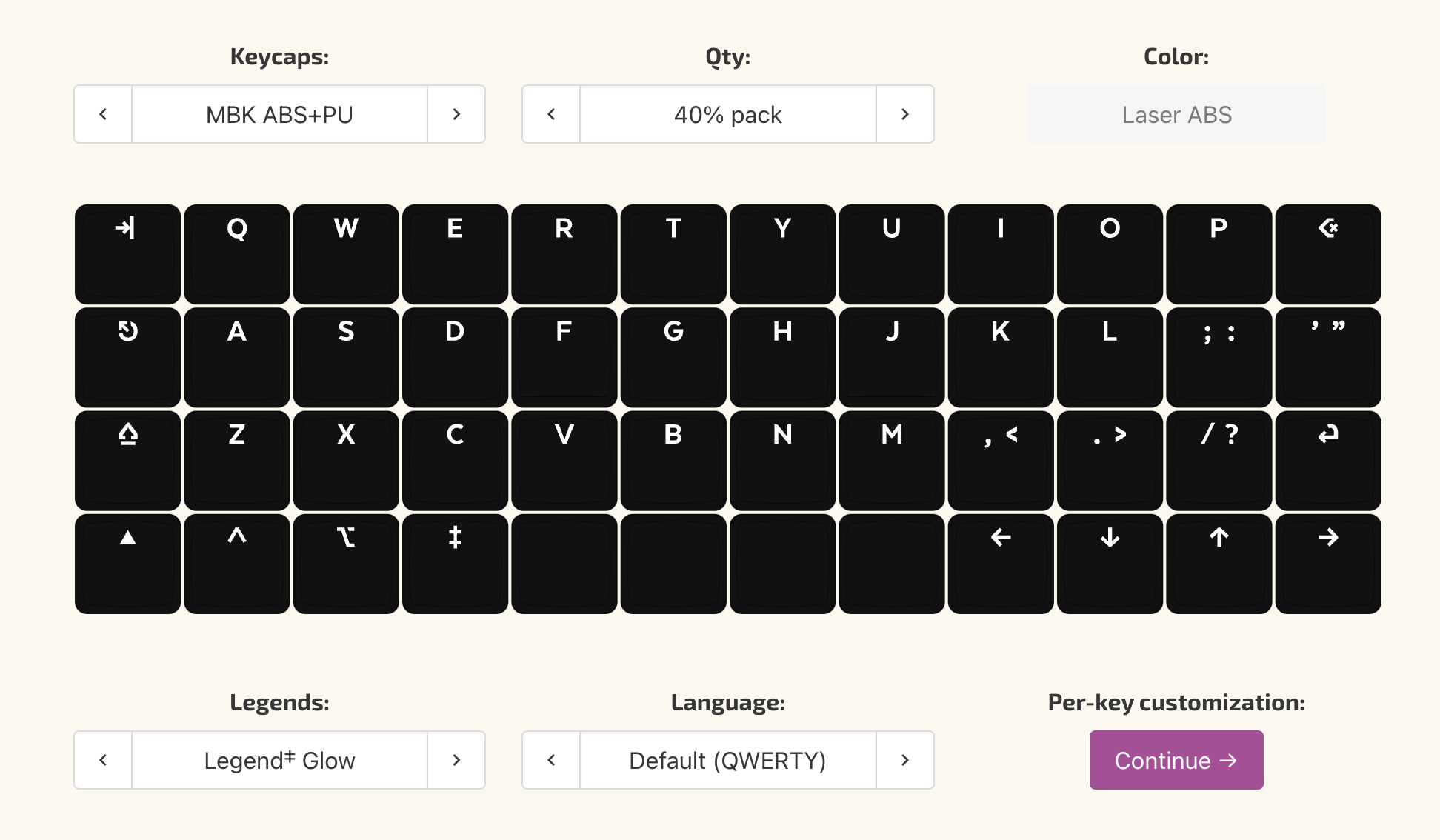
Design your own custom keycap sets!
sturdy nymph
The switches arrived, and I got the assembly done. I've added a few layers so far. Now I need to figure out how to set the per-key lights to anything other than red.

And I realized I messed up the \ | key and put the symbols in the wrong order. Oops.
viral bramble
sturdy nymph
another dvorak user I see!!

 rocky bolt
Tactile DCS (KEYBOARDS)
 celest skiff
efreet (1 of 10 produced) prototypes with tealios v2 lubed with tribosys 3204 and some slow sprit spring
supple sky
I forgor about this channel
Have since progressed from Moonlander to Voyager, I love it
celest skiff
my current daily drivers are as posted in the other channel but will repost
 supple sky

 supple sky
celest skiff
my current daily drivers are as posted in the other channel but will repost
supple sky
celest skiff
my current daily drivers are as posted in the other channel but will repost
Damn nice bro
Ortholinear ftw
supple sky
Ah yeah fair man
supple sky
I wish I had bought an EZ Planck from ZSA, but trying not to become a keyboard collector when I own 2 and they're both £300+ lol
celest skiff
know the feeling, I stopped but ended up getting another one that I havent built (china m0110 copy for mx switches)
supple sky
Voyager is sick tho, so much money for so little keys and stuff tho
celest skiff
I bet, I love the feel of typing on ortholinears (kinda wish I had a lets split)
supple sky
I could sell you my moonlander
I need to sell it tbh
I just don't want to let go :(
celest skiff
"I have too many already" 🙂
supple sky
lol yeah fair
 viral bramble
Someone said small split ortho??

(ferris sweep with lubed choc pinks - 12g linears)
supple sky
sturdy nymph
Nice, interesting thumb cluster keys. I already found the outer ones hard to press, using 1u keys looks even more difficult
sturdy nymph
supple sky
Nice, interesting thumb cluster keys. I already found the outer ones hard to pre...
I have no trouble reaching them, and I do not have large hands. The close ones are tab and space (hold for layer), the middle ones are escape and enter (hold for shift), and the ones at the tip are delete and backspace.
sturdy nymph
viral bramble
Someone said small split ortho??
I tried going 5x3, but I was having to use multiple layer keys in order to get to some keys and found I had to either go slowly, or I'd sometimes reverse the order of the layer keys, and get the wrong layer.
supple sky
sturdy nymph
I have no trouble reaching them, and I do not have large hands. The close ones a...
Hmm. It was the very outer ones on each side that I always struggled with. Like I could move my hands slightly and reach them, but they were essentially the only keys on the board I had to move my hands a bit to hit. The 1.5u keycaps helped, I just think for me 1u' like what you have, would make it more difficult for me
sturdy nymph
supple sky
Hmm. It was the very outer ones on each side that I always struggled with. Like ...
I went with 1U, because the keycap set I have has 1U escape and delete keys. I could try the unlabeled 1.5U keys from ZSA.
viral bramble
sturdy nymph
I tried going 5x3, but I was having to use multiple layer keys in order to get t...
how I've got mine setup is using layer tap - the outer thumb keys are esc and enter when tapped and when pressed individually go into different layers, and when pressed together go into a fourth layer - that's been enough layers for me and since getting used to it I've not actually had an issue with it
I've got a 6x3 crkbd as well which I've setup in the same way (using a 5x3 layout) and then have PTT keys setup on the other column making it nice and convenient
sturdy nymph
viral bramble
how I've got mine setup is using layer tap - the outer thumb keys are esc and en...
Can you share your keymap? I'm assuming it's QMK. I've been looking for a way to remove the number row and go 5x3+3 with a Corne choc.
viral bramble
sturdy nymph
Can you share your keymap? I'm assuming it's QMK. I've been looking for a way to...
I don't have the keymap source on this computer but I'll recreate it in QMK configurator
viral bramble
sturdy nymph
Can you share your keymap? I'm assuming it's QMK. I've been looking for a way to...
don't even have the keeb to hand so this is all from memory - but this is the rough essence of it (everything that's important is definitely there)
sturdy nymph
This is what I have so far.
Layer 0 is for general typing. It has the dvorak 10x3 grid, whitespace characters, delete, backspace, and all the modifiers as by holding some of those keys. It also has layer toggle keys for L1 and L4.
L1 is navigation. It has arrows, some with control or alt baked in, page up/down and home/end, which I rarely use, and the number keys. It also has CAPS LOCK and CAPSWORD, which is great for typing in constants when programming.
L2 is i3 stuff: moving between windows and desktops, floating and hiding windows, taking screenshots, killing a window, and an RCTL for getting out of VirtualBox VMs.
L3 is discord stuff: navigate channels and upload files. I should add more shortcuts here.
L4 is function keys, the symbols that didn't fit on L0, and modifier keys. So if I want a ?, I have to press and hold B to get to L4 and enter to shift, and then tap E to get the character.
If I find going to a layer and then shifting to get the L4 and L1 symbols is a pain, I'll create a direct layer for them.

The parts to build the Corne will be here this week. I also went with blank keycaps, which seems weird, but I don't look at my keyboard, unless I'm typing with one finger, while eating.
viral bramble
sturdy nymph
This is what I have so far.
Layer 0 is for general typing. It has the dvorak 10x...
you'll have to figure out what you want after you start typing on it, most of the advice when creating layouts is: "do what you want, and if you don't know, you'll figure it out"
viral bramble
sturdy nymph
The parts to build the Corne will be here this week. I also went with blank keyc...
blank keycaps are the best keycaps
sturdy nymph
viral bramble
you'll have to figure out what you want after you start typing on it, most of th...
Yeah. I'm on iteration infinity minus one with the moonlander. The layout above is basically my current moonlander layout transferred to 5*3+3.
celest skiff
@sturdy nymph fellow dvorak user 🙂
viral bramble
make it three of us!
celest skiff
qwerty caps with dvorak layout, thats the way nods
sturdy nymph
viral bramble
make it three of us!
 viral bramble
celest skiff
qwerty caps with dvorak layout, thats the way *nods*
viral bramble
celest skiff
qwerty caps with dvorak layout, thats the way *nods*
blank caps ideally
celest skiff
I have GMK/SP SA-sets with qwerty on mine 🙂
sturdy nymph
This is the first keyboard I ever built. It's very complex. I have it plugged directly into my Linux machine, so I can control music playing on there while using another machine via the KVM switch.
 celest skiff
sturdy nymph
This is the first keyboard I ever built. It's very complex. I have it plugged di...
celest skiff
sturdy nymph
This is the first keyboard I ever built. It's very complex. I have it plugged di...
nice, do you have tapdance stuff on it too?
sturdy nymph
celest skiff
nice, do you have tapdance stuff on it too?
No. It has play/pause, back, forward, volume up/down, and mute.
celest skiff
my handwire

 sturdy nymph
supple sky
Colemak
sturdy nymph
supple sky
Colemak
Colemak looks cool, but I learned Dvorak in the 90s. It's not worth the work and frustration of switching for a small potential gain. Even just learning my new layout that's 95% Dvorak makes me want to cry sometimes.
supple sky
I really like it, I read that it was just an improvement to Dvorak so I didn't even try Dvorak first.
viral bramble
I'm in a similar boat, learnt dvorak before I knew about colemak/workman and other layouts - I did start learning rsthd a couple years ago but ended up deciding it just wasn't worth it - learning stenography now so...
supple sky
A powerful, visual tool to configure your keyboard. Based on the open-source QMK firmware.
Not that anyone cares, but this is my current layout
 sturdy nymph
 viral bramble
Have fun with the led's - took me like a day (first even surface mount though)
celest skiff
enjoy the build! I have a build I should do too but have been too lazy (china m0110 clone)
sturdy nymph
viral bramble
Have fun with the led's - took me like a day (first even surface mount though)
I'm not putting LEDs on this one, since the key caps are opaque. Maybe in the future.
I put LEDs on my sofle choc, and it was pretty quick though.
I'll do it today after work.
viral bramble
Fair enough, I've got translucent caps on mine which I quite like
Build is pretny fun otherwise
sturdy nymph
Assembly finished. Testing passed. Now it's time to create the keymap file.

The red keys do have home bumps at the lower edge.
 median field
I've got a dead Coolermaster Storm Quickfire XTi. Confirmed no activity from the microcontroller, it's getting all the voltages it should be but isn't running.
Don't really want to dump all the MX Brown switches, can solder. Are there any good "bring your own switches" keyboard products I should be looking at, or would it need to be fully custom?
viral bramble
median field
I've got a dead Coolermaster Storm Quickfire XTi. Confirmed no activity from the...
pretty much every custom kit is just case, plate and PCB - bring your own switches and keycaps - you can probably buy just a bring your own switches kit but imo at that point you might as well go custom
celest skiff
in general with hotswap kits desoldered switches are not recommended
it is not a showstopper but just be EXTREMELY mindful of it (I use vint cherry mx black in a hotswap board)
and make sure you clean the switch legs very carefully from solder rests
sturdy nymph
Custom is better anyway. You can escape the qwerty typewriter layout.
sturdy nymph
Also, you can find solder on kits, but they're rare. And new switches are cheap, so if you have to replace everything, it's not too bad.
sturdy nymph
I didn't like how far my pinkies had to stretch with the Corne, so I built a Ferris with choc pink switches.
 viral bramble
sturdy nymph
I didn't like how far my pinkies had to stretch with the Corne, so I built a Fer...
viral bramble
sturdy nymph
I didn't like how far my pinkies had to stretch with the Corne, so I built a Fer...
very nice build! I'm loving my sweep with the pinks too!
sturdy nymph
The 20gf pinks feel a little light. If I don't like them, I'll try 25gf blues. I have 35gf reds in my Corne and they're just a hair too stiff, so I think a 30gf might be ideal. Unfortunately I don't see that as an option.
 sturdy nymph
 lethal oar
i can spit in that the Tartarus V2 has served med well for about two years now
lethal oar
i can spit in that the Tartarus V2 has served med well for about two years now
Do you control the flight stick with your foot? That's impressive! 😄
lethal oar
it is impressive indeed
by the way the warthog set is from 2013, and it still works with literally no flaws
 cold lake
Is there some coffee weathering too 😀
cold lake
lethal oar
by the way the warthog set is from 2013, and it still works with literally no fl...
When they last they really last long
lethal oar
cold lake
Is there some coffee weathering too 😀
oh yeah that side of my table is littered with coffeestains lmao
cold lake
(Not a real keyboard)
 viral bramble
I'm sure you could make one with it
supple sky
Reminds me of the satellite that ZSA sells
viral bramble
exactly, it can definitely become a keyboard
sturdy nymph
I ordered ten Ferris Sweep Bling LP PCBs, because I wanted a black and a blue, and the minimum order is five each. Do any of you want a PCB?
viral bramble
hmm, I would but I already have 3 spare sweep PCBs
 median field

 cold lake
that's a lot of toggle switches
celest skiff
looks hard to type on
sturdy nymph
Those are like Cherry blues turned up to 11. That is a definite click.
viral bramble
really ergonomic too by the looks of it
sturdy nymph
I have freed myself from the tyranny of the 19th century typewriter keyboard layout. The two plates clip to the sides of the computer, without blocking any ports. I just need to remember to remove it, before closing the lid.
Unfortunately, that is not a wireless keyboard, so I think I'm going to build a wireless one.
 celest skiff
looking nice
viral bramble
nice! - are they 3d printed
celest skiff
I still have a kit that I need to build (solder)
sturdy nymph
viral bramble
nice! - are they 3d printed
Yes. I printed a plate with clips on the side that secure it to the computer. There's a 1mm indentation in the shape of the red case. The case press fits in there, so the keyboard has a consistent, symmetrical position.
cold lake
