
#keep getting "Compilation error: #error Please set CONFIG_FILE as shown above."
394 messages · Page 1 of 1 (latest)
 limpid pond
 keen surge
that doesn't seem to be in the correct spot.
 keen surge
i was struggling to figure it out as there is extra things that aren't in my os
limpid pond
 north dune
you define your config here:
north dune
you define your config here:
aight gonna fix that real quick
keen surge
at least it has to be above line 7 in their example
north dune
you need to change this back to CONFIG_FILE_TEST then put the config info in the correct spot
 north dune
keen surge
just realized there are several line 7
north dune
keen surge
just realized there are several line 7
he cut off the first number, so instead of 17 and 27, it looks like 7 is repeating.
as an example.
keen surge
fair.
i don't have the test line in my os so i was trying to place where the actual error was at
limpid pond
hmmmmmmmmm
 keen surge
what line is that error showing at?
north dune
you did change line 49 to what it was originally, correct?

 limpid pond
north dune
forgot the #
limpid pond
north dune
forgot the #
ohhhhhhhhhhhhhh
now i have this In file included from C:\Users\Admin\Downloads\ProffieOS-v7.15\ProffieOS\ProffieOS.ino:621:
C:\Users\Admin\Downloads\ProffieOS-v7.15\ProffieOS\config\Mercenary.h:102:9: error: expected '}' before '{' token
102 | { "Mercenary;common", "common/tracks/venus.wav",
| ^
C:\Users\Admin\Downloads\ProffieOS-v7.15\ProffieOS\config\Mercenary.h:33:20: note: to match this '{'
33 | Preset presets[] = {
| ^
C:\Users\Admin\Downloads\ProffieOS-v7.15\ProffieOS\config\Mercenary.h:102:9: error: expected ',' or ';' before '{' token
102 | { "Mercenary;common", "common/tracks/venus.wav",
| ^
C:\Users\Admin\Downloads\ProffieOS-v7.15\ProffieOS\config\Mercenary.h:166:21: error: expected unqualified-id before ',' token
166 | >>(), "mercenary"},
| ^
C:\Users\Admin\Downloads\ProffieOS-v7.15\ProffieOS\config\Mercenary.h:169:1: error: expected unqualified-id before '}' token
169 | };
| ^
C:\Users\Admin\Downloads\ProffieOS-v7.15\ProffieOS\config\Mercenary.h:169:1: error: expected declaration before '}' token
exit status 1
Compilation error: expected '}' before '{' token
keen surge
you have an extra something or missing something.
we need to see how you are adding that font/bladestyle in.
north dune
missing a ,
 keen surge
shit i didn't realize the compressed was cutting off lol
north dune
and it overflows once corrected.
limpid pond
like this right?
 north dune
limpid pond
like this right?
north dune
limpid pond
like this right?
yep, you'll also need to add
#define DISABLE_BASIC_PARSER_STYLES
to the top section, otherwise you'll get an overflow error.
limpid pond
north dune
yep, you'll also need to add
#define DISABLE_BASIC_PARSER_STYLES
to the top se...
above all the config preset stuff?
north dune
yep, the top section:
 limpid pond
done
says its done compiling
ima check if it works rqqqqq
fails when uploading for some reason

 limpid pond
C:/Users/Admin/AppData/Local/Arduino15/packages/proffieboard/tools/arm-none-eabi-gcc/14-2-rel1-xpack/bin/../lib/gcc/arm-none-eabi/14.2.1/../../../../arm-none-eabi/bin/ld.exe:C:\Users\Admin\AppData\Local\Arduino15\packages\proffieboard\hardware\stm32l4\4.6\variants\STM32L433CC-ProffieboardV2/linker_scripts/STM32L433CC_FLASH.ld:224: warning: memory region `SRAM2' not declared
lto-wrapper.exe: warning: using serial compilation of 8 LTRANS jobs
lto-wrapper.exe: note: see the '-flto' option documentation for more information
C:/Users/Admin/AppData/Local/Arduino15/packages/proffieboard/tools/arm-none-eabi-gcc/14-2-rel1-xpack/bin/../lib/gcc/arm-none-eabi/14.2.1/../../../../arm-none-eabi/bin/ld.exe: warning: start of section .bss changed by 24
Sketch uses 261904 bytes (99%) of program storage space. Maximum is 262144 bytes.
Failed uploading: uploading error: exit status 255
 limpid pond
north dune
I assume you followed all the steps for the setup process?
limpid pond
north dune
I assume you followed all the steps for the setup process?
Yup
I followed a video as it was easier
This one https://youtu.be/o4YZ-2ekaPw

If you need a straight-to-the-point guide that walks you through how to add soundfonts AND blade styles to your proffieboard without taking more than 1 hour, then this video's for you.
00:00 Things that you would need
00:36 Installation of ProffieOS and Arduino
01:09 Getting your free Soundfont
01:52 Plugging the SD Card into your computer
03:3...
north dune
follow my link, most up to date. Go thorugh each step and verify.
limpid pond
I added the mercenary font to my sd card. Plugged in my proffie set up and the config thingy
limpid pond
north dune
follow my link, most up to date. Go thorugh each step and verify.
had a little look and im sure ive done everything correctly
north dune
even installed the DFU?
north dune
do you have a 3rd party controller you use for gaming?
limpid pond
nope dont think so
north dune
you don't use a controller while gaming? That includes a flight stick or steering wheel accessory.
limpid pond
north dune
you don't use a controller while gaming? That includes a flight stick or steeri...
nope i just use a keybaord and mouse
keen surge
i had those errors pop up too and i've never used one. they are sticky and stupid
limpid pond
the mouse IS wireless though
limpid pond
keen surge
i had those errors pop up too and i've never used one. they are sticky and stup...
You got any fix for them?
north dune
it's typically something like a driver getting in the way of opening the port to allow the board to be flashed.
limpid pond
north dune
it's typically something like a driver getting in the way of opening the port to...
Ill have a look
Where do i check my drivers and stuff?
keen surge
there is a link in #1019929505776812032 iirc
 north dune
no, it would give an overflow error.
you could try putting the board into bootloader first to see if that will work.
limpid pond
how do i do that?
 limpid pond
north dune
limpid pond
north dune
i dont thing i have anything to trigger the contacts at all💔
north dune
they are press buttons.
north dune
with it in bootloader mode and plugged in (arduino will show it isn't connected) hit upload.
limpid pond
north dune
with it in bootloader mode and plugged in (arduino will show it isn't connected)...
like this?
 north dune
The arrow button is upload.
limpid pond
C:/Users/Admin/AppData/Local/Arduino15/packages/proffieboard/tools/arm-none-eabi-gcc/14-2-rel1-xpack/bin/../lib/gcc/arm-none-eabi/14.2.1/../../../../arm-none-eabi/bin/ld.exe:C:\Users\Admin\AppData\Local\Arduino15\packages\proffieboard\hardware\stm32l4\4.6\variants\STM32L433CC-ProffieboardV2/linker_scripts/STM32L433CC_FLASH.ld:224: warning: memory region `SRAM2' not declared
lto-wrapper.exe: warning: using serial compilation of 8 LTRANS jobs
lto-wrapper.exe: note: see the '-flto' option documentation for more information
C:/Users/Admin/AppData/Local/Arduino15/packages/proffieboard/tools/arm-none-eabi-gcc/14-2-rel1-xpack/bin/../lib/gcc/arm-none-eabi/14.2.1/../../../../arm-none-eabi/bin/ld.exe: warning: start of section .bss changed by 24
Sketch uses 261904 bytes (99%) of program storage space. Maximum is 262144 bytes.
Failed uploading: uploading error: exit status 255
ill try a different font just in case
same issue with the coda font C:/Users/Admin/AppData/Local/Arduino15/packages/proffieboard/tools/arm-none-eabi-gcc/14-2-rel1-xpack/bin/../lib/gcc/arm-none-eabi/14.2.1/../../../../arm-none-eabi/bin/ld.exe:C:\Users\Admin\AppData\Local\Arduino15\packages\proffieboard\hardware\stm32l4\4.6\variants\STM32L433CC-ProffieboardV2/linker_scripts/STM32L433CC_FLASH.ld:224: warning: memory region `SRAM2' not declared
lto-wrapper.exe: warning: using serial compilation of 8 LTRANS jobs
lto-wrapper.exe: note: see the '-flto' option documentation for more information
C:/Users/Admin/AppData/Local/Arduino15/packages/proffieboard/tools/arm-none-eabi-gcc/14-2-rel1-xpack/bin/../lib/gcc/arm-none-eabi/14.2.1/../../../../arm-none-eabi/bin/ld.exe: warning: start of section .bss changed by 24
Sketch uses 249672 bytes (95%) of program storage space. Maximum is 262144 bytes.
 pure perch
It's not a config issue (unless some weird define is causing it) it looks more like an Arduino settings or install issue
limpid pond
pure perch
It's not a config issue (unless some weird define is causing it) it looks more l...
is there anything i should change?
 pure perch
I haven't used Arduino in a long time so I'm not super familiar, just noting that the error isn't pointing to he config for a typo or something like that, it's other parts of the code run that are failing. Does the version of Arduino matter @north dune
limpid pond
im on ide 2.3.7
keen surge
limpid pond
same issue with the coda font C:/Users/Admin/AppData/Local/Arduino15/packages/pr...
this is not the same as the last. unless you forgot a line. this sketch should upload
unless that ito-wrapper is the error
nope. my verification comes back exactly the same
limpid pond
keen surge
nope. my verification comes back exactly the same
even this one without the custom fonts fails
keen surge
like trav was saying. it seems like an arduino/communication error not a config
limpid pond
keen surge
like trav was saying. it seems like an arduino/communication error not a config
anything i could try to do to fix it? such as a reinstall or smth
keen surge
i wish i knew what that 255 error was

The Crucible
When trying to upload my new config to my proffie v3.9 board i get exit error 255 and I can’t seem to find the problem, I also get “SRAM2” not declared. I get the error while uploading my new config for the style on arduino, a little help please? I’m fairly new to this stuff.
one dude ran arduino in compatibility mode for win 8 and got rid of it
limpid pond
welp gotta try that then
ill tell ya what happens
C:/Users/Admin/AppData/Local/Arduino15/packages/proffieboard/tools/arm-none-eabi-gcc/14-2-rel1-xpack/bin/../lib/gcc/arm-none-eabi/14.2.1/../../../../arm-none-eabi/bin/ld.exe:C:\Users\Admin\AppData\Local\Arduino15\packages\proffieboard\hardware\stm32l4\4.6\variants\STM32L433CC-ProffieboardV2/linker_scripts/STM32L433CC_FLASH.ld:224: warning: memory region `SRAM2' not declared
lto-wrapper.exe: warning: using serial compilation of 8 LTRANS jobs
lto-wrapper.exe: note: see the '-flto' option documentation for more information
C:/Users/Admin/AppData/Local/Arduino15/packages/proffieboard/tools/arm-none-eabi-gcc/14-2-rel1-xpack/bin/../lib/gcc/arm-none-eabi/14.2.1/../../../../arm-none-eabi/bin/ld.exe: warning: start of section .bss changed by 24
Sketch uses 261904 bytes (99%) of program storage space. Maximum is 262144 bytes.
Failed uploading: uploading error: exit status 255
still aint work at all
 keen surge
maybe this is an uninstall the arduino plug in for proffie and reinstall it.
limpid pond
keen surge
maybe this is an uninstall the arduino plug in for proffie and reinstall it.
done that and i still got the same issue
keen surge
 north dune
I'd say try ProffieConfig, but if it's something blocking drivers/ports it might still fail.
limpid pond
north dune
I'd say try ProffieConfig, but if it's something blocking drivers/ports it might...
could you link it rq?
north dune
limpid pond
could you link it rq?
#electronics-and-sound message
There's a link in the video description.
limpid pond
north dune
There's a link in the video description.
 north dune
figured as much, something on your PC is blocking things.
limpid pond
north dune
figured as much, something on your PC is blocking things.
anything i should check?
north dune
any kind of malware protections and port lockers is all that comes to mind.
limpid pond
north dune
any kind of malware protections and port lockers is all that comes to mind.
Invalid FQBN: getting build properties for board proffieboard:stm32l4:ProffieboardV2-L433CC: invalid option 'pclk'
Compilation error: Invalid FQBN: getting build properties for board proffieboard:stm32l4:ProffieboardV2-L433CC: invalid option 'pclk'
north dune
I dunno, I did say ProffieConfig might not work if you are having issues with a properly set up arduino INO. Best wait for some instruction on your crucible post. ¯_(ツ)_/¯
limpid pond
limpid pond
Invalid FQBN: getting build properties for board proffieboard:stm32l4:Proffieboa...
updated firmware
still the same issue
limpid pond
north dune
I dunno, I did say ProffieConfig might not work if you are having issues with a ...
havent made a crubile post yet
ill do that later
unknown upload error now
i mean that is a bit better
 carmine edge
have you tried a different version of arduino?
limpid pond
carmine edge
have you tried a different version of arduino?
yup still get the same issue
my board IS in dfu mode so idk why
carmine edge
you're on the admin user?
limpid pond
verifying works
limpid pond
carmine edge
you're on the admin user?
yup. didnt run it in admin mode though
ill try that
carmine edge
i only ask cause it's looking for stuff on the admin user
was that where it was installed?
limpid pond
carmine edge
was that where it was installed?
nope im using the zip version of arduino 1.8.19 in my downloads folder
carmine edge
wait, it's in a zip file?
limpid pond
carmine edge
wait, it's in a zip file?
yea
 carmine edge
is the folder one level up a zip file though?
limpid pond
carmine edge
is the folder one level up a zip file though?
think so. i unzipped it so it should be fine
i could try the installer if you want
carmine edge
i think it's worth a try to use the installer
could be a problem with the portable version
you could also try the 2.x up to date version unless you have a reason to use the legacy version
limpid pond
carmine edge
you could also try the 2.x up to date version unless you have a reason to use th...
tried the up to date version which always gave me error 255 for some reason
only does it when uploading it
carmine edge
were you also using a portable version or the installed version?
limpid pond
carmine edge
were you also using a portable version or the installed version?
installed version
carmine edge
was 1.8 still giving you error 255?
limpid pond
carmine edge
was 1.8 still giving you error 255?
nope gave me this
north dune
follow the directions to show verbose output
north dune
I would try downloading and unzipping a fresh copy of the OS and adding in the config to the proper folder and setting it in the INO, just to rule out an issue with the current one. Tips: make sure you are unzipping everything into a folder on your PC and not the SD card.
carmine edge
was this error message on the installed 2.x version or the 1.8 portable version?
oops it didn't reply, hang on
carmine edge
limpid pond
C:/Users/Admin/AppData/Local/Arduino15/packages/proffieboard/tools/arm-none-eabi...
this
so when i use verbose and verify a config, it looks for arduino stuff on my user and not the admin. i'm not sure if that's because you're using a portable version or not, but if it's looking for stuff in the admin user files and you don't have permissions, it could explain returning errors
keen surge
Also have to make sure the folder in a local one not a cloud one. That's been an issue for many.
limpid pond
carmine edge
so when i use verbose and verify a config, it looks for arduino stuff on my user...
just uninstalled everything just in case
should i download arduino for all users or just admin?
carmine edge
all
 carmine edge
do the set up for arduino again and see if it will compile
carmine edge
post your verbose output again?
carmine edge
and that's when you hit upload right? does it do the same thing if you hit verify?
limpid pond
carmine edge
and that's when you hit upload right? does it do the same thing if you hit verif...
same thing except the "Failed uploading: uploading error: exit status 255"
also disappears from the port section when uploading
carmine edge
have you done anything with the board and the serial monitor?
limpid pond
carmine edge
have you done anything with the board and the serial monitor?
used rebootdfu
carmine edge
but it did see and talk to the board?
limpid pond
also tried doing the boot and reset thing
limpid pond
carmine edge
but it did see and talk to the board?
disappears from the port thingy

but it appears here
 carmine edge
i assume you ran the driver installer?
limpid pond
carmine edge
i assume you ran the driver installer?
yup
carmine edge
hm, lemme google for a few minutes, see if i see anything
limpid pond
aight
carmine edge
you are on proffie 2.2, right?
limpid pond
yup
keen surge
So yeah if you put it in bootloader mode it will just disappear from the Arduino as far as picking a port. And it'll still show up that it's connected in your devices.
limpid pond
keen surge
So yeah if you put it in bootloader mode it will just disappear from the Arduino...
so thats normal then?
keen surge
100%
The idea is for you to manually put it into bootloader mode so that you can push the update. Usually when you upload with Arduino it resets the board into bootloader mode to take it on its own. It's a process.
Did you go through The crucible that I linked to see if any of those issues that those guys were having might be something to look into?
limpid pond
yup
carmine edge
what version of arduino are you on now?
keen surge
I've never seen that 255 issue before myself
limpid pond
tried to see if crubile could help but ive basically tried everything they recommened
limpid pond
carmine edge
what version of arduino are you on now?
2.3.7
carmine edge
so my concern is that the ports show the boards as unknown
north dune
keen surge
I've never seen that 255 issue before myself
neither have I, everything I can find while googling is that it might be a DFU issue, meaning something is getting in the way of the flashing process. Though as I'm not an expert, that could be a wrong assessment.
limpid pond
carmine edge
so my concern is that the ports show the boards as unknown
it appears as com6
carmine edge
it says proffieboard com6?
 carmine edge
and then when you select that and try to upload, it disappears?
 north dune
which looks correct.
Just to be 100% sure, what about here? All that info there on COM4?
 limpid pond
 north dune
hmm....
limpid pond
north dune
Just to be 100% sure, what about here? All that info there on COM4?
ill try it without mass storage
thats new c:/users/admin/appdata/local/arduino15/packages/proffieboard/tools/arm-none-eabi-gcc/9-2020-q2-update/bin/../lib/gcc/arm-none-eabi/9.3.1/../../../../arm-none-eabi/bin/ld.exe:C:\Users\Admin\AppData\Local\Arduino15\packages\proffieboard\hardware\stm32l4\4.6\variants\STM32L433CC-ProffieboardV2/linker_scripts/STM32L433CC_FLASH.ld:224: warning: memory region `SRAM2' not declared
lto1.exe: internal compiler error: compressed stream: data error
Please submit a full bug report,
with preprocessed source if appropriate.
See https://gcc.gnu.org/bugs/ for instructions.
lto-wrapper.exe: fatal error: C:\Users\Admin\AppData\Local\Arduino15\packages\proffieboard\tools\arm-none-eabi-gcc\9-2020-q2-update/bin/arm-none-eabi-gcc returned 1 exit status
compilation terminated.
c:/users/admin/appdata/local/arduino15/packages/proffieboard/tools/arm-none-eabi-gcc/9-2020-q2-update/bin/../lib/gcc/arm-none-eabi/9.3.1/../../../../arm-none-eabi/bin/ld.exe: error: lto-wrapper failed
collect2.exe: error: ld returned 1 exit status
Using library Wire at version 1.0 in folder: C:\Users\Admin\AppData\Local\Arduino15\packages\proffieboard\hardware\stm32l4\4.6\libraries\Wire
exit status 1
Compilation error: exit status 1
didnt even enter dfu mode
still the same thing with dfu on
limpid pond
carmine edge
which arduino plugin version are you on?
4.6
limpid pond
limpid pond
thats new c:/users/admin/appdata/local/arduino15/packages/proffieboard/tools/arm...
now im getting this error even with serial + mass storage + webUSB
doersnt even enter dfu automatically any more
💔
carmine edge
did you try resetting the board?
limpid pond
carmine edge
did you try resetting the board?
done
andi put it in dfu mode
just uninstalled and reinstalled proffieboard 4.6 now im getting error 255
shi mad weird ngl
carmine edge
try downgrading to the previous version of the proffieboard plugin before 4.6
i'm working on comparing your verbose output to mine to look for differences but it will take me a few minutes
limpid pond
aight ill try all previous versions just in case something different happens
3.6 failed
2.2 fails aswell but says exit status 1
1.0 fails aswell
carmine edge
dumb questions but just covering bases: have you tried different usb ports and/or a different data cable if you have one? (i don't think those are the issues, but just ruling it out)
limpid pond
carmine edge
dumb questions but just covering bases: have you tried different usb ports and/o...
bought a new cable but its meant to be arriving tommorow
ill try a different usb port
limpid pond
limpid pond
1.0 fails aswell
1.0 shows this
carmine edge
interesting. i'm guessing that's just an issue with the plugin being too outdated, but something to keep in our back pocket
carmine edge
might have an idea, but need to do some looking thru my files first
limpid pond
carmine edge
might have an idea, but need to do some looking thru my files first
aight
test config fails aswell
heres my test config
and heres the one i wanna add
carmine edge
can you post that test verbose output?
limpid pond
carmine edge
can you post that test verbose output?
its the same as the one i sent but ill send it rq
carmine edge
hm, ok. give me another minute, trying to find a thread i was on yesterday
limpid pond
also tried it in win 8 compatability mode aswell
carmine edge
i realize this is probably going to be annoying, but this is what i would do at this point
i would do a full clean uninstall and reinstall of arduino. arduino keeps a number of folders around after you do a regular uninstall (or at least that's my understanding)
there's instructions for a clean uninstall here: https://forum.arduino.cc/t/uninstall-fresh-install-of-arduino-ide/1276407/4
Arduino Forum
Arduino IDE stores data under five separate external folders. So if you want to make a fresh installation you should delete all of them: Sketchbook Folder The sketchbook folder location is configured via the Arduino IDE preferences. You can determine the location by selecting File > Preferences from the Arduino IDE menus and then checking the ...
it's been looking for stuff in your admin user files so make sure you check there
i would bet on something corrupted or didn't install properly that stayed in one of those hidden folders
limpid pond
carmine edge
i would do a full clean uninstall and reinstall of arduino. arduino keeps a numb...
yup noticed it had my prefrences and stuff
reinstalling it rn
uploading the thing rn
and error 255 again
carmine edge
damn
limpid pond
greatttttttttttttttttt
carmine edge
really thought we were onto something 
north dune
no, I'm leaning towards something on the PC blocking things.
limpid pond
north dune
no, I'm leaning towards something on the PC blocking things.
windows deffender is off
gonna try winusb
or wtf its called
north dune
not usually the issue, typically it's that damn Guillemot driver is the culprit, keeps overriding the driver. Though in this case it seems like the driver is still in place, but something else is interfering with arduino in starting the flash process. At least that's what it looks like to me. Did you make a crucible post yet? More proffie brainpower located here.
limpid pond
north dune
not usually the issue, typically it's that damn Guillemot driver is the culprit,...
yup they basically said the same stuff
like try win 8 compatablility mode
try startup repair and allat
north dune
I doubt it's windows directly, but some 3rd party software causing it.
carmine edge
do you have any other software open? besides discord that is
limpid pond
carmine edge
do you have any other software open? besides discord that is
got the windows security thing open incase it reactivates itsself
also file explorer and opera gx
carmine edge
yeah, that should be fine
limpid pond
hmm now that i think about it i DID have the xbox wheel compatability app a while back but i deleted it
🤔
carmine edge
could be worth checking to see if any files are still hanging out
idk, i don't remember guillemot driver giving an error 255 for anyone else
north dune
me either, usually just a failed to open DFU or some such.
carmine edge
did you ever try running arduino on the admin profile?
north dune
but when I google that error, it seems to fall in the same line.
carmine edge
it's also kinda weird that all the sketches are looking at admin to me. granted i don't have a profile named admin, but i would have thought it would install on the profile that you're using
limpid pond
carmine edge
could be worth checking to see if any files are still hanging out
nothing
carmine edge
k
carmine edge
carmine edge
did you ever try running arduino on the admin profile?
how about this?
limpid pond
carmine edge
how about this?
same error
gonna check all my drivers to see if anythings sketchy
heres all my drivers and stuff
i dont see anything sketchy at all
carmine edge
is your proffieboard plugged in?
 carmine edge
i forget, are you on win10 or 11?
carmine edge
ok, go to windows settings -> bluetooth and devices -> devices -> scroll all the way down and find "more devices and printer settings"
you should get a popup window and proffieboard should be in there. right click -> properties
then go to the hardware tab and see what's there
limpid pond
 carmine edge
hmm
leave that screen up, uplug the proffieboard, and try running the one click driver installer again
limpid pond
 carmine edge
then plug the proffieboard back in
limpid pond
appears as proffie baord when not is bootloader mode
 carmine edge
ok
limpid pond
 carmine edge
right click proprties then
limpid pond
gonna do the driver setup again
carmine edge
go into properties there
limpid pond
reinstalled the drivers
 carmine edge
i think that looks right. try an upload?
limpid pond
still the same error
sighhhh... ill try and see what a whole seperate windows install does
carmine edge
i would say take a break and wait for your new cable tomorrow to see if that has an impact
and if not you can always try a fresh windows
limpid pond
carmine edge
and if not you can always try a fresh windows
aight
ima try a new windows install on a seperate drive just in case though
carmine edge
if there is some sort of problem with something you've previously installed that would certainly solve it
limpid pond
carmine edge
if there is some sort of problem with something you've previously installed that...
hoping it wont be a waste of time lmao
carmine edge
fortunately it's mostly automated lol
limpid pond
yup but still longgggggggggg
carmine edge
you could also try posting in arduino's forums
i saw some references in there to error 255 but every thread seemed to peter out before describing a solution
limpid pond
carmine edge
i saw some references in there to error 255 but every thread seemed to peter out...
yup mad annoying tbf
limpid pond
nope... sadly
north dune
about all I got left as a suggestion is using a USB bootable linux distro that you can run all this off of, eliminating the PC's OS as the issue.
limpid pond
north dune
about all I got left as a suggestion is using a USB bootable linux distro that y...
i could do that
ill try mint rq
installing mint rn
just gotta waitttttt
On linux mint rn
carmine edge
 limpid pond
50kbs a second just to install arduino...
Greattttt
Keeps on failing the downloadddd
Screw it ima just download mint to a separate drive
north dune
just don't do anything to override your main OS on the computer, would hate if my suggestion lead to that.
limpid pond
north dune
just don't do anything to override your main OS on the computer, would hate if m...
Yup
Got a seperate drive for that very reason lmaooo
Ughhh mint doesnt wanna download
carmine edge
have you considered that your house is on an ancient cursed burial ground?
limpid pond
carmine edge
have you considered that your house is on an ancient cursed burial ground?
Hmm maybe
carmine edge
just ruling out all the possibilities
limpid pond
Gonna delete the whole drive cause it DID have a other os on it
One that i dont use lmaooo
north dune
Might be time to burn some sage.
limpid pond
Just looked over and seen my sabers motherboard was lifted off the chassis because i had the micro usb plugged in lmaoooo
Works fine though
limpid pond
Trying ubuntu rn
Cause mint aint wanna install at allllll
Installing ubuntu
Praying that proffie os works
🙏
Finally installed ubuntu
now time to test if proffieos works
🔥 🔥 🔥
limpid pond
Ughhhh
Ubuntu says i aint got a directory or smth
So annoying istfg
Screw it ima just use windows
A whole NEW separate install
It totallyyyyyyy should work... totally...
carmine edge
sorry i don't use ubuntu/linux much so can't really help you there 😅
limpid pond
carmine edge
fresh windows?
Yup
carmine edge
that's so weird
not sure what would've happened on a windows install that owuld not allow you to upload
limpid pond
Wish i didnt have to remove my battery to do the usb thing lmaooo
north dune
carmine edge
fresh windows?
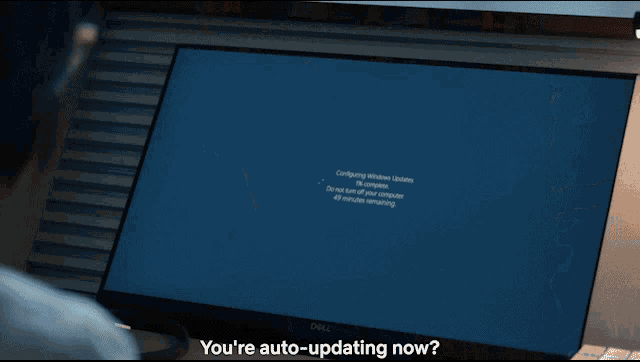 carmine edge
tbf it was probably some 3rd party program but still applies
north dune
Yeah, though trying to figure out which one would've been a headache.
limpid pond
Do yall know any good free soundfonts with the LONGGGGG startup?🙏 🙏 🙏