#Azure - GitHub deployment

1 messages · Page 1 of 1 (latest)

tiny wolf
#

@naive pilot

This is the default domain of my web app: https://historygame-app.azurewebsites.net
When you go to that specific web page, it takes a while to load and then gives you this message:
"The specified CGI application encountered an error and the server terminated the process."

First of all, since it's not actually supposed to display anything? The web app is supposed to hold Java scripts that provide a database service, which are prompted by a HttpURLConnection in the clientside Java scripts.

Secondly, would you have any idea how I'm supposed to access the scripts using the clientside Java scripts? Like what is the URL (if there is one) of the script/s? Does using GitHub deployments even allow the use of Http connections? If it doesn't, how the hell do I send data to and receive data from the scripts on the web app?

woven ravineBOT
#

This post has been reserved for your question.

Hey @tiny wolf! Please use /close or the Close Post button above when your problem is solved. Please remember to follow the help guidelines. This post will be automatically closed after 300 minutes of inactivity.

TIP: Narrow down your issue to simple and precise questions to maximize the chance that others will reply in here.

naive pilot
#

The specified CGI application encountered an error and the server terminated the process.
looks like the application didn't give you a successful response

#

maybe it just doesn't answer with any response

tiny wolf
#

all I did so far with the web app was just deploy the github thing

naive pilot
#

Do you have access to logs?

tiny wolf
#

so there's no interaction

naive pilot
tiny wolf
#

the only functionality I want at the moment is:

  • to be able to update my web app scripts in eclipse, have that committed to a github repo and then have those changes automatically pushed to the web app
naive pilot
#

idk what the application does, idk where and how exactly it is deployed, idk how the server works

tiny wolf
#

In this video of the Azure Portal “How To” Series, learn how to deploy Azure web apps using GitHub Actions.

Try out these features in the Azure portal: https://portal.azure.com
Keep connected on Twitter: https://twitter.com/AzurePortal
And make sure to keep an eye on our Azure Portal "How to" Series playlist: https://www.youtube.com/play...

▶ Play video
#

I literally just followed this

#

and the deployments work

#

this is the repo with the stuff I have in eclipse

#

which I update

#

and then that commits to the repo, and in turn to the web app deployment

naive pilot
#

Can you show the logs on the server?

tiny wolf
#

so that all works

tiny wolf
naive pilot
#

idk how to get them but there should be logs for your application

tiny wolf
#

I need to enable them

#

which of those would you need

naive pilot
#

I have no idea what that is supposed to be

#

ig you might need application logging

tiny wolf
#

@naive pilot I think this offers more insight

#

I've read it myself but I'm a bit lost#

#

"What happens to my app during deployment?
All the officially supported deployment methods make changes to the files in the /home/site/wwwroot folder of your app. These files are used to run your app. So the deployment can fail because of locked files. The app might also behave unpredictably during deployment because the files aren't all updated at the same time. This behavior is undesirable for a customer-facing app. There are a few ways to avoid these issues:

Run your app directly from the ZIP package, without unpacking it.
Stop your app or enable offline mode for it during deployment. For more information, see Deal with locked files during deployment.
Deploy to a staging slot with auto swap turned on."

naive pilot
tiny wolf
#

don't think it matters

#

it's just a continuous deployment

naive pilot
#

if the app is not deployed correctly, it won't run

tiny wolf
#

in the app's deployment centre ^

#

it offers java functionality

#

and the deployments themselves are working just fine

#

@naive pilot ??

#

is the java aspect still an issue

tiny wolf
naive pilot
#

these instructions should still apply although it might be more complicated

tiny wolf
#

I did that?

tiny wolf
naive pilot
tiny wolf
#

although I don't actually know how to access the files

tiny wolf
naive pilot
#

Like how does the deployment know it's a Java application?

tiny wolf
#

java 21

naive pilot
tiny wolf
#

java 21 runtime stack

tiny wolf
tiny wolf
tiny wolf
# tiny wolf

otherwise it would say so in the deployment logs

#

even when I make changes to the scripts in the repo it says the web app updated successfully

naive pilot
#

an incorrect deployment can also succeed (and then not work)

tiny wolf
#

there's nothing to suggest otherwise

#

@naive pilot oh

#

I have this in my root folder

#

it updates whenever I push changes

#

although I have no idea what the hell any of this is

#

I can't copy and paste those characters btw

#

if I can't fix this I can always just manually deploy the scripts

#

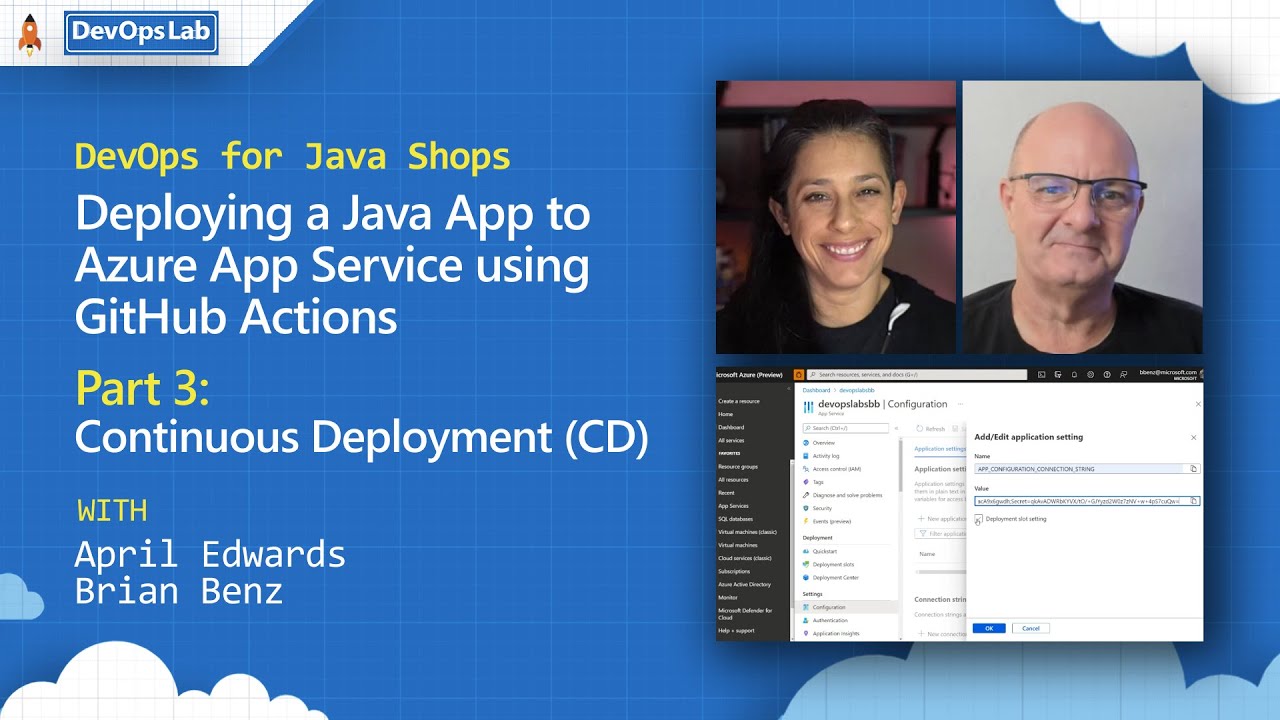
How to Deploy Java to Azure App Service? | Java on Azure Tutorial | Hands-on Tutorial with Demos

In part 3 of our DevOps for Java Shops, we’ll share the best ways to reliably make updates and maintain production cloud code using built-in CI/CD tools from GitHub and Microsoft.

▬▬▬▬▬▬ TIMESTAMPS ⌚ ▬▬▬▬▬▬
01:19 Checking the deployment
02:42 Con...

▶ Play video
#

seems to address the issue

tiny wolf
#

just a lone app.jar

#

?

#

I've been following this but it's confusing the hell out of me

naive pilot
#

How is it supposed to know how to run it?

naive pilot
naive pilot
naive pilot
#

Note that the --server.port=80 might not be necessary if your application already uses that port

#

if it's a Spring Boot application, you might need to do -Dserver.port=80

tiny wolf
#

And regular java

tiny wolf
naive pilot
tiny wolf
#

wait where do I do that command

#

but I still need all the other stuff in the doc right?

tiny wolf
#

@naive pilot is jdbc part of spring boot

naive pilot
#

The relevant part is whether it's a web server

tiny wolf
#

yes?

#

unless I'm mistaken

naive pilot
#

Is the Java application a web server?

tiny wolf
#

it queries an SQL database

#

on a mysql server

naive pilot
tiny wolf
#

it will do yes

naive pilot
tiny wolf
#

at least that's what I intend

#

I'm hoping to use HttpsUrlConnection on java

tiny wolf
#

I haven't added that functionality

naive pilot
tiny wolf
naive pilot
tiny wolf
#

not for it to randomly terminate

#

the main thing is that

#

this is showing the app.jar

#

but I need my scripts

naive pilot
naive pilot
tiny wolf
#

why is it just app.jar

#

how am I supposed to send http requests to app.jar

naive pilot
#

because GitHub Actions just builds the JAR and puts it in the server?

tiny wolf
#

then how do I send http requests to/fro

#

from the client

#

to the web app scripts

#

for example if I want to insert data into my sql database

naive pilot
#

well you first need a web server

#

you need something receiving the HTTP requests

tiny wolf
#
package WebApp;

import java.io.IOException;
import java.net.HttpURLConnection;
import java.net.URL;

public class Connector {
    public static HttpURLConnection createConnection(String address){
        try{
            // Opens connection using URL from address argument.
            URL webURL = new URL(address);
            HttpURLConnection connection = (HttpURLConnection) webURL.openConnection();

            // Connection constraints...

            // Sets request method to POST.
            connection.setRequestMethod("POST");
            // Allows inputs from web service.
            connection.setDoInput(true);
            // Allows outputs to web service.
            connection.setDoOutput(true);
            // Timeouts for connection and reading after 15,000ms.
            connection.setConnectTimeout(15000);
            connection.setReadTimeout(15000);

            // Returns connection.
            return connection;

        } catch (IOException e){
            // Handles exceptions (i.e. connection failures).
            e.printStackTrace();
            return null;
        }
    }
}
#

what address am I supposed to use

#

when there isn't one

tiny wolf
# tiny wolf

I was expecting that when I made changes to the github repo that they would appear in /wwwroot

#

so that I could reference them by their address

#

my brother did a similar thing except he used PHP scripts and manually added them to the /wwwroot repository

tiny wolf
#

@naive pilot

#

like this

tiny wolf
#

and then I'd manage the http request receivers

#

and in the docs it says to do this

#

I don't have that option anywhere

#

also I have a feeling that something is wrong with these?

#

@naive pilot is this supposed to be empty

naive pilot
#

this doesn't seem right

tiny wolf
#

I've watched countless tutorials and it's supposed to do most of it for you

#

idk what's screwing mine up

naive pilot
tiny wolf
#

yes

naive pilot
#

then you first need a webapp/webserver

#

only then can you deploy it

tiny wolf
tiny wolf
#

it's deployed the app.jar

#

whatever that represents

naive pilot
tiny wolf
#

how do I make a webserver then

#

as I said with my brother

#

all he did was create the web app resource

tiny wolf
#

put his php scripts in the /wwwroot thing

#

and then send http requests using HttpUrlConnection in his clientside scripts

naive pilot
#

Either you have a PHP application or a Java application

tiny wolf
#

and I'm also trying to use github to continuously deploy

#

that's the only difference in our approach

naive pilot
#

then you need to include a web server inside the Java application

tiny wolf
#

the web app

#

or what I'm programming

#

jesus christ this is so confusing

#

I don't understand the difference between continuous deployments and manual deployments

#

just because github is doing it for me I need to create a web server and all of this stuff?

tiny wolf
#

and that was all he did

naive pilot
#

when running the Java application, it must serve HTTP requests

tiny wolf
naive pilot
tiny wolf
naive pilot
#

Do you know what a JAR is?

naive pilot
tiny wolf
#

and I don't know how I'm supposed to send data to a specific class when all I have to work with is an app.jar

naive pilot
tiny wolf
#

right...

tiny wolf
naive pilot
#

and running the JAR should run your project

tiny wolf
#

for example if I have an AddUser class

#

or a RemoveUser class

#

they perform different tasks, take in different data and return different data

naive pilot
tiny wolf
#

how do I query them separately

naive pilot
tiny wolf
#

given the address represents that of the individual scripts

naive pilot
tiny wolf
naive pilot
#

you can't run stuff without a main method

tiny wolf
#

it's not part of the web app

naive pilot
#

you still need a main to run Java code

tiny wolf
#

which will take care of that

naive pilot
#

I recommend first making the web app

tiny wolf
#

because depending on the class I want, the address will be different

tiny wolf
#

@naive pilot one last thing before I do that

tiny wolf
#

because apart from the main domain crashing whenever I try to load it, nothing seems to be wrong

naive pilot
tiny wolf
#

if the app.jar is functional

tiny wolf
#

I originally thought the app.jar wasn't what it was supposed to be

#

but you disagree so

naive pilot
naive pilot
tiny wolf
#

no

#

**To add a new Application Setting, click New Application Setting.

The name should be APP_CONFIGURATION_CONNECTION_STRING and the value should be the connection string from your App Configuration, starting with Endpoint=

In the app's left menu, select Configuration > General settings.

In Startup Command, add:

java -jar /home/site/wwwroot/demo-0.0.1-SNAPSHOT.jar --server.port=80

When finished, click Update. Don't forget to click Save back in the Configuration page.

The application should restart at this time. Open the Web Site Address from the overview, and you should see the Web site. Refresh the app a few times and see if you notice any differences in the menu.

Repeat these steps to add the Application settings to your Production App.

FOr the GitHub App, use the same application setting, but use this startup command:

java -jar /home/site/wwwroot/app.jar --server.port=80**

#

very vague

tiny wolf
#

in fact I can't find it anywhere

#

it's not where it is in the image

naive pilot
tiny wolf
#

"In the app's left menu, select Configuration > General settings.

In Startup Command, add:

java -jar /home/site/wwwroot/demo-0.0.1-SNAPSHOT.jar --server.port=80"

can I skip this stage

naive pilot
#

maybe it's somewhere else

tiny wolf
#

becaue he kept rambling on about application settings

#

but so far I've not made a single reference to it

tiny wolf
#

and then mess around with these feature flags

#

but none of them relate to github

#

to my knowledge

tiny wolf
#

java -jar /home/site/wwwroot/app.jar --server.port=80

#

this seems important where would I put that @naive pilot

#

"FOr the GitHub App, use the same application setting, but use this startup command:"

??? I don't know where this is

naive pilot
tiny wolf
naive pilot
#

it should allow you to configure what to run

#

idk where

tiny wolf
#

the circled thing is the app setting the tutorial said to create

naive pilot
tiny wolf
tiny wolf
#

the name is just APP_CONFIGURATION_CONNECTION_STRING

naive pilot
#

literally all the text there

tiny wolf
# tiny wolf

this is where the tutorial said the "Startup Command" option would be

tiny wolf
#

is it too brightly coloured or something

#

might be my hdr

naive pilot
#

that's your image

tiny wolf
#

wtf

#

is this better

#

it looks completely fine on my screen

#

that's weird

naive pilot
tiny wolf
#

strange...

naive pilot
tiny wolf
#

might be discord

tiny wolf
#

it said to create an application setting

#

so I did

#

I followed every step to a T

#

"To add a new Application Setting, click New Application Setting.

The name should be APP_CONFIGURATION_CONNECTION_STRING and the value should be the connection string from your App Configuration, starting with Endpoint=

In the app's left menu, select Configuration > General settings.

In Startup Command, add:

java -jar /home/site/wwwroot/demo-0.0.1-SNAPSHOT.jar --server.port=80

When finished, click Update. Don't forget to click Save back in the Configuration page.

The application should restart at this time. Open the Web Site Address from the overview, and you should see the Web site. Refresh the app a few times and see if you notice any differences in the menu.

Repeat these steps to add the Application settings to your Production App.

FOr the GitHub App, use the same application setting, but use this startup command:

java -jar /home/site/wwwroot/app.jar --server.port=80"

#

then I hit a stump at this point

naive pilot
#

Was the tutorial about a specific application?

tiny wolf
#

because there is no such thing about Startup Command

naive pilot
tiny wolf
#

it's not where it should be and it's not anywhere else

naive pilot
#

¯_(ツ)_/¯

tiny wolf
#

this is what I'm following

#

I'm on exercise 3 atm

#

Exercise 3 - Setting up feature flags and configuring App Servers

#

and you're telling me that I definitely need java -jar /home/site/wwwroot/app.jar --server.port=80

#

and according to the tutorial "FOr the GitHub App, use the same application setting, but use this startup command:"

#

by github app does it mean IN GITHUB?

#
# More GitHub Actions for Azure: https://github.com/Azure/actions

name: Build and deploy JAR app to Azure Web App - historygame-app

on:
  push:
    branches:
      - master
  workflow_dispatch:

jobs:
  build:
    runs-on: windows-latest

    steps:
      - uses: actions/checkout@v4

      - name: Set up Java version
        uses: actions/setup-java@v1
        with:
          java-version: '21'

      - name: Build with Maven
        run: |
          cd Server_Scripts
          mvn clean install

      - name: Upload artifact for deployment job
        uses: actions/upload-artifact@v3
        with:
          name: java-app
          path: '${{ github.workspace }}/Server_Scripts/target/*.jar'

  deploy:
    runs-on: windows-latest
    needs: build
    environment:
      name: 'Production'
      url: ${{ steps.deploy-to-webapp.outputs.webapp-url }}

    steps:
      - name: Download artifact from build job
        uses: actions/download-artifact@v3
        with:
          name: java-app

      - name: Deploy to Azure Web App
        id: deploy-to-webapp
        uses: azure/webapps-deploy@v2
        with:
          app-name: 'historygame-app'
          slot-name: 'Production'
          publish-profile: ${{ secrets.AZUREAPPSERVICE_PUBLISHPROFILE_74C8926C37AE4A468A34ED5D83010300 }}
          package: '*.jar'```

this is the workflow .yml btw
naive pilot
tiny wolf
#

surely if it's not even an option it's accounted for...

high fulcrum
#

you shouldn't have to specify java the java -jar command, that is going to be taken care of by azure

#

it knows how to run jars. However, there is a startup command section you can put the command in if you are doing anything non standard

#

this would probably be easier using an azure container app though, fyi

#

because then your github actions only have to upload an image and the container app is pointed at a specific tag

#

Oh I see you got that startup command from the tutorial

#

what is on your application settings page

tiny wolf
#

SENT FROM HEAVEN

#

one sec

tiny wolf
high fulcrum
#

yeah, the tutorial looks like its 3 years old so they have probably update the UI

tiny wolf
#

not there

tiny wolf
#

which leads me to believe it's no longer a feature

high fulcrum
#

just out of curiosity, could you switch from java 21 to 11 like in the tooot

tiny wolf
#

should I?

#

java 21 should be fine with the other versions

high fulcrum
#

toot == tutorial

tiny wolf
#

o

tiny wolf
#

no startup

high fulcrum
#

just a sanity check, i didn't expect anything really

tiny wolf
#

I'm a little inexperienced with web apps and the like

#

so the issue I have atm is

#

ever since I deployed w/ github

#

this web page doesn't load

#

gives me some message after a while along the lines of
"The specified CGI application encountered an error and the server terminated the process."

high fulcrum
#

just for additional context, have you deployed manually with success previously?/

tiny wolf
#

using .php files

#

he wrote them, deployed them manually in the zip push repo and then referenced them by url

#

package WebApp;

import java.io.IOException;
import java.net.HttpURLConnection;
import java.net.URL;

public class Connector {
    public static HttpURLConnection createConnection(String address){
        try{
            // Opens connection using URL from address argument.
            URL webURL = new URL(address);
            HttpURLConnection connection = (HttpURLConnection) webURL.openConnection();

            // Connection constraints...

            // Sets request method to POST.
            connection.setRequestMethod("POST");
            // Allows inputs from web service.
            connection.setDoInput(true);
            // Allows outputs to web service.
            connection.setDoOutput(true);
            // Timeouts for connection and reading after 15,000ms.
            connection.setConnectTimeout(15000);
            connection.setReadTimeout(15000);

            // Returns connection.
            return connection;

        } catch (IOException e){
            // Handles exceptions (i.e. connection failures).
            e.printStackTrace();
            return null;
        }
    }
}```
tiny wolf
tiny wolf
#

I want an HttpUrlConnection

#

to my scripts on the web app

#

and then they query the database and return data

high fulcrum
#

sorry brb, i probably wont be back until later this evening

#

if you haven't resolved by then we could hop on a screen share

tiny wolf
#

I scared you off 😭

high fulcrum
#

lol no, gotta take my kid to muay thai

#

brb

woven ravineBOT
#

💤 Post marked as dormant

This post has been inactive for over 300 minutes, thus, it has been archived.
If your question was not answered yet, feel free to re-open this post or create a new one.
In case your post is not getting any attention, you can try to use /help ping.
Warning: abusing this will result in moderative actions taken against you.

tiny wolf
#

@naive pilot startup command is only available to Linux apparently

#

So ig I don't have to bother with that