#Groovy MiSTer
1 messages · Page 2 of 1
 shell prawn
 dull kraken
Tested on dolphin and works like a charm
Adding field, linux saves frame to correct framebuffer always
shell prawn
When the protocol is updated, is there a way to track which version the MiSTer host is running?
I wouldn't mind having multiple versions of the protocol supported in the MiSTerCast app for people using it with potentially older Groovy_MiSTer versions
dull kraken
On log file, yes
shell prawn
or at least give an error
dull kraken
I think it's better do a major version for this
shell prawn
Sure, I just don't remember off the top of my head if I can fetch a version from the client to show the proper error
Often, I've run into people using mismatched MiSTerCast and Groovy_MiSTer versions
dull kraken
I understand, with old GroovyMister version i'm sure this fails
shell prawn
It would be nice if I could easily show an error to users on MiSTerCast if I could detect this
Maybe we could add a version indicator to the protocol as part of this breaking change?
dull kraken
It's a good idea, but i can't change older versions
shell prawn
Sure, but going forward
dull kraken
New versions are compatible with older protocols
shell prawn
Oh, I see what you mean, this isn't a breaking change yet
dull kraken
MiSTerCast is working with new cores
But a new MiSTerCast will not work with older cores
I can't break older protocols, so many people are happy with their installation
So, just with a new major MiSTerCast saying a september core version is requiered maybe enough
shell prawn
Yeah, I'll say it but I just won't be able to detect it at runtime
dull kraken
Yeah, i will need to add a response for future releases
shell prawn
If the version is a new packet only sent on request it wouldn't break older clients
 astral robin
I have a question. I saw the Groovy Dolphin @dull kraken you made and I was wondering if this concept could be expanded to other console emulators like Jzintv? Jzintv is a CLI emulator that allows launching Intellivision games from the command line. It supports JLP acceleration while the MiSTer FPGA core doesn't. Would it be possible to have some sort of .MRA files that actually send the PC the correct command to launch the corresponding game and stream it?
Like a sort of Jzintv Groovy
dull kraken
On every open source emulator is possible
With @lilac grove project will be possible init streaming as loading a core file
With Dolphin results I am satisfied so I will probably look at some other emulator, maybe pcsx2, flycast or else
 mortal citrus
I'll eventually try this with the game Violent Storm.
 echo dagger
Dolphin support is like magic!
dull kraken
@echo dagger Yesterday i fixed window output when isn't Groovy enabled and updated core for always match fields on interlaced frames
I played several hours and a lot of games and i think it's working really nice
There are some games like XenoCrisis forcing 240p output is better to me
dull kraken
@shell prawn I added a new command CMD_GET_VERSION 8. This returns a byte with number 1
So, now you can detect core version and decide which blit use
shell prawn
excellent, thank you!
 ornate radish
I have some free time today and finally want to try out mistercast and groovy mister to watch some cartoons on my CRT. I'm a little confused by the setup though. My desktop PC is on wi-fi (500Mbps down and around 25Mbps up) can I run an ethernet cable from my PC into my Mister and use it that way or does it need to be hardwired to the router? I can't really run a cable to my router due to the layout of the place I'm renting
dull kraken
@ornate radish You can try wifi 5Ghz if have a good latency, ping less 1ms
But this wifi connected to MiSTer lan, not wifi usb
Although I clearly recommend the cable above all else
In preferent order: 1) direct connection PC - MiSTer, 2) router
ornate radish
Cool will be giving it a shot sometime today thank you!
ornate radish
Do I still need an unstable main or does this work on official main now?
 ornate radish
Thank you!
ornate radish
Got it working I don’t know why I thought it was more complicated. Now I need to mess with the settings to get the best mode lines. I’m getting some aliasing even on standard def dvd rips
 random smelt
dull kraken
In preferent order: 1) direct connection PC - MiSTer, 2) router
random smelt
dull kraken
In preferent order: 1) direct connection PC - MiSTer, 2) router
For 1), does your pc have two Ethernet ports or are you disconnecting from the internet to cast? All of my mobo’s only have one port
I thought about using one long cable to go router> Ethernet splitter/hub > two short cables to pc and mister, but I’m not sure it’d be any faster than two long cables from the router
I guess there are those dinky usb to Ethernet adaptors for laptops, no idea on the speed they can manage though
astral robin
random smelt
I guess there are those dinky usb to Ethernet adaptors for laptops, no idea on t...
I have a UGREEN and it's 1 gb/s. The transfer speed will always be reported in the listing and you can verify it directly within Windows network settings.
astral robin
random smelt
I thought about using one long cable to go router> Ethernet splitter/hub > two s...
And yes in this scenario the Ethernet switch is redundant. Your router is also a modem and a switch.
ornate radish
Whenever I try and set the Modeline preset to 640x480i I get error messages and mister cast crashes. Is this due to my setup? Desktop PC is wireless 5ghz and I have a Ethernet cable connected from my PC to my Mister
ornate radish
“Send command failed: 10035” is the error message I get
dull kraken
If you choose a lower resolution, i understand is working
ornate radish
Yeah works with the two non 480i versions just fine
dull kraken
ornate radish
Yeah works with the two non 480i versions just fine
Try checking eth driver options
Energy and transmit buffers
Seems last drivers of ethernet by default has power save energy
ornate radish
just checked for the newest drivers using automatic pull down and I was already on them. I turned off power saving as well. Still crashing at 640x480i. Any other suggestions?
now it's crashing even at 256x240. I guess I don't have the networking knowhow on what to troubleshoot
ornate radish
actually I never set up groovymame just mistercast and looking at the github for groovymame it asks to setup a static ip for the mister. Is this a required step for mistercast/would it help in this case?
I have Asus RT-AX86U Pro router but can't seem to locate the DHCP pool range
I also don't have this on my sd card
/etc/dhcpcd.conf
 indigo swift
You can use the IP in the mister OSD where you change ini files. Just use that in the groovy mame config file
on the pc
IP might change, but it's pretty easy to just keep the config open in notepad++ and change it
ornate radish
currently I'm only interested in using mistercast. Was only looking up groovy mame as in the instructions it recommends getting that working first. I have my misters IP address in the target IP box on the mistercast application and it works but I can't seem to get it to be stable. I constantly get "Send command failed: 10035" and any resolution above 256x240 causes screen tearing and an eventual crash
but reading the groovymame instructions says my mister SD card should have an etc folder which I do not
not sure what else I can or should be doing though
The files I am currently using are: Groovy_20240910.rbf in the _Utility folder, MiSTer main dated 9/14/2024, and in my mister.ini I added
[Groovy]
main=MiSTer_groovy
ornate radish
Actually looking at the GitHub issues for mistercast issue 11 is exactly what is happening to me.
GitHub
I've tried x1 Cat5, x3 Cat5e, and x1 Cat6 cable and all are unable to get past 200Mbps. My ethernet adapter is set to gigabit as I have fiber internet and run a home server. This error seems to...
 gloomy slate
Try another ethernet cable. Make use it's gigabit. Try setting transmit buffers to 2048 in network adapter options. #1212527493169414266 message
ornate radish
I think I need to figure out a static ip or something. on the misc options screen on my mister only my wifi connection IP address is showing up, not a hardwire and a wifi. I should have two separate IP addresses showing if I'm understanding this correctly
I have tried two different gigabit ethernet cables so I'm guessing that has to be the culprit
also my ethernet status shows no internet access for IPv4 or IPv6 connectivity
I don't understand what I need to change on my PC for the gigabit ethernet cable connected to the motherboard on my PC to carry signal over to my mister. Sorry for all the questions but I'm at a loss since my Mister SD card is missing the filepath for /etc/dhcpcd.conf
"How to configure a Static IP on the MiSTer FPGA
Edit the /etc/dhcpcd.conf file on the MiSTer FPGA SDCard and add the below two lines at the end. Replace the <your_static_ip_here> text with the ip address you want to use on the MiSTer. This will set a static IP for the ethernet port, not Wifi.
interface eth0
static ip_address=<your_static_ip_here>/24"
ornate radish
I basically need to figure out what this person did. Is that true that the static IP needs to be set from the mister and not when inserting the SD card into my PC?
ornate radish
Well shit. Doing this after pressing f9 and login: root nothing enters for password:
I tried pressing 1 on two different keyboards and other keys and nothing populates
Do I need to use ftp to add this?
Never have I felt so stupid
welp I think I'm gonna give up on this unless someone can spare the time to help me out. I cannot for the life of me figure out how to access the terminal so I can add a static IP. I usually am pretty smart with this kinda thing but I feel like a cromag
just tried putty as well and nothing will populate for password no matter what I press on my keyboard]
tried using winscp and was able to access my mister but in rootfs there is nothing
guh, like I said I feel so dumb. Someone PM me if you are willing to help
really wish there was another way to add static IP this is driving me mad
I'm not linux savy so maybe I am doing something wrong but all these instructions seem clear cut and I am getting nowhere
 supple herald
ornate radish
just tried putty as well and nothing will populate for password no matter what I...
supple herald
ornate radish
just tried putty as well and nothing will populate for password no matter what I...
It won’t display the password
You press 1 and hit enter
But yeah I usually use putty
Or keyboard direct on the rare occasion I have a kb plugged in
indigo swift
ornate radish
also my ethernet status shows no internet access for IPv4 or IPv6 connectivity
Does the MiSTer show up in Windows Network Devices with the ethernet port? Since you're using 2 connection methods, you'll have 2 IP addresses/devices.
Wifi via your router will be the 192.168.xx.x address in the OSD.
Windows will be a different one for the ethernet, like a LAN computer
The Windows connection (wired) will not have internet access, but Windows should see it as a connected device in your network settings
The wired IP address Windows and the MiSTer share will be the one you want to point to with MiSTer Cast (I would think)
Try running 'ifconfig' from the MiSTer's bash terminal to see it's connections
Use 'ipconfig' with Windows cmd prompt to see what your PC is connected to
astral robin
@ornate radish the guide is misleading, I had the same issue where I couldn't locate the dhcpcd.conf file
Refer to my older message:
FIXED!
So today I got the intuition that something was off with the dhcpcd.conf file. I thought it was just too odd that the file and the etc folder weren't there... and indeed dhcpcd.conf is inside /etc/ (cd /etc/ upon logging in with PuTTY)
So I edited it using nano (fk vi btw) and appended the two lines. I used 192.168.2.1 to separate it from the WiFi range being 1.X in my case. Worked straight away
You need to configure a static IP on both ends
ornate radish
supple herald
Or keyboard direct on the rare occasion I have a kb plugged in
Putty I got nowhere. Entering 1 for the password did nothing. Direct keyboard into the mister after pressing f9, then typing root, and for password pressing 1 did nothing (as well as other keys) just kept getting failure messages. The only successful FTP I got to my mister was via winscp but even then anything within the rootfs folder does not show up
ornate radish
indigo swift
The wired IP address Windows and the MiSTer share will be the one you want to po...
When the Ethernet cable is plugged into my PC and mister it shows it as an unrecognized connection but it does show a connection. Just need to sort out this static IP brick wall I’m running into
 lilac grove
Fwiw i am not a putty fan, Git Bash is a really nice nix-like terminal emulator for Windows that supports openSSH key gen, SSH, SCP, Rsync etc.
Highly recommended for peeps that don't want to fuss with WSL2 linux
astral robin
ornate radish
When the Ethernet cable is plugged into my PC and mister it shows it as an unrec...
Did you set the network card's static IP address on the Windows side?
ornate radish
I have not but I feel like I gotta get the mister static IP figured out first
I’m going to try and download the newest version of putty later and try again. If that doesn’t work I’m shelving this and will just use my dumb cheap av to hdmi pass through even though it looks like shit (and takes up more space)
gloomy slate
Isn't there script for setting static ip?
gloomy slate
Anyone tried running the new groovy dolphin on win10? My friend is having trouble running on 2 win10 machines. Regular dolphin and old groovy dolphin are running fine.
dull kraken
I’m in win10 ltsc
 tawny moss
Hey guys, I'm having some trouble getting the Groovy core to launch - I cannot see the bouncing ball and I cannot open the menu either. My mister is connected via Direct Video, and the only mister.ini setting I have changed is direct_video=1. All other cores have no issues with this setup. I've tried:
- consumer CRT TV with SCART and multiformat BVM
- fresh mister setup with mr fusion
- various older groovy mister builds/mister binaries
- using the mister.ini [Groovy] alternative binary method as well as directly replacing the mister binary
- setting composite_sync=1
- hooking out the output to an Extron RGB unit to see if it detects any signal (it does not)
any suggestions for things I could try would be very appreciated! thanks!
 tired portal
If that's the only INI edit you made, you are likely missing the other MiSTer binary file, and the INI setting to use it.
#1212527493169414266 message
dull kraken
tawny moss
Hey guys, I'm having some trouble getting the Groovy core to launch - I cannot s...
Maybe are you transfering files without binary mode using filezilla?
tawny moss
dull kraken
Maybe are you transfering files without binary mode using filezilla?
woa yeah I am using filezilla, was not aware about this option
thank you, I'll check it out later when I can
tired portal
Sorry, I'd not fully followed you likely did have the binary too. Hopefully working now
tawny moss
dull kraken
Maybe are you transfering files without binary mode using filezilla?
amazing, that was it, thank you so much and thank you for your work on the core!
tawny moss
tired portal
Sorry, I'd not fully followed you likely did have the binary too. Hopefully work...
sorry yeah I see how my post could have been misleading, I did have the extra binary and config - thank you for the tip though
tired portal
No, my bad for not reading your post more carefully. Glad you got it all working. File transfer is often an issue.
Hope you enjoy some Groovy CRT content
supple herald
I don’t use filezilla but my understanding is that’s the default so it catches people using mister constantly, it’s not just you
Do the mister docs recommend or mention filezilla? Should probably have something in bold about it if so
tawny moss
no not in any official docs as far as I can see
it's just what I've personally been using for the last 15 years
and somehow didn't run into this issue (knowingly, at least) until now
astral robin
supple herald
WinSCP doesn’t have the same big name clout 😅
WinSCP is great but I still prefer FileZilla, just make sure to enable binary mode
tawny moss
I have retroarch up and running now and it's looking glorious

 supple herald
tawny moss
I have retroarch up and running now and it's looking glorious
supple herald
tawny moss
I have retroarch up and running now and it's looking glorious
What speakers are those? I’ve seen the APM ones on pvms but also on boomboxes and those look even bigger. Didn’t realize how many they made beyond the ones for the 30 series prosumer monitors
supple herald
Neat, thanks
dull kraken
It is implemented on new build
 severe geyser
dull kraken
It is implemented on new build
severe geyser
dull kraken
It is implemented on new build
Ohhh, nice! I need to wait for my ethernet to come back in 30nth before I can test that but thanks so much for implementing it!
Now Retroachievements is (kinda) doable on MiSTer

shell prawn
@dull kraken I started moving to the groovy API as part of this update. What's the blit delta?
dull kraken
Hi @shell prawn Good news!
Blit delta is sending blit by difference vs last frame
So if a new RGB value is (100,100,100) and the last one are the same, (0,0,0) are sended
This helps to compress frames
groovy API detects if delta frame is better than normal frame to send one or another
Here you find an example
GitHub
Emulator of x86-based machines based on PCem. Contribute to psakhis/86Box development by creating an account on GitHub.
 hardy cryptBOT
if (vid_mister_delta)
What exactly is matchDeltaBytes on the cmdBlit API then?
dull kraken
Every byte equal than last byte
Is an argument to help API to know if use blit delta
shell prawn
if I feed this 0 will it just assume everything is different?
dull kraken
yes
dull kraken
Better, blit delta is optional
shell prawn
I'll see about implementing it but I wonder if the additional CPU cost is worth it
dull kraken
With relative static images, the save is very considerable
Yes, needs a little more CPU
I implemented it thinking on 480p and upper
shell prawn
Oh yeah, I bet x86box benefits from this quite a bit
shell prawn
I haven't tried it yet but I'm excited to. I think it's the only way to get native VGA from an x86 emulator that I know of.
Even the MiSTer core can't do it
dull kraken
altough now with arm clock +400mhz option or XDP server, raw 480p works as well
shell prawn
Oh, overclocking the ARM on MiSTer?
shell prawn
I haven't messed with XDP yet but I saw the information on the core README
dull kraken
I recommend XDP for sure
shell prawn
I want to test everything with the default setup first since many will use that at first.
dull kraken
I understand people don't use it because you need replace kernel file
shell prawn
Yeah, I imagine it greatly reduces usage
shell prawn
and I assume every MiSTer linux update replaced it again
dull kraken
yes but kernel is very stable
very few updates
I tunned for better performance, with vanilla kernel some driver params are not good enough
supple herald
Any chance it could be incorporated by sorg?
dull kraken
Nops
Sorg isn't interested on network patches
It would only happen if the kernel is updated
Now is 5.15
from 5.15 to nowadays exists a lot of increment XDP changes on kernel and driver
Actual vanilla kernel is using 64 packets napi polling, with XDP i set to 1 so latency is negligible
shell prawn
The first attempt wasn't a success but hey there's some of my desktop there 🙃

Oh wait, I think I need to update the core already
dull kraken
yes, MiSTer_main and rbf
here you have an example if you want use switchres lib
GitHub
Emulator of x86-based machines based on PCem. Contribute to psakhis/86Box development by creating an account on GitHub.
hardy cryptBOT
if (vid_mister)
Currently getting black video on the new client with the new core but old client with old core is fine so I'll have to debug later.
Most my code is the same but I'm calling the GroovyMiSTer APIs instead of doing my own networking.
dull kraken
Try with progressive modes first. With interlaced you need to get buffer with field
shell prawn
Yeah, that's what I did but without much luck. Video isn't syncing with my CRT so I'll have to look into it further.
switch res command is the same as before
dull kraken
If you run core with verbose 1 attach log to see what happens
shell prawn
Yeah, where does the log dump to again?
shell prawn
[-1.000][Connected][UDP][192.168.1.1:62967]
[01.502][CMD_SWITCHRES][3]
[00.002][MODELINE][6.700000 320 336 367 426 240 244 247 262 progressive(0)][FPGA 320 16 31 59 240 4 3 15]
[00.001][PLL][ce_pix=12 M0=5 M1=4 C0=3 C1=3 K=-1511828489]
[00.695][CMD_BLIT][7][Frame=2(0)][Vsync=131][CSize=11175][Delta=0]
[00.017][GET_STATUS][DDR fr=2 bl=0][GPU fr=0 vc=241 fskip=0 vb=1 fd=0][VRAM px=0 queue=0 sync=1 free=1 eof=0][AUDIO=1][LZ4 inf=0]
[00.094][UDP_ERROR][fr=2 recv=0/11175 len=1444]
[00.001]command: 31 (len=-1)
[00.054]command: 21 (len=1444)
[00.043]command: 74 (len=1444)
[00.042]command: 255 (len=1444)
[00.042]command: 0 (len=1444)
[00.043]command: 54 (len=1444)
[00.079]command: 248 (len=1067)
[21.391][CMD_BLIT][7][Frame=3(0)][Vsync=131][CSize=11175][Delta=0]
[00.017][GET_STATUS][DDR fr=3 bl=0][GPU fr=0 vc=241 fskip=0 vb=1 fd=0][VRAM px=0 queue=0 sync=1 free=1 eof=0][AUDIO=1][LZ4 inf=0]
[00.073][UDP_ERROR][fr=3 recv=0/11175 len=1444]
[00.001]command: 31 (len=-1)
[00.069]command: 21 (len=1444)
[00.044]command: 74 (len=1444)
[00.041]command: 255 (len=1444)
[00.041]command: 0 (len=1444)
[00.041]command: 54 (len=1444)
[00.079]command: 248 (len=1067)```recv=0/11175 means it's not getting the frame data?
I'll have to look into CmdBlit to make sure it's sending
dull kraken
Udp error means some length isn’t expected
Maybe we need verbose 2
Ahh wait
1472 is the length expected
What mtu are you passing?
1500 is minium
shell prawn
Oops, I was using 1472
dull kraken
1500 or 3800 for jumbo
dull kraken
Api subtract udp header
shell prawn
yep that was it
Yeah, I had that constant because I was look at just the user data size
dull kraken
I choose 1500 because is the number ifconfig reports
shell prawn
When is it recommended to call WaitForSync in the flow? Right before or after calling CmdBlit?
I'm trying to remove the timing code I have from the old retroarch code.
dull kraken
Before cmdblit, calamity developed a formula to get which field is waiting for
GitHub
Windows binaries. Contribute to psakhis/emu4crt development by creating an account on GitHub.
hardy cryptBOT
int MiSTer::getField(void)
Preferable audio before cmdblit
shell prawn
Okay, going to move that then
I was doing it after for some reason
but my wait logic was a bit different before
Didn't get a chance to mess with it after the MTU fix
dull kraken
If you send after it, will work but fpga pause blit to get audio first
For core, cmdaudio is like hard irq
dull kraken
So change the context to write audio first
You cannot send audio and video on different threads
shell prawn
They're on the same thread
shell prawn
I was doing
Process Video
CmdBlit
Process Audio
CmdAudio
WaitSync
so just moving Processing Audio and CmdAudio to the beginning of the flow
dull kraken
Is a little better, yes
Send audio will be 0.0x ms
Maybe process all first and send all
Process audio and video
Cmdaudio and cmdblit
Because you don't want a delay between audio and video
Btw, i will add a cmd to set or get any core option. Could be interesting for example to set audio on remotely
shell prawn
Yeah, that would be great because it's been an issue a few times with users
dull kraken
Yes, will be easy to do
shell prawn
if I want to use auto sync delay (no vCountSync) with CmdBlit, is a margin recommended?
shell prawn
Still having a bit of stuttering. Looking at the logs I see LZ4 info=0
[00.017][GET_STATUS][DDR fr=2 bl=0][GPU fr=0 vc=241 fskip=0 vb=1 fd=0][VRAM px=0 queue=0 sync=1 free=1 eof=0][AUDIO=1][LZ4 inf=0]```I was passing 1 for LZ4 on init
In my own code I was using LZ4_compress_fast_continue before switching to the API
dull kraken
Do you have complet log?
shell prawn
Yeah, I can DM it but it was only verbosity 3
dull kraken
Just few lines with blitting frame 1 or 2
gloomy slate
@shell prawn Have you tried running mistercast without lz4 compression? Bandwidth is high but groovy retroarch and dolphin stream to mister is much smoother without compression for my setup. Output to mister can get choppy with lz4 turned on while smooth on pc side.
Also any chance of adding window capture and capture screen padding for adjusting aspect ratio and overscan?
shell prawn
gloomy slate
<@249276720111288321> Have you tried running mistercast without lz4 compression?...
I can add an option to the UI for compression type
Yeah, I do want to add the window capture and passing options
severe geyser
For some reason joypad inputs aren't coming through to GroovyRetroarch
Dunno if to do with new settings
MAME is same, looks like inputs just aren't coming in for some reason
severe geyser
severe geyser
MAME is same, looks like inputs just aren't coming in for some reason
@dull kraken
Anything I should check for issues?
The forced scaler is really nice btw
dull kraken
I don't have issues with input controls. Do you tested groovymame changing joystickprovider?
To test if main detects joysticks, with verbose log 2 is possible to check /tmp/groovy.log when button is pressed
Ofc, before that you need to enable input controls on core settings
just in case check the windows firewall that it is not blocking something
severe geyser
dull kraken
Ofc, before that you need to enable input controls on core settings
I can't find that setting for some reason - Send Inputs-section is greyed out and it only has PS2 and Joypad-options (unless Joypad is the input controls-option now)
 severe geyser
Huh, after saving settings it works now while I tried to do logging
Though I guess it asks to reset to save the changes but that was greyed out so I didn't see it
@dull kraken
Sorry for inconvenience
dull kraken
Perfect
 lost star
Why is my audio so bad on mistercast? Is there a fix for this? Everything is amazing otherwise
dull kraken
Probably because your audio device is set to 44.1khz and actual core has a bug with this rate freq
Try this one with sound fixed (use with last groovy mister main)
lost star
Thank you sir.
 winter wadi
I'm also having issues with audio on mistercast, but the audio from groovymame is completely fine. The audio coming from mistercast sounds unrecognizable from the original audio, not just poor quality. Audio device is set to 48khz and I've tried the groovy.rbf linked above. Anyone have any ideas?
shell prawn
winter wadi
I'm also having issues with audio on mistercast, but the audio from groovymame i...
Is it having issues no matter the video mode?
shell prawn
dull kraken
Probably because your audio device is set to 44.1khz and actual core has a bug w...
Does the core support Y/C video?
Oh, it looks like Y/C does work but just not in 480i for some reason
320x480i works fine but 640x480i is black and white
winter wadi
shell prawn
Is it having issues no matter the video mode?
I was able to resolve my issue. Rolling back my device driver to one with a stereo configuration instead of a 7.1 surround configuration fixed it.
shell prawn
oooh yeah that makes sense. I should pop a warning for that
I could try to recreate the 2 channels but I worry about how many possible audio configurations there are and I'm not setup to test anything more than stereo
severe geyser
Trying to use Analog Mode with Dualshock 3 seems pretty finicky for the control sticks in Retroarch
The inputs for them seems bit poorly calibrated when trying to apply the analog directions
gloomy slate
severe geyser
Trying to use Analog Mode with Dualshock 3 seems pretty finicky for the control ...
Which cores?
severe geyser
Atm I'm testing Duckstation
But even in input configuration for RA, the analog input registration has this issue where the dead zone seems way too big to a point the input gets lost of I move the sticks too far from the center
 main lion
Hello,
Wondering if I can get some assistance with Mister Cast please.
To preface, Groovy Mame works fine without these problems. As well as two Displays, one CRT TV connected Via Analogue Out and one CRT Monitor Connected Via Digital (w/ vga adapter) Out
I'm running into a couple of issues.
The first is while streaming video only on Mister Cast both of my displays have really Bad sporadic tearing as can be seen in the video and one set of pictures.
The other issue has to do with the colours. The CRT Monitor looks as it should, however the CRT TV has this Red and Blue thing going on in darker areas. This only happens with Mister Cast.
Any assistance would be greatly appreciated. If any more information is needed to help with determining a possible solution please don't hesitate to ask.
Very Respectfully


 brittle tide
You are connected via Ethernet and not wireless correct?
main lion
brittle tide
You are connected via Ethernet and not wireless correct?
That is correct. My computer is connected via a 2.5Gb link to my router, My mister is connect to a 1Gb port on the same router
 mild pilot
please, how do i make the dolphin work in the groovy mister, i could not find any tutorial
 lean tulip
Hi everyone, I have some very sad news to share. My brother Psakhis has passed away. It's a really difficult time for me and my family right now but I wanted to let you all know since he loved to explain me this project and i knew he loved this. It was one of his mains hobbies. This and biking. He was very strong climber, we did many rides and climbs together but unfortunately he had a heart condition that ultimately ended his life. Thank you for understanding, and I appreciate your support during this time.
 worn canopy
I’m so sorry. Please know he made my life just a little sweeter through his work.
lean tulip
Its touching, thank you very much
 lime horizon
lean tulip
Hi everyone, I have some very sad news to share. My brother Psakhis has passed a...
lime horizon
lean tulip
Hi everyone, I have some very sad news to share. My brother Psakhis has passed a...
I’m very sorry to hear that, my deepest condolences to you and your family. Please know that his work was loved by many people in the MiSTer community and we’ll all miss him. 😢
 night badger
lean tulip
Hi everyone, I have some very sad news to share. My brother Psakhis has passed a...
night badger
lean tulip
Hi everyone, I have some very sad news to share. My brother Psakhis has passed a...
I am so sorry for your loss. Your brother came into the dev channel asking some really difficult questions and just kept cranking away at it. He built something that people hadn’t really thought about and the results surprised and delighted us all.
 runic jackal
lean tulip
Hi everyone, I have some very sad news to share. My brother Psakhis has passed a...
runic jackal
lean tulip
Hi everyone, I have some very sad news to share. My brother Psakhis has passed a...
That is terrible news, I'm very sad to hear this, it is so sudden. My condolences, I wish you a lot of strength in this very difficult time. Your brother's project is fantastic, a really great idea and very fascinating. Everybody here was very surprised that it was a first project.
 young hull
lean tulip
Hi everyone, I have some very sad news to share. My brother Psakhis has passed a...
young hull
lean tulip
Hi everyone, I have some very sad news to share. My brother Psakhis has passed a...
I'm so terribly sorry for your family's loss. Psakhis was so passionate and hard working at his project and he surprised all of us with such a novel idea that worked so well. He will be missed.
 charred shell
sorry for your loss, extremely sad to hear and as others have said Psakhis work was novel and excellent
runic jackal
Why is psakhis' name not yellow when he developed a core?
young hull
Fixed
gloomy slate
My deepest condolences. I'm shocked and saddened beyond words. Rest in peace.
tired portal
Condolences to your family. Psakhis was always very welcoming and helpful to us all here.
supple herald
lean tulip
Hi everyone, I have some very sad news to share. My brother Psakhis has passed a...
So sorry for your loss. We were so lucky to have him, what a brilliant and kind person who loved games and solving tough problems.
shell prawn
lean tulip
Hi everyone, I have some very sad news to share. My brother Psakhis has passed a...
Oh no! I'm so sorry to hear about Psakhis passing! He was such a brilliant person and I really appreciated being able to work alongside him on this hobby project. His contributions to this community have had a huge impact. Saying he will be missed would be an understatement. Please let me know if there's anything we can do.
 oblique mural
Very sorry for your loss. A great deal of people here and beyond appreciated your brother's work, and hopefully that legacy lives on.
lean tulip
Thank you so much for all your support; it’s truly appreciated.
 craggy hamlet
lean tulip
Hi everyone, I have some very sad news to share. My brother Psakhis has passed a...
craggy hamlet
lean tulip
Hi everyone, I have some very sad news to share. My brother Psakhis has passed a...
I'm sorry for your loss, may your hearts find peace and we can only thank you for how much he contributed.
 rugged osprey
My deepest condolences. I'm shocked to hear that he passed away. I don’t know him personally, but I love and enjoy his work. A big loose for your family and our Mister community.
Rest in peace.
 random ember
lean tulip
Hi everyone, I have some very sad news to share. My brother Psakhis has passed a...
random ember
lean tulip
Hi everyone, I have some very sad news to share. My brother Psakhis has passed a...
That is so sad. He showed up here with a crazy idea I initially dismissed as impossible then not only proved me wrong but I ended being a big proponent for his work. I can’t imagine what a loss a person like that is for his family and friends.
random ember
lean tulip
Hi everyone, I have some very sad news to share. My brother Psakhis has passed a...
Do you mind if I share a grab of this on the mister Facebook group? There’s not a lot of overlap between here and there but I was always trying to get his work noticed on there.
lean tulip
Sure, no problem. It has been so sudden, its still almost impossible to accept for us that this happened. I wanted people involved with him on this project to know what happen because sadly he will not be here again with you working with this lovely project that he dedicated so much time and love. Everything he did , he did with dedication and passion and he always reached impressive results.
You dont know how many times when we were riding he was talking about the problems he was facing with this work, im happy i was able to give him some ideas (specially on network management and some basic ideas). He was the one who actually got me into software programming, not just my brother, my best friend
rugged osprey
I know it’s way to early but perhaps it gives comfort that his work will survive and he will never be forgotten.
 surreal cargo
It seemed like such a novel idea to me. So sorry for your loss.
 red stream
Wow I’m shocked to hear about Psakhis passing. What a big loss to the community 😦
 jolly prism
My condolences, very sorry to hear 😔
 limber loom
Psakhis will really be missed, I knew him from the GroovyArcade Discord. He helped me with many things and convinced me to buy a MiSTer. Boy did I not regret that. His GroovyMiSTer project is also really awesome. I'm very sorry for his loss, my condolences.
 turbid hatch
Heavy condolences here from Sweden, his work is not even fully realized by a lot of people, it will make a big mark in history of the MiSTer project. It fills a huge gap making games playable on a arcade machine with just one MiSTer setup, rather than needing another MAME setup along side it.
Most people here realize this already, and I will make sure more people get to know about his work.
I will dedicate my next stream to Psakhis, hoping some more people will know about what he accomplished ❤️
 pallid crow
This is very sad to hear. I didn't know him, but he brought several hours of joy into my little office. He really did some brilliant work and will be missed in here.
severe geyser
Deeply devastated of hearing these news... I'm so sorry for your loss @lean tulip.
Psakhis's project really helped bridge the two sides of current retro gaming so incredibly well and even then some, especially for us CRT-afficianados.
It's thanks to him that I've been able to revisit achievement gaming on RA again but from the provided comforts and stability of MiSTer. Made me wonder what new ideas he could have come up with.
I'm really gonna miss him - but I can't imagine how huge the grief is on you and rest of family. May you find peace and I want all of you to know how much he meant to all of us.
pallid crow
Yeah I heard about it mid stream and had to take a moment to raise a glass to him. It was a moment.
severe geyser

pallid crow
We had just finished using MisterCast to play through portrait of ruin. We'd been playing with his toys for days.
He's opened a bunch of doors for us CRT enthusiasts.
 wispy scroll
lean tulip
Hi everyone, I have some very sad news to share. My brother Psakhis has passed a...
wispy scroll
lean tulip
Hi everyone, I have some very sad news to share. My brother Psakhis has passed a...
Best wishes to you and your family. I loved his contributions, it wasn't easy but he succeeded and will always be celebrated. Sorry for your loss
 civic saffron
lean tulip
Hi everyone, I have some very sad news to share. My brother Psakhis has passed a...
civic saffron
lean tulip
Hi everyone, I have some very sad news to share. My brother Psakhis has passed a...
I am so sorry for your loss. I know that many in this community are a big fan of your brother’s work - it was a novel idea that nobody had considered before, and it has brought many people so many hours of joy, as I’m sure it will continue to do for many years to come.
lean tulip
Thanks everyone for your support
lilac grove
This is beyond tragic. I got to collaborate just a little with him in the past few months but he was so smart, supportive, and helpful. He'll be greatly missed
gloomy slate
Here are 3 test builds that Psakhis posted in groovyarcade discord that are not on github as far as I know. Groovy Flycast, audio fix for groovy.rbf and Groovy Dolphin https://misterfpga.org/viewtopic.php?p=91314#p91314
 opaque slate
I had a question, when I add the line of [Groovy]
main=MiSTer_groovy my core stops booting and seems to hang, any ideas?
When I don't have this line the core opens but I don't see the bouncing ball like before
when I try to connect from the Mistercast I get this (no line added to the Mister.ini)
 indigo swift
opaque slate
I had a question, when I add the line of [Groovy]
main=MiSTer_groovy my core sto...
indigo swift
opaque slate
I had a question, when I add the line of [Groovy]
main=MiSTer_groovy my core sto...
Do you have the main MiSTer_groovy file in your /media/fat directory? This is the file:
https://github.com/psakhis/Groovy_MiSTer/blob/main/test-builds/20240922/MiSTer_groovy
shell prawn
Yeah, sounds like MiSTer_groovy isn't placed properly on the sd card to me.
opaque slate
Yeah to both
shell prawn
opaque slate
Yeah to both
Everything is working now?
opaque slate
Sadly no 😦
I'll try to fix it tonight again but I can't figure out what's not working
The .ini file is correct and everything's where it should be
opaque slate
I managed to fix it by reinstalled mister
not sure what was wrong but it's all good now 🙂
shell prawn
opaque slate
I managed to fix it by reinstalled mister
Glad to hear it worked itself out!
random smelt
Now that I have an analog io, I've been trying to get this working, but I'm having a couple of issues. I had an ethernet connected directly between the pc and the mister, with the mister set to a static IP and both devices also having wifi. I could get it to run, following the instructions on the groovymister/caster github's and installing mame as per Calamity's instructions here: https://misterfpga.org/viewtopic.php?p=87802#p87802. I receive casts/mame, however:
-
There was a lot of stuttering and graphical glitches with both mame and caster. It would often become worse over time and eventually crash. After a lot of trial and error, I think I've determined it's trying to send the signal over wifi, despite the ethernet connection. For example, if i unplug the mister's wifi dongle, I can no longer get groovy to load the bouncing ball/connect to the pc, and caster fails. I'm not sure of a way to ignore the wifi connection, and I don't know why it won't transmit over the direct ethernet. I've tried a couple of different cables, and my PC sees the connection, but something is getting in groovy's way. I may try running two long ethernet cables to the router tomorrow and see if that helps, but I'd love to use a shorter cable directly if I can.
-
Mister sending input back to the pc mame application is weirdly hit or miss. I have a fightstick with ps4/ps5/xinput options; mister seems to only see it in ps4/5 modes for some reasons. I've got it configured in the mister osd, and set mame specific controls in the core. It wasn't working at all on mame for a while, but while working on the problem above it started working again. Now it's back to ignoring the input. No guesses here yet; the option for joystick is set on to digital. Another controller (a playstation controller) is currectly working in mister and sending signal to mame, the fightstick works in mister but is ignored by mame.
random smelt
I found this exchange and tried setting static ip on the pc as well, but it hasn't made a difference for me:
tamagokun — 9/19/2024 12:25 PM
disabled wifi on mister, and on rpi, plugged rpi directly into mister. no dice at all. mister has a static ip set. I must be missing something to set this up properly
Calamity — 9/19/2024 12:30 PM
You have to disable dhcp on the rpi and set a static ip there too, otherwise the rpi won't get an ip.
tamagokun — 9/19/2024 1:01 PM
sweeet that did it. thank you!
random smelt
As an update if anyone finds this, connecting two separate cables to the router did fix all of my groovy/caster image and glitching issues. Works well now. I have no idea why I can't get a direct cable solution to work, fixed IP didn't help. I have to assume Windows blocked the transfer with some settings, but even disabling firewall didn't help.
Still no luck getting the fightstick to consistently send inputs back to Mame from mister, so I've been leaving it connected to the Mame pc for now.
Is shutting off the monitor causing mistercast to break expected behavior? I was expecting to not play it on two screens simultaneously, but it seems without the pc monitor the stream breaks. It's connected by displayport, I assume it's sending some message back to the pc when it shuts off.
severe geyser
severe geyser
Trying to use Analog Mode with Dualshock 3 seems pretty finicky for the control ...
Wondering if other people have this problem as mine?
random smelt
random smelt
As an update if anyone finds this, connecting two separate cables to the router ...
Fixed the direct cable/connection issue!
I hadn't properly set the static IP, it seemed.
I followed this thread here: https://misterfpga.org/viewtopic.php?p=84186#p84186
plus Kayster's tip that the config file was in /etc/ instead
I had set the static ip on my router and thought that would handle it, since my mister on wifi had been static for a while. I don't know anything about networking so I didn't know to also set it internally on the mister, or how to set the static address for the ethernet cable on the windows side.
Do we have a good place to put some notes for when more dummies like me try to do direct connections in the future?
runic jackal
Pinned messages here would seem like a good start
young hull
If someone writes up a good thorough how-to here I will pin it.
 ashen rose
Hey guys. Novice here. I followed the mistercast tutorial to the letter, as far as I can tell. When I boot mame I get this garbled screen. When I start stream in mistercast, the logo freezes in place until I stop stream.

 lavish dragon
ashen rose
Hey guys. Novice here. I followed the mistercast tutorial to the letter, as far ...
lavish dragon
ashen rose
Hey guys. Novice here. I followed the mistercast tutorial to the letter, as far ...
Looks like a sync issue
ashen rose
that was my impression as well, but I don't know where to start on diagnosing it
ashen rose
that, or the resolution is too high? it almost look like it's overdrawing horizontally onto the next line. but I really have no idea what settings to mess with to do anything about it lol
ashen rose
I got mistercast working! which was really my goal, in the end. lol
ashen rose
I guess I just happened to install the right version this time
 winged needle
I'm having issues with controls. Although I'm on the latest groovy mister core and main and groovymame, I can't get controls working. When I load groovymame (with the mister version ini in play), I just can't control anything from mister. GM finds the mister provider but when I load GM I get a message that says "Xinput: Could not find API functions."
I am running MAME on my server (HP Z400 on server 2012). DX is installed, not sure if I might be missing something else?
severe geyser
Been observing occassional screen tearing when using GroovyMiSTer on Retroarch - wonder if others have had same problem
 woeful notch
Not for me. I've put used Retroarch over groovymister for dozens of hours and its been perfect
severe geyser
woeful notch
Not for me. I've put used Retroarch over groovymister for dozens of hours and it...
Weird - maybe I could test your GroovyMister settings from retroarch.ini?
woeful notch
severe geyser
Weird - maybe I could test your GroovyMister settings from retroarch.ini?
I think they're the same as the ones from the groovymister github readme, but here's my retroarch.cfg if you want to check
ashen rose
is there a way to have groovy default to audio on, or do I need to toggle it each time? using mistercast. (I keep forgetting I need to do that and wondering why it isn't working lol)
severe geyser
ashen rose
is there a way to have groovy default to audio on, or do I need to toggle it eac...
I think it should let you save settings on both MiSTerCast and Groovy-core
severe geyser
woeful notch
I think they're the same as the ones from the groovymister github readme, but he...
Tried them out but no dice...
Basically I'm getting screen tearing when there's horizontal scrolling:
Went to sweep clean my Retroarch.ini and it seems to have made this problem disappear - but it's make me wonder if there's some setting that's creating the screen tear
severe geyser
__
Looks like it's an issue with OpenGL or Vulcan specifically - they create screen tear for me for some reason
if I use Direct3D12 it seems to disappear
severe geyser
Too bad it's not as powerful on me as OpenGL, runs worse when using Groovy
ashen rose
severe geyser
I think it should let you save settings on both MiSTerCast and Groovy-core
follow up: you were absolutely right, thank you
 faint tiger
So just testing out mistercast and groovy for the first time with my PVM.
When using any 480i (240p seems fine) resolutions in mistercast I'm getting a garbled image in the lower half, of the image, aswell as some ocational freezes.
Just before I start to move crts around. I assume this is a bandwidth issue?, I have my PVM in another room than my desktop PC and router, and don't have a long enough tp-cable to plug in to the mister, so I used WiFi in the mister end.

Hard to capture, but it is seen in the lower part here.
supple herald
I think there were some fixes related to ordering of interlaced fields, I’m not sure if that was in the groovy_mister before his death or not. But yeah almost all groovy issues are bandwidth so it wouldn’t hurt to go down that road before bugging Shane or something
faint tiger
supple herald
I think there were some fixes related to ordering of interlaced fields, I’m not ...
yeah, it seemed like the most plausible reason. My second guess would be that the modeline settings would need some tweaking... but.. that is a little bit out of my knowledge zone and afaik, PVM's is usually quite broad in their spectrum of signals they accept, more so than consumer CRT's.
I do have 3 other CRT's I could test with though, but all involve extra steps in some way.
limber loom
faint tiger
So just testing out mistercast and groovy for the first time with my PVM.
When ...
Better to first test with direct ethernet connection between pc and MiSTer to rule things out. This is also recommended way.
random ember
Make sure your Ethernet cable is gigabit as well. Don’t be me.
winged needle
I've actually had excellent results with wifi. Granted over wifi6 but still
 primal lagoon
faint tiger
So just testing out mistercast and groovy for the first time with my PVM.
When ...
primal lagoon
faint tiger
So just testing out mistercast and groovy for the first time with my PVM.
When ...
Is your issue similar to this one? https://github.com/iequalshane/MiSTerCast/issues/11
GitHub
I've tried x1 Cat5, x3 Cat5e, and x1 Cat6 cable and all are unable to get past 200Mbps. My ethernet adapter is set to gigabit as I have fiber internet and run a home server. This error seems to...
 normal marsh
has anyone ran into this EnumOutputs error on MiSTerCast?

i have three monitors, for some reason MiSTerCast claims i have four and when i tried to pick the third or fourth, it gives me that (edit: if anyone runs into this problem, my solution for streaming the third monitor was making that one my main display)
severe geyser
Trying to use Analog Mode with Dualshock 3 seems pretty finicky for the control sticks in Retroarch
The inputs for them seems bit poorly calibrated when trying to apply the analog directions
The analog input registration has this issue where the dead zone seems way too big to a point the input gets lost of I move the sticks too far from the center
I've been trying to move the use of analog sticks to DInput on my PC via (Dualshock 3 with DSHiDMini) to make up for this issue but unfortunately it introduces input lag
I wanted to talk about this issue before but since Phaksis had passed away last year, it didn't really make sense to do so for indefinite time
severe geyser
severe geyser
Also on this issue, I read that it might be due a resolution mismatch, but I can't seem to figure out a way to fix it in GroovyRetroarch
severe geyser
woeful notch
I think they're the same as the ones from the groovymister github readme, but he...
Haven't talked to ya wee while but just making a quick check: what's your internet speed? I'm limited to 50mb these days so just checking if screen tearing's due internet speed
woeful notch
severe geyser
Haven't talked to ya wee while but just making a quick check: what's your intern...
It should be your LAN speed that matters, not what you're getting from your ISP. My PC and mister are both hooked up to my LAN with 1 Gbit ethernet
severe geyser
woeful notch
It should be your LAN speed that matters, not what you're getting from your ISP....
I have same speed lan cables connecting my PC and MiSTer to shared modem
Since my laptop has only one ethernet port
woeful notch
That should be fine, mine have an unmanaged switch and some routers between them
Bandwidth issues usually manifest as dropouts or big chunks of a frame missing in my experience
severe geyser
woeful notch
Bandwidth issues usually manifest as dropouts or big chunks of a frame missing i...
Not sure what's up with mine, it does a vertical screen tear pretty consistently anyway (messing around with VSync options on Retroarch looks to sorta affect it but I can't entirely remove it)
severe geyser
woeful notch
That should be fine, mine have an unmanaged switch and some routers between them
Do you get any screen tearing during sidescrollers or using the scroll test on 240p Suite?
woeful notch
severe geyser
Do you get any screen tearing during sidescrollers or using the scroll test on 2...
Nope, its as smooth as the native mister cores
severe geyser
woeful notch
Nope, its as smooth as the native mister cores
Hrhmj
Something's off on my end still then

woeful notch
Here's my retroarch config if that helps. I do remember having issues with screen tearing at one point. I can't quite remember how I resolved it, it might have been starting from a fresh config
severe geyser
woeful notch
Here's my retroarch config if that helps. I do remember having issues with scree...
Tried it out, sadly I seem to still get screen tearing on my end

 lethal vector
So in order to get the CD-i core to work I updated to the latest unstable build, now I am trying to get groovymister to work as well, but for that I need to overwrite the MiSTer file. When I try to do that, my device no longer boots. Is there a way to get both to work at the same time?
(simply booting the groovy mister core without overwriting the MiSTer file just gets me a black screen, core menu still works but I don't see the bouncing ball thing I think I'm supposed to be seeing)
indigo swift
lethal vector
(simply booting the groovy mister core without overwriting the MiSTer file just ...
You can specify an alternate MiSTer main for Groovy MiSTer by putting this at the bottom of your .ini file and renaming your groovy alt MiSTer main file
[Groovy]
main=MiSTer_groovy
lethal vector
oh thanks, didn't know you could do that for cores as well
indigo swift
Yeah it's the only core I do it for
lethal vector
still didn't work for me sadly, core crashes when i try to load it, maybe that particular MiSTer file doesn't work with the nightly build i updated to?
indigo swift
here is main file in the repo
https://github.com/psakhis/Groovy_MiSTer/releases/tag/0.7

just copy that into /media/fat where your other main and ini files are, and make sure the line in the .ini matches the file name
lethal vector
No I did that but same thing
Maybe it doesn't play nice with analog IO? or i might need to configure other settings specifically for the groovy core?
(i'm on a consumer CRT)
severe geyser
lethal vector
Maybe it doesn't play nice with analog IO? or i might need to configure other se...
I use analog IO and it outputs for me
 hollow fog
Could someone help me setup the retroarch fork for Groovy Mister? I have Groovy Mister working and Mister Cast, and I downloaded the deltaframe retroarch file + the mister fork of retroarch and dropped them into the same folder, but when I try and launch retroarch I just get errors.
 queen tiger
hollow fog
Could someone help me setup the retroarch fork for Groovy Mister? I have Groovy ...
queen tiger
hollow fog
Could someone help me setup the retroarch fork for Groovy Mister? I have Groovy ...
The lines below have to exist on retroarch.cfg
mister_ip = "192.x.x.x"
mister_lz4 = "1" (0-raw, 1-lz4, 2-lz4hc, 3-adaptative)
crt_switch_resolution = "4" (switchres.ini custom file)
crt_switch_resolution_super = "0"
aspect_ratio_index = "22" (core provided)
video_mister_enable = "true"
video_vsync = "false"
mister_scanlines = "true"
mister_force_rgb565 = "false" (activate it when bandwidth problems)
mister_interlaced_fb = "true"
input_driver = "mister" (for input keyboard/mouse connected on MiSTer)
input_joypad_driver = "mister" (for input controllers connected on MiSTer)
menu_driver = "rgui" (it's the only menu supported)
vrr_runloop_enable = "true" (better performance for flycast)
audio_sync = "false" (better performance for flycast)
mister_mtu = "1500" (for enable jumbo frame, 3800 is allowed)
 cunning light
I finally was able to get Groovy running, a lot of the video tutorials you find online seem to be a bit outdated so I'll put together a quick one here:
First, go here and click the last build on the list (currently 20240922): https://github.com/psakhis/Groovy_MiSTer/tree/main/test-builds
Inside the folder, download the MiSTer_groovy and Groovy_20240922.rbf files, nothing else.
Now, plug in the microSD card you use on your MiSTer into your computer. You're going to go into the main directory of the microSD card and you're going to drop the MiSTer_groovy file in there. Don't change anything to the file name (no .bak, none of that), just drop it in the main directory. Once you've done that, go into the _Utility folder and drop the Groovy_20240922.rbf file you downloaded earlier in there.
Go back to the main directory and right-click the MiSTer.ini file. Click 'Edit in Notepad'. At the end of the file, make sure to add the following:
[Groovy]
main=MiSTer_groovy
Save & close. You won't need to be going in there anymore. Put card back in MiSTer.
Next, download the latest version of GroovyMAME from here (currently 0.277): https://github.com/antonioginer/GroovyMAME/releases
These will be the .7z file for the latest GroovyMAME version and the mame_mister.ini file. This mame_mister.ini file will end up getting renamed to mame.ini (you can do this as soon as you download it, just leave it on your desktop for now).
Extract the folder from the .7z file to where you can easily find it i.e. desktop and drop the mame_mister.ini file in the main directory of this new Groovy folder (make sure you rename the file to mame.ini first, then drop it in there and you'll be prompted to replace the file, choose this option).
Once you've dropped the new mame.ini folder into the Groovy directory, right click it and pick 'Edit in Notepad'. There should be a note with some instructions pertaining to the mister_ip, follow them. Get the IP address on your MiSTer and enter it there.
cunning light
While you're there, make sure that your rompath is set to roms (this indicates the folder you'll drop your rom files in). Usually it's set to roms by default, so not much to change or worry about there.
Save & Close.
In the Groovy directory you'll find a mame.exe file, right click it and pick 'Create a Shortcut'. Once you see the shortcut created, right click it and click 'Properties'. If you don't see that, you night need to click 'Show more options' first.
Once you're in the Shortcut's properties, where it says Target, enter the following next to the words mame.exe (skip a space, don't attach them together): -video mister -aspect 4:3 -switchres -monitor arcade_15 -mister_window -mister_ip "192.x.x.x" -mister_compression lz4 -skip_gameinfo -syncrefresh -nothrottle -nomister_interlaced_fb -joystickprovider mister -keyboardprovider mister -mouseprovider mister
A lot of people mention that they can't enter everything above as it won't fit. This is why I recommend changing the Groovy folder name to 'GM', as shortening the folder name will give you more characters to fit into the Target. Not everything may fit, and I recommend putting everything up to -joystickprovider mister, at the very least. There's other ways around this to add more characters, but let's keep things simple.
In the section where you see -mister_ip, make sure to enter the same IP Address you entered in the mame.ini file from earlier (or just turn on your MiSTer and check from there). It should look like this when you're done: mame.exe -video mister -aspect 4:3 -switchres -monitor arcade_15 -mister_window -mister_ip "XXX.XXX.XXX.XXX" -mister_compression lz4 -skip_gameinfo -syncrefresh -nothrottle -nomister_interlaced_fb -joystickprovider mister
Click 'Apply', then 'OK'. You should be all set. In the GM directory, go into the roms folder and drop your roms there now.
Connect your PC and your MiSTer device to the same network (wired preferable). Open the mame.exe shortcut you created, let it load. If you did everything correctly, the game screen will appear in the top left corner.
Now, turn on your MiSTer. Make sure it has connected to your network before proceeding.
Go into Utility and pick Groovy. If you did everything correctly, you should see the bouncing logo. Make sure to go into the OSD on MiSTer and configure your audio and your Joystick/PS2.
SAVE YOUR SETTINGS!
Configure GM on the PC as you wish. There are ways to control the Groovy menu from the MiSTer, so I'll let you guys figure that out. Run your game on the PC and it should now display on your CRT through your MiSTer device.
Have fun.
cunning light
I tested MK, MK2 and UMK3, they load fine but the image has no color, anyone have any idea what to do?
 crisp belfry
cunning light
I finally was able to get Groovy running, a lot of the video tutorials you find ...
crisp belfry
cunning light
I finally was able to get Groovy running, a lot of the video tutorials you find ...
Great guide, got me set up in about as much time as it took to read through. Thanks a ton
TATE games work but I'm getting a strange sort of flickering on my PVM, it's playable but it almost looks interlaced
young hull
cunning light
I finally was able to get Groovy running, a lot of the video tutorials you find ...
supple herald
cunning light
Anyone have a solution for my MK issue?
Maybe it’s trying to send the original timings and since MK has weird refresh that’s happening? Is there a way in groovymame to force it to 60hz as a test?
cunning light
supple herald
Maybe it’s trying to send the original timings and since MK has weird refresh th...
I'm not sure and I can't check since my home network is down and I have a broken hand to go with it lol
supple herald
Big mistake punching that router
cunning light
It was a table because power outage lol lost unsaved work
Didn't think I hit it that hard, broken metacarpal base got a plate now in recovery since last Thursday
😢
supple herald
Oof, wishing you a fast recovery
cunning light
Thanks dude can't even game right now
random ember
cunning light
Anyone have a solution for my MK issue?
I tried MK on my consumer CRT and it didn’t work for the timings reason I assume
 stark tangle
Hey guys, I'm trying to get a solution to use retroachievements through my CRT and decided on using a mister. Would I find a better experience using Mister cast and streaming my PC running Retroarch or using the Groovy retroarch core?
supple herald
Groovy
Will be lower latency and you can use controllers hooked to the mister
MisterCast will add like a frame or two of lag
stark tangle
Okay. Does the groovy build of retroarch support retroachievements? I know it uses the rgui right?
supple herald
No clue, never bothered with retroachieving
stark tangle
Okay thank you for the help. I can't seem to find anywhere online that shows how to get retroarch setup through Groovy Mister except the github which doesn't give a full step by step guide.
supple herald
The pins have a recent step by step for groovymame. No idea on reteoarch
The author psakhis died unexpectedly. Great guy, very smart and kind. His work hadn’t been wrapped up though and he was in the middle of changes while it happened so yeah the documentation isn’t finished and it’s more effort and error than other things in mister
stark tangle
Okay I've spent the last 3 days researching every piece of information I can find and there is literally 0 information on the whole internet on how to compile / get retroarch working through groovy mister. I tried replicating the MAME installation but using retroarch in place of it as a kind of template but I couldn't do it. Any help would be really appreciated guys thank you.
woeful notch
stark tangle
Okay I've spent the last 3 days researching every piece of information I can fin...
You shouldn't need to compile anything if you're on windows.
- Start with a fresh install of stock retroarch 1.19.1 from https://buildbot.libretro.com/stable/
- Replace retroarch.exe with the one from the last groovymister release https://github.com/psakhis/Groovy_MiSTer/releases/tag/0.7
- Run retroarch and close it once to populate the retroarch.cfg with mister settings
- Edit the retroarch.cfg manually with the values listed here https://github.com/psakhis/Groovy_MiSTer?tab=readme-ov-file#retroarch
stark tangle
Thank you so much, I will try when I get home from work. Much appreciated
stark tangle
@woeful notch is the latest supported version 1.19.1?
woeful notch
That was the latest version before groovy stopped being updated
It may work with newer versions, I'm not sure. I'd stick with 1.19.1 to be safe
stark tangle
Anybody know what could be causing my CRT to ouput in an all green colour?
I'm using QM Tech Mister, have groovy working on my OLED with the bouncing ball. Connected VGA to SCART with a 470ohm protected cable for Mister, Composite sync = 1 in mister.ini with the SOG switch set to auto. VGA mode =rgb
Basically followed all the instructions on the table for connecting to CRT on mister crt configuration table. Thanks guys.
Also yes the TV is a PAL TV with RGB SCART
stark tangle
Okay my dumb ass just didn't have the cable plugged into the SCART socket all the way
stark tangle
@woeful notch I have everything working and setup. Playing Castlevania SOTN has been a blast. What's strange though is no matter which version I use, the exe fork that you paste over the existing retroarch.exe always defaults me to 1.17.0 version. I definitely grabbed the latest groovy retroarch release from September 2024
shell prawn
stark tangle
<@83054609903390720> I have everything working and setup. Playing Castlevania SO...
This might be a stupid question but any reason you're playing SOTN through Retroarch instead of the PSX core?
stark tangle
retroachievements 😅
shell prawn
Gotta catch em all!
woeful notch
stark tangle
<@83054609903390720> I have everything working and setup. Playing Castlevania SO...
Oh, the last groovy RA release must be based on 1.17.0 then
severe geyser
severe geyser
Tried it out, sadly I seem to still get screen tearing on my end
Still dealing with this problem - I'm wondering if it's to do with my laptop being too slow or old


 timid locust
posting so the thread shows up and i maybe one day get around to setting this up
 fair lance
woeful notch
You shouldn't need to compile anything if you're on windows.
- Start with a fre...
fair lance
woeful notch
You shouldn't need to compile anything if you're on windows.
- Start with a fre...
Tried the 1.19.1 version, but retroarch didn't recognize my keyboard or controllers plugged on my mister. Any tips?
woeful notch
Did you set input_driver and input_joypad_driver in the retroarch.cfg?
 robust kindle
I have no controls also in retroarch 1.19.1, with the cfg set to "mister" also :/ No keyboard, mouse or USB controllers work. The video is working good tho. I tried setting the controller in the core menu also but that didn't help.
robust kindle
If I set PS/2 to Keyboard, the enter key seems to work with the core, but all others don't. Remapping/assigning keys or joystick (digital) all seem to do nothing :/
My controller does work in GroovyMame (via groovyMiSTer) though so perhaps it is a retroarch configuration issue?
robust kindle
ok figured it out @fair lance .
I got groovymame and flycast working with controllers first to make sure mister end was setup correctly. Then in retroarch, you need to set input_driver to get the keyboard working. Also in the cfg, you need to set all the input_player1* input_player2* controls to not be "nul". I found that out when trying out some of the .cfgs posted in this channel earlier.
eg:
input_player1_down = "down"
input_player1_down_axis = "nul"
input_player1_down_btn = "5"
Finally, my 2 controllers were mapped to player 1. To fix I needed to change input_player2_joypad_index from 0 -> 1
the default retroarch.cfg has all of this as "nul" which threw me off (also no controller mapping options in the menus)
fair lance
robust kindle
ok figured it out <@702532025915146301> .
I got groovymame and flycast working ...
That is good to know! I Will definitely try that. I got it working, minus the controls and the experience was great, did not noticed any lag. Mind sharing your config file? Thanks!
robust kindle
sure here you go. This is mapped for flycast using my retrobit controller for testing. I'll have to setup remap files for the cores.
Yeah 240p content runs really well, but 480 is too laggy at the moment for me. I had to use force_rgb565 and lz4 mode 3 to get the more frame intensive stuff to even run properly without artifacts. I haven't had any luck with large blocks and mtu setup, once I bump that up the emulators slow down to a crawl and are unusable. will have to investigate what is going on there
 long flint
is it possible to rotate the rgui menu 90deg ? I can rotate content but not the menu
fair lance
robust kindle
Your config worked great!! Thanks!! Just changed my ip address and nothing else. Used with the 8bitdo m30 Bluetooth controller paired with the Mister. If you ever find more settings to improve the experience, let us know!!
 tame quail
Posting this here:
Trying to get Groovy Mister working on my CRT Monitor
I know I can easily just use a VGA to hdmi port and watch stuff that way on my PC but
I want to find a more convenient way to get interlaced video on that thing working
Right now It does work but it is super pixelly
night badger
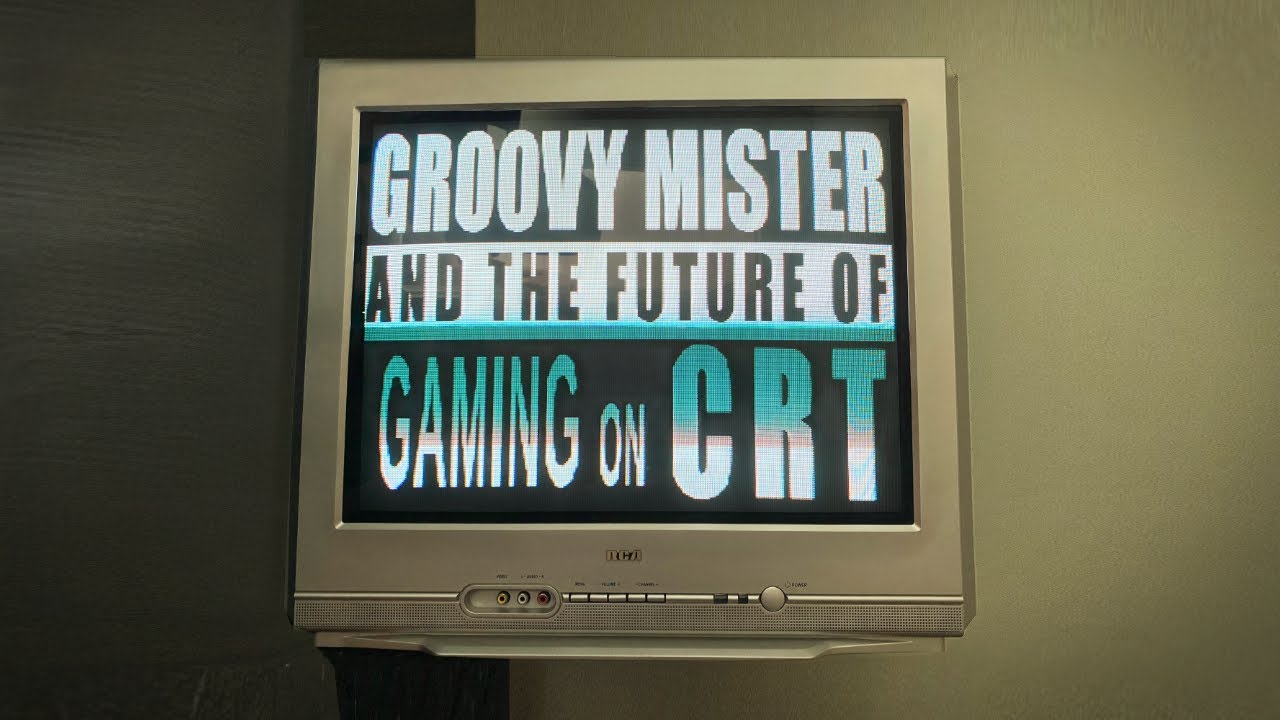
Getting emulation running on CRT can be a giant ordeal... but it doesn't have to be! Thanks to the incredible efforts of Psakhis and his main collaborator, Calamity.
In the video, I dive into my "dream setup" centering around the amazing app called "Groovy MiSTer", which uses a simple PC running RetroArch and GroovyMame. And all hooked up to my...
tired portal
This core really is amazing. Looking forward to getting my own permanent setup going
tired portal
Cool video. Reminds me I never did test if setting static IP on PC and MiSTer would let it work without any internet connection and just a direct ethernet port.
I remember trying that once but being confuded by the lack of any IP address showing up on MiSTer at all if both devices are offline, just connected to each other
worn canopy
night badger
https://youtu.be/eDBJaR36sdY?si=oOrfQFEkTsoB84aO
Cool video. Really good overview and tutorial
supple herald
Yeah great job wickerwaka 😉
worn canopy
Wickerwaka taking over groovy mister dev confirmed
ornate radish
I’ll need to check out this new video. I was never able to setup a static IP on my mister for GroovyMister but maybe I was missing a step
tired portal
It shows a way to do it with a keyboard connected to MiSTer. Probably the easiest way for the clueless user (i.e. ME). With the static IP working I've finally got mine to connect without either device on the internet. Direct ethernet lets go!
supple herald
Haven’t messed with groovy mister in a while, need to get it setup again. I had it rigged up with an RPi which worked okay but even an RPi5 doesn’t work perfectly for all emulation in mame, it falls down hard for SF3 on up
I also set it up with an old laptop for MisterCast but that was another temp thing. Need to do a mini PC or something permanent
 wraith badge
tired portal
Cool video. Reminds me I never did test if setting static IP on PC and MiSTer wo...
wraith badge
tired portal
Cool video. Reminds me I never did test if setting static IP on PC and MiSTer wo...
Yeah, on my Windows machine, i turn on “Internet connection sharing,” disable Windows firewall for just that Ethernet port, plug it in, and that’s basically it. Your Mister will request an IP from your PC automatically via DHCP and will be discoverable as “mister”
night badger
It's a shame windows doesn't have good support for window raw ethernet packets.
tired portal
Using Groovy MiSTer + MiSTer Cast to commit crimes that surely convicted felon Yuji Naka would be proud of!
Sonic Mania with 50Hz gameplay, sent to CRT for Mega Drive PAL pixel aspect ratio.
Finally nice to see this game with the motion and pacing I'm used to 😄
 runic jolt
tired portal
Using Groovy MiSTer + MiSTer Cast to commit crimes that surely convicted felon Y...
runic jolt
tired portal
Using Groovy MiSTer + MiSTer Cast to commit crimes that surely convicted felon Y...
Sonic the Hedgehog is my favorite game by a convicted felon.
worn canopy
tired portal
Using Groovy MiSTer + MiSTer Cast to commit crimes that surely convicted felon Y...
This mode is missing Blast processing
tired portal
In reaching for the stars I settle for the moon
(It's also missing border colours 🙁 )
Any advice to get the highest resolution out of Groovy MiSTer?
I'm fine for 240p, but 480i and I'll have hitching video glitches.
Got a wired ethernet direct from MiSTer to PC. Both on static IP addresses. Tried multiple ethernet cables (I did have one bad one historically so I know that can be the culprit!).
Any advice on the Groovy core settings? I'm not really sure what "Volatile Framebuffer", "Verbose" or "Blit at" should be on.... Currently; Off, Off and ASAP repsectively. I've tried a few permutations on those but not really sure
robust kindle
I wasnt able to get 480i working reliably either, unless the frame deltas were minimal. But full 3d content hitched too much for me unfortunately
worn canopy
I’ll mess with my setup this weekend and see how I set it up. Hopefully can help
 marsh phoenix
I caught wind of there being a config file floating around that fixes being able to use controllers via the Mister instead of PC? Anyone by chance have it handy. I finally got Groovy working after a long day & a half of beating my head against the wall... Excited to get controllers going now
robust kindle
marsh phoenix
I caught wind of there being a config file floating around that fixes being able...
I posted one just above for retroarch. You need to assign the player inputs in the ini
marsh phoenix
robust kindle
I posted one just above for retroarch. You need to assign the player inputs in t...
I ended up finding your post above shortly after my ask. Can you elaborate on what assigning the player inputs entails? I read your comment above as well about some of them stating "null", i'm just lost as to what one's I should be changing, and what I should be changing them to? The log file your config generates in the bg shows that it's recognizing the mister input drivers and auto-config'ing the controllers, just not getting any action, assuming because of what you're explaining. EDIT: Figured it out, murphy's law just demanded that I repeat the same process 50 times until it worked lol... Btw, this is fantastic so far!!!
robust kindle
Ah sorry for delay, sounds like you got it! Yeah you need to set the values to match the mister side config (from the menu inside groovymister core)
Eg: input_player1_y_btn = "9"
You will need to experiment a bit depending on your controller and the retroarch core you are using. After that works, you can use retroarch to overwrite specific core/roms. Glad you got it working!
marsh phoenix
After playing with this over the weekend (like almost every second once I got it working lol), just thought i'd drop a hell yeah in this discord... This plays incredible! Rip Psakhis and thank you for making this dope core/program, etc. Thank you to all the others involved too (and still involved)
I fully encourage anyone that's been holding off on taking the plunge when you're ready. I did have to fight my install a bit myself, but that could have just been my tech gremlins... You won't regret it if you can get it going!
 empty fulcrum
I'm about ready to tackle this myself. Got the cab ready, and a beefy li'l laptop to power the PC side.
 undone stone
Can someone try this with HDMI? Does it improve the latency and frame rate stability?
indigo swift
This was built specifically for CRTs. Lowest lag over HDMI would be a direct connection to a display. Then it depends on how much inherent lag the TV or monitor has. And if a TV ensuring Gamer mode is on, or any video processing settings that could introduce lag are turned off.
marsh phoenix
empty fulcrum
I'm about ready to tackle this myself. Got the cab ready, and a beefy li'l lapt...
Pinning this one for you as an assist. Was one of the breadcrumbs I had to dig on to find, but this tid-bit helped me with my RA portion of the install. Good luck! Godspeed! - #1212527493169414266 message
tired portal
Just curious as someone with recent success, have you managed to send stable 480i over?
This was me struggling with MiSTerCast on that front. Not sure if the likes of mame would tend to be higher res
marsh phoenix
tired portal
Just curious as someone with recent success, have you managed to send stable 480...
On the mistercast side of it, I was also having issues especially when trying to use the "appropriate" resolution which I think was 640 x 480i, I was trying to use last night for a movie, and it kept on freezing up and messing up. I was able to use it with lower res stuff, like the 320/224 settings but that only looked good on cartoons
think everything was okay on the games side of it though...
tired portal
Cool. Yeah, pretty similar. I guess perhaps 480i stable being an issue might be common. Perhaps I am mistaken thinking people had worked out a way to get 480i stable.....
marsh phoenix
my thoughts are, some sort of settings boost option, I just don't know what that would be
it's acting like info is getting bottlenecked
marsh phoenix
has anyone that's using Retroarch with this setup, found a way to fix the bug w/ RA that basically "force-fucks" up your TATE mode in some games, to only display TATE-upside down, and any other setting you change it to stays exactly the same? It's not all games luckily but certain games, Frogger for example, just refuses to TATE the proper direction. I'd have to flip my TATE tv to get it to work (which isn't happening with this 27 incher)
I've been all over the place with this issue, trying every variation of config file setting I can alter, and i'm getting nowhere... Wondering if it's more something to do with how switchres is handling or receiving setting info?..
mame adjusts for me 100% of the time across the board just fine
tired portal
marsh phoenix
has anyone that's using Retroarch with this setup, found a way to fix the bug w/...
This may not be a fix but iirc in this video
#1212527493169414266 message
There are some comments about 1/2 way in about swapping around some settings for some games that needed a more "dynamic" resolution change... Or something like that. They had an odd sounding fix that might help you too?
marsh phoenix
tired portal
This may not be a fix but iirc in this video
https://discord.com/channels/64790...
Huh... I was actually already on that video, trying to re-watch and see if I missed any nuggets
any chance you can copy and paste it for me or DM it to me? I'm failing to find the comment you're talking about. I think I've almost read them all now
fair lance
marsh phoenix
any chance you can copy and paste it for me or DM it to me? I'm failing to find ...
In retroarch video settings, try rotating the video a few times, after launching the game. Then back to normal. See if helps.
marsh phoenix
fair lance
In retroarch video settings, try rotating the video a few times, after launching...
Think i'm pretty well sorted with those issues, but good looking out
Anyone in our beautiful Groovymame cult, by chance go thru the steps to get Paprium working with GM / RA setup?
I've been tooling around with it for about a day trying to get audio sorted. I got it working now, and I can see the RA log is showing "blit" information (which it wasn't before), and now I can hear audio, but it is very distorted
curious if there are some magic settings one should be using with GM/RA for Paprium?
Update/solved - Turn off runahead in RA 🙂
fair lance
marsh phoenix
curious if there are some magic settings one should be using with GM/RA for Papr...
I had the same experience, I might try with runahead disable.
 glass zealot
Noob question. Can I use Groovy MiSTer with the Retroarch fork to play Dreamcast on my OLED TV while controlling the game with a joypad plugged in the MiSTer hub?
glass zealot
Thanks! I will try this week-end.
gloomy slate
glass zealot
Noob question. Can I use Groovy MiSTer with the Retroarch fork to play Dreamcast...
Better yet, try this pretty much final version of groovy flycast. It's way better than ra core.
Controllers should work through mister. 480p output max but internal render can be higher.
Also as far as I know this is the only groovy console emulator that has correct screen size/overscan.
This version didn't get released on github due to Psakhis' sudden passing.
https://misterfpga.org/viewtopic.php?p=91314#p91314
glass zealot
gloomy slate
Better yet, try this pretty much final version of groovy flycast. It's way bette...
Whoa thanks! When you say: "480p output max but internal render can be higher." does that mean that MiSTer's scaler does not work with Groovy_MiSTer? I understand this was made primarily for CRTs but I was wondering how it would perform on HD TVs.
glass zealot
gloomy slate
This version didn't get released on github due to Psakhis' sudden passing.
htt...
On this link they also mention unreleaed files for Groovy.rbf and groovy-dolphin. Are these available somewhere?
glass zealot
Quick question. For XDP high performance on the GitHub it is required to replace zImage_dtb. Can I do this? Haven't this been updated recently on the official MiSTer side?
gloomy slate
glass zealot
On this link they also mention unreleaed files for Groovy.rbf and groovy-dolphin...
Oh, here are the files. Forgot you need to login to the forum to get the files. Groovy dolphin is also way better than ra core.
Mister scaler will scale the image. XDP is completely optional so don't worry about that. Groovy never got accepted officially so gotta setup everything manually.
young hull
gloomy slate
Oh, here are the files. Forgot you need to login to the forum to get the files. ...
glass zealot
gloomy slate
Oh, here are the files. Forgot you need to login to the forum to get the files. ...
Thanks!!! I set it up yesterday and it works like a charm! I tested CRT and OLED TV. Perfect on CRT. For OLED, there seems to be no deinterlacing filter (which makes sense because it was built for CRT) but I guess there should be a way to implement one like what we have on the PSX and saturn cores. I may have a look, that would be a cool project to learn how to work with FPGA cores (if I can modify this core, I am not sure about that...). So, outside of retroarch, there is a groovy branch for Mame, flycast and dolphin, but not for PCSX2, right?
tired portal
Thanks for the pins birdybro. I was encouraged to try to get 480i working again and found the answer
#1212527493169414266 message
Setting Transmit Buffers from 512 to 2048 did indeed get rid of the packet jitters, stable 480i, 768x576i you name it!
@marsh phoenix Might be worth trying this Ethernet setting too if you hadn't yet as you had noted you also couldn't get 480i stable before.
Might be a good one to pin too. There are a bunch of other similar settings noted in a Reddit post that is linked in this GitHub issue (https://github.com/psakhis/Groovy_MiSTer/issues/5), but that single setting alone has solved all my problems!
gloomy slate
glass zealot
Thanks!!! I set it up yesterday and it works like a charm! I tested CRT and OLE...
Yeah there is no standalone pcsx2. You could try mistercast for that.
There is option to send 480p
glass zealot
gloomy slate
There is option to send 480p
OK I will check. But I guess the controller cannot be connected to the MiSTer then?
gloomy slate
glass zealot
OK I will check. But I guess the controller cannot be connected to the MiSTer th...
Controllers can be connected to mister but ymmv. Setup the buttons in groovy mister core then map it in groovy flycast.

BTW, in video setting enable progressive framebuffer option for progressive video.
 glass zealot
gloomy slate
Controllers can be connected to mister but ymmv. Setup the buttons in groovy mis...
glass zealot
gloomy slate
Controllers can be connected to mister but ymmv. Setup the buttons in groovy mis...
Thanks! Just to make sure I understand everything, is the 480p option specific to flycast or has it been implemented is groovy retroarch, dolphin and mistercast? Also, you say controllers can be connected to mister: my question was specifically for PCSX2 through MiStercast. Is this also possible someway? I got it working for retroarch.
gloomy slate
Oh mistercast doesn't support mister input so need to connect controllers to pc.
Dolphin and ra have progressive options. For ra I think you need to set mister_interlace_fb to false. Mister_scanlines might also need to be set to false. Mistercast doesn't come with 480p modeline so you need to make one (I can't help with that heh.)
tired portal
Is there a latency difference? Is MiSTer input just useful for convenience depending on setup?
I've the MiSTer and CRT beside the PC. I know the way the video renders can make the native Groovy supports really good on video latency.
If PC is doing the emulating, does it make a difference which of PC/MiSTer is used for controllers?
gloomy slate
I'd definitely like to see someone test that
marsh phoenix
tired portal
<@372101135168700418> Might be worth trying this Ethernet setting too if you had...
Super interesting. Was hopeful that my setup would allow me to adjust it up to "2048"... Apparently my Realtek ethernet adapter tops out at 128 for that "transmit buffers" setting on this old semi-recycled Alienware I am using for this setup
tired portal
Could see if there's a firmware update for the adapter?
Otherwise, try some of the other options if you can. At least it seems there are ways, and the limitations are almost surely down to these aspects. Forget the word
marsh phoenix
Yeah, this setup is probably ten plus years outdated, was lucky to get a win10 install on it few years ago. My cousin salvaged it from a recycling center... I'll try to update the driver or check for a firmware update, I might also just look into a semi cheap ethernet card since I got one extra slot I can tap into
get something little newer on there maybe. Looks like others were having better luck with Intel adapters
tired portal
Yeah, mines an Intel
 quiet ginkgo
I tried getting MiSTerCast to work but when I try to start streaming I am just getting a black screen
and when i stop streaming then it goes back to the Groovy menu again
marsh phoenix
quiet ginkgo
I tried getting MiSTerCast to work but when I try to start streaming I am just g...
You might want to describe all the steps you took and how you have this hooked up. (via router, direct connection, do you have groovy mame working?, have you done a ping test to verify connection?)
quiet ginkgo
via router
i havent tried groovy mame but i did a ping test and i saw that it worked
quiet ginkgo
marsh phoenix
You might want to describe all the steps you took and how you have this hooked u...
I downloaded the groovy mister fine and rbf from github
tired portal
quiet ginkgo
I tried getting MiSTerCast to work but when I try to start streaming I am just g...
When I've had a similar issue it's been resolved by;
Check you have the bouncy ball animation on MiSTer before streaming, Try the latest MiSTerCast and Groovy rbf files, set static IP on MiSTer, try direct connection if you can just to see if that works, try different ethernet cables
quiet ginkgo
tired portal
When I've had a similar issue it's been resolved by;
Check you have the bouncy b...
Yes i get the bounce ball screen saver but as soon as i start streaming the screen is back with ”AV1” in the corner indicating no signal but when i press stop stream then the bounce ball is back
marsh phoenix
Not sure the bouncing ball really confirms much (I might be wrong, but I feel like that still shows for me even before I boot up my PC w/ groovy core open)
try doing a ping test from your computer to your mister maybe?
just to make sure
are you using a static IP? a router? Need more variables to consider
tired portal
Ping test is a good idea
The bouncing ball confirms the MiSTer ini changes are correct
quiet ginkgo
marsh phoenix
try doing a ping test from your computer to your mister maybe?
i tested to ping and it worked
quiet ginkgo
marsh phoenix
are you using a static IP? a router? Need more variables to consider
I use default settings and it is through my router
 quiet ginkgo
I tried to connect the ethernet to my laptop directly but it just says No network in that case
but it got a network connection when both were connected through my router
quiet ginkgo
i've set a static ip now aswell and still the same issue
idk, i should just give up for the day, if someone could do a call or smth with me to troubleshoot this i'd appreciate it
tired portal
Can be a hard one to debug. Be good to get it working so it could be added to a helps and tips document some day
Not seeing the network when both pc and MiSTer are only connected wired to each other was an issue I had too.
Have you tried the direct connection again after setting the static IP on MiSTer?
IIRC when I set MiSTer, even when it only had wired ethernet to the PC the MiSTer would then display that static IP address and MiSTerCast let me connect
When testing what output are you selecting for MiSTerCast, that could be it
Always test at first using the very lowest resolution option. If you can get it working, you might still need other changes to improve the pass through of data to get 480i working say. Just getting something at first is all you'd need to start
quiet ginkgo
I tested all resolutions and none of them worked for me
quiet ginkgo
And i tried to follow the tutorials to set it up
I was just wondering if i was misunderstanding something because it looks so simple for everyone else when watching the setups
tired portal
Not as simple as it seems at first glance, I'd say that much
Simple if it all works first time, but lots of little things that can go wrong
Did you see an IP address on MiSTer on the MiSTer menu when it was direct connected to the PC?
Not an ancient PC either....?
marsh phoenix
quiet ginkgo
I was just wondering if i was misunderstanding something because it looks so sim...
It wasn't for me... I had about 3 different sessions over the course of 3 days where I was beating myself over the head lol. Don't feel too bad
first it was getting Network to jive, next day it was fighting the controller setup, and day after it was dealing with Retroarch and it's mind-boggling handling of game aspect ratio's across 3 different config files
if it was me, I'd maybe suggest try to groovy mame working first, then move onto RA, and Mistercast
I originally was fighting with RA to get it to work for probably day n' a half, then i kinda put that on hold, and decided to try setting up Groovy mame first. I got that working, and it made me a believer, then mysteriously RA worked for me next morning
I'm pretty sure I was fighting off some invisible tech goblins thru my whole setup. It was a spiritual experience/battle lol
glass zealot
If anyone ever looks for this. You can get progressive output in groovy retroarch by using these: mister_interlaced_fb = "false" and crt_switch_resolution = "2"
glass zealot
Just to be sure. Has anyone here been able to use analog sticks in retroarch (controller pluged in MiSTer) using Groovy? Everything works for me except this. What is even more puzzling is that in the input menu of retroarch I can bind the stick (it recognise them) but the analog stick do not work in the cores I tried....
glass zealot
I reinstalled everything and still get the same issue with the analog sticks.... I am a bit lost here. I use a DualSense if anyone what to try on their side.
glass zealot
I just tried the flycast standalone and there the sticks work. This seems to be a problem with retroarch only
fair lance
glass zealot
Just to be sure. Has anyone here been able to use analog sticks in retroarch (co...
remapp MisterGroovy buttons on Mister and map both dpad and analogue as right left up and down
glass zealot
fair lance
remapp MisterGroovy buttons on Mister and map both dpad and analogue as right le...
Thanks, I will try this. But doesn't that make the analogue stick acting like the dpad? I mean in games that use the dpad and analogue for different actions, will this work?
glass zealot
OK, just tried this. As expected it only make the analog stick acting like the dpad. Sadly this wont do for games that specifically use the analog stick.. Anyone who has the analog stick working? I just want to make sure whether this is a problem on my end or a problem with retroarch...
fair lance
glass zealot
OK, just tried this. As expected it only make the analog stick acting like the d...
I think it does not work with retroarch because the analogue sticks cant be mapped as separated/alternative buttons from the dpad on MisterGroovy menu on Mister. You can only map the dpad or the analogue as right, left, up and down. Or the analogue like the dpad/or dpad as analogue. If not mapped as a button in groovy menu, It is not recognized as a button for retroarch to be mapped/used. For me It does not work either.
Also, dont think there are many games worth emulating in this setup, that use both dpad and analogue. PS2 and GameCube amulation on retroarch is not ideal.
glass zealot
fair lance
I think it does not work with retroarch because the analogue sticks cant be mapp...
I do not think this is the case. Even in Mister cores you never map the analog stick yet it works. Actually, the analog stick works as expected when using the standalone flycast, so this is likely a problem with how retroach handles the analog signals from MiSTer. Thanks to confirm it does not work with you too!
tired portal
There should be a fix method hopefully for people more knowledgeable that can chip in. Main thing as you say, you don't ever maps analog sticks in any core. If any of the other applications like flycast works, then we know the core is getting the sticks data on MiSTer side
glass zealot
in mister_joypad.c in this function: ```static int16_t mister_joypad_axis_state(
mister_joypad_t *pad,
unsigned port, uint32_t joyaxis)
{
if (AXIS_NEG_GET(joyaxis) < pad->num_axes)
{
return ((pad->axis[AXIS_NEG_GET(joyaxis)] << 8) + pad->axis[AXIS_NEG_GET(joyaxis)]);
//RARCH_LOG("[MiSTer] joyaxis neg %d...\n", AXIS_NEG_GET(joyaxis));
}
else if (AXIS_POS_GET(joyaxis) < pad->num_axes)
{
return ((pad->axis[AXIS_POS_GET(joyaxis)] << 8) + pad->axis[AXIS_POS_GET(joyaxis)]);
//RARCH_LOG("[MiSTer] joyaxis pos %d...\n", AXIS_POS_GET(joyaxis));
}
return 0;
} ``` the lines return ((pad->axis[AXIS_NEG_GET(joyaxis)] << 8) + pad->axis[AXIS_NEG_GET(joyaxis)]); and return ((pad->axis[AXIS_POS_GET(joyaxis)] << 8) + pad->axis[AXIS_POS_GET(joyaxis)]); are puzzling to me. Does anyone more knowledgeable can say why is in not simply return pad->axis[AXIS_NEG_GET(joyaxis)]; and pad->axis[AXIS_POS_GET(joyaxis)]; ???
severe geyser
glass zealot
Just to be sure. Has anyone here been able to use analog sticks in retroarch (co...
I've been reporting issues on this eons ago, but it didn't get any development
#1212527493169414266 message
glass zealot
severe geyser
I've been reporting issues on this eons ago, but it didn't get any development
Interesting. So while not optimal you were able to get analog stick working in retroarch with a dualshock 3?
glass zealot
Does anoyone know if the code for groovy flycast is available somewhere? I tried again and can confirm it works perfectly there, so I figured we may learn more by comparing the code....
severe geyser
glass zealot
Interesting. So while not optimal you were able to get analog stick working in r...
Kind of, but it doesn't really work
The range is unplayably minuscule
glass zealot
severe geyser
Kind of, but it doesn't really work
OK, I will try recompiling the retroarch.exe during the week-end after tweaking the part above. Worst case scenario it still does not work....
worn canopy
Just a reminder that the nogpu channel in the groovyarcade discord has a dev and some support too
Including a recent version of retroarch from this month
marsh phoenix
worn canopy
Including a recent version of retroarch from this month
Sweet. Got a link by chance to the discord? I tried searching but searches don't work anymore on the interwebs these days lol
glass zealot
Look at the bottom of the Groovy MiSTer github page. I tried to paste the link here but my message got deleted...
worn canopy
Yeah you can’t post links to other discords unfortunately but it’s there on the GitHub page
@marsh phoenix
marsh phoenix
worn canopy
Including a recent version of retroarch from this month
Appreciate the tip. Snagged the latest build of RA. I'll probably do a backup of my current build just to be safe since I know just how finnicky RA can be... Curious, did you just drag and drop over your previous RA setup folder to update? and change the IP?
glass zealot
No, with this build you need the complete folder he uploaded. You cannot just replace your old folder. Saddly this latest version does not solve the analog stick problem...
night badger
worn canopy
Yeah you can’t post links to other discords unfortunately but it’s there on the ...
Which GitHub?
worn canopy

GitHub
Groovy nogpu. Contribute to psakhis/Groovy_MiSTer development by creating an account on GitHub.
 warm vault
Send the discord link to @runic jolt . maybe he can pin it
night badger
worn canopy
<@628237348009934848>
Thanks.
runic jolt
runic jolt
runic jolt
https://discord.gg/YtQ6pJh
glass zealot
Hi! As a follow-up I was able to modify the code of the mister joypad driver for retroarch and now analog sticks work without issues. I posted the changes on the GroovyArcade Discord asking for the changes to be incorporated in the newest groovy retroarch branch. (I prefer not to provide the .exe now because you cannot just drag ad drop it to replace your current one, it would need my complete retroarch folder with it...)
limber loom
glass zealot
Hi! As a follow-up I was able to modify the code of the mister joypad driver for...
Great! Was it a regression or has it never worked?
glass zealot
limber loom
Great! Was it a regression or has it never worked?
I cannot say for sure but I guess it never worked as I had to change to way the axes ranges were converted from MiSTer to Retroarch + the way it was transferred between the two.
 shut oriole
Someone pre-released a groovy fightcade-fbneo (= play fightcade online on your crt) and is looking for testers and feedback on the groovy arcade discord linked by Robby above.
https://github.com/adamaq01/fightcade-fbneo/releases/tag/v0.1.0

GitHub
[WIP] Groovy Fightcade FBNeo
If you encounter a bug please open an issue or contact on discord: @adamaq01
To install, replace your fightcade fbneo build with the one provided.
You can set your Mist...
timid locust
oh wow
 native portal
This is amazing! I'm going to try it tonight!
native portal
When I load the emulator on my PC, my CRT TV gets a black screen! I believe it's because of the resolution! Where do I set a resolution compatible with the CRT TV?
 sharp solstice
is groovy mister meant to work with YC out? I recently tried with groovy mame/then wip fc fbneo and they have the same issue for me where the resolution and sync is fine but they just flicker and artifact.
warm vault
I guess I hadn't thought of this:
If I hook the nuc PC running the emulators on my network, can any of my misters use it?
indigo swift
sharp solstice
is groovy mister meant to work with YC out? I recently tried with groovy mame/th...
The core should work with YC. I've really only used MiSTerCast (I think I tried GroovyMame early on too) but I would think the core would handle the output and not the PC app.
This is svideo
 supple herald
warm vault
I guess I hadn't thought of this:
If I hook the nuc PC running the emulators on...
supple herald
warm vault
I guess I hadn't thought of this:
If I hook the nuc PC running the emulators on...
Yes though people are a lot more likely to get issues not directly connected
Based on reading that is, I’ve only ever tried it direct
warm vault
supple herald
Based on reading that is, I’ve only ever tried it direct
yeah, that was my reading too
i haven’t set up either
sharp solstice
indigo swift
The core should work with YC. I've really only used MiSTerCast (I think I tried ...
hmm I was using composite and I have no issues getting the image but yea it just kind of spazzes out even though the TV itself has no issues with the res since the menu is fine
what are you using for your host PC? Linux win11 or 10?
indigo swift
sharp solstice
what are you using for your host PC? Linux win11 or 10?
Windows 11. MiSTercast is a windows only app. They are on the same ethernet switch fwiw.
sharp solstice
indigo swift
Windows 11. MiSTercast is a windows only app. They are on the same ethernet swit...
have you tried via composite? i wonder if it could be due to needing to add yc values
but somehow don't think so
nvm definitely not YC related, get it with RGB as well
so must be something to do with my setup
sharp solstice
happens with mistercast too lol maybe something with the taki clone or io board, bandwidth never goes over 15mbps when trying to stream
shame was going to make some good YC composite values for street fighter 3
sharp solstice
nvm its PC related, tried hosting it on another PC and it works fine, I suspect it must be this newer intel nic
sharp solstice
PSA: if anyone is using groovy mister and the host PC has an intel i225/i226 NIC on Win11, do this https://n1kobg.blogspot.com/2018/04/increasing-rss-queues-in-windows-10.html to re-add the default transmit/receive buffer options that disappeared from the advanced tab in device manager

Gaming,PC,Optimization,Useful,Links,Apps,Battlefield,Windows,Hit-reg,tweaks,Performance guide,programs,registry,tweaks,latency,internet,network,games
fixed my issue with groovy mister display artifacting and spazzing out
marsh phoenix
sharp solstice
PSA: if anyone is using groovy mister and the host PC has an intel i225/i226 NIC...
Interesting read here. I wonder if some of the same principles might apply to a realtek ethernet adapter...
native portal
Has anyone had success with fightcade?
sharp solstice
marsh phoenix
Interesting read here. I wonder if some of the same principles might apply to a ...
yes same concepts apply but realtek drivers probably don't have this issue and have sane defaults for buffer sizes, for whatever reason the Intel driver doesn't expose them anymore on win11 and they must be internally set to some low value
marsh phoenix
sharp solstice
yes same concepts apply but realtek drivers probably don't have this issue and h...
Yeah, my default values that were chooseable out the gate on my realtek, had one maxxed out at 128, the other one maxxed at 512. I changed both in the registry to something higher (I think I did 2048 on both). The setting shows that it stuck and it's in the dropdown, not sure it actually changed it though on mine. Didn't really make a huge noticeable difference. Mine had 4 RSS queues setup by default though. (haven't tried adding more yet, gotta double check my core count on my pc)
My setup still works quite well though I should say. Only bits of semi-major stuttering I find is in a few Flycast titles, but even those I've been able to tweak settings to be playable
RA and Groovy mame are pretty much 100% cross the board for me. (minus the titles each emulator might struggle with on their own already)
sharp solstice
marsh phoenix
Yeah, my default values that were chooseable out the gate on my realtek, had one...
I had to change mine cause whatever the win11 Intel driver was defaulting to was basically just giving me massive artifacting and the screen shaking when displaying anything
otherwise no point tuning the values unless you do have some sort of symptoms related to networking
glass zealot
marsh phoenix
Yeah, my default values that were chooseable out the gate on my realtek, had one...
Aren't these values limited by the hardware also? I mean you can increase them in the registry but if the hardware does not allow for such buffer sizes then I guess you wont see a difference.
marsh phoenix
glass zealot
Aren't these values limited by the hardware also? I mean you can increase them i...
That's more or less what I feel like is going on with mine. I haven't had enough of a problem with many games, so I pretty much have just left it for now. Only stuttering I see for the most part is in a few flycast games, especially the more 3d rendering titles like Wild Racers and King of Route 66. In your experience would it be the network adapter itself that is capped at those transfer buffer rates, or the motherboard of the PC? I still may try another network card at some point just to see if I can get it to improve a little bit.
glass zealot
marsh phoenix
That's more or less what I feel like is going on with mine. I haven't had enough...
From what I researched, it would be worth getting a network adapter that can do higher transmit buffers. I have to wait a bit but I will get this one at some point: Intel I210T1 Gigabit Ethernet Card. From what I understand it can go up to 2048 for transmit buffer. I can tell you how it goes when I get it....
sharp solstice
in the case of the Intel card I mentioned, just a matter of win11 drivers missing the settings that the inf files are meant to add compared to their win10 equivalent
the card supports those values but in their absence win11 must be putting some really low defaults
 fair copper
native portal
Has anyone had success with fightcade?
fair copper
native portal
Has anyone had success with fightcade?
There's a github link if you scroll up
empty fulcrum
I'm finally getting around to installing groovymister for the first time, and I thought I followed all the directions, but I just get a black screen from the mister end (and nothing from the GMame end, which I sort of expected).
so I installed the two files on the mister and can launch groovymister. I replaced mame.ini with the groovy version and changed the mister IP.
I threw my legally acquired ROM file into the roms folder, and launched groovymame from the command line, it didn't give me any errors, but the mister hasn't done anything.
What am I missing?
OK now I'm getting ... sounds like scrambled game sounds, but the PC end is at least making noise.
OK, the game sounds start (at 800% speed) after I wiggle the joystick to clear the standard MAME screens (which I can't see)
so controller inputs are the only thing being shared between the mister and the PC, there's no audio or video coming out on the mister end
According to the display on the irken jamma expander, the video signal is 10.7kHz where I kinda want 15kHz
so that's a problem, not sure how to sort that out.
empty fulcrum
Is it because I'm using direct video=1 maybe?
young hull
Maybe, couldn't hurt to toggle that off and see
empty fulcrum
young hull
Maybe, couldn't hurt to toggle that off and see
But then I get no video for a different reason. If that is the problem then I still need a solution.
empty fulcrum
Still beavering away at this. A lot of instructions talk about replacing the MiSTer file, but it seems like that's now adding MiSTer_groovy, and adding the [Groovy] config to the MiSTer.ini file.
When I launch the _Utility/MiSTer_Groovy from the MiSTer, my screen goes blank and it totally stops responding to the keyboard, I'm not sure if that's relevant or not.
But I've triple checked everything and it still runs at max speed (not 100%, but like 1200%) with no video on either end. The speed and everything in the MiSTer.ini is all 1, frameskip 0, etc. I have no idea why it's running so fast.
empty fulcrum
OK so I plugged the HDMI into a TV and as soon as I launch groovy on the mister the TV loses the signal.
woeful notch
You should see a bouncing ball when you load up groovy on mister
empty fulcrum
OK, so it's failing to even launch. I wonder why. =/
woeful notch
if you copied over the rbf with filezilla, make sure you've set it to binary transfer mode
supple herald
Yeah sounds like wrong mister main
You have to use the one that works with groovy and use that alt main feature in the ini
empty fulcrum
So either the config line in the .ini is not being picked up.
woeful notch
empty fulcrum
When I launch the _Utility/MiSTer_Groovy from the MiSTer, my screen goes blank a...
wait, are you launching the Mister_groovy or Groovy_20240922.rbf?
empty fulcrum
I think I renamed the RBF for simplicity
MiSTer_groovy.rbf is what I called it
yeah OK I've done somethning wrong here
supple herald
So in your ini under groovy you added the main= line pointing to the mister main you downloaded and transferred along with the rbf?
empty fulcrum
yeah I've put the wrong file where the RBF should be
supple herald
BTW there’s pins with a good textual description of setup and a video pinned with setup as well
empty fulcrum
Now I've got a bad sync screen when I launch it, so that's progress
I GOT THE BALL
So now it's a matter of figuring out the controller problem (mister controls don't do anything)
and the sound still comes from the PC, is that right?
woeful notch
it can come from the mister
empty fulcrum
does that need to be configured separately?
and every time focus is not on MAME, the speed rockets up again
OK so audio and inputs remain, but I've got perfect video. ^__^
woeful notch
you have to enable sound in the audio section in the mister core
empty fulcrum
What's the mister core in this context? Keeping in mind that I have sound with all my other cores.
woeful notch
 empty fulcrum
I see
woeful notch
for inputs, you need to define groovy buttons (in the menu that comes up when you press right on the main mister menu), and set server -> joysticks to Analog
empty fulcrum
All my sticks are digital
but yeah they're all OFF by default, keyboard too
that's probably something that could go in the docs, along with turning on the sound
Yeah there's a lot of config remaining even after the setup is complete.
I'm going to write up a set of docs for my specific scenario in case that helps anyone
Thanks for your help. Very much appreciated.
limber loom
Interested! Want to set it up myself again soon. Jave done it earlier, but remember having had those 'startup problems' myself. And have nothing documented
The GroovyArcade Discord is, beaides this, also a great source of information
warm vault
empty fulcrum
I'm going to write up a set of docs for my specific scenario in case that helps ...
As someone who has been meaning to set up a groovy mister setup with a dual ram mister, I’d love this
empty fulcrum
warm vault
As someone who has been meaning to set up a groovy mister setup with a dual ram ...
Nearly done with the guide. Just a few details to confirm, and I might add some photos to break up the text. Should be finished today for sure
empty fulcrum
Alright here it is: https://nfgworld.com/groovy-mister-install-guide/

I recently set up a Groovy MiSTer system and found that none of the guides quite covered everything I needed to know, so I wrote another one!
 NFGworld
·
NFGworld
·
Still needs pics but the text is complete.
woeful notch
empty fulcrum
Alright here it is: https://nfgworld.com/groovy-mister-install-guide/
Only thing that I noticed that you forgot to mention is that you need to add this to your MiSTer.ini:
[Groovy]
main=MiSTer_groovy
Oh shit, that's right. Thank you.
Does it read alright to you? It makes sense otherwise?
woeful notch
Yes, very clear and concise 🙂
empty fulcrum
Done!
Also updated the CSS to make the CODE sections stand out a little better.
And an executive summary in the intro.
warm vault
does groovy mame just do arcade? or does it do the software list stuff too?
basically i want to pipe dreamcast, ps2, xbox 360, etc through it
 gray glacier
warm vault
does groovy mame just do arcade? or does it do the software list stuff too?
gray glacier
warm vault
does groovy mame just do arcade? or does it do the software list stuff too?
Groovy Mame is just mame I think, but there are other 'Groovy MiSTer' compatibily emus, like RetroArch, Fightcade-fbneo, Dolphin, etc.
I don't have any of this setup, but was just reading up in their discord and there are quite a few forks of popular emus with Groovy MiSTer compatibility. I think theres even a VLC fork somewhere I saw
warm vault
I just wasn’t sure because mame is kind of the everything emulator now
empty fulcrum
I've added some images to the GM guide
Oh fuck me it was running over wifi this whole time
No wonder the image would break up when it got busy.
empty fulcrum
OK so when it's on the wired lan it's rock solid. I think it was nearly flawless on the wifi but it was right on the limit the whole time
empty fulcrum
Yeah wow, this is revolutionary.
It seems to be cutting a few pixels off the edge of the screen though (right edge / top when in tate). Is that normal?
marsh phoenix
empty fulcrum
It seems to be cutting a few pixels off the edge of the screen though (right edg...
Yeah, overscan is kind of all over the place amongst even just how the games were created initially. I usually just leave mine in it's "good enough" spot once you find it using the groovy core video settings adjustments. I think latest versions of RA and GM might have some improvements to the modelines/resolution also though. Don't quote me on that though, please lol. I've been trying to piece the puzzle pieces together as I go myself. It's like treasure hunting at times lol. Nice work on the guide!
empty fulcrum
marsh phoenix
Yeah, overscan is kind of all over the place amongst even just how the games wer...
I'm running the latest of everything, but I don't know where these settings are, or what they'd be called. I'd like to get those last four pixels back, but it's hardly a priority, as you say.
My next quest is linking up the credit/start buttons, so I don't need to have the laptop open on the PC end to start games. Is this possible? The core input config doesn't have anything but UDLR and B1-B10, and remapping keys on the MiSTer end is... baffling.
warm vault
groovy? that’s a good question. i don’t know. i haven’t has a chance to set it up yet
glass zealot
empty fulcrum
My next quest is linking up the credit/start buttons, so I don't need to have th...
I use batch files on the PC (launching games with the respective groovy software) and SH scripts on MiSTer (starting MiSTer Groovy and respective batch file using ssh) to launch games on the MiSTer without having to touch my PC. Following suggestions by Zakk I also created MGL files and a special script to launch these SH scripts as if they were any classic MGL files (meaning I can also get them working with attract mode...). My idea is to centralise my retrogaming experience on the MiSter, even when playing games running on emulators on my PC. If this is of any interest I can share the principles at some point...
That said if you just want to press buttons on your controller to use as credit/start on groovy mame I do not see why this would not be possible? In groovy (MiSTer side) you can assign specific buttons to your controller (from 1 to 10 I think). Then in Groovy Mame I guess you just need to make sure the button numbers you want assigned to credit start match the layout you choose. I guess. I haven't tried Groovy Mame yet, just worked with Retroarch and Flycast for now...
empty fulcrum
glass zealot
I use batch files on the PC (launching games with the respective groovy software...
I would be very interested in this. 🙂
glass zealot
empty fulcrum
I would be very interested in this. 🙂
OK, I'll post templates with an explanation of how to use this week-end if I find enough time. I do not know yet how to make it work with mame but I am pretty sure there should be an easy way (I just have not looked at it yet...)
marsh phoenix
empty fulcrum
I'm running the latest of everything, but I don't know where these settings are,...
The settings i'm referring are not so much for arranging your screen's display size, but more at positioning (I think the size it shows up on the screen is more-so the modelines, which is above my pay-grade). These are just within the Groovy core settings themselves under >Video I believe.
@empty fulcrum I've had some tidbits floating around in my head since going pretty deep into this, I thought might be worthy of a share (these are just things I picked up from others scouring the forums and discord and while I was working with troubleshooting and dialing in my own setup)
I put them into text yesterday, I by no means am an expert with this info (feel free to correct me if need be on any of this). I'm still learning about all of this myself.
but thought I'd add these tidbits into the ether (feel free to verify and use in your guide if you wish)
*Jumbo Frames = Good aka "more better" (I think... lol)
Must be enabled on pc ethernet properties as well as on Groovy mister core.
Set to 3800 on pc if possible. I had to do this via my registry editor. (I think it worked. It's working, so maybe?.. Just have to believe!)
You will also need to set this same amount on your RA config file for MTU speed. GM, I am not 100% sure how jumbo frames is handled or if it just accepts it without a configuration setting. I wasn't able to find a setting in the config file to specify that amount. Maybe someone else is able to clarify how jumbo frames works on Groovy mame? or if there is a specific config setting for that.
*Transmit buffers set as high as you can for what your network adapter allows. I changed mine in registry editor to recommended amounts (1024 incoming & 2048 outgoing), however I'm not 100% I'm getting those values as my particular adapter showed capped much lower. I haven't had an issue with it though, and realized I don't have any pci slots to expand this pc, so I'm just working with what I have. My performance is excellent though. Only minor issues/slowdowns I see are mainly in certain Flycast-Naomi 1/2 titles.
*Generally seems recommended to disable "power-saving" or features (on network adapter) that sound like they might throttle your speed
*Graphics renderer you choose in RA/Mame does not matter as it's pulling video RGB signals/audio prior to that process, with the exception being Flycast that the graphics renderer you choose makes a difference in performance - Source: Calamity on Discord/Groovy Arcade/NoGPU thread.
*I found Retroarch easier to map my controls initially, by leaving the keyboard input setting (on RA config file) to the PC keyboard, mapping all of my buttons on both controllers, then once that is all setup, I like to change my keyboard to my mister keyboard (in the RA config) since I have one of those little wireless keyboard pads. Makes it super handy for pausing your game/and/or getting into game settings, latency, etc. Also handy with mame for pausing and utilizing settings midgame.
*FTP & update all is a little corky I've found after setting up a dedicated ethernet connection since it will try to default to your ethernet connection first each time (making FTP inaccessible even via my Wifi connection for whatever reason, and update all tries to connect to your pc hitting a wall). I've found that disconnecting my ethernet/Groovy connection at the mister temporarily, and just utilizing my Wifi adapter on the mister, is a good workaround for this. I'd be all ears for hearing more though if there is a better way to handle this (when going PC direct to mister via ethernet w/o router).
woeful notch
I use this https://github.com/BossRighteous/GroovyMiSTerCommand running as a service with xvfb to launch groovymame in a headless state on my linux machine. Then you just have to make .gmc files which are launched like any other rom from the Groovy mister core to boot up mame without needing to interact with the PC at all
GitHub
A PC client allowing GroovyMiSTer GMC files to load from emulators from the Core - BossRighteous/GroovyMiSTerCommand
If you need more buttons for coin, start, etc., you could probably define them as analog sticks in the mister main and have groovy mister send analog controller inputs to mame
empty fulcrum
It really surprises me that those extra buttons aren't already linked, or easily exposed.
But there's so much variability in the MiSTer ecosystem that I still don't really understand how my own setup - with an Irken JAMMA Expander - functions. It's different enough that some instructions make no sense to me.
empty fulcrum
I've got the gmc files running. It's not a fast process if you're hand selecting the titles from a complete Mame archive, but it works very well when set up.
Gotta go do my two hour shift at the button pushing factory, will tackle the credit and start button issue when I return.
 unique kite
Hi, I don't own a MiSTer yet (ordered one yesterday) but I was wondering if GroovyMiSTer only works with a recent version of GrovvyMAME. The reason I am asking is because I have a arcade cab connected to an old PC (Athlon XP 3200+, Windows XP) and on this PC I am running a version of GrovvyMAME from 2011. Newer versions don't work on this PC. Thanks
glass zealot
woeful notch
I use this https://github.com/BossRighteous/GroovyMiSTerCommand running as a ser...
Ah! Didn't know about that. Will have a look. Thanks!
supple herald
unique kite
Hi, I don't own a MiSTer yet (ordered one yesterday) but I was wondering if Groo...
Yeah it needs some changes that went into a recent version that psakhis and calamity did. You could confirm on groovys discord whether it would be hard if you wanted to do a fork on an older version with the changes maybe?
empty fulcrum
Is it possible to put -flipx -flipy in the GMC files?
woeful notch
You should be able to put it in the exec_args
empty fulcrum
I can't work it out. If I run mame from the command line, 'mame.exe <game> -flipx -flipy' works fine
but adding those options to the config.json I get an 'unknown error' for mame.exe [-flipx -flipy gamename]
@lilac grove - Can you shed any light on this?
woeful notch
You would make a new variable in your GMC files
    "cmd": "mame",
    "vars": {
        "MACHINE_NAME": "ddpdoj",
        "FLIP": "-flipx"
    }
}
and add it to the exec_args


 empty fulcrum
Was really hoping someone would solve that while I was asleep!
woeful notch
that space in the flip variable might be messing with things
woeful notch
empty fulcrum
I did that, still got the error
are you just trying to rotate the screen the correct way for vertical games? you may be better off with the -ror and -rol arguments
empty fulcrum
They're already rotated correctly (as in, they're filling the screen when the physical CRT is vertical) but they're 180 degrees from where I need it to be. Both flipx and flipy at the same time results in a 180 degree rotation, correcting the display.
rol and ror only do 90 degree rotations, as I understand them.
woeful notch
I think the space in your variable is the problem, so you'd probably need to split up the flipx and flipy into 2 vars
empty fulcrum
I'd love to make this slightly easier, make it one changed line per game instead of three. Select a different INI file maybe? Not being able to add spaces makes it a lot harder too.
woeful notch
yeah, seperate mame.ini would probably work. There's an -inipath argument for mame.
empty fulcrum
Gotta put a space in that line to make it work.
woeful notch
just build it into the exec_args in the main config
"exec_args": ["${MACHINE_NAME}","-inipath", "${INI}"]
empty fulcrum
Pretty sure I tried that in my endless iterative attempts to make this happen, but I'll give it another go to be sure
It's very likely that I don't understand JSON syntax well enough to have succeeded.
woeful notch
This is what mine looks like
"exec_args": ["${MACHINE_NAME}","-inipath", ".", "${ROTATION}"]
empty fulcrum
the spaces after the comma not being between quotes makes my brain hurt.
Yup, awesome, that's sorted it. Made a second "cmd": "mameflip" that has the flipx flipy baked in. All I need to do is select mameflip instead of mame, and it works (don't even need a new ini)
exec_args": ["${MACHINE_NAME}", "-flipx", "-flipy"]
woeful notch
That's a good way of doing it
empty fulcrum
I will write this up to help future travellers.
Still need to figure out how to pipe the coin/start from the cabinet to the emulator. Got any suggestions there while you're being so incredibly helpful? 🙂
woeful notch
how many normal buttons are there on your arcade cabinet?
empty fulcrum
Anywhere between 1L 3B to 2L 12B depending (up to 2L 16B in some rare cases). Plus 1 coin and 1 or 2 start.
Also I really do appreciate your help up to now, thank you.
woeful notch
I'm not super familiar with how JAMMA adapters work, but can't you split up the 1 player and 2 player side as two separate controllers? Then in the groovy core you could define buttons 1-8 as your standard 2 rows of buttons and buttons 9 & 10 as start and coin, then set them in mame
empty fulcrum
My setup seems to use keyboard inputs OR controller, and I don't have controllers attached, so...
Most arcade cores work without being modified, it's only older cores that need me to spec the buttons before use. I don't know what that suggests, it's the only setup I've used.
empty fulcrum
OK, there's a setting in the mame.ini called *keyboardprovider *
setting that to mister instead of auto makes the normal mister controls (coin and start) work properly.
so now I can launch, play and re-launch games entirely from the mister.
empty fulcrum
marsh phoenix
The settings i'm referring are not so much for arranging your screen's display s...
FWIW I didn't have to make any changes to my network config. I've got GroovyMAME running on my standard PC, connected to the MiSTer via the gigabit LAN in the house, shared with a half dozen other PCs, and it works flawlessly. Unless your gear is getting old or you aren't running a fast LAN, you might not need to do the extra work either. I'd love to know under what circumstances anyone does.
^ the things I did to make it all awesomer.
limber loom
empty fulcrum
^ the things I did to make it all awesomer.
Perfect, very happy with your write up! Hope to have a go at it this weekend
And how cool that all emu's can be launched from the MiSTer gui if I understand correctly
empty fulcrum
limber loom
And how cool that all emu's can be launched from the MiSTer gui if I understand ...
Just a handful of supported ones, but yeah, it's awesome.
glass zealot
limber loom
Pcsx2 not iirc?
Only through retroarch
limber loom
glass zealot
Only through retroarch
Ah unfortunately
empty fulcrum
So it seems like I found a bug in GroovyMiSTer that no one else has noticed before. It's pretty minor but without Psakhis it might be a while before it's fixed, if it ever is.
The last pixel of every line is cut off.
random ember
Go ahead and submit a PR. Maybe somebody else will be able to take it on.
er issue not PR
brain not so good today
empty fulcrum
Calamity was the person who confirmed it.
I believe they're still looking into the situation, and where in the pipeline it comes from. It's on the MiSTer end, but that's it so far.
empty fulcrum
Interesting - Cyvern, the Kaneko shooter, has no sprites on GroovyMiSTer.
empty fulcrum
^ you can't use MAME's dip switch settings for some games, like Cyvern or Nebulas Ray. You have to flip it via the command line.
empty fulcrum
I've updated the tips guide with a better way to rotate some games, thanks to Calamity's help.
After getting my Groovy MiSTer system set up, I needed to tweak some stuff to make it super awesome. Read on for the details.
 NFGworld
·
NFGworld
·
 night badger
I'm curious what people consider is the main use case for groovy. Is it arcade/mame, or other consoles too? Cabinets or consumer TVs?
limber loom
For me other consoles: RetroArch, dolphin and flycast. But of course GroovyMame supports a lot more arcade games then MiSTer itself, so that's also a big plus. I've used it with a consumer CRT
 honest finch
could also use mistercast to play steam games (like ufo50) on a crt
something I've been considering doing is using mistercast and melonds to play retro game challenge on the crt
should work flawlessly considering the ds screens are 4:3
empty fulcrum
night badger
I'm curious what people consider is the main use case for groovy. Is it arcade/m...
For me, arcade/mame exclusively. Running all the games MiSTer doesn't, on my arcade cabs with CRTs. I might try Dolphin and get my GameCube on, but I could also just put the GC in the cab, really.
supple herald
Yeah haven’t used it in a while but I was for mame on CRTs. MisterCast was fun to mess with as well
tired portal
I've used MiSTerCast a fair bit to play some PC games, stream video, old Star Trek episodes onto the CRT.
Should really try Dolphin
supple herald
Yeah @shell prawn rules, MisterCast works really impressively well, need to mess around with it again soon but I want to make something dedicated for groovymister
Thanks again Shane!
tired portal
The secret was eventually finding the hidden Windows network adapter settings to make it stable 😂 thanks windows
marsh phoenix
I use it to get a handful of games (lots of shmups) that aren't quite yet available on the mister ecosystem, up and going on my array of rgb modded consumer TV's, and also just loooove being able to utilize the mister and it's extra low latency features to play those games in my preferred setup. It's honestly mind blowing how low of latency it's able to maintain. I mainly use Retroarch, Mame, and Flycast with the core so far myself.
glass zealot
I use it to centralise my retrogaming environnment on the MiSTer. I use it both on my CRT and OLED screen
shut oriole
For me it's mostly to play 240p arcade games that don't have cores on a consumer crt, and online multiplayer on the crt (fightcade, retroarch netplay).
Mistercast is also great to watch old tv shows/anime on crts without struggling with the video/sound codecs compatibility issues of older devices. And play pixel art/240p modern video games.
woeful notch
Besides Mame, I use retroarch with groovy mister for multiplayer SNES randomizers that use the USB2SNES protocol like the Super Metroid x ALTTP multiworld randomizer
 surreal rivet
what spec ethernet cable are you guys using? im using a direct connection with 1.0 gbps and it sometimes messes up for playing I think 480p games?
tired portal
Cat 5e. I had issues with 480i until I modified some of my ethernet adapter settings
#1212527493169414266 message
marsh phoenix
surreal rivet
My realtek is ass and maxes out at 128
I have a realtek in my setup too, maxes out at the same. You can tweak the settings in registry editor to have higher transmit buffers, and it does show the change, however I'm not sure settings will actually go that high. However most of my content plays really good though using the jumbo frames settings in 240p/480i. I haven't really tried much or any 480p content myself yet, other than mistercast and I wasn't doing so well with my realtek adapter and that particular app. Everything else is running fantastic though.
surreal rivet
do you know which registry key i have to edit?
marsh phoenix
surreal rivet
do you know which registry key i have to edit?
This link someone else posted above, should get you there: https://n1kobg.blogspot.com/2018/04/increasing-rss-queues-in-windows-10.html
Gaming,PC,Optimization,Useful,Links,Apps,Battlefield,Windows,Hit-reg,tweaks,Performance, guide,programs,registry,tweaks,latency,network,games,bf6,cfg
surreal rivet
oh ok i got it, ill try it when i got time
empty fulcrum
I had some issues running 480i, specifically Soul Calibur via GMAME. It runs slow, timers run slow, etc. And the interlaced fields are reversed, so the top and bottom edges of text (for example) are messed up.
surreal rivet
I changed the value and I still find the picture occasionally moves slightly but it's rare
Anybody else have the same issue?
Playing groovy mame btw
surreal rivet

Yeah I sometimes get the picture messing up even after changing the cable, doing direct connection, and changing the transfer rate etc
It fixes itself eventually tho
Anyone know the cause?
marsh phoenix
surreal rivet
Anyone know the cause?
Have you tried jumbo frames setting? Have to enable it on the adapter and in Groovy core
surreal rivet
Yeah
empty fulcrum
surreal rivet
Anyone know the cause?
My guess is the pc end is lagging, busy doing OS stuff for a moment then catches up. On a gigabit LAN there's just so much excess capacity that you're chasing ghosts trying to tune that part of it.
empty fulcrum
surreal rivet
maybe. it is a really old pc.
Yeah that's where I'd start looking. I've got a 5 year old machine, pretty beefy, win10, and it almost never hiccups at all. If it's that old, anything newer with more grunt shouldn't cost too much.
surreal rivet
Yeah I can pull something off. It's just wanting to reuse my crtemudriver pc
Which already has a specific graphics card for compatibility
Didn't want to clog my setup
unique kite
Hi all, I have just tried out GroovyMiSTer for the first time. Works really well with groovymame and the fbneo core in Retroarch. But I have 2 questions:
- I couldn't get my joystick (and keyboard) to be recognized in groovymame when I plug it into my MiSTer, only works when pluged into the PC. I have set "joystickprovider mister" in mame.ini.
- Is it possible to to play PS2 games in Retroarch using GroovyMiSTer on a CRT? PS2 games run fine in Retroarch on my PC monitor, on my CRT the screen is black but gamesound is working on my CRT.
empty fulcrum
unique kite
Hi all, I have just tried out GroovyMiSTer for the first time. Works really well...
my MiSTer uses keyboard inputs for the controllers, so I've never tried to send controller inputs back to the PC.
marsh phoenix
unique kite
Hi all, I have just tried out GroovyMiSTer for the first time. Works really well...
The way I had to do it, was to temporarily set "keyboardprovider" to keyboard, that way I could navigate the mame menu with the pc keyboard, then select each input one at a time (considering you've already mapped controller inside of groovy core) and bind the mister buttons accordingly in Mame. Then once completed, I switch that setting back to Mister so I can utilize keyboard functions without having to use my PC display. (would need to switch physical keyboard obviously as well, if you don't have separate keyboards, like one plugged into each)
not sure on the ps2 stuff. I don't utilize RA for that
shell prawn
Oops, yeah I wonder if I can make that work better.
lost star
Not the end of the world to flip over to sdr when using mistercast
 hidden moon
ya'll I haven't been able to figure this out online and I can't test it just yet (soon™).... does the core forward inputs from MiSTer controllers to the host PC, or do controllers need to be hooked to the PC directly? does it depend on what software you're using?
limber loom
Controllers are connected to the MiSTer, which makes it so convenient. I believe up to two are supported. At least groovymame is supported but perhaps simply all Groovy Mister supported emulators?
empty fulcrum
The question then is: how do you configure that? Because afoe a few people it isn't working OOTB.
limber loom

This comes from the nogpu channel in the GroovyArcade channel
Quite a while ago I did it myself, unfortunately dont know from memory. But you can find all info there for sure
hidden moon
that's so freakin' cool, thanks for the answer. I've been putting off routing a network cable to my room but it's probably about time
undone stone
For some reason I was unable to get the joypad to work from mister side when I was choosing mister only for the joypad. Then I got all the input devices to be mister over the ini file and the joypads worked. later I reversed the keyboard and everything was alright. (this happened on groovy mame, I haven't trid retroarch)
limber loom
Another cool feat I read is that you can launch all games from MiSTer with an mgl. You can choose which emulator the game runs on and pass specific config as well. This way you'd never need a keyboard and do everything from MiSTer
empty fulcrum
I wrote up some instructions for the shortcuts recently: https://nfgworld.com/groovy-mister-setup-tips/
After getting my Groovy MiSTer system set up, I needed to tweak some stuff to make it super awesome. Read on for the details.
NFGworld
·
But passing config options this way isn't possible as far as I can tell. If you know how this can be done please do tell me. 👍
limber loom
Ahh so I read it here 😄. Should be in exec_args I'd say.
Arguments seem to be comma separated?

Ah wait I see you already knew this, looking at the nogpu thread. So you probably mean something else
 waxen bloom
Quick question, I have issues with my groovy core in my mister as it doesn't display on my scart 29inch crt tv but appears fine on the HDMI port, is there a reason why?

We see the crt on the left with the scart connected and hdmi on the right
Just nothing on the crt screen
I know everything else mister wise works fine
marsh phoenix
waxen bloom
Quick question, I have issues with my groovy core in my mister as it doesn't dis...
My thoughts would be on either network side of things, or maybe the MiSTer_groovy file didn't get copied over correctly (transfers have to be in binary mode via ftp). Did you add the custom binary code also at end of MiSTer.ini file? although the ball bouncing should signify a good network connection...
waxen bloom
marsh phoenix
My thoughts would be on either network side of things, or maybe the MiSTer_groov...
I think it might be the binary transfer possibly, as I have added the line in the ini as instructed
empty fulcrum
limber loom
Ah wait I see you already knew this, looking at the nogpu thread. So you probabl...
I mean, you can't ADD args, you get the one they give you and anything else doesn't seem to get passed or parsed without error.
limber loom
ah right now I get it, that's weird
lilac grove
I haven't checked discord in ages but i added proxy support to Zaparoo a while back so you can actually use the app to scan GMC files from your MiSTer, flash them to the NFC cards, and Zaparoo will load up the groovy core AND try to send the GMC command to the PC client to load the emulator.
@empty fulcrum great job on the guide, I'll write up something for the Zaparoo integration
empty fulcrum
lilac grove
<@683285532465561605> great job on the guide, I'll write up something for the Z...
Very much appreciate your work with the gmc extensions. Makes a neat thing into a very good one.
lost star
@fluid escarp
marsh phoenix
Got a second PC i'm building right now, got a dual boot setup in the works (nobara linux / win10). I already have a working setup going using a different PC via all windows installations
I was considering trying a linux installation of groovy on my new setup to compare, but I don't want to interfere with my existing working setup (I noticed linux instructions appear to have a few extra files, that I think get added to Mister? If i'm reading it right)
Just want to confirm modifying those files on the Mister side, might it affect my already working setup?
woeful notch
There's nothing different on the Mister side for a linux host vs a windows host
marsh phoenix
woeful notch
There's nothing different on the Mister side for a linux host vs a windows host
Gotcha, maybe I was misreading that. Looks like only if you're trying to utilize "XDP high performance settings" tweaks are needed, but apparently on the linux side
still got my sea legs going in Linux
woeful notch
By tweaks on Linux, he means tweaks to the Linux kernel on the Mister itself
That is independent of the host OS
marsh phoenix
woeful notch
That is independent of the host OS
Gotcha, so I think that's actually my question, if I edit that linux kernel to work with my new Linux build, does that mean that it will not work with my old, already working w/ Groovy Win10 PC?
or is editing that kernel, just for "XDP high performance" settings?
woeful notch
It's just for XDP high performance, you can ignore it if you weren't using that setting on windows
 tribal oriole
i cannot seem to get controllers connected to the mister working w/ this
marsh phoenix
tribal oriole
i cannot seem to get controllers connected to the mister working w/ this
There's some tips on that listed above in this thread if you do some searching. Short of it is basically you need to set buttons within the groovy app, then on the pc side, I found it's best to leave PC keyboard setup while binding the buttons in Retroarch or Mame, then once you've succeeded at that, you can set the keyboard back to Mister for better functionality (in my opinion), since it will allow you to pause, adjust config mid-game, etc
tribal oriole
marsh phoenix
There's some tips on that listed above in this thread if you do some searching. ...
Thx for the reply. I just gave up and connected a CRT Emudriver device instead
 tulip sentinel
empty fulcrum
I wrote up some instructions for the shortcuts recently: https://nfgworld.com/g...
tulip sentinel
empty fulcrum
I wrote up some instructions for the shortcuts recently: https://nfgworld.com/g...
Thank you for writing up those guides. they were helpful for me. (and a relief to see old-fashioned writeups instead of yt videos :))
one q: would you happen to know how to get analogue controls for games like Afterburner etc working? (I set up my input providers as 'mister' and Mister joystick and keyboard work fine)
empty fulcrum
marsh phoenix
There's some tips on that listed above in this thread if you do some searching. ...
@tulip sentinel - maybe this helps? I've never needed to do it.
Glad you liked the guides. 😊
tulip sentinel
empty fulcrum
<@436625621662302228> - maybe this helps? I've never needed to do it.
My controller did work, it was just that games requiring analogue input would need remapping. (ie. hat left/right instead of default left/right)
Toptip: set Server settings in Groovy core as following:
- PS2: Keyboard & Mouse
- Joysticks: Analog
And set all 4 providers in mame.ini to mister.
And.. if you want to play operation wolf; also set lightgun etc and other relevant inputs to mouse in mame.ini
 brave forge


 brave forge
The text is even sorta legible at 480i, although it loses out on all the soul of my 240p20 modeline
 honest finch
if it wasn't for not being able to read the text I'd try beating the game at 240p
brave forge
it's pretty playable at 240p20, but yeah... you're definitely not gonna be able to read anything
limber loom
brave forge
What a great monitor 😍
brave forge
I know, I love my bvm! I've had it for over a decade, and it's never seen as much use as since I got a mister
only 6100 hours
limber loom
I totally understand 🙂
winged needle
I'm having some issues, got the bouncing ball and it goes black when I start groovymame but nothing else happens. Tried a lot of different options and still not working. I've had it qorking on this setup before but not working with latest GM or previous, got to be pc side unless something in main changed?
empty fulcrum
winged needle
I'm having some issues, got the bouncing ball and it goes black when I start gro...
Are you loading a game into Mame? You should be able to hear it running on the pc.
 urban void
usually with the bouncy ball on the mister side it means everything there is ok, id say probably something on the groovymame side, try a different version maybe
you should be able to see mames UI on the crt btw, don't need to load a game to get a picture
tulip sentinel
https://github.com/BossRighteous/GroovyMiSTerCommand is a lifesaver btw. Setting up takes a few minutes, but absolutely worth it.
GitHub
A PC client allowing GroovyMiSTer GMC files to load from emulators from the Core - BossRighteous/GroovyMiSTerCommand
winged needle
I got it working eventually, seems the wifi and lan were conflicting. Is anyone maintaining it? Seems newer versions of GM don't either support it or maybe just broken
 sacred ermine
Hi! I’m looking into seeing if Groovy MiSTer is something I could use, but running into issues where documentation and guides seem to think I know more than I do.
Do I need to connect the MiSTer directly to my pc using a LAN cable, or are the MiSTer and PC supposed to be physically connected to the same internet connection?
tulip sentinel
the latter is fine. the less latency the better of course.
sacred ermine
Thanks, I got it working but my latency is very poor. I have no way of hooking up either the mister w/crt or the pc to the internet except wirelessly. Different room in the house and only one port in the whole house.
Connecting the pc to mister with a chord would be easy but I guess wouldn’t work for groovy then.
empty fulcrum
You CAN run over WiFi but it's right on the edge, every time there's any hiccup at all you'll de-sync the two systems and it will be bad.
And that's with a fast WiFi setup. If you want it to work well then you must hook them up with a cable.
A 5 port switch for your LAN is dirt cheap, so if you're able to run cables, you don't need to worry about only having one remaining port.
sacred ermine
I am not able to run cables, is the problem.
shell prawn
It doesn't really handle packet loss, which WiFi has in droves.
warm vault
I've never tried a powerline adapter, but that may work for you
tired portal
sacred ermine
Connecting the pc to mister with a chord would be easy but I guess wouldn’t work...
Different rooms so maybe I'm misunderstanding the ease of a direct cable.
But... Might need help from others but IIRC I had a direct cable working before. Required some static IP settings and I've forgotten the details
Also, I still had losses with the direct cable connection which helped me realise the importance of;
- Decent ethernet cable (most are but I'd randomly grabbed a dud one)
- Changing settings on the PC end that ultimately improved the performance more than anything
#1212527493169414266 message