#Nintendo 64
1 messages · Page 149 of 1
 onyx minnow
 hushed nova
no. there's really not any chips out there
the one that the morph uses requires NDA for programming documentation
and I dunno what the tink uses
 worn delta
It was mentioned before that there are some weird legalities that 4K scalers can't be open source or some big blocker there, someone here maybe knows the ins and outs
hushed nova
no, that's not true. an implementation of hdmi 2.0(ish) probably can't be open source. it wouldn't apply to say an fpga feeding an hdmi encoder chip like the advXXXX
worn delta
But if you really want something other than your TV to upscale to 4K then the Morph and Tink scalers seem to be doing a good job, so there is the option there
hushed nova
what's the model number of the analog devices hdmi 4k chip?
 plush summit
I think woozle mentioned that the Morph uses the same HDMI chip as the RT4K
plush summit
worn delta
But if you really want something other than your TV to upscale to 4K then the Mo...
At this point, if you truly care about 4K, a scaler would do you better for more products than fighting for one product with 4K
worn delta
Yeah there are a lot of advantages to having a separate dedicated scaler.
onyx minnow
the dream would be tink 4K functionality in mister though right? 🙂
hushed nova
you could make a scaler in an i/o board if you really wanted
you'd have to work with main to figure out a way to integrated it into the osd, but it's not impossible
but probably not worth anyone spending dev resources on. not sure how many you'd really sell
and getting main integration for a purely commercial product is probably iffy
 solemn marlin
Just bought another couple of 4Ks and ps5 pros to prop up my bookcase, it was getting a bit wobbly
 marble cargo
worn delta
It was mentioned before that there are some weird legalities that 4K scalers can...
marble cargo
worn delta
It was mentioned before that there are some weird legalities that 4K scalers can...
The most obvious issue is anything related to the HDCP. For budget and legal reasons, the scalers can't strip HDMI signals by themselves and require a work around for stuff like the PS3.
 vast delta
hushed nova
what's the model number of the analog devices hdmi 4k chip?
vast delta
hushed nova
what's the model number of the analog devices hdmi 4k chip?
my mistake, that was not an pixel-bus to hdmi transmitter
plush summit
onyx minnow
the dream would be tink 4K functionality in mister though right? 🙂
The Tink products excel at analog upscaling, and the Morph is pretty identical digitally, the MiSTer's scaler is already very good
vast delta
i was looking at their ADV7671A
 neat sierra
onyx minnow
the dream would be tink 4K functionality in mister though right? 🙂
neat sierra
onyx minnow
the dream would be tink 4K functionality in mister though right? 🙂
Not my dream, waste of resources 😜
hushed nova
I think it is possible with some combo of a pixelbus->DP->HDMI chain
but that's more moving parts and more physical real estate on an already cramped board
solemn marlin
You turn off vi effects and scale it up with the 4k? It looks good?
Or should the VI effects be scaled up with the rest of the picture
hushed nova
it's unfortunate because a more modern hdmi chip would probably have allowed for "real" vrr
vast delta
TI does have a DSI to eDP supporting 4K
SN65DSI86
i believe the Agilex 5 has hardened DSI ports
vast delta
ah shucks, didn't bother to check that
 thorn quiver
What happened?
hushed nova
the 4k thing feels just vaguely out of reach in the immediate term. lack of options for encoder chips and just the heavy pixel clock requirement
 vapid hawk
hushed nova
```Suitable for 60 fps 4K 4096 × 2304 resolution at 18
bpp color```
vapid hawk
hushed nova
```Suitable for 60 fps 4K 4096 × 2304 resolution at 18
bpp color```
cut that down to 4:3 version of 4k, and 2160 not 2304, might buy you room for 24bit
 gritty basalt
Okay, this made me laugh
Didn't know there was a DE-25 Nano in the works! That should also be interesting to see
worn delta
Yeah, if you want to know a bit more about where MiSTer 2 is at then Kitrinx talks about it on this panel from a few weeks back
https://youtu.be/1Z0l9cLO0jA?feature=shared

RetroRGB's "The Panel" from Retro World 2024
Panelists from left to right:
Jamie AKA Kitrinx
Bob from RetroRGB
Clint AKA LGR/ Lazy Game Reviews
Audi Sorlie AKA PC98_Audi
Mark AKA Try4ce from My Life in Gaming
FOLLOW ME ON TWITTER - https://twitter.com/dubesinhower
JOIN THE DISCORD - https://discord.gg/D4UX84htKj
SUPPORT ME ON KO-FI - https://k...
 topaz otter
i like that the mister project is growing beyond its humble roots, more people and more hardware means people making more better bigger cores
this is an interesting space and is very different than the emulation community
 modest helm
worn delta
Yeah, if you want to know a bit more about where MiSTer 2 is at then Kitrinx tal...
modest helm
worn delta
Yeah, if you want to know a bit more about where MiSTer 2 is at then Kitrinx tal...
Dang. That's so cool. When will the De-25 become available?
worn delta
DE-25 we don't care about, DE-25 Nano is the board we do. We don't know yet when the specs will be announced, hopefully it won't be too much longer but nobody knows.
 magic girder
I’d need to rewatch the video, but I don’t think DE-25 Nano == MiSTer 2, just that it could be an opportunity if the board is appealing, right?
Terasic could screw it up, then we might have to wait for the DE-40 Nano 😅
Although I guess the calculus would change if the DE-10 Nano was discontinued. Then we’d probably have to move
hushed nova
realistically it'll just be a de10-nano with a better[tm] fpga, and it would make sense to make things work on that platform since de10s would eventually dry up
magic girder
magic girder
Although I guess the calculus would change if the DE-10 Nano was discontinued. T...
Makes sense. Thanks for clarifying. I guess that’s kind of what I was hinting at with this comment
hushed nova
and you'll get some benefits from the faster fpga+hps and ram, but I wouldn't expect mindblowing leaps forward
I fear people are already overhyping themselves for whatever is next
magic girder
4K output + PS2 core - right? 😅
worn delta
Sorg and others have been in discussions with Terrassic, so hopefully they have taken the feedback on board and feature requests. We will have to wait and see. It is very likely this will be the MiSTer 2 board though.
hushed nova
like the absolute best case scenario is they put some on-board sdram on the de25-nano and that opens up the i/o for other types of ram that might help some higher end cores
 quick otter
No complaints if it costs the same as the de10 nano, and costs to migrate kernel, main, .. it's little
hushed nova
although if they put 64Mb sdram on board that'll be awkward for neogeo
quick otter
in any case i don't see as MiSTer 2, maybe MiSTer PRO 😅
hushed nova
I actually think a bunch of changes should happen to main on that platform. there's way more cpu available + more cores and it would be silly to not take advantage of that
magic girder
quick otter
in any case i don't see as MiSTer 2, maybe MiSTer PRO 😅
Hopefully Terasic won’t do a Sony and make the price insanely more
“This MiSTer thing moves a few units… and those retro gamers seem to love blowing money on hardware”
 little socket
but will menu still be held back by crt...
hushed nova
no boxart, no buy
magic girder
little socket
but will menu still be held back by crt...
If you can afford a MiSTer 2, you can afford a new TV
😉
magic girder
hushed nova
no boxart, no buy
@zinc dew will love the opportunity to do even more scraping!
 zinc dew
I got smart, I scrape on my PC now
solemn marlin
little socket
but will menu still be held back by crt...
Blasphemy, I love my crt
hushed nova
robby's scraping is never done
magic girder
zinc dew
I got smart, I scrape on my PC now
Your RPi5 supercomputer?
solemn marlin
I'm sure there's been a lot of talk about menus already and I'm the last person to be bothered by a lack of boxart and whatever but I do like slightly customizing layouts and stuff
A skin feature would be cool
solemn marlin
I choose crt
hushed nova
even without crt the menu would still be incredibly bare
it takes up bram, so if you make the menu 'bigger' you take away core resources
solemn marlin
So it's actually something that could be changed up with new hardware? Or would that just mean more bram not going to the menu
hushed nova
although maybe you could do a framebuffer based hdmi-only menu. the swap isn't that bad, but you'd lose the ability to see the game at all in menus
 jolly turret
I don't mind the menu at all, I actually enjoy that minimalist menu. I would just really like something like a kiosk mode so that other people will not accidentally mess up my settings.
hushed nova
it would seem weird to get more bram and then immediately stuff more menu data into it, not giving any cores the ability to leverage extra bram
but I don't remember how much more is in the new agilex stuff, so maybe it would be ok
hushed nova
I did a thing where I had a save state menu with screenshots. that was kinda useful
jolly turret
So what could possibly be done with the additional performance? Tightening up N64 core performance, adding save states to more cores, fixing PSX core wobbly geometry?
solemn marlin
It just strikes me whenever a friend or someone is watching me pick a game and it's just and endless list of text. Or when a kid wants to pick a game, it's easier if there's an image to entice them. Not sure I'm making an argument, just an observation
jolly turret
solemn marlin
It just strikes me whenever a friend or someone is watching me pick a game and i...
Well, you have a solid point. Most of the users won't mind it because we all know the games, but its going to be different for friends and kids. I can definitely see how there are some aspects to the Mister which make it harder for the casual gamers or outsiders to adapt to it.
solemn marlin
Yea or when it's more of a social setting, I don't necessarily want to sell them on the console, but my niece wanted lilo and stitch because she recognized the name
When clearly crash is the superior 3d platformer, it would helped her if she saw it
jolly turret
It's how we got attracted to games ourselves back then, by looking at the cover art.
solemn marlin
I certainly picked some duds that way lol
jolly turret
We all did haha! You'd never know what you picked until you actually played it. I'm so glad we had video game rentals back then.
 rich warren
You want boxart, use TapTo
solemn marlin
But I do like that as well, it adds to the experience, finding out what lies beneath the appealing visuals even if it's a dud
jolly turret
The reason I do not use boxart is because it's very difficult to find full box art sets with consistent quality. At least when I searched for them it was quite hard to find good sets. And using menu screenshots instead is just not the same.
Of course I mean with devices or emulators which support box art, such as Retroarch or the Linux based handhelds that I have.
zinc dew
If you want box arts, other emulation solutions exist to give you what you want.
I use them myself and I’m glad the MiSTer does not feature it. Makes it feel to the point and minimalist.
jolly turret
zinc dew
I use them myself and I’m glad the MiSTer does not feature it. Makes it feel to ...
Personally I like it how it is, but I also see why some would really like it.
I just now feel the urge to start collecting high quality box art.
hushed nova
every experience I've had where I put a mister in a social situation required me to hand hold everyone else through the UI
zinc dew
I organize my menu utilizing game lists so I just tell friends to decide on what game they want to play.
Knowing games based off their title requires hardcore knowledge however.
hushed nova
also once they try to switch games they are done for. menu -> core settings (nerd shit)
zinc dew
I think the menu UI could use a huge simplification and consistency pass. Problem is that’s a massive undertaking that no one wants or can do.
Considering how convoluted and complex it all is, it’s pretty great.
solemn marlin
rich warren
You want boxart, use TapTo
Damn I love that tho. Going through a nice collection of cards could be fun for a guest
rich warren
It's how I'm giving my son "new" games
 main nacelle
@hidden bolt Any way to get previous patches? I'm interested in the gauntlet legends patches to see if a patched game would work on an unrelated emulator
 karmic sequoia
re: a visual launcher, i assume there's no way to build a linux-side app that actually boots into cores?
hushed nova
you could, yeah
karmic sequoia
interesting. it'd be a neat solution for the specific like aimless browsing use case without breaking what already works with the OSD. not sure i have the chops to pull it together but something to keep on the mental backburner i guess
hushed nova
the framebuffer is kinda slow tho
and there's no real way to make it work for choosing a game once you're inside a core
(without modifying main)
magic girder
I’m fine with the menu as is. It’s to the point, but a kiosk mode would be nice.
Also no box art means no scraping = less time tinkering and more time gaming. Although I do admit that it looked cool when I used to use a Pi
karmic sequoia
for my own self i already have box art for everything in my windows setup pretty much so i wouldn't need to do much scraping but yeah that's a good point
magic girder
Also why get box art when I’m just gonna play the same 5 games over and over anyway? 😅
rich warren
I bet Wizzo could add scraping to the MiSTer Remote app
Searching and launching games is already there
solemn marlin
rich warren
It's how I'm giving my son "new" games
"But dad, this is just an NFC chip, there's no possible way for the entirety of final fantasy 8 to be stored here"
hushed nova
because it's the one core that has a very visible 'held back by current mister specs' issue
rich warren
Thankfully he's only 5 😆
magic girder
Good logic. I want you on my pub quiz team
hushed nova
and a bit different than a core that just failed to be viable on mister, this one is like 95% ok and then has some issues due to memory
so it's just a constant trickle of 'well maybe the next thing....'
magic girder
Yeah, I think you’re right. It just seemed a funny thing
solemn marlin
rich warren
Thankfully he's only 5 😆
I was actually thinking about how nice it would be with some holographic box art stickers.. like, a binder with neogeo games... and a nice 3d printed loader, like a keycard reader from the alien movies or something... okay I'll stop
magic girder
I should count out my game collection and then see how big a folder of box art would be
I feel like looking through a folder of box art and then manually selecting the game (not even tapto) feels like a nice mix of antiquated and modern
For completeness I’d then need to rename the rom files to some weird library style numbering system
main nacelle
Any chance someone has a copy of the gauntlet legends n64 patch ruleset made?
magic girder
main nacelle
Any chance someone has a copy of the gauntlet legends n64 patch ruleset made?
#1096015979055697940 message
main nacelle
Sweet I'll try that, wasn't sure if that was the one in rule's post or if there's another patch out there
magic girder
It used to be in the zip on the forum but I think it was removed once it was no longer required on the stable core
Still useful for turbo though, for now
solemn marlin
I like that you want to go for some sophisticated library system instead of going the realistic route and imitating blockbuster or something
magic girder
I could rent myself games!
solemn marlin
Why yes, I do order my games according to the Library of Congress Classification. The NFC stuff seems really fun tho, but it might get expensive if you want it for all so not really ideal for a full library
magic girder
Yeah, exactly
rich warren
solemn marlin
Why yes, I do order my games according to the Library of Congress Classification...
Lots of good stuff being shown off in Wizzo's TapTo discord (not mine btw)

 gilded whale
It’d be so cool if indie games could be distributed on those cards to the mister community, or people on pc. I’m aware they aren’t big enough to store rom code, but just imagine lol.
One day when the hyperscan core comes out I’ll print off all the cards.
Or force my local library to.
solemn marlin
So silly, got rid of all my games and now I'm going "yeaa cards baby"
gilded whale
I’m not interested in tapto for games so much, but I am curious to see if it can be used for a media server…
 gilded whale
No but if I could tap a reader and have it load instructions on a pc thatd be enough for me i think
just have a harddrive of movies and such
solemn marlin
Oh right. Yes, I'm also enticed by NFC solutions
gilded whale
or maybe have it point to dvd and blu ray isos
not sure what the most user friendly thing would be
solemn marlin
Starting up photoshop, let me just grab my card
gilded whale
when I was a kid i used to thumb through movies kind of like those cards at my library
they’d cut out the vhs covers and laminate them and put them in those big long comic boxes
not great for preservation, but it was effective
Im not sure how you’d tackle series through tapto, maybe have an interface pop up or something
solemn marlin
The first 50 cards would be a fun thing, going beyond that would move you into nfc library territory with higher requirements for sorting and card expenditure condiderations
The stickers would be the costly part
gilded whale
I think tapto would be killer for a kid, or like a dentist office or something
or for retro man cave’s museum
maybe something for the elderly or handicapped as well
solemn marlin
I'd need to throw those cards around, I've missed floppy disks. Yes it seems very tactile and fun, definitely something to show other people
Removing hardware and cartridges gives you space but it's definitely fun having small things for people to pick up and look at
 latent dagger
for me, all I would want from a new FPGA from terasic would be the slightly more logic to handle things like N64 more completely and accurately without leaving stuff on the table, DDR4 support for getting better memory stuff going for some cores, and enough extra power to push a 4K output and all for a price that is less than buying a Taki setup with an RT4K
and the 4K bit wouldn't even be for me cuz I play on CRT. It would just be for others who want to play on modern displays
rich warren
solemn marlin
Fit the reader in one of these bad boys
They're on the same wavelength

 potent stream
No, Mario runs at 55(I assume we're talking about sm64?) . All oem sticks only reach 80ish in the cardinal directions, 60-75ish in the diagonals. Idk where you're getting the 0-255. Idk anyone that uses the unsigned value but it wouldn't be 85 in the unsigned either.
topaz otter
I was guessing at the values, it was just a general idea of how it works
potent stream
ok well didn't seem like you were so figured I'd use some of the useless knowledge in my brain :)
I trust 8bitdo to have the OEM values -- they'll probably have a choice. Raphnet adapters have a few choices
If I were them I'd make a setting for OEM, hori, and gamecube values
cover all the bases/preferences your players might have
 storm vessel
rich warren
Lots of good stuff being shown off in Wizzo's TapTo discord (not mine btw)
storm vessel
rich warren
Lots of good stuff being shown off in Wizzo's TapTo discord (not mine btw)
Is that discord public?
rich warren
storm vessel
Is that discord public?
Yeah - here's the link:
https://t.co/ehsF6cVfrH
Discord
Check out the wizzo.dev community on Discord - hang out with 668 other members and enjoy free voice and text chat.
solemn marlin
rich warren
Silly thing but also strangely intriguing
 scenic vapor
hushed nova
realistically it'll just be a de10-nano with a better[tm] fpga, and it would mak...
scenic vapor
hushed nova
realistically it'll just be a de10-nano with a better[tm] fpga, and it would mak...
Not necessarily with the clone boards around lately. I guess that the community is going to increase by big margins with just the Taki boards arriving to the customers in a few days.
 broken creek
If Cyclone V chips go EOL so will the clones.
Not sure what that roadmap looks like though.
karmic sequoia
absent problems with Intel overall (which aren't impossible given some of their recent issues) I don't think Cyclone Vs are going EOL any time super soon
latent dagger
There's still a good market for them in the research and education industry for them to keep making chips like the cyclone V
 foggy heath
Turbo
 weak hill
its quiet....too quiet
zinc dew
I like Nintendo Sixty Four
 turbid warren
dendy 64...
weak hill
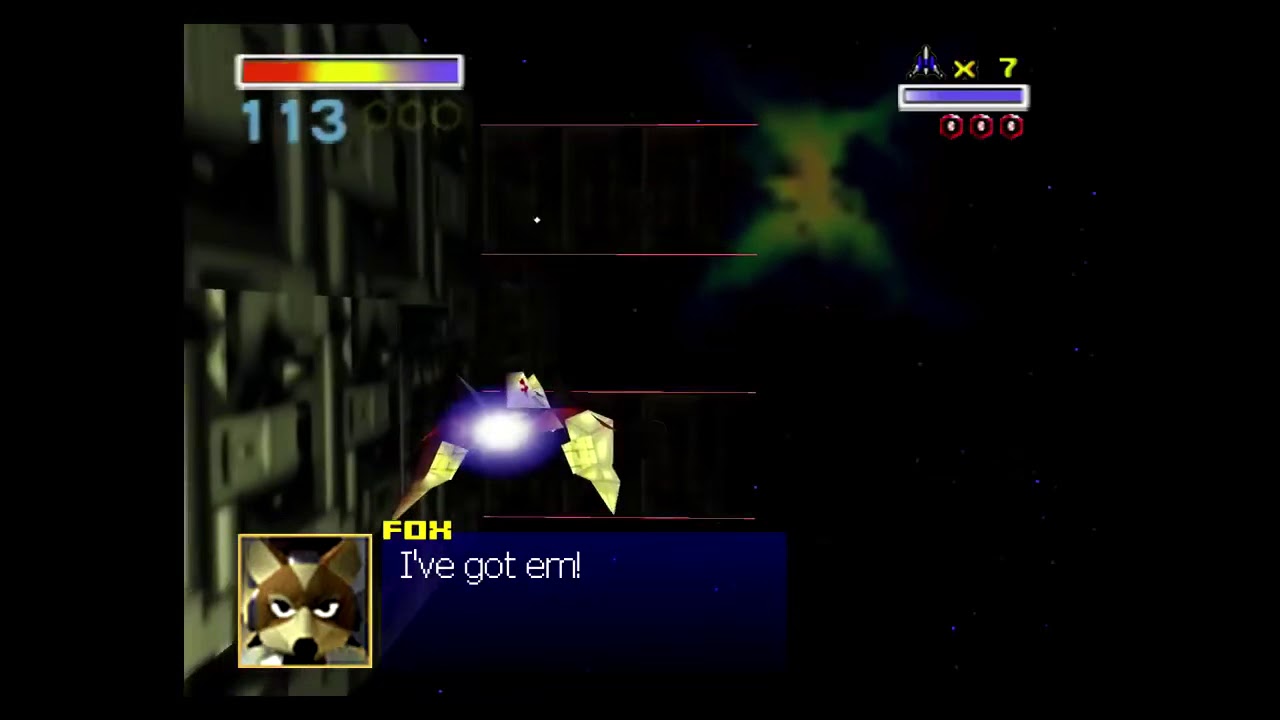
https://twitter.com/paperbatvg/status/1031089178023477248?s=21 Original Twitter Post


 ivory laurel
Oh! It was real! Thought it was a joke. Sorry
solemn marlin
Sounds like the mister just has nice weather
 pine apex
Ja
turbid warren
this is GT64? the car made me think Sega Rally lmao
solemn marlin
And some road work.. kind of weird, the column and the clouds doesn't feel like same category of visual element
Or maybe both are 2d sprites aligned towards the camera, I can't see
pine apex
In mister Background looks very plane and has a lot of banding
zinc dew
Are you comparing against real hardware?
pine apex
yep
zinc dew
Ok cool, thanks!
 placid quiver
Does anyone still get Gauntlet Legends not playing sound on the 8.18.2024 core? I had the JPN one had menu sound for a bit but now they all dont
Answered my own question...have to load the core fresh to get sound
 gritty river
Was linked this https://patents.google.com/patent/USD376826S/en

Patent for the controller
 nimble cliff
I can’t help seeing a saturn controller when I look at my n64 controllers lately. Never hit me till this week with the six button layout since I didn’t have sega systems as a kid.
gritty river
The patent covers this https://www.eurogamer.net/get-a-look-at-this-incredibly-rare-n64-controller-prototype

Eurogamer.net
Retro gaming preservationist and restorer, Shane Battye, has shared images of an early N64 controller prototype that ne…
zinc dew
64 controller is a great Saturn controller
zinc dew
thorn quiver
Dual Shock supremacy!
Don’t make me pick between my favorite children! 
 willow linden
i've got n64 & saturn covered with brawler64 bluetooth NSO controller, and the 8bitdo dualshock for snes & ps1
then i just choose either of them depending on other console's layout
through a shipping mishap i actually got 2 of the brawler64 for the price of one, so i'm even covered for multiplayer 😄
solemn marlin
If you could only pick one controller for all the cores, which one would you pick
Hint: there is a correct answer
 mortal panther
Indeed there is.

Actually that's been a long-time favorite, but I use either a DualShock 4 or a DualSense now for almost everything.
 chrome quest
That's one funny looking M30 😉
mortal panther
That's a wonderful one too.
I'm a big fan of the HORI mainly because of CPS-2, and I like the equal sized face buttons.
chrome quest
They look great, never used one. Is the fighting commander in your image a particular one? Looks like there's a few. Only Hori I've ever owned is a GameCube style Wii Remote controller, which is pretty good
solemn marlin
mortal panther
Indeed there is.
No analog sticks, no good...
Six face buttons are too many
It doesn't count if they're different colors tho, like the n64
mortal panther
chrome quest
They look great, never used one. Is the fighting commander in your image a parti...
HORI Fighting Commander for PS3/4 and PC.
Low latency, excellent D-pad, all the buttons feel great, and it is very comfortable to hold for long periods.
Hard to find now though. 😦
 floral pawn
The new Hori Fighting Commander is on discount on Woot but I already have too many controllers. It looks nice for N64 though.
 mortal panther
I haven't tried the OCTA yet. Looks nice... and that is stupid cheap!
The previous Fighting Commander is decently sized, too. Size comparison with a DualSense:
 solemn marlin
Can the dualsense function as a lightgun?
mortal panther
floral pawn
The new Hori Fighting Commander is on discount on Woot but I already have too ma...
Just purchased. Thanks!
solemn marlin
It looks as versatile as a controller can be tbh
 deft tree
I have it and the previous version without the 2nd analog nub, I’m a fan as a catch-all controller
 snow mulch
mortal panther
snow mulch
mortal panther
what's that in the background? Walki talki, and radio?
mortal panther
Yes. Icom 7300 HF radio and various VHF/UHF/DMR handhelds.
 random bloom
floral pawn
The new Hori Fighting Commander is on discount on Woot but I already have too ma...
random bloom
floral pawn
The new Hori Fighting Commander is on discount on Woot but I already have too ma...
Have one of these. Oddly enough, it's the stick that would prevent me from recommending it for N64. It feels very digital for lack of a better term. Probably tuned so that it acts like an arcade stick and less like an analogue stick. It is for fighting games after all.
storm vessel
mortal panther
leaving the cable plugged into a wireless controller and using it constantly makes me fear that I'll ruin the USB port on the controller - ever heard of that happening?
mortal panther
It was just charging in that picture. When it comes to wearing out a USB port, I would be more concerned with repeated insertion and removal of cables. I don't see how leaving it inserted would do any harm.
The DualSense Edge, for example, comes with a clip-on adapter for one end of the USB cable designed to lock in to the controller to prevent accidental disconnects while gaming... so it's designed to stay in as long as you want.
nimble cliff
floral pawn
The new Hori Fighting Commander is on discount on Woot but I already have too ma...
I was going to pick up an M30 next month but may just jump on this instead. I don’t have any 6 button controllers yet (not counting n64). Thanks for sharing!
marble cargo
 thorn quiver
Measure twice, optimize once
 hearty oar
I wonder what profiling tools if any they actually had way back then? Especially for profiling the actual GPU
Even today profiling on some devices can be a real pain, eg. I’ve had Xcode, Instruments and the on-device HUD throw three different numbers at me for frame times on an iPhone
And Android can be even worse, what’s that, you added GPU markers to your timeline? What if I just ignored those and you have to guess which draw/dispatch is the one you were interested in…
Ok, maybe it would be more accurate to say that profiling on phones is a pain. Never do game development on mobile platforms unless you really enjoy pain
 zinc dew
 kind solar
https://tenor.com/view/stop-it-get-some-help-just-stop-please-stop-stop-it-meme-...
kind solar
https://tenor.com/view/stop-it-get-some-help-just-stop-please-stop-stop-it-meme-...
lol one day someone will believe me
magic girder
You’ve broken our trust too many times with your trolling
mortal panther
It wasn't even a great N64 controller.
 thorn quiver
You can't let this stand
zinc dew
It’s because it’s an AWESOME N64 controller! 

mortal panther
 chrome quest
But N64 is the perfect PS1 controller
(for some subset of games)
Brain immediately in with the caveat. I couldn't even comit to the thought. I'm sorry
zinc dew
I’m actually super lazy when it comes to controllers. Often when I decide to play a system and use its controller then jump to another system I just stick with it.
So I’ve totally played the N64/Saturn/PS1 cores with controllers meant for one of the other systems lol.
There’s plusses and minuses to it all of course but I got used to it.
 mellow terrace
Yep, I Nintendo PlayStation it all the time.
I tend to use an 8bitdo SNES controller for everything.
 cloud peak
zinc dew
I’m actually super lazy when it comes to controllers. Often when I decide to pla...
cloud peak
zinc dew
I’m actually super lazy when it comes to controllers. Often when I decide to pla...
I’ve played through some ps1 games with Neo geo cd controller
 drowsy lantern
mellow terrace
I tend to use an 8bitdo SNES controller for everything.
drowsy lantern
mellow terrace
I tend to use an 8bitdo SNES controller for everything.
Same. 8bit do SN30 is perfect for everything… … except the N64 which had me buying 4 Saffuns. Damn you Miyamoto! 😝
zinc dew
Miyamoto’s last name is Saffun, true story
rich warren
Soon we can use the second best controller over Bluetooth on the MiSTer! The GameCube!
https://shop.8bitdo.com/products/mod-kit-for-original-ngc

8BitDo
8Bitdo is a premier 3rd party video game hardware company with a special focus on retro themed game controllers. Renowned for producing the highest quality retro controllers on the market.
I do want this for my launch cube controller that I wore the stick out on playing Smash Bros
 woven jackal
Hi there you funtastic fellow N64 fans. I am writing up the N64 core highlights for the MiSTer documentation and wanted to know if anyone had any controller pak issues with the core when switching betweent he controller pak and another accessory outside of when games prompt you to switch. I just want to know if this is actually an issue
Also, I guess I missed it, but I am not sure what "Auto Setup Pak Type" and the following three options for the ControllerPak RumblePak and TransferPak do. Is there an auto swapping feature or a way all of these accessories are used at the same time (very cool). Are there drawbacks to using this option?
mortal panther
zinc dew
Miyamoto’s last name is Saffun, true story
That's why I love it here so much. I learn so many new things on a daily basis!
zinc dew
I will wear my MiSTer shirt to the Nintendo Museum and just constantly tell other people looking at exhibits with me “you know, this plays better on the MiSTer”
mortal panther
 mortal panther
points to actual Nintendo console...
"You know, this doesn't have Super Attract Mode. Just sayin'..."
 languid dune
zinc dew
lol one day someone will believe me <:marioohno:895710124742680669>
languid dune
zinc dew
lol one day someone will believe me <:marioohno:895710124742680669>
I believe you! I've used it myself for Saturn!
 viral portal
Ah yes, the secrets of Miyamoto Saffun are finally revealed
magic girder
Shigeru Saffun. Miyamoto was his childhood nickname
It was a title given to the best Japanese Donkey Kong player
 raw oriole
I met him in a toilet once
Not my best claim to fame, but it's surprising how often it's a relevant anecdote
thorn quiver
Did he mention his world records
raw oriole
He did not. He was being followed around and pestered by a ridiculous fanboy who kept asking him about them though
(not me)
thorn quiver
Oof
raw oriole
Even more surprisingly, fanboy was actually positive and a true fan rather than taking the piss. Despite the appopriate location for doing that.
Billy's hair turns out to be a significant %age of his height
 noble ember
I have the latest N64 core (24.08.18) and this is as far as it gets when I load any game.
Any ideas why games load but don't display?

 hasty musk
Bad rom dump?
noble ember
@hasty musk every game does this. I am using a MiSTer-Pi amd this didn't happen when I had a DE10 Nano based MiSTer
marble cargo
You need the database text file in the games folder.
 blissful plaza
Remove your config file for the core and let it rebuild.
I already (and some others) had the problem in the past.
noble ember
@blissful plaza where is that - nvm found it
@marble cargo and @blissful plaza thanks, games work now
Does the N64 core support boot.rom
I wanna load the core and have it play a boot animation like some of the other cores do
blissful plaza
Not directly.
solemn marlin
N64 has a boot animation? 🤔
blissful plaza
Yes, it's possible with a custom boot.

But you need to create a MGL file with a custom boot loading.
solemn marlin
The n64 dd has a pretty decent startup, you're talking about that?
Also it doesn't say DD so it seems like it could be used for all games. No nostalgic attachment included tho 🧐

Look at him, Mario is waving
You guys do custom startup screens? Like, with Mister replacing the logo
blissful plaza
Yes.
noble ember
@blissful plaza damn you have to use the .mgl for those custom boot animations rather than the .rbf
blissful plaza
Like that.
 noble ember
@blissful plaza yea I already have that as a boot.rom for multiple cores
There is no boot.rom option for N64 or Genesis
blissful plaza
Gimme a moment to show you how to do it.
noble ember
I would rather launch the core and have it play the animation rather than the .mgl
zinc dew
Try naming it boot1.rom?
blissful plaza
<mistergamedescription> <rbf>_Console/N64</rbf> <file delay="1" type="f" index="1" path="boot2.rom"/> </mistergamedescription>
I'm doing it like that.
boot0 and boot1 are already used.
noble ember
@blissful plaza which file is that from?
zinc dew
Oh ok
blissful plaza
noble ember
<@336610273656045569> which file is that from?
It's how I'm doing inside my MGL file.
That should work for the Mega Drive core too.
solemn marlin
blissful plaza
Like that.
Anything for the 3d cores?
zinc dew
The custom boot animation roms aren’t officially part of MiSTer just an FYI. I say that so you don’t have an expectation of it being available or working for every core. It’s a cool thing that’s been spearheaded by @amber mica.
blissful plaza
I should have that for the N64 and PS1. The Saturn one is not ready.
noble ember
@blissful plaza I got the boot animation pack from
https://github.com/uberyoji/mister-boot-roms
There is a separate folder _Console (autoboot) that has a .mgl file for each console but I rather not launch that way

GitHub
Custom boot roms for the MiSTer FPGA project. Contribute to uberyoji/mister-boot-roms development by creating an account on GitHub.
blissful plaza
You are faster than me. @noble ember & @zinc dew
😁
I was writing to check that repo.
solemn marlin
That playstation one is pretty sick
noble ember
I would rather just launch console cores from the _Console section like normal. I am used to putting a boot.rom in each roms folder to have the core play a boot animation
zinc dew
Yeah it’s the easiest
But I have evolved my ways to lunacy
I don’t launch cores that way, I have an mgl file for every game on my MiSTer
noble ember
@blissful plaza is there a way you can convert these animations to boot.rom ?
Or have a way to have the .mgl point to the core .rbf ?
blissful plaza
That's already like that with the MGL.
noble ember
Hmmm
blissful plaza
It's a boot.rom launched with the RBF.
noble ember
@blissful plaza well the files in that boot animation pack don't have boot.rom
 acoustic vortex
Where would I go to ask about the core loading games into black screens? (I’ve got both bios files properly named, as well as the database file)
Furthest I’ve got was Sin & Punishment’s Treasure splash screen. After that, even that game is blank screening. Is there a step I’ve missed?
Apologies for inserting my tech support q in your conversation.
blissful plaza
No problem, you are here to have some support.
noble ember
@acoustic vortex I just dealt with that issue. I had to update the N64-database.txt and delete config files
acoustic vortex
noble ember
<@282270324781744130> I just dealt with that issue. I had to update the N64-data...
I’m using nointro z64 games, and they do show themselves loading, then show the appropriate save format in the top left. Is this similar to your issue?
I’ll update and delete config files, I just need a bit of direction. I am not with my mister atm, It’s just been eating at me and I realized that this server could be helpful.
noble ember
@acoustic vortex
 acoustic vortex
Yeah that’s it
noble ember
That's as far as I got before I got help with it in here about 30 min ago
@acoustic vortex
 blissful plaza
@noble ember Okay, I understand now your issue.
Just rename the files from the pack as boot1.rom or boot2.rom as you need to.
And change the name of those files to boot inside each MGL file.
acoustic vortex
noble ember
<@282270324781744130>
Thanks, I’ll save this ss and give it a shot when I get home. I really wanted to play sin and punishment last night lol.
blissful plaza
I give you an example with the N64.
Rename 'mister-boot.z64' to 'boot2.rom' and inside the MGL file, copy/paste that code from before.
#1096015979055697940 message
noble ember
@blissful plaza ok but where do the .mgl files go? I rather launch the core inside of /Consoles instead of the .mgl
blissful plaza
The MGL could go anywhere you want as it points to the RBF file as reference.
noble ember
I see
But can I launch the rbf like normal?
I rather not have 2 different N64 entries
blissful plaza
I took the issue upside down on my MiSTer systems, I left all the core inside a "cores" folder. Like with the arcade cores and let every console with a MGL file.
But I'm updating my MiSTer systems manually as the update_all script can't understand that structure at the moment for auto-updating.
Maybe I should demand or create a PR one day for checking also a "cores" folder inside _Consoles for auto-updating cores.
noble ember
I guess it is just easier to launch the .mgl
 solar summit
Hey, so I've had a weird issue with Paper Mario not initializing saves properly.
Whether I supply it a populated .fla or it generates its own empty one, it errors out as soon as it tries to load the file select.
I get the error E(zeroes)20. I don't really touch the debug options, and I've tried this on both stable versions of the core,
with both my own personal dumped ROM and a No-Intro one. Even a fresh core config file. Same result. So far this is the only game I've had this problem with. Others using flash saves are fine.
Is this game one that needs to be patched or should it be working?
noble ember
@blissful plaza as of now I habe to have the .mgl in a separate section for the boot animation to work

@blissful plaza launching N64 this way results in this screen
 blissful plaza
I've removed that info on my systems.
noble ember
@blissful plaza if I place the .mgl in the Console section, it doesn't appear
blissful plaza
That's right.
noble ember
It would be nice if it did so I didn't have 2 separate console sections but oh well
blissful plaza
Gimme a moment to explain my idea and you will check after that if it could suit you.
noble ember
Sure
Who makes these animations anyways? I would love one for other consoles like Neo Geo
blissful plaza
My idea is to have something like that when you open your _Consoles folder.
 noble ember
Yes
blissful plaza
And for doing that, I've moved the N64 core to a 'cores' new folder + adapting the MGL file.
The MGL file goes inside the _Consoles folder.
Do you follow ?
And it is acceptable ?
blissful plaza
I'm just hiding the original core file and load it with the MGL file instead.
noble ember
Reason being is a good friend of mine who has no idea how MiSTer works is getting his first MiSTer soon and I wanna just copy my setup to his
blissful plaza
And that MGL file loads the animation boot.
noble ember
blissful plaza
I'm just hiding the original core file and load it with the MGL file instead.
That makes sense
I like how you also seem to have a custom name for some of your cores. I would like to do that without update_all re-downloading the core
blissful plaza
The problem at the moment, the update_all script can't update inside a "cores" folder for the consoles, as it is completely custom.
Otherwise, I think my idea could help people starting with the MiSTer system as you have custom names for all your cores.
noble ember
Yea I rather have custom core names. I have no problem renaming and moving new updated cores
blissful plaza
So, step by step :
- Move your N64 core to a new 'cores' folder, inside the _Consoles one.
- Rename your 'mister-boot.z64' to 'boot2.rom' inside /Games/N64.
And I give you the correct MGL file to add the _Consoles folder just here before.
noble ember
MGL file goes where?
blissful plaza
Inside _Consoles
noble ember
Ok. Gonna try it now
blissful plaza
Does it work like you wanted ?
 blissful plaza
Always take the time, expose your issue and we evaluate together.
For the info screen, I don't remember exactly how I disabled it.
There is an option somewhere in the core or the config file.
noble ember
I will use that mgl you gave me as a template for other console cores
mortal panther
Aren't you missing something like<setname>N64</setname> from that MGL above?
noble ember
@blissful plaza I don't see the config file in meda/fat/config
blissful plaza
mortal panther
Aren't you missing something like`<setname>N64</setname>` from that MGL above?
Oopsie, you're right.
noble ember
It was there before I moved the rbf
blissful plaza
I've modified the MGL for @noble ember and a line have jumped.
Please add <setname>N64</setname> inside the MGL file, that should correct one of the errors.
mortal panther
blissful plaza
You are faster.
mortal panther
Teamwork makes the dream work. 😉
noble ember
Config files for N64 are missing
blissful plaza
For the message info screen, I don't remember at all.
Try to save your configuration inside the core and it will generate the config file.
noble ember
Ok there it goes
blissful plaza
solar summit
Hey, so I've had a weird issue with Paper Mario not initializing saves properly....
Sorry, your question was overflooded by others.
The game should work normally with a correct N64-Database.txt inside the N64 folder, without any patches.
solar summit
That's alright, I was gonna wait a bit before I tried reposting it.
Does the core or updater update the database.txt? If not, it's possible mine is outdated.
mortal panther
I couldn't answer that as it's been a while since I've used updater scripts. Like Zet-sensei, I manually update because of custom organizations that I prefer.
I think Update All does
blissful plaza
We are quite busy, but I think that sometime in the future we will need to perform a meeting with everything that could be improved simply, (better names.txt, cores inside a folder and MGLs) without breaking anything else.
solar summit
Yeah it looks like my database was identical
hearty oar
Yeah updater pulls the database
solar summit
I think it might have been something with my save.
I let it generate its own and then actually saved a file on it, and it reads it next time it boots.
But I guess that game always throws that error even if it keeps working? I think that's what confused me,
I expected to see my saves populated but maybe they were empty and I didn't realize it
Most games I use with the core don't throw errors anymore so I guess I didn't expect this one
noble ember
@blissful plaza thanks again. I am using that mgl template for other cores
blissful plaza
For the error, yes that's normal and you should not take attention to it.
blissful plaza
noble ember
<@336610273656045569> thanks again. I am using that mgl template for other cores
No problem, have fun.
noble ember
@blissful plaza do you answer just inquiries on N64 or also general MiSTer inquiries
noble ember
My MiSTer-Pi displays the main MiSTer menu on my HDTV but not on my PVM. I already tried editing the MiSTer.ini several ways
blissful plaza
I have no skill for resolving that issue.
Maybe ask on the #help section or #settings-workshop
Or, offer me a beautiful PWM and I will be glad trying to help in return. 😏
zinc dew
noble ember
My MiSTer-Pi displays the main MiSTer menu on my HDTV but not on my PVM. I alrea...
Try pinging the Mister Pi help email
Should be on their site?
 errant steppe
noble ember
My MiSTer-Pi displays the main MiSTer menu on my HDTV but not on my PVM. I alrea...
errant steppe
noble ember
My MiSTer-Pi displays the main MiSTer menu on my HDTV but not on my PVM. I alrea...
What cable are you using?
noble ember
VGA to 4-BNC
errant steppe
So you see a display but no menu, right?
I use a vga to 5bnc rgb cable to my pvm. When i boot, i dont see the menu, but i press B/Back button and then it shows up
Then it works fine
rich warren
noble ember
VGA to 4-BNC
Is it RGBs? Do you have composite sync on?
You can try this one:
https://github.com/misteraddons/mister_ini/blob/main/Analog Video/RGB/MiSTer.ini
noble ember
@rich warren RGBS composite sync on. I have been at this for hours
@errant steppe cores display fine on my PVM but not the main MiSTer menu
rich warren
Ah, I see very odd
rich warren
My MiSTer Pi is currently on a plane, but hopefully I'll have it this week to do some analog testing
 compact depot
noble ember
<@230866065683513345> cores display fine on my PVM but not the main MiSTer menu
compact depot
noble ember
<@230866065683513345> cores display fine on my PVM but not the main MiSTer menu
Please post your MiSTer.ini.
noble ember
This is when the core is running. Top resolution is for the PVM and bottom us for the HDTV

I am starting to think that the MiSTer-Pi is trying to display 1920 × 1080 on both the HDTV and PVM since in this screenshot they both say 1920 × 1080
 acoustic vortex
noble ember
I am starting to think that the MiSTer-Pi is trying to display 1920 × 1080 on bo...
acoustic vortex
noble ember
I am starting to think that the MiSTer-Pi is trying to display 1920 × 1080 on bo...
do you think it has something to do with the wallpapers?
noble ember
@acoustic vortex no. All my wallpapers are 4:3. Same issue when it is the snow background
rich warren
@noble ember the https://discord.com/channels/647909397477195803/806021143948689438 channel might be a good place to ask as well
and yes the initial menu should show the same resolution for both analog and digital
once in a core it should be 240p or 480i on the CRT
neat sierra
Nah it should be 240p on boot for crt. How do you think we tubemen launch our cores? I don’t see anything wrong with the ini offhand but maybe I missed it
rich warren
I did a compare with the MiSTerAddon's RGB .ini (for his Analog IO Pro) and NinoPrime's and they matched
this is how mine looks on boot

 amber mica
blissful plaza
I should have that for the N64 and PS1. The Saturn one is not ready.
amber mica
blissful plaza
I should have that for the N64 and PS1. The Saturn one is not ready.
I will work on the Saturn one soon. I recently started a new job and had to put it on hold.
noble ember
@rich warren yea I am quitting for now because I can't figure this out.
rich warren
bummer man - maybe it's the new board, maybe the TV, not sure. At any rate maybe you can user Wizzo's Remote to play some games without the OSD
noble ember
Definitely not my PVM since I have no issue with my RGB-Pi or PS1
 eternal ravine
blissful plaza
My idea is to have something like that when you open your _Consoles folder.
eternal ravine
blissful plaza
My idea is to have something like that when you open your _Consoles folder.
That font is a ... choice
acoustic vortex
acoustic vortex
Where would I go to ask about the core loading games into black screens? (I’ve g...
So, I’m occasionally getting the opportunity to pinch marios nose, but when either the intro video comes in or I start a game, I get:
-A white screen
-A second long instance of static audio noise
-00 fps
-And error code: E00180140

I just pulled a fresh n64 database file from the github, and ran update all with (what I’m lead to believe are) the appropriate settings
I’ve also went to the config folder from root and removed anything mentioning n64
acoustic vortex
just got a new error code: E00000140
 lament escarp
Maybe a bad dump? No intro and everdrive collection dumps are recommended I think.
 silent marten
They did say they are using no-intro romset
acoustic vortex
I’ll reobtain them. I do remember getting nointro but atp I’ll try anything once. or twice. maybe three times. or four. you get the point.
silent marten
I have never seen this error, if you can boot into a SM64 and play with his nose then BIOS is fine and database should be fine if you get all the information pop up so could possibly be a bad dump or an unfinished download
Or maybe it corrupt when you copied it over, what did you use to copy it?
blissful plaza
eternal ravine
That font is a ... choice
Parodius typefont.
Easier for me for reading at a distance, instead of more standard fonts with my eyesight.
neat sierra
rich warren
I did a compare with the MiSTerAddon's RGB .ini (for his Analog IO Pro) and Nino...
I think it’s still 240p, if I recall wickerwaka said that info isn’t always accurate
I mean not think, it is since it can be scanned out on a 15khz tube of course 😉
 wanton sun
there is no good reason for mario getting to the grab screen and still having random issues. Either rom damages, sdcard/storage damaged or some other component faulty. Do other cores work without issues?
acoustic vortex
wanton sun
there is no good reason for mario getting to the grab screen and still having ra...
redownloaded the rom and now I don’t even get into the grab screen
I’m so confused
.z64, nointro roms.
lament escarp
Did you transfer the rom with filezilla? That can always be an issue when transfer isn't set to binary.
acoustic vortex
Nope, straight to the sd with a microsd adapter
 glossy lake
Big endian version of the roms I think they need to be… remember seeing that somewhere
solemn marlin
jolly turret
I suggest using the big endian no-intro set from myrient
Did you find the time to check out the audio for sim city 64? 
jolly turret
solemn marlin
Did you find the time to check out the audio for sim city 64? <:SureSure:1165836...
I haven't yet had the time to even start up my Mister once yet. I did check for the game, did you use some kind of patch to make it work with the Mister, as it's a DD game?
silent marten
acoustic vortex
Nope, straight to the sd with a microsd adapter
Can you take a screenshot of your N64 folder on your SD Card please, I am interested to see it
solemn marlin
jolly turret
I haven't yet had the time to even start up my Mister once yet. I did check for ...
I didn't patch it but I assume it was a patched version, it wouldn't work otherwise if I understand it correctly
acoustic vortex
silent marten
Can you take a screenshot of your N64 folder on your SD Card please, I am intere...
Ok, gimme a sec
jolly turret
solemn marlin
I didn't patch it but I assume it was a patched version, it wouldn't work otherw...
Yes, it shouldn't work. Check your messages.
acoustic vortex
 silent marten
Looks all good to me
acoustic vortex
right?
silent marten
acoustic vortex
right?
Check DM 🙂
acoustic vortex
so, those errors result as this:


common issues are critical exception occurred and RSP instruction not implemented
worn delta
Did you use update all script to grab all the files you need (excluding game ROMs) or add them manually?
Also may want to try HTGDB Everdrive pack ROMs, although no intro set should all be fine
 fair stump
#1096015979055697940 message
That's from the core author so I'd start with his steps too
worn delta
Worth confirming what ram you have as well and where did you get it from
acoustic vortex
worn delta
Did you use update all script to grab all the files you need (excluding game ROM...
the former
acoustic vortex
fair stump
That's from the core author so I'd start with his steps too
other cores are working as expected
acoustic vortex
worn delta
Worth confirming what ram you have as well and where did you get it from
perhaps the mister pi retro remake ram has a problem with this core in specific? although I've seen others with no prolems using what they got from the megapack.
worn delta
Ah, well that could well be the issue if you are using a new released clone. We know Antonio V's ram has issues with the core (and others) so could potentially be something to do with ram on these new boards.
It may be worth you running Memtest for awhile and post your results too
rich warren
Maybe try reseating the SDRAM module too
acoustic vortex
sounds like a real pain
as if this hasn't been one in itself
I'll give it a shot after running a memtest
neat sierra
But doesn’t N64 mostly use the ddr? I guess to load and read the rom is sdram right
Though the ddr would also be under suspicion since clone
worn delta
Is the ram on the Taki board soldered on?
neat sierra
No it’s the same design as the open source one by sorg
With the same alliance ram chips
That was the whole snafu
Where originally the factory cleansed sorgs credit
worn delta
Ah right
This core and Saturn are the two that I would be most wary about having potential issues on any clones.
acoustic vortex
what does the memtest... do?
worn delta
Someone can maybe give a more technical answer, but it stress tests the ram and records how well it runs
The numbers on screen are explained here
GitHub
Contribute to MiSTer-devel/MemTest_MiSTer development by creating an account on GitHub.
I would run it, go away for a maybe an hour and come back and share an image of what it shows
acoustic vortex
I understand this well enough. I've ran it for 11 minutes; so far it's okay.
 twin barn
neat sierra
But doesn’t N64 mostly use the ddr? I guess to load and read the rom is sdram r...
twin barn
neat sierra
But doesn’t N64 mostly use the ddr? I guess to load and read the rom is sdram r...
i already had people run the ddr3 test core from robert for me, i didn't see anything that stood out. i'll be getting my taki clone shortly and will try some stuff out too
twin barn
neat sierra
With the same alliance ram chips
they were not alliance, but they are the same micron chips, manufactured in the same micron factory but have a different brand name on them.
twin barn
acoustic vortex
what does the memtest... do?
determines how fast your sdram can be ran at without errors
@acoustic vortex 1. what brand is your microsd card?
2. how did you transfer the rom?
topaz otter
acoustic vortex
Nope, straight to the sd with a microsd adapter
You can always transfer the file to the sd card and then check the checksum of the file
that way you'll know if there were any errors during transfer
but I'm pretty sure that the controller on an sd card is smart enough to do some error checking anyway
it has to because its flash memory and it has to do error checking and wear leveling for the blocks
acoustic vortex
twin barn
<@282270324781744130> 1. what brand is your microsd card?
2. how did you transfe...
sandisk extreme 512gb
 wanton sun
One thing to keep in mind is that this is the first case in over a year with random bugs ingame that noone else has. Random bugs are very likely some kind of hardware failure. From the cores perspective this could be: the FPGA itself, SDRAM, DDR3, SDCard.
- The SDCard could be ruled out with a checksum on the file. As the SDCard is not touched at runtime, this means that the game would likely crash all the same each time you reset (without reloading the game).
- For the FPGA and DDR3, maybe a savestate for a game/demo that has zero SDRAM access could give clues
- SDRAM should not be an issue for N64 if more critical systems like PSX or Saturn work fine
- DDR3 is used by the linux all the time, so I would not expect issues here
- From that logic this leaves the FPGA itself. However, i haven't heard of a damaged FPGA at all. Does the Taki board use the same FPGA speedgrade? You are using the normal, not the turbo core?
Sorry, I'm just thinking loud here, don't have some easy solution 😦
acoustic vortex
wanton sun
One thing to keep in mind is that this is the first case in over a year with ran...
normal core. whatever's pulled down from update all
just got this error simply loading the core

 quick arch
Are you using a de10nano or clones sorry if the question is already asked ?
 zenith orchid
I'm curious if the psx core is also getting error codes.
might help narrow down if it's an SDRAM or an FPGA issue. I don't know what the RMA rate is for that particular FPGA, it would be bizarre if it were a faulty FPGA.
hearty oar
I'm not sure I've ever seen anyone post about a dodgy de10 here before, it's always yeah the SD card, RAM, IO board, etc, but anything is possible I guess...
zenith orchid
hearty oar
I'm not sure I've ever seen anyone post about a dodgy de10 here before, it's alw...
I think it's a clone, not a Terasic board.
hearty oar
ah, right yeah the taki board or the qmtech, yeah could be those are more prone to failure/have less strict QA
zenith orchid
yeah I'm sure Terasic is quite streamlined.
worst case hopefully there's a decent return/replacement policy
I might look at the board and see if the contacts and traces look ok.
acoustic vortex
zenith orchid
I'm curious if the psx core is also getting error codes.
I’m playing Ape Escape on PSX just fine (fingers crossed?)
zenith orchid
acoustic vortex
I’m playing Ape Escape on PSX just fine (fingers crossed?)
do you have error codes enabled? I think it's off by default
acoustic vortex
I’ve just enabled them. I’ll report if anything changes
acoustic vortex
1 hour or so of play; no issues at all, no errors popping up. Yes, I am aware of this being a single game and not being representative of the core/my individual misterpi’s capabilities.
wanton sun
At least it makes it very unlikely the sdram or ddr3 is the issue
one thing you can try to test if the core(+ddr3) itself is stable:
- copy this file to "sdcard\savestates\N64"
- rename it to any game name e.g. if you have gameABC.n64, the name must be gameABC_1.ss
- load the gameABC.n64 rom
- press F1 on the keyboard
-> you should see a demo that runs forever and doesn't access sdram at all
 boreal quartz
Hello all, i have heard there is an autopatcher core for N64, and i see it was posted in a non-public channel here (#test-builds) on discord.
I'm new here, but would like to give this core a try. Any chance i could get the file? Or no luck for me?
chrome quest
My understanding is near the top of the Discord channel list for this Discord (though you may have a different interface) there is some "Channels & Roles" option. You need to set the option in there to show "I want it all!", that will give you all the channels
hushed nova
I think the auto patching is in the current stable main.
boreal quartz
Wow, i feel so stupid. Thank you @chrome quest . I actually never use Discord 🙈 (used to Irc)
chrome quest
Np. It keeps changing where options are to make it trickier 😄 glad you found it
boreal quartz
Ok another stupid question then, is this the stable/main repo? https://github.com/MiSTer-devel/N64_MiSTer, if so; I dont think its in there Oh wait, it isnt a core update, but a mister build. check 🙂
hushed nova
it should just be part of the normal update n ow
quick otter
hushed nova
I think the auto patching is in the current stable main.
auto patching needs patch files?
lament escarp
quick otter
auto patching needs patch files?
No, the patch is in the latest n64 database
 small igloo
Hi all, I'm new here, I just bought a Nintendo Switch Online N64 controller to use with the mister, and it works and I've configured the buttons. Only thing is, the stick is very sensitive to inputs. Is there a way to change the speed of it?
lament escarp
The n64 core should clamp it down to +85/-85 which is the native stick range of the n64. You can verify this by using the controller test rom.
small igloo
thank you, i'll have a look for that just now and run it
This is really handy, I must have something setup wrong because it's not doing a very good job vertically, even though the inputs register. But thankfully just as you said, it does indeed clamp it down to exactly +85/-85 on the other axis
kind solar
how does the test core with the patches make it clear to the user that a patch was applied? i don't see anything
vapid hawk
the nso doesn't even need that much clamping since its natively like that
you didn't accidentally map the dpad and the analog stick both to the analog stick did you?
lament escarp
kind solar
how does the test core with the patches make it clear to the user that a patch w...
The box in the top left corner says "patched ✔️"
The one when you load the rom
small igloo
I might have accidentally mapped the dpad with the analog stick, I'll delete the mapping!!!
lament escarp
So first map the controller in main. Don't end the setup when the mouse stuff comes up, there are more stick things at the end. It'll throw you out by itself when you're done. After that map the controller in core. The stick does not get mapped in the core.
small igloo
ahhh
I tried mapping the stick in the menu core, and now the n64 nso won't respond at all!
I have tried swapping usb ports. the led on the nso n64 stick is just flashing. I'm having a fun time with this today. I will be glad to just get it to respond again at this point!
my other sticks work so I know the mister itself is fine
Well thank goodness for backups, I just copied over my old menu.CFG and it's back to a semi working state! Now I will try to map it in the menu core as you guys suggested 🙂
so in menu it says dpad test right so I press right on the dpad,
then it says stick 1 test Tilt right
which control do I use for that?
fair stump
The joystick of the n64 controller
small igloo
ok I've done that now it says stick 2 tilt right, but there is no stick 2. Does it mean the c buttons?
fair stump
That's not used here so press the button to skip it
That would be for something with dual analogs
small igloo
cool I've actually got it working at least in the menu, and also for the n64 controller test rom. I had to push the actual USER button on the mister unit to skip the un-needed inputs. After a few goes I managed to get something working. Thanks all !
twin barn
wanton sun
One thing to keep in mind is that this is the first case in over a year with ran...
Same speed grade FPGA is used, it's technically a slightly higher SKU with transceivers
small igloo
85/-85 all round for the analog stick woohoo
fair stump
small igloo
cool I've actually got it working at least in the menu, and also for the n64 con...
This trips up a lot of people
small igloo
I bet, I'm used to the retropie but it's been a while doing this kind of stuff again. the n64 is one stick that I plugged in and had to add to the core. I suppose the software I was using already had a ps5 controller mapped, and a mayflash f300 elite mapped, which explains why those just worked and the nso n64 didnt.
vapid hawk
does mister come with default mappings for some pads? maybe we can add the nso
kind solar
lament escarp
The box in the top left corner says "patched ✔️"
hm i am still not seeing that. copied the new mister file over, copied the new database file to games/n64. even tried copying the patches over to games/n64. copied it again. disabled the vertical crop. set vsync mode to 0... very odd
have i missed a step here
vapid hawk
full reboot after you copied over the new mister?
lament escarp
No it should just be a matter of the correct main and core and database.
kind solar
vapid hawk
full reboot after you copied over the new mister?
yes
kind solar
lament escarp
No it should just be a matter of the correct main and core and database.
the correct core is the one in update all right?
lament escarp
Zakk said so. I'll see which one I'm rocking and which main.
kind solar
ok i'm on mister main 4th sept, database 31st aug and core 18th aug
kind solar
not actually seeing crashes in those games but i just let them run on the start menu so not sure that's indicative
just not getting any messages
lament escarp
Batman is a good test, it runs twice the speed unpatched
That's what you're looking for
 kind solar
it's running normally i think
30fps
i'll look through to see if i disabled anything that would show those boxes
lament escarp
I don't think you can disable it in the core. You could try a fresh ini for a quick confirmation.
ivory laurel
Maybe the roms are already patched?
kind solar
lament escarp
I don't think you can disable it in the core. You could try a fresh ini for a qu...
yeah i was just doing that
kind solar
ivory laurel
Maybe the roms are already patched?
hm i don't remember doing that or know why they would be
lament escarp
The box with the information should appear every time when loading a rom. It's nothing new and was there long before auto patching. So if that one doesn't show up at all it's hidden for some reason.
kind solar
i replaced the ini and i have it
lament escarp
So it's something in the ini. Does the patched line show up now when loading batman?
kind solar
it does yeah
lament escarp
Great. 👍
small igloo
I've been playing Goldeneye and it's really fun, exactly like how I remember but on a huge screen. However when I select Rumblepak it seems to start a never ending loop of the n64 core detecting a new pad when I go from moving/strafing to aiming. It causes the player 1 controller dialogue to pop up. If I go into the mister n64 menu and go from rumblepak to n64pad all problems subside and the game is totally playable albeit no rumble. I've went into the system settings in the n64 core and stated auto configure paks to OFF. This did not help. It still exhibits the loop behaviour. I will be getting a SNAX64 in a few days, so I'll be using real hardware soon, but it would be nice to get the NSO 64 pad fully working with Rumble without the weird loop. Any ideas? I'll try Rumble in Mario Kart to see if that works... oh Mario Kart doesn't support rumble.
kind solar
lament escarp
Great. 👍
i'm guessing it was this line
;debug=1 ; set to 1 to enable debugging messages. Default is 0(disabled).
which wasn't in the older ini file i was using
or not idk. thanks either way
lament escarp
small igloo
I've been playing Goldeneye and it's really fun, exactly like how I remember but...
The database should turn on rumble on it's own for golden eye and should also say so when loading the rom
lament escarp
kind solar
or not idk. thanks either way
You're welcome.
small igloo
Yes the database did turn it on and I had problems with that p1 dialog coming up all the time (the black box that tells you what all the buttons are for p1) it does it all the time, so annoying so had to just switch to n64pad then no problems! I've tried paperboy and although it's listed as having rumble it didnt work but no weird looping either though
goldeneye plays fine if I switch to n64pad. Paperboy works fine in either rumble or n64pad but no rumble
fair stump
That dialog box should only pop up once as it's detecting the first input of a controller to determine what is the p1 controller
small igloo
Paper Mario causes random screen blanking so I configured my mister ini to have vsync_adjust =1 vrr_mode=0 so that should fix that at least. Paper Mario says is supports rumble so here goes
fair stump
Does the n64 controller have different modes?
small igloo
just bluetooth and usb. I am using USB for less latency
in goldeneye, the rumble does work when you get shot etc. Im trying paper mario right now, I dunno when it is supposed to rumble but nothing yet
lament escarp
I'm not sure if the n64 nso controller has less latency via usb
rich warren
I remember hearing people report slow USB on NSO controller too
small igloo
wow, the rumble works in paper mario after speaking to the princess, hmm still though the p1 dialogue is coming up as if it thinks ive changed controls when I start using the dpad. It's like the menu.cfg is conflicting the the n64.cfg for input? I have no idea.
lament escarp
Try bt to see if it's the usb connection l
small igloo
The problem is slightly less pronounced because of the nature of the game in Paper Mario. In Goldeneye it's very obvious because you're holding down inputs to move, strafe, and using the joystick to aim, while holding down shoulder buttons to bring up the Cross hairs
I can try my 8bit do bt dongle ok
lament escarp
You might need to update the firmware on that dongle if it doesn't work with the nso n64 controller.
small igloo
it's working initially at least, I'm firing up goldeneye since it's easier to test out
hmm rumble works fine and no pop up dialog......but alas, no fire button!
I'll have to configure it in the n64 core? or the menu core?
lament escarp
Probably both since the dongle is masking the pid/vid of the controller
rich warren
remap in the core's OSD. Press right when the OSD is open. Do not map directions to the control stick
lament escarp
Maybe that usb cable you used had an issue holding the connection or something
rich warren
Can't find NSO N64 controller lag results, but the Switch Pro Controller is slower over wired:

wouldn't be surprised if they used a similar board since it's first party
small igloo
I never have any issues with the ps5 controller on the same usb cable. I'll experiment with different cables though. In the meantime, bluetooth is fine, everythign works as intended. Rumble, everything
bizarre! but it has left me wondering if theres a config conflict somewhere. Maybe a button press config that someone found handy for another issue? that somehow conflicts with the usb config when you hold down certain buttons
bluetooth works absloutely find with the nso64, just perfect. no dialogs popping up at all now, except for the initialisation
I'm wondering if I should have skipped the analog stick setup completely in the menu core configuration for the USB NSO64?
lament escarp
The stick only gets configured in main, so not really good to skip that.
small igloo
I bought my mister 2nd hand from ebay so maybe thats why the bluetooth controller just works. I suppose the last owner had a usb BT dongle
for now I'm going to back up my config files, because I'm about to try and remap the USB NSO64
trying a different USB cable first though
SOLVED: USB connection all along..... I was using the official nintendo USB cable fine, but as official as it is, it doesn't pair very well with my USB EXTENSION CABLE
both cables are fine they just don't see eye to eye so to speak. Problem SOLVED. use different USB cable with the extension cable and it works 100% Perfect 😄
I feel slightly stupid now but I've learned something at the same time LOL. Schoolboy errors! 🙂
damnj it I spoke too soon
the problem has changed however
now the dialogue doesnt constantly appear but the input somewhere along the way is in a loop, causing James to constantly spin round without any further input
I don't know why it worked fine for 5 minutes
I'm going to remove the extension cable altogether and repeat the test
fair stump
Did you hold the stick in a direction while opening the osd?
lament escarp
 fair stump
I've had that happen to me
small igloo
well it seems to be working for now. I just wondered if this might be a POLLING RATE issue. I did set it to maximum speed. I'll keep it on that for now since it seems to working again for another 5 mins 😄
Goldeneye is really fun to play again, this is the best I've played it apart from original hardware. the controls really make it special and I'm looking forward to the snax64 at any rate. I haven't used any native controllers yet on any system. I'll be trying out the PSX and SNES with original controllers too. Thanks for all your help guys !
lament escarp
You're welcome.
fair stump
I think the n64 in particular benefits greatly from using the original controller format
small igloo
I love the fact that in Goldeneye, you start with a gun that has a silencer, and it almost feels like you're holding a gun the way the controller is yea
I use my right hand on the middle eh protrubance for aiming the gun and trigger finger on z to fire. and my left hand on the dpad for moving /strafing
it feels good, then with mario kart all that goes out the window! I use my left thumb on the stick to steer and my right hand on the right hand side of the controller. It's wild! It's like when a motorcycle is set up to be opposite sides etc for shifting/braking
lament escarp
I like the n64 controller best for ocarina of time. Having the items on the c buttons feels so right.
small igloo
Is the Master quest version a difficult version of the same?
I'm trying the ocarina of time original one now
lament escarp
Yeah with some really unfun puzzles. I'd stick to the original and majoras mask if you have a hankering for more after finishing it.
small igloo
lol Navi Navi where art thou come hither! VERY MEDIEVAL lol
This is the n64 experience I've been waiting for, hopefully it saves the games
solemn marlin
My personal recommendation, as always, is to use dual analogs for Goldeneye as that is one of the few games (together with Perfect Dark) that supports it
lament escarp
small igloo
This is the n64 experience I've been waiting for, hopefully it saves the games
Don't forget to turn in auto save in the osd and to open the osd before closing the game, as it won't write the save to the sd card otherwise.
small igloo
brilliant, Ive got it set to autosave and I will bring up the OSD to save. That's how I was hping it worked
solemn marlin
solemn marlin
My personal recommendation, as always, is to use dual analogs for Goldeneye as t...
It's not the way you originally played it on the n64 but I think it's worth a try at least, it feels very modern
small igloo
Jaha, dual analogs on like a ps5 controller?
solemn marlin
Yea exactly
On the n64 you could map movement and aiming to two controllers, effectively getting dual analogs but on separate controllers lol
small igloo
I will try that when I feel brave enough to change some settings again. I am just chuffed to have this working so well. I'm going to copy this all to backup on a backup 512GB and have a bit of fun with this for now. Might give the PS5 sticks a go for N64 down the road though
oh yea dual fist style like Robotron X on the PSX
I would love to have a robotron arcade setup with the 2 sticks. Or Ikari warriors. Heck just any arcade cabinet would be great
solemn marlin
solemn marlin
On the n64 you could map movement and aiming to two controllers, effectively get...
The core has a setting that lets you put the player 2 analog stick on your controller. Yes it's only a recommendation, I like playing it like a modern shooter but I guess it could be argued that the game wasn't designed for dual analogs and therefore becomes too easy, just saying that option is there 🙂
small igloo
I find the game quite hard, so no problems making it easy lol
solemn marlin
It is quite hard imo, especially on 00
small igloo
it's very well paced though and I think the bad guys just keep coming dont they? like you dont NEED to kill them all
just get the mission done type idea
solemn marlin
Yes a good idea to just leg it once it gets too heated, a tried and true goldeneye strategy
solemn marlin
Also a lot of speedrunning strategies involves you getting shot in the back for additional boost speed so it could be argued that it's the optimal way to play 🤔
small igloo
that sounds like a really fun game mechanic that needs to be brought back into some FPS style games or even top down shooters.
karmic sequoia
solemn marlin
My personal recommendation, as always, is to use dual analogs for Goldeneye as t...
is there a way to enable this on mister?
solemn marlin
I agree, it's very game-y
solemn marlin
karmic sequoia
is there a way to enable this on mister?
Yea, in the core set dual controller on (P1->P2) and set analog stick swap on
karmic sequoia
cool i'll play around with that
solemn marlin
In game you need a two controller setting, like 2.2 galore or something
small igloo
cool, I'll definitely give it a go, nice to know what those settings are for. Seen them a few times and used to wonder
karmic sequoia
solemn marlin
In game you need a two controller setting, like 2.2 galore or something
yeah i did this with actual N64 pads back in the day but i wasn't sure if there was a way to emulate it on a single controller here heh
small igloo
ahh so does goldeneye have like an alternate setting in the start menu in the game?
I'm in the middle of ocarina of time so cant check right now
I was looking the other day and noticed, goodnight, solitaire, moneypenny etc
solemn marlin
It's mostly for all the fps games, tho I think that podracer game also uses two controllers...
The two controller ones are weird, I wonder if anyone actually played like that
solemn marlin
True true yes maybe it's better than I thought
small igloo
It's great playing these games with the actual buttons in the right place, especially when you're trying to figure out how to control Link in Ocarina of time. this is great
Z-targeting !
solemn marlin
I'd probably prefer an original controller for zelda tho tbh
rich warren
For Goldeneye and Perfect Dark, I pretty much play it like Doom and rely on putting the enemies in the middle of the screen and using the generous auto-aim. The enemy aiming and stagger animations helps to determine priority too. Usually end up hiding in a corner and making a pile of bodies at a door way anways.
I do like being able to pop in and out of cover with the c-buttons while aiming though
Trying to play it like other FPS games is frustrating
small igloo
Yes, I noticed the cover system on my play throughs/testing. Pretty cool! Yea the pile of bodies I remember that from years ago. lol. The World Is Not Enough is a really great game too, I just discovered it! WOW I will definitely be checking out every version I can of this too. The N64 version of TWINE is fine though. This is amazing. I'll be playing through these. I managed to save my game in Ocarina of Time also, after collecting the sword and shield and speaking to the tree. Cool games on the N64!
magic girder
rich warren
Trying to play it like other FPS games is frustrating
For goldeneye at least (never played perfect dark) you can mess around with the controls enough to make it more like a modern shooter, which massively improves the experience in my opinion
lament escarp
magic girder
For goldeneye at least (never played perfect dark) you can mess around with the ...
So it'll have a season pass, lootboxes and ingame purchases? Amazing.
magic girder
And a massive day 9885 patch
rich warren
magic girder
For goldeneye at least (never played perfect dark) you can mess around with the ...
I've been playing Goldeneye since it came out, so it actually took me a little while to learn modern FPS controls with Halo on the Xbox 😅
I liked TimeSplitters 2 more at the time (and Metroid Prime)
magic girder
I remembered playing it at the time, but not long enough that I ever got used to the controls 😅
rich warren
but hell I'm a Turok controls apologist too, so judge me as a psycho
small igloo
The World is not enough is highly underrated but I think it was because it needed a couple of expensive addons for the n64. I haven't tried Turok, I had that years ago for the PC, I'll have to try it out. I didn't realise WORMS was on the n64, it's actually a very competent version of it! Duke Nukem 3D runs very well from what I've seen of the first level.
turbid warren
best way to play Turok are the Nightdive remasters nowadays but they don't have that classic N64 crust
vapid hawk
trick with goldeneye is watch your gun, not the screen or the badguys
when the gun twitches its auto-aiming at something, could be behind the fog or whatever doesn't matter just shoot
and yeah its not really a game that expects precision aiming from you so it expects you to make it up with position/weapon selection and a dash of overall haste
wanton sun
world is not enough plays great with mouse and keyboard on the core. I really should play it again. And yes, for me it's better than goldeneye, say what you want 😛
magic girder
A mouse and keyboard?! That’s awesome!
For some reason I only mentally connected the analogue stick -> mouse support to StarCraft 
acoustic vortex
wanton sun
one thing you can try to test if the core(+ddr3) itself is stable:
- copy this ...
the core itself is outputting this error code

 cerulean elk
acoustic vortex
the core itself is outputting this error code
cerulean elk
acoustic vortex
the core itself is outputting this error code
No answers from me but that’s some well formatted data!
cerulean elk
Ooh that’s why it looks familiar
 sullen harbor
turbid warren
best way to play Turok are the Nightdive remasters nowadays but they don't have ...
sullen harbor
turbid warren
best way to play Turok are the Nightdive remasters nowadays but they don't have ...
I mean its based on pc port not the n64 version
solemn marlin
wanton sun
world is not enough plays great with mouse and keyboard on the core. I really sh...
Oh they all work with keyboard+mouse? I think that's a very enjoyable way to play but it's also the most game-breaking way to play it
Sometimes it feels pretentious to talk about destroying the integrity of the game design when choosing other control schemes but enemy animations and reaction times are really not designed for k+m
It's nice tho, probably the most movie-accurate Bond as well, just headshotting fools before they even pick up the weapon 🤔
worn delta
With the error code when you load the core, I think that is standard isn't it? It isn't really a real error. I am sure Robert explained this ages back but I am not at my MiSTer right now and haven't checked error codes for awhile
mortal panther
Yes, that's the 'error' code that is displayed when the core is launched but no ROM has been loaded yet.

Nothing to be concerned about.
acoustic vortex
Ah, thank you. Perhaps I’ll do more testing after I beat(?) Ape Escape
zinc dew
Ape Escape rocks!
acoustic vortex
zinc dew
Ape Escape rocks!
Heck yeah it does
acoustic vortex
wanton sun
one thing you can try to test if the core(+ddr3) itself is stable:
- copy this ...
I’m so confused as to what the issue may be lol
acoustic vortex
its been running for about 30m ~ no errors yet
acoustic vortex
1 hour elapsed, no errors.
wanton sun
this more or less proves core and ddr3 are fine. Also you were able to load from sdcard. So my guess is that either all your other .n64 files are broken somehow or it's the sdram module
wanton sun
magic girder
For some reason I only mentally connected the analogue stick -> mouse support to...
yes mouse works great in starcraft. Unlike the original mouse, you can still use the hotkeys with a keyboard. Together with the turbo core the game also doesn't stutter as much as the original. Played through a good part of the campaign. Of course it's silly when you can play it on a PC, but I don't mind 🙂
wanton sun
solemn marlin
Oh they all work with keyboard+mouse? I think that's a very enjoyable way to pla...
I don't play ego shooters usually, at least not in the last 15 years. But i would say that the accuracy is not comparable to a good mouse on a PC, so I don't see it so bad. Was still very difficult to do the first levels on highest difficulty and beat the timer, even with mouse aiming, at least for me.
acoustic vortex
wanton sun
this more or less proves core and ddr3 are fine. Also you were able to load from...

reseated, still no dice.
kind solar
someone posted to reddit earlier about the ram module performing poorly, with other comments saying the same
acoustic vortex
kind solar
https://www.reddit.com/r/MiSTerFPGA/comments/1fiqkyl/taki_udons_memory_is_the_lo...
saw that, but thought I was in the clear
acoustic vortex
acoustic vortex
cause of this test
0 err, over an hour and a half runtime, 150mhz locked
but it could be unreliable
I just want to be sure of it before I buy a new module
 rare relic
@acoustic vortex have you tried other n64 games or just mario 64? what about other versions of mario 64 roms (eg japanese version)? also maybe theres an issue with whatever device you used to transfer the game onto the sd card
 weary palm
kind solar
i'm guessing it was this line
weary palm
kind solar
i'm guessing it was this line
Actually it's this line:
; 1-10 (seconds) to display controller's button map upon first time key press ; 0 - disable controller_info=6
If you set this to 0, no N64 info. 🙃
I didn't want to introduce another row in the ini file (that's N64 exclusive). The ini isn't meant for core-specific stuff, really.
hushed nova
should have snuck in a 'suppress all messages' setting 😉
small igloo
weary palm
I didn't want to introduce another row in the ini file (that's N64 exclusive). T...
Which ini file isn't meant for core specific stuff?
kind solar
weary palm
Actually it's this line:
`; 1-10 (seconds) to display controller's button map up...
🧐 interesting
and yes i did have that disabled
small igloo
Oh I use it for that to change vsync and vrr settings on cores or various arcade games/ cores. There is a page online guiding how to specifically set video modes on cores in the mister.ini
I suppose maybe my settings aren't that complex
weary palm
That's very true. Perhaps you can have it set to 5 or so for only the N64 core, that way
As long as the patching and the rest of the autodetection works for ya, there's not that much of interest in that box anyway. Well, I find it interesting, because I wrote a lot of the code. 😅
lament escarp
weary palm
That's very true. Perhaps you can have it set to 5 or so for only the N64 core, ...
I know for direct video you can set [menu] direct video =0 so that the menu works in 1080p and the core in dv. Shouldn't [N64] controller_info=0 work similarly if you just want to disable the info for n64?
 fair walrus
acoustic vortex
I just want to be sure of it before I buy a new module
fair walrus
acoustic vortex
I just want to be sure of it before I buy a new module
perhaps it has already said here but generally, when you have random bug like this :
- try another set of rom
- try another sd card
- try to clean the pin of the sdram (after removing it 😜 )
acoustic vortex
rare relic
<@282270324781744130> have you tried other n64 games or just mario 64? what abou...
I’ve given other games and romsets a shot. no dice.
latent dagger
acoustic vortex
I’ve given other games and romsets a shot. no dice.
Have you tried a fresh mister setup on the SD?
Otherwise perhaps you have a funky RAM module. Not impossible.
solemn marlin
wanton sun
I don't play ego shooters usually, at least not in the last 15 years. But i woul...
It's a bit like you're "pushing" the aim which I assume is because you're translating mouse movement to analog stick xy. You'd need to patch the game to have good mouse controls
I hate not being able to try the perfect dark decomp because I'm interested if the mouse controls there are like in the typical pc fps
vapid hawk
have you verified hashes on your n64 roms? that still seems the most likely issue
silent marten
acoustic vortex
I’ve given other games and romsets a shot. no dice.
Hate going off topic but if you want the ultimate RAM test try the NeoGeo core
If you have issues with that core then it is defo your ram
acoustic vortex
latent dagger
Have you tried a fresh mister setup on the SD?
I’ll give it a shot tonight
acoustic vortex
silent marten
Hate going off topic but if you want the ultimate RAM test try the NeoGeo core
I’ll try it out. What should I test?
latent dagger
Anything I would think
So like... Metal Slug maybe
Gotta see if it can handle the donuts
 acoustic vortex
ran a new memtest for a lot longer, not stable at 150 apparently.

 remote hatch
acoustic vortex
ran a new memtest for a lot longer, not stable at 150 apparently.
remote hatch
acoustic vortex
ran a new memtest for a lot longer, not stable at 150 apparently.
145 is fine , nothing to worry about
 atomic stratus
yeah it seems like the ram should be fine….
weary palm
 silent marten
acoustic vortex
ran a new memtest for a lot longer, not stable at 150 apparently.
silent marten
acoustic vortex
ran a new memtest for a lot longer, not stable at 150 apparently.
did you test the NeoGeo core?
cerulean elk
 acoustic vortex
silent marten
did you test the NeoGeo core?
acoustic vortex
silent marten
did you test the NeoGeo core?
about to rn
silent marten
acoustic vortex
about to rn
Let me know the outcome 🙂
marble cargo
cerulean elk
 acoustic vortex
silent marten
Let me know the outcome 🙂
acoustic vortex
silent marten
Let me know the outcome 🙂
works fine
silent marten
acoustic vortex
works fine
Ok so the RAM is fine then because that core requires 128MB module or it just won't work at all.....
acoustic vortex
silent marten
Ok so the RAM is fine then because that core requires 128MB module or it just wo...
metal slug rules
silent marten
acoustic vortex
metal slug rules
Yes it does 🙂
acoustic vortex
ima redo mr fusion from the start
silent marten
acoustic vortex
ima redo mr fusion from the start
Ok 🙂 try it out and report back
acoustic vortex
o7
acoustic vortex
silent marten
Ok 🙂 try it out and report back
no luck.
reached out to retro remake support. hopefully they can resolve this...
hushed nova
plz double check your version of main mister. from the first screen when you power/on reboot hit the menu button and see what your mister and os versions are
latent dagger
oh yeah that. if doing the initial setup from Mr Fusion, it might not be grabbing a new enough main. may need to manually get the latest nightly
update_all should be grabbing the latest stable main though 
hushed nova
just had someone where it wasn't
I've seen this before too, where it doesn't update main
acoustic vortex
hushed nova
plz double check your version of main mister. from the first screen when you pow...
MiSTer v240912, OS v231108
mortal panther
That looks good.
 vocal storm
The turbo core is a miracle. It is surreal to play Legacy of Darkness in high resolution with an N64 pad on a CRT at a solid 30fps. Feels like peering into an alternate universe.
vocal storm
It runs at a pretty stable 30 in 240p mode. On original hardware, at 480i, it would manage around 10-15
silent marten
That is crazy, I mean we could try using latest unstable main but I don't think there is anything in it that affects N64 functionality.... I am slowly running out of ideas though
#unstable-nightlies message
Download this, rename it to MiSTer
Put your SD card back into your computer and either rename or delete the MiSTer file (if renaming just make it say like MiSTer.old or .bak)
Copy the one you downloaded from the message link over and put it back into your MiSTer and try again
@acoustic vortex
To clarify though it is unstable in name only it is more bleeding edge, it has all the latest features that sorg has merged into it before a new main that is downloaded by update_all, he usually waits until there is enough new features before pushing it to the stable branch
mortal panther
I'm thinking we've simply discovered some strange edge case issue with clone hardware. Nothing more to it.
fair stump
Anyone else with clone hardware here that can test as well?
remote hatch
my clone works fine, but i only have qmtech
rich warren
Just got my Taki Mr this morning so I can test soon
small igloo
Isn't the Taki already proven to be slower and less efficient than the MiSTer? why would anyone want a downgrade? price saving after 20 odd years seems absolutely inane
Who would develop for the weaker Taki? this is like the opposite of the PS5 Pro but with the same result. costs less, performs less. Shared result: no point.
cloud peak
small igloo
Isn't the Taki already proven to be slower and less efficient than the MiSTer? ...
Where is this information coming from?
remote hatch
the information comes from an extraterrestrial civilization that is testing the fpga 🙂
compact depot
small igloo
Isn't the Taki already proven to be slower and less efficient than the MiSTer? ...
That information is just plain wrong
small igloo
I forgot the source, I just thought it would be common knowledge that it was weaker
If I remember the source I will post it here
vast delta
no it's not. the speed grade is the same. i heard taki's may have a few extra transceivers, which would in theory make it a bit stronger even. i don't think these transceivers can even be used for anything
small igloo
opinions will differ. I would like to keep the MiSTer project alive and not support clones that seem to offer the same thing at a lesser price.
I get it that clones are good just like the pc days
vast delta
this is what's going to keep the MiSTer project alive
Terasic will not keep making DE10-Nanos forever
plush summit
Chat is this AI generated?
vast delta
it could only be
small igloo
Well are you telling me this is not China?
It seems like a cou between many regions to me
vast delta
are you american?
vast delta
can you be held responsible for whatever the hell your government does?
vast delta
how is it fair to conflate an individual running a company to humanitarian crimes committed by their government then?
vast delta
there's zero indication that Taki's company mistreats its employees
vast delta
udon are noodles, they're awesome btw
vast delta
against?
plush summit
The DE-10 doesn't profit anyone from the MiSTer project directly
If anything, the Taki clone has better ROI for MiSTer right now
small igloo
I don't know why these other companies are coming in but it is good
vast delta
if anything, those with MiSTer-related income may see an uptick in their earnings
small igloo
because they treat people like shit
vast delta
did you know you can download the DE10-Nano's schematic and create your own DE10-Nano board if you so wish?
vast delta
it's not even fair calling it a clone. especially as new features get implemented
like the built-in SDRAM with the QMtech clone, or USB-PD support with Taki's
small igloo
so many countries get work done in cheaper places
vast delta
but since R2 is based in HK, not China, the comparison is fair
vast delta
in the soviet union, toilet paper wipes you
small igloo
maybe the soviet union will return but I doubt it, I've been watching
plush summit
This is not real
vast delta
plush summit
This is not real
i'm starting to think the same
small igloo
I don't want to put money in our enemies pockets
thats my point
cheaper and putting our own ships at risk
vocal storm
How about that N64 core huh folks?
small igloo
anyway this is way off topic. I understand the spirit of FPGA and it doesn't concern global thermonuclear politics
exactly
remote hatch
I appreciate more and more the ability to block users
small igloo
The Mister project was from amiga and ST so it is a western thing, inherently. You'd get the same backlash in Japan should you try voicing your opinions over there. especially on public transport
 mellow raft
small igloo
I don't want to put money in our enemies pockets
mellow raft
small igloo
I don't want to put money in our enemies pockets
So just because you live in a country whose government is the issue, you're an enemy? There's good people living there too you know. Same as America. Just because we're known for being assholes doesn't mean we're all assholes.
Not every company in China uses slave labor FYI. You might want to check your info before basing information on what you see on the Internet.
I've seen a lot of good come out of China. Hell, one of our favorite MiSTer addon board makers operates there (RetroCastle)
zinc dew
lets keep this in #spicy-off-topic
EDIT: we will not tolerate hate speech targeting any individuals or groups of people. Disliking and protesting governments is fine (in offtopic) but people and their culture are not the same as politics. YOU HAVE BEEN WARNED
like please no more
lets stick to talking about Saturn > N64

mellow raft
zinc dew
post updated to make shit *cystal clear*
You have a cyst? I'm sorry
zinc dew
its from mario party, i was using my palm to spin the analog stick
mellow raft
lol
vocal storm
So, I mentioned Legacy of Darkness, but has anyone found other high res modes on N64 that become actually playable on the Turbo core? I think it makes only minimal difference on Turok
zinc dew
vocal storm
So, I mentioned Legacy of Darkness, but has anyone found other high res modes on...
Hybrid Heaven my dude!
vocal storm
I wonder if it shares anything under the hood with Castlevania being a Konami joint
rich warren
Freshly built, new Mr.Fusion install, update_all done
N64 working fine for my Taki MiSTer Pi
 lament escarp
I'm a bit uncomfortable with how nakey all these mister pi builds are.
zinc dew
rich warren
Freshly built, new Mr.Fusion install, update_all done
N64 working fine for my Ta...
Congrats! 🥳
lament escarp
Where is the aluminum to protect your precious fpga?
zinc dew
I actually just bought RFID blockers lol
rich warren
Taki is offering a free case soon, just need to pay for shipping
zinc dew
Thats awesome of him
vocal storm
rich warren
Taki is offering a free case soon, just need to pay for shipping
That’s pretty damned generous. Material?
lament escarp
The files are already online if you want to 3d print it yourself.
rich warren
But i might 3D print a Retro Frog case at my library. This MiSTer is for my son (I already have 2)
zinc dew
rich warren
But i might 3D print a Retro Frog case at my library. This MiSTer is for my son ...
I’ve been meaning to do that. Is it an easy process? Probably depends on location.
lament escarp
rich warren
But i might 3D print a Retro Frog case at my library. This MiSTer is for my son ...
Best. Dad. Ever.
neat sierra
Naked misters were the norm for years. It’s retro mister
zinc dew
man wtf even new guys have multiple misters
neat sierra
You wouldn’t understand old man
lament escarp
neat sierra
Naked misters were the norm for years. It’s retro mister
But mister addond aluminum is so goddam sexy! The violet one is the best but the other colors are nice as well.
neat sierra
Yeah I love my aluminum cases
Still the best mister case after years
Now in cooler colors
rich warren
zinc dew
I’ve been meaning to do that. Is it an easy process? Probably depends on locatio...
For us we just upload the files to a website and pay based on weight. They send an email when pickup is ready
zinc dew
rich warren
For us we just upload the files to a website and pay based on weight. They send ...
Wow that’s really convenient!
lament escarp
I have a buddy that built his own 3d printer and I just pay for the filament
zinc dew
wtf
lament escarp
That's the rt4k vertical stand he printed for me


 vapid moat
lament escarp
I'm a bit uncomfortable with how nakey all these mister pi builds are.
vapid moat
lament escarp
I'm a bit uncomfortable with how nakey all these mister pi builds are.
I've had my Mister nakey quite a loooooong time now
Still works fine 🙂
zinc dew
vapid moat
I've had my Mister nakey quite a loooooong time now
So your MiSTer is an exhibitionist?
vapid moat
Yeah - I'm too poor to whip 'em on becoming more decent
vast delta
i like the science project aesthetic tbh
people always asked "what is that unsafe looking thing beside your tv set up box?"
lament escarp
The fan on my broke down like a year ago so I had to go all nakey for a time as well.
vast delta
and it always gave me the opportunity to talk about it. i still can't get over how cool this project is
i wish i could go back in time and tell my 12 year old self about it
 dreamy grove
Raw electronics are the best aesthetic
rich warren
Hopefully Williugi can get their N64 situation figured out with their MiSTer Pi clone.
Mine seems to be OK so far
dreamy grove
Why is it called mister pi?
neat sierra
So far haven’t all the misterpi issues been setup not hardware?
Except for the couple bad rams on Reddit
vocal storm
vast delta
and it always gave me the opportunity to talk about it. i still can't get over h...
When people talk romantically about what the internet was supposed to be, I think of something like the MiSTer. A decentralized community of enthusiasts working together to do what no traditional industry would or could
lament escarp
No, this is what the world was supposed to be.
hushed nova
dreamy grove
Why is it called mister pi?
because that's what the person who made it decided to name it
dreamy grove
Odd
neat sierra
dreamy grove
Odd
I like the theory that it’s seo related and might get more hits for people searching for retro gaming stuff. Otherwise it’s just stupid 😅
vast delta
it's the only way i can make sense of it too
 naive briar
Wtf
remote hatch
Don't feed the troll, leave it
gilded whale
The moral of the story I think was that we can only buy goods from our own countries…? Because everywhere else sucks. Except terasic’s country of origin apparently.
As a Canadian I would be excluded from this hobby entirely by this logic lol
thorn quiver
Start chopping wood, leafy
gilded whale
I’ll make a Minecraft style mister out of woodblocks pulleys and levers
mortal panther
Daaaaang Robby! 🤣
 sullen harbor
weird thing to log in and see straight up xenophobia
gilded whale
sullen harbor
weird thing to log in and see straight up xenophobia
I gotta say I’m more of a Hercules guy myself
sullen harbor
lol Disney or Herc's Adventures?
mortal panther
XenoCrisis averted
sullen harbor
But what about Xenogears, or Xenoblades?
Or dare shall I say it....
Xenosagas?
solemn marlin
vocal storm
So, I mentioned Legacy of Darkness, but has anyone found other high res modes on...
The hi-def mode in the world is not enough feels faster to me, maybe I'm wrong
Hi-color mode? Idk, it ups the resolution at least
atomic stratus
vast delta
i wish i could go back in time and tell my 12 year old self about it
You’d create a paradox because their head would explode and you’d cease to exist in the present
lament escarp
sullen harbor
But what about Xenogears, or Xenoblades?
Or dare shall I say it....
Xenosagas?
I share and endorse severe xenobladeia tbh.
I would buy a Reyn amiibo. A Seven amiibo would probably be a spoiler.