#Computer Cores
1 messages · Page 28 of 1
 hollow ice
my ultra 45 is one of my favorite “retro” computers
I have a sunpci x86 on a card that is integrated into the OS, wabi for windows 3.1. I never got around to installing native containers so I could run MAE for macos…but looks like I need to figure it out since that gives me macos and openstep-lite
MAE and wabi work on the sparcstation core already
looks like grabuloasure published an fpga implementation of the lance network card on his github, but he hasn’t updated his blog in a while
wow, going back to the thread on the forum kconger already has me covered….
 fleet cave
I wonder why grab never really put the core in the main mister repo
hollow ice
maybe because it is a custom sparc implementation? I have wondered that too
@stiff fern did you ever attempt solaris 9? I forgot why I gave up. I had meant to go back and try it on the ss20 variant to see if multi-core support worked.
 stiff fern
hollow ice
<@502199256149524481> did you ever attempt solaris 9? I forgot why I gave up. I ...
stiff fern
hollow ice
<@502199256149524481> did you ever attempt solaris 9? I forgot why I gave up. I ...
I did try 9, but it didn't work. If I remember correctly, the ss20 multi-core only works for NetBSD.
hollow ice
Do you remember why it failed? I can’t. I think maybe the installation just hung at some point?
hollow ice
In any case, thanks for continuing to update your Solaris 8 image
stiff fern
hollow ice
Do you remember why it failed? I can’t. I think maybe the installation just hung...
I can't recall for sure its been a while since I tested.
 void belfry
If anyone played **Decker **(a hacking-themed Win game from early 2000s) in the past, it can be played on ao486 at least under Win NT 4.0 (Win95 gave some setup error missing some DLL and didn't yet tried it on W98).
The original site is long dead, but it was archived and can be seen/get the files on Internet Archives (http://www.caro.net/dsi/decker/).

 hollow ice
I never have
void belfry
then try it lol
was in the vein of later games like Uplink and the likes, quite hard at some point, but overall very enjoyable
When I first played, I still had my old 486 DX/4 around and played it on that too as well on my Pentium III made out of parts I had back then
 rotund dawn
hollow ice
rotund dawn
hollow ice
kconger: probably nothing to worry about, but you can get wabi 2.2 from the Solaris 2.5.1 Desktop CD
and if you want to go for thera levels of insanity, this video shows softwindows running on solaris and gives some hints how to get it working: https://www.youtube.com/watch?v=Xodv3Q2BtN8

Running Windows on a Solaris workstation — without a single piece of PC hardware?
In this episode, I take a look at SoftWindows 2.0 by Insignia Solutions — a software-based PC emulator that brought DOS and Windows to SPARC systems, long before VMware was a thing.
After exploring WABI and SunPCi in earlier episodes, this time I try to get...
 lost nest
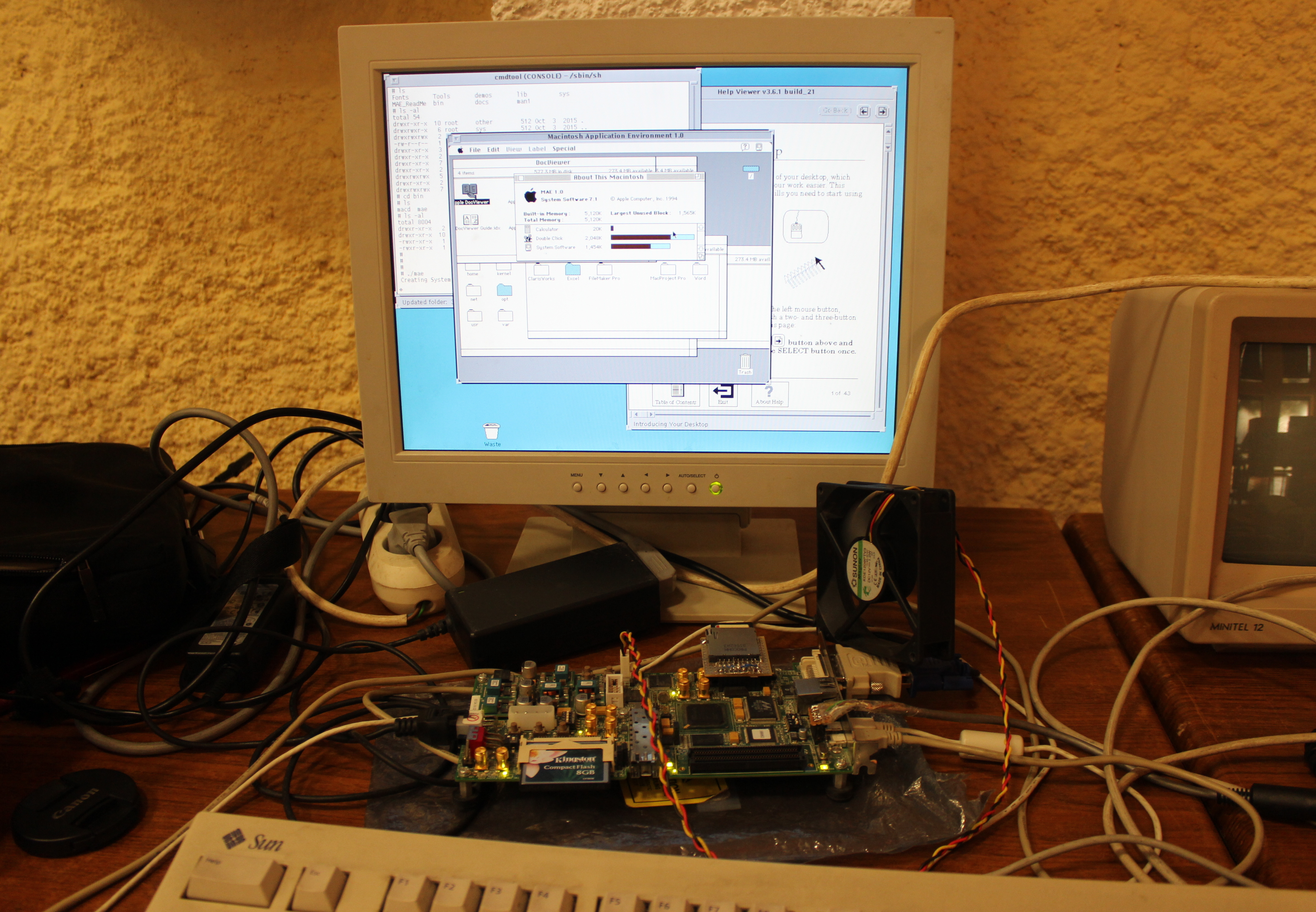 hollow ice
Thank you again for the core! What is it running on in that picture?
stiff fern
hollow ice
kconger: probably nothing to worry about, but you can get wabi 2.2 from the Sola...
WABI is installed in my image. 🙂
stiff fern
hollow ice
Thank you again for the core! What is it running on in that picture?
That looks to be MAE, it's also installed in my image.
hollow ice
I meant what device…he has all sorts of interesting looking things on that board.
As for wabi, you installed 2.1. Not sure what the point release changes, was just letting you know that you can get a slightly newer version and where.
I never built the snac network adapter. I think I got as far as putting a schematic together in kicad.
Would love to see the lance chip added to some other cores- would get a lot more use from that than snac. It apparently is the basis of the a2065, so the Amiga should be able to use it.
stiff fern
hollow ice
As for wabi, you installed 2.1. Not sure what the point release changes, was jus...
Ah, maybe I'll see about adding 2.2
stiff fern
hollow ice
I never built the snac network adapter. I think I got as far as putting a schema...
I designed and assembled some boards.
hollow ice
If you have any extra and we can navigate the my country’s import situation I’d be happy to compensate you for one of them.
stiff fern
hollow ice
If you have any extra and we can navigate the my country’s import situation I’d ...
I'll see what I have laying around.
hollow ice
otherwise if you don't mind sharing your board files, I can always spin up a run myself.
stiff fern
hollow ice
otherwise if you don't mind sharing your board files, I can always spin up a run...
I'll push up to GitHub and send you a link.
hollow ice
appreciate it
oh yeah, now I remember why I never finished it....my mister's too old so my snac port doesn't have all the signals....guess I need to buy a new board as well
 shut oak
I don't know how high priority it is, and I always feel guilty bringing it up, but I do wonder when AO486 will support the MisterAddons HDMI to SCART converter, since it currently displays a blank screen. PCXT works just fine, but browsing Windows 95 on there would be nice haha.
I really would just get a VGA CRT Monitor, but the problem is that there's none being sold anywhere close by, so I'm limited on options
 woven lava
that might be because ao496 is outputing a VGA 480p signal but the others are doing 240p?
I think it even outputs 70hz
which causes issues with my Dell 2007fp which is limited to 60 fps
its not really the fault of the core
perhaps you can use a GBS-C (or similar) do downscale?
hollow ice
can’t you setup specific scalar options in the mister ini? I thought by default the ao486 output 60hz video?
shut oak
I'm not too sure honestly. I remember spending hours tinkering with the Mister.ini file to no avail
woven lava
hollow ice
can’t you setup specific scalar options in the mister ini? I thought by default ...
not sure but maybe it works
you'd have to force it to output 60 hz
woven lava
shut oak
I'm not too sure honestly. I remember spending hours tinkering with the Mister.i...
try this thread
shut oak
woven lava
https://misterfpga.org/viewtopic.php?t=2574
I'm not too sure what to look for in this thread
Hmm
It seems like the configs in the thread don't work
hollow ice
Basically they are giving settings you can add to the mister ini file to setup the scalar to output a friendly video. The ao486 core does not do direct video; it always goes through the scalar.
shut oak
I still get a blank screen
hollow ice
Hmm. What is the refresh rate of the display you are using?
shut oak
hollow ice
Hmm. What is the refresh rate of the display you are using?
Despite it being a PAL TV, it can display 60Hz NTSC signals just fine it seems
Unfortunately it's a random no-name brand TV that literally has zero results on Google
"Proline"
hollow ice
That thread should be the direction to look, but I haven’t really experimented with a DAC and direct video
shut oak
If any cores are having compatibility for DAC and Direct Video being developed, I'm always more than happy to test em out, if there's any silver lining
woven lava
do you have composite_sync=1 ?
shut oak
woven lava
do you have composite_sync=1 ?
Yup

 scarlet spear
shut oak
Unfortunately it's a random no-name brand TV that literally has zero results on ...
scarlet spear
shut oak
Unfortunately it's a random no-name brand TV that literally has zero results on ...
It's a supermarket brand if i remember well
"If we are familiar with the brands of the type Brandt, Seb, Bosch, the ProLine brand remains as common and opaque as possible to the general public, so we should have more information on it. The ProLine brand present on the French brands for more than 10 years is the distribution brand of DARTY. This brand offers electric equipment at a small price."
woven lava
shut oak
Yup
if you get a blank screen it may signal something else is wrong. Usually I get a very distorted image if the refresh rate is wrong, but something happens
 worldly whale
That's strange. I've not tried on my MiSTer yet. Flipping to side 2 and disk 3 works on my Mega65, which is basically the MiSTer core.
 frosty cosmos
As discussed earlier. It was an unstable from 14.10, the latest stable works fine.
 hollow talon
Has anybody seen a weird bug in ao486 Monkey Island 2 (from 0mhz collection) where the talking in the intro freezes the whole game (including the animation of guybrush swinging) for like a second after each line is spoken?
WELL WELL WELL (PAUSE)
GUYBRUSH THREEPWOOD (PAUSE)
YOU DO TURN UP IN THE STRANGEST OF PLACES (PAUSE)
OH, HI ELAINE (PAUSE)
Is this just how the DOS version was? It's not like this in ScummVM. Not played too much of the rest of the game yet but it seems ok so far apart from the intro.
if it's only in the intro then i can live with it LOL, but just curious if there's a fix nonetheless
 summer dragon
@hollow talon I’m pretty sure the first game (the newer talkie version) does it too
I tried to see if could mess with configs and fix it but didn’t have any success. I know that someone here had a video of that game on their youtube running on the core from years ago and the delay wasn’t present
that said, I remember testing a bunch of older versions of the core myself and couldn’t find one that didn’t exhibit that bug
shut oak
woven lava
if you get a blank screen it may signal something else is wrong. Usually I get a...
I mean some other cores result in a blank image, like the X68000
I think to my recollection
 shy imp
ao486 and x68000 give out funny signals to crts as far im aware
frosty cosmos
X68000 is a bit special with its 24KHz modes and generally exotic resolutions. Some games though even work on a normal consumer CRT TV.
 wheat folio
shy imp
ao486 and x68000 give out funny signals to crts as far im aware
wheat folio
shy imp
ao486 and x68000 give out funny signals to crts as far im aware
That era of PCs gave out funny signals in general but the CRTs were at least designed to expect them. Usually.
 granite umbra
Update core FMR-50 and FMTowns (use 2nd sdcard for SDSCSI)
http://fpga8801.seesaa.net/article/519747422.html
 lunar trellis
Oh jesus, I thought we were long past cores needing the second SD slot
wheat folio
a tale of souls and second sdcard slots eternally told
 exotic prairie
fm towns needed the power of 2 SD cards to boot*
*I am not sure if it boots
lunar trellis
FMR-50 is basically Schrodinger's core at this point
If there is a new FM Towns .rbf it can go in the WIP DB though, if someone has it
frosty cosmos
I think this FM Towns core is dead. Nothing comes out of since the last few for years. It probably needs another approach.
granite umbra
lunar trellis
If there is a new FM Towns .rbf it can go in the WIP DB though, if someone has i...
I didn't try them
 mossy compass
The Second SD card slot isn't even populated on my IO board 🤣 I thought they were planning to remove it's support on the last few cores that still use it?
mossy compass
2026 seems to be bringing back a lot of things people thought we had left behind for good
.... like gpus and laptops with 8 gigabytes of RAM...
fleet cave
yeah, puu doesn't really keep up with the outside world, at least mister-wise
 elder cove
Does it improve compatibility at all by using that slot? Or is it just second-SD drive support?
lunar trellis
My memory is that the second SD slot was used years ago for a few obscure computer cores that meant that you needed a card in the second slot for reading and writing to the virtual HDD for the system, but every core that was originally coded this way was refactored to use the main SD card like everything else. That is my memory anyway. Pretty sure most people don't even have the second slot on their iO board, was that not removed by Sorg years ago?
fleet cave
there are still pins dedicated to it, but I'm not sure if there's an actual sdcard slot installed on most i/o boards
 short compass
No one uses that second sd slot
Just sickos
I recall a while back that it could’ve been possible to have some form of analog out and dual ram if it wasn’t for that damn useless second slot
hollow ice

 modest skiff
hollow talon
Has anybody seen a weird bug in ao486 Monkey Island 2 (from 0mhz collection) whe...
modest skiff
hollow talon
Has anybody seen a weird bug in ao486 Monkey Island 2 (from 0mhz collection) whe...
Take a look at Monkey Island 2 that I created a while back using DOS Container for the ao486. I recorded the intro one with Adlib and MT32.
https://youtu.be/_sAO4OCWgww

Expand for more info.
MiSTer FPGA
Core: ao486_20241227.rbf
VHD: https://mega.nz/folder/XGxEBTpB#ffjsSbFWYL8ggXfjWB_8tw
AdLib: 0:30
MT32: 5:13
Monkey Island 2 LeChuck's Revenge (Talkie) (AdLib & MT32)
YEAR: 1991
PLATFORM: DOS
Genre: Adventure, Point and Click
PUBLISHER: LucasArts
Developer: LucasArts
Monkey Island 2: LeChuck's Revenge is an a...
hollow talon
modest skiff
Take a look at Monkey Island 2 that I created a while back using DOS Container f...
hmm yes that is defintely how it SHOULD be but not how it is with the version i'm using from 0mhz DOS collection. I've tried both adlib and MT32.
did you change any settings in ao486? I'm just using the defaults. Only other thing i can think of is you have a slightly different build or DOS config of Monkey Island 2
it could be something to do with how the author of the 0mhz version installed it
hollow talon
This is the full file tree of my monkey 2 vhd file from 0mhz

it would be good to compare and see what's different
modest skiff
hollow ice
How long ago did you record that?
I recorded the video today. The link to my VHD is in the video description.
hollow talon
modest skiff
I recorded the video today. The link to my VHD is in the video description.
oh cool. i didnt see the link. checking it out now
hollow talon
modest skiff
I recorded the video today. The link to my VHD is in the video description.
yep that talkie version is perfect, thanks!
dang i just noticed the same issue with Monkey Island 1. No talkie version in your mega link 🙁
modest skiff
hollow talon
dang i just noticed the same issue with Monkey Island 1. No talkie version in yo...
Thanks, I'll look into the Monkey 1 Talkie.
hollow talon
there's one on internet archive but it's not MT32
mossy compass
lunar trellis
My memory is that the second SD slot was used years ago for a few obscure comput...
IIRC it also accessed the SD card directly like a raw atorage device instead of using image files right?
lunar trellis
Yeah I think so
mossy compass
short compass
I recall a while back that it could’ve been possible to have some form of analog...
How? There are 5 pins dedicated to it according to Zakk. The analog output uses.... A LOT more than that.
lunar trellis
I don't remember exactly how second SD worked but it was exorcised from all the old computer cores using it, and I don't think there is any upside to cores utilising it. Maybe Alan or one of the seasoned computer core Devs knows more.
hollow ice
It is direct access so wouldn’t it avoid some of the issues of main thread contention?
modest skiff
hollow talon
there's one on internet archive but it's not MT32
Monkey Island 1 Talkie uploaded.
 surreal marsh
Wasn't there a program that let you copy your SD that used the slot?
 sterile ether
does someone have fmr-50 roms please ?
void belfry
sterile ether
does someone have fmr-50 roms please ?
no (see some more discussion on the subject bit above #1047332497492553799 message)
 fast kraken
surreal marsh
Wasn't there a program that let you copy your SD that used the slot?
fast kraken
surreal marsh
Wasn't there a program that let you copy your SD that used the slot?
no the script you're thinking of required a usb sdcard reader for the target card
woven lava
the 2nd SD card slot is directly connected to the FPGA
having it helps port some cores that expect direct access, though I'm sure there's a way to replace that logic
short compass
mossy compass
How? There are 5 pins dedicated to it according to Zakk. The analog output uses....
I’m not sure. Patchy memory, but maybe it was CBVS and dual ram? I think VGA was out of the question.
Anyone else remember this? Maybe a couple of years ago?
Either way, it got Sorg’d. Probably for the best. The guy knows his stuff.
That said. I’d take a composite only Dual RAM’d MiSTer in a heart beat
mossy compass
"Got Sorg'd" 🤣
short compass
His priority is computers though so it makes sense
mossy compass
Yeah, if you could somehow get composite out by repinning that it would be a huge win since that is how most consoles on it were used back then, that or RF but I don't think anyone is pining for RF anymore
Even many old computers back then used RF or composite
mossy compass
Yup, that was the first I thought of too. I think that was an option for Apple II as well?
Some IBM CGA cards even had it, actually allowed for more colors than over VGA due to the composite signal blending it, though this also lead to blurrier image
short compass
I’ve learned to love the blur
In 2018 and 2019 it was all about “razor sharp pixels!” Now I want that composite fuzzzzzzz. I love me some composite.
mossy compass
I like it for the effects, but don't like the blurry image it produces
Wish there was a way to selectively only apply it to parts where it was used for effect
short compass
Like in the Genesis core? Yeah
mossy compass
Kinda like how some Sega Saturn software emulators can replace the checkerboard effect with actual transparency
You familiar with that feature on the saturn?
short compass
Not on Saturn, but the Genesis core has that. As some point if there’s room in the FPGA I’m sure it’ll make it to Saturn
In the meantime I’ll use composite.
mossy compass
The genesis core has image filtering, this is different
short compass
“It’s free anti aliasing”
 mossy compass
The Saturn was very very limited in things it could render actually transparent, so it still had to rely heavily on those composite effects while the PSX and N64 could actually do it well
exotic prairie
im pretty sure the sd card slot is still on stock 9.2 boards
mossy compass
So it had a built in function to render something as a checkerboard pattern, drawing only every other pixel. The actual asset was a solid object, the GPUs could just only render every other pixel if you told it to.
short compass
It is, can confirm
exotic prairie
the 2nd slot, i should say
mossy compass
Because of this, some software emululators can intercept that command and use the pc's GPU to render said solid asset as an actual transparent object
It's missing on my Mister PI 9.2 board, it has pads for it, but it's not poulated with a slot
There is no space on the case for it either
short compass
I see what you’re saying. Texture vs filter. I think that’s pretty cool!
Oh maybe I’m mis remembering? I’ll take a look at my 9.2 real quick. It’s in an OG PCB case so the slot is there but maybe not populated?
mossy compass
Yeah, you can have an actual solid sprite and render it as a checkerboard so the composite signal would blend that transparent simnlar to the waterfalls in Sonic on Genesis, but since the actual sprite in that scenario is a solid object it's possible to intercept that command and render it as an actual transaprent bject, not needing to filter the entire image
You can even see in the images of the RR 9.2 board that the space for teh slot is there, but there is no slot soldered in

Retro Remake
MiSTer A/V Pro v9.2 is a combination of two official MiSTer FPGA boards: I/O Board (Digital Base) v9.2 AV Board v1.2 MiSTer A/V Pro v9.2 Features: 24-Bit ADV7125 Video DAC Hi-Fi Analog Audio DAC VGA Port SNAC Port (blue USB port) ADC input Mini TOSLINK digital audio Reset, OSD, and User buttons Active cooling fan Unpo
short compass
Well I’ll be damned. There is no secondary SD slot…
Was that removed for 24bit?
mossy compass
I think it was removed for cost saving since it's pretty obselete
short compass
I just looked at mine too. Mine is from Legacy Pixels/Poobah
mossy compass
Like I said, the pads are there, I assume it works if you solder one in
short compass
Hmm so are the IO still claimed to an empty slot?
mossy compass
Would have to be
There's like, one core that still optionally supports it I think? At this point I feel they can be better used for something else
Apparently though it's only 5 pins
short compass
Damn. I’d love to see that used for CBVS lol
Color data would have to start as RGBHV though wouldn’t it? Is it even possible to get CBVS from 5 pins?
mossy compass
I don't even know what CBVS is
Don't forget, we would need audio too if the purpose of using those for analog is to go dual-ram, because the standard analog audio would also be disabled
short compass
Oh I forgot about that! My dual mister is setup to use optical so I didn’t even think of that
Yeah, that’s probably definitely a no go then.
Is that 3.5mm optical only then when in dual ram?
It must be… that must’ve been why I went the optical route in that setup. I can’t even remember
mossy compass
IIRC all analog audio is disabled
So two of the pins would need to be for audio if it went that route, leaving three of them left for video (assuming ground can be connected to somewhere else)
Though I don't think it would work at all, since the video signal the FPGA sends out is digital and converted to analog in the I/O board, AFAIK none of the cores output an analog signal across any of teh pins
Don't think any of them even do any analog video processing in the core, if they do then maybe that can be connected to one of those pins
short compass
Yeah, seems out of the question. I likely misremembered that CVBS stuff!
mossy compass
The problem is even if it is repurposed, not sure what if anything those 5 pins can be used for
short compass
Added SNAC pins maybe? It would put us at 13 pins. Would really only benefit Neo Geo which uses 11 of its 15 pins I think? Maybe Jag? Does jag use all 15?
hollow talon
modest skiff
Monkey Island 1 Talkie uploaded.
huge thanks!
 terse totem
A small update on my little project. At this point my implementation of 68030 based on tg68k passes most WinUAE cputests, the exceptions are moves.b, moves.w, moves.l, rte. The rest passes. Of course, that doesn't test the MMU, and there I still have some bugs in PMOVE. (MMU is still not working)
Changes from tg68k are outlined in README.md
https://github.com/apolkosnik/Minimig-AGA_MiSTer/blob/030_mmu/rtl/tg68k/README.md

GitHub
Contribute to apolkosnik/Minimig-AGA_MiSTer development by creating an account on GitHub.
exotic prairie
surreal marsh
Does this mean we'll be getting a pcjr option? (Or I haven't looked at it in a while, does it already have one)
Granted there aren't that many programs which depend on the specific details of a pcjr as opposed to Tandy.
 wet monolith
terse totem
A small update on my little project. At this point my implementation of 68030 ba...
wet monolith
terse totem
A small update on my little project. At this point my implementation of 68030 ba...
that is some great progress! At what clockspeed do you think the core could run the 68030?
terse totem
wet monolith
that is some great progress! At what clockspeed do you think the core could run ...
It's the same as the tg68k 020
 gloomy void
surreal marsh
Does this mean we'll be getting a pcjr option? (Or I haven't looked at it in a ...
gloomy void
surreal marsh
Does this mean we'll be getting a pcjr option? (Or I haven't looked at it in a ...
I am working on a new PCjr-specific core. When I know something, I will report it. Keep an eye on the misterfpga forum.
wet monolith
Is there a limitation to go above 32 MHz?
wet monolith
terse totem
It's the same as the tg68k 020
I have a TF536 in my Amiga 500 at 50Mhz and was wondering if the core could be set up to that speed.
hollow ice
gloomy void
I am working on a new PCjr-specific core. When I know something, I will report i...
thank you for that
surreal marsh
I would think pcjr would be an option for Tandy, like you have Atari 800 as an Atari option which changes some ports.
gloomy void
surreal marsh
I would think pcjr would be an option for Tandy, like you have Atari 800 as an A...
That's another possibility in this case, yes. I'll think about it. First, let's see if I can get it to work properly, which has its challenges.
scarlet spear
Having a separate core is best from an user POV. Avoid you to juggle between configs. If it doesn't bother the dev (cause it makes more core to compile), then i see no point in encouraging to merge...
terse totem
wet monolith
I have a TF536 in my Amiga 500 at 50Mhz and was wondering if the core could be s...
It doesn't matter, at least on the Minimig core.
 undone walrus
hi everybody i'm a newcomer to this page but i hope somehow, someone will help me find a way to help me!
i' d like to know how to play with an ''ISO" file on the AO486 core i dunno how to mount it and proceed to get it working
the game is a french point and click kind of named "le cauchemar de PPD" (PPD's nightame) that worked on win95 or 98 on 2cds back then so i guess it probably not too dificult to install it on the mister so please if someone has the time to help i would be wonderful!!!!
merci a tous thanks to all of you!!!
mossy compass
While you can technically install dinows 95 on the AO486 core, it's really not meant for it, it's more for DOS and Windows 3.1 software
Have you even installed Windows 95 first?
 bitter yoke
There are templates for windows 95 on an archive
Installing it on MiSTer is a pain in the ass last time I did it
Le Cauchemar de PPD is probably better suited for windows 3.1 from my brief google search anyways
 safe quest
Mid '90s PC stuff is ridiculously hard to pin down. The "typical" configuration was moving pretty fast due to a mix of something like "nobody successfully standardized graphics accelration under DOS" mixed with "DirectX 5 hadn't settled yet".
mossy compass
I remember a demo I liked playing on W95 that came with like, DX2 or 3
fast kraken
the windows version of broken sword runs a lot better than the dos one
thats the only game i ended up putting on that windows image though
exotic prairie
undone walrus
mossy compass
While you can technically install dinows 95 on the AO486 core, it's really not m...
no so far i didn't try to install win95 because i saw that for most games and especially those like duke nukem and such, that doesn't run on a optimal way ...still i thought for games like "cauchemar de PPD" that probably doesn't demand a lot of power to play but as peoples said "it's a pain in the ass" to intall it on this core
undone walrus
bitter yoke
Installing it on MiSTer is a pain in the ass last time I did it
so, if by any chances i managed to install it it' d be not as enjoyable as on a real pc ?
undone walrus
safe quest
Mid '90s PC stuff is ridiculously hard to pin down. The "typical" configuration ...
so you mean that it doesn't worth the hard time put on to install on the mister?
wet monolith
terse totem
It doesn't matter, at least on the Minimig core.
Sorry I dont understand. It doesn´t matter in regards to what? You mean the clockcyckles doesnt affect the Minimig core any any effect?
 short finch
undone walrus
no so far i didn't try to install win95 because i saw that for most games and es...
short finch
undone walrus
no so far i didn't try to install win95 because i saw that for most games and es...
I think I understand why there's this sudden demand to play Le Cauchemar de PPDA.
I saw that MsMeeea (a well-known French YouTuber) released a video on YouTube last night about this game.
I got this game when it was released; the box says it can be run from the CD-ROM on Windows 3.11 with a 486SX/DX @ 33MHz + 8MB EDO RAM.
But you're limited to 256 colors with that.
To play it normally, you would need a Pentium 90MHz with 16MB of EDO RAM, as well as Windows 95.
 copper slate
lol it’s always a YouTuber
short finch
You can try with a full working Win 3.11 VHD on the core but don't expect something really useful.
copper slate
“why is this game suddenly popular?”
“why did this game’s price spike 1000%?”
“why did the YouTuber call it a hidden gem after buying 200 copies of it and put it on his eBay store?”
short finch
This can also be explained by nostalgia and a resurgence of interest in "Les Guignols de l'Info" in France, a flagship program in the 1990s and early 2000s. It satirized national and international politics during that period and was one of the most-watched programs in France for almost ten years.
One could almost say that it is part of French popular culture of the 90s.
So video games derived from this universe are in demand by a French-speaking audience, also out of nostalgia for a satire that has not been seen on television for some years.
terse totem
wet monolith
Sorry I dont understand. It doesn´t matter in regards to what? You mean the cloc...
If it's a game or a super old demo that only works on 68000, then you have fx68 for it. For anything else, it should work ok under WHDLoad, unless it's been written to run on 68060.
wet monolith
terse totem
If it's a game or a super old demo that only works on 68000, then you have fx68 ...
Got it, thanks for your work. The Amiga is one of the best uses I have with MiSTer. Thank you 🙏
scarlet spear
short finch
This can also be explained by nostalgia and a resurgence of interest in "Les Gui...
Or it could be because the first episode is now being well emulated on the CDI core.
safe quest
undone walrus
so you mean that it doesn't worth the hard time put on to install on the mister?
I mean that it's hard to predict how well it will work without someone actually trying it.
short finch
scarlet spear
Or it could be because the first episode is now being well emulated on the CDI c...
First game I finished on the core.
So much memories !
undone walrus
euh non non pas du tout je ne savais meme pas qu'un youtubeur avait fait une review sur ce jeu and quite frankly if you can play that well and sharp on "les guignols de l'info" on the CD-I core it's a little because of me ...you can ask @kindred radish he'll tell to all of you that's the only reason why i wanna play "CAUCHEMAR DE PPD" because this game doesn't exist on the cd-i ...i'm 42 i'm french and i knew this games since my college years. too bad it's so difficult to play on this core tho!😩
mossy compass
undone walrus
so, if by any chances i managed to install it it' d be not as enjoyable as on a ...
Not sure you understand what the core is. It's just simulating a made up 486 based system, granted a heavily overclocked one with far more RAM than a 486 would have had, but it's more or less like using a standard 486 PC.
Which means you need to format the drive, install an OS, etc etc. It's not Dosbox where you just load a game and it has an environment setup
You can have multiple HDD images too, so you can have one that's just DOS, one that's Windows 95, etc
It's not just one single virtual drive that you are stuck with
Also, I don't have 16MB of EDO RAM, can I just use Meiji or Taisho RAM? 
undone walrus
mossy compass
Not sure you understand what the core is. It's just simulating a made up 486 bas...
no i have just installed the 300 best roms collection but i started way back when i was a teenager on a 133mhz fujitsu computer with win95 on it ... i never managed to use win 3.1 or MS-DOS so that's the reason why i asked some help for install this game ...because you can't just mount the ISO file and then play with it, besides if win95 or win 3.1 is a must have ..i'd rather have it on french ... so forgive me i'm a noob on this one ....sorry ,still if there is a way to install it let me know 😍  merci beacoup
mossy compass
You mean the 0Mhz collection intended for mister? Or was whatever collection you downloaded intended for something else?
 ruby charm
Wow, the IIgs core sounds SO much better now! 😮
You guys try "The Immortal". What a music! And "California Games". Incredible how sweet the IIgs sounds...
undone walrus
mossy compass
You mean the 0Mhz collection intended for mister? Or was whatever collection you...
my bad indeed the 0Mhz collection
undone walrus
ruby charm
You guys try "The Immortal". What a music! And "California Games". Incredible ho...
excuse me pal is the IIgs core fontional ? what kind of rom name you use ? does it have vhd image with rom pack ?
mossy compass
The 0MHz collection should be pre-setup
undone walrus
mossy compass
The 0MHz collection should be pre-setup
everything works fine on it
mossy compass
So... what's the problem?
undone walrus
mossy compass
So... what's the problem?
ain't no problem .. i ve just mentionned the 0mhz collection because everything is ready to use without too much knowledge to get it work... because i'm a noob on this core and i couldn't use it without help to install games or for that "cauchemar PPD"case especially
mossy compass
the 0MHz collection is just meant to have a curated automatically-working set of games
If you want to use your own games, you cna either modify that collection to add your own entries, or start over with your own OS install
You would basically need to set it up like you would be setting up a brand new 486 system with no OS installed
undone walrus
@mossy compass wow too complicated for me !!!
undone walrus
mossy compass
You would basically need to set it up like you would be setting up a brand new 4...
i don't have the skils to do that
mossy compass
There are many guides on how to
It's even easier if you want to setup Windows 95 since then you don't have to setup dos
undone walrus
mossy compass
You would basically need to set it up like you would be setting up a brand new 4...
thanks for helping me so far ..maybe one day things will be a lil more simple 😆 merci my friend
bitter yoke
There is a windows 95 template on archive org
mossy compass
Right, there are also pre-setup templates
bitter yoke
That would be easiest, just mount the vhd and iso or whatver and install
undone walrus
bitter yoke
That would be easiest, just mount the vhd and iso or whatver and install
you mean the win 95 template akuma talks about?
undone walrus
bitter yoke
Just search windows 95 template mister and you'll find it
sure thing thanks a lot 👍
undone walrus
@bitter yoke @mossy compass i wanna thank both of you for taking the time to help me !!!
thanks guys 🫶 it works !!!!!!
short finch
Perfect!
 echo bramble
Has anyone had issues with the Apple II core as of late? I've got a good feeling the issue is on my side, but I'm running out of ideas to troubleshoot here. I can't remember the last time I had it running -- within the last year or so -- but it's no longer loading software. I've removed the core, the configs, ran update_all again to pull everything down fresh, and validated the various software I'm trying to run (that I know worked previously) isn't corrupt in a standalone emulator on my PC.
When it boots, it just sits at the Apple //e screen, no prompt. Inserting the disk causes the USER LED to illuminate briefly, and then nothing. Pressing F2 to get to the prompt and entering PR#6 also results in the USER LED illuminating briefly, but again nothing after that.
I don't see any related issues on the GitHub page either.
Actually I may have stumbled onto it. Something definitely changed since the last time I used this core though. Renaming the extension from .do to .dsk has the software booting automatically now, where it used to work as-is.
echo bramble
Is the expectation that all .do files need to be renamed to .dsk now? Looking at how much I'm going to have unzip/bulk rename/rezip...
 waxen nymph
echo bramble
Is the expectation that all `.do` files need to be renamed to `.dsk` now? Lookin...
waxen nymph
echo bramble
Is the expectation that all `.do` files need to be renamed to `.dsk` now? Lookin...
I may have messed that up when I added write support for DSK to mister main - let me know what you figure out.
shut oak
Are there any display drivers for AO486 that allow Windows 95 (or 3.11) to display in 1280x1024?
hollow ice
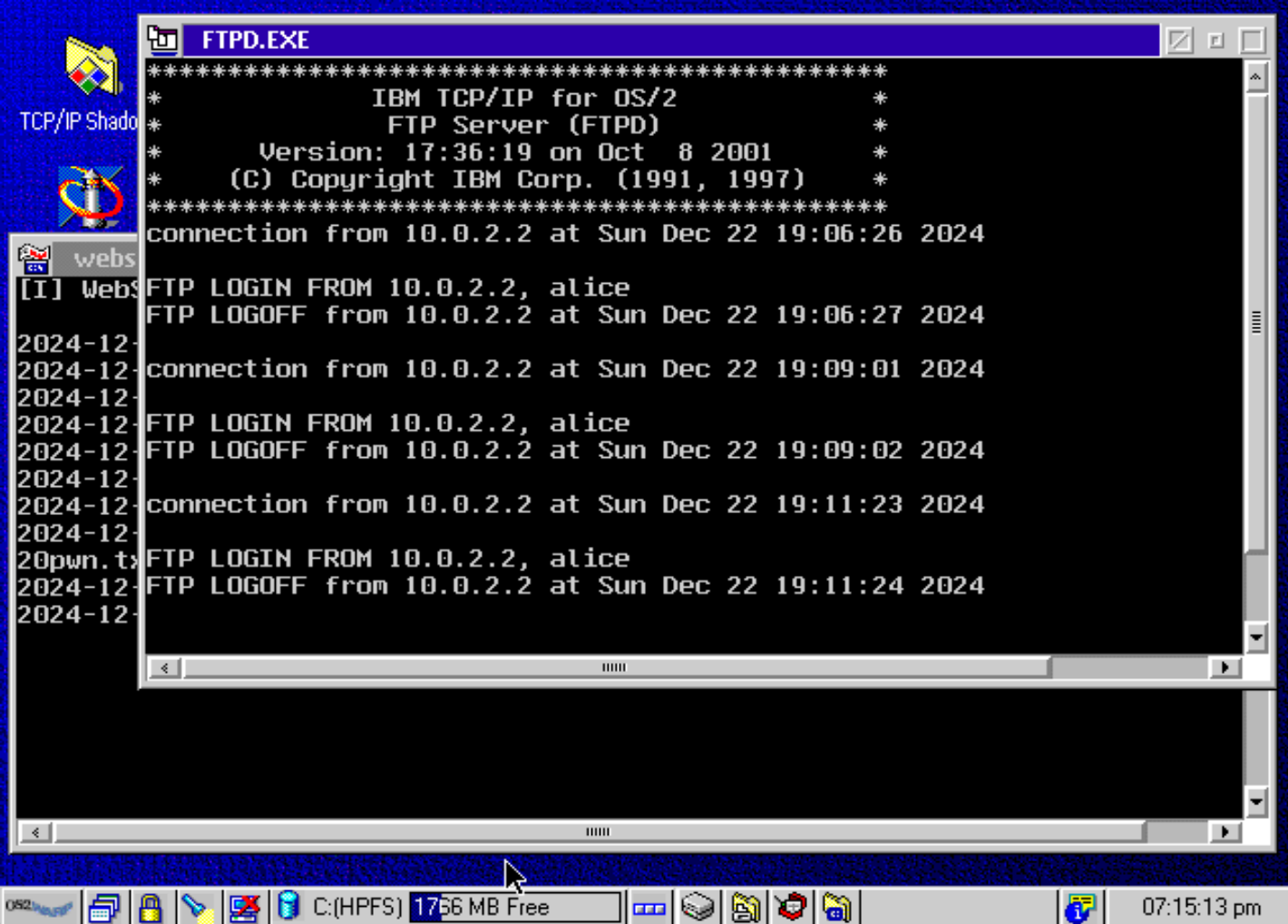
@void belfry careful running os/2 https://x64.ooo/posts/2024-12-22-os2-retro-hack/
beep cuts
Guided hacking, gain a foothold using a vulnerable OS/2 webserver and chain exploits for a retro OS takeover!
void belfry
hollow ice
<@794151308620857395> careful running os/2 https://x64.ooo/posts/2024-12-22-os2-...
That I have to **DEFINITELY ** try lol. IF I (or anyone else) can solve the PPP issue on OS/2 first.
echo bramble
waxen nymph
I may have messed that up when I added write support for DSK to mister main - le...
Hey thanks for reaching out --
I spent some time looking into this and what I found is neither .do nor .po software is booting for me with the latest stable core (v241226). Renaming them to .dsk allows them to boot, and software that already had a .dsk extension also boots successfully. For .nib software, they also boot fine as-is without renaming.
I'm not intimately familiar with Apple II formats but my understanding was some of these aren't interchangeable, so I did not try renaming anything to .nib since renaming to .dsk was working in all cases.
.do broken
.po broken

.dsk working
.do -> .dsk working
.po -> .dsk working

.nib working
If you'd like I can submit a bug report in the repo.
waxen nymph
Nib is not the same as dsk. The miser main converts the dsk to nib and back again
Feel free to add a bug report. I need to look at that when I add the dsk and po support for iigs. I will try to clean it all up
echo bramble
Sure thing will do, and thanks for the explanation. Appreciate it!
 proud crest
.dsk technically encompasses DOS 3.3 and ProDOS. But today it's used for DOS generally.
.do is a dsk in DOS
.po is a dsk in ProDOS
So probably the do and po mappings are just missing, they should redirect to dsk which can determine which OS is used
waxen nymph
i must have broken that somehow when i updated everything
 hollow estuary
void belfry
That I have to **DEFINITELY ** try lol. **IF** I (or anyone else) can solve the ...
hollow estuary
void belfry
That I have to **DEFINITELY ** try lol. **IF** I (or anyone else) can solve the ...
Is there an os/2 image archived anywhere?
void belfry
hollow estuary
Is there an os/2 image archived anywhere?
Not that I know/created. I was asked the same question on my YT channel, I am playing with the idea to create some OS/2 (different versions) images. But first I want to search/test some more VGA drivers and if hopefully to find out why PPP is crashing
Also was told ppl encountered issues creating an OS/2 VHD from scratch, so I want to re-check the whole process (even if my old OS/2 VHDs are working fine)
hollow estuary
I was thinking about making one but also I'm lazy and was hoping something got uploaded since I last looked 😅
copper slate
Hey you beautiful 0mhz people, here’s a wacky one that might interesting to do - https://youtu.be/KJ2C0ek2uaM

A playthrough of Bandai Digital Entertainment's 1997 license-based FMV game for PCs running Windows 95, Gundam 0079: The War for Earth.
Played on the normal mode. I show the credits at 38:00, and the "History" material at 39:14. Finally, you can find a compilation of the game over scenes at 45:34.
After doing playthroughs of https://youtu.be/4...
omg it’s by the Journeyman Project studio
 jaunty iron
It's also on the playstation, but the video quality is MUCH worse
copper slate
jaunty iron
It's also on the playstation, but the video quality is MUCH worse
Oh damn I didn’t know, that’s awesome
 worn wyvern
Sieg John!
hollow estuary
void belfry
Also was told ppl encountered issues creating an OS/2 VHD from scratch, so I wan...
I guess I'm doing this now 😁

Hmm, how do you make the floppy have no image mounted?
Ah nvm got it
hollow estuary
Dammit, OS2 doesn't like my disk image for the rodent driver

That's weird, OS2 won't even format the disk image
hollow estuary
Ugh so close. I selected "Ignore the error and continue" which copyed something but I guess that's not enough
 hollow estuary
I ended up mounting the VHD under Linux and copied in RODENT.SYS that way. It loaded successfully finally, heck yes
shut oak
I found a strange issue with MisterFS (AO486 Core), and I'm not 100% certain of its cause, but it seems like if a filename is long enough, it just doesn't show up at all on the shared drive. I tried adding some midis and a desktop wallpaper bitmap and they didn't show up at all. The wallpaper was initially named "WALLPAPER.bmp" but after renaming it to "Test4.bmp" it showed up in the shared drive
void belfry
shut oak
I found a strange issue with MisterFS (AO486 Core), and I'm not 100% certain of ...
because DOS limitation to max 8 characters for filename and max 3 for extension
void belfry
hollow estuary
I ended up mounting the VHD under Linux and copied in RODENT.SYS that way. It lo...
nice 😄 saw your message too late to send you the floppy image with mouse driver
hollow estuary
void belfry
nice 😄 saw your message too late to send you the floppy image with mouse driver
I borked my setup so I'm doing it again but I think I have a path forward for decent video drivers
void belfry
hope you find some, i remember i tried several and none worked
vga drivers and making PPP to work is where I hit the wall
tried also SIO serial drivers, no change
shut oak
void belfry
because DOS limitation to max 8 characters for filename and max 3 for extension
Oh? Does it not truncate the names automatically? I could've sworn it did.
I also noticed that when trying to view the drive in Windows 95, the "MiSTer" drive is visible, but accesing it just get some randomized corrupted files and folders that change name and size everytime you refresh the window
hollow estuary
If I do manage to get damn OS/2 working properly I'll be sure to make some weird 0mhz OS/2 game VHDs
void belfry
shut oak
Oh? Does it not truncate the names automatically? I could've sworn it did.
I al...
yes, the driver does not support LFN. Same thing goes for windows accessing LFN content on cd isos, because of the DOS driver)
void belfry
hollow estuary
If I do manage to get damn OS/2 working properly I'll be sure to make some weird...
gonna re-do some of VHDs also over the weekend , to have some clean templates, my old installs are full with a lot of crap
actually never tried gaming other than mahjong or some other included games on OS/2
void belfry
Also for file transfer on OS/2 vhd , you can also mount it as secondary VHD with a DOS one and use MiSTerFS to copy around files, especially if you have some file manager like Dos Navigator, Norton/Volkov Commander and such becomes much easier
it's a FAT partition after all (same for MSX cores ones, though that is fat12 iirc)
and as a side note, MiSTerFS will also work on NT 4, IF the OS was installed on FAT partition and not NTFS. Just select MS-DOS on boot menu and run it manually (it won't work when NT is loaded)
void belfry
hollow estuary
That's weird, OS2 won't even format the disk image
don't remember if I did that under OS/2 ver 3, but iirc I could format/read/write on a floppy under Warp. But that was 3 years ago lol. * Noted to check this aspect as well*
anyway, feel free to DM me with your finds, I'm also digging up my old notes on this topic lol
mossy compass
jaunty iron
It's also on the playstation, but the video quality is MUCH worse
And on the Apple Pippin! Though, the game also apparently really sucks XD
worn wyvern
I heard it's known as a kusoge in Japan. Not surprised with the cheesy voices and odd pronunciation of "Zeon". How the heck did they get "Zon" from that?
hollow estuary
hollow estuary
I borked my setup so I'm doing it again but I think I have a path forward for de...
Welp well I think I've hit a dead end. I was trying to apply a fixpak to OS/2 Warp 3 (which takes aaaaage) but after its done I hit this error and my install is toast. The Fixpak is a requirement for the Scitech SNAP drivers for OS/2 which I was hoping would get us working video drivers.
 hollow ice
Interesting, I wonder if that is the standard ide issue we have been seeing.
Can you, by chance, copy the old driver forward to that image in a vm?
hollow ice
hollow estuary
Welp well I think I've hit a dead end. I was trying to apply a fixpak to OS/2 Wa...
https://www.os2site.com/sw/upgrades/warp3/fixpack42/readme.tip
There is a section covering that problem
 reef gale
worn wyvern
I heard it's known as a kusoge in Japan. Not surprised with the cheesy voices an...
reef gale
worn wyvern
I heard it's known as a kusoge in Japan. Not surprised with the cheesy voices an...
I mean, Zeon is basically a made up word. It was (probably) supposed to be reminiscent of "Zion" as in the poetic word for Jerusalem (or a holy land in general). AFAIK the only major examples of English-language Gundam content that existed before this game:
- The PC-88 Gundam adventure game
- Some of hot Scramble
- Fredrick Shodt's first edition of the Gundam Novel Trilogy
Zon isn't the worst choice if you're trying to avoid sounding like either "Zion" or "Jon".
hollow ice
If my theory is correct about why ide is failing, you can try skipping to the disable read ahead. That should be the issue (although not saying that other changes aren’t contributing)
If that does fix it, let me know because that might be enough motivation for me to actually try to finally get the stupid ide support working in real operating systems.
hollow estuary
🤔 could this be fixed by changing to from IBMS506 to danis506?
I'm assuming this is the section?
   4.9 "OS/2 IS UNABLE TO OPERATE YOUR HARD DISK OR DISKETTE DRIVE"

   CMD640 EIDE PCI chipset. This is caused by the use of FixPak-level
   IBM1S506.ADD and IBMIDECD.FLT drivers without the corresponding CMD640
   drivers being added to CONFIG.SYS.

   Workaround: Add CMD640.ADD and CMDATAPI.FLT entries to CONFIG.SYS per the
   instructions in README.1ST ("UPDATING SYSTEMS WITH THE CMD CHIPSET").
Yeah, but it should be a generic driver since the emulated ide controller is a piix4?
And the readahead is disabled by that specific driver, so you can’t just do it generically from what I see in that file. I guess going back to the older driver is the path (if that works)
hollow estuary
Hmm, another suggestion is adding /FL to IBMS506.ADD, think I'll try that first
Unless that's what you're talking about disabling readahead? I'm not seeing anything specifically mentioning that
hollow ice
Fix Description:
To fix data problems with the RZ1000 and CMD640 chips, disable Read-ahead
mode in the OS/2 IBM1S506.ADD and CMD640X.ADD device drivers. These are
generic device drivers which fix all the above releases and are
compatible with systems that DO NOT use the RZ1000 or CMD640x chips.
The new IBM1S506 device driver detects the RZ1000 and disables read-ahead
hollow estuary
Stupid question but how do you disable readahead?
hollow ice
I have no idea 😆
hollow estuary
Haha, ok so its not just me missing things 😄
I'll try the /FL switch and if that doesn't work give DANIS506 and DANIDASD a go
hollow estuary
OK, /FL didn't work but switching to DANIS506 for the IDE controller works 🎉
hollow ice
Nice!

 hollow ice
Panorama might work? https://www.os2site.com/sw/drivers/video/panorama/panorama.txt
hollow estuary
I'm not sure it will. It sounds like its aimed at more modern video cards than the ET4000
hollow estuary
I wonder what OS/2 doesn't like about its video card that it won't work with the regular ET4000 driver
hollow ice
There are a lot to choose from 😄
hollow estuary
I tried the newest ones from 1998, no dice. I think this is where I stop for now, I'm not getting anywhere and its giving me PTSD from trying and failing to get things working on OS/2 back in the 90s 😅
hollow ice
Haha, maybe thera will have some luck
void belfry
I dunno, tried quite a lot of ET4000 drivers, tried as well SNAP ones and didn't get much success either 🙁 will see in weekend
hollow ice
does anyone know where the source to misterfb is?
 patent templeBOT
* MiSTer_fb.c -- MiSTer Frame Reader driver
oh, of course, why didn’t I look there
hollow estuary
Wow, OS/2 Warp 4.0 and 4.52 does not like the MiSTer. I guess Warp 3.0 is as far as we go for now
granite umbra

First tests of the MiSTer PCjr core in development.
hollow ice
getting closer! Can’t wait
sadly, I swear I had found a mostly complete collection of cartridge images a while back, and now I can’t find them anymore
mossy compass
worn wyvern
I heard it's known as a kusoge in Japan. Not surprised with the cheesy voices an...
They also call the Zaku "Zacks" and plenty of other really insane choices. I just re-watched the Rerez video on it, they really go into detail on how it's a mess. (E.G. One of the scenes that's supposed to just have random text on the screen showing a camera's feed if you zoom into it is actually one of the devs mocking the game)
hollow ice
booting up to basic and using my old type in book is something I have been looking forward to for a while
pretty sure they only work with the cartridge basic though?
gloomy void
granite umbra
https://youtu.be/QHtrlDyb8cg?si=gRaAj-KVtY7w1IMv
You can download and try this preliminary version here:
granite umbra
gloomy void
You can download and try this preliminary version here:
https://misterfpga.org/...

sterile ether
@gloomy void hi thanks for your work on old pc core side
i'll try to boot pcjr core
i put [PCjr] main=MiSTer_PCJR in mister .ini with your mister build in PCJr folder but only get a black screen with blink cursor on top left ...
i have bios.rom on folder too
can you help me please ?
gloomy void
sterile ether
<@593771516232204298> hi thanks for your work on old pc core side
i'll try to bo...
I have the same problem with one I just found on the web (the one with md5 c66......401). It's very interesting, because I'll be able to see what the differences are in order to solve other problems... it has something to do with the fact that not all games work. Here's the one that works well.
sterile ether
i have take bios file from mame pcjr driver
copper slate
Please don’t share md5 checksums, those are copyrighted
lol I can’t fool @sterile ether

exotic prairie
Hey @gloomy void - Just to be clear, that bios is built from the open sourced version, yeah? We just have to be careful with copyrighted stuff. https://github.com/philspil66/IBM-PC-BIOS

GitHub
This is a reconstruction of the original 1981-82 IBM PC BIOS source code using scanning and transcription of the BIOS listings found in the IBM Technical Reference manuals. - philspil66/IBM-PC-BIOS
gloomy void
Wow! I had no idea MD5s were copyrighted. Now I know... I think I know what the problem is. Partially deleted MD5s, and attachments too
copper slate
gloomy void
Wow! I had no idea MD5s were copyrighted. Now I know... I think I know what the ...
Wait no, I was kidding. Oh shit
ruby charm
gloomy void
Wow! I had no idea MD5s were copyrighted. Now I know... I think I know what the ...
He was joking... @copper slate Maybe you should thinkn those jokes twice
gloomy void
xD
 ruby charm
Oh, so did I 😄
gloomy void
Don't worry, I already have the clue and will soon publish another version of the core.
ruby charm
@gloomy void Nos la has colao, macho! 😄
gloomy void
I just replaced the core RBF (PCjr_20260131.rbf), which fixes a problem with some versions of the PCjr BIOS. Now, in principle, they all work. I thought it would solve the problem of some games not loading, such as Boulder Dash, but that wasn't the case... I'll have to keep looking. It's available in the first thread of the forum... without MD5s or attached BIOS so there are no copyright issues @copper slate 😜
hollow ice
So, can you set memory to 128? I seem to remember some things breaking when we added more memory to our pcjr
copper slate
gloomy void
I just replaced the core RBF (PCjr_20260131.rbf), which fixes a problem with som...
Ok real talk, is the PC Jr. cool?
gloomy void
copper slate
Ok real talk, is the PC Jr. cool?
It's very niche, but it's true that it has interesting games dedicated to its graphics, such as Boulder Dash.
gloomy void
hollow ice
So, can you set memory to 128? I seem to remember some things breaking when we a...
Thanks for the suggestion. Let's see if I can solve the important problems first and then we'll look at other things, such as what you mentioned, cartridges, tape, etc...
hollow ice
Oh, it was just a suggestion for the boulderdash issue.
Not a request for features yet.
And this was a long time ago, for all I know my parents had the Tandy mod done when the memory was expanded. We didn’t get a sidecar, so I have no idea what was done to it.
Sadly the computer is long gone, so I have no way of knowing.
 granite umbra
Great 👍
gloomy void
hollow ice
Oh, it was just a suggestion for the boulderdash issue.
It may be the case in some instances, and in fact, I find a memory selector very interesting. However, I use PCem as a reference, and with it there is no problem whatsoever with 640Kb and loading Boulder Dash, so it's time to investigate...
gloomy void
We continue to make progress, and Boulder Dash now loads without any issues. Available in the PCjr_20260201.rbf release:

We continue to make progress, and Boulder Dash now loads without any issues. Available in the PCjr_20260201.rbf release, follow the progress in the MiSTerFPGA forum thread:
https://misterfpga.org/viewtopic.php?t=10134
I will not publish the sources until I achieve greater stability, as there are still some issues with other games.
elder cove
copper slate
Ok real talk, is the PC Jr. cool?
Definitely the thing that comes to mind for me on that platform are many of the original versions of Sierra’s titles, especially King’s Quest 1, which was first released specifically with the PCjr in mind.
copper slate
Ohhhhhh that’s awesome
elder cove
The PCjr also natively supported cartridges, one of the few IBM PCs to do so. However, only a few games were released during its retail lifespan this way (notably Pitfall II, River Raid, Demon Attack, and ScubaVenture).
 dreamy comet
copper slate
Ok real talk, is the PC Jr. cool?
dreamy comet
copper slate
Ok real talk, is the PC Jr. cool?
It was a relatively normal MS-DOS PC. With some kind of an enhanced cga card
copper slate
I don’t think I ever had one? My dad worked for IBM as general manager so we only had IBM PCs lol
But i dint remember PC Jr
 rocky sedge
dreamy comet
It was a relatively normal MS-DOS PC. With some kind of an enhanced cga card
rocky sedge
dreamy comet
It was a relatively normal MS-DOS PC. With some kind of an enhanced cga card
not really
surreal marsh
They originally sold it with a chiclet keyboard. Probably to nerf it so it wouldn't compete with higher end PCs. It was really derided and eventually IBM replaced them with regular keyboards.
It did have enhanced graphics and sound which was cloned as Tandy, which was a lot more wuccessful than the PCjr itself.
surreal marsh
Yes.
waxen nymph
surreal marsh
They originally sold it with a chiclet keyboard. Probably to nerf it so it woul...
without a cable - the keyboard was IR with an optional cable i believe
woven lava
I forgot but what are the major differences between PC Jr and Tandy?
I know Tandy has some expansions
think the color palettes are also different?
and the PC Jr has cartridge ports?
Vintage computers and retro gaming
all my questions answered ^
TL;DR: there are several games that rely on PC Jr specific hardware to activate the extra colors and sound, or even to decide to run at all (copy protection)
void belfry
with the help of Q87 🙂


My previous try with 3D Studio failed, but lately I stumbled upon a spanish 🦜 iso from the 1996 with a lot of the era CAD products and decided to give it a spin with Q87 fpu emu
 thick pendant
I think it come with a roller coaster animation you can render
rocky sedge
I wonder if it would be possible to add 8087 support to the xt core
void belfry
Will check after this robot thingie render, but I have no clue operating this 😄 I just hit render region and selected camera1
still rendering at this (~30 mins for now)

 thick pendant
I been playing around with Lightwave on Amiga, but not really gotten where I can do much with it yet.
void belfry
47 mins for this
 thick pendant
well, its something anyway... not sure what
3D studio was said to have more of a learning curve then contemporary programs...
void belfry
thick pendant
well, its something anyway... not sure what
apparently this 😄
 thick pendant
some sort of droid
void belfry
AutoCAD 13 doesn't work, but ver 12 already is confirmed working, will see about the rest
 thick pendant
I took AutoCAD in college... bought 80287. Most people tried to get by with the FPU emulator
granite umbra


 thick pendant
It did work with the emulator, however, not well.
void belfry
Works fine on ao486, at least to what I know to click 😄 rendering times were ok too
void belfry
not bad for 15 mins


The way I made it work (besides running QEMM and Q87) after default install :
cfig.bat C:
then
3ds.exe vibcfg
from the installation folder and set the main, materials and render displays like this:

will update the forum post later, want to try some more CAD stuff for a bit
void belfry
Autodesk Animator Pro v1.3a for DOS also running with the help of Q87, animations loads and plays very fast as far as I can tell (again, zero exp on what these would run on real HW )


 void belfry
and the 3rd win for Q87 (for this evening) is MicroStation 5.0 (https://en.wikipedia.org/wiki/MicroStation):


It runs quite fine, at least on loading/plotting. Trying to see if it can also do some 3D render and how much time it takes on ao486
hah, it's rendering 😄

 void belfry
Rendering takes from 10mins to an hour, depending on complexity, but it does the job. Also updated the forum post https://misterfpga.org/viewtopic.php?t=6639


Also, tested last night Visio 4, works nice on NT (not related to Q87 but still nice to see)
 void belfry
For fun, I exported one of my modern Visio diagrams to WMF (windows meta file) and then imported the "huge" 80 megs wmf file on Visio 4.
Converting back took about an hour or so (it was indeed a big map lol) and with just minor errors on some modern shapes (only 3 or 4) the resulting diagram was absolutely identical and could work on it as fine as on my normal PC (to some extent, as the resulting Visio 4 vsd file was 50 some megs because of converting some shapes/objects to bitmap)
lol, seeing this #general-banter message, I now got Bonzi Buddy working on a sacrificial NT 4.0 vhd 😄


it kept trying to open the PPP connection to communicate with its original server 😄 ofc, i disabled it from start
runs ok (animation-wise), sounds, text-to-speech as well

weird kind of fun, i know 😄
void belfry
On a serious note (if I can find any) on this stuff, I chose NT 4 because of the support of LFN, which the sourced iso was full of it. You might probably get it run on W95/98 as well, but yeah, probably not worth the time as it is stable on this
void belfry
I actually never had Bonzi crap installed during its time, but damn, I have to admit that **WAS **a fun spyware/adware crap 😄
mossy compass
Isn't Bonzi heavily nutered nowadays though because most of it's functions relied on a now dead server?
void belfry
ofc, but still I disabled PPP after I saw it trying to dial from time to time 😄
just instinct, i perfectly knew it won't do any harm in reality :)))
and also, even if the server is dead, you can still spoof it to even respond in mimic to what your program/device needed
and again, i am overthinking it, but in my defense, i'm an engineer lol
mossy compass
Trust me, I know the feeling. Engineer here too and I way overthink things XD
Though can you even connect the ao486 core online?
hollow estuary
Yes via the serial port
mossy compass
So you would have to go out of your way to set it up first, it's not like it would have been able to do anything on a standard install
void belfry
a lot of cores you can conect online, either via serial modem or ppp over srial and in some fringe test cases even SLIP with some mods
mossy compass
What... can you even do anymore with those though?
Most DOS era stuff would have been for dialup, and few sites work even on xp anymore, much less 3.1 or 95, the game servers are all gone too
void belfry
mossy compass
So you would have to go out of your way to set it up first, it's not like it wou...
 mossy compass
? I don't understand how that relates
Also, I can't see that scene and not think of the XKCD comic where the guy just crushed both of them up and snorted them
void belfry
and no, DOS had a lot of IPX/SPX and somewhat bit less TCP/IP, but networking was strong in that era too
void belfry
mossy compass
? I don't understand how that relates
I meant it for your "What... can you even do anymore with those though?" reply lol. it is a rabbit'h hole but it is fun
 mossy compass
Yeah, I know there are a few sites designed to be accessed by old hardware/software like that, but I meant for the most part any modern sites won't work and pretty much all game servers will be down, and the ones that were direct peer-to-peer generally had you dial up someone
Though it would be cool if it could be used to resurrect Silencers XD
void belfry
fine, then use it as a reliable traffic generator to enhance your IDS/IPS 😛
 hollow ice
does fastdoom support tcpip?
void belfry
As I pointed out, networking part (even "just" over this serial connection we have) can surprise you a lot with its use cases
void belfry
hollow ice
does fastdoom support tcpip?
don't think it has any networking at all
mossy compass
"CPU frequency is _____ MHZ" I don't think kolibri likes the ao486 core 😛
hollow ice
I haven’t played any online games on the ao486 core
void belfry
hollow ice
I haven’t played any online games on the ao486 core
online so far only connected, but game froze 🙁 but LAN is perfectly doable

3 LAN connected MiSTerFPGA's (test done by @modest skiff )
 mossy compass
Yeah, can't get it to boot regarldess what I try. oh well
hollow ice
Kolibri needs a pentium?
void belfry
hollow ice
I used to play warcraft 2 over dialup back then
most probably you can do it with two MiSTer's on LAN , just dialing their IPs
void belfry
mossy compass
Yeah, can't get it to boot regarldess what I try. oh well
as @hollow ice , that is for pentium
hollow ice
oh, interesting
mossy compass
It needs specific instructions from pentium or soething? I thoughtit would just run poorly
void belfry
it needs to be compiled for 486 without FPU
hollow ice
there is a floppy image in that thread too
void belfry
see some list of Linux/Unix based OSes I found working (with ot without need of recompiling the kernel to support non-FPU systems)
#1047332497492553799 message
mossy compass
I just wanted to try tjhis one because I thought it was nuts that a gui and so many apps were packed onto a single floppy
void belfry
and if you search my posts referring to those variants, also the tips and tricks to make them work
mossy compass
Any of these notable and not just a cli?
hollow ice
interesting, the issue they are complaining about in that forum post sound like what you are talking about….it doesn’t properly detect the cpu frequency and crashes with a divide by 0
(thanks chatgpt)
void belfry
mossy compass
I just wanted to try tjhis one because I thought it was nuts that a gui and so m...
fuck Kolibri, go QNX 😛
hollow ice
you can try the image that is hosted in that post
mossy compass
Yeah, standard boot messages stop at detecting no cpu frequency, if I enable debug messages I see it's stuck in a loop where it caused an undefined exception repeating over and over
void belfry
mossy compass
Any of these notable and not just a cli?
depends, QNX is just fine with its GUI, some others might not, but again depending on the WM used (for example I found AmiWM the most responsive of all on Debian 4)
and some in that list don't have a GUI at all
mossy compass
I assumed most did not have a GUI in that list
Just wanted to boot something that would be neat to see other than dos or windows on the core
void belfry
it's just 3 or 4, the rest all can have GUI, depends on your patience
hollow ice
qnx and os/2 are cool non-dos/windows oses
I can’t remember if I got GEM booting
but it is pretty lacking in wow factor since it was a research os
void belfry
mossy compass
Just wanted to boot something that would be neat to see other than dos or window...
then just grab netbsd or debian from archives 🙂
hollow ice
@void belfry did you get an x86 geos working?
void belfry
pfff... think i tried sone years ago, but don't really rememver the outcome
hollow ice
or ever try plan9
void belfry
plan9 didn't work, that i remember
hollow ice
what about amoeba?
void belfry
actually tried and ran New Deal Office and such #1047332497492553799 message
not a clue what amoeba is (except the biological one)
hollow ice

DESQview (DV) is a text mode multitasking operating environment developed by Quarterdeck Office Systems which enjoyed modest popularity in the late 1980s and early 1990s. Running on top of DOS, it allows users to run multiple programs concurrently in multiple windows.
hollow ice
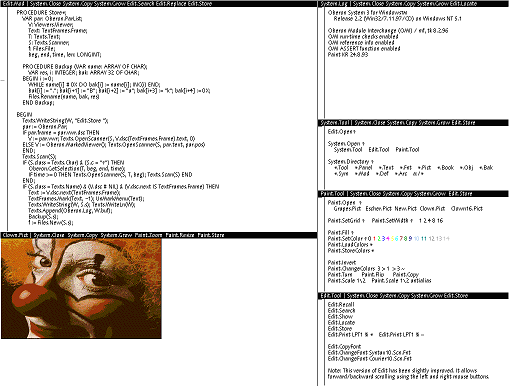
The Oberon System is a modular, single-user, single-process, multitasking operating system written in the programming language Oberon. It was originally developed in the late 1980s at ETH Zurich. The Oberon System has an unconventional visual text user interface (TUI) instead of a conventional command-line interface (CLI) or graphical user inter...
Amoeba is a distributed operating system developed by Andrew S. Tanenbaum and others at the Vrije Universiteit Amsterdam. The aim of the Amoeba project was to build a timesharing system that makes an entire network of computers appear to the user as a single machine. Development at the Vrije Universiteit was stopped: the source code of the late...
void belfry
lol, that I didn't know about until now 😄
are there any distribution floppies/isos/code/whatever ?
void belfry
for real pain try Thoroughbred/OS #1047332497492553799 message
 mossy compass
hollow ice
or ever try plan9
mossy compass
hollow ice
or ever try plan9
The one from Outer Space?
void belfry
unfortunately this one https://en.wikipedia.org/wiki/Plan_9_from_Bell_Labs
mossy compass
"The name Plan 9 from Bell Labs is a reference to the Ed Wood 1957 cult science fiction Z-movie Plan 9 from Outer Space."
Sure, let's name our operating system after an infamously bad movie, what could possibly go wrong
reef gale
Anyone ever get a Tron based OS running?
void belfry
hollow ice
https://en.wikipedia.org/wiki/Oberon_(operating_system)
got the .dsk file, used rawrite under DOS to write it to on empty floppy image and this apparently boots. Not that I know what to do next, but still..
https://ftp.gwdg.de/pub/languages/oberon/ftp.inf.ethz.ch/ETHOberon/Native/StdAlone/


 void belfry
reef gale
Anyone ever get a Tron based OS running?
void belfry
reef gale
Anyone ever get a Tron based OS running?
never heard until now
reef gale
void belfry
never heard until now
It genuinely feels like trying to explain Unix if Unix started with someone writing the POSIX specification instead of Bell Labs
It's an OS, a bunch of protocols, an embedded system standard, and a character set all in one
There's so little documentation on it, I thought it was an elaborate wikihoax
void belfry
interesting, found something here http://tronweb.super-nova.co.jp/b-right-vgallery.html and some stuff on archives as well
void belfry
reef gale
Anyone ever get a Tron based OS running?
Maybe (a huge one) its kernel can be recompiled to support non-FPU 486... but yeah, version 4 at least requires FPU

I am thinking the way I made Slackware/Debian to work: install it on qemu/pcem, recompile the kernel then test on MiSTer. But this in Japanese, and even with google translate it will be hard for me at least
same for v 4.5
void belfry
Apparently didn't like qemu (mouse issues) but it boots and probably installs happily on PCEm

 void belfry
mkey, hit a wall. It installs fine on PCem (probably too on 86box) but it won't boot afterwards (Boot error 3, whateber that is). It will boot on Qemu but same mouse issues (only moving horizontally) at very first screen. It will also boot on ao486 but only to the point where it asks for FPU
 void belfry
mkey, found some other qemu version that works with this and my install boots just fine with mouse behaving correctly, I could get past those initial screens and set keyboard prefs to Romanji, but then again hit another wall, as I have no clue how to operate this thing and at least open a CLI (if it has one ofc).
Right click opens a menu, but didn't find anything CLI related for now
 void belfry
at least I managed to open an app that gets you a cat following the mouse cursor all over the screen except the right window
 hollow ice
Built in to the operating system?! Well, I guess we have a new winner. 😄
 hollow ice
Did you try amoeba? Would be interesting if you could get multiple misters working together.
void belfry
not yet
hollow ice
Case sensitive romaji?
void belfry
 hollow ice
Did you try Novell unixware?
void belfry
hollow ice
Did you try amoeba? Would be interesting if you could get multiple misters worki...
need some source for it, didn't find any on the official site (ftp is down)
void belfry
hollow ice
Did you try Novell unixware?
yeah, a while ago and didn't work for whatever reasons I don't remember 😄
yeah, archiveos sends you to SourceForge: https://sourceforge.net/projects/archiveos/files/a/amoeba/
i see some files/sources there, but I have not a clue about this and how to make it work
hollow ice
Haha, well, as they say, two out of three ain’t bad
Oberon and tron
Two new interesting systems to play with is a pretty good day?
void belfry
yeah, getting back to Oberon, it gave an error about either standard IDE or old one, couldn't make past of showing/creating partition step

maybe it will work on qemu at least to try to install it on a vhd
hollow ice
Ide issues! My old nemesis
void belfry
managed to actually install Oberon 3 on a 20 megs vhd, it seems to work fine at least in pcem, but not on MiSTer. And booting with the floppy it shows same error about driver
 void belfry
@hollow ice But I could install and run it from within Win NT 4.0 🥳

sourced from here: https://ftp.gwdg.de/pub/languages/oberon/ftp.inf.ethz.ch/OberonV4/Windows/
hollow ice
but then it isn’t native 😄
void belfry
yeah...
hollow ice
still, I guess if you want to figure out what it actually is, then that is a good way
void belfry
i'm gonna try to start it from amigaOS too lol
hollow ice
haha
void belfry
and sure enough, it works
 hollow ice
forget how much better the minimig core looks
void belfry
ok, done with programming, office, CAD/fractal/whatever else graphics rendering or anything in-between apps, now it's time for ao486 to also produce it's first video with VideoStudio 2.0 under Win95

 reef gale
Do you think we'll ever see these computer cores used in production?
void belfry
will see what it produces, 3 mins already on save
 void belfry
reef gale
Do you think we'll ever see these computer cores used in production?
void belfry
reef gale
Do you think we'll ever see these computer cores used in production?
well, for sure Amiga and Atari ones can/are used for music production if i am not mistaken
reef gale
void belfry
well, for sure Amiga and Atari ones can/are used for music production if i am no...
I was thinking like, industry that is attached to legacy applications
There's gotta be some machine somewhere which is attached to a 386
void belfry
Yeah, I follow your train of thought. And working now also with OT industry made me think on tis topic too
reef gale
Probably even moreso when you consider that there's a CNC company from Illinois that tied themselves to the PC98 platform
void belfry
so for the sake of argument, let's say QNX running on ao486 core. But the main issue will be to interconnect with the rest of environment. Maybe if it is just serial or needs low b/w , PPP or a serial adapter might be used. But again, speculative talk
plus there might be other peripherals connected to other ports (like parallel ) which can have no communication with the fpga
at least for my level of understanding
reef gale
void belfry
plus there might be other peripherals connected to other ports (like parallel ) ...
Well if QMtech and Hamgeek can make their own DE-10 clones, couldn't a company make a DE-10 clone that's a bit more bespoke and has the ports they need?
void belfry
i guess... but then again, I am a noob in this lol plus if there will be a commercial product, someone has to pay a lot of people building watever core and I highly doubt it will be open source afterwards
reef gale
void belfry
i guess... but then again, I am a noob in this lol plus if there will be a comme...
Maybe. I was surprised to find out ao486 was BSD licensed. Either way, I could see these companies choosing to open source their shit since the real "magic" is in the hardware that they're selling
void belfry
whatever this means 😄
 void belfry
reef gale
Maybe. I was surprised to find out ao486 was BSD licensed. Either way, I could s...
void belfry
reef gale
Maybe. I was surprised to find out ao486 was BSD licensed. Either way, I could s...
not to mention those machines in OT environment also often had special proprietary add-on cards, which again, how will it be emulated in fpga ? I mean the effort would be huge IF possible at all
reef gale
void belfry
not to mention those machines in OT environment also often had special proprieta...
Sure, but I assume it's gonna be necessary eventually as hardware ages
void belfry
Or just upgrade the production line 🙂 most probably it will be cheaper 😄
reef gale
void belfry
Or just upgrade the production line 🙂 most probably it will be cheaper 😄
CNC machines can be really expensive, and the cost of training people to learn the quirks of the new machine
elder cove
Did anyone ever get OpenSTEP working?
If so, could the same methods be used to boot the Apple Rhapsody x86 prototype?
hollow ice
No. There is an ide issue.
Once the os is handed off from the bios it can’t access the hard drive anymore- I see the request and the response but the operating system never acknowledges it gets the response.
I think it has something to do with how most oses poll status registers. I have some ideas how to fix it (or at least prove my theory) but I am incredibly lazy
Pretty sure that the flow is out of spec since the arm side controls them and updates through that single thread and updates via spi
Which is also why I believe win32 stuff works using that weird driver that is designed to handle out of spec hardware.
Fixing that would open a wide variety of cool operating systems though, potentially even a modern netbsd
void belfry
hollow ice
https://en.wikipedia.org/wiki/Amoeba_(operating_system)
Amoeba OS runs on ao486 (got the files from here: https://github.com/OSPreservProject/amoeba/tree/master, in the ibm_at folder there are kernels, ramdisk.0 and ramdisk.1 (and some others).
Add .img extension to them and boot them in that order (kernels first, then will ask for ramdisks)

 hollow ice
Nice! Any idea if it has serial s support so you can make a cluster?
void belfry
not a clue 😄
plus I don't have a 2nd MiSTer
Got curious on this one https://github.com/OSPreservProject/nemesis-release from Cambridge (old page https://www.cl.cam.ac.uk/research/srg/netos/projects/archive/nemesis/)
hollow ice
So three new operating systems in 24 hours
Technically two since I guess native Oberon didn’t work
void belfry
well, just one runs native on MiSTer, Oberon needs Win/Amiga for lift off
hollow ice
Amoeba and tron both booted though?
void belfry
BTRON still remains an open question if its kernel can be made for non-fpu
hollow ice
Oh, I thought you had it running. You were playing around looking at cats following your cursor.
Guess that was qemu
void belfry
hollow ice
Amoeba and tron both booted though?
just Amoeba. Btron I made it run in emulator, including install part and finding CLI
also MSX-GEOS 😄 that was an unexpected find, it's actually a GUI on top of MSX-DOS
in brazilian..
portuguese, sry
gloomy void

There are still glitches, but I'm continuing with the development of the core:
- Improve clock accuracy by separating system clocks into dedicated PLL
- Fix PCjr IR keyboard: correct Manchester protocol and typematic rate
- Add RAM size selection to OSD (applied on reset)
- Add JRC cartridge loading with boot-window ROM clear
- OSD reset now pe...
 karmic fog
Amazing work!
 robust monolith
I imagine it would take ages to do the juggler or newtons cradle rendering! @void belfry
void belfry
robust monolith
I imagine it would take ages to do the juggler or newtons cradle rendering! <@79...
just the static image or a full animation ?
because i did the juggler in povray in like 10 hrs #1047332497492553799 message
robust monolith
Ha, my memory! I read that and liked it. Doh! 🙂
void belfry
Alzheimer gets to all of us 🫂 /jk
I actually use a lot the from: user function to search my own crap I posted a while ago lol
Anyway, speaking of rendering stuff, Amiga core absolutely smoked ao486 in speed, but the image results were not satisfactory, some noise induced/missing texture/coloring and so on 🙁
elder cove
I recently tried the James Schmalz pinball games on the GUS core (Epic Pinball/Extreme Pinball), and they all seem to have their music running at a significantly slower tempo than the Adlib soundtrack. (I believe the Adlib version is the correct speed, because it matches the speed of the soundtrack in the CDDA tracks of the PS1 version of Extreme Pinball.)
 versed pollen
hollow talon
Has anybody seen a weird bug in ao486 Monkey Island 2 (from 0mhz collection) whe...
versed pollen
hollow talon
Has anybody seen a weird bug in ao486 Monkey Island 2 (from 0mhz collection) whe...
just looking in history but did you ever resolve this? i notice it in monkey island 1 and the only way i can fix it is turning voices off... if i turn voices off and set it to text only it works fine
with voices on anything that was suppose to animate freezes
summer dragon
versed pollen
just looking in history but did you ever resolve this? i notice it in monkey isl...
I swear someone somewhere had it working without the constant pauses. Like I mentioned previously, I know Walrus has an old youtube video of it running fine in the core but I wasn’t able to replicate it. Probably needs a fresh 0MHz pack re-built to try and figure out what could fix it
versed pollen
summer dragon
I swear someone somewhere had it working without the constant pauses. Like I men...
Yea I saw that video and started wondering
summer dragon
coulda sworn I saw someone saying they fixed it and then I forgot to follow-up…maybe it was on the forum…
versed pollen
gonna look at this ultimate talkie edition being used and see whats up with it and if it fixes...
yea no the talkie edition also has the same issues hmm
summer dragon
yeah i believe the ultimate talkie edition is the one in the 0MHz collection
this was actually the last bug Emubastard had asked me to look into shortly before he passed 🙁 too bad it hasn’t been solved yet
versed pollen
oof sorry to hear
summer dragon
yes he started the 0MHz project. Very sad
elder cove
The Ultimate Talkie Edition is a fan made hack/patch of the original game using the dialogue from the Monkey Island 2 Special Edition remaster from 2010. Monkey Island 1 & 2 never originally had talkie versions at retail, and so the voice cast from the later games returned to voice the characters for the remasters.
It was originally optimized for ScummVM, and has always had some minor issues with timing as far as I can find. (I think the last release was designated version 0.2 by the developer.)
The brief game freezes for me, at least, go away after the intro. It’s really only that first interaction between Elaine & Guybrush where they happen, and by the fireside chat with the two pirates, it’s mostly resolved.
Through the rest of the game, though, there is other dialogue where lines feel a bit oddly paced. Generally, to me, this biases towards lines being too fast one after another.
mossy compass
elder cove
The Ultimate Talkie Edition is a fan made hack/patch of the original game using ...
Wait, you sure? I have MI2 on my mister and I am pretty sure it has voice acting, evne though I just simply installed it normally and am not using the 0mhz thing
elder cove
Yep, the DOS Monkey Island 2 with voice acting was a fan-made patch. Same with the version of Monkey Island 1 that has voice acting.
mossy compass
I thought the CD versions had VA
elder cove
Nope, just CD music. They tried it with Loom, and that game bombed badly enough that they didn’t try voice acting again in adventure games until the talkie version of Fate of Atlantis.
Dominic Armato’s first performance as Guybrush Threepwood came in 1997’s The Curse of Monkey Island.
mossy compass
It bombed? I guess not enough people asked that guy about Loom

Come to think of it, did the CD version of Loom use the standard floppy music, recorded MT-32 renditions, or it's own unique rendition?
elder cove
It featured its own arrangement. I think it was still originally recorded using MIDI instruments, but was arranged specifically for the CD release and was different to the MT-32 version.
mossy compass
I guess the whole play music notes gimmick was not what people were looking for in a point and click
That's kind of like making a Scumm-based point-and-click game, yet only releasing it on consoles, and not even supporting the mouse accessory that both those consoles had
.... oh wait
elder cove
The CD version also cut a decent amount of content to fit the voice acting. Many people also prefer the EGA art, which tends to be more intricate & textured than the high-color redraws.
elder cove
mossy compass
That's kind of like making a Scumm-based point-and-click game, yet only releasin...
Which SCUMM game only released on consoles? I know several games got enhanced or optimized ports which didn’t support mice, but I can’t think of any exclusives.
mossy compass
ScummVM claims the game uses it's own engine, but I am pretty certain it was based on Scumm as it behaves very similarly, to the point that it's easy to load the PSX version of the game into ScummVM
It's called Blazing Dragons, apparently based on a cartoon but I had never heard of it. Was relased on the PSX and Saturn, and made you use the d-pad to move a mouse cursor around, didn't support the mice for either version even though both those consoles has a mouse accessory
mossy compass
elder cove
The CD version also cut a decent amount of content to fit the voice acting. Many...
I thought it was MI1 that was known for it's EGA mode, and then only because of that sunset trick?
elder cove
mossy compass
It's called Blazing Dragons, apparently based on a cartoon but I had never heard...
Blazing Dragons is its own engine - ScummVM is modular, and supports a number of non-SCUMM engines, including AGI, SCI, Macromedia Director, AGS, Mohawk, Wintermute, Broken Sword, TsAGE, AGOS, Might & Magic, Her Interactive, & more.
elder cove
mossy compass
I thought it was MI1 that was known for it's EGA mode, and then only because of ...
Both are pretty well-known for it. MI1 EGA also has the famous "ten minutes" drowning easter egg if you wait for long enough tied to the idol underwater, which isn't in some of the later versions.
mossy compass
I know that ScummVM supports multiple engines and not just Scumm, I am saying that Blazing Dragons appears to be based on Scumm and isn't just it's own engine from scratch
elder cove
Interesting - I haven't heard that, but I can ask sev if you're curious.
I'm not aware of it sharing any developers, but it definitely takes influence from the LucasArts game design style. Illusions did that a number of different times, though; 1995's Scooby-Doo Mystery on the Genesis is another example, where they definitely copied the action bar style from Monkey Island.
mossy compass
Yeah, it almost feels like a fan made game for scumm
fast kraken
i checked the old top300 repo, it was launching MI1 like this:
mt32-pi -m -v
cd talkie
cls
call sysctl sys 30mhz l1-
monkey r1
goto quit
thats a pretty specific sysctl its doing, could be that was tuned for the issue with the voices
summer dragon
when I was testing a while ago, I was seeing the issue in both the top 300 pack and the 0MHz pack
hollow ice
If anyone is a fan of the c16/plus4, I have a test version. It pulls in the latest Ted from the FPGATed project.
granite umbra
what are the changes ?
hollow ice
// 1.1 1/10/2019 DMA position counter fixed (videocounter). MMS FLI demos work now. // 1.2 23/05/2020 Burst enable signal added, databus OE signal added // 1.3 7/01/2021 DMA delay fix to improve compatibility with Alpharay (thanks to gyurco). // 1.3.1 24/02/2021 enable hsync and vsync outputs // 1.4 11/09/2022 Adding 16bit digital audio output for PCM // 1.5 19/01/2024 Watchdog 2 was not used for audio channel 2 state reset. Fixed now. Not sure it is needed, to be verified! // 1.5.1 22/02/2024 shiftcount register removed as it was not used // 1.6 27/07/2025 TEST mode feature temporary disabled to improve compatibility // 1.6.1 24/09/2025 Screen's 1 pixel delay is eliminated to get in proper sync with border and background colors // 1.6.2 29/10/2025 $FF06 and $FF07 write fixes to happen correctly at single cycle end (delayed if it happens at double cycle end) // 1.7 08/11/2025 Timer2 bug fixed. False Idols demo works perfectly now! // 1.8 13/12/2025 DMA counter (videocounter) reset position fixed (was line 311, now line 205). TED Vibes demos works now
well, not all of those. I didn't use the 1.4 pcm stuff. The main thing are the demo fixes. FLI doesn't have the odd pixels on the side anymore, ted vibes works.
I can't tell if alpharay is better since I didn't see a problem with the original and I haven't been able to play too deeply into it. The title screen does some tracking aberration things, but.... every video I have seen does that as well.
I plan to update the sid and iec drive code to line up with the c64 core. I need to update the 6502 as well.
The plus4 also added a uart which isn’t currently in the core, so I’ll tackle that last
reef gale
I wonder if we'll ever seen a point where ao486 has multiple "profiles" based on what you wanna do with it. Unlike any other platform, a PC could have endless peripherals
hollow ice
I imagine that it would have to be different cores, similar to how spark206 is splitting up the xt core.
fleet cave
the amiga has profiles, so something like that
 coral coral
The profiles (configurations I believe it’s called?) in the Amiga core only adds a set of recallable core settings, IIRC, which is all supported by a bunch of legacy code (from the original minimig project) in mister main.
So these days you can achieve the same goal on any core by setting up MGL files.
fleet cave
the amiga one has the advantage of not requiring the user to do anything but navigate menus
hollow ice
yeah, I was reading that as something like “ao486 with lance eithernet controller” or something or “ao486 with gus”…since we are running up against logic size I would think we would need to conditionally generate multiple cores with different modules enabled?
 neat lintel
Does someone here know how “.qar” files work?
Can you change the .qar to .rbf and allow the core for that file to work?
coral coral
A qar file is an archived quartus project, not a compiled core
neat lintel
meaning the core isn’t obviously complete
Or you can’t test those files on your mister
For updates and things
granite umbra
Puu san generally put RBF on the QAR archive file
neat lintel
He does? I don’t see it
I also tried inviting him to this discord server, but I can’t post my comment on his website. Weird lol
void belfry
neat lintel
He does? I don’t see it
wark91 is right, puu-san puts the compiled rbf also in his QAR archive (usually like this, a folder with the version number and subfolder output_files)
 granite umbra
the directory could be different depending the core ... but the easy way is to search 'RBF' on filemanager 🙂
void belfry
Usually I remember this **after **I already launched Quartus and started a fresh compilation 😄
neat lintel
void belfry
wark91 is right, puu-san puts the compiled rbf also in his QAR archive (usually ...
have you tested this out on your mister?
The FMR50 RBF file that is
void belfry
no, i could not source the BIOS files needed for it's rom (some convo here #1047332497492553799 message)
void belfry
and I won't import one from JP just to try to get the bios dumped 😄 at least not for the moment, I have enough fun with my imported MSX and still have A LOT to do for it
neat lintel
I’ll have to check this out then!
neat lintel
Anyone here know what the files directory for “FMR-50” have to be named to? Just “FMR-50”?
 chilly rain
there isn't a core named "FMR-50"
the folders in side /games/ are for each core basically
notice how the NES core has an NES folder for NES roms to be put into
void belfry
@chilly rain he's asking about the new core of puu-san (http://fpga8801.seesaa.net/article/519047730.html), see also the discussion linked bit above
chilly rain
why does puu always put them in a qar lol... he should just use github, would make everyones life easier
void belfry
¯_(ツ)_/¯
chilly rain
why even make a core if you don't intend on sharing it in a way that other people typically have access to
void belfry
i dunno bro, i'm just european 😄
chilly rain
alright time to find the emu module

there's your folder name
this is what makes cores look, for the default core name
when you try to load a rom, it will look in /games/FMR50 for this
not FMR-50
granite umbra
last updates of Towns and FMR50 required 2nd SD Card for HDD and others files are go to games/FMR50 and games/TOWNS for Towns cores.
FMR-50 we don't have correct bios also so not usable for the moment
void belfry
heck, only used 2nd SD once, think it was for ZXnext or something similar. a long time ago for sure
chilly rain
2nd sd in 2026 is wild
this seems to be a pet project made for his own testing and not really ready for distribution or other users yeah
i'll wait for someone to bring it into the project when it's working, seems like it doesn't really work yet
void belfry
soooo.. who is gonna get a FMR-50 from JP auctions and dump its bios IPL files for the good of humanity's best nerds (that is MiSTerFPGA community) ? 😄
not me atm for sure, not because of money (i saw FMRs actually very cheap) but of lack on others H/W means to dump the good stuff
neat lintel
chilly rain
why does puu always put them in a qar lol... he should just use github, would ma...
Exactly lol
chilly rain
yeah my advice would be to wait till it becomes usable, dont' worry about it for now, it's like an early wip core
void belfry
it is what it is, we don't really have many devs on those systems (JP docs might not be easily obtained/understood)
lunar trellis
Anyone with more energy than I do can feel free to go read the FM Towns thread and post answers to every one of the questions here, that I (and others) answered over and over... Only for the same people to ask the same questions again here... When they had read the answers before...
The Puu cores are all in the WIP DB btw, although best of luck using them in any meaningful way.
exotic prairie
Anyone had a FMR50 bios? I can't get games to load
neat lintel
lunar trellis
Anyone with more energy than I do can feel free to go read the FM Towns thread a...
I’m at fault for this to be fair
lunar trellis
Yes. Yes you are. You already knew the answers to all the questions you asked.
chilly rain
Haha it's okay. We all do this from time to time.
reef gale
Is there any guide to generating 0mhz style DOS images of your own collection?
fast kraken
reef gale
Is there any guide to generating 0mhz style DOS images of your own collection?
#1047332497492553799 message
(from the pins, we have pretty excellent pins on here thanks to robby)
lunar trellis
reef gale
Is there any guide to generating 0mhz style DOS images of your own collection?
What would be beneficial is if you list out the games you want to play and people can see if they are in the 0mhz format yet, or if not can confirm they wouldn't work on the core for some reason, or potentially make a 0mhz image and add it to the wider collection
We seemed to be getting to the point where pretty much anything anyone could care to name that would run on the core has been taken care of, all the bigger games for sure
reef gale
lunar trellis
What would be beneficial is if you list out the games you want to play and peopl...
The 1986 game "Alter Ego" doesn't have a 0mhz version to my knowledge
bitter yoke
There is a pin that goes over basics
#1047332497492553799 message
Oh oops freddo already posted that 😅
void belfry
reef gale
The 1986 game "Alter Ego" doesn't have a 0mhz version to my knowledge
think this game is better suited for XT core ?
I tried very briefly to try what I found at a very superficial search on archives and doesn't seem to like ao486 (exits with some error "cannot execute as child of Basic")
On the dosbox.conf file I saw it had cpu cycles fixed to 250, so it makes me think it's a game for XT rather ao486, will give it a test at a later time
Later edit: i was right, do check this post https://misterfpga.org/viewtopic.php?t=5368
RTFM - read the forum, mate 😄 (an advice i so often don't follow myself)
reef gale
void belfry
think this game is better suited for XT core ?
I tried very briefly to try what...
The one from Activision Floppy Disk collection that comes on 3 disks worked fine on ao486, although I'll check out the PC-XT core soon. I suspect the distinction doesn't matter because the game waits for player responses for basically everything
void belfry
Not familiar with this game, but do check the "MS-DOS - Play It By Year Game Collection v1.0" from the known archives on XT core , think it would work just fine
fast kraken
the ao486 core can get pretty slow if you need it to
short compass
lunar trellis
We seemed to be getting to the point where pretty much anything anyone could car...
There needs to be a better collection or archive of games that makes it easier for mass download. Hardware Target Database has it right for console games.
Something similar to HTGDB
lunar trellis
It would be pretty trivial to make a DB like the BIOS DB that can be run from update all and grab everything from different places on archive.org. how many games and how large is the total of 0mhz now?
elder cove
I want to say about 730 packages. Some include multiple games, though.
short compass
They’re all kinda scattered about though. There isn’t a central repository which makes it a bit difficult to catalog.
fast kraken
didn't someone already make a script for this? it like listed them off archive.org then you can pick which to get
its possible i'm confusing this with an idea i had but never implemented
mossy compass
I was under the impression this was a single large set you downloaded as one piece. Not multiple pieces scattered around everywhere like hunting for a random Rom 30 years ago on a random geocities page
hollow estuary
It's probably more in the middle. Everything is on archive.org, there's an original single large 0mhz pack which has heaps of games, then there's lots of separate "unofficial" 0mhz games
They've all pretty much been given the same 0mhz tags though so they're not that hard to find
hollow ice
Oh yeah, I never did follow up and see if elphive did a zzt megapack
mossy compass
Didn't know it was just a collection of hdd images, I assumed it was one giant image that somehow had a menu system or something
hollow estuary
That was the AO486 Top 300 pack that was a single vhd
surreal marsh
You could track down the first couple years of Total DOS Collection. If you can find it, since they don't release it.
copper slate
I wonder why a lot of the 0mhz packs apply custom set names for the game in the MGL but don’t provide a config.
I just rename them to use my generic DOS, Win 3.1, or Win 95 configs.
hollow estuary
fast kraken
didn't someone already make a script for this? it like listed them off archive.o...
There's this one but it just downloads everything from the original 0mhz archive no list or picking: https://github.com/mrchrisster/0mhz-collection/blob/main/0mhz_downloader.sh

GitHub
A curated collection of configurations for individually bootable DOS games for the ao486 core on MiSTer - mrchrisster/0mhz-collection
 shut spoke
echo bramble
Hey thanks for reaching out --
I spent some time looking into this and what I f...
shut spoke
echo bramble
Hey thanks for reaching out --
I spent some time looking into this and what I f...
Sorry to necro an old post, but did you get anywhere with this?
Whilst I’ve got po/do/dsk/vhd all working to some degree, I have a huge pile of images that I have a strong suspicion should work, but don’t.
Here’s what I posted on the forum earlier (but I’m waiting for mod approval on)
—
I'm working on something to hopefully. make it much easier for newcomers to a system to set up working cores with working software on some of the less common cores, which is pushing me into working with systems I didn't use back in the day, where I an one of those newcomers, including the Apple //e.
I've hit a few roadblocks and I don't know if they are down to me not understanding the Apple //e and ProDos, me working with unsuitable / corrupt disk images, or something altogether different.
I think I understand the mess around PO,DO and DSK images and got some of each working. so I know fundamentally it's all capable of working, but I also have :-
A whole bunch of floppies that don't want to autoboot, they don't crash (more on that later) they just don't seen to do anything. Is there a way to catalogue floppies, or at least investigate them further from inside the core (looking at the raw risk images, they look to be valid)? These non working images includes the latest stable version of ProDos 8, but the latest unstable does work!
Then we have HDVs. The two I'm testing with are the latest Pitch Dark HDV mentioned a bunch of times on [ the forums] and a Games HDV from apple2.org.za.
The Pitch Dark one (wether autobooted via a soft reboot, or from ProDos) crashes to what I now recognise it an exception handler (What looks like a memory address then a bunch of registers, followed by a * prompt).
Where as the Games HDV boots to a nice looking menu system (so I know it's reading the HDV ok) however running anything from there drops me to the exception handler.
(Cont)
shut spoke
shut spoke
Sorry to necro an old post, but did you get anywhere with this?
Whilst I’ve go...
Having gone down the path of making sure it's set to use 65C02 and ruled out the Apple IIgs software I'd accidentally picked up along the way. I'm really after some sense-checking. Is there some magic config I've missed somewhere? Am I just unlucky with the images I've chosen? I've read a chunk about what is configure in expansion slots, do I need to tweak this (and can I?) Or is this some kind of user error thing?
Finally, as the thing I'm working on aims to get complete newcomers to a system to a point where they can access the good stuff easily, are there any software resources it's worth making sure they know about (like the Amiga's MegaAGS, or some site or archive that the definiative source of Apple //e stuff)?
reef gale
shut spoke
Sorry to necro an old post, but did you get anywhere with this?
Whilst I’ve go...
One thing that might not be obvious:
Have you tried the nightly cores?
IIRC the "stable" Apple II core is 2 years old
scarlet spear
copper slate
I wonder why a lot of the 0mhz packs apply custom set names for the game in the ...
Having custom names config is handy to have separate joystick configurations
copper slate
scarlet spear
Having custom names config is handy to have separate joystick configurations
Oh my gosh, you’re so right
I just use keyboard and mouse so it didn’t occur to me
bitter yoke
lunar trellis
It would be pretty trivial to make a DB like the BIOS DB that can be run from up...
I was curious how large the collection is so I used the internet archive interface tool to download everything with the 0Mhz Dos Collection tag and with everything extracted it's 183 GB
reef gale
bitter yoke
I was curious how large the collection is so I used the internet archive interfa...
I wonder how much it'd be if you limit to floppy-based games
shut spoke
I was Intrigued by what you were discussing and scrolling back up, I suspect what you are after is pretty much what I'm building (well, half of it), but for ALL systems, when I started asking in the channel about the Apple-II stuff.
The fact so far I've only covered Acorn, Amstrad, Atari and the beginning of Apple tell you how far along it is, but I'm mostly building out an extensible framework then adding new systems to smoke test it.
The app is it two parts, a pack-based downloader, all driven by yaml config (so the community can build/find/define their own packs) and a FUSE base virtual file system, so you only ever need to download the software once, regardless of how many emulatrs etc you use, and the virtual filesystem is responsible for presenting the files in a way each eumulator (or simulator, a MiSTer is my first use case) expects. All seved over samba so you can just mount /media/fat/cifs to //your-server/MiSTer and it all automagically just works.
It means people new to systems can get a 0mhz-like experience, with just a few clicks.
What's more, it mostly works, but I keep having great ideas that stop me releasing it.
For example right now I'm working on query-based mapped folders, so under your MiSTer virtual root you'd have /Atari2600 (as MiSTer expect) then you could define your own sub folders based on file metadata. So you could have /NTSC or /PAL as your next level, or /Games and /Apps, or /English and /RoW, or /US /EU and /JP ..... basically anything as long as the DB has metadata for it. Again, all yaml driven so you can modify and share you optimal folder structures.


And the config is just ... well, see the attachments, so it's very reconfigurable.
It can also transform files on the fly. I initially wrote it to serve zip files unzipped for cores that need that, but I also added read-only 2mg support for the Apple-II (basically stripping 64 bytes off the file and working out if it's a do/po/hdv).

 karmic fog
wow, this is great work @shut spoke looking forward to trying this out soon
shut spoke
I'm pushing to the dev branch on github regularly, but I really WOULDN'T encourage anyone try it until I push to main as I regularly push broken versions and keep re-architecting things (last night it was switching from sqlite to progreSQL and in doing so I somehow broke zaparoo support!).
HOWEVER if anyone wants to contribute by designing packs (i.e. hunting for good software archives to include for each system) that is without going to be the most time consuming bit!
elder cove
reef gale
I wonder how much it'd be if you limit to floppy-based games
There are definitely some that exist as CD-only versions right now that would probably also benefit from having their floppy versions packaged. Bloodnet definitely comes to mind
reef gale
Also not how nitpick but, YAML?
 still wren
New minimig core!
void belfry
I like to see the output of update_all in the morning 
shut spoke
reef gale
Also not how nitpick but, YAML?
Meh, I knew yaml, and this grew out of a rapid prototype. If you can advocate for a better alternative, go for it, as now is the right time. I wanted something other people could maintain, so I've always up for better suggestions.
fleet cave
kubernetes ptsd
hollow ice
shut spoke
Meh, I knew yaml, and this grew out of a rapid prototype. If you can advocate fo...
SOAP?
fleet cave
toml, obviously
reef gale
shut spoke
Meh, I knew yaml, and this grew out of a rapid prototype. If you can advocate fo...
I personally am a big fan of JSON5. It's a superset of JSON that is designed for config files. All the changes are just small quality-of-life things
shut spoke
hollow ice
SOAP?
I hate you! That's just brought back memories I'd long since repressed! 🙂
shut spoke
reef gale
I personally am a big fan of JSON5. It's a superset of JSON that is designed for...
To be fair, JSON5 was an early possibility, but in the those days all the config was in one big config file and yaml was a lot more concise.
However, I've long since split in into multiple config files, so that's not such a big deal any more.
But utilmately I'm pretty agnostic about this kind of stuff, so as long as there is a well supported json library, I'm open to sensible arguments/suggestions.
hollow ice
I find json for config is a bit tedious. Yaml is pretty manageable with which to interact. Then again, I use a modern ide that can show me tab widths and properly folds.
safe quest
IME the hard thing about config files isn't format, but rather versioning. There is no syntax that will save you from the semantic drift of supporting a user base over a decade.
The viable answers effectively boil down to either maintaining an ever-expanding "upgrade" function or periodically telling your long-term users "fuck your configuration".
reef gale
hollow ice
I find json for config is a bit tedious. Yaml is pretty manageable with which to...
The annoying thing about YAML is it has a lot of "special" strings. I'm sure you're aware of no turning into a boolean?
 cobalt wasp
Has anyone been able to get Direct Video to work on the ao486 core? It's giving me some very strange results that don't happen in any other core.
I have a VGA monitor (31KHz+) connected through a HDMI adapter on the left and a PVM (15KHz only) connected to the analog output on the right.
When direct video is disabled, this is what I get: the expected output, where it's outputting 31KHz video to the analog output (which my PVM can't sync to) and scaled video to HDMI.

But when it's enabled, stuff gets weird. It downscales the signal to 240p (15KHz) for the analog output instead of leaving it untouched, and instead of outputting 720x400 (31KHz) unscaled to the HDMI, it outputs nothing.

Direct video has no issues with other cores, it's just ao486 that does this.
I've tried changing all of the core's settings but it doesn't seem to matter.
I realized that I had the core set to 60Hz instead of 70Hz for the picture but it doesn't actually make any difference.
hollow estuary
cobalt wasp
Has anyone been able to get Direct Video to work on the ao486 core? It's giving ...
The ao486 core doesn't support direct video
 smoky yew
But you can alternatively set up a custom modelines. It just won't switch resolutions on command. You could set up separate MiSTer configs for the modelines you commonly want.
Modeline "720x400_70" 28.322 720 738 846 900 400 412 414 449 -HSync +VSync
Something like that would do 720x400.
hollow estuary
This is what the RT4K wiki recommends you put into your MiSTer.ini which could provide some inspiration
[ao486]
forced_scandoubler=0
vga_scaler=1
direct_video=0

[video=320x200]
vscale_mode=1
video_mode=320,200,60

[video=640x200]
vscale_mode=1
video_mode=640,200,60

[video=320x350]
vscale_mode=1
video_mode=320,350,60

[video=640x350]
vscale_mode=1
video_mode=640,350,60

[video=720x350]
vscale_mode=1
video_mode=720,350,60

[video=320x400]
vscale_mode=1
video_mode=320,400,60

[video=640x400]
vscale_mode=1
video_mode=640,400,60

[video=720x400]
vscale_mode=1
video_mode=720,400,60

[video=640x480]
vscale_mode=1
video_mode=640,480,60

[video=800x600]
vscale_mode=1
video_mode=800,600,60

[video=1024x768]
vscale_mode=1
video_mode=1024,768,60

GitHub
CuteMouse with DOS/V support. Contribute to akmed772/ctmousev development by creating an account on GitHub.
void belfry
granite umbra
https://github.com/akmed772/ctmousev/
Thanks, mate 🙂 will give it a spin on my DOS/V setup
granite umbra
void belfry
Thanks, mate 🙂 will give it a spin on my DOS/V setup
i think it could be interresting to share 😉
void belfry
Still need to do some more research that I parked it about 2 years ago #1047332497492553799 message about DOS/V, PPP and WebBoy
 deft estuary
Hi there @cobalt wasp , I use ao486 with a HDMI to Vga dongle, here is it my fully working config
smoky yew
Has anybody managed to get QFG1 Remastered MT-32 to play sounds correctly in AO486? Otto's yo-yo sound sounds like frenetic jazz (not sure why it's being played by the MT32 Pi at all, might be intentional using some sort of pitch modulation instead of a digital sound - either way, it's wrong).
I just can't get the game to play nicely with it, which is weird because it's preconfigured with 0mhz.
smoky yew
For anybody who might find this in the future, it was an issue with CPU speed. The game works fine at faster CPU speeds, but certain sound effects get bungled. 386DX worked for me.
terse totem
Is there a way to keep the video at the same display mode to avoid the monitors from switching and loosing the video/audio from HDMI?
hollow ice
@lost nest I am experimenting with updating sys on your ss core. Do you mind if I share core builds here?
lost nest
@hollow ice No issue. Do as you want.
void belfry
UCSD p-System 2 running on the PC XT core (not that I know what to do with this lol)
Got it from here: http://pascal.hansotten.com/ucsd-p-system/ibm-pc/


 granite umbra

GitHub
Remove async clocks and clock domain crossing
Add switching between correct clock speeds for VDPs
void belfry
And here is the 16th Unix/Linux based OSes, SkatOS (https://www.giannone.ch/skatos/current/) running on ao486 (list updated #1047332497492553799 message)
It is a floppy disk size Linux distribution which plays the popular German card game Skat (which I dunno how to play lol)
The live system runs XSkat 4.0 based on BusyBox 0.60.5, uClibc 0.9.24 and TinyX 4.2.1 X Server with Linux kernel 2.2.26.
If you know the game, get the floppy from the link above and have fun 🙂


 bitter yoke
 void belfry
nope, don't understand this game lol

 worn wyvern
https://www.youtube.com/watch?v=63Xunvu7ZRk Scatman Crothers as Scat Cat
 void belfry
reading a bit about the game finally paid off lol.
Think we have a potential non DOS/Win candidate for 0MHz ? @summer dragon 😄
 mossy compass
void belfry
And here is the 16th Unix/Linux based OSes, SkatOS (https://www.giannone.ch/skat...
mossy compass
void belfry
And here is the 16th Unix/Linux based OSes, SkatOS (https://www.giannone.ch/skat...
Can it also play S.C.A.T.?
 void belfry
actually.. https://github.com/tuxnes/tuxnes 🤔

GitHub
NES emulator. Contribute to tuxnes/tuxnes development by creating an account on GitHub.
dang it, @mossy compass, as getting ppp support for that thingie was not enough rabbit hole 😄 Jokes aside, will be fun to see how NES emulation was back then on Linux too
mossy compass
That would be interesting, seeing the Linux eqivalents of Nesticle back then
void belfry
will test it under Debian most likely, easier to install packages
only tested dosemu and wine on it so far
 short finch
MiSTer Floppy, with the changed sources for Minimig and the Main MiSTer file.
https://mister.robsmithdev.co.uk/source

 hearty pelican
Can someone test the PC/XT core on the Mister Pi? I couldn't get mine to boot. The core works fine on my DE10 Nano though.
exotic prairie
same sd card?
granite umbra
short finch
MiSTer Floppy, with the changed sources for Minimig and the Main MiSTer file.
ht...
Normally it could have also support of ipf but not tested
granite umbra

 burnt pelican
I am very excited for this. My spare MiSTer can go into an Amiga case with a new Amiga keyboard. Then, despite the IPF/HFE support I'm still tempted to be a madlad and attach a Gotek to it, just for the satisfying click sound...
reef gale
What systems could theoretically be supported by this?
rocky sedge
most with 5,25 or 3,5" Floppy
reef gale
I'm not 100% sure how "standard" the floppy format is
I don't mean format as in filesystem, I mean format in terms of the physical disk's standardization
Like case-in-point: the Famicom Disk system used a 3 inch disk
I know. I'm still talking about this hardware device
Basically I'm trying to evaluate my interest based on which devices this drive could support in the future
neat lintel
reef gale
What systems could theoretically be supported by this?
FM TOWNS Marty for sure
 worthy zealot
I have collected some games mainly to be able to create my own backups in SCP and / or IPF. Problem is I have bought several games though and have not gotten around to making backups of those yet, and they might have had issues even when I got them. But I backup my original collection at least 🙂
I did manage to get a pretty rare Danish game preserved for the C64 that had a pretty special made copy protection. In Denmark we had a Danish version of Wheel of Fortune called Lykkehjulet and some guy had made his version of that TV show as a Danish game.
I had my own copy but it was ruined and I could not use that to create a backup, but after years of searching I found someone who had a physical copy of the game, probably the latest / last version of the game that the developer made and I got to work on making a backup.
He had already made a proper bypass for it, but he wanted to know how it had been done exactly and could not without a working dump of the full disk.
It somehow took me several days to make a working dump. I tried pretty much all the combinations of settings I could think of, I think I even ended up finding strange third party software for making disk backups that was not what the developers of the hardware I used had made. And I have... must be two types of floppy dumping hardware. The SuperCard Pro I think its called and that cheaper more open source one I do not remember the name of now. I think it is what DrawBridge used as one of its ways to get floppies working with emulators
But I found this obscure program that could use one of these USB adapters for disk drives to make a working dump, in a way that the game was actually bootable.
What made it so difficult was also that this copy protection did not stop you from copying the game. It would copy just fine, it would boot just fine... it was only after playing a round or two that it would trigger... and it was random. If you were lucky maybe you could play through a full round in the game... and that was how the copy protection had been designed.
hearty pelican
exotic prairie
same sd card?
Different SD cards. To clarify, the core loaded on the Mister Pi but I was unable to boot anything. The XT-IDE rom booted fine on the DE10-Nano. Same rom file copied over. I heard other people were having trouble with the core on the Mister Pi too.
exotic prairie
i would swap the sd card just to see
because then you know for sure that you have a working setup
and then we can see if it's the hardware or the software
waxen nymph
hearty pelican
Different SD cards. To clarify, the core loaded on the Mister Pi but I was unabl...
I did have a bug with the sdram controller in the iigs I had to fix. Before that it wasn’t working on my 32Mb card and I think it might have been flaky on the mister pi
hearty pelican
I will have to test when I get home
waxen nymph
waxen nymph
I did have a bug with the sdram controller in the iigs I had to fix. Before that...
I checked - and the SDRAM_CKE is set to 1, this should be good
terse totem
Do we need a 32bit data bus for 68030? As in using dual SDRAM
thick pendant
void belfry
nope, don't understand this game lol
I play that game all the tine. Good job -204 with two diamond cards is perfect score...
kidding anyway. is it like blackjack?
thick pendant
void belfry
reading a bit about the game finally paid off lol.
Think we have a potential non...
That would be good in blackjack
Ace + 10 is 21, right?
void belfry
thick pendant
kidding anyway. is it like blackjack?
nope, it's this one : https://en.wikipedia.org/wiki/Skat_(card_game)
Still trying to decipher it lol, but I wanna try recompile it to add ppp support and remove ethernet
This game can be played in LAN or over internet via IRC too
reef gale
I live kinda close to the Midwest Vintage Computer Festival. Wonder if I should apply to do a panel about the MiSTer FPGA
void belfry
If you feel you're up for it, why not ? 🙂 And if you need wacky stuff to show off, I'm sure we all here can contribute with something lol
reef gale
void belfry
If you feel you're up for it, why not ? 🙂 And if you need wacky stuff to show o...
Would be funny to start with the donut demo thing
void belfry
Meanwhile, 17th Unix/Linux variant, **ttylinux **(their site ttylinux.net is preserved on Wayback machine) based on 2.6 kernel, very small and extremely fast, oriented towards PPP connections/networking 
As always, updated my list here #1047332497492553799 message
 void belfry
reef gale
Would be funny to start with the donut demo thing
void belfry
reef gale
Would be funny to start with the donut demo thing
which donut demo you refer to ?
gloomy void
https://www.youtube.com/watch?v=3yKagT7qy5s
New and probably final update before I make the core and repository with the sources public.

The problem with loading the TouchDown Football game has been resolved:
https://misterfpga.org/viewtopic.php?t=10134#p104166
- floppy: improve PCjr 0xF1 readback
- floppy: fix PCjr non-DMA read/write termination
- pcjr: fix shared RAM read path for low memory fetch boundary
- floppy: clamp pcjr sector range using CHS-derived limit
- pcjr video...
reef gale
void belfry
which donut demo you refer to ?
GitHub
Contribute to MiSTer-devel/Donut_MiSTer development by creating an account on GitHub.
ruby charm
gloomy void
https://www.youtube.com/watch?v=3yKagT7qy5s
New and probably final update befor...
That's fantastic!!! Thanks!!! 😄
void belfry
reef gale
https://github.com/MiSTer-devel/Donut_MiSTer
nice, missed this one lol
hearty pelican
I did some more testing with the Mister Pi. Switched sd cards with my DE10 Nano. I wasn't able to load anything on the Mister Pi with either sd card. Both sd cards were able to load on the DE10 Nano however. Tried the different cores - PCXT_20260123.rbf and Tandy1000_20260210.rbf So it most likely has something to do with the memory on the Mister Pi.
hollow ice
I did a search and haven’t seen you mention https://en.wikipedia.org/wiki/HelenOS

HelenOS is an operating system based on a multiserver microkernel design. The source code of HelenOS is written in C and published under the BSD-3-Clause license.
The system is described as a “research development open-source operating system”.
So maybe that will work @void belfry
exotic prairie
hearty pelican
I did some more testing with the Mister Pi. Switched sd cards with my DE10 Nano...
that's interesting. I assume you have done a memtest and all that? Do you remember what batch you were?
hearty pelican
I did a memtest but don't remember what the results were. It wasn't bad though. The mister pi came from the previous batch and has onboard ram.
exotic prairie
batch 5? like you ordered super recently?
(I guess batch 5 was like october or something i think)
hearty pelican
Yeah
exotic prairie
yeah, that one has something funky with the ram. the TG16 core probably doesn't work well either
hearty pelican
Oh man... really?
hearty pelican
I never really messed around with TG16. I booted it up and the only .pce file it sees is the mister-boot.pce. The other games are not showing.
mister-boot.pce boots up though
That's so weird. The pce games show up on the DE10 Nano just fine.
void belfry
hollow ice
So maybe that will work <@794151308620857395>
nope, it stays forever at loading initrd. Also in qemu was pretty slow (at least the GUI)
 void belfry
I'm actually checking archiveos page by page, grabbed a few more OS candidates this week (mostly Debian/Slack/BSD variants but also some more exotic ones), still over 100 site pages to cover
For many I will have to compile them/make the floppy/iso images and so on, but at least the code was not lost as for many other OSes I checked
 weary umbra
Following your os adventures with interest
void belfry
Soon I have to start a 2nd Unix/Linux list, the current one is almost to characters limit lol
Still not adding it to list (as I will first try an install on vhd), but most likely 18th entry will be **Evinux **, a FR Knoppix distro. Also, it is first time a knoppix livecd boots fine on ao486
CLI seems fine, GUI not so much for now, will see. Also have my doubts on what it "detected" at boot lol


 void belfry
until now, all knoppix variants i tried were compiled for machines with FPU (like this one) and didn't much bothered to recompile the kernel as i did for some Debian/Slackware distros


 willow pond
As someone who has never had an amiga or even used one, which a4000 rom should i load ?
I bought the AmigaForever iso/msi stuff, but i am a bit well green. I'd like to get the best rom for the job in, but its ofcourse no use if the MiSTer is not powerful enough for a specific rom
 coral coral
If you go with a stock kickstart (no reason not to, really), go with v40.68 (aka v3.1, A1200/4000). v40.70 is for A4000T with SCSI.
willow pond
so the right rom would be amiga-os-310-a4000.rom ?
Amiga is kinda like a PC but not like a PC, i've been trying to get it to boot but no luck
coral coral
willow pond
so the right rom would be amiga-os-310-a4000.rom ?
Amiga is kinda like a PC but...
Yep, that sounds right
willow pond
I copied that along with the rom.key file to the Games/Amiga folder and selected the rom
save configuration and reset, but i just have a black screen

 mossy compass
I thought the Amiga core was not capapible of emulating a 4000?
hollow estuary
Not to discourage you from tweaking around if you want, but if you just want to get up and running quickly we can't recommend AmigaVision strongly enough https://amiga.vision
AmigaVision
The ultimate Amiga games & demo scene setup for MiSTer & Pocket FPGAs, Raspberry Pi + emulators — and Amiga 1200, 4000 & CD32. Open source, community driven.
willow pond
mossy compass
I thought the Amiga core was not capapible of emulating a 4000?
no idea, google says it is
willow pond
hollow estuary
Not to discourage you from tweaking around if you want, but if you just want to ...
that's a solution as well, i dont mind tinkering, but i do want things working first 🙂
mossy compass
Fair enough, I like to tinker too
weary umbra
willow pond
no idea, google says it is
Up to A1200 and CD32 only. Big box Amigas are more complex.
https://github.com/MiSTer-devel/Minimig-AGA_MiSTer
GitHub
Contribute to MiSTer-devel/Minimig-AGA_MiSTer development by creating an account on GitHub.
willow pond
sounds like https://mister-devel.github.io/MkDocs_MiSTer/cores/computer/ needs updating, minimig says 4000 is supported, but i'll try with the 1200

MiSTer FPGA is an open source project that aims to recreate various classic computers, game consoles, and arcade machines, using modern hardware.
weary umbra
Amiga OS 3.2 brings some modern functionality to the aged OS, worth purchasing (and supporting devs) imho.
hollow estuary
willow pond
that's a solution as well, i dont mind tinkering, but i do want things working f...
If you download and use amigavision it does all the hard work of making things work for you
willow pond
yep currently working on that 🙂
in regards to amiga os, i'll need to wait with that 🙂
hollow estuary
AmigaVision has AmigaOS in it
Although perhaps not the version you're specifically looking for
willow pond
for me it's mostly just the ability to play amiga games i am after, i can tinker with OS's etc on my desktop 🙂
hollow estuary
yeah AmigaVision is perfect for just playing games then
hollow ice
Pretty sure no 4000 ever came with anything less than an 030
worthy zealot
hollow ice
Pretty sure no 4000 ever came with anything less than an 030
pretty sure of that as well. There is some FPGA work that has begun implementing 030, but I do not think it was for the Amiga and I am not sure if it ever got to work.
void belfry
worthy zealot
pretty sure of that as well. There is some FPGA work that has begun implementing...
#1047332497492553799 message --- @terse totem is working on that 😉
hopefully one day NetBSD and Debian will work on Amiga core too \m/
void belfry
willow pond
As someone who has never had an amiga or even used one, which a4000 rom should i...
in my experience so far, best use A1200 ones (or A500/A600 if you need those machines specifically). A1200 should be more than enough for most of the games/apps
If you ever decide to AmigaOS 3.2 (which i highly encourage), you will need another set of roms, provided on the CD when you buy it
meanwhile, another day, another ~~disaster ~~ OS to test, fingers crossed
 void belfry
close but not cigar directly on core, will try an install from emulator

 willow pond
hollow ice
Pretty sure no 4000 ever came with anything less than an 030
willow pond
hollow ice
Pretty sure no 4000 ever came with anything less than an 030
so thats why, thank you for clearing it up,google's AI was telling me it was possiblle and litually had a guide, https://retrogamecoders.com/mister-fpga-amiga/ said to use it and the link above to.
I've mostly only used a PC and consoles, having the MiSTer gives me the oppotunity to get to know other types of computers that have existed without needing to go out and find preserved and pay for perhaps hardware not functioning so well due to the years
Retro Game Coders
MiSTer MiniMig Amiga FPGA implementation sets up your Amiga as a 500/600/1000/1200/2000/4000/CD32/CDTV, and every OCS, ECS and AGA Amiga in-between!
willow pond
void belfry
meanwhile, another day, another ~~disaster ~~ OS to test, fingers crossed <:elmo...
ao486 core or which core ar eyou trying to run it on ?
As i said last night, i'll stick to the gaming for now, but as i do like to tinker a bit i'll give the 3.2 amiga os a try at another time, limited funds and i've already spent a bit over budget this month 🙂
coral coral
A1200 and A4000 used the same kickstart ROM and workbench installation, so from the point of installing AmigaOS from scratch on MiSTer it doesn't matter much. Pick the 3.1 ROM (v40.68), select 020 with d-cache and lots of RAM and install workbench from the installation floppies.
One nice quality of life thing to consider is to use the PFS filesystem on the hdf image you install to. Here's an empty and unformatted 4GB HDF with the PFS driver.
void belfry
willow pond
ao486 core or which core ar eyou trying to run it on ?
yes, ao486
willow pond
coral coral
A1200 and A4000 used the same kickstart ROM and workbench installation, so from ...
thanks, when i do look into it when i have the time etc 🙂 i've saved a copy locally as well
void belfry
https://github.com/mattuna15/68881-fpga 👀 (link from forum https://misterfpga.org/viewtopic.php?f=29&t=10226)

GitHub
Development of coprocessor. Contribute to mattuna15/68881-fpga development by creating an account on GitHub.
void belfry
4 hrs later... still going 

povray/fractint/CAD rendering at least were entertaining even at 1 line drawn at 2-3 minutes 😄
hollow ice
Haha
void belfry
mkey, picked up the pace a bit
 hollow ice
Question about the scalar and ao486. There are some low resolution modes it doesn’t really handle well (see thera’s images right above)…it doesn’t do poorly, it just feels like pixel aspect is off?
is there some setting that can fix that?
void belfry
hold on, my sshots i post are usually done via capture card, here's the direct core sshot
 hollow ice
yeah, but looks t the y…..and that was a big risk after hours
void belfry
trying to see if my elgato doesn't induce crap, so we can be sure on it
hollow ice
screenshots during heavy ide use 🙁
void belfry
it was only one, it took it without complaining much 😄
linux would be actually more sensitive and present rightaway errors
hollow ice
yeah, makes sense….the uniata driver is supposed to be more lax with timings
void belfry
87% now 🤞
hollow ice
FPU? Where we’re going, we don’t need FPUs.
void belfry
it shouldn't run at all on 486 🙂 https://msfn.org/board/topic/186080-xp-running-on-a-486-cpu/
hollow ice
or, if you are older, I’ve got, “FPUs? We ain’t got no FPUs. We don’t need no FPUs.”
void belfry
on topic, think last time i didn't expand the ntoskrnl , will see if i get any luck now
95%
go go go

awesome...
 void belfry
tried recovery console, but this is above my paygrade lol
 hollow ice
or driver issue….so not very helpful
didn’t finish the registry setup…safe mode was the suggested test
void belfry
yeah, won't have that option yet 😄


install bsoded right after hiting 100%, unlike previous time i tried when it actually completed but bombed out later at first reboot
will have another look tomorrow
same goes for Win NT 4.0 Server , this one feels even more within grasp

 burnt pelican
How is AO486 these days? Does Windows 95 still need the ESDI_506.pdr (I think) file removing to work?
copper slate
burnt pelican
How is AO486 these days? Does Windows 95 still need the ESDI_506.pdr (I think) f...
I dunno, I play a bunch of 0mhz win95 games and they al run great
void belfry
burnt pelican
How is AO486 these days? Does Windows 95 still need the ESDI_506.pdr (I think) f...
early last year when i made some W95 vhd it was still needed iirc
gloomy void


The IBM PCjr is now alive on MiSTer FPGA.
A new core focused on accurate emulation and real hardware behavior is now public for the MiSTer community.
#MiSTerFPGA #FPGA #IBMPCjr #RetroComputing
 X
·
burnt pelican
void belfry
early last year when i made some W95 vhd it was still needed iirc
X
·
burnt pelican
void belfry
early last year when i made some W95 vhd it was still needed iirc
I do wonder if figuring out that particular issue would solve so many OS install problems!
It's a bit above my pay grade though 💀
short finch
I saw that, thanks, I'm testing it rght now.
void belfry
burnt pelican
I do wonder if figuring out that particular issue would solve so many OS install...
¯_(ツ)_/¯
 compact comet
I tried the custom .ipf support on the amiga that was released by the guy making the physical disck drive support. Anyone know if this is going to be merged into the mimimig main?
burnt pelican
I saw on his last video (https://www.youtube.com/watch?v=kN8TCz7Z0n8&t=650) at 10:50 that he says he hasn't discussed getting this into the core yet.
I'd love to see it though. I wonder how much space is left on the FPGA for, say, an 68881 or '030 after that?
Maybe a future of the Minimig core being split into A500 and A1200?

PCBWay kindly sponsor this video, and new users can get $5 free credit using this link: https://pcbway.com/g/rFi8ol
Since 2022 I've been working on an add-on board for the MiSTer FPGA that would allow you to connect a real floppy drive and use it within the Minimig core.
Well, that wait is finally over as it's hear, and it's ready, bringing ano...
waxen nymph
He released the source.
 young gust
It'd be cool if Mister Floppy eventually works with AO486 for DOS games
granite umbra
For information "Windows 9x QuickInstall v1.0.1 is now released!"
bitter yoke
Supports windows ME too apparently
shut spoke
burnt pelican
I saw on his last video (https://www.youtube.com/watch?v=kN8TCz7Z0n8&t=650) at 1...
Was very tempted by this until I hadn’t had a reason to use my greaseweasel in such a long time, that it would likely just sit there unused.
frosty cosmos
Yeah, IPF and SCP disk image support for the Amiga core is great. I hope they can merge it into the offical core.
reef gale
Do we yet have a 0mhz equivalent for the non-386 IBMs?
woven lava
reef gale
Do we yet have a 0mhz equivalent for the non-386 IBMs?
either "booter" floppies (for direct game launch) or some compilations on hard drive
if you want to curate your own collection, I can dig out which menu system I used, I remember there used to be 2 that worked relatively well with early hardware
 undone anvil
I like this idea of VHD roms, perhaps using floppies for save files on a per game basis, kinda like memory cards
 cursive cosmos
void belfry
https://github.com/mattuna15/68881-fpga 👀 (link from forum https://misterfpga....
cursive cosmos
void belfry
https://github.com/mattuna15/68881-fpga 👀 (link from forum https://misterfpga....
It looks quite big no? 50% LUT utilisation of an Artix-7 200T
cursive cosmos
That's a £100 FPGA part vs the MiSTer Altera Cyclone V 5CEBA6 which is under £30
void belfry
but again, I am no fpga dev so can't really tell
cursive cosmos
On the 68881 webpage the author says it fits into the Cyclone V 5CEBA7 (that's 50% bigger than MiSTer FPGA)
cursive cosmos
Heh heh. I'm actually an ASIC engineer (microchip designer) and I've had a MiSTer since the very early days. I'm not an active developer but I back the developers on Patreon
mossy compass
What PCs was this CPU used in?
weary umbra
It's a math coprocessor for 68000 family, doing floating-point arithmetic. Hence the class, "FPU", not CPU.
Based on the Github readme, it's quite large for Mister FPGA, it certainly won't fit alongside any other CPU or circuitry core.
reef gale
So I was thinking about a way that the MGL format could be improved for Computer Core users
reef gale
I think it would be useful if you could set environmental variables from an MGL file. This would simplify 0mhz packs by a bit as some would no longer need separate mt32 versions
jaunty iron
Most (all?) don't actually need separate versions. Various games added outside of the official pack, mostly from exodos possibly, use a bat script to allow you to choose which version to use when running the one single installed version.
fleet cave
what do you mean 'environment variables'? like in the core itself?
there's no real mechanism to do that
exotic prairie
It's like if it's the water dungeon or the fire dungeon, I think
just need hookshot and then we can leave
reef gale
fleet cave
what do you mean 'environment variables'? like in the core itself?
Not the core itself. Variables within the OS.
Either that or allowing an MGL file to select a different autoexec.bat or something
fleet cave
there's no way to do that. that would involve somehow being able to reach into the running core and change things.
jaunty iron
The individual games themselves can allow for this on the installed media, by executing a script that allows you to choose which variation you want. Most of these already allow for this if you want to go through the effort of running their setup program every time you wanted to swap, because all they're doing is setting some config file options. So a script can just swap to the proper config file to the correct variation you want to run, and then continue normally.
The 0mhz pack doesn't do this and instead chose to have a lot of redundancy for the sake of incredibly minor convenience when launching your game from MiSTer.
mossy compass
exotic prairie
It's like if it's the water dungeon or the fire dungeon, I think
That's element variables