#Computer Cores
1 messages · Page 24 of 1
 exotic prairie
It’s weird because usually, if I load up a non dv core, the picture is just messed up
I don’t know if I have ever seen no signal while the mister is on (and it is on because I can still reboot it from the invisible osd)
I could test it but it’s downstairs I’m upstairs and it’s 6:30am
 fleet cave
hmm, it had sys framework updated last year, so I think it should be up to date with DV stuff
exotic prairie
Wonder if it's a weird resolution thing
 lunar trellis
Was it not in a similar boat to 486? Maybe @chilly rain knows more, he did a lot of testing on these
 chilly rain
you have to use vga_scaler=1 in the ini for that core
it doesn't really support direct video
well ao486 doesn't anyways
i just saw you said ST nvm
yeah sorg updated it, i feel like it should work, but you might need vga scaler for it as well, i'm not sure about the ST in general
i have never fired up the ST core more than maybe once or twice hehe
exotic prairie
Yeah, it works on all the other displays, so I will try that. That sounds like it could definitely be the issue - I'll try disabling DV first and go from there
fleet cave
he's probably just trying to watch all those nudie demos
chilly rain
i can't remember what system that was that had the nudie demo
one of those former soviet bloc computers
i'll leave it up to you all to find it
i found it once and couldn't stop laughing
exotic prairie
(͡° ͜ʖ ͡°)
 frosty cosmos
You mean Atari ST? Yes, it works fine with direct video here.
frosty cosmos
Not really. I'm using TOS 2.06 and a VHD i found in an archive.org archive called 1000gamesT02.vhd
 elder cove
In keeping with the Middle Earth theme, Beam Software's 1983 text adventure The Hobbit is going up now:

This one's a new kind of 0MHz config built directly off a floppy image, as certain games are small enough to fit both their install and a MS-DOS boot setup on a single 1.44 MB floppy. You'll see that more when I get into the ZZT packs.
 hazy tree
Can you make them play floppy disk access sounds? 😸
Couldn’t wait to get to hard disks and cds at the time, but man I miss loading stuff from floppy disks
lunar trellis
Oh nice, I forgot there was a Hobbit text game, I think I may have played that on something else way back when like BBC Micro
lunar trellis
Ah, yeah it was on a few things including BBC and ZX
Interesting nugget:
the game might be regarded as one of the first examples of emergent gameplay. This also resulted, however, in many bugs; for example, during development Megler found that the animal NPCs killed each other before the player arrived. The game's documentation warned that "Due to the immense size and complexity of this game it is impossible to guarantee that it will ever be completely error-free". Melbourne House issued a version 1.1 with some fixes, but with another bug that resulted in the game being unwinnable, forcing it to release version 1.2, and the company never fixed all bugs.[5]
 strong yoke
Speccy perhaps? If you remember it drawing the pictures out one vector at a time, it probably was https://www.youtube.com/watch?v=AB6HFwjwFAM

- The Hobbit Longplay (ZX Spectrum Version) -
I never ever thought I'd beat this classic... WOOOOOO!!!
For more videos like this, please subscribe to our channel.
If you want to know more about this glorious text-based adventure game, please check this out: https://retrogamingloft.com/the-10-best-text-based-adventure-games-back-to-the-gaming-...
lunar trellis
Do you know what version of the game this is @elder cove ?
elder cove
I don't, unfortunately. However, I suspect the multiple release revisions are specifically for the Spectrum version, as it was first released about a year before the other versions were ported. (I haven’t been able to find any documented revisions on the DOS version so far, if they did exist, but I did manage to find earlier editions for the Spectrum.)
elder cove
Working on something really cool to show later tonight, but it's requiring me to compile some things in x86 assembly. Will update with that soon.
exotic prairie
Elphive is in the lab again
 copper slate
What the heck is “Dooooh-EFFFFh ram” in the ao486 core used for?
 hollow ice
That’s the ram that Homer uses when he messes up
elder cove
TetrOS, and Other Boot Sector Games is going up:

This is a wild one, and requires a bit of explanation. This collection is a 25-game pack of titles which run entirely within the 512 byte boot sector of a IBM PC boot disk. That's about 1/8 the size of an Atari 2600 cartridge.
All but one of these were coded entirely in x86 assembly, with the majority of titles being directly assembled from the original .ASM source code for this release.
copper slate
@elder cove 
exotic prairie
AtariST core is calling the police

 young gust
exotic prairie
AtariST core is calling the police
young gust
exotic prairie
AtariST core is calling the police
QUICK UNPLUG IT!!!! 😂
young gust
Tried Star Trek 25th Anniversary (MT-32) and there's a ton of random audio crackling. If anyone gets a chance try it and see if you have a similar issue
elder cove
I didn’t encounter it with the opening dialogue, but granted I didn’t test very far (off-hand, I don’t know the controls).
 thick pendant
copper slate
What the heck is “Dooooh-EFFFFh ram” in the ao486 core used for?
thick pendant
copper slate
What the heck is “Dooooh-EFFFFh ram” in the ao486 core used for?
I think the IO region for MISTERFS
 elfin oxide
exotic prairie
Might be the image I’m using
elfin oxide
exotic prairie
Might be the image I’m using
It might be the HDMI to VGA adaptor DAC as i have the same issue on one adaptor but not another
exotic prairie
elfin oxide
It might be the HDMI to VGA adaptor DAC as i have the same issue on one adaptor ...
This is Mister > Tink4k > TV, so I dunno what is going on. i just need to delete the core and see if that fixes it. Works fine under the same situation for @frosty cosmos
lunar trellis
@exotic prairie heard back from Jason on the X1:
It will support the standard tape formats found on the various archives, as this will be an official implementation that the X1 accepts.
young gust
Does anyone here use the various scan line settings to try to mimic the look of PC CRT Monitors? If so, share your settings! Ive been messing around with it with fairly decent results but would love to see what others have come up with
frosty cosmos
exotic prairie
This is Mister > Tink4k > TV, so I dunno what is going on. i just need to delete...
Have you deleted the Atari ST config files too?
exotic prairie
I actually didn't have any (I just moved the one over from a mister I know it's working on) - haven't retried it yet
exotic prairie
Redownloading the core and swapping to a known good config fixed it ¯_(ツ)_/¯
 opal phoenix
Is there a way in amigavision to browse all games?
exotic prairie
I think you can do it by letter? I am not sure there is a single contiguous list though.
frosty cosmos
Too many games anyway. Doesn't make sense to have a full contiguous list. Not at that Amiga resolution.
opal phoenix
I though the list would just move on to the next letter once it reached the end, but had to go back and select the next letter. Kinda clunky.
frosty cosmos
There's the "go back" button on the pad (Button B e.g. on my M30 = CD32 pad button blue), nothing clunky at all. At least for me.
 robust monolith
exotic prairie
AtariST core is calling the police
robust monolith
exotic prairie
AtariST core is calling the police
Probably Rob Northern or FAST if you know your ST. 🙂
exotic prairie
 elder cove
Anyone know of a good way to play an audio track on boot from a .MGL? This could be within the ao486 core or as part of the MiSTer, as long as it doesn’t cause significant issues with slowdown while running programs.
copper slate
elder cove
Anyone know of a good way to play an audio track on boot from a .MGL? This could...
I use this - https://github.com/wizzomafizzo/MiSTer_BGM
I set all the computer cores to play a little boot up fan plus disk drive access sound lol

GitHub
Background music player for the MiSTer menu. Contribute to wizzomafizzo/MiSTer_BGM development by creating an account on GitHub.
elder cove
Eastern Mind: The Lost Souls of Tong-Nou is going up:
elder cove

 spring lodge
Please tell me, on the x68000 core in casting, if you go to the sound menu on the screen, there are artifacts, the question is whether the game is completely passable?
elfin oxide
exotic prairie
This is Mister > Tink4k > TV, so I dunno what is going on. i just need to delete...
One of my DV dacs will not show an image from the ST core going direct to CRT
exotic prairie
elfin oxide
One of my DV dacs will not show an image from the ST core going direct to CRT
There is something funky about that core. Once I swapped to a working config and redownloaded the core, it started showing up fine - just weird
elfin oxide
Yeah i usually only boot it up to amuse myself. I really dont like AY music at all either
I keep meaning to swap my dual SDram Retrocastle build back to analogue as its handy to have both outputs.
exotic prairie
Ahh yeah, especially if you’re going to a crt
 void belfry
I might have found the very first Linux LIVE CD distro running on ao486 and it's quite a rare/peculiar one:
https://distrowatch.com/table.php?distribution=tumix --- A Slackware (kernel 2.6.10) based distro made in **Peru **but the only version I found is the Japanese one 
It fully boots on ao486, albeit slow (20-30 mins) because KDE and unused stuff etc. Can't much do anything really though, seems to throw a lot of errors when trying to run programs.
Will see if I can get it installed on a VHD (probably under Qemu and A LOT of google translate) and get it into a more usable form (thinking CLI, as KDE is way too much for the core)


 opal phoenix
Seems they are no longer around
Tumix es un distribución GNU/Linux del tipo LiveCD, desarrollada en Perú por iniciativa del grupo de usuarios de software libre
Somos Libres.
La palabra TumiX viene del nombre de una de las obras más impresionantes de orfebrería peruana creada en la región de Lambayeque llamada Tumi.
The links are no longer working
void belfry
I started to browse distrowatch for country based ones to have a looksie to what ao486 might run. It was pure "why the heck not" moment when I decided to test it directly on the core rather than in emulator. An oh well... think I hit jackpot lol
void belfry
opal phoenix
The links are no longer working
yeah, those are long time dead ones. here's the one I found : https://archiveos.org/tumix/
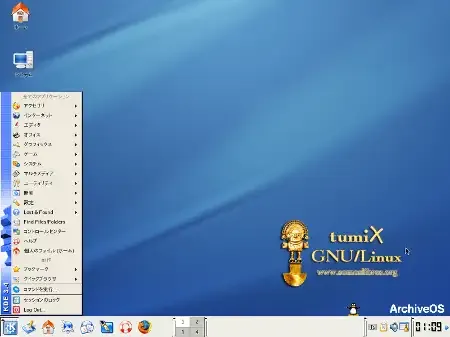
Web site: tumix.softwarelibre.org.pe Origin: Peru Category: Desktop Desktop environment: KDE Architecture: x86 Based on: Slax Wikipedia: Media: Live CD The last version | Released: 0.9 | June 15…
as I mentioned (see also in sshots), KDE is not fully working (or I lost patience at some time) but yeah, not any other Linux LIVE CD isos I tried were usualy compiled with SMP or no Math emu
opal phoenix
Odd a Peruvian developed distro is in Japanese. Even more so 20 years ago.
void belfry
that was... literally cherry on top
I so much want to get my hands on a Peruvian one, can handle spanish to much more extent without going to google translate images 😄
speaking of Peru, ~~another ~~ the other one would be Condorux


unfortunately didn't find any isos yet (not sure it would work though, didn't had any luck with Knoppix in general on ao486)
opal phoenix
I did found out tumix developers names. Will see if they have any contact info.
void belfry
Campaign seemed to be stopped/blocked (for now) as far as I can tell. I didn't get any feedback from IA team yet, but I don't see any more fake/malware posts (not only related to 0MHz but in general as well).
void belfry
Three more distros on test to see if I can recompile with math emulation (a Mongolian one and two Romanian ones)
https://distrowatch.com/table.php?distribution=soyombo
https://distrowatch.com/table.php?distribution=roslims
https://distrowatch.com/table.php?distribution=kiwi


being Debian based, should be doable in theory
robust monolith
It's just a hunch, don't know why, but @void belfry you do seem to like trying unix on the 486 core. Just a guess. 🙂 Good stuff though.
 deft estuary
Hi there! Just tried Civilization 1 Mt-32 version from official 0Mhz Pack but it sounds very... poor to me on My Pi32 if I compare it with Dosbox or original Roland 32 video on YT:
lunar trellis
Hmm, anyone confirm it plays better from the Top 300 pack? Maybe something gone wrong somewhere
deft estuary
lunar trellis
Hmm, anyone confirm it plays better from the Top 300 pack? Maybe something gone...


I cant’find it in top 300
lunar trellis
Oh interesting, I assumed it was in there
deft estuary
Ok guys got interesting findings about Civ 1 and Roland 32
First, ok my Mt-32pi setup was wrong and I’ve corrected it BUT
I’ve used an Exodos derived version (see next Pic for the exact version number) that sounds EXACTLY like YouTube videos and above all it has the same speed

I mean speed because in the Exodos and YT versions the intro is 1.22 minutes vs 3 minutes and beyond of official 0mhz pack, see (and hear) the respective videos below, first the Exodos
The slower last one is from official 0mhz official pack
Ok mistery solved. 0mhz official pack uses the slower version 475.01, Exodos uses the faster version 474.03, I don’t know why the older version seems sounds and show better
elder cove
Yep - I was going to say, I think in MIDI mode, looking at the display, which means it’s playing the audio using the FluidSynth virtual MIDI synth via a soundfont rather than Munt MT-32 LA synthesis.
(In future, you can tell on the display because it shows the MT32’s 1 2 3 4 5 R vol: 100 readout from the original system’s LCD. In the MIDI mode, it will just show 16 bars.)
deft estuary
Sure it was my fault BUT strangely the two versions have different sound and speed on MiSTer (with Mt32-Pi correctly set for Roland)
elder cove
Hmm - for some reason, loading it from the AUTOEXEC.BAT script is causing it to run slow. If I load the game directly from the .EXE via the command prompt, it loads like how you show the ExoDOS version running.
I’ll have to look into how the ExoDOS team has loading the game implemented.
deft estuary
ah ok thanks for the precious info!!!
void belfry
gonna take a bit, but still, the doubled PPP speed (230400 baud) rulz
 elder cove
What does SET DIRCMD=/4 do under a DOS 6.22 environment?
exotic prairie
X1 updates - getting closer... https://misterfpga.org/viewtopic.php?p=97352#p97352
void belfry
elder cove
What does SET DIRCMD=/4 do under a DOS 6.22 environment?
for displaying in 4 columns iirc, you can ignore it
elder cove
MILO is up:

This one was requested on the SkyTrip America upload - quite an obscure game. I did my best to do some research into the title's history, but I unfortunately didn't come up with too much about it.
young gust
If you get a chance, some great windows 3.1 games that are unique and obscure, are The Dark Eye, and Millennium Auction, and Iron Helix.
robust monolith
young gust
If you get a chance, some great windows 3.1 games that are unique and obscure, a...
There was, Solitaire. 🙂
elder cove
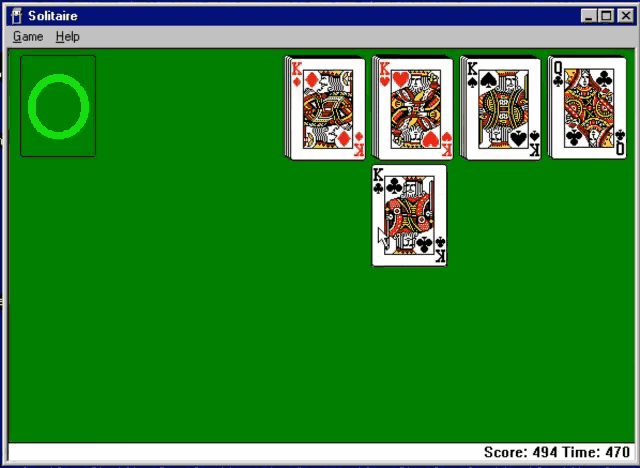 elder cove
young gust
If you get a chance, some great windows 3.1 games that are unique and obscure, a...
elder cove
young gust
If you get a chance, some great windows 3.1 games that are unique and obscure, a...
Funny thing about that - The Dark Eye is going up:
 young gust
HAHA
that's awesome.
it's a really unique little game.
As is Millennium Auction
Millennium Auction is right up your alley of cool, unique, and wacky Windows 3.1 games.
elder cove
Looking forward to trying it!
In general, I think the multimedia CD era (1993-1997) is one of the most underexplored in modern gaming circles. There are some real hidden gems there.
young gust
There is definitely a lot of unique stuff
If you ever do another April fools of bad games add Maabus (I think that's how it's spelled)
elder cove
Oh, trust me - I think I'm going to have another bad games pack before next April. For instance, I'm already working on a pack for this one:

I've seen Ross's Game Dungeon's video on Maabus, but I haven't tried it myself. Looks wild, though.
copper slate
 elder cove
That's actually part of a franchise called Blupi, interestingly enough. There's like 12 of them, all released as freeware over the years with several going open source - there's even a work in progress decomp for Speedy Eggbert.
 granite umbra
But it is too slow on AO486
 elder cove
I’m wondering if we want to start installing Q87 as default in Win9x for 0MHz configs. From what I’ve been testing so far, it brings a substantial performance boost.
young gust
What is Q87? I've never heard of it
elder cove
It’s a FPU emulator
young gust
Ah
elder cove
Basically emulates a math coprocessor that was an optional component - otherwise, software programs tend to use their own slower implementations of those math functions.
copper slate
elder cove
I’m wondering if we want to start installing Q87 as default in Win9x for 0MHz co...
If there aren’t any downsides then hell yeah
void belfry
elder cove
I’m wondering if we want to start installing Q87 as default in Win9x for 0MHz co...
It won't do any good/work under Win9x iirc. Q87 is just for DOS and needs EMM386/QEMM to function
elder cove
No, there's a Win9x virtual device driver for Q87, Q87.vxd. I've got a Windows 95 config with it running inside it, and it gives a decent speedup.
 sweet scarab
I have two 'sanity check' Amiga questions for those more familiar than I. First, AmigaVision replaced 'MegaAGS' rendering it obsolete correct? Second, each AmigaVision release should contain everything in previous releases rendering those earlier versions obsolete, correct? I'm trying to cleanup my NAS and remove redundancies.
elder cove
Yep
young gust
Now I gotta go see what is the latest AmigiaVision release to make sure I'm up to date!
young gust
Ah ok, i should be up to date then
elder cove
I’d be curious about everyone’s opinion on this - I have a game which is intended to run at 640x480 full screen under Windows 3.1, but has a menu bar at the top - meaning that if you play in 640x480 mode, the top edge is cut off (and it looks awkward in that format, though it loses no essential video information).
Should I make the pack in 640x480, and lose the top part of the game’s window, or should I run it in 800x600, adding some black bars but including the whole image?
 karmic fog
could you show us what those look like?
young gust
I'd go 800X600 so long as performance isn't compromised
sweet scarab
I agree, I'd rather see all of the intended screen, useful or not.


 bitter yoke
I remember this game but it was the snow mountain version, whatever it's called
Treasure math storm
I'd go with 800x600 if it runs just the same performance wise
young gust
I'd definitely go 800x600
karmic fog
hmm, i like being able to see the whole image too but based on these images it looks like the game was intended by the developers to be played at 640x480... are there other versions of this game, like on DOS or other platforms where the art displays fully? or any way to hide the toolbar?
elder cove
I didn’t see an option to hide the toolbar, unfortunately. There is a DOS version, but with significantly worse visuals & audio (the original is EGA, and everything has been redrawn for this version.)
I suspect it was originally designed for Macintosh, where you can have the top menu bar disappear on mouse over. I still haven’t quite gotten a 0MHz ShapeShifter config set up yet, though.
 grim lodge
Just get a slightly bigger monitor and the 800x600 will make up the size difference
thick pendant
@void belfry have you ever tried any unix like OS on Minimig core?
void belfry
thick pendant
<@794151308620857395> have you ever tried any unix like OS on Minimig core?
tried Minix and NetBSD i think at some point, none worked (BSD think because MMU ?)
void belfry
atm researching to install Minix on X68000, found some archived JP sites with info to install it on a SASI HDD, will see
void belfry
@thick pendant even Linux lol

 void belfry
well, that would explain it
Don't really remember what was the Minix issue though, might retry it some time
void belfry
oh boy, Unix on 68000 is quite a rabbit's hole 
elder cove
Odd question, but does anyone have a preconfigured FreeDOS or commandline DOS 7 installation for ao486?
I’ve got a DOS game with a hard drive install that’s too big to run in an original DOS partition, as it’s designed with DOSBox in mind. (Would need a drive around 1.5GB.)
young gust
When I made my vhd for DOS 6.22 I was able to have 2 gig in total for C drive
At least I think I did 😂 I'm so sick right now n tired I can't think for shit
 vestal ginkgo
elder cove
Odd question, but does anyone have a preconfigured FreeDOS or commandline DOS 7 ...
vestal ginkgo
elder cove
Odd question, but does anyone have a preconfigured FreeDOS or commandline DOS 7 ...
This is freedos based full VHD: https://github.com/flynnsbit/DOS_Shareware_MyMenu/releases/tag/v0.1.20.6 and there are a few updates: follow the instructions here: https://github.com/flynnsbit/DOS_Shareware_MyMenu?tab=readme-ov-file#dos_shareware_mymenu
can't remember how big I made the VHD but it is bigger than 1.5
It's 2GB, just delete all my stuff in the GAMES folder
 burnt pelican
elder cove
I’ve got a DOS game with a hard drive install that’s too big to run in an origin...
burnt pelican
elder cove
I’ve got a DOS game with a hard drive install that’s too big to run in an origin...
The only thing I can think of is if you have an existing 95/98 install, there's a bootdisk.sys which is a 1.44MB disk image in the windows directory that you can use to create a basic DOS install (e.g. an earlier version of winimage or dd or similar)
granite umbra
 void belfry
Minix 2.0.2 running on AtariST core


Image is here : https://atari.joska.no/minix/, rename it to VHD and boot it. There are two images (minix202.img and minix204.img), rename one of it to "minix.img" then start minix.prg. Use root or minix as user, same pass Geheim
Unfortunately, it doesn't know PPP, only SLIP (and I'm not in the mood to redo all the work to get SLIP on MiSTer)
Meanwhile, anyone tried this https://github.com/oerg866/win98-quickinstall ? Just found out about it watching This Week in Retro 🙂

GitHub
A framework + installer to (very) quickly install Windows 98 on anything from a 486 up to a modern system - oerg866/win98-quickinstall
robust monolith
Coming up next @void belfry gets unix running on the zx80 core written in Forth. 🙂
void belfry
MacMinix running on the MacPlus core (https://www.pliner.com/macminix/)


I used @karmic fog VHD, just copied over the .hqx file, unpack it and runs like a charm
void belfry
robust monolith
Coming up next <@794151308620857395> gets unix running on the zx80 core written ...
Unix micro-kernel OSes like Uzix and Fuzix do run on Z80 based systems (MSX for example #1056033525922537542 message)
this is so cool 😄

after some coffee, will see what was the issue with Minix and Amiga core, it was long time ago since I tried it and can't really remember what was the issue exactly
void belfry
hmmm...
 robust monolith
Good old Amiga, BSOD before it had been invented.
strong yoke
void belfry
hmmm...
Are you using a 68000? Original 1.5 only supports that I think
void belfry
void belfry
Meanwhile, anyone tried this https://github.com/oerg866/win98-quickinstall ? Jus...
oh boy.... so this is FreeDOS running then some Linux image to somehow install W98 after...
 void belfry
strong yoke
Are you using a 68000? Original 1.5 only supports that I think
void belfry
strong yoke
Are you using a 68000? Original 1.5 only supports that I think
yes, tried 68000 only, different kickstart roms (thought my usual 3.2 would have to do)
strong yoke
Might want 1.3
 void belfry
apparently it doesn't even want to boot from the floppy, though I think i did it correctly
strong yoke
Hm. I'll have a look later when I get home, I had completely forgotten it existed 😄
void belfry
right, don't think i tried 1.3 though
strong yoke
Kindly the Aminet version has the later 1.5.10 which supports a lot more https://aminet.net/package/misc/os/Minix_Amiga
void belfry
yup, that is the one I tried
strong yoke
Might bust out a real Amiga or two to compare
void belfry
tried to re-make the boot floppy unde WB1.3, doesn't boot and if tried to run directly:

 hollow estuary
void belfry
Meanwhile, anyone tried this https://github.com/oerg866/win98-quickinstall ? Jus...
hollow estuary
void belfry
Meanwhile, anyone tried this https://github.com/oerg866/win98-quickinstall ? Jus...
Yeah I've used it to install win98 on my itx llama
void belfry
Yeah, defo would work on that (itx llama). I tried to compile the kernel with math emulation for ao486, seems to work but now it's the rootfs it complains and goes into kernel panic 
 hollow estuary
void belfry
Yeah, defo would work on that (itx llama). I tried to compile the kernel with ma...
hollow estuary
void belfry
Yeah, defo would work on that (itx llama). I tried to compile the kernel with ma...
Annoyingly it doesn't work 100% on the llama. There's something weird with detection of the install media on the Linux part of the install process and you have to reboot and retry multiple times for it to be detected. Not sure what the deal with that is
 ruby charm
@hollow estuary Not exactly related, but since you seem to be into the Tinyllama as I am, have you tried Pinball Dreams or Pinball Illusions on it? SETSOUND.EXE resets the Llama immediately, even without any memory managers. Do you happen to have an idea on why?
Already tried slowing down CPU, disabling caches, limiting XMS to 16MB, etc
hollow estuary
ruby charm
<@355008202141728768> Not exactly related, but since you seem to be into the Tin...
Sorry haven't tried those games yet
ruby charm
hollow estuary
Sorry haven't tried those games yet
Ok, tell me about your findings if you ever try them on the TinyLlama 🙂
I've been investigating the incompatibilities of the TinyLlama for more than a year now. We recently discovered that loading SMARTDRV in CONFIG.SYS fixed all EMS games that had problems previously, so Lemmings 2 and Elder Scrolls: Arena now work perfectly.
But Pinball Dreams /Fantasies / Illusions are resisting...
hollow estuary
ruby charm
Ok, tell me about your findings if you ever try them on the TinyLlama 🙂
I've be...
I don't have a tinyllama, I've got an itxllama, although same SOM but I guess it'll be the same on both
ruby charm
hollow estuary
I don't have a tinyllama, I've got an itxllama, although same SOM but I guess it...
Yes, the same problems are present in both due to the same SOM.
But that line works around the infuriating EMS problem we were seeing before 🙂
Whatever you find on the ITX Llama will be applicable to the TinyLlama.
 deft hemlock
Will the C64 core ever support EasyFlash saves - or is it not possible? I wonder if anyone here knows more..?
hollow ice
void belfry
Yeah, defo would work on that (itx llama). I tried to compile the kernel with ma...
At boot? I really, really, really need to find out why that first data response is ignored.
hollow ice
@void belfry first release https://github.com/mezantrop/i486SX_soft_FPU

GitHub
Bring back FPU emulation for i486SX CPU on NetBSD. Contribute to mezantrop/i486SX_soft_FPU development by creating an account on GitHub.
void belfry
@hollow ice indeed, math emulation works but it still fails due to IDE errors when mounting rootfs


 proud pasture
Is there a package similar to Amiga vision for the Zx Spectrum Next Core?
Also does anybody know if you still need/have to install on an SD card in the second SD slot? I'm new to trying out the computer cores and unsure about setting up this zx core. Amiga vision and X68000 are simple thanks to the available packs.
copper slate
proud pasture
Is there a package similar to Amiga vision for the Zx Spectrum Next Core?
Also d...
Second sd cart slot is completely unused
proud pasture
Hmm I was reading the info on the GitHub...maybe I'm misunderstanding?
You may use secondary SD card (on I/O board) directly in this core. Make sure you've deleted/renamed ZXNext.vhd in the root and Games/ZXNext/boot.vhd. If core cannot find these files, then secondary SD card will be used instead.
copper slate
proud pasture
You may use secondary SD card (on I/O board) directly in this core. Make sure yo...
Oh, I mean that you don’t need it.
proud pasture
Ok thanks. I'll have a go at getting it running after work 👍
elder cove
Sorry I haven’t posted too much about new packs this last week - got about a dozen titles in progress, but several are waiting on finishing up work for supplemental content or reviews. (One’s requiring scanning about 60 different documents, for instance, but it’s an extra I’ve wanted to see done for a particular game for years.)
young gust
elder cove
Sorry I haven’t posted too much about new packs this last week - got about a doz...
Hope all is well!
 vestal goblet
void belfry
oh boy, Unix on 68000 is quite a rabbit's hole <:UhHuh:1165837006140616756>
vestal goblet
void belfry
oh boy, Unix on 68000 is quite a rabbit's hole <:UhHuh:1165837006140616756>
if the original SunOS could run….
hollow ice
yeah, I think the original sgis were 68k as well? I’d love to have a sony news core too
vestal goblet
void belfry
Minix 2.0.2 running on AtariST core
There was a local BBS in Springfield Illinois that ran under Minix on an Atari ST!
hollow ice
I am just happy that we have the sparcstation core…that is a rabbit hole in and of itself
vestal goblet
was just at the Comouter History Museum with some colleagues from Poland , and I told them how important Stanford University Networks was to the spread of the (arpa) internet. Putting a network card in workstations by default was heretical at the time.
elder cove
hollow ice
yeah, I think the original sgis were 68k as well? I’d love to have a sony news c...
The earliest IRIS machines were, yes - the IRIS 1000-3000 series. I don’t think I’ve ever seen one in action, though.
Most of the later machines (Indigo/Indy/Octane/etc) were MIPS-based until they moved to Intel-based processors.
hollow ice
I know mame is focusing on the mips computers, I have no idea if any technical documentation still exists for the early ones
vestal goblet
Yea, because what are you preserving? Does the original software and assets for rendering the Owl in Labyrinth, or the knight in Young Sherlock Holmes still exist? (Or some other early CG character/film that was rendered on that hardware?)
void belfry
Doubling PPP speed on Minimig request got merged, please test (adjust speed in your TCP stack of choice to 230400 baud. I only tested with Miami/MiamiDX, but I don't see why it won't work with RoadShow or AmiTCP as well): #unstable-nightlies message
strong yoke
proud pasture
You may use secondary SD card (on I/O board) directly in this core. Make sure yo...
You can pull the sd from a real Next and pop it into the 2ndary SD slot and use the core that way, then pop it back into a Next. That’s the only current core that’ll use the slot I think.
Only “finished” core anyway. Maybe some of the incomplete Japanese PC cores do, I’m not sure
void belfry
think at some point the OCM MSX core needed it in first stages, but not anymore for quite a long time
granite umbra
elder cove
So, I’ve found a few titles with some pretty significant issues in ao486 I can’t seem to get fixed.
First is that I’m getting a black screen on the Sherlock Holmes: Consulting Detective games. Tried a couple different things, but I can’t seem to get past that.
Second, is that the lower scoreboard in Pinball Warriors isn’t appearing. The rest of the game plays fine, but I’m not entirely sure why that doesn’t appear - you just see the panning playfield in full screen, with glitching when you reach the bottom of the screen (which isn’t correct).
elder cove
One that really confuses me, however, is 8 Ball Deluxe. It should use the same engine as Royal Flush, another pack I’ve put together, but I just get a flashing cursor when loading the .EXE. I’ve tried multiple different installations, and got the same result.
hollow ice
I’ll take a look at Sherlock, I have been fixing unsupported ide commands and maybe that is the problem there. I need to figure out what is going on with the status command for sf2t, the faq says that some cd drives have issues and will exhibit that behavior.
Did you upload Sherlock already?
 cold crane
I'm sure this has been asked a million times already...but is there any way to save in the X68000 core? Like if I create a profile in Castlevania, every time I reboot the game, the already included profiles are still there and my profile is gone again. I assume it's just not built into the core yet, but just checking! 🫡
void belfry
save the game before rebooting ? like on every other computer game 🙂
cold crane
I will have to figure out how to save then! 
void belfry
i'm taking a look, for sure it should have some save menu or smth.. i guess 😄
void belfry
so far ESC pauses the game, but can't see any menu lol
@cold crane apparently it's either automatic save after each stage boss or when you die you'll have the option to save the game/profile
 void belfry
elder cove
So, I’ve found a few titles with some pretty significant issues in ao486 I can’t...
void belfry
elder cove
So, I’ve found a few titles with some pretty significant issues in ao486 I can’t...
Where/when do you get that black screen ?

used a template DOS 6.22 vhd, it didn't like my usual DOS 7.1 apparently
void belfry
elder cove
One that really confuses me, however, is 8 Ball Deluxe. It should use the same e...
that one also seems fine to me (works on a DOS 6.22 template or on my own 7.1)

 elder cove
Hmm - there’s something different between our configurations, then. It’s as soon as I boot the game for both on my 6.22 config.
Are you using CHD, ISO, or BIN/CUE media for the CD?
I’ve primarily been testing with Sherlock Holmes Consulting Detective Volumes 2 & 3, as the later games are less widely ported.
elder cove
And for 8 Ball Deluxe, are you installing from images of the original media or playing it from a pre installed folder? I know there’s a V1 and V2 of that one - I’ve tried both, though I’m not sure if I tried installing V1 from original media.
void belfry
For Sherlock Holmes only tried volume 1, didn't install anything, just booted the DOS vhd then ran it off CD image *some bin/cue found on Archives)
For 8 Ball Deluxe, same, got it from some PinballMania iso CD and just ran it off CD
elder cove
Yep, looks like Volume 1 is working for me as well - 2 and 3 just give me the black screen. (Again, weird because they should all use the same engine.)
void belfry
weird, will have a look at them too
right, tried vol 3 and it gives me the same black screen...
smth is off with the image, only seeing 160 kB of data under DOS
under W95 a lot more appear

thinking to use W95 to copy over the files on some DOS template then see if it works
void belfry
probably some weird CD image... for now still copying over the files
void belfry
aaand i'm out of space on that DOS template 😄
converted the CD image to CHD, same issues under DOS..
granite umbra
new ABC 80 core :
https://misterfpga.org/viewtopic.php?f=14&p=97637#p97637
Update Laser 500 core :
https://misterfpga.org/viewtopic.php?p=97628#p97628
cold crane
void belfry
<@441269164548554752> apparently it's either automatic save after each stage bos...
I shall try it again today! 🙏
thick pendant
void belfry
Unfortunately, it doesn't know PPP, only SLIP (and I'm not in the mood to redo a...
maybe i'll build a SLIP kernel if I feel like doing it tomorrow..
hollow ice
@void belfry is the winnt ide driver just redirecting hard drive requests through the bios?
void belfry
¯_(ツ)_/¯ not a clue 🙂
hollow ice
Is the thing I have been missing this whole time just been the switch from bios to the supposed direct implementation?
void belfry
https://alter.org.ua/en/soft/win/uni_ata/ the driver
hollow ice
not sure I can tell. need to boot my nt image and see if i can get verbose output
 blissful bison
Someday, FPGA will simulate a computer that can emulate and play NES or SNES games.
granite umbra
blissful bison
Someday, FPGA will simulate a computer that can emulate and play NES or SNES gam...
Ao486 can run old nes emulator
ruby charm
Looking at the Lemmings 2 VHD in the 0MHz collection, I see that working sound requires 15Mhz + L1 Cache OFF + L2 Cache OFF, which makes the game insanely slow to load and move through the menus.
Are those requirements real? I mean, I had the game working with sound back in the day on a 486 DX2@66Mhz computer...
So, why the strange 15Mhz+No Caches requirement on the ao486 core?? Makes no sense...
I have even seen that game run on Pentium-class PCs with audio
cold crane
Bummer! For some reason, the 0MHz collection no longer shows a video signal on my TV. I wonder if it has something to do with my new receiver, which my MiSTer is hooked up to. Odd that it wouldn't work though considering it supports 4K 120hz and VRR. And nothing else on my MiSTer has any issues running through it.
I forget, what type of video signal or resolution does the 0MHz collection use?
exotic prairie
cold crane
Bummer! For some reason, the 0MHz collection no longer shows a video signal on m...
My denon receiver hates certain refresh rates. 53.5hz. 60.6hz. 57.3hz. Does vrr, 8k, all the fixings, but can’t show psychic 5 without triple buffering.
cold crane
exotic prairie
My denon receiver hates certain refresh rates. 53.5hz. 60.6hz. 57.3hz. Does vrr,...
I seem to have been able to fix it by forcing the ao486 core to use 1080p (video mode 8).
fleet cave
what were you using before?
cold crane
1440p 4:3 (video mode 12)
Always worked when I used to have my MiSTer plugged directly into the TV.
And works for every other core going through my receiver.
But for some reason ao486 just doesn't agree with video mode 12 going through my receiver. But works fine when hooked directly into the TV.
Different refresh rates also work fine going through the receiver. Like arcade stuff like Irem M72 games, Wonderswan, and even the ao486 core right now at 70.1Hz.
I have noticed another random issue though. For some reason the F12 key on my keyboard no longer brings up the OSD? Very odd.
 summer dragon
cold crane
I have noticed another random issue though. For some reason the F12 key on my ke...
summer dragon
cold crane
I have noticed another random issue though. For some reason the F12 key on my ke...
try holding windows key and then pressing F12
cold crane
summer dragon
try holding windows key and then pressing F12
That worked. Was it always like that? It's been awhile since I last used a keyboard on my MiSTer.
summer dragon
it’s only like that in (some?) computer cores I think
I feel like sometimes F12 works and sometimes you need to hold the Windows key
fleet cave
ao486, pcxt and archie I think require Win+F12
thick pendant
@void belfry SLIP/CSLIP Kernel
void belfry
Thanks mate, will resume SLIP tests over this prolonged weekend 🙂
thick pendant
I've not tested the kernel boots yet, can't do that until this evening..
it probably boots fine though
void belfry
Think this modification should be made permanent tbh, a lot of old OSes can do just SLIP and not PPP
thick pendant
i think this is all i did last time

maybe i should have put in the 6 bit thing as well?
void belfry
don't know, but won't hurt, i think. Last time iirc I included that as well
void belfry
guess I need to get a new one myself too, though this old I5 still holds (has 32gb RAM though lol)
meanwhile taking a so much deserved break and playing High Seas Trader 😄 This game is such a gem
thick pendant
I really did not want to get one I had my laptop in a backpack with a bottle of Gatorade and someone cut off my truck and sent backpack flying and the laptop got soaked in electrolytes and never booted again. it was a i7 with RTX 2060
void belfry
ouch 😦
thick pendant
this one is a i9-14900HX with RTX 4070 so it can compile kernel with "-j24"
void belfry
in how much time does it compile a core ? 😄
thick pendant
but some things I liked about the old one better. the camera on this one is not "hello" compatible, and the RGB keyboard uses zones
void belfry
mine in like 30-40 mins ¯_(ツ)_/¯
void belfry
wow 😄
void belfry
try to synth ao486 , how fast it is ?
thick pendant
oh, i've not put quartus on it yet. I bet it still takes a while, only parts of the synth process seems to use multiple cores
 stiff fern
void belfry
Think this modification should be made permanent tbh, a lot of old OSes can do j...
stiff fern
void belfry
Think this modification should be made permanent tbh, a lot of old OSes can do j...
I had submitted a PR to add SLIP support, and it was rejected. I believe Sorg said a PPP driver should be written for the OS instead.
void belfry
Speak SLIP and kconger is triggered too 😄 🍻
stiff fern
lol
void belfry
riiight... who the heck will write a PPP driver for old Minix or SunOs or whatever 😄
even if it would be possible...
stiff fern
My changes are still in my personal GitHub account.
void belfry
have to review my notes to see how many OSes for what cores I found to have SLIP
might be wrong, but think even C64 has an use for SLIP
thick pendant
i originally used SLIP with Windows95 because i used university account and thats all they offered
we probably could compile SLIRP in user-space
karmic fog
what's the downside of having SLIP enabled in the kernel
void belfry
karmic fog
what's the downside of having SLIP enabled in the kernel
none
thick pendant
maybe use a few extra kb
karmic fog
😦
fleet cave
can't you just build it as a module?
thick pendant
could i suppose
void belfry
ELKS/Minix - works as well on XT core, supports serial and SLIP connectivity. You need to modify MiSTer linux kernel for SLIP
Now I remember the PDP2011 core needed SLIP as well
https://misterfpga.org/viewtopic.php?p=65553 3 years now :))
thick pendant
oh, looks like we also need "slattach"
looks like you can get slattach from debian "net-tools" deb
void belfry
isn't already present on MiSTer Linux iirc ?
void belfry
it is 🙂
 thick pendant
ah. cool
well, if we are going to include "slattach" then why not include kernel support.... seems like a no brainer, but I don't want try and make that point otherwise next linux.img will probably omit it (slattach I mean)
hollow ice
@fleet cave I haven’t done done any debugging recently, but any recommendations on where to look in regards to the ide implementation to understand why the bios reading of the hard drive seems to work, up to the point where these operating systems make a call for the first sector of data, it is returned (at least according to the debug log from main) but the core never seems to see it? I assume that is when the OS switches to its IDE driver.
fleet cave
no not really. other than some intense debugging on the os side in an emulator to see if you can figure out what breaks/works for the os
the other wrinkle is...maybe the bios being used by mister just sucks
hollow ice
well, there is that, plus the ide implementation sort of … is not great due to the way interrupts are passed back and forth. What is frustrating is I cleaned up the RESET flow a while back, and then lost those changes, which really put a damper on my enthusiasm
But once the CPU is in protected mode I don’t think you can use the BIOS for access anymore?
I am not an x86 wizard
thick pendant
hollow ice
But once the CPU is in protected mode I don’t think you can use the BIOS for acc...
You can, like in the case of DOS extenders you get the "int86" function which switches "unreal mode" or "v86" mode, but its a lot of overhead for OS level code, so doubt that is done
fleet cave
yeah, I think I'm more saying that i don't know if what you set in main is 'clean' pass through. the core has some component of an ide controller in it that I've never fully looked at.
this ends with someone booting this stuff in like pcemu and somehow dumping ide registers. that sounds like work tho
hollow ice
Yeah. The core ide controller is exposed as if it is on the pci bus. It looks mostly right for my limited knowledge.
The bios implementation seems to reach out through the correct memory range, but… once again I am no x86 wizard. Block diagram wise it looks like it should work.
granite umbra
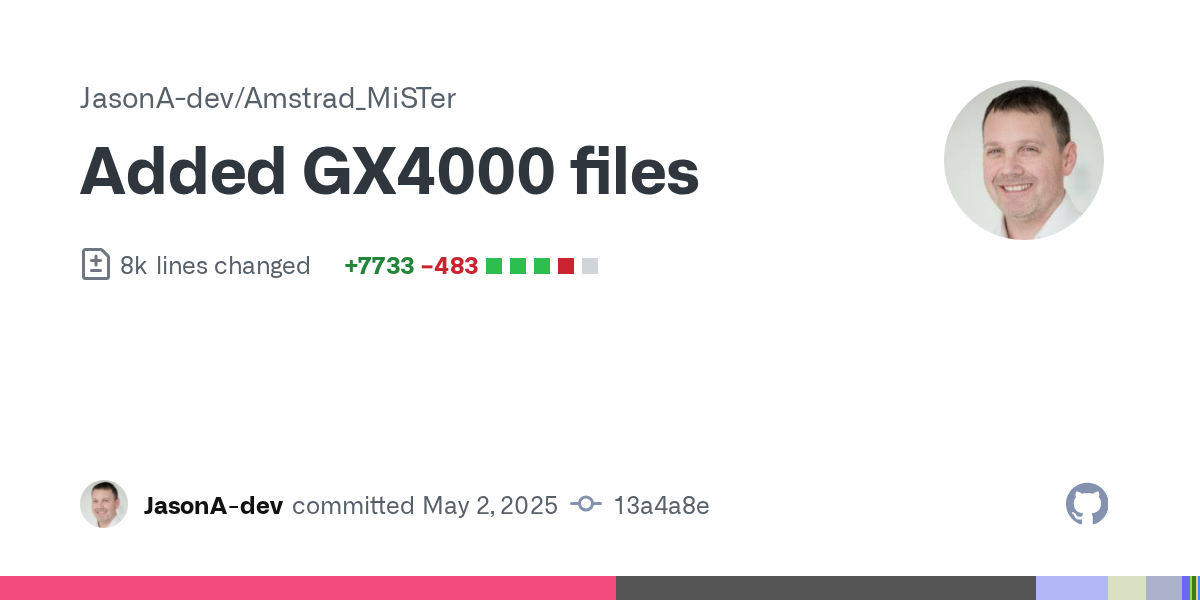 granite umbra
lunar trellis
granite umbra
lunar trellis
Wow, I didn't realise Jason was looking at this again, if we get a CPC+/GX4000 core working well that would be brilliant. As Sorg says that is one of the last glaring holes in the MiSTer cores catalogue
One of the last western consoles as well
 uneven cliff

Much more Hyperspin, Pinball, Gameplay, Consoles, Handheld's, Arcade Classics, A to Z, Emulation, Cinematic's, News & Updates on my channel. Share, Like, Comment, Hit the Sub Button !!!
MAME AtoZ: https://www.youtube.com/watch?v=BMlE3OqQCfA
PS2 AtoZ Pt 1: https://www.youtube.com/watch?v=YSlZw2Vl2bA
 clear wing
Hi guys, I added the below text to my MiSTer.ini file so I could displaY x68000 on my consumer CRT. It works, but the displayed image is the wrong size, it's too tall so the top and bottom are cut off, and it's not wide enough so there's black bars on the left and right. Do you know which numbers I adjust to make the displayed image shorter vertically and also wider? Thank you.
[X68000]
vga_scaler=1
forced_scandoubler=0
vsync_adjust=2
video_mode=1536,180,152,274,256,1,1,16,34900
young gust
uneven cliff
https://www.youtube.com/watch?v=GlQysFUkOWs
Is there a MiSTer core for this?
uneven cliff
young gust
Is there a MiSTer core for this?
#1047332497492553799 message
young gust
Awesome. I'll have to snag all the games for it
hollow ice
Time to jump on this ai bandwagon https://github.com/ytmytm/llama2.c64

GitHub
Inference Llama 2 in several files of pure C but on a C64 - ytmytm/llama2.c64
void belfry
Lol, reminds me of his other works, C64 bitcoin miner and LNG fork 😄 This guy has a lot of nice C64 projects
robust monolith
Does it still really whip the ass? 🙂
void belfry
it's whipping smth...
 void belfry

 worn oxide


 fleet cave
x68k has 15khz modes, so no
 void belfry
¯_(ツ)_/¯
 hollow ice
Haha. Fp gains? Is this telling @copper slate’s story?
elder cove
Millennium Auction is going up:

Definitely a unique game - sort of an art auction simulator based on what they thought the future would be like in the '90s.
It does a lot of interesting things to put it beyond just your average simulation title, though, taking some influence from point-and-click adventures with a lot of focus on the impact of the media & these wild (and occasionally quite surreal) character back-and-forths between the fictional auction bidders you play as. Thanks to @young gust for the recommendation, as it otherwise wouldn't have been on my radar to check out.
I've also finalized the 3-game lineup for a sequel to my April Fool's Pack, Bad Games Vol. 2 - and trust me, the third one besides Maabus and Ninja Nannie has a wild name attached to it. Will have more info on that soon.
void belfry
AI hath spoken through C64
 hollow ice
Haha
copper slate
void belfry
AI hath spoken through C64 <:elmorise:862320827687763989>
(unk)(unk)(unk)
thick pendant
too bad I'm out of ChatGPT credits. probably try and figure out a way to make it run against ollama running on my office PC locally. https://www.youtube.com/watch?v=V1AYvh7j_Eo
My home office PC has 384GB RAM and 2 Titan X Pascal video boards so it runs most models pretty ok
maybe i could get it to draw a picture in PETSKII. that would be cool
granite umbra
 hollow ice
Nice! Thanks for continuing to work on the forgotten Commodores, Eriks5!
granite umbra
yes 🙂
The P500, b610, b620, b710 and b720 seems to work. Kernal are shown
 elder cove
Long story short, Meet Mediaband’s a real odd one. It was created by the co-designer of the Director engine, which was also used by a significant number of other games (including Eastern Mind, Milo, Frankenstein: TTEOTM, The Dark Eye, and more).
I wrote a pretty significant writeup for this one, and the documentation included covers quite a bit more of the game’s history (including the full script for the unproduced tie-in film & what the full 2-CD plan for the game originally looked like).
karmic fog
@elder cove really appreciate the work you're doing with these titles, you are constantly highlighting obscure stuff i've never seen before but it is always very interesting
granite umbra
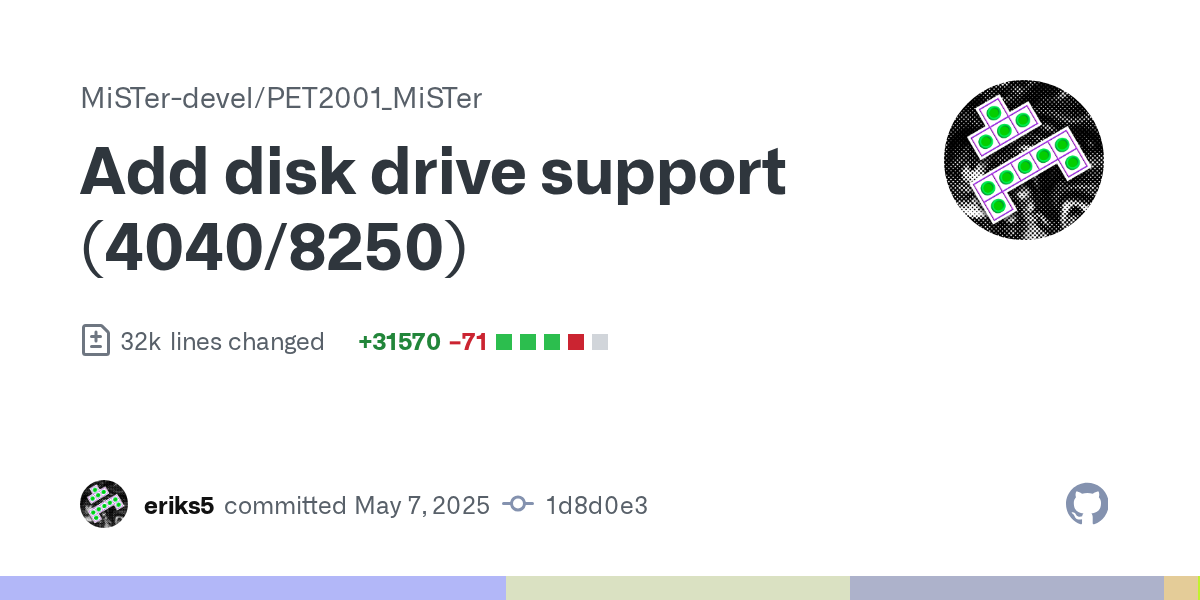
GitHub
-
Add IEEE drives (4040/8250)
-
Merge IEEE drive changes
 honest latch
hello everyone, could anyone tell me if there's an existing .hdf file for the amiga game attack doom. i know theres a .lha file but it seems like a lot of work to create one from scratch.
void belfry
I dunno about that game and if it is in AmigaVision, but if you have a working AmigaOS hdf (including mentioned AmigaVision), simply transfer that LHA archive (shared folder is an option) and just extract it to a folder to your convenience (lha -x archive.lha)
honest latch
@void belfry thank you for your response. i do have an .hdf file, so is all thats needed is to decompress the .lha file, copy the contents into the .hdf virtual drive along with the doom .wad files. would i also need kickstart files copied as well?
void belfry
Kickstart roms should be in the /media/fat/games/Amiga/ folder on your MiSTer
elder cove
Announcing the third game in my upcoming Bad Games Pack Vol. 2, DEVO - Adventures of the Smart Patrol:
 elder cove
Now, you probably had no idea that DEVO, the band most famous for songs like "Whip It", made a game. But they did - with InScape (the developers behind The Dark Eye) giving the band's writer, Mark Mothersbaugh, full creative control over the project.
This was a unilaterally bad idea on InScape's part, which would eventually borderline bankrupt the company and collapse the studio from this single game alone. It is one of the most stupidly insane adventure games I've ever played, and just about a reference-class example on what not to do in game design. (At the same time, it is so patently bizarre on every level that it absolutely deserves a pack.)
lunar trellis
Oh wow! I didn't know Devo had a game
That's a whole weird subgenre, bands who released CD ROM games in the 90s. I remember when a mate got a Mac in the mid 90s it came with a game about the Rednecks who sung Cotton Eye Joe, which was a point and click where you had to go about a western town looking for the band members and they would play FMVs when things happened. Not sure if that came out on PC, probably
I know The Residents had CD ROM games which I imagine are suitably surreal and unnerving
The Residents: Freak Show is a CD-ROM by The Voyager Company. A few years earlier they had released a similar work based on The Residents entitled Twenty Twisted Questions. The project was spearheaded by James Ludtke.
 jaunty iron
lunar trellis
I know The Residents had CD ROM games which I imagine are suitably surreal and u...
jaunty iron
lunar trellis
I know The Residents had CD ROM games which I imagine are suitably surreal and u...
It absolutely is, you nailed it
strong yoke
Before that in the 80s there was Frankie Goes To Hollywood, a very odd set of minigames
lunar trellis
I wonder what the specs needed for Freak Show are, probably needs a Pentium being from 94
All I can find is it needs Windows 3.1
They released another one the year later

Bad Day on the Midway is a 1995 CD-ROM game written and directed by The Residents, animated and designed by Jim Ludtke, developed and published by Inscape. In March, 2022, the game's copyright holder Cryptic Corporation and former Inscape CEO Michael L. Nash allowed the game to be released as freeware.
The game takes place in the titular Midway ...
elder cove
I’ve actually been working on a Residents pack. Freak Show runs well, Bad Day on the Midway works but is a bit slow.
Haven’t been able to get Gingerbread Man working, though - it just throws an error on startup.
lunar trellis
Oh wow, that's ace you were already looking at those!
Ah yes, this was indeed a thing and did get a release for 3.1

Inbred with Rednex 1995 PC
►Info:◄
http://www.mobygames.com/game/inbred-with-rednex
►More Games 1995:◄
https://www.youtube.com/watch?v=miBd0NbVRI8&list=PLwCz3akC_XLNDlQEISkegXpavQw5vTwex
►The Hall:◄
https://www.youtube.com/channel/UCg15o2O5-_TmS2RrQL8a1dw/playlists?shelf_id=5&sort=dd&view=50
►Gameplay:◄
2:13
►Abo / Sub:◄...
elder cove
That is a wild choice of title for that game lol - I’ll look into it
If there’s interest, I can start putting together some more of these musician games, too - Telepathy: Out There also comes to mind as a really unusual one
elder cove
Rednex works pretty well under ao486 on an initial test. Telepathy seems to be having some issues recognizing an image of the CD - I’ll try a rebuild tomorrow, see if that helps.
lunar trellis
Man, I never thought I would have the chance to relive those weird memories of trying to beat the Rednex game that came bundled with my mate's Mac, thirty years ago...
karmic fog
@elder cove d'ya think Cosmology of Kyoto is playable on ao486?
if so, that'd be a great candidate for 0MHz
also maybe something to keep in mind for ShapeShifter once we get there
or a 0MHz "community extension", whatever we're calling it. it's a a good search term either way
elder cove
Haven’t tested it yet, but that’s on the list to try out.
elder cove
karmic fog
<@502870743244079111> d'ya think Cosmology of Kyoto is playable on ao486?
Running it now - so far, seems to play great under Windows 3.1 on the core.
copper slate
@elder cove if you want to try an absolutely bonkers game, check out Space Kids. It’s for MSDOS - https://en.m.wikipedia.org/wiki/SpaceKids

SpaceKids is a video game developed by Evryware Software and published by MicroProse in 1994 for MS-DOS.
elder cove
I’d forgotten about Space Kids - that is a weird one. Evryware’s games from around that time had a very specific kind of “morph-ey” style, sort of Rayman meets Mode 7.
For that and its sequel, 1996’s Space Dude, I think I’ve only ever played the demo - I don’t think I’ve ever tried the full version.
 wheat ridge
#share-media message crossposting 🙂 computer fun
copper slate
elder cove
I’d forgotten about Space Kids - that is a weird one. Evryware’s games from arou...
Damn you’re truly the GOAT, I didn’t hear about that game until yesterday lol
bitter yoke
I remember having this game on a shareware disc
 hardy kindle
Dumb question but new to X6800. Why do I have sound in almost every game except Castlevania? Sound effects are fine, no music though.
hollow ice
Did you choose the appropriate option when you started? There is a menu screen with three options. You need to choose the first one I think?
hardy kindle
i did not, let me try again ty
hardy kindle
hollow ice
Did you choose the appropriate option when you started? There is a menu screen w...
That did it, ty for the help!
 mental moat
With AO486, can you use PPP and a MT32-pi at the same time? I don't yet have a mt32-pi so I can't try it to check.
copper slate
What’s PPP
mental moat
Network/internet access, it acts like a dial up modem.
Basically I want to be able to use midi and networking at the same time. It doesn't seem to be possible when using midilink with fluidsynth running on the de10-nano, I'm hoping that getting an MT32-pi will solve this issue.
exotic prairie
PPP doesn't use the SNAC port, yeah? Just uses the de10's ethernet port?
if so, then yes, that should solve the problem
but even if it didin't, you should get an mt32 pi
mental moat
PPP doesn't use the snac port, but you do set the UART port to PPP to make it work, which I think might need to be set to something else to make MT32-pi work.
I guess my question is more specifically, what does UART (see screenshot) need to be set to in order to make MT32-pi work?

I do plan to get an MT32-pi either way though :p this just influences where in my list of priorities it sits.
exotic prairie
Mt32pi has its own menu item
fleet cave
yeah, the uart is for other stuff, like doing midi to a software synth or doing midi over the network. or maybe even actual music production if you are one of those people
mental moat
Awesome! That's great then, I should be able to use UART for PPP at the same time as the mt32-pi is used for midi
Which should make multi player Warcraft 1 & 2 possible 😮
void belfry
mental moat
Which should make multi player Warcraft 1 & 2 possible 😮
If you have multiple MiSTers (or you have some old DOS PCs connected) , you can totally do some multiplayer **LAN **gaming.
Most games of the era used IPX instead of TCP/IP :(#1047332497492553799 message or #1047332497492553799 message)
strong yoke
One for you @void belfry https://www.theregister.com/2025/02/24/beta_unix_2_restored/

: What is dead may never die
robust monolith
1972!!!#
 jolly kraken
Unix 2b core soon?
elder cove
Got SpaceKids and Space Dude running. Both play well, though SpaceKids seems to act a bit weird when you Escape out of it. (I need to do more investigation, but that likely is authentic to the original game.)
Keep in mind that you will need to use a numpad to play these two fully as intended.
copper slate
Got a request for you smart people here. LSL7 on the 0Mhz pack slows down to an absolute crawl when you get to the cruise ship lobby. Is that fixable with your computer magic?
elder cove
Hmm - possibly. I’ll take a look at it.
Worst case scenario, you should also be able to run it natively on the ARM CPU via ScummVM, too.
elder cove
Going to start by testing the Windows 3.x version - see how it runs in comparison. (For example, I found that the Windows version of King’s Quest VII ran significantly better than the DOS one - that may also hold true for LSL7, considering they should both be using the same version of the Sierra SCI engine.)
elder cove
I’ve played a good few hours into this one under 3.1. Generally a much better experience, though still a bit slow in places.
robust monolith
**I suggest everyone reads the forum today - 0mhz co-creator, EmuBastard has died **
 feral dagger
That is sad news 😦
Whilst I haven't really played the 0mhz pack yet. I really appreciate curated collections like the 0mhz pack.
young gust
Oh man. That's terrible;(
summer dragon
very sad, he was a nice guy 😢
wheat ridge
robust monolith
**I suggest everyone reads the forum today - 0mhz co-creator, EmuBastard has die...
noooo
karmic fog
Rest in peace, Emubastard ❤️
elder cove
That’s awful to hear - my condolences to EB’s family and the 0MHz team.
young gust
How old was he? Does anyone know what happened?
My great aunt is in the hospital now. Things aren't looking very good
summer dragon
young gust
How old was he? Does anyone know what happened?
I am trying to find out more. A friend of Emu’s messaged a few of us, but the Discord name they gave appears to have been a display name and not an actual user name. I messaged a few users with that display name and am waiting on two to respond as to whether they are the right person.
 warped hare
Amstrad GX4000 and 6128 Plus being worked on...
https://misterfpga.org/viewtopic.php?f=14&t=9261&sid=677142b18bc6cd8d3dda5b91e638d532
granite umbra
 void belfry
genuinely curious what those commands did 😄
 strong yoke
The original, UK version included commands for file transfer entitled |SUCK and |BLOW, which used a proprietary Amstrad format similar to XModem-1k but, annoyingly, subtly incompatible. These commands were reputedly renamed for the US edition to avoid causing offence. so may be apocryphal
void belfry
yeah, read some more on cpc-wiki (and about the 3rd party rs232 interfaces/modems)
strong yoke
As one indeed does 🙂
void belfry
hope one day will have serial connection available to Amstrad core too, guess would be fun to browse BBSes from this machine too
elder cove
There were U.S. versions of the Amstrad 8-bit machines?
First I’ve heard that. I had assumed they were PAL-exclusive.
void belfry
apparently: CPC 6128 was released on 13 June 1985 and initially only sold in the US 👀 didn't know about that (well, I am a newbie on many systems, Amstrad being one of them too)
also find this fascinating as well: The CPC 472 was a spanish version of the CPC 464 with additional (nonfunctional) 8 KB RAM. The reason for this was that Amstrad wanted to circumvent a Spanish law that levied an extra tax for machines with 64KB or less of memory; thus, they upped the spec to 72KB by including an additional 8KB though this extra memory was not functional.
granite umbra
 ruby charm
void belfry
also find this fascinating as well: `The CPC 472 was a spanish version of the CP...
ruby charm
void belfry
also find this fascinating as well: `The CPC 472 was a spanish version of the CP...
This is very well known here in Spain. It was true: our 472's had memory that couldn't be used at all 😄
void belfry
that in extension explains the MSX2 adoption in Spain
learned smth new today on computing history 😄 Moral of the day: don't mess with nerds 😛
From |SUCK and |BLOW to weird Spanish law and ways to avoid it.. Amstrad sure had its history lol (and great/unconventional minds as well behind)
elder cove
The first pack of Bad Games Vol. 2 is going up, The Adventures of Ninja Nanny & Sherlock Sheltie:
 elder cove
Second game's going up - DEVO Presents Adventures of the Smart Patrol:
 exotic prairie
this definitely looks like budget CompUSA trash
elder cove
Ninja Nanny is wild lol. I’m legitimately really looking forward to people trying out that one if they haven’t heard of it before
elder cove
In comparison, DEVO is, in my mind, one of the definitive candidates for how not to make a game. Like, it should be taught in classes as an example of almost everything to do wrong.
It’s batshit insane - at one point, the game expects you to memorize the locations in the game of specific pages from a 200-page book (which you’re not provided with in complete form until after you complete the game, and which changes in each area every ingame hour, which passes either like every 10 minutes or once you trigger any specific event to leave an area) in order to time travel across the game to teleport into a room so that you can stop a malicious paparazzi who’s allied with a bunch of gangsters in Pilgrim hats which serve as the main antagonists. (He’s not actually wearing one himself, however, making it unclear he’s the one you actually need to target except by catching a specific off-hand cutscene or by trial & error).
You access this weird time-travel world by finding a bunch of chopped-up DEVO video clips (which all awkwardly cut off like 30 seconds in) in hidden spots placed in ingame 1-hour blocks and then use a gateway hidden in the images (or, oddly, the back door of a donut shop) to travel to this weird, nonsensical backrooms dimension.
elder cove
Third and final game in the Bad Games Vol. 2 pack, Maabus, is going up:

I'll be honest - I didn't find this one as bad as its reputation would have you believe. Give it a look!
young gust
exotic prairie
this definitely looks like budget CompUSA trash
The best kind of trash 😂
 woven lava
just from the cover, that Maabus looks like the game of the year compared to smart patrol
copper slate
How do you pronounce ZX Spectrum?
feral dagger
Zed Ex Spectrum
copper slate
But the processor is from the US so wouldn’t it be the Zee Ecks Spectrum? 
frosty cosmos
Too many clowns breakfasted, Robby? 🤡
copper slate
frosty cosmos
Too many clowns breakfasted, Robby? 🤡
lmao yes, don’t shame me 
elder cove
Cosmology of Kyoto is going up:
 woven lava
who is familiar with making 0Mhz packs? I have a translated version of a game that is not commonly avaialble (and RomHacking refused my upload as they don't take PC games)
(English version of Explora II i.e. Chrono Quest II)
the PC version never got translated, I translated it using the Amiga text + some cleanups
void belfry
There are different sized DOS/Win 0MHz template VHDs on archives, get them and use what you think is appropriate in size for the game installation. For the MGL part, think you can just modify an existing one ? I don't use MGLs tbh, so not much clue there
void belfry
testing Wizardry Gold (Win3x with Win32s and Video for Windows OR W95). So far FMVs are fine (under W95) but there seems to absolutely need also the DOS mouse driver loaded beforehand).
 void belfry
sadly not so much playable 😦 slow and hanged at momments (both under W3x or 95)
elder cove
woven lava
who is familiar with making 0Mhz packs? I have a translated version of a game th...
Awesome! Here’s my advice on making a pack:
- Seek out the MS-DOS 6.22 and Windows 3.1 VHD templates for MiSTerFPGA. They include basic installations of various sizes for both OSes you can build off of. (If you need a Windows 95 installation, let me know - I can direct you in the way of a 95 prebuilt package, but 3.1 is preferred first as it is faster on most titles.)
- Compress the disc image with chdman on your PC. This comes with the current build of MAME, and can be done with the command line - copy the CD image into the same directory as the chdman executable, and run the following command (replacing gamename with your game’s file name):
chdman createcd -i “gamename.iso” -o “gamename.chd” - Place the .VHD image and .CHD compressed CD image in a subdirectory with the title in lowercase in /games/ao486/media (ie. /games/ao486/media/chrono quest ii).
- For your first pack, copy a .MGL from an existing pack with both a CD image and a .VHD hard drive image. (Area D is a good example of the newer format.) Open it in a text editor. Replace the title of the game after “ao486 - “ in the header with your new game’s title. Then, replace the VHD and CHD directories with the locations where your new game files are stored.
- Copy the .MGL to a subdirectory titled _DOS Games, _Win 3.1 Games, or _Win 95 Games, depending on the system being used. Copy this folder to the root of the SD card. Copy the games/ao486/media/game name folder to the root of your SD card or an external storage device.
- Install the game as usual. If you’re used to more modern versions of Windows, you can browse your CD under 3.1 in Main-File Manager.
- For the auto-loading, add the startup commands to AUTOEXEC.BAT for DOS titles. For games running under Windows 3.1, copy the main file for loading the program to the Startup directory via the File menu.
- Once it’s installed and you’ve verified it’s working, overwrite the version of the .vhd on your hard drive with the new installed version installed on the MiSTer.
- Compress the two folders on your hard drive. (Previous versions of the standard also featured a .cfg that was found to be unnecessary in testing for 90% of configs - I’ve excluded it in this guide, but it may be necessary if you do a lot of settings tweaks. If so, copy the ao486 - gamename.cfg file from the /cfg directory on the MiSTer’s SD card and compress it in the same file with these two folders in a /cfg directory.)
- Congrats - you’ve made a 0MHz config! Pick out a neat piece of boxart for it (I’d recommend square format, if possible, but whatever’s available), and that is all set.
void belfry
Mods, please pin the above @elder cove post 🙂 Excellent write-up, mate 🍻
copper slate
elder cove
Awesome! Here’s my advice on making a pack:
1. Seek out the MS-DOS 6.22 and Wind...
copper slate
void belfry
Mods, please pin the above <@502870743244079111> post 🙂 Excellent write-up, mat...
Maybe, what’s in it for me?
 copper slate
it was a great suggestion, thank you
void belfry
void belfry
sadly not so much playable 😦 slow and hanged at momments (both under W3x or 95)
gonna try under Win NT4 just for fun (already excluding W98), but I really really doubt it would work lol
void belfry
hmm.. it is not ideal, but to some degrees actually "playable". meaning I could actually move around, fight and lose first battle 😄 but yeah, not a candidate for the present
ofc, had to load beforehand a DOS mouse driver under NT prior starting the game.. weird stuff lol, didn't played this before (from what I know a revamped Wiz7)
woven lava
elder cove
Awesome! Here’s my advice on making a pack:
1. Seek out the MS-DOS 6.22 and Wind...
thank you! its not a large game, one small HDD image of DOS and a mouse driver will be enough
elder cove
Sounds good! Same basic principle, just mount the .VHD and copy the install for the game in. Once you’ve booted into the .VHD in the config, use the edit AUTOEXEC.BAT command to view the file, and add the commands at the end to run the game.
copper slate
elder cove
Sounds good! Same basic principle, just mount the .VHD and copy the install for ...
I imagine you ran out of text so you couldn’t include step 10 on your first post, correct?
summer dragon
if you only need to make basic DOS VHDs and are fine with DOS 7.1, you can also use my VHD Kitchen tool posted on the forum 🫡
hollow estuary
@summer dragon what's the current version of VHD Kitchen?
 feral shore
now how's about vesa/svga with univbe and the et4000 bios on the ao486 core, does it speed anything up?
or was it et6000
 fast kraken
flynn had that all sussed out in top300
i think there was a thread about it on the forum
he got some big improvements in fastdoom
feral shore
thanks I'll look at the top300 git
fast kraken
it wont make duke3d run fast enough to be seriously playable sadly, but maybe other games can get enough of a boost to go from bad to playable
fastdoom got enough to lock 35fps basically all the time iirc
void belfry
fast kraken
oh sorry i guess it was alexougton who did most of the legwork
void belfry
speaking of that list in the forum post, I remember Versailles game benefited a bit of boost from Q87 emulator.
summer dragon
hollow estuary
<@370774264997085184> what's the current version of VHD Kitchen?
0.34
it’s the only version I have posted
@feral shore i have a working drag and drag univbe setup…actually, I think Elphive might have it on archive too
@feral shore it’s also included in my rayman vhd on archive
young gust
Another Windows 3.1 game that needs to go up is Iron Helix, and Blown Away
 short finch

GitHub
Hello, I found the cause for the missing sprites in nemesis'94 , salamander and also fix for phalanx garbled sprites. Puu's version of 2020-08-27 did show those games correct, but from vers...
So everyone can enjoy it.
Kudos to @crisp hinge
copper slate
short finch
feral shore
@summer dragon thanks, i'll have a look!
woven lava
whats the command in SYSCTL to control ao486 speed?
I want to set it at "PC AT-10Mhz"
woven lava
nevermind I figured it out
 modest skiff
woven lava
nevermind I figured it out
modest skiff
woven lava
nevermind I figured it out
Can you use the SYSCTL command to set the predefined settings like PC AT-10MHZ?
summer dragon
yeah I didn’t think you could do that with sysctl 🤔
woven lava
no
but that setting corresponds to a specific mhz and cache config
so I set those instead
the presets come from these tests ^ 😁
modest skiff
woven lava
the presets come from these tests ^ 😁
Thank you. I requested access to the Google Sheet.
woven lava
oh sorry, didnt realize it was not shared
modest skiff
woven lava
oh sorry, didnt realize it was not shared
Thanks, your Google sheet will come in handy.
elder cove
Requested access as well.
elder cove
Telepathy - Out There is going up:

This is another crazy, surreal oddity I sort of stumbled on by accident - turns out, it has some surprisingly big names attached to it. I go into it more in my description on this one, but TL:DR - a bunch of people who worked with Peter Gabriel made their own side-group, created this, and then all proceeded to become pretty successful names in their own right doing wildly divergent things.
lunar trellis
Great to see these weirdo games I never heard of getting the 0mhz treatment. Top work.
Where are we at with 0mhz coverage of the Top 300 titles? Are they all done now or are there still some in there that haven't gotten 0mhz versions?
feral shore
i thought they were competing collections
strong yoke
Top 300 (and the rest) are moribund, I believe. Still great 🙂
Flynnsbit did amazing work on those
feral shore
aha
lunar trellis
Yeah it was a brilliant set, and really paved the way for so many of us being able to easily play games on the 486 core. 0mhz format makes it even easier for end users and should at some point make Top 300 redundant, if we aren't at that point already
summer dragon
lunar trellis
Where are we at with 0mhz coverage of the Top 300 titles? Are they all done now...
that’s a really good question and one I’ll add to my to do list!
progress is slow at the moment on updating the pack and getting all the community stuff added, but it is happening
lunar trellis
Great work all round with these
hollow ice
Who was working on the zzt collection?
lunar trellis
What is the zzt collection?
There was also the Shareware collection thinking about it, not sure how many titles were in that and if it would be worth 0mhz that. Probably a lot of effort, but could be more widely shared with the titles being shareware
elder cove
hollow ice
Who was working on the zzt collection?
I am - it’s in progress, but if anyone wants to help once I get the first volume out, it’s a pretty massive collection.
ZZT is a game engine, and one of the first titles ever released by Epic. There are decades of fangames made in the engine (including others in slightly modified versions of the engine like Weave, Super ZZT, etc.), so I’m working on the main engine games by year and splitting the sub-engines into their own collections. (This is how the Museum of ZZT organizes their sets, too, so it’s an easier way to iterate through the collections.)
I’m building them per-game as floppy disks so that they auto boot, as each title should fit together with the engine on a disk. But, because of that, it’s a heck of a project to put together.
hollow ice
Interesting. I wonder if there is a way to automate the downloading and extracting to newly created disk. I know bas on the forum created a vhd creator, wonder if it will do fdd
It is shocking that the popularity is still there, I think the last time I played any variant was probably in 94/95
Granted, you might be able to just create 4mbish vhds with his tool
Not sure what the minimum size is
elder cove
These games are tiny - each individual title complete with the engine is about 500KB. If it's possible to make hard disk images at a size of around 2MB or less, that would help a lot.
Currently, the main reason I'm using floppy disks is because assembling the game from a DOS boot disk results in a game file that's significantly smaller in size. However, it currently means manipulating files with WinImage (which tends to be a bit finicky, and as such is a bit slower of a process.)
elder cove
Star Trek: The Next Generation Interactive Technical Manual is going up:

This is a title I have a lot of nostalgia for - it's an explorable tour of the NCC-1701D Enterprise, featuring explorable 360-degree panoramas of the original sets.
It describes in extensive detail how all of the individual systems on the ship work, gives in-depth descriptions for hundreds of items & controls across the ship, and gives you a Transit Mode that walks you between any room in the ship with a realtime map so that you can visualize how all of the different locations in the show are connected together.
hollow ice
@elder cove it looks like bas does support floppies. https://github.com/doscontainer/doscontainer might be an easy way to script the creation of all the zzt disks

GitHub
DOSContainer aims to provide a 100% vintage compatible generator for PC/MS/DR-DOS floppy and hard disk image files. - doscontainer/doscontainer
elder cove
Cool! Are there any example TOML files that better show what doscontainer is looking for?
The documentation on that, while describing the functions of the instructions it uses reasonably well, doesn’t really make the format 100% clear.
woven lava
I've been thinking about the best way to make Apple IIe games more accessible...
there is already Total Replay, Instant Replay, and Pitch Dark (vol 1 and 2) but they are missing many larger titles
giviing those the 0mhz treatment could help but I'm not sure it would add a lot,
as you still will need to read the manual and swap floppies. E.g. Ultima IV, Wizardry, ACS, Wasteland, etc.
at least several of these exist for PC or other platforms, so they are playable
hollow ice
Not sure, I haven’t used it. I can forward questions to the forum if you don’t have an account and don’t want to make one.
Right now you are one of the most active archivists, so feels like you would have a lot of useful input for him.
robust monolith
woven lava
I've been thinking about the best way to make Apple IIe games more accessible......
Be quite good that, cos it's about 30 years since I last tried an apple 2e, and can't remember a thing howo to load stuff etc.
elder cove
hollow ice
Right now you are one of the most active archivists, so feels like you would hav...
I sent a message asking if he has any example config files for operation he would be willing to provide. Will see if he gets back.
karmic fog
woven lava
giviing those the 0mhz treatment could help but I'm not sure it would add a lot...
4am's 'Wizard Replay' has all retail Wizardry titles for Apple II plus extras
hollow ice
Sounds good. Hopefully it helps out- I am looking forward to see if I can spark some deep memories with the collection 😄
karmic fog
@woven lava most games people would be interested will already have a ProDOS conversion so you wouldn't need to mess with floppies at all if you don't want to
summer dragon
elder cove
These games are tiny - each individual title complete with the engine is about 5...
at least in Windows disk management, the smallest VHDs you can make are 3MB
hollow ice
Elphive, looks like he is still a ways away from being usable, that is a bit of a shame.
woven lava
karmic fog
4am's 'Wizard Replay' has all retail Wizardry titles for Apple II plus extras
I didn't know! I need to check that out, thanks!
woven lava
karmic fog
<@426554156514541578> most games people would be interested will already have a ...
well, it's also about helping discover games outside of those common ones
eg. Adventure Construction Set is a nice game but there are many bad dumps of it (I had to try a few versions before I found a good one)
karmic fog
woven lava
eg. Adventure Construction Set is a nice game but there are many bad dumps of it...
you'll not go wrong with 4am / san inc generally
that game might not have a prodos conversion - i can't see one at a quick glance, but it does have a clean crack by 4am and san inc
everything else is a crapshoot but those folks are very thorough
woven lava
yes 4am is great
I need to check if they have a version of the obscure ultima clones
there's at least one Korean and two French Ultima-likes that I've been meaning to check out
 karmic fog
oh wow
 elder cove
I had no idea there even was Korean-language Apple II software. Definitely a unique piece of history.
woven lava
there are at least 2 known games, but one is lost media - nothing online other than a screenshot

there was a naver post about it but I see it's been taken offline and not backed up in the wayback machine 😰
 tall grotto
woven lava
tall grotto
woven lava
For a second I thought a black monkey was in the top left corner
 hollow ridge
I was posting in #dev-talk before about this, but maybe it’s better to post little updates here occasionally instead.
I’ve been working on an FPGA core for Uxn / Varvara (a fantasy computer platform by hundredrabbits). I started out on the Pocket, but for the last month or so, I’ve been porting it to MiSTer.
I just recently got the USB mouse and keyboard hooked up, and properly reading the ps2 signals from the MiSTer framework. I still need to figure out the arrow keys, but it’s getting there!
 tulip atlas
elder cove
Star Trek: The Next Generation Interactive Technical Manual is going up:
tulip atlas
elder cove
Star Trek: The Next Generation Interactive Technical Manual is going up:
It is not working for me


The CD shows as mounted, but it always gives the cannot read error.
elder cove
Weird - is anyone else having this issue?
young gust
I'll try it out after dinner n report back
elder cove
Thanks - so far, I can’t replicate this issue on my end. Even having the disc replaced with another image gives a different message, so it definitely seems a bit unusual, especially if it mounts under Windows 3.1.
tulip atlas
It seems to not mount the cd. When I try to read the dir of d:, I get an error.
"CDR101: Not ready reading drive D"
AO486 v241227
MiSTer v250305
elder cove
Hmm. I’m able to run it fine under 241227 on my machine - I also tested it under 250113 and 250224. I’m wondering if you might have a corrupted file.
Try deleting the old .chd file in the games/media/star trek tng technical manual folder and replacing it with a new copy of the file from the .7z.
@young gust How’s it running on your end?
 tulip atlas
If I don't use a .chd, .bin/.cue instead, it works.
Maybe .chd doesn't work from USB hdd?
I have my /games/ao486 on /media/usb0.
Somehow .chd doesn't work for me, in ao486
Are you guys using official stable AO486 v241227?
tulip atlas
Weird.
elder cove
I run my games off of a USB thumb drive, so pretty similar on my end, too
young gust
I'm using the latest unstable mister main
maybe there was a mess up during the download process
maybe delete that one, and re download it
Probably grasping at straws here but i dunno what else to try
tulip atlas
Already tried that (redownloading and copying .chd)
I will keep an eye on it, but since it works with .bin/.cue, no biggie
elder cove
tulip atlas
Are you guys using official stable AO486 v241227?
I use 250113 for ao486 and the latest stable main, though I also test with the current stable and latest ao486 versions for these packs.
That’s generally due to it being a bit more reliable on my machine, though, as my IO board is one of the ones that has visual issues on the 241227 build. (Certain games like Rayman, however, require the newer 250224 - I’ve just found that version to have crashing issues on occasion with certain Windows 3.x titles at 90MHz.)
young gust
do you have any issues with other .chd?
tulip atlas
The .chd included with 0MHz Telepathy Out There works fine.
young gust
Man that's really weird
tall grotto
hollow ridge
I was posting in <#737505154726756423> before about this, but maybe it’s better ...
That's awesome! Keep it up! You're doing great!
 round token
Question for the amiga fans, and/or amiga vision users. Mucking about with neon68k for sharp i ran into asteriods. Played it a bit and that reminded me i used to have an asteroids version on my amiga bitd. So i fired up amiga vision aaaaand it's not there. So i am guessing this was either a homebrew or maybe game with a cover disk OR it is somewhere in the wonderfull collection of games, but just under another name. Anyone got an idea?
it wasn't on err to be sure a certain yellow fruit website, but i did find a yt vid: https://www.youtube.com/watch?v=8lw1GQ5boEc

Zeus presents Asteroids (un-emulated) for the Amiga A500. A true classic from the golden era of amiga gaming which must not be forgotten alongside the software house and all programmers that were involved in making this game.
Year of release: ?
Spot on conversion of the Atari classic, but considering this is not exactly the most graphical game...
karmic fog
@round token try the name "Cabaret Asteroids"
it's there on lemonamiga
not sure about amigavision
tulip atlas
elder cove
I use 250113 for ao486 and the latest stable main, though I also test with the c...
It suddenly works now.
All I did was to rename the .chd, and rename it back.
tulip atlas
Some weird filesystem problem I guess.
copper slate
elder cove
Weird - is anyone else having this issue?
I just got the file and it’s all working great on my end, thanks!
copper slate
What’s the keyboard command to clear a loaded IDE drive in ao486?
I thought it was backspace but that just exits the core menu for me
jaunty iron
copper slate
I thought it was backspace but that just exits the core menu for me
it is, but you have to be actively in the menu to select a file to load for that drive first, not just hovering over the drive option in the menu.
 undone anvil
hollow ridge
I was posting in <#737505154726756423> before about this, but maybe it’s better ...
undone anvil
hollow ridge
I was posting in <#737505154726756423> before about this, but maybe it’s better ...
Fascinating! Looking forward to trying it out!
copper slate
jaunty iron
it is, but you have to be actively in the menu to select a file to load for that...
Ohhhhhhh, thank you!
hollow ridge
undone anvil
Fascinating! Looking forward to trying it out!
Here’s a video I took about a couple weeks ago, of the core running a bunch of demos and test ROMs 🙂
It’s in fairly good shape for what’s there, but it’s still missing some big features like sound and save state support. I also have some lingering issues with reset, for ROMs above a certain size, but I have an idea of what the issue might be.
I think I could make a test build in maybe a couple weeks. It might still be fun to play around with it, even with everything that’s missing / imperfect! I also really should make sure that it works well on a CRT too, before releasing it. The video signaling is very close to the Template_MiSTer example project, just with fewer active horizontal pixels, so I believe it should work fine (famous last words 😅 ), but I should double-check
undone anvil
The idea of fantasy systems implemented into FPGA always fascinated me. Just like homebrew games for old systems, only we're getting homebrew systems. It's good stuff!
woven lava
there are even FPGA demos ^
I hope he ports it to MiSTer one day...
(demo starts at 1:40 of the video embedded in the page)
elder cove
undone anvil
The idea of fantasy systems implemented into FPGA always fascinated me. Just lik...
In a similar vein, I would love to see someone tackle a Commander X16 core on MiSTer.
The VERA graphics chip for it is an open source FPGA design, and I think most (all?) of the other chips on the board have existing implementations in FPGA.
undone anvil
elder cove
In a similar vein, I would love to see someone tackle a Commander X16 core on Mi...
I would love to see that as well
Another thing that would be neat is if TIC-80 were implemented as an FPGA core, but I'm guessing for that you'd need to build a CPU from scratch that natively handles Lua opcodes.
woven lava
looking at the specs of the X16, I kind of want to see a SuperGrafx + CD fantasy "computer" with a keyboard and external storage added
the platform already supports a mouse and keyboard (the keyboard was never released), for storage maybe something can be done based on the backup solutions that existed for it
that would be a very capable 8-bit computer and it could play existing HuCards + CDs
(it wouldn't have any rotation abilities though - the hardware never got that far until the PC-FX)
hollow ice
@lyric dagger did an x16ish core, but there were concerns about the bios so I don’t think he ever buttoned it up?
fleet cave
yeah, the x16 uses some components with commercial licenses that the x16 project licensed
I dunno how different this is than any other bios situation on the mister tho
woven lava
there is an active business selling produts with that BIOS right now... as opposed to a BIOS from an out-of-production machine
 lyric dagger
I only ever had the X16 running in a Verilator sim.
I didn't bother turning into a proper MiSTer core, because I thought the whole "license" thing with the BIOS was kind of ridiculous.
GitHub
Verilator sim for the Commander X16. Contribute to ElectronAsh/sim_x16 development by creating an account on GitHub.
The full source code for the X16 BIOS is on their own github.
That's where I compiled it from.
The BINARY of the same BIOS is even included with their Windows emulator.
I don't get how they can really enforce people not sharing the BIOS / source, when it's freely available on github already?
Well, I guess somebody on the X16 discord said they "Just don't really like it" and "Would be annoyed if you kept posting about it here" (paraphrasing).
So that was it really. I eventually put the code I had on github, and moved on. lol
It was fun to mess with some of the simple demos for a while, and it could be interesting to try coding something for that system.
But the whole BIOS thing put me off.
You would think if parts of the BIOS are "licensed", they would have made more of a point of not sharing the source code, and only had a binary?
Or, even had some kind of lockout / license keys, but that would have annoyed even more people.
woven lava
lyric dagger
I don't get how they can really enforce people not sharing the BIOS / source, wh...
we need a name for "open source" projects where people get salty if you do take advantage of the open license...
Open Salt Software
fleet cave
it's not an open license tho
just because the source is out there doesn't mean you can use it
lyric dagger
Which is kind of an insane concept to me. lol
undone anvil
I guess it could be one of those cores where you fetch the bios yourself.
lyric dagger
It could, yep. For most cores, I have to be sure not to include the ROM directly on the git repo anyway.
I mean, I get that you have copyright on things like books, to prevent plagiarism etc.
But I think it's something that's a lot harder to enforce with code.
Especially if said code gets compiled into a slightly more esoteric or encrypted format.
When I put my code out there on github (as rough as some of it is. lol), I don't think I've even included a license for most of them, unless it was part of the original README (EDIT: from a forked project).
I just assume that anyone will be able to use that code for something. The only thing I ever asked in the past, is to please give a small credit if a larger chunk of my code / project helped you in yours.
woven lava
fleet cave
it's not an open license tho
ah right - it has code that belongs to Cloanto and the owner of GEOS
that's the thing - if you make a new FPGA project/port that does not distribute the bios, and then people download the github code for the X16 and compile it themselves... technically the port is not at fault
fleet cave
the real fun thing for them is if all that code is compiled into a single rom 'blob' they may have just created GPL licensed copies of GEOS and whatever Colanto owns
but the only way that would be resolved is by you catching a lawsuit if you used it
woven lava
which nobody wants, so best to stay away
elder cove
Is the Mega65 in a similar boat? I saw that one also had source code available
lunar trellis
elder cove
In a similar vein, I would love to see someone tackle a Commander X16 core on Mi...
I think this was talked about awhile back, is this project open source? I have a feeling it may be closed
Ah I see catching up that yeah, it isn't open
hollow estuary
lunar trellis
Ah I see catching up that yeah, it isn't open
Source is available but is made up of various licenses https://github.com/commanderx16/x16-rom/blob/master/LICENSE.md
GitHub
Contribute to commanderx16/x16-rom development by creating an account on GitHub.
fleet cave
oh I see
lunar trellis
Licences that mean a core couldn't be done?
fleet cave
a core can be done
but the bios cannot be used with it
the problem is there's an active product using it
so putting it into even something like update_all is probably riskier
oh hmm
hollow estuary
The X16 project has a license to use this code in the context of the X16 computer. If you want to use these components outside of the context of the X16, please contaxt Cloanto (KERNAL and BASIC) and Click Here Software (GEOS) for details.
Sounds like its not completely impossible but I wouldn't hold my breathe
fleet cave
there's a gplv3 component but it isn't part of the default build
I guess that's how they got away with not infecting it all with gplv3
elder cove
However, it is also freely available with their self-designed emulator. Meaning theoretically a MiSTer core would be OK?
fleet cave
no, they wrote the emu
therefore their license with those companies probably covers it
if YOU wanted to compile that rom and use it with a mister core you're probably ok, because it's not like Cloanto etc are going to come to your house looking for violations
but you can't distribute it
hollow estuary
lol was hoping to run the x16 emulator on the mister hps but get SDL_OpenAudioDevice failed: Audio subsystem is not initialized
Ooh, I can do -sound none but its hanging doing nothing
lunar trellis
Is it worth someone reaching out to the Devs and asking nicely how open they would be to a MiSTer core being developed? I.e. not rocking up and demanding they hand over things like a bellend would do...
hollow estuary
Sounds like ElectronAsh already did that? #1047332497492553799 message
Just my armchair assessment but to me It doesn't really sound like things need to be handed over, just that the BIOS is the sticking point and that an agreement with Cloanto and Click Media needs to be made so that it can be distributed for MiSTer users
lunar trellis
It does seem the BIOS is the issue. With this being an active project, and not some forty year old system, it would be rum to just chuck the BIOS in the BIOS DB and could cause a lot of drama
hollow estuary
Right, which is why I'm suggesting that an agreement with Cloanto and Click Media needs to be made
fleet cave
The KERNAL code is not available as open source, nor will it be, due to licensing issues. Commodore's KERNAL is owned by Cloanto corp, and this is not likely to change. So you may not use the Commander X16 ROM without purchasing a Commander X16 Microcomputer.

There are discussions of creating a fully open-source KERNAL for the Gen-2 gaming system. This discussion is ongoing, and we will update this FAQ if this changes.```sad trombone
fleet cave
note: all parties involved know people are using the emulator without purchasing the hardware, but they're just opting to look the other way
hollow estuary
Wonder if the open mega65 kernal would work lol https://github.com/MEGA65/open-roms (note I have no idea how functional this project is)
GitHub
A project to create unencumbered open-source ROMs for use on selected retro computers - MEGA65/open-roms
 hollow estuary
Yeah
fleet cave
or does mega65 include it too?
hollow estuary
There's a directory for it https://github.com/MEGA65/open-roms/tree/master/src/basic
GitHub
A project to create unencumbered open-source ROMs for use on selected retro computers - MEGA65/open-roms
So sounds like the last commerical component in the ROM is GEOS
Oh here we go, reverse engineered GEOS https://github.com/mist64/geos

GitHub
Source code of GEOS 2.0 for the Commodore 64 and 128 - mist64/geos
fleet cave
you can probably build a rom.bin with all this stuff and have at least something that works
if it falls over in some places due to incompatability oh well. user can go violate licenses themselves if they care
lunar trellis
A console rather than a computer, but Game Tank core would be possible and the dude that made it was even on here a few years back saying he would love to see a MiSTer core and would help anyone working on one
sweet scarab
I'd love to see a GameTank an X16 core. I get the legal gray area, but none of the consoles come with bios. Really I see no difference from a core release standpoint. It's trivial to obtain the bios rom and could be left up to the user to 'acquire' it. We're all spoiled (thankfully) by update all, but I (if I had the skills) wouldn't let this stand in the way of the core. Just my opinion, no one is obligated to work on it. Just would enthusiastically support it.
Would be very simple to script retrieval of the rom from the emu releases. Or if you wanted to go hard mode you could script building it, but that seems overkill. And in any case, I'm not a lawyer, but since it would only be used for x16, it seems to be in the 'context' of that legal blurb Zakk wrote about earlier.
fleet cave
no, they specifically say in their faq you must purchase x16 hardware for the rom license
sweet scarab
ah, I missed that part
lunar trellis
I guess someone is making money selling x16 consoles
woven lava
that game tank looks pretty fun, a core would be nice
it has no licensing issues right?
there's also an open source Pico-8 emulator. That might be uses as the basis for an FPGA core
lunar trellis
Game Tank shouldn't have any issues, the guy who wrote it was well up for someone making a core for it and helping how he could. No takers as yet though.
 kindred wing
elder cove
Awesome! Here’s my advice on making a pack:
1. Seek out the MS-DOS 6.22 and Wind...
kindred wing
elder cove
Awesome! Here’s my advice on making a pack:
1. Seek out the MS-DOS 6.22 and Wind...
Thank you very much for this! As a big Win3x fan this is exactly what I wanted to go digging for. I'll give it a shot once I have the time and create myself a small collection of Win3x games. If it grows and I'm satisfied with it, I might put it on some unknown "archive site" so it co-exists with projects like 0MHz and AmigaVision. 🙂
I was also planning on expanding upon the 0MHz collection, adding more DOS games.
Too much things to do with too little time. Life is hard. ^^
(@exotic prairie brought me here)
robust monolith
fleet cave
no, they specifically say in their faq you must purchase x16 hardware for the ro...
okay, we'll all "buy" the rom then. Be nice to see something like this or the M65, but if it's not to be, fair enough. We can't complain with the tons of stuff we've already got! Many thanks. 🙂
round token
karmic fog
not sure about amigavision
To finish the story, the game IS in amigavision under that name. Obviously in C. (And I indeed feel it is better then the sharp version 😅)
elder cove
Going to work on getting some new packs together this weekend.
Got a fascinating puzzle game, some more forgotten point-and-click adventures, a PC trivia title that launched a decades-long franchise, and a children’s sports classic - keep an eye out!
 mild oriole
I’ve been wanting to play the original Metal Gear and Metal Gear 2 games on the MSX core but have a few questions
Is the disk based version of the game the one I should be playing?
In the core I can only map a controller for two buttons. Is there anyway to use a controller with the core for these two games or do I need to use a keyboard?
How do I save in these games?
 storm marlin
mild oriole
I’ve been wanting to play the original Metal Gear and Metal Gear 2 games on the ...
storm marlin
mild oriole
I’ve been wanting to play the original Metal Gear and Metal Gear 2 games on the ...
No, the games were originally on cartridge and there was no official disk release.
The MSX joypad port only supports a dpad and 2 buttons, Metal Gear 1 and 2 expect the player to have a keyboard nearby to open the menus or save/load. this was because the keyboard is literally built into all MSX computers.
Metal Gear 1 can save if you use the Konami Game Master cartridge in the primary slot and Metal gear in the secondary slot, it works kinda like a savestate. More info on how to do that here:
For Metal Gear 2, there is no need to use the Konami Game Master cartridge
You can simply save with F5 I believe? I’ll have to double check but it’s definitely one of the F keys
storm marlin
oh, forgot to mention but Metal Gear 1 + Game Master or Metal Gear 2 both save to floppy disk
you'll need to create some blank disks for saves
virtual floppy disks, that is
summer dragon
mild oriole
I’ve been wanting to play the original Metal Gear and Metal Gear 2 games on the ...
You can remap keyboard buttons to controllers as well. Not sure how many extra buttons those games need.
storm marlin
oh nice, I didn't know that
usually F1, F2, F3, and F4 are the important buttons
for Metal Gear 1 and 2 anyway
elder cove
kindred wing
Thank you very much for this! As a big Win3x fan this is exactly what I wanted t...
Something that I’ll mention, as I saw this come up in the other thread.
All packs using this structure based on the ao486 core fall under the 0MHz project - that includes DOS, Windows 3.1, Windows 95/98, other x86 OS games/software, and PC Booter titles. There are around 100 Windows 3.1 packs and about 20 Windows 95 packs which are currently assembled as part of 0MHz.
This is for multiple reasons. Not only are the configuration standards on the .mgl side almost identical between all of these various platforms, there was significant crossover in software consistently between the main three (DOS, Windows 3.1, and Windows 9x). The only reason we don’t just choose to run almost everything in 95 is because of performance reasons on our end - and that seems like a silly reason to divide up the entire PC ecosystem. There are even cases where running a traditionally DOS game under 3.1 or 95 produces better performance or fixes a game which otherwise has issues on the core - Return to Zork being a key example.
As such, it all is placed under the 0MHz project banner, with the .mgl file placed in a directory of the intended OS of the game executables - ie. _DOS Games, _Win 3.1 Games, or _Win 95 Games. (This will be overhauled more significantly once @summer dragon and I finish the Community Pack, which puts together all the currently assembled secondary packs alongside sorting the .mgls by categories like Publisher and Series in the folder structure. Once that gets together, I’ll also put together a package called the Playground Pack which provides reference configs for some of the more recent Win95, DOS Booter, and FPU emulation packages, along with a document I’ve been working on which goes deeper into the format, the folder structure, and how to use CPU/drive automation from DOS.)
kindred wing
elder cove
Something that I’ll mention, as I saw this come up in the other thread.
All pa...
Wait, so you (and/or someone else) is already working on Win stuff? That's neat! 🤩
lunar trellis
I had a thought, but I imagine people must have tried this already. Could someone make a 0mhz for something like winamp or another music player, and have it set up to point to a music folder on the SD, and it be able to play music on the MiSTer?
fast kraken
you could do something like that with misterFS iirc
elder cove
It should be possible with misterFS’s shared directory, yeah.
On this class of a 486, I don’t know if it would be fast enough to play without stuttering, though. I’ll do some tests with WinAmp and WinPlay3, see how they run.
lunar trellis
What is misterFS?
hollow estuary
lunar trellis
What is misterFS?
Sharing files with MiSTerFS ...
summer dragon
lunar trellis
What is misterFS?
I know Dave linked it above, but its a little app that lets your DOS drive see the shared folder in games/ao486 as an available drive. convenient for transferring/reading smaller files
hollow ridge
I fixed some issues with ROM loading and reset, and it unexpectedly helped a lot with Fmax. I was able to nearly double the Uxn CPU clock speed, while still meeting timing!
Bunnymark score is much improved! 850 sprites at 60fps 🐰 It draws the Mandelbrot in record time now!
elder cove
Out of curiosity, has anyone gotten Rhapsody running on ao486?
For those unaware, Rhapsody was a prototype x86 Apple OS from the 1990s. I tried loading it on the core, but I hit a kernel panic shortly after getting into the OS installer.
hollow ice
I think openstep is close- problem there is the ide issue.
void belfry
yup...
 elder cove
The Evryware Space Collection is going up:

This includes Space Dude and SpaceKids, two wild and surreal action games with a distinctive "Mode 7"-esque aesthetic.
elder cove
Endorfun is going up:

This is one of those games where I forgot how much I enjoyed it. Once you get into Endorfun, it becomes a surprisingly addictive little puzzle game.
thick pendant
fast kraken
you could do something like that with misterFS iirc
As long as you don't mind 8.3 filenames...
thick pendant
elder cove
It should be possible with misterFS’s shared directory, yeah.
On this class of...
Based on performance of the DOS based MP3 players I've tried, its not going to work unless you convert to an extrememly low bitrate.
I also seem to recall MisterFS not working well with Win95.
 void belfry
thick pendant
Based on performance of the DOS based MP3 players I've tried, its not going to w...
void belfry
thick pendant
Based on performance of the DOS based MP3 players I've tried, its not going to w...
In that regards, Minimig core is better, it can play MP3s (admittedly at 22kHz bitrate iirc)
summer dragon
thick pendant
I also seem to recall MisterFS not working well with Win95.
I’ve definitely used it with Win95 before. I think I transferred a file to a VHD and it was slooooooow
void belfry
As well it won't work under NT (but if you installed it on a FAT partition, not NTFS, you can boot in DOS mode and use it there)
hollow ridge
hollow ridge
I fixed some issues with ROM loading and reset, and it unexpectedly helped a lot...
Finally got to try the core on a CRT, after switching from the Digital IO board and back to Analog IO for now.
It’s working, but isn’t quite right yet. I might need to check what other cores are doing differently. Even the menu is squished horizontally when I bring it up while in the core.
This little 5” PVM is so cool though 🙂
summer dragon
anyone here that’s completed Lionheart on the Amiga core?
I’m told by a friend that tried to play it that the game would crash randomly on both MiSTer via Amigavision and in PC emulators 🤔
elder cove
No, I haven’t - if it’s happening under both emulation and on the MiSTer, my guess would be that it’s an issue with the WHDLoad config.
exotic prairie
Maybe check with Limi too
elder cove
So, one of the more ambitious projects I’ve been taking on recently for these 0MHz packs is a incredibly ‘90s point-and-click adventure called Skyborg: Into the Vortex.
Skyborg, when it released, was a project created by the card company Skybox to highlight a collection of independent sci-fi and fantasy artists, with the game written around the card designs (which were all original paintings from the art collections of Dave Dorman, Julie Bell, Dave McKean, Brian Stelfreeze, and Gerald Brom).
The cards play a pretty significant role in the game, however they’ve never been scanned in particularly good quality. So, I bought an entire case of these cards, with the goal of essentially putting together as complete of a set as possible and digitizing them to be accessible via the MiSTer Help menu as .PDFs during gameplay.
There are essentially two sets to each collection of panels - a front side, which features each individual character, and a back side, which is a 9-panel display design:

The front sides feature metallic text at the bottom, however, which mean they actively do not scan well on a bed scanner and the colors will look dulled if you process them that way:

That means that I essentially need to photo every card at an angle like this using a phone camera so that it gets the highlight like this, then de-skew them using Lens and color correct them using Photoshop based on the original card.
hollow ice
admit it, you are just using the mister as an excuse to collect really cool old games 😀
elder cove
Oh, pretty much lol
summer dragon
you’re doing some serious preservation work here. It’s awesome to see!
void belfry
NetManage Chameleon Xoftware for NT 4.0 on ao486 running X apps from my spare Raspberry PI via the PPP connection 😉 (got inspiration from CRD's vid https://www.youtube.com/watch?v=XHGKKdyU2bE)


 feral shore
mind blown
void belfry
next stop is Amiga core 😄 will see that after work lol
void belfry
there's some Xami package, will test that on the double PPP (230400 baud) core. And hardly wait what this is going to https://misterfpga.org/viewtopic.php?p=98392#p98392 👀
void belfry
Also came across this DOS software https://www.vogons.org/viewtopic.php?t=79490 ... anyone around heard of this Xappeal ?
robust monolith
void belfry
Also came across this DOS software https://www.vogons.org/viewtopic.php?t=79490 ...
Only one way to find out - http://ftp.lanet.lv/ftp/mirror/x2ftp/msdos/programming/xwindow/00index.html
void belfry
lol, i meant if anyone used it back then
i remember trying some time ago also Desqview/X on ao486, but to no success at that time
tulip atlas
summer dragon
anyone here that’s completed Lionheart on the Amiga core?
I played through it using the .adf disks and an Amiga 500 config with 512k chip mem and 2MB fast mem. I disabled slow mem because it causes gfx glitches in later levels.

GitHub
Lionheart has glitchy flickering background graphics in level 10, the riding level, when using standard 1 MB expanded Amiga 500 config with 512kb chip + 512kb slow mem and kick 1.3. The problem goe...
Great game and not too difficult.
robust monolith
desqview, wasn't it like a multitasking os thing? One for google methinks.
summer dragon
tulip atlas
I played through it using the .adf disks and an Amiga 500 config with 512k chip ...
awesome! I’m going to play it as far as I can in Amigavision for science so I can report the crashing bug if I hit it, but this will be my backup plan! Thank you!
hollow ridge
Some more CRT videos of the Varvara / Uxn core. It just looks so cool this way, if a little eye-straining 😅 I bumped the resolution to 512x240, but I might try to add a toggle for a 256x240 mode so that it’s easier on the eyes for small screens like this
summer dragon
yep, Lionheart crashed for me in Amigavision 😅 https://whdload.de/mantis/view.php?id=6759
seems likely that it could just be a typo somewhere causing the error, so hopefully it can be fixed fairly easily 🤞
feral shore
@void belfry hey have you had an issue where win98 just hangs after install? after the bios printout there's just nothing, basically the "starting msdos" or equivalent message never shows
void belfry
not that i remember
feral shore
thanks. I may have an odd problem but it's outside the scope of ao486
just figured I'd ask
 spice hound
When are we getting apple //gs core?
grim lodge
Is the suck and blow machine in banjo tooie a reference to the amstrad?
undone anvil
spice hound
When are we getting apple //gs core?
oh that would be great. haven't heard anything about it in a while
spice hound
If nothing happens I will be forced to get an apple //gs. not that I mind heheh
undone anvil
go for it, I've heard talks about it years back, who knows when it will come
 silver inlet
My family had a ][gs when I was growing up. Definitely the core I wish for most now that Saturn is locked down.
lunar trellis
What chips are we missing for a GS? I know Alan and Pierco did some work on a core awhile back
elder cove
Not sure - probably makes sense to move discussion about the IIgs to the #1269857027077705729 section, though
 wise drum
Mostly the ensoniq audio probably. I would think the rest could be done with 65816 from the SNES core and the current Apple core, but what do I know. Dev has to be interested
 vestal isle
@void belfry, I found a way to run a bunch of new-old OS's under AO486! I've tested this method and it works for the following systems: DG Nova, VAX, SWTP, VAX780, pdp8, pdp11, id32, hp2100, altair, and altair z80! https://virtuallyfun.com/2009/03/11/new-ms-dos-build-of-simh-3-8-1/
void belfry
vestal isle
<@794151308620857395>, I found a way to run a bunch of new-old OS's under AO486!...
Nice, gotta play around with it over this weekend 🍻
clear wing
Hi guys, I recently picked up an NEC multisync VGA CRT monitor to use with my MiSTer, primarily with the computer cores. I have a MiSTer pi with the MiSTer pi analog board. I got it working well with the arcade and console cores by forcing scan Doubler but I'm having a hard time getting ao486 and x6000 to work. What is the best way to get true 31khz video output for these cores?
 gloomy bolt
clear wing
Hi guys, I recently picked up an NEC multisync VGA CRT monitor to use with my Mi...
gloomy bolt
clear wing
Hi guys, I recently picked up an NEC multisync VGA CRT monitor to use with my Mi...
There's a whole CRT setup wiki pinned in #settings-workshop
See if that has the answers you need. If not, that channel is the best place to ask.
granite umbra
GitHub
Fix absence of Music in Torvak the warrior and Pit-Fighter games.
From MiST, credits to Alastair Robinson.
elder cove
Probably won’t be doing any packs this weekend - going to help work on the translation for a previously lost Osamu Sato game, Rolypolys 2 World Tour. (Hopefully should run well on the core once it’s together.)
young gust
Nice!
If you get a chance, take a look at the DOS game After Life. I haven't been able to get that one to run. Not sure if it's beyond the abilities of the core or not.
woven lava
that was a fun game
elder cove
I’ll take a look at it. I seem to remember that Afterlife has always been a bit finicky, even on original hardware - I’d also be curious to see if the Windows version runs, though.
 waxen brook
 storm marlin
That was such a good video
waxen brook
elder cove
So, one of the more ambitious projects I’ve been taking on recently for these 0M...
Never heard of that one! Sounds pretty unique, would love to try it. Thanks for your work
waxen brook
storm marlin
That was such a good video
Just finished it today. Almost bought the sorcerian soundtrack cd's after watching, but the prices were too damn high and I located some FLACs instead.
It was the first Falcom game I played, the DOS version. Not a great game, but captivated me for a long time when I was a kid, trying to discover the path through those dungeons and all the hidden items.
young gust
elder cove
I’ll take a look at it. I seem to remember that Afterlife has always been a bit ...
ah damn i didn't know there was a windows verison!
granite umbra
https://github.com/MiSTer-devel/ao486_MiSTer/pull/194
https://github.com/MiSTer-devel/ao486_MiSTer/pull/193

GitHub
The counter clock input frequency has been set to the correct value of 105/88 MHz (1193181.81818... Hz), which improves the overall accuracy of the PIT.
GitHub
This commit fixes a bug in the PIT related to reading a latched count, along with several other identified issues.
Immediate counter (re)loading has been added to the PIT. With this feature, the PI...
young gust
Do these mean an updated core is on the horizon?
granite umbra
yes when those two PR's are approved
young gust
Sweet
robust monolith
Champion.
elder cove
Got an install working for Afterlife under Win95 - seems to work well, though scrolling is a bit slow.
 young gust
elder cove
Got an install working for Afterlife under Win95 - seems to work well, though sc...
young gust
elder cove
Got an install working for Afterlife under Win95 - seems to work well, though sc...
You're amazing
gloomy bolt
Such a fun game. It was one of the first things I installed on the core... I did the whole Lucasfilm/arts shebang up to MI3. Which "works" in an academic sense, but isn't fun to play on the core.
 terse totem
Anyone wants to play Settlers in 2 player mode?
https://claude.ai/public/artifacts/dafe9956-5dcb-4b43-9eb1-acd1deda204f
😉
silver inlet
If Ao486 was just a tiny bit faster it would unlock so many great late 90s 2D PC games.
terse totem
Minimig is pretty nice, but also the soft core leaves things to be desired
I'm playing with adding an ethernet bridge.

Not the most performant way
 shy imp
hollow ice
terse totem
Not the most performant way
shy imp
hollow ice
terse totem
Not the most performant way
Good luck. Would love to see ne2000 in more cores.
terse totem
I figured that bridging the ethernet as ne2k to the cores would be the lowest common denominator
I was compiling the kernel modules last night, and insmod was not happy with the .ko files that I've built, so little steps
 inland sinew
What be the name of that MiSTer Sharp X68000 project that sets up games like the 0MHz collection?
Neon X68k. Found it lol
summer dragon
inland sinew
Neon X68k. Found it lol
yep, Neon68K
inland sinew
Seems like they changed up their file structure recently
summer dragon
no, nothing has changed since the initial release
that said, I think there will be some slight changes there in the next release
feral dagger
inland sinew
What be the name of that MiSTer Sharp X68000 project that sets up games like the...
Oh wow
I didn't know that collection exists. Thank you very much, il look at setting that up. I really enjoy all these computer pre made collections
exotic prairie
@granite umbra Did we ever determine if Rebel’s revert to have sprites load properly is going to be merged? It sounded like there were too many regressions but I wasn’t sure if there was a decision about whether or not it should be merged
as soon as work calms down, I want to look at D88s and see if we can add some more game
granite umbra
exotic prairie
<@563099752821162026> Did we ever determine if Rebel’s revert to have sprites lo...
The speed regressions has to be address before the merge I think.
fast kraken
granite umbra
https://github.com/MiSTer-devel/ao486_MiSTer/pull/194
https://github.com/MiSTer-...
wow cool i remember tripping over that lemmings2 thing when we were making top300. honestly thought it was the game. i love how ao486 keeps improving over the years no matter how slowly
inland sinew
summer dragon
no, nothing has changed since the initial release
PCN's video shows a 400MB download. Current NeonX68k is like 3 gigs. I think it's changed.
summer dragon
inland sinew
PCN's video shows a 400MB download. Current NeonX68k is like 3 gigs. I think it'...
Well, that’s odd. The only thing I can think is that the files might have still been uploading when he shot that video or it was an archive quirk, because the pack was never that small. (source: I’m the one that uploaded it 😉)
exotic prairie
PCN found the old pack (before the real version went live)
inland sinew
summer dragon
Well, that’s odd. The only thing I can think is that the files might have still ...
Oh. Thanks for your contributions!
young gust
Started playing the 0mhz game Albion. Unfortunately it constantly crashes in the first person dungeon crawler segments 😦
young gust
Gonna try it with the latest unstable that just dropped and see if that improves anything for it
elder cove
You know, the one I’ve regularly encountered a hard crash on in a 0MHz pack is I.M. Meen. As soon as I get hit by an enemy, the whole game locks up.
I don’t know if I ever asked, but has anyone else encountered that issue with the game? (I haven’t tested the latest unstable yet, but it’s been doing that since at least the 12.27.24 release.)
uneven cliff
@summer dragon will that be near term, or something months out? I haven't downloaded yet, just curious if I should or wait
exotic prairie
uneven cliff
<@370774264997085184> will that be near term, or something months out? I haven't...
it's a while out. once the decision is made on the core changes (and if they should be committed), I'll run through the games in the pack and adjust compatability. We will probably do a release then. Then I'll start lookin at D88s to add games
there won't be a pack with new games for months - but there may be a pack with the games restructured in it in a month or two
uneven cliff
Roger that, downloading tonight then. Thanks for the hard work!
exotic prairie
GitHub
Script for automatically updating the Neon68K games on your MiSTer - Neon68K/Automatic-Updater-Script
However, as the person who help ChatGPT write that script, I'm not sure I can recommend it. It definitely works :p
but I haven't had anyone who actually knows what they are doing give it the ok
it's just me and chatgpt
sitting in a tree
terse totem
Lol, Claude AI seems more OCD than Chat GPT.
I've just used it to add comments to joystick and mouse/keyboard handling code on ao486, pretty cool. It was able to also pick up some issues in these files. I guess, it's to be confirmed.
young gust
Stupid question time
I downloaded the latest unstable ao486 build. I slapped it in computer core folder. Ran update all for other reasons and it redownloaded the 12/27 core again. So which core would the 0mhz games go-to to run? Should I just delete the one update all redownloaded?
summer dragon
it’s a good question…when you have two cores with different timestamps in the filename, I’m not sure what core get picked to run when launching with MRAs. I would say just delete the one update_all downloaded and maybe add a filter to downloader.ini if you don’t want it to redownload it
young gust
Thanks. I'll do that. So far Albion has been running for 45 minutes in a dungeon with zero crashes.
elder cove
I just tested, and the crash in I.M. Meen still occurs, even on the new build.
tulip atlas
I used DiagROM v2 (https://www.diagrom.com) on Minimig 250609 unstable (after TOD fix was implemented), and I got failed CIA-B TOD Hsync:

On stable minimig 250119, no such error:

No clue if it means anything.
hollow ice
pal or ntsc?
tulip atlas
PAL
hollow ice
I seem to remember a long time ago that my ntsc amiga would fail some of the timing checks, but that was like 2018ish timeframe
tulip atlas
It seems the CIA-B number varies slightly when repeating tests, but always passes on old core, fails on unstable new core.
Probably means nothing...
hollow ice
not sure. That seems like a pretty significant decrease in ticks
 north dove
Ah, nice to know I can add filters in downloader.ini. I have a list of arcades that I don't want update_all to download.
terse totem
Try amigatestkit, it has probably better checks for cia timers than diagrom

 exotic prairie
Fuck it’s the cops!
granite umbra
Some updates of PET2001 (not propose for the moment on MiSTer Devel)
 hollow ice
There are quite a bit queued up from Rhialto on the mega65 side of things to bring in newer 80 column pets and a wider variety. Rhialto had already been working on pulling in some of erik’s changes around the disk drives, so there will most likely be some refactoring there: https://github.com/Rhialto/PET2001_MiSTer
GitHub
Commodore PET for MiSTer. Contribute to Rhialto/PET2001_MiSTer development by creating an account on GitHub.
granite umbra
For regression on MInimig I put a comment on the issue to inform tdelage26
fast kraken
ooh new ao486 builds, looks like those two merge requests got in
terse totem
that's just code comments to joystick and ps2 files
 terse totem
oh, you meant those 🙂
fast kraken
meant to help with lemmings, idk if anything else is worth retesting
granite umbra
@tulip atlas and @terse totem a new version to test from tdelage26
https://github.com/MiSTer-devel/Minimig-AGA_MiSTer/issues/193#issuecomment-2960467280
terse totem
I get the same numbers in ATK as I previously posted, so the VBlank and CIAB TOD is off
10 ticks less than expected on CIAB TOD
And VBlank frequency is 50.07 vs 49.92
ATK shows the same numbers for the January rbf, so if it fixes some game, then it's great
 wet hound
Yeah i have the same results too. Anyway all the tests pass and are within the ballpark so it's perfectly acceptable. Moreover are minimig CIA timings supposed to be exactly matching the ones from the original Amiga ? I though no as far as the only thing cycle accurate in this core is the 68000 CPU (using the FX68K core) 🤔
wet hound
terse totem
http://amigadev.elowar.com/read/ADCD_2.1/Hardware_Manual_guide/node012E.html
I never said CIA were dependent on the 68k cycles. I just said that the only component being cycle accurate in the minimig core was the 68000 CPU. All the other chips (including the CIAs) are supposed to have timings in the ballpark of the real hardware but not an exact match. That's why the demo "voyage" by Razor 1911 (the adf disk version) is not booting on MiSTer cause the protected loader used in that demo relies on the accuracy of the CPU/bus timings as well as the CIA timings that need to be 100% accurate to properly boot which minimig is unable to provide.
terse totem
Fx68k soft core is supposed to be cycle accurate
thick pendant
terse totem
The real thing gets 5008 , MiSTer is still off
this Amiga 1200 gets different results:
 terse totem
1 tick off on CIAB TOD
terse totem
I have a z3660 on my A4kD.
thick pendant
terse totem
I have a z3660 on my A4kD.
nice, is it fast?
terse totem
With 060@100?
thick pendant
I was using a Blizzard 1260 with Rev 1 060
PiStorm32 is nice because it brings faster storage and RTG
terse totem
Yeah, PiStorm rocks
thick pendant
My Blizzard SCSI board burned up when I tried to attach a SD card SCSI thing.
so I got sad and put the A1200 back in its box for like 6 years.
but now I have PiStorm and a nice mechanical KB https://amigastore.eu/en/994-mechanical-keyboard-amiga-1200.html
Original Keyboard for Amiga 1200
and I got one for my MiSTer A1200 as well
but not installed yet
one has blue switches and one has brown(i think)

 thick pendant
it does say the value is ok on all
tulip atlas
I tested minimig CIA TOD with DiagROM v2 again, this time without slow mem. I think slow mem messed up my previous results. Without slow mem, all is fine in all versions!
Unstable 250607 no slow mem (left)
Unstable 250609 no slow mem (middle)
Stable 250119 no slow mem (right)


 granite umbra
tulip atlas
I tested minimig CIA TOD with DiagROM v2 again, this time without slow mem. I th...
granite umbra
tulip atlas
I tested minimig CIA TOD with DiagROM v2 again, this time without slow mem. I th...
Thank you for the tests 👍

GitHub
Fixes a bug where the VGA line compare logic failed to handle certain split screen scenarios correctly.
This change updates the line compare (split screen) logic to match the behavior of the Tseng ...
young gust
Love seeing ao486 getting more fixes/improvements!
feral shore
nice work!