#Computer Cores
1 messages · Page 21 of 1
 deft estuary
 copper grail
@deft estuary I've just found out that the VIC-20 input file I've uploaded here, triggers the left d-pad direction when the knob A is turned all the way left. Left d-pad translates to paddle button B on the VIC-20 core. It is starting to look like it is impossible to correctly map paddle controllers in a core right now.
When assigning the inputs in the core menu, if you turn the knob gently enough, it will register the controller, but not a direction. However, it looks like it will then always refuse to register the fire and paddle buttons. This looks like a bug in the MiSTer input system and I'm starting to think that my previously working configs were wrong like the one I've uploaded here.
(the MiSTer maps analog stick directions to d-pad directions by default, I don't think there's a way to disable it)
Maybe, if I can find the MiSTer input mapping code, I could find out what is causing this problem and fix it. But having to turn the paddle knob really slowly to recognize the input device is already really annoying.
Here's my Daptor D9 config file:
One hex edit later, I've manually fixed the VIC-20 input files (only tested the PDL one just now) EDIT: D9 tested and working perfectly as well.
deft estuary
thanks @copper grail so manually it's impossible to calibrate them correctly, but fixing them via hex they work? Now I'm going to test...
copper grail
deft estuary
thanks <@515993816927436810> so manually it's impossible to calibrate them corre...
Sadly, yes. So this bug in MiSTer will still have to be fixed. But these map files should work perfectly.
deft estuary
Ok, now I test them and I write here the results
deft estuary


@copper grail I have also an original 2600 Daptor PDL
And I get the same results that I get from the flashed Daptor II

This is the maximum left position I can get
copper grail
deft estuary
This is the maximum left position I can get
Is that with Commodore or Atari paddles?
Could you try it with Pinball Spectacular or Clowns?
 copper grail
Ah, that might be the reason
 copper grail
And also try the Commodore setting on the PDL adapter, that might help
 copper grail
Good to hear!
deft estuary
Commodores: no way to go more left even changing dip switch 😭

Far far left but not totally left using Daptor 2600
Ok now I’m going to test on my original Vic20
 copper grail
Edited PDL input map for the 7800 core. Turns out you need to map Fire2 instead of paddle for the second controller, that doesn't seem right. I couldn't get the paddle buttons to work with the D9, on the 7800 core for some odd reason. EDIT: Removed, see new version below.
deft estuary
Thanks @copper grail what is the best game to test with paddles in Atari 2600?
copper grail
deft estuary
Thanks <@515993816927436810> what is the best game to test with paddles in Atari...
I tested with Kaboom! The second game is two player and it waits for you to press the paddle button.
deft estuary
And what about Vic 20 paddles support? Is it possible?
I mean commodore original paddles of course
I can confirm that they work perfectly in my original Vic 20
copper grail
Daptor D9 input map for the 7800 core. Strangely I needed to map Fire2 to the second paddle and then the Paddle button to the first paddle.
copper grail
Fixed 7800 PDL input map (Fire 2 and Paddle buttons)
 stiff steeple
what are you doing?
copper grail
deft estuary
And what about Vic 20 paddles support? Is it possible?
I might be possible to remap the range, but the precision would probably suffer
Did you try the Commodore dip switch setting on the PDL?
deft estuary
yes please try if you can I would be a shame not to use them...
stiff steeple
did you see how I do it on 2600 LD?
it automatically adjusts the range based on the polling of the game
it works pretty well
copper grail
stiff steeple
what are you doing?
Providing some ready made paddle controller map files for my VIC-20 test core and your 7800 core
And MiSTer input as well
copper grail
stiff steeple
did you see how I do it on 2600 LD?
No, what is 2600 LD?
stiff steeple
I had a branch somewhere that added an option for fixed sensitivity that I made a couple of years ago when someone complained about sensativity of some weird adapter
copper grail
Ah, cool
stiff steeple
2600, and your name
stiff steeple
no mine
copper grail
Ah. I'll have a look at that branch, it sounds interesting
But if the Commodore paddles would come in at, say, 127 to 255, stretching it up to 0 to 255, will result in half the resolution.
stiff steeple

GitHub
Atari 7800 for MiSTer. Contribute to MiSTer-devel/Atari7800_MiSTer development by creating an account on GitHub.
 patent templeBOT
difference <= ((lowest > highest) | ~read_measured ? 33'h114B6C376 : (lowest + (((width + {NS_PER_TICK, 1'b0}) >> 4'd8) * kohms[7:0])));
Ah, I need to look into that part again. It isn't in my paddles.sv version
Looks like automatic range scaling depending on the lowest and highest values encountered, nice
deft estuary
Thanks @stiff steeple for your very precious work on MiSTer!
copper grail
Absolutely, this is Kintrinx' paddle system that I ported to the VIC-20 core
deft estuary
copper grail
Absolutely, this is Kintrinx' paddle system that I ported to the VIC-20 core
Yeah I know, thanks both!
stiff steeple
copper grail
Looks like automatic range scaling depending on the lowest and highest values en...
yes exactly
copper grail
I'll see if I can port that back into the VIC-20 core as well then. I noticed the input with the PDL adapter isn't quite the full range
 granite umbra

I know a few people were interested in integrating option ROMs into system bios's and things can get lost in threads.
I've integrated XT-IDE into a Turbo XT bios! 👍
Quoting Gammitin (Ben) 💾 (@Gammitin)
OMG I've cracked the optional ROM space thing! 😲
I've integrated XT-IDE into the Turbo XT BIOS ROM and it flipping works! 👍
I just need an ID...
granite umbra
GitHub
The root cause of issue #36 is the same as what Puu-san fixed in Zet98 core.
(WRITEDATA behavior is wrong when MT=1)
http://fpga8801.seesaa.net/article/479349706.html
So we’ll import this fix into ...
 copper slate
 grim lodge
What's the minimum mister configuration you need to get the most of all the computer cores? I've got a VRR display and a ball mouse. Thinking about building a second mister for my desk.
copper slate
grim lodge
What's the minimum mister configuration you need to get the most of all the comp...
Keyboard
grim lodge
copper slate
Keyboard
Crap, knew I was forgetting something
 lunar trellis
Do you have the RTC module? That will speed up getting times/date will launching some computer cores (and give you those when you are not connected to internet).
If you want to go deep you could use the ADC and load tape files from an external device (like an MP3 player) assuming you have one of those on the board
grim lodge
I've been considering the rtc for while actually
lunar trellis
If you are a power user it is a nice QOL feature
If you have a digital iO board you have an ADC on there already. If you have analogue iO board then those boards are really cheap.
 exotic prairie
Does anyone know if the AtariST core support Direct Video? I’m getting a No Signal warning from the tink when I start it, which usually means it does not.
but I wanted to confirm that’s the issue
granite umbra
copper slate

#MiSTerFPGA
PC-8801 v250126 unstable 코어에서 YS 3 유저디스크 생성 이후 해당 디스크로 부팅이 가능해졌다 😀 (이전에는 유저 디스크 부팅시 까만화면에서 프리징)
기념으루다 티그레 채석장 직전 '날개를 가진 소년' BGM 감상용으로 영상 캡쳐해서 올려봄
 vivid seal
Today I tried to teach my 6 y/o daughter some C64 BASIC and I got a little frustrated because something proposed by this PR wasn’t merged into the core: https://github.com/MiSTer-devel/C64_MiSTer/pull/130

GitHub
Currently, when typing Shift-2 on the C64 on MiSTer you'll get a double quote("), which is what you'd expect on an original C64. But if you press Shift-6 you'll ge...
Specially because of double quotes and the plus sign, among others
I think that having the option to type “ or + on an US keyboard and getting the same character on the screen would be pretty useful for some use cases
 surreal marsh
vivid seal
Today I tried to teach my 6 y/o daughter some C64 BASIC and I got a little frust...
surreal marsh
vivid seal
Today I tried to teach my 6 y/o daughter some C64 BASIC and I got a little frust...
This is equivalent to it being the 1980s and trying to teach your daughter how to flip switches on the ENIAC.
 hollow ice
Except the switches are mislabeled 😉
 pallid cradle
hey she's gotta learn about Super Star Trek sooner or later
 vestal goblet
vivid seal
Today I tried to teach my 6 y/o daughter some C64 BASIC and I got a little frust...
vestal goblet
vivid seal
Today I tried to teach my 6 y/o daughter some C64 BASIC and I got a little frust...
for BASIC, I try to stick to the original hardware and keyboards (or good replicas). My 9yo has typed in BASIC on Apple II, ZX Spectrum Next, and a C64 Maxi. Besides the programming, trying to seed some plasticity around keyboards and drive home that personal computers were the Wild West
 pure fog
I heard someone else talking about an unstable version of x68k that had better midi support (like Final Fight) but I had trouble finding something relatives recent (more than mid-2024) on GitHub
hollow ice
Puu doesn’t use GitHub I don’t think. He just releases stuff on his blog.
exotic prairie
🤞 we get an update this year
pure fog
hollow ice
Puu doesn’t use GitHub I don’t think. He just releases stuff on his blog.
Ahhh, thanks. Do you know how to find this blog?
hollow ice

8801 on FPGA
MIDI I/FであるYM3802にはタイマーや割り込み機能が搭載されていますが 今まではただのFIFO付MIDI速度に合わせたUARTでした。 ソフトによっては割り込み等使用せずに動作しているようですが、やはり割り込みを使用するソフトも多いので対応させました。 タイマに関してはかなり怪しい実装になっていると思います。OutsideX68000だけでは理解できないことだらけです。 データシートを読んでもわからないし、アプリケーション…
I believe that is the last update.
granite umbra
pure fog
I heard someone else talking about an unstable version of x68k that had better m...
zet sensei build a version of this issue https://github.com/MiSTer-devel/X68000_MiSTer/issues/38#issuecomment-2580805369

GitHub
Hello, I thought, this is related to my previous issue, but different enough to raise a new issue. I hope you don't mind... I just made some changes and let the mt32-pi run trough em3802 (puu&#...
on the pin
vestal goblet
for BASIC, I try to stick to the original hardware and keyboards (or good replicas). My 9yo has typed in BASIC on Apple II, ZX Spectrum Next, and a C64 Maxi. Besides the programming, trying to seed some plasticity around keyboards and drive home that personal computers were the Wild West
granite umbra
@void belfry Have you got any seek issue in game on Windows 3.1 on the core using track audio ? do you know if there any option or better driver to fix this case ?
 void belfry
hmm, don't think i actually used under Win 3.1 other than Castle of Winds , let alone games with cd audio
granite umbra
ok did you have any issues ?
void belfry
i usually use shsucdx with xcdrom.sys driver for smaller mem footprint, but never had issues
like what issues ?
granite umbra
I use the same driver on dos side but windows 3.1 will required to install another driver for cd audio part
in the game Rema The Truth during the intro stops and I have message regarding seek issue.

I added [MCI] CD Audio
but maybe there is a better one
void belfry
granite umbra
I use the same driver on dos side but windows 3.1 will required to install anoth...
interesting, think i did something like this on some of the (extremely rare) used vhds with win3.1, I have no love for that GUI pretending to be an OS 😄
granite umbra
void belfry
interesting, think i did something like this on some of the (extremely rare) use...
it is like SX-Window for X6800 just for playing deminers 🙂
void belfry
SX-Window at least looks cool 😛
granite umbra
I will search if I find a fix for my case and share if find any
Thanks 🙂
void belfry
realized also I need more than 5GB image, as it won't hold also the kernel sources/compilation product after basic install...


so back again re-install/re-compile/update grub with Qemu dance, but at least it shows the HML is bootable on ao486
anyway, most important thing is that now I know Ubuntu also has some of its repos archived , so replacing archive or security (between http:// and .ubuntu.com) deb/deb-src links in the /etc/apt/sources.list with old-releases does the trick to get necessary packages/sources via network (http://old-releases.ubuntu.com/releases/)

also missed one lol
this greatly paves the way to have Ubuntu distros (yeah, still a Debian under the hood) working on ao486. Sure, GUI will still be atrocious on most, but I see an extra value on having a ready to use remote repo to install whatever you want or need
void belfry
granite umbra
in the game Rema The Truth during the intro stops and I have message regarding s...
never heard of the game, just rapid google/YT searched it now 😄
void belfry
anyway, except Medibuntu (not a deal breaker whatsoever), everything else works, now waiting for make-kpg make its magic

Will test a proper (meaning simple, clean, no frigging KDE stuff preinstalled) Ubuntu of the era later now armed with that old-releases repo. Still have the ambition/will to make Hannah Montana Linux work on ao486, thanks @thick pendant for the rabbit hole which lead to a nice find actually (for me at leat)
granite umbra
void belfry
never heard of the game, just rapid google/YT searched it now 😄
It is from the game team working on Lunar
void belfry
which is another game I never played (or didn't see it on the 🦜 floppies/CDs i could get my hands on back then here lol 🙂
or simply didn't had access to a platform that could play (generally speaking I was mostly on a 486DX/4 ( hence my love for ao486 core) and a clone of a clone of ZX spectrum and one of a clone of an Atari 2600
granite umbra
void belfry
or simply didn't had access to a platform that could play (generally speaking I ...
It is on console not computer
void belfry
makes sense even more i didn't played it 😄 got (back) to casual gaming on my own console on xbox one and now on series x
oh well, still my dose of dopamine is on computer/network side (and on experimenting diff OSes/solutions) 😄
hollow ice
granite umbra
in the game Rema The Truth during the intro stops and I have message regarding s...
In windows or in the Mister console? Can you share some of the errors?
granite umbra
hollow ice
In windows or in the Mister console? Can you share some of the errors?
No many hints on the issue just SEEK and saying that I have an issue with my media device

I tried to play the track with an audio cd player it plays fine on this win 3.1
just at some point the intro go black screen with this screen
hollow ice
Hmm, I’ll have to install jwin95 and check the console output.
granite umbra
It is win16 game
https://www.mobygames.com/game/113268/rema-the-truth/specs/

MobyGames
Rema the Truth attributes, tech specs, ratings
not sure it will work on win95 never tried it
I can share the vhd if needed
and cd
hollow ice
win3.1 should be fine as well, if no one picks that up before me, I’ll try to take a look in the next few weeks since that is potentially aligned with some of the fixes I am trying to work on for booting NetBSD/Openstep
granite umbra
sent a request to share files thank you !
 thick pendant
void belfry
Will test a proper (meaning simple, clean, no frigging KDE stuff preinstalled) U...
thick pendant
void belfry
Will test a proper (meaning simple, clean, no frigging KDE stuff preinstalled) U...
The hannah montana linux thing was definitely a joke, and i'm not sure you should thank me for setting you down this rabbit hole 🙂
good thing I did not mention TempleOS
thick pendant
poor guy; sad story
 granite umbra
 void belfry
thick pendant
The hannah montana linux thing was definitely a joke, and i'm not sure you shoul...
void belfry
thick pendant
The hannah montana linux thing was definitely a joke, and i'm not sure you shoul...
yeah, but the joke got me to find an interesting issue with Ubuntu based distros (also tried with a stock Ubuntu 7.04): While compilation and so on works, **booting **on ao486 checked BUT it fails to actually read the modules.dep then cascading it will crash to Busybox (both on emulator and core, so clearly smth I need to investigate more)

 devout sleet
Does Blood run poorly on the ao486 core for anyone else?
 short compass
I would imagine all Build engine games do.
 worn oxide
devout sleet
Does Blood run poorly on the ao486 core for anyone else?
worn oxide
devout sleet
Does Blood run poorly on the ao486 core for anyone else?
ao486 is specced to be on the lower end of 486 PCs and that would struggle with build engine games
Kinda funny how 0mhz packed in Descent II despite that
 limpid tiger
Funny thing about the ao486 core is - no matter how fast it is, it will always disappoint some people who will assume that some game created in the 90s doesn't run effectively.
This means that it's an EXCELLENT reproduction of a 1990s PC, because no matter what you owned at the time, there was always something more that you wanted.
devout sleet
Ah I see. Makes sense. Thanks guys
 fast kraken
descent2 runs ok if you turn down the settings
blood wont though no matter what you do, it's the sloped surfaces
thick pendant
worn oxide
Kinda funny how 0mhz packed in Descent II despite that
Well, just forward thinking. at one point fpgazumspass increased the effective speed of the core 3x. I remember when the core ran like a 16mhz 386... maybe that will happen again?
hollow ice
Yeah, the cache helped a lot. Would love to see what an fpu could do.
Maybe someone will be super motivated one day like grey rogue on the jag core and make sense of the generated code.
 versed pollen

This is the BALATRO port for the Commodore 64. This version now includes music and sound effects, thanks to Jammer. It's still a work in progress—for example, more sound effects are needed—but it's very close to being published. The 8-bit BALATRO is coming soon!
You can find more details and try out an earlier version on my itch.io page: https:...
Wonder if anyone in here has tried it
Oh I thought it had a demo or something...
thick pendant
void belfry
yeah, but the joke got me to find an interesting issue with Ubuntu based distros...
this might have been perfect if we had FPU http://tinycorelinux.net/faq.html#req
Frequently Asked Questions - Tiny Core Linux
 opal void
Coincidentally, I was testing the TinyCore on the ITX Llama, it booted up within two minutes and ran smoothly!
then, Action Retro posted this today: https://www.youtube.com/watch?v=sxeRCpg9mfc
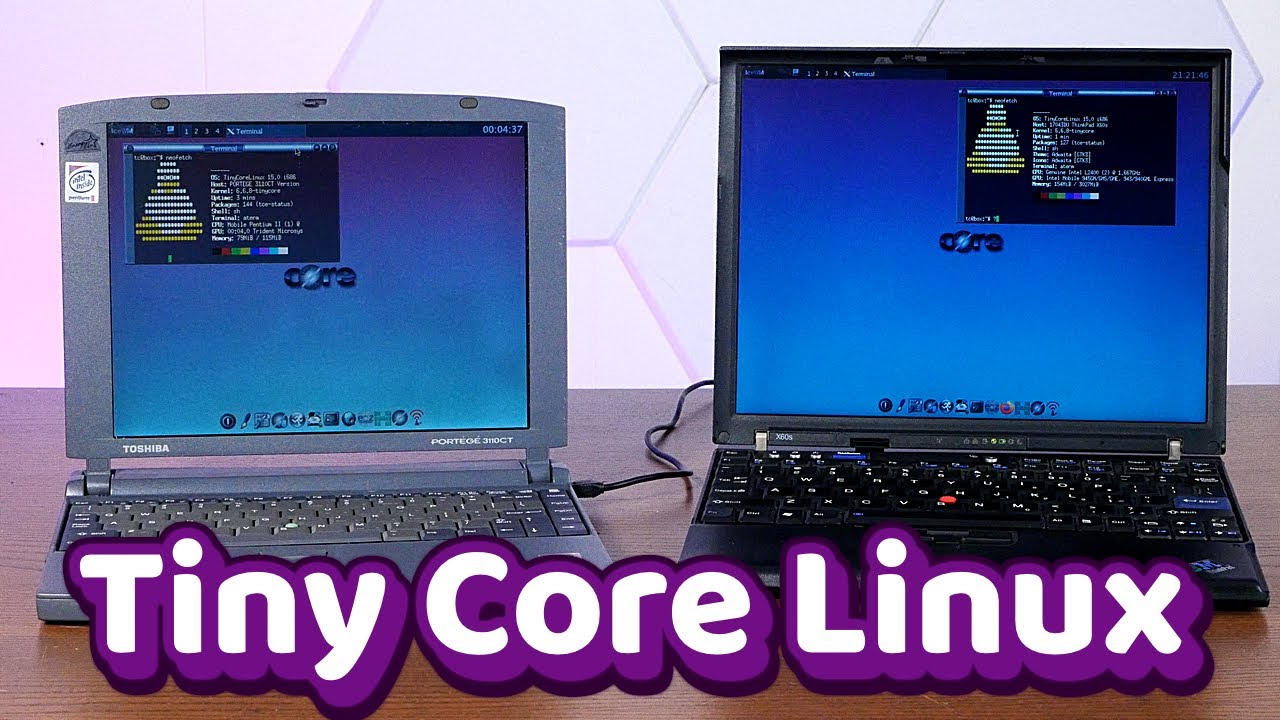
Get 20% off DeleteMe US consumer plans when you go to https://joindeleteme.com/actionretro and use promo code ACTIONRETRO at checkout.
DeleteMe International Plans: https://international.joindeleteme.com/
Tiny Core Linux is a magical modern Linux distro that can run on literally a potato.
⭐️ I auction old tech from my videos on Whatnot! https:...
grim lodge
I see the YouTube gods also bestowed tiny core videos on everyone else
 rotund dawn
Good god this chat blew up, I was so far behind lol. Quick Q for anyone, where would I put say an "octamed file" (adf file) for my Amiga core?
thick pendant
rotund dawn
Good god this chat blew up, I was so far behind lol. Quick Q for anyone, where w...
in the floppy drive
adfs are floppy images.
granite umbra
https://x.com/iProgramInCpp/status/1886006044544860451?t=MJjebwCUwKueYlj5PkDfeg&s=19
Need to try on Ao486 😅
My Discord client, Discord Messenger, now runs on Windows 98! (And also, 95, but you need extra stuff. Win98SE runs it right out of the box.)

 X
·
void belfry
thick pendant
this might have been perfect if we had FPU http://tinycorelinux.net/faq.html#req
X
·
void belfry
thick pendant
this might have been perfect if we had FPU http://tinycorelinux.net/faq.html#req
yeah, i'm trying it under Qemu, it has some unusual quirks when it comes to make changes/added files permanent. Found some nice how-to https://tiagojsilva.github.io/en/unixlike/meme/2021-10-29_tinycorelinux-install/
void belfry
meanwhile, this is the coolest way to kill time while waiting for an OS installation I ever saw 😄

No useless adverts for their other products, no useless inflated "tech details" a.k.a glorified pre-sales PPTs, just a simple and fun game of Pac-Man during install time
granite umbra

GitHub
Kudos go to Allistair Robinson (robinsonb5) for the fix.
 vestal isle
Does anybody know what the modeoine settings would be for Linux?
vestal goblet
awesome to see demoscene stuff drive multi-component timing/latency accuracy improvements
 young gust
For MT-32 Pi owners, are there any drivers you have to install on DOS or lines to add to your autoexec.bat or config.sys?
exotic prairie
for the ao486 core?
I just use the 0mhz collection - they build mt32pi images
Might be worth pulling apart one of those images to see how they handle it
worn oxide
Yeah the entries with MT-32 work right out of the box
young gust
I seen that. There's a lot of games I have on here that run perfectly that do offer MT-32 support. I'd love to get them running.
Maybe I'll load up one of theirs and examine the config.sys and Autoexec.bat
exotic prairie
yeah, and let me know if/what you have to edit
young gust
I shall do that!
I saw one line in autoexec.bat

That set midi line I'm thinking is related to the mt32
Didn't see anything else that might be related
I didn't see any directories with drivers or anything
I'm feeding my newborn right now but later I'm gonna add that line to my auto exec n see if it makes a difference
exotic prairie
yeah that would be cool if it JustWorked™
young gust
Yeah it would. There's so many more games that work that Aren't in that collection with MT-32 support.
I'm relatively new to MiSTer. I've found all this so damn fascinating
exotic prairie
the mt32pi is my favorite thing atm
young gust
It's absolutely wild. Then I discovered it works with the Amiga vision core! So awesome bonus
exotic prairie
yeah dude
granite umbra

GitHub
update framework
update t80
change color modes
first Implemente mode 1 and 2 from colorin (habisoft) ,not finished
hollow ice
@granite umbra okay, finally had a chance to look into it. Looks like the issue is that the Stop Play command (packet command 4Eh) isn't implemented. I will work on getting it in if no one beats me to it.
Looks simple https://www.t10.org/ftp/t10/document.97/97-117r0.pdf
granite umbra
hollow ice
<@563099752821162026> okay, finally had a chance to look into it. Looks like the...
Thank you 👍
hollow ice
well, I created it based on my understanding of the code...maybe @fleet cave can stop me before I get something catastrophic merged: https://github.com/MiSTer-devel/Main_MiSTer/pull/963
GitHub
The Japanese Windows 3.1 game Rema the Truth Attribute crashes at the end of the introductory cut scene due to a failed response to the Stop Play/Scan packet command (4Eh). According to the state m...
I don't see a way to easily just stop the audio buffer from being sent....maybe I should have zeroed out some of the play_start and play_end attributes too
I feel like just resetting play and paused is a "well, it worked on my machine...ship it!" move 😄
 fleet cave
no, that should be fine. the cdda_send_sector stuff looks for a drive with playing = 1 && !paused. if it doesn't find any then it does nothing
hollow ice
I figured it should, but I always second guess when touching new code bases
I did at least test it, and the game seemed to transition audio properly
Just wish getting OpenStep to boot was such an easy change
fleet cave
one day....
granite umbra
@hollow ice your PR was merged and I have tested on my side.
It is working great ! thanks 🙂
 feral dagger
young gust
It's absolutely wild. Then I discovered it works with the Amiga vision core! So ...
feral dagger
young gust
It's absolutely wild. Then I discovered it works with the Amiga vision core! So ...
Amiga vision is amazing
I really like these curated 'experiences'
young gust
Yeah it's awesome. Especially for someone like myself who never played an Amiga before.
I played thru Lionheart and absolutely loved it
worn oxide
OUT RUN
horrifying music is banging through speakers
OUT RUN
Tenor has many game sack gifs and yet not a single one where Joe is cowering in fear
granite umbra
Gekirin on Win3.1 (ao486)

 lunar trellis
Not sure the x68000 core supports this, but anyone more familiar with the core might be interested to see if this can be run
https://www.gamingalexandria.com/wp/2024/02/romancing-saga-3-fanfare-takayuki-shigenaga/
granite umbra
For the core, you need to convert the xdc file to d88 file (using vfic)
THe program starts but I have issue with my IO board so I can't test MiDi for the moment
 smoky yew
@lunar trellis The music file plays, but since it's GS the result via a MT32-pi is dependent on which sound font you're using.
lunar trellis
That's ace that it is working
Maybe we should get the d88 file added to the GA site
void belfry
Another day, another ~~disaster ~~Unix/Linux working on ao486 🙂 This time is NetBSD 1.6.1, I actually got it while testing/recompiling the kernel for Libranet Linux 2.7 from Italian magazine "Linux and C" issue 34 (search on **archive **site for LnC34 short for "Linux & C. Magazine - n. 34 [NetBSD 1.6.1 - Libranet Linux 2.7]" ).
Install under qemu is fast and easy (qemu-img create -f raw 2GB_NetBSD.vhd 2G then qemu-system-i386.exe -m 256 -hda 2GB_NetBSD.vhd -cdrom "LnC 34 - Disc 1 of 2 - [NetBSD 1.6.1].iso" -boot d , follow on-screen instructions, move the VHD to MiSTer, create an /etc/resolv.conf file with **vi **to contain nameserver 8.8.8.8 and start PPP connection with pppd /dev/tty00 115200 noauth defaultroute &
Also updated the list here: #1047332497492553799 message
X11 is not working by default, needs more tinkering it seems 🙂 will see about that


 void belfry
need bash, i am really not a fan of csh/ksh, quite curious if it manages to compile directly on ao486. So far got it via ftp from ftp.gnu.org, gunzipped/untar, configure worked fine, now compiling also works for some time. Usually on Linux I would get already a fragmentation error or smth else for such large sources


 void belfry
Success 😄 never realized how much I missed autocomplete lol
 void belfry
fingers crossed, next is Midnight Commander
 void belfry
Bash from source on NetBSD 1.6.1:
ftp http://ftp.gnu.org/gnu/bash/bash-3.2.tar.gz gunzip bash-3.2.tar.gz tar -xvf bash-3.2.tar cd bash-3.2 ./configure --prefix=/usr/local make make install echo "/usr/local/bin/bash" >> /etc/shells chsh -s /usr/local/bin/bash root
Logout/login for changes to take effect.
Also for good measure, change VT emulation to VT220 by: echo 'export TERM=vt220' >> ~/.profile
void belfry
incredible, ncurses compilation under NetBSD 1.6.1 works fine so far (don't wanna jinx it lol and yeah, d/l and compilation times might not be great but it still works) so makes me think what is causing those errors under Linux/QNX... Might the math emulation/emu387 those need to have in order to work on ao486 be the culprit ?
void belfry
had some issues with ncurses, but I believe it was because of the version but still got the most part for nano to work, also nano couldn't be compiled with --enable-utf8 but oh well, lots of things to check


Overall, great success though with NetBSD and compilation directly on the core, going for MC now
 quiet stone
What would you say is the easiest/fastest way to get a unix or unix-like to run a c compiler and ncurses? Stuff like ppp and x are optional.
So far I only have a barebones 486 linux.
I tried Debian but I failed to understand PCem (the bios and setting up disks) and the image resulting from trying with qemu doesn't boot
void belfry
I would guess you would need to cross-compile them in a VM/modern Linux for your target.
As for Debian.. there is an image already on Archive site that fully works/ppp ready with Debian archived repo and so on https://misterfpga.org/viewtopic.php?t=8714 as well the how-to as verbose I could (am no expert lol)
I specifically left Window Managers not installed, but you can apt-get install amiwm/fwm/jwm/icewm and so on wm
quiet stone
Oh wow that looks excellent
void belfry
my personal choice is AmiWM, is ok plus it looks/feels like the actual Workbench 😄

to annoy/confuse the heck out of ppl 😛
void belfry
quiet stone
Oh wow that looks excellent
apparently i forgot to install sudo on that one.. so you might want to do it. DON'T use root account to connect to IRC (as the default name would be ... you guessed it, root and it's instant temporary ban on servers)
ask me how I found out (again) 😄
 quiet stone
Unlucky
void belfry
just yolo 😄 untill i learned
void belfry
aand ofc I need something else before compiling MC 😄 and since I can'd find a quick link without https, MiSTer ARM Linux to the rescue 😄

 void belfry
quiet stone
So far I only have a barebones 486 linux.
void belfry
quiet stone
So far I only have a barebones 486 linux.
might it be this one : https://ocawesome101.github.io/486-linux.html ? Or made under same principles there ?
quiet stone
Yes that one
And I now have the Debian you sent. Until now I never installed a package from a cd before (post-install)
void belfry
I see.. well, there are many unix/variants (12 noted here #1047332497492553799 message, but forgot add Phlak but that is way too slow anyway) working (to some extent) on ao486
and also different topics/how-to's on https://misterfpga.org/viewforum.php?f=13 area (check also previous pages)
most modern is Gentoo https://misterfpga.org/viewtopic.php?t=4006
quiet stone
I just needed gcc and ncurses. Now I'm going to see if I can make ao486 output in monochrome amber
void belfry
Here's a list of topics dealing into Unix/Linux on ao486:
https://misterfpga.org/viewtopic.php?t=8587 NetBSD for AO486!
https://misterfpga.org/viewtopic.php?t=8714 Operating Systems on ao486 : Episode 2 - Debian 4 (Etch)
https://misterfpga.org/viewtopic.php?t=7943 QNX 4.25 (Unix-like OS) on ao486
https://misterfpga.org/viewtopic.php?t=4006 IDE Controller Errors in Linux on AO486 (Gentoo and other stuff)
https://misterfpga.org/viewtopic.php?t=7606 Small Linux distros (one is 1.44MB)
https://misterfpga.org/viewtopic.php?t=8896 NetBSD v0.9 with X11
bonus:
https://misterfpga.org/viewtopic.php?t=1615 OS/2 - Any known compatible versions?
I included OS/2 as it's not really MS, not that it has anything with unix/linux topics
void belfry
tadaaa

The whole "dance":
Ncurses on NetBSD 1.6.1:
ftp ftp://ftp.gnu.org/pub/gnu/ncurses/ncurses-5.7.tar.gz gunzip ncurses-5.7.tar.gz tar -xvf ncurses-5.7.tar cd ncurses-5.7 ./configure --prefix=/usr/local make make install
GLIB 1.2.10 on NetBSD 1.6.1:
On ARM Linux:
cd /media/fat/games/ao486/shared (or whatever else)
wget https://ftp.gnome.org/pub/gnome/sources/glib/1.2/glib-1.2.10.tar.gz
on NetBSD:
ftp root@YOUR_LAN_MISTER_IP, you should already know the password :) cd /media/fat/games/ao486/shared get glib-1.2.10.tar.gz bye gunzip glib-1.2.10.tar.gz tar -xvf glib-1.2.10.tar cd glib-1.2.10 ./configure --prefix=/usr/local make make install cp /usr/local/include/glib-1.2/glib.h /usr/local/lib/ cp /usr/local/include/glib-1.2/gmodule.h /usr/local/lib/ export LD_LIBRARY_PATH=/usr/local/lib
MidnightCommander on NetBSD 1.6.1:
ftp ftp://ftp.gnu.org/gnu/mc/mc-4.6.1.tar.gz gunzip mc-4.6.1.tar.gz tar -xvf mc-4.6.1.tar cd mc-4.6.1
./configure --prefix=/usr/local make make install
copper grail
@deft estuary I've updated my VIC-20 test core with automatic paddle range scaling, similar to what is done in the 7800 core, so your Commodore paddles should now work correctly with it.
deft estuary
copper grail
<@409036725239808001> I've updated my VIC-20 test core with automatic paddle ran...
Thanks, I'll try it right away!
deft estuary
@copper grail now it works perfectly even with original Commodore Paddles, thanks for your precious work!!
deft estuary
@copper grail only one addirional note: now Vic20 core played with Commodore Paddles works perfectly, if I play it with Atari paddles, if I play with the first paddle it doesn’t go to the full right direction
surreal marsh
Hacker news jist linked to an article about someone implementing a MCS6530 in a FPGA. Is this something that Mister could use?
copper grail
deft estuary
<@515993816927436810> only one addirional note: now Vic20 core played with Commo...
That is odd, I've tested it mostly with the first paddle, as well as with both. I'll see if I can replicate it. Make sure to reset the core when changing paddle controllers, the range calibration resets when you do that.
 sudden ice
@granite umbra . Thanks for the pull request. Are all special keys implemented in the x68000 core with your change?
granite umbra
sudden ice
<@563099752821162026> . Thanks for the pull request. Are all special keys implem...
Yes it is port of the Puu-san changes. You have information on the readme how they are mapped.
The X68000 keyboard have more keys than other keyboards so we need to swap from layout to another depending the keys required and the keyboard used (JP or US)
We can go in game now for Kyuukyoku Tiger.

 deft estuary
copper grail
That is odd, I've tested it mostly with the first paddle, as well as with both. ...
deft estuary
copper grail
That is odd, I've tested it mostly with the first paddle, as well as with both. ...
Sure it was a problem of reset, thanks!
copper grail
deft estuary
Sure it was a problem of reset, thanks!
Good to hear that, thanks for testing!
pure fog
sudden ice
<@563099752821162026> . Thanks for the pull request. Are all special keys implem...
Does this mean we can easily try the updated core soon? Can’t wait!
void belfry
YOLO ¯_(ツ)_/¯


also realized 2 gigs is not really ideal for netbsd 1.6.1 , need to do some bigger image at some point
void belfry
if Perl works, gonna try next GCC 4.8.5, as current version is 2.95.3...
void belfry
well, how big your long longs are ? 😄

2+ hrs, still compiling Perl **BUT **no errors so far ! 🤞
void belfry
3hrs+, no errors, multitasking also working fine (well, I don't abuse it also lol, mostly when I wanna check if the system is really still working just being slow on whatever task)

 void belfry
also realized 2 gigs is not really ideal for netbsd 1.6.1 , need to do some bigg...
void belfry
void belfry
also realized 2 gigs is not really ideal for netbsd 1.6.1 , need to do some bigg...
out of 2 gigs vhd... another sign I shouldn't go with default install/partition scheme LOL 

I should have known by now as I never saw swap being used in any of the Unix/Linux based OSes that can run on this core (no wonder after all with 256 megs of RAM)...
Anyhow, NetBSD seems to be more fun than I anticipated, also adaptable enough so far that it has functional PPP support and gcc. After getting **bash **and the sweet auto-complete, everything seems easy 😄
void belfry
But small steps, I want SSH/SSL as close to modern as it can be so the NetBSD running on ao486 can be easily accessed/managed from LAN (e.g. Putty or better, without the need to manually add older cyphers support and so on), especially for long times of wait for whatever program compilation from sources.
void belfry
5-ish hrs later, still going

If that's not a real 90's experience (the waiting on smth to "magically" do smth on your computer).. i dunno what is
hollow ice
In the late 2000s I was managing a set of FreeBSD systems. I had a computer that did nothing but compile new versions.
void belfry
I still dream to have this beauty working 😛 My first ever CD won in a local IT competition. Still have it, still working plus case scratches due to age and mishandle 😄
 void belfry
6 hrs of Perl compiling, still going on directly on ao486 🙂 this gotta be some other record lol

 frosty cosmos
granite umbra
We can go in game now for Kyuukyoku Tiger.
frosty cosmos
granite umbra
We can go in game now for Kyuukyoku Tiger.
With which key can we start it? I've switched to KBD layout US.
Ah, the AltGr key insert coins, and Alt/Button 1 starts it. Nice one.
Is it possible to add direct video to this core?
void belfry
aand it failed at some point (7-8 hrs later) **BUT **not because of any the fragmentation/traceback whatever usual errors I got on Linux/QNX. Even the fact that it sustained ~8 hrs of continuous code compilation is quite amazing tbh. Anyway, probably chicken and egg issue, will go first for a newer GCC, for now trying to compile BitchX 😄

 granite umbra
frosty cosmos
Is it possible to add direct video to this core?
granite umbra
frosty cosmos
Is it possible to add direct video to this core?
It has already last template so normally direct video would work.
What is the issue you have in this case ?
frosty cosmos
granite umbra
It has already last template so normally direct video would work.
What is the is...
It doesn't work properly. Shows graphic glitches (flashing garbled stuff for a split second, every few seconds) and generally some weird kind of flimmering.

Happens with all games i've tried.
frosty cosmos
Video was filmed with a Mister connected via Retrotink 4K. If i connect the Mister directly via HDMI to my LG OLED it goes out of sync (no image at all). No matter if native or 60fps Video mode is enabled in the X68000 core. Direct video doesn't work there.
I wonder what the issue is. It can't be the exotic resolutions. Most arcade cores are fine.
exotic prairie
are you running 0mhz games?
frosty cosmos
X68000
exotic prairie
oh sorry, I missed that bit.
But yeah, that core doesn't work with direct video. For that one, it's likely because Puu-san emerges from mist every 12 month with a new build, which isn't building off of anything folks have added in github, so adding it now would just mean having to add it again later.
You grabbed the settings for it to work with the tink, yeah? They are here: https://consolemods.org/wiki/AV:RetroTINK-4K/System_Specific_Settings#MiSTer
frosty cosmos
I know them, but it's for normal HDMI. I want to use direct video. It's a configuration mess without, when you want to use CRT filters properly.
exotic prairie
frosty cosmos
I know them, but it's for normal HDMI. I want to use direct video. It's a config...
Sorry, I'm confused. Are you not using HDMI? I have my mister going through my tink 4k, with those settings, using Kuro's JVC crt filter, and it's fine. Unless you want to spend time in the terminal...then it's a mess, yeah
I just swap profiles in those situations
frosty cosmos
Nah, it's too inconvenient. Proper direct video with full DV1 support (autodecimate and auto crop) would be great.
exotic prairie
would be nice. unfortunately, it likely won't happen unless Puu-san implements it
frosty cosmos
There isn't a source from him?
As you see, in the above video: It's implemented, but somehow wrong.
exotic prairie
It's in there because it's in the framework I assume, but some core's need special tuning (load up the Arcade Air Assault core for another example - same issue as you're experiencing).
And someoen could take the time to add it. The problem, as I mentioned before, is that puu hasn't yet pulled the updates that people do into any updates they release. So someone would have to implement it again if it was missing from the next update
frosty cosmos
Let's see if it happen some day. Would love it, so many good arcade ports and some nice homebrew shmups.
exotic prairie
it's one of my favorite cores
I just hope puu-san continues to update it
maybe we will get HDS support 🤞
frosty cosmos
But i's good that we can use the japanese special keys now. Many games have a 15KHz mode.
exotic prairie
You should get a mt32-pi if you haven't already. One of the better cores for it
frosty cosmos
yeah, was tempted. But then i always find better retro products i just need. 😄
hollow ice
void belfry
aand it failed at some point (7-8 hrs later) **BUT **not because of any the frag...
They would wait to include new c functionality deep into the compile.
 vestal cypress
does anyone have any idea of or have a tutorial of how to create an HDF for X68000?
I want to create a game autobootable in HDF, like someone shared once, otherwise I would have to figure out how to navigate japanese commands to be able to run the Silk Road 2 translation
granite umbra
@frosty cosmos have you the issue also with games with 15Khz ?
frosty cosmos
I think it's like TheJesusFish said. Direct video is implemented in the Mister Framework, but missing the adaptions in the core itself. And yes, it happens for 15KHz games too.
granite umbra
frosty cosmos
I think it's like TheJesusFish said. Direct video is implemented in the Mister F...
for that I don't what to change. Could you please create an issue ticket on X68000_Mister repo ?
frosty cosmos
You mean asking for a feature request here?
GitHub
Sharp X68000 for MiSTer. Contribute to MiSTer-devel/X68000_MiSTer development by creating an account on GitHub.
granite umbra
yep
frosty cosmos
Done! But i don't know if it's useful when Puu decides to work on this core again.
granite umbra
Thank you
young gust
Has anyone ever had any luck getting the game Afterlife to run on AO486?
void belfry
meanwhile in the NetBSD la-la-land, trying to get a more modern (in steps apparently) gcc version🤪
 limpid tiger
I just saw that there is a MiST core for the Exidy Sorceror
https://masto.ai/@mistboard/113831461223785120
Anybody interested in porting ? (I won't be able to for several months, but I'm curious)
Oh wait... sorce code isn't easy to find
Or wait... looks like it's in Gyurco's repo
Wow, he does a LOT of work for MiST. Kind of like srg320 on MiSTer
lunar trellis
He is a beast for doing MiST stuff, is a shame he isn't interested in getting a MiSTer and doing his cores across both platforms, but at least what he does do can be ported over
vestal goblet
void belfry
aand it failed at some point (7-8 hrs later) **BUT **not because of any the frag...
GCC 4.7 and above have usable LTO, but you need a linker that also supports LTO to be bootstrapped and used during the GCC bootstrap. On my old SPARC ReadyNAS, bootstrapping LTO GCC and recompiling samba with LTO double file copy throughput (it was CPU-bound for reasons I never understood)
if you can get modern versions compiled and contributed to older NetBSD pkgsrc , you will be a g0d to some very specific niche
on my ReadyNAS, it was faster to do everything in a Debian environment running on qemu SPARC. With GCC 2.x, the way to avoid most crashes is to do -g0
but I appreciate you’re testing durability of the core itself by doing the builds there 🙂
 chilly rain
limpid tiger
Wow, he does a LOT of work for MiST. Kind of like srg320 on MiSTer
chilly rain
limpid tiger
Wow, he does a LOT of work for MiST. Kind of like srg320 on MiSTer
yeah, gyurco is a beast, he's great
void belfry
Well... since I kinda had enough BS with compiling stuff, why the heck just not go for a better version of NetBSD ? So here you have it, NetBSD 2.0 (with gcc 3.3.3) running on ao486. Boots very fast also.


Install done in Qemu, same steps as for 1.6.1, used this image: https://archive.netbsd.org/pub/NetBSD-archive/iso/2.0/i386cd.iso
void belfry
NetBSD 4.0 also works but...
 hollow ice
there should be a boot command for that?
void belfry
¯_(ツ)_/¯
hollow ice
interesting, https://www.reddit.com/r/NetBSD/comments/1i3r7ek/bringing_back_fpu_emulation_for_i486sx_cpu_on/
I swear I read something about it being a boot option, but the last time I tried to boot netbsd 10 for reals was months ago and I can’t remember what boot flags I was using….maybe one day I’ll be smart enough to write down what I am experimenting with instead of just assuming I stumble across it again
void belfry
 hollow ice
yep, that is what I am trying to fix
if you look at the actual requests, BSD requests the first part of the hard drive, mister returns it, and then…. nothing
I am not sure if the interrupt request is getting messed up somehow…was why I was super hopeful when the recent patch mentioned that there was a bug where it was being munged.
if that gets fixed, I am 95% sure openstep will be bootable too .. maybe even windows 32bit without a separate driver
void belfry
I don't have reddit account to upvote or whatever, but this guy was right on the money lol

 old stag
anyone ever seen faint vertical flickering lines w/ some games in the 0mhz collection? i don't remember seeing these last time i used these (it's been a while)
 void belfry
Well... since I kinda had enough BS with compiling stuff, why the heck just not ...
void belfry
void belfry
Well... since I kinda had enough BS with compiling stuff, why the heck just not ...
but the issues appear on 2.0+.. so back to 1.6.x


 zenith charm
limpid tiger
Wow, he does a LOT of work for MiST. Kind of like srg320 on MiSTer
zenith charm
limpid tiger
Wow, he does a LOT of work for MiST. Kind of like srg320 on MiSTer
I'll take a look at it soon, just working on other core stuff at the moment
void belfry
Apparently with "newer" make the gcc-3.4.6 on NetBSD 1.6.1 might actually be possible, still munching the code but for 4+ hours already (before it bombed out in about few minutes with [multilib.out] Error 127, even if specifically disabling multilib)
ftp ftp://ftp.gnu.org/gnu/make/make-3.80.tar.gz tar -xvf make-3.80.tar.gz cd make-3.80 ./configure --prefix=/usr/local/gmake make -j1 make install
Then retry whatever compilation:
/usr/local/gmake/bin/make -j1

 hollow ice
Interesting
void belfry
courtesy to our future overlords 😄 or their grand-grand-grand pa

for now decent-ish secretary, saves me lot of google search and reading old mail lists
and ofc i forgot to do that, even if GPT secretary advised me too and even d/l-ed it ofc...

will see what comes out... frigging rabbit's holes 😄
anyway, to not lose sight of things, I need all these so I can actually have as close as possible modern SSH/SSL (and by that more possibilities to access modern repos/sites (CLI at least for now)
void belfry
Also, if this or running povray/fractal generators are not stress enough tests, I dunno what could 😄
hollow ice
Haha, can always try prime95 on windows.
hollow ice
need to store the compilation log and time between messages so you can train a generative ai screensaver that looks like it is forever compiling something
void belfry
then upload on YT like those 12 hrs long whatever vid and get
after all, why keep the fun all for myself and not charge everyone fool enough to watch ? 🦹♂️
copper slate
void belfry
after all, why keep the fun all for myself and not charge everyone fool enough t...
Lock it behind a patron subscription lol
void belfry
wanted actually to "stream" (within limits ofc) on this Discord voice-channel the process through feed from "camera" a.k.a Elgato capture card but it will show the image reversed (need proper OBS and so on, which I'm not ready to have)
hollow ice
Haha, that actually would be pretty fun.
void belfry
as already told, the 2 gig NetBSD 1.6.1 image I uploaded has a major flaw in having HALF of its space non-used by swap (because I chose default partitioning scheme and quite everything else default at install). As it will happen, no swap will be used at all, same noticed in other OSes (QNX, Linux). Not rea;;y wonder since 256 megs available to the core

image above is from a more decent spaced 4 gig image I am currently work on, but statement stays, swap is not used. But for some older OSes apparently it still need to be present as partition
 void belfry
still, 6 hrs of compiling, I call it progress 😄
vestal isle
I just tried the rawfile here: https://github.com/mezantrop/i486SX_soft_FPU/releases and netbsd boots to a point and then says it can't find the disk 
GitHub
Bring back FPU emulation for i486SX CPU on NetBSD. Contribute to mezantrop/i486SX_soft_FPU development by creating an account on GitHub.
vestal isle
I've been looking at xinu, and found this BOOTABLE FLOPPY that works with ao486! Enjoy: https://cdn.hackaday.io/files/1942838312203872/PC-XINU.img (I don't know what version it is)...
zenith charm
I took a short amount of time on the Sorcerer core. After getting the boot rom configured and loaded, I can see signs of life in the simulator, so its worth an attempt to make a proper core out of it. Heres an output of the trace from the simulator

 mental moat
Anyone got a recommended way to get games onto the ZX Next core?
The games I download are a folder full of files, I just can't figure out the best way to get these folders onto my ZX Next disk image.
Grabbing the disk image off the mister, mounting it, adding the files, transferring it back... just feels not smart.
granite umbra
You just need to unzip them on games directory (the zx next core VHD needs to be mounted on your computer)
You can launch games with nex extension files
void belfry
after getting binutils 2.14, gcc 3.4.6 compiled successfully on NetBSD 1.6.1 🙂
 void belfry
Next will try GCC 4.1.2 → GCC 4.2.4 → (Maybe) GCC 4.3+ → GCC 4.8.5 (and I will for sure need A LOT of other dependencies to upgrade as well in-between).
hollow ice
It will be a success when you can compile mister main inside the ao486 core 😉
void belfry
anyway, final goal for all this is to get newer openssh/ssl 😄
at some point will need to add also Perl 5.x, better binutils, make, makeinfo and some more stuff for sure in the mix
vestal isle
What would be a good scsi driver to use for ao486 disk controllers? I have list available:
SCSI drivers
Adaptec 1542B SCSI driver (drvAdaptec1542B)
Adaptec 2940 SCSI driver (drvAdaptec2940)
Adaptec 6x60 SCSI driver (drvAdaptec6x60)
Bus Logic SCSI driver (drvBusLogic)
Bus Logic FP SCSI driver (drvBusLogicFP)
DPT SCSI driver (drvDPT2000)
Symbios Logic Sym53C8xx–based SCSI driver (drvSym53C8xx)
Other drivers
EIDE disk driver (drvEIDE)
Parallel Port driver (drvPCParallel)
Floppy disk driver (drvFloppy)
EISA Bus driver (drvEISABus)
PCI Bus driver (drvPCIBus)
PCMCIA Bus driver (drvPCMCIABus)
PCIC driver (drvIntel82365PCMCIA)
Bus Mouse driver (drvBusMouse)
PS2 Keyboard driver (drvPS2Keyboard)
PS2 Mouse driver (drvPS2Mouse)
ISA Serial Port driver (drvISASerialPort)
Serial Mouse driver (drvSerialPointingDevice)
appairently the cdrom requires a scsi driver at least loaded....
 elder cove
Question - I recently got a MIDI interface from Legacy Pixels that runs into the User IO port, but I can’t seem to get anything out of it.
Oh, weird - looks like it was my 2-1 Thru box. Removed that, and it worked fine.
 stuck linden
What causes this?
vestal isle
Yeah, trying...
hollow ice
That has been my grail. It suffers from a similar situation as bsd.
So, if you are braving the install in mister, you need to convert the openstep iso to Chd- it will fail silently trying to read the iso because it isn’t a standard format.
If the hard disk you have is detected as anything larger than 63 spt, it will fail. I have a patch in unstable mister main that lets you define the parameters of vhds, but sorg didn’t like my original code that pulled the data out of the vhd footer so I had to add the parameters in a separate config file.
exotic prairie
man, I about lost my shit when I got an alert that the x68k page had been updated this morning. turns out the blog adds a post when it hasn’t been touched in 60 days :/
hollow ice
After all that, it seems to fail on boot- I have managed to get into fdisk once or twice and see my partitions, but the boot loader can’t see them for some reason.
But then again, you got bsd working so, please surprise me 😄
I was using nextstep 4.2 I believe. The earlier eide drivers didn’t even get as far as detecting anything. (I think I just used the dual eide drivers for both hard drive and cdrom). There are beta drivers that may perform better but I never saw any difference.
vestal isle
That is intriguing! Where can I get that unstable mister build?
hollow ice
Not 100% sure, but it should be in https://github.com/MiSTer-unstable-nightlies/Main_MiSTer/releases/download/unstable-builds/MiSTer_unstable_20250210_13d392
quiet stone
It is cool that the MiSTer and museums lets me experience old PCs but unfortunately I will never be able to experience programming on a terminal connected to the uni unix computer with hundreds of other users.
Early networking is also long gone
thick pendant
vestal isle
What would be a good scsi driver to use for ao486 disk controllers? I have list...
EIDE disk driver
granite umbra

GitHub
A simple mt32-pi and GS MIDI control utility for X680x0/Human68k - tantanGH/umt32pi
granite umbra
GitHub
Resolves an issue where hardware read/write breakpoints could endlessly loop due to immediate re-triggering.
Fixes:
Rayman
void belfry
interesting, actually Rayman worked (and still does) also on stable ao486 from 27.12.2024 but apparently no sound/music AND it locks up if CD is mounted (for cd music i guess)

Oh, also only with QEMM, not EMM386
void belfry
void belfry
Rayman Forever will not start without CD (even if installed with the max option) but will freeze after Ubisoft logo and bit of Rayman's intro

 void belfry
even more interesting, found a version which also works with sound 😄 Version 1.0 for Europe, on archive search for RaymanEuropeEnFrDe_v1.00
Working on latest ao486 unstable, on normal it will freeze
void belfry
Damn, forgot what a nice soundtrack this game has 😍
void belfry
 deft estuary
void belfry
deft estuary
void belfry
Thanks! What program is this?
void belfry
deft estuary
Thanks! What program is this?
That's the embedded CD player of Dos Navigator (a better imho Norton Commander file manager), lots of utilities etc
 summer dragon
ha I was just thinking whether or not Rayman might run in Dosbox on MiSTer, so of course someone would drop a new core build that fixes it 🤣 I wonder what other games it might fix 🤔
young gust
Might have to try installing AfterLife again and see if it'll run now
copper slate
summer dragon
ha I was just thinking whether or not Rayman might run in Dosbox on MiSTer, so o...
Can you please wonder how Virtual Boy Wario Land would run on the MiSTer?
summer dragon
copper slate
Can you please wonder how Virtual Boy Wario Land would run on the MiSTer?
I will do my best, but do note that there will be a one day delay between the thought and the core release 
fast kraken
i love seeing ao486 get this slow trickle of fixes
deft estuary
One question for the group: what is the most compatible game port to usb adapter tested on MiSTer?
young gust
Looking to use an old Gravis Gamepad?
thick pendant
fast kraken
i love seeing ao486 get this slow trickle of fixes
Yes, despite it being pretty flaky sometimes, its one of my favorite cores...
summer dragon
huh, I got Rayman working, but I can’t configure a controller for it and it keeps doing ghost inputs if I try to just use a keyboard 🤔 …could be a result of me copying some files over from a different vhd maybe…
summer dragon
maybe I need to go back and turn off the joystick settings in the OSD…
edit: it seems that both joysticks need to be turned off
ah yep, that was it! Works when I turn the joystick off and just map the keyboard to my controller
huh ok…no sound effects
ok, setting to autodetect instead of pre-selecting Sound Blaster worked! 
void belfry
summer dragon
ok, setting to autodetect instead of pre-selecting Sound Blaster worked! <:chefk...
or select SB16, that is what it detects 🙂 anyway, glad you got it working as well
void belfry
BitchX 1.2.1 running on NetBSD 1.6.1, connected to ##MiSTerFPGA IRC channel


It was quite challenging to compile it from source, had to get gcc 3.4.6, better binutils, better gmake, ncurses **AND **manually modify the numbers.c file to add round() function as apparently NetBSD 1.6.1 doesn't have it.. But a combo of chatGPT and google/old forums searches did the trick

But excluding these unavoidable shenanigans, I think Net BSD 1.6.x is the most stable I ran on the ao486, especially being the ONLY non-MS OS that can happily compile sources.
Ofc, I didn't tackle X yet, as I anyway don't expect to be easy to configure and don't think it will have a stellar performance (hope to be proven wrong)
void belfry
 void belfry
not one of my brightest ideas: to untar gcc 4.2.4 and d/l perl 5.16.3 at same time 😄

 void belfry
and here we go again, now trying my luck/patience with gcc 4.2.4

 void belfry
aaand ofc i need binutils (as and ld) upgraded to 2.20.1 😄
hollow ice
Haha, not even time to wish you luck
summer dragon
Are there any games anyone can think of that might go from “not working” to “working” after these latest ao486 core changes apart from Rayman? 🤔
void belfry
5hrs later binutils 2.20.1 compiled and installed
 vestal isle
I downloaded a copy of foureightysix linux, and unfortunately the bogomips is a unfortunate 17.4 bogomips
 ruby bramble
summer dragon
Are there any games anyone can think of that might go from “not working” to “wor...
ruby bramble
summer dragon
Are there any games anyone can think of that might go from “not working” to “wor...
https://raymanpc.com/wiki/en/Rayman_Forever
rayman forever?
Math and English with Rayman volumes 1-3
hollow ice
summer dragon
Are there any games anyone can think of that might go from “not working” to “wor...
Rema the truth attribute 😉
summer dragon
ruby bramble
https://raymanpc.com/wiki/en/Rayman_Forever
rayman forever?
I think @void belfry tried that one and it didn’t work
versed pollen
....now thats a game i remember playing...
vestal goblet
void belfry
5hrs later binutils 2.20.1 compiled and installed
With gold linker plugin?
void belfry
vestal goblet
With gold linker plugin?
I have no idea what that is 😄
ah I see "first released in binutils version 2.19."
then no, i don't think so, I used the default what comes with :
export PATH=/usr/local/binutils220/bin:$PATH export AS=/usr/local/binutils220/bin/as export LD=/usr/local/binutils220/bin/ld
vestal goblet
Did it produce an ld.gold binary? If you run configure —help , does it list a —enable-gold option?
void belfry
didn't produced it, but I didn't enabled either 😄

Noted this for next compilation, now it's still munching gcc 4.2.4
Thanks for info 🍻
deft estuary
Hi @void belfry and @summer dragon ! I've tried again Rayman CD yesterday and today with the latest unstable Ao486 core, it runs very well but music from CD has problems: if I try to run AO486 from Cifs/Nas, every - say - 5 seconds I got a blank second without music, if I try to run it from SD card only I got a blank second without music - say - every 10/15 secomds, so the problem it's still there. I've tried to play the Rayman Cd audio tracks from Dos Navigator and I get the same results... Any hint? It seems to me that also other CD games audio have the same problem...
void belfry
Interesting.. I run everything from SD card and can't say I encountered this issue. Though lately tbh I was more involved in Unix/Linux stuff for ao486 than actual do any gaming 😄
and by lately I mean several months/half an year already if not more 😄
still crunching data 😛 stopped sometimes in the night, restarted gmake ~5 hrs ago and tenaciously going on since

@deft estuary regarding CD audio issues in games, the exceptions I remember of not working or not working properly are Zork (can't really recall the issue), Heroes of Might and Magic 2 (think game is too heavy on resources) and Betrayal at Krondor (for bin/cue ones, unless you use CHD format). Might be for sure others, but hard to pinpoint the exact issue since it can be a combo of them as well (from game itself or its versions, core performance as it is, etc )
deft estuary
void belfry
<@409036725239808001> regarding CD audio issues in games, the exceptions I remem...
Thanks I think the important thing is that others can reproduce it..
void belfry
should I start to worry ? 😄
 summer dragon
deft estuary
Hi <@794151308620857395> and <@370774264997085184> ! I've tried again Rayman CD ...
summer dragon
deft estuary
Hi <@794151308620857395> and <@370774264997085184> ! I've tried again Rayman CD ...
Hmmm, I’ll take another look as soon as I can (hopefully later today) and see if I notice anything…I can’t say I noticed that when I tried. I run my games from an SSD
deft estuary
summer dragon
Hmmm, I’ll take another look as soon as I can (hopefully later today) and see if...
Thanks, the problem is less noticeable but present even in SSD
summer dragon
@deft estuary are you using the version recommended by thera and what format is it in?
deft estuary
summer dragon
<@409036725239808001> are you using the version recommended by thera and what fo...
I’ve tried the version you kindly sent me!
summer dragon
ok cool so my exact copy then…I should be able to test it out in about 10hrs or so from now
void belfry
Can't test/play either until my gcc compilation is done, but @deft estuary : can you capture somehow the issue ?
deft estuary
summer dragon
ok cool so my exact copy then…I should be able to test it out in about 10hrs or ...
Sure after work hours I will make a video and I will post it here!
void belfry
also, what you're using ? Standard DE10-nano stack or else/type of storage (though I don't think it is really relevant, but for thorough t-shoot) / DOS version/mem manager / cd driver/extension (though again I don't suspect issues between mscdex and shsucdx or usual CD drivers live VIDE/oakcdrom/etc) ?
Is this issue present also in other games ?
summer dragon
@deft estuary you’re using latest unstable ao486 build and one of the last two unstable MiSTer mains (there was a new release today)?
deft estuary
summer dragon
<@409036725239808001> you’re using latest unstable ao486 build and one of the la...
Latest ao486, tried both with latest mister unstable till yesterday and mister stable also
summer dragon
ok….it’s definitely possible the issue is present on my end and I didn’t notice
also, I’m guessing you tried all the installation options for the game? (full/minimal)
wait nevermind, you already said you used the VHD I gave you…d’oh! 
 short finch
A test build with the last keyboard changes (from puu-san & wwark) and the MIDI changes (from Rebel40) merged together.
granite umbra
those are Puu-san changes 🙂
summer dragon
void belfry
also, what you're using ? Standard DE10-nano stack or else/type of storage (thou...
they used my VHD which used Himem/Hiram…I remember you used QEMM…if I notice it later then maybe my next step is to try QEMM instead
void belfry
summer dragon
they used my VHD which used Himem/Hiram…I remember you used QEMM…if I notice it ...
Dunno if it really matters tbh, I've tested hiram only for a brief time (I mostly go for QEMM) but didn't encountered issues there either..
summer dragon
@void belfry could be something different in my configuration vs. yours I suppose…I’ll update later when I test
short finch
Rayman PC is one of my favorite games from that time.
I remember buying the game on release date and it wasn't working on my DX2-50 (16MB EDO and 2x speed NEC drive / Win95 OS + DOS 6.22).
The disc didn't wanted to launch after the install.
I had to exchange the disc to the vendor and they had to send me back a new disc with a v1.01 version that finally worked.
void belfry
I've tried several Rayman CD images and the only one that really fit the bill (meaning working fully) is the one I refer to above (#1047332497492553799 message). From a very superficial view, this one has each track separately, others (like US version from Archive or else) has everything packed in one .bin file: it will play fine in a CD player but will not work in game, hence my first reaction on this topic: #1047332497492553799 message
 deft estuary
Hi @void belfry I don’t know what to say, I’ve powered up the mister without changing any configuration to make a video of the music problems in Rayman and now there is no problem at all… now, sure it can be the NAS the culprit (in this video I’m running from CIFS) but it’s strange because yesterday I’ve disconnect the NAS, ran directly from SD and some audio problems were still present… I don’t know what to say at this point..:
summer dragon
oh interesting
that’s still the one I sent you?
I’ll still check mine later since I’m running from SSD
void belfry
deft estuary
Hi <@794151308620857395> I don’t know what to say, I’ve powered up the mister wi...
¯_(ツ)_/¯ but glad it works fine for you too now 😄
deft estuary
Sorry I didn’t remember if was yours I have two of them, here’s the another one
Both are working perfectly but no… it’s not very good, from a a developer’s perspective I have to found the problem because it can show again!
😁
summer dragon
oh yeah that’s the problem where you get ghost inputs unless you disable the joysticks in the OSD
void belfry
deft estuary
I see this one has the VESA config from alexoughton on the forum, but tbh I don't think it makes any difference now, Rayman works without it as well
deft estuary
Maybe a local configuration problem but maybe not…
summer dragon
@void belfry yeah that’s my vhd….ah interesting, I thought vesa was required for rayman
deft estuary
And I’m sure it was not a rayman problem only because audio was skipping also in Norton Dos Navigator cd player
void belfry
summer dragon
did it happen after power cycling?
"have you tried turning it off and on again ?" so true after so many years
summer dragon
I love me some MiSTer, but I get really strange issues from time to
time that are fixed after power cycling
deft estuary
summer dragon
usually video corruption or random crashes/failures to load
deft estuary
Ok in the video you can heard at 0:26 and 0:50 some sudden silences
After dinner I will try on HDMI only maybe the problem is the audio config outside
summer dragon
ah yeah could be
deft estuary
I hope so almost it’s debuggable
void belfry
how do you like DOS Navigator @deft estuary ?
deft estuary
It’s magnificent!!
void belfry
you can also define external programs (starting with archivers, audio, video to compilers) to start when you hit Enter on a file 😉
deft estuary
Ok just tied Parodius on SNES core on the same configuration same audio problems even here we’ve got the culprit!
void belfry
That was my "automation" back in the 90's to quick compile my Pascal/C/ASM crap
deft estuary
Sorry if you wasted time on me!
deft estuary
void belfry
That was my "automation" back in the 90's to quick compile my Pascal/C/ASM crap
Great! Are you still a programmer?
void belfry
Neah, switched long time ago (kinda few years after high school) to network/security
Couldn't resist though to remake my high school collection of virii 😄 Albeit on a larger storage (double actually) plus DOS 7.1 not 6.2.2. Rest is the same (DN, TC, TP, TASM, MASM, some hex editors/packers/whatever else related of era) plus the collection itself (just in sources, no executables lol)

Plus I have a rescue floppy and F-Prot at the ready when I unleash the little buggers, was close to destroy that vhd lots of times lol
hollow ice
note to self: don’t download any of thera’s cool linux installs, they are all trojans 🤡
void belfry

This was the last error, many many hours ago, sometimes in the morning. Since then, smooth (and slow ofc given on what it runs) ~~sailing ~~ compiling. Had some stops during the night, but no more than 2-3 I think (last I saw in the morning)
 deft estuary
I can confirm the problem is with the digital audio port of my MiSTer, maybe I have to buy a new jack converter, this is loose...
summer dragon
ahhhh
void belfry
good you sorted out 👍
void belfry
why the need to send mail during gcc compiling is beyond nooby me
 vestal goblet
if it detected an ICE during bootstrap?
The illegal instruction error from the assembler is interesting— that’s not the usual ICE I see when bootstrapping a few successive GCCs on old hardware
almost all of those relate to debug symbols (hence -g0 when bootstrapping, unless you’re actually a compiler developer who will attach gdb during bootstrap)
pure fog
short finch
A test build with the last keyboard changes (from puu-san & wwark) and the MIDI ...
Awesome, can’t wait to try midi games that have previously had issues
void belfry
still building
 void belfry
go baby go 😄 already over 24hrs of continuous compiling WITHOUT any stop
 copper slate
What’s a Jinix Jupiter computer? I didn’t find anything online.
hollow ice
It’s the model George uses to video conference with Mr. Spacely.
granite umbra
GitHub
Official repository of the Jinix Jupiter MiSTer core. - jinix11/Jupiter_MiSTer
 hollow estuary
@void belfry are new challenge for you 😄 https://www.tuhs.org/pipermail/tuhs/2025-February/031420.html
hollow ice
Doesn’t load here
vestal goblet
oh wow
void belfry
aaand i need to restart gmake, electricity company decided to play around last nigh/in the morning
void belfry
 void belfry
hollow ice
Doesn’t load here
void belfry
hollow ice
Doesn’t load here
maybe on PDP11 core ?
void belfry
sure.. why not ? 😄
 hollow ice
I meant the page, but it did eventually.
void belfry
right... so apparently I stupidly and totally forget to **ONLY **compile c/c++ not the full stuff... 🤬
 copper slate
wow, can't believe you did that!
void belfry
¯_(ツ)_/¯
well, at least it is a multitasking OS and I can go on ##MiSTerFPGA IRC channel 😛
think I installed also some text games, not really sure
copper slate
I like that you play along even though both of us know I have no idea what’s going on lol
void belfry
copper slate
I like that you play along even though both of us know I have no idea what’s goi...
establishing the unofficial Guiness World Record for longest (useful or not) MiSTerFPGA use
hollow ice
Just setting the bar low for the “Modern SSL Compilation Any%”
summer dragon
I’m diving back into 0MHz DOS stuff and have started uploading some more games to archive. If anyone has any games they want in 0MHz that aren’t already out there (or games that have issues that seem potentially fixable), let me know and I can give it a shot
copper slate
summer dragon
I’m diving back into 0MHz DOS stuff and have started uploading some more games t...
I'm just enjoyin the great selections being made, y'all have great taste.
summer dragon
copper slate
I'm just enjoyin the great selections being made, y'all have great taste. <:chef...
Thanks! Now go play Jurassic Park
next one I’m planning to add is NHL Hockey…was surprised no one added it
I know it’s basically just NHL ‘94, but I had it as a kid so I’m nostalgic for it and need it again
one game that is currently broken in 0MHz that surprised me is Worms…I’m gonna dig into that one a bit and see…wonder if it was working in Top 300
exotic prairie
summer dragon
I’m diving back into 0MHz DOS stuff and have started uploading some more games t...
are all the terrible bethesda terminator games 0mhz?
I can't remember
hollow ice
haha, I remember buying a first person shooter terminator game back in the early 90s that ran like 1 fps on my computer
exotic prairie
yeah dude, I think there are three of them? The first one is rough
hollow ice
I don’t remember much other than even when I got a better computer I didn’t go back to it
summer dragon
i’ll look into those for sure…love me some terrible games 
hollow ice
just something about being in an office building and I feel like the enemies were all digitized sprites
exotic prairie
The first one you either play as the terminator or kyle. I think the other two are post apocalypse ones
void belfry
summer dragon
I’m diving back into 0MHz DOS stuff and have started uploading some more games t...
see that High Seas Trader stuff I sent you 🙂 About Worms... can't test right now, but maybe it's just some qemm/emm386 (and/or dos32a) thing
summer dragon
@void belfry oh yeah!! I’ll upload those tonight too. That was before I decided to just bite the bullet and start uploading stuff myself 😅
Yeah Worms is a weird case because it seems like it should just work. Maybe I’ll try building a fresh pack for it and resourcing the files to start
young gust
summer dragon
next one I’m planning to add is NHL Hockey…was surprised no one added it
NHL 96 would be awesome it there's a way to get a better frame rate out of it.
Also dunno if they're beyond what AO486 can do, I've never been able to get them to run, but Noctropolos and Afterlife would be awesome
summer dragon
I'll take a look!
young gust
That's awesome! Thank you! I've been enjoying this core so damn much. Grew up with DOS gaming and beating old DOS games I never finished when I was a kid.
I wish someone would make an AWE32 Pi much like how there's the MT-32pi.
The MT 32 is awesome but I grew up on an AWE 32 and even DOSBOX doesn't support it.
exotic prairie
@summer dragon don't neglect us Mt32-pi people 😄
young gust
Oh please don't. I bought the Mt 32 pi and love it!
Playing thru X-Com UFO Defense right now. Such an all time classic
I was 12 when it came out and my Uncle and I were OBSESSED with it!
He'd come over and we'd hang out till 3am all the time playing it. We would rename all the soldiers and to kinda make it multiplayer, we would roll with a squad of 10 and each control 5 of them and then make the financial decisions/base building etc together
summer dragon
exotic prairie
<@370774264997085184> don't neglect us Mt32-pi people 😄
I can look into that, but I can't test it unfortunately
well, I can't test the sound since I don't have an MT-32 Pi
young gust
I went ahead and bought a big ass binder and printing up manuals and copy protection sheets for DOS games that work in mister FPGA and my eXoDos collection
So that way it's always at my fingertips


 exotic prairie
@summer dragon if you could do all the post release 0mhz shit, even if it's a reupload, that would be amazing. Just being able to have one-stop shop rather than searching through things
I'm v lazy
summer dragon
well, the one issue there is there's like...300 games or something 😅
but now that you mention it...maybe I should do my pack all in one spot
I've been doing it individually
but I've only done a handful so it's not too bad to just turn around and consolidate
exotic prairie
I just have your profile up, so I can just let jdownloader do its thang
exotic prairie
imma fix worms - italian grandma
summer dragon
also, my friend tried Rayman and joystick worked for him so I'll investigate and fix that too...potentially fixable by just deleting my config file and removing setname from the mgl...not sure yet
huh, weird...all of a sudden Worms is actually getting into game for me
I'm betting it crashes again after a minute though
summer dragon
Ok, so the interesting thing with Worms is it seems if you skip through the intro video to try and get to the menu, it reliably crashes
if I let it run and then naivgate the menu when it comes up, I can get in game
ah and also crashes if I exit to main menu
young gust
I wonder if Worms in general on PC was just a buggy game
summer dragon
not sure
it is using QEMM memory manager and there are a lot of config lines for it...I wonder if there's just something misconfigured there
hollow ice
Does exodos have the latest versions?
Can’t check the ftp site on my phone but appears there were some updates- https://worms2d.info/Patch_(Worms_1)
exotic prairie
I wish there was an easy way to convert exodos to 0mhz
summer dragon
there was someone here who had made a script to do something like that, but I don't think he ever released it...and I don't think it was necesarily perfect because some games need some custom configs and what not
summer dragon
hollow ice
Does exodos have the latest versions?
I could check and see if maybe I should replace the version that 0MHz has and I can try the patch...I feel like this is fixable
young gust
I just took the exodos games and installed them on a dos install on my mister
99% of the games worked fine other than AfterLIfe and Noctropolis
I have the eXodos converter tool too
the latest version is 0.9.7
some games ran but clearly the mister was just isn't powerful enough to handle em
summer dragon
ahh that’s a decent indicator those games won’t work then
young gust
Afterlife installs perfectly fine, when you goto run it, it does the Dos4GW stuff, then just a bunch of random text appears and thats it
summer dragon
maaybe they’d run if you ran them from Windows instead, but it just depends
young gust
Noctropolis also installs fine, when you goto run it, same thing, just random looking goofy txt
all distorted n stuff
summer dragon
yeah i think games that use those extenders can be more iffy on whether they’ll work or not
you’re using the latest unstable build from february?
young gust
Syndicate Wars ran for me, but the frame rate was pretty brutal
Yeah the latest unstable build
I tried X-Com Apocaylpse and it ran surprisngly well
I was surprised how well many DOS games from 1996 and 1997 ran as well as they did
Some games like Gateway ran but had a issue where as you moved the mouse, the graphics got all distorted
summer dragon
Noctropolis is 94…seems like maaaybe it could work. Maybe needs a different memory config or even to be run from win3.1 or something
Afterlife is 96 so borderline probably
young gust
my Dos commands are sketchy at best, it's been well..since the DOS days that i made boot disks etc lol
summer dragon
I’ll definitely look at them soon. I’ve got a list I’m working through. Was trying to fix a couple of bugs in current 0MHz pack that appear to be low hanging fruit first
summer dragon
still trying to figure out why the native joystick support in Rayman won’t work for me when my friend used my same VHD and it worked for him 😅
young gust
ive always had issues where its only using 2 of my controller buttons
so i just map keryboard keys to my controller
keyboard
summer dragon
yeah that’s basically where I got to, but it was also giving issues with ccnfiguring the directions
but my friend got 4 buttons working…I used his settings and no dice
young gust
wonder if it matters what controller is being used
summer dragon
young gust
so i just map keryboard keys to my controller
yep thats what I do too
summer dragon
young gust
wonder if it matters what controller is being used
it might…i’m using a dualsense over bt
young gust
i did that i played thru Blake Stone and it worked so well
i use a 8bito M30 or sN 30 over BT depending on the game
summer dragon
maybe i’ll try a different pad and see what happens
young gust
maybe try using a wired pad too
summer dragon
anyways, off to bed..night!
young gust
nite man!
 modest skiff
I created Jurassic Park on the Ao486 using the DOSContainer script. However, the game locks up when I press ESC to enter the menu. Does anyone else have this issue with the game?
summer dragon
@modest skiff I just put a vhd for jurassic park up on archive a couple days ago 😊
actually, do you mean hitting Escape to skip the intro and get to the menu? Or are you talking about in-game? I know I can get to the main menu and I’m pretty sure my version doesn’t have that issue in game either
modest skiff
summer dragon
actually, do you mean hitting Escape to skip the intro and get to the menu? Or a...
In the game or during gameplay, if I press ESC to access the menu the game locks up.
summer dragon
ok hmm I guess it happens in my VHD as well
exotic prairie
grandma you DOG
 summer dragon
@exotic prairie it was a request from another server I’m in, honest!! 
exotic prairie

copper slate
lol “robo babes”
exotic prairie
Metal and Lace - whoever wins, we lose
 woven lava
debatable whether it's worse or better than Strip Fighter II
I give them points for trying to make something else than a slide show "visual novel", though
summer dragon
@woven lava there is an NR-18 version included in that pack too 
woven lava
I hope it has Cobra Mission and Knight of Xentar for completeness😅
granite umbra
GitHub
Update Framework
Update T80
Add 4-colour palette load same format as Gameboy core
Implement PCWPlus Colour ( Habisoft ) Modes 1 and 2 ( AMC , Mad Mix Game, etc)
Some changes from Bigmist version
void belfry

Don't you hate it when you try to build a NIC and switch, but accidentally build a load balancer instead?
Want more content like this? Support our mission! Send us a Super Thanks and check out our Patreon + Discord community: https://www.patreon.com/serialport
Got some retro gear you want to donate? Get in touch with us at serialport.org.
Our...
hollow estuary
That was a good one. Seeing that alteon console gave me flashbacks to memories I thought I'd long forgotten
void belfry
same here. I like this channel for its old networking stuff
hollow estuary
Their secondary channel the Parallel Port is great as well. Also clabretro covers similar content
void belfry
had to check the 2nd channel, didn't had time to explore it
several years ago I decommissioned several Alteon (as well with some 3COM, Cisco PIX and other old stuff) 😄
summer dragon
@young gust Noctropolis ExoDos pack has Univbe in the main directory...I'll bet that was the issue....working on it now
young gust
summer dragon
<@1135110253730607156> Noctropolis ExoDos pack has Univbe in the main directory....
I've never heard of Univbe
summer dragon
it's a video driver
summer dragon
gonna try installing it here
young gust
I appreciate you taking the time to look into these
I gotta learn how to configure these myself too
summer dragon
got a title screen
credits going
seems to be working so far!
I way overestimated how big the VHD needed to be though hah
looks like I should be able to add the menu from exodos that lets you pick the soundcard stuff maybe...this one does support MT-32
young gust
Oh that's freaking sweet!!!
summer dragon
wow I made the VHD 10 times smaller and still overstimated haha
I wish the installer said X amount of space needed
cool, seems like Noctropolis is working
void belfry
Maybe it would be useful first to use a work/test VHD (multiple memoru managers and other tools like univbe, dos32a and so on) ? then moving to a 0mhz style one ?
summer dragon
I could, but I just use the VHD Kitchen tool I made to make them, so it's pretty easy to just set it up
but yeah there is that guessing game sometimes
I certainly could do it the other way 😅
void belfry
my usual DOS 7.1 setup


 summer dragon
@young gust you know what, it looks like Idelacio already added Noctropolis to archive in 0MHz form
summer dragon
the weird thing is
he says "it doesn't appear to use CD audio"
well maybe it doesn't idk
but the disc is 300MB compared to the install folder being like 3MB
young gust
I'm not sure I've never played it. Just read it's pretty good so was gonna give it a playthrough here soon
summer dragon
his disc image is slightly smaller than mine
but yeah for any game just search gamename 0mhz on archive and if it exists it shoudl come up
young gust
Ok. Will do
summer dragon
coulda sworn I searched for it too
I can try Afterlife later, but it's way past my bedtime now
young gust
Alrighty. Goodnight man!!
summer dragon
I'll probably be back at adding more stuff tomorrow 
summer dragon
void belfry
my usual DOS 7.1 setup
You know what, I think you sent me this, so really I could just use that
void belfry
Noctropolis sure has CD audio tracks though...
 summer dragon
well...I'm still up
trying to add the exodos version of Jurassic Park that includes the CD version/MT-32 version and for some reason when I run the typical run.bat file that gives the menu with choices, it just plows right through it and doesn't let me make a selection...any ideas?
batch file looks exactly the same as other batch file choice menus I've used
hmmm definitely something about the actual batch file itself I think...when I run it manually it does the same thing
summer dragon
yeah, this is really weird, I don't get it 
void belfry
OMFG !!! just as a hunch and nothing to do over morning coffee, but (at least) latest ao486 unstable can run now Savage Warriors


Grandma, we need to talk at some point about this too 😛
summer dragon
about my batch file dilemma?
void belfry
no, that I have no clue 😄 didn't test that game
summer dragon
haha
void belfry
aaand it works as well on the stable 27.12.2024 lol
First hit for "Savage Warriors USA" on archive, Disc v1, mount and install, asks for about 30 megs of space, seems to work fine on DOS 7.1 and QEMM (didn't try anything else yet like EMM386, but game will need 2.6 megs of EMS). Probably will work as fine in DOS 6.2.2 as well.
3D style replay also works just fine


 void belfry
Knew I'm not senile (yet) #1047332497492553799 message 😄 Tried this game an year ago, so most probably one of Humply's commits also fixed this as well
void belfry
Also EMM386 plays nice with this game
young gust
I can't wait to see what grandma can do with NHL 96. I can get it to run but the frame rate is probably like 12 fps at best. Might just be one of those games that's too much for the DE10 but I remain hopeful!
DOS actually has quite a few good hockey games
summer dragon
@young gust planning to go in order and look at NHL 95 next and then I’ll take a look at 96 👍
young gust
Woo hoo
NHL 95 should be easy. I installed it and it just ran perfectly. Same with 94
exotic prairie
Grandma. I’m expecting a whole new pack out of you. Don’t let us down
young gust
Hahaha
Thanks for doing some sports games too btw
Sports games always get neglected by the retro community
There's some really great baseball games on PC as well. There's a few tiny Larissa baseball games that are really good. Hard Ball 3 and 4 and solid as well
Tony Larussa not Tiny 😂
summer dragon
young gust
NHL 95 should be easy. I installed it and it just ran perfectly. Same with 94
Yeah I have ‘NHL Hockey’ uploaded. I need to go back and add the CD version…I had the floppy version as a kid
errr maybe I did have the CD version 🤔 my memory is vague
young gust
One of em uses the MT -32 but if you use it you get no sound fx. Great decision there by EA
I think there are a few Madden games for DOS and NFL QB club too but I've never played em. Dynamix made front page sports football and front page sports baseball. Dunno If those are good or not
summer dragon
Hooray! Made a new VHD for my Jurassic Park image and the menu works now
not sure what the problem was before
ah, the CD version does have different audio at least in the intro credits
ooooh and an animation
hmmm no music in the first level huh
oh wait
it's there...it's just reallly low...I found on a forum that for dosbox you set sbmixer=false in settings, but I'm not sure what the equivalent of that is for standard DOS?
granite umbra
GitHub
Fix behavior when command is terminated by TC signal
Unformatted tracks in D88 image are correctly loaded to SDRAM
Correctly writes data to sectors with very short GAP3
Correctly format track when ...
young gust
Mortal Kombat 2 has a similar issue where you can barely hear the sound fx. No idea how to fix it.
summer dragon
I guess I can experimnt with setting volume levels...trying to figure that out
i found a utility to do it (SBMIX), but when I try to use it doesn't appear to change settings
says the Blaster env needs to be set correctly which...I thought it was since I'm just using 0MHz defaults for that
oh i got it!'
got sbmix working that is
huh it doesn't seem to take though even though it acts like it does at first
young gust
Bummer 😭
summer dragon
it's supposedly adjusting the volumes, but not by the amount I actually specified
summer dragon
ok if I do the install and basically turn the sound effects off, then the music is plenty loud
maybe just do the install again and leave them on idk
summer dragon
gahhh why am I so obssessed with this game in particular...oh yeah, because I had it as a kid
basically, the sound effects on the CD Version need to go down and the music needs to go up and idk how to make that happen (yet)
and unfortunately this SBMIX tool seems to have no actual effect
summer dragon
from the AO486 Github under th Sound Blaster section: Simple volume (only master volume) is implemented in mixer so windows volume can be used in additional to standard MiSTer volume control.
Does that mean I actually can't adjust the individual channels for the Sound Blaster unless the game itself has an option?
young gust
That's how I interpret that
summer dragon
yeah, I’m thinking that’s what it is
young gust
That sucks there isn't an option to alter that because I feel like the way it's currently setup is more of a roadblock than helpful
summer dragon
not sure how many games it affects. If we’re correct about our assumption, that probably explains why I couldn’t get that SBMIX program to do anything
elder cove
I’ve been encountering this weird visual artifact with green and red lines on AO486 lately. Anyone else noticed this?

Did some reading online, and it looks like this is a known issue with the current core. Looks like there is a fixed version available on the forums.
summer dragon
hmm, I don’t recall having issues like that, but maybe it’s game dependent
elder cove
According to what I read, it only impacts certain VGA games, and doesn't occur on all hardware.
Should be fixed by this build:
summer dragon
ah interesting…I assume that fix is rolled into the latest unstable as well
exotic prairie
Someone has put a 0mhz like x68k collection in the usual space...I think it's just a bunch of MGLs for the exisitng pack...but it's a start
elder cove
Just set up a 0MHz-style pack on my MiSTer for the game Commander Blood, a fascinating oddity from the mid-'90s featuring retro CGI & puppet aliens.
summer dragon
looks like no one’s uploaded that one yet…feel free to dm me if you want to share it !
young gust
I could've sworn I saw commander blood on the archive page
I've always wanted to try it. It was one of Cryo Interactive's early games. They did great work on games like Dune, and Lost Eden
short finch
I freakin' loved Commander Blood back then.
And I should have my copy at my parents place.
 robust monolith
exotic prairie
Someone has put a 0mhz like x68k collection in the usual space...I think it's ju...
robust monolith
exotic prairie
Someone has put a 0mhz like x68k collection in the usual space...I think it's ju...
It's 1.4gig, has all the HDFs as well now.
exotic prairie
robust monolith
It's 1.4gig, has all the HDFs as well now.
Yeah, it’s very similar to the hdf pack that has been around. Names are cleaned up, has a couple of different games, and is missing a couple. Gonna test some today if I have time
devout sleet
What happened to the X68000 files on the github page? The releases tab is empty.
frosty cosmos
GitHub
Sharp X68000 for MiSTer. Contribute to MiSTer-devel/X68000_MiSTer development by creating an account on GitHub.
copper slate
What are some recommended X68000 games to play? Any translated?
exotic prairie
copper slate
What are some recommended X68000 games to play? Any translated?
You will love Chourensha68k
copper slate
Awesome, thanks!
exotic prairie
You also have your usual suspects, Cotton, R type, Gradius, Castlevania...
short finch
copper slate
What are some recommended X68000 games to play? Any translated?
Akumajou Dracula, Chou Ren Sha, Gradius II, Final Fight, Daimakaimura, Etoile Princess, Parodius, R-Type, Super Street Fighter II, Nemesis '90 Kai, Cotton, Sol Feace, Strider, Atomic Robo Kid, Aquales, Neural Gear, Knight Arms...
exotic prairie
it’s an incredible library
I hope puu-san comes back to it (I know they did the keyboard update, I mean come back to it)
short finch
I forgot some games like R + R and Zugya.
copper slate
Oh wow, so many awesome console games were just ports from the PC, haha.
exotic prairie
and don't worry buddy. there are some visual novels too for when you get....bored
copper slate
LOL no
Ok so real talk. I tried to give a visual novel a chance and it ain't for me.
exotic prairie
x68k and the jag core are my two favorite cores at the moment
copper slate
Well that's not true, I did like the Famicom Detective re-release for Switch
that's basically a visual novel
exotic prairie
ace attorney is kind of a visual novel too...if you squint
short finch
Hides his Gyakuten Saiban / Ace Attorney collection
exotic prairie

 short finch
I bought a GBA with that game in 2002 to an import store.
Now, it's a whole storage room...
summer dragon
Anyone else playing the X68000 core noticing that you can’t eject HDF files?
exotic prairie
that’s always been the case iirc
i think you have to load a floppy disk
and then eject that
summer dragon
even if I eject the floppy the HDF never ejects
loading floppies does work
I’m wondering if not being able to eject the HDF affects disk loading at all?
elder cove
If I'm looking at running Windows 3.1 in 86Box to configure my MiSTer installation, what graphics card should I be emulating?
thick pendant
elder cove
If I'm looking at running Windows 3.1 in 86Box to configure my MiSTer installati...
tseng Et4000
thick pendant
elder cove
If I'm looking at running Windows 3.1 in 86Box to configure my MiSTer installati...
If you can find a driver that works with 2MB VRAM let me know. I've only been able to get 1MB support in 3.11.
granite umbra

GitHub
Fixes a regression in e881af1 where envelopes should go into RELEASE state instead of stay in SUSTAIN and play notes forever on reset. Key-on is no longer edge-detected so we must reset the key-on ...
 ruby charm
granite umbra
<@528221081031409674>
https://github.com/MiSTer-devel/ao486_MiSTer/pull/188
ruby charm
granite umbra
<@528221081031409674>
https://github.com/MiSTer-devel/ao486_MiSTer/pull/188
Woa!!! Great!! 😄
@granite umbra I hope it appears in unstable nightlies soon!
granite umbra
ruby charm
Woa!!! Great!! 😄
it needs to be merged 😉
ruby charm
I'm VERY happy with this fix, because along with the recent fixes by humply, this is becoming a very competent 486sx core 🙂 And I LOVE that era of PC gaming
 elder basin
sorry that took so long, been so damn busy with kids and work. The core is really overdue for a stable release soon; I'm hearing a lot of chatter regarding video artifacts on the latest stable. Just needs a good build
get those latest humply PRs in there too
vestal isle
I just got xwindows running on ao486 using netbsd 1.4. It's only 8 bit but thats a limitation of the software of the day it seems.
 hollow ice
is that twm?
ruby charm
Wow, beautiful! Does it run at usable speeds?
elder basin
granite umbra
it needs to be merged 😉
sorg just merged
vestal isle
It runs super fast. I just updated my netbsd-1999.vhd at the archive. Just download, log on as root/root and startx. There is a file in /root called startppp and it does work too.
copper slate
young gust
Does this new unstable build fix that graphic distortion?
copper slate
young gust
Does this new unstable build fix that graphic distortion?
No, OPL3 is a sound chip.
young gust
I know. I was hoping perhaps that wasn't the only change
elder basin
the graphical issues are from bad builds... so unstable nightly could be fine, or not. The core isn't even close to meeting timing, so it's a crap shoot
young gust
Ah
elder basin
unfortunately the latest stable release is a bad build
many people have complained
there should be a process where there's a release candidate that many people can test, and then the final stable release. But that's not how it works. AFAIK sorg just tests on his own kit and calls it
I made a half ass attempt at one point to get the core to meet timing, by inserting registers to chop up some of the combinational logic. But mostly all I did was reduce performance and get a bit closer to meeting timing, it wasn't even there yet. Sorg is right in that this core is a bit too much for this FPGA
it's essentially overclocked
if you look at some of the longest paths it's an insane amount of logic stacked up
amazing it works
summer dragon
exotic prairie
are all the terrible bethesda terminator games 0mhz?
first game is now up...the correct game speed seemed hard to pin down, but I went with 56MHz and L2 cache off. If you find better settings for it, let me know 
young gust
elder basin
amazing it works
While not perfect I've been having a blast with it
summer dragon
I'll tackle the other two later...hopefully they're better 😅
young gust
Their first attempt was really fascinating
Extremely ambitious
Big ass open world 3D game
summer dragon
oh yeah, it's wild for 1991
young gust
The copy protection is a pain in the ass
summer dragon
in the one i put up, you just press enter
summer dragon
someone who knows the game well should take a look to see if the speed is ok...I wonder if it's a game that the MoSlo utility could help at all
young gust
I'll try it out here shortly
summer dragon
the most noticeable problem is that the credits seem to roll really fast, but the game itself seems ok
young gust
I'd say as long the game itself runs smoothly that's all that matters
I'm up with my kiddos here all night so I'll be gaming all night long so I'll spend some time with it
I think one of the coolest things about it is that it lets you be the Terminator. And the evil one no less.
I miss those days of gaming so damn much
It was the wild West basically. Everyone trying to innovate and try new things
summer dragon
young gust
I'd say as long the game itself runs smoothly that's all that matters
you can make it run even smoother by upping the cpu clock and/or turning L2 back on, but the sound of the heartbeat will get annoying
young gust
I'm gonna go download it right now
Gonna set that ST-V stuff setup too
My buddy introducing me to Mister was the best/worst thing to ever happen to me lol I can't put this damn thing down
summer dragon
it’s my favorite “console”/gaming device I’ve ever owned
young gust
summer dragon
you can make it run even smoother by upping the cpu clock and/or turning L2 back...
Looking for your upload, is it just on archieve?
summer dragon
yeah
young gust
awesome. found it! downloading now.
hey, dumb question time.
When you load a game from that 0mhz setup such as your latest uplaod, does it automaticly use the config file or do you have to manually select it?
exotic prairie
summer dragon
first game is now up...the correct game speed seemed hard to pin down, but I wen...
The game ran like butts when it came out. I had a 386 that I could turbo to 33mhz and it was rough
elder cove
Been putting together a few A0486 OMHz packages.
Posted Commander Blood in the usual place - just in case it got taken down previously, I’m distributing it as an xdelta patch to the official Zoom Platform release. Apply the patch to the official .EXE 1.1 installer and rename the extension to .7z to extract the MiSTer files.
summer dragon
young gust
When you load a game from that 0mhz setup such as your latest uplaod, does it au...
it will automatically use it because i specify setname in the mgl
young gust
ok cooll
summer dragon
you should be able to tell in the OSD because the left sidebar should say AO486-Terminator instead of just AO486
summer dragon
young gust
When you load a game from that 0mhz setup such as your latest uplaod, does it au...
I will say if you download a different pack from the official collection or someone else’s that doesn’t use setname in the mgl, it will just use the standard ao486.cfg file
young gust
ah alrighty
elder cove
I’ve also got Windows 3.1 setups working for Total Distortion and VNC: The Virtual Nightclub, as well as a Windows 95 setup running really well for The Day The World Broke. Those should be up tomorrow
summer dragon
setname is most useful for keyboard>controller remaps I’d say…I did it that way for Terminator since I wanted people to be able to easily adjust the config if needed
@elder cove so awesome! Sounds like I’ll have some new stuff to try this week !
young gust
Windows 95 runs on this thing? damn that's wild
I got 2 of my favorite Windows 3.1 games running in The Dark Eye and Millenium Auction
elder cove
young gust
I got 2 of my favorite Windows 3.1 games running in The Dark Eye and Millenium A...
Cool! Would love to see those.
9: The Last Resort is next on my list. Then probably Ceremony of Innocence, I Spy: Spooky Mansion, and Clue ‘97.
young gust
The Dark Eye and Millennium Auction are pretty unique games. Nothing earth shattering, but unique
young gust
Went to try Terminator and none of these games are running now for some reason. Main menu screen flickers for an instant but that's it
Gonna have to figure out what happened
Ok fixed that lol trying Terminator now
exotic prairie
pick the terminator. the kyle campaign is miserable
young gust
Oh I know
I played this a ton as a kid
One recommendation I'd suggest
Is go-to video processing and select interpolation to soft so it's not a dithered mess
Really helps
Game seems to run exactly as I remember it
granite umbra
granite umbra
https://github.com/MiSTer-devel/PC88_MiSTer/pull/44
One issue closed with this update
https://github.com/MiSTer-devel/PC88_MiSTer/issues/41

GitHub
Hi, Some old adventure games of Starcraft using boot basic disk generally return to basic with OK printed like this one Voodoo Castle (1984)(Starcraft) (cf screenshot). I'm using n88v1h mode fo...
ruby charm
elder basin
I made a half ass attempt at one point to get the core to meet timing, by insert...
I think that we should expect less speed and better timings with this core on the DE10-nano. So I'd say fixing the timings and losing some speed is perfectly ok, please go on with that effort 🙂
elder basin
ruby charm
I think that we should expect less speed and better timings with this core on th...
the performance loss was very high, and the problem wasn't fixed yet. I was going about it in a pretty dumb way. It's a pretty monumental task to pipeline the core in an intelligent way.
just take a look at the logic stacked up in https://github.com/MiSTer-devel/ao486_MiSTer/blob/master/rtl/ao486/memory/tlb.v
GitHub
ao486 port for MiSTer. Contribute to MiSTer-devel/ao486_MiSTer development by creating an account on GitHub.
elder basin
Easier to just downclock the core if your goal is to meet timing
fast kraken
i wonder if there's anything you could borrow from the n64 TLB
granite umbra
GitHub
Fixes some behavior that does not conform to FDC specifications.
Some software may work better.
summer dragon
potentially dumb question…if I were to add a line to an MGL for a computer core and specify a blank path to a VHD or whatever, would it actually unmount whatever drive was previously mounted? Or would it just not do anything.
elder basin
fast kraken
i wonder if there's anything you could borrow from the n64 TLB
pretty sure the entire memory subsystem is pretty x86 specific, but I barely scratched the surface
one sort of interesting thing (unrelated to timing) is with the new OPL3 core we have a lot more BRAM available on the chip. I experimented with increasing the cache sizes but it didn't seem to have any effect on performance. Pretty sure I was missing something. It's not as easy as just changing a parameter
but if someone were so inclined to dig into it, it might be a nice performance boost. The BRAM was previously used for the embedded Z80 that emulated the OPL3.
elder cove
The Day the World Broke is up. Total Distortion will be next.
fast kraken
elder basin
pretty sure the entire memory subsystem is pretty x86 specific, but I barely scr...
yeah i was just thinking robert came up with some pretty smart optimizations on the n64 tlb, and afaik it's the only other tlb on mister
if i understand the concept correctly (indirected memory address spaces) it might be quite transferable
young gust
Maybe reach out to him and maybe he could offer assistance/advice?
summer dragon
robert worked on ao486 too so he might know right away if it’d be applicable
elder cove
The setup for 9: The Last Resort is working - that will be the next upload once Total Distortion is done. Moving on to Ceremony of Innocence.
young gust
Also in relation to that opl3 now freeing up extra space for potential performance gains. Could be really useful for a game that syndicate Wars that if it could get even just an extra 5 fps boost would be huge
young gust
elder cove
The setup for 9: The Last Resort is working - that will be the next upload once ...
Absolutely wild windows 95 games are working
elder cove
There's a letter you need to read to start 9: The Last Resort and get a basic idea of what you need to be doing.
That will be in a separate folder labeled Paperwork (Essential to Play) along with the install. I've included an image scan of the letter, along with a full transcription of the cursive handwritten text as a plain .txt file.
For VNC, I'll also include an updated version of my Unauthorized Visitor's Guide that I made for the game's 25th anniversary in that package. It runs through a brief bit of history about the game, alongside a walkthrough if you get stuck.
summer dragon
man that’s really going above and beyond, so cool!
young gust
eXoDos and eXoWin generally have manuals n reference cards for these games
I have both installed so if anyone needs those to add to anything I can send those
summer dragon
yeah i’ve been thinking about that and considering that some 0MHz packs should have an additional help folder in the pack with related documentation
haven’t done anything like that with anything I’ve uploaded yet, though
elder cove
So far, Ceremony of Innocence is a piece of work lol
I had to rebuild the entire image for it to load correctly on the core, removing the Mac hybrid contents. Otherwise, it would see the files on the disc, but not actually recognize that they existed
elder cove
Well, things are moving. I have some worries about the 3D Spatial audio, as the test program has some stutter issues, but we’ll see once we get into the game.
Yeah, the 3D audio driver on this one makes it way too slow. Unfortunately, I’m going to have to call Ceremony of Innocence unplayable on this core.
elder cove
I tried a few more games to check off the list tonight, but no dice. Blue Ice requires a FPU (meaning I’ll need to look into something like Q87 to get it working), and I Spy: Spooky Mansion is having an issue with the installer that needs more investigation.
young gust
I managed to get Star Trek TNG. A Final Unity to run.
But some parts run a bit rough cause it wants an FPU as well. But it's playable
Doesn't run in high res but hey it's playable so good enough
Old ass DOS games now just keep popping in my head and I'm like well damn I wonder if that one would work! And now I got a try trying stuff out lol
summer dragon
I’m not familiar with the Q87 that @elder cove mentioned, but maybe it’s applicable for that game as well?
young gust
I'm not familiar with it as well. Will need to look into that
Maybe it could fix the performance there
It's a great game if you're a fan of graphic adventure games
summer dragon
ahh I see @void belfry has a forum post about it
@young gust Yep he mentions that Star Trek A Final Unity works with that - https://misterfpga.org/viewtopic.php?t=6639
young gust
Well shit.
I'm gonna have to figure out how to use that
I wanna try to learn the ins n outs of all this and help get some stuff uploaded on the archive for people who just wanna click play and go
summer dragon
sounds like the software may not just be out there in a readily usable format
thera mentions hex editing a file to get it working so it might not be all that easy
young gust
For final unity I'd say it isn't worth the hassle
Game runs fine. Only gets choppy in a men screen where there's the map of the galaxy rotating
Even then it's not a deal breaker
Some of the stuff that does run on this thing impresses me even if it isn't perfect
void belfry
summer dragon
thera mentions hex editing a file to get it working so it might not be all that ...
actually patching Q87 is a very easy process, doable in less than 5 mins directly under DOS
DM and I can send you the very small how-to
OR someone can simply search the archive for "FX Fighter ao486" and use what it finds there (not mine but a friend's work when I first dabbled into this thing) 😉
void belfry
Tried a lot to get in contact with the authors of Q87 to get it proper/ask them if it should be considered abandonware etc, but I failed (like so many others)
void belfry
@elder cove Blue Ice working (fine I guess, never played this) with Q87 fpu emulator. Didn't test it more, just had a short break and could briefly fire up MiSTer


https://misterfpga.org/viewtopic.php?p=95731#p95731 -- updated the list on forum as well
stuck linden
Where is the MSX2 core?
void belfry
For Molekula's see pinned messages here https://discord.com/channels/647909397477195803/1056033525922537542
void belfry
fun times from last year+ 😄
 elder cove
Posted the 0MHz configuration for Blue Ice - thanks again @void belfry for your help with that one.
I also added the Q87 files with the protection removed out of FX Fighter as their own post, if anyone else wants to try adding them to their own configs.
void belfry
Meanwhile.... I don't even know really where to post this (or even formulate properly to have perfect sense) : ELKS Unix-like OS almost running on NES console core via NES86 emulator (an IBM PC emu for NES).
From here: https://github.com/decrazyo/nes86 (he has more of this stuff including on his YT channel)


 stuck linden
void belfry
For Molekula's see pinned messages here https://discord.com/channels/64790939747...
stuck linden
void belfry
For Molekula's see pinned messages here https://discord.com/channels/64790939747...
The test core listed there doesn't work.
And the MSX1 core can't load MSX2 games.
void belfry
stuck linden
The test core listed there doesn't work.
I beg to differ, it works just fine.
What exactly doesn't work ? have you followed instructions to build ROM packs and everything ?
stuck linden
void belfry
What exactly doesn't work ? have you followed instructions to build ROM packs an...
Which one?
The screen just goes black when the core is loaded and I can't even open the menu.
Why must one build rom packs? Why can't we just load roms like in other cores?
void belfry
Literally RTFM 😄
Test Branch: The test branch available on GitHub in the MSX2test branch requires two packs to run. These are the configuration of the selected MSX model (ROM pack) and possibly a pack with FW plug-ins (FW PACK). These packs are not freely available, but you can create them using the provided script. You can find it in CreateMSXpack.zip.You need to own the binary ROM files. Only the CBIOS pack, which is freely available, is available on GitHub. This test version is not final.
What it means is those packs are instructing the core to which MSX model to simulate
For example I want to use a Sony HitBit FX-1D mk2, which is also my real machine. Then I create that rom pack for that machine using the provided script in the CreateMSXpack zip file. Bonus, you can do it directly under MiSTer ARM Linux, no need for extra stuff
just get the zip, unzip it, get whatever MSX bios/rom files, assemble them with the script and be happy
stuck linden
I guess I can live without playing MSX2 games.
elder cove
Alternatively, you could also just get a VHD pack off Archive and play MSX2 games with the 1chipMSX core.
stuck linden
elder cove
Alternatively, you could also just get a VHD pack off Archive and play MSX2 game...
I just tried this, but this keeps happening when loading a rom.
Disks work though.
 elder cove
What do you have set for your slots and internal mapper?
I’d also be curious what title you’re trying to run.
stuck linden
elder cove
What do you have set for your slots and internal mapper?

The ROM I'm trying to run is the MSX2 port of Bomb Jack.
elder cove
Yep, I’m getting the same error with the title. Looks like a bad ROM.
stuck linden
elder cove
Yep, I’m getting the same error with the title. Looks like a bad ROM.
I just found a dsk version in the set2 folder of another VHD, so it's all good. I'm going to see if other roms work.