#Computer Cores
1 messages · Page 20 of 1
 ruby bramble
 sly crater
I think that civ2 0mhz vhd is in 3.1 right? That one runs. Otherwise I can do some more testing tonight!
ruby bramble
I believe it is
It’s not one of mine, but I’m pretty sure I altered it to run a handful of my games
sly crater
tried to redownload, same issue. I also tried booting the core/game while logging in ssh to see if there is an error generated, weirdly when I'm not in ssh I get the black screen hang, but when I am remoted in to the mister it kicks back to the main menu after attempting to boot rusty
no error message I can see in the console log except that "rusty.cfg" was not found but I doubt that's the issue lol
I'll keep messing with it
sly crater
Just confirmed that it does indeed boot on my other mister setup
so just having some issues with the new mister pi that I'm testing it looks like
might try a full sd reformat
 feral dagger
If you want me to test anything with my Mister Pi (batch 2) I can do, but il need some simple steps 🙂
If you have to DM me then you can.
sly crater
Thanks so much for the offer 
I actually just copied the main mister binary from my misteraddons mister to the Taki mister and…

I think it wasn’t updated somehow lmao
feral dagger
Ahh, sound
sly crater
Really appreciate the help y’all
 copper slate
sly crater
I actually just copied the main mister binary from my misteraddons mister to the...
copper slate
sly crater
I actually just copied the main mister binary from my misteraddons mister to the...
Is that you after you got the mister working?
That would be me
sly crater
Hahaha absolutely
Going to see if this fixed my Saturn config issues also
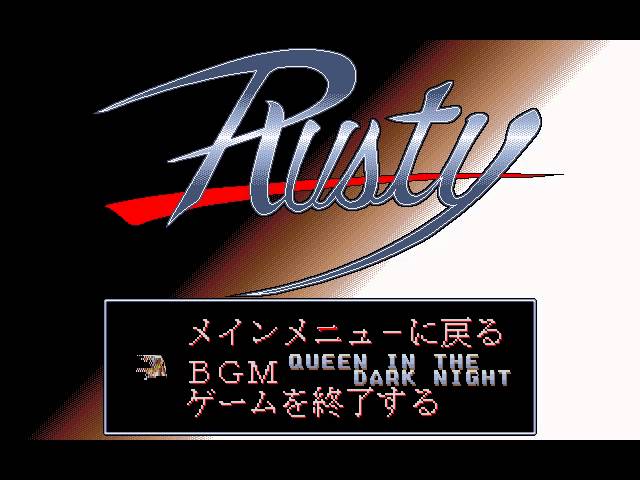
Trying to test rusty but instead I’m just blasting this first level music, so good https://youtu.be/mQvyc2BIWss?si=ey5flVu3OlQSpzk7
 copper slate
That’s awesome, happy for you! 
ruby bramble
It’s so good, it’s almost like having a pc98 core, almost
sly crater
ruby bramble
It’s so good, it’s almost like having a pc98 core, almost
Almost…
It’s cool that it can run at 70hz
 woven lava
sometimes I think about doing an "Apple 2 game of the month" kind of thing on the CG discord...
but no idea if there would be interest 😅
woven lava
Millionware
woven lava
back in the day I played a lot on Adventure Construction Set
 cerulean rivet
 lunar trellis
Anyone tried this? Quietly dropped into Main recently with no announcement

GitHub
Contribute to MiSTer-devel/VT52_MiSTer development by creating an account on GitHub.
 hollow ice
No, but thanks for the heads up. Would love to see subsequent Dec vts
lunar trellis
Will give @severe hull a ping, could be mentioned in his news updates. Is a shame it came out and never got a news announcement so nobody seems to be aware of it
 severe hull
@lunar trellis Thanks for the heads up!
woven lava
are those related to Minitel terminals? I'm hoping for an implementation of the EF9345 chip, so the Alice32/Alice90 core can be completed
woven lava
yes looks like its ismore of an ANSI terminal than the minitel/videotext protocol
still cool. theres an example of doing a server with python running on the ARM
 fleet cave
waiting for one of you to use two misters where one is just the VT52 core connected to the other mister running some serial-console capable computer core
hollow ice
I don’t think @void belfry has two misters— one of those esoteric Unix operating system installs would be perfect
Or maybe the secret sparcstation core
 void belfry
hollow ice
I don’t think <@794151308620857395> has two misters— one of those esoteric Unix ...
void belfry
hollow ice
I don’t think <@794151308620857395> has two misters— one of those esoteric Unix ...
Indeed, only have one. I plan to get a 2nd (dual ram this time)
void belfry
Small update also on Debian 4: I have to get some xorg related packages, test them and that would be the basic+dev+net+base X install VHD, leaving Window Managers/other progs to each to experiment/use.
What is missing (on top of my head) is a kernel recompilation (e.g. to exclude unnecessary drivers/progs like thermal sensor/fan related and whatever else ao486 does not have comparing to a regular PC), a permanent ALSA conf and for sure many more 😦
So yeah, if anyone around wants to contribute to have a better image to be shared around community, I'm open to suggestions/testers/etc. Even if only for dosemu (#DOScember with a twist) 😛
void belfry
Same shoutout to community stands as well for OS/2 (up to Warp 4), as I never used it before ao486 core (see also https://misterfpga.org/viewtopic.php?p=92989#p92989 for reference)
void belfry


 simple viper
Hi, there is a new official core for the zx spectrum next in the spec next website. Is is possible some clever person could use it to create an updated core for the MiSTer? That would be perfect as could play some of the latest games which require the updated core. 🤞
lunar trellis
I thought someone had updated this core in the last week or so?
Is there any benefit of it over the other Spectrum cores we have? If there now is then Sorg may be convinced to allow it to be added to the Main repo.
 strong yoke
The Next is tangentially a Spectrum emulator but it’s much more a reimagining as a later far more featureful machine. So it’s definitely different from the Spectrum core.
 vestal cypress
where does it go? Im browsing through my folders today and can't find it
nevermind, I'm such a dummy
 robust monolith
The new core was posted on the forums for the Next, works great.
copper slate
 tulip atlas
Thanks, I found it:
tulip atlas
Thanks, I found it:
Thank you sharing the link! I hope it gets pushed to the main distribution soon.
simple viper
tulip atlas
Thanks, I found it:
I was completely unaware of this excellent news. Can't wait to try it
 torpid vale
Does anyone know of a well configured NESticle vhd??? I tried making my own but am having a hard time with resolution and getting joysticks to be recognized
Wish they would add it to 0mhz for nostalgia sake
Nevermind. Figured it out
 torpid vale
Runs full speed but the lag is sooo bad. 😂
 exotic prairie
There’s gotta be a better way
tulip atlas
torpid vale
Runs full speed but the lag is sooo bad. 😂
How many years I wasted playing with terrible emulator lag and microstutters.
torpid vale
Haha and the funny thing is we never noticed…. At least I didnt
tulip atlas
Yes. The old emulators even had screentearing sometimes. I didn't know what I was missing until MiSTer came around 🙂
vestal cypress
torpid vale
Wish they would add it to 0mhz for nostalgia sake
would kindly share this? strong 1998 nostalgia for this
 rare plume
vestal cypress
would kindly share this? strong 1998 nostalgia for this
rare plume
vestal cypress
would kindly share this? strong 1998 nostalgia for this
A vhd is like a file container. You can just double click it in Windows to open it, drag whatever files you want into it, then eject it like a flashdrive. Copy the vhd over to MiSTer, set it as you primary drive and thats it. You can find Windows 3.1 and 95 preconfigured vhds for MiSTer to mess with and put all sorts of dumb shovelware on it
vestal cypress
Ah ok, I thought you had an mgl or something
I can definitely get nesticle into a vhd
void belfry
torpid vale
Runs full speed but the lag is sooo bad. 😂
Nicey, had some short fun with it, same as with other emulators a while ago too 🙂 #1047332497492553799 message
NESticle and ZSNES will work (didn't explore much how fast/accurate/etc), for some others you'll need an FPU (sometimes a software emulator of it for DOS will work, or crawl to be more precise)
vestal cypress
Zsnes will run really slow
My first pc was a pentium 100mh z and couldn't reach 60fps on single game
On dos mode
I upgraded 3 years later to a 433mhz celeron and was able to play full speed
void belfry
¯_(ツ)_/¯ never used them back then, so can't really compare
vestal cypress
you missed out on some fun! I caught the fan translation scene as it was just starting
romhacking dot net was the "the whirlpool" back then
so many good games left out in japan
torpid vale
Lots of fun seeing how far we’ve come…from humble dos emulator beginnings…to incredibly accurate FPGA recreations
 strange bluff
Hi! I tested some games from the 0mHz DOS collection today and I realised that the colors were completely wrong on Blood and Star Control II. Is this my MiSTer or can someone confirm it also happen for them?
void belfry
few more tests to be done after it finishes installing basic X and I think the raw VHD of Debian 4 is complete. The rest of the issues remaining (including recompiling kernel/audio/clean-up of unnecessary processes/daemons/programs/libs/etc) I'll try to solve in the following days/weeks until Xmas to the best of my knowledge/time to learn. After that, will full release that base VHD as-is via usual archiving sites. If anyone around wants to help/t-shoot/improve this mini-project before releasing to the wild, as always, feel free to reach me here/forum


 odd jewel
Just starting to mess around with the PC88 core and having an issue with Super Pitfall. I load it in the OSD in the first disk slot and after a reset it starts to boot up, showing the hud for the game, but then nothing happens, the game never continues.
So I'm curious if anyone is able to get it working. I assume I'm likely missing something, or it just doesn't work. I'm trying on the most recent stable release 241120.
 granite umbra

GitHub
WIP MiSTer FPGA implementation of Osborne computers - jackpot51/Osborne_MiSTer
 foggy silo
odd jewel
Just starting to mess around with the PC88 core and having an issue with Super P...
foggy silo
odd jewel
Just starting to mess around with the PC88 core and having an issue with Super P...
I'm pretty sure it was non working 6 months ago when I tried running it, but I will try it again tonight
granite umbra
 torpid vale
Ive been enjoying my old Tandy 1000 games on the PCXT core. The only thing I miss is the familiar, “brrrrr brrrr, brrrrrrrr brrrrrrrrr” when the 5.25” floppy drives initiated.
Wish we could add the sound effects for nostalgia sake
copper slate
torpid vale
Ive been enjoying my old Tandy 1000 games on the PCXT core. The only thing I mi...
You can sorta do that. I use @empty jewel’s BGM script to play a computer boot sound whenever I load a computer core. It brings me joy lol.
You can find that script here - https://github.com/wizzomafizzo/mrext

GitHub
Collection of extensions and utilities for the MiSTer system. - wizzomafizzo/mrext
granite umbra

GitHub
The 6809 Portion of the SuperPET. Contribute to TechCowboy/SuperPET_MiSTer development by creating an account on GitHub.
 random grail
Make a pull request with the changes in the zxnext ( upgrade to version 3.02) , to the oficial repo . All the new games seen to work
hollow ice
granite umbra
https://github.com/TechCowboy/SuperPET_MiSTer
Wow, that is great.
copper slate
Minimig core updated - #unstable-nightlies message
 wheat folio

 fast kraken
wow, big pile of fixes for ao486
 slate maple
any way to start amiga cd32 games without needing a mouse to click the boot button in the UI?
CD32 is supposed to be a console and you have to use a mouse to start a game 😄
 elfin oxide
Well it's a hacky implementation once you have tried a few games you realise how pointless it was as a system anyway
granite umbra
fast kraken
wow, big pile of fixes for ao486
 fast kraken
always nice to see
granite umbra
one is not merged because is create issue on Win95 but fixed issues with DOS4GW
https://github.com/MiSTer-devel/ao486_MiSTer/pull/172

GitHub
During TSS task switching, when reaching the step CMDEX_task_switch_3_STEP_15, it doesn't progress to CMD_task_switch_4, but hangs in CMD_task_switch_3 (command cond_204 stays active).
This...
 topaz sigil
Thera34‘s Christmas has come early,
fast kraken
the VGA stuff sounds interesting, wonder what that means
normal vga out without scaler trickery?
void belfry
topaz sigil
Thera34‘s Christmas has come early,
yeah, quite curious about int 13h stuff 🙂
void belfry
fast kraken
the VGA stuff sounds interesting, wonder what that means
fixes The Incredible Machine apparently... didn't yet test, will have a look later after work
granite umbra
GitHub
Contribute to eriks5/CBM-II_MiSTer development by creating an account on GitHub.
void belfry
amazing stuff and another rabbit hole 😍
granite umbra
yes 😉
lunar trellis
"Welcome to the Commodore CBM-II pages of Steve J. Gray! This page contains articles, news, technical information and pictures of what some may claim as the sexiest machines Commodore ever released before their ultimate demise..."
Wow, easy there tiger, better make up a NSFW channel to talk about this computer
hollow ice
Maybe mine too
Wow indeed. Int13 fixes, and now cbm cores. Christmas has indeed come early.
@small ore thank you
 small ore
Forum topic with rbf: https://misterfpga.org/viewtopic.php?p=93333#p93333
hollow ice
Is there much fpga space left? Did you plan to implement some of commodores more “dumb” ideas like the 8088 expansion?
And as long as I am asking questions, you added the option in the c128 mmu to support the second bank of memory. Do you intend to enable that?
small ore
Space use is about 50%. Full memory option (all segments 0 to 14 populated) already exists. When you select 'custom' model, you can enable this. Adding the 8088 would be nice, but documentation on how it works is sparse. Also timing might be hard since the 8088 runs at almost 5 MHz
hollow ice
Other than zimmers, this is the best thing I have found for it, although not sure it will help: https://github.com/MichalPleban/cbm2-8088-ram-board

GitHub
Combined 8088 + RAM expansion board for Commodore CBM-II - MichalPleban/cbm2-8088-ram-board
small ore
I know the link. He redesigned the board, that is not the original CBM board. Only prototypes exist of commodores attempts, and there is a schematic but appears incomplete.
hollow ice
Hmm, I am not sure if Bo actually has an original. I can forward the question.
small ore
This is the 8088 schematic: https://www.zimmers.net/anonftp/pub/cbm/schematics/computers/b/8088.gif

Again I'd love to implement this, but it looks like it could be a BIG timesink
hollow ice
Yeah, especially reverse engineering it from broken schematics.
small ore
And it will only get us a broken MS-DOS 1.25 🤣
hollow ice
Mainly a curiosity in any event. I guess I might as well ask the other question- do you plan to unify this and the pet core?
hollow ice
Just the name, of course. I knew they were the successor but hadn’t dug into implementations.
small ore
Why make machines backwards compatible when you can have your customers pay again for all their software
At least they learned when they made the C128 hehe
small ore
Those were not dumb questions, they were valid ones
 hard egret
I'm having the damnedest time getting the Mac Plus core to install System 6 (or 7 for that matter) to a hard drive image. The install keeps failing with a -37 error code. Any insight into what I might be doing wrong?
 karmic fog
hard egret
I'm having the damnedest time getting the Mac Plus core to install System 6 (or ...
karmic fog
hard egret
I'm having the damnedest time getting the Mac Plus core to install System 6 (or ...
could you detail your process? in classic macs, error -37 is "bdNamErr", or 'bad file name error'
and which version of the core are you using?
karmic fog
give this one a shot too, it's got a few fixes compared to the april build
i've not actually installed an OS on the core in quite a few versions. the last time i did so was on a core from ~2 years ago, so it's possible something could have broken
i'm also pulling from my memory banks a recollection that the installation process can sometimes randomly fail, but that usually only happens once or twice and retrying a few times usually bypasses that. also not 100% sure that bug even affects 6/7, it might only affect OS 8/9
nah, nevermind. it can't be that. the error message is different.
hard egret
trying the updated core
hard egret
question, where are you finding these cores?
karmic fog
the former i had in my archive, the latter from https://github.com/MiSTer-unstable-nightlies/MacPlus_MiSTer/releases
hard egret
Is it hypothetically possible that the system disk could be corrupt somehow? Though I don't know how it could be corrupt and still be bootable.
Here's the recording of the install on the August core version
 karmic fog
i see you're using SE mode
try the install in Plus mode
and yes, try sourcing a new set of system 6 install floppies
you might also want to try reinitializing that hard disk with the patched HD SC Setup then reformatting it first
i suspect one of those 3 ideas will get you there, would be surprised if it still didn't work
SE mode is largely untested on MiSTer
you could try installing it on a fresh copy of the HD hosted here too https://github.com/MiSTer-devel/MacPlus_MiSTer/blob/master/releases/empty_hdd.zip
not sure if that's the source of the one you're already using or not
hard egret
karmic fog
SE mode is largely untested on MiSTer
That might be the key to it
karmic fog
if the install works in Plus mode you should be able to switch back after a reboot
hard egret
And yes, I did copy a fresh blank drive
karmic fog
Oh, you should probably also set CPU speed to Original or 8MHz for the installation as well, I'm surprised it even read the floppy at 16 as the floppy controller I believe isn't intended to work at that clock
hard egret
Got it working, thank you
granite umbra
Rusty on my DOSV vhd working great with the AO486 with dos4g pr 😍
no need to adapt anything on L2 or L1 or speed cpu
hollow ice
is that with the new changes?
granite umbra
yes with a PR also not merged
hollow ice
was the ticket updated with what broke in Win95?
it was.
GitHub
During TSS task switching, when reaching the step CMDEX_task_switch_3_STEP_15, it doesn't progress to CMD_task_switch_4, but hangs in CMD_task_switch_3 (command cond_204 stays active).
This...
granite umbra
Fixed ao486 lemmings issue
https://misterfpga.org/viewtopic.php?p=93371&sid=19703ad78eb2d067f32b564a463141bd#p93371
fast kraken
did you read on github?, that guy learned HDL just to start fixing this core, what a legend
 surreal marsh
I'm impressed. I had thought that the core was considered impossible to really maintain.
void belfry
https://ocawesome101.github.io/486-linux.html - provided .img file works just fine on ao486 (after renaming to .vhd) and it's amazing fast. Admittedly it's just the basic kernel, but it's also pretty recent (almost as Gentoo one)
 void belfry
it gives some parallel port errors (ofc it will) and some ATA ones as well, but otherwise is solid

This raises the number of confirmed working Unix/Linux versions/distros/flavors on AO486 to 9. Eat dust, M$ 😛 Updated my list here as well: #1047332497492553799 message
 void belfry
The Incredible Machine 2 works fine now (tested under EMM386) 🙂 Didn't had at hand TIM 1 , will see after work

 rare plume
I need to test out 0mhz Worms again. That was crashing on me a few months ago.
void belfry
Betrayal at Krondor seems to be fixed on chapters intro part as well now (it was black screen before). And Dangerous Dave is no more flickering when at 90mhz/L1/L2 🙂

 fast kraken
nice, thats awesome to see more stuff start working at higher speeds
void belfry
GitHub
Hi, For quite some time, me and others are using successfully a "hack" of the uartmode script to achieve 230400 baud PPP connection on Minimig, basically doubling the normal 115200 baud c...
strange bluff
void belfry
The Incredible Machine 2 works fine now (tested under EMM386) 🙂 Didn't had at h...
Were you able to test the first one? I am curious...
void belfry
not yet, still need to source it and install on my setup
void belfry
strange bluff
Were you able to test the first one? I am curious...
The Incredible Machine (and The Even More Incredible Machine) work fine too

 tulip atlas
The Even More Incredible Machine always worked. But The Incredible Machine and Sid and Al's Incredible Toons had a black screen problem before (sound was playing but video was just a black screen). I remember that using the Trident BIOS fixed that before. But it is cool to not have to switch between original and Trident BIOS.
void belfry
Indeed, that was the case before. Speaking of things that didn't work before: https://www.pouet.net/prod.php?which=301


was looking for that old compatibility sheet and saw last post mentioning it https://misterfpga.org/viewtopic.php?p=86230#p86230
the sound is not ok though, low and bit distorted/noisy, but yeah, it works 😄
and here's the error on "old" core, just for posterity 😄
 robust monolith
How about, someone setting up a vhd with Sparcade, and MAME 0.1, and any of the other very early emulators? Would that work, or would they need a FPU? ccs64 was dos, so was Vice, so were the early snes and nes emulators etc etc.
void belfry
+++ VICE - DOS version of C64 emulator - runs with QEMM and Q87 FPU emulator. Well... crawls would be more accurate term, but it works 😄
+++ M.E.S.S. - Multi-Emulator Super System - seems to work, or crawl as well
+++ PCAE - PC Atari 2600 emulator - seems to work, crawls as well ofc
Nesticle and Zsnes are working for sure without FPU. Also DOSemu under Linux (at least Debian) but don't expect miracles
 final zephyr
is that update ao486 core in main yet? or is it something you have to manually download/install?
void belfry
not in main yet. you need latest unstable MiSTer and ao486 #unstable-nightlies message and #unstable-nightlies message
final zephyr
Yeah I'm super interested in testing that, AO486 was the main reason I bought the MISTer
void belfry
damn, i so hate manual look-up copy protections 😄
final zephyr
For other computer cores I'd love either an M68040LC or a PPC603
(I just want Mac OS 8 with Super Wing Commander haha)
void belfry
void belfry
damn, i so hate manual look-up copy protections 😄
spoke bit too soon, getting rid off them in the "old-skool" ways can be lots of fun also 😛
granite umbra

#MiSTerFPGA 의 DE10-Nano 보드 문제가 아니라, 어이 없게도 SD 카드 문제였음
때문에, DE10-Nano 스페어 머신이 생긴 것은 안자랑😅
(한대 더 있으니 심리적으로 든든한 것 같기도)
셋업 마친 김에 PC-8801 코어 Xak II 오프닝 올려봄. 과거에 글리치가 있었는데, unstable_20241214 버전에서 수정됨
 thin aspen
Can someone guide if we discuss the AO486 core in here? need a bit of help with it
 misty anchor
I get red and green vertical stripes when running the latest unstable AO486 core on my VGA CRT. Otherwise the unstable core is a huge improvement. Most demoscene demos work perfectly now.
thin aspen
I can't even see anything on my core can't even boot into the main screen..............and all since I downloaded the 0mhz game pack I was gonna try them too
rare plume
thin aspen
I can't even see anything on my core can't even boot into the main screen..........
Do you have boot0.rom and boot1.rom in the games/ao486/ directory?
https://github.com/MiSTer-devel/ao486_MiSTer#how-to-install
void belfry
ALSA is now persistent at boot and snd-sb16 module loaded on Debian 4


apt-get install linux-sound-base alsa-base alsa-utils alsa-oss
dpkg-reconfigure linux-sound-base
The package only has one parameter: set either OSS or ALSA as the default sound system. Use ALSA (Advanced Linux Sound Architecture)
alsaconf --- takes a while 😄
Say Yes to probing ISA cards, Uncheck everything than SB16
alsamixer --- to test it out/set volume etc
alsactl store --- save the config
nano /etc/modules --- add snd-sb16
After making a backup copy, time to go deeper in rabbit's hole: removing useless stuff and recompiling the kernel 😄
void belfry
will take a while 😴

as expected, stabilizes within an hour

sadly, can't go beyond 115200, though i tried
void belfry
spotted a peculiar file name while un-tar the linux source code 🤔


i.. i'll just leave it like that, too many rabbit holes
void belfry
2-3 more tries before moving it back to emulator..


you don't say ? :D))) here we go again

f... it , emulator it is

 hollow ice
Haha. Getting close to a reasonably up to date Debian 4?
void belfry
will see bit later if recompiling would work, at least to remove some crap
taking a break to play some Heroes 1 and 2 maps 😄
 robust monolith
Aw, bugger.
rare plume
I tried a different image of the game and it crashed too. Too bad there are no other ways to play Worms... 
 thick pendant
rare plume
I tried a different image of the game and it crashed too. Too bad there are no o...
thick pendant
rare plume
I tried a different image of the game and it crashed too. Too bad there are no o...
You could play it on Minimig core...
hollow ice
or even better, the game boy core
copper slate
anyone use Amiga Pi? How does it stack up against the MiSTer core?
thick pendant
copper slate
anyone use Amiga Pi? How does it stack up against the MiSTer core?
hard to say, don't know "Amiga Pi" is, but MiSTer Minimig core is like a well expanded A1200 with 80mhz 020, RTG video, AHI board, 230K internet.
copper slate
thick pendant
hard to say, don't know "Amiga Pi" is, but MiSTer Minimig core is like a well ex...
Does that mean it’s very good? I am Amiga noob.
thick pendant
about perfect if you want to run the old games. just ok for applications.
void belfry
fingers crossed🤞
 void belfry
still going on, this for sure will take a while 😄 and realized I fired it up under 86box not under PCem (which I used for base vhd install). Apparently coffee kicked in bit too late, will see how it works
 robust monolith
@void belfry For the slow, ie me, what are you doing? Trying to build / compile something?
void belfry
Recompiling Debian 4 kernel for ao486 use, after hopefully getting rid of most of useless stuff (PCI, APM, SCSI, parallel port and so on which are not present/possible on the core)
see my previous posts of my "adventures" in linux/unix land 🙂
https://www.howtoforge.com/kernel_compilation_debian#-building-a-kernel-deb-package --- mostly adapted from here

HowtoForge
How to Compile A Kernel on Debian Linux. Each distribution has some specific tools to build a custom kernel from the sources. This article is about co...
If it works (aka boots with this new kernel), hopefully will see some boot/operating speed improvements. that's the theory in short
Since I'm doing it on a simulated Pentium 120 MHz with 256 megs of RAM, as I said, will take a while. For sure if I'll need to do this again, will go for a VM/cross-compile much faster way 😄
void belfry
~7 hrs... oh well, could have been worse lol. For sure i missed a lot of useless modules, will see how it works after a break
 void belfry
Success 😄 Now for sure it can be further improved (and will try, though kinda here ends my Unix/Linux experience) and more unused modules/processes can be removed.


 void belfry
I left both kernels for now in GRUB (default will be the new one)
void belfry
I've just been whispered by one of Santa's elves that if you carefully look on a certain **archive **for "MiSTerFPGA ao486 Debian Etch" , you will find something nice ¯_(ツ)_/¯ Merry Xmas to you all and your loved ones 🙂
 void belfry
and the forum post as well: https://misterfpga.org/viewtopic.php?t=8714
void belfry
now that the "new" compiled kernel works fine, time to test it as well on my own VHD. In theory all I need is to transfer the kernel/headers .deb files from base image to my own and install them with dpkg. Will see how it goes
void belfry
and it works as well 😄
 void belfry

 vestal goblet
Biggest slowdown in kernel compiles back then was the underlying disk. If you’re running emulated with SSD backing, reducing the seek times to 0, you’ll probably come out ahead. it used to take 10 hours to recompile our ISP kernel in ~1994, upgrading to a fast SCSI disk pair with elevator seeking got it down to ~8 hours
long before make -j2 ever worked properly for the kernel
void belfry
fun times, eh ? 😄
 spice hound
Is there any news about apple //gs core for MisterFPGA? I am just curios.
 near dome
Has anyone tried to install BeOS on the ao486 core ? Stuck at bootloader when trying to boot my BeOS 5 ISO atm.
void belfry
it will need Pentium, not possible on ao486
 chilly rain
void belfry
and the forum post as well: https://misterfpga.org/viewtopic.php?t=8714
chilly rain
void belfry
and the forum post as well: https://misterfpga.org/viewtopic.php?t=8714
quality post by thera34 as always!
did you ever try to get os/2 warp working on it?
oh i see you got os/2 2.1 working on it
void belfry
chilly rain
did you ever try to get os/2 warp working on it?
yup, just a few posts before 🙂 https://misterfpga.org/viewtopic.php?p=45986#p45986
2.0, 2.1, 3.0 and warp 4.0 are running on ao486
chilly rain
very nice
i have a weird nostalgia for it since my best friend's dad had a dual motherboard pc, one motherboard would boot to windows/dos, the other to os/2 warp for his work
void belfry
after 2.0, it will require L1 cache off, plus couldn't get a better video driver, as well as PPP (modem connections work though)
but yeah, a better structured post would be in order at some point. I realize how messy that is lol 😄
 waxen nymph
spice hound
Is there any news about apple //gs core for MisterFPGA? I am just curios.
waxen nymph
spice hound
Is there any news about apple //gs core for MisterFPGA? I am just curios.
It is pretty far from working. We did dust it off again and Stephen made a couple of small fixes.
spice hound
Ah! Go get the original machine then. Got it
 mortal dawn
Hey all, I setup the 0mhz DOS collection but whenever I launch a game from the menu or try to launch it in the ao486 core it doesn't load anything and stays on black screen am able to get to menu but figure out how to launch
what am I doiung wrong here
From my understanding it is supposed to launch into a game when i select it from the _DOS Games menu option but it just launches into core on black screen with the game mounted
copper slate
mortal dawn
From my understanding it is supposed to launch into a game when i select it from...
delete your AO486 configs and copy over the one provided in the 0mhz pack
mortal dawn
thanks ill give that a try
hmmm still having same issue
how does one manually launch a mounted game
Do I need to install dos to the mister core through SSH on my computer? Was under impression it auto setup stuff
mortal dawn
is there anything in the updateall script that can mess with the 0mhz dosc ollection?
mortal dawn
ah well i give up
copper slate
mortal dawn
is there anything in the updateall script that can mess with the 0mhz dosc ollec...
No don't think so. The 0mhz collection does require every file to be in the exact same spot though.
rare plume
@mortal dawn do you have the bios files boot0.rom and boot1.rom in the ao486 games folder?

you can get them here on the core's github page:
fast kraken
new build with even more fixes !
 jaunty iron
@mortal dawn try deleting the ao486 config file, and just let the core regenerate it. I was getting the same issue from the included 0MHz config files preventing the core from loading anything or working until I removed them. Been running stuff without issues since I did that
 silver inlet
I had a bad config file for the C64 core recently, wouldn't let me mount and load any disks. Seems like "try deleting the config file" should be standard advice
exotic prairie
I was fucking around in the X68K (as one does) and playing castlevania. Yo, Theme of Simon Belmondo hits much harder than it has any right to. Especially with the mt32pi
here, you need this in your ears too. it will help https://www.youtube.com/watch?v=fp8N8fO-nnE

Recorded using XM6 emulator.


 :
:
 void belfry
and few hrs later... #news message 🥳
hollow ice
Even includes the tss fix gated by osd menu.
 autumn roost
I noticed something strange in the latest a486 release. Many games in the top300 stopped working due to not having enough base memory

Only 529k are available in HIRAM mode
Whereas with the previous core release and the same settings

For some reason nothing is being loaded in High mem in the new release. I'm using the exact same image and settings with both old and new core releases
void belfry
interesting.. when using emm386 or qemm, it loads just fine in upper mem:

 fallow topaz
possibly related to https://github.com/MiSTer-devel/ao486_MiSTer/pull/169

GitHub
When the ROM region is directly writable it can be incorrectly detected as Option RAM (e.g. by EMM386).
Can also be verified with the MSD tool (memory overview) included with MS-DOS 6.22.
autumn roost
void belfry
interesting.. when using emm386 or qemm, it loads just fine in upper mem:
Yes, the other mem modes work the same as before. Only HIRAM seems affected
fallow topaz
try adding /VERBOSE to the himem.sys call in config.sys
and check the output
or are you using freedos?
 fallow topaz
I do not think it is useful to load both himem.sys and hiram.exe
but my DOS knowledge is very rusty. Mostly know 6.22. Never did a lot of tweaking Win98 DOS in those days.
on the other hand: the "64K HMA is available" output is looking good
void belfry
same happens under dos 6.2.2. Without EMM386 (even with /noems), nothing will appear to load in upper mem.
autumn roost
I'll report an issue
thick pendant
has anyone tried to use a racing wheel on the computer cores?
exotic prairie
great to see so much activity on the ao486 core
void belfry
Lol, having fun with a very weird W95 (Nashville ?) version 😄


A forum colleague recommend it to me, found it on **archive **under "Windows 95 OSR3 Beta 1 (unofficial mod)".
There's a VM machine with a .vmdk file. Using Qemu got it converted to raw :
qemu-img convert -f vmdk -O raw Windows_96_Nashville-disk1.vmdk Windows_96_Nashville.img
Renamed the .img to .vhd, moved it to MiSTer (it has 8 Gig lol), it will boot but not much to do with it as it lacks a lot of drivers
So get mscdex/shsucdx with a cd-rom driver first, mount W95 OSR2 cd, do the whole Detect New Hardware/restart/rename Esdi_506.pdr to .bak/etc dance an it will work
Though it doesn't detect installed null modem in dial-up, neither can use MiSTer FB driver but default Tseng ET4000 from windows cd...

and ofc first BSOD, trying to uninstall IE 4 😄

 granite umbra
Humply respond to HIRAM issue :
https://github.com/MiSTer-devel/ao486_MiSTer/issues/177#issuecomment-2564241795
lunar trellis
For people who go deep on the 486 core, anyone running windows tried to see what happens if you try boot a Kodak Photo CD?
void belfry
like this ?

 elder wraith
How much ram does AO486 have on a 128 single SDRAM mister?
I'm curious if PsychOS486 could theoretically boot on it
granite umbra
ao486 uses only ddr ram
elder wraith
Ah, interesting, does it have access to 2GB out of the 3GB?
fleet cave
the mister only has 1GB of shared ddr
void belfry
elder wraith
I'm curious if PsychOS486 could theoretically boot on it
iirc it needs FPU
 rocky meadow
Maybe relevant to some. Martyn Brown, co founder of Team 17, passed away today.
void belfry
Bit of Inception, isn't it ? 😄 Quartus II 2.0 under Win NT 4.0 on ao486

 void belfry
going to need a license though 😛

 hollow ice

 dire mason
Is there a list of confirmed working programs for the c64? I have a dot matrix printer that came with an actual commodore 64, curious if it would work in print shop.
I would just give it a go, but I would need to get a SNAC for it first so I just want to be sure
 undone anvil
I imagine that would be a massive list. it would probably make more sense to have a list of what doesn't work.. which would essentially be the issue tracker
 hardy sinew
I'm seeing some graphical glitches with the latest AO486 core (perhaps it's been there all the time?) - anyone else seeing that?
copper slate
hardy sinew
I'm seeing some graphical glitches with the latest AO486 core (perhaps it's been...
Can you be more specific?
hardy sinew
copper slate
Can you be more specific?
Sure. Some very narrow green stipes on some characters in DOS for example.

holy fuck, my screen is dirty
I don't see the same glitches on the Amiga core
copper slate
hardy sinew
Sure. Some very narrow green stipes on some characters in DOS for example.
Thanks and also thanks for the photo. That is most peculiar.
near dome
I get them too since latest ao486 core
robust monolith
I'm not getting them on the latest core, AV board is the 9.2 one, using HDMI. Not tried the CRT though.
rare plume
I would get artifacts like that using an HDMI to VGA converter. Analog on an LCD at high resolutions can get a little funky
near dome
I'm using the MiSTer FPGA IO Direct on HDMI
robust monolith
near dome
I'm using the MiSTer FPGA IO Direct on HDMI
DE10 Mister, or Qtech, or Taki Clone?
near dome
DE10
 feral shuttle
hey guys. any chance for direct video with the ao486 core
 novel sail
https://github.com/MiSTer-devel/ao486_MiSTer/issues/140 seems like no

GitHub
Hi Sorg, Is it possible to add support for direct video?
feral shuttle
ahhhhh, darn. thanks for the heads up!
novel sail
NP
robust monolith
near dome
DE10
That's odd.
 manic sluice
For Commodore 64, would you recommend I use the “OneLoad64” or the “C64 Dreams” set?
copper slate
manic sluice
For Commodore 64, would you recommend I use the “OneLoad64” or the “C64 Dreams” ...
I use OneLoad64 but not sure what the differences are. I’m sure either option is just fine.
manic sluice
Oneload seems Mister “aware”, less games 2500 though which is still insanely big and is updated more frequently. So I’ll give that a shot!
 quiet stone
Once my mister arrives I plan on spending time on the ao486. I have several ideas on how to improve things regarding the fpu
elder wraith
quiet stone
Once my mister arrives I plan on spending time on the ao486. I have several idea...
if you can fit it, go for it.
copper slate
quiet stone
Once my mister arrives I plan on spending time on the ao486. I have several idea...
Your work will be greatly appreciated by everyone
woven lava
about OneLoad64 - I thik there's no game on there that can save? so it's a bit like the Apple II Total Replay pack; you might want to check the other (more complex) games as well
spice hound
I have one question to ask.......I am unsure the answer to it.
For snax there is the ability to use a joystick or controller for each system. Why is Apple //the only core where I cannot use a real Apple // joystick? I am confused.
woven lava
probably because nobody coded support for it
woven lava
https://www.reactivemicro.com/product/joystick-shield-from-retroconnector/ <-- you can get one of these to use USB
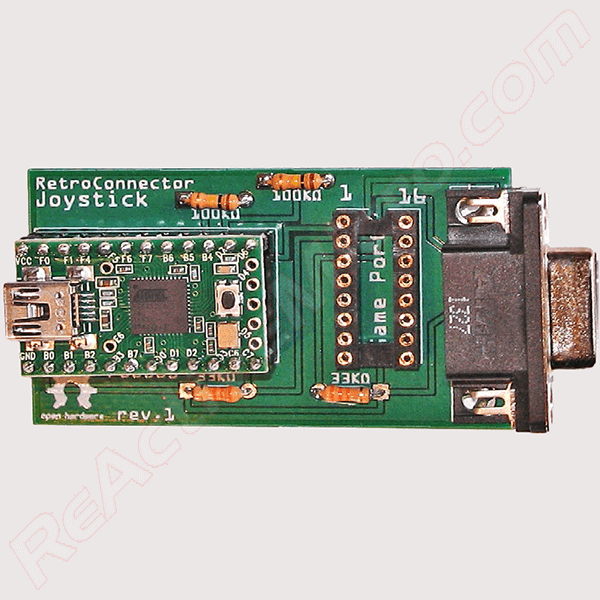
This is the Joystick Shield from RetroConnector.This adapter allows connecting an Apple II analog joystick to a modern computer via USB.It is recognized as a standard HID component.
 burnt pelican
quiet stone
Once my mister arrives I plan on spending time on the ao486. I have several idea...
burnt pelican
quiet stone
Once my mister arrives I plan on spending time on the ao486. I have several idea...
Get yourself a Patreon!
quiet stone
Nah. Most of my ideas are probably unfit to be merged into the official core anyway
I am going to prioritise getting software to run over accurately replicating the hardware. I am also going to explore attaching external devices which may be too niche for official adoption
Audio is a bit less latency sensitive than the fpu so it would make sense to try to move audio to another device. Doing so may free up enough space for a second ao486 cpu so an fpu should be able to fit. But I'll have to do my research once my MiSTer arrives.
elder wraith
call me neieve if this is wrong, but can mister cores use the arm chip to software emulate some hardware freeing room for components that are esier in FPGA?
strong yoke
elder wraith
call me neieve if this is wrong, but can mister cores use the arm chip to softwa...
Already does - rom/file/disk/CD/network/serial IO is abstracted to the ARM for many cores. But remember that the arm chip only has one “spare” core, it’s slow, and is contended on memory so isn’t predictable on timings; for most features that’s fatal.
The MiSTer framework keeps one core busy at 100% in order to try and be real-time-ish for the IO
And you see issues - video breakup while update-all is running, for example
elder wraith
Ah makes sense. So to abstract the sound-card out of the FPGA in this example would need a usb sound-card as the arm core ain't got the grunt to run anything advanced.
strong yoke
There was an attempt for the Amiga core to pop the 68000 cpu out to an arm emulator - it worked but at no actual benefit
strong yoke
elder wraith
Ah makes sense. So to abstract the sound-card out of the FPGA in this example wo...
Well… there’s also a working mt32pi on MiSTer ARM that works acceptably 🙂
But that’s just midi signalling which is super low bandwidth
Not sure you could push the Soundblaster emulator out to ARM with its much much higher and guaranteed bandwidth needs for digital audio
For ao486 the general consensus is we’ve got as far as possible on the de10/clones and next step for it would be on the MiSTer 2 instead
Most other computer cores don’t come close to filling the de10
hardy sinew
In about 30 years someone will probably make a accelerator for the MiSTer 😉
exotic prairie
Sounds like we need ramdoubler.exe for the mister
torpid vale
Ramdoubler.exe.dll.xvid.mp3.rar.zip.sh.sub7.ss.msi.runme.definitely.not.malware.exe
Oh man, what about vhd’s that give you the authentic sub7 experience? Or other classic viruses or trojan horses?
Might be kind of neat
Assuming they are isolated to the vhd of course
exotic prairie
So on the x68000 core, can i build a user disk so I can save in dracula? Or is the user disk baked into the hard drive image (and, therefore, doesn’t support saving)?
robust monolith
torpid vale
Ramdoubler.exe.dll.xvid.mp3.rar.zip.sh.sub7.ss.msi.runme.definitely.not.malware....
ramdoubler, what a scam those type of programs were. Packing and unpacking files in realtime to make it look like you had loads of memory. Now that would have been a good idea, except for one flaw. It slowed everything down. 🙂
 safe quest
The basic idea actually works on modern hardware, though. Tons of Android devices have it, and even some desktop Linux distros.
It's just not something that's shoved in your face as a product/feature so much.
robust monolith
Yeah, it works now. It didn't in windows 95, 30 years ago, with a DX4-100, and 4meg of ram or whatever I had.
torpid vale
My poor family computer was so virus and trojan laden, its a miracle it even powered on. Had no idea what malware even was, just thought it was cool that I could play rollercoaster tycoon for free as long as I didnt mind my CD tray popping out randomly and some guy occasionally talking to me through my speakers, lol
void belfry
torpid vale
Oh man, what about vhd’s that give you the authentic sub7 experience? Or other c...
🤫


happy now ? 😄


so I guess I am the first to compile a virus and infect a DOS VHD under ao486... oh well.
hollow ice
Note to self: don’t trust images from @void belfry 😆
void belfry
ahahahaha 😄
will see if F-Prot manages to clean it up 😄

anyway, if anyone wishes to do the same, get TASM (Turbo Assembler, winworldpc site is as good as any), you can find the sources on first google search link for "msdos virii sources github", the guitmz one (it's about 1K .ASM sources and few .COM files ~ 15 megs). **DON'T **d/l directly, better use wget from MiSTer Linux ARM, unpack them there and use shared folder to move them to DOS. Also get some antivir (F-Prot 3.16f is a good one), be sure to have some boot floppy (and Write-Protect them) and so on. Exactly like in the old days.
and yeah, F-Prot FTW !!! now it boots back normally
 void belfry
So guess this answer the question, old DOS virii do work on ao486. Admittedly only compiled Ambulance, as it's been 25+ years since I've done this lol

 rare birch
limewire and spybot, a popular combination 🙂
 lucid lintel
hey! ao486's newest OPL3 updates : wondering how close this is to the nuked project, or an actual hardware OPL3? I can't find the source but I read that the rhythm channel is not accurately implemented?
 elder basin
lucid lintel
hey! ao486's newest OPL3 updates : wondering how close this is to the *nuked* pr...
elder basin
lucid lintel
hey! ao486's newest OPL3 updates : wondering how close this is to the *nuked* pr...
The envelope generator pretty much matches nuked as of the last PR i did. Rhythm section has been accurately implemented for a while afaik. I did a lot of listening tests to compare to the original and i couldn't hear a difference on the samples i used.
No one has mentioned any differences in a few months. Someone raised an issue regarding sustained note on reset, but that's an issue I'm aware of that should be rare. Might or might not fix.
That said, there's always the possibility of mismatches
elder basin
Actually rhythm I believe matches nuked as well; I used that as my basis
my previous implementation from 2015 was way off
 tall grotto
For the first time in my millennial life, I rode the entire Oregon trail. (Apple ii) Got lucky I guess. Made some good decisions somewhere. Hoorah!
Had the most help from my bro and sis tho. Our whole family rode it on new Year's Day. All 5 of us. And nobody died!

Everyone gave input along the way. Was awesome.
 versed pollen
anyone mess with mmdsp on the x68000 core?
im getting audio/video issues
ahh i see an old post 2 years ago and it looks like it has the same issues...rip
void belfry
if you refer to graphical issues like here #1047332497492553799 message you need to use a newer core version (see #1056033525922537542 message and #1056033525922537542 message)
copper slate
I would play this core but computers are for nerds and I am not a nerd.
woven lava
tall grotto
For the first time in my millennial life, I rode the entire Oregon trail. (Apple...
there's plenty of good old Apple IIe games that were mostly forgotten but might be fun party games
MULE, Robot Rascals, Millionwaire...
copper slate
Apple II rocks
versed pollen
void belfry
if you refer to graphical issues like here https://discord.com/channels/64790939...
I'll check it out
The other issue being that certain audio goes the equivalent of subwoofer farts (heavily distorts)
Also where did you grab the latest version of mmdsp
Huh I looked at that GitHub and didn't see a releases..... But nvm
versed pollen
alright so....now it crashes on certain audios... the ones that heavily distort
void belfry
versed pollen
Also where did you grab the latest version of mmdsp
Don't really recall, probably from NFGGames (or maybe was it github ? )
versed pollen
@void belfry ever had this?
also audio warning
towards the end it just freezes
wait it just freezes period lol
void belfry
nope, never
versed pollen
void belfry
nope, never
whenever you get the time id love to know what you did or setup for it to work well....maybe im missing something
void belfry
I have to revisit my notes/infos on the core, been a while since I worked on this core 🙂
versed pollen
👍
void belfry
versed pollen
👍
btw, can you give me some examples of MDX files you have that distort ? Or is it present for you on all files ?
void belfry
ignore the RS232 btw, this is just me preparing for the time when X68000 will have that working, you'd only need to mess with Memory size, save, Store SRAM, reset, save config etc
 void belfry
btw, can you give me some examples of MDX files you have that distort ? Or is it...
void belfry
void belfry
btw, can you give me some examples of MDX files you have that distort ? Or is it...
nvm, find it. and it plays just perfect
versed pollen
K I'll try that tonight and see if anything changes
final zephyr
FPU has some things that would be good, but tbh I'd rather more raw performance on the existing core. Wing Commander 3 and 4 both run. But are too slow to be playable. FPU, or at least the Square Root function would help Privateer 2, but without the performance I don't think it matters. I tried the software FPU and Privateer 2 was very slow.
fast kraken
wasn't privateer2 a game that required a pentium for min specs
i remember it not working on my 486 at the time 😄
void belfry
fast kraken
wasn't privateer2 a game that required a pentium for min specs
never played it back then, only tested it to see if it works with Q87
but the DX/4 I had back then with 12 megs of ram couldn't do Fallout .. so yeah, but not FPU related, I know
Quake I remember it ran.. well, kinda
final zephyr
fast kraken
wasn't privateer2 a game that required a pentium for min specs
75mhz system for priv2, it runs but is slow in space.
final zephyr
I'm curious, how much of the core is being taken up with multiple Audio card types? E.g if it was cut down to just SoundBlaster + Midi and drop other models of audio card, would it be enough freed up for the FPU or to enhance the performance?
Different PC cores to cover different configurations would work fine.
granite umbra
It will be difficult to maintain and test each changes on different cores
quiet stone
I wonder if it is feasible to have a lower precision fpu. Fast 80 bit arithmetic is huge (in gate count). I wonder if space can be saved by converting all floats to 32 bit or even lower (the conversion itself takes up space too). For graphics 32 bit floats are usually perfectly fine.
I imagine that there is such little space left right now that this wouldn't be enough if it is feasible at all. But combined with taking out audio it might make a cool unofficial fork
hollow ice
I think the issue is core complexity? The story is always that the ao486 core was programmatically built from the bochs source so new functionality is much more difficult than would initially appear.
If I am not mistaken, Robert looked into it when adding the cache code and didn’t want to deal with it 😄
void belfry
versed pollen
K I'll try that tonight and see if anything changes
any changes ?
quiet stone
hollow ice
I think the issue is core complexity? The story is always that the ao486 core wa...
The generator used for ao486 is public. The included bochs486 has the fpu disabled in its config.h and thus the generated instruction decoded decodes all fpu instructions into a NM exception. I don't have a java dev environment set up so I can't run the generator rn, but I suspect that it would generate a proper decoder for all fpu instructions if the fpu is enabled in config.h. If that is the case the autogen part would be covered.
void belfry
things I do for science...
 hollow ice
hanna montana os?! what about justin bieber os?
void belfry
that would be just gross 😄
but yeah, Hannah Montana distro existed, based on Kubuntu 9.0.4
hollow ice
yeah, I saw Michael MJD do a video on it….can the mister run the north korean os?
void belfry
and in a very marginal sense, it theoretically (according more to chatgpt lol) run on an 486 sx (probably just the CLI, KDE.. lol)
void belfry
hollow ice
yeah, I saw Michael MJD do a video on it….can the mister run the north korean os...
i thought about that.. a huge stretch maybe ?
and don't think there are first versions floating around, what I saw it was in Pentium territory
it is a glorified old kernel, i know
anyway, gonna try my luck recompiling

2.6 is right in the range of working kernels
hollow ice
are there any modern non-systemd distros?
void belfry
Gentoo
hollow ice
void as well
hollow ice
gentoo is probably the best bet for a complete modern linux
void belfry
void belfry
anyway, gonna try my luck recompiling
though it is most likely not going to work 😄
 final zephyr
granite umbra
It will be difficult to maintain and test each changes on different cores
final zephyr
granite umbra
It will be difficult to maintain and test each changes on different cores
Not really, since you'd basically just maintain an i386/486sx core with everything thrown in, and a 486 DX core with less audio components.
granite umbra
If you fixed something available on both (not linked on audio components) you need twice the change and test both cores.
But I understand your point just saying more work.
 worn oxide
Mhhh
Note to self

I CAN corrupt .vhd's
It is just stuck
I should've preserved 0mhz pack on source drive
granite umbra
Have you change the booot0.rom ?
worn oxide
No
Well, I mean other than installing the pack I did no configuring and I shut off MiSTer while Elite II was loading
granite umbra
The boot0.rom changes on last release so maybe it could help
 vestal isle
Is there a way to of change the bios for ao486?
granite umbra
You mean by changing by which one? It needs to be bosh compatible
hollow ice
replace the file(s) in the games/AO486 directory
lunar trellis
@waxen nymph , famous UK comedian and presenter Iain Lee is bigging up your Dragon core in Retro Gamer 🙂
(Image nicked from elsewhere)
 lunar trellis
When you do you should ping him on Twitter, bet he would appreciate hearing from the man behind it 🙂
torpid vale
lunar trellis
<@558326731388354586> , famous UK comedian and presenter Iain Lee is bigging up ...
Any idea which issue this is???
lunar trellis
I don't I am afraid, presumably the latest?
Be great to see him interview some of the big MiSTer Devs, wonder how we could make that happen. @naive imp am I right in thinking you have had some contact with him?
 naive imp
lunar trellis
Be great to see him interview some of the big MiSTer Devs, wonder how we could m...
naive imp
lunar trellis
Be great to see him interview some of the big MiSTer Devs, wonder how we could m...
Yes we chat here and there
I’ll be in retro gamer mag soon too
lunar trellis
Oh nice
Would be interesting to know what feels is missing from MiSTer, or general feedback. He is an interesting character with some niche interests.
void belfry
10th Unix/Linux working on ao486 : Mutagenix - (2.6.18.6 kernel) - a Slackware based distro, boots, needs a lot of stuff removed (pcmcia/battery/usb/etc) + GUI (KDE...) doesn't seem to work atm


updated list #1047332497492553799 message
News and feature lists of Linux and BSD distributions.
void belfry
next project: https://www.kali.org/docs/introduction/kali-linux-history/ BackTrack 2 or 3, it asks right away for FPU, but since it is based on Slackware 11/12, it *might * be possible to recompile it for 486sx. Ofc, I won't even think GUI will run ok (if at all, though FluxBox might be an option). And probably many of the apps/utils won't be happy as well ¯_(ツ)_/¯
granite umbra

 tawny egret
what does this update entail?
granite umbra
Tests could help to know but x68k have dma issues.
 pearl minnow
Hey guys, could someone please confirm if UNZIP32 is working on the AO486 core? I have tried to install DJGPP but UNZIP32 would lock up after lunching the command. Thanks!

 mighty barn
torpid vale
Any idea which issue this is???
mighty barn
torpid vale
Any idea which issue this is???
PocketMags suggests Issue 267 I think https://pocketmags.com/retro-gamer-magazine/issue-267/articles/1488345/mister-mister#
Who is Iain Lee? Iain Lee is a
 short compass
I just started messing around with X68K yesterday. What good timing.
What does “update sys” entail?
granite umbra
It is the template/ frameWork shared by all MiSTEr cores
short compass
Ahh a framework update. Cool!
I’m loving MT32pi on X68K. Castlevania sounds amazing.
tawny egret
i haven't been able to get many things running reliably on the x68000 core unfortunately
i played a bit of chourensha 68k and it was good, but there was a lot of popping in the audio
garou densetsu special booted but had completely garbled graphics
i'll have to play with it more today to see if anything is improved
granite umbra
Both issues mentioning are know issues
short compass
I can’t get the controls to work in some games. After Burner for example.
granite umbra
short compass
I can’t get the controls to work in some games. After Burner for example.
You need to use a mouse
It is important to read translated manual
short compass
Hmm I have a mouse but maybe I didn’t click anything
granite umbra
It is a computer not an arcade or a console
Some uses Fx keys, others keyboard, gamepad etc ...
Parodius DA with F3 you can go to the settings to activate MiDi
exotic prairie
Wark, can you tell if this is a real update or just maintenance?
hollow ice
Is it a backport from puu’s latest changes?
granite umbra
exotic prairie
Wark, can you tell if this is a real update or just maintenance?
It is fixe update for DMa and maintenance for sys 🤣
exotic prairie

 short finch
I will have some time in the next hour, that's a call fr some tests with the X68K core.
granite umbra
Puu-san only update FM Toxns since at least one year, he working on other DIY projects.
PC88 and X68000 started around 2005 and 2008.
Yosinda made great regular updates on PC88 míster core since more than one year
tawny egret
his work is extremely impressive, but it's unfortunate that the x68k core seems to be left in the dust now. i'm all for an fm towns core, but i think x68k should be buttoned up first
exotic prairie
the x68k has quietly become one of my favorite cores
I kind of want one of those mini systems
i think the whole thing is so cool
tawny egret
it's a seriously cool system. if it weren't so expensive to get a real one, i would've certainly bought one by now. but, a refurbished one is at least $1000, and i don't have that kind of cash to drop on video games right now, which is why i wish the core would see some more polish
versed pollen
void belfry
next project: https://www.kali.org/docs/introduction/kali-linux-history/ BackTr...
My favorite UI for devices I can't run a GUI for is still twin lol

GitHub
Text mode window environment. A "retro" program for embedded or remote systems, that doubles as X11 terminal and text-mode equivalent of VNC server - cosmos72/twin
From back when I was messing with a steam link and arch lol
 void belfry
versed pollen
My favorite UI for devices I can't run a GUI for is still twin lol
void belfry
versed pollen
My favorite UI for devices I can't run a GUI for is still twin lol
nice, tnx 🙂 will try to compile it (probably over the weekend, as I have a lot of (re)compiling stuff 😄
robust monolith
68000 is nice, I don't know anything about the Japanese titles, but the english ones, and the arcade conversions are pretty good.
hollow ice
twin looks pretty cool….surprised I’ve never come across it
and puu did make some updates to the x68k that fixed some midi issues, but I don’t think they were ever merged due to the work to bring the core onto the framework causing it to diverge from his codebase?
versed pollen
There's also vtm
But doubt vtm will work....
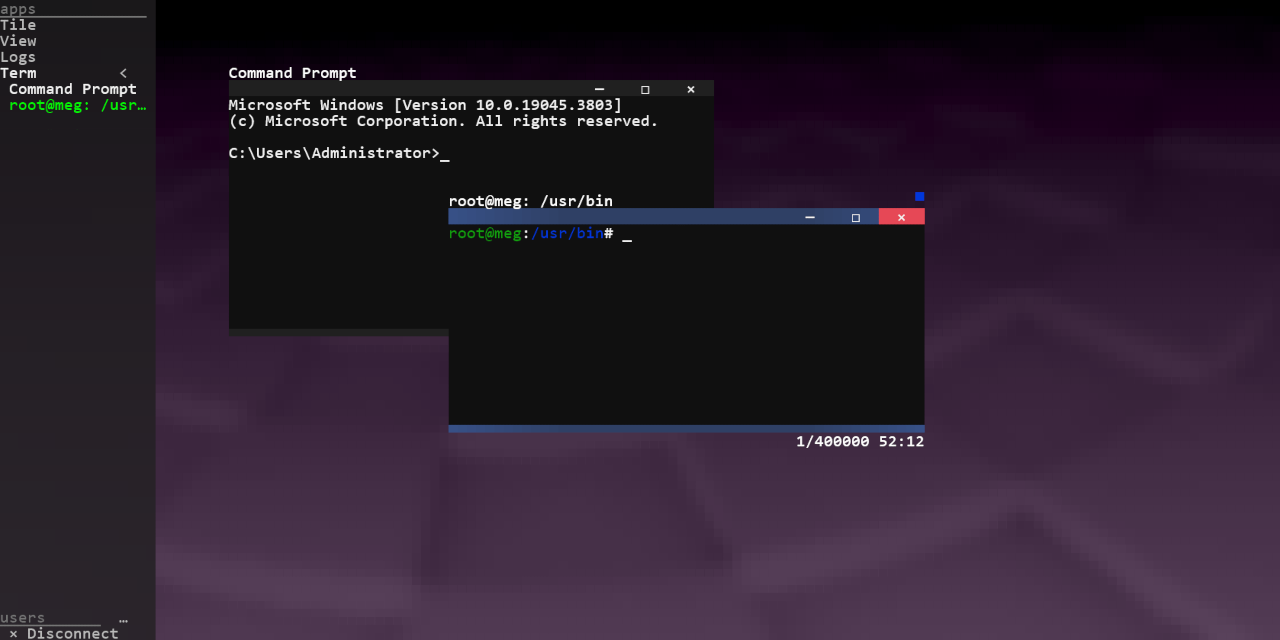
GitHub
Text-based desktop environment. Contribute to directvt/vtm development by creating an account on GitHub.

 frank basin
Testing the unstable x68000 core but get this strange flicking screen when the computer is loading something. Does anyone knows what should I do to fix it? When the games loads, the image is normal
granite umbra
Are you using hdmi output ?
frank basin
granite umbra
Are you using hdmi output ?
Yes
granite umbra
frank basin
Yes
I will check tomorrow if I have the same issue sue akumajo.
Let you know
Also on your míster.ini what is the value of active_sync?
short finch
I had that with an incorrect filter on screen.
frank basin
granite umbra
Also on your míster.ini what is the value of active_sync?
Opened the .ini menu but didn’t find the active_sync info. Its under advanced menu?
short finch
Some fonts are so thin on the X68K, that some filters have issues on the rendering without flickering.
frank basin
short finch
Some fonts are so thin on the X68K, that some filters have issues on the renderi...
Didn’t changed any filter and it was working fine last time I checked. Probably I changed something by mistake
short finch
Most of the games that I've tested are working correctly, except :
- Cameltry which lacks a layer on-screen and no trackball for testing further on my side;
- Garou Densetsu Special and 2 are a mess with backgrounds/title screens;
- A thin misplaced line when using the Thunder spell on Cotton.
And the incorrect background on the status on Akumajou Dracula.
exotic prairie
so nothing really different it seems
hollow ice
Did it fix midi? Final Fight or Street Fighter?
frank basin
The games works perfectly for me too. The problem is when I load the core. The x68000 initial menu
copper slate
Theres been a bunch of x68000 translations, anyone try those on the core?

Silk Road 2 English Patch This patch was made to translate and help preserve Silk Road 2 for the Sharp X68000 computer. It can translate multiple versions and
I hope that’s a normal game. It looks like a normal game,
fleet cave
lol, roll the dice, robby
hollow ice
I think this is more up your alley:
 copper slate
fleet cave
lol, roll the dice, robby
copper slate
fleet cave
lol, roll the dice, robby
NO
copper slate
hollow ice
I think this is more up your alley:
toilet princess?
short finch
I like to play Étoile Princesse.
frank basin
granite umbra
I will check tomorrow if I have the same issue sue akumajo.
Let you know
Thanks
granite umbra
frank basin
Thanks
Zet sensei also has the issue.
He said the Reason, in this case it will be required a fix on the core I presume
Are you using floppies or HDF, could you please try the other format ?
frank basin
granite umbra
Are you using floppies or HDF, could you please try the other format ?
Hdf
frank basin
short finch
Some fonts are so thin on the X68K, that some filters have issues on the renderi...
Found the problem. It was because gamma correction was on. Thank you so much @short finch and @granite umbra
short finch
copper slate
https://romhackplaza.org/translations/silk-road-2-english-translation-x68000/
Works on the current core version.
Cute doujin plateformer.
copper slate
short finch
Works on the current core version.
Awesome! Thank you for trying that.
frank basin
Is there a way to mapping 6 buttons controller to play Street Fighter using the X68000 core?
 smoky yew
frank basin
Testing the unstable x68000 core but get this strange flicking screen when the ...
smoky yew
frank basin
Testing the unstable x68000 core but get this strange flicking screen when the ...
Yes, I know that exact issue. Delete the preference file for your X68000 core. It's the X68000.s2 file located in media/fat/config
It will regenerate the next time you load the core and your visuals will be restored.
Edit: Oh interesting, I see turning off gamma correction also fixed it. I wonder if that's the part of the preference file that gets corrupted.
granite umbra
frank basin
Found the problem. It was because gamma correction was on. Thank you so much <@3...
Yes gamma correction doesn't work
granite umbra
frank basin
Is there a way to mapping 6 buttons controller to play Street Fighter using the ...
If it is not available on OSD it is not implemented for the moment
tawny egret
short finch
Most of the games that I've tested are working correctly, except :
- Cameltry wh...
i tried the new x68000 core today as well. got the same issue with garou densetsu special. audio popping in chourensha is still present, and the music in cyberblock metal orange is too fast. overall, doesn't seem like anything major was fixed, but i suppose it's nice to see updates regardless
also, illumination laser booted, but it didn't read any controller inputs. the screen was rather bright and shaky when playing the game, for some reason
exotic prairie
I think it was mostly a maintenance update. As wark mentioned, the original dev is working on other stuff
Hopefully the core gets finished someday
fleet cave
it really is a pretty big unrealized potential for mister
tawny egret
as excited as i am for new projects, i'm really sad to see the dev seemingly abandon the core
granite umbra
exotic prairie
I think it was mostly a maintenance update. As wark mentioned, the original dev ...
It is fix update for DMA part.
There is still works to put on it.
exotic prairie
granite umbra
It is fix update for DMA part.
There is still works to put on it.
Ya, but that’s a downstream fix, yea? Or was it specifically for this core?
granite umbra
exotic prairie
Ya, but that’s a downstream fix, yea? Or was it specifically for this core?
What is downstream fix? A fix is a fix !
It is not a maintenance 😅
It is applied for the core
exotic prairie
Fair enough fair enough. 🙂
granite umbra
I didn't check the issue, DMA fix is a fix proposition by Rebel40:
https://github.com/MiSTer-devel/X68000_MiSTer/issues/37

GitHub
Hello i have a request; A few weeks ago i added an issue about missing drums and sfx in nemesis '90 in the latest official core, but drums and sfx keep playing in latest puu's core. In the ...
Some hours ago, also another fix not commited (test in issue page)
https://github.com/MiSTer-devel/X68000_MiSTer/issues/38

GitHub
Hello, I thought, this is related to my previous issue, but different enough to raise a new issue. I hope you don't mind... I just made some changes and let the mt32-pi run trough em3802 (puu&#...
exotic prairie
Ahh ok. I was under the impression that it was fix found in another core that could be applied here
Nevermind, looks like things are getting fixed 🙂
granite umbra
Yes audio's part
void belfry
i see a regression here (or it wasn't ported from last of puu-san's core modifications)
 granite umbra
On the last unstable and working on last release?
void belfry
yup
it's the same as here : #1056033525922537542 message

just try to edit a text file in lhes for example
granite umbra
So it is more the sys change
If MSX is impacted also
If you have time to fill an issue ticket on GitHub page
void belfry
granite umbra
If MSX is impacted also
i didn't say msx is impacted...
that previous link just happened to be in MSX area and not in main Computer cores
void belfry
nope, and don't think it is about the sys change, just puu-san's latest modifications were not imported
but that's just my thinking, i can't really read verilog/etc
going to test MSX2 core after work, but i suspect it will work just fine
granite umbra
So issue ticket is required to check which part of the change could impact text 😕
Thank you for the test
void belfry
the previous official release had the same issue, it was corrected (and Flandango kindly compiled the cores) https://misterfpga.org/viewtopic.php?p=86798#p86798
afterwards, i compiled the core myself with puu-san's provided qar files and it worked just fine
granite umbra
So it is not a new issue
granite umbra
Both codes could be quite different so report is kind difficult
void belfry
yeah, i remember some discussions about this and that is a chore to import puu's work to MiSTer framework as he's not using it 🙂
short finch
I tried the last changes from Rebel40 from yesterday on the issue board (x68000), it breaks the sound on some games like Akumajou Dracula with the internal module.
So, something that will need some rework too.
void belfry
Short q for you MGL wizards here: Is it possible to set the write-protect on the floppy images at launch (ao486 in mind) ?
hollow ice
I’ll take a look at the code tonight if you don’t get an answer before then
thick pendant
void belfry
Short q for you MGL wizards here: Is it possible to set the write-protect on the...
maybe you could write protect the disk image in the linux os
chmod 333 disk.img
granite umbra
short finch
I tried the last changes from Rebel40 from yesterday on the issue board (x68000)...
Thank you for the test !
 crisp hinge
@short finch Hello, i've commented on your reply on Github and added the updated source. Hopefully it's fixed now... Thank you very much for trying it out!
granite umbra
I remenber Kitrinx adapted JT51 from Jt sources on x68000 core.
crisp hinge
@granite umbra Ah, thanks for pointing that out; that must be the reason why the internal sound wasn't the same anymore. I will take the next steps way more careful. No more 'dumb' copy & paste 😉 But it will take some time, just started learning fpga programming!
granite umbra
If you need help to make a PR I could help let me know🙂
crisp hinge
Tnx, will let you know!
void belfry
versed pollen
https://github.com/cosmos72/twin
compilation in progress 😄
 short finch
crisp hinge
<@563099752821162026> Ah, thanks for pointing that out; that must be the reason ...
short finch
crisp hinge
<@563099752821162026> Ah, thanks for pointing that out; that must be the reason ...
I'm a little bit busy on the FC/NES side at the moment, but I'm will compile the new version you provided and test it later today.
Thanks.
crisp hinge
@Zet-sensei thanks for taking the time and effort to test it!!!
versed pollen
void belfry
compilation in progress 😄
Oh boy lemme know how it goes
void belfry
configure works fine on ao486, make is getting too many segmentation faults, so moving it to PCemu for make/make install

 void belfry
versed pollen
Oh boy lemme know how it goes
void belfry
versed pollen
Oh boy lemme know how it goes
guess it works 🙂

surely needs some tweaks, but overall, compiling was ok under emulator and runs on ao486
short finch
Much better with the reverted jt51 module @crisp hinge
BTW I've added two lines on your x68000.sv file.
It was missing the HDMI_BLACKOUT definitions from the last sys module template.
void belfry
short finch
BTW I've added two lines on your x68000.sv file.
It was missing the HDMI_BLACKOU...
I was about to comment about that hdmi_blackout too lol as i had same issue compiling
btw, we are in 2025 😛
crisp hinge
I'm glad that it worked. My first steps into the world of fpga programming; Yeeuh!!!!
 opal void
granite umbra
Fixed ao486 lemmings issue
https://misterfpga.org/viewtopic.php?p=93371&sid=197...
opal void
granite umbra
Fixed ao486 lemmings issue
https://misterfpga.org/viewtopic.php?p=93371&sid=197...
when lemmings giving you lemons
also it is always lemmings
 sudden ice
Tbh, x68000 core needs rework
There was some interest from some devs, but documentation is in japanese
Maybe it’s easier with AI translation now
exotic prairie
I would subscribe to any patreon that has someone doing the x68k core. It’s one of my favorite cores
naive imp
exotic prairie
I would subscribe to any patreon that has someone doing the x68k core. It’s one ...
I can say I’m doing it. Give me money! 🤣
exotic prairie
I’m going to need deliverables
 cosmic scaffold
crisp hinge
I'm glad that it worked. My first steps into the world of fpga programming; Yeeu...
cosmic scaffold
crisp hinge
I'm glad that it worked. My first steps into the world of fpga programming; Yeeu...
FYI - your update fixed MIDI sound in Geograph Seal, and that makes me unreasonably happy. Kudos!
naive imp
crisp hinge
I'm glad that it worked. My first steps into the world of fpga programming; Yeeu...
Good first steps!
granite umbra
GitHub
(OSD)
Correct the option "N88V1L" to "N88V1S" in "Mode".
(INTC)
Fix an issue that incorrectly clears the interrupt latch.
(CRTC)
Stop TRAM...
 feral fable
Stupid question, can you factory reset the AO486 core so that I don't want to use these VHD files that I use for DOS? Because I found out there is an easier way to play DOS games now with the 0Mhz project. I have tried to load the 0Mhz stuff, but it just stays on the "Booting from Hard Disk" screen, so I assume my stuff I made before is interferring with the new 0Mhz stuff
This is the video I was following before
https://www.youtube.com/watch?v=tSqGTil-N38

Here is a video to setup the AO486 core for MiSTer. I will guide you through preparing the AO486 core, installing DOS and configuring DOS.
Fixing EMS in DOS:
Replace the EMM386.exe lines in config.sys with this:
device=c:\dos\emm386.exe 4096 RAM FRAME=e000 d=256 x=a000-c7ff i=c800-efff
Source: [https://www.atari-forum.com/viewtopic.php?t=37277]...
I think this was made before the 0Mhz
Also been having problems loading some games on the AO486 core, like Street Fighter 2
hollow ice
The mgl files should specify the proper vhd files to load. Did you unzip the new ao486 config file in the proper location?
feral fable
config/
AO486.CFG
right?
Does it matter if each cfg file overwrites from whatever latest game I load onto the SD card?
Can every 0Mhz game use one CFG file?
I am following this guide
mighty barn
I ended up adding a setname to the mgls I use and renaming the supplied config so that I could have seperate settings, e.g for Dark Forces
I added this to the mgl
<setname same_dir="1">0mhz_darkforces</setname>
And then renaming the supplied AO486.cfg to 0mhz_darkforces.cfg in the config folder
This was so I could keep the 0MHz settings independent from the general core.
Not sure if this is the "right" way to do it but it made sense for me
feral fable
yeah, the mgl file directs to the vhd file
feral fable
mighty barn
I ended up adding a setname to the mgls I use and renaming the supplied config s...
oof, maybe the youtube tutorial setup I did might've messed up my future 0mhz setup
btw, I am not too smart with this kind of stuff, so I am actually currently backing up my MiSTer SD card to my computer in case I need to re-install MiSTer and start from scratch
@mighty barn that seems like a smart idea, and I might possibly try that
love how helpful this community is, not being sarcastic
worn oxide
Just for the record
I tried booting DOS Elite II from this pack but I had wrong resolution, so I shut off MiSTer while it was booting
And after that it never booted and it is stuck at "Booting from Hard Disk indefinitely"
I corrupted the .vhd? Is that right?
feral fable
couldn't tell ya, it might be possible
feral fable
just realized, they seem to have made a DOS version of alot of console games I have played
Mega Man X, Earthworm Jim, Street Fighter 2, and a lot more
I probably already said this, but I was more a console gamer than a PC gamer in the old days, so I probably missed the hype train on alot of PC DOS games
The only PC games I played as a kid were stuff like Magic School Bus, a few Hasbro adventure games, Disney Animated Storybook games, and the JumpStart games
worn oxide
And yet no System Shock
But also ENTIRE PINNACLE OF CAPSTONE
You can play the greatest FPS Operation Bodycount on your MiSTer right now
feral fable
that is, if I can get it running
worn oxide
worn oxide
And yet no System Shock
"it would run bad" is not an excuse when they use ao486 to run Quake and Descent II
worn oxide
feral fable
that is, if I can get it running
They are all preconfigured to run immediately
feral fable
not to me apparently
worn oxide
The only bit of configuring is exiting the game and launching setup program to reconfigure sound
feral fable
they just get stuck at "Booting from Hard Disk"
like I said, I might just reinstall MiSTer from scratch after I backup everything
I just suck at this
I just love that I can play Indiana Jones Fate of Atlantis on the MiSTer, I actually used to like that game
Although when I was a kid, there was no music when I played it, but when I played the Steam release of it, there was music, so I missed out as a kid
 rotund dawn
Does anyone know a guide to an easy Amiga core set up? I’m trying to get the Amiga set up and download Octamed to use via MIDI, to sequence external gear.
mighty barn
@rotund dawn Amigavision has some extra configs supplied which might be a good starting point? Not sure what you need for Octamed. There are a couple of basic configs (A500, A500+, A600) and some with HDD.
https://amiga.vision/docs#setup-for-mister
 formal fox
Been trying to install windows 95 with ao486 core and found others have had the "device driver not found mscd001" issue.
Thank you for the tips! Hope you don't mind a follow up sanity check question, and hopefully some advice.
I've used WinImage to edit my "AUTOEXEC.BAT" and "CONFIG.SYS" lines in the floppy image, as you described.
Now I also believe I need to add two files elsewhere;
OAKCDROM.SYS and MSCDEX.EXE
I've got those files... But am I right those need to be added to the Windows CD ISO?
Just trying to work out a means to edit an ISO if that is correct. Just to add those 2 files into the ISO. Is that correct?
copper slate
mighty barn
<@854583600811999292> Amigavision has some extra configs supplied which might be...
Hey, thanks for keeping the link to their site.
Just as a reminder for everyone, no linking to copyrighted materials. Asking for help on how to set things up is fine though.
I’m just posting this for the new people or lurkers.
Sorry for people who’s heard me say that a billion times lol.
quiet stone
Copyrighted materials? You mean specifically pirated material? Or really all copyrighted material?
copper slate
Yes
quiet stone
Yes to which of the two?
Because copyright still applies to open source. Copyright states that copyright holders decide what other people are allowed with their work (commonly through a license). Banning open source project links would be radical
Additionally random articles on the internet are also copyright protected and not exactly open source. The article is a written work. Linking articles should be fine right?
I also see youtube videos being linked
If I had to guess on what the rule really means I am thinking of "don't provide download links to things you aren't allowed to download" but that isn't what is written
exotic prairie
It’s more a common sense thing. If it’s illegal to share something (or borderline) don’t do it.
 summer dragon
formal fox
Been trying to install windows 95 with ao486 core and found others have had the ...
summer dragon
formal fox
Been trying to install windows 95 with ao486 core and found others have had the ...
the driver files go in the DRIVERS folder in the root of the VHD
formal fox
I guess I need to format first?
What I've found odd is my blank VHD is in drive C, the windows disk goes to A... but perhaps that is not odd if I need to use the VHD (formatted) for the driver files. Does it get a DRIVERS folder after an fdisk?
summer dragon
the files would be there after the VHD is setup…it’s been a while since I did the Win95 setup
copper slate
quiet stone
Yes to which of the two?
Yes
I’m the IRS of moderation. I know what the rules are but I won’t tell you until it’s too late.
 wise drum
Lots. It isn't very compatible... Today I found I can't boot any full disk versions of Bruce Lee.
formal fox
summer dragon
the driver files go in the `DRIVERS` folder in the root of the VHD
Thank you. That did it. Had to rewire my brain a bit to go back to understanding the DOS context of where the drives are and such.
Reminded me why the primary drive letter these days is "C:".
"A:" is already taken by floppies of course!
I ended up making a fresh VHD using "dd" command through PuTTY. Then, remember to not just use fdisk, but also don't forget to format the disk afterwards this time!
I manually made the "DRIVERS" folder in the fresh 2GB C: drive, and copied over OAKCDROM.SYS and MSCDEX.EXE into the folder.
I still got some message about it not finding "MSCD001", but the edit to the config.sys (and autoexec.bat) was enough to allow me to get into the D: drive and setup windows anyway. Thanks very much
formal fox
Anyone have any tips to get Windows 95 to see long file names as allowed for the D drive?
safe quest
If you mean for CD-ROM, Microsoft had its own extension to ISO-9660 for long/wide-character filenames called "Joliet" that would need to be added when the disc is mastered.
formal fox
The ISO will display full file names just fine on my PC.
I can see the issue in the PERFORMANCE tab of System Properties in Win95
Drive C using MS-DOS compatibility mode file system
Drive D using MS-DOS compatibility mode file system```I can still use long file name generally, adding desktop files say.
But anything on the disk drive is failing as it is truncating names to like 8 characters.....
void belfry
formal fox
Anyone have any tips to get Windows 95 to see long file names as allowed for the...
Not possible due to use of msdos cd driver/extension. W95/98 ones don't work on ao486. The only Microsoft OS that can support long file names for CD images is NT 4, because it uses a different driver (UniATA)
surreal marsh
Any hope that ao486 could ever be fixed? I was under the impression that ao486 was impossible to maintain by anyone, until we suddenly got the fix that let DJGPP work.
quiet stone
What about it needs to be fixed?
hollow ice
Same was said about the jaguar core. It really comes down to motivation.
exotic prairie
@sly crater @still wren #1047332497492553799 message
 still wren
Ahhhh snapppola! New builds to try!
@exotic prairie grassyass! That means thank you in Spanish
copper slate
It also means grassy ass English!
still wren
Let’s test out this reverb I been hearing so much about
frank basin
short finch
Much better with the reverted jt51 module <@290513122090024960>
Hi! The test file shouldnt be 20250110? Or is it really from 2024?
still wren
Yeah just noticed that too ….
 still wren
It’s that time of year!
still wren
short finch
Typed too fast.

VGA LCD not terrible .. sound is awesome as advertised!!

The lcd monitor is the proper aspect ratio but I’m still getting bars on the side 😦 … but no worries
fleet cave
this ao486 'disk config file' for vhds is a weird change
why not just actually parse the vhd footer and just make people create proper vhds for these discs?
hollow ice
I submitted a PR and sorg didn't like doing it that way
fleet cave
sigh
now people are just going to copy vhds around and forget the little config files
hollow ice
I am just happy it was accepted so that I can continue to work towards getting openstep booting
Sorgs sandbox, so I'll play in the sand 😄
It also might be preventing other early bsds from booting? Openstep falls over when the sector value is >63
vestal isle
So does 386bsd
burnt pelican
I haven't picked up AO486 in a long time, but was planning on doing so in the next week or so. VHD config files? I'm guessing there's an script opportunity to take Zakk's idea of parsing the VHD footer and write a config?
hollow ice
In the majority of cases it shouldn’t matter.
short compass
But here we like to obsess and perseverate on minority fringe cases. 😦
granite umbra

 mint mesa
void belfry
This raises the number of confirmed working Unix/Linux versions/distros/flavors ...
mint mesa
void belfry
This raises the number of confirmed working Unix/Linux versions/distros/flavors ...
mate you need a 6.6 kernel compiled?

GitHub
Instructions on how to install modern Gentoo Linux on ancient 486-based PCs. - yeokm1/gentoo-on-486
pretty decent instructions here
I did one for pentium mmx recently but haven't come back to ao486 in a while
void belfry
that would be awesome 🙂 i read yeokm1's instructions (more diagonally tbh) but hadn't got the chance to go into this rabbit's hole yet (especially to get PPP working actually)
mint mesa
k do you know what the kernel config is called?
void belfry
not really, no. I am still a noob when it comes to Gentoo
mint mesa
k I'll try to figure it out
looks like this plus maybe some of the suboptions https://www.kernelconfig.io/config_ppp?arch=x86&kernelversion=6.12.9
CONFIG_PPP -ppp_generic.ko- PPP (Point to Point Protocol) is a newer and better SLIP
void belfry
right. and I guess after this the PPP must be emerged as well, if i read correctly
void belfry
think i done at some point this part (kernel compilation) but stuck at emerge phase (been a while since i played around with the Gentoo)
mint mesa
no worries there for me
void belfry
net-dialup/ppp is the one
for sure we can't use ppp multilink or pppoe suboption ofc
mint mesa
feels like it takes longer to decompress than it did to make 😛
also I forgot how to build for no fpu so it might not work idk yet
I threw in this perl script for a bit of fun
 mint mesa
fixed the math emulation but I think systemd was a mistake
thought it might be more convenient for users but it's spewing lots of errors
thick pendant
@void belfry what was that internet radio program you were using on MiniMig core?
void belfry
thick pendant
<@794151308620857395> what was that internet radio program you were using on Min...
 hollow fog
IMP is great ,created by my friend Paweł. I remember when the first version was created , we tested it a lot
 grim lodge
https://github.com/dbalsom/martypc
Pretty good and accurate IBM 8088 machine emulator. How is the core doing these days?

GitHub
An IBM PC/XT emulator written in Rust. Contribute to dbalsom/martypc development by creating an account on GitHub.

 hollow ice
Also had some of the best ultima ports if I remember correctly
worn oxide
final zephyr
I loved this version of Wing Commander
And its amazing JP voice acting
WCII is just straight up port of DOS version with nothing new added aside from translation
thick pendant
void belfry
IMP3 (https://aminet.net/package/mus/play/imp3.lha)
Thanks. got me a Pistorm32-lite for my A1200 and checking some stuff out 🙂 its a shame that the hybrid MiniMig fizzled out. This thing is pretty amazing...
void belfry
Still hope Sorg at least will approve doubling baud speed for Minimig 😄
void belfry
https://distrowatch.com/table.php?distribution=phlak - working after kernel recompilation on ao486 🙂

 granite umbra
It is the cannon folder linux distribution 🤣
void belfry
it lives again


and quite fast actually
for who wonders, predecessor of Kali Linux 😉
Kali Linux
Kali Linux is based on years of knowledge and experience of building a pentestion testing Operating Systems, which has spanned over multiple previous projects. During all these project’s life-time, there has been only a few different developers, as the team has always been small. As a result, Kali has been years in the making and has come a long...
bbl
void belfry
and in the heat of the moment, I missed the most important part, PPP support 🤬
copper slate
@void belfry is back with a vengeance!
void belfry
copper slate
<@794151308620857395> is back with a vengeance! <:elmorise:862320827687763989>
Hide your DE10-nano's, none will be spared 😄
RPI's too
on a serious note, Slackware 11 + Fluxbox run quite nice on ao486
I missed a lot more stuff to clean (AGP, some PCI and so on), but still boots under 1 min (but close to it)
GUI takes 1-2 mins for Flux, didn't try KDE which I expect will be ... not optimal 😄
3 mins and going

10+ mins still going, just to confirm KDE is not the way to go (yet) on ao486
getting somewhere

think you all get the point....
versed pollen
void belfry
10+ mins still going, just to confirm KDE is not the way to go (yet) on ao486
lol reminding me how back when i worked on L4T stuff how id try different DE/WM's just for the hell of it
slate maple
any trick to getting the Atari ST core working? I'm getting no image and the MiSTer becomes unresponsive
no OSD or anything
feral fable
The Atari ST loads ok for me, I am able to use my OSD, but have no games to test it with
I dunno if an update_all would fix it or not
slate maple
the MiSTer process is dying with "Floating point exception" when I load the Atari ST core
fleet cave
are you using direct video?
slate maple
hmm, I do have it enabled yes. Is that the culprit?
sure it used to work with DV and my hdmi to vga adapter in the past
using a Mister Pi with analog board now, but left DV enabled for my RetroTink 4K
disabled direct video and it didn't help
ok, I managed to get something on screen via hdmi
with direct video off
seeing nothing on my PVM via VGA

getting that via HDMI with DV on
this is going through a RetroTink 4K
and it crashes with floating point exception, so yeah. DV is not dice at the moment
void belfry
still, quite cool 😄

recompiling the kernel again, as I found new issues/useless modules and so on 😄 never ending story lol
void belfry
also need to modify the CD iso with the new kernel so it can boot right away from ao486. Was tempted to do this directly on Debian 4 on ao486, but realized the 2.5GB VHD I made has not enough space to hold the BT2 iso file. 
 copper slate
How do I delete an entry from the ao486 ide slots in the menu?
It’s a keyboard button
burnt pelican
Backspace I think
rare plume
After navigating into the list of things to mount for said drive
 sterile ether
and in mgl ? is it a way to clear an ide slot ? because if before loading a mgl config some slot are populate it remain in the new config loaded
fast kraken
copper slate
It’s a keyboard button
backspace from inside the selector or i think hold B and press A
if you idle on that screen for a bit, eventually a tooltip appears that explains it
fleet cave
Robby can't read
copper slate
fleet cave
Robby can't read
You’re lucky I can’t read or I’d be very cross!
copper slate
sterile ether
and in mgl ? is it a way to clear an ide slot ? because if before loading a mgl ...
I somehow saved settings for the ao486 core with Mario teaches typing loaded lol
void belfry
And that's how I got banned on irc.libera.chat 😄 (well, with BitchX as XChat is not really responsive). Lesson learned, added a normal user for this kind of fun and now waiting for ban to lift lol

but yeah, PPP is working on BT2, not a big surprise now, recompiled the kernel to have it suported. And forgot some audio stuff in the process, but that is for much later
Also updated main list of running Unix/Linux variants which is now 11 (admitedly some are just variants of Debian or Slackware) #1047332497492553799 message
and ofc, had to compile BitchX from source as it is not included in BT2 distro...
ban lifted 😄

 loud swallow
What is BackTrack 2?
void belfry
A pentest-oriented Linux distro based on Slackware 11. Predecessor of Kali Linux
#1047332497492553799 message
In a nutshell, a Swiss-army knife for network/security area, packed with all the useful tools for this area
Anyway, the most important part for me is that I seem to find a method to get various Debian/Slackware distros to work on ao486. Basically I install the distro under qemu, recompile the kernel for 486, add math emulation, clear up unnecessary modules (pci, agp, pcmcia and so on), copy resulted kernel and/or modules, modify lilo/grub and that's pretty much it
https://ocawesome101.github.io/486-linux.html -- this also got me into thinking to the idea of upgrading the kernel as well, sill reading/learning curve lol
void belfry
most refreshing experience lol, had to stop as I need to use the PPP to d/l stuff

 hollow estuary
void belfry
Anyway, the most important part for me is that I seem to find a method to get va...
hollow estuary
void belfry
Anyway, the most important part for me is that I seem to find a method to get va...
Have you been saving your kernel configs? Might be a good thing to share on github or something?
🤔 in theory you could cross compile a kernel outside of qemu to speed things up
void belfry
not really, but I guess I can extract them from my test images..
but yes, I am exploring also the variant to compile it with WSL2 (for my convenience lol)
BT2 (kernel 2.6.20) boots in about 1 min, I cleared a lot of useless stuff, but sill missed some plus rc.d neds to be tweaked as well
I'm experimenting this, but in the end will most probably get back to a Debian based one (easier to use for most people imho)
 inner heart
How about RedHat 5.1 ? My first ever distro haha
void belfry
No go due to IDE implementation
inner heart
I remember having to hunt for a hardware ISA modem since by that era everyone was selling cheap PCI soft modems
void belfry
yet
inner heart
@void belfry all good, I actualyl came to read the pinned comments here for setting up Atari ST. I don't have much interest in reliving those days of Linux. I just saw Kernel 2.6.20 and thought I stepped in a time machine in IRC
inner heart
Looking for some ATARI ST help...I got the core booting. Would like to RESET all settings in the core so it doesn't boot the vhd. I don't see an option to reset or reset to default settings. Also, is it possible to use keyboard and a game pad on this core at the same time? Trying to figure out how to play games but still be able to operate the computer.
 thick pendant
void belfry
I blame <@497900067311845407> 😂
thick pendant
void belfry
I blame <@497900067311845407> 😂
you may need to ask Miley Cyrus for tech support...
void belfry
life just wouldn't be complete without HML running on ao486, isn't it ?
this is an extreme case, I know, as KDE will not gonna play nice on the core, and tbh I don't care much about GUI anyway but helps me on getting closer to a better modern suited for ao486 linux distro
void belfry
So... Hannah Montana Linux seems to be possible to boot on ao486, but i apparently didn't use the exact kernel version, f***ed up initrd and some more. oh well 😄
Progress needs to be celebrated 😄 Next some Homm2 in good ol' simple as four letter world DOS
 void belfry
Bottom line, from little experimenting i've been doing so far , Slackware and Debian based distros + Gentoo from Linux family can work on ao486. Most often, on customized ones like BT2 it will need a kernel recompilation to use 486 archi and math emulation, minus whatever else and so on
hollow ice
I cleaned up my CD packet code last night, I’ll try to get it PRd soon then work on the HDD fixes.
@fleet cave the identify response signifies that the CD rom drive is capable of stuff from like ata3+….any reason I shouldn’t revisit that packet and try to limit some of the capabilities to ATA2?
fleet cave
I think that should be ok? been a while since I messed with it so I can't say 100% if it was done for a reason or just by accident
hollow ice
I need to go back and look. It might cause issue with LBA, but I am not sure. For CDs, though, not sure it matters.
 copper grail
I've uploaded a test version of the VIC-20 core in the #test-builds channel, to which I have ported Kitrinx' excellent paddle input system from the 7800 core. If anyone here is interested in testing it (it works with analog controllers and mice as well), I'd love to hear your feedback.
I'm planning to add it to other cores as well.
void belfry
https://biebian.sourceforge.net/ -- nope, just simply nope
Justin Bieber Linux
 deft estuary
@copper grail THANKS for the support of the paddles for VIC 20, my first computer!!!
copper grail
deft estuary
<@515993816927436810> THANKS for the support of the paddles for VIC 20, my first...
You're welcome! It was my first computer as well, used it with paddle controllers a lot back in the day
deft estuary
Right now I'm going to test them, I have both ptor D9 and Daptor PDL
copper grail
Awesome
deft estuary
Sure, many games support the paddles!!
copper grail
I always enjoyed doing a victory lap in Omega Race after clearing a level, using the paddles 😄
vestal goblet
@copper grail does this include the USB driver for the Egret II paddle/trackball controller that @swift hornet had in their MiSTer build? https://www.amazon.com/ININ-Taito-EGRET-Mini-Compatible/dp/B0BNVZMR3V

Uses the classic arcade control methods of paddle and trackball and includes an SD card with 10 titles that take advantage of this feature! Just plug it into your Egret II mini and you’re good to go.
copper grail
vestal goblet
<@515993816927436810> does this include the USB driver for the Egret II paddle/t...
I think that at least partly identified as a mouse, though that would probably be the trackball. Not sure what kind of input the paddle on that presents itself as.
Ah, the spinner on that works as a mouse wheel, that makes sense
vestal goblet
does that mean it should "just work" in tempest and breakout arcade, 2600, etc? or would it be additional work?
copper grail
I'm looking at some discussions about it. The trackball should work with cores that support mouse input as a spinner. The buttons apparently have an odd index and might not work. I do see that ThePsylon's solution for using a mouse wheel as a spinner has been added to MiSTer. I'd have to look into how to read those values.
vestal goblet
awesome, lmk if you need me to help test
copper grail
If the mouse wheel gets interpreted as a MiSTer spinner, it should already work on my test core.
vestal goblet
w00t. I'll test tonight! 😄
copper grail
Hmm, then it should work with a regular mouse I would expect... only one way to find out 😄
Doesn't seem to do anything right now, I'll have to look into how to read its value
 wind dew
VIC-20 First computer gang gang!
Oddly one computer I haven't found for my retro collection 😦
copper grail
Sorry to hear that. I have the first model, cost-reduced model (which I had back then), the early model with PET keyboard, the new The VIC-20 and the same style packaging I used to have back then.
 copper grail
Was your Daptor II flashed with the Daptor PDL firmware? I think the PDL works best, but the D9 should also work fine. I don't have the other ones.
My old to new VIC-20s
 deft estuary
copper grail
Was your Daptor II flashed with the Daptor PDL firmware? I think the PDL works b...
deft estuary
copper grail
Was your Daptor II flashed with the Daptor PDL firmware? I think the PDL works b...
Uhm how can I know the firmware is flashed on?
copper grail
deft estuary
Uhm how can I know the firmware is flashed on?
I you haven't specifically flashed it like that, it will still have the regular firmware. The PDL version has dip switch settings especially for the paddles with the MiSTer,
But any of the Daptor adapters with paddle support should work fine
More info about the PDL being the 2600-II with different firmware: https://www.2600-daptor.com/2600-daptor PDL.htm
2600-daptor - Atari 2600/7800 Joystick/Driving/Paddle/Keypad to USB interface
 copper grail
For the PDL version both switches are in the opposite direction of what you are showing, for MiSTer paddle mode

You need to copy a map file for the D9 and PDL, I'm trying to locate them.
deft estuary
Ok, first feedback here
copper grail
Shoot
deft estuary
Thanks meanwhile I’ve tried Sky is falling with 2600-daptor it works


Daptor II doesn’t work
copper grail
Oh, awesome. Getting paddle adapters to work with the MiSTer the first time can be a bit of a can of worms
copper grail
I needed to use map files before, as mapping them in the main MiSTer menu was quite tricky. Then I remember having to map the paddle inputs in each menu core as well, before they would work correctly, it is a while ago that I set this up.
deft estuary
copper grail
Awesome. Should work with my test core as well then. Ooh, nice Commodore paddles
deft estuary
So how can I test your core also with Daptor II ?
copper grail
You'd have to flash it with the firmware from the link I posted earlier. That would turn it into a Daptor PDL
Found my Daptor D9 paddle tutorial with a config file link: https://misterfpga.org/viewtopic.php?p=68155#p68155
PID information for renaming the map file for use with the PDL adapter: https://misterfpga.org/viewtopic.php?p=80086#p80086
PDL adapter map file:
copper grail
That's the one 😎
"This adapter is a 2600-II with an alternate firmware, and will identify as a "2600-daptor II". If you have a 2600-II, you can convert it to 2600-PDL by installing the firmware found over on the 2600-II firmware page. You can install the 2600-II firmware into a 2600-PDL, however 7800 controllers may not work.
Click here for more info on firmware versions and installing them. " from the earlier link I posted
Installing firmware is a bit of a hassle, you have to open it up and bridge two contacts iirc
deft estuary
ok and it will be better than the daptor-2600 I'm using?
2600-daptor PDL 230529.hex firmware?
copper grail
Not sure if it will be better. They tweaked the rotation range for use with MiSTer, but that is based on Atari paddles. If you don't suffer from jitter caused by bad grounding with the 2600 Daptor or the D9 and the rotation range feels fine, I wouldn't bother.
deft estuary
ok however I can try, the process is reversible, isn't?
copper grail
It is
deft estuary
however the correct firmware is 2600-daptor PDL 230529.hex ?
copper grail
Yes, that looks like the latest one
deft estuary
thanks!
copper grail
Glad to help
deft estuary
flashed! Do I need also a map file?
copper grail
@deft estuary Yes, this one: #1047332497492553799 message
deft estuary
Ok got it but... how can i find the PID of my adapter?
copper grail
That file already has the correct name
I linked the PID information here: #1047332497492553799 message
deft estuary
ok so after flashing I have simply to copy input_04d8_f947_v3.map in config/inputs and that's all?
deft estuary
Ok the paddles are recognized but the button doesn’t work maybe I have to set the dip switches?
 copper grail
Dip switches in the opposite direction as in your first photo


 copper grail
Oh, I didn't know that. Might have to experiment with them then. I don't know which direction is which
deft estuary

Ok I think this is correct now

On it does work but unfortunately the paddles can’t move all to the left
copper grail
Huh, that is odd
I've just tried to map the paddles in the core menu input settings again and it doesn't respond to the paddle buttons, strange
I have to go get some sleep in a moment, it is geting really late over here
copper grail
I hope you'll get everything working correctly! Have a good night!
 stiff yacht
Question - are any of the amiga cores capable of running Amiga UNIX?
hollow ice
No, no scsi or 030 implementation
deft estuary
Hi @copper grail ! Today, after finished the job hours, I would like to re test the flashed Daptor II, I would link to try to configure the paddles in MiSTer by my self to produce a .map, how did you create yours calibrating the paddles?
copper grail
deft estuary
Hi <@515993816927436810> ! Today, after finished the job hours, I would like to ...
I copied mine from the thread I linked, but I suspect that that one might not be working correctly anymore, as when I assign the paddles in the 7800 core, their buttons are also not detected.
I'm interested in finding out how well your own config will work for you.
copper grail
I've got it working again (with the PDL) I can do the D9 as well
In MiSTer main controller assignment (started it with a keyboard), make sure both paddles can be turned clockwise. Left stick right is paddle A clockwise, left stick down is paddle B clockwise, don't forget to turn the paddles again at the end, when the system asks for left stick tilt again. Assign the paddle A button to button A and the the paddle B button to the left shoulder button.
In the core itself, I started setting the controller with the firebutton of paddle A. Then slightly turn the paddle knob counter-clockwise until the system detects the controller. Skip all assignments with the space bar. Then for fire button press paddle A button, for paddle button, press paddle B button.
Strangely doing the same thing with the 7800 core doesn't want to work, even after deleting existing 7800 config files.
Maybe it is a system version mismatch in the core?