#Computer Cores
1 messages · Page 19 of 1
 spice hound
I have a problem with the DOS core. It is so buggy. Why is it when it comes to saved games for any game it is super buggy?
Is there any way, a safe-way to avoid corrupting your saved game in DOS games in misterfpga? Secondly. is the only way to quit a DOS game is by power cycling misterfpga?
 void belfry
Stop thinking about ao486 as a console. It is a computer recreation, MS-DOS being just one of the supported OSes. When it comes to saving, each game is different on that (different menus, folders and so on, because ... shock and awe.. those are PC games). And ofc, quitting a game is also different, sometimes is just the Esc key, sometimes is on some menus, combo keys and so on, recommend reading game manual. Power cycling the fpga is the same as power cycling your PC and not having your game/work/whatever saved
My advice is to take some time and learn how to install/operate MS-DOS/older Windoze on ao486, then the games themselves. There are plenty of docs/infos starting from this channel/MiSTerFPGA forum, as well with quite a plenty of YT videos, mostly done by our colleagues here as well
While ao486 is for sure not a perfect recreation of a "common" 486 (not that there were much of standards those days lol), you can't just throw out it is buggy because you most probably only used "consolized" ready-to-use VHDs floating around
my 2c
 idle thunder
 limpid tiger
Isn't question marks due to a missing ROM ?
limpid tiger
Isn't question marks due to a missing ROM ?
Thanks will find it and add it in.
spice hound
void belfry
my 2c
lol! I think you threw 100 dollar bills and not 2c!!
 light hound
spice hound
lol! I think you threw 100 dollar bills and not 2c!!
light hound
spice hound
lol! I think you threw 100 dollar bills and not 2c!!
I'm sure you are young, those of us who were born in the intel 80xx era have msdos in our blood
spice hound
I was born in 1979. Thank you 🙏 for the compliment
1st computer I owned was apple //c
Then c64
Then MSX
Then Atari
At age 12 I learned dos on a 286 on my own
Figured how to rename and delete files too
Then moved to windows 3.1
Enjoyed windows 95
Then 98 me
And the story progresses
But I am young , thanks 😊
 summer dragon
@spice hound are you making sure to bring up the OSD menu at least once after saving your game and before shutting down the MiSTer?
I guess I’m not totally sure if that’s necessary for ao486…I do seem to recall there are some games where I had to fully exit back to the DOS prompt or else my game save wasn’t there when I went back to it later (at least I think)
 woven lava
spice hound
I have a problem with the DOS core. It is so buggy. Why is it when it comes to s...
woven lava
spice hound
I have a problem with the DOS core. It is so buggy. Why is it when it comes to s...
for comptures cores on MiSTer, there may be some minor delay for disk write buffers that needs to clear. So the safest way to quit a computer core is to load a different core first.
that will clear the cache and finish writing anything left
as for how to quit a DOS game, reset inside the core if needed - but usually there is a way with ESC or some other function key
its not the same as power cycling the whole device, because the MiSTer firmware is handling it
woven lava
also remember the old three finger salute (which I always think was "borrowed" from the Apple II).... Ctrl + Alt + Delete
that should also safely reset the core
well - the whole PC really (it's OG behavior)
void belfry
spice hound
lol! I think you threw 100 dollar bills and not 2c!!
Sorry if sometimes I sound harsher than i really intend 🙂 While I can perfectly understand that our time is generally limited and not always we have the luxury to re-learn the quirks of old OSes on different core and therefore totally get the need for somehow "consolized" ready-to-use VHDs, I am still a strong promoter of DYI. Often the whole journey experience of (re) discovering how it all worked back then is more rewarding.
Sometimes useful too. As in RL I work now with OT networks/equipment , I had the very nice surprise to discover some old QNX stations still working in some networks I work with 😄
 abstract condor
OT?
void belfry
Operational Technology, namely HMIs, PLCs used in plants, production lines etc
you would be surprised how old are some of the technologies/OSes/devices and whatnot still in very much use today in the industry
since they need to perform just one task without issues in a very closed system, there was no need to change
but even those age by either silicone or software and aging of former seniors on those systems. So it's either changing all completely or adjusting modern tech around the existing infra
and that's how I got acquainted with a still in use QNX 4 system at one of our customers 😄 I had a very nice convo with the only maintainer of the system, he was very impressed with the fact I managed to install it on ao486 lol (he's 5-6 years to pension 🥳)
void belfry
damn, forgot how straight in yo face was BitchX

 lament raft
Has anyone added a HDD clicker to their MiSTer? https://www.tomshardware.com/news/hdd-clicker-v02-restores-aural-ambience-of-pre-ssd-life

Tom's Hardware
Also good for retro systems in which archaic storage has been replaced with a CF adaptor
 rare plume
If you have an io board there should be led headers you can plug into. Pretty sure that thing is based on hdd led activity
 copper slate
lament raft
Has anyone added a HDD clicker to their MiSTer? https://www.tomshardware.com/new...
copper slate
lament raft
Has anyone added a HDD clicker to their MiSTer? https://www.tomshardware.com/new...
Damn that’s wild. I love just how inventive and creative hardcore retro fans are! 
 jolly kraken
I actually quite like that. We should have something similar for CD drives for the MiSTer too
 opal void
speaking of inventive and creative retro stuff, not related to the AO486 core, but is there anyone who is interested in joining a community run ITX-Llama?
woven lava
lament raft
Has anyone added a HDD clicker to their MiSTer? https://www.tomshardware.com/new...
thats interesting but I wish the sound was diferent/customizable. I remember HDDs on Macs where the sound was less a click and more of a beep
 thick pendant
lament raft
Has anyone added a HDD clicker to their MiSTer? https://www.tomshardware.com/new...
thick pendant
lament raft
Has anyone added a HDD clicker to their MiSTer? https://www.tomshardware.com/new...
My MiniMig 1.1 has support for just putting a piezo buzzer for floppy sounds, and its very cool. it was a little loud so I just covered most of the hole with tape.
I can't stand the floppy noise that Amiga Forever has... floppy sounds out the speakers really annoys me
 valid dune
I was messing around with the Apple II core and I was excited to find GEOS for it, the same program that was available for the C64. The program works fine but needs mouse support. It would be great to see the mouse supported on the core...

 jovial mesa
Looks like my github ticket has been ignored.. anyone else try suoer bunny on apple ii
https://github.com/MiSTer-devel/Apple-II_MiSTer/issues/31

GitHub
Super Bunny - Apple II Mister FPGA Using - Apple-II_20240423 There is an issue with this core with this game - Super Bunny Any version of this game. Press "P" When Game Starts to enable &...
woven lava
jovial mesa
Looks like my github ticket has been ignored.. anyone else try suoer bunny on ap...
I replied to your issue
it's a game-specific behavior - not so much a bug of the core
jovial mesa
woven lava
it's a game-specific behavior - not so much a bug of the core
Ok great. Shame it can't be played without a real controller. Can't configuring controller fix this, wether analogue or digital?
woven lava
actually it may be the same with real hardware. I'll give it a try a bit later today
AppleWin has an option to adjust the X axis. Super Bunny faces right with a +1 adjustment but then you end up with the opposite issue
i.e. you always face right even on "idle"
so maybe the game was witten that way?
for Sneakers, I can get the ship centered with a -55 adjustment (!) which is a lot
jovial mesa
I've never had a problem with the game under emulation in the past. If you could check that out that would be great
woven lava
if an emulator sets the center X axis to 128 (instead of 127) then you will probably get the behavior that you expect
woven lava
it actually happens on real hardware - sent you a more detailed answer
if no objections I'll close the issue given it behaves identically on real hardware
jovial mesa
woven lava
if no objections I'll close the issue given it behaves identically on real hardw...
Understood. Closing it is fine
woven lava
it was good to test it anyway, so thx for raising it
 dawn cove
Does the ao486 core work okay on a consumer Trinitron CRT? Or better on a modern display over HDMI?
lament raft
I don't know if it will work at all at 480i?
dawn cove
I have an old dell CRT but not any space for another CRT right now
lament raft
Oh is it a VGA Trinitron?
 hollow ice
I don’t think the ao486 core works well with direct video? Something about how it is forced to go through the scalar no matter what? Someone more informed would be best to answer that question though.
lament raft
I don't think it supports direct video.
rare plume
ao486 requires the scaler, so a modern flatpanel TV or 31khz PC CRT (with an HDMI to VGA cable or Analog IO board) will work fine if the MiSTer is outputting 720p
 fleet cave
I just went to a website where the normal annoying 'do you accept cookies' modal popup was in the style of Borland turbo c/pascal dialog
hollow ice
jetbrains?
dawn cove
rare plume
ao486 requires the scaler, so a modern flatpanel TV or 31khz PC CRT (with an HDM...
okay i love the look of CRT but i'll use a modern display when i try it out. Maybe eventually if i get a second setup i'll try the dell crt
lament raft
How risky is it connecting Windows 95 to the internet?
limpid tiger
Well.. it's more a question of how capable you need to be in order to get it to do anything
 lunar trellis
Do you mean in terms of viruses and malware? I wonder if modern ones would even work on old OS, I have no idea. Would be ironic if it were safer to surf on an old 95 machine although I imagine a lot of pages won't load as you need a modern browser
 tropic latch
it definitely feels like it would be the most vulnerable part of whatever networked you attached it to
lament raft
I mean in general. Watched a video recently where someone exposed a Windows XP VM to the internet without a firewall and within minutes it had malware. They did the same with Windows 98 and it was fine. I didn’t know computers were that at risk without even browsing dodgy sites.
Just dunno if I can trust the networking layers between Windows 95 on a MiSTer and the internet? Would the Linux host act as a firewall?
fleet cave
are you putting your mister on a public ip?!
abstract condor
There was an airline that still runs their systems on Win3.11, they survived the day of the bluescreen
 strong yoke
Turned out to be a myth, that one
Instant myth generated on the spot, to take the piss out of the airline in question
void belfry
lament raft
How risky is it connecting Windows 95 to the internet?
worst case scenario you'll infect the W95 VHD, though i kinda doubt it is easy doable tbh (remember the internet access will be extremely limited to some old HTTP only websites, some IRC channels who still live) , unless you specifically search/compile old sources of viruses... Otherwise... use Linux if it makes you feel safer 😉
planned at some time to re-compile some old virii sources under ao486 to see how they go lol
 weary umbra
Well, for one, "exposing an OS to the internet" means running it directly on a public IP address, accessible for anyone in the world to connect to. This is not the way people ran their workstations or home computers, even back in the day. Much like today, your machine would get access to the internet through your household or company router/gateway appliance, one that would essentially prevent/block incoming outside (WAN) traffic unless for connections initiated from its local network (LAN) or specifically allowed in the settings (ie by port forwarding or "DMZ" settings for specific machines in local network). Enabling such settings was rarely done by regular users. So, in default configuration, your router/gateway appliance would protect you from hostile advances from the internet (to the extent that its own OS was capable back then).
Second, old OS versions' vulnerabilities and attack vectors are fairly well documented, to the point that it's extremely easy to exploit them within minutes using scripted/automated set of commands. This should include all past versions of Windows. The reason that Win 98/95 was seemingly spared might have to do with ancient software stack. It is probably very difficult to maneouver in such environments and make any sort of useful actions to further the attack (thinking of outdated HTTP connection libraries or SSL/TLS software stack). Not to mention ancient hardware that they most likely run on -- I mean, even simple MP3 decoding could have been sort of heavy on the resources back then. So there's very little to gain.
And finally, the Win XP video does not actually show any root cause analysis AFAIR. More meaningful way to go about this experiment would have been to utilize some sort of packet sniffer or packet capture software to analyze traffic. My guess is that the machine exposed a RDP (remote desktop) port, I remember it was a very convenient point of entry back then.
Just my 2c.
Sorry for the wall of text.
lament raft
Thank you for the wall of text!
It's interesting and answers some of the questions I was pondering.
Tangential question, but maybe someone here knows, my router's firewall is enabled but the default filtering rules are ambiguous. From what I've read, this is just for requests initiated from within the network right? And all requests initiated from outside would be blocked?

In other words I'd use these rules if I wanted to block some device on my network from accessing the internet (like restricting access to Reddit or whatever), and not for configuring what I want to block coming in. I feel like that would be a really bad default if it was open to the web.
My DMZ is disabled.
weary umbra
It's called "default policy", and yes it should pertain to outgoing connections (can't tell without looking at the complete configuration interface of your router). Meaning when devices on local network (LAN) connect to systems on the internet:
- "allow" means allow everything except what I define to block
- "deny" means block everything except what I define to allow
And then the rules should be added to block/allow specific services (again, depending on this setting they're either blocking or allowing).
Connections from outside are blocked by default, and I believe they are configured in a separate page of the config interface (see if you can find something like "port forwarding" or "dmz" in the config panel, but don't touch if you don't know what you're doing).
lament raft
That makes sense! Thanks so much for the info. Poked around the forwarding section and everything seems to be sensibly configured by default.
So who dares me to put my MiSTer in the DMZ? Haha
 exotic prairie
So I'm not asking where, I am just asking for proof of life. Do any games for these grant searle computer cores exist? I can't find anything about them because grant's site no longer exists?
void belfry
This discussion about ao486 networking reminded me I have to resume at some point the DOS multiplayer over the internet t-shoot (#dev-talk message) 😄
strong yoke
weary umbra
Well, for one, "exposing an OS to the internet" means running it directly on a p...
Mild dissent: in the “I have a modem in my machine” era (90s) you would have an actual Internet IP address if you had a good ISP and not AOL or similar
And back then I would have to rescue friends-and-relations computers occasionally from being violated within 2 minutes of dialup connecting
But you won’t get that now, in ao486 or making a retro machine at home - they’ll be hidden behind your router’s NAT
void belfry
In theory, given a decent router/fw (and by that I DON'T include most of ISP free ones or whatever cheap "easy-to-use" crap is in market today) you could port forward/access list traffic let's say SSH from outside to MiSTer core IP (usually .254), assuming ofc on core's end we have a service listening on that port. But the openSSH (and SSL ofc) versions used by both Debian 4 and Slack 12 working on ao486 are deprecated long time ago. Still toying with the idea of trying to compile bit newer ones, as well with getting Gentoo connected with ppp
had at some point some fun in my LAN connecting from Slack 12 (and Deb 4) to a Win11 machine running Ubuntu on WSL2 (and vice-versa)

but i had to manually permit on my SecureCRT sessions older cyphers and on WSL2 side as well ofc (at least on Debian tests)
115200 baud is also not that much speed in today's world, but for a small BBS hosting... might be actually doable, again given bit of extra security care/decent firewall etc.
void belfry
anyway, if anyone wanna help out progressing on DOS multiplayer gaming over internet (DOOM ofc is the prime candidate) lemme know. My lab network is still a work in progress, so can't really use a decent router/firewall other than ISP's crap though yet 😄
fleet cave
strong yoke
Mild dissent: in the “I have a modem in my machine” era (90s) you would have an ...
even in the initial cable modem days they didn't give people routers. a lot of places just plugged you directly into the modem and you got a public IP address. I'm not even sure we really stopped doing that due to security, more that IANA started encouraging NAT so you didn't need an entire /16 for your user IP pool
strong yoke
Fun fun! I think we missed that here in the UK - or at least I did. We went from 56k modems to ADSL2 (well, I went ISDN inbetween because I'm a huge geek, but that was rare), but I intentionally skipped all the cable companies as they were primarily TV and the internet stuff was a side business that they did really badly
So I'm not sure how naked they presented your computer to the internet
fleet cave
one cable ISP my friend and I used left default snmp community strings on all the gear. we had per-port/ip bandwidth monitoring of their entire network and when someone would start taking up so much bandwidth it would degrade the entire service we'd knock them offline via targeted ping of death
strong yoke
We'd do that to people in the college dorms until everyone settled down a bit and managed their bandwidth 🙂
weary umbra
Aye, totally forgot how me and roommates used to share the connection: one's laptop would plug into the modem and share wirelessly. We had a party when we upgraded from 256k to 512k.
thick pendant
I used to have a little subnet with ascend pipeline isdn router. Had a Amiga, and a few PCs live on the internet.
A lot of early internet apps did not work properly though NAT
copper slate
If it can’t NAT, give it the bat!
abstract condor
 void belfry
Compiled SyncTerm 1.0 BBS client on Debian 4, runs ok under X (in this case jwm) on ao486, including zmodem transfers. Still need to fiddle a bit with tty consoles to get ncurses working right


 void belfry
Also FSV ("It's a Unix" GUI appearing in Jurassic Park) running on Deb 4 on ao486 (well, kinda crawls actually but still)


Sources here: https://fsv.sourceforge.net/
had to compile both Syncterm and FSV actually under PCem, direct under ao486 fails with different gcc internal errors (segmentation faults, some CPU traceback smth and so on)
void belfry
takes 5 mins minimum to change a folder lol (depending on its number of files) and redraw it , but still funny it works lol 😄
 void belfry

 hollow ice
Haha, yeah. This is UNIX! I know this!
void belfry
Wanted for a long time to compile/test this lol (well, didn't actually thought it would be ao486) 😄


 hollow ice
That is one way to get the Amix experience!
or is this your hot take that 486 > 68040? 🤡
abstract condor
Numerically it isn't
hollow ice
Depends on the benchmark, sometimes lower is better 😉
void belfry
beautiful 🙂


to my surprise AmiWM is actually the most responsive wm on Debian 4 on the current state of ao486 i tested so far

 void belfry
 hollow ice
but can it run doom?
void belfry
will see at some point 😄 on my to do list lol
thick pendant
see if the dos emulator can run 3dmark 🙂
void belfry

https://www.pcbway.com - PCB fabrication, assembly, 3D printing, CNC machining & more!
Red Hat Linux 6.1 was released in October 1999, 25 years ago this month! So let's install it out on period hardware, compare it to modern day Fedora, and see what 25 years of desktop Linux progress looks like.
Support The Channel:
Patreon: https://www.patreo...
I know I tried at some point some versions of RedHat too, think those bombed out with the IDE issue.
Have to re-check that 😄 would be nice to have it running on ao486, we ran it at some point on school's server (well, we changed several lol, including my copy of FreeBSD i won at some contest, as both teachers and us students loved to experiment)
void belfry
thick pendant
see if the dos emulator can run 3dmark 🙂
will see 🙂


also on my list is X11 forwarding 😄
void belfry
under dosemu 😄
 void belfry
hollow ice
but can it run doom?
void belfry
hollow ice
but can it run doom?
almost there :D))
 void belfry
it runs under X 😄 on tty was a no go atm.


And by run i mean crawl, 1-2 FPS probably 😄
void belfry
reducing window size, details etc won't help either 😄


10 mins already on the demo, just reached this mob. But nice for screenshots lol

 void belfry
watching it in slow-mo is quite funny at some points 😄

while it's fun with DOSemu and all, will see about Doom ports on Debian of that era (if any) to get a more playable Doom
void belfry
about one hour later it crashed whole X 😄 somewhere after that section in the demo

 void belfry
And thanks to slow-mo, though I ran countless times Doom 1 demo on whatever platforms/OSes, now I know you shoot first the imp's buttocks before taking the definitive shot 😄 And yeah, I do realize how it sounds (and many neurons went useless with this info) 😄


 hollow ice
Doomguy shot first!
Also, that is pretty hilarious. I didn’t expect it to work at all.
 long token
I've been trying to get Basilisk II working for a couple of days and keep failing. Got it installed and following all the guides, but for some reason I just can't ever get it to launch; I always get a Cannot Open ROM File error. Am I missing something obvious? Got it in the fat/media/basilisk directory and named in the preferences file. I've been drawing a blank. Anyone else get stuck at this step?
void belfry
hollow ice
Also, that is pretty hilarious. I didn’t expect it to work at all.
I... just can't simply believe it would be THIS simple 🫣

and to think the idea came from ChatGPT, I was actually searching to compile the whole damn thing 😄
woven lava
long token
I've been trying to get Basilisk II working for a couple of days and keep failin...
I've been trying to use the Mac Plus core instead... works OK for what I want to run at least
void belfry
Prboom on Debian 4 🙂

 hollow ice
Haha. At least it runs better than dosbox
void belfry
For sure would run better windowed/less details. I'm simply amazed Debian still has this on its online repo for older versions
So, performance aside, Linux on ao486 can run Doom 😄 See LxDoom below
void belfry
Surprisingly, lsdoom runs extremely fast on a tty console, but it flickers the screen like hell (and I do mean it, caution advised !)


Hah, LxDoom works ~~nice ~~ amazing 😮
void belfry
and what a nice nostalgia trip on end 90's/early 2000 sites this whole experiment proved to be 😄


Also this experience is a very first for me as well, I have never played ported Doom under Linux (only kinda always knew in the back of my brain about it, but never really went on compiling or even as simple as package installing it). And funny it had to be ao486 core to make me go into another rabbit hole (as usual by now lol)
void belfry
And be nice to the grandpa of our future overlords, you never know 😄

though I wouldn't quite call it perfect setup. yet.
thick pendant
long token
I've been trying to get Basilisk II working for a couple of days and keep failin...
Did you get a mac rom and name it "MAC.ROM"?
Maybe try a LCIII rom
hollow ice
I wonder if aa-lib doom/quake would run
void belfry
you're pushin' it 😄
hollow ice
haha, I remember running ttyquake on my pentium; can’t remember if I ever used one of the aa-lib doom ports
void belfry
Pentium being the magic word 😛
hollow ice
you let doom run in an emulator in an fpga recreation of a 486 for hours…..I’d be willing to bet pentium isn’t a blocker 😉
void belfry
for quake i mean
hollow ice
oh yeah, definitely not. I just can’t remember if I ever used any of the doom source ports with aa-lib under linux back then….I was too cool for doom around that point 🤡
void belfry
hollow ice
you let doom run in an emulator in an fpga recreation of a 486 for hours…..I’d b...
now I want to try PoVRay under Linux, like I did in end 90's lol on school's server (#1047332497492553799 message -- had some fun with it on ao486 already under DOS)
void belfry
grr, still most of source compiling fails at various stages on ao486 directly, mostly with Segmentation fault types errors. Ofc, on most cases, I copied back the VHD to windoze and compiled whatever under PCem
hmm, seems like restarting it goes bit further each time.... intriguing (and do mind I am a frigging noob lol, so mostly I am also learning things)
and for sure not the best test case either 😄

I so have to google this 😄

dang it.. should not have done this
and still goes on..

never got this far on the core alone, but admittedly I also quitted those tests after just first error and rather did it on PCem with a better Pentium 120 setup emulation
"watching" this process in a SSH connected terminal going on is absolute bliss

GO Make, I trust ya !

I blame all on @hollow ice ! He made me do it ! I was innocent ! 😄
void belfry
**make **still going (had to restart it two times, like **configure ** before lol), would be amazed it will finish, then make install. Don't care it won't run, just wanna see it compiled 😄

ok.. 3rd restart of make, keep on going buddy

 void belfry
aaand it craps out here no matter:

I will try next smth I actually compiled on PCem and runs fines on ao486, Syncterm 1.0
long token
thick pendant
Did you get a mac rom and name it "MAC.ROM"?
Seems like that worked! I was going with Q605.Rom as seen in the example prefs, thought prefs just had to match the filename
void belfry
hollow ice
that would be pretty ridiculous
mkey, that Quakeforge failed to compile at same point on a Pentium emulated machine in PCem .. lol
void belfry
having fun with a friend (and colleague) 😄 (and helping him with a constant source of traffic for his tests)

So yeah, I guess this is also a first when I use MiSTer to help out in a real life use case too
ofc, I could have used any modern linux machine (WSL included), but why not, especially if conveniently slow to keep it just generating traffic, but fast enough for remote management 😄
 jade flame
Hello everyone, sorry to ask…
I would like to know if it’s possible to implement audio input (even mono is enough) on Amiga Core to use with music software like ProTracker and Octamed ? Or emulation via usb sound card for input, but directly usable on the Amiga side.
I know that sampler is done through the parallel port, it would be great since we have digital output and the MIDI already !
I notice that with the Amiga Core, there is some king of noise on the digital side that we don’t have on other cores, possible to fix it too ?
hollow ice
void belfry
ofc, I could have used any modern linux machine (WSL included), but why not, esp...
talk about the worlds most arcane hacking tool
long token
long token
Seems like that worked! I was going with Q605.Rom as seen in the example prefs, ...
I figured this out. Classic pebkac.
abstract condor
jade flame
Hello everyone, sorry to ask…
I would like to know if it’s possible to implement...
I wonder if the ADC board could be used for this.
jade flame
abstract condor
I wonder if the ADC board could be used for this.
I read something about the ADC « onboard », they say that it’s not suitable for audio signal since it have only positive and not negative.
But why not « offset » the ground for example at 2,5v, 0V will be negative and 5V positive. I just put the values like that, I don’t even know how this ADC work, just a exemple.
jade flame
I think it’s 12bit from what I read somewhere, it more than we need for Amiga.
abstract condor
Yes it will be enough for 8 bit biased input
abstract condor
I'm not sure if anything else might be a problem though

GitHub
Hi, I'm wondering if there's any possibility of supporting the MiSTer's ADC-in add-on board? Would be really sweet for sampling into OctaMED, etc : )
Sorgelig is/was open to accepting a pull request to support this
It would require external level shifting though
Or a mod to the adc board
 obsidian kelp
would this work for protracker?
jade flame
Good news if this can be possible !
void belfry
almost there but don't have right now the will/time to dissect dosemu, so why not wine ? 🍷

 void belfry
Confusing enough pic ? 😄

to those who wonder, just lost first Solitaire game I played in Wine since 20+ years ago 😄 performance wise is actually very good under AmiWM
void belfry
 void belfry
 mint mesa
how do you get networking to work on linux in ao486?
mint mesa
how do you get networking to work on linux in ao486?
Via PPP with pppd /dev/ttyS0 115200 noauth defaultroute & 🙂 For Debian 4 I had to install PPP from install CD, on Slack 12 you can select it during install process
Also changed nameservers in **/etc/resolv.conf **to use Google's 8.8.8.8. As for Debian, since it still maintains its older versions repo online, I changed also /etc/apt/sources.list to reflect those links :
deb http://archive.debian.org/debian/ etch contrib main non-free deb-src http://archive.debian.org/debian/ etch contrib main non-free
void belfry
Still have to re-visit Gentoo. Iirc I managed to compile the kernel with ppp support, but still have to get the package itself installed
void belfry
this will be fun 😉

 void belfry
povray I kinda expect to work, I ran its DOS version a while ago. Would be interesting to see performance differences. As for openvpn, don't have much hopes, just as adjacent fun test while I help a friend test his setup with normal h/w lol
strong yoke
Back in the day I'd have my 486 doing 10-100 hour pov renders. That's crazy to think back on.
void belfry
strong yoke
Back in the day I'd have my 486 doing 10-100 hour pov renders. That's crazy to t...
yea, did the same (well, mostly on school's server as it was a Pentium 120, upgraded at some point to a 200smth)
 robust monolith
tupid question, the cpc core, even when selecting 6128 in the settings. Reset. It's still cpc64. I know if's something obvious I'm missing. thanks!
Change the boot rom?
 sterile ether
Do you have all roms for each cpc version ?
robust monolith
I've got boot.rom, I assume I need something else?
sterile ether
Try with this ext rom
strong yoke
sterile ether
Try with this ext rom
No links to copyrighted materials thanks
sterile ether
Amstrad gave permission for the CPC ROMs to be distributed freely as long as the copyright message is not changed and that the program acknowledges that Amstrad still holds copyright. Locomotive BASIC is copyright Locomotive Software.
robust monolith
Yay, sorted. Thanks @strong yoke !!
strong yoke
Thank Breiztiger 😉
sterile ether
You can create sure pack for each kind of cpc computer
lunar trellis
Could these extra files be added to the release folder?
 wispy shadow
I think there's a tendency for learners to dismiss something as being esoteric when it's too hard for them.
I do wonder if we will ever get a PC98 core. There's a lot of games on there than I'm dying to play on my MiSTer, everything from Yu-no to Touhou 🥵
If there's any dev wanting to make a core, I can help with translation and tracking down hardware and whatnot if need be. It seems there's a few of us here in Japan, I'm sure we all would be willing to help out to some extent.
 rare geyser
it is easily the highest intersection of "desirable to see" and "plausible to make" out of non-existent MiSTer cores rn to me
@wispy shadow i do think you should reach out to puu and see what he might need, given that you're in Japan and can contact him in Japanese. his blog is reasonably active (he posted a week ago)
btw, since people have mentioned it: what is wrong with the X68k core currently?
limpid tiger
rare geyser
btw, since people have mentioned it: what _is_ wrong with the X68k core currentl...
I don't think anybody knowledgeable enough has made a list. And most people aren't knowledgeable, so they may report issues that aren't actually issues.
Needs somebody like @brave mason to identify what's right/wrong about it
rare geyser
that makes sense, ty
void belfry
this will take a while for sure 😄

 void belfry
i'll let it run for a little while, just curious if it outputs smth (as I mostly clicked/add .pov files/used modeler on the blind due to low res :D)

 brave sentinel
How involved is it to get apple2 games to run? I kinda wanna try ultima but I'm also not willing to put much effort into it. 🙃
copper slate
brave sentinel
How involved is it to get apple2 games to run? I kinda wanna try ultima but I'm ...
I think there was a mister pack for it on archive
 karmic fog
brave sentinel
How involved is it to get apple2 games to run? I kinda wanna try ultima but I'm ...
karmic fog
brave sentinel
How involved is it to get apple2 games to run? I kinda wanna try ultima but I'm ...
nearly all apple II disks you just put the disk in and (re)boot and it runs
it's very easy
rare plume
brave sentinel
How involved is it to get apple2 games to run? I kinda wanna try ultima but I'm ...
check this out (when/if archive is back up)
#1269857027077705729 message
brave sentinel
Thanks I'll try 👍
rare plume
it's pretty cool - has an interface for searching and loading games within the Apple II itself
void belfry
😴

 copper slate
he’s hacking again
void belfry
quite curious on final image (don't wanna cheat to render it on a normal pc lol)
woven lava
brave sentinel
How involved is it to get apple2 games to run? I kinda wanna try ultima but I'm ...
let me know if you need help. I love the Apple II
for simple action games, look up the Total Replay HDD pack
but for more complex games (adventures, RPGs) you will need the disk versions
hollow ice
void belfry
quite curious on final image (don't wanna cheat to render it on a normal pc lol)
3 days to go?
void belfry
¯_(ツ)_/¯ depends on how complex it is (and size ofc). on this one, first 60smth lines were rendered in about 2 hrs as not much going on them

probably would went bit faster if I didn't also display the image while rendering and maybe run it from cli (though AmiWM is extremely light and fast)
void belfry
yeeey, bit more than half rendered
 void belfry
progress :))
 strong yoke
Just like 1993 all over again
hollow ice
Hah, cinebench for mister sure does take a lot longer to run
void belfry
170 lines left 🙂

 grim current
Hi everyone, do we have a solution to download the 0MHz DOS collection since the internet archive is not available?
 sudden ice
grim current
Hi everyone, do we have a solution to download the 0MHz DOS collection since the...
sudden ice
grim current
Hi everyone, do we have a solution to download the 0MHz DOS collection since the...
No
 silver echo
Hey all. MSDOS 6.22 installer locks up on me on the A0486 core. Following guide at https://www.jamesfmackenzie.com/2021/02/06/mister-ao486-core-part-1-dos-quick-start/. Also tried freedos which installs successfully to HD but then locks up during boot. Is there recent tutorial that I should be following?
exotic prairie
IA is back up, but still no Amigavision :/
 wind dew
exotic prairie
IA is back up, but still no Amigavision :/
wind dew
exotic prairie
IA is back up, but still no Amigavision :/
I can get to Amigavision
3.7gig file correct?
 exotic prairie
that's the old release. they updated on the day that IA went down
or, that was the plan
fleet cave
IA is in read only, so they can't update yet
exotic prairie
ahh, I wondered
 hexed latch
Yeah, that’s my guess. The release was planned for the 10th, but IA went offline in the morning. So, I’m pretty sure they were never able to upload the newest version.
void belfry
almost there 🙂 last lines should render faster, not much color/objects
 void belfry
and there you have it, first povray image rendered under Debian 4 on ao486 🙂


 scarlet spear
grim current
Hi everyone, do we have a solution to download the 0MHz DOS collection since the...
scarlet spear
grim current
Hi everyone, do we have a solution to download the 0MHz DOS collection since the...
Download this torrent.
grim current
scarlet spear
Download this torrent.
Thanks!
scarlet spear
I'm rechecking the files and it'll be available in little to no time
Just rename the zipx files to zip (2 files, one for update and one for manuals).
exotic prairie
You may want to delete that. Cant share copyrighted files here, friends
scarlet spear
Done
exotic prairie
Just getting to it before Robby comes crashing through to door with dad jokes
hollow ice
void belfry
and there you have it, first povray image rendered under Debian 4 on ao486 🙂
Now it’s time to render big buck bunny.
void belfry
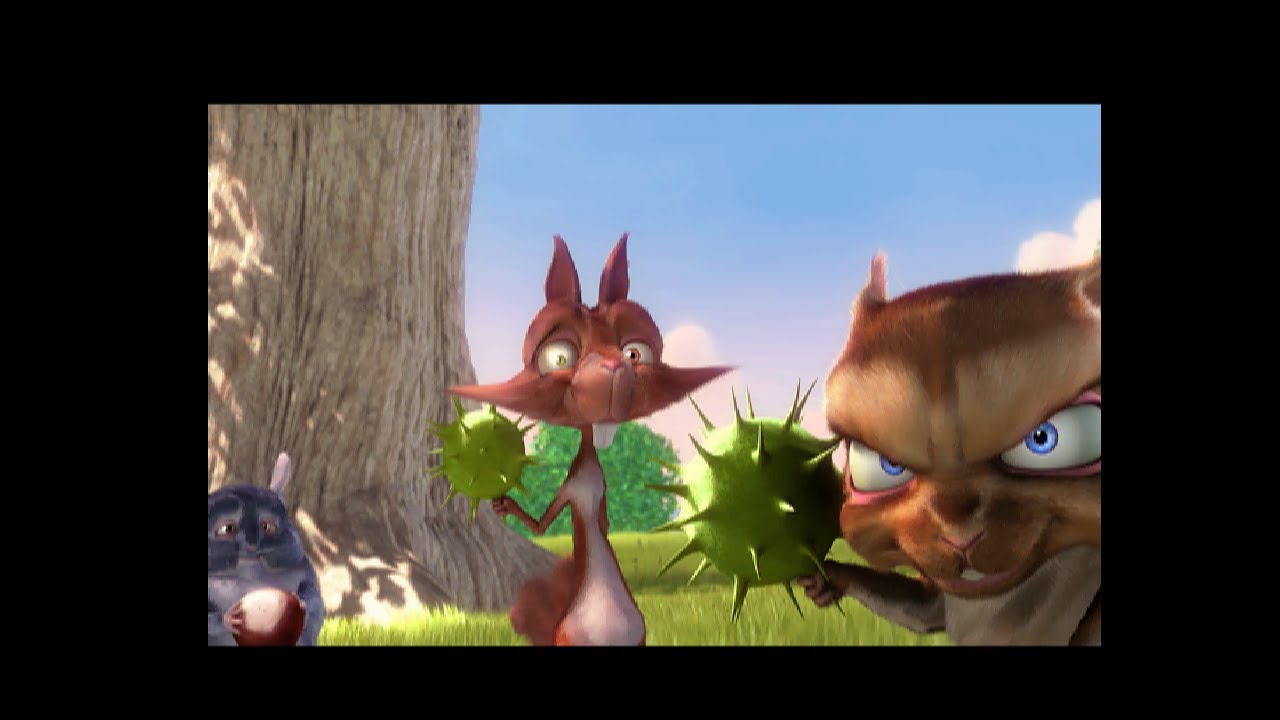
Hello and welcome to my channel !
CDXL is a video file format developed by Commodore in the late '80s for Amiga platforms, primarily for CDTV, to permit video playback from CD-ROM in early '90s. While initially it allowed playback of up to 24 frames/s with 12-bit colors encoded in HAM-6 and 8-bit mono/stereo sound, it was extended to support AG...
hollow ice
Sure, you can play it on the mister, but can you render it? 😄
void belfry
life is too short for that 😄
copper slate
void belfry
almost there 🙂 last lines should render faster, not much color/objects
lol what are those objects. The left one looks like a pacifier.
 waxen brook
Anyone know what the best option is for playing Wing Commander on MiSTer? 386 core or Amiga CD-32 version?
exotic prairie
waxen brook
Anyone know what the best option is for playing Wing Commander on MiSTer? 386 c...
cd32 version doesn't work yet I don't think
Sega CD?
hexed latch
CD32 version works, according to the compatibility Google Doc
Also, I think only Wing Commander 3 is available on Sega CD
Oh, I guess the first one is
OH
I was thinking of the 3DO
exotic prairie
hexed latch
CD32 version works, according to the compatibility Google Doc
oh nice, I was thinking of an older list I guess. I would say the amiga one then, yeah? assuming cd audio not working is not a big deal
hexed latch
Checked some footage and the CD32 indeed does have no CD audio, so no voice acting. If that’s something you really want, play the Sega CD version.
If not, looks like the CD32 is your best bet.
Something to not about the Sega CD version

Apparently, it has a lot of slowdown
However, looks like the Sega CD version is still worth checking out, if you want to hear the voice of Liquid Snake (Cam Clarke) as the commander.
waxen brook
i saw how slow the sega cd version runs on the recent MVG video, no way im playing that mess of a port, even though the voices do sound like a neat addition. thanks for the info on the cd32 version! I'll give that a shot and hope flight sticks work with it, otherwise the tried and true 386 version
hexed latch
waxen brook
i saw how slow the sega cd version runs on the recent MVG video, no way im playi...
Oh yeah, he did make a Wing Commander video recently. I need to watch that.
 vestal goblet
he doesn’t mention the DOS4GW exception message when exiting
Privateer was my absolute fav, never did get into Privateer 2 tho
woven lava
I wanted to like Privateer 2 but it just felt like a weird Star Trek episode
really loved Privateer 1 though
exotic prairie
2 is the one with christopher walken, yeah?
void belfry
copper slate
lol what are those objects. The left one looks like a pacifier.
simple spheres/torus/some others. I didn't check this particular pov contents 🙂
15 hrs for this one
 copper slate
It’s smiling at us!
hollow ice
Pretty great, although did you just prove that povray predicted the future? The camera is a pretty familiar modern rectangular shape with a flash in the upper corner….
abstract condor
void belfry
15 hrs for this one
Amazing, both your patience and what our little machine can achieve
void belfry
still cooking 🙂

 abstract condor
My god, it even does refraction
Is there anything the MiSTer won't do? (given enough time)
void belfry
yeah, povray is pretty cool 😄
void belfry
abstract condor
Is there anything the MiSTer won't do? (given enough time)
running XP (yet) 😄 I tried lol
 weary jasper
normal speed Fallout and stable System Shock come to mind 🫠
void belfry
https://www.youtube.com/watch?v=pZTJgbiP2IM&t=24s&ab_channel=thera34 --- funny thing, I actually fully completed Fallout 1 on ao486 (twice, as first time i doomed Shady Sands, the Hub and the Followers), back in the end 90's my DX4 was just a vey bit faster on this game

Hello and welcome back to my channel :)
Fallout, developed and published in 1997 by Interplay, is one of my favorite video games of all times, and I am happy to finish it on MiSTer FPGA ao486 core.
In this video, I gathered 5 of my fave random encounters plus the ending video (and consequences of my actions through the game).
Sadly, I forgot N...
weary jasper
wow, that's actually smoother than i imagined
void belfry
play it under Win95, works ok-ish, as in the video capture
weary jasper
ah good to know
void belfry
under DOS, it has sound issues as well with permformance
weary jasper
i got a lot of the 0mhz games and amigavision set up, so i'll keep that in mind
void belfry
but: under DOS you can see the videos, under Win you have to skip them as they will lead to errors
weary jasper
small price to pay lol
void belfry
yeah 🙂
I also played a bit of Fallout 2 (the village area), but that is bit more slower than Fallout 1
weary jasper
nice
void belfry
#1047332497492553799 message
weary jasper
my mister to-do list is so long, but i love building out the collection with all the potential i would want for a lifetime 🙂
void belfry
my advice: use 0mhz and amigavision just until you learn/re-learn how to DIY install OSes/games/etc. You can get a lot of infos from this Discord or forum, after that, sky is the limit 🙂
weary jasper
nice, thanks! yeah my level right now is the idiot proof set up things 😆
void belfry
we all been there, so feel free to ask around 🙂
https://www.youtube.com/watch?v=-mx2x5Zc-zo&t=2s&ab_channel=thera34 -- also not that bad performance too

Hello again and thanks for watching :)
This is a capture from #misterfpga ao486 core running Age of Empires under Windows NT 4 Workstation.
For more information on #MiSTerFPGA project, you can visit https://mister-devel.github.io/MkDocs_MiSTer/
there is a certain NT 4 vhd on a certain archive site that is under DDOS now unfortunately 😦
hint "MiSTer AO486 Win NT 4"
weary jasper
cool
my friend had a gaming pc growing up, my family just had win98+
i remember duke nukem, but not a ton of that era
void belfry
you were cool, I had a 486 DX/4 with 12 megs RAM and 272 Seagate HDD (still have this HDD and still working lol) since 96 till 2002 or smth 😄
weary jasper
at school we had apple 2e, but it was all edutainment games lol
void belfry
we started at school with 8086 and gradually made it to a Pentium for server and 486es for stations
we never got Amiga, MSX, C64, Apple etc. We had until '89 some clones of clones of Speccy, then switched to x86
I really need a second MiSTer to test out more multiplayer/net gaming stuff lol 😄
void belfry
new batch 🙂

 void belfry
this should be nice, will see in the morning how it goes
 abstract condor
It kind of hurts knowing we can render the same scenes in realtime in a shader on a low-end GPU
void belfry
~30 years of tech leap 🙂
abstract condor
Yep
30 years of leap didn't improve me.. I'm more obsolete now.
Tech is lucky.
void belfry
anyway, i didn't rendered much of the povray examples included in the default install yet (a few under DOS) and now under Linux for performance comparisons. And never on a modern system, just to resist temptation and let the 90's mix of frustration/hope/joy/banging head on wall feelings all over again 😄
while I play last Yakuza game on xbox 😄
abstract condor
There is indeed a lot of time to kill while waiting
void belfry
next week gonna push it to OpenVPN 😄 waiting for a friend of mine with a lab to be back.
well, this fun is also have a real purpose, we are installing/testing Splunk and other net/sec solutions and actually ao486 with its 11 KB/s connection is a good traffic generator
because it is slow, easy to spot/monitor/tcpdump/etc 😄
yeah, i guess this is a travel back in time in some way 🙂
 mint mesa
this looks fun to port https://github.com/m1geo/BE6502-FPGA

GitHub
A 6502 machine on FPGA based around Ben Eater's design, using cores by others - m1geo/BE6502-FPGA
 copper grail
abstract condor
It kind of hurts knowing we can render the same scenes in realtime in a shader o...
copper grail
abstract condor
It kind of hurts knowing we can render the same scenes in realtime in a shader o...
Even as a real-time hologram: https://youtu.be/oZFSyDfiVEk?si=bzSmTI2cMJexH0r1

Winner of the Outline demo party 2023 wild competition.
Download link (version for regular displays included): https://drive.google.com/file/d/17Aw3nCKhmhMHWgLu4uHgru4sDnAqMc6F/view?usp=share_link
I recreated the Amiga classic 1986 ray-traced 'Juggler' animation, by making a custom ray-tracing shader, that traces directly to a Looking Glass Po...
strong yoke
Ooh, very nice
copper grail
strong yoke
Ooh, very nice
Thanks! It was a fun project, but way more work than I anticipated 😅
strong yoke
copper grail
Thanks! It was a fun project, but way more work than I anticipated 😅
I remember seeing it at the time and thinking "neat!" but the background stuff you've put together there is :chefskiss:
copper grail
strong yoke
I remember seeing it at the time and thinking "neat!" but the background stuff y...
Thank you! It was kind of a love letter to 3D computer animation (and the Amiga). Those early CGI videos made me decide to pursue a career in 3D graphics back then.
strong yoke
I only knew about half of it, which is way less than I'd expect 👌
copper grail
strong yoke
I only knew about half of it, which is way less than I'd expect 👌
Cool to hear that. Sometimes you expect things to be somewhat commonly known and they turn out not to be.
spice hound
I have a question for zx spectrum next core. There is this game: https://technoshedsoftware.com/product/xeno-brigade-extinction-physical-release-preorder for zx spectrum next physical addition. Is there anyway if I buy this game can work on MisterFPGA?
void belfry

 void belfry
about 9 hrs or rendering each. Not that bad tbh
need to track down some extra povray include/libs files, then I'll try to render Amiga Juggler (or an aproximation of it)
void belfry
abstract condor
It's trippy
https://modarchive.org/index.php?request=view_by_moduleid&query=39993 --- my fave back then (still is lol)
#1047332497492553799 message --- XTC-Play was my main player back then, fun to see it running on ao486 (also used my very own copy from original HDD I had back then, a 272 megs Seagate)
void belfry
this goes quite fast 🙂

I will settle at some point to a single one to render at what MiSTer wallpapers resolution usually are, gonna be the final povray test on ao486. It will for sure take a lot of days, need first to finish a bit of my lab with a some UPS as well
for now, doing just speed comparisons and exploration of the demo files
void belfry
i know, right ? 😄
#1047332497492553799 message -- This is also fun (and slow in the same time ofc)
FPU (emulated one, Q87) helped A LOT
void belfry
interesting, CPU usage almost never go beyond 82-88% under Linux, always have a small margin to multitask
swap is never used also, another thing to get rid off
besides thermal/fan sensor processes (and whatever else bloat)
void belfry
5hrs 48m 9s 🙂
 void belfry
atm 1 line every ~20 mins 😄
 hollow ice
Wow
 gloomy bolt
Dunno if this will help anyone, but I wrote a small powershell script that MGL-ifys HDFs in a directory and pointed it at the Arquavista drop on everyone's favorite recently restored internet hangout. It takes the hassle out of D88 loading and speeds everything up dramatically... it's sort of maximum effort for a semi-dead core, but I did find it made life easier. Not all games work, of course. But that's just the incomplete core.
(Requires games/X68000/HDF directory with Arquavista hdf files as named in the archive placed directly into that directory)
robust monolith
@void belfry That DE10 must be on fire running for so long!!!! Interesting stuff! Thanks.
summer dragon
not asking for anyone to share obviously, but…I have an old X68000 starter pack that was on archive that seems to be gone now….I swear I heard that pack got updated at some point? Does anyone know if that pack did get updated or am I just misremembering?
 storm maple
if we are thinking the same one I don't believe it was ever updated, no
void belfry
robust monolith
<@794151308620857395> That DE10 must be on fire running for so long!!!! Interes...
It's quite cool 🙂 Noctua is doing its job lol
woven lava
void belfry
atm 1 line every ~20 mins 😄
somebody please write an FPU to put the poor core out of its misery 🤣
void belfry
the IDE controller part has some issues too when it comes to Unix/Linux 😦
that is actually a blocking point, as there were quite a large number of Unix and Linux variants that ran without FPU on 386/486SX
void belfry
SCO most probably, BSD for sure (I found some old picoBSD floppy image that works just fine)
void belfry
hollow ice
Wow
190 lines left 🙂 as the image unveils (again did not RITM at all the povray source file), it has a lot of transparency, reflections and so on going on. Think it's gonna be the nicest image rendered yet
 fast kraken
meanwhile i'm pathtracing cyberpunk at 60fps realtime 😄
void belfry
For Cyberpunk i have xbox 😄
fast kraken
the xbox version is pretty good but the path-traced mode is unique to pc and it looks like a game from the future
void belfry
I prefer xbox for convenience tbh
fast kraken
not to mention you could buy 2 or 3 xboxes for the cost of the pc required
void belfry
and for my Witcher 3/Cyberpunk/Wasteland 3/Yakuza needs, it's enough 😄
fast kraken
i just decided it was time to finally play cyberpunk this week (been waiting for polish since launch) and its absolutely blown me away
fast kraken
it looks like offline cgi a lot of the time, it really creates an incredibly cohesive image


 fast kraken
i might play the witcher3 after cyberpunk
i've never got into a witcher game before (bounced off all of them) but after cyberpunk i think i'm willing to give it some more effort
void belfry
you're going for a great treat, fully recommend the Witcher experience 🙂
but mind your choices throughout the game, just sayin' 😄 It has its unique way of bashing them (and their consequences) back to you sometimes in funny ways, sometimes brutal/plain in yo face type 😄
hollow ice
void belfry
190 lines left 🙂 as the image unveils (again did not RITM at all the povray sou...
void belfry
hollow ice
https://news.povray.org/irtc.animations/thread/%3C370644db.18204353%40news.povra...
LMAO, I was thinking about that (also after watching **yesterday **this video: https://www.youtube.com/watch?v=KTIHIlPn6Y8&ab_channel=HoldandModify) , with multiple networked MiSTers in mind

Put those old Amigas to work!
Join this channel to get access to perks:
https://www.youtube.com/channel/UCu3OejGt_DWAE8ZGdA0PBZw/join
hollow ice
Haha, networked light wave? Will that run on an 020?
void belfry
i don't have a clue 🙂 but the principle stands. As well on link you sent me now
hollow ice
I’m actually surprised I hadn’t thought about that as soon as you started the povray stuff. I know several people who still have toaster amigas
void belfry
now this is a second reason I need a 2nd MiSTer box
void belfry
but for sure there are ppl here (I know some) who have multiple MiSTer setups and can try it out, would be happy to support
sneak peek 😛 now you can guess why it takes that long
 hollow ice
Let me guess, there is also going to be light refracted through the wine glass visible on the table
void belfry
anyway, in theory with "minimal" effort a cluster of 254 MiSTers can be done 😄 That would be a sight to behold lol
hollow ice
Haha
void belfry
hollow ice
Let me guess, there is also going to be light refracted through the wine glass v...
will wait and see 😄 no spoilers, no cheating on fast rendering on modern stuff
hollow ice
Yep, I’ve just seen enough povray to remember what was jaw dropping back in the day, so it needs light refracted through the wine glass 😄
void belfry
most probably 😄
I still need to test povray under Minimig, will go for same images I done under DOS/Linux on ao486
I know, comparing apples to pears and peanuts all in once in terms of CPUs/OSes, but still educative for me 🙂
hollow ice
Yeah, I’d be interested in seeing the 020s performance.
void belfry
it's the single core that can actually play mp3s 😄
abstract condor
When will you raytrace the new MiSTer logo for us then?
void belfry
one day lol 😄
void belfry
hollow ice
https://news.povray.org/irtc.animations/thread/%3C370644db.18204353%40news.povra...
hope to track some of this ancient networking software, will see how much info/sites IA got saved
the more I think about it, the more I am sure it would work actually, at least from network perspective those frames info exchanged between server and client should be well within the 11 KBps
void belfry
ofc, 99.99% of the links (like from https://www.povray.org/resources/links/POV-Ray_Include_Macro_and_Object_Files/Include_Files/) are long dead, will see how much it can be recoverable from IA
 void belfry
almost ready to test Amiga Juggler remake, IA ftw as always
 void belfry
sneak peek 😛 now you can guess why it takes that long
void belfry
void belfry
sneak peek 😛 now you can guess why it takes that long
now it goes around 1 line every 10 mins roughly as it gets less objects to render
 lunar trellis
Would am FPU in the core make what you are doing substantially quicker?
woven lava
it should, right? I think he is running the virtual FPU TSR
hollow ice
Ray tracing is pretty floating point intensive.
void belfry
lunar trellis
Would am FPU in the core make what you are doing substantially quicker?
yeah, it should. Under DOS I experimented last year with a software FPU emulator (Q87) https://misterfpga.org/viewtopic.php?p=74388#p74388 , had very good results with fractal rendering (FractInt) and much more including some games fully working or running/accelerating some apps as well
 void belfry
now it goes around 1 line every 10 mins roughly as it gets less objects to rende...
void belfry
void belfry
now it goes around 1 line every 10 mins roughly as it gets less objects to rende...
53 more lines left, 1 line every ~5 mins now
void belfry
40
Next, after I copy over some more include files will be this:
not a clue if it will work, I never got beyond simple objects in povray 😄
void belfry
void belfry
almost ready to test Amiga Juggler remake, IA ftw as always
unfortunately a lot are lost in time (this was supposed to host "Biowin is a graphical notepad (a toy ... a tool ...) for easy entering params and values to make bioforms with PovRay" )

or like that Exizt program linked by @hollow ice , still searching for it, but not that much hopes tbh
speaking of FPU (and/or emulators), QNX 4 has its own 387 emu which is spawned when running on non-FPU x86 machines. Too bad I can't really compare its effectiveness to Q87 or any other software emulators (being also aware of the underlining type of OS) as I couldn't find any port of existing rendering software I am testing under DOS/Linux/possibly soon AmigaOS (fractint/povray)

24 more lines 😄
void belfry
10
65+ hrs of continuous rendering
also not so much heating @robust monolith 😛
not that I have ever encountered any of these kind of heating issues on any core whatsoever, and I do tend to push them to limits
5
4
3
2
void belfry
not yet 😄 watch on voice chat 😛
and yeah, it's mirrored... temporary laptop, no OBS or whatever crap 😄
1

you have less than 4 minutes to comply ! you all be assimilated 😛
0
in roughly 5 mins a disturbing image will be displayed on this Discord channel, which only the assimilated ones can see. 🎃
exotic prairie

 exotic prairie
is that a 7th guest puzzle
void belfry
 copper slate
void belfry
65hrs 30mins 59sec on Debian 4
copper slate
void belfry
65hrs 30mins 59sec on Debian 4
Oh no, you knocked a glass over!
void belfry
void belfry
Next, after I copy over some more include files will be this:
by the starting looks of it, kinda doubt it would be the Amiga juggler, but also might very well be some stuff I overlooked on my part (probably is)
 void belfry
though i might be wrong, it is an aproximation after all. will see

mkey, my mind is starting to fill in the blanks

gotta admit that using AmiWM (besides being most lightweight/responsive window manager) is highly amusing to me when rendering a povray aproximation of Amiga Juggler 😄
from the looks of it, rendering is quite fast on this one
void belfry
getting somewhere
 abstract condor
Looks like a juggler!
void belfry

yeah, i'm pretty amazed on resulting image tbh
and kudos to Bob Hughes who created this 🙂
 void belfry
 abstract condor
Beauty
void belfry
took it 10 hrs 1 min and 58s 😄
 lyric breach
Has anyone has issues with sound output on the MSX core from Molekula? I'm using a core from 23/07/02 via HDMI direct video into a RT4K.
void belfry
Minimig is definitely **THE **core to go for povray rendering !!! I am doing now an image that took around 15 hrs on ao486... 👀


will see when it finishes, but I guesstimate around 8-10 times faster
abstract condor
Whoa
void belfry
yeah, I'm really shocked 🙂 no wonder they used Amigas to render Babylon 5 and others 😄
abstract condor

Newly Discovered Commodore Television Commercial From 1987.
"Try that on your monochrome mac Jack"
Commercial states the Commodore Amiga features:
Printer compatible
Multitasking
Video editing
VCR compatible with taped images
Four track synthesizer
Stereo sound
With a jab at Mac's at the end of commercial with the actor saying:
"Try that on y...
Try that on your Mac, Jack!
void belfry
one more reason to love MiSTer FPGA 😄
abstract condor
The funny thing is, the Amiga is apparently a very capable classic 68k Mac as well.
void belfry
yeah, I saw that Basilisk or ShapeShifter ran by some colleagues here
abstract condor
Yeah
void belfry
well, now getting MiSTer wallpapers generated by itself is much more feasible, will try higher resolutions after some more testing
 void belfry
yeah, still on my TO-DO list. which is getting longer and longer lol
void belfry
amazing difference 😄

 void belfry
we can only hope it will get some more improvements in time. Still, a lot happened to it in these years and now we can have more options than DOS
void belfry
Minimig is a beast !!!

if networked Amiga povray rendering was/is possible, that would be an awesome achievement, gotta dig some more 😄
I'll do another test overnight with same image rendered under DOS on ao486, but I don't expect big difference between its render time and under Linux one
woven lava
abstract condor
The funny thing is, the Amiga is apparently a very capable classic 68k Mac as we...
Not apparently - I can confirm it runs a very decent Mac with a 1080p desktop
on MiSTer
@void belfry wait, so povray on Amiga runs better than on ao486?
void belfry
extraordinarily would be a better term 😄
woven lava
holy unoptimized core, Batman
void belfry
this image took 15hrs to render under ao486 on Debian (probably similar times under DOS)
 woven lava
15 hrs to 2 hrs... wow
void belfry
yup...
woven lava
I wonder if it's because of PC vs. Amiga architecture; or because of ao486 being suboptimal
probably a bit of both
void belfry
i can't test on real HW 😦
limpid tiger
Doesn't POVray expect math coprocessor ?
void belfry
yes, but it will work (slower ofc) without as well
limpid tiger
Yes, like 7x slower
void belfry
well, I can guess Amiga with FPU would do wonders (not sure if it will fit ao486), provided someone will take the task of writing it
anyway, if someone around here has real H/W, would be curious about results (for both architectures)
last lines were speedy gonzales lol
but results are not the same... hmmm

 copper grail
I still have my Amiga 4000 with 68060, PowerPC and CyberVision GPU, but it needs a new PSU.
For my first job back in the nineties, at a games studio, I used a Pentium Pro powered PC, with the DOS version of Imagine, and I rendered half a minute animations overnight (and then had some nice surprises the next morning: A power outage happened, disk was full, overwrite dialog blocking progress).
void belfry
nice beastie 😄
copper grail
Absolutely. And it earned itself back multiple times
I remember for my graduation project, a PAL resolution render could easily take 45 minutes per frame on my then 68040 powered Amiga 4000.
(also using Imagine)
abstract condor
woven lava
I wonder if it's because of PC vs. Amiga architecture; or because of ao486 bei...
The original ao486 author said the cpu core was a proof of concept and very inefficient
It's been mended a bit afaik but it can probably be rewritten with much better results, going by his words
robust monolith
abstract condor
It's been mended a bit afaik but it can probably be rewritten with much better r...
t's pretty good for what it is, plays dos games, windows 95 games, windows 98 etc. Wish it was a bit faster though, like a 486 DX4 running at 100 or 120mhz if possible.
void belfry
smth is going wrong, I get noise/missing effects on rendered povray images under AmigaOS 3.2.2 ...
POV-GUI doesn't seem to work much either, though I have the proper MUI installed as well. Might worth checking on a previous OS version ¯_(ツ)_/¯
woven lava
abstract condor
It's been mended a bit afaik but it can probably be rewritten with much better r...
yes.. unfortunately it must be a monumental task to write a 386 or 486 in HDL...
would be amazing if it was every rewritten, but I figure people will just port it to a faster FPGA and brute force better performance
void belfry
https://www.povray.org/ftp/pub/povray/Old-Versions/Official-3.1/Amiga/ - povamnfp.lha is the one you want for Minimig. Unpack it somewhere (RAM would be ok) and ran the install script
I'd be curious how it works under 3.1x, doing some more tests under 3.2.2 until I revive some of my older HDFs
btw, povray site can also be directly accessed from Amiga core if you have PPP enabled, so direct d/l is a possibility as well
not ok, even if it's partial image (ignore the bottom, it's not yet finished)

should look like this

so wth produces that noise, the install is default, include/povray files all the same...
void belfry
copper grail
For my first job back in the nineties, at a games studio, I used a Pentium Pro p...
lol, tracked down Imagine 4.0 for DOS, will see if it even runs on ao486 😄
I imagine (no pun intended lol) it might ask for FPU, if that will be the case will see if Q87 will be up to the task
hah, was right 🙂

Q87 FPU emulator FTW !!! (also EMM386, with QEMM throws some DPMI error. 2nd note: run it with /NOXMS flag)


I have no clue what I am doing 😄

https://misterfpga.org/viewtopic.php?t=6639 - Q87 FPU emulator post. will update it with Imagine 4.0 after some more tests


For sure the first image rendered with Imagine 4.0 DOS version under ao486 core 😄
First time I use this software, so if any of you have older project files saved or have proficiency in this program, high time to test them against ao486
my best "artwork" is this predefined cow object 😄
void belfry

as stated before, Q87 must be patched to overcome the 15 mins demo limit (unless somehow you're the very few owners of this product lol, yet I failed to find one)


yeah... a front view of a cow with a huge hand in the mid. that is my finest art
 round token
void belfry
round token
void belfry
~5 mins to render this, but then again, I am just fooling around, everything on this is totally new for me

roughly 10 mins of hard labor (on the fpga side ofc)
 void belfry
awesome, learned to move objects apart and set up a light source coordinates


the program itself is very responsive, rendering times of these extremely simple default objects are also fast (max 8-10 mins i would guesstimate). But then again, I have no clue on this, so most probably normal/complex scenes will take a long time to render
abstract condor
Cool
copper grail
void belfry
First time I use this software, so if any of you have older project files saved ...
The last thing I did with it was running it in a VMWare virtual machine (which makes it render really fast), to HD remaster a couple of animations I did at my first job: https://www.youtube.com/watch?v=V1_3lMvKANM

Een opnieuw berekende versie van de originele animatie uit 1997 in full HD breedbeeld, 16 miljoen kleuren. Gemaakt met de originele bestanden en 3D software. Dit is de vierde 3D animatie die ik gemaakt heb bij mijn eerste werkgever, Davilex.
Dit is mijn favoriete animatie van de kleurboek reeks, met deze animatie begon ik er goed in te komen.
...
The coolest thing about Imagine is that it has lots of procedural textures (think of them as non-real-time shaders). I released a number of my own back then.
I must say I don't remember much of the details of how it worked, I used to know all the hotkeys by heart. I had to figure out the rendering settings again for the remasters. I still have to set all of that up again on my current machine to remaster the final one or two animations.
 plucky sleet
Anyone know if there's work being done on the Ericsson portable laptop?
 abstract condor
I'm sure somebody is still working on one
plucky sleet
Very cool, I'll look into it more, it weighs a tonne
 spice hound
How do I set mister to be ntsc?
 chilly rain
It's set that way by default, did you change it to pal?
Unless you are using a core that is defaulting to 50hz
Which I'm not aware of any
spice hound
Not really
It ia not a core it is the menu of mister that is doing it
Black and white and flipping up and down
rare plume
There's settings in the MiSTer.ini file

You can also set your video output type (Svideo/Composite, RGB, YPbPr)
YPbPr needs vga_sog = 1
All need composite_sync=1
FWIW I think the Amiga core defaults to PAL, but the AmigaVision menu is in NTSC and each games lists it's compatible output type in the menu
void belfry
My fix after an annoying work day 


 abstract condor
Nice!
summer dragon
anyone here know how to take a game that’s in LHA format and get it into the right format for working with the Amiga core?
fleet cave
lha is just a compression container/format. you just have to extract it first
you can do that on a pc even
summer dragon
ah ok…and I presume from there I’d have to make that into a disc image?
fleet cave
depends on what is inside of it
summer dragon
it’s this game called Mazezam
there’s only one download I could find…I think it’s freeware
fleet cave
oh wait
summer dragon
hmm there’s literally just a file in here called MazezaM with no file extension…there are also some .guide and .info files
fleet cave
I think in the amiga world a lot of the lha stuff was meant to be used with whdload
summer dragon
yeah
I wonder if I have to load it there first and then extract it from there or convert to a disk or something
fleet cave
I dunno that stuff is magic. maybe if you dig into amigavision you can see how that is setup
summer dragon
I’ve never used whdload, so i’ll have to look into that
yeah I was thinking about looking there too
fleet cave
or some european will wake up and know how to use it
wind dew
 void belfry
summer dragon
anyone here know how to take a game that’s in LHA format and get it into the rig...
void belfry
summer dragon
anyone here know how to take a game that’s in LHA format and get it into the rig...
A. Extract the LHA contents on a PC and copy over to your Amiga HDF (Shared folder is a good solution). Then just double click MazezaM executable (the one you see without extension) from WorkBench (or run it from shell).
B. Copy/download the lha archive to Amiga HDF and "lha x Archive_name.lha DESTINATION:" it from an Amiga shell (or from DOPUS/DiskMaster if you use those as in here: https://misterfpga.org/viewtopic.php?p=12186#p12186). I used this method, as my setups already has PPP so direct d/l from Aminet is easy as pie


 spice hound
wind dew
spice hound
wind dew
I have a confession to make that old guy in Amiga I found him funner, smarter and full of wisdom more than the guy representing pc or Mac
Infact I want to learn from him over the other two
tropic latch
I'm seeing gray haired old men who still skate and wear skateboard gear and it's very much just dudes who have been at it for decades but my brain still can't accept that this is how old we are now.
"what's that old man doing wearing skateboard shit?"
"Oh"
exotic prairie
Alert. We have been made whole https://mastodon.social/@amiga_vision/113461361753841683

Attached: 1 image
AmigaVision 2024.10.10 Released with Internet Support + MiSTer CD32 Launcher, 182 Game Updates: https://amiga.vision/2024.10.10
void belfry
My very first mod and synthesize on a FPGA core 😄


So basically added a new PPP speed and ofc modified accordingly the MiamiDX config to reflect it. Compilation-wise was successful for Cyclone V family, just some warnings. Other than speed increase didn't test out anything else yet, but I don't think this changed anything other than that, my AmigaOS setup seems to work fine so far.
Again, this a very noob-ish attempt, try it on your own risk 😛
apparently MiamiDX supports also 460800 baud (other than custom), so will try that next
 void belfry
hmm, it doesn't seem to like 460800 baud 😦 at least on MiamiDX, I don't have other TCP/IP stacks to test


If anyone is curious to test against other than MiamiDX (e.g. AmiTCP, Roadshow, etc). L.E. most probably not going to work anyway not going to work, will stick to the 230K one
115200 baud vs 230400 baud 🙂

 hollow ice
Nice!
void belfry
I simply can't believe it was that easy fix on the Minimig.sv, but then again, it's first time I get my feet wet
void belfry
knew I went too far (and blindly), but still a fun experiment


 void belfry
so far, 230400 addition in Minimig.sv works fine (expected that, as I have previously tested and posted the Linux side modification on /sbin/uartmode script here https://mister-devel.github.io/MkDocs_MiSTer/advanced/computer/#cores-supporting-serial-connection). But since that file would be susceptible to be defaulted, think adding a new option in the core would be a more elegant solution
void belfry
I have zero exp on Amiga and its chips (think CIA was the one for serial stuff iirc), but adding 230400 baud option in Minimig.sv seems to do the trick well (and not to "hack" it via Linux as before). The question still is if it can do higher speeds ?
localparam CONF_STR = { "Minimig;UART115200:230400,MIDI;", "J,Red(Fire),Blue,Yellow,Green,RT,LT,Pause;",
the more I read on some Amiga forums, it seems to be kinda top speed achievable via CIA on most systems, please do correct/educate me
 icy obsidian
hello all, i'm looking to buy a MiSTer to emulate amiga and atari ST for MIDI (octamed v4/5 on amiga and cubase 2 on atari ST)
i'm looking to just understand what would i need to get midi DIN in/out if possible
thank you
thick pendant
void belfry
So basically added a new PPP speed and ofc modified accordingly the MiamiDX conf...
I just hard-code the uartmode shell script to do 230K for PPP if the corename is Minimig. I never could get 640 to work...
thick pendant
icy obsidian
hello all, i'm looking to buy a MiSTer to emulate amiga and atari ST for MIDI (o...
if you have a USB MIDI adapter you can typically use that...
I suggest Roland UM-ONE MK2
thick pendant
void belfry
hmm, it doesn't seem to like 460800 baud 😦 at least on MiamiDX, I don't have ot...
230K is top speed I was able to achieve.
icy obsidian
thick pendant
if you have a USB MIDI adapter you can typically use that...
Again, I don’t want usb midi. I appreciate the suggestion but I don’t want to add another layer of latency just to translate it back to DIN midi
Perhaps I didn’t mention the usb midi in my original post sorry.
void belfry
thick pendant
I just hard-code the uartmode shell script to do 230K for PPP if the corename is...
Yeah, that was what I had before too, but iirc that gets defaulted on linux updates, hence I'm trying this small modification on core
void belfry
thick pendant
230K is top speed I was able to achieve.
Seems to be the case, done some more reading/testing, so we'll have to settle to 230400 baud... Anyway it's more than most could dream back then lol
Let me know how the double speed core works for you, I didn't see any issue (don't think it breaks anything, after all just a menu customization)
robust monolith
thick pendant
230K is top speed I was able to achieve.
BAck in the day, when I upgraded my bbs from 9600 to 14.4k I thought I was something, but 230k!!!! 🙂
void belfry
well, IMP3 (MOD internet radio for Amiga) works much better now, as well with normal transfers and whatnot (MUIMapparium, Amitube and the likes), no wonder here
 robust monolith
Imagine if you could run a BBS at that speed, back say, in 89-92. You'd have Quartex, Fairlight, Crystal, Nemesis, and all of them knocking at your door wanting you to be their main HQ BBS!
void belfry
heck yeah :))
well, you can do it now on MiSTer 😄
I mean, would require some work on port forwarding/NAT, but think it's doable
I run IMP3 for over 5hrs now, quite nice to have it streaming background mod music
I don't use AmigaVision, but I think it would work without issues (changing Miami's speed then amiget imp3)
void belfry
 thick pendant
void belfry
thick pendant
void belfry
If i go back in time, I'll make Commodore the new apple...
void belfry
Truly Amiga was ahead its time...
Need to update some software at least on communications/internet though, been two years since I updated most things on my setup
void belfry
will see if this works, atm just an excuse to see ao486 being cooked 

and if it works, to make a comparison on highest speed achievable on different OSes via PPP
not much use (that I can think of right now) for DOS, probably mild on Windoze (not sure how much can it go), but for sure would be a nice gain on Debian (e.g. for installing from archived repo)
another point of interest at some later point is to downgrade the speed, I think (don't quote me on this) there are some OSes/clients who would require a lower speed (e.g. 57600 baud). But I need to recheck where I read that lol

btw, useful site: https://lucidar.me/en/serialib/most-used-baud-rates-table/
This page presents the most used bauds rates for UART / serial communication. Bauds, bit/s, bit duration and speed in bytes/s are presented | Lulu's blog
DOS no, NT 4 is also not having the option to go above 115200
and neither W95 or W98 know better, as expected
void belfry
and neither on Debian/Slackware so far...
vestal goblet
robust monolith
Imagine if you could run a BBS at that speed, back say, in 89-92. You'd have Qu...
Don’t forget about The Humble Guys and Razor 1911 😉
robust monolith
Razor 1911, total legends, still today
void belfry
Awesome work, NetBSD on ao486 https://misterfpga.org/viewtopic.php?t=8587


Really curious how our forum colleague did it 🙂
Now we have 19 Unix/Linux based OSes running on ao486:
**ELKS/Minix **- works as well on XT core, supports serial and SLIP connectivity. You need to modify MiSTer linux kernel for SLIP.
PicoBSD floppy - old BSD into a floppy image, more like a novelty, iirc it doesn't see/work with hdd images
Basic Linux 3.5 - Slackware 4 distro (2.2.26 kernel), still working to get a fully bootable bigger vhd. PPP/other (and better desktop manager) installed.
Debian 4 Etch - (2.6.18-6-486 kernel) working ! Also PPP and install/update over Internet via Debian archive repo mirror! WMs experience might vary, jwm, AmiWM are ok
**Slackware 12 **(2.6.21.5 kernel) - works fine, boot time and loading BlackBox WM ones are quite fast, ppp working, usable ssh (ssl still bit too old)
QNX 4.25 - works fine , supports PPP. Also its famous demo floppy disk works
Gentoo Linux - (5.15.11-gentoo kernel) Most modern Linux on ao486 I know to work
NetBSD 1.4M - not my work, boots very fast
FourEightySix Linux - a basic 5.14.8 kernel - boots extremely fast
**Mutagenix **- (2.6.18.6 kernel) - a Slackware based distro, boots, needs a lot of stuff removed
**PHLAK **(Professional Hacker's Linux Assault Kit) - Debian based (kernel 2.6.9) pentesting distro
BackTrack 2 (2.6.20 kernel) - Slack 11 based pentesting distro now known as Kali - after kernel recompilation to enable Math emulation works just fine
NetBSD 1.6.1 - quite fast, PPP is working as well, still working on X11 part
**NetBSD 2.0 **- - quite fast, PPP is working as well
TinyCore Linux 5.3 (kernel 3.8.13) -- quite fast, needs kernel/modules recompilation as well as remaking core.gz
SkatOS (kernel 2.2.26) --- floppy disk size Linux distribution which plays the popular German card game Skat
**ttylinux **(kernel 2.6.32) --- very small distro, net/ppp oriented, very fast
PiTuX --- floppy sized Linux with minicom 2.1, nice for connecting to BBSes
SHORK-486 --- kernel 7.0.6, very fast !!!
robust monolith
@void belfry You are insane, in a nice way, trying all this!! 🙂 Looks like you're having fun, which is the main thing. Very interesting stuff!!
void belfry
wrote a PM to our forum colleague, very interested how it was done 🙂
void belfry
robust monolith
<@794151308620857395> You are insane, in a nice way, trying all this!! 🙂 Looks...
i try my best (re)-learning old OSes and their networking especially 😄 and yeah, it's a great fun lol
NetBSD (actually most of BSD variants) are terra incognita for me, never had the pleasure of tackling much BSD stuff
robust monolith
Grabbed the VHD, thanks. I'll check it out tonight after work.
 vestal isle
I'm the guy who added the NetBSD vhd. I've been trying to get 386BSD running, it runs well on qemu and bochs, BUT I can't create a disk image that works with MiSTeR 😫 . I was wondering why the ao486 core only opens vhd files and not .img or raw?
 white siren
is there an oswarp image
vestal goblet
great to see QNX in there, was a totally mind blowing demo to see a full TCP/IP and browser on a single 1.4MB floppy at the time
wasn’t there a BeOS for x86 at some point?
 hollow estuary
There was but it needs a Pentium or greater
void belfry
vestal isle
I'm the guy who added the NetBSD vhd. I've been trying to get 386BSD running, i...
Rename those to .vhd, it should work. That's how I made Debian and Slackware work, first created a raw HDD image on PCem, install the base OS then rename and move it to MiSTer (https://misterfpga.org/viewtopic.php?p=89322#p89322)
Also welcome to MiSTer Discord ! 😄
void belfry
white siren
is there an oswarp image
Don't think anyone uploaded one on archive (I know I didn't lol, as I still wanted to polish it), but you can DIY prety easy: https://misterfpga.org/viewtopic.php?p=46068#p46068
Couldn't make PPP work, though I tried countless times, including newer SIO drivers and so on, as well with finding a better video driver
white siren
ive never used os2/warp before so it's more of a curiousity
 mighty vault
Does anyone know if there's a way to remap the mouse click to a button on my controller? I'm playing games from the 0mhz dos pack on AO486 and I can remap all the buttons except mouse click.
void belfry
white siren
ive never used os2/warp before so it's more of a curiousity
Neither did I before 🙂 First installed and use on ao486 about 2 years ago
vestal isle
under the netbsd, if you want networking, add a file: /etc/resolv.conf with the contents: nameserver 8.8.8.8 AND start ppp with the command: pppd /dev/tty00 115200 noauth defaultroute&
thick pendant
vestal goblet
wasn’t there a BeOS for x86 at some point?
yes, but that came out in like 99, so its probably not going to work well on ao486
vestal goblet
fair enough
silver echo
I see @void belfry posted instructions on creating debian stretch VHD on the forum. Was hoping to avoid the work and grab a pre-made VHD from IA or somewhere else. Has anyone uploaded?
void belfry
silver echo
I see <@794151308620857395> posted instructions on creating debian stretch VHD o...
probably not 🙂 I need to re-do the base install, as my previous VHDs are not much optimized/cleaned of unnecessary stuff (unused drivers/processes/progs etc). Will see if I can get some time to do this over weekend (as well for Slack 12) with a base setup, including PPP and few network progs (like BitchX, naim, etc) as well as basic X so the user can install whatever WM or other programs
void belfry
thick pendant
yes, but that came out in like 99, so its probably not going to work well on ao4...
I tried a while ago, it asks for Pentium right away 🙂
void belfry
wip


 feral dagger
Don't suppose anyone has played Warcraft 1 and 2 on the ao486 core?
How does it run?
void belfry
very well. both 🙂
feral dagger
Oh sweet. I've not really played any dos games and Amiga stuff before. So I'm looking forward to trying out that 0mhz collection and Amigavision collection.
 merry valve
@ruby bramble Is there any chance you could do Chuck Yeager's Air Combat? I tried and couldn't get it to work.
 ruby bramble
merry valve
<@597274087785758762> Is there any chance you could do Chuck Yeager's Air Combat...
ruby bramble
merry valve
<@597274087785758762> Is there any chance you could do Chuck Yeager's Air Combat...
I’m busy with other projects atm, but dm me and we can talk about potential solutions
silver echo
Trying to wrap my head around the PPP support in the a0486 core. Tutorial videos show a UART setting in the core configuration UI. I am not seeing this option. Did something change or am I misunderstanding some aspect of configuration?

 silver echo
Got it. Not sure how I missed that previously. Thanks, thera34
silver echo
Any recommendations for VHD management tools? prefer linux command line but open to any suggestions to simplify creation, population, resize, etc.
 twin kayak
if you wanted a hardware emulated fpu for a dos pc core like ao4086, would you have to have 2 fpgas and plug them together?
hollow ice
I actually don’t know that a 486 can run like that? Intels 487 was just a full 486 that disabled the onboard cpu.
copper slate
new update to pc88 core - https://github.com/MiSTer-devel/PC88_MiSTer/blob/master/releases/PC88_20241120.rbf
GitHub
NEC PC8801 MKII SR For MiSTer . Contribute to MiSTer-devel/PC88_MiSTer development by creating an account on GitHub.
 sly crater
Awesome!
 naive imp
copper slate
new update to pc88 core - https://github.com/MiSTer-devel/PC88_MiSTer/blob/maste...
naive imp
copper slate
new update to pc88 core - https://github.com/MiSTer-devel/PC88_MiSTer/blob/maste...
Interesting. Do anything fun and new?
hollow estuary
silver echo
Any recommendations for VHD management tools? prefer linux command line but open...
You can use dd to create vhd files, then the usual cohort of linux tools like fdisk (or other partitioning tool of choice) to do partitioning, mkfs and friends for formatting, I just tested out using kpartx to mount the image. For installing the OS if you want to use the actual installers then something like pcem, 86box, or qemu, although if you just wanted to dump a bunch of files into the image then I guess you could just loopback mount the image and copy everything across. Resizing I guess just parted
copper slate
naive imp
Interesting. Do anything fun and new?
i dunno
 waxen nymph
naive imp
Interesting. Do anything fun and new?
waxen nymph
naive imp
Interesting. Do anything fun and new?
It is more compatible with some games that weren’t working. I think disk issues fixed it.
naive imp
waxen nymph
It is more compatible with some games that weren’t working. I think disk issues ...
Any examples? For capture
No real notes with the core so it’s shooting blind. I had a prev vid made soon so I may open it back up with a few more examples
waxen nymph
King breeders maybe. Ask wark
I somehow only have one disk on my dev mister. Who knows where my entire collection of software for pc88 went.
@granite umbra
 granite umbra
King Breeders before have track error now it goes in games.
YS1 and YS2 et Xak1 (2 and precious package still have graphical issues on intro)
Yosinda made plenty of improvements 🙂
silver echo
hollow estuary
You can use `dd` to create vhd files, then the usual cohort of linux tools like ...
I didn't realize some of those utilities could operate on virtual disks. Thanks a lot for the pointers. I will experiment with them
void belfry
😏
 vestal isle
I have been working on getting 386bsd running on the MiSTeR without success so far. I have tried everything I can think of, virtualbox and qemu run it fine, but the vhd's I create (and boot) won't boot on the MiSTeR. Any help?
void belfry
meanwhile, as I done PPP and SSH, much easier to remote install stuff on Deb 4, probably will finish adding them tomorrow and upload to IA (as well with writing a more verbose how-to for forum)

and yes, I did name my MiSTerFPGA "Neo" 😄
vestal isle
Ok, here is a successful boot from a vhd under VirtualBox:
but under the MiSTeR it says no bootable device when I try to boot the vhd, and the floppy image also says "Booting from floppy" and stalls.
 void belfry
more packages to get tomorrow, calling it a day atm
 hollow ice
@vestal isle I go back to looking into ide issues every 6 months or so. I was a bit surprised when netbsd booted because what you are seeing is more like what I would expect. The fault I believe might be happening is it is setting the SPT to a default 255, which overflows the size expected by the OS
I had intended to go back and add some basic VHD support (right now it just treats it like a flat file, so it ignores the configured footer) to allow for you to actually specify the hard drive configuration
but there are other issues as well that I haven’t traced down
I keep getting close to booting openstep and then something always comes up and steals my time away 😄
Newest version of netbsd should work, but it always fails after reading the drive header….I see the read requests, and the response of data, but it doesn’t seem to set the interrupt correctly because the OS times out waiting for the response
fleet cave
I bet a ton of vhds people are using on misters don't have the footer
hollow ice
yeah, that is why I hadn’t put the time in when it was available, I figured it would be a fight getting it merged
but that is really the only way to properly handle these finicky OSes
Openstep refuses to even get close to booting because of the SPT value default
there are a few CD commands that I had partially implemented that helped out modern NetBSD as well, but I got stuck at RAW TOC access
was just about to dig into that when I got sick, and then work picked up again
fleet cave
oh wait, the header has a cookie right? honestly I'm not sure sorg would push back against that too much. technically if a vhd DOES have the footer all the size/sector count etc calculations are "wrong" anyways
hollow ice
I don’t think vhds have a header, I am pretty sure it is strictly footer with a cookie
fleet cave
sorry, I meant footer
hollow ice
my plan was just to look for it, and read it if it existed
since the size calculations should take it into account if it exists, it shouldn’t get overwritten
fleet cave
it's not that big of a change, although it's one of those ones that feels like a big change because there's probably a ton of small changes due to everything just assuming 512 sectors
hollow ice
well, once I open up some free time, I’ll look into it again unless someone beats me to it….I think it has such a small use case (for us crazy people messing with weird operating systems) that I doubt anyone will 😆
vestal isle
I really want to run 386bsd on MiSteR hardware. Currently won't boot a vhd that works under virtualbox, and qemu.
 manic sluice
Hi community! My Mister is few weeks away from getting delivered so I’m obsessing and researching more than ever since I’m really excited! Ihad a question as to the state of DOS games with the ao486 core, in particular to any experiences with Voljega’s ExoDOS converter w/ the Total DOS launcher VS the OMHZ collection. I’ve already have experience with ExoDOS so was excited when I learned about Voljega’s project. But also just learned about 0MHZ. I looked online for a comparison but couldn’t find anything. Just curious on people’s experience and pros cons of each method.
rare plume
0mhz DOS is 1 game per preconfigured hdd image setup where you launch them from the OSD, like a core. The games are vetted and should work on the MiSTer.
DOS launcher would be 1 big hdd image with a DOS based explorer. Since the hdd image has a single configuration since all of the games are on it, it could lower compatibility or ease of use.
Personally I like 0 mhz better on the MiSTer since it makes launching games easier and each game will work. MiSTer does not have the most powerful 486 emulation and the curated list helps set expectations.
manic sluice
I see thanks for the explanation. Am I correct in that this is that curated list of games on 0MHZ? https://github.com/0mhz-net/0mhz-collection/tree/main/mgls or am I missing something. Look like the last game added was 5 months ago

GitHub
A curated collection of configurations for individually bootable DOS games for the ao486 core on MiSTer - 0mhz-net/0mhz-collection
exotic prairie
manic sluice
I see thanks for the explanation. Am I correct in that this is that curated list...
there hasn't been an official release since....march? April. There are unofficial games that have been added - but the curated listed from the amiga vision team hasn't been updated since the initial release I don't think
And I believe they have said it's unlikely they will add games
manic sluice
exotic prairie
there hasn't been an official release since....march? April. There are unofficia...
"There are unofficial games that have been added " Besides adding my own games, and the Amiga teams curated list, is there an unofficial list of games that are working on 0MHZ somewhere?
exotic prairie
that script will actually download them
I think there is an option to download from the unofficial curated list too
but even that hasn't been updated since like mid april. if you search archive for 0mhz, you will get a bunch more games that, while not curated by the team, are set up the same way (launched from the OSD, etc)
manic sluice
This is excellent info thanks!
I see the the Space Quest series on the 0MHZ Github page! I think that may be one of the first PC games I'll boot up! Can't wait!

Of course I get the Amiga box art lol
exotic prairie
I am waiting on my mt32pi so I can finally experience the sierra games with a roland card. I remember seeing that in the setup options and always wanting to be able to hear "real midi music"
manic sluice
Exactly! I'm thinking about it, already have a Pi zero 2w, but I don't have a I²S DAC. I've some great videos on it. I especially like the the Roland MT-32 MIDI track for Police Quest 2! https://www.youtube.com/watch?v=qjWTy-C2JKE

Intro cinematic from "Police Quest 2 - The Vengeance"
DOS.1989. Published by Sierra-On-Line
Music by Mark Seibert
Game played and recorded under Dosbox.
Music recorded from a genuine Roland MT-32 (rev.1 old) device.
After hearing that again I definitely need to get that DAC now!
exotic prairie
MiSTer Addons
mt32-pi is bare metal Raspberry Pi emulation of the popular Roland MT32 MIDI device. It was created by d0pefish. Show him some love! 2024 note: New Pi 3A+ models have been shown to have issues. More info here: https://github-wiki-see.page/m/dwhinham/mt32-pi/wiki/Troubleshooting#New Revision Raspberry Pi 3A+ Fea


 vestal cypress
Why do the 0mhz collection point to these folders?

Shouldn't it be media/fat/games/ao486/albion.chd?
exotic prairie
no, it's actually media/fat/game/ao486/media/albion/albion.chd
the MGL assumes media/fat/games/ao486
void belfry
mkay, almost done getting most of Debian packages I consider to have for a more than basic Debian 4 install (PPP, bitchx, naim, lynx, ncurses, dialog, X11 as well as gcc/perl/other dev tools). Writing some doc/forum post is the most difficult lmao 😄
lunar trellis
If the "official" 0mhz collection is set and won't be added to, would it make sense for someone to create a supplementary "0mhz Extra" collection that can collect every other game that someone makes a version of and that can be slowly added too over time?
 cerulean rivet
I'm not sure the 0mhz collection manage the mt32pi midi music as well as the top300 collection (which has an automatic switch between the different config). I.e. monkey island intro music sound strange to me in the 0 MHz collection.
lunar trellis
That's interesting, not heard that reported before. Is your MT-32 Pi up to date?
 cedar isle
lunar trellis
If the "official" 0mhz collection is set and won't be added to, would it make se...
cedar isle
lunar trellis
If the "official" 0mhz collection is set and won't be added to, would it make se...
I like this idea. For the sake of easy preservation.
vestal cypress
has anyone else been able to have both flynn'sbit and 0mhz collection at the same time
0mhz uses the same config for all games
does it interfere with flynnsbit?
I created an MGL to automatically configure the core for flynnbit but never tested it, specially not while having 0mhz at the same time
exotic prairie
Flynn is the top 300 games, yeah?
cerulean rivet
lunar trellis
That's interesting, not heard that reported before. Is your MT-32 Pi up to date...
I don't know, i just try to configure the mt32pi option in mister a little bit. I think i heard a similar thing with a fixed image on the french discord server. I'm more in a playing period right now so i did not investigate further.
lunar trellis
Might be worth checking your MT-32 Pi is the latest version and if not update it, may fix the issue
vestal cypress
exotic prairie
Flynn is the top 300 games, yeah?
yeah he improves on them
vestal cypress
lunar trellis
Might be worth checking your MT-32 Pi is the latest version and if not update it...
oh, so that means its not reproducible?
I was interested in an MT-32 pi in the future, saw that message and decided not to download the mt32 versions of the 0mhz, but if its only 1 user having the issue then I can get those as well
exotic prairie
vestal cypress
yeah he improves on them
Oh I didn't think they were still maintained. Interesting! I may have to track them down
vestal cypress
exotic prairie
Oh I didn't think they were still maintained. Interesting! I may have to track t...
perhaps I miscommunicated, they are not maintained. Flynn developed his fixes to the top 300 collection then left it at that. the last update is from 2022. That is why I also use the 0mhz collection. that and because they focused on different games
exotic prairie
ahh, and top 300 is a hard drive image, yeah?
Great, now I’m going to spend the evening tracking this silly thing down
vestal cypress
exotic prairie
ahh, and top 300 is a hard drive image, yeah?
I think 2 of them
the problem is that its not compatible with the 0mhz collection without a customer MGL for flynnsbit
exotic prairie
oh interesting
vestal cypress
so you need to find a way to change configs on the fly, so I learned how to do an MGL
copper slate
Yeah, just make an MGL for the Top 300 and you’re good.
vestal cypress
copper slate
Yeah, just make an MGL for the Top 300 and you’re good.
have you tried it?
copper slate
vestal cypress
have you tried it?
Yup, works great. The MGL just says to load a VHD along with the core. Best to do it with the Top 300 because every 0mhz MGL does the same thing.
 torpid vale
Does anyone have the ao486.cfg file from the original Top 300 DOS games pack? My setup is acting a little wacky since I loaded the 0mhz pack and Im wondering if the cfg file had anything to do with it. Thank you very much
torpid vale
copper slate
Yeah, just make an MGL for the Top 300 and you’re good.
ooo timely, Im interested in an MGL if you have that too for the Top 300 pack
I guess I could just use one of the 0mhz MGL files as a template to make the Top 300 MGL
 jaunty iron
torpid vale
Does anyone have the ao486.cfg file from the original Top 300 DOS games pack? M...
jaunty iron
torpid vale
Does anyone have the ao486.cfg file from the original Top 300 DOS games pack? M...
I'm not sure what's up with the 0mhz pack config files, but when I use them it causes the ao486 core to just not load anymore. I had to delete their included config file, and things started working properly again.
torpid vale
Do you have the original cfg for the Top 300 pack???
Yeah probably makes sense to create a separate MGL so you dont overwrite configs
copper slate
Yeah that’s exactly why
torpid vale
The original AO486.cfg from the Top 300 pack does not seem to be archived on the internet. Does anyone have a backup copy or one that seems to work with it?
fleet cave
I don't think it required anything special other than setting the disks up?
robust monolith
Yes and it works fine, I kept a copy on mega untouched. 60gig 7z.
opal void
Top 300 pack isn't back yet?
robust monolith
fleet cave
I don't think it required anything special other than setting the disks up?
Yeah ut doesn't as far as I know.
manic sluice
I’m curious what monitors people are using their computer cores with? CRT/LCD model, VGA/HDMI, etc. no wrong answers just curious.
copper slate
manic sluice
I’m curious what monitors people are using their computer cores with? CRT/LCD mo...
Regular HDMI with a computer video preset I made
 jovial flower
Ya'll are really using 0mhz instead of building your own system? I guess it does make things easier for those who don't know how the old stuff needs to be set up.
I was thinking about building an image that people can start from. Wondering if I should go with a 500mb and rely on installing to secondary drives. Then I remember how much potential there is for anything outside the basic A, C, D configuration to cause random problems. 4gb seems like a happy medium between taking up too much space and having enough room to play a reasonable amount of games. Having said that, even if I were to post it somewhere I don't think anyone would find it useful, anyway.
void belfry
I made my own setups, tailored with my games/apps/dev tools etc. Since I need multiple configs (HIRAM/EMM386/QEMM/etc), went for DOS 7.1, pretty much inspired from @vestal ginkgo work, plus some other tweaks/changes.
Creating a VHD file with dd under MiSTer Linux side, then fdisk/format/sys it from DOS, then just copy over whatever I needed (QEMM, DOS, drivers, DOS Navigator and so on) is quite easy
My main DOS 7.1 setup is about 2 gigs, still have around 7-800 megs free, so I'm good
jovial flower
sure it's easy. for us. Because we know what we're doing. I guess 0mhz is the lowest common denominator way to help people who are not as experienced.
void belfry
yeah, I agree on that
But I strongly encourage people to DIY, DOS is really not that complicated. The only thing worth mentioning is having memory managers set up, with the ram block exceptions for MiSTerFS
and for that , there is plenty of info on forum/Discord/YT/whatever else sites
weary umbra
0mhz appeals to people running their Mister mainly for console gaming. I love the fact that it is actually more versatile, and allows one to build their own PC/Amiga/Mac system from scratch. Just like in the days of yore.
feral dagger
I like these compilations such as 0mhz and Amiga Vision as it's super simple. Just drag a few files over.
Plus I don't even know what games are good on Dos/Amiga/Commodore.
woven lava
if you ask you'll get plenty of opinions 🤣
vestal cypress
weary umbra
0mhz appeals to people running their Mister mainly for console gaming. I love th...
even in the days of yore I hated the amount of tinkering needed to run the games 😂
vestal cypress
void belfry
But I strongly encourage people to DIY, DOS is really not that complicated. The...
say what now???? I guess it must be easy for some people
hollow ice
With the wide library of games, it actually acts as the anti choice- you spend so much time getting one thing working that you feel required to play it 😉
Or, treat it like most people nostalgic for the experience- slowly set up a library of 100s of working games and never play any of them.
Dos memory allocation is the real Tetris experience
robust monolith
Any of you geniuses know what is required to compile a MIST core for the Mister? I mean I can compile the code from the git, but the RBF it produces is far too small for the Mister - been messing with the TS-Conf, if anyone can do it - the mist core is more advanced than the mister one. Thanks - https://github.com/UzixLS/TSConf_MiST
GitHub
TSConf for MiST FPGA. Contribute to UzixLS/TSConf_MiST development by creating an account on GitHub.
thick pendant
robust monolith
Any of you geniuses know what is required to compile a MIST core for the Mister?...
you need to port the core to the MiSTer framework. you can't just compile it and expect it to work.
robust monolith
@thick pendant Aha, just reading up on it now. https://mister-devel.github.io/MkDocs_MiSTer/developer/porting/
MiSTer FPGA is an open source project that aims to recreate various classic computers, game consoles, and arcade machines, using modern hardware.
lunar trellis
Is this a MiST core we don't have?
robust monolith
@lunar trellis We've got it, just the Mist one is more improved. Both written by Sorg and others, so I would have thought it would have already had the code merged into the Mister one, if that's possible that is.
fleet cave
someone took the mister one and ported it to mist+made some improvements
lunar trellis
Ah OK, so someone "just" needs to port the changes back
robust monolith
Yes, I think so. Been reading up about how to set it up first before you port it with Quartix. I'll give it a shot tomorrow once I get my head around the example on the documentation.
summer dragon
jovial flower
sure it's easy. for us. Because we know what we're doing. I guess 0mhz is the...
yeah, I mean, I know how to work with DOS too, but I definitely prefer the 0MHz style of launching a game and jumping right into it 
copper slate
Yeah I lived that in the 80s and 90s, it sucked back then and still sucks now. 0mhz removes all barriers to just enjoying the games.
I don’t want to ever figure out what my sound card’s IRQ is ever again lol
But it think it’s awesome that people can still do that and want to do that. It’s just not for me anymore.
rare plume
For some tinkering is the game
But yes these EZ packs are a delight and a good gateway into esoteric 80s and 90s computers (but I guess that's the MiSTer in general)
lunar trellis
robust monolith
<@543799238555992074> We've got it, just the Mist one is more improved. Both wr...
Might be of interest to @waxen nymph or @chilly rain who keep an eye on MiST things
waxen nymph
Usually I would just diff and pull in a few changes unless it is brand new. If it is brand new I have a tutorial on my github / youtube
thick pendant
copper slate
I don’t want to ever figure out what my sound card’s IRQ is ever again lol
At one point I had a SoundBlaster Pro, Gravis Ultrasound and SCSI. Talk about running low on IRQs
copper slate
Haha damn! Well it felt pretty badass once you got everything working. Like you solved the puzzle.
hollow ice
Heh, you never got it working, that was the beauty. The next thing would come out and you would get an out of memory error and have to start over.
chilly rain
lunar trellis
Might be of interest to <@558326731388354586> or <@91905323945725952> who keep a...
what is improved specifically? i perused it just now and it looks like they moved more stuff into ddr/sdram because MiST has less bram
maybe there's more stuff than that
also looks like they modified video out by moving it out of an altera ip block that inferred it into bram
hrm looks like jt12 was bumped and they modified a parameter in jt49... there are a few changes
there are quite a few modifications, maybe hit up sorgelig on facebook messenger and ask him if he wants to take a swing at it
he probably knows this core better than most
GitHub
It is possible to port the updated TSConfig to MiSTer, made on the MiST FPGA https://github.com/UzixLS/TSConf_MiST?
looks like they already requested it
read the comments and translate to english further down
almost all of it is up to date, some sound issues are still present
jovial flower
lol QEMM recognizes all 256mb of ram and gave me 1mb of swap.
void belfry
I usually stay in the 16mb area with qemm/emm386 managers, more than enough for most games as well for compatibility
jovial flower
I wanted the full 64 but emm386 wasn't giving it to me.
I was only getting 16 for some reason.
void belfry
DEVICEHIGH=C:\DOS71\EMM386.EXE AUTO 32768 RAM FRAME=D000 D=256 X=CE00-CFFF I=B000-B7FF I=D000-EFFF I=C800-CDFF

you can play around with ram size, but yeah, not many apps/games will use that much. Don't really remember why I went for 32mb ems few years ago tbh (think some app needed it)
the most important config is to exclude CE00-CFFF , if not you'll have issues with MiSTerFS (think also accessing floppy iirc, but don't quote me on this, been a while since I made/refined my setup and it is working perfect for me since)
jovial flower
I have the exclude in. IDK if QMEM actually supports it for sure. Not sure what the point of the includes are. Oh, and I'm using dos 6.22. I'm in seattle so I'm doing all the microsoft piracy I can. Mouse driver pettiness as well lmao
void belfry
DEVICE=C:\QEMM\QEMM386.SYS RAM BE:N FRAME=D000 ARAM=D000-DFFF ARAM=B000-DFFF RF X=CE00-CFFF

for sure it will work the same under 6.2.2
 jovial flower
DEVICE=C:\QEMM\QEMM386.SYS RAM X=CE00-CFFF is what I'm currently using
void belfry
`[MENU]
MENUITEM=HIRAM
MENUITEM=EXTENDED
MENUITEM=EMM386
MENUITEM=QEMM
MENUITEM=CLEAN
[CLEAN]
SET MEMMGR=CLEAN
DEVICE=C:\DRIVERS\XCDROM.SYS /D:IDE-CD
[HIRAM]
SET MEMMGR=HI
DEVICE=C:\DOS71\HIMEM.SYS /Q /TESTMEM:OFF
DEVICEHIGH=C:\DRIVERS\HIRAM\HIRAM.EXE /Exclude=CE00-CFFF
DEVICEHIGH=C:\DOS71\SETVER.EXE
DOS=UMB,HIGH,NOAUTO
DEVICEHIGH=C:\DRIVERS\XCDROM.SYS /D:IDE-CD
devicehigh=c:\dos71\ansi.sys
[EXTENDED]
SET MEMMGR=EXTENDED
DEVICE=C:\DOS71\HIMEM.SYS /Q /TESTMEM:OFF
DEVICEHIGH=C:\DOS71\SETVER.EXE
DOS=UMB,HIGH,NOAUTO
DEVICEHIGH=C:\DRIVERS\XCDROM.SYS /D:IDE-CD
[EMM386]
SET MEMMGR=EMM
DEVICE=C:\DOS71\HIMEM.SYS /Q /TESTMEM:OFF
DEVICEHIGH=C:\DOS71\EMM386.EXE AUTO 32768 RAM FRAME=D000 D=256 X=CE00-CFFF I=B000-B7FF I=D000-EFFF I=C800-CDFF
DEVICEHIGH=C:\DOS71\SETVER.EXE
DOS=HIGH,UMB,NOAUTO
DEVICEHIGH=C:\DRIVERS\XCDROM.SYS /D:IDE-CD
[QEMM]
device=c:\qemm\dosdata.sys
SET LOADHIDATA=C:\QEMM\LOADHI.RF
DEVICE=C:\QEMM\QEMM386.SYS RAM BE:N FRAME=D000 ARAM=D000-DFFF ARAM=B000-DFFF RF X=CE00-CFFF
device=c:\qemm\dos-up.sys @c:\qemm\dos7-up.dat
DEVICE=C:\QEMM\LOADHI.SYS /RF C:\QEMM\QDPMI.SYS SWAPFILE=DPMI.SWP SWAPSIZE=1024
DEVICE=C:\QEMM\LOADHI.SYS /RF C:\DOS71\SETVER.EXE
SHELL=C:\QEMM\LOADHI.COM /RF COMMAND.COM /P /E:640
DOS=HIGH,UMB
DEVICE=C:\QEMM\LOADHI.SYS /RF C:\DOS71\IFSHLP.SYS
DEVICE=C:\QEMM\LOADHI.SYS /RF C:\DRIVERS\XCDROM.SYS /D:IDE-CD
[COMMON]
FILES=50
BUFFERSHIGH=35,0
FCBSHIGH=16,0
STACKSHIGH=11,512
LASTDRIVEHIGH=Z
NUMLOCK=ON`
I prefer a multi-menu , as different games require different mem managers
jovial flower
I think I only ran across it once or twice as a kid. Don't even remember what game it was. I do remember that the older the game, the more trouble I had making it run. We'll see how much of this I do once the USB connector for my saturn controllers come in lol
void belfry
when installing a game (from floppy or cd images) check the readme/help/manual included, most of them already have the required info to run them , how much conventional, EMS or XMS mem it needs as well if issues with different mem managers
iirc for example, Elder Scrolls Arena needs EMS, while Betrayal at Krondor uses XMS
Also, having a file manager (I recommend DOS Navigator, but Norton/Volkov Commander / others may be used as well), ease up things A LOT
jovial flower
I have Norton Commander, DOSSHELL, and fixing to instal win 3.11
void belfry
DOS Navigator imho is the best, it has a lot of built-in functions/apps, as well with possibility to use external ones for whatever files (like Turbo Assembler/Linker to compile an asm file, or whatever media app to open directly your media files)
but to each its own 🙂
jovial flower
When I did all of this for my pi, I did it to run a disc a friend found for me at a thrift store. I thought it was fitting given all the work it took.
https://en.wikipedia.org/wiki/Monty_Python's_Complete_Waste_of_Time
Monty Python's Complete Waste of Time is a collection of minigames, screensavers, desktop wallpaper and icons for Mac OS System 7 and Windows released in 1994 by 7th Level, Inc. It was brought on board the Mir Space Station by astronaut Andy Thomas.
void belfry
had at some point a RPI for emulation stuff, wasn't much fan, now repurposed as mt32-pi for MiSTer. As it should be 😄
jovial flower
I have a 4 that runs emulators. my 3 is now a mt32pi
void belfry
have several around (one 3 and two more 4s), until recent used one of them as https proxy/ssl offloader for Minimig/ao486 until I moved that stuff on MiSTer linux side
the rest of them are just small linux boxes for different projects
copper slate
void belfry
`[MENU]
MENUITEM=HIRAM
MENUITEM=EXTENDED
MENUITEM=EMM386
MENUITEM=QEMM
MENUITEM=...
r u a hacker?
waxen brook
We spoke with developer Svein Berge, as well as another Svein Berge, about Twintris on the Amiga.
void belfry
copper slate
r u a hacker?
just an average 90's kid 😄
chilly rain
the shit we had to do to play video games on a pc back then
rare plume
 granite umbra

GitHub
Contribute to albconde/ZXNext_MISTer development by creating an account on GitHub.
 elfin oxide
That new Next core works well so far
idle thunder
Does it update through update all ?
elfin oxide
idle thunder
Does it update through update all ?
No you have manually add it
its still only a WIP
torpid vale
torpid vale
The original AO486.cfg from the Top 300 pack does not seem to be archived on the...
Here is the original AO486.cfg from the Top 300 Pack in case anyone needs it. I recommend setting up T300 with a separate MGL file so you dont overwrite configuration files when installing the 0mhz collection.
vestal cypress
torpid vale
Here is the original AO486.cfg from the Top 300 Pack in case anyone needs it. I...
but how do you keep both configs at the same time? you would have to rename both and then rename them again with an MGL? or keep them on separate folders and point to them with MGLs?
maybe someone could suggest on the github the ability to have 2 config files
fleet cave
just make an mgl for top300, use <setname same_dir="1">top300</setname> and rename the config to top300.cfg
you can use whatever setname you want, the important part is the same_dir="1"
 fleet cave
yeah, I think so
vestal cypress
awesome, thanks
idle thunder
granite umbra
Updates
https://github.com/albconde/ZXNext_MISTer
Good stuff next version of atic atac now works.Thanks
 tall grotto

 sly crater
Anyone had luck getting the DOS port of Rusty working? I found a 0MHz version but I get a black screen at boot
 gritty sun
sly crater
Anyone had luck getting the DOS port of Rusty working? I found a 0MHz version bu...
gritty sun
sly crater
Anyone had luck getting the DOS port of Rusty working? I found a 0MHz version bu...
I tried a bunch, i don’t think it works
sly crater
gritty sun
I tried a bunch, i don’t think it works
Thanks for the reply 🙏
sly crater
Hey @ruby bramble sorry to tag you, just searching the Discord for answers about the Rusty DOS port. Is there something special you need to do to launch this game as W3.1? the vhd launches to a black screen for me currently
ruby bramble
Off the top of my head no, everything should be included
Are other 0mhz style packages working for you, it could be your ao486 setup maybe
copper slate
sly crater
Anyone had luck getting the DOS port of Rusty working? I found a 0MHz version bu...
There’s a Win 3.1 version that works
sly crater
ruby bramble
Are other 0mhz style packages working for you, it could be your ao486 setup mayb...
They are so far, I think civ2 is a windows 3.1 example that works but generally have tested a few other games at random. I haven’t really configured anything, first time trying it. I will say that all the required files are being loaded via smb. But thanks for the response!
sly crater
copper slate
There’s a Win 3.1 version that works
Yeah looking into the vhd it’s definitely got windows on it!
ruby bramble
I remember I had to do some fuckery to get it to boot in windows 3.1 properly, whereas in windows 95 it worked without any tinkering
sly crater
Oh interesting
ruby bramble
Let me think about it some to refresh my memory
sly crater
Thanks again for the help
ruby bramble
It might have been in the properties for the play.bat file
Run in dos mode makes it glitch like it does on dos
So running it in the windows mode I think is what fixed it
I don’t remember if that was the extent of it though
sly crater
Do you know how I would run it in windows mode? Can I unpack the vhd and modify some settings?
Basically can’t get to windows or dos from the vhd I’m using
I guess I could try making my own from scratch starting with a windows install then installing the game from there
ruby bramble
Are you modifying the one I made, or using a fresh 3.1 install?
I don’t quite understand what you’re doing yet
sly crater
So I have a pre-made vhd, I think it’s yours but not 100% sure. Came from a 0mhz collection on the archive
Trying to boot just gets a black screen so just trying to see if there’s some other config step I’m missing
Other 0mhz stuff is booting alright
ruby bramble
Hmm… I think mine is the only one up there, to my knowledge
Do you have a link by any chance?
Okay so, is windows booting to a black screen, or is the game within windows booting to a black screen?
Also, I’m at work, so if anybody else reading this could test rusty to see if it still works… that’d be fantastic. Maybe an update broke it or something idk
ruby bramble
Oh wait, you can share links here… just give me the username of the person who uploaded it
sly crater
Sure, terrorgrafx I believe
sly crater
ruby bramble
Okay so, is windows booting to a black screen, or is the game within windows boo...
The core itself seems to fail on load- can’t open osd, just a black screen no loading
ruby bramble
Sounds like it could be a corrupt download maybe?
sly crater
I’ll try to redownload
Does internet archive have a hash for the file somewhere listed?
ruby bramble
sly crater
Sure, terrorgrafx I believe
That’s me
You might potentially also have a setting in your ao486 that is stopping windows from booting?