hey all - running into problems with the Amiga core. I'd been using MiniMig but replaced with Amiga Vision. I can boot into the GUI, but keep getting this error when I try loading up a game (Cannon Fodder, in this case): "DOS-ERROR #235 (bad loadfile hunk) on loading "CannonFodder.Slave"" Any idea of what I might be doing wrong?
#Computer Cores
1 messages · Page 17 of 1
 split trail
 summer dragon
@split trail minimig is the core and amigavision is just the preconfigured hard drive image. It’s still running on the Minimig core. To me, that sounds like maybe a corrupted download? It might be worth just redownloading Amiga.vision and replacing the files
 upper holly
@void belfry I set up my other MiSTer - actually a BliSTer - from scratch this morning. As suspected, there were no glitches when starting games like Heart of China. But when I played around a little further, I noticed small red dots appearing and disappearing on the intro screen of "Gabriel Knight - Sins of the Fathers". And those also disappear when using the nightly.
I also noticed small white dots in the loading animation of 7th guest, though the red dots in GK are much more noticeable.
 void belfry
upper holly
I also noticed small white dots in the loading animation of 7th guest, though th...
void belfry
upper holly
I also noticed small white dots in the loading animation of 7th guest, though th...
the plot thickens 🙂
Thoroughbred/OS seems to boot from the floppy on the XT core (and ao486, but not that important) and actually decreases the counter each time as it doesn't find that serial dongle 😄 afterwards it seems to freeze of some sorts, maybe will have a better chance to make a 10 meg VHD with it on an emulator. Hopefully with at least 5 uses remaining on it (as setup would require some reboots)

 mortal trench
found some old Atari ST floppies in the shed, not sure how i'd be able to read them (would a regular 3.5inch drive work?)

still have 4 year old me's handwriting on them, i remember playing these (donald duck's playground, centipede, pacman)
void belfry
think you need a Greaseweazle or similar adapter to image them. not an expert, but saw ppl archiving floppies with that (or kryoflux, but think is more expensive)
mortal trench
hm, might look into that, im not sure they're even still readable but will see if i can
a lot of these contain stuff from my dad's old job, database apps and word processors and stuff like that
void belfry
if stored properly, old floppies are surprisingly good (until think mid 90s, then all went to sh1t)
mortal trench
well at least theyre sealed in a bag
void belfry
good luck restoring them and maybe trying them out on MiSTer 😛 I imaged my old 272 megs HDD from 486 i had and could pick up game saves where I left them 25+ years ago
@upper holly no surprise, Gabriel Knight intro is working fine for me..
upper holly
void belfry
<@519073677862764565> no surprise, Gabriel Knight intro is working fine for me..
Didn’t mean the intro just. The initial menu screen… but suspect the result will be the same anyway…

 upper holly
And just did a test with a Mistercade. Same dots.


That’s 3 different MiSTer setups, two different monitors. All connected via HDMI.
Is there any value into looking more into that? Given that the nightly apparently fixes the issue?
void belfry
¯_(ツ)_/¯
upper holly
Okay. One final observation: tried a third monitor and it seems as if there are fewer red dots…
void belfry
weird lol
 woven lava
I found some HDL to add disk drive sounds to the Apple II, so I ported it into the core to try it out
the sound is a bit muffled, but at the sound levels I usually run the core it's there but discreet, which is OK
 thick pendant
void belfry
think you need a Greaseweazle or similar adapter to image them. not an expert, b...
thick pendant
void belfry
think you need a Greaseweazle or similar adapter to image them. not an expert, b...
I think Atari ST disks can be read with a USB floppy as they use the same encoding as DOS
thick pendant
I updated and get artifacts too...

it only seems noticable with certain color combos
that is on VGA

 spice hound
Wait - grin - Are you telling me I could go to Apple // core and on MisterFPGA on Apple // core I can code an entire game from scratch thus MisterFPGA can be a developing machines for multiple platforms?
 copper slate
what is a wait grin
woven lava
spice hound
Wait - grin - Are you telling me I could go to Apple // core and on MisterFPGA o...
of course. I mean any computer core that can write to disk would work for that
spice hound
soo cool!!
upper holly
thick pendant
I updated and get artifacts too...
Can you say a few words about your hardware configuration? Just curious…
thick pendant
upper holly
Can you say a few words about your hardware configuration? Just curious…
My hardware configuration is a really, really great hardware configuration. The best. Really terrific. Just fantastic. Other MiSTer hardware configurations are for losers. A total disaster. Everyone agrees. Believe me...
🙂 Analog IO board with Dell™️ SR2320L monitor using VGA cable.
 undone anvil
anyone know if its possible to do custom video modes on the NT4 vhd for ao486? I was hoping to at least get 720x480 so its closer to 16:9. I tried using powerstrip 2.78 but it seems limited in what you can adjust.
undone anvil
I was originally using NT4 to revisit nostalgic times, installed office 2k.. and now I have outlook 2k with all my tasks, notes, and some of my calendar populated. 640x480, stretched to 16:9 via RT4K with some tasty scanlines.
Still kinda weird that I'm using the MiSTer for productivity 😆
 hollow ice
Haha, except when you remember how snappy things used to be.
Maybe not on a 486 though 😆
undone anvil
Haha true.. and on NT4 sometimes applications crash, but I haven't had a BSOD yet.
void belfry
From all Windoze variants running on ao486, I like NT4 the most when it comes for stability. Sure, not quite a gaming machine (although very few games work better than on any other W9x) but still surprising
Also note key differences between NT and W95/98 (besides OSes architecture themselves) are the different IDE driver (UNIATA for NT compared to whatever W9x has) and video one (VBEMP NT versus the MISTERFB one) we use for ao486
 vestal goblet
NT 4.0 hit a sweet spot of stability around SP4
if you do SP6a and then the hotfix rollup, you basically have all the major fixes from win2k's first year or two
 split fable
I'm trying to make the PC-88 core working but I'm stuck compiling the boot.rom. I followed the instructions but my file doesn't seem to be recognized. Is there a way to find a working one?
undone anvil
Yeah it's convenient to get clean NT4 install, then install office 2k, and with that you can access windowsupdaterestored.com with IE5 that comes with office 2k and get all your updates that way
void belfry
PicoBSD v031 - a FreeBSD 2.2.5 modified to fit on a floppy image, running fine on ao486. Apparently it also has PPP support, so high chances to also get it online (Source: https://people.freebsd.org/~picobsd/old/picobsd.html --- download links are dead, but use the WayBack Machine to get them). You would want the D(ialup) ones, rename them from .bin (v041) or .flp (v031) to .img. Latest version 041 based on FreeBSD 3.0 doesn't seem to work, gets stuck at some point, so get older 2.2.5 ones from same page.


 copper slate
AmigaVision has been updated!
Updates include Sensible World of Soccer Fixes, Castlevania & Turrican.
 vivid seal
void belfry
From all Windoze variants running on ao486, I like NT4 the most when it comes fo...
vivid seal
void belfry
From all Windoze variants running on ao486, I like NT4 the most when it comes fo...
Can it run space cadet pinball with sound effects enabled without hiccups?
void belfry
vivid seal
Can it run space cadet pinball with sound effects enabled without hiccups?
I didn't test this game myself, but saw it running in alexoughton's forum posts.
vivid seal
void belfry
I didn't test this game myself, but saw it running in alexoughton's forum posts.
It runs fine on win95 unless you turn sound effects on, which will make it stutter when a sound effect is played
The problem is that the sound effects on that game is just a must haha
void belfry
Had similar experiences with Panzer General 2, in NT worked fine while W95/98 sound effects stuttered
void belfry
holy crap, Heroes of Might and Magic 2 (OG for now, will test expansion later) works beautifully under NT !! Not only that the game seems bit more fluid than in DOS, but the main thing is that the CD Audio is working fine (from my 5-10 mins tests so far)
Didn't bother to test it under W95/98, as I experienced it as well only in DOS back in the 90's
Decided on a whim to do it on NT, thinking it will fail for sure lol
HOMM2 audio tracks are awesome, now being able to hear them again without issues on MiSTer is pure joy and a real throwback in the past (MIDI with an MT32 is good too, no doubt, but can't compare)
one minor thing though, when exiting the game, CD audio playback will continue, but can be stopped with Windows CD Player
void belfry
void belfry
Decided on a whim to do it on NT, thinking it will fail for sure lol

HOMM 2 Expansion (Price of Loyalty) seems to have some issues though...
 elder basin
hey guys, developer for the OPL3 core in ao486 here. Just discovered this discord
void belfry
glad to have you here, hope it will make testing much more fluid 🙂
elder basin
yes! Please let me know of any audible differences between the real thing. Things are looking pretty good right now AFAIK
I still have a couple more months of unemployment so now's the time
heh
vivid seal
elder basin
hey guys, developer for the OPL3 core in ao486 here. Just discovered this discor...
Hey, welcome! Thanks for what you’re doing! ❤️
woven lava
elder basin
yes! Please let me know of any audible differences between the real thing. Thing...
welcome! speaking of soundcard chips, are you aware of any SC-02 / SSI-263 FPGA implementation?
two were used for the Apple II Mockingboard for speech synthesis
 twilit sparrow
I have a question regarding the AO486 DOS core, for the game Test Drive III: The Passion, there was an add on disk for another track and cars. Does that have to be made into a separate VHD to run?
undone anvil
I also have a question about the ao486 core. There are very specific resolutions available, and I was wondering if the core itself could signal to the OS to allow resolutions of non 4:3 aspect ratios. I'm not sure if the core has its own monitor hardware built-in with its own EDID. But it would be really nice to have options in 16:9, 16:10, and 5:4 resolutions
void belfry
twilit sparrow
I have a question regarding the AO486 DOS core, for the game Test Drive III: The...
I assume you are talking about 0MHz collection. In that case, it depends on how much space is left on that particular image. If it has enough (by addon disk I presume we're talking about a floppy, so 1.44 megs) you can install it , otherwise create a bigger game VHD with the full game + addons
twilit sparrow
It's not specific to the 0MHz collection because I don't believe TD3 is part of it. It was more a general DOS game question (not sure if VHD's are specific to that collection or if all DOS games are VHD)
void belfry
Then you should just install it on your TD3 folder with ease, just mount the floppy and see what files are there. It can be from an .exe packing the updates to just the files to be copied over to game install folder. Might be also some readme files detailing the update process
In simpler terms , think of VHD files as HDDs. They are raw files partitioned/formatted with whatever OS is supported on ao486 (in this case MS-DOS) plus whatever games/apps. Would help to start reading https://github.com/MiSTer-devel/ao486_MiSTer then on the https://misterfpga.org/viewforum.php?f=13 forum there are a lot of topics/links to check
twilit sparrow
Thank you for the information!!!!
vestal goblet
I may have told this story in here before, if so I apologize: I moved to San Francisco in 1997, and was flat broke. I ended up showing up to IRC nerd parties really early just to have food to eat (and usually a floor/sofa to sleep on after). I think it was around October 1997, I showed up to one of these parties and was chatting with someone who had a fancy camera (non-digital in that era). He as a wedding photographer, traveled the world photographing weddings, etc. Eventually he tells me he originally worked in technology -- specifically in hardware reverse engineering. It turns out he did the wafer shaving and reverse engineering toe the original Sound Blaster so that clones like the Thunderboard could be produced.
Thunderboard was the first sound card we got, so I was totally gobsmacked.
click subscribe for more tales of silicon valley random legend run-ins
 opal void
vestal goblet
click subscribe for more tales of silicon valley random legend run-ins
opal void
vestal goblet
click subscribe for more tales of silicon valley random legend run-ins
Has your financial situation improved since then?
vestal goblet
opal void
Has your financial situation improved since then?
Yes.
void belfry
Hmm, after getting DirectX 5 on NT 4, HOMM2 runs smooth, no errors during 1-2 hrs of maps/campaign play. Will see if adding Price of Loyalty has anymore issues (as it did on std DX3)
That's a bit curious, as I don't think HOMM 2 uses directx, but WinG32
opal void
vestal goblet
Yes.
finally! a happy ending ❤️
 waxen brook
elder basin
hey guys, developer for the OPL3 core in ao486 here. Just discovered this discor...
waxen brook
elder basin
hey guys, developer for the OPL3 core in ao486 here. Just discovered this discor...
Thanks for your work improving the core!
Haven't had a chance to try it yet but very much looking forward to checking it out and comparing to some of my recordings of the previous implementation.
elder basin
No problem, was fun stuff. Yeah let me know how it goes. Be sure to use the latest unstable release; I've made updates through yesterday plus the latest stable release, 20240528, has graphical issues
vivid seal
I’m back to 1999 and this was my regular job dev environment setup. This time travel full of nostalgia is a courtesy of MiSTer FPGA and the AO486 core!
 void belfry
Precisely why I re-created my '90s setup, with most of apps/compilers/other stuff (including getting old game saves like Betrayal at Krondor from my old HDD and continuing where I left off lots of years ago). Giggled a bit seeing my old asm/c/pascal sources as well. Hiew (hex editor) and DOS Navigator in the screenshot are actually recovered from that very old HDD lol.


 void belfry
P.S. Wonder who will get what the hiew screenshot is for 😄
vivid seal
Smells like some Quake hackery 🤔
void belfry
nope. but as a hint, it helps Quake "run" on AO486
vivid seal
Oh, you’re disabling the FPU?
void belfry
still no, you gone too far 😄
I am disabling smth to enable smth else, but this is not on any Quake related files. But still it is helping Quake "run"
another hint is in some older posts of mine regarding that "helper"
 hollow ice
Hmm, what happens if I bypass this license check?
void belfry

or uses, whatever comes first 😄
you're no longer bound to the dreadful 15 mins limit
hollow ice
I really need to boot up that core again, it has been way too long. I still have to try out qnx.
void belfry
I need to revisit QNX too, still didn't make progress with better video mode
plus getting net-dialup package installed in Gentoo, I already compiled the kernel with PPP/SLiP support
void belfry
hollow ice
Hmm, what happens if I bypass this license check?
also opportunity to make perfect timed screenshots in 1-2 FPS (besides some games really working lol)
 vivid seal
I can mount a CD ISO with the AO486 core and Windows NT seems to recognize it. But Windows 95 doesn't see the CD. Any pointers?
void belfry
yeah, for Win95 you need to load DOS cdrom drivers in config.sys and mscdex in autoexec.bat
it will not work with w95 embedded ones
if any
void belfry
https://www.jamesfmackenzie.com/2021/03/13/mister-ao486-core-part-5-cd-rom-support/ --- I use xcdrom or vide-sys drivers instead of oakcdrom and shsucd instead of mscdex, but to each its own. Not sure if oakcdrom driver or the NEC one had issues though
but in the essence it's just adding a line in the config.sys and another in autoexec.bat, one for driver, one for extension program
not ideal, as it won't play nice with LFN
vivid seal
Will play around with it! Thanks!
void belfry
and some (very few) Win games, mostly from later period, do have lfn
NT uses another driver, hence it is capable to see lfn files without issues
changing CDs in NT is sometimes bit iffy, found out it is better to also "Eject" the CD from Explorer after unmounting from OSD then mounting the new image
not really an issue, as you won't do that much of CD changing on this OS anyway
the DirectX 5 (beta) came as a surprise, but it is a hit or miss, Curse of Monkey Island for example won't recognize it (think it needs a slightly better one). Was curious if it's the same slideshow as on W95/98
and earlier Windoze games I saw are using Wing32 anyway, some predecessor of DX.. so yeah, mileage will greatly vary
thick pendant
vivid seal
I’m back to 1999 and this was my regular job dev environment setup. This time tr...
Same here... Delphi and C++ Builder were great...
hollow ice
I was a big fan of CodeWarrior from that timeframe.
 tulip atlas
thick pendant
Same here... Delphi and C++ Builder were great...
tulip atlas
thick pendant
Same here... Delphi and C++ Builder were great...
I agree. I used C++ Builder a lot when I was a student, and it was so much easier to understand and use compared to VisualStudio. My only little complaint was that I had to use the coff2omf.exe tool on some external libraries, otherwise they wouldn't link correctly.
The most unintuitive and horrible IDE I ever used is definitely XCode. Some things in the interface designer in XCode can ONLY be done via drag and drop. It is super confusing and not discoverable. You have to go through the tutorial to understand how to do it, and even then it makes zero sense.
thick pendant
tulip atlas
The most unintuitive and horrible IDE I ever used is definitely XCode. Some thin...
I never liked objective-c. The function/method parameter calling convention & lack of overloading just annoy me.
 turbid swallow
If anyone else was bothered by mouse axis movement in Doom engine games (you can't disable it in-game, nor in setup.exe) you can get this utility Novert to fix it: https://www.doomworld.com/idgames/utils/misc/novert You just have to open the VHD for the game you want, put novert.com and novert.txt in the main game folder, edit RUNGAME.bat in a text editor and add "novert.com" without quotes in the line before DOOM, or HERETIC, or HEXEN, etc.
 fast kraken
or run fastdoom where its already sorted out
void belfry
https://misterfpga.org/viewtopic.php?t=8035 🙂 hope you'll enjoy/find useful the mini-series I am starting
 robust ibex
Found an Acorn Archimedes pack that i wanted to try out, but the game folders that update_all pulled down only have AcornAtom and AcornElectron. Are either of those aliases for Archimedes or am i missing a folder?
 hazy tree
is it under archie or anything like that?
robust ibex
Hm, i have an ARCHIE folder but idk what it corresponds to, maybe youre right
Was that a nickname for it?
 karmic fog
yes, Archie is the games folder for the Acorn Archimedes core https://github.com/MiSTer-devel/Archie_MiSTer
hazy tree
I don’t remember anyone calling them Archies back in the day but i wasn’t into the scene, but it seems like something that might have been used
elder basin
fast kraken
or run fastdoom where its already sorted out
But fastdoom has messed up opl3 music
 inland sinew
Hmm, are there any downsides to using Windows 95 instead of DOS or Windows 3.1 on AO486? I know using Windows 95 is probably pushing the hardware a bit.
summer dragon
@inland sinew I think it really depends what you’re doing. There’s plenty of games that run better in dos/3.1 than they do in 95.
inland sinew
@summer dragon You seem to be the resident retrocomputing expert. Mind if I DM you if I have questions in the future?
summer dragon
@inland sinew you can definitely DM me…that said, I wouldn’t say I’m anywhere close to the resident expert 😅
but I know some things I suppose
inland sinew
Is there any problem with using Windows 3.1 over DOS either?
opal void
inland sinew
<@370774264997085184> You seem to be the resident retrocomputing expert. Mind if...
why not just ask here?
so everyone can share the knowledge
 summer dragon
opal void
https://tenor.com/view/knowledge-tai-lopez-lamborghini-gif-19251888
summer dragon
opal void
https://tenor.com/view/knowledge-tai-lopez-lamborghini-gif-19251888
oh my god, I forgot all about that guy 😂
summer dragon
inland sinew
Is there any problem with using Windows 3.1 over DOS either?
same answer as before really. In building the 0MHz packs, some of us found that certain games worked properly using Win 3.1, but were glitchy with DOS. Some things will run better with DOS than they do with 3.1. It really just depends what software you’re running. It’s not necessarily going to be a one OS fits all solution. That’s why I think it’s a good idea to just have multiple VHDs around with different OSes for the different things you want to run
opal void
summer dragon
oh my god, I forgot all about that guy 😂
naaaa-lidge
opal void
summer dragon
same answer as before really. In building the 0MHz packs, some of us found that ...
which games are these? 😮
summer dragon
@opal void ones that come to mind are Rusty, it’s sequel Tosugeki Mix and the first Skyroads game, Kosmonaut. All of those run well in Win 3.1, but have problems or don’t run at all in DOS
opal void
summer dragon
<@404114742823616514> ones that come to mind are Rusty, it’s sequel Tosugeki Mix...
that's so strange... never imagined that Win3.1 would be a better env. for running MS-DOS games
is this AO486 specifc?
copper slate
opal void
is this AO486 specifc?
Probably
opal void
copper slate
Probably
thought so... still very absurd..

 summer dragon
yeah it’s definitely weird, but hey, at least there’s workarounds for some of these previously non-working games 
copper slate
Yeah, really smart that y’all figured it out. Thank you!
 ruby bramble
You’re welcome 😛
I'm uploading my last handful of games before I take a big long summer vacation from game uploads. Did 200, need to do something else lol. 71 of those titles were korean imports that you should check out! I will still be optimizing and doing bug fixes etc. Thank you all, it's been fun!


 inland sinew
Does the Apple II core require a similar kind of setup as Windows 3.1 on ao486, or is it easier?
copper slate
ruby bramble
I'm uploading my last handful of games before I take a big long summer vacation ...
I have a question if you don’t mind. I think the Korean games you do are badass. I have a Korean friend whose mind you blew because he thought he’d never see them again. It’s such a unique niche, are those old Korean PC games personal to you?
 languid sparrow
Is there a way to get the Amiga core to display on a 1600x1200 DVI display (from HDMI) ? I get out of range when it launches from the main Menu.
 fallow topaz
languid sparrow
Is there a way to get the Amiga core to display on a 1600x1200 DVI display (from...
fallow topaz
languid sparrow
Is there a way to get the Amiga core to display on a 1600x1200 DVI display (from...
try video_mode=1600,1200,60,ctvrb together with dvi_mode=0. I have a HP2065 connected via DVI, this setting even works for the 70Hz handhelds.
depending on the monitor, you might want to check vsync_adjust and test whether 1 or 2 works better
languid sparrow
Thanks! I'll give that a shot
Out of range signal. I'll post back if I find something that works on Amiga.
fallow topaz
what display are you using?
it is weird that only the amiga core would not work
maybe you have some PAL or NTSC specific video modes in your ini file?
or maybe some core-specific section with a wrong video mode at the end of the ini?
one more idea: your display cannot do 50Hz modes. Try switching a working console core like NES to PAL and check if your display can manage 50Hz
languid sparrow
I'm using a Dell 2007fpb
fallow topaz
should work in my opinion. Never found one of these, but got three of the HP ones for small change...
can you post your ini?
fallow topaz
you should use dvi_mode=1. My setup gives me trouble if I do not do that.
languid sparrow
Will try that now
fallow topaz
hdmi_game_mode=1 could also be a source of problems. Try =0 for that
languid sparrow
That's trying just the dvi_mode=1
I'll try hdmi_game-Mode next
darn. still no joy.
fallow topaz
also vrr_mode=1 should be =0. The poor Dell cannot do VRR
languid sparrow
trying now
fallow topaz
found it: [Amiga +Amiga500 +Amiga500HD +Amiga600HD] video_mode_ntsc=8 video_mode_pal=9 vscale_mode=0 vsync_adjust=1 custom_aspect_ratio_1=40:27 bootscreen=0
disable the ntsc and pal modes please
languid sparrow
good thinking - will try that
fallow topaz
that is what I meant with "core-specific setup"
but I checked the Dell manual
it says that in 1600x1200 it can only do 60Hz
languid sparrow
Looks like clearing out that Amiga section worked to show me some text as it booted up, but it then went back to out of range
fallow topaz
(german version of the manual)
try vsync_adjust=0 for the amiga section
that will force the use of the 60Hz mode
fallow topaz

from the english manual
that is some weird restrictions
get an HP LP2065 if you can find one locally for <20€ 🙂
languid sparrow
I'll keep an eye out 🙂
 languid sparrow
wow, that's quite a bit of difference in the refresh rate
fallow topaz
you can run the Dell at 50Hz, just not at 1600x1200
but that would compromise image quality
ruby bramble
copper slate
I have a question if you don’t mind. I think the Korean games you do are badass....
Nope, I just like playing/tracking down imports, Im glad he’s enjoying them so much 😀
 rocky sedge
I am searching what Specs the FPGA Core Archie does - RAM/CPU/Clock/Other Hardware
woven lava
we can only hope
void belfry
Because why not, creating .D64 images for C64/C128 using VICE emulator under QNX 4.25 on ao486 😄


Well, it throws some errors and didn't try much else to run it (the full emu), just needed the c1541 utility to make floppy images and copy things around
 elfin oxide
spice hound
Will they ever implement FPU support in the core?
elfin oxide
spice hound
Will they ever implement FPU support in the core?
A cycle accurate 68020 and accurate AGA chipset will be useful too
spice hound
Look like there is more improvement for minimig it seems
woven lava
an FPU would be nice for ao486 as well - but it might not fit the FPGA so it may need to drop off other features
(assuming there is somebody willing to do it in the first place)
 surreal marsh
68020 also gets you a Mac II.
waxen brook
ruby bramble
I'm uploading my last handful of games before I take a big long summer vacation ...
Korean Imports never released in USA?
If so, got a list of the names or something to search by?
ruby bramble
On archive just search 0mhz dos collection Korea
The vast majority of majority were never released in English, only like 4 of them maybe
void belfry
woven lava
an FPU would be nice for ao486 as well - but it might not fit the FPGA so it may...
some more attention on IDE implementation would be nice too (more related to Unix/Linux variants that have issues with it)
woven lava
waxen brook
Korean Imports never released in USA?
oh wow... I just checked and there's so much stuff
just search "0Mhz collection Korea"
they even have a very good one, check out this: Eojjeonji Joheun Il I Saenggil Geot Gateun Jeonyeok

pretty decent SoR-inspired brawler
ruby bramble
woven lava
That’s a good one. Some of my other favorites might be Astro counter of the crescents, zyclunt, ant man, iron blood, still hunt, morbid. So much good stuff, most of it is fairly derivative of existing games while still being pretty high quality.
elfin oxide
spice hound
Look like there is more improvement for minimig it seems
Its had 20 years of development so far but the MiSTer core is held back by open source modules like the TG68k for 020
spice hound
How come not changed ?
thick pendant
spice hound
How come not changed ?
Because the faster CPU core(Vampire) is not open-source
spice hound
no no no.. I am not talking about vampire
I already vamperized Amiga 500
I will use that for modern stuff, minimig is perfect for whdload stuff and perfect for a specific game called total chaos
that one need fpu to run
so for my a500 I will use it to watch movies, play mp3, and play rtg games and stuff
I am just wondering why for the past 20 years of development they did not perfect aga timing and got fpu working?
woven lava
spice hound
I am just wondering why for the past 20 years of development they did not perfec...
probably because it's a lot of work - it will take one dedicated passionated dev to tackle in open source (for free)
fallow topaz
woven lava
probably because it's a lot of work - it will take one dedicated passionated dev...
and that passion needs a reason to exist - I would take a guess that there are very few use cases for FPU and very little software that does not run properly on AGA
elfin oxide
Yeah AGA was never that popular even back in the day in comparison with OCS/ECS and like stated there are very few cases for a FPU. The Amiga was a games machine and the Minimig core serves this function well
opal void
elfin oxide
Yeah AGA was never that popular even back in the day in comparison with OCS/ECS ...
are you chickpeas falafel or flava beans falafel?
thick pendant
elfin oxide
Yeah AGA was never that popular even back in the day in comparison with OCS/ECS ...
It was a lot more than just a "games machine"
elfin oxide
thick pendant
It was a lot more than just a "games machine"
Not really even devs from back in the day stated a lot of the hardware was useless for anything but gaming.
That is not taking anything away from the Amiga, Hi-Toro created the biggest leap we ever saw in home computing.
elfin oxide
opal void
are you chickpeas falafel or flava beans falafel?
I go both ways
void belfry
thick pendant
It was a lot more than just a "games machine"
https://hackaday.com/2021/08/16/retrotechtacular-amiga-pips-the-pc-for-mission-critical-computing-at-nasa/ 😄 Babylon 5 also comes to mind
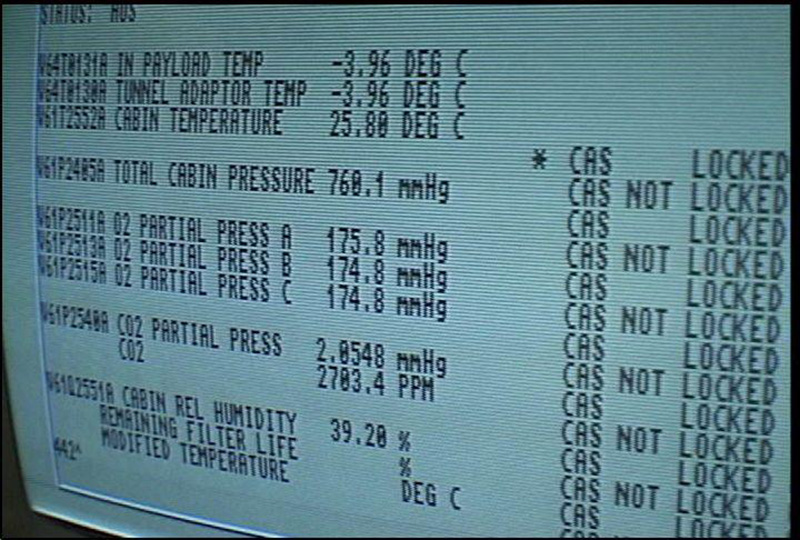
In 1986, a group of NASA engineers faced a difficult choice in solving their data processing woes: continue tolerating the poor performance of PC architecture, or pony up the cash for exotic workst…
thick pendant
elfin oxide
Not really even devs from back in the day stated a lot of the hardware was usele...
How about all the video production stuff (Video Toaster)? If you ever went to an Amiga conference it was much less about games and more about video production and multimedia.
void belfry
All on our core. Sure, I can see the advantages of also having FPU (and MMU) and probably overall a better CPU (030/040) to get more advanced stuff like even Unix (Amix I think ? ) /BSD (not sure about last, maybe I am confusing it with the X68000 version), but for what it is now, I am overall satisfied with the experience (can't much compare it with real H/W except what I saw at friends/YT/etc)


 hollow ice
Yeah, I would love to be able to run amix on the core, but need 030 with fpu and mmu as well as a scsi controller
granted, from the ao486 issue tracker, even sorg is looking at hybrid fpga/emulation for more advanced cpus when a new base fpga board is available….so for the next mister hardware, it might not even be an issue given that good 030/040/060 emulations exist
on a different topic, does anyone know off hand how much fpga io is left unused in the ao486 core or is everything accounted for?
 copper grail
thick pendant
How about all the video production stuff (Video Toaster)? If you ever went to an...
copper grail
thick pendant
How about all the video production stuff (Video Toaster)? If you ever went to an...
Indeed. The Amiga's video sync signal could be genlocked to that of a TV studio, which made it great for doing live television graphics.
I designed, drew (in DPaint) and programmed (in assembly) the real-time graphics for a popular TV quiz (Lingo), back in the nineties as an intern. I was studying to become a 3D animator at an art school and all students had Amiga 2000s (later some 3000s and 4000s), with 68030/68882 cards and harddrives, for 3D rendering. The school itself had lots of Amigas (also used for 2D animation using DPaint) and a couple of Silicon Graphics machines running Wavefront and Electro GIG 3D.
The Amiga was also used a lot for cable news channels, mostly running Scala.
ruby bramble
Just a heads up, I uploaded 11th hour without config files included. So anybody who played it would have had the colors all messed up. I just reuploaded it and included the config files
opal void
void belfry
All on our core. Sure, I can see the advantages of also having FPU (and MMU) and...
what's Amix? Amiga Unix? 😮
hollow ice
opal void
 thick pendant
copper grail
Indeed. The Amiga's video sync signal could be genlocked to that of a TV studio,...
thick pendant
copper grail
Indeed. The Amiga's video sync signal could be genlocked to that of a TV studio,...
Yes, saying the Amiga's hardware was useless other than for gaming is like saying a GPU is useless for anything other than gaming.
copper slate
The Amigas are awesome PCs
I never owned one but the games and desktop environment is impressive as hell for the time
opal void
yeah the games were so good until PC hardware picked up in the early 1990s
I was always fuming when I compare between the graphics of MS-DOS games and their Amiga ports
 fleet cave
the amiga environment is cool, but I wonder how much of the pain I'm not experiencing because I run it on a mister
like how annoying was it to run from a floppy
opal void
it never had HDD?
hazy tree
You could put a hard drive in it but most people didn’t have one, and back in the day before whdload most games weren’t installable anyway
I miss the floppy disk noises
hollow ice
Depends on what it was used for. Those toaster/flyer amigas tended to have a ton of hard drives.
Games, probably not so much.
elfin oxide
thick pendant
How about all the video production stuff (Video Toaster)? If you ever went to an...
Yes the Amiga was great for early video work like Genlock, early 3D modelling etc but the computer was marketed and used more as a games machine. You could argue this is where Commodore did their most business with it and even then it was very regional based, being more popular in the UK and EU
Workbench was mostly useless from floppy disk and hard drives were silly money especially around the A500 times
elfin oxide
fleet cave
like how annoying was it to run from a floppy
It was very painful from floppy and then of course you had limited space.
elfin oxide
hollow ice
Depends on what it was used for. Those toaster/flyer amigas tended to have a ton...
But those were not really consumer focused, even the likes of the A1500/A2000 were very expensive
The A500 in 1989 was £399 which is around £1200 now accounting for just inflation
void belfry
opal void
what's Amix? Amiga Unix? 😮
Yes, as @hollow ice said. Speaking on 68K series and Unix, I was also thinking to this https://wiki.netbsd.org/ports/x68k/
but again, we will need more than 030+ (FPU + MMU) if ofc someone makes it, but also SCSI emulated and so on
copper grail
thick pendant
Yes, saying the Amiga's hardware was useless other than for gaming is like sayin...
If that was true the big box Amigas wouldn't have existed at all
copper grail
fleet cave
like how annoying was it to run from a floppy
The desktop booted pretty quickly from a diskette, because most of the system was contained in the Kickstart ROMs (which, when using an Amiga 1000, you still had to load from a disk first). Usually you would just boot into DPaint, 3D application, Assembler etc. A second drive was really handy to have to save your data to.
I worked for years on a standard Amiga 2000 without a harddrive (programming, 2D/3D graphics and animation, music etc.) and my cousin worked for many years that way (on a basic Amiga 500), making music with Music-X using his vast collection of classic Roland synths and doing DTP with pagesetter.
elfin oxide
thick pendant
Yes, saying the Amiga's hardware was useless other than for gaming is like sayin...
Originally GPUs were useless for anything but gaming then GPGPUs took over. Nvidia rode the low compute model for sometime even up to Maxwell/Pascal architecture. AMD embraced it earlier as it saved development costs when they were struggling one architecture for a both markets
thick pendant
elfin oxide
Originally GPUs were useless for anything but gaming then GPGPUs took over. Nvid...
the first PC GPUs such as the IBM 8514/A, TMS34010 (TIGA) , XGA and Targa were NOT used for games...
Same with all the ATI "Mach" and Matrox stuff.
I had the Matrox Millennium and the only game for it was the included fighting game which was more of demo than a real game...
website description
 cerulean rivet

Patreon
Documenting the development of a new Amiga AGA and OCS version
inland sinew
Gahh... how can a floppy have DRM?
Game tells me it doesn't detect the same floppy I used to install it!
summer dragon
@inland sinew what game and is it ao486? There are softwares like Neverlock that can remove DRM from some games
elfin oxide
thick pendant
the first PC GPUs such as the IBM 8514/A, TMS34010 (TIGA) , XGA and Targa were N...
These were very different to MPGPUs we have now which are used for compute, AI etc. I had a Matrox G200, 3Dlabs Permedia 2 etc back in the day. The advantage now is the parallelism and the amount of shader cores which are multipurpose
inland sinew
summer dragon
<@601564321532608513> what game and is it ao486? There are softwares like Neverl...
Lemmings and yes, ao486.
ruby bramble
The second I learned of this game’s existence I had to stop what I was doing and immediately make a vhd for this up on archive.
@copper slate I’m sure you will def get some use out of this one
 void belfry
close, but no cigar 😦 trying again LUnix networking on C64 core, unfortunately it does have issues detecting rs232. So basically the fifo64 (a simpler serial driver) detects it as 16450 UART, and not the 16550 that the standard driver rs232std expects ?
 copper slate
ruby bramble
The second I learned of this game’s existence I had to stop what I was doing and...
copper slate
ruby bramble
The second I learned of this game’s existence I had to stop what I was doing and...
That’s amazing! Thank you!
summer dragon
inland sinew
Lemmings and yes, ao486.
ah ok, I’d bet that Neverlock or another software can remove the protection from that one. If I get a chance, I’ll take a look later today
inland sinew
It's weird that it won't detect it naturally though. It's a floppy, right?
woven lava

GitHub
FPGA Gravis Ultrasound over LPC bus experiments. Contribute to nukeykt/LPC-GUS development by creating an account on GitHub.
would this work with the ao486 core?
 wicked smelt
^^ that was the first thing I thought of when I saw this
 wheat folio
welcome @wicked smelt !
 tall grotto
Welcome :3
tall grotto
woven lava
would this work with the ao486 core?
depends if there's room in the core. Not for me to say though
woven lava
it can always be forked for a dedicated GUS core... not ideal but Id rather have a way to use GUS on MiSTer
 umbral oar
the Epic MegaGames core
wheat folio
Epic MegaGames: "We sure wish we'd bought Amigas"
woven lava
Epic and Demoscene Core
inland sinew
Looking for an Atari ST guide. I can get it to boot and run .st games, but can't find anything on how to configure more advanced stuff.
 limpid tiger
Speaking with an FPGA developer friend of mine (who is not a MiSTer dev yet), he says he's found some bugs in the X68000's YM3802 section, and has rewritten it to work properly...
It is part of the x68000 core. For some reason it was called EM3802 whereas the chip is actually called YM3802.
I'll finish my project and once I know it is sound i.e. my board works on a real X68000 + Roland expander, I'll offer it.
Via a pull request
It seems it might also have been an add-on for MSX at one point, but I'm not sure (and it probably isn't in the current MSX core)
I just wanted to gauge whether this is something that people might be interested in
(You can probably tell from the quote above that he is making an actual board for the actual machine first)
 sweet scarab
Any improvement is welcome, I would think.
I really need to dive into the x68000. Been holding off in hopes some improvements would be made.
woven lava
the Japanese computer cores need more love
 sudden ice
limpid tiger
Speaking with an FPGA developer friend of mine (who is not a MiSTer dev yet), he...
sudden ice
limpid tiger
Speaking with an FPGA developer friend of mine (who is not a MiSTer dev yet), he...
This is great!
inland sinew
Call me 40 years too late, but damn, GEM was such a great GUI for 1985!
opal void
woven lava
the Japanese computer cores need more love
esp. NEC and MSX
opal void
I can help with the ROMs of the NEC PC-6001 MkII
 jolly kraken
woven lava
the Japanese computer cores need more love
jolly kraken
woven lava
the Japanese computer cores need more love
X68K being completed is most wanted non-console core by a long way
 copper slate
jolly kraken
X68K being completed is most wanted non-console core by a long way
copper slate
jolly kraken
X68K being completed is most wanted non-console core by a long way
Is it because it has pervert games?
wheat folio
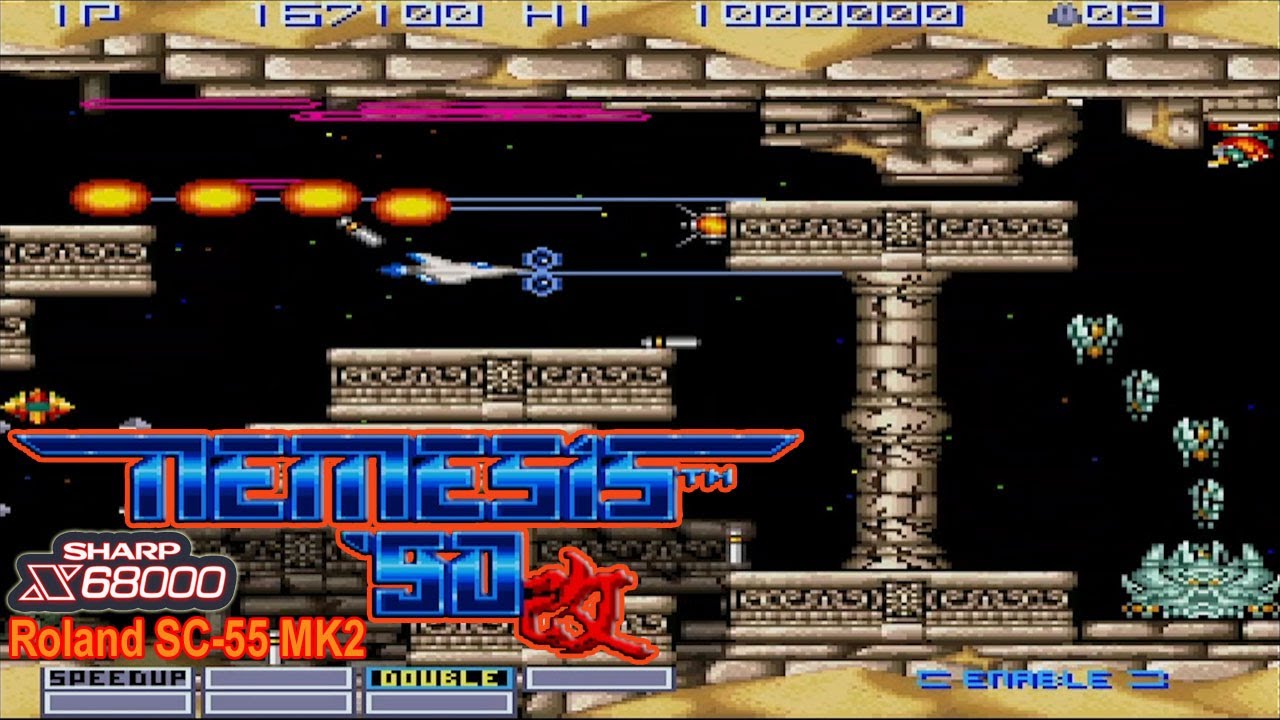 jolly kraken
copper slate
Is it because it has pervert games?
jolly kraken
copper slate
Is it because it has pervert games?
Why else?
woven lava
copper slate
Is it because it has pervert games?
surely less than the PC98🤣
inland sinew
jolly kraken
X68K being completed is most wanted non-console core by a long way
That and FM Towns
languid sparrow
Speaking of which, I remember as a kid it felt like Dragon Knight III had a full page ad in like every gaming magazine for what seemed like years.
At the time, I had played Ys I & II, Cosmic Fantasy 2, etc., on TG16-CD and naively figured this must be similar.
 limpid tiger
hahaha. I heard the computer version was a LOT racier than the console version.
 crimson fulcrum
System requirements 286 w/ MS-DOS
IBM Compatibles confirmed hentai computer
languid sparrow
The modern hentai machine:
https://www.aliexpress.us/item/3256805356267711.html
hmm, doesn't seem to have a Turbo button that I can spot in the pictures
hollow ice
languid sparrow
I see someone found @copper slate’s magazine stash
tall grotto
woven lava
the Japanese computer cores need more love
So much this ... No shame to the fm towns lovers but I feel the x68k has a far more interesting library. Not the hentai stuff even. I'd love to enjoy a lot of the legacy that console started. Street fighter 2 had its home debut on the x68k and was used as the basis for other console ports.
copper slate
hollow ice
I see someone found <@314946127487172609>’s magazine stash
LOL even if I wanted to buy it but damn my parents would never buy me a game with that kind of cover. Hooooy moly lol
woven lava
you might have had a chance with the previously imported game
 copper slate
I did get away with leisure suit Larry 7 lol
It’s by the kings quest people, how could it be bad???
 worn wyvern
tall grotto
So much this ... No shame to the fm towns lovers but I feel the x68k has a far m...
worn wyvern
tall grotto
So much this ... No shame to the fm towns lovers but I feel the x68k has a far m...
Datana Twinbee on PSX and Saturn is apparently based on the X68000 version (telling from the credits), which is probably why it doesn't support tate.
inland sinew
I agree that the X68K is the superior computer, but the FM Towns is still worth it for some stuff, too.
Both cores would be good to have to cover arcade games whose cores we won't be getting until way later.
 merry valve
Is it possible for someone to make a 0mhz VHD for Chuck Yeager's Air Combat? I suppose I can try myself if there is some sort of tutorial.
inland sinew
merry valve
Is it possible for someone to make a 0mhz VHD for Chuck Yeager's Air Combat? I s...
Does it need to be a 0MHz VHD? It's not horribly difficult to run games from virtual floppy images once you have DOS set up and can access the command line.
merry valve
I'd just like it to be congruent with the rest of my setup.
opal void
inland sinew
Does it need to be a 0MHz VHD? It's not horribly difficult to run games from vir...
only nerds like to do that /s
summer dragon
@merry valve if you want to check the MiSTer forums, I posted an easy VHD maker tool there and there are instructions in there. Once the VHD is made you can just mount it in Windows, add your game files, adjust a few settings and you should be good to go
I had started on trying to make a more “all-in-one” tool that let you specify the path to your game files and needed settings and it would do everything for you, but life got busy and I lost motivation and no one has bugged me about it 😅
inland sinew
Does a collection/interface for Atari ST like how Amiga has WHDLoad?
opal void
merry valve
I'd just like it to be congruent with the rest of my setup.
how congruent?
 rare plume
I noticed in the 0MHz collection that the Ultimate DOOM was only loading the original game with 3 episodes. I opened up the VHD file to replace the WAD file, but it matched. Looked through the README and FastDOOM requires the WAD to be named DOOMU.WAD to load the Ultimate DOOM


working fine now after renaming the file
turbid swallow
Nice catch!!
summer dragon
sweet, I’ll have to adjust that!
ruby bramble
@copper slate uploaded almost the whole Pajama Sam series for the little ones, I’m doing more games by humongous later. Putt putt, freddi fish etc
wheat folio

Ars Technica
Project's creator talks to Ars about where FreeDOS has been, where it's going.
copper slate
ruby bramble
<@314946127487172609> uploaded almost the whole Pajama Sam series for the little...
Lol you’re a household hero, I told my kids “I talk to the nice man who made these work” they know you as Billy lol
ruby bramble
That’s awesome! I’m uploading the fifth pajama game now
Beyond the first five they’re too new to get going
Is there anything else I should be looking at?
Somebody recommended the magic school bus, I’m nostalgic for one of those but there’s like 10 of them
ruby bramble
You’re welcome
All these games by humongous are really high quality
I’m quite surprised, I remember them from when I was younger but didn’t think they’d hold up
The Darby the dragon game I uploaded before should also be up your kids alley too
ruby bramble
Darby the dragon has more of that Zelda cdi animation from that same studio
 proper zodiac
Grew up on humongous and loved all those games. Played some recently on the mister via scummvm and had a great nostalgia trip
turbid swallow
Freddi Fish, Spy Fox, Putt Putt, those were my first adventure games as a kid before graduating to the Lucas Arts stuff. Awesome work @ruby bramble
ruby bramble
Thank you, they seem like a small step below lucasart visually and animation wise. Very impressive. Really stylistic games for what they are. Well written too for the type of material it is.
inland sinew
I've been playing some of the DOS ports from arcade and NES out of curiosity. I am rapidly losing curiosity. How does one mess up SF2 that badly?
ruby bramble
Ohh buddy, try Contra
inland sinew
I have already tried Crapholevania.
proper zodiac
The dos version of simpsons arcade is tragic
It was the only port for the longest time
hollow ice
Some of those sf2s feel like hacks. The one I know for sure is official is super street fighter 2 turbo
It runs sort of poorly on ao486, but I remember it being near perfect on my pc at the time. Resolution is a bit off, but the arranged soundtrack was great
rare plume
Need to try out Mortal Kombat 1 and 2. They had good PC ports
hollow ice
I don’t remember them being playable on the core. They had good ports for sure though.
wheat folio
hollow ice
It runs sort of poorly on ao486, but I remember it being near perfect on my pc a...
That was such a heavy hitter port on DOS. I was amazed by it and let down by the lack of quality controller options.
hollow ice
Yeah, that’s the funny thing. I remember having six button control at some point, but I might just be misremembering. I think mine actually came with the Gravis gamepad which was 4.
At some point I bought a Microsoft sidewinder pad with 6 buttons but I can’t remember if I used that or not.
wheat folio
There was an official Capcom pad that came with ssf2 (not turbo) that sucked but had six buttons. Then the sidewinder was pretty good and had six buttons as well.
hollow ice
the version that was in flynns pack didn't have an option for 6 button, so, I think I am just misremembering using my sidewinder with it, or maybe I used a keyboard mapper or something
turbid swallow
I played Abuse way back in the day, fun/frustrating times with that one. I was surprised to find that there was a version with music, the version we have in the 0mhz pack has it. Off by default, but you can enable it in the setup.exe.
On that note:

 spring lodge
Please tell me how to add a game to the dos 0MHz collection?
copper slate
spring lodge
Please tell me how to add a game to the dos 0MHz collection?
The files are organized in a way where you can drop the three folders into //media/fat/ and it’ll work
spring lodge
copper slate
The files are organized in a way where you can drop the three folders into //med...
how do you add Dangerous Dave in the Haunted Mansion?
copper slate
spring lodge
how do you add Dangerous Dave in the Haunted Mansion?
Do you have three folders in the zip file?
spring lodge
copper slate
Do you have three folders in the zip file?
I have a 0Mhz collection with games installed initially, how can I convert dangerous dave.exe so that mgl, vhd and config files appear?
copper slate
The 0mhz collection comes with everything you need to drag and drop over to your SD card. There’s no converting necessary. You launch the game using the MGL file provided.
spring lodge
copper slate
The 0mhz collection comes with everything you need to drag and drop over to your...
Where can I get Dangerous Dave in the Haunted Mansion mgl?
copper slate
I can’t link you to where you can find dangerous Dave unfortunately. I would check the internet archive.
Sorry
spring lodge
copper slate
I can’t link you to where you can find dangerous Dave unfortunately. I would che...
But does it definitely exist for the 0Mhz collection?)
copper slate
spring lodge
But does it definitely exist for the 0Mhz collection?)
I see the issue. So there’s the official 0mhz collection that’s in one archive. Others have contributed games outside of the 0mhz archive and Dangerous Dave is one of those games that’s not part of the 0mhz archive.
You’ll need to search for that
They are presented in the same format. An MGL, a VHD, and a config file.
spring lodge
copper slate
I see the issue. So there’s the official 0mhz collection that’s in one archive. ...
Found it, thank you very much!)
copper slate
spring lodge
Found it, thank you very much!)
I’m glad you did. Sorry for not being able to link it directly but thank you for understanding.
spring lodge
copper slate
I’m glad you did. Sorry for not being able to link it directly but thank you for...
Why can't you provide links here?
copper slate
spring lodge
Why can't you provide links here?
Being this is the official MiSTer discord, we don’t want any copyrighted material being shared here. End users must locate or source that themselves, presumably from their own game collections.
It’s just a U.S. legal thing
spring lodge
copper slate
Being this is the official MiSTer discord, we don’t want any copyrighted materia...
Understood thanks)
fleet cave
I kinda love how someone created a semi-curated collection of vhd/mgl stuff for PC, named it '0Mhz collection' and then everyone basically devalued the actual curation part of the 'collection'
wheat folio
GORILLA.BAS 0Mhz collection
hollow ice
Or, by providing the containers they have made it easier for each person to curate their own collection 😉
Given that even the downloader is third party and the original intent was “download the individual games you care about”
copper slate
The term “0mhz” has sort of become the PC Game MGL launcher format. There’s an official 0mhz collection of course but I love all the additional games converted over to MGL that the community has provided. Additionally sticking with the 0mhz tag has also made it super easy in discovering those games.
 lunar trellis
I wonder how large the entire DOS library would be in the 0mhz format, if it would be feasible one day with storage being so cheap to just have everything as a pack
void belfry
Basic Linux distro (https://distro.ibiblio.org/baslinux/) running on ao486 🙂
I still have issues with it running directly off the VHD (some partitioning/lilo issue, will probably get rid of it soon) and needs boot floppy, but it works nevertheless. The Initial install was made in 86boox, as it appeared ao486 has some FDC issues.
Also to figure-out the correct ppp config to get it on the net as well. Supposedly there is X11 support, will see.


 void belfry
Very crude method I used: got floppy version, unzipped it.
There is disk1 (the boot disk) and a disk2.tgz archive which needs to pe copied on an empty FAT formatted floppy image (that would be the root disk)
Created a 42 megs fixed sized VHD with 86box, booted disk1 on my close enough 486sx setup and followed on-screen help/messages, swap to disk2 etc
I used "fdisk /dev/hda" to make a single bootable Linux (type 83) partition, then "mke2fs /dev/hda1" , mounted it to /hd then used the "install-to-hd" script.
After finishing, also did "lilo -v" and it works just fine in 86Box. On ao486 it would require to boot off floppy and hit Control key when LILO appears then issue an "hd root=/dev/hda1"
I tried to do the same dance of installation directly on MiSTer but when swapping the boot for the root floppy image, it will throw some "device busy" errors on and on.
Thinking already to see if using 2nd FDD would help, as well as testing dual boot/install with/from a DOS partition as well.
As I said, that I will get trying to boot off right away the VHD from 86box will fail, but the root fs is there, as showed with the help of boot disk. Might be smth off on that side as well, as some VHDs worked, some didn't in the past as well, iirc (and not very sure on that memory) smth related to disk geometry
 woven lava
hollow ice
Some of those sf2s feel like hacks. The one I know for sure is official is super...
woven lava
hollow ice
Some of those sf2s feel like hacks. The one I know for sure is official is super...
look up SFLIU... it's not exactly a hack... more like a homebrew with graphics ripped from photos of an NTSC TV (!) ... but it was better than the official SF2 port!

Back in the day, before the PC was a gaming powerhouse, a homebrew version of SF2 appeared for PC. And believe it or not.. it was more fun to play than the official port!
SF2LIU was a patch of the Korean SF2IBM improving graphics, move sets, and gameplay tweaks. Recorded version is 2.0 but the latest is 2.2.
The game plays pretty well on MiST...
void belfry
with boot disk, root fs on hdd

 woven lava
fighting games work quite well on ao486 with gamepad mapped to keyboard
void belfry
when it comes to fighting games, while amazing me on OMF/FX Fighter and some others, ao486 "failed" me when it came to Body Blows and some obscure rabbit ninja smth game 😄 not a biggie, just some old memories of what I played in highschool lol
rare plume
Anyone try One Must Fall: 2097 on the core?
void belfry
yes, it works. Replace dos4gw with dos32a, from the top of my head. You can also check previous discussions around that using the search function
Think there is also an "archived" bootable vhd with it, but not sure tbh, I use my own stuff
void belfry
 rare plume
Awesome - definitely need to add that. Thanks!
 worthy zealot
void belfry
yes, it works. Replace dos4gw with dos32a, from the top of my head. You can also...
worthy zealot
void belfry
yes, it works. Replace dos4gw with dos32a, from the top of my head. You can also...
Indeed. DOS32A generally does better than DOS4GW. I think there might be a few games that has issues with DOS32A, but its less than a handful. Some games hide DOS4GW in the exe, or even some data file. F.ex. Command and Conquer wont run if you run it without DOS32A, but its not obvious that it uses DOS4GW, because it hides in a... I think its a bin or dat file. But if you use DOS32A on that big data file, it will find and replace the DOS4GW part and run the game without even using the exe file.
One of the issues with DOS4GW is it lacks support for more than 64MB of RAM, at least unless you have the latest version of DOS4GW, but most games use an earlier version.
 white siren
woven lava
look up SFLIU... it's not exactly a hack... more like a homebrew with graphics r...
white siren
woven lava
look up SFLIU... it's not exactly a hack... more like a homebrew with graphics r...
i think this is the one i played
does FX fighter work
void belfry
white siren
does FX fighter work
it does with the help of an FPU emulator. https://misterfpga.org/viewtopic.php?t=6639
void belfry
worthy zealot
Indeed. DOS32A generally does better than DOS4GW. I think there might be a few g...
yeah, I remember Command and Conquer issue we talked about some years ago 🙂 https://misterfpga.org/viewtopic.php?p=13211#p13211
void belfry
void belfry
Very crude method I used: got floppy version, unzipped it.
There is disk1 (the b...
lol, i didn't see this yesterday 😄 Renaming to VHD and it boots just fine on ao486
 inland sinew
copper slate
The term “0mhz” has sort of become the PC Game MGL launcher format. There’s an o...
inland sinew
copper slate
The term “0mhz” has sort of become the PC Game MGL launcher format. There’s an o...
What sorts of other games have been put into the 0Mhz collection?
Also, anyone know if or how well OS/2 3.0 Warp works on ao486?
void belfry
inland sinew
Also, anyone know if or how well OS/2 3.0 Warp works on ao486?

This is a raw capture on how IBM OS/2 Warp runs on the 486 fpga core in the MiSTer project and also connecting to Captain's Quarters BBS using PMCOMM. Please be aware that if you use headsets to lower the volume, as the modem sounds might not sound pretty to your ears at full volume :)
For more info on MiSTer project, please visit the Wiki : ht...
Still not been able to find a better video driver and make slip/ppp work. Other than that, think it runs quite ok.
I'll get back to it at some point, for time being I'm distracted getting Unix/Linux - like OSes to work if possible, plus some other obscure OSes for other cores
I got recently some ftp mirrors with tons of OS/2 related stuff, need some time to dig through all of it
void belfry
CD-ROM/FAT/Audio support on Basic Linux, as well as MC aaaand X 😄


 void belfry
PPP is working as well 😄 so now I can use the shared folder to ftp the packages from ARM side to BL3

 copper slate
lol you said PP
void belfry
Now to get a better browser, and add ssl support as well 🙂 fun times

 copper slate
@void belfry hey that’s pretty cool stuff, I hope you succeed!
void belfry
It is also amazing fast
languid sparrow
I was thinking of playing Quest for Glory in order, because you could import your character from part 1 to part 2, etc. What would be a good way to transfer the save file between them?
ruby bramble
fleet cave
I kinda love how someone created a semi-curated collection of vhd/mgl stuff for ...
I see your point on curation, but the 0mhz collection encouraged submissions from the start, both in the faq on the website and the fact that it linked to the archive search results and not his archive page directly.
void belfry
IRC (using NAIM client) working, as well as FTP with ncftp client under BL3

 void belfry
multi-tasking, several virtual consoles (3 default), different Window managers, I start to love how good this works. Still no dice with SSL support (will need to upgrade a lot of libs, maybe even the kernel if possible and so on). Plus to find some old Opera (ver 8) static-QT package. And Doom if extremely lucky. WIP 🙂


 void belfry
lol, went whole 9 yards to get ftp working from ao486 with BL3 to MiSTer ARM Linux in order to transfer some files when the more obvious choice was there all along (mounting the damn VHD in ARM linux side of things, copy whatever crap and be happy).... 🤦♂️
 worthy zealot
Linux on AO486? I just started my Summer vacation, and do have plans to test some things I have not gotten around to test on the MiSTer. A optimized build of the AO486 core I need to try out and my new PiMidi, and the MiSTer Floppy for the Minimig core. And now it seems, this Linux that can run on AO486 🙂
void belfry
So far I got Gentoo and this BL3 (Slackware 4, 2.2.6 kernel) Linuxes working, as well with ELKS/Minix and QNX Unix based ones. And some PicoBSD floppy, couldn't make it see the IDE though
Have to do some more work on Gentoo, already compiled the kernel to support PPP but need to install net-dialup packages
BL3 so far is the most promising, it boots amazingly fast and Slackware 4 packages can be installed as they still use libc5. These days I'm trying to update it as much as I can, so I could use better packages from newer distros, still having issues with SSL. And to try as well better GUI resolutions
 void belfry
For who wants to quick test it, there is a 100 megs BL3 image (BL3 3.50 image for QEMU users link) on the https://distro.ibiblio.org/baslinux/ page.
Rename it to VHD and it boots just fine.
There are several add-on packages as well, the most important for me were **mc **(Midnight Commander), **naim **(IRC/ICQ/AIM client) and **icewm **(a nicer Window manager for X)
You can transfer them to VHD by mounting it under MiSTer ARM linux (F9/SSH into it), don't forget to umount it afterwards:
"mount -o loop,offset=32256 bl3-5qemu.vhd /mnt" to mount it, "umount /mnt" to unmount it.
Package installation is easy, from BL3 just issue "pkg package_name.tgz" and it should get it done. Eg. "pkg mc.tgz"
For audio you need some module files (https://distro.ibiblio.org/baslinux/add-ons/2_2_26/modules/misc/): soundcore.o, sound.o, uart401.o and sb.o
Put them in the /lib/modules/2.2.26/misc directory from the BL3 VHD.
Do an "edit /etc/rc" and comment/uncomment/add several lines as in the image below:
-uncomment (delete the #) insmod/mount lines from Activate_CD_Drive section
-comment (add a #) lines from Activate_Ethernet
-uncomment insmod lines from Activate_PPP
-add an Activate_audio section as in the picture
Ctrl+O saves the file, Ctrl+X exits it.
PPP can simply be started by "pppd /dev/ttyS0 115200 defaultroute mru 1500", don't use that "pppsetup" default script.
Be sure PPP is selected in OSD, plain 115200.
You can as well put that pppd line at the end of /etc/rc to have it automatically started at boot.

Also, for cd-rom you need to "edit /etc/fstab" and add a last line like below:

Now, the BL3 should have CD-ROM, audio and PPP support right at boot. GUI starts with startx, I used first option (640x480), will see better res later
Oh, /etc/resolv.conf should be also edited with a "nameserver 8.8.8.8" (or any other DNSes of choice
void belfry
while it can boot off the floppy image as well, it has issue with it afterwards. Discovered this while trying to make a bigger vhd and playing around with bootsectors (lilo freezes on my install for now, otherwise with a boot floppy it can be used without issues)
 void belfry
Except using qemu (which I only installed it now under WSL2 Ubuntu and didn't tested it yet), I failed to produce a bigger VHD fully bootable with BL3, neither with ao486/MiSTer or 86Box (floppy install works in 86Box/fails under ao486, cloning the working disk work in both but neither results are fully bootable, no matter if using MBR or just having lilo in first (root) partition).
The ext2 filesystem is there, the partitions and the files are there, but it will freeze after displaying "LI" from Lilo prompt.
Even dd-ing the bootsector from working VHD to new one didn't do the trick, but using the boot floppy disk, hitting Ctrl key and then "hd root=/dev/hda1" boots and mounts the root (and other partitions) from VHD
 thick pendant
void belfry
Except using qemu (which I only installed it now under WSL2 Ubuntu and didn't te...
thick pendant
void belfry
Except using qemu (which I only installed it now under WSL2 Ubuntu and didn't te...
can you get this working? https://hannahmontana.sourceforge.net/
void belfry
I highly doubt it will work 😄 Never heard of this until now, but it seems based on ubuntu with kde, probably way too much for ao486
if the kernel is compiled for i386 with FPU emulator, there is a chance. However, from all I tested so far (starting from Unix V, BSD to Linux without FPU) most of them also failed with the FDD/IDE controller errors or some other errors
The only Unix or Linux OSes I know to work on ao486:
ELKS/Minix - works as well on XT core, supports serial and SLIP connectivity
QNX 4.25 - works fine, supports PPP. Also its famous demo floppy disk works
Gentoo Linux - not my work, still need to install at some point net-dialup so it would have PPP. Most modern Linux on ao486 I know to work
Basic Linux 3.5 - Slackware 4 distro, still working to get a fully bootable bigger vhd
PicoBSD floppy - some old BSD crammed into a floppy image, more like a novelty, iirc it doesn't see/work with hdd images
void belfry
thick pendant
can you get this working? https://hannahmontana.sourceforge.net/
I wonder if installing it in a VM/emulator, rebuilding the kernel with FPU emulator support might do the trick... Again, no clue how it will work (or not) with ao486 IDE afterwards

 void belfry
hmm...for now 86box doesn't boot the iso, PCem does it but will crap out at some point with graphical artefacts when installing. ao486 does boot the iso, but needs a different kernel due to lack of FPU so can't proceed further with it yet on the core
void belfry
maybe qemu will give better results, still need to set it up properly as I need to test BL3 as well
 wraith creek
Regarding the OPL3 implementation in AO486; is it just a software issue on my side (a badly configured driver or mixer?) or the volume of the OPL3 is a lot quieter than that of the rest of the soundcard? I have to put audio boost at 4x in the Mister menu to hear music with my speakers at almost maximum volume, and then when a sound that isn't from the OPL3 plays it's extremely loud
fast kraken
did it get worse recently or always been the case?
wraith creek
It's been like this at least since april with gtaylormb's many updates to the OPL3, but to be honest, I haven't really tried it before so it could have been like that before too
I haven't tried on a new image/install so I don't know if it has anything to do with it but I was mostly just checking if it was a known issue everyone has
fast kraken
it's always been a bit quiet (thus the 4x boost option) but that sounds extreme
elder basin
seems fine to me, but it really depends on the game and how they've programmed the instruments vs Fx that determines the levels. I find in Doom I set the Fx volume to 25% and the music volume all the way up. I used to do this too on my PAS-16 486 machine in the 90s. Which game specifically?
I also use an external DAC over toslink now, so total volume isn't a problem for me
wraith creek
elder basin
seems fine to me, but it really depends on the game and how they've programmed t...
For instance, Adlib Tracker 2
elder basin
I actually thought that didn't run on ao486: https://misterfpga.org/viewtopic.php?t=6199&start=60
but, great you have it running. Although maybe not the best to test Fx vs. music volume
I'm interested to know more about how you got AT2 running, but don't want to hijack the convo. Are there other games that include DSP and OPL3 that seem way off? You are the first person to report this to my knowledge
oh wait, I see it was you that posted "2.3.52 works for me, it does not use CWSDPMI."
before I started using my external DAC/amp setup the most I used was audio boost 2x and OPL3 was plenty loud on my Senn HD-25s directly connected to headphone jack on analog IO board
but never ran AT2
easy enough to do a left shift on the samples coming out of the OPL3, but I don't think anyone else is having this issue
if it's just AT2, I assume you have control of the instruments? Try boosting the levels of your operators, e.g. TL=0
 bitter oar
I did a lot of interesting and fruitful experimenting with PC-98 on RetroPie on my Pi 3B+; can't wait to get a MiSTer soon and see if I can contribute anything meaningful
 blazing canopy
Just got the 0mhz collection on my sd cars. But all I get is a black screen on all games. Anyone know what im screwing up? I had flynns top 300 before and it worked fine.
copper slate
blazing canopy
Just got the 0mhz collection on my sd cars. But all I get is a black screen on a...
Did you overwrite the ao486 cfg with the one provided?
blazing canopy
copper slate
Did you overwrite the ao486 cfg with the one provided?
Yup. I did. Several times since it didnt work 😅
copper slate
blazing canopy
Yup. I did. Several times since it didnt work 😅
Double check you placed the provided files in the right location
//media/fat/games/ao486/media
I think that’s it
You launch the games with the MGL file
blazing canopy
copper slate
I think that’s it
Looks exactly like that. And yes mgl files. Got the pack from archive.org
blazing canopy
I just found what I f-d up.
When removing the top 300 I also deleted the bios files.... 💪🏼
wraith creek
elder basin
I'm interested to know more about how you got AT2 running, but don't want to hij...
Now that I think about it, everything that does this that I remember runs through Windows 3.1 (including AT2, I can only get it through Windows)
summer dragon
blazing canopy
I just found what I f-d up.
When removing the top 300 I also deleted the bios fi...
that’ll do it! I feel like a black screen on boot for ao486 means missing bios files like 95% of the time
wheat folio
Chatting about 0mhz collection on another server, and just found out that both Hawk Hubbard (of ACiD Underworld BBS/ANSI scene) and m0d (who ran the modarchive for demoscene music) died in the past few months. Profound sadness for this old MS-DOS user. 😦 We're all fading away...
worthy zealot
wheat folio
Chatting about 0mhz collection on another server, and just found out that both H...
😦
copper slate
Just a reminder that gaming peaked with this release
 ruby bramble
copper slate
Just a reminder that gaming peaked with this release
ruby bramble
copper slate
Just a reminder that gaming peaked with this release
Make the vhd, I’m waiting!
copper slate
ruby bramble
Make the vhd, I’m waiting!
lol I don’t know how. But I asked my dad to buy that game for me when I was a kid and boy oh boy was I disappointed LOL
 ebon tundra
i still have it some were i think.
ruby bramble
copper slate
lol I don’t know how. But I asked my dad to buy that game for me when I was a ki...
I could see why though, that cg render is something special
tall grotto
copper slate
lol I don’t know how. But I asked my dad to buy that game for me when I was a ki...
Damn. You should have asked him for an X68000 instead. Then maybe we'd have a completed core.
void belfry
thick pendant
can you get this working? https://hannahmontana.sourceforge.net/
Work in progress, will see if first I can produce a bootable vhd image and afterwards if I can recompile the kernel to use 387 emu for our core (also working to do the same, except recompilation for Basic Linux 3 distro). QEMU seems to be the only emulator I tried who can boot the HM iso, besides ao486 (86box and PCem failed on this for me)

since BL3 bootable img on the site was produced with QEMU, I have high hopes I can make a bigger bootable VHD with it
 granite umbra


GitHub
Fixed an issue where text planes used to mask graphics planes were not output correctly in some games
Added some special behavior for the palette function used in some software
Improved stability (...
lunar trellis
Nice to see the PC-88 core getting some love. Be great if it could launch games on first load without a reset after and support more file formats.
granite umbra
What is other file format? You mean for cassette ?
lunar trellis
It has been well over a year since I looked at this one just am sure there were a load of different file formats for PC-88 games and programmes that the core didn't support, maybe different flavours of tape formats
granite umbra
Yes, Tape is not implemented
 late nacelle
tall grotto
Damn. You should have asked him for an X68000 instead. Then maybe we'd have a co...
late nacelle
tall grotto
Damn. You should have asked him for an X68000 instead. Then maybe we'd have a co...
are we only missing the hardware for that? I asked the other day on the forum because of the missing pc-98 harddisk thingy - i probably could source a controller here...
tall grotto
late nacelle
are we only missing the hardware for that? I asked the other day on the forum be...
To my knowledge, no. Making a core is heavily dependent on understanding the hardware. Understanding the hardware really needs documentation on the design... The X68000 is Japanese. The manual is in Japanese, and not just Japanese... 80's Japanese along with notation scribble sometimes. Like English, the 80's had different terms and usage for words regarding computers back then... They're not the same today. And you can't translate Japanese to English without context as Japanese isn't straightforward like English or other latin-based languages. A lot of it hinges on references and the like. Thus someone with an understanding of 80's hardware would be needed.
So how likely is it to find someone that can read fluent Japanese and understand hardware and tech speak from the 80's and also be able to write fpga code.
You can see how slim those results would be...
tall grotto
The current status is incomplete because the developer moved onto fm towns before finishing the x68000 core.
A lot of games don't work because components are missing from the core.
lunar trellis
My understanding is a big issue with these old Japanese PCs isn't just that the documentation is in Japanese, it is that not everything is documented and what is, is in esoteric Japanese technical language that even if you are fluent in Japanese you won't be able to translate it unless you understand what you see reading from a technical perspective.
Which is me just echoing what Nerd Pork said a couple of comments up 🙂
limpid tiger
More like "all the documentation isn't centralized into a central place". Think of the IBM PCs of the 1980s and 1990s. There were a lot of add-in boards, right ?
the X68000 has pretty good doc's from what I've heard. But so few people in the west ever owned them.
And all the games seem to need different, unique sets of hardware
late nacelle
I am not sure I understand the argument. At least not all of it. I get that documentation might be hard to read, but that will be the same for english - for a native japanese speaker. Both languages are very old and were not made to describe computer components. the process of understanding the terms should be roughly the same. As for documentation: I am not an fpga developer, so I can't tell - but I would be surprised of there was a documentation of the super nintendo or of all those arcade boards publicly available to a point where you could just replicate the hardware from it. Wouldn't most companies treat this as their intellectual property and be very lip tight about it? Especially here in Japan, where there basically are no such thing as fair use or preservation rights...
And it also comes to mind how many decent software emulators are out there for those systems. Sure, fpga is completely different, but a working software emulator also means that someone, at some point must have had a certain insight about the inner workings of the system...
crimson fulcrum
for the x68k (and actually, for quite a few other Japanese computers of the era), there's system and service manuals that provide quite a lot of insight on how things are supposed to work, that can be very valuable for creating emulators (fpga or software).
Even on the software side, a lot of x68k software emulators are based on the old XM6 emulator which was written by a Japanese person originally, I'd imagine from testing on a real x68k and from using documentation from said manuals.
but also yes, I'm not really sure where the "esoteric Japanese" part really comes in. I've done some skimming of various Japanese PC manuals from the era and armed with a dictionary it's not really that much harder to grok than a similar manual in English. We still end up at the cross roads of needing someone who can read Japanese and do fpga programming, or a couple people willing to work in tandem to figure things out.
late nacelle
while I live in Japan, I unfortunately failed to adapt the required language skills - but I would gladly help out with getting hands on more exotic hardwre, etc - though my eyes are more set on the pc-98 at the moment
It seems that x68k is now open source and various people help with little stuff - do you have any insight if that would be an option for pc-98, too? as far as I have seen the only source to get the core are the compiled binaries on puu's blog...
crimson fulcrum
there's source out there for puu's pc98, it's bundled into the archives on the blog, but IIRC someone out there did some reorganization of it for mister, forget where tho
it's definitely something far from complete, and PC98 in and of itself is a huge beast just thinking about sound hardware, graphics accelerators, and the generations of processors it went through
late nacelle
thats right - though the thing I am missing the most is currently a sasi adapter, since the missing option to create/work with existing hard drive images really takes away a bit part of the classic computer experience
lunar trellis
As a side bar comment, when people talk about wanting a PC-98 core it is worth noting that the PC-98 range ran from 1982 to 2000. So worth specifying what model/era you are hoping for. We actually already have cores for all the chips needed for the early models, but I can't imagine anyone asking for a PC-98 core is hoping for an early 80s PC-9801 revision.
crimson fulcrum
yeah I think most people asking want something that can play touhou and rusty and other "Japanese not needed" games
which is mid-late 90s-ish
late nacelle
I want to suffer through all those "japanese absolutely required" visual novels hoping they force me to finally get my language skills up to par 😉
crimson fulcrum
tbh unless you're already well used to reading kanji, the crushed up fonts on some of those early VNs can be a bit annoying to recognize
late nacelle
I wouldn't call it "reading", but I can roughly recall the meaning of some 😉
things you pick up in daily life here - like finding out when someone wants money again from an official looking letter and stuff
crimson fulcrum
yeah those letters use nicely made and clear fonts haha 🙂
late nacelle
crimson fulcrum
yeah those letters use nicely made and clear fonts haha 🙂
you don't often get letters from japanese tax authorities, do you? 😉
crimson fulcrum
late nacelle
you don't often get letters from japanese tax authorities, do you? 😉
most of my taxes get paid out of my salary automatically so I usually only get letters asking for me to pay my property taxes
late nacelle
yeah - I am running my own company here and my tax consultant likes to make uncommon mistakes - so I often get letters from the tax office with handwritten post-its attached explaining what part of the official letter still stands and what part I should ignore...
crimson fulcrum
ah yeah, hand written notes is a whole thing
surreal marsh
crimson fulcrum
yeah I think most people asking want something that can play touhou and rusty an...
There are actually several PC-98 fan translations.
36 are listed as fully playable.
crimson fulcrum
I guess that still comes up as are those from the V30 CPU era or 286 or pentium era?
surreal marsh
I don't know much about them. They seem to be mostly 1990s.
One game named "The Screamer" is from 1986 but I don't see any others. Could have missed one since I didn't click on everything.
crimson fulcrum
yeah by the early 90s we already were seeing 286/386 based PC98s, and late 90s had pentiums
it's kind of like, we'd need something on the scale of the AO486 core, rejiggered with extra PC98 goodness, to get the large swath of what people would consider good pc98 games
if anyone wants to play with PC98 stuff right now, neko project 21/w or neko project ii kai, are quite solid for playing VNs and even stuff like Rusty
surreal marsh
Dosbox-x also says it emulates PC-98.
crimson fulcrum
dosbox-x's pc98 had weird/wrong sound last time I played around with it
late nacelle
crimson fulcrum
it's kind of like, we'd need something on the scale of the AO486 core, rejiggere...
that would be a dream...
lunar trellis
How well documented are the early PC-9801 hardware revisions? We do have all the parts needed for the first few models, although even old these Japanese PCs that on paper seem simple have tripped up many a developer trying to build a cores.
tall grotto
late nacelle
I am not sure I understand the argument. At least not all of it. I get that docu...
Adding to what @crimson fulcrum said, PC's of the era were a lot different from consoles. They were generally sold to consumers with the allowance of adding more hardware or working in the system. It was more of an open platform, while consoles were locked down. They had different market strategies.
Also dp, I would look at the X68K manuals.. there's a lot of scribbles and hand notes in there that are a lot different from the more professional looking manuals...
wheat folio
The weird inaccuracies and compatibility issues of the AO 486 core just make it all the more period Authentic to me.
Like I had a 486 that works fairly well, but in a certain doom level editor every time I left clicked, it would turn the computer off.
copper slate
holy shit lmao
wheat folio
It was an IBM that had its own power management stuff that predated all these standards we have so I’m guessing that was it.
opal void
wheat folio
Like I had a 486 that works fairly well, but in a certain doom level editor ever...
which board is that? so I can avoid 😛
opal void
wheat folio
It was an IBM that had its own power management stuff that predated all these st...
ah one of these PS/1 machines that offered early "standby" function?
opal void
yeah I had one
it was so low end... Doom would run on single digit FPS haha
and getting it upgraded was a major chore
so I just sold it
wheat folio
Mine had an overdrive socket so I rocked it as a dx4/75 for way too long
crimson fulcrum
tall grotto
Adding to what <@272071321381240832> said, PC's of the era were a lot different ...
do you happen to know off hand which x68k manuals have the hand scribbles? The ones I've poked at I didn't notice.
ruby bramble
Is anybody here nostalgic for storybook weaver?
opal void
wheat folio
Mine had an overdrive socket so I rocked it as a dx4/75 for way too long
but if you want 100MHz I think you need to do some modding?
wheat folio
Probably. I think mine was locked at 25mhz base.
opal void
wheat folio
Probably. I think mine was locked at 25mhz base.
yeah I remember a lot of modding was required to increase the cache memory, RAM itself, VRAM, adding a DX4/100 etc...
 ember crane
Maybe lot asked question, i want to modify certain games of my 0mhz collection, for example flashback to play it in french language what files i need to change?
summer dragon
@ember crane find a release of the game that has french as an available language and then open the VHD and replace the game files with the new version. you might have to edit the rungame.bat file if the filename to start the game is different (or just rename the exe/bat file that starts the game to match what’s in rungame.bat)
ember crane
I already have the french release of the game. The most difficult part is in fact the modification of bat file, i'll follow your advice and modify it
I'll come back late to tell if it's working
ember crane
summer dragon
<@524344095519539232> find a release of the game that has french as an available...
It perfectly works! Thank You!
granite umbra
GitHub
From the end of 2020 to 2021, Puu-san made some fixes to the FDC/FDemu code.
Merging these fixes resolved the issue of some games not launching.
 jagged lance
Hey all I am trying to troubleshoot FastDoom in DOS on the ao486. Does anyone have a DOS 6.22 image set up and can try to recreate the errors that I am having?
@ me here or DM me and I'll get you links and explain the issues. This is for an open issue on the FastDoom github.
void belfry
Fingers crossed 🙂 Debian 4 Etch, will see how far I can get with it on ao486

 void belfry
As expected, traditional boot/root floppy disk install will fail as many other Linux distros I tried (unmounting/changing FDD image is not recognized)
Luckily, CD-ROM boots just fine, but I am expecting a "many hours later..." experience lol 😄
tall grotto
crimson fulcrum
do you happen to know off hand which x68k manuals have the hand scribbles? The o...
https://nfggames.com/X68000/index.php/Documentation/ My brain may have been remembering wrong. but in the Books folder here, the schematic text seemed like a lot of mess
sudden ice
Btw, the x68000 documentation pretty much documents everything about the hardware and software. So you could probably develop a core with refering to that documentation
tall grotto
sudden ice
Btw, the x68000 documentation pretty much documents everything about the hardwar...
yes but a lot of it is in Japanese, and it's from the 90's and 80's with technical speak from that era. Not the easiest thing to translate unless you also know hardware
so .... from what we understand the only way this is possible is for the same person to understand Japanese, understand 80's/90's computer hardware and how to code in FPGA languages
Hence why we think the x68k has been wip for so long
 eager bronze
i really don't think that argument holds as much water as some people say it does.
as someone who's done exploratory research into working on the PC-6001 (had to stop because i got sick), all the technical speak i encountered there was very readable. often using direct loanwords from english (katakana) for specific technical phrases. at a certain level, electronics is just electronics.
i don't think we should be shutting people down from even trying the japanese pc cores before they even give it an honest go.
at a certain point it sounds like people are just repeating this mantra which creates a vicious cycle of no-one even looking for themselves to see if it's possible
literally 100% of the documentation i found for the pc-6001 was comprehensible to me through very basic machine translation, my already-existing understanding of computer engineering concepts, and a tiiiny bit of japanese language knowledge (reading phonetics, not kanji) (you can teach yourself that in 1-2 weeks!)
limpid tiger
I think one thing that would be helpful is to gather the documentation into a single spot, so that when somebody gets ambitious, that ambition doesn't evaporate through the search
Also, if the documents are already in digital format, modern google translate does a significantly better job than it did back in 2015 or so
(Although I suspect a lot of the documentation will be scans or photocopies, and not reliably copy/pasteable)
There are inevitably going to be situations where it would be very helpful to own (or at least be familiar with) original hardware
I understand that X68000 programmers used a lot of techniques to push at the edge cases of the hardware (especially for protection mechanisms)
eager bronze
OCR works pretty well with japanese unless it's really, really mangled by a photocopier or extremely low-res.
limpid tiger
I've used OCR for Japanese documents. It's hit and miss.
Somebody famliar with Japanese would be able to bridge the gap easily, but not somebody who isn't
opal void
eager bronze
literally 100% of the documentation i found for the pc-6001 was comprehensible t...
what kind of level of documentation?
eager bronze
right, but bridging the OCR gap something someone with preschool-level jpn skills can do. it certainly isn't as esoteric as some claim
opal void
I used to have the English version of the manual for NEC PC-6001 Mk II, but it got lost 😦
limpid tiger
eager bronze
right, but bridging the OCR gap something someone with preschool-level jpn skill...
Not true. There are multiple types of problems, and you're referring to alignment. There is also mis-recognition of kanji and so on.
eager bronze
I had some technical docs & schematics for 6001 produced by a third party, as well as a website where someone had documented in detail their experience developing a windows emulator
they're still around but i can find em if anyone wants
i believe it was for the original 6001, not MKII?
limpid tiger
PC-6001 is a pretty simple machine, and shouldn't be too hard. X68000 is a couple of generations later, so would be harder (and more documentation)
eager bronze
the schematics were of the era and in very simple japanese
limpid tiger
schematic diagrams are always incredibly helpful
eager bronze
this is true. but we currently don't have a 6001 or 8001 core at all
eager bronze
limpid tiger
Not true. There are multiple types of problems, and you're referring to alignmen...
i'm talking about stuff like using a dictionary to produce sensible results when OCR outputs nonsense for complex words
using context clues can get you a long way
limpid tiger
Yeah, and lots of translators will let you input the kanji by hand.
But nobody will do that without some Japanese background
It's quite tedious
I guess what I was trying to say earlier was that translation is something a somewhat non-technical person could do, to prepare for core developers
Everybody always seems so easger for the core to be written/updated, but most people stop at "but I can't write a core", leaving a large gap for the actual developers to do all by themselves
There are things that people can do to help
void belfry
"Many hours later..." -- still not getting a full bootable vhd, though I have now some more progresses

on ao486 it will freeze (or maybe taking longer than 1.5 hrs ?) at partitioning stage (no matter if I did already partition/format the vhd). 86box freezes at some point when copying files. Didn't try yet PCem or qemu (or any other emu/virtualization). But at least this is a kernel which boots on ao486 🙂 Later edit: bootable CD iso (not netinstall ones) on archiving site, first find with "Debian Etch" keywords
and heck... I do need to restore some older machines I have to paralel test this stuff
as you can see, with enough fiddling, some Unix/Linux can be run on ao486, despites its obvious flaws (missing FPU, wonky FD/IDE at first)
lunar trellis
If someone is thinking about taking on a Japanese PC, then before trying to take on the Sharp 68000, consider trying to get the Sharp X1 done. There is a WIP core here that was booting in simulator if I recall.

GitHub
Contribute to JasonA-dev/SharpX1_Mister development by creating an account on GitHub.
There are also abandoned/stuck WIP cores for:
Sony SMC-777
Hitachi Basic Master Junior
PC-6001
PC-8001
They could all be forked and worked on if someone were inclined
hollow ice
@void belfry any idea if the hard drive issues can be due to the old bios implementation?
Given that there is an alternate windows 32bit driver that works, I wonder if all our problems are related to the old bios
void belfry
hollow ice
<@794151308620857395> any idea if the hard drive issues can be due to the old bi...
¯_(ツ)_/¯ Unfortunately I can't really pinpoint where exactly the issue(s) is/are. By alternate Win 32bit driver you refer to UniATA for NT ?
hollow ice
Yes
void belfry
a shame a similar one doesn't exist for Win 9.x 😦
void belfry
getting somewhere, I hope. On PCem install seems to go on (had some drawback because i made the vhd too small lol). Will see if it will be also bootable when/if finishes correctly


 foggy silo
The newest PC88 unstable fixed a bunch of games to didn't load due to FD issues! 
 void belfry

gnome still loading, not sure it will even work (very stock Deb Etch, for sure bloated with non-working stuff)


kernel 2.6.18, ofc very old by todays standards, but still amazing
guess it will take a while, if at all, but mouse is correctly working.


we're really getting somewhere 😄 Frigging Gnome (damn, hope i won't jinx it)
c'mon, ya little piece of awesomeness, you can do it !!!
 hollow ice
Haha
 hollow ice
Interesting that it is running that slowly even though it isn’t touching swap
void belfry

no FPU maybe ? graphical card is not great either (or what we have as it)
for sure this install can (and will) be tweaked, and honestly I can settle with CLI and/or lesser than Gnome X managers, clearly an obvious overhead
I am glad and amazed it took the IDE test (still not a clue if floppy images would work after install though).
due to "install-all"/whatever default route I chose, for sure there are a lot of not-going-to-work/unnecessary crap, starting with gdm
and yeah, nothing happened yet since my last screenshot in terms of GUI, but core is not frozen, mouse working, processes changing prio/usage and so on
while Gnome is loading (or tries to at least 😄 ), multitasking/switching between multiple consoles is spot on
hollow ice
The earliest computer I ran linux on was a Pentium 100, never tried on a 486
and even that was before gnome, so … no idea what to expect
void belfry
I ran Slackware on a 486 (DX admittedly) back in the day and also confirmed a distro of it working on ao486 (including X, but hell nowhere near Gnome)
at some point it might fully load (doubt , but still) but i don't think it would be any near usable
hollow ice
once it loads, it should be pretty usable
void belfry
still no progress in terms of GUI, though the screensaver kicked in at some point (and worked correctly)
patience is really a virtue lol
anyway, great success for PCem help on creating and installing this distro, it's quite the first vhd made under this emu to actually boot fine directly/on first try
void belfry
had to stop it as i need some sleep lol. will explore more the following days
spice hound
What is everyone opinion toward zx spectrum next?
copper slate
spice hound
What is everyone opinion toward zx spectrum next?
I guess it’s cool. Not really interested in it.
copper slate
What about you?
hollow ice
I think their production model is pretty awful, but if that is what it takes to get units out I guess it works.
crimson fulcrum
is there anything to go play on the ZX Next? Like good enough to bother booting the core lol
hollow ice
For me it is more the idea of a classic z80 computer with a bit extra oomph and a good keyboard to waste time with. Main reason I haven’t just gotten an n go- the speccy keyboard is awful.
ruby bramble
I’ll be honest, other than the homebrew castlevania I haven’t even found a good reason to boot the regular zx spectrum core lol
(Somewhere a British guy is grinding his teeth)
To be fair I also feel similar apathy towards the commodore 65 despite loving the c64
Or was it commodore 128? I don’t remember
hollow ice
Both? The mega65 is the c65 reimagining
But unfortunately the u64 already has a 48mhz mode, so… it has some tough competition
In my opinion the 128 is criminally underutilized, but there have been a lot of cool advancements in understanding recently
ruby bramble
I would love these hypothetical platforms if they had any games
But it’s all neat, I just don’t want to play them
granite umbra
foggy silo
The newest PC88 unstable fixed a bunch of games to didn't load due to FD issues!...
Yes, Yosinda made very good fixes !
surreal marsh
I never got the idea of new retro platforms. Existing platforms have games because once upon a time,the industry was focused on them. A new retro platform will never have such a library.
And if you just want to code on something with more power than an old retro platform, you can use a hacked 3DS. It's much more likely to get you an audience.
fast kraken
3DS is 100% retro now anyway 🙂
void belfry
PPP working under Debian Etch on ao486 🙂


 void belfry
Still no luck with Gnome, looking up for lighter desktop managers atm. Also, now that internet access is possible, working to get NTP/SSH running, MC etc
void belfry
now we're talking business 😄 updating/installing stuff on Debian 4 (Etch) over the internet 😄 Nice thing the Debian archive, it ease things up A LOT

only had to add the link to Deb archive in /etc/apt/sources.list and it took off

I could increase the PPP link's speed as I usually do for Amiga, but it's ok as it is. More than I had back in the 90's anyway (and yeah, this OS is 2007-smth iirc lol)
Lol, think/hope I am the first one who got a Linux distro installing stuff over internet on ao486 from a still maintained repo. And that stuff is of course Midnight Commander 😄
 copper slate
r u a hacker?
hollow ice
Can’t be, the text isn’t green
void belfry
copper slate
r u a hacker?
just a regular network engineer with a bit of background in programming and general OS stuff (mostly servers). Being alive/teen in tthe 90's when Internet matured helped also
void belfry
hollow ice
Can’t be, the text isn’t green
btw, found out a curious bug when doing several screenshots in a row (Win+PrstScr) which eventually pretty much locks up the OS

starts with this: and continues with the one above

and yeah, didn't had yet time to change console colors 😄
as I always do otherwise 😛

anyway, if anyone wanna jump in the testing of this, feel free to ask/DM me, I'm not an expert but I'll try to my best to help out
hollow ice
Hmm, looks like the timing gets thrown off. I guess the arm chip isn’t powerful enough to do storage and screenshots 😆
void belfry
my thoughts exactly
more interesting one is regarding floppy disk controller, it very much looks like this one: https://github.com/MiSTer-devel/ao486_MiSTer/issues/103 , as when I tried first to install it directly on ao4866 via boot/rood disk method it got me into busy/not ready state errors

GitHub
Hello, I've put several hours into attempting to debug the issue with NT being unable to read floppy disks, and have also observed that Linux has exactly the same problem. I spent a long time m...
the same issue I got with Slack distro called Basic Linux (kernel 2.2.something)
 hollow ice
Interesting, so a potential regression? I haven’t played around with floppy support in a long time.
void belfry
not really a deal-breaker, as I installed anyway the OS within PCem (probably qemu would work as fine too)
also not realizing the Debian archive still works got me to install (as default usually does lol) more crap that is for sure slowing down the system (frigging bittorrent comes to mind first lmao)
hollow ice
Haha
void belfry
tbh, I did not expect at all to be even bootable on the core, so yeah... fresh install process is to be updated
anyway, in CLI is as any Linuxes, snappy as hell. Maybe a small hint of lag in MC when switching to some large folders... but so far it works just fine
hollow ice
A little sad, though- I had hoped to one day cheat and implement ne2000 support like the ide support (expose some registers but handle all the actual networking on the Linux side using a tap interface) but it looks like there might not be enough cpu juice to do that.
void belfry
maybe doing it via I/O port with an adapter like Grabulosaure did to use on Sparc ?
hollow ice
Yeah, that will most likely be the best way to handle it anyway. I still need to get a newer io board so I can hook ip the ss core to Ethernet
void belfry
my very first used IRC client on a Linux in the 90's is running just frigging fine 😄 and yeah, gotta love its name 😛
 void belfry
and again: a Discord - IRC ##MiSTerFPGA bridge would be so nice to have 😄
on a side note... what a trip to memory lane just by seeing the default messages on this fine IRC client 😄
 surreal marsh
fast kraken
3DS is 100% retro now anyway 🙂
surreal marsh
fast kraken
3DS is 100% retro now anyway 🙂
Yeah but it's existing retro, so it's got a huge install base.
ruby bramble
surreal marsh
I never got the idea of new retro platforms. Existing platforms have games beca...
Plus you can always develop your new games for the Amico 🤣
void belfry
and still frigging using it after so many years, no matter the distro or platform it runs on 😄


here to move some files from ARM side to Debian via FTP link
void belfry
hollow ice
Can’t be, the text isn’t green
 hollow ice
haha
sadly, doing a quick implementation of IDE reset during lunch didn’t fix my problems, but it did remove one error message….I am going to get next booting if it is the last thing I do 😄
void belfry
next days will try Xfce or other lighter desktop manager, as well as cleaning up the unnecessary crap on Etch
thick pendant
void belfry
my very first used IRC client on a Linux in the 90's is running just frigging fi...
I also used BitchX client
also remember AmIRC on Amiga
hollow ice
So, dumb question, but when I was debugging mister main a few years ago, I just copied my new binary over to the mister and ran it from the command line. Now, it appears that at some point printf is hooked and redirected to the serial line. Anyone know how to turn that off?
fleet cave
debug=1 in the ini
hollow ice
thank you, I swear I even commented out that check in the cfg.cpp, but I guess not
void belfry
copper slate
r u a hacker?


anyway, cleaning up my previous install (with Gnome and all crap) is way too tedious, so rebuilt the VHD with just standard bare OS and now installing/building over the internet from Deb archive repo directly. Compilers, networking stuff, utils, audio and X, in this order
void belfry
👀 it throws some IDE errors when halting the system, but otherwise it works ok if ofc I don't go happy trigger with screenshots
 hollow ice
I need to make some progress tonight- I am not sure I was properly ftping over the binaries when I was experimenting last night…once I can reliably compile code and run it, I’ll be in a situation to trace some of those ide issues
void belfry
updated my notes on which Unix/Linux based OSes I know for sure/tested to run on ao486:
ELKS/Minix - works as well on XT core, supports serial and SLIP connectivity
QNX 4.25 - works fine, supports PPP. Also its famous demo floppy disk works
Gentoo Linux - (5.15.11-gentoo kernel) not my work, still need to install at some point net-dialup so it would have PPP. Most modern Linux on ao486 I know to work
Basic Linux 3.5 - Slackware 4 distro (2.2.26 kernel), still working to get a fully bootable bigger vhd. PPP/other (and better desktop manager) installed.
PicoBSD floppy - some old BSD crammed into a floppy image, more like a novelty, iirc it doesn't see/work with hdd images
Debian 4 Etch - (2.6.18-6-486 kernel) working !!!! Also PPP. And frigging install/update over Internet due to Debian archive repo mirror !!! F*** yeah !
hollow ice
so the answer to the age old “can you make a beowulf cluster with those” is yes
void belfry
oh boy, you dragged me into another rabbit hole LMAO :D))) that is a term i haven't heard in so many years
hollow ice
haha, if you have the de10s to make a beowulf cluster….
void belfry
i don't :(( anyway I plan to get a second, as I need it to fully test out LAN multiplayer stuff (mostly DOS era, as it's most proeminent)
hollow ice
time to bring on the low cost clones!
void belfry
my plans with a Dosbox machine on an old P4 died, with the PSU 😄
and my RasPis are just for mt32pi, https/ssl proxy in some cases when I can't just do it directly on ARM. Probably I can do some DOS emulation with those and integrate in the network, but too lazy 😄
hollow ice
Can you run more than one instance of 86box? I’ve never tried
void belfry
¯_(ツ)_/¯ never tried either
my laptop is not in any way that good, so I just won't try 😄 glad that it works ok along with any other emus/virtualization stuff (PCem/Vbox/qemu/WSL etc) one at a time 😄
for the lolz I need to install dosemu, I remember how we struggle to get it run on highschool's server. Think at some point we even got Heroes of Might and Magic 2 (besides Doom ofc) run on it
and POVRay. we left over night/weekend batches of it to be rendered, as it was a Pentium 120 iirc (while my home PC was a 486 DX/4)
POVRay image generated with ao486 under DOS
 hollow ice
I remember seeing all the images, then getting a copy of povray and immediately being disappointed with my ability to do anything artistic with it
void belfry
same :d I didn't get much past of spheres/basic shapes, but we had an ISDN line at school and leeched a lot of files to render them later
RIPScrip and POVRay are lost arts imho
hollow ice
Still some cool bbses around, so I see good bit of new petscii stuff (granted, mostly through random c64 related youtube videos)
but yeah, most focus on petscii or ansi from my personal experience
void belfry
yeah. a sad news that Hawk Hubbard (one of the most important figures on this scene - RIPScrip/BBS) died recently. I visited from time to time BlackFlag, especially with RIPterm for max experience


I also try to build SyncTerm client on Deb Etch, will see how it goes
void belfry
And Dosemu works under Debian. Will test it more at a later point to do some benchmarks/game tests

 void belfry
Making nice progress, that Debian repo makes things much more easy to install:
mc, arj, rar, unrar, zip, unzip, bzip2, ssh, openssh-server, bitchx, binutils, binutils-doc, cpp, cpp-doc, flex, gcc, libarchive-zip-perl, libc6-dev, libcompress-zlib-perl, libdb4.3-dev, libpcre3, libpopt-dev, linux-kernel-headers, lynx, m4, make, ncftp, nmap, openssl, perl, perl-modules, zlib1g-dev, autoconf, automake1.9, libtool, bison, autotools-dev, g++, gcc-4.1-locales, doc-base, naim, ntp, ntpdate, dosemu, dosemu-freedos, xfonts-dosemu, + whatever extra dependencies
void belfry
moving on to audio part, it will take a bit 🙂
 void belfry
fingers crossed 😄

ok... seems it worked 😄 now to figure out some music players and get some mods/midis/wav/even mp3s to test


the 2nd part is easy, i put now MC with ftp link to copy some over from ARM side
void belfry
don't wanna jinx it, but besides ssh/openssl not really working due to old cyphers and compilation errors on SyncTerm (which I will later test in emulator), everything else towards building a workable Debian Etch on ao486 is fairly easy and straight-up forward so far, especially with the online repo (ofc, patience is a virtue)
it boots very fast (and still can be improved as there are a lot of unnecessary modules loaded/or tried to by default as fan, thermal and a lot else). Multitasking, virtual consoles, all the good stuff
hollow ice
the days of having to tailor a linux kernel to your hardware 😄
void belfry
ahahaha, so true 😄
and tbh, this is quite an experience on ao486 lol
very long shot lol, will see

meh, too long shot 😄
hollow ice
Too bad fastdoom doesn’t have a Linux port
void belfry
and maybe it is because freedos, not regular MS one, a lot of things can go wrong with dosemu (as back in the days lol)
ruby bramble
@copper slate
 copper slate
ruby bramble
<@314946127487172609>
copper slate
ruby bramble
<@314946127487172609>
Hell yeah Putt Putt, I grabbed em yesterday! Thank you!
ruby bramble
I still have like four or five to look at, not sure what’s going to work or not though
Windows 95 stuff is a complete crap shoot
void belfry
authentic enough lol
copper slate
man theres a lot of putt putt lol
0mhz collection should be renamed to "0mhz + billybitmap collection", haha
hollow ice
Well all that debugging and the primary issue is openstep doesn’t like spt values larger than 63.
hollow ice
I swear it used to be able to handle the weird chd file, but either I broke my chd or the changes to the cdrom over the past couple years has caused a regression. I should probably regenerate it rather than trace through these cd audio changes 😄
hollow ice
void belfry
👀 it throws some IDE errors when halting the system, but otherwise it works ok ...
Device reset for hard disks isn’t implemented. Might be the reason for those errors, might not.
I thought I might need to stub it in for openstep, but turns out the issue was elsewhere.
Big issues I have found so far is the default spt value of 256 being a no go in openstep and set features isn’t implemented at all.
Hard drive access is looking positive but now I need to track down the issue with cd rom access.
void belfry
The joys of remote administration 😄 Though at a later point I need to revisit OpenSSH/SSL certs/cyphers as they are quite old lol. For a LAN fun is quite ok

 void belfry
X Window System working, at least the very basic install, will see about something lighter than Gnome/KDE


will see how it goes
 void belfry
lol, never knew there were so many 😄
 hollow ice
I was a wm luddite for a while and stuck with twm
thick pendant
void belfry
lol, never knew there were so many 😄
I remember using that window manager on my i-opener device
 chilly rain
need some people who know how to use this core to test it to make sure the framework update didn't bork anything for me please, ty
@lunar trellis on alert
lunar trellis
Sorry, settled down for the night. Anyone played with this one before able to kick the tires and give it a spin? Or indeed just dig into it for the first time
granite umbra
GitHub
The "HELP" key was assigned to the F12 key, which cannot be pressed on MiSTer.
So change the assignment to the F11 key.
The special key assignments are as follows:
(PC88->PS/2)
STOP -&...
lunar trellis
Really nice to see someone appear who is interested and able to work on an old Japanese PC core. Are they a forum member? Don't think they are on here
granite umbra
I don't know
lunar trellis
Whoever they are, great to have them on board. If they are working through the list on the GitHub page then some big improvements could be coming to the core 🙂
Known Issues
Timing issues
Gamma correction doesn't seem to change anything (?)
TODO
Update T80 cpu
Add choice Sound YM2203 or YM2603 on the OSD
Add Audio Mix
Add support of multi-resolution
Add support of tapes
Add support of other models like PC8801MC
white siren
i would love to support something like that but i also have zero nostalgia or knowledge of those types of PCs
lunar trellis
I am no developer, but it may be straightforward to update the T80 CPU if there is a newer version in another core (assuming that is what the job means). Also may be similar to add in YM2203 of YM2603 from another core and have the option to switch which one is used. I have no real idea though. Maybe @waxen nymph knows how difficult the to-do tasks are for PC-88.
 waxen nymph
I haven’t looked at the cpu in the pc 88. Is it bad?
lunar trellis
I have no idea, I am just going by that Todo list in the GitHub readme, and remembered you were involved in porting it over
granite umbra
It is a list i have done. Maybe the CPU update will not implied better accuracy...
I need to pass time to test last updates.
I think on the Todo the support of tapes will be the last big things and support more models because pc8801mc (using a CDROM) and also support resolutions and 15khz.
For the moment it is only 31khz 640*480
void belfry
Probably another first, trying to upgrade the Linux distro from Debian 4 (Etch) to 5 (Lenny) using the archived repo over PPP on ao486

 void belfry
main reason that triggered me on this "quest" lol :
ao486:~# ssh -V OpenSSH_4.3p2 Debian-9etch3, OpenSSL 0.9.8c 05 Sep 2006
I'll keep compiling from latest sources/searching for a backport methods as last resorts, though most probably I will need to go that route...
at ~11kB/s, it will take some time 😄 just like in the 90s dial-up (if you were lucky)
void belfry
also, big frigging THANKS to Debian for maintaining the online archive repo for its older distros, starting with 2.0. Not only makes package install/upgrade process much easier (anyway, we are talking peanuts when it comes to Unix/Linux packages sizes and transfer times even at 11 kB/s) but on ao486 also retains that authentic feeling/time spent when net installing Slack/Red Hat in the 90s as well

about 2 more hours left until the moment of truth 🫣
 void belfry
go go go 😄
 void belfry
~40 more mins ⏰
 copper slate
What’s going on
void belfry
copper slate
What’s going on
#1047332497492553799 message --- doing it right now 😄
copper slate
void belfry
https://discord.com/channels/647909397477195803/1047332497492553799/127002037422...
Lol you’re getting Linux running on the ao486 core?
void belfry
no, already done that. Trying to upgrade it online now 😄
hollow ice
My first pass at fixing ide issues hasn’t yielded much yet-

NetBSD is a really promising test subject though. Gives me a lot more output than openstep
void belfry
lol, BSD's code related to floppy controller has no issues like the one from Linux. There is the picoBSD floppy image with a crammed BSD kernel plus some apps which boots just fine. Ofc, it does not detect any VHDs (tried different vhds with different partitions/file systems etc)
hollow ice
yeah, it is probably something dumb, but I am spiraling around it
void belfry
20 more mins 😄 damn, this is fun
 hollow ice
I’ve implemented a few more atapi commands, and changed the configuration a bit to reduce the level of ata/atapi support (stolen from qemu, plus none of these computers were mainstream when the current advertised level of support was introduced)
the identify packet currently returns support of ata/atapi-5, which was released in 2000
I removed that and BSD stopped requesting a few annoying atapi packets 😄
void belfry
lol, frigging love this rabbit's hole :)))
hollow ice
haha, funny you should say that…I have a lot more respect for the rabbitholecomputing group…I was a bit upset that their zuluide only did atapi devices, but after having dealt with this nonsense, I can see why they don’t have block device support yet
void belfry
i don't remember now, but think Unix V variants also presented similar if not the same issue as BSD
not recognizing any kind of vhd on ao486 i mean
hollow ice
yeah, I really think it is just setting up the parameters and responses correctly….once I figure that out I suspect a lot of these hard drive issues will disappear
I still hope to see nt4 without a separate ide driver
void belfry
almost there... fingers crossed 😄

and yeah, takes bit longer as the base image would as i have some extra basic stuff installed before
void belfry
so far so good
 hollow ice
pretty exciting
void belfry
yeah 😄 for me it's like first net installs on high school's server. I'm gonna send this to my two IT teachers, one taught me assembly and C, the other one Unix/Linux/networking 😄
oh well, those almost 3 hrs were only for downloading the new packages, will wait and see for rest of the process
hollow ice
haha, good luck
void belfry
except some perl warnings about locale standard crap, it goes on smooth
IF it works, most probably won't bring me what I need (usable openSSH/SSL/etc), but bit closer and a nice exercise after all
 abstract condor
Was there a Sparc station core at some point?
void belfry
not official core yet, had some fun with it (need to revisit/play some more with it at some point)
void belfry
hollow ice
pretty exciting
started around 5 PM, 4hrs and a half later and still going 😄

admittedly, 3hrs spent on d/l the packages
 strong yoke
Very true to the era
void belfry
not much of a kernel leap, but will see

IF it works, ChatGPT gets a cookie from me, I was actually lazy search with it the latest supported versions for python/gcc/openssh and related packages on Debian Etch until it bugged me to try to go further than Etch.
void belfry
still going on, nothing broke so far

20 mins until 6 hrs of running the update 😄
for sure syslog will be fun to check at some later point
final push ?
 abstract condor
That's going to take all night
void belfry
¯_(ツ)_/¯ never tried on an SX (and for sure not as wacky as ao486)
abstract condor
I did run Slackware on a 386 but never Debian
void belfry
me neither (on Debian). Slackware 4 distro (2.2.26 kernel) works, wish there was an similar online archive repo
had two segmentation fault error during upgrade but script went on, re-launching apt-get dist-upgrade seems to fis the issue


those segmentation faults occurred when processing portmap and ssh/openssh packages
took about 6hrs and a half to reach this, will see

 abstract condor
Wow
hollow ice
yeah, definitely doesn’t have power management features 😄
abstract condor
It's an error you don't see every day, failed inserting processor
void belfry
and semi-failure, it doesn't seem to recognize the root fs
 void belfry
hollow ice
yeah, definitely doesn’t have power management features 😄
void belfry
hollow ice
yeah, definitely doesn’t have power management features 😄
yeah, i didn't do any cleaning on modules installed by default
apparently some issue with 2.6.26 kernel, but with the older 2.6.18 it works
 hollow ice
interesting, that is my openstep/bsd issue
does it have any disk partitioning built in?
void belfry
bit of improvement :
ao486:~# ssh -V OpenSSH_5.1p1 Debian-5, OpenSSL 0.9.8g 19 Oct 2007 ao486:~# w 02:57:53 up 9 min, 2 users, load average: 0.82, 0.68, 0.46 USER TTY FROM LOGIN@ IDLE JCPU PCPU WHAT root tty1 - 02:52 21.00s 1.33s 0.90s -bash root pts/0 192.168.100.26 02:57 0.00s 0.57s 0.19s w
void belfry
hollow ice
does it have any disk partitioning built in?
`ao486:~# df -h
Filesystem Size Used Avail Use% Mounted on
/dev/hda1 2.3G 764M 1.4G 36% /
tmpfs 122M 0 122M 0% /lib/init/rw
udev 10M 672K 9.4M 7% /dev
tmpfs 122M 0 122M 0% /dev/shm
ao486:~# fdisk -l /dev/hda
Disk /dev/hda: 2621 MB, 2621251584 bytes
255 heads, 63 sectors/track, 318 cylinders
Units = cylinders of 16065 * 512 = 8225280 bytes
Disk identifier: 0x000e9db0
Device Boot Start End Blocks Id System
/dev/hda1 * 1 297 2385621 83 Linux
/dev/hda2 298 318 168682+ 5 Extended
/dev/hda5 298 318 168651 82 Linux swap / Solaris`
hollow ice
I meant from the error console.
void belfry
ah, didn't check
hollow ice
haha, I yell at my mister all the time: “you definitely can see the hard drive, what did you start to boot from?!”
abstract condor
Kernel: "I.. forgot how i got here"
void belfry
this looks fine too ... will see tomorrow more about it
 void belfry
not for the moment :D) I try to stay focused on what it can run at least on basic level (CLI + networking)
void belfry
ahahaha, with OpenSSH 5.1, ssh connections FROM ao486 running Debian TO MiSTer ARM linux side are working now !!!


 void belfry
no clue yet why 2.6.26 kernel doesn't work, as long as of now with 2.6.18 and the new Lenny packages gets me closer to have a stable Linux install
abstract condor
hmm
void belfry
the boot sequence might take a bit longer than W95, might compare it to as WinNT 4 boot time. Afterwards, it is quite snappy, could do even some DOSemu crap
still working to get a stable X config, but that again is kinda last on priorities until I get it stable enough
abstract condor
Yeah just like with NT4, you're not meant to reboot often
I remember the Sun boxes taking absolute ages to boot
void belfry
well, inbound and outbound ssh connections are working now, so high time to relax a bit on MiSTerFPGA IRC before closing 😄


and ofc, the joys of multi-tasking and even romote admin 😄

and with this, I'm done experimenting for today :))
 strong yoke
void belfry
no clue yet why 2.6.26 kernel doesn't work, as long as of now with 2.6.18 and th...
strong yoke
void belfry
no clue yet why 2.6.26 kernel doesn't work, as long as of now with 2.6.18 and th...
I remember that being very true to the era too, breaking boot on kernel upgrades a lot in 2.1x and 2.2x
Unfortunately I only remember the annoyance, not any fixes
Probably involves building your own kernel with some added modules/drivers. Which probably takes about a week on ao486
void belfry
What I actually didn't try and is by far simplest lol: just to install Debian 5 directly (or with PCem then hope to boot on ao486) 🤨
void belfry
@hollow ice this happened while booting and also transferring some ISOs via sftp on MiSTer 😄 didn't break anything, just waited for the damn transfer to finish
 void belfry
abstract condor
That font is suffering
void belfry
abstract condor
That font is suffering
lol, was too tired last night to get the full message 😄 that image is actually taken via capture card, it does some scaling by default, I didn't actually dig much into those settings as I take screenshots with it mostly for troubleshooting
void belfry
Debian 5 (Lenny) different live ISOs does not seem to work directly on ao486, so PCem way it will be 😄


 hollow ice
no drq after multiwrite is weird…I really need to graph out the state machine
I haven’t made my way through the base ide identification packet, but in the packet identification packet some of the timing expectations were left blank, maybe the DRQ wasn’t raised in time?
once I get further along in my work, I’ll get one of those images and play with it
I am still trying to figure out the handoff between bios and controller….do you know maximum support hard drive size of the debian you successfully installed?
void belfry
not a clue... i only made 2.5 GB images so far, but since Etch is using ext3, I think it can go up to 2 TB in theory, but iirc ao486 can use up to 130 GB smth
void belfry
now that I have a base image with net support as template and a 2nd one with more tools/compilers/utils/audio/other networking stuff in works, will also have a look on recompiling the kernel to get rid first of some unnecessary modules and will see how it goes from there
 tall grotto
void belfry
<@618575653566152735> this happened while booting and also transferring some ISO...
tall grotto
void belfry
<@618575653566152735> this happened while booting and also transferring some ISO...
Do not recommend transferring over SFTP, to be honest at all ever if I can avoid it. It's stupid slow and hits CPU harder than most protocols because of the encryption not really being optimized for fast file transfers.
Definitely recommend either Samba or FTP instead if its on your home network
void belfry
since I don't move around that much data, is ok :)) main reason actually is that I use SecureCRT/FX bundle and by default I make all my connections SSH2/SFTP 😄 in very little cases I go over SSH1/telnet/ftp/rlogin etc to bother lowering protocols/cyphers algorithms etc if not really not necesarry
tall grotto
void belfry
since I don't move around that much data, is ok :)) main reason actually is that...
what client are you using?
void belfry
I know it is overkill 😄 But that is my fave terminal, been using it for a very long time, mostly at job actually 😄
tall grotto
void belfry
I know it is overkill 😄 But that is my fave terminal, been using it for a very ...
Can't really vouch for that one. Most people recommend WinSCP or FileZilla
The MiSTer has had issues with various tools so.... could just be teh one you're using doesn't like it
or vv
I use Directory Opus
void belfry
tall grotto
Can't really vouch for that one. Most people recommend WinSCP or FileZilla
I can 😄 from a network and security engineer point of view, that is one of the best (if not the 1st) paid tool bundle to have. Very versatile on protocols, supports as well a lot of scripting languages and much more. But clearly overkill and not a good investment for home use (unless your boss/company buys it for ya 😛 )
tall grotto
void belfry
I can 😄 from a network and security engineer point of view, that is one of the ...
I could say ditto for Directory Opus:
https://www.youtube.com/watch?v=K57m_Ogy8Lg

Highlights of what's new in Directory Opus 13, a file manager for windows.
Text version of this video:
https://docs.dopus.com/doku.php?id=release_history:opus13
Detailed change list:
https://docs.dopus.com/doku.php?id=release_history:opus13_detailed
00:00 Intro
00:16 Dark Mode & Themes
00:40 Fonts
00:46 File Copying
01:10 Everything
01:24 Exp...
void belfry
DOS Navigator and Midnight Commander for life ! 😛
tall grotto
void belfry
DOS Navigator and Midnight Commander for life ! 😛
Hate to break it to ya but Directory Opus has more features and is 4 years older than Midnight Commander.... and it is still in active and healthy development
It's also resource light, and provides all its features via a command line for use externally
 tall grotto
suite yourself... you may be surprised what you see if you bother to watch teh video at all 😛
void belfry
I trust you mate, but old habits die hard lol 😄 and yeah, still watching/pausing it as I jump bak and forth to my trusty SecureCRT connected to Debian on ao486 to install/check packages
tall grotto
hey I appreciate you at least humoring it 😛
void belfry
I know DirOpus fromm Amiga lol
tall grotto
Fair enough. Haha
it's hard to show everything this has so... I've yet to find a single summary, video or article, that does it justice tbh... lol
But it's a culmination of everything from regex renaming to TeraCopy, FTP and remote file transfer on acid, 7z/rar's accessible like folders, meaning you can directly copy to and from them and FTP or remote locations, as well as write scripts to manipulate them for you. Secure deletion, music tagging, symlinking, image conversion with good algorythms for shrinking/growing (also scriptable), and file syncing/comparison be it remotely or locally (with byte checking or date/size, and filters, etc)
I mean it's fine ... I get wanting to use what you're comfortable with. So I'm not going to keep pushing this down your throat haha. But I couldn't live without it now.
void belfry
Same way I feel about this Secure CRT/FX bundle 🙂 even wrote at some point an "interface" for my scripts (mostly data gathering/network automation), with an installer to adapt to my sessions and custom generate the final version adapted to each user


and yeah, because I could, embedded some music file to loop during install 😄
tall grotto
void belfry
Same way I feel about this Secure CRT/FX bundle 🙂 even wrote at some point an "...
sounds fun haha. I wrote a script where I can drag an N64 rom on a button on the hotbar, and have it detect the CIC type and then send the proper command to have it transmitted to my 64Drive flashcart haha
This was before a tool was made that could autodetect it, because the official command line tool requires you to manually supply the CIC type
technically I could have made a right-click custom entry instead with DOpus but... never bothered xD
I've never touched on DOpus's dialog script features tbh
it does have them though
void belfry
tall grotto
sounds fun haha. I wrote a script where I can drag an N64 rom on a button on the...
yeah, it was fun doing that some years ago :)) I'm a lazy man, if you give me smth that can be automated, I prefer to spend several hours researching/making some automation (scripts, whatever helps) than doing any kind of crap repetitive work
tall grotto
Yep... I love tinkering xD
void belfry
when you need to deploy some crap in a large network, we're way past of tinkering, it's survival mode 😄
tall grotto
agreed lmfao
void belfry
and due to the miracle of remote access, the same is applied on ao486 😄
 tall grotto
sounds fun. I guess I've always just used KiTTY
Kind of boring I suppose
I spend some time in the terminal for my headless servers but I've set most of it to maintain itself
I don't do it professionally for work
just hobby servers 😛
void belfry
"fork from version 0.76 of PuTTY" --- hope they upgraded the code since, as Putty 0.76 is vulnerable to MitM and some other crap
I remember this sh1t (0.76 putty) as I argued and won over to some managers who insisted on having opensource free stuff, some years ago.
tall grotto
void belfry
"fork from version 0.76 of PuTTY" --- hope they upgraded the code since, as Put...
Thanks for the notice... would seem it may not have: https://github.com/cyd01/KiTTY/issues/520
GitHub
What are the plans to mitigate the Terrapin vulnerability? Putty released version 0.80 two days ago with a fix and it appears that BOTH server and client SSH implementations must use the mitigation...
void belfry
while for personal use I am all in for open source, when it comes to corpo crap I do want to have a paid tool (even if just for worst case scenario to have someone to support you or to blame for, depending the case lol)
tall grotto
I would care more if it was for professional use for sure
void belfry
well, since the company graciously bought the tools on my name with their $$$, who am I to complain and not to use them to the full ? 😄
tall grotto
lol
void belfry
speaking of terminals, at some point I need to retry to compile Syncterm (excellent ANSI/RIP/etc capable terminal) on Debian Etch/Lenny
the best (still maintained afaik) for connecting to BBSes from more modern OSes
for DOS/W95/NT/OS2 the classics like Terminate, ProComm, RIPterm and whatever I forgot to mention are the best way to enjoy that kind of activity imho
hollow ice
not cool-retro-term?
void belfry
lol, never heard of that until now 😄
hollow ice
sadly, looks abandoned
void belfry
since I could run/upgrade (some, not fully tested) packages from Debian 5 using the Deb 4 kernel... I am thinking now to just keep this kernel for time being and see where/how further updating of (some) packages will go. Beside the crap with removing bloat modules/other stuff
and at a much later point to try to also upgrade the kernel
hence I now keep track to almost all packages I install, versions, keep them at minimum etc.
void belfry
hmm, from time to time (several hours, didn't log it exactly) it drops the ppp connection. Another point to investigate/check logs/tshoot etc at a later point
Damn, this is old 😄
ao486:~# apt-cache madison openssl openssl | 0.9.8c-4etch9 | cdrom://[Debian GNU/Linux 4.0 r9 _Etch_ - Official i386 CD Binary-1 20100523-00:54] etch/main Packages openssl | 0.9.8c-4etch9 | http://archive.debian.org etch/main Packages openssl | 0.9.8c-4etch9 | http://archive.debian.org etch/main Sources
void belfry
void belfry
hmm, from time to time (several hours, didn't log it exactly) it drops the ppp c...
Think I solved it by commenting out "lcp-echo-interval" and "lcp-echo-failure" in /etc/ppp/options after checking the logs:
Aug 7 05:08:02 ao486 pppd[2819]: No response to 4 echo-requests Aug 7 05:08:02 ao486 pppd[2819]: Serial link appears to be disconnected. Aug 7 05:08:02 ao486 pppd[2819]: Connect time 55.6 minutes. Aug 7 05:08:02 ao486 pppd[2819]: Sent 276473 bytes, received 2381202 bytes. Aug 7 05:08:08 ao486 pppd[2819]: Connection terminated. Aug 7 05:08:09 ao486 pppd[2819]: Hangup (SIGHUP) Aug 7 05:08:09 ao486 pppd[2819]: Modem hangup
Will see if it holds, then at some point make a nice clean /etc/ppp/options file to expedite the connection process from Debian end
void belfry
sound seems to be working now as well

 hollow ice
that great, I guess the next step is figuring out xconfig?
abstract condor
I want to see you launch a discord client, @void belfry
hollow ice
haha, electron on a 486 would be miserable
void belfry
for the moment I want to try to upgrade openssl and related. Lynx and W3m are working, but can't access any modern https yet.
void belfry
abstract condor
I want to see you launch a discord client, <@794151308620857395>
too bad we don't have an IRC - Discord bridge 😦
void belfry
hollow ice
that great, I guess the next step is figuring out xconfig?
also trying my luck compiling this 😄 https://fsv.sourceforge.net/screenshots/
added GTK+, will see how it goes
 void belfry
Think I solved it by commenting out "lcp-echo-interval" and "lcp-echo-failure" i...
void belfry
void belfry
Think I solved it by commenting out "lcp-echo-interval" and "lcp-echo-failure" i...
apparently it still happens, but now from ARM Linux side, I'll see if disabling "lcp-echo-interval" and "lcp-echo-failure" there too will do the trick. From my understanding, if for some reasons the peer does not respond from time to time (mostly happened during some high CPU/downloads/apt-get stuff) it ends the PPP
 void belfry
 void belfry

 abstract condor
That's nuts
void belfry
now that is working at default, the real nightmare begins, to actually make it more usable, higher res, some desktop/window managers apps and so on 😄
Gnome/KDE are out of the question, would just insanely crawl to no real use
abstract condor
Maybe try emwm
void belfry
#1047332497492553799 message ---there were quite a lot of them :)) IceWM or JWM might also work, as I have then running on the Slackware 4 distro (2.2.26 kernel)

 void belfry
abstract condor
Maybe try emwm
void belfry
abstract condor
Maybe try emwm
will see, now I have to backup at every important modification lol, I already trashed several VHDs before 😄
otherwise, CPU load seems ok, will get some more bloat soft/modules/etc out at some point later

Also need to tinker more to load ALSA SB16 drivers at boot, atm I'm ok it works. Heck, I could even play an mp3, admittedly at half speed, didn't went yet to lower bitrate or anything which might actually make it play properly (like on Minimig)

and yeah, my MiSTerFPGA is called Neo 😄
void belfry
struggling a bit 😄 go go go, you can do it lmao


hmm, might be too much or smth still missing/wrong in config. after backup, will check some others before any deep dive
spoke too soon 😄 it bloody works lmao :)))) not at all as fast as on Slackware though 😄


for sure those widgets and whatever else stuff don't help
void belfry
@hollow ice wasn't paying attention for the beginning of this issue, I was doing apt-get install smth via remote ssh console, while also uploading some VHDs to MiSTer and doing some RL crap :D))) anyway, I'm seeing a pattern here (will check whatever logs I have later)
 void belfry
abstract condor
Maybe try emwm
void belfry
abstract condor
Maybe try emwm
E: Couldn't find package emwm : maybe I need to search for package elsewhere ?
all my work (for now) is based on what I can get from Debian Archive repo
void belfry
thick pendant
I remember using that window manager on my i-opener device
now you can on ao486 under Debian Etch as well 😛


fast enough too I would say, considering we're still on ao486 and the OS itself is from 2007 smth
moving the mouse over whatever window activates it, I so dig this 🙂
abstract condor
void belfry
all my work (for now) is based on what I can get from Debian Archive repo
Yeah it's too new probably
void belfry
http://xwinman.org --- long dead site, but preserved on WebArchive, I get some inspiration from that too
I remember some more mainstream ones, but not that many lmao.. think I toyed at some point as well with AfterStep one back then