#Computer Cores
1 messages · Page 15 of 1
 ruby bramble
although my experience messing with 95 is the cd read access makes stuff more choppy. so in any option where its available id opt for a no cd patch
 white siren
you should be able to mount all the IDE ports and floppy ports with an mgl yes
ruby bramble
right now my main drive is to get neverhood up and going. i played it off the cd and it was close. but it stuttered and struggled everytime it needed to load a new movie or something
 hollow ice
Hmm, is the cd a chd?
I don’t think the cd access should be any worse than vhd access? I could be wrong though. Chd might cause problems if it is compressed so you can always try it as an iso
 turbid swallow
Alright, I FINALLY got Syndicate Plus working with sound 😎 I wrote up how to fix it on Github: https://github.com/0mhz-net/0mhz-collection/issues/41#issuecomment-2062967213
GitHub
After booting, you have to choose between Syndicat or Syndicat American Revolt whatever the choice the game automatically exit to DOS.
 copper slate
Good lord y’all are wizards. Thank you for working so hard so all of us can play cool games!
ruby bramble
hollow ice
I don’t think the cd access should be any worse than vhd access? I could be wron...
I dont recall what i was using. iso or chd. my thinking was that even though the cd drive is not a moving part in this instance, it still uses cpu cycles and is still bottlenecked by whatever read speed is supported. at least i think? just a theory.
 void belfry
Not many games would work well under Win95/98/NT on ao486, though there are some surprises (Fallout 1 is decent enough, Panzer General 2, SideLine and possible few more others). As for Win95 install, it is quite easy, with a very few interventions than in a normal one. https://misterfpga.org/viewtopic.php?p=10665#p10665 - those instructions are simply the best straight forward way. Also in more detail: https://www.jamesfmackenzie.com/2021/03/28/mister-ao486-core-part-9-windows-95-install/
ruby bramble
thank you for the links ill def check them out. im likely going to stick to 2d games and fmv titles, lower end things i imagine
void belfry
MS BOB is always an option 😄


 ruby bramble
Oh baby
If i keep having trouble installing windows 95 i can always refer to my copy of this tape where Jennifer Anniston and some dead guy show me the ropes lol
 void belfry
almost forgot, video and null-modem drivers (misterfb and modem9x ones) here: https://github.com/MiSTer-devel/ao486_MiSTer/tree/master/releases/drv
and in case you wanna go on the internet like it is still the 90's, also with how to install modem driver etc: https://mister-devel.github.io/MkDocs_MiSTer/advanced/computer/#ppp-connection-in-windows-9598-on-ao486
MiSTer FPGA is an open source project that aims to recreate various classic computers, game consoles, and arcade machines, using modern hardware.
void belfry
CD-ROM support however must rely on MS-DOS driver though , so LFN is going to be an issue for a lot of games. You can install Daemon Tools and run it inside the W95/98 (it also implies to copy the iso image in the VHD) as a workaround for games needing LFN... This is not an issue under NT4.0 , as we are using a different IDE driver for that OS
 hot tundra
Trying to boot a game from 0mhz. When loading game from Dos Games menu, I get: 'Boot failed. Could not read the boot disk Fatal: no bootable device'.
Right, appears that ao486 looks for media folder in /media/fat/AO486 folder, instead of /media/fat/games/AO486. where is that configured?
 carmine thunder
hot tundra
Right, appears that ao486 looks for media folder in /media/fat/AO486 folder, ins...
carmine thunder
hot tundra
Right, appears that ao486 looks for media folder in /media/fat/AO486 folder, ins...
Mister will search a bunch of paths https://mister-devel.github.io/MkDocs_MiSTer/cores/paths/#other-paths . Just make sure you don’t have a directory with that core name where you don’t want to look
MiSTer FPGA is an open source project that aims to recreate various classic computers, game consoles, and arcade machines, using modern hardware.
hot tundra
great, thanks!
copper slate
hot tundra
Trying to boot a game from 0mhz. When loading game from Dos Games menu, I get: '...
What game
hot tundra
All games I tried, but already found out why. I had an AO486 folder in both /media/fat and /media/fat/games/. The media folder with dos games was in the latter, but the core looked for it in the former, where it wasn't.
so I moved the media folder to /media/fat/AO486. But also could've deleted /media/fat/AO486 to make it work again
copper slate
Weird, I’ve never had an MGL point towards media/fat/ao486
hot tundra
actually the mgl has a relative path
to /media/<game-folder>
So as davef pointed out to me, MiSTer has an ordered list of paths where it looks for the core folder, in this case AO486. First path it looks is /media/fat/, where it did find the AO486 folder. From there, the relative path in the mgl looks for the media folder, so /media/fat/AO486/media/<game-name>.
When it finds the core folder, it doesn't bother looking for it in another path
copper slate
Oh?
 summer dragon
yeah I learned that recently too
hot tundra
At least, that's how I understand it
summer dragon
the ao486 folder should only exist inside of the games folder
hot tundra
summer dragon
the ao486 folder should only exist inside of the games folder
Probably that's the most logical place to put it. However, I expect if you move (or copy) the entire folder to /media/fat/ everything will still work.
void belfry
as well as minimig/msx and whatever else 🙂 It really depends on the user, my Minimig for example still stays in /media/fat/, while the others are in /media/fat/games/. Reminiscence from my MiST setup 😄
summer dragon
yeah it’ll work, but I don’t really see why anyone would or should
hot tundra
summer dragon
yeah it’ll work, but I don’t really see why anyone would or should
Agreed
copper slate
Wiiiiiild
summer dragon
i guess if you had an ao486 folder full of only apps and no games 
copper slate
😵💫
void belfry
summer dragon
i guess if you had an ao486 folder full of only apps and no games <:elmorise:862...
ahem 😄

 copper slate
uh oh, you’re breaking the mister laws
void belfry
🤫 🦜
 summer dragon
I should’ve known you would 🤣

 summer dragon
void belfry
Not many games would work well under Win95/98/NT on ao486, though there are some...
summer dragon
void belfry
Not many games would work well under Win95/98/NT on ao486, though there are some...
So actually, I followed the guide on James' site to a T and when I get to Step 5.1, I'm just met with a message that it doesn't find any CD drivers
void belfry
from floppy ??
summer dragon
yeah
void belfry
wtf lol
summer dragon
followed them exactly
i'm gonna try another way
I think Billy hit the same roadblock
I actually got further last night just guessing my way through it haha, but then it locked up on the "Getting ready to boot Win95 for the first time screen"
void belfry
well, I didn't use James how=to, but the txt version from the forum, but it is quite the same process
ah yess, the famous one
 summer dragon
yeah, I didn't get that far
and last night I got that message, but I wasn;t using a floppy haha
void belfry
keep still the boot sequence on the core from Floppy as 1st bood dev, then do the renaming of files mentioned
void belfry
the switch to HDD boot , continue the crap, install video, whatever else
summer dragon
since I couldn't get the CD-ROM drive to even be recognized, I couldn't even start the Setup
void belfry
maybe bad boot floppy, have you examined it under a working DOS VHD ?
summer dragon
well, it boots
but I just looked at it in winimage, and I don't believe I see any cd driver files
void belfry
Confirmed, NEC CD-ROM drivers are not working on the mentioned (from tutorials sources) W95 OSR2 floppy boot image, so you will need to manually add VIDE-CDD or OAK CDROM ones and modify the config.sys in that floppy image.
 tawny egret

itch.io
A collection of games from the DOS Game Jam, compatible with 16-bit and 32-bit x86 CPUs, CGA, EGA, VGA, VESA.
ruby bramble
With the help of @summer dragon I've uploaded skyroads, skyroads xmas special and kosmonaut to 0mhz archive.org. Enjoy!
 spice hound
lol do you misterfpga can load game images from external cd player?
void belfry
tawny egret
https://thp.itch.io/djg-demo-disc-2023
exploring it 🙂 CD menu seems to work with QEMM, hanging on other mem managers under ao486
 tawny egret
void belfry
exploring it 🙂 CD menu seems to work with QEMM, hanging on other mem managers u...
tawny egret
void belfry
exploring it 🙂 CD menu seems to work with QEMM, hanging on other mem managers u...
nice! I haven’t gotten the chance to boot it yet but I’m excited to try it. there’s a bunch of ZZT engine games in the pack and those are usually weirdly fun
void belfry
got me curious for that 3D demo needing FPU to test it against Q87 emulator, but no dice. However, a lot of other goodies there
 void belfry
seems a lot of 386+ games on this CD do actually need FPU (Acronia 6 runs a bit with Q87 but exits after a few, chro.mono 2 , Death Taxi and some other games also need FPU). Got me curious on 8088 ones, for XT core to try them
void belfry
Dust Fury crawls with Q87, no wonder, as the game needs a Pentium/Pentium 2 😄


 jolly kraken
Looks like a lot of changes in the ao486 core today. No idea what any of them are, but cool to see!
Maybe today is the day I test out 0mhz. I was holding off until things became more stable, but I doubt that will ever happen 😂
 short finch
New OPL3 integration (Yamaha YMF262).
A sound chip on some sound cards since 1990.
jolly kraken
Thanks for explaining 🙂
 fast kraken
Nice - I always hoped we’d get a better opl3
 fast kraken
its a better soundblaster and uses less resources than the old one
short finch
Depends of the game (and the composer skills), some are nicer with SB, others with MT32.
 umbral oar
And of course some games are better with different FM or wavetable synths altogether
jolly kraken
Honestly I was just shitposting, but it would be good if there were recommend settings for the 0mhz games somewhere
carmine thunder
@coral barn Just an fyi, I grabbed latest 0mhz downloader and set unresolved_mgls=false, but still seemed to blow away all the additional mgl's that I had added
 coral barn
carmine thunder
<@550040749714964493> Just an fyi, I grabbed latest 0mhz downloader and set unre...
coral barn
carmine thunder
<@550040749714964493> Just an fyi, I grabbed latest 0mhz downloader and set unre...
Hmm, that's not supposed to happen. The script checks if the mgls link up to any actual files, so not sure why it would delete any viable mgls
Do you have always_dl_mgl set to true by chance?
carmine thunder
Yeah I had that set to true
coral barn
That would delete the folder and start from scratch each time
carmine thunder
Ah ok, that probably wasn’t very clear, I just assumed it would download and overwrite existing ones
Maybe I might be best to have a separate folder for the extra games mgls
 proper zodiac
if i want to add other games not on the 0mhz collection, but have them run the same way, can I copy over the other files from their vhds and add them to a new vhd in the different game? And just rename the files referencing the game? Haven't been able to find a tutorial about how to setup games not from the list
white siren
there's a few tools that are out there now
that will convert games from exodos into a vhd+mgl
ItalianGrandma has been working on it with a few others
the doscontainer thread also has a tool that does something similar
but yes, you can basically copy the vhd, replace the game files with your own
and update the autoexec
all 0mhz is is a prebuilt VHD with the game files, DOS, and config files that auto boot the game when the PC loads
the MGL file basically tells the ao486 core what VHD (and CHDs) to load and then it just boots the PC as if you were turning on a real 486
and then DOS boots, loads the drivers, and then runs the game
proper zodiac
very cool, I need to try this
summer dragon
@proper zodiac Yes, you can copy another VHD and replace the files. If you need a VHD of a more specific size, I made a tool that spits out a VHD with just DOS7.1 on it and default settings. You’ll still have to add your game: https://misterfpga.org/viewtopic.php?p=85656#p85656
if you need to enable things like CD-ROM and EMM386, you’ll have to edit your autoexec.config and config.sys files on the drive accordingly. You’ll also have to make your own MGL, but fortunately that’s easy
I’m working on a better version of my kitchen that will build the whole 0MHz pack once you specify the game files and game exe/bat:
 summer dragon
lmk if you have issues, but after a few bugged versions its been rock solid for me now
 summer dragon
duuude
my grandparents got me that game back in the day
i forgot about it for the longest time until like two weeks ago
proper zodiac
I literally wrote about it my 1st grade journal lol
proper zodiac
This is the other one me and my brother would play a ton of on that thing

 rapid sail
Hello,
I'm not getting a good screen with the new ao486 core. Is it booting at a higher resolution then before? Playing on a crt.
coral barn
carmine thunder
Maybe I might be best to have a separate folder for the extra games mgls
I haven't created any mgls myself yet so I haven't run into this issue yet. Maybe I'll rename that option to make it clearer
proper zodiac
@summer dragon with your app are you able to make VHDs below 4mb? Most of the dos games are like not even 1mb
summer dragon
@proper zodiac so you can, but there’s some space that gets reserved, so a 4MB VHD, for instance, really only has like 3MB of available space
summer dragon
ahh it looks like the lowest you can make is 3MB
which makes sense I guess
if you try to make a 1 or 2MB VHD, DOSBox-X doesn’t let you (I’ll add a check for this and make 3MB the minimum)
a 3MB VHD gives you 2MB of free space
summer dragon
yep, Windows says the same thing. It wants a size above 2MB so I guess 3MB is the minimum
ok, tool updated and posted in the 0MHz thread on the forum…I’ll make a dedicated post once I have v1 ready
proper zodiac
awesome
 torpid sluice
Hi, has anybody else had trouble with the latest ao486 core that has been just posted in the unstable channel? I tried it and I got a black screen (out of sync too) with the mister unresponsive, even over the network. Does it require an updated Main too?
rapid sail
torpid sluice
Hi, has anybody else had trouble with the latest ao486 core that has been just p...
Same here, does not sync with my CRT. Could be an higher resolution?
 topaz sigil
torpid sluice
Hi, has anybody else had trouble with the latest ao486 core that has been just p...
topaz sigil
torpid sluice
Hi, has anybody else had trouble with the latest ao486 core that has been just p...
I used it earlier and it seemed fine, played a bit of Totsugeki Mix. This was over HDMI though, not analogue.
carmine thunder
torpid sluice
Hi, has anybody else had trouble with the latest ao486 core that has been just p...
I ran an update_all yesterday and seems to be working ok to my VGA CRT..
This is what I use as a config if it's helpful:
[ao486]
video_mode=1
vga_scaler=1
vscale_mode=4
Edit: My mistake, just realised you mentioned unstable... That one doesnt work on vga for me.
carmine thunder
coral barn
I haven't created any mgls myself yet so I haven't run into this issue yet. Mayb...
Ok cheers. Yeah even if the comments were just more explicit on what options were destructive I guess could be useful.
 light hound
@summer dragon Are you tested some vhd file with 86box?
copper slate
lol someone added a game called ZYCLUNT
The game does look pretty cool tho: https://www.youtube.com/watch?v=Ogz7iYBKzDI

Zyclunt intro and gameplay, played and recorded with DOSBox.
summer dragon
light hound
<@370774264997085184> Are you tested some vhd file with 86box?
I did try some of the VHDs I made with 86box, but unfortunately they didn’t work there
light hound
Ok so it was not my thing...i can't get working vhd from dosbox-x on 86box
It would have been great if it worked everywhere
summer dragon
yeah, unfortunately it seems like kind of a tall order to get those working everywhere…Bas on the forum is working on their DOSContainer tool which will probably have VHDs that work anywhere I think
I even tried making some with 86box and couldn’t get them working on MiSTer…that said, I think I either did it wrong or it has something to do with using dos 7.1
 vestal ginkgo
Do they mount in windows as a drive? That makes things like DOSBox-x easy
summer dragon
yeah the ones I made all mount in windows as a drive
i can’t recall if i tried to mount the 86box made ones in Windows
i think i did?
vestal ginkgo
Weird that 86box can’t. The fun of CHD in vhds I guess
copper slate
@vestal ginkgo offtopic but it’s great to see you post again. You’re a legend, my friend!
vestal ginkgo
Thanks, trying to re-engage. I moved to a new job that isn’t so draining!
hollow ice
Yeah, bas’s work looks really good
 undone anvil
carmine thunder
I ran an update_all yesterday and seems to be working ok to my VGA CRT..
This ...
undone anvil
carmine thunder
I ran an update_all yesterday and seems to be working ok to my VGA CRT..
This ...
This looks useful though. I use direct video RGBHV, and when I bootup ao486, no signal is detected. seems I have to force the core into a specific mode
proper zodiac
Got windows 95 going following the james mackenzie tutorial. Trying to set up misterfs so I can then get CD-ROM support and try installing a few games directly on windows (ones that don't have dos support). But I'm getting stuck on one of the commands.

 summer dragon
try just doing edit autoexec.bat
there may not be an existing autoexec file either actually…when Installed Win 95, I don’t think there was one created and I had to create it myself
on the C:\ prompt, type dir and see if even autoexec.bat is even listed
proper zodiac
yeah there's not, just
command com
utils dir
drivers dir
summer dragon
yep so you gotta create one
proper zodiac
what command would I use to do that? I was pretty young in the dos era
summer dragon

Stack Overflow
Can someone please tell me how I can create a batch file (empty) using CMD? I tried below, didn't work.
echo C:\Users\Yohan\Desktop\test > test.bat
proper zodiac
Ok I think I created the file but still unable to edit

maybe I can edit it in windows 95?
summer dragon
yeah you can do that
i feel like that command should be working so that’s weird
I actually just installed Win95 yesterday and I edited the file in windows
you might have to use a different cd-rom driver than what that guide says fyi: #1047332497492553799 message
I had to
you should be able to grab the needed files from any 0MHz pack:
add this line to config.sys:
DEVICE=C:\DRIVERS\OAKCDROM.SYS /D:IDE-CDD
and this line to autoexec.bat:
LH C:\DRIVERS\MSCDEX.EXE /D:IDE-CDD or LH C:\DRIVERS\SHSUCDX.COM /D:IDE-CDD
make sure you have those files in the paths specified
proper zodiac
ok let me see, I was able to run this command outside of editing the autoexec.bat
LH C:\UTILS\MISTERFS\MISTERFS.EXE E /Q
But it didn't seem to do me any good, as it the E directory comes back as an invalid drive
ok I see what I did now
i was booting into a seperate dos vhd, so it wasn't saving any of the files to the windows 95 vhd
smh
ok so I guess the part that is not working now, is the E drive is still showing up blank, so it doesn't know how to access the "shared" folder in /ao486/games directory in mister SD card
after putting the misterfs.exe onto drive E
I can add those lines to config, and autoexec, but I don't know how to get those files over to dos/windows in the first place
summer dragon
i just put them on a floppy and copied them over in windows
proper zodiac
ohhh
summer dragon
i actually made one attempt at hooking up misterfs.exe and couldn’t get it to work either
i’ll try again later
proper zodiac
well the CD support is the ultimate goal here, is it easy to make a floppy img in modern windows?
summer dragon
also misterfs.exe needs to exist on your c: drive
yeah you can do it with disk management i think or WinImage
 thick pendant
proper zodiac
well the CD support is the ultimate goal here, is it easy to make a floppy img i...
thick pendant
proper zodiac
well the CD support is the ultimate goal here, is it easy to make a floppy img i...
you can use that to make a 1.44 floppy with misterfs, an editor, or whatever
proper zodiac
yeah I tried it but wasn't sure what I was doing, it gave me a .vfd file that wasn't being read by win95
thick pendant
 proper zodiac
so what Im trying now is just taking the .iso of the game I wanted to try and intall, converting it to .vhd and trying to install that way
thick pendant
i think i always picked "image file" for the format
proper zodiac
not sure what this means, is it looking for an actual floppy drive on my pc?
 tawny egret
please format my floppy disk as Duke Mukem Forever (2048 cluster)
summer dragon
@proper zodiac you should just be able to create a new 1.44MB floppy and save it as .ima or .img
proper zodiac
trying ima
summer dragon
do you already have the other exe you need on your vhd? you’ll need either mscdex.exe or shsucdx.com as well
proper zodiac
i downloaded mscdx223
Ok I got the game I wanted up and running. No sound tho

Appreciate all the help grandma
copper slate
proper zodiac
Ok I got the game I wanted up and running. No sound tho
Hell yeah Yoda Stories?
I liked it as a kid
proper zodiac
It was a childhood favorite yeah
And while I was at it I wanted to check out the Indiana Jones one. I remember that being advertised and being interested in trying it
summer dragon
proper zodiac
Ok I got the game I wanted up and running. No sound tho
when Windows 95 installed, did you install the sound drivers? it was one of the options on the screen with Network adapter as another choice
proper zodiac
I don't remember
It was a while back that I had installed
The dos games all have sound
ruby bramble
Im pretty sure yoda stories runs on windows 3.1 if you keep having trouble.
 gloomy bolt
It does. The Star Wars Screen.... toys? thing too.
summer dragon
i just got MiSTerFS working it seems, I see the E: drive now in Windows 95 so I was about to put Yoda Stories on here and see if sound works . Oh, the game is on a disc, guess I just need the D: drive 😅
gloomy bolt
But that one has sound effects for banthas walking that destroy my ears. On real hardware as well.
summer dragon
huh, I installed it, tried to play it and it wouldn't work, then went back to the CD to play it and it just crashed with a repeating lightsaber sound effect 😅
gloomy bolt
OOOOH, it's Yoda Stories... run the binary through an endian reversal tool! </s>
A bad joke, that was.
summer dragon
lol
I launched it from CD and it seems to bo going fine
yeah I think I'm missing sound too hmm
proper zodiac
Yeah I had made a vhd of it and installed that way. The indy one was via floppy. Same thing
Thanks for testing
On indy I checked a YouTube playthrough that indeed had bgm
Was there any other deviations from the tutorial to get misterfs going?
summer dragon
it's weird the disk won't even install the exe for the game
summer dragon
proper zodiac
Was there any other deviations from the tutorial to get misterfs going?
nope
proper zodiac

I now remember why I never played more than a little bit of this game.
Not seen: The forty or so minutes Luke bumbles about the wasteland looking for an item that was in the Boushh knock-off's front yard.
You can see on this you get music right away from the boot screen
Windows 3.1 or 98 are certainly ideas to try
gloomy bolt
@summer dragon Win95 is working for me. What sounds aren't playing?
I just picked up R2 like he was a dog in Monkey Island.
summer dragon
like nothing is playing for me soundwize
summer dragon
well or maybe i did get some at the start but then i didn’t hear anything
gloomy bolt
This game is... not...good.
summer dragon
@gloomy bolt were you able to install the game or are you playing from disc
maybe the copy I got was borked or something g
gloomy bolt
Lemme try both. I am playing from disc right now.
summer dragon
i’ll have to try again later
gloomy bolt
summer dragon
ok so it is pretty sparse…I didn’t hear those sound effects on mine, though
gloomy bolt
It does NOT like the iso being in E:. It can't find anything du ring setup. Looks like it really expects D:
gloomy bolt
Good, yeah the sounds are basically when you interact with anything, when your ship flies in, etc.
But it's super sparse.
summer dragon
setup completed successfully for me from what i could tell, but when i actually went to launch the game the exe wasn’t actually there
gloomy bolt
LOL, they lock windows controls when they put a dialog on screen. You can't exit until you interact.
Window close just does nothing. Hehe.
What a weird time in development.
proper zodiac
The .wav files are in the .iso
turbid swallow
How do you open a paired vhd/chd? is there a particular program?
gloomy bolt
You need an mgl file set up to mount them.
If you look at the _DOS GAMES directory you'll find the MGL files used for 0Mhz, which you can open with a text editor.
You'll see how they're laid out.
<mistergamedescription>
    <rbf>_computer/ao486</rbf>
    <file delay="0" type="s" index="2" path="media/chex quest/chex quest.vhd"/>
    <reset delay="1"/>
</mistergamedescription>
That's an example of one I made for Chex Quest. If you have a CD, you'd add:
<file delay="0" type="s" index="4" path="media/chex quest/chex quest.chd"/>
In example.
umbral oar
those Yoda stories SFX are embedded in my mind forever, just reading about is has made them resurface...
turbid swallow
gloomy bolt
If you look at the _DOS GAMES directory you'll find the MGL files used for 0Mhz,...
I need to edit a .bat file inside the VHD/CHD, so I'm looking to access the directories within
summer dragon
@turbid swallow for a VHD, either mount it in Windows or access the file directly from DOS on MiSTer
@gloomy bolt just tested with a different copy of the disc and I do have both music and sound in Yoda Stories
let's see if it actually installs this time around...
if not, I could play it from the disc (if I wanted to)
yeah weird, for some reason if I install it, it doesn't seem to install properly
proper zodiac
Huh
turbid swallow
summer dragon
<@361976728203165699> for a VHD, either mount it in Windows or access the file d...
I've tried Daemontools and Winzip but each one returns an "unrecognized media" or "unsupported format" or "it does not appear to be a valid archive" error - this is straight from the archive.org zip, though. Day of the Tentacle
other VHDs seem to be opening fine, what's the deal?
summer dragon
day of the tentacle eh?
hmm i could check it later
ahhh if I grab the files from the root of the disc and move them over to the yoda stories directory on my C: drive, it works
@turbid swallow VHDs can also be mounted in Windows directly via Disk Management
turbid swallow
summer dragon
<@361976728203165699> VHDs can also be mounted in Windows directly via Disk Mana...
hmm, that worked, thank you! - not sure why the other programs couldn't open it 🤷♂️
spice hound
Can you install windows 95 on mister?
summer dragon
@spice hound you will probably need to use this other cd-rom driver instead of what’s in that guide: #1047332497492553799 message
spice hound
Heh - hugs his toy - mmmmm
I just realized I can play ultima 7 on mister
I can even play online games too!!!
 boreal drift
A question likely asked already, but things seem to be moving fast so I'll ask to bring myself into the loop....the 0Mhz Collection, does that get periodically updated with user submission games that are listed outside of the archive? Ie, I see SimTower listed outside of the main Collection, but it's not included in the actual 0Mhz archive collection. I'm trying to decide the best way to keep my collection up to date, and am wondering if the torrent file gets periodically updated with new additions, or if they'll always have to be manualyl downloaded...
copper slate
boreal drift
A question likely asked already, but things seem to be moving fast so I'll ask t...
There is the official 0mhz collection and there are user made submissions. You will need to manually download all the user made submissions.
There’s no convenient solution.
proper zodiac
summer dragon
ahhh if I grab the files from the root of the disc and move them over to the yod...
Copied all the files onto the desktop but still no sound. I see all the .wav files in there but no associated program to open them.
I also tried booting the making magic featurette which showed these sound settings

I also don't get a windows boot sound now that I think about it
There is a test audio function as well that I don't hear anything either so maybe I did mess something up on install idk
 summer dragon
oh yeah hm, yeah, you must have missed something...my guess is you didn't check the box during Win95 install where it asked about Network Adapter and Sound card/capture device
huh, it won't even let me access that making magic featurette
if I try to run it from disc, it says it can't access it
wonder if it could be an issue with me using CHD or something
maybe I need to use a different cd driver or something
proper zodiac
It takes a while to load
And runs from a dos window
So would I have to reinstall windows to fix?
summer dragon
i think you should be able to go into system settings and then install missing stuff directly from the windows setup disc
spice hound
But mister don’t support cd drive
ruby bramble
Just uploaded all the mario titles to archive. 6 educational titles and 2 bootleg platformers
summer dragon
proper zodiac
Copied all the files onto the desktop but still no sound. I see all the .wav fil...
I had to copy the files for the featurette over to the C: drive, but once I did, they work with sound
not sure why I can’t get it to work from the disc but oh well, not a huge deal
copper slate
ruby bramble
Just uploaded all the mario titles to archive. 6 educational titles and 2 bootle...
I played the Mario’s Early Years with my kid, thank you! He’s 5 so it’s perfect for him.
ruby bramble
I am uploading mario teaches typing 2 on windows 3.1 right now
gloomy bolt
Everyone thinks it's Mario's body hanging in Luigi's Mansion. It's actually Mavis Beacon.
"She's sleepin' with the cheepcheeps."
(How old was everyone here when they found out Mavis Beacon was a character made up by marketing a la Betty Crocker?")
copper slate
ruby bramble
I am uploading mario teaches typing 2 on windows 3.1 right now
Awesome! The Mario Teaches Typing CD was a huge hit with my kids. The floating Mario face was hilarious. Of course when the typing showed up they gave me the keyboard lol.
ruby bramble
Im glad you guys enjoyed it!
copper slate
ruby bramble
I am uploading mario teaches typing 2 on windows 3.1 right now
Just a heads up you only uploaded the mgl.
copper slate
It’s honestly a really good mgl, I was very impressed 
ruby bramble
to be fair you can also practice your typing in the mgl
you just wont have a disembodied mario head
copper slate
lmaaaaaao
ruby bramble
its fixed now
if you have any other educational requests let me know
or anything in general if it piques my interest ill add it to the list
copper slate
Here’s a short of cool educational DOS games. I hope you find them fun!
- Coaster
- Fatty Bear’s Birthday Surprise
- I.M. Meen
- Math Rescue
- Microsoft Space Simulator
- Museum Madness
- New Math Blaster Plus!
- Reader Rabbit 3
- Richard Scarry Busiest Neighborhood
- Super Solvers: Midnight Rescue
- Super Solvers: Treasure Mountain
- Treasure Galaxy
vestal ginkgo
I have fond memories of Math Blaster and Mavis Beacon Teaches Typing
 crimson fulcrum
where's the Mario Teaches Typing?
carmine thunder
crimson fulcrum
where's the Mario Teaches Typing?
It's already part of the 0mhz collection
There's also the cd version on archive (which i presume the default one isnt the cd ver)
crimson fulcrum
I'm just poking at Robby and how his list of "cool educational dos games" doesn't have the best one
carmine thunder
oh right ha
sorry, read that list as titles to still be included
but you're right, it is the best one
copper slate
Yeah still to be included
carmine thunder
@ruby bramble thanks for the uploads. Just a small one.. looks like Mario Teaches Sums isnt packaged properly , the vhd is under games/ao486/media/ instead of games/ao486/media/Mario Teaches Sums
ruby bramble
IM meen is already on my list because of the cdi animation. And I do remember fatty bear because of the 3do. I'll have to research the rest.
proper zodiac
Got any stickybear?
Might be only mac
There also was a game I wanted to buy as a kid at best buy that I had to end up putting back because it was Mac only and we had PC. The only thing I remember is that it had monsters on the cover art
ruby bramble
carmine thunder
<@597274087785758762> thanks for the uploads. Just a small one.. looks like Mari...
Thanks for the heads up. It gets a bit disorientating doing these back to back sometimes lol. My bad. Fixing it now.
ruby bramble
Uploading a bunch of windows 3.1 titles tonight.
- Alice An Interactive Museum
- Burn Cycle
- Daedalus Encounter
- Halloween Harry 2 - Zombie Wars
- L-zone
- Plumbers Don't Wear Ties
- Yellow Brick Road
- Zeddas Servant of Sheoul
I've tackled most of the games I'm familiar with on the platform. Are there any important ones I'm missing?
gloomy bolt
I fully expect this to fail, but so far, so good.

(Obviously unrelated to the 0MHz stuff, as it's Win95)
tawny egret
its possible to play fallout 1 on mister?
gloomy bolt
We're about to find out
DX3a installed without issue. The setup program is throwing no tantrums. So far so good.
But it's gonna take a minute to install. Or 50.
tawny egret
@_@
gloomy bolt
I've got a really solid build of Win95 OSR 2.5 that generally runs stuff from the grey area of 95-97, albeit slowly.
I'm going to have to go to bed before install completes. It's been 10 minutes and I'm here...I realize now I should NOT have done a full HDD install since all the I/O runs at the same damned speed from the same damned media. Hehe. But I don't want to anger it. If I do it again, I'll try the tiny install since I'm guessing I'll get about the same performance out of the fake CD as the fake HDD.
 void belfry
Fallout FMVs will fail under Win95 , so click to skip them
otherwise, it would work decent. Also, it would be better to have it patched to v1.1
void belfry
tawny egret
its possible to play fallout 1 on mister?

Hello and welcome back to my channel :)
Fallout, developed and published in 1997 by Interplay, is one of my favorite video games of all times, and I am happy to finish it on MiSTer FPGA ao486 core.
In this video, I gathered 5 of my fave random encounters plus the ending video (and consequences of my actions through the game).
Sadly, I forgot N...
gloomy bolt
So far FMVs are working fine.
void belfry
well, the ending video is ran on DOS
gloomy bolt
 void belfry
under windoze ?
void belfry
They crashed on my setup a year ago when I played it
gloomy bolt
Chills.
gloomy bolt
Oh dang. That's a weird juxtaposition! Hopefully it holds. This isn't actually Ron Perlman in the first game, right? Doing the narration?
void belfry
actually it is
gloomy bolt
Holy shit
void belfry
hehehe, nice, eh ? 😄
gloomy bolt
Amazing!
void belfry
One of my fave games, that's why I insisted to finish it on MiSTer 😄
gloomy bolt
That caught me off guard. I'm so excited to play this! I need to switch to a real mouse tomorrow. This stick isn't cutting it. Hehe.
 void belfry
I did some good things/bad mistakes, but it was a great experience (again). And I kept Dogmeat alive all the way to the end (lost count on reloads because the mutt goes berserk)
gloomy bolt
I'm extremely excited to get into this with a proper mouse setup. But... the cold embrace of unconsciousness awaits. G'night all!
void belfry
Good night, have fun tomorrow with Fallout 😄
tawny egret
omg! pls, share with us your vhd -
copper slate
tawny egret
omg! pls, share with us your vhd *-*
Sorry, can’t ask for copyrighted materials on this server. It’s likely available elsewhere if you search. Thank you for understanding.
void belfry
I would encourage a DIY experience on installing the OS, game and other dependencies, as it is already documented (maybe some points need to be revised as things changed over the years) on the core. The how-to's are available either on forum or this Discord server and often re-shared
You may found some W95/98 VHDs floating around the net, but usual small sized and probably made in different core stages, so mileage may vary
tawny egret
copper slate
Sorry, can’t ask for copyrighted materials on this server. It’s likely available...
No problem
proper zodiac
Hey guys, still having trouble with getting sound working on win95. I tried to install a sound driver (sound blaster pci128) but it didn't seem to do anything

Also checked the other settings in control panel but couldn't find anything
void belfry
try Creative SB 16 or Awe PnP one iirc (can't check right now)
summer dragon
@proper zodiac hm it worked for me out of the box. I think if you go to “add new hardware” you should be able to add sound drivers and directly install them from the setup disc…alternatively, you could do a fresh install and just make sure you check the box for sounds drivers when it prompts you during setup
proper zodiac
Thanks. Will try again
proper zodiac
YES!! got the sound working. Basically did what you said, but I don't have CD support yet, so I copied the windows iso to a vhd and then had it run a scan, and it found the right files
now I just need to fix the CD problem, and then file sharing and online would be a nice bonus to get those features going'
can you hook up to internet via win95 with just wifi or do you need to be hardwired in
tawny egret
proper zodiac
can you hook up to internet via win95 with just wifi or do you need to be hardwi...
https://mister-devel.github.io/MkDocs_MiSTer/advanced/computer/#ppp-connection-in-windows-9598-on-ao486 this should work over wifi, but keep in mind it’s an emulated dial-up connection so it’ll be fairly slow
MiSTer FPGA is an open source project that aims to recreate various classic computers, game consoles, and arcade machines, using modern hardware.
tawny egret
oh absolutely! it’s awesome for BBSes too
like I’d kill for tap device support so cores could have Ethernet networking, but mister’s modem emulation is fantastic for the old internet and BBS experience
proper zodiac
another thing that could be cool is messing with old photoshop
not sure which version of windows it originally ran on
bbs, that was before my time, had to look that one up
tawny egret
proper zodiac
not sure which version of windows it originally ran on
I know the early Mac versions are readily available
proper zodiac
yeah i want to mess with mac core, do you know if it's able to run macos7? That was one that I actually used back in the day
tawny egret
connecting to PETSCII BBSes from the Commodore 64 core is weirdly a lot of fun, because it’ll render all the PETSCII art exactly as you’d see it back then on a CRT, which isn’t an experience you get with just a terminal emulator
tawny egret
proper zodiac
yeah i want to mess with mac core, do you know if it's able to run macos7? That ...
it should run system 7 just fine, I think! I’m trying to remember if I have system 6 or 7 on mine, but I can’t boot my mister right now to check
proper zodiac
awesome!
ive avoided computer cores for a while because I needed an incentive, and I knew they were more involved, but so far taking the plunge has been pretty rewarding
summer dragon
I will mention that I’ve tried setting up a dial-up connection in Windows 95 following the directions linked above and I have so far been unsuccessful in getting it working. If you get it, definitely let me know!
hollow ice
Yeah, I set it up years ago, but I don’t even think I have that windows vhd around anymore
I seem to remember the instructions actually being more complicated than necessary?
gloomy bolt
C64 and Amiga as well. I like going to Parallels BBS on C64, but that's about the end of it.
tawny egret
I might try some telehack and dust off my SDF account tonight and see how those work from the c64
 karmic fog
proper zodiac
yeah i want to mess with mac core, do you know if it's able to run macos7? That ...
karmic fog
proper zodiac
yeah i want to mess with mac core, do you know if it's able to run macos7? That ...
the MacPlus core can run up to System 7.5
set to 4MB RAM in the OSD if trying to load anything later than System 6, though
i have a vhd on a certain archive site called MacPack for FPGA which is a project i've been working on for a few years that compiles a pretty incredible amount of software for the core, including several versions of Photoshop
gloomy bolt
karmic fog
the MacPlus core can run up to System 7.5
The best Mac core is still Amiga. And I'm not even kidding.
karmic fog
the MacPlus core is 1-bit color (B&W) only, though, so don't go looking for Mac II-era color here
Eh, ShapeShifter is mind-blowing but I long, lust for a native core
too many weird issues, and it's a nightmare to set up
i don't touch my ShapeShifter image anymore because it's too tedious to work with
it is good once you get going, though
esp in non-games
you can use later versions of Photoshop, Illustrator etc. there
256 colors, 640x480
it's quite fast too, though it complains if you try to do stuff intended for an 040 or any of the FPS games
if you download the macpack image and go poking around in the readme file, you'll find a link to the last WIP image i made for minimig/shapeshifter
i really should polish it up, but meh. not as fun as working on the older stuff for me haha
i guess when i use shapeshifter i start to get that feeling like
maybe i should just be using Basilisk II at this point
which itself descended from some ShapeShifter code somewhere along the lineage...
proper zodiac
havent set up anything on mac core, only ao486 but I am downloading the pack
karmic fog
it's very easy to use, just browse via the finder, only thing you need to do is make sure you put the Mac core on 4MB so it doesn't run out of memory when trying to load the OS
night and day compared to DOS haha
gloomy bolt
I'd love a better MacPlus core as well. But for what I use it for (and gaming has been pretty solid, actually) the ShapeShifter setup I have is perfect. That being said, yes, more work on all the cores is greatly appreciated!
karmic fog
how do you get files in and out of shapeshifter?
that was always my biggest challenge by far
if i could make that process easier, i could work on it some more
the main issue i had with games is it seems like there's some unavoidable screentearing and stuttering
most things do work quite well, even things like SimTower are very playable
proper zodiac
what is shapeshifter exactly?
karmic fog
with MAME slowly getting better 68k Mac support recently there should be at least some hypothetical pathways to a better core, although with Mac stuff it seems there's a two-tier issue with lack of interest and lack of sufficient documentation
Shapeshifter is an Amiga program which emulates a 68k Macintosh
gloomy bolt
karmic fog
how do you get files in and out of shapeshifter?
I use MiSTer share for Amiga. It works really well.
karmic fog
since Amiga is also 68000, it runs way better than you'd expect
proper zodiac
ohhh
karmic fog
gloomy bolt
I use MiSTer share for Amiga. It works really well.
not to get too inside baseball here, but once you've gotten the files onto the Amiga, how are you getting them onto the emulated Mac?
does ShapeShifter have a function for it?
gloomy bolt
With the Shapeshifter shared hard file
karmic fog
hmm, i'll look into that
gloomy bolt
I mount it on the Amiga and drop everything on it there.
karmic fog
honestly i don't even recall how i've done the image setup at this point, just that it was wildly convoluted
gloomy bolt
I'm dead in the middle of Irem testing on pocket for VGE right now, but I'll grab a video later if you want.
karmic fog
that'd be actually fab, if it isn't too much trouble
ping me if you do get a chance to make a vid
i think i used the devicefile function and loaded a mac image directly? somehow?
but i don't recall how i've done it now and naive attempts to retry it failed
part of my trouble is that i'm very familiar with mac stuff, and very unfamiliar with Amiga and Workbench stuff
i did end up learning quite a bit of Amiga stuff, and it is really fun to play with
you've convinced me i should really try to get that image in better shape, Andy!
carmine thunder
summer dragon
I will mention that I’ve tried setting up a dial-up connection in Windows 95 fol...
Yeah I've got a win 95 vhd here that seems to connect to the internet using the dialer, but it's slow and terrible
 vestal goblet
carmine thunder
Yeah I've got a win 95 vhd here that seems to connect to the internet using the ...
vestal goblet
carmine thunder
Yeah I've got a win 95 vhd here that seems to connect to the internet using the ...
aka accurate 😉
proper zodiac
if only aim still worked
carmine thunder
vestal goblet
aka accurate 😉
haha yes
so yeah, works perfect!
but is annoying to find 29 years later that most websites have moved to https
vestal goblet
back in the covered wagon days, I lived in a house in southern tip of San Jose and our internet access was via a wireless modem company called Metricom. The trickly of data was so low, shared across 4 roommates who were all hackers, that Eudora and web browsers would hang and time out all the time.
I still know wire-level protocols for POP3, gopher, smtp, http, etc because I would telnet manually to check and send mail
I ended up working for a proxy-based firewall and IDS company, so it all worked out XD
carmine thunder
haha, think i remember doing something similar for checking pop3 emails
i was probably on a 9600 baud modem at that time still ?
14.4 was a good upgrade
 lunar trellis
Any computer core deep-divers know what model and CPU Puu-san's WIP PC-98 uses offhand?
gloomy bolt
The clocks are 5 and 2.5Mhz, so I assume 8086.
Lemme crack the quartus archive and see if I can find exactly.
crimson fulcrum
are we thinkin about slapping wicker's V33 into it? (The early PC98s used V30 cpus)
gloomy bolt
It's using the Zet by Zeus Marmolejo, it looks like.
https://github.com/marmolejo/zet?tab=readme-ov-file
Looks like a lot of the links in the readme are dead.
lunar trellis
Yeah, I was also thinking the same, now we have a solid V30 core maybe someone could look at popping that in, although Puu's core generally need a lot of other work
It is interesting how long the PC-98 line ran for, I am not sure a lot of people who say "I want a PC-98 core!" realise the first ones date back to the early 80s and even predate the PC-88, and we aren't likely to ever get one of the later Pentium chip models
crimson fulcrum
I'd hazard a guess that most people want to play the Touhou games, which IIUC were kind of resource intensive games for their day, so it might be a struggle to build a PC98 powerful enough to run them
Pentium shouldn't be necessary though, those really late PC98s are sort of useless for "PC98 games"
actually nevermind, on second look, 486/Pentium is recommended for touhou
with a V30 though, we could build a PC-9801UV which would have decent compatibility with the games no one wants to play because they're all visual novels/adventure games in Japanese
hollow ice
@copper slate wants to play his fat baby games…
lunar trellis
Are the differences between systems in the range such that we would really need multiple cores for different systems?
crimson fulcrum
There's a break point between some systems where the dos game support gets more and more broken as you get newer and newer
put I'd suspect we wouldn't hit that because it comes around the pentium generation
just sort of thinking out loud about what a solid V30 would get us
lunar trellis
Do we have cores for all the other components in the V30 models?
crimson fulcrum
from a glance, it seems the sound chip is there in puu's core
v30 + PC-9801-26K sound card (YM2203) + sprinkle in some ram and baby, you got a pc9801 goin
lunar trellis
Interesting. Not sure if @waxen nymph has ever dug into Puu's PC-98 core, but he did a lot of work getting his PC-88 into Main and may know more about his viable this could be
 waxen nymph
Not sure
lunar trellis
I imagine it may be an absolute nightmare for anyone to try take on, but I am not a dev
karmic fog
ohh, i remember why i didn't use the mister share method for file transfer, it means i end up having to transfer everything at amiga speeds
which with the amount of stuff i'm moving around, was immediately non-workable haha
it's good for basic stuff but once you get to the level of cd isos and such, it's not viable anymore since you can do the same thing in UAE orders of magnitude faster
 modest skiff
summer dragon
I will mention that I’ve tried setting up a dial-up connection in Windows 95 fol...
modest skiff
summer dragon
I will mention that I’ve tried setting up a dial-up connection in Windows 95 fol...
I did a YT video setting up Windows 95 dial-up networking. Maybe this will help.
https://www.youtube.com/watch?v=7K04EmK74pM

Expand for more info. I hope this is useful to someone. :)
Reference used: http://member.yosemite.net/help/setup95/
Link to MiSTer Null Modem Driver (Floppy Image):
https://mega.nz/folder/mXZgmAZD#39heBYXoY0_78_nyKFdk-g
Note: If you have problems reading floppy images in Windows 9x delete the Floppy drive in Windows Device Manager.
Note: Whe...
summer dragon
i’ll take a look!
modest skiff
summer dragon
i’ll take a look!
You may also like this video
https://www.youtube.com/watch?v=essroo7FwiM

Expand for more info.
Printing to my network printer (Brother MFC-7860DW) from my MiSTer FPGA running Windows 95 on the ao486 core.
Installed and worked on:
Windows 95 (I had to replace COMCTL32.DLL with a newer version)
Windows 95 (OSR2)
Windows 98
Windows 98 SE
Windows Me
Link to the files I used (Win95-98\Printer)
https://mega.nz/folder/mXZ...
gloomy bolt
karmic fog
ohh, i remember why i didn't use the mister share method for file transfer, it m...
Welp. I fucked up and somehow did not back up my config. I blew the AGS collection config over it. So I have to rebuild it from scratch now, which will take a while. But yes, it's Amiga speeds. Which isn't great, but it's not that bad.
summer dragon
modest skiff
You may also like this video
https://www.youtube.com/watch?v=essroo7FwiM
ha thats pretty cool
karmic fog
gloomy bolt
Welp. I fucked up and somehow did not back up my config. I blew the AGS collecti...
oh nooo
 wind dew
gloomy bolt
C64 and Amiga as well. I like going to Parallels BBS on C64, but that's about th...
wind dew
gloomy bolt
C64 and Amiga as well. I like going to Parallels BBS on C64, but that's about th...
Ever use one of these?

 gloomy bolt
wind dew
Ever use one of these?
gloomy bolt
wind dew
Ever use one of these?
That's before my time. Oldest real modem I've ever used is a 1200 baud. That looks cool as shit!
wind dew
Found it in a pile of Ham radio stuff
tawny egret
wind dew
Found it in a pile of Ham radio stuff
oh nice, you can still use that to scream data at another radio (though I think RTTY is fairly unpopular at this point cause it’s relatively bandwidth-inefficient). also it looks like it has an automatic CW (Morse code) mode? which is also pretty awesome
in short, fuck yes, turn your tree into an antenna and use that to scream packets at Europe
wind dew
I sold the amp I found with it, guy was SUPER excited to get it, had massive tubes in it
tawny egret
oh fuck an amp? I can see why, those don’t really go out of date
that’ll probably go straight into an HF setup

 tawny egret
wind dew
Would this have reached Europe?
tawny egret
wind dew
Would this have reached Europe?
oh that’s beautiful! so it depends on what the operator wants to do, but I believe that’s sufficient for voice when paired with the right antenna. interestingly the ad-hoc tree antenna can reach Europe on a couple watts of power, but that needs an ultra-efficient and resilient mode of data-only transmission called FT8 (which only really establishes enough of a connection to say “hello, here’s my callsign”)

The American Radio Relay League (ARRL) is the national association for amateur radio, connecting hams around the U.S. with news, information and resources.
wind dew

That's all the stuff I pulled out of the bin. I'm guessing the fellow passed (he did, I looked up his obituary, I guess the call sign is registered) and the family didn't know that to do with it so they turfed it.
I donated most of it to the local Ham club
They kept trying to get me to join (some of the nicest fellows I've ever met, for real) but I have too many hobbies
tawny egret
wind dew
That's all the stuff I pulled out of the bin. I'm guessing the fellow passed (he...
ahh yep, that’s usually how gear like this ends up on the market. donating this stuff is awesome of you — it’s out of date gear, but all of it’s still extremely usable (other than the modem of course, but shit, I’d seriously use that thing)
I fell hard out of my radio hobby, but my local scene isn’t as nice unfortunately — but that comes with the territory
gloomy bolt
karmic fog
oh nooo
I do NOT know how, but I somehow managed to overwrite all of my MiSTers with a corrupt hard drive. Except ONE (it was on wifi at the time and had a bad connection). So I'm recovering my Amiga image very slowly right now. 😦
So that sucked.
 strong yoke
gloomy bolt
I do NOT know how, but I somehow managed to overwrite all of my MiSTers with a c...
strong yoke
gloomy bolt
I do NOT know how, but I somehow managed to overwrite all of my MiSTers with a c...
You could rename your config/vhds to not clash with MegaAGS or whatever others, to avoid that accident in future
gloomy bolt
Yeah, I know. This was a bonehead mistake on my part.
strong yoke
gloomy bolt
Yeah, I know. This was a bonehead mistake on my part.
A "learning event" as we call them 🙂
Pronounced "ffffffffuuuuuuuuuuuuuuuu"
gloomy bolt
I'm the pebcak
hollow ice
anyone built a microweb 0mhz image? https://github.com/jhhoward/MicroWeb

GitHub
DOS Web browser for 8088 class machines. Contribute to jhhoward/MicroWeb development by creating an account on GitHub.
void belfry
it would be pointless imho, as each user has its own LAN configuration. Admittedly, most would have 192.168.0.0/24, with router/gateway .1 and hopefully .254 not in use by other device in user's LAN
Things would be more complicated when the router/gateway itself is .254 or having entire different LAN (from 10.0.0.x/whatever to 192.168.x.x area)
now, if anyone has a DOS VHD, the PPP connection is quite easy to make : https://mister-devel.github.io/MkDocs_MiSTer/advanced/computer/#ppp-connection-in-ms-dos-on-ao486. Also more about MicroWeb and other DOS networking stuff : https://misterfpga.org/viewtopic.php?p=72937#p72937
even if someone makes a VHD with DOS PPP/browsers/other networking software etc VHD working for the most common used 192.168.0.0/24 lan, it would still be on user's side to modify certain config files for the rest of community
my 2 cents, but if anyone has better ideas/needs help, lemme know 😄
hollow ice
it has been too long since I played with the ao486 and networking, you are probably correct
void belfry
or, if I'm thinking more, to have DHCP working on DOS, but for our ppp connection it didn't seem to work whatsoever.. so yeah...
worked on NT/W95/98, but DNS had to be either manually specified in OS or in ARM side ppp_options. QNX also had to put it manually in OS, but got the correct .254 IP for PPP
void belfry
hollow ice
it has been too long since I played with the ao486 and networking, you are proba...
the fun part is tha MicroWeb would work also on XT core 😛 #1047332497492553799 message
tawny egret
as a Commodore kid I’m finally getting into the ZX spectrum and Atari ST
what’s the best way to make the ST desktop less, ah, blazingly ugly, and is there a MiNT distro people usually prefer for mister?
 languid sparrow
Wow, searching 0mhz in the archive just scanning the box art is a woah moment. I used to see all these at the game store as a kid with no money only imagining how amazing they looked.

 pure prism
Speaking of 0mhz in the archive, is anyone else getting virus alerts when they try to download a file?
gloomy bolt
I haven't. What virus software are you using? I'm just running Defender because I like to live dangerously.
summer dragon
pure prism
Speaking of 0mhz in the archive, is anyone else getting virus alerts when they t...
I get those notices through firefox sometimes…I just download anyways and haven’t had any problems…it’s just false positives
that said, I guess you never really know for sure, but my luck has been fine so far 
carmine thunder
languid sparrow
Wow, searching 0mhz in the archive just scanning the box art is a woah moment. ...
Yeah same, the box art always seemed to be half the experience as a kid ha.
hollow ice
I didn’t see ultima 8 in the collection. It should still work on the core?
 waxen brook
Has anyone gotten Fallout 1 or 2 working with the individual VHD method? I've heard of people playing it on the core but havent tried it yet. Would be neat to see those running if possible
Just finished season 1 of the TV series and feeling the need to play those again lol
Also, we're playing Crazy Comets on the Commodore 64 for the current Game Challenge: https://discord.com/channels/647909397477195803/1003529361275748392
Submit scores & suggest SID/Filter combinations for the awesome Ron Hubbard soundtrack if you want. Just a fun score competition as always. 🙂
gloomy bolt
waxen brook
Has anyone gotten Fallout 1 or 2 working with the individual VHD method? I've h...
Not with the individual VHD method. The overhead of Windows 95 kinda makes doing VHD packages for it overkill, IMO.
But I have it working on Win95 fine.
With FMVs and everything.
void belfry
waxen brook
Has anyone gotten Fallout 1 or 2 working with the individual VHD method? I've h...
Fallout 2 also runs, but slower than Fallout 1. Finished the village quests, but is not that enjoyable to play it on ao486 as first game

 gloomy bolt
That's awesome though!
void belfry
yeah, didn't expect them to run at all
 cold crane
I have Crazy Comets theme song stuck in my head now. Send help.
gloomy bolt
Yebs. It's catchy.
 brave sentinel
void belfry
Fallout 2 also runs, but slower than Fallout 1. Finished the village quests, but...
brave sentinel
void belfry
Fallout 2 also runs, but slower than Fallout 1. Finished the village quests, but...
Do you know how fiddly those are to get running on a modern pc? I bought a collection of 1+2+tactics when fallout 3 was the new hotness but never got them to work.
void belfry
brave sentinel
Do you know how fiddly those are to get running on a modern pc? I bought a colle...
I used GOG versions on modern PC (as modern can still be my I5 at least), under Win 7, 10, no issues
plus they are patched, so most of old bugs are corrected, high-res support added and so on
Now, if you have the original versions.. never tried them since Win 7 appeared and moved from XP, so no clue how they will behave, probably will throw DirectX errors at least
void belfry
I also have a Dell Optiplex XP machine (some P4, not impressive, but gets job done) for stuff like Wizardry 8, Fallout 1-2, Vampire Masquerade and the likes from early-mid 2000 era
 tall grotto
pure prism
Speaking of 0mhz in the archive, is anyone else getting virus alerts when they t...
tall grotto
pure prism
Speaking of 0mhz in the archive, is anyone else getting virus alerts when they t...
nope and I'm using Windows Defender. Some antiviruses block pirated content I've seen, falsely identifying it as malware
 potent copper
The 0mhz games on the Archive by user MisterTea are apparently not downloaded by Misterchrister’s script. Can anyone confirm?
copper slate
I dunno, I just grab em all manually
waxen brook
gloomy bolt
Not with the individual VHD method. The overhead of Windows 95 kinda makes doing...
Good point. Need to work on a win95 install sometime.
proper zodiac
I somehow through the 0mhz have dune autobooting on the core now. If anything I would prefer to autoboot win95
turbid swallow
Spice must flow
pure prism
Must have been fixed since trying last week. Had no issues at all last night.
lunar trellis
Has anyone made a 0mhz for Jack In The Dark, now?
gloomy bolt
<please don't be a Paul Rubens game, PLEASE don't be a Paul Rubens game...>
This looks delighfully silly... I've never heard of it before today.
summer dragon
@lunar trellis yes it’s available
ruby bramble
Last time I played jack in the dark I got arrested.
gloomy bolt
I decided to try it again and it's still working. Basically nothing loads apart from a few specific retro sites and Frog Find.

(I haven't tried dialup on Win95 MiSTer prior to today for probably a year or so)
ruby bramble
gloomy bolt
(I haven't tried dialup on Win95 MiSTer prior to today for probably a year or so...
Yes, but can you get to the space jam website?
ruby bramble
those monsters
carmine thunder
Yeah I struggle to find anything useful browsing the web in 95.. Main website of any use (at least for me) is our government weather department here in Australia. http://bom.gov.au , apparently they still have enough http traffic still coming from wherever to keep that alive hah.
crimson fulcrum
just browse Japanese sites, even in modern browsers it feels like the early 00s
hollow ice
Who knew that they were really retro futuristic back then
crimson fulcrum
Japan has been in the year 2000 for the past 40 years
wind dew
ruby bramble
those monsters
*monstars

 sweet scarab
A bit off topic. While searching on IA I found a somewhat sketchy looking 'Golf Turf Master' for Windows 95/98/2000. Found a couple youtube videos of it as well. Wondering a.) Was this a legit release? b.) is it just a Neo Geo emulator under the hood (music in the youtube video is terrible) and c.) could it even remotely run in ao486?
 compact comet
I have a question, on my hard drive my folder is AO486, but when I download Rusty it wants to be put in ao486 and looks for the VHD there. Any way I can change that?
EDIT I fixed it, the mlg was looking for VHD "rusty" not "RUSTY......
summer dragon
@compact comet I believe if your hard drive is formatted as NTFS, filenames/folders are case sensitive. If it’s exFAT, it doesn’t matter
gloomy bolt
Can we get the VHD tool pinned, btw? I dunno who mods this thread.
compact comet
summer dragon
<@207346984682651648> I believe if your hard drive is formatted as NTFS, filenam...
Yep I saw that while searching for answers and have run into that problem before. Is there any benefit to have my hard drive formatted to NTFS anymore?
summer dragon
compact comet
Yep I saw that while searching for answers and have run into that problem before...
honestly not sure if there's any benefit of NTFS over exFAT...maybe if you're also using the drive for something else that isn't MiSTer and also requires the drive to be NTFS? If not, it does seem like having it just be exFAT would be easier
compact comet
Yeah its used just for the MiSter, thanks for chiming in. I also put in a vote to have the VHD tool pinned.
summer dragon
my VHD tool?
speaking of that...hoping to have a better v1.0 out by early next week
possibly tomorrow if I can get done what I want to get done before my buddy shows up later in the afternoon
 turbid karma
https://github.com/microsoft/MS-DOS idk if anyone has talked about it here yet... but
GitHub
The original sources of MS-DOS 1.25, 2.0, and 4.0 for reference purposes - microsoft/MS-DOS
ruby bramble
compact comet
I have a question, on my hard drive my folder is AO486, but when I download Rust...
I fixed the syntax in rusty. My apologies but on my system in testing nothing seems to be case sensitive, so it worked for me.
gloomy bolt
"Sin tax? What, just because I enjoy the occasional bourbon and lady of the evening I'm supposed to pay for some hippy to learn basketweaving at a, ugh, STATE college?"

 opal void
where is this from
gloomy bolt
Venture Bros. I made up the quote though.
compact comet
ruby bramble
I fixed the syntax in rusty. My apologies but on my system in testing nothing se...
Oh not a problem! I figured it had something goofy to do with case sensitive stuff, I got it all figured out on my end. Thanks for getting the game easily running on the core.
Though I am checking every mgl against the VHD's im downloading now.......maybe its time to jump on the exFAT bandwagon.
ruby bramble
Oh is formatting the reason why it works for me and not you?
ruby bramble
compact comet
Oh not a problem! I figured it had something goofy to do with case sensitive stu...
If you happen to find any more of my syntax errors (im sure theres quite a few) just let me know and ill fix them
compact comet
Yeah it was just a matter of matching the VHD and ISO's with the exact upper or lowercase path in the mgl's
I just downloaded Totsugeki Mix and your MGL says "totsugeki mix"
while your VHD says "TOTSUGEKI MIX" which gave me the issue
my drive treats both as 2 different files
ruby bramble
so the fact that im on exfat ignores that issue?
ruby bramble
dang ill have to go through all my uploads then
compact comet
well I can move my stuff over to exFAT. I think when I formatted the drive it was a while ago and the MiSTer didn't support exFAT or there were incompatibilities? I dunno
Ive had my MiSter since the days before update_all and the retrodriven scripts, used to have to build your own Mame roms
ruby bramble
thats og lol
i got mine in late 2019
ill still go back and fix any mismatches i find
compact comet
I see you have 43, I can work from alphabetically from the bottom up right now
thick pendant
vestal ginkgo
We can distribute dos 4.0 now with vhds 😄
all even number DOS versions were duds...
vestal ginkgo
I kind of liked Dos 5.0
just enjoying the code comments left in
wish more developers were like this
> invoke path_search   ; find the mother (result in execpath) > or AX, AX ; did we find anything?

> je badcomj45   ; null means no (sob)

> cmp AX, 04H    ; 04H and 08H are .exe and .com

> jl rsrch_br1   ; f$ckin' sixteen-bit machine ought

> jmp execute    ; to be able to handle a SIXTEEN-BIT ```
to [1]:```poor Tim
thick pendant
ancient 16bit segmented architecture assembly... fun 🙂
umbral oar
I love code comments with loads of personality, I was really sad to have to delete one a little while ago at work about how "android driver vendors must have been huffing paint while reading the Vulkan spec"
 patent templeBOT
; REV 2.15 7/13/83 ARR BECAUSE IBM IS FUNDAMENTALY BRAIN DAMAGED, AND
o lawd this could be a long night lmao
compact comet
yeah lol, well zyclunt needs a folder and the stuff doesnt match there
thats all the farther I am.......
summer dragon
someone mentioned that Zyclunt crashes at a certain point too…
ruby bramble
@compact comet and my apologies for my sloppy mistakes putting the zips together, pulling some long hours and ill just have to triple check going forward
summer dragon
@ruby bramble and yeah, best practice is to follow 0MHz formatting and make game folder names and VHD names lowercase
or just make sure that the folder names in the MGL match the actual filenames and folder names casewise
that should be fine too
just can’t have case mismatched for best compatibility
ruby bramble
if you have any more details on the zyclunt crash id be curious to look at it
compact comet
No worries about the mistake, your good. Ive only just been booting the games fixing the file system. But when I play i'll let you know
ruby bramble
For those intetested I just uploaded three 2d mech based platformer/shooters to archive.org! (iron blood, saf, and astrocounter of crescents)
 uncut void
Anybody know, where I can see what games are in the "unofficial 0MHz Collection"? Can't find it on archive.
I mean, the ones mentioned in the 0mhz_downloader.sh (# Also download unofficial 0mhz games found on archive.org. CAUTION: Games might not work. Make sure you have enough space since it will be way over 100 extra games
)
summer dragon
@uncut void Since the extra games are all separate uploads, I don’t think anyone has gone through and catalogued them (there are also more getting added constantly). The only thing I could think of would be to check the log of the updater script after downloading them?
uncut void
Ok, but how does the download script find them? I don't understand the code.
echo "Checking archive.org for unofficial 0mhz addons..."
while read identifier; do
# Fetch XML file and extract zip names, process one identifier at a time
looks to me like there are names in an xml-file
summer dragon
@coral barn made the script and can maybe shed light there
coral barn
Unofficial add-ons works different than the official 0mhz stuff
Unofficial add-ons part of the script looks for 0mhz packages on archive and downloads them.
 lyric breach
The 0mhz project - which is amazing -is getting to a size where categorisation meta data and best of lists would be really helpful for users new to DOS gaming.
 quaint dawn
Any way to edit a 0mhz collection mgl file so that it boots a game with a controller preconfigured to simulate keyboard input? Like d-pad = arrow keys for example.
 silent arch
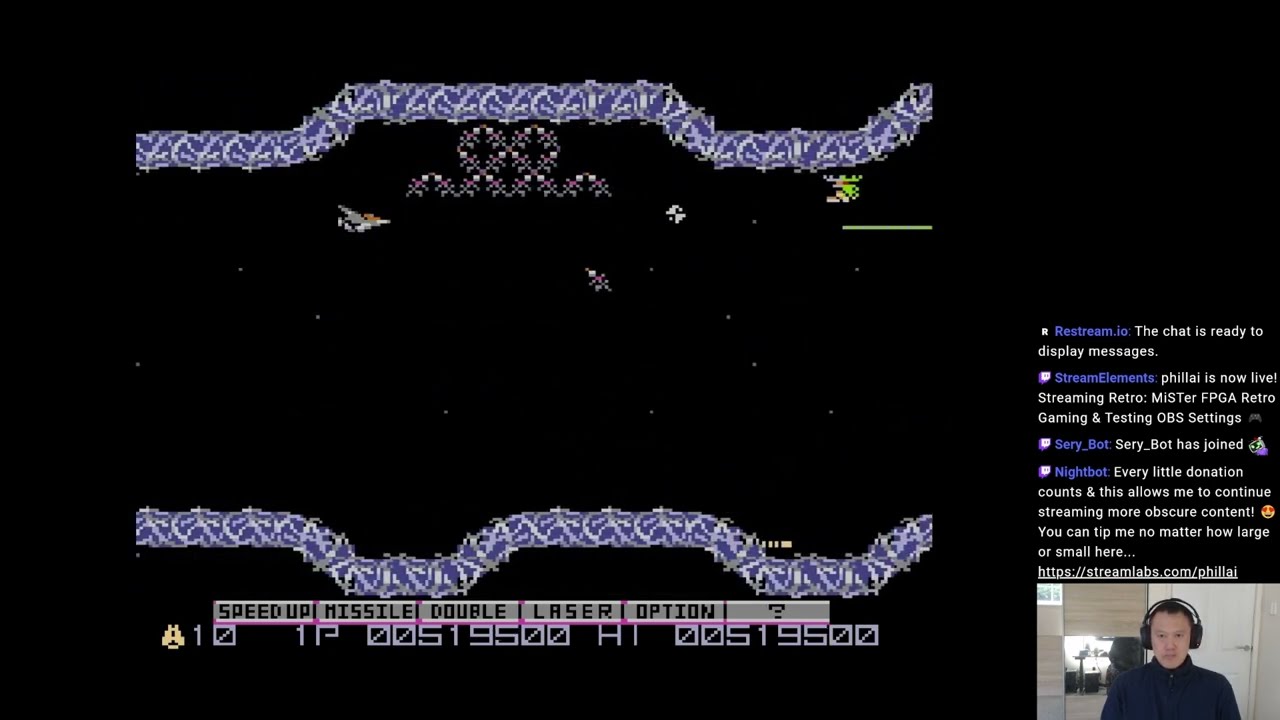
Gradius [MSX]
1574800
After weeks of playing, I finally 2-LOOP clear Gradius [MSX] played on my MiSTer FPGA system.
#gradius
#nemesis
#msx
#konami
#1cc
#stg
#shmup
#MiSTerFPGA
#retro
#1080p60fps
Come join me for some more retro goodness...
https://www.twitch.tv/phillai
Finally did a 2-LOOP CLEAR on Gradius MSX! 😎
summer dragon
@quaint dawn yes. scroll down to my comment: https://github.com/0mhz-net/0mhz-collection/issues/19#issuecomment-2025660853

GitHub
Located here: https://szanella.tripod.com/joyemueng.htm Tested with my own config of Tempest 2000 in DOS mode. In-game joystick control was flaky but after configuring JoyEmu and mapping keys to bu...
the way I do it does require unstable mister main at the moment
opal void
silent arch
https://youtu.be/gFeKnDb8Sf0
there is an MSX channel 😉
ruby bramble
This is an obscure game request but I'm trying to convert as many 3do console exclusives over as I can as part of my uploads, and also making a 'makeshift 3do core' of sorts with mgls, and I cant seem to find a game called Cyberdillo that apparently came out for dos and 3do. Wikipedia and a few databases says it exists but I havent been able to find it yet.
If anybody can point me in the right direction feel free to DM me. Thanks in advance!
opal void
ruby bramble
This is an obscure game request but I'm trying to convert as many 3do console ex...
did you look for it in TDC?
my software archive is offline right now but you can get that collection with a bit of googlefu
ruby bramble
i was unaware of that collection, still not seeing it just yet, but i also hace no solid release date info on the dos version, only rhe 3do version
opal void
ruby bramble
i was unaware of that collection, still not seeing it just yet, but i also hace ...
ruby bramble
its listed in the 1996 miss txt file
does that mean its lost media for the time being?
ruby bramble
scary how much stuff is here just under 1996
opal void
is its 3DO port archived?
ruby bramble
I think frank cifaldi put out a figure that said something like 80 percent of all games are still unarchived. dont remember the percent now
3do is easy to find
i just wanted to get it going on the mister
opal void
ruby bramble
I think frank cifaldi put out a figure that said something like 80 percent of al...
that's unfortuante
who Frank Cifaldi though?
ruby bramble
video game preservationist guy. he owns the video game history foundation.
opal void
damn, that's a tough job...
ruby bramble
tell me about it hes been at it since like 2004
 sleek escarp
ruby bramble
I think frank cifaldi put out a figure that said something like 80 percent of al...
sleek escarp
ruby bramble
I think frank cifaldi put out a figure that said something like 80 percent of al...
I’m pretty sure that figure was referring to games that aren’t playable or available for purchase on modern platforms. The vast majority of gaming history has been preserved thanks to piracy, but is out of reach for most normal people who aren’t in the piracy/emulation scene.
ruby bramble
yes, you may be right. i prefer to be wrong in this case as that is a far less scary reality.
gloomy bolt
Has anyone had any luck getting Sierra games with awful SB support to work? I got Jones in the Fast Lane working using Adlib (not ideal), but Mixed Up Mother Goose won't work even with correct ports. It looks like it patches a driver on the fly, which is very odd, and drops it in the install directory. No settings seem to work. I've verified C/MS enabled (that is what it's looking for) but no love. I think maybe I'll just add it to the growing list of Windows Only games, as I'm guessing it'll work fine there.
short finch
ruby bramble
This is an obscure game request but I'm trying to convert as many 3do console ex...
I have that game in my video games archives. @ruby bramble
gloomy bolt
I thought I did, too, then I realized it said cyberDILLO.
ruby bramble
short finch
I have that game in my video games archives. <@597274087785758762>
If you do. you should upload it someplace because total dos archive has it listed as lost media.
and naturally ill make a pack out of it
ruby bramble
by all means
 formal whale
Discord is a black hole for info like this, I hope you have posted this to forum. Is that for monitors only or TVs as well?
formal whale
Lovely to see an upgraded OPL3 in AO486... crossing my fingers that someone comes along one day and fixes the now broken composite support as well. 😔
opal void
short finch
Is it possible to DM you ?
Please DM too, thanks ❤️
spice hound
Just to recap you guys are saying it is impossible to port Mega65 to MisterFPGA?
 elfin oxide
spice hound
Just to recap you guys are saying it is impossible to port Mega65 to MisterFPGA?
elfin oxide
spice hound
Just to recap you guys are saying it is impossible to port Mega65 to MisterFPGA?
I believe Sorg stated it would fit but saw no point in doing it as it was very incomplete at the time. The M65 team have spent the past year porting the MiSTer C64 core to the Mega65...
elfin oxide
but its still useless as it has no software really
elfin oxide
Even ZX Next is a struggle
elfin oxide
The C65 was a odd computer to use as a base in the first place as it only existed as a prototype. There was a single scene demo made for it i believe
elfin oxide
Commodore made many mistakes over the years. The C64GS is possibly the pinnacle of them
hollow ice
Amiga 600 was way ahead of its time 😄
spice hound
Amiga 600 is child defects by result of Amiga 500 mating with Amiga 1200
hollow ice
A relatively powerful computer in console size and portability. Grab it, bring it to play at your friends.
spice hound
Now had Amiga 1200 mated with Amiga 4000 perhaps we get double power -grin-
elfin oxide
I liked the A600, Its what the A500+ should have been
The AGA chipset was far too late really
The best days of the Amiga was OCS/ECS
and the CD32 was the final nail in the coffin for Commodore especially when they were banned from importing them into the US for sale
spice hound
Because it screamed commodore? - grin-
You mean had cd32 was not nailed commodore will still be amongst us?
elfin oxide
I doubt it with the way it was managed after Jack left but they might have been around a bit longer
The good thing was the C64 was still being sold right up to the collapse ..
spice hound
So if both jack and cd32 was not like that commodore would still exist in 2024?
elfin oxide
You would like to think so but look what happened to Atari which Jack ran after leaving Commodore.
spice hound
Died?
elfin oxide
Jack stepped away from managing Atari in the late 80s and his son took over who had a heart attack in the 90s
Jack did help in the collapse of the Atari in the early 80s too
spice hound
lol
elfin oxide
Commodore/MOS produced all the Atari carts, so helped the over stocking of the likes of ET etc
spice hound
Yup. These two companies their fate sealed to die and die they did.
I think these two companies would have died anyways even if bill gates himself ran it with intention of success.
elfin oxide
The C64 was the best selling single computer in history before the Raspberry Pi which was some feat and I would argue the Amiga was the biggest leap we ever saw in home computing which is a nice legacy
spice hound
Heck these companies would have died even if the entire human race worked hard to make it successed so do not fret.
elfin oxide
The Amiga never replaced the C64 for me, The C64 will always be my favourite platfrom
 merry valve
ruby bramble
This is an obscure game request but I'm trying to convert as many 3do console ex...
merry valve
ruby bramble
This is an obscure game request but I'm trying to convert as many 3do console ex...
These 3DO ports are cool, thanks for uploading them. I take it is Road Rash not possible since it was on Windows?
ruby bramble
merry valve
These 3DO ports are cool, thanks for uploading them. I take it is Road Rash not ...
You dont truly know until you try to boot it up. Road rash is one of my favorites, so ill definitely attempt it.
 cedar isle
My Mister has been in a box for two weeks as we rehab our 1890's home here in Baltimore. All these 0mhz updates are giving me fomo. (Also, we have no kitchen appliances.)
opal void
cedar isle
My Mister has been in a box for two weeks as we rehab our 1890's home here in Ba...
rehab? do you mean renovate?
cedar isle
opal void
rehab? do you mean renovate?
Oh yes
gloomy bolt
(Spoilered for 90s bulges and humor)
Made a 'distributable' package for a win95 game setup. This seems wasteful to me as the 95 install is an additional 90MB of overhead per game, versus a few MB like DOS. But it allows single-launch games like 0MHz.
Customizations are the LOGO.SYS file for the loading screen, removed unnecessary features, updated shell to launch the game itself, removed autoscan for ScanDisk so you can shut it off like a DOS game. The total file size zipped is 487MB with CD media and 654MB decompressed with a 408MB CHD and a 256MB VHD (this could be dialed in more. There is 114MB used with the Duckman install and 141MB free, so about 125MB could safely be chopped off of the base install VHD for this specific game)
ruby bramble
Thanks so much Andy, i was stressing about how to shrink that down
thats incredible
gloomy bolt
It's cool to launch via controller for sure. Good game for that, too.
ruby bramble
I think the amount of windows 95 games that are going to run well and be elible for this treatment is going to be a small amount. so im fine with a bit of filesize overhead
gloomy bolt
For sure. I think I'm going to do Beavis and Butthead next.
Just get that whole 90s cartoon pantheon assembled.
gloomy bolt
I realize I need to update the base image to set CDROM to E, not auto. Or something higher up the chain. Maybe H for...toy.
ruby bramble
Theres virtual stupidity. and then the duckman people made a sequel "do u" also on windows 95
gloomy bolt
OK, Virtual Stupidity is a windowed game. Gross. Like, it actually spawns Windows windows for media playback. So I'll stick to PS1 on that one.
Too bad. I liked my logo.sys for this one.
 waxen brook
gloomy bolt
OK, Virtual Stupidity is a windowed game. Gross. Like, it actually spawns Window...
waxen brook
gloomy bolt
OK, Virtual Stupidity is a windowed game. Gross. Like, it actually spawns Window...
gotta be some way to fix that. I dont remember it being like that when I played on PC
gloomy bolt
Maybe there's an updated version. Full screen is greyed out and the help file specifically says the videos swap to windowed even in full screen.
It's very proud it doesn't have to (and can't) be installed... I'm sure it can be copied.
But I haven't tried
sleek escarp
gloomy bolt
OK, Virtual Stupidity is a windowed game. Gross. Like, it actually spawns Window...
Virtual Stupidity also runs on scummvm if you’re interested
gloomy bolt
Oh, for sure. That seems kind of like the best way to play, it seems.
 tight flare
Hi everyone. I have started to dig into some of these other types of cores, and I was wondering: Do folks have any insight into the PC-98 and the potential for a core?
I've been looking at some forum posts and it seems like most of the chatter stopped on those in 2022-2023
gloomy bolt
Yeah, it's basically frozen. There has been a small amount of activity on that and FM-Towns, but the Puu cores (X68000 as well) are all kind of in a state of arrested development, with X68000 being the most complete.
proper zodiac
Wondering if it's worth it to set up an autolaunch of my beloved yoda stories. Probably not. Also locked into window'd mode
tight flare
gloomy bolt
Yeah, it's basically frozen. There has been a small amount of activity on that a...
It seems as though BIOS were some of the biggest issues.
I found this which was interesting:
thick pendant
sleek escarp
Virtual Stupidity also runs on scummvm if you’re interested
Yes, I'd rather run it on PlayStation or ScummVM that have a compromised windowed W95 experience...
gloomy bolt
proper zodiac
Wondering if it's worth it to set up an autolaunch of my beloved yoda stories. P...
Honestly, my favorite part about this so far has been making the windows loading screens. They're fun to see. I have a couple really solid template VHDs made at different sizes to accommodate install requirements, as stripped down as I can get them. So I'm literally making packs that I would never use just to make the boot screens.
ruby bramble
gloomy bolt
Honestly, my favorite part about this so far has been making the windows loading...
Loving the windows 95 stuff youve sent my way incredible stuff
vestal ginkgo
gloomy bolt
Honestly, my favorite part about this so far has been making the windows loading...
Now go back and add splashcreens to every DOS image in 0mhz using BANNER/BLACKOUT from the Shareware pack 😄
gloomy bolt
DOS-LOGO is an nice opensource for that, btw!
That's Amiga level territory. Hehe.
Is paulb-nl on the discord? He's a CD wizard.
I wonder if creating a helper for Redbook would be possible as done on the other CD cores. I know redbook as a standard is not the same as direct play but rather than relying on the AO486 core dev, I wonder (out loud, to the fpgairies) if the core dev should look at the CD helper stuff for implementing that rather than in the CD functionality of the FPGA. Pipe those channels out to HPS and let the helpers deal with them to get Redbook.
 fleet cave
? I'm not sure I understand what you're asking here?
gloomy bolt
I am not sure of it either, myself. But looking through the helpers for CD systems, the handling of things like subchannel data and audio data seem to be picked up by the c++ helper files in HPS. The control functions appear (from a very limited understanding of the Support module) to be piped to the Linux side for actually streaming the audio. I'm very likely wrong on this. Again, I was wondering aloud, so thank you for granting my wish, even if the answer is 'nah, you're absolutely wrong.'
Redbook has been sort of stagnant for 3 years on the AO486 side, and the original core dev (not Alexey) seems like they got stuck on redbook half a decade ago and stopped looking into it.
Alternately, maybe the wiki is just out of date?
 gloomy bolt
Ah, I haven't even been trying because of the wiki. Thanks
 granite umbra
GitHub
Fujitsu FM-7. Contribute to pcornier/FM-7_MiSTer development by creating an account on GitHub.
thick pendant
gloomy bolt
Ah, I haven't even been trying because of the wiki. Thanks
Amiga/Minimig too
gloomy bolt
Sweet! Verified in Alien Trilogy (unplayable due to framerate, but that's what the PSX/Saturn cores are for!)
Thanks again @fleet cave ... I dunno why I never just TRIED it. Don't believe everything you read, I guess.
fleet cave
yeah, I added it to amiga which meant adding support to the shared ide HPS code, so sorg added it to ao486 shortly after.
gloomy bolt
That's awesome!
ruby bramble
So earlier today i got quarantine to work and uploaded it on archive for everybody. Somebody requested i do it so im letting you all know.
However i could not get the redbook audio to work, so theres no music at the moment.
If anybody has any suggestions for fixes feel free to dm me, or download it yourself and poke through it to see what i overlooked.
Thanks in advance
 surreal marsh
fleet cave
yeah, I added it to amiga which meant adding support to the shared ide HPS code,...
surreal marsh
fleet cave
yeah, I added it to amiga which meant adding support to the shared ide HPS code,...
So is cd32 now available?
fleet cave
it's complicated and someone like the amigavision folks would know better. I think you still need some idefix cd32 "emulator"
I think cd32 was the one that moved the cdrom controller do some other chip, so it's not expecting it on the 'normal' ide bus or something
lunar trellis
Some people have managed to emulated CD32 in the minimig core, through a way that seemed really convoluted to a layman like me. However native CD32 support in the core won't be possible based on Sorg's comments on GitHub, it would need someone to make a bespoke CD32 sister core sadly
fleet cave
the cd32 emulation wasn't too bad, kinda wondering if they didn't sneak that into amigavision
hollow ice
I think amigavision relies on whdload which won’t support cd audio?
gloomy bolt
Shhhh... if you aren't careful you folks are going to summon The Town with No Name.
ruby bramble
Ive been working on town with no name off and on for a few weeks....
i cant get music to work
on dos that is, not cd32
gloomy bolt
I got Loadstar booting. But the L1 cache is causing issues. Off, it doesn't run at all. On it runs at hyper speed. I cracked open the exe and found a system setting (SET ROCKET=) and some options, but they aren't working. Best I can get is Benny Hill speed with no [DISK ERROR] message. I've tried about every combo of sysctl configuration and about every ROCKET combo.
ROCKET= settings...�r
SET ROCKET=(options) to override the default CD-ROM calibration, where:
  C[1-99]    Percentage of time to spend reading the CD
  D[0-255]    Delay in milliseconds between reads
  F[0-1]    Should reads go through the DOS file system?
  P[0-1]    Should reads be preempted?

�-99
Press any key to exit...�enDo you want to play anyway? (Y/N) �iunable t
 uneven cliff
gloomy bolt
(Spoilered for 90s bulges and humor)
Made a 'distributable' package for a win95 ...
uneven cliff
gloomy bolt
(Spoilered for 90s bulges and humor)
Made a 'distributable' package for a win95 ...
Love this.
Can you distribute it as the 1Mhz pack 🤔
Also the loogie game in Virtual Stupidity = the best
 gritty sun
Can someone assist me with the 0Mhz Collection, i had exodo top 300 but I would like to just have a curated game collection. I deleted everything in my games >>AO486 folder and just dragged one game onto my sd card
keep getting a black screen
is there something else i need to do?
i was reading there is an updater script but i can't seem to find it
copper slate
gritty sun
Can someone assist me with the 0Mhz Collection, i had exodo top 300 but I would ...
You need to also use the included config file
You likely had some settings by default that’s looking for the top300 vhd. So you want to make sure you’re using the one provided by the 0mhz collection.
gritty sun
yeah the only config file I have is the one provided with the game I have
not sure if this helps
 copper slate
gritty sun
not sure if this helps
copper slate
gritty sun
not sure if this helps
Is the game in media/fat/games/ao486/media ?

 copper slate
Hmmm uhhh, that all looks correct
gritty sun
 copper slate
gritty sun
copper slate
gritty sun
Try setting vsync to 60hz and see if that helps
gritty sun
k lemme reboot
copper slate
I really hope it works because otherwise I’m out of ideas
gritty sun
brutal.. didn't do anything
copper slate
Damn I’m sorry dude
gritty sun
No thanks man, i appreciate the assistance, i'm on the right track
at least
i wish i had a bigger sd card, i could just use the updater
i finally found it
copper slate
What’s you ur SD card size?
gritty sun
16gb
copper slate
Oh my gosh yes
copper slate
OHHHH ok
vestal ginkgo
Deleted everything including the boot roms?boot0 and boot1 have to be there or you will get a black screen but the core menu will still come up
My guess
vestal ginkgo
Add those back
 dark yarrow
is there any reason why my MegaAGS.hdf isn't showing up in the OSD when I'm trying to load it in the Amiga core? It's definitely there...

was working fine last time I booted it up, but that was quite a while back
turbid swallow
Does Fallout 1 work with Ao486 DOS? Surprised that it isn't anywhere on Archive or in the 0mhz pack
vestal ginkgo
gritty sun
i wish i had a bigger sd card, i could just use the updater
FYI you can use the updater too, just open the script and change the path to your external disk
vestal ginkgo
turbid swallow
Does Fallout 1 work with Ao486 DOS? Surprised that it isn't anywhere on Archive ...
not really no, right out of bounds for the processor. @void belfry did a bunch of testing
gritty sun
 sudden ice
Upgrade it
sudden ice
Upgrade it
I just grabbed a 256gb one just for the dos stuff going forward.
Can i just copy the contents onto it and it will work?
gloomy bolt
vestal ginkgo
not really no, right out of bounds for the processor. <@794151308620857395> did...
Works ok with windows. I have it running. Fmvs and everything. It's a bit slow, but no worse than the first computer I played it on
I shared video further up the thread a week or so ago
copper slate
gritty sun
thanks <@314946127487172609> & <@309052653520814081>
Oh don’t thank me, I didn’t do anything! I should’ve thought of that suggestion though.
I’m happy you’re back in business though. The Top 300 and 0Mhz collections are an amazing gift for the community.
gritty sun
Naw man i appreciate anyones effort, i’m new to mister so its been awesome to have a discord group who actually helps
And yah i’m very excited for the dos stuff, the exodos top 300 was really cool but i found a lot of it not optimized and i’m not good with that kinda thing so thought i’d switch it up and curate it
gloomy bolt
"Y'all got anymore of them water chips?"
 vestal ginkgo
gloomy bolt
Works ok with windows. I have it running. Fmvs and everything. It's a bit slow, ...
vestal ginkgo
gloomy bolt
Works ok with windows. I have it running. Fmvs and everything. It's a bit slow, ...
oh right, sorry you did it! Forgot
did you clean up windows at all or do anything for speed?
gloomy bolt
Not yet. I'll do that today... Here's hoping that improves it further.
gloomy bolt
OK, I got a pack set up and it runs a touch better than a full fat Win95 install. Still pretty slow but not the worst thing in the world. I/O speed seems to still be the killer. #share-media message
vestal ginkgo
way better than dos version
weird
I wonder if it is a linear frame buffer thing where LFB is enabled with Win95 but we never went back and tested UNIVBE with LFB + Fallout after Alex fixed it in dos... hmmm....
gloomy bolt
Oh, that is interesting....
vestal ginkgo
I dont see uvconfig with anything in the install
just this note in the readme ```(3.4) WINDOWS NT
Currently, Fallout will not install to a Windows NT platform.
A version of the installer that will install to Windows NT is
being planned, and will be available from our website.
While Fallout does not officially support Windows NT, it will run
as long as you have Service Pack 3. This is required since the
Win95 version of Fallout requires DirectX 3.0a or higher. You can
get Service Pack 3 from Microsoft.
(3.5) DOS MACHINES
The DOS version of Fallout is very memory intensive. Your system
memory useage should be as small as possible (minimal memory
resident programs and drivers, just enough to run the game.) The
BOOTME program provided on the Fallout CD-ROM will help you
create a diskette with an AUTOEXEC.BAT and CONFIG.SYS that is
"bare bones." If you find you are having problems running the
DOS version, then you should use the BOOTME program or make your
own minimal boot files.
and it also says that if the win95 version is slow to install the dos version and run it from the win95 command window
which is also weird
----------------------------------
If you are playing the Win95 version, and find the game to
be running slowly, you can try these tips:

 * Adjust your Read Ahead cache for your CD-ROM drive.
   You may experience glitches with movies depending on your
   particular CD-ROM drive.

 * Install and run the DOS version from a DOS box.

 * Reinstall the Win95 version, but use a larger installation
   size.  Slow gameplay with a small installation version is
   probably the result of slow CD-ROM access.
Yeah, for us that matters less I believe (I may be wrong). CD and HDD are reading from the same source. There may be some specifics as to why that's wrong...but the install I have in the pack is the 15MB tiny install.
vestal ginkgo
also interesting: https://github.com/Edw590/F1DP
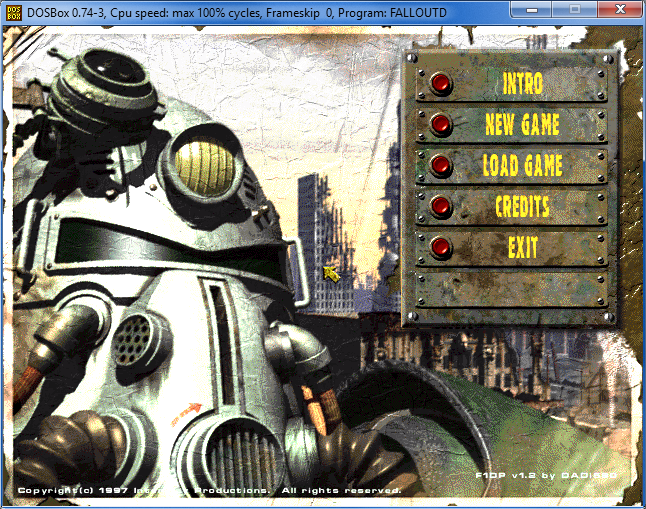
GitHub
An engine patcher for the MS-DOS version of Fallout 1 including patches from Crafty's sFall1/sFall, High-Res patch, TeamX, and Fallout Fixt - Edw590/F1DP
hollow ice
Interesting, wonder how it performs on nt
vestal ginkgo
yeah might be an option
gloomy bolt
The Mac version of Monkey Island looks pretty interesting....

It's got a weird oil paint look to it.
tawny egret
and it’s got Patrick Mundy
gloomy bolt
It's the Mundy Island Special Edition
 inland sinew
Hey, out of curiosity, have people successfully run old console game emulators on the AO486 core? Like genecyst, Zsnes, and Nesticle?
ruby bramble
Zsnes would be dope. That ui is iconic
gloomy bolt
inland sinew
Hey, out of curiosity, have people successfully run old console game emulators o...
Never done that, but I've done the NESMac emulator on System 7.5 emulated via shapeshifter on the minimig core. It was awful. But fun to do.
gloomy bolt
Not for nothin' but searching night-trap_202405 on (i)a site is a good way to find a thing.
Dunno if the mysterious uploader will be adding more, but I think they probably will.
void belfry
inland sinew
Hey, out of curiosity, have people successfully run old console game emulators o...
Some of them work, some will need FPU to work (even with Q87 performance will be low). #1047332497492553799 message and also https://misterfpga.org/viewtopic.php?t=6639
void belfry


 inland sinew
@void belfry have older versions of Zsnes been checked?
void belfry
didn't check other than v1.51, probably older ones work too
iirc,had some issues with sound with Zsnes, but as i said, it was just to see if it runs at all, didn't go deeper than trying few games/demos
 zealous orchid
do any of the tools that work with actual vhd files work to make the vhd for this core? so far i have only been able to get a dd created vhd to boot which isn't really a vhd
for ao486 core
vestal ginkgo
two different paths you can take by two different developers. The easiest is is ItalianGrandma's VHD Kitchen, straight forward, just works if you want something custom and quick
light hound
I recommend create a vhd with 86box with 1024 cylinders, works on ao486 and 86box
summer dragon
yeah that is one thing…I’ve been able to verify that the VHDs created with my VHD Kitchen work with ao486, but not 86box
zealous orchid
the 86box route is what i haven been trying as well as some python stuff and even the windows dm... ill try the 1024 cylinder setting and see if i can get it going... just for one offs not in 0mhz etc
gloomy bolt
Here's a fun, stupid thing I'm doing... #share-media message
 woven lava
loving the 0mhz collection
but it made me realize one of my MiSTers might not work with MT-32pi (it has no sound even though it connects to it)
will have to check if the IO board has everything soldered
 wild spruce
woven lava
loving the 0mhz collection
wild spruce
woven lava
loving the 0mhz collection
Before you start reflowing solder, double check your DE10 Nano dip switch settings. My MT32 wasn't working because I had them configured wrong for my IO board (but everything else on the IO board worked fine) because I didn't pay attention to the switches . The switch numbering is in descending order from what I would consider to be the front of the board.
 wild spruce
woven lava
but it made me realize one of my MiSTers might not work with MT-32pi (it has no ...
wild spruce
woven lava
but it made me realize one of my MiSTers might not work with MT-32pi (it has no ...
Another thing, I found a large number of the 0mhz MT32 configs were set up incorrectly (at least initially). Most LucasArts games either didn't work or used the wrong MIDI (though it was interesting hearing the Star Wars theme done entirely in kettle drum 🙂 ). If some games don't work, try a few more by different companies. I think the Wing Commander and Dune games worked right from the start.
woven lava
wild spruce
Before you start reflowing solder, double check your DE10 Nano dip switch settin...
ooh good to know! will check that
the MT32pi responds and I can see it reacting to MIDI music (the audio level display shows each channel working)
so it looks like its sending audio back that doesnt work. (I did set the "i2s" option for it)
karmic fog
gloomy bolt
The Mac version of Monkey Island looks pretty interesting....
this is actually an optional feature - the pixel smoothing. you can type the word "rough" without quotes after the game has started up to turn off the smoothing
it looks more like the DOS version once you do that
it also has a funny dialog
 gloomy bolt
karmic fog
this is actually an optional feature - the pixel smoothing. you can type the wor...
gloomy bolt
karmic fog
this is actually an optional feature - the pixel smoothing. you can type the wor...
I've played so many versions, but never Mac... until now. Thanks, I'll check it out!
inland sinew
karmic fog
it also has a funny dialog
This reminds me of a dialogue box in the emulator "MEKA" which runs SMS/GG.
There is an actual checkbox option in Settings that says "Mario is not a fat plumber."
If you click it, it refutes the checkmark and says, "There's no denying the truth."
cold crane
Just wrapped up a play through of Indiana Jones and the Fate of Atlantis. Good stuff.
Though that one puzzle where you have to line up that scope with the bull horns is BS in how exact it wants you to be. I understood the puzzle's solution, but the game wouldn't flag it as correct unless you lined it up in the exact way it wanted you to!
gloomy bolt
inland sinew
If you click it, it refutes the checkmark and says, "There's no denying the trut...
That's amazing.
gloomy bolt
.... and the Cold Blood Prince

@copper slate another edutainment title for you. This is another nostalgia hit for me.
umbral oar
gloomy bolt
.... and the Cold Blood Prince
huh, TIL they didn't coin the term pycnofiber until 2009
umbral oar
You learn a lot of things when your kid is the right age…
 frosty cosmos
Why does the C64 PAL Mister core shows 382x270 (full border) via direct video when it actually should be 384x272? Am i missing here something?
I know 270 vertical is a perfect integer for 1080p. But that can't be the reason, right?
woven lava
wild spruce
Before you start reflowing solder, double check your DE10 Nano dip switch settin...
welp, unforuntately the DIP switches are fine
woven lava
but I found the issue... the USB3 port on the MIT32-pi broke 😅
ruby bramble
I fixed Quarantine's redbook audio with one catch... you now have to tolerate the copy protection. Fortunately Ive included the code sheet and it should be drsg and drop. Just go to osd, scroll right, go down to help and it should be there.
*Big up to idelacio for the tip
copper slate
Awesome!
vestal ginkgo
Here is a version that uses the new MSDOS4.00 that was opensourced recently so should be all legal. Up to the 0mhz team to include it but I always like new dos games that come out
copper slate
Wow, that’s awesome!
vestal ginkgo
there is MT-32 with it too if you configure the resource.cfg file
vestal ginkgo
This version boots across DOSBOX, PCem, and Mister. I have no idea what I did to get the CHS right for all three
 woven lava
ruby bramble
I fixed Quarantine's redbook audio with one catch... you now have to tolerate th...
woven lava
ruby bramble
I fixed Quarantine's redbook audio with one catch... you now have to tolerate th...
thats a great use of the help menu!
gloomy bolt
I'm digging doing these old Microsoft Home apps.
 void belfry
Had some fun tracking down and installing MS-DOS/V 6.2 (as well with Win 3.11 JP while I was there) so I could run WebBoy, an IBM DOS/V web browser. Still TO-DO the PPP connectivity under DOS/V, though I think this browser doesn't use packet drivers, but some own thing which I need to decipher these days.


might be faster than Arachne when processing html, but has the big downside of needing DOS/V (JP DOS versions) ofc
opal void
You know Japanese/
vestal goblet
gloomy bolt
I'm digging doing these old Microsoft Home apps.
is that…. An ABBA…. Turd??
gloomy bolt
vestal goblet
is that…. An ABBA…. Turd??
Just what this country needs. A cock in a frock on a rock.
vestal goblet
some people choose a side in the Priscilla versus Muriel’s Wedding, but I think they are both fantastic
they both have this tonal shift from hilarity into a very touching, personal story
ruby bramble
I've been going through all the apogee and ID titles that havent been done yet. I remembered that Death Rally was in some variation of top 300 that I had. I dont know if I ever tried it. Does anybody have any experience getting it running?
vestal ginkgo
Nope, video issues
Maybe univbe again but I never got it working past the main menu
@ruby bramble
ruby bramble
i havent had any luck with univbe so far
i have toonstruck and mortal kombat trilogy on the go. toonstruck works without it, but mkt is a no go so far
oh amd toonstruck complains about the univbe being too new a version, but im unsure if any others work or which one it wants
vestal ginkgo
Did you see the univbe instructions from the forum?
ruby bramble
no i was just winging it, read a few things in random places lol
ruby bramble
you enter that stuff at the dos prompt?
ruby bramble
ill give it a try
ruby bramble
is the production boot 1 different?
vestal ginkgo
It’s the modified et4000 bios
That supports univbe
Like the normal boot1.rom that is on the mister ao486 GitHub
ruby bramble
so other people would need to have that installed for my psck to work then?
vestal ginkgo
Most should, it’s the default one
ruby bramble
ohh okay
vestal ginkgo
Not the open source one or the triden one is my point
ruby bramble
got you
you ever try to boot up carmageddon? im sure it runs at like 2fps lol
thats one ive been curious about
vestal ginkgo
Nope, I think fallout or quake is the farthest I got
ruby bramble
trying to see where the limit is
vestal ginkgo
I feel like decent or duke 3d are right on the line
With blood being too much after level 2
ruby bramble
yeah. but ive had surprisingly good results with some late 90s titles i didnt think were going to work though.
vestal ginkgo
Fair. That’s as far as I got
ruby bramble
itll be exciting if the core ever gets another big push maybe blood and stuff could start working better ome day
oh, i do have one game. ecstatica 2 thats running just a bit sluggish, are there any tricks to get some juice out of ao486 by any chance? ive just tried turning himem and emm386 on and off so far
hollow ice
Overclock to 100mhz?
ruby bramble
the mister itself, or ao486's simulated cpu?
hollow ice
Misters simulated core. I think there is a thread on the forum about it. Not gonna give it a significant boost or anything.
ruby bramble
it doesnt need a lot. it could actually help
is that the 'max (unstable)' option in the osd?
hollow ice
I’ll be honest, I haven’t played around with the “overclocking” just a memory of the forum from a while back.
Probably before they renamed all the speeds to reflect a related performance profile
vestal ginkgo
My ao486.cfg that sets 100mhz on the core is in that same univbe thread I posted, just look further in the thread
Your mileage may very based on silicon lottery though. I have three misters , one is 100% stable at 100mhz, one won’t run at all, and one will run doom at it but not win98
ruby bramble
im assumimg that breaks other things? and what is that max (unstable) setting if it isnt that?
vestal ginkgo
No clue on max, they added that when they added the “config types” that set l1 l2 and mhz based on that setting of the profile
You’ll know if it says 100mhz overclock in the hardware settings
vestal ginkgo
ruby bramble
im assumimg that breaks other things? and what is that max (unstable) setting if...
Just in ao486 based on how your fpga chip handles it
woven lava
Reddit
Explore this post and more from the apple2 community
new Apple II palette dropped😁
this one is noteworthy because it's the same guy who made the 2005 newsgroup post which the Apple II core uses as reference
he pointed out several inprovements/refinements over his old method
hollow ice

 round carbon
that's not an improvement 😦
surreal marsh
??
void belfry
I present you Snowdrop OS, a multi-tasking homebrew OS written in x86 assembly by a fellow Romanian programmer (http://sebastianmihai.com/snowdrop/), it runs just fine on ao486 :). It has around 60 apps, ASM and Basic interpreter, a form of GUI, file manager etc. Didn't yet make a VHD with it (as it supports also FAT12 IDE HDDs, so probably a 10 meg one would be more than enough), I plan to do this bit later. Also, on his site, he has quite a number of projects (hardware and software), think it worth checking out.


 void belfry
And installed it on a 50 megs VHD for the fun of it 😄


 opal void
does it run doom though?