#Sony PlayStation
1 messages · Page 39 of 1
 nimble pond
In public, in front of dozens of reporters
Then later the commercial name dropped the X in both abbreviation and full name
 tulip moat
Turn on fixed blanks.

 pearl shell
tulip moat
Turn on fixed blanks.
pearl shell
tulip moat
Turn on fixed blanks.
I thought I left that on but lemme check
ok yeah fixed VBlank was off and the boss shakes the screen in multiple directions when it walks, thank you for this reminder 🙂
 serene nebula
nimble pond
Then later the commercial name dropped the X in both abbreviation and full name
serene nebula
nimble pond
Then later the commercial name dropped the X in both abbreviation and full name
Nice find! Thanks for sharing that: I was someone who thought magazines made the PS-X moniker up until I joined this Discord, haha.
 scenic rain
I like PSX because it’s easy to distinguish it from later PlayStation releases without spelling it out
But I’m also a GCN weirdo
serene nebula
scenic rain
I like PSX because it’s easy to distinguish it from later PlayStation releases w...
PS1!
Or more correctly PSo
scenic rain
PSO is phantasy star online, sorry
serene nebula
You’re right, little o
scenic rain
That makes me think of the PSOne redesign
serene nebula

YUP
ok it’s cemented
PSo, PS2, PST, PS4, and PSHNG
That’s the new terminology

 spring elk
PSpwn
spring elk
 scenic rain
Chad Warden is the real Chad, always has been since before people used the name as a descriptor

 desert otter
I never owned an original PS1
only ever had the PSone
soon I'll have the SSone
with ocean blue shell
 desert otter
serene nebula
PSo, PS2, PST, PS4, and PSHNG
desert otter
serene nebula
PSo, PS2, PST, PS4, and PSHNG
forgot PSX
I'm trying to figure out the words for PSHNG and can only think of NG standing for Next Gen but then can't think of what the H stands for
serene nebula
desert otter
I'm trying to figure out the words for PSHNG and can only think of NG standing f...
#1046940919607345272 message
desert otter
hey robby, do you run plugins on your discord?
serene nebula
desert otter
hey robby, do you run plugins on your discord?
I don’t have a discord
desert otter
on your client
serene nebula
I use the mobile app primarily
desert otter
oof. so many little QoL things you can get like how when someone links to a message in chat, it shows it in a preview window

it's so nice 
serene nebula

 topaz trail
Impressive! - does it add one frame of latency?
 stuck smelt
Most stupid thing I’ve heard. I was there. It was called PSX by all game press
nimble pond
serene nebula
Nice find! Thanks for sharing that: I was someone who thought magazines made the...
Hah! I would have had a chip on my shoulder with you hahahah. Its a stupid pet peeve to have, I know I know
nimble pond
scenic rain
I like PSX because it’s easy to distinguish it from later PlayStation releases w...
Also who cares about that stupid DVR that didn't even come out of japan, right?
nimble pond
stuck smelt
Most stupid thing I’ve heard. I was there. It was called PSX by all game press
THANK YOU! I was there too! meh, Gen Z-ers, amirite?

 waxen elk
It was psx on gamefaqs, so that's all that truly matters
 rapid garden
yeah, Gen Yers are getting married and having kids now
serene nebula
Is Gen Y millennials
 mystic flare
gen alpha is now entering adulthood
 buoyant plinth
Silly of them. Adulting sucks.
serene nebula
buoyant plinth
Silly of them. Adulting sucks.
Yeah it really does. It also sucks to be full of optimism that your generation will be the ones to fight for a better world and nope, they’re just as shitty as the last gen.
 manic citrus
a cycle as old as time itself
mystic flare
i met enough of my generation thru this thing called “state school” to know they weren’t fit to vote let alone achieve utopia
 timber flint
There was also a magazine called PSX back in the day
 nimble pond
buoyant plinth
Silly of them. Adulting sucks.
nimble pond
buoyant plinth
Silly of them. Adulting sucks.
Yes 😔
nimble pond
timber flint
There was also a magazine called PSX back in the day
Also a very good reason (included in the image shared by robby which I keep on my imgur for quick access)
However the stuff I shared I feel is the silver bullet. Sony called it PS-X... Period, full stop, drops mic ($299...), boom-shakalaka
 blazing pier
Other than the fact that it's not what the console was actually called when it launched, and the fact that PSX is an actual system that released in Japan. 😛
https://en.m.wikipedia.org/wiki/PSX_(digital_video_recorder)
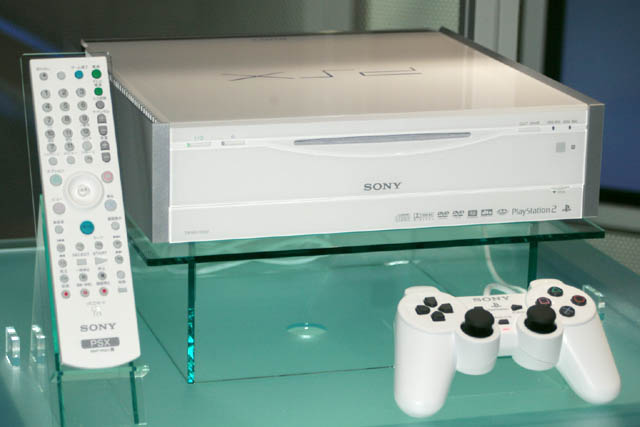
The PSX is a digital video recorder and home video game console released by Sony in Japan on December 13, 2003. Since it was designed to be a general-purpose consumer video device, it was marketed by the main Sony Corporation instead of Sony Computer Entertainment and does not carry the usual PlayStation branding. Initial sales were strong, with...
rapid garden
a PS2 but it had the cross media bar iirc
 abstract drift
i remember that coming out and everyone going "eh? PSX is what we call the first playstation wyd sony"
nimble pond
I remember it coming out and nobody giving 2 literal f**ks about it 🤣
rapid garden
i don't recall it leaving Japan
abstract drift
it didn't
 sinful bloom
it's a cool thingie but the XMB is largely separate from PS2 functions aside from memory card management and iirc the hard drive is only used for tv recordings
it's also built like a hotbox that's hotter than Og Xbox 360
abstract drift
also iirc the hard drive is locked to the console and vice versa, when the mechanical hdd fails the console is toast
kinda like original xbox but its not as hacked to workaround it
 vestal thicket
I will teach my kids that is was actually PSX. They'll know it by nothing different. They're gen...whatever a 2yr old would be now
 storm barn
They're gen Alpha, gen Beta started this year.
 somber steppe
When are the sigmas due to be born?
serene nebula
you missed your boat sorry, I am the Sigma
somber steppe

 mortal oracle
Sigma grind core. Whoop whoop! Skibbidy
Decided today I’m just gonna vibe code, you know, for the vibes
desert otter

yeah, whoop whoop is definitely not a new gen term like the rest of those.
that shit belongs to the X and Ys
desert otter
 mortal oracle
Even butchered the meme, how apt
 junior glen
i don't think many of us in here are young... 😛
junior glen
In around 8 months i turn 39 😢
mortal oracle

spring elk
54 in July.
 chilly kraken
44 in July
somber steppe
Coulda sworn it was yesterday when I first chose bulbasaur. 😦
 tawny palm
somber steppe
Coulda sworn it was yesterday when I first chose bulbasaur. 😦
tawny palm
somber steppe
Coulda sworn it was yesterday when I first chose bulbasaur. 😦
You chose wisely.
 raven copper
Hopefully streaming later today. Any titles that jump out?
 mortal oracle
raven copper
Hopefully streaming later today. Any titles that jump out?
mortal oracle
raven copper
Hopefully streaming later today. Any titles that jump out?
Better with MiSTer? Everything?
chilly kraken
I understand that "Final Fantasy 7" is one of those hidden gems
and get this, it's not actually the final fantasy
But in all serioiusness, Ridge Racer 4 is 
raven copper
Live in just over an hour
mortal oracle
somber steppe
Coulda sworn it was yesterday when I first chose bulbasaur. 😦
Literally the only one I never picked 😅
somber steppe
Maybe that's the reason you never finished the game.
mortal oracle
I did too finish that one! 
Don’t try and take the achievements of 10 year old me away! 
somber steppe
Oh, so you got all 151 P-Men?
 cosmic tulip
So where's this Weave deinterlace core? Has it already been merged with main?
cosmic tulip
Just thinking about the whole ps1 link cable thing and its too bad you can't emulate the link cable through ethernet lol
tawny palm
cosmic tulip
So where's this Weave deinterlace core? Has it already been merged with main?
As always, just check the pins! #1046940919607345272 message
cosmic tulip
When I checked I didn't see it
I think discords big ui update broke something
With the pins
manic citrus
there's a pending main PR that means you won't need that special core soon
manic citrus
and it's there. latest unstable main lets you set a video filter that is specific to interlaced content. something like soft interpolation or 'upscaling - recommended/GS_Sharpness_040' are a good start
that 'weave' core I did was just applying a default filter of like -8,72,72,-8 I think
 scenic ledge
How does that work? Is that automatically applied by bob or weave? And does that work just for interlaced content? Overriding the (non-interlaced) filters on interlaced content?
manic citrus
it's a vertical filter that applies to interlaced content only. it will replace the normal 'vert' filter for interlaced content
 high pumice
Metal Gear Solid question - how can I swap to the 'player 2' input? Apparently I need to do this to beat the Psycho Mantis boss, is it possible? I am playing using a USB wireless keyboard.
scenic ledge
manic citrus
it's a vertical filter that applies to interlaced content only. it will replace ...
And the interlaced options will move to the "general MiSTer" tab if those get added to main?
scenic ledge
I wish that composite blend would go there, because every MiSTer "machine" could have been connected via composite
(and in reality 95% probably were connected with composite or RF)
 ivory verge
If anyone wants to try composite blend for psx and n64
manic citrus
wait, it's just a 50/50 horizontal blend?
 hallow quartz
Would it theoreticly be possible to have an option that disables the shaders completely for 480i and only leaves them on for 240p? So you would get super sharp menus in 480i without the blurring from the filter that is being used to make 240p look as desired.
ivory verge
manic citrus
wait, it's just a 50/50 horizontal blend?
No, the values were changed (certainly for the N64) , I do not remember the values now, I did it some time ago.
manic citrus
but it's still some blend of two pixels?
 tender tartan
manic citrus
but it's still some blend of two pixels?
tender tartan
manic citrus
but it's still some blend of two pixels?
 dusky martenBOT
function bit [7:0] color_blend (
Effective at hiding dither patterns but it doesn’t give any “composite look”
manic citrus
if you're hdmi only just set a horizontal filter of 64,64,0,0 0,64,64,0
(make sure to disable the vert one)
that's a 50/50 blend, can be adjusted
 feral swift
I tested and provided feedback for the N64 composite blend feature, v3 looks identical to my real console in every way. It's absolutely amazing work @ivory verge.
Has the PSX blend been increased? Last time I checked it the blend needed to be slightly stronger to match the console. Unfortunately it also had issues with text in Final Fantasy games becoming very blurry, however I don't have the original games anymore to directly compare and see how accurately the core blend behaves.
ivory verge
feral swift
Has the PSX blend been increased? Last time I checked it the blend needed to be ...
these are the same cores you tested , unfortunately I don't have time to experiment more
 runic edge
ivory verge
If anyone wants to try composite blend for psx and n64
runic edge
ivory verge
If anyone wants to try composite blend for psx and n64
Omg! I love composite blend so much!!!
Thanks kuba
It smoothens everything out on its way in my eyeballs
tawny palm
manic citrus
and it's there. latest unstable main lets you set a video filter that is specifi...
Just tested this out, and it's a pretty ingenious way to address interlacing. That it only engages when 480i is in use is awesome.
Tried it on Saturn and N64 as well. I'm finding that "upscaling - recommended/GS_Sharpness_010" feels like the sweet spot to me. 040 still shows the combing artifcats pretty noticeably.
manic citrus
may depend on the source material too
desert otter
so to clarify, this composite blend works best for analog output with something like component?
If so, I'll have to give it a shot and see if I like it more or not for specific games on my 32"
 void scroll
tawny palm
Tried it on Saturn and N64 as well. I'm finding that "upscaling - recommended/GS...
void scroll
tawny palm
Tried it on Saturn and N64 as well. I'm finding that "upscaling - recommended/GS...
I like GS Sharpness 000 as intl filter and horizontal GS Sharpness 070. I could keep it on 010 but I still could see some very slight artifacts and as 000 is not really much blurrier that 010 that's what I ended with.
desert otter
are these blend cores locked into being blend only or do they have a toggle built into them so you can go back and forth and compare?
void scroll
manic citrus
may depend on the source material too
Thank you for this Zakk, you just made bob redundant.
manic citrus
I think they might be asking about those composite blend cores?
and in that case, it's a setting you can toggle on and off
desert otter
ok cool, so I can easily compare on and off then. these are built using the latest revisions of the main cores right?
manic citrus
and yeah, it's a bit of an oops I decided to do this AFTER I added bob to the framework, but oh well
desert otter
I'll have to see how I like it or not first before I go asking about a blend version of 2x core

spring elk
Can the Intl filter be specified in a preset file like the other filters? Will there be a default option in MiSTer.ini?
manic citrus
yes and there already is
feral swift
The composite blend is a toggle option in the video core options menu.
manic citrus
in the preset file it is 'ifilter=' and ini is vfilter_interlaced_default
manic citrus
maybe some filter wizard will appear and produce a good interlace filter
spring elk
Thanks!
void scroll
manic citrus
and yeah, it's a bit of an oops I decided to do this AFTER I added bob to the fr...
Don't let that stop you, you can outright replace old bob with new bob, so the cores that can use it now don't need to be modified. At least we'll have correct Bob deinterlacing on those cores. And if a developer wants to use correct Bob deinterlacing in the future it will be there.
 fluid raft
ivory verge
If anyone wants to try composite blend for psx and n64
fluid raft
ivory verge
If anyone wants to try composite blend for psx and n64
I tested the N64 core with KI Gold and RE2 and just love it! Thanks! Any chance you release a N64 Turbo Core version too?
 rancid anchor
tested PSX with Alundra and it looks perfect to me
I should also point out that it doesn't have the anolog sound issues over io board pro that the regular build has (distortion, popping/clicking)
does this have the 120/180/240shift built in? I remember someone mentioning the same problem with the segaCD core and that enabling composite blend somehow improved it, so maybe something else is going on?
feral swift
desert otter
so I've got the new emulator running on Wii, and disabled all the filters and set it to NTSC and 240p mode.
waiting to get through the cutscenes and to the conversation part where I like to test the image
still not the same on text.
graphics are fine, background, 3D models, edges and curves look pretty much the same, but text is definitely just more scuffed looking by comparison to actual composite.
but the difference isn't nearly as drastic as V2 and honstly, close enough that I think it's going to be fine for most anybody that uses it.
I'm afraid that doing anything to try and get the text more smooth looking would require reducing the composite effect on everything else around it which wouldn't help for the intention of the effect.
but it could also be my set and how it handles composite and that it does such a fantastic job.
I don't have any other set to compare to for composite at native res other than that old set from 87 which is just hella blurry period
I could go so far as to try my PS2 with composite cables just to see that as well though if you'd like @ivory verge
feral swift
desert otter
I could go so far as to try my PS2 with composite cables just to see that as wel...
This is fantastic. I'll try to compare it to my original hardware asap.
desert otter
I will say this though, I think I kind of liked how it looked when outputting 480i via the emulator
👀
the scanlines on my set were practically non existent and everthing had a little more detail and was smooth looking lol
but idk man... idk if I want to bother keeping the Wii connected with composite cuz I mostly just want to use it for Wii and GC games at 480p on my HD CRT lol
wish there was a way to capture what I can see on camera lol
desert otter
@ivory verge update.
I decided to go back to the Wii to mess around with the different modes and filters just to see differences on it, and then noticed that when I enable the "trap" filter it makes it look pretty much just like V3 of the core.
so now I wonder if there's something we can do about having an option that avoids the "trap" effect, still offering the somewhat softer appearance that composite naturally has, while not getting nearly as blurry of an image overall that screws with the way text looks.

probably not as "accurate" as an original PS1 output perhaps, don't have one to test with though (I should probably just bust out the PS2 and use POPS or pop in my copy of FF7 and test against that)
ok. I managed to dig out my composite cables, so I'm gonna test the PS2
abstract drift
bear in mind ps2 generates slightly different dithering patterns than a PSX
desert otter
so after fighting with having to redo some shit, then convert the original bin cue to vcd for pops, then getting over onto the PS2, it didn't want to be working right so couldn't launch the game lolol
as it stands, V3 looks very close to how the Wii looks when I enable the trap filter which I'm assuming is more or less how a PS1 is supposed to look, so there's that I guess.
will need others here to test against their own actual hardware and how it looks on their sets.
personally I like more how composite looks without that filter though on the Wii. it still gets some natural softening due to the composite, but the text isn't messed with.
I wonder if I can replicate that effect by using composite out on mister once I get my SSone
 weak widget
You could also try DKWDRV instead of pops. It allows for usb loading in deckard models. Also I believe you can do stuff with filters. I just tried it last week, it's awesome
And a lot less hassle than pops
It's still wip, cdda not supported yet but lots of games work great
 remote flame
I remember there were some ff8 lovers here.
Accidentally got the Edea card on my second try just randomly placing cards because I had a shit hand.
Ended up triggering a multi chain and won 8-1 XD

Bruh
weak widget
Finished 8 earlier this year. Forgot how annoying the random rule was.
 somber radish
oh boy, i love triple triad
 manic canopy
desert otter
personally I like more how composite looks without that filter though on the Wii...
manic canopy
desert otter
personally I like more how composite looks without that filter though on the Wii...
I added the 240p option plus the various filter switches to Wiistation (although these features might have made it into WiiSX at this point) a while ago because I didn't have a MiSTer yet. Funny to see someone is now using it to calibrate the PSX core.
I guess the SSone will include a trap filter just like the active y/c adapter. It would be nice if there was a toggle in it to disable the filter since it will need a switch to select between PAL/NTSC anyway. Don't know how easy that would be though and the design might already be final.
The Wii composite out is said to be very high quality though so I don't know how accurate the comparison would be with a real psx
desert otter
I was using WiiStation yes.
I think going for "accuracy" with something like this when there's so many other variables that come into play such as the TV itself and age of components, is a fallacy, and that it's better to go for "what's the best looking option" that utilizes the effect of composite blending to achieve the visual look and affects that were caused by it, while not having to also suffer the negatives that came with it such as having absolutely horrible looking text in more dialogue heavy games like JRPG's.
Because the only "accuracy" you can try to go for then requires you to try and match the source trap effect output from the console and you do this on a modern display that perfectly shows the raw output and would more or less be exactly the same no matter who looks at it on what display because all LCDs (for the most part) are going to show it exactly the same, at which point you are throwing it up in the air as to how it will look on any CRT with component/rgb(s) because the CRT becomes the wild card variable in how it handles the signal, and if trying to replicate how composite would look on a CRT via other output options and a filter, you can't be "accurate" anymore. At this point I personally do feel it's better to just go for "what looks best" getting the desired visual effects while mitigating the negatives that used to come with it because we have the technology now to do so.
Point in case is how FF9 looks via WiiStation with composite on my 32" without enabling the trap filter.
The composite itself on my set (and this would vary depending on the set of course) does enough of a job at smoothing out the rough aliased edges of 3D stuff, and softening the overall image a little bit, while text is still clean and clear offering you essentially the best of both worlds, and replicating this with filters and higher quality output options on the MiSTer I personally feel is a better thing to do, but at the end of the day this is just my opinion and viewpoint on the matter and I'm not the one who gets to decide lol.
But to reiterate what I said prior though, the current V3 filter via component out on my 6.1 analog board (aside from the colors being whack) looks nearly the same as enabling the trap filter on WiiStation with composite which is good I think if trying to go for that composite trap filter look that just blurs the crap out of the whole image.
manic canopy
Yeah I agree. I am also happy that we have these composite blend options now since my whole setup is RGB into a CRT which always looks a little too sharp I think.
I assume these options will get rolled into the main builds eventually? I can make the PWM builds when that happens.
desert otter
PWM and 80MHz builds crash my mister lol.
I don't know why either. only thing I think I can do at this point is backup my SD card, then wipe it and start fresh to see if it's just some issue with the SD after all this time. some small something somewhere with one or more files that's not playing nice.
feral swift
manic canopy
Yeah I agree. I am also happy that we have these composite blend options now sin...
I was actually somewhat shocked how sharp the image was with my BVM and I was already considering to switch to something else. I turns out the core outputs needs the composite blend to look identical to the real console, and the combination of all makes it looks just right.
@desert otter kuba-j is experimenting further with the PSX blend, believing that it's possible to apply the blend while keeping the text clear. I hope that it works out. That way we can have accurate blend strength and no issue with text readability.
remote flame
Composite looks absolutely terrible on most of my sets. Not from a pixel peeping dork viewpoint but a like 3mm of red drift and sync crawl viewpoint XD
timber flint
Always surprised nobody ever shoots for the S-Video look. That's always completely ignored.
spring elk
I spent the entirety of the '90s and the beginning of the '00s with S-Video. That's what I remember the most fondly.
...and technically S-Video with my Commodores beginning in the early to mid '80s.
Not too blurry, not too sharp.
Juuuuust right. 😉
serene nebula
I think I started using svideo with the N64 and PS1, huge difference from composite I thought
sinful bloom
I wish I could lent my XStation modded PS1 with composite cables for this
remote flame
I vividly remember the first time I used S Video
I had one of those cheap gamestop multicables and I had never used. S video before because we had always had rf and composite. As the tinkerer I am I figured I might as well see what S video looked like. So I plugged it in and my mind was blown that I could actually read the menu text in FFX on my flat jvc.
timber flint
I used S-Video on my 3DO and seeing that compared to my Genesis on RF was insane
rapid garden
RF sounds Real Fuzzy to me
spring elk
I'm pretty sure the first console I ever used S-Video with was the SNES... then ended up using the same cable for my N64.
I think the 3DO was the second console I used with S-Video.
 random bridge
ivory verge
If anyone wants to try composite blend for psx and n64
random bridge
ivory verge
If anyone wants to try composite blend for psx and n64
One thing that is not clear to me concerning composite blend and HDMI. Are you supposed to use these without horizontal filters, as they more or less act as horizontal filters?
manic citrus
it is more or less a horizontal filter. you can even replicate the 'composite blend' effect pretty well with a horizontal filter. (HDMI only, obviously)
tawny palm
spring elk
I think the 3DO was the second console I used with S-Video.
3DO was my first. And then SNES. And yeah, I also used that same SNES s-video cable with my N64 and then my GCN. Used it until I got my first HDTV, and then I upgraded to a component cable for GCN.
random bridge
manic citrus
it is more or less a horizontal filter. you can even replicate the 'composite bl...
OK, so it actually makes more sense for CRT I guess.
somber steppe
Has anybody finished dragon warrior 7 on the core? I know only that it's supposed to be ridiculously long. Anyway, I'm on the case. 
void scroll
somber steppe
Has anybody finished dragon warrior 7 on the core? I know only that it's suppose...
Good Luck! That is the longest DQ game, I finished the 3ds version after maybe 100+ hours, and the Ps1 version is even longer. Very slow game though, nothing like the modern marvel DQ XIS.
somber steppe
I just finished dq1-5 on mister. The dq6 translation is too prone to freezing for me, sadly. I made it to the first battle today, after almost 3h. 🫡
void scroll
somber steppe
I just finished dq1-5 on mister. The dq6 translation is too prone to freezing fo...
There might be good news on a new patch being worked to fix the problems of the older translation. https://www.romhacking.net/forum/index.php?topic=39605.0
somber steppe
Looks exciting, but could take a few years to emerge if it happens at all. I'll be there for testing if it does, though. 🫡
void scroll
It already has a patch to avoid crashes, so you might try that if you can. I have no idea how to apply that patch though. You need to compile the code with asar191? Might as well tell me to just buy the ds version.
somber steppe
Hoo boy, reminds me of the smt1 translation on gba, that uses the ios translation and you need that version to patch it.
I have no idea what an asar is.
void scroll

GitHub
(Now) official repository of the SNES assembler Asar, originally created by Alcaro - RPGHacker/asar
somber steppe
Yeah, seems to be way out of my league, I can only do some hex editing. 😅 if anybody were able to make this into a ips patch it'd be interesting.
 hard laurel
If you don't want Accuracy and for things to look better? Use a Software Emulator with lots of tweaks (like Resolution Scaling etc).
I WANT accuracy which is why I picked up a MiSTer in the 1st place as I understood that was the ethos of the project. Am I wrong?
desert otter
somber steppe
Yeah, seems to be way out of my league, I can only do some hex editing. 😅 if an...
I'm in the same boat. I never will understand why people will go to the lengths of doing that work for a translation patch only to tell everyone else they need to learn how to compile shit to use it effectively gate keeping it.
Now if it's related to potential distribution of copyrighted materials then that's a different story
somber steppe
The project is appearently still being worked on, we switched to the snes channel.
Last update 16 hours ago.
sinful bloom
Persona 5 Royal says "rookie numbers" to 100+ hour DQVII
void scroll
Does anyone here use the PSX turbo options? What are the differences vs low, medium, high? I was thinking of using medium and leaving it as default settings but better to ask around. As far as I can tell it improves games that cannot reach 30/60 fps? The framerate overlay option is also broken when using turbo modes? Mine shows 0 when turbo mode is enabled.
rancid anchor
I did not realize what I was getting into with Persona 5 royale
thought I’d be burned out on persona for life but then played Strikers right after and really enjoyed it
tawny palm
sinful bloom
Persona 5 Royal says "*rookie numbers*" to 100+ hour DQVII
Oh yeah, a lot of modern RPGs are extremely long now. But back when DQ7 released, the average JRPG time was 30–60 hours.
stuck smelt
which is the latest unstable psx core?
serene nebula
stuck smelt
which is the latest unstable psx core?
I think its whatever I got pinned
stuck smelt
there is garbled graphics in the intro for Tobal 2 on all versions of the core
the animation just after the Squaresoft logo
 thorn rain
Okay I have a serious bone to pick. What fucking setting did I not click for the virtual memory card to save, and why do I have to OPEN THE OSD or MANUALLY CLICK SAVE MEMORY CARD for the memory card files to save?
Why isn't there an option for VMCs to save automatically just like on an emulator or on the real system?
thorn rain
If it is programmatically possible, I would prefer to have it automatically save the VMC to the SD card every time a save is written, even at the risk of the SD card getting worn out.
Sorry, I'm just really angry that I lost a night's worth of work recording content for a game because the memory card didn't save the way one should intuitively expect it to do so.
tawny palm
That will likely never change and is intentionally designed that way to reduce wear on the SD card. Whether or not you agree with that decision is up to each individual of course, but that's the reason.
Every core is designed that way (not just PSX), so make sure you set it to auto save in each core. And then save the core's settings so it's always set that way.
somber steppe
Happened to me on the first day I got my mister as well. Completely hated it as well. Now it's just second nature for me to open the osd when I turn off my mister. You can also hit the middle button on the io board to open it before you turn it off.
abstract drift
one of the LEDs should light up on the mister whenever a save is outstanding too, think its the yellow one
its not just about sdcard wear either, writing the memory card out to sd is an intense enough IO operation to disrupt the cd IO or controller inputs
somber steppe
Not on all cores though, right? I think the NES core writes everytime the osd is opened irrespective of you having saved.
desert otter
Wait? Are you telling me that whenever I save my game in game to the memory card like normal game would work, it doesn't actually write it to the virtual memory card on the SD card until after I've opened my OSD?
manic citrus
yes
desert otter
Huh. Maybe I never noticed because I usually always open the OSD to reset, I never leave a core running
And I never just turn off the mister (which would be me unplugging it) because there's no need to do that lol
void scroll
stuck smelt
there is garbled graphics in the intro for Tobal 2 on all versions of the core
Not for me, you mean the CGI video that plays right after the logo? No issues there.
chilly kraken
yeah, I have not seen an issue with that one. I was doing some testing with it a month or so ago
 bitter lintel
thorn rain
Sorry, I'm just really angry that I lost a night's worth of work recording conte...
bitter lintel
thorn rain
Sorry, I'm just really angry that I lost a night's worth of work recording conte...
what, you making a youtube video or something?
 lusty coral
bitter lintel
what, you making a youtube video or something?
lusty coral
bitter lintel
what, you making a youtube video or something?
If it's the Carcinogen. They are a popular Resident Evil speedrunner. So I'm guessing maybe a speedrunning video or something?
I used to watch them at the gdq/speedrunning charity event.
 tropic stratus
thorn rain
Okay I have a serious bone to pick. What fucking setting did I not click for the...
tropic stratus
thorn rain
Okay I have a serious bone to pick. What fucking setting did I not click for the...
the core is working cycle accurate also in time domain, in contrast to a software emulator, which can pause how often it wants.
Saving the virtual memory card to sdcard will cost time. Time that is not available when the software part is reading CD data in the same time.
Therefore, to save the virtual memcard, the core has to be paused, including a possible sync loss if you are at low latency HDMI out.
Because we didn't wanted to do that all out of sudden while you play, it is done when the OSD is opened or manually on request.
Sorry for the trouble. I hope you understand it's a limitation due to not accepting inaccuracies, stuttering or frame loss at all.
lusty coral
But unfortunately, you just have to remember to open the osd to save.
I keep autosave on, and whenever I save in game, I just open the osd.
sinful bloom
i maniacally open the OSD even when theres no write operations like that in the core
tropic stratus
In theory we could offer an autosave without OSD opening, but then the core would pause for a short time while you play, e.g. some seconds after the last memory card action.
As I'm sure not everyone will be happy with that, I doubt it would be a good standard option as well.
lusty coral
You'd get people complaining about frame stutters every now and again.
There doesn't seem to be a 'one setting to rule them all'.
(but the PSX core is the best core)
bitter lintel
lusty coral
If it's the Carcinogen. They are a popular Resident Evil speedrunner. So I'm gue...
yes well, you don't need content to make videos. @hollow stratus right?

 hollow stratus
bitter lintel
yes well, you don't need content to make videos. <@484201598218928128> right?
hollow stratus
bitter lintel
yes well, you don't need content to make videos. <@484201598218928128> right?
Eh?
serene nebula
LOL
 hushed sentinel
Is scandoubling to a VGA display a known problematic setup? I just get a rolling picture, I figure it should have been working
whereas if I set up the vga_scaler to scale to a 480p mode it works fine
tropic stratus
there is no scandoubler in the core
bitter lintel
my eyes are rolling but that's because you're using vga in the first place so i can't help you
hushed sentinel
it's a VGA monitor
thorn rain
tropic stratus
the core is working cycle accurate also in time domain, in contrast to a softwar...
i know, i understand this. i figured it was a limitation as such precisely because there are things that fpga emulation can't do because of the nature of how the fpga interacts with the software component. I was just really sour about that. is it possible to implement such a function to automatically pull up an osd element and pause the emulation in realtime while it writes vmc data to the sd card? if it's too difficult or impossible, I understand, I'm just really curious now.
thorn rain
lusty coral
I used to watch them at the gdq/speedrunning charity event.
he/him is fine thx, and yes
I'm working on Parasite Eve II Nightmare Mode No Damage
I haven't completed a full video on MiSTer yet and I needed to use it instead of my real discs because my real discs are scratched up and FMVs stutter.
thorn rain
bitter lintel
yes well, you don't need content to make videos. <@484201598218928128> right?
yeah, I'll just become a ragebait nuisance streamer who uses chatgpt for everything while shilling my crypto coin. bonus points for zoomer broccoli haircut.
tropic stratus
thorn rain
i know, i understand this. i figured it was a limitation as such precisely becau...
yes and you would not have to pull up the OSD at all, it's just that you get a random pause or stuttering or (in low latency mode) maybe sync loss of the display
that is the reason why it's not implemented yet. The effort itself would be relativly low
thorn rain
can't make it so that somehow it automatically pulls up the osd for a few seconds and freezes the emulation? or would that interrupt the in game save operation?
tropic stratus
i think opening the OSD for no reason and have the user close it again would be very confusing.
Just pausing for some seconds and maybe show an overlay saying "saving" should be ok
thorn rain
I'm assuming the game save goes into a different place while the game is running.
thorn rain
tropic stratus
i think opening the OSD for no reason and have the user close it again would be ...
that's what i meant by osd element, sorry
tropic stratus
yes, while the game runs it's in ddr3, not directly to sdcard, as games often read CD data at the same time and we cannot do both at the same time
thorn rain
a little screen saying "saving"
so basically, vmcs are kept into a buffer (using that word because i don't know what else to call it, i am not a programmer) and are written to the file in the SD card manually. where are the saves kept before they are written to SD card by bringing up the OSD?
tropic stratus
yes
thorn rain
is it partitioned into the sdram or in the ram of the de-10 nano itself?
tropic stratus
we discussed this behavior multiple times in the last years and agreed on it, while some people have never been happy with it and I understand it.
So in best case we could make this "auto pausing and saving" optional, but not forced or default, as the majority prefered to not auto interrupt the gameplay
it's in ddr3 of the de10-nano, not sdram
thorn rain
OH. my mistake, you wrote that the game runs from the DDR3 already
tropic stratus
DDR3 is shared between many parts...linux, scaler, PS1 GPU VRAM, memcards
thorn rain
so it makes sense that the "active vmc" is in the same RAM
wow, it's really being stretched to its limits, huh
tropic stratus
but the bottleneck here is the Linux subsystem: when it reads CD data, it cannot store sdcard data at the same time, as parallel realtime IO is not possible or at least extremly difficult.
thorn rain
it's something like 1gb in the de-10 isn't it?
tropic stratus
yes
always keep in mind that linux must deliver CD data in realtime. Unlike software emulators that can catch up on late disk reading to provide the next CD sector.
thorn rain
right, can't do that on a chip trying to replicate literal transistors
tropic stratus
while the drive seems slow on the first sight, guaranteed ~6 ms for delivering a CD sector, no matter what, is not that easy
thorn rain
so, finding a way to pause the entire emulation (i.e. "pause while osd is open") while writing vmc data to the sd card automatically is not feasible because the fpga itself is still trying to read disc data from the ddr3... right?
depending on the game?
tropic stratus
well yes, like this it is perfectly feasible
it's just that the majority didn't wanted to auto-pause for saving, that's why it never found a way into the core
so we cannot save without pause, but with pause it can be done any time
optional "true auto save" would be possible that way, but still it has to be added to the core, as currently it's only a possibility, not implemented
tropic stratus
thank you for understanding. I know it's very frustrating to loose saves.
thorn rain
i can understand these things, I'm just not good at communicating because I'm a spatial thinker.
i have to ask a lot of questions to translate concepts into moving parts
i do hope that one day it is added as a debug option or something so that the user can activate it on a case by case basis with the awareness it can corrupt data or cause crashes haha
every ps1 game runs differently, and i learned a lot about that when seeing how individual loads run on individual ps2 consoles or how modchips affect load speed
feral swift
tropic stratus
In theory we could offer an autosave without OSD opening, but then the core woul...
If you ever implement such a change please make sure to make it a toggle-able option, as I would strongly dislike such a saving behavior, even if it just slightly interrupts the flow of the game.
I usually always open the OSD and reset the core back to the main menu before shutting the Mister down. I don't think it's too much to ask for to open the OSD to save.
The only genuine issue that I can see with this behavior is that people living in countries where the power goes out more frequently, could be running into situations more often where they would be losing progress, but then the same would be true for any other system they play.
thorn rain
yeah that's the only scenario I'd want this is as a toggleable option, because it makes sense why people wouldn't want it automatically.
i should be doing manual savestates on top of memcard saves anyway. isn't there an accessory that allows you to use real memory cards with the core? doesn't it save the data in real time on those? if so, i should be using that instead
lusty coral
thorn rain
i should be doing manual savestates on top of memcard saves anyway. isn't there ...
Yes there is. It's called the Snac. There's a special port on the mister called the User port (I think), where you connect your Snac device.
Snac devices can consist of boards that allow you to use original controllers. I believe there is one for PSX which allows you to use a memory card. However, you might have to wait for someone more experienced than me to answer.
thorn rain
i mean i have a snac adapter

I'm just wondering if there is one for memory cards. i see a bunch of "mods", but i don't know if they actually work.
 still palm
could use a multitap with snax(that you have) and that would give you a MC port. and saves happen in real time(don't have to open osd)
thorn rain
wait really? all i needed was the ps1 multitap??
still palm
the first port on multiap acts like a passthrough to port 1 of psx.
there is a snac with a MC port, but the multitap might be easiest for you
thorn rain
for now yes
obviously I'd like a cleaner solution
but is this functional? hell yes
even better question... does it work with memcardpro?
lusty coral
Maybe do like a couple of test runs with it to make sure it's saving.
lusty coral
thorn rain
even better question... does it work with memcardpro?
Kinda
Now I'm hoping, if I am wrong the person who knows a lot more than me can correct me.
But from my interpretation, the memcardpro looks at the gameID of the game to make the save shenanigans work.
Someone has created a patched bios that theoretically allows this interaction to happen and allow the memcardpro to work with the mister via snac
thorn rain
I'll just use one of my old memory cards
i have plenty of official cards that still work
lusty coral
Yeah, might be simpler haha.
thorn rain
even bigger question, how does the ps1 read 4 memory cards in port 1...?
the memory cards screen only shows 2 slots
in the bios
lusty coral
The other thing id suggest is before you ever change the game, core or turn off the mister. Just get used to opening the osd before hand, maybe do a cold reboot before you turn it off, to allow the autosave to save.
Hopefully you would develop that muscle memory so it's something you always do.
But I guess if your going down the snac/Snax/memory card route you don't really need too. (But I guess it wouldn't hurt to do it, especially for other cores)
still palm
you'll only get the card in port 1 of multiap in bios. not all games will read the cards in port 2-4.
but some might
lusty coral
thorn rain
even better question... does it work with memcardpro?
In regards to the memcardpro on mister.

For those who just care if the MCP1 will work with a Mister/SSOne?
Yes! The video is just a raw recording showing my testing, but if all you care about is whether it works, you can move on with your day. SS One will likely work too once released because of this confirmation.
Details below:
In anticipation of of the SuperStation One by Taki Udon...
thorn rain
still palm
you'll only get the card in port 1 of multiap in bios. not all games will read t...
oh it depends on the game. fascinating!
well i ordered one off ebay so
thanks for the tip
sinful bloom
I just wanna chime in

my MemCard from bitfunx on ali came with this warning about the multitap
I wonder if it's just the specifics of a cheapo device
I don't have any multitaps to test out though
hushed sentinel
that sounds more complicated than saving on the MiSTer
sinful bloom
it works fine enough on my PS2 and automates creating VMCs per title, as well as storing FMCB on Boot card
hushed sentinel
aha
mortal oracle
hushed sentinel
that sounds more complicated than saving on the MiSTer
All this to avoid loading the OSD before turning off the MiSTer 😂
serene nebula
Yeah, I think the mem card pro is a cool device but completely useless for the MiSTer lol.
well MiSTer exclusive use that is
sinful bloom
I might stop using my MemCard to boot FMCB because very annoyingly when I reset and want to go back to OPL via key combination it instead reboots into regular browser menu because it is still assigned to the game I just played
...... Or just install FHDB
Yeah, I'll just install FHDB
serene nebula
What is FDHB
serene nebula
That is cool
sinful bloom
Anyway, back to PlayStation X

It's a hotter self-destruct oven than launch Xbox 360!
serene nebula
My friend Tyler says the PS1 is better than the N64 because Tony Hawk plays it more.
spring elk
That's a PSX, clearly different from the PS-X. 😏
chilly kraken
I ain’t your pal, bruh
hushed sentinel
it's ntsc
desert otter
it's NTSC-J
there's actually a difference which is why there's the letter at the end to separate it from NTSC-U
something about the signal standard being different a bit with colors and some other stuff
hushed sentinel
one is in English one is in Japanese
spring elk
Never The Same Console in Japan
tulip moat
Man I'm glad the NTSC and PAL standards eventually died out.
desert otter
not to mention the weird ass people who record, edit and upload 50fps to YT
like bruh... really?
 final salmon
We remain the Europeans. Bought identical canon camcorder. Can only do 50fps. Firmware has not even advanced enough to give us the option sometimes even!
desert otter
I can understand if someone is recording things using older tech lol. but nearly everyone now can use their smartphone to record videos, or they end up using a proper digital DSLR camera
and the people I'm referring to are the ones who are clearly using newer tech that can do 60fps and they are intentionally choosing 50 which is just wild to me
feral swift
Does anyone here know if there are any notable differences in the quality of the image output between an regular PSX SCPH-7002 and a PSOne SCPH-102?
feral swift
chilly kraken
Found it <@439888834579136544> https://discord.com/channels/647909397477195803/1...
Thanks. SCPH-102 is newer than both though. I guess the imiage quality will be similar. I'm currently comparing different composite blend cores to the real console.
chilly kraken
feral swift
Thanks. SCPH-102 is newer than both though. I guess the imiage quality will be s...
Oh sorry. I misread.
feral swift
I'm running into a weird situation. I'm testing various composite blend cores with different strengths of blending, and while one of them is almost identical to the real console with most of the games, some games such as RE and FF series games, and even just some specific menu or text based screens, end up being much blurrier with that same core, much more so than the real console.
@tropic stratus tagging you in case you would have any feedback.
manic citrus
is the common thing that all the stuff that looks too blurry also happens to be 480i?
tropic stratus
feral swift
I'm running into a weird situation. I'm testing various composite blend cores wi...
sorry, I don't even know how the composite blend works. It could be that the reason is the source resolution. You can check in the OSD by pressing left and check the upper resolution.
If the issue only occurs for specific resolution there, you found the reason. If not...I have no idea 😅
manic citrus
it's just a horizontal blend
sinful bloom

PS1 has weird different variations of "240p"
it's probably why RE and FF are blurrier
manic citrus
"menus or text based screens" tend to be interlaced on psx
sinful bloom
not in RE, but definitely in Dino Crisis
feral swift
Thanks, I'll be looking into it more over the weekend. Interestingly on the console it looks like RE2 is hardly having any composite blend at all, it has a very sharp output image.
desert otter
Can't developers choose how to utilize the analog converter in the system and choose for it to output a cleaner or more dithered image?
feral swift
It's definitely interesting, because with the N64 the composite blend feature works perfectly consistent across all games that I tested, and when turned on the N64 core output looks identical to having the N64 console hooked up via composite to my Sony BVM.
serene nebula
That’s because the N64 is king
 shut escarp
@thorn rain just some extra data points about the memcard through SNAC. Some games won’t play nice with a Multitap connected and trying to use the memcard in it, most will work fine. Also, some 3rd party memcards did not play nice through the multi tap and SNAX, but do work on my other SNAC adapter which has its own memcard ports.
There’s several people selling variants that have built in memcard slots if you run into a game that’s a make or break, and isn’t playing nice through a PS1 multitap (I have the retrocastle 2 port one that lives in my cab with Guncons, and a SNAX which lives on my regular setup)
feral swift
@tropic stratus @manic citrus @sinful bloom I did some testing and here are my results. It seems that it could be resolution dependent wether the blend core works correctly or not. I'm sharing my results here and have also asked @ivory verge to share his latest composite blend test core here in case anyone else wants to compare or test it.
--Crash Bandicoot 2--
Game: 563x256 (fine)
--Driver--
Driver Copyright Info Screen: 352x480i (too blurry)
Memory Card Check Screen: 563x256 (fine)
Intro FMV: 352x256 (fine)
Main Menu: 352x530i (too blurry)
Game: 563x256 (fine)
--Ehrgeiz--
Main Menu & Master Quest: 563x480i (fine)
--Final Fantasy VIII--
Main Menu & Inventory Screen: 405x216 (too blurry)
Main Menu: 352x224 (too blurry)
---Hard Edge--
Main Menu & Game: 563x256 (fine)
--Oddword - Abe's Exoddus--
Intro FMV: 405x240 (fine)
Main Menu & Game: 405x236 (fine)
--Resident Evil 2--
Main Menu, Game & Inventory Screen: 352x240 (too blurry)
sinful bloom
I'd also personally would like Silent Hill examined
it has a really wacked out interlaced mode for main menu, inventory and map
feral swift
sinful bloom
it has a really wacked out interlaced mode for main menu, inventory and map
Thanks for letting me know. Fortunately I have a modded PSX available now so that I can burn any games I need to test. I'll do it over the weekend. Note that all games I tested on my real console are PAL games, however in the core there is no difference in resolutions between PAL and NTSC version games when I checked from within the OSD.
tender tartan
The “cofi” blur works on pairs of pixels, so the blur size in the final output will vary depending on horizontal resolution, right?
feral swift
tender tartan
The “cofi” blur works on pairs of pixels, so the blur size in the final output w...
This is what it looks like. Before I sent these results to kuba-j he was already wanting to implement two strengths of composite blur to be toggle-able, a stronger and a weaker blur, but it seems we would need to adjust these to work for varying horizntal resolutions. Interlaced or not seems to make no difference, as far as I can tell.
I just wonder if a composite blur can be made to apply different settings or amounts of blur for specific resolutions automatically.
tender tartan
This is a solved problem for analog output via the huge amount of work done by MikeS, and for HDMI output the scaler filters work in the “output domain” as opposed to “pixel clock domain”
feral swift
tender tartan
<https://github.com/MikeS11/MiSTerFPGA_YC_Encoder>
Interesting. Could a similar approach be used for the composite blend in the PSX core?
tender tartan
I believe all cores with analog output support the YC module. Here’s the bundled settings file, but its user configurable of course https://github.com/MiSTer-devel/Main_MiSTer/blob/master/yc.txt
manic citrus
the implication here is that if you want your analog output to look like composite you should probably just be using composite 😉
feral swift
manic citrus
the implication here is that if you want your analog output to look like composi...
I'm a man who strongly prefers his rgb signal to look like a composite signal instead of using an actual composite signal, as it gets rid of that horizontal jiggling of pixels.
On a more serious note, when eventually a Mister handheld comes out, I also want to be able to use the composite blend feature combined with a CRT filter, to get the most authentic look possible on an LCD screen.
manic citrus
on non analog you should just find/develop a horizontal filter that does it
hushed sentinel
unwashed glasses
manic citrus
like even a naive 64,64,0,0 0,64,64,0 is pretty good
feral swift
manic citrus
like even a naive 64,64,0,0 0,64,64,0 is pretty good
Would using a horizontal filter work equally across all varying resolutions that the core puts out?
hushed sentinel
well
if it's applied in screen space
display res
but here's the thing, nothing was equal on the original hw
that kind of precisin doesn't really go towards period accuracy
stuff looked different all the time, higher horizontal res would be, pixel for pixel, muddier than low res, but also more pleasing arguably
feral swift
Well, maybe then the best solution is to have two selectable options for composite blend to cover all situations. If the blend is too strong the user would then simply switch it to the weaker version whenever a game mostly uses a lower resolution.
hushed sentinel
well if you run it to be uniform w.r.t. display resolution (i.e. relative to the geometry of your screen, rather than the size of the source material) it will work out
i guess the VGA scaler filters are like that, I don't use them much
feral swift
Thanks. I'll have to look into these when I have more time.
sinful bloom
I would like to assist but I don't think my Retrotink 2x mini gives me good representation what composite blend is supposed to be
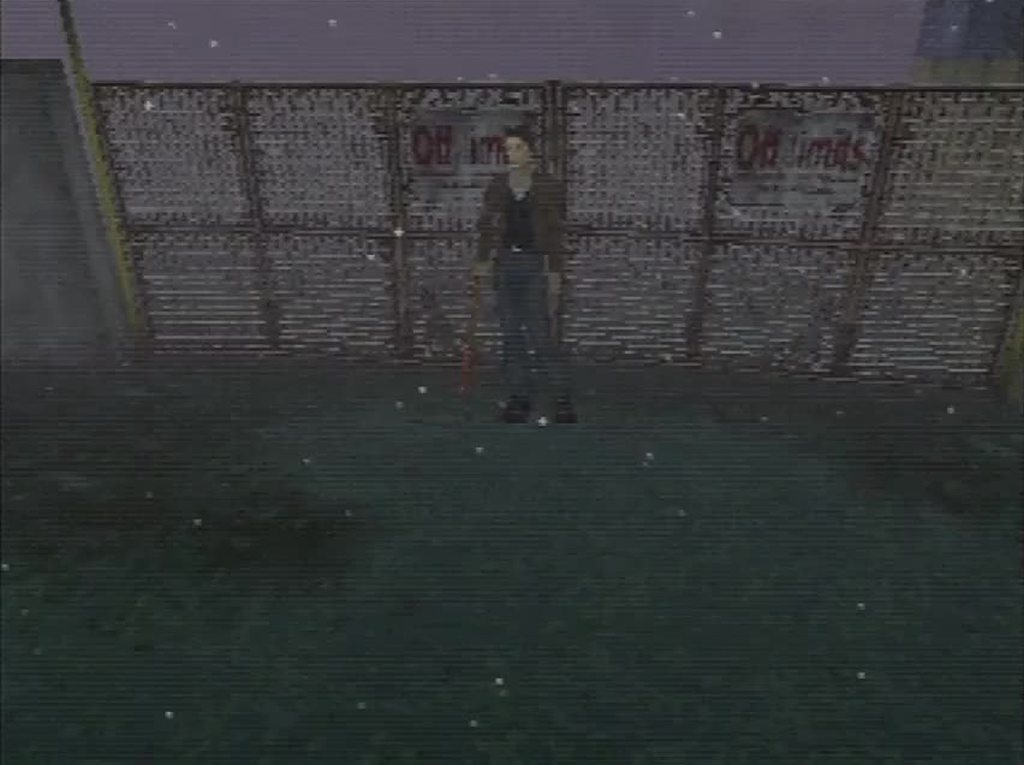
I still see all the dang dither
although, wait, no, this was PS2, lemme try that again
sinful bloom

a little more promising
-# I don't really use composite on PS1 that much


okay yeah PS2 fooled me
there's still dither but it looks like half-assed fake scanlines
sinful bloom
feral swift
--Crash Bandicoot 2--
Game: 563x256 (fine)
--Driver--
Driver Copyright Info S...
sorry, I couldn't catch Driver's MC check
and 480i is very choppy when you just grab one frame
sinful bloom
and just for quick fun - Tobal No. 1 with it's amazing 600x480i resolution
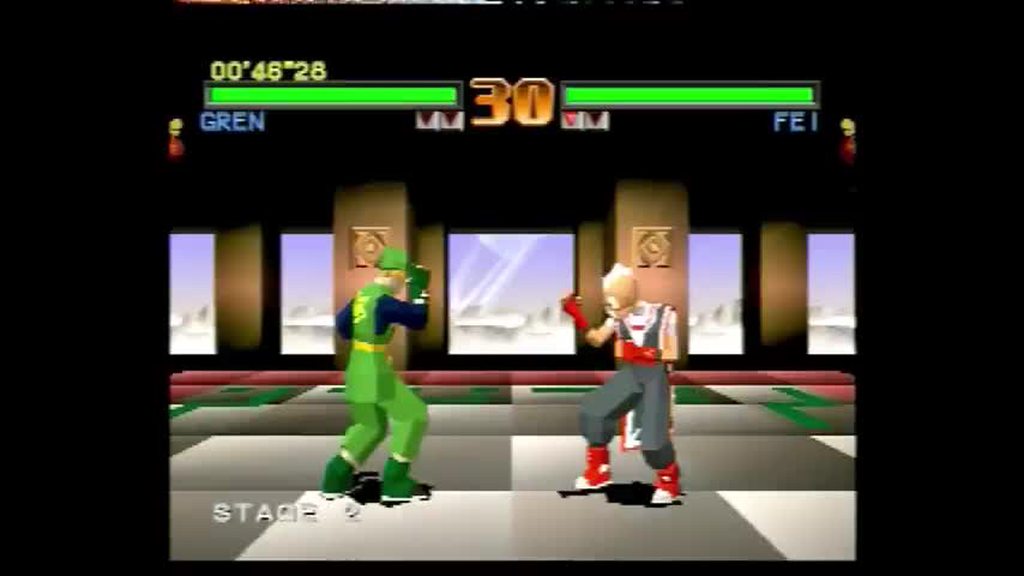
..yo, why did nobody tell me this game rocks?
I love how despite all the gourads it is still very recognizably Toriyama's art style
-# rip king

 pseudo veldt
sinful bloom
https://imgur.com/h8L4ywe
pseudo veldt
sinful bloom
https://imgur.com/h8L4ywe
I've never played this. Might need to be.
Also why is Link having to fight the Wizard's son?
sinful bloom
I hear Tobal 2 is a great gem that recently got fan translation and is a full blown action rpg
serene nebula
sinful bloom
I hear Tobal 2 is a great gem that recently got fan translation and is a full bl...
Eirgheiz has a more improved version of their dungeon crawler mode
so if you’re interested then check that game out instead
sinful bloom
Oh, it's the same devs, cool
serene nebula
Yah, I mean they’re all cool games, I like them all.
mystic flare
sinful bloom
Oh, it's the same devs, cool
Dream Factory?
sinful bloom
Yup
 ruby ermine

GET ACCESS TO THE BEATS, THE STREAMS AND MORE ON PATREON:
https://www.patreon.com/jonmakesbeats
NEW MERCH:
https://www.jonmakesbeats.com
Host: Soquid Snake
Production: Jon - instagram.com/jwayniac
Editing: Schnoodle - @schnoodlevideo
Thumbnail: instagram.com/tomvnc
hip hop, hip-hop, Elektron, Octatrack, Elektron Octatrack, Digitakt, Polye...
feral swift
sinful bloom
and 480i is very choppy when you just grab one frame
It looks quite different compared to when I view these games from my setup, however what I can definitely see is that the strength of the blend is also perfectly consistent across all games regardless of their resolution. Especially the Driver info screen sticks out, as that one almost has a somewhat garbled quality to it on my end when using the Mister blend core, where as on your screenshot it looks just fine next to all the others.
bitter lintel
sinful bloom
https://i.imgur.com/V0FYDmp.mp4
yet... we can never be sure
keep trying. you'll find that dither. i believe in you.
sinful bloom
it's all over my face on PS2!
PS1 being slightly worse at composite helps out a bit
bitter lintel
oh no
 short heron
Has anyone gotten PSxMemCard Gen 2 or any other sd2psXtd memory card working with MiSTer? I just get a fatal error when connecting it to MiSTer via the multitap (an official Sony Memory Card works fine this way). Running it through SNAX64 if it matters.
Boop.
 serene nebula
Not sure, works on real hardware I assume?
serene nebula
Good thinking
short heron
OK, seems it doesn't play nicely with the multitap, not sure if a firmware update could fix that either. I'll have to dig more. Glad it's not a MiSTer core issue.
serene nebula
Well glad it’s figured out but I hope that gets fixed for ya soon.
feral swift
Who the hell is this?
 short heron
Crash Bandicoot.
desert otter
Look.... This isn't cool ok? Because legit if it wasn't for the controller, I could've been fooled.
A.I. is getting too good now.
sinful bloom
Christ
timber flint
Oh holy shit
hushed sentinel
feral swift
Who the hell is this?
isn't that Robby
timber flint
I didn't even realize the controller
I totally thought that shit was real
Before you know we will be making our own episodes of our favorite TV shows no longer in production with AI
sinful bloom
I hope I don't live to see that
Someone will be spiteful enough to AI generate footage of me committing a crime
timber flint
It's probably only 5 maybe 10 years away
It's a shame there's so much potential for bad things with it, cause there's so much cool stuff that can be done with it too
Like any new tech, it isn't the tech that's so much the problem, but the idiots who will use it for wrong
I've had nothing but fun with ai

Who doesn't love Patrick Stewart enjoying a glass of red wine with a show sheep? 😂
hushed sentinel
it looks more like someone in a Patrick Stewart mask (+ the above)
but the hands are surprisingly consistent
timber flint
It's not meant to be perfect looking

Or coming up with possible tattoos
I enjoy messing around with it but obviously there's gonna be people who will be nefarious with it unfortunately and that's the bigger issue
tulip moat
desert otter
Look.... This isn't cool ok? Because legit if it wasn't for the controller, I co...
You noticed that, but not the gameplay footage where Crash has three legs and is running towards the boulder?
timber flint
I didn't notice that either 😂
desert otter
tulip moat
You noticed that, but not the gameplay footage where Crash has three legs and is...

I think the only reason I didn't notice that but noticed the controller was because one of the things I know about how A.I. tends to generate images is stuff that has more intricate small design to it like a game controller, A.I. just can't seem to figure out, whereas the image of the video game, at first cursory glance, looked like crash bandicoot, and I wasn't already trained to look at whether or not A.I. does a good or bad job with such things.
hushed sentinel
we need to improve the @desert otter model
can we get it to recognize bad gameplay footage somehow
feral swift
hushed sentinel
isn't that Robby
It somewhat looks like him, doesn't it? 😄 Just for full transparency, I came across this image on Facebook on a post that had a bunch of game characters play their own games. But I have no clue who this guy is.
serene nebula
Young Jack Black
mortal oracle
Robby is Jack Black confirmed
 dawn axle
Does anyone here regularly use the PSX core with network mounts instead of local storage? Hosting my mister library on my NAS and mounting over CIFS or samba is very tempting, but I recall hearing/reading that the PSX core in particular is sensitive to filesystem access latency?
My setup is that my NAS is on a one floor of my home attached to my router over ethernet, but the mister is on a different floor with it's internet access being a mesh access point that has ethernet ports. So still technically wifi, but limited to the backhaul speed between the access points (it's only dual band), and direct ethernet to the same access point as the NAS isn't available unless i go through the pain of running cabling through the walls
 crisp ether
i switched to a USB SSD for more portable storage early last year, but prior to that i used to use CIFS for everything disc-based and did not encounter issues even when MiSTer was only connected via Wi-Fi
wonder what the best games for testing that are
desert otter
dawn axle
Does anyone here regularly use the PSX core with network mounts instead of local...
There is no "technically" about it.
It's literally WiFi, just with extra steps.
Which means that when it comes to transferring data between the two things you are subject to the bullshit that is Wi-Fi. So you most likely will experience issues with data transfers, drop packets etc. Things that, when you need to be able to access the data right then and there and not wait for it, can cause issues.
dawn axle
no you're right, the "technically" is just there because it's not the more common method of using a USB wifi adapter limited to USB 2.0 connectivity. AFAIK the access points connect over 5Ghz channels so speed isn't the concern, just wanted peoples' opinions/experiences in wifi setups
desert otter
Yeah, unfortunately speed isn't your issue. It's stability. Wi-Fi is just unstable, and it drops packets all the time. And that in and of itself is what causes issues.
You are more than welcome to still try using it in your own setup and if things end up just kind of going smoothly for you then great. And if you ever run into an issue where things hang up because of it, you just have to take the L and try again
dawn axle
i guess the best way to find out is to just try it! 😛
desert otter
Yup lol
dawn axle
worst case I lose 1-2 hours of my life
desert otter
I would say be more frequent with save states
Only for the sake of being able to recover should you have an issue, and then when you are able to, do a proper traditional save with memory card and opening OSD to make sure the VMC gets written to storage
dawn axle
oh yeah in this case I'd still have the save files on the SD card
desert otter
Yes.
Worst case scenario is that everything freezes up in regards to the game, and doing a save state right then and there is no bueno, but if you're in the habit of frequently and often doing a save state then you'll hopefully have one that's not too far behind where you were when things froze up.
I personally don't have too many games for the PlayStation on my SD card. I have the entire USA in European library of games for NES, SNES, Genesis, N64, GB, GBC, GBA and then I have a selective library of games for PSX.
I still need to go through an end up removing unnecessary duplicates for European releases of all those other game systems and currently I still have like 300 and something gigabytes of free space on a 512 GB SD card
dawn axle
https://github.com/retronas/retronas/wiki/MiSTer-FPGA#psx-core---latency-performance
retronas github wiki to the rescue, this was the exact kind of testing i was looking for actually!

GitHub
Use a Raspberry Pi, old computer or VM as network storage for different retro computers and consoles - retronas/retronas
My NAS has an SSD for caching, so it'll truly just come down to network latency I guess
serene nebula
micro sd not an option?
desert otter
I think it's more like they already have a NAS and just want to use what they already have instead of buying an SD card with more space
serene nebula
yeah good point
dawn axle
I've actually already got a 512Gb microsd in there 😅 It's less about storage space, more about ease of library management
I already keep my library backed up the NAS, so more just, deduplicating places they're stored
abstract drift
using a NAS is pretty attractive since at the end of the day i'm going to backup all my roms there anyway
chilly kraken
i’ve never had any issues with my NAS + MiSTer wired or wireless (well, no issues that I haven’t caused myself anyway)
 burnt gorge
Hi everyone just wondering if there's maybe someone in a "composite blend" feature but for the Ps1 core or other cores , I mean composite blend it's great as it mimics composite cables
ivory verge
burnt gorge
Hi everyone just wondering if there's maybe someone in a "composite blend" featu...
psx and n64
desert otter
it's not 100% though as we've been finding out that with different resolutions it acts very differently so not all games look right
I have my Pro board from porkchop now though which I can use to essentially test composite
I think for cblend to work in core at this point on PSX, it needs to be resolution/content aware and change to different configurations internally depending
ivory verge
For now there is no perfect solution, maybe someday
desert otter
but that might be a bit much to try and implement
HDMI users can enjoy the blurriness of composite on their 70" 4K flat panels now
feral swift
ivory verge
For now there is no perfect solution, maybe someday
I think your suggestion to have two resolution blends, if it can be done, would really work best for now. I say this because I noticed that most of the games that use a lower resolution use that resolution for almost the entire game and menus. Having two different strengths, one for higher res games and one for lower res games, should therefore cover all possible scenarios.
feral swift
The only downside would be that the user has to manually switch the blend depending on the game resolution if the regular mode ends up being too blurry.
hushed sentinel
I think everyone should buy a PVM at the cost of a used car, and then connect it with RF at great further expense and effort
only this way can the american gamer reach full potential
feral swift
I really love the old tech, but I'm also equally scared that it will just catch on fire at any given moment. I guess that's the price we have to pay to stay true to retro gaming as it was intended. 😁
 dreamy sierra
i respect your drive for accuracy bear, that audio filter project was killer i love stuff like that
 gusty ridge
Being able to use pocketstation + mempro2 w\ gameid on mister is 👌

 short heron
gusty ridge
Being able to use pocketstation + mempro2 w\ gameid on mister is 👌
short heron
gusty ridge
Being able to use pocketstation + mempro2 w\ gameid on mister is 👌
Good to know this type of thing can work. Just issues on my end with the multitap for sure then 🥲
 round crag
short heron
Good to know this type of thing *can* work. Just issues on my end with the multi...
round crag
short heron
Good to know this type of thing *can* work. Just issues on my end with the multi...
 short heron
Yeah, that's not what the official firmware doc says, though; it specifically says not to use it in PS2 autoboot mode, which... yeah. Don't.
Or "dynamic" mode, rather.

I'm clearly not an expert, but this warning makes it sound like it could work in the multitap under other circumstances, but it currently does not (at least not for me).
What I do know is I haven't damaged my multitap by doing things I've been doing to test, since I never once had the card boot into to PS2 mode/dynamic mode inside the multitap which is apparently what is cause for actual damage.
feral swift
dreamy sierra
i respect your drive for accuracy bear, that audio filter project was killer i l...
Thanks, I really appreciate the support!
Unfortunately I ran into issues with the audio output related to the framework as well as the audio filter bugging out completely with most filter presets that I develop, which prevents me from continuing to create more audio filters presets at the moment. These issues need to be solved first and I hope we can get the solutions implemented sometime later this year.
In the meantime all that I can do is purchasing and collecting more console and handheld systems so that I can analyze these, and develop the audio filter presets as soon as the improved audio and filter system will be in place. Right now I already have an N64 and three different PSX revisions with me, as well as an almost completely unused GBA in like new condition that is on its way to me, all purely for audio filter preset research and development.
Ultimately there is no reason why we shouldn't have perfect and highly accurate audio reproduction across all handheld and home console systems on the Mister, there is just way more work involved into getting there than I initially anticipated.
If we can additionally also have very accurate composite blend filters, the Mister platform will without doubt end up becoming the greatest emulation and retro gaming preservation system available.
serene nebula
feral swift
Thanks, I really appreciate the support!
Unfortunately I ran into issues with t...
I don’t know if this helps but don’t be shy about sharing your work in progress. We’re all very excited and supportive of what you’re doing and want you to kick ass.
feral swift
serene nebula
I don’t know if this helps but don’t be shy about sharing your work in progress....
All that I could do for now is to release the N64 filters I have already developed, however they will both end up being different when I rework them for when the new audio filter system is in place, which is why I'm not sure if I should do it.
serene nebula
feral swift
All that I could do for now is to release the N64 filters I have already develop...
Up to you, whatever you’re comfortable with. Personally, I think they’re great and even if they need changing it’s really cool to have them now. Plus you’ll be officially part of the MiSTer distro I think is really cool!
feral swift
I like them very much as well and a lot of work went into them, let me give it some though. Thanks Robby!
mortal oracle
I use the N64 filter
serene nebula
Please don’t thank me. I’m just here cheerleading. Y’all are the awesome ones sharing your talents with all of us. 🍻
mortal oracle
What if we don’t have any talents?
hushed sentinel
mortal oracle
What if we don’t have any talents? <:eyes_squint:1142636656587980850>
then Robby does not see you.
gusty ridge
 surreal raft
Via snax or?
surreal raft
Via snax or?
im just using a SNAC (https://github.com/blue212/SNAC-PSX)
but i dont see why snax wont work.
You do have to patch the boot roms for the gameid feature to function work thou
GitHub
PSX SNAC pcb for mister. Contribute to blue212/SNAC-PSX development by creating an account on GitHub.
will need an adapter, unsure if that will ever be done
surreal raft
its cool i was wondering if it let you put the mcp2 in ps3 mode via the usb port and just saved it like that
ive been debating buying a psOne and hooking it up to my tink4k to play my ff7/8/9 discs off it or if the psx core looked the same or if i should just play them on my ps2 slim
i know ps2 has more dithering vs ps1 according to the tink4k wiki but was curious if psx core looked better
gusty ridge
it does have dithering options, but unsure which one works the best
 icy plank
Hey guys, I'm running USA CHDs (from chadmaster's archive) just fine but yesterday I tried to run "Sexy Parodius (Japan)". It detected the region and displayed it at the top left but didn't boot the game at all. Any idea why?
As always I have each CHD in a separate folder.
desert otter
icy plank
Hey guys, I'm running USA CHDs (from chadmaster's archive) just fine but yesterd...
Don't use pre made CHDs. Get the bin+cue and make them yourself
Lots of the pre made ones are using a compression level that doesn't play nice with MiSTer
manic citrus
although to be fair you probably won't notice unless you enable fast cd speeds
icy plank
desert otter
Lots of the pre made ones are using a compression level that doesn't play nice w...
But if I make them myself with CHDman like I did in the past, I don't remember an option to adjust the compression level.
What's the best way/settings to create those CHDs?
Also just to be sure, can anyone of you be so kind to test Sexy Parodius on their end? Just want to make sure the core in general is able to run it
manic citrus
works fine for me
 dark mountain
icy plank
Also just to be sure, can anyone of you be so kind to test Sexy Parodius on thei...
dark mountain
icy plank
Also just to be sure, can anyone of you be so kind to test Sexy Parodius on thei...
Works perfectly for me, I've finished the game recently, like during the last month.
icy plank
Alright, thanks. I'll give it another shot then.
Just take the redump cue/bin and use CHDman, correct?
dark mountain
Correct.
desert otter
icy plank
But if I make them myself with CHDman like I did in the past, I don't remember a...
You don't. That's the whole point and the whole reason your already pre made chd doesn't work.
Using the defaults that chdman goes to when you just use it as is will result in a chd that actually works
Fiddling around with trying to compress more won't save you all that much more space but still make you have to go through and test every single game you compress to ensure there's no issues. That's a lot of work and wasted energy for a few extra megabytes
For now you can save yourself the energy by only redoing games you have an issue with from the current collection you got
manic citrus
for psx setting the hunk size has benefits. zstd compression is a little bit of a cpu saving too
-c cdzs,cdfl -hs 9792 basically
desert otter
I think the default is ztsd
manic citrus
it is not
spring elk
All of the options have been clearly documented for a long time.
If the --compression or -c option is not supplied, it defaults to cdlz,cdzl,cdfl.
mortal oracle
manic citrus
-c cdzs,cdfl -hs 9792 basically
Where does the 9792 come from, out of interest?
And am I right in assuming it’s the same for the other (CD based) consoles?
Nevermind - found it:
#1046940919607345272 message
desert otter
I need halp.
This is the script I use to batch compress everything.
it normally works fine.
But adding the -c cdzs,cdfl -hs 9792 to it makes it only spit out folders and doesn't do the process to all the bin+cue.
if I remove that bit from the script, it works like normal and creates CHD files.
SET chdman="G:\..chdman\chdman.exe"
SET src_path="%CD%\cue"
SET dst_path="%CD%\chd"

REM Execution

IF NOT EXIST %dst_path% (
    MKDIR %dst_path%
)

FOR /R "%src_path%\" %%i IN ("*.cue") do (
    ECHO "%%i"
    MKDIR "%dst_path%\%%~ni"
    %chdman% createcd -c cdzs,cdfl -hs 9792 -i "%%i" -o "%dst_path%\%%~ni\%%~ni.chd"
)```Might be a silly question, but what version of chdman are you using?
 kind ravine
It’s cdzl, not cdzs
chilly kraken
 kind ravine
Oh nm, those are both options so that’s not the problem. Maybe try putting the options after the input and output and see if that helps.
spring elk
I was going to suggest that as well, just for the heck of it.
REM Variables

SET chdman="D:\Emulators\MAME\chdman.exe"
SET src_path="%CD%\cue"
SET dst_path="%CD%\chd"

REM Execution

IF NOT EXIST %dst_path% (
    MKDIR %dst_path%
)

FOR /R "%src_path%\" %%i IN ("*.cue") do (
    ECHO "%%i"
    MKDIR "%dst_path%\%%~ni"
    %chdman% createcd -i "%%i" -o "%dst_path%\%%~ni\%%~ni.chd" -c cdzs,cdfl -hs 9792
)
Perhaps try adding the -f (Force) option as well.
kind ravine
Last I remember I was under the impression that mister didn’t support zstandard, so you might want to check that before running it on all your discs with cdzs. cdzl is supported for sure, and cdlz is the slow one you’re trying to avoid
spring elk
GitHub
Main MiSTer binary and Wiki. Contribute to MiSTer-devel/Main_MiSTer development by creating an account on GitHub.
dusky martenBOT
typedef struct _cdzs_codec_data cdzs_codec_data;
Ah nice. Thanks for checking that. I wonder where I got that idea from 
dreamy sierra
offhand is there a list or a couple suggestions for which titles benefit themost from fast loading?
id like to do a couple of comparisons
desert otter
spring elk
I was going to suggest that as well, just for the heck of it.
```bat
REM Variab...
Does this work for you?
desert otter
dreamy sierra
offhand is there a list or a couple suggestions for which titles benefit themost...
Spyro takes forever with normal loading.
dreamy sierra
oh thats right
desert otter
You're sitting on a black screen before getting the actual loading screen for like 30 sec or something
But that's with my chd. Idk if it's like that with bin+cue
dreamy sierra
i usually keep the osd settings for things like fast boot and disk speed set at defaults but im curious now, im going to compare my chd and bin/cue setups
i think i remember long boot times on blood omen but it has been 25 years so
wild 9 had some longer load times too if i recall
desert otter
Fast boot isn't even all that fast. It's like half the time it takes to play out the Sony and PS logos with just a black screen. It's "faster" but I wouldn't call it "fast" lol
dreamy sierra
i actually wish more games of the era had a simple progress bar set up, i distinctly remember wondering if some of my games had crashed by the time they finished
dreamy sierra
i just feel like towards the middle end of the console's lifespan developers got more "clever" with load screens to hide how long or often they appeared
like spyro flying around like an idiot for half a minute
oh god i just remembered chrono trigger psx's load times and now i have ptsd
 dreamy sierra
sheeeeit
desert otter
The CPU on the PS1 is hella weak. Making it run twice as fast can help with the process of pulling data from CD into RAM then into GPU and such
Kind of a shame honestly cuz the graphics horsepower on the PS1 is insane for the time. But they gimped it with a trash CPU
desert otter
spring elk
Might be a silly question, but what version of chdman are you using?
Idk what the version is.
In the details of properties though, it says it was modified on July 27th 2023
Ok. So it was this ^^
I just downloaded the latest mame and extracted the newest chdman and everything works
dreamy sierra
nice
spring elk
Good deal. Unsupported parameter with the older version seemed most likely.
desert otter
So after redoing my library it increased in total size by 1.5GB
But according to what I was told earlier I should see better loading times from it and less load on the arm CPU
 lilac scaffold
Yeah its a bit less compressed in exchange for lower decompression overhead
#1046940919607345272 message
tropic stratus
desert otter
Kind of a shame honestly cuz the graphics horsepower on the PS1 is insane for th...
it's funny to see both sides: PSX games wait 99% of the time for the CPU/GTE. N64 games wait 99% of the time for RSP/RDP.
timber flint
Then there's me who has never been bothered once by load times lol
somber steppe
timber flint
Then there's me who has never been bothered once by load times lol
May I recommend Legacy of Kain: Blood Omen to you then?
timber flint
somber steppe
May I recommend Legacy of Kain: Blood Omen to you then?
Played and beat it several times. One of my all time favorite games. Never bothered by the load times
somber steppe
The loading screen when opening the menu drives me insane. Appearently it also wasn't meant to be this way, but they had to do some tricks to get it running on psx in time which meant storing data where it didn't belong. If there is ever a romhack to fix that I'd never play the old version again. 😅
timber flint
I get why it'd annoy people
But I've never had any issues with load times personally.
buoyant plinth
(Off topically Lego City Undercover has the worst load times of all time; I blame it for getting me into Twitter back in the Wii U days.)
spring elk
The only times I've ever been bothered by long loading times was in the early to mid '80s with my Commodores... especially when it was from a tape drive in the very beginning.
tulip moat
buoyant plinth
(Off topically Lego City Undercover has the worst load times of all time; I blam...
That was always a personal problem I had with the Wii U. Loading times across the board were slow.
spring elk
Well this is fun... 😄
 buoyant plinth
tulip moat
That was always a personal problem I had with the Wii U. Loading times across th...
buoyant plinth
tulip moat
That was always a personal problem I had with the Wii U. Loading times across th...
True dat. The game design on LCU exacerbated it; first hour or so was all in and out of the police station which was a 3 minute load time each time. After the tutorial it wasn't really an issue
spring elk
Ugh...
buoyant plinth
spring elk
Well this is fun... 😄
That's good. No point having those resources if you don't use them.
spring elk
Now I'm wishing I hadn't been too lazy to install that Ryzen 7 5800X upgrade I bought a couple months ago. 🤣
abstract drift
you can definitely stop the conversion, fit that cpu, start it back up and still save time overall
icy plank
desert otter
For now you can save yourself the energy by only redoing games you have an issue...
I see, thank you for clarification! 🙂
feral swift
 serene nebula
feral swift
serene nebula
feral swift
THIS JOKE IS SO BAD ITS AWESOME
 keen fog
To really sell it, the colors should have been messed up for NTSCtrow
 feral swift
Is the PAL vs NTSC color difference something that would come through on the Mister as well when comparing PAL vs NTSC roms, or has it entirely to do with the NTSC consoles, their specific output connection types and the NTSC TV standards?
hushed sentinel
if you're outputting component or RGB it will not show
if you're outputting RF, composite or s-video, it will.
the roms are irrelevant
it's all about the color encoding in the ntsc analog standard
 obtuse dune
It's not correct though. Poor Gwyneth should have black bars on top and bottom in a squeezed image.
hushed sentinel
its already squeezed!
obtuse dune
top black bar is still missing
hushed sentinel
on the Amiga, NTSC games actually displayed like that
but it was worse (NTSC 200p, PAL 256p)
 obtuse dune
Amiga never had fixed resolutions anyway. But i agree, 320x200 NTSC games looks like that. But console games not.
hushed sentinel
right
 pseudo plinth
somber steppe
The loading screen when opening the menu drives me insane. Appearently it also w...
pseudo plinth
somber steppe
The loading screen when opening the menu drives me insane. Appearently it also w...
If I remember correctly, there is a hack in the PC version that brings significant improvements to the title for newer PCs and improvements in loading and other things.

ModDB
Verok's GL Wrapper & Patch is a fanmade fix for Legacy of Kain Blood Omen. It brings it up to par with the PS1 version in terms of audio/fmv quality and framerate. As well as fixing other minor issues with the PC version Silicon Knights added in.
manic citrus
no, it's a modern pc game using opengl so nothing on mister is going to run it
somber steppe
So still waiting for a fix for the psx version then.
scenic ledge
I guess that nobody is planning to work on it (and some things simply cannot be done) thus your waiting is probably in vain.
 frail storm
somber steppe
So still waiting for a fix for the psx version then.
frail storm
somber steppe
So still waiting for a fix for the psx version then.
What fix does the PSX version need? The game seems to run fine on my side
There's no mention to any issues with the game on the PSX core in the issue tracker either
somber steppe
The loading time when opening and closing the menu. It's not a fix the core needs, but the game. 😅
frail storm
somber steppe
The loading time when opening and closing the menu. It's not a fix the core need...
Ahh!! But maybe the menu doesn't fit along the rest of the scenario itself on the anemic 2MB of RAM that our beloved PSX has to offer 😄
I don't see that changing unless some passionate Blood Omen fan does a 4MB support patch
abstract drift
does using the turbo core and maxing out the cd-speed help
somber steppe
Never tested that.
frail storm
Well, go and test that, and come back and tell us 😄
abstract drift
its worth a go, totally redeems chronotrigger
somber steppe
But I guess a blood omen romhack of sorts would be needed.
frail storm
somber steppe
But I guess a blood omen romhack of sorts would be needed.
Not necessarily! Maybe the power of the Great MiSTer PSX Core (aaaamen!) can save your day
somber steppe
Does nothing. Tested with cd and cpu speed at max.
serene nebula
Maybe you should buck up buttercup and play the game like everyone else did!!!!
sinful bloom
Play the game with snacks and take a sip/bite every time you access the pause menu
 proper gull
is the psx turbo core on update all?
chilly kraken
no, none of the turbo cores are
serene nebula
What he said. It’s because they’re provided as-is and unofficially. We do not want any bug reports generated from them either. They were done to see how far the systems could be pushed as a proof of concept.
I think there’s plans to look into incorporating them as opt-in from the update script. But I have no time table on when that will be addressed let alone looked at.
waxen elk
They could be added to the unstable feed since that's already a manual addition anyways, so less likely people will just stumble onto it
serene nebula
Yeah that too
spring elk
Yeah, what the other he said.
tawny palm
What they said.
hushed sentinel
That is what she said
 worldly hound
Preeeeetty sure I'm on the stable core here- but for some reason, Tekken is showing this weird small bar on the top left, running through HDMI. Is this a known issue?

not seen on the screenshot but it is flickering rapidly
oh weird, it's not showing up on the screenshot
abstract drift
a lot of PSX games have random junk at the screen edges
 abstract drift
the core has cropping options for this
i'm not 100% certain thats the case with tekken, but probably
worldly hound
vertical crop is unselectable.

oh, turning on fixed vblank enables it
not sure what fixed vblank or fixed hblank do
ah, the wiki explained it. i probably should've looked there first. sorry for the trouble!
mystic flare
worldly hound
ah, the wiki explained it. i probably should've looked there first. sorry for th...
you’ve only just gotten here, i take it you’re new to MiSTer in general?
mystic flare
heck we’re still helping folks set up the Saturn core ‘cause there’s so much out of date information on YT
mystic flare
worldly hound
I got my MiSTerPi earlier this month
it’s a wild time to own one. i got mine just as people realized that gen5 hardware was possible
worldly hound
My acquisition of one was out of pure luck. An old college friend got one for her and her wife, and they ended up sending her two on accident. So they decided to give me the free second one because they knew I've been wanting a MiSTer of some sort...pretty much as soon as CPS2 stuff was made possible.
I'm very grateful for their generosity.
mystic flare
imagine buying something just for a good Mega Drive experience and realizing your gonna get everything upto dreamcast
worldly hound
Yeah no it's insane, honestly.
Never once did I think I'd have something to play CD-I stuff on that isn't MAME lol
mystic flare
how’s the controller collection coming along lol
worldly hound
I've mostly just been using my xbox series controller cause I think it's like...my de facto controller for almost everything.
I sometimes swap in my M30 for 32X and CD stuff (i just play genny things on my actual genesis + everdrive)
I actually have a retro fighters 64 pad coming in that I nabbed for dirt cheap off a good ebay seller so I'm excited to use that for n64 stuff
I have a retrobit neo geo CD pad...somewhere that I could use if I wanted for the Geo core
mystic flare
worldly hound
I've mostly just been using my xbox series controller cause I think it's like......
a good pairing, there’s only really niche stuff at that point to consider
oh yeah the NGCD pad is hot
mystic flare
i really like using it for GB too
that and Donkey Kong 94 is a match made in heaven
hushed sentinel
I use the analog stick for GB
mystic flare
 worldly hound
mystic flare
that and Donkey Kong 94 is a match made in heaven
worldly hound
mystic flare
that and Donkey Kong 94 is a match made in heaven
SGB stuff is also a huge plus for me with the MiSTer
for DK94 especially
mystic flare
there’s a dude, he was posting here a while back on the progress he was making on a DX color hack
it should in theory still work with the SGB core
sinful bloom
Yeah get ready to see a lot of junk developers left for overscan to crop
desert otter
mystic flare
imagine buying something just for a good Mega Drive experience and realizing you...
Is this the correct wording for this? 🤔
Like when you say "up to" does that by default mean it stops before and doesn't include?
My understanding has always been that it includes the thing you mention. But I could totally have been living a lie my whole life 😆
serene nebula
worldly hound
Preeeeetty sure I'm on the stable core here- but for some reason, Tekken is show...
You already got the answer but for MiSTer cores that are established always assume you're doing something wrong or it's an issue with real hardware until you can verify it isn't. 99% of all issues being reported for PSX is always either one of those two. The MiSTer, and more specifically the amazing community that catches issues while a core is in development, is the best in emulation.
 silent bridge
Was there a US vs JP difference in Akumajo Dracula x68000 / Castlevania Chronicles that one was better than the other?
desert otter
silent bridge
Was there a US vs JP difference in Akumajo Dracula x68000 / Castlevania Chronicl...
allow me to blow your mind with a little known site called "The Cutting Room Floor"
https://tcrf.net/Castlevania_Chronicles
silent bridge
desert otter
allow me to blow your mind with a little known site called "The Cutting Room Flo...
Definitely will read but is there a general consensus on the versions?
desert otter
aside from slight graphical things there's this if you scroll down.
more detailed explanation below it

it's ultimately a port of a port at the end of the day.
anyone who's a castelvania purist will just tell you neither and to go play the original game on NES
or some nonsense like that.
I think overall the differences are minor when looking at the the chronicles japan vs international release, and you should probably just go with the one that is in a language you prefer.
as for the comparison of chronicles to the sharp x68k release, I don't know what to say about that. a youtube video talking about differences between ports might suit you better to determine which version you may prefer to play.
but when it comes to port vs port, it might come down to a subjective preference rather than something objective so a "consensus" on which version is best when it comes to a CV game will get muddy fast.
I would say probably best to play the most up to date version via chronicles, and the international release for things like extra bits in that list above, and bug fixes.
the story won't be any different, but graphics will be nicer I'm sure
somber radish
not that it's any revelation at this point but just completed my second play through of FF7
first time on PS1 as a teenager
this time as a 43 year old (on my birthday no less) on mister
nice gift to myself tbh
desert otter
Did you beat Ruby and emerald weapon?
 desert otter
It's like... Nah fam. I'm old now. I ain't got time for that. Exploits all the way
somber radish
so thats another one for the books, thinking what i might play next. i feel like saturns been in the oven long enough to do a Grandia run
i did an early build saturn run through of magic knight rayearth
no issues
desert otter
Play Legend of Dragoon
somber radish
fat babies all day long
been wanting to sink my teeth into something
hmmm
dragoon is on my radar
 desert otter
It's Sony's in house JRPG to compete with FF
desert otter
Lol.
desert otter
Some might say the last disc is a little rushed. But yeah it's good
silent bridge
desert otter
but when it comes to port vs port, it might come down to a subjective preference...
I'm no purist by any means, aside from playing the original NES one as a kid, I think I was merely misremembering that there was one version better than the other by consensus.
desert otter
silent bridge
I'm no purist by any means, aside from playing the original NES one as a kid, I ...
I recall there being mostly a consensus for CV2/Rondo
Between turbo gfx 16 and other systems
somber steppe
Did anybody finish dragon warrior 7 on the core?
 ⚔️
mortal oracle
somber steppe
Did anybody finish dragon warrior 7 on the core?
⚔️
mortal oracle
somber steppe
Did anybody finish dragon warrior 7 on the core?
Nobody has ever finished it. It’s too long
somber steppe
I'm 40h in and still on disc1
 sinful bloom
somber steppe
I'm 40h in and still on disc1
sinful bloom
somber steppe
I'm 40h in and still on disc1
I think you're a tiny quarter of one of the binders in
cosmic tulip
Too bad the psx core is ostensibly done. I would have asked if a feature was possible (an in osd switch for analog/digital)
desert otter
cosmic tulip
Too bad the psx core is ostensibly done. I would have asked if a feature was pos...
You mean for the controller?
There should be
You just toggle the controller type from analog/dual shock to digital
desert otter
Maybe that's not the best option actually.
Just tested it myself, and disables vibration and when you enable dual shock again you still have to use the key combo to enable analog if you're on the same exact game.
cosmic tulip
yeah see
and I would just like
.... current analog setting -> Analog/Digital
So you dont have to do those inputs
 dawn wind
I’d like to use my snac stuff via mister to transfer stuff to a real memory card (to soft mod a ps1) - any ideas on the best method?
still palm
probably would have to get the stuff into a virtual save so you could then transfer to real MC in bios menu.
dawn wind
I'll tinker with it and report back. I have a softmodded PS2 I can fall back on as well, but I'd expect the MiSTer to be easier.
serene nebula
@chilly kraken yeah the morph 4K handles the Dino crisis inventory menu without issue
chilly kraken
serene nebula
<@225003633668915201> yeah the morph 4K handles the Dino crisis inventory menu w...
yes it does :). This thing is neat. Not as full featured as the tink (but I'm not sure the tink is 500 dollars of more features either)
serene nebula
chilly kraken
yes it does :). This thing is neat. Not as full featured as the tink (but I'm no...
I got no idea what features I’m missing tbh or would even need lol
upscalers aren’t really for me
chilly kraken
it's nitpicky stuff
manic citrus
gotta keep upscalers in the back pocket, mister isn't ever going beyond 1080p 60 and I suspect tv performance at that will start to degrade over the years
(yes, I know you can do higher resolutions but they'll have the same problems)
desert otter
chilly kraken
yes it does :). This thing is neat. Not as full featured as the tink (but I'm no...
Are you aware that there's a new lite version of the tink4k now?
chilly kraken
yeah
desert otter
Still almost double for the CE
chilly kraken
I love my tink4k
and I (who makes poor financial decisions) would still purchase it over the morph
but it's hard to argue that this thing packs a lot of punch for 300 bucks
especially once it gets rotate
desert otter
I think the only thing that really matters is:
- Can it scale to 4K cleanly for both SD and HD content.
- Can you apply filters for CRT effect and HDR.
- Does it have good enough deinterlacing
serene nebula
Yah, GameCube rocks on it
desert otter
If it meets that criteria then you don't need anything fancier for the average schmuck.
Let the enthusiasts who want to tinker and fiddle with all manner of other features pay the premium for a more expensive and feature rich device
chilly kraken
as Mike Chi says, just play the video game
manic citrus
I wonder if any of the available 4k@120 (or 240? are there any?) displays show increased latency at 60fps
serene nebula
I don’t think the LG CX does
abstract drift
we could really use a morph but in mister sandiwch stack format, or a mister but in morph addon card format
manic citrus
yes, that's my 'I'm an ideas guy' thing. an i/o board that just has a scaler on it with some usb interface so you can do config stuff from mister menu
if you want to get fancy that scaler board can also just have a DAC on it too and do dual output
 empty yacht
or we could all just use crts \o/
somber steppe
But they're so smol!
hushed sentinel
no they aren't
they're up to like 36" which is the maximum picture size a human head can see
timber flint
I'm 100% content to never use a CRT again
hushed sentinel
that's fine
chilly kraken
hushed sentinel
they're up to like 36" which is the maximum picture size a human head can see
I can see 61fps
tawny palm
hushed sentinel
they're up to like 36" which is the maximum picture size a human head can see
I had a 40 inch CRT back in the day!
hushed sentinel
amazing
tawny palm
It weighed 304 pounds...
tawny palm
It's the standard unit of measurement! ||In the US of A!  ||
||
I needed to hire professional movers just to get it out of the house back in the day when I replaced it with a plasma TV.
That thing was a tank.

An old photo of it!
timber flint
oh my
chilly kraken
I was like "Oh that thing is nestled so nicely in that cabinet" and then realized the "cabinet" was the tv
timber flint
i used to sell that tv
back when was a sales manager for a dept shore chain
very good tv
loved the commission on those
Sony gave us 5% commission, and then a $40 bonus for every one sold
tawny palm
I bought it from an old store that no longer exists called American TV & Appliance.
mortal oracle
Maybe it’ll exist again when TVs and appliances are made in America again 
hushed sentinel
being at the extreme of what they could make CRTs how was the quality? like convergence etc
mortal oracle
Very convergent. Great convergence. People are always asking me how the convergence is, and I think they’re doing really a wonderful job
chilly kraken
we have the best converges
desert otter
tawny palm
It weighed 304 pounds...
Ok but... It was a Sony. That's different
The same size from any other manufacturer would weigh at least 100lbs less
tawny palm
desert otter
Ok but... It was a Sony. That's different
My aching back didn't care about the manufacturer!
desert otter
Lolol
Sony and the damn aperture grille
I do think 40 is just a little too gargantuan. I personally think 32 is the cutoff for a really good CRT that's a large size but doesn't need to be any larger.
tawny palm
tawny palm
My aching back didn't care about the manufacturer!
....is what I would have said if I actually lifted it myself. The people I hired to do so would have said it though! 
waxen elk
Yeah 32 is the sweet spot
sinful bloom
I love Descent, but last time I tried to beat the PlayStation port
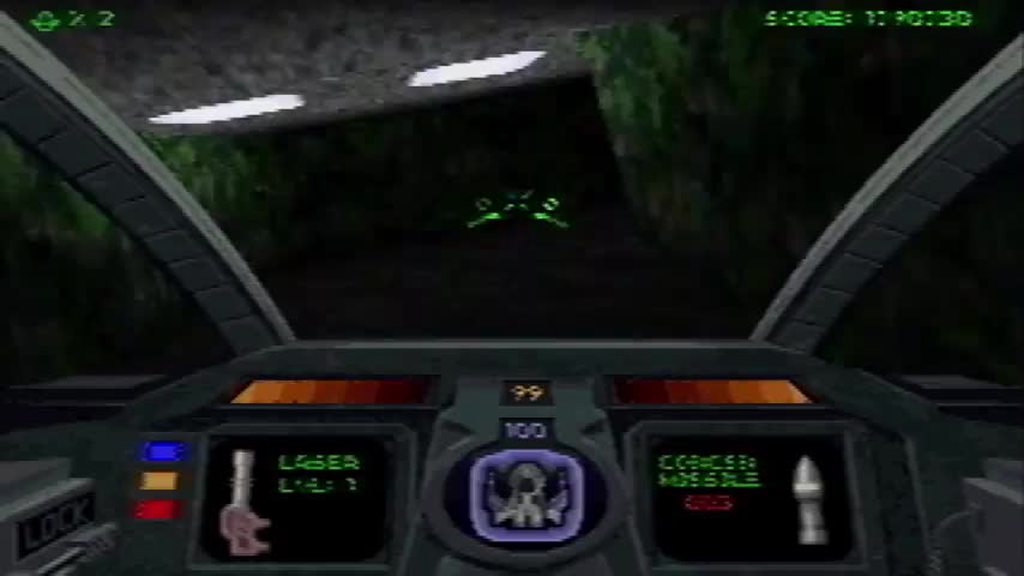
I physically couldn't do it
I doubt it's better on MiSTer but I will try
there's a reason why Descent Maximum is "Descent 2" for PS1 except it has completely different levels that actually run on the console
somber steppe
You could try the turbo core on max settings.
sinful bloom
it's likely going to clownspeed up the game because internally, the game ran at 100% speed
yes, that is 100% speed
the drops are that bad
 agile snow
 waxen elk
That gif gives me motion sickness goddang
agile snow
Going passed Ludacris speed usually does that. 😁 The last one above I thought I was having a stroke for a second.
pseudo plinth
sinful bloom
I doubt it's better on MiSTer but I will try
I played on PSX 2X core and it ran much better than native, still some frame drops, but not too much
tawny palm
Speaking of the turbo core, Road Rash (the 3DO port) runs seriously good on that core. 
 stiff ferry
Is the community aware of issues with save states and memory cards? During Crash 2 play sessions where I don’t use save states, everything works fine, but as soon as I start messing with save states, I’m often met with Memory Card read errors when accessing the Save/Load wall.
 somber steppe
I finished the first disc of dragon warrior 7 on the core!
 sinful bloom
good, you cleared 3/4 of the binders
is this one of those rare games where it's multiple discs because of sheer density of gameplay content
instead of bloat through FMVs?
the third disc of FFVII is so funny because it's just the final trek to the endgame
somber steppe
Hardly any fmvs. I'm about 75hours in.
ivory verge
stiff ferry
Is the community aware of issues with save states and memory cards? During Cras...

GitHub
Problem: Sometimes I get an error when the game tries to read the memory card when I go to the save area after finishing a level. After the levels SNOW BIZ and AIR-CRASH the problem first occurred....
stiff ferry
ivory verge
https://github.com/MiSTer-devel/PSX_MiSTer/issues/258
Oh neat, thanks! I’ve added my observations to the ticket.
serene nebula
stiff ferry
Oh neat, thanks! I’ve added my observations to the ticket.
Thanks dude, awesome to see
rancid anchor
I'd love a romhack that in some way makes DW7 faster, it's a game I'd love to replay but 100 hours...
maybe just double the enemy attack animation speed, allow text to be instant displayed, speed up walking (which is already pretty quick)
somber steppe
All the dragon quest games are the same anyway.
rancid anchor
the 3ds version was somehow shorter, maybe faster battles
they share a lot of similar things, but I wouldn't go so far as saying they're all the same
especially once you get to 8
somber steppe
I played 1-5 and 7 on mister. 1-3 were fine, 4 a bit overburdened by all the party members you get in all the intro chapters and 5 was mostly fine... but a bit confused with the monster system.
6 is too buggy, but there is a patch in the works.
rancid anchor
6 I've played through on the DS mostly, the localization is fine and it's a really good game
I'm glad they relegated the monster training stuff to it's own game
I loved 4 on the NES, was so disappointed that it didn't get an official release on the PSX
somber steppe
We really need a ds core.
mortal oracle
somber steppe
We really need a ds core.
I hope this is a thing that happens on Mi2Ter
somber steppe
mortal oracle
I hope this is a thing that happens on Mi2Ter
I still believe in Robert.
He can do it like n64!
mortal oracle
somber steppe
I still believe in Robert.
I live in hope
serene nebula
mortal oracle
I hope this is a thing that happens on Mi2Ter
I am unironically going to push for this name
mortal oracle
serene nebula
I am unironically going to push for this name
It works well… MiST3r
MiSTer FPG4
Mi5Ter
somber steppe
Which one is the one with the ps2, gc and xbox core?
timber flint
rancid anchor
I'd love a romhack that in some way makes DW7 faster, it's a game I'd love to re...
Would use fast forward during battles help?
spring elk
It sure helps with the Lunar Remastered Collection. It's wonderful.
mortal oracle
somber steppe
Which one is the one with the ps2, gc and xbox core?
Probably 4?
spring elk
...as in Raspberry Pi 4.
rancid anchor
timber flint
Would use fast forward during battles help?
probably, but I'd rather something that didn't speed up the music, I still want to enjoy it 🙂
timber flint
rancid anchor
probably, but I'd rather something that didn't speed up the music, I still want ...
Understandable
tropic stratus
stiff ferry
Oh neat, thanks! I’ve added my observations to the ticket.
probably some information missing in the savestate that otherwise would be there. Unfortunatly this is very hard to track 😦
tulip moat
Might be some quirk with how Crash Bandicoot 2 handles saves.
The Crash games do a lot of dynamic loading, so maybe the developers programmed a failsafe with saving to prevent corrupted data.
Just spitballing here. There is no decompilation specifically for Crash 2, so we can't just skim through the code to see what exactly is going on.
By the way, does this glitch happen with every version of Crash 2? NTSC-U, NTSC-J, and PAL all have changes made to them, so there is always the possibility that this problem is only affecting one of the versions.
What about Crash 3 that also uses a similar saving system to Crash 2?
stiff ferry
tropic stratus
probably some information missing in the savestate that otherwise would be there...
Would having very precise repro steps help? Because right now I can reproduce this pretty consistently by going into a level, saving/loading state, completing the level so that the progress stats are different than the saved ones, and going to the Save/Load wall.
stiff ferry
tulip moat
By the way, does this glitch happen with every version of Crash 2? NTSC-U, NTSC-...
Dunno I only have the US version. I’ll try with Crash 3.
Same issue in Crash 3:

I’m starting to wonder if this is something that possibly affects every game. I’ll do some more testing when I get a chance.
tropic stratus
What happens internally when loading a savestate is that the whole core is reset, but the reset values of some internal Registers(e.g. CPU registers) are taken from the savestate instead of the reset state.
However, as we cannot restore all registers due to that being way to many to fit the FPGA, it's only a reduced set.
Probably some of these (e.g. memory card state) is expected by the game, but the state loading did not recover that.
Very tedious to find out which register that is. Typically I do this in my software emulator where i take a "full" savestate and load back only what the FPGA has.
For a test I can load back more to find which was required. Unfortunatly the registers don't always map 1:1, as the emulator has some shortcuts that are not in the FPGA core. Especially for memory cards it has plenty 😅
This is mainly because memory cards are completly different handled in the FPGA side, as I cannot just write to a filesystem, but have to use a buffer and later on transfer over via the mister framework.
So this part is hard to debug with the emulator, if possible at all.
Most likely it needs to be debugged in the core, which means:
- add some registers to savestate saving + loading and build with quartus
- check if the game now works as expected
- repeat until it works
feral swift
What is the general stance on save states in FPGA gaming? I always used them in Retroarch, but when I started playing on the Mister I enjoyed not using them at all, finding out that I turned games into monotonous busy work of saving and reloading states just to keep progressing in difficult games, instead of having the experience of playing the game as it was intended.
On systems like NES where games can have brutal difficulties I can understand that people are wanting to use them, but is it really needed on PSX? I know everyone has a different opinion, just curious to find out about opinions that are different than mine. Personally I'd love to have an option to disable cheats and save stave options globally across all cores, so that they don't even get displayed at all when I open the OSD.
 blissful ruin
Hey, how do you input custom GameShark codes into the PSX core?
sinful bloom
save states are an accessibility feature
as much as cheat codes are
you do not want to save progress in Fear Effect conventionally
you can save anywhere but reloads after death are like, eating 1-2 minutes of your life
in very trial and errory game
I've made enemies out of advocating save stating, yes, but they can keep tryharding harder
feral swift
I know the game, I played it shortly after it was released on the real hardware. My opinion is that if you take out the pain of failing you also diminish the feeling of accomplishment when you eventually progress. Save states basically make you immortal, as you can always revert to a state of not failing after having failed.
sinful bloom
looping sparse checkpoints in Alien Resurrection also gets pretty grating, in a brutal slaughterfest on the player
you literally save time!
feral swift
So would you say it's more of a case by case scenario where you would use save states, as relating to potentially bad game design features, or using them by default for everything?
sinful bloom
I am baffled at the notion of accomplishment when if anything I am getting extremely tired of tedium every now and then
stiff ferry
stiff ferry
I’m starting to wonder if this is something that possibly affects every game. I’...
Welp scrap that theory. Haven’t been able to reproduce this with any other games so far.
sinful bloom
by default for everything not really, just saving time against bullshit
feral swift
Ok, I get that.
sinful bloom
I don't like saving mid-battle in JRPGs but if there's a super lengthy 20-30 minutes cutscene before doing the major boss battle oh yeah gimme
feral swift
When I used save states I was getting to the point where I'd use them for every single game, constantly saving and loading states, even for games like Crash Bandicoot 2, where I would revert every single death or every little mistake, just because of how accessible and easy to use this feature is. But in doing so I was ruining the experience of the games I played.


 feral swift
I'm too much of a purist to like the idea of hacking a game to change its mechanics or features. I also never really got on with Crash Bandicoot 1 as I always felt that it was entirely rather rough, especially compared to CB2 & CB3. I still enjoy playing it occasionally.
tulip moat
feral swift
What is the general stance on save states in FPGA gaming? I always used them in ...
Maybe this is just bias, but I was never a fan of save states in general. It always felt like a form of cheating to repeatedly save and load to brute force through challenging segments. On MiSTer it's no different. If anything I like it less because it kind of strips away from the idea that the cores are supposed to be just like the original hardware, warts and all. That's why I just ignore the save state feature whenever possible.
Of course other people do like save states, which is why people always request the feature, and that is fine. It's just not something for me personally.
sinful bloom

maybe I was raised different
saving where I wanted in ZSnes was mind blowing
okay, actually, you know where save states are perfectly applicable?

bypassing this shit
mortal oracle
On the PS1 core I tend to use a save state when I do a real save - that way if I want to reload the game, I can do so quicker. Seems like a good compromise to me
timber flint
tulip moat
Maybe this is just bias, but I was never a fan of save states in general. It alw...
If you choose to abuse it that way sure. But when you're married with 3 kids and often times you got a drop what you're doing and go... Save states are glorious
somber steppe
mortal oracle
On the PS1 core I tend to use a save state when I do a real save - that way if I...
I only use savestates in emergencies. Like when I've been playing dq7 for 48h straight and I'm 3/4 through the final dungeon and have to take a break.
abstract drift
i use them quite a lot to learn how to dodge zombies in RE
obviously its not how you should play the game normally, but its almost its own little minigame, when you use savestates you can learn to do almost every room without getting touched or shooting anything, i think the zombies are actually completely deterministic
somber steppe
You're quite the umbrella scientist.
timber flint
Also, being 43...I don't have time sometimes to keep trying over and over.