#Sony PlayStation
1 messages · Page 37 of 1
 manic citrus
 chilly kraken
castlevania too, i think?
 spring elk
Not sure how accurate this is, but maybe worth a look?
https://docs.google.com/spreadsheets/d/1UgysgrgqbiIlyHIiwCxVoWMu1bwgO2OBlDO1ORpsi78/edit?gid=0#gid=0

Google Docs
 desert otter
 abstract drift
the menus are a different 240p than the field screen
abstract drift
the menus are a different 240p than the field screen
I recall FF being 480i for it's menus 
abstract drift
yeah
desert otter
it probably gets wider for the sake of reading text or something
abstract drift
ff7 also plays music that continues throughout that transition unbroken
so the slightest blip you'll hear it
desert otter

jumping flash looks promising for testing
unless what you're looking for is vertical res changes
 scenic reef
Yeah ff7 world map <-> menu switch is basically 224p and 240p back and forth I think if memory serves me right.
Metal gear solid should switches for the codec screen too
I think vagrant story switches when you go to the menu. I know Valkyrie profile switches when you go to the menu
 weak widget
Ff8 also had two different progressive modes, in game and menu I believe.
 waxen elk
Isn't the Silent Hill menu also really thin in width, I remember emulators cropped it weirdly for a hot minute
 somber steppe
Silent hill menu is 480i though.
 rose ermine
manic citrus
anyone know of a psx game that has resolution switching, but the switch is NOT i...
rose ermine
manic citrus
anyone know of a psx game that has resolution switching, but the switch is NOT i...
Point blank seems to change resolution between level select and the stages themselves. Drops out on HDMI without triple buffer
 polar horizon
How can I get cheats to work with multi-disc games, FF9's cheats appear for disc1, but not disc2
 devout jolt
rose ermine
Point blank seems to change resolution between level select and the stages thems...
devout jolt
rose ermine
Point blank seems to change resolution between level select and the stages thems...
I’m not sure about the interlaced/progressive thing but it is neat watching the gun crosshairs change shape like five times before you reach gameplay 😅
 lilac scaffold
polar horizon
How can I get cheats to work with multi-disc games, FF9's cheats appear for disc...
lilac scaffold
polar horizon
How can I get cheats to work with multi-disc games, FF9's cheats appear for disc...
PSX loads cheats based on the disc ID, there only seems to be a /cheats/PSX/SLUS-01251.zip not SLUS-01295.zip
http://redump.org/disc/73/
http://redump.org/disc/74/
You could probably copy and rename it to match the second disc, or symlink
polar horizon
lilac scaffold
PSX loads cheats based on the disc ID, there only seems to be a /cheats/PSX/SLUS...
What's symlink?
lilac scaffold
https://mister-devel.github.io/MkDocs_MiSTer/cores/features/cheats/?#how-to-use-cheats-with-cd-rom-images
looks like you can copy the zip into the same folder as the bin+cue or chd also
polar horizon
lilac scaffold
https://mister-devel.github.io/MkDocs_MiSTer/cores/features/cheats/?#how-to-use-...
Oh, seems like I'd need to do that with every multi disc game I play then. That's unfortunate
lilac scaffold
symbolic link
like a shortcut to the original file, instead of a copy of it
new name/path, but just a reference to the source file
polar horizon
lilac scaffold
symbolic link
like a shortcut to the original file, instead of a copy of it
Im not sure how to set that up
lilac scaffold
for FF9 i'd try copying the zip file for disc one and renaming it to match disc 2
if it works then cool, but yeah not ideal if theres many games with the same situation
polar horizon
lilac scaffold
for FF9 i'd try copying the zip file for disc one and renaming it to match disc ...
My issue is that I need to do that for every disc :/
lilac scaffold
cheater
polar horizon
lilac scaffold
cheater
Mainly just overworld cheats, sometimes I wanna walk without getting into a battle every 5s
Or revisit old towns/dungeons for treasures I missed, without being forced to battle low level enemies
lilac scaffold
if it works for disc 2 i'd guess it'll work for 3 and 4, just a cpl more copies of the zip
give it a shot ¯_(ツ)_/¯
polar horizon
lilac scaffold
if it works for disc 2 i'd guess it'll work for 3 and 4, just a cpl more copies ...
I'm gonna try and set it up rn, just saved my game and restarted the mister
Koudelka is another game I love, but when doing item cleanups through each disc, it gets hella tedious dealing with random encounters when trying to back track. It can be time consuming
I can't seem to find the cheat file for FF9, hmm
lilac scaffold
You don't have /cheats/PSX/SLUS-01251.zip ?
polar horizon
lilac scaffold
You don't have `/cheats/PSX/SLUS-01251.zip` ?
nvm, was looking at the wrong region
lilac scaffold
That's for US release
polar horizon
I found it
Yeah, its not working unfortunately
Renamed it to the discID of disc2, placed it in the folder where my ff9 discs are stored and it still won't enable
lilac scaffold
Try having it in /cheats/PSX/ like the original one maybe
polar horizon
lilac scaffold
Try having it in /cheats/PSX/ like the original one maybe
Yeah, that worked. Thanks
lilac scaffold
Sweet 🙂
polar horizon
Damn, working with Misterfpga is cumbersome, I hate it lmao
Ok, now onto disc 3 and 4. Just need to get the gameID for those two
devout jolt
polar horizon
Damn, working with Misterfpga is cumbersome, I hate it lmao
Can always switch to a raspberry pi with batocera 🤪
lilac scaffold
You may be able to have a single zip file named to match the folder the discs are within
polar horizon
devout jolt
Can always switch to a raspberry pi with batocera 🤪
Honestly, I'll take whatever is simpler at this point. I'm becoming too time limited and losing interest in the hobby, in regards to tinkering that is. I just wanna be able to play
lilac scaffold
That's a complete guess, unsure if the core looks for disc filename or uses the parent folder name like it does for saves
When it's matching on filename not game id that is
polar horizon
lilac scaffold
You *may* be able to have a single zip file named to match the folder the discs ...
Hmm, I'll mess around either that for a bit and see what I can figure out
devout jolt
polar horizon
Honestly, I'll take whatever is simpler at this point. I'm becoming too time lim...
Simplest solution is skipping the cheats 😇
polar horizon
devout jolt
Simplest solution is skipping the cheats 😇
Yes, that's true for some people but not me.
The cheat I use is just for overworld and map encounters to save time, since I'm time limited when playing these games. I'm loving FF9, but man, these random encounters are rough
devout jolt
Excessive random encounters is one sure fire way for me to lose interest in an rpg
polar horizon
devout jolt
Excessive random encounters is one sure fire way for me to lose interest in an r...
Yeah, I agree. Honestly, I also didn't grow up with this era of RPGS as I was too young, so its also something I'm not used too. Same way I didn't grow up with arcades and quarter eating machines. I generally don't enjoy using cheats, but I really do have limited time sometimes, and if I can save a little time, I don't mind doing so. Other than the overworld map and when I backtrack, I've been loving FF9
devout jolt
Gave up on Lunar because of it. Although I read they fixed it in a later port
Backtracking to slash every bush and blade of grass in Link’s Awakening is the worst slog I ever did
polar horizon
devout jolt
Gave up on Lunar because of it. Although I read they fixed it in a later port
It's funny, I've been holding off of Lunar silver story because of the same thing
polar horizon
devout jolt
Backtracking to slash every bush and blade of grass in Link’s Awakening is the w...
I agree, lmao
devout jolt
Shining Force CD was excellent, you just go from battle to battle
polar horizon
devout jolt
Shining Force CD was excellent, you just go from battle to battle
Grandia's random encouter rate wasn't too bad, although the game is about 60 hours long, but I loved it all the way through
Edit: Actually, Grandia had the enemies visible on the overworld map I believe, its been awhile since I've played. Koudelka isn't too bad, but can be a slog when backtracking
I've come to realize I like 20-40 hour rpgs the most, occasionally 50-60 but I don't think I'll ever play Fire emblem three houses or persona 5 ever again lmao, it was too long
devout jolt
Been tempted to buy three houses but I might check out some of the earlier titles in the series first
polar horizon
devout jolt
Been tempted to buy three houses but I might check out some of the earlier title...
The 3DS fire emblem games are really good, not too long either at around 35-50 hours
@devout jolt I see you have a arcade stick as your PFP, are you really into arcade stick modding by any chance? I have a Quanba drone that has a Sanwa stick and buttons, I placed them in years ago, but I think it's time to upgrade the springs, its kinda loose now 😅
devout jolt
I haven’t really done much of it, but I did build a fightstick a while back using the 34yo Happ stick in the photo 🤠

 polar horizon
devout jolt
polar horizon
devout jolt
NICE!!! That's really cool, I wouldn't mind building my own custom fight stick someday
Or a hit box, either one would be fine for me
 minor spruce
just curious does anyone have a snac with memory card and a memcard pro/pro2?
@somber steppe I see you have a memcard pro... Happen to have a psx snac with memcard slot?
somber steppe
No sorry.
minor spruce
Rip
somber steppe
I used the memcard pro with xstation before I got mister.
minor spruce
im kinda wanting to get a memcard pro and i see theres a bios patch to enable gameid passing but curious how that works out on a mister
the modified bios boots just fine on mister but whether or not its actually doing what it needs to for the memcard pro i have no idea
 sinful bloom
my memcard pro2 is still stuck in "awaiting flight" since jan 9
unfortunately my snac only has controller ports
desert otter
PS2 controllers work perfectly fine for PSX core with snac right?
I might be interested in getting some ocean blue controllers to use with my SuperStation when I eventually get it later this year.
polar horizon
minor spruce
just curious does anyone have a snac with memory card and a memcard pro/pro2?
Hi, I have Snax64 with SD2PSX which is similar enough. If you're using multitap, last I tested page switching may not work due to not enough power available from the USB port. The solution to this would be to provide the 5v separately to the card, so it doesn't overpull from USB.
minor spruce
polar horizon
Hi, I have Snax64 with SD2PSX which is similar enough. If you're using multitap,...
Hmm I was wondering for testing with a bios that patches for passing gameID
Bios boots on mister just fine but no idea if it actually passes gameID to the MCP
And I don't have a MCP or snac that has a memcard port lol
polar horizon
minor spruce
Bios boots on mister just fine but no idea if it actually passes gameID to the M...
Sorry, I'm not too sure. I only know of the voltage limitations, which would probably affect GameID, as it needs to switch the card, which doing so causes the card to crash.
Third party ps1 cards with page switches also have the same issue when manually switching pages
polar horizon
minor spruce
And I don't have a MCP or snac that has a memcard port lol
I use a OEM multitap into PSX snax cable, which then goes into Snax64
@minor spruce Which bios are you referring too when you're mentioning GameID being patched in?
minor spruce
polar horizon
<@112444899449700352> Which bios are you referring too when you're mentioning Ga...

GitHub
BIOS patches to allow disc games to report GameID data to a MemCard Pro - jdfr228/PS1-Disc-Based-Game-ID
I've seen the MCP working on mister but not with gameID
minor spruce
Just kinda curious if with the bios patch if the MCPs gameID function actually works
minor spruce
 odd glen
If I recall correctly, it does
odd glen
If I recall correctly, it does
if you have a snac with memcard and the mcp would you be willing to check?
minor spruce
Nice thanks
minor spruce
odd glen
Later tonight
Lemme know how it goes (no idea what your time zone is lol)
 clever pendant
It's really good. I need to finish it
 final salmon
I should play it more too, only launched it pretty much, very cool work though!
Can use focus energy for that sweet badge boost glitch 🙂
somber steppe
Aye, somebody read the description. 😅 makes me really happy.
final salmon
I read and downloaded and booted it 🤣 Just need more time to play
somber steppe
Btw there is a 1.2v I never uploaded since rhdn is dead. It's just some minor adjustments to be in line with stadium and to integrate mew a bit more naturally.
DM me if you want to play that version.
 mortal oracle
somber steppe
DM me if you want to play that version.
mortal oracle
somber steppe
DM me if you want to play that version.
We all want to play it 🥺
somber steppe
Dunno if it's ok to post the patch file itself and I don't want to get the mister discord in trouble.
final salmon
That's fair, unless a mod says different. Shame about them. Wonder where the place to share would be these days
somber steppe
As mentioned, I'll dm the patch if someone is interested. It's basically just level adjustments to the few pokemon you could get as a reward in stadium so they match that and a guy mentioning mew. It's not a big thing. So if you're on 1.1 (or 1.0, since 1.1 was really just the og version) you're also good.
 visual depot
somber steppe
I used the memcard pro with xstation before I got mister.
visual depot
somber steppe
I used the memcard pro with xstation before I got mister.
Is it the original memcard pro or the revision with the non-fpga chip?
The original releases pull over the voltage that the user io port can provide natively. So you would have to get a snac adapter that's externally powered.
desert otter
somber steppe
As mentioned, I'll dm the patch if someone is interested. It's basically just le...
try uploading your patch to banana something or other
since that other site doesn't take submissions anymore

GameBanana
Mods, Tutorials, Sprays, Works In Progress, Sound Mods and more for video games
somber steppe
desert otter
try uploading your patch to banana something or other
Does it need an account?
desert otter
I think so yes. I don't think you can just be creating and posting shit anon
supposedly another site called Romhack Plaza is looking to take on hosting hacks in place of romhacking
Vimm's Lair has added a ROM Hacking section to his site now as well.
GameBanana is where I would get mods for BotW though lol.
but that plaza place seems decent. they have a link right on the top of the site for an online patcher and whatnot
minor spruce
kinda sad that RHDN basically stopped submission hosting iirc
can post news but no longer adding to the romhack db if you will
ive heard of romhack.ing but yea no idea what people use these days
just to be sure make sure you are sharing a patch not the actual modified rom itself lol
desert otter
The Plaza site is just Romhacks org rebranded so I would say they are the next best thing
minor spruce
i think the thing that sucks the most is say i update my patch, unless you know to look at the github the RHDN one will always be outdated lol
somber steppe
Yeah I'm actually quite annoyed that you need to make a login for all these sites and when you upload it's on every site anyway since they just lift it from the first.
minor spruce
could post your asm edits on github..... open source it if you will and make the patch a release
whether its ips/xdelta/whatever
another benefit is you can then make a site for it too thanks to github pages
somber steppe
I don't want all the work of posting it. 😦 that's why it took me like 2 years to release it in the first place. And like literally a month after I put it on rhdn the site dies. FML.
desert otter
@solar fable quick question:
with the way your SuperStation is set up, with the composite output port on the side, does that mean all I have to do is plug the composite sync connector of a GunCon into it for things to work?
or perhaps I should just get a GunCon2
still would need to know if using the composite output on the system would work or not. (I would like to assume it would, but need to know for certain)
polar horizon
visual depot
The original releases pull over the voltage that the user io port can provide na...
Seems like SD2PSX also has the same issue as changing pages on the card causes a crash. I've even countered this issue with third party cards from back in the day too, particularly the Nyko card with the page button
visual depot
polar horizon
Seems like SD2PSX also has the same issue as changing pages on the card causes a...
The original PS1 port technically provided 7.5v
But I believe the user io only does either 3.3 or 5. I can't remember.
Most accessories didn't use that much... But the gen1 memcard pro's fpga had to.
Someone makes an $80 PS1 snac adapter using official PS1 connectors
And it's externally powered
polar horizon
visual depot
Someone makes an $80 PS1 snac adapter using official PS1 connectors
Yeah, I was actually wondering how to make that myself. I have a few spare PS1 controller boards I can use
visual depot

Crown Arcade Shop
PSX SNAC makes Playstation controller/memory card to be used on MiSTer FPGA. Features : Compatible with MiSTer FPGA (only works with PSX core) Two controller, memory card slot Two RCA connector for GUNCON 1 7.5V/1A DC adapter for more powerful vibration (EU/JP/US) USB3 male to male cable (30cm) Beautiful 3D printed h
I believe they're here but I can't remember who
polar horizon
visual depot
I believe they're here but I can't remember who
I may buy one, just so I can see how it works and build my own LOL. Was hoping they were in this server too 😅
somber steppe
visual depot
Is it the original memcard pro or the revision with the non-fpga chip?
MCP001, so it's the original version. But I'm only using it with xstation anyway. And I'm hardly ever using the xstation anymore.
 solar fable
desert otter
<@188127025129717760> quick question:
with the way your SuperStation is set up, ...
solar fable
desert otter
<@188127025129717760> quick question:
with the way your SuperStation is set up, ...
I have a second composite port on the side, but it was added in the version after the one shown. It's to the side of TOSLINK.
I don't believe a PSX SNAC composite port can be used for video output
desert otter
solar fable
I have a second composite port on the side, but it was added in the version afte...
ok cool, so the one I Pre-Ordered will have it then yeah? I ordered the second batch slated for Q4
solar fable
desert otter
ok cool, so the one I Pre-Ordered will have it then yeah? I ordered the second b...
Yes
desert otter
I wasn't referring to the snac composite port unless the one in the pictures is only for snac and it's intended to be a normal composite output?
it was next to red and white audio ports
solar fable
That port is a real composite port
But I don't think it can be used for SNAC
It should because the original controller would use that port, but I don't know.
desert otter
hmmm. perhaps worth testing then when I get it lol.
solar fable
In any case, there is a con port to the side of TOSLINK
desert otter
also I distinctly remember the site having pictures of the unit with the side panels taken off showing the plugs, but now I don't see them 😂 am I going crazy with mandella effect or what?
solar fable
desert otter
also I distinctly remember the site having pictures of the unit with the side pa...
It was added in the version after the one shown
desert otter
I don't mean that, I mean just pictures that show the actual ports rather than this

I could've sworn there was pics that showed those covers removed
solar fable
desert otter
I don't mean that, I mean just pictures that show the actual ports rather than t...
This is 1.0
We are on 1.1
desert otter
but maybe I'm just imagining things. or perhaps you shared them on Twitter or something and that's where I saw them
minor spruce
desert otter
but maybe I'm just imagining things. or perhaps you shared them on Twitter or so...
guess you are referring to this
 solar fable
minor spruce
guess you are referring to this
solar fable
minor spruce
guess you are referring to this
Yes, that's 1.0
desert otter
yeah I found them again. they were there on the landing page, I just had to hit the little arrow to scroll images lol

solar fable
1.1 wasn't ready when I needed to make pictures.
1.1 has that and the female dock connector
desert otter
I get that. I was just like "I could've sworn I saw some pics that showed the composite output though" lol
btw, I was thinking about how it doesn't have a user port and thought about how it's possible you could've used a switch of some kind to physically switch connections between the SNAX and say the USB port on the front so that only one is connected at any given moment and that way you could have a user port still.
was this something you ever thought about and decided against or did it not cross your mind?
I got the idea about it from the fact that I have this little 4 port USB hub that has these spring loaded buttons on top each port to enable or disable the port and thought "couldn't something like this be done in this situation as well?" @solar fable
solar fable
desert otter
btw, I was thinking about how it doesn't have a user port and thought about how ...
The problem is feature creep. I threw everything and the kitchen sink at the PVM motherboard. I limited this one to what would be needed by a general audience
desert otter
I get that. may not be able to use SNAC for other cores, but could still use something like the reflex adapt on the front USB port to get nearly the same thing
minor spruce
solar fable
The problem is feature creep. I threw everything and the kitchen sink at the PVM...
will be interesting to see the PVM one when you do get to it... still interested in seeing that
though i take it portable is next after SSOne?
solar fable
Yes, you can travel with it. It's self-contained with a power source and screen.
desert otter
what's this PVM we talk about? like an actual PVM with MiSTer built in or something?
chilly kraken
Oled with a mister built in
 tacit fox
Batch 3 wen
sinful bloom
this has been shared before, but still

first of all, is this real?
second, is there room to implement it or it's the 24bit depth option?
chilly kraken
24 bit option is in the core already
and yeah, I assume it's real. @mystic flare posted it
 mystic flare
get yourself a very early Japanese PS1, and you’ll see it
sinful bloom
Good, I was wondering about that option for a while
 tropic stratus
early model only has 5 bits per color for shading and blending, newer has 8 bits but only 5 bit for storage. 24 bit option in the core has 8 bits for shading+blending+storage
without 24bit option, the core behaves like the newer model.
There would be space to implement the older one as option but .... no 🤣
sinful bloom
tropic stratus
without 24bit option, the core behaves like the newer model.
There would be spac...
I adore having an option to replicate non-destructive hardware faults
I would vouch for replicating this blur on SNES core too

Blurry video output from most SNES consoles has long been the most disappointing thing about the system when it comes to RGB gaming and upscaling. A pair of new mods for "2CHIP" systems now offers an alternative that can provide results close to 1CHIP systems in sharpness! Let's see how our modded console fares on CRTs and various upscalers, fro...
 tender tartan
It's an effect of the analogue circuitry. The core outputs color at pixel clock rate, while this effect is continuous.. Find a bad DAC and you'll get the effect for free. 🙂
If using the scaler (or an external one) you can get kinda close with a blurry horizontal filter
minor spruce
mystic flare
get yourself a very early Japanese PS1, and you’ll see it
iirc its also on very early NA/EU PS1s too?
same ones that have said audio menu exploit?
mystic flare
minor spruce
iirc its also on very early NA/EU PS1s too?
they are exquisitely rare, and i’m yet to even lay eyes on a pal PU-7. i’ve handled a looot of them back when i was fixing them up with ode’s and hdmi mods
minor spruce
i think i have one...
though i only used it for audio exploit to dump the bios lol
PU-7 also has FMV issues right?
Cause I know mine has FMV issues
yea just checked
its a PU-7
Are there any upsides to this even outside of audio menu exploit lol
sinful bloom
With this revelation I am going nuts over the color banding
My PS1 is in SCPH-5000s but MGS1 got plenty of color bands on textures baked in to annoy me
polar horizon
Question, I have the Digital IO board and use HDMI out. Would there be any issues if I enable render 24 bit?
sinful bloom
nope
the render is internal to PS1, it's not related to HDMI output
it's also enabled by default what the hell, am I having onset alzheimers?

I always forget I have an option to mangle artistic vision too
polar horizon
sinful bloom
~~it's also enabled by default~~ what the hell, am I having onset alzheimers?
It is not enabled by default for me, I even reset my settings back to default just to test, and yeah it's disabled
 mortal oracle
polar horizon
It is not enabled by default for me, I even reset my settings back to default ju...
mortal oracle
polar horizon
It is not enabled by default for me, I even reset my settings back to default ju...
Yep, it’s not the default
Generally default = original hardware
polar horizon
Has anyone brought up the topic of alternating scanlines on Mister? Or would that be out of the scope for what the mister is capable of. Similar to CRT simulate on the retrotink 5x
abstract drift
its been discussed a fair bit, nobodies tried it yet
polar horizon
abstract drift
its been discussed a fair bit, nobodies tried it yet
Who's the best person to bring this upto? Maybe we can convince them it's worth the effort to implement
abstract drift
i'm not sure really, the main scaler developer isn't around much anymore
sinful bloom
is there a reason why rumble doesn't work on DualShock 4 when I enable analogue mode? (pad is "DualShock")
it started working after reset with analog turned on..
desert otter
Are you setting it to on before or after you load the game?
sinful bloom
after
desert otter
Try enabling it, then loading a game
sinful bloom
the full chain of events is: I turn on MiSTer > turn on DS4 already paired and preconfigured > launch PSX core > launch MGS > go to Options > test motors (Weak/Strong options) > turn on analog (L3+R3+Up) > the motors stop working > turn off analog (L3+R3+Down) > the motors start working
And after that turning on analog and resetting works out
I use DS4 instead of DS1 through SNAC because it has a very weak faint rumble and I need to record Psycho Mantis' shenanigans for a friend who's playing MGS1 right now for the first time on PC
polar horizon
sinful bloom
I use DS4 instead of DS1 through SNAC because it has a very weak faint rumble an...
Why are you using it through Snac and not USB?
sinful bloom
no, I've connected DS4 through BT
polar horizon
sinful bloom
no, I've connected DS4 through BT
Ok, I misread your message then. Still an odd issue though, I use a Dualshock 4 V2 model, and rumble works fine both on Bluetooth and via USB
What Bluetooth dongle do you use?
 polar horizon
sinful bloom
the usual
polar horizon
sinful bloom
the usual
I'm currently using a ASUS Bluetooth adapter, but I do own this same Bluetooth donlge
polar horizon
sinful bloom
I have no pairing problems, it's something in the core
I've played MGS1 to completion on the most recently released core, Analog mode automatically enabled itself and rumble strength was just as strong as my controllers via snac. Maybe try through USB?
sinful bloom
the rumble is good enough through BT but yeah
rumble on DS1 through SNAC is pathetically faint but maybe it's because of my 5v2a PSU
polar horizon
sinful bloom
rumble on DS1 through SNAC is pathetically faint but maybe it's because of my 5v...
I'm currently playing FF9 rn, but in a few minutes I can swap back to my 5v 2a PSU and test vibration strength. I'm sure the amount of stuff you have connected plays a part too, I only have a Bluetooth dongle and Dualshock 4 via usb
I use the Meanwell PSU that's reccomended
sinful bloom
oh, well, I also have wi-fi and usb hdd plugged in, and 2.4ghz keyboard dongle...
polar horizon
sinful bloom
oh, well, I also have wi-fi and usb hdd plugged in, and 2.4ghz keyboard dongle.....
Yeah, you'd definitely benefit from a stronger PSU
tacit fox
polar horizon
Who's the best person to bring this upto? Maybe we can convince them it's worth ...
@tame quartz is the author of the MiSTer scaler
sinful bloom
Okay, I might be dumb
how am I supposed to fight Psycho Mantis the right way on MiSTer with bluetooth gamepads
no matter what I did I could not reassign single controller to player 2
luckily SNAC works
chilly kraken
You can fail 3 times and then the colonel will call
sinful bloom
yeah but I have to idea how to plug a single bluetooth controller into "port 2"
I guess it works fine if you got a second one already connected
abstract drift
if you turn off pad one in the OSD then your controller shouldlike shift over to port 2
sinful bloom
Didn't work
abstract drift
hmmm
maybe we never applied that to the psx core
if you turn off pad one, and then grab a second, real pad, then that should work\
or on snac you can physically change ports
sinful bloom
yeah, I tried it again, single DualShock 4 paired through bluetooth
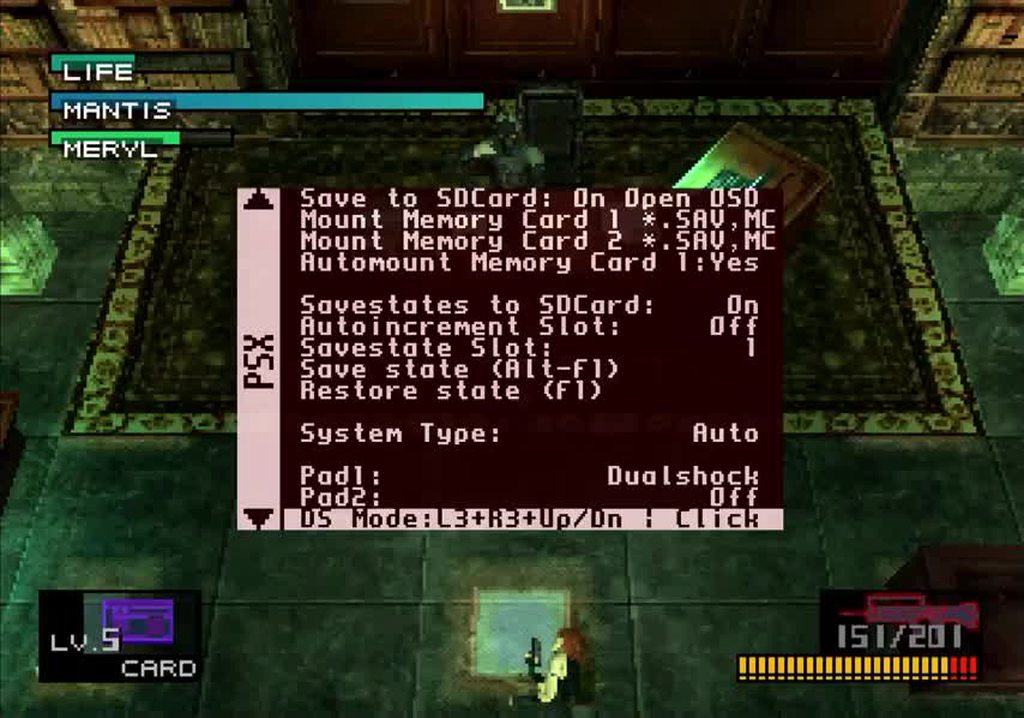
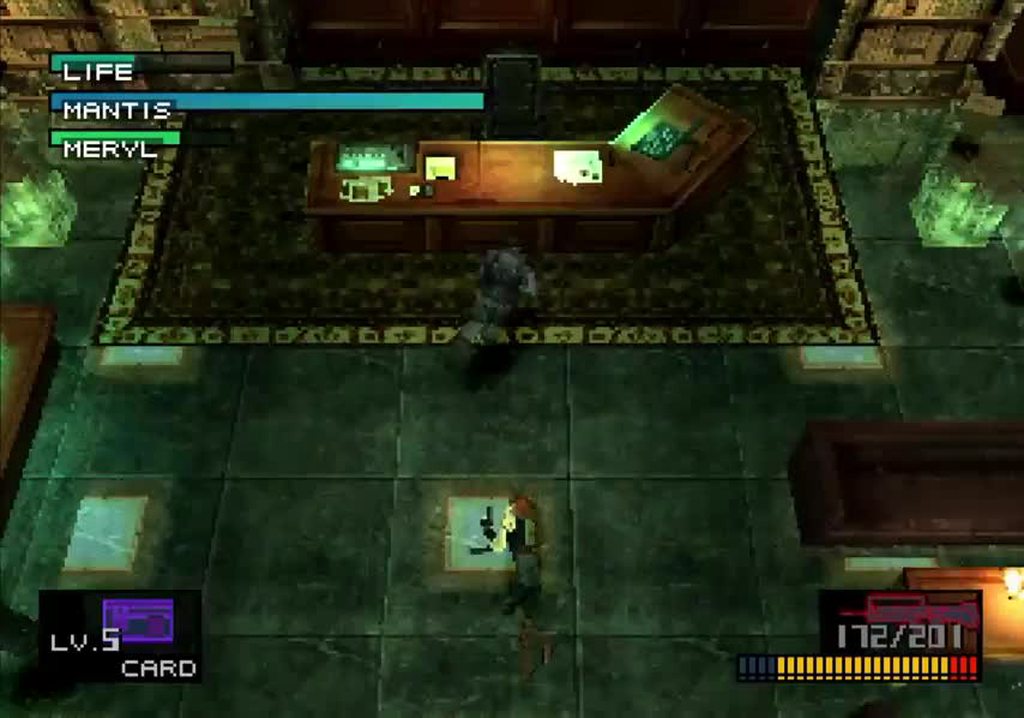
not a big deal, really, but kinda funny
 ivory verge
one of the best games of my life
 silent bridge
https://github.com/MiSTer-devel/PSX_MiSTer/issues/270
Say, speaking of Metal Gear Solid, has anyone worked out how to fix the Codec Reverb issue yet?
GitHub
Metal Gear Solid has a strange reverb on the sound effect when flipping through the frequencies on the codec. Sound Comparison: MiSTer PS2 (SCPH-79001) Duckstation
manic citrus
good example of a psx game were bob deinterlacing is superior to weave?
somber steppe
manic citrus
good example of a psx game were bob deinterlacing is superior to weave?
In dead or alive the gameplay is in 480i. So there are a lot of weave artifacts going around.
abstract drift
manic citrus
good example of a psx game were bob deinterlacing is superior to weave?
tekken3 generally, anything high motion
 ruby sleet
The Tobal games. Ehrgeiz. Any of the 480i fighters like the ones listed above.
 tulip moat
The tl;dr
Bob for anything in motion, Weave for static images.
 serene nebula
 shut escarp
No fucking way lmao
A friend has a gruesome obsession with the fighting game mini game of this lmao
 obtuse dune
Nice, one of the best 2D platformers for the PSX.
 grand sage
oh damn, this finally got an english translation! i knew it had gotten translated to other languages in the past so i guess it was just a matter of time
mortal oracle
Has anyone heard of this game “Final Fantasy VII”? I tried playing it on the MiSTer core and it seems pretty good
chilly kraken
too emo
ivory verge
mortal oracle
Has anyone heard of this game “Final Fantasy VII”? I tried playing it on the MiS...
first I hear , is it some kind of racing game?
 kind ravine
…
chilly kraken
ivory verge
first I hear , is it some kind of racing game?
how do you feel about breeding giant chickens?
ivory verge
chilly kraken
how do you feel about breeding giant chickens?
I never thought about it 🤯
chilly kraken
well if you want to form an opinion on it, this is the game for that
 serene nebula
chilly kraken
how do you feel about breeding giant chickens?
serene nebula
chilly kraken
how do you feel about breeding giant chickens?
@ruby ermine is taking his FF7 hobby into real life
chilly kraken
serene nebula
<@275387539123077131> is taking his FF7 hobby into real life
I saw that. That's dedication to the artform
 frail storm
Like 15 years ago, we had a group in my town to fight against an stupid australian mining enterprise that wanted to establish an uranium mine nearby. We did some things I won't talk about here, and in the end the awful mine was never opened.
We called our group "Avalanche".
mortal oracle
ivory verge
first I hear , is it some kind of racing game?
Yeah. It’s a bit like road rash but you have a massive sword
 wild sinew
How can it be final when it's number 7?
chilly kraken
its a threat every time
 rapid garden
i keep hoping it'll be THE Final Fantasy every time... but they keep making a NEW one
so frustrating
somber steppe
Is that why they make them progressively worse since 10 so people stop buying them and they can stop making them?
rapid garden
you might be onto something
rapid garden
there are some real freaks for 11 too 🙂
chilly kraken
hey now, 16 was great. probably my favorite remix of the ff je ne sais quoi. Story was mid, but the world was awesome
fun battle system too
abstract drift
i was going to say the latest one looks potentially playable but hadn't looked into it
somber steppe
abstract drift
12 is decent, and 14
Progressively doesn't mean that 12 is bad, only worse than what came before. And 14 is basically wow.
somber steppe
chilly kraken
fun battle system too
Please tell me more about your action focused battles mechanics in my turn based rpg series.
abstract drift
i never got on with wow but i enjoyed playing through 14 for the story
that part of it feels distinct
chilly kraken
somber steppe
Please tell me more about your action focused battles mechanics in my turn based...
You must evolve or die
The best Final Fantasy games are 4, 10, Lost Odyssey, and 16 imo
abstract drift
i remember lost odyssey being good but not why lol
chilly kraken
it was just ffx's battle system with a oppressively sad story
abstract drift
didn't it have some story mechanic with like, letters? that were just VO basically
but intensely well written
abstract drift
i should replay that on an emulator, it was a bit scrappy technically
chilly kraken
I should really play through 6. I feel like 6 has the same problem as 7 as that, for folks who haven't played it, it will never live up to what you've been told about it.
abstract drift
also the opening was one of the best cgi to gameplay blends i'd ever seen at the time
rapid garden
6 was the only Final Fantasy i've finished 🙂
abstract drift
possibly for me it'll never be topped, was the first time i'd seen that trick
chilly kraken
yeah, lost odyssey was special. I'm not sure it would be good now, but it is one of my favorite 360 games for sure
rapid garden
FF5 ||killed off a player character but basically immediately replaced him with someone with all his abilities so it didn't matter. unlike 7 where Aerith is just Dead dead and no one else can use her equipment||
abstract drift
i'm in the same situation as you with 6 i think, never played it back in the day and its just kind of a chore to play 😦
maybe i should just hack/cheat it up and blast through the story
chilly kraken
But folks should check out 16. Good writing, non-irritating main character, fantastic world. Folks were talking about how it's Final Fantasy Game of Thrones or whatever, but I think that's only because they say fuck and it has underboob in it
I wish they would get off the fucking crystals though
abstract drift
is that one set in the crystal-chronicles-verse?
chilly kraken
they all are now
15 was
14 is
13 was(?)
it's fucking crystals all the way down for whatever reason
chilly kraken
I'm preeeety sure there were crystals in it. I got to the last disc and gave up
rapid garden
that's the secret, they're all scifi, the first game ||has your party time travel||
FF4 ||you go to the moon|| FF6 ||characters have mechanical walkers|| the sci fi influence was always there
somber steppe
rapid garden
that's the secret, they're all scifi, the first game ||has your party time trave...
Don't forget the ||sci fi tower filled with robots you ascend for the wind crystal|| in ff1
 viral inlet

 mortal oracle
Every channel becomes #1312772542091497472 if you try hard enough 
somber steppe
mortal oracle
Every channel becomes <#1312772542091497472> if you try hard enough <:elmorise:8...
Best channel on the server. 🫡
 hollow delta
Is parrapa the rapper impossible? I have no lag at all and every other game plays well. Maybe i am old and suck at it
mortal oracle
hollow delta
Is parrapa the rapper impossible? I have no lag at all and every other game pla...
Ignore the video prompts and just listen to the music. It’s possible but can take a few attempts
hollow delta
Will try
 azure hatch
try playing the game with the lowest audio latency possible as well, like via the analog/optical audio out or your tv/monitor's speakers/headphone port
abstract drift
don't feel bad, it's famously janky
azure hatch
i actually find that following the video prompts is what you want to do on the first game weirdly enough, lammy doesn't suffer from this issue fortunately
azure hatch
strangely enough this issue also applied to jung rhythm, even if that game feels like its more falling apart than parappa 1
it actually plays just as well just keeping that same "follow the prompts" logic in mind
but let's leave further discussion of that one more on saturn chat lol
mortal oracle
In the rain or in the snow
 ruby ermine
mortal oracle
In the rain or in the snow
ruby ermine
mortal oracle
In the rain or in the snow
Did you check the toilets on the left?
mortal oracle
Did you check the toilets on the right?
ruby ermine
 sinful bloom
hollow delta
Is parrapa the rapper impossible? I have no lag at all and every other game pla...
sinful bloom
hollow delta
Is parrapa the rapper impossible? I have no lag at all and every other game pla...
The biggest tip I have is that you need to freestyle rap along with following the prompts
Did you che che che check the toilets on the le le le le left
It sounds like bullshit I made up but it's real
hollow delta
i should burn that CD
mortal oracle
sinful bloom
The biggest tip I have is that you need to freestyle rap along with following th...
I thought that was only after finishing it once, or something like that?
You gotta believe you’ll finish it
frail storm
hollow delta
i should burn that CD
Stupid Parappa yet addictive is stupid game. No way around it. I played it somewhat successfully back in like 1997/98, and now I seem to be playing it better, but it's a broken game: I initially though it was me, but it's the game. It's simply badly implemented: It's not you, it's not the lag, it's not the core. It's the stupid game.
Try Enix's Bust A Groove for a rythm game that registers input correctly and with a working logic. Parappa is just fu**d.
hollow delta
frail storm
Stupid Parappa yet addictive is stupid game. No way around it. I played it somew...
i will try that one
frail storm
I don't even believe that the game expects you to freestyle, nooooo, it's WAY worse than that: by free-steeling, you accidentally do the inputs when the game expects you to do them, and it kinda works.
But it's a workaround, so to say
Agh, how I love and hate Parappa at the same time... stupid nice game
serene nebula
hollow delta
i will try that one
Check out Vib Ribbon too, EU version has an NTSC patch so you can play in English and at 60hz
frail storm
Oh man now I have to play Parappa...
serene nebula
Parappa rocks but yeah the timing is weird
The sequel fixed that
Not Um Jammer, Pa Rappa 2 on PS2
frail storm
serene nebula
The sequel fixed that
The sequel is that pink dog thing on PS2, Lamer Jammy or something, right?
Ahh
PS2, good luck with that thing from the future, no FPGAs yet for that
serene nebula
If you want to play a super ghetto but funny Bust A Groove clone then check out Dance! Dance! Dance!
hollow delta
i am writing down all this stuff !
serene nebula
Also a DDR styled that plays like Pa Rappa - Superstar Dance Club #1 Hits
it’s super bargain bin
frail storm
serene nebula
If you want to play a super ghetto but funny Bust A Groove clone then check out ...
Didn't know that one 😮
serene nebula
frail storm
Didn't know that one 😮
It’s from Konami too and came out in ‘98, so by that time they knew how to make a good quality and well presented music rhythm game.
frail storm
I really learned to dance with Bust A Move, and I DID execute some of the moves on the disco back in the 2000's and had a moderate success with girls. Not kidding, my life is that ridiculous.
serene nebula
But it came out that way anyways lmao. It has Cossack and Rockabilly dancers so it redeems itself.
Ok last one, Pop’n Music games on PS1 are fun, especially if you have the controller.
frail storm
serene nebula
Ok last one, Pop’n Music games on PS1 are fun, especially if you have the contro...
Ah yes! I had forgotten about those!! But sadly I don't have that controller...
serene nebula
frail storm
Ah yes! I had forgotten about those!! But sadly I don't have that controller...
I think it plays just fine with a regular controller, so you’re covered.
 austere otter
when will the latest unstable be pushed to stable? Is work still happening in the core?
desert otter
Didn't know the core was still in development?
Could've sworn it's been finished for like a year now
Aside from stuff like the PWM builds
abstract drift
yeah i'm pretty sure everything on unstable is on stable too at this point
last major change was the mdec fixes
chilly kraken
There was an unstable fix for some game in January. Can’t remember which. there is still an unstable that isn’t live
#unstable-nightlies message
ivory verge
yes motor toon
serene nebula
Was there a PR and was it merged?
 bright girder
serene nebula
bright girder
serene nebula
Did anybody else experience graphical issues when you let the attract mode loop? I get like a hall of mirrors effect. Im using the pre patched copy from rgt.
chilly kraken
serene nebula
Was there a PR and was it merged?
im not good with computers
ruby ermine
serene nebula
stop all the downloadin
Get off the damn internet so i can make a telephone call!!!
bright girder
Mom are you still using the phone? All my friends are on msn right now!
chilly kraken
serene nebula
stop all the downloadin
pork chop sandwiches
If folks have tested the fix, we could poke Robert about merging it
 foggy quiver
I noticed a flickering gfx bug in Ghost in the Shell (USA) during the green part of any mission briefing:

I am pretty sure that strip on the right shouldn't be there (circled in red)
ivory verge
Try crop options
Fixed Hblank as well as Fixed Vblank can help delivering correct aspect rations and keeping the screen in sync with e.g. shaking animations. Both also offer crop options for games that depend on CRT viewports to hide artifacts at the edge of the image.
foggy quiver
Horizontal Crop fixed it, thanks!
serene nebula
foggy quiver
I am pretty sure that strip on the right shouldn't be there (circled in red)
That happens on real hardware.
The core is that accurate lol
foggy quiver
Wow
silent bridge
frail storm
Stupid Parappa yet addictive is stupid game. No way around it. I played it somew...
Love Bust a Move (Groove).

 tawny palm
rapid garden
6 was the only Final Fantasy i've finished 🙂
tawny palm
rapid garden
6 was the only Final Fantasy i've finished 🙂
That's because it's the best one!
bright girder
 silent bridge
What game is this?
desert otter
I just did a reverse image search and found out. it's a fighting game
also considered a platformer at times too which is weird
after watching a video of it, it's not a fighting game at all but just a platformer
rapid garden
that's the adventures of little ralph right?
desert otter
and these scenes appear to be only for conversation/dialogue moments and in game graphics look way more blah
bright girder
It’s Little Ralph yeah
rapid garden
yeah the boss fights are a weird fighting game type dealie
bright girder
The one on one fighting scenes are for a couple of the boss fights, the rest of the game is a hack and slash platformer
That boss also jumps around the screen with a rocket flame coming out of his literal butthole
austere otter
serene nebula
Was there a PR and was it merged?
All I know is my unstable version has a later date than the stable. I thought it was the resident evil color issue but maybe it was Motor toon.
@tropic stratus are you going to push the unstable to stable release?
serene nebula
serene nebula
chilly kraken
That should probably happen if it has not
Yes, everyone please test the fixes.
I've been running that core and haven't seen anything unusual but I'm not the best tester.
 short rapids
bright girder
Did anybody else experience graphical issues when you let the attract mode loop?...
short rapids
bright girder
Did anybody else experience graphical issues when you let the attract mode loop?...
Yeah, I also got this when letting the attract mode play out. Quite trippy! No idea if it happens on real hardware though,
tropic stratus
The fixes are already pushed, there is just no release yet. As I don't know the timing status of these builds I cannot just push them, sorry
ivory verge
tropic stratus
The fixes are already pushed, there is just no release yet. As I don't know the ...
From what I understand, it's more about whether you release a stable version 🙂
tropic stratus
Unfortunatly it's not just one build as people expect the 2x core as well and then some tests.
Don't have time this weekend, but maybe next
 feral swift
tropic stratus
Unfortunatly it's not just one build as people expect the 2x core as well and th...
feral swift
tropic stratus
Unfortunatly it's not just one build as people expect the 2x core as well and th...
Let me know if there is something specific I can test as I'm always happy to help, if it does help.
 rigid meadow
Possibly a dumb question, but would it be possible to convert a music CD to an iso or bin/cue file and use the PSX core as a music player?
tender tartan
Yep, audio CDs can be converted to CHD as well
You can use the bios audio player in all CD cores, as well as use them with Vib-Ribbon and the like
rigid meadow
That sounds too good to be true. So you're telling me the mister can be a virtual CD player essentially?
desert otter
ISO or bin+cue is the default format when ripping a full copy of any CD. It's just the virtual digital equivalent of a physical disc
Only thing that matters is whether or not the contents contained in said disc are understandable to the hardware you put the disc in.
And in the case of the PS1 an audio CD is understandable to it
rigid meadow
That's crazy.
Why shouldn't I just convert my entire CD collection to whatever format works and move it to my mister sd card
the DAC should be more than good enough I suppose
tender tartan
An “iso” is generally a single track ISO 9660 file system, so in that sense an “iso” never contains CD audio.. but yeah, rip to cue+bin or cue+wav and then optionally compress to CHD
 tender tartan
I keep a bunch of audio CD rips in /games/(Audio CD)/ to have them reasonably easily accessible from all cores. You’ll probably want to put an empty file named noreset.txt there as well
desert otter
rigid meadow
Why shouldn't I just convert my entire CD collection to whatever format works an...
Sure, you can do this if you want. Assuming that you want to have all of your discs in a digital format to then use the mister as a way of playing them because you don't have a physical CD playing machine of some kind that you can use, or you would prefer to have the larger files compared to slightly more compressed mp3s or something.
Or perhaps you just want to use the visualizer on the PSX core on your TV or something for nostalgia reasons while you play the music CDs
rigid meadow
Hate it when I find a new thing I want do at 2 AM
Don't the mister a/v boards also have spdif output? You could output audio to your own DAC too...
desert otter
The same port should be both an analog and optical audio output port
rigid meadow
Great, gotta buy a mini toslink cable now
 thorn rain
Hi there, trying to get my XBox One controller to work with the PS1 core but it won't register up inputs
what might be the conflict? checked with the SNES core, works fine
like, the up input on the xbox dpad
rigid meadow
Haven't touched my mister in a while, but I had this issue once with the Saturn core. It should be creating controller config files, I think somewhere in the core's folder. You could try deleting those from the SD card and trying again.
thorn rain
wow I think it's working
rigid meadow
Yeah I tried mapping the controls a few times, which created a few config files, and I guess there was some conflict somehow.
thorn rain
thx for the tip, I'll remember that for next time
serene nebula
I really like the idea of using the MiSTer as a jukebox. It’s hilarious but functional at the same time.
hollow delta
I tried winamp on the mister under win95 and the mister had an aunerism
desert otter
Didn't the Saturn also have CD support? I haven't tried using the Saturn core to play music CDs yet lol
I've only used the PSX core because I wanted to use the visualizers
serene nebula
desert otter
Didn't the Saturn also have CD support? I haven't tried using the Saturn core to...
Yeah you can play music CDs on it too.
PS1 visualizers or listening to music in your space ship. It is a tough choice.
desert otter
I think the visualizer is better lol
thorn rain
So uh, also I'm having some really abysmal slowdown in Parasite Eve 2
with default settings
Also the last time I ran the B Scenarios in RE2, it loaded the A Scenario items and softlocked the game
Sorry; it loaded my B Scenarios from the A Scenario Start, softlocking the game because I couldn't lower the ladder to get to the correct B-Scenario start
there's problems with this core I think that need to be addresse
d
Like, are these known problems? I've had corruption with Parasite Eve 2, I've had corruption with RE2, I've had corruption with FF8. Am I using bad dumps or something? I used a collection of redump isos converted into CHD
chilly kraken
If you can give us a save state, we can test
thorn rain
@chilly kraken thank you, I will send
what's the current dev state of the core right now? I know fpgazumspass has moved on
chilly kraken
Yeah just attach them here. If you can give us more info about where you’re seeing it, that would help
It’s done, for all intents and purposes. That’s why it’s odd you’re seeing slowdown
And if we can reproduce it, Robert may be able to look at it
thorn rain
If you come to my stream right now, I'll show you. It's on a very difficult game mode, a cutscene that triggers at the end of the fight
chilly kraken
I have to get the kids bathed and down. But if you record it, I can take a look later tonight
thorn rain
I'll do my best to make a savestate for you, it's difficult to count HP
but I'll also have to replicate the same problems I'm facing in RE2 and FF8
it's highly possible that all the dumps I have are simply bad
but it's way too coincidental that none of the games I have work correctly
chilly kraken
Are the games on your sd card?
chilly kraken
Nah. That should be fine
chilly kraken
Yeah technically. But those images are 600mb. Unless your SD card is busted, speed probably isnt the issue.
What kind of power supply? 5v2a?
thorn rain
Should be 5V2A, yes. I'm using uh, fuck, what's it called
It was one of the MiSTer consolizer kits, Bob sold it to me a while back
one moment, I have a savestate you can use, you just need to keep pressing R1 to beat the boss
chilly kraken
I can probably manage that
chilly kraken
It says disc2 on the save
thorn rain
yeah then load Disc 2 I guess? I actually have no idea where Disc 1 ends and Disc 2 begins because there's event data overlap between both discs as a failsafe
so players can swap discs early
thorn rain
Resident Evil 2 Dual Shock Memory Card with both B-Scenarios unlocked. Resident Evil 2's A Scenarios play fine from start to finish, but when you load the B Scenarios (which start from the other side of the wreck at the beginning of the game) you load A-Scenario's starting room with a broken camera, and if you make it to RPD, you cannot progress because B Scenario's item and door data is loaded and all the doors in main hall are locked (as they are supposed to be, you're supposed to enter RPD a different way)
FF8's opening cutscene doesn't even load, it just throws up on itself and dies
chilly kraken
So this looks ok to me. Is this right?
thorn rain
Yes, that's how it's supposed to look on real hardware @chilly kraken
chilly kraken
So the primary suspect is your dumps. Can you grab another parasite eve 2 dump just to check?
thorn rain
I checked another ISO and it loaded the same
I will try another
how do I convert to .chd again?
chilly kraken
Mine was bin/cue redump
thorn rain
See, I swear I got all mine from Redump as well
I'll try downloading it again and see what's up
chilly kraken
Also, what is the date on your core? Are you using the September core?
serene nebula
Did you get premade CHDs?
thorn rain
They may have been premade
serene nebula
thorn rain
there's problems with this core I think that need to be addresse
Also the core is refined enough that you should assume user error until someone else can reproduce your issue.
lilac scaffold
default chdman compression settings can cause issues, but normally only if using the higher cd speed (hack) option in the core and/or usb storage
normally seen as the core pausing/stuttering
Doubt it would be an issue here, bad bin/cue would seem more likely
Always good to compress your own instead of downloading pre-compressed tho
Grab the latest chdman and use zstandard compression, ie
#general-banter message
thorn rain
I downloaded these like... 3 years ago maybe?
serene nebula
Yeah, delete em all.
serene nebula
Downloading premade CHDs is usually a recipe for issues.
lilac scaffold
can verify the bin/cue file checksums prior to compression
http://redump.org/discs/quicksearch/parasite-eve-2/
Redump - disc images information
thorn rain
what app do I use for that? @lilac scaffold
lilac scaffold
chdman.exe from the latest mame release
chuck it in the same folder as that script in a .bat file
run it, will compress any games in the same folder or subfolders
abstract drift
xstation doesn't even support chd
serene nebula
Hmm
well either way, @thorn rain, if you can try to grab bin/cue for your games moving forward. CHD compression is awesome but if you have the space you don’t need to do it.
I only have a 512GB micro sd so I CHD compress all my games lol
thorn rain
so that's exactly it is, I tried bin cue as well
I'm pretty sure I got all of these from redump
lilac scaffold
do the checksums match?
thorn rain
I don't know
lilac scaffold
Redump - disc images information
thorn rain
I'm trying to figure out how to use it
serene nebula
The reason why we say to avoid CHD dumps online because who knows what settings they use to compress them and how old their software was when they compressed it.
You’d be surprised by just how often any issues people run into is because they have a bad game dump.
abstract drift
yeah and you can't validate the hash on a CHD right?
thorn rain
@lilac scaffold how do I use chdman with these cue sheets I downloaded?
Sorry, are we talking about two different programs?
lilac scaffold
download latest mame
Place the chdman.exe in a folder
thorn rain
Yeah did that
lilac scaffold
Copy that script i linked, save into a whatever.bat file
copy the bin/cue games into the same folder (good to have each game in its own subfolder, all discs in same folder)
run script, wait
thorn rain
okay so create a .bat file then
serene nebula
But then you’d say “my emulator loads it fine” and that is genuinely great but often software emulation devs work around bad dumps or are their emulator is more lenient because of how generalized it is. MiSTer is attempting to reproduce the hardware itself so there’s no such leniency here. So if the game is a bad dump it won’t run on original hardware or a MiSTer core.
Sucks but at least it helps you figure out what’s a bad dump and what isn’t.
rapid garden
xstation is just a Playstation ODE tho. it's the actual hardware right?
thorn rain
yes @serene nebula I'm aware of this, I was just lamenting about the fact that the 1.5TB of PS1 ISOs I downloaded doesn't work
Let's just pretend I said nothing about Xstation
lilac scaffold
if you want to verify the checksum to compare against the redump listing for it
Algorithm       Hash                                                                   Path
---------       ----                                                                   ----
MD5 C2528BBCD164EFAD25C0AACCD8F6982B E:\Parasite Eve II (USA) (Dis...```Yeah that sucks dude, I’m sorry.
If they’re bin/cue then you might be fine? But yeah do what @lilac scaffold says to make sure,
thorn rain
Still trying to rename the .bat file but I have no fucking idea how to use windows 11 and find out how to get it to show the full file extension
nvm found it
lilac scaffold
i hate how windows hides extensions by default
always leads to boot.rom.bin or whatever
thorn rain
okay so @lilac scaffold I directly copypasted the script you linked in that other thread in general banter
was I supposed to alter it somehow?
lilac scaffold
nope
should look like the screenshot above that post
will compress each bin/cue game that are present in subfolders of the script

 thorn rain
same thing
lilac scaffold
ive never tested on unc paths, best to map a drive
the script is failing to be called
not failing to run 🙂
i just double click the .bat
thorn rain
well when I do doubleclick the .bat it shows for .1 seconds then the window goes away
useful functionality
lilac scaffold
the last line is pause so it would stay open if the contents are what I posted
does esem to be 0bytes
lilac scaffold
not sure
 lilac scaffold
up to 274 or so something
(cd zstandard compression, which has lower decompression overhead than the default) was added last year
would need to find a working bin/cue before compressing it to chd tho
lilac scaffold
never has for me

 lilac scaffold
bad cue maybe
thorn rain
????
 thorn rain
FILE "Parasite Eve II (USA) (Disc 1).bin" BINARY TRACK 01 MODE2/2352 INDEX 01 00:00:00
serene nebula
What’s the name of the bin file?
lilac scaffold
looks OK
Whats the checksum of the bin?
thorn rain
how can I find that out?
serene nebula
Oh I see it
thorn rain
the checksum of the bin
lilac scaffold
I can say it works fine with the redump copy of that game, when run from a normal drive path
see powershell i posted above
or can ssh into mister
thorn rain
yeah I am doing this from one of my drives in windows
lilac scaffold
openhashtab is handy
thorn rain
upon realizing network drive doesn't work
lilac scaffold
ok here with the same latest 0.274 (mame0274) chdman also
thorn rain
okay I'm just stopping the stream and focusing completely on this
serene nebula
Sorry dude, hope it gets figured out for ya
thorn rain
I'll just try to find another dump. It's very clear that the .chds I got do not work.
 forest trench
do you have 7zip installed on your pc?
thorn rain
Or hell, even the .bin and .cue I have don't work either
yes I have 7zip
maybe I was using a fucked version of update_all
No, I have PSX_20240922.rbf
so it's the most recent one, isn't it?
forest trench
if you right click in windows, you should see "CRC SHA" in the context menu for a file
lilac scaffold
load psx core, open osd, press right, 'about'
what version of psx and main?
thorn rain
MiSTer v241227 OS v 241008
lilac scaffold
PSX_20240922.rbf is the current stable release yeah
forest trench
if you select "CRC32" from that, you can get the CRC-32 value for the bin, and then compare it to the one on the REDUMP page
that will tell you if your dump is good
lilac scaffold
copy it, load the redump listing, find in page
lilac scaffold
doesnt match?
lilac scaffold
Name: Parasite Eve II (USA) (Disc 1).bin
Size: 588978432 bytes (561 MiB)
CRC32: 4D6A9CBB
nice tip spazer
i use openhashtab but most folks already have 7zip 🙂
sounds like you should be sorted
If you're compressing a bunch of games at once, best to put each game in its own subfolder (all discs for a game in same folder)
then compress with #1046940919607345272 message
Only difference is it will put the chd file in the subfolder where the bin/cue was, instead of the the folder the script is in
can then just delete or move all the bin/cue files from the subfolders and copy over to SD
thorn rain
so I got a bin and cue with the correct checksums
and uh
now the core isn't loading anything
not even the bios
lilac scaffold
the checksums of the files on SD matched what they were before you copied them over?
thorn rain
I replaced them with the new files but
lilac scaffold
possibly bad SD if you're seeing other seemingly unrelated issues
assuming bios files are still in the normal place
thorn rain
now I'm right clicking the .bin and editing with notepad and now it's not loading jack shit
lilac scaffold
when you checked them, was that from the SD card or on your PC after downloading?
lilac scaffold
cool so files themselves were bad before being transferred to sd
thorn rain
I reextracted to a folder on a local drive
lilac scaffold
cant see how core not even booting is related to replacing some game files, odd
I suppose check SD for corruption, delete the core rbf and bios files n let update_all get em again
thorn rain
update_all pulls the bios too?
lilac scaffold
if you enable the bios DB option yep
press up after launching it, theres a bunch of options you may want to enable
jotego cores etc
chilly kraken
What are you using to move the files over? FileZilla?
lilac scaffold
if using filezilla to transfer files over to SD, make sure transfer mode is set to binary not ASCII
lol
thorn rain
I'm using SMB
lilac scaffold
they had UNC paths listed before so im guessing SMB
thorn rain
windows GUI
thorn rain
After much struggling, the problem is resolved! Thank you very much for your patience in what is frankly a very embarrassing mistake on my part. 🙂 @lilac scaffold @chilly kraken @forest trench @serene nebula
at least for Parasite Eve II it is.
lilac scaffold
Nice, NP at all
thorn rain
I will now proceed to test RE2 and FF8
and I guess redownload my entire PS1 library, sadly
chilly kraken
That's like the 4th time I have tested a PE2 bug for someone. Eventually I will have played the whole game
chilly kraken
there was a texture bug that we couldn't reproduce
thorn rain
correct dump? I guess so
tropic stratus
I always like to see that in the morning: a bug comes up, the whole channel blews up and in the end with joined forces the issue is solved ❤️
manic citrus
and most importantly, it required no effort on your part 😉
chilly kraken
We have a circle of protection around robert
minor spruce
tender tartan
I keep a bunch of audio CD rips in `/games/(Audio CD)/` to have them reasonably ...
thanks for the info on noreset.txt
also patched 2 sets of bios (PS1 and PSOne) with the gameID passing... and messing with sound scope mode in audio player for those trippy visualizers
 tropic stratus
I guess I have chosen the right timezone to live in. Some problems are already solved while I sleep 🙂
But this community here will solve most issues anyway, no matter if night or day
feral swift
rigid meadow
Possibly a dumb question, but would it be possible to convert a music CD to an i...
Yes, it works fine.
 lusty coral
thorn rain
I will now proceed to test RE2 and FF8
lusty coral
thorn rain
I will now proceed to test RE2 and FF8
Oh hey it's Carcinogen. I used to watch your gdq resident evil speed runs. Amazing
I can confirm for you that RE3 runs like a dream.(my favourite Resident Evil). I've done a few playthroughs now on my mister and it works great . I use CHD's.
lusty coral
(TBF Ive not found any issues with the games I've played)
serene nebula
thorn rain
After much struggling, the problem is resolved! Thank you very much for your pat...
Hey man, I’m genuinely super happy you fixed it.
@lilac scaffold da real MVP
Sucks you had to go through all that dude.
mortal oracle
Using a MiSTer/PSX core as a home stereo is awesome 😂
lusty coral
PSX core is the best core
 languid parcel
kind of a unimportant question, but I've been playing through the first tomb raider using the mister core. this is the first time I've played through it, despite owning it back in the day when it came out. I think like a lot of people I played the first few levels over and over and never really got anywhere.
Anyway, im making my way through it now and i want to ask; While it looks and plays just like i remember, I'm noticing a lot of polygons kind of disappearing showing things behind it. It seems like its a polygon normals issue where it doesnt get triangulated properly and thus cant be rendered. Im wondering, did that happen in the OG PSX version? or is this something in the core? Like I said, I've never played through the OG version, just the first few levels and dont remember it happening. In fact it wasnt really an issue in the first few levels of the mister core either, so I dont know. just looking to see if anyone has any thoughts
Here's an example. The save diamond looks normal here

But if i rotate the camera...
 lusty coral
Id test this on my mister but I'm absolutely chock a block with other things to sort out.
Have you got a savestate? (Im not sure how you export it though). Someone might come along and have a look.
languid parcel
i do have save states. I also dont know how to export it, im sure its a file somewhere on the sd card though, no?
lusty coral
I do apologise, I'm not sure where they are located myself haha.
languid parcel
its not affecting gameplay, like i said, i just dont remember if it was always like this or not. I know the PSX texture wobble was because it couldnt do math with decimals, so it could be something with that. I also didn't notice it on any other game. I just played through crash bandicoot and it was "fine"
its all good
Here's a better example just so it's more clear


Bottom is how it should look
serene nebula
languid parcel
kind of a unimportant question, but I've been playing through the first tomb rai...
Assume it’s behaving exactly as real hardware unless proven otherwise.
But yeah polygon clipping/sorting is very common on PS1.
languid parcel
thats what i figured. like i said, its unimportant, was just curious
serene nebula
languid parcel
thats what i figured. like i said, its unimportant, was just curious
Not unimportant at all! It’s great to call out.
Because early 3D hardware did weird stuff and it’s been so long for most of us that we forgot all that.
languid parcel
100%
serene nebula
Like the PS1 does support polygon depth sorting but you had to handle that manually through a an ordering table. The console’s GTE coprocessor helped with that but it was still a manual process that developers needed to do. How wild is that?
languid parcel
when i started down the retro game path again about a year ago, i was like "man, did these really look this bad back then?" but now i kinda like it again
serene nebula
Also @languid parcel, I consider myself a PS1 expert/fanatic and during the core’s early days I had to constantly reference original hardware and games because of these issues. I forgot all about the polygon clipping issues myself!
lusty coral
My only gripe with the PSX is the inconsistent frame rate caps. Well lack off.
There's been a couple games that would run better (on official hardware too) if they were capped at 30
serene nebula
languid parcel
when i started down the retro game path again about a year ago, i was like "man,...
Yeah dude it’s awesome. It’s such a look/vibe.
lusty coral
languid parcel
when i started down the retro game path again about a year ago, i was like "man,...
Wait till you try scanlines
I never used to bother with scanlines at all
languid parcel
plus, ill say it till im blue in the face. older games are better. they just are. no limit on creativity, no bashing the same dead horse (mostly)
the mister was the best purchase ive made in years
i've messed with the filters a little, i got something that i thought looked like i remember and then i kinda use the same settings for most of the cores
lusty coral
lusty coral
I never used to bother with scanlines at all
But since I got the mister. I've been using them quite a bit.
languid parcel
what do you recommend
lusty coral
I think I have the scanlines set to 25%? (For most of the console cores) I'm trying to remember what settings I use. Not been on my mister for a while now. Just had other things that's taken priority .
languid parcel
understood
languid parcel
what settings do you use? I have a horizontal filter of GS_sharpness_035, vert filter of SLA_dk_080_br_090, and a gamma correction of 110
 sinful bloom
languid parcel
sinful bloom
languid parcel
Tomb Raider 1 in general is a funny game with it's visuals, you absolutely do get triangles culled all the time in og hardware
Over at #1046941029296779344 I raised an "issue" with Lara being a grated cheese but that's also quirk of that version
languid parcel
yeah i figured. and i was tempted to play the saturn version instead, i might still go play through it, but i dont know if its worth it
chilly kraken
This is the joy of going back to old systems after 30 or 40 years of memories
sinful bloom
languid parcel
yeah i figured. and i was tempted to play the saturn version instead, i might st...
It's fine, there's nothing mind blowing about it and the framerate is slightly worse
tulip moat
My only problem with filters and scanlines is that it's absolutely awful for recording and streaming. Stuff like bandwidth and compression can easily cause the detail to be lost, creating a muddy mess.
Which sucks because with ideal settings, it can look great on modern televisions.
sinful bloom
My cope solution would be to output MiSTer to OSSC and use it's scanlines
While recording through HDMI with no scanlines
The fun part is figuring out OSSC settings for the cores
It is no different than plugging multiple old consoles and SNES is a tricky fick nonetheless
languid parcel
i didnt know ossc was a thing. thats pretty neat
i do some streaming (rarely) just for funsies, and perhaps my settings arent too crazy, but the stream looked ok with my scanline setup from mister.
sinful bloom

I love muh upscalers
VGA-SCART RGB connection from MiSTer to OSSC while using PSX core is virtually identical to my actual PS1
languid parcel
nice
sinful bloom
It outputs a neat 960p picture with even scanlines
languid parcel
what display are you playing on?
sinful bloom
It varies , I have both a (shitty) 1080p LG tv right now and a Toshiba CRT
Occasionally use a 4k Samsung tv but with my current living conditions its not optimal (my new apartment is being renovated, living at my mom's place)
Oh yeah and I use Elgato Game Capture HD60X
It can take anything 4k but it shows it's true colors when trying to capture PS2's 480i
-# that is, it drops frames so bad it looks horrendeous with OSSCs bob deinterlacing, which is why I got GBS-C with motion adaptive deinterlacing
languid parcel
is there a ps2 mister core? or your just running off a pc emulator, or a real ps2
languid parcel
yeah thats what i thought
sinful bloom
I have a real PS2
languid parcel
gotcha
sinful bloom
They say PS2 is light years away from getting FPGA replication but I remember people saying that for N64 and that core is already really great
Also some preliminary efforts with Dreamcast are already there
languid parcel
n64 was the reason i got the mister. now i barely play it lol
i have a real dreamcast with the gdemu in it, so im good with that
sinful bloom
Oh yeah and Dreamcast over VGA on OSSC looks fantastic
The sharpest analog video out of that generation
languid parcel
i am using the vga adaptor
but its going into my 10 + year old samsung lcd
still looks great though
short rapids
Has anyone tried the adventures of Little Ralph English patch on real hardware? If you let the game loop the attract cinematic the game will get graphical corruption from the second time it plays on mister.

Here's a savestate that will get you into it quicker
serene nebula
short rapids
Has anyone tried the adventures of Little Ralph English patch on real hardware? ...
Damn, nice catch. Does that happen with the unpatched game?
short rapids
it doesn't, so I expect it to be a problem with the patch. But thought best to say something in case it's not
serene nebula
Yeah the easy answer is it’s an issue with the patch but you’re right, wonder how the patched game is on original hardware. Unfortunately I don’t have any ODE or I’d check for you.
chilly kraken
could also see how it does on emulator, just for poops and smiles
short rapids
I can't right now, but I'll give it a go on Duckstation later and see how it is 👍
sinful bloom
I will test this immediately on my XStation PS1
serene nebula
look at mr humble brag over here, get a load of this guy
sinful bloom
I am not proud of it, it shits itself on data save load
sinful bloom
No offense was ever taken
somber steppe
I didn't use my xstation since I got mister.
somber steppe
Mister is superior in every way.
If someone was a real dev they'd only develop for mister.
serene nebula
look at mr humble brag over here, get a load of this guy
somber steppe
Not everyone needs to be a real dev.
rigid meadow
somber steppe
Mister is superior in every way.
I don't know, the autio output is kinda ass
I converted some music CDs to bin+cue today and played them on a few cores
tender tartan
How do you output the audio?
desert otter
idk bro, audio sounds like it did back in the day to me on my CRT
👀
and I guess that's the point. none of these game systems were designed to be high end audio machines connected up to high end audio setups.
just basic machines plugged right into the TV
somber steppe
rigid meadow
I don't know, the autio output is kinda ass
Does it sound different on your xstation? I use hdmi out for sound on mister.
desert otter
so as far as I can tell, the PSX core outputs audio to my CRT correctly
and all I'm using is a basic shitty ass 3.5mm to red/white RCA cable
feral swift
rigid meadow
I converted some music CDs to bin+cue today and played them on a few cores
Did you convert the audio tracks correctly to raw pcm 44100hz 16bit little endian format? If not the audio output will sound heavily distorted or garbled.
rigid meadow
somber steppe
Does it sound different on your xstation? I use hdmi out for sound on mister.
yeah it's better
sinful bloom
PS1 had the highest audiophile quality RCA audio but I can't really tell MiSTer and my PS1 over RGB apart
rigid meadow
feral swift
Did you convert the audio tracks correctly to raw pcm 44100hz 16bit little endia...
Not sure, I just used anyburn to rip some CDs into bin files
desert otter
it's possible that the lotterly on the audio connector of a cheap chinese 6.1 analog board is got the better of you as well
feral swift
rigid meadow
Not sure, I just used anyburn to rip some CDs into bin files
I suggest using Ocen Audio to first convert whatever files you want to use into raw pcm 44100hz 16bit little endian format? The output will then be a .pcm file which you can then simply rename to .bin format.
rigid meadow
feral swift
I suggest using Ocen Audio to first convert whatever files you want to use into ...
Would that mean one .bin file per song?
feral swift
Yes.
rigid meadow
But then it's not really like loading a music CD in a playstation though is it?
feral swift
If you want to use tracks from a CD, I'd first convert them to .wav format 44100hz 16bit and then convert to raw pcm.
feral swift
rigid meadow
But then it's not really like loading a music CD in a playstation though is it?
You'll need to create a .cue file as well to include all bin files, and then it will read the bin and cue files as an audio cd.
I'm actually literally just doing the same thing today as I make my preparations to burn various test tones and music tracks to an audio cd, to measure the output of several different PS1 consoles, so that in turn I can then develop audio filters of these console variants for the Mister.
rigid meadow
Perfect timing lmao
I actually never really knew how cue files worked. I'll do more research and figure it out
somber steppe
Mister is getting even stronger then
feral swift
The cue file is literally just acting as an index file. You create a .txt file, place all the required information for the invididual audi tracks, then rename the .txt file to .cue file.
This is how it's structured:
FILE "Track Name 01.bin" BINARY
TRACK 01 AUDIO
INDEX 00 00:00:00
INDEX 01 00:02:00
FILE "Track Name 02.bin" BINARY
TRACK 02 AUDIO
INDEX 00 00:00:00
INDEX 01 00:02:00
feral swift
I don't know much about NFC cards, but it's easily doable to create bin & cue format audio cds that the PSX core will play. Feel free to dm me in case you run into any issues and I'll be happy to help out.
rigid meadow
Thanks bro. God bless. I'll figure it out
sinful bloom
Okay, Little Ralph is in
Wow, those weren't one off shitposts, the game has you facing against ||nudist demons||
Waiting for it to shit the brick
sinful bloom
short rapids
Has anyone tried the adventures of Little Ralph English patch on real hardware? ...

Real PS1
chilly kraken
Robert can go back to sleep
sinful bloom

Ralph shat himself
The uh, place I got the game on mentioned that it's a patch applied to non-redump image
short rapids
sinful bloom
Good to know, thanks for testing!
tender tartan
rigid meadow
RCA cable to amp
The analog audio output from the old IO board designs is really quite lousy. You need to use the optical output through an external DAC if decent audio quality is a concern.
rigid meadow
tender tartan
The analog audio output from the old IO board designs is really quite lousy. You...
I'm using a 9.2 analog board.
Sounds pretty muddy though
rigid meadow
It seems to be a capacitor issue on my A/V board actually.
serene nebula
tender tartan
The analog audio output from the old IO board designs is really quite lousy. You...
How is it on the new boards?
abstract drift
i think even on the analog output the audio is getting upmixed from 44.1khz to 48khz
its never going to sound as clear as a cd player that doesn't do that
tulip moat
Does 96khz make any difference?
feral swift
tulip moat
Does 96khz make any difference?
I suggest using 96khz sampling rate if your dac supports it, it will definitely provide slightly better quality sound.
chilly kraken
So I am going to break my own rule and report what I think may be a bug with this and the n64 core (well, it’s a weirdness that I can’t explain - mostly because I don’t understand it).
One of the things that scalers do with the dv information is determine how to automatically crop the frame. However, both the PSX and N64 aren’t automatically cropped (based on the info frame) and have to use the scaler’s (in this case, the tink4k) dumb auto crop (which basically just crops out black).
When I reported this on the tink4k discord, we did some troubleshooting and they determined it was a core issue (because of the info the core is sending to the tink). Now, the problem here is that I don’t understand what the problem is. I have two stats photos that the tink fellas pointed out as the problem ( 1 and 2 ). But, again, I don’t know how this proves anything.


My hope is that someone smarter than me (Zakk?) can come in here and be like “nah, this is correct and the auto crop just isn’t going to work”, but I wanted to report it in case it was a bug that a) existed and b) was worth fixing


This is what moro said on the tink discord:
When asking for the screenshots ```i know for a fact that the n64 used both 240 and 224 but ps1 i'm pretty sure used 224 across the board
take a pic of the super nes core and the menu that shows dv1 stuff, then take a picture of ps1 and the same menu,
if they show the same info then it should be cropped
And then, after seeing the screenshots ```notice how the ps1 sends 240 but the super nes sends 224? so at this point it's a core issue, not a tink thing```
So I _think_ the issue is that the PSX should be sending 224? But I am not sure of that, again, because the only part of the problem that I understand is that autocrop isn't workingdoes turning on fixed blank and setting the vertical crop setting change the tink's behavior?
 late coyote
since searching is cooked because we use threads instead of channels...im wondering what the recommended approach to memory cards on the psx core? my understanding is a virtual memory card is created per directory. so if i have all my chd games in the one folder, there's one memory card for everything, which will get full.
so is the approach to create a folder for every single game? is there a way to make the saving smarter and do it per game automatically without the need of folders for every game?
chilly kraken
manic citrus
does turning on fixed blank and setting the vertical crop setting change the tin...
I’ll check
manic citrus
the folder thing also dictates when the core resets on disc swap
really recommended you do folder per game
(multidisc games all go in the same folder)
late coyote
right ok i hadnt considered multidisk games. chatgpt generate me a bat script to put all the files in folders 🤖
serene nebula
Also to answer your question that’s how the mem cards are handled and no options to change it
chilly kraken
manic citrus
does turning on fixed blank and setting the vertical crop setting change the tin...
See this is why I bug you
 lilac scaffold
late coyote
right ok i hadnt considered multidisk games. chatgpt generate me a bat script to...
lilac scaffold
late coyote
right ok i hadnt considered multidisk games. chatgpt generate me a bat script to...
https://github.com/Natrox/MiSTer_Utils_Natrox
psx_chd_organize.sh from there should handle multi-disc games
manic citrus
n64 has a similar setting. honestly I don't remember why those exist/what implications they have
it may have been to keep the scaler from wigging out when the psx does weird things, but I could be confusing it with something else
tulip moat
It's a known issue that some games that have a shaking effect will bug out if the vertical blank is turn off.
chilly kraken
Oh, I turned it on. So we should be good?
 slow brook
short rapids
I can't right now, but I'll give it a go on Duckstation later and see how it is ...
slow brook
short rapids
I can't right now, but I'll give it a go on Duckstation later and see how it is ...
I'm not sure if you had a chance to try it yet but the patch is also buggy on Duckstation. I patched the Redump image for this test.
 chilly kraken
slow brook
I'm not sure if you had a chance to try it yet but the patch is also buggy on Du...
chilly kraken
slow brook
I'm not sure if you had a chance to try it yet but the patch is also buggy on Du...
yeah, bad on real hardware too
you must suffer to fuck demons
just like real life
kind ravine
There’s two patches for that game, one for some random old dump and a newer one for the redump version. Anyone tried the old one?
bright girder
slow brook
I'm not sure if you had a chance to try it yet but the patch is also buggy on Du...
I also have the same glitch on the ps1 core. I just played through this game on easy and on normal and it works perfectly otherwise.
short rapids
slow brook
I'm not sure if you had a chance to try it yet but the patch is also buggy on Du...
I didn’t get a chance, thanks for testing!
lusty coral
late coyote
since searching is cooked because we use threads instead of channels...im wonder...
This is my folder structure for PSX games:
0_E/40 Winks (Game, but it's a folder)/ 40winks.chd (Actual game)
So my virtual memory cards are per game basis
Then for multi disc games like Final Fantasy or Resident Evil 2. I follow the same thing above but keep the .CHD's together
 red lodge
Good morning! I have a question.
Is there a way to either directly use or simulate PS1 Link Cable support on the MiSTer core?
ivory verge
red lodge
Is there a way to either directly use or simulate PS1 Link Cable support on the ...
there is no such possibility, first you would have to implement it
red lodge
ivory verge
there is no such possibility, first you would have to implement it
Fair enough. Thank you!
manic citrus
I added "better" bob deinterlacing into the scaler. A lot less headache inducing. There are three options for Deinterlacing: Weave, Bob (new) and Bob(old)
just be aware I had to shuffle the deinterlacing status bits out to some unused ones. I'm not sure it'll break anything right now if you save, but possibly in the future if someone ever uses status bits in the 100s
spring elk
What about Bob?
 empty yacht
We don't talk about Bob in here
tropic stratus
manic citrus
I added "better" bob deinterlacing into the scaler. A lot less headache inducing...
is that something for the main branch now or in future? If yes, doing a new release would really be worth it 🙂
manic citrus
it's in ascal.vhd so I'll have to do a bit of cleanup and then PR it to the template. then we can do a core release.
tropic stratus
it's behaving strange in ehrgeiz (pal, 50hz), not sure what's going on. Like it drops to 5-10 fps only in new bob mode
tulip moat
Maybe the bob isn't PAL optimized?
manic citrus
does it for me with a 60hz video mode and vsync_adjust=0. have at least a vague suspicion what might be happening
 void scroll
manic citrus
I added "better" bob deinterlacing into the scaler. A lot less headache inducing...
void scroll
manic citrus
I added "better" bob deinterlacing into the scaler. A lot less headache inducing...
Thanks! I am all for improved deinterlacing. What changed between the old and new approach? Will these apply to all cores using bob deinterlacing eg. saturn?
manic citrus
try this one. seems to resolve the 60fps vsync_adjust=0 with 50hz game
as far as what is changed: the current/old bob just sends the fields to the scaler but doesn't tell it they are actually fields. so they get treated as progressive frames and are just upscaled. which means there's no adjustment for the field offset so that's why a lot of text looked terrible and it was a bit more 'bouncy'
the new way tells the scaler they are fields, and it line doubles each field before scaling. but most importantly it applies the half-line shift so the bobbed frames line up better and don't jitter excessively
and it's just a slight variation of 'weave'. with that the scaler buffers each field into a separate frame buffer, and just reads out of them both alternating between even and odd lines. bob now just reads all the lines from a single buffer but reads them twice. except the first one for one field, where it reads it once to shift them appropriately
and yeah, any core that has interlaced content can use it. I'm kinda shocked the megadrive enjoyers haven't asked for a bob feature, I bet sonic looks terrible at 480i with all that fast movement
but I guess that's only 2 player
abstract drift
it does look terrible but its such a minor case on that core i guess nobodies been fussed
somber steppe
Any chance to get motion adaptive deinterlacing on mister?
chilly kraken
manic citrus
but I guess that's only 2 player
When that would come up on SAM I just assumed it was a romhack version and that’s why it looked so terrible
serene nebula
manic citrus
try this one. seems to resolve the 60fps vsync_adjust=0 with 50hz game
Thank you, pins updated.
void scroll
I guess Megadrive's lack of 480i games means no one really needs bob on it, but the only one that does is sonic 2, so quite a big game for the system. The only core with quite a few 480i games and lacking bob deinterlacing is N64, so hopefully it can be implemented.
abstract drift
i thought we had bob on n64
actually tbh since i put mister through the retrotink i've not been paying attention
void scroll
abstract drift
i thought we had bob on n64
No bob yet. You can use clean HDMI to output 480p instead, but lose the vi options. Which for a lot of us is what makes the N64 have that distinctive look.
abstract drift
yeah would be nice to have the option there for sure
void scroll
Did some quick testing with the "new bob" core. Greatly improved over "old bob". Tested using my usual 480i suspects, the bios menu, Tekken 3 and Chrono Cross. It has a much less aggressive up/down motion, resulting in increased sharpness all around. Thanks @manic citrus !
Will this new bob replace the older one? I see no reason to keep the old one around.
tropic stratus
manic citrus
try this one. seems to resolve the 60fps vsync_adjust=0 with 50hz game
works much better now, thank you!
mortal oracle
manic citrus
and yeah, any core that has interlaced content can use it. I'm kinda shocked the...
Are you planning on PRing to the other cores?
 scenic ledge
void scroll
I guess Megadrive's lack of 480i games means no one really needs bob on it, but ...
scenic ledge
void scroll
I guess Megadrive's lack of 480i games means no one really needs bob on it, but ...
Just one game would be enough justification. Sonic 2 MD be it 😉 And I hope that we can nag @ivory verge to port the composite blending option to the SMS core and be it just for the buildings in level 3 of Shinobi 😉
scenic ledge
void scroll
Will this new bob replace the older one? I see no reason to keep the old one aro...
I'd remove the old one to keep the menus rather self explanatory. I'd even remove the adaptive composite blending option from the Sega 32x core because it isn't always fully doing what it suggests to do.
Options are nice. But they come at the price of cluttering and confusing.
I am not always happy with many core options. Many times it is "FancyTechWord" ON/Off and should be "MoreDescriptive" Original/Improved
 storm barn
scenic ledge
Just one game would be enough justification. Sonic 2 MD be it 😉 And I hope that...
storm barn
scenic ledge
Just one game would be enough justification. Sonic 2 MD be it 😉 And I hope that...
Some Sonic 1 sections benefits from composite blending too. I've even played it on the Mega Drive core, but some games won't run there.
forest trench
scenic ledge
I am not always happy with many core options. Many times it is "FancyTechWord" O...
Problem is, 'Improved' is not necessarily accurate either. For example, turbo might improve the framerate of certain games, while at the same time introducing new bugs.
If you imply an option is better people will tend to select it by default; it would be better to word it in a way that indicates the possibility of glitches or instability, something like 'experimental'.
mortal oracle
Original/Modern?
serene nebula
Real Gamer / Baby Gamer?
mortal oracle
As Miyamoto Intended/Flip the tea table
chilly kraken
this is a real red button meme
mortal oracle
FPGA mode / Anbernic mode
forest trench
Not Emulation™/Emulation
serene nebula
lol
languid parcel
manic citrus
try this one. seems to resolve the 60fps vsync_adjust=0 with 50hz game
What folder does this go into?
lilac scaffold
/_Console
Or a subfolder if you like, the folder needs to start with _ to show in the menu
serene nebula
To make your life easier name it the same as the latest PSX stable core. That way you don’t have multiple PSX cores and update_all leaves it alone and doesn’t try to replace it.
languid parcel
i see. i didnt realize it was a core. I thought it was just setting to add like the scanlines.ini or something
Thank you
 little frost
So, there are some games on the Saturn core that only work properly if you use bin/cue rips and there are even a couple games that only work properly if you use bin/cue rips AND store them on the SD card….
Has anyone come across games where either of those situations (or both) are true for PSX? 🤔
chilly kraken
The time gal stuff is wild. I dunno if there are games like it on the PSX
little frost
@chilly kraken yeah I ended up making a specific _SD Only folder on my SD card and then adding a symlink on my SSD pointing to that game
chilly kraken
There are a couple of things at play with that, it seems.
- It's loading huge files (400mb)
- the saturn doesn't wait around - either it's loaded or it crashes
Not sure that scenario exists on the PSX with any game
little frost
makes sense, so yeah definitely could be just an odd case
chilly kraken
Also, some of the bin/cue stuff is because of index02 in the cue file. CHD doesn’t support index02, so it can cause trouble with music tracks in some games. The PSX core doesn’t know that index02 exists, so even if you’re using bin/cue, it won’t matter. I don’t think there are any games affected by that on PSX, but Zakk is the expert there
tulip moat
CHD does have some minor impact when it comes to the sped up disc reading hack iirc
 dark mountain
I had a few discussions a few years ago between fellow Redump/AAru members + Stenzek (DuckStation) and Steve Kwok (NOVA) at different times.
My conclusions.
Sony tended to have better mastering practices and stricter requirements when packaging games from the factory/following best practices.
You may see strange things done on the SEGA CD/Mega CD and Saturn when analyzing cue sheets from all libraries.
What you don't see on the PS1.
minor spruce
dark mountain
I had a few discussions a few years ago between fellow Redump/AAru members + Ste...
Meanwhile PSP....
Just being reminded on what I've seen from silvers (discs before "gold") lol
dark mountain
I know only too well.
little frost
chilly kraken
Also, some of the bin/cue stuff is because of index02 in the cue file. CHD doesn...
Yeah, I believe I have all of those index2 games stores as bin/cue for Saturn
silent bridge
little frost
Yeah, I believe I have all of those index2 games stores as bin/cue for Saturn
And IIRC there’s only a few dozen, let alone the number of good games on that list
serene nebula
Here’s the list of Saturn games that uses track02 (which CHD doesn’t support) - #1046941029296779344 message
I have it pinned in the Saturn chat for ease of reference.
 vestal thicket
Do people use anything other than redump these days? I guess the obvious answer is yet but why? Why would you use anything but redump?
minor spruce
Because before redump was nointro and tosec
Which is also why you saw so many different sets especially if you remember back in the day
serene nebula
vestal thicket
Do people use anything other than redump these days? I guess the obvious answer ...
A lot of people have had those games for years and aren’t aware that there can be bad dumps.
minor spruce
Yup
foggy quiver
I think there were a bunch of arcade games, based on modified PS1 hardware. Could those be supported by the PSX core, just as STV is supported by the Saturn core now?
Namco System 10: https://en.wikipedia.org/wiki/Namco_System_10
The Namco System 10 is an arcade system board released by Namco in 2000 based on the Sony PlayStation hardware. It was preceded by the Namco System 23 in 1997 and succeeded by the Namco System 246.
vestal thicket
Aye, I had various sets but with Redump I got rid of all of those years ago at this point. Surprised they are floating around. Like the old iso+mp3 rips from SegaXtreme in the early 2000's for Sega CD, or the Dreamcast rips that fit on CD. I'd think that stuff would be harder to find now vs back then
serene nebula
foggy quiver
I think there were a bunch of arcade games, based on modified PS1 hardware. Coul...
Yes but there’s a fair bit of more work required and the core developer isn’t interested in arcade games. So it would need someone else to work on it.
chilly kraken
Robert has other plans.......