#Sony PlayStation
1 messages · Page 13 of 1
 harsh shale
harsh shale
harsh shale
Yeah I'm having a guy resin print the fancy ones because I'm just not happy with them on my FDM
But this turned out great haha
I somehow accidentally found the perfect support settings
harsh shale
 pliant delta
Looks great
pliant delta
Looks great
Thank you!
harsh shale
Is it possible to use a memory card with SNAC plus a regular/USB/BT controller?
Maybe this way? Would this let someone have a regular controller on port 1 and a memory card on port 2?

 iron abyss
Or you just accept the hardware, warts and all. There are a million ways to play emulators that create an experience that isn’t PlayStation by hacking up the graphics. Do we really need another one?
 tall rover
harsh shale
Maybe this way? Would this let someone have a regular controller on port 1 and ...
tall rover
harsh shale
Maybe this way? Would this let someone have a regular controller on port 1 and ...
Yeah, that works. That's also a good way to transfer from virtual memory cards to a physical one in the bios.
 wise cargo
For real. If the goal is to play upscaled PSX games, it kinda misses the purpose of FPGA to begin with
harsh shale
tall rover
Yeah, that works. That's also a good way to transfer from virtual memory cards t...
Thanks 🙂
 shut escarp
harsh shale
Is it possible to use a memory card with SNAC plus a regular/USB/BT controller?
shut escarp
harsh shale
Is it possible to use a memory card with SNAC plus a regular/USB/BT controller?
how often are you needing to swap back and forth?
harsh shale
I dunno it's not for me lol
shut escarp
i'd assume it'd be easiest to just use the virtual memory card, and when you decide you want to play on a PSX hook up snac, transfer the save, then continue on
most games dont really let you save on slot 2 anyways
 abstract drift
initially i thought i'd maybe want to swap back and forth a lot but er, nah i actually dont lol
savestates/ffwd etc too hard to give up
 fallow turtle
usb controllers 🙏 (etc.)
harsh shale
shut escarp
i'd assume it'd be easiest to just use the virtual memory card, and when you dec...
right
pliant delta
How is savestates working? Like any audio problems etc, something that is weird with them?
 tender tartan
They just work, in my experience
 ivory verge
pliant delta
How is savestates working? Like any audio problems etc, something that is weird ...
ivory verge
pliant delta
How is savestates working? Like any audio problems etc, something that is weird ...
savestates work very well, I use them all the time
ivory verge
iron abyss
Or you just accept the hardware, warts and all. There are a million ways to pla...
I agree 100%, all the extras we have are just a nice bonus. There will always be a person who will complain that something is not there, because he thinks it is important. Let's appreciate the work put into this core. Everything that could be done is already there.
 wooden rose
This is really niche, but I'm curious. I have a USB CD drive, I can make it work with MiSTer. I suppose the core does not understand disks as-is, but could I potentially create a .cue that points to the CD device itself? Does the core care about the location of the data or its extension? Has anyone else tried this?
If it's not too hard to make this work, I'm considering setting up a script for it, just for fun
Ah, by default the kernel does not have support for these drives it seems
Well, I'll play around with it
wooden rose
I see
wooden rose
Now how would the core handle Vib ribbon with custom music?
 ivory verge
wooden rose
Now how would the core handle Vib ribbon with custom music?
ivory verge
wooden rose
Now how would the core handle Vib ribbon with custom music?
works fine, noreset.txt is the way 🙂
ivory verge
yes
abstract drift
you have to make bin/cues of your audio cds, or chds
it can be a bit tricky to do esp without a physical cd burner
abstract drift
there is a way to do it without burning discs but i could never get it to work
i found it was easiest to just burn an audio cd using like nero burning rom then rip that back to bin/cue
wooden rose
BIN is just raw data right? No container stuff
I'd presume you'd just cat together your riff audio and then put "timestamps" in the cue
But I think I can set up a virtual CD burner
Don't have any blank CDs :P
 tropic stratus
yes, the core only buffers some sectors just like the real CD controller. Rather than continuesly streaming data from a drive, it depends on the HPS to deliver CD sectors just-in-time on request. Therefore real CD drives would work horrible and even some other storages can be slow, especially with compressed images
no, because the drive via USB would not deliver the data in the timing the CD controller needs it
it would only work with low level connection
but then you loose things like pausing or savestates for sure, because on demand isn't possible anymore
ivory verge
and there are any special requirements for PocketStation ?
people here use PocketStation via snac
tropic stratus
yes, pocketstation should work via SNAC and there is no space to support it internal in the core
wooden rose
It works just fine, indeed
I'll still try the CD thing, just cause I'm curious. maybe I'll learn something new
ivory verge
never 🙂
tropic stratus
it seems only CRT is hit, screenshot function shows the core is rendering correct
ivory verge
we have many CRT people here , surely we would know something
tropic stratus
There is another one reporting the same exact problem below, mentioning their equipment
so it seems to be at least not just a single user
 full nimbus
the last reporter is using the YC variant of the core
tropic stratus
sure, anyone can do a seperate pocketstation core. It has no real connection with PSX, so anyone can jump in 🙂
full nimbus
not your core
ivory verge
"Thank you for posting this. I was going to ask about this also. I'm getting red blocks on pretty much all FMVs. I'm using PSXYC with Misteraddons active Y/C board connected via composite to 13" consumer Sony Trinitron. All video options in the core are set to default. No filters are used."
yes YC
i use official core + rgb , works ok
full nimbus
thats the trouble with CRT they have an insane chain of addons, adaptors etc
ivory verge
seems so
tropic stratus
no idea where they come from, i didn't create any of them and therefore cannot provide support
ivory verge

GitHub
All work releated to the YC / NTSC & PAL Encoder for MiSTerFPGA - GitHub - MikeS11/MiSTerFPGA_YC_Encoder: All work releated to the YC / NTSC & PAL Encoder for MiSTerFPGA
full nimbus
composite isnt an improvement its a downgrade
wooden rose
Well that aside, it happens only in FMVs from what I read? That's still somewhat strange
tropic stratus
if you use default setting, the aspect ratio for both PAl and NTSC is right
if you force your output to some other format, you might have issues with being forced to optimize by hand
wooden rose
I have only had render bugs with the core when the build reports timing errors, but that was limited to "stuck" pixels
tropic stratus
maybe those Integer wide settings are problematic? not sure, i wouldn't want to use the PSX core with integer scaling and razor sharp pixels
wooden rose
I love my integer scale for HDMI, but sharpness is all the way down for me :P
tropic stratus
wooden rose
Well that aside, it happens only in FMVs from what I read? That's still somewhat...
not really, FMVs are often 24bit and that alone could explain it
normal integer scaling should keep the correct aspect ratio, but you might have thick borders.
wooden rose
tropic stratus
not really, FMVs are often 24bit and that alone could explain it
Well I meant to say, it has a pattern and isn't constantly present, so you can rule out the display itself (I think?)
tropic stratus
hard to tell, what going on. Best to use a 24bit test exe with color gradient
but if this was known, i guess @torn yoke would have already asked 🙂
wooden rose
Isn't it gonna differ per CRT? Hence you got geometry test patterns in the 240p suite
ivory verge
these are your preference , what you see with default screen settings corresponds to the actual image size PAL/NTSC
tropic stratus
to see if it's right, you need to compare against default settings, which has proven correct aspect ratio against sony PVM
both are wrong...

NTSC game
both wider and narrower HW-Integer will mess upthe aspect ratio
and no, vertical crop does not fix that
v-integer seems to be integer+correct aspect ratio
i never used those settings before, i usually set it in the mister.ini for systems i want to have it
what test is that?
i see now, you want pixel perfect scaling, no matter if the game is using 256x240 or 640x256 as resolution
keep in mind that both 256x240 and 640x256 will fill the same visible area on a CRT, due to different pixel clock ratios
but integer scaling this source resolution is garbage
 bitter lintel
"seem to"
 torn yoke
tropic stratus
did anyone with CRT notice something similar to what is reported in the forums?
torn yoke
tropic stratus
did anyone with CRT notice something similar to what is reported in the forums?
I think I've seen someone report something like this with a bad IO board,. I've never seen this issue, but I can check against any games.
tropic stratus
sure, eveyone can do what they want, but sometimes it will look strange and then they will complain. E.g. "even" pixels for a 640x240 pixels game:
 wooden rose
Anything that's not integer can have shimmering, kind of unavoidable
Whether you notice or not...
With scanlines it's more noticeable than without
 rancid chasm
do they even out if you use an interpolation filter, since you don't have it integer scaled horizontally?
wooden rose
I consider vertical scaling the most important
If horizontal isn't integer that's fine
I'm really wondering what kind of black magic LG uses in their upscaling algo, since it looks so good
rancid chasm
well you'll get uneven pixels otherwise, kinda either need integer or interpolation
tropic stratus
wider integer mode is really funny: upper picture is 640 pixels wide, lower is 512 pixels wide in source resolution. Of course both should be exactly the same size for correct aspect ratio

to make things even more complicated: when using wider/narrower, not only PAL/NTSC matters, but also what game you play. And even inside the game the resolution can change
tropic stratus
rancid chasm
do they even out if you use an interpolation filter, since you don't have it int...
yes, interpolation filters completly fixes that and makes the checkerboard look right without wrong sizes pixels
 rancid chasm
almost, theres a few suggested ones in the root filters folder, but snes with 512p mode engaged and higher res computer cores you might want to go with a different setting
rancid chasm
tropic stratus
i know 😉, was just trying to nudge
 quick gyro
i never gave that much thought about the scale modes, i just use fixed hblank and vblank and set the vertical crop to the highest option. I guess V-Integer is good for integer but HV-Integer is not realistic is it? i Mean most Consoles streched the pixels Horizontally
or the crt did it basically
torn yoke
Wipeout 3 looks fine for me, boot videos, and in game. I also checked res evil 2 with no issue as well.


Ignore the Moire from the tv 🙂
tropic stratus
can you check silent hill as mentioned in the forum?
maybe you also have some idea where this red color comes from?
rancid chasm
quick gyro
i never gave that much thought about the scale modes, i just use fixed hblank an...
correct but with emulators and modern pixel games a lot of people have got real use to sharp as possible pixels, and so a lot of people want integer options even if they are not accurate aspect ratio wise. Not casting any shade I was there for years too, now I embrace heavy blurs, ha
quick gyro
i kind of understand, i hated scanline filters until the Mister got such great options that look so good 😄
rancid chasm
true, better to say accurate to the tech, not necessarily how the artists drew it
 tropic stratus
@torn yoke thank you!
torn yoke
Generating a sub carrier might be a bit harder on an Io board that has a very slight defect to it but I'd need to see it under a scope to make sure..
ivory verge
 bright yacht
Played it a lot on the pc. Network battles are super fun! But I never even tested the ps1 version. Now I just want to play it on the core.
torn yoke
tropic stratus
<@447425628761751562> thank you!
No worries :), I just check 2 TV's just in case and both are fine.
 broken pelican
tropic stratus
did anyone with CRT notice something similar to what is reported in the forums?
broken pelican
tropic stratus
did anyone with CRT notice something similar to what is reported in the forums?
Hi. I tested with latest released core on my analog board to a Sony TV. Silent Hill videos are fine, no wrong colors
ivory verge
Same here , works fine
broken pelican
Tried to produce the images from the forum by trying "unsafe" options, still fine
harsh shale
ivory verge
works fine, noreset.txt is the way 🙂
What's noreset.txt?
ivory verge
harsh shale
What's noreset.txt?
The file noreset.txt indicates that the core should not reset once another game image is selected in another directory.
harsh shale
How is it used? What do the contents say? I assume there's documentation somewhere?
harsh shale
Okay so put it in the folder with a game that you don't want to reset the core with?
harsh shale
What if I pick a game that doesn't have noreset.txt, from a game that does
Oh so it's like loading another disc from the same game, except it's in another folder?
harsh shale
Perfect thank you 😊
ivory verge
So you can, for example, use your own music in vib ribbon, the game gives you this possibility
wooden rose
I only ever had the demo of it, so I bought it, since it was like 2 bucks
ivory verge
wooden rose
I only ever had the demo of it, so I bought it, since it was like 2 bucks
2$ nice 👍🏻😎
wooden rose
Japanese retro games are usually not expensive :)
Especially the most beloved games are cheap, inverse of how it works in the West
ivory verge
Yeah, but language is a barrier for me
wooden rose
These games sold more copies, thus they are cheaper
Oh yeah ofc, for me too
It's a shame the market in the West isn't like the market here
ivory verge
Platformers , racing games ok , but rpgs or adevtures games....
wooden rose
Yep, hard as hell
Cheapest platform here is probably DS
They even have gacha machines where you put in 100 yen and get a random cart
tropic stratus
broken pelican
Tried to produce the images from the forum by trying "unsafe" options, still fin...
thank you
i invited them to tell here what they are doing...can also recommend some 24bit test .exe to see what the issue could be
e.g. this one https://github.com/RobertPeip/PSX/tree/master/ImageLoad
 woeful torrent
tropic stratus
did anyone with CRT notice something similar to what is reported in the forums?
woeful torrent
tropic stratus
did anyone with CRT notice something similar to what is reported in the forums?
I had that issue. I had to get a new IO board to fix it.
 alpine hinge
hi everyone, I posted the pictures with red blocks on fmv
any solution? because it only happens with psx core. Saturn and sega cd dont appear at all.
tropic stratus
the post above yours suggests that the IO board might be an issue? But i don't know why this would only happen with FMVs(24bit) then
you can try this test: https://github.com/RobertPeip/PSX/raw/master/ImageLoad/ImageLoad.exe
it's 24bit without FMV
should look like this
 alpine hinge
it says I cant run this application on my PC
tropic stratus
you need to download, save it to your sdcard and run it with "load .exe" on the core
it's not a .exe for a PC, it's for psx
alpine hinge
I see, just a moment I will try
tropic stratus
the next best 24bit test is "heart of darkness", which is completly drawn by CPU in 24bit mode
alpine hinge
it runs like this, is it fine?
https://i.postimg.cc/CKCxX24f/PHOTO-20230221-153609.jpg
https://i.postimg.cc/cCzxfGdP/PHOTO-20230221-153631.jpg

 tropic stratus
looks good
so the issue only happens either in movement or with certain colors
you could try to map the pause button and hold the FMV with problems and see if the effect is gone on the static image
(maybe you already did that?)
alpine hinge
I did that and when it pauses it still appears.
tropic stratus
so it's a special color that converts to something different
alpine hinge
Do I still have to try heart of darkness? I am transferring it now to the sd card
tropic stratus
the problem is that i don't know the reason...it's very likely due to something in your setup
if you find any reproducible(static) situation, you could take a screenshot or savestate and we could analyze which colors degrade, maybe that helps to find the root cause
alpine hinge
same with heart of darkness 😦
https://i.postimg.cc/Cx5qkwSL/PHOTO-20230221-154709.jpg
https://i.postimg.cc/SRVnYvPM/PHOTO-20230221-154727.jpg
https://i.postimg.cc/yd4gM99k/PHOTO-20230221-154750.jpg
https://i.postimg.cc/RF764FQG/PHOTO-20230221-154759.jpg


the interesting is, if I take a screenshot with keyboard it doesnt show at all those red blocks. I took several and none appears on silent hill
ivory verge
Because it has to do with the analogue output, you won't catch it with a screenshot
tropic stratus
any ingame static situation where the effect is visible?
heart of darkness is interesting, because the whole game is 24bit, not just the fmvs
we could see what is special about the color to "degrade" that way
torn yoke
alpine hinge
the interesting is, if I take a screenshot with keyboard it doesnt show at all t...
What IO board are you using ? Which version? Where did you purchase it ? When ?
I've only seen this happen with someone using a defective Io board
tropic stratus
i still don't get why it only happens with 24bit content. Normal 15bit ingame content will still have the uppermost bit replicated to the lowest, so it's not like any data line is completly unused there either
sorry, have to go for today 👋
torn yoke
@woeful torrent had this same issue
Fixed the issue with a new Io board
That's why I'm curious to know the type, version, where it was purchased etc
abstract drift
could it be a bug in the 18bit dithering?
woeful torrent
It didn't only affect PSX for me. PSX was just the most obvious
when playing super nintendo games, whenever there was a fade to black, I would notice the colors being off instead of a smooth transition to black
like in earthbound or super mario world
torn yoke
Yeah, I'm thinking it's not only related to the psx core
alpine hinge
for me it is only psx core and only fmv. My board is the light blue v6.1
torn yoke
Where is the board from ?
alpine hinge
ali express. I bought in january 2021
torn yoke
Have you tried VGA ?
On a PC CRT ? Or monitor ?
Or have an oscilloscope?
I'd be really curious to see what the 240p test suite looks like
Under a bunch of scenarios
What does res evil look like ?
alpine hinge
I use a vga-component cable on this sony wega trinitron. resident evil 2 you mean?
I dont have a pc crt monitor or orsciloscope, any other way I could help?
hdmi everything runs perfectly fine, but I prefer crt over oled/lcd with the mister
torn yoke
Run through a bunch of the 240p test suite pages and see if anything looks off. Use the Genesis core for the color bleeding test but try psx and SNES for everything as well.
It's going to be hard to address though if it's a hardware related issue though 😕
full nimbus
Ali express often get the resistor ladder wrong
torn yoke
Yep, that's my concern
ivory verge
Quality from alixpress is not the best , I guess a lot depends on luck
 humble thorn
I'm not sure where the original issue is posted but it's not entirely uncommon to have a solder bridge between resistors in a resistor array which can either create missing colors or wrong colors
 jovial jay
humble thorn
I'm not sure where the original issue is posted but it's not entirely uncommon t...
humble thorn
jovial jay
humble thorn
I'm not sure where the original issue is posted but it's not entirely uncommon t...
humble thorn
@alpine hinge show us SNES 240p test suite's color bars
That will immediately tell us if it's an IO board problem
alpine hinge
humble thorn
<@303511115957272576> show us SNES 240p test suite's color bars
Ok, I will test it and post the image here.
from smartphone:
https://i.postimg.cc/gkMqN5fM/PHOTO-20230221-193904.jpg
https://i.postimg.cc/rwKGbjTq/PHOTO-20230221-193911.jpg


or do you need a screenshot using a keyboard?
humble thorn
Keyboard screenshot won't show it
It looks like you have red and blue swapped at the low end
It might just be the pictures but that's an issue with your IO board
alpine hinge
I see, it's odd because it is only visible on psx core on fmv, I played several snes and mega drive games and never realized this
humble thorn
Not really sure but it's not a core issue
alpine hinge
so what systems besides psx it would be more clear this problem for me?
humble thorn
Well, you can see it there with SNES
But it's possible some games don't use all the color bits
In any case, you can replace the IO board from a reputable seller and never think about it again 🙂
alpine hinge
at the moment unfortunately I cant, the ratio conversion between us dollar and my current is almost 1 to 6. And this would be from ali express, if I buy in a different place, they only ship via DHL which is expensive we have to pay 100% tax over the price.
I can live by for a while in this condition 😄
torn yoke
Yeah it's not the psx core , it's clear in the SNES core as well
@tropic stratus just a note 🙂
 fluid condor
Hi, I'm the other guys who posted about the red blocks on FMV issue. I'm using Misteraddons IO board 6.1 purchased on Oct 2021. Connected via 5v powered VGA to Misteraddons active Y/C board then composite out to consumer Sony Trinitron KV-13TR20. I'll test out things like direct video and VGA monitor later. Thanks for all the investigations
humble thorn
Please share SNES's 240p test suite color bars
fluid condor
I'm working right now so I'll post pix after work and dinner heh....
 dawn wind
What’s the best way to use a real neGcon?
fluid condor
Here is SNESYC 240p Test color bars

PSXYC IO board to active Y/C board composite

I connected to my Panasonic low end plasma with bunch of more ports. Svideo also looks like this. It's not just red blocks but also green and blue blocks on different scenes.
IO board VGA to TV with regular PSX core is good
PSXYC direct video to Y/C board composite is good

Here is IO board to Antonio Villena adapter composite. It's good

This is regular PSX core
 tacit fox
@wanton crown no RAM yet?
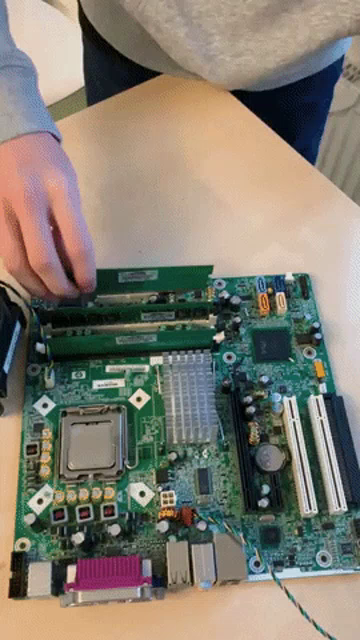 alpine hinge
So, no relation if the board is from china or some other place. Can it be fixed via software then?
full nimbus
no
the resistor chain on the board is probbaly faulty
you would have to remove and replace the chain
you have fallen foul of Ali Express
alpine hinge
so same situation for the board from Misteraddons?
tropic stratus
i cannot see any issue in the color bars from KennyL and it seems to only hit Svideo, not IO board in general
torn yoke
I've taken it offline to get more details
 cosmic cosmos
I have two MiSTers. One's IO board is pretty good, but the other, newer board has some issues that look similar to these. I switched both to Direct video. I'll do some testing later today to see if I can find you any useful info. Let me know if you want me to check anything in particular.
 wanton crown
tacit fox
<@187687726420590592> no RAM yet?
wanton crown
tacit fox
<@187687726420590592> no RAM yet?
No, it's definitely lost. I'm receiving cables from retrogamingcables tomorrow and that command was made several weeks later compared to the ram, and they both come from the UK
Will send a mail to misterfpga.co.uk
torn yoke
cosmic cosmos
I have two MiSTers. One's IO board is pretty good, but the other, newer board ha...
I've soldered up a couple of IO boards a while back and the resister arrays don't take a lot to screw things up. I had to reflow mine twice because RGBs colors were off. But don't spend too much time on it, I'm more curious about Kenny's issue right now
tall rover
I'm once again feeling the temptation to get a PS1 with a broken disc drive and modding it with an XStation and PS1Digital. But what would that offer me that isn't offered by a MiSTer?
ivory verge
nothing 😄
besides having real hw 😛
I have several ps1 , I don't use any at the moment, I only use psx core
 pseudo plinth
fluid condor
PSXYC IO board to active Y/C board composite
pseudo plinth
fluid condor
PSXYC IO board to active Y/C board composite
try the previous version of PSXYC-core
 shut escarp
its count on 1 hand type numbers
pseudo plinth
@fluid condor
pseudo plinth
ivory verge
I have several ps1 , I don't use any at the moment, I only use psx core
I have two standing here, a psone and a psx 7000(Japan), I'm not using it, and I'll probably sell it, my two mister covers my use well for psx games and many others.
shut escarp
i bought an Xstation when it was still up in the air if PSX snac would be able to handle 2 guncons... and I haven't even gotten it installed
and i really wish I bought a GDemu then instead
ivory verge
I was using ps1 for comparisons with core ( bug reports etc ), but it's getting dusty at the moment 🙂
I can't find any excuse to turn it on
 visual depot
I'm glad I invested in a MiSTer when I did. I was about to invest in an XStation....
Although I'm sad that my first-generation MemCard Pro is a brick
Can't use it with the MiSTer as it draws too much power to work
pseudo plinth
shut escarp
and i really wish I bought a GDemu then instead
being honest, sell and buy a gdemu and be happy, Dreamcast is an incredible console.
visual depot
the second generation fixed that
So mine's only PS1-supported 😦
I bought the MemCard Pro in preparation for use with a modchip.... but...
now it's practically useless to me :/
tall rover
I think I just want a project that looks difficult. I don't think I'd even use it much
tacit fox
tall rover
I'm once again feeling the temptation to get a PS1 with a broken disc drive and ...
headaches
pseudo plinth
visual depot
I'm glad I invested in a MiSTer when I did. I was about to invest in an XStation...
I took too long to buy the mister, I was buying the analogue consoles super nt , mega sg and the nt mini noir, today I regret it, especially the nt mini noir in many points, today I have two misters, but I intend to have more
shut escarp
pseudo plinth
being honest, sell and buy a gdemu and be happy, Dreamcast is an incredible cons...
I have a copy of TDC Final that lives in my DC
and i got it hooked up to the good speakers now
pseudo plinth
shut escarp
and i got it hooked up to the good speakers now
dreamcast is incredible, I really like the ones I played on it, a cousin has it, code veronica, berserk, skies of arcadia, power stone, marvel vs capcom, second console in terms of local multiplayer that I had more fun.
visual depot
pseudo plinth
I took too long to buy the mister, I was buying the analogue consoles super nt ,...
I have the super nt... it's now a brick to me as well haha
power stone! ❤️
shut escarp
i need to pick up a second wingman at some point too
ivory verge
pseudo plinth
dreamcast is incredible, I really like the ones I played on it, a cousin has it,...
As a big fan of Resident Evil, when I saw the previews of Resident Evil Code Veronica in the newspapers.....
pseudo plinth
visual depot
I have the super nt... it's now a brick to me as well haha
I think I'm keeping it, because I'm waiting for the release of retrotink4k, the filters bring a feeling of authenticity within the nostalgia of games, which I can't play much on super nt and mega sg, their filters are terrible. since I got the mister and built my setup around it, I barely use them.
pseudo plinth
ivory verge
As a big fan of Resident Evil, when I saw the previews of Resident Evil Code Ver...
resident evil is a series that made me want a ps1, a dreamcast, a gamecube, it really is a game that sells consoles.
ivory verge
Now maybe that intro from RE1 is funny, just like the dialogues, but at the time it was a big wow
shut escarp
i didn't get a DC until like 2008 and it was 95% for MVC2
ivory verge
MVC2 is a great game
pseudo plinth
ivory verge
MVC2 is a great game
Yep, the best of the series, and incredible at the time I played a lot with the cousins
ivory verge
the other game that impressed me was Soul Calibur , I love Soul Blade , so that was another game that convinced me to buy DC
shut escarp
 manic citrus
I bought a DC by accident on launch day
shut escarp
lol
manic citrus
I came into work that morning and a coworker was like 'the EB in the mall has Dreamcasts, want to go get one?'
and I was 'ok' and so I did
pseudo plinth
manic citrus
I came into work that morning and a coworker was like 'the EB in the mall has Dr...
in brazil, it was more like, let's sell a kidney and buy a dreamcast?
 glass zealot
Hiya, I'm new here. I see that each PSX game gets its own save file when I save and I found where they are stored. But is there a way to view them (or make alternatives) in the traditional way? As in when the core is booted up without a game, there's a page for memory card files. It is currently always empty for me. I remember when this core was new, I read that you needed to make a memory card file, I did that but it didn't seem to do anything. I must have done something wrong.
wooden rose
glass zealot
Hiya, I'm new here. I see that each PSX game gets its own save file when I save ...
By default, your second memory card slot is pointed towards a file named /media/fat/saves/PSX/memcardB.mc. This is a shared memory card.
In the core menu, you can mount one of the .mc files to whichever slot you want. You may need to do this manually for slot A, I am not sure.
tropic stratus
yes, you can turn off automount for slot1 also and select the memcard of any game you want and view it in the bios
fluid condor
pseudo plinth
<@335681559116120064>
I'll try this later. thanks
glass zealot
Thanks Natrox and PGAzumSpass, sounds good 🙂
 void basin
manic citrus
I bought a DC by accident on launch day
void basin
manic citrus
I bought a DC by accident on launch day
best mistake ever
 stuck mesa
@tropic stratus just giving a bug report. The Japanese version of Parappa The Rapper does not start after opening intro. It load, you can leave the intro or cut it with ⭕ , and the result with be the same, a white screen with sound. Tried all version with all configurations in miscelanious, but no dice.
tacit fox
stuck mesa
<@640641777610522675> just giving a bug report. The Japanese version of Parappa ...

GitHub
Issue: After start, the game goes out of sync. A white screen appears , sound can be heard , after some time the game should start. Reproduce: Workaround: none BIOS: 7000 CD Image: Redump bin/cue C...
fluid condor
Wow this is super interesting! I'll test myself later
torn yoke
Yeah, those are distinct blocks, Ill rebuild the the core
torn yoke
I was using a more recent build in my tests and didnt have that issue, but there is clearly an issue with 0205, ill have a new version up tonight
pseudo plinth
fluid condor
I can confirm PSXYC_20230114.rbf is good!
this happened to me, I already have this pattern if Something happens with a new version of the core, so I test the previous one.
fluid condor
pseudo plinth
this happened to me, I already have this pattern if Something happens with a new...
That was a great tip thank you!
tacit fox
What is a PSXYC? A fork? Should we discuss forks here?
ivory verge
Yes , this may cause some confusion, but I think this is the first such topic here.
tacit fox
@summer sage maybe there should be a specific channel for core forks? It could get people confused here
bitter lintel
looked through fork gifs but i'm not gonna
 summer sage
tacit fox
<@202844048229138433> maybe there should be a specific channel for core forks? I...
summer sage
tacit fox
<@202844048229138433> maybe there should be a specific channel for core forks? I...
I'll think about it. For the yc one in particular they probably don't need to be talked about at all since it's getting merged soon anyway.
torn yoke
fluid condor
Looking forward to your new build
Should be up now
tropic stratus
i have no idea, never tried it
the core has the 8mbyte ram option, but nothing special for CD to handle it. However, any region check is currently not done, so maybe it works?
but if the game itself checks for something special it might not, cannot tell. But you can try
i don't have it...what happens? does it show the second bios screen and then black screen? does it work in e.g. duckstation?
possible
if it's just a check it can probably work, but likely the CD type response must be special
abstract drift
maybe it needs a bios?
tropic stratus
maybe it also needs the special memory card?
"Without the Access Card, the Yaroze Bootdisc will refuse to work (the disc contains software for transferring data to/from PC, for developing homebrew games)."
tropic stratus
it seems duckstation has no special things for yaroze in the CD code, so likely it's not supported there
if you find any opensource emulator that plays your disc, it's probably easy to see at least what is required
that doesn't mean it's easy to implement however
the pure info "code returned by the CD-ROM controller (MECHANISM CONTROL aka MECON" is just not enough
abstract drift
maybe its one of those mechacon strings like SCEI SCEE SCEA etc
tropic stratus
yes maybe it's something that easy and then it could be implemented. PSX-SPX lists 4 differences for yaroze and the CD handling...
visual depot
Doesn't the Yaroze boot disc require the actual Net Yaroze devkit device anyway?
It's a black PS1
IIRC it has more memory than a standard PS1 does
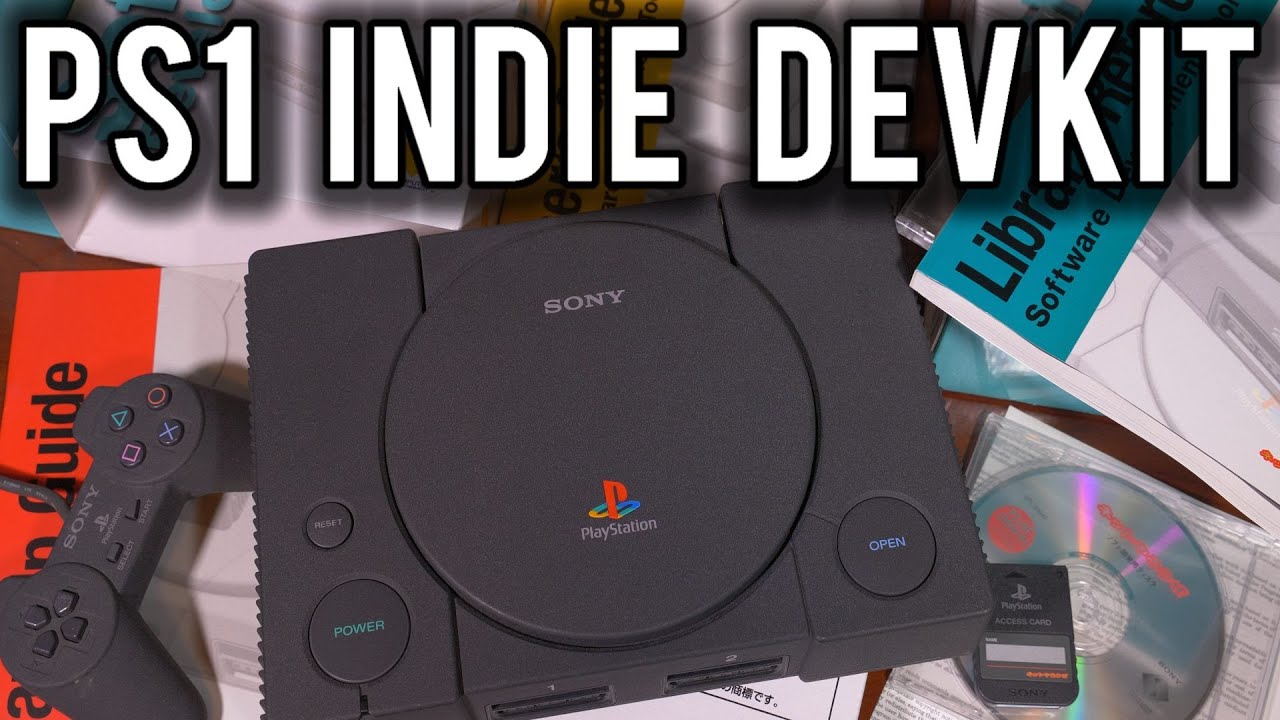
The Story of the Sony PlayStation Net Yaroze - The Consumer grade Development Kit that was sold in 1997 and how it brought Indie development to video games for an affordable price.
► Consider supporting me - https://www.patreon.com/ModernVintageGamer
Credits:
► Net Yaroze Europe Archive - http://netyaroze-europe.com/
► Ben James Developer of...
ivory verge
We have 8mb 😎
visual depot
Hmm... looking at the video, it is mostly identical to a regular PS1.
tropic stratus
it could be the dev kit also requires some advanced CPU features like setting breakpoints that might be implemented but never tested. However, the games on a demo disc will likely not need that
but if Whitney really wants it, i don't think it's asked too much to try the demo disc with some emulators to see if any implemented that already
 still palm
the "boot disc" may need that special card(not sure) but he was talking about a Net Yaroze Demo complilation that someone probably made.
not sure if there was ever an official Net Yaroze Demo disc, some of the games were available on some magazine demo discs though. iirc
ivory verge
There is a patched version to run on normal psx
still palm
ok I think there was unofficial NY compilations too
ivory verge
"You'll need to convert the Net Yaroze game to the PS-EXE format and then make a BIN/ISO image with a SYSTEM.CNF sheet so that it can boot on an emulator."
yeah , patched version works fine
still palm
yep booted for me too. make sure to pick "Net Yaroze (Europe) (Demo) (CRACKED).cue"
ivory verge
Terra Incognita is fun 🙂
tropic stratus
if you convert to ps-exe, it's easier to just load this in the core, also saves you from any loading time 😉
probably the demo disc is just a bunch of .exe files with a loader
Only exception is if there are .exe larger than 2Mbyte that require the 8mbyte ram. The core cannot load such large .exe files
but good to hear the patched disc works. Thats fine for me, no need to add some extra function in the core for the CD check if it can just be removed
still palm
in the link Whitey gave there's a youtube video of how he used a cheat code to make to boot, could probably make a cheat code for the core if you really wanted to play the unpatched version https://www.youtube.com/watch?v=833ZrPGDXtY
ivory verge
for netyaroze games to work on the original psx we also have to use codes or patches, I don't see any reason to add something to core
 rare gyro
yeah.. it's outside the scope of an as-close-to-authentic-as-possible-on-the-de-10-nano core
harsh shale
Did the YC code make it into this most recent PSX core release?
tacit fox
Nope
torn yoke
I just released a new core this morning so it's up to date
But it will be the last yc core, as things should be updated to the latest sys moving forward
abstract drift
really cool to see that get fully integrated
harsh shale
torn yoke
But it will be the last yc core, as things should be updated to the latest sys m...
I bet that's a load off! Thanks for all your hard work
wooden rose
I would love to see a full Net Yaroze implementation, one that would allow you to work with their tools, basically the black PS1 model.
But that just isn't realistic to expect here. 😅
Maybe an emulator some day.
 timber veldt
Can someone check this out: https://misterfpga.org/viewtopic.php?f=38&t=6195
There is a save file attached
ivory verge
timber veldt
There is a save file attached
no, I won't check it, I don't even know how to move there, savestate is needed after defeating the boss, did he use cheats ?
rare gyro
Technically Net Yaroze as a fork could have a place in the MiSTer project.
ivory verge
Sure, maybe someone will take it up one day
tropic stratus
" plays all the voiced lines of all the characters one after another" sounds like a CD XA problem. Haven't seen one in ages
 serene nebula
This core brings me so much happiness. Thank you so much.
I know it’s just silly games and all but it’s amazing to be able to reconnect with your childhood and share that with your own kids. I love playing PS1 on the MiSTer with my 4-year old. We have so much fun playing games together and using SNAC to enjoy all those imaginative JP music and simulation games with their bespoke accessories.
This core was the reason I got into MiSTer and it’s a remarkable feat of engineering. It’s incredible that we have the single greatest way to play the PS1 right at our fingertips.
visual depot
I would verify your dump
tropic stratus
something cut off is different to just playing all XA files on the disc in a row
visual depot
yeah... cut off audio sounds like a bad dump to me.. once I heard it
visual depot
There are so many problems when dealing with PS1 images
Never go to random download sites lol
They almost always have badly ripped games
ivory verge
Played an hour, no problems
ivory verge
tropic stratus
something cut off is different to just playing all XA files on the disc in a row
Save from mister forum doesn't work for me , i think this savestate is made when it already stuck
tropic stratus
yes, he writes "here's a save state where it did the crash"
but i don't get it...first it's a consistent bug...now it crashes often in this part
ivory verge
That's why i want to try it
tropic stratus
savestates fixing the problem sounds like cheats being used, because they are off after loading the state 😉
ivory verge
That's right, I forgot to ask about the cheats
tropic stratus
but savestate some seconds before the issue should show it...unless it really only happens when a previous XA file was played without loading the state
then create a savestate before it happens and we can try
visual depot
Also FYI testing on an emulator doesn't verify it as a good dump, but it's possible it is something else going on
issues can arise on real hardware that don't on emulators
tropic stratus
sorry, i don't have all EU demo discs at hand...
visual depot
Why aren't you using the main game, if I may ask?
is there something unique to the demo?
I'm testing it now as I'm curious
but I'm getting a redump bin/cue
tropic stratus
the sound is not XA... (bloody roar 2)
tropic stratus
interesting...the full version of br2 does buffer both voices before it loads the level. the demo (probably beta?) does load the voices while it loads the level, potentially leading to problems
you can fix it e.g. with 1x CD speed
They removed this race condition in the full version
on a real PS1 with real drive it might be random if it works or not 🙂
tropic stratus
there must be something about this, because they stall the loading of the level to fully play out BOTH voices in the full version, which costs like 3 seconds extra loading time. I doubt they would do that if there wasn't a problem with the behavior of the demo
tropic stratus
the LBA overlay showed the difference very well
ivory verge
tropic stratus
but savestate some seconds before the issue should show it...unless it really on...
I can't reproduce it. After every game state load it works ok
visual depot
Is it possibly a regression converting it to CHD?
ivory verge
i don't think so
alpine hinge
hi everyone
me again about the psx core 24 bit problem for me
I tried a vga-vga cable on a lcd monitor and guess what, no red blocks
https://i.postimg.cc/nLdcvDdH/PHOTO-20230224-183912.jpg
https://i.postimg.cc/gJQz7PFQ/PHOTO-20230224-183923.jpg


could it be then my vga -> component cable the problem?
my mister ini is like this when I try the vga-component cable, is something related to that config or the cable?
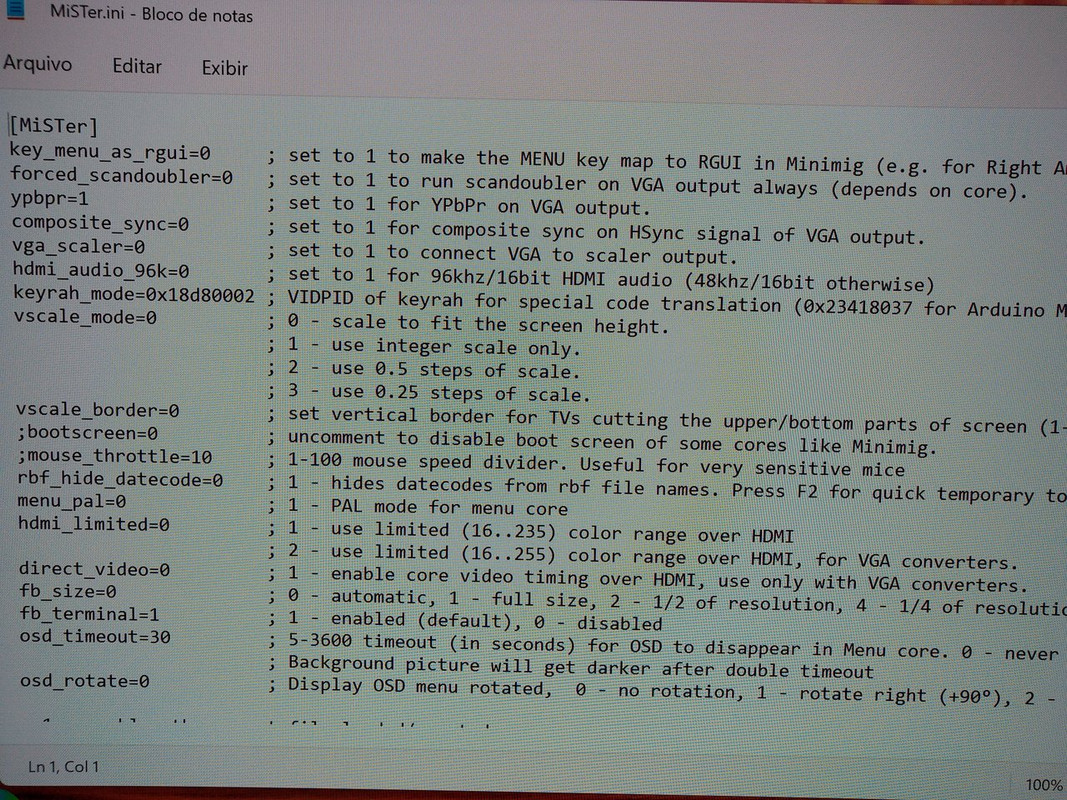 visual depot
alpine hinge
my mister ini is like this when I try the vga-component cable, is something rela...
visual depot
alpine hinge
my mister ini is like this when I try the vga-component cable, is something rela...
- Your ini is outdated. 2. If you're using YPbPr I believe you need composite sync on.
ypbpr=1 is no longer the option used for ypbpr though
Update your ini and you'll see
GitHub
Main MiSTer binary and Wiki. Contribute to MiSTer-devel/Main_MiSTer development by creating an account on GitHub.
 kind ravine
I’ve never been able to tell any difference with composite sync on or off over component
 meager parrot
same here. i just keep it off since it didnt seem to do anything
 odd glen
visual depot
ypbpr=1 is no longer the option used for ypbpr though
odd glen
visual depot
ypbpr=1 is no longer the option used for ypbpr though
Oh no kidding? What is the new option called???
I looked at the new ini but it didnt immediately jump out
Oh disregard… vga_mode=ypbpr
alpine hinge
visual depot
https://github.com/MiSTer-devel/Main_MiSTer
So I set composite_sync=1? That's the only thing I have to change to use component?
odd glen
You also have to change vga_mode=ypbpr
On my setup, Im still using ypbpr=1 but Im assuming that setting is deprecated and will eventually go away
alpine hinge
so the cable might be the problem or not? In case I need to find a new one
odd glen
To be honest Im not sure. I dont have a VGA Analog IO board, so have never run into that problem. Maybe someone with a similar setup can comment
 patent junco
odd glen
On my setup, Im still using ypbpr=1 but Im assuming that setting is deprecated a...
patent junco
odd glen
On my setup, Im still using ypbpr=1 but Im assuming that setting is deprecated a...
Yep, it’s been changed to an enumeration for the different video modes, so now you need to set vga_mode=ypbpr instead sorry I somehow missed your entire post above…
Or you will when you update at least
dawn wind
How’s the virtual memory card support w/SNAC? About to pull the trigger on a SNAC adapter and I know it was in the works.
harsh shale
think it's baked in now
tacit fox
It’s in the core and it works great
abstract drift
yeah its awesome
bitter lintel
harsh shale
think it's baked in now
i think you're pretty baked
dawn wind
tacit fox
It’s in the core and it works great
Sweet
 tropic stratus
if anyone with composite would try if the testbuild i uploaded in test-builds works as good as the last build from MikeS, that would be great
 manic valley
Shoot ! Not at home rn or would totally confirm this
harsh shale
I'll ask my buddy, if he's around
woeful torrent
It looks good to me
full nimbus
harsh shale
I'll ask my buddy, if he's around
He's always with you
 devout nacelle
trying out snac for the first time on the ps1 core..just got a new ps2 controller.
easy to for
easy to forget I'm not playing on an actual ps1..
pseudo plinth
tropic stratus
if anyone with composite would try if the testbuild i uploaded in test-builds wo...

Works okay


 pseudo veldt
ooo that keyboard
shut escarp
It’s a k400
torn yoke
harsh shale
Beautiful 
 lean glen
How come when you turn on Sync 480i for HDMI it makes the image sharper through Analog I/O VGA, almost like its forcing progressive scan?
This setting is supposed to affect just HDMI output right?
tropic stratus
thank to everyone for testing!
tropic stratus
lean glen
How come when you turn on Sync 480i for HDMI it makes the image sharper through ...
I assume Sync 480i for HDMI will show both half-images of the 480i as 240p images, without the vertical offset. So i would assume small text is much harder to read
is does also influence analog out, as it's changing the timing and even the game speed
480i on NTSC is usually 59.94Hz, while 240p is only 59.826hz. this settings brings 480i content down to also use 59.826hz (for the purpose of not switching refresh rate when switching between 480i and 240p)
lean glen
I see. Thanks for the explainer. I leave it off when using Analog output since it doesn't look right while enabled but was just curious as to what was going on.
 rigid lintel
Is it possible, or difficult to grab Memcard Pro saves and move them to the mister?
 ember cedar
rigid lintel
Is it possible, or difficult to grab Memcard Pro saves and move them to the mist...
ember cedar
rigid lintel
Is it possible, or difficult to grab Memcard Pro saves and move them to the mist...
I'm not sure about Memcard Pro, but here are some directions for moving saves #1046940919607345272 message
shut escarp
rigid lintel
Is it possible, or difficult to grab Memcard Pro saves and move them to the mist...
It’s very easy, they are usually in .mcd format. I have a folder full of like 1000 memcardpro files

GitHub
PS1 Memory Card MCD Packs Ready for MemCardPro. Contribute to Pezz82/MemCard-Pro-Packs development by creating an account on GitHub.
ember cedar
Yeah, if they're in .mcd format you can follow that link to see how to rename them so they autoload
shut escarp
Or just load it in slot 2 and copy it to the autocreated card if you’ve already played the game(s)
 coral nimbus
is there still a bug thread ? Sorry couldn't find it.
Final Fantasy VII works great so far. I minor "bug" on CD2 with the snowboard part has a weird white blinking line on the top. (Savestate available if needed)
https://imgur.com/a/dZC6t8I
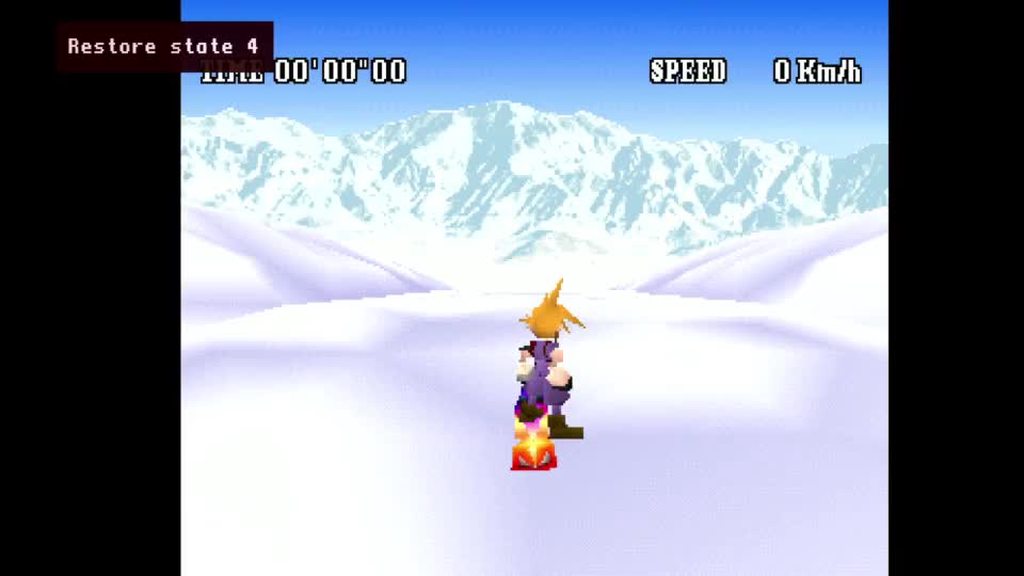 ivory verge
Try crop option?
Probably not visible on the crt
Fixed Hblank as well as Fixed Vblank can help delivering correct aspect rations and keeping the screen in sync with e.g. shaking animations. Both also offer crop options for games that depend on CRT viewports to hide artifacts at the edge of the image.
You tried this?
Crop option?
Try with crop
Yes exactly
This area is not visible on the CRT
Ok if you say so
Try with crt
Again try on crt
I assure you that you will not see it
The few lines that are visible via hdmi are not in the display area on the crt.
That's why we have crop option
There are more games with this
Try Castlevania Sotn
Ntsc
Menu
Ok
Github issue please
yeah , github is the way
please share a savestate
 grand sage
Hmm it's been a minute since I've messed with the PSX core and I'm getting black screens on everything
I just see "Region US" if I'm using an SLUS ISO
quick gyro
Did you reboot your mister and it's still happening? Did it ever work?
grand sage
Yes I rebooted and did update all
Before the update it was fine
I transferred one ISO I've been using over the network and tested it with Duckstation and it's fine, I guess I can manually delete/re add the core but idk why that's necessary
using PSX_20230218.rbf
I rolled back and still having the same issue
20230114
Even the last 2021 update has the same issue
ivory verge
Maybe bios ?
grand sage
Lemme try
 mystic violet
2021?
manic citrus
no, main extracts the region from the disc image and sends it to the core
ivory verge
Rename your playstation bios file (e.g. scph-1001.bin/ps-22a.bin ) and place it in the ./games/PSX/ folder.
boot.rom => US BIOS
boot1.rom => JP BIOS
boot2.rom => EU BIOS
 grand sage
Ah ok it was setup like that up to 4
Yup bad BIOS
Ty
I also deleted 3/4 which might have helped, I had a custom BIOS at one point
tropic stratus
well, i tried it and what i can say is: clearing the framebuffer while actually scanning it out to screen is about as bad as switching the framebuffer midscreen
SW emulators don't care, as they usually just copy the whole framebuffer at vsync
in the end it's a shortcoming of the psx cores GPU design due to ddr3 as vram, so it cannot 1:1 replicate GPU timings of the real psx. Usually that doesn't matter if a game doesn't depend on it
Fortunalty nearly no game really depends on it. 95% of all vertical flicker is a game having this flicker also on a real console, e.g. due to visible area really showing garbage
wanton crown
so misterfpga.co.uk doesn't want to refund me for the lost ram, if someone has another link for a 32mb sd ram, I'll buy it from there. I'll stop using that shop altogether. Imagine sending an sd ram without tracking
visual depot
Pretty sure you have a choice between international tracked and non-tracked at checkout
@wanton crown
 gilded trellis
It can't be legal if they don't show shipping tracking
ivory verge
I ordered several times from this store and everything was ok, now I'm waiting for mt32pi and got the tracking number for the shipment
I honestly didn't even pay attention if there was a shipping option without tracking 😄
visual depot
If it hasn't been a month or two since it shipped, it may still be delayed
Some countries international small parcel are just taking forever right now
ivory verge
yes , shipments take a very long time usually from the UK
last time I waited 3-4 weeks
gilded trellis
It doesn't make sense, so I can send the "damaged" ram under warranty and it never arrives either
visual depot
@wanton crown if it hasn't been a couple months, I'd wait... things are delayed a lot right now, and it's possibly why they're opting to not refund yet if you're not waiting long enough.
visual depot
gilded trellis
It doesn't make sense, so I can send the "damaged" ram under warranty and it nev...
they have a tracked option
choosing the non-tracked shipping option is your own fault lol
gilded trellis
ok, if tracked; but they need to demostrate send product
gilded trellis
ah ok..i send you an email as well
visual depot
Is there a reason you're mad? You're not the one reporting an issue
gilded trellis
you need more..at least a received from transport shipping
visual depot
misterfpga.co.uk has had nothing but good reputation here. I find it hard to believe that there isn't more to this story
gilded trellis
i understand you..but legal isn't about reputation
visual depot
I'm not sure I understand what you're getting at
I've never heard any such laws
Granted I don't live in Europe
gilded trellis
Ok. In Europe, If you sell a product you have to prove that you send it and you know and verify that you receive it
visual depot
And... you have proof that the website does not do this?
I've never personally ordered from them myself
gilded trellis
Even ALI for a 1 eur products have their own track
If shop don't give you a track, the price is refunded
visual depot
depends on the destination...
from what I'm reading
Regardless, if you haven't ordered from them yourself, I don't see any reason why you are arguing
Because they very well could be doing this correctly
quick gyro
UK is not EU therefore most Laws that apply to most parts of Europe dont necessary apply to the UK
i stopped ordering anything from UK alltogehter since they left, the import taxes are crazy
maybe that Royal Mail faced a big Ransomware Attack last month also doesnt help with the RAM delivery
but if a shop doesnt refund me my money when they cant deliver to me, they will never see money from me again
but it never happended to me
wanton crown
I got other packages from royal air mail just fine last week
visual depot
I will say that if I'm a shop owner and I receive an email with someone being nothing but nasty with me (not assuming this is the case, but some people don't have the courtesy to understand that shipping is sometimes out of their control and delays are awful right now).... I'm not really going to have an interest in helping them
Ok...
Well one package arriving fine from one location doesnn't indicate it will be not delayed from another
If it hasn't' been a couple months I'd give it time
wanton crown
I don't remember being able to choose tracking at checkout but I don't remember. All other packages I orderes from them had it
visual depot
And I don't count it as lost until at least 8 weeks personally
wanton crown
I guess ill wait. Im leaving for Japan soon so I dont mind waiting
visual depot
I'm not trying to be rude... sorry if I come across that way
wanton crown
No issues at all
visual depot
But delays are pretty awful sometimes right now, especially with royal mail
wanton crown
Ive been playing snes a lot recently and enhanced my setups and also been playing nintendo ds
visual depot

Not sure if this is the case in every location... but for me that's where the selection is
wanton crown
Given that only psx core gave me a specific issues, i can still enjoy my mister just as normal
Ah indeed, maybe I missed clicked
quick gyro
did you contact Royal Mail already? If they basically lost it, they normally have insurance for such cases
visual depot
Usually it has a default insurance
I assure you the default is higher than that package lol
quick gyro
in my country its 500eu default
so i bet it covers the RAM and royal mail will have a similar amount
a friend of mine is a blacksmith for custom Kitchen Knives he has the wildest stories with UPS and Fedex but somehow in the end the product always shows up somehow and somewhere 😄
visual depot
I'd imagine that Royal Mail is just awful tbh
I've heard awful stories
But shipping other options is just... expensive
And for a 20 EUR item it's just not worth it
wanton crown
It's not tracked, not sure what they could do about it
visual depot
If it doesn't arrive in X time I believe it would be refundable
but they'd be able to tell you how long to expect to wait
ivory verge
I remember waiting for a shipment from Ireland , 4 months 😄
but that was a long time ago, I was waiting for the 68060 processor
I had a bit of stress
visual depot
wanton crown
It's not tracked, not sure what they could do about it
In any case, sorry for what occurred. What exactly did they say? I've never heard of issues from them
I just find it hard to believe that they would deny help unless it just simply hasn't been long enough of a wait for them to justify a refund
wanton crown
I just reached them and they said they could do nothing about it
Nothing dramatic, its just 20€
visual depot
How long has it been since the order was made
wanton crown
Im more annoyed about still not having ruled out such a weird issue with the psx core
A month exactly
visual depot
yeah might not be quite enough time to call it lost for the more extreme cases...
I would contact Royal Mail to see what they say
If it's enough time they may mark it lost and refund you
 lime grove
There's also strikes happening in the UK
Ordering a simple cable from retrogamingcables.co.uk took like close to a month
 tulip moat
You know, I wonder if it would be possible to have an option to mimic the backwards compatibility found on the PS2, since there are differences caused by the GPU emulating PS1 games.
But I have no idea if that is even remotely feasible, due to the limitations of the DE-10 NANO.
grand sage
If you don't have the cpu/gpu power of the PS2 to back that function does it even matter?
summer sage
why would you want it added
what is the justification for using up precious fabric space on "look worse" mode?
summer sage
I'm of the mind that any option that exists should have a compelling reason for existing. "Nostalgia for bad things" isn't really a valid reason any more than buzzing, jailbars, and other distortion unless it's achieving a specific required effect like composite blending.
I dont think shitty filters should exist either, fwiw. All options should have an argument for being appealing in some way.
buggy banding patterns don't have much of an argument for a valid use
 eternal vapor
Something being appealing or not is completely subjective, so the best way to quantify "appeal" is probably to just observe demand. In this case, I don't think we've seen anyone request this feature to date. But I still thought it was interesting, especially the video. I didn't even realize such a big revision difference was a thing
That's probably true, didn't think about that
Yeah I definitely see the appeal for composite filters, though I don't use them myself
summer sage
eternal vapor
Something being appealing or not is completely subjective, so the best way to qu...
hard disagree, some things are univerally unappealing
does anyone like having a phone with a crack in the screen?
if they do, that's probably an issue, not some "self expression"
eternal vapor
That's probably true. I don't think most things are that clear-cut though
And a lot of the time good judgement will be able to predict whether something is widely appealing/unappealing
summer sage
there are a lot of things that aren't so clear cut, but banding is one of the things that is
same with buzzing, clipping, and jailbars
nobody likes those things
eternal vapor
I just think that the most reliable measure is demand itself. But I think you're right that common sense is enough in these types of cases
It's just that, for example, I could see someone preferring the banding if they truly remember it looking that way, so I wouldn't jump to the conclusion that it's universally unappealing. But that's just hypothetical and like I said it's not like we've seen any demand for this anyway, so it doesn't really matter which way you look at it in this case
summer sage
I don't really believe anyone is so sensitive and so desperate to recreate their childhood that banding artifacts are a significant need for them. If they are that desperate, they should get real hardware, because no proxy is going to satisfy a need so urgent that it must have all the same distortion and broken aspects of a specific model of console.
eternal vapor
That's all probably true
summer sage
What I think is the demand is a misguided notion that "all things must be preserved" which comes from the same flaw in human nature that leads us to collecting and hording things.
not all things are valuable or significant, or need to be carried forward in perpetuity. That's the reality of it. An ink defect in the first edition of a book has no significance in future iterations of it and doesn't change the story.
It's a historical novelty
eternal vapor
Yeah, I see what you're saying. Sometimes people don't really want what they think they want, so just letting demand decide everything can be a bad idea
That all makes sense. I guess I wasn't thinking about it in entirely the right way
In any case, appreciate the discussion 🙂
abstract drift
i don't think any emulators even bother reproducing this one
and its way easier for them to do
eternal vapor
Yeah, I wasn't really trying to defend the merit of this specific hypothetical feature. I think I'm just a little wary of deciding the merit/significance of things for people on their behalf. But it's definitely true that sometimes people aren't the best at deciding those things for themselves, so demand can definitely be misguided
bitter lintel
i'll hook up my original launch 1002 and spam grandient pics for massive triggers
eternal vapor
buzzing, clipping, jailbars and more color banding or we riot 😡
rare gyro
I remember the ridicule the idea of YC/CVBS support in MiSTer used to get.
Then when someone is crazy enough to make it happen, it starts to receive praise
 empty yacht
bitter lintel
i'll hook up my original launch 1002 and spam grandient pics for massive trigger...
empty yacht
bitter lintel
i'll hook up my original launch 1002 and spam grandient pics for massive trigger...
If you do that I'll dust off my ps5
cosmic cosmos
What I think is really missing from the core is simulation of how the launch PS1 overheated. Perhaps a module could be added that require we set our MiSTers upside-down to run properly. (From Game Informer, July 1996).
 bitter lintel
i actually put a dust cover over my ps5 because i'm not using it
it's a bit sad
the fuq am i gonna do, i have a ryzen 5600x with a 3070 now
empty yacht
I guess it looks more pretty this way
ivory verge
It is a good thing that it is the core authors who decide what is to be included, if the users decided what ideas of dubious quality were to be included, it would probably come out as quite a Frankenstein's monster
But yes I think that turning the MiSTer upside down to make the psx core work properly should be implemented, otherwise this core makes no sense 😋
visual depot
not sure what you mean by not a bug. Even if it was part of the design, it's clear that the decision was made due to lack of availability of components or software. Even if it was intentional, a bug does not need to be an accident to be a bug
 rugged loom
bitter lintel
i'll hook up my original launch 1002 and spam grandient pics for massive trigger...
rugged loom
bitter lintel
i'll hook up my original launch 1002 and spam grandient pics for massive trigger...
If not 1994.12.03 sold SCPH-1000, not "original" launch. 
visual depot
Considering it was fixed in a hardware revision, I have a feeling they had wanted it fixed from the start. It's clear they felt it was not what they wanted the console to be
So if they say that, then why would we want it to be anything else

 ivory verge
visual depot
Considering it was fixed in a hardware revision, I have a feeling they had wante...
ivory verge
visual depot
Considering it was fixed in a hardware revision, I have a feeling they had wante...
I think each PlayStation model should be reproduced 1:1 and the user should decide at the start which model they want to use 😎
visual depot
I think personally there's a limit to merit to wanting it to look exactly like it used to... the banding just straight up looks worse.... I find it hard to believe even "Hardware accuracy elitists" would care that far, except very extreme cases
visual depot
ivory verge
I think each PlayStation model should be reproduced 1:1 and the user should dec...
No I get it. I just kind of find it hard to justify this to be the same as a difference between Sega Genesis audio chips
That's just my opinion anyway
Like I've never seen anyone complain about this lol
So this is a first for me
eternal vapor
Even now I don't think anyone's complaining about it. It was sort of brought up as a hypothetical and sparked an adjacent discussion about how feature inclusion decisions are made
eternal vapor
Yeah lol I don't think either me or @upper forge were expressing any real desire for this hypothetical feature
visual depot
It's an interesting idea
I'll be perfectly honest I didn't even know there was this difference between models
eternal vapor
Yeah I didn't until today either haha, it's pretty interesting there was such a major difference
ivory verge

I discovered something kind of surprising about early PlayStation consoles and how much variance there can be in how they render 3D.
It seems that Sony was definitely aware of the issue because it didn't take until just about late 1995 for them to start shipping a hardware revision that changed the "GPU" and RAM. Unfortunately that was still lo...
summer sage
rare gyro
I remember the ridicule the idea of YC/CVBS support in MiSTer used to get.
It's still the worst possible choice for video output. People just really want to use TV's that can't do better. Let's not try to dress it up here
"I need composite because my TV will literally not work without it"is a fairly coherent argument
cosmic cosmos
The interesting thing about having the YC/CVBS support is that it now lets people really compare things on an even playing field and face reality. I was one of those that really wanted composite. Seeing Genesis composite output for the first time was quite a wake-up call.
I used composite a lot at first but find myself using it less and less. S-video on particular displays is something I find HUGE value in though, particularly for PSX
rare gyro
summer sage
It's still the worst possible choice for video output. People just really want t...
I think it's a good choice for those who want sprites and textures to look as they were intended to. Colors were often picked based on how it would look on a CRT with a CVBS or RF input.
Just the CRT by itself isn't enough. using YPbPr can lose the intended color blending.
summer sage
that "intended to" bullshit is totally wrong 95% of the time
most of the time we don't know the artist's intent, but only on old consoles was it ever assumed to be composite
like, third gen, or even before
genesis being the primary exception where even as an embarassment of a fourth gen console it got desperate enough to get sloppy
visual depot
rare gyro
I think it's a good choice for those who want sprites and textures to look as th...
I wouldn't be surprised if a lot of devkits and such used higher tier video output than composite lol
summer sage
on third gen the graphics were made on things like graphpaper, and later pc's
fourth gen was mostly specialized pc tools, with computer monitors
there are footage of people testing the graphics on pvm's and pc displays
visual depot
Yeah I'm not sure I believe the entire "tested on consumer grade TV's" tbh
You don't develop a game on primitive technology imo lol
summer sage
composite video is like putting video output through a meatgrinder
manic citrus
I like how it's 2023 and there are people actively trying to 'downgrade' graphics to composite quality for 'authenticity', meanwhile 1990s me hooked up something with svideo and was like 'I'M NEVER USING SHITTY YELLOW CABLES AGAIN'
summer sage
it's lopping off chunks of color data and creating unpredictable luma/chroma artifacts and all kinds of other distortion
visual depot
Honestly I expect a large amount of people in Europe used neither S-Video nor Composite, having easier access to SCART... at least I assume they did
summer sage
it's really bad from virtually ANY perspective
visual depot
Part of the issue is we didn't have SCART. and consoles didn't have native YPbPr support a lot of times, but had RGB... but we didn't have any RGB cable standards in the US
So we had nothing but s-video and composite
The jump to component for the PS2 and onwards was so much bigger for us
summer sage
USA didn't have scart, but japan sure did (jp21)
visual depot
Nobody here really knew how good the 16-bit era could look
summer sage
they also had svideo before us
visual depot
At least not many
summer sage
and they made the games
visual depot
did they? didn't know
summer sage
haha
visual depot
And yeah funny on the subject of Tomb Raider. That was developed in Europe right?
summer sage
most of em
visual depot
If I recall, anyway
cosmic cosmos
I mean, you can watch lots of making of videos, like the hour+ making of Lunar videos and see multiple examples. Develop on RGB or PC monitors, check your work on various other displays, including composite. It's just like a recording artist listening to their album in a honda
iron abyss
Oh now my Honda sucks too
manic citrus
next step: cry when you see what composite does to your work
visual depot
They may check them, but the RGB/PC monitors were their main development bench still
iron abyss
Going to go watch VHS over RF in my Honda
summer sage
if they really wanted to make something for composite they'd just pre-smear all the colors and make them like blocks
visual depot
Honestly everything I've played with component on the MiSTer looks like the detail meshes VERY well on my CRT
Everything blends really well
summer sage
especially on consoles that supported high numbers of colors
yes, because it's radically subsampling the chroma and the luma is semi-damaged
it's literally impossible to make a sharp edge
visual depot
I can understand people being curious about what composite looks like now... I do. But anyone that acts like it's the purest form of retro gaming just says it to impress imo
Also like Kitrinx said, some CRT's just have nothing BUT RF and Composite, so I understand the need for it there
summer sage
from an accessibility point of view, especially in the USA, I get why you'd want to have it as an option
but anyone who says it's a superior aesthetic choice is on crack
visual depot
I don't trust that as viable proof until I see it on another CRT
rare gyro
summer sage
that "intended to" bullshit is totally wrong 95% of the time
I've seen enough comparison pictures that I respectfully disagree
visual depot
Also photos are hard to prove it's not noticeable
Could be something that happened with the camera, with the opposite frame/etc
summer sage
im sure they were totally unbiased comparisons
rare gyro
visual depot
I wouldn't be surprised if a lot of devkits and such used higher tier video outp...
I wouldn't either, but I'm sure they were aware how most of the consumers would see their work
visual depot
Water effects have looked fine for me with Sonic with component
cosmic cosmos
Sometimes it's a gameplay issue. I've shared this before, but in this case, this doorway is practically invisible in S-video, but becomes apparent in composite.

 visual depot
do you have a save/savestate for that point?
I'd like to see for myself. I'm curious
cosmic cosmos
I think so. I'll check in a bit
summer sage
are you trying to show all the detail lost on rht eright?
visual depot
The door in the middle of the waterfall is almost impossible to to see on the left with component
summer sage
the bricks become nearly monotone on the right
cosmic cosmos
Should be one in here. It's the Unworked Designs 1.1 patch, I think but probably works on multiple versions
I really don't like the gross notches on the Genesis composite output, so I am NOT arguing for accuracy. But I sure do love the way it looks in Genesis GX Plus out of the Wii on composite. Better than RGB with the composite blend filter, in my opinion
summer sage
genesis was a deeply flawed console
it sort of requires it to display the images correctly, or at least image blending
cosmic cosmos
I completely agree that composite is an inferior signal. For a newly designed game on the same system, like Demons of Asteborg, it makes no sense to use it. But I think there are a lot of cases of teams doing whatever they could with the options they had to get an advantage over the competition
Anyway, I've gone off topic. I expected to like PSX on composite more than I do. S-video with 24-bit color looks so good. That's my preference for this system
visual depot
@cosmic cosmoswhich way do I head from the save?
I'm not familiar with Lunar 2
component on mine 😉

looks way more clear than their comparison showed component looking
composite blend is off
video in #crt
rare gyro
yeah, I never quite subscribed to the idea that bright and sharp pixels is the ideal. even in the days of early emulation in the 90s, I didn't enjoy how all the dithering as well as high contrast pixels in sprites would stand out, and not forming the colors that I remember. but for those who grew up on those emulators, perhaps it's better for them.
empty yacht
it is called rgb
we had those sharp pixels
at least compared to the other input variants
summer sage
you don't need composite to have unsharp pixels
there's plenty of much better ways to do it
visual depot
I mean just look at my video in #crt
it doesn't have "super sharp" pixels and looks blended well
and I'm using component
the motion of frame by frame does wonders with that generation of consoles
eternal vapor
I think some people just like the way composite and/or s-video looks, whether for nostalgia or just pure aesthetics, and I don't think there's anything wrong with that. Even putting artists' intent (and setups that can't do RGB/component) aside, that seems like a more than solid argument for inclusion to me. As long as it's not really hurting other users, I don't see why enabling people to enjoy the things they enjoy should be insufficient grounds
Assuming a significant amount of people do have such a preference. But I also don't have any real grasp of FPGA resource limitations, or how hard it was to implement, to weigh against that
visual depot
I am Groot
 strange holly
visual depot
Honestly I expect a large amount of people in Europe used neither S-Video nor Co...
strange holly
visual depot
Honestly I expect a large amount of people in Europe used neither S-Video nor Co...
Most of us here in Europe used composite through a scart input. The included cables for the consoles were not RGB. The pin connectors were missing ( and I guess the connections internally too ). The first RGB cable I ever bought was for PS1 . Had a NES and SNES before that although I was too young to even know about any of those things.
visual depot
strange holly
Most of us here in Europe used composite through a scart input. The included cab...
Some consoles didn't have it natively, but some very much did support RGB natively
strange holly
That's why I got a PS1 RGB cable.
empty yacht
some as in cheap nintendo (except for snes)
ok, maybe some sms revisions without modifications
strange holly
The worst part is we were too naive and didn't realize that the cables, although the connection was scart, were only composite ( PS1 and PS2 specifically )
Some people never had the opportunity to play the games in good conditions. Or even knew there were better ways.
visual depot
Large-model SNES, Genesis 3, Saturn, PAL Gamecube, Atari Jaguar, NeoGeo, PlayStation,
All support it natively with just a cable
visual depot
But you're saying it wasn't exactly common knowledge
strange holly
yeah
empty yacht
ah, my mistake.
understood your statement in the inverse
visual depot
I understand that... I wasn't saying it was like super amazingly huge or anything
eternal vapor
Yeah, it makes sense to me that most people wouldn't know to go out looking for an RGB cable. Just like how all my childhood consoles were used via composite until many years later when I discovered S-video/component
empty yacht
The cables were listed in the accessory catalogs, magazines did explain the advantages of rgb
strange holly
Sorry If my idea wasn't coming across. English is not my mother tongue.
eternal vapor
strange holly
Sorry If my idea wasn't coming across. English is not my mother tongue.
I think your point came across fine 🙂
visual depot
I was saying that in the US, we didn't have anything BUT composite/S-Video, and some consoles here didn't even have RGB for our region, when PAL did. My main point was we didn't ever have anything BUT composite at the time... when the consoles were in fact capable of a much higher fidelity
So when PS2 came out with component, it was that much more impressive of a difference to us
Even if a lot of us didn't have component cables....
empty yacht
and we were mad because sony tried to prevent proper rgb output for dvds
visual depot
We skipped an entire era of cables
And I think our tech lagged a bit behind because of it imo
It was a long time before HD was mainstream
cosmic cosmos
I went and checked out the Japanese launch manuals for a bunch of consoles a little while back. Here's the PSX one from 1994, according to Archive.org anyway.
 visual depot
lol they even promoted the official RGB cable
I can imagine stores being like "Does your TV support JP-21?"
"Then you need to buy this cable. It's a must to have a beautiful graphics"
cosmic cosmos
Meanwhile in 1997's Moon Remix RPG, they show a kid with a PSX on the floor hooked up with composite

ironically, my CRT cuts off the composite input
visual depot
lol
strange holly
But anyway, the thing I was trying to point out is, we all missed an era of cables. So don't feel too bad. Of course any European interested in games knows you didn't have RGB but we had slowed down games..
cosmic cosmos
Kid is doing it wrong. Needs to have his PSX upside-down.
 strange holly
pick your poison..
Can't play certain pal games now. Even though I grew up with it.
fluid condor


Sega AM2 offices during the making of Shenmue.
Likes
3031
Retweets
567

 Twitter
·
Twitter
·


 serene nebula
That explains why it kept getting delayed. All those screens must've been distracting.
 forest trench
visual depot
I was saying that in the US, we didn't have anything BUT composite/S-Video, and ...
forest trench
visual depot
I was saying that in the US, we didn't have anything BUT composite/S-Video, and ...
Well, we did have something other than composite
Everyone shitting on composite, are you forgetting about RF?
My only console until the late '80s was a 2600, hooked up via RF
The only other console I played regularly was my cousin's NES, also RF
Then my best friend got a Genesis, and you guessed it, RF
It wasn't until '92 when I bought a SNES that I played a console with composite, and it was impressive at the time
 azure niche
summer sage
genesis was a deeply flawed console
azure niche
summer sage
genesis was a deeply flawed console
It's not just Genesis though. There's Sega Master System games that clearly relied on composite, the Saturn used dithering for fake transparencies and both PSX and N64 use dithering to hide color banding and add noise to low res textures.
I do agree that running the whole video signal "through a meatgrinder" just to blend certain parts of certain games is a shame though. That's why I wish the Genesis core's adaptive composite blend worked better.
summer sage
well, sega won't be remembered for being a successful console making company 🙂
azure niche

azure niche
I thought the conversations were quite civil
visual depot
azure niche
It's not just Genesis though. There's Sega Master System games that clearly reli...
and this dithering effect works on Component too?
lol
Not sure why people think those effects only work on Composite
visual depot
I literally showed videos of the dithering-based transparency effects working on component lol
It's the way the picture is displayed that's the deciding factor, not the signal
summer sage
saturn was very much an rgb and svideo console, it just had mediocre transparency
n64 had built in blur, no composite needed
visual depot
These effects don't look right on a PVM possibly, but then ... PVM's I don't think were intended for gaming anyway, were they?
Even if that's a wrongful assumption on my part, if you're wanting to use composite on a PVM, why are you wanting a softened image on a TV that's intended for a sharp image?
Sounds a bit counterintuitive to me, but I digress
 oblique frost
I stopped questioning crt people logic :p
azure niche
visual depot
and this dithering effect works on Component too?
Sure. But it's not going to blend that well. Sonic 3D Blast will always be my go-to example
 visual depot
is that saturn or genesis?
azure niche
The CG Sonic in the title screen is dithered to hell and back and all of the shadows use a black checkerboard. If you blend all the dither patterns it looks fine but the raw pixels don't look great and a CRT's shadow mask doesn't fully hide it
That's the Genesis version
 random gust
harsh shale
Until 1998 RF was all I had lol
random gust
harsh shale
Until 1998 RF was all I had lol
Until 2009, RF was all I had (for console, for which there was only one).
azure niche
I play that game with the Genesis core's composite blend on. Makes it blurry but there's so much dithering everywhere in that game that I find it distracting
visual depot
why is that image so artifacty lol
azure niche
Because I'm on my phone and grabbed the first one off Google that shows the shadows lol
visual depot
I grew up with GBA so the shaded pixel patterns kind of always looked normal to me
azure niche
That's fair
I will say it was a lot less distracting on a teeny non-backlit GBA screen than it is on a 37" Trinitron though
fluid condor

Gaming 8-bit days a week!
RGB looks really sharp and crisp! But I wouldn't dismiss plain composite though! Sometimes the mesh on RGB can be too distracting and composite colors seem to be more vibrant. It depends on the game I guess.
#segasaturn #rgb #retrogaming
visual depot
azure niche
I will say it was a lot less distracting on a teeny non-backlit GBA screen than ...
I played a lot of them on emulators, and didn't use any filters
tropic stratus
for the early psx banding discussion: this is a very easy change. If someone really wants it, i can tell you which lines to change, so you can build a special core with it. But 2 side notes: don't share it and don't ever ask to make this an option, only use it for your own pain 😛
manic citrus
tell me privately so I can make a youtube video and then refuse to tell anyone else how
(don't do this)
ember cedar
Post about how you're trying to work out how to do it followed by "nevermind, figured it out"
iron abyss
Need to tap into the masochist market. Maybe some misteraddons branded nipple clamps that deliver a shock when you die. Or when you high score? Not sure how people want their punishment
(And you can’t disable PSX banding of course)
This is probably how Kitrinx views us tubemen, all self loathing and ball gags
oblique frost
I mean, is she wrong?
iron abyss
I do call my basement my crt dungeon. Maybe I’m on the path
tacit fox
Any clues on which core is zumspass currently working? 🤔
 foggy quiver
No clue, could it be NGP or 3DO?
 dark mountain
NGP is already done by Jotego.
bitter lintel
summer sage
composite video is like putting video output through a meatgrinder
yes yes but now i've learned some people are also actively running their signal through another couple of boxes to get that "authentic" RF signal. rofl
 little frost
@tacit fox Could be Jaguar too…🤔
tacit fox
little frost
<@456582872082415628> Could be Jaguar too…🤔
It’s a MiSTery
 lost summit
there is already a core named MiSTery for MiST 🙂
summer sage
it's the ST core (the same one we use)
tacit fox
My bet is on a handheld
quick gyro
2 words. Nokia N-Gage
You had to turn the phone off to change the cartridge. How awesome is that 😎
 plucky mist
My bet is on the DS. With analogue and hdmi dual screen action.
bitter lintel
i'm gonna guess he continued work on ds too and just..... figured it out
he BELIEVED
🙏
little frost
that’d be wild if that’s what it ended up being, but it seems too good to be true
eternal vapor
Yeah I don't know about setting hopes quite so high haha
ivory verge
Whatever it is, it's sure to be great
plucky mist
Haha I’m imagining dual thumbstick support and DualShock4/5 trackpad support for the second screen
rare gyro
tacit fox
Any clues on which core is zumspass currently working? 🤔
considering what he accomplished so far, it wouldn't suprise me if he were making an i586 core 😄
perhaps the 60Mhz "P5" model
 zenith flower
Searched around but coulnd't find anything on this. Does anyone else get weird artifacting in the graphics with DIther 24-bit for VGA on? I enabled both since I have an analogue IO board and I get a bunch of lines and other graphical artifacting in Silent Hill. I also notice it on the PS1 boot screen (lines moving around when the Sony logo comes up). No issues with Dither 24 bit off, 24-bit itself, or regular non-24 bit dithering. Only seems to happen in game and on 2D elements, the FMVs had no problems.
Dithering: Off
24-bit: On
Dither 24-bit: On
Over ypbpr component.
first is dither 24 bit off, second is it on, you can see weird stuff as the snow falls
torn yoke
I'm not sure how it should work on real hardware, but know dithering is required to remove that artifact.
zenith flower
Oh, weird. Strange it doesn't show up on 24 bit alone. Seems like I picked the wrong game to test.
 hazy stump
Hey friends, does anyone know why my PSX core started freezing at bios after a recent update?
Gets stuck at this screen

Only happens on some games
forest trench
Probably the laser
hazy stump
I see. Is there anything I can change to fix it. Seems it doesn't like some of my rips
And they all worked before
Whoops. My bad, I should have posted this in the help channel
forest trench
That was a joke 🙂
Posting here is fine if it's related to the PSX core
Might be your BIOS files, does it only happen with a particular region?
hazy stump
forest trench
That was a joke 🙂
Posting here is fine if it's related to the PSX core
Might be...
All my rips are NTSC-U region. Some work and others dont now 😦
They're all BIN/CUE format and in their own folders
summer sage
Hey Robert I know you love zelda games but are you sure these guys are ready fro a CDi core? What a fine evening.
serene nebula
Could you imagine how awesome a CDi core would be? 👀
iron abyss
 oblique frost
serene nebula
Could you imagine how awesome a CDi core would be? 👀
oblique frost
serene nebula
Could you imagine how awesome a CDi core would be? 👀
it'd almost be worth it just so people would stop asking about it
iron abyss
It would be fun to mess around with, but you’d be haunted knowing what the dev endured for your brief chuckle and head shake
oblique frost
I previously owned a CDi, and that's the ownership experience
brief chuckle and then depression
the meme games are legitimately awful to play
and that's about all the console has to offer along with some FMV lightgun games
 hidden prism
Anytime a vendor does a cost-down before the thing even has e2e playable experiences, it’s doomed. CD-i, Kinect 1.0, …
tacit fox
Hopefully it’s not a CDi core 🙏
oblique frost
it'll be whatever Robert wishes to bestow upon us mortals
random gust
oblique frost
the meme games are legitimately awful to play
That's disappointing. I was hoping to have an experience akin to 'The Room'.
tropic stratus
hazy stump
Hey friends, does anyone know why my PSX core started freezing at bios after a r...
BIOS files should be ok, otherwise it could not boot until there....it seems the CD support is broken for some reason
if it only happens on some games, i would check what is different with these. You can also tell us one of them, so we can check against. Maybe really something broke?
ivory verge
tropic stratus
if it only happens on some games, i would check what is different with these. Yo...
#help message
tropic stratus
i see, different channel. great it's at least no general problem 🙂
ivory verge
yeah, RE2 definitely works fine 🙂
devout nacelle
I have no idea what's next but I have gathered that Robert works on cores for stuff he actually wants to play.
forest trench
DDR core?
lime grove
system 573 is pretty similar to ps1.. maybe
abstract drift

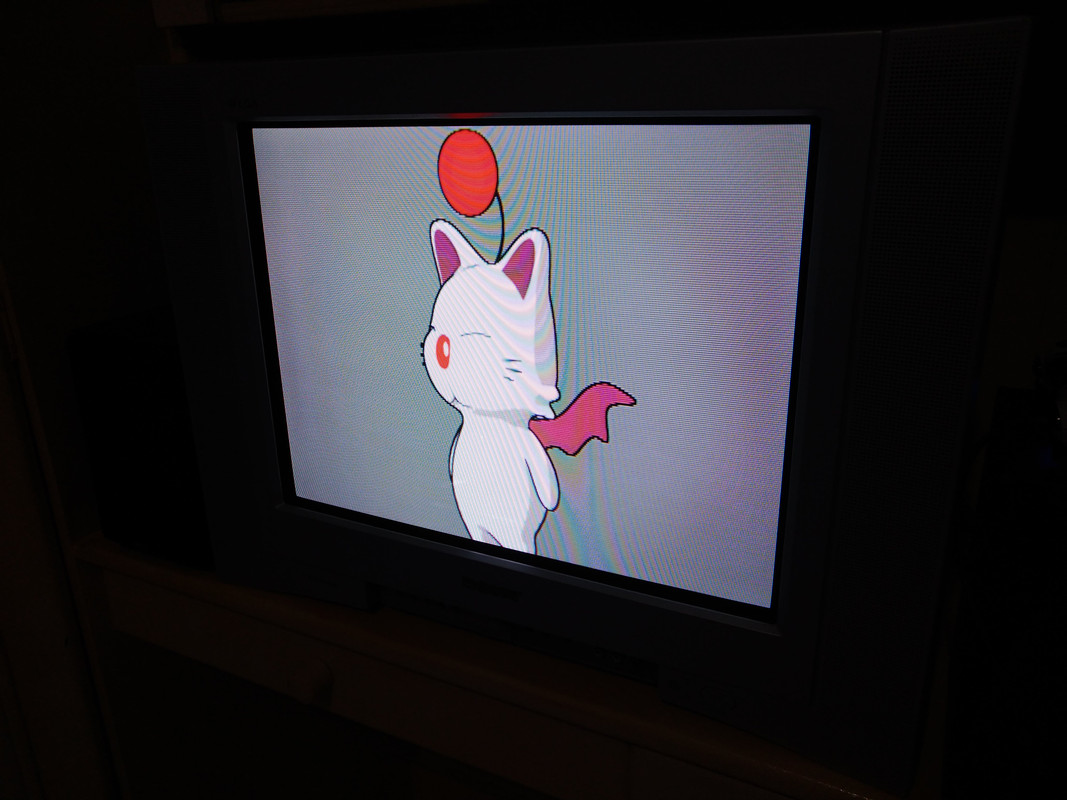
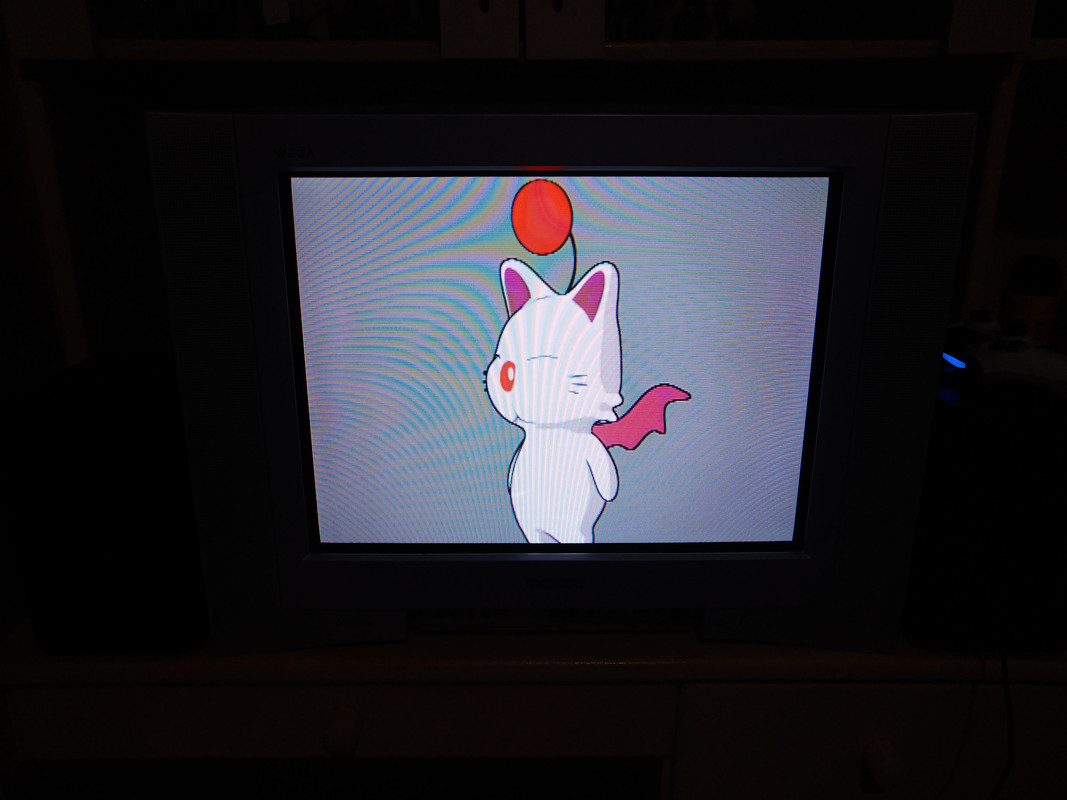
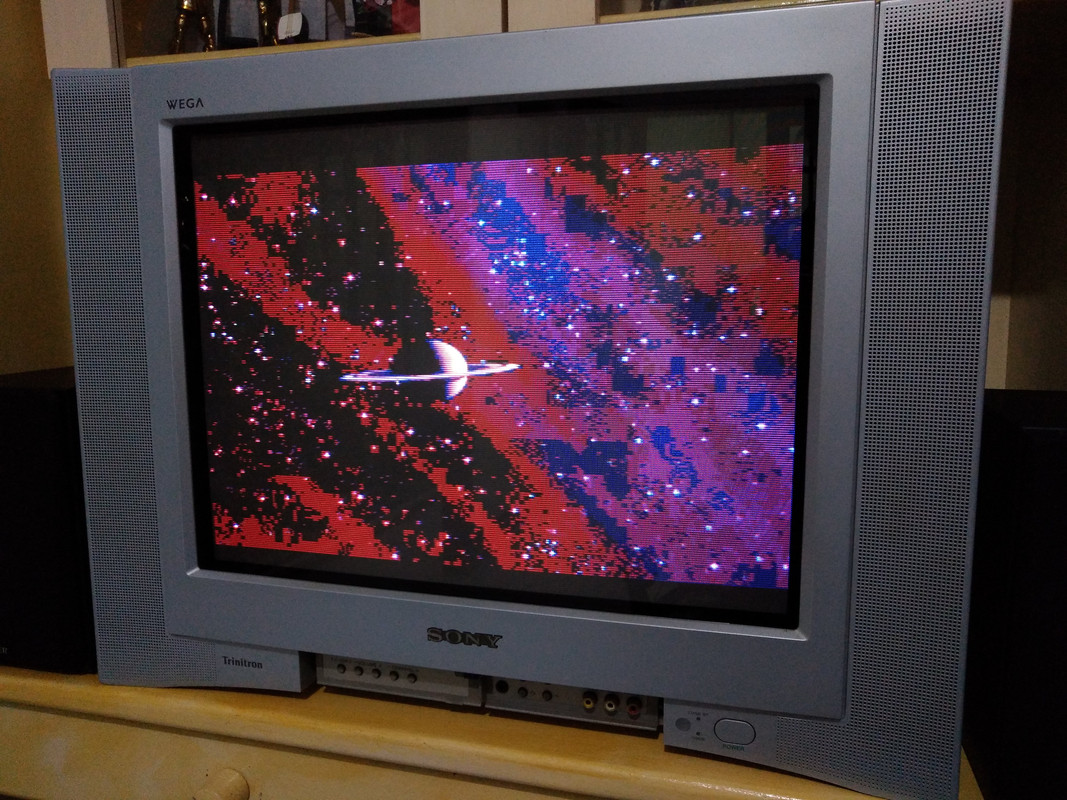
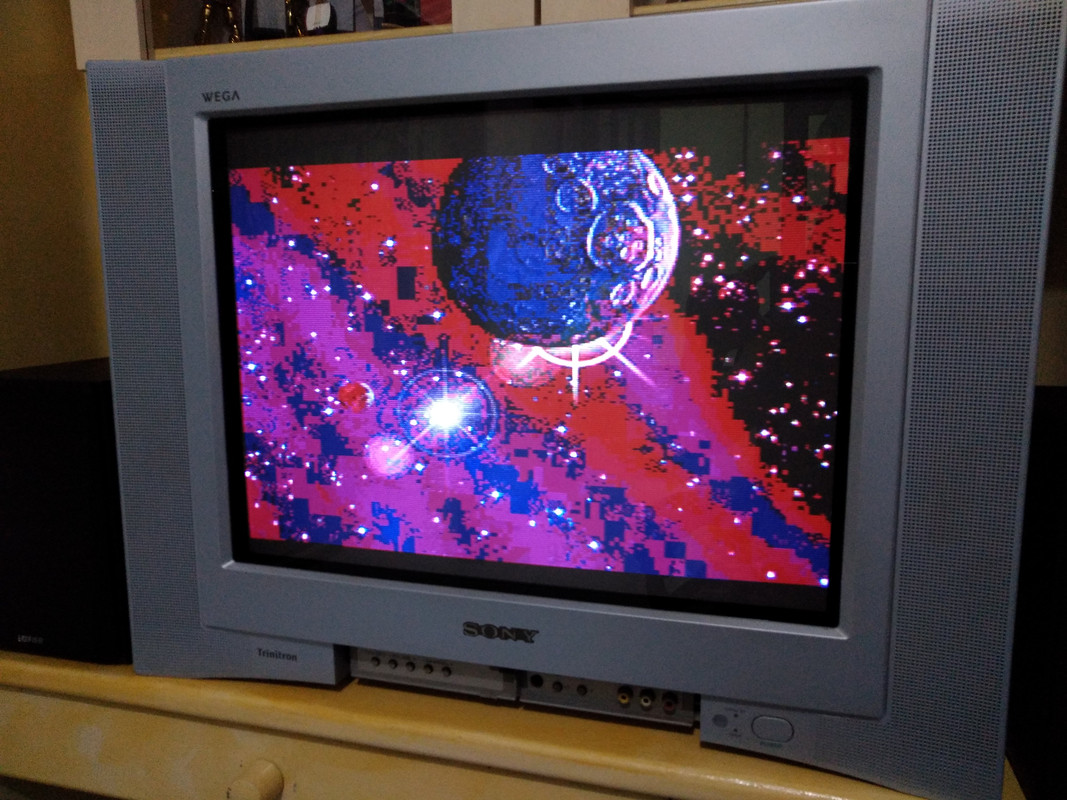
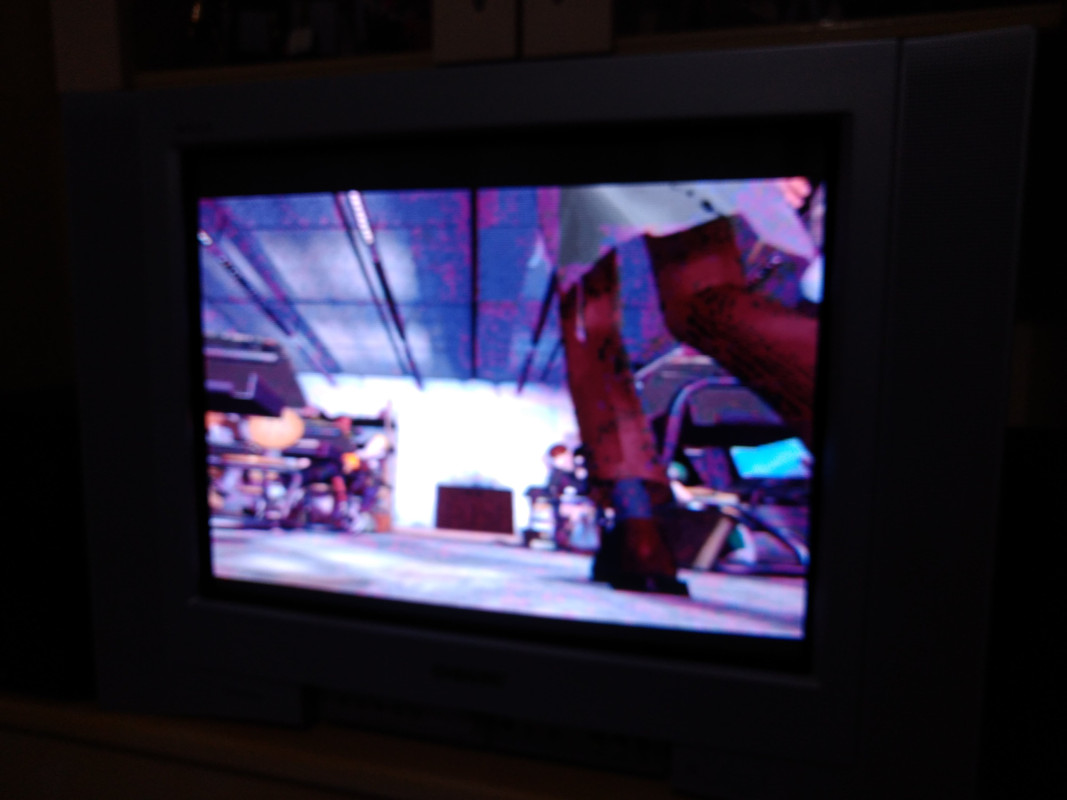
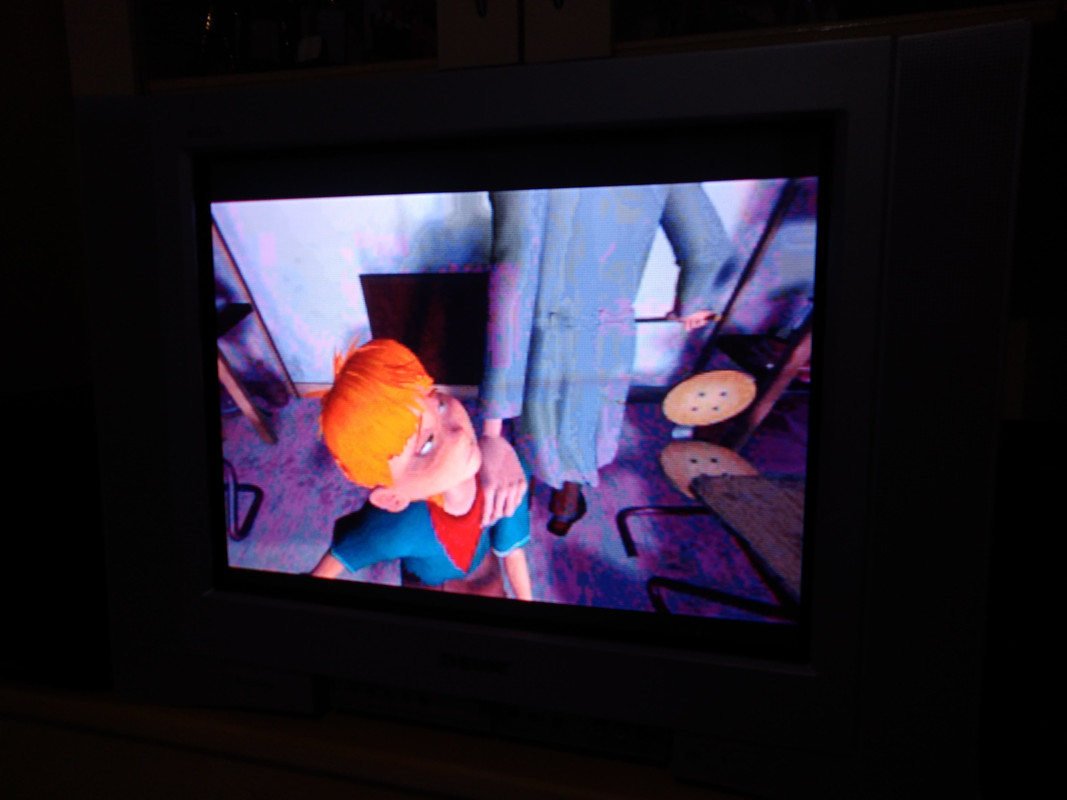
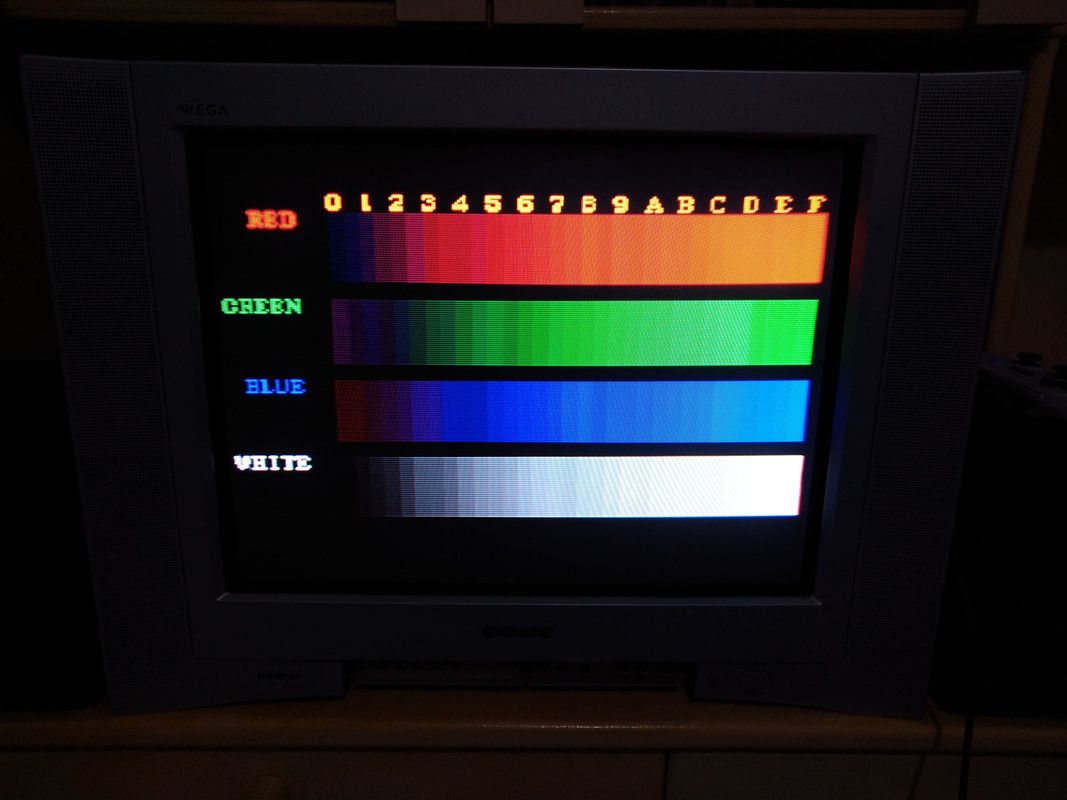
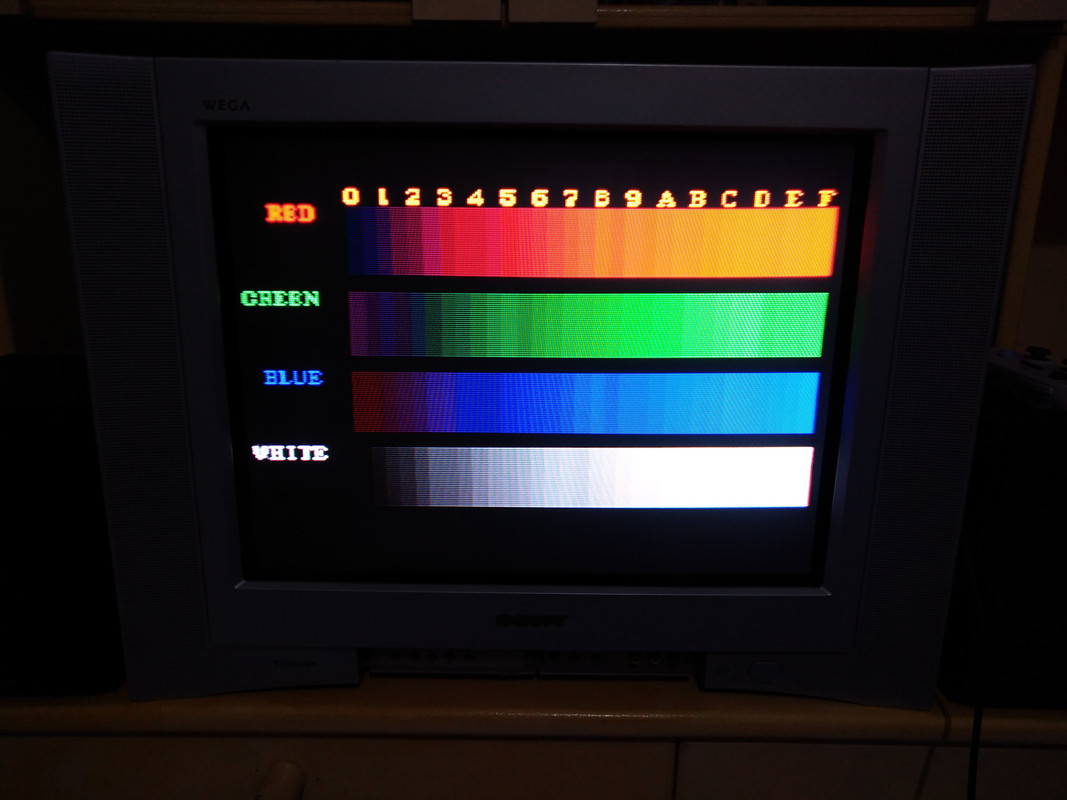
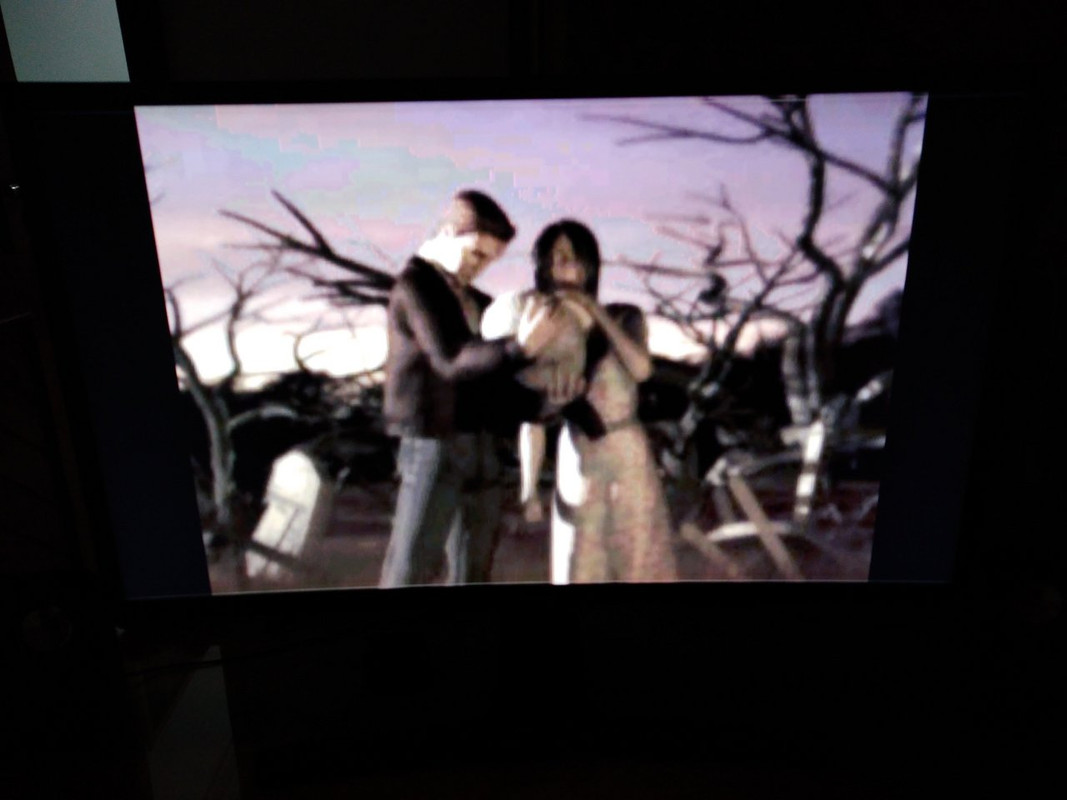
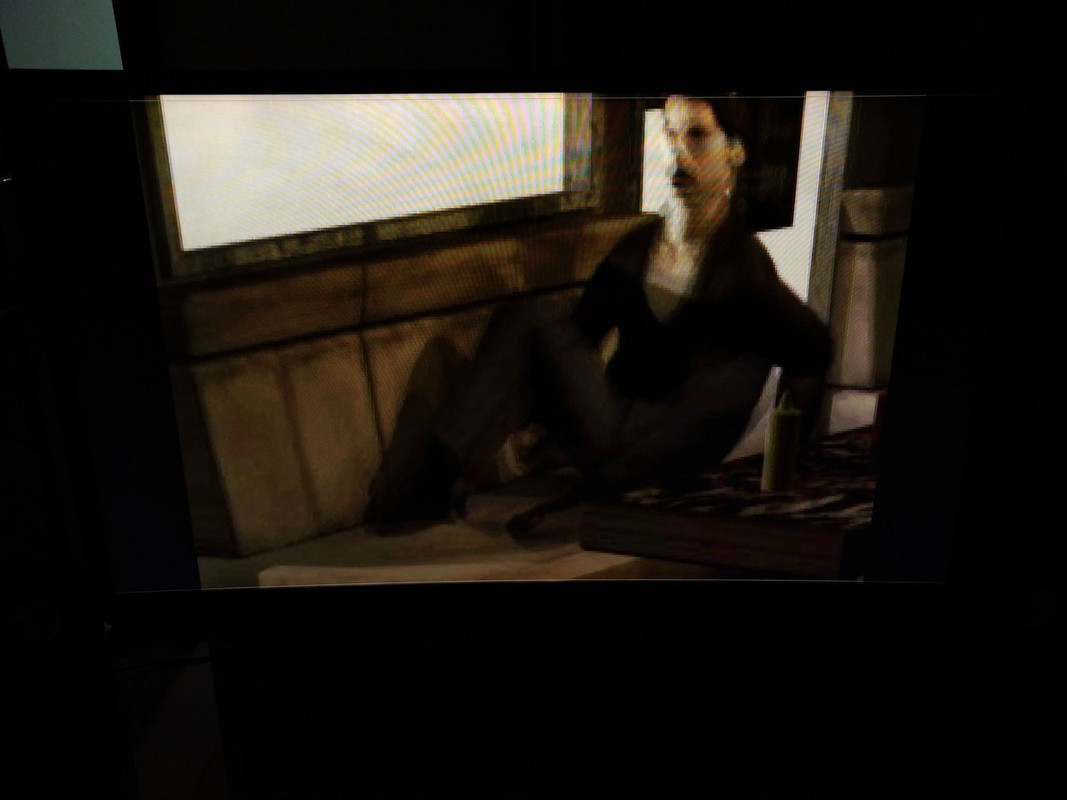
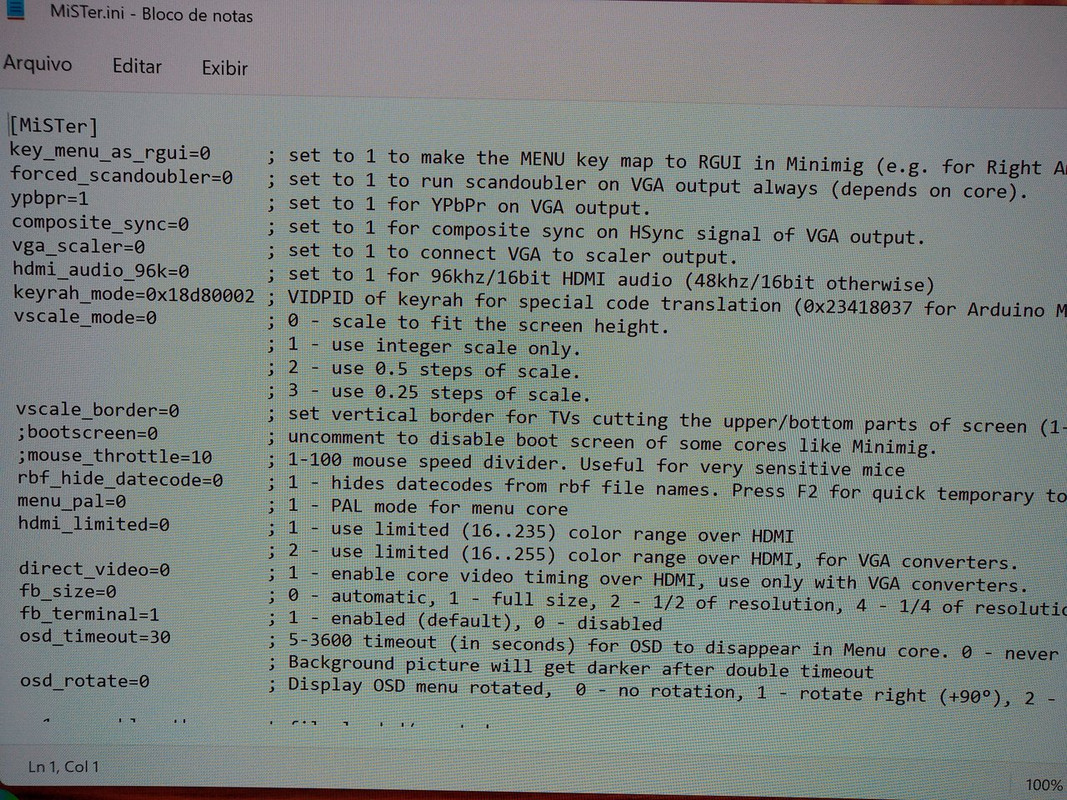
How cool is this!?
A native way to send the GameID to the #MemCardPRO or #PS1Digital on the PlayStation 1 with no launcher software! This even works on original discs!
Many thanks to @bobrocks95 for this awesome open source project! (WIP, see the README)
Twitter
·
should work to get gameid working on the core i think
so now "the memory card problem" is solved 2 different ways 😄
manic citrus
we already extract game ids from the disc?
abstract drift
yeah but this will send it to a memcardpro attached via snac
manic citrus
just run that bios and see what happens
abstract drift
yeah i need to find where i put my multitap
tropic stratus
seems like a really easy method

core could easily do that while the bios runs and pads are not in use anyway....however, who really needs it? Seems very redundant with virtual memcards + SNAC working now
i guess for the few who want to share memcardpro with a real psx, the bios is a good solution
manic citrus
I don't even think the core needs to do anything? if someone wants that they can just use the bios
tropic stratus
yes, i just thought if this was of general use for everyone, the core could do it for better convenience
abstract drift
it would be worth it except we just do vmc+snac now anyway 😄
like yeah the only use for it would be if you need to swap back and forth from a real psx to the core a ton
which i did for a bit, before the core got so good i stopped really ever using my psx
bitter lintel
question - why the interest in using a memcard pro when you can just use the sd card on the mister?
you're already venturing into unofficial hardware with the memcard pro
isn't the whole point of using snac and a memory card adapter to cling onto your original hardware memories?
tropic stratus
i guess only for transferring between real psx and the core with the comfort of having many memcards in one memcard
we could live without that feature in the past and with the bios even enabling it, it should be fine anyway
fluid condor
PSX FMVs are very blocky on Y/C board composite via IO board compared to real PSX. https://misterfpga.org/viewtopic.php?p=69985#p69985


Y/C board via direct video is much better but still not as good as real system.
bitter lintel
back to the drawing table
tropic stratus
3 weeks later it's done, great game

(with nice FMVs using smooth upscaling to 1080p on OLED TV 🙂 )
ivory verge
Nice 👍🏻
tropic stratus
No idea how long it's been that i spend 30 hours on one game, but this one really kept me coming back to it for 1-2 hours each day
ivory verge
After fnished IX and VIII which one is better for you?
tropic stratus
i like 8, but 9 is probably the better game, both story wise and battle system. But the card game is bad 😛
pseudo plinth
tropic stratus
i like 8, but 9 is probably the better game, both story wise and battle system. ...
The ending is amazing, the transitions from graphics rendered to fmv are amazing on IX, for me of all Final fantasy is what I most want a remake
Finished on psone, I think I have to book time to play it on core
tropic stratus
i would have been very angry on the console for the scarse savepoints during the end...i think it took me 1 hour from the second last to the last savepoint and the group died from a random encounter with a 1-hit-ko attack(all full health) 1 screen before that savepoint. Thankfully i had a savestate 5 minutes earlier
tacit fox
I’m with 70 hours and yet on CD 1 in Dragon Quest VII 😅
tropic stratus
with such large RPGs...as a teenager i would have spend a lot more time, but today, i'm happy if i can be finish it at all
ivory verge
Dragon Quest bored me...( don't hit me) , I didn't finish it
bitter lintel
tropic stratus
i like 8, but 9 is probably the better game, both story wise and battle system. ...
i used to own [email protected]
cosmic cosmos
The savestates really opened up the PSX library for me. I really miss them in SNES RPGs. I wish more games were like the Lunar ones and let you save anywhere
harsh shale
fluid condor
PSX FMVs are very blocky on Y/C board composite via IO board compared to real PS...
Is the one in the right the MiSTer? Are you using the active adapter? What vga_mode setting are you using?
tacit fox
ivory verge
Dragon Quest bored me...( don't hit me) , I didn't finish it
For sure if someone is not a hard fan, it’s sooo boring indeed haha
ivory verge
I also tried to play DQ on 3ds , but same thing
cosmic cosmos
I really enjoyed the Dragon Quest 3 remake and Dragon Quest V on SNES. Haven't really enjoyed much of others
DQ1 on Game Boy Color was an okay time. Never could get far in the NES one
tacit fox
Dropped DQ2 because of random encounters at every 2 secs
eternal vapor
fluid condor
PSX FMVs are very blocky on Y/C board composite via IO board compared to real PS...
Do you have dither 24 bit on VGA enabled? FMVs are usually 24 bit but io board can't do 24 bit. But I would have thought direct video would remedy the issue
tropic stratus
It looks like it's just not blurry enough compared to the original output
harsh shale
Also a bit desaturated