#Sony PlayStation
1 messages · Page 7 of 1
 ivory verge
 tropic stratus
don't worry, i can live with some bugs in the backlog and still sleep relativly well 🙂
ivory verge
I am definitely looking forward to your new project 🙂
tropic stratus
my wife sometimes says: "no one can expect from you to solve every problem" .... sometimes i just need to take some pressure out
ivory verge
tropic stratus
my wife sometimes says: "no one can expect from you to solve every problem" ......
That's the truth 👍🏻
tropic stratus
oh i'm also looking forward to it, i already began some research 🙂
ivory verge
Great to hear that 😆
 tacit fox
ivory verge
I am definitely looking forward to your new project 🙂
tacit fox
ivory verge
I am definitely looking forward to your new project 🙂
It’s a MiSTery
ivory verge
indeed hehe
 bitter lintel
tacit fox
It’s a MiSTery
bitter lintel
tacit fox
It’s a MiSTery

 meager parrot
We're doing Harmful Park for PS1 as the current #game-challenge . 🙂
Single credit score challenge in the normal mode, and a second scoreboard for the caravan "Score Attack" stage. Score submissions open until the 27th. Come join us for some High-brow Gag Pure Shooting!
 deep sphinx
Excellent game and beautiful!!
bitter lintel
tropic stratus
oh i'm also looking forward to it, i already began some research 🙂
spill the beans
 tacit fox
Note to self: check if that monster nose pixels are correct in Dragon Warrior VII

I think it’s called pigmon
tacit fox
From youtube 🤔


Plot: The party is close to where Hadeed head out to. His injuries are severe and he could be in deep trouble! We have to rid this evil statue once and for all!
Enjoy the video!
ANNOTATIONS COMPLETELY ADDED
Playlist for Dragon Warrior VII (Disk One): http://www.youtube.com/view_play_list?p=12F34714BD8864E9
Maybe I have some setting enabled that cause that
meager parrot
Whats going on with Ghost in the Shell that makes the FMV playback blow up to such a large size?
I like it, but it does not work well with filters having two very different viewport sizes like that, compared to the normal 4:3 it returns to for the rest of the game
meager parrot
the mission briefing sections are also glitched

looks like its wrapping the left edge of the screen to the right side
fixed v-blank with horizontal crop fixes it. i assume this is necessary in this game as the right side portion seems to be a repeat of what is already shown at the left edge of the image
i was actually kinda digging the larger videos with integer gameplay heheh, but whatever it takes for a noise-free image throughout I guess! so odd seeing instances like the video when vblank is off and v-integer actually making the viewport larger instead of smaller. goes against everything ive known on MiSTer with video options as of yet
 rancid chasm
could it have to do with that game supporting widescreen
meager parrot
i have the option off. makes gameplay way too blurry compared to FMV
rancid chasm
but like maybe they made the video in such a way to "work" regardless of what you have selected
meager parrot
thats what it seems, with the letterboxing on crt
 serene nebula
meager parrot
looks like its wrapping the left edge of the screen to the right side
serene nebula
meager parrot
looks like its wrapping the left edge of the screen to the right side
It’s like that on real hardware
 meager parrot
serene nebula
It’s like that on real hardware
meager parrot
serene nebula
It’s like that on real hardware
thanks! take it thats a pvm with no overscan.. looks proper with fixed vblank + horizontal crop enabled
 meager parrot
is there any downside to fixed hblank and fixed vblank, like increased latency or anything?
serene nebula
nope, don’t think so
meager parrot
this was the second game i ever owned for PS1, excited to get into it tonight and record some footage!
serene nebula
Yeah it’s super good, when I saw you post that I had to immediately double check so I got out of bed lol
I’d be sad if the game had issues on the core lol
Same company as Jumping Flash, love that game too
rancid chasm
meager parrot
is there any downside to fixed hblank and fixed vblank, like increased latency o...
only downside I believe is black border but that can be reduced with the crop settings
 dry drift
If you love jumping flash, try Crackdown 🙂
serene nebula
dry drift
If you love jumping flash, try Crackdown 🙂
That game should be remembered more
dry drift
They made two sequels - I didn’t like the second game but supposedly the third one is better
 lilac scaffold
crackdown 1 and 2 are backwards compatible on xbox, 1 is one x enhanced
looks like they might be free also
tropic stratus
meager parrot
is there any downside to fixed hblank and fixed vblank, like increased latency o...
As Jayde Six says, you may get black borders all around the image. E.g. for games that only have 220 pixel height, you get very thick borders, but the crop cannot do arbitrary values, so you cannot crop to exactly 220. If you don't mind setting up crop depending on the game or tolerate black borders(smaller image), fixed vblank is the better solution. It's more faithful to the original. It's only not default setting, because setting is up might be confusing and tedious(every game again)
meager parrot
tropic stratus
As Jayde Six says, you may get black borders all around the image. E.g. for game...
I don't understand that last bit.. if its faithful to the original presentation and some games show glitchy elements without it on, why wouldn't it be good to always have enabled? It crops off bits it shouldn't in some games (with 220 height)?
rancid chasm
meager parrot
I don't understand that last bit.. if its faithful to the original presentation ...
There was discussion about that a few weeks ago here #1046940919607345272 message
meager parrot
rancid chasm
There was discussion about that a few weeks ago here https://discord.com/channel...
I see, thanks! It's just the black borders then.. which being primarily an integer scaling user I don't mind at all ^-^
I'll keep in mind turning it off for instances where I'm trying to dial in filters a bit better or fill a bit more of the screen
rancid chasm
meager parrot
I see, thanks! It's just the black borders then.. which being primarily an integ...
sure thing, and yeah I went back to integer scaling myself as well, there's this one shadowmask that was posted to the discord that only looks good integer scaled and I found myself missing it ha, you could always set up a mgl specifically for games you want one way or the other
tropic stratus
well, "just" black borders yes, but those can be huge. I play with full screen scaling, not integer and i would assume that to be standard for most?
again, the comparison of what i would see
#psx-chat message
i couldn't figure out a sane way of autocropping...as soon as a game uses shake or switches resolution, the automatic would fail
in any case, i hope you can understand that i choose it to be not default if you think that image 3 is what most users would get and i doubt anyone wants that
ivory verge
I play like this all the time, as in image 3 🤣
 patent junco
I too prefer #3, my display is big enough that I don't really mind trading some overall size for no interpolation on one axis
rancid chasm
didn't realize the vertical crop option in the menu would break with certain games
tropic stratus
maybe it's just me hating unused screen space
tropic stratus
patent junco
I too prefer #3, my display is big enough that I don't really mind trading some ...
this has nothing to do with interpolation, it's extra black space for the game to "work with"
integer interpolation would add additional black area (or could, depending on the ratios)
patent junco
ah I see, with vertical crop it's more like the 5x scaling options in other cores
kind of
tropic stratus
fixed vblank assumed the game always uses 240 lines height(unless you crop manually by setting). So if a game only uses 216 lines, you loose 11.1% height to black bars. If you now integer interpolate that to 1080p, you get 4x240=960 pixel height as area and loose another 120 lines or 12.5% height to black bars. So you would end with 4x216=864 pixels on 1080p, so 216pixels height lost
without fixed vblank, this would fit in 5x scale and you have integer interpolation without any black bar
of course you can select fixed vblank + 216pixel crop yourself, but then you have to select the crop height for every game yourself, while without fixed vblank the full height is always available
rancid chasm
ha, guess I've been lucky with the games I've played, vblank +vertical crop has been a set and forget setting for me, do you have an example of a game where that doesn't work out good?
tropic stratus
to what do you crop?
240, 224 or 216?
216 will loose important height in several games, 240 will have massive black bars in e.g. the final fantasy games. 224 might be a tolerable compromise
rancid chasm
216, had to turn it on to check, so it would crop that much beyond what would be overscan?
tropic stratus
let me find you an example where 216 is too much
rancid chasm
thanks!
patent junco
thanks for the detailed explanation also
tropic stratus
 rancid chasm
that is quite a crop
tropic stratus
in many 3D titles you also loose quite a bit a viewing field

hud is mostly only cut off 1-2 pixels, which could be acceptible i guess?
ivory verge
It's PAL or NTSC?
tropic stratus
all NTSC, in PAL it's even more difficult as the games range from 288 downto 216
rancid chasm
that second one isn't bad to me, purely as a my preferences thing though
ivory verge
I play 90% only PAL games , I have a fixed setting of 216/256
tropic stratus
well fixed for pal is 288, 270,256, so you are on 256 which is much safer
but still have black borders for some titles
this is maximum crop currently for PAL with a 224 pixel game

i'm not saying that you cannot play like this, it can be perfectly fine. It's just that i don't think large black bars or cropped off content is a good default setting to deliver the core with to new users. I understand that having glitches in some games is not either, but some path you have to go unfortunatly 😦
ivory verge
But it is very good that it is not set by default
meager parrot
tropic stratus
of course you can select fixed vblank + 216pixel crop yourself, but then you hav...
this was the best way to play ghost in the shell I found. Nice large image and perfect filters. uploading a test run through the entire game now to make sure youtube handles it well. I got through the game without dying this time, and got a very thirsty hi-res image of Maj. Kusanagi, as a reward at the end. 😅
meager parrot
tropic stratus
all NTSC, in PAL it's even more difficult as the games range from 288 downto 216
I was pleasantly surprised how well Colin McRae Rally 2.0 PAL integer scaled up to 1080p. Better results than I generally get with NTSC on any console
tropic stratus
personally i don't see any issue to tweak the output for a game i want to play over the next hours and days and it can make it better for sure
i guess it's not for everyone
meager parrot
agreed. i prefer to make custom configs for all games to play them to their fullest
my youtube kinda documents that for me so i can remember the settings I used, and share them
patent junco
I should probably put more thought into figuring out what looks good on a per-game basis - I often use 5x scaling on other cores when I know a specific game is well suited to it, ie NES games with garbage tiles + unused play area
ivory verge
tropic stratus
personally i don't see any issue to tweak the output for a game i want to play o...
Maybe there are people who like to change 100 games in an hour, but it's true I don't see the problem either 🤣
meager parrot
yeah when i get into a game i dont like to randomly play a bunch of others. i usually stick with it until done, except with RPG's lately while ive been trying to show off different filter recipes for favorites
I need to re-do my FF7, 8 & 9 videos since those were made when the core was still in beta with some issues.. but man those took a lot of work
at least i have a blueprint uploaded for them, so i can review before going through again
 iron abyss
meager parrot
my youtube kinda documents that for me so i can remember the settings I used, an...
iron abyss
meager parrot
my youtube kinda documents that for me so i can remember the settings I used, an...
I like that you do that in your videos, while I tend to use CRTs it’s nice to see your version of optimal settings for flat screeners to get a good experience
 cunning rampart
tropic stratus
well, "just" black borders yes, but those can be huge. I play with full screen s...
cunning rampart
tropic stratus
well, "just" black borders yes, but those can be huge. I play with full screen s...
I'm a bit confused. If I turn off fixed Vblank, I get larger black borders in SOTN , especially at the top. Shouldn't it be the other way around?
rancid chasm
sotn naturally has those black bars in the game itself
cunning rampart
ok, but shouldn't they at least get smaller if I turn off Vblank?
rancid chasm
you might have cropping enabled when vblank is on, it grays out when off
but yes re-reading you are correct
cunning rampart
Will check the cropping
If I turn off cropping, then Vblank does nothing. Same black bars regardless if it's on or not.
 summer sage
fixed vblank will always generate 240 visible lines no matter what, and anything that isn't drawn area will be black
cropping will reduce the number from 240 to something else
cunning rampart
Ok so is it normal that Vblank on with crop 216/256 produces smaller borders in SOTN then with Vblank off and the same crop (but the option is greyed out)?
running 1080p
rancid chasm
grayed out means does not apply, and yes the crop will do that
cunning rampart
I know but it seems to have an affect even if its greyed out
If I turn off crop before I turn off Vblank. Vblank does nothing..
 tulip moat
Personally I ignore the cropping options and just make both vertical and horizontal lines fixed.
It really depends on the game how it should be cropped, and since there is literally over 4000 retail games to factor in, there isn't any perfect solution.
cunning rampart
It is 240, sorry just getting confused by the option..
rancid chasm
yes sotn uses a couple differnt resolutions, if you want to see that the crop is disabled when gray you will have to do it at the file select screen
cunning rampart
will try
summer sage
fixed vblank means the vblank area will be visible as black and the screen will get smaller, just like on a crt
turning it off means mister will crop the blanks of for you so it fills the screen veritcally
cropping means it cuts some number of lines from the top and bottom so it can't exceed some number
216 is what we call "5x" a lot because it divides into 1080. 224 is what most would call the standard "title safe" area on a crt because of overscan.
cunning rampart
I think I get it now. Was getting more confused by SOTN in-game black bars getting larger when turning Vblank off(but I had crop 216 on)
tropic stratus
it can be confusing if a game uses less than 240 lines and still does black bars naturally (= black in framebuffer)
cunning rampart
yeah
tropic stratus
cores like NES also offer options to show the border area, but it's easier there as the games don't do different resolutions on top to using glitchy/glitchless border area
i'm probably very odd, as i always turn on all these options in such cores, because i cannot stand missing out things that could be visible, haha
cunning rampart
I can get by if it just crops a little of non essential stuff, larger screen area is preferable for me 🙂
meager parrot
tropic stratus
i'm probably very odd, as i always turn on all these options in such cores, beca...
I do the same, and just crop it íf I do notice distracting noise anywhere in the borders
cunning rampart
Maybe a bit OCD but would it be possible to add a vertical offset for the crop. It bothers me that the top black bar is larger then the bottom in SOTN 🙂
tropic stratus
it's possible, but even defining a proper method to controll it seems not worth it
rancid chasm
cunning rampart
Maybe a bit OCD but would it be possible to add a vertical offset for the crop. ...
I don't believe sotn has it and it's not real common but there are psx games that let you adjust the screen, just in case you come across something like this again might be worth checking
 wanton crown
shoutout to the PSX core, I benchmarked a PVM I bought today at the guy's place and he was amazed at the mister, and even more amazed at the quality of the PSX core
although he tried to compare it to software emulation on a raspberry at first ...
 abstract drift
its like what you hoped a pi would do back before you really tried one
cunning rampart
rancid chasm
I don't believe sotn has it and it's not real common but there are psx games th...
Yeah, right now I can only think of SOTN that isn't centred, there are probably others but it's not a big problem.
rancid chasm
cunning rampart
Yeah, right now I can only think of SOTN that isn't centred, there are probably ...
there's also this if you feel comfortable patching files https://www.romhacking.net/hacks/3606/

ROMhacking.net
This hack brings some quality fixes to the original version of the game for PlayStation.
[b]Main
cunning rampart
Tried that patch long ago but it did nothing. Not sure if I did something wrong. Still got the ISO somewhere..
 light current
serene nebula
light current
serene nebula
Huge props for the Vectrex! Been craving one of those but prices have gotten so high!
cunning rampart
Found it, still got the black bars. Don't know if I did something wrong when patching it but everything seemed normal.
 torn python
Will direct video ever work for PSX core or is it just not possible?
 timber veldt
torn python
Will direct video ever work for PSX core or is it just not possible?
timber veldt
torn python
Will direct video ever work for PSX core or is it just not possible?
It does work
ivory verge
There is no scandoubler for psx core
summer sage
tropic stratus
i'm probably very odd, as i always turn on all these options in such cores, beca...
on my dev mister I have full view of everything on, on my living room one, I crop the things that overscan should be cropping that would be visible on a contemporary tv of the day
overscan cropping was such a pervasive and essential phenomenon that modern tv's often still default to having it on
I think the top scanline of the visual area was closed caption data in broadcasts even, expected to be cropped
wanton crown
what's the pros going from analog board to direct video ?
besides being able to use second ram module
abstract drift
slightly better color depth for 24bit stuff
wanton crown
I mean I've used real hardware as well as mister and haven't felt a difference with the analog board (in terms of color depth)
abstract drift
24bit content is fairly rare on psx
and the dithering rob added makes it very hard to tell
wanton crown
ah I see
abstract drift
this is why i say slightly
also depending on your vga adapter it may make 480i->240p transitions slower (thats not a pro though)
wanton crown
I guess it's just a matter of different DACs when using direct video or the analog io board ?
wanton crown
so we could theorically get a better color depth with a "better" DAC on the analog board
abstract drift
it'd need more pins allocated to it
but yeah people have proposed doing that
before psx it didn't really matter
wanton crown
I see thanks for explaining
torn python
timber veldt
It does work
D'oh. I need to decouple direct video from scan doubler.
timber veldt
Yeah, force_scandoubler doesn’t work on the core
torn python
Direct video output from psx would be outside the range of a VGA monitor and enabling scan doubling would not work because psx every now and then the resolution changes and if you doubled that... Waitaminute.... Why couldn't a VGA monitor handle that?
 gilded trellis
torn python
Direct video output from psx would be outside the range of a VGA monitor and ena...
gilded trellis
torn python
Direct video output from psx would be outside the range of a VGA monitor and ena...
No sense a doubled interlaced resolution
torn python
Sorry I don't understand.
gilded trellis
I understand framework scandouble option isn’t checking source resolution
This can only apply to progressive resolutions (aka 15khz)
If core outputs 480i, scandouble should be 480p, not 960
meager parrot
wanton crown
so we could theorically get a better color depth with a "better" DAC on the anal...
i feel like with how great the psx core is, things will eventually lead in that direction for IO revisions.
some massive games will benefit from the added color depth. FMV in huge titles like the final fantasy games, ghost in the shell also..
meager parrot
iron abyss
I like that you do that in your videos, while I tend to use CRTs it’s nice to se...
I play on CRT's mostly also, but would like to challenge myself in some standout games to make settings profiles that will make me not really miss them, when my duo of trinitrons eventually give up the ghost
torn python
gilded trellis
I understand framework scandouble option isn’t checking source resolution
Ohhh. Not what I expected. Not so much scan double but rather "480p output"
rancid chasm
cunning rampart
Found it, still got the black bars. Don't know if I did something wrong when pat...
if it still has the bars than it didn't apply the patch correctly, the other test would be if the hole in the ground leading to the unfinished area is open right after you go through the main gate as Alucard in the beginning cause it patches that back in as well
torn python
sorry to beat a dead horse but if the scan doubler does not look at source resolution and just outputs 480p, what's the reason again why it can't work with the PSX core?
 visual depot
There's no more room in the core, for one.
And the ps1 doesn't just output one resolution.
serene nebula
And three, it’s not like it improves the graphics in the seminal classic Firo & Klawd, so why bother?
gilded trellis
torn python
sorry to beat a dead horse but if the scan doubler does not look at source resol...
Scandouble is doing x2 from source, not fixed 480p. For example 224p = 448p
tropic stratus
scandoubler has been discussed several times. E.g. here:
#1046940919607345272 message
short: it's possible, but not with the current scandoubler module. I have no screen to test it and will not work on it. using scaler in VGA mode for 480p works fine as far as reports go
visual depot
gilded trellis
Scandouble is doing x2 from source, not fixed 480p. For example 224p = 448p
Where would scan doubling be useful for PS1 exactly anyway? Those resolutions definitely wouldn't work on many crt's.
(question not necessarily aimed at you btw)
tropic stratus
PC crt needs some way to increase the frequency from 15 to 31khz to be able to output at all
visual depot
I guess options are nice but the games weren't exactly designed for 31kHz monitors lol
Why people ask for it so much is beyond me I guess
I guess they do take up a lot less space
Just shocking if the people that want it all have PC monitors
That's a lot
tropic stratus
i can understand if some use a PC crt and now play all from mister on that
there is at least the scaler method for 480p
torn python
visual depot
Just shocking if the people that want it all have PC monitors
Not sure if I'm taking your comment the wrong way but a basic VGA monitor will be built better than most consumer TVs. The high voltage regulator even in good consumer TVs is garbage and if you're playing a game that has a bright section, you can expect bending on parts of your image. IIRC there is only one model of Trinitron that has a really good HV regulator. On all the TVs I used to have, the doors to the boss rooms in Mega Man were always bent for example. Then there's fiddling with the service menu and calibration trying to get the geometry and other things just right. I've never had to do that on a VGA monitor.
The scan doubler is not something I use to get 480p. It's not something I would want because it would improve the experience on the PS1. I use it because that's the only way to get an image without the scaler onto my VGA monitor. I don't care that much about getting games to run at a particular resolution. Using the scaler introduces lag and also it makes the screen go black for a second or two while the resolution changes. So by using a VGA monitor, I can avoid the cons of the scaler as well as avoiding consumer CRTs that are just janky.
gilded trellis
torn python
Not sure if I'm taking your comment the wrong way but a basic VGA monitor will b...
First of all, play a 15khz game on a 31khz vga monitor is a hack
I understand your point but i don't agree than VGA monitor is better than 15khz tv, is different ofc. VGA monitor is too sharp and you loose brightness with hack
torn python
I don't mean that 31khz is better than 15khz. I think that is a personal preference which you prefer. I mean the components of a VGA monitor are of a higher quality than those in a consumer TV. PVM/BVMs are way outside my price range.
And yes 100% agree that playing 15khz games on a 31khz screen is a hack
 random gust
Important consideration: lightguns. As far as I'm aware, only the Dreamcast ones will work on VGA CRT screens.
torn python
Don't get me wrong, I'm not saying I'm not grateful for the work the dev put into this core. Even though the answer to my scan doubler question is not what I wanted to hear, I will enjoy the core as always 🙂
torn python
random gust
Important consideration: lightguns. As far as I'm aware, only the Dreamcast ones...
Excellent point. There are a lot of good gun games on ps1
gilded trellis
random gust
Important consideration: lightguns. As far as I'm aware, only the Dreamcast ones...
Yes
random gust
In a perfect world, we'd all be living in places the size of warehouses and there would be space for both (and more), but alas.
gilded trellis
torn python
Don't get me wrong, I'm not saying I'm not grateful for the work the dev put int...
I understand, even though scandoubler isn't core itself, it's implemented on framework
abstract drift
you can get the vga-scaler to act basically like the scandoubler anyways
since the new auto-resolution stuff
visual depot
torn python
Not sure if I'm taking your comment the wrong way but a basic VGA monitor will b...
I wasn't meaning to insult. But you can't lounge play on a couch with a VGA monitor can you? They're too small
abstract drift
they can go up to like 21" pretty easy
visual depot
Personal preference is fine, I agree but it just feels nitpicky to me. I have bending in my CRT but it doesn't ruin my experience.
I have a 36"CRT
torn python
visual depot
I wasn't meaning to insult. But you can't lounge play on a couch with a VGA moni...
Oh for sure. I do most of most of my gaming at my desk
visual depot
Which is fine.
I guess the bending doesn't bother me is all. I don't need a perfect image to enjoy the games 😛
But I guess it bothers some
torn python
Hehe I have fallen down my own CRT rabbithole
Funny because I got a MiSTer to get away from CRTs and yet here I am still using them 😂
visual depot
I'm glad I took the advice to not worry about buying a pvm and go for a large size trinitron with component and non-digital. Would I love a pvm? Probably but they're too expensive where I'm at. You can't get them for less than $500 because Atlanta only scalps.
We don't have as many out here like the west coast.
serene nebula
PVMs are over hyped. I own one and they’re not that special.
Would rather game on a large CRT anyways. That’s closer to how the games looked for my nostalgia.
 bright yacht
Anyone up to the impossible task of doing psxcore jogcon output to racing wheel with ffb? Game uses controller rumble to drive the jogcon. Core already can output controller rumble data to linux side... Linux can already talk to racing wheel device...
This will be a huge effort just for one game (two if counting the RR1 60fps demo disc).
bright yacht
abstract drift
they can go up to like 21" pretty easy
I would love to have a 21" vga crt. But impossible to find here. Perfect solution for dreamcast lightgun and general use on consoles from the EDTV era.
 forest trench
Had a beautiful high end 22" Diamondtron VGA CRT that was fantastic for MiSTer, DC, etc.
I'm ashamed to say it ended up in the garbage last year when I moved
Wanted to find someone to take it but too much other stuff going on and ran out of time
 mystic violet
serene nebula
Would rather game on a large CRT anyways. That’s closer to how the games looked ...
mystic violet
serene nebula
Would rather game on a large CRT anyways. That’s closer to how the games looked ...
I ran my MSX with a make shift RF cable to a bulb black and white TV at one point 😄
serene nebula
mystic violet
I ran my MSX with a make shift RF cable to a bulb black and white TV at one poin...
Damn you’re hardcore. Mad respect!
 simple otter
does anyone know if the antipiracy protections present in some games are active with MiSTers?
dry drift
simple otter
does anyone know if the antipiracy protections present in some games are active ...
Neo geo needs decrypted
most other stuff is addressed I think
yeah that’s all handled
meager parrot
Can anyone with a PS1 and original disc of Ghost in the Shell verify they have a consistent audio skip ~45 seconds into the Stage 7 music track?
https://youtu.be/DiuUJeXKgRI

Music Skip St7 ~48 secs into track timestamp: 00:47
00:00 - start
00:47 - music skip (happens every loop of the song)
00:55 - end
I get this every time the track loops, so i'm thinking its an issue with the redump rip. I don't have a working PS1 currently and my original CD is all scratched up..
doubting its a core issue because of the consistent timing in the skip, but if the usa version of the game needs a better rip it would be good to get the word out there so redump can update
tropic stratus
have you tried the same situation in a software emulator?
the music comes from cd xa.... jumps when going to a different position of the track are possible, but i wonder why only one track has issues
meager parrot
i dont have a ps1 emulator installed. duckstation still the preferred?
im going to try the japanese version too
 oblique frost
just as a quick check, do you have a SHA1 or MD5 sum of the bin for your rip?
the redump db has GitS USA as dumped/verified 2+ times
tropic stratus
yes duckstation should be fine to try with. As it's "only" CD XA playback, it shouldn't have strange sideeffects usually
you can use your memcard from mister to reach the level faster(not sure if that helps?)
meager parrot
oblique frost
just as a quick check, do you have a SHA1 or MD5 sum of the bin for your rip?
SHA1: A5739B656D1D593E85931F1593935F9A528B9B3A
tropic stratus
maybe you also have a savestate from that level?
would like to check the CD sector overlay while the skip happens
oblique frost
aight so it does match what others have verified. "known good"
meager parrot
tropic stratus
maybe you also have a savestate from that level?
yeah i created a state right at that spot, 1 sec
tropic stratus
strange, it's different for me
the track fades out at a different position and there is no jump
should it be 45 seconds from the savestate?
captured 2 minutes from the savestate, no jump as far as i hear around 45 seconds and it slowly fades out shortly before the end, just to restart the track
meager parrot
tropic stratus
should it be 45 seconds from the savestate?
no, 45 seconds after the start of the track
it loops and i dont recall where in the track i made that. wait until the track begins again and its approximately 45 seconds after that
meager parrot
tropic stratus
captured 2 minutes from the savestate, no jump as far as i hear around 45 second...
it would have occurred approximately 30 seconds after your video ends
tropic stratus
yes, can confirm it. It's completly in the track itself, no cd jump or anything
meager parrot
interesting! now i need to see if the japanese version also has a glitch in this track. i wonder if it was an issue during localization..
there is also the possibility that certain pressings from the factory had an error and a USA version exists without the bug..
tropic stratus
i would think that something that small could easily be missed when ripping a cd
for reference the capture of the problem with CD sector overlay
meager parrot
its small, yes.. but the soundtrack to this is pretty special IMO. some of the producers like Derrick May, The Advent and Joey Beltram are some of my favorite from that era
meager parrot
huh.. occurs in the japanese version also
tropic stratus
could it really be an oversight in the original track after the conversion to XA?
it's also in this youtube video:
given that there is nothing odd with the CD sector counting up when it occurs, it's hard to imagine that this effect is not in the image itself
there exists however a soundtrack on youtube where this skip is no present
it sounds overall slightly different to me, so i'm not sure it's ripped from the CD, maybe some other source?
meager parrot
tropic stratus
it's also in this youtube video:
i was watching videos too, and the behavior there is weird.. some of them the skip is slightly further ahead in the track and in others it slows down the music directly after the skip, then catches back up
tropic stratus
slowing down the music is very weird, as that is not possible with cd xa
maybe there is some error at this spot on the original CD and different systems handle it differently?
Like the psx core will not care for content errors, it will just play whatever is there, but a original console might do different things
typically the core would not have to deal with read errors, i would just tell the user to get a proper image instead of implementing this 😛
some emulators might stretch the old samples until new valid ones are found?
i could not explain how it should play slower otherwise
meager parrot
ah yes, it sounds stretched, thats a better word for it
https://youtu.be/HYDnQ8O2UXQ?t=243
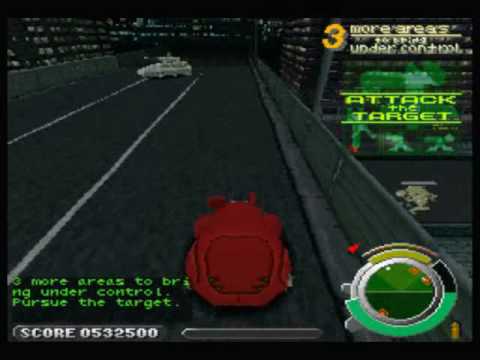
(timestamped)
an odd quirk in this one and strange to see it handled differently in some videos. skips a bit after that also
tropic stratus
unfortunatly i could not find any video that seems to be really recorded on a ps1
meager parrot
found a recording of speedrun on PS2 that exhibits same behavior. can safely say that original hardware does the same thing. oddly dont recall this at all from when i used to play the heck out of this on my ps1.. but that stage youre moving quickly and constantly fighting so probably just didnt notice
funny hearing emulators deal with it in different ways in videos. the MiSTer ps1 core is exactly like i heard it in the real hardware recording though.
ivory verge
when playing on the PlayStation did not pay attention to many things, when testing games on the core, it turned out that a lot of games have bugs that we never saw / knew about
the first assumption is always that it is a bug in the core
tropic stratus
it feels good when a new bug is reported and the first assumption is that the image is broken and not the core 🙂
ivory verge
Haha yes 🙃
meager parrot
It's surprising to see that folks have speedrun this game in nearly 20 minutes! the playthrough I'm uploading now is almost an hour long.. though it does include the cutscenes and mission briefs. maybe this would be a fun one to try for a speedrun now that the core is so polished..
tropic stratus
it's really that short if you know it? I can easily spend 20 minutes in the first level
ivory verge
Yeah, same here 😆
meager parrot
I was surprised too! Apparently folks have found some tech to get through super quick. Haven't watched at runs yet but will check it out tomorrow after I record a playthrough on the CPU 2X core that folks can compare the original with
serene nebula
If my PS2 didn’t have a dying laser I’d repro it. 😟
ivory verge
that's why i use hdd 🙂
 quick gyro
my fat ps2 makes a loud cracking sound in the dvd drive whenever i turn it on but it still works 😄
visual depot
simple otter
does anyone know if the antipiracy protections present in some games are active ...
For PS1 it's not a concern. It's acting like original hardware, so the games are running natively
mystic violet
quick gyro
my fat ps2 makes a loud cracking sound in the dvd drive whenever i turn it on bu...
if you get older things tend to crack more than before
visual depot
quick gyro
my fat ps2 makes a loud cracking sound in the dvd drive whenever i turn it on bu...
I've fixed this issue. It actually causes problems when the disc speed goes into high speed reading, which only CD-games do as well as most JRPG's will switch to high-speed when loading battles
It's the white disc that puts pressure on the disc in the tray. Over time it gets warped
I bought a custom PS2 case that has a flip-top lid. Trash case, but it came with a replacement one of these discs that was much more sturdy. Replaced it in the original case, and voila!

It's the white thing here
quick gyro
interesting. i just started playing with a hdd whenever i can, so i dont kill my drive over time 🙂
visual depot
If you don't fix it, your PS2 games could get scratched
oblique frost
those white things you can pretty much pull out of any trashed disc drive fyi
visual depot
It ruined a friend's disc I borrowed like 16 years ago
Wouldn't work even in his PS2 anymore
Basically the game disc is coming loose as it spins
wobbling
Highly recommend taking care of it
This listing is like $9

eBay
Find many great new & used options and get the best deals for Sony PS2 Phat SCPH-50001/N ONLY Disc Tray Cover-NOT 39001/35001 & 30001-READ at the best online prices at eBay! Free shipping for many products!
can just pull the disc out and use it in-place
should be compatible with any phat
oblique frost
if you have old cd/dvd computer drives you can pull the top sticker off and usually dig the little white bit out, they're pretty universal. Just a magnet inside a plastic disc to keep the spinny disc level
 eternal vapor
ivory verge
that's why i use hdd 🙂
eternal vapor
ivory verge
that's why i use hdd 🙂
If only I could do the same on my slim ps2 😔
ivory verge
eternal vapor
If only I could do the same on my slim ps2 😔
I think that here a good solution is MX4SIO
eternal vapor
Oh is that fairly new? Or did I just miss it somehow when I was soft modding my ps2 a couple years ago?
Also is it fast enough for decent load times/fmv playback?
ivory verge
Works well, transfer from memory card is faster than from USB used in PS2
eternal vapor
Oh cool, I'll have to look into it. Appreciate you bringing it to my attention 🙂
 scenic reef
@bright yacht jinx! 😛
meager parrot
Ghost in the Shell full playthrough on the PlayStation core:
https://youtu.be/WJp3Pb0JVkk
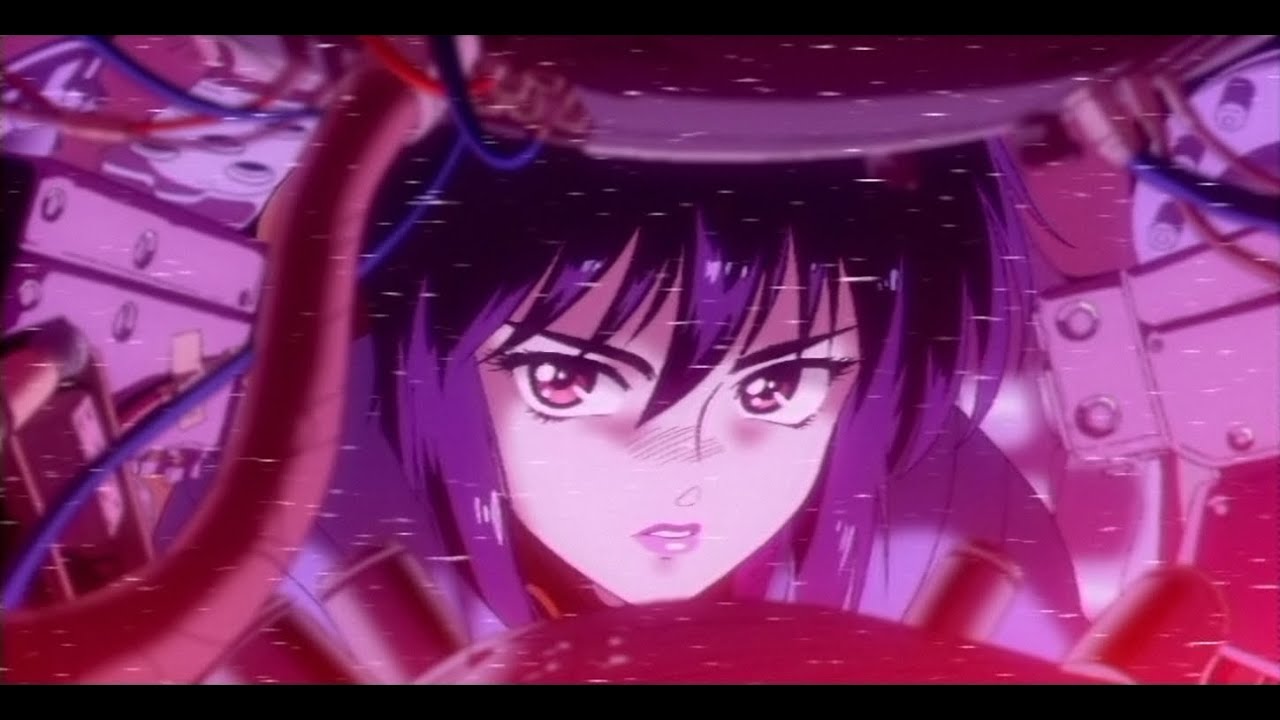
Ghost in the Shell was the 2nd game I bought for PS1, after Street Fighter Alpha 3. This game was made by Exact, who pioneered this type of 3D action gameplay on the X68000 computer with Geograph Seal- a game I was delighted to stumble upon last year: https://youtu.be/QKTfatk73Xk. The similarities are uncanny with both the mission briefings & g...
Will have a follow-up video of the JP version on the CPU 2X core soon also, for comparison.
ivory verge
Nice 👍🏻
 rich vault
@tropic stratus after about an hour and a half of playtime with Dave Mirra Freestyle BMX on version 20221023, it crashed and froze like before. Besides that it was running great. It seems like the issue may still be there.
tropic stratus
Good to know. So likely just the probability changes, depending on timing
 crimson steeple
Is the Pal 60hz mode better than running NTSC games?
ivory verge
no ,it's a hack
PAL 60Hz Hack: Runs PAL games with 60Hz. PAL Games will often run faster with this hack on. Screen height is limited to 256 lines in this mode, so some games might be cropped.
this is useful for PAL games that have not been released in other regions
and you are using, for example, a 60Hz crt tv
abstract drift
its nice if you want games in german/french/spanish etc though
ivory verge
otherwise better to use games in NTSC that are in 60hz , instead of using a hack
 lean glen
sorry for the dumb question? I've seen mention of a debug menu for this core but for the life of me I can't find it. Even when using unstable nightly version of this core. Can someone please point me to where I can find this?
ivory verge
press L3+R3+Select while in-game and then open OSD
will be on the list at the bottom
tropic stratus
it's well hidden for a reason: there are no options that give any benefit for playing games
ivory verge
"The debug menu is intended for use by developers only. They don't really serve any purpose for regular users so it's best to leave them at their default setting as a lot of undesirable behavior could occur." 🙂
lean glen
Okay. What about the option for "HDMI also offers a debugging framebuffer mode with support of full VRAM as 1024x512 pixel image(debug only)" ?
lean glen
Oh I see. Makes sense. What about forcing 480i to 480p, does that disable the options for fixed hblank and vblank?
Sorry for these questions, seems like a lot of the info is all over the place online and not in the README.md on the repo 😬
tropic stratus
yes it does disable fixed blanking, because of completly different timing in 480p
that point wo0uld be worth a update in the readme
lean glen
Does enabling the 480p hack remove the option for 24 bit dithering?
lean glen
Oh okay. I enabled that option before turning on the 480p hack so I guess it shows as enabled in the OSD but I assume its actually disabled while the hack is enabled?
crimson steeple
Is there a way to reset the game pad controls. I seem to have messed mine up and cannot redefine using all the buttons. It asks me to enter guncon buttons as well.
lean glen
Is it possible to swap the X/O buttons in game so that Japanese titles use X for select and vice versa? I mean I know I can remap the controls each time but is there a better way?
ivory verge
crimson steeple
Is there a way to reset the game pad controls. I seem to have messed mine up and...
skip guncon buttons ?
serene nebula
lean glen
Is it possible to swap the X/O buttons in game so that Japanese titles use X for...
You can permanently remap them in the controller config
lean glen
Cool. Thanks for your help answering my silly questions.
Oh yeah sorry one more 😅
Does this core support using the secondary SD Card slot as well as the primary SD card slot at the same time? I haven't seen many cores support this secondary slot so I'm just curious.
ivory verge
nope 🙂
gilded trellis
For those who have tried the gun games with core or real psx hard; how affect brightness to the precision?
With emulators, i can enable shader to increase brightness with trigger
But i don't know how works on a real hard or psx core
My implementation increase 1 frame of input lag because i need blit the next frame with activated shader, the precision is to much accurate
visual depot
The game will run like on original hardware. If the game increases brightness when firing, it will increase brightness. But if it was a setting in the menu, that is exclusive to the emulator
Why do you need brightness increased with trigger? The games don't rely on brightness for accuracy (Unless your TV is really dark)
It's intended to be used with a CRT TV.
gilded trellis
If tv brightness isn't so much, pixel isn't recognized by gun sensor
visual depot
Using VGA? Or HDMI?
The core will output the signal natively. There was no "brightness" setting for the overall PSX. It was something some games would put in (but only sometimes). Otherwise, it's expected you adjust the brightness on your TV itself.
gilded trellis
I know that...i will try with psx core and i can compare precision with emulators
visual depot
MiSTer doesn't use software emulators, so I don't see how comparing it with something that works entirely different will help
gilded trellis
The obvious difference on emulators are how input is; just thinking on psx core the game match the frame with input trigger
visual depot
Well, the MiSTer is not "processing" the game like an emulator. It's running like the original hardware. There is no buffer like there is for a lot of things with emulators
gilded trellis
If the game detects trigger, can generate the next white frame; i will test it
visual depot
What gun are you using?
gilded trellis
Probably is on emulator fails because frame is rendered with lag
visual depot
most likely
gilded trellis
guncon2
visual depot
Are you trying to use that on emulator?
gilded trellis
on emulators works, yes
visual depot
gilded trellis
Probably is on emulator fails because frame is rendered with lag
do you mean lag on emulator or lag on MiSTer?
What game are you testing with?
visual depot
I'm not entirely sure what you mean by "fails"
I've been playing Time Crisis and other guncon games on the PSX core just fine
I use a regular GunCon though
I don't know how to set up GunCon 2 with it
gilded trellis
With normal brightness levels?
visual depot
I don't change the brightness. There is no brightness setting. My TV is set to defaults
gilded trellis
Ok
visual depot
Works fine
You might have to adjust your TV brightness if it's too low though
Also, be aware. GunCon 2 only works on a CRT
gilded trellis
Of course, this is a PSX xD
visual depot
and what's wrong exactly
I know that these guncons can be sensitive to lighting in the room and distance from the TV
results can vary from CRT to CRT as well. Some CRT's do not work as well with it
results may differ for emulator
gilded trellis
if you pay attention on video, you can see flash light
visual depot
Yes. Isn't that normal?
gilded trellis
No, this is my shader implementation
visual depot
I'm not familiar with Time Crisis entirely
What do you mean "Shader implementation"
like a mod for the game files?
gilded trellis
No, when i detect a trigger input, i increase level of brightness on the next frame
visual depot
Using what?
gilded trellis
But i'm not surely if this is necessary on real hard
visual depot
A hotkey in the operating system?
That's not something that should ever be necessary to my knowledge
I just point and shoot
gilded trellis
I patched Mednafen
visual depot
That would be outside the realm of original hardware
Original hardware can't do that
thus not something the MiSTer can do either
gilded trellis
Ofc, probably isn't needed on real hard, i will try
visual depot
I'm thinking it's more just some compatibility issue with the CRT used. Unfortunately
IIRC curved displays and smaller displays can be problematic for guncons
gilded trellis
The secuence on emulator is 1.input detect trigger 2.read x,y; when reads x,y with actual blittet frame, this is too dark
visual depot
the brightness may help the sensor pick it up, but modifying this is not possible on original hardware
I wouldn't be surprised if you may have the same issue on MiSTer... it's probably something wrong with the sensor being able to read that smaller CRT
It's sad but some CRT's just don't work well with them
gilded trellis
The secuence on real hard i think is 1.input detect trigger. 2 read x,y with blittet white frame (can do both things on cycle)
bright yacht
The flash screen on emulatores are usefull as it will have latency. Game will do it's own white flash, but emulator will read the gun later and might not get a position
visual depot
I assure you I never have to change brightness on mine. It just works
gilded trellis
bright yacht
The flash screen on emulatores are usefull as it will have latency. Game will do...
Ok, this is i think
bright yacht
gilded trellis
PC? RPi?
gilded trellis
PC
bright yacht
Output at native 240p/480i or using conversor?
gilded trellis
native
bright yacht
GC2 works pretty good on mister with psx. Not as good as a GC1 via snac or on real hardware.
It can miss some shots specially on the dark/red areas of the game - On time crisis
gilded trellis
If the Time Crisis works in the core without shader (obviously) it is that there is really no latency and it is much better than the emulator
bright yacht
PC windows? Linux? What GC driver and emulator is being used?
bright yacht
GC2 depends on usb polling. You might have to force it to 1ms on linux
gilded trellis
thanks for tip
bright yacht
gilded trellis
If the Time Crisis works in the core without shader (obviously) it is that there...
It works pretty good on mister!
gilded trellis
Using vga scaler?
bright yacht
And it's better yet if you can get a GC1 and a SNAC adapter for mister. Then the psx core will have direct access to the device
bright yacht
gilded trellis
Using vga scaler?
I can't say. I only use it on a crt tv (240p/480i) with analog io
meager parrot
tropic stratus
that point wo0uld be worth a update in the readme
An update to the readme explaining what 24-bit rendering does would be good also IMO. I noticed it has a variety of effects to dithered textures in particular.
 austere otter
It would be good to clearly see in OSD what the “stock PSX settings” are and what are features/hacks
meager parrot
A note about how fixed v-blank with the horizontal crop option enabled is necessary to get the original system video output in some games would be helpful also. It's confusing seeing some elements like the FMV in ghost in the shell blown up to a much larger size and then the game being rendered in a smaller viewport, and to fix the glitchy graphics in the mission briefings. Those two options being on is not an obvious thing for most folks to know to enable for this.
meager parrot
I posted a video of the JP version of Ghost in the Shell with the CPU 2x core, in that core's thread here:
https://discord.com/channels/647909397477195803/1052672192900501534
 distant lynx
I'm never going to get to my fully automated script for creating STR movie CD's for the PSX core so I am dropping all my testing notes here in the event it shortcuts the process for some. 240p worked fine, I couldn't ever get the ffmpeg settings right for 480i using the STR player from the PSXDEV forum.
and here is the STR player used when compiling the CDs
tropic stratus
austere otter
It would be good to clearly see in OSD what the “stock PSX settings” are and wha...
for which options do you need that? for the audio video the first half are preferences, while the second half it should be obvious what is default(off). In misc there are even hints which are the defaults for the "hacks"
If we ever want such a "default" hint, it should be done in HPS for all cores. HPS knows which is the default value and could somehow mark it
serene nebula
tropic stratus
If we ever want such a "default" hint, it should be done in HPS for all cores. H...
That’s a pretty good idea
tropic stratus
meager parrot
A note about how fixed v-blank with the horizontal crop option enabled is necess...
there is a section in the readme for it. If you think it needs more information, it would be great if you either make a pull request or send me the updated text and i fill it in. Unfortunatly there is no possibility in the core to give more info
overall i find it difficult to bring the level of detail to the readme that is required for the typical user. I often see it too much from the technical side
meager parrot
tropic stratus
there is a section in the readme for it. If you think it needs more information,...
okay i'll try and come up with some wording for it, and run it by you first before submitting a pr. i also noticed a typo in the readme that i'll fix at the same time, when submitting the pr
lean glen
Should I put in an issue for this silly thing? It’d be cool if fast boot still loaded the PS1 bios on the first load into the core while you’re looking for something to load, then fast boot for the actual game loading after that. Would make it feel more like how the actual console works right?
ivory verge
it's probably simpler to enable fastboot after loading core than to change it in core.
visual depot
Isn't fastboot designed to skip the bios?
Not sure you can have the best of both worlds
ivory verge
yeah 🙂
lean glen
Okay. Sounds like it’s as silly as I thought. All good.
 burnt rock
What's the likelihood we will see psx based arcade cores?
ivory verge
if someone is willing to make them then maybe there will be something 🙂
ivory verge
But it's possible
tropic stratus
fastboot could be only active when a cd is inserted, will try it
but not promise, i quickly test if it works. If not, i will skip it
tropic stratus
yes it works: no CD (fresh boot or cd removed) -> bios shows and boots into second bios screen, with CD fastboots works as before
ivory verge
Now we need Virtual Reality for psx core , the last missing piece 😋
 hidden prism
Only possible in software emulation without making people sick. You need perspective correction and to infer Z order, amongst other things, to do it comfortably
patent junco
You would need a z-buffer for VR, yeah, which is obviously not something the PSX had
Getting seasick with non-perspective correct texturing in VR might be fun for a second or two before you throw up though
visual depot
fuck yeah we do
 dry drift
visual depot
https://tenor.com/view/xbox-is-better-than-playstation-ricky-berwick-comparing-p...
dry drift
visual depot
https://tenor.com/view/xbox-is-better-than-playstation-ricky-berwick-comparing-p...
This man is going to die
visual depot
Damn
summer sage
dry drift
This man is going to die
not to be morbid, but all men are going to die

 subtle dragon
summer sage
not to be morbid, but all men are going to die
subtle dragon
summer sage
not to be morbid, but all men are going to die
Guess that means you’re gonna live forever
visual depot
No they get to live watching us suffer and do stupid shit
not trying to be sexist I just find what this guy is doing hilariously stupid
 random gust
Maybe he is actually a wizard?
visual depot
a harry wizard
hidden prism
looked waxed to me when I zoom in, but maybe that’s JPEG artifact smoothing
lean glen
Bug report: Asterix (or Asterix: The Gallic War) http://redump.org/disc/87933/ - CD audio does not work. Seems to loop the first second of the track and that's it.
YT example of how it should be: https://www.youtube.com/watch?v=_hsXxynZn0s (skip to 02:06)
Build is 23.01.09 https://github.com/MiSTer-unstable-nightlies/PSX_MiSTer/releases/download/unstable-builds/PSX_unstable_20230109_050e2b.rbf
ivory verge
bin/cue ?
lean glen
Yes, bin/cue
ivory verge
default settings ?
lean glen
Didn't test with default settings initially, after just resetting the core back to default settings can confirm the issue persists.
You'll notice it as soon as you get to the main menu it won't take you long 🙂
ivory verge
lean glen
Didn't test with default settings initially, after just resetting the core back ...
yes, please
lean glen
@ivory verge I reset to default settings and the issue persists
ivory verge
ok i will check
lean glen
microSD card in use is a 1TB sandisk extreme https://www.amazon.com.au/Sandisk-Extreme-microSDXC-Lifetime-SDSQXA1-1T00-GN6/dp/B07P9W5HJV
formatted as fat32 by macOS Disk Utility. if that makes any difference
ivory verge
it doesn't matter, the game has an audio cd soundtrack, I suspect a bad img
Does your image have more audio tracks ?
or one bin ?
lean glen
@ivory verge single bin
ivory verge
so it;s wrong
should looks like this
game must have separate audio tracks
will not work as merged bin
let me delete the results of the cue because they take up a lot of space 🙂
tropic stratus
the normal asterix should be single bin, has no CD audio
 tropic stratus
will try it. It must have worked at some point, i still have a old savestate from ingame when i tried it
ivory verge
 tropic stratus
strange, mine is single bin and redump also says single bin
but i don't have Nl in there, i have DE,Es,It
(and music works)
lilac scaffold
kuba's looks to be http://redump.org/disc/15644/
tropic stratus
ok, so @lean glen needs to verify which one it is. if it's the 3 language version -> single bin and audio works fine. 4 language must be multi bin or audio will not work
tropic stratus
yes, very likely, as the youtube video also has france as language, which mine doesn't have
lean glen
Ah, sorry. I think Its this one actually http://redump.org/disc/17101/
I have English, French, Spanish, Italian, as the languages I can choose.
My apologies.
The MD5 and SHA1 does not match what is on this page.
I agree then it would be a bad image.
🤦♂️
ivory verge
if there are 4 languages to choose from then there is multi bin
tropic stratus
this is even a different one...3 versions?
lean glen
I will triple check all of this the next time before posting. Looking online I can see its provided as multi bin. The redump page still suggests its a single track though so wouldn't that mean it would be fine as a single bin? Just curious what the difference is here?
Eh, I'm pretty sure Kuba is right here, I don't think my dump is good.
tropic stratus
i find it amazing that they published a 3rd version, when 2 already covered all languages the 3rd has
but even more that they exchanged CD-XA to CD-DA in some versions
 tropic stratus
the en,fr,es,it version is also multibin
ivory verge
yes
tropic stratus
so 3 languages: single bin, all 4 language multibin 🤡
ivory verge
correct 😄
tropic stratus
@ivory verge the click sound in RR Bonus Turbo is real, it's in the CD. Nicolas Noble verified and even bought a real CD because he cannot believe 🙂
tropic stratus
yes, there is a bug in the core, will be fixed today or tomorrow
but it's funny, as i researched the bonus disc before, because it was easier reproducible. Now i know why, haha
ivory verge
haha good that this has been cleared up 🙂
tropic stratus
the current core really plays the last sample of the previous track as the first sample of the next track for all CD XA and DA
typically you don't hear it if tracks fade out, but if they are skipped....
ivory verge
my wife told me I was crazy
I turned the TV up to max
to hear it and be sure that there is no mistake 🤣
the music in Ridge Racer, well , it's not very peaceful
haha
tropic stratus
i apologize to her for the noise 😅
ivory verge
haha you don't have to , she won't understand what we are doing anyway 🙂
tropic stratus
one of the reasons i don't like to work on audio things...i don't hear differences very good. I was already thinking about comparing audio plots instead of hearing it, but it's not so easy as with video obviously
good that most audio in psx is sampled, so there are no weird effects in many cases. If it sounds wrong, it's mostly the wrong samples
ivory verge
I never paid attention to it....
I use core practically every day
I could not hear it at normal volume, nor do I use headphones
tropic stratus
i remember a bug report many months ago before github bugs were open in a japanese game when dialogs are skipped
very likely was the same reason
ivory verge
it is good that someone has caught this and it is good that it can be fixed 🙂
abstract drift
i can almost never detect sound bugs unless they are extreme
glad we have people around who do 🙂
 mystic violet
I'm going to confuse you guys 😛 https://vampier.net/MSX/
ivory verge
Vampier ? 😲
ivory verge
Konami bacon is good 🙂
mystic violet
it sure is
now helping on the new MSX core
since that's where I can do a lot more than here 😄
PSX/MSX just 1 letter difference
 hasty jay
mystic violet
hasty jay
mystic violet
lol - me neither
tacit fox
@mystic violet if possible, I would love to have those BIOSes MD5 hashes 🙂
tacit fox
lol
mystic violet
No
tacit fox
😢
 tacit fox
MD5 (boot1.rom) = ec3a01c91f24fbddcbcab0ad301bc9ef
MD5 (boot2.rom) = 2183c2aff17cf4297bdb496de78c2e8a
MD5 (boot3.rom) = eb3ea803606e1da92984b02c45385c94```EU BIOSes MD5 in case anyone wants it
Their SHA1 for confirmation:
6103b39f1e38d1aa2d84b1c3219c44f1abb5436e  boot1.rom
5c1f9c7fb655e43d38e5dd1fcc6b942b2ff68b02  boot2.rom
24f3bea9f47a4d9f89be1ae1040facbfd0dba1bd boot3.rom``` mystic violet
@visual depot refresh

 visual depot
really appreciate it.. coming from a slightly-OCD nerd
 visual depot
yeh looks nice
ivory verge
Thanks for the fix @tropic stratus 🙂
mystic violet
still fixes - amazing 😄
visual depot
mary POPPINGS
ivory verge
mystic violet
still fixes - amazing 😄
Nobody abandons their children 😎
tropic stratus
new github issues are always itching for some time 😅
as long as sustaining doesn't eat up more than 50% of my time, all is fine. The PSX core is still young 🙂
ivory verge
We are still young too 🙃
mystic violet
as a famous game quote goes "Let's go out this evening for pleasure. The night is still young"

 foggy quiver
I always had this feeling that the graphics engine of Ghost in the Shell felt similar to Jumping Flash, and indeed the programmer, Hiroshi Yamamoto, is the same for Jumping Flash 1, 2, and Ghost in the Shell!

And the studio, Exact is also the same.
Before Jumping Flash 1, they made the similar Geograph Seal for X68000, and before that, some other X68000 games.

 manic valley
NOT THE DOGS!
 full nimbus
Valar Morghulis
manic valley
Ok probably them too .. lol
But yeah that was a spur the moment response wasn’t trying to be a smart ass
dry drift
Not jellyfish
mystic violet

 nova flame
Playing through Silent Hill for the first time. Kinda sad I enjoy it since it's sequels are so damn expensive to buy 😔
When I died the menu had some visual glitches. Is that a known problem?
ivory verge
As always , a basic question, you play on default settings ?
please send video, save
nova flame
Got turbo on high, otherwise yes.
nova flame
Yeah, that's probably the cause.
ivory verge
turbo is also an unsafe option
nova flame
Just adds to the horror 😉
mystic violet
sounds like Ruben didn't read the manual 😄
plot twist - the manual was the book of the dead the whole time
 cloud steppe
dry drift
Not jellyfish
cloud steppe
dry drift
Not jellyfish
Not all jellyfish are immortal. Also turtles love to eat them!
meager parrot
foggy quiver
Before Jumping Flash 1, they made the similar Geograph Seal for X68000, and befo...
Geograph seal in particular has a lot of similarity. Mission briefings and structure to many of the stages will feel very reminiscent of Ghost in the Shell, for folks that haven't played it before.
 dry drift
Sub part?
mystic violet
I put the sexy back in dyslectic
and I wish that was a joke
I need to triple check shit I write these days and it's getting worse
visual depot
MJR has had some useful info for me before, but when I found some of his information was wrong I started having a hard time trusting him
 harsh shale
I must be doing something right, I've literally never seen MJR on Twitter
visual depot
Feel bad for his GC though
IIRC his friend or something tripped over a controller and caused the HDMI adapter in the back to get damaged
I feel that pain. My friend tripped over a controller and permanently damaged my branded analogue HDMI cable
That's definitely more valuable than some mass produced HDMI adapter
You can't even buy the Analogue HDMI cables (I asked them. They said they do not sell extras outside of the box)
mystic violet
he'll beg one together in no time
 mint bolt
visual depot
I feel that pain. My friend tripped over a controller and permanently damaged my...
mint bolt
visual depot
I feel that pain. My friend tripped over a controller and permanently damaged my...
My cat chewed on the micro USB part of my SuperNT power cable. At least it still works...
dry drift
they are only supposed to chew network cables
lean glen
Is it possible to use the PS4/PS5 controller's touchpad as a mouse on the PSX core?
tropic stratus
it should be by default?
lean glen
🤔 okay. The game I was trying, Aztec, is supposed to support it? I'll double check all my settings then...
https://www.reddit.com/r/psx/comments/a344fm/lets_make_a_mouse_supported_games_master_list/

reddit
10 votes and 16 comments so far on Reddit
tropic stratus
let me test it
lean glen
tropic stratus
ps5 touchpad works as mouse in "Z"
also works in aztec
did you set the controller type to mouse in osd?
lean glen
Oh okay. I am using this controller - https://www.amazon.com.au/Dual-Shock-Controller-Midnight-Blue/dp/B0793FNYPD
Oh. You're right. I didn't change on the OSD to PAD1 - MOUSE 🤦♂️ 🫠
 tacit fox
Is the new system still a MiSTery?
quick gyro
Is there a trick to boost the brightness on the psx core? I tried some gamma options and my TV is set to the highest brightness but it seems like I can't get it up enough to play dark games like alien Resurrection
ivory verge
I have the same problem with Alien Trilogy when I play on an LCD monitor, but on a CRT TV I have no problem 😄
quick gyro
Hehe, yes playing on LCD here. I think it's a bit brighter when I activate 24bit rendering
tropic stratus
in theory filters should be able to make the image brighter? not sure if anything exists yet
quick gyro
Ich though so, but from the standard presets and gamma settings I could not get it to brighter
 quick gyro
Oh cool, is there a preset for this already?
tropic stratus
no, i just doubled the Coefficients 😅
 frail storm
Hi all! I have just updated to the latest core version, and the FAST BOOT option is ignored now.
Are you guys able to replicate the problem? I already deleted the old .CFG files, just in case, but the option is ignored anyway.
tropic stratus
it is only ignored on loading the core, it is not when you insert a CD
frail storm
Ahh! So it's intentional and a recent change then?
It was useful to have it always ON because some TVs seem to have trouble with the 2-3 videomode changes that the PSX BIOS does during startup
But of course I can live with the stupid TV's being lame at picking up video modes, you decide 🙂
tropic stratus
yes it's intentional, as it's not useful to have the core crash without CD inserted by jumping into the non-existent game. Instead it boots to second bios screen for e.g. memory card management, which would not be accessible with fast boot
frail storm
I see. You are right on that.
tropic stratus
if the tv has problems with the bios, i assume it has problems with all kind of games? Maybe go down with vsync adjust to 1 or use sync 480i for hdmi?
frail storm
Ah well, false bug then! Why do all my bugs end up being false bugs?? This core is too good!! I demand a worse core so I can report things!!
frail storm
tropic stratus
if the tv has problems with the bios, i assume it has problems with all kind of ...
Lemme try that
Is Sync 480p for HDMI compatible with Fixed VBlank?
Ahh well, no difference with it. My TV takes most of the BIOS boot time to sync. But as I said, it's all OK, I thought it was a bug with the setting being ignored.
I barely get to see the Sony logo... I hope today's TVs would be as fast as CRTs. We have gone backwards...
tropic stratus
sync 480p + fixed vblank + vsync adjust 1 should sync you fast enough and not drop sync unless you use savestates or reset
frail storm
I am on vsync adjust = 2, as a racoon my nose is verrrrry sensitive to things like input lag XD
tropic stratus
maybe give it a try. You can set 1 to be only active for psx. Many games are 30fps anyway, so it's like half a frame more only.
using 2 is living on the edge 🙂
frail storm
I have temporarily set it to 2 on the ini, and indeed sync is instant!
But I chose to live on the edge... that is the way of the samurai
wanton crown
did not try the ps1 mouse support yet, works really well on this clock tower (japan only iirc)
wanton crown
ok this game has artefacts than aren't showing up on real hardware for me, double checked with youtube videos also
 ivory verge
please upload your save
wanton crown
save state :
wanton crown
aright, as long as any one can find it
this kind of artifact can be seen at basically any place. Right at the beginning of the game trying to open the door will lead to the same thing.
wanton crown
🤔
 wanton crown
I have default settings as well
artifacts are present on both CRT and through HDMI and on two different mister setups
interesting case
ivory verge
I can't reproduce it
wanton crown
interesting, my hash doesn't match redump.org's one
but anyway it was the same .bin used on both mister and real hardware
 lost summit
not reproduce also on my side
ivory verge
I have already visited several rooms, everything is ok
nope, I can't find anything, sorry 🤷♂️
wanton crown
updated to last .rbf and still the same
lost summit
have you tried with the good redump ?
ivory verge
works fine even with psx2xcpu
wanton crown
trying to find it
but I did get the game from a good source so it's weird (and even if the hash doesn't match I have no issue on real hardware, but still worth it that I double check that)
I'm using stock configuration on the psx core, always
you all using japanese version, right ?
ivory verge
yes
lost summit
have you check the hash just on MiSTer ?
ivory verge
i use one from archive
lost summit
maybe the upload on MiSTer alter the bin
wanton crown
same
but redump (http://redump.org/disc/61356/) shows a 901e3daa5258023196560bc25d29a97f hash while I get 7d9024f3c69233f97deec3d9725c5644 locally
nevermind, there are two versions. So it's correct : http://redump.org/disc/25534/
lost summit
wanton crown
nevermind, there are two versions. So it's correct : http://redump.org/disc/2553...
I use this one on my side
wanton crown
same
ivory verge
same here
lost summit
6766f3d37b2a215572bf7ee3bbc358b17c00c050 Clock Tower - Ghost Head (Japan).bin
3d7bf9d5af601cf2c97983cbe9af0342e392b341 Clock Tower - Ghost Head (Japan).cue
ivory verge
yes
wanton crown
I'm making a new transfer again
lost summit
You can check also hash on MiSTer by connecting in SSH
and launch this command "sha1sum *" in the directory of the game
wanton crown
still the same after retransfering
wanton crown
yea everything works perfectly lol
/media/fat/games/PSX/Clock Tower - Ghost Head (NTSC-J)# sha1sum *
6766f3d37b2a215572bf7ee3bbc358b17c00c050  Clock Tower - Ghost Head (Japan).bin
3d7bf9d5af601cf2c97983cbe9af0342e392b341  Clock Tower - Ghost Head (Japan).cue
you could the hash of PSX core rbf
ivory verge
Is there a translation for this game?
lost summit
and rename Config directory just for the test
wanton crown
ivory verge
Is there a translation for this game?
yea there's a US version for it
lost summit
to be sure not use any configuration
wanton crown
lost summit
and rename Config directory just for the test
trying
ivory verge
wanton crown
yea there's a US version for it
nice ! is pretty ok 🙂
wanton crown
lost summit
you could the hash of PSX core rbf
/root# sha1sum ../media/fat/_Console/PSX_unstable_20230113_173449.rbf
a8dd1c687e784287c115c28ff53b70656de25307  ../media/fat/_Console/PSX_unstable_20230113_173449.rbf
renaming config folder didn't change anything
really interesting one nonetheless 🤔
lost summit
Have you tried the last release of today ?
wanton crown
I'm using this one #unstable-nightlies message
lost summit
Today a new release is out.
wanton crown
same issue occurred on a few versions back before I just updated, but I could try that as well
lost summit
The unstable one is just for test and autogenerated. Sometimes can be issue because the compilation is not check by the dev
lost summit

GitHub
PSX for MiSTer. Contribute to MiSTer-devel/PSX_MiSTer development by creating an account on GitHub.
ivory verge
I checked unstable 20230113 , stable 20230114 , psx2cpu , and every possible option in the core menu and could not reproduce it
wanton crown
same thing on release
ivory verge
do you have a crt and hdmi connected at the same time ?
wanton crown
just using 128mb sd ram (XSD 2.9 128MB)
yea, I had CRT and hdmi connected at the same time
could be my .ini, although all I did was add composite_sync to 1
lost summit
you could try to set 0 with just HDMI
wanton crown
I mean, HDMI is not connected and it happens on CRT right now
happened on HDMI but I had CRT connected when I tested
ivory verge
it shouldn't matter much, I'm just trying to understand what's going on
wanton crown
lemme update mister, it's been a while
quick gyro
State of the PSX core exactly one year ago in thps2
It's funny to look back and see how well everything works now
ivory verge
it all seems like yesterday, incredibly fast this core has matured
ivory verge
wanton crown
could be my .ini, although all I did was add composite_sync to 1
I checked on crt also , composite sync etc.,looks good
quick gyro
Also this early Tekken 2 bug was hilarious 😅
ivory verge
i like tekken 2 exploding polygons also
wanton crown
ivory verge
I checked on crt also , composite sync etc.,looks good
will see if updating the mister changes anything, I don't know if it could have an influence
 lost summit
In tomb raider, it is also present with the piano.
wanton crown
nope no matter what I do, the issue persists
lost summit
I don't know what to do ...
 jovial jay
You have the latest main? Reset the settings in the PSX core?
wanton crown
yea I renamed the config folder
jovial jay
What resolution is HDMI set to?
wanton crown
I'm using a CRT
jovial jay
The scaler is still running even if you are using analog video
wanton crown
here's my mister.ini :
https://pastebin.com/VDCPZhvE
Pastebin
Pastebin.com is the number one paste tool since 2002. Pastebin is a website where you can store text online for a set period of time.
anyway I just started from a fresh mister.ini and only set composite_sync to 1 and the same thing still happens
full nimbus
if it doesnt happen via HDMI it must be the CRT
wanton crown
happens on both HDMI and CRT
full nimbus
I thought you said you were using a CRT
wanton crown
I am but I checked HDMI also
full nimbus
if you get the redump set and use that istead of your dump does it occur ?
wanton crown
all people who tried to reproduce had the same hashes as I do, and same .rbf
full nimbus
yes but have you tried the redump version ?
jovial jay
What is the game stored on?
wanton crown
that's where I got the game so I would say yes
sd card
as .bin/cue
sd card should be good and all other games play perfectly fine (I play it on a daily basis)
ivory verge
I have the game image from the same source and it works ok, so it's not that
wanton crown
at this point it looks like it's tied to the mister fpga setup itself
keep in mind I have two mister fpga and can reproduce on both
ivory verge
I tried on two misters too
full nimbus
works without issue on mine too
jovial jay
Do you have a spare sd card to try a fresh mister install? I don’t like suggesting this because it could be a waste of time but I feel like every thing else has been tried.
wanton crown
yea I can try that
interesting
@ivory verge @jovial jay @full nimbus @lost summit just pulled one of the SD card that came with the de10 nano (I had setup one while waiting for a new one) and the bug doesn't occur.
I'll update everything and recheck
ivory verge
Yeah ,maybe sd card is faulty 🤷🏻♂️
lost summit
you have some tools to check sdcard also
wanton crown
weird, loaded my save state and managed to reproduce it again (at first I had only checked with this new SD card by loading the game, and it definitely did no longer occur)
or maybe what tirggered it is when I updated mister ... can't get it to go off now
yes, it's updating the PSX core that caused it.
Going back to an older version doesn't exhibit the issue for me
ivory verge
The question is why does it work ok for three people and not for you?
I have already used all my possibilities to reproduce it, I have even checked on various micro sd cards
My two misters are fully up to date
wanton crown
that, I wonder
I have narrowed it down to :
PSX unstable 22.10.20 --> no issues
PSX unstable 22.10.21 and later --> issue occurs
corresponds to this update : #unstable-nightlies message
could it come down to different de 10 nano revisions or something ? mines are fairly recent (bought last october)
ivory verge
Check your sdram
full nimbus
Put your lucky underpants on and try again !
tacit fox
@wanton crown are you able to reproduce it without loading the savestate?
ivory verge
We have the same save and cannot reproduce it
 empty yacht
Here neither
full nimbus
I cant reproduce it at all with the save or without
wanton crown
tacit fox
<@187687726420590592> are you able to reproduce it without loading the savestate...
yes
wanton crown
no errors going on so far
ivory verge
I don't think we've had a case like this before hehe
wanton crown
it's quite interesting lol
also tried resetting configs, be it the mister.ini or the PSX core, also switched controllers (I use a PS5 one), to no avail
ivory verge
If it was core's fault then surely someone would have noticed something since October, there are quite a few testers
I hope more people will be willing to check out this case
wanton crown
left the memtest, it showed no issues
wanton crown
140, I can try going more
ivory verge
I tried 1.1 (32mb) , 2.2 (32mb) , 2x 2.4 (128mb) , and 2.9
With each one it was ok
I have no more ideas
wanton crown
stable at 150 mhz
full nimbus
you can increase the speed in the test but that doesnt alter the ram at all
then you should be fine
so it cant be ram
no one else sees it so far even with your state
so it has to be your misters
ivory verge
But it's strange that on two Misters he has the same thing
I'm not an expert in these matters, this is strange
wanton crown
I wonder if it could come down to things like flash memory changes on the de 10 nano, or revisions along those line I've seen
ivory verge
I have a de10 nano which I bought over 3 years ago and a second one bought a year ago
wanton crown
if someone bought a de 10 nano roughly around last october and could try to reproduce, that could remove that from the equation but like you I'm not expert :\
ivory verge
There is no difference
lost summit
in previous comments you said you don't have the issue
are you able to go back to this state
and see that trig the issue again ?
wanton crown
it's not the first time I report something that no one can reproduce. Happened on the CPS2 core with street fighter 2X. Again, on both brand new mister fpgas, I could get artifacts when booting the CPS2 core too fast.
wanton crown
lost summit
are you able to go back to this state
Yes, it happens since the 2022.10.21 unstable build. Anything before doesn't trigger the problem
lost summit
the changes for the build 2022.10.21 are
- DMA: allow to read DMA over full page instead of 4 word boundary (average 1.5 cycles less overhead -> matching PSX test)
- SDRAM: change 8 word burst to 4*2 word bursts to allow for unwrapped page reads for DMA
- restructure savestates for memctrl, dma, timer and sio (resource reduction)
- fix cheats being turning off when turbo is on
you have two sdrams and two de10nano bought the same time ?
wanton crown
first de 10 nano was bought at the start of last october.
Second one was bought exactly 1 month later.
two 2.9 128mb sd rams modules, one for each mister setup.
FPGAs were bought directly from terrasic, sd rams modules from mister addons, as well as the IO board and everything else.
Both setups have shown behavior that nobody could reproduce in at least CPS2 core, and now PSX core it seems. Both play everything fine otherwise, never had a single crash since I bought them
sd card is also not at play here since I've already tried an older (mister FPGA ready) one, which made me realize on my setup it was the PSX core version that caused the issue
ivory verge
Ok, but if there really was a difference then I think the problem would not be with just one game
wanton crown
unfortunately so far it is, I've been benchmarking one of my CRTs for weeks, letting hundreds of game loop, never had any issue, while I play on the other mister on a daily basis, and never had a single issue on the PSX core besides this one today
lost summit
@ivory verge do you know some games rely on DMA ? just to see if the DMA/SDRAM changes on the build 20221021 could impact the setup of 0x539 ?
ivory verge
Hmm only Resident Evil
wanton crown
the first one ?
ivory verge
Yes
wanton crown
because I've been playing the 2nd and no issues there
dual shock version (🤮 ) or original ? guess it doesn't matter, I have the japanese director's cut installed anyway
ivory verge
Just that all things have been improved since then, so it should only get better
I haven't found a bug in games in a long time
wanton crown
never hoped to find one either lol
but still has to be confirmed what the issue truly is
anyway, no issues in Resident Evil (biohazard, japanese version) so far
ivory verge
It is definitely easier to find the cause if the error occurs in more than one person
scenic reef
Regarding the revision changes, the only thing I could think of that would cause this would be ddr3 revision changes
And I doubt it would be caused by that
Unless they changed the ddr3 to have very different timing or something.
ivory verge
Yeah....
scenic reef
@wanton crown can you get a high quality photo top down of your de10-nano you recently bought? Just might be good to know
wanton crown
scenic reef
<@187687726420590592> can you get a high quality photo top down of your de10-nan...
I will take one tomorrow, will have to unscrew everything and it's already past midnight here
scenic reef
yeah no worries
 hallow plinth
visual depot
I wasn't meaning to insult. But you can't lounge play on a couch with a VGA moni...
hallow plinth
visual depot
I wasn't meaning to insult. But you can't lounge play on a couch with a VGA moni...
My 22inches diamondpro 2070SB tends to disagree with that statement
visual depot
15 ft away?@hallow plinth
hallow plinth
How much is that in actual meters? xD
I can get about 1m away from it with no issues
visual depot
hallow plinth
How much is that in actual meters? xD
4.5 meters
1 meter isn't really "couch lounge play" lol
I guess maybe some would be fine with 3 meters.
simple otter
hello friends, I could use some more help
I am having audio issues with Twisted Metal 4
I have confirmed the CRC with redump, it is a single .img file with a multi-track cue. I thought maybe the cue was the issue but it seems to work correctly with ePSXe and duckstation
simple otter
it will run .img as well, but I have also renamed the file to .bin with same results
visual depot
If you rename it to bin you have to edit the cue file to match.
simple otter
I have done that, yes
visual depot
The cue is a text file pointing to the other files.
simple otter
yep
has not corrected the issue, just tried it. Hoped it was something that basic
it seems to chop off the beginning of the audio on the character info screen and the music during actual gameplay is just a 2-second loop of a godawful noise
visual depot
I didn't realize img files work I guess. That's not generally a standard format for PS1 that I've seen.
simple otter
I believe the .img file that Media Preservation Frontend uses is just a concatenation of .bin files into a single .img file
visual depot
I can test when I get home. How are you extracting audio out of the mister?
Just through HDMI?
simple otter
yep
visual depot
It doesn't do this with original hardware?
simple otter
no
nor pc emulation
my whole dumping process has revolved around making sure I don't have corrupt/invalid discs by using MPF and redump, but by default MPF rips in multi-bin/cues so I have to use the .img that it also creates to match the hash to their database
would save a world of trouble if MiSTer supported multi-bin
this is the disc I have, specifically - http://redump.org/disc/72526/
I can also offer the .img/cue for testing purposes if you would like
Redump - disc images information
visual depot
You should be using multibin cues.
You shouldn't be joining them.
If you haven't tried that yet, give that a try.
simple otter
I had read that it doesn't support multi-bin
simple otter
I'm not, they are being joined automatically by MPF
visual depot
I think you should try using the more recommended method which is using CDMage

PlayStation 1 was a great gaming console. It was one of the most sold gaming console (#5 of all times
This has a guide that I double checked. It's correct.
It will format the cue file for you too.
simple otter
you mean to combine my multibins?
simple otter
I'm just trying to avoid dumping the same disc twice by working out the kinks now
the .img file is the only way to compare hashes at the moment, and unfortunately the owner of redump is AWOL/protective so making any changes or improvements to the site is nearly impossible
visual depot
Redump is just to make sure the dump you have is genuine. Past that, joining the bins shouldn't matter.
You already verified your dump.
simple otter
correct
visual depot
Iv would take the multi bins and use that guide I linked to convert with CDMage , but I'll be home shortly
simple otter
I am doing that to see if the resulting bin/img is identical to the one created by MPF
simple otter
visual depot
https://jilaxzone.com/2019/11/27/how-to-convert-playstation-1-iso-multiple-bin-f...
problem with this guide, there is no File>Save As
 simple otter
version 1.01.5 does not do that
had to scroll down to the beta and download that one instead, totally different menu and UI
visual depot
use the beta yeah
simple otter
Using CDmage to binmerge has resulted in a hash that is identical to my .img file
simple otter
simple otter
First map, first car. I just hit x til I get to actual gameplay