#How to fix spacing in JavaScript
907 messages · Page 1 of 1 (latest)
 nimble echo
I need it to look like this

@pliant sleet if you are free would you be able to help me with this?
 pliant sleet
I'm cooking but after I can what's up
nimble echo
its like a similar thing from last time
but in this case Im printing it to a site instead of the console and its not as simple as storing it into two strings
ive been at this one for hours and im just stuck lol
all the defeceit stuff doesnt work on this one since for some reason its not tracking the location of the cord in the line
nimble echo
Wdym?
it seems like the defeceit variable is doing nothing
this is the only line that is giving it a space: chords += inner + " "
pliant sleet
I mean it was working on console but you are trying to adapt it to a website and it's not working?
nimble echo
the one on the console was slightly different but yeah
pliant sleet
or you mean your uploading the code to an online website and it's console is not doing the right thing?
can I see the code that you are using for the online one?
nimble echo
thats my code for the online one
this is my code for the console one:
fs.readFile('songs/sister_golden_hair.txt', function(err, data) {
  if(err) throw err
  let array = data.toString().split("\n")

  for (let line of array) {
    lyrics = ""
    chords = ""
    let defeceit = 0;

    for (i = 0; i < line.length; i++) {
        if (line[i] == "[") {
            let inner = ""
            for (j = i + 1; j < line.length; j++) {
                if (line[j] == "]") {
                    break
                }
                inner += line[j]
                i = j + 1
            }
            chords += inner + " "
            defeceit += inner.length + 1
        }
        else {

            lyrics += line[i]
            if (defeceit == 0)
                chords += " "
            else defeceit--
        }
    }
    console.log(chords)
    console.log(lyrics)
  }
})

console.log("DONE") ```code for online one:```
function parseChordProFormat(chordProLinesArray) {
//parse the song lines with embedded
//chord pro chords and add them to DOM
console.log('type of input: ' + typeof chordProLinesArray)
//add the lines of text to html <p> elements
let textDiv = document.getElementById("text-area")
textDiv.innerHTML = '' //clear the html
for (let i = 0; i < chordProLinesArray.length; i++) {
let line = chordProLinesArray[i]
lyrics = ""
chords = ""
check = ""
let defeceit = 0;
console.log(line)

for (k = 0; k < line.length; k++) {
  if (line[k] == "[") {
    let inner = ""
    for (j = k + 1; j < line.length; j++) {
      if (line[j] == "]") {
        //lyrics += `<span class="chord">${inner}</span>`
        break
      }
      inner += line[j]
      k = j + 1
  }
  chords += inner + " "
  defeceit += inner.length + 1 //line does nothing
}
else {
lyrics += line[k]
if (defeceit == 0)
chords += " "
else defeceit--
}
}
textDiv.innerHTML = textDiv.innerHTML + <span class="chord">${chords}</span> + <p> ${lyrics}</p>
}
}```
nimble echo
nimble echo
code for online one:```
function parseChordProFormat(chordProLinesArray) {
//...
this is the one I'm trying to make work
but it seems like the defeceit += inner.length + 1 does nothing so all the defeceit stuff is useless as it doesnt work and doesnt create any spacing
if you got anything that could help me Id appreciate it
pliant sleet
try putting if (defeceit == 0)
chords += " " where you have if (defeceit == 0)
chords += " "
@nimble echo
pliant sleet
nbsp is non breaking space I think
it adds spaces so that the html formatting doesn't collapse the text I think
nimble echo
non breaking space?
nimble echo
pliant sleet
it adds spaces so that the html formatting doesn't collapse the text I think
oh
pliant sleet
like line break like \n
nimble echo
so thats why it was all gathered up
i was wondering why that line was doing nothing 😭
thanks a lot tho been staring at this for hours now
also one more thing
you got any idea how to remove the floating space line underneath it?
 pliant sleet
can you adjust the css?
nimble echo
yeah
pliant sleet
oh maybe remove the margin or padding on the span and paragraph tags
or make it a lower number
nimble echo
wdym?
my teach said something about <pre></pre>
instead of <p> </p>
but im not really sure where to put that
pliant sleet
oh maybe just use pre then
put it where you put the p and spans
<pre> </pre> instead of <p> </p> and <span> </span>
nimble echo
textDiv.innerHTML = textDiv.innerHTML + <pre class="chord">${chords}</pre> + <pre> ${lyrics}</pre>

any idea why this is happening?
pliant sleet
it puts it back into monospace like how the console was
but also you need to put it for the chords
nimble echo
how would i do that?
pliant sleet
change <pre class="chord"> to <pre>
 pliant sleet
is there a lyrics class in the css?
you need for it to be how it was in the first photo that you sent?
nimble echo
i have this ``` <style>
/*element selectors: */
body {
background: #dddddd
}
p {
  font-size: large;
  font-weight: bold;
  font-family: "Courier", Monospace;
  color: blue;
}
/* class selectors: */
.chord {
  font-size: large;
  font-weight: bold;
  font-family: "Courier", Monospace;
  color: green;
}

/*id selectors: */
</style> ```
pliant sleet
make a .lyrics class and copy the lyrics class contents except for the color
in the css
nimble echo
and i copy the stuff from p?
nimble echo
pliant sleet
to blue
what about the green?
pliant sleet
the green is in chords so it's still good
nimble echo
it doesnt show as green?
pliant sleet
you can use <pre class="chord"> and <pre class="lyrics"> for the lyrics and chords
the green disappeared cause you removed the class cause I thought your professor wanted you to use pre to make it like the console
but you said it needs to be like the first pic
nimble echo
textDiv.innerHTML = textDiv.innerHTML + <pre class="chord">${chords}</pre> + <pre class> ${lyrics}</pre>
}
i got this
 pliant sleet
<pre class="lyrics"> ${lyrics}</pre>
nimble echo
      font-size: large;
      font-weight: bold;
      font-family: "Courier", Monospace;
      color: blue;
    }
    /* class selectors: */
    .chord {
      font-size: large;
      font-weight: bold;
      font-family: "Courier", Monospace;
      color: green;
    }
    .lyrics {
      font-size: large;
      font-weight: bold;
      font-family: "Courier", Monospace;
} ```lyrics {
font-size: large;
font-weight: bold;
font-family: "Courier", Monospace;
}
in that part add color:blue; at the end
 pliant sleet
can I see the css?
nimble echo
      background: #dddddd
    }

    p {
      font-size: large;
      font-weight: bold;
      font-family: "Courier", Monospace;
      color: blue;
    }
    /* class selectors: */
    .chord {
      font-size: large;
      font-weight: bold;
      font-family: "Courier", Monospace;
      color: green;
    }
    .lyrics {
      font-size: large;
      font-weight: bold;
      font-family: "Courier", Monospace;
      color: blue;
} ```ok can I see the code now?
nimble echo
//parse the song lines with embedded
//chord pro chords and add them to DOM
console.log('type of input: ' + typeof chordProLinesArray)
//add the lines of text to html <p> elements
let textDiv = document.getElementById("text-area")
textDiv.innerHTML = '' //clear the html
for (let i = 0; i < chordProLinesArray.length; i++) {
let line = chordProLinesArray[i]
lyrics = ""
chords = ""
let defeceit = 0;
console.log(line)
for (k = 0; k < line.length; k++) {
if (line[k] == "[") {
let inner = ""
for (j = k + 1; j < line.length; j++) {
if (line[j] == "]") {
break
}
inner += line[j]
k = j + 1
}
chords += inner + " "
defeceit += inner.length + 1
}
else {
lyrics += line[k]
if (defeceit == 0)
chords += " "
else defeceit--
}
}
textDiv.innerHTML = textDiv.innerHTML + `<pre class="chord">${chords}</pre>` + `<pre class="lyrics"> ${lyrics}</pre>`
}
} ```wait it fixed itself but there is still random space

 pliant sleet
try changing chords += inner + " " to chords += inner + " "

 pliant sleet
oh what was it?
nimble echo
i just used this ``` body {
background: #dddddd
}
p {
  font-size: large;
  font-weight: bold;
  font-family: "Courier", Monospace;
  color: blue;
}
/* class selectors: */
.chord {
  font-size: large;
  font-weight: bold;
  font-family: "Courier", Monospace;
  color: green;
  margin:0px 0px -20px 0px;
} ```
and this ``` function parseChordProFormat(chordProLinesArray) {
//parse the song lines with embedded
//chord pro chords and add them to DOM
console.log('type of input: ' + typeof chordProLinesArray)
//add the lines of text to html <p> elements
let textDiv = document.getElementById("text-area")
textDiv.innerHTML = '' //clear the html
for (let i = 0; i < chordProLinesArray.length; i++) {
let line = chordProLinesArray[i]
lyrics = ""
chords = ""
let defeceit = 0;
console.log(line)

for (k = 0; k < line.length; k++) {
  if (line[k] == "[") {
    let inner = ""
    for (j = k + 1; j < line.length; j++) {
      if (line[j] == "]") {
        break
      }
      inner += line[j]
      k = j + 1
  }
  chords += inner + " "
  defeceit += inner.length + 1
}
else {
lyrics += line[k]
if (defeceit == 0)
chords += " "
else defeceit--
}
}
textDiv.innerHTML = textDiv.innerHTML + <pre class="chord">${chords}</pre> + <p> ${lyrics}</p>
}
} ```
pliant sleet
oh ok congrats you got it under control
nimble echo
Thanks to your help I appreciate it and sorry for the bother
pliant sleet
nimble echo
Thanks to your help I appreciate it and sorry for the bother
no prob @nimble echo
nimble echo
hi @pliant sleet I had another question I was wondering if you could help me
  //add the lines of text to html <p> elements
  let textDiv = document.getElementById("text-area")
  textDiv.innerHTML = '' //clear the html

  const noteMap = {
    'A': 'A#',
    'A#': 'Bb',
    'Bb': 'A',
    'B': 'C',
    'C': 'C#',
    'C#': 'Db',
    'Db': 'C',
    'D': 'D#',
    'D#': 'Eb',
    'Eb': 'D',
    'E': 'F',
    'F': 'F#',
    'F#': 'Gb',
    'Gb': 'F',
    'G': 'G#',
    'G#': 'Ab',
    'Ab': 'G'
  };

  for (let i = 0; i < chordProLinesArray.length; i++) {
    const line = chordProLinesArray[i];
    let lyrics = "";
    let chords = "";

    for (let k = 0; k < line.length; k++) {
      if (line[k] === "[") {
        let inner = "";
        for (let j = k + 1; j < line.length; j++) {
          if (line[j] === "]") {
            break;
          }
          inner += line[j];
          k = j + 1;
        }
        let transposedChord = inner;
        if (transposeUp) {
          transposedChord = transposedChord.replace(/[A-G][#b]?/g, match => {
            if (noteMap.hasOwnProperty(match)) {
              return noteMap[match];
            }
            return match; // Return unchanged if not found in noteMap
          });
        }
        chords += transposedChord + " ";
      } else {
        lyrics += line[k];
      }
    }

    textDiv.innerHTML += `<pre class="chord">${chords}</pre>` + `<p>${lyrics}</p>`;
  }
} ```this is my code so far
If the user presses the "Transpose Up" button the chords should be transposed up one semitone (or half-step) as they say in music. That is, an Am7 chord should be become A#m7 (or Bbm7), F#7 should become G7, Ebmin should become Emin etc. (see below for more explanation of what chord transposition means.)

something like this
nimble echo
well when i run it i get the output as before
but when I click the Transpose Up button it just brings me back to this page:
 pliant sleet
how are you handling the button click?
with an event handler or like button with onclick?
nimble echo
event handler
pliant sleet
can I see the event handler?
nimble echo
  transposeUp()
} ```this is the event listener document.getElementById('transposeup_button').addEventListener('click', transposeUpButton)
pliant sleet
transposeup is missing arguments isn't it?
pliant sleet
yeah
nimble echo
when I add that the button stops working
pliant sleet
what is the transposeUp Parameter?
nimble echo
idk tbh
pliant sleet
lol what?
how is it supposed to work?
like just tell me in english what you wanted the function to accomplish
nimble echo
if transpose up button is pressed then make sure to update the cords every single time button is pressed to hold new buttons
for(i = 0; i < cords.length; i++) or you can even use a while loop.
check every single cords for each condition if(cord[i] = A) -> cords[i] = A# break, else if(cord[i] = A#) -> cords[i] = A# break, and so on.
Each time a cord is checked and it matches, break the loop then increment cord array by one and go through the loop again until all values in loop are checked.
Make sure to only replace the Capital Letters in the cords and replace them with the new ones such as F#m -> Gm.
this is what i wrote to try and break it down for myself
pliant sleet
if(cord[i] = A#) -> cords[i] = A# break, and so on. is this line supposed to be A#->B?
nimble echo
yeah
i just copied and pasted it just for a basic idea

its all lined up according to this
pliant sleet
ok so the input you need for the function is just the chordProLinesArray?
nimble echo
well yeah
basically I was thinking I just create a bunch of if and else if statements to check if each value of the chords match and if they do I would store them inside of a new string and keep the old chords within a string and I would print out the new chords in place of the old chords keeping the same lyrics
but I have no idea if this would work
pliant sleet
wait is transpose up only available after the page is rendered?
nimble echo
mostly due to the fact my button isnt working properly
pliant sleet
I think that you had the right idea
nimble echo
pliant sleet
wait is transpose up only available after the page is rendered?
it should only work after you have inputted a song
it will still appear tho
pliant sleet
you don't have to reuse the entire text
nimble echo
i understand the logic behind all of this its just kinda of hard to implement without any prior knowledge
nimble echo
pliant sleet
you don't have to reuse the entire text
wdym?
pliant sleet
you just need to modify the text that is there already
nimble echo
should I be using a map or is just doing a bunch of if and else fine?
pliant sleet
map is going to be a lot cleaner
pliant sleet
ok well your technically using an object
nimble echo
i was just gonna spam if and else if
pliant sleet
but you can use it like a map
the way to use them is mapname[key] returns the value at the key
nimble echo
ok
pliant sleet
const noteMap = {
    'A': 'A#',
    'A#': 'Bb',
'Bb': 'A',```||so from that small sample say chords[i] = 'A'
you would just do replace(chords[i],notemap[chords[i]])
nimble echo
ok
but how is this more efficient then just using a bunch of if and else if because wouldnt i still need to check the values across using if and else if?
pliant sleet
well I dunno at the microprocessor level if it's more efficient or not especially on a small size
but think about it like this
the map is like a phone book with peoples name and phone numbers
and you can instantly check where someones name is
and the if else way is like going from the top to the bottom checking if you are at the right name or not
nimble echo
oh okay
could you explain how this works? transposedChord = transposedChord.replace(/[A-G][#b]?/g, match => { if (noteMap.hasOwnProperty(match)) { return noteMap[match];
pliant sleet
but the main its gonna be a lot more easy to read
nimble echo
pliant sleet
but the main its gonna be a lot more easy to read
yeah I understand now
I can just create a map which is kinda like a list and just search through it instantly
pliant sleet
it's like an array using with keys instead of indexes
like it goes right to the spot
it doesn't search
nimble echo
ok
pliant sleet
just like chords[i] doesn't go from 0 to i-1 when looking for chords[i]
it just goes to the right spot
nimble echo
yeah I understand that
but i dont understand what this means: transposedChord = transposedChord.replace(/[A-G][#b]?/g, match => { if (noteMap.hasOwnProperty(match)) { return noteMap[match];
pliant sleet
does this currently work?
nimble echo
pliant sleet
does this currently work?
thats the thing
i have no idea
my button is just broken or somethign
pliant sleet
let me see
nimble echo
I thought it was my code at first
nimble echo
pliant sleet
let me see
what do you wanna see?
pliant sleet
I mean I'm gonna check it
pliant sleet
whats the new problem?
nimble echo
after transposing once it does this

it doesnt line up
and there is another thing
you should be able to keep clicking the transpose up button and it transposes over and over
but it only works once
  //add the lines of text to html <p> elements
  let textDiv = document.getElementById("text-area")
  textDiv.innerHTML = '' //clear the html

  const noteMap = {
    'A': 'A#',
    'A#': 'Bb',
    'Bb': 'A',
    'B': 'C',
    'C': 'C#',
    'C#': 'Db',
    'Db': 'C',
    'D': 'D#',
    'D#': 'Eb',
    'Eb': 'D',
    'E': 'F',
    'F': 'F#',
    'F#': 'Gb',
    'Gb': 'F',
    'G': 'G#',
    'G#': 'Ab',
    'Ab': 'G'
  };

  for (let i = 0; i < chordProLinesArray.length; i++) {
    const line = chordProLinesArray[i];
    let lyrics = "";
    let chords = "";

    for (let k = 0; k < line.length; k++) {
      if (line[k] === "[") {
        let inner = "";
        for (let j = k + 1; j < line.length; j++) {
          if (line[j] === "]") {
            break;
          }
          inner += line[j];
          k = j + 1;
        }
        let transposedChord = inner;
          transposedChord = transposedChord.replace(/[A-G][#b]?/g, match => {
            if (noteMap.hasOwnProperty(match)) {
              return noteMap[match];
            }
            return match; // Return unchanged if not found in noteMap
          });
        chords += transposedChord + " ";
      } else {
        lyrics += line[k];
      }
    }

    textDiv.innerHTML += `<pre class="chord">${chords}</pre>` + `<p>${lyrics}</p>`;
  }
} ```this is my code now
pliant sleet
ok so this was part of what I was asking befor
e
isn't proChordLinesArray the original that you loaded from the file?
so if you keep running it on the original
your gonna keep transposing the original not whats on the screen already
nimble echo
how would I replace it?
I wanted to replace it with a new array like set it = to a new one
but I also want to keep the old values
becasue after transposing 12 times in a row it should reset back to where it started
But yeah I see the issue now it looks like it just keeps transposing the old values
nimble echo
pliant sleet
maybe just have the transpose code update what you have
how would i go about doing that?
i realize id have to overwrite the previous value with the new ones
but I also want to store the first chords
im guessing they stay inside the chordProLinesArray so I can just leave that for now
pliant sleet
well if you have the original
and you want to keep transposing
then you can have a transpose method that takes in a number and keeps transposing it based on a number parameter
pliant sleet
no I mean for the first transpose it would probably be 0
or you can just have 0 mean that you don't transpose at all
and have the original
and have 1 be the first transpose
nimble echo
pliant sleet
then you can have a transpose method that takes in a number and keeps transposin...
not sure i really understand the whole transpose method thing
but i understand what you mean by number parameter
pliant sleet
then have a for loop like for(i=0; i<number;i++) transpose the text that is already there
a transpose method takes what you already have and transposes it once
nimble echo
hmm
yeah Im still confused on how to implement that
like i understand you are looping through each time till you get 12 transposes but I am not sure what you would write in the for loop to update the chords each time
pliant sleet
that is the main problem atm
but did u understand the code you were asking about
that I was asking if it worked?
transposedChord = transposedChord.replace(/[A-G][#b]?/g, match => {
            if (noteMap.hasOwnProperty(match)) {
              return noteMap[match];
            }
            return match; // Return unchanged if not found in noteMap
});```this part
nimble echo
i think so Ill try and explain it and you let me know if what im saying is wrong
Its basically replacing the transposedChord and checking if it matches with the map(/[A-G][#b]?/g, match =>) then if it does it returns it to match if it does not match anything in the map it does not return anything and it stays the same
if the chord values do not match leave it alone if matched with something replace using the map
nimble echo
Return from the regular expression?
pliant sleet
yeah
pliant sleet
the place that you have it in the code it makes it whatever you found inside the [ ]
it looks for a character from A-G followed by either # or B or nothing
[A-G] means match anything in that range
nimble echo
yeah i understand that
pliant sleet
[] means any of the options inside of here
nimble echo
what does ?/g, match => mean?
pliant sleet
and the ? just means 0 or 1 of the previous things
pliant sleet
yeah like it's optionally at the end
nah it's the characters
[#b]
so first character must be ABCDEFG
and it must be followed by either # or b or nothing
nimble echo
how does it know abcdefg?
nimble echo
thats cool didnt know javascript did that
pliant sleet
[A-Z] would be all uppercase letters
it's regular expression though
it's in javascript but it's like it's own thing
nimble echo
#b does it not check for them together how does it know to check for each individually?
pliant sleet
like it's regular expressions being used in javascript
nimble echo
pliant sleet
like it's regular expressions being used in javascript
oh okay
pliant sleet
cause [#b] means look for a character matching one of these options
so [A-G] could also be written as [ABCDEFG] also
nimble echo
so if i did [AD] it would check for both A and D individually just not together right?
pliant sleet
Yeah
for together you would just do AD
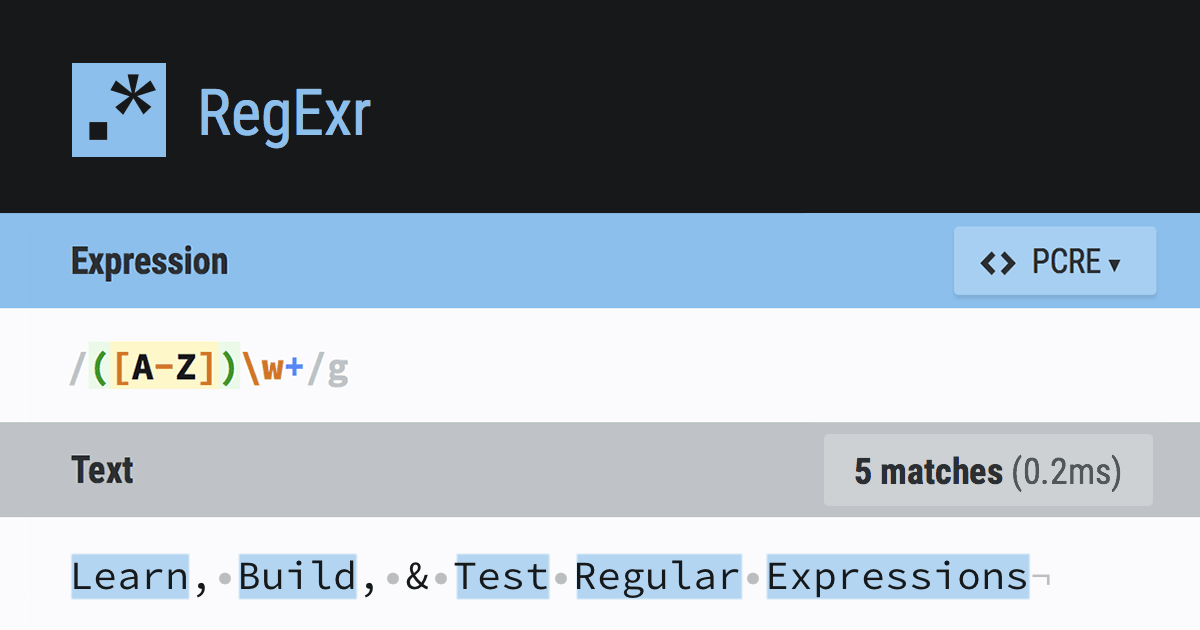
RegExr
RegExr is an online tool to learn, build, & test Regular Expressions (RegEx / RegExp).
nimble echo
well this would have been helpful to know if my teacher actually taught us javascript or the syntax for it 😭
nimble echo
thanks
pliant sleet
np
ok so the ? means match 0 or 1 of the previous character
/g means global and it's not really necessary
but it's when you are looking for multiple things that match
if you remove it it will just look for the first one that matches
sorry it is necessary
cause you have mutliple matches per line
pliant sleet
so the is just the string that that match returns
like if the regular expression matches something the output would be the match variable
and it's being used as the input of a function
you have seen arrow functions before?
nimble echo
nope
pliant sleet
function functionName(match) { is about the same as match => {
there is some technical differences but it's roughly the same in the way it's being used
you can change it to the first version and it should still work
but it's more writing
nimble echo
so return match is just the input of the function now?
pliant sleet
yeah a function that determines what to use to replace the matches with
nimble echo
then each time match is stored within TransposedChord?
pliant sleet
result of the function is stored in transposedChord
nimble echo
so what it was changed to would be stored in the transposedChord
okay I understand that now
but how would i go about being able to keep clicking the transpose up button and it transposes over and over
Cause I’m still not sure about that
pliant sleet
so there was 2 main options
nimble echo
I understand I would loop this part
transposedChord = transposedChord.replace(/[A-G][#b]?/g, match => {
            if (noteMap.hasOwnProperty(match)) {
              return noteMap[match];
            }
            return match; // Return unchanged if not found in noteMap
});```you can store the original and keep transposing it
or you can take what you have already
and just edit it
nimble echo
Whatever is simplest tbh I don’t have the brain power for this right now lol
Which would be easier?
pliant sleet
maybe just editing what you have
the chords will be inside <pre class="chord">${chords}</pre>
in there
nimble echo
?
pliant sleet
so you can search the textDiv.innerHTML for the opening tags <pre class="chord">then replace the insides
pliant sleet
you have to modify the code and store it maybe a global variable or make a datastructure to hold it
it would be an array of strings 1 for each line of chords
nimble echo
pliant sleet
so you can search the textDiv.innerHTML for the opening tags <pre class="chord">...
how would i do this one?
where whould i search for it and how owuld i search for it?
nimble echo
uhh like through the console?
pliant sleet
not quite the console but in chrome it's like in the same general area
nimble echo
inspect into the console?
pliant sleet
yeah
nimble echo
pliant sleet
not quite the console but in chrome it's like in the same general area
oh ok
 pliant sleet
it's in elements
nimble echo
 pliant sleet
yeah can you copy the div's contents?
nimble echo
copy them how?
pliant sleet
from div id =text-area to </div>
like select it then copy with the mouse or ctrl c
you can right click copy
nimble echo
it doesnt let me highlight it
<div id="text-area"><pre class="chord"></pre><p>Never My Love -The Association</p><pre class="chord"></pre><p> </p><pre class="chord">C# G#/C A </pre><p>You ask me if there'll come a time,</p><pre class="chord">F#/A# C#/G# </pre><p> When I grow tired of you.</p><pre class="chord">A#m C# F# C# </pre><p>Never my love, never my love.</p><pre class="chord">C# G#/C A </pre><p>You wonder if this heart of mine,</p><pre class="chord">F#/A# C#/G# </pre><p>Will lose its desire for you.</p><pre class="chord">A#m C# F# C# </pre><p>Never my love, never my love.</p><pre class="chord"></pre><p></p><pre class="chord"></pre><p></p></div>
pliant sleet
you got it
pliant sleet
1 min
nimble echo
kk
pliant sleet
why does it say G#/C?
 pliant sleet
where are the / coming from though?
nimble echo
it should work the same for any of them
this one has / in it

it originally looks like this
pliant sleet
ohhh
nimble echo
yeah
the spacing on all of them is also messed up
at least after you transponse lol
i just wanna finish the tranposing up and down and the spacing then i can finally sleep lol
but it should be pretty simple to do tranposing down after doing tranposing up
id just reverse the map and make it go from G-A
nimble echo
pliant sleet
ohhh
im still pretty confused
pliant sleet
oh maybe just make another map it might be easier
and do the reverse
but you can search throught the map you already have to find the right key from the value
what are you confused about ?
nimble echo
im confused on how to make it work multiple times the transposing
pliant sleet
you need the original stored if you want to just run a loop on the original
nimble echo
i wanna be able to transpose the value over and over until it hits 12 times then it goes back to what it was orginally
it should keep transposing each time
nimble echo
is it not orignally stored in chordProLinesArray?
pliant sleet
nimble echo
code for online one:```
function parseChordProFormat(chordProLinesArray) {
//...
if its the same as this it looks like it contains chords in it in this format [A] or [G#] as well as the lyrics
so it's just the input from the file before it gets converted
it looks like it's the file input not really an array of just the chords
if you were to run the regex on the entire file input it will match like A shining star if it's a lyric
and change it to A# shining star
thats what it looks like to me but you are the one making it so tell me if that is incorrect
nimble echo
pliant sleet
it looks like it's the file input not really an array of just the chords
yeah
pliant sleet
<div id="text-area"><pre class="chord"></pre><p>Never My Love -The Association</p><pre class="chord"></pre><p> </p><pre class="chord">C# G#/C A </pre><p>You ask me if there'll come a time,</p><pre class="chord">F#/A# C#/G# </pre><p> When I grow tired of you.</p><pre class="chord">A#m C# F# C# </pre><p>Never my love, never my love.</p><pre class="chord">C# G#/C A </pre><p>You wonder if this heart of mine,</p><pre class="chord">F#/A# C#/G# </pre><p>Will lose its desire for you.</p><pre class="chord">A#m C# F# C# </pre><p>Never my love, never my love.</p><pre class="chord"></pre><p></p><pre class="chord"></pre><p></p></div>
try copying that
RegExr
RegExr is an online tool to learn, build, & test Regular Expressions (RegEx / RegExp).
going to this site
put it into the text
<pre class="chord">[A-z#b/ ]*</pre>
and try that regex in the expression
nimble echo
ok 1 min
pliant sleet
and make the flag global
nimble echo
it says no match

 nimble echo
 pliant sleet
oh put the thing I said to copy in the text
where it says regexer was created by ....
and put the other part in the top
 pliant sleet
so thats basically the inner html
and that regex will get match wit hthose parts which is the chords
from there we just need to replace the parts inside that
pliant sleet
the same way you had your transpose method replacing stuff
pliant sleet
this would edit what you have over and over
cause to run the loop you need to store the original chords
nimble echo
yeah
pliant sleet
but proChordsLine is not the original chords it's the original unparsed ifle
nimble echo
so where would this new code go?
nimble echo
?
pliant sleet
my typing is horrible someone is messaging me
nimble echo
oh lol
pliant sleet
pliant sleet
but proChordsLine is not the original chords it's the original unparsed ifle
this part was suppose to be unparsed file
nimble echo
this is unparsed file? <pre class="chord">[A-z#b/ ]*</pre>
pliant sleet
thats what you have
oh sorry
thats just the regex
to find the inner parts

you have the innerhtml already stored
from your first method
so for me I'm just simulating the innerhtml cause I don't have an actual dom
but it's stored roughly like that
chordtext would be the transposed version
and you just take the innerhtml and replaceAll by looking for the matching tags
pretags is the result of the match of the <pre class="chord"> some chords in here</pre>
then you would return what you already have as your transpose function
so it would transpose what is inside the <pre> tags only
nimble echo
what would i replace innerhtml with like in my code?
nimble echo
textDiv.innerHTML
pliant sleet
pretags is the regex to find just things that match between a starting and ending pre tag which has class=chord
it returns what you saw on regexr
nimble echo
yeah but where do i declare pretags?
pliant sleet
it's an arrow function it doesn't need to be declared
nimble echo
oh ok
pliant sleet
it works just like match => worked

so pretags is what is highlighted in blue for every iteration
one at a time
replaceAll is like a loop that runs replace multipletimes starting where the previous replace ended so that it doesn't keep replacing the same text
 pliant sleet
ok since you are just updating what you already have in the transpose function
you just really need that
you don't really need all the other code that you copied before
nimble echo
 pliant sleet
inside the transposeChord function
nimble echo
pliant sleet
inside the transposeChord function
?
pliant sleet
all you really need is textDiv.innerhtml =

the transposedchord is just what I titled it in my editor
the entire function is transposeChord(){}
nimble echo
 pliant sleet
and put the thing I just said in between the brackets
nimble echo
pliant sleet
and put the thing I just said in between the brackets
is this not it?
pliant sleet
you still have unrelated things
nimble echo
  //add the lines of text to html <p> elements
  let textDiv = document.getElementById("text-area")
  textDiv.innerHTML = '' //clear the html

  const noteMap = {
    'A': 'A#',
    'A#': 'Bb',
    'Bb': 'A',
    'B': 'C',
    'C': 'C#',
    'C#': 'Db',
    'Db': 'C',
    'D': 'D#',
    'D#': 'Eb',
    'Eb': 'D',
    'E': 'F',
    'F': 'F#',
    'F#': 'Gb',
    'Gb': 'F',
    'G': 'G#',
    'G#': 'Ab',
    'Ab': 'G'
  };

  for (let i = 0; i < chordProLinesArray.length; i++) {
    const line = chordProLinesArray[i];
    let lyrics = "";
    let chords = "";

    for (let k = 0; k < line.length; k++) {
      if (line[k] === "[") {
        let inner = "";
        for (let j = k + 1; j < line.length; j++) {
          if (line[j] === "]") {
            break;
          }
          inner += line[j];
          k = j + 1;
        }
        let transposedChord = inner;
          transposedChord = textDiv.innerHTML.replaceAll(/(pre class="chord">)([A-z#b\/ ]*)(<\/pre>)/g, preTags => {
          return preTags.replace(/[A-G][#b]?/g, match => {
            if (match in noteMap) {
              return noteMap[match];
            }
            return match; // Return unchanged if not found in noteMap
          });

    textDiv.innerHTML += `<pre class="chord">${chords}</pre>` + `<p>${lyrics}</p>`;
  }
} ```this is my code so far
pliant sleet
 function transposeUp(){
  let textDiv = document.getElementById("text-area")
  const noteMap = {
    'A': 'A#',
    'A#': 'Bb',
    'Bb': 'A',
    'B': 'C',
    'C': 'C#',
    'C#': 'Db',
    'Db': 'C',
    'D': 'D#',
    'D#': 'Eb',
    'Eb': 'D',
    'E': 'F',
    'F': 'F#',
    'F#': 'Gb',
    'Gb': 'F',
    'G': 'G#',
    'G#': 'Ab',
    'Ab': 'G'
  };
textDiv.innerHTML=textDiv.innerHTML.replaceAll(/(pre class="chord">)([A-z#b\/ ]*)(<\/pre>)/g, preTags => {
          return preTags.replace(/[A-G][#b]?/g, match => {
            if (match in noteMap) {
              return noteMap[match];
            }
            return match; // Return unchanged if not found in noteMap
          });


} ```I didn't check the { and )
but it should look something like that
the brackets and parentheses
pliant sleet
were all the brackets and parentheses correct?
nimble echo
yes
  //add the lines of text to html <p> elements
  let textDiv = document.getElementById("text-area")
  textDiv.innerHTML = '' //clear the html

  const noteMap = {
    'A': 'A#',
    'A#': 'Bb',
    'Bb': 'A',
    'B': 'C',
    'C': 'C#',
    'C#': 'Db',
    'Db': 'C',
    'D': 'D#',
    'D#': 'Eb',
    'Eb': 'D',
    'E': 'F',
    'F': 'F#',
    'F#': 'Gb',
    'Gb': 'F',
    'G': 'G#',
    'G#': 'Ab',
    'Ab': 'G'
  };
  textDiv.innerHTML=textDiv.innerHTML.replaceAll(/(pre class="chord">)([A-z#b\/ ]*)(<\/pre>)/g, preTags => {
            return preTags.replace(/[A-G][#b]?/g, match => {
              if (match in noteMap) {
                return noteMap[match];
              }
              return match; // Return unchanged if not found in noteMap
            });


})} ```you cleared the html
on like the second line or so
you need to remove that
4th line
nimble echo
kk
pliant sleet
also if (match in noteMap) I wrote it that way but you were using hasownproperty
you can put it back
nimble echo
ok
pliant sleet
your if statement was fine how it was
nimble echo
cause the button doest nothing lol
pliant sleet
the button doesn't work at all now?
pliant sleet
let me see the code again?
nimble echo
  //add the lines of text to html <p> elements
  let textDiv = document.getElementById("text-area")
  //textDiv.innerHTML = '' //clear the html

  const noteMap = {
    'A': 'A#',
    'A#': 'Bb',
    'Bb': 'A',
    'B': 'C',
    'C': 'C#',
    'C#': 'Db',
    'Db': 'C',
    'D': 'D#',
    'D#': 'Eb',
    'Eb': 'D',
    'E': 'F',
    'F': 'F#',
    'F#': 'Gb',
    'Gb': 'F',
    'G': 'G#',
    'G#': 'Ab',
    'Ab': 'G'
  };
  textDiv.innerHTML=textDiv.innerHTML.replaceAll(/(pre class="chord">)([A-z#b\/ ]*)(<\/pre>)/g, preTags => {
            return preTags.replace(/[A-G][#b]?/g, match => {
              if (noteMap.hasOwnProperty(match)) {
                return noteMap[match];
              }
              return match; // Return unchanged if not found in noteMap
            });


  })}
any idea?
pliant sleet
when u had it clearing the html was it coming up blank for the chords?
or was it doing nothing?
pliant sleet
looks good
but maybe add console.log("transpose started")
right under the transposeup function
then check the console when u press the button
to see if the button is registering

right there
nimble echo
doesnt work

 pliant sleet
try putting a console.log in there
before transpose up
and see if you get something on the console when u press the button
 pliant sleet
did you change anything you can think of?
nimble echo
transposeUp is taking nothing in right now
so that is probably why it is doing nothing
pliant sleet
it was just taking in the song.songlines before
nimble echo
yeah
pliant sleet
you can try putting that back in if you want though
nimble echo
now its taking in nothing lol
pliant sleet
but I don't think it will make a difference
it should at least be printing to the console
nimble echo
now it is
pliant sleet
it is printing to the console?
nimble echo
yes
nimble echo
 pliant sleet
is it working now?
nimble echo
wdym?
pliant sleet
is the transpose button actually changing the text now?
pliant sleet
it just prints transpose started?
nimble echo
 pliant sleet

try uncommenting that
and pressing the button after saving
see if it blanks out the html
 pliant sleet
so thats good
nimble echo
ok
pliant sleet
textDiv.innerHTML=textDiv.innerHTML.replaceAll(/(pre class="chord">)
``` try changing this part to += instead of equalit should add a copy of the text
nimble echo
which part?
nimble echo
its just making copies now
pliant sleet
can you show me?
nimble echo
 pliant sleet
maybe the " in the class is breaking the innerhtml
nimble echo
idk
pliant sleet
(pre class="chord"> try changing that, to this (<pre.*?>
in the transpose up
if that doesn't work try splitting this up
textDiv.innerHTML=textDiv.innerHTML
into
let text= textDiv.innerHTML
textDiv.innerHTML=text.replace...
all that other stuff
 nimble echo
where do i do that?
pliant sleet
where do you write the title?
can u send the main code
like the one that parses the file and writes the initial html
not the transpose one
nimble echo
These functions handle parsing the chord-pro text format
*/
function parseChordProFormat(chordProLinesArray) {
//parse the song lines with embedded
//chord pro chords and add them to DOM
console.log('type of input: ' + typeof chordProLinesArray)
//add the lines of text to html <p> elements
let textDiv = document.getElementById("text-area")
textDiv.innerHTML = '' //clear the html
for (let i = 0; i < chordProLinesArray.length; i++) {
let line = chordProLinesArray[i]
lyrics = ""
chords = ""
let defeceit = 0;
console.log(line)
for (k = 0; k < line.length; k++) {
if (line[k] == "[") {
let inner = ""
for (j = k + 1; j < line.length; j++) {
if (line[j] == "]") {
break
}
inner += line[j]
k = j + 1
}
chords += inner + " "
defeceit += inner.length + 1
}
else {
lyrics += line[k]
if (defeceit == 0)
chords += " "
else defeceit--
}
}
textDiv.innerHTML = textDiv.innerHTML + `<pre class="chord">${chords}</pre>` + `<p> ${lyrics}</p>`
}
}
function transposeUp(){
console.log("transpose started")
//add the lines of text to html <p> elements
let textDiv = document.getElementById("text-area")
//textDiv.innerHTML = '' //clear the html
const noteMap = {
'A': 'A#',
'A#': 'Bb',
'Bb': 'A',
'B': 'C',
'C': 'C#',
'C#': 'Db',
'Db': 'C',
'D': 'D#',
'D#': 'Eb',
'Eb': 'D',
'E': 'F',
'F': 'F#',
'F#': 'Gb',
'Gb': 'F',
'G': 'G#',
'G#': 'Ab',
'Ab': 'G'
};
textDiv.innerHTML=textDiv.innerHTML.replaceAll(/(<pre.*?>)([A-z#b\/ ]*)(<\/pre>)/g, preTags => {
return preTags.replace(/[A-G][#b]?/g, match => {
if (noteMap.hasOwnProperty(match)) {
return noteMap[match];
}
return match; // Return unchanged if not found in noteMap
});
})}
this one?
pliant sleet
yeah
check the html in the browser
and look at the tags around the title
see if it is in pre tags or p tags
 nimble echo

i see
this is my full index.html ``` <!DOCTYPE html>
<!--
Notice in this source file there are no pre-attached
event handlers (javascript function calls).
They will be added in the supporting javascript file.
-->
<html>
<head>
<title>2406</title>
<style>
/*element selectors: */
body {
background: #dddddd
}
p {
  font-size: large;
  font-weight: bold;
  font-family: "Courier", Monospace;
  color: blue;
}
/* class selectors: */
.chord {
  font-size: large;
  font-weight: bold;
  font-family: "Courier", Monospace;
  color: green;
  margin:0px 0px -20px 0px;
}

/*id selectors: */
</style>
</head>
<body>
<div id="text-area"></div>
<br>
<input type="text" id="userTextField" name="userTextField" value="" size="60" />
<input type="button" id="submit_button" value="Submit Request">
<br>
<input type="button" id="transposeup_button" value="Transpose Up">
<input type="button" id="transposedown_button" value="Transpose Down">
<script src='client.js'></script>
<script src='chords.js'></script>
<script src='buttonHandlers.js'></script>
<script src='eventListeners.js'></script>
</body>
</html>
it has to be in the browser
cause you actual html file is like a template of what to do
it's like instructions not what is going to actually show up
pliant sleet
what happens after?
 nimble echo
yes
pliant sleet

you have to adjust your map
I noticed that earlier
put the correct values
just go through from A to G and make sure that each input goes to a new output and only loops when you end at G or whatever then loops to A if thats whats supposed to happen

can you copy from the div to verse 1
and paste it in here
it doesn't look like golden hair should be included in the regex
maybe there is a missing closing tag for pre or something
nimble echo
<div id="text-area"><pre class="chord"> </pre><p> Sister Abolden Hair -Bbmerica</p><pre class="chord"> </pre><p> verse1:</p><pre class="chord"> Ab G#min </pre><p> Well I tried to make it sunday but I got so damned depressed</p><pre class="chord"> Bb Ab G#min </pre><p> That I set my sights on monday and I got myself undressed</p><pre class="chord"> Abmin G#min Bb </pre><p> I ain't ready for the alter, but I do agree there's times</p><pre class="chord"> Abmin Bb Ab Absus2 Ab </pre><p> When a woman sure can be a friend of mine </p><pre class="chord"></pre><p> </p></div>
is this right?
 pliant sleet
lol I dunno
check the file you have
that tells you
looks wrong though
cause there are 2 Fs
and 2 A's
each input should be unique
and each output should be unique
nimble echo
ugh idk anymore
pliant sleet
I dunno much about music
nimble echo
im too tired to think properly
pliant sleet
but i think it's supposed to go up in notes or whatever
like A->A#->B->B#->C->C# and so on
and I guess G# if it exists leads back to A
but just follow that thing you showed me at the start
nimble echo
i fixed it for the most part

If you end up going off the table you would wrap around to the start -i.e. do a mod 12 operation on the index sum.
idk how to do that
do i just set Ab = A at the end of the list?


 pliant sleet
cause Bb has no map
doesn't bb map to b?
you have 2 A's
like 2 normal A's
and an A#
nimble echo
what would i change what to?
pliant sleet
you need an input on the left of the map
and an output on the right
like A:A# is good
then A#:Bb I think
then Bb:B
then B:C or B:B#
I forgot the order
it should be on that thing you linked
can u paste the link?
with the info
that you had earlier?
 pliant sleet

I believe it goes like that
but maybe some notes cannot be transposed I'm not sure
maybe ask your professor if it is not the way I made the arrows
nimble echo
oh sweet it works thanks
pliant sleet
you got it working now?
do you understand what was wrong now?
like what the problem was versus what you were expecting?
nimble echo
yeah
i still just dont understand one thing
if the note is transposed up 12 times how would i reset back to its original postion?
pliant sleet
well that I dunno
is that whats supposed to happen
I dunno anything about transposing or like instruments and notes
it just sounded like what you expected to happen
nimble echo
pliant sleet
it just sounded like what you expected to happen
oh no
thats not what I mean
like you know the original cords right
pliant sleet
ok
nimble echo
 pliant sleet
yeah
nimble echo
after up button is pressed 12 times it should auto reset to this
also the title keeps changing lol
pliant sleet
where does 12 come from?
the title is from the regex
it's selecting everythign
cause the class one was not working with the innerhtml
nimble echo
pliant sleet
where does 12 come from?
its just something random our teacher gave us
(If a note, or chord, is transposed up or down 12 semitones it is considered to be back at the original key.)
nimble echo
pliant sleet
the title is from the regex
how to fix that?
 pliant sleet
oh
 pliant sleet

the mapping might be like this
then there are 12 versions
so if you map the top row
then you need to map Bb Db Eb Gb and Ab from the bottom row
I don't quite understand it though
cause if you have it starting with A
how do you choose A# or Bb
 pliant sleet
looks like the are equivalent
maybe you can use either naming convention
I really dunno
nimble echo
oh damn
quick question
if i wanted to transpose down I would just flip the map right?
              return preTags.replace(/[G-A][#b]?/g, match => {
                if (noteMap.hasOwnProperty(match)) {
                  return noteMap[match];
                }
                return match; // Return unchanged if not found in noteMap
              });


})} ```cause I changed [A-G] -> [G-A]
and that is fine right?
pliant sleet
sec i need to use the bathroom
nimble echo
kk
    //add the lines of text to html <p> elements
    let textDiv = document.getElementById("text-area")
    //textDiv.innerHTML = '' //clear the html

    const noteMaps = {
      'Ab': 'A',
      'G#': 'Ab',
      'G': 'G#',
      'Gb': 'G',
      'F#': 'Gb',
      'F': 'F#',
      'E': 'F',
      'Eb': 'E',
      'D#': 'Eb',
      'D': 'D#',
      'Db': 'D',
      'C#': 'Db',
      'C': 'C#',
      'B': 'C',
      'Bb': 'B',
      'A#': 'Bb',
      'A': 'A#',
    };
    textDiv.innerHTML=textDiv.innerHTML.replaceAll(/(<pre.*?>)([A-z#b\/ ]*)(<\/pre>)/g, preTagss => {
              return preTagss.replace(/[G-A][#b]?/g, match => {
                if (noteMaps.hasOwnProperty(match)) {
                  return noteMaps[match];
                }
                return match; // Return unchanged if not found in noteMap
              });


})} ```that is my code and it doesnt work at all lol
pliant sleet
remove the duplicates
so if you map the top row
then you need to map Bb Db Eb Gb and Ab from the bottom row
you need 12 +5 = 17 maps
directly for the top row and then add the ones listed from the bottom row
 nimble echo
instead of which one?
 nimble echo
 pliant sleet
yeah
nimble echo
doesnt work at all lol
pliant sleet
can I see the updated one?
nimble echo
    //add the lines of text to html <p> elements
    let textDiv = document.getElementById("text-area")
    //textDiv.innerHTML = '' //clear the html

    const noteMaps = {
      'Ab': 'A',
      'G#': 'Ab',
      'G': 'G#',
      'Gb': 'G',
      'F#': 'Gb',
      'F': 'F#',
      'E': 'F',
      'Eb': 'E',
      'D#': 'Eb',
      'D': 'D#',
      'Db': 'D',
      'C#': 'Db',
      'C': 'C#',
      'B': 'C',
      'Bb': 'B',
      'A#': 'Bb',
      'A': 'A#',
    };
    textDiv.innerHTML=textDiv.innerHTML.replaceAll(/(<pre class.*?>*<\/pre>)/g, preTagss => {
              return preTagss.replace(/[G-A][#b]?/g, match => {
                if (noteMaps.hasOwnProperty(match)) {
                  return noteMaps[match];
                }
                return match; // Return unchanged if not found in noteMap
              });


})} ```i removed it
nimble echo
wait where
nimble echo
i didnt change anything lol
still broken
its cause of the transposeDown one
also
you were right
it is supposed to be like this
 pliant sleet
nice
nimble echo
pliant sleet
nice
how would i map this?
 nimble echo
but also A# -> B
nimble echo
oh okay
how do i make it so i can transpose down with this function? ``` function transposeDown(){
//add the lines of text to html <p> elements
let textDiv = document.getElementById("text-area")
//textDiv.innerHTML = '' //clear the html
const noteMaps = {
  'Ab': 'A',
  'G#': 'Ab',
  'G': 'G#',
  'Gb': 'G',
  'F#': 'Gb',
  'F': 'F#',
  'E': 'F',
  'Eb': 'E',
  'D#': 'Eb',
  'D': 'D#',
  'Db': 'D',
  'C#': 'Db',
  'C': 'C#',
  'B': 'C',
  'Bb': 'B',
  'A#': 'Bb',
  'A': 'A#',
};
textDiv.innerHTML=textDiv.innerHTML.replaceAll(/(<pre class.*?>*<\/pre>)/g, preTagss => {
          return preTagss.replace(/[G-A][#b]?/g, match => {
            if (noteMaps.hasOwnProperty(match)) {
              return noteMaps[match];
            }
            return match; // Return unchanged if not found in noteMap
          });


})}```
C#-> D not db
nimble echo

 nimble echo
so like this?

okay i got it
    //add the lines of text to html <p> elements
    let textDiv = document.getElementById("text-area")
    //textDiv.innerHTML = '' //clear the html

    const noteMaps = {
      'Ab': 'A',
      'G#': 'Ab',
      'G': 'G#',
      'Gb': 'G',
      'F#': 'Gb',
      'F': 'F#',
      'E': 'F',
      'Eb': 'E',
      'D#': 'Eb',
      'D': 'D#',
      'Db': 'D',
      'C#': 'D',
      'C': 'C#',
      'B': 'C',
      'Bb': 'B',
      'A#': 'Bb',
      'A': 'A#',
    };
    textDiv.innerHTML=textDiv.innerHTML.replaceAll(/(<pre class.*?>*<\/pre>)/g, preTagss => {
              return preTagss.replace(/[G-A][#b]?/g, match => {
                if (noteMaps.hasOwnProperty(match)) {
                  return noteMaps[match];
                }
                return match; // Return unchanged if not found in noteMap
              });


})} ```how do i make this function work?
If the user presses the "Transpose Down" button the chords should be transposed down one semitone (or half-step) as they say in music. That is, an Am7 chord should be become Abm7 (or G#m7), F#7 should become F7, Ebmin should become Dmin etc.
pliant sleet
Ebmin
is there things listed like this way in the notes
like the song lyrics?
or chords rather
nimble echo
you know like transposing up
its that but backwards
so we would be going downwards
 pliant sleet
so you can use the same code
nimble echo
this in reverse
pliant sleet
but change the map
pliant sleet
you need a flipped map
nimble echo
kk i try
pliant sleet
you have an error in one of your ranges
you put G-A somewhere
in one of the regex
but it's A-G
nimble echo
    //add the lines of text to html <p> elements
    let textDiv = document.getElementById("text-area")
  //textDiv.innerHTML = '' //clear the html

  const noteMap = {
    'Ab': 'G#',
    'G#': 'A',
    'G': 'G#',
    'Gb': 'G',
    'F#': 'G',
    'F': 'F#',
    'E': 'F',
    'Eb': 'E',
    'D#': 'E',
    'D': 'D#',
    'Db': 'D',
    'C#': 'D',
    'C': 'C#',
    'B': 'C',
    'Bb': 'B',
    'A#': 'B',
    'A': 'A#'
  };
  textDiv.innerHTML=textDiv.innerHTML.replaceAll(/(<pre.*?>)([A-z#b\/ ]*)(<\/pre>)/g, preTags => {
            return preTags.replace(/[A-G][#b]?/g, match => {
              if (noteMap.hasOwnProperty(match)) {
                return noteMap[match];
              }
              return match; // Return unchanged if not found in noteMap
            });


  })}
this one doesnt work lol
it functions as a transpose Up button instead of down
nimble echo
  transposeDown()
} ``` nimble echo
oh shoot
i realized what i did was wrong
i flipped the entire map instead of the values
myb
pliant sleet
oh you mean from bottom to top or something?
the ordering of the values from bottom to top doesn't matter in maps
nimble echo
pliant sleet
oh you mean from bottom to top or something?
yeah lol
pliant sleet
just the keys and values
nimble echo
yeah i cant think properly lol i just wanna get this done so i can sleep
pliant sleet
they are actually called unordered maps in some languages
nimble echo
like in java?
pliant sleet
I don't remember in java
I think in cpp its like that
but I really don't remember
you can look up unordered maps if you want and find out

try that regex
it should match just the pretags
pliant sleet
do you understand all of what is going on
nimble echo
for the most part yeah
nimble echo
yeah im gonna
but yeah i do understand 90% of whats going on thanks to you
I just gotta do this when transposing the chords of the orignal key should be shown in green but if the chords have been transposed they should appear in red. That way if the user is transposing up and down they will always recognize when they are back to the original key by the colour of the chords. So again: use a red colour to show any transposed chords and a green colour to show chords of the original key.
oh yeah

this thing is still being weird
the title keeps getting like that
pliant sleet
you changed the regex in both functions?
got to save the red thing for another day though
I have stuff to do
nimble echo
Oh for sure
nimble echo
Thanks for the help I appreciate it
 nimble echo
pliant sleet
I can finish with the original task though
nimble echo
pliant sleet
I can finish with the original task though
👍
pliant sleet
ok nice
nimble echo
what did that even do?
pliant sleet
the first version looked like it was matching everything
do you know what greedy is vs lazy?
nimble echo
no idea
pliant sleet
say you have 123456789123456789123456789
and you want to match 1 wildcard 9
it can match either 123456789 or the whole thing
nimble echo
yeah
nimble echo
oh so it was taking it all instead of a small amount it only needs
pliant sleet
yeah
nimble echo
oh sweet
welp ima head to bed you enjoy the rest of your day and i really appreciate the help sorry for the bother!
pliant sleet
ok take care
