#🤝support
1 messages · Page 270 of 1
 wanton fable
 indigo cradle
A sample what?
indigo cradle
I don't really know why data format TG takes or how it will be processed
This really does need to be something your end
In your configuration
I am not familiar with TG at all
Discord needs a content field
 indigo cradle
It should be 👍
wanton fable
Thanks it worked fine
 dry escarp
How accurate is the forex bot scanner?
indigo cradle
dry escarp
How accurate is the forex bot scanner?
!accuracy
 jaunty perch
Information regarding back-testing data and % accuracy: https://docs.luxalgo.com/faq#whats-the-accuracy-of-the-signals
Get answers to frequently asked questions including how to get access, product questions, and everything you need to know regarding payments.
indigo cradle
It really depends what and how you use them 👍
 fathom coral
hi, is there a way to get legacy oscilator colors?
i dont see a way to change it

i wanted it to make it blue and red
fathom coral
ok, thanks
 lusty schooner
Hi Lux , warning coming
 indigo cradle
Turn off the dashboard and avoid using autopilot for now
 safe sierra
indigo cradle
Turn off the dashboard and avoid using autopilot for now
safe sierra
indigo cradle
Turn off the dashboard and avoid using autopilot for now
So that is what I should do when I get a study error?? I usually have to refresh a couple of times I have updated to 5.0.1.
lusty schooner
indigo cradle
Turn off the dashboard and avoid using autopilot for now
i never use auto mode 😁
indigo cradle
lusty schooner
i never use auto mode 😁
Try turn off dash?
lusty schooner
am i doing wrong?
lusty schooner
yes there are too many indicators in the indicators
safe sierra
lusty schooner
i never use auto mode 😁
Are you entering the settings each day ???
lusty schooner
safe sierra
Are you entering the settings each day ???
Yes
safe sierra
lusty schooner
Yes
Would you say it is better than auto pilot and if I can ask what time frames are you watching ???
lusty schooner
gives a safer signal
 narrow obsidian
lusty schooner
Yes
narrow obsidian
lusty schooner
Yes
Settings as in sensitivity and agility?
lusty schooner
safe sierra
Would you say it is better than auto pilot and if I can ask what time frames are...
I don't know you're better I'm looking at this

you can look at it all the time
Yes Lux ?😊
safe sierra
lusty schooner
I don't know you're better I'm looking at this
OK I dont use contrarian I was speaking about the optibot setting for signals and agility vs autopilot...
 sinful wave
@indigo cradle what are these letters on top of candles like H R Do they appear real-time or later
 vestal frost
Good day all. I’m on version 5 and I cannot find pattern detection and levels and breakouts features. Have they disappeared?
sinful wave
I think they have separate SR indicator now
 gaunt schooner
Is there an optimization for spy that is recommended? @indigo cradle
 undone kernel
I love lux and i think you guys are doing and amazing job but stuff like this can improve. This sell signal came into way too late. The move was already near take profit zone before it fired.

That was over 200 pips before the alert came in
 deep dock
undone kernel
I love lux and i think you guys are doing and amazing job but stuff like this ca...
deep dock
undone kernel
I love lux and i think you guys are doing and amazing job but stuff like this ca...
zoom out and you will probably see that signal was not late, depending on your TF chart and look at that TF for the entire week. if you wanted to see that short signal close to the top, then you will get other false signals and then we would hear about why so many signals and all false signals....
 feral lava
undone kernel
I love lux and i think you guys are doing and amazing job but stuff like this ca...
feral lava
undone kernel
I love lux and i think you guys are doing and amazing job but stuff like this ca...
Naturally that can happen if you are using higher settings of course
Try lowering them, or using autopilot mid-term and it'll likely be more reasonable
it's also the nature of a volatile move during a trend change, with such a fast move up as well as down... it will take longer for any indicator to decide the trend has changed
 brittle nexus
@indigo cradle .. took a good position long (circled)...but didnt see any exit signal so held on to the trade,,,only to hit my SL ? any suggestions ?
 feral lava
brittle nexus
<@456590452703887373> .. took a good position long (circled)...but didnt see an...
feral lava
brittle nexus
<@456590452703887373> .. took a good position long (circled)...but didnt see an...
exit signals will not always appear, if they did that'd essentially be a 100% win rate --- so would be best to consider using support & resistance like you laid out for taking profits as well, and not solely relying on waiting for an exit signal
brittle nexus
feral lava
exit signals will not always appear, if they did that'd essentially be a 100% wi...
but what was the entry correct according to u @feral lava
feral lava
holding above the Neo Cloud, along with a green Trend Tracer/Catcher is a good sign the signal will play out, which it did pretty well i'd say
exit signal just didn't appear due to the trend not sustaining itself far enough after the signal... could've taken profit at or around that area of resistance you manually laid out 🙂
like here for example (white circle) just an idea since it was manually marked up instead of waiting for an exit signal

it's all personal preference at the end of the day and there won't ever be something that's fully concrete -- if the exit signal was a part of ur strategy then maybe it's just a losing trade & that's ok if you managed ur risk 🙂
brittle nexus
What's ur personal strategy @feral lava
feral lava
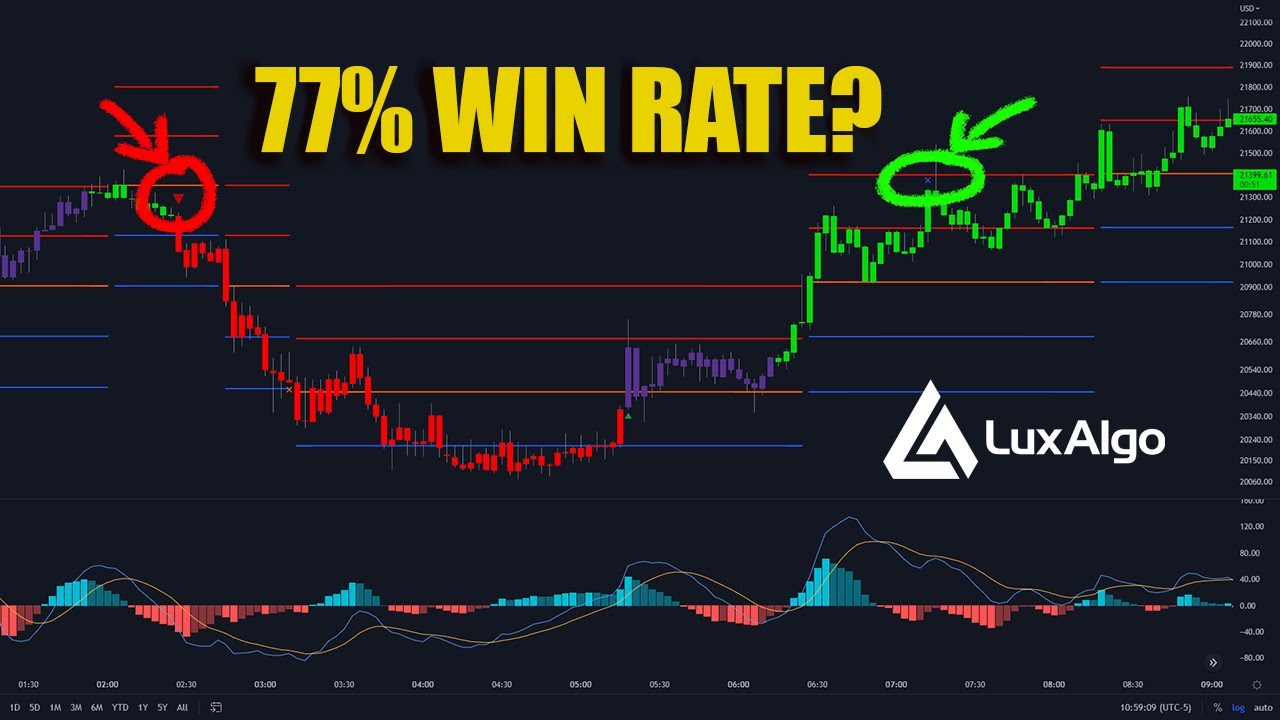
In this video, I will be showing how a trader can use Lux Algo toolkits to scalp those tricky lower timeframes and improve those gains! This strategy is simple and versatile.
Get instant access to Lux Algo: https://luxalgo.com/
Lux Algo features used in this strategy:
Confirmation Signals: https://docs.luxalgo.com/lux-algo-premium-indicators/...
truly believe this is one of the best tbh
 fading bluff
What u recommended for aingle agility %
 feral lava
fading bluff
What u recommended for aingle agility %
feral lava
fading bluff
What u recommended for aingle agility %
it's best to only update agility when using Optibot channels in Discord, otherwise default at 26 is great!
fading bluff
Thank u so much
deep dock
feral lava
truly believe this is one of the best tbh
Instead of a LUX tattoo, i'm going to get a Gecko tattoo 🤣 and a Smack Tat
feral lava
🤯🤯🤯
that would b insane & it would be shared everywhere all over the internet if real lmao
deep dock
feral lava
that would b insane & it would be shared everywhere all over the internet if rea...
With my affiliate link 🤣
 strange ginkgo
what does this cross indicate on lux algo premium indicator?
 deep dock
point of interest, point of exit, point of TP.....maybe a point of entry, depending on your strategy
get the point? 🤣
 shy relic
strange ginkgo
what does this cross indicate on lux algo premium indicator?
shy relic
strange ginkgo
what does this cross indicate on lux algo premium indicator?
Crosses represent exits signals, that precise one would be an exit buy signal 🙂
 west root
Hi. The major sell does not show up in the default setting of Advanced oscillator. Is there any reason why it's set not to show up by default? Thank you.
feral lava
Can be enabled via Style settings @west root - it was added moreso as a user request for a "golden buy" so it's off by default, however, users who trade both ways can of course enable Major Sells and trade it more classically
west root
feral lava
Can be enabled via Style settings <@440999871462375435> - it was added moreso as...
Thank you for the explanation.
lusty schooner
shy relic
Crosses represent exits signals, that precise one would be an exit buy signal 🙂
Lux exit signal + buy signal?
 restive matrix
what's the difference between candle confirmation simple vs confirmation gradient? Does the gradient pick up price action or divergence earlier than simple? I'm trying to use it for day trading...thanks
sinful wave
what are these letters on top of candles like H R Do they appear real-time or later
deep dock
@indigo cradle @feral lava Does the Pivot Based Trailing Maxima & Minima repaint? thanks again....
feral lava
Yes it does @deep dock the channels can be used in real time though 🙂
feral lava
restive matrix
what's the difference between candle confirmation simple vs confirmation gradien...
Gradient basically just shows more colors, you can see trends in more details this way
feral lava
sinful wave
what are these letters on top of candles like H R Do they appear real-time or...
Likely not an indicator by us
deep dock
feral lava
Yes it does <@881016788702330900> the channels can be used in real time though �...
ok great, just confirming so that I could use the upper and lower levels of the confirmed channel. thanks!
 limpid ridge
Hey I'm having serious troubles with the calculation errors. I turn off almost everything and it still gives me the error. Hoping you guys fix this once and for all
 sudden fjord
vestal frost
Good day all. I’m on version 5 and I cannot find pattern detection and levels an...
sudden fjord
vestal frost
Good day all. I’m on version 5 and I cannot find pattern detection and levels an...
they are under Lux Algo SR Pattern Premium


 noble sentinel
did you have a short video talk about the new indicator BBBO or how to used thanks @feral lava
 feral lava
noble sentinel
did you have a short video talk about the new indicator BBBO or how to used than...
feral lava
noble sentinel
did you have a short video talk about the new indicator BBBO or how to used than...
we’ll have one out within a week or so using it in a strategy 🙂
focusing on premium strategies primarily
top priority
noble sentinel
thanks buddy u the best
 feral spindle
@feral lava
 sudden fjord
feral spindle
<@393235362107097089>
sudden fjord
feral spindle
<@393235362107097089>
Just a thought, have you tried removing all the indicators on your chart and re adding them?
feral spindle
sudden fjord
Just a thought, have you tried removing all the indicators on your chart and re ...
yes thank you
sudden fjord
feral spindle
yes thank you
can i ask how many indicators have you got on the chart, hidden or otherwise?
sudden fjord
feral spindle
yes thank you
what chart is it and what indicator, i will see if i can replicate it on my chart for you!
feral spindle
sudden fjord
can i ask how many indicators have you got on the chart, hidden or otherwise?
indicators 4
feral spindle
sudden fjord
what chart is it and what indicator, i will see if i can replicate it on my char...

 sudden fjord
ok what indicators are they just the standard lux premium ones
sorry is it a problem with an alert?
indigo cradle
feral spindle
Set the alerts with no features enabled on your chart
Turn off all overlays
And dashboard
Then set alert
sudden fjord
G to the rescue when i realised it was about alerts i could not help sorry 😦
indigo cradle
Alllll good 😎😎😎
feral spindle
indigo cradle
Set the alerts with no features enabled on your chart
ok thank
feral spindle
indigo cradle
Turn off all overlays
 wanton fable
This should work well for Push notifications right ?
 indigo cradle
It should do 🤝🤝🤝
 teal gorge
Hai guys
I am new here
How to do settings for scalper @15 min 30min & 100min
Perfect settings for scalping
Please help me out
jaunty perch
Find our full trading strategies playlist on YouTube: https://www.youtube.com/watch?v=xezy6WGpZ8Y&list=PLbqCXsOfrM3MjO7q7uIiwoVq3evI4neQr

New: How to find the best settings: https://www.youtube.com/watch?v=wkruvBBeXn8&t
Usability Tips: https://www.youtube.com/watch?v=5wtdY51crnc
Get instant access to use on any chart: https://luxalgo.com
indigo cradle
This playlist should help 🤝
teal gorge
Thanks buddy
 plain chasm
Hi Gecko, could I ask you to describe more specifically the right segment of the Lux Profile?
I don't really get the description in your manual - "The component on the right indicates the degree of variations of the prices within their respective intervals. A dashed line highlights the price level with the highest degree of variation."
indigo cradle
So it's basically volatility based
So areas of high volatility have larger variations
 zinc dune
Excuse me what's the best way to talk to someone regarding my subscription status?
indigo cradle
zinc dune
Excuse me what's the best way to talk to someone regarding my subscription statu...
zinc dune
thanks mate
 acoustic arrow
 gaunt schooner
Are their optimized settings for spy?
 light patrol
Hey everyone, I'm new here.
I tried some of the strategies but my loss ratio is still quite big.
Can anyone help me get into the right direction?
gaunt schooner
indigo cradle
Welcome 😎
spy optimization calculations ?
indigo cradle
gaunt schooner
spy optimization calculations ?
You could use optibot?
indigo cradle
light patrol
Hey everyone, I'm new here.
I tried some of the strategies but my loss ratio is ...
Have you seen our example strats? 😄
gaunt schooner
indigo cradle
You could use optibot?
I dont see spy in there
light patrol
Yes, I did. I also viewed your videos on your youtube channel
gaunt schooner
indigo cradle
You could use optibot?
Would spx optimizations work ?
indigo cradle
gaunt schooner
Would spx optimizations work ?
It would do 🙂
indigo cradle
light patrol
Yes, I did. I also viewed your videos on your youtube channel
And which strategy / timeframe are you using
gaunt schooner
indigo cradle
It would do 🙂
Thank you sir
light patrol
tried the "Super Easy Scalping Strategy w/ Lux Algo (5 Minute & 1 Minute Timeframes)" on 1M timeframe
also tried the "How To Buy The Dip Pro Strategy" on 1M timeframe
 timid idol
hello where do i change the TV username of my indicator on LUX ALGO website ?
sudden fjord
light patrol
tried the "Super Easy Scalping Strategy w/ Lux Algo (5 Minute & 1 Minute Timefra...
and how did you get on with them?
light patrol
sudden fjord
and how did you get on with them?
what do you mean?
sudden fjord
light patrol
what do you mean?
you said you tried both the strategies so i was just asking how you got on?
 mental folio
I'm getting a study error with 5.0.1., please advise
indigo cradle
mental folio
I'm getting a study error with 5.0.1., please advise
Disable dashboard and autopilot and try
indigo cradle
light patrol
tried the "Super Easy Scalping Strategy w/ Lux Algo (5 Minute & 1 Minute Timefra...
On which timeframe?
light patrol
1 minute timeframe both
light patrol
indigo cradle
On which timeframe?
1 minute timeframe both
mental folio
indigo cradle
Disable dashboard and autopilot and try
Thanks, will try and come back if it keeps happening
indigo cradle
mental folio
Thanks, will try and come back if it keeps happening
Will be patched very very shortly
indigo cradle
light patrol
1 minute timeframe both
Yeah at the start of the video I do mention "please avoid doing this" haha
Try using it on a higher tf
mental folio
time for me to get lux's change log into my feed reader
light patrol
indigo cradle
Try using it on a higher tf
what Leverage do you suggest?
light patrol
indigo cradle
Try using it on a higher tf
which currencies do you suggest?
mental folio
those are both personal prefs really
do some paper trades or replay a saved chart and see how this would work for you
It took me a week to get algo understood and i've been trading for a few years
indigo cradle
light patrol
what Leverage do you suggest?
Low leverage and high liquidity ones ^
light patrol
indigo cradle
Low leverage and high liquidity ones ^
how low?
light patrol
indigo cradle
Low leverage and high liquidity ones ^
by high liquidity you mean BTC, SOL, ETH?
light patrol
mental folio
It took me a week to get algo understood and i've been trading for a few years
I'm a new trader, still trying to get used to it and understand it
mental folio
do some paper trades and set up alerts
mental folio
light patrol
I'm a new trader, still trying to get used to it and understand it
Check out his video, you can really do this on any range. #🔊announcements message
1m candles are too quick for me
light patrol
gonna try this week-end on a higher timeframe and lower average.
Thanks for the advice @indigo cradle and @mental folio
mental folio
I tried it for the last 2 days, it was a rewarding way to build confidence in LUX Algo
not a lot of money, but you get results and trust
 proven sedge
@indigo cradle new scalping method looks really awesome ...thanks for that :)
mental folio
how many candles back would you consider a signal to be stale?
indigo cradle
proven sedge
<@456590452703887373> new scalping method looks really awesome ...thanks for th...
Appreciated 😄
timid idol
@indigo cradle can you help me on chaging my TradingView username on my LuxAlgo indicator please ?
indigo cradle
timid idol
<@456590452703887373> can you help me on chaging my TradingView username on my L...
Give support@luxalgo.com an email and they can swap those 🙂
brittle nexus
@indigo cradle which arrow is correct entry - white or blue ?
 shy relic
brittle nexus
<@456590452703887373> which arrow is correct entry - white or blue ?
shy relic
brittle nexus
<@456590452703887373> which arrow is correct entry - white or blue ?
Signals are confirmed at the closing of a bar, so the white one
brittle nexus
shy relic
Signals are confirmed at the closing of a bar, so the white one
@indigo cradle but when the white one closed.... it hadnt broken the SR zone
indigo cradle
brittle nexus
<@456590452703887373> but when the white one closed.... it hadnt broken the SR z...
So a correct entry is subjective
But both are valid
Personally on the blue one though I would have waited for the retest of the breakout zones
And as you can see that retest came down
 upbeat dagger
hello do anyone recommend a top/best scalping LUX indicator
 tropic bolt
upbeat dagger
hello do anyone recommend a top/best scalping LUX indicator
tropic bolt
upbeat dagger
hello do anyone recommend a top/best scalping LUX indicator
They have preset for scalping so i’d give it a try
narrow obsidian
upbeat dagger
hello do anyone recommend a top/best scalping LUX indicator
In this video, I will be showing how a trader can use Lux Algo toolkits to scalp those tricky lower timeframes and improve those gains! This strategy is simple and versatile.
Get instant access to Lux Algo: https://luxalgo.com/
Lux Algo features used in this strategy:
Confirmation Signals: https://docs.luxalgo.com/lux-algo-premium-indicators/...
This has been making the rounds as of late and some members have reported great success with it, but as always DYOR and paper trade to get a feel if youre not experienced trading at lower timeframes or with the concepts and indicators used here 😄
upbeat dagger
aigth thanks!
 abstract skiff
Hello does the Lux any alert function call include trend catcher up and down signals also? Or do I need to set a separate alert for this?
 proven osprey
brittle nexus
<@456590452703887373> which arrow is correct entry - white or blue ?
proven osprey
brittle nexus
<@456590452703887373> which arrow is correct entry - white or blue ?
What’s the name of that indicator with the arrows. Looks cool 
 tame seal
where can we see the institutional profile, that was available in advanced oscillator
shy relic
abstract skiff
Hello does the Lux any alert function call include trend catcher up and down sig...
not at the moment
shy relic
tame seal
where can we see the institutional profile, that was available in advanced oscil...
the institutional profile was removed, you can use the lux profile instead
tame seal
shy relic
the institutional profile was removed, you can use the lux profile instead
is it the same as institutional profile @shy relic
shy relic
tame seal
is it the same as institutional profile <@225316751410331649>
not the same, it includes additional information, see https://docs.luxalgo.com/lux-algo-premium-indicators/lux-algo/indicator-overlay#lux-profile 🙂

Indicator overlays are available from within the settings menu of the Lux Algo Premium indicator toolkit. They display various technical indicators on your charts to be used in confluence with Confirmation or Contrarian signals or as standalone features.
tame seal
there is no auto trendline anymore @shy relic @indigo cradle
feral lava
tame seal
there is no auto trendline anymore <@225316751410331649> <@456590452703887373>
Lux Algo SR & Patterns —> Trendlines
it’s just in a separate toolkit now @tame seal 🙂
jaunty perch
Hello.
What settings do I need to enter in the MACD/Premium Oscillator to get alerts when the two lines cross AND the buy and sell signals change?thx
west root
May I know for Pivot Oscillator, how do I forecast the potential top and bottom using the dotted lines? Also, how should I use the detected HL and LH labels to help me with my trades?
 indigo cradle
jaunty perch
Hello.
What settings do I need to enter in the MACD/Premium Oscillator to get al...
indigo cradle
jaunty perch
Hello.
What settings do I need to enter in the MACD/Premium Oscillator to get al...
You'd want the histogram plot crossing 0
Why isn't it clear? 😳 it's not showing?
indigo cradle
west root
May I know for Pivot Oscillator, how do I forecast the potential top and bottom ...
The forecast is the dotted line so that can predict a change in trend direction
And knowing the location of other pivots is good for SR based trading
jaunty perch
indigo cradle
You'd want the histogram plot crossing 0
Yes, I have already tried some alarms, i.e. crossing, greater than/less than, bearish/bullish divergence.
but none of these alarms go on when the histogram really changes.
 spiral perch
Yo, quick question, can I use luc algo on my laptop aswell as on my pc?
Because yesterday it couldn’t make it work on my laptop, but worked finde on my pc
 vast torrent
spiral perch
Yo, quick question, can I use luc algo on my laptop aswell as on my pc?
vast torrent
spiral perch
Yo, quick question, can I use luc algo on my laptop aswell as on my pc?
yes, I been using it on all my desktops and laptops, I have a desktop, 3 Macs and 1 surface Pro, all working fine
 sand jay
Hello, i just bought lux algo and added accounts and when i want to add the indicators to tradingview i get this on every one of them
 vast torrent
sand jay
Hello, i just bought lux algo and added accounts and when i want to add the indi...
vast torrent
sand jay
Hello, i just bought lux algo and added accounts and when i want to add the indi...
i got that once too, I just rebooted my machine then it works.....
sand jay
vast torrent
i got that once too, I just rebooted my machine then it works.....
Hmm, let me try that
indigo cradle
sand jay
Hello, i just bought lux algo and added accounts and when i want to add the indi...
Yep if you connected your accounts try refresh
Or relog
sand jay
Rebooting worked fine for some reason, thanks!
indigo cradle
spiral perch
Because yesterday it couldn’t make it work on my laptop, but worked finde on my ...
You can if you're using the same account 👍
spiral perch
indigo cradle
You can if you're using the same account 👍
I am gonna try again today, thanks for the help
vast torrent
Gecko, what is the diff between Strong and regular buy and sell? might be i should ask what makes it to generate a STRONG signal? because of the alert bar with strong Volume? or extra long?
west root
indigo cradle
The forecast is the dotted line so that can predict a change in trend direction
Thank you. In the docs, the dotted line is a downward dotted line followed by a upward dotted line. Does it mean that the prediction direction is downwards first followed by upwards? Or, should I only look at the tail of the dotted line?
indigo cradle
vast torrent
Gecko, what is the diff between Strong and regular buy and sell? might be i shou...
A strong is a signal simply going with the macro trend 👍
indigo cradle
west root
Thank you. In the docs, the dotted line is a downward dotted line followed by a ...
In that screenshot you'll see the forecast has newly turned red and has curled over suggesting that price action is a pivot
Traditionally you need to wait 14+ bars to decide if something is a pivot
But this is real-time
west root
indigo cradle
In that screenshot you'll see the forecast has newly turned red and has curled o...
Is the prediction the tail part? The part showing the short downward red dotted line? Or, should I look at the entire dotted line? Does the prediction means that the next movement will be downwards, upwards then downward again?
indigo cradle
Yep the prediction is the dotted line
The prediction there is price will go down
As it's suggesting it's a pivot high
west root
Thank you for your time, Gecko. I mean is the oscillator suggesting the immediate pattern that will play out next is example 1 or 2?

 west root
indigo cradle
Correct yep 👍
west root
indigo cradle
Correct yep 👍
1 or 2?
indigo cradle
Well 2 is the part you want to pay attention to
But technically the entire thing is a forecast
west root
indigo cradle
Well 2 is the part you want to pay attention to
Thank you so much for your time, Gecko. I appreciate it.

 indigo cradle
It's a plot for the colours
indigo cradle
It's a plot you don't need to worry about 👍
undone kernel
Its two plots and a midline within the indicator. Shouldn't it be the same when creating alerts so its not confusing?
Gotcha
indigo cradle
Just ignore that third one yep 👍
undone kernel
👍🏾
 meager elk
Something is wrong with my alerts
So I created an URSI Alert of it crossing the 70 value

Looking through my alert logs
Im getting alerts at incorrect values

 indigo cradle
normally honestly yep
 indigo cradle
data window reports them ok
meager elk
13:00 hasnt even come yet
meager elk
 indigo cradle
Please give entire group stock tips hahahah
But for real; i have no idea here...
That's very very odd
meager elk
ill reset everything

i think it has to do with time zones
alerts notify me on gmt +2
charts are gmt
indigo cradle
but even still the RSI value....
meager elk
my current time is 2:41
pm
which is 14:41
current candle is at 12:41
and at 12:40 rsi did indeed cross 70
indigo cradle
ahhhhh
 indigo cradle
Bingo 😄
 indigo cradle
1000iq 😄
meager elk
i feel dumb
 timber ocean
Why don't you come alert?
 indigo cradle
timber ocean
Why don't you come alert?
indigo cradle
timber ocean
Why don't you come alert?
This alert doesn't make sense 😳
"When a pivot crosses a buy signal label"
What are you trying to set?
 indigo cradle
Pivots aren't real time 😦
 frozen dome
Hi, In SR pattern Premium, my settings is set to Ranges(5), today during market hours it printed lines different from what they are now, why the lines change? can you help me overcome this issue admin
frozen dome
indigo cradle
I don't understand really <@863608220651487282>
I have been using Ranges to trade with settings 5 for a month now
 frozen dome

Caused some trade errors
Why would algo change the lines after ( they are printed) shoudnt they stay fixed, I have noticed if the value changes it starts new line with small gap
but today it deleted old lines and printed new ones
indigo cradle
We haven't changed anything I swear
frozen dome
oh you dont have to swear
indigo cradle
I wish I could tell you why it did this
I'll take a look
But maybe something in the data there changed
indigo cradle
It really should not occur again
jaunty perch
hey guys, can i have different settings per coin? When i change them it changes for all my watchlist
frozen dome
morning everything looked ok
indigo cradle
frozen dome
morning everything looked ok
Very very odd... let me know if it occurs again
 night beaconBOT
How to save settings for a trading pair on TradingView:
indigo cradle
This may help ^
frozen dome
indigo cradle
This may help ^
gecko are you allowed to share logic behind the range line?
frozen dome
they are plotted with gap of 120 points but works acurately many times
indigo cradle
They are very nice 😉
frozen dome
-
- 10-15 points variations
frozen dome
indigo cradle
They are very nice 😉
I guess we can call them support and resistance lines?
Can u suggest if 5 is the correct setting for trading intraday 5m?
frozen dome
ok ty
abstract skiff
Hi Admin I’ve set any alerts on TradingView. Once I get a notification of a confirmation or contrarian signal I’ve been hopping into my TradingView but finding the buy and sell signals don’t show on my screen. It is in autopilot mode. Any suggestions?
indigo cradle
Could I see a screenshot @abstract skiff of your alert settings?
abstract skiff
 indigo cradle
But how did you set it?
timber ocean
My Settings alert is good?
 indigo cradle
Select once per bar close
abstract skiff
Ooh I see I think I set it once per bar and not close👍🏻
Also, is your preference to use autopilot mode or set up signals manually? I’m finding it seems to be better when I adjust manually?
indigo cradle
!settings
jaunty perch
Everything you need to know on optimizing signal settings: https://docs.luxalgo.com/lux-algo-premium-indicators/lux-algo/signal-settings
This page showcases every way users can adjust settings along with full explanations of how they differentiate from each other.
indigo cradle
These are the choices you have but manually is totally reasonable
 torpid storm
Hi guys I just purchased my lux algo subscription but haven't received my indicators yet, isit instant access?
torpid storm
Yes my discord account and tradingview account
But indicators still hasn't appeared in the invite only section on tradingview
jaunty perch
Learn about every aspect of Lux Algo at: https://docs.luxalgo.com
Learn how every aspect of our product suite works & get useful information about technical analysis.
shy relic
torpid storm
If they're old they're still relevant to today right
they are not old, we update them everytime there is a change 🙂 Don't worry, always up to date
torpid storm
Excellent thank you guys for the help highly appreciated
 tulip linden
Do you happen to have videos on the new Lux Profile showing how to use and interpret not just the left side of the Lux Profile but also the right side?
sand jay
Hello, how to learn to set up the agility thing, sensivity is higher less signals lower more signal, but what about agility?
same?
shy relic
tulip linden
Do you happen to have videos on the new Lux Profile showing how to use and inter...
not at the moment, but we can work on it. The docs can eventually help there, but in terms of interpretation the POC (solid line) would be an important level, showing the price with most accumulated volume, the dashed line would show the most volatility price level, they can eventually form a short significant range for support/resistance
shy relic
sand jay
Hello, how to learn to set up the agility thing, sensivity is higher less signal...
Higher agility will make the algorithm less sensitive to ranging markets, and would as such returns less signals 🙂 See https://docs.luxalgo.com/lux-algo-premium-indicators/lux-algo/signal-settings for more info
This page showcases every way users can adjust settings along with full explanations of how they differentiate from each other.
 pastel mango
Hi just enrolled as a member, starting to get to know the program. Do Lux Algo Premium signals changing? or they are given and stay the same on the chart? thank you for your confirmation
pastel mango
indigo cradle
They will stay where they are
Thank you! Fantastic news. So decisions stay the same. Good. Happy to be here. the RAR free indicator got me to buy the membership great one. Last question Are there recommended timeframes that you see working on Lux Algo Oscillator Stochastic? I am trying the 1h. Is there a chart or something? lol
indigo cradle
Glad you liked it 😄
Honestly all indicators are quite versatile
So all timeframes and charts 😉
pastel mango
indigo cradle
So all timeframes and charts 😉
ok ! will continue exploring. thank you!
 daring yoke
Hello, I see some long exits sign at the chart but there is no prior buy signals. For example, 5 Minutes /ES chart today. Is there any explanation?
Please see the screenshot
 brittle nexus
@indigo cradle the circled part is today ..... was there a entry according to u for intraday
 tulip linden
shy relic
not at the moment, but we can work on it. The docs can eventually help there, bu...
tulip linden
shy relic
not at the moment, but we can work on it. The docs can eventually help there, bu...
Very cool. Thank you for the explanation. That helps.
 long wedge
sorry to ask, but can you cancel your subscribtion
 fierce igloo
why?
meager elk
you can

Manage billing, account information, your subscription, or get helpful resources using the buttons below. You will need a one time password to login.
narrow obsidian

I was wondering why the breakout zone was red, now is green
Does that signify an area of weak support turning into strong support or somesuch ?
Price played around that level for awhile, now is edging higher (BTC)
feral lava
narrow obsidian
Does that signify an area of weak support turning into strong support or somesuc...
will happen when price is above, it signifies it is support now, not resistance 🙂
narrow obsidian
It stayed red for a bit after the price bounced off that level, meaning price action needed to go higher to confirm it as a support level?
feral lava
yep exactly
narrow obsidian
kk, thx !
 lean tundra
Hi Does anyone knows how long it takes to appear on tradingview invite only script after purchase?
spiral perch
hello guys, is there a function for lux algo top alert me on when a divergency appears?
brittle nexus
brittle nexus
<@456590452703887373> the circled part is today ..... was there a entry accordin...
@feral lava ??
indigo cradle
spiral perch
hello guys, is there a function for lux algo top alert me on when a divergency a...
Yep the alert oscillator can show this in real-time
indigo cradle
brittle nexus
<@393235362107097089> ??
According to which strategy?
 agile crag
Hi, how long does it takes for the invite only script to appear on my trading view ? I just bought it 10 mins ago
indigo cradle
agile crag
Hi, how long does it takes for the invite only script to appear on my trading vi...
Welcome 👍
Have you connected your accounts?
agile crag
Yes I did
indigo cradle
If yes; try refreshing TradingView
agile crag
I’ve refreshed it multiple times already
indigo cradle
What's your username?
agile crag
For crypto , which market can I use the Lux ALGO on ? Binance , Coinbase or others? Or does it not matter ?
indigo cradle
agile crag
For crypto , which market can I use the Lux ALGO on ? Binance , Coinbase or othe...
It doesn't matter 👍
agile crag
indigo cradle
What's your username?
My trading view username is : lamoss4xx

 indigo cradle
What happens when you click them?
 indigo cradle
I would say one of two things here
Are you logged into your account
And if you are can I get a screenshot of your profile
By clicking menu in the bottom right
agile crag

 lean raptor
Hello. How can I make an alert for macd uptick or downtick using lux oscillators?
indigo cradle
agile crag
You definitely have access; try on another device or try logging out then in
indigo cradle
lean raptor
Hello. How can I make an alert for macd uptick or downtick using lux oscillators...

This is for an uptick
It will alert every time the Macd makes a newer high
But it's a bit of a weird alert to set
Just to clarify you don't want an alert when it just turns blue?
agile crag
Thank you sir @indigo cradle I have access to the script already
lean raptor
indigo cradle
Just to clarify you don't want an alert when it just turns blue?
Actually that is what I want
indigo cradle

This will alert every time MACD changes color
If you want just alert for when it changes blue select crossing up
And if you want alert for when it changes red select crossing down
lean raptor
I'm trying out your scalp strategy but I want to setup alert for it.
Nice. thanks man.
agile crag
Can anyone help me , why are my bars so small
 narrow obsidian
agile crag
Can anyone help me , why are my bars so small
narrow obsidian
agile crag
Can anyone help me , why are my bars so small
Click on the little circle icon above the three dots on the bottom left of your screen, there should be options that pop up, choose scale price chart only
Think that should fix it
agile crag
narrow obsidian
Click on the little circle icon above the three dots on the bottom left of your ...
Thanks sir
spiral perch
indigo cradle
Yep the alert oscillator can show this in real-time
Can you maybe also show me which function I need to turn on for it to detect it?
narrow obsidian
spiral perch
Can you maybe also show me which function I need to turn on for it to detect it?
Should be the Advanced oscillator I believe, which is the one that detects divergences
So what you'd do is go to Add Alert as usual, then choose Lux Algo Oscillator
Then on the drop down below you can see the options to alert you for the Divergences
spiral perch
narrow obsidian
Then on the drop down below you can see the options to alert you for the Diverge...
Found it, thank you very much!
narrow obsidian
np!
indigo cradle
@narrow obsidian You're a natural 😄
narrow obsidian
indigo cradle
<@539182971769585693> You're a natural 😄
I figure if I 100% know how to help folk, I'll go ahead and do it, no real skin off my back and its nice to be able to point people in the right direction 😄 these are p straightforward questions, I'll leave the trickier ones to staff lol
 marble axle
Why this indecator not working with me
 naive island
#🤝support hello. I don’t know why but I’m blocked to the sections in Discord I’m a member with activated plan
indigo cradle
naive island
<#702685056736559124> hello. I don’t know why but I’m blocked to the sections i...
What sections can you not see?
 dreamy hound
@indigo cradlewhat is the nasdaq and us oil symbols?
indigo cradle
dreamy hound
<@456590452703887373>what is the nasdaq and us oil symbols?
For optibot?
dreamy hound
indigo cradle
For optibot?
yes
dreamy hound
indigo cradle
You'll find the NASAQ supported under indices
is it NDX? or E100?
indigo cradle
NDX is the one you want
 radiant dove
Why iam getting this error
 indigo cradle
You don't have access to the script
dreamy hound
indigo cradle
NDX is the one you want
Got it, but I cant find any NDX in the Live stocks bot scanner for indices
indigo cradle
Have you connected your account?
radiant dove
Yes
indigo cradle
dreamy hound
Got it, but I cant find any NDX in the Live stocks bot scanner for indices
In the live scanners probably not
indigo cradle
radiant dove
Yes
How long ago did you connect?
radiant dove
Few minutes
dreamy hound
indigo cradle
In the live scanners probably not
I see, thanks!

 raven summit
Hello, I trying make TradingView Alert with Contrarian, but Exit BUY and EXIT SELL signal of Confirm or Contrarian ?
indigo cradle
😄
indigo cradle
raven summit
Hello, I trying make TradingView Alert with Contrarian, but Exit BUY and EXIT SE...
Exit are neither
They are the exit alerts
raven summit
What I mean is that when placing a BUY or SELL signal, there is a distinction between Confirm and Contrarian, but when placing an exit signal, there is no distinction.
indigo cradle
Correct 🙂 you can use the same ones
raven summit
No. I want to ask the exit signal will be Confirm or Contrarian signal ? Depending on what I have selected in Signal Mode ? If so, why are you still distinguishing BUY and SELL signals between Contrarian and Confirm when make TradingView alert?
 indigo cradle
Because it's common that a user will want to set for both types of signal
Exits will be based off the active signal mode when set
 tired wind
Any recommendations for length setting on the Ultimate RSI? I normally use length 14 with a normal RSI, but reading the resource tab I'm confused on whether i set 7, 14, or 28 for the URSI?
indigo cradle
Use 14 🙂
jaunty perch
Hello. Where can I ask about payment? Via email or here on discord? Thanks
indigo cradle
jaunty perch
Hello. Where can I ask about payment? Via email or here on discord? Thanks
That would be support@luxalgo.com 🙂
jaunty perch
Thanks a lot.
radiant dove
What is the optimal sensitivity for GMT coin 5min chart
indigo cradle
radiant dove
What is the optimal sensitivity for GMT coin 5min chart
!settings
jaunty perch
Everything you need to know on optimizing signal settings: https://docs.luxalgo.com/lux-algo-premium-indicators/lux-algo/signal-settings
This page showcases every way users can adjust settings along with full explanations of how they differentiate from each other.
 steel osprey
@jaunty perch @indigo cradle to whom to connect my trading view user access.
Would to change by TV username
Like**
 fickle crane
is it possible to get an alert when 2 conditions meet?
for example like alert me when the trend cather turns bearish + breakout a support.
narrow obsidian

Does anyone know how you can actually read the entire line description
As it is I have no idea what the diff is between the first option and the 2nd as both are cut off 😂
indigo cradle
Are you on mobile?
indigo cradle
I know it's annoying but the only real way is open the data window and see the order of the plots there
So in the data window the order there will be the same as the alerts menu
 narrow obsidian
aha
so then the first one would be breakout zone support, 2nd breakout zone resistance
indigo cradle
yep 😄
narrow obsidian
Its support when the middle line is green right
Resistance when its red
and then the upper and lower bounds are same color but more transparent
indigo cradle
Yep correct 🙂
narrow obsidian
Is there any way to get the long tool to show price and not ticks
Be much more useful that way for orders
sand jay
narrow obsidian
Is there any way to get the long tool to show price and not ticks
Go to settings/trading and under appearance u have "profit and loss in" choose %/money/ticks
Not sure if its what you meant
 narrow obsidian
sand jay
in the right upper corner <@539182971769585693>
narrow obsidian
sand jay
in the right upper corner <@539182971769585693>
oh my god
I see it now
Talk about out of the way
😂
ty !
 digital wraith
Getting a lot of the same signals from one, is there something I did wrong in the settings?

 feral lava
Use Once Per Bar Close @digital wraith
digital wraith
Thank you for the quick answer🙏
 cyan pilot
hi guys, new here
there's any section for strategy?
shy relic
cyan pilot
hi guys, new here
there's any section for strategy?
This page covers some of the more basic and simple to follow strategies popular among Lux Algo users. Get the full potential out of Lux Algo Premium by using combinations of our different features together in your analysis.
cyan pilot
thanks!
narrow obsidian
Ok so confused about alerts cos there are some diff options

or

o.O
I think the first one ?
shy relic
narrow obsidian
I think the first one ?
depends on what you want to be alerted for, the first image translates to : alert when BTCUSD cross over the Lower breakout Zone in the LuxAlgo SR Premium
narrow obsidian
kk, that's what I was going for
also it seems like theres only one upper and lower breakout zone designated at one time?

If I click in the data window to select them, that's what I get
that upper and lower resistance breakout zone isn't selected and doesn't show in the data window
shy relic
narrow obsidian
also it seems like theres only one upper and lower breakout zone designated at o...
the upper breakout zone refers to the upper extremity of the area displayed around the levels 🙂
 narrow obsidian
I mean like
Theres the green support breakout zone at bottom of the image I showed
then there's the red resistance breakout zone at the top of the image I showed
it seems like the data window and the chart is only registering the green support BZ
shy relic
@narrow obsidian this red resistance would be a live supply/demand zone, 3 of them are displayed.
they do not have plots associated with them, alerts can't be set for them at the moment 🙂
narrow obsidian
darn
kk
ty for the clarification, appreciated 😄
idk if its technically possible but it'd be great to be able to set alerts on those as well, trying to automate things as much as possible so I can just get the alerts, take a quick look at chart to confirm, then trade, etc
shy relic
narrow obsidian
idk if its technically possible but it'd be great to be able to set alerts on th...
we are working with alerts for the main script at the moment, but maybe in the future we can work on specific alerts for the breakout zones 🙂
 narrow plover
Hello, I have just purchased your product. I use 3commas as an automated bot. what is the best configuration of luxalgo premium etc for this? suggestion or others?
narrow obsidian
narrow plover
Hello, I have just purchased your product. I use 3commas as an automated bot. wh...
LuxAlgo is not designed to be used for completely automated trading unfortunately
They do emphasize its a suite of tools for discretionary trades where you look at the charts
You CAN set up TV alerts for the buy/sell signals (as well as for a WIDE variety of other indicators included) but relying on just the buy/sell signals alone may not be hugely profitable
 azure swan
Is there a way to have notifications when there are sell and buy signals ?
shy relic
azure swan
Is there a way to have notifications when there are sell and buy signals ?
you can by setting alerts, see https://docs.luxalgo.com/lux-algo-premium-indicators/setting-up-alerts-on-tradingview/ 🙂
Learn how to setup your own custom alerts on TradingView step by step.
digital wraith
azure swan
Is there a way to have notifications when there are sell and buy signals ?
haha yeah I am busy with that too, wait let me get a video, do you want it for Discord or for Telegram?
azure swan
digital wraith
haha yeah I am busy with that too, wait let me get a video, do you want it for D...
browser notifications is fine
when theres a buy or sell signal i would like a push noti
narrow plover
narrow obsidian
LuxAlgo is not designed to be used for completely automated trading unfortunatel...
ok so i was wrong about the reliability of alerts for automation on your product?
narrow obsidian
narrow plover
ok so i was wrong about the reliability of alerts for automation on your product...
I'm not an official staff member to be very clear
But from what I've read and what the LuxAlgo suite has (in terms of the buy/sell signal reliability) those cannot be relied upon to provide profitable automated trading
There are big wins but also big losses, I don't think the long term P/L would be favorable
The buy/sell signals are more for additional confirmation of other indicators
digital wraith
shy relic
you can by setting alerts, see https://docs.luxalgo.com/lux-algo-premium-indicat...
Are there also a special place holders {} that say Buy, Strong buy, Sell or Strong sell based on the signal given? Would be awesome with Condition on Any Confirmation
narrow obsidian
I wouldn't call it useless at all, on the contrary the included indicators and info is very good. But you do have to do a bit of analyzing the charts yourself, yep
I mean if you want completely automated using 3commas then yes, this product is likely not for you
You could do a DCA style (rebuy on each buy signal, averaging down, until profit % is met) with the buy/sell signals.. which would probably work, from what I've seen with certain settings
But that is risky and your own decision
 wise dune
No silver bullets my man…
I agree with @narrow obsidian, the indicators are like shortcuts to traditional TA, helps to confirm faster and make better more likely trades based on probabilities, not a “set-it-and-forget-it”
narrow obsidian
Once you start using it its like this is amazing
but ofc you need to know some TA first to see it
wise dune
☝️spot on, if you’ve been using traditional TA it’s like adding racing fuel and new tires. You still have to be able to drive the car but you can make better faster decisions
shy relic
digital wraith
Are there also a special place holders {} that say Buy, Strong buy, Sell or Stro...
https://docs.luxalgo.com/lux-algo-premium-indicators/lux-algo/alerts#using-placeholders-with-confirmation-contrarian-alerts here 🙂 You can also look into the any alert() function call condition https://docs.luxalgo.com/lux-algo-premium-indicators/lux-algo/alerts#any-alert-function-call
The Lux Algo Premium indicator has various alert conditions based on each signal mode included in the indicator, see examples of how you can set these up on TradingView on this page.
 fading ore
Hi guys, nice regarding... the alerts.. Is there an option on the oscilator to give an alert on or set an alert on that it's 'just' green...or red ... ?
 tiny stratus
Hello: In the Lux Algo Premium [5.0.1] - Style , Trend Tracer settings: I change from cross to step line with diamonds. But when switching to autopilot the Trend Tracer defaults back. gust letting you know!

 west root
@indigo cradle Hi Gecko, in this strategy you recommend using Legacy Oscillator set to 50. https://youtu.be/3ysPAGFyquo Should I use the Ultimate Stochastic Oscillator with this strategy now? Do I leave the Length to the default 17? Or, should I use UMACD? Is it better to use Confirmation or Contrarian Signals for this strategy?
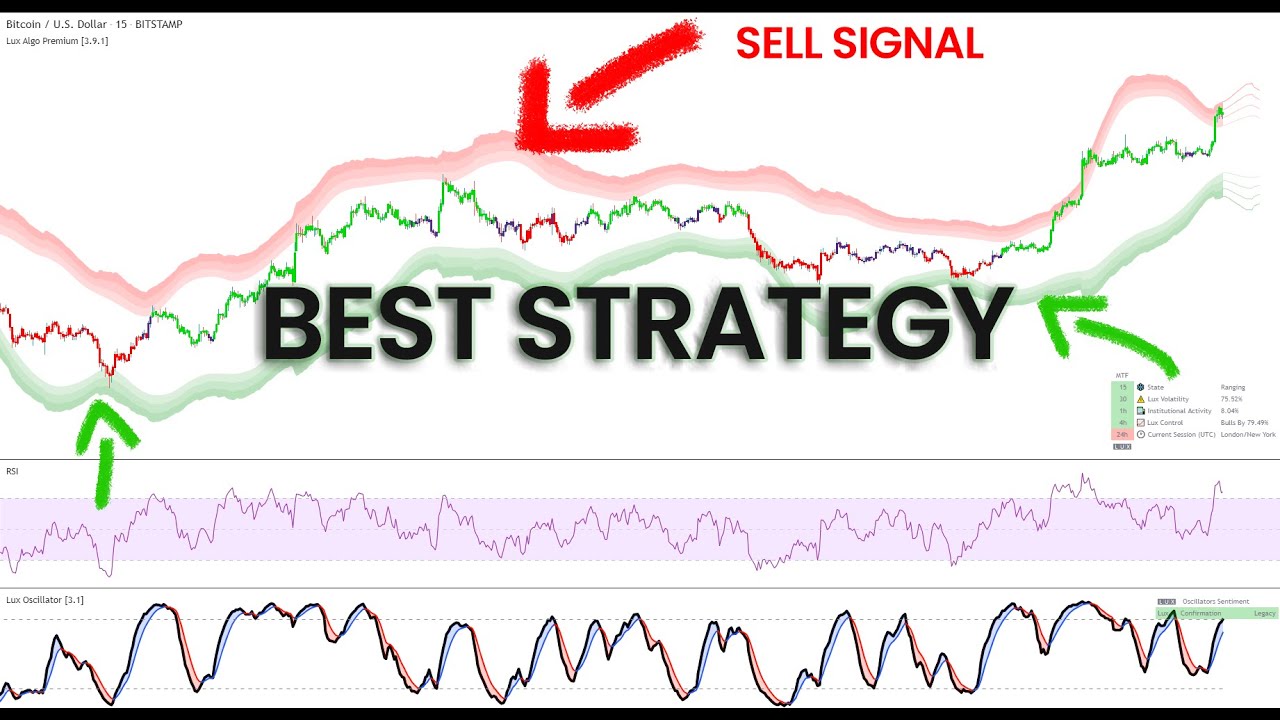
This video showcases a simple BTCUSD 15m strategy using RSI, Reversal Zones and the Lux Oscillator (Legacy Mode). It's a simple to follow and implement strategy that can be taken, developed and used. Make sure to leave a like & subscribe for more trading strategy videos!
Get access to Lux Algo indicators: https://luxalgo.com/
Lux Algo features...
fading ore
fading ore
Hi guys, nice regarding... the alerts.. Is there an option on the oscilator to g...
Morning … Anyone?
indigo cradle
fading ore
Hi guys, nice regarding... the alerts.. Is there an option on the oscilator to g...
For which mode?
indigo cradle
tiny stratus
Hello: In the Lux Algo Premium [5.0.1] - Style , Trend Tracer settings: I change...
It's a very odd bug... we are look into it
indigo cradle
west root
<@456590452703887373> Hi Gecko, in this strategy you recommend using Legacy Osci...
Use the ultimate stoch 👍
It's the same thing 😎
jaunty perch
@indigo cradle Heey man. I saw your video you uploaded on youtube the strategy...
https://youtube.com/shorts/Ngw277En9GI?feature=share
Im wondering whats point of disabling URSI lines and looking only for the yellow one?.. I know if its more than 50 then its good sign to buy but i don't understand why :S
 indigo cradle
jaunty perch
<@456590452703887373> Heey man. I saw your video you uploaded on youtube the str...
indigo cradle
jaunty perch
<@456590452703887373> Heey man. I saw your video you uploaded on youtube the str...
It's just a smoother line so it's nice and easy to use as a trend following oscillator 👍
jaunty perch
so when its above 50 its uptrend and when its below 50 its downtrend?
indigo cradle
jaunty perch
so when its above 50 its uptrend and when its below 50 its downtrend?
Yep exactly 👍
jaunty perch
thanks
fading ore
indigo cradle
For which mode?
Sorry… the ult stoch..
So let’s say an alert or… continuing alert on whether red / green
Not just a crossover from red to green or vice versa..
Really like a status message.. stochastic is now negative or positive
indigo cradle
Yeah you could do this @fading ore

This will alert once per bar if it's green
Select less than for red
fading ore
How cool
So the trigger is like .. a value / zero… kinda line
Or just the negative value..
indigo cradle
The stochastic ribbon is 2 plots
And then between those plots it's a color fill
When those lines cross over it changes color
So the trigger is a slower plot
fading ore
Nice, thanks for the explanation 🤙
jaunty perch
i can't find it on website :/
indigo cradle
jaunty perch
i can't find it on website :/
Find what?
fickle crane
is it possible to get an alert when 2 conditions meet?
for example like alert me when the trend cather turns bearish + breakout a support.
narrow obsidian
fickle crane
is it possible to get an alert when 2 conditions meet?
for example like alert me...
Unfortunately not
indigo cradle
fickle crane
is it possible to get an alert when 2 conditions meet?
for example like alert me...
😏😏😏
narrow obsidian
That would be a bomb ass feature tbqh
I could actually automate things a lot more than currently 🤔
🤤
jaunty perch
indigo cradle
Find what?
i cant find any tutorial on how to use Legacy Lux Volatility indicator
indigo cradle
jaunty perch
i cant find any tutorial on how to use Legacy Lux Volatility indicator
Legacy is changed to u stoch
And Lux volatility gone
These were old features
#🆕new-indicators a few can still be used
jaunty perch
indigo cradle
Legacy is changed to u stoch

this is what i meant
any guide on how to use it ?
 copper yacht
Hi
indigo cradle
This is gone from premium so no more docs
jaunty perch
hi
indigo cradle
It's not supported with updates or docs anymore
copper yacht
Can you tell me if I can change my tradingview username ??? While I b still on the running paid ???
indigo cradle
copper yacht
Can you tell me if I can change my tradingview username ??? While I b still on t...
It should be ok
If it's not give support@luxalgo.com an email and they can fix quickly
jaunty perch
@indigo cradle can you tell us which indicator ure using from Premium Lux algo?

from here which indicators ure using urself
when ur trading
indigo cradle
Have you seen my videos?
jaunty perch
ohh ye sry mybad
indigo cradle
Those show some of my favourite combos 😎
jaunty perch
thanks
fickle crane
indigo cradle
😏😏😏

narrow obsidian

So for the UMACD histogram, is there any way to place an alert when momentum is slowing
i.e. first dark red bar
or I guess opposite for bullish MACD
indigo cradle
narrow obsidian
or I guess opposite for bullish MACD
I'll try to think of a way but I don't believe there is cleanly there
narrow obsidian
darn
Yea you'd have to have some way to compare past histogram values
to detect slowing bearish/bullish momentum
Reason being I'm looking at scalping longs on slowing bear momentum and backtesting is looking good 😂
UMACD is a beast
 ripe fjord
Can I ask a question regarding the affiliate program?
indigo cradle
ripe fjord
Can I ask a question regarding the affiliate program?
Absolutely
You can DM 🙂
narrow obsidian
indigo cradle
Yeah there is a rising condition
Where is the rising condition ?
Moving Up ?
But that doesn't allow to select the UMACD histogram 🤔 hm
digital wraith
shy relic
https://docs.luxalgo.com/lux-algo-premium-indicators/lux-algo/alerts#using-place...
Sick thanks!
 primal ginkgo
Question about having all my alerts turned on, so the difference between contarian sell and normal sell? Isit bad idea to have both on? Since from my unferstanding contarian is oppissite trading style to the normal sell?
 indigo cradle
primal ginkgo
Question about having all my alerts turned on, so the difference between contari...
indigo cradle
primal ginkgo
Question about having all my alerts turned on, so the difference between contari...
Contrarian just means contrary to the trend 🙂
So they go against the trend
primal ginkgo
So that means if trends green going up contarian sell will show
Not like a normal sell
So i should deactivate this if i am just focusing on buy and sell positions
primal ginkgo
Thank u
indigo cradle
But I think yes you should disable it
primal ginkgo
Ok cheers
Also another questions
If u set ur alerts on autopilot options
It saves on that?
Which option is best to save alerts on your signal settings?
jaunty perch
Everything you need to know on optimizing signal settings: https://docs.luxalgo.com/lux-algo-premium-indicators/lux-algo/signal-settings
This page showcases every way users can adjust settings along with full explanations of how they differentiate from each other.
primal ginkgo
I think auto pilot settings for alerts is better since i dont have to keep changing my alert because the signal always changes
So for long term alerts auto pilot settings should be fine, am talking about setting alert that expires 1 month later 1-2hr time frame
primal ginkgo
Ok
 worthy pecan
What got the bester Resultat, Autopilot or Manuel Sensitivität?
AND
How can I save for euch Stock a other sens? When I change it on Facebook it Chance it on amazon . Somebody a clue?
indigo cradle
!settings
jaunty perch
Everything you need to know on optimizing signal settings: https://docs.luxalgo.com/lux-algo-premium-indicators/lux-algo/signal-settings
This page showcases every way users can adjust settings along with full explanations of how they differentiate from each other.
night beaconBOT
How to save settings for a trading pair on TradingView:
worthy pecan
Thx
 round sage
hey admin, just to check do i need to subscribe trading view premium to us your indicators?
indigo cradle
round sage
hey admin, just to check do i need to subscribe trading view premium to us your ...
Nope 🙂
!tvfree
jaunty perch
You don't need to upgrade TradingView, our product works with 100% functionality on the basic plan of TradingView (free).
Sign up for TradingView free here: https://www.tradingview.com/?offer_id=10&aff_id=24142

TradingView
Where the world charts, chats and trades markets. We're a supercharged super-charting platform and social network for traders and investors. Free to sign up.
round sage
i cant seem to use, the pop up for trial keep coming up
indigo cradle
Probably because you have more than 3 indicators added
It would tell you this in the popup box
Right click your chart
Remove all indicators
try again
indigo cradle
😉
undone kernel
@narrow obsidian In your opinion what do you think the best settings for the new BBBO indicator are where it gives you as least false signals as possible and still able to get you in at the start of a trend?
narrow obsidian
undone kernel
<@539182971769585693> In your opinion what do you think the best settings for th...
I’m not using that one, just simple bb on TV, I’ve not looked into that as a strat yet
undone kernel
Gotchu
 left hemlock
How do I distinguish between Neo Lead and Neo Lag?

I want to enter when the clouds get twisted.
 narrow obsidian
left hemlock
I want to enter when the clouds get twisted.
narrow obsidian
left hemlock
I want to enter when the clouds get twisted.
I think (not staff and don’t know for sure) that would be Crossing Down
And then Neo Lead first
Neo Lag second
So switch
Again, don’t know for sure so maybe wait for staff to confirm
Neo Lead is probably faster than Neo Lag
And since you want short so it would be crossing down
Not up
My take
left hemlock
So nice, mana. Thank you. I'll try.
narrow obsidian
Yeah you can see if that works for a test alert probably
tropic bolt
I prefer eq cloud. Neo cloud sometimes too thick and miss some nice moves. Eq cloud more responsive
left hemlock
tropic bolt
I prefer eq cloud. Neo cloud sometimes too thick and miss some nice moves. Eq cl...
I think your advice will help me a lot. Thank you.
primal ginkgo
Hello i am finding this abit hard, so with all the videos i am watching, its confusing my trading style and i always end up losing, example so i use the scalping technique to enter because i got green entry point, but then when i switch to my other layout it shows red trend down with sell option. Please advice on indicators i should use and stick to i am getting confused and losing all my trades since theirs so many different ways to use TA.


U see what i mean
indigo cradle
Have you watched our videos?
indigo cradle
In this video, I will be showing how a trader can use Lux Algo toolkits to scalp those tricky lower timeframes and improve those gains! This strategy is simple and versatile.
Get instant access to Lux Algo: https://luxalgo.com/
Lux Algo features used in this strategy:
Confirmation Signals: https://docs.luxalgo.com/lux-algo-premium-indicators/...
This on the timeframe you want
primal ginkgo
Ok ill give that a go i seen that video already
I will setup for that
Any other indicators to add to that video or just follow as it is?
indigo cradle
Just follow 👍😊
primal ginkgo
Thank u man
primal ginkgo
What is the default agility settings?
indigo cradle
primal ginkgo
What is the default agility settings?
26
 fluid rampart
Good day , question about the volatility oscillator , is it measuring VIX or call /put in the individual stock , any informational videos about this , thanks !
 hot goblet
Hi @indigo cradle , my 13 year old son is back testing this strategy and he has recorded 16 wins and 4 break evens in the last 20 trades this weekend 🙂
indigo cradle
oh my
New business idea
we collect all members children and make them design strategies
But sounds amazing 😄
 olive spruce
Awesome way to teach your child about reading indicators and trends too! I’ve been trying to figure out a way to teach my 13 year old more. I might steal your idea.
Junior QAs
hot goblet
yes, i am so glad he is showing interest ..
 spring gate
wHAT DOES THE x mean
indigo cradle
an exit signal 🙂
 jade yacht
hot goblet
Hi <@456590452703887373> , my 13 year old son is back testing this strategy and ...
jade yacht
hot goblet
Hi <@456590452703887373> , my 13 year old son is back testing this strategy and ...
When you mention break evens is that him using SL or exiting the trade manually at break even?
 merry hound
Where do we get Signals here. I saw it a lot on Website before I joined!
narrow obsidian

This alert isn't working
I have it enabled
UMACD crossed above the signal line as of last bar close 🤔
also have premium so its not too many alerts either ..
shy relic
narrow obsidian
This alert isn't working
you have set it as follows:
Alert when BTCUSD cross over Ultimate MACD, which is not possible 🙂 You want to set it as follows
 narrow obsidian
fook, ty alex. Will fix 😂 my b
hot goblet
jade yacht
When you mention break evens is that him using SL or exiting the trade manually ...
he took TP1 and moved SL to break even and eventually got stopped out but still a winning trade. Total 30 trades taken in the back test with 27 wins and 3 losses
 mortal pelican
Is there a way to create an alert when the optimal sensitivity in the dashboard changes? 😎
shy relic
mortal pelican
Is there a way to create an alert when the optimal sensitivity in the dashboard ...
not at the moment but its a very interesting alert condition 🙂 Maybe in the future
mortal pelican
shy relic
not at the moment but its a very interesting alert condition 🙂 Maybe in the fut...
Would make my life so much easier 😜 thanks for the quick response! 🔥👍
merry hound
Where do we get Signals here. I saw it a lot on Website before I joined!
shy relic
merry hound
Where do we get Signals here. I saw it a lot on Website before I joined!
in the Discord you can get them from #🔔scanners-premium 🙂
 vocal plume
Hi guys i am new to Lux.. Can you please tell me how to use Lux for Scalping? Any videos..? Which indicators should i use? Help me guys... Is it easy to make 1%-2% daily? 😬😬😜
sand jay
!strategies
jaunty perch
Find our full trading strategies playlist on YouTube: https://www.youtube.com/watch?v=xezy6WGpZ8Y&list=PLbqCXsOfrM3MjO7q7uIiwoVq3evI4neQr
New: How to find the best settings: https://www.youtube.com/watch?v=wkruvBBeXn8&t
Usability Tips: https://www.youtube.com/watch?v=5wtdY51crnc
Get instant access to use on any chart: https://luxalgo.com

 shy relic
sand jay
Closed 3 times above trend catcher but still no alert in the log :/
shy relic
sand jay
Closed 3 times above trend catcher but still no alert in the log :/
that alert is for a cross over, are you sure it did not alert when it happened?
sand jay
shy relic
that alert is for a cross over, are you sure it did not alert when it happened?
I want to get alert if its closed above trend catcher if its possible, but either way i did not get a alert
shy relic
sand jay
I want to get alert if its closed above trend catcher if its possible, but eithe...
use greater than 🙂 And make sure you have the trend catcher enabled.
 sand jay
shy relic
use greater than 🙂 And make sure you have the trend catcher enabled.
sand jay
shy relic
use greater than 🙂 And make sure you have the trend catcher enabled.
Okay thanks! I will try
 austere patio
left hemlock
I want to enter when the clouds get twisted.
austere patio
left hemlock
I want to enter when the clouds get twisted.
which time fram suitable ?
 scenic parrot
Hi there. Newbie here. What settings would you recommend for trading ES futures on a 1m or 2m time frame? Yes i've watched a few videos...but wondering from experience or feedback if there are any suggestions
austere patio
scenic parrot
Hi there. Newbie here. What settings would you recommend for trading ES futures ...
austere patio
scenic parrot
Hi there. Newbie here. What settings would you recommend for trading ES futures ...
I am the new bee
austere patio
scenic parrot
Hi there. Newbie here. What settings would you recommend for trading ES futures ...
In this video, I will be showing how a trader can use Lux Algo toolkits to scalp those tricky lower timeframes and improve those gains! This strategy is simple and versatile.
Get instant access to Lux Algo: https://luxalgo.com/
Lux Algo features used in this strategy:
Confirmation Signals: https://docs.luxalgo.com/lux-algo-premium-indicators/...
mix two of them or separet oke
left hemlock
Hello, Admin (Gecko)
How do I distinguish between Neo Lead and Neo Lag?

I want to enter when the clouds get twisted.
 shy relic
left hemlock
How do I distinguish between Neo Lead and Neo Lag?
shy relic
left hemlock
How do I distinguish between Neo Lead and Neo Lag?
Hi, the neo lead will tend to be closer to the price, during an uptrend (blue neo cloud) the neo lead will be above the neo lag, while it will be under it during a downtrend, hope this helps 🙂
@left hemlock as such you would switch the Neo Lag and neo Lead in your alert 🙂
austere patio
shy relic
Hi, the neo lead will tend to be closer to the price, during an uptrend (blue ne...
This one

or

for short
and for long thi
s

for up trend
shy relic
@austere patio EQ Lead/lag is for the EQ Cloud overlay, while Neo Lead/lag is for the neo cloud. The last two seems correct 🙂
austere patio
shy relic
<@133531273770565632> EQ Lead/lag is for the EQ Cloud overlay, while Neo Lead/la...
Cross down for short and Cross Up for long this 2 settings
 vapid mulch
How to get the most value out of using Liquid Pivots? These are about the past levels where lines/trends started to pivot/change. How to use these for the tending into the future?
pastel mango
Hi I added contrarian signals to the Algo premium but they seem a bit off perhaps too early...is there a way to change that?
feral lava
Hey @pastel mango in their nature, they go against the trend, so if the market is trending - it's likely for them to be early in a lot of cases
however, you could increase sensitivity higher, maybe like a value of 30 could help find less signals / more significant tops/bottoms
and you can also use the Optimal Sensitivity in the dashboard too 🙂
pastel mango
@feral lava thank you for the response. I understand it just seems I am leaving a lot on the table. I will try your suggestions. Thank you!
feral lava
No problem & sounds good! Let us know if u need any more help 🤝
pastel mango
feral lava
No problem & sounds good! Let us know if u need any more help 🤝
Actually one more question in this video, the price on your screen looks red, green and purple... https://www.youtube.com/watch?v=xgGFNIPIh0o&t=202s when I add the indicator they dont look at all like yours. What can I do? sorry I know it might be bit of a begginers question but I dont see where

The long-awaited v5 update is here. New presets, signal modes, indicator overlays, and restructuring of our main toolkit enables greater possibilities to trade than ever before. Get instant access: https://luxalgo.com
Full overview on our docs: https://docs.luxalgo.com/lux-algo-premium-indicators/lux-algo/
NEW SR Mode Toolkit overview: https:/...

 feral lava
pastel mango
Actually one more question in this video, the price on your screen looks red, g...
feral lava
pastel mango
Actually one more question in this video, the price on your screen looks red, g...
Go to Chart Settings —> Symbol —> Disable “Borders”
feral lava
left hemlock
Can’t do it on Ultimate RSI, it’s just standard but a unique calculation
this is for Advanced Mode which has auto divergence on it
left hemlock
feral lava
Can’t do it on Ultimate RSI, it’s just standard but a unique calculation
this ...
Does it mean that the signal is not displayed, but the position is entered properly?
feral lava
No it’s just the Ultimate RSI in that Lux Algo Oscillators indicator doesn’t have auto-divergence, so you can’t set alerts for it
The alert you have selected is for the “Advanced” type, if you go to the settings of the oscillator, select “Advanced” under type, and you can see the divergences
jaunty perch
Four daya ago I'm pause subsribed lux algo and today I'm resume subs, but not connect to tradingview

@feral lava
Usernam on tradingview: GodenWasHere
 haughty grove
why color is wrong? @indigo cradle

how to fix?
uptrend should be green
down should be red...
feral lava
haughty grove
why color is wrong? <@456590452703887373>
You have Contrarian Gradient enabled
or a preset with that contrarian candle coloring enabled
feral lava
jaunty perch
try refreshing first
invite only scripts should appear back
haughty grove
feral lava
You have Contrarian Gradient enabled
or a preset with that contrarian candle co...
refreshed
not work
why Contrarian Gradient have green for downside?
how to reverse?


I did not select gradient
even I select none in the coloring
it is still showing colored gradient
I have saved every time
not work...
austere patio
i need help. in 1m time frame for btc Neo Lead/Neo lag not cross so far
 indigo cradle
austere patio
i need help. in 1m time frame for btc Neo Lead/Neo lag not cross so far
indigo cradle
austere patio
i need help. in 1m time frame for btc Neo Lead/Neo lag not cross so far
How can I help there?
indigo cradle
haughty grove
why Contrarian Gradient have green for downside?
Do you have a screenshot of your chart?
 half cobalt
I want backtest buy sell signal
indigo cradle
half cobalt
I want backtest buy sell signal
You'd need to manually backtest your strategy
half cobalt
indigo cradle
You'd need to manually backtest your strategy
Yap Like Strategy in Tradingview
indigo cradle
Yep you'd need to do this manually 👍
half cobalt
💯
austere patio
indigo cradle
How can I help there?
Can you check for btc

down for short and ı try to up for long but nothin happen so far
if time fremae work correct
 lapis reef
so i have a question. i asked this when lux was at version 4.6 . is it possible now to change the candle colors on "confirmation gradient" this green is annoying man, my charts are blue and red.
austere patio
indigo cradle
Its perfect
Tnks so much not happen yet is it ok use for 1m time frame and some time neo area disconnected liket that
 haughty grove
why color is wrong? <@456590452703887373>
haughty grove
haughty grove
why color is wrong? <@456590452703887373>
please see this sreen @indigo cradle
I have attached
 indigo cradle
haughty grove
indigo cradle
haughty grove
You want what type of candle colouring?
indigo cradle
lapis reef
also, gecko answer my question please <@456590452703887373>
In style all the colours are accessible
You can change whatever you like
Oh
But not for gradient no
Only for simple for now
lapis reef
we are on version 5.0 can we please get that added in the next update
austere patio
indigo cradle
But select once per bar close
ok change it i miss it
indigo cradle
lapis reef
we are on version 5.0 can we please get that added in the next update
It's not really something our end sadly; using the gradient function removes the color plots from style but we can maybe explore things
 lapis reef
thank you my friend
austere patio
lapis reef
i am jelous 🙂 not a lie i hope i can buy 65 inch monitor to catch up 😄
lapis reef
its a 32in ultra wide
65 inches is crazy, i dont need all that. i only trade GJ and GU if i dont see any GJ moves @austere patio
 dusk jolt
Hey i just paid for vip can someone help me with the indicator
indigo cradle
dusk jolt
Hey i just paid for vip can someone help me with the indicator
How can I help?
dusk jolt
My indicator hasn’t came up yet
indigo cradle
dusk jolt
My indicator hasn’t came up yet
Have you entered your username?
dusk jolt
Yes boss
narrow obsidian
Is there any way to collapse a pane on the TV mobile app
Unlike on desktop it doesn't seem like it 🤔
dusk jolt
indigo cradle
Perfect; give TradingView the ol refresh in 30 seconds 👍
How can i study about the indicators
indigo cradle
Collapse a pane to make smaller?
indigo cradle
dusk jolt
How can i study about the indicators
!docs
jaunty perch
Learn about every aspect of Lux Algo at: https://docs.luxalgo.com
Learn how every aspect of our product suite works & get useful information about technical analysis.
dusk jolt
Thanks sir
narrow obsidian
indigo cradle
Collapse a pane to make smaller?
yes
Seems like you can do that on desktop TV but I can't find a way to do it on TV mobile app
Was just wondering if anyone knows 😂
 slow inlet
Hello Support, i bought me lifetime last year but still getting bills to pay for the new 1 year subscription 🤷
narrow obsidian
😮
indigo cradle
slow inlet
Hello Support, i bought me lifetime last year but still getting bills to pay for...
😮
Do not fear
Give support@luxalgo.com an email
Will be solved instantly
indigo cradle
narrow obsidian
Seems like you can do that on desktop TV but I can't find a way to do it on TV m...
Do you have a screenshot of what you mean by it exactly?
narrow obsidian

You can do this on desktop TV

I'd like to collapse and restore the pane on the TV mobile app
idk if thats possible
Figured I'd ask in here on the off chance someone here knew
if not that's fine
😂
They may not have added that ability to tv mobile 🤔
indigo cradle
Ahhhhh I see the mobile app is very janky I find 😂
 tranquil warren
Does the text in the Lux Volatility Section of the dashboard just return either low or high.
indigo cradle
tranquil warren
Does the text in the Lux Volatility Section of the dashboard just return either ...
That will yes; but you can get the actual plot value in #🆕new-indicators
We released the actual old script where it was plotted
tranquil warren
Ok, thanks.
worthy pecan
how to change for each crypto the optibot ? when i change it on btc it switch it on eth -.-
save brings nothing
night beaconBOT
How to save settings for a trading pair on TradingView:
worthy pecan
thx i will try it
timber ocean
These Settings are Short-Tern 30m or 15m Frame?
 indigo cradle
They can be used on both 🙂
vocal plume
@indigo cradle We want more scalping/trading videos in your youtube channel man.. 😬😬 very helpfull..
 drowsy wyvern
hi, did SL/TP alerts set ups change? I see only SL1 and TP1 in alert function?
sorry to miss your explanation before
!Alerts
jaunty perch
How to set up your own custom alerts in TradingView: https://docs.luxalgo.com/lux-algo-premium-indicators/setting-up-alerts-on-tradingview
Learn how to setup your own custom alerts on TradingView step by step.
drowsy wyvern
"Lux Algo Premium v5.0.1 replaces the MTF feature on the dashboard with Multi-Sensitivity "MTS". Fixed placeholders' accessibility for Trend Strength & TP/SL, and minor changes. To update: Refresh, remove & re-add the indicator to your chart."
Guys, I can not understand these explanation
indigo cradle
What don't you understand? 🙂