#🤝support
1 messages · Page 269 of 1
 summer nebula
 indigo cradle
 wanton fable
Connected accounts but still dont have access to invite only scripts
wanton fable
Connected accounts but still dont have access to invite only scripts
Try refreshing your TradingView🤝
indigo cradle
Welcome 🤝
 tender basalt
My first trade with was cool $120 in one hour !! Thank u guys
indigo cradle
tender basalt
My first trade with was cool $120 in one hour !! Thank u guys
Legend 😎
 copper yacht
Hi
 pallid halo
@indigo cradle Hi Is this indicator offline , since today morning no updates

and I cannot add again in indicator section
indigo cradle
What exactly do you mean by offline?
indigo cradle
copper yacht
Hi
Hola 😎
pallid halo
the indicator is not updated and wanted to add it again but couldnt find in list, can you please check in TV and revert ?
under premium section its not available for me
indigo cradle
Seems updated to me?
pallid halo
 pallid halo
aah ok my bad thanks
indigo cradle
indigo cradle
Hi 😄
 sudden fjord
hi. do you mean a trading account?
well this is your choice really some people may trade direct on tradingview, others will use Trading view for analysis then place the trade with the broker separately
indigo cradle
^
sudden fjord
you don't have to open a broker account through TV
 little lake
Hi Geko, as I am new to lux I had the question as AntP. For myself the old 3.1 oscillator look very easy to use and you explain it well in the video. Will there be a video on how to use the new MacD? Would help the newbies like me alot. Tia.
indigo cradle
little lake
Hi Geko, as I am new to lux I had the question as AntP. For myself the old 3.1 o...
Hi there 😄
little lake
Hi ya
indigo cradle
Are you familiar with MACD?
little lake
nope sry
indigo cradle
So they are quite simple things to use 🙂 If it crosses blue it's buy if red it's sell
and can be used to spot divergences

We revamped our oscillator toolkit by adding an Ultimate MACD, Ultimate RSI, Ultimate Stochastic, and upgrading other features & modes greatly.
To update: Refresh, remove, & re-add the indicator to your chart.
This toolkit comes with our all-inclusive membership, get instant access at https://luxalgo.com
Full overview in our docs: https://doc...
This video may help 🙂

YouTube
Sharing trading strategies that I've developed using Lux Algo + more.
(Not actually a gecko.)
Or my latest video shows a strategy using it 😄
little lake
Excellent!. I will have a look now.
 undone kernel
Does the trendlines with breaks repaint?
indigo cradle
undone kernel
Does the trendlines with breaks repaint?
It will do 🙂
undone kernel
@indigo cradle what do you mean it will do?
indigo cradle
undone kernel
<@456590452703887373> what do you mean it will do?
It will repaint 👍
undone kernel
@indigo cradle I thought so. I was backtesting and I'm seeing the signals disappear off the chart.
How does indicators like that assist us in trading?
indigo cradle
It will show breaks of trendlines 🙂
So can be used to know when a trendline was broken

TradingView
To complete our previous work on breakouts with pivot point-based levels, we introduce an indicator returning pivot point based trendlines with highlighted breakouts. Users can control the steepness of the trendlines as well as their slope calculation method.
The indicator also includes integrated alerts for trendlines breakouts.
Settings
Le...
The description should explain usecases 🙂
 night beaconBOT
Hi @raven grove! Click Manage Account here: https://luxalgo.com/
Or email support@luxalgo.com and our team will assist you with any request the same day.

Enhance your trading experience. World's largest vendor of technical indicators for every market, including stocks, crypto, and forex.
 worn marlin
@indigo cradle thanks 🙏🏻, question usually when you use this signals strong buy etc. do you put SL, what is the perfect strategy for that?
 indigo cradle
Well; you'd want to avoid using signals as entries
But have you seen my latest video? There I show some SL methods
worn marlin
No i didnt see you it, where can i find it?
indigo cradle
In this video, I will be showing how a trader can use Lux Algo toolkits to scalp those tricky lower timeframes and improve those gains! This strategy is simple and versatile.
Get instant access to Lux Algo: https://luxalgo.com/
Lux Algo features used in this strategy:
Confirmation Signals: https://docs.luxalgo.com/lux-algo-premium-indicators/...
 ebon turret
How can i get lux algo v5? I have v 4.5..
indigo cradle
!update
 jaunty perch
To update Lux Algo Premium indicators, refresh your browser/app, remove the indicator from your chart, and then add it back to your chart + save your chart layout on TradingView.
Full guide: https://docs.luxalgo.com/lux-algo-premium-indicators/how-to-update

Learn how to update your Lux Algo Premium indicators to the newest version. Refresh, remove & re-add the indicators to your chart.
worn marlin
indigo cradle
https://www.youtube.com/watch?v=GETZTJqxZfU
@indigo cradle waw i saw some videos thanks for sharing, question from your experience in trading which one is you favorite and the best to use for 15mins time frame?
Like the most profitable
I want to stick in one 😫 every day jumping and changing strategies
And keep losing
 forest delta
indigo cradle
https://www.youtube.com/watch?v=GETZTJqxZfU
forest delta
indigo cradle
https://www.youtube.com/watch?v=GETZTJqxZfU
What does the Red and blue lines means?
 feral lava
Those are predictive ranges @forest delta they’re found within the Lux Algo SR & Patterns toolkit
wanton fable
Do we have sell / buy signals in #695668800044925009 for shorter timeframes ?
forest delta
feral lava
Those are predictive ranges <@914896215223701524> they’re found within the Lux A...
Does it serve and a support and resistance to the trade?
 shy relic
forest delta
Does it serve and a support and resistance to the trade?
shy relic
forest delta
Does it serve and a support and resistance to the trade?
yes, predictive ranges are mainly used to this end 🙂
shy relic
wanton fable
Do we have sell / buy signals in <#695668800044925009> for shorter timeframes ?
not at the moment unfortunately
shy relic
worn marlin
I want to stick in one 😫 every day jumping and changing strategies
this is definitely not a good approach, it is important to stick with a strategy and learn it over time, this allows getting more mature with it
forest delta
Honestly I have watched that video and it helped me a lot, already started doing some profits longing and shortinf bitcoin, finally a proper indicators, we need more from these videos
jaunty perch
on tradingview when you save a layout does it also save the indicators settings as well?
 warm lintel
worn marlin
I want to stick in one 😫 every day jumping and changing strategies
warm lintel
worn marlin
I want to stick in one 😫 every day jumping and changing strategies
I have the same problem my friend(
worn marlin
😫
indigo cradle
forest delta
Honestly I have watched that video and it helped me a lot, already started doing...
More coming 😎
worn marlin
worn marlin
<@456590452703887373> waw i saw some videos thanks for sharing, question from yo...
@indigo cradle ?
indigo cradle
worn marlin
<@456590452703887373> waw i saw some videos thanks for sharing, question from yo...
Use my latest video on the 15m 😎
forest delta
indigo cradle
More coming 😎
Does all updates are applied to lifetime license as well?
indigo cradle
Use that strategy just on a higher timeframe
indigo cradle
forest delta
Does all updates are applied to lifetime license as well?
Absolutely 👍
worn marlin
👍🏽🙏🏻
wanton fable
When I reset settings I get the BUY / Sell signal indicators but when I turn on trend catcher and trend tracer these indicators disappears

is it due to the sensitivity settings which gets applied when I turn on trend catcher ?
worn marlin
@indigo cradle https://youtu.be/GETZTJqxZfU
In this video, I will be showing how a trader can use Lux Algo toolkits to scalp those tricky lower timeframes and improve those gains! This strategy is simple and versatile.
Get instant access to Lux Algo: https://luxalgo.com/
Lux Algo features used in this strategy:
Confirmation Signals: https://docs.luxalgo.com/lux-algo-premium-indicators/...
Is it this one?
indigo cradle
worn marlin
Is it this one?
Yes sir 😎
indigo cradle
wanton fable
is it due to the sensitivity settings which gets applied when I turn on trend c...
The signals vanish?
wanton fable
indigo cradle
The signals vanish?
Yes they vanish
wanton fable
indigo cradle
😳
Should someone who is getting started can use with default settings ?
Since the sensitivity recommended and the settings are way off.
indigo cradle
wanton fable
Should someone who is getting started can use with default settings ?
They should do but you can learn more:
!settings
jaunty perch
Everything you need to know on optimizing signal settings: https://docs.luxalgo.com/lux-algo-premium-indicators/lux-algo/signal-settings
This page showcases every way users can adjust settings along with full explanations of how they differentiate from each other.
wanton fable
default is 12 for my timeframe the sensitivity recommended is 32
indigo cradle
wanton fable
Since the sensitivity recommended and the settings are way off.
They should not be 😳
What are you using?
wanton fable

15Min Timeframe
without autopilot enabled
@indigo cradle am I doing something wrong ?
indigo cradle
That seems reasonable no?
wanton fable
indigo cradle
That seems reasonable no?
No I mean I can follow buy / sell signals without any preset ?
jaunty perch
Hello people
I need help what Lux algo settings do you have somehow show me the signals very late dadruch I have so far made many losses and can you recommend me a strategy for 2-3% profit a day ?
indigo cradle
wanton fable
No I mean I can follow buy / sell signals without any preset ?
Not follow but they can be used ☺️
They'd need to be part of a strategy
Or part of your analysis
indigo cradle
jaunty perch
Hello people
I need help what Lux algo settings do you have somehow show me the ...
!settings
jaunty perch
Everything you need to know on optimizing signal settings: https://docs.luxalgo.com/lux-algo-premium-indicators/lux-algo/signal-settings
This page showcases every way users can adjust settings along with full explanations of how they differentiate from each other.
jaunty perch
Thank you gecko
indigo cradle
And you should use them as part of a strategy
wanton fable
indigo cradle
Not follow but they can be used ☺️
Gotcha.
forest delta
worn marlin
<@456590452703887373> https://youtu.be/GETZTJqxZfU
Can the strategy I. This video be used in 1h time frame?, I noticed signals there are different
indigo cradle
It absolutely can be ☺️
worn marlin
Thanks so much @indigo cradle , any other strategy for daily?
indigo cradle
worn marlin
Thanks so much <@456590452703887373> , any other strategy for daily?
More on my channel 😎
wanton fable
indigo cradle
More on my channel 😎
Share the link to your channel ser
indigo cradle
wanton fable
Share the link to your channel ser
YouTube
Sharing trading strategies that I've developed using Lux Algo + more.
(Not actually a gecko.)
😎
jaunty perch
Hi guys!
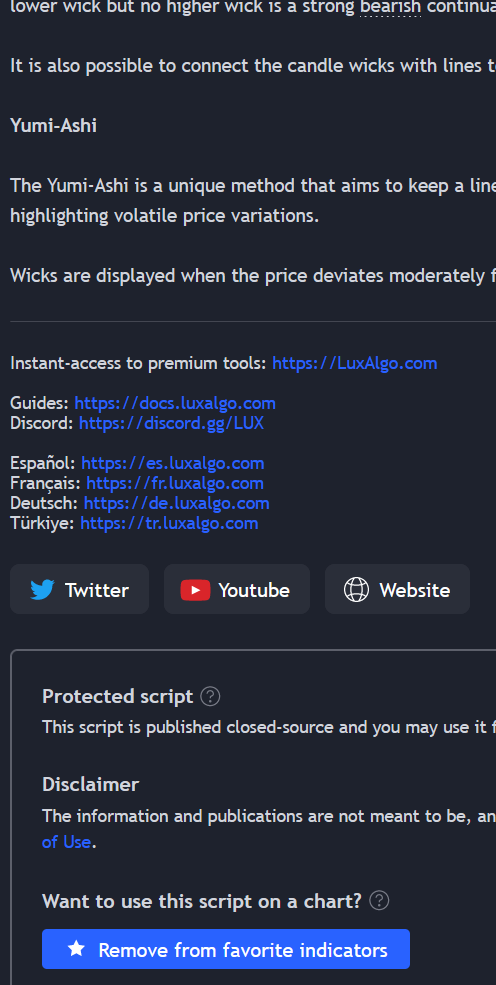
How can I apply Katan Ashi candle to my chart? I already clicked Add to favorites but still nothing.
Thanks
indigo cradle
Once added to favourites click indicators at the top
Then go to favourites
And click it
 jaunty perch
from tv?
 lucid rock
Hello, when I update settings on the indicator, are these then automatically used by existing alerts?
indigo cradle
jaunty perch
from tv?
Yes sir
indigo cradle
lucid rock
Hello, when I update settings on the indicator, are these then automatically use...
Alerts will use settings at the time of setting
And won't be impacted
lucid rock
So after entering new optibot settings, should I create new alerts, or open and save them?
indigo cradle
You'd need to remake them 👍
lucid rock
indigo cradle
You'd need to remake them 👍
OK, thanks, that's quite some work then every week 🙂 but good to know
wanton fable
@indigo cradle check this out
is this normal for the indicators to vanish for 15m timeframe ?
wanton fable
How do I get the indicator for 15min and other shorter time frames ?
indigo cradle
wanton fable
How do I get the indicator for 15min and other shorter time frames ?
What type of properties are you looking for?
Lots of signals?
wanton fable
strong buy/sell in a shorter time span to test my strategy for swing trading.
15m to 1 hour timeframe
indigo cradle
My strategies should really help 🤝
jaunty perch
I still can't apply Katan Ashi to my charts. I refreshed tv, sign out--in, I opened new chart but still 0.
jaunty perch
what is name of this indicator for Katan Ashi? Lux candle?
indigo cradle

TradingView
The Lux Algo Premium indicator allows displaying custom candlesticks on your charts. These aim to remove the noise from a regular candlestick chart, thus making your analysis easier.
The color of each candlestick method is determined by the method selected in the Candle Coloring setting. When None is selected in the Candle Coloring setting the ...
jaunty perch
indigo cradle
Maybe try on another device?
Nothing. I tried on my tablet but 0.
indigo cradle
Very odd; try in a few hours
jaunty perch
Ok. I hope it will work 😄
This is something new....Premium indicator is now locked - red color. Other two are green - unlocked.
jaunty perch
Yeah. Is that maybe why I can't apply Katan Ashi candles to my chart?
indigo cradle
jaunty perch
Yeah. Is that maybe why I can't apply Katan Ashi candles to my chart?
Very possibly but it should resolve itself shortly 👍
 sharp wind
@shy relic just wanted to report a potential bug. I just updated to latest version today and I set trend tracer to Line (rather than cross). I also set trend catcher to circle rather than line.
I had this setup on the previous version so preferred to stick to it. Adjusted line opacity to 100 for both. Saved changes.
The settings seem to change for trend tracer. Reverts back to crosses after a short while.
shy relic
sharp wind
<@225316751410331649> just wanted to report a potential bug. I just updated to l...
Hi, sorry about this, we are aware about this bug but can't locate the cause, certainly on tradingview side, hopefully next update will fix this 🙂
sharp wind
shy relic
Hi, sorry about this, we are aware about this bug but can't locate the cause, ce...
No probs. Just thought I’d report but glad you’ve already got it 👍🏼
 celest plover
Hey how do I make a referral for lux algo lifetime - is there any incentives / etc
Under manage my account online I don’t see any info
 timid idol
Hello can someone help me on understanding why the candles are not showing the colors
as in the videos
 whole wren
Thank you!
 cedar mantle
Can any one explain when I get Bear Wick candle on my chart what that’s mean?
feral lava
it’s a break signal using our SR with breaks indicator but has a bearish candle formation / good volume @cedar mantle
 frosty lake
What does the agility setting detect like I’m changing it and it’s not making much of a difference just wondering
worn marlin
@indigo cradle I liked your strategy but usually where do you put the SL exit on the screen shoot below for example on the first trade?
 sudden fjord
worn marlin
<@456590452703887373> I liked your strategy but usually where do you put the SL ...
sudden fjord
worn marlin
<@456590452703887373> I liked your strategy but usually where do you put the SL ...
What i understand from what "G" said, the SL & TP is subjective. As an example if you was on a sell, you can put your TP at the next S/R level below and your SL would be at the next S/R level above. if you wanted more risk you could increase to the further levels below.
worn marlin
Do you mean like this?
 worn marlin
Do you mean like this?
worn marlin
worn marlin
Do you mean like this?
@sudden fjord
worn marlin
sudden fjord
its subjective so it depends on what your comfortable with
Thanks 🙏🏻
sudden fjord
your TP could either be the first blue line or the one after
depending on your apatite for risk 🙂
 slim root
Hi
My signals glitch in between candles
Sometimes I can see them and sometimes I dont
indigo cradle
slim root
Sometimes I can see them and sometimes I dont
Do you have a screenshot?
slim root
No
indigo cradle
😳
 sinful wave
@indigo cradle what’s the setting for demand and supply zones and how to find what’s POC on stock for the day
indigo cradle
sinful wave
<@456590452703887373> what’s the setting for demand and supply zones and how to ...
You'd want to use breakout zones and the Lux Profile maybe?
slim root
sudden fjord
G if it helps I've downloaded it and its fine!
indigo cradle
sudden fjord
G if it helps I've downloaded it and its fine!
😏 Thats what you think until I find a RAT in there 😂 you wanna take this support over Brett? 😂
What's he seeing?
sudden fjord
lol...ok give me one sec i will try and screen shot it for you
this is what he first sees

then he sees this

just looks like the candle is changing from purple to red
not so sure its a glitch, just looks to be a candle changing colour
sudden fjord
indigo cradle
😏 Thats what you think until I find a RAT in there 😂 you wanna take this suppo...
and i take your point i will be more careful myself in the future!
indigo cradle
sudden fjord
not so sure its a glitch, just looks to be a candle changing colour
Yeah @slim root you just need to wait for candle close 🤝
Cheers Brett 😎
sudden fjord
As I thought its not a glitch
 crimson helmBOT
@sudden fjord has earned the Lux Level 1 role!

<@!875355206827786290> just levelled up
Welcome to the Lux Level 1 role! Thank you for being an active member of the Lux Algo community <3
indigo cradle
I have you Lux ultimate as a thanks 😂
Oh it decided to give you level 1... 💀
T@scores
crimson helmBOT
 Score updated!
Successfully awarded 10000 score to @sudden fjord!
 Gecko#1644
·
indigo cradle
Gecko#1644
·
indigo cradle
There we go
sudden fjord
lol.. Thank you G I will do what i can to help out!
so what is ultimate then as it still shows level 1?
indigo cradle
There we go 😎
sudden fjord
appreciated!
 vast torrent
MTF is now changed to MTS on the dashboard, showing trend on diff sensitivity settings instead of diff timeframe, why is that? I have no idea how it is being used...I read the doc but still don't understand what are the reasons behind this changes and how should I use this information as a day trader looking at 10 or 15 mins chart....
indigo cradle
It's an identical usecase 👍
Main reason was MTF makes the script very heavy and crash
vast torrent
so trend strength is still for the underlying time frame and setting?
and MTS is also for the current chart timeframe?
indigo cradle
Correct 🤝
vast torrent
what does it mean if i see 10/20 green and 30/40 red and trend strength 70%?
indigo cradle
I would say it's a short term uptrend however it's not a clean one and the market is kind of moving sideways possibly or this is a retracement as part of a downtrend
vast torrent
great, that's what i interpret too 👍
lower settings are kind of shorter term and higher settings looking at more bars to generate signals
Thanks!
indigo cradle
Si exactly 🤝🤝🤝


 sudden fjord
how many indicators have you got on that chart 🙂
slim root
5
sudden fjord
wow...
slim root
Can you tell me some better settings
sudden fjord
seems like a lot but if its working for you
 hot goblet
@sudden fjord whats your setup like mate?
slim root
Meh just a laptop
sudden fjord
i'm a swing trader so my setup is simple, moving averages and MacD
sudden fjord
that said im trying to put together a simple 1h strategy that does not require a lot of looking after
slim root
So pls suggest me some settings
Actually I am new to lux
I just bought it a month ago
And I am trying to find the best settings so please hellp
sudden fjord
hot goblet
<@875355206827786290> whats your setup like mate?
EMA's MACD & stoch thats my setup - swing trading
slim root
Wait! Don't you use Lux algo premium??
sudden fjord
slim root
Wait! Don't you use Lux algo premium??
yes i have lux algo premium but my strategy i use to trade the 1d tf does not require it so I'm using lux to try and find a good strategy for the 1H TF
hot goblet
sudden fjord
EMA's MACD & stoch thats my setup - swing trading
cheers bud
sudden fjord
indigo cradle
This seems reasonable 😎
G, which cloud is better in your opinion, EQ or Neo?
indigo cradle
sudden fjord
G, which cloud is better in your opinion, EQ or Neo?
They have different perks; NEO Cloud though tends to be my go to
sudden fjord
indigo cradle
They have different perks; NEO Cloud though tends to be my go to
great, now for trend UMACD or UStoch? 🙂
indigo cradle
sudden fjord
great, now for trend UMACD or UStoch? 🙂
Equal in my books 😎 they each have their perks. UMACD is a little more unique
Can be predictive
sudden fjord
cool, just trying an idea so lets see 🙂
slim root
Hey which is better the Lux optimal sensitivity that is showing on the dashboard or should I just on the auto pilot mode please help
indigo cradle
!settings
jaunty perch
Everything you need to know on optimizing signal settings: https://docs.luxalgo.com/lux-algo-premium-indicators/lux-algo/signal-settings
This page showcases every way users can adjust settings along with full explanations of how they differentiate from each other.
indigo cradle
This page will explain 🤝
hot goblet
Gecko, hello mate ... pls can i pick your brains, pls can see my setup (after many trials) and review and comment , need your thoughts if you would like to add or remove anything?

the left is confirmation and the right is contrarian
indigo cradle
Seems like a nice setup; maybe try another indicator overlay
Trend tracer or hyper trend for example
hot goblet
sure will play with it and come back for help if i get stuck, cheers buddy
would you consider catcher over tracer as its more reactive?
hot goblet
ok thank you .. 👍
 sudden fjord
wanton fable
Do lux algo has a pivot point indicator
sudden fjord
wanton fable
Do lux algo has a pivot point indicator
The Predictive SR method is a set of real-time support and resistance methods including Predictive Ranges, Channels, and Expoentials. All of these methods are real-time so users can get direct usability as these SR levels are actively being developed.
or this one which talks about liquid pivots https://docs.luxalgo.com/lux-algo-premium-indicators/lux-sr/levels
The Levels category displays multiple types of horizontal supports and resistances on the user's chart including Liquid Pivots & Breakout Zones.
wanton fable
Thanks Brett
forest delta
This is with regard to the ultimate macd, sometimes it's showing red candle on an up trend such as the attached one, how can we not be tricked with this?
 sudden fjord
forest delta
This is with regard to the ultimate macd, sometimes it's showing red candle on a...
sudden fjord
forest delta
This is with regard to the ultimate macd, sometimes it's showing red candle on a...
the UMACD is predictive therefore could suggest a possible drop in trend strength or possible reversal
thats why we need multi confirmations but also be aware of what the MACD is showing, its a fine balance
forest delta
Thanks mate, so what other confirmation would you suggest along with umacd v
sudden fjord
forest delta
Thanks mate, so what other confirmation would you suggest along with umacd v
are you trading with the trend?
forest delta
sudden fjord
are you trading with the trend?
Scalping in 5mns chart
sudden fjord
forest delta
Scalping in 5mns chart
I'm sorry when it comes to scalping i cant help. i work on the higher timeframes as its less noisy. maybe try the EQ cloud or trend trace & Trend Tracker, when one cross the other its another confirmation
sudden fjord
forest delta
Scalping in 5mns chart
let me take a quick look at the 5m and see what i can suggest
forest delta
sudden fjord
let me take a quick look at the 5m and see what i can suggest
Appreciated, otherwise can we use the same strategy in the 15mns?
sudden fjord
forest delta
Appreciated, otherwise can we use the same strategy in the 15mns?
let me take a quick look at both give me a moment
sudden fjord
forest delta
Appreciated, otherwise can we use the same strategy in the 15mns?
this is a possible setup
Image
trend tracer & Trend catcher with UMACD take a look at the first strong signal to the left you would ignore as it does not confirm but the following buy would
sudden fjord
forest delta
Appreciated, otherwise can we use the same strategy in the 15mns?

it has 4 confirmations trend tracer, trend catcher, buy signal & UMACD
forest delta
sudden fjord
it has 4 confirmations trend tracer, trend catcher, buy signal & UMACD
Thanks bro
sudden fjord
please test it before trading it live 🙂
wanton fable
sudden fjord
In this do we need to turn on any preset or can keep it as none ?
sudden fjord
wanton fable
In this do we need to turn on any preset or can keep it as none ?
trial and error, I just left it on the default but play around with the setting and see what gives you the best and more accurate signals
wanton fable
sudden fjord
trial and error, I just left it on the default but play around with the setting ...
Sure
sudden fjord
try the higher TF as well and see how it looks maybe 15m & 1H. you can still scalp on the 15m & 1H
 west root
For 15m time frame, it it better to use Short Term, Mid Term, or Long Term for autopilot frequency?
sudden fjord
west root
For 15m time frame, it it better to use Short Term, Mid Term, or Long Term for a...
this will depend if you are scalping, day or swing trading
short term for scalping, day, mid term for day and mid to long for swing from what i can see
hot goblet
back test for few days , create an excel spreadsheet on wins/losses and write down criterias .. ever since i have bought lux this is what i have been doing and still ask for ideas to come up with something good ... dont be hurry to get into a trade , save capital at all cost .. back test will give you the confidence in your strategy which will help you in not pulling out profits early and staying disciplined.. my 2 cents ..
 mental folio
I can't see Bollinger Bands Breakout Oscillator in trading view, what should I do?
slim root
AC007 mate can you explain how did you set this up
Your settings can you pls tell me mate
summer nebula
What would be some examples of umacd settings (for fast slow and signal)
indigo cradle
summer nebula
What would be some examples of umacd settings (for fast slow and signal)
Raise all by 10 or lower all by 5
those are reasonable bounds
summer nebula
Thanks gecko!
hot goblet
mental folio
I can't see Bollinger Bands Breakout Oscillator in trading view, what should I d...
add it as favourite first
 plain chasm
Hi guys, I forgot to put the discount voucher “ANY20” creating my subscription. Is it possible to do that again on the rebound? Thank you very much for your help.
indigo cradle
plain chasm
Hi guys, I forgot to put the discount voucher “ANY20” creating my subscription....
On the rebound sadly not; just first interval
plain chasm
Alright, thank you.
 fossil crest
i have a situation.. Trend Catcher turning GREEN in 3 day chart on BTCUSDT binance... but... BTCUSD Index chart trend catcher is way far... Both charts are for the same Asset.. only difference is that index chart shows older info available... so what's the difference?? what chart would be more accurate with Lux Trend Catcher? @indigo cradle
indigo cradle
fossil crest
i have a situation.. Trend Catcher turning GREEN in 3 day chart on BTCUSDT binan...
Do you have a screenshot to explain?
But yes the older data could impact it
 naive marlin
Hi. I have a question about optibot. What does this thing do?
indigo cradle

New video with all methods explained: https://www.youtube.com/watch?v=wkruvBBeXn8&t
Here's a quick video on the multiple ways you can adjust signal settings within Lux Algo on TradingView and use Optibot within our Discord. Optibot is backtesting private data with our algorithm, while the auto-confirmation signal settings toggle is just an esti...
naive marlin
If i've checked "autopilot mode" - does it take the information from this channel?
indigo cradle
naive marlin
If i've checked "autopilot mode" - does it take the information from this channe...
It won't nope 👍
naive marlin
But in this channel information changes over time. Do i have to configure indicator by myself?
sudden fjord
has there been an update to TV? for some reason I've just opened TV and my dark mode as disappeared, and its not where it should be. Has anyone else had this problem, its only just happened?
fossil crest


price moved a bit so it reverted from green to red due price dumped a bit it seems.
In any case see the difference of the Trend catcher location @indigo cradle
indigo cradle
This should be ok though no?
fossil crest
wonder why the both trend catchers are different location on both charts
whilst is the same Asset or pair
jusst different chart provider I guess..
fossil crest
so my question is if that's so
what chart would show most accurate signal?
binance once was turning green
whilst the other red
naive marlin
Can i make alerts with different sensetivity and agility configurations?
I made an alert on ada with ada configuratio, next i want to make sol. But it looks like if im making some changes, it will affect on ada's alert too
 viral ledge
hey LuxAlgo, question regarding v5.0.1. and earlier versions

could i somehow set back the previous 15m, 30m, 1h, 4h timeframes?
feral lava
viral ledge
unfortunately the MTF was too hefty, we had to change to MTS (mutli-sensitivity) it's very similar usage
@fiery sparrow ask here
 fiery sparrow
feral lava
<@931625967129075762> ask here
fiery sparrow
feral lava
<@931625967129075762> ask here
Yes sir
How to change it to normal lines here
 mental folio
I love the new BBBO! Could these two (plots) have different names please and thank you?
 feral lava
fiery sparrow
feral lava
fiery sparrow
it doesn't always display solid lines, it will display dashed lines if there isn't a detected pattern
feral lava
mental folio
I love the new BBBO! Could these two (plots) have different names please and th...
glad to hear 🙂 yes we'll look into changing, thx for your feedback!
mental folio
I was going to make an alert and they were all named "plot". It's a neat way of looking at BB's
 brittle wedge
For some reason my dashboard timeline #s changed. They were 15, 30,1hr,4hr. Now they are 10,20,30,40. I do t see anything in the settings about that. How do I reset?
timid idol
Is it better to use the OPTIBOT settings for the coins our use the SCALPER settings of the indicator ?
fossil crest
Am I drowning in a glass of water? @indigo cradle in regards to my question..
sharp wind
brittle wedge
For some reason my dashboard timeline #s changed. They were 15, 30,1hr,4hr. Now ...
It’s all part of the latest update. This response from Admin might help you #🤝support message
brittle wedge
Oh ok. Gotchyu. I’ll read that now. Thanks
brittle wedge
sharp wind
It’s all part of the latest update. This response from Admin might help you http...
Hoping LA team will maybe elaborate on how to think about MTS with our strategies in a future short vid. The link just says we changed it cause it was hefty. Not sure just that explanation helps me think about it in context of the TFs I’m tracking. Maybe I’m missing something. I also looked for an update in the docs but didn’t see anything. I’ll wait patiently as they are usually good about keep g vids/docs current
sharp wind
brittle wedge
Hoping LA team will maybe elaborate on how to think about MTS with our strategie...
I’m sure they can explain it better than me. I just figured as MTS is multiple sensitivities as opposed to MTF multi timeframe, this can be read as Higher value for MTS used to trade long term trends (similar to a higher timeframe), lower value MTS vice versa. At least that’s my understanding so far but admittedly I’ve not looked into it too much yet. Probably best to wait for one of admins to respond
naive marlin
#🤝support
Still got my question actual.
All i want to do is to make different settings on different coins. Is it possible?
shy relic
naive marlin
<#702685056736559124>
Still got my question actual.
All i want to do is to mak...
yes, you can use indicator templates to save different settings for different tickers/tf, see https://www.tradingview.com/support/solutions/43000543048-what-are-indicator-templates-for/. You can also create different layouts

TradingView
undone kernel
What are these? I know its overbought and oversold but whats the A and AR?
 frosty lake
What does the agility setting do and mean 🧐
 lusty schooner
what do these mean?
 undone kernel
@lusty schooner MTS?
lusty schooner
undone kernel
<@974811604988338216> MTS?
All
feral lava
frosty lake
What does the agility setting do and mean 🧐
best used for optibot
feral lava
lusty schooner
All
The dashboard displays the most relevant metrics from within our premium features. This feature is extremely useful to easily obtain pertinent information regarding the market and can be used in confluence with Lux Algo Premium indicators.
ebon turret
indigo cradle
https://www.youtube.com/watch?v=GETZTJqxZfU
This strategy it works with optimal sensitive from dashbord ore to put sensitive from discord(that you update dayly)?
sinful wave
@feral lava are reversals zones are breakout zones like demand and supply zones
viral ledge
feral lava
unfortunately the MTF was too hefty, we had to change to MTS (mutli-sensitivity)...
indeed, there must be something wrong here. When looking at the same currency pair here on different timeframes, such as NZDCAD d' and H1 now, the output is different. See the below. D1 first, H1 afterward. Conflicting on the "10m" which is both red and green...


D1* and H1
so which one is true? 🙂
never faced such problem before v5.0
@feral lava can u pls check?
indigo cradle
sinful wave
<@393235362107097089> are reversals zones are breakout zones like demand and sup...
They do behave like this yes 👍
@shadow cedar You can email support@luxalgo.com however I'd suggest following our strategy videos 👍 easy to follow and work nicely
indigo cradle
viral ledge
indeed, there must be something wrong here. When looking at the same currency pa...
This would happen
As different timeframes have very different data
viral ledge
never seen such a thing before the v5.0
viral ledge
indigo cradle
This would happen
never seen such a thing before the v5.0
indigo cradle
Because it was using MTF
MTF loads data from fixed timeframes
MTS loads data only from the loaded timeframe
So if you load the 1D the signals will be totally different to the 1m
viral ledge
indigo cradle
Because it was using MTF
thx, why this method has been changed if this became confusing now?
can you use MTF again?
I'd suggest that
indigo cradle
viral ledge
thx, why this method has been changed if this became confusing now?
It's very simple 😊
It's just sensitivity
On various settings
MTF as explained was too heavy
This will function exactly the same
ebon turret
https://www.youtube.com/watch?v=GETZTJqxZfU This strategy it works with optimal sensitive from dashbord or to put sensitive from discord(that you update dayly)?
In this video, I will be showing how a trader can use Lux Algo toolkits to scalp those tricky lower timeframes and improve those gains! This strategy is simple and versatile.
Get instant access to Lux Algo: https://luxalgo.com/
Lux Algo features used in this strategy:
Confirmation Signals: https://docs.luxalgo.com/lux-algo-premium-indicators/...
indigo cradle
It will work with both 😊
lusty schooner
Thank you very much for your help 🙏
 cunning pumice
Hello.. I need an help for understanding lux profile..
Left side and right side..which are the meanings?!
 indigo cradle
cunning pumice
Left side and right side..which are the meanings?!
indigo cradle
cunning pumice
Left side and right side..which are the meanings?!
Indicator overlays are available from within the settings menu of the Lux Algo Premium indicator toolkit. They display various technical indicators on your charts to be used in confluence with Confirmation or Contrarian signals or as standalone features.
sudden fjord
@indigo cradle Good morning G. Hope your well. How accurate are the Scanner trades?
indigo cradle
GM SER 😎 accurate in what sense?
sudden fjord
indigo cradle
GM SER 😎 accurate in what sense?
i see they are on the higher TF which is great, so accurate as in profitable
cunning pumice
Thanks
sudden fjord
ive only just signed up to them so just wondering, have not done my testing on them yet
and reliable 🙂
indigo cradle
At the end of the day accuracy is something that can only be deemed with a strategy however in a trending market they should be quite good and clean for traders 😎
sudden fjord
indigo cradle
At the end of the day accuracy is something that can only be deemed with a strat...
thats ok i will start monitoring them and see how they go! thanks you kind sir!
undone kernel
What are these? I know its overbought and oversold but whats the A and AR?
 brittle wedge
indigo cradle
On various settings
brittle wedge
indigo cradle
On various settings
Ok, I get it and I’m starting to like it
 brittle nexus
hi @indigo cradle .... where to enter in this kinda situation ....
 indigo cradle
brittle nexus
hi <@456590452703887373> .... where to enter in this kinda situation ....
indigo cradle
brittle nexus
hi <@456590452703887373> .... where to enter in this kinda situation ....
Enter what sort of position?
I would say any long opportunity is passed there
undone kernel
@indigo cradle thanks. Also, what are the best settings for the new bbbo indicator where it doesn't give you as many false signals while still maintaining the good ones?
indigo cradle
undone kernel
<@456590452703887373> thanks. Also, what are the best settings for the new bbbo ...
This is one of those things that's very personal
Whenever we make an indicator we set default values
Default values we feel are the most middle ground and useful
brittle nexus
brittle nexus
hi <@456590452703887373> .... where to enter in this kinda situation ....
ya as u said the entry point is lost ...but my queestion is ... even though its lost.... can we enter at any other place acc to u ?
indigo cradle
I would wait and not force an entry yet. It's hard to say; would need to see whole chart there
brittle nexus
here u go .... strong signal was yesterday close of day ... and the trend has conntiued today
 indigo cradle
I would not really be longing there
brittle nexus
why not ? because it was the end of the day ?
indigo cradle
Just seems to be at a resistance and very very large upwards move
brittle nexus
so ur sayinf u will leavee this uptrend ?
indigo cradle
I just wouldn't trade it for the moment or if i was i'd look to short
plain chasm
Hi guys, just a simple question. To use Lux indicators, what exchange / pairs are the best relating to your backtests / experince?
Bitstamp / Binance
Spot / Perp
USD / USDT
Thank you. 🙂
ebon turret
indigo cradle
It will work with both 😊
Wich one is corect? Rezult are different if you will use sensitive from dashbord ore from discord..
indigo cradle
ebon turret
Wich one is corect? Rezult are different if you will use sensitive from dashbord...
They will be different but should be reasonably close in peformance
indigo cradle
Hi there; what settings are you using?
I would suggest disabling the dashboard and trying again
jaunty perch
when I turn the trend tracer and tracker on at the same time. if I only one is fine
indigo cradle
ah I see
During load times during the day this can occur; it will fix itself shortly however we are working to prevent this totally
 glass sinew
@indigo cradle I have issue with Lux Algo - Signals are changing frequently
For ex : I get Buy Signal on 1.35 pm candle for 5 mins TF after refreshing it seems that alert has already given on 1.25 pm candle late by 5 to 10 mins
Please address the issue
indigo cradle
These are alerts you have set?
glass sinew
I am asking about the signals
glass sinew
Yes

This signal came on 3 pm candle on my Tablet but for in my mobile phone the same signal came only on 3.15 pm
indigo cradle
In that case you are almost 100% using different settings on the two devices
If you see the signal in a different location it's because they aren't using the same
glass sinew
I am very sure that I am using the same settings
indigo cradle
Triple check they are the same chart; same settings:D
If they are let me know 🙂
But they really really should be / will be identical if used with same chart + settings
 indigo cradle
Because market goes up 😎😎😎
So candles are green
Lux Algo Premium has various candle coloring modes, including Confirmation Simple, Confirmation Gradient, and Contrarian Gradient. These modes help you visualize our signals directly as colors on your bars.
 balmy sphinx
Yes but i want to see the bullish candle like red
indigo cradle
balmy sphinx
Yes but i want to see the bullish candle like red
But a bullish candle isn't red?
Bearish candles are red
And this screenshot you just shared is extremely bullish 😳
You are looking for normal candles?
balmy sphinx
The bullish candle sorry i writed wrong
So i just want to see the bearish candle red
indigo cradle
Go to Lux settings
turn candle coloring to none 🙂
But then you lose all the Lux candle coloring
and it goes back to normal
 tropic bolt
I’m still getting study error🤔 for example, eurjpy 2hr says study error but eurgbp no problems?
indigo cradle
tropic bolt
I’m still getting study error🤔 for example, eurjpy 2hr says study error but eur...
Yeah disable the dashboard for now
We are working on making it more stable
jaunty perch
I cant enable dark mode on the desktop app. Can someone help me please?

 tulip linden
Hi, I understand the left side of the Lux Profile. Can you help me understand what the right half of the Lux Profile shape is representing?
 tulip linden
Hi, I understand the left side of the Lux Profile. Can you help me understand wh...
tulip linden
tulip linden
Hi, I understand the left side of the Lux Profile. Can you help me understand wh...
Also, is this only institutional like the previous version was?
 pallid thunder
If i wanna test a strat in luxbot using only MACD and signals, how would one go about that?
shy relic
jaunty perch
I cant enable dark mode on the desktop app. Can someone help me please?
try to right click on the chart -> color theme -> Dark
shy relic
tulip linden
Hi, I understand the left side of the Lux Profile. Can you help me understand wh...
the right side show the price intervals with the highest volatility 🙂
jaunty perch
shy relic
try to right click on the chart -> color theme -> Dark
cant doesnt show themes just says save as
tulip linden
shy relic
the right side show the price intervals with the highest volatility 🙂
Thanks! Is it only institutional?
 valid whale
jaunty perch
cant doesnt show themes just says save as
valid whale
jaunty perch
cant doesnt show themes just says save as
Click your profile picture in the top right. Go to settings. Under general, click the drop down and turn it to dark instead of OS
 jaunty perch
valid whale
Click your profile picture in the top right. Go to settings. Under general, clic...
jaunty perch
valid whale
Click your profile picture in the top right. Go to settings. Under general, clic...

Tried bothe of them
Doesnt show dark theme on my app
valid whale
Top right next to minimize
jaunty perch
k
valid whale
Click your pictures, then settings
jaunty perch
valid whale
Click your profile picture in the top right. Go to settings. Under general, clic...
Thank you 😭
valid whale
Sweet! Have fun
shy relic
tulip linden
Thanks! Is it only institutional?
this one is more general and is not like the previous institutional profile 🙂
pallid thunder
shy relic
try to right click on the chart -> color theme -> Dark
this doesnt work anymore! try the image below

TV update released
shy relic
pallid thunder
If i wanna test a strat in luxbot using only MACD and signals, how would one go ...
You could do it manually 🙂
pallid thunder
check my latest chat with gecko in stocks chat
for side panels to be changed, its not possible unless through mode i think
that option disappeared from the 2 known/usual location (right click or through top left settings)
pallid thunder
pallid thunder
now u have to follow these steps
tulip linden
shy relic
this one is more general and is not like the previous institutional profile 🙂
Thanks. 🙂
pallid thunder
shy relic
You could do it manually 🙂
luxbot wont work?
i thoughts it made for that?
shy relic
pallid thunder
luxbot wont work?
server issues, it will be back online in a few hours.
pallid thunder
oh okay, but i was just asking in general how would you go about doing that
using only MACD crossover and STRONG signals
or, either or
shy relic
pallid thunder
using only MACD crossover and STRONG signals
confirmation signals can be used to identify a general trend, while the MACD will mostly focus on cycle, one could perform successive market orders once the MACD becomes positive and a buy signal is active, exiting a position when the MACD cross 0. Thats a simple example. Feel free to experiment
pallid thunder
no what im asking is what do you type in the luxbot command channel to backtest trades using MACD
unless im understanding the use of luxbot in the wrong way
like how do you do something like this
 shy relic
pallid thunder
like how do you do something like this
shy relic
pallid thunder
like how do you do something like this
one would type a slash / and use the backtesting_macd command, then would input the required arguments such as ticker, tf, and macd settings. See https://docs.luxalgo.com/lux-algo-premium-indicators/Discord Features/luxbot#backtesting_macd for more info. However the backtesting in luxbot does not make use of the Strong signals you mentioned.
LuxBot is a practical Discord bot allowing users to display charts, get news, and even perform backtests by using simple slash commands.
 shy relic
 meager elk
cant see anything with the ....
meager elk
cant see anything with the ....
histogram is first, then MACD, then the signal line, if you update to the newer version we made these shorter 🙂
meager elk
shy relic
histogram is first, then MACD, then the signal line, if you update to the newer ...
dumb question, how?
frosty lake
What do those scanners do that you “react” to
meager elk
i closed it, opened it again still on 5.0.1
shy relic
frosty lake
What do those scanners do that you “react” to
once you react to the message in the scanner channel you will have new channels appearing depending on what you reacted, these channels contain live confirmation signals 🙂
frosty lake
Ohhhhhhhh
shy relic
meager elk
i closed it, opened it again still on 5.0.1
its indeed the 5.0.1, try creating the alert again and you should see the plot names updated 🙂
frosty lake
I was wondering where the signals were at because I saw it on the page where I bought it
 indigo cradle
This was changed 🙂
jaunty perch
This
meager elk
shy relic
its indeed the 5.0.1, try creating the alert again and you should see the plot n...
if i want an alert when macd crosses or turn from blue to red and vice versa, which one should i pick
shy relic
meager elk
if i want an alert when macd crosses or turn from blue to red and vice versa, wh...
either : MACD crossing MACD signal line, or MACD histogram crossing value 0 🙂 Both are equivalent
indigo cradle
meager elk
if i want an alert when macd crosses or turn from blue to red and vice versa, wh...
 indigo cradle
shy relic
either : MACD crossing MACD signal line, or MACD histogram crossing value 0 🙂 B...
indigo cradle
shy relic
either : MACD crossing MACD signal line, or MACD histogram crossing value 0 🙂 B...
Great minds 😉
sudden fjord
jaunty perch
i had this problem yesterday on the app, and i still have it so now im using the web version. I did ask everyone on here if they had the issue but no one else did
jaunty perch
Hello
How can I change these MTS?
From this

My MTS is 10 20 30 40 how can I change this to 15 30 1h 4h?

Like this one
shy relic
jaunty perch
My MTS is 10 20 30 40 how can I change this to 15 30 1h 4h?
this was removed to avoid memory issues, it is not possible to revert back to these. You can however use the current MTS feature the same way or check the signals in higher chart tf 🙂
indigo cradle
They may be crashing?
lusty schooner
What should the advanced long setting be?
jaunty perch
sudden fjord
i had this problem yesterday on the app, and i still have it so now im using the...
still having the issue?
viral ledge
indigo cradle
This will function exactly the same
had a look again and this became a complete malfunction. I attached an EURUSD screenshot, D1 and H1, as you see all red and all green? how can you say this is working the same?
@feral lava


this is sooo much misleading
let's be honest, this function became useless
 marble moon
Can someone just clarify what the best sensitivity is to use auto pilot? Dashboard? Or optibot?
feral lava
The daily chart is red & the hourly chart is green seams decently reasonable, however, appreciate your feedback @viral ledge we’re looking into it
feral lava
marble moon
Can someone just clarify what the best sensitivity is to use auto pilot? Dashboa...
This page showcases every way users can adjust settings along with full explanations of how they differentiate from each other.
This answers fully 😉
jaunty perch
How can i get a lifetime lux algo indicator aside from buying it?
feral lava
jaunty perch
How can i get a lifetime lux algo indicator aside from buying it?
You can upgrade to lifetime with the steps outlined at the bottom of this message: #🔊announcements message
jaunty perch
sudden fjord
i had this problem yesterday on the app, and i still have it so now im using the...
I fixed it so dm me if you go any issues
indigo cradle
viral ledge
had a look again and this became a complete malfunction. I attached an EURUSD sc...
I think you mis-understand the function here
It's "functionally the same". Meaning no; it won't be identical but it can be used in the exact same way. Just because they are different doesn't mean they are worse; actually they can more versatile now
 carmine garden
If the optimal sensitivity says 24, then shall I put 24 in sensitivity & agility both? @indigo cradle
indigo cradle
carmine garden
If the optimal sensitivity says 24, then shall I put 24 in sensitivity & agility...
Nope
It's optimal sensitivity
So just sens
carmine garden
Got it, thanks. What would you recommend using optibot or else dashboard for sensitivity of a particular timeframe? @indigo cradle
indigo cradle
!settings
jaunty perch
Everything you need to know on optimizing signal settings: https://docs.luxalgo.com/lux-algo-premium-indicators/lux-algo/signal-settings
This page showcases every way users can adjust settings along with full explanations of how they differentiate from each other.
carmine garden
I already read that :p was just asking for your opinion 🙂
indigo cradle
It really does depend on how you like to trade and strategy; optibot is my personal go to
carmine garden
Oh ok, so I would select sensitivity from dashboard & agility from optibot?
To be very precise?
carmine garden
Ok so everyday I’ll just update sens & agility from Optibot? And no need to update sens alone from dashboard right?
indigo cradle
carmine garden
Ok so everyday I’ll just update sens & agility from Optibot? And no need to upda...
Correct 😄
carmine garden
Hehe thanks a lot 🙏🏻😁
Are the signals supposed to move if we change from candles to heikin ashi in the same tf?
carmine garden
Ok do you think which is more accurate for lux algo candles or heikin ashi?
indigo cradle
You should use the candles you prefer; HA are smoother and nicer for trends but just be aware of their drawbacks
 formal ermine
Hello, is it possible to set alerts only if there is a buy signal above the Trend Tracer line., and if it is how can I set it ?
indigo cradle
formal ermine
Hello, is it possible to set alerts only if there is a buy signal above the Tren...
Not currently 😉
formal ermine
indigo cradle
Not currently 😉
Ah ok, thank you
glass sinew
@indigo cradle


This was the issue I tried to explain to you
The both has same setting
But result is different


 sturdy notch
Hey all. Quick question. Does optibot update daily? If so why isn’t there one for the 1 hr today. Just curious and wondering if I missed something
indigo cradle
sturdy notch
Hey all. Quick question. Does optibot update daily? If so why isn’t there one fo...
Just down for maintenance today 🙂
Normally daily
sturdy notch
Okay sweet thanks 🙂
indigo cradle
glass sinew
And when you hold the devices next to each other
They are different
Because that signal could have appeared on both
just it's not fixed until the close
glass sinew

Now iam sending the latest one - The signs is gone
Signal is gone

Check both the timing
9.30 the signal is buy
9.37 the signal does not exist
Please check both the photos
This is on the same device
indigo cradle
glass sinew
On this is the strong signal on the current candle?
glass sinew
No after the close of candle
glass sinew
I am facing this from today afternoon only
glass sinew
I am not sure
But from today afternoon I am facing the issue
With this happening I am not able to proceed with confirmations..
indigo cradle
You are 🙂
Just use one of them
But you can check
Scroll back in the charts
see if the signals are all the same
glass sinew
They are not same
indigo cradle
Older signals are not the same?
Are you using the same source?

so are both FXCM?
 deft creek
Hello, please help Breakouts are not working after the new update?
i will attach a screenshot
 indigo cradle
They seem to be working?
And there was no real new update to them for months?
I see them there 😄
frosty lake
What TP and SL should I use with those forex signals
indigo cradle
which forex signals 🙂
deft creek
indigo cradle
And there was no real new update to them for months?
sorry i have been away for a while 😅
but those 3 lines are consistant all the way and there are no green ones, tested on another chart and its the same
thought something is fisshy?
indigo cradle
Nothing fishy 😄 Just red because they all were generated as resistances
deft creek
indigo cradle
Nothing fishy 😄 Just red because they all were generated as resistances
but heres the thing tho, a couple of minutes ago I was on the older lux version and it showed clear breakouts, i refreshed the page for some reason and then it updated to the v5 and then everything changed to what you see up there
indigo cradle
You probably were using a different SR signifiance
frosty lake
The bot scanner signals. Idk what to do for the SL and TP for the best results assuming they’re legit.
indigo cradle
frosty lake
The bot scanner signals. Idk what to do for the SL and TP for the best results a...
Those are more a "hey check this asset out and see what you think; if you agree and like it find a nice entry on a lower timeframe"
deft creek
indigo cradle
You probably were using a different SR signifiance
one more question, is there a guide video out there for best strategy for scalping in forex?
frosty lake
Yeah but like it says strong buy or sell signal. But it doesn’t say anything esle
frosty lake
deft creek
one more question, is there a guide video out there for best strategy for scalpi...
The YouTube in the discord
indigo cradle
deft creek
one more question, is there a guide video out there for best strategy for scalpi...
!strategies
jaunty perch
Find our full trading strategies playlist on YouTube: https://www.youtube.com/watch?v=xezy6WGpZ8Y&list=PLbqCXsOfrM3MjO7q7uIiwoVq3evI4neQr

New: How to find the best settings: https://www.youtube.com/watch?v=wkruvBBeXn8&t
Usability Tips: https://www.youtube.com/watch?v=5wtdY51crnc
Get instant access to use on any chart: https://luxalgo.com
glass sinew
@indigo cradle I got your point
indigo cradle
Here is a universal playlist; these can be applied to anything 🙂
glass sinew
@indigo cradle signal varies in one device..
I will share the screenshot


Same setting one device same chart
How come the signal changes itself from candle to candle
frosty lake
So should I just play around with the signals to see what’s best
indigo cradle
glass sinew
How come the signal changes itself from candle to candle
It should do; but are you sure you're using the same data source?
indigo cradle
frosty lake
So should I just play around with the signals to see what’s best
!settings
jaunty perch
Everything you need to know on optimizing signal settings: https://docs.luxalgo.com/lux-algo-premium-indicators/lux-algo/signal-settings
This page showcases every way users can adjust settings along with full explanations of how they differentiate from each other.
indigo cradle
This page should help 🙂
frosty lake
indigo cradle
It should do; but are you sure you're using the same data source?
Yes, it’s the “bot scanner”
indigo cradle
frosty lake
Yes, it’s the “bot scanner”
This was reply to other guy 😉
Regarding his forex stuff
frosty lake
You replied to me saying “settings” but I wasn’t talking about that bot but I’ll still try it out
glass sinew
@indigo cradle yes I am using the same
indigo cradle
Yep but the bot scanner you cannot adjust the settings 🙂
indigo cradle
glass sinew
<@456590452703887373> yes I am using the same
ummmm
Does this happen for other pairs
glass sinew
Yes with XAUUSD
 indigo cradle
glass sinew
Yes with XAUUSD
indigo cradle
glass sinew
Yes with XAUUSD
It doesn't work?
indigo cradle
It really is odd and it even happens on crypto?
frosty lake
The bot doesn’t work or you talking about something else?
indigo cradle
I am very confused 😦 Which bot?
 indigo cradle
The Predictive SR method is a set of real-time support and resistance methods including Predictive Ranges, Channels, and Expoentials. All of these methods are real-time so users can get direct usability as these SR levels are actively being developed.
🙂
fiery sparrow
Thank you sir 🙏
jaunty perch
Hi. Can I ask it here because on general chat I didn't get good answer.
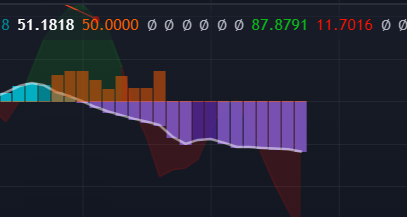
When smart money is when price is falling that is signal for long?
frosty lake
This bot lol
 indigo cradle
jaunty perch
When smart money is when price is falling that is signal for long?
indigo cradle
jaunty perch
When smart money is when price is falling that is signal for long?
That just simply means "institutions may have been entering positions" . So now it's down to the trader to deduce the direction. Given that it's a downtrend and the market is downtrending it depends on the context
jaunty perch
Aha...Ok. Tnx Gecko
fiery sparrow
jaunty perch
When smart money is when price is falling that is signal for long?
Really no idea bro
 feral valley
Why can't I enter public chat? I just bought
feral valley
ha ok
feral valley
thx
slim root
Hi I just bought lux
But I am an intraday trader and there are just do many settings
Can you guys pls help me
indigo cradle
!strategies
jaunty perch
Find our full trading strategies playlist on YouTube: https://www.youtube.com/watch?v=xezy6WGpZ8Y&list=PLbqCXsOfrM3MjO7q7uIiwoVq3evI4neQr
New: How to find the best settings: https://www.youtube.com/watch?v=wkruvBBeXn8&t
Usability Tips: https://www.youtube.com/watch?v=5wtdY51crnc
Get instant access to use on any chart: https://luxalgo.com
 indigo cradle
This playlist should help 🙂
slim root
Okay but can't YOU just tell me please I am not good at reading tech stuff
Hey gecko where did you go
I paid 68 dollers for this
And I don't know what to do
I trade in 30 and 15 min tf
indigo cradle
I'm still here I just went for 10 seconds 😄
And this isn't reading 😄
This is video
 indigo cradle
Well; what type of trader are you?
slim root
I am an intraday trader
Like whan i take trades min 1 or mak a day I have to cut mi possition
naive marlin
Why are alerts sometimes doesnt work?
indigo cradle
naive marlin
Why are alerts sometimes doesnt work?
Let me see how you set them
 slim root
What alerts
indigo cradle
How can I help? 🙂
slim root
Tell me the exact setting to catch minimum 10 to 15 cents in silver doller
indigo cradle
!settings
jaunty perch
Everything you need to know on optimizing signal settings: https://docs.luxalgo.com/lux-algo-premium-indicators/lux-algo/signal-settings
This page showcases every way users can adjust settings along with full explanations of how they differentiate from each other.
indigo cradle
This page explains 🙂
slim root
In one trade and I just want to take only 1 trade buy the signals should be precise
naive marlin
indigo cradle
Where have you set alerts?
Lux premium. I've set up any confirmation buy. Short alert worket out with short signal, but long alert didn't


 slim root
I didn't gat that pg
indigo cradle
naive marlin
Lux premium. I've set up any confirmation buy. Short alert worket out with short...
Try remaking it 🙂 This normally fixes things
slim root
I just want 10 to 15 cents of moment in silver and I don't want more than one or two trades in whole day either in 30 minutes or 15 min tf
Pls tell
Gecko please tell
https://c.tenor.com/nEASabF4PPcAAAAM/crocodile-tears-cry-me-a-river.gif

 indigo cradle
slim root
Wh
indigo cradle
slim root
Wh
This is the swing trader preset
naive marlin
indigo cradle
Try remaking it 🙂 This normally fixes things
So, can you correct me if i'm wrong? If i make ANY CONFIRMATION Buy/Sell it would work with buy/sell AND with strong buy/strong sell? I dont have to make different alerts for regular and strong signals?
indigo cradle
naive marlin
So, can you correct me if i'm wrong? If i make ANY CONFIRMATION Buy/Sell it woul...
Correct 😄
naive marlin
indigo cradle
Correct 😄
Thank you
slim root
Here it give a bicycle but the market went totally down from there
 indigo cradle
Zoom out Yuvraj 🙂
slim root
 slim root
Okay and what is this oscillator
indigo cradle
The Ultimate Stochastic is on by default within the Lux Algo Oscillator Premium toolkit. It combines the earliness of a stochastic oscillator whilst removing noisy variation via a process inducing less lag than using pre or post-smoothing.
jaunty perch
Find our full trading strategies playlist on YouTube: https://www.youtube.com/watch?v=xezy6WGpZ8Y&list=PLbqCXsOfrM3MjO7q7uIiwoVq3evI4neQr
New: How to find the best settings: https://www.youtube.com/watch?v=wkruvBBeXn8&t
Usability Tips: https://www.youtube.com/watch?v=5wtdY51crnc
Get instant access to use on any chart: https://luxalgo.com
feral valley
How should my 1-minute indicator settings be??
indigo cradle
feral valley
How should my 1-minute indicator settings be??
well; you shouldn't be trading the 1m in the first place 😉
In this video, I will be showing how a trader can use Lux Algo toolkits to scalp those tricky lower timeframes and improve those gains! This strategy is simple and versatile.
Get instant access to Lux Algo: https://luxalgo.com/
Lux Algo features used in this strategy:
Confirmation Signals: https://docs.luxalgo.com/lux-algo-premium-indicators/...
But this video is there to help
but please avoid it
vast torrent
indigo cradle
https://www.youtube.com/watch?v=GETZTJqxZfU&t=4s
Hi Gecko, question on your latest video using UMACD and ranges... in the video u changed the sensitivity setting but not the agility, why? so agility is not important? and what is it actually by the way?
indigo cradle
vast torrent
Hi Gecko, question on your latest video using UMACD and ranges... in the video u...
Because I used the dashboard's recommended sens 🙂
Agility you don't need to touch unless using optibot
It's a lot more specific of a setting
vast torrent
so u used the default agility?
indigo cradle
Yes sir 🙂
feral valley
indigo cradle
https://www.youtube.com/watch?v=GETZTJqxZfU&t=4s
how many minutes can i catch a continuous signal
indigo cradle
vast torrent
what does it do anyway? 😀
It can help filter ranging markets 🙂
indigo cradle
feral valley
how many minutes can i catch a continuous signal
What exactly do you mean?
feral valley
I don't want it to turn me off after a few candles when the signal is given.
vast torrent
indigo cradle
It can help filter ranging markets 🙂
so the higher or the lower the agility to filter out the ranging market?
BTW, ur method works perfectly on ES today, but i made some minor changes to your method, great work!👍
indigo cradle
vast torrent
so the higher or the lower the agility to filter out the ranging market?
Higher will filter it out 😄 Glad to hear it 🙂
vast torrent
u guys does enhance my trading a lot 😋 I been trading ES upside on all pull back today using UMACD, LOL!
and actually I like the new MTS once u explained it to me
indigo cradle
It's a nice feature 😄 MTS can be more useful
 coarse bane
hi, do i change tradingview to dark theme
on the burger button it doesn't show dark them as a slider
mental folio
@coarse bane we had a kerfuffle with that yesterday. Check under settings IIRC
If you're on windows it's different tho
vast torrent
 mental folio

reddit
0 votes and 2 comments so far on Reddit
vast torrent
i have dark mode on my mac desktop version
mental folio
i flip-flop with daylight and dark
vast torrent
Hi Gecko, how do u set stop and get out on your new method if u are wrong?
indigo cradle
vast torrent
Hi Gecko, how do u set stop and get out on your new method if u are wrong?
Using the predictive ranges 🙂
vast torrent
so if i long but it drops to lower level then out? it make sense
feral valley
The sensitivity is constantly changing and I need to enter it manually. Is there a solution for this?
 indigo cradle
It would change as the optimal changes 🙂
It's not so much of an issue
more it's designed to change
feral valley
Optimum changes work very well
summer nebula
How do you exactly use tp/sl points it doesn't fit my graph most of the time.
fiery sparrow
Admins I have a question please but answer me here without a link because I'm weak in english


Like that we enter a buy and sell?
When he touch the orang and red line from the top it's mean sell and when he touch the orange line and blue line from the down it's mean a buy?
shy relic
fiery sparrow
When he touch the orang and red line from the top it's mean sell and when he tou...
these are the predictive channels? Buy signals could be given when price cross either of the blue lines, or when price breakout the upper red level. The orange can be eventually as for support or resistance but its important for it to be tested prior to any contact, in short price in contact of support (blue lines) = buy, price in contact of resistance (red lines) = sell, this would be a classic SR approach 🙂
wanton fable
Trend Tracer don't have a line setting ?
 topaz moss
Admin I watched the new Lux Video https://www.youtube.com/watch?v=GETZTJqxZfU
In this video, I will be showing how a trader can use Lux Algo toolkits to scalp those tricky lower timeframes and improve those gains! This strategy is simple and versatile.
Get instant access to Lux Algo: https://luxalgo.com/
Lux Algo features used in this strategy:
Confirmation Signals: https://docs.luxalgo.com/lux-algo-premium-indicators/...
Here he says that we need to look at the buy and sell signal arrows
and only the MACD And the S/R lines for profit taking. He does not reference the candles colors. So we dont have to take into consideration if the candle colors are red or green just enter based on the Buy and Sell signals?
shy relic
wanton fable
Trend Tracer don't have a line setting ?
you can change it from the style settings, however due to a tradingview bug the style seems to reset once a setting is changed, we are trying to work on it.
wanton fable
shy relic
you can change it from the style settings, however due to a tradingview bug the ...
Thanks Alex.
fiery sparrow
shy relic
these are the predictive channels? Buy signals could be given when price cross e...
Ah okay so the orange is not Accu like the red or the blue so, the safe way is wait cross the red or the blue than I enter a trade right
jaunty perch
Do you have some advice how to setup stoploss while using luxalgo signals long/short?
shy relic
fiery sparrow
Ah okay so the orange is not Accu like the red or the blue so, the safe way is w...
if you can see that a blue/red line act good as support/resistance (was previously tested) then yes, altho we would advise with using additional features as well 🙂
jaunty perch
👍 tnx
fiery sparrow
shy relic
if you can see that a blue/red line act good as support/resistance (was previous...
Understand sir, how I use additional features?
shy relic
jaunty perch
Do you have some advice how to setup stoploss while using luxalgo signals long/s...
we have automatic sl/tp placement based on signals, you can enable it from the advanced settings
 jaunty perch
Hello ppl. How i create alerts based ond buy/sell signals ? tkss
mental folio
jaunty perch
Hello ppl. How i create alerts based ond buy/sell signals ? tkss
This helped me with it - https://docs.luxalgo.com/lux-algo-premium-indicators/lux-algo/alerts
The Lux Algo Premium indicator has various alert conditions based on each signal mode included in the indicator, see examples of how you can set these up on TradingView on this page.
jaunty perch
@mental folio thank you 🙏
feral valley
I watched the lux algo documents and videos, I have the same settings, but it's inverted why? can you help me.. i'm starting to worry..
 feral lava
feral valley
I watched the lux algo documents and videos, I have the same settings, but it's ...
feral lava
feral valley
I watched the lux algo documents and videos, I have the same settings, but it's ...
You likely have Contrarian signal mode enabled
This gives you signals that go against the trend
You should change it back to Confirmation & make sure you don’t have a Preset enabled
feral valley
5min

but reverse signals are present with a ratio of 3/2 and with what strategy can I ignore them? or I want to get performance as you show in the videos, but I can't, why?
 polar spruce
Hello, I just subscribed last night and think it looks like my TradingView account has been connected however when I try to add the "Lux Algo Premium" indicator to the chart, I get prompt to upgrade (I'm already on the Pro plan but though it should work on free TV subscription anyway)?
feral lava
feral valley
5min
that can naturally happen in a ranging market
feral valley
Don't you have a basic strategy to avoid loss in such situations?
feral lava
i'd suggest trying a different optimization / using candle coloring (purple candles) and price action to ensure you can help filter ranging markets
signals aren't meant to be taken blindly, so maybe Neo Cloud could help if you're looking to follow trends - try Reversal Zones too
 proven osprey
Anyone know where to read about how the settings bot picks it’s tickers? Also can I use SPX settings for SPY? Thanks
feral lava
Yep you can use the SPX settings for SPY 🙂
Learn about Optibot for how to optimize your Lux Algo signal settings with backtested data, as well as other bots included within our Discord server.
polar spruce
polar spruce
Hello, I just subscribed last night and think it looks like my TradingView accou...
anyone here can help?
proven osprey
feral lava
Yep you can use the SPX settings for SPY 🙂
Appreciate it
feral lava
polar spruce
anyone here can help?
Yea that’s most likely because too many indicators on your chart
Remove other indicators first, then try
polar spruce
that works, I feel like a noob🤦 Thanks!
feral lava
haha no worries :))
 undone phoenix
@indigo cradle I want to ask something, as i can see BLUE LINE is started and candle turns GREEN ( we took a buy trade ). BUT i didn't see any exit candle, so where we do exit ??

@indigo cradle Again here too, i saw a red line started then red candle appears, i took the trade but where is the STOP LOSS ??
 pallid thunder
when backtesting with luxbot, say with macd, how does it determine how many trades to test with? also, whats the equity start so it would make sense to know equity final? @shy relic thank you bro
 elfin estuary
Quick questions:
- Predictive Ranges
- is the orange level a pivot level and if price is moving up and down so close to the orange level this means the instrument is likely ranging with no clear direction?
- once the price moves in one way to blue/red levels this is likely the instrument starts trending?
- Neo Cloud
- sometimes neo cloud is thick and sometimes is so thin.
- what does it imply in terms of thickness of neo cloud? does it mean buy/sell more concentrated within that range of thin neo cloud vs thick neo cloud?
indigo cradle
undone phoenix
<@456590452703887373> Again here too, i saw a red line started then red candle a...
You can set this however you wish; ATR, SR or fixed percentage; tonnes of methods
indigo cradle
elfin estuary
Quick questions:
1) Predictive Ranges
- is the orange level a pivot level and if...
- It's not so much the pivot so it's more an average so the more it deviates the more it's moving
- The thicker the more it will behave is a strong resistance to PA
undone phoenix
indigo cradle
You can set this however you wish; ATR, SR or fixed percentage; tonnes of method...
And what for TARGET....?
indigo cradle
undone phoenix
And what for TARGET....?
You decide 😊 tonnes of methods again; you're the trader and it seems you've picked some of our open source stuff?
undone phoenix
Ok. 😊
elfin estuary
indigo cradle
1) It's not so much the pivot so it's more an average so the more it deviates th...
Sorry what does PA stand for...?
elfin estuary
indigo cradle
1) It's not so much the pivot so it's more an average so the more it deviates th...
But thanks for explaining!
indigo cradle
elfin estuary
Sorry what does PA stand for...?
Price action 😎
 lusty harness
One quesrion here, can we get to know if there is an institutional buy or sell activity taking place on the algo oscillator..I think that would be a great signal if it can be incorporated..
indigo cradle
It's a nice idea but it's very hard to deduce so mainly the trader would need to analyse the market to decide what sort of activity it is more likely to be for now
pallid thunder
@indigo cradle heyyy bro
pallid thunder
pallid thunder
when backtesting with luxbot, say with macd, how does it determine how many trad...
Can u see if u got a reply to this? Ik I tagged grover but incase he doesn't reply for a while! Thank you!!!
indigo cradle
pallid thunder
Can u see if u got a reply to this? Ik I tagged grover but incase he doesn't rep...
It tests the last 1000 bars 😎
pallid thunder
indigo cradle
It tests the last 1000 bars 😎
peeeeeeeeeeeeeeeeeerfect - thanks alot

indigo cradle
🤯😎
formal ermine
Hello, for the SR and Patterns Predictive Ranges. How can I find with ranges from 1-10 fits best on my chart or stock.
shy relic
formal ermine
Hello, for the SR and Patterns Predictive Ranges. How can I find with ranges fro...
Hi, this will mostly depends on the trend you want to trade, if you want to trade longer term trend then using an higher values would be best 🙂
formal ermine
shy relic
Hi, this will mostly depends on the trend you want to trade, if you want to trad...
Ok, thank you
 indigo cradle
Will be solved soon but disable the dashboard 🙂
 neon ocean
autopilot is heavy what does that mean sorry haha?
indigo cradle
It's a heavy feature so can sometimes cause this
neon ocean
aw ok so can glitch out when stressed all good ill just use optimal sensitivity
also what is best to use optibot settings or optimal on the dashboard?
neon ocean
ok thanks
jaunty perch
Hello, dont have more Live vips Signals ?
jaunty perch
@indigo cradle oh nice, now i have :) thanks one more time 😊👍
pallid thunder
how can i match these colors

tracer and catcher to match bar colors at the top
i tried so many times it wont work not exactly
hot goblet
admin and everyone, did i enter the trade correctly here? If so why did the price go against me?
 indigo cradle
pallid thunder
tracer and catcher to match bar colors at the top
indigo cradle
pallid thunder
tracer and catcher to match bar colors at the top
You'd have to estimate it sadly
You cannot enter hex vals
indigo cradle
hot goblet
admin and everyone, did i enter the trade correctly here? If so why did the pric...
What trade did you enter?
pallid thunder
indigo cradle
You cannot enter hex vals
ah okay no worries - i figured a long way of just re-adding it and then all u gotta do is increase opacity of the tracer and that will then match everything (catcher already same color as bars)
more or less almost the same - better than before
 indigo cradle
hot goblet
at those vertical lines
indigo cradle
hot goblet
at those vertical lines
long or short?
 raven grove
admins i need support, how can i reach PM you about my problem
indigo cradle
raven grove
admins i need support, how can i reach PM you about my problem
You can DM 😄


 raven grove
indigo cradle
You can DM 😄
raven grove
indigo cradle
You can DM 😄
It seems i need to add you as friend first as the message did not get through
meager elk
can i atleast get the 1hr and 4hr back?
indigo cradle
meager elk
can i atleast get the 1hr and 4hr back?
MTF is gone for the moment sadly
It was very heavy
MTS is probably more useful in my op though
sinful wave
What is MTS
sinful wave
Ok
pallid thunder
indigo cradle
It tests the last 1000 bars 😎
hey geckooooooooooo - how about the equity start?
indigo cradle
10k 😄
 smoky furnace
indigo cradle
<#780585592911560734>
smoky furnace
indigo cradle
<#780585592911560734>
Got it...tnxx
wanton fable
For some reason alerts are not working in iPhone or my mac
is there some issue in TV ?
How do I configure Lux Algo alerts ?
 indigo cradle
Have you actually set the alert?
wanton fable
I have these on since day one but haven't received any yet
indigo cradle
Or just ticked these?
wanton fable
just ticked these
indigo cradle

This is a tutorial on how to use our brand new all-in-one alerts system within the main Lux Algo Premium indicator on TradingView. This makes it easier for users with the free TradingView membership to get multiple specific conditions in one alert.
See the guide on our docs: https://docs.luxalgo.com/lux-algo-premium-indicators/lux-algo/alerts#...
Follow this guide 😎
wanton fable
Thanks @indigo cradle will check it out
@indigo cradle can I push those alerts to my telegram as well using webhook ?
indigo cradle
Yep 👍
wanton fable
Is there any video guide for that ?
 robust rose
Where can I get screener
indigo cradle
wanton fable
Is there any video guide for that ?
It's just the webhook field 👍 you'd enter your hook there
indigo cradle
robust rose
Where can I get screener
wanton fable
indigo cradle
It's just the webhook field 👍 you'd enter your hook there
Don't need format any JSON data ?
indigo cradle
wanton fable
Don't need format any JSON data ?
Ah yes so you'd need to use in built alerts there
Not all in ones