#🤝support
1 messages · Page 268 of 1
 opal aurora
 crimson fable
Is there any solution, perhaps software or js script, to automatically set up a couple of alerts for your indicator on TW ?
 indigo cradle
Automatically set alerts?
crimson fable
indigo cradle
Automatically set alerts?
Yes
indigo cradle
Sadly they need to be done manually unless you want to programme some sort of JS script there which I'm pretty sure may be possible
crimson fable
indigo cradle
Sadly they need to be done manually unless you want to programme some sort of JS...
Thank you, now I will make a program for creating any notifications
 last linden
is there backtesting for pivot + rsi?
seems to work quite well
nvm i thought the pivot lows and highs get plotted instantly
crimson fable
Why doesn't it work? I have already tried it several times on all coins and timeframes, only the trigger value >50 helps. But it's not convenient

Doesn't work at all.
At the closing of the bar.
1 time per minute.
Only 1 time.
1 time per bar.
Not at all -_-
And now it worked. For some reason it works, then it doesn't. I have written about this issue before.
And it doesn't work again....I want to set up an alert for 250 coins. And I would like to receive a guaranteed notification, could you see what could be the matter?
 shy relic
crimson fable
And now it worked. For some reason it works, then it doesn't. I have written abo...
shy relic
crimson fable
And now it worked. For some reason it works, then it doesn't. I have written abo...
there shouldn't be any issue with this alert, working properly on my end. Note that the institutional activity is also affected by the length setting, if you create an alert and change the length setting afterward then you might receive alert that are not directly visible on the indicator.
 shy relic
crimson fable
During this period, the alert worked only 2 times.
shy relic
crimson fable
During this period, the alert worked only 2 times.
thats normal, the alert only triggers when institutional activity is detected with no activity on the precedent bar
crimson fable
shy relic
thats normal, the alert only triggers when institutional activity is detected wi...
Ahh, that changes things.
shy relic
crimson fable
Ahh, that changes things.
you can let us know if you would prefer an alert that trigger every time institutional activity is active, but this might return repetitive alert
last linden
is there still access to this oscillator? :

 wide wasp
hello, I spent quite a bit of time reading your tips and watching your videos. But after being a loser on several trades despite strong buy or sell indicators for premium members. I note that your premium offer is for already confirmed traders who would certainly have better analyzed the signals and would not have entered the trade.
don't you think it would be interesting to offer premium beginners signals that are more complete than those of Bots. with the entry amounts, the TPs and the SLs to be set up?
shy relic
last linden
is there still access to this oscillator? :

TradingView
The classic oscillator displays a histogram aiming to show the current trend direction, as well as indicating potential reversal trough displayed dots.
An oscillator above 0 would indicate that the market is up trending, while an oscillator under 0 would indicate a down trending market. It is possible for the positive part and negative part of ...
shy relic
wide wasp
don't you think it would be interesting to offer premium beginners signals that ...
We often recommend having a more elaborate setups rather than relying on signals alone, such as using them in conjunction with other features in the toolkit 🙂 Regarding TP/SL you can enable them from the advanced settings, as for trade size its up to you, but you should not risk more than 2% of your capital on a trade, see https://docs.luxalgo.com/getting-started/popular-strategies for more info 🙂

This page covers some of the more basic and simple to follow strategies popular among Lux Algo users. Get the full potential out of Lux Algo Premium by using combinations of our different features together in your analysis.
wide wasp
@shy relic
for that it would be necessary to have the time to do only that and it would also be necessary to have sufficient knowledge to combine with the signals. But for beginners who do not know much and who despite their learning efforts do not have the skills to position themselves on the good trade, more specific help would be appreciable and would allow them to continue trading over the long term.
I'm sure your indicators help traders and allow them to make profits, I just need to see the number of lifetime subscribers to be sure.
shy relic
wide wasp
I'm sure your indicators help traders and allow them to make profits, I just nee...
Trading involve investing a large portion of time into it unfortunately, feel free to see in other channels how users use the tools, let us know if we can help with anything else 🙂
 jade yacht
wide wasp
I'm sure your indicators help traders and allow them to make profits, I just nee...
jade yacht
wide wasp
I'm sure your indicators help traders and allow them to make profits, I just nee...
I only arrived here a week ago and was so impressed I took the lifetime offer. Baring in mind 1 week of trading covered the Lifetime membership. With a bit of reading of the Lux Docs and that, it sure is an amazing bit of kit. Just my 2 cents 🙂
 west root
Lux lifetime offer is worth it.
 fickle crane
is there a settings to be alert when the ribbon switch color?
 wide wasp
@jade yacht @shy relic
Like I said before, I'm glad it works for some users. But for me, who is a novice, I activated the autopilot signal settings because I didn't want to start adjusting the parameters of the premium Indicators myself, and yet I got knocked out 3 times by my SL when I had well-awaited strong buy signal and strong sell signal before to enter the trades.
I also want to become a lifetime member, paying the subscription with my earnings made through premium indicators.
fickle crane
hi, i tried to change the color of the breakout zone from the settings, but when i change the color to yellow, there's still another line with red color. how to change it all to yellow?
ive tried from the settings but its not changing.
 shy relic
I can't help directly with that, maybe @feral lava can help, but so you know, using the "any alert() function call" condition allows settings an alert based on multiple conditions, this could save some alerts
shy relic
fickle crane
hi, i tried to change the color of the breakout zone from the settings, but when...
these are live demand/supply areas, at the moment their color cannot be changed unfortunately 😦
fickle crane
fickle crane
is there a settings to be alert when the ribbon switch color?
how about this, is this possible? @shy relic
 night beaconBOT
indigo cradle
night beaconBOT
indigo cradle
But instead of using legacy using stochastic trigger and signal
 lusty gazelle
Can a supporter write me a dm please?
 stone beacon
hi have I been added to the VIP channel?
indigo cradle
stone beacon
hi have I been added to the VIP channel?
You have indeed 🤝
stone beacon
thanks
which channel on discord is it for the vip signals for crypto?
@indigo cradle
stone beacon
thx
jade yacht
@indigo cradle Hey just a friendly reminder to check your DM from yesterday when I needed a quick fix 🙂
indigo cradle
Replied 😄
fickle crane
when the bar is red, and i see the institutional movement bar does it mean that they're selling?

 feral lava
it doesn’t exactly @fickle crane - you have to determine whether it’s buying or selling (accumulation or distribution)
fickle crane
indigo cradle
But instead of using legacy using stochastic trigger and signal
so is this correct settings? to get notifications when the ribbon change color?
 indigo cradle
perfect 🙂
 eager python
just got it
but cant get to the trading view connected
@indigo cradle


can u help
indigo cradle
Refresh the page on tradingview 😉
indigo cradle
!docs
 jaunty perch
Learn about every aspect of Lux Algo at: https://docs.luxalgo.com
Learn how every aspect of our product suite works & get useful information about technical analysis.
indigo cradle
Here are our full docs 🙂
eager python
indigo cradle
Here are our full docs 🙂
the candle coloring and all how to do get all set ?
indigo cradle
eager python
the candle coloring and all how to do get all set ?
What mode are you looking for?
There's a candle color mode in the settings
eager python
i am just resetting my whole chart pattern
 indigo cradle
If you double click a signal
You can open up the settings 🙂
And toggle features from there
Or if you want our other indicators they are also in your scripts
Such as the oscillators / ultimate MACD ect
eager python
indigo cradle
Such as the oscillators / ultimate MACD ect
i know the generic ones, was looking for LUX specific ones
indigo cradle
eager python
i know the generic ones, was looking for LUX specific ones
I don't understand 😦
You are looking for Lux Oscillators?
And the SR and patterns?

 indigo cradle
Purple candles turned green there
 topaz moss
Okay so even though the signal does not say Strong, its the candles turning to green that issued that signal. Got it
thanks
 craggy tendon
Hi, lux algo alert does not work on any coin except eth and btc
indigo cradle
I'd suggest remaking the alert 😎
 pseudo narwhal
Where do I get the future signals for crypto
 marble axle
How i get future calls
indigo cradle
 mental folio
oh that's the one where you tell it #1-6
indigo cradle
yep 🙂
mental folio
Do the TP1/2 and SL1/2 flip auto-magically or is that a setting I knicked?
mental folio
perf
 paper marlin
I just purchesed the algo premium and i did not manged to set it up on trading wiew
can someone help me
feral lava
!guide
jaunty perch
How to setup the indicators on TradingView: https://docs.luxalgo.com/getting-started/setup-tradingview
TradingView.com --> Chart --> Indicators --> Invite-only scripts
Learn how to setup Lux Algo Premium indicators on your TradingView charts. Check your Confirmation email and find the "Connect Accounts" button to connect your TradingView username with our indicator suite first.
feral lava
@paper marlin ^
 limber spire
Hi, Do I need to log in again or restart something? I am already a lifetime member but nothing I click on is working.
indigo cradle
limber spire
Hi, Do I need to log in again or restart something? I am already a lifetime memb...
Do you get an error?
paper marlin
jaunty perch
How to setup the indicators on TradingView: https://docs.luxalgo.com/getting-sta...
Thanks
limber spire
No, just asking me to log in.
[3:38 PM]
I am already logged in
 hardy roost
Hi guys, I'm new here. What are the best settings to trade TQQQ with LUX and the timeframe, Thanks in advance
feral lava
limber spire
No, just asking me to log in.
[3:38 PM]
I am already logged in
where is it asking you to login? TradingView?
feral lava
hardy roost
Hi guys, I'm new here. What are the best settings to trade TQQQ with LUX and the...
!settings
jaunty perch
Everything you need to know on optimizing signal settings: https://docs.luxalgo.com/lux-algo-premium-indicators/lux-algo/signal-settings
This page showcases every way users can adjust settings along with full explanations of how they differentiate from each other.
limber spire
@feral lava Not sure because I am logged in to TradingView also, when I click on anything in the new indicator room. The video usually play automatically. Now it's asking me to log in.
feral lava
Which indicator room? Can you send a screenshot?
Likely you're logged out of TradingView - i would guess
would recommend closing out of your browser, loading it back up & making sure the account you're logged in to on TradingView is the exact username you used to get access to the indicators originally in our "Connect Accounts" portal
for finding the username on TV^
 limber spire
@feral lava Ok, I will give it a try. Thanks
 fading stream
Where can I find the Taki Ashi candles ?
feral lava
scroll up in #🆕new-indicators @fading stream
fading stream
feral lava
scroll up in <#854810501644025867> <@387979956174585857>
Thank you
fading stream
Is there a setting that automatically sets sensitivity and agility according to optibot?
shy relic
fading stream
Is there a setting that automatically sets sensitivity and agility according to ...
not at the moment, optibot is external to tradingview so its not possible unfortunately, for automatic signal algorithm adjustments the only alternative is autopilot
fading stream
Seems like optibot is much more accurate than autopilot. I may be wrong
feral lava
by nature it can be, since it’s backtested with private data @fading stream
fickle crane
hi is there a way to backtest a strategy?
indigo cradle
fickle crane
hi is there a way to backtest a strategy?
You'd need to do that manually 🤝
 steel verge
Hello, i am new to the Lux and there are a few questions, can i shoot
how do we set a SL in the indicator, as a lot of signals do not have the exit sign?
indigo cradle
Welcome 🤝
You can set a SL based on lots of things; the trend tracer or catcher, you could use an Oscillator, reversal zones or fixed percentages
We make indicators but they are all dynamic so can used in a lot of different applications
steel verge
okay, could you recommend a method for a start?, i tried ATR but got a few trades hitting it right away
Also, are there and indicators, which can filter such Strong signals:

or a way to go out on a minimal SL
steel verge
i am not sure, where can i find them?
indigo cradle
!strategies
jaunty perch
Find our full trading strategies playlist on YouTube: https://www.youtube.com/watch?v=xezy6WGpZ8Y&list=PLbqCXsOfrM3MjO7q7uIiwoVq3evI4neQr

New: How to find the best settings: https://www.youtube.com/watch?v=wkruvBBeXn8&t
Usability Tips: https://www.youtube.com/watch?v=5wtdY51crnc
Get instant access to use on any chart: https://luxalgo.com
indigo cradle
Here's a full playlist 👍
steel verge
thanks
very useful
where i can find the Lux metrics, as i don't find it in the newer versions
indigo cradle
Which metric were you looking for?
It was all changed to Lux SR
But some of the metrics we relesed
 dim basin

 shy relic
steel verge
this one:
shy relic
steel verge
this one:
lux volatility, can be found here https://www.tradingview.com/script/Pavic6cz-Lux-Algo-Legacy-Oscillators-Statistics/
TradingView
The classic oscillator displays a histogram aiming to show the current trend direction, as well as indicating potential reversal trough displayed dots.
An oscillator above 0 would indicate that the market is up trending, while an oscillator under 0 would indicate a down trending market. It is possible for the positive part and negative part of ...
indigo cradle
The important channels
Depend what you're trading 😎
You may also want to opt into scanners 🤝
 loud dragon
ok thanks
 royal needle
not every buy position has a blue cross after that why is that?
indigo cradle
Because they only appear if market conditions are correct
So they are considered optimal
royal needle
but when do I have to close a position if it isn't displayed?
indigo cradle
You can use a whole host of other methods 😎
SR
Fixed percentages
Based off osci
Trend catcher
!strategies
jaunty perch
Find our full trading strategies playlist on YouTube: https://www.youtube.com/watch?v=xezy6WGpZ8Y&list=PLbqCXsOfrM3MjO7q7uIiwoVq3evI4neQr
New: How to find the best settings: https://www.youtube.com/watch?v=wkruvBBeXn8&t
Usability Tips: https://www.youtube.com/watch?v=5wtdY51crnc
Get instant access to use on any chart: https://luxalgo.com
indigo cradle
Here is our strategy playlist 👍
royal needle
thanks 🙂
fickle crane
hi @indigo cradle , i'm copying your strategy from your youtube vide using predictive range and ultimate osc. but the signal in the osc mostly is a not accurate. am i doing a wrong settings or its the market condition? thanks
 indigo cradle
Market conditions; I mentioned yesterday to folk that trying to long in this trend is asking for trouble
In this downtrend look for short opportunities
No need to swim against the current
fickle crane
indigo cradle
In this downtrend look for short opportunities
got it. however from that strategies there's less short signal. anything other strategy you recommend sir?
 hot goblet
indigo cradle
No need to swim against the current
hot goblet
indigo cradle
No need to swim against the current
golden nugget 🙂
admins , what would be a good sensitivity and agility setting for alts that are not in the optibot list?
shy relic
hot goblet
admins , what would be a good sensitivity and agility setting for alts that are ...
manual adjustments would be best there if you want to find both settings, high agility if market is ranging a lot, and then sensitivity should be lowered enough to have faster signals without inducing massive whipsaws signals. The recommended sensitivity in the dash can help 🙂
hot goblet
shy relic
manual adjustments would be best there if you want to find both settings, high a...
thanks brother 🙏
indigo cradle
fickle crane
got it. however from that strategies there's less short signal. anything other ...
In this market one of the more classic trend following ones in the playlist
Something using trend tracer and catcher 🙂
fickle crane
indigo cradle
Something using trend tracer and catcher 🙂
ok thanks gecko!
indigo cradle
Or neocloud or hypertrends too
jade yacht
shy relic
manual adjustments would be best there if you want to find both settings, high a...
In that case can't we just set it to autopilot if going from the dash?
shy relic
jade yacht
In that case can't we just set it to autopilot if going from the dash?
autopilot and recommended sens on the dash are two different things, autopilot directly adjust the signal algorithms dynamically to market conditions
jade yacht
Is it perfectly fine to leave it on autopilot though? I do use Optibot but I sometimes question if Optibot is still accurate during the end of the 24H before an update is announced (if that makes sense sorry).
shy relic
jade yacht
Is it perfectly fine to leave it on autopilot though? I do use Optibot but I som...
optibot should be more accurate due to the nature of its purpose, he will find the optimal set of settings, that is the one that yield the highest returns. If we assume these will old in the future then its a precise option, this doesnt mean autopilot is bad, it will save you tremendous time and will in certain extreme situations potentially outperform optibot. What also matters is what you pair with the signals 🙂
royal needle
shy relic
optibot should be more accurate due to the nature of its purpose, he will find t...
so should he do it?
shy relic
royal needle
so should he do it?
if one does not want to adjust settings everyday or if a setup perform better with autopilot then yes
royal needle
I don't know how to setup the take profit and the stop loss, how can I do that?
I mean I know how to do it but how do I adjust it?
indigo cradle
The TPSL feature?
 round maple
newbie question - if i set up a TradingView alert as "Any Confirmation", how do i know what kind of confirmation it was that triggered (buy/sell/strong buy/strong sell)?
hot goblet
royal needle
so should he do it?
also optibot or buy/sell signals are to be used only as confluence with other indicators not solely relying on optibot or autopilot ..
 acoustic lark
@indigo cradle Is there a way to search for/filter coins in TradingView that are actively trading in a particular chart pattern Lux Algo has discovered?
I feel like I saw the ability to do that a while back. But there's no way my dumbazz can remember how to repeat the steps to getting there.
royal needle
royal needle
I mean I know how to do it but how do I adjust it?
.
shy relic
royal needle
.
TP/SL points can be enabled in the advanced settings, they can be adjusted with the second menu on the right
 round maple
newbie question - if i set up a TradingView alert as "Any Confirmation", how do ...
round maple
round maple
newbie question - if i set up a TradingView alert as "Any Confirmation", how do ...
i'm referring to this
 indigo cradle
round maple
i'm referring to this
indigo cradle
round maple
i'm referring to this
You can use the message field to differentiate 🤝
!placeholders
night beaconBOT
Placeholders For TradingView are shown below:
Placeholders for TradingView
"ticker":"{{ticker}}"
"exchange":"{{exchange}}"
"interval":"{{interval}}"
"timenow":"{{timenow}}"
"buy":"{{plot("Buy")}}"
"strong_buy":"{{plot("Strong Buy")}}"
"sell":"{{plot("Sell")}}"
"strong_sell":"{{plot("Strong Sell")}}"
"exit_buy":"{{plot("Exit Buy")}}"
"exit_sell":"{{plot("Exit Sell")}}"
These can be used in the message field of TradingView however cannot be used in all in one alerts.
round maple
oh ok thanks!
 vast crown
Hei, just started with algo, but I'm getting some error when trying to enable it 🙂
 indigo cradle
Have you connected your account?
vast crown
yup
 round maple
indigo cradle
You can use the message field to differentiate 🤝
round maple
indigo cradle
You can use the message field to differentiate 🤝
will the quotations get filled by TV before it gets sent out (for example if i bake the {{ placeholders }} inside json strings)
vast crown
@indigo cradle worked from browser and now works from tradingview app also, thnx 🙂 second restart fixed it
round maple
"These can be used in the message field of TradingView however cannot be used in all in one alerts." i'm not sure what this means
indigo cradle
All in one alerts are a different thing where the msg field isn't available
round maple
ah i see
and will the Exit Buy and Exit Sell signals get included in "Any Confirmation"?
or do i need to set up separate alerts for those
indigo cradle
They won't those would need to be separate 👍
round maple
ahhh okay
thank you. immensely helpful!
feedback though, there should be an "Any Exit" option so they can be combined into a single alert
indigo cradle
We used to have that and we had a mob after us asking for separate 😂 but all in one alerts can do this but you can't use message field
round maple
i need a message field to pass json to my webhook
managing 3 alerts isnt that bad i guess
better than managing 6 before figuring out i can combine 4 of them (sell/buy/strong sell/strong buy)!
indigo cradle
Yeah you will need 3 there
round maple
i've noticed a few times where lux will paint a signal, and then unpaint and then repaint again... is that a bug?
jaunty perch
A signal is confirmed only once the candle is closed. Meaning a signal could appear on your chart but is not confirmed until that candle is closed and the next candle has started.
Our automated Discord bots will never notify you on any signal until the candle has closed and confirmed it. If you're adding alerts for Lux signals in TradingView - make sure to select "Once per bar close".
acoustic lark
@indigo cradle Is there a way to search for/filter coins in TradingView that are actively trading in a particular chart pattern Lux Algo has discovered?
I feel like I saw the ability to do that a while back. But there's no way my dumbazz can remember how to repeat the steps to getting there.
indigo cradle
acoustic lark
<@456590452703887373> Is there a way to search for/filter coins in TradingView...
Sadly not yet in tradingview 💔 this could have been a sweet dream
 solemn meteor
How can I get the lux oscillator 3.1 from the gecko "Simple Trading Strategy"
indigo cradle
that's probably the normalized one:
TradingView
The classic oscillator displays a histogram aiming to show the current trend direction, as well as indicating potential reversal trough displayed dots.
An oscillator above 0 would indicate that the market is up trending, while an oscillator under 0 would indicate a down trending market. It is possible for the positive part and negative part of ...
Within this 🙂
solemn meteor
Just tried the normalised one looks different to what's in the video
indigo cradle
solemn meteor
Just tried the normalised one looks different to what's in the video
Just use the line 🙂
It's the same plot
Just varying style
solemn meteor
Thanks I'll check it out
fickle crane
indigo cradle
that's probably the normalized one:
may i ask, why are you using the normalized osc and not something like ultimate macd? just curious

 brave flower
is there any preference on which candle sticks works best for Lux Premium?
fickle crane
anyone know how to hide this tabs? "screener, pine editor, streategy tester etc." just to get extra space for the screen lol
 feral lava
i think click the “___” minimize in the left bottom @fickle crane
feral lava
brave flower
is there any preference on which candle sticks works best for Lux Premium?
none work better than the other, some prefer HA, many prefer regular candlesticks as it shows true data
fickle crane
feral lava
i think click the “___” minimize in the left bottom <@113751250528370693>
oh i mean to hide that tabs for real, not just minimise it
 forest delta
Hi, I have a question regarding the blue corse as I have noticed that it shows on a downtrend on the 15 mns time frame while on higher time frame it shows on uptrend, any advise?
 deep dock
My words to live by: Never go against Neo Cloud, Never 😂 
shy relic
deep dock
My words to live by: Never go against Neo Cloud, Never 😂 <:thinking:70454255525...
poor cloudy, why go against him  ?
?
shy relic
forest delta
Hi, I have a question regarding the blue corse as I have noticed that it shows o...
indications can be different depending on the time frame, trends on higher tf are longer term on lower tf, but only follow exit signals from their respective tf
 winter kestrel
Hello, quick question.. How can I create an alarm for when these two lines of the macd cross each other?

 stark warren
winter kestrel
Hello, quick question.. How can I create an alarm for when these two lines of th...
stark warren
winter kestrel
Hello, quick question.. How can I create an alarm for when these two lines of th...
Does this work bro?
 winter kestrel
Sure! I'll try it too haha
Hey @stark warren have you used binary combo? How has it worked for you?
stark warren
winter kestrel
Hey <@677940608953745433> have you used binary combo? How has it worked for you?
yeah..it's replace my stoch rsi since it's already included in there bro..
kindda best to comb with our ultimate MCD to confirm on trend direction 😉
stark warren
winter kestrel
Does that work for you? 😮
dude the crossing alarm doesnt work just crossed but no alerts in 1 min TF
winter kestrel
stark warren
dude the crossing alarm doesnt work just crossed but no alerts in 1 min TF
How bad! Oh I just remembered how to do it try this on cross
 stark warren
winter kestrel
How bad! Oh I just remembered how to do it try this on cross
stark warren
winter kestrel
How bad! Oh I just remembered how to do it try this on cross
yeah i know right..mybe need an expert I rarely use alert cause if im not infront of my PC i wont trade,,doesnt end well most of the time 
winter kestrel
stark warren
yeah i know right..mybe need an expert I rarely use alert cause if im not infron...
That's true, I only use it when I go to sleep haha
 undone kernel
Why does the alert have a dotted line at the price when its a trend strength alert?
 dawn frost
Hi a purchased the premium, is there a delay in access
feral lava
dawn frost
Hi a purchased the premium, is there a delay in access
hi @dawn frost
refresh TradingView
!guide
jaunty perch
How to setup the indicators on TradingView: https://docs.luxalgo.com/getting-started/setup-tradingview
TradingView.com --> Chart --> Indicators --> Invite-only scripts
Learn how to setup Lux Algo Premium indicators on your TradingView charts. Check your Confirmation email and find the "Connect Accounts" button to connect your TradingView username with our indicator suite first.
 umbral sky
Hi, does optibots settings valid until new settings is posted?
feral lava
Yep they are still valid @umbral sky 🙂
umbral sky
Thanks2x
undone kernel
Why does the trend strength alert show as a yellow dotted line on the chart? I have it for crossing up 50 and it puts a dotted line at price 50 😕
Also i dont know why my pictures arent showing on discord
 vernal token
what is the best crypto 1minute scalper
forest delta
Hi, please see attached two screenshot, I'm confused which one is accurate, the 15mns chart shows strong low trend while the 1 hour showed strong but the trend went up after that

 indigo cradle
forest delta
Hi, please see attached two screenshot, I'm confused which one is accurate, the ...
indigo cradle
forest delta
Hi, please see attached two screenshot, I'm confused which one is accurate, the ...
You'd use both timeframe to build up the whole picture
As lower timeframes can be used for entries
indigo cradle
vernal token
what is the best crypto 1minute scalper
1m timeframe is massively not recommended really and won't end good most of the time
forest delta
indigo cradle
You'd use both timeframe to build up the whole picture
OK thanks, what's the difference between the purple and green candle on the uptrend?
jaunty perch
Learn about every aspect of Lux Algo at: https://docs.luxalgo.com
Learn how every aspect of our product suite works & get useful information about technical analysis.
forest delta
indigo cradle
Green means strong
Hi again, still confused, please look at the below, 45 mns and 1 hour showing different signals, I'm not sure which should I use to get a proper confirmation

 indigo cradle
This page covers some of the more basic and simple to follow strategies popular among Lux Algo users. Get the full potential out of Lux Algo Premium by using combinations of our different features together in your analysis.
This might help provide clarity there
But either way that market looks nasty
And I'd avoid it
The point is similar timeframes are in disagreement and therefore you should avoid it exactly because of this situation
You are confused and don't know which way it's going
So no need to force the trade
indigo cradle
Bw
Is broadening wedge
If you hover the pattern in the dashboard it will fully explain what it is 👍
 deep python
Hello, I just purchased today and got a quick question: what does the autopilot signal settings do ?
does it automatically change the settings to be the same with the optibot settings that are updated daily ?
Im on 5m TF btw
jaunty perch
Everything you need to know on optimizing signal settings: https://docs.luxalgo.com/lux-algo-premium-indicators/lux-algo/signal-settings
This page showcases every way users can adjust settings along with full explanations of how they differentiate from each other.
indigo cradle
This page explains the difference ☺️
deep python
indigo cradle
This page explains the difference ☺️
So ... I tested out the settings and the Optibot really is giving the best signals, more precise, less drawdown and many cases more signals than the autopilot ...
I guess if I want the best, I just have to adjust it daily on the pairs I trade then ??
indigo cradle
You would need to if using optibot 👍🤝
deep python
why not just put the autopilot to change the settings according to the backtest data of the optibot ??
indigo cradle
deep python
why not just put the autopilot to change the settings according to the backtest ...
Because in pinescript this isn't possible sadly
indigo cradle
Just before market open EST 👍
deep python
so right before the NY session everyday ?
indigo cradle
Yes sir 🤝
deep python
Thank you sir
 nova echo
I'm getting this message when loading script

 open pewter
How to back test ulti rsi? @indigo cradle
indigo cradle
open pewter
How to back test ulti rsi? <@456590452703887373>
You'd need to manually do it
open pewter
Ooh
indigo cradle
nova echo
I'm getting this message when loading script
Have you conencted your account?
open pewter
How
indigo cradle
Also an RSI isn't really backtestable; it depend on the strat 🙂
open pewter
Okay haha
indigo cradle
I don't know 😉 It depends what you're doing with it haha
nova echo
indigo cradle
Have you conencted your account?
I added my username and the invite-only scripts showed up, but I get an error once loaded
indigo cradle
nova echo
I added my username and the invite-only scripts showed up, but I get an error on...
Remove from chart
close browser
reopen
re-add 🙂
nova echo
indigo cradle
Remove from chart
jaunty perch
Okay, email recived ❤️
 sudden fjord
hi. Just purchased LUX, got discord access immediately, how long before I see the invite only scripts on my trading view account? I have attached it as per the email like i did with the discord access. thanks
steel verge
hello
i do have am issue with the indicator
there is no difference in the displayed signals, when settings are changed
even when i change the colour of the candles to non, there is still guardian colorizing on them?
what could case this

 indigo cradle
You most likely have 2 Lux Algos loaded
Right click your chart
remove all indiactors
and re-add
 woeful plover
hello, wanted to find out if there is any document/video for understanding the candle colors? How does this work?
deep python
woeful plover
hello, wanted to find out if there is any document/video for understanding the c...
Lux Algo Premium has various candle coloring modes, including Confirmation Simple, Confirmation Gradient, and Contrarian Gradient. These modes help you visualize our signals directly as colors on your bars.
 radiant citrus
how can i set alert for oscilator?
shy relic
radiant citrus
how can i set alert for oscilator?
what kind of alert 🙂 ?
radiant citrus
for example when it turn from down trend to up trend, from red to bllue...

for this 🙂
shy relic
radiant citrus
for example when it turn from down trend to up trend, from red to bllue...
as follows 🙂 Use the first ultimate MACD plot

 radiant citrus
Thank you! and then leave the crosing up and probably down, but what about value? do i leave it blank?
shy relic
radiant citrus
Thank you! and then leave the crosing up and probably down, but what about value...
cross up for a switch from red to blue, crossing down for a switch from blue to red, or crossing for either 🙂
radiant citrus
thank you 🙂
winter kestrel
Hello! I have a question, what do the colors refer to in this indicator in relation to volatility?

Do the colors represent something specific regarding volatility? how can i identify it?
And when they are lines like these, what do it mean?
 shy relic
winter kestrel
Do the colors represent something specific regarding volatility? how can i ident...
shy relic
winter kestrel
Do the colors represent something specific regarding volatility? how can i ident...
brighter = more volatile 🙂
shy relic
winter kestrel
And when they are lines like these, what do it mean?
these bars are part of the forecast
winter kestrel
shy relic
brighter = more volatile 🙂
Oh I see! So if it's redder it's more volatile and if it's like a bluer color it's less volatile, right?
 neon agate
Hey what do the bot scanners do?
shy relic
winter kestrel
Oh I see! So if it's redder it's more volatile and if it's like a bluer color it...
yes correct, extreme values should appear in yellow
shy relic
neon agate
Hey what do the bot scanners do?
they alert on the occurrence of a signal on different ticker/tf using default settings 🙂
winter kestrel
shy relic
yes correct, extreme values should appear in yellow
Thanks! 😸
 tulip linden
With v5 I find my Lux Profile looks different on Mac vs PC when using TradingView in Chrome.
tulip linden
tulip linden
With v5 I find my Lux Profile looks different on Mac vs PC when using TradingVie...
Here is TradingView in Chrome on PC
 tulip linden
With v5 I find my Lux Profile looks different on Mac vs PC when using TradingVie...
tulip linden
tulip linden
With v5 I find my Lux Profile looks different on Mac vs PC when using TradingVie...
and here it is in Chrome on Mac
tulip linden
tulip linden
and here it is in Chrome on Mac
 shy relic
tulip linden
Here is TradingView in Chrome on PC
shy relic
tulip linden
Here is TradingView in Chrome on PC
looks like a bug coming from the date axis, unsure how I can fix it, try maybe reducing the margin from the chart settings
tulip linden
shy relic
looks like a bug coming from the date axis, unsure how I can fix it, try maybe r...
ok. thanks. how do I reduce the margin from the chart settings
shy relic
tulip linden
ok. thanks. how do I reduce the margin from the chart settings
as follows 🙂

 raven summit
Any docs to connect with Cornix ?
 proven sedge
Hi, is there way to set alert for Head & Shoulder pattern?
 past mulch
@shy relic helo. i want to ask about ultimate RSI. i want to create an alert. when it touch the 70 and 30. can u show me how. thanks.
jaunty perch
How do you find a good future on binance for trading
Im use 3 weeks od lux algo and i dont get it 😦
indigo cradle
past mulch
<@225316751410331649> helo. i want to ask about ultimate RSI. i want to create a...
You'd create the alert by selecting ultimate RSI plot from Lux Oscillators and then just crossing value then enter it
indigo cradle
jaunty perch
Im use 3 weeks od lux algo and i dont get it 😦

YouTube
Sharing trading strategies that I've developed using Lux Algo + more.
(Not actually a gecko.)
These will help ☺️
past mulch
indigo cradle
You'd create the alert by selecting ultimate RSI plot from Lux Oscillators and t...
can u show me the screnshot...how about the value.
doesnt the value indicated the price? ...what i mention is the rsi price uperband (70)and lowerband (30).
 past mulch
ok thanks....
radiant citrus
is there a chance that we can see source code for indicators? i can see it for RSI, did lux algo hide their code? i mean that would be kind of logical, but just asking
sudden fjord
radiant citrus
is there a chance that we can see source code for indicators? i can see it for R...
I think someone asked before and was told no, the code is proprietary.
they spend time and money creating tools so giving away the code to competitors would not make sense!
radiant citrus
i understand. Just wana make sure 🙂
Has anyone try to use lux alerts in pine script?
raven summit
Can I modify about the Exit signal ? Because I'm trying to connect Lux with my trading bot, but some time can take profit more than my expect but Lux don't send Exit signal and wait to turn around to entry
 sour pivot
hello where can i find the breakout zones S/R mode in v5?
indigo cradle
sour pivot
hello where can i find the breakout zones S/R mode in v5?
In Lux SR and Patterns script
indigo cradle
raven summit
Can I modify about the Exit signal ? Because I'm trying to connect Lux with my t...
You cant really modify them specifically but you could set alerts on anything and use it as an exit
sour pivot
indigo cradle
In Lux SR and Patterns script
found it. Thanks!
sudden fjord
Is there a breakout levels tab or option to select which shows current levels of S&R
raven summit
Any Confirm Buy will include Cofirm Buy and Confirm Strong Buy, right ?
indigo cradle
sudden fjord
Is there a breakout levels tab or option to select which shows current levels of...
Absolutely
In Lux SR and Patterns script
Tons of levels and SR tools
indigo cradle
raven summit
Any Confirm Buy will include Cofirm Buy and Confirm Strong Buy, right ?
Yep 😎
sudden fjord
indigo cradle
Absolutely
thank you will check it out now
proven sedge
@indigo cradle Hi, is there way to set alert for Head & Shoulder pattern?
indigo cradle
proven sedge
<@456590452703887373> Hi, is there way to set alert for Head & Shoulder pattern?
Not specifically Head and shoulders but you can set alerts on all patterns
proven sedge
indigo cradle
Not specifically Head and shoulders but you can set alerts on all patterns
How?
indigo cradle
 proven sedge
Ok let me check thanks

 hexed viper
Exit Signal
 fleet rune
It mean it will go up or down?
hexed viper
neither, it's just a signal from the previous indication (Buy/Sell) that you should exit the position you placed at Buy/Sell
but sure it can go further in the same direction
indigo cradle
Yep exactly but it does also tend to suggest market may reverse 👍
fleet rune
Thank you
 wind pumice
What is the best time frame for Lux algo?
shy relic
wind pumice
What is the best time frame for Lux algo?
there isn't a specific best timeframe, it depends on your trading style, however we strongly recommend higher timeframe, like 15min 🙂
west root
When we are trading the 15m timeframe with autopilot, what should we put for Autopilot Frequency? Short Term, Mid Term or Long Term? Any guide when to use which frequency?
If we don't want to trade every signal, any recommendation on what to use for further signal confirmation check? Which indicator?
indigo cradle
Mid-term then would be the best fit for you 🙂
west root
Thank you Gecko. Any guide on what frequency to use for what timeframe chart?
indigo cradle
west root
Thank you Gecko. Any guide on what frequency to use for what timeframe chart?
It's not really timeframe specific it's more trading style specific and how you use the signals:
- If you use the signals as trend spotting identification and use other indicators between signals to trade you'd want long term to have fewer signals
- If you like to scalp and need lots of short term signals you'd want short term
So generally mid term is a nice mid ground 🙂
 tender basalt
Hello there just today get membership have question better to set up autopilot ?
indigo cradle
tender basalt
Hello there just today get membership have question better to set up autopilot ?
!settings
jaunty perch
Everything you need to know on optimizing signal settings: https://docs.luxalgo.com/lux-algo-premium-indicators/lux-algo/signal-settings
This page showcases every way users can adjust settings along with full explanations of how they differentiate from each other.
tender basalt
Thank u
west root
indigo cradle
It's not really timeframe specific it's more trading style specific and how you ...
Thank you Gecko!
proven sedge
@indigo cradle what is contrarian signal ?
indigo cradle
proven sedge
<@456590452703887373> what is contrarian signal ?
The Lux Algo Premium Indicator displays buy/sell signals that aim to support the analysis of the trader. There are two main signal methodologies available, each one fits a different trading style; Confirmation signals and Contrarian signals.
Our docs cover every feature 🙂
Very good to read before using Lux / if you want more info on a feature 😄
sudden fjord
proven sedge
<@456590452703887373> what is contrarian signal ?
Contrarian is reversal's, going against the trends, finding the tops and bottoms
proven sedge
sudden fjord
Contrarian is reversal's, going against the trends, finding the tops and bottoms
Thanks
undone kernel
Whats the deal with study errors on the script? Its been happening alot lately.
 sudden fjord
do you use the free version or paid version of Tradingview?
just thinking if its the free version having 4 indies on there might be an issue as they only allow you 3. try removing one so you only have three and see if that works. remove and re add lux once you have removed one of the others . just a suggestion, hope it helps
indigo cradle
undone kernel
Whats the deal with study errors on the script? Its been happening alot lately.
Sometimes under load it can do this; which indicators are you using?
/features turned on
 deep python
undone kernel
deep python
undone kernel
Are you using browser ?? or the app ?
undone kernel
App
deep python
try browser
Opera is my go-to, Firefox is fine, Chrome is a pig so don't do chrome
the app has been giving me problems left and right
the browser is much better for now
TV has to work it out with their app, at this moment, it's rigged with bugs
undone kernel
Gotcha. Thanks
 balmy ravine
How do I get around the study error I am receiving when adding the premium indicator?
 indigo cradle
balmy ravine
How do I get around the study error I am receiving when adding the premium indic...
indigo cradle
balmy ravine
How do I get around the study error I am receiving when adding the premium indic...
When TV is underload sometimes this can occur
Which features were you using?
Try remove and re-add 🙂
balmy ravine
indigo cradle
When TV is underload sometimes this can occur
I am using the Lux Algo Premium, trying to use on cryptocurrency HNT... not working
indigo cradle
Try remove and re-add 🙂
balmy ravine
indigo cradle
Try remove and re-add 🙂
Already tried adding and removing
indigo cradle
balmy ravine
Already tried adding and removing
Does it break on other charts?
balmy ravine
indigo cradle
Does it break on other charts?
It is working on BTC, can you check on your end why it doesnt work with HNT
indigo cradle
balmy ravine
It is working on BTC, can you check on your end why it doesnt work with HNT
Try again on those charts in 15m
TV under load can be funky
balmy ravine
indigo cradle
Try again on those charts in 15m
Should I try on desktop app vs chrome?
jaunty perch
Hi there! I can no longer access my mail address. How can I change the mail address?
indigo cradle
jaunty perch
Hi there! I can no longer access my mail address. How can I change the mail addr...
You'd need to email support@luxalgo.com there
indigo cradle
balmy ravine
Should I try on desktop app vs chrome?
Desktop may be a bit better
tender basalt
What best timeframe for autopilot signals ?
indigo cradle
tender basalt
What best timeframe for autopilot signals ?
Anything >15m 🙂

 indigo cradle
Remove and re-add 🙂
tender basalt
indigo cradle
Anything >15m 🙂
Thank u coach
topaz moss
indigo cradle
Remove and re-add 🙂
Okay thanks. I actually closed TV and opened again and it worked. But it wont open the 1 hour chart. 5 min and 1 min are working
indigo cradle
We are fixing 🙂
mental folio
I keep getting a script error on Lux this morning

if I rebuild my tab in tradingview it goes away for a little bit, then it comes back again
indigo cradle
we do 🙂
The following subpages list the version and changelog of each Lux Algo indicator. The current version of the indicator you are using can be found at the end of the indicator title on your chart.
 nocturne rune
Guys, I have a situation here and I wonder if you can help me out, please. Here it is. I have this alert on Trading View. Please notice that this is an alert for ANY CONFIRMATION BUY. Once per bar close and it's used to STOP a short bot that I have.
So, it should be triggered at ANY BUY signals, contrarian, strong, etc.

This is Trading View on the BTC/USDT Kucoin exchange. At 10:30 am EST there's this BUY signal on Trading View. This signal SHOULD trigger the STOP SHORT PAPER alert above. To stop my short bot.
However, as you can see in the log, this alert was not triggered.
Can you help me to understand what happened, please? I really need this to be reliable so I can make sure Lux Algo will start and stop my bots accordingly.

 fathom coral
hello, i am getting a study error on the new version 5.0. i ahve done everything to troubleshoot
 indigo cradle
fathom coral
hello, i am getting a study error on the new version 5.0. i ahve done everything...
indigo cradle
fathom coral
hello, i am getting a study error on the new version 5.0. i ahve done everything...
Get answers to frequently asked questions including how to get access, product questions, and everything you need to know regarding payments.
indigo cradle
nocturne rune
This is Trading View on the BTC/USDT Kucoin exchange. At 10:30 am EST there's th...
Candle needs to close 🙂
tulip linden
shy relic
as follows 🙂
Thanks, but that didn't help. My margin is already at 10. I lower it and I don't see any change. Here is the Lux Profile using TV app on PC.

 vernal pumice
what is the optibot ?
indigo cradle
Learn about Optibot for how to optimize your Lux Algo signal settings with backtested data, as well as other bots included within our Discord server.
brave flower
i found this interesting how ultimate MACD is crossed over with red bars while all others are green. Any thoughts?
 nocturne rune
indigo cradle
Candle needs to close 🙂
nocturne rune
indigo cradle
Candle needs to close 🙂
The candle did close but I still didn't get the alert. Any advice?

 bold compass
Hi support I have the lux oscillator premium 4.1 version still in one of my charts and I still have the classic and legacy is it possible to have the same on the 5.0 version
bold compass
I don't see anymore the green and red dots


ok I see need to add the classic I believe
hot goblet
whcih one is classic?
bold compass
oscillator and statistics
 brave flower
what does the red dot mean in advance oscillator
 shy relic
 drowsy wyvern
İs there a update on lux? <@456590452703887373>
drowsy wyvern
İs there a update on lux? <@456590452703887373>
yes 🙂
 pure dome
why im doing wrong because i dont have invite indicators like is on guide
 shy relic
Good stuff 😎 @drowsy wyvern you now can get your tp/sl trend strength placeholders
 tall sail
Hi!
How can i recall all the settings i´ve made in 5.0 when i updated to 5.0.1?
Tyvm
feral lava
pure dome
why im doing wrong because i dont have invite indicators like is on guide
!guide
jaunty perch
How to setup the indicators on TradingView: https://docs.luxalgo.com/getting-started/setup-tradingview
TradingView.com --> Chart --> Indicators --> Invite-only scripts
Learn how to setup Lux Algo Premium indicators on your TradingView charts. Check your Confirmation email and find the "Connect Accounts" button to connect your TradingView username with our indicator suite first.
shy relic
tall sail
Hi!
How can i recall all the settings i´ve made in 5.0 when i updated to 5.0.1?
...
If you did not save the chart layourt yet refresh the page, check the 5.0 for your settings, try to note them and then update, there isn't easy ways to get them unfortunately 😦
feral lava
refresh first @pure dome
jaunty perch
hello, could someone tell me how could I remove the extra info on the name. want everything after [1.0] gone

 formal patrol
Getting internal study auth after re-adding
fickle crane
what is this new URSI update for the RSI? and what does the yellow line mean?
indigo cradle
jaunty perch
hello, could someone tell me how could I remove the extra info on the name. want...
Right click chart
status line
hide arguements and values
jaunty perch
thanks. gecko
shy relic
formal patrol
Getting internal study auth after re-adding
sorry to hear that, tv have issues today, try changing the setting/refreshing
brave flower
MTS is now 10,20,30 etc. are these time frames?
feral lava
those are signal sensitivity values per the current timeframe @brave flower
shy relic
fickle crane
what is this new URSI update for the RSI? and what does the yellow line mean?
we made it act better in trending markets, just a small improvement 🙂
fickle crane
shy relic
we made it act better in trending markets, just a small improvement 🙂
and what is the yellow line? 😛
shy relic
fickle crane
and what is the yellow line? 😛
its an adaptive moving average that can be used as signal line 🙂
It will be closer to the URSI when market is overbought/oversold
pure dome
i send e mail with my nickname on trading view because i make a mistake with this. If you guys update it, this could work after that?
and how i can check what have i done earlier? Because i wonder what acc i connected -.-
fickle crane
shy relic
It will be closer to the URSI when market is overbought/oversold
looks cool thanks
shy relic
pure dome
i send e mail with my nickname on trading view because i make a mistake with thi...
if you gave the incorrect username then sending a mail to support with the correct username will get you access in a few hours 🙂

 shy relic
formal patrol
Keeps disappearing and reappearing
shy relic
formal patrol
Keeps disappearing and reappearing
signals are confirmed on bar close 🙂
shy relic
jaunty perch
Hello! Unfortunately, I don't see the "Invite-Only Scripts" Section.
Hi, if you linked your tradingview account to the lux indicators from the confirmation mail then just refresh the page and check again
jaunty perch
I have refreshed it many times, but still nothing :/
I synced it with the right account.
Now, I can see it.
shy relic
jaunty perch
Now, I can see it.
glad to hear it 🙂 Let us know if you have any questions
steel verge
when i am playing with the signal sensitivity, there is no change, any ideas?
deep python
steel verge
when i am playing with the signal sensitivity, there is no change, any ideas?
you have Autopilot checked ?
nocturne rune
Guys, I am having serious issues regarding alert reliability using Lux Algo. Please check this out. First, I have this alert set up. Notice that this is a STRONG BUY alert for ETH/BTC. Notice that it is set to trigger ONCE PER BAR CLOSED. In the second image, you can see that at 3:00pm EST there was a STRONG BUY signal. However, as you can see on Trading View, I got NO alert. The same is also happening for other signs like BUY and SELL signals. Any ideas? Any help is appreciated!

 undone kernel
What does the 10 20 30 40 mean on the mts?
steel verge
deep python
you have Autopilot checked ?
yes, okay clear, thanks
shy relic
nocturne rune
Guys, I am having serious issues regarding alert reliability using Lux Algo. Ple...
this can happen if the settings are changed after having created an alert, the current signals would not be based on the same settings as the one used by the indicator when creating the alert.
winter kestrel
Hello! I need some help, how can I cancel the automatic renewal of the subscription? I would like to do that manually when this happen
night beaconBOT
Hi @winter kestrel! Click Manage Account here: https://luxalgo.com/
Or email support@luxalgo.com and our team will assist you with any request the same day.

Enhance your trading experience. World's largest vendor of technical indicators for every market, including stocks, crypto, and forex.
nocturne rune
shy relic
this can happen if the settings are changed after having created an alert, the c...
Would you mind telling me what settings, please? I didn't change any settings. Is there anything that I can do to prevent this from happening?
feral lava
undone kernel
What does the 10 20 30 40 mean on the mts?
Those are signal sensitivity values now per the current chart you are on 💪
shy relic
nocturne rune
Would you mind telling me what settings, please? I didn't change any settings. I...
any setting affecting the signals, such as sensitivity or agility, if they are changed after having created alert then they wont align with the alerts anymore. If you haven't changed any settings then see if the alert did not triggered but at a different time, the alert log does not use the chart tz to report alert execution times. It could be possible the alert stopped due to a calculation error? is it still active? you can eventually recreate the alert
 undone kernel
@feral lava every chart has the same values though. I'm confused. They all have the same numbers
feral lava
It's showing you what the signal is on 10, 20, 30, and 40 sensitivity per the current chart you're looking at
if they are all red, that indicates overall short, medium, and long term trend is down as they are all sell signals for example
undone kernel
Gotcha
 faint spindle
How to use lux algo indicators?
Explain in simple way
shy relic
faint spindle
How to use lux algo indicators?
Explain in simple way
A toolkit grouping multiple features that can be used in confluence with each other to help you confirm your moves in the market 🙂
vernal pumice
Is there anyway to get the old mode in The Oscillators like legacy?
nocturne rune
shy relic
any setting affecting the signals, such as sensitivity or agility, if they are c...
Thanks for the feedback. So, if we change the sensitivity or agility we have to create the same alert again from scratch?
GUYS, another question regarding the OPTIBOT settings. If we are trading ETH/BTC, we should get the settings for ETH/USD or leave the settings as default in this case?
shy relic
nocturne rune
Thanks for the feedback. So, if we change the sensitivity or agility we have to ...
if you created an alert, change the indicator settings afterwards, then this wont affect the alert you created, as such you would need to update it if you want that alert to follow the settings you changed 🙂 Alerts are always based on the settings/tf used during their creation
shy relic
vernal pumice
Is there anyway to get the old mode in The Oscillators like legacy?
the legacy is still there, but has been renamed as ultimate stochastic 🙂
mental folio
Can you make tradingview alert on more than one pair for the same signal? Or do you just have to make a bunch?
formal patrol
feral lava
Those are signal sensitivity values now per the current chart you are on 💪
Will there be a signals agility optimization or is that out of question
west root
When trading with 15m tf, do you recommend to end the trade with 1.5 tp, upon exit X, or opposite signal?
jaunty perch
hello, could someone explain to me how does the signal sensitivity work or which signal sensitivity is better autopilot vs manual, I was testing autopilot but the results are so much different from doing it manual dont get why.. maybe im doing something wrong
(top pic autopilot - bottom pic manually)

 feral lava
jaunty perch
hello, could someone explain to me how does the signal sensitivity work or which...
feral lava
jaunty perch
hello, could someone explain to me how does the signal sensitivity work or which...
!settings
jaunty perch
Everything you need to know on optimizing signal settings: https://docs.luxalgo.com/lux-algo-premium-indicators/lux-algo/signal-settings
This page showcases every way users can adjust settings along with full explanations of how they differentiate from each other.
feral lava
@jaunty perch here’s the perfect guide for that
west root
Any idea why are my TV alerts using Lux delayed? Some alerts are late by 15 minutes, some by 1 hour. I selected Lux Algo Premium and "Any alert() function call." on the create alert page.
feral lava
Possible you changed ur settings from the time of setting the alerts
also, they are confirmed / alerted on bar close
 sinful wave
@feral lava what settings you recommend to catch fast moves on Sox for scalping
 robust rose
I can not find lux indicator in alert condition selection. I could find all other indicators.only lux indicator.
indigo cradle
robust rose
I can not find lux indicator in alert condition selection. I could find all othe...
Refresh the page 👍☺️
robust rose
It showing in web version but not in desktop version
indigo cradle
Load a new chart in desktop 👍
robust rose
Thanks now working
sudden fjord
have a question. On the dashboard, what's MTS 10, 20, 30, 40?
sudden fjord
what does the 10, 20, 30 & 40 represent? when they are all green or red that clearly represents the trend direction, is that across multi timeframes? if so what does the numbers represent? thanks
indigo cradle
They are sensitivity values 👍
And yep the colour is the trend direction
So 10
Means 10 sensitivity in green is showing uptrend
sudden fjord
great thank you.
forest delta
What does a blue cross above a green cancel means please?
jaunty perch
Learn about every aspect of Lux Algo at: https://docs.luxalgo.com
Learn how every aspect of our product suite works & get useful information about technical analysis.
sudden fjord
im pretty sure its a recommendation to exit the trade. check the docs
forest delta
indigo cradle
!docs
I've went back little and saw a cross above a candle which continued upwards after that
 indigo cradle
Yep that would and can happen
It naturally cannot be perfect exits everytome
However they tend to be very reasonable
 naive stag
Hi, working with TV alarms - confirmation alarms are working great - Exit Buy alarm also works fine but Exit Sell doesnt fire.. any idea?

 inland bolt
Big pump is coming for $shr
indigo cradle
naive stag
Hi, working with TV alarms - confirmation alarms are working great - Exit Buy al...
Did you set one for exit sell?
naive stag
indigo cradle
Did you set one for exit sell?
yep - I have one for any confirmation (and buy/strong/sell/strong activated)
another for Exit Buy
and one for Exit Sell
the screenshot is 1Min
indigo cradle
I would suggest remaking the exit sell alert there then
naive stag
okis
naive stag
indigo cradle
I would suggest remaking the exit sell alert there then
magic... worked now ! Thanks a lot

any idea why it fired two Exit sells?
one for the strong sell and one for the sell?
indigo cradle
You can get multiple exits 👍😎
That would imply a good area to take more profit for example
naive stag
okis thanks
forest delta
naive stag
What exactly does exit sell means?, in your example it fired first at the top and then it went all the way down, can anyone explain it properly please, if exit sell is trig erred it means we should close our short?
 timber ocean
what does it mean Any Strong mean Buy , Sell ??
 indigo cradle
timber ocean
what does it mean Any Strong mean Buy , Sell ??
indigo cradle
timber ocean
what does it mean Any Strong mean Buy , Sell ??
Correct 🙂
indigo cradle
forest delta
What exactly does exit sell means?, in your example it fired first at the top an...
If you see an exit sell
This means "Exit your sell position / short position"
And therefore yes
close your short
timber ocean
indigo cradle
If you see an exit sell
But I put alerat it right ?
indigo cradle
timber ocean
But I put alerat it right ?
What do you mean?
 cunning drift
Hi, is trendline breakout lux indicator - repaint? Coz the confirmation signal keep jumping.. ?
indigo cradle
cunning drift
Hi, is trendline breakout lux indicator - repaint? Coz the confirmation signal k...
Tick "show confirmed"
hot goblet
indigo cradle
Tick "show confirmed"
Gecko, where is this option show confirmed?
 grizzled lagoon
hi there, question on Nadaraya-Watson envelop LUX indicator
is it broken? I added it to my charts (1h, 4h, 1D, 1W, 1M) and I can't see anything... what am I doing wrong?
indigo cradle
hot goblet
Gecko, where is this option show confirmed?
In the settings 🙂
cunning drift
indigo cradle
Tick "show confirmed"
Its already ticked but still the signal jumping
indigo cradle
It can do as the SR can move around
nocturne rune
I've been trying to use Lux Algo for some tradings but all I am getting are losses. My Strategy is: enter ONLY on STRONG BUY or STRONG SELL signals and LEAVE as soon as I get an opposite signal (any BUY or SELL signal). So, for example, if I entered in a STRONG BUY position, if I get a SELL or STRONG SELL position, I leave the trade at that position. This seems like a good strategy but I am getting only losses. Look at the example above. At 06:55 Lux Algo sent a STRONG BUY signal and since the signal is only sent at the closing of the candle, as you can see, the bot entered a LONG position on the GREEN line. Then, at 07:55, Lux Algo sent a SELL signal. Again, since the signal is sent only at the end of the candle, my bot left at the RED line. This was a loss of 0.44%. I have had this setup running for the last 24 hours and I only had ONE profitable trade. By the way, the trade above is on 5 minutes candles BTC/USDT on Kucoin. I would like to know if I am doing something wrong. As it is now, it's very unreliable. Any suggestions to fix this (if it's possible to fix it), are welcome. By the way, Lux Algo settings are optimized according to optbot settings for 5 minutes candle on BTC/USDT.
 indigo cradle
The issue is you are trying to use signals as entries
Which is not their purpose
and you're using them as exits
which is also not their purpose
Get answers to frequently asked questions including how to get access, product questions, and everything you need to know regarding payments.
And they are being used on HA candles adding to the illusion
!strategies
jaunty perch
Find our full trading strategies playlist on YouTube: https://www.youtube.com/watch?v=xezy6WGpZ8Y&list=PLbqCXsOfrM3MjO7q7uIiwoVq3evI4neQr
New: How to find the best settings: https://www.youtube.com/watch?v=wkruvBBeXn8&t
Usability Tips: https://www.youtube.com/watch?v=5wtdY51crnc
Get instant access to use on any chart: https://luxalgo.com
indigo cradle
Here are some example strategies in a playlist
That should help
YouTube
Sharing trading strategies that I've developed using Lux Algo + more.
(Not actually a gecko.)
undone kernel
Just my personal opinion. Instead of the tracer being made with crosses as default just make it a little thicker than the catcher so we differentiate the two. The crosses makes the chart look cluttered.
Like that
 indigo cradle
It's an idea 🙂 Lots of various ways to change them
but of course they are customisable
which is handy
 void shadow
what happened to taki ashi candles - used to be available under candle mode. No longer a candle mode option (using 5.0.1)
indigo cradle
tis in there 🙂

TradingView
The Lux Algo Premium indicator allows displaying custom candlesticks on your charts. These aim to remove the noise from a regular candlestick chart, thus making your analysis easier.
The color of each candlestick method is determined by the method selected in the Candle Coloring setting. When None is selected in the Candle Coloring setting the ...
balmy ravine
how do I add in the new ultimate RSI indicator
indigo cradle
balmy ravine
how do I add in the new ultimate RSI indicator
It's just in Lux Oscillators Premium
🙂

Mode
Ultimate RSI
deep dock
starting to get errors on LuxPremium when Dashboard turned on
indigo cradle
deep dock
starting to get errors on LuxPremium when Dashboard turned on
And when you turn the dashboard off?
deep dock
indigo cradle
And when you turn the dashboard off?
most times, when dashboard off, it works, few times still doesnt work. only today i am having a ton of issues
indigo cradle
you're running 5.0.1?
deep dock
indigo cradle
you're running 5.0.1?
yes
indigo cradle
HMMMM
deep dock
i have to shut down TV and bring back up, then its fine now
odd
actually, this error probably a new feature, it prevents me from trading and makes me concentrate on fixing the error. So no trades, means im safe 🤣
i think the error occurs when i turn on SR/Pattern Premium (Ranges), with Lux Prem together.
or maybe not, no idea at this point, cant pin point it
indigo cradle
hmmmm we are looking into it 🙂
sudden fjord
nocturne rune
I've been trying to use Lux Algo for some tradings but all I am getting are loss...
Try using something like an ATR to find its approx. rang, and set a TP & SL based on it. Set the ATR period to 10, that seems to work well for me in FX
sudden fjord
nocturne rune
I've been trying to use Lux Algo for some tradings but all I am getting are loss...
if you use the buy and sell as entry and exit then you will end up losing trades. Use the entry to helo you confirm a trend, reversal or whatever setting you use. never let the trade run until the next signal. not setting a SL or TP is madness, and eventually you will blow your account. if you want to trade long term use money management with SL& TP. only trade 1-3% of your account per single trade. try something like that and see if your win rate improves!
sudden fjord
nocturne rune
I've been trying to use Lux Algo for some tradings but all I am getting are loss...
To give you an idea of what I mean. I swing trade using the 1D TF and on my trades I have a 100pip SL & TP. this may sound like a lot but its not that much when im only ever risking 2% of my account for each trade Also trading the 1D you need to give the trade room to move as im sure you know! anyway hope this helps
hot goblet
deep dock
i have to shut down TV and bring back up, then its fine now
@deep dock if you use TV app then it restored all previous screens .. dont think it does on a browser
deep dock
hot goblet
<@881016788702330900> if you use TV app then it restored all previous screens .....
yeah, maybe the desktop app is funky...and browser no issues
no clue, LOL
the TV browser seems to be better (so far)
 low latch
I had paused my LuxAlgo account and have started it back up again. In TV i added the LuxAlgo premium and have a small red ! on TV. How do I reset the indicator so its live on TV?
says study error
feral lava
low latch
I had paused my LuxAlgo account and have started it back up again. In TV i added...
refresh TradingView and they should load up
low latch
feral lava
refresh TradingView and they should load up
how do you refresh TV?
feral lava
refreshing your browser / app
low latch
that was it, thanks!
round maple
is there a way to fix the "Study Error" besides refreshing the whole browser screen?
shy relic
round maple
is there a way to fix the "Study Error" besides refreshing the whole browser scr...
we are trying to see what are the options, and actively talking to tradingview to see what could be happening on their side. You can also change the setting in order to force the indicator to refresh 🙂
shy relic
round maple
any setting?
yup 🙂
round maple

grizzled lagoon
hi there, question on Nadaraya-Watson envelop LUX indicator
is it broken? I added it to my charts (1h, 4h, 1D, 1W, 1M) and I can't see anything... what am I doing wrong?
second problem
Nadaraya-Watson estimator LUX indicator is not showing in the alert creation dialog in tradingview like the other LUX indicators
and I Can't create an alert for it; this has been confirmed by another person I talked to in this group.
where can I file a request/bug for this so it can be fixed? thank you
shy relic
grizzled lagoon
second problem
Nadaraya-Watson estimator LUX indicator is not showing in the ale...
Hi, alerts cant be set on this precise indicator at the moment, if you can't see it it might be caused by using a chart that does not have enough data 🙂
grizzled lagoon
I am using it on BTCUSD index with pretty much all the years of data
about the alerts though, can you guys fix it?
ok so I figured out the first problem: is not showing on any timeframe bigger than 1W, I was wrong to say it doesn't show on smaller time frames
shy relic
grizzled lagoon
ok so I figured out the first problem: is not showing on any timeframe bigger th...
can you let us know in which ticker/tf its not showing up 🙂 ?
grizzled lagoon
I said ealier, I Can't see it in 1W time frame and above BTCUSD (index), BTCUSDT (binance)
 fleet quest
1W is pretty wild to trade on btc on
we have broken range structure for btc as per 27 / 24k
have you tried the coinbase ticker?
it has more Y then binance
grizzled lagoon
ok, forget about this one let's fix the alerts pls
grizzled lagoon
I trade on binance so I am not interested in coinbase. but again let's focus on fixing the watson indicator not showing in alerts dropdown, can we fix this?
fleet quest
ser, i am talking specifically about tradingview reading from indicators - coinbase and binance differences in $ are miniscule, but the ticker for binance physically has less data than coinbase - so i get readings on the coinbase ticker where i dont on the binance ticker on certain indicators -
no worries though, i just wanted to elt you know that in case it fixed your issue, cheers
grizzled lagoon
ok I've tried it on btcusdt COINBASE with same result, the watson envelop is not showing on TFs 1W and higher
fleet quest
understood - thank you for humouring me, sometimes HTF do not have enough sample data either way as not enough candles
cheers
fleet quest
not a programmer nor part of the lux team.. just know the foibles of TV XD
but improvement is nice wherever it comes from haha
so i inagine @shy relic has it on 'the list'
grizzled lagoon
oh I thought you are part of the team, thanks for helping out
fleet quest
hahah! my pleasure
yeah common failure points in indicators are similar if it has the same origination - candle data is one of those so i thought maybe the sourced might fix it
shy relic
grizzled lagoon
can that be addressed?
Considering lines object are used its not possible to set alerts, there isn't a workaround, however what kind of alert are you looking for?
grizzled lagoon
I want to be alerted on tradingview when the watson estimator is painting one of those arrows (red/green) at the candle close or first time
please note on this screen shot at the right side, three green consecutive arrows... is this a bug?
 jaunty perch
hello guys! I'm new user. I have problems with indicators. I can't put them on my chart 🙂 Any help? Thanks!
grizzled lagoon
jaunty perch
hello guys! I'm new user. I have problems with indicators. I can't put them on m...
can you provide more details? what did you try, how did you try it? did you read any documentation or watched a video made by LUX team explaining how you can enable their indicators on your charts?
jaunty perch
I watched your guide...I clicked invite only script...i marked it with a star and when I put them on my char
I don't see any change
It's always red ! alrert
alert*
Is it maybe problem because email for LuxAlgo is different than email for TV...
grizzled lagoon
what indicator are you trying? what symbol and what time frame?
grizzled lagoon
jaunty perch
It's always red ! alrert
so you are saying you see the name of the indicator in the top left corner and right next to it you see an exclamation mark and red error?...
try to click the "hide" icon and then "unhide" right after that
jaunty perch
yeah
Ok I'll try it
Nope...
Nothing...
I contacted support 1min after purcase...now I'm waiting.
shy relic
jaunty perch
I watched your guide...I clicked invite only script...i marked it with a star an...
Its a study not auth error correct? try refreshing the page and add it again from the invite only scripts 🙂 If it doesnt then make sure you linked the correct tradingview username 🙂
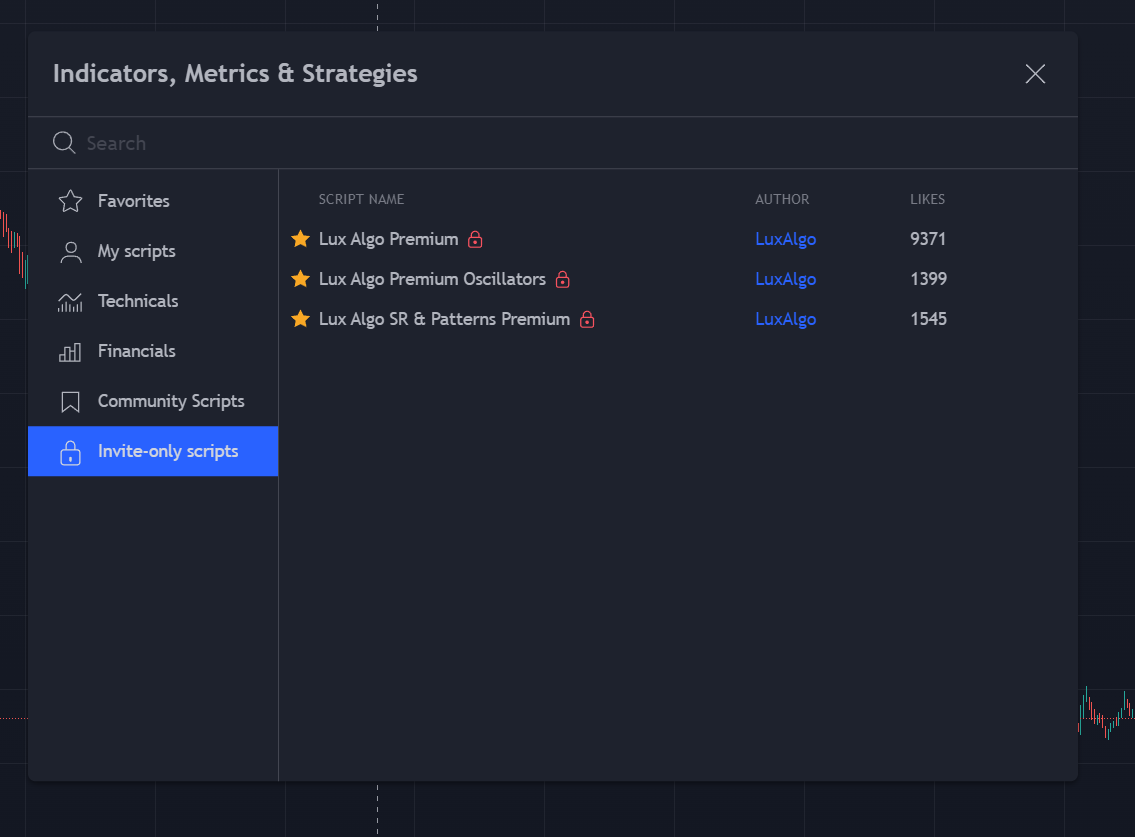
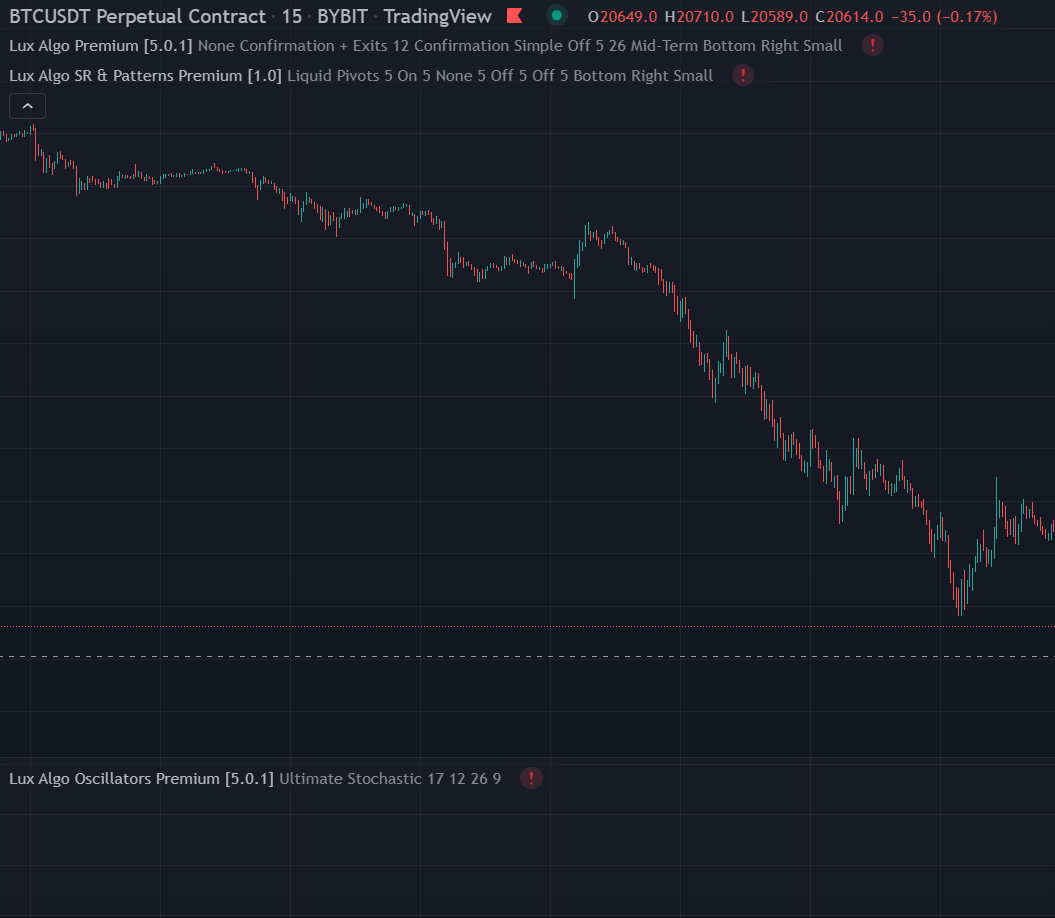
 acoustic arrow
How do we update our info on lux
shy relic
acoustic arrow
How do we update our info on lux
do you need to change your tradingview username for access?
acoustic arrow
No update card info
nocturne rune
sudden fjord
Try using something like an ATR to find its approx. rang, and set a TP & SL base...
Thank you for your feedback. When you mention ATR you mean Average True Range?
shy relic
acoustic arrow
No update card info
go into manage account and manage/billing account info 🙂

 deep dock
 slim root
Kinda looks good to me, now you have to create and study your personal strategy and only take one or a few of these signals. Cant take them all blindly though....
ie, take the signals going in the direction of a higher time frame? etc
 violet blaze
slim root
Guys my Lux is giving me a lot of false signals
violet blaze
slim root
Guys my Lux is giving me a lot of false signals
Go to higher timeframe
slim root
But i am an intraday trader
deep dock
slim root
Mickey can you pls explain me pivot osclator
Im sure someone else would help with the pivot osc, as im no expert in that indicator....
deep dock
What does the 1HR chart look like? It should make this more clearer for you
brave flower
what is the optimal setting for these patterns? higher timeframe lower number or other way around?
 shy relic
brave flower
what is the optimal setting for these patterns? higher timeframe lower number or...
shy relic
brave flower
what is the optimal setting for these patterns? higher timeframe lower number or...
for the SR & Patterns the best settings would bde determined by the user, if you trade longer term trends then use higher settings 🙂 they are easier to adjust since they are all in a 1-10 range
shy relic
slim root
Guys my Lux is giving me a lot of false signals
you can limit them by changing the settings, optibot or the recommended sensitivity in the channel will help you determine which are the best settings, you can also manually adjust them, see https://docs.luxalgo.com/lux-algo-premium-indicators/lux-algo/signal-settings 🙂
This page showcases every way users can adjust settings along with full explanations of how they differentiate from each other.
 fiery mica
hello, the crosses are no longer colored in blue and red, how can I solve?
shy relic
fiery mica
hello, the crosses are no longer colored in blue and red, how can I solve?
which crosses?
the ones for the legacy oscillator?
 whole wren
More of a TradingView question, but I have reached the saved chart layout limit on my account. How do I delete a chart layout entirely?
shy relic
whole wren
More of a TradingView question, but I have reached the saved chart layout limit ...
load a layout (this can be done by simply typing .) and click on the cross associated with the layout you want to remove 🙂
 shy relic
 solid lagoon
Hi! Could you please open an access at TradingView?
solid lagoon
Hi! Could you please open an access at TradingView?
Hi 🙂 if you linked your tv username to the lux indicators trough the confirmation mail then you should have access, refresh the chart and see in your invite only scripts
grizzled lagoon
I am trying to make any sense of the "Nadaraya Watson Estimator" but I can't make any sense out of it.
it modifies the marks from 4-5 bars behind, I find it totally unreliable borderline bullshit; when you look at it backward 10-30 bars it looks very accurate but in reality it is modifying the history of its signals making them look great but it did not signaled them in real time... why is doing that and how am I supposed to use it?
is there any good documentation about it that explains how is supposed to be used?
formal patrol
Any option to change the Neo Cloud colors?
 hallow mirage
Hello, how to identify there will be upcoming cryto who will jump more than 30-50%? How we can identify this earlier like 10-15 minutes before
indigo cradle
grizzled lagoon
I am trying to make any sense of the "Nadaraya Watson Estimator" but I can't mak...
Before using any indicator reading the description of the script is important
Just because an indicator repaints doesn't mean it's useless
It can sti be used for real time trading
indigo cradle
formal patrol
Any option to change the Neo Cloud colors?
Sadly not really for now
indigo cradle
hallow mirage
Hello, how to identify there will be upcoming cryto who will jump more than 30-5...
30-50 is quite a wild jump 😳 predicting that is basically impossible sadly
However you could use institutional activity
hallow mirage
Btc is down
Buy buy buy
I repeat, btc is down. Buy now guys
This is related with the question that I just asked
Really happening
😋
sudden fjord
nocturne rune
Thank you for your feedback. When you mention ATR you mean Average True Range?
Yes, the ATR can be used to help calculate a SL & TP default settings are 14, I use 10 but to be honest there is not much in it for default should be ok
sudden fjord
slim root
not being rude but how on earth can you read that chart. K.I.S.S (Keep It Simple Stupid) having so much going on is organised chaos! in my opinion, adding more and more indicators to a chart will not improve your strategy.
sudden fjord
grizzled lagoon
I am trying to make any sense of the "Nadaraya Watson Estimator" but I can't mak...
Just to let you know this does re-paint as it creates new highs and lows in real time DO NOT! use this as signals for buy and sell. In TV, go to the indicator and there should be read more next to it, click it and it will take you to the info. This indicator is designed to re-paint but used the right way can help
indigo cradle
Spot on 😎

TradingView
Technical indicators are characterized by processing historical data, in a causal real world and for the sake of our analysis, we would expect indicators historical outputs to remain the same right? Well, we will see that this is not always the case, and that certain indicators can change appearance.
- Repainting Indicators
In Technical analy...
We wrote this article to explain 👍
sudden fjord
I've seen lots of questions about the Nadaraya Watson Envelope. This repaints as it should do in order to create highs and lows in real time. DO NOT using it for buy and sell its not designed for that
I have just placed it on a 1H TF along with Lux Algo Premium and straight away I see an opportunity on how you can use it to trade!
I think its self explanatory, but maybe play around with the setting for the bandwidth and multiplier on the Nadaraya Watson Envelope
and see how things look
I have not testing this, I am not saying its works all the time but within seconds of putting it on a chart i see it has potential, so much so I may even spend some time working with it to create a strategy
Hope this helps!
 sudden fjord
I have a question. is there a way to display strong buys and sell only and not see standard buy and sells. I know there is an option in the alerts but im not looking to set up alerts in TV i just want to see them on the chart. Any help would be appreciated thanks!
indigo cradle
sudden fjord
I have a question. is there a way to display strong buys and sell only and not s...
There are 😎
Go to style settings
And untick them 🤝
sudden fjord
there is only any alert function calls settings options on where you can can select or de select buy and sell etc but thats for alters on TV
sudden fjord
oh FFS.... Sorry my bad of course thank you im a twat!! 🙂
fickle crane
whats the settings to get an alert when this cross or turn to red?🤭 thank you
 jaunty perch
select Algo premium oscilator and seleect MACD Cross value
 thorny fog
Hi, i just joined vip, but the "invite only scripts" has not appear yet. Can i get some help? Thanks
thorny fog
Noted, i'll try logging out
It has appeared. Thanks for the help! :)
Btw is there any tutorial for people who just joined vip on how to read the 3 indicators? Thanks
sudden fjord
thorny fog
Btw is there any tutorial for people who just joined vip on how to read the 3 in...
yes. do you have access to the lux algo docs
im not sure if i can post a link in discord, not sure it will allow me to if not i will try someone that you can understand
docs . luxalgo . com
try that it should take you to the help section
thorny fog
Noted, thanks man
fickle crane
jaunty perch
select Algo premium oscilator and seleect MACD Cross value
is this correct?

or which one should i choose
 west root
It is better to use Jap candles with Lux? Is using Lux with Heikin Ashi advisable?
sudden fjord
Heikin Ashi just a different way to calculate candle price. if you notice the candle on Heikan Ashi closes and opens in the middle, the traditional candles open and close at the top and bottom i dont see why you cant use either.
the HA candle will effect your profit and show slightly different to the traditional candles so keep that in mind
west root
I saw Gecko mentioning in one of the threads that to match scanner defaults, we should use default settings and default candles.
sudden fjord
let me check on a chart if HA affects the signals etc, give me a moment
Nope, using HA does not affect the signals as i thought
as i said HA is just another way to calculate the candle price, which is why the profit using HA will be slightly different to traditional candles. HA is a smoothing version of the traditional candle is the way i look at it
indigo cradle
west root
It is better to use Jap candles with Lux? Is using Lux with Heikin Ashi advisabl...
You can use either 🤝
Whichever you prefer
west root
sudden fjord
as i said HA is just another way to calculate the candle price, which is why the...
Thank you. Someone using optibot asked if he should use normal candle or heikin ashi. Alex mentioned that "optibot use regular closing prices." Hope to have more clarification about HA with regards to signals and optibot. #🤝support message
indigo cradle
!visible
jaunty perch
Our Discord Market Scanner alerts all use the following:
- Default Lux Algo (V4 inputs).
- Normal trading hours (no extended hours)
- Main exchanges / brokers such as NASDAQ / TVC / FXCM / OANDA / COINBASE / BINANCE
If you have created your own, custom TradingView alerts, be aware they are set per the exact settings you had at the time you set those alert(s).
indigo cradle
fickle crane
is this correct?
That's ok 🤝
sudden fjord
no offence to Lux but I have turned the candle colouring off, find it easier to read the chart without it 🙂 been looking at charts since this morning and its easier on the mince pies looking at the standard candles 🙂
jaunty perch
@sudden fjord same for me ... it depends on some people someone like colored candlestikcs someone are just used to normal oldschool ones...
indigo cradle
sudden fjord
no offence to Lux but I have turned the candle colouring off, find it easier to ...
None taken 😅
That's why we let you turn them off 😏
 vale holly
@sudden fjord agree with your views😊
deep python
hey guys, any one has this problem ?

I don't have options to choose from when creating alerts for the Lux Oscillator
indigo cradle
Chose what? 😳
deep python
like this

its supposed to have the type of oscillator to choose from
mine doesn't have that option
nvm, I solved it
 cosmic imp
Before version 5, I remember we had a volume profile that we could choose as SR mode. I showed where institions where buying/selling. It was in the Lux Algo Premium
I am struggling to find now, what happend to it?
indigo cradle
cosmic imp
Before version 5, I remember we had a volume profile that we could choose as SR ...
This was changed to the Lux Profile
As found in indicator overlay
cosmic imp
indigo cradle
This was changed to the Lux Profile
aha
deep python
is it a known bug for when style changing doesn't stick ?
like when I change the Trend Tracer to line, instead of the cross, if I change something, it will revert back to cross.
indigo cradle
This would just be because you're not saving your chart layout
So when you refresh or revisit
It loads old
deep python
no I mean. ... I changed the Trend Tracer to line, then go back to input tab, change something else, then the Trend Tracer immediately goes back to cross
indigo cradle
Very odd but it really shouldn't.. try remove and re-add
jaunty perch
indigo cradle
Very odd but it really shouldn't.. try remove and re-add
Hey admin, the trend tracer shape issue as mentioned above is consistent and never goes away no matter if I save settings as default or re-add the indicator, whenever I touch other settings within the indicator the trend tracer changes back from line to cross. Could you please look into it? Also it would be awesome if you could add candle coloring alarm function to the main indicator. thanks
indigo cradle
jaunty perch
Hey admin, the trend tracer shape issue as mentioned above is consistent and nev...
errrr will take a look 🙂
Oh I see it
Interesting; will get back to you both on this
Never seen this before
deep python
jaunty perch
Hey admin, the trend tracer shape issue as mentioned above is consistent and nev...
Oh god, I thought I was going crazy, finally someone with the same issue.
deep python
indigo cradle
Interesting; will get back to you both on this
thanks man
indigo cradle
We are quite sure it's a TV bug but we will try to see what we can do
 sacred otter
Hello, just bought the Lux algo but i couldnt get activated on my tradingview
deep python
sacred otter
Hello, just bought the Lux algo but i couldnt get activated on my tradingview
you have to wait at least a few hours
sacred otter
ooooh ok
indigo cradle
No no
No need to wait a few hours
Have you connected your username?
Via your connect accounts page?
If so: refresh TradingView ☺️
Instant access

 lusty schooner
hello, on which coins does the indicator work efficiently?
cosmic imp
In Lux Algo Oscialtor Advanced, can someone explain to me why it shows different institunional activity based on different time frame?
feral lava
cosmic imp
In Lux Algo Oscialtor Advanced, can someone explain to me why it shows different...
it’s an estimate based on the given volume & other factors so it can vary throughout different timeframes as there is different data in each 🙂
you can read more on it here: https://docs.luxalgo.com/lux-algo-premium-indicators/lux-oscillator-premium/advanced#institutional-movement
The Advanced Oscillator type aims to return various actionable information to the trader, including adaptive trend/cycle estimation, automatic and real-time divergences detection, as well as an estimate of institutional activity.
west root
Between optibot and autopilot, which is more recommended? Assuming I don't change between timeframe and just stick to one currency and 1 timeframe like 5m. Is using optibot5m for that currency better or autopilot?
feral lava
!settings
jaunty perch
Everything you need to know on optimizing signal settings: https://docs.luxalgo.com/lux-algo-premium-indicators/lux-algo/signal-settings
This page showcases every way users can adjust settings along with full explanations of how they differentiate from each other.
feral lava
^ fully covered differences here, it’s mostly all personal preference
west root
feral lava
^ fully covered differences here, it’s mostly all personal preference
Thank you
 tame spindle
I had a question about optibot's SPX settings applied to SPY: Are they still applicable, even if SPY is just (SPX/10)?
sudden fjord
Morning all. I think i know the answer to this question but i'm going to ask anyway with regards to OptiBot is there a way to auto update the best optibot setting or do we have to manually keep adding them? i want the best setting for 15m GBP/USD so is there a way to pull them in on auto?
indigo cradle
sudden fjord
Morning all. I think i know the answer to this question but i'm going to ask any...
Sadly for now it has to be manual
indigo cradle
tame spindle
I had a question about optibot's SPX settings applied to SPY: Are they still app...
They can be yep 👍
sudden fjord
not a problem maybe something they can look into for future releases
also have another question is it possible to setup a strategy room within discord so people can talk strategy only and post ideas to share etc. rather than trying to do it on the main rooms and it get lost and cluttered. hopefully that makes sense.
indigo cradle
sudden fjord
not a problem maybe something they can look into for future releases
For now it's a pinescript limitation 😔
sudden fjord
indigo cradle
For now it's a pinescript limitation 😔
not a worry
indigo cradle
sudden fjord
also have another question is it possible to setup a strategy room within discor...
The issue is it'd turn into a giant mess. People rarely keep to server and channel structures. Someone would post something; then there would be 1000 questions, and unrealted chatter
sudden fjord
yes i see what you mean. unless there is a way to mod the room and make the rules clear. but i see what you mean with the chatter etc
its just that I have an FX idea that I want to share and see if others can improve on it or get some general feedback so is it ok to post it in the FX chat room?
indigo cradle
Yep the FX chat room word make the most sense for now 👍
sudden fjord
ok cool thank you "G"
 indigo cradle
 undone phoenix
<@456590452703887373> the new indicator is not appearing on the chart and says t...
undone phoenix
<@456590452703887373> the new indicator is not appearing on the chart and says t...
Which new indicator?
Oh I see
undone phoenix
PEAK ACTIVITY LEVEL
indigo cradle
Will look into this 🤝👍
undone phoenix
Thx for your support.
undone phoenix
Which market ?
 undone phoenix

 vast torrent
question on the dashboard, the Trend Strength is for the chart time frame, right? cause it is not the same on my 10 mins and hourly chart
indigo cradle
vast torrent
question on the dashboard, the Trend Strength is for the chart time frame, right...
Yep it will be for the timeframe you have loaded 👍🤝
vast torrent
so if TMF 1hr is RED, the trend strength is 47%, that's mean it is a down trend of 47%, medium strength downtrend, am I correct?
vast torrent
sorry MTF
indigo cradle
If the MTS is all red and it's 47% yep that's a medium strength downtrend 🤝
vast torrent
MTF on the dashboard
jaunty perch
To update Lux Algo Premium indicators, refresh your browser/app, remove the indicator from your chart, and then add it back to your chart + save your chart layout on TradingView.
Full guide: https://docs.luxalgo.com/lux-algo-premium-indicators/how-to-update
Learn how to update your Lux Algo Premium indicators to the newest version. Refresh, remove & re-add the indicators to your chart.
vast torrent
oops, mine is still MTF, let me update it later, but one last question, how come MTF not the same on my 15 and 1 hr chart? because of the sensitivity/agility settings not the same?
15 mins MTF showing all red for all timeframe, while 2 red/2 green on 1 hr chart. The settings are not the same since I copied them from the optibot
indigo cradle
This would have all changed in MTS 🤝👍
vast torrent
great, let me update it now and check it out again! Thanks!!!
vast torrent
once I removed and added back the updated the Lux algo, I need to redo all the settings?
indigo cradle
You will do unfortunately 👍
sudden fjord
vast torrent
once I removed and added back the updated the Lux algo, I need to redo all the s...
did you know once you have set the settings you want you can save them as default so if you remove and re add it will use your saved settings
saves time keep re setting them
vast torrent
oh, thanks for the tips, BrettLK! I am new to TV, thanks a lot!
sudden fjord
vast torrent
oh, thanks for the tips, BrettLK! I am new to TV, thanks a lot!
Your welcome!

set each indicator up as you like it then down the bottom just select save as default!
this can be done on all indicators
shy relic
undone phoenix
<@456590452703887373> the new indicator is not appearing on the chart and says t...
The Peak Activity Levels will only work on a ticker that has volume data, nifty50 does not, hope this helps 🙂
undone phoenix
shy relic
The Peak Activity Levels will only work on a ticker that has volume data, nifty5...
It only work on BTC, doesn't work on FOREX...see....


 shy relic
@undone phoenix its working fine on forex for me, can you let me know the data source used? is it fxcm? oanda?

 shy relic
undone phoenix
It's FOREX.COM
shy relic
undone phoenix
It's FOREX.COM
then its normal, this source does not include volume, use another one such as oanda if possible 🙂


 west prawn
Hi! Is there any way that I can automatically forward the new messages of discord scanners to another application? (I am aware of TradingView alerts)
 summer nebula
Hi I was using the strategy on geckos channel entering a long position when the legacy oscillator was above 50. Since the update there is not such thing what would be the substitute for that? Rsi over 50?
 worn marlin
Hello guys, need help i activated the alerts however im not receiving the alerts or the notifications of the signals
 indigo cradle
summer nebula
Hi I was using the strategy on geckos channel entering a long position when the ...
indigo cradle
summer nebula
Hi I was using the strategy on geckos channel entering a long position when the ...
It's still the same no?
indigo cradle
west prawn
Hi! Is there any way that I can *automatically* forward the new messages of disc...
Maybe using some scrapping tools
But not really simply
indigo cradle
worn marlin
Hello guys, need help i activated the alerts however im not receiving the alerts...
Have you actually created the alert?
Or just ticked the options?
worn marlin
indigo cradle
Or just ticked the options?
I just ticked
What exactly i have to do to turn on only the (buy, strong buy, sell, strong sell) for 15 mins chart
indigo cradle

This is a tutorial on how to use our brand new all-in-one alerts system within the main Lux Algo Premium indicator on TradingView. This makes it easier for users with the free TradingView membership to get multiple specific conditions in one alert.
See the guide on our docs: https://docs.luxalgo.com/lux-algo-premium-indicators/lux-algo/alerts#...
See this step by step
summer nebula
indigo cradle
It's still the same no?
Back then we had the selection of normalized oscillator and smoothing method lux which was clearly seen it was below or above 50 mark. Maybe substitute would be ultimate stochastic above 50 mark? I'm new to oscillators therefore couldn't decide
indigo cradle
They are the same thing 🤝
Just new name
And normalized oscillator can now be found in #🆕new-indicators