#🤝support
1 messages · Page 251 of 1
 gleaming shuttle
 ornate condor
Does the autopilot also drive settings for Oscillator?
 indigo cradle
It will not no; just signals
ornate condor
ok, cheers
 edgy hollow
hello friends, I set "Auto pilot confirmation" and I don't know which option to choose on the TV alerts settings to match what I see now on the charts

some signals say just BUY/SELL and STRONG
which of all these corresponds to auto pilot confirmation on the charts?

sorry for my english and thank you
indigo cradle
Any Confirmation Buy 🙂
 vapid river
Does anyone happen to have a working example of JSON webhook that they use to post into discord? I tried this but I can't see anything else aside from the content field
"content": "Alerts",
"ticker": "{{ticker}}",
"exchange": "{{exchange}}",
"interval": "{{interval}}",
"date": "{{date}}",
"timenow": "{{timenow}}",
"time": "{{time}}",
"buy": "{{plot('Buy ')}}",
"strong_buy": "{{plot('Strong Buy ')}}",
"sell": "{{plot('Sell ')}}",
"strong_sell": "{{plot('Strong Sell ')}}",
"exit_buy": "{{plot('Exit Buy ')}}",
"exit_sell": "{{plot('Exit Sell ')}}",
"trend_tracer": "{{plot('Trend Tracer ')}}",
"trend_catcher": "{{plot('Trend Catcher ')}}"
}``` formal kite
Tv screen kind of frozen after 10-15 min . I need to refresh to make it works. How to fix this issue?
If no laxalgo indicator no freezing screen.
edgy hollow
indigo cradle
Any Confirmation Buy 🙂
and which of the tv signals settings correspond to BUY and SELL signals?
 wise crown
Using TradingView connected to TradeStation, is there a way to trade options?
Using TradingView, is there a way to set a trailing stop?
 foggy nimbus
Anyone know on TradingView what the "Extra Market Data" get you for 2,3,5 $ per month etc?
Is it just more historical data?
Didn't know if anyone knows? I didnt see any details on there site or app on this, but I am guessing its just historical data

 thorny lark
foggy nimbus
Anyone know on TradingView what the "Extra Market Data" get you for 2,3,5 $ per ...
thorny lark
foggy nimbus
Anyone know on TradingView what the "Extra Market Data" get you for 2,3,5 $ per ...

TradingView
Where the world charts, chats and trades markets. We're a supercharged super-charting platform and social network for traders and investors. Free to sign up.
 karmic tinsel
How to use LUX oscillator any guide for it?
 shy relic
karmic tinsel
How to use LUX oscillator any guide for it?
shy relic
karmic tinsel
How to use LUX oscillator any guide for it?
Features
karmic tinsel
shy relic
https://docs.luxalgo.com/lux-algo-premium-indicators/lux-oscillator-premium
I am getting page not found for Legacy: https://docs.luxalgo.com/lux-algo-premium-indicators/lux-oscillator-premium/lux-oscillator-premium/legacy
 gritty dove
What is the different between confirmation BUY and strong buy and buy turn strong?

 thorny pebble
I can't get the correct setting of sensitivity / agility for ada/busd 15min interval for exemple ! any idea ? (it's my first configuration cuz I'm new lifetime user)
gritty dove
gritty dove
What is the different between confirmation BUY and strong buy and buy turn stro...
is there some where i can look this up..?
shy relic
karmic tinsel
I am getting page not found for Legacy: https://docs.luxalgo.com/lux-algo-premiu...
The Legacy Oscillator type is an additional normalized oscillator that combines the earliness of a stochastic whilst using the accuracy of moving averages.
shy relic
gritty dove
What is the different between confirmation BUY and strong buy and buy turn stro...
a confirmation buy is indicative of an uptrend, a strong buy is the same but the signal occur in accordance with a pre established uptrend, a normal turn strong signal occurs when an active buy signal turn strong (candle color switch from purple to green), see https://docs.luxalgo.com/lux-algo-premium-indicators/lux-algo/signals for more info
Type Of Signals - Confirmation - Contrarian - Display
shy relic
thorny pebble
I can't get the correct setting of sensitivity / agility for ada/busd 15min inte...
you can check ADAUSD on #797529919499272224 for recommended settings, if no automatic adjustement fit what you are looking for see https://docs.luxalgo.com/lux-algo-premium-indicators/lux-algo/signal-settings#manual-adjustments-1
This page showcases every way users can adjust settings along with full explanations of how they differentiate from each other.
thorny pebble
shy relic
you can check ADAUSD on <#797529919499272224> for recommended settings, if no au...
I tried this adjustment but doesn't apear correct, 36 / 38 .
do you recommend a big interval in tradingview for Luxalgo for better results (for daily trading )?
shy relic
thorny pebble
I tried this adjustment but doesn't apear correct, 36 / 38 .
do you recommend a ...
The optimal settings can vary depending on your trading style, so if you want to trade shorter term variations you might want to use lower settings. Note that optibot perform an optimization over 1000 bars, so if you are looking for a specific optimization over more recent candles then you might want to use manual adjustements, starting with the default settings and working from there would be what I would recommend in your case.
thorny pebble
shy relic
The optimal settings can vary depending on your trading style, so if you want to...
thank you for the clarification
 ocean river
Is it possible to get refund ?
I forgot to cancel my subscription. My previous subscription ended just now and I got reminded by email. xD
 jaunty perch
Click Manage Account here: https://luxalgo.com
Or email support@luxalgo.com and our team will assist you with any request the same day.

Enhance your trading experience with our premium technical indicator suite + bots for stocks, forex, futures, currencies & commodities markets.
 wraith summit
#🤝support I purchased lux algo I got approved for discord and logged in but still I can’t get access to TradingView my I’d naveenraaj17
jaunty perch
everytime there is a new 5 minute candle my lux algo gets an error
 edgy hollow
hello friends, I'm using "auto pilot confirmation" and I'm very confused about which one of all these settings on TV alerts corresponds with STRONG (BUY), STRONG (SELL) and simple BUY or SELL?

I want to receive ALL this signals, thank you
 indigo cradle
wraith summit
<#702685056736559124> I purchased lux algo I got approved for discord and logged...
indigo cradle
wraith summit
<#702685056736559124> I purchased lux algo I got approved for discord and logged...
Give support@luxalgo.com an email and they can see to this
indigo cradle
edgy hollow
hello friends, I'm using "auto pilot confirmation" and I'm very confused about w...
Any confirmation
indigo cradle
 green scarab
<#702685056736559124> what are the optimal settings for the daily charts for BTC...
green scarab
<#702685056736559124> what are the optimal settings for the daily charts for BTC...
You can see optibot channels for this🤝
edgy hollow
indigo cradle
Any confirmation
Any Confirmation is only triggering for STRONG signals... not for simple BUY and SELL
I just want to open a position buy or sell and then close it with the next signal
indigo cradle
edgy hollow
Any Confirmation is only triggering for STRONG signals... not for simple BUY and...
It will trigger for both
edgy hollow
indigo cradle
It will trigger for both
ok, I'm going to try again thank you!
 half smelt
apologize for the stupid question but what do the Red/Blue X's mean?
 simple wave
Take profit/exit position
half smelt
and the colors?
green scarab
indigo cradle
You can see optibot channels for this🤝
I meant optimal settings for higher time period, like 1 day
jaunty perch
Everything you need to know on optimizing signal settings: https://docs.luxalgo.com/lux-algo-premium-indicators/lux-algo/signal-settings
This page showcases every way users can adjust settings along with full explanations of how they differentiate from each other.
green scarab
👍
vapid river
vapid river
Does anyone happen to have a working example of JSON webhook that they use to po...
Any ideas on this topic? I'm getting a lot of alerts because i have 14 stocks im watching and it's not manageable via email and email to SMS is very delayed. The mobile app for TV isn't the best. too many menus to go through
 carmine zodiac
question: Why is the MTF 1h value on the daily chart green, but when switching to the daily chart the MTF value of 1h is red and the last signal was sell?
btc/usd btw
green scarab
!strategies
jaunty perch
Find our full trading strategies playlist on YouTube: https://www.youtube.com/watch?v=xezy6WGpZ8Y&list=PLbqCXsOfrM3MjO7q7uIiwoVq3evI4neQr

New: How to find the best settings: https://www.youtube.com/watch?v=wkruvBBeXn8&t
Usability Tips: https://www.youtube.com/watch?v=5wtdY51crnc
Get instant access to use on any chart: https://luxalgo.com
 ionic rampart
hey, were do i find the referral code for my affeliate?
 feral lava
login at https://luxalgo.com/affiliates @ionic rampart
Create an income sharing the best tools.
ionic rampart
but the reffered doesn't get a code for a price reduction?
feral lava
No sorry it’s just an affiliate link you can send to anyone or share @ionic rampart
 golden pollen
What does the red X mean?
feral lava
It’s an exit signal, can help with taking profits
gritty dove
Whats the differents "any conformation buy" and conformation buy?
need the signal for my bot
 obsidian summit
Can anyone advise on how to remove the green and yellow dots please!!
 indigo cradle
!placeholders
 night beaconBOT
Placeholders For TradingView are shown below:
Placeholders for TradingView
"ticker":"{{ticker}}"
"exchange":"{{exchange}}"
"interval":"{{interval}}"
"timenow":"{{timenow}}"
"buy":"{{plot("Buy")}}"
"strong_buy":"{{plot("Strong Buy")}}"
"sell":"{{plot("Sell")}}"
"strong_sell":"{{plot("Strong Sell")}}"
"exit_buy":"{{plot("Exit Buy")}}"
"exit_sell":"{{plot("Exit Sell")}}"
These can be used in the message field of TradingView however cannot be used in all in one alerts.
 north dirge
thanks a lot
indigo cradle
gritty dove
Whats the differents "any conformation buy" and conformation buy?
Any confirmation buy is just for normal buys
 slow crane
Where do I find the server notification control that allows me to select mobile push notifications?
north dirge
indigo cradle
Any confirmation buy is just for normal buys
thank you
 cold wedge
@indigo cradle I'm using autopilot + alerts to fire automated trades. If I turn on heiken ashi on my display, that won't affect autopilot will it? Or will it affect when buy/sell signals fire?
indigo cradle
It will impact where they fire
Since they have different close values
So will impact all indicators
Oh but it won't impact your set alerts
cold wedge
if i when i create the alert, if I'm using regular candles, doesn't autopilot use the settings at that the time of alert creation?
I'll have 2-3 different charts on BTC open at any given point, I was assuming that the alert settings (regular candles, etc.) are static.
(that it would be safe to switch to HA candles to do some TA)
cold wedge
Ok, so it is safe to switch to HA, or change the candle mode AFTER the alert is set without impacting when the autopilot signals fire correct?
indigo cradle
It is yes 😄
cold wedge
ok thanks!
 spice palm
OPB and OPBC. I pay attention to both of those. I use autopilot. And ever since the option of long/mid/short term was added to autopilot frequency, I've noticed a deluge of OPBs that flash and vanish. Am I correct that OPBs are now more likely?
indigo cradle
That change didn't change how AP works so long term AP would be totally identical
spice palm
experience shows otherwise but I must be wrong.... thanks.
wait minute .... "long term AP would be totally identical" ... identical to what?
you mean the AP effects BEFORE the l/m/s was added?
indigo cradle
Correct yep
Long term AP is the old one
We just added in the options for med/short
 round pelican
Are you guys gonna ever take care of the bot spam we get from this server?
Its actually ridiculous how many NFT things I get
All from members of this server
indigo cradle
We've taken as many protection methods as possible but sadly it's a discord crazy issue
round pelican
Ture
indigo cradle
Discord just refuse to patch this
round pelican
True
round pelican
Forgot I can do that, but what if some famous prince from Nigeria wants to contact me?
indigo cradle
😉 Then you're outta luck
spice palm
where can I find a descripiton of that Short/Mid/Long setting? I've looked on website and can't find anything
indigo cradle
This page showcases every way users can adjust settings along with full explanations of how they differentiate from each other.
spice palm
yeah, that's what I found. That does not describe the differences between the 3 choices.
By the way, when was that feature added?
indigo cradle

It will just adjust the frequency of the signals displayed there
Was added last week
spice palm
right but what is the defintion of short mid and long? It seems that a feature was added that has no benefit (sorry to be blunt)
we just had 4 days with 13 (thirteen!) OPB signals. 4 of those signals were followed by OPBC. That's 9 flash and vanish. That has never occurred before ... and I've been using Lux for quite a while.
Prior to that enhancement, I was successfully using OPB signals to open and close trades. Now, it's f'd.
 dapper thorn
In terms of getting the most accurate Buy/Sell signals possible, does it matter which of the many different BTCUSD (or BTCUSDT) charts that I look at? Or will they all give exactly the same signals?
spice palm
I suggest you use the chart from the exchange that you're using. I've noticed that signals are different on the BTCUSD on Bybit versus that on Binance.
 brittle kestrel
Can anyone help me understand why my candle coloring on my cell phone vs desktop is different?
dapper thorn
spice palm
I suggest you use the chart from the exchange that you're using. I've noticed th...
Thanks man, makes sense. Say for example with Coinbase, would it matter if I use the BTCUSDT or the BTCUSD?
spice palm
well, what are you trading on Coinbase? use that one.
I trade on bybit and the leveraged contracts are BTCUSD and the nonleveraged contracts are BTCUSDT. So I use BTCUSD Inverse Perpetual. and the symbol I use in Trading View is BTCUSD Perpetual Contract Bybit
dapper thorn
spice palm
I trade on bybit and the leveraged contracts are BTCUSD and the nonleveraged con...
Thanks 👌
spice palm
can I go back in history in terms of a version of Lux Algo premium? I mean, can I load up version 4.2 instead of 4.3? I may be wrong in terms of the 4.3 update changing the frequency of the OPB signals. And I don't want to bitch about something that is totally untrue (!). Please let me know if I can regress in version.
north dirge
do you have Comparative Relative Strength with BTC?
indigo cradle
spice palm
can I go back in history in terms of a version of Lux Algo premium? I mean, can...
You can't go back but it's totally totally identical
Long term autopilot is the same
carmine zodiac
When using S/R Mode Breakout zones. And the chart is under a green zone. Can this green zone then be considered as resistance?
indigo cradle
It can be yes 👍
 vital oriole
Does the Contrarian option follow autopilot and Autopilot Frequency ?
shy relic
vital oriole
Does the Contrarian option follow autopilot and Autopilot Frequency ?
no, contrarian signals are only based on the sensitivity setting
vital oriole
thanks
 gusty acorn
in setting optimizer Commodities for some coines . where can i find it for another coines ?
 granite kraken
Hello, is there any way i can set alerts for strong buy/sell on any coin
And get notification on discord
Also i have been facing a problem, i get alert that alt 4hr strong buy strong sell but when i check over my telegram i do not find those
Also what are these crosses i see, blue red green crosses
What is (any alerts)in settings?
 strange token
Do you have an account on Tradingview? You could just change the settings in there to send you an alert when the strong buy strong sell signals happen.
granite kraken
I have account on Trading view but its free one
I want reminder on discord for stong buy sell
Like alert is there anyway
shy relic
gusty acorn
in setting optimizer Commodities for some coines . where can i find it for anoth...
if a coin is not available in optibot you can eventually request for it to be added or alternatively use the recommended sensitivity in the dashboard who works for any coin available on tradingview.
shy relic
granite kraken
Hello, is there any way i can set alerts for strong buy/sell on any coin
Yep, see https://docs.luxalgo.com/lux-algo-premium-indicators/setting-up-alerts-on-tradingview, alerts for strong confirmation signals are builtins in the indicator. To have an alert be sent on discord see https://www.tradingview.com/support/solutions/43000529625-i-cannot-send-webhooks-to-discord/, hope this helps.
shy relic
granite kraken
Also what are these crosses i see, blue red green crosses
exits signals
edgy hollow
hello friends, I keep having this issue with TV Alerts, the indicator is on AUTOPILOT and for example I have two alerts, one long and one short and as suggested by you, I chose "Any confirmation Buy/Sell" and it won't still trigger.


I need to receive ALL the signals on the chart no matter strong or buy/sell
 paper dragon
Hello admins, I have a question regarding the sensitivity settings shown on the chart. If I leave the charts open for 24 hours, the next day I get a certain number on sensitivity. But If I close the Lux Algo, reopen it , the sensitivity changes drastically . Any idea why is that ?
indigo cradle
edgy hollow
I need to receive ALL the signals on the chart no matter strong or buy/sell
Try using the all in one alerts 👍
indigo cradle
paper dragon
Hello admins, I have a question regarding the sensitivity settings shown on the ...
Do you have any example screenshot?
paper dragon
Nope. I will see tomorrow if it is the same case and send you screenshots.
 lusty mantle
Hello I am new member and have a question
I am looking at the LGVN chart and it has last SELL signals but SL and TP are showing incorrect
indigo cradle
Do you have a screenshot?
The TPSL tool is for set ups
You need to manually change this
lusty mantle
 indigo cradle
If you're in a long position change it to a long TPSL
lusty mantle
where
lusty mantle
I mean to say it should be other direction TP should be in the bottom and SL should be in top
indigo cradle
Yes you should change this if you're in a short
lusty mantle
can you please provide me screenshot
I see it
so it has to be one or the other I can not have both
indigo cradle
You wouldn't really want to be both
lusty mantle
how do I get access to stock scanner channel alerts
indigo cradle
lusty mantle
I see that channel but how do i use it
indigo cradle
It will explain in there that you need to react to opt in ☺️
So you react then get access
lusty mantle
I am sorry so I click on 1 to get access to stock I did nothing happened
I got it thank you
golden pollen
Does red x and blue x mean the same thing?
 quick girder
New here! 👋 Is the optibot updated daily? The last msg I got from optibot15min is on 12th Jan 2021 or does this mean that these settings can still be applied today?
indigo cradle
quick girder
New here! 👋 Is the optibot updated daily? The last msg I got from optibot15min ...
I see it being the 1st December
indigo cradle
golden pollen
Does red x and blue x mean the same thing?
They are both exits ☺️
lusty mantle
whatis the difference between trend tracer and trend tracker means
 arctic oasis
Hi, is there any way to get the auto trendlines and the breakout zones to show at the same time pls?
lusty mantle
One more question is there any support and resistance lines can be added
indigo cradle
arctic oasis
Hi, is there any way to get the auto trendlines and the breakout zones to show a...
You'd need to load up 2 Lux Algo premiums to do that
arctic oasis
indigo cradle
You'd need to load up 2 Lux Algo premiums to do that
Thank you
indigo cradle
lusty mantle
whatis the difference between trend tracer and trend tracker means
Trend catcher aims to catch trends earlier and be predictive and trend tracer is more classical in its trend following
lusty mantle
is there any support and resistance lines can be added
indigo cradle
lusty mantle
is there any support and resistance lines can be added
Predictive Range - Predictive S/R - Trendlines
 brisk gull
i have just purchased the luxalgo but in my trading view it is not updated yet. it is still showing locked sign
quick girder
indigo cradle
I see it being the 1st December
sorry, read the date european style, it is 1st dec 🤦🏽♀️ So then does this mean that since 1st Dec the settings are the same? Like can these settings still be applied today?
north dirge
what's the mean?
 feral lava
Exit signal, can help with taking profits @north dirge
 forest junco
is there a way to add this to my discord like in the #crypto scanner
north dirge
feral lava
Exit signal, can help with taking profits <@800672944463282186>
I don't understand
feral lava
It’d an exit signal @north dirge which can help you take profits or exit a position
north dirge
thanks
 daring wedge
Hello, are there anyone can help me? i would like to know how alerts in lux algo works and if i can tell lux algo to push that alert to me via tradingview?
because i tried the alert settings in the lux algo options and nothing happens
indigo cradle
!alerts
jaunty perch
How to set up your own custom alerts in TradingView: https://docs.luxalgo.com/lux-algo-premium-indicators/setting-up-alerts-on-tradingview
Follow this guide for setting up your own custom alerts on TradingView.
 trail venture
is there a way to set up multiple s/r mode instead of one?
jaunty perch
Hi , one question guys for the premium oscililator advanced mode which timeframe it is recommanded to use ?
indigo cradle
The timeframes you trade really. Generally higher is easier
jaunty perch
Thanks
jaunty perch

When it touch the green line ( reversal ) it is good to buy ?
Is that correct ?
And when it touch the red good to sell ?
indigo cradle
It can be yes in a ranging market 👍
jaunty perch
Thanks for your answer im trying to get the best use of the lux algo premium package and try to make sure i get everything
 vivid shell
Hi, I just subscribed and I can't see the "invite-only scripts" in TV
 thorny lark
vivid shell
Hi, I just subscribed and I can't see the "invite-only scripts" in TV
thorny lark
vivid shell
Hi, I just subscribed and I can't see the "invite-only scripts" in TV
try refreshing the page
vivid shell
Yeah, I did that already
Oh actually, now they are showing
Ok, the sync with the account be lagging a bit
thanks !
 left cape
Hello,
How can i tell the abbreviation for each scanners shortcut. For the futures section
indigo cradle
The ticker?
left cape
Yes
I know that NQ1 is nasdaq but there are others i dont know like CL1 and others
I want to learn all if there is a possible refrence for that
indigo cradle
If you don't know what the ticker is you can Google any of them and have them explained 👍
Google knows the ticker and shows the chart
left cape
I did that got some of it. I am looking for the dax (germany30 but none showed that)
Will do google for the rest, if you can help me for the dax future let me know. Thanks
jaunty perch

12 h time frame if i believe this sign it is a buy signal
and we should see a reversal in the price ? Right ? what is the accuracy of the oscilator ?
the complete picks here

Thanks for your feedback guys
vivid shell
Hey, I subscribed this morning, it was working, I refreshed TV and now I don't have access anymore
 jaunty perch
hello, can anyone help me why the Dashboard on Lux Oscillator is missing?
feral lava
vivid shell
try hiding / unhiding the indicator and it should work
feral lava
jaunty perch
hello, can anyone help me why the Dashboard on Lux Oscillator is missing?
hey - it was removed last update due to being too confusing from user feedback
feral lava
jaunty perch
Thanks for your feedback guys
this can be a good indication especially as price has approached the reversal zones 🙂
vivid shell
I can't access them anymore at all
 jaunty perch
@feral lava Oh i see, does the Divergence real-time is really reliable?
feral lava
vivid shell
I can't access them anymore at all
Oh ok, this is odd - are you sure you’re in the same TradingView account? If so, email support@luxalgo.com and it’ll be fixed within 2-3 hours
vivid shell
Yes I didn't change my account, I've sent an email
 supple shore
Can someone tell me what the EQ cloud is tracking? Thanks
ionic rampart
hey, can u send me the LuxAlgo Logo in full resolution please?
for my referral add
 storm relic
Autopilot Frequency in Lux Algo Premium v4.3 how do i get that
feral lava
storm relic
Autopilot Frequency in Lux Algo Premium v4.3 how do i get that

How to adjust the autopilot frequency:
Make sure Autopilot confirmation signal settings is enabled, then go to Advanced Settings & select your Autopilot frequency of choice.

 Twitter
·
Twitter
·
See here
 fossil crest
how do i know when to use short or mid advance settings for autopilot?
feral lava
Based 100% on your trading style / preference, if you like to catch short term fluctuations, medium term trends, or long term swings
storm relic
feral lava
https://twitter.com/LuxAlgo/status/1467194759659806722?s=20
me Lux is 4.2.3
feral lava
!update
jaunty perch
To update Lux Algo Premium indicators, refresh your browser/app, remove the indicator from your chart, and then add it back to your chart + save your chart layout on TradingView.
Full guide: https://docs.luxalgo.com/lux-algo-premium-indicators/how-to-update
Included in this section is the best steps to receive & install updates for Lux Algo on TradingView.
 worldly radish
People who bought lifetime deal will have all future updates correct?
feral lava
Yep!
storm relic
ah ok thx man
storm relic
feral lava
Yep!
thx
feral lava
no prob 🙂
ionic rampart
will the alarms that I created earlier still listen to the old version or change to the updated?
worldly radish
I am a total newbie and a noob. Is there a video tutorial to best use it for a buy sell signal that is not going to let me buy high and sell low. My previous exp with a diff Brand was so bad.
ionic rampart
hey, can u send me the LuxAlgo Logo in full resolution please?
for my referral add
feral lava
ionic rampart
hey, can u send me the LuxAlgo Logo in full resolution please?
for my referral a...
sure no problem:)

 feral lava
worldly radish
I am a total newbie and a noob. Is there a video tutorial to best use it for a b...
feral lava
worldly radish
I am a total newbie and a noob. Is there a video tutorial to best use it for a b...
heyo! welcome, and yes indeed
!strategies
jaunty perch
Find our full trading strategies playlist on YouTube: https://www.youtube.com/watch?v=xezy6WGpZ8Y&list=PLbqCXsOfrM3MjO7q7uIiwoVq3evI4neQr
New: How to find the best settings: https://www.youtube.com/watch?v=wkruvBBeXn8&t
Usability Tips: https://www.youtube.com/watch?v=5wtdY51crnc
Get instant access to use on any chart: https://luxalgo.com
feral lava
ionic rampart
will the alarms that I created earlier still listen to the old version or change...
They won't need to be nope 🙂
 runic herald
I reacted 1 and 5 stocks and crypto, but only showing either stock or crypto. I used to have both together. How do I get both again?
 uncut axle
Hello, I have taken out a 4 month subscription and unfortunately did not get access to the indicators
how long does it take to access the indicator
feral lava
Hey @uncut axle answered in #💬hangout
Did you add your TradingView profile username into the Connect Accounts portal we sent you in the Subscription Confirmation email?
If so, it's instant:
How to setup the indicators on TradingView: https://docs.luxalgo.com/getting-started/setup-tradingview
TradingView.com --> Chart --> Indicators --> Invite-only scripts
If you entered the wrong username, email support@luxalgo.com with your TradingView username and you'll be added within 6 hours
Once you've signed up on our website and entered your active TradingView username within the "Connect Accounts" portal from your email, you will have instant access to use our indicators on the platform.
feral lava
runic herald
I reacted 1 and 5 stocks and crypto, but only showing either stock or crypto. I ...
Try unchecking and then reclicking 1/5

worked for me:)
fossil crest
feral lava
Based 100% on your trading style / preference, if you like to catch short term f...
how do we find definition on what would be mtf stf and ltf by the indicators?
feral lava
@jaunty perch please keep tips in chat, not DMs
fossil crest
I think long story short, the advance autopilot short, mid and long would be the fequent signals you want. If I choose short time I will see more printed signals versus Mid or Long
Speaking on add ons to the indicator, any chance we see at some point some sort of ATR+ and ATR- signals that signal extreme reversal ( ultimate top or ultimate bottom )
that could be amazing guys @feral lava
feral lava
fossil crest
how do we find definition on what would be mtf stf and ltf by the indicators?
It's basically just the price variations (or trends) you're looking to trade on any timeframe for selecting the short, medium, or long term
feral lava
fossil crest
Speaking on add ons to the indicator, any chance we see at some point some sort ...
We have Contrarian Signals Mode which can indicate Strong signals as well that go against the trend, but we will look into this!
thx for the feedback:)
fossil crest
I have both enabled, How can I see difference from the buy or sell bro?
Strong buy or Strong sell are Contrarian ?
 flat birch
Hello Admin, I'm trying to figure out how to download the optibot updates for 5 and 15 minutes. Can you point me in the right direction? I found them but not sure how to update. Thank you.
feral lava
fossil crest
I have both enabled, How can I see difference from the buy or sell bro?
You should see them appear naturally, they are a bit more uncommon than normal Contrarian buy/sell
feral lava
flat birch
Hello Admin, I'm trying to figure out how to download the optibot updates for 5 ...
!optibot
jaunty perch
Learn more about how OptiBot works here: https://docs.luxalgo.com/getting-started/discord/bots
Our Discord server contains a wide variety of bots that will return useful information to the user.
feral lava
You can grab the settings from within the optibot channels and input them into the indicators
!settings
jaunty perch
Everything you need to know on optimizing signal settings: https://docs.luxalgo.com/lux-algo-premium-indicators/lux-algo/signal-settings
This page showcases every way users can adjust settings along with full explanations of how they differentiate from each other.
flat birch
Oh, ok, thank you, got it. I manually change the settings, I thought they get uploaded to Trade View. So, one more question, do program updates get sent automatically or do we need to upload them?
Any chance there will be more choices in the future?
@feral lava
indigo cradle
When we update you need to manually update 👍
flat birch
👍 Thx
spice palm
why do these dashed red and green lines appear in the body of the chart? these are new. how do I get rid of them?
 indigo cradle
It's a weird TV visual glitch; if you hide and unhide it fixes it
spice palm
ok ... did that but didn't fix it ... I'll live with it until it goes away (that's what my wife is doing)
indigo cradle
Hmmm try re-loading the indicator totally?
spice palm
yeah, did that as well, couple of times. will clear browsing data, close and reopen chrome, etc...
that didn't fix it either ... if I"m the only one experiencing this, don't worry about it. I'll turn off and restart at some point .....
thx
 final shale
How do I get Lux Algo to show the basic candlesticks. I am watch ing Lux Alg Tutorial vids on youtube and I really like them but my Lux is not set up as the videos show. I am on a line graph. I want the basic Lux Algo GUI. Cant find it in seettings?

 marsh grove
final shale
How do I get Lux Algo to show the basic candlesticks. I am watch ing Lux Alg Tut...
marsh grove
final shale
How do I get Lux Algo to show the basic candlesticks. I am watch ing Lux Alg Tut...
your settings are currently on line chart on TV
final shale
I want this to at least start:
 final shale
marsh grove
your settings are currently on line chart on TV
final shale
marsh grove
your settings are currently on line chart on TV
On TV?
marsh grove
final shale
I want this to at least start:
Trading view
marsh grove
if you look at the top of the picture you just sent near time frame it will show you a drop down box for how you want to view your chart
youre currently in line chart view
final shale
kk checking.
Can you tell me ... left or right hand side of screen and top or bottom? I normally find all these things on my own .. but need a lil help today.
feral lava
final shale
How do I get Lux Algo to show the basic candlesticks. I am watch ing Lux Alg Tut...
Make sure to change your symbol in the top left to be candles instead of Line
It’s in the top left of your TradingView chart
final shale
Im looking
marsh grove
top left right next to time frames
final shale
I found it wow my bad
marsh grove
no worries 👍
final shale
Thank you. Was so small I thought it was part of something else. I overlooked in but was right next to it all the time
Thank you Rusty and Smack 🙂
marsh grove
lol it happens
final shale
I Jus removed the borders too (all much better).
marsh grove
yea trading view get some getting use to
final shale
I keep Stats, Oscillator, and RSI under the main chart. Any suggestions or are those the standard?
Im new to Trading View
marsh grove
thats where i keep mine
final shale
The Paid version. I glanced all the time at the free one
marsh grove
best to get the pro, gives you a little more space to dance
final shale
pro of trading view?
marsh grove
yea just the paid version
final shale
I have it for a month.
Can I ask your opinion. Here is my TV and LUX set up. How is this for a begginner? Are these the basic settings / and set up that should be adequate to get started?
 marsh grove
yea definetly worth it
final shale
Yep I have the 'pro' version. For now. Might do the year ... tis on sale for 126 right now (five indicators).
It is a sort of strange coincidence your number is #1919 on Discord. Yesterday I had to name one of my NFT's ..and I named it Radiator Days 1919 (I usually have numbers and names after my Images).
 tranquil warren
final shale
Can I ask your opinion. Here is my TV and LUX set up. How is this for a begginne...
tranquil warren
final shale
Can I ask your opinion. Here is my TV and LUX set up. How is this for a begginne...
You have a lot going on there, do you know what it all means? If not, as a beginner, I would simplify it and add more as you learn.
final shale
Posted 23 hours ago as you can see Lol. Named it yesterday (no kidding).
 final shale
tranquil warren
You have a lot going on there, do you know what it all means? If not, as a begin...
final shale
tranquil warren
You have a lot going on there, do you know what it all means? If not, as a begin...
What shall I scale down to?
I know what RSI is. I know what Bolinger bands are (which are in the graph). I do not understand Stats and the Oscillator. I know how to read them ..but dont know exactly what they are ...
tranquil warren
I would start with RSI at the bottom. Learn about overbought/oversold and bullish/bearish divergence. If you haven’t already.
final shale
I know bout RSI.
The basics as what you said.
30 = undervalued .. under bought (perhaps) ... anything lower not enuff value. Over 70 Over Valued .. over bought. 40-60 seems goody.
Will look into divergence.
tranquil warren
The oscillator is similar to RSI and can be used to see divergence. More information about the oscillator and stats can be found on Lux Algo documentation and their YouTube videos. Also, have you seen Geckos trading strategies on YouTube?
final shale
I will check out the documentation on Lux. This is great here in the VIP. MNy questions are answered without any ticket .. without an email. I normally try to look into everything myself tho ... truly. Its how I learned about RSI - Bol Bands - Basics of Crypto Etc. Etc. have heard / read his name 'Gecko'.
Actually yest I see here in my Youtube History I watched one of his vids
Saw his vid '5 Min Scalping Using Lux Alg Trade Reversals'. However now I simply need to become fam with the Lux Program (as well as trading view) .. as you mentioned.
tranquil warren
final shale
I will check out the documentation on Lux. This is great here in the VIP. MNy qu...
!docs
jaunty perch
Learn about every aspect of Lux Algo at: https://docs.luxalgo.com
Learn how every aspect of our product suite works & get useful information about technical analysis.
final shale
I like it.. Thanks Alg - !
vapid river
If I enable\disable auto pilot during the day, does that have an effect on alerts also?
 errant sand
indigo cradle
It can be yes in a ranging market 👍
errant sand
indigo cradle
It can be yes in a ranging market 👍
Is there any real difference between Bollinger Bands?
 ornate cairn
what does the agility% control?
tranquil warren
vapid river
If I enable\disable auto pilot during the day, does that have an effect on alert...
Yes, your alert will activate based on the settings you had at the time you set it.
vapid river
tranquil warren
Yes, your alert will activate based on the settings you had at the time you set ...
If at 9:30 AM i create and alert and activate it, using auto pilot, then turn off auto pilot to play with settings after. Will that alert be affected?
tranquil warren
vapid river
If at 9:30 AM i create and alert and activate it, using auto pilot, then turn of...
The alert would still work based on the autopilot settings, set at 9:30.
 stray musk
 gilded bough
Can someone help me with settings for Lux algo premium on Nifty and banknifty indices
On 5 or 15 mins chart
feral lava
!settings
jaunty perch
Everything you need to know on optimizing signal settings: https://docs.luxalgo.com/lux-algo-premium-indicators/lux-algo/signal-settings
This page showcases every way users can adjust settings along with full explanations of how they differentiate from each other.
gritty dove
How is it posible that there is a delay on display show 16H clock buy signal and I recieve the signal 20H clock


 gritty dove
What do I have to change?
Because its clear.. signal buy 16H clock and a recieve the alert 20 clock.. what went wrong?
indigo cradle
Most likely it was set on a different time frame
 novel sky
I started using it recently, but often it's ends up in study error. Once I refresh tradingview it goes back to normal. This is also messes my alerts and I had to check Everytime if lux algo is running properly or not. What can I do to fix this?
novel sky
Okay thanks for the feedback I will try it out. And yes I had the breakout zones enabled
 delicate pewter
Dear Lux Team,
Will there be any opportunity to add setting asia indices like HengSengIndex or Nikkei in opti bot?
Hope there will be opti bot support to traders in Asia as well. Thank you vert much. 🙇♂️ 🙇♂️ 🙇♂️
indigo cradle
Absolutely we can add those in 😊
 rigid stirrup
Hey guys, I'm new with Lux algo! Do I have to get a premium on tradingview to be able to use Lux algo? On the free version I can only see 3 indicators
feral lava
Works on the free version, just limited to 3 at a time @rigid stirrup
rigid stirrup
It is really worth it to get the premium then? @feral lava
I'm still new on tradingview
feral lava
biggest benefit is alerts & timeframes for the most part, it’s not needed really. Pro or pro+ can be good to have @rigid stirrup
but Lux Algo works 100% on free plan
rigid stirrup
@feral lava Thanks for your answer! There is video to learn how to use Lux algo on TV?
feral lava
New: How to find the best settings: https://www.youtube.com/watch?v=wkruvBBeXn8&t
Usability Tips: https://www.youtube.com/watch?v=5wtdY51crnc
Get instant access to use on any chart: https://luxalgo.com

Here are some helpful tips for a better experience when using our indicators on TradingView charts!
Join: https://discord.gg/LUX
Sign up: https://luxalgo.com/products/lux-algo
Yep!
These 2 will help
indigo cradle
A setup guide? 😊
rigid stirrup
No I'm good with that, but the guide where I can find all the info like a wiki
I've seen it in a video
indigo cradle
!docs
jaunty perch
Learn about every aspect of Lux Algo at: https://docs.luxalgo.com
Learn how every aspect of our product suite works & get useful information about technical analysis.
rigid stirrup
thanks!
jaunty perch
hi guys
how i can know if the institutional signs are sells o buys?

thanks in advance for your kindness
indigo cradle
Those areas just behave as support or resistance really 👍
jaunty perch
Ok i thought it was showing the selling o buying pressure
paper dragon
What is really the difference between Predictive ranges and Breakout Zones ? Cuz they seem pretty alike to me
I read the documentation , used them on the charts, but still
And is there going to be a new video on the new changes of the Advanced oscillator ?
indigo cradle
paper dragon
What is really the difference between Predictive ranges and Breakout Zones ? Cuz...
They should be very different visually no?
indigo cradle
paper dragon
And is there going to be a new video on the new changes of the Advanced oscillat...
It's the same functionality 🙂
 quasi nacelle
Hi, I'm new here and just bought the lifetime version of Lux Algo. It's an amazing tool and I'm investigating all the awesome features.
There is though one problem. After I installed/loaded it into my TradingView environment the website reloads when I'm working on the charts. It then says "This website has been reloaded due to a problem". I've opened TradingView on my MacBook Pro in Safari. The OS I'm using is the latest 'Monterey V12.0.1'
Has anyone had the same problem. Should I make a support ticket for it?
Thanks in advance!
indigo cradle
Hi there 🙂 So it appears on safari it can be a little funky. Have you tried another browser?
quasi nacelle
Hi! Not yet. Is it better to use e.g. Chrome?
paper dragon
indigo cradle
They should be very different visually no?
Visually yes, they are different. But what is the main difference, as I see that I can use the break out zones also as support and resistance levels. So makes me wonder what to use ?
indigo cradle
quasi nacelle
Hi! Not yet. Is it better to use e.g. Chrome?
It seems chrome seems to be more stable 🙂
quasi nacelle
indigo cradle
It seems chrome seems to be more stable 🙂
Ok, thanks! I'll try that!
indigo cradle
paper dragon
Visually yes, they are different. But what is the main difference, as I see that...
They are both SR methods and vary in their design and how they calculate their levels. One is more zonal in nature
paper dragon
indigo cradle
They are both SR methods and vary in their design and how they calculate their l...
which one provides better results in your opinion ? I tend to like more the breakout zones
indigo cradle
If you like breakouts zones you should use them 🙂 I also prefer zones in my analysis
Better is not possible to measure in SR methods
paper dragon
indigo cradle
If you like breakouts zones you should use them 🙂 I also prefer zones in my ana...
Thanks. 🙂
Any idea why optibot hasn't updated in a while ?
indigo cradle
It appears to have updated today for the 5m
The others are just monday and wednesday
paper dragon
Oh, I see. Thanks.

What does set the Start time for Lux mean >? I am trying to open the Fibonacci toolkit, but this message keeps appearing ?
indigo cradle
You need to select the start time for the fib analysis by clicking on your chart
paper dragon
indigo cradle
You need to select the start time for the fib analysis by clicking on your chart
Got it. Thanks man. Really appreciate the fast and accurate responses.
 rose wadi
@indigo cradle how can i link lux algo to trading view ??
indigo cradle
paper dragon
Got it. Thanks man. Really appreciate the fast and accurate responses.
No worries at all 😄
indigo cradle
rose wadi
<@456590452703887373> how can i link lux algo to trading view ??
Have you connected your accounts?
indigo cradle
When you signed up for lux you got a confirmation email
In that email theres a link to connect accounts
there you enter your TV username
 willow glade
Hi there
I'm new here , I just buy luxalgo.
Please I want to know how to put signal for each coin when they a trend up or down
Thank you in advance.
indigo cradle
!alerts
jaunty perch
How to set up your own custom alerts in TradingView: https://docs.luxalgo.com/lux-algo-premium-indicators/setting-up-alerts-on-tradingview
Follow this guide for setting up your own custom alerts on TradingView.
rose wadi
indigo cradle
When you signed up for lux you got a confirmation email
Got it thank you
willow glade
@jaunty perch thank you I do it
 dapper prism
Hey what's the difference in these alerts? Or better yet where can I go to find out what each alert specifically does?
 feral lava
dapper prism
Hey what's the difference in these alerts? Or better yet where can I go to find ...
feral lava
dapper prism
Hey what's the difference in these alerts? Or better yet where can I go to find ...
Those are Contrarian Strong Buys/sells on the bottom
 last stone
Lower time frequency is not giving correct buy/sell signals...any preferred settings?
feral lava
!settings
jaunty perch
Everything you need to know on optimizing signal settings: https://docs.luxalgo.com/lux-algo-premium-indicators/lux-algo/signal-settings
This page showcases every way users can adjust settings along with full explanations of how they differentiate from each other.
feral lava
@last stone make sure to note signals are used as trend confirmations and not meant to be followed blindly as entries / exits ^ the page & video above will help 🙂
last stone
Ok
 open pewter
@indigo cradle HI what does it mean by Any confirmation buy VS Confirmation Buy?
is strong buy and normal buy confirmation included in 1 alert in "any confirmation buy"? thank you
 left hemlock
Hello~~~ I want to enter the first green candle and come out first the red candle.
How do I set up the alert?

My version is 4.2.1
indigo cradle
open pewter
is strong buy and normal buy confirmation included in 1 alert in "any confirmati...
They are yes 👍
indigo cradle
left hemlock
Hello~~~ I want to enter the first green candle and come out first the red cand...
This isn't possible I'm afraid. You can use normal buy turn strong for purple to green
open pewter
Okay.
What the best autopilot for 1hr tf? @indigo cradle i saw your Twitter that you use long for 4hr
 hasty orchid
I am lifetime member now but I have got a debit for the monthly now as well. How can we handle this?
indigo cradle
hasty orchid
I am lifetime member now but I have got a debit for the monthly now as well. How...
Email support@luxalgo.com and they can send that credit back
indigo cradle
open pewter
Okay.
What the best autopilot for 1hr tf? <@456590452703887373> i saw your Twi...
It really does depend on how you trade. You'll know best what type of signals you enjoy 😌
 lunar bronze
Hello. I just resubscribed after my subscription had lapsed. Does my tradingview username automatically show up on your end?
 drifting cloud
I am not seeing the dashboard on the Lux Oscillator v4.1, is that correct? Has it been removed?
indigo cradle
lunar bronze
Hello. I just resubscribed after my subscription had lapsed. Does my tradingview...
It should provide access to you again automatically
indigo cradle
drifting cloud
I am not seeing the dashboard on the Lux Oscillator v4.1, is that correct? Has ...
It was for now
 valid sedge
GM. I just joined. I am getting an error message when I try to add the above indicators in tradingview. It says study error.
 indigo cradle
Hi there, try refreshing your page
valid sedge
indigo cradle
Hi there, try refreshing your page
Thanks very much. That worked
 plush badge
If I want to include the Trend Tracer signal in my custom script, how can I do it? Example: When Trend Tracer turns red, I want to do few other things in my custom script.
 deep seal
Hi my Lux algo stopping working on my chart
it says max number of studies per chart has been reached?
why would this happen if I have a paid subscription
indigo cradle
deep seal
why would this happen if I have a paid subscription
On free plans of Tradingview you can only add 3 at a time
indigo cradle
plush badge
If I want to include the Trend Tracer signal in my custom script, how can I do i...
There are alert built ins for trend tracer up and down
So you can use those
deep seal
indigo cradle
On free plans of Tradingview you can only add 3 at a time
I know you can only add 3 but should lux algo continue to work?
my lux algo is not working on my chart
it's not showing up
I have a paid subscription
indigo cradle
Yes you need to remove the other indicators
Right click chart
Remove indicators
And readd Lux
jaunty perch
How can I change the Discord Alarm notifications? I would like to get only the 4h signal alarmd
I have a question bout the altcoins alerts
thorny lark
jaunty perch
How can I change the Discord Alarm notifications? I would like to get only the 4...
you can mute everything except 4h channel
vapid river
Is this a known issue with TradingView where alerts are several (5-15min) minutes late or they don't trigger at all?
 jaunty perch
@vapid river what indicators you use?
vapid river
Any confirmation Buy/Sell
jaunty perch
what %
vapid river
 jaunty perch
thx
these bot scanners telling to buy/sell, why are they here when every single signal is incorrect?
looking @ charts they are always 2hrs late with the signal
am i tripping or smth?
indigo cradle
!visible
jaunty perch
Our Discord Market Scanner alerts all use the following:
- Default Lux Algo (V4 inputs).
- Normal trading hours (no extended hours)
- Main exchanges / brokers such as NASDAQ / TVC / FXCM / OANDA / COINBASE / BINANCE
If you have created your own, custom TradingView alerts, be aware they are set per the exact settings you had at the time you set those alert(s).
that doesn't really explain much to me ^
vapid river
jaunty perch
Our Discord Market Scanner alerts all use the following:
- Default Lux Algo (V4...
The example I showed with the screenshot shows that the alert was never triggered. I don't know if that's a TradingView issue or LuxAlgo issue.
jaunty perch
Hello
deep seal
Hi I'm still getting an error in trading view telling me "the maximim number of studies per chart has been reached for current suscription"
I cannot open LUX algo can someone assist
feral lava
deep seal
Hi I'm still getting an error in trading view telling me "the maximim number of ...
You can only use 3 indicators on your chart at once on the free plan of TradingView
this is normal - and Lux Algo has 3 premium indicators, so you just have to remove others to get it to work
novel sky
novel sky
I started using it recently, but often it's ends up in study error. Once I refre...
Hello, a follow up to this issue I had. As per the instructions I disabled all SR modes but still have errors with the lux algo. It says on the alerts "stopped calculation error". I do have alerts on other indicators but this error happens only on alerts under lux algo. Please let me know how I can fix this?
 vapid mulch
Just joined. I will do my training for sure. But just quick question if this is Ok. What does the red X mean?

 distant flume
Hi! My LuxAlgo is showing like this, i tried deleting and readding again like 5 times
 novel sky
vapid mulch
Just joined. I will do my training for sure. But just quick question if this is ...
novel sky
vapid mulch
Just joined. I will do my training for sure. But just quick question if this is ...
Time to take some profits or even exit a trade
vapid mulch
Ok, thanks!
distant flume
Nothing is showing

 plucky wharf
Just signed up and got no invite scripts from LUXalgo 🥲
For the indicators
Already sent email.
 austere sluice
Hello , i have a question , some alerts dont activate desipte full filling the conditions. What do you advise ? Even if it activate it push a notification 5-10 delayed
vapid river
vapid river
Just following up on this one.
austere sluice
vapid river
Is this a known issue with TradingView where alerts are several (5-15min) minute...
Same problem
vapid river
Yea it makes using alerts pointless
indigo cradle
Alerts should never be late. Most likely they were set on different settings so try remaking the alert. I also see you're using HA candles so the alert may have been set on normal candles
ionic rampart
Hi, since the version I get this error quite sometimes

 tribal kestrel
Hi all, in the view scanners channel I choose the number I'm interested in, but how do I do this role assignment bit?:
"Assign yourself a role to view our automated market scanners. We do this so you can control the alerts you want per each market!"
ionic rampart
since the luxalgo update
indigo cradle
ionic rampart
Hi, since the version I get this error quite sometimes
Create the alert without Sr modes enabled 👍
indigo cradle
tribal kestrel
Hi all, in the view scanners channel I choose the number I'm interested in, but ...
It appears you've already done that
You have crypto access
tribal kestrel
indigo cradle
It appears you've already done that
Thanks Gecko, now I see the section on the left 🙂
ionic rampart
indigo cradle
Create the alert without Sr modes enabled 👍
sr modes?
indigo cradle
ionic rampart
sr modes?
Correct, just have signals loaded on your chart when you set the alert
No SR modes, no other features
No breakout zones ect ect
ionic rampart
it's off

for comparison I made the exact same alarm on another chart layout with the old version
 indigo cradle
Was it off definitely when you set the alert?
I'd suggest remaking that specific alert
 proud musk
Regarding the signals Alerts. If you have multiple pairs in your trading view window will the alert go off for each and all of the assets you have in your portfolio? seen here

or does it only alert for the active selected one?
indigo cradle
Just for the ticker you set the alert on
Or the chart you had open when setting the alert
proud musk
ah ic.
plush badge
indigo cradle
There are alert built ins for trend tracer up and down
Is there any doc / sample code for it? If yes, please share it.
 ocean wing
Interested to see docs for alerts beginner here thanks
 feral lava
Only 3 indicators on your chart are allowed on free plan of TV @tired dew
 tired dew
i just have 1
lux premium !
u mean this error is something related to tradingview not luxalgo ?
coz i just opened trading view on web version and that is working fine! but at the same time when i open it in my Macbook app, it's showing me this error ! weird !
feral lava
hmm probably still more than 1 indicator enabled on mac @tired dew
try hiding / unhiding
or refreshing first
 verbal glade
Hello, will it be possible to split exit alerts into 2 different alerts , Exit Buy and Exit sell?
 cedar saddle
hi!i need some help please. i saw this in the FAQ:
Will it trade automatically?
We designed Lux Algo as a system of tools for you to use to create your own & unique trading strategies. Although, you can use third-party platforms to create automated strategies with Lux Algo indicators.
how can i do that with prorealtime please?
quasi nacelle
indigo cradle
It seems chrome seems to be more stable 🙂
Hi, I'm now using Brave instead of Safari for a few days, and that works stable 🙂
indigo cradle
verbal glade
Hello, will it be possible to split exit alerts into 2 different alerts , Exit B...
You are able to do that via the all in one alerts 😊
 craggy sundial
is it possible to export the buy / sell alert on a stock over a period of time? want run analysis with different time frame. Thanks
indigo cradle
craggy sundial
is it possible to export the buy / sell alert on a stock over a period of time? ...
Sadly it's not you'd need to do it manually
craggy sundial
indigo cradle
Sadly it's not you'd need to do it manually
thank you
distant flume
Hi @indigo cradle Breakout zones indicator is crashing my lux algo. works fine when no S/R mode
indigo cradle
They can sometimes crash things if left open for a little while. We will be working to patch this 👍
distant flume
Got it, thanks
 frosty kiln
morning guys, purchased lux algo during black friday. Love the tool!
have some questions about the coloured crosshairs though, can't find an explanation in the documentation https://docs.luxalgo.com/lux-algo-premium-indicators/lux-algo/signals/
Type Of Signals - Confirmation - Contrarian - Display
The confirmation signal mode includes exit signals (represented by colored crosses). An exit buy signal is displayed as a blue cross, while an exit sell is displayed as an orange cross.
where is more information about the red and green cross ?
indigo cradle
That's about it as far as explaining them goes, they are simply suggested exits for positions 😊
tranquil warren
cedar saddle
Will it trade automatically?
We designed Lux Algo as a system of tools for you ...
I use Lux and 3Commas together for automated trades.
Although, I enter trades manually and use 3Commas with a Lux SELL signal to exit automatically.
It can be done so entries and exits are automated, I just prefer to start a trade myself.
frosty kiln
indigo cradle
That's about it as far as explaining them goes, they are simply suggested exits ...
blue and orange are explained, but what is the meaning of the red cross and the green cross,
edgy hollow
hello friends! I'm using Autopilot on 5M and I need to know which of all these TV Alert conditions do I need in order to receive all the long and short signals?


 haughty ledge
Hola, soy nuevo en el grupo, me gustaría saber cómo configurar lux algo en la app de trading view?
 brisk crystal
mira en vip guides
edgy hollow
haughty ledge
Hola, soy nuevo en el grupo, me gustaría saber cómo configurar lux algo en la ap...
hola! no se si hay ayuda en español pero yo te puedo ayudar si quieres
brisk crystal
alli puedes encontrar de todo
edgy hollow
ah parece que si
brisk crystal
jaja
edgy hollow
jaja
haughty ledge
Muchas gracias
brisk crystal
😃
edgy hollow
edgy hollow
hello friends! I'm using Autopilot on 5M and I need to know which of all these T...
for example a BUY signal just triggered on this chart buy I see nothing on the chart! I just want to receive the signals I SEE on the chart
and I've been struggling way too much testing every single condition on TV Alerts so it meets what I need
please help this is the fourth time I'm asking the same
indigo cradle
You most likely set the alert on different settings.
If you set the alert on the current chart using the current settings it should work
edgy hollow
ok buy WHICH TV Alert condition do I need in order to trigger an alerts ONLY when a signals (buy/sell or strong) appers on the chart, not after not later
indigo cradle
Any confirmation
edgy hollow
that's not useful for me because I have both long and short alerts
how do I differentiate both of them?
Any confirmation strong buy only triggers STRONG signals but what about simple buy signals? I need to receive both no mattre strong or simple buy
same for sell
using autopilot I see this on the chart and I need to have been received 6 signals, 3 buy and 3 sell

that's all
how do I accomplish this?
 keen river
Is there a way to set up alert to trigger every time any signal comes?
arctic oasis
Hi, the dashboard seems to be missing from my Advanced Lux Oscillator Premium, how can I enable it please? Thanks.
 twilit breach
On the chart below I have an alert on the 2HR chart for any strong signal. I got the alert, but nothing shows up on the chart. Is that normal?
 verbal glade
indigo cradle
You are able to do that via the all in one alerts 😊
verbal glade
indigo cradle
You are able to do that via the all in one alerts 😊
I know i can do that via the all in one alerts, however i would like to use it to trigger custom signals via message
shy relic
edgy hollow
how do I differentiate both of them?
using placeholders or setting the alerts using the any alert() function call, see https://docs.luxalgo.com/lux-algo-premium-indicators/lux-algo/alerts#all-in-one-alert-setup, https://docs.luxalgo.com/lux-algo-premium-indicators/lux-algo/alerts#using-placeholders-with-confirmation-contrarian-alerts
Options for setting alerts on Lux Algo in TradingView.
shy relic
keen river
Is there a way to set up alert to trigger every time **any** signal comes?
you could check all the toggles on the any alert() function call section of the settings and set an alert using "any alert() function call" as condition
shy relic
arctic oasis
Hi, the dashboard seems to be missing from my Advanced Lux Oscillator Premium, h...
it has been removed in the latest update, sorry for the inconvenience.
shy relic
twilit breach
On the chart below I have an alert on the 2HR chart for any strong signal. I go...
make sure you have set the alert using "once per bar close" as frequency. You might also have changed the settings of the signals after creating the alert, in which case you would need to update it.
arctic oasis
shy relic
it has been removed in the latest update, sorry for the inconvenience.
Why is that pls? Seems like a backwards step?
shy relic
arctic oasis
Why is that pls? Seems like a backwards step?
at one point the dashboard was disabled by default, it was noticed that most users did not enable it, so we removed it to give room for other future features. It can of course be back if it is heavily requested. Sorry about it.
arctic oasis
shy relic
at one point the dashboard was disabled by default, it was noticed that most use...
No problem, I just liked the idea of the single percentage being shown that was all.
 ornate pasture
Is there a way to contact mods for the site here? I bought the lifetime membership and my monthly is trying to renew again. Also I haven’t been able to log into the website for the past couple weeks because it won’t send me a one time code
tranquil warren
edgy hollow
that's not useful for me because I have both long and short alerts
The first option in the list ‘ANY CONFIRMATION’.
shy relic
ornate pasture
Is there a way to contact mods for the site here? I bought the lifetime membersh...
did you cancel this previous subscription? You can contact support@luxalgo.com and they will help you with that.
 steel jungle
every time i try to install the indicator it gives me an error. I also do not have a log in to Lux Algo on my home page on tradingview. please advise
 vagrant night
steel jungle
every time i try to install the indicator it gives me an error. I also do not h...
vagrant night
steel jungle
every time i try to install the indicator it gives me an error. I also do not h...
same here
 unreal compass
Use trading view app instead.
vagrant night
?
 unreal compass
And Lux Algo must be premium monthly.
vagrant night
unreal compass
Use trading view app instead.
im on my laptop
unreal compass
Ok wait let me show you how to connect

Once you recieve this email click on connect and type your trading view username here to connect
Then restart trading view
vagrant night
im already a suscriber
unreal compass

Then you need to connect your Lux Algo from the suscription email they sent you to a trading view Username
I know its little odd but this is the way how i connected i too had this issue of study_auth
vagrant night
@indigo cradle lux algo isnt loading on my tradingview
vagrant night
working on it
vagrant night
thanks it worked
steel jungle
i did these steps but still nothing.
i believe there is a user error which is why I can not see the indicator. i put dcmiller instead of dcmiller2012
for my Tradingview
paper dragon
Hello , with the advanced oscillator why it is that on 1hr chart you dont get institutional activity , but on a 30 min chart you do get it ?


Am I missing sth ?
indigo cradle
steel jungle
i believe there is a user error which is why I can not see the indicator. i put ...
You'll need to email support@luxalgo.com so they can change your acc
indigo cradle
paper dragon
Hello , with the advanced oscillator why it is that on 1hr chart you dont get in...
Different timeframes contain different data there
paper dragon
Yeah , but it's two 30min candles which equals one 1hr candle
why it is not showing it on 1hr candle ?
unreal compass
Strong buy signal on Matic gave me again Loss !!

Weird ?! On 15 minute chart i got 4 losses today?
cedar saddle
tranquil warren
Although, I enter trades manually and use 3Commas with a Lux SELL signal to exit...
thank you @tranquil warren
 crystal cove
So you are able to link 3 commas to your trading view? I never made that attempt so if that’s the case then can you use multiple different indicators to trigger buy and sell?
indigo cradle
crystal cove
So you are able to link 3 commas to your trading view? I never made that attempt...
You can absolutely 😊
 feral epoch
unreal compass
Weird ?! On 15 minute chart i got 4 losses today?
feral epoch
unreal compass
Weird ?! On 15 minute chart i got 4 losses today?
15min is LTF and risky. How about 4 hour and 1 day?
feral epoch
paper dragon
do you manually enter those support lines?
unreal compass
feral epoch
15min is LTF and risky. How about 4 hour and 1 day?
What do you recommend me to go for ? 1 day or 4 hour ? Let me test those as well
indigo cradle
feral epoch
do you manually enter those support lines?
Those are breakout zones 😊
 sacred sphinx
hi may i know how often the optibot updates?
sacred sphinx
thanks!:)
feral epoch
Hi Admin - Sometimes, I get Strong BTC Signal Alarm for what i have set ( 1 day ) however, when i check the graph it doesn't show in the chart. Is there a delay like that ?
indigo cradle
feral epoch
Hi Admin - Sometimes, I get Strong BTC Signal Alarm for what i have set ( 1 day ...
There isn't no; the alert may have been set on a different settings confirmation or candle type so I'd suggest remaking
feral epoch
 feral epoch
indigo cradle
There isn't no; the alert may have been set on a different settings confirmatio...
feral epoch
indigo cradle
There isn't no; the alert may have been set on a different settings confirmatio...
Ok sure let me check
unreal compass
indigo cradle
There isn't no; the alert may have been set on a different settings confirmatio...
Whats the best setting you recomment us to go for then? Is there any video that can help us ? Because im curious to learn the settings you prefer us to go for as i lost alot of money and its 2nd day now. Thanks
 fathom quartz
Hi. How do I switch on the display dashboard in the LUX Oscillator?
 quiet crow
Hi guys - Are there any best practices for S/R values for Predictive ranges/Pattern detection/Auto Trendlines? Are they tuned based on different timeframes? Based on what criteria you change their values?
indigo cradle
unreal compass
Whats the best setting you recomment us to go for then? Is there any video that ...
Have you seen any of my strategies?
indigo cradle
fathom quartz
Hi. How do I switch on the display dashboard in the LUX Oscillator?
Twas removed for now
indigo cradle
quiet crow
Hi guys - Are there any best practices for S/R values for Predictive ranges/Patt...
The best value really depends on the look back or frequency you want them to appear
If you want short term patterns for example you'd want a lower value
unreal compass
I totally agree with you @indigo cradle but as soon as im getting alert which i can share with you its already too late or the chart takes me down once i buy in
Now for example the bot alerts are already few hours late once we get the notification!
 mild jewel
Hello,Could you please tell me ,If I would like to trade nasdaq stock market on dialy timeframe,Please recommend setup indicator.
quiet crow
indigo cradle
The best value really depends on the look back or frequency you want them to app...
ok Thanks Gecko
quiet crow
indigo cradle
Have you seen any of my strategies?
It would be great to have a dedicated channel for strategies - where people can post the strategies that worked for them 🙂
 bleak pendant
Is there an alert for support & resistance?
indigo cradle
unreal compass
I totally agree with you <@456590452703887373> but as soon as im getting alert w...
Alerts aren't for entries there, they are just hints at possible trades
indigo cradle
bleak pendant
Is there an alert for support & resistance?
It'll depend for which SR mode
indigo cradle
quiet crow
It would be great to have a dedicated channel for strategies - where people can ...
It'd most likely turn into a very messy channel with a lot of talk but we make strategy videos to help
tranquil warren
crystal cove
So you are able to link 3 commas to your trading view? I never made that attempt...
I know you can use 1 indicator to trigger a BUY/SELL. You can also have it set up so if you have a few indicators it only takes one of those indicators to activate it triggers buys/sells. But I don’t know of a way where you have 2 or more indicators and it will only trigger when both activate. Therefore, I start a trade manually and close on a Lux SELL using 3C’s.
 worthy mason
Im new member , how i get a recomendation
indigo cradle
A recommendation for what? ☺️
 manic remnant
Institutional activity detected means - selling side or buying side ?? need clarity on that -
indigo cradle
It's neither it's just the indication that institutions are entering possible positions
 mild otter
I only just found out you had a strategies channel, will be giving it a look 👍
sacred sphinx
hi, if i set my alert as "Any Confirmation", does it alert to "exit" point too?
indigo cradle
It will not no, you'll need to set alerts for exits
 urban patio
Hello
how to setup exit sell exit buy I only see Exit on Alert or we should use crossing things
 indigo cradle
To specify the type of exit you'll need to use all in one alerts
By going into the main Lux settings and selecting exit sell
urban patio
Ok I got it 😉
 azure island
OK this is really perplexing me. Not the first time it happens either. This is SPY 2h. I want to add an alert but TV shows it disabled. I have a Lux Oscillator on the same layout, alerts are disabled there too. The whole layout is affected. But on other layouts I can add alerts just fine. In fact, when this has happened in the past, I'll go to one of those "working" layouts, recreate the "broken" layout and add the alert that way. Definitely not optimal. Really hoping that there's a simple 🤦 solution that I'm missing. Thanks!
 indigo cradle
You'll just need to refresh the page 🙂
azure island
Ha! I was afraid you were going to say that... I use the TV desktop app and I thought I'd have to shut it down and restart (which is slow) but I just realized that they left in enough Chrome functionality that you can right-click on a tab and hit the reload menu item.
And you were right, that did the trick! Thanks! 🙏
deep seal
How do I get notifications for 1 hour alerts I don't want 1 minute alerts
can someone help me with this
indigo cradle
!alerts
jaunty perch
How to set up your own custom alerts in TradingView: https://docs.luxalgo.com/lux-algo-premium-indicators/setting-up-alerts-on-tradingview
Follow this guide for setting up your own custom alerts on TradingView.
errant sand
are the take profit Xs ever repainted? also, I'm finding them pretty decent to anticipate coming pullbacks IF there is no news/macro event that's pumping the stock
I don't think they wait for confirmation but are they basically taking the place of contrarian signals?
they seem more accurate than contrarians ignals
errant sand
Ah ok. In the experience of the team, does it seem to them too that they work a better than contrarian signals?
It might just be a small sample for my tests but so far they seem a bit better
indigo cradle
Better is very very hard to quantify however they are one of my personal favourite features 🙂
They are very very good at what they do
errant sand
indigo cradle
Better is very very hard to quantify however they are one of my personal favouri...
Is there a particular situation where you clearly prefer contrarian signals? I'm trying to think about how to best consider each.
indigo cradle
They are more adjustable via the settings so can be made quite frequent and are also very good at what they do
errant sand
alright, thanks
plucky wharf
Stock scanner says there's a buy signal on Netflix 4h. Don't see it??

 indigo cradle
!visible
jaunty perch
Our Discord Market Scanner alerts all use the following:
- Default Lux Algo (V4 inputs).
- Normal trading hours (no extended hours)
- Main exchanges / brokers such as NASDAQ / TVC / FXCM / OANDA / COINBASE / BINANCE
If you have created your own, custom TradingView alerts, be aware they are set per the exact settings you had at the time you set those alert(s).
indigo cradle
#🔔scanners-premium opt in here
plucky wharf
@indigo cradle is that a glitch? How I can't see the buy signals that the scanner says?
 paper wagon
indigo cradle
<#780585592911560734> opt in here
paper wagon
indigo cradle
<#780585592911560734> opt in here
Thanks!!!

 indigo cradle
plucky wharf
<@456590452703887373> is that a glitch? How I can't see the buy signals that the...
indigo cradle
plucky wharf
<@456590452703887373> is that a glitch? How I can't see the buy signals that the...
It's not no
!visible
jaunty perch
Our Discord Market Scanner alerts all use the following:
- Default Lux Algo (V4 inputs).
- Normal trading hours (no extended hours)
- Main exchanges / brokers such as NASDAQ / TVC / FXCM / OANDA / COINBASE / BINANCE
If you have created your own, custom TradingView alerts, be aware they are set per the exact settings you had at the time you set those alert(s).
plucky wharf
Hhhhmm guess I need to check my settings
So it seems not all signals given from the stock scanner will collaborate with the (Autopilot Confirmation Signal Settings)
plucky wharf
Gotcha
@indigo cradle How do we get notified through these alerts?

Sorry still new here
indigo cradle
Those are the all in one alerts: https://www.youtube.com/watch?v=E2Bb0ly2hEw&t=1s

This is a tutorial on how to use our brand new all-in-one alerts system within the main Lux Algo Premium indicator on TradingView. This makes it easier for users with the free TradingView membership to get multiple specific conditions in one alert.
See the guide on our docs: https://docs.luxalgo.com/lux-algo-premium-indicators/lux-algo/alerts#...
plucky wharf
Thank you 🙋♂️

 steel grotto
https://i.gyazo.com/9cce664c9d54ae46a087f94ac78ab0dc.png
steel grotto
steel grotto
https://i.gyazo.com/9cce664c9d54ae46a087f94ac78ab0dc.png
This dropdown appears after clicking Deal Source
paper wagon
Hi, how can i activate the dashboard for oscillator in advanced mode?, the dashboard does not appear.
vapid river
indigo cradle
Alerts should never be late. Most likely they were set on different settings so ...
Here is the response I got back from TV. I remade all alerts and had the same results today.
According to your alert log, the script on which the alert was placed is prone to repainting. Some indicators and strategies can potentially get repainted, and if your alert is set on such a script, alert behavior and chart behavior may differ. Scripts that are prone to repainting may show different results when using historical and real-time data. This discrepancy can be observed when adding a script to the chart: wait until the script compiles and calculates on real-time data and refresh the page afterwards.Repainting can be caused by a number of reasons. At the moment, there is no workaround for this behavior. Because of this, we strongly recommend not to set alerts on scripts that are prone to repainting.


 frozen lynx
does the algo work best with the extended hours on of off?
indigo cradle
vapid river
Here is the response I got back from TV. I remade all alerts and had the same...
Will all due respect to them they are confused as other features in the script can repaint but the signals never ever
We run thousands of alerts for the server scanners and have been running them for years and never once has one lagged nor for many others . I really would assume it's something to do with how their being set here
indigo cradle
paper wagon
Hi, how can i activate the dashboard for oscillator in advanced mode?, the dashb...
Twas removed for now
indigo cradle
indigo cradle
We run thousands of alerts for the server scanners and have been running them fo...
Which assets does this occur on?
 languid tinsel
is there a way to set an alert for the candle changing color from purple to red/green?
indigo cradle
Yep you'll want normal turn strong alerts for this
Normal buy turn strong is purple to green
languid tinsel
under "ANY ALERT FUNCTION CALL CONDITIONS" tab u mean?
indigo cradle
Correct yes 👍
languid tinsel
got it! thanks!
for "ANY ALERT FUNCTION CALL CONDITIONS" alert, there isnt any option to set it alert only "once the bar is closed"?
indigo cradle
It'll use this by default
 frank scaffold
Hey LUX ALGO team !
Can you please help me out
I’ve had a monthly subscription with you , but I’ve recently purchased a yearly one for a Black Friday deal
And it’s basically billing both of them now
Even though it’s the same email
indigo cradle
@frank scaffold Give support@luxalgo.com an email and they can fix this for you 😊
frank scaffold
Thank you
frozen lynx
Hey Lux ALgo team, is it suggested to use this algo with extended hours on or off?
indigo cradle
If you use extended hours you should use them 🙂
errant sand
I know that "Strong" signals have more volume but are they also considered a Buy or Sell signal? I assume they are but I just want to make sure. I'm seeing a lot of the move exhausted when I see these so perhaps they are a separate idea.
indigo cradle
They are yes 🙂 They are buy/sells going with a trend
vapid river
indigo cradle
We run thousands of alerts for the server scanners and have been running them fo...
If it's in regards to how they are set please let me know exactly what needs to be on/off/enabled/disabled when setting the alert
errant sand
indigo cradle
They are yes 🙂 They are buy/sells going with a trend
So then if I see a Buy and later a Strong downwards, I can consider the loop closed as far as Lux is concerned right?
jaunty perch
frozen lynx
does the algo work best with the extended hours on of off?
Does not affect it.. if u trade extended use extended
indigo cradle
vapid river
If it's in regards to how they are set please let me know exactly what needs to ...
It should just be set according to our guides, may I see your settings?
indigo cradle
errant sand
So then if I see a Buy and later a Strong downwards, I can consider the loop clo...
I would say so yes in most cases

 indigo cradle
These alerts are for apple on the 1m? Do higher timeframes work ok?
vapid river
indigo cradle
These alerts are for apple on the 1m? Do higher timeframes work ok?
They do not. I have 15min for Nasdaq and SP and they were delayed also
indigo cradle
And you pay for real time data?
vapid river
indigo cradle
And you pay for real time data?
 indigo cradle
Hmmm and can I see the alert settings you used
 fresh trellis
Hi, I just bought 3months programe and for some reason i cant see the indicator on TradingView
There is a red exclamation point and it says "Study Error"
indigo cradle
Have you connected your accounts? If so try refreshing your page
fresh trellis
Oh okay it is working now, thank you
errant sand
for options, what timeframe has been most successful for you or most people using Lux? weeklies still seem to be unprofitable for me - as expected. curious what most people prefer.
I know technicals aren't everything but it's what I'm mostly referring to
 robust forum
fresh trellis
There is a red exclamation point and it says "Study Error"
robust forum
fresh trellis
There is a red exclamation point and it says "Study Error"
A trick that works for me is hide/unhide the script and it reloads.
fresh trellis
Thanks, everything is okay now
urban patio
indigo cradle
By going into the main Lux settings and selecting exit sell
I setup alert for exit sell but when exit buy appear it also start alert, can you show me what you mean buy lux main settings please ?
We
 indigo cradle
 jaunty perch
How to set up your own custom alerts in TradingView: https://docs.luxalgo.com/lux-algo-premium-indicators/setting-up-alerts-on-tradingview
Follow this guide for setting up your own custom alerts on TradingView.
 fringe topaz
indigo cradle
You are able to do that via the all in one alerts 😊
fringe topaz
indigo cradle
You are able to do that via the all in one alerts 😊
The all in one alerts don't allow text in the "message" block. If possible in the future, would love to be able to select a buy exit from the drop down so we can type a sell action in the message (for webhooks).
fringe topaz
edgy hollow
ok buy WHICH TV Alert condition do I need in order to trigger an alerts ONLY whe...
if you select once per bar close it should trigger only when the signal appears and stays


 quasi thicket
Hey all 👋 just saw the recent announcement about how we can now adjust the signal settings for autopilot mode, is that just a matter of selecting short / mid / long terms from the drop down box? Or am I missing something?
quasi thicket
quasi thicket
Hey all 👋 just saw the recent announcement about how we can now adjust the sign...

 north oxide
I know how to change the sensitivity but how do I change the agility in settings?
 sleek merlin
How to back test any options
feral lava
quasi thicket
Hey all 👋 just saw the recent announcement about how we can now adjust the sign...
yep!
quasi thicket
feral lava
yep!
Awesome thanks, and do I need to do anything to do the agility settings?
feral lava
Agility is best used for Optibot only
 charred solstice
north oxide
I know how to change the sensitivity but how do I change the agility in settings...
charred solstice
north oxide
I know how to change the sensitivity but how do I change the agility in settings...
It is near the bottom of the settings.
 keen river
Why Am I not getting this alerts?
keen river
keen river
Why Am I not getting this alerts?
Can someone answer me please?
indigo cradle
keen river
Can someone answer me please?
Which any alert boxes did you select
north oxide
charred solstice
It is near the bottom of the settings.
I cannot see this on the latest version of Lux Algo
north oxide
indigo cradle
Which any alert boxes did you select
How do I use optibot
indigo cradle
north oxide
How do I use optibot

New video with all methods explained: https://www.youtube.com/watch?v=wkruvBBeXn8&t
Here's a quick video on the multiple ways you can adjust signal settings within Lux Algo on TradingView and use Optibot within our Discord. Optibot is backtesting private data with our algorithm, while the auto-confirmation signal settings toggle is just an esti...
north oxide
indigo cradle
https://youtu.be/OmvxpTE9tlw
Thank you
I cannot see settings for agility. Please help
indigo cradle
That's under advanced settings
 north oxide
No option for advanced settings
north oxide
north oxide
No option for advanced settings
My bad. I've just seen it
north oxide
indigo cradle
That's under advanced settings
What is the difference between strong and buy signals. Which holds more weight
jaunty perch
Learn about every aspect of Lux Algo at: https://docs.luxalgo.com
Learn how every aspect of our product suite works & get useful information about technical analysis.
indigo cradle
A strong signal goes with the trend
north oxide
indigo cradle
A strong signal goes with the trend
Is it possible to use breakout zones and pattern detection at the same time
indigo cradle
Only if you load up 2 Lux algos at the same time for now
 indigo cradle
An exit signal
north oxide
indigo cradle
An exit signal
Cheers
 quiet crater
Hello. On Bitcoin 5m chart script always crashes. Impossible to set allerts. Screen in attachment

i use autopilot settings with long -term
indigo cradle
When you set alerts ensure you don't have SR modes enabled
When SR modes are left activated it breaks the alert
quiet crater
it works. Thank you
 languid briar
Please can I open my account on 2 different computer or I need another plan?
Because my work station at home is different and I I had another desktop in my living room. I want to be working on both
indigo cradle
Open what type of account? Another Tradingview? If you're on a free plan of Tradingview multiple devices at a time isn't possible
 clever kelp
jaunty perch
Our Discord Market Scanner alerts all use the following:
- Default Lux Algo (V4...
clever kelp
jaunty perch
Our Discord Market Scanner alerts all use the following:
- Default Lux Algo (V4...
Will you add Kucoin at any point?
indigo cradle
Add KuCoin to our data feeds? Most likely not as for major coins their data is very similar
clever kelp
indigo cradle
Add KuCoin to our data feeds? Most likely not as for major coins their data is v...
Altcoin alerts are just for like top 50 Altcoins?
indigo cradle
!list
jaunty perch
Below you'll find a list of assets our Discord Market Scanners cover.
(Timeframes include: 2H, 4H, 1D, 1W on each asset with standard Lux Algo V4 settings)
STOCKS:
FB, AMZN, AAPL, NFLX, GOOGL, TSLA, BA, DAL, AAL, LUV, UAL, ROKU, AMD, NVDA, CMG, SHOP, RCL, CCL, NCLH, SQ, ZM, MA, V, SPCE, SNAP, MSFT, BABA, QQQ
FOREX:
GBP/USD, EUR/USD, USD/JPY, USD/CHF, AUD/USD,
USD/CAD, NZD/USD GBP/CAD, GBP/JPY, GBP/CHF,
EUR/GBP, EUR/JPY, EUR/AUD, AUD/CAD, AUD/JPY, AUD/CHF
NZD/CAD, EUR/NZD, USD/ZAR, EUR/ZAR, GBP/ZAR
CRYPTO:
BTC/USD, ETH/USD, XRP/USD, BCH/USD, LTC/USD, BNB/USD, EOS/USD, XTZ/USD, LINK/USD, UNI/USD, YFI/USDT, DOT/USD, ATOM/USD, ADA/USD, OMG/USD, ETH/BTC
INDEX:
SPX, DJI, IXIC, E100, CAC40, DAX
FUTURES
ES1!, NQ1!, GC1!, BANKNIFTY1!, BTC1!, NIFTY1!. YM1!, SI1!, ZN1!, CL1!, ZF1!, 6E1!, ZB1!, 6J1!, RTY1!
COMMODITIES:
XAUUSD, XAGUSD, XPTUSD, USOIL, SUGARUSD, ZR1!, ZW1!
tired dew
@indigo cradle is there any software with which i can integrate luxalgo and auto trade on stocks or crypto?
shy relic
tired dew
<@!456590452703887373> is there any software with which i can integrate luxalgo...
services such as 3commas or cornix can do that.
keen river
What is this alert function
 shy relic
keen river
What is this alert function
shy relic
keen river
What is this alert function
Send Email-to-SMS, an option to receive notifications on your phone. Email-to-sms is a way to send text messages (SMS) from the internet to phones. This site https://smsemailgateway.com aims to be the most complete and up-to-date list of international email providers that can be used to send text messages to phones.
A free and community supported list of sms email gateways in an easy to use format
keen river
shy relic
Send Email-to-SMS, an option to receive notifications on your phone. Email-to-sm...
And i guess to make it work i have to set up phone number on trading view
Is there a way to test an alert? To trigger it for no reason
 rough stag
Hi Guys, is it possible to pay lux account via paypal balance or crypto?
 unkempt oyster
Hello! I am trying to setup an alert for the trend tracer but I just can't see to know how to do it.
indigo cradle
rough stag
Hi Guys, is it possible to pay lux account via paypal balance or crypto?
We accept yearly subscriptions in crypto 😊
indigo cradle
unkempt oyster
Hello! I am trying to setup an alert for the trend tracer but I just can't see t...
There is a built in alert for trend tracer up and down
unkempt oyster
indigo cradle
There is a built in alert for trend tracer up and down
Oh God I see it now..... I was looking for it in LuxAlgo settings under ANY ALERT FUNCTION CALL CONDITIONS
 fathom coral
Hello, when will you again offer the lifetime membership price again?
quasi nacelle
Hi, I can't find any content of messages anymore in the search bar of Discord. Only To: and From: etc.
A few days I find results on e.g. 'Reversal Zones' etc. but now not anymore. Anyone a idea?
indigo cradle
quasi nacelle
Hi, I can't find any content of messages anymore in the search bar of Discord. O...
What are you trying to search for?
indigo cradle
fathom coral
Hello, when will you again offer the lifetime membership price again?
We aren't too sure currently
fathom coral
indigo cradle
We aren't too sure currently
please do it soon, i would buy it today
keen river
 indigo cradle
When you set the alert ensure SR modes are disabled
 fallen ridge
I had purchased the monthly plan and just afew days I bought the LIFE TIME of witch I need to cancel the monthly and keep the LIfe Time please help
north oxide
I've only just started using the algo and the signals are very much delayed so late entries and exits resulted in major losses on all my trades today despite using the algo as confirmation via the automated tool. How do I get a refund as I don't believe its worth it at all.
night beaconBOT
Hi @north oxide,
Please email support@luxalgo.com for any order enquiries and they will assist on the same day.
 unique flare
Hello there, I am not seeing Lux Algo in my alerts under condition anymore @indigo cradle
keen river
Is it possible so that an alert it message will show crypto's value?
 indigo cradle
unique flare
Hello there, I am not seeing Lux Algo in my alerts under condition anymore <@!45...
indigo cradle
unique flare
Hello there, I am not seeing Lux Algo in my alerts under condition anymore <@!45...
Refresh the page and it'll work 😊
indigo cradle
fallen ridge
I had purchased the monthly plan and just afew days I bought the LIFE TIME of wi...
Email support@luxalgo.com and they can see to this
indigo cradle
keen river
Is it possible so that an alert it message will show crypto's value?
Currently not but we may add this in the built ins
north oxide
I've just been looking at my loosing trades and found when I entered I got strong buy signal showing a trend on the 5min chart. A candle later I got a sell signal. Why is this the case?
Also previous versions had a better dashboard indicating a buy signal. Current version does not have this feature
indigo cradle
The current version of Lux didn't really have much of a dashboard change
And signals are not for entires
This is the first thing mentioned on the docs
!docs
jaunty perch
Learn about every aspect of Lux Algo at: https://docs.luxalgo.com
Learn how every aspect of our product suite works & get useful information about technical analysis.
indigo cradle
!strategies
jaunty perch
Find our full trading strategies playlist on YouTube: https://www.youtube.com/watch?v=xezy6WGpZ8Y&list=PLbqCXsOfrM3MjO7q7uIiwoVq3evI4neQr
New: How to find the best settings: https://www.youtube.com/watch?v=wkruvBBeXn8&t
Usability Tips: https://www.youtube.com/watch?v=5wtdY51crnc
Get instant access to use on any chart: https://luxalgo.com
indigo cradle
Examples of how to use Lux are above
north oxide
indigo cradle
Examples of how to use Lux are above
I saw in the video there was confirmation strong buy and strong sell in the dashboard. How do I get this on my chart. Please help
indigo cradle
This was removed because it's just as simple as looking at the last signals
It just took up space
north oxide
indigo cradle
This was removed because it's just as simple as looking at the last signals
It would really help for added confirmation
indigo cradle
But it's just the last signal
That's all it was
Nothing different it was literally the last seen signal
north oxide
indigo cradle
But it's just the last signal
OK. I just want to get the best settings. I am a day trader so rely on strong short term signals. My experience yesterday using the algo showed too many signals appear which are just fake outs
indigo cradle
As trend following signals you have to have a strategy to filter them
Also naturally if you're on a low timeframe is harder
My videos show some great examples
north oxide
indigo cradle
As trend following signals you *have* to have a strategy to filter them
I will have a watch of them
quasi nacelle
indigo cradle
What are you trying to search for?
e.g. signals
 subtle pelican
Hi, i am new here and i have question please, how can i use this bots or for what can they be useful to help me on trading? , thanks
 ionic rampart
hey, one of my customers wanted to register with my discount code: TIMB20
he says it's not valid. Can you please fix that!
thank you:)
subtle pelican
@indigo cradle
indigo cradle
ionic rampart
hey, one of my customers wanted to register with my discount code: TIMB20
You had a custom code?
indigo cradle
subtle pelican
Hi, i am new here and i have question please, how can i use this bots or for wha...
!docs
jaunty perch
Learn about every aspect of Lux Algo at: https://docs.luxalgo.com
Learn how every aspect of our product suite works & get useful information about technical analysis.
indigo cradle
In our docs we cover the discord bots and what they are used for 😊
subtle pelican
thanks😊 @indigo cradle
subtle pelican
@indigo cradle i try to use this bot but i do not know why does not work or where is my mistake?
 shy relic
subtle pelican
<@!456590452703887373> i try to use this bot but i do not know why does not work...
shy relic
subtle pelican
<@!456590452703887373> i try to use this bot but i do not know why does not work...
it will work again by the end of the year, sorry about that.
subtle pelican
ok thanks @shy relic
ionic rampart
indigo cradle
You had a custom code?
yes
 reef hawk
Hey it is a good thing to do a bot that is long and a short. has been tested for can not find ud and backtest at tradingview
 plain shale
How am I supposed to interpret this? Buy signal, but red dot on the oscillator? Many thanx.
 indigo cradle
reef hawk
Hey it is a good thing to do a bot that is long and a short. has been tested for...
indigo cradle
reef hawk
Hey it is a good thing to do a bot that is long and a short. has been tested for...
It depends on the strategy being used but if it's using the signals blindly nope
indigo cradle
plain shale
How am I supposed to interpret this? Buy signal, but red dot on the oscillator? ...
Possibly the price may retrace and continue upwards
plain shale
indigo cradle
Possibly the price may retrace and continue upwards
Thank you
 rancid ivy
The red
exit cross, is this the best to use for a good entry?
indigo cradle
It's an exit for a short but it could be used as a long entry in theory
rancid ivy
Is there a better option to find a good entry
jaunty perch
Find our full trading strategies playlist on YouTube: https://www.youtube.com/watch?v=xezy6WGpZ8Y&list=PLbqCXsOfrM3MjO7q7uIiwoVq3evI4neQr
New: How to find the best settings: https://www.youtube.com/watch?v=wkruvBBeXn8&t
Usability Tips: https://www.youtube.com/watch?v=5wtdY51crnc
Get instant access to use on any chart: https://luxalgo.com
reef hawk
indigo cradle
It depends on the strategy being used but if it's using the signals blindly nope
okay do you have any ideas how I can do it better, so will throw stop loss on take profit with Trailing deviation. Have other things but can not find the code for lux algo for tradingview so I can get an indicators more in
indigo cradle
I'd suggest watching through the above playlist for some nice ideas 🙂
 prime raft
hi there there is a way to send alert "buy" & "sell" to telegram or discord ?
thx for your answeer
indigo cradle
Yes via the webhooks in tradingview 🙂
prime raft
ok thx for your answer
thorny lark
subtle pelican
<@!456590452703887373> i try to use this bot but i do not know why does not work...
it's working now :)
plain shale
indigo cradle
Possibly the price may retrace and continue upwards
doe not a green dot on the oscilator mean that? not a red one?
indigo cradle
The red dot suggests we may see a pull back in price
The signal suggest a net uptrend
dapper prism
I've got alerts set in TV and when they trigger like a buy or strong buy I don't see the buy or sell signals like I was just alerted for on the right timeframe. Any ideas why?
indigo cradle
You may have set them on different settings
So you'll probably want to remake them
dapper prism
indigo cradle
So you'll probably want to remake them
oh yea I'm always tweaking on stuff
ty
plain shale
indigo cradle
The red dot suggests we may see a pull back in price
These are two contradictory signals then?
indigo cradle
plain shale
These are two contradictory signals then?
They are yep
prime raft
hi again, i just see here https://docs.luxalgo.com/fr/lux-algo-premium-indicators/lux-algo/alerts#normal-buy-turn-strong you can add "Any confirmation" but i can't find it in the drop box alert condition ?
Options for setting alerts on Lux Algo in TradingView.
indigo cradle
 prime raft
ok it's good thx a lot
 solar wasp
Hi! I am havin issues on using the confirmation signals on 1 minute candles, as they are constantly being recalculated, for example, one sell signal is issued, then deleted and issued again 5 times on the span of 10 minutes
is this a normal behavior? Does this only happen on 1m candles? or the behavior happens on 5m and 15m?
solar wasp
@indigo cradle @feral lava , in your webpage you mention no repaintings, but the behavior is happening in 1m....
Follow this guide for setting up your own custom alerts on TradingView.
feral lava
Signals are confirmed on candle close & do not repaint @solar wasp
Shouldn’t change unless you’re adjusting settings
solar wasp
I am using autopilot
Just redid all the alarms, so i dont have the proof, if it happens again will post. I had 1 sell signal repainted 8 times in a span of 15 mins
might it be the autopilot? @feral lava ?
feral lava
We’ll investigate autopilot but 100% sure signals can’t be repainted once confirmed on the candle close
solar wasp
@feral lava thanks, btw do you recommend using 1m alerts? i just see optibots starting at 5m
feral lava
All based on your trading style, we don’t generally recommend trading the 1m chart though in general it’s not the best move
 gusty atlas
guys i just bought it linked my tradingview account it even said lux algo granted me premssion but when i click on it tradingview itself asking me to buy their premium any idea how to fix that?

finally it worked
feral lava
Yea just 3 indicators per chart on free plan @gusty atlas
gusty atlas
i was only using 1 indicator but it was just bugging out
night beaconBOT
Hi @shut dawn,
Please email support@luxalgo.com for any order enquiries and they will assist on the same day.
gritty dove
witch indicator gives on the charts the direction of divertensies
indigo cradle
gritty dove
witch indicator gives on the charts the direction of divertensies
What exactly do you mean by direction of divertensies?
You're looking for an oscillator that shows divergence?
gritty dove
yes
indigo cradle
The advanced oscillator shows divergence in real time
gritty dove
i mean i saw some where is alos draw lines
indigo cradle
We removed the line drawing it just added clutter
solar wasp
@feral lava @indigo cradle yesterday I reported some repaints in the 1m autopilot setting. comming back to say that it might have been motivated by having 2 versions of lux running at the same time. deleted all the indicators readed the new version and no more repaints so far
excuses for the possible confusion I might have created
tribal kestrel
Hi, I'm trying to find some documentation on implementing a pine script automated trading strategy based on lux algo. Is there anything you can point me to for receiving the signals/data? thanks.
indigo cradle
We don't provide any official resources on it; those would be on your automation platforms website
tribal kestrel
Ok, thanks. Do you know if it's possible to read the buy/sell signals from luxalgo in tradingview?
north oxide
I'm studying a chart where the stock made a very strong move up but did not show a strong buy signal on any timeframe. This is on all timeframes. This is using both automated and optimal signal settings
indigo cradle
north oxide
I'm studying a chart where the stock made a very strong move up but did not show...
Do you have a screenshot?
north oxide
 indigo cradle
Let me show you
north oxide
This was on 18/11
 warped maple
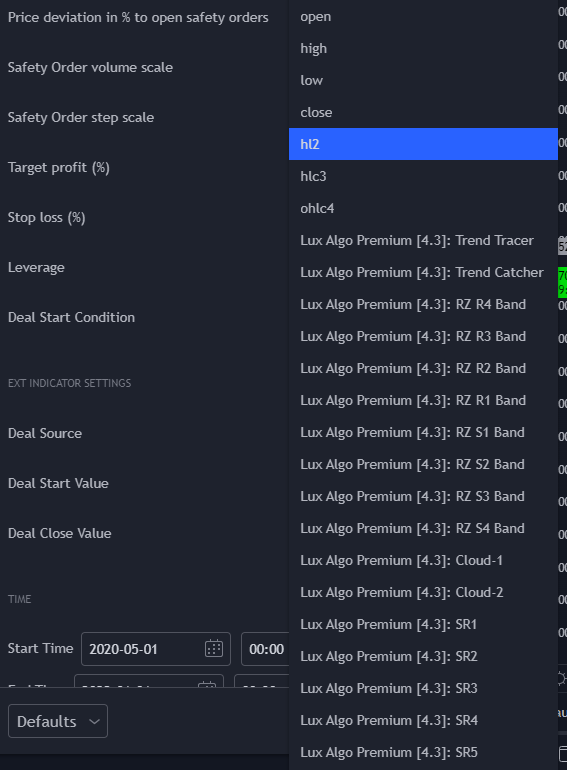 indigo cradle
north oxide
There isn't a signal
indigo cradle
north oxide
There isn't a signal
Then you most likely have signals turned off
What settings were you using?
north oxide
I don't
indigo cradle
What settings are you using?
north oxide
