#🤝support
1 messages · Page 246 of 1
 violet lotus
means 1,2,3,4
etc
and higher senstivity less signal frequency
what does agility does
 indigo cradle
!settings
 jaunty perch
Everything you need to know on optimizing signal settings: https://docs.luxalgo.com/lux-algo-premium-indicators/lux-algo/signal-settings
This page showcases every way users can adjust settings along with full explanations of how they differentiate from each other.
indigo cradle
Agility is explained ^ 🙂
violet lotus
ok
filtering ranging mrkets
signals
signals on auto pilot are too late
specifically sell
 crimson fable
Is it possible to create an Alert from several indicator conditions?
indigo cradle
Sadly not within tradingview
violet lotus
optimal senstivity is also based on max algo earnings for some 1k bars as in optibot?
indigo cradle
It's also 1k 🙂
 tepid sigil
Hi, I have a question. When I setup my indicator, I only want to know BUY signals (see attached), but when I setup alerts, it is still giving me SELL signals. As you can see, even though the alert was setup for 5min buy signals, but the confirmation is SELL


@indigo cradle
indigo cradle
Very odd; have you tried remaking the alert?
tepid sigil
indigo cradle
Very odd; have you tried remaking the alert?
Yes I did, but is the same thing
 lunar bronze
Greetings. Should I use the candle stick or heikin ashi or even another strategy?
 shy relic
lunar bronze
Greetings. Should I use the candle stick or heikin ashi or even another strateg...
shy relic
lunar bronze
Greetings. Should I use the candle stick or heikin ashi or even another strateg...
Depends on what you prefer, if you want to filter out very short term noisy variations then using HA might be useful. Note that signals are different on HA.
lunar bronze
shy relic
Depends on what you prefer, if you want to filter out very short term noisy vari...
it sounds as though HA is preferred?
shy relic
lunar bronze
it sounds as though HA is preferred?
I personally don't use it, and we dont have data as to whether signals and other tools are more effective using HA. Because the signals generation algorithm is sensitive to whether prices are more noisy, using them on HA might return more signals. I would suggest trying HA charts and use them with your current setup and see if you are more comfortable using them 🙂
 olive apex
Quick question on updates:
If I save an alert based on a particular version of Lux and you change the algorithm sufficiently to alter when an alert is triggered.....
Does the saved alert automatically update, or do I have to edit/remove in order to trigger a version update?
 obtuse oracle
On other side, Just t check , do you have this setup available in ThinkorSwim platform?
 feral lava
olive apex
Does the saved alert automatically update, or do I have to edit/remove in order ...
feral lava
olive apex
Does the saved alert automatically update, or do I have to edit/remove in order ...
Alerts stay on previous versions, however, you don't need to update your alerts to newer versions unless we change the way key features are calculated (which we don't plan to atm!)
feral lava
obtuse oracle
On other side, Just t check , do you have this setup available in ThinkorSwim p...
Hey @obtuse oracle not at the moment, just TradingView 🙂
 normal pagoda
Setting alarms with different sensitivity is not possible or? With autopilot it is simply too weak for different cryptos.
shy relic
normal pagoda
Setting alarms with different sensitivity is not possible or? With autopilot it ...
you can set multiple alerts based on different sensitivity, all you need to do is create one, change sensitivity, and create another one, see https://docs.luxalgo.com/lux-algo-premium-indicators/setting-up-alerts-on-tradingview, hope this helps
normal pagoda
ok, i didn't know that. i thought the alarm can only be set with one setting.
 dry escarp
Can you elaborate further on this announcement please " 🚀 We also have news from high quality sources that custom indicator screeners are going to be available for us soon in TradingView (sometime in Q4) " Will this make the indicator more accurate?
indigo cradle
dry escarp
Can you elaborate further on this announcement please " 🚀 We also have news fr...
It means we may be able to create custom screeners soon 😊
So a user can scan through assets
violet lotus
yes that's great
if we have pattern based screeners for various widely used timeframes
pattern detection needs to improve
indigo cradle
What exactly do you mean by this?
violet lotus
i mean screeners based on patterns
indigo cradle
It's not currently in our power to make screeners 😅
violet lotus
its very hectic screen manually
 edgy hollow
hello friends
happy tuesday! I'm working on 1H, sensitivity 60, agility 21 and I would like to be notified only when I see the signal on the chart
indigo cradle
!alerts
jaunty perch
How to set up your own custom alerts in TradingView: https://docs.luxalgo.com/lux-algo-premium-indicators/setting-up-alerts-on-tradingview
Follow this guide for setting up your own custom alerts on TradingView.
edgy hollow
jaunty perch
How to set up your own custom alerts in TradingView: https://docs.luxalgo.com/lu...
thank you!
 obtuse relic
hi, how do i know which cloud coloring is supposed to be the green and which is to be the red?
i wanted to make the coloring green and red
indigo cradle
@obtuse relic The EQ cloud?
 robust forum
@indigo cradle
Code Blue, Opti. Stat. 🤓
obtuse relic
currently it just says cloud 1 and cloud 2
indigo cradle
robust forum
<@!456590452703887373>
Code Blue, Opti. Stat. 🤓
☠️
obtuse relic
yes, the EQ cloud

how do i know which is to be the green coloring and which is red?
robust forum
obtuse relic
currently it just says cloud 1 and cloud 2
Easiest way to see is to go to where the color settings are, unclick and click
indigo cradle
obtuse relic
currently it just says cloud 1 and cloud 2
When cloud 2 crosses over cloud 1 it's a bullish cross so therefore you can assume cloud 2 is the green one
obtuse relic
or does it not matter?... unless my eyes are bugging out... looks like it currently has a blue and red tint
obtuse relic
ok thanks

how do i get to only see a clean green, red and purple candle
not sure what yellow is
i saw on your youtube that when its purple, you should wait.. which i like.. but my colors seem all over the place
robust forum
 indigo cradle
obtuse relic
i saw on your youtube that when its purple, you should wait.. which i like.. but...
indigo cradle
obtuse relic
i saw on your youtube that when its purple, you should wait.. which i like.. but...
You'll want to disable candle borders 🙂
Right click chart > settings
obtuse relic
got it- thank you!
lol on the EQ cloud... cant seem to find a cloud fill color
just does the lines
indigo cradle
Sadly the fill isn't something you can easily change at all 😦
obtuse relic

this seems great
ah ok 😦
really hard to tell difference from the blue tint and red tint
also... is this the correct dash?

dont see pattern on it
indigo cradle
obtuse relic
You'll need to enable pattern detection for it to display
Understood regarding the EQ cloud; shall see what can be done there


 obtuse relic
it was on my other lux add on
since i have to add multiple ones to get different items in my chart
ie pattern detection and predictive rnages
ranges
one more question!.... if i chose to use optibot.... is there a way to go back to default settings in my chart, without having to start it all over?
indigo cradle
obtuse relic
one more question!.... if i chose to use optibot.... is there a way to go back t...
On the settings panel in the bottom left there is a drop down that lets you reset to defaults 🙂
 robust forum
indigo cradle
☠️
robust forum
indigo cradle
☠️
Using 12/26 and settings from yesterday seem to work so far
 acoustic frigate
Hi Im having issues with my chart. I put in the new ETF BITO but alot of the indicators are not working just for that ETF. My indicators work on everything else but not BITO.
acoustic frigate
I can see the buy and sell signals but nothing else is working.
indigo cradle
Do you have a screenshot?
 acoustic frigate
Oh ok thank you
 fierce void
@indigo cradle Hey how does the number next to the S/R option work
what do each of those number signify? from 1-10
fierce void
so larger the number means more accurate?
violet lotus
wider time frame signals S/R
indigo cradle
^ Yep just a longer timeframe / length on the SR tools
 undone kernel
Does the swing high swing low indicator repaint?
indigo cradle
They are pivot points so are not realtime
undone kernel
How does such indicator give the trader an edge then?
indigo cradle
It can show pivot points which can help a trader identify areas in the market that the price has previously reversed at
undone kernel
👍🏾
 lost swan
I'm either misunderstanding something or there's a bug. Having Auto Pilot Confirmation Signal Settings enabled, it appears to still be using the Signals Sensitivity value. I was under the impression this would override those values.
indigo cradle
lost swan
I'm either misunderstanding something or there's a bug. Having `Auto Pilot Confi...
It does override them; it's just those inputs can't be changed in the front end
So it overrides them

 indigo cradle
You're using contrarian signals here
"Autopilot Confirmation Signals" are for only confirmation signals 🙂
lost swan
I see, my bad
lost swan
Right on, thanks for clearing that up for me 👍
Sorry one more question. I assume that means I would not want to use optibot settings for contrarian Signals, and also the Confirmation Signals Agility is not relevant either
indigo cradle
lost swan
Sorry one more question. I assume that means I would not want to use optibot set...
Correct; it won't apply 🙂
 reef vine
feral lava
reef vine
feral lava
!update
jaunty perch
To update Lux Algo Premium indicators, refresh your browser/app, remove the indicator from your chart, and then add it back to your chart + save your chart layout on TradingView.
Full guide: https://docs.luxalgo.com/lux-algo-premium-indicators/how-to-update
Included in this section is the best steps to receive & install updates for Lux Algo on TradingView.
feral lava
v4.2.3 for Lux Algo Premium
 vital oriole
Anyway to fix the error. Its happening on the Nadaraya-Watson Envelope Indicator
 violet lotus
when i detect patterns
dotted patterns should not be considered?
only solid ones
got it'
good feature
shy relic
violet lotus
dotted patterns should not be considered?
When lines are dashed it means no patterns have been detected, but they might still highlight a potential pattern so it's good to pay attention to those sometimes, plus they can be valid support and resistance.
shy relic
vital oriole
Anyway to fix the error. Its happening on the Nadaraya-Watson Envelope Indicator
Hide and unhide
 radiant thistle
rgr
vital oriole
shy relic
Hide and unhide
Ya, or change the timeframe.. wondering if this can be fixed ..not really convenient if it happens every few mins
radiant thistle
@vital oriole I constantly keep changing times unless scalping, but going out to see a bigger picture is very helpful before deciding to go long or short.
shy relic
vital oriole
Ya, or change the timeframe.. wondering if this can be fixed ..not really conven...
We'll have a look
indigo cradle
 feral tapir
I need help for setting up for Nifty and Banknifty setup in NSE
feral tapir
I need help for setting up for Nifty and Banknifty setup in NSE
We support the NIFTY50 in Optibot now 😊
feral tapir
I don't know to check this ...
😦
Sorry to say this I don't know how ot use this OptiBot and setting up the indicator Nifty and Banknifty
indigo cradle

Here's a quick video on the multiple ways you can adjust signal settings within Lux Algo on TradingView and use Optibot within our Discord. Optibot is backtesting private data with our algorithm, while the auto-confirmation signal settings toggle is just an estimate.
Learn more about Optibot: https://docs.luxalgo.com/getting-started/discord/bo...
Here's a Optibot tutorial 😌
robust forum
vital oriole
Anyway to fix the error. Its happening on the Nadaraya-Watson Envelope Indicator
Hide and unhide is what I do. It doesn't happen every few minutes, it's random. Some days not at all.
obtuse oracle
GM, How do we configure the alerts for buy and sell using Lux Algo for some specific stocks ?
buy and sell signals *
indigo cradle
!alerts
jaunty perch
How to set up your own custom alerts in TradingView: https://docs.luxalgo.com/lux-algo-premium-indicators/setting-up-alerts-on-tradingview
Follow this guide for setting up your own custom alerts on TradingView.
obtuse oracle
Thanks 😊
jaunty perch
Can we copy and paste that into trading view?
 drowsy zenith
@shy relic Hi Alex! I have 2 friends using lux with predictive range set at 4 but our charts are different. why is it so? pls see pics


 indigo cradle
I must say those look basically identified
Oh there's 3 charts I see
I see they are very slightly different?
drowsy zenith
yep but big difference when trading using predictive range. on the 3rd pic, price is far from the blue predictive range
indigo cradle
Right click your chart > settings and compare your settings to your friends there
Ensure this page matches your friend's pages
 drowsy zenith
ok will tell them thanks Gecko! hope you could make a video on the Nadaraya Indicator 🙂
indigo cradle
drowsy zenith
ok will tell them thanks Gecko! hope you could make a video on the Nadaraya Indi...
It's a popular indicator that's for sure 😅
drowsy zenith
@indigo cradle we have the same settings
indigo cradle
This occurs for any other assets?
indigo cradle
And this is occurring for things that aren't the FTSE?
drowsy zenith
occuring on all assets in tradingview
robust forum
@indigo cradle
code blue 💙
indigo cradle
So when you take the exact values of the predictive ranges, they differ correct? It really is odd. They are of course the same algorithm applied on there same data....
indigo cradle
robust forum
<@!456590452703887373>
code blue 💙
🫀
drowsy zenith
yes they differ. mind boggling

 rotund topaz
thanks
 odd charm
dumb question but what do these blue X mean?

 dusk sky
exit signal
odd charm
ahh word
 minor zodiac
Unique RSI Trading Strategy Tested Using Lux Algo vs SIMPLE Trading Strategy | Outperforming Bitcoin 2021 ? which one should use?
indigo cradle
You can use the one that you prefer really or the one that seems to fit your trading style the best
 sharp wind
Ok I found the affiliate link but do people receive any discount if they use my link? @indigo cradle thx
indigo cradle
sharp wind
Ok I found the affiliate link but do people receive any discount if they use my ...
They won't however you will get commission of course 😊
sharp wind
indigo cradle
They won't however you will get commission of course 😊
No problem thanks
sharp wind
indigo cradle
They won't however you will get commission of course 😊
And sorry last question about this- I used a discount code from a youtuber for my subscription. Would that discount only apply to my first month? In my account it shows normal price after one month.
indigo cradle
It's only the first month yep 👍
sharp wind
indigo cradle
It's only the first month yep 👍
Thanks for the help 😊
 modern moon
Guys can you help me , how come my cc got declined when renewing the subscription while there is enough on there ?
indigo cradle
@modern moon Where are you located? 🙂
modern moon
indigo cradle
<@!829826601335390208> Where are you located? 🙂
Netherlands
indigo cradle
That's odd; are you able to try another device?
modern moon
indigo cradle
That's odd; are you able to try another device?
I fixed it got an invoice by email paid tru there.. thnx for your time
odd charm
orange X mean?
 indigo cradle
An exit signal 🙂
 willow remnant
i thought blue is a bad signal to buy
 indigo cradle
odd charm
blue = exit long?
indigo cradle
odd charm
blue = exit long?
Correct 🙂
indigo cradle
odd charm
thanks for your unhelpfulness support
A blue is an exit for a long
and a red is an exit for a short
 limpid matrix
seems like my sell signals are a bit delayed, on a few instances they come in the SL zone anyway to increase that sensitivity?
indigo cradle
limpid matrix
seems like my sell signals are a bit delayed, on a few instances they come in th...
You can reduce sensitivity to get earlier signals 🙂
limpid matrix
indigo cradle
You can reduce sensitivity to get earlier signals 🙂
so signal sensitivity reduction will make them come earlier? Sorry i havent had time to play with this much, just signed up today. trying to get setup for tomorrow morning
indigo cradle
Correct 🙂 Lower sensitivity actually makes the signals appear earlier
so produce more and earlier signals
limpid matrix
indigo cradle
Correct 🙂 Lower sensitivity actually makes the signals appear earlier
tyvm i appreciate the quick help
indigo cradle
No worries at all and welcome 😊
minor zodiac
indigo cradle
You can use the one that you prefer really or the one that seems to fit your tra...
what is the differences?
 candid crag
Hi, I just got the membership
with what little I have seen it seems that the auto pilot confirmation gives signals much later?
Am I doing something wrong?
dusk sky
Is it normal for nadaraya?
 shy relic
dusk sky
Is it normal for nadaraya?
shy relic
dusk sky
Is it normal for nadaraya?
The suvvessive triangles? Yes, the most recent one was the first to appear, remember that the whole estimator readjust every new bar, creating new triangles.
dusk sky
shy relic
The suvvessive triangles? Yes, the most recent one was the first to appear, reme...
Cool thank you
Is it true that the more successive triangles the stronger price performs?
I mean the correlation
shy relic
dusk sky
Cool thank you
Is it true that the more successive triangles the stronger price ...
We dont have data regarding on the meaning of more or less successive triangles and if its indicative of anything related to performance, it would eventually reflect an higher change in direction of the readjusted curve.
 rough stag
Noon question: when the buy/sell indicators appear on the 15, 30 60min charts. Is it at the beginning, middle or end of the candle?
indigo cradle
They can appear any time during the candle however are valid on candle close 😊
rough stag
Thx Lux, is there a strategy to assess a trade then based on the indicator. If it is valid on the close you could miss out on a major percentage of the move on say the 1 hourly. Is there a strategy that can help with this, to get the most out of the signal (sorry for noob questions here). So between a buy and sell signal there could have been a 20% move but if using the signal you could get say only 3%. Just thinking through this to get the most out of the indicators.
Also I have seen some indicators that have momentum and moneyflow etc that could help assess a signal. Is taht taken into account at all in any of the LUX indicators?
I will go through the documentation properly, these are just some Q's I felt important to ask. Thx 🙂
indigo cradle
We provide the indicators, if you wish to take a trade before the close of the bar that's totally ok as long as you're aware of the potential risks involved. You can really take and use them however you see fit 😊
indigo cradle
rough stag
Also I have seen some indicators that have momentum and moneyflow etc that could...
Oscillators are momentum based and institutional activity can be used to deem potential institutional flows 👍
rough stag


 autumn maple
Hello guys im brand new here on lux any tips to start
 forest nacelle
Just started myself mate, watch all the tutorial videos you can and dedicate time to learn
autumn maple
Cheers 👌
jaunty perch
Find our full trading strategies playlist on YouTube: https://www.youtube.com/watch?v=xezy6WGpZ8Y&list=PLbqCXsOfrM3MjO7q7uIiwoVq3evI4neQr

Join our Discord: https://discord.gg/LUX
Get access to Lux Algo: https://luxalgo.com/products/lux-algo
Get the best settings: https://www.youtube.com/watch?v=OmvxpTE9tlw&t
Usability Tips: https://www.youtube.com/watch?v=5wtdY51crnc
indigo cradle
Some example usecases here 👍
autumn maple
Thank you😁
 wide narwhal
can someone settle the score for me once and for all, buy/sell and "strong" signals. does strong mean its stronger signal than the buy/sell?
indigo cradle
wide narwhal
can someone settle the score for me once and for all, buy/sell and "strong" sign...
It does indeed. There strong signal means it's a stronger signal and is going with a trend
 indigo cradle
Any Confirmation Strong 😊
candid crag
Hi, is there a guide for setting up notifications?
edgy hollow
indigo cradle
Any Confirmation Strong 😊
thank you! I have tested Any Confirmation Strong but it won't notify me when I see the signals on this example

with Any Confirmation Strong I receive the signal but sometimes I don't see the signal on the chart, sometimes before, sometimes after
indigo cradle
candid crag
Hi, is there a guide for setting up notifications?
!alerts
jaunty perch
How to set up your own custom alerts in TradingView: https://docs.luxalgo.com/lux-algo-premium-indicators/setting-up-alerts-on-tradingview
Follow this guide for setting up your own custom alerts on TradingView.
indigo cradle
edgy hollow
with Any Confirmation Strong I receive the signal but sometimes I don't see the ...
Any confirmation strong also includes purple candle turning green or red which isn't denoted as a label
edgy hollow
indigo cradle
Any confirmation strong also includes purple candle turning green or red which i...
ouh I understand... then How can I be notified ONLY when the STRONG signal appears on the chart?
edgy hollow
edgy hollow
this one
jaunty perch
How to set up your own custom alerts in TradingView: https://docs.luxalgo.com/lux-algo-premium-indicators/setting-up-alerts-on-tradingview
Follow this guide for setting up your own custom alerts on TradingView.
indigo cradle
See here how to use the all in one alerts where you can select your custom conditions
willow remnant
which is the best period to use lux Algo, 15m, 4h or 1 day? Thanks ind advance
indigo cradle
willow remnant
which is the best period to use lux Algo, 15m, 4h or 1 day? Thanks ind advance
There isn't really a best however we tend to recommend higher timeframes to reduce overtrading, frictional costs and any emotions
robust forum
with nasdaq highest I am testing is 15 mins
the currencies prob work well on higher


 sterile schooner
 fluid kelp
What alert do I select if I want to get notified when the oscillator turns from red to blue or blue to red?
indigo cradle
fluid kelp
What alert do I select if I want to get notified when the oscillator turns from ...

Legacy main crossing legacy trigger
fluid kelp
Thank You So much!!!!
 dense dragon
4.2.3 doesn't appear to support json content for use of Web hooks. Specifically trying to send alerts to a personal discord, to reduce noise here and other services. Am I missing something?
indigo cradle
You can't use all in one alerts for this. You'd need the built ins
dense dragon
indigo cradle
You can't use all in one alerts for this. You'd need the built ins
ah, i see. thanks!
jaunty perch
@indigo cradle is the JSON code for strong confirmations in here so I can alert myself in discord?
shy relic
jaunty perch
<@!456590452703887373> is the JSON code for strong confirmations in here so I ca...
You would simply need to use {"content":"Message Content"}, more info here https://www.tradingview.com/support/solutions/43000529625-i-cannot-send-webhooks-to-discord/

TradingView
 vale sundial
I only thing I trade is Bitcoin and I just got lux today! Any tips ?
feral lava
!strategies
jaunty perch
Find our full trading strategies playlist on YouTube: https://www.youtube.com/watch?v=xezy6WGpZ8Y&list=PLbqCXsOfrM3MjO7q7uIiwoVq3evI4neQr
Join our Discord: https://discord.gg/LUX
Get access to Lux Algo: https://luxalgo.com/products/lux-algo
Get the best settings: https://www.youtube.com/watch?v=OmvxpTE9tlw&t
Usability Tips: https://www.youtube.com/watch?v=5wtdY51crnc
vale sundial
Ok thanks
 tidal obsidian
How could I cancel my membership?
shy relic
!cancel
jaunty perch
Click Manage Account here: https://luxalgo.com
Or email support@luxalgo.com and our team will assist you with any request the same day.

Enhance your trading experience with our premium technical indicator suite + bots for stocks, forex, futures, currencies & commodities markets.
shy relic
@tidal obsidian see above :)
 dusty sundial
Hello guys can you helpme in time frame 1m what's it's the optimal settings?
vale sundial
Hey I saw someone in a video using lux there was something at the bottom of their screen that said what percentage was good to buy
How do I get that?
feral lava
vale sundial
Hey I saw someone in a video using lux there was something at the bottom of thei...
Hi - that's Lux Oscillator Premium
You can select these settings to achieve this
 feral lava
dusty sundial
Hello guys can you helpme in time frame 1m what's it's the optimal settings?
feral lava
dusty sundial
Hello guys can you helpme in time frame 1m what's it's the optimal settings?
You can use the optimal sensitivity on the dashboard 🙂
Video coming out tomorrow on every method for adjusting settings :))
vale sundial
Thanks for the fast response 👍
feral lava
no problem:)
dusty sundial
P@feral lava hello in time frame 1m what is the optimal sensitivity settings ?
 dusty sundial
@feral lava yes but I want the confirmation signals settings too I have this
feral lava
This optimal value is for confirmation signals

You can place the optimal value into the Sensitivity box
double click on the dashboard to open the settings up and place it in 🙂 then you're all set

make sure you have Confirmation signals active
dusty sundial
Screenshot (Oct 21, 2021 9:41:18 PM)
 feral lava
Confirmation Signals Agility is best to avoid, only use when using #797529919499272224 #797529997731561522 #797529962072637500 channels
Use Sensitivity only
vital oriole
feral lava
Confirmation Signals Agility is best to avoid, only use when using <#79752991949...
what value is the best in that case for below 15
does it not impact the Sensitivity
feral lava
Optibot via our Discord doesn't work for timeframes below 15
You can still use just the Optimal Sensitivity for those timeframes though 🙂
Avoid Confirmation Signals Agility unless you are using #optibot channels in here to optimize
Use just the Optimal Sensitivity for everything else to have a nice optimization applied 👍
vale sundial
Does the optimal sensitivity always change?
feral lava
Yes it changes overtime, if you're looking for something that doesn't change -- you can enable Auto-Pilot Confirmation Signal Settings
Have a great video coming out on this tomorrow! Will be announced in #🔊announcements
vale sundial
Yeah but that thing takes like forever to get a signal
 feral folio
feral lava
Optibot via our Discord doesn't work for timeframes below 15
You can still use ...
feral folio
feral lava
Optibot via our Discord doesn't work for timeframes below 15
You can still use ...
Do you mean timeframes under "5"?
vale sundial
feral lava
Yes it changes overtime, if you're looking for something that doesn't change -- ...
That’s good
vital oriole
so the Signals Agility value can be kept at default for anything below 15
as best practice
feral lava
Signals Agility value shouldn't be touched unless you're using #optibot channels
We see it as a waste of time to mess with manually, it's best to stick to Sensitivity unless you are using #optibot channels
feral folio
I have a question @feral lava , about Alerts. I would like to be able to have TV send Alerts "once per bar close" for the Trend Tracer status. However it seems to only send them when the Trend "direction/color" changes. But I would like each and every bar close, no matter what, that it sends an Alert with the "current status" of the Trend Tracer (up/down, green/red, etc.)
 feral folio
well, I have this now:

and I found that this alert has not triggered at all yet
and the trend has been green since before I created this alert, still green
vital oriole
One complement, the support and response is really great .. Keep the good work going 🙂
feral folio
 feral lava
But I would like each and every bar close, no matter what, that it sends an Alert with the "current status" of the Trend Tracer (up/down, green/red, etc.)
Referencing this -- definitely Once Per Bar is more fitting
It may not be triggering because the Trend Tracer is flat at the current time or is moving down, even though it's green. Once it's actually pointing up, I believe it should alert.
Try Once Per Bar so you can receive alerts for each and every bar close and have that current status, should work then 🙂
feral folio
ok I'll try that now, thank you
vale sundial
So the video tommarow should help because I just started today
 olive falcon
hello everyone...... I just paid for luxalgo quarterly subscription but I can't login for my account can anyone help me please?
feral lava
olive falcon
hello everyone...... I just paid for luxalgo quarterly subscription but I can't ...
Login by clicking Manage Account here: https://www.luxalgo.com/
Enhance your trading experience with our premium technical indicator suite + bots for stocks, forex, futures, currencies & commodities markets.
olive falcon
it just shows subscription details @feral lava
it shows manage subscribtions
but they already charged me for 143.97 $
@feral lava
feral lava
Yes that’s the quarterly plan’s regular charge. If you need help with orders please email support@luxalgo.com as we can’t help with your account / billing via Discord
 vast owl
Any strategy of using lux algo?
feral folio
feral lava
Try Once Per Bar so you can receive alerts for each and every bar close and have...
Hi there, I tried this but it has not triggered any alerts. Do you have any other ideas?
 storm venture
hello i recently bought lux algo and linked my trading view with my username but i dont see the script? I tried refreshing the page and nothing. Help is much appreciated. thanks.
never mind, its working now
indigo cradle
vast owl
Any strategy of using lux algo?
!strategies
jaunty perch
Find our full trading strategies playlist on YouTube: https://www.youtube.com/watch?v=xezy6WGpZ8Y&list=PLbqCXsOfrM3MjO7q7uIiwoVq3evI4neQr
Join our Discord: https://discord.gg/LUX
Get access to Lux Algo: https://luxalgo.com/products/lux-algo
Get the best settings: https://www.youtube.com/watch?v=OmvxpTE9tlw&t
Usability Tips: https://www.youtube.com/watch?v=5wtdY51crnc
indigo cradle
feral folio
Hi there, I tried this but it has not triggered any alerts. Do you have any othe...
Trend catcher up alerts for a coloe change from red to green
 cosmic imp
what is changed in Lux Algo 4.2.3 ?
indigo cradle
cosmic imp
I mean permission
It should work now 😊
feral tapir
Whats the difference between each alert , I coudn't understand much Any Confirmation Buy (Combination of Strong + Normal Buy signal ?)
Can someone please share if there is any video what exactly alert means, Sorry I bit layman to understnad the terminology ?
rough stag
Can I set a alert to alert me within 5% of the lux oscillator switching from red to green
indigo cradle
feral tapir
Whats the difference between each alert , I coudn't understand much Any Confirma...
Correct any confirmation buy is any strong or normal 😊
We have our docs which cover the alerts a little
!alerts
jaunty perch
How to set up your own custom alerts in TradingView: https://docs.luxalgo.com/lux-algo-premium-indicators/setting-up-alerts-on-tradingview
Follow this guide for setting up your own custom alerts on TradingView.
rough stag
Awesome I’m going to read those now thanks!!!
indigo cradle
rough stag
Can I set a alert to alert me within 5% of the lux oscillator switching from red...
When you say within 5% what exactly do you mean there?
rough stag
I’m thinking of it as a pre alert for the lux oscillator getting close to switching colour:
Something like that so I get the alert in time to assess a trade based in the oscillator cross over

That’s for example is on the Luna/btc chart 4hourly
indigo cradle
You could set an alert for the histogram crossing 45 instead of 50?
That could work
rough stag
Of course thank you!!!!
 robust forum
Too bad there's no way to alert from the bright red/reg red and bright green/reg green
that would be interesting
indigo cradle
robust forum
that would be interesting
Definitely could be interesting seeing reducing momentum
robust forum
I was looking at it as possible entries/esp exits
as soon as it goes dark, exit
I'm going to try to watch it while I work and demo trade that way
candid crag
@indigo cradle optibot was not updated?
indigo cradle
candid crag
<@!456590452703887373> optibot was not updated?
On it
candid crag
It wasn't updated yesterday as well - is it usually posted PM?
indigo cradle
It is; just upgrading the server it runs on
robust forum
candid crag
It wasn't updated yesterday as well - is it usually posted PM?
Its usually between 9-10 am eastern
I just didn't send the code blue to @indigo cradle yesterday because I was testing something else
feral folio
indigo cradle
Trend catcher up alerts for a coloe change from red to green
Ok. My original question was if I can somehow set up an alert that triggers every bar, and sends the current trend catcher state. So not just the changes, but always sending current state regardless of what it is, every single bar? I would be using this with webhooks and a trading bot, as a higher timescale trend confirmation insurance signal. The reason I need it every bar is because often I have to restart the Bot code and if the last 15m trend change up happened 5 hours ago, it won’t know about it until it changes again.
indigo cradle
Oh I see. Are you using a third party automation?
If it's your own implementation you could just store the last state as a variable until it's changed?
robust forum
feral folio
Ok. My original question was if I can somehow set up an alert that triggers ever...
Why do you need to restart the bot code? I've used Aleratron before and never had to restart it. Just an idea.
I adjusted the length on the OSC-here's my idea but I need to backtest it:
Buy on bright green, exit on dark

Same for red.

Then again, it may end up being inconsistent-but I have to check and maybe adjust more or move to a higher TF

But only testing during day hours eastern time
The crossing 50 is something different I was testing
using 33 as the length
robust forum
It worked this time. ADX says its continuing as well.
 feral folio
indigo cradle
Oh I see. Are you using a third party automation?
feral folio
indigo cradle
Oh I see. Are you using a third party automation?
I wanted to try avoiding having a middle database, so right now - no. If it turns out to be impossible to do this, I might have to.
but it's preferrable to let TV send the alerts every 15m because otherwise a person may need to wait multiple days to get that first signal on a given Token
in the PINE script, I assume it would be something like "send alert if condition = true", rather than "send alert if condition was false last candle, and is now true this candle". so rather than state changes, it just sends "up" if it's up, and "down" if it's down, every candle
indigo cradle
Maintaining that as a persistent variable in pine requires the use of a plot that sadly we don't have available. In pine you're limited to x plots and we've used all of ours up
I'm aware it's annoying but I think yes, you'd need that DB for now ☹️
Until Pine allows for more plots
robust forum
So that means you are "pining" for a better way.
Had to say it....I'll leave now.
NASDAQ still dropping, ADX still going up. Made a fake $248 so far for 1 $50 contract on this one.
when the red bar goes dark I'll exit
$300 now

Exited there. We'll see if that was the right move
 feral folio
indigo cradle
Until Pine allows for more plots
feral folio
indigo cradle
Until Pine allows for more plots
oh ok! Is there a list of Plots available? I think I saw that you had Buy/Sell as Plots in some documentation, I don't recall the URL
Buy/Sell signals might be a workable alternative in the meantime, as they sort of mirror the trend in a way
indigo cradle
feral folio
oh ok! Is there a list of Plots available? I think I saw that you had Buy/Sell a...
The information panel in TradingView will show the full list of plots 😊
feral folio
Would this be used with the "AnyAlert()" or.. how do we get it to trigger every candle no matter what?
indigo cradle
You'd have to use a built in alert for this
Since all in one is set to once per bar close
feral folio
That's what I'm looking for - 1 time per bar close. (every candle)
So for example - if "Buy" was available as a Plot, could I set it up to send me a Buy: 1, every single bar? Even if the last Buy was 2 days ago, it would keep sending it because the "state" of Buy is 1?
I assume until the next "Sell" happens.
feral folio
indigo cradle
The information panel in TradingView will show the full list of plots 😊
Also, sorry, but I don't know what the Information Panel in Tradingview is, I can't seem to find anything with that name
ok, so what were you referring to when you suggested that I utilize Plots?
indigo cradle
It's on the right side bar under the alerts tab 😊
feral folio
This?
 indigo cradle
Yep
Bingo, so that's the list of every plot and their value
So in the message field you can reference them by name actually
feral folio
Great, what would be the proper way to set up an Alert that triggers Once Per Bar Close (always, every single bar, no matter what values) and include a few of these Plots?
Such as Buy/Sell
indigo cradle
So: let me get that now
feral folio
actually nevermind Buy/Sell won't work
But Trend Tracer has a VALUE
that might work, not sure
 vital flame
Hi, is the email support@luxalgo.com monitored?, because I sent an email a few minutes ago, thanks you!
indigo cradle
feral folio
that might work, not sure
It's just the value of the plot though not the actual 1/0 color
indigo cradle
vital flame
Hi, is the email support@luxalgo.com monitored?, because I sent an email a few m...
It is 🙂 They'll reply
feral folio
indigo cradle
It's just the value of the plot though not the actual 1/0 color
oh, ok I see that now. I wonder if I can write my own PINE to pull in Plot info from yours, as a middle-man
and build alerts from my own plot variables
feral folio
Any idea what the Trend Tracer is called in normal indicator terms? It's something related to Fib levels or Donchian channels or something?
indigo cradle
Oh nothing at all
Everything here is built in house from the ground up
Not build off existing indicators
Math from the ground
feral folio
too bad, seems hands are tied for getting signals then each bar
middle-man database, will be required ^.^
normal pagoda
Hello, just a short question. Does the "Optimal Sen" value in the trading view change daily or does the specified value always remain the same? Example: Today it is at 14 for ETH in the 1H timeframe. Could it be at 15 or 16 tomorrow, for example?
indigo cradle
normal pagoda
Hello, just a short question. Does the "Optimal Sen" value in the trading view c...
it'll change whenever really 🙂 Not set times
normal pagoda
I ask because the auto is too slow to detect correctly, but the optimum value is not. Therefore, I would set the alarms according to the optimal values in each case. But if this changes daily, it means a lot of work since I watch 20 coins.
normal pagoda
indigo cradle
it'll change whenever really 🙂 Not set times
what you mean with that?
indigo cradle
normal pagoda
what you mean with that?
So the dashboard optimal sensitivity updates when it needs to really; no set times
normal pagoda
aha, so its not everyday
indigo cradle
Not really, it can be 🙂 It depends on the price action
normal pagoda
I'm sorry, but I have one more question.
If I activate "Any Alert" and set the alert to "any confirmation", is there a possibility to insert in the message if it is "buy, sell or strong"?
now i have the following message:
 indigo cradle
You can by referencing the plots 🙂
normal pagoda
how? 😄
indigo cradle
Buy : {{plot("Buy")}} | Sell : {{plot("Sell")}} | Strong Buy: {{plot("Strong Buy")}} | Strong Sell : {{plot("Strong Sell")}}
would be this correct?
 indigo cradle
It's good 🙂
normal pagoda
thanks mate
vale sundial
Hi I used lux and I set everything up yesterday and haven’t got a alert yet any tips?
indigo cradle
have you set any alerts? 🙂
vale sundial
Yes
indigo cradle
Are there any areas you're expecting to see alerts?
vale sundial
Yes I should have been alerted with a sell when Bitcoin went to 60k
 vale sundial
 vale sundial
indigo cradle
In the alert creation menu
vale sundial
indigo cradle
In the alert creation menu
Is this it
indigo cradle
It should work on either really
vale sundial
That’s weird
Also when I set a alert I don’t see where it says once per bar and all that
indigo cradle
When you use all in one alerts that won't be an option
But remaking fixes things 9/10 times 🙂
vale sundial
Ok done well see if that works
jaunty perch
Click Manage Account here: https://luxalgo.com
Or email support@luxalgo.com and our team will assist you with any request the same day.
Enhance your trading experience with our premium technical indicator suite + bots for stocks, forex, futures, currencies & commodities markets.
shy relic
 junior olive
hello Admin, please let me know how i can cancel my account
junior olive
hello Admin, please let me know how i can cancel my account
See above
feral folio
Hello! I have a question;

The “dashboard” here shows Red for all 4 timeframes
Yet we are in an Uptrend (tracer) and recently had a BUY
Could you please help me understand what the dashboard is telling me? Thanks

 civic blaze
feral folio
Could you please help me understand what the dashboard is telling me? Thanks
civic blaze
feral folio
Could you please help me understand what the dashboard is telling me? Thanks
Seriously those strong buys and sells look a total lost 90% of the time.. what is it all about @indigo cradle
feral lava
civic blaze
Seriously those strong buys and sells look a total lost 90% of the time.. what i...
Read here: https://docs.luxalgo.com/lux-algo-premium-indicators/lux-algo/signals
They aren't direct entries and exits, we don't recommend that usage
Type Of Signals - Confirmation - Contrarian - Display
feral lava
feral folio
Could you please help me understand what the dashboard is telling me? Thanks
Dashboard is saying all of those timeframes have a sell signal active 🙂
feral folio
Right - but there is no sell signal shown in my screenshot?
shy relic
feral folio
Right - but there is no sell signal shown in my screenshot?
you might be in a timeframe that isn't in the dashboard, the MTF feature in the dashboard supports 15min , 30min, 1h, and 4h timeframes, it means a sell signals was active there.
shy relic
civic blaze
Seriously those strong buys and sells look a total lost 90% of the time.. what i...
It might be of interest to know that settings might need to be adjusted if there is an excessive amount of false signals, also note that confirmation signals wont generally work well in a ranging market, see on the dashboard that the current state is "ranging".
 elder lagoon
Hi guys, how can I deactivate stocks and crypto scanner alerts?
cosmic imp
When Lux Algo/ TradingView report when an alarm was triggered. "Created at..." is that time based on the local time on my local computer. Or UTC?
indigo cradle
elder lagoon
Hi guys, how can I deactivate stocks and crypto scanner alerts?
Dome 👍
indigo cradle
cosmic imp
When Lux Algo/ TradingView report when an alarm was triggered. "Created at..." i...
It's a good question, I'll have a check. It may be the timezone you've set on your Tradingview
cosmic imp
In Lux Algo Premium, is the buy and sell signals drawn during creating the candlestick? Or is it drawn a few candlesticks later, as Lux Algo need more confirmation about the trend?
indigo cradle
cosmic imp
In Lux Algo Premium, is the buy and sell signals drawn during creating the candl...
!confirmed
jaunty perch
A signal is confirmed only once the candle is closed. Meaning a signal could appear on your chart but is not confirmed until that candle is closed and the next candle has started.
Our automated Discord bots will never notify you on any signal until the candle has closed and confirmed it. If you're adding alerts for Lux signals in TradingView - make sure to select "Once per bar close".
 spare salmon
Hi, VIP-Supporters - where can I set the "Take Profit X" (on the candles), please?
My timezone on Tradingview: UTC+1 (which is correct), Lux timezone: UTC - where / how can I adjust it? Thanks,
indigo cradle
When you say "set the take profit" what exactly do you mean?
You want to just adjust those?
spare salmon
indigo cradle
When you say "set the take profit" what exactly do you mean?
is this a reply to my question? Am confused... In the life stream there are Xes above / below the the candles when to take profit, in my settings so far no Xes appear. What settings are necessary? Regrettably I can't post screenshots here... 😦
I want to adjust the timezones, please.
indigo cradle
spare salmon
is this a reply to my question? Am confused... In the life stream there are Xes ...
If your signal settings are confirmation with exits they'll appear 😊
But they won't always appear, only if the condions are correct
So there are times when they won't appear always
indigo cradle
spare salmon
I want to adjust the timezones, please.
To adjust timezones you'll find this in the bottom right corner of your chart
spare salmon
indigo cradle
To adjust timezones you'll find this in the bottom right corner of your chart
My tradingview time is correct, but in the little Lux info box there is the wrong timezone.
spare salmon
indigo cradle
So there are times when they won't appear always
Confirmation + Exit is set, but no Xes 😫 // okay, there are... but not like at your 15-Live-Chart. What are the settings of your 15-min live chart, please?
indigo cradle
spare salmon
My tradingview time is correct, but in the little Lux info box there is the wron...
That's the current session
Not your timezone
indigo cradle
spare salmon
Confirmation + Exit is set, but no Xes 😫 // okay, there are... but not like at...
You'll find the settings in the description of the video 😊
 feral folio
shy relic
you might be in a timeframe that isn't in the dashboard, the MTF feature in the ...
feral folio
shy relic
you might be in a timeframe that isn't in the dashboard, the MTF feature in the ...
lol thank you, can't believe I missed that!
spare salmon
indigo cradle
You'll find the settings in the description of the video 😊
still not the same results like in the stream. Set back to default, started from scratch, Senitiv 6, Agil 32 looks different, then live-stream
indigo cradle
spare salmon
still not the same results like in the stream. Set back to default, started from...
May I see?
Should be identical
spare salmon
indigo cradle
May I see?
sure, how? Screenshot? How can I attach it?
indigo cradle
You can send screenshots in discord by pasting it in
spare salmon
indigo cradle
You can send screenshots in discord by pasting it in
https://www.tradingview.com/x/JkZBnpPy/ like this? (newbie... ) 😉
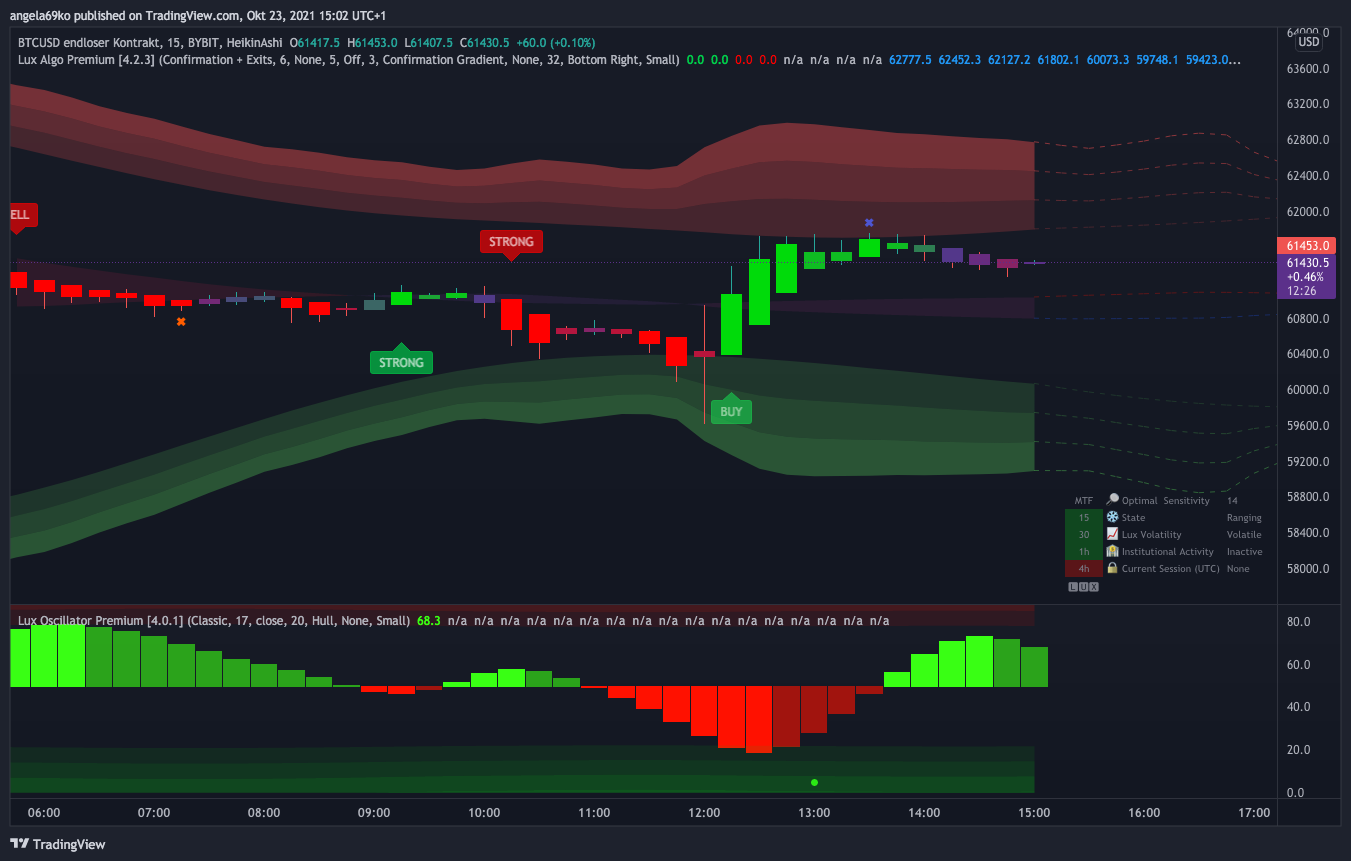
TradingView
indigo cradle
This works 😊 So you're seeing the signals in a different location?
spare salmon
indigo cradle
This works 😊 So you're seeing the signals in a different location?
yes, X-es are different and the latest "strong" in the live stream is just a "buy" on my chart
autumn maple
Guys what does the blue and red cross on top a candle means? (silly question I know)
spare salmon
autumn maple
Guys what does the blue and red cross on top a candle means? (silly question I k...
... take profit 🙂
autumn maple
spare salmon
... take profit 🙂
Thank you ✌️😊
indigo cradle
spare salmon
yes, X-es are different and the latest "strong" in the live stream is just a "bu...
I'll have a look for you 😊
spare salmon
indigo cradle
I'll have a look for you 😊
Thanks. Though I like the blue X on my chart... But it should be the proper X on sell periods as well and the "strong", if it is as strong as it was this time... 😄 😗
 azure island
Lux provides Exit Long and Exit Short signals but only a generic "Exit" alert. Any chance you could provide separate long & short exit alerts?
indigo cradle
azure island
Lux provides Exit Long and Exit Short signals but only a generic "Exit" alert. A...
Sadly due to plot limitations this isn't currently possible
In the message field you can differentiate
azure island
indigo cradle
In the message field you can differentiate
Thanks. Would this be similar to {{plot("Buy")}? So {{plot("Exit Long")} and {{plot("Exit Short")}?
indigo cradle
It would be ☺️
Or {{plot_4}} is for long exits and {{plot_5}} is for short exits
But it's Exit Buy not exit long
azure island
Ah yes, "Exit Buy", thanks!
feral folio
Hello, I was wondering if the Auto-Pilot feature continues to work even after creating Alerts? Or are the alerts compiled at the time they are created and don't pick up the auto-pilot settings if they change?
indigo cradle
feral folio
Hello, I was wondering if the Auto-Pilot feature continues to work even after cr...
Alerts will use the settings loaded at the time
If you set alerts with autopilot loaded it will work and the alerts will all be real time
spare salmon
On the Live there is a red dot on the oscillator, missing in my setting: https://www.tradingview.com/x/I4pJR8HN/

TradingView
indigo cradle
We use Binance as our exchange source
feral folio
Hey everyone, not sure if this will be helpful but I have found that you can compose your own json like this and use it with the Webhook Alert type.
{
"ticker":"{{ticker}}",
"exchange":"{{exchange}}",
"interval":"{{interval}}",
"date":"{{date}}",
"timenow":"{{timenow}}",
"time":"{{time}}",
"buy":"{{plot("Buy")}}",
"strong_buy":"{{plot("Strong Buy")}}",
"sell":"{{plot("Sell")}}",
"strong_sell":"{{plot("Strong Sell")}}",
"exit_buy":"{{plot("Exit Buy")}}",
"exit_sell":"{{plot("Exit Sell")}}",
"trend_tracer":"{{plot("Trend Tracer")}}",
"trend_catcher":"{{plot("Trend Catcher")}}",
}
ah, now I have a dot, too, thanks... 👍
feral folio
It makes a pretty good message, useful to control bots and other stuff
or an email

the {{date}} part isn't working, probably just delete it.
But what you can do with this is save it to an intermediate database
indigo cradle
@feral folio Very nice; I'm sure folk will appreciate this 🙂
feral folio
and then you can measure the trend_tracer value going up or down
so if trend_tracer > trand_tracer_from_last_5_minute_update then trend = green else red
that kind of thing
at least - this is how I understand trend_tracer to work based on my observations.
do you know if I'm right about the colouring logic?

Also if you set it up like this - then you can make it fire every 5-min, 1-min, whatever you want
TV is not exactly a Swiss Watch when it comes to "on-time alerts" but they do pretty good.
indigo cradle
feral folio
do you know if I'm right about the colouring logic?
This wouldn't be the logic behind a color change and would simply be a coincidence in observation
feral folio
Especially on a 5-min frequency
feral folio
indigo cradle
This wouldn't be the logic behind a color change and would simply be a coinciden...
Well - I've backtested about 20 days worth of candles on at least 6-8 tokens and I've never once seen the Trend Tracer change colour if the direction didn't reverse.
So - I appreciate that you want to keep things "proprietary" but... I think this is how it works. ^.^
indigo cradle
This is because it catches trends
So if the direction reverses; naturally the color will follow
feral folio
Exactly, because the color changes if the trend_tracer plot changes direction, or stops staying the same.
But whatever, even if that's not exactly how it works, seems to be ok for my purposes
Also found this: https://github.com/hunmar/add-tradingview-alerts-tool-1
seems to allow mass-creation of Alerts
fierce void
anybody know alert indicators, since I am using the free version of TV so I can use only one alert
feral folio
so the MTF's are not available at plots? just to confirm
 indigo cradle
feral folio
so the MTF's are not available at plots? just to confirm
indigo cradle
feral folio
so the MTF's are not available at plots? just to confirm
Sadly not
 noble furnace
hello I would like to change my lux algo to another trading view account
indigo cradle
noble furnace
hello I would like to change my lux algo to another trading view account
Hi there, give support@luxalgo.com an email and they can transfer your account 👍
crimson fable
Hey

Why very often the indicator draws "Entry" but the Alert is not triggered? This gap occurs not only with me and quite often.
indigo cradle
 eternal parcel
Hi I would like to switch my discord account
eternal parcel
Hi I would like to switch my discord account
Give support@luxalgo.com and they can swap accounts over for you
indigo cradle
crimson fable
Why very often the indicator draws "Entry" but the Alert is not triggered? This ...
It repaints
It's a repainting indicator
crimson fable
What does it mean to change account?
indigo cradle
He wants to swap discord accounts
crimson fable
I understand that the indicator is repainting. But why does the alert not work in this case?
I now have Alert set to be triggered after the candle closes. How to make it work in such cases too?
eternal parcel
indigo cradle
Give support@luxalgo.com and they can swap accounts over for you
thx
crimson fable
Very Good profit, but no alert ^(

I understand how the redrawing indicator works, when, for example, it showed an entry, triggered an alert, and after a while removed the entry point from the chart.
But here on the contrary, at first I did not show it, then I showed it, but there is no alert. Or did it not work because several candles were drawn already?
indigo cradle
It repaints everything. I'd really suggest against using it in this method and more of a confluence tool
crimson fable
Let's look at the distance, in any case, it is working out well so far.
eternal parcel
I am trying to set alert in trading view , but under condition the the required option is not coming

in lux algo i already checked the options

can some one help?
i am using free trading view
dusk sky
eternal parcel
should select lux premium
dusk sky
eternal parcel
i dont see that option in the drop down
would you please show me your whole chart?
eternal parcel
i think i got it.. i forget to refresh my page
thx for ur help
I am new to this tool.. today only I joined.. excited to learn trading from all of you
vale sundial
@feral lava can u answer dm
 green ice
Hi, Possible to incorporate Stock / Indices scanner for Indian market ?
 ocean plume
Hi, when I'm using a custom setting for lux algo and I set an alert using this config then will my alert also change when I change back lux algo settings to default or the alert will remain the same?
shy relic
ocean plume
Hi, when I'm using a custom setting for lux algo and I set an alert using this c...
the alert will stil be based on the settings used when it was created, if you change settings you will need to update the alert 🙂
ocean plume
thanks, that's a great news. my goal is to keep the old settings
 sly charm
hi
how do i know my account is activated in discord
in the screen i see claim account
ocean plume
Hi again, in this video: https://www.youtube.com/watch?v=rZTpPGqt4To&t=166s there is a strategy based on Lux Oscillator using as a main trend indicator. Is there a way to set an alert when normalized oscillator value crossing 50?

This video showcases a simple and easy to follow strategy on BTCUSD 30m using Lux Algo. Just a few simple features are used here however they perform excellently in a backtest.
Make sure to leave a like & subscribe for more trading strategy videos! Get access to Lux Algo indicators: https://luxalgo.com/
Lux Algo features used in this strategy:...
sly charm
@indigo cradle in the screen i see claim account
shy relic
sly charm
how do i know my account is activated in discord
if you are vip then your discord account is activated 🙂 And you currently are vip, so your account is indeed activated 🙂
shy relic
ocean plume
Hi again, in this video: https://www.youtube.com/watch?v=rZTpPGqt4To&t=166s ther...
as follows 🙂
 ocean plume
Thanks, I had the same idea, it was just confusing that the default value was for like 62000 for BTC
 livid umbra
Hi
So im not sure about one thing
Obviously in the discord crypto bot
It shows signal and agility
However if im looking at a crypto chart that isn’t specified in the crypto bot chat
Something outside of those options
Am I meant to just put on the auto feature?
indigo cradle
So you're saying Optibot is showing Agility?
And the dashboard doesnt?
If your asset isn't supported by optibot there are a few approaches you can chose for optimisation:
This page showcases every way users can adjust settings along with full explanations of how they differentiate from each other.
 frozen heart
Hey guys, I have a question about the oscillator, can I have two up on two different times tho, It would make my strategy easier if I could have a 30min and an Hourly up at the same time. If not it's still a great tool so I guess I will keep working around it.
indigo cradle
frozen heart
Hey guys, I have a question about the oscillator, can I have two up on two diffe...
What do you mean by two different times? 🙂
 tranquil warren
Hi, my alerts don’t match my charts.

The last candle isn’t ‘Normal Buy Turn Strong’ as per the alert.
This is the same on all alerts.
feral lava
tranquil warren
The last candle isn’t ‘Normal Buy Turn Strong’ as per the alert.
Likely you have different settings now than what you had enabled when creating the alert. Is auto-pilot on now?
tranquil warren
feral lava
Likely you have different settings now than what you had enabled when creating t...
Thanks for your reply, but I’ve only just created the alerts and haven’t made any changes. Yes it’s on autopilot, and was on autopilot when I created the alerts.
indigo cradle
tranquil warren
Thanks for your reply, but I’ve only just created the alerts and haven’t made an...
I would suggest remaking the alert; it really shouldn't trigger falsely
tranquil warren
indigo cradle
I would suggest remaking the alert; it really shouldn't trigger falsely
I’ve created over 70 alerts for different pairs. Since creating them Three have activated and all three have been false. I really don’t fancy deleting all 70 and remaking them.
indigo cradle
Are all of them misfiring?
tranquil warren
As above, only three have activated so far. Those 3 have been wrong.
indigo cradle
Ok; hopefully this is just those 3. Wait for a few more to come in and then see.
The conditions for alerts are identical to the conditions for a label to appear so hopefully this isn't a weird TV glitch
tranquil warren
Ok, I will let you know. Thanks.
 onyx maple
Jus wanna say im loving this indicator so far and excited to use it on premarket futures/forex
indigo cradle
Thank you 7inchSchlong 😎
obtuse oracle
Good evening, one quick question , how can I do back testing of this Algo premium indicator? Or Is there any way to share results if you did already ?
indigo cradle
You cannot backtest as there's not really anything to backtest; we don't provide a strategy
Confirmation signals for example have no SL or TP or filters
obtuse oracle
Sure got it. I think we can do the bakc testing using sell signals ? Or X - signals ? Just wanted to check to understand the accuracy of an each ticker ? I know it is working very well and powerful. But really difficult to verify an each ticker. Hence checking here. Thanks for understanding
indigo cradle
Understood 😊 so yep sadly you'd need to do that all manually for now
obtuse oracle
Sure got it. Pls check if we can do anything with the automation without sharing your code or strategy. It will help a lot to everyone. Thanks again for all services.
livid umbra
indigo cradle
https://docs.luxalgo.com/lux-algo-premium-indicators/lux-algo/signal-settings#ch...
Ok okay, so if the optibot settings dont cover the ticker im interested in then i should use the auto thing
and if not then i should use 12/26
 hybrid halo
Are these Optibot30m daily settings for day trade? Thanks.
frozen heart
@indigo cradle two different time frames, one set on the one hour and one set to the half hour on the same chart, I'm not sure how else to explain i. So I don't have to keep flipping back and forth between tineframes can I have 2 oscillators on the same chart set to 2 different time frames... One to the half hr. And one to the hr.
hybrid halo
Thank you for the quick update! Have a great evening!
jaunty perch
Click Manage Account here: https://luxalgo.com
Or email support@luxalgo.com and our team will assist you with any request the same day.
Enhance your trading experience with our premium technical indicator suite + bots for stocks, forex, futures, currencies & commodities markets.
feral lava
see here @junior olive ^
indigo cradle
frozen heart
<@456590452703887373> two different time frames, one set on the one hour and one...
The alert will use the timeframe you were on when you set it 😊
dusk sky
Will Nadaraya-Watson Estimator repainting issue affect its movement/ direction?
indigo cradle
dusk sky
Will Nadaraya-Watson Estimator repainting issue affect its movement/ direction?
It can indeed
dusk sky
indigo cradle
It can indeed
Thank you
indigo cradle
 pastel elk
New subscriber
pastel elk
New subscriber
Welcome 😊
pastel elk
Hai Gecko
 unique bronze
Just joined, newbie here
pastel elk
Unfortunately I have a problem now
I registered the tradingview username wrong
How to correct it?
indigo cradle
Hi, give support@luxalgo.com an email and they'll switch it over 😊
pastel elk
I sent a email to support department
 stray ledge
Hello Guys!
I am new here, i have been discovering lux algo for the past 2 days
Any idea if the autopilot feature is accurate? because i can't find some altcoins that i want to trade in the settings optimizer
Thank you 😄
indigo cradle
This page showcases every way users can adjust settings along with full explanations of how they differentiate from each other.
This page may help 😊
indigo cradle
It is yep 😊
stray ledge
thank you 🙂
acoustic frigate
HI I was looking at TSLA on the charts but it looks all out of wack.
indigo cradle
What exactly do you mean by out of whack?
 open hill
Hi! I'm really new to Lux Algo. I'm just wondering how do I add lux algo into the trading view account
indigo cradle
So you have a screenshot?
indigo cradle
open hill
Hi! I'm really new to Lux Algo. I'm just wondering how do I add lux algo into th...
!Guide
jaunty perch
How to setup the indicators on TradingView: https://docs.luxalgo.com/getting-started/setup-tradingview
TradingView.com --> Chart --> Indicators --> Invite-only scripts
Once you've signed up on our website and entered your active TradingView username within the "Connect Accounts" portal from your email, you will have instant access to use our indicators on the platform.
indigo cradle
open hill
Hi! I'm really new to Lux Algo. I'm just wondering how do I add lux algo into th...
Have you connected your accounts? 😊
 indigo cradle
This is the market open and it gapped
open hill
indigo cradle
Have you connected your accounts? 😊
I have not
indigo cradle
open hill
I have not
When you signed up for Lux you got a confirmation email
open hill
I'm not sure how to do it
indigo cradle
In that email there's a link to connect accounts
Click that link and you can enter your Tradingview username 😊
If you're having issues with this you can give support@luxalgo.com an email with your Tradingview username and they'll manually add you
 sacred forum
hi
stupid question coming your way.
why would the signals change depending on whether or not we have extended hours put on?
indigo cradle
Extended hours have data from the "non main trading hours". This different data can change how Lux interprets a trend or market structure 😊
sacred forum
makes sense...what's usually recommended for better signals?
indigo cradle
Well it depends what you use
If you trade the extended hours they should remain on 😊
Else you can disable them
 unique dome
Hi, i ve a problem with that Alert Call funktion, its not working to me, the normal Trading view alert is running fine... so where could be my mistake?
indigo cradle
May I see your alert settings?


 unique dome
nothing...
 unreal fog
 indigo cradle
unique dome
nothing...
indigo cradle
unique dome
nothing...
I'd suggest remaking the alert and it should fix it
unique dome
i remade them couple of times
indigo cradle
unreal fog
I did that and ndid not fix it
Have you connected your accounts?
@unique dome where did you expect to get an alert?
unreal fog
what do mean connect account, it has always been connetced
unique dome
i ve seen it later... sry
indigo cradle
unreal fog
what do mean connect account, it has always been connetced
So it was working before?
And suddenly stopped?
unreal fog
it has been working for months
indigo cradle
Very odd
unreal fog
and suddenly stopped
indigo cradle
Very strange; could you DM me your email and username?
 sly plover
Admin - Can you please share some videos or tutorials to understand LuxAlgo and how to use it for both beginner and advanced ?
indigo cradle
!strategies
jaunty perch
Find our full trading strategies playlist on YouTube: https://www.youtube.com/watch?v=xezy6WGpZ8Y&list=PLbqCXsOfrM3MjO7q7uIiwoVq3evI4neQr
Join our Discord: https://discord.gg/LUX
Get access to Lux Algo: https://luxalgo.com/products/lux-algo
Get the best settings: https://www.youtube.com/watch?v=OmvxpTE9tlw&t
Usability Tips: https://www.youtube.com/watch?v=5wtdY51crnc
indigo cradle
Some strategies here 😊
sly plover
Got it. Will go over it today
 rich flicker
when LuxAlgo is on, all the candles are green, even on a steep down trend. it's on auto pilot, other inputs are on default. how do i get the red candles to show again? when i turn off LA, the red candles appear again
indigo cradle
@rich flicker You can disable AP and it should be ok
rich flicker
AP?
yes, i did
purple candles appeared when I turned of AP. but when I turn off LA completely, the red candles appear.
indigo cradle
May I see a screenshot?


 indigo cradle
So you just want red and green candles?
rich flicker
is it normal for there to be purple candles? see last down trend
indigo cradle
It is indeed 🙂
rich flicker
AP off is showing purple candles, but it's sensitivity is at 12. should i keep it there? I thought the AP automatically adjusted the sensitivity so i didn't have to
is there a reason the AP is showing only green candles?
indigo cradle
You can use defaults 🙂 You'd need to zoom out for AP
rich flicker
i zoomed out to 5 min, 15 min and 1 hr. Still showing all green candles. I turned off all the other indicators
indigo cradle
But zoom not change timeframe, like scroll out there and it should display
rich flicker
zooming in and out doesn't help
LA used to show red, purple, and green candles, but not today
when its on AP
indigo cradle
jaunty perch
What’s the optibot for
Here's a quick video on the multiple ways you can adjust signal settings within Lux Algo on TradingView and use Optibot within our Discord. Optibot is backtesting private data with our algorithm, while the auto-confirmation signal settings toggle is just an estimate.
Learn more about Optibot: https://docs.luxalgo.com/getting-started/discord/bo...
indigo cradle
rich flicker
zooming in and out doesn't help
I'd suggest avoiding AP if this isn't to your taste; there are other options available
 quiet vigil
What is the best setting to use algo for a better chance in profiting off GoldUsd? Please also include time frame options and best indicators to have on
indigo cradle
quiet vigil
What is the best setting to use algo for a better chance in profiting off GoldUs...
This video should help 🙂 https://www.youtube.com/watch?v=wkruvBBeXn8

In this video we cover every method for how to properly optimize your signals within Lux Algo to fit your trading style. We cover the best way to manually adjust sensitivity, how to use optimal sensitivity, auto-pilot, and Optibot.
Instant access to Lux Algo: https://luxalgo.com
Join our Discord: https://discord.gg/Lux
Follow us on TradingVie...
jaunty perch
indigo cradle
https://www.youtube.com/watch?v=OmvxpTE9tlw&t=3s
Thank you sir, will watch
Indicators are installed in my charts now, they look very well
I won’t struggle trading anymore now, it seems easier with these indicators on my charts
indigo cradle
Glad to hear it 😉 😄
quiet vigil
indigo cradle
This video should help 🙂 https://www.youtube.com/watch?v=wkruvBBeXn8
I’ve already watched those videos and I’m still not having much success with profiting
indigo cradle
quiet vigil
I’ve already watched those videos and I’m still not having much success with pro...
How long ago did you watch and which ones and which timeframe? ☺️
quiet vigil
I watched it a few days ago and then I just finished watching it today … I’m looking to be a gold scalper…quick in an out trades … maybe on the one min or five minute chart …what would be the best settings? Also which indicator overlays should I include to help ?
indigo cradle
If you're not previously a scalper who makes gains it's very very hard to become one quickly. The 1m timeframe is very extreme and we tend not to recommend sub 15
Frictional costs are a major issue
@quiet vigil Which videos in the playlist did you watch?
I do have a 5m scalping one
quiet vigil
indigo cradle
I do have a 5m scalping one
Can I get access to that one so I can set it up?
indigo cradle
quiet vigil
Can I get access to that one so I can set it up?
It's in the playlist 😊
!strategies
jaunty perch
Find our full trading strategies playlist on YouTube: https://www.youtube.com/watch?v=xezy6WGpZ8Y&list=PLbqCXsOfrM3MjO7q7uIiwoVq3evI4neQr
Join our Discord: https://discord.gg/LUX
Get access to Lux Algo: https://luxalgo.com/products/lux-algo
Get the best settings: https://www.youtube.com/watch?v=OmvxpTE9tlw&t
Usability Tips: https://www.youtube.com/watch?v=5wtdY51crnc
 supple dust
how to save sensitivity & agility on trading view when i switch to different crypto without changing the setting every time?
indigo cradle
TradingView
indigo cradle
@unreal fog We are DMing each other?
unreal fog
yes
indigo cradle
Let us continue in our DMs 🙂
 quick scarab
what does the blue x stand for?
indigo cradle
Exit long 🙂
 leaden ermine
Does the buy and sell signal work in the after market or pre market
indigo cradle
They can indeed 🙂
leaden ermine
how do I get them to work i JUST signed up today im not sure how to get it set up
jaunty perch
How to setup the indicators on TradingView: https://docs.luxalgo.com/getting-started/setup-tradingview
TradingView.com --> Chart --> Indicators --> Invite-only scripts
Once you've signed up on our website and entered your active TradingView username within the "Connect Accounts" portal from your email, you will have instant access to use our indicators on the platform.
indigo cradle
welcome 🙂
leaden ermine
Yes I did that but its not showing buy or sell signals in the after market it was when the market was open
indigo cradle
Do you have a screenshot?
 indigo cradle
leaden ermine
indigo cradle
leaden ermine
If you zoom out do you see the signal?
It's most likely due to Autopilot holding the signal for a long period
You can change back to defaults if you like more frequent signals
leaden ermine
No If I zoom in i dont see signals
leaden ermine
When I zoom out all the signals were during the market open not anything since the close
indigo cradle
Yep so the signal from market to after market is still holding
If you prefer more frequent signals I'd suggest manually changing the settings
leaden ermine
Thank you so much
 desert imp
hello
I have the following problem , with Trading view. I have several charts with different timeframes under one chart layout. If I then save, close and open TV again then all charts are displayed in only one timeframe. Please Help
indigo cradle
desert imp
I have the following problem , with Trading view. I have several charts with dif...
I'd need to check if a layout also saves the several charts
desert imp
indigo cradle
I'd need to check if a layout also saves the several charts
multiple charts works, more important are the respective time frames. 5min 1H 4H
leaden ermine
I have another question trading view is not showing me what is happening in the after market
indigo cradle
If you want extended hours
Right click your chart
Settings
Symbol
And in the session drop down you can select extended hours
leaden ermine
Yeah I tried that it is not working Im looking at a chart and it is showing me the price is 10.74 but it is actually 14.50
indigo cradle
That may be to do with TradingView/the asset
It sounds extremely volatile
Which asset is it?
desert imp
indigo cradle
Which asset is it?
FTX BTCUSD Perp
leaden ermine
ocgn
indigo cradle
Ok for both shall look
leaden ermine
Im in the trade on tos so im seeing the price action. but it doesnt appear on tradingview
Its not showing me any after hours price action on any symbol
 indigo cradle
TradingView
Additional features and capabilities of upgraded accounts on TradingView. Enhanced functionality to improve your trading.
Scroll to the bottom here
and subscribe to real time markets
$2
leaden ermine
Thank you for your help I really appreciate it
indigo cradle
No worries 🙂
Hopefully this may help
However for me I am seeing the after hours data
Do you have a screenshot?
Oh I see
Yeah most likely the realtime data
leaden ermine
Thank you that was the problem
indigo cradle
Ah great 🙂
 orchid cave
I can’t access market scanner channel.
What I need to do?
Thanks
orchid cave
How do I select an option.
I can’t write any numbers.
Seems not enabled for me.
 orchid cave
Perfect.
Thank you!
 digital rose
Where do you turn on Trend Catcher??
The guide does a good job at explaining the controls but says zero about where they are located.
The control for overlays. I can’t find it
Found it!
violet lotus
does everything works same for log charts for lux algo?
vast owl
Which TF suitable for stock day trading?
feral folio
feral folio
Hey everyone, not sure if this will be helpful but I have found that you can com...
Here is what this looks like captured in a MongoDB for intermediate processing:

At the time I save the object, the code checks if the "trend_tracer" value is higher than the previous record from 5 minutes ago. If yes, it saves "up" in the custom trend_direction column
otherwise "down" if it's gone down
the records are sorted with most recent at the top in the screenshot
trend_catcher is just logged for future purposes, but the calculation happens on the tracer
from here I can set up an endpoint that I can query with a python or node bot, any time I want to see "hmm, what is the Lux Algo amazing trend_tracer saying about this Ticker right now"?
or I can proctively use this for buy/sell insurance signals in Bots etc.
I did a test using these signals as an additional buy insurance on 3 bots out of 7, each running 9 crypto tickers, and found that the 3 that "did not buy unless Lux Algo's trend_tracer was up" didn't make any losing stop-loss trades (set to 1% for testing) over a 7 hour period, while the rest made 50/50
it was pretty incredible.
you guys have some high quality pine script.
I'll close this conversation point down here with 2 final screenshots for context

Here you can see how the BUY signals work, they show a 1 during the 5-minute alert that the BUY signal prints on the chart, then back to 0

And finally, here is just how I happened to log it, but you can see the "time" vs "timenow" columns. I find the "time" which is always spot on to an even 5 minute window, is useful to sorting and analyzing, since there is such an unpredictable delay in the TradingView alerts actually being sent
just note that it takes the timestamp of the "start" of the timescale, so for 5-minute it will be usually around 5-minutes ago when it sends the alert in this field.
 foggy glacier
What is this 6J1
 shy relic
foggy glacier
What is this 6J1
shy relic
foggy glacier
What is this 6J1
Japanese yen futures i believe
@feral folio thanks for such detailed feedback :)
 strange pine
feral folio
It makes a pretty good message, useful to control bots and other stuff
strange pine
feral folio
It makes a pretty good message, useful to control bots and other stuff
Oh my man I really appreciate for this info!
 analog adder
Good morning, I'm in need of assistance with having my username updated. I did send an email to support, but wanted to see if this channel could help?
indigo cradle
@analog adder Hi there, this channel won't be able to speed that process up sadly but it won't be too long
indigo cradle
I'm everywhere around here 😉
 molten dune
I'm newbie. All my position are going to loss. Not sure what I'm doing wrong. Anyone can help me with steps to follow. Your help is highly appreciated.
jaunty perch
Find our full trading strategies playlist on YouTube: https://www.youtube.com/watch?v=xezy6WGpZ8Y&list=PLbqCXsOfrM3MjO7q7uIiwoVq3evI4neQr
Join our Discord: https://discord.gg/LUX
Get access to Lux Algo: https://luxalgo.com/products/lux-algo
Get the best settings: https://www.youtube.com/watch?v=OmvxpTE9tlw&t
Usability Tips: https://www.youtube.com/watch?v=5wtdY51crnc
indigo cradle
Full playlist here if you need
sly plover
How do we hide the big Lux algo indicator big name line which is in middle and top of chart candles ?
indigo cradle
Right click chart; status line and hide indicator arguements and values
 cosmic imp
In Lux Algo Premium I have enabled Institional Profiles, why is this indicator having a long dotted line? Is it mark the line where the there is the most institutial activity or?
indigo cradle
That's the POC so yes 🙂
green ice
For Buy/Sell signal the TP/SL needs to be manually changed everytime. Any possibility of automating it ?
indigo cradle
That's really down to your choice as the trader; what do you mean by manually changing it?
 indigo cradle
Oh you'd need to swap that over manually
green ice
Cheers !
indigo cradle
There are inbuilt alert for trend tracer up and down 🙂
vital oriole
Using that and the trigger keeps triggering
Dont want to use just once option because it will stop
want i want is when it changes channel , it just trigger once but does not turn off
indigo cradle
You want it to alert for a color change?
vital oriole
Ya
indigo cradle
You can use the inbuilt alert then for this?
May I see how you've been using it?

Should be like this
For a green color
vital oriole
This will trigger lot of alerts since the channel remains red or green after the change

20 alerts in just few mins
 indigo cradle
With once per bar close it shouldn't be doing that
I'd suggest remaking the alert with once per bar close
Because if it's once per bar close it is impossible to get an alert more than once every 15m there
vital oriole
Let me try / setup again.. thanks
 mossy torrent
default settings, why is this purple?

 balmy dew
unique dome
balmy dew
unique dome
there is not alert for exit buy / sell?
indigo cradle
mossy torrent
default settings, why is this purple?
Looks like there's a lack of data
indigo cradle
unique dome
there is not alert for exit buy / sell?
There are in the built ins 😊
unique dome
built ins?

 unique dome
ah this one... i d belive these alerts are coverd in the any alert condition
indigo cradle
There others yes but not the exits 🙂
unique dome
ok i see... so one extra alert to create for the exits...
will be a problem for free users of tradingview...
indigo cradle
It will indeed sadly for now
unique dome
yes and the alerts are also limited if you subsribed...
cosmic imp
What is optimal length settings for the Lux Algo Osciltor when trading the 15 minute timeframe?
indigo cradle
cosmic imp
What is optimal length settings for the Lux Algo Osciltor when trading the 15 mi...
It really depends on how you use it or like to trade
There isn't really an optimal
stray ledge
Hello!
i got this from the live crypto bot scanner: BTCUSD 📉 SELL Signal (2H Chart) @VIP
but on autopilot on the 2 hours, there's w Strong buy signal
indigo cradle
!visible
jaunty perch
Our Discord Market Scanner alerts all use the following:
- Default Lux Algo (V4 inputs).
- Normal trading hours (no extended hours)
- Main exchanges / brokers such as NASDAQ / TVC / FXCM / OANDA / COINBASE / BINANCE
If you have created your own, custom TradingView alerts, be aware they are set per the exact settings you had at the time you set those alert(s).
cosmic imp
the documentation for Lux Algo Oscilator says "When a support or resistance is broken by the Main Oscillator, one might expect a pullback or reversal."
do you have a picture explaining that? It would help me understand it.
indigo cradle
See how the red wave broke through the support there?

The line
That's an example
cosmic imp
Thanks, I see it. I just need to think and study it. I go back and read the doc again
spare salmon
indigo cradle
See how the red wave broke through the support there?
Are the light lines in the red area the support line? How can I make them thicker?
indigo cradle
spare salmon
Are the light lines in the red area the support line? How can I make them thicke...
The support is the grey line 👍
spare salmon
indigo cradle
The support is the grey line 👍
inside the red area, right?