#🤝support
1 messages · Page 245 of 1
 cosmic hull
 indigo cradle
cosmic hull
ya i see thankyou
indigo cradle
cosmic hull
ya i see thankyou
Perfect 🙂
 acoustic moon
My LuxAlgo is not showing the new "pattern detection" within the SR dropdown menu. How do I get this updated?
indigo cradle
acoustic moon
My LuxAlgo is not showing the new "pattern detection" within the SR dropdown men...
What version of Lux are you using? 🙂
acoustic moon
4.0
indigo cradle
!update
 jaunty perch
To update Lux Algo Premium indicators, refresh your browser/app, remove the indicator from your chart, and then add it back to your chart + save your chart layout on TradingView.
Full guide: https://docs.luxalgo.com/lux-algo-premium-indicators/how-to-update
Included in this section is the best steps to receive & install updates for Lux Algo on TradingView.
indigo cradle
You can update as above ^
 gentle star
I am not seeing any patterns particularly
indigo cradle
gentle star
I am not seeing any patterns particularly
Patterns aren't always going to be around, they are chart formations that require criteria to be met
So i'd suggest sticking with SR significance as 5
Or you can change that value to scan through different size patterns to check if any others exist
gentle star
Let me test it out more and get back
 violet lotus
what date range would you suggest for all the time frames as optimal
365?
means 365 bars
for patterns to be recognized easily
via lux algo
indigo cradle
All timeframes will work equally well 🙂
indigo cradle
That won't impact the pattern detection
the number of bars on your screen won't impact anything 🙂
indigo cradle
Not at all 😉 Actually with our old SR lines the user had to load more bars in
So it's understandable
But no longer the case
violet lotus
great appreciate the hard work
 austere estuary
Is there any oscillator which shows combined RSI and Macd divergence ?
indigo cradle
austere estuary
Is there any oscillator which shows combined RSI and Macd divergence ?
There isn't, we wouldn't provide existing indicators
If you're looking for something more classical the lux classic oscillator is vanilla
austere estuary
Okay . which oscillator suits best for one hour trading pattern , Just need your recommendation , i mean what type of oscilator , length and smothing method. Just a recommendation from you is needed
indigo cradle
I think you't want to use classic mode on defaults 🙂
In my videos I show alternative values
But defaults are always a good mid ground
 twin birch
Hi, which indicators to show volatilities?
indigo cradle
Lux Volatility within Lux statistics
austere estuary
indigo cradle
If you're looking for something more classical the lux classic oscillator is van...
where it is available ?
indigo cradle
 indigo cradle
austere estuary
where it is available ?
indigo cradle
austere estuary
where it is available ?
Lux Oscillator?
austere estuary
indigo cradle
In my videos I show alternative values
thats why i am confused
indigo cradle
It should be in your invite only
twin birch
indigo cradle
Lux Volatility within Lux statistics
Thanks
austere estuary
Okay and is there any oscillator shows RSI ? i mean 20-80 value ?
indigo cradle
austere estuary
Okay and is there any oscillator shows RSI ? i mean 20-80 value ?
Well
RSI is RSI
We wouldn't sell RSI
RSI is a momentum indicator
So lux classic oscillator is an idea or Lux Legacy mode
 austere estuary
Okay got it
I thought there will be momentum indicator which is attached to oscillator
indigo cradle
austere estuary
I thought there will be momentum indicator which is attached to oscillator
There is 🙂
Classic and Legacy
Both momentum tracking in a way
 lost swan
If I'm wanting to display multiple S/R modes, like predictive patterns + Predictive Channels.... Would I need to enable a 2nd Lux Premium indicator and disable everything on the 2nd copy except the extra predictive feature I'm wanting? or is there a better way with a single LUX premium Indicator added to my chart?
indigo cradle
lost swan
If I'm wanting to display multiple S/R modes, like predictive patterns + Predict...
Yep that'd be the best and only way to do it
austere estuary
indigo cradle
Both momentum tracking in a way
Got it . But how to know its above 50 or below 50 ?
indigo cradle
Well the oscillator plot would be above the midline
austere estuary
problem is mid line doesnt appear in the legacy mode
indigo cradle
It would just be the middle of the oscillator, on the right side there is a scale
indigo cradle
They are not
austere estuary
lol so many confusions, because there is no clearly explained about the indicators , there components n small things, Anyways expecting a video on your channel abt explaining all these components and all
violet lotus
@austere estuary Those are quite simple
indigo cradle
We have videos and full documentation covering everything
austere estuary
violet lotus
<@!513990136707678229> Those are quite simple
For a beginner its NOt
violet lotus
yup i agrre
austere estuary
Its not included in the playlist section
indigo cradle
We cover them fully in our docs
when a user loads up lux there are signals which are quite easy to understand we feel
and the basic oscillator is just red and green waves 🙂
!docs
jaunty perch
Learn about every aspect of Lux Algo at: https://docs.luxalgo.com
Lux Algo
austere estuary
Okay i will have al look on that
indigo cradle

In this video we walkthrough the new Lux Oscillator Premium v4.0 which is our 2nd most popular indicator toolkit on TradingView.
FULL GUIDE: https://docs.luxalgo.com/lux-algo-premium-indicators/lux-oscillator-premium
Get instant access: https://luxalgo.com
Trading strategies playlist: https://www.youtube.com/watch?v=xezy6WGpZ8Y&list=PLbqCXsO...
and video on oscillator here ^
austere estuary
Ohh Thanks ! now i will get to know more
 rose kayak
Can we change the time zone on charts
indigo cradle
You can in the bottom right corner 🙂
lost swan
The TrendCatcher line itself is not meant to act as a Support / Resistance, only to show if the Trend is Green / Red?
indigo cradle
It can also act as a SR 🙂
lost swan
indigo cradle
It can also act as a SR 🙂
Thanks, I had wondered!
austere estuary
Optimal sensitivity provided in dashboard or default senstivity ? which is more accurate ?
indigo cradle
Accurate is a little hard to measure; but the dashboard is normally a good idea
austere estuary
And should we choose optibot or dash ?
indigo cradle
Optibot tends to be more popular
austere estuary
Okay thank you
 pliant niche
hi, is there an alert for trend chaser turn red to green or vice versa?
rose kayak
On iOS the app keep refreshing the page when randomly when I actually didn’t do anything
It also goes back to other coin instead of the one I’m currently watching
indigo cradle
pliant niche
hi, is there an alert for trend chaser turn red to green or vice versa?
There is in the alert menu 👍
Trend catcher up and down
indigo cradle
rose kayak
It also goes back to other coin instead of the one I’m currently watching
I'm not too sure, try reinstalling the app
 indigo cradle
Once per bar 🙂
 cosmic imp
Hi, I have a question about the Lux Oscillator Premium:
What is the length for? If for example chart is set to 1 hour, and Length is set to 17. Does that mean the data is calculated based on the 17 last hours?
indigo cradle
The last 17 bars 🙂
 buoyant zodiac
Hey guys, any way you could add USOIL, US30 or NAS100 to your optibot list?
Also Japan225 and Ger30 would be awesome
 misty hill
hey guys, would you react to the SELL indicator on a 4hr chart?
would it be reliable since it's on a higher time frame?
 stoic compass
how to deal with the signals in a ranging market, or do you have any strategy
indigo cradle
stoic compass
how to deal with the signals in a ranging market, or do you have any strategy
!strategies
jaunty perch
Find our full trading strategies playlist on YouTube: https://www.youtube.com/watch?v=xezy6WGpZ8Y&list=PLbqCXsOfrM3MjO7q7uIiwoVq3evI4neQr

Join our Discord: https://discord.gg/LUX
Get access to Lux Algo: https://luxalgo.com/products/lux-algo
Get the best settings: https://www.youtube.com/watch?v=OmvxpTE9tlw&t
Usability Tips: https://www.youtube.com/watch?v=5wtdY51crnc
indigo cradle
I have some specific ranging market ones here
indigo cradle
buoyant zodiac
Hey guys, any way you could add USOIL, US30 or NAS100 to your optibot list?
We can look into those for you 🤝
violet lotus
How to put alerts on R! z1
 austere estuary
Just need guidance , As per the oscillator and indicator signal is it right time to make entry ?
 buoyant zodiac
indigo cradle
We can look into those for you 🤝
buoyant zodiac
indigo cradle
We can look into those for you 🤝
Thanks!
indigo cradle
austere estuary
Just need guidance , As per the oscillator and indicator signal is it right time...
Ranging market as per dashboard so it's a higher risk but it's a valid trade
austere estuary
So what should be the name as per the dashboard to make perfect entry ?
indigo cradle
Trending since confirmation signals are best in a trending market
austere estuary
and even if the market goes down heavily it will show trending ?
indigo cradle
It will yes since that's trending downwards
austere estuary
Okay
so perfect entry according to dashboard will be trending sign is it correct ?
indigo cradle
If you're using confirmation signal that tends to be a better idea
austere estuary
Again loss , Now dashboard was trending , i had optibot inputs , got a signal of strong , i bought after the completion of that candle ,oscillator was green at that time , both traces and catcher were green isnt this a perfect entry ? still need more confirmation ? How to avoid this wrong signals ???? 😠
 indigo cradle
It's only been a few candles
It's been 9 candles
You need to be more patient
It can take longer for the signal to play out
It also appears you entered after a big pump
There are quite a few things, you're entering after big pumps, you're entering on the signal rather than looking for a re entry. For example go to a lower timeframe to find a better entry ect
 smoky sail
It also looks like an entry where there is resistance that could not be broken... 1.376.. you can clearly see the rejection ther
Wait for those levels to break. First before an entry
Specially in those large time frames
indigo cradle
^
austere estuary
Got it, but everytime i use this indicator make me a huge loss even after making all things correct
indigo cradle
austere estuary
Got it, but everytime i use this indicator make me a huge loss even after making...
There is no all things correct though
indigo cradle
What you're wanting is a set of rules to enter a position, a strategy you can blindly follow and generate winners. These sadly don't really exist. You need to analyse each trade, look at SR, look at market conditions
You need to do your own analysis
smoky sail
As someone that relies on the trend catchers as part of my strategy.. I never enter wheb the trend catcher looks like a flat line and thr candles are away from it.. that is a signal of consolidation or ranging movement and you want to stay away
 fierce void
Also you are trading on the weekend, when the crypto market is more open to manipulation
austere estuary
See as u told yesterday to make good entry start using optibots , both catcher and tracer should be green , dashboard should be trending , there should be confirmation signals , also there is a good support , market is in good condition , oscillator is green still its moving down i mean how ? inspite of this much green signals and still its downtrending
austere estuary
fierce void
Also you are trading on the weekend, when the crypto market is more open to mani...
Yesterday it was not weekend
fierce void
Further BTC needs a correction
Also whales are accumulating short positions, you might want to take a look at that
indigo cradle
austere estuary
See as u told yesterday to make good entry start using optibots , both catcher a...
Like I mentioned it's been 9 bars since you entered you trade. Only 9
It can still play out
It's such early days
fierce void
indigo cradle
Like I mentioned it's been 9 bars since you entered you trade. Only 9
Game of patience @indigo cradle
@austere estuary wait for matic to come down to 1.25 or lower then go for a postion
austere estuary
fierce void
Game of patience <@!456590452703887373>
Okay
austere estuary
indigo cradle
Like I mentioned it's been 9 bars since you entered you trade. Only 9
Okay i will check nowonwards
fierce void
Short positions are accumulating and should lower the price of matic @austere estuary
austere estuary
fierce void
Short positions are accumulating and should lower the price of matic <@!51399013...
Okay i will wait for that
fierce void
Hey admin what is the usual update time for optibots as per IST? @indigo cradle
indigo cradle
Plz try to stick to English in main server ☺️👍
indigo cradle
Optibot ran 20m ago ☺️
fierce void
@indigo cradle I got late notification for some reason
indigo cradle
fierce void
<@!456590452703887373> I got late notification for some reason
What time did you get notified?
fierce void
@indigo cradle 10 mins later
indigo cradle
Sometimes that can occur with discord
fierce void
alright thanks amigo
indigo cradle
I have a few examples here:

YouTube
Sharing trading strategies that I've developed using Lux Algo + more.
(Not actually a gecko.)
 heady lynx
sometime Just reference buy and sell will fake

 noble oyster
Alert for trend cachet up is not working with shib usdt
indigo cradle
@noble oyster may I see your alert setup
 fierce void
@violet lotus What's up?
fierce void
violet lotus
good to see our country ppl here
Yeah
Admin will complain if we speak in Hindi @violet lotus
violet lotus
okay
indigo cradle
noble oyster
Looks correct, try remaking it 👍
 nimble tartan
Do I have to change the optimal settings every time I switch from 4h to 1h charts? Or is there a way to save settings for each time frame?
indigo cradle
nimble tartan
Do I have to change the optimal settings every time I switch from 4h to 1h chart...
You are able to save indicator load outs 🙂 https://www.tradingview.com/support/solutions/43000543048-what-are-indicator-templates-for/

TradingView
nimble tartan
indigo cradle
You are able to save indicator load outs 🙂 https://www.tradingview.com/support/...
Ah thats so great, thank you so much!
 dusk sky
How can I prevent such fake signals? (5m chart)
 indigo cradle
You identify a ranging market
violet lotus
dusk sky
How can I prevent such fake signals? (5m chart)
works best in trending markets
indigo cradle
And if the market is ranging you don't use confirmation

In this video I showcase how to trade the 5m with Lux Algo and increase your profits and chances of identifying reversals. Make sure to leave a like & subscribe for more trading strategy videos!
Get access to Lux Algo indicators: https://luxalgo.com
Lux Algo features used in this strategy:
Reversal Zones: https://docs.luxalgo.com/lux-algo-pre...
violet lotus
is lux metrics indicator for volatility measurement included in lux algo package
 fluid crag
Hello, it's me, again It is not very clear to me which is the best option, the sensitivity with the agility of optibot or the optimal sensitivity that the MTF shows in the graph in conjunction with the agility of optibot ... which is your best suggestion
indigo cradle
violet lotus
is lux metrics indicator for volatility measurement included in lux algo package
Lux Metrics was renamed to Lux Statistics
And yes, the volatility is found within that
indigo cradle
fluid crag
Hello, it's me, again It is not very clear to me which is the best option, the s...
If you can, use Optibot
fluid crag
So what optimal sensitivity means?
indigo cradle
That's the dashboards provided optimal sensitivity
When Optibot isn't available you can use that
It's a mini backtest on TV for just sensitivity
But Optibot backtests more bars and both sensitivity and agility
fluid crag
but I have never seen that optibot is not available ... the reality is that sometimes it is not updated daily ... I do not know if you mean that optibot is not available
indigo cradle
Not all assets are supported by optibot
You will see its a limited list
So if the stock isn't supported
Or asset isn't supported
You'd need to use another method
violet lotus
indigo cradle
It's a mini backtest on TV for just sensitivity
TV means?
fluid crag
All right I got it... tnks s m gecko 😀
 hardy fable
violet lotus
TV means?
hardy fable
violet lotus
TV means?
TRADINGview
Im surprise you dont know that
While being here
violet lotus
😆
jaunty perch
Click Manage Account here: https://luxalgo.com
Or email support@luxalgo.com and our team will assist you with any request the same day.

Enhance your trading experience with our premium technical indicator suite + bots for stocks, forex, futures, currencies & commodities markets.
 placid wind
Many thanks
 burnt chasm
Hello, I need some help with the indictor. The LUX Premium is "unlocked" I can put it on one asset but when I try to put it on another asset it will give me a "Study Error." Any help would be appreciated.
indigo cradle
burnt chasm
Hello, I need some help with the indictor. The LUX Premium is "unlocked" I can ...
I'd suggest refreshing you tradingview 🙂
burnt chasm
I did several times. Still only allowing one asset with the LUX indicators.
indigo cradle
Have you tried logging out and then back in; is it a study_not_auth error?
burnt chasm
Haha, you must have done something because I was going to take screenshots and it seems to be working now. Unless this is the quantum theory at its best. 🙂
indigo cradle
😉 Gecko Magic
burnt chasm
Snort.
I was looking at some of the other questions for you. You are very empathetic. Just wanted you to know that you are appreciated.
How many times a day do you have to post "You need to be more patient"
indigo cradle
burnt chasm
I was looking at some of the other questions for you. You are very empathetic. ...
This is the most wholesome message in the history of the server, appreciated very much 🙂
burnt chasm
👍 😆
burnt chasm
Hello, one more question, (for today :-)) I cannot get the patterns to show.
indigo cradle
burnt chasm
Hello, one more question, (for today :-)) I cannot get the patterns to show.
That's all ok 😉 Have you enabled pattern detection user SR mode?
And what's your SR significance value?
burnt chasm
My ignorance is showing. I will reread the manual so I can speak with a better understanding.
burnt chasm
Have been trading for over 10 years, but this market is just crazy. The 10:30 drop is now at 1 or 2, some days. Killing the VIX on Friday is iffy and the dollar is rising (what the heck.)
Looking up SR mode. Thanks.
Is there a way to do a search in the documentation?
 feral lava
burnt chasm
Is there a way to do a search in the documentation?
feral lava
burnt chasm
Is there a way to do a search in the documentation?
being added very soon!
at the moment no:/
feral lava
That will also be coming soon, you should be able to download as PDF -- we just upgraded our docs to a new platform so this is all still being implemented
jaunty perch
@indigo cradle Hi. What should I do when it looks like this?
 indigo cradle
jaunty perch
<@!456590452703887373> Hi. What should I do when it looks like this?
indigo cradle
jaunty perch
<@!456590452703887373> Hi. What should I do when it looks like this?
Have you connected your accounts? 🙂
If so close and reopen the app
And reload Lux
jaunty perch
Yes. Connected. I will try to reload.
 foggy glacier
hi
when i ajust indicator sensitivity for a ticker and custom timeframe how i can save the settings for this specific ticker/timeframe and how i can rely on it to be this settings when sending me an alert
thank u
indigo cradle
You'll need to remake the alert if you change the settings
So when you set the alert it'll use the settings on your chart
foggy glacier
so the alters embeds the settings in it no matter if i changed it later. so every update i need to remake alter right?
indigo cradle
Yep correct 👍
foggy glacier
can i rename the indicator so i can have multiple with different settings
rename it on chart
indigo cradle
You can't rename it I'm afraid
foggy glacier
what is the optimal way to manage the same indicator but with different configs
fierce void
auto pilot
foggy glacier
if two different timeframes showing opposite signals
which one i take ?
and about the signal

i see sell but i dont see the counterpart like the blue x for the green "STRONG"
is this normal?
indigo cradle
This is normal yep, if the conditions aren't met it won't show
foggy glacier
so i take the GREEN STRONG as a close for the sell right
indigo cradle
You don't have to; this would be down to your analysis 🙂
And that would not be suggest really
foggy glacier
the autopilot optimise for the current period depending on the current cirmcumstances right ? because on some charts i see last singal very clean on autopilot and very messy on past signals
indigo cradle
Autopilot will adapt to market conditions
foggy glacier
so i can rely on it to see past data right?
and the changes? it changes the arguments that i see or it is an internal argument? meaning does it update the settings that i manulally edit or it overrides it and do its own thing internally?
indigo cradle
foggy glacier
so i can rely on it to see past data right?
Correct, you can rely on it for past data, it won't change those
indigo cradle
foggy glacier
and the changes? it changes the arguments that i see or it is an internal argume...
It will override internally for this
foggy glacier

the polkadot 15 mins chart with sensitivity 5
what could be happening with the volume and how i canget a warning for this
it dumps hard then volume in a monnent pump very hard
fierce void
You could set an alert lol
foggy glacier
can we use a specific timeframe for algo that is different than current chart?
i got confirmation strong buy alter using all signals function
how i can see the confirmation on chart
indigo cradle
What exactly do you mean, you want MTF signals?
foggy glacier
im running alters
i see the alter but i get this

and it hasnt printed anything new
indigo cradle
A strong buy can also be purple candles turning green
which isn't denoted as a label
foggy glacier
im trading 5 mints now but i need to see also 1h signals on same chart
can i change timeframe setting from inside indicator
indigo cradle
You can't show signals from different timeframes on the same chart I'm afraid
indigo cradle
You can use the dashboard MTF feature to see the most recent signal on the major timeframes
And no, you can't change that
foggy glacier
where i can login to this dashboard
 foggy glacier
ah okay so mtf red sell mtf green buy
indigo cradle
Yep correct 🙂
foggy glacier

i have autoplot on
but it doesnt show
i tried turn on off indicator no and autopilot doesnt show on
but it filters the signalls
indigo cradle
This means AP is on
The off is for the optimised sensitivity
We will make the clear in the next update
The first column says "autopilot enabled"
And yep; the off is for the optimised sensitivty
fierce void
right @indigo cradle please improve the sensitivity and if possible give us the option to select the optibot data shared on discord as a menu option
Like Optibot Data- (Menu) => Yes/No
fierce void
Sad 🥲
lost swan
What exchange does the crypto alerts take its info from? for example DOTUSD just gave a 1D strong buy?
jaunty perch
@indigo cradle Hi. Do you have any video with instructions how to setup automated trading with your signals? Thanks.
violet lotus
what is this optibot senstivity thingy!!
dusk sky
violet lotus
what is this optibot senstivity thingy!!
This page showcases every way users can adjust settings along with full explanations of how they differentiate from each other.
violet lotus
Auto pilot conf settings good or bad?
 feral lava
violet lotus
Auto pilot conf settings good or bad?
feral lava
violet lotus
Auto pilot conf settings good or bad?
all preference - see the comparisons between all methods here: https://docs.luxalgo.com/lux-algo-premium-indicators/lux-algo/signal-settings/ under “Choosing The Right Method” section near the bottom
This page showcases every way users can adjust settings along with full explanations of how they differentiate from each other.
feral lava
!optibot
jaunty perch
Learn more about how OptiBot works here: https://docs.luxalgo.com/getting-started/discord/bots
Our Discord server contains a wide variety of bots that will return useful information to the user.
violet lotus
got it Thanks
are these updated every day
what if if we want senstivity and agility for other stocks
other than mentioned
in discord
fierce void
@violet lotus you mean nifty huh? smart boi
fierce void
nice
jaunty perch
@feral lava @indigo cradle Hi. Do you have any video with instructions how to setup automated trading with your signals? Thanks.
indigo cradle
jaunty perch
<@!393235362107097089> <@!456590452703887373> Hi. Do you have any video with ins...
Hi, we don't have any official resources on it as it's quite niche and not something we tend to recommend without prior experience
However it's fairly straightforward with external services
jaunty perch
I know different third party services like 3commas is. You do not use fully auto for you signals? And could you record any video with setup which you recommend?
indigo cradle
I would strongly suggest not fully automating confirmation signals
They really aren't designed for that application
They are there to confirm a trend and aren't really for entries or stop losses ect
jaunty perch
And do you have video how you recommend to use them?
Somethkng like live trading on lower TFs.
indigo cradle
I have some example strategies on my channel if that helps?
jaunty perch
Yes. Please.
indigo cradle
YouTube
Sharing trading strategies that I've developed using Lux Algo + more.
(Not actually a gecko.)
jaunty perch
I am already subscriber of this channel…😉
So there are examples on this channel right?
And my question is are you able to automate your strategies soon?
indigo cradle
jaunty perch
And my question is are you able to automate your strategies soon?
We don't really make strategies here, we focus on making indicators. You could very possibly configure an automated bot currently to trade off one of my strategies
But for the foreseeable future we don't really plan to release strategies officially that can be automated
Because they are most of the time not a good idea to automate
jaunty perch
Ok. Thanks.
 minor zodiac
hi new here! what time line what should set for trading view day or hours?
indigo cradle
Welcome 😊
You should use the timeframe you like to trade, I'd recommend anything over 30m
 spice aurora
well, if you recommend a timeframe of more than 30 minutes, then tell me what settings will be, for example, for lux ossicalator for 1h,4h,if you use your strategies on you tube
indigo cradle
Well that's normally down to the trader
I'm not too sure how you like to use the oscillator
If you like to use it as a filter you'd want higher lengths
jaunty perch
Hi is it possible to change the colors of the "auto trendlines" and "patter detections"? Both are VERY useful yet i wish i could change the colors to match my setup
indigo cradle
jaunty perch
Hi is it possible to change the colors of the "auto trendlines" and "patter dete...
Sadly not due to the way they are plotted but in the future we may make this an option 🙂
jaunty perch
@indigo cradle heya i just suscribed but my indicators are still locked
indigo cradle
@jaunty perch Try refreshing your tradingview 🙂
jaunty perch
I did and same
indigo cradle
Have you connected your tradingview account?
indigo cradle
Oh perfect 🙂
 fossil crest
why do I get signals and when i go to the chart in such specific time frame can't see the buy or sell printed ?
I also check other time frames just in case but nothing
indigo cradle
Have you been setting alerts?
fossil crest
yes
fossil crest
I clicked all the options in the indicator
indigo cradle
You checked every single box?
indigo cradle
Well there's a lot of reasons then:
You've also selected alerts for contrarian signals which are the other signal mode
fossil crest
I get buy signal for example just got 2 hours ago BUY on h1 DOTUSDT on binance
indigo cradle
And you've also selected confirmation turn strong which isn't denoted as a signal
fossil crest
But cant see any printed signals at all
neither the contrarian buy, strong buy, or any
indigo cradle
Then your alert may be using different signal settings ^
So i'd suggest remaking the alerts in that case
fossil crest
how to remake them to work properly?
fossil crest
they were made after i clicked the box
indigo cradle
I'd suggest remaking the alerts and it should fix things there for yah 🙂
fossil crest
Any Alert function all
indigo cradle
Yep, remake those alerts
fossil crest
Lux Algo Premium [4.2.2] (Confirmation + Exits, 21, Predictive Ranges, 4, Buy, 3, None, None, 26, Bottom Right, Small): Any alert() function call
is this above ok mate?
indigo cradle
fossil crest
Lux Algo Premium [4.2.2] (Confirmation + Exits, 21, Predictive Ranges, 4, Buy, 3...
Well this is just the script arguments listed
You'd need to actually remake the alerts
fossil crest
okay but would that script tell that they are wrong or right?
i am deleting them and making them again
indigo cradle
fossil crest
okay but would that script tell that they are wrong or right?
Not really, that's just a list of the settings
All you'd need to do is delete them yep
and re-set
fossil crest
ok ty m8
fossil crest
m8 I am sorry to bother you. Once again got the signal beep and when heading to the chart Cant see the contrarian buy signal printed.
indigo cradle
I see it 🙂
fossil crest
if i go lower like in 15m i see a buy alert but from another indicator provider.
indigo cradle
 fossil crest
maybe i have the indicator wrongly set up?
fossil crest
nothing bro sorry
maybe my indicator is wrongly setup
like sensitivity?
can you let me know the settings on your en
end
 fossil crest
do you have auto pilot box checked?
fossil crest
my default sensitivity says 12
confirmation agility says 26
still dont see that green arrow of yours or the call to buy 😦
 thorny lark
Can the opacity of the eq cloud be increased? With the dark theme I can’t see the clouds and changing the Cloud 1 & Cloud 2 opacity to 100% doesn’t seem to change the cloud color.
indigo cradle
fossil crest
still dont see that green arrow of yours or the call to buy 😦
All good, it'll be there if you turn off auto and zoom out
indigo cradle
thorny lark
Can the opacity of the eq cloud be increased? With the dark theme I can’t see th...
You can't change it sadly
fossil crest
Ok now i see it but 1 candle earlier and I had to change '' confirmation plus exits '' to '' contrarian''
indigo cradle
fossil crest
Ok now i see it but 1 candle earlier and I had to change '' confirmation plus ex...
Yep you need to select contrarian to see contrarian signals 🙂
thorny lark
indigo cradle
You can't change it sadly
Good. I’m not crazy then. 😆 so just need to use a lighter background or not the dark theme? Is that something that can be added?
fossil crest
any option to have it all ? contrarian, confirmation.. all ! 👀
indigo cradle
fossil crest
any option to have it all ? contrarian, confirmation.. all ! 👀
You can load up 2 versions of Lux, one with contrarians on the other without 🙂
indigo cradle
thorny lark
Good. I’m not crazy then. 😆 so just need to use a lighter background or not the...
Sadly not for the moment due to certain limitations, in style you can see the gradient colors however it would take ages to change all of them
thorny lark
indigo cradle
Sadly not for the moment due to certain limitations, in style you can see the gr...
Gotcha. Thank you!
indigo cradle
fossil crest
thx m8 sorry for the pain
All good 😄
minor zodiac
indigo cradle
You should use the timeframe you like to trade, I'd recommend anything over 30m
thank you
dusk sky
What is the implication for Taki-Ashi wicks? Does it imply high/low of the price?
 ocean juniper
hello, just reactivated my subscription, just wasn't sure if you had my Tradingview ID to give access.
feral lava
dusk sky
What is the implication for Taki-Ashi wicks? Does it imply high/low of the price...
Not exactly, they are a unique calculation - you can read about the usability here: https://docs.luxalgo.com/lux-algo-premium-indicators/lux-algo/candle-coloring#taki-ashi
Candle Coloring
feral lava
ocean juniper
hello, just reactivated my subscription, just wasn't sure if you had my Tradingv...
Try refreshing TradingView after a couple mins and indicators should appear back — if not, send support@luxalgo.com an email and it’ll be fixed within 6 hours 👍
 north igloo
What settings are recommended for xrp? On the main timeframes
indigo cradle
north igloo
What settings are recommended for xrp? On the main timeframes
You can find these in optibot channels ☺️
dusk sky
Optibot remains unchanged?
indigo cradle
It needs another reset however you can use the settings from previous days
 sand flame
Is it possible to set an alert for a change in the trend tracer? So far I have only managed to set an alert when a signal has crossed the trend tracer.
indigo cradle
Like so 🙂
 violet lotus
auto pilot reduces the number of signals
ranging market are almost negligible when on auto
 feral epoch
Hi - any way to get crypto specific pattern alerts ?
I see pattern-detection channel gives all the markets
 rotund topaz
minor zodiac
rotund topaz
minor zodiac
why Optimized Settings change eveyday?
indigo cradle
@rotund topaz #695668800044925009 🙂
@minor zodiac Because each day the backtest will have different data to test
So you'll see fresh settings
lost swan
How can I get TV alerts for the Trend Catcher changing green / red?
indigo cradle
lost swan
How can I get TV alerts for the Trend Catcher changing green / red?
You can only set an alert for turning green or turning red
lost swan
ah sorry, just realized I can see all those options under the Alert conditions. Thank you
burnt chasm
Hello, on the "free" new indicators, what does it mean when it says "(Read description for tutorial)?"
indigo cradle
The description of the script will cover useage
burnt chasm
Does one click on the link to access the info?
indigo cradle
You would 🙂
burnt chasm
Thank you.
jaunty perch
are the trendlines supposed to move? its acting like a repaint everytime a candle goes higher the trendlines moves up
indigo cradle
They can change as the price moves; yep 🙂
jaunty perch
cant they be fixed? kinda hard to read them like that, you dont know if the trendline is broken because it keeps following the candles
indigo cradle
They will self adapt so you could extraoplate past SR
 lunar bronze
Ahoy! Optimal settings for oscillator premium and statistics premium using the 1hr timeframe please.
 civic blaze
What sensitivity / ability means?
feral lava
!settings
jaunty perch
Everything you need to know on optimizing signal settings: https://docs.luxalgo.com/lux-algo-premium-indicators/lux-algo/signal-settings
This page showcases every way users can adjust settings along with full explanations of how they differentiate from each other.
 whole wren
Given the chart on this asset, can someone explain exactly what "Oversold" means? This context is similar to how I have seen this represented with other assets. It seems to me that the "Oversold" and "Overbought" signals should the opposite of what they are. Wouldn't a signal that an asset is oversold be a good thing and thus green?

 silk bloom
I have question !
How is the market moving? maybe BC is the influencer but why all money volumes decided suddenly to trade BC and why we go through cycles, how to know for example that specific coin will bloom.
For example ARPA/USDT suddenly yesterday jump from 0.723 to 0.11 ? and it happen frequently as for me am just speculator, where I come late to see the pump. But not into that pump when it start.
Candles and chart analysis it’s not the answer rumors also cant tell you when it is starting?
What is it , so what am missing! Is every one just guessing or following the lead coins or just like buying when its low and waiting to pump which takes weeks.
I want to understand how the market moves! Any helpful clues pls. comments,
 robust forum
feral lava
Try refreshing TradingView after a couple mins and indicators should appear back...
robust forum
feral lava
Try refreshing TradingView after a couple mins and indicators should appear back...
I hide/unhide and they come back.
indigo cradle
whole wren
Given the chart on this asset, can someone explain exactly what "Oversold" means...
That's correct, oversold implies the selling of the asset or the downtrend needs to calm down in a way
So oversold means the oscillator is too low basically and needs to come back up
indigo cradle
silk bloom
How is the market moving? maybe BC is the influencer but why all money volumes d...
Low cap assets can be massively massively manipulated but you you try using institutional activity to try and predict those large pumps
whole wren
indigo cradle
So oversold means the oscillator is too low basically and needs to come back up
Can you post a link to the docs for the Oscillator please?
indigo cradle
whole wren
Can you post a link to the docs for the Oscillator please?
The Advanced oscillator type aims to return various actionable information to the trader, including adaptive trend estimation, automatic and real-time divergences detection, as well as institutional activity estimation.
And main docs link here:
!docs
jaunty perch
Learn about every aspect of Lux Algo at: https://docs.luxalgo.com
Learn how every aspect of our product suite works & get useful information about technical analysis.
robust forum
Yesterday shows late but I wasn't online to grab the taser
indigo cradle
He's coming 😉
robust forum
boom
 sacred forum
hi not sure if a lux question or tv but i put an alert on mrna got an alert but no signal showing ...any idea why?
 indigo cradle
Any confirmation buy includes normal turn strong
Which is a purple candle turning green
Which isn't detonated as a label
sacred forum
ah no way didnt know that ...
so lets say we only wanted to put when a signal comes ...what should we do ...confirmation buy?
indigo cradle
You'd want to use Confirmation Buy and Confirmation Strong
Or to have them in the same alert
Use the all in one alert feature
So go to the bottom of the Lux Algo settings
Select the alert options you want to bundle together
And then create the alert
sacred forum
is that available on 4.0?
indigo cradle
It is yep ☺️
sacred forum
then im not seeing it or doing it wrong
indigo cradle

This is a tutorial on how to use our brand new all-in-one alerts system within the main Lux Algo Premium indicator on TradingView. This makes it easier for users with the free TradingView membership to get multiple specific conditions in one alert.
See the guide on our docs: https://docs.luxalgo.com/lux-algo-premium-indicators/lux-algo/alerts#...
Old video but theory still the applies 👍
indigo cradle
You only need to select the 4 boxes at the top of the settings and there isn't an option to select frequency, it's not needed ☺️
 unique marsh
Thanks alerts setup 🙂
minor zodiac
indigo cradle
<@!783610994814353448> Because each day the backtest will have different data to...
If I turn on Autopilot Confirmation Signal Settings , does it mean I don't need to change setting everyday?
indigo cradle
@minor zodiac Correct 🙂
 coarse bane
Hi is it better to use the Auto Pilot confirmation signal settings in tradingview or manually plug in the settings from Optibot every time?
indigo cradle
This page showcases every way users can adjust settings along with full explanations of how they differentiate from each other.
If you go to the bottom it discusses the best methods 🙂
fierce void
Hey admin, the any signal option on alerts, can we use this (Exit Buy: {{plot("Exit Buy")}} | Exit Sell: {{plot("Exit Sell")}}) message along with the buy message in a single alert?
indigo cradle
You can yep 🙂

 indigo cradle
Perfect yep 🙂
 coral blaze
so i just signed up and connect the accounts but i dont see the invite-only scripts
indigo cradle
Try refreshing the page 🙂
coral blaze
i did
indigo cradle
What's your username on TV?
coral blaze
ok some how is working now thanks
 plain shale
I have a strong buy signal on lux, but a strong sell on oscilator. What’s my best play here?
 dusk sky
adjust the oscillator length
spice aurora
Question to admin Gecko
💯
Hi ,Gecko
I looked carefully at all your strategies on youtube, mostly they go for 15 minutes and 30 minutes..
hence, what lux osscilator settings will be, for example, for this strategy https://youtu.be/SVkXfIE7E9k
your video for the timeframe of 1 hour and 2 hours ..
and for this video I mean the settings lux digitizer,legacy mode,length and smoothing
here in this strategy video
https://youtu.be/3ysPAGFyquo I am interested in the settings for oscillators on 1h, 2h and 4h, I still think that on older timelines more accurate signals than on 5 and 15 mints.
Thank you in advance for the answer .
with love from russia
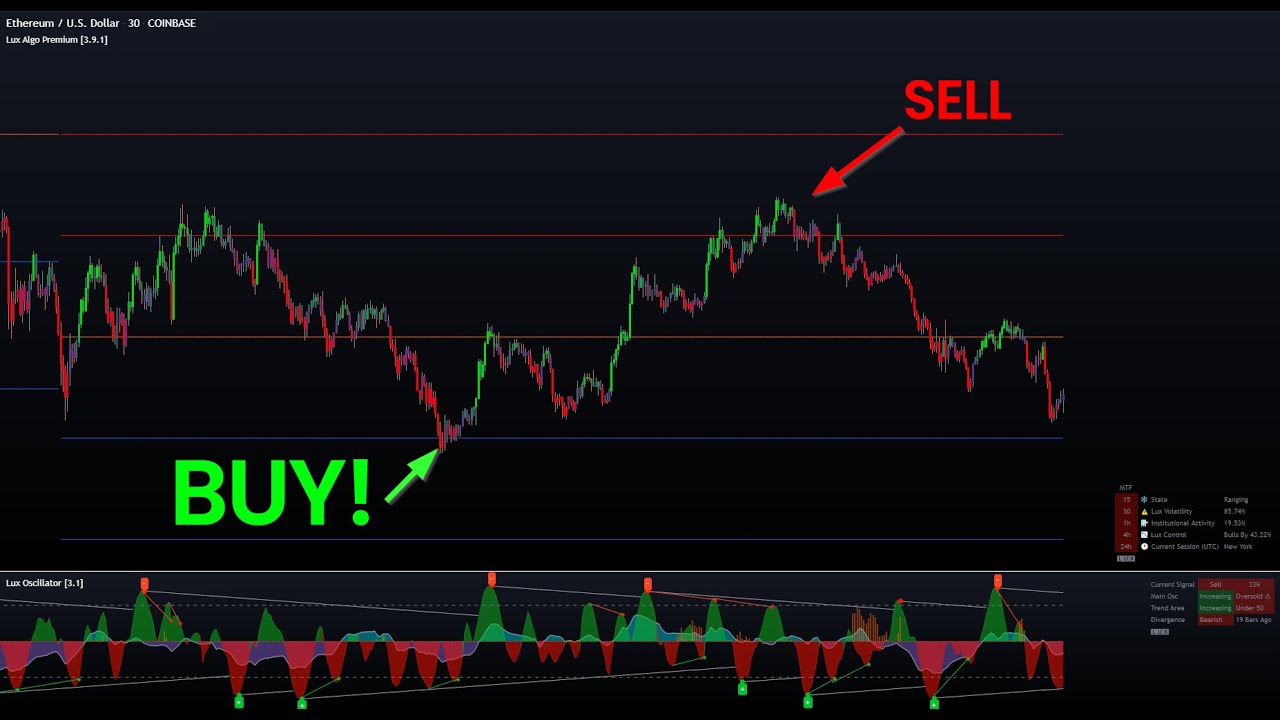
This video focuses on 2 of my personal favourite features within Lux, the predictive ranges and oscillator. I cover why they are important and a strategy whereby the user can identify potential reversals and retracements in the market. This can apply to any asset.
Get access to Lux Algo indicators: https://luxalgo.com/
Lux Algo features used i...
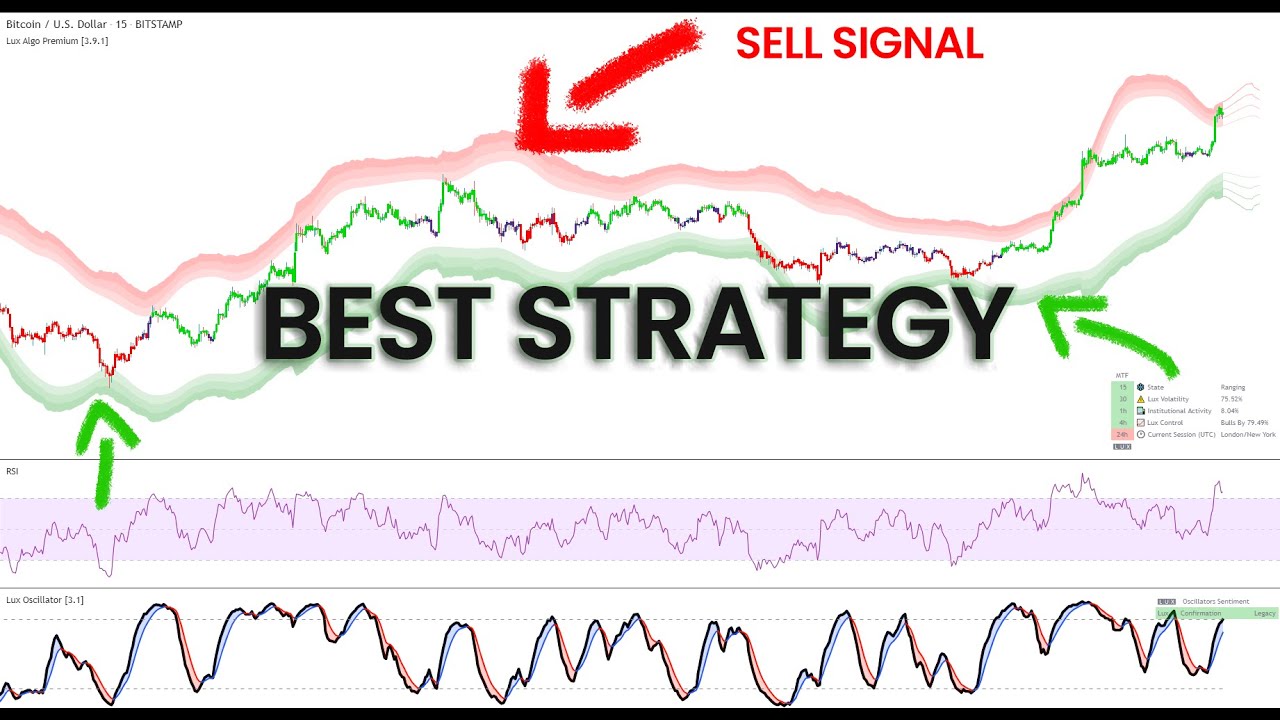
This video showcases a simple BTCUSD 15m strategy using RSI, Reversal Zones and the Lux Oscillator (Legacy Mode). It's a simple to follow and implement strategy that can be taken, developed and used. Make sure to leave a like & subscribe for more trading strategy videos!
Get access to Lux Algo indicators: https://luxalgo.com/
Lux Algo features...

 lapis reef
That doesnt help me at all
dusk sky
lapis reef
How do i get to luxbot on mobile?
you mean optibot?
lapis reef
Zoom in on the picture
Says luxbot
Never heard of that until tonight lol
LuxBot is a practical Discord bot allowing users to display charts, get news, and even perform backtests by using simple commands.
🤔
dusk sky
!luxbot
jaunty perch
@dusk sky

 LuxBot
LuxBot Commands
!backtest
Perform a backtest using a user specified ticker/timeframe/strategy. More info
!chart
Returns the image of a candlestick chart. More info
!depth
Depth chart for a specific cryptocurrency ticker More info
!ha
Returns the image of a Heikin-Ashi chart. More info
!news
Recent news for a specific keyword More info
!ticker
Various metrics for a specific ticker. More info
Made with ❤ by LuxAlgo.com
dusk sky
I just found it😆

 haughty knoll
Team Algo why does the optibot suggested optimize change? How is that determined? Mainly asking about forex and indices
feral lava
haughty knoll
Team Algo why does the optibot suggested optimize change? How is that determined...
There’s the “Optimal Sensitivity” on the dashboard which is a calculation that gives a well optimized setting to use on every ticker/timeframe
Then we have optibot in our Discord, which backtests sensitivity & agility settings with our own data to find the best possible settings. Overtime these change because market conditions change
 molten pelican
any chance we could get alerts for the nadaraya-watson estimator
like when it changes from reg/green
fierce void
Hey any tutorial for how to set agility?
indigo cradle
molten pelican
like when it changes from reg/green
Possibly in the future ☺️
indigo cradle
fierce void
Hey any tutorial for how to set agility?
Most of the time it doesn't need to be touched unless using optibot
jaunty perch
Is it possible to have entry TP & SL to automate trading ?
indigo cradle
 sterile umbra
Does Lux Algo have a function that relates to fib retracements?
sterile umbra
Does Lux Algo have a function that relates to fib retracements?
It doesn't however you may enjoy our predictive ranges
indigo cradle
jaunty perch
Is it possible to have entry TP & SL to automate trading ?
You can design your own strategy in theory and do this
jaunty perch
But lux algo just offer entry ?
indigo cradle
jaunty perch
But lux algo just offer entry ?
We don't really specifically offer entry points but we have a lot of features to help determine this
jaunty perch
Ok thanks
 molten dune
Do we have any video for forex and crypto trading strategies using lux algo. If yes can someone point me to the video.
indigo cradle
!strategies
jaunty perch
Find our full trading strategies playlist on YouTube: https://www.youtube.com/watch?v=xezy6WGpZ8Y&list=PLbqCXsOfrM3MjO7q7uIiwoVq3evI4neQr
Join our Discord: https://discord.gg/LUX
Get access to Lux Algo: https://luxalgo.com/products/lux-algo
Get the best settings: https://www.youtube.com/watch?v=OmvxpTE9tlw&t
Usability Tips: https://www.youtube.com/watch?v=5wtdY51crnc
indigo cradle
Example strategies here 🤝
sterile umbra
thank you
 pliant bear
Hi. With Lux Statistics... when using the Pivot Oscillator mode, it seems the forecast is just the last horizon number of prices. So not really a forecast unlike the Volatility and IA modes. Or am I missing something?
indigo cradle
It can still help forecast pivot locations: https://docs.luxalgo.com/lux-algo-premium-indicators/lux-statistics-premium/pivot-oscillator
See usage section here and hopefully that'll explain
The pivot oscillator is a pivot-related indicator that displays the percentage of prices lower or equal to a price of reference over a fixed window length. Pivot-highs occur when the indicator is equal to 100%, while pivot-lows occur when the indicator is equal to 0%.
 spring ether
In optibot do you not post the futures anymore?
indigo cradle
spring ether
In optibot do you not post the futures anymore?
We now directly support indices
spring ether
By the auto pilot? Or just use the indices as the signal sensitivity?
indigo cradle
Well Optibot now directly has indices so you can use these now if you wish 😊
civic blaze
 civic blaze
indigo cradle
This is new 😂
civic blaze
indigo cradle
This is new 😂
I'm new sounds like spam or scam
indigo cradle
Chef Dan is not really a chef nor is he part of Lux
civic blaze
So block him
indigo cradle
He's banned
minor zodiac
indigo cradle
<@!783610994814353448> Correct 🙂
Hi if I want to use the optibot , do i need to turn off the autopilot?
indigo cradle
minor zodiac
Hi if I want to use the optibot , do i need to turn off the autopilot?
Yep, AP overrides any settings used
minor zodiac
indigo cradle
Yep, AP overrides any settings used
thank you. I am trying to watch the SIMPLE Trading Strategy. You mentioned use the trend catcher to take profit . I try to read the document still not understanding. does it mean the trend catcher turning green , then start to buy?
indigo cradle
It would just mean you wait until the trend catcher changes opposite colours
For example if you're in a long position you exit when it flips red
minor zodiac
indigo cradle
It would just mean you wait until the trend catcher changes opposite colours
You mention you use trend catcher as exit. Does it mean sell when trend catcher turn red as I circle ? thank you very much
 indigo cradle
It would mean I exit when it turns green if I'm in a short
You can see on the screenshot I label the % change
And locate the exit
minor zodiac
indigo cradle
You can see on the screenshot I label the % change
sorry just a beginner. In a short , does it mean short selling?
indigo cradle
Correct (a strong sell there) 🙂
minor zodiac
indigo cradle
Correct (a strong sell there) 🙂
thanks
 compact cave
How do I set alarms for the Pivot Oscillator. The alerts being highs and lows.
indigo cradle
compact cave
How do I set alarms for the Pivot Oscillator. The alerts being highs and lows.

For pivot low and for pivot high enter value 99.9
And you'd actually want crossing up for a pivot high
And crossing down for pivot low
compact cave
Thank you
whole wren
I just noticed a green L, H and R on my Algo Premium indicator. What are those?
indigo cradle
That'll be pattern detection
Labelling a head and shoulders
L = left shoulder
H = head
R = right shoulder
 tired raven
indigo cradle
That'll be pattern detection
tired raven
indigo cradle
That'll be pattern detection
I feel like I am not getting everything Lux algo has to offer and the inputs are just overwhelming, where would you recommend me start with it so I can really harness the info it provides?
violet lotus
Learn how every aspect of our product suite works & get useful information about technical analysis.
tired raven
violet lotus
https://docs.luxalgo.com
tyvm
 indigo lake
hi
jaunty perch
Find our full trading strategies playlist on YouTube: https://www.youtube.com/watch?v=xezy6WGpZ8Y&list=PLbqCXsOfrM3MjO7q7uIiwoVq3evI4neQr
Join our Discord: https://discord.gg/LUX
Get access to Lux Algo: https://luxalgo.com/products/lux-algo
Get the best settings: https://www.youtube.com/watch?v=OmvxpTE9tlw&t
Usability Tips: https://www.youtube.com/watch?v=5wtdY51crnc
indigo cradle
And we also offer some video tutorials ☺️
tired raven
tyvm guys
lost swan
I wanted to ask about the "instituional Profile". Does this use data any different than Trading View's Fixed Range Volume Profile?
civic blaze
@indigo cradle how do I connect traiding view to lux algo
indigo cradle
@civic blaze When you signed up you recieved a confirmation email with a link to connect your accounts
There you can connect your tradingview account
indigo cradle
lost swan
I wanted to ask about the "instituional Profile". Does this use data any differe...
It does indeed
It's a profile of institutional activity; not the volume
civic blaze
indigo cradle
<@!853727413530787871> When you signed up you recieved a confirmation email with...
I received a digital code by email, and then .?
indigo cradle
You don't have access to Lux on tradingview?
I see you've been in the discord server for the past 2 days and you haven't have tradingview access?
civic blaze
No
indigo cradle
When you signed up for Lux, the first time you purchased you recieved a confirmation email. In that email there's a button to connect your accounts
The first email we sent you
There's a button in that email to connect your accounts
On that page, enter your tradingview username
civic blaze
No button on the 1st email ....only a 6 digit code valid for 5 min...
indigo cradle
Give support@luxalgo.com an email with your tradingview username 🙂
They'll add you in
 raw yoke
So i got an issue everytime i want to use the luxalgo script says study error
 shy relic
raw yoke
So i got an issue everytime i want to use the luxalgo script says study error
shy relic
raw yoke
So i got an issue everytime i want to use the luxalgo script says study error
is it the "study not auth" error? This can happen when you dont have access to the indicator. try to refresh the page and reapply the indicator to your chart.
raw yoke
ok thanks
 feral lava
Lux Algo works 100% on the free plan of TradingView @civic blaze 🙂 you don’t need to upgrade, it can be useful for extra timeframes/alerts to get the Pro plan if needed
spice aurora
@indigo cradle
Question to admin Gecko
💯
Hi ,Gecko
I looked carefully at all your strategies on youtube, mostly they go for 15 minutes and 30 minutes..
hence, what lux osscilator settings will be, for example, for this strategy https://youtu.be/SVkXfIE7E9k
your video for the timeframe of 1 hour and 2 hours ..
and for this video I mean the settings lux digitizer,legacy mode,length and smoothing
here in this strategy video
https://youtu.be/3ysPAGFyquo I am interested in the settings for oscillators on 1h, 2h and 4h, I still think that on older timelines more accurate signals than on 5 and 15 mints.
Thank you in advance for the answer .
with love from russia
This video focuses on 2 of my personal favourite features within Lux, the predictive ranges and oscillator. I cover why they are important and a strategy whereby the user can identify potential reversals and retracements in the market. This can apply to any asset.
Get access to Lux Algo indicators: https://luxalgo.com/
Lux Algo features used i...
This video showcases a simple BTCUSD 15m strategy using RSI, Reversal Zones and the Lux Oscillator (Legacy Mode). It's a simple to follow and implement strategy that can be taken, developed and used. Make sure to leave a like & subscribe for more trading strategy videos!
Get access to Lux Algo indicators: https://luxalgo.com/
Lux Algo features...
indigo cradle
spice aurora
<@456590452703887373>
Question to admin Gecko
💯
Hi ,Gecko
I looked carefully...
Hi there, so yep, higher timeframes do tend to be easier to trade and the same settings can apply to every timeframe 😊 So you could use it for the 4h for example
 elder lagoon
Hi all, I have a question for the admin or for anyone know the answer:
When I set an alert on TradingView, it should take the current indicator settings? I often receive signals that I don't see in the chart.
i.e. This alert is not shown on the chart

Instead I see it moving to the autopilot setting
indigo cradle
elder lagoon
Hi all, I have a question for the admin or for anyone know the answer:
When I se...
The alert won't use the current chart settings, it will use the settings you had open at the time of settings the alert
So most likely you set this alert on different settings
robust forum
@indigo cradle
defib, please 🤓
indigo cradle
Paddles ready
 tawny gorge
Hi. Just want to know why my lux algo chart doesn't match with some of my friends. The predictive ranges are different in spite having the same settings.

This is mine
indigo cradle
Your settings will be different / you'll be on different charts
tawny gorge
 indigo cradle
Double check SR significance
tawny gorge
Same as well sir at 4
indigo cradle
They do look the same though?
tawny gorge
In his it's nearing resistance while mine was a bit far away
indigo cradle
Same charts?
indigo cradle
Same timeframe?
There will be a difference somewhere
One of you may have extended hours enabled
tawny gorge
Yes same tf at 15m
indigo cradle
Extended hours?
tawny gorge
Where is the extended hours?
violet lotus
how to check my renew date for lux algo?
i want quarterly plan ...
from next subscription
currently on monthly
jaunty perch
You can upgrade your subscription to quarterly or yearly by clicking 'Manage Account' on https://luxalgo.com and logging in.
Once logged in, click your account, click on your membership, and select 'Edit Subscription'.
From here you can select your upgraded plan of choice from the blue drop down menu, see the prorated charge, and click 'Update Subscription' to complete the process.
Enhance your trading experience with our premium technical indicator suite + bots for stocks, forex, futures, currencies & commodities markets.
indigo cradle
@tawny gorge For different SR to show there will be a difference somewhere; whether it's a setting, one of you may be using a different type of candle e.g. HA candles
tawny gorge
Got it. Will just double check again as well. Thank you!
indigo cradle
No worries 🙂
austere estuary
Does my subscription to lux algo will be auto renewed ?
indigo cradle
austere estuary
Does my subscription to lux algo will be auto renewed ?
It will indeed; it's a subscription
If you wish to edit:
jaunty perch
Click Manage Account here: https://luxalgo.com
Or email support@luxalgo.com and our team will assist you with any request the same day.
Enhance your trading experience with our premium technical indicator suite + bots for stocks, forex, futures, currencies & commodities markets.
civic blaze
@indigo cradle the crypto list it's all we have? Is there a way to have omg or AXS or others
indigo cradle
civic blaze
<@456590452703887373> the crypto list it's all we have? Is there a way to have o...
Well Optibot just supports the ones listed
If you're trading a pair that's not supported you can pick from various alternatives
Optimised sensitivity in the dashboard, Autopilot or use default/manually adjust the settings
violet lotus
how do you arrive at those agility+sens figures
manually we need to test i guess.. must be algo at ur end
 vast owl
Do the scanner use the setting of optibot ? cause I find that the scanner got a buy signal, but on my graph is in sell
indigo cradle
!visible
jaunty perch
Our Discord Market Scanner alerts all use the following:
- Default Lux Algo (V4 inputs).
- Normal trading hours (no extended hours)
- Main exchanges / brokers such as NASDAQ / TVC / FXCM / OANDA / COINBASE / BINANCE
If you have created your own, custom TradingView alerts, be aware they are set per the exact settings you had at the time you set those alert(s).
 cold wedge
@indigo cradle I just had an exit signal painted on the most recent BTCUSD 30min bar, but the alert didn't fire. However the Buy & Sell signal before and after it did fire an alert. Any ideas?
Several other folks with the same alerts setup did get all 3 signals (buy - exit - sell), I'm the only one missing the exit signal
indigo cradle
Did you set alerts on exit signals?
cold wedge
Yes, I have an alert on "any buy signal", "any exit" and "any sell signal"
(an alert on each)
indigo cradle
I'd suggest remaking those 🙂
civic blaze
cold wedge
Yes, I have an alert on "any buy signal", "any exit" and "any sell signal"
How did u set alert on signals
indigo cradle
!alerts
jaunty perch
How to set up your own custom alerts in TradingView: https://docs.luxalgo.com/lux-algo-premium-indicators/setting-up-alerts-on-tradingview
Follow this guide for setting up your own custom alerts on TradingView.
cold wedge
civic blaze
How did u set alert on signals
Removed lux algo, removed the alerts, re-added lux algo (auto pilot checked, everything else default), re-created the alerts (any confirmation buy, any confirmation sell, exit) with Once Per Bar
civic blaze
elder lagoon
Hi all, I have a question for the admin or for anyone know the answer:
When I se...
When u say indicator it's only the sensivity and agility that u can adjust?
civic blaze
@indigo cradle why is on the live BTC and eth YouTube ....we see eth 15 strong buy ....and when I chart with the recommanded sensitivity 26 agility 40 ....I don't have same results
indigo cradle
civic blaze
<@456590452703887373> why is on the live BTC and eth YouTube ....we see eth 15 ...
See the video description for the settings used 🙂
civic blaze
Settings is sensitivity and agility
 warm olive
Is there a way on trading view to get alerts on your phone when there is a buy and sell signal on Lux algo on any of your watchlist coins? Thanks
shy relic
warm olive
Is there a way on trading view to get alerts on your phone when there is a buy a...
you would need to create one alert per coin on the watchlist, you cant set one alert for a whole watchlist.
shy relic
warm olive
I guess I need TradingView premium though
the free plan allows to set one alert only, higher plans allows setting more alerts, you can eventually use our scanners #🔔scanners-premium
shy relic
civic blaze
<@456590452703887373> why is on the live BTC and eth YouTube ....we see eth 15 ...
In the livestream the settings used are 6 for sensitivity Sensitivity and 32 for Agility, if you use these you should get the same results.
civic blaze
shy relic
In the livestream the settings used are 6 for sensitivity Sensitivity and 32 for...
Ok so the only 2 things to adjust is sensi and agil
Do we play with them till we find it make sence?
I mean in not listed coin
shy relic
civic blaze
Do we play with them till we find it make sence?
Its an option indeed, settings should be adjusted so that the signals catch the variations you want to trade, but you can also use the recommended sensitivity, the settings given by optibot, or use autopilot if you dont want to adjust the settings at all, see https://docs.luxalgo.com/lux-algo-premium-indicators/lux-algo/signal-settings for more info
This page showcases every way users can adjust settings along with full explanations of how they differentiate from each other.
 civic blaze
shy relic
Its an option indeed, settings should be adjusted so that the signals catch the ...
civic blaze
shy relic
Its an option indeed, settings should be adjusted so that the signals catch the ...
Do you have the explications in french? ...
feral lava
civic blaze
Do you have the explications in french? ...
Our docs will be in French soon!
feral lava
civic blaze
Fakeouts can happen! Our YouTube is live without optimization and low settings, so this can happen if the market is ranging
civic blaze
feral lava
Our docs will be in French soon!
I read it ...and it seems like just writing but saying nothing
feral lava
ah yea, it will be translated in French hopefully in the coming week or so, working on this now 🙂
civic blaze
It's critical to understand Confirmation Signals are generally meant to be used as trend confirmations, not direct entries & exits.
What is a confirmation signal..it's not even explained
 feral lava
No problem, happy to help :))
 drowsy zenith
tawny gorge
Got it. Will just double check again as well. Thank you!
drowsy zenith
tawny gorge
Got it. Will just double check again as well. Thank you!
Hi Mark!!! Haha
 summer crow
what is the latest lux algo
indigo cradle
4.2.2 🙂
 rotund lodge
@indigo cradleI wonder could we get the lux to be able to fire a long, then exit then a long again without an intervening short?
indigo cradle
Confirmation signals currently wont do this
Contrarians can
But not confirmation
It's an interesting idea that has been suggested before actually
rotund lodge
@violet lotusas i understand it, the long signal needs the next signal to be a short before it can fire another long signal
hopefully they'll consider allowing the long to fire, exit and then fire again without any short signal that would be great esp in a market like this
violet lotus
yes that functionality should be there to turn off the shorts if user just wants to long
rotund lodge
yes that's what i do now, turn off the short signal but that's not the same as getting multiple longs to fire in a row
violet lotus
hmm .. thats a bug then
rotund lodge
i'm kinda surprised they don't allow it
violet lotus
why we need sell before we get a long.. indeed we can have a buy and then a strong buy
indigo cradle
 violet lotus
time to think for developer
indigo cradle
Multiple buys in a row is basically identical to ignoring the sells in an uptrend
If it were implemented it would just hide the sells
rotund lodge
so do it the way I've been doing it, turn off the sell signal in an uptrend just take the buys? and vice versa assuming you could identify the trend (which i think now is strongly bullish)
violet lotus
how to turn of sells @rotund lodge
 little prairie
take percentage profit at the sells
rotund lodge
I use trading view and in the alerts there is a pause button so i hit that in times like this you can make money on the shorts but it's tougher i think
 orchid dragon
Hi I re activated my paused monthly subscription. How long takes add tradingview indicators?
indigo cradle
orchid dragon
Hi I re activated my paused monthly subscription. How long takes add tradingview...
I've DMd to assist ☺️
sterile umbra
@indigo cradle Hello. I require some assistance please. Whenever I setup Lux Algo for example in the USDJPY pair, the settings get carried over to another pair I'm trading. I seem to not get how to set individual settings per item I am trading since whenever I change a setting in one pair it gets change to all. please help thanks
indigo cradle
sterile umbra
<@456590452703887373> Hello. I require some assistance please. Whenever I setup ...
You can save indicator layouts: https://www.tradingview.com/support/solutions/43000543048-what-are-indicator-templates-for/
TradingView
Hope that helps 😊
 azure island
indigo cradle
Multiple buys in a row is basically identical to ignoring the sells in an uptren...
azure island
indigo cradle
Multiple buys in a row is basically identical to ignoring the sells in an uptren...
With respect, this is not true. Multiple buys is not like ignoring sells. What we want is to have an option to have the Exit signal reset Lux to neutral so that it can go long or short afterwards
Here's a recent example from BTCUSD 30min candles. You can see that we have an exit signal. But, and I understand I have no way to prove this, if Lux reset to neutral after the exit, I bet the candle I highlighted would have been another Long entry, giving us more gains

^^^ There was no Sell signal to ignore here.
@shy relic How hard would "Exit signals reset Lux to neutral" be to implement? Could we please try this in a future version? Or a beta version? I would like to back test this to see how well it performs 🙏 🙏 🙏
shy relic
azure island
<@!225316751410331649> How hard would "Exit signals reset Lux to neutral" be to ...
The best way to take advantage of successive exits is to wether partially exit a previous position, or enter positions using different conditions, such as a turn strong signal (which can occur after an exit).
Forcing signals to trigger after an exit signal would returns more false signals, which ultimately isn't good for users.
As for how hard to implement it is I am not sure.
rotund lodge
shy relic
The best way to take advantage of successive exits is to wether partially exit a...
Not forcing signals to trigger at all. If it reset it would just allow (in the above case) another buy signal. No sell to ignore, just the opportunity for another long. A whole new and different trade without needing a sell, ignored or not, in between
It’s a great idea at least I think it is and I can’t imagine it would be hard to do. And ,of course, you wouldn’t be forced to even use that ability if you didn’t want to
azure island
shy relic
The best way to take advantage of successive exits is to wether partially exit a...
Thanks for the quick response! Comments:
- Successive exits don't back test as well as full exits in my experience, but then you lose the ability of going long/short a second or even third time in a row
- In analyzing over 12K 30min candles from 1/1/21 to 10/1/21, I find zero instances of a sell followed by strong sell (and vice versa) or a buy followed by a strong buy (and vice versa), regardless of whether there's an exit signal in between. You would know better of course, but it seems to me that in the world of Lux, a buy must be followed by a sell, and vice versa. That's too bad.
- In those 12K candles, there are 249 signals, 176 buy/strong buy/sell/strong sell signals, and 73 exit signals. So at most you'd be introducing 73 new signals... But the odds of that are really small, often after an exit the price reverses anyway, and we get the opposite signal. The extra signals, including any false signals, would be very small in number IMO
- Of those 73 exit signals, only 7 times are there back to back exit signals (6 x 2 back to back exits, and once with 3 back to back exits). Now if you implemented the "Exits reset to neutral" feature, I don't know how often an extra long or short might be triggered between those exists. But I do know that these few back to back exits span many 1000s of $ and could be very lucrative
- This is just for BTCUSD on the 30min candles. I see this same behavior on many many charts. I think it could make a big difference but we won't know until we can back test it
So I'm going to keep 🙏 that you'll give this feature a shot, even as a beta, even if you remove it later on if we back test and it proves more trouble than it's worth. I'd love to try it! 🙏
In any case: Thanks for listening and for a fantastic product!
shy relic
azure island
Thanks for the quick response! Comments:
1. Successive exits don't back test as ...
I can't cover everything you mentioned at the moment, there is a lot to go through, but a normal buy or sell can be turned into a strong signal, this is what I mean by "turn strong", the candle switch from purple to green/red.
Also note that exits are of course directly connected to the signals, forcing other signals to appear would as such affect exits (potentially worsening their performance), it would also affect our settings optimization methods, including autopilot, optibot, and recommended sensitivity (altho this one is more flexible). So even tho the idea can be interesting, it affects many aspect of the toolkit, it's something that will require a deeper reflexion.
Thanks a lot for your feedback ☺️
 rough stag
Is there anything that represent money flow and momentum in lux algo, if so where would I find that?
indigo cradle
rough stag
Is there anything that represent money flow and momentum in lux algo, if so wher...
The oscillators can track momentum 😊
@normal pagoda Sorry about that give support@luxalgo.com an email and they'll see to that
 peak locustBOT
Hi @buoyant zodiac! Click Manage Account here: https://luxalgo.com/
Or email support@luxalgo.com and our team will assist you with any request the same day.
Enhance your trading experience with our premium technical indicator suite + bots for stocks, forex, futures, currencies & commodities markets.
azure island
shy relic
I can't cover everything you mentioned at the moment, there is a lot to go throu...
No problem, I appreciate you listening. Maybe when you’re in the code, you’ll find a way to try this out that doesn’t involve a lot of changes 🤞
civic blaze
indigo cradle
The only thing u can do to be profitable is buy at a buy signal and sell higher ....
civic blaze
What is all that symbols? I know none of those crypto
 indigo cradle
civic blaze
What is all that symbols? I know none of those crypto
indigo cradle
civic blaze
What is all that symbols? I know none of those crypto
They are for stocks
None of them are crypto
Crypto pattern scanners aren't currently availible
 fast flume
I purchased but how do i unlock access?
Will it work on trading view app? Or it has to be used on website?
indigo cradle
It can work on the app ☺️
2️⃣ Please check your confirmation email for a "Connect Accounts" button that brings you to a page to get instant access on TradingView & Discord after signing up.
If you are having trouble with step 2: Please reply to the confirmation email (or email support@luxalgo.com) with your active TradingView/Discord username and our support team will grant you full access within 6 hours. 👍
 lilac onyx
How accurate is this bot? I mean in percent??
fast flume
I got it. Thank you!
indigo cradle
lilac onyx
How accurate is this bot? I mean in percent??
We don't provide any strategy scripts I'm afraid
 mossy lake
Hi there, I'm looking for something more tailored to ES/NQ/RTY trading that integrates things like TN/yields, interactions with other futures (ES<->NQ), institutional levels/box theory - any plans?
indigo cradle
We tend not to make specific things for specific assets and stick to general features. However regarding institutional levels and box theory there are features that would be very good for these, particularly predictive ranges
mossy lake
are levels/box theory available in the indicators somewhere? (I saw the volume profile output but nothing specific around autoboxing around them)
(btw, also, I really like your zig zag channels indicator - just wanted to say thanks for working and publishing that one)
indigo cradle
mossy lake
are levels/box theory available in the indicators somewhere? (I saw the volume p...
Not boxes as per say however preditive ranges can be seen as boxes
civic blaze
Hi @indigo cradle I don't see the bot that accurate...sell on the red candles buy on the green candles at the end it's same price am I doing something wrong?
Do you have a learning book of all the figures to adjust correctly the bot?
Even when I too your sensivity and agility updates ...it's weird as results
fast flume
Where do i change to scalp or intraday or swing?
 tepid nest
sensitivity @fast flume
fast flume
How?
tepid nest
lol you change it
fast flume
Where and what sensitivity for scalp and intraday?
 tepid nest
try it out
and you should watch their youtube videos because you should know about that stuff already imo
fast flume
Ok thanks
indigo cradle
civic blaze
Hi <@456590452703887373> I don't see the bot that accurate...sell on the red can...
Have you seen any of my strategy videos?
fast flume
Where can i find your videos?
indigo cradle
YouTube
Sharing trading strategies that I've developed using Lux Algo + more.
(Not actually a gecko.)
fast flume
What is this default setting good for?
What time frame is recommended for default setting?
If i want to scalp spy 5 mins frame do i follow 5m optibot?
feral lava
fast flume
What is this default setting good for?
medium term trends — works on any timeframe. Settings should be adjusted based on how long of trends you want to catch basically
feral lava
fast flume
If i want to scalp spy 5 mins frame do i follow 5m optibot?
Optibot is the most optimized, it can be great to use if you specifically trade spy 5m yep!
fast flume
What is your recommend time frame for intra day and swing?
dusk sky
Optibot setting=autopilot?
feral lava
dusk sky
Optibot setting=autopilot?
They’re different see here: https://docs.luxalgo.com/lux-algo-premium-indicators/lux-algo/signal-settings#choosing-the-right-method
This page showcases every way users can adjust settings along with full explanations of how they differentiate from each other.
civic blaze
Hi @indigo cradle I don't see the bot that accurate...sell on the red candles buy on the green candles at the end it's same price am I doing something wrong?
Do you have a series of videos that explain clearly of all the figures to adjust correctly the bot?
Even when I enter your sensivity and agility updates ...it's weird as results
feral lava
civic blaze
Hi <@456590452703887373> I don't see the bot that accurate...sell on the red can...
Check out this video on each way to adjust signals https://youtube.com/shorts/H7Q1VO_Ew_c?feature=share

& then this video after https://youtu.be/xezy6WGpZ8Y
Join our Discord: https://discord.gg/LUX
Get access to Lux Algo: https://luxalgo.com/products/lux-algo
Get the best settings: https://www.youtube.com/watch?v=OmvxpTE9tlw&t
Usability Tips: https://www.youtube.com/watch?v=5wtdY51crnc
dusk sky
Which indicators including free ones are better at measuring Risk/rewards rates?
indigo cradle
dusk sky
Which indicators including free ones are better at measuring Risk/rewards rates?
Have you checked out our risk management script?
indigo cradle

TradingView
Good money management is one of the fundamental pillars of successful trading. With this indicator, we propose a simple way to manage trading positions. This tool shows Profit & Loss (P&L), suggests position size given a certain risk, sets stop losses and take profit levels using fixed price value/percentage/ATR/Range, and can also determine ent...
dusk sky
Thank you
fast flume
For example, i want to scalp spy and i changed settings to optibot 5m then if i change to tesla and optibot settings will be the same. How do I save spy with specific setting? So if i go back to spy and it will be the same setting i made. Makes sense? Sorry my english is not good
fast flume
Chart layout save?
 tranquil echo
Yes I believe so
fast flume
It didnt work
I saved it then went to tesla. It carried over the same settings
Ah found it. I need to click load every time
fast flume
The docs said consider using lower sensitive if using shorter term (5-10) but 5m optibot is at 23? I want to scalp SPY. So which one is it? Im confused

 indigo cradle
fast flume
The docs said consider using lower sensitive if using shorter term (5-10) but 5m...
indigo cradle
fast flume
The docs said consider using lower sensitive if using shorter term (5-10) but 5m...
Confirmation signals are a tool. Is really depends how you use them
Some people may want to use them to identify a trend a trade within/between the signals
Some may want more frequent signals
fast flume
So i should stay with 5m optibot setting if i want to scalp spy at 5m?
indigo cradle
It really does depend how you plan to use those signals. I would probably suggest optibot however
fast flume
Ok thanks
civic blaze
feral lava
& then this video after https://youtu.be/xezy6WGpZ8Y
Hi if that's the begginers tutorial, do you have the next tutorials for intermediate and expert?
indigo cradle
civic blaze
Hi if that's the begginers tutorial, do you have the next tutorials for intermed...
On my channel we show some higher level things: https://youtube.com/c/GeckoTrading
YouTube
Sharing trading strategies that I've developed using Lux Algo + more.
(Not actually a gecko.)
 rich igloo
Can I get the docs for lux oscillator ?
lilac onyx
what is the numbers for TQQQ the signals sensitivity and agility ?? can you help guys... thank you
indigo cradle
TQQQ isn't directly supported in optibot so you'd need to either use autopilot or the dashboard's recommended sensitivity as alternative optimistaion methods
rich igloo
 indigo cradle
rich igloo
indigo cradle
rich igloo
What did you click for this to appear?
Features
This link should work (does for me)
lilac onyx
indigo cradle
TQQQ isn't directly supported in optibot so you'd need to either use autopilot o...
Thank you!
dusk sky
Does RAR indicate overbought/oversold? I went through the description and am not quite sure
indigo cradle
It can do 🙂
dusk sky
indigo cradle
It can do 🙂
How can I identify?
indigo cradle
Really just the same as any other oscillator of that type, over or below the deemed OB/OS levels 🙂
It's not the main usecase though
 dusk sky
Thank you 😊
 errant sand
Here's what I meant about broken links: https://docs.luxalgo.com/lux-algo-premium-indicators/changelog/changelog/lux-algo-premium
indigo cradle
heady lynx
I alway lose money in the range market
In this video I showcase how to trade the 5m with Lux Algo and increase your profits and chances of identifying reversals. Make sure to leave a like & subscribe for more trading strategy videos!
Get access to Lux Algo indicators: https://luxalgo.com
Lux Algo features used in this strategy:
Reversal Zones: https://docs.luxalgo.com/lux-algo-pre...
This is good for ranging markets particularly
indigo cradle
foggy glacier
how do i use strategy tester on lux premium
You cannot I'm afraid we don't currently make any strategies
indigo cradle
errant sand
Here's what I meant about broken links: https://docs.luxalgo.com/lux-algo-premiu...
Ahhhh I see, thank you for letting us know 😊
How did you access that link? Via the docs? Seems to work for me
pliant bear
Can you have a look at the Crypto news, I think it has frozen! Thanks 😩
 crimson fable
Hey! I want to try to connect 3commas trading via LUX signals.
And I have a question:
- Opening a deal on a signal - everything is clear.
- But how to close a trade if Exits are not always shown?
 indigo cradle
pliant bear
Can you have a look at the Crypto news, I think it has frozen! Thanks 😩
indigo cradle
pliant bear
Can you have a look at the Crypto news, I think it has frozen! Thanks 😩
Absolutely 😊
indigo cradle
crimson fable
Then you'd need to deduce an alternative exit method to use alongside it. Exits naturally won't always appear sadly
indigo cradle
It can really be based on any method you wish, it could be a cross with a predictive range
It could be an entry of a reversal zone

 crimson fable
Yes))
Tell me, how can I properly configure the signal for the inputs to these zones?
 indigo cradle

This but select RZ R1 for the upper reversal zone
And change crossing to crossing up
And RZ S1 for the lower
 crimson fable
Please, the last question:
Can I make an exit signal when the color changes from green to purple?
 indigo cradle
You can't make an alert for green to purple I'm afraid currently
Just purple to green
 obtuse oracle
Good morning , just to check, I’m new babe here, can you help to setup the above indicators in Trading view ?
obtuse oracle
Yes, Connectedz
crimson fable
Can I create separate alerts for Exit Short or Exit Long?
How to explain to the system in 3commas which output, what does it mean
indigo cradle
obtuse oracle
Yes, Connectedz
Have you got access to Lux within Tradingview?
indigo cradle
crimson fable
Can I create separate alerts for Exit Short or Exit Long?
How to explain to the...
Sorry, I'm really not familiar with 3commas at all ☹️
 vague schooner
crimson fable
Can I create separate alerts for Exit Short or Exit Long?
How to explain to the...
vague schooner
crimson fable
Can I create separate alerts for Exit Short or Exit Long?
How to explain to the...
They can help you at the 3commas discord site. You would have to set this up using TV alert (Webhooks) and in 3 commas trading view custom signals when creating a BOT. I am new to lux algo as well and just got it yesterday myself. i been using 3commas for about 3 months now. Im trying to figure this out at well. I have setup TV Custom signals in the past but am still a newbies at this.
There are many videos showing this process. Its not difficult. Mainly cut and paste the correct messages from 3 commas setup
crimson fable
Why can't I see a buy signal on the chart?
indigo cradle
crimson fable
Why can't I see a buy signal on the chart?
Do you have a screenshot?
crimson fable
 indigo cradle
Your alert was most likely set up using different signal settings; try remaking the alert and it should work 🙂
crimson fable
I don’t understand, using what other settings, it could have been created?) I have one notification created as in the screenshot for any buy signal
What's wrong with this?
 indigo cradle
Your signals may have been using different sensitivity for example
Remaking fixes things 9/10 times 😊
 normal pagoda
I just have a short question. When I set the alarm like in your youtube video, i just receive a message but i want to know on which amount the alarm was triggered
indigo cradle
normal pagoda
I just have a short question. When I set the alarm like in your youtube video, i...
You want to know the candles closing value? Are you using the all in one alert function?
normal pagoda
indigo cradle
You want to know the candles closing value? Are you using the all in one alert f...
right, im using the one alert function and i want to know the candles closing value
indigo cradle
Ahhh currently you can't do this with the all in one
With the built in alerts you can
In the message field you can get that as a variable
normal pagoda
how? do you have a guide for this or video
indigo cradle
!alerts
jaunty perch
How to set up your own custom alerts in TradingView: https://docs.luxalgo.com/lux-algo-premium-indicators/setting-up-alerts-on-tradingview
Follow this guide for setting up your own custom alerts on TradingView.
indigo cradle
So you'll want to use not the all in one alerts
But the ones given in the drop down
normal pagoda
thank, i'll try
indigo cradle
And then in the message field you can enter {{close}} to get the close price
normal pagoda
*thanks
minor zodiac
I try to set up the alert but it never receive any. wonder why?


 normal pagoda
how to update to version 4.2.3 or it happens automat.?
fierce void
4.2.3 is out?
jaunty perch
To update Lux Algo Premium indicators, refresh your browser/app, remove the indicator from your chart, and then add it back to your chart + save your chart layout on TradingView.
Full guide: https://docs.luxalgo.com/lux-algo-premium-indicators/how-to-update
Included in this section is the best steps to receive & install updates for Lux Algo on TradingView.
minor zodiac
indigo cradle
!update
thanks
violet lotus
does changing optimal sensitivity as mentioned in the dashboard brings better signals?
for each time frame
it is different
indigo cradle
It can do yes 🙂
violet lotus
what about agility for different frames?
indigo cradle
If optibot doesn't provide it for that asset it's not needed 🙂
violet lotus
what i see