#🤝support
1 messages · Page 241 of 1
 indigo cradle
 molten ginkgo
That seems to work. Thank you.
 stuck rampart
#🤝support my alert retrun "contracts": {{strategy.order.contracts}},
"position": {{strategy.position_size}},
"order_action": "{{strategy.order.action}}", not working return
it's returning me normal text without the values
would not the correct be any signal? any confirmed not working 3comma
indigo cradle
You're trying to set an alert for Lux?
 jaunty perch
How to set up your own custom alerts in TradingView: https://docs.luxalgo.com/lux-algo-premium-indicators/setting-up-alerts-on-tradingview

Follow this guide for setting up your own custom alerts on TradingView.
indigo cradle
See here 👍
jaunty perch
This "L" "H" is ?
 stuck rampart
{{strategy.order.action}} - returns the string “buy” or “sell” for the executed order not working
indigo cradle
stuck rampart
{{strategy.order.action}} - returns the string “buy” or “sell” for the executed ...
Yes, this isn't how you set an alert
!alerts
jaunty perch
How to set up your own custom alerts in TradingView: https://docs.luxalgo.com/lux-algo-premium-indicators/setting-up-alerts-on-tradingview
Follow this guide for setting up your own custom alerts on TradingView.
indigo cradle
See above for how to set alerts
You're trying to access values using strategy. Which isn't the way to do it
stuck rampart
What would be the correct way? using any signal.
I need to send a 3 comma signal to buy or sell
indigo cradle
If you want to send individual alerts you need to select any confirmation sell
And any confirmation buy
And send them separately
 stuck rampart
ok 2 alerts
indigo cradle
Yep if you need to distinguish this is the way to go
 idle lava
If the candle touch to the reverse zone.. should i get the alarm?
 frozen wagon
Can I opitbot BTC , ETH , DOT 15min at the same time ?
indigo cradle
idle lava
If the candle touch to the reverse zone.. should i get the alarm?
You want to create an alert?
indigo cradle
frozen wagon
Can I opitbot BTC , ETH , DOT 15min at the same time ?
You want to save the settings for each chart?
frozen wagon
Yes
indigo cradle

TradingView
idle lava
indigo cradle
You want to create an alert?
Yes. Is it possible?
indigo cradle
You can save indicator templates
indigo cradle
idle lava
Yes. Is it possible?
It is indeed let me get that

This alerts for when the price crosses into the upper red
 errant bridge
Hi Admin, what could be a a filter that i can use to catch up the starting upward trend of legacy oscillator or the nadaraya watson estimator?
indigo cradle
And select RZ S1 for when the price crosses into the green
idle lava
Ok!! Thanks!!
indigo cradle
errant bridge
Hi Admin, what could be a a filter that i can use to catch up the starting upwar...
Legacy oscillator will most likely be a good idea
 dreamy umbra
Just wondering what this discord is for lol
indigo cradle
Welcome 😀
dreamy umbra
Is there a way I can have it alert me in discord?
indigo cradle
This server has scanners, Optibot and other bots
dreamy umbra
Oh thank you!
indigo cradle
To opt into scanners see #🔔scanners-premium 👌
errant bridge
indigo cradle
Legacy oscillator will most likely be a good idea
I mean since that there is nothing on the screener for legacy oscilator? What could be a filter in stock screener that i can use to catch the starting upward trend of legacy osc? Sorry if my question is not clear. 🙂
indigo cradle
So you're looking for something to predict when the legacy oscillator might start up trending?
Sorry if I'm not understanding too 😂
errant bridge
indigo cradle
So you're looking for something to predict when the legacy oscillator might star...
Yes trying to filter on stock screener to catch the start of upward trend of osc. 🙂
indigo cradle
errant bridge
Yes trying to filter on stock screener to catch the start of upward trend of osc...
Sadly you can't make custom screeners currently you'd need to set manual alerts for every pair 😔
(If I'm getting it)
frozen wagon
So is it one templates one settings ?
errant bridge
indigo cradle
Sadly you can't make custom screeners currently you'd need to set manual alerts ...
Hope that lux can make an update to include our indicators as filter on stock screener. 🙂
indigo cradle
frozen wagon
So is it one templates one settings ?
It's multiple templates
indigo cradle
errant bridge
Hope that lux can make an update to include our indicators as filter on stock sc...
As soon as TradingView allow for some nice custom screeners absolutely ☺️
frozen wagon
With have multiple alert ? Eg BTC buy alert . ETH buy alert ?
indigo cradle
You can set multiple alerts yes 😊
stuck rampart
sorry for my ignorance, but there is no alert for opening the signal and closing that signal? to put on tradingview?
remembering that I want to make automatic purchases and sales at binance. more accurate buy and sell signals without having to create several alerts with buy, buy strong sell, strong sell.
indigo cradle
stuck rampart
sorry for my ignorance, but there is no alert for opening the signal and closing...
You'll have to create several I'm afraid since they are going to have to trigger individually
There is no message field on alert any
stuck rampart

How will I know the example purchase exit alert in the photo?
how can i identify if one goes out of purchase? no alerts
 indigo cradle
It does depend what you want the alert to do but yes that makes sense
 stiff urchin
i have it setup for 15m,1h,4h, the 15m didn't trigger @indigo cradle
frozen wagon
Why BTC ADA ETH when I follow the confirm buy and sell signal (the bar close) 8/10 time is lose trade ? Settings is auto or follow your optbot settings ?
indigo cradle
stiff urchin
i have it setup for 15m,1h,4h, the 15m didn't trigger <@!456590452703887373>
Absolutely should do
Where did you expect it to trigger
indigo cradle
frozen wagon
Why BTC ADA ETH when I follow the confirm buy and sell signal (the bar close) 8/...
Please never follow signals blindly, see my videos for strategy ideas 😊

YouTube
Sharing trading strategies that I've developed using Lux Algo + more.
(Not actually a gecko.)
 amber flint
I have buy this indicator 3 days ago..I put in 1h TF autopilot "once per bar close", for mid term trading. For scalping on 15min TF set sensitivy 5 and Katan-Ashi candle with EqCloud and Reversal zone. Trend is your friend 😀
frozen wagon
i want to setting up 3commas trading bot by TV signal. Whats your suggestion THX
stiff urchin
@indigo cradle
 indigo cradle
Should have triggered there, try remaking the alert 👍
It's perfectly fine looking at it
frozen wagon
if you count bar start is perfect. but count close is not the best
Use Katan-Ashi candle and Normal candle with made different ?
or you mean trend catcher crossing tracer ?
indigo cradle
Kantan ashi and normal candles will have the same signal location 🙂
frozen wagon
HI Admin THX your Help. in TV Alert "Trend Tracer Down" mean green change red and "Trend Tracer up" mean red change green ? ?
indigo cradle
It does indeed 😊
frozen wagon
Trend Tracer look better then buy and sell signal in BTC ADA ETH on 15min. but any down side on it ?
frozen wagon
i backtest ETH 15m "Otpibot 37/20 buy sell signal" and "Trend Tracer up down" . 1 month , Trend Tracer win
 heady prawn
Hello, is it possible for LuxAlgo to send me a buy or sell signal for all coins on my watchlist?
 modest mist
I have the same question! Do we need to set up an alarm for each one of them?
 shy relic
heady prawn
Hello, is it possible for LuxAlgo to send me a buy or sell signal for all coins ...
shy relic
heady prawn
Hello, is it possible for LuxAlgo to send me a buy or sell signal for all coins ...
you would need to create an alert for each of them.
 odd totem
What do I do about " Study Error" getting it a few times now
indigo cradle
It means you don't have access; it seems to be a weird TV bug recently; you have access I assume?
 thorny dirge
Can someone please my mail,
indigo cradle
I'll follow that up now with support
heady prawn
shy relic
you would need to create an alert for each of them.
Any guide on how to do that?
indigo cradle
@thorny dirge DM me your email addr 🙂
indigo cradle
heady prawn
Any guide on how to do that?
!alerts
jaunty perch
How to set up your own custom alerts in TradingView: https://docs.luxalgo.com/lux-algo-premium-indicators/setting-up-alerts-on-tradingview
Follow this guide for setting up your own custom alerts on TradingView.
heady prawn
Thanks!
thorny dirge
indigo cradle
<@!549195766220980228> DM me your email addr 🙂
I have done it! Please check
odd totem
Yes I have access
odd totem
ok, just have to swtch around, Feautes in TW ?

 jovial sundial
How can I add Lux Metrics Premium as seen in your Best 5 Minute Scalping Strategy Gecko?
indigo cradle
jovial sundial
How can I add Lux Metrics Premium as seen in your Best 5 Minute Scalping Strateg...
I use Lux Volatility there. So load up Lux Statistics from your invite only scripts, open the settings and in mode select Lux Volatility
heady prawn
If I set the condition to "any confirmation" it will alert me on buy, sell, strong buys, strong sells?
indigo cradle
Correct 🙂
heady prawn
Thank you!
stuck rampart
I put alert in tradingview as "Any Confirmation" and set alert
Buy: {{plot ("Buy")}} | Sell: {{plot ("Sell")}} | Strong buy: {{plot ("Strong buy")}} | Strong Sell: {{plot ("Strong Sell")}}
Exit Purchase: {{plot ("Exit Purchase")}} | Exit Sale: {{plot ("Exit Sale")}}
and it was to return an Exit_Buy but return me only the Buy "upside down"
ops
{{plot("Exit Sell")}},
{{plot("Exit Buy")}},
tradutor 😦
can't I put in the same alert?
indigo cradle
I'm a little confused what you mean by a "upside down" buy there
stuck rampart
was to receive exit_buy signal
and I received buy signal
can I put this in "some Confirmation"?
"pair": "{{ticker}}",
"typeBuy: {{plot("Buy")}},
"typeExitBuy: {{plot("Exit Buy")}},
"typeBuySell:{{plot("Sell")}},
"typeExitSell: {{plot("Exit Sell")}},
"TypeBuyStrong:{{plot("Strong Buy")}},
"TypeSellStrong:{{plot("Strong Sell")}},
indigo cradle
This should be ok 🙂
indigo cradle
 winter mountain
Is there any way to program a strategy with lux algo and pine script
winter mountain
Is there any way to program a strategy with lux algo and pine script
There isn't really a convinient way to access values in an external strat im afraid
 potent knot
@indigo cradle Hi I am trying to get some guidance (if it exists lol) on differentiating between a small move that stops at the Reversal Zones vs. other larger runners. As you can see below, both of the oscillators are crossing over their midpoints, we get the Strong signal, but one moves dies out and the other keeps going. Is there another tool I can add to this set up to help me know which move I am dealing with before its too late?

Runner
 indigo cradle
It's very hard to predict the size / if at all there is about to be a large market impulse. However generally some sort of market squeeze indicates a bigger upcoming move
 rustic basalt


 lavish aspen
How I join to Live - Crypto Bot Scanner?
 feral goblet
New to Lux, can anyone tell me why a buy signal went out on my chart at 18:00 which is 6pm but the alert hit my phone and computer at 9pm or 21:00 which is 3 hours after chart signaled a buy.
 feral lava
Hey @feral goblet - it's possible the alert was created with different settings, or on a different timeframe -- otherwise, it's likely a glitch on TradingView's side
 jagged anchor
How can we cancel premium luxalgo
jaunty perch
Click Manage Account here: https://luxalgo.com
Or email support@luxalgo.com and our team will assist you with any request the same day.

Enhance your trading experience with our premium technical indicator suite + bots for stocks, forex, futures, currencies & commodities markets.
 shy relic
 undone kernel
How come I can't set an alert? Lux algo isn't showing under the condition tab
undone kernel
How come I can't set an alert? Lux algo isn't showing under the condition tab
Try refreshing the page
 calm quest
Hi, need assistance please. the lux algo premium sometimes disappear on my saved Trading view charts....meaning the signals do not show nor the EQ cloud zones as well and so i had to click hide and unhide always just to show this indicator. Is there anyway i can have this fixed on my saved charts on trading view. Thanks.
shy relic
calm quest
Hi, need assistance please. the lux algo premium sometimes disappear on my saved...
is this caused by a specific error, can you see an exclamation mark near the indicator title? it can also be the cause of you not saving the chart layout.
calm quest
there is an exclamation point near the indicator title. I always save if I do something on the chart. what do you think i should do? thanks for the prompt response.
shy relic
calm quest
there is an exclamation point near the indicator title. I always save if I do so...
can you click on it? what is it saying? Are you perhaps using the institutional profile?
calm quest
if i put cursor on the exclamation point it says "study error". I am only using pattern detection on the S/R Mode field.
indigo cradle
If you hide and unhide the script it should work. We will look into why this occurs 👍
calm quest
that is precisely what i am doing....hide and unhide most of the time. shall await your feedback. thanks.
indigo cradle
Will will have an investigation into that 👍
You can however you need to use a work around
Load up 2 versions of Lux Algo Premium
And on one of them disable everything except the predictive ranges
We may work something out in the future regarding that 👍
 carmine drift
Hi all , I want to use lux algo with 3Commas , help me pleas
indigo cradle
carmine drift
Hi all , I want to use lux algo with 3Commas , help me pleas
I'm afraid we don't have any official resources on this ☹️
stuck rampart
i have the same problem to use with 3comma. alerts are not correct.
there are times when I get alert "buy" and there are times when I don't.
indigo cradle
Ensure that the alert is set correctly, may I see your alert settings?
jovial sundial
The blue x on top is a take profit indicator I think? What is the red X at the botttom?
 indigo cradle
It's an exit signal
jovial sundial
okay so both blue X and Red X are exit signals?
jovial sundial
okay cool, thanks!
stuck rampart
indigo cradle
Ensure that the alert is set correctly, may I see your alert settings?
I've already changed the settings in a number of ways. last test and I confirm you I'm putting the signal to arrive "once per bar" because in the "explanation" it says at the end of the bar but then I'll lose the signals in m5 or m15
indigo cradle
May I see your settings just to see the conditions selected?
stuck rampart

{
"pair": "{{ticker}}",
"typeBuy: {{plot("Buy")}},
"typeExitBuy: {{plot("Exit Buy")}},
"typeBuySell:{{plot("Sell")}},
"typeExitSell: {{plot("Exit Sell")}},
"TypeBuyStrong:{{plot("Strong Buy")}},
"TypeSellStrong:{{plot("Strong Sell")}},
"order_contract": {{close}},
"order_price": {{close}},
}
end

exit
indigo cradle
But here you haven't set it one once per bar close
You've set it to once per bar
So the signal can disappear during the life of the candle
stuck rampart
Yes, this is my last test
I already put it by closed bar and I didn't receive the alert
indigo cradle
I would suggest selecting once per bar close again and running it. It should work 👍 everything looks good to me
Any confirmation should alert for any signal and it appears to look correct
indigo cradle
It would not be I'm afraid, the underlying idea is that it repaints
If it didn't repaint... well it'd be the perfect indicator
The core underlying principle is the repainting there, if it didn't repaint we are looking at a totally different indicator
The only way I can explain it is like: Asking for Chicken at a restaurant but without the chicken
It's would totally change the entire indicator
Then we'd be making a trend following plot that goes red and green
And our best versions of this are the trend catcher and tracer
Those are both real-time
Non repainting
indigo cradle
stiff urchin
chickens and indicators
''Twas my best analogy 😂
Especially for traders
 hallow jacinth
How to use pivot oscillator?
hallow jacinth
ok
 waxen flicker
I didn’t realize it repainted until about 30 minutes after I was looking at it… thought it was the perfect indicator lol 😂
Was like damn this is awesome
I found the trend catcher is pretty similar. Just a tad bit later on the changes
indigo cradle
The trend catcher is very very good and is all real-time 👍
indigo cradle
Yes that's because the nadarya repainted
It went back and changed itself
There is in our docs 😊 I'd actually suggest watching this video
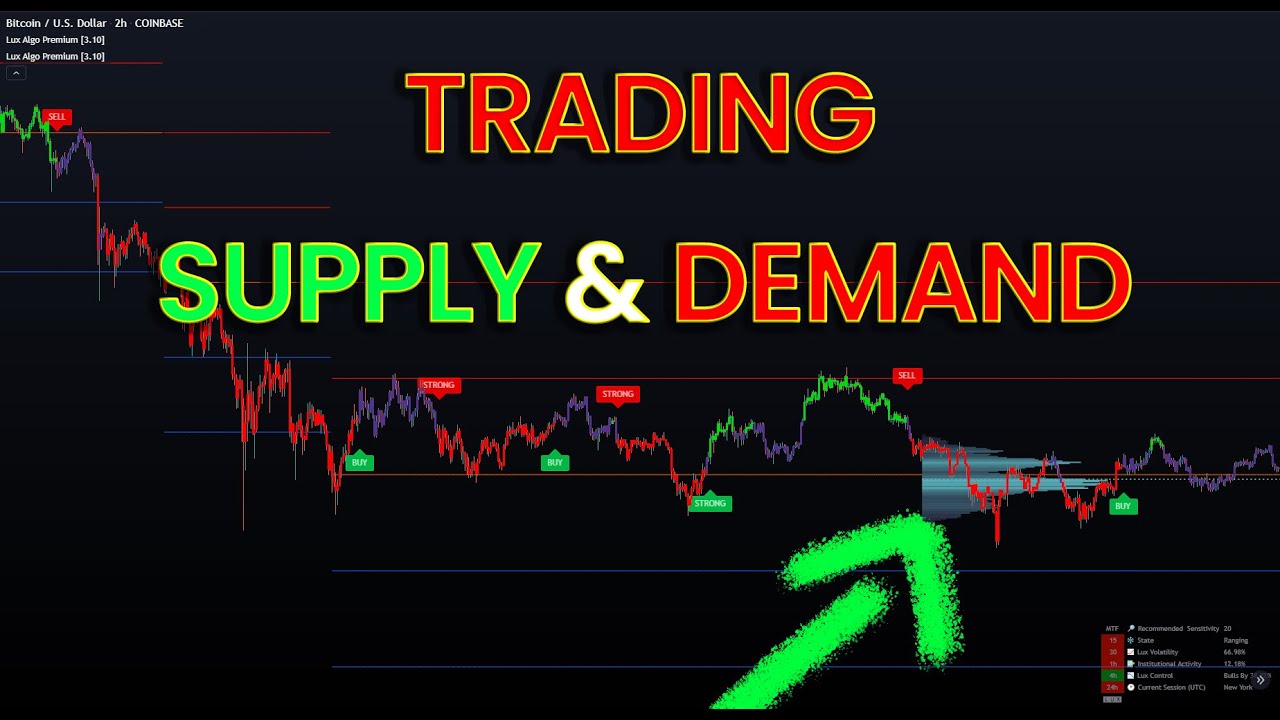
In this video I show a nice method to identify supply/demand zones on your chart making use of the predictive ranges and institutional profile. This gives a good indication of where institutions may have their orders located. Make sure to leave a like & subscribe for more trading strategy videos!
Get access to Lux Algo indicators: https://luxal...
I show how to use it as part of a strategy
And show how it can be used
 rotund stratus
@indigo cradle how to put an alert on lux oscillator in legacy mode ?
I mean when it turns blue to red and vice versa?
 rotund stratus
indigo cradle
This will alert every time they cross 😊
rotund stratus
indigo cradle
This will alert every time they cross 😊
Thanks buddy 😊👍
 indigo cradle
It does indeed 🙂
It's called "Exits"
You'll find it under the alert conditions list
jaunty perch
i want some alert sound 😛
 jaunty perch
mmm thanks
 flint oar
Any bots out there that I can use to automate buy/sell order with based on LuxAlgo's confirmations?
indigo cradle
3commas is a popular service 👍
flint oar
does it integrate with lux?
indigo cradle
It integrates with TradingView so yes 🙂
 whole spade
Any exchange that supports alerts through trading view, that I can use to automated trades on stocks? @indigo cradle
 quaint wolf
Hi, once signal popup and the candle has closed, is the signal could be removed ?
feral lava
Hey @quaint wolf - nope, once candle is closed - signals are permanent
unless you adjust your settings, they'll stay the exact same
 dire grove
hello. i cant see script on my tradingview account? what happen?
indigo cradle
Are you logged in?
dire grove
yes
indigo cradle
Try refreshing and looking under invite only
dire grove
i try but invite only is not appear anymore
indigo cradle
Are you on mobile?
dire grove
no. on laptop
indigo cradle
Try logging out of your account and back in, tradingview went down earlier today
 indigo cradle
Hmmmm, DM me your email and username on TradingView
 fallen summit
Hello, how do I understand that institutional activity is different in lux oscillator advanced mode? I am attaching a picture of the chart that I am looking at.
 indigo cradle
What do you mean by different?
These are different timeframes and therefore the volume data won't be the same. Institutional activity on one timeframe may not show up on the other necessarily 🙂
fallen summit
Okay i got it thank you.
 high pollen
hey guys
how to make my candles larger

they look really tiny
when I ctrl + scroll
it just expands sideways
indigo cradle
Try turning off the reversal zones
And see if it works
Or the pattern detection briefly
 indigo cradle
Yeah the reversal zones can skew a view if zoomed in a lot 👌
high pollen
looks fine with reversal as well
indigo cradle
Ah great

 robust forum
Any chance of having alerts for pattern detections? Just to get our attention if for no other reason
indigo cradle
The ol' plot limit is the issue here, we are going to see if there's any reasonable options that we can see to
robust forum
too bad-
indigo cradle
Definitely want it done 👌
 opal panther
Is the Indicator processing dependent on my CPU, graphics card, or the internet. It kills me to watch the little thinking symbol...
Think you can break out the Auto Trendlines or whichever is the most processing heavy?
indigo cradle
opal panther
Is the Indicator processing dependent on my CPU, graphics card, or the internet...
Pine is compiled server side sadly. It's painful I know 😔
We'd all love to see the desktop client for example compile client side
It's a combination of all the features than we create this. There are of course a few that are heavier
opal panther
I've seen Pine as a name popup. I assume it's your engine? Cool name
indigo cradle
Ah it's just short for Pinescript, the programming language used to make indicators on TradingView☺️👍
opal panther
oh. So many languages... shrug
Still.... Can we breakout some of the S/R signals or clouds
indigo cradle
What exactly do you mean by breakout? Like remove?
opal panther
on the shorter 1-15s timeframes I'd like to have the features as a second indicator so while I'm waiting for the long processing of the S/R Auto Trendlines, I have candles and clouds
indigo cradle
opal panther
on the shorter 1-15s timeframes I'd like to have the features as a second indica...
Oh I see I see, those aren't too heavy its features like the dashboard that are heavier
Splitting the script up though introduces a few logistical issues
opal panther
mmm, I leave that off
indigo cradle
We always look at optimisation approaches so will have a look
jaunty perch
Hi i m receiving error msg “study_not_auth”
opal panther
but... theres nothing stopping me from placing 2 instances of the script, right?
and splitting it myself
indigo cradle
jaunty perch
Hi i m receiving error msg “study_not_auth”
Have you connected your account?
indigo cradle
opal panther
but... theres nothing stopping me from placing 2 instances of the script, right?...
Correct 👍 that can work
jaunty perch
I don’t understand 5mins before it was showing now suddenly this message is appearing
indigo cradle
jaunty perch
I don’t understand 5mins before it was showing now suddenly this message is appe...
Try hide and readd the script
And refresh the page
opal panther
or delete it and reload to 4.2
indigo cradle
^
jaunty perch
opal panther
or delete it and reload to 4.2
Thanks active 👍🏻👍🏻
 brave robin
Not sure if it's the TV issue. It has been frequent in the last couple of days - Study auth error. Even I had 30 mins back
brave robin
Twice yesterday and twice today. And for once like everyone , it kicked me out
indigo cradle
I think TradingViews been having a bit of a nightmare, will have a deeper look
 raw anchor
whispers freqtrade
 torn tree
i see these "x" under/over the price bar. Any indication what it means ?
indigo cradle
Those are exit signals 🙂
 languid thistle
are there any custom luxalgo settings only for crypto trading?
ops ,i see optibot now
 fickle relic
So optibot settings would be the best based on timeframe? How does that compare to the auto setting?
indigo cradle
Read here regarding best settings: https://docs.luxalgo.com/lux-algo-premium-indicators/lux-algo/signal-settings#choosing-the-right-method ☺️🤝
This page showcases every way users can adjust settings along with full explanations of how they differentiate from each other.
 warm narwhal
Question
It says institutional activity. On the 5 min it says moderate I go to the 1 hr state inactive. Can you please explain this? Thank you in advance
indigo cradle
Timeframes have different data/volume associated with them. So on the 5m timeframe (which is quite different to the 1h) the volume data is different
And therefore the analysis of that timeframe will be different
Especially on timeframes that are quite different
warm narwhal
Ok so I can make sure I understand on the 5m that would mean there was institutions buying or selling?
indigo cradle
It would imply on a lower timeframe there may be some lower timeframe positions being entered by institutions
Which in the grand scheme of things is a little less significant than large timeframe positions arguably
warm narwhal
Ok thank you.
torn tree
indigo cradle
Those are exit signals 🙂
even under the price bar?
indigo cradle
The red ones under are exits for short positions 🙂
thorny dirge
Why don’t I have live bot Crypto scanner feature in discord ?
feral lava
 sweet roost
welcome
 vale holly
I'm just a beginner .Please could you help me? I'm not able to trade effectively . I couldn't get any profit using lux algo
indigo cradle
vale holly
I'm just a beginner .Please could you help me? I'm not able to trade effectively...
Have you seen any of our strategies?
!strategies
jaunty perch
Find our full trading strategies playlist on YouTube: https://www.youtube.com/watch?v=xezy6WGpZ8Y&list=PLbqCXsOfrM3MjO7q7uIiwoVq3evI4neQr

Join our Discord: https://discord.gg/LUX
Get access to Lux Algo: https://luxalgo.com/products/lux-algo
Get the best settings: https://www.youtube.com/watch?v=OmvxpTE9tlw&t
Usability Tips: https://www.youtube.com/watch?v=5wtdY51crnc
indigo cradle
These may help ☺️
sweet roost
I've seen the sensitivity settings you recommend but they are not good what's the problem??
indigo cradle
What exactly do you mean by "not good"?
sweet roost
I mean it doesn't define tops and bottoms very well
And it gives me a late check-in
And sometimes it loses
or not making a profit
indigo cradle
Confirmation signals aren't really for top or bottom detection or being early. They are for trend confirmations. In my videos I show methods to filter these
sweet roost
I think I don't know how to use Lux right now
I also think I won't learn that quickly
odd totem
It will take time to learn, but you will notice earlier then lux algo when to buy and sell. You will see it comeing. Watch the videos.
Lux algo will confirm and it just makes it better.
You will get a hang of the patterns. Atm can't live without luxalgo
sweet roost
As I told you yesterday
I watched all your videos
But it kind of didn't help me
I need a strategy that guarantees me a certain profit for the day
I don't want your big lord
only specified
For example, 5 points
odd totem
I was there where you are Yori but just watch the charts. Also watch the charts few days back to learn when reversals are comeing.
vale holly
I'm new . Lux algo not working for me
sweet roost
It works my friend
We just don't know how to use it
I thought Lux was designed to help beginners
But it's not like it's to help the perverts
vale holly
Ya sad 😭 need practical guidance
sweet roost
I am sorry
I can not help you
I can't even help myself
indigo cradle
sweet roost
As I told you yesterday
I watched all your videos
But it kind of didn't help me
...
This is a dangerous and wrong question that will lead to losses
Have you followed any of my strategies?
Or been following signals?
sweet roost
I try to follow the signs
indigo cradle
Please don't follow the signals blindly; it's really not a good idea
It's on page one of our docs
Your best shot is using one of my strategies
sweet roost
😩
indigo cradle
If you are looking for a money printer this really isn't the right place, you can't follow signals blindly and not do any analysis
sweet roost
Do you have a strategy that earns between 5 or 10 pips?
sweet roost
indigo cradle
If you are looking for a money printer this really isn't the right place, you ca...
I am sorry
indigo cradle
This is a really really hard and incorrect question. There aren't strategies that can just generate consistent pips 😔
My strategies are good
I put time into them
Find and use one and they will help greatly
sweet roost
I'm still using a demo account now
So things are fine😆
 balmy wren
hey guys can someone help me with setting up pattern detections ?
want all pattern detections
indigo cradle
You just need to enable it in the settings ☺️
S/R mode
And select pattern detection
 indigo cradle
A pleasure and yep 👍
All real time
Of course with things like double bottoms or tops it needs to wait for confirmation
But all of them can be traded realtime
 muted shale
indigo cradle
S/R mode
muted shale
indigo cradle
S/R mode
What is S/R mode?
indigo cradle
muted shale
What is S/R mode?
Predictive Range - Predictive S/R - Trendlines
muted shale
indigo cradle
https://docs.luxalgo.com/lux-algo-premium-indicators/lux-algo/support-and-resist...
Thank you. I'm brand new here and can't find the "settings" section you're referring to. Can you tell me how to access it?
indigo cradle
muted shale
Thank you. I'm brand new here and can't find the "settings" section you're refer...
If you double click on a signal they will open 👍
Or double clicking the dashboard
 formal crater
What happened to the ability to download the Optibot 15m settings?
indigo cradle
The API broke for now 😦
formal crater
Ok thanks.
languid thistle
indigo cradle
The API broke for now 😦
are you considering adding harmonic pattern in the future like bat,shark etc? it is a bit mathematically complicated to create, but could be additional confirmation tool
indigo cradle
languid thistle
are you considering adding harmonic pattern in the future like bat,shark etc? it...
Harmonics are a little less popular in trading, we are thinking about it 👍
idle lava
How can i get [x] alert?
 indigo cradle
In your alert menu you will see an alert condition for exits 👍
idle lava
I got it. Thanks.
idle lava
If i set any signal, can i get the exit signal?
indigo cradle
Any signal will not encompass exits I'm afraid
languid thistle
Take profits and stop loss can be set , so it would show where to exit
indigo cradle
A new strategy?
sweet roost
yes
indigo cradle
Most likely within the next week 👍
indigo cradle
All of my videos I make to they are adaptable. You can take any single video and use the same theory on Forex too ☺️
But I can work on one specific 👍
sweet roost
can I ask you
I'm a beginner
I don't have enough experience or understanding of the market
Not even a big capital
What is the area in which it trades and can give me significant profits
Because I hear that forex has money whales and it is difficult
is this real ?
indigo cradle
This isn't really how X or Y market works however what I can say; crypto is infamous for volatility and therefore if you're on a demo a lot of experience and more to get in on are available
sweet roost
I don't mind cryptocurrency
I united on forex
indigo cradle
You just want to trade Forex?
fickle relic
Any tips on how to get buy/sell signal notifications from trading view?
sweet roost
No
But I ask you if it is suitable for starting a beginner
Because I heard that forex is a difficult field
And there are whales of money or something like that
I ask if forex is really difficult compared to stocks or cryptocurrencies and others
And if it is suitable for beginners
fickle relic
Tips 1. Learn to master TA. And use Lux to confirm if your believes are correct or wrong before you make a trade.
Or do as I do, just trade of the signals. (Absolutely 100% Not financial advise) :p
I'm a beginner and I find lux Algo perfect for beginners. But be patient. Learn a little about movements in the markets etc before jumping in. Try to set a gold to make 100$ be 200$ by the end of the week and up your investments based on your skills :)
sweet roost
Are you telling me rely on signs alone?
I don't think that's good
The admins told me that
And I tried it and it wasn't very good
So the signals often come too late
I'm talking about the small time frames 15 minutes or 5
indigo cradle
fickle relic
Any tips on how to get buy/sell signal notifications from trading view?
!alerts
jaunty perch
How to set up your own custom alerts in TradingView: https://docs.luxalgo.com/lux-algo-premium-indicators/setting-up-alerts-on-tradingview
Follow this guide for setting up your own custom alerts on TradingView.
sweet roost
fickle relic
I'm a beginner and I find lux Algo perfect for beginners. But be patient. Learn ...
I did not understand
indigo cradle
sweet roost
Are you telling me rely on signs alone?
I don't think that's good
The admins tol...
We never ever would have said this, quite the contrary
On page on of our docs we say to not follow signals blindly
sweet roost
Yes, that's what I told him
indigo cradle
I think there are different levels of beginners really, I really would suggest learning some very basic core stuff and keep on the demo account for now 👍
Learn about support and resistance, some basic volume and then learn about Lux tools and what they do
That's my advice 👍
sweet roost
Well, I often make excellent profits on the demo account
indigo cradle
Also you shouldn't be trading <15m as a brand new trader really
sweet roost
I trade 300 dollars 😆
fickle relic
Yeah, I ment to say do not trade only based on the signals. I do it sometimes, but then I also have made research about the market and made the conclusion that the market is healthy.
But learn some TA and use Lux Algo for confirmation. :)
indigo cradle
Aim for % gains 👍
indigo cradle
fickle relic
Yeah, I ment to say do not trade only based on the signals. I do it sometimes, b...
Perfect useage ☺️👍
sweet roost
Ok but my question is
What field do you recommend?
Or is there no difference?
indigo cradle
Which field? As in the market I recommend for you?
sweet roost
area
Like forex stocks cryptocurrency
Because I think I will never trade forex
But I heard it's not suitable for beginners
Is this correct
I'm thinking of trading forex *
سقغ
sry
indigo cradle
It's so so hard to recommend but if you're brand new to trading, don't analyse news cycles or earnings ect I would have to recommend crypto. It's volatile so a lot of moves to make/lose money on and doesn't see frequent news. It can be heavily manipulated but higher timeframes can help mitigate this
sweet roost
This means that you recommend me cryptocurrencies
That's fine, thank you and sorry for the inconvenience
indigo cradle
It's ok ☺️ happy to help! It could be a nice area to start at and is a gateway to markets for a lot of other people
Crypto is markets on steroids 😅
sweet roost
🤣
fickle relic
But remember to start with known tokens, like top 10. Low to medium risk.
10-50 etc higher risk.
Tokens with names on animals are the higher risk :p
And try to deverisfy 70% 20% 10%
70% BTC for long term store of value.
20% in tip 10 alt coins for lower risk higher gains.
10% in those higher risks lesser known tokens for possible 100x (put those gains in BTC) :)
That's how I do I though.
sweet roost
Is there a tradingview app on PC
sweet roost
I don't know I'm a beginner
 quaint halo
!backtest Goog 15 bbands(20,2)
jaunty perch
@quaint halo

 LuxBot
GOOG15 Backtest | 48 Trades
Equity Final [$]
10.685
Equity Peak [$]
150.804
Max. Drawdown [%]
-0.023
Win Rate [%]
31.25
Worst Trade [%]
-1.971
Profit Factor
1.035
Made with ❤ by LuxAlgo.com
jaunty perch
@quaint halo ERROR: Unsupported symbol argument
quaint halo
!chart NQU2021 15 MACD RSI BB
jaunty perch
@quaint halo
 indigo cradle
sweet roost
Is there a tradingview app on PC
indigo cradle
sweet roost
Is there a tradingview app on PC
There is indeed 👍☺️
quaint halo
!backtest NQU2021 bbands(20,1)
jaunty perch
@quaint halo Missing strategy argument. !backtest command should have the form : !backtest symbol timeframe strategy
quaint halo
!backtest NQU2021 15 bbands(20,1)
jaunty perch
@quaint halo
LuxBot
NQU202115 Backtest | 102 Trades
Equity Final [$]
-52.0
Equity Peak [$]
317.75
Max. Drawdown [%]
-0.053
Win Rate [%]
29.412
Worst Trade [%]
-0.711
Profit Factor
0.973
Made with ❤ by LuxAlgo.com
sweet roost
Is there a tradingview app on PC
indigo cradle
sweet roost
Is there a tradingview app on PC
There is indeed 👍
sweet roost
Ok, can you give me a download link?
Because I went to their official website
And I couldn't download it
indigo cradle
sweet roost
he does not work
indigo cradle
What do you mean?
sweet roost
Another link to download the program
indigo cradle
I'm confused
sweet roost
Why
indigo cradle
What's the issue? This link goes to the download page no?
sweet roost
I downloaded the program but it doesn't work
It opens a window in my browser and it won't install
indigo cradle
I'm not too sure, it may be your computer blocking a download
sweet roost
Okay
 signal radish
Hmmm am I missing something here? Optibot set to 15mins and one indication for a very small gain that would now be wiped out but no indicator for the previous, bigger gain?
 indigo cradle
If you prefer more frequent signals you can manually lower sensitivity 👍
But optibot doesn't always mean the earliest signals
amber flint
set 5 for scalping
indigo cradle
It just means over a given range
signal radish
Sensitivity 10 appears to be FAR more accurate.... So why the settings in Optibot?
 signal radish
indigo cradle
It just means over a given range
signal radish
indigo cradle
It just means over a given range
So why the settings in Optibot?
indigo cradle
It appears to be yes; but you're looking at a tiny tiny slither of a chart
Optibot goes over 2000 bars
So it may not be the best for this recent PA
It historically was decent
 tropic bolt
So what is the recommended sensitivity and confirmation signals agility for Daily charts? Mainly on Forex pairs
 lean shadow
I clicked to add the indicator lux algo premium but i get that error
 indigo cradle
You can find this in the dashboard as optimised sensitivity
lean shadow
Anyone can help?
lean shadow
 lean shadow
Yep just did minutes ago and yep linked my tradingview
indigo cradle
Perfect, just remove Lux, close and re-open the app 🙂
indigo cradle
🤝
stiff urchin
@indigo cradle when will the option to use optibot automatically be released?
Quite annoying to update the settings every trading day
 dapper shell
When I change optimal sensitiviy for ex. ETH than its follows to other coins which is a different sensitivity... whatI suppose to do for this issue?
indigo cradle
stiff urchin
<@456590452703887373> when will the option to use optibot automatically be relea...
Not for a long long time since it's not a feature supported by pine and most likely won't be added in for many many years. Sending external data into pine automatically is a long way off for such a new language. I understand it's annoying 😦
indigo cradle
dapper shell
When I change optimal sensitiviy for ex. ETH than its follows to other coins whi...
You are able to save indicator layouts 🙂
stiff urchin
So update 6.0 is what you are saying
indigo cradle
It's not really on us 😉 It's on the future of Pinescript
Who knows what they have planned
dapper shell
indigo cradle
You are able to save indicator layouts 🙂
please more informayion how I can save it?
stiff urchin
They don't let their affiliates into their roadmap plan's?
indigo cradle
dapper shell
please more informayion how I can save it?
TradingView
 jaunty hull
hey is the 4.2.1 out ?
indigo cradle
stiff urchin
They don't let their affiliates into their roadmap plan's?
Sadly our influence over the development there is v v limited; we can suggest things to add
However it't probably not a priority for them 😦
indigo cradle
jaunty hull
hey is the 4.2.1 out ?
It is 🙂 Small additions
jaunty hull
weird ... am only getting 4.2 , even after refresh
indigo cradle
!update
jaunty perch
To update Lux Algo Premium indicators, refresh your browser/app, remove the indicator from your chart, and then add it back to your chart + save your chart layout on TradingView.
Full guide: https://docs.luxalgo.com/lux-algo-premium-indicators/how-to-update
Included in this section is the best steps to receive & install updates for Lux Algo on TradingView.
indigo cradle
- Remove old Lux from your chart
- Save chart layout
- Close browser
- Clear cache
- Open TradingView
- Open a fresh chart
- Readd Lux
This is the hard approach 😄
The nuke
jaunty hull
let me try the hard approach then 😄
 frosty saffron
Or try a private window, maybe works too
jaunty hull
ye let me test that 1st
dapper shell
indigo cradle
https://www.tradingview.com/support/solutions/43000543048-what-are-indicator-tem...
thanks..so I have to change templates every time for specific coins, how it's effect my signal allerts?
indigo cradle
You do and if you've set an alert it will use the settings used at the time
jaunty hull
none of the above worked ! weird
indigo cradle
Try in a few hours and it should work 🙂
jaunty hull
okay i will thanks
 potent quarry
Hi @indigo cradle is there a TOS support from Lux Algo? if not anything in development or timeline? I am not interested in Trading view anymore as its getting expensive...
indigo cradle
potent quarry
Hi <@!456590452703887373> is there a TOS support from Lux Algo? if not anything...
You shouldn't need to pay for TradingView to use Lux (unless you have a lot of alerts). But regarding TOS possibly in the future one day 🙂
Once the TV version is 100% perfect 😉
signal radish
indigo cradle
Optibot goes over 2000 bars
Thanks for your explanation of the Optibot but, 2000 bars, on a 15 min TF is? What? 20 days? Does that apply across all Optibot TFs? 2000 bars?
languid thistle
what means allert "Contrarian sell" on timeframe 60, i dont see it on chart, no sell or strong
languid thistle
it shows that it could be a good moment to take a profit, right?
indigo cradle
It could be used like this, yep 🙂
languid thistle
indigo cradle
It could be used like this, yep 🙂
could you have a look at [4.2] vs [3.1] version ? i should also readd oscilators, not only lux algo ?
 languid thistle
For ETH on daily timeframe, using only 'pivot oscilator' + 'lux oscilator Classic' shows exacly where i should have sold it (4183 usd) and then rebuy, i did not have Lux couple months ago and made a lot of mistakes
 summer cedar
Lux Algo Premium v4.2.1 adds price labels to the TP/SL levels when hovering. It also improves the double tops/bottoms detection within Pattern Detection from S/R Mode.
Do in need to change anything in my settings?
indigo cradle
Nope you should be all good 👍☺️
summer cedar
indigo cradle
Nope you should be all good 👍☺️
When i upgraded I was able to see prices when hovering over TP and SL but now just letters. I tried reinstalling TV and Lux on it and it still the same. How do I fix it
?
indigo cradle
summer cedar
When i upgraded I was able to see prices when hovering over TP and SL but now ju...
Make sure to save your chart layout after updating 👍
summer cedar
indigo cradle
Make sure to save your chart layout after updating 👍
I got it working. Thank you
 obtuse night

I cant use it. You see that red explains mark. It says study Auth
What im supposed to do?
 mint tapir
can someone tell me where do i look for signals?
feral lava
mint tapir
can someone tell me where do i look for signals?
We have #🔔scanners-premium which show you default confirmation signal alerts across every market, however, most use Lux Algo tools for markets / tickers they already trade or are watching
 upbeat dust
feral lava
upbeat dust
feral lava
!login
jaunty perch
You can enter your email on our website to manage your account here: https://luxalgo.com/tools/recurring/get-subscription-access
Or email support@luxalgo.com and our team will assist you with any request the same day.
feral lava
@upbeat dust
vale holly
How much sensitivity is suitable for 5 minutes frame on crypto currency
indigo cradle
vale holly
How much sensitivity is suitable for 5 minutes frame on crypto currency
You could find this under optibot, its very personal and depends on how you plan to use the confirmation signals
 zenith abyss
Quite hard to see on the pic but how come the colours arnt just blocks of red green and purple anymore there seems to be blue and that. I’ve got it on simple
 indigo cradle
If you right click your chart, and disable candle borders it will look better 👍
zenith abyss
Okay thank you
 robust forum
With Futures and NASDAQ, etc....if it's not in by 9:30 am it's actually not helpful because 10am is when most of the trades are done.
indigo cradle
Sadly we are aware, for the 5m that can matter more absolutely
robust forum
👍
I think most day traders trade then and then stop at lunch from what I read. I wish I could do that and not worry about $$$$
I know they don't during lunch-no volume. Sometimes afternoons
I used 10/21 today and got that first buy in-
10/21 does well
indigo cradle
Scheduler really should be back some time this week to avoid this mess
robust forum
awesome.
As for currencies, do people trade those 24 hours or does it depend on which market is open? I assume the 2nd part, but those you can hold positions longer from charts I've seen
 wet escarp
How should I go about it ?
jaunty perch
Click Manage Account here: https://luxalgo.com
Or email support@luxalgo.com and our team will assist you with any request the same day.
Enhance your trading experience with our premium technical indicator suite + bots for stocks, forex, futures, currencies & commodities markets.


 versed nacelle
thank you!
 brittle wedge
Can you help me out with reading something? I thought I loved the red/green timeframe feature on the dashboard but now I’m confused. Note that the 4hr (on the far right) shows that only the 15min timeframe is in Red but the other two show both the 15m and the 30m. What am I missing?
 feral lava
you might be on a higher setting on the 3rd chart @brittle wedge
brittle wedge
feral lava
you might be on a higher setting on the 3rd chart <@802399289766051841>
I just checked and they are all on auto with sensitivity of 12 (which i understand not to matter since auto is on)
Anything else to check in settings?
BTW - assuming it is true that the sensitivity doesn’t mean anything when auto is on, i think it would be a better UX to disable the sensitivity field as long as auto is checked. That often confuses me
feral lava
Hmm i would say the ticker, although they look the same
the first 2 charts look correct
feral lava
brittle wedge
BTW - assuming it is true that the sensitivity doesn’t mean anything when auto i...
Yea definitely would be a better UX, just a TradingView limitation unfortunately
hmm i truly have no clue why the 30m would appear green on the 4h :/ i’ll look into this asap
seems to be fully functional on my end though, haven’t seen this before so could be just a glitch
 barren glacier
Hey just signed up, Went to indicators on my trading view and the option is not there
calm quest
indigo cradle
Will will have an investigation into that 👍
Hi Gecko, do we have a solution for this already. My concern is if the original lux algo premium with the sensitivity and agility defined goes offline or has a "study error", will the set alert in Trading View gets affected. If this gets affected, then how will i be notified without the alarm?
calm quest
BTW, half of my saved charts are already showing "study error".
 deep basin
new here. how do i see signals?
jaunty perch
How to setup the indicators on TradingView: https://docs.luxalgo.com/getting-started/setup-tradingview
TradingView.com --> Chart --> Indicators --> Invite-only scripts
feral lava
deep basin
Thank u
indigo cradle
It's not currently I'm afraid, 3h isn't the most popular timeframe really for people 😔
dapper shell
indigo cradle
It's not currently I'm afraid, 3h isn't the most popular timeframe really for pe...
4H?
If I trading long/short which timeframe is optimal?
with leverage
indigo cradle
dapper shell
If I trading long/short which timeframe is optimal?
There's not really an optimal timeframe however avoid very low timeframes
dapper shell
indigo cradle
There's not really an optimal timeframe however avoid very low timeframes
thanks
is it possible a backtest in tradingview?
indigo cradle
dapper shell
is it possible a backtest in tradingview?
It is if there's a strategy script related to it yes 👍
But not really using Lux
 bleak pendant
@indigo cradle can you do a video using the rainbow oscillator
indigo cradle
bleak pendant
<@456590452703887373> can you do a video using the rainbow oscillator
RAR? Possibly but ideally I'd like to get through all the main indicators then I'll move onto other things 👍
bleak pendant
Ok, is a specific level I can create an alert on it to catch an entry
 left cape
Hi, is there an optibot settings for the us100 indices futures? @indigo cradle
 stoic stag
Does this work on binary options?
 tacit wigeon
ANY PARTICULAR SETTING FOR INDIAN MARKET?
indigo cradle
left cape
Hi, is there an optibot settings for the us100 indices futures? <@!4565904527038...
There are you could use NQ1 for this
indigo cradle
stoic stag
Does this work on binary options?
It will do 👍☺️
indigo cradle
tacit wigeon
ANY PARTICULAR SETTING FOR INDIAN MARKET?
You could use Autopilot or Optimised Sensitivity in the dashboard ☺️
indigo cradle
bleak pendant
Ok, is a specific level I can create an alert on it to catch an entry
What exactly conditions are you looking to alert on here? You can set alerts on the plots ☺️
 indigo cradle
Buy confirmations on the RAR? you could select plot crossing over 20. That's a crossover strategy
 dapper marten
Hi I’m not sure what happened but I’m using lux osc bearish divergence alert as a sell signal for my crypto bot and the alert did not trigger in trading view. It worked yesterday but not today
indigo cradle
It may have expired, try remaking the alert and it should fix things there
 dim tundra
@indigo cradle in latest message of #📖server-guide ; the link "How to get most updated version of Lux Algo: https://docs.luxalgo.com/getting-started-with-luxalgo/how-to-update" -> 404
indigo cradle
Oh yes this needs updating; nice spot there
dapper marten
It just now triggered 2 bars later
dapper marten
Okay will do, thanks
 odd tinsel
please help me out with best startegy working
indigo cradle
Have you seen any of my videos?
 modest saddle
indigo cradle
Have you seen any of my videos?
modest saddle
indigo cradle
Have you seen any of my videos?
Seen a couple, but basic? any in specific?
odd tinsel
i have seen but i wana know the best which have the most sucess rate for short term 1m30mint
indigo cradle
Stick with higher timeframes; far far easier to trade 🙂
indigo cradle
There isn't really such thing a best timeframe. If there was everyone would trade it. Generally the easier thing to trade is higher timeframes. Common day trading timeframes may be the 5m up to the 15
hallow jacinth
what are the settings for Lux Oscillator live stream on Youtube for BTC?
 ocean vessel
What does the “x” mean when it pops up on the chart?
indigo cradle
hallow jacinth
what are the settings for Lux Oscillator live stream on Youtube for BTC?
7 😊 and 10
indigo cradle
ocean vessel
What does the “x” mean when it pops up on the chart?
It's an exit signal, I'd highly recommend reading through our docs to understand the Lux features ☺️
!docs
jaunty perch
Learn about every aspect of Lux Algo at: https://docs.luxalgo.com
hallow jacinth
indigo cradle
7 😊 and 10
Thanks
ocean vessel
Exit what though? How do they know if you’re long or short? That’s what’s confusing…buy or sell signal is straight forward…exit isn’t clear to me
hallow jacinth
hallow jacinth
Thanks
What settings do I use for Kantan Ashi 15 min BTC?
hallow jacinth
hallow jacinth
What settings do I use for Kantan Ashi 15 min BTC?
From Optibot?
indigo cradle
ocean vessel
Exit what though? How do they know if you’re long or short? That’s what’s confus...
They are exits for the prior signals
So if the prior signal was a buy
It'll be an exit buy
indigo cradle
hallow jacinth
What settings do I use for Kantan Ashi 15 min BTC?
Kantan Ashi don't have settings you can change
For the signals you can optimise as normal 👌
 fluid crag
Hello there, I am new and may not be asking a smart question but I would like to know if it is possible to set an alert that alerts me when the premium oscillator changes from negative to positive and positive to negative crest. I have already read the information from LuxAlgo about alert configuration but I am not sure if any of them fits this need
indigo cradle
fluid crag
Hello there, I am new and may not be asking a smart question but I would like to...

This will alert for a cross
It's just institutional activity; it does not specify direction or the type of activity
fluid crag
indigo cradle
This will alert for a cross
All right thx I will do that good day 👍
barren glacier
Is there a 15min Optibot setting base for all stocks? Like if i wanted to set one for SNAP 15 min?
indigo cradle
Not currently i'm afraid
barren glacier
indigo cradle
Not currently i'm afraid
No worries, Love the product already, first day fully in. With everything i beta tested myself for the last week, everything was smooth
barren glacier
indigo cradle
Not currently i'm afraid
What do you recco for trading stocks
indigo cradle
barren glacier
No worries, Love the product already, first day fully in. With everything i beta...
Amazing to hear 😄 Regarding stocks which settings do I recommend?
barren glacier
indigo cradle
Amazing to hear 😄 Regarding stocks which settings do I recommend?
Yes, Just trying to navigate through everything currently. If there is a page to read on stock trading settings with lux algo or something that would be great
indigo cradle
There's nothing in particular regarding stocks however we do have a page which provides the optimisation options open to you if you want that?
barren glacier
indigo cradle
There's nothing in particular regarding stocks however we do have a page which p...
Thats perfect thank you!
indigo cradle
This page showcases every way users can adjust settings along with full explanations of how they differentiate from each other.
barren glacier
indigo cradle
https://docs.luxalgo.com/lux-algo-premium-indicators/lux-algo/signal-settings#ch...
Grazie
versed nacelle
I made my own cryptopunk. lol, can't afford to buy a real one.
 old wing

Make sure to subscribe & 'LIKE' the video to support the stream!
✔️ Chart on left is Bitcoin 15min, chart on right is Ethereum 15min. Signals are permanent on your chart once the candle closes and they help confirm trends!
"STRONG" = Signal more likely going with the current trend. "X" = Exit signal, these can be used for taking profits. (Str...
Hi, I have not been able to reproduce the Lux setting in your live stream. I have tried default and optimized settings on Bitcoin/TeatherUS Binance
I wonder what I am doing wrong.
indigo cradle
You can find the settings in the video description 😄
old wing
oh lol.. ok
 fluid atlas
What is the X?
 indigo cradle
An exit signal 🙂
fluid atlas
So it's different from a SELL signal?
dim tundra
@indigo cradle https://docs.luxalgo.com/lux-algo-premium-indicators/lux-algo/indicator-overlay#forecast -> i can't found the Forecast Overlay Indicators option in settings, he has been removed ?
indigo cradle
It was removed 🙂
dim tundra
okay 🙂 ty
 zealous tree
Hi, which candle type works best with Lux?
indigo cradle
No type really works best but it'll work with any type 🙂
zealous tree
Okay, thanks
 deep lotus
Hello, my lux algo stopped working its showing "STUDY ERROR" "Study Not Auth" How can we fix this?
indigo cradle
@deep lotus Will be up again in a couple of minutes 🙂
deep lotus
Oh okay got it! Thank you!! 🙂
 rich quiver
is there a way to have an alert go off when a ticker touches a predictive range? i know you can do it manually with tradingview but, is there one that will alert automatically when its touched within lux itself?
indigo cradle
Not built in I'm afraid 😦 There's of course a limit to the number of built in alerts we can realistically add
 ionic gulch
How can I update my account luxalgo premium.?
jaunty perch
says I am not auth
but i have yearly lux algo from dec 19
pls help me get it back, I am in the middle of a bitcoin trade
feral lava
Hey @jaunty perch - try refreshing
it should be fixed as of now, we just had to update some users in our backend
jaunty perch
tried refreshing but it still says it
cant even add the indicator back because its not in my invite only list
 south juniper
Hi there, is it possible to request for a refund of lux algo after using it for 1 week?
jaunty perch
kk
south juniper
How do I go about it sir?
feral lava
Could I get your email? @jaunty perch
south juniper
Thank youb
 fallow burrow
Hi team - looks like my access to Lux algo has been removed though I have the quarterly subscription, paid on June 14th, so should run through sep 14th
feral lava
Hey @fallow burrow - should be reinstated, try refreshing -- if not, send me your email so I can take a look
fallow burrow
feral lava
Hey <@!608814152344928269> - should be reinstated, try refreshing -- if not, sen...
Thanks! It works
 karmic creek
Questions, optibot 5m and others are updated when? And when it does, does it apply for the trading day?
indigo cradle
karmic creek
Questions, optibot 5m and others are updated when? And when it does, does it app...
5m every day, others are Monday and Wednesday 👍
 heady lynx
Hi, I always buy in the support and sell at the resistance line.
indigo cradle
Sounds like a good idea 🤝
 indigo cradle
heady lynx
How to improve this idea?
indigo cradle
heady lynx
How to improve this idea?
What I'd say it to only sell at a resistance if you notice and over extension for example the oscillator seems over extended
 indigo cradle
Exactly so you wouldn't sell there
However at the next resistance it's very over extended
Making a great sell opportunity
 minor juniper
I watched the video where you show the strategy based on the reversal zones and RSI on 15m chart. Is it possible to set up an alarm when the osci blue turns red, and vice versa, when the osci red turns blue?
 minor juniper
Sweetness. Thanks.
odd tinsel
hey i wana change my tradingview account
indigo cradle
odd tinsel
hey i wana change my tradingview account
If you give support@luxalgo.com an email they can swap those over for you 👍
odd tinsel
i have mailed but no response still
indigo cradle
odd tinsel
i have mailed but no response still
They'll reply soon, can take a few hours 🤝
Shouldn't be much longer
calm quest
indigo cradle
Will will have an investigation into that 👍
Hi Admin, do we have a solution for this already. My concern is if the original lux algo premium with the sensitivity and agility defined goes offline or has a "study error", will the set alert in Trading View gets affected. If this gets affected, then how will i be notified without the alarm? BTW, a number of my saved charts are already showing "study error".
indigo cradle
It should hopefully not impact your alerts however we are still looking into it. What alerts do you have set?
indigo cradle
 eager cypress
I have a question!
eager cypress
I have a question!
How can I help? ☺️
calm quest
not sure if this is reassuring. we sometimes base our cues on these signals and if these alarms dont ring based on the lux algo premium then how is the signal relevant. My alerts are set based on the algo premium signals.
eager cypress
My Lux Algo on Daily chart (D1) is keep disconnecting
on the other timeframes are fine but only D1 🥲
indigo cradle
calm quest
not sure if this is reassuring. we sometimes base our cues on these signals and ...
Then there's a fairly easy method to ensure they fire. Just when you set them ensure that only signals are on your chart
It will work 100%
calm quest
not sure i get your message.
eager cypress
It started after I started using the newest update 4.2.1
indigo cradle
calm quest
not sure i get your message.
You're concerned alerts won't work because the study errors
And the study is making errors because you may have other features loaded
So to avoid any small chance of your alerts breaking; disable all features when settings the alert
indigo cradle
eager cypress
on the other timeframes are fine but only D1 🥲
What do you mean by disconnecting?
eager cypress
indigo cradle
What do you mean by disconnecting?
study error (with red ! mark next to the indicator) keeps popping up after couple of mins on D1 chart
indigo cradle
eager cypress
study error (with red ! mark next to the indicator) keeps popping up after coupl...
Which features do you have loaded?
calm quest
do you mean disable S/R mode, TP/SL Points etc. and only let the signal run itself.
eager cypress
 indigo cradle
calm quest
do you mean disable S/R mode, TP/SL Points etc. and only let the signal run itse...
indigo cradle
calm quest
do you mean disable S/R mode, TP/SL Points etc. and only let the signal run itse...
Correct; when settings alerts disable these
eager cypress
currently this is only settings I have turned on
indigo cradle
eager cypress
Very odd; and you've removed and re-added?
eager cypress
Yes, have done it multiple times. its acting odd only on D1 chart
indigo cradle
eager cypress
Yes, have done it multiple times. its acting odd only on D1 chart
Super weird...
calm quest
ok. tnx. got it.
indigo cradle
eager cypress
Yes, have done it multiple times. its acting odd only on D1 chart
For any asset?
indigo cradle
eager cypress
have tried FX, indices and crypto
I'm testing that now
 mossy torrent
dev team. what are the top bots i can use to trade using lux indicators
eager cypress
indigo cradle
I'm testing that now
Thank you so much!
indigo cradle
mossy torrent
dev team. what are the top bots i can use to trade using lux indicators
What exactly do you mean by bots? 🙂 You wish to automate?
indigo cradle
eager cypress
yes any asset
I've had it open for about 10m and still nothing; even with all features enabled, what device do you use?
eager cypress
I am using Win 10 desktop with Trading View app
just confused because I have been using Lux Algo for a year now and never seen study error before
indigo cradle
It's odd because it only happens to some folk and not others
For example it never ever occurs for me when I test
We are still looking into why it might be the case
And it's odd only on the daily for you
It's very inconsistant
eager cypress
yes its really odd because its only D1 thats causing the trouble 😅
indigo cradle
It could be that maybe
eager cypress
I think its the desktop app
the error popping up again after 1 min but no change on web browser
indigo cradle
Now that....
Is whacky
Very good to know though
We will test that out and report to TV
eager cypress
Great Thank you! 😀
mossy torrent
indigo cradle
What exactly do you mean by bots? 🙂 You wish to automate?
yeah i'm thinking of 3 commas, but will 3 commas trigger future trades and has anyone got it to work where it will buy when the buy/strong buy is triggered on a candle close sell when the sell/strong sell has been activated and the shorted until the next buy/strong buy signal?
indigo cradle
I'm not 100% sure on the inner works of 3commas I'm afraid 😞
 short haven
hey shmacko and gecks. bloody miss me ehhhhhh! question for you legends. institutional buy/sells on different timeframes. any guidence on why you'll see them on say the 1 minute time scale, but not at any other timeframe at that point? so! "what does institutional activity mean on different time scales
odd tinsel
@indigo cradle hey sir
how this alert system works how to set it up do i have always open my tradingview to get alert how this works?
indigo cradle
short haven
hey shmacko and gecks. bloody miss me ehhhhhh! question for you legends. institu...
G'day mate, it's just that different timeframes have different volume data associated with them so they get interpreted differently
indigo cradle
odd tinsel
<@456590452703887373> hey sir
how this alert system works how to set it up do i...
You can close TV and it'll still work 👍🙂
short haven
i'm glad you are learning the Australian way of speaking. excellent, A+
indigo cradle
🦘
odd tinsel
indigo cradle
You can close TV and it'll still work 👍🙂
but it's not working !
jaunty perch
How to set up your own custom alerts in TradingView: https://docs.luxalgo.com/lux-algo-premium-indicators/setting-up-alerts-on-tradingview
Follow this guide for setting up your own custom alerts on TradingView.
indigo cradle
If you follow the full video there it should really work
Ensure you're creating the alert in the alert menu 🙂
 fast fulcrum
so the indicator is saying study error please help
odd tinsel
indigo cradle
If you follow the full video there it should really work
GOT IT AND CAN YOU RECOMMEND ANY BEST SETTINGS FOR 15MINT TIME FRAME ADA,XRP AND BEST SETTINGS FOR OSCILLATR
 celest edge
fast fulcrum
so the indicator is saying study error please help
celest edge
fast fulcrum
so the indicator is saying study error please help
click on the ❗then post the error
 left hemlock
You know, 5m optibot update every day, others are Monday and Wednesday. So when? 9:00 AM?
indigo cradle
left hemlock
You know, 5m optibot update every day, others are Monday and Wednesday. So when?...
Just before market open 👍
indigo cradle
odd tinsel
GOT IT AND CAN YOU RECOMMEND ANY BEST SETTINGS FOR 15MINT TIME FRAME ADA,XRP AND...
Here is a page regarding best settings: https://docs.luxalgo.com/lux-algo-premium-indicators/lux-algo/signal-settings#choosing-the-right-method 👌
This page showcases every way users can adjust settings along with full explanations of how they differentiate from each other.
jaunty perch
Click Manage Account here: https://luxalgo.com
Or email support@luxalgo.com and our team will assist you with any request the same day.
Enhance your trading experience with our premium technical indicator suite + bots for stocks, forex, futures, currencies & commodities markets.
wet escarp
I wish to unsubcribe but when I request to login to the website I’m not receiving the one time password
indigo cradle
Email support@luxalgo.com for assistance regarding this and they'll sort that out
jaunty perch
i keep getting the loop error but i have a strong gaming pc
jaunty perch
nah the website is the app better
jaunty perch
candle coloring, signals, reversal zones and kantan ashi
indigo cradle
Hmmmm
jaunty perch
also predictive ranges
indigo cradle
Which charts?
indigo cradle
Only on the daily?
jaunty perch
yea
indigo cradle
This is so so odd 😅
jaunty perch
i read someone else have similar problem above
indigo cradle
The daily timeframe seems to be the only one that has issues
jaunty perch
on daily
indigo cradle
But when I test it I can never break it
jaunty perch
yea
indigo cradle
Even with every feature enabled. We will try and find the cause
jaunty perch
hmm i just refresh for now
maybe i need to restart pc or something
had it on all night
indigo cradle
It won't be your end don't worry
It's compiled server side
But restarting could possibly help
brave robin
I have had the study error issue again today on 5 min chart...hide and unhide of the script worked
brave robin
Seeing this only from 4.2.1
 coral marsh
@indigo cradleFYI
I'm getting that situation that I got yesterday

using the desktop application
have 4 windows each window has three charts
indigo cradle
Quite a few charts 😉
It'll all be patched 🙂
@coral marsh What is the exact error?
 harsh wharf
@indigo cradle Do TradingView alerts signal with AutoPilot turned on?
indigo cradle
If you have AP enabled when you set them; yes 🙂
harsh wharf
@indigo cradle Asking because the TradingView alert description has the signals sensitivity as "14" and does not say autopilot even though I have it checked
indigo cradle
harsh wharf
<@!456590452703887373> Asking because the TradingView alert description has the ...
AP will override that setting 🙂
harsh wharf
@indigo cradle Thanks
@indigo cradle One more question. If all boxes under Call Functions are NOT checked, this will trigger any confirmation alert in TradingView?
indigo cradle
If none of them are checked and you're using alert any you won't get any alerts
You'll need to select the confirmation boxes
jaunty perch
Hi there. Any one knows how to set alarms for the macd bullish or bearish?? Thanks a lot... Pretty confusing
minor juniper
The reversal zones + RSI strategy along with it's osci settings as shown in the YT video. Does it work on other top alt charts as well or is it just for BTC?
minor juniper
Understood. Just wanted to check if you tried it on other assets as well, as I'm beginning to test it.
 tepid sigil
@indigo cradle Hi, what would be the best candle to use for the new algo?
indigo cradle
You can use any candles you wish 🙂 There isn't really a best one; each candle type has its own advantages
tepid sigil
indigo cradle
You can use any candles you wish 🙂 There isn't really a best one; each candle t...
I used to use heikin ashi
tepid sigil
indigo cradle
You can use any candles you wish 🙂 There isn't really a best one; each candle t...
but seeing you have other options and wonder should i change...
tepid sigil
indigo cradle
You can use any candles you wish 🙂 There isn't really a best one; each candle t...
also for pattern detection, it only works for longer timeframe is that right?
indigo cradle
tepid sigil
also for pattern detection, it only works for longer timeframe is that right?
The pattern detection in the script works on any timeframe 🙂
indigo cradle
tepid sigil
but seeing you have other options and wonder should i change...
HA can work perfectly fine if you're familiar with them 🙂
tepid sigil
indigo cradle
The pattern detection in the script works on any timeframe 🙂
Ok, I have a hard time picking a s/r mode, what is good for shorter timeframe?
indigo cradle
Timeframes don't really correspond to better/worse S/R methods. I always enjoy predictive ranges and pattern detection
tepid sigil
indigo cradle
Timeframes don't really correspond to better/worse S/R methods. I always enjoy p...
Ok, maybe I just wasn't able to get a hang of it
 swift lake
Hi! I need help, the #vip-announcements channel doesnt appear on my menu
indigo cradle
The channel is just called #🔊announcements 🙂
swift lake
Love u
indigo cradle
❤️ 😄
jaunty perch
Hi there. Any one knows how to set alarms for the macd bullish or bearish?? Thanks a lot... Pretty confusing
 steady rock
Hey just resubscribed how long is the wait time to have access to the scripts?
feral lava
steady rock
Hey just resubscribed how long is the wait time to have access to the scripts?
try refreshing
should be just within 5 mins of signing up / re-activating your subscription
steady rock
feral lava
should be just within 5 mins of signing up / re-activating your subscription
Thanks got it going
 lunar bronze
I was trying to follow the announcements but it failed
 pliant bear
Hi there. When using the Optimal Sensitivity from the dashboard, can you tell me what is the best setting for the Agility %? Should I use the same as the default? Thanks
feral lava
pliant bear
Hi there. When using the Optimal Sensitivity from the dashboard, can you tell me...
It just gives you the most optimal sensitivity — the best sensitivity is based on the current agility
To get the best agility too you can use Optibot
feral lava
lunar bronze
I was trying to follow the announcements but it failed
The links aren’t working?
dapper marten
I have my lux algo exit signals set up for a crypto bot and it sold out of nowhere the trading view alert popped up and the exit X never showed up, is there a glitch going on?
feral lava
dapper marten
I have my lux algo exit signals set up for a crypto bot and it sold out of nowhe...
!confirmed
jaunty perch
A signal is confirmed only once the candle is closed. Meaning a signal could appear on your chart but is not confirmed until that candle is closed and the next candle has started.
Our automated Discord bots will never notify you on any signal until the candle has closed and confirmed it. If you're adding alerts for Lux signals in TradingView - make sure to select "Once per bar close".
feral lava
Make sure it’s on candle close
dapper marten
feral lava
Make sure it’s on candle close
Yes it’s on candle close I think I’m just gonna make more templates to spread out the alerts I have like 3 lux prem exits on 1 template so it might be confused idk
tropic bolt
One question: is the signal still valid if price is above the signal point or should we wait for the price close below the signal? Thanks
indigo cradle
The signals location really shouldn't matter regarding that
tropic bolt
indigo cradle
The signals location really shouldn't matter regarding that
Alright got it, thanks. But what if the signal came but price is inside the eq cloud, does it means that the price is currently ranging?
indigo cradle
It can definitely indicate this yep 👍🙂
dapper shell
which is optimal S/R pattern nivå for 4H?
indigo cradle
What exactly do you mean by the optimal SR pattern?
 indigo cradle
There's no real optimal, it depends how you like to use SR in your trading. If you prefer macro SR and only care about long term SR you want a higher value
And visa versa
dapper shell
ok thaks
 shadow fiber
Curious question is there a referral program?
indigo cradle
@shadow fiber Absolutely and a very nice one at that 😌
Create an income sharing the best tools.
shadow fiber
Thank you!
robust forum
@indigo cradle
Is there a way to set up alerts on this? Or are they delayed?
indigo cradle
robust forum
<@!456590452703887373>
Is there a way to set up alerts on this? Or are they de...
Alerts on what?
 indigo cradle
Ah no you can't set alerts on this I'm afraid
indigo cradle
I mean alerts can be programmed in but it sends the wrong message to folk who think it's real time
robust forum
yeah I saw it moving like crazy
indigo cradle
If you read the comments a lot of people are saying "it repaints" despite that being one of the first lines in the description 😅
calm quest
Hi Admin, appreciate the help. Last market update on crypto-news i got was August 26. I might have done something on the discord settings. How can i receive this updates again? Thnx.
indigo cradle
Ah yes; will fix 🙂
 lean cargo
Why does my chart look like that?
 shy relic
lean cargo
Why does my chart look like that?
shy relic
lean cargo
Why does my chart look like that?
Hi, what chart layout style are you trying to get?
lean cargo
shy relic
Hi, what chart layout style are you trying to get?
Just any style that works for most stocks
indigo cradle
When you say "style" are you looking for best settings or are you saying your chart looks visually funny
lean cargo
I don’t like the chart I have
What is a good setting for the 1hr timeframe for most stocks?
indigo cradle
Which stock? 🙂
 wide oar
When exporting data from Trading View, the exit buy, exit sell signal data is coming in as NaN (Not a Number as I understand). Is there a way to properly get this data in an excel / exported format?

(BTCUSD, Bybit 30 min historical data)
indigo cradle
You'll have to do your own post-processing. It's NaN because the plot have a value at that given time (the label isn't showing)
 wispy orchid
Since the Lux Algo Premium update (4.2.1) I keep losing my Kantan - Ashi Candles.? Not good during trades.
wispy orchid
It may have been my fault. It looks like my symbol border box was checked. Hopefully that was the issue. I'll try that. Thanks.
 young nacelle
signed up with the program but it doesn't want to connect to my trading view says unknown even though its the exact profile name
shy relic
young nacelle
signed up with the program but it doesn't want to connect to my trading view say...
Try to refresh the page and see again in your invite only scripts, if nothing is showing up then contact support@luxalgo.com and give them your username, they will grant you access.
@young nacelle You might also need to wait if you just created your tradingview profile, your username need some time to get indexed in the Tradingview userbase.
calm quest
HI Admin, I received setting optimizer 5M timeframe yesterday Sept 2 and nothing for the other timeframes. But as you can see it is dated August 31. Is this setting valid?
 shy relic
calm quest
HI Admin, I received setting optimizer 5M timeframe yesterday Sept 2 and nothing...
shy relic
calm quest
HI Admin, I received setting optimizer 5M timeframe yesterday Sept 2 and nothing...
we are having some issues with optibot, we apologize for that, things should get back to normal soon. These settings should be valid for Sept 2 👍
calm quest
ok tnx.
can you please as well help. i am not receiving market updates on crypto news. last one received was august 26. do i need to tweek on my discord settings...how?
shy relic
calm quest
can you please as well help. i am not receiving market updates on crypto news. l...
are you referring to our Discord scanners for the signals? Make sure you have notifications enabled for these precise channels.
calm quest
i am referring to market updates - crypto-news in here in Discord. i clicked "use server default" on the notification settings but is still am not receiving crypto news here in Discord.

i am receiving forex, pre-market and pattern-detection but not crypto-news.
shy relic
calm quest
i am receiving forex, pre-market and pattern-detection but not crypto-news.
There has been no new crypto news since 26 august, this could be the cause, you can eventually use the !news command to get news about a specific crypto
!news BTCUSD
jaunty perch
todayuknews
Looking at the MACD and RSI , you can see that we are currently forming a bearish divergence, as prices have made higher highs, but the RSI and MACD have both
calm quest
hi, you mean open "inews" on a browser?
shy relic
calm quest
hi, you mean open "inews" on a browser?
not in the browser, but directly in the discord channels in the server, you just need to type !news keyword, for example !news btcusd
!luxbot news
jaunty perch
@shy relic
LuxBot
LuxBot `!news` Command
Recent news for a specific keyword, see here for more information.
!news keyword
Made with ❤ by LuxAlgo.com
shy relic
@calm quest ^
calm quest
tnx. let me try.
robust forum
lean cargo
Why does my chart look like that?
This looks like you have 2 instances of Lux running with different settings.
young nacelle
i still can't connect the account to trading view
 tardy talon
