#🤝support
1 messages · Page 239 of 1
 hexed olive
 indigo cradle

YouTube
Sharing trading strategies that I've developed using Lux Algo + more.
(Not actually a gecko.)
Lots of strategies here 🙂
hexed olive
indigo cradle
https://www.youtube.com/channel/UCDM5XcH0ogAPkNMGE8zK_og
Thanks for that. But these are only a few.
 misty sphinx
The name of the indicator sometimes blocks the background and prevents my cursor from selecting a certain price level. Is there any way to shorten or or put it in the background?

 coarse bane
Hi, i'm trying to set an alerts, well i'm trying to get to know them, what's the difference between confirmation buy turn strong and the normal confirmation buy strong?
 shy relic
misty sphinx
The name of the indicator sometimes blocks the background and prevents my cursor...
shy relic
misty sphinx
The name of the indicator sometimes blocks the background and prevents my cursor...
right click on the indicator title, and click on "Show Indicator values" so that no check market is displayed.
 shy relic
coarse bane
Hi, i'm trying to set an alerts, well i'm trying to get to know them, what's the...
shy relic
coarse bane
Hi, i'm trying to set an alerts, well i'm trying to get to know them, what's the...
the buy turn strong alert is triggered when a previous normal buy is considered strong, that is when a purple candle becomes green. See https://docs.luxalgo.com/lux-algo-premium-indicators/lux-algo/alerts#normal-buy-turn-strong for more info.

Options for setting alerts on Lux Algo in TradingView.
coarse bane
hi, i've got a question
regarding the lux algo scanners
Here it says strong buy but when i look at the 4h and 2h chart, it wont' show the signals
do i need to turn auto sensitivity off?
 indigo cradle
!visible
 jaunty perch
Our Discord Market Scanner alerts all use the following:
- Default Lux Algo (V4 inputs).
- Normal trading hours (no extended hours)
- Main exchanges / brokers such as NASDAQ / TVC / FXCM / OANDA / COINBASE / BINANCE
If you have created your own, custom TradingView alerts, be aware they are set per the exact settings you had at the time you set those alert(s).
 rustic zodiac
hi wondering what is STRONG meaning?
indigo cradle
rustic zodiac
hi wondering what is STRONG meaning?
Type Of Signals - Confirmation - Contrarian - Display
Essentially a strong is a signal going with the trend
 gusty blaze
Do you have signals for Nas100 and US30?
indigo cradle
See #🔔scanners-premium and you can opt in to these yep 👌
They are tracked with the ETF

 potent knot
@indigo cradle How many bars into the future do the Pivot Oscillator labels appear? Also any recommended length setting for a 5 min emini chart?
indigo cradle
They will appear length bars after (the length setting)
Length for that is a very custom thing; hard to recommend an exact value
 old spindle
 indigo cradle
Have you connected your account?
 potent hearth
Hi, I have two indicators on my chart (Algo and Oscillator), I'm trying to send normalized oscillator value using this placeholder {{plot("Normalized")}}. Unfortunatelly, the message contains the placeholder instead of value? Any idea why?
indigo cradle
May I see the message alert message field?
potent hearth
indigo cradle
May I see the message alert message field?
{"buy":1,"sell":0,"strongBuy":0,"strongSell":0,"normalizedOscillator":{{plot("Normalized")}},"lastPrice":43522.7}
{"buy":{{plot("Buy")}},"sell":{{plot("Sell")}},"strongBuy":{{plot("Strong Buy")}},"strongSell":{{plot("Strong Sell")}},"normalizedOscillator":{{plot("Normalized")}},"lastPrice":{{close}}}
indigo cradle
You're setting an alert here for the main script it seems
You can only select the indicator you've selected for in the alert condition
You've mixed the two
potent hearth
indigo cradle
You're setting an alert here for the main script it seems
@indigo cradle in that case how I can get the oscillator value when recieving Buy/Sell signal?
shy relic
potent hearth
<@!456590452703887373> in that case how I can get the oscillator value when reci...
you unfortunately can't, tradingview does not allow that at the moment.
 crystal skiff
What are the take profit levels (exit signals - the little cross) based off of? Cause sometimes there are false signals, so I was wondering how do i distinguish between real signals and false ones? Cheers
indigo cradle
The exits appear based off certain criteria (we can't share that information) however they are built from the ground up. Are you refering to false signals themselves or the exits?
crystal skiff
the exits
sometimes the exits are a bit early
so i was wondering if there are other indicators / signs that can help us determine which ones are valid
thanks 🙂
indigo cradle
Well it's natural of course, sadly the exits can't pin point the exact max however they are quite good at what they do. I'd suggest using them in confluence with the preditive ranges / reversal zones. Both of those can predict reversals so if you see an exit in a preditive range it gives an increased likelihood 🙂
Or if an exit is at a range's resistance / support
crystal skiff
cheers boss
 cursive apex
How can I install lux algo on my phone?
 feral lava
You can use the TradingView mobile app, login & use it on your charts 🙂
@cursive apex
 upper forge
How to cancel membership
jaunty perch
Click Manage Account here: https://luxalgo.com
Or email support@luxalgo.com and our team will assist you with any request the same day.

Enhance your trading experience with our premium technical indicator suite + bots for stocks, forex, futures, currencies & commodities markets.
feral lava
@upper forge
 spice palm
hey smack, over here now
this is a screengrab of my present chart that I used to export data via download .. the downloaded data has 57 instances of buy and sells ... and starts with april 17

this is a screengrab of the chart that I marked up yesterday ... this chart has 89 instances of sells and buys ...and that's from may 1 thru today

i can't tell if i have autopilot set for the published chart ... but I always use that setting
anyway, I ahve to sign off cuz it's late .. thanks.
 graceful crystal
hi there
can i set alerts for confirmation buy or sell signal ?
i activated it on settings but there was never any alert from the beginning
indigo cradle
graceful crystal
i activated it on settings but there was never any alert from the beginning
Yep you can see:
!alerts
jaunty perch
How to set up your own custom alerts in TradingView: https://docs.luxalgo.com/lux-algo-premium-indicators/setting-up-alerts-on-tradingview
Follow this guide for setting up your own custom alerts on TradingView.
indigo cradle
spice palm
i can't tell if i have autopilot set for the published chart ... but I always us...
Will look into this but I would assume it is a difference in settings. We've never ever seen this before and it's not possible for the signals to remove themselves
 vocal meadow
Hi, newbie question.. is it possible to use lux algo on tradingview inside binance?
indigo cradle
vocal meadow
Hi, newbie question.. is it possible to use lux algo on tradingview inside binan...
Hi there, sadly it's not available within binance and can only function within Tradingviews website for now
vocal meadow
👍
 short hearth
I just purchased lux algo..how do I put it to trading view? Do I have to also buy trading view subscriptions?
jaunty perch
You don't need to upgrade TradingView, our product works with 100% functionality on the basic plan of TradingView (free).
Sign up for TradingView free here: https://www.tradingview.com/gopro/?share_your_love=LuxAlgo

TradingView
If you eventually grab a paid plan, we each get $30 as a bonus!
indigo cradle
Have you connected your TradingView account?
short hearth
I did
indigo cradle
Then you should be good to go 🙂
If you're on mobile close and reopen your app and it should appear
!guide
jaunty perch
How to setup the indicators on TradingView: https://docs.luxalgo.com/getting-started/setup-tradingview
TradingView.com --> Chart --> Indicators --> Invite-only scripts
indigo cradle
This is our setup guide
short hearth
Ok. I'm on a chromebook at the moment
short hearth
Ok. I will try thanks
There is nothing under volume profile. Is it because I recently made the purchase of lux algo?
 indigo cradle
You refreshed the page?
short hearth
Yes
indigo cradle
What is your username?
short hearth
Craigsmith718
indigo cradle
I don't see that's been connected in our logs, is it a brand new account?
short hearth
Yes. Just made
indigo cradle
Ah I see, if it's a brand new account it will take an hour or so to appear in TradingViews system
short hearth
Noted.
indigo cradle
Should be good to go after that 💪
short hearth
Ok
spice palm
indigo cradle
Will look into this but I would assume it is a difference in settings. We've nev...
can you add something to the dashboard? it would be great if I could see at a glance if autopilot is turned on. you show "optimal sensitivity" ... can you show "AutoPilot ON" or "AutoPilot OFF" ?
indigo cradle
spice palm
can you add something to the dashboard? it would be great if I could see at a g...
Of course that'd be super super simple but I'm not too sure in the value this provides if a user can open the settings and see if the box is ticked? Putting key valuable data in the dashboard is the focus
We would be more inclined to add a new metric
spice palm
then add that info to the text that follows the indicator label ... it has "confirmation . exits 27 None 5 off" and so on right now. just add the state "autopilot on" or "autopilot off" at the beginning.
 eternal marlin
Hey lux, is there a way to get a notification on tradingview when the lux statistiscs flashes green or red?
 indigo cradle
spice palm
then add that info to the text that follows the indicator label ... it has "conf...
indigo cradle
spice palm
then add that info to the text that follows the indicator label ... it has "conf...
The indicator arguements aren't customisable sadly and boolean selectiojs aren't expressed there. We can explore options to express it's selected elsewhere though
indigo cradle
eternal marlin
Hey lux, is there a way to get a notification on tradingview when the lux statis...
Currently not I'm afraid
They are painted retrospectively
eternal marlin
Looks like when the oscillator is overbought or oversold and lux statistics is red or green (depending on the moves) a nove towards the reversal zone in the otherside is highly likely
No problem , i will just keep an eye out then ! Are the ones on the lux statistics real time or do they appear a candle after?
indigo cradle
The labels are painted afterwards since they are pivots
However the forecast is working realtime
eternal marlin
I see, thats fine, still plenty of move in even if its afterwards
indigo cradle
For example in the screenshot you shared above, I see it in the reversal zone and pivot oscillator looks bottomed out ready to form a low pivot
- oversold osci and range
eternal marlin
Yes thats what im looking at, but i wanted the extra confirmation from the lux statistiscs also but i dont mind waiting a bit and having less of the move to be more sure
Do you know how long it takes for it to appear usually? Is it a certain amount of candles?
indigo cradle
It'll be length bars after (the length setting)
 frigid epoch
Hi Admin, may i ask you a technical question? What does it mean if i spot a red dot on top of the green oscillator bar? Take profit/sell? And whats the green dot on the bottom of the red oscillator bar? Reversal/entry point?
indigo cradle
frigid epoch
Hi Admin, may i ask you a technical question? What does it mean if i spot a red ...
https://docs.luxalgo.com/lux-algo-premium-indicators/lux-oscillator-premium/classic
The dots indicate a potential reversal
indigo cradle
There are no real stats we have or a number however you can get a good feel looking through past data, they are quite good 🙂
frigid epoch
Alrighty! Will try to follow em
 raw anchor
hello any guidelines on maximizing profit?
i always take a good position only to get rekt because i didnt sold in time
i mean i do stop my losses on 0 loss
for example does the numbers in tp/sl are for minutes?
 modern thorn
if i see a price things have bounced at before, or that im doing pretty good with my trade, i try to sell part of my position early, even when it looks like it might go higher
indigo cradle
Taking profit are Predictive Ranges or reversal zones is a nice idea, or using exit signals if they appear
raw anchor
thanks
about the sensivity, confirmation signal abilty tho does the sensivity represents minutes? and the percetage "change"? i guess i could not find this in the videos or documentation
feral lava
raw anchor
about the sensivity, confirmation signal abilty tho does the sensivity represent...
Sensitivity is the main parameter within the Confirmation signals algorithm that adjusts the signal distance essentially https://docs.luxalgo.com/lux-algo-premium-indicators/lux-algo/signal-settings#confirmation-signals
This page showcases every way users can adjust settings along with full explanations of how they differentiate from each other.
short hearth
Does lux algo have an alert that can text me when to buy or sell ethereum and bitcoun?
indigo cradle
It does indeed, either you can see #695668800044925009 or you can set your own alerts:
!alerts
jaunty perch
How to set up your own custom alerts in TradingView: https://docs.luxalgo.com/lux-algo-premium-indicators/setting-up-alerts-on-tradingview
Follow this guide for setting up your own custom alerts on TradingView.
short hearth
Thnx
 amber basin
Hello can I ask if there some sensitivity and agility for some other crypto like icp and Alice?
indigo cradle
Optibot doesn't support those no however you can find optimised sensitivity on your dashboard 🙂
 shut fable
Hello I’ve reacted my account but I can’t get the indicators could you help?
Sorted no Katie’s
Worries*
 olive sphinx
hello anyone use luxalgo with cornix please ?
 rustic basalt
@Admin Is it possible to set alerts directly from the pivot oscillator?
shy relic
rustic basalt
@Admin Is it possible to set alerts directly from the pivot oscillator?
it is possible from the main plot using builtins tradingview alert conditions, it isn't possible to set alerts from the forecast tho (dotted line).
rustic basalt
Ah ok i understood👍
 hollow patio
Lux premium is showing a lock for me on trading view, anything I have to do?
indigo cradle
Have you connected your account?
hollow patio
I entered my tradingview username in the email i got once the lux.algo payment aas made
indigo cradle
You replied to the email or you connected it via the website?
If you connected it via your connect accounts page refresh tradingview and it should all work 🙂
 sage moat
why did my watch list disappear ?
 indigo cradle
Quite odd, have you tried refreshing?
 pliant bear
Is something up with the Crypto-news? No updates for two days seems unlikely...
 neon sparrow
indigo cradle
neon sparrow
indigo cradle
welcome ☺️ have you connected your account?
If you've connected your TradingView account refresh the page and it should all be working
misty sphinx
Hi admin, where can I find optibot settings for smallers cryptocurrency alt coins? For example, maybe BZRX
indigo cradle
Optibot doesn't support these currently I'm afraid so other optimisation methods need to be used such as Optimized Sensitivity in the dashboard or Autopilot
 inland root
Hello! Can lux algo show delta imbalances? If yes how I can see this? and how I can customize it? thank you
indigo cradle
inland root
Hello! Can lux algo show delta imbalances? If yes how I can see this? and how I ...
You cannot I'm afraid with Delta Imbalances
 brittle umbra
my indicators wont show up
inland root
indigo cradle
You cannot I'm afraid with Delta Imbalances
As i understand it doesn't use delta imbalances at all?
brittle umbra
i just subscribed
indigo cradle
@brittle umbra welcome, have you connected your account?
indigo cradle
inland root
As i understand it doesn't use delta imbalances at all?
It would not, this data isn't available
indigo cradle
Have you connected your TradingView account?
brittle umbra
how do i do that
indigo cradle
Check your "Subscription Confirmation" email and you'll have a link to connect your accounts
potent hearth
Hi, do you happen to know whether it's possible to backtest my strategy with Lux indicators? For example how to catch in the strategy trend change, how to catch oscillator value? Maybe do you have any examples?
potent hearth
would be super good to have such a possibility in the future, thanks for the answer 🙂
brittle umbra
yes i connected my account
indigo cradle
brittle umbra
yes i connected my account
Perfect, refresh TradingView and it should appear under invite only scripts
brittle umbra
i think i connect as franciwhereas my username on tradeview is anyadikefrancis
brittle umbra
ok
rustic zodiac
hi wondering that Autopilot is the best way if i'm not daily trader? I don't need a lot of signals, you just need the correct ones
indigo cradle
rustic zodiac
hi wondering that Autopilot is the best way if i'm not daily trader? I don't nee...
See here regarding the best optimisation: https://docs.luxalgo.com/lux-algo-premium-indicators/lux-algo/signal-settings#choosing-the-right-method
This page showcases every way users can adjust settings along with full explanations of how they differentiate from each other.
That should explain the options available to you 🙂
brittle umbra
Does it take that long for them to respond am still waiting
Wanted to use it to trade today
 still bloom
Good morning, is there a training course to learn about LUX ALGO
indigo cradle
brittle umbra
Wanted to use it to trade today
You emailed support how long ago?
indigo cradle
still bloom
Good morning, is there a training course to learn about LUX ALGO
I have a few strategies on my channel: https://www.youtube.com/channel/UCDM5XcH0ogAPkNMGE8zK_og
YouTube
Sharing trading strategies that I've developed using Lux Algo + more.
(Not actually a gecko.)
indigo cradle
How many hours ago was that for you?
indigo cradle
I am not in your timezone so am not too sure how long ago this was
brittle umbra
I thought by now i should have a responce back
It should be 2hrs 40 mins now
The time now is 12.00 pm
indigo cradle
You should recieve a reply very soon; DM me your email address and I can follow up
brittle umbra
indigo cradle
I'll follow up for you now 🙂
brittle umbra
Ok
 snow slate
I keep getting an study error for lux I emailed support haven’t received an response yet
indigo cradle
Have you connected your account?
snow slate
Yeah a month ago it just started today in the middle of trading
indigo cradle
Odd; DM me your email and I'll take a look 🙂
jaunty perch
Do u have signals for Nifty and Bank Nifty
hollow patio
Can I ask any question related to luxalgo here? I have some questions related to the different signal types. I'm quite new to this and the info given in the docs isn't clear for me.
indigo cradle
Ask away 🙂
hollow patio
First is just a clarification, the alert functions..there are two strong buy and strong sell...are these anyway different?
indigo cradle
One of those is for contrarian signals - the other set is for confirmation signals
hollow patio
Got it
 forest halo
Hi there @indigo cradle so I tried to use the auto sensitivity signals for Tesla today. I noticed in the optimal sensitivity it said 14. When I flipped it on it showed great gains today.+9points. however I clicked the auto sensitivity on the menu today and it came out at -26 points. Big loss. My questions is should we click the auto-sensitivity box or should we be selecting the sensitivity recommended manually each day. Thanks again. Just trying to find something that works well:)
indigo cradle
This document should explain the options available: https://docs.luxalgo.com/lux-algo-premium-indicators/lux-algo/signal-settings#choosing-the-right-method. Autopilot will optimise dynamically whereas something like the optibot or dashboard may give a finer tuning however naturally you need to manually change these 🙂
This page showcases every way users can adjust settings along with full explanations of how they differentiate from each other.
 plain creek
Hi, I'm trying out Lux, so far it's a great indicator but I feel there is a flaw, in the confirmation+exit mode.
It's happened a few times where Ive been watching a trade and a strong buy, or strong sell pops up when using the recommended sensitivity, then it will disappear after a few minutes, giving off a wrong signal. With the recent popularity of this indicator, alot of people are using this as set trade signals (I know you have a disclaimer).
Whales are going to start exploiting this.
The last false Strong sell just happened on ethaud, 1 hour time frame about 10 minutes ago.. and now it's gone.
jaunty perch
A signal is confirmed only once the candle is closed. Meaning a signal could appear on your chart but is not confirmed until that candle is closed and the next candle has started.
Our automated Discord bots will never notify you on any signal until the candle has closed and confirmed it. If you're adding alerts for Lux signals in TradingView - make sure to select "Once per bar close".
plain creek
That's kind of what I mean, when watching the chart, a strong sell signal just popped up with 27 minutes left on the candle, and anyone who sold off that signal alone would game made a terrible trade.
With these signals appearing and dissappearing , before they are confirmed and locked in, they will be a easily exploited to flush out new traders
Don't get me Wrong, this is a great indicator, just something Ive noticed that may need to be tinkered with?
indigo cradle
So signals aren't confirmed until candle close and this is why we recommend and most alerts are sent on the candle close to prevent these fakeout movements and to ensure there's a level of confirmation; most users new to Lux wait until close; I think that answers the qn? 🙂
Trading before the close increases risk
This same concept applies to any indicator such as RSI,MACD ect
 woven turret
Hi Guys, how can I get the exit signal(s) for the alert? I do "any confirmation" alert, then I know for example the StrongBuy is {{plot_1}}. What plot number the exit signals would be? I suspect there are two - one for buy exit, another for sell.
indigo cradle
The exit signals are plots 4 and 5 🙂
woven turret
Nice, thanks for the quick answer. Is 4 exit for buy and 5 exit for sell?
indigo cradle
Yep 🙂
jaunty perch
what do you recommend for candle mode?
indigo cradle
Each of the candle modes are quite different, I'd suggest seeing which you like the most 🙂
Kantan Ashi are the most classical
Taki Ashi provide some unique insight into retracements and trends
Yumi are quite unique
jaunty perch
Thank you. 🙏
 earnest shadow

Anyone who can tell me why i get thiz error when i add the lux algo on tradingview?
feral lava
earnest shadow
Anyone who can tell me why i get thiz error when i add the lux algo on tradingvi...
earnest shadow
Thank you

 solar sinew
 high pollen
Take profit of sell entry
high pollen
ok thanks
 keen cliff
Anyone have any resources to help build a good strategy for entry’s and exits in conjunction with lux
indigo cradle
keen cliff
Anyone have any resources to help build a good strategy for entry’s and exits in...
Have you seen any of my videos?
 indigo cradle
It was removed as it was deemed too generic, a suitable replacement would technically be RSI
amber basin
ohhh i hope hehhe you restore thanks Lux! loving these indicators. I hope more cryptos to have cheatsheets!
indigo cradle
It does seem like it was quite popular 😅
 polar ibex
how they msg? all the time same 😦
 indigo cradle
I'd suggest turning off your DMs, it's odd they keep targeting you
rustic zodiac
hi can i know about lux algo dashboard which is locaten bottom right side normally?
indigo cradle
rustic zodiac
hi can i know about lux algo dashboard which is locaten bottom right side normal...
 robust forum
I wish there was a way to report them but I just block them as they pop up
indigo cradle
Is very annoying for sure
We have defences in place however discord don't seem to have any way to prevent this
 sacred forum
where can i find the backtesting function? thank you
sacred forum
signals i guess ...i want to see which time frame works better
indigo cradle
Ah this isn't possible unless you do it manually
keen cliff
indigo cradle
Have you seen any of my videos?
I have not. I just signed up for the services. Can you point me in the right direction?
indigo cradle
Signals have no associated SL / TP methodology ect
sacred forum
got it
indigo cradle
keen cliff
I have not. I just signed up for the services. Can you point me in the right dir...
YouTube
Sharing trading strategies that I've developed using Lux Algo + more.
(Not actually a gecko.)
sacred forum
and how does the backtesting of the luxbot owrk?
indigo cradle
There you go 🙂
keen cliff
thank you!
indigo cradle
A pleasure 🙂 Happy to help!
 dense geode
should I use normal candles or heikin ashi when using lux?
indigo cradle
You can use either, whichever you prefer. HA are nice for trend spotting and smooths data
However of course they aren't real close values
You can use whichever you normally like to use 👍
 boreal trout
Hi. I just subscribed to lux algo. But dont see the invite-only script on trading view.
indigo cradle
Hi there, have you connected your TradingView account? 🙂
boreal trout
Yes. In the email.
indigo cradle
Perfect, try refresh TradingView and it should appear 👌
 indigo cradle
Is your TradingView account new?
boreal trout
1 week old account
indigo cradle
What's your username?
boreal trout
oblaksss
indigo cradle
I don't see that it's been connected for some reason, you connected it via the link in your confirmation email?
Investigating it now for you 👍
boreal trout
 indigo cradle
Having a look now for you 👍
boreal trout
Thank you so much 😊
 brave prawn
Hi, I have the same problem, tradingview username is Caemas. Looks good on the "connect accounts" page but can't access the indicators either.
indigo cradle
Just fixing this now for both of you 👍
As soon as it's fixed will let you know, won't be long
brave prawn
Thanks a lot 😄
boreal trout
Very much appreciated 😄
indigo cradle
@brave prawn @boreal trout should be good to go 👌
brave prawn
works for me now, thanks again
indigo cradle
A pleasure ☺️ Welcome 🤝
sacred forum
how do we get to the luxbot for backtesting?
indigo cradle
sacred forum
how do we get to the luxbot for backtesting?
Here's a link to using it
 magic fog
i just changed my email on the website, when will my tradingview be updated, 24 hours later and still cant access lux 😦
indigo cradle
@magic fog Give me a DM with your email and username and I'll check it out for you
!backtest GOOG 15 macross SMA(14) SMA(28)
jaunty perch
@indigo cradle

 LuxBot
GOOG15 Backtest | 83 Trades
Equity Final [$]
-275.629
Equity Peak [$]
20.13
Max. Drawdown [%]
-0.032
Win Rate [%]
32.53
Worst Trade [%]
-4.89
Profit Factor
0.708
Made with ❤ by LuxAlgo.com
magic fog
thank you !!
sacred forum
indigo cradle
https://docs.luxalgo.com/getting-started/discord/luxbot
thanks but do i need an invite?
indigo cradle
sacred forum
thanks but do i need an invite?
You don't no
It's a discord bot
See above, I used it
sacred forum
ah ok will look into that very new to discord
indigo cradle
In here ☺️
sacred forum
lmao
gotcha
my apologies for these stupid questions
your patience is greatly appreciated
indigo cradle
It's all good ☺️ No worries at all 👍
 charred falcon
When are the optibot settings updated (day of the week)?
indigo cradle
5m will post daily
Others twice a week
And 4h once a week
5m is a little delayed today
charred falcon
Is there a particular day that the 4h is updated?
And a particular time for any/all?
charred falcon
Which market - NY?
indigo cradle
Yep 👍
charred falcon
Is that 9AM EST?
indigo cradle
It is indeed 🙂
charred falcon
Much appreciated. Thank you.
jaunty perch
wich ones? profittrailer,cornix?
indigo cradle
Really anything you want to use 🙂
 errant bridge
Hi admin, can you give me a youtube link probably for the best strategy for 1 hr time frame? Greatly appreciate it. 🙂
indigo cradle
errant bridge
Hi admin, can you give me a youtube link probably for the best strategy for 1 hr...
Hi Rodney; I have a good few videos here that can be applied to any TF: https://youtube.com/c/GeckoTrading
YouTube
Sharing trading strategies that I've developed using Lux Algo + more.
(Not actually a gecko.)
errant bridge
Thank you so much. 😊
jaunty perch
what is the demo settings on twitch sens and agility for btc?
indigo cradle
5/32
 terse pecan
@indigo cradle How do you set up buy signal notifications on the phone app
indigo cradle
!alerts
jaunty perch
How to set up your own custom alerts in TradingView: https://docs.luxalgo.com/lux-algo-premium-indicators/setting-up-alerts-on-tradingview
Follow this guide for setting up your own custom alerts on TradingView.
terse pecan
thank you
indigo cradle
No worries 😄
 ocean vessel
My screen is out of wack. I can’t get it to zoom correctly. It’s like on a permanent zoom in, how do I zoom out?
 dapper vapor
ocean vessel
My screen is out of wack. I can’t get it to zoom correctly. It’s like on a perma...
dapper vapor
ocean vessel
My screen is out of wack. I can’t get it to zoom correctly. It’s like on a perma...
click on the screen (right side) then expand it
errant bridge
Hi admin, hope that there is a video tutorials om how to use the pivot oscillator. Please direct me if there is a youtube link. Thank you
indigo cradle
Currently we don't have content on this but will be working on videos 🙂
 idle lava
Hi. How can i setup same with youtube like btc and eth?
potent knot
@indigo cradle Hi, for Pivot High/Low Analysis & Forecast indicator, why are some of the vertical arrows longer than others?

Does it repaint?
 silk barn
Hey team, I've noticed over the past couple of weeks that quite often after running alerts on TV for Lux Algo that there can be periods of up to a few hours where there are no alerts being fired although it should have. Any thoughts on what might be the issue?
errant bridge
indigo cradle
Currently we don't have content on this but will be working on videos 🙂
Thank you. Looking forward for a strategy video using this. Also I notice that this look very similar to RSI. Do they work the same?
feral lava
idle lava
Hi. How can i setup same with youtube like btc and eth?
See description of the vid for instructions
feral lava
silk barn
Hey team, I've noticed over the past couple of weeks that quite often after runn...
Hey @silk barn it's possible you have different settings enabled than what you used on the alerts, or it's on futures contracts where the data is delayed
silk barn
feral lava
Hey <@!822231571573899284> it's possible you have different settings enabled tha...
Hey I have used the same autopilot settings and did all the alerts at the same time. All good! I noticed that it must be a TV issue because there was also no alerts from another indicator that wasn't firing either for the same period.
Thanks for your prompt response! @feral lava
feral lava
Hmm ok, yea in that case seems as it would be TV
no problem! Let us know if you need any more help 🙂
 fluid crag
How are you.
Hello, I am writing from Mexico and I am new to the platform; I'm trying to calibrate the graphics but I can't understand why in the indicator configuration line I get the legend "not available"

Could you help me with this issue please since I do not know if it is a configuration error or lack of information that I need to load because of this message
 tepid sigil
Hi, I am wondering can we use the luxalgo with a screener? Like scanning a bunch of securities and alert based on the luxalgo signals @feral lava
silk barn
feral lava
no problem! Let us know if you need any more help 🙂
So just wondering when setting the Buy & Sell alerts in TV. I know you recommend that it should be set to "once per bar close" but what is the % of a buy or sell signal not printing if it were set to say, "once per bar". Do you know that % figure. Because it seems like once it flashes it's generally going to print it, or am i completely off the mark in this thinking?
indigo cradle
fluid crag
Could you help me with this issue please since I do not know if it is a configur...
You wish to hide this?
indigo cradle
tepid sigil
Hi, I am wondering can we use the luxalgo with a screener? Like scanning a bunch...
Sadly custom screeners aren't yet possible in Tradingview
indigo cradle
silk barn
So just wondering when setting the Buy & Sell alerts in TV. I know you recommend...
Oh we don't have statistics on that, it'd be interesting however to find out
silk barn
indigo cradle
Oh we don't have statistics on that, it'd be interesting however to find out
Ok cool! Yeah that would be super interesting to know and I could easily find a use case for it if it was a good % too! Would it be hard for the team to find that statistic out?
indigo cradle
I can think of a few ways it can be done, you can also use replay mode and zoom through months worth of data in a few minutes and see 💪
silk barn
ok cool so i can just reply mode it to get that data. thanks! this might be a bit blaze of me but how do i confirm that i know it was going to print, before it confirmed and then confirmed print? is it just by it flashing 1st and then printing?
indigo cradle
Yep exactly 💪
silk barn
Awesome! I appreciate it!
hexed olive
can someone let me know what does blue cross on a candle means
 indigo cradle
That's an exit
woven turret
Hi Guys, I am trying to get the exit signal values on "Any confirmation" alert as {{plot_4}} for buy and {{plot_5}} for sell, and I am always getting "null" values - could you check it's working on your side? I can see them on the graph, just not getting them in the alert. Thanks!
indigo cradle
That'll be because there is no exit signal when the alert is sent. E.g. if you're alerting on a confirmation signal, there won't be an exit on that candle so it's null
hexed olive
indigo cradle
That's an exit
thanks mate. is there any guide to all symbols
indigo cradle
hexed olive
thanks mate. is there any guide to all symbols
There is in our docs 👌 you can read through everything there
!docs
jaunty perch
Lux Algo Full Documentation & educational resources: https://docs.luxalgo.com
 coral cypress
Good morning, hoy can i remove the purple color from the candles, for the indicator to look like the youtube live ?
indigo cradle
Go to candle colouring in the settings and select 'none'
woven turret
indigo cradle
That'll be because there is no exit signal when the alert is sent. E.g. if you'r...
I am alerting on "Any Confirmation" or does the exit signal need a separate alert? What should I be alerting on to get the exit signal? Thanks!
coral cypress
Ohh i see, thank you @indigo cradle
indigo cradle
woven turret
I am alerting on "Any Confirmation" or does the exit signal need a separate aler...
You'd want to use the Exit alert condition 👌
coral cypress
Thats a really solid strategy, Katan ashi with EQ cloud and reversal zone, thank you for sharing it 🙏🏻🙌🏻
indigo cradle
coral cypress
Thats a really solid strategy, Katan ashi with EQ cloud and reversal zone, thank...
A pleasure 🤝☺️
hexed olive
jaunty perch
Lux Algo Full Documentation & educational resources: https://docs.luxalgo.com
Sorry I cant find information about blue cross and orange cross in documentation. can you please share that specific link. thanks
indigo cradle
hexed olive
Sorry I cant find information about blue cross and orange cross in documentation...
Type Of Signals - Confirmation - Contrarian - Display
spice palm
Signals are not working. I have scripts to send signals on BTCUSD Sell signals and Buy signals, Once Per Bar close. These recent signals did NOT send an alert. I have notified TV support. Can you help me fix this?
 indigo cradle
Looks all good to me; I'd suggest remaking the alerts, 99% of the time this fixes things
spice palm
sort of like unplug the router and then plug it back in.....?
woven turret
indigo cradle
You'd want to use the Exit alert condition 👌
This is a bit suboptimal because now I have to create two alerts for the same trade, one for buy/sell signals and another one for exits. Why it is that I can get value for trend tracer/catcher from "Any Conformation" but not the exit signals? Thanks!
jaunty perch
Can you only get alerts to your phone if you have premium trading view, I only have pro
indigo cradle
Because the trend tracer / catcher are constantly plotted; they are lines and therefore always have a value. The exits (x) are not always plotted, they are either there or not there so either have value null / candle close
indigo cradle
jaunty perch
Can you only get alerts to your phone if you have premium trading view, I only h...
You can indeed send push notifications
woven turret
indigo cradle
Because the trend tracer / catcher are constantly plotted; they are lines and th...
But buy and sell signals are not constantly plotted either, and they are available from the same alert. Exit signals are equally important - can they be added to "Any confirmation" alert?
jaunty perch
indigo cradle
You can indeed send push notifications
Won't allow me to select LuxAlgo as condition on trading view
indigo cradle
Buy and sell are availible from that alert because they are what is triggering the alert
indigo cradle
woven turret
But buy and sell signals are not constantly plotted either, and they are availab...
We can definately look at this yes 🙂
indigo cradle
jaunty perch
Won't allow me to select LuxAlgo as condition on trading view
Refresh the page 🙂
jaunty perch
@indigo cradle brilliant thank you
woven turret
indigo cradle
We can definately look at this yes 🙂
Sorry I am obviously missing all the implementation details here, just want to get the alerts in a more "digestible fashion" - to me exit is a subcategory of sell in principal - would be super helpful to have them in one alert - I do not care if this is an "Any Confirmation" or something else.
indigo cradle
woven turret
Sorry I am obviously missing all the implementation details here, just want to g...
Yep I understand an exit of a confirmation signal in itself is a sub category. We will look at adding this in some how 🤝
woven turret
indigo cradle
Yep I understand an exit of a confirmation signal in itself is a sub category. W...
does it make sense to post this request to #user-feedback or would you be able to ensure - this is not forgotten? Thank you!
indigo cradle
I've made a note of it 👍 we will see what can be done ☺️
woven turret
Thanks! Appreciate it!
potent knot
@indigo cradle Hi, for Pivot High/Low Analysis & Forecast indicator, why are some of the vertical arrows longer than others?

Also, I've seen both colors, blue and red on both ends of the price (above and below) - what is the color signifying?
indigo cradle
The size of the arrow corresponds to the distance between pivots
Red means the pivot is lower
Blue means higher
robust forum
Has anyone noticed the past couple of days the 5 min optibot settings have been posted later than normal?
vocal meadow
Can you have optibot for HOT/USDT BINANCE
indigo cradle
It's a little low cap for optibot I believe? We tend to stick to the most major assets
You could use the dashboard optimized sensitivity as an alternative
 remote coral
Hi How do i cancel my subscription?
jaunty perch
Click Manage Account here: https://luxalgo.com
Or email support@luxalgo.com and our team will assist you with any request the same day.
Enhance your trading experience with our premium technical indicator suite + bots for stocks, forex, futures, currencies & commodities markets.
indigo cradle
 barren void
Where are the options signals?!
barren void
Where are the options signals?!
For which options are you trading?
I see you're opted into the scanners
jaunty perch
Click Manage Account here: https://luxalgo.com
Or email support@luxalgo.com and our team will assist you with any request the same day.
Enhance your trading experience with our premium technical indicator suite + bots for stocks, forex, futures, currencies & commodities markets.
 lapis dawn
Thank you
indigo cradle
barren void
I’m a VIP member and I’m not seeing any type of signals for options
What are you trading specifically?
barren void
indigo cradle
What are you trading specifically?
Just looking for stock signals on calls or outs. It seems like this group doesn’t offer options signals?
indigo cradle
barren void
Just looking for stock signals on calls or outs. It seems like this group doesn’...
We don't specifically have options but you could just use the normal scanners here for stock signals
 wispy orchid
Institutional Profile: What are the dotted lines across the screen?
indigo cradle
That's a POC basically, where the most activity is occuring
wispy orchid
That's strange because that is the lowest level on the profile?
indigo cradle
Then that would mean the lowest level has the most activity 🙂
wispy orchid
Thanks!
 acoustic frigate
I have premium but cant use the prmium indicators. It has a red lock next to it. When I put my cursor on it, it says to contact the author. This is my first time ever using this.
indigo cradle
Have you connected your TradingView account? 🙂
acoustic frigate
I beleive so. What do you mean exactly how do I check if its connected? Because I have an acoount with user name. I emailed about this they asked me to email a screen shot of my user name so they can set my access.
indigo cradle
And did support say they granted access?
acoustic frigate
I received an email with a link to follow the set up for my premium indecators but I cant get into my Lux Algo account every time I put in the temporary password it tells me its incorrect but its not I even copied and past nothing works.
indigo cradle
So you emailed support with your username and they said you were granted access?
acoustic frigate
Yes they said I was granted access.
indigo cradle
Do you see invite only scripts?
acoustic frigate
Now Im locked out of my Lux Algo because I tried to many times.
No I dont see invite only scripts. Let me check again.
indigo cradle
Try refreshing the page 🙂
acoustic frigate
Ok I finally got the invite only scripts thank you very much.
Thank you very much I really highly appreciate it.
fluid crag
indigo cradle
You wish to hide this?
First of all I want to understand why this problem originates and understanding this, I would like to remove it if it does not affect optibot performance.
indigo cradle
fluid crag
First of all I want to understand why this problem originates and understanding ...
It's not really an issue as such; it's just the indicator arguements which you can hide very simply:
Right click chart
Settings
Status Line
 fluid crag
All right I'll do that, give me a second please
I got it thank you so much.
My second question is related about MTF chart... what does it means when MTF periods are in red?
indigo cradle
Excellent stuff 🙂 When MTF is red that means that timeframe is going down
fluid crag
All right understud... thank you for your help and time have a god day 👍
indigo cradle
You too 😄
vocal meadow
Can we have HOT/USDT ON BINANCE FUTURES? 🙏
robust forum
indigo cradle
We are fixing it ☺️
would have been awesome if it posted around the normal time.
Yeah, I'm picking on ya 🤓 🤣
 indigo cradle
@vocal meadow Currently on Optibot we only list the major assets and high liquidity ones
HOT isn't the most popular coin to trade
robust forum
that was a damn good setting
indigo cradle
robust forum
would have been awesome if it posted around the normal time.
Yeah, I'm picking...
Hahahahahah blame the server 😔
He's decided to take a day off
robust forum
indigo cradle
HOT isn't the most popular coin to trade
So HOT isn't the hottest coin, eh?
robust forum
indigo cradle
He's decided to take a day off
2 days so far
indigo cradle
robust forum
So HOT isn't the hottest coin, eh?
You're a funny man 😎
indigo cradle
robust forum
2 days so far
Yeah we keep having to force run
The scheduler is being lazy
robust forum
I bet it's secretly trading on its own and leaving us out
indigo cradle
Sentient Server
potent hearth
Hi do you happen to know whether is possible to edit alert (without recreation) time-frame? I mean e.g. from 5m to 1h
indigo cradle
Sadly not I'm afraid 😦
jaunty perch
Optimal vsensibility in dashboard is ok?
Or obtibot settings?
For example eth 5 min today optibot sensitivity was 13,30
But in dashboard sensitivity say 11
Which on is correct ?
indigo cradle
This page showcases every way users can adjust settings along with full explanations of how they differentiate from each other.
This article explains 🙂
 undone kernel
I took a confirmation signal based on the optimal sensitivity setting for that particular chart. Two candlesticks later the sensitivity changes and the signal is non existent. Isn't this another form of repainting?
indigo cradle
The optimal sensitivity is a backtest over a fixed set of bars so if new bars appear the backtest will change
undone kernel
Ok. So how can you have trust in the signals if they may change after you take a trade?
I thought confirmation meant the signal is confirmed and it's ok to get in if your other confluence are supporting your analysis
indigo cradle
Using Optimized sensitivity in the dashboard will introduce this issue naturally
Autopilot and Optibot won't intro these issues
undone kernel
That needs to change. Once a signal is confirmed, then it should be final because you can't take a trade back once you hit buy or sell.
indigo cradle
It will be fixed; it will only change of course if you change the sensitivity
The signal won't move location
Only if you change the settings will it move
What you're experiencing there is the fundamental reason backtesting is frowned upon by a lot of people
acoustic frigate
Hi
I'm trying to get on this dicord on my laptop but it tells me I already have an existing account with this number to remove it but I only have one account.
feral lava
Hey @acoustic frigate as long as your logged in the same account it should work 👍
 gleaming dune
Hi plssss help im just new here … whats the best sensitivity for 1 hour timeframe? Crypto
feral lava
!settings
jaunty perch
Everything you need to know on optimizing signal settings: https://docs.luxalgo.com/lux-algo-premium-indicators/lux-algo/signal-settings
This page showcases every way users can adjust settings along with full explanations of how they differentiate from each other.
feral lava
gleaming dune
Hi plssss help im just new here … whats the best sensitivity for 1 hour timefram...
Check out the Optimal Sensitivity in the dashboard
 rugged canyon
so can this indicator not be set up to a trading bot ?
jaunty perch
Which coin is most profitable and work better now with lux algo signal?
feral lava
rugged canyon
so can this indicator not be set up to a trading bot ?
3commas or alertatron are good options if you're looking to automate anything from TradingView @rugged canyon
feral lava
jaunty perch
Which coin is most profitable and work better now with lux algo signal?
Hey - there is no best coin / ticker to say, you can optimize your signals to fit any market / timeframe 🙂
 fiery radish
I m unable to decide and set sensitivity for different coins
 terse scroll
Question for the Lux Algo team, how come in different time frames the dashboards can show conflicting info in the MTF section? How is this possible?
I have 15min, 30min, 1H, 4h all open at once and they are all showing different data
feral lava
fiery radish
I m unable to decide and set sensitivity for different coins
You can use Optimal sensitivity in the dashboard, auto-pilot, or make manual adjustments to fit your trading preference
 jaunty perch
Hello guys, i am not able to get the indicators in my tradingview? Does anyone have a fix?
feral lava
jaunty perch
Hello guys, i am not able to get the indicators in my tradingview? Does anyone h...
!guide
jaunty perch
How to setup the indicators on TradingView: https://docs.luxalgo.com/getting-started/setup-tradingview
TradingView.com --> Chart --> Indicators --> Invite-only scripts
feral lava
Did you enter your TradingView username in the portal? @jaunty perch
jaunty perch
Yes i did and when i click save not much is happening
Trying to register did not work on my laptop, smartphone did work. Lets see what happens
Its working👍
jaunty perch
Good morning I do not see the signal any more Oversold Is this normal in the new version thanks for your feedback
indigo cradle
jaunty perch
Good morning I do not see the signal any more Oversold Is this normal in the new...
What exactly do you mean by this?
Oscillator?
jaunty perch
Yes it was the one of 3 oscillator It was a little windows was showing me this information
indigo cradle
You want the dashboard?
To enable this you can go into the settings and enable it ☺️
Under classic dashboard location
hollow patio
Would you say using shorter time periods is better when crypto trading? Because the volatility?
If in using the alerts for 30m chart i only get an alert to sell or buy once the 30m candle is finished
If i*
jaunty perch
indigo cradle
To enable this you can go into the settings and enable it ☺️
perfect thanks for your support
indigo cradle
Timeframes are normally not more volatile than others. The issue is low time frames incur high frictional costs with fees making profiting harder. Higher timeframes tend to be better. What you can do however is find entries on low timeframes. E.g. signal on 1h chart, go to 5m to find an entry
 bold saddle
I bought the program and it’s not working. When I click on follow it says this number is already in use
indigo cradle
I assume you're seeing an indicator limit
Before you add Lux: right click your chart, remove all indicators
Then try again 👍
 tight olive
the daily pattern detector umm what timeframe r those on
indigo cradle
That would be the daily timeframe 👍
tight olive
cool ty
 queen anchor
I don't get it...
indigo cradle
Whats up?
wispy orchid
Lux Algo Premium Alerts: what is the difference between any alert, any signal and any confirmation?
indigo cradle
Any signal will alert for any signal including contrarian
Any confirmation only for confirmation signals
wispy orchid
What about any alert? Do you recommend any over the other?
indigo cradle
Any alert will alert for absolutely anything
wispy orchid
Thanks - makes sense . Just wanted to confirm.
jaunty perch
Can I use different setting for different charts, like for my eth 2hr and 4hr, do they both have to be on the same settings for my alerts?
indigo cradle
Yep you can use different settings for alerts 👍
 simple flint
Hi, I have a lux algo premium account but can't access vip here
indigo cradle
You're in VIP 🙂
 left dirge
Hi, woud like to ask regarding the optibot manuall settings, if I jump through tf or trading paris do I need to always set them again? Or can I save for different tf the sensitivitys?
indigo cradle
Sadly you'll need to set them again unless you're saving a chart layout 😦
left dirge
Okay thank you
Can I set alerts for the strong buy or sell when they appear on the different tf?
jaunty perch
How to set up your own custom alerts in TradingView: https://docs.luxalgo.com/lux-algo-premium-indicators/setting-up-alerts-on-tradingview
Follow this guide for setting up your own custom alerts on TradingView.
indigo cradle
see here for how to set alerts
left dirge
👍
acoustic frigate
Hi I paid to get real time but I dont think it has kicked in yet. I compared my chart to my friends who also has real time and mine is a bit off on the buy and sell signals.
indigo cradle
You bought real time TV data package?
acoustic frigate
real time markets like Nasdaq and all that I didnt get futures because I dont trade that yet
left dirge
I cant change the condition on the alerts
indigo cradle
acoustic frigate
real time markets like Nasdaq and all that I didnt get futures because I dont tr...
Try logging out then in and it should update hopefully
indigo cradle
left dirge
I cant change the condition on the alerts
Try refreshing the page 🙂
left dirge
works now, thank you 🙂
spice palm
Re EXITS ....
if you want to set an alert to close a LONG position when an EXIT appears,
what condition do you select? is it "Exits"...
Only Once ?
Once Per Bar ?
Once Per Bar Close ?
Once Per Minute ?
this is with a 30 minute time frame chart
indigo cradle
It'd be exit once per bar close in order to alert on an exit 🙂 If you wish to get the plot value those are 4 and 5
spice palm
thanks
 shadow coral
Hi there ~
Where do we find the "how to read/use" information for this set of indicators, please!?
jaunty perch
Lux Algo Full Documentation & educational resources: https://docs.luxalgo.com
 bold compass
Hi question about lux statistics premium in pivot oscillator statistic how can I put an alert when the trend switch red to green I see a box red or green and pretty much it's a buy or sell alert
indigo cradle
The high/low labels?
 bold compass
I see... what is the best approach high and lows real time inb lux tools that is almost looking at this
indigo cradle
The forecast or the statistics pivot point will give a realtime estimate 🙂
 bold compass
forecast
indigo cradle
Currently you cannot set it on the forecast I'm afraid
It's quite a complex oscillator
It's not very vanilla
bold compass
ok good
indigo cradle
They'd alert way in the future
bold compass
thanks
 candid sage
What does the X mean on the candles
candid sage
what does it mean if it disappears, it was on the BTC 30 min chart and now its gone
indigo cradle
It means it was not confirmed; you'd need to wait for the close of the candle 🙂
spice palm
right I was just wondering that. I had a BTC short open and glanced at my chart and at 19:00, a red x was displayed. I went ahead and closed the short at 44021 and left my desk. Now I'm back at 19:30 and the Exit X has vanished .. replaced by a big green candle in the 19:00 slot.
If I had waited for close of candle, my trade would be a lot worse than it was.
Can I set the alert to trigger when the Exit X appears and not when the candle of that Exit X closes?
of course, now I"m curious if BTC falls back below 44021 ... if so, that certainly confirms the Exit vanishing.
indigo cradle
Yep you can set an alert before the close by selecting once per bar
If you select once per bar close it will wait until the close
spice palm
THANKS I thought that might be it .....
 bleak pendant
I'm using the rainbow adaptive indicator with the trend catcher. At what RSI level do both of them turn green, is it 70?
crystal skiff
May I know what colour (hex code) the buy and sell signals are? (curious:))
bleak pendant
Green
spice palm
indigo cradle
Yep you can set an alert before the close by selecting once per bar
it's a little unnerving that an exit signal can appear at the start of a 30 minute candle and then vanish.
terse scroll
spice palm
it's a little unnerving that an exit signal can appear at the start of a 30 minu...
yet if it never flashed to begin with your short would likely have been liquidated?
spice palm
no, the short was in high profit ... i closed it when the Exit appeared ... walked away and came back to a chart that didn't have an Exit x. thought I was crazy. But I'll take it ... had a better result than if I waited for the Buy signal to tell me to close my short
terse scroll
You're missing my point, if you closed at 44021 that means you closed 0.34% before the reversal. Had you waited much longer its highly likely you would not have had a better result.
for certain instances like you described I've been setting two alerts, one to trigger once and one to trigger once per bar close, For instance, on a buy signal if it triggers prior to the bar closing then it tells me theres a possibility one is coming at the close so i know what to keep an eye on. Its helped me get some pretty perfect entries when market is volatile
hollow patio
Is it possible to show the tp and sl points of a previous time?

For example i bought at 385
The sl and tps were different when i got it
Now, should i change my stop loss points?
And also my take profit points?
feral lava
Hey @hollow patio the points update when price significantly passes through the current points
If you want to use these estimates to help you place orders, it’s best to adjust them for what trends you’re looking to catch
amber basin
Hello what is the meaning of x above the candle?
indigo cradle
amber basin
Hello what is the meaning of x above the candle?
That's an exit signal 🙂
pliant bear
How often does the SL/TP indicators usually update? It seems less frequent than the Support/Resistance lines and sometimes they appear out of money before you even make a trade, could they update after every close? Thanks
indigo cradle
pliant bear
How often does the SL/TP indicators usually update? It seems less frequent than ...
We can definitely look into that for you 👍 they are a little similar to predictive ranges in their methodology
idle lava
How to change the current session in the dashboard?
indigo cradle
What do you wish to change it to?
 idle lava
Thanks. But I'd appreciate it if you could explain that one more time.
What's the current session?
indigo cradle
The current session is just basically the current trading session. For example in Forex you have the London, Tokyo, Sydney and NY making up most volume
idle lava
I got it. Thanks a lot!!
 warm ember
Hi. Will the Live - Stocks Bot Scanner give alerts for all the market shares because for example (solo) stock was giving an alert for 2H frame but there is nothing at the scanner.
jaunty perch
Below you'll find a list of assets our Discord Market Scanners cover.
(Timeframes include: 2H, 4H, 1D, 1W on each asset with standard Lux Algo V3 settings)
STOCKS:
FB, AMZN, AAPL, NFLX, GOOGL, TSLA, BA, DAL, AAL, LUV, UAL, ROKU, AMD, NVDA, CMG, SHOP, RCL, CCL, NCLH, SQ, ZM, MA, V, SPCE, SNAP, MSFT, BABA, QQQ
FOREX:
GBP/USD, EUR/USD, USD/JPY, USD/CHF, AUD/USD,
USD/CAD, NZD/USD GBP/CAD, GBP/JPY, GBP/CHF,
EUR/GBP, EUR/JPY, EUR/AUD, AUD/CAD, AUD/JPY, AUD/CHF
NZD/CAD, EUR/NZD, USD/ZAR, EUR/ZAR, GBP/ZAR
CRYPTO:
BTC/USD, ETH/USD, XRP/USD, BCH/USD, LTC/USD, BNB/USD, EOS/USD, XTZ/USD, LINK/USD, UNI/USD, YFI/USDT, DOT/USD, ATOM/USD, ADA/USD, OMG/USD, ETH/BTC
INDEX:
SPX, DJI, IXIC, E100, CAC40, DAX
FUTURES
ES1!, NQ1!, GC1!, BANKNIFTY1!, BTC1!, NIFTY1!. YM1!, SI1!, ZN1!, CL1!, ZF1!, 6E1!, ZB1!, 6J1!, RTY1!
COMMODITIES:
XAUUSD, XAGUSD, XPTUSD, USOIL, SUGARUSD, ZR1!, ZW1!
indigo cradle
These are the current ones
warm ember
Thanks
jaunty perch
Can you make optibot for Nifty and Bank Nifty
jaunty perch
Thank you 👍
Also pls consider stocks like HDFC, SBIN, INFOSYS, RELIANCE which are traded with heavy volume
indigo cradle
Will take a look into those 👍
jaunty perch
Thank you so much🙂
errant bridge
Hi admin, is there any way to make this blue x mark more visible? Is there any settings for that?

 errant bridge
Nice got it. Thank you!! 🙂
 crimson quartz
I thought there were no repaint on your guys alerts? I just watched BTC give 4 buy symbols over the last 45 minutes that appeared then disappeared. What's the deal with that. I'll take my money back if your service repaint the alerts
crimson quartz
And now again the buy symbol pops up again
indigo cradle
Every indicator including MACD, RSIs, Moving Averages adjust before the candle close
This isn't unique behaviour from Lux
crimson quartz
Then disappeared again
jaunty perch
A signal is confirmed only once the candle is closed. Meaning a signal could appear on your chart but is not confirmed until that candle is closed and the next candle has started.
Our automated Discord bots will never notify you on any signal until the candle has closed and confirmed it. If you're adding alerts for Lux signals in TradingView - make sure to select "Once per bar close".
crimson quartz
Ok I will try that thanks
 jaunty patrol
We dont have gold?
 stiff urchin
are the exit signals mainly based on break off structure analysis of the candle sticks or some sort of volume based formula?
indigo cradle
stiff urchin
are the exit signals mainly based on break off structure analysis of the candle ...
They are not based on volume since volume on TV isn't always availible 🙂
stiff urchin
is that a way of saying that i can't really answer your question because it will give away company secrets?
indigo cradle
Most features in Lux are built from the ground up; not based on anything e.g. existing indicators so are mathematically described
So it's extremely hard to disclose anything there
Without pasting a large chunk of math
 muted rain
"Study Path Not Authorized"
New account
"Study Error Study_Not_Auth"
Solutions Please
muted rain
It started working thanks Boss
 north berry
what settings for swing and long term?
indigo cradle
north berry
what settings for swing and long term?
You can find some nice settings in optibot ☺️
north berry
indigo cradle
You can find some nice settings in optibot ☺️
Is there a standard settings for all stocks? I see individual settings for certain stocks.
indigo cradle
If you wish to use a setting for everything default is a nice starting point or by using Autopilot 🙂
north berry
indigo cradle
If you wish to use a setting for everything default is a nice starting point or ...
ok. ty
stiff urchin
are you guys working on improvements to the predictive ranges?
indigo cradle
Currently no and I'm sure a few members would prefer they go untouched 😉
We are very pleased with them currently
stiff urchin
aight
indigo cradle
Working on some other cool stuff however 😄
 wet vigil
I'm new to algo, and my tradingview dont have yet access to algo
wet vigil
How?
wet vigil
Yeah i did
indigo cradle
So you visited the connect accounts page?
There you should have seen a connect TradingView account
wet vigil
I cant see connect trading view account
wet vigil
 indigo cradle
Odd; it's just stuck loading?
wet vigil
Yes
indigo cradle
This is the link you were emailed?
wet vigil
Yes
indigo cradle
How exactly did you join the discord then? I'm a little confused
You click connect accounts
And then there must have been an option to join discord no?
And you clicked it; and it added you into VIP
 feral lava
!guide
jaunty perch
How to setup the indicators on TradingView: https://docs.luxalgo.com/getting-started/setup-tradingview
TradingView.com --> Chart --> Indicators --> Invite-only scripts
wet vigil
I cant see invite only scripts
And i didnt see how my tradingview account is connected
 indigo cradle
Try refreshing the page 🙂
wet vigil
For lux algo? Yes
indigo cradle
But for TradingView what's your username?
wet vigil
For my tradingview lynxscripts but im using same email
indigo cradle
So your username on TradingView is lynxscripts?
But you connected the username Lynx in the connect accounts?
wet vigil
I'm registered as lynx.
But i dont get it, i just click connect accounts and it automatically says registered as lynx
indigo cradle
It appears you connected the account with username Lynx. Give support@luxalgo.com an email with your TV username lynxscripts (if correct) and they'll swap the access over 🙂
errant bridge
Hi Admin, what signal combination would you recommend for a trend trading? I currently use Legacy Oscillator, trend catcher and tracer, reversal zones, RSI and Yumi- Ashi.
Is there a better signal combinations than this?
feral lava
errant bridge
Hi Admin, what signal combination would you recommend for a trend trading? I cur...
for trend trading specifically I'd maybe avoid Reversal Zones & use EQ Cloud
errant bridge
feral lava
for trend trading specifically I'd maybe avoid Reversal Zones & use EQ Cloud
Thank you for suggestion. Would you think my combinations are ok or there is better one?
feral lava
Definitely!
Those are good, Yumi-Ashi I find best using without Confirmation signals actually
Legacy Oscillator is really cool, can give early trends even before the move is over in some cases
 sweet galleon
hello i just payed for a sub I already add and connect my accounts for trading view but lux still is locked and shows nothing
sweet galleon
done aready log in and out I will clear cache just in case
rugged canyon
give the system a few minutes to catch up im sure its just processing it as we speak, if it does not show up at refresh after 30 minutes talk to the guy named "gecko" as he is the admin for here, i wish i could help more but im only a user of the indicator at thus moment
sweet galleon
cache did the trick
sweet galleon
thx for your help
rugged canyon
anytime my friend, you will NOT be disapointed, if you have any wquestions on how to use the indicator dont hesitate to ask
i am here for all help and to post my trade signals to this community of amazing people
sweet galleon
rugged canyon
anytime my friend, you will NOT be disapointed, if you have any wquestions on ho...
thx I did everything in traditional mode over the last years i giving a try to this
rugged canyon
i highly suggest you watch lux youtube videos on the basic strategy of the indcator as not all plots on the screen mean jump in and buy, you shoud always acompany this indicator with your own TA which im sure you already know about but i do think its very good to know how the creator intends the use of it
i hope you have a great weekend of trading as im sure a pump is bound to happen as the last 7 weekends has shown
errant bridge
feral lava
Legacy Oscillator is really cool, can give early trends even before the move is ...
Speaking of Yumi Ashi, is there a settings to catch longer trends? Sometimes it signals downward while the legacy oscillator is still up.
 zinc spire
New to the group and new to crypto trading. Any and all advice is welcomed and appreciated.
 brave robin
feral lava
Legacy Oscillator is really cool, can give early trends even before the move is ...
brave robin
feral lava
Legacy Oscillator is really cool, can give early trends even before the move is ...
Do you recommend the default legacy oscillator or change length for day trading?
feral lava
brave robin
Do you recommend the default legacy oscillator or change length for day trading?
All depends really -- if you're looking to trade longer term moves you can use length 100 for example

 hot prism
How do i connect my brokers to the tradingview
indigo cradle
What broker do you use? It may not be supported
 burnt grail
The default settings are good for which time frame?
indigo cradle
They can be applied to any timeframes 🙂 This page gives a nice explanation of optimisation options: https://docs.luxalgo.com/lux-algo-premium-indicators/lux-algo/signal-settings#choosing-the-right-method
This page showcases every way users can adjust settings along with full explanations of how they differentiate from each other.
hot prism
indigo cradle
What broker do you use? It may not be supported
Webull,etrade,robinhoof
indigo cradle
I don't believe those are availible, see here for the availible options: https://www.tradingview.com/support/solutions/43000479307-what-brokers-can-i-trade-through-on-tradingview/
 quartz solstice
sorry question, where can i add 'confirmation: strong buy | Contrarian: Sell ' to the lux dashboard or was that an older version?

 olive apex
I'm trying to figure out why an alert didn't trigger. This is an edit of the alert, everything seems to match and I see a "Strong Sell" in the graph, any advice on what I'm doing wrong?
terse scroll
Alert actions ? click pop up and notify on app maybe?
olive apex
Using alertatron, webhook wasn't called, pretty sure the alert didn't trigger.
indigo cradle
quartz solstice
sorry question, where can i add 'confirmation: strong buy | Contrarian: Sell ' t...
This was an older version from quite a few months back 🙂
indigo cradle
olive apex
Using alertatron, webhook wasn't called, pretty sure the alert didn't trigger.
Looks like it was set correctly
I'd suggest remaking the alert there
That normally fixes things since the alert may be using different settings
olive apex
Hmmm, other than the pair and the timeframe, there's no way to inspect the Lux settings on an alert?
indigo cradle
Sadly not currently within TradingView
olive apex
Too bad. Okay, created a new chart layout with my settings and re-made alerts to confirm going forward.
robust forum
olive apex
Using alertatron, webhook wasn't called, pretty sure the alert didn't trigger.
I suggest contacting Alertatron first, many things could be set wrong. Only Lux support is here.
If the alert showed up and triggered in Tradingview its probably not a Lux issue.
I use Alertratron as well. Its best to check with them. 🤓👍
And please no DMs to me. Their support knows more than I know.
burnt grail
So I got the X exit signal notification but it disappeared from the chart after a few seconds. What’s the play when that happens?
indigo cradle
Ensure you're alerting once per bar close
Any signal is only valid on the bar close
Going before that is riskier
burnt grail
Does any confirmation buy alert include strong? or do I have to choose strong specifically?
indigo cradle
What are you trying to set an alert for exactly? Confirmation buy doesn't include strong 👍
undone kernel
I got into a trade when the trend tracer changed colors. But I looked at the same trade in bar replay mode and the tracer never switched colors 🙄
I have the video but discord is saying it's too powerful to send

 indigo cradle
Extremely odd. What I'd say is only worry what's on your chart live. Replay mode can cause indicators to go a little funky
I'll assume the data used in Replay mode may slightly differ or the speed of the new bars being loaded may impact the script and how fast it can recalculate
undone kernel
So can I really trust bar replay when used for studying purposes?
indigo cradle
This is the first time I've seen this behaviour really. It should be fine the vast majority of the time. What I suggest is maybe trying another exchanges data on TradingView
undone kernel
👍🏾
So coinbase is not a good one?
You're right. I switched to binance and didn't see that issue.
 midnight plover
Does optiBot post the values on a daily basis ? And at what time does it post it or does it vary day to day
indigo cradle
The 5m will do yes 🙂
And just before market open normally
Currently the scheduler is down so we need to manually run
midnight plover
Great thanks for the info @indigo cradle appreciate it
 grave mural
indigo cradle
grave mural
indigo cradle
Yep 🙂
In style scroll down to SR

Then change color 5 and color 2 for each of the SRs
 strange bloom
Would be amazing to have a break even alert or Trailing Stop loss alert.. thoughts? Also, if it'd be possible to make so that when the chart is in consolidation to remove some signals I think it would be helpful. Also to influence the signals based on RSI (for crypto), MFI and ADX it would be amazing. Just throwing some ideas out there based on some extensive tests I've been doing.
indigo cradle
A break even alert is interesting for sure, it's never been requested before. Filtering signals out is definitely something and is something that's on the "thinking pile" for sure already 🙂 It's a very very careful process with deciding what gets added
Once we add; we can't remove really. And we are super limited to we have to be 100% sure.
You could use the Tracer as a TSL however 🙂
strange bloom
I'm sure it's a tricky thing to tinker with.. willing to share with you some screenshots of what I've tested.. just looking to use the best indicator out there and Luxalgo is close 🙂
I'll try the Tracer out! Thanks!
indigo cradle
Feel free to DM me any screenshots; always curious 😄
strange bloom
indigo cradle
Feel free to DM me any screenshots; always curious 😄
Will do!
errant bridge
Hi Admin, what is the setting to make the cloud more visible? I just put an outline for me to see but i would love to make it more visible without an outline
 indigo cradle
You'll find the gradient within style however that will be very hard to adjust 😦
errant bridge
indigo cradle
You'll find the gradient within style however that will be very hard to adjust �...
Too bad. But i guess i can live with an outline. Just wondering if there is a setting somewhere. 🙂
 open pewter
question when adjusting the sensitivity and creating an alert for it does it stick to what sensitivity was set?
example:
in a 4hr timeframe sensitivty is 22. I set an alert for strong buy.
and i go to 1 day timeframe and set the sensitivity to 10 and created an alert for strongbuy.
does the sensitivty stick to what was created with its timeframe and sensitivty?
4hr alert strong buy with 22 sensitivty
1 day alert strong buy with 10 sensitivty
@indigo cradle
indigo cradle
Yep it will stick using the settings you had open at the time of setting 🤝
open pewter
i mean
even i change the settings
on new chart
with new sensitivity
the previous alert will use the set sensitivity that was used on the old input?
just to make it clear coz i think its not triggering the same alert
hmm
maybe im wrong
lol
was this tested
?
indigo cradle
Correct the previous alert will use the old settings
open pewter
Okay thank you
shut fable
Could anyone help me with what the red dots are in the oscillator

 indigo cradle
On bar close 👍
open pewter
thanks
robust forum
Q:
Why no Optibot for XRP?
Or maybe top 10 non-stable.

Dang....I just noticed LTC isn't there. What a fall
indigo cradle
XRP initially wasn't added due to the legal mess they were in
 upbeat osprey
Why are we not able to change any colours on the new updated oscillator?
robust forum
No alerts for Legacy color change?
 indigo cradle
You can select legacy main crossing legacy trigger ☺️
hexed olive
Is this "Sell" means 67% strength to sell or buy as 76% is in green?
 indigo cradle
That means the current Oscillator has a sell signal
The 67% means that 67% of the oscillators metrics (trend area / main area ect) are in a bullish state
robust forum
which I see is 2 of 3
hexed olive
Thanks
robust forum
I didn't know either
robust forum
indigo cradle
You can select legacy main crossing legacy trigger ☺️
?????

There are no alerts for main to cross trigger
The only place I see legacy is like above, but that doesn't look right
I also realize we aren't supposed to trade HA candles but the exits are more comsistent, even if the price is alittle different.
indigo cradle
The top condition should be Lux Oscillator Legacy Trigger
So in the top box select Oscillator
indigo cradle
Main over trigger is long 👍
robust forum
👍 🤓
It looks interesting so I wanted to screen capture a while to watch
 indigo cradle
Perfect ☺️
robust forum
A few quick small losses but the rest look interesting, so I thought I would test. The previous version's Osc I couldn't get to look that good.

this is perrtier anyway lol
robust forum
5 min NASDAQ 8/12 opening. Well, well, well.
 strange bloom
Does anyone know if it's possible to set an alert for the Take profit signal?
indigo cradle
The exits? Yep 🙂 In the alert conditions in the alert menu there is an 'exit'
strange bloom
I thought they were gradual take profit reminders 😄 and the exits were the sell signals 😄
crystal skiff
What are some optimal settings for the ossicilators for us30 long term?
 sly ivy
Good men of the admin board
May I ask
What are the 2H,4H,1D,1W alerts based on
Because they always seem to work with the right strategy and I was hoping of getting an understanding of it before I pour a big sum based on a new confirmation signal 😅
feral lava
!visible
jaunty perch
Our Discord Market Scanner alerts all use the following:
- Default Lux Algo (V4 inputs).
- Normal trading hours (no extended hours)
- Main exchanges / brokers such as NASDAQ / TVC / FXCM / OANDA / COINBASE / BINANCE
If you have created your own, custom TradingView alerts, be aware they are set per the exact settings you had at the time you set those alert(s).
 marsh needle
Has anyone else had this happen? It just started today. When I zoom into my chart the trend lines and the moving average are way out of whack and do not move with my candles as a zoom in and out. Is there a simple fix for this? Thank you.
feral lava
marsh needle
Has anyone else had this happen? It just started today. When I zoom into my char...
Try going to the bottom right of your chart and clicking “auto”
marsh needle
feral lava
Try going to the bottom right of your chart and clicking “auto”
I went to auto fit screen and that didn’t work.
feral lava
Seems like a rare TradingView glitch, i’d suggest removing all of your indicators / drawings, saving your chart, and then logging in/out
marsh needle
feral lava
Seems like a rare TradingView glitch, i’d suggest removing all of your indicator...
OK thank you. I’m doing that now. I will update in a little bit. I appreciate it.
feral lava
no problem 🙂
marsh needle
feral lava
no problem 🙂
Same problem I’ve logged out on two different devices and they’re both acting up.
feral lava
Can you send screenshot? @marsh needle
 feral lava
Grab the price on the right and drag up or down
Is that Trend Tracer / Catcher enabled?
It could just be an app glitch with TradingView — are you an an iPad?
Never seen this before to be honest
marsh needle
Yes it’s doing it on my iPhone and iPad. I have enabled and disabled the trend catchers a couple of times. Then turned them off and back on and it’s still doing the same thing. It’s not just a one ticker it’s on all tickers.
😂🤣
 feral lava
damn lol
very very weird
I think remove the indicator, save chart layout
and then add it back to your chart might do it
marsh needle
Ok I’ll try that🤞👍
marsh needle
feral lava
I think remove the indicator, save chart layout
I’ve deleted all my indicators. Then logged out again. I deleted the app and reinstalled it. I’m still having the same problems.
feral lava
It’s important to save chart layout once you delete indicators
It could just be loading up the glitched layout @marsh needle
marsh needle
I didn’t save anything. I’m not sure if that is the problem or not. It was just a few tickers and handful of indicators that I watch daily and throughout the day. I started over from scratch and the problem is still there.
feral lava
Try this:
1.) Remove all indicators from chart
2.) Click “Save Chart Layout”
3.) Refresh the app
4.) Add indicator back
 vocal hawk
The X that populates what does that mean?
indigo cradle
That's an exit signal 🙂
 wanton fable
Is there anyway I could add a coin from uniswap pair to TV ?
indigo cradle
I'm afraid if it's not on Tradingview you can't add it yourself 😔
keen cliff
Can someone help me with the lux algo premium
I don’t have any of the cloud functions
indigo cradle
What exactly do you mean by this?
In your settings you don't see reversal zones or EQ cloud?
keen cliff
From the videos I’ve watched, others seem to have more functions
indigo cradle
Correct, those are enabled in the scripts settings
 indigo cradle
Scroll down a bit
wanton fable
indigo cradle
I'm afraid if it's not on Tradingview you can't add it yourself 😔
oh 😦 Thanks!
indigo cradle
Indicator overlay there's a bunch
wanton fable
What is optibot o_O
indigo cradle
wanton fable
What is optibot o_O
Our Discord server contains a wide variety of bots that will return useful information to the user.
🤝
wanton fable
indigo cradle
https://docs.luxalgo.com/getting-started/discord/bots#optibot
wow completely missed it. Thanks Gecko!
keen cliff
@indigo cradle hey you wouldn’t happen to have a good video showing how to spot immediate reversals for day trading. For example if there’s a great deal of volume and there’s a massive red candle but the volume starts pushing up, I’m trying to learn how to spot a massive upward trend to make a decent entry so i don’t get into a bear trap, or a bull trap.
I hope that makes sense
indigo cradle
I do have this 😉
2 videos and methods I'd recommend:

In this video I showcase how to trade the 5m with Lux Algo and increase your profits and chances of identifying reversals. Make sure to leave a like & subscribe for more trading strategy videos!
Get access to Lux Algo indicators: https://luxalgo.com
Lux Algo features used in this strategy:
Reversal Zones: https://docs.luxalgo.com/lux-algo-pre...
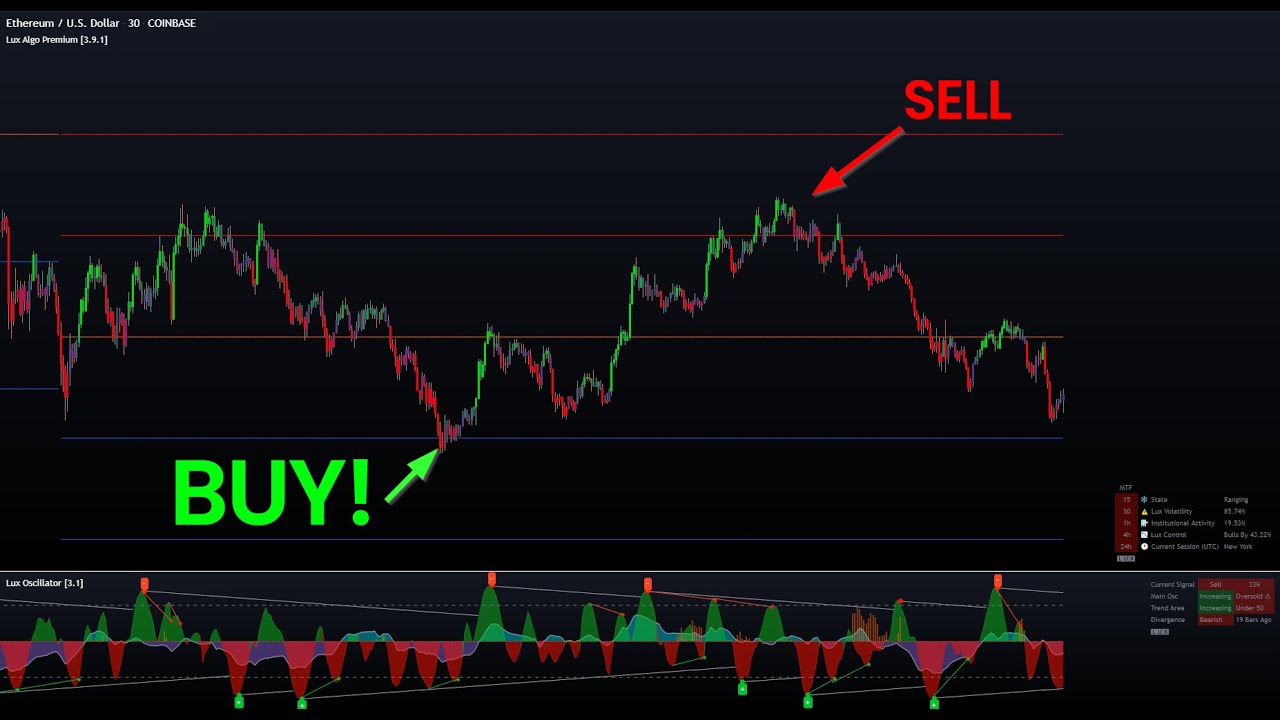
This video focuses on 2 of my personal favourite features within Lux, the predictive ranges and oscillator. I cover why they are important and a strategy whereby the user can identify potential reversals and retracements in the market. This can apply to any asset.
Get access to Lux Algo indicators: https://luxalgo.com/
Lux Algo features used i...
keen cliff
I see all these guys on discord calling great entry’s and as nice is it is to have them call it I would like to learn that
indigo cradle
The 5m one is my personal fave
And the most popular
I think my channel may help you 🤝
keen cliff
I’m tired of getting trapped in either a bull candle that turns into a downward trend and similarly getting trapped in a bear trap candle and watch it go up
I can’t seem to wrap my mind around how that happens
indigo cradle
Yeah the 5m video is magic in my opinion
Reversal zones and ranges are killer together 💪
keen cliff
What about using a larger time frame to make confirmations ??
keen cliff
indigo cradle
Yeah the 5m video is magic in my opinion
Does this work for regular stocks? Not just BTC?
I don’t trade crypto
indigo cradle
keen cliff
Does this work for regular stocks? Not just BTC?
Yep it should do 👍
The theory behind all the videos can apply to anything
strange bloom
Very quick question.. I'm curious how the Optimal Sensitivity that is suggested on the stats is determined by LuxAlgo.. and whether it's the one I should be using or I should experiment with other values
keen cliff
I don’t think I have access to the lux volatility metric indicator
indigo cradle
keen cliff
I don’t think I have access to the lux volatility metric indicator
In Lux statistics; go into settings and you can enable it there in the mode 🙂
keen cliff
Cool thanks
indigo cradle
strange bloom
Very quick question.. I'm curious how the Optimal Sensitivity that is suggested ...
It's a mini backtest over X candles based on vanilla signals. It by no means will mean that these will be the best signals for you personally to use however
strange bloom
Great, thanks! Just curious, how many candles would that be.. on average