#🤝support
1 messages · Page 238 of 1

 indigo cradle
It means 17% of the oscillator's signals are sells

The Lux Oscillator contains dashboards showing various variations on the features, the dashboard might vary depending on the selected oscillator in Type, these are described in the following sections.
 jaunty perch
why do the grey lines coming out of the yumi ashi mean?
indigo cradle
The wicks represent a large price deviation from the Yumi candles
Suggesting a potential reversal / cool off in the move
 formal token
indigo cradle
The wicks represent a large price deviation from the Yumi candles
formal token
indigo cradle
The wicks represent a large price deviation from the Yumi candles
I keep getting Contrarian notifications even tho I haven't selected those under call function conditions. Any setting I can change to turn these off?
indigo cradle
formal token
I keep getting Contrarian notifications even tho I haven't selected those under ...
I'd suggest remaking the alert
Ensuring it's not selected; that'll fix it 🙂
formal token
indigo cradle
Ensuring it's not selected; that'll fix it 🙂
10:4
 orchid dragon
Hi everybody what is the meaning of this 'X' symbol on graphic...
 jaunty perch
Is it correct that Lux Algo deletes a (strong) buy or sell signal and replaces it with an ''X''?
lol
Good question cosmo!
indigo cradle
orchid dragon
Hi everybody what is the meaning of this 'X' symbol on graphic...
Those are take profits
indigo cradle
jaunty perch
Is it correct that Lux Algo deletes a (strong) buy or sell signal and replaces i...
It is not no, they are printed separately
jaunty perch
Alright thanks for the quick response
orchid dragon
indigo cradle
Those are take profits
Thanks for your help
 humble fern
In regards to "LUX Algo Premium" Alerts, does "Any confirmation buy" (and vice versa for sell) include both "buy" and "strong buy"?
humble fern
humble fern
In regards to "LUX Algo Premium" Alerts, does "Any confirmation buy" (and vice v...
Refering to TradingView Alerts
humble fern
humble fern
Refering to TradingView Alerts
 indigo cradle
humble fern
In regards to "LUX Algo Premium" Alerts, does "Any confirmation buy" (and vice v...
indigo cradle
humble fern
In regards to "LUX Algo Premium" Alerts, does "Any confirmation buy" (and vice v...
It does indeed 🙂
 vital sapphire
Hey guys, i'm trying to set alerts but im not seeing luxalgo in the condition dropdown. It is showing the indicator is active at the top left of my chart, any ideas?
indigo cradle
Try refresh page 🙂
vital sapphire
Ah! I was trying to set them from the desktop tradingview platform but it worked on web. Is this feature available on the trading desktop version?
indigo cradle
Absolutely yep 🙂
 robust forum
vital sapphire
Ah! I was trying to set them from the desktop tradingview platform but it worked...
robust forum
vital sapphire
Ah! I was trying to set them from the desktop tradingview platform but it worked...
And so far the TV desktop version has been flawless for me after a few weeks-and it's still beta
vital sapphire
robust forum
And so far the TV desktop version has been flawless for me after a few weeks-and...
TV Desktop? I just got here last week, can you let me know what this is?
robust forum
Tradingview
vital sapphire
robust forum
Tradingview
That makes sense, yeah im a fan of the web version as well
 acoustic moon
Automated Trades: Is it possible to integrate Lux Algo with some way of triggering trades based on signals or other indicators?
 shy relic
acoustic moon
Automated Trades: Is it possible to integrate Lux Algo with some way of trigge...
shy relic
acoustic moon
Automated Trades: Is it possible to integrate Lux Algo with some way of trigge...
you can using services such as 3commas or cornix
 pastel goblet
Good evening can i get the discounted link for the yearly subscription i remember seeing it last week, i opted for 1 month to check it out now im ready to do the yearly please let me know
indigo cradle
DMd you 🙂
 sleek walrus
Whats the recommended way to integrate lux with a bot, im guessing tradeking alerts via webhooks?
robust forum
yep-webhooks
sleek walrus
ty for the info, time to start a new .NET project lol
vital sapphire
shy relic
you can using services such as 3commas or cornix
Edit: found the answer
 stuck fable
Hi Admin,
Since the new update my Strong Buys/Sells are not at the same place.
I have this Bot only taking Strong Buy/Sells based on Lux 3.9 via webhook to Telegram
While im looking at the updated version of 4.0 my Signals does not appear at the same place
Do you know why?
Here's a SCREENSHOT on the left is 4.0 and on the right is 3.9
*****Im on Auto-recommended settings

 unique pulsar
Hi, when I set up an alert, can I get the value of the indicator in this way? Or what should be the correct way?

 feral lava
stuck fable
Hi Admin,
Since the new update my Strong Buys/Sells are not at the same place.
...
feral lava
stuck fable
Hi Admin,
Since the new update my Strong Buys/Sells are not at the same place.
...
In 3.10 we introduced improved filtering normal vs strong with Auto-Pilot specifically
 marsh needle
Hey what’s up you all. I’m trying to setup alerts for several stocks. It’s only allowing me one alert. I’ve tried switching to the LUX settings and it keeps looping me back around. 😂 I thought there were several alerts inside LUX? Do I need to pay the extra $14.95 on TradingView per month to receive unlimited alerts? Thank you in advance.
 peak dirge
Hey, Hey - just wondering how this user got this information to be displayed here? #🚀crypto-chat message
sleek walrus
peak dirge
Hey, Hey - just wondering how this user got this information to be displayed her...
check out #🔔scanners-premium
click on the one you wanna subscribe to and it'll add you to the role so you get alerts
peak dirge
sleek walrus
check out <#780585592911560734>
Thx - got it 👍

 vocal thicket
Hello 👋
I have question regarding indicator lux algo v2 not showing in the TradingView app
feral lava
 mint dagger
I get this error
mint dagger
I get this error
try refreshing and make sure your username is registered correctly in the connect accounts portal
if not, see step 3: https://docs.luxalgo.com/faq
 faint portal
Hey I would like to be able to alert on Exit buy and Exit sell signals, any idea when this might be supported?
I'm also looking to see if I can get the TP/SL plots but can';t see them available.
 dapper vapor
i want to make my EQ cloud a little bit darker, which setting is that on the 4.0 since there are so many of them
faint portal
I want to make an alert with the ANY function so i can combine several triggers
indigo cradle
faint portal
Hey I would like to be able to alert on Exit buy and Exit sell signals, any idea...
Yep this is an alert in the alert options, under exits
indigo cradle
dapper vapor
i want to make my EQ cloud a little bit darker, which setting is that on the 4.0...
We shall take a look into this, are you using dark mode?
faint portal
indigo cradle
Yep this is an alert in the alert options, under exits
What if i want it to be alerted in conjunction with buys and sells in the any() function - also what about SL/TP
 karmic coral
Any tips trying to use it with automation? I don't do manual trading at all
indigo cradle
faint portal
What if i want it to be alerted in conjunction with buys and sells in the any() ...
I'll get those plots fo you; but using the TP with the any function isn't currently possible I'm afraid
dapper vapor
yes @indigo cradle
also on the optibot, do i have to use normal candle or heikin Ashi?
shy relic
dapper vapor
also on the optibot, do i have to use normal candle or heikin Ashi?
optibot use regular closing prices.
faint portal
indigo cradle
I'll get those plots fo you; but using the TP with the any function isn't curren...
If we can update the ANY() to include exits, and some of the other plots to trigger alerts that would be awesome.
indigo cradle
Can definitely explore this option 👌
 indigo cradle
Have you connected your account?
If you have try closing and reopening the app 🙂
I see in our logs you should have access 👌
stuck fable
stuck fable
Hi Admin,
Since the new update my Strong Buys/Sells are not at the same place.
...
What if I wanted 3.9 Strong Signal back? Is there any way?
indigo cradle
The signals appear to be in totally identical positions
And as they should; that update never changed the signals position
The difference is the number of strongs that appeared. In 3.9 almost every signal using autopilot was a strong signal which was an issue
As shown in your screenshots you'll see all except one of the signals in 3.9 was a strong signal
So what you could do now is just take any signal that appears; it'll produce basically the same results
 robust forum
Too much for my eyes lol
sleek walrus
yeah gets cluttered fast lol
 ocean vessel
Anybody else moving at snails pace? My shit is frozen on both iPad and phone
Hello? Anybody home? My apps aren’t updating fast. Let me guess, it’s not you it’s the TradingView platform.
indigo cradle
Not too sure; which iphones do you have? Which indicators are added?
 indigo cradle
Oh I see; you're on the 1m chart?
ocean vessel
Yea, moves like 15 minutes
vital sapphire
Is it possible to create 1 alert per ticker with Confirmation strong Entries & Exits as long as they are on the same timeframe?
indigo cradle
ocean vessel
Yea, moves like 15 minutes

TradingView
Interactive financial charts for analysis and generating trading ideas on TradingView!
You can see here the solution for this within TradingView ^
indigo cradle
vital sapphire
Is it possible to create 1 alert per ticker with Confirmation strong Entries & E...
The exits currently have their own alert conditions seperately
ocean vessel
Right, I see the solution is to buy another upgrade so I can use the 500$ software I already purchased properly.
 undone kernel
With the new indicator, whats the red and green dotted line?
indigo cradle
This is a tradingview related thing due to regulations as they explain
It's very edge case usecase and we don't commonly see users need this
indigo cradle
undone kernel
With the new indicator, whats the red and green dotted line?
The forecasted pivot location
undone kernel
So is the red the location for the pivot low and green for the pivot high?
indigo cradle
undone kernel
So is the red the location for the pivot low and green for the pivot high?
Red is pivot high
Green pivot low
undone kernel
Gotchu
vital sapphire
indigo cradle
The exits currently have their own alert conditions seperately
Got it, thank you
undone kernel
Thanks
 indigo cradle
That is a exit signal
 mild quiver
its different from red sign sell?
indigo cradle
Yes because the signal indicates a trend direction; the exit signal indicates an exit of a position
 weak oracle
Wat is the difference between a RED X and a BLUE X
 mental palm
I configured Lux Premium Algo to use auto pilot and then created an alert based on it. I’m seeing alerts that are different from the signals I see in the chart. Am I doing something wrong?
mental palm
mental palm
I configured Lux Premium Algo to use auto pilot and then created an alert based ...
For example. I get an alert for a “strong buy” but the chart only shows a “buy”.
indigo cradle
I'd suggest remaking the alert to ensure it's using the correct settings
mental palm
indigo cradle
I'd suggest remaking the alert to ensure it's using the correct settings
Okay. The alert was originally created in the iOS app. I just recreated it from the web app to see if there is a difference.
 pliant raft
When add in the Reversal Zones onto my chart, it all gets squished and makes it hard to read. This did used to happen for me. What can I do so that the candles don't get squished down using the RZ ?
 indigo cradle
pliant raft
When add in the Reversal Zones onto my chart, it all gets squished and makes it ...
indigo cradle
pliant raft
When add in the Reversal Zones onto my chart, it all gets squished and makes it ...
Oh my
This is a very very old version of Lux
!update
jaunty perch
To update Lux Algo Premium indicators, refresh your browser/app, remove the indicator from your chart, and then add it back to your chart + save your chart layout on TradingView.
Full guide: https://docs.luxalgo.com/lux-algo-premium-indicators/how-to-update
Included in this section is the best steps to receive & install updates for Lux Algo on TradingView.
indigo cradle
We are in version 4.0 ; it appears you're using 3.7.3 which is a good 4-5 months old
 mild ridge
Speaking of Reversal Zones -- what are best practices for using it?
pliant raft
Thanks a lot, that fixed the issue.
Is there any utility in using Heikin-Ashi candles with Lux Algo
or is it recommended to only use normal candels?
indigo cradle
pliant raft
Thanks a lot, that fixed the issue.
Is there any utility in using Heikin-Ashi ca...
You can use any candles you wish 🙂 Just of course be aware HA aren't real close prices
indigo cradle
mild ridge
Speaking of Reversal Zones -- what are best practices for using it?
I make a nice strat video using them: https://www.youtube.com/watch?v=DLzoNIgiGQU&t=0s

In this video I showcase how to trade the 5m with Lux Algo and increase your profits and chances of identifying reversals. Make sure to leave a like & subscribe for more trading strategy videos!
Get access to Lux Algo indicators: https://luxalgo.com
Lux Algo features used in this strategy:
Reversal Zones: https://docs.luxalgo.com/lux-algo-pre...
 brave robin
@indigo cradle i see placeholders for alerts has changed in document. is it still possible to use plot_0,plot_1 or we have to use plot("Buy")?
indigo cradle
brave robin
<@!456590452703887373> i see placeholders for alerts has changed in document. is...
Yep you can still use the numbers, should still work 😊
 night pagoda
how to set alert in discord?
jaunty perch
How so i get this setup
 vital sapphire
indigo cradle
You can use any candles you wish 🙂 Just of course be aware HA aren't real close...
vital sapphire
indigo cradle
You can use any candles you wish 🙂 Just of course be aware HA aren't real close...
What do you suggest for best accuracy?
jaunty perch
 tepid nest
Have you used TradingView before?
tepid nest
Have you used TradingView before?
I haven’t
tepid nest
jaunty perch
I haven’t
It’s so good
The right side shows all you need. Alerts, watch lists, market news
Too much to explain to be honest. You should take time to learn the platform before trading with it
They have a lot of powerful tools
jaunty perch
I’m kinda excited to learn
Just don’t want this premium membership to go to waste

Like this
?
brave robin
indigo cradle
Yep you can still use the numbers, should still work 😊
I tried this when price hit RZ1. all returned NULL. Buy : {{plot_0}} | Sell : {{plot_2}} | Strong Buy: {{plot_1}} | Strong Sell : {{plot_3}}
 silk barn
Hey Team, I am trying to send alerts from TV on auto pilot and it's sending me alerts that seem to match up with the alerts that I would get with the autopilot turned off. Specifically the Any Confirmation Buy/Sell. Could you please assist me in this matter?
Thanks
pliant raft
Wondering if someone has successfully connected Lux alerts in TV, over to 3commas for auto trades on an exchange?
vital sapphire
pliant raft
Wondering if someone has successfully connected Lux alerts in TV, over to 3comma...
I found out about this and have been trying to get it going so I’d like to know as well
 gusty willow
Good evening. Are there good videos you suggest to me optimize my lux indicators?
feral lava
vital sapphire
I found out about this and have been trying to get it going so I’d like to know ...
Yep many users have done this -- we may put out a guide soon but it should be the same way any other indicator would be automated in those platforms
feral lava
gusty willow
Good evening. Are there good videos you suggest to me optimize my lux indicators...
This page in our docs covers everything fully 🙂
however, we have this video: https://www.youtube.com/watch?v=OmvxpTE9tlw

Here's a quick video on the multiple ways you can adjust signal settings within Lux Algo on TradingView and use Optibot within our Discord. Optibot is backtesting private data with our algorithm, while the auto-confirmation signal settings toggle is just an estimate.
Learn more about Optibot: https://docs.luxalgo.com/getting-started/discord/bo...
undone kernel
What is green and red vertical lines in the new indicator?
feral lava
undone kernel
What is green and red vertical lines in the new indicator?
See section 2.1 here: https://www.tradingview.com/script/HBuT6e1v-Pivot-High-Low-Analysis-Forecast-LUX/

TradingView
This indicator returns pivot point high/lows alongside the percentage change between one pivot and the previous one (Δ%) and the distance between the same type of pivots in bars (Δt). The trailing mean for each of these metrics is returned on a dashboard on the chart.
The indicator also returns an estimate of the future time position of the piv...
vital sapphire
feral lava
Yep many users have done this -- we may put out a guide soon but it should be th...
Got it! I’m looking forward to you guys guide but will check out the others in the mean time
jaunty perch
can someone maybe help me and walk me throught settign this up please
feral lava
!guide
jaunty perch
How to setup the indicators on TradingView: https://docs.luxalgo.com/getting-started/setup-tradingview
TradingView.com --> Chart --> Indicators --> Invite-only scripts
Included in this section are simple instructions on how to setup Lux Algo on TradingView.
feral lava
Hey @jaunty perch happy to help, see here ^ for a guide to set it up
jaunty perch
Thanks seems im getting stuck a bit
feral lava
On which part?
feral lava
!settings
jaunty perch
Everything you need to know on optimizing signal settings: https://docs.luxalgo.com/lux-algo-premium-indicators/lux-algo/signal-settings
This page showcases every way users can adjust settings along with full explanations of how they differentiate from each other.
feral lava
Here's a full doc on signal settings 🙂
Agility is really just for Optibot, it can be challenging to try and adjust this manually
 dapper vapor
all the time based on the trending market
if you are new to this, i suggest to follow the optibot settings every morning or use default settings
you still need to understand the market structure, can not trade every signals
jaunty perch
in the #🔔scanners-premium ?
dapper vapor
here
 jaunty perch
ah ok
feral lava
jaunty perch
this is what i have

You can make your chart on Candles by clicking here, line chart has limited info
appreciate the help^ @dapper vapor
jaunty perch
so much to learn
dapper vapor
no problem.... we are VIP and help each other
jaunty perch
thank you for the gudiance
feral lava
let us know if you need any more help @jaunty perch - we have our youtube channel here: https://www.youtube.com/channel/UC-luaBAGSqZ---25Wifnnhg
and using the search bar on https://docs.luxalgo.com can help you as well with any questions 🙂

 hexed olive
Can we get any guide about strategies we can use with Lux Algo? thanks
jaunty perch
@hexed olive


 indigo cradle
hexed olive
Can we get any guide about strategies we can use with Lux Algo? thanks
indigo cradle
hexed olive
Can we get any guide about strategies we can use with Lux Algo? thanks
Absolutely: https://youtube.com/c/GeckoTrading

YouTube
Sharing trading strategies that I've developed using Lux Algo + more.
(Not actually a gecko.)
 indigo cradle
Why don't you turn it off in the settings however?
There's a drop down for candle color
 indigo cradle
Sadly you cannot currently
indigo cradle
It because Yumi Ashi deviate from the price quite a lot
 spark bronze
hi I am having trouble getting notifications of signals if anyone can assist?
spark bronze
my alerts are not triggering
indigo cradle
May I see your settings?
spark bronze
do I set alerts here?
 indigo cradle
You do; and once you've selected them you need to turn on the alert in the alert menu
spark bronze
here?
 indigo cradle
Yes however you need to select Lux Algo in the condition at the top
And then in the drop down below it you select Alertany()
Options for setting alerts on Lux Algo in TradingView.
spark bronze
perfect thanks so much
 bold compass
Hi question about Lux oscillator. How can I set up an alert when there is a reversal
indigo cradle
You can indeed; for which oscillator mode?
bold compass
Lux
bold compass
 bold compass
You see the green arrows and the red arrows
I'm looking for an alert on these
scalping possibilities
 bold compass
ok I see. When you see that major buy but right after you see another and they are interconnected with a line what does that mean.. is it that this major buy previously was not the lowest reversal situation?
indigo cradle
A divergence
bold compass
ok I see
indigo cradle
You can set alerts on those too 🙂
 flat sonnet
how can i make this to auto trade bot?
indigo cradle
You can use third parties such as 3commas for example
 humble ibex
In v 4 an x appears at the candle close I know it is exit but question is does it appear after every buy and sell signal regardless it’s strength how can you customize it to appear only after strong signal
indigo cradle
It won't always appear; only if the conditions for an exit are correct
So it's not possible to individually tune them
 stiff urchin
Is it normal to have to double X's?
 humble ibex
What is the interpretation of all green or red in mtf column
stiff urchin
Is it possible to have the grey ones removed? @indigo cradle
indigo cradle
humble ibex
What is the interpretation of all green or red in mtf column
Basically the current signal on that given timeframe
indigo cradle
stiff urchin
Is it possible to have the grey ones removed? <@456590452703887373>
The Exits?
indigo cradle
If you're on mobile they are all grey though?
stiff urchin
Its different on pc?
indigo cradle
It is yep, they are colored
stiff urchin
Is this a coding choice by the devs?
indigo cradle
It is not; it's some odd TV behaviour on mobile. The labels have a color applied however on mobile they go grey 😉
sleek walrus
is there any documentation on what each of these actually are? Creating my own bot own .NET Core and curious what all automation I can build from the webhook alerts inside of trading king but not sure which each of these are interms of definition.

 oak ruin
For indexes like SPX, what does Lux use for the Institutional Profile activity? Thank you.
 candid storm
I am receiving lux alerts 4 hours too late. The chart shows the time posted as 08:00 the alert log shows time received.
 stiff urchin
@shy relic couple months back i asked for pattern screener for crypto are we any closer to getting it?
indigo cradle
sleek walrus
is there any documentation on what each of these actually are? Creating my own b...
indigo cradle
candid storm
I am receiving lux alerts 4 hours too late. The chart shows the time posted as 0...
!confirmed
jaunty perch
A signal is confirmed only once the candle is closed. Meaning a signal could appear on your chart but is not confirmed until that candle is closed and the next candle has started.
Our automated Discord bots will never notify you on any signal until the candle has closed and confirmed it. If you're adding alerts for Lux signals in TradingView - make sure to select "Once per bar close".
indigo cradle
oak ruin
For indexes like SPX, what does Lux use for the Institutional Profile activity? ...
It uses shalen's hypothesis
sleek walrus
indigo cradle
https://docs.luxalgo.com/lux-algo-premium-indicators/lux-oscillator-premium/lux-...
I might be blind but I dont see a list of defintions for what each condition is? for example that picture I posted about theres to conf bull and two conf bears, etc.
indigo cradle
For those you can use either; which ones do you want a definition for?
sleek walrus
I'm not sure hahaha thats why I was hoping there was documentation so I could see which ones I need, i'm trying to create an alert for the RSI strategy
candid storm
That makes sense Thank You
oak ruin
indigo cradle
It uses shalen's hypothesis
Yes but SPX isn’t actually traded so wondering how it’s calculated. Looks like it’s matching SPY but wanted to check for SPX. Thank you.
indigo cradle
!alerts
jaunty perch
How to set up your own custom alerts in TradingView: https://docs.luxalgo.com/lux-algo-premium-indicators/setting-up-alerts-on-tradingview
Follow this guide for setting up your own custom alerts on TradingView.
 manic warren
Is there any way to use a stock screener to find stocks that are close to giving sell or buy signal from the lux algo? Like if there are any specific filters i could use to make it easier to find. Thanks!
manic warren
Cheers!
vital sapphire
Are we able to backtest LuxAlgo In tradingview? The tester is not populating the strategy for me
sleek walrus
you have to create a strategy referencing lux in pine.
vital sapphire
sleek walrus
you have to create a strategy referencing lux in pine.
I haven’t done this before, is there a simple way to do this?
 spring thicket
how do i change the colour of the predictive trendline
feral lava
spring thicket
how do i change the colour of the predictive trendline
Should be SR2 in style settings
jaunty perch
Is it possible That the exit signals sometimes do not occur
 trim pine
I am confused between “Strong” and normal “buy,sell” confirmations, i have read the documentation and didnt get a clear idea yet?
So basically strong buy eliminate sell signal before it ?
indigo cradle
trim pine
So basically strong buy eliminate sell signal before it ?
A strong signal is just a signal that occurs in an established trend
 hallow magnet
Hi, I am having a very difficult time with looking at daily charts lately. Everything is way too big and I can't see the chart info. If I zoom out, everything becomes too condensed and if I zoom in, everything is way too big and I can't see anything more than 1 or 2 candles.
indigo cradle
Do you have a screenshot?
 fallen summit
I'm a Korean super fan of lux algo. I'm sure the reverse zones and eqcloud will be of tremendous help to people who use. That was a long introduction. I am worried that the reverse zones and eq cloud will disappear from lux algo. Please keep these two perfect indicators. Always stay healthy. I look forward to hearing from you. Thank you.
indigo cradle
@fallen summit don't worry, they won't go anywhere 💪
fallen summit
Thank you for your reply. I'm relieved.
 potent knot
@indigo cradle I inadvertently canceled my subscription a few weeks ago. I'd like to renew - am I eligible for any discounts?
indigo cradle
The discounts we provide are for first intervals. So let's say you were using a monthly subscription; you cannot use the discount again for that. However if you're now purchasing a quarterly/yrly it can be applied
potent knot
indigo cradle
The discounts we provide are for first intervals. So let's say you were using a ...
I was already on the Yearly subscription. Any deals available?
Military or education discounts?
indigo cradle
Dmd 🙂
candid storm
On a 5 minute candle I received my notice 20 minutes later. What am I doing wrong?
 indigo cradle
I'd suggest remaking the alert to ensure its using your settings and timeframe
karmic coral
sleek walrus
you have to create a strategy referencing lux in pine.
how is that possible?
sleek walrus
sourceType = input(title="Source type", type=source, defval=close)
that'll let you choose the indicator in input dropdown
so for example
sleek walrus
// Add the inputs
sourceType = input(title="Source type", type=source, defval=close)
plot(sourceType)
sorry just keep getting asked about it, its a powerful feature of lux
indigo cradle
No worries at all; happy to help if I can
karmic coral
thank you Zeraxx if possible on DM 🌻
 peak basin
@indigo cradle Hi, i dont seem to be getting that many signals? Get the odd one but then none where i would expect to get them? Am i missing a setting or something? Its on autopilot for signal settings.

There was nothing on the big rise and drop?
indigo cradle
Autopilot can often filter out a lot of signals especially in a ranging market
If this does not suit your trading style I'd suggest using defaults
Or manual settings adjustments
jaunty perch
hello where can I find information with the description of indicators?
peak basin
I have tried entering the optibot setting as well and it doesnt seem to make a differance? Ill try reloading and default and see what happens?
indigo cradle
jaunty perch
hello where can I find information with the description of indicators?
!docs
jaunty perch
Lux Algo Full Documentation & educational resources: https://docs.luxalgo.com
indigo cradle
peak basin
I have tried entering the optibot setting as well and it doesnt seem to make a d...
Ensure you unselected autopilot when adjusting settings
AP overrides them
jaunty perch
jaunty perch
Lux Algo Full Documentation & educational resources: https://docs.luxalgo.com
Thx 👍

 indigo cradle
means there's not enough data
 eternal cape
Hey folks, im new here… screwed up already 🤦🏻♂️ lol trying to get logged in to TradingView with my account after setting up @jaunty perch and now TradingView is saying my account password is not correct and recovery is sending me some weird email account to confirm… anyone have this issue??
feral lava
Hey @eternal cape this would be best handled with TradingView support unfortunately — you can optionally create a new TradingView account and email support@luxalgo.com the new username and they’ll swap it manually for you within 6hrs!
eternal cape
I will do that! Easier! Thanks @feral lava
 leaden beacon
Hello, my quarterly subscription is ending. My card will not automatically be charged for a renewal correct?
eternal cape
@feral lava sent an email… likely a tomorrow fix or is someone dealing with this type of issue 24/7 as well?
feral lava
It’ll be within 3-4 hrs @eternal cape
feral lava
leaden beacon
Hello, my quarterly subscription is ending. My card will not automatically be ch...
It’s automatic, to manage your subscription see here
jaunty perch
Click Manage Account here: https://luxalgo.com
Or email support@luxalgo.com and our team will assist you with any request the same day.

Enhance your trading experience with our premium technical indicator suite + bots for stocks, forex, futures, currencies & commodities markets.
ocean vessel
Anybody know what settings mo money uses…my settings are giving me buys and sells every 3 bars and the stock barely moves. Something is off. Please advise
 opal panther
I joined for his promo- he does a tutorial video. And it's basic. Practice with a 4Up page to see differences
Autopilot really helps especially if you upgrade to 4.0
 still kayak
hey looking for admin help - added my TV username to the Luxalgo page but it doesnt show still on my indicator tab
indigo cradle
Try refreshing the page 🙂
 cinder horizon
@jaunty perch a stock alert just came in for TSLA
TSLA 📈 STRONG BUY Signal (4H Chart) but its looking like its overbought already, why the strong buy?
 pallid rain
what price
cinder horizon
alert came in 7mins ago so 692.60
cinder horizon
right. Im asking why the screener is alerting strong buy now
pallid rain
oh yeah true! i thought you were recommending to buy now. my mistake didn't read whole sentence
it should be at 1:26
any idea about MKD?
am watching MKD, COCP, ARDX, NVIV
can see symbol "x" for MKD
pallid rain
am looking at 1m
cinder horizon
I dont use 1m so cant help there
 muted kite
hey, how do i make buy signal alarms?
jaunty perch
How to set up your own custom alerts in TradingView: https://docs.luxalgo.com/lux-algo-premium-indicators/setting-up-alerts-on-tradingview
Follow this guide for setting up your own custom alerts on TradingView.
muted kite
thanks!
pallid rain
i think alert is a tradingview feature so either we need to escalate it to Lux or to them not sure
but yeah these both parties need to resolve so that Lux keep their customers
indigo cradle
You can make alerts with lux @pallid rain
 robust forum
One is exit long, the other exit short
pallid rain
if this think send me notification more quicker than the event then i will be a permanent customer of Lux Algo. i believe lux algo need to consider dark pool and L2 orders
2 alerts i.e. based on orders and another one based on techs.. n all
 torn tusk
if i set up an alert “confirmation buy”, does it include both buy and strong buy?
cinder horizon
@indigo cradle do you have algo performance stats listed anywhere, curious how it performs long term
indigo cradle
cinder horizon
<@!456590452703887373> do you have algo performance stats listed anywhere, curio...
We make indicators really so there's nothing really to test, totally depends on the strategy the user made 🙂
cinder horizon
indigo cradle
We make indicators really so there's nothing really to test, totally depends on ...
Yea was wondering based on enter and exit signals
indigo cradle
Ah we don't provide entry signals yet; if we add this we can test that 🙂
 light sky
Regarding this FAQ: Can you give me an example(s) of one of these 3rd party platforms please?
 feral lava
light sky
Regarding this FAQ: Can you give me an example(s) of one of these 3rd party plat...
feral lava
light sky
Regarding this FAQ: Can you give me an example(s) of one of these 3rd party plat...
Hey - 3commas or alertatron
 faint bloom
i use Institutional Supply & Demand Trading Strategy, but the win rate is less than 30%
what can i do
i also use another strategy is the same
have any video i can learn more about?
dapper vapor
faint bloom
i use Institutional Supply & Demand Trading Strategy, but the win rate is less t...
sent you PM about the video
eternal cape
Hey folks, thought I had set up alerts on my charts this am and notta… is there soemthing I’m missing?
When I use the alerts in the algo, do they send an alert via TV? Where do those alerts ‘alert’. Lol def was disappointed when I missed a few key moves today… ps. I’m very new to luxalgo but liking the depth of charting options so far!
faint bloom
dapper vapor
sent you PM about the video
thx bro
faint bloom
dapper vapor
sent you PM about the video
i saw b4 ,is it more than 50% win rate?
light sky
feral lava
Hey - 3commas or alertatron
Thank you. I'll check those out. Could you also tell me if I can access any functions from Lux in a Pine Script? I'm trying to write a strategy using some of your indicators. I see many people asking about this, but what would the best way to go about this be? (that would also allow me to backtest)
light sky
Hi. I'm trying to do the same thing. Did you manage a better way to do this than the Youtube video "[LUX] - Smack" responded with?
indigo cradle
light sky
Thank you. I'll check those out. Could you also tell me if I can access any func...
You can access some of the plots however not all of them sadly such as the signals
pallid rain
Hey
I noticed gear icon missing after executing the Lux Algo script. Is there a way to do edit?
 indigo cradle
pallid rain
I noticed gear icon missing after executing the Lux Algo script. Is there a way ...
indigo cradle
pallid rain
I noticed gear icon missing after executing the Lux Algo script. Is there a way ...
You can double click a signal and it'll open the settings
dapper vapor
faint bloom
i saw b4 ,is it more than 50% win rate?
are you using that for trade beside other indicators?
you need other Lux Algo indicator to confirm the trend
 warm temple
Hello. Can someone tell me what the black x means?
indigo cradle
warm temple
Hello. Can someone tell me what the black x means?
It's an exit
So it's a location that may be a good location to scale out or take profit
indigo cradle
eternal cape
Hey folks, thought I had set up alerts on my charts this am and notta… is there ...
Did you create the alert in the alert menu?
stiff urchin
@indigo cradle i asked for a pattern scanner on crypto pairs about 3 months ago, will we ever get it?
indigo cradle
stiff urchin
<@456590452703887373> i asked for a pattern scanner on crypto pairs about 3 mont...
As you can imagine pattern scanners are well... very hard to implement. Naturally we focus the majority of our time on indicators within pine and on TradingView. We want to add for crypto too, yes. Ideally though we'd want to create it in Pine
It's far more useful I feel if a user can have a script that detects patterns within pine on the timeframe and asset of their choosing
Otherwise in the server we will need 5 channels for the varying asset classes and each of those will need varying timeframes ect ect
stiff urchin
Are you implying that such feature is being worked on? @indigo cradle
indigo cradle
I don't really like to say what is or what's not being worked on 😅 it can give expectations of time frames and adds pressure. All I'll say it something that should logically and naturally be added
stiff urchin
3-6 months?
faint bloom
dapper vapor
you need other Lux Algo indicator to confirm the trend
sure
indigo cradle
 foggy mason
Can you unlock the trading view algo?
foggy mason
Can you unlock the trading view algo?
Have you connected your accounts?
foggy mason
No I'm not sure how to
indigo cradle
You connected your discord account correctly I see
2️⃣ Please check your confirmation email for a "Connect Accounts" button that brings you to a page to get instant access on TradingView & Discord after signing up.
3️⃣ If you are having trouble with step 2: Please reply to the confirmation email (or email support@luxalgo.com) with your active TradingView/Discord username and our support team will grant you full access within 6 hours. 👍
 fickle swallow
What’s the little x on the top of the candle mean?
 fickle swallow
Thx never seen it before - just read the announcement about it 🤦♂️
silk barn
Hey Team, I am trying to send alerts from TV on auto pilot and it's sending me alerts that seem to match up closer with the alerts that I would get with the autopilot turned off. Specifically the Any Confirmation Buy/Sell. Could you please assist me in this matter?
Thanks
indigo cradle
I'd suggest remaking the alerts, it fixes it the majority of the time 🙂 Be aware any confirmation includes normal turn strong which is a change from a normal signal to red/green candles which isn't a label
silk barn
indigo cradle
I'd suggest remaking the alerts, it fixes it the majority of the time 🙂 Be awar...
Thank you for your prompt response I'll redo alerts to see if that fixes the issue! Cheers
 frigid epoch
Hiya wanna ask about the optibot sensitivity and agility. Do i have to adjust them manually for every tabs and timeframe i have opened?
 vivid musk
frigid epoch
Hiya wanna ask about the optibot sensitivity and agility. Do i have to adjust th...
vivid musk
frigid epoch
Hiya wanna ask about the optibot sensitivity and agility. Do i have to adjust th...
Yes
frigid epoch
Gotcha!
 rotund stratus
@indigo cradle what is the sensitivity and agility are u using in the 24/7 live stream on YT ?
indigo cradle
rotund stratus
<@!456590452703887373> what is the sensitivity and agility are u using in the 24...
I'll fetch those for you 🙂
10/26
rotund stratus
indigo cradle
10/26
thanks buddy
rotund stratus
@indigo cradle And for eth?
indigo cradle
Should be the same
 bleak tiger
@indigo cradle hi bro, i just watched your youtube video with the 30m BTC strategy, and i wanna ask you if the strategy is working on forex pairs and with lower timeframes
indigo cradle
bleak tiger
<@!456590452703887373> hi bro, i just watched your youtube video with the 30m BT...
It could be applied in theory; yep 🙂
bleak tiger
ok thanks
 proper pewter
Is there a way I can manually trigger a billing attempt ?
indigo cradle
I've DMd
pallid rain
WethDobe (exchange: uniswap) is not refreshing the graph
support, could you guys please look into it
also, how it's possible to get real time Crypto data
 lunar bronze
@indigo cradle is there a take profit recommendation for 5m, 1h, 4h and 1D time frame for either stock or crypto
I'm using 5m for day trading. Is 4h best for swing trading?
 bronze yacht
Hi @indigo cradle I placed an alert for “any confirmation buy” condition with the “once per bar close.”

But its not sending me an alert on trading view
Is it because of the succeeding red candles?
I also noticed at the previous sell signal, I only received an alert during the candle after the candle stick with the sell signal
 grave mural
Is lux algo not good to use on a Sunday?
 misty sphinx
@indigo cradle Hi just got Lux yesterday. I was wondering how do I save settings for sensitivity and agility for different charts, so that I do not need to adjust every thing I change charts.
 quasi linden
how do i set alerts for crossing into revesal zones?
 jagged anchor
Guys please let me know how this algo works
jaunty perch
misty sphinx
<@!456590452703887373> Hi just got Lux yesterday. I was wondering how do I save...
you can save the charts as templates
feral lava
jagged anchor
Guys please let me know how this algo works
!docs
jaunty perch
Lux Algo Full Documentation & educational resources: https://docs.luxalgo.com
feral lava

Join our Discord: https://discord.gg/LUX
Get access to Lux Algo: https://luxalgo.com/products/lux-algo
Get the best settings: https://www.youtube.com/watch?v=OmvxpTE9tlw&t
Usability Tips: https://www.youtube.com/watch?v=5wtdY51crnc
@jagged anchor

In this video we walkthrough Lux Algo v4.0 to explain all of the features conceptually, show how to update, and cover our new Candles Mode! Get instant-access to Lux Algo: https://luxalgo.com/pricing
How to Update to v4: https://docs.luxalgo.com/lux-algo-premium-indicators/how-to-update
Trading strategies playlist: https://www.youtube.com/watc...
 acoustic meadow
Hello! Advise please. I do not receive any notifications on but sell signal in Trading View app (IPhone). Notifications are on both in app and general settings. Alert conditions in algo settings are checked (buy, strong buy etc) How can I activate them?
indigo cradle
quasi linden
how do i set alerts for crossing into revesal zones?
In the alert menu you can select your asset e.g. GBPUSD crossing RZS1 or RZR1
indigo cradle
acoustic meadow
Hello! Advise please. I do not receive any notifications on but sell signal in T...
Have you created the alert within the alert tab?
acoustic meadow
indigo cradle
Have you created the alert within the alert tab?
Nope, did it only in LuxAlgo settings. What should I choose when creating alert in app settings?
indigo cradle
!alerts
jaunty perch
How to set up your own custom alerts in TradingView: https://docs.luxalgo.com/lux-algo-premium-indicators/setting-up-alerts-on-tradingview
Follow this guide for setting up your own custom alerts on TradingView.
indigo cradle
See the second step here 👍
You need to click the alarm clock and create the alert there
acoustic meadow
Thank you! 👍
 grim swallow
Hi! I noticed that signals change depending if TV is set to Candles or Heikin Ashi.
Any suggestions? 🤔
Is it better to go with Algo Candles?
Or do they also change signals?
Thanks!
indigo cradle
So HA candles are of course different (and not real) close values so will change the signals and their location. It really doesn't matter whichever candle type you prefer using it the one you should go with 🙂
grim swallow
Got it.
Btw, playing with your 5 min Scalp from the video. Trying to see if it can be applied to other r/s or it's better to stick to the ones in reversal zones.
Thanks! 🙏
faint portal
How can i reference a plot of lux in my own personal pinescript?
indigo cradle
That'll depend on the plot but you need to setup an input of type source
And then select the Lux plot you want there
faint portal
I was after the strong buy and strong sell plots but they don't seem to be sourable
indigo cradle
Ah yes, those aren't sourcable sadly due to plot limits
faint portal
Those feel like the most important ones when I wanna create my own strategy, any chance we can descope some of the more non essential plots if it indeed is limits?
indigo cradle
The thing is; let's take the EQ cloud for example. That is made up of plots; not a plotshape so they have to use a plot. They can't be removed to make way for extra plots. We are hoping that TV up the plot limit soon
faint portal
Are these limits documented so i can raise it with my TV contact?
indigo cradle
Plot limits? Its a built in limit by TradingView I would assume to do with memory and load management on their servers. You could definitely enquire regarding their plans
misty sphinx
Hi @indigo cradle! I would like to know, for the optibot (optimisation of sensitivity and agility), what is taken into consideration? Basically why is the settings that are given out considered as optimal for each time frame?
Been loving lux algo so far! Thanks!
And also, can I only save 1 template for my settings for lux algo for a free TV account? Trying to manage multiple charts without having to constantly edit the settings
indigo cradle
misty sphinx
Hi <@!456590452703887373>! I would like to know, for the optibot (optimisation o...
Hi there 🙂 So optibot will "backtest" signals over 2000 bars just using the buy/sells.
And yes; sadly on a free account it's limited
 short ridge
Hi i want know what setting you use in live demo
indigo cradle
10/26 🙂
 eager echo
Hi @indigo cradle BTCUSDTPERPETUAL / 5m / Signals Sensitivity ❓ / Confirmation Signals Agility (%) ❓
how should i use
humble ibex
Where is the link to setup lux algo alerts on strong signals on tradingview?
indigo cradle
eager echo
Hi <@!456590452703887373> BTCUSDTPERPETUAL / 5m / Signals Sensitivity ❓ / Confir...
You could use optibot's suggestion?
indigo cradle
humble ibex
Where is the link to setup lux algo alerts on strong signals on tradingview?
!alerts
jaunty perch
How to set up your own custom alerts in TradingView: https://docs.luxalgo.com/lux-algo-premium-indicators/setting-up-alerts-on-tradingview
Follow this guide for setting up your own custom alerts on TradingView.
humble ibex
Is it possible to setup alerts for strong signals only when all time frames are in agreement?
indigo cradle
Sadly not currently
 narrow citrus
Good Morning Support, @indigo cradle
I needed an update to 4.0
Thanks in advance
“GrunInvestmentGroup”
indigo cradle
Hi there 🙂 Remove the old oscillator from your chart, close and reopen your browser and re-add
That should work
narrow citrus
@indigo cradle I just followed those steps and it’s still showing 3.1
indigo cradle
- Remove old oscillator from your chart
- Save chart layout
- Close browser
- Clear cache
- Open TradingView
- Readd Oscillator
narrow citrus
@indigo cradle
I just followed all steps above
Saved chart layout
Closed browser
Cleared cache
Opened TW
It’s still giving me 3.1 unfortunately
indigo cradle
You removed removed it from your chart before you did this?
narrow citrus
@indigo cradle Yes
indigo cradle
Odd, do you have another device you can try?
narrow citrus
@indigo cradle I just applied this to another device and it’s also showing up as 3.1
Is there a way for you to remove my access from LUX from Trading View so I can re add it?
indigo cradle
It really should be working, what I'd suggest is trying the above steps again in 30m/1h
- Remove old oscillator from your chart
- Save chart layout
- Close browser
- Clear cache
- Open TradingView
- Open a fresh chart
- Readd Oscillator
The open a fresh chart ^ may help
narrow citrus
indigo cradle
- Remove old oscillator from your chart
- Save chart layout
- Close browser
- Cl...
I followed all steps and it’s continuing to show up as 3.1. I also tried a different device and browser just now and no luck yet.
indigo cradle
Very odd; I'd suggest then trying a little later. If not give me a DM and we can try forcing something for you
narrow citrus
Will do. I’ll attempt again in an hour. If I’m unsuccessful I’ll DM you. Thanks Gecko!
indigo cradle
No worries 🤝
 empty dove
Please how do I install the 4.0 version on my trading view?
indigo cradle
- Remove old oscillator from your chart
- Save chart layout
- Close browser
- Clear cache
- Open TradingView
- Open a fresh chart
- Readd Oscillator
empty dove
Got it, thanks.
 potent hearth
Hey, I created a TV alert using this site https://docs.luxalgo.com/lux-algo-premium-indicators/lux-algo/alerts, can I close the browser to receive the alert or I must have my computer turned on? (I know that for standard alerts it works, but not sure here hence signals are painted)
indigo cradle
You can close the browser 🙂
potent hearth
I received an email with a signal but when going to the chart there is no signal mark, I am surprised because I have checked that candle should be close. All placeholders were 0. What can be wrong? Or maybe I misunderstand something?
 indigo cradle
The alert uses the settings you had open at the time of setting it. Did you change your chart settings after settings the alert?
potent hearth
no, created alerts and closed the browser, after opening it again the settings were as I pasted
indigo cradle
Where did you recieve an alert on your chart?
Do you have a screenshot where it triggered
jaunty perch
@indigo cradle my mate do u have any advice about trading view
indigo cradle
What sort of advice exactly 🙂
potent hearth
indigo cradle
Where did you recieve an alert on your chart?
I got an email, the browser was closed, no alert on UI. On the screen (BNBUSD) you can check in the audit that BNB was triggered 21:40 but the chart is empty
 jaunty perch
@indigo cradle to tell me when to buy and sell all so tell me stop losing and taking profits
indigo cradle
Looks like it was an exit sell no?
indigo cradle
jaunty perch
<@!456590452703887373> to tell me when to buy and sell all so tell me stop losin...
I'd suggest giving some of my strategy videos a watch: https://www.youtube.com/channel/UCDM5XcH0ogAPkNMGE8zK_og some nice ideas here
YouTube
Sharing trading strategies that I've developed using Lux Algo + more.
(Not actually a gecko.)
jaunty perch
@indigo cradle you are very friendly, thank you
indigo cradle
A pleasure 😄
potent hearth
indigo cradle
Looks like it was an exit sell no?
there was an exit (22:00) as well, but the last one (at the bottom 21:40) was a buy/sell signal
jaunty perch
potent hearth
I got an email, the browser was closed, no alert on UI. On the screen (BNBUSD) y...
Exit buy and sell are set to transparent in style. could be what triggered the alert
indigo cradle
It will also alert for contrarians if you're using any signal
So if those aren't shown on the chart that could be it
potent hearth
ok, thanks, will check the docs again and give a try
stiff urchin
Whats difference between buy vs strong buy?
indigo cradle
Type Of Signals - Confirmation - Contrarian - Display
^ see here 🙂 But basically a Strong goes with a trend
stiff urchin
Yeah i read entire doc, i was wondering how it is calculated
indigo cradle
Essentially identifying a trend
 knotty geyser
Hello support, Lux Statistics Premium 2.0 the price is hard to see its hiding below
 feral lava
Hey @knotty geyser you can drag the scale on the right up/down
 lapis dawn
what makes these signals for buys and sells and strongs show? are they based off volume?
feral lava
It’s our confirmation signals algorithm which is trend based
eternal cape
Having difficulty keeping the oscillator fixed the price action on TV any tips?
Fixed to the price action… ie. it meanders around as I move the chart… iv tried “auto” fix charts to scale but it looses the oscillator
 eternal cape
Right… but am I wrong in saying that I’m just manipulating the price action manually around a stationary oscillator in the background?
feral lava
In the background? Not sure what you mean— does yours look like mine in the screenshot?
eternal cape
Sorry… I’m meaning then reversal zones… hahaha im new lol the reversal zone indicator is fixed in the background… the price action therefore is able to be manipulated without a correlation. Whenever I adjust the price or zoom out the reversal zones/price action are no longer tied to eachother.
shy relic
eternal cape
Sorry… I’m meaning then reversal zones… hahaha im new lol the reversal zone indi...
you can right click on the oscillator scale and click on "Auto" to have the oscillator data fit its pane, as clicking on auto at the bottom right will only apply to the price chart.
 faint portal
indigo cradle
Plot limits? Its a built in limit by TradingView I would assume to do with memor...
faint portal
indigo cradle
Plot limits? Its a built in limit by TradingView I would assume to do with memor...
Had an informal chat with TV they didn't believe there were plot limitations but rather it was cause the plot wasn't exposed in the strategy of Lux.
For more advanced users that want to incorporate our own strategies with our lux membership it makes complete sense to expose the plot
faint portal
Is this likely to be something that is on the cards or will it honestly probably just not happen?
 pliant bear
faint portal
For more advanced users that want to incorporate our own strategies with our lux...
pliant bear
faint portal
For more advanced users that want to incorporate our own strategies with our lux...
Hi. It seems like it might also come down to the way items are presented on the settings. Items that are selected via a drop-down are not exposed, but items selected via a tick box are. I think! 🤷♂️
faint portal
pliant bear
Hi. It seems like it might also come down to the way items are presented on the ...
This is in regards to the pine scripts and having an input from another strategy to include in my custom strategy for my style of trading. If you're referring to the styles then yes they are indeed ticked.
pliant bear
Hi. When using the Optibot settings for cypto for a pair not calculaed eg ETHBTC, what would you recommend for the settings? Maybe averages - Sensitivity 25, Agility 40? Or BTC given it tends to drive the market?
 pliant bear
faint portal
This is in regards to the pine scripts and having an input from another strategy...
pliant bear
faint portal
This is in regards to the pine scripts and having an input from another strategy...
Yes for access to use a Lux Algo value in another indicator or in Pine Script. Many values are available to select on an input...
 faint portal
Yes but none of the actually important ones lol
Which is my point. I want to overlay my buys and sells and use my sensitivity and agility with my other indicators.
pliant bear
faint portal
Which is my point. I want to overlay my buys and sells and use my sensitivity an...
Yes, understand, I have been trying to work out how to access too, so I could include some Lux Algo values in my own custom indicator...
faint portal
Any success? Cause from my reading and interaction there isn't a limit on plots per se.
It's because the plot isn't exposed like the others you've listed above.
pliant bear
I asked Lux and received a similar answer to you... plot limit! Interesting to hear TV said that's not an issue...
faint portal
You can also confirm on a custom pine scripts, just add 50+ plots. Currently lux interacts with approx 17-20 plots.
jaunty perch
is there a possibility to exclude sell exit
as i trade primarily buys
automated
so triggers on the exit sell and closes my trade, could these be separated, like strong buy conf and strong sell conf.
dapper vapor
they should to be have that option but you can post that in suggestion chat room
they will let the creators know and make some changes in the next update
indigo cradle
@faint portal @pliant bear Please understand we have the best around working on this so we have no need to make up excuses. I have added plot(close) in the first line of the Lux script to demonstrate to you both:
 indigo cradle
jaunty perch
is there a possibility to exclude sell exit
indigo cradle
jaunty perch
is there a possibility to exclude sell exit
You could just select the sell alerts in the settings which would work 🙂
faint portal
Right so it was 65 total plots, can we enable the best plots which would be to utalise the buys/sells/exit plots? Those are most useful tbh.
I
I'm trying to wrap my own strategy in Pine with my other indicators
indigo cradle
It's not really as simple as enabling or disabling a plot. If you'd like a more detailed explanation of the working of pine I can ask Alex to have a chat and explain. There aren''t really any plots we can remove currently; we are careful with what items we provide available output series to
As an example; we are so limited we have only one "Exit" alert. We cannot split this into Exit Buy and Exit Sell
You'll see above Kechin and lots of others have requested this however it's the same response from us, it's a limit. Every single plot being used is there for a normal user experience and added to give normal users a good degree of freedom.
vocal thicket
Good day i try to search for lux algo v2 in view trading
indigo cradle
Hi there 🙂 Have you connected your accounts?
vocal thicket
 indigo cradle
Excellent, now you can click it
indigo cradle
The v2 hasn't been around for a good 7/8 months
We updated to v3 probably 8 months ago
and v4 last week
 stiff urchin
indigo cradle
It's not really as simple as enabling or disabling a plot. If you'd like a more ...
stiff urchin
indigo cradle
It's not really as simple as enabling or disabling a plot. If you'd like a more ...
Are you guys in contact with the tradingview dev team to increase the current plot count?
indigo cradle
stiff urchin
Are you guys in contact with the tradingview dev team to increase the current pl...
I think they are aware it'd be a good idea to increase it a bit. Pine is quite limited
 polar ibex
indigo cradle
polar ibex
indigo cradle
this is very painfull 😦
knotty geyser
Hello support, can somebody can joinLux Algo discord not a member yet
indigo cradle
knotty geyser
Hello support, can somebody can joinLux Algo discord not a member yet
Join VIP?
indigo cradle
He can join the discord on our website☺️
 jagged adder
Hello, does the new Lux Oscillator 4.0 have a dashboard? I cant get it to display
 trim gate
@indigo cradle when I set up alerts on TV; on pc they show up instantly but on mobile they don't show up or show up very late; think I can do anything about it?
indigo cradle
jagged adder
Hello, does the new Lux Oscillator 4.0 have a dashboard? I cant get it to displa...
Go into the settings and you can turn it on there under dashboard location. ☺️
indigo cradle
trim gate
<@!456590452703887373> when I set up alerts on TV; on pc they show up instantly...
Maybe your mobile and pc are using different settings?
trim gate
indigo cradle
Maybe your mobile and pc are using different settings?
no i hardly open it on mobile but would prefer alerts on mobile
trim gate
indigo cradle
Go into the settings and you can turn it on there under dashboard location. ☺️
Can't find it
indigo cradle
trim gate
no i hardly open it on mobile but would prefer alerts on mobile
If you've set an alert on mobile there should be a setting to have push notifications
indigo cradle
 pseudo mirage
How to change
pseudo mirage
How to change
Your mail ID?
 bleak pendant
Is there a way to screen your watchlist exclusively?
indigo cradle
pseudo mirage
Change to subash.rithwik2021@gmail.com
I'm a little confused, you want to change the email linked with your Lux account?
indigo cradle
bleak pendant
Is there a way to screen your watchlist exclusively?
Using Lux?
bleak pendant
Yes
indigo cradle
Sadly not currently within TV
jagged adder
can you change the colours on Lux Oscillator v4?
indigo cradle
jagged adder
can you change the colours on Lux Oscillator v4?
Currently not I'm afraid
pseudo mirage
@indigo cradle yes sir
indigo cradle
Are you having issues accessing your account?
indigo cradle
I've sent DM 🙂
 worthy cypress
Hello, can anyone explain what the new(?) X's are on the Lux Algo Premium?? There are red ones and grey ones...
indigo cradle
They are exit signals 🙂
jaunty perch
Hello it is possible to have an Optibot for ETHBTC 5min Or do I have to take the autopilot thanks for your feedback
indigo cradle
Hi there, so there's a limit in the number of assets we can have a theres a few we are planning to add e.g. XRPUSD. I would suggest using AP as I don't believe we will be adding ETHBTC soon
indigo cradle
15 would be easier due to frictional costs
jaunty perch
Just perfect thanks for your feedback and assistance
 open vortex
jaunty perch
ok i will use the Autopilot
open vortex
jaunty perch
ok i will use the Autopilot
I haven't been using auto ....I like between 3-7 for scalping and day trading if that is what you are looking for ...it has worked so far...the sensitivity
jaunty perch
Perfect thank you
worthy cypress
indigo cradle
They are exit signals 🙂
The X's are exit signals, Thanks! Red is strong and grey a suggestion??
indigo cradle
Red would be an exit sell (it's meant to be orange) and grey is an exit buy (meant to be blue) is an exit buy 🙂
worthy cypress
indigo cradle
Red would be an exit sell (it's meant to be orange) and grey is an exit buy (mea...
Thanks!!
 main prawn
Does tredovate supports automated trade from tradingview ?
Problem with TV- no realtime data if you are not conencting futures supporting brroker
Can`t see the way to automate futures trades based on Luxalgo signals
jaunty perch
wunderbit trading
stiff urchin
@indigo cradle since we are now at the limit of plots for the lux algo does that mean that you guys will create more indicators or wait for the coding of pine to get expanded to allow larger settings and tools?
indigo cradle
Oh we've been at the limit for a while, a good 3/4 months. We try to determine features / things we can cut out and replace with value 🙂 Also plots can be used twice sometimes. Takes the S/R modes. Lots of those methods use the same plot
stiff urchin
Do they want more money from you guys to increase the plot count or is pine soo fucking shit that it takes them months to code.
indigo cradle
Oh no, they don't want money and it's not something they'd negotiate on. Pine is compiled server side so they have to have limitations in place to some degree. It is understandable but hopefully it will scale a little more in the future 🙂
stiff urchin
Server limitations, so they are either slow on increasing the server side which would in return raise the prices of tradingview subscription which would also lead to renegotiation between indicator sellers, which would ultimately lead to price hikes on indicators
 thorny lark
I don't seem to be getting alerts since upgrading to 4.0.
 thorny lark
indigo cradle
Have you created the alert in the alerts tab?
thorny lark
indigo cradle
Have you created the alert in the alerts tab?
I created an Alert for it.
 indigo cradle
I see; and where were you expecting to see an alert and didn't get it?
thorny lark
Anywhere. Nothing in the browser or on my phone from the App.
The alert log is empty.
indigo cradle
I'd suggest remaking the alert; that fixes things 9/10 times 🙂
thorny lark
Will see what happens on the next signal. 🙂
thorny lark
That seemed to do it. Thank you!
 azure jay
Can you link a Coinigy account or just Tradingview ?
indigo cradle
Just tradingview but you can trade wherever you wish
azure jay
Thanks
 rich holly
Hi folks, is there a way to setup the (Buy/Sell) alerts to go to 3commas bot trading system? I can se we can setup an alert, but the thing is - the lux algo not always fires the take profit - therefore the bot will obviously not close the trade. Any solution to that?
 formal crater
rich holly
Hi folks, is there a way to setup the (Buy/Sell) alerts to go to 3commas bot tra...
formal crater
rich holly
Hi folks, is there a way to setup the (Buy/Sell) alerts to go to 3commas bot tra...
You'll have to set a take profit % in 3commas.
spring thicket
how does one read the lux statistics premium (the dotted line) in relation to the chart. thanks
 feral lava
spring thicket
how does one read the lux statistics premium (the dotted line) in relation to th...
potent hearth
feral lava
spring thicket
how does one read the lux statistics premium (the dotted line) in relation to th...
potent hearth
Hey, could you please tell me what configuration is used in https://www.luxalgo.com/24-7-live-demo ? I was trying using these from optibot but the results are different
See a demonstration of our Confirmation Signals and see real users sharing profits live 24/7 via Twitch & Discord.
 crude hinge
Hello 🙂
this is my candles style:

how do i change it to be like this?

Thanks!
 viral marsh
Hey! Is the lux statistics repainted ?
shy relic
viral marsh
Hey! Is the lux statistics repainted ?
The oscillator represented by the solid line is offset to the left by length bars, it wont repaint. The forecast represented by dotted lines can repaint. See https://docs.luxalgo.com/lux-algo-premium-indicators/lux-statistics-premium/pivot-oscillator for more info
crude hinge
crude hinge
How can i make the candles in this colours?
dapper vapor
crude hinge
How can i make the candles in this colours?

make sure you turn off "borders" setting too
under chart settings
 crude hinge
Amazing how thing so simple when you know to do 🙂
Thank you very much
viral marsh
How do i get alerts for the pivots point ?
 indigo cradle
Pivots are plotted retrospectively here
viral marsh
indigo cradle
Pivots are plotted retrospectively here
So i can’t get alerts for these ?
 indigo cradle
There's no built in alert at the moment I'm afraid
potent hearth
potent hearth
Hey, could you please tell me what configuration is used in https://www.luxalgo....
Could someone please answer my question?
indigo cradle
10/26
potent hearth
indigo cradle
10/26
thank you
robust forum
Is the default different for different time frames?
indigo cradle
robust forum
Is the default different for different time frames?
Default settings will be the same for everything 🙂
robust forum
aight
 frigid fog
The EIP1599 pump has begun hopefully 
robust forum
indigo cradle
There's no built in alert at the moment I'm afraid
By the way-if you're creative and a genius like me, you can make your own alerts on the Osc 🤓
I'm going to test this out today

 indigo cradle
I do love to see how people play about with stuff we make 😉
robust forum
I used to do my own alerts like that for oscillators in the past. I can't set to 0 and 100 as it needs to cross something-in theory
actually that alert won't work. I need to use what is called "lines".
Ok, Pivot high and low would work-just turn on Price Line

 buoyant cipher
hi. I have a question. I cancelled subscription. But I changed my mind. but there is no reactivation function on your web site. is this right?
 frigid island
how do you set the buy sell signals properly?
indigo cradle
buoyant cipher
hi. I have a question. I cancelled subscription. But I changed my mind. but ther...
There should be yes in your account 🙂
@frigid island What do you mean by set them?
indigo cradle
This page showcases every way users can adjust settings along with full explanations of how they differentiate from each other.
This explains 🙂
frigid island
okay thansk
the shorter term trends being under 1hr and longer trends 1hr and above?
indigo cradle
Well I would say 30m trends are still quite long; it's a little subjective
frigid island
so 5 and 15min better to use the 5-10
30 1hr 12 and 4hr and above 20
or is the optibot settings the preferred way or more trail and error kinda thing
indigo cradle
Hmmm settings don't really correlate to timeframes, more of what you do with the signals
if you like more frequent signals you want lower settings
If you like fewer signals you want higher ones
frigid island
okay I will have to play around with the signal and sensitivity. Is the optibot setting pretty accurate or just a general setting
indigo cradle
It's a backtest over 2000 bars so it's nice ☺️
frigid island
okay thanks again
indigo cradle
No worries ☺️
brave robin
@indigo cradle in the new lux oscillator ver 4.0, using normalized, can we set an alert when it crosses above or under a certain value. i dont see any line there?
 robust forum
I don't see "whatever" is that being added? 🤣 🤣 🤣
indigo cradle
Coming soon @robust forum 😎
brave robin
indigo cradle
Thank you, will try. In the earlier version I tried with trend area. Now I get why I didn't receive alerts then
indigo cradle
brave robin
Thank you, will try. In the earlier version I tried with trend area. Now I get w...
Ah yes for normalised you'll want the normalised plot 👍
 placid fossil
Hi, i purchased the subscription but it says Error Study_not_auth on tradingview
 outer cradle
am facing the same problem
placid fossil
Try log out and log in again, it worked that way
indigo cradle
^ Yep that will fix in the vast majority of cases if the account was linked correctly
bleak pendant
I'm using the H/L pivot algo, is there a way to set up alerts?
indigo cradle
The statistics?
 smoky tartan
Good Morning- Is there a document explaining the best procedure for using Lux for finding stock option trades?
indigo cradle
Not currently; we don't have screeners as such; we do have scanners that give alerts on signals on the major assets of course
bleak pendant
@indigo cradle yes
indigo cradle
bleak pendant
<@456590452703887373> yes
The pivots are of course put there retrospectively so there's no built in alert for that currently
vital sapphire
I'm trying to set 1 alert for all trend catcher/trend chaser signals both up & down. Does that need to be 2 alerts?
indigo cradle
Sadly yes it'll need to be two for that
vital sapphire
ah ok, could you guys consider having an option for both in the future?
indigo cradle
It's a little bit of a plot limit sadly currently but possibly down the road 🙂
vital sapphire
Understandable, thanks for explaining
 keen cove
@indigo cradle I can't see candle tails on dark mode, any way to adjust?
indigo cradle
The wicks of the candles? If you right click your chart, settings, and you can change the candle wick color
potent knot
@indigo cradle I've using the Reversal Zone bands' directional angle to confirm the autopilot signals. In other words, if I get a buy signal, i'll want to make sure the green reversal band is rising or angled upwards. It appears to work but wanted to run it by you to make sure it's not just coincidence or in my head lol
indigo cradle
This logically checks out for me. The zones will naturally follow price action and curve upwards or downwards guiding the price. So it it's angled up that means the reversal zone is moving upwards with the price and so the signal can be used in confluence 🙂
potent knot
indigo cradle
This logically checks out for me. The zones will naturally follow price action a...
Thank you. I've also noticed that if the angle does not agree with the signal, you still get a smaller scalping movement to "steal" a few points.
jaunty perch
What is the difference between trend tracer and trend catcher?
potent knot
jaunty perch
What is the difference between trend tracer and trend catcher?
Its in the documentation but I suggest you turn both on and enter trade when they cross & agree!
indigo cradle
jaunty perch
What is the difference between trend tracer and trend catcher?
Trend tracer is classical in its trend following approach whereas trend catcher aims to catch a reversal before it occurs 🙂
indigo cradle
potent knot
Thank you. I've also noticed that if the angle does not agree with the signal, ...
Sounds like a very nice idea 🙂
jaunty perch
indigo cradle
Trend tracer is classical in its trend following approach whereas trend catcher ...
Thanks for help
vital sapphire
It seems my alerts are triggering a bit late as shown here on the circled areas, how do i fix this?
 feral lava
vital sapphire
It seems my alerts are triggering a bit late as shown here on the circled areas,...
feral lava
vital sapphire
It seems my alerts are triggering a bit late as shown here on the circled areas,...
That's a Trend Catcher alert, so you'll see it by enabling the Trend Catcher

 stoic wyvern
Don't be changing this new oscillator it's the best so fat with that deep buy signal boy u can't beat it
@feral lava Don't be changing this new oscillator it's the best so fat with that deep buy signal boy u can't beat it
pseudo mirage
Sir how to use lux statistics premium
feral lava
stoic wyvern
<@393235362107097089> Don't be changing this new oscillator it's the best so fat...
❤️ we won’t
stoic wyvern
@pseudo mirage there is videos in utube
feral lava
glad you like it!
stoic wyvern
@feral lava u can get in early in a trade instead of waiting
pseudo mirage
Thank you sir
feral lava
stoic wyvern
<@393235362107097089> u can get in early in a trade instead of waiting
Indeed, it’s also great to see momentum
the bands on top / bottom are 🔥 we put a lot of time into it keeping it simple but also very unique
stoic wyvern
@feral lava I don't knew how that oscillator predict the momentum but its lik magic
feral lava
A wizard made it 
stoic wyvern
@feral lava in the futuf if yall updat can I request this version instead?
feral lava
Sure thing, but we won’t ever remove it — we’re set on this for sure
Just as we keep the Advanced mode, Legacy, Normalized confirmation, etc
it’s all still there in the settings under “Type”
stoic wyvern
@feral lava thnks
pseudo mirage
Any sample videos
vital sapphire
feral lava
Would this address receiving the notification to my mobile app & desktop late? The notification trigger time & the time the alert was sent are different (circled ares)
feral lava
It shouldn’t be late, it’s the trend catcher indicator overlay you’re looking to be alerted on right?
vital sapphire
Apologies I circled the wrong alert, it’s the GC Buy alerted at 23:30, but the chart shows it should have triggered at 23:05 @feral lava
potent hearth
Hi, I'd have two questions regarding alerts, my configuration is attached. Alerts are configured with the Any Signal value.
- I receive alerts with the 0 value for all four placeholders (buy, sell, buy strong, sell strong). What it can be?
- Is there any way to configure
Any Signal+Exitsin one alert?
 jaunty perch

How can i do exit signals red or blue
When I change color from style it changes the background color for exit signal
Not the forecolor
Changes like this
 shy relic
jaunty perch
How can i do exit signals red or blue
shy relic
jaunty perch
How can i do exit signals red or blue
it is not possible at the moment, sorry for the inconvenience.
jaunty perch
It looks on demo red and blue, thats why I asked
shy relic
potent hearth
Hi, I'd have two questions regarding alerts, my configuration is attached. Alert...
- Have you set the alert using 'Any Signal' or using 'Any alert() function call', in the images the toggles are for 'any alert() function call'. Do you have a screenshot of how you have set the alert?
- Not currently, could change in the future.
potent hearth
shy relic
1. Have you set the alert using 'Any Signal' or using 'Any alert() function call...
 shy relic
potent hearth
shy relic
potent hearth
how did you set the placeholders in the alert message?
keen cove
I've set the alert using Any alert() function call for 5 pairs, but haven't got any alerts since yesterday.
In general should we set the alert using 'Any Signal' or using 'Any alert() function call'
 potent hearth
shy relic
how did you set the placeholders in the alert message?
potent hearth
shy relic
how did you set the placeholders in the alert message?
"buy": {{plot("Buy")}}, "sell": {{plot("Sell")}}, "strongBuy": {{plot("Strong Buy")}}, "strongSell": {{plot("Strong Sell")}}, "exitBuy": {{plot("Exit Buy")}}, "exitSell": {{plot("Exit Sell")}}
potent hearth
shy relic
how did you set the placeholders in the alert message?
empty one

a good one
 keen cove
potent hearth
```"buy": {{plot("Buy")}}, "sell": {{plot("Sell")}}, "strongBuy": {{plot("Strong...
keen cove
potent hearth
```"buy": {{plot("Buy")}}, "sell": {{plot("Sell")}}, "strongBuy": {{plot("Strong...
I thought when I select they types of alerts, I don't need to specify any placeholders in the message!?
 shy relic
potent hearth
empty one
shy relic
potent hearth
empty one
this might be caused by contrarian signals, when you have selected confirmation or confirmation + exits the plots will return a label for these precise signals, however 'Any Signal' also triggers on contrarian signals, as such if you dont have it selected in Signal Mode the plot wont have any value, in short placeholders will return 0.
Edit the alert and use "Any Confirmation" instead 🙂
shy relic
keen cove
I thought when I select they types of alerts, I don't need to specify any placeh...
placeholders are not required for 'Any alert() function call', if you have not received any alert then it is possible that there was just no occurrence of a condition that trigger an alert, if you saw a signal on the chart and was not alerted for it then make sure the alert was created using indicator settings that are the same as the on you are currently using. You can recreate the alert or edit it if needed.
keen cove
shy relic
placeholders are not required for 'Any alert() function call', if you have not r...
Ok. I'll try again with your suggestions. Thanks
I can change the alert name to whatever I want, right!?
polar ibex
bro plz need ur help,want to know that,if 1 specific optibot settings work for me for few days
do i need to chng it?
i mean do i need to chng optibot settings frequently?
indigo cradle
polar ibex
i mean do i need to chng optibot settings frequently?
It'd a good idea to change them whenever a new one is posted yes
polar ibex
indigo cradle
It'd a good idea to change them whenever a new one is posted yes
ok bro,but 1 settings r reallly working too good 😦
polar ibex
yes last 5 days works really good but if boss suggested that need to chng then bos always right 😛
 graceful crystal
hi devs
i recently made a purchase of quarterly subs
on 3rd aug or 2nd aug
and there was an additional montly subscription deduction separately
how do i settle this ?
@support
indigo cradle
@graceful crystal give support@luxalgo.com an email and they can fix that for you 👍
 open pewter
was the oversold and over bought indicator removed? @indigo cradle
placid fossil
Hi! Im a little confused about the bot scanner signals, cos for example recently (45min ago) there was a signal for forex (USD/ZAR) in the 4 H timeframe, but when i see my chart with Lux Algo on tradingview, the strong sell signal isn`t there
indigo cradle
!visible
jaunty perch
Our Discord Market Scanner alerts all use the following:
- Default Lux Algo (V4 inputs).
- Normal trading hours (no extended hours)
- Main exchanges / brokers such as NASDAQ / TVC / FXCM / OANDA / COINBASE / BINANCE
If you have created your own, custom TradingView alerts, be aware they are set per the exact settings you had at the time you set those alert(s).
vital sapphire
Hi im still getting my notifications late, please see the circled points on each shot. How do i fix this? I've been getting alerts once the move has already happened

 indigo cradle
Those looks fine, the alerts are occuring on the close of the candle
If you're looking to alert before 5he close of the bar you cannot use alert any. You will have to use the built in alerts in the alerts tab and select a condition that isn't once per bar close
This however of course increases risk
 indigo cradle
I meant don't select once per bar close, you could use once per bar maybe
That will alert before the close
robust forum
risky
indigo cradle
Yep definitely
robust forum
if it appears/disappears/reappears sometimes multiple alerts in 1 bar
indigo cradle
But for some it can be helpful
robust forum
Sometimes I may use once per bar for quick exits
vital sapphire
Got it, thanks guys!
 somber citrus
Hello guys, I am a new user. When will the signal come out?
somber citrus
indigo cradle
In discord?
On my chart.
indigo cradle
Confirmation signals will alert when there's a change in market direction 🙂
somber citrus
It's not like every hour for my 1 hour chart?
indigo cradle
It wouldn't be no
Because the trend won't change every hour on the hour chart
It'll change maybe once a day
somber citrus
Okay thank youu!
robust forum
indigo cradle
It wouldn't be no
Depending on what's traded on 1 HR (BTC) I've seen a trend can last multiple days.
Which is fine by me as long as it's moving up or down
jaunty perch
hi is there a possibility to link 2 tradingview account on 1 membership license, i used up the 400 alerts so need to extend is there a possibility to do this`? or a special offer of some kind. due to inconvenience
indigo cradle
Sadly there's not i'm afraid it's all of course automated 😦 Using up 400 alerts is... quite rare I have to say
jaunty perch
trading forex crypto
indices commoditieds
gen steady 5k a day
so thx a lot `;
could you dm
lunar bronze
Is the monthly subscription auto renewal?
 south ibex
jaunty perch
trading forex crypto
south ibex
jaunty perch
trading forex crypto
How are you choosing what to buy
lunar bronze
The monthly subscription but there isn't a way to purchase again when logged in and says it will be cancelled tomorrow
feral lava
lunar bronze
Is the monthly subscription auto renewal?
yep its auto-renewal 🙂 you will receive confirmation before & on every billing
 uneven tiger
is there a service that sends trading signals through Telegram?
feral lava
No we don't offer anything on Telegram, however you can set TradingView alerts to use webhooks that point to your own if you wish.
 oak pelican
Hello. I open an entry in a BCH/usdt pair.. the bot scanner shows the coin pair a strong buy signal. Now, the candle is going red. Is there a possibility it will reverse?
feral lava
Hey, ill answer in crypto chat
oak pelican
Thanks ...
lunar bronze
feral lava
yep its auto-renewal 🙂 you will receive confirmation before & on every billing
It says my subscription will be cancelled tomorrow and I received and this email. I thought I signed up for monthly? I don't recall seeing an option for only one month?
 uneven tiger
feral lava
No we don't offer anything on Telegram, however you can set TradingView alerts t...
uneven tiger
feral lava
No we don't offer anything on Telegram, however you can set TradingView alerts t...
ok thanks
feral lava
lunar bronze
It says my subscription will be cancelled tomorrow and I received and this email...
Hey, this means you likely cancelled or had a transaction failure, you can re-activate by entering your email under “Manage Account” on https://luxalgo.com 🙂
Enhance your trading experience with our premium technical indicator suite + bots for stocks, forex, futures, currencies & commodities markets.
& logging in to re-activate
misty sphinx
Hey admins, does the optibot settings work for contrarian as well? I usually swap between contrarian and confirmations to keep an eye out for the best entry/exit
feral lava
misty sphinx
Hey admins, does the optibot settings work for contrarian as well? I usually swa...
Just Confirmation at the moment
You can use the Optimal Contrarian Sensitivity in the dashboard when you enable Contrarian signals mode
 misty sphinx
feral lava
You can use the Optimal Contrarian Sensitivity in the dashboard when you enable ...
misty sphinx
feral lava
You can use the Optimal Contrarian Sensitivity in the dashboard when you enable ...
Hi, how do I do this? Mine is currently set at 36 and I cant find the setting to change it
feral lava
misty sphinx
Hi, how do I do this? Mine is currently set at 36 and I cant find the setting to...
When you enabled Contrarian signals mode from within the settings menu


It'll appear on the dashboard
misty sphinx
feral lava
It'll appear on the dashboard
did as u instructed but the value is 36 instead. this is ETHUSDT
 feral lava
Hmm it is weird but you can re-activate by going here @lunar bronze on https://luxalgo.com so you don't lose access 🙂 or of course email support@luxalgo.com to ensure it stays active

Enhance your trading experience with our premium technical indicator suite + bots for stocks, forex, futures, currencies & commodities markets.
feral lava
misty sphinx
did as u instructed but the value is 36 instead. this is ETHUSDT
Yep it will vary for every ticker/timeframe
I was on ETHUSD 3D chart
misty sphinx
feral lava
Yep it will vary for every ticker/timeframe
Ah ok, I understand. So for agility, is there any optimal setting?
feral lava
There isn't -- Agility is just for Optibot generally, it is in the Advanced Settings section because it can be overwhelming dealing with two different values when adjusting settings
!settings
jaunty perch
Everything you need to know on optimizing signal settings: https://docs.luxalgo.com/lux-algo-premium-indicators/lux-algo/signal-settings
This page showcases every way users can adjust settings along with full explanations of how they differentiate from each other.
feral lava
^ this is a really great page with everything on settings if you haven't seen already 🙂
misty sphinx
Alright. Thanks!
feral lava
no problem:)
 glass herald
Hey
I need a solution on lux statistics premium pivot oscillator
How can early recognition on Pivot point of stock chart
feral lava
Hey @glass herald we have a guide on this here: https://docs.luxalgo.com/lux-algo-premium-indicators/lux-statistics-premium/pivot-oscillator
glass herald
I tried i just need your suggestion of getting quick pivot point of 3 or 5 min stock chart
feral lava
See from our docs:
The pivots do not appear in real-time. The indicator and its forecast should never be used alone, but only to support an existing analysis.

It aims to help you find potential tops and bottoms with the forecast, as well as show you labels of the previous pivot highs/lows
glass herald
Got it
 vague inlet
out of curiousity, is there a 14 day refund policy?
feral lava
Hey @vague inlet we have a 30 day refund policy 🙂
vague inlet
I'm confused, I only got the monthly, so if I don't like it within the 30 days I get a refund?
misty sphinx
Can I check whats the difference between the optibot sensitivity and the "optimal sensitivity" on the dashboard. Looking at ETHUSDT 5min
feral lava
vague inlet
I'm confused, I only got the monthly, so if I don't like it within the 30 days I...
yep!
pseudo mirage
Btcusd sensitivity level
10/26 Romany entrys showing
Toomany
Any one give plz correct level
misty sphinx
misty sphinx
Can I check whats the difference between the optibot sensitivity and the "optima...
@feral lava and advice?


 elfin estuary
Quick question, if I set up alert already for "any alert () function call conditions", do I need to recreate the alert each time to apply the updated settings after I adjust the "Signals Sensitiy" and "Confirmation Signals Agility"?
pseudo mirage
@feral lava @pseudo mirage
shy relic
elfin estuary
Quick question, if I set up alert already for "any alert () function call condit...
yes, changing any setting affecting the signals will require changing the alert since alerts are always based on the settings used during their creation, see https://docs.luxalgo.com/lux-algo-premium-indicators/setting-up-alerts-on-tradingview#updating-alerts 🙂
Follow this guide for setting up your own custom alerts on TradingView.
shy relic
pseudo mirage
Any one give plz correct level
if you dont like the signal frequency you can manually adjust the settings 🙂 Higher settings = fewer signals, you can also use autopilot, this will generally return longer term signals. See https://docs.luxalgo.com/lux-algo-premium-indicators/lux-algo/signal-settings#manual-adjustments-1
This page showcases every way users can adjust settings along with full explanations of how they differentiate from each other.
shy relic
misty sphinx
<@!393235362107097089> and advice?
the optimal sensitivity on the dashboard depends on the agility setting, while optibot optimize both settings, as such optibot will generally be more precise on the returned optimized settings. See https://docs.luxalgo.com/lux-algo-premium-indicators/lux-algo/signal-settings#choosing-the-right-method
This page showcases every way users can adjust settings along with full explanations of how they differentiate from each other.
 slate mason
Hey @shy relic , I set up multiple alerts but when i receive them they are in a way invalid for some reason. Like for example, i get a strong conformation buy but it doesn't show on the charts or i feel like its late call. Here are some pics


just wondering how the whole thing works....ty in advance
shy relic
slate mason
Hey <@!225316751410331649> , I set up multiple alerts but when i receive them th...
this generally occurs when you change the settings after the creation of an alert, alerts are always based on the settings used when they were created. If you change the settings you need to update the alert, try recreating it and make sure to use a specific name in order to know which one to update when needed 🙂
slate mason
@shy relic Lol , i tweaked it multiple times 😂 . Ill give it a go, Thanks!
elfin estuary
shy relic
yes, changing any setting affecting the signals will require changing the alert ...
Thanks! Then if I use autopilot, I think from time to time the settings will be adjusted automatically and in that case, do I also need to recreate the alerts?
shy relic
elfin estuary
Thanks! Then if I use autopilot, I think from time to time the settings will be ...
no, no need, autopilot does not change the settings, but directly affect the signal generation algorithm.
 rustic zodiac
what is the best way to set up signal sensibility and signal agility. just following settings optimizer in discord? I think its little slow.... is it good autopilot ?
indigo cradle
This page showcases every way users can adjust settings along with full explanations of how they differentiate from each other.
Read here regarding best optimisation approaches 🙂
 light pewter
How
keen cove
Contrarian Buy, means a Buy signal or a Sell signal?
indigo cradle
It means it's a contrarian buy signal that's appeared on the chart
Type Of Signals - Confirmation - Contrarian - Display
keen cove
indigo cradle
It means it's a contrarian buy signal that's appeared on the chart
Ok, but is this signal intended to look for Buy or Sell position?
 indigo cradle
You need to zoom in for a better perspective
 amber basin
hello is lux algo 3.10 can be still accesible?
indigo cradle
It isn't I'm afraid, what's missing that you're looking for?
 bleak pendant
How do you remove the regular price candles when using the Taki Ashi candles
indigo cradle
amber basin
I just got it from my friend
He's using the Oscillator on advanced mode
You'll have to ask him for his settings
indigo cradle
bleak pendant
How do you remove the regular price candles when using the Taki Ashi candles
In my video I show to to hide the regular candles: https://youtu.be/ra7LBiSBCKI
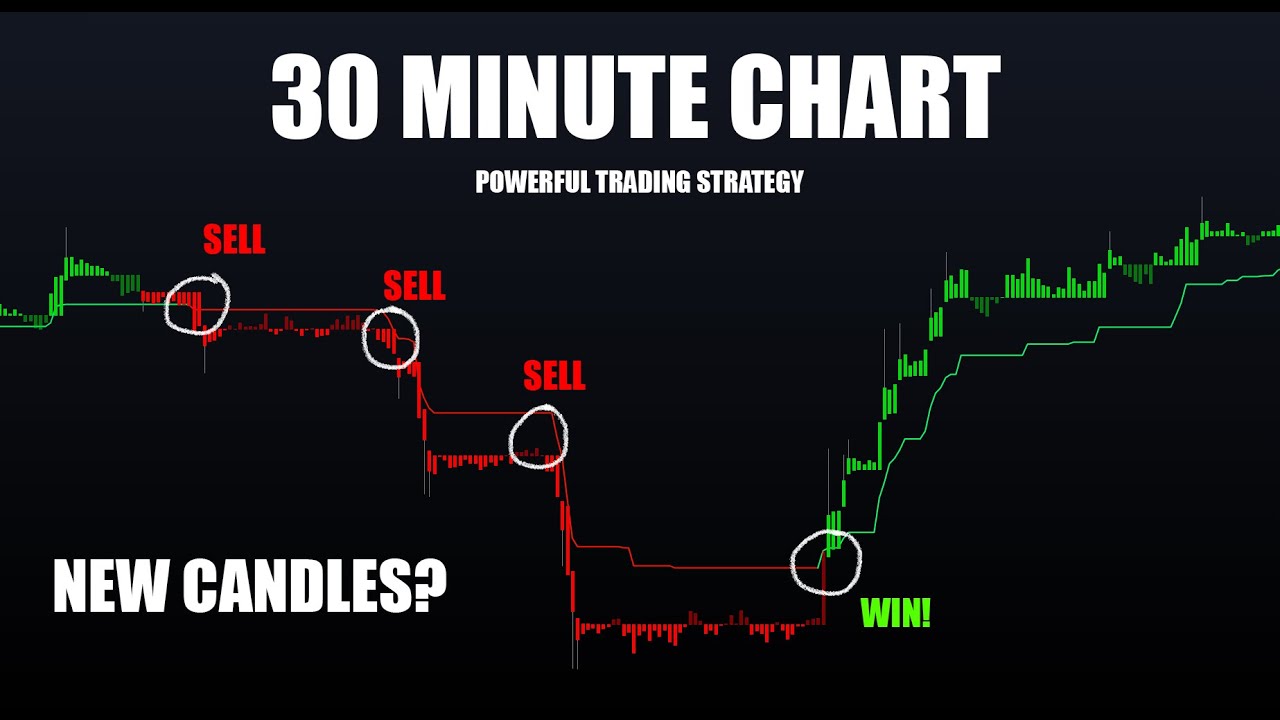
In this video I show a nice method to cleanly identify trends on the 30m timeframe on cryptocurrencies. This can of course be applied to any asset and timeframe. This uses the new Taki Ashi candles within Lux Algo Premium, the Trend Tracer and Lux Oscillator [Classic].
Get instant access to Lux Algo indicators: https://luxalgo.com/
Lux Algo fe...
You click the eye next to the ticker name in the top left
bleak pendant
👍🏾
indigo cradle
amber basin
Hello how to read sensitivity and agility
See our docs for an explanation. The vast majority of information regarding Lux is in there 🙂
This page showcases every way users can adjust settings along with full explanations of how they differentiate from each other.
amber basin
Thanks sorry I’m very new to Lux trying to explore
indigo cradle
Totally ok, happy to help 🙂
 slim wigeon
My lux algo is unpaired with trading view. Can you please update my link ASAP
indigo cradle
slim wigeon
My lux algo is unpaired with trading view. Can you please update my link ASAP
Have you connected your account?
slim wigeon
Yeah I’ve had a subscription for 2 months. Last week I lost all my lux algo indicators
indigo cradle
If so how long ago did you connect
Hmmmm very odd
May I see a screenshot of your invite only scripts?
slim wigeon
 indigo cradle
It's basically instant once you connect your accounts
Within 1m
Have you connected your account?
indigo cradle
Try refreshing the page
 wanton fable
That worked. Thanks!
potent hearth
Hi, is there any way to send trend line colour using alert? Looking at TV Data Window I see that there is a Trend Catcher field but only with value (no information about buy/sell)
indigo cradle
You'll see in your alerts you have trend catcher up/down

So you can alert on these to get the color
potent hearth
interesting... I send {{plot("Trend Catcher")}} but got this "trend": 262.29176539899834 (a value)
maybe I use the wrong placeholder?
indigo cradle
Yep using that will give the plot value; you'll need these alerts for that
indigo cradle
If you go into the alert pane and select Lux algo you'll see the full list of built in alerts there 🙂