#🤝support
1 messages · Page 235 of 1
 indigo cradle
 vague vale
Can you let me know how to set up the luxalgo for btcusdt
indigo cradle
Do you have it added to your chart
vague vale
Yes
 supple remnant
but this is a lie
indigo cradle
you can see in #🔊announcements for some example strategies 🙂
vague vale
Ok great thanks
supple remnant
indigo cradle
It is?
you had to specify this in your free version
indigo cradle
supple remnant
you had to specify this in your free version
We do specify it's not realtime
In the description of the script it says it's not real time
 robust forum
It's well-known pivot points aren't real-time- i don't see it in any script that I know of after 3-4 years. By it's nature it isn't possible.
indigo cradle
 supple remnant
indigo cradle
supple remnant
indigo cradle
OK sorry.
so how can i get the nearest signal
indigo cradle
supple remnant
OK sorry.
so how can i get the nearest signal
Well that's why Lux signals are there to be as early as possible, you could use trend catcher / oscillator signals or any feature lux provides to attempt an entry
supple remnant
I could not fully understand
indigo cradle
You want signals? You can use the oscillator signals or the confirmation signals in the Lux script
The swing high and low script isn't real time so won't work as signals for entries
supple remnant
I tried everything you said, but a little effort did not meet my expectations from the struggle again.
Unfortunately...
thanks
indigo cradle
I'm a little confused exactly what you were looking for 😦
robust forum
Someone needs to read all the documentation and watch all the videos. Most is explained there. I watched them all while I was waiting to be activated and again this morning.
indigo cradle
!docs
 jaunty perch
Lux Algo Full Documentation & educational resources: https://docs.luxalgo.com
indigo cradle
Indeed; documents may assist in features you are looking for to obtain entries 🙂
robust forum
(pssst...auto-pilot....)
supple remnant
indigo cradle
I'm a little confused exactly what you were looking for 😦
how can i get some closer signals

???
indigo cradle
Well these are confirmation signals so don't catch tops or bottoms to a point
maybe try with reversal zones / pred ranges or oscillator for this purpose
robust forum
supple remnant
how can i get some closer signals

This video showcases a simple and easy to follow strategy on BTCUSD 30m using Lux Algo. Just a few simple features are used here however they perform excellently in a backtest.
Make sure to leave a like & subscribe for more trading strategy videos! Get access to Lux Algo indicators: https://luxalgo.com/
Lux Algo features used in this strategy:...
ez pz
supple remnant
Thank you very much for your interest, unfortunately it is not an application that meets my expectations. There are more successful free apps than you.
indigo cradle
I'd really suggest reading the documentation so you're aware of what we offer. It appears you are trying to make pivot points real time which sadly isn't possible (unless timetravel)
See here for the documentation showing features:
!docs
jaunty perch
Lux Algo Full Documentation & educational resources: https://docs.luxalgo.com
indigo cradle
It will very much help you understand how to achieve a realistic top/bottom detection system
robust forum
supple remnant
Thank you very much for your interest, unfortunately it is not an application th...
Really?
Name one. I've tried them all over 3-4 years.
 stable mural
Lux Algo is the best out there
 timid remnant
yes for ?
vague vale
hi guys
these btc and eth bot scanning signals
how legit are they?
asking coz i dont know
they gave a btc sell signal
 feral lava
!scanners
jaunty perch
You can find the scanner signals in these channels if you have signed up with us and have the VIP role:
#695668653869236433 #695732700991979601 #695668580301144064 #695668800044925009 #767943749627019324 #695668827937177660 #695732857959612566
Included in the channels are thousands of TradingView alerts created on the Lux Algo V3 default settings.
Learn more about how they work here: https://docs.luxalgo.com/getting-started/discord/market-scanners

The Discord server also includes 7 channels set up for market scanner alerts across every market including stocks, indices, forex, cryptocurrency, futures and commodities.
 shy relic
vague vale
that means the price will go down yeah?
shy relic
vague vale
that means the price will go down yeah?
potentially yes 🙂
 undone kernel
@shy relic what is a good momentum oscillator that I can use for this?
shy relic
undone kernel
<@225316751410331649> what is a good momentum oscillator that I can use for thi...
you will find various oscillators in the Lux Algo Oscillator toolkit, see https://docs.luxalgo.com/lux-algo-premium-indicators/lux-oscillator-premium 🙂
undone kernel
Thank you 😊
vague vale
Thankyou I have shorted btc
 dire reef
I've just resubbed, but I don't remember which tradingview account I registered.. someone can help me set it?
shy relic
dire reef
I've just resubbed, but I don't remember which tradingview account I registered....
if you know the username of one of your tradingview accounts send it to support@luxalgo.com and they will give you access
dire reef
Thanks !
indigo cradle
That'll be in the dashboard Sath at the top
 heady hatch
Hi, i only have basic account for trading view so i can only add 1 alert. Is there a way i can more alert aside from upgradinf TV?
shy relic
heady hatch
Hi, i only have basic account for trading view so i can only add 1 alert. Is the...
you can use "Any alrt() function call" to be alerted for multiple conditions in one alert, see https://docs.luxalgo.com/lux-algo-premium-indicators/lux-algo/alerts#all-in-one-alert-setup
Options for setting alerts on Lux Algo in TradingView.
heady hatch
Thanks will check on it
heady hatch
Hi Again, so we cannot alerts for several coins? The only way is to upgrade TV?
shy relic
heady hatch
Hi Again, so we cannot alerts for several coins? The only way is to upgrade TV?
for several tickers I am afraid you would need to upgrade your account indeed, you can eventually use our scanner to be alerted for certain signals, see #🔔scanners-premium
 dusky zinc
Do you also include cryptocurreny in the section of patter-detection?
shy relic
dusky zinc
Do you also include cryptocurreny in the section of patter-detection?
not at the moment, maybe in the future
dusky zinc
shy relic
not at the moment, maybe in the future
Nice I hope you can include at least BTC, ETH, LITE sooner or later cause It's really a great service that you provide that. I always try to analyze patterns but sometimes I miss some of them
Great learning and info tool

 kindred quest
hello tried to remove and add again the 3.10 from invite only script but not working still get the 3.9 version...
indigo cradle
Try the following:
Remove Lux from chart, log out tradingview, clear browser cache, close browser, log back into tradingview, open a fresh new chart and re-add
kindred quest
indigo cradle
Remove Lux from chart, log out tradingview, clear browser cache, close browser, ...
Thanks I did not log out of trading view
stable mural
Which indicator is best for technical analysis? On Lux Algo
indigo cradle
What exactly do you mean by best for technical analysis?
All of the facitlities provided provide a unique insight 🙂
kindred quest
indigo cradle
Remove Lux from chart, log out tradingview, clear browser cache, close browser, ...
Do I need to do my alert with 3 commas again?
stable mural
What I mean is what are the best settings to make your decision on weather to place the trade or not because, I have seen a few strong buys and sells before they actually appear on screen.
indigo cradle
kindred quest
Do I need to do my alert with 3 commas again?
Nope it'll be all fine 🙂
indigo cradle
stable mural
What I mean is what are the best settings to make your decision on weather to pl...
Best signal settings?
This page showcases every way users can adjust settings along with full explanations of how they differentiate from each other.
Or if you're talking about oscillator / SR or along those lines I can provide some tips
timid remnant
this is strange i am looking the twitch live algolux, he show a BUY signal, but i no have this signal on my side why ?
stable mural
Yes please the oscillator / sr
stable mural
timid remnant
this is strange i am looking the twitch live algolux, he show a BUY signal, but ...
I think right now the markets are closed on Saturday and Sunday
indigo cradle
timid remnant
this is strange i am looking the twitch live algolux, he show a BUY signal, but ...
What settings are you using?
indigo cradle
stable mural
Yes please the oscillator / sr
Defaults are normally best; which timeframe?
stable mural
I normally do 30m but sometimes 15m
indigo cradle
Default should be good then 🙂
stable mural
Thank you
timid remnant
indigo cradle
What settings are you using?
3min in auto justried to compare
indigo cradle
The livestream uses default settings 🙂
timid remnant
indigo cradle
The livestream uses default settings 🙂
do optibot is settings are better ?
indigo cradle
This page showcases every way users can adjust settings along with full explanations of how they differentiate from each other.
timid remnant
interesting
kindred quest
indigo cradle
Nope it'll be all fine 🙂
Thanks again and last question what is the best time frame for LUX algo?
 granite steeple
Hey @indigo cradle , I am trying to follow this strategy. I would like to be notified of the relevant signals only on the 30 minute chart as suggested in the video. But am having trouble figuring out how to do this. Any guidance here?
This video showcases a simple and easy to follow strategy on BTCUSD 30m using Lux Algo. Just a few simple features are used here however they perform excellently in a backtest.
Make sure to leave a like & subscribe for more trading strategy videos! Get access to Lux Algo indicators: https://luxalgo.com/
Lux Algo features used in this strategy:...
Would also love to know of any methods for automation of the strategy as well 🙏.
vague vale
Hey which signal sensitivity should we use if the signal setting is for both confirmation and contrarian
heady hatch
What is the recommended setting for tp/sl points
robust forum
kindred quest
Do I need to do my alert with 3 commas again?
You can use Alertatron as well. It's more basic, simple and quick.
robust forum
indigo cradle
I love the 1h
Trend Catcher on 1 hour looks more interesting than 30 mins I am trying out

 burnt steppe
robust forum
Trend Catcher on 1 hour looks more interesting than 30 mins I am trying out
burnt steppe
robust forum
Trend Catcher on 1 hour looks more interesting than 30 mins I am trying out
What do you combine it with for confirmations?
robust forum
30 min isn't bad if you filter
 indigo cradle
granite steeple
Hey <@!456590452703887373> , I am trying to follow this strategy. I would like t...
indigo cradle
granite steeple
Hey <@!456590452703887373> , I am trying to follow this strategy. I would like t...
Sadly you can't set alerts off multiple conditions currently
 hollow creek
how to access signals on discord
hollow creek
indigo cradle
Opt in there
not able to understand how to select. i selected the emoji but nothing happened
shy relic
hollow creek
not able to understand how to select. i selected the emoji but nothing happened
Once you reacted with the number emoji, new channels will appear below #🤝support , these will contain the signals for the markets you enabled in #🔔scanners-premium
 cedar copper
Hi when I add the indicators to the trading view chart it comes up with a red exclamation mark saying study error
indigo cradle
Have you connected your account?
cedar copper
Yes I think so
indigo cradle
Perfect, try refreshing the page
cedar copper
Done it’s still not working
indigo cradle
What's your Tradingview username?
cedar copper
Arnavpatil312
indigo cradle
I see that's been given access correctly, could I get a screenshot of your Tradingview profile?
Just to confirm that username
cedar copper

 glacial nymph
Please help with recommended AMC optibot settings
glacial nymph
AMC stock settings
I am needing help with setting up the lux algo premium charts for AMC stock to get good results
indigo cradle
This page showcases every way users can adjust settings along with full explanations of how they differentiate from each other.
 ocean plume
Hi there, I can see that there is a very cool new update in 3.10: "Added alerts for trend tracer/catcher for color change". But unfortunately I could find any new Alert function for that. Can you please advice how can I get these alerts only from trend catcher?
indigo cradle
These are recommendations for signal settings
If you need help with settings for other indicators happy to help
indigo cradle
ocean plume
Hi there, I can see that there is a very cool new update in 3.10: "Added alerts ...
If you've updated to 3.10, simply go to the alerts tab, and it'll be an option there

Like so
ocean plume
perfect, thanks for your help, I can see there
glacial nymph
indigo cradle
These are recommendations for signal settings
When it says to change the sensitivity settings what does that exactly mean? meaning if I change it from 5 to 6 is that number of bars or time or what? what is that sensitivity number referencing?
indigo cradle
The higher the value the greater the lag on the signals and fewer will appear:
https://docs.luxalgo.com/lux-algo-premium-indicators/lux-algo/signal-settings#manual-adjustments
This page showcases every way users can adjust settings along with full explanations of how they differentiate from each other.
glacial nymph
indigo cradle
The higher the value the greater the lag on the signals and fewer will appear:
h...
and the auto pilot confirmation signal setting does that set what the dashboard says for "Recommended sensitivity" or its a different value?
indigo cradle
It's a different value: https://docs.luxalgo.com/lux-algo-premium-indicators/lux-algo/signal-settings#automatic-settings-estimation 🙂
This page showcases every way users can adjust settings along with full explanations of how they differentiate from each other.
glacial nymph
indigo cradle
It's a different value: https://docs.luxalgo.com/lux-algo-premium-indicators/lux...
Does the Autopilot setting take either the Signals Sensitivity and/or Confirmation Signals Agility setting values into consideration or it ignores those values when you have autopilot enabled?
indigo cradle
It'll ignore those when enabled 🙂
glacial nymph
thank you
do you have updated documentation on Oscillator 3.1 dashboard explantion? I am still confussed on some of the values
indigo cradle
The Lux Oscillator contains dashboards showing various variations on the features, the dashboard might vary depending on the selected oscillator in Type, these are described in the following sections.
So most of the elements are the same here
Hopefully that explains it
glacial nymph
should the buy and sell signals be the same between the oscillator and the lux algo premium chart? I am confused why they are showing me different buy and sell signals for the same stock and time frame. should I trust one more than the other?
indigo cradle
Nope they shouldn't be the same; they use totally different methodologies. That'll depend on the user's settings. If the user is let's say using autopilot in a trending market and the oscillator gives a signal going in the opposite direction it could imply a retracement but continuation of the trend
You can select which signals suit your trading style more 🙂
 hollow sigil
Ok, here's a tough question for OptiBot: the description tells us that it optimizes sensitivity+agility based on highest returns in backtesting. Can we see the actual percentage of those returns for a given time frame? with the full understanding that it is in no way a guarantee on future results!
indigo cradle
In theory we could do this yes but we have decided not too for a few reasons:
- It could encourage newer traders based on % results to trade blindly using signals which is something that we really don't want to occur
- It's a metric that can confuse people because the % performance of raw signals is not correlated to success or % win rate of a strategy. Raw signals may have a 40% win rate but when used as part of a strat may increase to 60 or 70 as an example.
- The signals are of course not part of a strategy, no SL, no TP and are to be used as confirmation of market directions. Associating any % with them detracts from their core purpose
Hope that helps 🙂
hollow sigil
I understand completely. Thank you!
robust forum
On this, does this mean the divergence alert would have been triggered 2 bars prior?
 shy relic
robust forum
On this, does this mean the divergence alert would have been triggered 2 bars pr...
shy relic
robust forum
On this, does this mean the divergence alert would have been triggered 2 bars pr...
for the bullish divergence yes, it returns the numbers of bars elapsed since the most recent bearish or bullish divergence
 snow thicket
Can someone help me please?
shy relic
snow thicket
Can someone help me please?
how can we help you? 🙂
snow thicket
Can we talk on private chat?
shy relic
snow thicket
Can we talk on private chat?
my DM are closed, if possible try to ask your question here, if its not possible then can you send a friend request.
snow thicket
How can i know the best settings for diffrent timeframe?
shy relic
snow thicket
How can i know the best settings for diffrent timeframe?
you can use optibot, it is specifically designed for this, simply go to the optibot channel using the timeframe of interest 🙂 Available timeframes includes 5/15/30/1h/4h, you can also use the recommended sensitivity on the dashboard, for more information see https://docs.luxalgo.com/lux-algo-premium-indicators/lux-algo/signal-settings
This page showcases every way users can adjust settings along with full explanations of how they differentiate from each other.
snow thicket
I saw that, but it's setting per stock, you have for just the timeframe i want?
And what is it the auto pilot fetaure?
shy relic
snow thicket
I saw that, but it's setting per stock, you have for just the timeframe i want?
there isn't a specific pair of settings that can be considered optimal for a specific timeframe, optimal settings are assets dependants.
Auto pilot make the confirmation signal algorithm adjust to various market dynamics including dominant cycle period in order to avoid using settings, everything is explained in the link I sent above, if you want to decide on which method to choose here is a useful link https://docs.luxalgo.com/lux-algo-premium-indicators/lux-algo/signal-settings#choosing-the-right-method, hope this helps
This page showcases every way users can adjust settings along with full explanations of how they differentiate from each other.
 tepid sigil
Hi, if I would follow a trend, should I be more focus on the trend catcher or tracer? @indigo cradle
shy relic
tepid sigil
Hi, if I would follow a trend, should I be more focus on the trend catcher or tr...
the trend tracer will be less sensitive to potential noisy price variations, and could help follow a trend more accurately, at least by using a simple color change approach, hope this helps.
 pallid jay
How to unsubscribe
I have not used used the algorithm although I subscribed for3 months
I don’t think I will be able to use this algorithm in future
Just want to unsubscribe
But I don’t see an option in my account to unsubscribe
 grim crater
Hello when will i see the indicator on my trading view?
@molten nova How long will it take for me to see the indicator on my trading view account?
shy relic
grim crater
Hello when will i see the indicator on my trading view?
Should be within 1/2 minutes, try refreshing the page and see in your invite only scripts, if you still don't have access send a mail to support@luxalgo.com with your correct tradingview username.
grim crater
@shy relic i sent my correct username and after 15mins i still dont have the indicator
just to confirm this is my username right?
 shy relic
grim crater
<@!225316751410331649> i sent my correct username and after 15mins i still dont ...
shy relic
grim crater
<@!225316751410331649> i sent my correct username and after 15mins i still dont ...
Try logging out then in again, then check in your invite only scripts, if still nothing then you will need to send a mail to the staff, they will give access within 6 hours
shy relic
grim crater
just to confirm this is my username right?
Yes it is
shy relic
grim crater
i guess i have to contact support XD
Sorry about this :(
grim crater
Its all good, hopefully my issue will be resolved ASAP. Im pretty much excited to use this
 left drift
Hi - is there a software/bot that will auto trade based on LUX Algo signals? For example, setting it up to trade on a STRONG buy signal on selected cryptos on 15m time frame (utilizing TradingView). Anyone have ideas/tips on that?
indigo cradle
There are third party services that can do this 🙂
left drift
do you have recommendations or name of any? I heard one is 3commas?
grim crater
Support Gods, please resolve my issue
indigo cradle
What's the issue? 🙂
 shut fable
Hey could someone tell me why I can’t set alerts?
indigo cradle
Sounds good, what's the issue you're having?
indigo cradle
It was the weekend 🙂
 hollow narwhal
no question but shout out to the admin(s) for speed of response lol!!
indigo cradle
Hahahah appreciate it ☺️
indigo cradle
 polar ibex
no updates on optibot m15 last few days all ok?
polar ibex
no updates on optibot m15 last few days all ok?
Let me take a look at it ☺️
indigo cradle
How can I help
 modest valve
I want to switch discord account, this isn't my main one
I connect to this by mistake
indigo cradle
Ah yes, not the best username, I understand.
Give support@luxalgo.com an email and they'll swap that over 😊
indigo cradle
No worries 😊
shut fable
Hi admin I still can’t get alerts?

 indigo cradle
Have you connected your account?
 raw isle
Oh i found out that it works on pc, but i need also on my mobile
indigo cradle
Log out and in on mobile and it'll work ☺️
raw isle
Ok thanks :)
 kindred crescent
LUX didn't show up in my Trading view after purchase... I sent and email begging them to get it work ... BOOM! Within an hour it was done. AMAZING CUSTOMER SUPPORT!
THANK YOU!
indigo cradle
@kindred crescent Glad to hear it 😎😀
raw isle
Now it works 🤟
Thanks a lot :))
Time to scalp 🤑 😄
shut fable
indigo cradle
What's the issue?
 indigo cradle
shut fable
indigo cradle
shut fable
Save your chart layout and refresh the page (close and open app)
kindred crescent
\Somehow I must have turn the purple candles off. There are only red and green Can you help?
indigo cradle
Input
kindred crescent
 kindred crescent
 indigo cradle
I'm going to assume the other script you have added is messing with it
Try removing it
kindred crescent
which script?
indigo cradle
RSI bars
kindred crescent
Closer. Now it is baby blue. lol
 indigo cradle
Ok now remove and re add Lux 😊
kindred crescent
BOOM! YOu guys are AWESOME! THANK YOU!
indigo cradle
Hahahahah no worries 😎
 nova solstice

 indigo cradle
Is that conformation signals 🧐
jaunty perch
That looks like a strong sell
kindred crescent
Is this working today? I see buy/Sell signals on previous trading days, but bothing today.
 kindred crescent
Ok Thank you
 indigo cradle
Add what?
glacial nymph
on the oscillator dashboard can you explain a little better than the documentation on what the top right percentage means? and what it means when its red and when its green?
indigo cradle
The top right is the % of bullish data on the dashboard
So let's say the trend area was increasing this would contribute
As for the main Osc
glacial nymph
so if its 80% but red shaded what would that mean?
glacial nymph
the shade changes from green to red and red to green
hold
so here its 33% but shaded red
 indigo cradle
Yep that makes sense since it's low
glacial nymph
so what does that mean its 33% bullish but going down? i dont understand what the red means compared to it being green shaded
indigo cradle
33% of the indicators are bullish meaning 77% are bearish. Therefore there are more bearish indications so it's red
Meaning the market is most likely in a bearish state
glacial nymph
so the shading is saying what is the greater percentage and the percentage is strickly bullish percentage
?
indigo cradle
Yep exactly 😊👍
glacial nymph
so basically if the percentage is greater than 50% the shading will be green and percentage at or below 50% would be red?
indigo cradle
Yep 👍
glacial nymph
can you recommend someone to update the documentation to better explain that?
indigo cradle
We can definitely update that yes
glacial nymph
and better explain the other pieces of the dashboard. I have difficulty understanding a lot of the settings and information. Better documentation would help me use your product to its fullest
kindred crescent
I am not getting any RED candles today. And I didn't get a BUY signal when my firend did. Here is HIS chart

Here is MINE
 indigo cradle
kindred crescent
I am not getting any RED candles today. And I didn't get a BUY signal when my f...
indigo cradle
kindred crescent
I am not getting any RED candles today. And I didn't get a BUY signal when my f...
You both are most likely using different settings
One may be used AutoPilot the other may not as an example
kindred crescent
Yes I tried auto pilot. Never today did I get a red candle. When it was red, mine is showing purple
And you see his shows a good buy in, mine didn't
I would have missed that
indigo cradle
You both will be using different settings, just compare with your friend
See what settings he is using
kindred crescent
I did, but he must have missed soemthing. He siad he was on AUTO. But when i removed AUTO then change the sensitivity to 3, the red candles showed and show did more buy/sells, but still, now I have way more buy/sells than he does.
indigo cradle
Use Auto
Right click chart
And untick extended hours
In the settings
See if that helps
I see this on auto
 snow thicket
when i press autopilot its changing automatically in different time frames?
heady hatch
Which is better to use? Trend tracer or catcher?
indigo cradle
snow thicket
when i press autopilot its changing automatically in different time frames?
Correct 🙂
indigo cradle
heady hatch
Which is better to use? Trend tracer or catcher?
They do different things: https://docs.luxalgo.com/lux-algo-premium-indicators/lux-algo/indicator-overlay#trend-tracer
EQ Cloud - Reversal Zones - Both
heady hatch
Thank you.
 jaunty perch
Ooo is it new feature ?
indigo cradle
It's been around for a good few months now 🙂
 pallid token
Hey Im new.. just curious. about the alerts.. do they repaint.. can i use on bar or do i need to use on close?
indigo cradle
No repaints 🙂
jaunty perch
Ive been around for months to now . Why i learn things always late ffs
indigo cradle
But you need to use on bar close
@jaunty perch Keep up to date in #🔊announcements
🙂
heady hatch
Hi again, is the TP/SL points based on Fib?
indigo cradle
It is not; nothing we create is based on anything else; especially fib stuff 😄
heady hatch
Oh ok. :) so what is your recommended number to choose? Im playing around the tool and the higher the number i choose the closer.
indigo cradle
That depends on how long you hold positions 🙂 If you hold for less time you'll want closer of course
and visa versa
heady hatch
Got it. Thank you 😊
indigo cradle
@jaunty perch Appreicate you 🙂
heady hatch
hi, question again. 🙂
i got an alert for strong buy in Alt Coins 4 hours
i check the chart and no alert of strong
what is wrong?

 graceful crystal
hi there !what does a strong buy and strong contranian sell means at the same candle ?
indigo cradle
heady hatch
i got an alert for strong buy in Alt Coins 4 hours
!visible
jaunty perch
Our Discord Market Scanner alerts all use the following:
- Default Lux Algo (V3 inputs).
- Normal trading hours (no extended hours)
- Main exchanges / brokers such as NASDAQ / TVC / FXCM / OANDA / COINBASE / BINANCE
If you have created your own, custom TradingView alerts, be aware they are set per the exact settings you had at the time you set those alert(s).
indigo cradle
graceful crystal
hi there !what does a strong buy and strong contranian sell means at the same ca...
It's a little confusing but contrarian believes it will reverse however confirmation believes it'll rise
 near fox
jaunty perch
Our Discord Market Scanner alerts all use the following:
- Default Lux Algo (V3...
near fox
jaunty perch
Our Discord Market Scanner alerts all use the following:
- Default Lux Algo (V3...
So If I have created a Trading View Alert for ADA/USDT for my Bots, and the Sensitivity setting is 36 ATM. Should I keep changing the Settings everyday for the Sensitivity?
If yes, are there any workarounds to this? Because the amount of alerts I have are insane atm.
 frigid halo
quick question when i set an lux algo any confirmation alert i get the alert 15 mins after the signal happens
indigo cradle
Sadly not with fixed settings 😦
indigo cradle
frigid halo
quick question when i set an lux algo any confirmation alert i get the alert 15 ...
May I see your alert settings?
!confirmed
jaunty perch
A signal is confirmed only once the candle is closed. Meaning a signal could appear on your chart but is not confirmed until that candle is closed and the next candle has started.
Our automated Discord bots will never notify you on any signal until the candle has closed and confirmed it. If you're adding alerts for Lux signals in TradingView - make sure to select "Once per bar close".
graceful crystal
i see thanks for the help ^^
frigid halo
 jaunty perch
A signal is confirmed only once the candle is closed. Meaning a signal could appear on your chart but is not confirmed until that candle is closed and the next candle has started.
Our automated Discord bots will never notify you on any signal until the candle has closed and confirmed it. If you're adding alerts for Lux signals in TradingView - make sure to select "Once per bar close".
near fox
indigo cradle
May I see your alert settings?
Did you refer to me?
indigo cradle
near fox
Did you refer to me?
no no; but you'd need to remake every time sadly 😦
frigid halo
yes but i get the alert at the phone and at the desk way to late 15 mins
near fox
Oh Gosh!!!! 😰
indigo cradle
@frigid halo On the candle close?
indigo cradle
near fox
Oh Gosh!!!! 😰
Perks of using autopilot; I know; it's annoying 😦
near fox
Can we do a Json on TV? or something and target the alerts?
graceful crystal
indigo cradle
It's a little confusing but contrarian believes it will reverse however confirma...
maybe strong signal is dominance over contranian
?
frigid halo
signal come in at 5 min tf, but i get the alert 15 mins after the signal happens
indigo cradle
@frigid halo Ensure your alert if using the same settings as on your chart and remake; this should fix
 void shoal
Can you give us an example to set up an alert
frigid halo
but i used same settings before
indigo cradle
!alerts
jaunty perch
How to set up your own custom alerts in TradingView: https://docs.luxalgo.com/lux-algo-premium-indicators/setting-up-alerts-on-tradingview
Follow this guide for setting up your own custom alerts on TradingView.
near fox
Am I allowed t post external links here? This is regarding the workaround
indigo cradle
DM me it first 🙂
near fox
alright, Thanks
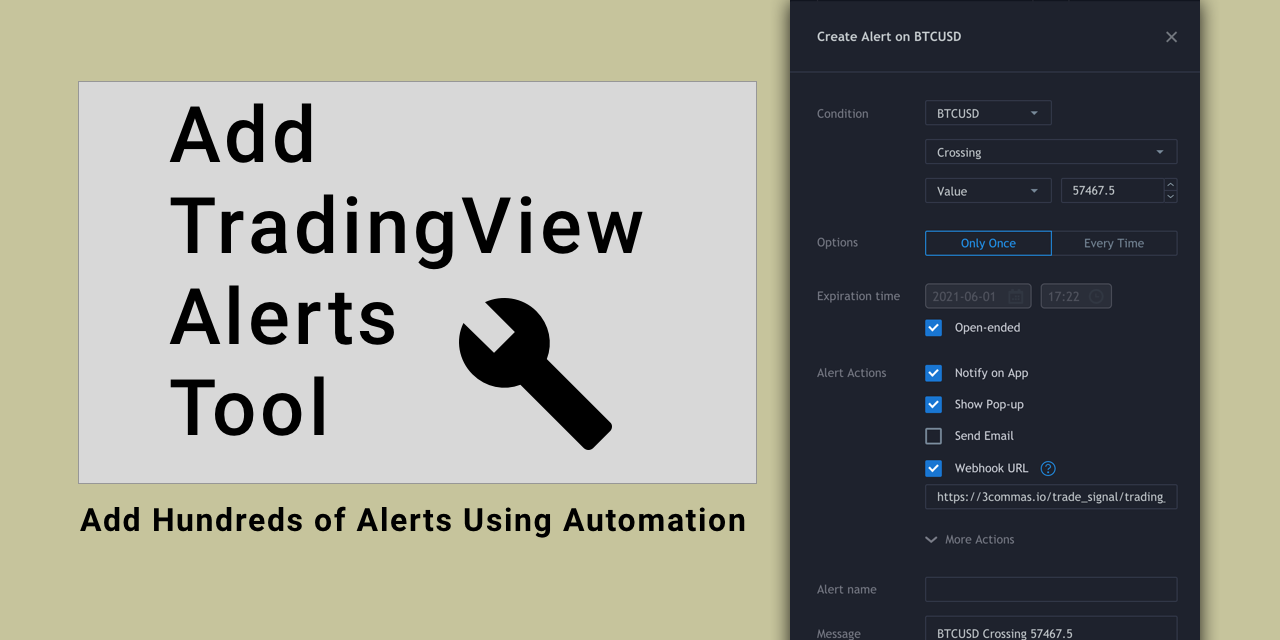
GitHub
Bulk-add alerts to TradingView (designed for 3Commas TV alert integration) - alleyway/add-tradingview-alerts-tool
This Would be really helpful.. I have a test bot that is running on LUX and I am planning to add it on to more of them. But this sensitivity is a bit of a problem ATM.
I hope it makes a good use case.
void shoal
jaunty perch
How to set up your own custom alerts in TradingView: https://docs.luxalgo.com/lu...
I'll check
Do the sms alerts work
pallid token
One other clarification I can't seem to find anywhere... For Alerts... Are Strong Buy and Strong Sells... are they included in Any Confirmation Buy? -- example I want to set up an Alert to inform me of any Buy signal I dont care if its strong or just buy...? Thanks.
indigo cradle
They are included 🙂
pallid token
indigo cradle
They are included 🙂
I have been reviewing A lot of algos lately trying to find the best one.. and so far this one is probably the most SOLID Algo i've seen yet.
indigo cradle
Appreciate it 😊 #854810375698120724 gives a rundown of this
 rotund stratus
@indigo cradle can u help me out when to exit
i am talking about the video that u posted today
 indigo cradle
This is up to you really; depends on your strategy, your targets in trading ect
rotund stratus
are we supposed to take the help of the pridective ranges
indigo cradle
Pleasure as always 😄
robust forum
indigo cradle
They are included 🙂
I have alerts for both confirmation buy/sell and strong buy/sell
robust forum
pallid token
I have been reviewing A lot of algos lately trying to find the best one.. and so...
What approach are you using?
 haughty ridge
Hi, i ended up paying for a premium plan on the wrong trading view account, any chance i can change or add a name to my plan?
indigo cradle
@haughty ridge This is all ok 🙂 Just give support@luxalgo.com an email 🙂
haughty ridge
Great, thanks! 🙂
 spring ice
how do i use lux algo? i just bought it and it says connec to tradingview. i just made a tradingview account .. i have to wait 3 hrs...
i wish i knew this before purchasing there was a wait time before use
indigo cradle
This is because you didn't have a TV account before purchasing
It takes time in TV's database
spring ice
i know, i just wish i knew that was mentioned there will be a wait of 3 hours, i was hoping to use it now while the market is still open
indigo cradle
Sorry about that 😦
 smoky sail
@indigo cradle great videos on all the strategies developed. The. 5 minute one you posted today looks interesting and promising. In the video you mentioned that this strategy was for Cryptos, have you back tested this for equities?
indigo cradle
Glad to hear it and thank for for the kind words 🙂 I have not but the advantages of these videos is the theory should be applicable to any asset. The reversal zone / pred ranges / Lux Volatility all function on equities so should work together 🙂
smoky sail
great! looking forward to more of those videos! @indigo cradle thanks!!!
 sly flare
Hi! My alerts and when I click on the chart never seem to match up. It seems like I can never buy the strong buy candle.
indigo cradle
May i see your alert settings?
pallid token
robust forum
What approach are you using?
for this indicator not sure yet..
sly flare
Also my we bull seems to be ahead a full candle or 2 then trading view. The candles do not match.
 indigo cradle
Seems good 🙂
Ensure you alert is using the same settings as you have on the chart
remaking them ensures this
sly flare
Grom teading view lux 5 min ashi candle its now 3 candles behind. Thats 15 min of trading time
 indigo cradle
I'd suggest remaking the alerts
sly flare
Weebull 5 min ashi candle

Is this time difference a trading view issue or a lux issue? If so do you know how to get real time info on trading view?
indigo cradle
This is Traingview
webull is not an exchange on TV
So the data between the 2 exchanges might not line up on low tf
sly flare
Ok. So if my time frames don’t align and I’m buying a strong buy 2 candles behind I think that would put me at a pretty big disadvantage. I’m not sure what to do. It makes sense that my alert is always behind the actual move now. Since Im 5-15 min behind
indigo cradle
Is webull's data very different to coinbase or bitstamp for example?
 sharp totem
I'm new to Discord, but is there a way to have the most recent post at the top instead of the bottom?
robust forum
volume would be different between exchanges as well
sly flare
But not having a 5 min candle when there is an actual candle but it doesn’t show up. That’s wild to me.
indigo cradle
If the exchange is very small it's possible due to low volume
robust forum
Even Binance's volume vs Binance.us is way different
 worthy summit
indigo cradle
Glad to hear it and thank for for the kind words 🙂 I have not but the advantage...
worthy summit
indigo cradle
Glad to hear it and thank for for the kind words 🙂 I have not but the advantage...
Where can i find these videos?
indigo cradle
worthy summit
Where can i find these videos?
See #🔊announcements 🙂
stable mural
Anyone know where I can learn in depth videos on support and resistance?
 finite mason
You mean like YouTube video ?
stable mural
Ye I am new to trading as a whole.
So I want to learn new things
Too many videos out there that tell you lies.
finite mason
I will need to checks as I saw something a while again.how long have you been trading
worthy summit
Thank you
stable mural
I was getting taught by someone, all together about 2 months but been off and on.
finite mason
Ok have you taken any online courses ?
stable mural
No, I do watch people live sometimes but don't really get anything out of it and I seen a course that was like $1000
Which is a proper good course.
stable mural
Some guy on YouTube
finite mason
Crazy
stable mural
TTC
finite mason
Ok
indigo cradle
Support resistance should be free education
robust forum
The Chart Guys have a lot of free and premium training
stable mural
Tech Trading something
indigo cradle
Its basic stuff
finite mason
Yes they make it special and charge 1000 usd
stable mural
Yr
Don't wanna spend that type of money on a course.
I was watching a support and resistance video before but could not learn anything out of the video.
stable mural
I'll have a look, thank you.
 rich gulch
Hey guys anyone knows how to set alerts from tradingview where the symbol is different for instance us30 with my broker is us30.cash
 worthy siren
What do I need to do to cancel my lux algo subscription?
jaunty perch
Click Manage Account here: https://luxalgo.com
Or email support@luxalgo.com and our team will assist you with any request the same day.

Enhance your trading experience with our premium technical indicator suite + bots for stocks, forex, futures, currencies & commodities markets.
indigo cradle
rich gulch
Hey guys anyone knows how to set alerts from tradingview where the symbol is dif...
If the asset is on tradingview it should be as simple as opening that chart and setting the alert
!alerts
jaunty perch
How to set up your own custom alerts in TradingView: https://docs.luxalgo.com/lux-algo-premium-indicators/setting-up-alerts-on-tradingview
Follow this guide for setting up your own custom alerts on TradingView.
rich gulch
indigo cradle
!alerts
sorry i should have said i' trying to automate my alerts so the alert will go off but when using with the webhook because the symbols isn't an exact match i receive an error message
robust forum
If we use the Optibot settings and it changes/we update, do we also have to reset the alerts?
shy relic
robust forum
If we use the Optibot settings and it changes/we update, do we also have to rese...
eventually yes, alerts are always based on the settings used during their creation, if you want to use new settings you will need to update the alert
shy relic
robust forum
What about the auto-pilot?
auto pilot does not require you to update alerts, this method is autonomous since it adjust the confirmation algorithm directly.
feral lava
!affiliate
jaunty perch
Sign up to be an affiliate for Lux Algo & get your own custom referral link: https://luxalgo.refersion.com/?oid=74006
feral lava
timid remnant
do tere's a refferal coupon code ?
you can get a link ^
timid remnant
ok thks
near fox
Hey Guys, I have a Question Regarding the Major buy/Sell on the Oscillators which I want to run on one of my bots. I don't want the bots to ride the entire length of the signal but exit when the Main OSC reaches 50%.

So would these settings allow the bot to trigger an exit?
 cerulean zephyr
Hey wondering why the bot scanners don't correlate with my charts on the algo. It doesn't show confirmations on the chart for bot scanner confirmations.
 languid olive
Heys Guys,
on tradingview can we set alerts on S&R or TP/SL ?
and also what is RZ R1,R2,R3,S1,S2,S3 band
 tepid monolith
For the auto trend lines, which lines do you draw and which ones aren't as important
graceful crystal
hi devs
and who it may concern
if i have a subription now and i wanna apply a promo code for my next subs
can i do it
?
indigo cradle
near fox
So would these settings allow the bot to trigger an exit?
You could set an alert when the oscillator crosses value 50 🙂
@graceful crystal I'm afraid it's only for upgrades to a new plan
indigo cradle
cerulean zephyr
Hey wondering why the bot scanners don't correlate with my charts on the algo. I...
!visible
jaunty perch
Our Discord Market Scanner alerts all use the following:
- Default Lux Algo (V3 inputs).
- Normal trading hours (no extended hours)
- Main exchanges / brokers such as NASDAQ / TVC / FXCM / OANDA / COINBASE / BINANCE
If you have created your own, custom TradingView alerts, be aware they are set per the exact settings you had at the time you set those alert(s).
indigo cradle
languid olive
and also what is RZ R1,R2,R3,S1,S2,S3 band
You can set alerts for certain SR methods yes, e.g. a cross of a predictive range. Those are for the reversal zone plots
indigo cradle
tepid monolith
For the auto trend lines, which lines do you draw and which ones aren't as impor...
They are 2 very different approaches. One is real time and predictive the other paints using pivot points many bars into the future
graceful crystal
indigo cradle
<@434358569605791754> I'm afraid it's only for upgrades to a new plan
What do you mean upgrade for new plan
tepid monolith
I'm referring to the auto trend lines not the predictive, which ones do you suggest for drawing those?
indigo cradle
graceful crystal
What do you mean upgrade for new plan
Discount codes are for first interval, so let's say you're on monthly and you upgrade to quarterly it can be applied
indigo cradle
tepid monolith
I'm referring to the auto trend lines not the predictive, which ones do you sugg...
I'm a little confused, in SR mode there are 2 types of trend lines, predictive and normal?
graceful crystal
indigo cradle
Discount codes are for first interval, so let's say you're on monthly and you up...
How do i do that
I went to edit subscription
tepid monolith
Yes I'm referring to the normal ones. If you zoom out alot, there are many trend lines and it makes the chart look noisy . Which ones do you suggest drawing
graceful crystal
But it doesnt show any promo code
Box
For me to type in
I already changed to quarterly
indigo cradle
graceful crystal
But it doesnt show any promo code
Oh you already changed?
graceful crystal
No not yet. I clicked quarterly but it says payment problem
But i will change my card
Is there a page for promo before txn?
indigo cradle
tepid monolith
Yes I'm referring to the normal ones. If you zoom out alot, there are many trend...
Only you'll know which one you prefer really. Personally I'd use predictive however most users won't use this. See which suits you more, it's super hard for me to say
If one were outright better the other would be removed
@graceful crystal I'll DM
vague vale
how do i add alerts for confirmation signals on trading view
indigo cradle
!alerts
jaunty perch
How to set up your own custom alerts in TradingView: https://docs.luxalgo.com/lux-algo-premium-indicators/setting-up-alerts-on-tradingview
Follow this guide for setting up your own custom alerts on TradingView.
near fox
Thank you
vague vale
thank you
stable mural
Is it better to do you S/R on a candlestick chart or line chart?
pallid token
Is there some place I can learn the difference between Contrarian settings and Confirmation settings? Contrarian is just not a term I have heard of before.. .
indigo cradle
stable mural
Is it better to do you S/R on a candlestick chart or line chart?
Well that depends where you draw your SR from, if it's the close it won't make much difference
indigo cradle
pallid token
Is there some place I can learn the difference between Contrarian settings and ...
Type Of Signals - Confirmation - Contrarian - Display
You can search for any feature in docs and have a full breakdown 😊
robust forum
indigo cradle
You could set an alert when the oscillator crosses value 50 🙂
Draw a horizontal line, coordinates 50, set alert on the line. Bada bing.


Or this to catch both directions. Otherwise you need to load a 2nd oscillator and add a line for the opposite exit.

It doesn't look like it will keep in a trade as long unless it's adjusted
an auto-pilot and/or optibot for the Osc would be awesome
robust forum
I suppose we can adjust the trend line in the Osc to match with the good exits we see above?
indigo cradle
Yep that's absolutely an approach, adjust to preferences or fit
robust forum
I think I got it wrong-I think it's the Lux Main that needs to be used for the 50 crossover. ?

Trend I mentioned earlier doesn't make sense
 indigo cradle
Main is the front oscillator
Trend is the one in the background
I'll assume you wanted main here
robust forum
Looks like it
If in a Long Trend even when it exits, don't flip. Just enter again when it crosses back up

in theory
actually a lot of info there saying long trend only
same in reverse
 jaunty perch

I would like some help on my homework. I've been using the volatility to nail the morning rush direction and even though it was pretty high, there wasn't too much movement
indigo cradle
You're using HA candles which smooths that data making it appear less volatile visually. But that looks like quite a sharp move
jaunty perch
on the 1m it was. I got in because it appeared to be the move
then it just stopped and rebounded
broke through supports and everything
I'm just trying to figure out what I missed
indigo cradle
What you missed predicting the direction or the upcoming move's volatility?
jaunty perch
indigo cradle
What you missed predicting the direction or the upcoming move's volatility?
both
i think
im trying to do good and it's not working. i can't tell when a day will move or not
robust forum
@indigo cradle
Could someone check the 30 min Optibot CSV link? It's well....not linked. The others are. 🤓
Actually 5 min and 4HR aren't either
indigo cradle
The CSV linking went down yesterday we are looking into alternatives to host 🙂
 quasi walrus
hy guys
new here
can someone give me a set up for lux algo
day trading set up
momentum trading
shy relic
@quasi walrus welcome, we have many features that can be used for momentum trading, you can see a list of all the features and how to use them here https://docs.luxalgo.com 🙂
jaunty perch
For the reversal zones, are the projected predictions (dotted lines) accurate?
shy relic
jaunty perch
For the reversal zones, are the projected predictions (dotted lines) accurate?
we dont have enough data on the accuracy at the moment so we can't say, but it is fair to expect future price variations to lay within the predicted extremities with some confidence.
 stark prairie
Hello admin, is it possible to set an alert for the legacy oscilator changing color? If yes please can you help by sharing screen shots.
shy relic
stark prairie
Hello admin, is it possible to set an alert for the legacy oscilator changing co...
Use crossing up when you want to be alerted for color switching from red to blue, crossing down for a color switching from blue to red, and crossing for any color change, hope this helps.
 stark prairie
Thank you so much.
 sacred ridge
I have been subscribed for almost 1 week and trading view graphs last update is from June 24, really? This is what Im paying for? I week info delay? LOL seems you got some dollars from me for a useless tool
indigo cradle
sacred ridge
I have been subscribed for almost 1 week and trading view graphs last update is ...
Do you have a screenshot?
Sounds like an issue with your Tradingview
 wet mica
hello i am experiencing delays with alerts for confirmation sells/buy on lux algo
wet mica
the alert comes after approx 3 to5 sometimes more candles after
indigo cradle
Ensure your alert is using the same settings as you have open on your chart
I'd suggest remaking the alert
robust forum
sacred ridge
I have been subscribed for almost 1 week and trading view graphs last update is ...
You have a problem on your end, mine are working perfectly. I also use the desktop app which is working really well, even in beta.
indigo cradle
I DMd him regarding it but yep, it's 100% a problem on his end, easy fix most likely
indigo cradle
Hahahaha hi Mario 👋😊
 jagged adder
Hello, with Lux Oscillator 3.1 how do you change the colours?
 indigo cradle
Reversal zones 💪💪
indigo cradle
jagged adder
Hello, with Lux Oscillator 3.1 how do you change the colours?
Sadly currently it's not possible
jagged adder
indigo cradle
Sadly currently it's not possible
oh really? any plans to add this in?
indigo cradle
jagged adder
oh really? any plans to add this in?
It's an issue with TradingViews new gradient function we are dealing with, it slightly messes it up. As soon as we can add it back it'll return
jagged adder
indigo cradle
It's an issue with TradingViews new gradient function we are dealing with, it sl...
ok 🙂
pallid token
@indigo cradle I thought of a good next video for Lux... "Rookie Mistakes and how to avoid them" when using Lux...
indigo cradle
pallid token
<@!456590452703887373> I thought of a good next video for Lux... "Rookie Mistake...
It's a nice idea for sure, I have a few ideas...
jagged adder
where can i find Lux Oscillator documentation?
jagged adder
ok thanks - so much is changing 🙂 new features etc.... 🙂
robust forum
indigo cradle
In our docs you can search for anything and have a explanation :
A breakdown is right 🤣
 queen imp
Hi 🙂 Is it possible to have a bot sitting in the bot scanner channels additionally to me? If not I'll use tradingview to trigger it, but I would love to avoid setting up all things in TV
indigo cradle
What exactly do you mean by additionally to me? You want to have your own custom channel?
queen imp
No, just a bot in the same channels.
basically just some code that is able to trigger things based on the notifications there
indigo cradle
Ah I don't believe this is possible, maybe with some long setup but it's best to go via TradingView
queen imp
thanks, will do that then.
 sharp blaze
When I setup the alert, I put volume variable. What is unit for this number? What does it mean 243.60 number?
 near fox
Hey, HA Candles Shows buy and the normal candles dont.. I am pretty confused at the moment wht to go with?
indigo cradle
sharp blaze
When I setup the alert, I put volume variable. What is unit for this number? Wha...
This would be the volume on the bar
indigo cradle
near fox
Hey, HA Candles Shows buy and the normal candles dont.. I am pretty confused at ...
HA candles are of course not real close prices; if you know how to use HA candles they will still work
You just need to be aware of the differences
near fox
ok, Thanks..
shy relic
sharp blaze
When I setup the alert, I put volume variable. What is unit for this number? Wha...
the metric should be in thousands, as such 243.60K, or 243 600
jaunty perch
!chart xauusd 5m
@jaunty perch Non supported timeframe, supported timeframes include : ['1', '3', '5', '15', '30', '60', '120', '180', '240', 'D', 'W', 'M']
I broke it
Ffs
jaunty perch
@indigo cradle


 indigo cradle
No m is needed
jaunty perch
Thanks god i thought i broke it
indigo cradle
!ha xauusd 5 RSI MACD

 hollow mica
Hi team. When the trend catcher is in an uptrend, will it trigger an alert when it goes horizontal, but still not in a downtrend; if I have selected “trendcatcher down” on trading view
shy relic
hollow mica
Hi team. When the trend catcher is in an uptrend, will it trigger an alert when ...
"Trend Catcher Down" will trigger once the trend catcher color switch from green to red, use "Trend catcher Up" to be alereted for a color switch from red to green, make sure to use "once per bar close"
 trim thistle
!chart atomusdt 5
jaunty perch
@trim thistle
 hollow mica
shy relic
"Trend Catcher Down" will trigger once the trend catcher color switch from green...
hollow mica
shy relic
"Trend Catcher Down" will trigger once the trend catcher color switch from green...
Fabulous! Thank you. So many different ways to trade and try using Lux Algo!
 coral cypress
@indigo cradle is it better to use extended hours on or off?
indigo cradle
That depends whether you trade this but I normally have then off
 brisk crystal
what broker you guys recomend for forex / stocks/ indices?
 worldly needle
How to create alerts for Autopilot signals? What to choose?
coral cypress
@indigo cradle thank you!
brisk crystal
!chart atomusdt 5
jaunty perch
@brisk crystal
 supple remnant
Can you suggest share browser formula for XU100
brisk crystal
any recomended brokers guys
robust forum
indigo cradle
HA candles are of course not real close prices; if you know how to use HA candle...
HA are good for seeing if a trend will continue if you know how to read them.
shy relic
brisk crystal
any recomended brokers guys
 noble sigil
@feral lava how do I get in touch with you guys for a "potential collaboration"? Shall I use support@luxalgo.com?
feral lava
@noble sigil use business@luxalgo.com
Thanks!
 last falcon
How do I get this? I see others having this
https://media.discordapp.net/attachments/820503399232700436/859877283191717948/image0.png
 shy relic
last falcon
How do I get this? I see others having this
https://media.discordapp.net/attac...
shy relic
last falcon
How do I get this? I see others having this
https://media.discordapp.net/attac...
you can enable scanners from here #🔔scanners-premium , simply react with the corresponding number and a new channel will appear below vip-support, hope this helps.
 tiny basin
HI there
regarding on my account
and i dont the lux algo
how to ask for refund
there is no notification regarding on auto renee
renew
feral lava
Hey @tiny basin email support@luxalgo.com for all help relating to orders 👍 we do have email notifications for all things billing
feral lava
Hey @tiny basin - we definitely will refund if there is an error, what's your email I can look into it right away
tiny basin
tiny basin
Thank You! How long to process or to reflect it to may account?
feral lava
3-5 days
tiny basin
thank you
indigo cradle
Agility is at the bottom under advanced settings @wary fog
 wary fog
@indigo cradle TY SO MUCHHH
But i really dont understand, is it so hard to add the agility to the dashboard?
seriously
indigo cradle
Absolutely shall look into that for you 🙂
wary fog
Awesome 🙂
wary fog
I wanted to ask you guys, when we dont have setting optimizer, what settings should we insert into the agility and sensitivity?
Because i saw that when im decreasing/increasing the agility, the sensitivity recommendation is changing as well, so maybe i should put it under 0 and change the sensitivity?
 night tangle
wary fog
I wanted to ask you guys, when we dont have setting optimizer, what settings sho...
night tangle
wary fog
I wanted to ask you guys, when we dont have setting optimizer, what settings sho...
check settings optimazers 🙂
indigo cradle
wary fog
for examply CHFJPY
Because we have to manually request data for each pair so have a limited reasonable number we can add
This page showcases every way users can adjust settings along with full explanations of how they differentiate from each other.
See here for recommendations if optibot isn't available for your pair
wary fog
Thank you
jaunty perch
Click Manage Account here: https://luxalgo.com
Or email support@luxalgo.com and our team will assist you with any request the same day.
Enhance your trading experience with our premium technical indicator suite + bots for stocks, forex, futures, currencies & commodities markets.
polar ibex
hlw bro,is there any way we can use scanner bot at shorter time frame ? like 5min 15 min
indigo cradle
Currently not I'm afraid, possibly in the future
polar ibex
ok bro thnx
 safe marlin
Hello, I wanted to know if there is a way to invite the luxbot to a server I created or is the bot solely to be used in here?
indigo cradle
@safe marlin In the future when it's more refined absolutely, we plan to make that available
safe marlin
indigo cradle
<@750366295186341959> In the future when it's more refined absolutely, we plan t...
got it, thank you!
indigo cradle
Just making sure it runs nice and smoothly in here 😌
jaunty perch
Good evening

How to make alert that can notify when it touches green zone and red zone
@indigo cradle sorry for tag
indigo cradle
On it for you now, give me 2mins ☺️
jaunty perch
Was watching a strategy vid and the lad didn’t have all this long n/a stuff, how do I get rid of that? Cheers

Thank you
jaunty perch
jaunty perch
Was watching a strategy vid and the lad didn’t have all this long n/a stuff, how...
For real , i never understood how to remove all those na na na na
Neither mate, can get in the way quite a bit sometimes
indigo cradle

So first mario
This is how you set an alert when the price crosses a reversal zone plot

Excuse my awful labelling but the plots for the bottom ones for example are RZ S1 meaning reversal zone support 1
And the outter most bottom reversal plot is RZ S4
jaunty perch
Let me try

 jaunty perch
indigo cradle
<@456226577798135808>
jaunty perch
indigo cradle
<@456226577798135808>
Fuck that’s so much better 😂 cheers mate

Did i do it right ?
indigo cradle
Looks good Mario, that's the third plot in the upper reversal zones 🙂
So it's not the most inside plot
That's of course be RZ R1
indigo cradle
jaunty perch
Fuck that’s so much better 😂 cheers mate
All good 😄
indigo cradle
That depends
If it's RZ S1
Or RZ R1
The R version is resistance so the red zone
The S is the green
indigo cradle
indigo cradle
And as you can see here they lines are numbered
So most likely you want to use RZ S1 and RZ R1
jaunty perch
Do i need to make 2 alerts for RZ 1 / RS 1 ?
indigo cradle
You will do since they are different plots
jaunty perch
Understood , thank you again
 spiral goblet
Hello, What is the best settings to chart BTC daily and weekly candles?
Are there custom settings or just use autopilot
shy relic
spiral goblet
Hello, What is the best settings to chart BTC daily and weekly candles?
you can use the recommended sensitivity on the dashboard, see https://docs.luxalgo.com/lux-algo-premium-indicators/lux-algo/signal-settings to learn more about signal settings 🙂
This page showcases every way users can adjust settings along with full explanations of how they differentiate from each other.
 rustic basalt
Why backtesting is not enabled for lux algo?
 faint portal
Since running the update my lux algo on 3m ETHUSDT has been terrible, 8/10 are bad trade alerts.
This is whilst using auto pilot.
shy relic
rustic basalt
Why backtesting is not enabled for lux algo?
because there are many indicators included, you can perform manual backtesting or use paper trading to asses the performance of your strategy.
shy relic
faint portal
Since running the update my lux algo on 3m ETHUSDT has been terrible, 8/10 are b...
Using the signals alone can eventually returns a series of unsuccessful trades caused by false signals, we recommend using additional indicators in the toolkit to filter out these false signals.
faint portal
shy relic
Using the signals alone can eventually returns a series of unsuccessful trades c...
Is there a way to make an alert based of several indicators? :/
And is there an easy way to perform backtesting in an automated fashion? does lux algo have any APIs I can integrate with?
shy relic
faint portal
Is there a way to make an alert based of several indicators? :/
not in a practical way, I am afraid tradingview would need to implement that.
shy relic
faint portal
And is there an easy way to perform backtesting in an automated fashion? does lu...
we don't have an API at the moment, automated backtesting procedures might exist but they might be complicated or not free
faint portal
shy relic
not in a practical way, I am afraid tradingview would need to implement that.
Is there an easy set and forget method when using lux algo, obviously there is a level of good/bad trades and prior to the recent update i was making a decent return, however now it feels like the base indicator is just thrown way off. I should mention I've automated my alerts and trades directly off tradingview based on when lux is providing the buy/sell alert, hence my question about multiple indicators.
I'm open to suggestions - I'm a programmer not a TA trader hence I bought lux algo to do the thinking for me.
Maybe my assumption that lux algo could do the thinking wasn't accurate.
indigo cradle
Lux will do the data processing on a surface level for you, we provide indicators not strategies. Since the update nothing changed regarding the signal location in AP so it should be identical
Combining indicators is the core underlying concept so it is a shame you cannot combine for alerts currently
faint portal
indigo cradle
Combining indicators is the core underlying concept so it is a shame you cannot ...
If i wrote a custom pine script would that potentially be able to combine alerts into a single alert?
indigo cradle
It really depends on the conditions you're trying to build
If it uses signals no since it's not a plot
 quiet crag
@faint portal i just direct message you lux can you any thing!!!!! 🙂
faint portal
indigo cradle
If it uses signals no since it's not a plot
What would you recommend for someone who isn't TA savy and just wants to automate their trades on signals.
jaunty perch
Hey, anyone know the settings for the livestream used on twitch from lux?
shy relic
faint portal
What would you recommend for someone who isn't TA savy and just wants to automat...
we would definitely recommend you to not use only the signals, but if you really want to automate them then money management and diversification are two essential skills you should particularly have, but again, the tools are mostly designed for discretionary trading.
 magic vapor
Hey folks, got some weird behavior here.
- Lux indicators stay on the ellipsis/loading state;
- GPU rendering usage shoots up massively - > 100% for the renderer task;
This is happening on Chrome, Firefox, and Brave. The layout using Lux is the only one where this happens - that is, any other TradingView layout loads fine and doesn't cause rendering to eat up an entire core (even if they use my own strategy).

I've given it a good 2-3 minutes at a time, but get worried about how the laptop is screaming and closed the tab. Oscillator never loaded, metrics kept displaying the changing ellipsis.
Removed Oscillator, saved the layout, re-added. It renders normally now and the laptop doesn't sound like it's about to take off. No idea what the root cause was.
jaunty perch
not exactly lux algo related too much, but is there a way to do a replay on multiple timelines at once on tradingview?

so for exactly, I'd like to see how the 1, 3, and 5 min charts react side by side
shy relic
magic vapor
Hey folks, got some weird behavior here.
- Lux indicators stay on the ellipsis...
thanks for reporting, it is hard to pin point the cause of such behaviour, we will investigate but in the mean time you can try disabling some extensions or try enabling hardware acceleration on chrome. You can also see if the problem occur with only one of the lux indicators.
If the problem is still there you can eventually try the desktop tradingview app.
magic vapor
shy relic
thanks for reporting, it is hard to pin point the cause of such behaviour, we wi...
It started happening specifically when I added oscillator to the layout. It reproduced on all three browsers, and Chrome/Brave had hardware acceleration enabled - it reported it was the GPU thread.
I wasn't able to get it after removing and re-adding the indicator, though. 🤷🏻♂️
shy relic
jaunty perch
so for exactly, I'd like to see how the 1, 3, and 5 min charts react side by sid...
the replay functionality can't be applied to multiple charts when using multi charts layout, but you can sync the crosshair among all your charts, this might be helpful.
 jaunty perch
I have the crosshair. Just want to see how different timeframes react together in real time
shy relic
magic vapor
It started happening specifically when I added oscillator to the layout. It repr...
see if you can eventually update your browser, if not then try disabling hardware acceleration, some problems were reported when it was enabled, https://www.tradingview.com/support/solutions/43000615657-color-glitches-artifacts-suddenly-appear-on-the-chart/, but I am afraid we can't help much, we will eventually report that to tv.
magic vapor
shy relic
see if you can eventually update your browser, if not then try disabling hardwar...
All three browsers were up to date. It wasn't browser-specific. Thanks, I'll let you know if it appears again.
 waxen mortar
Hello,
The autopilot sensitivity did not work for some time is there any reason ?
i got signal after 5 Hours

but if i remove auto pilot and change sensitivity to what is recommended in dashboard then there were so many missed out signals.
waxen mortar
also i am getting this empty alerts any reason why ?
 shy relic
waxen mortar
but if i remove auto pilot and change sensitivity to what is recommended in dash...
shy relic
waxen mortar
but if i remove auto pilot and change sensitivity to what is recommended in dash...
the recommended sensitivity and autopilot are two different methods, autopilot will not be based on the recommended sensitivity, see https://docs.luxalgo.com/lux-algo-premium-indicators/lux-algo/signal-settings for more info 🙂
This page showcases every way users can adjust settings along with full explanations of how they differentiate from each other.
shy relic
waxen mortar
also i am getting this empty alerts any reason why ?
what do you mean by empty alert? Is it because the signal names all have a value "0"? Did you tried using placeholders? https://docs.luxalgo.com/lux-algo-premium-indicators/lux-algo/alerts#using-placeholders-with-confirmation-contrarian-alerts
Options for setting alerts on Lux Algo in TradingView.
waxen mortar
shy relic
the recommended sensitivity and autopilot are two different methods, autopilot w...
Ok
waxen mortar
shy relic
what do you mean by empty alert? Is it because the signal names all have a value...
yes i did use them
{
"price": "{{close}}",
"ticker": "{{ticker}}",
"interval" : "{{interval}}",
"type":"LUX",
"buy": "{{plot_0}}",
"strongbuy": "{{plot_1}}",
"sell": "{{plot_2}}",
"strongsell": "{{plot_3}}"
}
this is what i used
but i still get alerts in trading view with everything as 0
 mild cove
Hey, just got the indicators, and had a quick question. Alerts in the forex bot channel are not appearing on my TV charts. is this just because of my settings ?
indigo cradle
mild cove
Hey, just got the indicators, and had a quick question. Alerts in the forex bot ...
!visible
jaunty perch
Our Discord Market Scanner alerts all use the following:
- Default Lux Algo (V3 inputs).
- Normal trading hours (no extended hours)
- Main exchanges / brokers such as NASDAQ / TVC / FXCM / OANDA / COINBASE / BINANCE
If you have created your own, custom TradingView alerts, be aware they are set per the exact settings you had at the time you set those alert(s).
indigo cradle
waxen mortar
{
"price": "{{close}}",
"ticker": "{{ticker}}",
"interval" : "{...
Is the indicatior loaded on the chart?
waxen mortar
indigo cradle
Is the indicatior loaded on the chart?
yes it is
indigo cradle
waxen mortar
yes it is
Very odd, and the signals are turned on?
waxen mortar
yes they are turned just that sometimes i get this empty signals
i will export the alerts to csv file and give ?
indigo cradle
Are they always empty?
waxen mortar
not always
waxen mortar
 indigo cradle
I'll just need to check but this includes normal turn strong which isn't a label on the chart, it's a change in candle color
So that could be why you get 0
Because it's alerting for a normal turn strong
 waxen mortar
yes
 indigo cradle
Yes sadly it removes the webhook message
If you need this I'd suggest using the any confirmation alert instead and just be aware that the values can sometimes be 0
waxen mortar
oh ok
 vestal star
hey everyone, I am new to Lux algo, can anyone tells me the best configuration to intraday trade forex?
indigo cradle
If you're looking for some nice configuration and ideas see my channel:https://youtube.com/channel/UCDM5XcH0ogAPkNMGE8zK_og

YouTube
Sharing trading strategies that I've developed using Lux Algo + more.
(Not actually a gecko.)
vestal star
tks
jaunty perch
Is there a way to set an alert for when the trend tracer changes colour? Only see for going up or down
indigo cradle
You want an alert for any color change?
You can only alert for a certain direction
jaunty perch
Does certain direction involve even the slightest of movement?
Basically I’m trying out the ‘out performed bitcoin’ strategy on the announcement page and the rule is to exit the trade when the trend catcher changes colour/goes the other way. So trying to see if I can set an alert for this so I don’t have to be watching it as much to see if it has changed colour
indigo cradle
jaunty perch
Does certain direction involve even the slightest of movement?
It alerts for the color change 😊
Which is basically what you'll want for this
jaunty perch
indigo cradle
It alerts for the color change 😊
Ah great cheers, so just to confirm with these settings I will get an alert when the trend catcher turns green? And shall I set it as bar close or which one?

 knotty geyser
Hello support, got noticed
indigo cradle
jaunty perch
Ah great cheers, so just to confirm with these settings I will get an alert when...
Yep that's all correct but select once per bar close ☺️
jaunty perch
Great cheers mate 👍
 spice vector
indigo cradle
Yep that's all correct but select once per bar close ☺️
spice vector
indigo cradle
Yep that's all correct but select once per bar close ☺️
Sorry to jump in on another person's conversation, does the "Once per bar close" mean it will continue in future until you delete? Contrary to my question, if "Only Once" is selected, will the alert only alert you once and then thereafter do I need to set a new alert? do I understand it correct?
indigo cradle
spice vector
Sorry to jump in on another person's conversation, does the "Once per bar close"...
It's referring to the frequency of the alert. Take once per minute for example:
The condition of whether the trend tracer had changed to green wi be checked every minute. If it has (even before the candle closes) it'll send an alert
Once per bar close means once the bar is closed, the condition of whether is the trend tracer has turned green is checked
Just on the close of the candle
spice vector
indigo cradle
Just on the close of the candle
And will the alert continue until such time I delete it?
Like on my attached pic, will it only show once and not thereafter?
 indigo cradle
spice vector
And will the alert continue until such time I delete it?
indigo cradle
spice vector
And will the alert continue until such time I delete it?
Correct if open ended is selected
indigo cradle
spice vector
Like on my attached pic, will it only show once and not thereafter?
Yes that'd be a single alert
The only thing you really should want is once per bar close in most circumstances
spice vector
indigo cradle
Correct if open ended is selected
Thanks buddy, I undertand it better. By the way, the 5 minute scalp trading works great! I did a few today all banked!
You must really make another video, the info is great!
indigo cradle
spice vector
You must really make another video, the info is great!
Really do appreciate it, I think that's going to be my format going forward 😁
spice vector
indigo cradle
Really do appreciate it, I think that's going to be my format going forward 😁
Yes, I think many more people will follow as it's a lifestyle so to speak...great being here
 pliant bear
Can you tell me the timezone for the Bot Scanner Alerts? I want to ensure TV is the same, so the alert time match. Thanks
indigo cradle
!visible
jaunty perch
Our Discord Market Scanner alerts all use the following:
- Default Lux Algo (V3 inputs).
- Normal trading hours (no extended hours)
- Main exchanges / brokers such as NASDAQ / TVC / FXCM / OANDA / COINBASE / BINANCE
If you have created your own, custom TradingView alerts, be aware they are set per the exact settings you had at the time you set those alert(s).
pliant bear
I must be missing something... on the BTC and ETH Bot Scanner, it is saying there is BUY on the 4hr ETH at 2pm. However UTC time is currently only 12:41!!! Future prediction?
jaunty perch
Our Discord Market Scanner alerts all use the following:
- Default Lux Algo (V3 inputs).
- Normal trading hours (no extended hours)
- Main exchanges / brokers such as NASDAQ / TVC / FXCM / OANDA / COINBASE / BINANCE
If you have created your own, custom TradingView alerts, be aware they are set per the exact settings you had at the time you set those alert(s).
finite mason
HI, I have a question . You used to offer
20% off Promo Code on you Lux Algo. Is it only for 1st month - one off or 20% each month ? Do you still have this promotion on as some of my friends were asking. Thanks
indigo cradle
It's for the first interval of any plan so if used for monthly, it's the first month
If used for yearly, it's the first year
Ect
finite mason
ok, i get it thanks

 vagrant eagle
how to use lux bot?
indigo cradle
!help
jaunty perch
No Category:
backtest Perform a backtest using a user specified symbol/timeframe/strategy.
chart Returns the image of a candlestick chart.
ha Returns the image of a Heikin-Ashi chart.
help Shows this message
news Recent news for a specific keyword
ticker Various metrics for a specific ticker.
Type !help command for more info on a command.
You can also type !help category for more info on a category.
 nimble root
What does the value in the second box in S/R Mode represent? Does it represent candle touches for each line?
It doesn't say what the number means in the docs guide which is why I ask.
indigo cradle
It's basically a lookback
The higher the value the more data points it takes into consideration
 hot prism
I just signed uo.my email is martyn_2305@yahoo.com my subscribption is not activated yet
indigo cradle
Hi Martyn, did you connect your account?
rustic basalt
The little circles in the lux indicator legacy is when the alert kicks as crossing of main and trigger is happening?
indigo cradle
Which little circles?
 bold compass
Hi Admin. If I want to put an alert when price touch the reversal zones is it possible?
rustic basalt
 robust forum
bold compass
Hi Admin. If I want to put an alert when price touch the reversal zones is it po...
robust forum
bold compass
Hi Admin. If I want to put an alert when price touch the reversal zones is it po...
Maybe in here?

The way I find which band is what I deselect the color in the other tab and see what disappears/reappears
bold compass
indigo cradle
Hi there; it is indeed
the buy zone
indigo cradle
The green area?
bold compass
yes
 robust forum
 bold compass
ah ok thanks and same thing for the red

 robust forum
i cheat lol
indigo cradle
And yes except you want to select RZ R1
indigo cradle
robust forum
i cheat lol
It's the best way 😉
robust forum
"what is that alert called?"
(start deselcting colors and watch lol)
 mild ridge
Is it possible to get customized alerts from Lux ? For example, NIO showed a Sell Signal at 8am on the 4hr chart...
indigo cradle
You just want to set an alert for a signal?
mild ridge
Admin -- not sure if that response is for me. I want to get a custom alert, like the scanner on this discord provides.. at the 4hr frame.. for specific stocks
indigo cradle
That response was for you, all you want is an alert for a signal? That's very easy to do:
!alerts
jaunty perch
How to set up your own custom alerts in TradingView: https://docs.luxalgo.com/lux-algo-premium-indicators/setting-up-alerts-on-tradingview
Follow this guide for setting up your own custom alerts on TradingView.
mild ridge
Thank you!
robust forum
I do know the scanners use the default settings in the Algo script, correct?
jaunty perch
Our Discord Market Scanner alerts all use the following:
- Default Lux Algo (V3 inputs).
- Normal trading hours (no extended hours)
- Main exchanges / brokers such as NASDAQ / TVC / FXCM / OANDA / COINBASE / BINANCE
If you have created your own, custom TradingView alerts, be aware they are set per the exact settings you had at the time you set those alert(s).
indigo cradle
correct 🙂
indigo cradle
It uses a private data supplier, I'd have to check for that and where they source this exact data
robust forum
ok-because I'm using Bybit and it could be a little different
I can't use Binance only Binance.us. Not sure if the Futures price action is the same or not-otherwise I'd try that. I can trade Kucoin futures and considering it based on the results I have others with Binance Futures
indigo cradle
It should be similar enough to result in the same optibot results but i'll double check for you
robust forum
I checked and Bybit's volume is nowhere near Binance (duh) or Kucoin
I'm going to load up Binance's Futures on both exchanges and see if it looks any different. The results I see posted in this channel are nuts
Surprise-Alertatron connects to Binance Futures as well

Bybit.us doesn't have leveraged trading-so I'm out
timid remnant
ho crazy
mild ridge
@robust forum are you using any automation, like cryptohopper?
timid remnant
lux algo
for french communities
i will open tonight, yes
showing some btc main crypto
etc...
indigo cradle
Yep all good 🙂
indigo cradle
Sounds good 🙂
timid remnant
ok
 umbral cedar
how long does support take
umbral cedar
thanks
robust forum
mild ridge
<@408995933112500227> are you using any automation, like cryptohopper?
Alertatron for this
umbral cedar
please can your support team get back to me
indigo cradle
I've Dmd you harvey
mild ridge
@robust forum Alertatron looks great -- I wish it supported Kucoin
 normal solar
hello - do i use the settings optimizer on discord or the recommended thats written in trading view am confuse ( am new )
regarding sensitivity*
indigo cradle
@normal solar : https://docs.luxalgo.com/lux-algo-premium-indicators/lux-algo/signal-settings#choosing-the-right-method
This page showcases every way users can adjust settings along with full explanations of how they differentiate from each other.
This should help 🙂
They are slightly different things
Optibot tests for both sensitivity and agility over a higher range of candles
The dashboard only can test for sensitivity over a lower range
normal solar
thank u for ur replies btw ❤️
quick replies*
as a beginner .. auto pilot would be the best to start out with ?
any advice ?
indigo cradle
As a beginner autopilot is normally the easiest to use yes
Saves you changing the settings
normal solar
thank u ❤️
 errant sand
When I'm looking at signals on charts, sometimes even from weeks before, would Lux with the same configuration and version have given the same signals there in real time?
I read that it doesn't repaint but I just want to make sure.
shy relic
errant sand
When I'm looking at signals on charts, sometimes even from weeks before, would L...
yes, there is no historical repainting, however note that signals are only confirmed at bar close.
 onyx herald
@indigo cradle What's the recommendation sensitivity and agility for us30?
indigo cradle
You'll find these in Optibot, they are tracked using ETFs
onyx herald
Is that the QQQ
indigo cradle
It would be yep ☺️
onyx herald
Thank you
sharp blaze
I want to create a alert using the signal from Lux Oscillator. I put the square which the place that I want to send the alert. I choose a crossing up for the tranding up signal. But I don't know how to put "Value". Please see my screenshot.
 sharp blaze
I want to create a alert using the signal from Lux Oscillator. I put the square ...
sharp blaze
sharp blaze
I want to create a alert using the signal from Lux Oscillator. I put the square ...
 indigo cradle
sharp blaze
indigo cradle
sharp blaze
You've selected Lux trend area, are you trying to make an alert on a crossover?
If you are you want to select Lux Legacy main crossing Lux Legacy Trigger 😊
onyx herald
Do you have training videos on how to set up lux indicators?
indigo cradle
YouTube
Sharing trading strategies that I've developed using Lux Algo + more.
(Not actually a gecko.)
Some nice ideas here to use
sharp blaze
indigo cradle
You've selected Lux trend area, are you trying to make an alert on a crossover?
Yes, I want to get alert when crossover. How can I do that? Can you give me the variables setting, please?
indigo cradle
 sharp blaze
indigo cradle
sharp blaze
indigo cradle
Why I have the "value" field? And you don't have it. How to setup the "value" if I want to setup any value?
 indigo cradle
Because you selected value
In my screenshot as you can see I selected Lux Oscillator again
You want to use this
sharp blaze
indigo cradle
Because you selected value
you are right, thanks for quick response. It is very super support!
 tranquil charm
Hello I just purchased lux algo, cant find ''Invite only script'' option in tradingview indicator selection. any suggestions?
Its working now. Thanks 😄
 proper pewter
maybe this is a stupid question but if I set alerts on for example 15m charts with the optibot settings for 15m and then use higher timeframes and optibot settings, this won't affect the alerts that were already set on the 15 minute chart right ?
indigo cradle
Correct, they won't be affected 😊
proper pewter
nice ty
 strange meadow
Good morning
Quick question. Since each stock has different settings for optibot. How does one manage 10-15 different tickers with one algo? I usually play 10-15 tickers
indigo cradle
Sadly there's not a too easy way to do it especially on low timeframes
strange meadow
indigo cradle
Sadly there's not a too easy way to do it especially on low timeframes
Didn't mean 10-15 min time frame. Meant that I typically play only 15 tickers and choose from one or 2 of the 15
indigo cradle
strange meadow
Didn't mean 10-15 min time frame. Meant that I typically play only 15 tickers an...
Oh I see I see, sadly there's no simple method currently to manage this amount
 open pewter
!backtest
jaunty perch
@open pewter Missing symbol argument. !backtest command should have the form : !backtest symbol timeframe strategy
open pewter
!backtest uniusdt trend
jaunty perch
@open pewter Missing strategy argument. !backtest command should have the form : !backtest symbol timeframe strategy
open pewter
!help
jaunty perch
No Category:
backtest
chart
depth
ha
help Shows this message
luxbot
news
ticker
Type !help command for more info on a command.
You can also type !help category for more info on a category.
🚫 YadOw, you can't use that.
open pewter
!backtest
jaunty perch
@open pewter Missing symbol argument. !backtest command should have the form : !backtest symbol timeframe strategy
robust forum
Omg they are doing backtests in both channels now.

 orchid coyote
@indigo cradle if I put an alert for buy/sell signal then I change the sensitivity setting after creating the alert, will the setting from the previously created alert be affected?
indigo cradle
The settings at the time of creating the alert will be fixed 🙂
So wont be affected if you change the sensitivity
orchid coyote
indigo cradle
The settings at the time of creating the alert will be fixed 🙂
Thank you, so it means that if I want to change the sensitivity setting for a previously created alert I need to create a new one and delete the old one, is that correct? :)
indigo cradle
Exactly yep 🙂