#🤝support
1 messages · Page 227 of 1
 viscid verge
 feral lava
Yeah if you’re using the newest auto-pilot you don’t ever have to change that
viscid verge
But the alarms are configured according to the old version.
 gloomy cedar
I think you need to remove the alerts and set up again
feral lava
Your old alarms if they use the old version of autopilot will need to be updated.
You have to select Lux Algo Premium, and then click the Lux Algo Premium at the bottom (3rd on dropdown) for each alert
They don’t need to be deleted, just have new autopilot on chart, click through each alert & the 2nd Lux Algo Premium you see on the first option to update. Unfortunately there is not a way to update easier, i’ve been through the struggle of updating thousands of these myself :/ so i know the feeling
viscid verge
Thank you so much.
viscid verge
Is there an example of what does the adjustments on Autipilot? For example the suggested sensitivty I found in the dashboard is getting more successful. Shouldn't auto pilot be more successful?
gloomy cedar
Yeah was wondering the same. What stock are you using that you are seeking more success on the dashboard compared to the autopilot
feral lava
viscid verge
Is there an example of what does the adjustments on Autipilot? For example the s...
it is an estimate so it can be less accurate than the recommended sensitivity
different benefits, the main benefit of auto-pilot is that you never have to adjust settings, whereas when using specific optimizations like recommended sensitivity or optibot, you have to update it manually
 hot bramble
Hey guys, my question got overlooked yesterday. I was wondering: you know the automated buy/sell signals you send in the discord... Is there any way for me to actually get alerted about them?
Like the 10:30am ZM strong buy signal
I don't get alerts because discord doesn't send notifications with groups this big
Unless @everyone is used
feral lava
Hmm @hot bramble - should work since it tags @ VIP
May be due to your notifications being adjusted? Think it works properly
 tough torrent
My algo isn’t working, I’m getting a study error sign. What should I do? I just signed up
 thick ingot
Hello
feral lava
tough torrent
My algo isn’t working, I’m getting a study error sign. What should I do? I just ...
try refreshing & if that still doesn’t work, email support@luxalgo.com your TradingView username
 jaunty perch
Hello, may I posts questions here? I wonder what sensitivity settings are used for the alerts (my last stored or recommended confirmation from dashboard or autopilot or other)? Thanks for any help.
 barren helm
@feral lava I try Volatility in BTC1! 5min chart. Volatility value only can present 1 / 0 ... I think this is bug? Same issue in HSI1! chart. Can you help to fix it? I want to get alert when value over 0.7. Thank you so much.

 shy relic
jaunty perch
Hello, may I posts questions here? I wonder what sensitivity settings are used f...
shy relic
jaunty perch
Hello, may I posts questions here? I wonder what sensitivity settings are used f...
The scanners use the default sensitivity and agility settings :)
jaunty perch
OK, thanks for the quick response. May you remind me what the default settings are? Thanks for help!
shy relic
jaunty perch
OK, thanks for the quick response. May you remind me what the default settings a...
Should be 12 for sensitivity and 26 for agility
 somber jetty
shy relic
Should be 12 for sensitivity and 26 for agility
somber jetty
shy relic
Should be 12 for sensitivity and 26 for agility
is this the setup for 5 min BTC ?
shy relic
barren helm
<@!393235362107097089> I try Volatility in BTC1! 5min chart. Volatility value on...
The lux volatility is in a range of 0/1, so it's normal, you can create an alert, select the Lux volatility, and use Cross Up, then select 'Value' below and input 0.7
shy relic
somber jetty
is this the setup for 5 min BTC ?
To get the latest settings for BTCUSD 5 min see BTCUSD in #800747939226976266 :)
barren helm
shy relic
The lux volatility is in a range of 0/1, so it's normal, you can create an alert...
Thanks your reply. I mean the value only show 1 and 0, not decimal number.. so I set alert on 0.7, then alert never show up.
 shy relic
barren helm
Thanks your reply. I mean the value only show 1 and 0, not decimal number.. so I...
shy relic
barren helm
Thanks your reply. I mean the value only show 1 and 0, not decimal number.. so I...
I am not sure what could be the problem, maybe the scale is not normally indexed, I don't know if it will fix the issue but try to change the resolution setting in the plot settings of the indicator.
 misty tundra
hi guys, i'm not getting notifictaions of buy / sell on tarding view, any ideas?
 lean steeple
Hello guys. Im sorry if this is a very noob question. im not sure how to start. I just bought lux algo. not sure how to set it up.
 worldly cliff
Welcome @lean steeple ! To get started, you can take a look at these videos from our YouTube channel here: https://www.youtube.com/watch?v=Zw-XBVaIOvI

Mobile & Desktop walkthrough for setting up Lux Algo on TradingView after you've been granted access. Join our Discord: https://discord.gg/LUX | You can get access here: https://luxalgo.com/products/lux-algo
Watch the full video walkthrough of Lux Algo features here: https://www.youtube.com/watch?v=c12sF8xb24k&t=214s

Join our Discord: https://discord.gg/LUX
Get access to Lux Algo: https://luxalgo.com/products/lux-algo
Get the best settings: https://www.youtube.com/watch?v=OmvxpTE9tlw&t
Usability Tips: https://www.youtube.com/watch?v=5wtdY51crnc
worldly cliff
Ah ok, just drop an email to support@luxalgo.com and your access will be set as soon as possible
lean steeple
do i have to connect my trading view acccounto my lux?
worldly cliff
Yes, you just need to provide support with your TradingView username, then they'll give you permission to use the scripts
They'll then appear in 'Invite-only scripts' in the indicators section on your TV charts
lean steeple
thank you. I just sent support my username in tradingview.
i got it. thank you lux algo!!
do i need tradingview pro for this? or the free version works just fine?
worldly cliff
!tvfree
jaunty perch
You don't need to upgrade TradingView, our product works with 100% functionality on the basic plan of TradingView (free).
Sign up for TradingView free here: https://www.tradingview.com/gopro/?share_your_love=LuxAlgo

TradingView
If you eventually grab a paid plan, we each get $30 as a bonus!
 flat tundra
does anyoe else have data problem because of maintaance on tradingview at the moment?
worldly cliff
To have more features within TradingView, such as setting more than one alert, you can upgrade, but a lot of our users have free accounts 🙂 @lean steeple
 worldly cliff
Could you hover over the '!' and tell me what it says
barren helm
shy relic
I am not sure what could be the problem, maybe the scale is not normally indexed...
Problem fixed. Thanks.
lean steeple
this is what it says
 worldly cliff
Access was given to the account name you provided over email, try logging out and back in again on TV
Then re-adding the scripts
lean steeple
okay ill try that.
i got it. thank you support team. Ill watch that youtube vid on how to set it up thankyouuuu
 wide cypress
flat tundra
does anyoe else have data problem because of maintaance on tradingview at the mo...
wide cypress
flat tundra
does anyoe else have data problem because of maintaance on tradingview at the mo...
Chart not working
flat tundra
No, i can see that there is a data problem using the bitstamp charts. I switched for the time being to the kraken charts and that one is working. Looks like a exchange data problem
wide cypress
I can't open any chart. Just Raised the support ticket
shy relic
wide cypress
I can't open any chart. Just Raised the support ticket
Yes, that's a partial outage, charts won't be working until tv fix it, see the tradingview status to check any changes on that https://status.tradingview.com/
We continuously monitor the status of TradingView.com and all its related services. We will also post notices of downtime on this site.
flat tundra
looks like the charts on TV mobile are working better than on the PC
 crimson rampart
hi, how can i log in to my lux algo website acc?
lean steeple
Hi quick question. about the lux dashboard, theres a confirmation sensitivity recommendation. is it good?
shy relic
crimson rampart
hi, how can i log in to my lux algo website acc?
Yes, go to 'manage account' on the website
shy relic
lean steeple
Hi quick question. about the lux dashboard, theres a confirmation sensitivity re...
The recommended sensitivity is the best value sensitivity given the currently used agility for the most recent 1000 bars. It is handy since it will work on everything but will require manual adjustment
lean steeple
thank you alexgrover! thats really helpful
crimson rampart
shy relic
Yes, go to 'manage account' on the website
doesn't work
worldly cliff
If you'd like to do something with managing your account and the link doesn't work, you can email support@luxalgo.com asking @crimson rampart
crimson rampart
worldly cliff
If you'd like to do something with managing your account and the link doesn't wo...
ok
worldly cliff
Try refreshing your indicators page @quiet patio
Invite only scripts should appear
 quiet patio
how to settings lux osciliator and lux algo premium?
worldly cliff
Everything you need to know about Lux can be read in our docs here: https://docs.luxalgo.com/
quiet patio
how do we get alerted on optibot
feral lava

Our Discord server contains a wide variety of bots that will return useful information to the user.
Optibot will update and provide settings for@you to use, to set alerts you can refer to https://docs.luxalgo.com/lux-algo-premium-indicators/setting-up-alerts-on-tradingview
Follow this guide for setting up your own custom alerts on TradingView.
 dawn niche
Hello , When it gives a signal there is no sound?
 humble hawk
Really Enjoying Lux so far, thankyou! Just having a slight problem when viewing on an iPad, the chart and candles tends to disappear and I end up having to close and refresh to get the view back. Is there anything I can do to resolve this?
worldly cliff
If they are disappearing, it may be you just need to press this icon, as this hides the indicator

 proper gorge
How does one cancel their Lux sub?
worldly cliff
@dawn niche You can make the alert play a sound under 'More Actions' in the alerts tab
 humble hawk
Hey Logan, thanks for getting back! The indicator is definitely turned on! It’s like the view disappears as TradingView refreshes
 proper gorge
How does one cancel their Lux sub?
proper gorge
proper gorge
How does one cancel their Lux sub?
nvm
worldly cliff
Hmm, personally I'm not too familiar with TV mobile, so I'll pass your question on to one of our devs @shy relic @indigo cradle
jaunty perch
@feral lava
Can you remove my access?
I am Alexe
I moved on binary options. I have my own strategy right now. Your indicators are very helpful ,but I don't need them right now. As I created my own strategy with my custom indicators. You've been a super community. I started from here, I love you guys! First $12k were made here. ❤️ Thank you for giving me the start.
Success in your future plans. ❤️
feral lava
Hey @jaunty perch congrats, glad to hear that! If you wish to leave you can email support@luxalgo.com to ensure your subscription is cancelled.
Glad to hear you are having success & Lux was the start! 🙌
shy relic
humble hawk
Hey Logan, thanks for getting back! The indicator is definitely turned on! It’s ...
You might have hidden the price chart, a full screenshot might be useful :)
humble hawk
You might have hidden the price chart, a full screenshot might be useful :)
@shy relic Hey Alex! Sorry here ya go! It kinda flashes in and out with every movement

 shy relic
humble hawk
> You might have hidden the price chart, a full screenshot might be useful :)
<@...
shy relic
humble hawk
> You might have hidden the price chart, a full screenshot might be useful :)
<@...
I am not sure what is causing the problem, you said refreshing the chart temporarily fix it? Tradingview had problems with charts today, so it might be related to that, will investigate. Sorry about that.
 warm flame
does anyone know if its possible to set an alert within trading view, for high insider trading volume on the oscillator?
warm flame
*institutional
 stiff urchin
it was already mentioned as suggestion to the devs
 vagrant totem
Odd question, but does anyone know how to make the candles thicker?
My chart makes it look super skinny, and it doesn't look good.
@shy relic
worldly cliff
Could you send a ss @vagrant totem ?
vagrant totem

@worldly cliff
If you have any aesthetic looking charts, let me know
I haven’t changed anything


 raw forge
hit + and you ll be zoomed
vagrant totem
Wow
Thanks!
Also, my alerts are always expiring. I'm on the second most premium plan so is there a way to autorenew them, because I missed DogeCoin when it ran up
raw forge
At first try things in tradinview... you know, staff like positions and so on... learn how to work with it in the best posiible way for you
vagrant totem
I'm allowed to change all the appearance without messing with LuxAlgo, correct?
Does anyone know how to autorenew alerts or at least set them 60 days later (which is the maximum alert time)
worldly cliff
https://docs.luxalgo.com/lux-algo-premium-indicators/setting-up-alerts-on-tradingview @vagrant totem
Follow this guide for setting up your own custom alerts on TradingView.
vagrant totem
So before I set any alerts, I must check the ones I want and it'll apply to all "any alerts", correct?

I need to update my current alerts for the Crypto's i'm watching that aren't on optibot
If I autopilot LTC, BTC, and BCH and set alerts going through each of them, LuxAlgo will have their own autopilot settings within the alerts?

 vagrant totem
Can I get my question answered, thanks!
vagrant totem
 remote hollow
hello i am new how can i set up the luxalgo to make right calls?
remote hollow
hello i am new how can i set up the luxalgo to make right calls?
You can turn on Autopilot in the settings, it'll give you the best possible setting for that stock.
worldly cliff
Did you read the guide on alerts I posted @vagrant totem
Also @remote hollow you can read through our docs and refer to our YouTube channel to get started: https://docs.luxalgo.com

YouTube
We provide truly useful, unique & reliable tools for traders to give them an edge in any market including Stocks, Forex, Crypto & Commodities. Lux Algo aims to become the most widely trusted vendor on the TradingView platform, whereas most indicators, systems, and trading algorithms marketed online are misleading.
vagrant totem
Yes
worldly cliff
Ok so yeah, you tick the boxes then set the alert as per the docs
If you scroll to the bottom I believe there is a section on updating alerts
vagrant totem
worldly cliff
If you scroll to the bottom I believe there is a section on updating alerts
Where?
worldly cliff
Follow this guide for setting up your own custom alerts on TradingView.
shy relic
vagrant totem
So before I set any alerts, I must check the ones I want and it'll apply to all ...
Correct, then create an alert using 'any alert function call's as shown in the docs. To make alerts stop expiring make sure to check ,the 'open ended' option when creating the alert.
vagrant totem
shy relic
Correct, then create an alert using 'any alert function call's as shown in the d...
I’m on the Pro+, but I think they want me to upgrade to the premium. Do I have to pay $600 for that??
stiff urchin
yearly
feral lava
vagrant totem
I’m on the Pro+, but I think they want me to upgrade to the premium. Do I have t...
ah yea for open-ended you need premium, they stay for 1+ months on lower plans i believe so not bad
 marsh ruin
Would it be accurate to say that backtesting a strategy at a particular sensitivity/agility setting wouldn't be particularly accurate because the algo would have been adjusting those dynamically over time? If so, do you have any advise about how to backtest?
 polar hollow
is possible backtest? this can be great
 fading dawn
Is recommended sensitivity is accurate or optibot settings is more accurate for whole day? I tried autobot but signals aren't accurate always. What's the recommended agility ?
The key is to identify correct value of sensitivity and agility for lux bot to work properly. But that isn't explained in detail anywhere 😂. Then what's the purpose of this. When I change confirmation to contrarian for ranging market it just add more noise. If anyone can explain this in detail that would be great.
feral lava
this should help @fading dawn
It's just recommended sensitivity, only use for Agility is Optibot or advanced users who want to tweak it themselves
feral lava
fading dawn
The key is to identify correct value of sensitivity and agility for lux bot to w...
going to be adding a full page in our docs to explain every detail of signal settings, along with a YouTube video later, thanks for the feedback
fading dawn
It's good addition to add recommended agility to dashboard
jaunty perch
which would be the best "pi Cycle" indicator or do you have one too !? 👀
feral lava
fading dawn
It's good addition to add recommended agility to dashboard
Would be too much for users in our opinion, agility is best for just optibot or for very advanced users looking to tweak the signals more but will consider it
feral lava
jaunty perch
which would be the best "pi Cycle" indicator or do you have one too !? 👀
will see if our developer has one
jaunty perch
feral lava
will see if our developer has one
👍👍💯
 surreal harness
How do you set an alert on lux algo premium. My alert on high lighted. How do you in do that.
feral lava
Follow this guide for setting up your own custom alerts on TradingView.
lean steeple
hello. quick question. whats the difference between confirmation and contrarian?
shy relic
lean steeple
hello. quick question. whats the difference between confirmation and contrarian?
Confirmation signals are trend following signals, contrarian go against the established trend and aim to spot reversals
 limpid tundra
The signal isnt consistent, when I turn on the autopilot it has no signal but when I use the opti bot it shows a strong signal. Which one should I choose?
 icy ridge
Is there anyway for the reversal zones to not mess up the scaling of chart
shy relic
limpid tundra
The signal isnt consistent, when I turn on the autopilot it has no signal but wh...
Both are different, the autopilot affect the signal algorithm directly by using the dominant cycle period. Optibot returns the pair of settings that generated most returns over the most recent 5000 bars.
shy relic
icy ridge
Is there anyway for the reversal zones to not mess up the scaling of chart
They shouldn't mess the scale. You might be zoomed in.
limpid tundra
Thank you!
icy ridge
shy relic
They shouldn't mess the scale. You might be zoomed in.
It looks different from normal chart harder to chart stuff
looks compressed
feral lava
it may do that because of the size of the zones, you can scroll up/down on the vertical axis to fix though
icy ridge
Is it possible to fix? Becauseits even worse on predictive s/r and stuff which is why I never try those features

like you cannot read
it
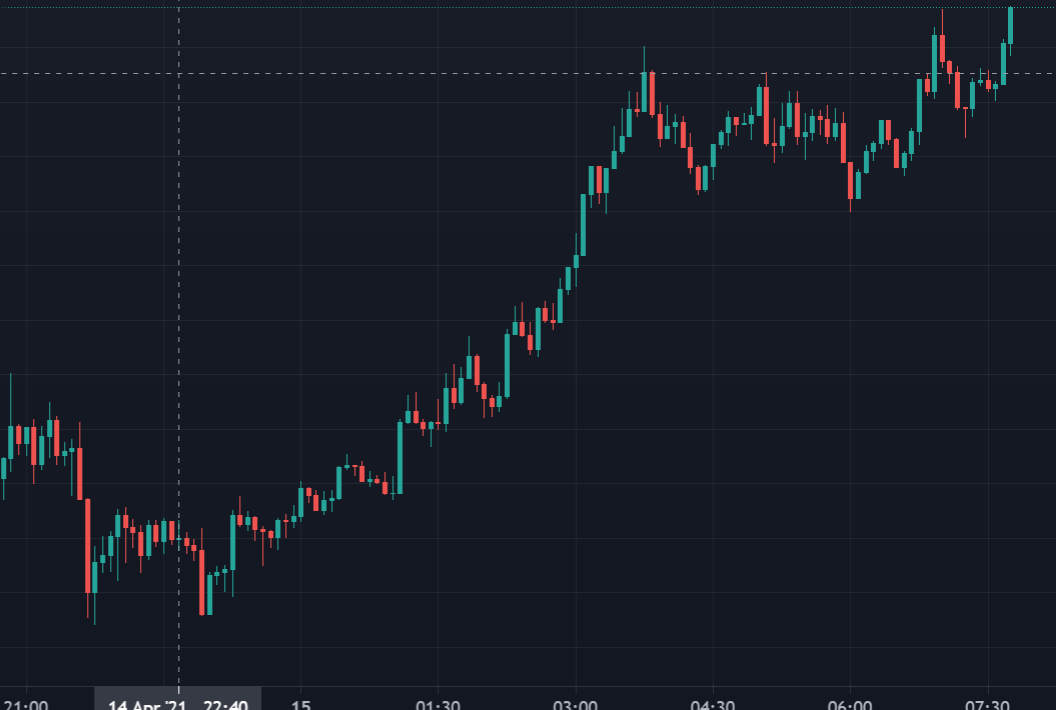
Compared to normal
Then if you were to combine the predictive s/r with reversal zones it would be like trying to spot ants in the grass
Each candle is the ant
shy relic
icy ridge
like you cannot read
Try to lower the SR significance
It should make the to/sl levels appear more frequently
You can also resize the chart automatically by clicking on auto at the lower right of the chart
icy ridge
Does the same thing with auto. Only fix for me is turning it off
EQ cloud doesnt do any of that though luckily
But resizing chart when s/r is enabled or reversal zones doesn't seem to do anything
Using those features has always done that even like 1 year ago. I don't mind avoiding those features though
Too hard to interpret the chart with those features enabled
feral lava
Try turning the “Scale Price Chart Only” button off from settings of chart. On large timeframes in trending markets like bitcoin on the daily, predictive S/R won’t show up the best unless lowering S/R significance more
icy ridge
Ok thanks i'll give it a try
 vernal cape
Can I use same optibot settings for SPX as SPY , I couldn't find one for SPX, new here please help
shy relic
vernal cape
Can I use same optibot settings for SPX as SPY , I couldn't find one for SPX, ne...
Yes, spy is the etf tracking spx:)
vernal cape
Thanks
polar hollow
HI I NEED SOME HELP, someone know how to setup alert on tradingview for made automatic trading open and closed position for stock and indices and forex? i not need for crypto, for crypto i have found many things but need for stock
 pseudo basalt
humble hawk
> You might have hidden the price chart, a full screenshot might be useful :)
<@...
pseudo basalt
humble hawk
> You might have hidden the price chart, a full screenshot might be useful :)
<@...
This happens to me too on my iPhone, web is fine. Just started happening maybe last month where candles disappear. I have to close trading view and reload to see candles, will wait for a solution.
 worldly cliff
polar hollow
HI I NEED SOME HELP, someone know how to setup alert on tradingview for made aut...
worldly cliff
polar hollow
HI I NEED SOME HELP, someone know how to setup alert on tradingview for made aut...
Follow this guide for setting up your own custom alerts on TradingView.
jaunty perch
hello admin, how do i change my payment plan.?
worldly cliff
Hi @jaunty perch , you can purchase a different subscription plan from our website. To make sure you are not charged for both, you can ask support to cancel your previous plan by emailing support@luxalgo.com
Any time left from your previous subscription will be added on to your new one
jaunty perch
thanks
 upper zenith
Thanks
 void shoal
Can you enable access for me @worldly cliff
polar hollow
@worldly cliff i know how setup alert but need know how use for make autotrading 😛
little different
worldly cliff
void shoal
Can you enable access for me <@266618371737518081>
You should email support@luxalgo.com if you don't have TradingView access, will need some details of your purchase to tie to your account
void shoal
Can I dm it to you
worldly cliff
polar hollow
<@!266618371737518081> i know how setup alert but need know how use for make aut...
We don't have any guides for setting auto trading alerts as we don't really recommend it, but if you are experienced enough you can do this with 3rd parties such as Alertatron or 3commas
worldly cliff
void shoal
Can I dm it to you
Yeah go ahead 🙂
polar hollow
Alertatron or 3commas are only for crypto i think
icy ridge
So is optibot more accurate than the automatic setting feature? I find them pretty similar. But in terms of actual accuracy optibot is actually better?
They both give fewer signals which is good and stay more in line with trend, but wondering which is more accurate % wise
void shoal
worldly cliff
Yeah go ahead 🙂
nothing came up
icy ridge
feral lava
Try turning the “Scale Price Chart Only” button off from settings of chart. On l...
I dont see scale price chart only
Oh I see it
@feral lava Turning it on actually fixes it I think
Nice
Yup the scaling is perfect now for the eq cloud and also the other stuff too from what I can see. Checkmark "scale price chart only" on fixed
Awesome
 ionic gulch
How do you guys trade ripple in the united states, which platform you use?
icy ridge
Damn this is a gamechanger ngl
Didnt know about that scaling shit in tradingview was only able to use eq cloud from lux never checked anything else out. these support resistance methods are real good. can you use multiple at the same time???
Now Im interested because turning those features on doesn't mess up my chart. I can actually see the candles now
icy ridge
feral lava
yep you can use eq cloud & reversal zones at once
Oh yea I know that but what about two different support resistance methods. Like the instutional pivots and the trendlines together
feral lava
could add 2 indicators to chart
icy ridge
good idea
my brain functioning at 4% capacity i shoulda been able to think of that. i woke up 10pm though thats when my day started
 midnight plover
In everyone's experience which time range works most accurately for trading options with Lux Algo ??
 amber plinth
Does anyone know how often they send the script invites or whatever once you sign up?
Been about an hour and they haven't unlocked on TradingView yet.
jaunty perch
After signing up, please allow us around 4-8 hours to grant you access to Lux Algo on TradingView. It's a manual process by our team.
If you provided your Discord username during checkout (optional) you'll receive the VIP role at the same time. If you still need access to our VIP Discord alerts after 8 hours wait time, see the #🚀get-access channel for instructions or just send an email to support@luxalgo.com with your Discord username and we'll take care of it as soon as possible. (same day)
 sharp hazel
should be soon @amber plinth 🙂
 faint crypt
Trying to set up Lux Algo on trading view, signed up and paid for Lux yesterday and I don't have the option for invite only scripts under indicators on Trading view yet
sharp hazel
Please email this to support@luxalgo.com @faint crypt the likely case is a typo when you entered your TradingView username at checkout so just confirm your order number and TradingView username with Support and they will get you sorted out asap 🙂
faint crypt
That's great thanks so much
amber plinth
@sharp hazel should I also email, or just give it some time?
sharp hazel
Yeh just give it a bit of time, the team should get to your order soon 👍
amber plinth
sharp hazel
Yeh just give it a bit of time, the team should get to your order soon 👍
Thanks so much! 🙂
 full frost
Hello. I'm trying to set up Lux Algo on trading view, i already have access to the script but when I activate it the name appears in my indicator list but there's an exclamation sign with a message that says "study error", and nothing shows in the actual chart
sharp hazel
Hi there, please try refreshing your browser and make sure you're logged in on the TradingView profile you gave us 🙂
full frost
ah, refreshing did the trick lol thanks!
 nocturne dragon
Hi, team, what's going on today with the signs pf Forex ?no, Operated. I lost $900 today
 remote frigate
who are the ''sever members'' and why i need to disable it in the setting ?
remote frigate
full frost
Hello. I'm trying to set up Lux Algo on trading view, i already have access to t...
hi, how do you set it up please, I'm so new here, a bit lost
jaunty perch
Full Mobile + Desktop YouTube walkthrough for setting up Lux Algo on TradingView: https://www.youtube.com/watch?v=Zw-XBVaIOvI
Link to the setup guide on our website: https://luxalgo.com/apps/help-center#!hc-user-setup-guide
Mobile & Desktop walkthrough for setting up Lux Algo on TradingView after you've been granted access. Join our Discord: https://discord.gg/LUX | You can get access here: https://luxalgo.com/products/lux-algo
Watch the full video walkthrough of Lux Algo features here: https://www.youtube.com/watch?v=c12sF8xb24k&t=214s

Enhance your trading experience & get an edge with our premium technical indicator suite + bots for stocks, forex, futures, currencies & commodities markets.
sharp hazel
Yep - any asset on TradingView
remote frigate
thanks
 lethal wagon
Can anyone tell me when my access will be reopened. I just renewed
feral lava
Hey @lethal wagon best to email support@luxalgo.com with your TradingView username to ensure it’ll be added quickly 🙂
lethal wagon
feral lava
Hey <@703012159780683857> best to email support@luxalgo.com with your TradingVie...
Worked for like a minute now it’s down again lol
jaunty perch
Are the settings on the 24/7 live demo the default Lux settings?
feral lava
Yes @jaunty perch
remote frigate
Could you please help with this
 feral lava
That’s for sending updates into your own discord server, you need to create a server first on Discord to get that set up
jaunty perch
I am repeatedly getting this message when i try to manage account from luxalgo website

 soft pebble
Hi guys, i want to create alert in forex with condition buy/sell (pairs) on (price triggered signal) TP(~) SL(~) someone can help me? Im newbie 😦
 lean steeple
shy relic
Confirmation signals are trend following signals, contrarian go against the esta...
lean steeple
shy relic
Confirmation signals are trend following signals, contrarian go against the esta...
thank you for this Alex!
 vagrant edge
I am looking for a way to trigger an alert when a candle goes purple?
vagrant totem
Just want to make sure, with Autopilot, I can set alerts for multiple stocks and the bot will remember the autopilot settings for each one individually?
Just want to make sure so I don't mess this up.
feral lava
jaunty perch
I am repeatedly getting this message when i try to manage account from luxalgo w...
recommend emailing support@luxalgo.com with any request - our team will handle it within just a couple hours, sorry for the inconvenience
@vagrant totem yep if you have autopilot it’ll be all the same
it doesn’t use any settings, it’s totally diffeeent, so you’re good 🙂
vagrant totem
Yes, but usually when I set an alert it lets me put a message
But now, the message section is not showing up
I use it to send signals to my bot, and it won't go though. Why is this?
@feral lava Could you assist me here?
I need somewhere to input the message part of the signal, where is this on the new update?
feral lava
When using Any Alert Function Call
You can’t use custom message for alert
Any other condition works though
vagrant totem
I just figured that out
Thank you, I was worried.
I set new alerts using AutoPilot, hopefully it works well!
vagrant totem
Actually, i got an alert but my bot didnt receive it
So i need help
Before the update, whenever a signal would arrive, it would go to my API no problem, but now it's not showing up. Why is this?
@feral lava
feral lava
Really not sure, alerts should work properly - will be asking @shy relic though on this with autopilot alerts & get back to you
vagrant totem
Thank you, I need to figure this out fast because I have a lot working off these alerts.
Is it possible to downgrade to the previous version? Can I note the autopilot settings (sensitivity and agility), downgrade LuxAlgo, and input those for each stock?
What is the difference between any signal and any confirmation?
Should I try Any Signal for Buy/Sell signals?
@feral lava
 knotty geyser
I also want to know which one is best any signals or any confirmation
feral lava
Any Signal includes contrarian
Any Confirmation is just confirmation signals
you may be using Any Signal and being alerted on Contrarians while only looking at Confirmation signals @vagrant totem
knotty geyser
Thank You I set with any signals
vagrant totem
feral lava
you may be using Any Signal and being alerted on Contrarians while only looking ...
I chose any confirmation, but my API didn't receive the signals so what can I do about that
It was working perfect before changing the alerts to the autopilot setting
knotty geyser
There is no XAUUSD D1 setting sensitivity and agility onlyM5-H4
feral lava
vagrant totem
It was working perfect before changing the alerts to the autopilot setting
Unsure why, i’ll follow up though
Did you 100% update your alerts to be using the newest version of the indicator you’re using?
vagrant totem
So I deleted most of the old alerts and turned them into the autopilot alerts
I have some old, and some new.
i'm worried now that it'll mess up now
feral lava
They need to be 100% new, or updated to new
vagrant totem
Are you sure? I don't see how that'll affect my API from getting the signals?
I just want to make sure that's the way to go. Has this happened before? @feral lava
feral lava
Yes, since we updated the autopilot method, you need to update alerts
feral lava
vagrant totem
I just want to make sure that's the way to go. Has this happened before? <@!3932...
we rarely ever change signals, but yes it’s the way to go
vagrant totem
I'll do it now. Possible to go back to previous versions though, right?
Just in case.
feral lava
vagrant totem
Are you sure? I don't see how that'll affect my API from getting the signals?
It’s because you have old alerts using a different calculation for autopilot signals, in v3.7.3 we updated how they are generated (which is very rare)
feral lava
vagrant totem
I'll do it now. Possible to go back to previous versions though, right?
it’s not possible to go back unless you save chart layouts with that version of the indicator on
vagrant totem
Yikes.
Now I'm extremely worried.
If I change all the alerts, and it doesn't work, what can we do?
feral lava
It will definitely work @vagrant totem - otherwise there will be be a fix right away we’ll push
vagrant totem
Okay. Changing the signals now.
I've bought a years worth of membership, so hopefully this'll fix it!
knotty geyser

Auto-confirmation signal settings toggle was upgraded to just show best sensitivity in the dashboard, see here: https://www.youtube.com/watch?v=3iSAjykfE7E&t
DISCORD: https://discord.gg/hEXands
Here's a quick video on the multiple ways you can adjust signal settings within Lux Algo on TradingView and use Optibot within our Discord. Optibot is b...
vagrant totem
I support this project.
I changed all my alerts. Is there any way to tell the difference between old and new alerts, just to confirm
shy relic
vagrant totem
I changed all my alerts. Is there any way to tell the difference between old and...
You can differentiate alerts with the alert name, you can use : "[OLD] Confirmation Buy" for example.
vagrant totem
Yes, I added a + in the new alerts, I was just thinking of another way to make sure.
shy relic
vagrant totem
If I change all the alerts, and it doesn't work, what can we do?
I don't see why it won't work, all you need is to set the alert with autopilot enabled, use once per bar close, and the correct webhook :)
vagrant totem
Yes, I also include a message in there too.
shy relic
vagrant totem
Yes, I added a + in the new alerts, I was just thinking of another way to make s...
The alert message eventually, but I am assuming you want to save that for a JSON
vagrant totem
{ "type": "Confirmation", "ticker":"{{ticker}}", "exchange":"{{exchange}}", "direction": {{plot("ConfD")}}, "strong": {{plot("ConfS")}} }
This is the message.
Not sure if it's JSON.
vagrant edge
I am looking for a way to trigger an alert when a candle goes purple? I think its not possible from what I see, but its very similar to the Confirmation buy turn strong... only I guess its a Turned weak? Should not be difficult to add that?
vagrant totem
@shy relic Let me know about my message
shy relic
vagrant edge
I am looking for a way to trigger an alert when a candle goes purple? I think it...
It was possible in the past to do this, but we reached a limit in term of alerts which is why we had to remove them, adding certain features involve remove others. We are working on adding them back as soon as possible. We apologise
shy relic
vagrant totem
<@!225316751410331649> Let me know about my message
I don't know if using this format will work, I am not sure tho, I will double check for you.
vagrant totem
I've used it on the last update, but please let me know if I need to change it for the new one.
If some things changed from your end, let me know what else i can use.
vagrant edge
shy relic
It was possible in the past to do this, but we reached a limit in term of alerts...
You could just add it as a 0 or 1 plot and people can base the alert off that?
shy relic
vagrant totem
I've used it on the last update, but please let me know if I need to change it f...
If it works then all good :) If you have any problems using it then let me know the specifics, if your placeholders are not working for the direction/strong thing then see https://docs.luxalgo.com/lux-algo-premium-indicators/lux-algo/alerts#using-placeholders-with-confirmation-contrarian-alerts
Options for setting alerts on Lux Algo in TradingView.
We are currently using Buy : {{plot_0}} | Sell : {{plot_2}} | Strong Buy: {{plot_1}} | Strong Sell : {{plot_3}}
shy relic
vagrant edge
You could just add it as a 0 or 1 plot and people can base the alert off that?
The conditions are not the problem here, in tradingview we have limits on how many plots we can use, the 'alertcondition' used to create alerts is also considered a plot, as such adding a new plot would not be a solution. You can use normal buy turn strong or normal sell turn strong in the all in one alerts tho :)
It won't trigger when a candle become purple but it's the closest thing right now
We will see what we can do
vagrant edge
shy relic
The conditions are not the problem here, in tradingview we have limits on how ma...
ok, but I am looking for it the other way ? turned weak
shy relic
vagrant edge
ok, but I am looking for it the other way ? turned weak
Yep, currently not implemented, will add that to our suggestions list :) Thank you
icy ridge
Is it possible to change the color of auto trendlines or stuff like the channels or pivots? Some of the lines are black and on dark mode you can't see.
I tried changing it in style but doesnt work
actually it works for everything except trendlines
Every other color change works but not the trendlines
 vagrant eagle
how to cancel the subscription?
 topaz swan
message lux algo
shy relic
vagrant eagle
email them?
You can email us at support@luxalgo.com or you can do it from 'manage account' in the website
shy relic
icy ridge
actually it works for everything except trendlines
Yes it is not possible to change trendlines colors at the moment, it will be possible in future updates.
icy ridge
shy relic
Yes it is not possible to change trendlines colors at the moment, it will be pos...
Oh ok. I thought it was a possible bug something because I saw TR 01, TR 02, TR 03 in the style options, but changing the color didn't do anything.
That'll be great though if its fixed or added in a near update because I can't use light mode tradingview charts. I use dark mode to save my eyes when I'm charting and viewing charts
 young pawn
Anyone watching gold?
amber plinth
I'm dying right now. Lol. I made a new TradingView account because I forgot that I made one years ago. Somehow I ended up paying for a year on my old account, and then directed Lux to the new one... so damn stupid.
I hope support answers fairly quickly, I really want to learn this strategy today lol
Oh damn! That was incredibly fast. I'm screaming about your support and customer service to everyone who'll listen. 😄
 delicate briar
Hey, so I've watched a Strong Sell appear on a chart, Trading View sends me the alert as expected, the label show ups and marks itself on the chart as expected and then it disappears when the market starts heading right back up the other way, and the Strong Sell label disappears from the chart completely, is that normal behaviour?
soft pebble
delicate briar
Hey, so I've watched a Strong Sell appear on a chart, Trading View sends me the ...
i think you should wait for bar closed
young pawn
I guess its normal. As explained in Lux Algos video on youtube, we are suppose to wait for couple of bars to observe the behaviour.
delicate briar
Okay I see, the bar was complete where the label was and stayed on for another 3 bars then disappeared, thanks I'll keep an eye out for that now
 spice palm
Is there anything that explains how to write a program that directs a trade on an exchange based on lux data? I am just lost when it comes to doing that. Thanks.
feral lava
amber plinth
Oh damn! That was incredibly fast. I'm screaming about your support and customer...
🙌♥️ we do our best! appreciate a trustpilot review if you have a chance & let us know if you need anything else! https://www.trustpilot.com/review/luxalgo.com cheers

Trustpilot
Do you agree with Lux Algo's TrustScore? Voice your opinion today and hear what 125 customers have already said.
amber plinth
feral lava
🙌♥️ we do our best! appreciate a trustpilot review if you have a chance & let u...
Absolutely, happy to do that right now. Thanks again for the very quick help. It's much appreciated!
feral lava
spice palm
Is there anything that explains how to write a program that directs a trade on a...
There’s third party services that can use TradingView indicators like Alertatron or QuickAlerrs that can similar things i believe
feral lava
delicate briar
Hey, so I've watched a Strong Sell appear on a chart, Trading View sends me the ...
Make sure to use once per bar close when setting alerts
spice palm
Thx
vagrant totem
@shy relic The signals aren’t working still.
I need a fix for this ASAP because my whole bot is unusable
The alerts using the new version are not working and getting to my bot. Someone please assist me, thank you
{
"type": "Confirmation",
"ticker":"{{ticker}}",
"exchange":"{{exchange}}",
"direction":{{plot("ConfD")}},
"strong": {{plot("ConfS")}}
}
This is my message before the update.
I need a message that shows the ticker and direction
@feral lava
I need a way to identify ticker. Please assist. Thank you
 safe marlin
optibot on hiatus again?
vagrant totem
Can anyone help?
@shy relic Is there a fix, or must I go back to the old version?
Is this is your safe IP address?
52.89.214.238;
34.212.75.30;
54.218.53.128;
52.32.178.7;
Is not please send the safe IP list.
Thanks.
 random meadow
Hi Guys, Just signed up today and already making good dough. Can you direct me to any training vid for best use of the indicator?
sharp hazel
Welcome @random meadow there are videos going through each of the indicators on the LuxAlgo Youtube channel as well as other resources on the website : https://docs.luxalgo.com/ 🙂
 thorny lark
vagrant totem
Is this is your safe IP address?
52.89.214.238;
34.212.75.30;
54.218.53.128;
52...
thorny lark
vagrant totem
Is this is your safe IP address?
52.89.214.238;
34.212.75.30;
54.218.53.128;
52...
it's tradingview's IP addresses: https://www.tradingview.com/support/solutions/43000529348-about-webhooks/
TradingView
soft pebble
vagrant totem
{
"type": "Confirmation",
"ticker":"{{ticker}}",
"exchange":"{{exchange}}",
"dir...
have you try uncheck autopilot?
i think i have same problem now
random meadow
Thanks for the info, looks like I have a busy weeken learning. Can you tell me what all these Bots are?
sharp hazel
Checkout https://docs.luxalgo.com/getting-started/discord/bots and let us know if you have any further questions 🙂
Our Discord server contains a wide variety of bots that will return useful information to the user.
vagrant totem
soft pebble
have you try uncheck autopilot?
I want to keep it on.
random meadow
Thanks, just got to the bit where it discusses the samw. Cheers mate!
By the way made just over 2.5k today using your bot and I havent even learnt how to use it. Amazing.
vagrant totem
What passable values for Buy, Sell, Strong Buy and Strong sell?
Any staff member, please assist.
@spring cave
soft pebble
vagrant totem
What passable values for Buy, Sell, Strong Buy and Strong sell?
yeah i need it too, and S1, S2, R1, R2 if possible
vagrant totem
soft pebble
yeah i need it too, and S1, S2, R1, R2 if possible
Thanks! Are you a programmer?
Do you have a link for this info
soft pebble
vagrant totem
Thanks! Are you a programmer?
no bro, I like to customize to make it easier for me
soft pebble
vagrant totem
Do you have a link for this info
I just joined for 3 days so I'm still blind
vagrant totem
Gotcha, I wish a staff member could assist us
soft pebble
hope too
soft pebble
 heady lynx
Difficult to win in the ranging market
heady lynx
Difficult to win in the ranging market
try scalping
feral lava
vagrant totem
<@!225316751410331649> Is there a fix, or must I go back to the old version?
The alerts are 100% operational, if you remake the alerts & double check the webhooks it should work. Everything is working on our end.
heady lynx
What is scalping ?
soft pebble
feral lava
The alerts are 100% operational, if you remake the alerts & double check the web...
how to test if it work properly?
feral lava
soft pebble
how to test if it work properly?
run on the 1m or 1s chart with once per bar close enabled
vagrant totem
feral lava
The alerts are 100% operational, if you remake the alerts & double check the web...
It was working before but after the update it hasn’t. What can I look at to fix this?
vagrant totem
feral lava
run on the 1m or 1s chart with once per bar close enabled
Do you have any specific stock that can give alerts quick?
 indigo cradle
Bitcoin
But they should all work, I'd suggest checking your web hooks and remaking your alerts
We use these in our scanner channels which all seems to work and haven't had any other issues
vagrant totem
Hmm, you’re right. It might be the message.
If it’s possible for you — it gives me hope
soft pebble
vagrant totem
What passable values for Buy, Sell, Strong Buy and Strong sell?
how about this
shy relic
vagrant totem
If it’s possible for you — it gives me hope
Yep everything is working on our end, instead of using name plots in the placeholders try using plot numbers, like in the docs https://docs.luxalgo.com/lux-algo-premium-indicators/lux-algo/alerts#using-placeholders-with-confirmation-contrarian-alerts
Options for setting alerts on Lux Algo in TradingView.
soft pebble
shy relic
Yep everything is working on our end, instead of using name plots in the placeho...
R2: {{plot_14}}
R1: {{plot_15}}
MID: {{plot_16}}
S1: {{plot_17}}
S2: {{plot_18}}
am i correct?
spice palm
@indigo cradle @feral lava @shy relic and anyone else who might be able to help
can I get some private help on configuring an alert?
wait a minute, I'll pose this in public and you can reply in private if you like.
I want to set an alert that is based on a reversal candle after price moves into a resistance zone.
for example, using BTCUSD
and using the Resistance Zones of R1, R2, R3 and R4...
after 5 minute candle moves up into R1 or R2 or R3 or R4
on the close of the next reversal candle that closes below the last price of the prior UP candle
send me an alert
and the same goes for the Zones of S1, S2, S3 and S4...
after 5 minute candle moves down into S1 or S2 or S3 or S4
on the close of the next reversal candle that closes above the last price of the prior DOWN candle
send me an alert
How do I set that up? Thanks very much.
delicate briar
vagrant totem
Hmm, you’re right. It might be the message.
Maybe try putting every value in quotes, had a similar issue, where trading view was sending the message as plain text, instead of application/json which might be the case as Trading View didn't recognise it as valid JSON
 ocean needle
Hello I’m new to lux algo and I need help
I just paid the 68 dollars for this month and it won’t let me login to the chart or anything can ya help me plz
sharp hazel
Hi @ocean needle please email support@luxalgo.com with your order number, saying that you don't have access to the scripts and they should manage to give you access 🙂
 cloud scarab
How far back does the optibot look when optimizing the different time frames?
polar hollow
It could be great if we can save the settings of sensitivity/agility.
In that way next time we select the stock we can choose autopilot or saved settings.
is this possible?
shy relic
spice palm
<@!456590452703887373> <@!393235362107097089> <@!225316751410331649> and anyone...
You can use the alert crossing up and crossing down to trigger alerts based on wether the price is touching a specific SR. When it comes to bands such as the reversal zones you can use 'entering channel' or 'exiting channels' as alert conditions :) see https://www.tradingview.com/support/solutions/43000595315-how-to-set-up-alerts/ for more information
TradingView
shy relic
polar hollow
is this possible?
You can use indicator templates, this a feature in tradingview that allows you to do this.
shy relic
cloud scarab
How far back does the optibot look when optimizing the different time frames?
Precisely 5000 bars :)
spice palm
shy relic
You can use the alert crossing up and crossing down to trigger alerts based on w...
okay. so that does not do what I'm looking to do ...that is simply based on entering or exiting ... it does not condition it based on anything that happens prior, only on what happens with this particular candle. I understand it if Lux can't handle that request ... it can't do everything.
spice palm
re ALERTATRON .... one of the admins suggested I look at that and i like it ... do you have a coupon code that I can use for a discount? do you have a referral code that you'd like me to use?
 wooden sedge
Can I get a notification in mobile when my chart signals to buy or sell? Pls help
 mild belfry
Yeah
wooden sedge
How does it work? Is it through e mail alert?
mild belfry
Nah, if you have tradingview you can create alerts with it
wooden sedge
Yeah I have trading view but how does it alert me if im not on my trading view? Like I have my day job
Pls help ley me jmow how can I be notified on buy and sell i my mobile without using my tradingview app in my platform
feral lava
!alerts
jaunty perch
How to set up your own custom alerts in TradingView: https://docs.luxalgo.com/lux-algo-premium-indicators/setting-up-alerts-on-tradingview
Follow this guide for setting up your own custom alerts on TradingView.
feral lava
Hey @jaunty perch
No problem, please email support@luxalgo.com so our support team can assist. All order inquiries have to go there
feral lava
Usually takes a few hours or so for support response via email @jaunty perch
icy ridge
So glad I can finally use more features without my chart rescaling. Helps a lot with confidence in trade. My analysis + insitutional profile and pivots + eq cloud and reversal zones
Doesnt get any better than that
Especially with volatile pairs the direction becomes obvious
The trendlines are great too but i dont rly use light mode tradingview it puts my eyes to sleep after a while
 silver bear
Hello, one question please. How can I cancel my account? Thanks!
jaunty perch
You can enter your email on our website to manage your account here: https://luxalgo.com/tools/recurring/get-subscription-access
Or email support@luxalgo.com and our team will assist you with any request the same day.
feral lava
Use that link if you signed up prior to 4/13/21 @silver bear but always can email support@luxalgo.com
limpid tundra
Hi just wondering if you have a paid signal group I can join?
wooden sedge
I have trading view but how does it alert me if im not on my trading view? Like I have my day job
Pls help me how can I be notified on buy and sell i my mobile without using my tradingview app in my platform
worldly cliff
@wooden sedge You can check these in Lux's alert settings
 spice palm
@indigo cradle any suggestions for alternatives to Alertatron?
jaunty perch
If I set the sensitivity and agility for say FB and set an alert. Then I go back and toggle on Autopilot. Will that change the way my alert will behave? Or will the alert be active for my manual settings?
shy relic
jaunty perch
If I set the sensitivity and agility for say FB and set an alert. Then I go back...
No, alerts are always based on the settings used during their creation and will not be affected by any changes you make afterward
hot bramble
You guys mentioned there are some new features coming out soon. Any hints as to what those are or the date?
 obsidian cove
Hi, I just joined, do you have any prediction/suggestion option to tell which crypto to buy? Thanks
 primal pecan
How do I make an alert for the Lux Oscillator when Lux Main becomes bullish or bearish?
Would it be Lux Main crosses up/down Value 50?
 visual laurel
hello everybody
which one is the best setting for direction matrix mode ?
and which time frame ?
primal pecan
Is any of the lux staff monitoring this channel?
primal pecan
@feral lava
 charred magnet
Hey , I paid for the luxalgo but haven’t gotten it yet in my trading view , even though I have refreshed my browser already
 shell crest
@charred magnet it's better if you email them directly
i got a respond in a few hours
charred magnet
I did also
vagrant totem
I’m getting multiple notifications for the same Crypto.
I have it as once per bar also, so any help
feral lava
charred magnet
Hey , I paid for the luxalgo but haven’t gotten it yet in my trading view , even...
If you respond to confirmation email with your username, team will fix soon
feral lava
vagrant totem
I have it as once per bar also, so any help
Once Per Bar Close is needed
vagrant totem
I forgot to add that! Thanks.
charred magnet
feral lava
If you respond to confirmation email with your username, team will fix soon
Okay thanks, when will I get the confirmation email?
shy relic
primal pecan
Would it be Lux Main crosses up/down Value 50?
That should be correct 👍
shy relic
obsidian cove
Hi, I just joined, do you have any prediction/suggestion option to tell which cr...
You can ask in #🚀crypto-chat , but majors are good to go I think.
shy relic
visual laurel
hello everybody
which one is the best setting for direction matrix mode ?
and wh...
The directional matrix does not have a best mode, they all give different information, if you use multi time frame analysis with the signals then the confirmation MTF mode should be good.
feral lava
charred magnet
Okay thanks, when will I get the confirmation email?
You get confirmation email directly after signing up — but email support@luxalgo.com with TV username & you’ll get all setup within a couple hours generally
 warm knot
How do i quit my algo?
worldly cliff
Hi @warm knot , it's best that you email support@luxalgo.com if you wish to cancel your subscription
 lofty vortex
Hello guys ..
What about the sensitivity settings of other forex currencies?
 glossy raptor
I’ve been having issues with lux on the iOS tradingview app. When I add the script, my screen goes blank, if I remove the script, I can see the candlesticks, comes on and off.
jaunty perch
How often does the optibot update
worldly cliff
Optibot will update at different frequencies depending on the timeframe, once per day for the 5 min, twice per week for 15 and 30, and once per week for 1h/4h @jaunty perch
lofty vortex
worldly cliff
Optibot will update at different frequencies depending on the timeframe, once pe...
and what about other currencies for forex?
primal pecan
shy relic
That should be correct 👍
Thank you
 agile pivot
hello, new to the algo and love it so far but have a question about the charge. my cc showing it being charged twice, still pending, that a issue or just me
 glossy iris
Not able to add lux algo indicator to my TradingView...any help?
feral lava
agile pivot
hello, new to the algo and love it so far but have a question about the charge. ...
for orders email support@luxalgo.com & our team will fix
feral lava
glossy iris
Not able to add lux algo indicator to my TradingView...any help?
see confirmation email for full instructions
warm flame
What type of oscillator is the legacy oscillator?
 terse bluff
Is there a trick to getting alerts to work for lux? They seem to be disabled for me for some reason. do I need a pro account?
I can them for other inidicators tho
I see the tutorial and everything but I can't choose lux
 regal saddle
terse bluff
Is there a trick to getting alerts to work for lux? They seem to be disabled for...
regal saddle
terse bluff
Is there a trick to getting alerts to work for lux? They seem to be disabled for...
have you enabled the Alets , by clicking on the three dots
and no you do not need pro account
terse bluff
yeah, I can see the option to add the alert but it is faded out and I can't choose it
indigo cradle
Can I see a screenshot?
You may have added too many alerts
And reached the limit
terse bluff
I deleted all my alerts

wtf it just fixed itself
i did nothing and now i can add alerts
epic
jaunty perch
@indigo cradle hey I payed for your services accidentally but I don’t want it anymore how can I get a refund?
As it took from the wrong card aswell
lofty vortex
@indigo cradle any reply about my question please ?
indigo cradle
Which one?
lofty vortex
What about the sensitivity settings of other forex currencies? Is there any recommend settings? @indigo cradle
quiet patio
can someone explain to me lux osciliator main osc increasing under 50
what it means?
 oak hearth
Hello, @here, so I'm having trouble setting up some alerts - can anyone help me understand why any "plot" calls with spaces or dashes are failing for me? {{plot("Buy")}} works, but {{plot("Strong Buy")}} does not for whatever reason.
 worldly cliff
See here: https://docs.luxalgo.com/lux-algo-premium-indicators/setting-up-alerts-on-tradingview#placeholders @oak hearth
Alternatively you can look here: https://www.tradingview.com/support/solutions/43000531021-how-to-use-a-variable-value-in-alert/
Follow this guide for setting up your own custom alerts on TradingView.
oak hearth
Yea I've looked both of these places
It seems you can only use the plot_ version of it
lofty vortex
lofty vortex
What about the sensitivity settings of other forex currencies? Is there any reco...
@worldly cliff
feral lava
lofty vortex
What about the sensitivity settings of other forex currencies? Is there any reco...
See #🔊announcements for everything you need to know about settings, it’s not market specific
worldly cliff
What's up @surreal lagoon
I'm looking at our support email and I can see 9 email threads from you, which we have already replied to confirming a refund and cancellation.
As already said in the email sent by support, you will see a refund within 3-5 business days, and won't be charged again
Unfortunately there is nothing we can do to speed up this process
 surreal lagoon
Idid not open my lux algo
Please help
Your website is page not found
Idid not click the subscription
worldly cliff
Your subscription was cancelled when you emailed in asking for it to be
surreal lagoon
Thank a lot better nextime i renew but not i did not
PleAse enable my account sir lux algo idid not open may account
warm flame
Does anyone know what type of oscillator the legacy oscillator is
shy relic
warm flame
Does anyone know what type of oscillator the legacy oscillator is
The legacy oscillator can be classified as a normalized oscillator since it will always be in a range of 0/100 :)
 undone kernel
I'm trying to set an alert with the lux volatility so when it reaches 70 to notify me but I don't see that option. It has a bunch of different plots. So confused 😕
 clear dragon
Hi @worldly cliff , my subscription is going to end on 31st, i don't want to continue. What should i do from my end? Email?
feral lava
Email support@luxalgo.com @clear dragon
clear dragon
Cheers bud, thanks.
undone kernel
@feral lava can you assist me with my issue please?
 languid fern
Hi! I do not see Lux Algo Settings in TV

These

Which Trading View mode I need for using Lux Algo?
jaunty perch
When the dashboard says trending, how do we know which direction it’s trending?
 quick halo
hi there i would like to input lux into trading view any directions ?
can i use lux algo if i have trading view pro+ trial, or do i have to upgrade to premium ?
worldly cliff
!tvfree @quick halo
jaunty perch
You don't need to upgrade TradingView, our product works with 100% functionality on the basic plan of TradingView (free).
Sign up for TradingView free here: https://www.tradingview.com/gopro/?share_your_love=LuxAlgo
TradingView
If you eventually grab a paid plan, we each get $30 as a bonus!
quick halo
ok so i need to send e mail i guess because i didnt get invite yet
languid fern
jaunty perch
You don't need to upgrade TradingView, our product works with 100% functionality...
Ok, so how open Algo settings like in the guide?
 oak elk
Hello , Can someone please help me ? I sent an email about 6 hours ago but no one has responded . For some reason I can't turn on the Alerts functions in Algo so that when I get a buy signal I can get alerted through trading view .
quick halo
maybe they are sleeping i didnt get my email response also 😦
oak elk
They must be in a different time zone @quick halo
quick halo
i hope so..
polar hollow
HI I HAVE ONE QUESTION ON AUTO SETTING:
when i made test with replay the auto is setup on alert based on real time or past? because seems from real time , in this case is impossible see the result of auto of the past?
i mean this" The downside of adjusting signal settings is that this task needs to be constantly repeated due to ever changing market conditions. Autopilot Confirmation Signal Settings is a feature that allows the user to avoid adjusting signal settings completely. Instead, the confirmation signals algorithm adjusts dynamically to the market conditions in order to provide the best signals possible." so when i use replay what signal i have, real time or past?
shy relic
polar hollow
i mean this" The downside of adjusting signal settings is that this task needs ...
Always real time, autopilot does not plot signals retrospectively :)
polar hollow
so in this case past signal is an error
@shy relic you are sure of this? so is impossible see what signal gave on past autopilot
shy relic
polar hollow
<@!225316751410331649> you are sure of this? so is impossible see what signal ga...
The signals you see on replay mode are the one you would have seen at that precise time. If the signals are plotted retrospectively we would have put a disclaimer in the documentation.
polar hollow
@shy relic i think you not understood my question, i mean on replay mode what setting use autopilot?
the setting on real time or past?
icy ridge
Ohhhhh. The dotted line on the chart is apart of instituional profile? That's pretty neat. I didn't know that line was apart of that feature. The insitutional profile really useful if you know how to read it which is pretty simply anyway
shy relic
polar hollow
<@!225316751410331649> i think you not understood my question, i mean on replay ...
Autopilot does not 'use a setting', it affects the confirmation signal algorithm, making it adjust to various market dynamics.
One of them being the dominant market cycle period
shy relic
icy ridge
Ohhhhh. The dotted line on the chart is apart of instituional profile? That's ...
When enabling the institutional profile the dotted line is indeed a part of it :) it highlight the price level with the most institutional activity
polar hollow
example if i use 20-21 on past i see some signal but if i use 40-20 other signal autopilot "adjust to various market dynamics" but from past or real time ? is quite complicated , i think use real time cicle and not past
icy ridge
shy relic
When enabling the institutional profile the dotted line is indeed a part of it :...
Yea I just finished reading that. Glad I know that now
polar hollow
@shy relic "making it adjust to various market dynamics" so example if i see the graph of 7 day ago on 15 min use the market dynamics of 7 day ago? or today market dinamics?
shy relic
polar hollow
<@!225316751410331649> "making it adjust to various market dynamics" so example ...
If you are using replay mode and goes seven days back, it will be using the dynamics of seven day ago, in order for you to not get confused just know that signals using auto pilot work on real time, are not plotted retrospectively, and does not repaint.
polar hollow
ok tnx
clear dragon
feral lava
Email support@luxalgo.com <@805461757359423499>
I have sent an email, no reply. Could you check? Thanks!
undone kernel
Something must be wrong with the system. Alert at 22:00 but nothing popped up on the chart.


Disregard that. I forgot I switched to contrarian earlier.
jaunty perch
 Millionnaier FX#8943 has been warned
Reason: Bad word usage
 lapis reef
Does lux tell you where to put SL & TP?
quiet patio
shy relic
Autopilot does not 'use a setting', it affects the confirmation signal algorithm...
how to use autopilot mode?
regal saddle
lapis reef
Does lux tell you where to put SL & TP?
go into Dashboard settings there is an option for TP/SL turn it ON
regal saddle
quiet patio
how to use autopilot mode?
go into dashboard settings and tick the autopilot checkbox and Ok and you are done
knotty geyser
What period of moving average is cloud
What is cloud cross over period
Why my message is blocked
 ocean moon
I’m looking for pine script to back test the configurations on some alt coins which are not part of the optibot list, any references?
knotty geyser
I have no signal alert since I purchased using D1
ocean moon
undone kernel
Something must be wrong with the system. Alert at 22:00 but nothing popped up o...
Repainted?
 feral lava
email support@luxalgo.com rather than DM’ing @knotty geyser or ask directly in this chat
knotty geyser
Can add EMA, VWMA, Previews Day High, Low, previews week high, low, prévu month high low
EMA changeable
Period
50,200,365
Previous day high, low
Previous Week high low
Previous month high low
EMA period changeable
 teal briar
was somewhile ago i joined and started subscribe trying to login but the login link i got on my mail just brings me to erroe 404
undone kernel
@ocean moon no it was my mistake. I mistakenly had it on contrarian mode
clear dragon
@feral lava i have sent an email to stop the subscription and refund. Can you check? @worldly cliff
ocean moon
@feral lava I'm looking for pine script to backtest the config, I think that is more efficient to avoid false positives instead of seeing on the chart and adjusting. Do we have any references
feral lava
You can’t backtest our indicators on TV — only strategies @ocean moon the only way to backtest an indicator is manually by the getting the closing prices.
ocean moon
feral lava
You can’t backtest our indicators on TV — only strategies <@816551767394353164> ...
Yes I'm looking something like https://www.youtube.com/watch?v=ujh2HQFMs0o&t=233s
stiff urchin
you know whats fucking annoying, this push to talk option that discourages people from joining chat
jaunty perch
What's the difference between using optibot settings vs the autopilot?
 ivory osprey
Hi, just bought Lux Algo. I noticed 1H signal is Sell, while 30M and 15M is saying Buy. Which is more accurate according to your experience? Though I’m also using demand and supply strategy.
shy relic
jaunty perch
What's the difference between using optibot settings vs the autopilot?
Autopilot does not require adjustments, and will adjust the signal algorithm based on market dynamics rather than testing any pair of settings like optibot does
shy relic
ivory osprey
Hi, just bought Lux Algo. I noticed 1H signal is Sell, while 30M and 15M is sayi...
There isn't a more accurate signal given a specific time frame, altho we recommend using tiemframes superior to 5 min there is no evidence signals on the hourly tf are more accurate then the ones you would get on another timeframe.
jaunty perch
Does the agility setting only affect the contrarian signals?
feral lava
Only confirmation
 timber ruin
How can I send Dashboard to my Alert?
Any help?
I need all dashboard info to send Alert messages
Those info are helpful
shy relic
timber ruin
How can I send Dashboard to my Alert?
Unfortunately it is not possible at the moment to include dashboard metrics in alert messages, it can eventually be possible to send the lux volatility value by creating an alert from the lux volatility indicator of the institutional activity from the lux oscillator.
 prisma drift
Who has some good settings for trading dodge/usdt on a lower time frame
 deft creek
anyone trades margin on Kucoin? need help >.<
prisma drift
deft creek
anyone trades margin on Kucoin? need help >.<
Sure do bro kids nda new myself but if I know the answer I will help you
 regal panther
@feral lava will you add some others forex pair for the optibot?
maybe for eurcad, eurjpy, eurchf, etc.
shy relic
regal panther
<@!393235362107097089> will you add some others forex pair for the optibot?
Yes adding more pairs is something we can do more often after the Beta, we are trying to add most majors.
regal panther
Pardon me for my another question. Where I can set up the Autopilot Confirmation Signal Settings ?
shy relic
regal panther
Pardon me for my another question. Where I can set up the Autopilot Confirmation...
Autopilot can be toggled on from the indicator settings :)
 deep sorrel
Hello I am new to traidingview and I am trying to figure out hot to add the actual indicator, I know the basics but when I try to add them it just gives me the ad where they promote there upgrade options
regal panther
thanks for answering
shy relic
deep sorrel
Hello I am new to traidingview and I am trying to figure out hot to add the actu...
It means you have 3 indicators on your chart, remove one.
deep sorrel
I didn’t add any I created the account a few hours ago
But how do I remove them then?
shy relic
deep sorrel
I didn’t add any I created the account a few hours ago
You did not added any Indicator on your chart? It's the only way for a upgrade plan pop up to show up, if you indicators on the chart hover on their title, you will see a cross, click on it, then you can add the lux algo premium indicator.
deep sorrel
Maybe I added them by accident I am on my phone so it’s a bit more difficult to navigate then on pc
Ya I see them now thank very much
shy relic
deep sorrel
Ya I see them now thank very much
It should work, let me know if you need more help :)
 wintry current
Hi, i am a newbe, sorry for asking, what i have to do for aktivating my LUX ALGO at Trading view
feral lava
wintry current
Hi, i am a newbe, sorry for asking, what i have to do for aktivating my LUX ALGO...
If you did not receive instant access, email support@luxalgo.com your TradingView username and they’ll set you up
!guide
jaunty perch
Full Mobile + Desktop YouTube walkthrough for setting up Lux Algo on TradingView: https://www.youtube.com/watch?v=Zw-XBVaIOvI
Link to the setup guide on the documentation page: https://docs.luxalgo.com/getting-started/setup-tradingview
Mobile & Desktop walkthrough for setting up Lux Algo on TradingView after you've been granted access. Join our Discord: https://discord.gg/LUX | You can get access here: https://luxalgo.com/products/lux-algo
Watch the full video walkthrough of Lux Algo features here: https://www.youtube.com/watch?v=c12sF8xb24k&t=214s
Included in this section are simple instructions on how to setup Lux Algo on TradingView.
wintry current
great, tks. i did everything like in the video, its telling me i have version 3.7.3 and i take the settings 5 min..NQ1..but no buy or sell apears? what i am doing wrong?
wintry current
STUDY ERROR! Study_not_auth is the message i get when i look at the studies..
shy relic
wintry current
STUDY ERROR! Study_not_auth is the message i get when i look at the studies..
Make sure you entered your correct trading view username during checkout, send a mail to support@luxalgo.com
 fading cape
Hi, my monthly subscription is about to end, is there anyway I can continue or convert to annual or I have to re-subscribe again?
feral lava
Hey @fading cape yes you can upgrade by purchasing the annual plan — we will automatically upgrade it for you
fading cape
feral lava
Hey <@561100991424888833> yes you can upgrade by purchasing the annual plan — we...
Is there any upgrade button or I just have to subscribe again? Im confused
feral lava
If you purchased before 4/13 — it’s best to purchase a new plan outright in full & then we add on remaining time to your next order date
if you purchased after 4/13 - you’re on our new system & you can login and upgrade with a click of a button
fading cape
There is a swap button on the dashboard. I used that to switch my plan
feral lava
Awesome, if you have any trouble email support@luxalgo.com
 cinder bluff
I have systematically backtested the performance of the signals generated by Lux Algo for many time intervals (1m,5m,15m,30m,1h,2h), values of sensitivity, candles types (Candles, Heikin Ashi) and several markets: cryptos, indexes (SPY, NIFTY) but none even lead to a break-even, even without transaction costs/slippages, let alone beat a buy-and-hold strategy. What am I missing here? What objective measures do you use to assess the performance of the signals generated by Lux Algo Premium? If you claim that the basic buy/sell signals are merely part of an overall strategy, the addition of which indicators would lead to a strategy with a positive expectancy.
timber ruin
shy relic
Unfortunately it is not possible at the moment to include dashboard metrics in a...
Can u show me how to do that?
indigo cradle
cinder bluff
I have systematically backtested the performance of the signals generated by Lux...
Yep we mention in docs that doing this is futile and using signals alone is a waste of time. You can find strategies on YouTube or combinations of indicators such as the legacy oscillator, pp slope and signals
cinder bluff
Is the legacy oscillator and pp slope part of Lux Algo?
feral lava
cinder bluff
I have systematically backtested the performance of the signals generated by Lux...
Using other tools allows the user to filter signals & use them in a better way. They are named Confirmation signals to emphasize not to follow them without your own analysis. A basic strategy is to pay attention to price action / candle coloring after a signal has been confirmed.
 remote cave
Hi, is it possible to backtest a buy/sell strategy on tradingview on the premium indicator?
shy relic
remote cave
Hi, is it possible to backtest a buy/sell strategy on tradingview on the premium...
not possible except by backtesting manually.
remote cave
Got you, thanks
prisma drift
@shy relic or any admins I made a new tradingview account and got the pro but my dumb ass made a whole new tradingview. So how can I get my LUX Algo put on my new pro account
shy relic
prisma drift
<@225316751410331649> or any admins I made a new tradingview account and got th...
email support@luxalgo.com or update your account information directly from "manage account" in the website.
prisma drift
shy relic
email support@luxalgo.com or update your account information directly from "mana...
Ok thank you
 halcyon sierra
Hi, how do I access the Bot scanner?
halcyon sierra
Thank you
remote frigate
prisma drift
Who has some good settings for trading dodge/usdt on a lower time frame
I'm testing 9/2
on 5min
 deep valve
Hey! How do I cancel my account?
shy relic
deep valve
Hey! How do I cancel my account?
jaunty perch
@shy relic im having trouble with Lux volatility 2.1 i dont see it
Anyone else have this problem
 willow spindle
Just joined trying to join all groups and chats .. some say I cant chat vj ur want me to put a number like with the bot discird.. cam someone help
shy relic
jaunty perch
<@!225316751410331649> im having trouble with Lux volatility 2.1 i dont see it
What do you mean by you can't see it? Nothing is displayed ,hen you add it to your chart or you don't see it in your invite only scripts?
shy relic
willow spindle
Just joined trying to join all groups and chats .. some say I cant chat vj ur wa...
Which channels can't you chat in?
jaunty perch
shy relic
What do you mean by you can't see it? Nothing is displayed ,hen you add it to yo...
I have it added to my chart but dont see it
shy relic
jaunty perch
I have it added to my chart but dont see it
Try changing the display mode in the lux volatility settings to see if other display modes works, you can also refresh the page, this can often fix certain issues.
willow spindle
View scanners discord.. it says react with number but I hit a number nothing happens and says I cant chat at the bottow
jaunty perch
shy relic
Try changing the display mode in the lux volatility settings to see if other dis...
Did that i even uninstall it
shy relic
willow spindle
View scanners discord.. it says react with number but I hit a number nothing hap...
Once you react in view scanners new channels appear, see the channels available in the server and you will see that new ones appeared
shy relic
jaunty perch
Did that i even uninstall it
Can you send a screenshot please?
jaunty perch
shy relic
Can you send a screenshot please?
I just uninstalled trading view and reinstalled it and now i got this but no signal
 shy relic
jaunty perch
I just uninstalled trading view and reinstalled it and now i got this but no sig...
shy relic
jaunty perch
I just uninstalled trading view and reinstalled it and now i got this but no sig...
It seems you will need to add the lux algo premium to your chart in order to the signals, if it's already the case try zooming out.
jaunty perch
shy relic
It seems you will need to add the lux algo premium to your chart in order to the...

Still nothing
shy relic
jaunty perch
It can be complicated to use the three indicators at the same time in your phone since the chart will be very small, you can scroll horizontally to try accessing the most recent signal, you can also see the top of the dashboard, it will indicate what is the most recent signal. Finally you can minimize the width of the window of indicators in a separate pane by scrolling down while holding the extremity of the window, you can also double tap on the chart background to hide all the indicators in a separate pane, and double tap again to show them again, we recommend using the desktop version.
jaunty perch
shy relic
It can be complicated to use the three indicators at the same time in your phone...
This is the first time that i cant see it and i use trading view on my phone and iPad and still nothing i had it this morning and lunch time and now nothing
And im mostly use it on my phone @shy relic
shy relic
jaunty perch
This is the first time that i cant see it and i use trading view on my phone and...
Try reseting the price scale or enable the "fit data to screen", both can be done by taping on the gear icon at the bottom right of the chart.
jaunty perch

Still nothing
This is the first time that i had a problem with it
Love this thing
@shy relic
shy relic
jaunty perch
Still nothing
Then you can only scroll horizontally to the left of the chart to see the past signal or reduce the width of the chart scale or zoom out entirely, I know that small screens can be tricky to use with tradingview, sorry that I can't be of more help :(
jaunty perch
shy relic
Then you can only scroll horizontally to the left of the chart to see the past s...
Did that already nothing
I even changed the order i have them in
Where do we go from here @shy relic
knotty geyser
jaunty perch
Still nothing
I think your screen is fully zoom click on screen right hand click the mouse and (reset chart)
willow spindle
How do you get access to algo on trading view.. after u find the indicators?
Instructions on the site are shallow.. like no help at all
jaunty perch
knotty geyser
I think your screen is fully zoom click on screen right hand click the mouse and...
This is from my ipad @shy relic

Never had this problem before
So am i out of luck ?

@shy relic
 low tulip
 jaunty perch
On my pc is the same thing
jaunty perch
low tulip
Just saying if im paying for it and its not working why would i pay for something thats not working
Im asking for help @low tulip
But if you cant fit it
@shy relic @feral lava
Im asking for help
@thorny lark
 flat ingot
Hey how do I get the alerts ?
flat ingot
Hey can lux work on volatility 75 on TradingView binary ?
 nova solstice
jaunty perch
nova solstice
jaunty perch
does it not let you drag to the left?
feral lava
Hey @jaunty perch
Click settings in bottom right
and click scale price chart only
or just drag to left, and position it
and then save chart layout
if that doesn’t work, suggest exiting tradingview all, and opening back up & trying again
jaunty perch
nova solstice
does it not let you drag to the left?
Im on the way to the left
jaunty perch
feral lava
Click settings in bottom right
Yes did that and im all the way to the left did not work
jaunty perch
nova solstice
read what mack wrote ^
No it didn’t work
feral lava
Click auto in bottom right @jaunty perch
jaunty perch
feral lava
Click auto in bottom right <@456226577798135808>
Auto fit date ?
feral lava
Auto (Fits Data)
jaunty perch
Yes did that before and i just did it again not working
feral lava
and by clicking on the horizontal time scale at the bottom of the screen and dragging it to the right of your screen, it should absolutely make things more visible

 feral lava
drag where the arrow is on my screen to the right
or
Go to Chart Settings —> “...” in bottom left —> Apply Defaults
and then try — you might have enabled something weird to mess up the scaling
jaunty perch
feral lava
drag where the arrow is on my screen to the right
Did that in the first picture
jaunty perch
feral lava
Go to Chart Settings —> “...” in bottom left —> Apply Defaults
and then try — y...
Ok did that still nothing
feral lava
feral lava
Go to Chart Settings —> “...” in bottom left —> Apply Defaults
and then try — y...
try this @jaunty perch — really unsure how it’s not scaling otherwise, have never seen this problem like this before with TradingView 🤔
Uncheck “Scale Price Chart Only” and try again?

 indigo cradle
Have you tried turning off the dashboards? Maybe TV did a scaling update
I doubt it though
jaunty perch
indigo cradle
Have you tried turning off the dashboards? Maybe TV did a scaling update
No. it was working all day yesterday. i clicked on trading view to see what the after hrs market was doing and i seen that it was not working
indigo cradle
I have never ever seen this before so I'm assuming it's a setting that's changed. Have you tried uninstalling the app and then opening a fresh chart once reinstalled?
jaunty perch
Yes
indigo cradle
Are you on a free account?
jaunty perch
indigo cradle
Are you on a free account?
No
jaunty perch
indigo cradle
Or it's still off
Still off
jaunty perch
indigo cradle
Are you on a free account?
 indigo cradle
I'm really not too sure, you enabled auto scaling, you opened a fresh chart
I'm trying to think what it could be
jaunty perch
indigo cradle
I'm really not too sure, you enabled auto scaling, you opened a fresh chart
Yes
jaunty perch
Now i see nothing i just see the name
 feral lava
seems to be working
Lux Volatility needs more data
Coinbase is a new listing
click the line between the names the indicators to drag them down and scale the sizing

 indigo cradle
The signals on the candles? It's all because of scaling
You need to manually adjust the size of each panel
A phone screen is a very small place if all 3 are added at the same time and equal size
jaunty perch
I have used my phone the hold time i got lux @indigo cradle
Still nothing with only 2 and i have done this on my ipad

@indigo cradle @feral lava
indigo cradle
If you drag that iPad screen to right it should be fine?
And make the volatility panel a bit smaller
jaunty perch
indigo cradle
If you drag that iPad screen to right it should be fine?
No not working
@indigo cradle

 feral lava
Lux Volatility does not have a dashboard
jaunty perch
feral lava
Lux Volatility does not have a dashboard
What?

I have try and still nothing
 feral lava
You don't need to do anything within the settings of Lux Volatility
I'm not sure what you need help with, the scaling of the chart?
jaunty perch
feral lava
I'm not sure what you need help with, the scaling of the chart?

@feral lava @indigo cradle
Im miss the current signal
Info
feral lava
the Lux Volatility does not have a dashboard
Settings - Interpretation - Display Modes
to see the indicators (not just the dashboards) you need to drag your screen to the right
jaunty perch
I will take a video on my i pad to show you
@feral lava @indigo cradle
Did you watch the video @feral lava @indigo cradle
feral lava
yep looks like it's all working properly
there is no dashboard on Lux Volatility
it's an indicator without a dashboard, if that's what you're looking for i suggest removing it from your chart
indigo cradle
This is all very confusing, we see everything is correctly working, added, the main chart looks like it is scaled fine
Both oscillators look fine
When you say the current signal it's confusing because we are seeing it
feral lava
Volatility does not have a dashboard, it is not built into the indicator @jaunty perch
jaunty perch
feral lava
Volatility does not have a dashboard, it is not built into the indicator <@45622...
Dashboard dose that mean information like current signal
feral lava
yes
jaunty perch
Because i have it the hold time
indigo cradle
Yes and this dashboard is on your main chart
jaunty perch
I have had it the hold time today is the first time i dont see it
@indigo cradle @feral lava
jaunty perch
Omg
Going to take a new picture

Im missing the info like the other 2 have current signal
indigo cradle
Yes there should NOT be anything there
It does not have a dashboard
It does NOT have a current signal
It never did
jaunty perch
Im telling you it had one i would not be try texting like this
indigo cradle
I can promise you it never did and never will
You may have seen a glitch or mistook something
But nothing was ever there or meant to be
jaunty perch
indigo cradle
But nothing was ever there or meant to be
Wow
indigo cradle
You can see in our docs there was never anything
feral lava
jaunty perch
indigo cradle
You can see in our docs there was never anything
I dont care im telling you there was information there thats what i liked about it
feral lava
feral lava
https://docs.luxalgo.com/lux-algo-premium-indicators/changelog/lux-volatility
@jaunty perch see the changelog here for Luv Volatility
indigo cradle
jaunty perch
I dont care im telling you there was information there thats what i liked about ...
I'm not quite sure what to say to this. What information did you think was there?
There couldn't have been a signal since Lux volatility has no associated direction
jaunty perch
It said something like lux 14 look in the picture
indigo cradle
Lux 14? What would that mean?
jaunty perch
indigo cradle
Lux 14? What would that mean?
Look in the picture
indigo cradle
Yes thats one of the settings
indigo cradle
It has that in your picture
Just different settings
Since it's a different thing
I see the word nether
Take a look at our docs and if there's a feature listed there that you don't see or can't access we can help
But if it's a feature that wasn't there it's very hard for us to understand
jaunty perch
Im done with it now
It must have been a bug in the program
Or something
Now its fixed
@indigo cradle @feral lava
hey team
i am new here, can someone help me with some settings or i need to do something new?
i just buy the program
indigo cradle
@jaunty perch as long as it's fixed now that's good
jaunty perch
But it was a amazing bug if it was
indigo cradle
@jaunty perch You can find resources on changing settings in our docs
What are you looking to change
jaunty perch
@indigo cradle @feral lava If it was a bug in your system it was the best bug ever that info helped me out alot
indigo cradle
@jaunty perch I would have love to have seen as maybe it would have given us some good ideas
jaunty perch
I showed all my friends 2 of them signed up for it and they dont got it either now
indigo cradle
Can you sketch what you saw
Like draw it out, show me exactly what you saw, the info you remember
If 2 people saw it I'd love a diagram or something
jaunty perch
I wish i had a screen shot to show you guys it was like the same info as lux oscillator same setup of current information
Signal
indigo cradle
If possible draw it out with the info in the panel
jaunty perch
It was the same information as lux oscillator
indigo cradle
Identical?
jaunty perch
Same setup
feral lava
You likely just had Lux Oscillator on twice, Lux Volatility does not have a dashboard, everything is functioning properly
jaunty perch
I would’ve not text you guys if that information was there it’s gone so that’s why I was upset and that’s why I was asking for help on how to fix it @indigo cradle @feral lava
jaunty perch
feral lava
You likely just had Lux Oscillator on twice, Lux Volatility does not have a dash...
No it was a little different
indigo cradle
2 versions of Lux oscillator with different settings?
jaunty perch
indigo cradle
2 versions of Lux oscillator with different settings?
No
I never change the settings I’ve always used your default settings because I find that they work for me
indigo cradle
It's possible you dragged the oscillator on top of the volatility?
If you drag one oscillator on top of the other
Maybe it'll ring some bells?
jaunty perch
indigo cradle
If you drag one oscillator on top of the other
No I’m telling you it was two different ones What are the same kind of setup showing different signals like oscillator had down and a up arrows and volatility had 2 down arrow
@indigo cradle @feral lava
Does that kind of makes sense I don’t know how to explain it properly
I’m going to look through my phone pictures and see if I have a screenshot when I have timeI will send it in chat and show you
 viral marsh
Any setting to get alert when the candel changes color ?
viral marsh
indigo cradle
That's a normal turn strong
❤️
 idle light
hello everyone, anyone having issues with repainting? a number of times the dashboard and candle color don't match.
dont match the signal
shy relic
idle light
hello everyone, anyone having issues with repainting? a number of times the dash...
do you have an example where it occurs? Currently we have no issues regarding the signals and the dashboard.
idle light
i took a screenshot yesterday but didnt save it. i will follow up.
shy relic
idle light
i took a screenshot yesterday but didnt save it. i will follow up.
sure, however if it concerns the signals displayed on the most recent, note that these are confirmed at the close of the candle.
idle light
yesterday at close. should the dashboard show Strong Buy?
 shy relic
idle light
yesterday at close. should the dashboard show Strong Buy?
shy relic
idle light
yesterday at close. should the dashboard show Strong Buy?
not if the previous signal is a normal buy signal, the signal displayed in the dashboard does not rely on the candle coloring, only the signals labels.
idle light
got it. thanks

 tropic ferry
I am curious, are the optibots based on Market hours or Extended hours? I would assume that makes a difference, but maybe I'm wrong?
 icy lynx
My chart only shows strong. It is not showing buy or sell. Is there a way I can turn it on?
shy relic
tropic ferry
I am curious, are the optibots based on Market hours or Extended hours? I would ...
no extended hours are used for optibot 🙂
shy relic
icy lynx
My chart only shows strong. It is not showing buy or sell. Is there a way I can ...
this can be normal, if you use settings that catch longer term trends you will see more strong signals, you can see that lowering settings can produce some normal buys.
 buoyant zodiac
Hey Guys, every time I try to use lux premium on my mobile trading view it just glitches out and won’t let me see anything. Is this a known issue? How can I fix it? @shy relic
tropic ferry
@shy relic thanks! I'm assuming the autopilot takes extended hours into account if you have them turned on, since that calculates from whatever chart you feed it? Do you guys find that the basic confirmation signals work equally well on extended and non-extended hours?
shy relic
tropic ferry
<@!225316751410331649> thanks! I'm assuming the autopilot takes extended hours i...
indeed, autopilot would take extended hours into account if enabled. At the moment we dont have any statistics regarding the performances of autopilot on extended hours against regular hours, so its hard to say.
tropic ferry
@shy relic gotcha. I disabled extended hours recently, and seem to find less false confirmation signals. - So I have a feeling it does make a difference, but my sample size is not very large, so I would be interested to hear if you ever gather any data on this.
buoyant zodiac
#🤝support I trade basically 100% from my phone and it has been basically unusable to far. Really frustrating
 knotty niche
How can i add Doge/BTC optin notifications?
shy relic
buoyant zodiac
<#702685056736559124> I trade basically 100% from my phone and it has been basic...
sorry to hear that, note that charting platforms are always more convenient to use in a desktop, you can nonetheless use the indicators in your phone, the dashboard should be visible as well as the candle coloring, both can indicate what is the current signal returned by the indicator, setting alerts can also be good. It is difficult for us to enhance experience of users on mobile since its directly related to the tradingview platform, please let us know if you have any suggestions for creating a better experience on mobile 🙂
shy relic
knotty niche
How can i add Doge/BTC optin notifications?
doge/btc is currently not supported by the discord scanner, you can always create a tradingview alert for it 🙂
buoyant zodiac
shy relic
sorry to hear that, note that charting platforms are always more convenient to u...
Thanks, did you see the video I showed you? This is what I see. I understand how to use the indicators. It just glitches out on me.
remote frigate
shy relic
doge/btc is currently not supported by the discord scanner, you can always creat...
could you please direct me to the guide how to set alerts for buy and sell in Lux ?
shy relic
buoyant zodiac
Thanks, did you see the video I showed you? This is what I see. I understand how...
this seems to be related to the tradingview app, make sure you have the latest version on your phone, if its the case then I could report this to the tradingview staff as long as you allow me to use the video you sent.
shy relic
remote frigate
could you please direct me to the guide how to set alerts for buy and sell in Lu...
sure thing, see https://docs.luxalgo.com/lux-algo-premium-indicators/setting-up-alerts-on-tradingview and https://docs.luxalgo.com/lux-algo-premium-indicators/lux-algo/alerts 🙂
Follow this guide for setting up your own custom alerts on TradingView.
Options for setting alerts on Lux Algo in TradingView.
remote frigate
you're a STAR Thanks
buoyant zodiac
@shy relic it does still do it. I have the latest version of everything. I can’t be the only user with this problem. Please use my video!
shy relic
buoyant zodiac
<@!225316751410331649> it does still do it. I have the latest version of everyth...
will do, in the mean time try to remove some indicators from your chart, it could maybe be caused by an overload of graphical elements, thats my only guess.
viral marsh
indigo cradle
From purple to red or green yep
Cant find it... where is it ?
buoyant zodiac
@shy relic Thanks! Will do
 forest bluff
@support - Do we have any update for optibot settings for crudeoil ?
viral marsh
buoyant zodiac
<@!225316751410331649> it does still do it. I have the latest version of everyth...
i had the same problem, hard close the app and reload the indicators, it worked 4 me 🙂
shy relic
jaunty perch
Is there a link on how to read volatility
Settings - Interpretation - Display Modes
 coral flame
Hello
im trying to setup alerts for my system with custom messages but when i select the LUX premium alert as the method my custom message box disappears
is there a way to go around this so i can add custom messages on popups and stuff
Ill see this code in the alert title box for example, but theres no message box to add it to.
(Confirmation, Confirmation Simple, 10, None, On, 5, None, 20, 2, Classic, Lower Right, Normal, 20, Confirmation MTF): Any alert() function call
I would like to add a formatted ticker name and style to everything but it seems im not able to if that box disappears unless you have an alternative?
ah nevermind i see now
any confirmation instead of using all signals would be the way
shy relic
coral flame
any confirmation instead of using all signals would be the way
yep 🙂 Sorry for late reply, the ticker is already displayed in the message title, you can include placeholders to return info such as the type of signal trigered, see https://docs.luxalgo.com/lux-algo-premium-indicators/lux-algo/alerts#using-placeholders-with-confirmation-contrarian-alerts
Options for setting alerts on Lux Algo in TradingView.
coral flame
perfect was going through that after i scrolled a bit. thank you so much!
viral marsh
Can't get it to work. I want a alert when the purpble candle is turning red/green at the close of the candle
indigo cradle
That's an any buy or sell turn strong
vagrant totem
Any staff members that can help me program the settings for signals? Any tips?
After using Autopilot, my bot has been losing money with these signals, but before they were doing fine.
Should I look into contrarian signals?
shy relic
vagrant totem
After using Autopilot, my bot has been losing money with these signals, but befo...
if you have something working fine it can be a mistake drastically changing your strategy, nonetheless you will always have period where you will lose trades, this is normal, and best way to cope with these is to have a good money management so that potential false signals dont cause excessive drawdowns.
Contrarians are a totally different thing from the confirmation signals, with contrarians you will go against the trend, you should study this methodology carefully before switching to it. The advantage of these is that they are more timely, resulting in potentially better winrates (which does not guarantee any more returns than using a trend following methodology). Some users use a hybrid approach, where contrarian signals are used to exit a position. Hope this helps 🙂
vagrant totem
shy relic
if you have something working fine it can be a mistake drastically changing your...
How can I use it to exit a position? Also, I don't look at the charts, and my bot works off signals. Could this method still work?
shy relic
vagrant totem
How can I use it to exit a position? Also, I don't look at the charts, and my bo...
we would definitely recommend you to use the signals alongside other tools in the indicators, but you can ofc use these alone if you feel like it. If you have your bot programmed using services such as 3commas...etc, you might have access to a specific function allowing you to exit positions, in the case of contrarian signals you would close a long position when a sell contrarian occur, while you would close a short position when a contrarian buy signal occur.
vagrant totem
shy relic
we would definitely recommend you to use the signals alongside other tools in th...
I've made my own bot, I don't use anyone elses.
Hmm
I'm going to test out the regular 12/26 setting and take profit at 5%.
 gritty yoke
Hello everyone I am really bored and disappointed with the lux indicators something, I lost 50% of my capital with these indicators 😕
remote frigate
gritty yoke
Hello everyone I am really bored and disappointed with the lux indicators someth...
are you new to trading ?
gritty yoke
remote frigate
are you new to trading ?
No
indigo cradle
If you lost 50% of your captial while trading that a massive risk management red flag
jaunty perch
@gritty yoke the algo is a tool, you use the tools to do the work, the tools don't do the work for you. You'll probably get more help if you're more detailed about what's not working for you as well.
viral marsh
indigo cradle
That's an any buy or sell turn strong
Where can i find that setting?
knotty geyser
Mellebo in Lux Algo discord there is setting optimizers. Can find every setting. Optibot M5 to H4
viral marsh
Can only find these settings....
 indigo cradle
It's in the main settings
You go to the Lux Settings
You select any turn strong
Then you go to this
And select the alert any()

This is a tutorial on how to use our brand new all-in-one alerts system within the main Lux Algo Premium indicator on TradingView. This makes it easier for users with the free TradingView membership to get multiple specific conditions in one alert.
See the guide on our docs: https://docs.luxalgo.com/lux-algo-premium-indicators/lux-algo/alerts#...
 solid cobalt
Hey! Do I understand correctly that the plot variables for alerts go like this from top to bottom in this order?

And the same for Oscillator alerts?
shy relic
solid cobalt
Hey! Do I understand correctly that the plot variables for alerts go like this f...
yes this should be correct 🙂
solid cobalt
Cool. Wanted to confirm because in the previous version I think the order was different and that's why the data from my previous alert was behaving weird :)
shy relic
solid cobalt
Cool. Wanted to confirm because in the previous version I think the order was di...
indeed, really sorry about this, we wont change the order from now on 🙂
 jagged adder
Hello, when setting the sensitivity and agility manually via Optibot, how do I save those for the asset I am using? e.g. If i set GBP/JPY with the optibot values and then switch to EUR/USD it uses the values from GBP/JPY. I want to be able to saves the values for each asset.
spice palm
@indigo cradle hey ... love the lux algo so far ... question ... with alerts in Trading View, could you provide a map that shows what the codes in the alerts match to in the chart? I know where RZ R1 and RZ S1 are ... but what is Cloud 1 and Cloud 2? I like to experiment with the candles touching or closing with that cloud in the middle of the channel but I don't know what Cloud 1 and 2 refer to ... thanks.
@indigo cradle @shy relic @feral lava @
Any help on this? If anyone replied, i missed it, sorry....
indigo cradle
@jagged adder If you're on a paid plan of TV you can save the chart layout 🙂
@spice palm a little life hack you can use: If you go to style, find let's say cloud 1 and change it to thick black you'll know which is which
That's a great and easy approach to indentifying which plot is which
jagged adder
indigo cradle
<@780481488390848553> If you're on a paid plan of TV you can save the chart layo...
Hello I am on the paid plan 5 layouts. I have many pairs on the 1 layout. so do I save each one after I have entered the values?
shy relic
jagged adder
Hello, when setting the sensitivity and agility manually via Optibot, how do I s...
The easiest way to do this is by creating indicator templates, you can quickly switch between symbols with indicators using the settings used during the creation of the template, see https://www.tradingview.com/support/solutions/43000543048-what-are-indicator-templates-for/
TradingView
@jagged adder enter your settings, then save the template while checking 'Remember Symbol' and 'Remember Interval'. If you load the template you will have the indicator with the settings used during the template creation + the chart with the symbol and tf.
 jagged adder
ok let me try that out. Thanks

 livid ermine
I think I’m getting my signals late. 😔
regal saddle
livid ermine
I think I’m getting my signals late. 😔
These are not Signals , they are called confirmations ,
livid ermine
Ahh ok 👌 good to know now. Lol 😂