#🤝support
1 messages · Page 38 of 1
 placid vapor
Good work. Hey. I’d like to possibly collaborate with your developers and AI tea...
placid vapor
placid vapor
Good work. Hey. I’d like to possibly collaborate with your developers and AI tea...
Shoot me a direct message
 scenic charm
Does anybody know if it is possible to make luxalgo automate with webhook using the alerts notifications for sell aand buy
 cloud tangle
Hi there, simply amazing was waiting for oscillating update, definitely going for yearly package know only one request can we get even more depth video as it will really help for beginners like me, once agin new update is super.
Can we get little bit extra discount sir, if possible or lifetime membership so can try the back testing feature too.
 lusty hemlock
Hello guys. Does anyone have any idea of what each alert does in Lux Algo Oscillators? There are quite many types of conditions, but I could not find any info regarding this issue. Please share if you know!
 junior lance
Any reason why the Lux Profile isn’t displaying/loading in legacy overlays? 🤔 @deep dock @feral lava @shy relic @worldly cliff

 frozen yew
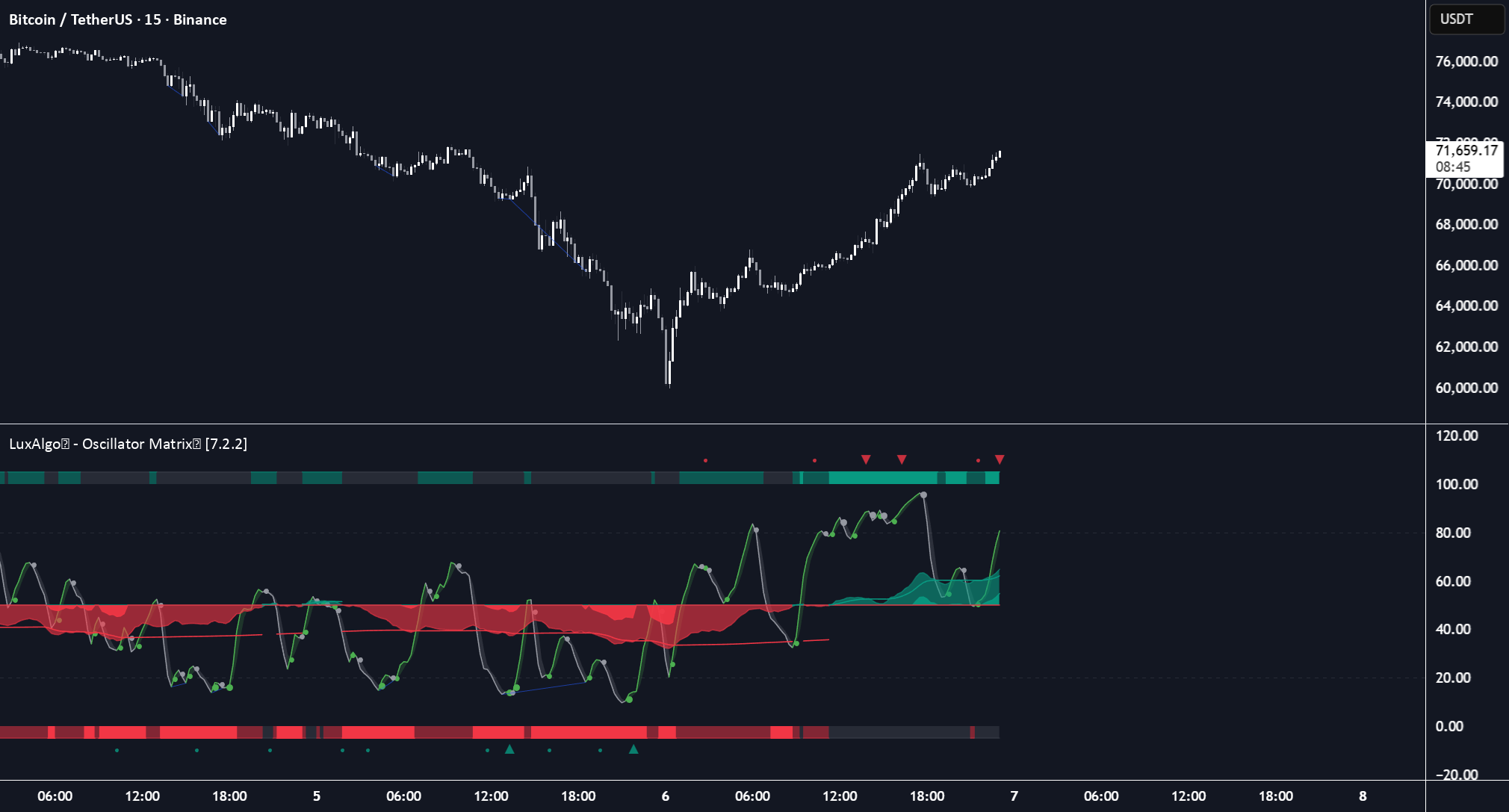
Hi! LuxAlgo, it is possible to set alerts in points when colors change form green to red or from red to green [LuxAlgo Oscillator Matrix) ? Like this:

 feral epoch
Hi any support person here ? Can we change the lux algo premium account from one Tradingview to another account?
 fallow halo
feral epoch
Hi any support person here ? Can we change the lux algo premium account from one...
fallow halo
feral epoch
Hi any support person here ? Can we change the lux algo premium account from one...
sure. contact me on the chat widget or send me an email: support@luxalgo.com
 jaunty perch
cloud tangle
Can we get little bit extra discount sir, if possible or lifetime membership so ...
jaunty perch
cloud tangle
Can we get little bit extra discount sir, if possible or lifetime membership so ...
The Backtesting is not available anymore
jaunty perch
scenic charm
Does anybody know if it is possible to make luxalgo automate with webhook using ...
You can use automated strategies with LuxAlgo indicators via webhooks but we do not generally recommend it nor provide support for it
 feral lava
frozen yew
Hi! LuxAlgo, it is possible to set alerts in points when colors change form gree...
feral lava
frozen yew
Hi! LuxAlgo, it is possible to set alerts in points when colors change form gree...
Yep this is possible via the Turning Point alerts within settings or manual alerts
frozen yew
feral lava
Yep this is possible via the Turning Point alerts within settings or manual aler...
is it these two ?
Down Turning Point means - change to red
Up Turning Point means - change to green
Right?

 lofty yarrow
Hello all. I have now worked through all the videos. I went online and found videos of how others have set up the indicators...BUT the info is completely overwhelming. I am just looking for the most accurate settings for day trading. I am using ICT principles, but also want to incorporate the signals indicator. Where do I go for effective strategies? Still very much a beginner at trading, but would like to start implementing and practicing a tried and tested strategy. Any advice would be very much appreciated.
 worldly cliff
frozen yew
is it these two ?
Down Turning Point means - change to red
Up Turning Point mea...
worldly cliff
frozen yew
is it these two ?
Down Turning Point means - change to red
Up Turning Point mea...
Yep 🤝
frozen yew
worldly cliff
Yep 🤝
Thank you !
worldly cliff
lofty yarrow
Hello all. I have now worked through all the videos. I went online and found vid...
Hi, we can’t recommend the best settings, this is down to you to decide.
The videos we offer help greatly, but you can take a look at our methods for best settings here: https://docs.luxalgo.com/lux-algo-premium-indicators/lux-algo/signal-settings
You can also see here: https://discord.com/channels/641770286638694402/997901091389841408

This page showcases every way users can adjust settings along with full explanations of how they differentiate from each other.
 teal nymph
Good morning! I cannot get my tradingview settings correct for Lux. Is there a template I can use?
worldly cliff
teal nymph
Good morning! I cannot get my tradingview settings correct for Lux. Is there a...
Your TV settings? Not sure what you mean
teal nymph
In the tradingview chart settings, you can set the symbol, status line, scales, canvas, trading, and events. I am having hell with canvas top, bottom and right margin settings.
Also, cannot set the scale like auto, lock price, etc..
worldly cliff
teal nymph
Also, cannot set the scale like auto, lock price, etc..
There's no template, default is best - you can reset your chart settings to default using the cog icon in the top right, then applying defaults in the bottom left of the window that appears
 teal nymph
Will do...thanks!
 solar blade
@fallow totem @safe sierra and anyone else.....if you change hyperwave to 20 it will be nearly identical to the old stoch. the default hyperwave settings are pretty darn close out the gate, but if you want as close to old stoch as possible its hyperwave 20
 solar blade
@fallow halo @worldly cliff - maybe a bit of a technical question, but there is no way to incorporate candle color change into other indicator is there?
For instance, I have written a few indicators that allows you to choose an external source to watch (the same way the backtester allows you to use external source).
the basic code i used was an up or down or cross movement (source > source[1], source < source[1], ta.cross(close, source). This allows me to use stoch or macd histogram or even smart trail as criteria in other indicators i write.
Is there any sort of numerical criteria possible for the candle color, or one that could maybe be added to the code in the future? Even if the option that was selectable in the list to use was named candle color and the code associated was as simple as
candlecolor = 1 (green)
candlecolor = 0 (purple)
candlecolor = -1 (red)
could be changed with a variable if its in the the global scope or possibly by an array + variable if its in a function or local scope.
It would then allow others to use those values in confluence with other indicators. (aka source ==1 or source == -1)
 thorny crown
Hello, where can I find more information and details on the dashboard info (how to read, what metrics and number means etc) - squeeze, volatility, sentiment? thank you for your help
worldly cliff
solar blade
<@805708102128369724> <@266618371737518081> - maybe a bit of a technical quest...
Will get back to you on this one 🙂
worldly cliff
thorny crown
Hello, where can I find more information and details on the dashboard info (how ...
The dashboard displays the most relevant metrics from within our premium features. This feature is extremely useful to easily obtain pertinent information regarding the market and can be used in confluence.md with the LuxAlgo Premium indicators.
thorny crown
Thanks a lot Logan!
If a squeeze shows 100% green, that would mean that it is likely to reverse trend or for people to start selling off. So the highest the percentage of squeeze the most likely it is to loose momentum soon. Is this the correct assumption?
 safe sierra
solar blade
<@434060945787191298> <@586705655641931791> and anyone else.....if you change hy...
safe sierra
solar blade
<@434060945787191298> <@586705655641931791> and anyone else.....if you change hy...
Thx if you see anything else pls let us know
worldly cliff
thorny crown
If a squeeze shows 100% green, that would mean that it is likely to reverse tren...
Yeah so a higher percentage would mean more tension in the market, it could be at any point subject to a change
The colour is just the trend 🙂
junior lance
junior lance
Any reason why the Lux Profile isn’t displaying/loading in legacy overlays? 🤔 <...
Anyone have have time for a response? Maybe a we’re looking into this and will get back to you? It would help me feel acknowledged, thanks 🙏🏽
worldly cliff
junior lance
Anyone have have time for a response? Maybe a we’re looking into this and will g...
Ah sorry my friend, I didn't see you CCd me into this 🙂
What ticker/tf are you on?
junior lance
S&P500 15 min for clarification it was working just fine until yesterday when I posted. Still nothing.
thorny crown
worldly cliff
Yeah so a higher percentage would mean more tension in the market, it could be a...
thank you!
worldly cliff
junior lance
S&P500 15 min for clarification it was working just fine until yesterday when I ...
I'll look into this for you 🙂
junior lance
worldly cliff
I'll look into this for you 🙂
I appreciate you.
thorny crown
Logan, sorry to bother you again. I am looking at TESLA for example. On a weekly timeframe, the squeeze shows 100% green whereas on a daily timeframe it shows 3.62%. Would it be a fair assumption to interpret the dashboard data as follows: 'it still has room to run on a daily timeframe. yet a weekly timeframe is could reverse at any point. so basically as long as we are still ok on a daily timeframe with a low percentage squeeze, we would still have room to trade it until it reaches higher percentage point. Does this make sense?
worldly cliff
thorny crown
Logan, sorry to bother you again. I am looking at TESLA for example. On a weekly...
This is a fair assumption, yes 🙂
thorny crown
worldly cliff
This is a fair assumption, yes 🙂
awesome, thank you so much for taking the time to provide feedback on this. much appreciated!
 runic herald
@feral lava morning, hey I didn’t hear anything from support team and I still not see new indicators in my TV
worldly cliff
runic herald
<@393235362107097089> morning, hey I didn’t hear anything from support team and ...
Sorry to hear this, when did you contact?
runic herald
Yesterday
worldly cliff
Ah ok, they may have not received your contact, would try again - you can use the website or by emailing support@luxalgo.com 🙂


 worldly cliff
 elfin estuary
How do I turn off the hyperwave? Is it bugged?
elfin estuary
How do I turn off the hyperwave? Is it bugged?
In the style settings 🤝
 elfin estuary
worldly cliff
In the style settings 🤝
elfin estuary
worldly cliff
In the style settings 🤝
I already did but it still exists
it turns off the lines but not the shades...
oh i did it.... transparency to 100
thanks!
worldly cliff
elfin estuary
oh i did it.... transparency to 100
Ah, yes sorry 😅
All good
 stone ember
Hi, I am not getting AnySignal alert dropdown.
 worldly cliff
stone ember
Hi, I am not getting AnySignal alert dropdown.
worldly cliff
stone ember
Hi, I am not getting AnySignal alert dropdown.
Refresh the page 🙂
 runic hazel
stone ember
Hi, I am not getting AnySignal alert dropdown.
runic hazel
stone ember
Hi, I am not getting AnySignal alert dropdown.
You didnt choose Lux 😂
stone ember
stone ember
Hi, I am not getting AnySignal alert dropdown.
It worked after deleting browser cache

 rugged mason
sorry guys i bought again luxalgo after a couple of months, is there update for luxalgo strategy on xauusd 5min? with the new oscillator. thank you
 inland iris
Hello, I have a question does the price action indicator not work on the EURUSD chart from Oanda?
 gray harness
@worldly cliff check DM please thanks
worldly cliff
rugged mason
sorry guys i bought again luxalgo after a couple of months, is there update for ...
Currently there aren't any strategies with the Oscillator as it was released yesterday 😅
You can find our recommended strategies in #📈must-watch
worldly cliff
inland iris
Hello, I have a question does the price action indicator not work on the EURUSD ...
Yep, it does 🙂
inland iris
I purchased premium 2 hours ago and no indicator works@worldly cliff
worldly cliff
Study Error? You can try relogging on TV
You also may have connected the wrong account, our support team can change this over - get in contact through our website or by email at support@luxalgo.com
rugged mason
worldly cliff
Currently there aren't any strategies with the Oscillator as it was released yes...
thank you! i was using the strategy on xauusd and it use old oscillator
inland iris
worldly cliff
Study Error? You can try relogging on TV
You also may have connected the wrong a...
Yes yes study error, I tried to reconnect and it still appears the same
 cunning mirage
Hi 👋 when will the backtesting be available? Just watched the whole YT video on the beta!
 deft bramble
I have a question regarding the sensitivity of the signal. Is there a guide on what short, mid, or long term is with regards to the timeframe?
worldly cliff
cunning mirage
Hi 👋 when will the backtesting be available? Just watched the whole YT video on...
Hopefully later in the year 🙂
worldly cliff
deft bramble
I have a question regarding the sensitivity of the signal. Is there a guide on w...
https://docs.luxalgo.com/lux-algo-premium-indicators/lux-algo/signal-settings#automatic-settings-estimation
This will help 🙂
This page showcases every way users can adjust settings along with full explanations of how they differentiate from each other.
 drowsy wyvern
What the hell i Just saw
Oscilator matrix 
Shiiit best ever oscilator seen welll done matesss meant it



Art of trade!
 meager oriole
Hi can any one advise on a good strategy with the matrix oscillator please
 burnt oriole
Yeah it's stuck aswell, got the indicator today but clueless on which stratergy to use 😦 someone help PLEASE
Im*
 deep dock
@meager oriole @burnt oriole Have you tried reading up on the TV description page? It details some usage of the Matrixhttps://www.tradingview.com/script/S8svsT4N-LuxAlgo-Oscillator-Matrix-Premium/
TradingView
The LuxAlgo Oscillator Matrix is an all-in-one indicator that incorporates 6+ unique components designed for interoperability & confluence with one another to provide a powerful trend following & reversal detection experience.
Users can create various ways to utilize the indicator's features together such as looking for excess money flowing in...
meager oriole
deep dock
<@1079827741542731836> <@874933917931679765> Have you tried reading up on the TV...
I haven’t yet but I will do now thank you
deep dock
meager oriole
I haven’t yet but I will do now thank you
Also dont forget about the Docshttps://docs.luxalgo.com/lux-algo-premium-indicators/lux-oscillator-premium/
The LuxAlgo Oscillator Matrix toolkit focus on providing features with an high amount of confluence.md. Learn more about how to use each oscillator mode on the following page.
 tranquil bridge
Redgarding the LuxAlgo Legacy and Statistics Oscillator Violtility Chart, when it is yellow is it stronger then red?
Nowhere does it show me this information
scenic charm
autopilot is off but on the dashboard is enabled and does not let me change the sensivity. "this is the contrarian and swing preset "

 torn wadi
scenic charm
autopilot is off but on the dashboard is enabled and does not let me change the ...
torn wadi
scenic charm
autopilot is off but on the dashboard is enabled and does not let me change the ...
There’s no sensitivity in contrarian it’s autopilot only
There’s only one with sensitivity make it none and change the single mode to contrarian
 main pilot
Hey guys is the Optibot still a thing for Lux Algo Premium users? I don’t seem to see it anymore🤔
tranquil bridge
Candle coloring isnt working for all time frames with the Signals and Overlays indicator. Can someone help me?
feral lava
main pilot
Hey guys is the Optibot still a thing for Lux Algo Premium users? I don’t seem t...
it’s not, was replaced with a much better Optimal Sensitivity 🙂
feral lava
scenic charm
autopilot is off but on the dashboard is enabled and does not let me change the ...
autopilot is enabled, you can see on the dashboard in bottom right
go to advanced settings to disable it 🙂
feral lava
tranquil bridge
Redgarding the LuxAlgo Legacy and Statistics Oscillator Violtility Chart, when i...
yep yellow is strongest on that indicator for volatility
scenic charm
feral lava
autopilot is enabled, you can see on the dashboard in bottom right
go to advanc...
thats what im saying i want it off and is not working check the photo it is off but in the dashbord is on how can i put it off
feral lava
tranquil bridge
Candle coloring isnt working for all time frames with the Signals and Overlays i...
can you share screenshots?
feral lava
scenic charm
thats what im saying i want it off and is not working check the photo it is off ...
ahh it’s the preset/filter
scenic charm
so it only works in autopilot?
feral lava
it’s set on Contrarian with -Autopilot on by default for it, which can’t be removed yes that preset only works with autopilot
you can disable that preset, then manually enable Contrarian + Reversal Zones + Contrarian candle coloring 👍
scenic charm
feral lava
it’s set on Contrarian with -Autopilot on by default for it, which can’t be remo...
thank you!!!
main pilot
feral lava
it’s not, was replaced with a much better Optimal Sensitivity 🙂
Thanks bro! So does that mean just go by the optimal sensitivity in the dashboard? No more adjustments per asset like with the optibot?
deep dock
main pilot
Thanks bro! So does that mean just go by the optimal sensitivity in the dashboar...
This page showcases every way users can adjust settings along with full explanations of how they differentiate from each other.
Yes, we now go with the dashboard 
 cedar pike
I tried to create the alert management but unluckily it doesn't work on me, any specific solution for this?
I already turn on the alert setting also inside the indicator setting but it still didn't show up
Please help #🤝support
 wary crest
Is the ultimate stochastic still available?
torn wadi
Is there problem with PAC ??
I have choch but the dashboard don’t turn with choch
I know the problem
It’s ok know
feral lava
main pilot
Thanks bro! So does that mean just go by the optimal sensitivity in the dashboar...
yep if you’re looking to optimize your signal settings a lot, that’s the best option
 hard ravine
Dear Support,
How can I access to LuxAlgo Legacy Overlays indicator in Tradingview?
Many thanks!
jaunty perch
You can send us a message at support@luxalgo.com
 sudden turtle
jaunty perch
You can send us a message at support@luxalgo.com
sudden turtle
jaunty perch
You can send us a message at support@luxalgo.com
Thank you.
worldly cliff
cedar pike
I tried to create the alert management but unluckily it doesn't work on me, any ...
Can you elaborate more on your issue? Not sure what you’re trying to ask here
worldly cliff
hard ravine
Dear Support,
How can I access to LuxAlgo Legacy Overlays indicator in Trading...
Through your invite-only scripts in your indicators section 🙂
 worn void
Can the alerts on the matrix osc be set so that they fire when first activated please? Been playing around with the reversal signals and on 30 mins, it actually gives the signal 30 mins after it occurred. I assume it’s to do with confirming, but I don’t want to wait 4 hours to be alerted on the 4 hour timeframe. As soon as the reversal dot appears, I want to know. Any help please
worldly cliff
worn void
Can the alerts on the matrix osc be set so that they fire when first activated p...
Any Alert () by default alerts on the close of the bar, you can use the built in alerts, but if you choose to be alerted exactly when it happens, you risk losing the signal
 umbral spire
please tall me how to alert this cross??
 worldly cliff
umbral spire
please tall me how to alert this cross??
worldly cliff
umbral spire
please tall me how to alert this cross??
They're exit signals, so you'd want exit alerts:
 runic hazel
@worldly cliff morning Logan. I was wondering , which one I should use for OBs signals ?
 worldly cliff
It depends what you want an alert for
runic hazel
I want to get signals as soon as OB was created
worldly cliff
runic hazel
I want to get signals as soon as OB was created
The creation alerts then 🙂
tranquil bridge
feral lava
can you share screenshots?
I fixed it. Just re applied the indicator
 primal abyss
hi what is the best indicator to use with xau
worldly cliff
primal abyss
hi what is the best indicator to use with xau
Up to you 🙂
Take a look at #🧠core-lessons and #📈must-watch though for example strategies and useful videos 🙂
 last needle
Hey guys the LuxAlgo Oscillator Matrix (Premium) is not showing up on the Indicators list and I already refreshed Tradingview, referring to yesterday's update release. BTW this indicator is amazing, thank you
worldly cliff
last needle
Hey guys the LuxAlgo Oscillator Matrix (Premium) is not showing up on the Indica...
Not showing up at all, or a previous version?
You can try relogging on TV
last needle
worldly cliff
Not showing up at all, or a previous version?
You can try relogging on TV
No matter how I write it it does not show up

 worldly cliff
Go to invite only scripts
last needle
worldly cliff
Go to invite only scripts
yaaaasssss, thank you, I think I need more coffee
worldly cliff
Haha all good, lmk if you need more help 🙂
 deep python
feral lava
it’s not, was replaced with a much better Optimal Sensitivity 🙂
deep python
feral lava
it’s not, was replaced with a much better Optimal Sensitivity 🙂
how do I turn on the optimal sensitivity ?
feral lava
deep python
how do I turn on the optimal sensitivity ?
You have to check it in the dashboard, got to settings, and then input the value from the dashboard 🙂
There is an Autopilot setting in Advanced Setting section, but this is a separate algorithm that allows you to avoid settings altogether and get dynamic signals. Sacrifice there is some accuracy
junior lance
worldly cliff
I'll look into this for you 🙂
Good morning, any news yet? 😃
worldly cliff
junior lance
Good morning, any news yet? 😃
Hi - no news yet unfortunately, though am getting this looked into 🙂
main pilot
deep dock
https://docs.luxalgo.com/lux-algo-premium-indicators/lux-algo/signal-settings
Appreciate the info 👍
primal abyss
how the luxalgo bot works
solar blade
any insight into what the issue was that required the update. i use mostly on ES futures, but not sure i notice anything different
just curious if it was one of the ones affected and how it would appear different now
main pilot
feral lava
yep if you’re looking to optimize your signal settings a lot, that’s the best op...
If you don’t mind me asking, why the change (regarding removing the optibot)? The per asset adjustments was pretty cool just curious if you don’t mind sharing 💁🏻♂️
worldly cliff
primal abyss
how the luxalgo bot works
You can DM the LuxBot and use "/" for info 🙂
worldly cliff
solar blade
any insight into what the issue was that required the update. i use mostly on ES...
A small bug with the behaviour of Smart Money Flow were found on some futures and equities assets, though not all
worldly cliff
main pilot
If you don’t mind me asking, why the change (regarding removing the optibot)? Th...
Detailed in the announcement here 🙂
#🔊announcements message
primal abyss
it gives me an error I don't quite understand how to use it
worldly cliff
primal abyss
it gives me an error I don't quite understand how to use it
We have a small video here 🙂
https://youtu.be/qbsha6U2n_0
You can also use the LuxBot channel
https://discord.com/channels/641770286638694402/824759457262469190

 fast topaz
@worldly cliff I have a red lock on my Signals & Overlays Indicator, Price action green, Matrix green.... all paid up ...what is the issue
Im premium btw
worldly cliff
fast topaz
Im premium btw
Can be a visual glitch on TV, try refreshing or just clicking the indicator
fast topaz
Ok sorted ... I made new chart and its green... so no issue thanks Logan
 tough walrus
Hi guys, new to discord itself. In the #🔔scanners-premium channel, I reacted to follow the forex scanner, but not sure how to actually access the forex scanner.
worldly cliff
tough walrus
Hi guys, new to discord itself. In the <#780585592911560734> channel, I reacted ...
Hi, it will have appeared as a channel on the left
 worn void
Hi. Why is there OB up turning and OS up turning please. Shouldn’t there be a down?
In the alerts
On the matrix oscillator
 old linden
Hi Team, How can I get alerts over email based on LuxAlgo indicators, thanks
jaunty perch
Please message us at support@luxalgo.com
worldly cliff
old linden
Hi Team, How can I get alerts over email based on LuxAlgo indicators, thanks
You can select email notifications when setting alerts in the notifications tab 🙂
worldly cliff
Hi @jaunty perch - you can contact our support team through our website or by emailing support@luxalgo.com for subscription inquiries 🙂
main pilot
worldly cliff
Detailed in the announcement here 🙂
https://discord.com/channels/64177028663869...
Thanks for this 👍
 eager fern
Hello Lux team, noobie here. Quick question: on the new Matrix oscillator to set any function alert I just select the indicators I want, such as turning up and turning down and then on the Alert tab in chart all I hve to select is the Matrix Osc Alert any function. I don't have to pick from the multiple boxes below right?
worldly cliff
eager fern
Hello Lux team, noobie here. Quick question: on the new Matrix oscillator to set...
Yep, select the conditions you want within the indicator settings, then when setting the alert use Any Alert () 🙂
 frail wolf
What happened to the premium oscillators with the ultimate stochastic? It just disappeared from the indicator selection?
worldly cliff
frail wolf
What happened to the premium oscillators with the ultimate stochastic? It just d...
Oscillator Matrix replaced them - you can find them in #👴legacy-indicators
frail wolf
@worldly cliff Excellent thanks 👍
old linden
worldly cliff
You can select email notifications when setting alerts in the notifications tab ...
Thanks 👍
 verbal sequoia
hi guys , what is the optimal sensitivity for gold on 5 min ?
 verbal sequoia
 carmine surge
thank you!
 earnest charm
I just bought the monthly membership but I don’t have access to the LuxAlgo signals and overlays or the price action concepts
gray harness
Is it possible to make an alert when the candle touches the support/resistance level like before breaking? @worldly cliff
fallow halo
earnest charm
I just bought the monthly membership but I don’t have access to the LuxAlgo sign...
Please contact us via the chat widget or email us to support@luxalgo.com
earnest charm
fallow halo
Please contact us via the chat widget or email us to support@luxalgo.com
Thank you!
gray harness
Is it possible to make an alert when the candle touches the support/resistance level like before breaking? @worldly cliff
 ashen dawn
hey, i will need an advice with alerts related to the candle coloring. i want to trigger alert when purple turns red or green. have this setup on this chart, but alerts are not triggering. any advice? 🙏


 edgy heart
Hi Need some help here, my premium lux algo still shows up with a red lock in trading view although I went through both TV and Discord linkups. Please let me know
jaunty perch
edgy heart
Hi Need some help here, my premium lux algo still shows up with a red lock in tr...
Please reach out to us at support@luxalgo.com 👍
worldly cliff
ashen dawn
hey, i will need an advice with alerts related to the candle coloring. i want to...
This is correct, try remaking the alert
worldly cliff
gray harness
Is it possible to make an alert when the candle touches the support/resistance l...
Using which indicator?
 digital mist
You guys need to add a premium/discount zone alert ⚠️ 📢
worldly cliff
digital mist
You guys need to add a premium/discount zone alert ⚠️ 📢
These exist already 🙂

 fringe dune
Where can I find the luxalgo bot settings for SPY?
 spiral crater
Hi, I am trying to follow a strategy and I need to find "Breakout Zones", where are these now located?
worldly cliff
fringe dune
Where can I find the luxalgo bot settings for SPY?
We no longer offer OptiBot settings, this was replaced when optimal sensitivity was upgraded: https://docs.luxalgo.com/lux-algo-premium-indicators/lux-algo/dashboard#optimal-sensitivity
The dashboard displays the most relevant metrics from within our premium features. This feature is extremely useful to easily obtain pertinent information regarding the market and can be used in confluence.md with the LuxAlgo Premium indicators.
worldly cliff
spiral crater
Hi, I am trying to follow a strategy and I need to find "Breakout Zones", where ...
junior lance
worldly cliff
Hi - no news yet unfortunately, though am getting this looked into 🙂
A new day always brings a new chance for hope 🤞🏽 👀
worldly cliff
junior lance
A new day always brings a new chance for hope 🤞🏽 👀
Seems to be a TV bug after testing on various assets, this will be worked on, sorry for the inconvenience 🤝
worldly cliff
junior lance
A new day always brings a new chance for hope 🤞🏽 👀
Seems as though we may have a fix, thanks for reporting 🙂
carmine surge
Question relating to optimal sensitivity(OS). I understand it's using a Grid search algorithm to provide the best input based on performance(I've read the documentation) But is the OS suppose to be updating once per signal ? For example if OS is 18 and I input 18. Should it remind 18 until another signal is printed and it recalculates or can it update at anytime regardless of if a new signal is printed. And if it does update regardless of a new signal being printed is the past suggested OS still worth executing on ?.. reason I ask is because I'll set an alert based on the suggested OS but by the time the signal is to be printed a new OS is being provided and I have to delete the alert and Create a new one.
worldly cliff
Optimal sensitivity will optimise over the most recent 500 bars, and continue to do so
If settings are changed at any time it will force a recalculation, which will then restart the optimisation
If it becomes too tedious to keep changing after the optimal sensitivity recommends a different sens, this is where you would potentially look to autopilot
carmine surge
worldly cliff
Optimal sensitivity will optimise over the most recent 500 bars, and continue to...
Okay so that answers the questions of if it updates signal to signal. So I guess that means it updates based on tick/bar data and not signal. Great. So given this is the previous signal still worth executing on? Meaning is the previously suggested OS still any good. In the Grid table shown in the backtesting system (which I assume is the same Grid system used in overlays) is the previous value still in the green ?
carmine surge
carmine surge
Okay so that answers the questions of if it updates signal to signal. So I guess...
Here's the grid table I am refering
 worldly cliff
carmine surge
Okay so that answers the questions of if it updates signal to signal. So I guess...
worldly cliff
carmine surge
Okay so that answers the questions of if it updates signal to signal. So I guess...
Yeah as long as nothing is too drastically changed, there'd be no issue in using previous OS values
carmine surge
worldly cliff
Yeah as long as nothing is too drastically changed, there'd be no issue in using...
Okay great. Funny enough that is exactly why i asked. Because if the sensitivity was slightly changed i automatically assume the previous value is fine (Example 10-12) But I noticed it was sometimes changing from like 10-18 and those are very different signals. ***Suggestion ***it would be great if users had access to a table similar to the one shown in the image tp see the best inputs at any given time. . I know the average user would not use it but would be good for users to have that option available to have more confidence in the input they are using.

Okay final question. Sorry for the taking up your time. You just said the bars used in the calculation is 500 bars. On the indicator itself it says 150 bars are used if you hover over the (OS) part of the table. And then in the overlays documentation it says 250 bars are used. I'm assuming either the overlay or documention was not updated yet with the new information. But which is currently true ? I only ask because I like to look back on the chart to see the previous signals within those ? amount of bars.

 worldly cliff
carmine surge
Okay final question. Sorry for the taking up your time. You just said the bars u...
worldly cliff
carmine surge
Okay final question. Sorry for the taking up your time. You just said the bars u...
Ah yeah my bad it is 250 🙂
carmine surge
worldly cliff
Ah yeah my bad it is 250 🙂
Ah okay. Thank you.
deft bramble
The ICT free indicator from LuxAlgo has buyside and sellside liquidity options. What would be an equivalent of these in the premium price action concepts indicator. I understand that MSS = Choch
 bleak smelt
carmine surge
Okay great. Funny enough that is exactly why i asked. Because if the sensitivity...
bleak smelt
carmine surge
Okay great. Funny enough that is exactly why i asked. Because if the sensitivity...
Where is find this table?
carmine surge
bleak smelt
Where is find this table?
That table is not apart of main overlay toolkit. Its from the backtesting system I just used it to reference something. It's on the lux website but its nothing for you to use
deft bramble
Can someone please help wit this question - The ICT free indicator from LuxAlgo has buyside and sellside liquidity options. What would be an equivalent of these in the premium price action concepts indicator. I understand that MSS = Choch
worldly cliff
deft bramble
Can someone please help wit this question - The ICT free indicator from LuxAlgo ...
You can see here 🙂
https://docs.luxalgo.com/lux-algo-premium-indicators/lux-pa/liquidity/
The LuxAlgo Price Action Concepts indicator covers a wide variety of liquidity related concepts, from the detection of liquidity grabs to the construction of liquidity trendlines.
ashen dawn
worldly cliff
This is correct, try remaking the alert
thank you have tried to remake the alert again, it seems it works randomly. alert was triggered only in this occassion where is the arrow. anybody experience the same behavior?
 deft bramble
worldly cliff
You can see here 🙂
https://docs.luxalgo.com/lux-algo-premium-indicators/lux-pa/...
deft bramble
worldly cliff
You can see here 🙂
https://docs.luxalgo.com/lux-algo-premium-indicators/lux-pa/...
I see the documentation, I just want to know if there is a comparable option that you can point me too. The only options I see are liquidity grabs
 snow anvil
Hey hey - is it possible to get an Intro Call ?
 modern eagle
Is there a way to set an alert when a candle crosses a HH/HL using price action concepts?
worldly cliff
deft bramble
I see the documentation, I just want to know if there is a comparable option tha...
Other than those, no - we have separate indicators that make use of this, the buyside and sellside indicator to name a few 🙂
worldly cliff
snow anvil
Hey hey - is it possible to get an Intro Call ?
An intro call?
worldly cliff
modern eagle
Is there a way to set an alert when a candle crosses a HH/HL using price action ...
Yep, you can create a price crossing alert, but these will trigger late as they make use of swing points
modern eagle
I was hoping I could use a lux function that would work out HH/HL for itself so I don't have to mark and manually set an alert on each pair I monitor everytime price crosses it
 nocturne tide
Dear All
how to get signals from trade view
i cant connect my account
i just bought the subcribtion yesterady but im lost
not sure how to use Tradeview
deft bramble
worldly cliff
Other than those, no - we have separate indicators that make use of this, the bu...
Thank you
worldly cliff
nocturne tide
Dear All
how to get signals from trade view
Would recommend seeing here 🙂
https://www.tradingview.com/support/
We also offer full LuxAlgo documentation here: https://docs.luxalgo.com/ 🙂

TradingView
Find answers to any questions about how to use TradingView — charts, trades, billing, data, desktop & mobile apps and much more. Learn how to use the platform and get the most out of your experience.
Learn how every aspect of our product suite works & get useful information about technical analysis.
gray harness
 silver hemlock
I want to cancel my subscription and get my money back
silver hemlock
I want to cancel my subscription and get my money back
Email support@luxalgo.com they should be able to help u
 lusty summit
silver hemlock
Hey
lusty summit
silver hemlock
Hey
For that, please, write us on our support page: https://www.luxalgo.com/

Enhance your trading experience. World's largest provider of trading indicators for every market, including stocks, crypto, and forex. Advanced TradingView signals + bots for all traders & investors.
 brisk needle
modern eagle
I was hoping I could use a lux function that would work out HH/HL for itself so ...
brisk needle
modern eagle
I was hoping I could use a lux function that would work out HH/HL for itself so ...
You can do it with the Price Action Concept indicator.
 modern eagle
brisk needle
You can do it with the Price Action Concept indicator.
modern eagle
brisk needle
You can do it with the Price Action Concept indicator.
thanks I've got that up already (which is super helpful for my strategy) but I can't seem to be able to set an alert once an internal swing point has been crossed
i mean ofc other than manually setting one on each chart
bleak smelt
Hello, is there an indicator or a method to find strong fundamentals in order to find currencies with growth potential?
umbral spire
where can i buy backtesting???
lusty summit
bleak smelt
Hello, is there an indicator or a method to find strong fundamentals in order to...
You may find all of our indicators here: https://www.tradingview.com/u/LuxAlgo/#published-scripts

TradingView
Charts, forecasts and trading ideas from trader LuxAlgo. Get unique market insights from the largest community of active traders and investors.
lusty summit
umbral spire
where can i buy backtesting???
Hey there! The backtesting beta is currently in closed to the public. However, we plan on a full release in the near future. 😎
bleak smelt
lusty summit
You may find all of our indicators here: https://www.tradingview.com/u/LuxAlgo/#...
Tnx dear👍
bleak smelt
lusty summit
You may find all of our indicators here: https://www.tradingview.com/u/LuxAlgo/#...
Not find😖
deep dock
bleak smelt
Hello, is there an indicator or a method to find strong fundamentals in order to...
This is interesting...fundamentals of currencies are based on world economic policies of individual countries currencies against another countries currency, other fundamental factors could be bond yields, political turmoil, outlook on economies, outlook and ratings of each countries monetary policies etc etc. So this is researching and studying up on a vast amount of info that can be subjective analysis and/or hard factual numbers....Indicators indicate past price action with technical analysis. So we have 2 different strategies here, technical analysis with indicators (LuxAlgo tools), and fundamentals with research outside of charts. Hope this helps....
 misty hill
hi, is there a tutorial video that teaches how to trade using the info from the internal activities and metrics with an order block
deep dock
misty hill
hi, is there a tutorial video that teaches how to trade using the info from the ...
there are a few videos that goes over the metrics and suggested concepts around themhttps://youtu.be/WuEaLfeiz20
This new all-in-one indicator includes first of its kind price action concepts including Order Blocks w/ volume data, real-time market structure (BOS, CHoCH, EQH/L) w/ 'CHoCH+' being a more confirmed reversal signal, a MTF dashboard, Trend Line Liquidity Zones (real-time), Chart Pattern Liquidity Zones, Liquidity Grabs, and much more detailed cu...

Get access to LuxAlgo Premium indicators: https://luxalgo.com
The new multi-timeframe order blocks feature in the LuxAlgo Price Action Concepts indicator is highly useful for trading higher timeframe order blocks.
This indicator is the premium version of our LuxAlgo Smart Money Concepts indicator. For active premium users, to update to versio...
 cobalt flame
Never mind it worked
fallow halo
cobalt flame
Hi I just joined
contact us at support@luxalgo.com or use the chat widget.
 serene coral

Hi guys, just wondering its a same pair but two different broker. One signal printed just an hour ago another broker printed thats history now.
Is it usual? Thanks. Need a bit of help understanding this. Thank you and appreciated.

Same settings as well.
bleak smelt
deep dock
This is interesting...fundamentals of currencies are based on world economic pol...
Thank you for your guidance, do you know any group or channel in social networks that deals with fundamental analysis, please introduce and join me.
 wooden wadi
Hello need help with something
jaunty perch
wooden wadi
Hello need help with something
How can we help you today?
worldly cliff
serene coral
Hi guys, just wondering its a same pair but two different broker. One signal pri...
Different brokers will return different data, that’s likely why you see the signal on one chart but not the other
serene coral
Somebody explained in forex chat. Thank you sir.
deft bramble
Question - Is it possible to set up alarms based on fair value gaps?
worldly cliff
deft bramble
Question - Is it possible to set up alarms based on fair value gaps?
You can use the built in imbalance alerts 🙂
deft bramble
worldly cliff
You can use the built in imbalance alerts 🙂
Thank you, this?

Question - I only want to alert on swing CHoCh but not on the BOS, however all the swings are the same nothing to indicate bearish or bullish options.
 jaunty perch
Is there a way I can have email alerts from multiple charts using Lux algo and trading view and also is it possible to have a trading bot using my lux algo setting and Binanace api
worldly cliff
deft bramble
Thank you, this?
Yep 🙂
worldly cliff
deft bramble
They're carried over 🤝
Bottom right two would be bearish
 worldly cliff
jaunty perch
Is there a way I can have email alerts from multiple charts using Lux algo and t...
worldly cliff
jaunty perch
Is there a way I can have email alerts from multiple charts using Lux algo and t...
Email alerts yes, you need to select this in the notifications tab - trading bot would need to be done with a third party signal automator 🙂
jaunty perch
worldly cliff
Email alerts yes, you need to select this in the notifications tab - trading bot...
You know one ?
Also notification tab from lux ? Because I don’t see any
Or just an alert ?
worldly cliff
Alertatron, Cornix and 3commas could work 🙂
Also when setting the alert a tab will appear in the window for notifications @jaunty perch
jaunty perch
Okey thanks I may just manually become the bot
junior lance
worldly cliff
Seems as though we may have a fix, thanks for reporting 🙂
A fix you say? You have my interest. 🤔
 cunning geyser
Please see the image.
I've got a bot to buy when with a combination of 2 alarms in a SIMULTANEOUS condition:
- When Trend catcher switch up (point1.) and
- candle less than R1 zone
Please tell me by looking at the picture if it would be a buy signal since the Trend catcher switch (pointτ1.) upappeared exactly one candle before going to R1 zone. (pont2)
 worldly cliff
cunning geyser
Please see the image.
I've got a bot to buy when with a combination of 2 alarms ...
worldly cliff
cunning geyser
Please see the image.
I've got a bot to buy when with a combination of 2 alarms ...
You could consider it so, though this is your decision 🙂
 lunar salmon
G'day guys,
Just enquiring about how to get alerts only when a diversion has already marked in the Oscillator, in the alert diversion part, they trigger the alarm but it's not a diversion.
Let me know
 pearl harbor
guys i need some help, i want to set an alert for a pair if the price goes above a certain band in reversal zone, i tried to set up different alerts but none seems to work..if you know how can i make it work then please let me know


i want confirmation at points like here-
when price bounces off above band s1(light green above line)

@molten nova Can you help with this?
digital mist
hey guys ,you need to put back when you hover over the detected pattern it tells you that pattern it is
 arctic sinew
Does the luxalgo signals and overlays+ oscillator matrix works the same on all forex or is it better on some than others? This will help me a lot.
lusty summit
arctic sinew
Does the luxalgo signals and overlays+ oscillator matrix works the same on all f...
It works on any chart on TradingView according to your own strategy. Try testing by watching our tutorial below:
https://www.youtube.com/watch?v=ujisD2JieZA

The new LuxAlgo Oscillator Matrix v6 is a complete revamp of our premium oscillators toolkit. A new, next-gen systematic approach to a premium oscllator.
For active users - Refresh TradingView & add the LuxAlgo Oscillator Matrix from your invite-only scripts! 📈 You can also optionally get our previous v5 oscillators within the LuxAlgo member’s ...
arctic sinew
lusty summit
It works on any chart on TradingView according to your own strategy. Try testing...
Does it work better on some forex currencies than others?
 thorn summit
How can I fix that
 deep dock
thorn summit
How can I fix that
deep dock
thorn summit
How can I fix that
which indictor is this? try resetting refresh your charts TF
thorn summit
I pay for it
deep dock
thorn summit
I pay for it
I know, but which Lux indicator? Signals/Overlays? Price Action Concepts? usually if you refresh your TV, it will work
thorn summit
Ok I it work now thank you
arctic sinew
i know where you live now😅
 sharp blaze
Can someone give me url link doc to understand Tradingview small dashboard?
 lusty summit
sharp blaze
Can someone give me url link doc to understand Tradingview small dashboard?
lusty summit
sharp blaze
Can someone give me url link doc to understand Tradingview small dashboard?
Hey there! Sure, please, have a look in this link here: https://docs.luxalgo.com/lux-algo-premium-indicators/lux-algo/dashboard 😀
The dashboard displays the most relevant metrics from within our premium features. This feature is extremely useful to easily obtain pertinent information regarding the market and can be used in confluence.md with the LuxAlgo Premium indicators.
 open rock
I think I posted in the wrong channel. I have a question, if anyone available. here it is:
 lean ore
can someone please explain to me like I'm 5: the volument sentiment meter. When it says 5% - i should translate this as _______.?And when its at 50% and then at say 80+. What should that mean to me as far as actionable ideas? At what percentage of volume sentiment should I be alert?
and same with Squeeze meter. What percentage of this meter should I be "interested" in jumping into a play. If its 100% does that mean its showtime because its currently squeezing? If its at 75% that means its on its way to squeeze and ahs 25% left before it "pops" so to speak ?
any help is greatly appreciated
carmine surge
lean ore
can someone please explain to me like I'm 5: the volument sentiment meter. When ...
For the volume. According to the documentation "The value of this metric can sometime be high or low even if a candle does not reflect this sentiment, thus potentially indicating a reversal.".. so yeah but I don't know if that calculation is being done on the current candle of average of several candles.
carmine surge
carmine surge
For the volume. According to the documentation "The value of this metric can som...
The dashboard displays the most relevant metrics from within our premium features. This feature is extremely useful to easily obtain pertinent information regarding the market and can be used in confluence.md with the LuxAlgo Premium indicators.
lean ore
what about the squeeze meter ?
deep dock
lean ore
can someone please explain to me like I'm 5: the volument sentiment meter. When ...
 plush grove
Hi just noww the tp sl boxes dissapear from muy cel phone. Uodated, off, on, reload, off the cel phone and nothing.... Please help
plush grove
@plush grove
worldly cliff
plush grove
Hi just noww the tp sl boxes dissapear from muy cel phone. Uodated, off, on, rel...
Try on another device if you can 🙂
Not sure as to why these would not load
 worldly meteor
Please what is the best sitting and time frame to trade bitcoin

 solid topaz
Hey can you help me with best setting for Indian Markets indices like Bank nifty and Nifty please.
deep dock
solid topaz
Hey can you help me with best setting for Indian Markets indices like Bank nifty...
umbral spire
can i change bullish or bearish exit cross sensitive??

 deep dock
 warm ibex
This post string may help you with the bar colors: #🔍feature-requests message
warm ibex
deep dock
This post string may help you with the bar colors: https://discord.com/channels/...
Perfect, thanks!
 sour tundra
can i put lux algo on my mt4 desktop?
fallow halo
sour tundra
can i put lux algo on my mt4 desktop?
For now, our LuxAlgo Premium indicators work exclusively on TradingView (a free web-based charting platform) and you can trade on any platform in real-time based on those charts.
 tender hornet
how do i get access to the backtest tool
fallow halo
tender hornet
how do i get access to the backtest tool
Hey. The backtesting beta is currently closed to the public. We intend to fully release this feature in the near future, but we are unable to provide a specific release date at this time.
 wooden socket
Yo is it possible to get alerts on buy and sell signals on specific time frames?
carmine surge
Question: Relating to alerts in the oscillator matrix. I am aware that the bearish confluence alert should give an alert when there is bright red coloring but when strong is also selected does that mean that it will give an alert when there is no confluence on the other side ? And if not could it possibly be added in future updates or an option to create alert based on a percentage of the confluence meter.

 carmine surge
wooden socket
Yo is it possible to get alerts on buy and sell signals on specific time frames?
carmine surge
wooden socket
Yo is it possible to get alerts on buy and sell signals on specific time frames?
When you set an alert it will alert you based on the timeframe you had use to set the alert yes.
 broken zealot
Is there documentation for LuxAlgo Oscillator Matrix?
fallow halo
broken zealot
Is there documentation for LuxAlgo Oscillator Matrix?
Please check this out:
https://docs.luxalgo.com/lux-algo-premium-indicators/lux-oscillator-premium/
The LuxAlgo Oscillator Matrix toolkit focus on providing features with an high amount of confluence.md. Learn more about how to use each oscillator mode on the following page.
broken zealot
thx
worldly cliff
wooden socket
Yo is it possible to get alerts on buy and sell signals on specific time frames?
Learn how to setup your own custom alerts on TradingView step by step.
worldly cliff
carmine surge
Question: Relating to alerts in the oscillator matrix. I am aware that the **bea...
Can’t be done as of yet, though I’m sure we can look into this
 orchid pollen
Lux volatility in dashboard is available for setting alert messages using placeholders
cunning geyser
Please look at the picture.
I want to create an alarm here when
Trent catcher switch up AND Tend Strenght <50
As you see it, will my alarm go off?
I ask because exactly at the point of changing the color from red to green the value is 49 <50 (what I want), but then exactly it becomes 60 and I don't know which point exactly records the values. In point 1 or 2?
 worldly cliff
cunning geyser
Please look at the picture.
I want to create an alarm here when
Trent catcher sw...
worldly cliff
cunning geyser
Please look at the picture.
I want to create an alarm here when
Trent catcher sw...
It would do it at point 1 on bar close, as both conditions are present, unless the trend strength changes to above 50 when the bar closes
worldly cliff
Hi @frosty arrow - you can contact our support team through our website or by emailing support@luxalgo.com 🙂
 spiral root
Hello .
Pls I need a LuxAlgo Scalping indicator.


An indicator that gives TP and reversal signals .
worldly cliff
spiral root
Pls I need a LuxAlgo Scalping indicator.
You can use Signals and Overlays for this 🙂
Many features that allow you to scalp, Reversal Zones is a good overlay for this:
https://www.youtube.com/watch?v=cidZsYYvWLU
In this video I show you how to use the newly added smart trail in LuxAlgo premium and how you can hypothetically use it to scalp in any market as a part of your technical analysis.
Get LuxAlgo Premium: https://www.luxalgo.com
Trading is risky & most day traders lose money. Past performance does not guarantee future results. All content is to ...
 snow quarry
Hey, I reactivated my membership today and I would like to update my trading view username, but it is showing as disabled. Is there a guide how to update the username?
worldly cliff
snow quarry
Hey, I reactivated my membership today and I would like to update my trading vie...
You can contact our support team through our website or by emailing support@luxalgo.com to update 🙂
 edgy horizon
Hello everyone, is institutional volume still available in lux? Found it on S&O changelog page but can’t find anywhere in the indicator settings🙁
tranquil bridge
edgy horizon
Hello everyone, is institutional volume still available in lux? Found it on S&O ...
Look at the Legacy Statistics Oscillator. they have it there by itself
edgy horizon
Thanks I’ll look into it @tranquil bridge
 red kite
I had a question abou tthe volume regression profile channel indicator. Is there a premium version of it?
tranquil bridge
@red kite No it's actually free. There is quite a few volume indicators.. I would check out LuxAlgo on TradingView. You might find what you are looking for.
red kite
tranquil bridge
<@447630724716298241> No it's actually free. There is quite a few volume indicat...
I see, okay thank you. Thats considered a volumne indicator?
jaunty perch
Why does lux signals repaint tp and sl on the same timeframe is there a way to fix that ?
worldly cliff
jaunty perch
Why does lux signals repaint tp and sl on the same timeframe is there a way to f...
It doesn’t repaint. You can read about how they work here: https://docs.luxalgo.com/lux-algo-premium-indicators/lux-algo/tp-sl-points
The TP/SL Points feature displays 4 take profits/stop losses levels and aims to help the user set stop losses and take profits by estimating points of potential support/resistance. You can enable it from within the settings of Lux Algo Premium.
 worldly cliff
 nimble hill
Help me connect to trading view ,im still beginner
nimble hill
Help me connect to trading view ,im still beginner
If you've connected your account with no access, try relogging on TV 🤝
nimble hill
Thanks sir..already can use ^^ i need relogging thankss

 dry escarp
I notice order blocks appears delayed , how many candles past before it appears?
 unreal sand
hello I have bought the premium few secends ago and it doesnt work can someone help me
worldly cliff
Try relogging on TV @unreal sand
 narrow tusk
do you have option of lifetime subscription?
worldly cliff
narrow tusk
do you have option of lifetime subscription?
Unfortunately we don't offer this, sorry
 hearty depot
Hi, In the below 3 min time frame chart at 1:51 pm I see an X Mark on the chart and I got 2 alerts one at 1:48 PM --> "Take Profit (1) 440.528 reached" and the other at 1:51 PM --> "{"alert":"Confirmation + ExitsBearish Exit","ticker":"SPY","tf":"3","ohlcv":{"open":440.582,"high":440.582,"low":440.34,"close":440.425,"volume":83,517},"time":1,686,941,280,000}"
Can you help me understand when will the "Confirmation + ExitsBearish Exit" gets triggered ?

 river grove
Hi
I cannot find any legacy indicator in my invite only scripts….. can anyone help me??? Some legacy indicators can be really helpful
 hoary widget
worldly cliff
Unfortunately we don't offer this, sorry
hoary widget
worldly cliff
Unfortunately we don't offer this, sorry
Hi
Why does the matrix signal (reversal down + or reversal up +) disappear after a while?
chart 3-4H
carmine surge
river grove
Hi
I cannot find any legacy indicator in my invite only scripts….. can anyone he...
worldly cliff
Hi @unreal sand - you can contact our support team through our website or by emailing support@luxalgo.com for subscription inquiries
worldly cliff
hoary widget
Hi
Why does the matrix signal (reversal down + or reversal up +) disappear aft...
Could you share a few screenshots of this, also ticker and TF?
worldly cliff
hearty depot
Hi, In the below 3 min time frame chart at 1:51 pm I see an X Mark on the chart ...
They'll trigger based on how you set them - they'll trigger on the close of the bar if you've set for this for example
As you're on the 3m, bar close will be in 3m intervals
hearty depot
worldly cliff
They'll trigger based on how you set them - they'll trigger on the close of the ...
Did not understand, On the chart there is only one X mark at 1:51 PM but I got 2 alerts, So the X should be for take profit is my understanding. I want to understand the reason for "Confirmation + ExitsBearish Exit" why it is triggered
worldly cliff
hearty depot
Did not understand, On the chart there is only one X mark at 1:51 PM but I got 2...
The X on your chart above is an exit signal, these are triggered in profit - if you've set and alert for the exit signal, you'll get an alert for when one appears
 cobalt token
@worldly cliff in price action high low (HL) show after 5 candles .. is this lag or im missing a point?
worldly cliff
cobalt token
<@266618371737518081> in price action high low (HL) show after 5 candles .. is ...
No, it's just displayed retrospectively because HLs etc are derived from swing points which naturally aren't displayed in real time
hearty depot
worldly cliff
The X on your chart above is an exit signal, these are triggered in profit - if ...
Yes the Take profit is clear, But my question is more of why "Confirmation + ExitsBearish Exit" is triggered
worldly cliff
hearty depot
Yes the Take profit is clear, But my question is more of why "Confirmation + Ex...
A bearish exit is represented by an orange cross, while the bullish is a blue cross - if you've set an alert for an exit signal and one appears, your alert will trigger.
They don't always appear, they're only triggered in the right conditions - the exit signals aim to exit a position based on a previous signal at the highest price possible
cobalt token
worldly cliff
No, it's just displayed retrospectively because HLs etc are derived from swing p...
In some case it show after 2 candles when Hh on 3 candle show .. it bit late to show HL
hoary widget
worldly cliff
A bearish exit is represented by an orange cross, while the bullish is a blue cr...
can i pay usdt because my country is blocked 🙄
For an yearly subscription
worldly cliff
hoary widget
can i pay usdt because my country is blocked 🙄
Unfortunately we don't accept crypto payments at the moment, sorry - card/PayPal only 😦
cloud tangle
Can some one suggest what will be better time frame 5 minutes or 15 minutes
For scalpling
And for day trading it's advisory to follow 30 minutes or 1 hour
For positional
And if I can get some help to understand new oscillator in depth video for money follow or any stagy which I can combine with price action
Please suggest as after long time I m thinking to enter again with fresh mind set but the fear isn't going out of my mind
I was taken 2 months break but still fear isn't not going away and because of this I miss the good trade opportunity.
 tranquil crest
Hi guys im new here
I have a problem i was billed twice on the website is there anyone i can speak to?
so i can get a refund?
snow quarry
Hey!!! I need some help with the strategy I am building using TV's indicator on indicator feature. I have built the strategy and it seems to work great with crypto (2.5 Profit factor, 55% win rate and 1.2% max dd), but doesn't seem to work well with other markets. I am still a beginner and need some expert advise and help. 🙂
 molten nova
tranquil crest
I have a problem i was billed twice on the website is there anyone i can speak t...
molten nova
tranquil crest
I have a problem i was billed twice on the website is there anyone i can speak t...
Send an email to support@luxalgo.com
Or reachout via the livechat on our website! 🙂 👍
 sullen tusk
hello, i wanted to ask if possible to make the SMC or price action indicator more accurate by this ebook from Trading Hub 3.0
https://drive.google.com/file/d/1nZ0x04G2PPrMw8Gy0SkGVZjhGhP7k7UK/view
he shows he how to know if a BOS is a valid BOS or order block if market sweep liq and if candle close above certin candle to be valid
it will make the indicator way more accurate and it will be an amazing update if someone can check it out thanks
Google Docs
just an example for valid OB
I just want an accurate indicator so i give suggestion for you guys make the best hope to see maybe such update or option in the indicator


 grizzled sapphire
has anybody noticed the "reset chart view" option disappears when adding the price action indicator to the chart?
grizzled sapphire
Ignore this, managed to get it back
 vast nimbus
Do you publish structure for the alerts (any) with possible values?
cobalt token
Can anyone give a best explain on price action concept dashboard..?
molten nova
cobalt token
Can anyone give a best explain on price action concept dashboard..?
Dashboard doc here: https://docs.luxalgo.com/lux-algo-premium-indicators/lux-algo/dashboard/
Price Aaction Concepts info here: https://docs.luxalgo.com/lux-algo-premium-indicators/lux-pa/
The dashboard displays the most relevant metrics from within our premium features. This feature is extremely useful to easily obtain pertinent information regarding the market and can be used in confluence.md with the LuxAlgo Premium indicators.
LuxAlgo Price Action Concepts is a premium indicator that includes a wide variety of price action related features such as smart money concepts, trendlines, imbalances, pattern detection, and much more.
🙂
cobalt token
And signal and overlay dashboard too ?
 fiery rapids
Question, I created an alarm for divergences on DAX 30m, and I got an alarm today at 8. But I cant see any divergence line drawn on the oscillator. Any tips or ideas?
The divergence was bullish btw.
fiery rapids
Another alert triggered now on the hourly DAX for bullish divergence, but nothing in the oscillator.
 hidden atlas
hello, who doesn't trade on signals on 3commas? tell me in bone how to filter the signals correctly?
 wide crystal
can anyone clarify how to trade percentages on order blocks
and also volume in green and red
 jaunty perch
 reef wind
<@266618371737518081> mt4 indicators
reef wind
<@266618371737518081> mt4 indicators
Our indicators are available only on Tradingview 👍
worldly cliff
fiery rapids
Another alert triggered now on the hourly DAX for bullish divergence, but nothin...
Could you show how you set the alert?
worldly cliff
wide crystal
can anyone clarify how to trade percentages on order blocks
Would recommend seeing here: https://www.youtube.com/watch?v=72r4ZpT0_DY
In this video I do a quick tour of the Order Blocks within PAC!
Get access here: https://www.LuxAlgo.com
Trading is risky & most day traders lose money. Past performance does not guarantee future results. All content is to be considered hypothetical, selected after the fact, in order to demonstrate our product and should not be construed as fi...
wide crystal
Thank you....
fiery rapids
worldly cliff
Could you show how you set the alert?
Like this, used the built in for the oscillator, and once per bar closure.
 bleak smelt
hi .can i have opti bot 1h ?
worldly cliff
fiery rapids
Like this, used the built in for the oscillator, and once per bar closure.
You said the divergence was bullish? Surely you'd want to alert for a bullish divergence? 😅
worldly cliff
bleak smelt
hi .can i have opti bot 1h ?
We no longer offer OptiBot, this was removed when we upgraded optimal sensitivity
fiery rapids
worldly cliff
You said the divergence was bullish? Surely you'd want to alert for a bullish di...
Yeah. Sorry. Irrelevant. I of course have one bearish and one Bullish. 😅
This was just to show case.
So to clarify. Bullish alert triggered but no blue divergence line showed up in the chart.
And it triggered on the full hour so should be on closure and stick. So its not that.
worldly cliff
fiery rapids
This was just to show case.
Ah ok, could you show where this triggered and where the divergence should have been?
Bullish divergences will be represented as blue, bearish red - you could also try remaking the alert, to see if this is a persistent issue or just a one off
fiery rapids
worldly cliff
Ah ok, could you show where this triggered and where the divergence should have ...
Looking at the chart I am actually not to certain of what divergence it was refering to. I can keep tabs of it and see if I see something similar again.
bleak smelt
worldly cliff
We no longer offer OptiBot, this was removed when we upgraded optimal sensitivit...
👍
 vapid plume
worldly cliff
Ah ok, could you show where this triggered and where the divergence should have ...
vapid plume
worldly cliff
Ah ok, could you show where this triggered and where the divergence should have ...
Can we set alert for Neo Cloud Reversal ?
placid vapor
Any plays today
worldly cliff
vapid plume
Can we set alert for Neo Cloud Reversal ?
Yep 🙂
 jaunty perch
where can i get the video fully explained, because i seriously dont get it (feel so stopid.) ,
can someone xplain this? if the money flow stops, but we are in a bearish trend the prices will still go down? (sorry for the misunderstanding)
(oscilator)
feeling quiet newb.
 worldly cliff
jaunty perch
where can i get the video fully explained, because i seriously dont get it (feel...
worldly cliff
jaunty perch
where can i get the video fully explained, because i seriously dont get it (feel...
Full update video here 🙂
https://www.youtube.com/watch?v=ujisD2JieZA - this will help a lot
As well as docs: https://docs.luxalgo.com/lux-algo-premium-indicators/lux-oscillator-premium/
You can ask anything you don't understand here 🙂
The new LuxAlgo Oscillator Matrix v6 is a complete revamp of our premium oscillators toolkit. A new, next-gen systematic approach to a premium oscllator.
For active users - Refresh TradingView & add the LuxAlgo Oscillator Matrix from your invite-only scripts! 📈 You can also optionally get our previous v5 oscillators within the LuxAlgo member’s ...
The LuxAlgo Oscillator Matrix toolkit focus on providing features with an high amount of confluence.md. Learn more about how to use each oscillator mode on the following page.
vast nimbus
vast nimbus
Do you publish structure for the alerts (any) with possible values?
@worldly cliff
worldly cliff
vast nimbus
<@266618371737518081>
I'm not sure what you mean
vast nimbus
worldly cliff
I'm not sure what you mean
Let me clarify. When you create an alert, the message that goes out (could be json/text) - do you have a format for it?
I am looking for a way to parse that message
carmine surge
@worldly cliff Question: Is optimal Sensitivity optimizing for less choppiness of price, profits, or winrate ? So far the pass 250bars that it's optimizing what's the objective of the optimization?
 barren raptor
@worldly cliff Can I make two alerts on the same chart using the LA Matrix Oscillator? For example, one any alert and another a custom alert. Thanks
worldly cliff
vast nimbus
Let me clarify. When you create an alert, the message that goes out (could be js...
worldly cliff
carmine surge
<@266618371737518081> Question: Is optimal Sensitivity optimizing for less chopp...
It's optimsing for the best sensitivity when using confirmation/contrarian signals
worldly cliff
barren raptor
<@266618371737518081> Can I make two alerts on the same chart using the LA Matr...
Yep, you'd need a TV plan though
carmine surge
Yes but what's the objective optimizing the sensitivity.. in other words what's the metric being used to determine what sensitivity is best.. is it checking over the last 250 bars for what sensitivity provided the most profits/winrate or less choppiness etc ? I only ask this because knowing that information can play an important role in the user filtering out some signals. I'm a discretionary trader so it would be helpful to know @shy relic @worldly cliff
 shy relic
carmine surge
Yes but what's the objective optimizing the sensitivity.. in other words what's ...
shy relic
carmine surge
Yes but what's the objective optimizing the sensitivity.. in other words what's ...
the highest netprofit are what are optimised
carmine surge
shy relic
the highest netprofit are what are optimised
Thank you
 sturdy oriole
Regarding the section of backtesting in the LuxAlgo documentation, does this refer to the LuxAlgo doing its own backtesting for 2000 bars to paint future buy and sell signals? I am asking because I am trying to use the TradingView Strategy Tester function to backtest the LuxAlgo settings I am interested in, but I cannot not get the Strategy Tester to work at all on the LuxAlgo. Can you provide some guidance how I can use the Strategy Tester for various LuxAlgo settings? Thank you.
hoary widget
The difference between the phone and the PC is the color difference


@worldly cliff
chart 4H BTC
default settings
deep dock
hoary widget
The difference between the phone and the PC is the color difference
This seems odd, within my PC and mobile, on any same settings for both, are exactly the same. If both your settings are exactly the same. then probably a mobile data feed issue? I dont think it is a Lux indicator issue, but a mobile data feed relation.
🤷🏻♂️
hoary widget
LTE 🙄
deep dock
hoary widget
LTE 🙄
maybe...also I assume you have the same asset braker data feed on PC and Mobile, correct?
Have you tried turning your mobile to wifi?
hoary widget
yes same
safe sierra
Is the top most indicator RSI are is that also wrong ???
hoary widget
This wifi
Why do problems happen to me especially me 😅

I will delete the tool from the iPhone, then add it
deep dock
Also reset the Matrix to default on both PC and mobile, to be sure
safe sierra
hoary widget
This wifi
Why do problems happen to me especially me 😅
What exchange are you using for your chart Binance or OKX
hoary widget
OKX

 hoary widget
So where is the problem with the phone?
safe sierra
hoary widget
So where is the problem with the phone?
I am not sure.. Try removing the indicator and putting it back in.. Also are they on the same version of Matix ???
hoary widget
It has been added again
 safe sierra
hoary widget
It has been added again
safe sierra
hoary widget
It has been added again
That looks like mine now.. Resolved ???
hoary widget
no the line green
hoary widget
safe sierra
Here it differs
safe sierra
hoary widget
Here it differs
Your stoch also seems different from mine.. Are we on different symbols?
hoary widget
same symbolsss
safe sierra
hoary widget
same symbolsss
Here is my watermark... Is yours the same ???

 ashen dawn
hi lux algo support, can you check if only i have this behavior? its with “any” alerts. if i set and select all of these on the screen, none of alerts are triggered or they triger randomly. if i deselect “bullish/bearish confirmation turn strong” it works correctly.
 hoary widget
🙄
 ashen dawn
so it seems there is some issue with Bullish/bearish confirmation turn strong, but mayby only i have that issue
safe sierra
hoary widget
🙄
I have no ideas left.. Sorry.. Someone smarter than me need to jump in and try it.. I would love to know..
I will keep watching for an answer.. I use mobile and desktop hoping that they are the same ..
 carmine flame
Hello, what is the best indicator to know if the next candle is green or red?
safe sierra
carmine flame
Hello, what is the best indicator to know if the next candle is green or red?
I wish I know.. Lux used to have something back in the day that predicted futures candles. So it is probably in their legacy links. But it used like fractal patterns or some other guessing technique that have nothing to do with current price action.
 uneven carbon
carmine flame
Hello, what is the best indicator to know if the next candle is green or red?
uneven carbon
carmine flame
Hello, what is the best indicator to know if the next candle is green or red?
????????????????
uneven carbon
carmine flame
Hello, what is the best indicator to know if the next candle is green or red?

 slender kettle
vapid plume
worldly cliff
Yep 🙂
slender kettle
vapid plume
worldly cliff
Yep 🙂
Couldn't set it bro
 deep dock
 little dirge
You know 🤣 no indicator suite can predict pumps and dumps like this
little dirge
You know 🤣 no indicator suite can predict pumps and dumps like this
The Matrix did, before it happened, LOL
 lusty summit
safe sierra
I wish I know.. Lux used to have something back in the day that predicted future...
lusty summit
safe sierra
I wish I know.. Lux used to have something back in the day that predicted future...
Here we have many indicators you may read deatils about and choose from to decide what works best for you: https://www.tradingview.com/u/LuxAlgo/#published-scripts Also, we have a youtube channel full of samples and interactive content you may enjoy and test: https://www.youtube.com/@LuxAlgo

YouTube
Subscribe to start analyzing markets smarter 🧠📈
We create next-gen visualizations to help the world analyze markets smarter.
100+ custom indicators released to the world on TradingView.
Official Discord Partner with a legendary 100,000+ member community.
50,000+ users of LuxAlgo Premium indicators (the best of our best work).
Here we shar...
TradingView
Charts, forecasts and trading ideas from trader LuxAlgo. Get unique market insights from the largest community of active traders and investors.
safe sierra
lusty summit
Here we have many indicators you may read deatils about and choose from to decid...
@carmine flame There is a response for ya...
barren raptor
worldly cliff
Yep, you'd need a TV plan though
Thanks Yes I have tv
jaunty perch
Hi! What is the closest thing I can get to a market profile on Trandingview?
 unique bronze
Hi there, please can someone help me to set up alert based on smart trails? How we can set up an alert when candle touch blue or red region?
shy relic
unique bronze
Hi there, please can someone help me to set up alert based on smart trails? How ...
there you go 🙂 This can work
 unique bronze
shy relic
there you go 🙂 This can work
unique bronze
shy relic
there you go 🙂 This can work
Thanks Alex, appreciate your quick help
 livid lark
shy relic
there you go 🙂 This can work
livid lark
shy relic
there you go 🙂 This can work
Thanks Alex. This is quite helpful. Is it ok if one of the signal conditions is "Smart Trail" and the other is "Smart Trail Extremity"?
Will the one alert notify for both bullish and bearish smart trail entry or do we have to set up separate alerts for bullish and bearish entries?
 signal skiff
@shy relic in lux algo price action indicator, why EQH and EQL are always 3-4 bars late

its a a 5min chart for xauusd pepperstone, and it always appear 4 bars late
 misty lagoon
Just for clarification, I normally have my charts set with HA candles ... am I best reverting back to standard candle before adding the indicator? Will the HA candles change how the indicator displays signals?
worldly cliff
livid lark
Will the one alert notify for both bullish and bearish smart trail entry or do w...
The Smart Trail itself is the line, with the Extremity being the cloud
If you’re confused on what to use you can always also do this:
 worldly cliff
signal skiff
<@225316751410331649> in lux algo price action indicator, why EQH and EQL are al...
worldly cliff
signal skiff
<@225316751410331649> in lux algo price action indicator, why EQH and EQL are al...
Because they're derived from swing points, which naturally aren't real time - they are displayed 3 bars later
worldly cliff
misty lagoon
Just for clarification, I normally have my charts set with HA candles ... am I b...
In this video, I show what Heikin Ashi candles actually are; the perks and drawbacks of them and how you can use them in your trading.
Get LuxAlgo Premium indicators: https://www.luxalgo.com
Trading is risky & most day traders lose money. Past performance does not guarantee future results. All content is to be considered hypothetical, selected...
sharp blaze
worldly cliff
Which better - Once Per Bar Close or Once Per Minute?
 verbal yew
Please I’m still unable to use algo premium features on my trading view free account any help on that ?
jaunty perch
verbal yew
Please I’m still unable to use algo premium features on my trading view free acc...
Hi, can you please send us a message at support@luxalgo.com. Or just by starting a chat with us on our website 🙂
worldly cliff
sharp blaze
Which better - Once Per Bar Close or Once Per Minute?
Once per bar close - this will alert you when a signal is confirmed on the close of the bar, where it cannot change.
Any other signal condition and you risk losing the signal
worldly cliff
Hi @ancient bane - you can contact our support team through our website or by emailing support@luxalgo.com for order inquiries 🤝
misty lagoon
worldly cliff
https://youtu.be/G04WlDX1x34 🤝
So, please just assuming I'm slow for a minute, this basically says that signals on HA candle are problematic and laggy ... so that's a no to HA candles? Im not a fan of grey area so yes or no please.
livid lark
worldly cliff
The Smart Trail itself is the line, with the Extremity being the cloud
If you’r...
Thank you Logan
worldly cliff
misty lagoon
So, please just assuming I'm slow for a minute, this basically says that signals...
Entirely up to you - HA tend to be smoother than regular candles, removing noise from the price, making it easier to analyse.
Bear in mind though HA candles don't display true market price values, so stay away from backtesting using them as this would generate unrealistic results
 dim lotus
Hi,
I was waiting for the proper orderblock in london kill zone, but they get formed after the whole movement, can u do something about that, or have some suggestions?
I’m missed 2 perfect trades
jaunty perch
Is there any way to see past tp and sl points for signals and overlays ?
worldly cliff
dim lotus
Hi,
I was waiting for the proper orderblock in london kill zone, but they get f...
OB's generally are formed after a few bars, this is normal
worldly cliff
jaunty perch
Is there any way to see past tp and sl points for signals and overlays ?
You should be able to do this with the replay feature
jaunty perch
Oh I see thanks
cloud tangle
Hi there,
Any new video are coming on new lux algo oscillator money fllow
worldly cliff
cloud tangle
Hi there,
Any new video are coming on new lux algo oscillator money fllow
The new LuxAlgo Oscillator Matrix v6 is a complete revamp of our premium oscillators toolkit. A new, next-gen systematic approach to a premium oscllator.
For active users - Refresh TradingView & add the LuxAlgo Oscillator Matrix from your invite-only scripts! 📈 You can also optionally get our previous v5 oscillators within the LuxAlgo member’s ...
cloud tangle
Apart from this any other video like how gecko sir other video are available on price action concept
worldly cliff
cloud tangle
Apart from this any other video like how gecko sir other video are available on ...
Not currently
 stable basin
just want to confirm if my understanding is correct? I did read the docs https://docs.luxalgo.com/lux-algo-premium-indicators/lux-oscillator-premium/confluence but it seems to me the brighter colors are stronger confluence... please let me know if I am corret with my image or if I have it backwards thanks

Confluence is a central concept of the LuxAlgo Oscillator Matrix. Various features quantify confluence between each features, easily highlighting when features are lining up.
worldly cliff
stable basin
just want to confirm if my understanding is correct? I did read the docs https:/...
Best explained here: #🤝support message
stable basin
worldly cliff
Best explained here: https://discord.com/channels/641770286638694402/70268505673...
I saw the video and read the docs but I am still not clear - can you see my image and answer my question please? thanks 🙏
deep dock
stable basin
I saw the video and read the docs but I am still not clear - can you see my imag...
If you have a white background for your charts, then the colors will match the Docs photo's. If you have dark background on your charts, then the colors will not match the photos in the doc
Just read the colors on your chart properly and you should be good to go....
Hope this helps
 clever cave
Hey just noticed that trend catcher on MASKUSDT.P on 5 min on bybit has more that 2 weeks since it stopped working. If I change to Spot it works, but indicators are not the same on spot vs perp. Can someone please have a look into this?

is it a volume issue or something @feral lava ?
 serene meadow

I can't find notification for OB downward Turning Point in luxalgo oscillator matrix. Please help me.
@deep dock
@worldly cliff
@stable basin
worldly cliff
clever cave
Hey just noticed that trend catcher on MASKUSDT.P on 5 min on bybit has more tha...
Could potentially be a volume data issue, would try different assets/exchanges
worldly cliff
serene meadow
I can't find notification for OB downward Turning Point in luxalgo oscillator ma...
You can use down turning point
clever cave
worldly cliff
Could potentially be a volume data issue, would try different assets/exchanges
only works on spot and other indicators are different on spot vs perp. It worked great till 2 weeks ago, this is the only asset with this issue, tried it on lower caps and it works on any timeframe, for this one doesn't work under 15min
lunar salmon
@worldly cliff and @lusty summit
Check your dm guys, pending for long
serene meadow
worldly cliff
You can use down turning point
Thanks man
shy relic
signal skiff
its a a 5min chart for xauusd pepperstone, and it always appear 4 bars late
it requires 4 bars for confirmation 🙂
narrow tusk
I am new to LuxAlgo and using Signal and Overlay (premium), I am trying to add alerts and ALERT option is disabled. Can someone please help and guide me to fix this?


 carmine surge
narrow tusk
I am new to LuxAlgo and using Signal and Overlay (premium), I am trying to add a...
carmine surge
narrow tusk
I am new to LuxAlgo and using Signal and Overlay (premium), I am trying to add a...
Happened to me when i first joined as well. just reload chart or remove and add again
narrow tusk
carmine surge
Happened to me when i first joined as well. just reload chart or remove and add ...
Thanks, it worked as you suggested.
stable basin
deep dock
If you have a white background for your charts, then the colors will match the D...
Hi Micky that was super helpful. I didn't release changing the background would flip the colors, thanks for clarifying this
cloud tangle
Hi there,
About new money flow what I understand is green wave and red wave and trash hold if money flow is far from trash hold market is ranging and if money flow is near the trash hold or holding is significant selling or buying pressure
If trash hold increase with money flow that's when is where you enter or large impulse move up side or down side and the lighter wave signal excess buyer or seller and once it stop that's when we can assume buyer or seller are exhausted completely and we shall not expect further up or down move until unless money flow agin interacting with trash hold
And if there is no wave in money flow the trend like to continue on same direction and if money flow is holding above 50 level we can expect upside move and if money flow is holding below 50 line we can expect down side trend please correct me if I m following on right direction
Know what I don't m not able to figure it out the the top and bottom green and red zone and green and grey ribbon
Can I get some help in here please
runic hazel
deep dock
If you have a white background for your charts, then the colors will match the D...
you are smart. so for dark background , dark green is a weak bullish confluence zone?
deep dock
runic hazel
you are smart. so for dark background , dark green is a weak bullish confluence ...
Correct 
runic hazel
deep dock
Correct <a:googlethumb:1027805628736995398>
Thank you bro
deep dock
runic hazel
Thank you bro
your welcome. good stuff here!
 restive sandal
stable basin
just want to confirm if my understanding is correct? I did read the docs https:/...
restive sandal
stable basin
just want to confirm if my understanding is correct? I did read the docs https:/...
I have the dark background on chart as you have and I also interpret (after reading everything including Micky's comments ) as bright green strongly bullish, dark green bullish and same principles for bearish. Hope this helps
nocturne tide
Dears i cant understand what does it mean these indicators?
Will give me a buy/sell signal?
How i can benefit from this in trading?

 maiden anvil
Hey does anyone know why my alerts on the Matrix Oscillator are being triggered for some timeframes but not for all? - Sorry if this question was already asked!!
 midnight kettle
gm. how do we get access to the luxalgo backtesting system please?
 glass jungle
What happened to the ultimate oscillator???
worldly cliff
nocturne tide
Dears i cant understand what does it mean these indicators?
Will give me a buy...
See #📈must-watch and #🧠core-lessons 🙂
worldly cliff
maiden anvil
Hey does anyone know why my alerts on the Matrix Oscillator are being triggered ...
It’s likely settings were changed after setting the alert, just try remaking
worldly cliff
midnight kettle
gm. how do we get access to the luxalgo backtesting system please?
Is in closed beta for our lifetime users only, sorry
river grove
stable basin
just want to confirm if my understanding is correct? I did read the docs https:/...
That’s my interpretation….. not the rule to follow…. The bright red and bright green are areas where all the confluences comes together. The others are 50%\50% so if you notice where is darker red confluence zone there is even darker green…. So those are areas of transition. Now my way to trade would be the following. When I see a reverse point on the wave I would check how the money flow is going.. so for example if I have a bullish reverse dot, I would check if the bearish money flow is getting weaker so I can expect a bullish money flow coming. In that case I would enter the market long. Obs to be safe you can enter when the confluence zone is brighter but you may lose a chunk of profit.
midnight kettle
worldly cliff
Is in closed beta for our lifetime users only, sorry
any idea when it will be released to prod pls?
how does one become a lifetime user?
jaunty perch
midnight kettle
how does one become a lifetime user?
Unfortunately, we do not provide life-time subscriptions anymore
midnight kettle
Thanks @jaunty perch - do we have an ETA of when the backtesting system will come out of beta and into PROD/live for VIPs?
 worthy niche
Dear Admin - How are you hope you are well there, i need some technical assistance on the usage of the INDICATOR ..Bcs..LUX ALGO has many indicator out there on trading view platform. The subject is that for the indicator like order block detector, breaker block with signal,order block & breaker blocks, smart money concept and some others also so we have to use those separately that the 3 premium indicator you are providing to me on trading view... is that those 3 indicator latest indicator has incoporated the functions of those previous indicators or not ? so that we will use only those 3 premium indicators and do no get distracted by your other old indicators. However, if still we have to use your other indicators also, so can you please let us know other than this 3 premium indicator which one we can you to avoid more information on screen ..and get well direction towards successful trading. Your prompt reply is highly appreciated. Thank you so much for keep providing us the best industry indicators with max. essential information.
Dear Admin ..Further to above message ..i am asking that If you have specific list of the indicators to be use ONLY FOR PREMIUM MEMBERS ..instead of trying all of the your other indicators out there ..which would save our TONS of time investment.. you Techical department knows it better .. the subject that which one you have use instead of overleaping of same features with other indicator and make the subject complex. Your prompt reply is highly appreciated.
serene coral
this is it. do not need anything else.
 midnight kettle
agreed with artcell. start with S&O and Oscillators. That's it. Watch the videos and guides and you will soon know what works for you @worthy niche
study these and only use these for now
for S&O, use these settings to keep it the most basic you can get until you understand it
 worthy niche
serene coral
this is it. do not need anything else.
worthy niche
serene coral
this is it. do not need anything else.
yes i am using those 3 indicators .. in addtion can we use or it is not necessary or recommanded ? this was may questions
midnight kettle
midnight kettle
https://docs.luxalgo.com/lux-algo-premium-indicators/lux-oscillator-premium/
leave the oscillator settings as is, don't change anything
don't use the price action indicator when you start off, it is too complex
serene coral
worthy niche
yes i am using those 3 indicators .. in addtion can we use or it is not necessar...
dont need anything tbh. overlays and matrix. thats it. game on
worthy niche
i am using thos since last 4 months now more focusing on it to get maximum that is the reason i have ask the expert opinion
 odd oxide
midnight kettle
don't use the price action indicator when you start off, it is too complex
odd oxide
midnight kettle
don't use the price action indicator when you start off, it is too complex
Price Action It's our most powerful indicator and the new oscillator you need to change the settings so it's fitting the coin you currently trading with, add macd with supply and demand and you good to go. Forgot to mention VRVP! So you can catch the best coins.
midnight kettle
It sure is a great indicator i was just referring to if you are a beginner you are probably better of leaving PA for later
Or of course if you start your TA journey as a technical trader then sure PA is where you start
FYI @worthy niche

Get access to LuxAlgo Premium: https://luxalgo.com
All of the content on our YouTube channel is for educational purposes only. No data, content, or information provided by LuxAlgo, the Site, or the other products and services of LuxAlgo, is intended, and shall not constitute or be construed as, advice or any recommendation to buy, sell or hold ...
worthy niche
odd oxide
Price Action It's our most powerful indicator and the new oscillator you need to...
dear VRVP! means ?
 acoustic rune
Hi I'm looking to use the LuxAlgo Osc Matrix [6.0.1] indicator's signals listed in its alerts (specifically the Bullish and Bearish Divergence) as input to my own custom script for trade entries. However, selecting the External source, lists the plots, of which the Bullish and Bearish Divergences are sadly not in the list. Is it possible to make them availabale in this way?


I've tried using all the listed plots as possible trade entries but on backtest, they are not profitable (understandably). Let me know if this is possible as I would love to use these signals as entries to my script thanks
odd oxide
worthy niche
dear VRVP! means ?
Visible Range Volume Profile
glass jungle
@deep dock thanks so much bro I love the legacy oscillator!
odd oxide
Does anyone knows why us Life timers become Beta tester?
feral lava
odd oxide
Does anyone knows why us Life timers become Beta tester?
Lifetime is still lifetime, it's just discontinued permanently since last year & we introduced the Backtesting System in it's BETA release alongside lifetime being discontinued. The Discord role is changed to reflect this & also to minimize everyone asking for lifetime too, since it is indeed discontinued
odd oxide
feral lava
Lifetime is still lifetime, it's just discontinued permanently since last year &...
Thanks for clearing that up
feral lava
no prob 🙏
 charred hawk
Hello! Wondering if trend catcher repaints? It almost seems too perfect 😅😂
 carmine surge
feral lava
Lifetime is still lifetime, it's just discontinued permanently since last year &...
carmine surge
feral lava
Lifetime is still lifetime, it's just discontinued permanently since last year &...
When the backtesting system is ready is it likley to be apart of the current package or will it be a seperate add on purchase?
 echo cosmos
hi, how can i have alerts based on hyper wawes dots and on arrows ?

Also i hopelessly wonder are u allowing us to have indicators script to make a strategy or can we do without script?
 small raven
Hi. Sorry, maybe isn't here but padlocks appear in red. What should I do?
deep dock
small raven
Hi. Sorry, maybe isn't here but padlocks appear in red. What should I do?
refresh restart TV
small raven
Is alright now thanks
 loud elm
@feral lava what's planned for future in lux algo
 solemn mauve
echo cosmos
hi, how can i have alerts based on hyper wawes dots and on arrows ?
solemn mauve
echo cosmos
hi, how can i have alerts based on hyper wawes dots and on arrows ?
Try ‘Up Turning Point” and you are set, I use just this one now
maiden anvil
worldly cliff
It’s likely settings were changed after setting the alert, just try remaking
Looks like it was triggering, just wasn't giving me notifications on my phone for some reason via the app but was when I get to login to computer
solemn mauve
solemn mauve
Try ‘Up Turning Point” and you are set, I use just this one now
Choose LuxAlgo Osc Matrix
And choose Up Turning Point and have it set for Once Per Bar
 astral yoke
Hi, I like to report two issues/bugs in Lux Algo Signals/overlays:
- when we select Take Profit or Stop Loss from Any Alerts to trigger, the message is not displayed as Json for these even though we selected "message as json". It will show something like: Stop Loss (1) 28394.791 reached .Also it doesnt show the ticker name for example and this makes it harder to track if we have multiple tickers configred.
- for Any Alert calls, if Bearish Confirmatation Turn Strong is selected, this doesnt generate anything, although the Bullish one does...
Please can you fix these?
Thanks,
 thorny dove
solemn mauve
Choose LuxAlgo Osc Matrix
And choose Up Turning Point and have it set for Once ...
thorny dove
solemn mauve
Choose LuxAlgo Osc Matrix
And choose Up Turning Point and have it set for Once ...
What’s timeframe for it do you use?
 surreal sand
<@&641776826737229900> - why does the free version of Order Blocks & Breaker Blocks paint the OB differently compared to the one by the Price action concepts control. free version correctly paints (in my opinion) which is the OB on the body of the Last down/ up candle where as the PAC control paints on the wicks/ just randomly. why is that so?
deep dock
surreal sand
<@&641776826737229900> - why does the free version of Order Blocks & Breaker Blo...
Not sure about Lux Support response on this is, but for me, all the Premium versions are more feature rich and the algo's behind them are more reacative to price movements. And to your question about OB on body versus wicks; this is actually 2 different school of thoughts on OB's formation. Some believe and use candle body's, and some use the fractals/wicks...
solemn mauve
thorny dove
What’s timeframe for it do you use?
I use 1m and 3m TF for confluence, usually its scalps or hold if the 3m is still looking good. I also use 10s but you can ignore that
 thorny dove
solemn mauve
thorny dove
solemn mauve
Thanks
surreal sand
deep dock
Not sure about Lux Support response on this is, but for me, all the Premium vers...
this is how it paints in my 1 min chart while using the PAC (first image). which i think is not correct. the +OB is actually the downward candle and if i use the free version, its paints correctly (second image)! For now, i have disabled the OB in PAC and am using the free version for OB/BB. but i really like the metrics in the PAC control.

 deep dock
surreal sand
this is how it paints in my 1 min chart while using the PAC (first image). which...
deep dock
surreal sand
this is how it paints in my 1 min chart while using the PAC (first image). which...
I see, we would need to dive deeper on this with @shy relic
shy relic
surreal sand
this is how it paints in my 1 min chart while using the PAC (first image). which...
in theory this should not happen, what is the ticker/tf used as well as version of the script you are using?
surreal sand
shy relic
in theory this should not happen, what is the ticker/tf used as well as version ...
the ticker is S&P 500 E mini futures and the version of PAC is 1.3.1. the time frame i used was 1 minute. here is a 5 minute representation of OB in ES. The OB should have been the down candle which i have marked!
 shy relic
surreal sand
the ticker is S&P 500 E mini futures and the version of PAC is 1.3.1. the time f...
shy relic
surreal sand
the ticker is S&P 500 E mini futures and the version of PAC is 1.3.1. the time f...
for this specific case the order block returned seems to be correct, this is how our algorithm determine them
 indigo juniper
I need access to the "LuxAlgo Premium Backtesting System", I just signed up for lux algo but do NOT have access to this strategy. Please refund me immediately if this is not included in the membership fee I just paid
acoustic rune
Where do we get access to the LuxAlgo Premium Backtesting System?
acoustic rune
acoustic rune
Hi I'm looking to use the LuxAlgo Osc Matrix [6.0.1] indicator's signals listed ...
Hi @feral lava - anything on this pls?
jaunty perch
indigo juniper
I need access to the "LuxAlgo Premium Backtesting System", I just signed up for ...
Hi there, at the moment the backtesting is not included in the membership, it was available in the past in closed beta
jaunty perch
acoustic rune
Where do we get access to the LuxAlgo Premium Backtesting System?
Is not available at the moment
jaunty perch
 idle lava
How can I set up an alarm that shows trend breaks?
idle lava
How can I set up an alarm that shows trend breaks?
Might I ask what feature specifically do you want to set an alert on?
idle lava
jaunty perch
Might I ask what feature specifically do you want to set an alert on?
0,19121

STRONG LOW
idle lava
jaunty perch
Might I ask what feature specifically do you want to set an alert on?
I want to buy at the bottom and sell at the top.
idle lava
jaunty perch
Might I ask what feature specifically do you want to set an alert on?
What indicator can I do this with?
jaunty perch
idle lava
What indicator can I do this with?
You can set alerts for the Strong Low etc. using the built in premium and discount zone alerts in Price Action Concepts indicator thanks to the Any Alert () option that comes with LuxAlgo Premium

Get instant access to use LuxAlgo on any chart: https://luxalgo.com
In this video we cover the best ways to setup TradingView alerts with LuxAlgo Premium, including the standard method, Any Alert Function Call, as well as the new v5.1 'Filtered Alert Creator' system. All of these methods also work exactly the same on the TradingView mobile app....
 rich ridge
hello, is there any way to create an alert on a new Premium/Discount zone?
i mean, if the zone changes id like to receive an alert
 tepid sedge
how does one shut off this beep beep sound every few seconds
lean ore
i have a question about the new indicator

so in the white box, this scenario happens a LOT. Why is the oscillator below, showing green smart money, but the price action is TANKING
so why would the smart money/overflow be green when the price is straight plummeting ?!
I do see that there's a red line crossing down and then later turns green. It seems that one tracks the actual movement of the price. So as a result. I have no clue how to intepret the smart money graphics even though i watched the video. here it makes no sense to me
any help would be great
oh and to make it more confusing, the 1 min chart shows the complete opposite and confirms the down trend
 astral yoke
Hi, I like to report two issues/bugs in Lux Algo Signals/overlays:
1) when we se...
astral yoke
astral yoke
Hi, I like to report two issues/bugs in Lux Algo Signals/overlays:
1) when we se...
hmm?
shy relic
astral yoke
Hi, I like to report two issues/bugs in Lux Algo Signals/overlays:
1) when we se...
The backtester is being worked on 👍
runic hazel
lean ore
i have a question about the new indicator
your chart is 5m, so you need to use larger Tfs to find the trend and use lower Tfs to get in/ out. But for your picture, you can see the money flow is still green , but the bullish confluence is changing from very bullish to weaker bullish
deep dock
Just a little correction, Smack create the new Matrix video 
You can always adjust the MoneyFlow Sensitivity % for your asset and TF charts to better align with your strategy.....
Your on 1 minute TF, which is a pretty low TF, so adjustements would have to be made here...just an idea....
lean ore
deep dock
Your on 1 minute TF, which is a pretty low TF, so adjustements would have to be ...
ok how can i set something up for 5min. thats my main time frame of choice for placing trades
how can i determine what a "good setting" is for 5mins ?
deep dock
lean ore
how can i determine what a "good setting" is for 5mins ?
you would have to play around with the MoneyFlow sensitivity to find your sweet spot, so visually, it matches your strategy with the HyperWave turning points
lean ore
ok
lean ore
what is the confluence meter based off of ? with new oscillator
lean ore
runic hazel
your chart is 5m, so you need to use larger Tfs to find the trend and use lower ...
what time frame do you recommend for trend finding ? 15min ?
or higher ?
runic hazel
lean ore
what time frame do you recommend for trend finding ? 15min ?
hourly/daily
lean ore
thanks brother
and do you follow any special rules like: you only take calls if the price on the 1h is trading above the 200 ema ?
stuff like that ? @runic hazel
runic hazel
if you check Es/1hour, you see the reversal sign at 6 am, that's why we shouldnt take short
 runic hazel
lean ore
and do you follow any special rules like: you only take calls if the price on th...
runic hazel
lean ore
and do you follow any special rules like: you only take calls if the price on th...
of course, I have my own rules
Never go long on a lower high
Never go short on a higher low
lean ore
ok i like that, thanks
 wheat moss
Hi I bought the lux algo about 10 mins again can I pls get a refund if possible
river grove
deep dock
You can always adjust the MoneyFlow Sensitivity % for your asset and TF charts t...
Where do I find the new video??
deep dock
river grove
Where do I find the new video??
The new LuxAlgo Oscillator Matrix v6 is a complete revamp of our premium oscillators toolkit. A new, next-gen systematic approach to a premium oscllator.
For active users - Refresh TradingView & add the LuxAlgo Oscillator Matrix from your invite-only scripts! 📈 You can also optionally get our previous v5 oscillators within the LuxAlgo member’s ...
The LuxAlgo Oscillator Matrix toolkit focus on providing features with an high amount of confluence.md. Learn more about how to use each oscillator mode on the following page.
runic hazel
lean ore
ok i like that, thanks
this is my favourite rule. Buying the Retest – Selling the Continuation

This is what I look for every day
(1).Resistance is where sellers create supply. Stopping the price going higher.
(2) Eventually buyers are stronger than sellers and price breaks over our resistance
(3).As some buyers begin to take their profits price goes back down for a “retest” on the line of resistance. old resistance turns to new support
(4) Continuation – This is where we sell and take our profits
 fading herald
Is there any way to change the color of text in the price action concepts indicator, the back of my chart is grey and its near impossible to read any of the text and i cant seem to find a simple option to make all of the text black?
lean ore
fading herald
Is there any way to change the color of text in the price action concepts indica...
you could change the background color to something else so its easier to read. try that ?
lean ore
runic hazel
this is my favourite rule. Buying the Retest – Selling the Continuation
THANKS BRO !
lean ore
@runic hazel what time frame are you checking for retest? the lower time frames for entry ? or are you waiting for a retest of a larger time frame ?
i added an indicator that shows me whenever i price touches an ema "again" aka retest indicator
its perfect. now i just a little confused on how to pick my entry for that process. i see retests showing up on the 1h and they look great so idk what time frame to pick. thanks again for all the advice. its not going unnoticed or unappreciated. these things help us little guys chip away at wallstreet
 fierce jolt
best settings for the price action indicator?
runic hazel
lean ore
<@790702472909946890> what time frame are you checking for retest? the lower ti...
I use 15m + Vwap+ Levels
but I know some people like 1/3/5
lean ore
ok so the retest entry should be based on small time frame
but otherwise, just determine the trend using the bigger time frame
got it
thats all i need senor
❤️
runic hazel
you got it
this is a perfect example. ES breaks 4413 and stays above it, then hits 4421 before pulling back to test 4413 once more and broke 4221 again

I dont like buying the breakout itself. Why? Because breakouts fail all the time, often they are perfect traps by sellers – taking the price higher only to trap buyers and then go into to a heavy sell
lean ore
runic hazel
I dont like buying the breakout itself. Why? Because breakouts fail all the time...
yes thats correct. i have been victom to that dozens upon dozens of time and have learned my lesson
i used to scalp the 1min when the 9/20 ema crossed, and that was when i realized that would happen, that said, to be fair, my win ratio wasnt too shabby and i was using nothing BUT the crossover
but very quickly i realized a lot of trades would crossover and recross right back the following 5mins
aka: bull trap etc.
rich ridge
rich ridge
hello, is there any way to create an alert on a new Premium/Discount zone?
Guys...?
 jaunty perch
I am a new member. I couldn't see buy and shell alarms in the graphics. I also don't know the meanings of the colors in the charts. Is there a page where I can get information about this?
fierce jolt
hey i bought 1 month but got charged 2 times
charred hawk
Hello! Is the Lux backtest no longer a thing?
carmine surge
charred hawk
Hello! Is the Lux backtest no longer a thing?
Being developed. In closed beta. Might be available again later this year.
solar blade
@shy relic @jaunty perch I’ve been trying to see if i could find if any of the other dashboard components (other than squeeze) had their own indicators or were in any of the other “free” Lux indicators. I know Squeeze has it’s own. Can Trend Strength, volume Sentiment, or Volatility be found in a stand alone indicator like Squeeze can?
I found “Range Sentiment Profile” and thought that might be volume sentiment, but i can’t make it match, so maybe not. Any help?
 night grail
@feral lava purchased 6 months membership. Quick question on using Signals & Overlays (do you recommend using regular Candles or Heikin Ashi ??
feral lava
night grail
<@393235362107097089> purchased 6 months membership. Quick question on using ...
hey @night grail - welcome! We generally recommend regular candles, but it is pretty much preference to you 🙂
feral lava
solar blade
<@225316751410331649> <@456226577798135808> I’ve been trying to see if i could f...
Other dashboard metrics aren't visible in their own scripts, the Squeeze is a bit different I think too! 🙂 We can consider making their own scripts though at some point, for sure
solar blade
feral lava
Other dashboard metrics aren't visible in their own scripts, the Squeeze is a bi...
Thanks! I enjoy making my own scripts and using Lux criteria in them as filters (like no squeeze, matching smart trail, etc). Would love to be able to reference those other data points.
wheat moss
I want my candle too look like this how do I do it

 jaunty perch
wheat moss
I want my candle too look like this how do I do it
jaunty perch
wheat moss
I want my candle too look like this how do I do it
I think that’s trend trader on signals and overlays
worldly cliff
wheat moss
I want my candle too look like this how do I do it
Look like what?
Hi @muted halo - you can email support@luxalgo.com or use our website for subscription inquiries
runic hazel
4404 must hold, If 4404 fails, we start a sell to 4382, 4374. If it can hold, 4413,4421,4432,4445 in play
 solemn mauve
night grail
<@393235362107097089> purchased 6 months membership. Quick question on using ...
solemn mauve
night grail
<@393235362107097089> purchased 6 months membership. Quick question on using ...
No one will recommend one over the other but it works on both, I used to have HA but it does not show proper price action so I switched to regular candles and it’s much better, I feel Lux indicators work best with regular candles, I trade on 10s, 1/3m TF
solemn mauve
wheat moss
I want my candle too look like this how do I do it
One is regular candle and the other one is HA, just change it on your charts and see which you like better
 fallow totem
runic hazel
but I know some people like 1/3/5
fallow totem
runic hazel
but I know some people like 1/3/5
You must be talking about me hehe
@feral lava do you have video guides or strategies for trading order blocks?
Wondering how I can spot a “breakout” or “fakeout” with them?
What indicators need to match up?
Any strategy, link, or video thanks!
 winged robin
Loving the New Update. What would be the best Confluences check boxes using the Matrix Oscillator as Alert, to have the best Entry even if the Alert is triggered once a Day. Using 5M or 15M TF ?. https://prnt.sc/7rEYIAd8eiBx
using Strong Turning Point + Strong Reversal Down
 deep dock
fallow totem
<@393235362107097089> do you have video guides or strategies for trading order b...
deep dock
fallow totem
<@393235362107097089> do you have video guides or strategies for trading order b...
Get access to LuxAlgo Premium: https://luxalgo.com
All of the content on our YouTube channel is for educational purposes only. No data, content, or information provided by LuxAlgo, the Site, or the other products and services of LuxAlgo, is intended, and shall not constitute or be construed as, advice or any recommendation to buy, sell or hold ...
runic hazel
fallow totem
You must be talking about me hehe
correct. lol
runic hazel
fallow totem
<@393235362107097089> do you have video guides or strategies for trading order b...
for breakout/breakdown, you need to look at patterns, like Triangle/Rectangle , Head and Shoulders ,Cup and Handle, Double Tops - Double Bottoms and Flags and Pennants
and then combine with levels + other indicators like RSI + Volume
Volume can be a helpful indicator in breakout/breakdown trading. An increase in trading volume during a breakout can confirm the strength of the move
If the breakout or breakdown happens on low volume, it could be fake one
you also need to look at multiple TF . If the price quickly retraces back into the previous range, it may indicate a false breakout or breakdown
If the breakout or breakdown only occurs on a lower timeframe but fails to hold on higher timeframes. you have to be carefull
 trim ember
Hi,
I’m having trouble finding Lux Algo Premium 5.0.1 (the type is Ultimate) in indicators and am only able to use Lux Algo Premium 6.0.1. Is there a way to access this?
 fleet hare
hi i bought premium but i put the wrong name of my trading view account, how can i change it?
lusty summit
trim ember
Hi,
I’m having trouble finding Lux Algo Premium 5.0.1 (the type is Ultimate) in ...
You will only be able to access the latest version 😀
lusty summit
fleet hare
hi i bought premium but i put the wrong name of my trading view account, how can...
Write us on support@luxalgo.com and we will assist further 😺
 pliant bay
hi, how can ı bactest the strategy ?

 mystic vale
Hello, is there a difference between monthly, quarterly and yearly ssubscription?
jaunty perch
no
mystic vale
also, where can i find this on discord?

 feral forge
backtester is not working for me, says Caution:..could not generate results..
fleet hare
@lusty summit no one is responding to my emails to assist me what do I do?
 crimson oasis
@deep dock hello,just a quick question; what does mean advanced major buy or sell? Stock price keeps going lower, but advanced major buy alerts. 🙏
deep dock
crimson oasis
<@881016788702330900> hello,just a quick question; what does mean advanced major...
Which indicator?
Can you show me screen shot?
fleet hare
@deep dock i need help cause i put the wrong tradingview username to connect the premium indicators but no one is answering me via email or message. Can you help me?
deep dock
fleet hare
<@881016788702330900> i need help cause i put the wrong tradingview username to ...
Unfortunately I am not part of Lux staff or billing. Have you also tried the chat feature on the Lux website?
fleet hare
deep dock
Unfortunately I am not part of Lux staff or billing. Have you also tried the cha...
yes
im really worried cause its a waste of 70 bucks
@deep dock Could you talk to someone that is part of lux staff to help me?
crimson oasis
deep dock
Which indicator?
its oscillator premium indicator
worldly meteor
Hello
deep dock
crimson oasis
its oscillator premium indicator
oh ok, let me take a look
 worldly meteor
Please can luxalgo team add alert to this swing high and/lows indicator it 1000% profit
 deep dock
crimson oasis
its oscillator premium indicator
deep dock
crimson oasis
its oscillator premium indicator
Ok sorry for delay, the Advanced Oscillator is actually the one I used to use before Matrix was released. Those signals are actually the peaks and bottoms of the Advanced wave cycles, which are smaller price action wave patterns within the longer term trends. So when these Advanced wave patterns get to a certain over bought or oversold level, it then triggers. Example, when an asset trends to the upside all day, we know there are pulls back retracements, right? same with the Advanced Oscillator....hope this makes sense in how I view them...
crimson oasis
deep dock
Ok sorry for delay, the Advanced Oscillator is actually the one I used to use be...
i got it,thank you
deep dock
fleet hare
<@881016788702330900> Could you talk to someone that is part of lux staff to hel...
To be honest, I do not have any other access to staff as I am a member just like you and everyone else, but give them time as several of the support staff are in different time zones, and it is actually late night or early morning hours depending on their locale.
idle lava
deep dock
Ok sorry for delay, the Advanced Oscillator is actually the one I used to use be...
evet yes, I see it very active around 11 am and 5 am with Türkiye time.
Turkey time
deep dock
idle lava
What usually happens when such a situation occurs, is it short or long?
The dashboard displays the most relevant metrics from within our premium features. This feature is extremely useful to easily obtain pertinent information regarding the market and can be used in confluence.md with the LuxAlgo Premium indicators.
deep dock
trim ember
Hi,
I’m having trouble finding Lux Algo Premium 5.0.1 (the type is Ultimate) in ...
 compact shadow
What does squeeze 100 mean when the dashboard is red?
I don't understand this because the trend is bullish but dashboard is red and squeeze %100
deep dock
compact shadow
I don't understand this because the trend is bullish but dashboard is red and sq...
The dashboard displays the most relevant metrics from within our premium features. This feature is extremely useful to easily obtain pertinent information regarding the market and can be used in confluence.md with the LuxAlgo Premium indicators.
compact shadow
i read this
deep dock
If it gets closer to 100%, it means the market is ready to make a move up or down. Tells you to get ready...
compact shadow
deep dock
If it gets closer to 100%, it means the market is ready to make a move up or dow...
Yes I know that, but if the dashboard is red and squeeze 100% when the trend is up, does that mean up or down?
mystic vale
mystic vale
also, where can i find this on discord?
?
 full night
Dashboard red could be meaning a dump will occurs but could be the end of the bear
Like Mike say some move will happen
deep dock
mystic vale
?
The opti bots is no longer available after the major update. Now we use the sensitivity on the Dashboard
mystic vale
deep dock
The opti bots is no longer available after the major update. Now we use the sens...
thank you
idle lava
Which is the most successful timeframe for the luxalgo priceaction indicator? 5 min 3 min 15 min which?
deep dock
mystic vale
thank you
compact shadow
compact shadow
Yes I know that, but if the dashboard is red and squeeze 100% when the trend is ...
Micky can you answer this bro
idle lava
 deep dock
idle lava
Which is the most successful timeframe for the luxalgo priceaction indicator? 5 ...
deep dock
idle lava
Which is the most successful timeframe for the luxalgo priceaction indicator? 5 ...
In my opinion, the higher the better
full night
deep dock
In my opinion, the higher the better
Learn how to find & identify your trader profile whether a scalper, swing trader, or investor.
idle lava
deep dock
In my opinion, the higher the better
1 hours or 4 hours ?
so are my settings correct?
 idle lava
full night
https://docs.luxalgo.com/trading-best-practices/profile
idle lava
full night
https://docs.luxalgo.com/trading-best-practices/profile
thank you bro
full night
idle lava
1 hours or 4 hours ?
Depends your profile but the higher you go the less noise you get …
deep dock
idle lava
so are my settings correct?
Looks good. You can turn on some more features if you like, depends on how you use your template....but looks good
deep dock
compact shadow
Yes I know that, but if the dashboard is red and squeeze 100% when the trend is ...
It means that we cant look at the Squeeze alone to make a decision, what does the entire dashboard say? can you send me a screen shot of the whole dashbaord. Viewing the whole dashbard can give you better information for confluence on what the market is doing at that time....
fallow totem
deep dock
https://youtu.be/rEJFyUoiNO0
Yes I have seen all the Lux videos. This doesn’t go in depth at all
fallow totem
runic hazel
for breakout/breakdown, you need to look at patterns, like Triangle/Rectangle , ...
Awesome I’ll turn patterns back on and do 100+ some replies to test
deep dock
fallow totem
Yes I have seen all the Lux videos. This doesn’t go in depth at all
There's 2 things we have here. You mentioned false signals. This is really relative, as it might be false on your entry chart, but still moving with the overall trend on a higher TF. So it doesnt matter what TF you are viewing, there will be times, where the signal prints at an overbought or oversold wave structure. So how do we avoid this? The best we can do is to filter these out the best we can, with using mutli TF analysis. The second part of the question was to know how to trade OB's or breaker blocks. In my opinion, these are tools from Lux to help use with our own SMC strategies, such as ICT method and other mentors on the internet. So many concepts and ways to trade OB's. So it just depends on what method or concept you use for your own market structure strategy. But Lux does have a detailed description on "how-to" for the Breaker Blocks, have you looked at these? Just my own thoughts to try to help - https://www.tradingview.com/script/piIbWMpY-Order-Blocks-Breaker-Blocks-LuxAlgo/

TradingView
The Order Blocks & Breaker Blocks indicator detects order blocks that can be turned into breaker blocks on the chart automatically once mitigated.
Users can determine the amount of bullish and bearish order/breaker blocks that display on their chart from within the settings menu.
🔶 SETTINGS
Swing Lookback: Lookback period used for the detec...

TradingView
The Breaker Blocks with Signals indicator aims to highlight a complete methodology based on breaker blocks. Breakout signals between the price and breaker blocks are highlighted and premium/discount swing levels are included to provide potential take profit/stop loss levels.
This script also includes alerts for each signal highlighted.
🔶 SETTI...
runic hazel
fallow totem
Awesome I’ll turn patterns back on and do 100+ some replies to test
you need to draw manually, I dont recommend using "detect pattern " feature
pliant bay
hi ı cant create a tradingview alerts with luxalgo premium how can ı add some alerts ?
fallow totem
deep dock
There's 2 things we have here. You mentioned false signals. This is really relat...
Awesome thanks! I’ll go though everything and make a follow up screen video
cloud tangle

Just figure it out this setup but not able to decide how to used it when to take entry and exit
deep dock
cloud tangle
Just figure it out this setup but not able to decide how to used it when to take...
What indicators you have here?
 bleak warren
Does Luxalgo price action concepts have a free version of the buyside sellside liquidity feature?
deep dock
bleak warren
Does Luxalgo price action concepts have a free version of the buyside sellside l...
Since your a VIP, why not just use the premium Price Action Concepts?
bleak warren

Before I bought the vip, I would use it as support or resistance zone, it feels good
bleak warren
deep dock
Since your a VIP, why not just use the premium Price Action Concepts?
it is ok, i can keep the free version on tradingview if premium doesn’t include this feature 👌🏻
deep dock
bleak warren
it is ok, i can keep the free version on tradingview if premium doesn’t include ...
Just use both of them on same chart.....
placid vapor
didnt know there was a paid version of buyside
feral forge
worldly meteor
Please can luxalgo team add alert to this swing high and/lows indicator it 1000%...
it would actually be a 1000% loss as this repaints.. check on bar replay
solemn mauve
cloud tangle
Use oscillator matrix confluence, it’ll make your life easier
 pale iris
anyway i can have access to Signals v5.2 ?
our years of work depended on it and v6 messed everything up.
your support keep sending me links to legacy indicator section but it does NOT have "signals and overlays", what we need is "SIGNALS" , your legeacy indicator section does not have v5 of Signals but have everything else
i repeat, what i want is access to "Signals & overlays v5.2", we depended on your SIGNALS !
 frank chasm
Hi Why this add alert box is greyed out?
 deep dock
pale iris
anyway i can have access to Signals v5.2 ?
our years of work depended on it an...
deep dock
pale iris
anyway i can have access to Signals v5.2 ?
our years of work depended on it an...
I have responded to you a few times past few days on this. Lux mentioned it is not possible to revert back to previous versions unless you have saved it on an old template #💬hangout message
If you also search in this channel, Lux support has confirmed this with other members as well.
deep dock
feral forge
it would actually be a 1000% loss as this repaints.. check on bar replay
Does not repaint, as these HH/LL’s etc are identified after structure is broken a few bars later. So when visually backtesting, they are not labeled on that same bar after it closes, but identified after a few bars when structure is broken
frank chasm
HI @deep dock please help me add alerts with JSON message I am unable to do so
I just purchsed the Premium subscription
deep dock
frank chasm
HI <@881016788702330900> please help me add alerts with JSON message I am unabl...
This may help you https://docs.luxalgo.com/lux-algo-premium-indicators/lux-algo/alerts
The LuxAlgo Signals & Overlays indicator has various alert conditions based on each signal mode included in the indicator, see examples of how you can set these up on TradingView on this page.
If you need more clarification on this, support would be able to assist
frank chasm
@deep dock as mentioned in the tutorial the condition is not appearing in my case
 deep dock
frank chasm
<@881016788702330900> as mentioned in the tutorial the condition is not appeari...
deep dock
frank chasm
<@881016788702330900> as mentioned in the tutorial the condition is not appeari...
I’m not an expert at alerts, but how many alerts are you trying to make?
Do you have a paid TV plan? As this is required for multiple alerts.
frank chasm
I am only trting to create one alert i have premium TV subscription
trying*
and for premium the limit is upto 400 alerts
deep dock
frank chasm
I am only trting to create one alert i have premium TV subscription
I see them on my alert panel. Have you tried refreshing TV or start from a new chart?

 pale iris
saved how?
frank chasm
@deep dock thanks alerts are visible now
jaunty perch
Is the "price" part in Discord vip messages the target (tp) or the starting point?
Should we use candlestick charts or "Heikin Ashi" on Tradingview charts?
I set a 15 minute alarm for "maticusdt.p" today. As soon as the alarm is set, 3commas started the process. Receiving alarm condition "Any Bullish Confirmation" transaction termination message "Any Bearish Confirmation" Liquidation has occurred in 15 minutes. $75 coin melted in 15 minutes. After the chart started, it bought at the top. Therefore, I was liquidated.
I make 3commasta purchases for each transaction. I wonder if I didn't buy the 15 minute charts and why didn't he buy right when it started but bought at the top?
placid vapor
jaunty perch
Is the "price" part in Discord vip messages the target (tp) or the starting poin...
Which candles do you use?
jaunty perch
heikin ashi
placid vapor
Why specifically?
jaunty perch
I know Heikin ashi better but do I need to use another feature?
I made $220 yesterday excluding liquidation. It saddened me to be liquidated only once. It wasn't supposed to be.
Which one should we choose so that it receives without waiting as soon as the receive signal arrives?
 deep dock
pale iris
saved how?
deep dock
pale iris
saved how?
Saving an indicator template -https://youtu.be/L5UXgoa3QAU
Let's talk about Indicator Templates, an essential tool for saving your work, analyzing markets, and organizing your favorite indicators. Create an indicator template with indicators that matter to you, save it, and then quickly apply it to any chart.
You can find the Indicator Template button at the top of your chart. Click it to get started. ...
TradingView
Find answers to any questions about how to use TradingView — charts, trades, billing, data, desktop & mobile apps and much more. Learn how to use the platform and get the most out of your experience.
pliant bay
ı cant create an a alert on tv from lux algo anybody help ?
 modern surge
Question: on the money Oder flow "thresholds" are thresholds that are deeper say closer to the 20 level and higher say closer to the 80 threshold more significant then thresholds that are at the 50 level. in my picture you see a pink circle where the threshold is really far down is money flow hitting that more significant then price hitting the yellow circle
 worldly cliff
modern surge
Question: on the money Oder flow "thresholds" are thresholds that are deeper sa...
worldly cliff
modern surge
Question: on the money Oder flow "thresholds" are thresholds that are deeper sa...
Would see here: https://docs.luxalgo.com/lux-algo-premium-indicators/lux-oscillator-premium/smart-money-flow#money-flow-thresholds
The Smart Money Flow features aims to precisely associate market trends and liquidity, highlighting overflows easily allowing to detect market reversals.
worldly cliff
pliant bay
ı cant create an a alert on tv from lux algo anybody help ?
What’s your issue?
jaunty perch
Should I have the B-ADJ setting enabled on MES if I trade Supply&Demand zones or leave it off?
bleak warren
modern surge
Question: on the money Oder flow "thresholds" are thresholds that are deeper sa...
Sorry, not the answer to your question. But I have noticed one of the possible uses of this indicator.
The white arrow is a downward breakout, but the money shows that it takes very little money to break the price down. Does this suggest that there are few people in the market willing to take long positions?
After the white arrow breakout, the price rebounded a bit, but eventually came back down with a plunge.
I am not sure if I understand the use of this indicator correctly, but I feel that I can use this perspective to break down the market.
 jaunty perch
I made $220 yesterday excluding liquidation. It saddened me to be liquidated onl...
jaunty perch
jaunty perch
I made $220 yesterday excluding liquidation. It saddened me to be liquidated onl...
???
worldly cliff
jaunty perch
Which one should we choose so that it receives without waiting as soon as the re...
You want to use once per bar close, using any other condition such as once per bar will alert you immediately, though you risk losing the signal.
https://docs.luxalgo.com/faq#when-is-a-signal-confirmed
Get answers to frequently asked questions including how to get access, product questions, and everything you need to know regarding payments.
jaunty perch
worldly cliff
You want to use once per bar close, using any other condition such as once per b...
Is the "price" part in Discord vip messages the target (tp) or the starting point?
The answer to this question is not here.
Is the place I'm pointing at the target?
Shall we see this place as a start and set a target, or is this the target set as an example?
jaunty perch
I solved the problem, thank you.
This is only the price tp and sl points belong to us
rich ridge
you guys used to have an indicator for MT4 right?
 weak walrus
LuxAlgo Price Action Concepts is awesome! Just a little bug - On PC with 15sec chart, using FVG with 1min timeframe. The FVG draws on screen several times(more than one FVG boxes).
 jaunty perch
Hi! How do I get access to the backtesting system? I keep seeing a red ❗ next to it.
deep dock
weak walrus
This picture is odd, can you send a screen shot of entire TV chart?
deep dock
jaunty perch
Hi! How do I get access to the backtesting system? I keep seeing a red ❗ next to...
Lux support mentioned it was only available last year for limited time for LifeTime members only.
 brisk needle
@wooden blaze lifetime membership is no longer available!
 wooden blaze
brisk needle
<@1091306617879932989> lifetime membership is no longer available!
wooden blaze
brisk needle
<@1091306617879932989> lifetime membership is no longer available!
ok thank you (:
 fading lichen

can someone share their settings for btc? or best practice to find out the best settings?
idle lava
jaunty perch
I know Heikin ashi better but do I need to use another feature?
hocam türk müsün?
bleak warren
fading lichen
can someone share their settings for btc? or best practice to find out the best ...
Personal opinion: It depends on what your trading timeframe is. You must see it for yourself to believe that these settings are appropriate for your current trading timeframe
fading lichen
yes i'm trying.. 🙂 is there sequence in it? i.e. first finding the main length, then signal en then divergence senstivity?
bleak warren
fading lichen
yes i'm trying.. 🙂 is there sequence in it? i.e. first finding the main lengt...
 bleak warren
fading lichen
yes i'm trying.. 🙂 is there sequence in it? i.e. first finding the main lengt...
bleak warren
fading lichen
yes i'm trying.. 🙂 is there sequence in it? i.e. first finding the main lengt...
Sorry for the chines language
I mainly trade 5s-15s on NQ. I am using the default setting of the indictor and find it can help me to understand what market is doing. Therefore, I don’t have to change fine tune it.
bleak warren
fading lichen
yes i'm trying.. 🙂 is there sequence in it? i.e. first finding the main lengt...
May I ask Have you ever studied ICT or smart money concept (SMC) before?
If not, it may be difficult to use the indicators. These indicators are not predicting which direction the market will go, but rather helping us to process information so that we can better apply ICT or SMC theory.
fading lichen
thank you all, and @bleak warren, yes sure. i won't say that it is not working from my side.. just asked for some tips and tricks
bleak warren
fading lichen
thank you all, and <@794235087767732244>, yes sure. i won't say that it is not w...
No need to be polite😝I apologize for not being able to provide useful tips 🙏🏻
full night
Hi I setup alert for only strong confluence but I get weak confluence alert too ! Did I do something wrong ? Thanks

 cinder ore
Is there any area for really detailed alert help? I setup Bullish Divergence on 1 minute and it goes off non stop but on the oscillator there is no blue line showing a divergence
 orchid crater
Hi I purchased the premium a few days ago. It’s not giving me smart money flow, hyper wave occsilator , or reversals. Help plz
orchid crater
Or does it not work on mobile
deep dock
orchid crater
Or does it not work on mobile
Have you refreshed and restarted TV on desktop and mobile?
uneven carbon
wooden blaze
here

 native garden
Hi I signed up and would like access to the indicators. TradingView username is DuethTrader. Thanks
@deep dock
deep dock
native garden
<@881016788702330900>
Sorry, but I am not part of Lux staff. But it should be immediate access as long as you provided the correct TV user name during the sign-up process. If you did, have you refreshed and restarted your TV?
feral lava
native garden
Hi I signed up and would like access to the indicators. TradingView username is ...
You should be good if you refresh TV 🙂
 rapid bolt
I subscribed but when i try to add any indicator trading view ask me to subscribe
I refreshed my TV and sing out & sign in again but it's the same
thorny dove
I can’t find oscillator macd Luxalgo,where it?
And else I have question,in matrix oscillator what’s alert like macd(crossing signal bear-bullish)?
 bronze lion
How can I get access to the scrips/indicators?
deep dock
bronze lion
How can I get access to the scrips/indicators?
After you subscribed and entered your TV user name correctly, you should have instant access, refresh/restart TV. If that doesnt work, then just contact Lux support
 hexed bridge
I want to change my tradingview account, how do I do it?
deep dock
hexed bridge
I want to change my tradingview account, how do I do it?
Just email support
hexed bridge
What is the mail
deep dock
hexed bridge
What is the mail
Do you have all the Lux confirmation emails when you signed up?
hexed bridge
no, they just sent me an email to confirm my email
deep dock
hexed bridge
no, they just sent me an email to confirm my email
Check your spam, if you already signed up, and have indicator and Discord access, then you already have those support emails to confirm subscription, unless you deleted those. Go to the the LuxAlgo website, and the support email is there......
jaunty perch
Hi admin
hexed bridge
ok, thanks
jaunty perch
Need some help. How do i recieve signals from 15 min to an hour on alts n btc? Also do we have with indices like nasdaq?
deep dock
hexed bridge
ok, thanks
Also, you mantioned that you have that Lux email to confirm your email address. So what is that reply LuxAlgo email address?
deep dock
jaunty perch
Need some help. How do i recieve signals from 15 min to an hour on alts n btc? A...
jaunty perch
Can u send me some videos to better learn the price action indicators like trend tracer n catcher pls?
deep dock
jaunty perch
Can u send me some videos to better learn the price action indicators like trend...
Im not admin, but I can try to help
hexed bridge
deep dock
Also, you mantioned that you have that Lux email to confirm your email address. ...
I already sent email to support
deep dock
jaunty perch
Can u send me some videos to better learn the price action indicators like trend...
YouTube
Subscribe to start analyzing markets smarter 🧠📈
We create next-gen visualizations to help the world analyze markets smarter.
100+ custom indicators released to the world on TradingView.
Official Discord Partner with a legendary 100,000+ member community.
50,000+ users of LuxAlgo Premium indicators (the best of our best work).
Here we shar...
jaunty perch
deep dock
<#780585592911560734>
Thks
jaunty perch
deep dock
Im not admin, but I can try to help
Thks 🙂
jaunty perch
deep dock
Also -https://www.youtube.com/@LuxAlgo/videos
Cool...so kind of u 
bronze lion
deep dock
After you subscribed and entered your TV user name correctly, you should have in...
i did thanks.. waiting for them to reply.. im waiting for them to update my new trading view screenname ..
jaunty perch
bronze lion
i did thanks.. waiting for them to reply.. im waiting for them to update my new ...
We are available here: support@luxalgo.com and on the chat widget on our website, for any inquiries regarding your account
idle lava
helllo

I have a question for you, can we receive notifications with an indicator in the areas I marked in this image? at the highest points
If we get notifications at those peaks and open a short transaction, won't it make a lot of serious money?
worldly cliff
Not for those specifically, because there's not really anything to alert for there, there are features within our indicators that allow for alerting for when the price reaches a certain zone, this will work @idle lava
https://docs.luxalgo.com/lux-algo-premium-indicators/lux-pa/zones#premium--discount
The LuxAlgo Price Action Concepts indicator can highlight premium/discount areas alongside zones of accumulation and distribution.
There are built-ins:
 worldly cliff
The top and bottom alerts you've set up here are for alerting when the price reaches a certain zone within the Premium or Discount zones, Premium top being the top zone of Premium etc.
Whether you short or long is up to you to decide situationally, I'm not going to recommend anything there
 carmine frigate
hi, just a question, do i adjust signal n overlays's optimal sensitivity based on the suggest on the dashboard?
 worldly cliff
carmine frigate
hi, just a question, do i adjust signal n overlays's optimal sensitivity based o...
worldly cliff
carmine frigate
hi, just a question, do i adjust signal n overlays's optimal sensitivity based o...
You adjust the sensitivity in the indicator settings
carmine frigate
worldly cliff
You adjust the sensitivity in the indicator settings
this right?
 worldly cliff
carmine frigate
this right?
worldly cliff
carmine frigate
this right?
Yep
carmine frigate
worldly cliff
Yep
thanks!
a little troublesome to adjust everytime i get in n out of a chart, and diff timeframe
worldly cliff
carmine frigate
a little troublesome to adjust everytime i get in n out of a chart, and diff tim...
Yes, adjusting the sensitivity regularly can be tedious, though this is where you could look to Autopilot: https://docs.luxalgo.com/lux-algo-premium-indicators/lux-algo/signal-settings#choosing-the-right-method
This page showcases every way users can adjust settings along with full explanations of how they differentiate from each other.
carmine frigate
worldly cliff
Yes, adjusting the sensitivity regularly can be tedious, though this is where yo...
i assume 5m to 4H is short term
mid term is 12H to 1D?
 stark moth
Dear Support ,
I purchased a premium membership and I am yet to receive my welcome email & invoice what is the next step?
worldly cliff
stark moth
Dear Support ,
I purchased a premium membership and I am yet to receive my welc...
Yet to review? Not sure what you mean 😅
stark moth
I am suppose to receive a welcome email giving me different links & invoice
worldly cliff
stark moth
I am suppose to receive a welcome email giving me different links & invoice
Your purchase confirmation email is the invoice, you'll find it attached - you can also view our comprehensive documentation here: https://docs.luxalgo.com/
This will cover everything you need to know 🙂
Learn how every aspect of our product suite works & get useful information about technical analysis.
stark moth
Thank you
bleak smelt
Hello, what is the reason for choosing multiple currencies in the robot for the robot's signals? For example, hbar. Why didn't you choose another currency?
 supple zephyr
I received an email about signing up to a different program, legit?
 umbral jacinth
I have the same problem as @stark moth - how long before i should receive the welcome email and also when can i logon to the LuxAlgo website as currently says 'Looks like you don’t have an account with us'
worldly cliff
supple zephyr
I received an email about signing up to a different program, legit?
Well who's the email from, and what is it about?
worldly cliff
umbral jacinth
I have the same problem as <@896046715231162379> - how long before i should rec...
The purchase confirmation email you will have already received, as there's no way you would have been able to connect your accounts otherwise - if you need to manage your account but can't get in through the website, you can contact our support team through our website or by email at support@luxalgo.com
umbral jacinth
worldly cliff
The purchase confirmation email you will have already received, as there's no wa...
no sorry - once i paid, the site took me to a page to connect Trading View and connect to Discord but still not received an email (ive checked spam) - i will email support about the login
umbral jacinth
umbral jacinth
no sorry - once i paid, the site took me to a page to connect Trading View and c...
just received this from LuxAlgo support(Rodrigo) - 'If you purchased your subscription today, be aware that we are setting up a system improvement update and maintenance for the next 24 hours.'
feral forge
Hello, can you please guide me on how i can sent up alerts for smart trail? I am trying to set notification when prices enters trail cloud green or red and when trail changes directions. @worldly cliff
idle lava
there is a problem with the alarms sometimes it comes and sometimes it does not why it is not stable?
 idle lava
@worldly cliff
runic herald
I thought we used to have profit taking level on the right side of the chart but I can’t find it anymore. Do we still have them? How do I get them?
worldly cliff
feral forge
Hello, can you please guide me on how i can sent up alerts for smart trail? I am...
For the price entering the ST you can use this
 worldly cliff
feral forge
Hello, can you please guide me on how i can sent up alerts for smart trail? I am...
worldly cliff
feral forge
Hello, can you please guide me on how i can sent up alerts for smart trail? I am...
And for when it changes, like this or use the custom alert creator
 worldly cliff
idle lava
there is a problem with the alarms sometimes it comes and sometimes it does not ...
worldly cliff
idle lava
there is a problem with the alarms sometimes it comes and sometimes it does not ...
It will alert for when the price crosses into the discount top, if you want it on the touch you could use entering channel rather than crossing
No, not legit - we're aware of this and will be dealing with ASAP 🤝
worldly cliff
runic herald
I thought we used to have profit taking level on the right side of the chart but...
You can enable tp/sl points in the indicator's settings
supple zephyr
worldly cliff
No, not legit - we're aware of this and will be dealing with ASAP 🤝
Thank you
runic herald
@worldly cliff is it in the price action concept ?
worldly cliff
In Signals and Overlays 🙂
runic herald
Got it thank you!!
 outer perch
can someone explain the trend trader preset filter?
what does it do? cant find any video regarding it
i dont see any changes on my charts either
 vestal hill
Hey guys
I believe there is a bug where if you toggle BOS without toggling MSS then indicator gives study error on ICT concepts indicator @feral lava . Would be nice if you could have a look once time is convenient to you :). Many thanks

Also is there alert for MSS on ICT concepts indicator?
 shell sparrow
How can I get a refund from lux algo, I enter my information in my account, it says there is no such e-mail, what should I do?
feral lava
shell sparrow
How can I get a refund from lux algo, I enter my information in my account, it s...
hi, sorry we are in the midst of an upgrade to our systems but you can message support on https://luxalgo.com or email support@luxalgo.com
should be handled within 30 mins of reaching out! 🙂
Enhance your trading experience. World's largest provider of trading indicators for every market, including stocks, crypto, and forex. Advanced TradingView signals + bots for all traders & investors.
midnight kettle
@worldly cliff, Hi. Is it possible to setup alerts for TP1, TP2, and SL1, SL2. Any suggestion how I can do that please?

 dire finch
hello, Since your lates update Uorder blocks are still on the chart after mitigation and the opposite trend order blocks are shown accross the other trend
placid vapor
I need to change my TradingView account name linked to luxalgo.
And unlink the current one
?
feral lava
Hi @placid vapor send an email to support@luxalgo.com - they will fix for you :))
We are upgrading our backend right now, so it might be a slight 1-2 day delay maximum, but likely will be ok!
fallow totem
Hey @feral lava what type of indicator is the “advanced main” bars? Also what does it mean with its bright vs. dark bars? What indicators are built into this?
The information is gone on website
 gilded wolf
I just watched the YouTube video for the new back test product. I searched for it on TradingView, but It wont give me access like when I search for the other premium indicators that come with my Lux membership… Am I missing something? The back test tool looks super cool and I’m trying to get access to it!
cobalt token
Lux volatility this ⚠️ icon mean
 pastel summit
Hello, I'm new to lux algo and I wanted to know if there's a possibility to set an alert when this happen
 pastel summit
talking about the "trend" swap, not the exit
idle lava
Can you recommend a coin with a high-term volume that you have noticed and gained the most profit from before?
jaunty perch
gilded wolf
I just watched the YouTube video for the new back test product. I searched for i...
The backtesting indicator, unfortunately it's not available anymore.
jaunty perch
gilded wolf
I just watched the YouTube video for the new back test product. I searched for i...
It was available in the past only for a selected group of users.
worldly cliff
pastel summit
Hello, I'm new to lux algo and I wanted to know if there's a possibility to set ...
worldly cliff
fallow totem
Hey <@393235362107097089> what type of indicator is the “advanced main” bars? Al...
I think you’re referring to the advanced oscillator, this can now be found in #👴legacy-indicators
idle lava
Can you explain in detail what exactly the value here means?

how is he calculating this?
worldly cliff
idle lava
Can you explain in detail what exactly the value here means?
https://docs.luxalgo.com/lux-algo-premium-indicators/lux-pa/market-structures#strongweak-highlows
The percentage basically indicates how easy it would be for the price to break through, with a lower percentage meaning it would be easier
Market Structure allows traders to know the direction of an underlying market trend based on price action. These are automatically detected within the LuxAlgo Price Action Concepts indicator.
idle lava
If the price goes up from this region, so if it becomes long, which one should I choose for strong low?
 worldly cliff
For strong low alerts you can use discount bottom, yes - the same for strong/weak highs, you can use premium top
 fallow totem
worldly cliff
I think you’re referring to the advanced oscillator, this can now be found in <#...
fallow totem
worldly cliff
I think you’re referring to the advanced oscillator, this can now be found in <#...
Yes, I am asking questions about it
On the website before it said what type of indicator it is. It’s not on the website or in the indicator description anymore.
I want to know what type the “advanced main” indicator is.
worldly cliff
idle lava
Can we get the weak high and strong high parts separately in the alarm part?
No, you'd use the top and bottom alerts respectively to tell the difference
 upbeat flame
Maybe someone here knows this:
When using Cornix and LuxAlgo. U have create and close trade UUID's. But will it also close when you open a position in the opposite side?
example:
- Signal bullish confirmation > UUID create trade > bot opens long
- Signal bearish confirmation > UUID create trade > bot opens short (but closes the long?)
- Signal bearish exit > UUID close trade > bot closes short
Because I don't think u can hedge right?
worldly cliff
fallow totem
On the website before it said what type of indicator it is. It’s not on the webs...
Yep, because it was removed from the main indicator with the v6 update - the docs therefore are no longer relevant, as they were replaced with the ones for the Matrix
Regarding type, I'm not too sure what you mean, though there's a useful video covering it here 🙂
https://youtu.be/UwZCwmI3bRc

Normal divergence indicators are laggy and not real-time. The Advanced Oscillator within the Oscillators Premium toolkit by LuxAlgo shows you 100% real time divergences, so you don't need to wait for the market to reverse before entering a trade.
Hopefully this video helps & don't forget to like and subscribe!
The Advanced Oscillator: https://...
worldly cliff
upbeat flame
Maybe someone here knows this:
When using Cornix and LuxAlgo. U have create an...
Unfortunately I cannot help here, sorry - you can try the VIP chats though 🤝
fallow totem
worldly cliff
Yep, because it was removed from the main indicator with the v6 update - the doc...
Yes I know haha, it’s my #1 indicator from Lux I use paired with the stochastic.
For “type” I just wanted to know how it’s built?
Bright/dark bars = How is this measured? Volume, strength, momentum? Any idea? It’s incredible how well this part works
Blue/purple = How is this measured? Trend direction change?
I want to understand what kind of indicator it is
It’s probably the best indicator for option scalping but I don’t understand it
The advanced main blows all oscillators away , I am shocked it’s not being used anymore
 earnest arrow
Hello got an email form old TradingView email with my TradingView username on it. Is it genuine? It advertises Lux Algo Pro?
worldly cliff
earnest arrow
Hello got an email form old TradingView email with my TradingView username on it...
Nope, not real
cobalt token
cobalt token
Lux volatility this ⚠️ icon mean
Hmm
worldly cliff
cobalt token
Hmm
That icon indicates the volatility being too low or too high
cobalt token
2 option 🤔
idle lava
worldly cliff
For strong low alerts you can use discount bottom, yes - the same for strong/wea...
I do not receive notifications at all. How many opportunities have I missed so can you help? @worldly cliff @feral lava @deep dock
worldly cliff
idle lava
I do not receive notifications at all. How many opportunities have I missed so c...
Can you show how you set the alert?
As well as where you think it should have triggered?
Did you change any settings after setting the alert also?
idle lava
worldly cliff
Can you show how you set the alert?
As well as where you think it should have tr...

I want to receive a long notification when there is a warning in this section, which one should I choose?
 worldly cliff
idle lava
worldly cliff
idle lava
What you have is correct if you wanted the price to cross through the channel, if you want just the touch, you want something like this:
 idle lava
worldly cliff
What you have is correct if you wanted the price to cross through the channel, i...
idle lava
worldly cliff
What you have is correct if you wanted the price to cross through the channel, i...
I want to enter a long operation when it gives a strong low signal as I showed in the example I will try.
does this last example you shared do that?