#🤝support
1 messages · Page 7 of 1
 dark spindle
Technically, you can just list the same warnings
Warnings are of a separate nature and condition, requiring users to purchase additional tradingview paid functionality
 indigo cradle
dark spindle
Technically, you can just list the same warnings
Warnings are of a separate natu...
indigo cradle
dark spindle
Technically, you can just list the same warnings
Warnings are of a separate natu...
But just to give some idea: a few months ago we took a poll. 80% of users had paid plans of Tradingview
But yep it's a good idea
dark spindle
The tradingview tool still has the strongest user options, that's why professional traders will mostly use it
However, general warnings, which can be set up for most asset categories that users are following, will help a lot for those who are new and have a tight budget.
What's more, the 1-time warning for batch cryptocurrencies will save a lot of time for users
 wary furnace
indigo cradle
GM; this totally depends on what type of alert
wary furnace
indigo cradle
GM; this totally depends on what type of alert
When the histogram is crossing the outline
indigo cradle
wary furnace
When the histogram is crossing the outline
Histogram crossing which outline? Do you have a screenshot?
indigo cradle
dark spindle
The tradingview tool still has the strongest user options, that's why profession...
Absolutely; understood ☺️
 indigo cradle
Ah
dark spindle
indigo cradle
Absolutely; understood ☺️
ok
Please take note and discuss with the dev team
I hope the 2 functions I exchanged today will be available on the next versions soon
 acoustic lark
@shy relic Hi! How do I set an alert for the appearance of a Bullish flag on LuxAlgo's "TMO" indicator? Thanks!
 lofty hull
To illustrate ,I got a alert from trading view that SL1 reached but actually price was at TP1 (circled blue)
 indigo cradle
wary furnace
indigo cradle
wary furnace
 indigo cradle
Boot signal?
indigo cradle
lofty hull
To illustrate ,I got a alert from trading view that SL1 reached but actually pri...
Try and remake using once per bar close
wary furnace
indigo cradle
tks i was using with the outline . will try this tks
 quartz vector

 astral burrow
what does it says to me..... Sell but not save because of positive sentiment ?
 indigo cradle
astral burrow
what does it says to me..... Sell but not save because of positive sentiment ?
indigo cradle
astral burrow
what does it says to me..... Sell but not save because of positive sentiment ?
It suggests there was a big downside move
But buyers are starting to step in
dark spindle
HISTORICAL DATA VERY IMPORTANT
WE ALWAYS VIEW THE MARKET TRENDS THROUGH PAST Graph data
That's why I suggest the Admin consider researching a feature that allows viewing the statistics listed in the table at desired positions in the historical developments of the graph.
If you choose ON mode: ie history is turned on, every time you move the cursor to any position, a statistics table will follow the progress at that position on the graph. And vice versa, the OFF mode means that the history discovery mode is not used anymore, and it is always in the graph position in real time. @indigo cradle


 indigo cradle
 forest delta
Higher support lines are not shown jf in mobile, please advise
forest delta
Higher support lines are not shown jf in mobile, please advise
Because they were all broken
indigo cradle
dark spindle
HISTORICAL DATA VERY IMPORTANT
WE ALWAYS VIEW THE MARKET TRENDS THROUGH PAST Gra...
Within TradingView a feature like this sadly isn't really possible. You can use replay mode to see what happened in historical data
 summer heath
Hey gecko, do you how to add taki ashi to my trading view chart? Can’t figure it out
indigo cradle
I sent a link yesterday?
Or was that to someone else?
Is it you need help adding it
Or you need that link?
acoustic lark
@shy relic Hi! How do I set an alert for the appearance of a Bullish flag on LuxAlgo's "TMO" indicator? Thanks!
Btw: I realize this is a free indicator, but as a paid subscriber I would appreciate it if you could help me out with this. Thanks again 🙂
dark spindle
indigo cradle
Within TradingView a feature like this sadly isn't really possible. You can use ...
yes
indigo cradle
acoustic lark
<@225316751410331649> Hi! How do I set an alert for the appearance of a Bullish ...
It's not currently possible sadly; not cleanly
summer heath
indigo cradle
Or was that to someone else?
That was me , I still need help adding it. I simply cannot figure it out hahah I feel like a dumbass
indigo cradle
summer heath
That was me , I still need help adding it. I simply cannot figure it out hahah I...
You still have the link? 😎
summer heath
indigo cradle
You still have the link? 😎
I do
summer heath
indigo cradle
You still have the link? 😎
Pretty@much have it memorized, I’ve read it about 10 times 🤣
indigo cradle
summer heath
Pretty@much have it memorized, I’ve read it about 10 times 🤣
So click that link
Scroll down and find the add to favourites button
Have you found this?
Once you've clicked that it's added to your favourites
 summer heath
Wow hahahah that was so easy
I must have eaten too many edibles yesterday. Thank you
 mint nacelle
how to set alert when green or red come?

 raven smelt
I trade in Indian bank nifty options in one minute time frame . please suggest me best setting
indigo cradle
raven smelt
I trade in Indian bank nifty options in one minute time frame . please suggest m...
!settings
 jaunty perch
Everything you need to know on optimizing signal settings: https://docs.luxalgo.com/lux-algo-premium-indicators/lux-algo/signal-settings

This page showcases every way users can adjust settings along with full explanations of how they differentiate from each other.
indigo cradle
mint nacelle
how to set alert when green or red come?
Ultimate Stochastic trigger crossing down 30
And crossing up 70
 thick arch
What a wonderful and complete indicator Lux algo , I thank you in advance for the work you do. I also recommend newcomers to ask their questions to resolve doubts, but I also invite them to watch all the videos on youtube and also read all the documentation, only then will they be able to understand the potential of the entire indicator
indigo cradle
A pleasure sir and some amazing advice for all 🤝🤝🤝
dark spindle
@indigo cradle : Can you help me set up indicators on all 3 toolkits?
My goal is to get a chart with the most responsive reversal signals and the highest confirmation.
I want to use the automatic setup for "Optimal sensitivity"
indigo cradle
So you're happy to have lots of noise?
 unkempt heron
is this order blocks forming but then do not form????

 runic oxide
is there a way to refresh charts because order blocks are not updating on chart i have to close currency pair and re open it thanks
indigo cradle
runic oxide
is there a way to refresh charts because order blocks are not updating on chart ...
Charts should auto refresh
That's odd
dark spindle
Hi amind @indigo cradle and @shy relic . I have researched and tested the scanner signals on Discord, I find it quite useful and effective
However I researched many Crypto coins and I found that, A lot of LowCap Coins are "pumped" or "discharged" of cash flow at lower timeframes
Currently on your Bot tool "Scanner Channel Alerts" only large time frames from 2h onwards
(Of course, users will choose a certain number of time frames depending on their personal strategy)
That's why I suggest your team to add the solution of adding lower timeframes so that users have more opportunities to receive notifications from the scanner.
(I have simulated the indicators through pictures)
Below I will post some pictures for you to see a lot of coins being pumped in on lower timeframes.

Example ADA is bought very strongly in 15' and 30min frames, but at 4h frame there is no signal


 indigo cradle
Thank you for those simulations; it's quite a tricky one for us to add as we'd have to have permutations of every asset class with every timeframe
That's a lot
A lot
Of channels
dark spindle
Similar to VXV and low-cap CRYPTOs, in M5 frame, just a slight "pump" of cash flow, it increased by 15-20%
Strong "pump" signal it exists on low time frame
 dark spindle
indigo cradle
A lot
dark spindle
indigo cradle
A lot
If this suggestion is difficult to implement on Discord scanner
Then you can also research the option as I suggested earlier about designing a general warning
- Select the list of Crypto to follow
- Select a fixed alert type for the bot to report
(here is the cash flow, for example whenever there is a cash flow of the participating organization, the alert tool will give specific notifications in real time)
 indigo cradle
Understood 🤝🤝🤝
dark spindle
indigo cradle
That's a lot
In fact, for amateur traders, they don't have much time to follow a series of low time frame alerts, it will be a lot, so they can only choose high time frames.
As for professional traders, or they are full-time with their trading, they will consider for themselves how many notifications they can receive.
It is completely tailored to each person's needs and preferences
In futures trading, my goal is to win 1-2% on each trade, so there is a lot of opportunity when there are many participating signals on institutional money flow (strong buy or strong sell). @indigo cradle
indigo cradle
Yes this makes total sense; low timeframes are actually very dangerous for new folk
 cunning geyser
I want to put the corresponding oscillator of the luxalgo of Ultimate Oscillator (UO),
https://www.tradingview.com/support/solutions/43000502328-ultimate-oscillator-uo/
and specifically ULT-7-14-28 < 55.
How exactly will I do it with the Luxalgo Osclllators?
 dark spindle
indigo cradle
Yes this makes total sense; low timeframes are actually very dangerous for new f...
dark spindle
indigo cradle
Yes this makes total sense; low timeframes are actually very dangerous for new f...
Or at the very least, you should consider adding an H1 time frame to increase the number of notifications and increase the chances
However, I saw that the market pumped very strongly yesterday
but the number of notifications received from the Scanner Channel Alerts system: received is very few
indigo cradle
cunning geyser
I want to put the corresponding oscillator of the luxalgo of Ultimate Oscillator...
We don't have a Lux version really sadly
dark spindle
In the past 3 days, the market pumped about 200 billion dollars
However, we have only received about 14 rare signals
(of 7 cryptocurrencies)
That is extremely little, and brings no value
 indigo cradle
In general for those more advanced traders investing in a paid TV accounts is very beneficial
dark spindle
indigo cradle
In general for those more advanced traders investing in a paid TV accounts is ve...
You and your team consider adding 1 more H1 index
I strongly urge the team to consider my presentation above, and test + actual statistics with all the signals this SCANER bot has provided
It's too meager and doesn't exert its power
indigo cradle
Will absolutely see what can be done ✅
cunning geyser
Can I give an alarm with 2 values from different oscillators? eg URSI<30 and UMACD Histogram>0 , thanks
indigo cradle
Sadly not currently within TradingView
dark spindle
indigo cradle
Will absolutely see what can be done ✅
Yes, thank you for paying attention to the issues I said
I guess I need to get some sleep
It's been 2 days now I've been up all night researching and discovering this tool
I was so excited before I bought it
And it's also interesting that I'm using this powerful tool
And for sure, I will also be very excited and looking forward to the best improvements in the next versions
(Of course I also hope, your team will consider and implement what I have suggested)
cunning geyser
😠
indigo cradle
cunning geyser
😠
It's TradingView😓
 river hazel
Hi, How do we set the alarm? can you help me?
indigo cradle
!alerts
jaunty perch
How to set up your own custom alerts in TradingView: https://docs.luxalgo.com/lux-algo-premium-indicators/setting-up-alerts-on-tradingview
Learn how to setup your own custom alerts on TradingView step by step.
river hazel
dark spindle
In the past 3 days, the market pumped about 200 billion dollars
However, we have...
hi, i can't see cryptocurrencies how can i fix it?
 echo burrow
Hello! How could I get an alert when the LUX Volatility changes? i.e from Low to Medium, etc.

 shy relic
echo burrow
Hello! How could I get an alert when the LUX Volatility changes? i.e from Low to...
shy relic
echo burrow
Hello! How could I get an alert when the LUX Volatility changes? i.e from Low to...
There isn't a specific alert for this at the moment unfortunately 😦 Maybe in the future
shy relic
river hazel
hi, i can't see cryptocurrencies how can i fix it?
react with 5️⃣ in #🔔scanners-premium , the new channel should appear below the support channels 🙂
dark spindle
river hazel
hi, i can't see cryptocurrencies how can i fix it?
You follow this link to choose to follow the markets you are interested in, like in the boxes according to the suggestions there
https://discord.com/channels/641770286638694402/780585592911560734
Then in the group of Alux algo will appear the result area as I have circled

However, I am contributing the above comments to suggest Admin to add 1 more H1 frame to have more opportunities.
At present, there is very little chance of being notified, and almost that function does not play the power that it possesses.
- the example that I have typical is. Cryptocurrency market pumped nearly 200 billion dollars in the last 3 days, but the Scaner bot only reported 14 signals (of 7 cryptocurrencies) - That's too little @river hazel
dark spindle
shy relic
react with 5️⃣ in <#780585592911560734> , the new channel should appear below th...
In the near future, the market will go into a recession and will mainly be on the sideline, so there will be very few opportunities to pump as strongly as a few days ago.
Therefore, it is necessary to add a Bot that provides more information of smaller time frames such as 30min and 1h to have more opportunities.
At least try to add 1H timeframe for crypto market
Hope you research and supplement @shy relic
 echo burrow
shy relic
There isn't a specific alert for this at the moment unfortunately 😦 Maybe in th...
echo burrow
shy relic
There isn't a specific alert for this at the moment unfortunately 😦 Maybe in th...
roger that! please add it to the wish list of features along with trend strength as additional alertcondition()
river hazel
dark spindle
You follow this link to choose to follow the markets you are interested in, like...
Thanks a lot, i dont speak english very well 🙏🏻
 daring compass
Can you walk me through bro? I just aped in yesterday
indigo cradle
daring compass
Can you walk me through bro? I just aped in yesterday
Walk through 3commas?
daring compass
indigo cradle
Walk through 3commas?
Tbh I don’t know what the 3 commas is 🤣
Cann you send me a screenshot please? 🙂
indigo cradle
3commas is a website and platform🤝
They have a website
For automating webhooks and TradingView alerts

 delicate jackal
3commas has automated crypto trading. You hook bots into your exchange and they trade for you.
 indigo cradle
@jaunty perch Ive sent you a DM to help
But that looks like non existent risk management
 storm comet
hello, i just bought the premium for 1 month
indigo cradle
Welcome 🤝🤝🤝
storm comet
but i can't see it on my chart
indigo cradle
storm comet
but i can't see it on my chart
Have you connected your account?
storm comet
yep with the link from my mail
indigo cradle
Give it 2m then refresh TradingView
storm comet
ok i'll try
indigo cradle
And it'll appear in your invite only script
storm comet
yes now it's good ! thanks
 earnest oyster
is there a better alternative to the smart money concepts with the premium lux algo version ?
indigo cradle
earnest oyster
is there a better alternative to the smart money concepts with the premium lux a...
Big Update for Premium v soon
 hot goblet
indigo cradle
Big Update for Premium v soon
hot goblet
indigo cradle
Big Update for Premium v soon
Got a date in mind?
indigo cradle
hot goblet
Got a date in mind?
Roughly 🤝
From now until next month especially for you there's some surprises
quartz vector
I am starting to doubt lux algo a bit I lost 400 yesterday and everything lined up
indigo cradle
What strat and timeframe?
 sudden topaz
hm
does it matter?
we should use speicial time frame?
what better time frame for lux algo?
quartz vector
indigo cradle
What strat and timeframe?
15mins i am using thhe optibot and when the cancle is green there is a buy signal and there is a green trend line i think its a trend tracer or catcher and the macd is blue and the socastic is green i buy

i would have entered there
and i would have hit the sl
it got no where near the tp
the tp is the red line at the top
and the sl is the first blue line
near the orange line
sudden topaz
indigo cradle
You're using signals as entries?
what time frame should we use?
indigo cradle
sudden topaz
what time frame should we use?
Generally higher is better 🤝
sudden topaz
1h - 2h 4h is ok?
quartz vector
indigo cradle
You're using signals as entries?
No if the trend tracer and macd and stochastic is green then I enter
sudden topaz
I should not use less than an hour?
indigo cradle
sudden topaz
1h - 2h 4h is ok?
Perfect 🤝
indigo cradle
quartz vector
No if the trend tracer and macd and stochastic is green then I enter
Market was ranging?
sudden topaz
ofc
 indigo cradle
Dashboard didn't warn that's a ranging market?
 sudden topaz
which one is tell us " about ranging market?
indigo cradle
quartz vector
that was the dashboard when i entered
How many trades did you take?
quartz vector
Wdym like how much eth I brought?
quartz vector
indigo cradle
How many trades did you take?
Yesterday on eth I did 1
indigo cradle
Oh just one trade?
quartz vector
Yeah
indigo cradle
Oh
quartz vector
It was at like 1am
indigo cradle
That's not really a good sample size to judge by of course
The next 9 could be winners
sudden topaz
Gecko, which one in dashboard tell us about ranging market?
quartz vector
I took tp like 4 times before that
Then I hit sl
I hit sl 2wice
Twice
Out of 4
And the tps where only a 5% gain
Each
indigo cradle
sudden topaz
Gecko, which one in dashboard tell us about ranging market?
So this seems to be a risk issue
indigo cradle
sudden topaz
Gecko, which one in dashboard tell us about ranging market?
Trend strength
If you TP 4 Times
And SL 2 Times
quartz vector
But my sl are bigger than my tps
sudden topaz
ty
indigo cradle
That's like a 66% win rate
Which is large
Then you need to reduce those
And manage that risk
quartz vector
I'll hit sl before tp
quartz vector
Alr
indigo cradle
Or something along those lines
quartz vector
Okay thank yoy
I told my friends I was buying and they set there tp to one if the lines with the lux algo Sr pattern thing
 lofty nimbus
Which one of the dashboard tels us about ranging markets ??
 rich fog
What is the value we look for to determine it’s a ranging market?
 sonic breach
Been really struggling with trading. Been trying loooooads of strategies, with and without Lux Algo but i can not seem to get a consistant x% winrate. Trading Forex, US30 and XAUUSD. Anyone has any idea of a good strategy? Looking for timeframes 5min - 1hour
sudden topaz
Can you tell me how trend stength works? exmaple 50+ up and -50 down or what?
 upbeat anchor
Maybe explosivity for range market? I’m not positive tho
sudden topaz
Why I don't see same signal in my chart? i do the same time frame ..etc
 quartz vector
indigo cradle
Or something along those lines
quartz vector
indigo cradle
Or something along those lines
I would enter here and my tp is the red line i would useally use the second blue line as my sl should i use the first?

this stratergy is based of a yt from you
 sudden topaz
the truth there no clear stratergy which we work with
indigo cradle
sudden topaz
Why I don't see same signal in my chart? i do the same time frame ..etc
!visible
jaunty perch
Our Discord Market Scanner alerts all use the following:
- Default Lux Algo (V5 inputs of 12,26).
- Normal trading hours (no extended hours)
- Main exchanges / brokers such as NASDAQ / TVC / FXCM / OANDA / COINBASE / BINANCE
If you have created your own, custom TradingView alerts, be aware they are set per the exact settings you had at the time you set those alert(s).
indigo cradle
quartz vector
I would enter here and my tp is the red line i would useally use the second blue...
It's reasonable yep
Or use a trailing stop loss
Trend catcher
quartz vector
indigo cradle
Or use a trailing stop loss
ok in a week ill give you an update
 indigo cradle
sudden topaz
indigo cradle
sudden topaz
There's a lot wrong here
You're using contrarian signals
Totally different signal mode
!visible
jaunty perch
Our Discord Market Scanner alerts all use the following:
- Default Lux Algo (V5 inputs of 12,26).
- Normal trading hours (no extended hours)
- Main exchanges / brokers such as NASDAQ / TVC / FXCM / OANDA / COINBASE / BINANCE
If you have created your own, custom TradingView alerts, be aware they are set per the exact settings you had at the time you set those alert(s).
earnest oyster
sudden topaz
just reset your indicator settings bottom left in the settings
but make sure not to trade only following only these signals its a bad idea
sudden topaz
ok thx for info
jaunty perch
And especially during a major news event (ECB press conference)
sudden topaz
Thank guys for that info, i am really new
indigo cradle
!docs
jaunty perch
Learn about every aspect of Lux Algo at: https://docs.luxalgo.com
Learn how every aspect of our product suite works & get useful information about technical analysis.
 earnest oyster
quartz vector
what are the important things i need to know about the dasboard?
earnest oyster
quartz vector
what are the important things i need to know about the dasboard?
The dashboard displays the most relevant metrics from within our premium features. This feature is extremely useful to easily obtain pertinent information regarding the market and can be used in confluence with Lux Algo Premium indicators.
quartz vector
i shouldnt enter if the trend strentgh has the ice emoji?
sudden topaz
Any easy strategy for newcomers? i just joined today
earnest oyster
im new here aswell
indigo cradle
quartz vector
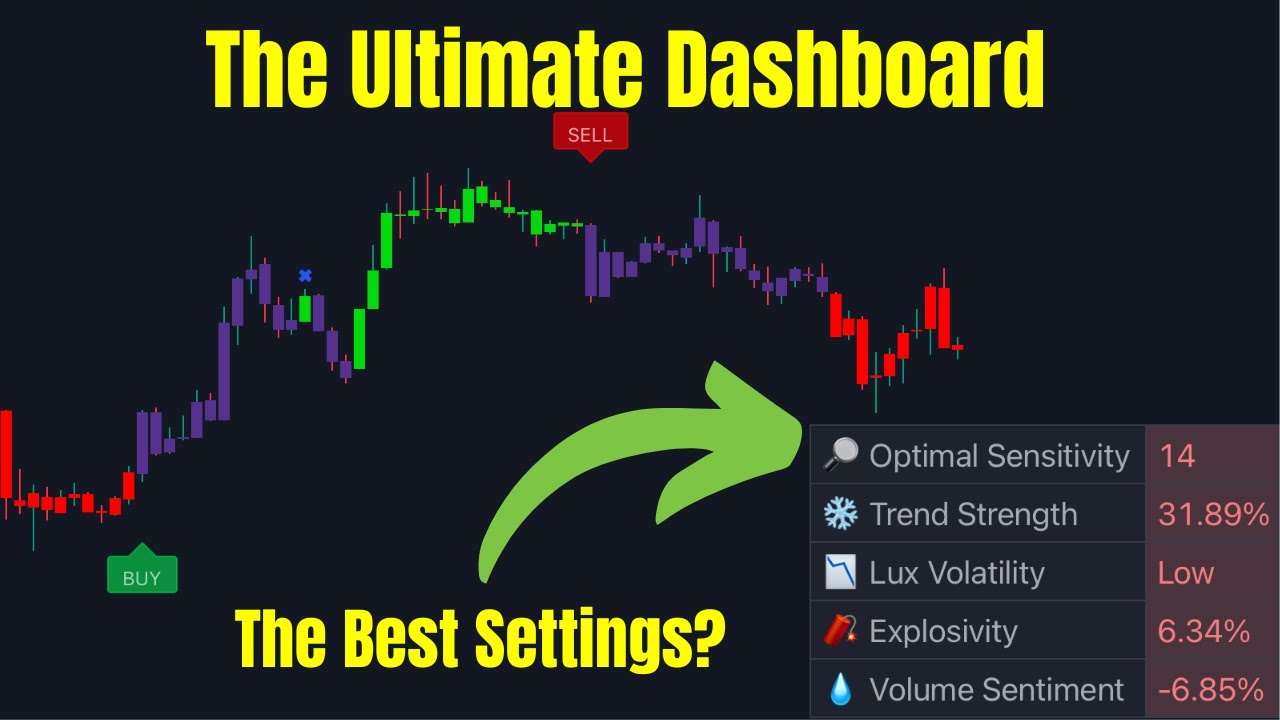
In this video I go through features in the Lux Algo Premium Dashboard showing you how you can use them in your Trading. I also show where you can find the optimised sensitivity to use on your charts.
Get Lux Algo: https://www.luxalgo.com
earnest oyster
sudden topaz
Any easy strategy for newcomers? i just joined today
I am testing different strategies from youtube with paper money until i find one i like
 broken crystal
is there a good video on how to use the smart money concepts indicator? thank you.
indigo cradle
broken crystal
is there a good video on how to use the smart money concepts indicator? thank yo...
In premium?
earnest oyster
I like this one but its not on premium: https://www.youtube.com/watch?v=knKK6Nvpw5A&t=366s
I added the premium oscillator(advanced) and make sure you use it in a volatile market

Lux algo just released a new Tradingview script called Smart Money Concept. This concept is a fairly new yet widely used amongst price action traders looking to more accurately navigate liquidity & find more optimal points of interest in the market. So in this video I will build a scalping strategy with this indicator that you can use today and ...
 glad patrol
Hello dear
My user name is
Trading view
Is
Cline0
I have Paid subscription
But I'm out of the algo premium
indigo cradle
earnest oyster
I like this one but its not on premium: https://www.youtube.com/watch?v=knKK6Nvp...
Yeah premium about to receive big update 🤝
indigo cradle
glad patrol
I have Paid subscription
But I'm out of the algo premium
Have you connected your account?
 earnest oyster
indigo cradle
Yeah premium about to receive big update 🤝
earnest oyster
indigo cradle
Yeah premium about to receive big update 🤝
is there going to be a new premium script or update to the SR & ...
 sudden topaz
aha
earnest oyster
yeah ?
glad patrol
Just order in the comments on the video
earnest oyster
prefer sticking to my risk to reward ratio or when i see an x
indigo cradle
earnest oyster
is there going to be a new premium script or update to the SR & ...
Update
sudden topaz
How can i get new indicators?
I see there so many indicators, possible to get them?
dark spindle
I want to ask admin 2 questions:
Questions 1:
When my LuxAlgo Premium is in "Allow Dynamic Adjustment Confirmation Signals" mode as shown
With this automatic mode, I want to ask, have the indicators from Discord been updated to Tradingview for automatic mechanism or not? @indigo cradle [lug

Question 2: In the process of using, do you evaluate which method is more effective?
-Should it be in automatic mode or manual operation?
earnest oyster
sudden topaz
I see there so many indicators, possible to get them?
https://www.tradingview.com/u/LuxAlgo/#published-scripts all lux indicators

TradingView
Charts, forecasts and trading ideas from trader LuxAlgo. Get unique market insights from the largest community of active traders and investors.
sudden topaz
ty
sudden topaz
earnest oyster
I like this one but its not on premium: https://www.youtube.com/watch?v=knKK6Nvp...
do you mean lux volatile? ? and what it should be high or low or normal?
earnest oyster
i mean this one

i saw a good video explaining how to read this indicator lmk try to find it
sudden topaz
i hope you find it
earnest oyster
https://www.youtube.com/watch?v=lwhR9iQrLKQ go arround minute 7

Lux Algo is the best trading tool I've seen on the market. In this video, I'm giving you a complete tutorial so you can hit the ground running as a crypto trader. Lux Algo has a TON of indicators so you can get ahead of other traders and 10x your win rate.
Download LuxAlgo ➡️ https://bitboycrypto.com/deal/luxalgo
If you want to become a succe...
sudden topaz
Thx you for helping us
I added the premium oscillator(advanced) and make sure you use it in a volatile market
what do you mean with " make sure you use it in a volatile market "
 wet idol
Hi
I’m new to Lux Algo, but I’ve been scalping indices on 5-min charts with other free indicators, and I thought Lux Algo would improve my performance. Unfortunately, I cannot seem to find the indicators setup that would work for scalping indices on 5-min. Would anyone care to share their setup and experience?
echo burrow
shy relic
There isn't a specific alert for this at the moment unfortunately 😦 Maybe in th...
Does anyone know how the Lux Volatility is calculated? I need to get it into an alert to turn a BOT off when Volatility = Low
indigo cradle
dark spindle
I want to ask admin 2 questions:
Questions 1:
When my LuxAlgo Premium is in "Al...
- Nope that's a different method that adjusts the sensitivity according to market movements
indigo cradle
dark spindle
Question 2: In the process of using, do you evaluate which method is more effect...
!settings
jaunty perch
Everything you need to know on optimizing signal settings: https://docs.luxalgo.com/lux-algo-premium-indicators/lux-algo/signal-settings
This page showcases every way users can adjust settings along with full explanations of how they differentiate from each other.
indigo cradle
wet idol
Hi
I’m new to Lux Algo, but I’ve been scalping indices on 5-min charts with othe...
Avoid this timeframe
It is basically going to make trading a lot harder
Go above 15m
sudden topaz
will be there offers in blackfriday?
quartz vector
Can anyone recommend a good strategy?
wet idol
indigo cradle
It is basically going to make trading a lot harder
But I cannot seem to find the right indicator setup.
The free indicators are working well for me but I thought with Lux Algo I could set better targets/exits points. Please guide me to a video that could be of use.
indigo cradle
wet idol
But I cannot seem to find the right indicator setup.
The free indicators are wor...

From all of the 20+ features in Lux Algo Premium, there's a lot to choose from which can raise many questions. In this video we show how to navigate through the toolkit to specifically find trend confirmations.
The indicator overlays in Lux Algo we show here include the EQ Cloud, Reversal Zones, and Trend Catcher. These can be enabled from wit...
sudden topaz
most of the time the bars in mid
wet idol
indigo cradle
https://youtu.be/vpSjJpCpwSE
Thanks
broken crystal
indigo cradle
In premium?
yes, please
 timber oracle
Is there a list of variables that can be used for the alerts when sending a webhook?
hot goblet
indigo cradle
From now until next month especially for you there's some surprises
cannot contain my excitement mate, thank you and the backend team ❤️
lofty nimbus
Which fx repairs works good on the premium indicators
 pearl stream
What if we enable auto pilot?What is the use?
Are signal perfect in auto pilot mode? @indigo cradle
 maiden pebble
indigo cradle
Yeah premium about to receive big update 🤝
maiden pebble
indigo cradle
Yeah premium about to receive big update 🤝
Any hints as to what’s coming in the new update?! 😎
indigo cradle
pearl stream
What if we enable auto pilot?What is the use?
Are signal perfect in auto pilot m...
!settings
jaunty perch
Everything you need to know on optimizing signal settings: https://docs.luxalgo.com/lux-algo-premium-indicators/lux-algo/signal-settings
This page showcases every way users can adjust settings along with full explanations of how they differentiate from each other.
indigo cradle
Explained here
indigo cradle
maiden pebble
Any hints as to what’s coming in the new update?! 😎
It's worth it 🤝
 wary pewter
Just signed up for LuxAlgo Premium double checking on how to get it added to Tradingview.
 cinder warren
Yeah guys I just signed up, I tried to set it up it’s very confusing
Need some help🙏🏼
indigo cradle
Welcome 🤝
indigo cradle
wary pewter
Just signed up for LuxAlgo Premium double checking on how to get it added to Tra...
!guide
jaunty perch
How to setup the indicators on TradingView: https://docs.luxalgo.com/getting-started/setup-tradingview
TradingView.com --> Chart --> Indicators --> Invite-only scripts
Learn how to setup Lux Algo Premium indicators on your TradingView charts. Check your Confirmation email and find the "Connect Accounts" button to connect your TradingView username with our indicator suite first.
indigo cradle
See this guide 🤝🤝🤝
wary pewter
Thank you thank you
 solemn mauve
@indigo cradle - had a qq,
does changing the Sensitivity and Agility on lux premium has any effect on the trend tracer and catcher? or is it only for buy/sell signals?
indigo cradle
solemn mauve
<@456590452703887373> - had a qq,
does changing the Sensitivity and Agility on ...
Just buy sell 🤝
solemn mauve
awesome, thanks for the quick response
rich fog
Anyone has a good setting for stock? The signal was so lagging when I put on auto and when I got in I only can took a quick profit but when stop loss hit it’s huge vs the profit. Not a risk to reward at all. Just lose a little today not big because of the risk management but that is what I have seen so far for the past two days
For example, we got out of the reverse zone, the buy signal didnt come out until the line that I drew

Just a quick scalp. Base on my observation, profit is so little vs the risk
sudden topaz
is there an indicator for those lines?
 hazy spoke
@indigo cradle how do i turn on the dashboard display for this indicator?
 rich fog
sudden topaz
is there an indicator for those lines?
rich fog
sudden topaz
is there an indicator for those lines?
Saty ATR
I use that for support and resistance.
If anyone know the good setting for LUX Algo please share. I have no luck at all w the Lux Algo. Signal is too lagging Vs price action.
 quaint prawn
rich fog
If anyone know the good setting for LUX Algo please share. I have no luck at all...
quaint prawn
rich fog
If anyone know the good setting for LUX Algo please share. I have no luck at all...
Are you trading options or equity?
rich fog
Option
quaint prawn
Look in stock chat for me and @wooden dome strat
I can send it to you in the morning when im at my desk as well
Shoot me a DM @rich fog
rich fog
Thanks
sudden topaz
Get instant access: https://luxalgo.com | From all of the 20+ features in Lux Algo Premium, there's a lot to choose from which can raise many questions. In this video we show how to navigate through the toolkit to specifically find trend confirmations.
The indicator overlays in Lux Algo we show here include the EQ Cloud, Reversal Zones, and Tr...
 fossil flume
What time frame is the pattern detection section based on??
solemn mauve
quaint prawn
Look in stock chat for me and <@1003340140300746842> strat
@quaint prawn you da man!! Always helpful, thanks buddy for the awesome chat and info the other day
echo burrow
Does the autopilot setting = true, allow the LUX volatility to be factored into the buy/sell alerts
dark spindle
at large time frames, there will be time lag
So you can research so that the scanner reports the signal in real time and also includes the price of the graph at the time the bot has the signal? @indigo cradle
 thick arch
 ebon osprey
Cómo configuro el gráfico para que aparezca la sugerencia de compra o venta
ebon osprey
Cómo configuro el gráfico para que aparezca la sugerencia de compra o venta
hola amigo, mejor escribe en inglés, en español no toman en cuenta las preguntas
indigo cradle
dark spindle
at large time frames, there will be time lag
So you can research so that the sca...
Time lag?
jaunty perch
Id there are no new Optibot settings for the current day are the last settings still valid (XAUUSD, 5 min)?
indigo cradle
jaunty perch
Id there are no new Optibot settings for the current day are the last settings s...
They should be released just before 9am EST 🤝
jaunty perch
Ah, okay thanks
 hot hawk
@indigo cradle hi. can i get or set alerts for when a buy/sell signal pops up on the lux premium
indigo cradle
hot hawk
<@456590452703887373> hi. can i get or set alerts for when a buy/sell signal pop...
!alerts
jaunty perch
How to set up your own custom alerts in TradingView: https://docs.luxalgo.com/lux-algo-premium-indicators/setting-up-alerts-on-tradingview
Learn how to setup your own custom alerts on TradingView step by step.
hot hawk
jaunty perch
How to set up your own custom alerts in TradingView: https://docs.luxalgo.com/lu...
thank u
 cosmic comet
can somebody help me setup lux algo on BANKNIFTY index of NSE and help me backtest the strategy as well...thnx
quaint prawn
solemn mauve
<@887719005673111624> you da man!! Always helpful, thanks buddy for the awesome ...
no problem, anytime
 vast field
Hey, i have a newbie question. Is it even possible to write a script in TV to automatically back test strategy with lux algo?
indigo cradle
vast field
Hey, i have a newbie question. Is it even possible to write a script in TV to au...
currently not
thick arch
hello good morning, I have searched for a video or document with a complete explanation regarding lux profile and I have not found it, is it possible that you can provide me with something please?
 dense forge
Does somebody have strategypapers with strategies for Lux Algo? Regads
indigo cradle
thick arch
hello good morning, I have searched for a video or document with a complete expl...
You've seen my video?
thick arch
indigo cradle
You've seen my video?
I can not find it 😦
indigo cradle
thick arch
I can not find it 😦
Geckotrading volume profile 🤝
 pliant kayak
Hey guys I trade ES futures on the 1 minute, whats a good indicator that I could use?
 mental iris
@indigo cradle
Can you help me with my account?
indigo cradle
Will DM 🙂
 tawdry tide
I am a new user and I have a question. do i need to set optibot each time I switch over to new pairs? Anyway I can save it without having to set it whenever i come back to the pair?
@indigo cradle
 night beaconBOT
How to save settings for a trading pair on TradingView:
 pastel viper
What is optibot and how do you use in trading view.
Do. We have any video about optibot
 astral forum
what order is "best" for signal sensitivity. Is it Disc > Dashboard > Autopilot?
optibot u use to adjust "signal sensitivity" and "confirmation agility" in your lux algo premium indicator settings. If trading on the 1hr chart for example, adjust the values according to optibot 1hr. Values tend to be updated daily
 solar blade
@feral lava any chance we will get to see a teaser before the big release?
rich fog
When is the release?
 outer vine
Hello I am unable ot add indicators to tradingview
indigo cradle
outer vine
Hello I am unable ot add indicators to tradingview
Have you connected your account?
!guide
jaunty perch
How to setup the indicators on TradingView: https://docs.luxalgo.com/getting-started/setup-tradingview
TradingView.com --> Chart --> Indicators --> Invite-only scripts
Learn how to setup Lux Algo Premium indicators on your TradingView charts. Check your Confirmation email and find the "Connect Accounts" button to connect your TradingView username with our indicator suite first.
indigo cradle
pastel viper
What is optibot and how do you use in trading view.

New video with all methods explained: https://www.youtube.com/watch?v=wkruvBBeXn8&t
Here's a quick video on the multiple ways you can adjust signal settings within Lux Algo on TradingView and use Optibot within our Discord. Optibot is backtesting private data with our algorithm, while the auto-confirmation signal settings toggle is just an esti...
indigo cradle
astral forum
what order is "best" for signal sensitivity. Is it Disc > Dashboard > Autopilot?
I would tend to agree with that
 analog smelt
My candle gradients don’t seem to be working?
indigo cradle
analog smelt
My candle gradients don’t seem to be working?
You may have another indicator loaded that's clashing?
 left hemlock
Hello ADMIN. What is the difference between "Confirmation + Exits" and "Confirmation Minimal" in signal mode? The point of the signal looks the same.

 feral lava
!login
jaunty perch
You can login by clicking 'Manage Account' on https://luxalgo.com
Or email support@luxalgo.com and our team will assist you with any request the same day.

Enhance your trading experience. World's largest vendor of trading indicators for every market, including stocks, crypto, and forex. Advanced TradingView signals + bots for all traders & investors.
feral lava
@keen sleet
 keen sleet
feral lava
<@1029036467856625695>
keen sleet
feral lava
<@1029036467856625695>
check inbox
 thorny dove
Sorry ,what’s optimal settings for lux ALGO?sens and agility?I forget it
indigo cradle
thorny dove
Sorry ,what’s optimal settings for lux ALGO?sens and agility?I forget it
default?
Or optimisation?
indigo cradle
12/26 ☝️
solemn mauve
 heavy schooner
I need help
heavy schooner
I need help
Help with what?
indigo cradle
I can DM
wary furnace
Is there away to do filter alerts for Oscillators that will be great
timber oracle
is there a way to send the value of swing low to a webhook?
sudden topaz
indigo cradle
I can DM
Please add me as friend, need to talk with you, thx
 iron kestrel
Is there anyway to change my account tradingview i sign up to lux algo premium to another account ?
shy relic
iron kestrel
Is there anyway to change my account tradingview i sign up to lux algo premium t...
You can by giving the new username to support@luxalgo.com
indigo cradle
wary furnace
Is there away to do filter alerts for Oscillators that will be great
It is but what type of filer?
 severe ivy
@indigo cradle yesterday I subscribed and the indicators were showing but today they don't appear !! it shows that I should contact the author, I sent already email with details
indigo cradle
severe ivy
<@456590452703887373> yesterday I subscribed and the indicators were showing but...
Could I see a screenshot?


 indigo cradle
severe ivy
indigo cradle
severe ivy
Very very odd
You didn't change account?
If not email support@luxalgo.com and they will quickly fix
indigo cradle
Perfect: support will fix
severe ivy
I hope they will quickly fix it thanks
 bitter siren
Is there any particular setting for the order block?
indigo cradle
bitter siren
Is there any particular setting for the order block?
No particular it's more a preference there 🙂
bitter siren
Ok thanks
astral forum
2 questions. 1 - how is optibot better to use than dashboard? seems the dashboard updates live but optibot only updated daily? and 2 - why is it that a buy/sell signal will show for 1 exchange on TV, but not show up on another?
indigo cradle
Optibot sends to be better
- If the data between exchanges differs significantly interpretations of their data will differ
 haughty sky
Hi Admin, do you have any ways to signal the various candlestick patterns in Lux algo premium or pattern indicator? As the pattern highlights the chart pattern of double bottom, H&S etc on the top right, it would be very helpful if the candlestick pattern can also be highlighted somewhere as they happen all the time, just because memorizing so many candlestick patterns is really tough to spot every time, so a bit of algo help would be highly appreciated.

 tawny lynx
Is there any information or assitance to use the optibot signals to automate a 3commas trading bot using lux algo premium triggers/buy/sell confirmations?
 tepid mauve
hi support is there a setting to see where EMA gap fills are?
sudden topaz
morning guys
indigo cradle
tepid mauve
hi support is there a setting to see where EMA gap fills are?
EMA gap fills? Sadly not
indigo cradle
sudden topaz
morning guys
GM GM
astral burrow
that das the Pattern ASC BW means ?
 untold ginkgo
@indigo cradle - For multi timeframe analysis, would it be possible to have a dashboard widget highlighting whether each timeframe is bearish or bullish or trending?
hot goblet
@indigo cradle - does the buy/sell signal in trendlines with breaks repaint?
indigo cradle
hot goblet
<@456590452703887373> - does the buy/sell signal in trendlines with breaks repai...
A little little bit
indigo cradle
untold ginkgo
<@456590452703887373> - For multi timeframe analysis, would it be possible to h...
We used to but it makes the indicator SO SO laggy
We will try get it back
untold ginkgo
indigo cradle
We used to but it makes the indicator SO SO laggy
Thanks. If it can be an optional element, whoever needs can enable or disble
 ember crow
Hi
 blissful epoch
Hello, I was wondering if there is an explanation somewhere for the OptiBot Settings
indigo cradle
blissful epoch
Hello, I was wondering if there is an explanation somewhere for the OptiBot Sett...
New video with all methods explained: https://www.youtube.com/watch?v=wkruvBBeXn8&t
Here's a quick video on the multiple ways you can adjust signal settings within Lux Algo on TradingView and use Optibot within our Discord. Optibot is backtesting private data with our algorithm, while the auto-confirmation signal settings toggle is just an esti...
 silent nexus
Hello! 👋
I don't quite understand something.
Let's say I have 2 windows opened with EUR/USD on 15m TF, both with default Lux Algo Premium settings.
On the first one I've enabled the Autopilot settings, but on the second one I've set the latest corresponding OptiBot settings.
So the visual difference between them is that on Autopilot, I see a lot more confirmation signals than the Optibot gives.
Which one should I be using? Why do they differ? Does the Autopilot also take the confirmation signals agility into account as Optibot does?
I'm asking this because so far I understood that if I don't want to check the Optibot settings from here every time in order to apply them manually in every chart, I can just enable the Autopilot and everything stays in sync automatically.
Did I miss something?
Thank you! 🙏
jaunty perch
Everything you need to know on optimizing signal settings: https://docs.luxalgo.com/lux-algo-premium-indicators/lux-algo/signal-settings
This page showcases every way users can adjust settings along with full explanations of how they differentiate from each other.
indigo cradle
see here ^
silent nexus
OK, I'll take a look again. Thank you! 🤝
 steel hill

These are the only brokers I’m getting, and none of them can trade more then BTC and ETH. And you have to be 21 to use trade station.
I’m trying to find brokers I can connect for crypto and more then BTC and just ETH
thick arch
hello good morning, in the tradindview alert clock when I want to activate an alert I don't see the indication lux algo:(
cosmic comet
Hi, what should one do if the SENSITIVITY KEEPS dynamically changing in a 3 minute and 5 minute charts, especially i trade in index(NSE) ?
indigo cradle
thick arch
hello good morning, in the tradindview alert clock when I want to activate an al...
Try refreshing the page 🤝
indigo cradle
cosmic comet
Hi, what should one do if the SENSITIVITY KEEPS dynamically changing in a 3 minu...
For low timeframes using optibot may be a better approach
night beaconBOT
Hi @steel hill,
Please email support@luxalgo.com for any order enquiries and they will assist on the same day.
cosmic comet
indigo cradle
For low timeframes using optibot may be a better approach
I am not able to find the optimal settings for NSE indices 1. NIFTY 2. BANKNIFTY. Would be glad if you can guide me other wise.
indigo cradle
Ahhhh then maybe optibot is a better choice here
But for the dashboard
Just before you enter a trade
Change settings to the given value
thick arch
indigo cradle
Try refreshing the page 🤝
thank you very much it worked immediately
cosmic comet
I have seen the video on optibot but was bit difficult to unserstand the concept...reqest help...thnx
indigo cradle
cosmic comet
I have seen the video on optibot but was bit difficult to unserstand the concept...
Optibot gives you the values
You enter the values 😎
 twin mirage
LuxAlgo Premium can work for WTI Crude Oil, USOIL, USOUSD ?
indigo cradle
twin mirage
LuxAlgo Premium can work for WTI Crude Oil, USOIL, USOUSD ?
Absolutely 🤝
cosmic comet
indigo cradle
Optibot gives you the values
according to video in the documentation of lux algo it says the settings are found on the discord server but not able to find one. how to get the settings....or you should be referring to the optimal sensitivity settings on the dashboard while trade is on....
indigo cradle
cosmic comet
according to video in the documentation of lux algo it says the settings are fou...
Which asset are you trading?
cosmic comet
indigo cradle
Which asset are you trading?
NIFTY AND BANKNIFTY IN NSE INDIA
indigo cradle
cosmic comet
NIFTY AND BANKNIFTY IN NSE INDIA
You can use NSEI for nifty from optibot
cosmic comet
indigo cradle
You can use NSEI for nifty from optibot
how about BANKNIFTY, will the nifty setting will work or ?
indigo cradle
cosmic comet
how about BANKNIFTY, will the nifty setting will work or ?
You'd want to use dashboard
cosmic comet
indigo cradle
You'd want to use dashboard
ok i will work as per the dashboard....in any case would request for a backtest for BANKNIFTY as well as it is one more important index in NSE India.
indigo cradle
Understood 🤝🤝
 untold zephyr
Is volume sentiment like a money flow index? And can make it a plot next update
 vale nimbus
Can I have two "filtred alert" at the same with time Lux Premium 5.2 ???
Like this...
Alt 1,
Signal Condiistion = Any confirm buy
Trend Catcher = Up
Neo Cloud = Bullish
Alt 2,
Signal Condiistion = Any confirm sell
Trend Catcher = Down
Neo Cloud = Bearish
indigo cradle
You can when you make 2 alerts. Make one, set it. Change settings, make another
 modern onyx
hello, i have made a double payment on the subscription(cause it asked to edit the address, then entered again) will i get a refund on the second payment?
night beaconBOT
Hi @modern onyx,
Please email support@luxalgo.com for any order enquiries and they will assist on the same day.
 spare condor
Click '' on our main toolkit to get update notifications directly in TradingView: https://www.tradingview.com/script/fYHlrAoz-Lux-Algo-Premium/
Dont know where to 👍
night beaconBOT
Hi @night pivot,
Please email support@luxalgo.com for any order enquiries and they will assist on the same day.
 haughty garnet
Hello, I'm new, I have a question about how do I get tradingview to send me an alert when the buy/sell option appears in the LUX indicator
indigo cradle
haughty garnet
Hello, I'm new, I have a question about how do I get tradingview to send me an a...
Welcome 🙏
!alerts
jaunty perch
How to set up your own custom alerts in TradingView: https://docs.luxalgo.com/lux-algo-premium-indicators/setting-up-alerts-on-tradingview
Learn how to setup your own custom alerts on TradingView step by step.
 lilac basin
Hello Admin !! I need you help 🙏 i would like to combine a lux algo premium 5.2 alert with a trendline with brake(lux) signal using the alert filter.
I have done what appears in the videos but i have not been successful :/
shy relic
 misty ruin
Guys do you give signals too ?
misty ruin
Guys do you give signals too ?
yes, see #🔔scanners-premium 🙂 You can also set alerts for signals on Tradingview
shy relic
lilac basin
Hello Admin !! I need you help 🙏 i would like to combine a lux algo premium 5.2...
the filtered creator supports external indicators, however it is very limited, and can mostly be used with normalised sources.
 misty ruin
shy relic
yes, see <#780585592911560734> 🙂 You can also set alerts for signals on Trading...
misty ruin
shy relic
yes, see <#780585592911560734> 🙂 You can also set alerts for signals on Trading...
Thank you
 proven flame

Is the trend tracer bug ? It go down with green color.
Around sep-oct
Also changing color as well.
shy relic
proven flame
we are looking into it 🙂
proven flame
🙏🏽
daring compass
Hey guys. Is there a way to set notifications to my phone when buy and sell signals come on?
 gleaming goblet
morning
@indigo cradle is the SMC smart money concept found in the premium lux algo?
feral lava
gleaming goblet
<@456590452703887373> is the SMC smart money concept found in the premium lux al...
see #🆕new-indicators
premium update is coming soon tho this month
 wintry bluff
Hey 👋🏼, I’ve just connected by trading view account with lux but when I try to add it says that I need to contact author. Any solutions?
gleaming goblet
feral lava
see <#854810501644025867>
premium update is coming soon tho this month
thanks I checked it up.. wish that update would not late too much.
feral lava
wintry bluff
Hey 👋🏼, I’ve just connected by trading view account with lux but when I try to...
refresh the app first & make sure you entered your correct username
wintry bluff
feral lava
refresh the app first & make sure you entered your correct username
Got it working, thanks!
 hoary mist
how step up luxalgo to tradingview
indigo cradle
hoary mist
how step up luxalgo to tradingview
!guide
jaunty perch
How to setup the indicators on TradingView: https://docs.luxalgo.com/getting-started/setup-tradingview
TradingView.com --> Chart --> Indicators --> Invite-only scripts
Learn how to setup Lux Algo Premium indicators on your TradingView charts. Check your Confirmation email and find the "Connect Accounts" button to connect your TradingView username with our indicator suite first.
 vagrant orchid
I renewed my subscription but I don’t have access to the indicator yet
indigo cradle
vagrant orchid
I renewed my subscription but I don’t have access to the indicator yet
You renewed?
or just signed up?
vagrant orchid
Renewed
vagrant orchid
I renewed yesterday and I did that but still the same
vagrant orchid
Okay thanks the thing is has been like a year since I have lux algo because I couldn’t afford it
indigo cradle
ahhhh welcome back 😄
haughty sky
haughty sky
Hi Admin, do you have any ways to signal the various candlestick patterns in Lux...
@indigo cradle any update on this please.
indigo cradle
haughty sky
<@456590452703887373> any update on this please.
Thing is with this: it's a free indicator
It's free in TradingView
Selling this is ehhhh
haughty sky
Oh great nice, appreciate it if you can provide the name of such an indicator please.
indigo cradle
haughty sky
Oh great nice, appreciate it if you can provide the name of such an indicator pl...
If you go to indicators
Built ins
Go to candle stick patterns
dark spindle
As suggested and discussed before
We hope that the admin will pay attention and consider adding this feature to Premium LuxAlgo members.
Currently I am also using pagedingview Pro version which costs $14.95/month, however with only 20 alerts for this version, bed like me is not enough for 10 cryptos that I am monitoring daily.
We hope that LuxAlgo will review and update it in the upcoming version @jaunty perch , @shy relic , @indigo cradle
 indigo cradle
dark spindle
As suggested and discussed before
We hope that the admin will pay attention and ...
indigo cradle
dark spindle
As suggested and discussed before
We hope that the admin will pay attention and ...
Will review this but from what I see this isn't possible in TradingView
You cannot programme in custom alert options like that
dark spindle
indigo cradle
Will review this but from what I see this isn't possible in TradingView
So is it possible to set up some minimal warnings?
Buy and sell
exit Buy, exit sell
indigo cradle
dark spindle
So is it possible to set up some minimal warnings?
Buy and sell
exit Buy, exit s...
Add in exits?
dark spindle
indigo cradle
Add in exits?
I mean. only filtered out 3-5 of the most common indicators
The important thing is that it can simultaneously warn for multiple securities or multiple cryptos selected from the list.
indigo cradle
So basically you want more items in the all in one alert?
dark spindle
indigo cradle
So basically you want more items in the all in one alert?
Instead of setting up all the indicators for 1 coin
I would like to set up 3-5 indicators for "simultaneously" many selected coins in the list
indigo cradle
dark spindle
Instead of setting up all the indicators for 1 coin
I would like to set up 3-5 ...
It's just not really possible in a clean fashion in TV currently
dark spindle
indigo cradle
It's just not really possible in a clean fashion in TV currently
`Yes
Maybe I also have to research more about the option to buy the premium version of Tradingview
However, even if there is that version, to set an alert for an "Exit Sell" signal for 100 cryptos, it will have to be done manually 100 times, which is quite tedious.
That's why I wanted you to find a solution "set 1-2 simultaneous alerts for multiple Coins"
dark spindle
dark spindle
In the near future, the market will go into a recession and will mainly be on th...
With a warning at Discord
I really hope the Admin will add smaller time frames for those who need to choose
Or create a mechanism for them to only follow certain Stocks or crypto codes, but in different time frames
For example me:
I like Pump and Dump money flow indicators on short timeframes like 15 minutes or 1 hour not on long time frames from 2 hours or more
There are others, they only like alerts for 3-5 Stocks that they follow, but they want every money flow notification in many different time frames
 paper palm
Hi, wondering how to see the divergence in the oscillator
night beaconBOT
Hi @steel hill,
Please email support@luxalgo.com for any order enquiries and they will assist on the same day.
 indigo cradle
paper palm
Hi, wondering how to see the divergence in the oscillator
indigo cradle
paper palm
Hi, wondering how to see the divergence in the oscillator
Which oscillator mode?
steel hill
I emailed the support team is there anything I do on the website?
indigo cradle
steel hill
I emailed the support team is there anything I do on the website?
Nope
steel hill
Thanks😁😉
 rare ginkgo
Hello need help in French is possible ?
I subscribed to a VIP subscription it is not active on my tradingview mobile how can I do
 west cargo
Gm, I still don't have access to the vip indicators on trading view 🥲
indigo cradle
west cargo
Gm, I still don't have access to the vip indicators on trading view 🥲
Have you connected your account?
west cargo
indigo cradle
Have you connected your account?
Yes sir
 west cargo
indigo cradle
MadMeerkatTrader?
west cargo
indigo cradle
MadMeerkatTrader?
Yes sir
indigo cradle
Have you refreshed your tradingview?
untold zephyr
shy relic
yes, see <#780585592911560734> 🙂 You can also set alerts for signals on Trading...
For the next update can you please make volume sentiment a plot or make an alert for it
west cargo
indigo cradle
Have you refreshed your tradingview?
It's working now ! Ty ser
 calm beacon
Hi, i got the linked discord account changed via the email support but they forgot to add the "lifetime" role.
Any chance that some of u guys can verify & give me the role back? Email support seems to have closed the ticket since i dont get a response anymore 😅
If not i'll just go another round via email^^
indigo cradle
Fixed 😄
 long vigil
Hey i am new to your indicator can you please tell me how can i avoid fake signals in consolidation mode ?
shy relic
long vigil
Hey i am new to your indicator can you please tell me how can i avoid fake signa...
you can by determining if market is trending or ranging, this can be done looking at the trend strength on the dashboard 🙂
long vigil
Trend strength is 46%. What is the meaning of it.
shy relic
long vigil
Trend strength is 46%. What is the meaning of it.
it means that the current trend has a degree of variation under average (50%), however its fiarly close, suggesting market might be starting to trend or is trending
storm comet
Hello support ! I need your help
 mighty glacier
I have purchased subscription for 1 month..please add me in discord community
 mild crystal
ok thank you
how come they entered this discord group? and do some scam to its members?
calm beacon
indigo cradle
Fixed 😄
thank you 🙂
mighty glacier
Please add me in group...where alerts are present for trading
Where i find alerts for cryptos...which crypto to buy or sell
Anybody from LUX
Where i found alerts...
 rich wing
Is there a way to change the color on this? And is it Left side = Bought, Right side = Sold? Also, is there a way to add price values and number of units?
 indigo cradle
Sadly not currently 😦
rich wing
indigo cradle
Sadly not currently 😦
Left side is Bought and Right side is sold?
rich wing
ah, okay, making more sense now
spare condor
What does this mean in blue box? Don't know all meanings jet @indigo cradle
 cunning geyser
suddenly I see the candles half extinguished, what happened? how can i solve them? Look picture

 ivory dawn
can you add indicators on my TV , name is DannyUN @indigo cradle
shy relic
ivory dawn
can you add indicators on my TV , name is DannyUN <@456590452703887373>
you can receive access instantly directly from the confirmation mail sent to you when becoming a member, see #🚀get-access 🙂
 trail chasm
For FTMO traders, which source are you using on tradingview?
lofty nimbus
What is volume en volatility
 night violet
Hey i am new to lux algo, i just bought, just wanted to know that is the optimal sensitivity for?

Do i change this number to the optimal sensitivity?
 lofty nimbus
rich wing
Is there a way to change the color on this? And is it Left side = Bought, Right ...
lofty nimbus
rich wing
Is there a way to change the color on this? And is it Left side = Bought, Right ...
Which indicator is this ?
 gaunt ice
Hi There where can i see these alerts/suggestions

 modern sluice
hey guys how can i fix the 15min trading and which do coins do you guys suggest for daily trading?
 scarlet crater
If i set my parameters for a specific coin or stock, and change to a different stock, would i need to readjust my settings?
modern sluice
hello i need help with adjusting the indicator for specific coin and idk how can i get help pleas?
 crystal slate
misty ruin
Hello
crystal slate
misty ruin
Hello
Just buy low and sell high. Easy.
cosmic comet
hi, request your goodselves to include BANKNIFTY INDEX in optibot thanx
for NIFTY INDEX i am using NSEI settings....
sudden topaz
morning guys
 cerulean marsh
Can optibot add a scan of the JP225 Indices?
 vale mortar
 humble python
Hey team, trying to get the LuxAlgo indicator on Trading view to be active but keeps saying it's invite only! How long does it take to get access since purchase?
 humble python
Thanks, I did with my userID but I didn't grant aceess
jaunty perch
Did you add your TV ID
jaunty perch
Then try refresh TV Control + F5
humble python
Working thanks mate
jaunty perch
Welcome 🙏
 vocal steeple
Can someone help me how to get Invite only scripts on TV
humble python
I had to wait for a bit to be activated on my account, refresh TV and done
vocal steeple
How long it will take?
humble python
around 10 min
humble python
I would email support then
jaunty perch
I got mine in 5 minutes but it says wait upto 6 hrs
vocal steeple
I already mailed the support team
mild crystal
good day
tepid mauve
hi support is there a way to see where large SLs are on Longs and shorts? Basically where people will be liquidated
 lapis quiver
The Signals are very random; if you get a momentum candle, it throws the algorithm and adds a false signal. This is the second time I've signed up to Lux Algo, and I'm still not getting any consistency with my trades.
indigo cradle
 molten pelican
<@456590452703887373>
molten pelican
<@456590452703887373>
It's coming 😎
indigo cradle
lapis quiver
The Signals are very random; if you get a momentum candle, it throws the algorit...
What strategy are you using?
Or which signal mode?
indigo cradle
vocal steeple
I already mailed the support team
Did you connect your accounts?
vocal steeple
Yes
indigo cradle
Could I see a screenshot?
 indigo cradle
Your connect account page sir
When you signed up for Lux
You got an email
With connect accounts button
 hallow yarrow
I received the email but its not connected with discord vip and trading view

 indigo cradle
Perfect
 surreal wyvern
Hello! I have a question how do i access Premium at TradingView?
indigo cradle
So your Tradingview username is the one you gave?
indigo cradle
surreal wyvern
Hello! I have a question how do i access Premium at TradingView?
Have you connected your accounts?
surreal wyvern
Yes
indigo cradle
surreal wyvern
Yes
!guide
jaunty perch
How to setup the indicators on TradingView: https://docs.luxalgo.com/getting-started/setup-tradingview
TradingView.com --> Chart --> Indicators --> Invite-only scripts
Learn how to setup Lux Algo Premium indicators on your TradingView charts. Check your Confirmation email and find the "Connect Accounts" button to connect your TradingView username with our indicator suite first.
vocal steeple
It says that you are registered as Sohail_Sayyed and when I sign in TradingVeiw with my same email but my username is different @indigo cradle
indigo cradle
vocal steeple
It says that you are registered as Sohail_Sayyed and when I sign in TradingVeiw ...
Ah
Email support@luxalgo.com with your correct username
So they can change that
vocal steeple
My username is sasohail96 on TV
indigo cradle
vocal steeple
My username is sasohail96 on TV
Let support know 👍
hallow yarrow
indigo cradle
Email support@luxalgo.com with your correct username
Already emajl sent with no luck
vocal steeple
Okay
surreal wyvern
Thank you Gecko!
lapis quiver
indigo cradle
Or which signal mode?
I tried them all, but mainly without any filters or overlays and changing the optimal sensitivity each time I change a chart.
indigo cradle
hallow yarrow
Already emajl sent with no luck
How long ago?
indigo cradle
lapis quiver
I tried them all, but mainly without any filters or overlays and changing the op...
Could I see your setup?
 formal ermine
Any news on the Update ? @indigo cradle
indigo cradle
formal ermine
Any news on the Update ? <@456590452703887373>
Of course
It's coming 😎
And everything is on schedule
 agile kraken
I tried connecting my Lux algo to tradingview, but I still don’t have the option to use it, still has the lock symbol on it
lapis quiver
indigo cradle
Could I see your setup?
Thanks for your help
 indigo cradle
lapis quiver
Thanks for your help
indigo cradle
lapis quiver
Thanks for your help
It's ehhhhhh
Try using NEO Filter
Trend catcher
And reversal zones
And load up an oscillator
indigo cradle
agile kraken
I tried connecting my Lux algo to tradingview, but I still don’t have the option...
Wait 2m then refresh 🤝
agile kraken
indigo cradle
Wait 2m then refresh 🤝
Waited 45 mins, still nothing
indigo cradle
agile kraken
Waited 45 mins, still nothing
Could I see a screenshot of your connect accounts page?
lapis quiver
indigo cradle
Try using NEO Filter
Hi Gecko, That seems to be worse.
 indigo cradle
lapis quiver
Hi Gecko, That seems to be worse.
indigo cradle
lapis quiver
Hi Gecko, That seems to be worse.
Ultimate stochastic v v nice
Maybe not NEO Filter
Try using the dashboard to optimise the signals
 indigo cradle
agile kraken
indigo cradle
agile kraken
Your Tradingview username is ToSlow?
 modern surge
hey gecko sent you a DM
 agile kraken
indigo cradle
Your Tradingview username is ToSlow?
agile kraken
indigo cradle
Your Tradingview username is ToSlow?
Yes
indigo cradle
 pliant storm
neo cloud is not coming in colours
pliant storm
neo cloud is not coming in colours
Zoom out
indigo cradle
agile kraken
Yes
Have you tried refreshing?
pliant storm
indigo cradle
Zoom out
it is still coming in grey colour
indigo cradle
pliant storm
it is still coming in grey colour
Could I see?
pliant storm
indigo cradle
Could I see?

i cant understand the indicator any help also watching video but cant understand
pliant storm
indigo cradle
Have you read our docs?
no
pliant storm
indigo cradle
Or which videos have you seen?
new lux algo v 5.2 ,How To Find The Best Settings,The BEST Setup for Trading Lux Algo
can you guide me more
its my first time using lux algo
 dim thorn
pliant storm
dim thorn
pliant storm
i can see it in colour now just need guide how to use it
pliant storm
indigo cradle
Have you read our docs?
where can i get docs
does the indicator give signal after the wick is closed ?
 indigo cradle
pliant storm
no
indigo cradle
pliant storm
no
!docs
jaunty perch
Learn about every aspect of Lux Algo at: https://docs.luxalgo.com
Learn how every aspect of our product suite works & get useful information about technical analysis.
indigo cradle
These are our full docs 👍🤝
pliant storm
indigo cradle
These are our full docs 👍🤝
Thanks
pliant storm
pliant storm
does the indicator give signal after the wick is closed ?
This
indigo cradle
Signal is confirmed on candle close
mighty glacier
Where to found trading alerts in this discord community
 granite saffron
Someone can explain to me in the SMC free indicator the "Premium/Discount Zones" how exactly works?
lofty nimbus
What is de meaning of volume and voltility
 void moat
Hi can you please help me to find a signals for crypto here )) I’m totally bling in discord 😁😁😁
agile kraken
indigo cradle
Have you tried refreshing?
Yes
indigo cradle
agile kraken
Yes
Could I see a screenshot of your Tradingview profile
indigo cradle
void moat
Hi can you please help me to find a signals for crypto here )) I’m totally bling...
Welcome 😎
Are you referring to discord signals?
void moat
Yes))

 indigo cradle
agile kraken
indigo cradle
agile kraken
You Definitely have access
Close app
Go to chart
And it should show
 serene ravine
how to set alert every signal?
indigo cradle
!alerts
jaunty perch
How to set up your own custom alerts in TradingView: https://docs.luxalgo.com/lux-algo-premium-indicators/setting-up-alerts-on-tradingview
Learn how to setup your own custom alerts on TradingView step by step.
wintry bluff
hey, I'm having trouble figuring out how to trade using the signals and oscillators. I tried backtesting most of the strategies but didn't seem to work out. I was hoping someone would give some tips or advise 🙂
serene ravine
is any alert function call work?
indigo cradle
serene ravine
is any alert function call work?
It can absolutely
indigo cradle
wintry bluff
hey, I'm having trouble figuring out how to trade using the signals and oscillat...
What sort of approach are you backtesting?
wintry bluff
Replaying the chart in trading view and trading going forth. I record results in a spreadsheetI made
indigo cradle
What's your strategy?
wintry bluff
using reversal zones, trend catcher, and neo clouds ...
the one in the guides from lux
there were more ive tested but this is one of them
indigo cradle
Which timeframe?
wintry bluff
15m
indigo cradle
Which asset? Sounds like a reasonably nice setup
wintry bluff
yea, i turned them on to look at them for 5 seconds 😂
but no havent used them to test
wintry bluff
alright
which signal sensitivity do you think would be best?
should i leave it on autopilot?
 frosty escarp
I just joined your service. Am I logged in properly for VIP Service? please advise.
frosty escarp
Currently I am not seeing your indicators in TradingView/Please advise. @indigo cradle
indigo cradle
Hi there
Have you connected your accounts
If you have
And you provided the correct TradingView username
Refresh TradingView
frosty escarp
Is the correct tradingview user name in the upper left hand corner of the screen?
frosty escarp
my name plus 5 numbers?
indigo cradle
Could I see a screenshot
Of what you see
A screenshot of your Tradingview profile
And your connect accounts page
frosty escarp
Trying to figure out how to take a screen shot. I have a windows computer. Press Ctrl + PrtScn keys. Isnt working @indigo cradle

 granite saffron
Someone can explain to me in the SMC free indicator the "Premium/Discount Zones" how exactly works?
frosty escarp

@indigo cradle I have viewed the instructions. I am not currently able to access LUXalgo Indicators
 thorny rapids
frosty escarp
thorny rapids
frosty escarp
i have the problem that i dont have it .... nee help user : vladpanga1
 tough turret
there is any discount for lifetime
 dark spindle
Admin let me ask a little about the algorithm in setting alarms
I would like a specific example with pictures:
For example: I often set the autopilot mode (as shown in Figure 1), and this auto mode I use to observe all the Cryptos that I am interested in.
- However, when I want to trade a specific Crypto, I will set the mode according to the suggested parameters of "Optimal Sensitivity" (Figure 2)
THE QUESTION IS:
IF I SET AWARNING BUY SIGNS according to the "Optimal Sensitivity" suggested parameter of 18, will the return for that Buy signal follow index 18 or the Instrument will give a BUY signal at the position of the Autopilot
(Because the 2 BUY positions of the 2 mechanisms above are different)* @indigo cradle

 raw oar
@indigo cradle hey man, any recommended strategy for 1m/5m scalping?
the one in the video doesn't really help much
dark spindle
I want to ask 1 more question?
-
As I mentioned on twitter, Can you open another group in discord to announce updates and details will be updated?
-
When will the update be released?
-
I want to ask more about smart money flow signals at Lux Algo Oscillators Premium [5.0.1]
As I discussed last week it is recommended to clearly indicate when institutional money is buying (blue and pointing up) and selling (red and pointing down), instead of only 1 yellow indicator bar as of now @indigo cradle

 undone kernel
If you set your filtered signals to all confirmation buys with trend tracer and catcher both bullish and trend strength above 50, would the signal trigger once the strength reaches 50 or just miss it completely because the it wasnt above 50 when the other 3 conditions were met?


 worn fractal
Hi guys, so just a quick question regarding the trend catcher. I did a test to see if it repaints because I took a trade yesterday and all confluence was met, the trade reversed which they do sometimes but then the trend catcher which was green when I took the trade was now red. I have uploaded 2 screenies of the same test. I get that the current candle can swing between red & green but the 2nd last candle is closed and therefore that should NOT have changed to red or am I missing something?


the entry graphic was just to set a point for the test and not a trade at all
raw oar
@worn fractal have you changed the sensitivity at all?
 fallow plover
hello admin
worn fractal
raw oar
<@436156736231964712> have you changed the sensitivity at all?
No I left it on auto
jaunty perch
worn fractal
No I left it on auto
Maybe that could be the reason; don't forget autopilot constantly changes the sensitivity.
Ahah. You can see in the lower frame the candle has chaned to a doji. The candle if still open will affect the trendline.
worn fractal
jaunty perch
Ahah. You can see in the lower frame the candle has chaned to a doji. The candle...
Yeah but my concern was the 2nd last candle. The trend catcher was green when that candle closed and then turned red during the following candles movement
jaunty perch
worn fractal
Yeah but my concern was the 2nd last candle. The trend catcher was green when th...
Good point.
jaunty perch
worn fractal
Yeah but my concern was the 2nd last candle. The trend catcher was green when th...
DannyV. It pivots on the previous cancle.I'm observing it myself now.
indigo cradle
wintry bluff
why cant I add an alert for lux algo? Its greyed out
Refresh page 🙂
indigo cradle
worn fractal
Hi guys, so just a quick question regarding the trend catcher. I did a test to s...
No repaint 🙂 It's changing value on the current bar there
indigo cradle
serene ravine
Why I choose all but it didn’t alert at 12?
Could I see how you set your alerts?
indigo cradle
dark spindle
I want to ask 1 more question?
1. As I mentioned on twitter, Can you open anoth...
- #🔊announcements
- Updates: Early to mid nov
- What is your qn? 🙂
indigo cradle
tough turret
there is any discount for lifetime
Sadly not; it doesn't get much cheaper than this price. You can upgrade prorated though
!upgrade
jaunty perch
You can upgrade your subscription by logging in to your customer account at: https://luxalgo.chargebeeportal.com/
Once logged in, click your account, click on your membership, and select 'Edit Subscription'.
From here you can select your upgraded plan of choice (including lifetime) from the blue drop down menu, see the prorated charge, and click 'Update Subscription' to complete the process.
indigo cradle
frosty escarp
This is fixed?
jaunty perch
indigo cradle
1) <#728665728869335190>
2) Updates: Early to mid nov
3) What is your qn? 🙂
It's early November now 😎
dark spindle
indigo cradle
1) <#728665728869335190>
2) Updates: Early to mid nov
3) What is your qn? 🙂
@indigo cradle My wish is
Please create an "Update" tab on this discord channel
- To notify each time the LuxAlgo tool is updated
- At the same time notify the content is updated in the new version
indigo cradle
dark spindle
<@456590452703887373> My wish is
Please create an "Update" tab on this discord ...
we have a changelog or the annoucements channel there 🙂
The following subpages list the version and changelog of each Lux Algo indicator. The current version of the indicator you are using can be found at the end of the indicator title on your chart.
Or if you have 'liked' and 'followed' Lux Algo premium in tradingview you get an email whenever we update
serene ravine
indigo cradle
Could I see how you set your alerts?
Can I show you later in discord chat
Live stream?
indigo cradle
Yep 🙂
serene ravine
Thank you
worn fractal
jaunty perch
DannyV. It pivots on the previous cancle.I'm observing it myself now.
Ah ok so we need to watch that closely for false signals
worn fractal
indigo cradle
No repaint 🙂 It's changing value on the current bar there
I’m referring to the previous candle, the closed one just before the open candle
sudden topaz
I need help, i am losing
indigo cradle
sudden topaz
I need help, i am losing
DMs 😎
indigo cradle
fallow plover
admin can you tell how to use premium indicator
We have lots and lots and lots of videos 👌
Which features do you want to see?
Check LuxAlgo YouTube and GeckoTrading
 prisma horizon
I just subscribed! When will it be available?
agile kraken
What does the X mean on the indicators?
jaunty perch
Learn about every aspect of Lux Algo at: https://docs.luxalgo.com
Learn how every aspect of our product suite works & get useful information about technical analysis.
 pine dagger
jaunty perch
pine dagger
jaunty perch
my TV is not showing Lux Algo V2 like in your YT video
how do i get V2 i only bought a few days ago thanks
it's now V5 how do i get this thanks
jaunty perch
yes but in my invite script not showing V5 how do i get 5


how do i get V5
can you please update my TV
indigo cradle
It is v5
The version number isn't in the title
It will be the most updated version
indigo cradle
Yep
jaunty perch
so i need to watch that video above not YT
jaunty perch
ok cool thanks
jaunty perch
i like the exit signals will do some back testing
serene ravine
@indigo cradle i receive th alert
But the sell signal doesn’t show on the chart
Why


Also opu and jasmy
jaunty perch
maybe try and tweak the alert settings
serene ravine
reset?
indigo cradle
You may have set the alert on different settings
And then changed settings
So what you see and what you set are different things
serene ravine
How to find what I changed
indigo cradle
serene ravine
How to find what I changed
Sadly you cannot see what the alert uses
serene ravine
CAN YOUTEACH ME HOW TO SET CORRECT?

I have two Lux algo premium in the condition
Is this a problem?
serene ravine
But only one show on my chart
indigo cradle
Yep but how do you know which one you set alerts for
You could have set alerts on the hidden one
serene ravine
 indigo cradle
Now remake alert 🤝
jaunty perch
Hi @indigo cradle can you please make a short video how to set alerts am interested too thank you
indigo cradle
jaunty perch
Hi <@456590452703887373> can you please make a short video how to set alerts am...
We have 😎
!alerts
jaunty perch
How to set up your own custom alerts in TradingView: https://docs.luxalgo.com/lux-algo-premium-indicators/setting-up-alerts-on-tradingview
Learn how to setup your own custom alerts on TradingView step by step.
indigo cradle
On this page
jaunty perch
thank you
 wheat spear
Hello all, just waiting for indicators on TV.
 charred void
does customer even exist?
i sent a 'live chat' message, no reply, i sent an e-mail, no reply. To pay all that money a month for this and not even a reply from customer service, well, says a lot about this doesn't it.
raw oar
raw oar
<@456590452703887373> hey man, any recommended strategy for 1m/5m scalping?
@indigo cradle 🙂
indigo cradle
charred void
does customer even exist?
i sent a 'live chat' message, no reply, i sent an e-ma...
It does indeed
This is 24/7
Live
indigo cradle
raw oar
<@456590452703887373> 🙂
What are you currently doing?
 west shoal
@indigo cradle Hi mate, can you accetp my friend request? I have a private question for you 🙂
indigo cradle
Absolutely
raw oar
@indigo cradle you mean which pair? BTCUSDT
I've messaged you if you don't mind to check. thanks
pliant storm
I have free version of trading view can I add more than one alert
indigo cradle
pliant storm
I have free version of trading view can I add more than one alert
Sadly not on free
 stable gust
@indigo cradle Would it be possible to have optimized signals and settings for futures as well? You have these for Forex, Cryptos and stocks. It would be great to have the same thing for futures.
indigo cradle
For optibot?
quartz vector
sometimes the tp is already hit when the bar closes how can i solve this?
indigo cradle
Do you have a screenshot?
dark spindle
@indigo cradle Suggest Admin to consider my proposal and add "view INDICATOR BOT" function
Purpose: Same as the function of "view-scanners"
Users can choose the topic on which they focus to watch it, avoiding too much reporting on the phone will cause dilution

 worthy thistle
How do u use luxbot commands??sentiment whatever that is
I’ve been trying for quite sometime there’s no help that comes in it
indigo cradle
LuxBot is a practical Discord bot allowing users to display charts, get news, and even perform backtests by using simple slash commands.
Here are the docs 🤝
 light moth
Can you please explain the order blocks - there is big white area (17.52 to 17.64) and 2 blue areas below around 17.30 & 17.20 area. Is this considered a positive buying area or how do i read into this?
 indigo cradle
So that's basically:
If price below it becomes a selling area
If price above it's a buying area
light moth
Thank you, still confused - so this one has red area 8.05 to 8.10 and blue area 7.57 to 7.67 are these pending sell/buy orders (blocks) as the lines just continue off the screen
 indigo cradle
So the red acts as a resistance
and blue as a support
so in the blue area there are buyers
Those are the order blocks extended
Just to give a future suggestion of where orders are placed
Basically: This area in the future is still an area of significance
light moth
OK, thank you very much
dark spindle
dark spindle
<@456590452703887373> Suggest Admin to consider my proposal and add "view INDICA...
hello @indigo cradle / pleaser read
indigo cradle
It's a nice idea absolutely 🙂
astral burrow
Is there a divergence tracker?
 left lantern
Need to Add “Sell Ask” and “Buy Bid” buttons
indigo cradle
astral burrow
Is there a divergence tracker?
The advanced oscillator has real time divs 🙂
indigo cradle
left lantern
Need to Add “Sell Ask” and “Buy Bid” buttons
Buttons?
 indigo cradle
Change the mode 🙂
astral burrow
to what ?
indigo cradle
To advanced
astral burrow
like this ? ^^
 indigo cradle
yep 🙂

 graceful crescent
Since joining Lux algo my trading view on my phone not working properly
 tranquil cloud
What is this QQQ Method people are talking about?
spare condor
@indigo cradle cant we set an alarm for Nadaraya?
 merry forge
why are they closed to me ? I just bought a subscription
 spare condor
@indigo cradle i now see that I can't set any alarm anymore with Lux Algo, I've Premium TV

 deep dock
tranquil cloud
What is this QQQ Method people are talking about?
deep dock
tranquil cloud
What is this QQQ Method people are talking about?
It's top secret. Only a few of us know about this. I only heard small urban legend on this as well....
graceful crescent
Hi can't get premium charts on trading view,what am I doing wrong
tranquil cloud
deep dock
It's top secret. Only a few of us know about this. I only heard small urban lege...
I cant tell the sarcasm or not?
jaunty perch
graceful crescent
Hi can't get premium charts on trading view,what am I doing wrong
Did you refresh your TV try press Control + f5
deep dock
tranquil cloud
I cant tell the sarcasm or not?
Just joking, QQQ should be here soon. I know there's a link or handout that details it. Im not sure where it is, try searching for it....maybe someone here will post it for you...
tranquil cloud
Thank you, I just pretty much only trade TQQQ & SQQQ so I am very interested in whatever this is lol
deep dock
tranquil cloud
Thank you, I just pretty much only trade TQQQ & SQQQ so I am very interested in ...
Its a very simple Lux strategy, cant lose with it.....
tranquil cloud
Been searching, I can see people mention a PDF, Does anyone have the QQQ Strat pdf?
graceful crescent
My Lux algo premium is locked on my trading view account any help
jaunty perch
How do I set up alerts?
left lantern
indigo cradle
Buttons?
You have sell bid and buy ask but the others are needed
 quartz grail
I need this QQQ method as well hook a brother up
solemn mauve
tranquil cloud
What is this QQQ Method people are talking about?
Search in stock chat, you’ll find a pdf with clear instructions on the strat
 royal zenith
Hi ! This is my first msg. Plz reply . I see only few crypto in listed for alert on discord. How I can add more crypto for alert ? Thanks
 tulip spire
I am new here please tell best indicator setting.Please argent
 steel void
Hi. I am not able to see the divergence line in the oscillator. How do i apply?
 coral silo
How can we make a backtest strat on TV with lux algo premium ?
indigo cradle
coral silo
How can we make a backtest strat on TV with lux algo premium ?
currently not possible
indigo cradle
tulip spire
I am new here please tell best indicator setting.Please argent
!bestsetup
night beaconBOT
Looking to get a clean setup on your chart? Watch this video: https://www.youtube.com/watch?v=9eNdBtx7hJo&t=0s
Hi guys! I'm back with a video on what I deem to be the cleanest way to make charts. This setup highlights key data on your chart keeping them clean and manageable. No lines everywhere; just simple clean data.
Get instant access to Lux Algo: https://luxalgo.com/
Lux Algo features used in this strategy:
SMC: https://docs.luxalgo.com/lux-algo-pr...
indigo cradle
steel void
Hi. I am not able to see the divergence line in the oscillator. How do i apply?
For which mode?
 cloud tangle
Is this down trend is continuing or reversal
 steel void

In this ultimate stochastic oscillator i am not able to apply the convegence and divergence lines
 queen grove
Hello @indigo cradle Can you help me with how do i alert in SMC Id that possible? Smart Money concept ?
Like if there is create new line or block is that possible?
 indigo cradle
cloud tangle
Is this down trend is continuing or reversal
indigo cradle
cloud tangle
Is this down trend is continuing or reversal
Possibly coming down to touch lower RZ
indigo cradle
steel void
In this ultimate stochastic oscillator i am not able to apply the convegence and...
Not on the Stochastic; only on advanced Oscillator
indigo cradle
queen grove
Like if there is create new line or block is that possible?
Currently not but there's a big update coming soon 🤝
steel void
Ok cool