#💬hangout
1 messages · Page 288 of 1
 empty solar
 hidden moss
arta25742
empty solar
Ah
hidden moss
sorri...
empty solar
So you connected the wrong username
It's ok
Give support@luxalgo.com an email and they will swap the account
 granite plinth
does the signals on yumi ashi come late?
granite plinth
So it will come while the normal candles close?
empty solar
Correct yep
 empty solar
A few 🙂 It totally depends where you trade it from
If you wait for close sure a little
If you use them before close it's different
We do normally recommend waiting for close
 pure trout
Hey guys! Anyone here trade gold? It hasn't moved for hours which is strange... can't see anywhere saying the market was closed? 🤔🤣 anyone know what's going on or am I just going insane? 🤣🤣🤣
 balmy thorn
pure trout
Hey guys! Anyone here trade gold? It hasn't moved for hours which is strange... ...
balmy thorn
pure trout
Hey guys! Anyone here trade gold? It hasn't moved for hours which is strange... ...
President's day in the US
pure trout
Aah okay cool
 floral flicker
Is it possible to send alert when trend catcher switches from up to down and vice versa?
floral flicker
something like this?

do i choose once per bar close? but does it keep beeping for every bar if its constantly green
 sharp axle
doesn't look there are any video's are sample use cases of the Statistics Oscillator. Would anyone be able to offer any advice on it's use? THanks!
 rustic lake
Is it possible to set alerts when trend catcher and trend tracer cross? Have you heard of this alert and was it effective?
empty solar
floral flicker
do i choose once per bar close? but does it keep beeping for every bar if its co...
You do indeed want once per bar close
empty solar
rustic lake
Is it possible to set alerts when trend catcher and trend tracer cross? Have you...

Here is a detailed tutorial on how to setup custom alerts on specific plots within TradingView & Lux Algo. Learn more: https://docs.luxalgo.com/lux-algo-premium-indicators/setting-up-alerts-on-tradingview
Get instant access: https://luxalgo.com
Free indicators by us: https://www.tradingview.com/u/LuxAlgo/#published-scripts
rustic lake
Thanks
 little arch
do you have a video explaining how to use the pivot point on the statistic oscillator?
empty solar
little arch
do you have a video explaining how to use the pivot point on the statistic oscil...
Currently not; we have our docs on it however ☺️
 atomic kayak
Hi ! 👋
I have a question about the trend projection, it seems to not update if the price is under / above the extremity. Is it normal ? Did i need to reload tradingview to have a new trend projection ?
empty solar
That's normal 👍
atomic kayak
So, i need to let it and he will update by itself ?
empty solar
atomic kayak
So, i need to let it and he will update by itself ?
It will do 🙂
atomic kayak
empty solar
It will do 🙂
Perfect ! Thank you 🙏
empty solar
 misty hearth
how do i use optibot?
misty hearth
how do i use optibot?

New video with all methods explained: https://www.youtube.com/watch?v=wkruvBBeXn8&t
Here's a quick video on the multiple ways you can adjust signal settings within Lux Algo on TradingView and use Optibot within our Discord. Optibot is backtesting private data with our algorithm, while the auto-confirmation signal settings toggle is just an esti...
empty solar
Sadly that's not currently possible within TV
misty hearth
is there a way i can program add ons?
empty solar
What exactly do you mean by "add ons"?
misty hearth
i guess just a mod, in this case i want to make a program that reads a file of optibots setting and automatically set the indicator up with those settings depending on the current currency
is there an api for trading view or something?
empty solar
Nope there's no real API for this i'm afraid. Maybe there's a janky robot you could create to automatically read optibot, load a chart layout + indi template and navigate the settings menu automatically
But that would be very inefficient
If changing settings isn't something you like doing we have autopilot built in for a different approach to optimisation
misty hearth
it looks like like TV is an electron app
i think i could use selenium to do this
thanks for your help
empty solar
Yep in theory
little arch
hi, how to know if the institutions are buying or selling when using the institutions indicator?
empty solar
You would need to deduce that via other indicators really
little arch
can you suggest examples of other indicators?
empty solar
For example legacy oscillator 🙂
little arch
ok thanks
 dense pewter
Question chat. I’m new to TA and trying to to up my game. Why does my luc algo premium indicator seem to signal buys and sells late. Is there an adjustment I should do?
 analog onyx
dense pewter
Question chat. I’m new to TA and trying to to up my game. Why does my luc algo ...
analog onyx
dense pewter
Question chat. I’m new to TA and trying to to up my game. Why does my luc algo ...
you can lower the indicator settings in order to obtain more timely signals, see https://docs.luxalgo.com/lux-algo-premium-indicators/lux-algo/signal-settings
This page showcases every way users can adjust settings along with full explanations of how they differentiate from each other.
 boreal pivot
Hi, Im new here. Got some questions. Can anyone please help?
empty solar
boreal pivot
Hi, Im new here. Got some questions. Can anyone please help?
How can I help?
boreal pivot
Can i DM you?
empty solar
Sure ☺️
floral flicker
Is there an indicator that’s something like money flow index which tells me like buyer and seller pressure?
 sweet jungle
hello
 sharp ferry
What do I do to see UVXY as it has been reverse splitting for years and the chart shows only flat line for the most recent months?
 empty solar
Click auto
sharp ferry
I did
sharp ferry
I clicked Auto, and I have to manually scroll "dollar" column to the right multiple times to zoom in to see details. Is this correct?
empty solar
That would indeed be correct
sharp ferry
Ok, got it.
empty solar
It's all because of that spike
sharp ferry
Any solutions to address this? BTW, if I look at 4H or lower time frame chart, the problem seems less obvious.
empty solar
You just need to try move the spike out of the viewing window
either by looking at another timeframe
or shifting it
sharp ferry
Ok.
empty solar
Ukraine 🙃
empty solar
That's... some nose dive
 analog onyx
empty solar
That's... some nose dive
analog onyx
empty solar
That's... some nose dive
Get your rubles and buy the dip sir
 median robin
How do you guys use the Institutional activity since we do not know directly whether it is bullish or bearish? What is a good thing to combo with it?
 sharp pendant
floral flicker
Is there an indicator that’s something like money flow index which tells me like...
sharp pendant
floral flicker
Is there an indicator that’s something like money flow index which tells me like...
ADX and Di
 plucky roost
Whats your investment strategy with this conflict rn?
 forest hedge
plucky roost
Whats your investment strategy with this conflict rn?
forest hedge
plucky roost
Whats your investment strategy with this conflict rn?
Simply don’t invest if you are not familiar with the market and unsure what to do
Last thing you want to do is panic buy or sell and loose money
plucky roost
I am familiar with the market but I want to hear new ideas, why are you assuming that I'm an idiot
forest hedge
Not assuming nothing simply trying to give some major advice which is true
The market is very volatile and ideas based on strategies may not even occur
If you want to take what I said as a insult go for it I really don’t give a fuck
 pearl jay
Hi Admin, any way to persistently display the pattern scanner
it disappears after a single view
empty solar
What exactly do you mean by this?
pearl jay
I mean at 3:00 AM NZ Time everyday the pattern scanner output come up in the market updates section
I open the page up, look at the patterns..problem is if I navigate away the page disappears
pearl jay
yes...
or to another channel in this same server
as soon as I navigate way; that page is gone
empty solar
Do you have a screenshot?
 pearl jay
any suggestions?
empty solar
How about now?
empty solar
Have you tried clicking the drop down

Click on the word market updates
You currently have that category minimized
 idle steppe
Guys what does this cross signify?
 empty solar
Exit signal
idle steppe
Where can I read more about it
empty solar
!docs
hidden moss
Learn about every aspect of Lux Algo at: https://docs.luxalgo.com
Learn how every aspect of our product suite works & get useful information about technical analysis.
idle steppe
Thank you 🙏
 stone meadow
Hello do confirmation signals repaint?
Or I'm free to use them immediately I get the alert?
stone meadow
Ok ok
 valid snow
what are the bot scanner signals based on and how do they compare to lux algo signals ?
empty solar
!visible
hidden moss
Our Discord Market Scanner alerts all use the following:
- Default Lux Algo (V4 inputs).
- Normal trading hours (no extended hours)
- Main exchanges / brokers such as NASDAQ / TVC / FXCM / OANDA / COINBASE / BINANCE
If you have created your own, custom TradingView alerts, be aware they are set per the exact settings you had at the time you set those alert(s).
hidden moss
Is there an optibot for mana?
empty solar
There isn't currently however we can put on the "to-add" list
hidden moss
thx
 royal dock
Hey everyone! Just joined 👋🏼
analog onyx
royal dock
Hey everyone! Just joined 👋🏼
Welcome :)
 mental patio
 fleet marlin
Hello guys
 daring ether
How can I join the trading section?
empty solar
daring ether
How can I join the trading section?
You're here 🙂👍
empty solar
fleet marlin
Hello guys
Welcome 😊
 modern delta
Hey everyone, i just now joined to the lux,
Someone can say where is the intructions how use it right?
Also when i get it to my trading view?
I saw its in 6 hours from the register time?
analog onyx
modern delta
Also when i get it to my trading view?
I saw its in 6 hours from the register ti...
Make sure you connected your account by giving your Tradingview username, then check your invite only scripts, the indicators should be there, see https://docs.luxalgo.com/faq/#how-do-i-get-access for more info 🙂
Get answers to frequently asked questions.
modern delta
its didnt at my account yet, i waiting 6 hours and check it out .
Thanks
hidden moss
it adds emidelly when you subscribe
modern delta
Yes i got it,
Someone know how i set a auto resistance and support line on the charts with lux?
I saw it but i dont remember where...
empty solar
That's under SR mode within the settings 🙂
Double click on a signal to open the settings menu
!docs
hidden moss
Learn about every aspect of Lux Algo at: https://docs.luxalgo.com
Learn how every aspect of our product suite works & get useful information about technical analysis.
empty solar
^ Full docs are provided above 🙂
modern delta
I found it thanks
 golden salmon
@empty solarCan you explain the Mcdonalds indicator and what it does and is based off of?
Thanks
empty solar
golden salmon
<@!456590452703887373>Can you explain the Mcdonalds indicator and what it does a...
Hi there 🙂 All our indicators have a full description below them explaining their function
So if you click on the indicator you can read more about it
golden salmon
empty solar
Hi there 🙂 All our indicators have a full description below them explaining the...
Is it lagging, repaints the indicator?
empty solar
It's not real time im afraid
It's a mcdonalds logo on a chart
It was made as a fun experiment and a nice thought experiment
golden salmon
empty solar
It's a mcdonalds logo on a chart
thanks for clearing that up.
empty solar
That may have came off as sarcastic I just realised; not intended. But yes it fits itself on burger and fries
Which are at high lows
And those are not real time
They are calculated as described in indicator desc 🙂
The script fits Bezier curves using specific tops/bottoms as control points. When the distance between tops and bottoms values is relatively small, the user can more easily identify the pattern.

A score is shown on the top right of the chart, aiming to return how close the returned pattern is to the original logo.

A regular Mcdonald's pattern would return a red background, while an inverted pattern would return a green one.
No worries 🙂
 mortal snow
is there a way you can make the indicator in pine editor to backtest the strategy?
empty solar
Indicators cannot really be backtested you'd need to develop a strategy using Lux indicators firstly. However you cannot use signals for example as input to another pine script
 frozen pelican
Hi, got a question for the oscillator. On the video https://www.youtube.com/watch?v=0YG42qVbCtw, you are showing a dashboard? It's currently not available, correct ?

A new & powerful oscillator mode within our Lux Oscillator Premium indicator, the 2nd indicator out of our premium indicator suite.
Discord: https://discord.gg/LUX
Get access: https://luxalgo.com/products/lux-algo
empty solar
Correct twas removed for now 🙂
 nocturne wolf
Any reason why it was removed? Are you updating it?
empty solar
It caused a lot of confusion and we got a lot of questions about it and not clearly understanding certain metrics presented. We are thinking of simplifying and re-adding 🙂
nocturne wolf
Ok. Cool.
Can there be more videos on oscillators? I think it would be helpful for everyone. Thanks
empty solar
In a lot of my strategy videos I cover them and use them in confluence
However we can try focus some main channel coverage there
floral flicker
I’m trying to create a trading bot based on a few luxalgo and public indicators and some criteria. Anyone knows how to do it? 3commas can only take in 1 signal and not a combination of a few..
 idle torrent
floral flicker
I’m trying to create a trading bot based on a few luxalgo and public indicators ...
idle torrent
floral flicker
I’m trying to create a trading bot based on a few luxalgo and public indicators ...
I made a RH bot using trading view - LUX buy/sell alerts in python. I had the trading view alert send notification to webhook which triggered the bot to either buy or sell, the ticker, and the amount
floral flicker
idle torrent
I made a RH bot using trading view - LUX buy/sell alerts in python. I had the tr...
Hey thanks! What’s RH?
idle torrent
floral flicker
Hey thanks! What’s RH?
robinhood
floral flicker
idle torrent
robinhood
Could u build complex condition like “buy indicator and major buy in oscillator” etc
idle torrent
might be above my abilities. As long as LUXalgo has an alert capability for a condition, i think I can do it
The way I had it set up is when the alert is triggered, trading view sends a message to my webhook(which the bot is listening to) and in that message I had a json format to let the bot know what to do ie what ticker, buy or sell, how much
We can set it up that the bot will only execute a trade if all the conditions are met. Only thing is we would have to create an alert for each condition
 hot dirge
Hi
floral flicker
idle torrent
We can set it up that the bot will only execute a trade if all the conditions ar...
Yup..the complicated part is the “look back” of indicators that might not happen in the same candle
frozen pelican
empty solar
In a lot of my strategy videos I cover them and use them in confluence
Hi, can you please give us the other settings you are using from the indicator please?
 empty solar
In this screenshot?
frozen pelican
empty solar
In this screenshot?
yes please if that's possible, that would be really helpful. Thank you!
 frozen pelican
empty solar
frozen pelican
empty solar
I saw that but the signal sensitivity and agility please, thank you.
empty solar
frozen pelican
I saw that but the signal sensitivity and agility please, thank you.
26 sensitivity
frozen pelican
empty solar
26 sensitivity
thank you! And agility?
empty solar
Default 🙂
hot dirge
@empty solar is that also just the lux algo premium?
empty solar
It is indeed
hot dirge
empty solar
It is indeed
Thank you!
 gritty badge
What settings were used here ? Thx
 gritty badge
empty solar
26 sens
gritty badge
empty solar
26 sens
how was the sensitivity determined ?
 calm ice
Can i have a settings on 4h for gold
hot dirge
empty solar
pred ranges 🙂
pred ranges meaning?
 thin trail
gritty badge
how was the sensitivity determined ?
thin trail
gritty badge
how was the sensitivity determined ?
This page showcases every way users can adjust settings along with full explanations of how they differentiate from each other.
it's personal preference always, you can learn more here about adjusting :))
hot dirge
Thank you!
thin trail
no prob 🙂
hot dirge
@empty solar hi bro why can't i find the lux metrics?
@thin trail hi bro why can't i find the lux metrics?
thin trail
It’s called Lux Statistics now @hot dirge
thin trail
no prob!!
frozen pelican
Hi Lux Team, is there a way to set alerts after a block of institutional activity, for example after 5-6 bars on the 15min TF?
Example here on CHZ yesterday.
 analog onyx
frozen pelican
Hi Lux Team, is there a way to set alerts after a block of institutional activit...
analog onyx
frozen pelican
Hi Lux Team, is there a way to set alerts after a block of institutional activit...
there is a builtin alert for it, select Lux Oscillator in the first condition drop down menu and select "Institutional Activity Detected" on the drop down below.
 frozen pelican
analog onyx
there is a builtin alert for it, select Lux Oscillator in the first condition dr...
frozen pelican
analog onyx
there is a builtin alert for it, select Lux Oscillator in the first condition dr...
Thank you, already using it. But the question is I would like to only get notified after 5-6 bars is there any way to do that?
analog onyx
frozen pelican
Thank you, already using it. But the question is I would like to only get notifi...
I am afraid we dont have an alert for that yet 😦 There might be a way to do it by creating an external script and creating an alert condition to it directly
frozen pelican
analog onyx
I am afraid we dont have an alert for that yet 😦 There might be a way to do it ...
Sorry to disturb you again this morning (last time this week, I promise). Which alert setting would you recommend me if I would like play those kind of setups? Thank you very much for your help!
 empty solar
frozen pelican
Sorry to disturb you again this morning (last time this week, I promise). Which ...
empty solar
frozen pelican
Sorry to disturb you again this morning (last time this week, I promise). Which ...
These are cross down of SR plots. It's quite a tricky thing to set this up specifically for this event
frozen pelican
empty solar
These are cross down of SR plots. It's quite a tricky thing to set this up speci...
Thanks! Is there a way how I could filter red and green while doing the alerts? For example, for red it would be: Crossing up Sr4 TF15. But this would select green and red SR.
 tranquil tiger
@empty solar I just bought into LuxAlgo a few hours ago having watched your videos on YouTube, so I'm delighted to have watched a fresh one produced today. What's the best place/way for me to ask questions about the strategy?
empty solar
Ask em here @tranquil tiger happy to help 😄
tranquil tiger
Here we go... 🙂
Actually, I'll watch the video a few times and try to implement it on a bunch of charts before coming back with those questions! 😄
sharp pendant
analog onyx
I am afraid we dont have an alert for that yet 😦 There might be a way to do it ...
Could you not just use a higher timeframe. So if your using the 15min. Set an alert on candle close of 1hr. @frozen pelican
frozen pelican
sharp pendant
Could you not just use a higher timeframe. So if your using the 15min. Set an al...
Thanks for your help. I am afraid it doesn't work. Check CHZ yesterday. Nothing on the H1 and everything on the 15m.

 tranquil tiger
empty solar
Ask em here <@!786517218275491840> happy to help 😄
tranquil tiger
empty solar
Ask em here <@!786517218275491840> happy to help 😄
Turns out that watching it a few times, taking notes and trying to apply it on backdata answered the questions for me! 🙂
 hexed tendon
AMC to the moon 🌙
 bronze copper
Can you tell me how i put this semnal "x" to alert me in TradinView ?
 analog onyx
bronze copper
Can you tell me how i put this semnal "x" to alert me in TradinView ?
analog onyx
bronze copper
Can you tell me how i put this semnal "x" to alert me in TradinView ?
as follows for being alerted on all exit alerts (that is buy/sell exit)
 bronze copper
Thank you
analog onyx
@bronze copper For only the exit buy you need to use the any alert() function call conditions, do it like in the images above 🙂
 bronze copper
Ok. Thank for help me.
For TM15 min, what profit is recomanded?:)
If can you tell me...
Sorry for my english:( i think i make mistake in writing
analog onyx
bronze copper
For TM15 min, what profit is recomanded?:)
do you mean what take profit you should set for the 15min tf? That totally depends on your money management, but you can eventually use the tp/sl feature in the indicator to have an idea where to place them.
frozen pelican
analog onyx
<@!921132419225120889> For only the exit buy you need to use the any alert() fun...
This is fantastic, what an incredible team! Thanks a lot!
 zenith fossil
empty solar
zenith fossil
empty solar
I indeed think a little correction is due after this move. A lil cool off 🙂
That was a sharp move
So it will cool down then will take a better look
 mental birch
Sol taking off 😅
bronze copper
Hi! Can somebody have o good strategy for scalping to 5 min TF ? And if she want to tell me:)
 gaunt owl
Bitcoin dumping hard right now. Good time to buy or is this a correction ?
 timber hinge
hi support .. did you have any video that talk about more reversal zones?
empty solar
timber hinge
hi support .. did you have any video that talk about more reversal zones?
I include then in a lot of my videos 🤝
!strategies
hidden moss
Find our full trading strategies playlist on YouTube: https://www.youtube.com/watch?v=xezy6WGpZ8Y&list=PLbqCXsOfrM3MjO7q7uIiwoVq3evI4neQr

New: How to find the best settings: https://www.youtube.com/watch?v=wkruvBBeXn8&t
Usability Tips: https://www.youtube.com/watch?v=5wtdY51crnc
Get instant access to use on any chart: https://luxalgo.com
 hard quail
hi why the 15 min tijjme frame is delay
hard quail
1m in

15 min

not moving at all
1 min time frame is on 2996 and 15 min time frame is still on 2990
@empty solar please check I am loosing my money becuse of the delay
 upper widget
what do you mean by delay, mate? on the price?
or to be more precisely, what do you mean by "not moving at all"? What is not moving?
p.s. on a side note, you are losing money because you trade on the 1min timeframe, which is a total gamble, not because you use some indicators correctly or not 🙂
also, if you ask why opening and closing prices are different between the 1min and the 15min timeframes (which is something completely unrelated to Lux Algo because charts, candles and price action on the chart are offered by Trading View, not Lux), then you have a big problem about trading in general and you should return to the basics, learn more, and then trade for real money.
bronze copper
!strategies
hidden moss
Find our full trading strategies playlist on YouTube: https://www.youtube.com/watch?v=xezy6WGpZ8Y&list=PLbqCXsOfrM3MjO7q7uIiwoVq3evI4neQr
New: How to find the best settings: https://www.youtube.com/watch?v=wkruvBBeXn8&t
Usability Tips: https://www.youtube.com/watch?v=5wtdY51crnc
Get instant access to use on any chart: https://luxalgo.com
bronze copper
hard quail
1m in
What setings do you have for 1min TF ?
bronze copper
upper widget
what do you mean by delay, mate? on the price?
@upper widget what TF do you recomand for dayli trading?
empty solar
bronze copper
What setings do you have for 1min TF ?
Please never trade the 1m 😔
upper widget
the best TF for any trading is the one that suits your budget and your trading style. let's say you use the 1min TF and you have 20 losses in a row (can occur easily). Do you stop trading or continue? 🙂
before starting any real trade, assess your losses potential
winning is easy, but losing is not for everyone 😛
going back to initial question, the lower the TF, the smaller the chances to assess correctly entry points for deals. however, you can use lower TF to measure the intensity of momentums.
as Admin said above, NEVER trade the 1M
in an unstable market, even the 15m, 30m or 1hr are too small.
bronze copper
upper widget
the best TF for any trading is the one that suits your budget and your trading s...
Thank you!
upper widget
but, and I repeat that once more, if you have funds to support your losses, you can try any on your own risk
nothing below 15m though
that's just a stupid gamble
bronze copper
Ok. I understand
And for scalp 15min TF, do you use autopitol ori another settings?
In you opinion, witch is more better ?
upper widget
and one last thing for users trying to scalp the lower TF: you cannot just jump from one TF to another and leave the settings intact. all indicators use past information to make predictions about the future, right? so if you look at the 4hr TF (and the length of historical data is 21 candles), that one will give you a pretty good idea of what happened in the past and could happen next. but if you switch to 1m TF, you will get an estimate based on the last .... 21 minutes. now do your math and see if that helps you in any way
happy trading everyone and don;t forget to open Algo's videos, watch them several times, test the strategies on a paper/sandbox account and when you find the right one for you, only then start the real trading
hard quail
upper widget
the best TF for any trading is the one that suits your budget and your trading s...
thanks for all of the infor and what settign do you use for 15 min time frame?
hard quail
bronze copper
Thank you!
Can you tell me what will be the best settings for the 15 min TF I am using Bollinger band and MACD as my indicator also what would be the best sensitivity for this set up I am kinda new to trading trying to learn more
TIA
upper widget
New: How to find the best settings: https://www.youtube.com/watch?v=wkruvBBeXn8&t
Usability Tips: https://www.youtube.com/watch?v=5wtdY51crnc
Get instant access to use on any chart: https://luxalgo.com
check the TF in the video first
hard quail
he is using 30 min TF
upper widget

In this video we cover every method for how to properly optimize your signals within Lux Algo to fit your trading style. We cover the best way to manually adjust sensitivity, how to use optimal sensitivity, auto-pilot, and Optibot.
Instant access to Lux Algo: https://luxalgo.com
Join our Discord: https://discord.gg/Lux
Follow us on TradingVie...
hard quail
thanks
daring ether
How do I ensure that my buy/ strong alerts are enabled on my phone?
bronze copper
@upper widget Can you tell me, is better to use Candles or Keikinashi?
empty solar
bronze copper
<@!498221696193527808> Can you tell me, is better to use Candles or Keikinashi?
It's really not a case of better, it's really down to how you trade
empty solar
daring ether
How do I ensure that my buy/ strong alerts are enabled on my phone?
!alerts
hidden moss
How to set up your own custom alerts in TradingView: https://docs.luxalgo.com/lux-algo-premium-indicators/setting-up-alerts-on-tradingview
Follow this guide for setting up your own custom alerts on TradingView.
 robust tinsel
how do we see the live trading?
empty solar
@robust tinsel What exactly do you mean by this?
 ocean thorn
How do we get optibot? Is this just a name or we can activate it in TV?
Also what’s the meaning of this X?
 empty solar
New video with all methods explained: https://www.youtube.com/watch?v=wkruvBBeXn8&t
Here's a quick video on the multiple ways you can adjust signal settings within Lux Algo on TradingView and use Optibot within our Discord. Optibot is backtesting private data with our algorithm, while the auto-confirmation signal settings toggle is just an esti...
The x is an exit signal 🙂
 honest flame
@tender sandck how do we use superichi indicator any quick guidance on sell abs buy like
empty solar
The description below the script gives a full walkthough 🙂
 copper bolt
Hi guys I just got my lux algo
I was wondering
If the signals come
Directly
And as soon as you see them it’s good enough to put the trade in,
?
empty solar
!strategies
hidden moss
Find our full trading strategies playlist on YouTube: https://www.youtube.com/watch?v=xezy6WGpZ8Y&list=PLbqCXsOfrM3MjO7q7uIiwoVq3evI4neQr
New: How to find the best settings: https://www.youtube.com/watch?v=wkruvBBeXn8&t
Usability Tips: https://www.youtube.com/watch?v=5wtdY51crnc
Get instant access to use on any chart: https://luxalgo.com
copper bolt
So from what I understood
I wait for confirmations?
And I don’t put it immediately
copper bolt
So best thing to do right now is long?
empty solar
That'll totally depend on your analysis/timeframes/strat 😄
 winged cipher
So spx = spy? I mean for set up sens/agi
@empty solar
also will you guys add UVXY to Optibot list ?
empty solar
winged cipher
<@!456590452703887373>
You can indeed use this 🙂
empty solar
winged cipher
also will you guys add UVXY to Optibot list ?
This is a good one to add for sure
 torn lodge
Hello all . I am new here. May I ask what does red/green strong means ?
Strongly buy and strongly sell ?
hidden moss
Learn about every aspect of Lux Algo at: https://docs.luxalgo.com
Learn how every aspect of our product suite works & get useful information about technical analysis.
empty solar
Above is our full documentation that explains every feature 🙂
torn lodge
Oic . Thank you
copper bolt
Guys so is it better to use autopilot or what’s the difference?
empty solar
!settings
hidden moss
Everything you need to know on optimizing signal settings: https://docs.luxalgo.com/lux-algo-premium-indicators/lux-algo/signal-settings
This page showcases every way users can adjust settings along with full explanations of how they differentiate from each other.
copper bolt
Advice
empty solar
It's down to user preference, trading style, how they use the signals, lifestyle
copper bolt
Cause when I put autopilot there are less signals
empty solar
And lots of traders would prefer this 🙂
It also depends on the AP frequency setting
Some may prefer short term AP
copper bolt
empty solar
And lots of traders would prefer this 🙂
Why?
empty solar
copper bolt
Why?
Depends on how they use signals. If you want clear trend spotting with little noise this is good
If you scalp between signals it's great
More does not mean better
Often the opposite
The page I linked gives nice explanations 🙂
empty solar
correct 🙂
copper bolt
Okay
upper widget
how's everybody doing? good evening
copper bolt
Autopilot is better u say?
empty solar
upper widget
how's everybody doing? good evening
Evening Aker 😄
fleet marlin
Evening guys
empty solar
fleet marlin
Evening guys
Good evenin 😄
fleet marlin
How are u doing lux
upper widget
evening Admin, Timmy
fleet marlin
Aker how are you doing
upper widget
not trading, mate 🙂 this ranging not suitable for my strategy. I trade alts, not BTC or ETH
upper widget
well done
copper bolt
But why doesn’t everyone turn out profitable? Cause if I look at the past every signal seems to be highly correct
fleet marlin
Sure it is
empty solar
copper bolt
But why doesn’t everyone turn out profitable? Cause if I look at the past every ...
Because if you go further back maybe it's not as clean 🙂
Nothing is perfect
fleet marlin
We are still scared of market makers
upper widget
fleet marlin
I made some gains today
there was a nice volatility today, good for some strategies for daily traders
fleet marlin
Trying to liquidate
fleet marlin
empty solar
Nothing is perfect
Definitely
That's what we should understand
But honestly the indicators are cool
copper bolt
I lost money today. Thought btc was gonna continue riding up above 45k
But wicked directly down
fleet marlin
If more improvement is to be done please keep updating it
upper widget
based on what, Niccolo? the assumption it will go up, I mean
fleet marlin
copper bolt
I lost money today. Thought btc was gonna continue riding up above 45k
U don't go broke booking profits
That's why u have to bless your self
copper bolt
W breakout
upper widget
BTC was ranging all day, there were no clear signs of a breakout
fleet marlin
upper widget
based on what, Niccolo? the assumption it will go up, I mean
I think it's due to greed
Lol
upper widget
if you say, look, a big green candle on the 15M chart ....
yes, there was one, but because it was a big one, you should;ve waited for multiple confirmations
fleet marlin
upper widget
yes, there was one, but because it was a big one, you should;ve waited for multi...
Yeah
I think lower Tf doesn't give clean confirmation
upper widget
first trick is to wait and see if the next 2-3 candles turn into a similarly aggresive retracement
copper bolt
upper widget
yes, there was one, but because it was a big one, you should;ve waited for multi...
True
upper widget
which was exactly the case today
fleet marlin
upper widget
first trick is to wait and see if the next 2-3 candles turn into a similarly agg...
I will like to learn this
If u have a screenshot to show
copper bolt
upper widget
first trick is to wait and see if the next 2-3 candles turn into a similarly agg...
On the 15minutes?
upper widget
on the one you are using or a lower one
cause you need signs of momentum continuation or reversal

price broke R1, touched R2 and went straight back below R1 again
clear sign of a reversal
15M TF
so momentum was lost
forgot to put R1 and R2 lol
 copper bolt
Can u tell me something Aker
So the signals comme immediately at a good time or do they show up after a bit
Cause today I was about to long when it said strong before that wick up
But chose not to cause I don’t know if was late or not
torn lodge
hello all, do u guys usually trade with only one coin? or multiple coins at the same time ? do you just turn the screen on and look at it ? or if there is any notification if u have installed tradingview on phone? if so how do you set up ? i am sorry, i am also new to tradingview . thank you 🙏
copper bolt
Is there a way to get notifications?
torn lodge
i dunno 😅
empty solar
!alerts
hidden moss
How to set up your own custom alerts in TradingView: https://docs.luxalgo.com/lux-algo-premium-indicators/setting-up-alerts-on-tradingview
Follow this guide for setting up your own custom alerts on TradingView.
upper widget
copper bolt
But chose not to cause I don’t know if was late or not
just go back to the docs and videos, you will understand better. signals are not "deal entry" conditions, but instead indicators of a trend continuation/reversal (depending on what you set in Lux). it is up to you how to decide the confirmation of the signal. you can either wait a few more candles, use S/R levels, RSI, whatever fits your level of understanding
p.s. remember, in an unpredictable market like ours, there are no guarantees
so have a backup plan available at all times
fleet marlin
copper bolt
Is there a way to get notifications?
Yes I get alerts
fleet marlin
torn lodge
hello all, do u guys usually trade with only one coin? or multiple coins at the ...
Dam this is a long way for u
torn lodge
fleet marlin
Dam this is a long way for u
Any suggestions for beginners ?
copper bolt
Guys, if there is a strong buy but directly after a sale, which one do u go for?
upper widget
none
copper bolt
 upper widget
if the indicator is confused, and is extracting data from so many sources, our assumption will be far from better 🙂 although, you have 50-50 chances lol
oh, you meant your image? that's a clear signal for a short. signa was clear when price was refused upwards, the sell would've been just a confirmation
upper widget
what do you mean?
fleet marlin
copper bolt
Guys, if there is a strong buy but directly after a sale, which one do u go for?
I use the STRONG
Rather than BUY
copper bolt
upper widget
what do you mean?
On Btc/usd on bybit there are no signals while on btc/usd on bitstamp there is
fleet marlin
upper widget
oh, you meant your image? that's a clear signal for a short. signa was clear whe...
Yeah the sell is for confirmation
But to me I like the SENSITIVITY signal
If price is Ranging or trending and u get a SELL signal go LONG
Use the TREND TRACER instead of the TREND CATCHER
upper widget
copper bolt
On Btc/usd on bybit there are no signals while on btc/usd on bitstamp there is
refresh your page, mate, there are no differences
upper widget
 copper bolt
Autopilot or omptimizer settings?
upper widget
ByBit Perpetual
upper widget
copper bolt
Autopilot or omptimizer settings?
manual settings
copper bolt
Which are?
upper widget
manual, as in you set them as you see fit
copper bolt
Yeah
gaunt owl
upper widget
so its most likely to keep dipping ?
copper bolt
What sensitivity and agility do you use?
upper widget
you don't seem to understand the concept. manual means you set them based on how market is at the time. but if you keep insisting, my current settings are both to the max
not like in the image posted
that's for testing purposes
in real trading both are maxed
bit that means only a few signals
copper bolt
So at 0?
upper widget
The dashboard displays the most relevant metrics from our premium features. This feature is extremely useful to easily obtain pertinent information about the market and can be used in confluence with confirmation or contrarian signals.
The optimal sensitivity is an estimate of the optimal sensitivity setting. Depending on the selected signal mode, the recommend sensitivity for confirmation or contrarian signals will be displayed, when None is selected, no optimal sensitivity will be displayed. This value is obtained through optimization by using the most recent 1000 bars and varies in a range between 10 and 40.
etc, etc
a review of the docs is needed, mate, to better understand what you are using and how to do that properly
if you ask me if I set the sensitivity to 0, means you have not read the docs
I strongly advise you to do it
several times, until you familiarize yourself with all of them
copper bolt
Okay I read it and I understand now
So u set ur sensitivity at the optimal one always?
So is this a confirmation of the strong buy?

 young juniper
I would recommend people who are new to Lux Algo to watch this: https://www.youtube.com/watch?v=ezMaDJ9sK4A

📈 LuxAlgo - https://bit.ly/3CAaGvW
Use code "EDDIE20" you will get 20% your entire purchase!
📈 Trading View: https://bit.ly/2Xv0sOv
🌐 http://www.eddiemoon.com
🏆Check out the team here!!!: https://www.patreon.com/eddiemoon
- Earn $50 With Celsius: https://bit.ly/3z3ToFz
Referral code: 169046ae1d - Get $25 when you sign up with this link!: htt...
That's actually how I happened to find this place as well
frozen pelican
Hi @empty solar, you posted this picture yesterday. I tried it out today and there was only one problem that I cannot select "once per bar close". Is there a way how I can check that?
 empty solar
frozen pelican
Hi <@!456590452703887373>, you posted this picture yesterday. I tried it out tod...
empty solar
frozen pelican
Hi <@!456590452703887373>, you posted this picture yesterday. I tried it out tod...
This uses once per bar close by default 🙂
 bronze copper
frozen pelican
Hi <@!456590452703887373>, you posted this picture yesterday. I tried it out tod...
bronze copper
frozen pelican
Hi <@!456590452703887373>, you posted this picture yesterday. I tried it out tod...
Try with Any confirmation, not Any alerts function call
And there is once per bar close
frozen pelican
empty solar
This uses once per bar close by default 🙂
hmmm okey thank you very much! Strange...it performed twice differently then what I can see on the chart today.
frozen pelican
bronze copper
Try with Any confirmation, not Any alerts function call
Thanks! Gonna try it out 🙂
hexed tendon
What is everyone else is setup with luxalgo ?
bronze copper
frozen pelican
Thanks! Gonna try it out 🙂
Welcome
What is the diferent between Only once and Once per bar close?
empty solar
Only once will alert once during a bar at any time a condition is met
E.g. a signal appears it will alert instantly
But only once
Once per bar close alerts once and only on the bar close
bronze copper
Thank you!
sharp pendant
hexed tendon
What is everyone else is setup with luxalgo ?
Autopilot. Trend catcher / tracer ON.
 crude patio
GM, new to the luxalgo software. I’ve managed to link the tradingview to the indicator I have the 3 options available but no buy or sell signals coming through?
empty solar
Try refreshing your tradingview 🙂
 empty solar
hahahahah not at all 😉 It's tradingview being weird sometimes
It's a classssssic issue
all good 😄
winged cipher
@empty solar is possible you will add 3 mins Optibot for Daytrade. 1 mins probably not but 3 mins timeframe?
empty solar
winged cipher
<@!456590452703887373> is possible you will add 3 mins Optibot for Daytrade. 1 m...
It's a little low and we really don't like to encourage that + it'd need updating very very frequently and settings will expire
 graceful flame
@empty solar is there a way to set an alert for breakout zone?
empty solar
graceful flame
<@!456590452703887373> is there a way to set an alert for breakout zone?
You can 🙂 You can alert for crosses on the SR2 and SR3 plot for example
hexed tendon
@empty solar how accurate are the predictive ranges ?
empty solar
What exactly do you mean by accurate?
That's an extremely / not possible thing to measure really with an SR
hexed tendon
Predictive ranges on S/R are those key levels accurate to follow to trade ?
 grave kayak
hi all, is there anything that shows rsi divergence? like one of the indicator overlays or anything else?
 mortal latch
What’s the cloud indicator name?
sharp pendant
mortal latch
What’s the cloud indicator name?
Ichimoku
Or did you mean within Lux? If so there is EQ Cloud.
hot dirge
hey guys i got a question
the EQ cloud, what does blue signifies?
and the trend projection too
empty solar
Blue is an uptrend 🤝
hot dirge
empty solar
Blue is an uptrend 🤝
Thank you!
 wet swallow
Statistics premium - what does it do
analog onyx
wet swallow
Statistics premium - what does it do
This toolkit returns various metrics that aim to be used as supportive tools. You learn more about each of these metrics here https://docs.luxalgo.com/lux-algo-premium-indicators/lux-statistics-premium/
The Lux Statistics Premium is a toolkit including three indicators that aim to support your analysis. Each indicator comes with forecasting which allows users to anticipate potential information and adjust their analysis accordingly.
 lime flame
Evening everyone! Can someone explain what affects the colour of the breakout zones and the difference between them? Cheersss
 empty solar
Red will mean it's behind as a resistance and green as a support but of course polarity there can change
lime flame
Absolute legend! Thanks for the help
graceful flame
empty solar
You can 🙂 You can alert for crosses on the SR2 and SR3 plot for example
good morning @empty solar , is it possible to show me an example? For the breakout alert, mine doesnt seem to work
analog onyx
graceful flame
good morning <@!456590452703887373> , is it possible to show me an example? For ...
you can do it as follows, SR2 represent the support level in the breakout zones, SR3 is the resistance level.
 upper widget
I'm also trying to make a better use of SR1 to SR5, but need to understand first

so if I look at what is plotted, I see a nice green area of support below and a resistance area above price action
but when I look in the Data Window, the values of SR1 to SR5 are associated with the resistance area (the red one)
how can I (if possible) also make use of the values in the green area? although I think that if I can;t find them in the Data Window panel, they do not exist to be used
thanks
 feral wharf
anyone know how to set an alert on the daily chart for a strong buy signal to text?
empty solar
upper widget
how can I (if possible) also make use of the values in the green area? although ...
So you're trying to access the actual "area" values basically?
empty solar
feral wharf
anyone know how to set an alert on the daily chart for a strong buy signal to te...
!alerts
hidden moss
How to set up your own custom alerts in TradingView: https://docs.luxalgo.com/lux-algo-premium-indicators/setting-up-alerts-on-tradingview
Follow this guide for setting up your own custom alerts on TradingView.
upper widget
empty solar
So you're trying to access the actual "area" values basically?
just trying to understand the SR1 to SR5 values that can be used in various alerts/calculations, etc. where are they getting their values from? because on the chart there are several areas plotted, some red, some green, according to what each is: a support or a resistance
it's easier for you to understand but just looking at the Data Window panel
and the associated SR1 to 5 values

again, just trying to understand
don't need a specific value or anything else
might come handy though in time
analog onyx
upper widget
just trying to understand the SR1 to SR5 values that can be used in various aler...
in the case of the breakout zones, SR1 is the plot associated with the upper extremity of the zones, SR2 is the historical support (in green), SR3 the resistance (in red), SR4 is the lower extremity of the zones, SR5 is not plotted and is used for other SR methods.
Note that zones with a constant width are not plots but boxes/lines objects, alerts cannot be set using these.
 upper widget
see , I was pretty sure I missed something along the way 🙂 crystal clear now, thanks
p.s. have checked SR2 value in the Data Window many times, on multiple charts. have a look and check what's happening to it. it's always n/a,
 robust rain
Hello and good morning.
Am 55 today and have a birthday wish.
Could you do live YouTube where we can come and ask questions?
gritty badge
empty solar
Red will mean it's behind as a resistance and green as a support but of course p...
What does polarity there can change means?
Also does SR1 means we can expect va downward movement and SR4 means we can expect a upward movement from the alerts ?
analog onyx
gritty badge
What does polarity there can change means?
Also does SR1 means we can expect va...
In the context of support and resistances, a change of polarity means that a support become a resistance or vice versa.
If price crossover SR1 then you would have an upward breakout of the upper zone, confirming a potential uptrend, same logic for SR4 but for a downtrend.
empty solar
robust rain
Hello and good morning.
Am 55 today and have a birthday wish.
Could you do liv...
Happy birthday Chief 😉 Possibly in the future; live streams would get manic I'd imagine but i'm sure a lot of folk would love them
upper widget
happy B-day, @robust rain
gritty badge
analog onyx
In the context of support and resistances, a change of polarity means that a sup...
Could you please show a screenshot of SR1 and SR4 on the chart?
analog onyx
gritty badge
Could you please show a screenshot of SR1 and SR4 on the chart?
SR1 is the zone upper extremity, SR4 the lower extremity.
 hot dirge
robust rain
Hello and good morning.
Am 55 today and have a birthday wish.
Could you do liv...
hot dirge
robust rain
Hello and good morning.
Am 55 today and have a birthday wish.
Could you do liv...
Happy sweet 18! 🥳🥳🥳🥳🥳
robust rain
hot dirge
Happy sweet 18! 🥳🥳🥳🥳🥳
Last 18 y/o I had was 10 years ago. Will not be repeated. 😉
sharp ferry
Hi, I don't see the Drawing panel to the left of the window. How do I get it back:-)?
empty solar
Do you have a screenshot?
sharp ferry
Here it is. The left side does not show the vertical panel with drawing tools, etc.
 sharp ferry
Got it. It's easy as that. Thank you so much. Issue resolved.
 spark helm
Hi, any discount code for lifetime membership
This is an absolute life-changer
wish i subscribed months ago... unbelievably good
empty solar
spark helm
Hi, any discount code for lifetime membership
This is an absolute life-changer
Appreciate the kind words 🤝
Sadly not as it'd already heavily discounted however it would be prorated
 open lodge
Hey all, has anyone used the LUX Algo for shorts / longs with leverage trading?
 dire trail
Hello what are the best settings for scalping ?
empty solar
!settings
hidden moss
Everything you need to know on optimizing signal settings: https://docs.luxalgo.com/lux-algo-premium-indicators/lux-algo/signal-settings
This page showcases every way users can adjust settings along with full explanations of how they differentiate from each other.
 pure raft
@empty solar bro will lux work on indian stocks like nifty 50 or if it will work what settings can i Use
empty solar
pure raft
<@!456590452703887373> bro will lux work on indian stocks like nifty 50 or if it...
It can indeed 🙂
!setttings
!strategies
hidden moss
Find our full trading strategies playlist on YouTube: https://www.youtube.com/watch?v=xezy6WGpZ8Y&list=PLbqCXsOfrM3MjO7q7uIiwoVq3evI4neQr
New: How to find the best settings: https://www.youtube.com/watch?v=wkruvBBeXn8&t
Usability Tips: https://www.youtube.com/watch?v=5wtdY51crnc
Get instant access to use on any chart: https://luxalgo.com
empty solar
!settings
hidden moss
Everything you need to know on optimizing signal settings: https://docs.luxalgo.com/lux-algo-premium-indicators/lux-algo/signal-settings
This page showcases every way users can adjust settings along with full explanations of how they differentiate from each other.
pure raft
Ohk
 runic tulip
guys where can i find lux algo strategies
empty solar
runic tulip
guys where can i find lux algo strategies
!strategies
hidden moss
Find our full trading strategies playlist on YouTube: https://www.youtube.com/watch?v=xezy6WGpZ8Y&list=PLbqCXsOfrM3MjO7q7uIiwoVq3evI4neQr
New: How to find the best settings: https://www.youtube.com/watch?v=wkruvBBeXn8&t
Usability Tips: https://www.youtube.com/watch?v=5wtdY51crnc
Get instant access to use on any chart: https://luxalgo.com
empty solar
Full playlist ^

YouTube
Sharing trading strategies that I've developed using Lux Algo + more.
(Not actually a gecko.)
runic tulip
Im getting confused how to use the oscillators
empty solar
If it's confusing some of the videos show nicely how you'd want to use them
runic tulip
empty solar
https://www.youtube.com/channel/UCDM5XcH0ogAPkNMGE8zK_og
Thanks for this
I want to maxiise how to use algo specially for scalping
empty solar
My videos should help you get going 🙂
runic tulip
empty solar
My videos should help you get going 🙂
I will check sir because i really dont know what are the best pair indicator to use in lux algo
empty solar
runic tulip
I will check sir because i really dont know what are the best pair indicator to ...
Make Lux fit you
Don't force something because you have Lux
Take our indicators
and use them and make them fit your trading
runic tulip
Sir how about what is the auto pilot frequency for 5mins time frame?
it is short term or mid term?
empty solar
This isn't a time related input
It's the frequency of the signals
Relative to number of candles
But I wouldn't recommend the 5m
empty solar
That my friend is totally up to you
I don't know how you like to trade
Your lifestyle
runic tulip
Im just doing 10 pips per trade.
empty solar
That's ok 🙂 I'd suggest maybe my latest video to help
 keen plover
Can I use this on renko charts
empty solar
You can indeed 🙂
keen plover
empty solar
You can indeed 🙂
Can you give me a settings idea to start off with so I can backrest ?
empty solar
!strategies
hidden moss
Find our full trading strategies playlist on YouTube: https://www.youtube.com/watch?v=xezy6WGpZ8Y&list=PLbqCXsOfrM3MjO7q7uIiwoVq3evI4neQr
New: How to find the best settings: https://www.youtube.com/watch?v=wkruvBBeXn8&t
Usability Tips: https://www.youtube.com/watch?v=5wtdY51crnc
Get instant access to use on any chart: https://luxalgo.com
empty solar
Here are our example strats 🙂
 pseudo jackal
Guys, I was wondering today, is there anyway to make the trades automated with the indicator ? Let’s just say an entry e 3 tp. But fully automated, maybe with the help of a bot (like cornix) and something that send the signal to telegram. So it open the trade fast
winged cipher
@empty solar why 15 mins opti is not update everyday?
sharp pendant
pseudo jackal
Guys, I was wondering today, is there anyway to make the trades automated with t...
3commas
empty solar
winged cipher
<@!456590452703887373> why 15 mins opti is not update everyday?
Because there's no need really
Not enough new bars to make a difference to the results
 gray palm
how can i put alert on buy signals and sell signals
empty solar
!alerts
hidden moss
How to set up your own custom alerts in TradingView: https://docs.luxalgo.com/lux-algo-premium-indicators/setting-up-alerts-on-tradingview
Follow this guide for setting up your own custom alerts on TradingView.
gray palm
thanks !
 somber narwhal
Hey All - Anyone know a fast way to put the same alert across many forex pairs in Tradingview?
empty solar
Each would need to be done manually sadly 😦
somber narwhal
ugh....that what I figured. thx
hidden moss
@covert smelt

 LuxBot
BTC 4h Sentiment

Made with ❤ by LuxAlgo.com
@covert smelt
LuxBot
BTC 1h Sentiment

Made with ❤ by LuxAlgo.com
@thick bane
LuxBot
BTCUSD 4h Sentiment

Made with ❤ by LuxAlgo.com
hidden moss
@zenith fossil
LuxBot
BTCUSD 4h Sentiment

Made with ❤ by LuxAlgo.com
 stoic flicker
hi admin, any guide on the new indicator superichi? tq
analog onyx
stoic flicker
hi admin, any guide on the new indicator superichi? tq
Hi 🙂 See the indicator post
 ember nexus
┬─┬ ノ( ゜-゜ノ)
hidden moss
@sweet marten
LuxBot
BTCUSD 1m Sentiment

Made with ❤ by LuxAlgo.com
 olive hamlet
Hi admin I would like to ask why when I set up two forex pairs to come alerts on my phone and email does not work but when I set up for one pair let’s say gold work perfectly I pay for vip in TradingView
Any help here
Please
empty solar
olive hamlet
Hi admin I would like to ask why when I set up two forex pairs to come alerts on...
I'd suggest remaking the alert 🤝
if set the same they should work 👍
olive hamlet
What you mean remarking the alert
Because every pairs have different settings so i really want to get this work so I can trade two pairs
olive hamlet
Thanks for the advice I will give a try
winged cipher
@empty solar spx sensitivity is 13 today? I mean 5 mins
empty solar
It looks that way 🙂
winged cipher
empty solar
It looks that way 🙂
I applied it to spy. It is way too sensitive 😂 that’s very low… may use autopilot
 reef shoal
olive hamlet
Because every pairs have different settings so i really want to get this work so...
reef shoal
olive hamlet
Because every pairs have different settings so i really want to get this work so...
Whats ur setup for xauusd? I saw your photos
olive hamlet
reef shoal
Whats ur setup for xauusd? I saw your photos
xauusd 15 min XAU/USD
Sensitivity : 10
Agility : 20
olive hamlet
I trade only day time from 7 am till 5,6 pm any orders the indicator show me to buy and sell even today profit was 800£ which is not bad at all
reef shoal
olive hamlet
I trade only day time from 7 am till 5,6 pm any orders the indicator show me to ...
What capital do u use?
reef shoal
anyone use Contrarian signals??
 floral geode
hidden moss
<@381487333687427106>
floral geode
hidden moss
<@381487333687427106>
Can I create these sentiment images by myself?!
analog onyx
floral geode
Can I create these sentiment images by myself?!
Yes you can :) simply use luxbot commands, for sentiment it's /sentiment, use /help for getting help regarding any luxbot commands
floral geode
Where do I enter the /sentiment? Here in any chat?!
analog onyx
floral geode
Where do I enter the /sentiment? Here in any chat?!
Yes, once you type / you will see all available commands
upper widget
everybody happy today? morning 🙂
empty solar
GM 🤝
upper widget
Admin, quick question, not related directly to Lux: what do you think of DEMA and TEMA? are they a part of Algo's indicator?
empty solar
upper widget
Admin, quick question, not related directly to Lux: what do you think of DEMA an...
Impartial to both of them they each have their advances and disadvantages really. I don't really ever believe one type of MA is better than another, they just have different utilities in my opinion
upper widget
got it. so not exactly a part of Algo, but with their uses 🙂 thanks
ocean thorn
Hey guys what does the grey X mean ? I see it appearing under or abov the candles. Is that sign of trend reversal?
empty solar
ocean thorn
Hey guys what does the grey X mean ? I see it appearing under or abov the candle...
Tis an exit signal 👍
hidden moss
@floral geode
LuxBot
XAUUSD 5m Sentiment

Made with ❤ by LuxAlgo.com
reef shoal
Which one is better for u? Contrarian or confirmation?
ocean thorn
empty solar
Tis an exit signal 👍
Thanks
empty solar
reef shoal
Which one is better for u? Contrarian or confirmation?
Now that will totally totally depend on how you trade
They are very different things
Contrarians require a deeper understanding of their purpose and require good risk management/confluence
 summer zealot
hey, what is the difference between trend catcher and trend tracer?
empty solar
summer zealot
hey, what is the difference between trend catcher and trend tracer?
Trend catcher can be predictive in nature
Trend tracer is more classical trend following
reef shoal
empty solar
Contrarians require a deeper understanding of their purpose and require good ris...
Hmm contrarian works to buy when the market is diping and confirmation well, the name tell when confirming a trend?
empty solar
Well it really does depend
Contrarians just go against the trend
So naturally can be wrong and not perfect
They try to catch tops and bottoms real time
reef shoal
I like contrarian, anyone use it? So can find or tao about strategies?
empty solar
YouTube
Sharing trading strategies that I've developed using Lux Algo + more.
(Not actually a gecko.)
summer zealot
empty solar
Trend tracer is more classical trend following
i found out the trend tracer is more accurate, the catcher may show false reversals and etc...
empty solar
If you find this to be the case you can use tracer 👍
reef shoal
where i can find my link to send to another friend?
empty solar
reef shoal
where i can find my link to send to another friend?
Which link 🙂
You want a referral code?
 calm hull
Hi, I don’t see an optibot for the 2h, is there a reason @empty solar
empty solar
calm hull
Hi, I don’t see an optibot for the 2h, is there a reason <@!456590452703887373>
The main reason is it's not really a commonly used timeframe in general
The main ones tend to be 5,15,30,1h,4h
calm hull
Ohh ok, thank you!
summer zealot
beautiful setup today with lux on my side😋

 swift coyote
@empty solar Do you trade?
empty solar
swift coyote
<@!456590452703887373> Do you trade?
Most DCA; if you check my DCA strategy on my youtube this is one of the main things I use 🙂
My absolute favourite thing to do

In this video I will be showing how a trader can get maximum utility out of the Contrarian Signals within Lux Algo Premium and use them to trade or buy the dip.
Get instant access to Lux Algo: https://luxalgo.com/
Lux Algo features used in this strategy:
Contrarian Signals: https://docs.luxalgo.com/lux-algo-premium-indicators/lux-algo/signals...
For reference ^
swift coyote
Whats DCA?
empty solar
DCA = Dollar Cost Average
swift coyote
Cool
empty solar
You reduce your average buy price of an asset by buying it on retracements basically
upper widget
From past experience, when was the best time to use the dip strategy? Prolonged bear markets, bull markets, ranging markets?
I am also fiddling with buying the dip. but the extended bear market started on Dec 4th seems like a never ending story lol
except for 2 double and triple confirmed situations, price has continue to go down like crazy, so that was never a real final dip 🙂
empty solar
I use it on real high timeframes, mostly daily bitcorn. With Bitcoin I see bear markets as opportunities so even if I buy and it continues to bleed I believe in the long term prospect of it being a lot higher than my buy in
So
upper widget
correct
empty solar
In an ideal world where we only go up bull markets are perfect
upper widget
I thought so. you also keen on accumulating more BTC on long term
empty solar
Yep long term; keeping it simple 🙂
upper widget
thanks
empty solar
Worst case; I buy a dip and it keeps going down
upper widget
I fire the short :))))
empty solar
But i'll assess that buy a few years from now 😉
thin trail
summer zealot
beautiful setup today with lux on my side😋
lovely:)
 stiff smelt
WHAT A RIDE! 💪

 paper spindle
Hey ! Which parameter do i edit to allow the exit signals fire quicker?
stiff smelt
paper spindle
Hey ! Which parameter do i edit to allow the exit signals fire quicker?
Sensitivity mate
paper spindle
Thanks!
summer zealot
sadly i was at work but theese two 40pip trades would have been good for me, same thing happened on US30 as well, the gradient candle color mode + the oscillator is the best confirmation to your own strategy...

 delicate kite
how does one make the oscillator more sensative?
empty solar
delicate kite
how does one make the oscillator more sensative?
You'd reduce the length
It'll also depend on the mode too
But reducing length always will do that
delicate kite
thx buddy
 languid cargo
How can i set alert for Oscillator in Legacymode, if it switch vom Red to Green? 🤔🙈
 gusty etherBOT
 sterile trail
How to use an Institutional profile on trading mainly in a shorter timeframe ? Kindly let know
empty solar
sterile trail
How to use an Institutional profile on trading mainly in a shorter timeframe ? K...
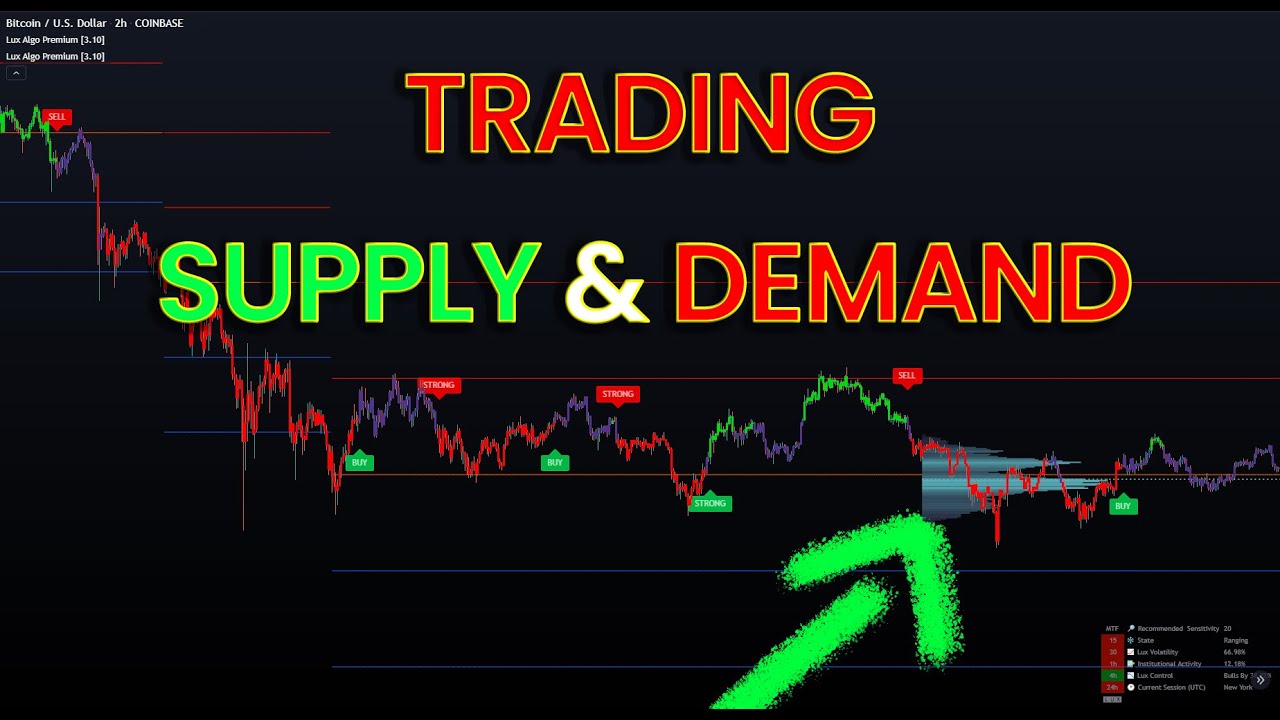
In this video I show a nice method to identify supply/demand zones on your chart making use of the predictive ranges and institutional profile. This gives a good indication of where institutions may have their orders located. Make sure to leave a like & subscribe for more trading strategy videos!
Get access to Lux Algo indicators: https://luxal...
sterile trail
Also I am wondering how much signal sensitivity for 5 minutes scalping? if the default I keep of 12, lots of false signals, not sure the optimum value, can anyone help
empty solar
!settings
hidden moss
Everything you need to know on optimizing signal settings: https://docs.luxalgo.com/lux-algo-premium-indicators/lux-algo/signal-settings
This page showcases every way users can adjust settings along with full explanations of how they differentiate from each other.
sterile trail
Lux oscillator length how much we should add for 5 mins scalping
empty solar
This is a very personal choice and depends what you use the osci for
However we tend to not recommend trading the 5m
Or anything <15m
empty solar
High length = slower responding tends to be less noise
Low length = faster responding but possibly more noise
Comparible to moving average behaviour or most indicators for that matter
sterile trail
Sure
hidden moss
@thick bane
LuxBot
BTCUSD 4h Sentiment

Made with ❤ by LuxAlgo.com
@calm hull
LuxBot
ADAUSD 15m Sentiment

Made with ❤ by LuxAlgo.com
sterile trail
Can anyone let know how I can check sentiment of Indian index mainly Nifty and banknifty, LUXBOT above 15 mins sentiment, is it tool to check?
 cobalt arrow
@empty solar is there any oscillator settings?
analog onyx
sterile trail
Can anyone let know how I can check sentiment of Indian index mainly Nifty and b...
you can using the /sentiment command
analog onyx
cobalt arrow
<@456590452703887373> is there any oscillator settings?
we dont provide automatic settings adjustments/recommendations for the oscillator.
hidden moss
@golden hollow
LuxBot
LUNA 15m Sentiment

Made with ❤ by LuxAlgo.com
analog onyx
@golden hollow you wanted the sentiment for the luna coin or stock? in case its for the coin dont forget the quote currency (USD)
hidden moss
@analog onyx
LuxBot
LUNAUSD 15m Sentiment

Made with ❤ by LuxAlgo.com
summer zealot
i'm not the best but there is some knowledge for you
 hidden moss
@calm hull
LuxBot
MANAUSD 5m Sentiment

Made with ❤ by LuxAlgo.com
@calm hull
LuxBot
MANAUSD 15m Sentiment

Made with ❤ by LuxAlgo.com
sterile trail
How to identify the momentum move with Lux? for ex, today one instrument 3 times SELL comes, one time very shallow move, again shallow move and retrace and third time is very volatile move with covering lots of points. how to indentify such moves
anyone kindly put some thoughts or pointers
analog onyx
sterile trail
How to identify the momentum move with Lux? for ex, today one instrument 3 times...
the lux volatility in the lux statistics toolkits can eventually help with that, oscillators are generally used to return information regarding momentum
sterile trail
analog onyx
the lux volatility in the lux statistics toolkits can eventually help with that,...
Any videos or details avaiable for this?
empty solar
Currently none specially on Lux statistics although a few of my strategies use features from this 👍
sterile trail
Can you please share how I can use Lux statistics for the momentum check?
empty solar
In general when it's high
It means there was a sharp move
Lots of momentum
And visa versa
A low reading means very little market momentum
sterile trail
default LUX STATISTICS one right?
empty solar
sterile trail
default LUX STATISTICS one right?
Indeed 👍
sterile trail
One question, why I am seeing dots on LUX statistics for the last few candles , is it lagging indicator or leading?
analog onyx
sterile trail
One question, why I am seeing dots on LUX statistics for the last few candles , ...
the dashed lines that extends outside the most recent time represent the forecast of the selected statistic
sterile trail
its lagging, When I am moving to few candles advance then HH and LL got repainted
sterile trail
analog onyx
the dashed lines that extends outside the most recent time represent the forecas...
also dashed lines what indicates, I can see few green dots and few red dots, then how to conclude the use this indicator, kindly let know
empty solar
Its main utility is forecasting pivot location real time
If the dotted lines appear to be transitioning real time
It's suggesting the location of a pivot
The pivot oscillator is a pivot-related indicator that displays the percentage of prices lower or equal to a price of reference over a fixed window length. Pivot-highs occur when the indicator is equal to 100%, while pivot-lows occur when the indicator is equal to 0%.
reef shoal
i can pay lux suscription with crypto?
empty solar
reef shoal
i can pay lux suscription with crypto?
You can for yearly or lifetime plans 👍
hidden moss
@final blaze
LuxBot
BTCUSD 1h Sentiment

Made with ❤ by LuxAlgo.com
 cyan ingot
any tips on entries?
empty solar
!strategies
hidden moss
Find our full trading strategies playlist on YouTube: https://www.youtube.com/watch?v=xezy6WGpZ8Y&list=PLbqCXsOfrM3MjO7q7uIiwoVq3evI4neQr
New: How to find the best settings: https://www.youtube.com/watch?v=wkruvBBeXn8&t
Usability Tips: https://www.youtube.com/watch?v=5wtdY51crnc
Get instant access to use on any chart: https://luxalgo.com
empty solar
I show some nice approaches on some videos 🙂
 chilly sky
hi guys! can you please tell what is the meaning of value in Support/resistance setting
hidden moss
@calm hull
LuxBot
DOTUSDT 15m Sentiment

Made with ❤ by LuxAlgo.com
@calm hull
LuxBot
DOT 1h Sentiment

Made with ❤ by LuxAlgo.com
empty solar
chilly sky
hi guys! can you please tell what is the meaning of value in Support/resistance ...
That's the length basically
The higher the value the more macro SR will be identified
10 being long term SR levels
or patterns
1 being tiny ones
Very short term
cyan ingot
what do you recommend for the 1hr s/r
hidden moss
@calm hull
LuxBot
XRPUSDT 1h Sentiment

Made with ❤ by LuxAlgo.com
hidden moss
@final blaze
LuxBot
BTCUSD 1D Sentiment

Made with ❤ by LuxAlgo.com
hidden moss
@calm hull
LuxBot
MIRUSD 1h Sentiment

Made with ❤ by LuxAlgo.com
 night bloom
Looking for reversal pairs.. anyone?
 finite cedar
What is the sentiment stuff?
sterile trail
How to check sentiment for specific stock
sterile trail
empty solar
you'd use the sentiment command in the server
Which server and do you hve details on this process?
Also Gap up or gap down on next session, is there indicator to know in advance
empty solar
sterile trail
Which server and do you hve details on this process?
This server 👍
upper widget
lol
empty solar
It's just a slash command
upper widget
laughing now sometimes, but in the beginning I also needed to check Discord's docs every day lol
sterile trail
I am still confused, sorry but I am confused
upper widget
it is a command used inside Discord
commands are actually like messages, like the one I am writing here now to you
difference is that if you type a command, instead of writing: "Good morning, people", something else happens. you get a chart, you see info, etc,etc
empty solar

@sterile trail do this command
But in the server
In this channel
Not my DMs and it'll work 👍
sterile trail
OHh OK
sterile trail
Gaps how to handle and how to predict
For ex. Tomorrow opening will have gap down or up.. How to predict
Is there any indications as per indicator we can derive
empty solar
None really spring to mind for this
 small tangle
Hello Admin
Please best setting for XAU / 15 MN
cyan ingot
@small tangle #797529919499272224
empty solar
small tangle
Hello Admin
Please best setting for XAU / 15 MN
!settings
hidden moss
Everything you need to know on optimizing signal settings: https://docs.luxalgo.com/lux-algo-premium-indicators/lux-algo/signal-settings
This page showcases every way users can adjust settings along with full explanations of how they differentiate from each other.
hidden moss
@calm hull
LuxBot
LINKUSD 1h Sentiment

Made with ❤ by LuxAlgo.com
@calm hull
LuxBot
LINKUSDT 4h Sentiment

Made with ❤ by LuxAlgo.com
hidden moss
@final blaze
LuxBot
BTCPERP 1h Sentiment

Made with ❤ by LuxAlgo.com
hidden moss
@calm hull
LuxBot
XLMUSD 1h Sentiment

Made with ❤ by LuxAlgo.com
@hard quail
LuxBot
BTCPERP 1h Sentiment

Made with ❤ by LuxAlgo.com
 prisma obsidian
Hi!
i have a suggestion..
can you make a chrome extension, that gets data from optibot and adjust the settings of indicator automatically?
cyan ingot
sharp ferry
Can I find the name of the confirmed pattern?

 rugged relic
Hello Guys about gold setup should to use autopilot or adjust optimizer everytime ?
anyone help me suggest plz
thin trail
sharp ferry
Can I find the name of the confirmed pattern?
it will show on dashboard
cobalt arrow
@thin trail- how to avoid the Lux oscillator fake signals the 2 green dots
 cobalt arrow
<@393235362107097089>- how to avoid the Lux oscillator fake signals the 2 green ...
cobalt arrow
cobalt arrow
<@393235362107097089>- how to avoid the Lux oscillator fake signals the 2 green ...
@empty solar
empty solar
You could filter them with another oscillator
Or just use them as confirmation in confluence
empty solar
rugged relic
Hello Guys about gold setup should to use autopilot or adjust optimizer everytim...
!settings
hidden moss
Everything you need to know on optimizing signal settings: https://docs.luxalgo.com/lux-algo-premium-indicators/lux-algo/signal-settings
This page showcases every way users can adjust settings along with full explanations of how they differentiate from each other.
calm hull
Hi, how do I add the gray overall trend to the lux oscillator premium? @empty solar
calm hull
Lol maybe i say wrong but
 empty solar
This is just the default style for the advanced oscillator 🙂
calm hull
ok, thank you!
 civic timber
Hello people
 dark wren
I got it @empty solar
empty solar
😄 welcome
cyan ingot
check DJI on the indices in optibot channels
small tangle
Ok Thank you
empty solar
!settings
hidden moss
Everything you need to know on optimizing signal settings: https://docs.luxalgo.com/lux-algo-premium-indicators/lux-algo/signal-settings
This page showcases every way users can adjust settings along with full explanations of how they differentiate from each other.
sterile trail
One question, how to use Trend projection, its showing upper and lower bands
paper spindle
Hello everyone! I've got great entries using my own indicators in combination with lux algo. However, the issue i have is with the ability to exit optimally. When the exit crosses appear, that's perfect. However if it doesn't appear and moves into unprofitable territory then  . Require your advice on any exit advice, appreciate it!
empty solar
!strategies
hidden moss
Find our full trading strategies playlist on YouTube: https://www.youtube.com/watch?v=xezy6WGpZ8Y&list=PLbqCXsOfrM3MjO7q7uIiwoVq3evI4neQr
New: How to find the best settings: https://www.youtube.com/watch?v=wkruvBBeXn8&t
Usability Tips: https://www.youtube.com/watch?v=5wtdY51crnc
Get instant access to use on any chart: https://luxalgo.com
empty solar
A playlist with some great examples 👍
hidden moss
where can i get signals and alerts here?
hidden moss
thanks!
sharp pendant
paper spindle
Hello everyone! I've got great entries using my own indicators in combination wi...
What about exiting when trend catcher turns red.
 ionic estuary
so, whats the recommendation for now..... use the daily settings from the optibot ? Or test ( use ) the auto-pilot settings ...
empty solar
!settings
hidden moss
Everything you need to know on optimizing signal settings: https://docs.luxalgo.com/lux-algo-premium-indicators/lux-algo/signal-settings
This page showcases every way users can adjust settings along with full explanations of how they differentiate from each other.
 crystal aurora
hello
I have Bought Lux Algo but I have Blocked the indicator on trading view
paper spindle
sharp pendant
What about exiting when trend catcher turns red.
Will look into it thanks for your help 😁
empty solar
crystal aurora
hello
I have Bought Lux Algo but I have Blocked the indicator on trading view
Hi there- have you connected your account?
 errant nymph
Hello
I have a question regarding the subscription
Will i be automatically charged for the monthly subscription?
Because i want to subscribe to the yearly plan
hidden moss
You can upgrade your subscription by logging in to your customer account at: https://luxalgo.chargebeeportal.com/
Once logged in, click your account, click on your membership, and select 'Edit Subscription'.
From here you can select your upgraded plan of choice from the blue drop down menu, see the prorated charge, and click 'Update Subscription' to complete the process.
empty solar
It'll automatically transfer plans using that link
sterile trail
Bit struggling with Exits, sometimes after exit sign market moves ahead and I miss the opportunity or sometimes before exit sign market reverses, what can be done, please suggest anyone on this
 ivory ether
hello, I'm a new member, I'm entering the values said in the autopilot in lux algo, but the buy-sell signals are not coming out in the right places! can you help?
 ornate fulcrum
You have to check your email for activation
It took like 10 min for me to get everything running, you can just chill so the transaction is processed and it will start working shortly after you activate the link sent to your email.
empty solar
ivory ether
hello, I'm a new member, I'm entering the values said in the autopilot in lux al...
Enter values in autopilot?
Optibot values?
And what exactly do you mean by "not right places"
ornate fulcrum
He probs needs to play around with sensitivity
ivory ether
ornate fulcrum
It took like 10 min for me to get everything running, you can just chill so the ...
86 / 5.000
Çeviri sonuçları
I think you misunderstood my question. luxalgo is active. problem with values and trading
ornate fulcrum
Try to adjust your sensitivity to whatever you feel is the best option, change it 1 by 1 and see movement
ivory ether
empty solar
Optibot values?
gives a red signal in the declines. sell on the ups
ornate fulcrum
Yeah, just play around with the sensitivity
Up and down until you find the proper set up for yoursrlf and time frame
empty solar
You'll want to manually adjust by the sounds of things here
ivory ether
optibot5m
empty solar
!settings
hidden moss
Everything you need to know on optimizing signal settings: https://docs.luxalgo.com/lux-algo-premium-indicators/lux-algo/signal-settings
This page showcases every way users can adjust settings along with full explanations of how they differentiate from each other.
ornate fulcrum
hidden moss
Everything you need to know on optimizing signal settings: https://docs.luxalgo....
🔥
ionic estuary
hidden moss
Everything you need to know on optimizing signal settings: https://docs.luxalgo....
Thank you ! Sorry, should have done RTFM first instead of just dumping the question.
paper spindle
Hello everyone! I had difficulty in finding a good exit indicator and trying to exit in profitable territory before the next confirmation signal appearing and being in the negative. Thus i chanced upon using both trend tracer and contrarian signals (autopilot). It is really underrated, simple and effective combo 🙂
 empty solar
Contrarians are one of the most underrated features, they just require a little more understanding
But super powerful
paper spindle
Agreed! I would rather exit with lesser profits than risk more to be in the negative 🙂
 blissful loom
 dark wren
Is this lux algo really best used futures
empty solar
I don't think we ever really mentioned it was best on futures 😅 but you can absolutely use it on futures if you wish
empty solar
It normally is not the move 😉
 vestal belfry
@empty solar hello, query: the new "pivot Based Trailing" indicator does not update in real time?
empty solar
vestal belfry
<@!456590452703887373> hello, query: the new "pivot Based Trailing" indicator do...
The pivots are naturally pivots
So those behave like normal pivots
The actual trailing however is real time
vestal belfry
thanks!
 warped nova
empty solar
The pivots are naturally pivots
warped nova
empty solar
The pivots are naturally pivots
I'm assuming the Pivot Based Trailing indicator repaints?
empty solar
warped nova
I'm assuming the Pivot Based Trailing indicator repaints?
The trailing part nope but the pivots would be pivot style painting
hidden moss
Question: I have 4 different timeframes in one layout (Tradingview pro+). I've got 3 coins on the watchlist. The problem is, when changing the sensitivity/agility in one layout, it is taking over the sensitivity/agility of all other layouts in my watchlist... I`ll watch all coins with optimized optibot settings... Can someone help?
empty solar
the best way to save this is using indicator templates 🙂
hidden moss
I ll try
hidden moss
It doesnt work
 hidden moss
It applies the sensitivity and agility to all my coins in the watch list
empty solar
A template needs to be loaded
errant nymph
empty solar
<@!686305376412500012> If you upgrade:
I would like to upgrade but will it automatically charge you for the monthly plan. Because I don’t k ow how much time is left and in my region we have to go to pacific places if we want to buy or subscribe by credit/debit card
empty solar
errant nymph
I would like to upgrade but will it automatically charge you for the monthly pla...
It won't no
It'd be prorated
errant nymph
Oh ok thank God
empty solar
If you're on a monthly and have half the month left let's say:
errant nymph
Thanks
errant nymph
Ok thank you so much!
 fallen timber
Just purchased where can I learn about each function individually?
sharp pendant
fallen timber
Just purchased where can I learn about each function individually?
!docs
hidden moss
Learn about every aspect of Lux Algo at: https://docs.luxalgo.com
Learn how every aspect of our product suite works & get useful information about technical analysis.
 near sluice
So I'm in?
empty solar
You're in VIP 😎
sterile trail
Can anyone tell me how to avoid this fake SELL signal , this SELL does not work then STRONG Signal works?
 empty solar
!strategies
hidden moss
Find our full trading strategies playlist on YouTube: https://www.youtube.com/watch?v=xezy6WGpZ8Y&list=PLbqCXsOfrM3MjO7q7uIiwoVq3evI4neQr
New: How to find the best settings: https://www.youtube.com/watch?v=wkruvBBeXn8&t
Usability Tips: https://www.youtube.com/watch?v=5wtdY51crnc
Get instant access to use on any chart: https://luxalgo.com
empty solar
Full playlist of strategies showing filtering methods 👍
I can already see there trend tracer and catcher were green too
near sluice
sterile trail
Can anyone tell me how to avoid this fake SELL signal , this SELL does not work ...
I recomend using stop loss
sterile trail
Yes I always have SL. but my SL hits most of times, I need to fine tune my entries and exits
sterile trail
empty solar
I can already see there trend tracer and catcher were green too
you are right, that I noticed later once I was out of the trade:(
Every day is the learning.
Thanks
upper widget
sterile trail
Can anyone tell me how to avoid this fake SELL signal , this SELL does not work ...
Because you forgot the basics: I.e. consider all signals fake until confirmed at least twice
near sluice
sterile trail
you are right, that I noticed later once I was out of the trade:(
Are u paying atention to MSI and RSI bro?
upper widget
The 2 candles following the sell signals would’ve answered that 😀
sterile trail
upper widget
Because you forgot the basics: I.e. consider all signals fake until confirmed at...
you are right
sterile trail
near sluice
Are u paying atention to MSI and RSI bro?
Not yet now, but I would like to use it with LUX, any idea how to use them?
empty solar
I show in my videos 😉😉😉😉😉
sterile trail
Ohh yes RSI video is there, not the MFI one 👍
BTW, Thanks for the prompt replies and all of your inputs
empty solar
Ask away 😄
stiff smelt
Anyone got a proven setup with luxalgo that they have traded live for a while? I see lots of setups but no one showing results? Thanks
 deep monolith
stiff smelt
Anyone got a proven setup with luxalgo that they have traded live for a while? I...
deep monolith
stiff smelt
Anyone got a proven setup with luxalgo that they have traded live for a while? I...
good Question
empty solar
We have a tonne that folk use them 🙂 The more successful traders tend to analyse a chart rather than have set criteria
For example; I know cannon is a pattern trader
He analyses patterns
Looks for confluence with other indicator
Looks at a range of factors
Looking for a set of fixed criteria is often a lot trickier e.g. Trend Catcher green + RSI + oscillator + signal etc etc
Taking each trade as an individual and building up a larger picture is the best approach in general
 silk carbon
What would be helpful is if people posted their win rate. This website is good https://www.winrate.io/
Winrate.io lets you Simulate Your Profits From Crypto Trading and shape your successful trading strategy by trying out different win rates, Risk-to-Reward etc.
stiff smelt
empty solar
Looking for a set of fixed criteria is often a lot trickier e.g. Trend Catcher g...
Yeah I get that but isn’t that what the indicator is being sold and marketed as? Looking at TikTok and Instagram posts from you guys, don’t get me wrong I’ve backtested different setups with your indicators and it works good most the time. But wondered if anyone with more experience could possibly share there setup