
#💬hangout
1 messages · Page 282 of 1
 upbeat hawk

these two pictures are same time
the dot area for last 20 candles is changing while price moving
i want shape will be persistent
 empty solar
Ah this isn't possible since new bars = new data and hence new forecast. Maybe with a future forecasting method down the line
empty solar
I see I see, it's to counter the offset
upbeat hawk
exactly
 vale dragon
Inverted H&S 🤓
I prefer Pantene 🤣

 rough hamlet
Question, is there a way to see price targets for stocks with trading view or lux?
So if i want to see a price target for a stocks anticipated movement
 thin trail
rough hamlet
Question, is there a way to see price targets for stocks with trading view or lu...
thin trail
rough hamlet
Question, is there a way to see price targets for stocks with trading view or lu...
Yep - you can enable TP/SL points or use Reversal Zones
Reversal Zones forecasting would be my choice for finding a price target
rough hamlet
thin trail
Yep - you can enable TP/SL points or use Reversal Zones
Would you be able to send me a screen shot of where I could find that directly?
I found this but I’m not sure how i should set It
 thin trail
!sr
 hidden moss
Learn about S/R mode: https://docs.luxalgo.com/lux-algo-premium-indicators/lux-algo/support-and-resistance-and-trendlines

Predictive Range - Predictive S/R - Trendlines
 storm oasis
 formal cloud
Damn, Lux Algo has really advanced since I signed up a few months ago. I'd abandoned it until today but now think, WOW!
I assume I can reactivate my annual subscription from the billing section?
empty solar
formal cloud
I assume I can reactivate my annual subscription from the billing section?
We've really added a lot over the past few months 👍☺️ You can indeed
formal cloud
Cheers 🙂
vale dragon
formal cloud
Damn, Lux Algo has really advanced since I signed up a few months ago. I'd aband...
You have lots more to learn from it for sure. 🤓
 safe harbor
What does it say Ranung when there’s a strong buy? Shouldn’t that be trending? Very confusing.
It’s outside of the range as well…
empty solar
Ranging doesn't mean outside of a range it means the market is going sideways 👍
empty solar
!update
hidden moss
To update Lux Algo Premium indicators, refresh your browser/app, remove the indicator from your chart, and then add it back to your chart + save your chart layout on TradingView.
Full guide: https://docs.luxalgo.com/lux-algo-premium-indicators/how-to-update
Included in this section is the best steps to receive & install updates for Lux Algo on TradingView.
 mental echo
Will you add more optibot options in the future? Like for other crypto in the market
empty solar
If the asset is big enough and popular yep; XRP is on the list to be added
mental echo
Yes please! I want to trade xrp. Thanks 😄
Do you have videos using lux algo to trade? Want to learn some more
empty solar
!strategies
hidden moss
Find our full trading strategies playlist on YouTube: https://www.youtube.com/watch?v=xezy6WGpZ8Y&list=PLbqCXsOfrM3MjO7q7uIiwoVq3evI4neQr

Join our Discord: https://discord.gg/LUX
Get access to Lux Algo: https://luxalgo.com/products/lux-algo
Get the best settings: https://www.youtube.com/watch?v=OmvxpTE9tlw&t
Usability Tips: https://www.youtube.com/watch?v=5wtdY51crnc
empty solar
^ strategies here 🙂
mental echo
Thank you very much gecko love you
safe harbor
What percent accurate are the signals on autopilot? The sensitivity obviously matters. Trying to trust program completely so I can make faster trades.
empty solar
There are no stats on this because that would depend the asset/time of day/ timeframe and exit conditions 😦
safe harbor
How many points should I set a stop loss ?
vale dragon
In my experience most of the the time Optibot is better
depends on the asset, time frame, etc...some are better auto
safe harbor
Will OptiBot add MNQ?
 misty prawn
safe harbor
Will OptiBot add MNQ?
misty prawn
safe harbor
Will OptiBot add MNQ?
Did you try the settings I posted for you last week?
empty solar
We may add more minis and levels of custom optibot selection in the future
misty prawn
misty prawn
Did you try the settings I posted for you last week?
btw NQ1 settings may work as well, the charts are very similar
empty solar
^
vale dragon
MNQ is Micro, correct? Its what I've been using
NQ1
demo
Got the early one, stayed until it crossed the yellow line, ignored the shorts based on trendline and above 26 ema

re-entered when it crossed back over yellow line
 warped nova
@empty solaryou guys ever consider adding any tickers to the OptiBot?
nevermind, I see you just answered that earlier
empty solar
🙂 But yes we do of course, any requests?
It's a slow process to add and we have to ensure it makes sense
 magic topaz
@empty solar hey guys there’s an account called @terse bison thats dm’ing people trying to sell his indicator to your subscribers
He’s blocked me so I can’t tag him
Says he’s in here still
thin trail
Hey @magic topaz can you send a screenshot of his Discord profile? So we can see the exact username to ban?
vale dragon
thin trail
Hey <@800898731007279195> can you send a screenshot of his Discord profile? So w...
 empty solar
He's banned 😎
vale dragon
boom
vale dragon
warped nova
I see you have a lot of covid plays on the list already
May as well add them, they will probably be busy for a while.
empty solar
For custom assets?
mental echo
What do you mean
empty solar
Well we have alerts for major assets and timeframes here
So it depends, if they are not supported
mental echo
Oh I mean, get an alert for confirmation buy/sell
mental echo
How about if I want to use the settings for the indicator in #797529919499272224 for the scanners
empty solar
Ah then you cannot sadly. If you're familiar with webhooks and integrations you could set up alerts to use them and send to your own private server
mental echo
Ah that's unfortunate. Let me look into webhooks
warped nova
@empty solarcan you zap OptiBot this morning?
empty solar
warped nova
<@!456590452703887373>can you zap OptiBot this morning?
Or course 😉
mental echo
@empty solar can you please tell me if I did this webhook correctly

https://discord.com/developers/docs/resources/webhook used this and the placeholders in tradingview
Discord Developer Portal
Integrate your service with Discord — whether it's a bot or a game or whatever your wildest imagination can come up with.
empty solar
At first glance it looks ok 👍
warped nova
Who do I love?
 empty solar
He loves Lux 😍
 slim crystal
empty solar
🙂 But yes we do of course, any requests?
slim crystal
empty solar
🙂 But yes we do of course, any requests?
Can you add RBLX?
empty solar
Is that... Roblox stock?
slim crystal
Yes
empty solar
Can definitely look into that if it's popular to trade
I never ever knew Roblox had stock
It's like minecraft if I'm correct
 barren steppe
empty solar
I never ever knew Roblox had stock
barren steppe
empty solar
I never ever knew Roblox had stock
me neither, interesting
barren steppe
empty solar
It's like minecraft if I'm correct
Yes, from what I've heard they are similar
slim crystal
Yes my kids play that. And I play with the stock it has being fluctuating anywhere between 75-95 so it makes nice swing trades
empty solar
Very very interesting, will have a look 👍
mental echo
empty solar
At first glance it looks ok 👍
alright let's see if it works xD
slim crystal
FUBO stock might be worth adding (it’s NTFX little sister) it was mentioned on Fools.com as a “good investment”
empty solar
Will also have a look into FUBO and see what it's all about 😊
 clear gazelle

TradingView
mental echo
Where can I legitimately start forex without the weird referral stuff
empty solar
Babypips tends to be a popular one
mental echo
Alright i’ll check it out thanks
hidden moss
Heikin ashi chart be looking soo clean:)) yet I’m never really using it:))
 stable dagger
test
thin trail
ur back @stable dagger :)) apologies again for that
stable dagger
indicator not loading tho
thin trail
& thanks for letting us know, we're fixing that now with our backend
should be if you refresh
stable dagger
i will keep trying
 thin trail
🤔 lifetime we never really offer sadly, however it's being considered as of recently
stable dagger
2000 dollars and i'm in
thin trail
stable dagger
aight
refresh now 👍
stable dagger
it works
empty solar
Should be working again; try in a few minutes
Remove + Re-add
It should appear when you refresh shortly 🙂
In the next minute or so
It's working? 🙂
 mellow girder
quick question had to stop using lux a a few months going back on today do I need to also buy a sub or trading view to use it
empty solar
@mellow girder Free plan will work 🤝
mellow girder
@empty solar How long for activation ?
empty solar
@mellow girder On purchase you should have received a confirmation email with a link to connect your accounts
mellow girder
ok thanks
@empty solar I try to use it an ask me to upgrade my plan
I got it sorry
warped nova
@empty solarOne of the best things I love about Lux isn't necessarily the trades it helps me get in but the trades it helps me stay out of
Reversal zones help a lot with predictive ranges. One of my favorite setups. Little bounce on predictive range, widening reversal zone, price opens below predictive range, and profit
 empty solar
This is nice to hear for sure because naturally folk would assume it's only important for setups
But this is good to hear that it prevents errors 😊
warped nova
probably the best feature
warped nova
Trend Tracer/Catcher pretty good on the higher time frames for profit/loss stops too
 kindred gyro
sheesh
warped nova
@empty solardo you know if this is a memory issue for my computer?

when Lux doesn't show unless I turn it off and then back on?
empty solar
Are you on the desktop app?
empty solar
There is
But I guess that's not the issue here 😅
What chart are you on
And which settings
warped nova
today it's all charts
and any time frame
it can do it for the 15 min, 5 min, and 1 min

it's not a big deal really but I just upgraded my memory
empty solar
We are aware yep and going to look into it, it won't be your end
warped nova
it's a whole new world for me, using the desktop app
mental echo
did I do the triangle correctly?

is this a descending triangle? sorry for the question I'm relatively new to trading
 manic kettle
I would like to set an alert that gets triggered for both buy and strong buy signals. What’s the setting in tv for this “confirmation strong buy”? I would like to do this with one alert and on another alert on the sell/strong sell side.
 slow root
@empty solar I am trying to import trend_tracer as an input in my pine script I was wondering if there is a way in pine that I can tell when trend_tracer is turning green or trending up ```trend_tracer = input(title="trend_tracer", type=input.source, defval=low)
when I plot trend_tracer it just gives me numbers, is there a way to tell its turning green
should I use the oscillator?
 dapper dock
manic kettle
I would like to set an alert that gets triggered for both buy and strong buy sig...
dapper dock
manic kettle
I would like to set an alert that gets triggered for both buy and strong buy sig...
Same here - I would like to get Tradingview alerts for all instruments and not individually for each ticker
empty solar
manic kettle
I would like to set an alert that gets triggered for both buy and strong buy sig...
That'll be just selecting confirmation buy and strong in the settings
empty solar
slow root
when I plot trend_tracer it just gives me numbers, is there a way to tell its tu...
Sadly you won't be able to use this 😔
slow root
is there any work around? so oscillator is the only way?
empty solar
You can get the plotvalues from the oscillator; this will work
hidden moss
Tomorrow is nfp guys! I don’t think I will place a trade or if I will I will use a very small risk! Take care🙏
 upper jewel
Does anyone trade nas100 if so what’s the best settings
hidden moss
Anyone trading today?:)
 tranquil notch
On the statics premium pivot osc are the LL and HL indicators in green and red live?
empty solar
They are not live no, they appear length bars later and are offset
tranquil notch
empty solar
They are not live no, they appear length bars later and are offset
How long is the delay
tranquil notch
So what is the point on this if there no way to make it live and the forecast is also not working
Is there any documentation on this
empty solar
The main usecase is the forecast to have a live idea of when a pivot may occur
- Pivot data
tranquil notch
Anyone else think the pivot oscillator is trash?
There is no point having it doesn’t help justify anything
empty solar
tranquil notch
Anyone else think the pivot oscillator is trash?
A little harsh
If you read the documentation you'll see the described utility
"The main usage of the indicator is found with its forecast (displayed as dotted lines). This forecast allows forecasting the position of potential tops and bottoms. This makes this precise indicator a contrarian tool rather than a trend-following indicator."
tranquil notch
What are the ideal settings for length and soothing?
Maybe I have got it wrong
But the forecast is all over the place
empty solar
What exactly do you mean by all over the place? But there aren't really a best settings combo otherwise it'd be set to that by default
Default we feel are nice middle grounds
tranquil notch
Ok I’ll try it and get back to you I did try with defaults and the forecast all over the place hitting 100% and 0% in all of the wrong places
 astral willow
YOUR SCRIPT IS GOD LIKE

How tf you catch that
I margined hard on this too take my money if I hit
thin trail
🔥👀
thin trail
astral willow
I margined hard on this too take my money if I hit
fireee
 tranquil tiger
Any of you guys use tradethechain ?
 livid turret
Is there anybody here from Lux I can dm about what I believe is a billing error?
empty solar
You can DM me ☺️
livid turret
Hey Gecko, just tried but it says we don’t share a server?
empty solar
I sent a friend request 👍
warped nova
@empty solardamn, OptiBot really sleeping on the job yesterday

got to it after the markets closed, ha!
becoming a procrastinator
 hallow fern
hi is there a reference code I can use to pass this on to a friend?
thin trail
hallow fern
hi is there a reference code I can use to pass this on to a friend?
Create an income sharing the best tools.
See here ^
hallow fern
Thanks!
 warm oar
Is it possible to set the sensitivity value to save with ticker? So I can preset the recommended value for the ticker and it auto changes as I go back and forth?
It’s a hassle changing the value all the time. And I find auto doesn’t work will for me
 analog onyx
warm oar
Is it possible to set the sensitivity value to save with ticker? So I can preset...
analog onyx
warm oar
Is it possible to set the sensitivity value to save with ticker? So I can preset...
indicator templates can be used for that, see https://www.tradingview.com/support/solutions/43000543048-what-are-indicator-templates-for/ for more info, else you can use autopilot 🙂

TradingView
warm oar
I go through a lot of coins on crypto n stocks, that’s a lot of templates. Lol
Maybe for future update be cool if you guys can have an option for autopilot to use the recommended sensitivity 🙂
 marsh viper
empty solar
What exactly do you mean by all over the place? But there aren't really a best s...
marsh viper
empty solar
What exactly do you mean by all over the place? But there aren't really a best s...
I'd love to seea a video turorial on how you use this I dictator. Pivot data
 amber topaz
Hello there, I am a newbie and want to find out where I can find explanations for the blue x's? thanks
 robust viper
charlie, im new too but i think it means take profit
like after a signal, when you see an x appearing, means it suggests to take profit
amber topaz
ohhh... very important indicator 👌🏾 thanks
robust viper
no probs
hidden moss
hey, how can i change lux algo to another tradingview account?
 earnest quest
Hey guys, I' new to this suite and was just wondering if I am correct in assuming that the stripped reds/orange below is predictive institutional accumulation? https://www.tradingview.com/x/d70pvUl8/

TradingView
empty solar
Hi there 🙂 correct, that'd be the forecast of institutional activity
earnest quest
That's pretty awesome. This one is definitely going to be forward tested.
 hollow moth
I am new to trading. I am in the USA and signed up for Lux Algo Premium, and use Tradingview. Is there a broker on the Tradingview list I can connect with to trade Forex, Options, and Crypto with? Or can you recommend a broker that I can connect Tradingview with to trade all three?
analog onyx
hollow moth
I am new to trading. I am in the USA and signed up for Lux Algo Premium, and us...
various brokers can be used to trade within tradingview, with some major ones see https://www.tradingview.com/support/solutions/43000479307-what-brokers-can-i-trade-through-on-tradingview/ 🙂
hollow moth
Thanks for the response, but the list does not tell me which broker or brokers that connect to Tradingview will allow me to trade all three with the same broker on Tradingview. Does anyone use one broker connected to Tradingview to trade Forex, Options and Crypto?
analog onyx
hollow moth
Thanks for the response, but the list does not tell me which broker or brokers t...
Tradestation should be the one with the broader range of trading products, including all the ones you mentioned, iBroker and tickmill also support crypto/forex/options.
 round light
what is optibot?
analog onyx
round light
what is optibot?
optibot is the tool that gives you the best signal settings for specific tickers and timeframes, optibot post new settings in the optibot channels, for example #800747939226976266 , see https://docs.luxalgo.com/lux-algo-premium-indicators/lux-algo/signal-settings#optibot-from-vip-discord-server for more info 🙂
This page showcases every way users can adjust settings along with full explanations of how they differentiate from each other.
 turbid crystal
Hey Hey! New guy here. Glad to be here. Question for anyone interested: Do y'all have any favorite YouTubers using Lux Algo who are putting out regular and current content? I notice that a lot of what I get in my search results is from 9-12 months ago (when a marketing push was made, I assume). I trade crypto but interested in strats and insights of all sorts. Thanks!
analog onyx
turbid crystal
Hey Hey! New guy here. Glad to be here. Question for anyone interested: Do y'all...
Hi and welcome, you can of course check our youtube channel, also this one for ideas/strategies using LuxAlgo indicators https://www.youtube.com/channel/UCDM5XcH0ogAPkNMGE8zK_og, hope this helps
turbid crystal
analog onyx
Hi and welcome, you can of course check our youtube channel, also this one for i...
Thanks! I've actually already watched everything you've got more than once. 🙂 I'm sure I'll watch another time or two.
hidden moss
Bank holiday today 😴😴😴🥱
 hearty burrow
Hi! I’m new here!
empty solar
Welcome ☺️
 fringe belfry
I am new here!!!
analog onyx
fringe belfry
I am new here!!!
welcome 🙂
 brittle ledge
empty solar
brittle ledge
empty solar
Welcome ☺️
 fervent horizon
can somone gude me
guide me
i take only one pip profit which setting is best for me
magic topaz
@fervent horizon start by watching all the videos on the youtube
magic topaz
that gives zero context is is a different answer dependant on so many factors
dont try and take shortcuts or youll end up blowing your account up
watch the videos
fervent horizon
where is video??
magic topaz
go on the youtube channel for lux algo
fervent horizon
ok
empty solar
!strategies
hidden moss
Find our full trading strategies playlist on YouTube: https://www.youtube.com/watch?v=xezy6WGpZ8Y&list=PLbqCXsOfrM3MjO7q7uIiwoVq3evI4neQr
Join our Discord: https://discord.gg/LUX
Get access to Lux Algo: https://luxalgo.com/products/lux-algo
Get the best settings: https://www.youtube.com/watch?v=OmvxpTE9tlw&t
Usability Tips: https://www.youtube.com/watch?v=5wtdY51crnc
empty solar
This could help
 final kelp
I’ve just downloaded tradingview app. How do I add luxalgo? Already subscribed
empty solar
@final kelp If you've connected your account / Support have swapped your account as you requested:
!guide
hidden moss
How to setup the indicators on TradingView: https://docs.luxalgo.com/getting-started/setup-tradingview
TradingView.com --> Chart --> Indicators --> Invite-only scripts
mellow girder
What a hell of a signal ❤️ lets go!! #nq1

 west root
Hey guys new to this algo but have some questions
analog onyx
west root
Hey guys new to this algo but have some questions
welcome, ask away 🙂
west root
Anything on the side like lux volatility or institutional act are those the time frimes the algo is working on?.. 30m ... 1hr
empty solar
west root
Anything on the side like lux volatility or institutional act are those the time...
In the dashboard it will use the timeframe you have open at the current time
hearty burrow
lux algo awesome. thanks for this
turbid crystal
Is the Reversal Zones overlay primarily a Volatility indicator or something else? Thanks!
thin trail
turbid crystal
Is the Reversal Zones overlay primarily a Volatility indicator or something else...
It’s meant for finding areas with a high probability price will reverse - it’s a proprietary calculation https://docs.luxalgo.com/lux-algo-premium-indicators/lux-algo/indicator-overlay#reversal-zones
EQ Cloud - Reversal Zones - Both
turbid crystal
thin trail
It’s meant for finding areas with a high probability price will reverse - it’s a...
Understood! Thank you!
 solid shuttle
Hey guys, does anyone know why do my lux algo indicators keep on disappearing?
I have to click on the eye icon and reenable it every few seconds
empty solar
It's a weird bug currently that should be fixed soon
hearty burrow
empty solar
It's a weird bug currently that should be fixed soon
I have same problem with alert
appears after a few candles
mellow girder
Ill be upgrading to the yearly subscription after my payout! Another amazing day! 5-0 win this week
 empty solar
hearty burrow
I have same problem with alert
appears after a few candles
empty solar
hearty burrow
I have same problem with alert
appears after a few candles
The alert after a few candles really shouldn't occur, I'd suggest remaking the alert there. It may be using different settings
 bronze smelt
Quick question ..On LUX ALGO do you buy with the regular buy signal or the strong buy signal..
mellow girder
@bronze smelt I always use Lux as second confirmation based on my analysis, I do not always take the buy sell signal
warped nova
@empty solarToday's my birthday so if you wanted to gift me a chance to buy a lifetime license I could tell my wife that Gecko got me a better present than she did 🙂
empty solar
warped nova
<@!456590452703887373>Today's my birthday so if you wanted to gift me a chance t...
I'd hate to out do your wife @warped nova your dreams will come true one day 🥲😉
turbid crystal
bronze smelt
Quick question ..On LUX ALGO do you buy with the regular buy signal or ...
What @mellow girder said. There really isn't any such thing as a truly reliable buy or sell signal, and it's unfortunate that authors have been forced to adopt those terms or have their indicators ignored. Confluence, confluence, confluence. 🙂
tranquil notch
On the pivotal statistic how is this worked out?
warped nova
@empty solarwell even if you didn't get me the gift I wanted you still gave me a great gift. Thanks Lux!
 thin trail
!statistics
hidden moss
Learn about Lux Statistics Premium here: https://docs.luxalgo.com/lux-algo-premium-indicators/lux-statistics-premium
thin trail
@tranquil notch
 onyx cape
Where can I find info on the nadaraya Watson indicator?
thin trail
onyx cape
Where can I find info on the nadaraya Watson indicator?
You can read the description on TradingView here https://www.tradingview.com/script/amRCTgFw-Nadaraya-Watson-Estimator-LUX/

TradingView
The following tool smooths the price data using the Nadaraya-Watson estimator, a simple Kernel regression method. We make use of the Gaussian kernel as a weighting function.
Kernel smoothing allows the estimating of underlying trends in the price and has found certain applications in stock prices pattern detection.
Note that results are subjec...
 pliant solstice
Guys, my Trading View trial is about to expire.. am considering pro+ but think pro would suffice (5 indicators).. What does everyone here use? 🤔
 summer zealot
2 Lux (one for signals and pattern detection, one for just the Auto Trendlines) and 3EMA, and this is the free version of the trading view. More than enough 3 indicator...
warped nova
pliant solstice
Guys, my Trading View trial is about to expire.. am considering pro+ but think p...
I just use pro to obtain accurate price data
 tiny nest
Is there a comparison out there showing the factory Lux setting of 12/26 vs the optibot settings?
 fallow sky
Just got Lux. What is the optibot?
 untold mango
I would check in vip support channel
tiny nest
This page showcases every way users can adjust settings along with full explanations of how they differentiate from each other.
fallow sky
tiny nest
https://docs.luxalgo.com/lux-algo-premium-indicators/lux-algo/signal-settings
Huge help. Thanks. Still learning to navigate through discord channels too. Lol. Appreciate the assist.
empty solar
tiny nest
Is there a comparison out there showing the factory Lux setting of 12/26 vs the ...
There isn't a metric we provide to quantify this I'm afraid
empty solar
fallow sky
Huge help. Thanks. Still learning to navigate through discord channels too. ...
This may help ☺️
fallow sky
Thanks. Is there a legend anywhere for the indicators? Trying to figure out the small red and blue Xa
X
hidden moss
Learn about every aspect of Lux Algo at: https://docs.luxalgo.com
empty solar
In our docs you'll find a full breakdown of each feature 👍 (with search function)
fallow sky
Got some reading today. Thanks.
 tropic rose
anyone trade US30/Dow Jones?
hidden moss
Good morning everyone! I am new here, I just signed up for the Algo this morning
empty solar
Welcome 😄
 obsidian fern
What is the black x in the algo?
empty solar
It's an exit signal
obsidian fern
Ok
 pale storm
Hi there just wonder why after I sign up when try to connect to trading view it keep ask me to pay again
analog onyx
pale storm
Hi there just wonder why after I sign up when try to connect to trading view it ...
Are you trying to connect your Tradingview account? A mail should have been sent to you allowing you to do this, see https://docs.luxalgo.com/faq#how-do-i-get-access 🙂
pale storm
I did click into it and registered that is why I am here in discord
However TradingView doesn’t allow me to use the invite script
analog onyx
pale storm
However TradingView doesn’t allow me to use the invite script
So you can go to Tradingview, go to indicators -> invite-only script, but can't add it on your chart? And its saying you need to upgrade your account? If thats the case then its caused by the limit of indicators you can add to your chart, free tradingview accounts have a limit of 3 indicators per chart, try removing one of them and add the Lux indicator.
pale storm
I paid for the whole year subscription
analog onyx
pale storm
I paid for the whole year subscription
to get access to the Lux indicators right? All you need is to remove one of the indicators already on your chart and you are good to go, you will be able to add one of the Lux indicators, you don't need to upgrade any plans on Tradingview to use our indicators.
hidden moss
I've been trying to connect the indicator to my TV but no luck so far. I sent an email as requested.
 lament grove
Same issue for me and I don't even see the invite-only script in the indicators drop down
analog onyx
@hidden moss @lament grove We are sorry about that 😦 In general users tend to have access quickly, if your tradingview accounts are recent there might be some issues, sending a mail to support@luxalgo.com is good.
thin trail
lament grove
Same issue for me and I don't even see the invite-only script in the indicators ...
Hey - you should see it if you refresh your TradingView (browser or app)
as long as you entered the right TradingView username in the connect accounts portal
lament grove
yes, just signed up.
thin trail
pale storm
I paid for the whole year subscription
Hi, see here: https://docs.luxalgo.com/faq#why-dont-i-have-access
It seems you got into the VIP Discord, so as long as you entered your TradingView username correctly in the Connect Accounts portal, after refreshing your TradingView chart the invite-only scripts folder should appear
Let us know if the problem still continues though
pale storm
Ok. Thanks. It’s all good now
 sage patio
i just joined and had the same issue, make sure you close all your browser windows except tradingview, then sign out of trading view and close your browser window. open browser and go to trading view again (you should not be signed in) and do a force refresh (CTRL+SHIFT+R) and login again and it appeared fine for me after that
hidden moss
analog onyx
<@456226577798135808> <@!296435598556659732> We are sorry about that 😦 In gener...
Ive had it for quite a while. I am in no rush, I would like to play around and do some back testing this weekend.
lament grove
Unfortunately, I have tried all of the suggestions and still can't see where my TV account is linked with LA
lament grove
Can someone manually add the invite-scripts to my TV profile so I can view the LuxAlgo indicators please
hidden moss
I was able to get them incorporated. Thanks!
thin trail
lament grove
Can someone manually add the invite-scripts to my TV profile so I can view the L...
Hey - I’ll DM you!
lament grove
OK
 remote swift
Hi admins, i just joined yearly subscription. Got my invite only scripts in TV but i cant seem to use them. Receiving Study_not_auth error. Do pm me when anyone is free :)
analog onyx
remote swift
Hi admins, i just joined yearly subscription. Got my invite only scripts in TV b...
Hi and welcome, try to refresh the page, should work 🙂
remote swift
analog onyx
Hi and welcome, try to refresh the page, should work 🙂
How do i refresh on mobile? Should i restart the app?
analog onyx
remote swift
How do i refresh on mobile? Should i restart the app?
yep, restarting the app works
remote swift
Ok thanks alot alex. Cheers
 hardy jungle
Hello, I am new, I do not have access I have the following message: Study_not_auth error
analog onyx
hardy jungle
Hello, I am new, I do not have access I have the following message: Study_not_au...
Make sure you have followed all the steps to connect your tradingview account, see https://docs.luxalgo.com/faq#how-do-i-get-access. If you did try refreshing the page 🙂
hardy jungle
It's okay thank you 😉
 spark trellis

 wide jackal
Leckie spamming the same thing
 cobalt sapphire
repsaC did also this
thin trail
Thanks @spark trellis @wide jackal @cobalt sapphire we’re on it, hard to avoid unfortunately unless you disable DMs from this server
 vagrant ingot
Hi Question about Agility and Sensitivity? What is optimal does they need to be low or high
analog onyx
vagrant ingot
Hi Question about Agility and Sensitivity? What is optimal does they need to be ...
That depends, high settings allows signals to catch longer term price variations, it doesn't have to be related with optimality, to learn more about signal settings and our optimisation methods see https://docs.luxalgo.com/lux-algo-premium-indicators/lux-algo/signal-settings
This page showcases every way users can adjust settings along with full explanations of how they differentiate from each other.
vagrant ingot
tx
mellow girder
guys any suggestions on a broker to trade Nas100 my broker was great but merge with another company and now its really bad
 faint sandal
what setting do yall use nfor LUNA 1min
magic topaz
faint sandal
what setting do yall use nfor LUNA 1min
i dont know anyone that trades 1 minute charts mate sorry
 cyan stag
Hi, I was trying out different Bollinger band strategies and noticed LUX Algo settings in the source menu. Could you please share a tutorial explaining this feature in further detail, I couldn't find any. Thanks
 empty solar
cyan stag
Hi, I was trying out different Bollinger band strategies and noticed LUX Algo se...
empty solar
cyan stag
Hi, I was trying out different Bollinger band strategies and noticed LUX Algo se...
It's just the availability of Lux Algo plots as inputs for other scripts ☺️
 fiery vortex
Should I follow the setting in "Settings Optimizer" or the value shown on the Tradingview?
Wanna setup for 5 mins BTC/USD setting
Thanks
analog onyx
fiery vortex
Should I follow the setting in "Settings Optimizer" or the value shown on the T...
Both are different, optibot optimize both sensitivity and agility, while the optimal sensitivity in the dashboard is based on the current value used for agility, optibot will tend to be more precise.
fiery vortex
analog onyx
Both are different, optibot optimize both sensitivity and agility, while the opt...
Well noted
fiery vortex
Does the LUX algo repaint? I think I got a repainted signal before.....so I must use the "once per bar closed" option in TradingView for non-repainted signal to fire?
analog onyx
fiery vortex
Does the LUX algo repaint? I think I got a repainted signal before.....so I must...
The signals are based on the closing price, on the most recent candle the closing price can vary, as such signals can appear and disappear in the most recent candle, signals are always confirmed at the opening of a new bar.
In alerts always use once per bar close. Hope this helps
fiery vortex
Yes, that's what I thought, so must enter trade on the next candle then....
faint sandal
how can i view kucoin futures on trading view
 somber stone
Soo, how do i hook lux algo up to a trading bot? So it trades based on signals?
analog onyx
somber stone
Soo, how do i hook lux algo up to a trading bot? So it trades based on signals?
We dont recommend trading the signals alone, but if its what you want then you would need to use third party services such as 3commas, they would trade trades based on tradingview alerts.
somber stone
Do you know any guides on that? :) I have tried with 3 commas but need some sort of guide :p
analog onyx
somber stone
Do you know any guides on that? :) I have tried with 3 commas but need some sort...
I dont have much experience with such services, https://3commas.io/trading_view this might help, else you can contact them

Сonnect the bot to one or more indicators of your choice, and the bot starts to receive alerts and open trades.
somber stone
Thank you 🙂
 final blaze
@analog onyx Why there is no exit for some buying and selling signals?
empty solar
Not all the signals have the correct criteria for an exit to display. Only if the conditions are correct will it suggest an exit
final blaze
how to determine the correct criteria for exit?
empty solar
That's proprietary but you'll see they are quite good 🙂
final blaze
which buy or sell signal have the correct exit signal?so I can use the signal which have the exit.
empty solar
You won't know this until the exit appears I'm afraid
 exotic linden
hi,can i connect the signal for example strong buy from trade view using lux algo with 3 commas ?
warped nova
@empty solarany update on resolution for the "study error" issue?
analog onyx
warped nova
<@!456590452703887373>any update on resolution for the "study error" issue?
Regarding study error "study_not_auth" it is on Tradingview ends, we hope upcoming updates of the indicator can eventually fix it, but it's not a guarantee.
warped nova
For some reason the Risk Management tool isn't showing up for me when I search "Lux" in indicators
I added it to my favorites and not there either
is it because I'm using desktop Tradingview?
empty solar
Give tradingview some time to index the script 🙂
warped nova
will do
 delicate kite
I love the new upgrade with trend really improved my trading..thanks Team
empty solar
delicate kite
I love the new upgrade with trend really improved my trading..thanks Team
A pleasure 😄
 verbal sentinel
I have the trend Tracker and Tracer on. As a new person I don't know how the program performed without them but If you can get a buy/sell with the corresponding colors on the tracker/tracer and couple that with the Oscillators you are golden. I mean nothing is guaranteed but having all those things confirming at the same time is aweseome
 stuck thorn
Hey guys, new here hope your all well 👍
empty solar
Welcome 😄
hidden moss
stuck thorn
Hey guys, new here hope your all well 👍
✌️✌️
 fresh grove
@empty solar nadaraya-watson thing .... i like this indicator ... can it be used for alerts in trading view? i tried to create an alert using the NW but do not see any reference to it .....
 spring compass
Is there a way to assign certain Lux parameters to individual currencies? So you dont have to change them on each chart.
thin trail
fresh grove
<@!456590452703887373> nadaraya-watson thing .... i like this indicator ... ...
Not at the moment, it can be subject to repainting so we are still considering the usefulness of the alerts in it.
thin trail
spring compass
Is there a way to assign certain Lux parameters to individual currencies? So you...
Unfortunately not due to TradingView limitations, we are hoping soon there will be greater customization options like this though 😉
fresh grove
thin trail
Not at the moment, it can be subject to repainting so we are still considering t...
thanks. can you explain 'repainting' if not too much trouble? or direct me to a resource and I'll read up on that?
thin trail
fresh grove
thanks. can you explain 'repainting' if not too much trouble? or direct me to ...
See the Usage section in the description here: https://www.tradingview.com/script/amRCTgFw-Nadaraya-Watson-Estimator-LUX/
TradingView
The following tool smooths the price data using the Nadaraya-Watson estimator, a simple Kernel regression method. We make use of the Gaussian kernel as a weighting function.
Kernel smoothing allows the estimating of underlying trends in the price and has found certain applications in stock prices pattern detection.
Note that results are subjec...
fresh grove
oh believe me, I read that before I asked the question of you
thin trail
Ah ok, basically it's an indicator that changes the information or in this case signals being displayed as new data comes in
so the signals you see aren't exactly real time
fresh grove
not exactly real time .... so they lag the price? that makes sense, I guess.
thin trail
yeah essentially, a repainting indicator can have past signals change as new data comes in
fresh grove
got it. I'm guessing that using a longer time frame, like 2 or 3 hours, would avoid that problem.
empty solar
It would still repaint, it's just that because it's a higher timeframe and candles take longer to form that the time intervals between the repaints may he larger 👍
fresh grove
empty solar
It would still repaint, it's just that because it's a higher timeframe and candl...
does the line repaint AND the red or green triangle also change?
fresh grove
this is the final paragraph in the writeup on N-W
"It can be interesting to note that due to the nature of the estimator and its weighting procedure, real-time results would not deviate drastically for points in the estimator near the center of the calculation window."
what is the calculation window? is that the candle length meaning 15 or 60 or 3 hours?
empty solar
fresh grove
does the line repaint AND the red or green triangle also change?
It does indeed, the length doesn't refer to a timeframe it refers to a number of bars taken into account 👍
exotic linden
hi,what i need to adjust to have the size of the candles the same for 1 day or 15 minutes chart ?it loos for 1 day are looking ok but for 15 minutes are small
empty solar
exotic linden
hi,what i need to adjust to have the size of the candles the same for 1 day or 1...
Do you have a screenshot?

 empty solar
In the bottom right there should be an auto button
That should fix the scaling there
exotic linden
thanks,it worked
exotic linden
hi,can you tell me the meaning of those vertical lines ,with red and green ?thanks
 verbal sentinel
So I am sub to the stocks scanner and BABA popped up on the 4hr strong sell so I looked at it, liked the set up and took the trade. FF to end of day and it popped up on the daily as a strong sell. Needless to say my puts are looing good this morning. Might be able to post my first results screen shot!(only been a sub for a few days)
 uneven ingot
Hi, I have switched over from trusted signal here and much happier with signals. I am having difficulty getting my webhooks to fire with alerts created from lux algo signals.
empty solar
@uneven ingot I sent a reply to your DM 🙂
uneven ingot
oh
 iron verge
who do i contact for a quick support questions?
@empty solar can I DM you? I just bought this morning
empty solar
You can absolutely DM me 🙂
iron verge
it wont let me @empty solar
empty solar
I'll DM you
iron verge
perfect
tranquil notch
Which oscillator is closest to a RSI
empty solar
Hmmm that's a bit of a hard one to answer. RSI is a momentum oscillator and Lux Classic Oscillator is also momentum based so parallels could be drawn in terms of function
tranquil notch
empty solar
Hmmm that's a bit of a hard one to answer. RSI is a momentum oscillator and Lux ...
So you wouldn’t suggest any are close?
empty solar
If you're looking for something close you should probably use the real thing ☺️ but the classic could help
spring compass
Lux works so much better on forex. Fucking killing it today. Thanks guys.
warped nova
Anybody in here utilize the Dashboard?
verbal sentinel
Took MSFT based off alert on the 4hr and then confirmation on using the other features. Hopefully I am using them all correctly, I guess we will see in the up coming days.

FB and UPST also alerted but the conviction was not there for me but they are on my radar to keep watch
 naive blade
havent used trend catcher yet, how is it compared to tracer? @verbal sentinel
i find tracer is good for support/resistance too
verbal sentinel
Well I have only used the program for a few days but from what I've seen the trend catcher usually pop right before the buy/sell tag providing some more confirmation. It literally tries to catcher the trend. I also find the from observation that the tracer works as S/R as well. @naive blade
 lilac radish
need your help.
I subscribed for 1month and connected with my tradingview premium account.
Problem is that , for some reason , tradingview ended my paid subscription and I had to make a new one.
What can I do to connect my new tradingview account with luxalgo ?
empty solar
You can give support@luxalgo.com an email and they can swap over your accounts 😊
lilac radish
Thank you
vale dragon
I've been afk a while as I was busy moving. All my crap is in the new place now so I'll be back.
How have the NASDAQ folks been doing?
I noticed the new Opti came early today, like 9:20 am which rocks. Looks like afternoon may be better than morning

exit just showed but the catcher and tracer still show up movement
i'll take the exit if it closes to be safe
fake $100 1 fake contract
 copper rain
@LuxAlgo, so if I bought lux algo i also need to go from basic plan to premium to see the other charts like oscillator
I bought premium so can I use oscillator
thin trail
copper rain
@LuxAlgo, so if I bought lux algo i also need to go from basic plan to premium t...
You can use everything on the free plan of TradingView - you are just only limited to 3 indicators at once on your chart
verbal sentinel
Man I keep seeing these forex/crypto returns and its got me wanting to try my hand there haha
naive blade
high leverage makes it seem like the ROI is insane but its not
all the 900% binance returns are skewed because binance has a weird margin system
 lavish fulcrum
Hi, anyone has a simplified chart patteens for uptrends and downtrends. (Like head and sholder, double tops and so on. One that include many pattrens please
verbal sentinel
 lavish fulcrum
Thank you
exotic linden
hi,were i can find pine editor scripts for automatic trading using tradingview and lux algo,thanks
analog onyx
exotic linden
hi,were i can find pine editor scripts for automatic trading using tradingview a...
Doesn't exist, automated trading using tradingview indicators is often done from webhooks, using services such as 3commas or cornix.
exotic linden
if you deleted my post it means it exist thought
empty solar
exotic linden
if you deleted my post it means it exist thought
You can't automate via TradingView strategies, you have to use 3commas or an external service.
Was removed as it was selling an indicator 👍
exotic linden
i am asking for my research, i am not selling nothing,i have also 3 commas but i can not make multiple buy and sells from the same pairs using my chart
empty solar
exotic linden
i am asking for my research, i am not selling nothing,i have also 3 commas but i...
No no, not you. Just the video maker is selling services 👍 you should be able to make multiple alerts assuming you're not on a free TV plan?
exotic linden
what i need is for example a pair usd/ada - to have buy - sell /buy sell when luxalgo is showing the messages on the chart .....all day long...
empty solar
You're looking for buy sell alerts?
exotic linden
i am looking to make this automatically together with lux algo who is connected to trading view ...so based on my own signals from lux algo software
empty solar
I see I see; so yep, 3commas is the best route to go down
exotic linden
thanks,i am using but i need to see if i can make multiple orders your chart signals
i opened a ticket to 3 commas to see the best option i have
fresh grove
re Lux Algo and the Buy+Sell signals...
does the opposite always follow? meaning, is the next signal always the opposite of the prior signal?
I wondered if a SELL can be followed by another SELL?
Looking back, it seems that Buys are always followed by Sells and so on.
empty solar
That's correct it will only buy/sell/buy/sell if on confirmation mode
fresh grove
thx
are you considering making the Nadaray-Watson into a signal that can trigger an Alert in TV?
vale dragon
exotic linden
i am looking to make this automatically together with lux algo who is connected ...
Alertatron, Cornix, 3Commas, Cryptohopper are a few.
The alerts in TV send alerts via Webhooks to the bot, the bot, which is connected to the exchange places the order. Alertraton you can use TTP, TSL, all kinds of stuff and they can control it from start to finish, not just entry/exit.
I prefer Alertatron over all because it's CMD based, a lot quicker and less expensive, along with better control and features.
Their support is also very responsive and they know their stuff-they trade too.
empty solar
fresh grove
are you considering making the Nadaray-Watson into a signal that can trigger an ...
It cannot I'm afraid for now
vale dragon
@empty solar Loving those early Opti settings

both are 12/26 today-must be a boring day coming lol
fresh grove
empty solar
It cannot I'm afraid for now
i'll just hope that the words "for now" mean that it might be so in the future. thx....
 burnt shadow
Hey yallz...I just got lux algo...Been trading for about 6mo now...Haven't lost money, which, as a new investor, I suppose is good...but I'm taking this pretty seriously, I believe in the technology and want to take control of my finances...What so I need to know about Lux Algo...This indicator is a great tool, but I feel like it needs to come w its own coach...Tell me what I need to know about this indicator. Thanks
vale dragon
burnt shadow
Hey yallz...I just got lux algo...Been trading for about 6mo now...Haven't lost ...
🤓
beat ya @empty solar
empty solar
You're fast @vale dragon 😆
Welcome ☺️ Yep the docs is the all in one place for guides
vale dragon
I had to go to support and scroll to find it lol
I know there's a shortcut-maybe !docs
nope...oh well
empty solar
!docs
hidden moss
Learn about every aspect of Lux Algo at: https://docs.luxalgo.com
empty solar
😉
vale dragon
!docs
hidden moss
Learn about every aspect of Lux Algo at: https://docs.luxalgo.com
vale dragon
Ok..it has to be on its own
 opaque turtle
is there a share your strategy thread here?
 dusky drift
@opaque turtle good idea
empty solar
Sadly channel structures get a little messy. We have converstations occuring in #💰share-profits regularly and stock conversations occuring in support

It's really hard to keep structure
 crude pasture
hello, I am new here so pardon my ignorance, is there a way to take the alerts from say the algo like 2 alerts and fire off an order in tradingview, currently they only let me do one alert I want to ahve say 2 alerts form both algo indicators and then fire off an order
empty solar
Welcome 🙂 So if you're on the free plan of TradingView you can only set a single alert sadly. However you could use the Any Confirmation alert which will alert for buy/sell signals
crude pasture
thank you kindly I am on the premium pro version
empty solar
Ah perfect so you should be able to set quite a few alerts there
crude pasture
yes but my problem, btw I love the software, I want to say ahve an alert on the algo and then if i get an alert on the oscillator say, then i want to buy
empty solar
Amazing to hear 🙂 So basically this isn't possible within TradingView sadly. I agree it would be a very nice feature to have confluence alerts but you'd need to set up your own server somehow to process that
crude pasture
thank you thats ok i thought that, but the software is amazing and i will figure out to make it work, do most people buy or sell on the signal . My plan is autotrading the forex market with the algo, I already have your algo working with MT4 also as sell as tradingview
empty solar
Buying and selling on the signals isn't really the best idea
They are more there to confirm trend directions
crude pasture
can you guide me on the best way or videos to learn everything about the software please
empty solar
!strategies
hidden moss
Find our full trading strategies playlist on YouTube: https://www.youtube.com/watch?v=xezy6WGpZ8Y&list=PLbqCXsOfrM3MjO7q7uIiwoVq3evI4neQr
Join our Discord: https://discord.gg/LUX
Get access to Lux Algo: https://luxalgo.com/products/lux-algo
Get the best settings: https://www.youtube.com/watch?v=OmvxpTE9tlw&t
Usability Tips: https://www.youtube.com/watch?v=5wtdY51crnc
crude pasture
thank you very very much, I greatly appreciate all your work and sharing
empty solar
A pleasure 😄
 novel idol
crude pasture
thank you thats ok i thought that, but the software is amazing and i will figure...
novel idol
crude pasture
thank you thats ok i thought that, but the software is amazing and i will figure...
From my experience, Lux Algo is more a "confusion" than a "confirmation"... Buy/Sell signals can be WAY off... You have to have a strong understanding of TA but, if you already have it, you don´t really need Lux Algo.
empty solar
The signals are one tiny tiny part of a larger system; you may find these confusing however there are plenty more features that are nice to use 🙂 Takes a single one to change a traders performance
Understanding when and where confirmation/trend following signals are useful is where a trader will find best success however relying or putting large weighting on them isn't a good approach
novel idol
empty solar
The signals are one tiny tiny part of a larger system; you may find these confus...
I don´t doubt... Just, it so depends on how you trade that makes Lux work... Honestly, I have not found one indicator on Lux that has actually made me a cent. Without it I can reel in a reasonable profit daily. Lux itself is not something that helps certain traders.
empty solar
Absolutely; totally possible nothing fits your trading 🙂
novel idol
empty solar
Absolutely; totally possible nothing fits your trading 🙂
Yep! I have tried Lux, traded it alongside my trading without Lux, and really not seen any profits using Lux, I wish I had and could say that my profits have increased 2 fold even, they havent.
I got another 10 days, maybe I will find the magic "Lux" formula but I am not holding my breathe!
crude pasture
I am a very seasoned trader and If i can be of any help I am here, my plan is to figure out how to use LuxAlgo for an automated trading both in trading view and MT4 with EA
I think fromwhat I see , it looks very very promising and not expensive, just my thoughts
 drowsy remnant
hi, so the optibot15m has optimised settings for example btc. surely we can automate the process of when optibot15m updated signals are published so that it updates in the TV lux algo automatically ? instead of doing it manually ?
as i understand it the auto pilot uses a general setting and not the optibot data ?
analog onyx
drowsy remnant
hi, so the optibot15m has optimised settings for example btc. surely we can aut...
thats unfortunately impossible, at least not at the moment. Autopilot does not use optibot in any way, instead it adjust the confirmation signal algorithm directly, see https://docs.luxalgo.com/lux-algo-premium-indicators/lux-algo/signal-settings fore more info.
This page showcases every way users can adjust settings along with full explanations of how they differentiate from each other.
 sharp swift
is there any thing that pairs well with contrarian lux algo strategy? im only using it to go long and then take profit with contrarian sells , in crypto
burnt shadow
Ok, I have a question....In the "Lux Algo Docs" it's suggested that lower numbers be used for shorter time frames and higher numbers be used for longer time frames...So is it fair to say that 1-10 (signal sensitivity), be used for the say 5 minute ...10-20 (sensitivity) used for 15 minute...So forth and so on...I know theres no "exact" calibration and it's all theoretical and tinkering until you chart is calibrated so that you're catching the tops and entering the bottoms...I'm just wondering what everyone else does.
empty solar
sharp swift
is there any thing that pairs well with contrarian lux algo strategy? im only us...
It's hard to say; there's nothing that stands out there. They can work equally well on any asset ☺️
 white marten
Anyone here has graphic pad?
If yeah can you check does it work with Tradingview?
@everyone
fresh grove
Re nagararay-Watson—- i was surprised that the repainting could result in a signal being removed. The NW for BTC 3 hr recently repainted and removed the recent red triangle. It had moved from one candle to another and then to another … and now it’s gone completely. Interesting. I guess that means that it’s not very helpful for trading.
empty solar
Correct it's a fully repainting indicator. In the description of the script you can find this behaviour described + usage of the indicator 👍
 plain vine
hey buddy can i use this chart patterns on 5min timeframe?
verbal sentinel
You can use it on any timeframe
plain vine
just for confirmation & already working
verbal sentinel
novel idol
Yep! I have tried Lux, traded it alongside my trading without Lux, and really no...
Then you clearly aren't using it right because if you use TA like you said and use ALL the tools given for confirmation then you'd be profitable.
plain vine
yeah am trying to make mix strategy
verbal sentinel
plain vine
yeah am trying to make mix strategy
Here is the thing. Alot of people will see the buy/sell signals print and just jump in. Lux is very clear that isn't the way to use it. That feature is to get your eyes on the ticker and then use other TA to decide if its a tradeable alert NOW or if its something you may need to revisit when some of the other indicators are also lining up with that signal.
I mean for instance I saw a strong buy come in for MSFT on the 4hr. I looked at the EQ cloud and we are above it, trend tracer and tracker are still bullish but I mean there has obviously been some pullback but at the moment I'm still bullish on the alert. With that being said the overall market has been selling off so I will continue to monitor but the 4hr and daily are still in tact.
You can actually see on some of the strong alerts there is some pullback/chop and then another run. Thatw why I always go 30 plus days out on my contracts to give time for the setups to work.
plain vine
That’s a point. Dont follow blindly these signals, but i praise these signal if you know the structure of markets. First i adjust my chart on higher timeframe then 15 to 5. Confirming my trade with 5 tools line up & boom. But sometimes you know😜
verbal sentinel
I mean whoever the mad scientist is behind these algos is obviously using TA to set the algo, Weather its EMAs, SMAs etc. Its not just luck that when a buy or sell signal prints that a stock moves in that direction.
verbal sentinel
I trade longer fime frames. More data in the candles, more conviction for me and I made more money taking fewer trades on a longer time frame then more trades on a shorter one
verbal sentinel
Depends on your time frame you choose. Shorter time frames, more signals, longer time frames less
I trade off the 4hr so I am in a trade usually a few days or so
plain vine
I think your trade minimum duration is 10 days
verbal sentinel
Really depends. I've used the alerts and been in a trade for 2 days hitting 40% ROI
plain vine
What’s your strategy with algo
verbal sentinel
I posted this a few days ago regarding MSFT. This is pretty much what I do.
 plain vine
With default oscillator settings
verbal sentinel
Yeah I hsve it on 12/26 buy i may go in and mess with them at some point
 plain vine
when these tools getting lineup boom rate is 85%
wide jackal
verbal sentinel
Yeah I hsve it on 12/26 buy i may go in and mess with them at some point
u mean length 12 classic smoothing 26 ? and what method ?
 verbal sentinel
wide jackal
u mean length 12 classic smoothing 26 ? and what method ?
verbal sentinel
wide jackal
u mean length 12 classic smoothing 26 ? and what method ?
Sensitivity/agility settings. Those are the defaulta
On lux itself not any of the oscillators
wide jackal
my bad I thought u talking about ur lux oscillator settings
verbal sentinel
No worries
wide jackal
verbal sentinel
On lux itself not any of the oscillators
so your oscillator settings on default too ?
verbal sentinel
Yep because I trade off longer time frames and so far it seems to work just fine but I may go in and mess with them at some point
wide jackal
alright Thx 👍🏽
verbal sentinel
You got it. Just to be totally transparent I've only had the program for a week so its gonna be trial and error for me at this point but so far I've been profitable.
wide jackal
verbal sentinel
You got it. Just to be totally transparent I've only had the program for a week ...
Yea same here trying to optimize it this few days and mess around
verbal sentinel
Once the market stops chopping around like it is it will be even better. Right now we just have some binary events coming up. We had witching Friday, fed this coming week. Also septmber/October arent the greatest months overall.
plain vine
@exotic linden when everything is line up meanz every tool. In given trend direction
Not only signals
exotic linden
👍
plain vine
& without seeking a divergences 30% blind trade.
exotic linden
lux oscilator i think is a good tool here
 plain vine
Depends method first
 potent scroll
Hi guyz…does anyone know if you can set alerts for when price crosses de trend tracer & catcher???
empty solar
You can indeed 🙂
@potent scroll This alerts for a trend tracer cross

And for catch you'd select catcher there
potent scroll
Thanksss 👌🏻👌🏻👌🏻
 median vine
when do the signals come? at the beginning or the end of the candle?
empty solar
!confirmed
hidden moss
A signal is confirmed only once the candle is closed. Meaning a signal could appear on your chart but is not confirmed until that candle is closed and the next candle has started.
Our automated Discord bots will never notify you on any signal until the candle has closed and confirmed it. If you're adding alerts for Lux signals in TradingView - make sure to select "Once per bar close".
median vine
I'm playing with these settings, and I'm buying lower and selling at the same time the signals are coming out
 tranquil oak
Anyone heard of that yet?
verbal sentinel
tranquil oak
Anyone heard of that yet?
Heard of what?
hidden moss
that bird is the word?
 keen rune
anyone want to talk about this coming week and the outlook?
thinking about some week or two calls on Nvidia
slim crystal
I’m thinking to DCA into my BTC mining companies. Everyone expecting crappy Monday
magic topaz
keen rune
anyone want to talk about this coming week and the outlook?
Yep what are you thinking?
 brisk dragon
is market is destroyed?
 steady dew
yes!! china evergrande had a bad news affecting market worldwide
keen rune
magic topaz
Yep what are you thinking?
i dont know i have a put on Gopro right now thats doing well
anyone making any calls? shit is crashing
crude pasture
gm any possible way to combine alerts so i can only have one alert that I can automate my order entry
empty solar
@crude pasture Good morning 🙂 Sadly you cannot make confluence alerts currently within TradingView
crude pasture
thats what i thought thank you
empty solar
Yeah you'd need to process alerts on your own end/server
It would be a nice TV feature
verbal sentinel
keen rune
anyone making any calls? shit is crashing
I have long calls on things right now but not taking anything new. I am in DASH, MSFT, ABNB, DG. All 30 days out
crude pasture
maybe an opportunity is in a pinescript and take the values of algo and combine conditions into a strategy that only gives one alert and we can automate that
empty solar
It could be possible but not all Lux Algo values are availible as plots
crude pasture
ohh ok understood
drowsy remnant
hi. regarding the optimizer setttings. is my understanding correct that you cannot use auto pilot and optimizer specifiic settings for different pairs ?
for example
ethusd = auto pilot
btcusd = optibot15min setttings
empty solar
You can but you'll need save the layout so you have presets for each pair
drowsy remnant

 grizzled jolt
How can I setup alert as I have a green buy and strong sign on trading view? Sometimes I have buy or strong alert, but it isn't showing up on trading view cart
drowsy remnant
its greyed out on the 2nd layout ?
empty solar
Which alerts do you have selected/which are you using?
empty solar
drowsy remnant
its greyed out on the 2nd layout ?
Refresh the page 🙂
plain vine
@empty solar how can I adjust perfect settings of signals? Because optibot is not doing very well, lot’s of fake signal. I’m not relaying on that, but wonna strong confirmation
grizzled jolt
empty solar
Which alerts do you have selected/which are you using?
I have a config alert as below
 empty solar
plain vine
<@!456590452703887373> how can I adjust perfect settings of signals? Because opt...
empty solar
plain vine
<@!456590452703887373> how can I adjust perfect settings of signals? Because opt...
Defaults are a nice place to start and then manually adjust sensitivity to your liking 🙂
This will be your best bet to get what you're looking for in terms of accuracy
empty solar
grizzled jolt
I have a config alert as below
You have Confirmation Strong buy which included normal turn strong which isn't displayed as a label on the chart. It's a change of candle color from purple to green
plain vine
Now 110/50 but not accuracy to much😟
plain vine
Yep
empty solar
Those are very very extreme settings
In general for sensitivity you should not need anything over 30/40
verbal sentinel
Why not try AP?
empty solar
^ that's an option 😄
plain vine
Then why not I’m having accuracy?
verbal sentinel
or at the very least stick to the defaults
plain vine
Not working very well AP
empty solar
I think yes; stick to the defaults 🙂
verbal sentinel
Are you using anything to filter out signals?
also this market has no direction at the moment
empty solar
Have you seen any of our strategies?
verbal sentinel
plain vine
<@576426404753702913> nope
So you are just buying when the buy tag comes up>
plain vine
I have my own, I’m using almost features in lux
verbal sentinel
that is the wrong thing to do
empty solar
I'd suggest maybe watching through some of our strategies to understand and possibly have some nice filter ideas 🙂
!strategies
hidden moss
Find our full trading strategies playlist on YouTube: https://www.youtube.com/watch?v=xezy6WGpZ8Y&list=PLbqCXsOfrM3MjO7q7uIiwoVq3evI4neQr
Join our Discord: https://discord.gg/LUX
Get access to Lux Algo: https://luxalgo.com/products/lux-algo
Get the best settings: https://www.youtube.com/watch?v=OmvxpTE9tlw&t
Usability Tips: https://www.youtube.com/watch?v=5wtdY51crnc
empty solar
Hopefully these can help
plain vine
On 5timeframe
verbal sentinel
For instance buy signal pops on BABA on the 4hr but Lux oscillator is still every red so I would have filtered out that signal and not taken the trade. Shortly later a strong sell pops up, oscillator still trending downwards. I would have taken that trade and had a nice profit

Gotta have a way to filter out signals
plain vine
Way??
plain vine
Ohh sometimes I’m in profit but these popup gonna blur my mind then close my trades
Let me try
verbal sentinel
Like that BABA play was a drop from 215 to 157 if you had puts you would have made a killing
this is also why I trade on longer time frames. I said 157 because that is when the trend catcher changed from red to green
plain vine
👍
verbal sentinel
Hey, on the upside lots of opportunity when the time comes

 modern karma
New here!! anyone know how to download this to any mt4?
empty solar
!mt4
hidden moss
Our product works on https://tradingview.com (free web-based charting platform) and you can trade anywhere based on those charts, however you won't be able to directly see Lux on MT4 or Thinkorswim charts. Learn more at https://luxalgo.com
TradingView
Where the world charts, chats and trades markets. We're a supercharged super-charting platform and social network for traders and investors. Free to sign up.

Enhance your trading experience with our premium technical indicator suite + bots for stocks, forex, futures, currencies & commodities markets.
 pastel tree
Is there somewhere I can go to understand the X on the charts? I've noticed sometimes they are above the candle and sometimes below. They also show up as different colors. I looked through the guide but I didn't see where is explained this.
empty solar
They are exit signals 🙂
modern karma
does anyone know what "Study Error" is when I apply it to trading view?
empty solar
Try refreshing the page 🙂
 hidden moss
Nice update guys👍🏽👍🏽
empty solar
Appreciate it 😄
fresh grove
re N-W ... despite the fact that it repaints, I would love to have N-W as an alert-able signal
vale dragon
modern karma
does anyone know what "Study Error" is when I apply it to trading view?
I hide/unhide the script
let it reload
vale dragon
holy crap

 dire crypt
to update in the application on the computer what exactly do i have to do. the instuctions are for web and mobile
dire crypt
thx!
verbal sentinel
if done correctly it will say lux 4.2.2
dire crypt
i cant see REFRESH after i click indicatoprs
dire crypt
i dont use browser. i use the computer application
verbal sentinel
ohhhh I missed that part. that would be a question then for an admin
dire crypt
k. why dont u use the application? is browser better?
empty solar
You can try closing and reopening the desktop app ☺️
verbal sentinel
I use it in chrome and trade off my laptop typically. I dont know about better but it works for me
dire crypt
verbal sentinel
I use it in chrome and trade off my laptop typically. I dont know about better b...
will try it. thx
dire crypt
empty solar
You can try closing and reopening the desktop app ☺️
ok. and how do i chk if the update is done after reopen TV?
my version still says 4.2.1
empty solar
If you:
Remove the indicator
Save chart layout
Close application
Reopen
Readd
It really should work, if it doesn't try a little later and it should☺️
dire crypt
ok. thx. i would have to do this for all the layouts seperatly?
empty solar
Nope just a the open one
dire crypt
and then i will have to reset all the LUX setting again?
empty solar
After the update I'm afraid yes but alerts are all fine
 atomic knoll
!mt4
hidden moss
Our product works on https://tradingview.com (free web-based charting platform) and you can trade anywhere based on those charts, however you won't be able to directly see Lux on MT4 or Thinkorswim charts. Learn more at https://luxalgo.com
TradingView
Where the world charts, chats and trades markets. We're a supercharged super-charting platform and social network for traders and investors. Free to sign up.
Enhance your trading experience with our premium technical indicator suite + bots for stocks, forex, futures, currencies & commodities markets.
 wary ledge
Can someone guide to on how to calculate gold lot size? the online calculators told me to use a 5 lot and it nearly blew my account
verbal sentinel
wary ledge
Can someone guide to on how to calculate gold lot size? the online calculators t...
All based on account size. Usually a good starting place is to risk no more than 5% of your account at any given time. Whether that is 2 trades at 2.5% or whatever that may look like.
wary ledge
verbal sentinel
All based on account size. Usually a good starting place is to risk no more than...
I input that i only wanted to risk 2% as i never risk more than that and yet it still told me to put a 5 lot
verbal sentinel
So then you may just need to do the math in your head. and calculate how much to buy based on its cost vs what is in your account
 sly robin
eth trading channel
 hidden moss
sly robin
eth trading channel
hidden moss
sly robin
eth trading channel
Buy buy buy:))
 scarlet mantle
@wary ledge see if your broker has a calculator or test in demo to get size right
verbal sentinel
@steady dew Post got deleted from profit section, admins trying to keep it clean and on track. So to answer your question about BABA that was me just using the default settings. I think that was you that made the post, if not then for whoever did and sees this that is what settings I had it on
empty solar
Yep, just keeping that channel clean. As you can see there's no conversation in it - nothing personal 😉
verbal sentinel
empty solar
Yep, just keeping that channel clean. As you can see there's no conversation in ...
I knew why you did it the more time Ive spent here because some of the channels can get off topic pretty quickly. No worries
upper jewel
Does anyone trade nas100?
steady dew
empty solar
Yep, just keeping that channel clean. As you can see there's no conversation in ...
No problem at all.. i appreciate it! i will be careful posting, but please bear with me if i post on the wrong page in error as I am new to the group..
empty solar
Honestly most things are totally fine; chat in there is the only thing we really delete 😄
steady dew
verbal sentinel
<@!827184129627389992> Post got deleted from profit section, admins trying to ke...
it was me! thanks.. i am also trying out the strategy.. you think it should also work on 3min chart for day trading? i am thinking of doing at least 20-30 paper trades this week just to see it.
verbal sentinel
steady dew
it was me! thanks.. i am also trying out the strategy.. you think it should also...
Ive never tested it on lower time frames but I dont see why not. I wouldnt trade on such a short time for daytrading, that is more of a scalp time frame. I would go 15M
steady dew
thats perfect! i will try on 15 min in that case..
verbal sentinel
steady dew
thats perfect! i will try on 15 min in that case..
Keep us posted on your results!
steady dew
for sure
i have set up alerts for 15 min/lux algo premium/any alert()function call for about 20 tickrs. Rest of the settings from the strategy. right way to do it?
verbal sentinel
steady dew
i have set up alerts for 15 min/lux algo premium/any alert()function call for ab...
for what settings? the default or the one from Geckos video?
steady dew
yea
verbal sentinel
Yeah what? Which one lol
do you have it on auto pilot? did you change the lux oscillator also?
 scarlet epoch
My dashboard doesnt show pattern detection anymore. Anyone know how to get that back on my dashboard?
empty solar
@scarlet epoch You need to turn on pattern detected in SR mode
If you don't have pattern detection turned on it won't show in the dashboard
(Under SR mode)
scarlet epoch
Awesome. Thank you for the help!
empty solar
No worries 😄
verbal sentinel
Took TSM here. Not only did it line up on the alert but if you zoom out on the 4hr it has a pattern
 empty solar
The reversal zones 👀
verbal sentinel
Yep nailed each one
steady dew
verbal sentinel
do you have it on auto pilot? did you change the lux oscillator also?
hey sorry for late reply, yes, changed it all
verbal sentinel
steady dew
hey sorry for late reply, yes, changed it all
Hey man no worries, just wanted to make sure you are set
verbal sentinel
Closed out that NUE trade for 125 profit over night. I am done holding too long in this market lol. Base hits
 novel kindle
Same here, getting very selective with my Alts and closing on small profits, still holding a bag of Sol from $164
steady dew
verbal sentinel
Took TSM here. Not only did it line up on the alert but if you zoom out on the 4...

me waiting for an alert patiently
verbal sentinel
haha auto pilot filters out A LOT
steady dew
verbal sentinel
Took TSM here. Not only did it line up on the alert but if you zoom out on the 4...
you got a nice set up, let me add volume to mine. no alerts yet, have 11 ready to go..
verbal sentinel
novel kindle
Same here, getting very selective with my Alts and closing on small profits, sti...
Exactly. I mean you do that over and over again even if its 50-100 it will add up quick
verbal sentinel
steady dew
you got a nice set up, let me add volume to mine. no alerts yet, have 11 ready t...
I had 7 come in at once on days where price action is crazy but just gotta filter out the good/bad ones
steady dew
auto pilot for the win!!
verbal sentinel
I just like it because it seems each ticker responds to different settings and rather than going in and changing the settings each time I just have AP on
steady dew
oh i totally agree. man, this lux algo is seeming like some James bond movie stuff, you know?! like soo advanced.. auto pilot that adjusts itself according to scrip to give a signal!!! damn...
verbal sentinel
Yep just gotta know how to filter trades out as well but if you use the oscillators correctly it helps significalty
wide jackal
verbal sentinel
Yep just gotta know how to filter trades out as well but if you use the oscillat...
if I may ask are u using default settings for the 4h TF ?
verbal sentinel
wide jackal
if I may ask are u using default settings for the 4h TF ?
I am using Auto Pilot with the same settings and using the same technique that Gecko explains in his videohttps://youtu.be/rZTpPGqt4To

This video showcases a simple and easy to follow strategy on BTCUSD 30m using Lux Algo. Just a few simple features are used here however they perform excellently in a backtest.
Make sure to leave a like & subscribe for more trading strategy videos! Get access to Lux Algo indicators: https://luxalgo.com/
Lux Algo features used in this strategy:...
I do have some different scripts on my chart BUT the main strat is the one he uses
wide jackal
thx 🙏🏽
 worthy jay
verbal sentinel
I am using Auto Pilot with the same settings and using the same technique that G...
worthy jay
verbal sentinel
I am using Auto Pilot with the same settings and using the same technique that G...
noice to hear that its working out ser
i want to try it out myself eventually
verbal sentinel
So far so good
worthy jay
verbal sentinel
Yep just gotta know how to filter trades out as well but if you use the oscillat...
this seems the key with lux
verbal sentinel
worthy jay
this seems the key with lux
Its the key with any strategy. Got to be able to filter out the noise and find what are good trades are what are bad trades.
warped nova
autopilot does a pretty decent job on calling direction on the 1 minute
I do prefer the OptiBot on the higher TFs though like you guys have stated
 north mural
Hi Guy.
 warped moss
Anyone have experience or insight into MAHA?? Especially with such craziness going on?
verbal sentinel
Here is an example of a trade I would have filtered not to take. First LYFT has had a great run today so I would expect pull back. Secondly we are close to hitting a reversal zone. Last but probably most important the Lux Oscillator is still VERY BEARISH

Based on the 4hr to swing.
Also LYFT is running in sympathy with UBERs news about possibly turning a first qtr profit
 remote dew
Is there a way to automate back testing lux Algo?
empty solar
@remote dew There isn't I'm afraid
warped nova
remote dew
Is there a way to automate back testing lux Algo?
Yeah, I had to go back and meticulously look at the charts with my strategy to backtest it. Takes a lot of time but well worth it
 mossy cosmos
warped nova
Yeah, I had to go back and meticulously look at the charts with my strategy to b...
mossy cosmos
warped nova
Yeah, I had to go back and meticulously look at the charts with my strategy to b...
Lol, I've spent pretty much my entire day off today backtesting manually thru TOS. Would be helpful if the CSV files exported thru TradingView showed buy/sell signals a little better along with other indicators
warped nova
mossy cosmos
Lol, I've spent pretty much my entire day off today backtesting manually thru TO...
Do you use the predictive ranges?
verbal sentinel
I was using the predictive ranges but now I just use the automatic support resistance. It does match with lux though I just like how its a little cleaner. Its a script you just search for on TV. The creator is like getmoshin or something like that
empty solar
verbal sentinel
I was using the predictive ranges but now I just use the automatic support resis...
That's a pivot point SR script 😉
They will naturally look clean since they are painted from pivots after the price action
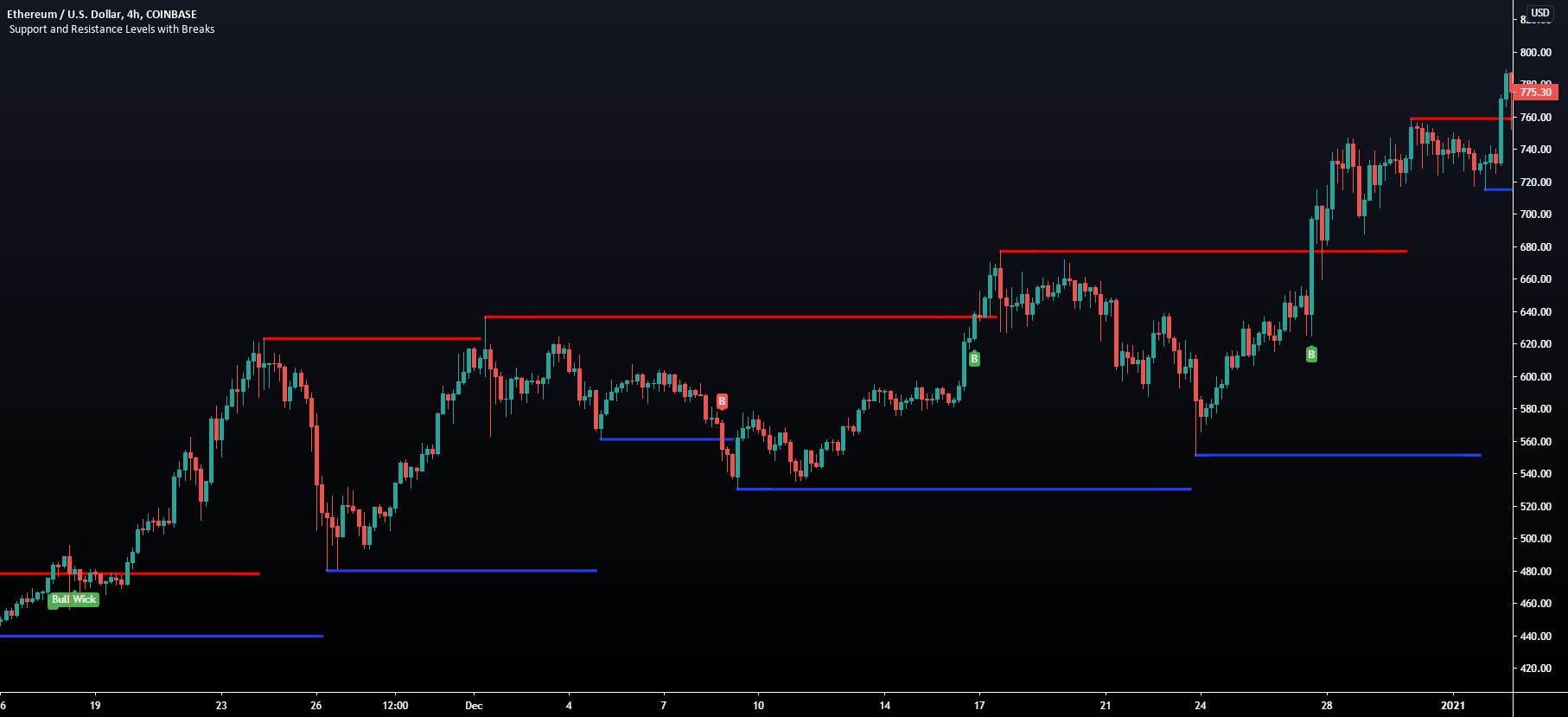
TradingView
This script provides basic pivot point Support and Resistance Levels to the user whilst displaying Break signal tags. It also has the ability to let the user display more significant breaks by filtering using the Volume Oscillator.
Only more significant breaks of these basic levels are displayed to the user when optimized which avoids noise and...
verbal sentinel
empty solar
That's a pivot point SR script 😉
Well that makes sense lol.
empty solar
They are these just extended right
warped nova
I like linking up 15 minute Traditional Pivots with 5m/1m Lux Predictive ranges + Reversal zones. As I did this morning with SPY

I'm pretty sure Gecko is a bot
empty solar
verbal sentinel
Side note, do you sleep? <@456590452703887373>
Honestly; no 😉
verbal sentinel
empty solar
Honestly; no 😉
Haha sounds like my life. I feel your pain my friend
empty solar
Half my brain sleeps, the other works. Then they swap 😄
verbal sentinel
Teamwork makes the dream work...or so I hear haha
 silk condor
what apps do u guys use to day trade typically
verbal sentinel
silk condor
what apps do u guys use to day trade typically
What do you mean when you say apps? Like brokers or do you mean things like Reddit, stocktwits, flowalgo etc
crude pasture
hello, is it possible to set profits and stop loss for both buy and sell in the paramers m, I only see buy or sell
empty solar
I'm a little confused what exactly you mean by this?
crude pasture
in the parameters of the lux premium , I see the choice to tp or sl but i cant chose both only buy or sell
crude pasture
TP/SL Points on the input
verbal sentinel
north mural
Please check ADA and suggest
is that Cardano? you may wanna put that in the Crypto chat
empty solar
crude pasture
in the parameters of the lux premium , I see the choice to tp or sl but i cant c...
On the TPSL input there's a drop down for selecting buy and sell, why exactly would you want both here?
You could load up a second Lux Algo premium and on the other select buy/sell
But generally when someone enters a position their either want to buy/sell
Not both
crude pasture
ok that is waht i wanted to do load another algo premium I was not sure i could add a second one, excellent
thank you kindly
empty solar
A pleasure 😄
 fathom barn
Hey all, First time user today. With regards to the sens and agility, in order not to have to change all the time for a new chart is there some kind of middleground?
empty solar
Default is always nice / Autopilot can save you touching settings 🙂
fathom barn
autopilot ? please elaborate 🙂
empty solar
This page showcases every way users can adjust settings along with full explanations of how they differentiate from each other.
empty solar
Yep exactly 🙂
empty solar
!alerts
hidden moss
How to set up your own custom alerts in TradingView: https://docs.luxalgo.com/lux-algo-premium-indicators/setting-up-alerts-on-tradingview
Follow this guide for setting up your own custom alerts on TradingView.
sharp swift
is there a general criteria that the contrarian signals go by? sometimes im confused why it didnt trigger and sometimes its confusing why it would trigger in certain areas. overall its good im just trying to figure out how to optimize it any more if i could potentially do so by knowing more about it
empty solar
sharp swift
is there a general criteria that the contrarian signals go by? sometimes im conf...
There's not a specific describable criteria I'm afraid 😦 But in the dashboard it will suggest optimisation
analog onyx
 wild roost
What vids on YouTube do you recommend?
wild roost
What vids on YouTube do you recommend?
Everything in there https://www.youtube.com/channel/UCDM5XcH0ogAPkNMGE8zK_og will help

YouTube
Sharing trading strategies that I've developed using Lux Algo + more.
(Not actually a gecko.)
 hot loom
@empty solar how to use scanner alert ?
empty solar
They are a "hey take a look see what you think"
If you like the signal, find an entry on a lower timeframe
As an example usecase
And yes; we can look into this
hot loom
@empty solar sure. Really helps if you get added those indices. Thanks
 barren python
rad suite btw, tx very much
empty solar
barren python
rad suite btw, tx very much
A pleasure 😄
 placid ruin
what is the signal sensitivity and agility for scanner forex?
verbal sentinel
placid ruin
what is the signal sensitivity and agility for scanner forex?
I think they are all the default
so 12/26
Atleast thats what it is for stocks so maybe I am wrong
placid ruin
is that recomended to trade all the signal from the scanner?
and do you have any tips about putting SL for the signal from scanner?
verbal sentinel
I do not as I am still learning the whole program myself but I am sure Lux will chime in and give a better answer
placid ruin
what strategy you use @verbal sentinel ?
verbal sentinel
Since I trade on longer time frames I use the default of 12/26. I did have it on auto pilot but I felt that I was getting signals late VS having it on the default. I really decided to make the switch over when I saw that the 4hr and 2hr stock scanner also used the defaults. So I felt if that was sufficient for the auto alerts then why not for my trading
placid ruin
how long you've been using lux algo @verbal sentinel ? thanks for sharing by the way
verbal sentinel
placid ruin
how long you've been using lux algo <@!576426404753702913> ? thanks for sharing ...
Only about a week so I am still kind of fine tuning a strategy.
placid ruin
thanks a lot for sharing man
verbal sentinel
placid ruin
thanks a lot for sharing man
You got it. I am always here to help when I can
brisk dragon
reddit
791 votes and 151 comments so far on Reddit
 brittle moss
hı
I'm trading swings. I enter the position with daily candles. but I could not adjust the sensitivity settings of the lux algo. Do you have a sensitivity setting you can recommend? or something that swing traders like me can suggest?
 long tendon
i also have the same question too.which signal sentivity and agility would be better for swing trader?
verbal sentinel
The default
12/26
The stock alerts are set to come in on that exact sensitivity. And they alert on thr 2HR, 4HR, and Daily
empty solar
^ Or read here regarding best settings: https://docs.luxalgo.com/lux-algo-premium-indicators/lux-algo/signal-settings#choosing-the-right-method
This page showcases every way users can adjust settings along with full explanations of how they differentiate from each other.
long tendon
i'm looking at the 4hr fb chart and some of the time frame doesn't make any sense.can you explain a little bit for me please ? at the point, it was showing strong, but the stock was going down ??

I use the default setting
empty solar
You have to filter signals; this was a ranging market and was not a good area to be using confirmation signals; see here for example filtering methods:
!strategies
hidden moss
Find our full trading strategies playlist on YouTube: https://www.youtube.com/watch?v=xezy6WGpZ8Y&list=PLbqCXsOfrM3MjO7q7uIiwoVq3evI4neQr
Join our Discord: https://discord.gg/LUX
Get access to Lux Algo: https://luxalgo.com/products/lux-algo
Get the best settings: https://www.youtube.com/watch?v=OmvxpTE9tlw&t
Usability Tips: https://www.youtube.com/watch?v=5wtdY51crnc
long tendon
sure. thank you
verbal sentinel
I have been using the legacy oscillator to filter out signals
empty solar
Refresh tradingview 🙂
 simple basin
How?
empty solar
You don't see invite only scripts?
empty solar
Please 🙂
simple basin
 hidden moss
How to setup the indicators on TradingView: https://docs.luxalgo.com/getting-started/setup-tradingview
TradingView.com --> Chart --> Indicators --> Invite-only scripts
empty solar
Here's our setup guide 🙂
simple basin
Ok
empty solar

Mobile & Desktop walkthrough for setting up Lux Algo on TradingView after you've been granted access. Join our Discord: https://discord.gg/LUX | You can get access here: https://luxalgo.com/products/lux-algo
Watch the full video walkthrough of Lux Algo features here: https://www.youtube.com/watch?v=c12sF8xb24k&t=214s
- Setup video if you need for mobile
empty solar
You can using our discord scanners which you can opt into here: #🔔scanners-premium
Or you can set your own alerts:
!alerts
hidden moss
How to set up your own custom alerts in TradingView: https://docs.luxalgo.com/lux-algo-premium-indicators/setting-up-alerts-on-tradingview
Follow this guide for setting up your own custom alerts on TradingView.
 tepid lily
Dose anyone scalp with lux?
What’s the best setting and indicator
I am thinking of breakouts and support and resistance. On us30
5-minutes time frame
@empty solar
@still trellis
@hushed magnettrainstocks#6895 please pm
verbal sentinel
!settings
hidden moss
Everything you need to know on optimizing signal settings: https://docs.luxalgo.com/lux-algo-premium-indicators/lux-algo/signal-settings
This page showcases every way users can adjust settings along with full explanations of how they differentiate from each other.
 silk wasp
What timeframe are the patter detector channel set at?
verbal sentinel
The daily @silk wasp
 kindred ridge
Hi guys I’m new, how do I activate the algo on tradingview
hidden moss
How to setup the indicators on TradingView: https://docs.luxalgo.com/getting-started/setup-tradingview
TradingView.com --> Chart --> Indicators --> Invite-only scripts
empty solar
!docs
hidden moss
Learn about every aspect of Lux Algo at: https://docs.luxalgo.com
empty solar
You can find full documentation here on each and every indicator
To change the settings you can double click any signal tag
kindred ridge
I see, thanks a lot can’t wait to try it out!
are there specific settings for future trading?
Futures^
empty solar
There isn't however we have a page regarding best/optimised approaches:
This page showcases every way users can adjust settings along with full explanations of how they differentiate from each other.
Hope that helps ☺️
kindred ridge
Ah I found it
Perfect
Time to make some bay
Can the algo plot take profits? Or entry prices/confirmation buys?
Or tradingview notifications for it?
empty solar
There are exit signals but no entries provided
Confirmation signals just indicate a trend direction
To set alerts:
!alerts
hidden moss
How to set up your own custom alerts in TradingView: https://docs.luxalgo.com/lux-algo-premium-indicators/setting-up-alerts-on-tradingview
Follow this guide for setting up your own custom alerts on TradingView.
kindred ridge
So I can receive the alert by notification?
 brazen dome
Gecko, can we use LuxAlgo with binance?
empty solar
kindred ridge
So I can receive the alert by notification?
You can indeed ☺️
brazen dome
how?
empty solar
brazen dome
Gecko, can we use LuxAlgo with binance?
You can do you analysis on TradingView then place your binance trade
But you can't directly use Lux on binance
empty solar
Yeah I though a joke about CZ in here wasn't the best 😂
 bright oar
@empty solar Hi there, I was just wondering if there's a way to see the timestamp of a previous date Bot notification when there is just one signal...
empty solar
You'd have to open it on Tradingview to get the exact time/date for your timezone
bright oar
empty solar
You'd have to open it on Tradingview to get the exact time/date for your timezon...
Thank you!
 unkempt vortex
@empty solar is there a time pattern for the live crypto bot scanners?
empty solar
unkempt vortex
<@!456590452703887373> is there a time pattern for the live crypto bot scanners...
They post whenever a signal appears 🙂
They are just alerts on the signals
So no set times
 upper igloo
empty solar
upper igloo
empty solar
It shows the last seen signal on that timeframe 👍
verbal sentinel
Literally in this trade for like maybe an hour and made 20% lol. I was gonna hold over the weekend but I had short dated contracts and I am not gonna scoff at 20% ROI in less than an hour

In V as well but took calls on that yesterday and up about 25% on those. Holding AAPL calls out til november. I am in X but that wasnt an alert I set more so getting in early on a move that I think will happen to the upside. Also holding Penn as well
verbal sentinel
Not sure if you guys follow options flows much but I saw this come up and wanted to share it here as well. BBIG is trading sub 6/share right now. That is some very far OTM contracts and A LOT of premium being spent on them. Those contracts are about .15 or so. I took a few just as a lotto. Either I win or I dont but that big of a bet has me intrigued.
 long tendon
Have anyone use target price to sell ?
verbal sentinel
So I am still in the trial phase of this BUT i will use the Trend catcher kind of as a trailing stop. So say you enter a position on a buy and the trend catcher is green. I will wait until it goes red to exit the trade or if I hit a profit range I am happy with I will sue that
feeling pretty good about this one lol
 long tendon
I see, i try to use that trend catcher next week to take profit as soon as possible. I was too late to take profit and market took it all back
Thank you for the tip
 crisp kestrel
Can I ask a question that is more strategy related than Lux Algo/TradingView related?
verbal sentinel
Sure!
crisp kestrel
So I have a crypto IRA, and it occurred to me that assets within an IRA are locked in the IRA. The benefit to an IRA is not paying tax on contributions and paying them only on withdrawals. But you can't withdraw crypto from an IRA just like you can't withdraw Apple stock; you can only withdraw fiat cash.
So it seems to me that there isn't much benefit to HODLing cryptos or stocks in an IRA unless you're playing the "invest and forget" game which I'm not, hence my purchase of Lux Algo.
So, if you have a tool like Lux Algo that enables you to make informed trading decisions, why do anything other than "buy low, sell high" with everything in the IRA?
verbal sentinel
That is definitely something you can do and is rather smart
 sick elbow
how do I find the algo in tradingview
empty solar
!guide
hidden moss
How to setup the indicators on TradingView: https://docs.luxalgo.com/getting-started/setup-tradingview
TradingView.com --> Chart --> Indicators --> Invite-only scripts
fresh grove
crisp kestrel
So I have a crypto IRA, and it occurred to me that assets within an IRA are lock...
what exchange are you using with your crypto IRA? I think you have absolutely the right perspective ... use the crypto ira for trading and use your regular accounts for growth not based on trading