

47 messages · Page 1 of 1 (latest)
 woven raven
Doesn't happen every print and I don't see any pattern to it.
What could cause this?
 dawn lichen
woven raven
Doesn't happen every print and I don't see any pattern to it.
What could cause t...
dawn lichen
woven raven
Doesn't happen every print and I don't see any pattern to it.
What could cause t...
Hello, it's something we can help you out with
 lapis mountain
dawn lichen
Hello, it's something we can help you out with
lapis mountain
dawn lichen
Hello, it's something we can help you out with
Then help them instead of just saying that…
dawn lichen
Okay 👍
dawn lichen
lapis mountain
Then help them instead of just saying that…
You can message me
lapis mountain
dawn lichen
You can message me
I don’t need help
dawn lichen
Okay
lapis mountain
And these threads are meant to be used for the help
That way other can pop in if you made a mistake.
dawn lichen
Okay 👍
woven raven
I can't help but be a little confused
eh you know what? I'll ask for forgiveness later
@rigid isle howdy
you're the pretty much the only person providing help in the forum part for the server
would you mind taking a look at my issue?
 rigid isle
if you fill out the form 😄
@woven raven und zur not wenn ich mit der vermutung richtig lieg auch auf deutsch XD
woven raven
I'm Dutch not Deutsch, so English would work better for me
what form?
I haven't seen any form 
oh in #knowledge-base📌
I uh hadn't looked at that channel
if I had to pick one, maybe the bottom left?
I don't think that really matches my issue though
the shape should be | | | | | | |but is```
|
|
|
|
|```
it doesn't repeat in a pattern, just happened twice near the bottom of the print
it's not a single layer, but several that are offset linearly one way, and then back to normal
the two areas where it happened are identical to each other
I haven't done any prints since this one, and probably won't until I can afford a better printer
would be nice to fix it before finding a new owner though
other than this issue I don't think there's anything wrong with it at the moment
rigid isle
and which printer?
you know i made the form to get all infos at once and not getting them step by step 😄
woven raven
oops I didn't see the top half of the form
the pictures drew my attention
I'm a bit sleep deprived
anyway it's an Ender-3 Pro, using PLA Tough (a kind of PLA+ I think)
not sure how to describe what settings I use
I could send my OrcaSlicer profile and project if it helps
or my printer.cfg (I'm running Klipper off an old laptop)
rigid isle
Then its usally z binding
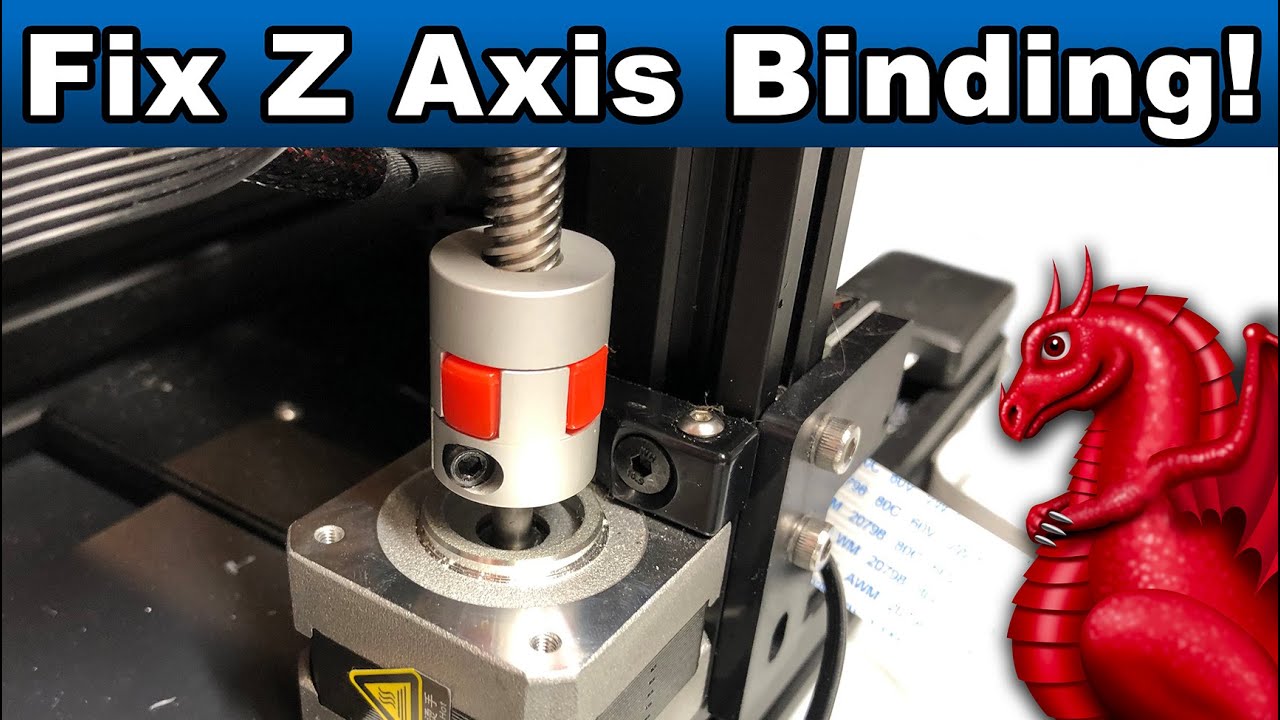
Learn the most common causes of Z-Axis binding and how to fix them. Applies to Ender 3, Ender 3 Pro, Ender 3 v2 (and all clones).
LINKS:
Get our FDM optimized fantasy terrain and miniatures here:
Supplies Links:
http://www.fatdragongames.com/fdgfiles/?p=5863
****************************************************...
woven raven
thanks, I'll give that a watch
I think it started when I switched to direct drive
hm no I don't think the layers are squished more, they're not wider, but rather offset on the Y axis
rigid isle
Did you check the gcode preview
woven raven
yeah it's perfectly smooth, no random Y offsets there
perhaps it's just because the printer is filthy
I'm not sure how to clean the parts I can't reach (like under the bed)
and I'm worried if I clean the Z axis it won't slide well anymore
rigid isle
You sure that the z axis is not tilted etc?
woven raven
oh it could be tilted or crooked or something, but I wouldn't know how to recognize that
rigid isle
You take a side view image and ifnits not paralel to the frame its tilted
woven raven
 rigid isle
Yeah you have the faulty motormount and a bend carriage
For the motormount there are files on thingiverse and thr carriage can be bend back into shape
woven raven
this may sound stupid, but would you mind drawing on the photo?
I'm not sure where either of those things are, or how you could tell those issues from just a picture (impressive though)
rigid isle
 woven raven
thanks!