#layer shifting
166 messages · Page 1 of 1 (latest)
 unkempt marsh
im pretty sure the belts arent meant to look this worn either


ignore the print, but this is the settings im using for the helm sunlu pla+

 fresh plover
no the belts should not be like that
check if one of your rollers got loose or is miss alinged
about the layer shift ... can you mark it? i have to lie i dont see one
 fresh plover
ah
unkempt marsh
fresh plover
you sure its not z binding? or the heatbed temp going up and down
i would try moving that gear up 1 or 2 mm
unkempt marsh
fresh plover
i would try moving that gear up 1 or 2 mm
what gear? kinda new to this sorry
fresh plover
the one in the video you just posted the silver part where your belt is on
fresh plover
its screwd onto the shaft yes with two inset grub screws
unkempt marsh
ill try n find a vid
fresh plover
 fresh plover
ehh the problem is rather the creality printer believe me. without creality printers shite we would have way less people XD
about the wooble ... can you send me the gcode you used? i want to check something
unkempt marsh
u from the uk? can i just pay u to come here n fix it lmao ive been having this prob for a while
fresh plover
no im from germany i would be more expensive then the printer
unkempt marsh
unkempt marsh
oh the sd is still in the printer and its printing atm
fresh plover
you can reslice it?
anyway since your layershift is with an significant change in colour i think you had rapid speed changes causing the extrusion to have trouble extruding at a stable temperature
whats your print temp?
unkempt marsh
s1 plus
fresh plover
so allmetal hotend?
fresh plover
okay so thats one possible explanation. the allmetalhotend needs at least +10 more temp due lower thermal transfer rate
you can upload it to a google drive or so
unkempt marsh
Google Docs
unkempt marsh
fresh plover
its screwd onto the shaft yes with two inset grub screws
with this do u mean the 2 big coiled bolts


 fresh plover
at least something under the cover of the first image
that with the gcode will take a while because due its size and software limitation ... it has loding times as heck
i hate it that the slicers are sometimes signle core
fresh plover

i mean you only slight ly move the gear on the motors shaft and tighten the srews down again
unkempt marsh
lool cura seems to take ages with everything for me
fresh plover
in that case its very large file and cura is using multicore but not always
unkempt marsh
when i tightened the screws on the x axis it made it a lil better but still not right
 fresh plover
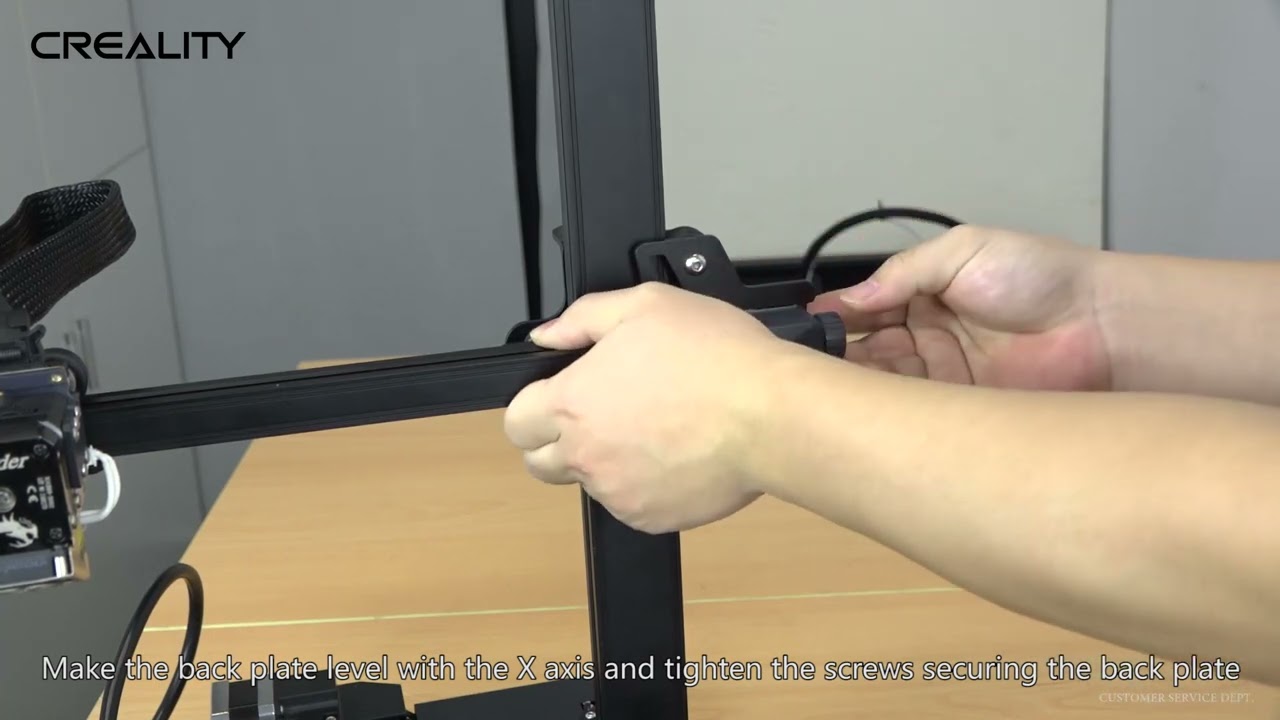
Accessories purchase, Please contact our official email or website, remember to attach your machine type and accessories pictures
Official email:[email protected]
Official website: https://www.creality.com
Any technical support in need, Please contact our official service email,remember to attach your printer model、complete orderscreenshot、purch...
unkempt marsh
this is a new print of the same file btw
fresh plover
what do you say does the wobble alling roughly with the orange lines
 unkempt marsh
sorry i dont understand the question,
fresh plover
the orange lines are the travel path of your print head
its possible with a mode call combing that it causes ood movement resulting in the wobble / shifts you see
 fresh plover
possible yes
im currently trying to find out if you use combing 🙂
because it has several versions resulting in different tool paths
unkempt marsh
this problem hasnt just happened either ive had this prob with alot of my prints but not as bad as this
fresh plover
that means either hardware or a slicer issue
in your slicer there is a searchbar
you can type combing in there and tell me if its on or off
unkempt marsh

that vid u sent didnt have any info of adjusting the back motor thing u were talking about?
unkempt marsh
unkempt marsh
so combing being turned off wont knock into aready printed parts
fresh plover
if everything works no
thats why i want you to test for the mechanical issue
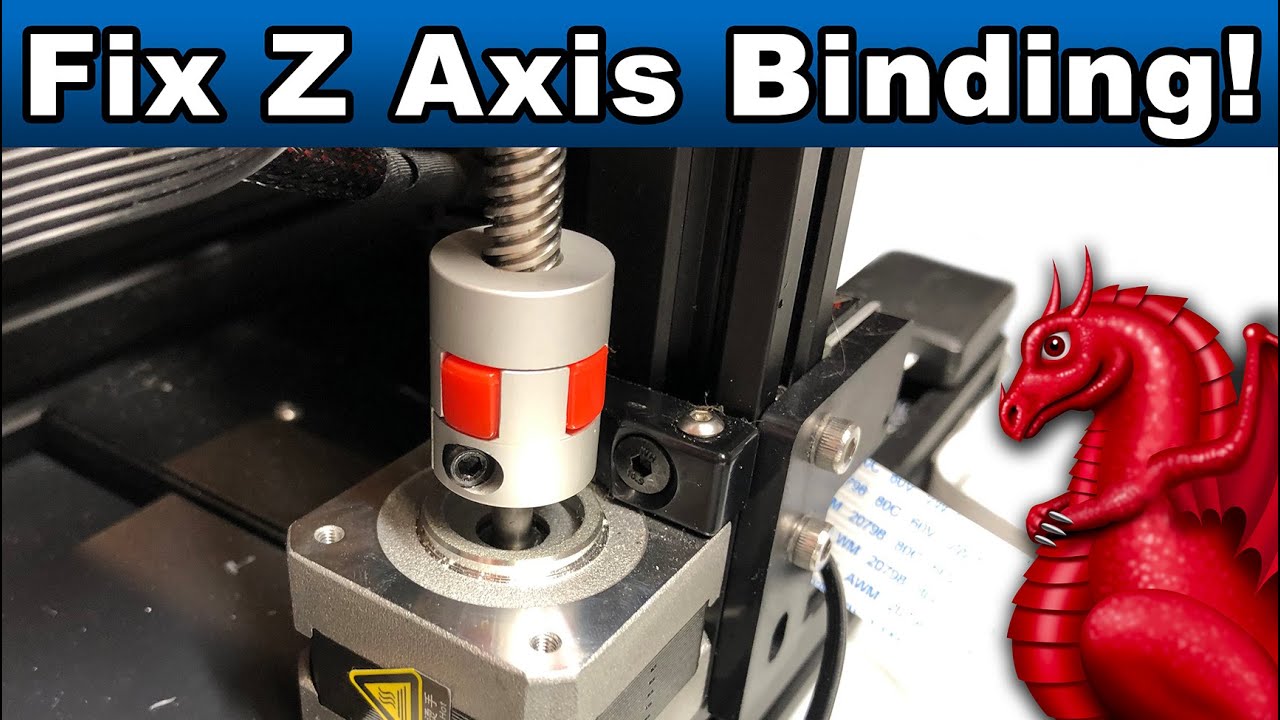
Learn the most common causes of Z-Axis binding and how to fix them. Applies to Ender 3, Ender 3 Pro, Ender 3 v2 (and all clones).
LINKS:
Get our FDM optimized fantasy terrain and miniatures here:
Supplies Links:
http://www.fatdragongames.com/fdgfiles/?p=5863
****************************************************...
that video is great about it
unkempt marsh
yh thats the one i wated
fresh plover
the problem is that there are mostly several reasons for each issue
unkempt marsh
my bro in law has the same printer as me, hes the one that sent me the file for the helm. i literally copied his settings and his came out perfect
unkempt marsh
his combing is the same as mine
fresh plover
even if its the same machine
unkempt marsh
ah ok
fresh plover
for example if your bro did a pid tune .. its already running differently
or if he got lucky and the chinese slave child assembling the printer had 2 rice corns that day and did it correctly 😄
id say 95% im fixing creality printers here :/
unkempt marsh
ive emailed them about the belt btw but theyre terrible at replying
i emailed them thursday
fresh plover
i dont know if the video about the zbinding checks for that. you need to make sure that the leadscrew and the motor shaft dont touch each other inside the coupler. thats one thing thats often wrong

 fresh plover
you can also check if the top part is at an nice 90° angle and brass part is tight
unkempt marsh
ignore my 3d printing dumb language lmao
fresh plover
sofar no harm done you did not ask what filament is.. and yes that happens more often then you think
the part i talk about is the thing above the stepper motor
it allows a little flex
but only if the upper spindle is not all the way down
fresh plover
coupler
fresh plover
eh its a lot of stuff and nobody tells you so still fine
also no
the coupler transmits the movement from the motor to the leadscrew
as its second function it can compensate minor misallingments
but only if it can move
and if the leadscrew is all the way down into the coupler so it sits on the stepper motors shaft that function is lost
unkempt marsh
sorry which one is the leadscrew, the brass one
unkempt marsh

i think it is in there
this might be abit farfetched, but could it be that the pla roll isnt getting pulled enough? light the roll is too tight
unkempt marsh
so raise the leadscrew up so it isnt in the stepper
might be abit of a silly question but whenever i lower the % of a build in cura this has happened
i lowered this helm to 95%
unkempt marsh
the worst of the problems is the face part of the helm the front of the printer seems to be alot worse than the back
fresh plover
that can be a coincidence if only one of the issues we talked about is there
anyway its late
 unkempt marsh
yeh man sorry about this
fresh plover
no problem. try the fixes i told you and then let me know if one worked 🙂
unkempt marsh
ill try the things u said, if not then imma throw it accrss the roomo
fresh plover
you are british you shank it or ship it to austrailia 😄
fresh plover
i think with chinese stuff it was more opiod wars 😄
anyway good night and good luck 🙂
 fresh plover
you still havent told me wich part
fresh plover
id say that should not move
unkempt marsh
so